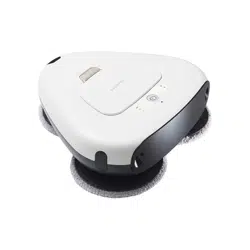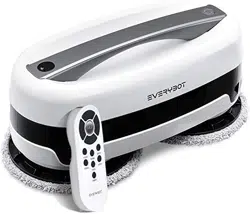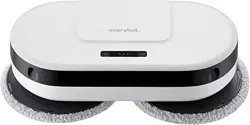
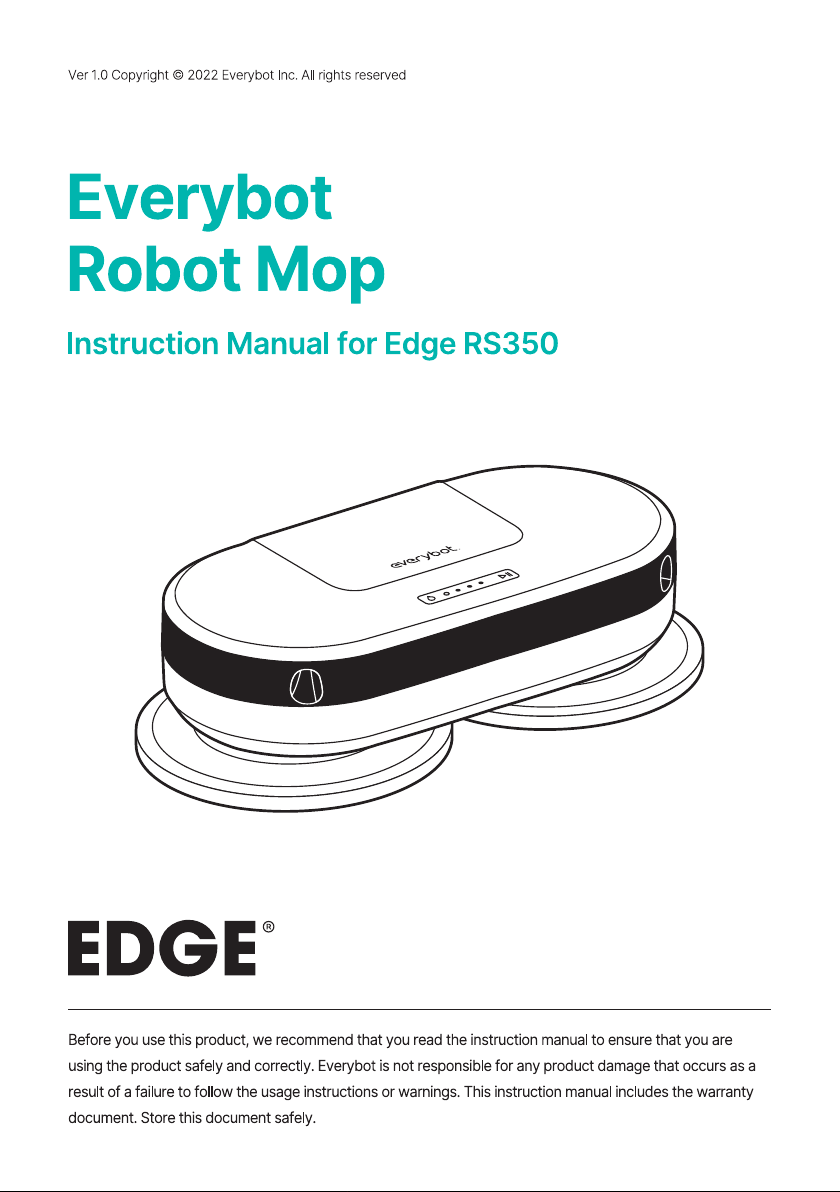
Everybot EDGE2 RS350 Robot Mop Whisper Quiet Smart Mopping Robot Cleaner Only 1.5 Times Faster Dynamic Dual Spin Wet Mop

Product's Documents

Below are documents related to this product, you can read online or download:
EDGE2 RS350 photo

User Manual

This is the main product document for model EDGE2 RS350.

The file format is pdf, 24 pages, you can download this manual here .

background
background
2
Quick Guide
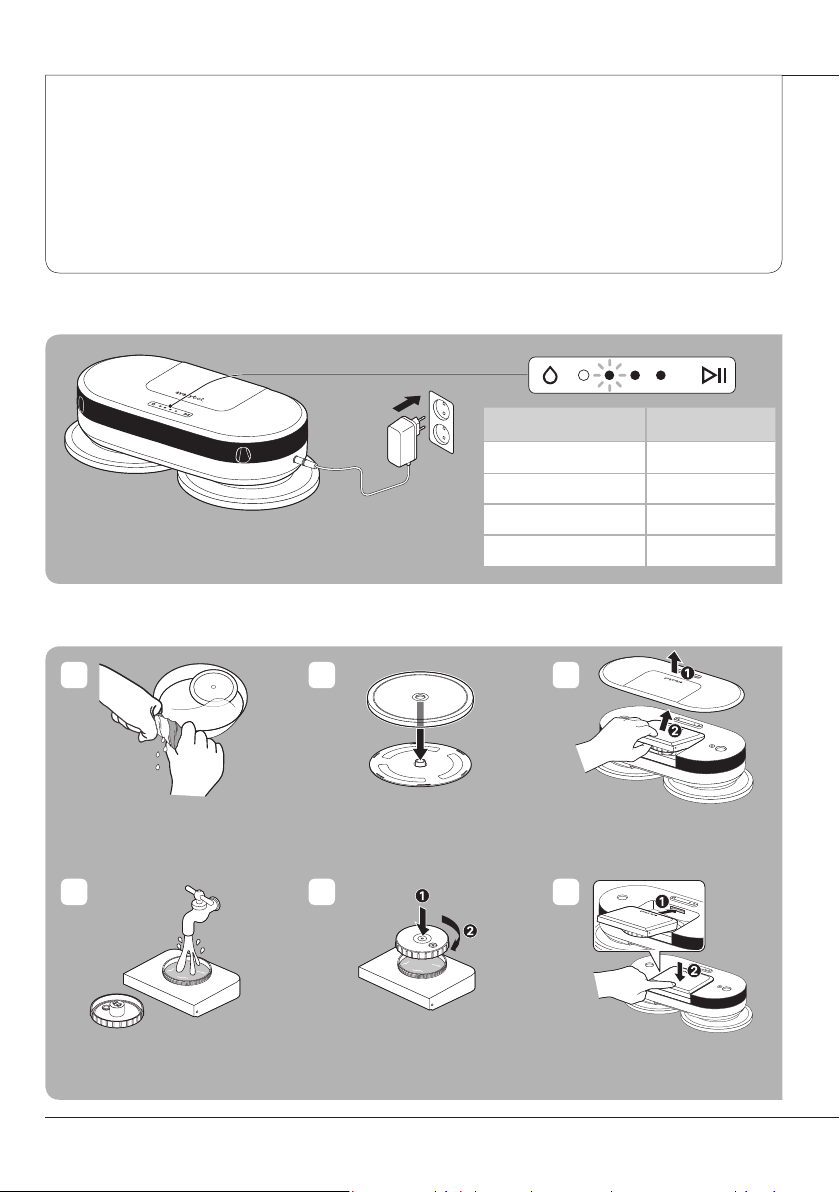
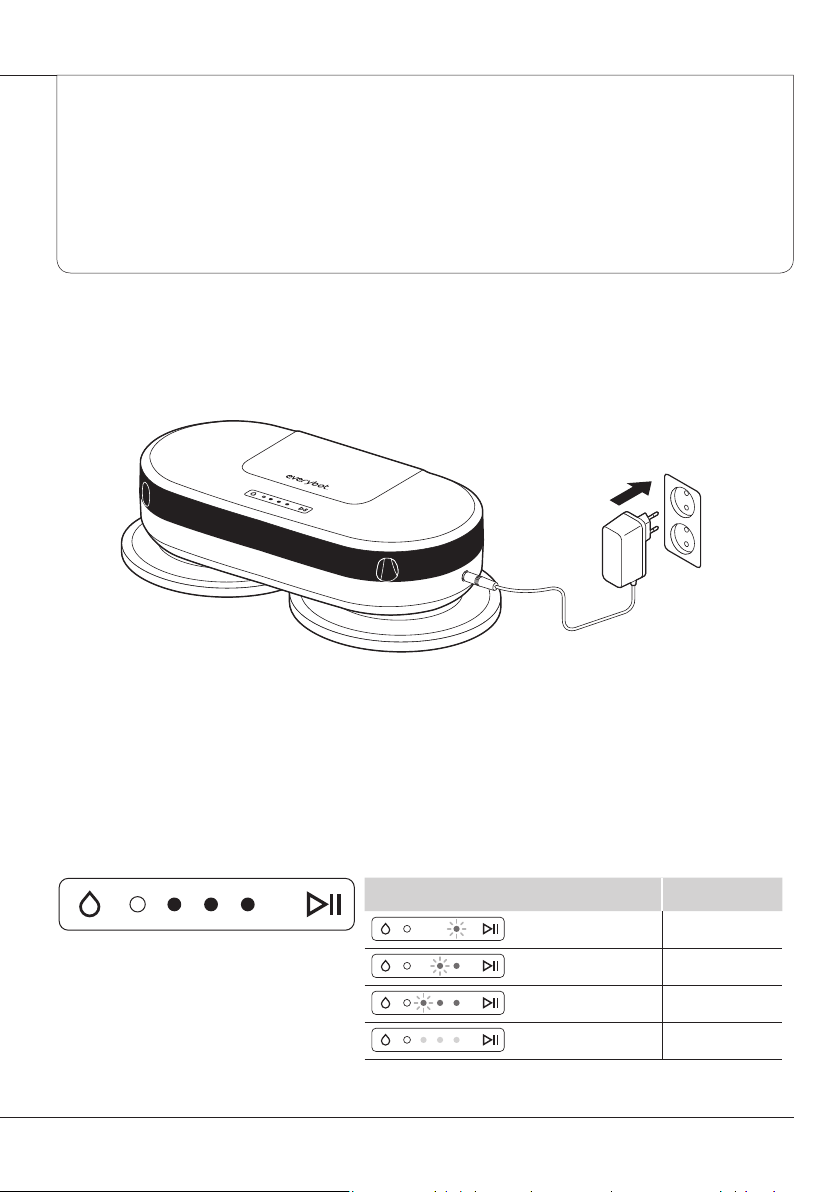
Charging
Preparing to clean
























1 2
54
3
6
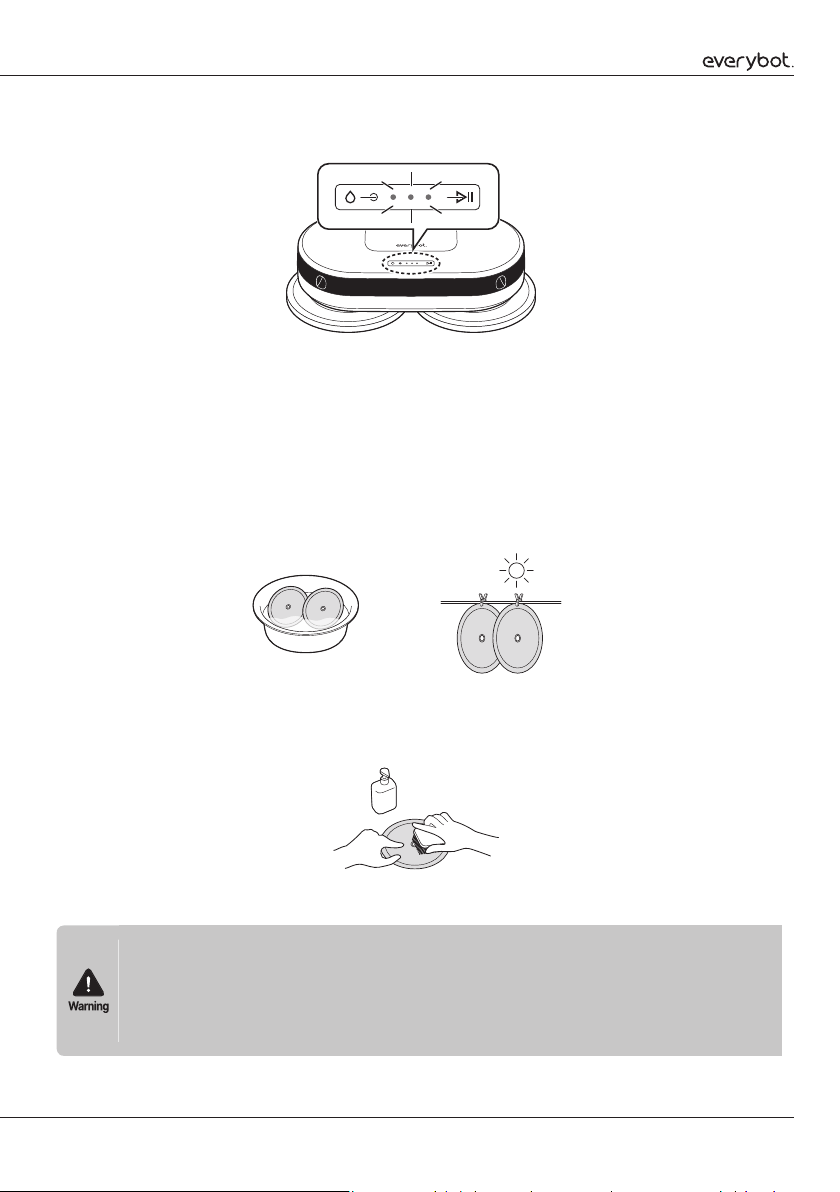
Charging status lights Battery status
 
 
 
 
background
3
Starting to clean
Conducting maintenance












power










start/pause 
or
1
1
2
2
4
3
background
4
Table of Contents
》
Pre-usage
Safe Usage Instructions

5
Component Checklist

8
Name and Function of Each Part

9
Inserting Batteries into the Remote Control

10
》
Preparations
Charging

11
Status Lights When Charging

11
Attaching the Mop

12
Attaching the Water Tank

12
》
Usage (or How to use)
Starting to Clean

14
Changing the Cleaning Mode

15
》
Maintenance
Draining the water

16
Washing the mop

17
Cleaning the water tank

18
Cleaning the water tank inlet

19
Cleaning the sensor window

19
》
Customer Support and Product Specifications
Checklist before reporting a malfunction

20
Product Specifications

22
Product Warranty Certificate

23
background
5
Pre-usage

Safe Usage Instructions



Power-related
























Pre-usage









background
6
Pre-usage Safe Usage Instructions








During usage































After usage














background
7
Battery-related



























Copyright and related guidelines















background
8
Pre-usage Component Checklist
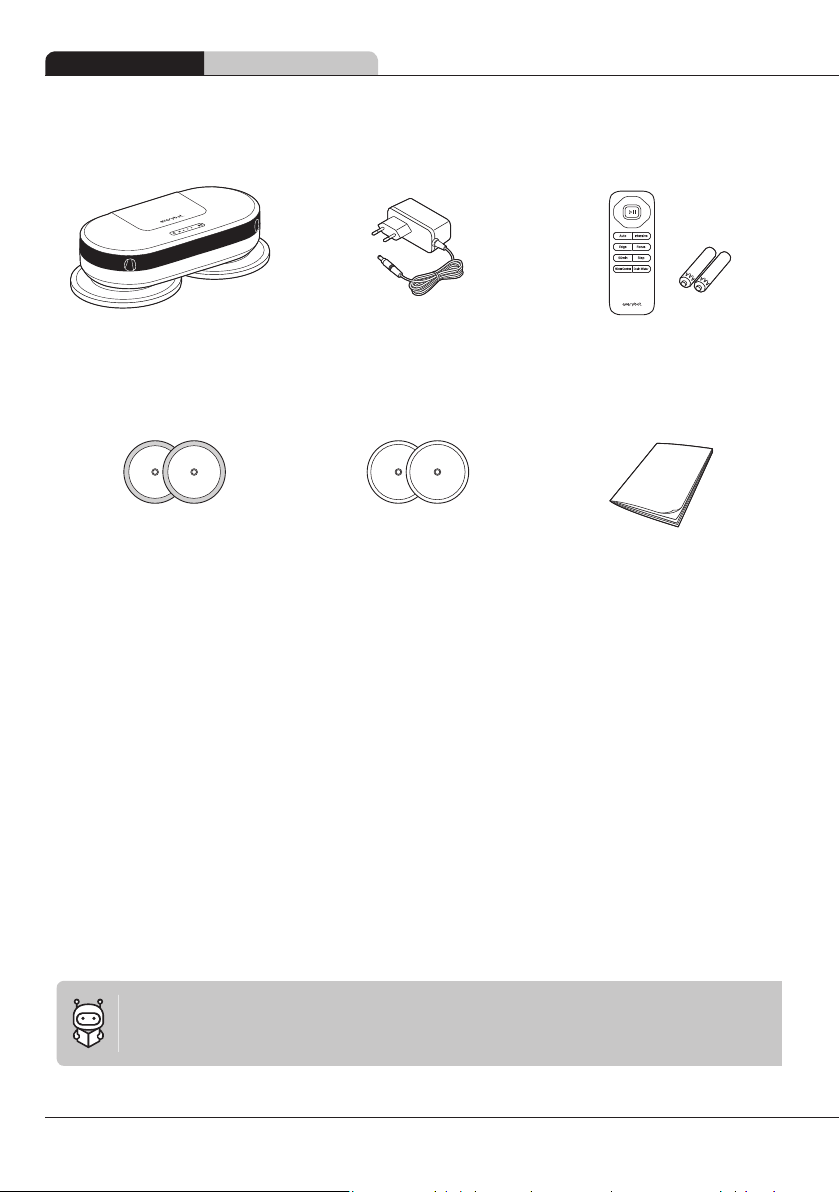
Component Checklist
Main unit Charging adaptor Remote control
(includes two AAA batteries)
Mother yarn mop (gray) Microfiber mop (light green) Instruction manual

Mother yarn mop (gray)



Microfiber mop (light green)




background
9
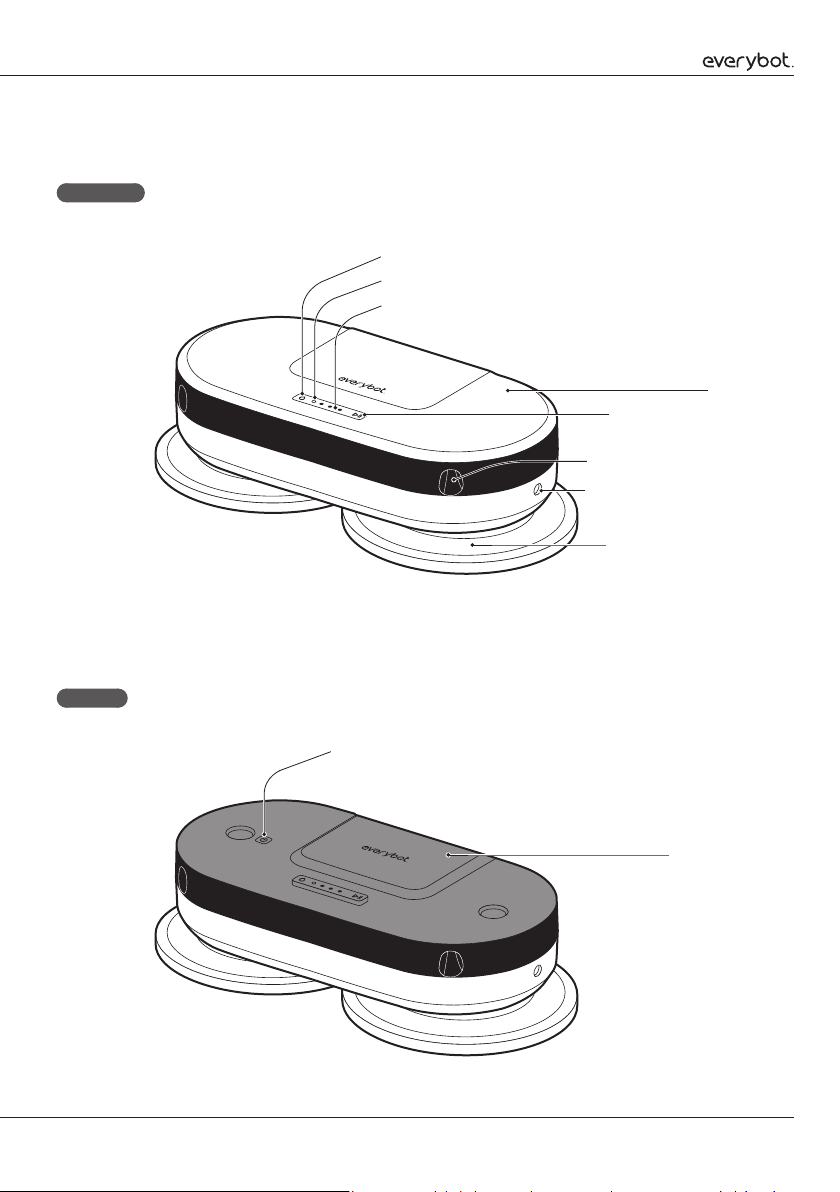
Name and Function of Each Part
Top side
Inside
Charging adaptor jack
Rotating mop panel
Cover
Start/pause button
System status display
Fall prevention sensor
Water control button
Brightness sensor
Water tank
Power switch
background
10
Pre-usage Inserting Batteries into the Remote Control
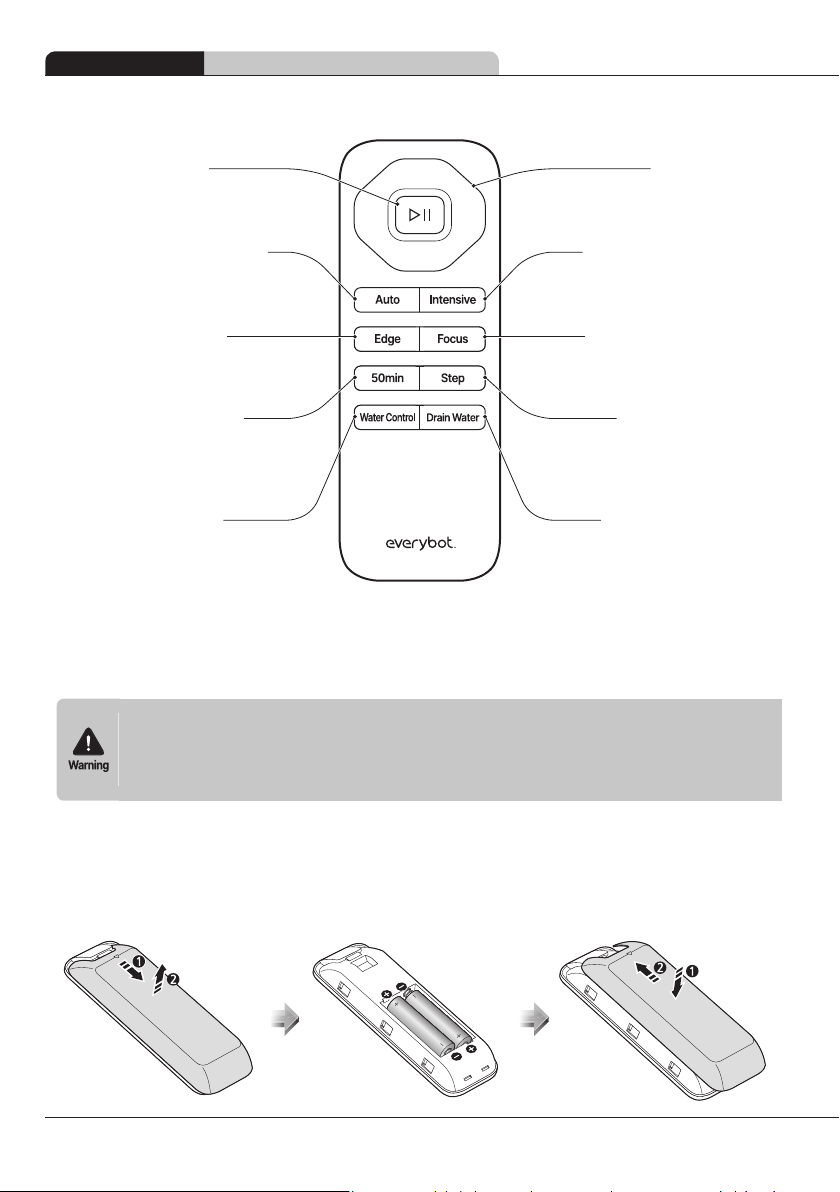
Remote control
Direction button


Water drainage button


Intensive cleaning button


Focused cleaning button


Step cleaning button


Start/pause button

Edge cleaning button


Automatic cleaning button


50-min cleaning button



Water control button


Inserting Batteries into the Remote Control







1
Separate the battery cover underneath the remote control.
2
Insert the 2 AAA batteries provided with the product into the correct polarity.
3
Close the remote control battery cover.
background
11
Charging






Status Lights When Charging

Preparations
Status lights while charging Battery status








background
12
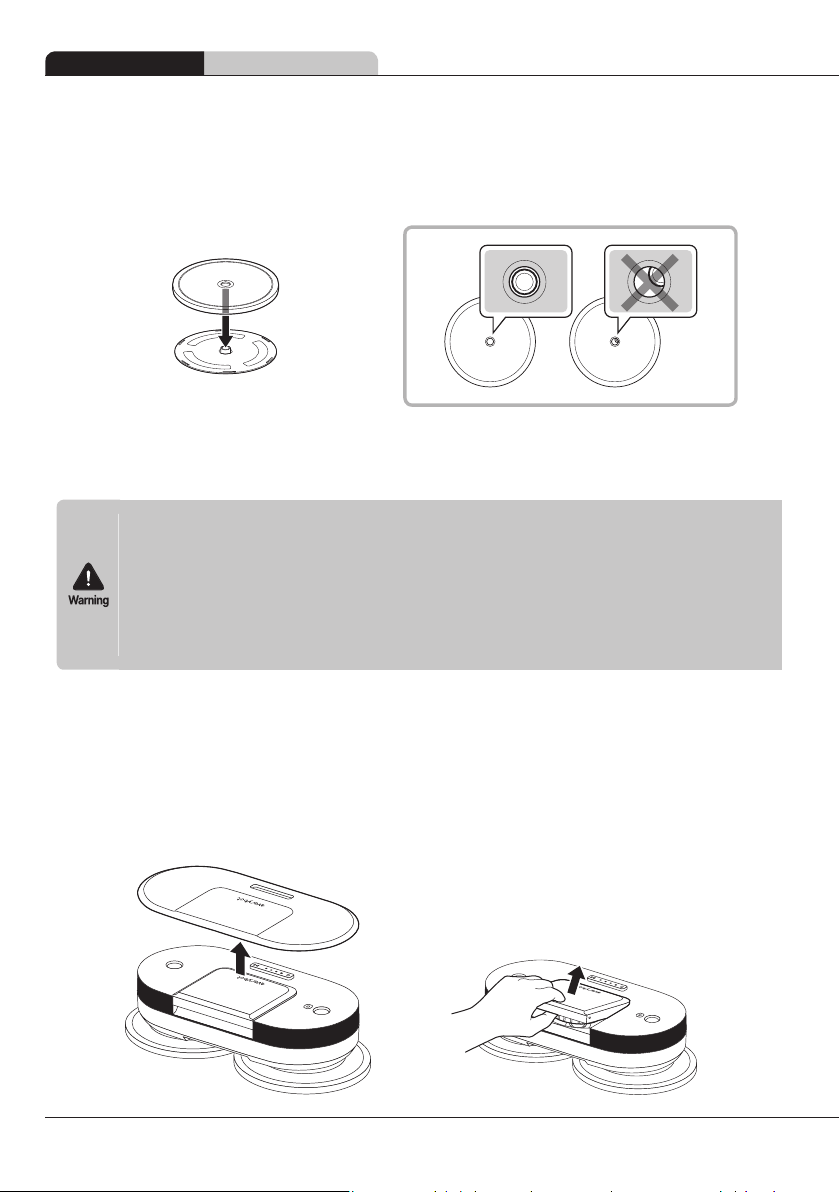
Preparations Attaching the Mop
Attaching the Mop















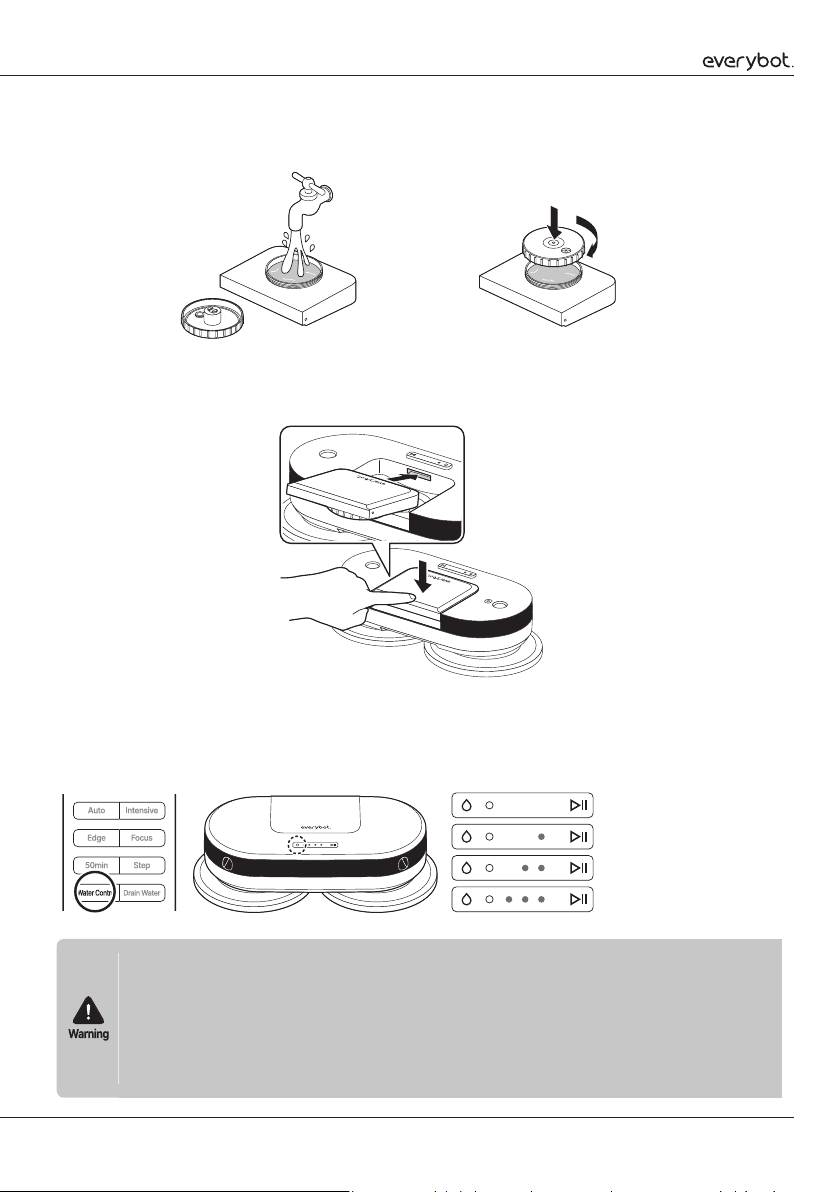
Attaching the Water Tank
1
Use the groove at the back to open the cover and use the groove under the water tank to
separate the water tank as illustrated.
background
13
2
Open the water tank lid to fill it with water up to the inlet, then turn the lid clockwise to close
it (max. 210ml).
3
Insert the fixture rib of the water tank into the groove on the main unit, then press
downward to fix it into place and insert the main unit cover.
4
Press the water control button on the remote control or the top side of the main unit to
adjust the water supply level and wet the mop accordingly.
Water supply level status light
Off 
One segment on 
Two segments on 
Three segments on 










background
14
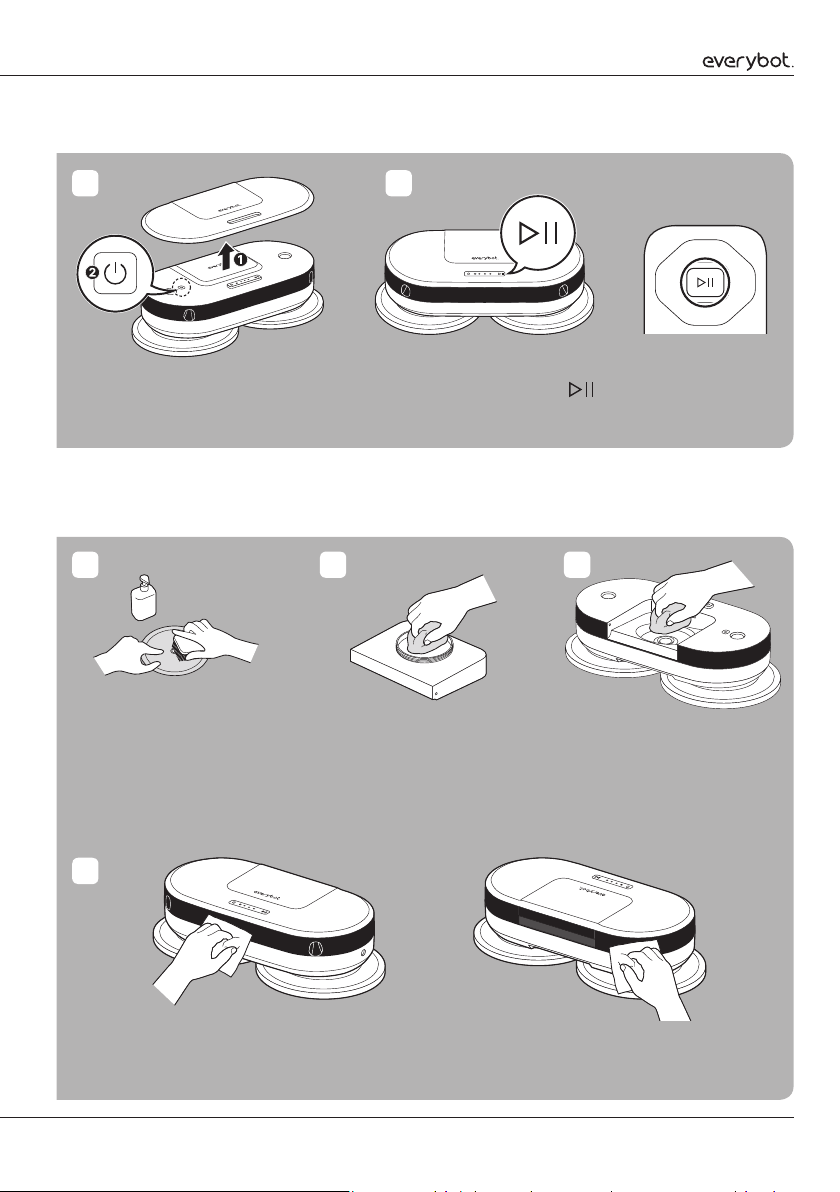
Starting to Clean
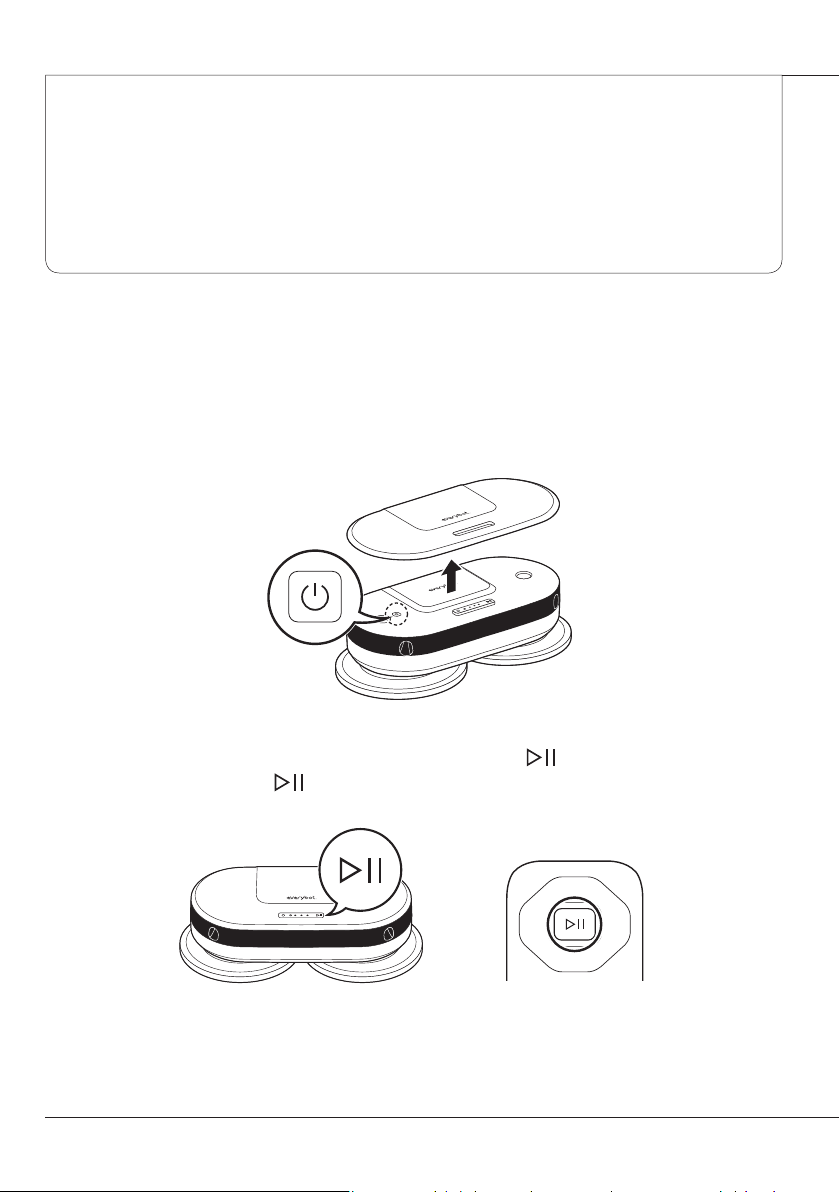
1
Open the cover and press the power button for at least three seconds.
2
Close the cover and lightly press the start/pause button ( ) on the main unit, or press
the start/pause button ( ) on the remote control to start cleaning.
or

Usage (or How to use)
background
15
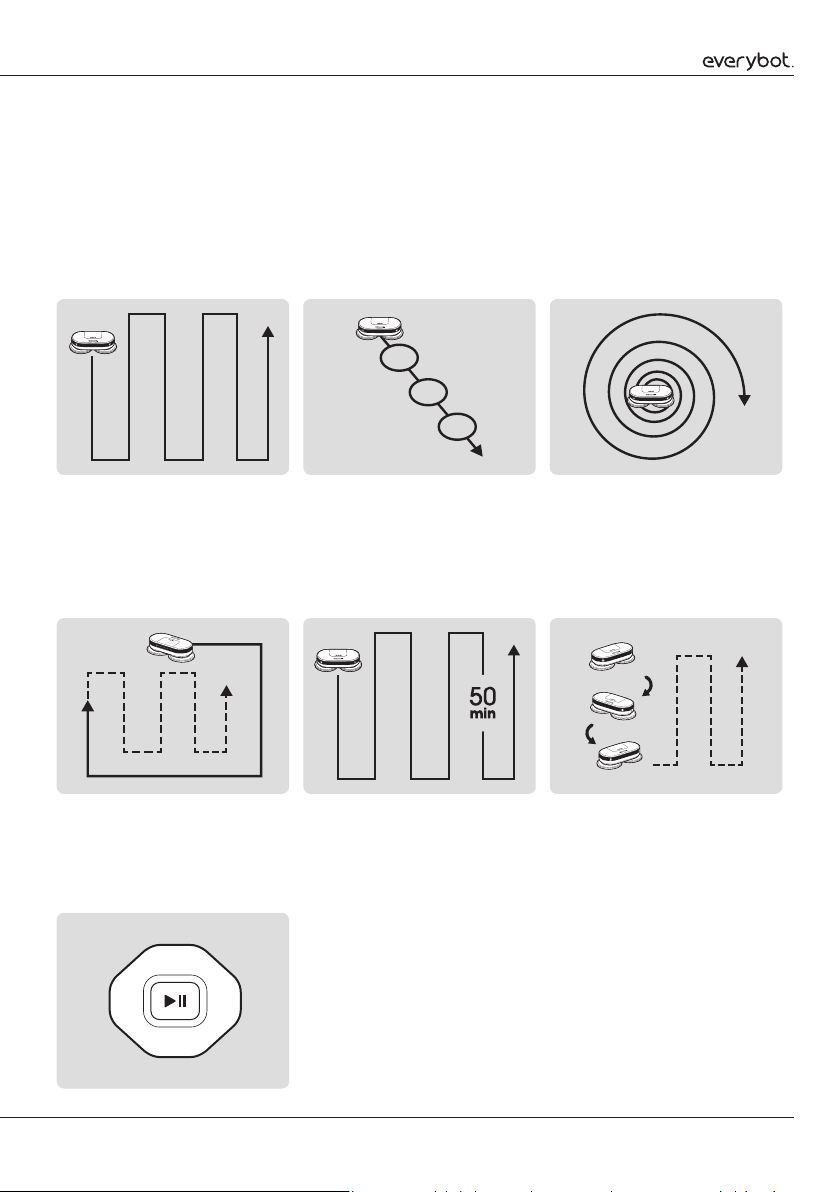
Changing the Cleaning Mode

Manual cleaning



Focused cleaning



Automatic cleaning


Intensive cleaning



Step cleaning



Edge cleaning




50-min cleaning



background
16
Draining the water









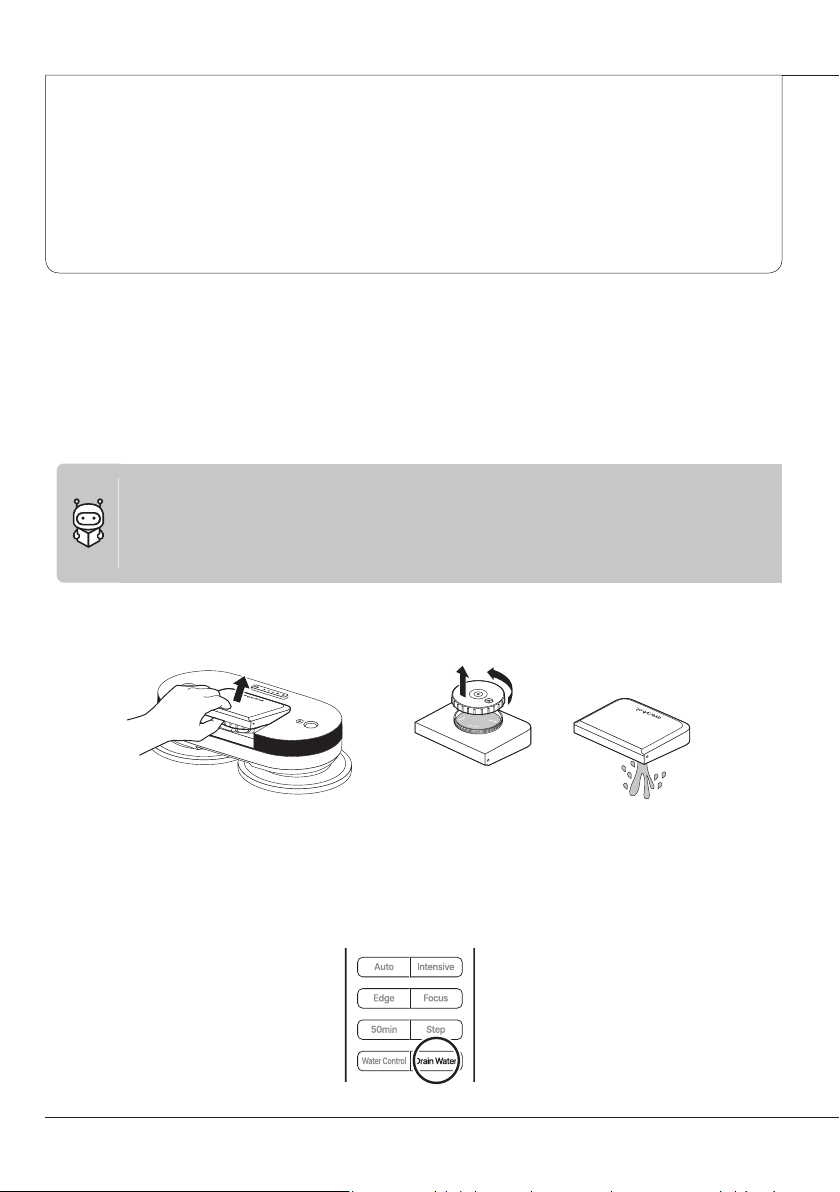
1
When finished cleaning, separate the water tank and empty out the water.
2
Since water may splash in the vicinity, place the robot on the floor while the mop is still
attached and press the Water Drainage button on the remote control. It will then discharge
water from inside the product for about 20 seconds.

Maintenance
background
17
3
The water supply level display light will flicker while the water is being drained.
Washing the mop

1
Use a neutral detergent to wash the mop by rubbing it gently, wring out the moisture in the
washed mop, then dry it in sunlight.
2
Using a mop-washing silicon brush (sold separately) makes the washing process easier.








background
18
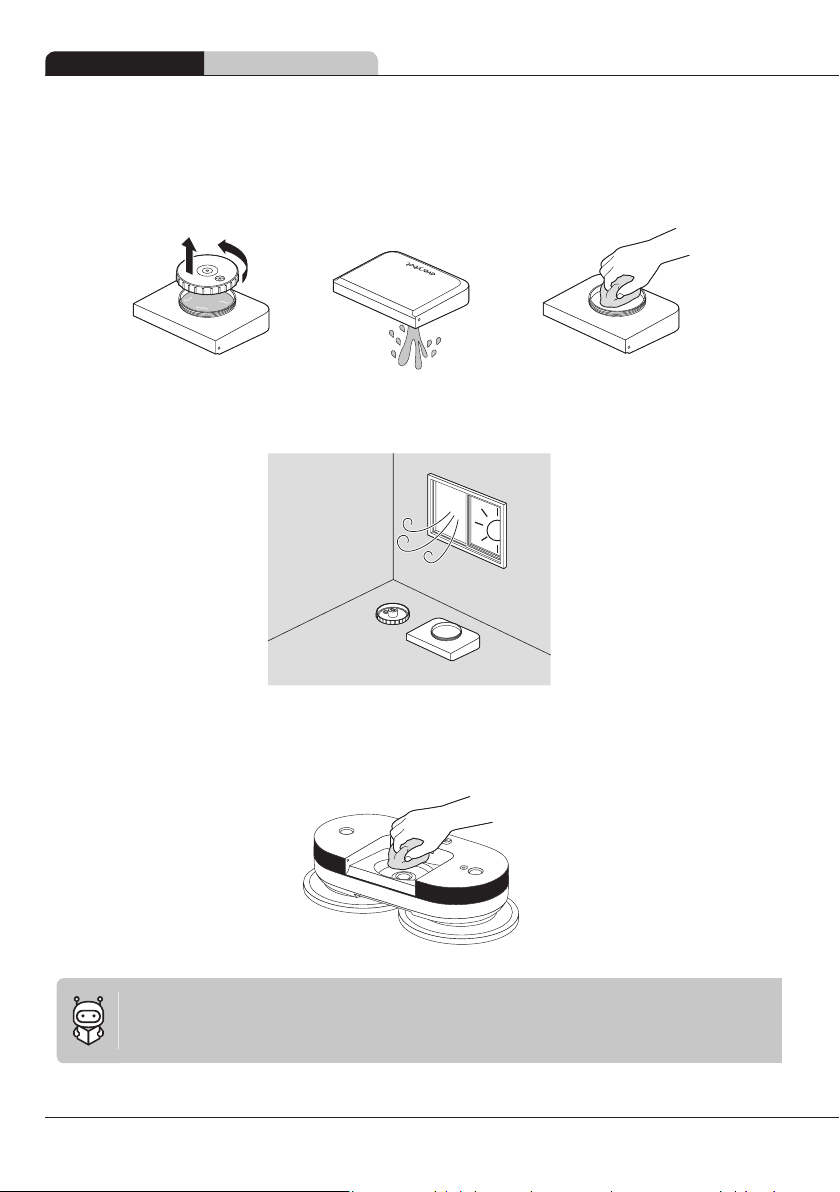
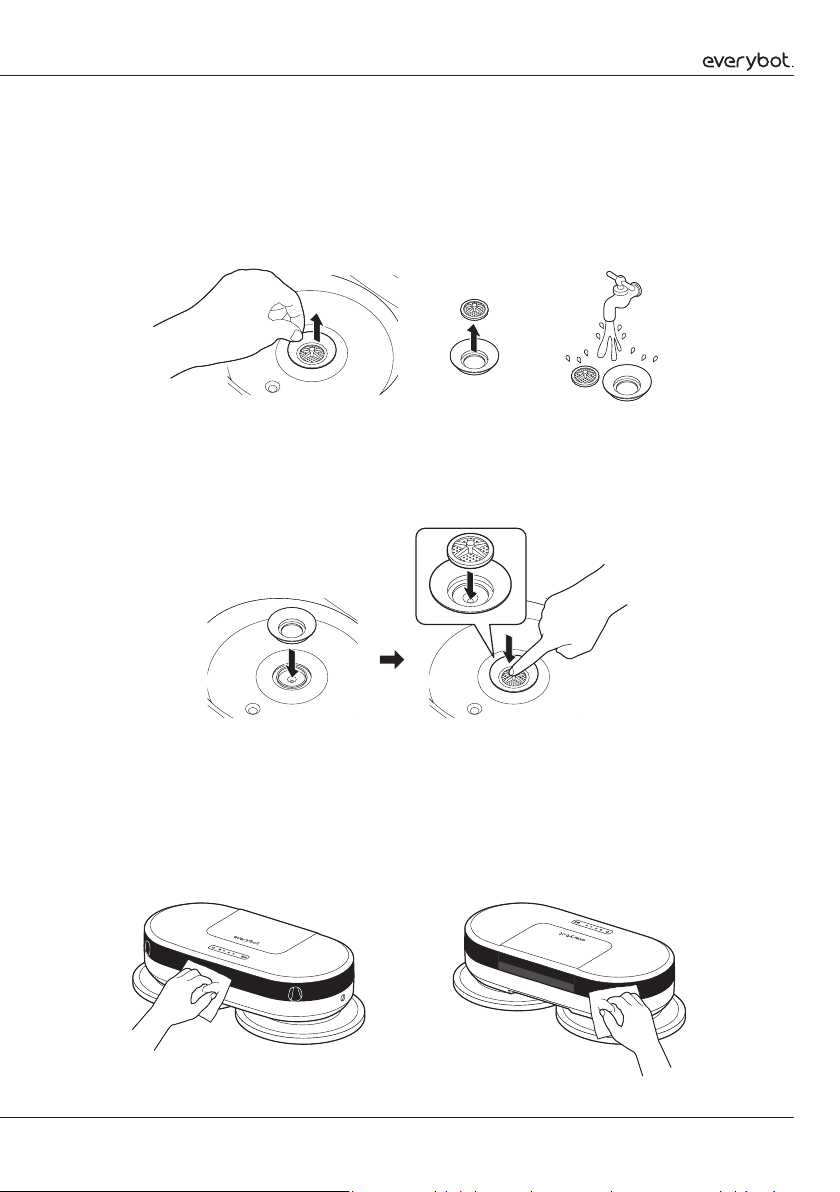
Maintenance Cleaning the water tank
Cleaning the water tank
1
Separate the water tank and empty out the remaining water.
2
Fully dry it in a well-ventilated, shaded area.
3
Regularly wash the water tank attachment point on the main unit of the robot to prevent
contaminants from entering.


background
19
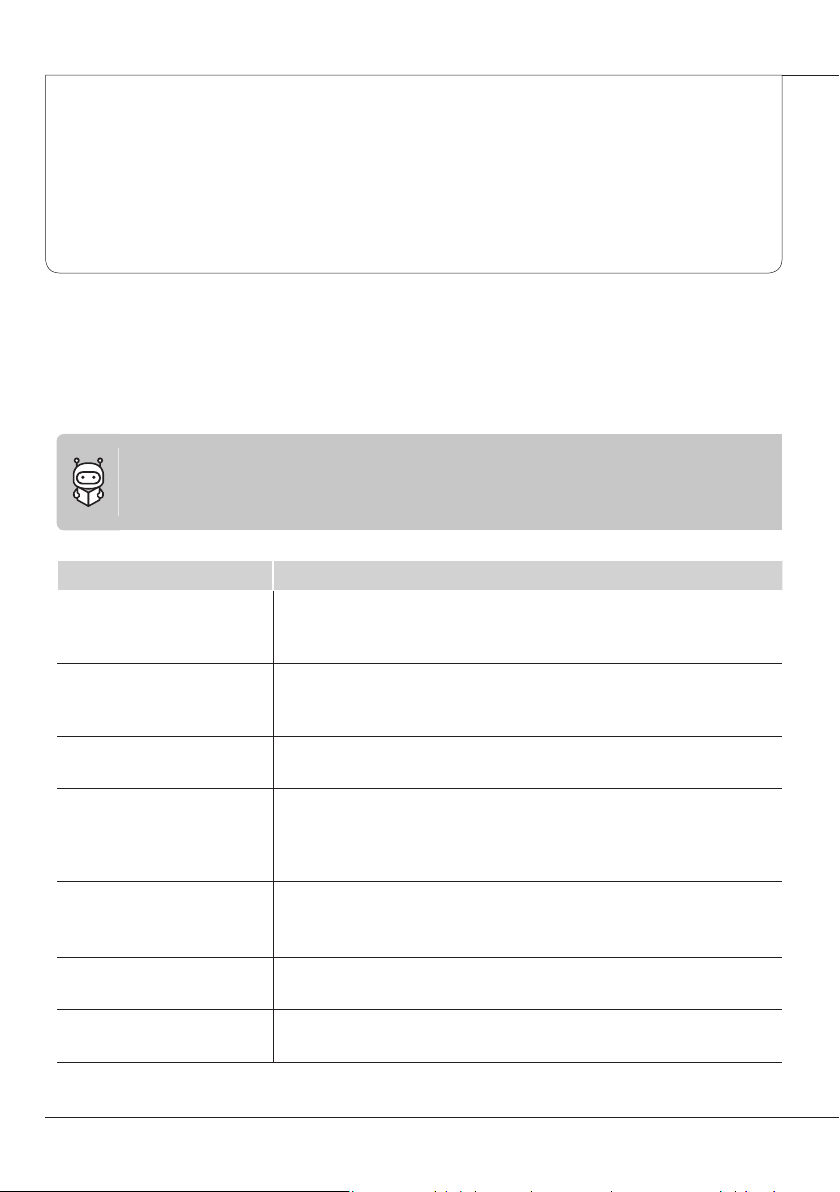
Cleaning the water tank inlet

1
Remove the rubber packing from the water tank inlet, separate the water filter, then wash it
clean.
2
Insert the rubber packing into the water tank inlet first, make sure that the protruding part
of the water filter points upwards, then press down to fix it into place. If the water filter is
pointed the opposite way, the water supply will not operate properly.
Cleaning the sensor window



background
20

Customer Support and
Product Specifications
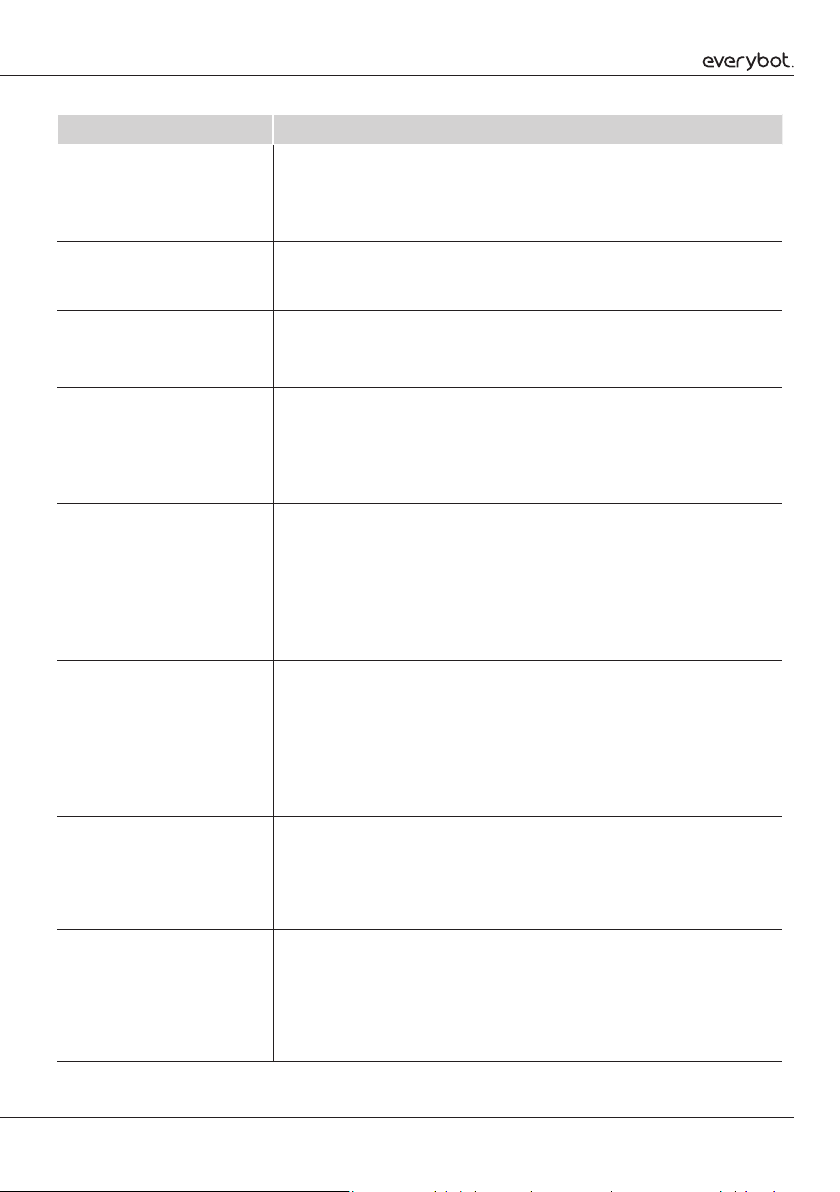
Checklist before reporting a malfunction





Issue Verification and response
The robot isnt working

power



The robot isnt charging





The robot makes a weird
noise when cleaning



The robot is making louder
noises






The remote control isn’t
working






The rotating mop panel isn’t
rotating


The robot keeps colliding
with walls and furniture


background
21
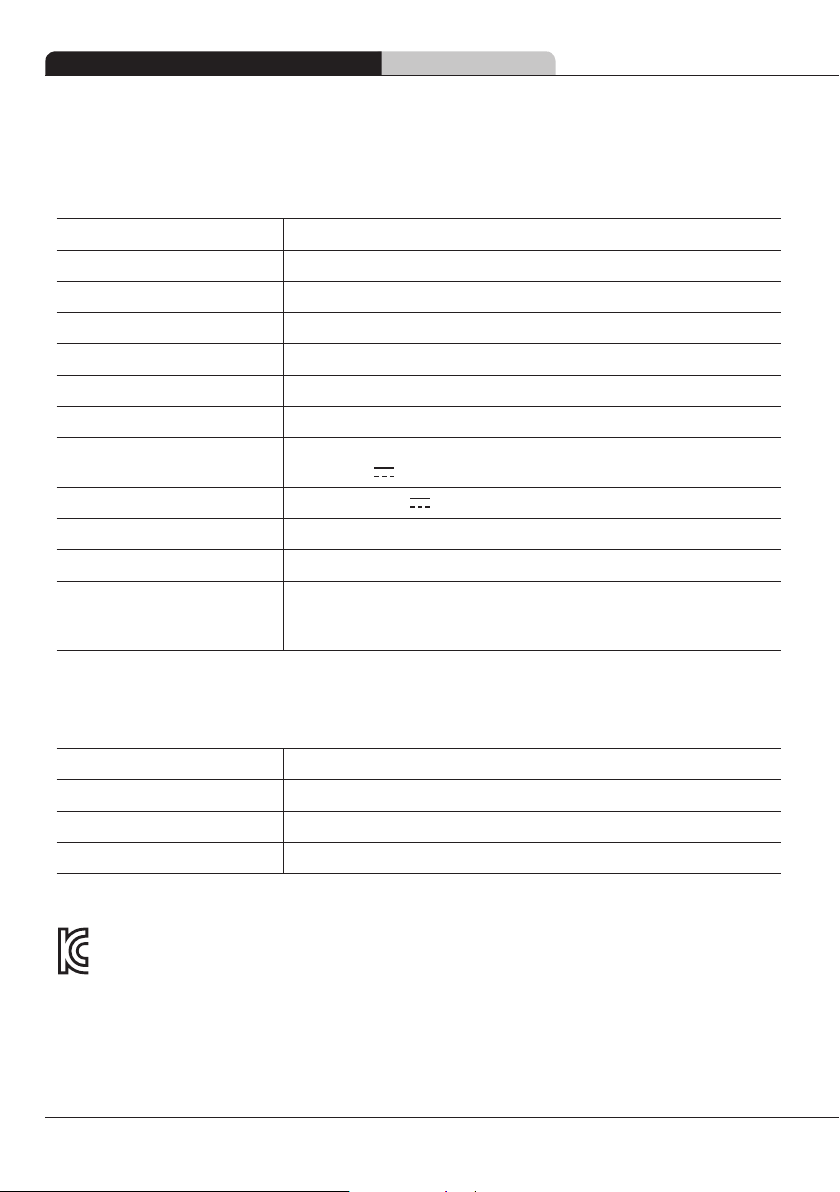
Issue Verification and response
The robot moved strangely
while cleaning







The robot stopped working
while cleaning




The robot moves slowly
and doesn’t clean as well as
before






The robot isnt spraying water








The robot keeps falling down
the front door entrance or the
bathroom step










The battery time has
decreased










The mop smells bad







The floor became dirtier after
cleaning








background
22
Product Specifications
Main unit
Product type

Model name

Product dimensions

Weight

Operating speed

Operating noise

Power consumption

Adaptor

 
Battery
 
Water tank capacity

Charing time

Usage time



Remote Control
Product name

Product dimensions

Weight
55g
Battery

●
Company name: Everybot Inc.
●
Device name: Electric floor cleaner
●
Certificationno.:R-R-EV3-RS350
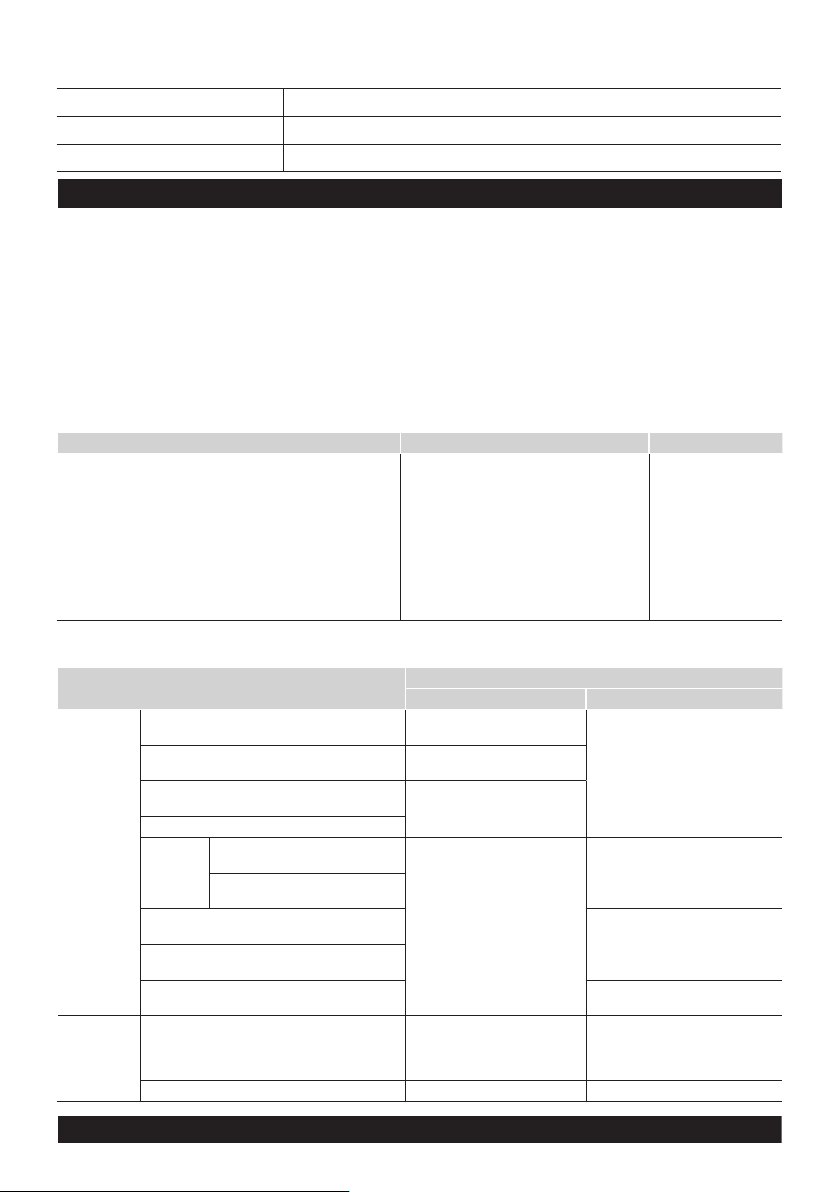
Customer Support and Product Specifications Product Specifications
background
Product Warranty Certificate
Model name
S/N
Purchase date
This product is under warranty for 1 year.
Product Warranty Information








Paid service


Cases of malfunction caused by consumer negligence Cases other than product malfunction Other cases




































Free service
Type of consumer damage
Compensation
Within warranty period After warranty period





































 






 







  
Everybot Customer Service Center
www.everybot.global

background

Specifications

Everybot EDGE2 RS350 Questions and Answers

Questions and Answers

Related Products