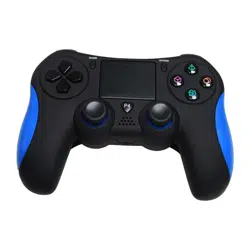
with LED Lights, Built-in Speaker 6-Axis Sensor
PGMC1PS4
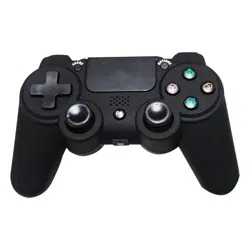
Game Console Handle Wireless Controller
www.PyleUSA.com
2
Please read this instruction manual thoroughly before
using the unit. Please keep for future reference.
Please read this Manual in detail before use in order to operate and
use it correctly, and bring the superior performance of the product
into full play. The descriptions in this Manual are based on the default
settings of the device. All the pictures, statements and text information
in this Manual are for reference only. Please refer to the actual product.
The content is subject to update without further notice. The update
will be included in the new version of the Manual, and the Company
reserves the right of nal interpretation. Available functions and
additional services may vary by device, software or service provider.
If there are typographical errors or translation errors, we sincerely
hope for all users understanding!
USB-A
www.PyleUSA.com
3
Introduction
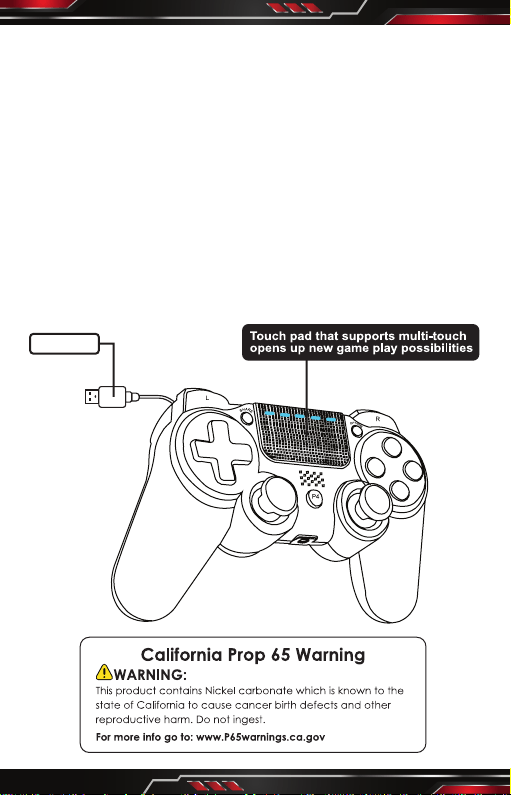
1. The Controller is equipped with a light bar that displays various
colors. Dierent light bar colors can be used to represent dierent
game players, and can be used as an important message reminder
(for example, the game character’s health reduced, etc.).
In addition, the light bar can also interact with the Camera, allowing
the Camera to determine the Controller's action and distance
through the light bar.
2. Standard buttons: P4, Share, Option, , , , , , , , , L1, L2,
L3, R1, R2, R3, VRL, VRR.
3. The Controller supports any software version of the video game
console.
4. The controller uses standard game console function (The same
function as the original controller, can work on the PC through the
driver, supports X-Input and D-Input, no need driver on Windows
10), and supports Android system devices.
Product Function
1. Standard game console work mode
Any function in the game can be realized on the game console,
including basic digital and analog buttons, as well as the six-axis
SENSOR function and LED color display function, and can also
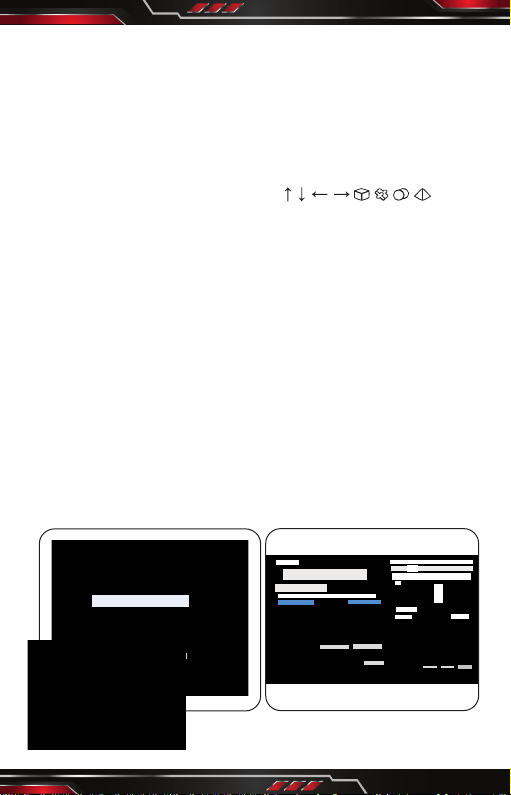
support vibration function for specic games. When tested on the
Windows 10 PC there will appear a virtual 6 axis 10 key + visual
helmet function of the device, 6 Axis 10 Key 1POV in Windows 10
system default interface mode (X-Input mode).
Gam e Contr oller
The se sett ings wi ll help y our con figura tion in stall t he game
con troll er on you r calcu lator
Ins tall th e game co ntrol ler(N )
con troll er
Sta tus
Det ermin e
Adv anced (D)
Att ribut e(P)
Det ermin e
Con troll er ()
Set up
Testi ng
Test Gam e Contr oller. I f the con trol is n ot work ing
prop erly, the c ontro ller ne eds to be c alibr ated. To
cali brate t he cont rolle r, go to the s ettin gs page
Det ermin e
Can cels
App licat ions
Cat egori es: Gam e Contr oller
Con troll er Mode : Xbox 36 0 contr oller f or wind ows
Gam e Contr oller s etup( G)
Cre ating s hortc uts(S )
Del ete dev ice(V )
Pro blem so lver( T)
Att ribut e®
con troll er()
Axles
Z Axles
X Whirl ing
Y Whirl ing
X/Y Axl es
Push Bu tton
Visua l Helme t
www.PyleUSA.com
4
2. Color LED Indication
When multiple Controllers are connected to the game console at
the same time, the controller LED will be display dierent colors to
distinguish players. For example, user 1 displays blue, user 2 displays
red. PC360 (X-Input, D-Input) display green; Android Controller mode
display blue.
3. Game Console Connection Method
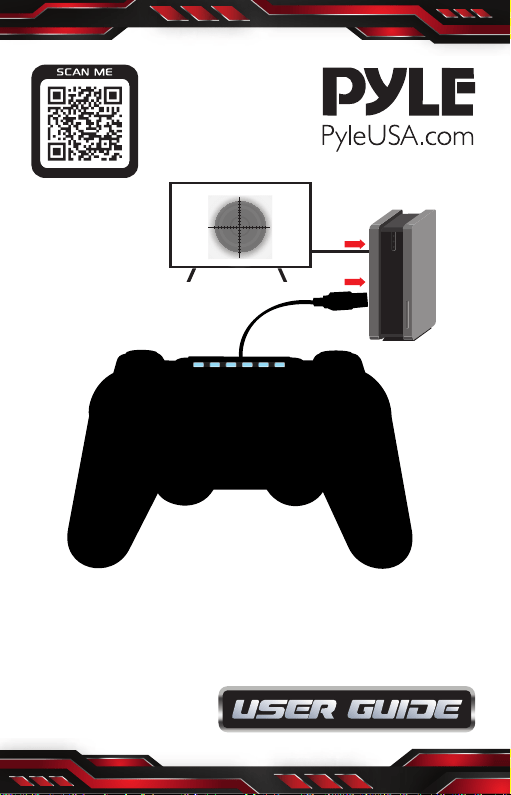
Connect the Controller to USB port of the PS4/PS3 console and
press the P4 key, the LED light of the controller will display a
constant bright color, indicating that the Controller has been
connected with the console. When there are multiple Controllers
connected to the Console at the same time, the LED light of the
Controller will display dierent colors to distinguish dierent users
and players.
4. PC Wired Connection
Connect the Controller USB cable to USB port of the Computer,
and the Computer will automatically install the driver.You can see
the driver is being installed in the Windows 7/10 interface.
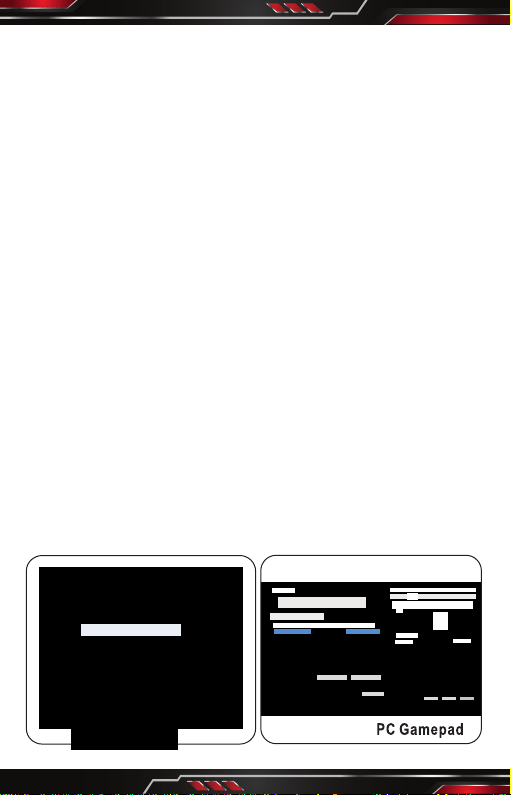
After the driver is installed, the Controller icon will appear in the
"Device and Printer" interface and the device name is "PC Gamepad".
Press and hold the "Share + Options” combination key for 3 seconds,
you can switch to PC mode (D-Input) from (X-Input) and the display
name is "PC Gamepad". X-Input and D-Input modes can be switched
between each other through this combination key.
Gam e Contr oller
The se sett ings wi ll help y our con figura tion in stall t he game
con troll er on you r calcu lator
Ins tall th e game co ntrol ler(N )
con troll er
Sta tus
Det ermin e
Adv anced (D)
Att ribut e(P)
Det ermin e
Det ermin e
Can cels
App licat ions
Cat egori es: Gam e Contr oller
Wir eless C ontro ller Mo de: PC Ga mepad
Gam e Contr oller s etup( G)
Cre ating s hortc uts(S )
Del ete dev ice(V )
Pro blem so lver( T)
Att ribut e®
PC Ga mepad
PC Ga mepad
Set up
Testi ng
Test Gam e Contr oller. I f the con trol is n ot work ing
prop erly, the c ontro ller ne eds to be c alibr ated. To
cali brate t he cont rolle r, go to the s ettin gs page
Axle s
X/Y Axl es
Push B utton
Visua l Helme t
Z Axles
Z Whir ling
www.PyleUSA.com
5
5. Android System Devices Connection Method
Connect the Controller USB cable to the USB port of the Android
system devices, and the Controller will be automatically recognized
as the Android Controller mode.
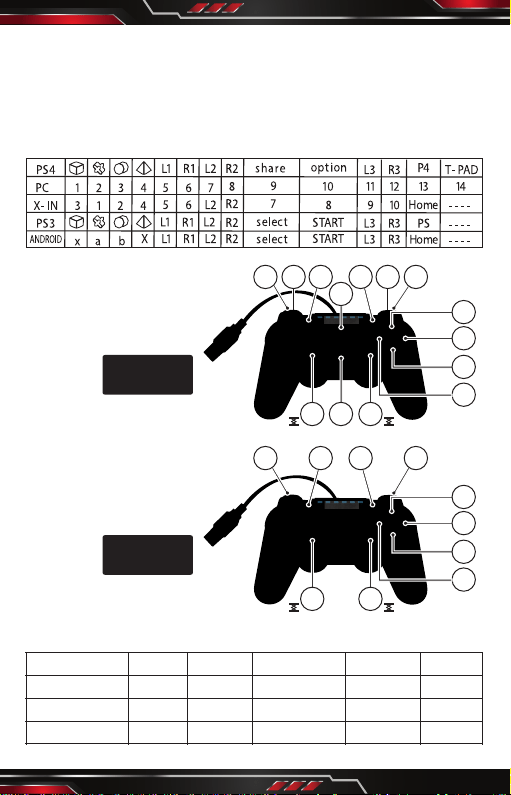
Controller Button Corresponding Table
PC GAMEPAD MODE
PC-X IN MODE
CONTROLLER REFERENCE CURRENT
1
2
3
4
5
67 89 10
11 1213
14
1
2
3
4
5
67 8
9 10
PARAM
WORKING VOLTAGE
WORKING CURRENT
MOTOR CURRENT
SYMBOL
Vo
Io
lm
MIN DATA TYPICAL DATA MAX DATA UNIT
V
m A
m A
5
30
80 - 100
USB CABLE
USB-A
USB CABLE
USB-A