CONNECT
PRO
MULTIDOCK
1
72308 - CONNECT Multidock 6 - Black
72309 - CONNECT Multidock 6 SYNC - Black

CONNECT
PRO
MULTIDOCK
2
IPORT CONNECT Pro MultiDock Install
Manual
Whats in box:
1 - IPORT CONNECT Multidock
1 - 160W EDAC Power Supply - 19V DC, 8.4A.
8 - Mounting Screws 4ea Wood 4ea M4
1 - Info Card
Glossary of Terms:
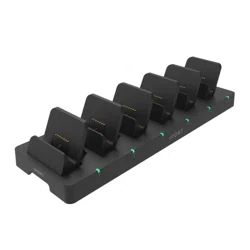
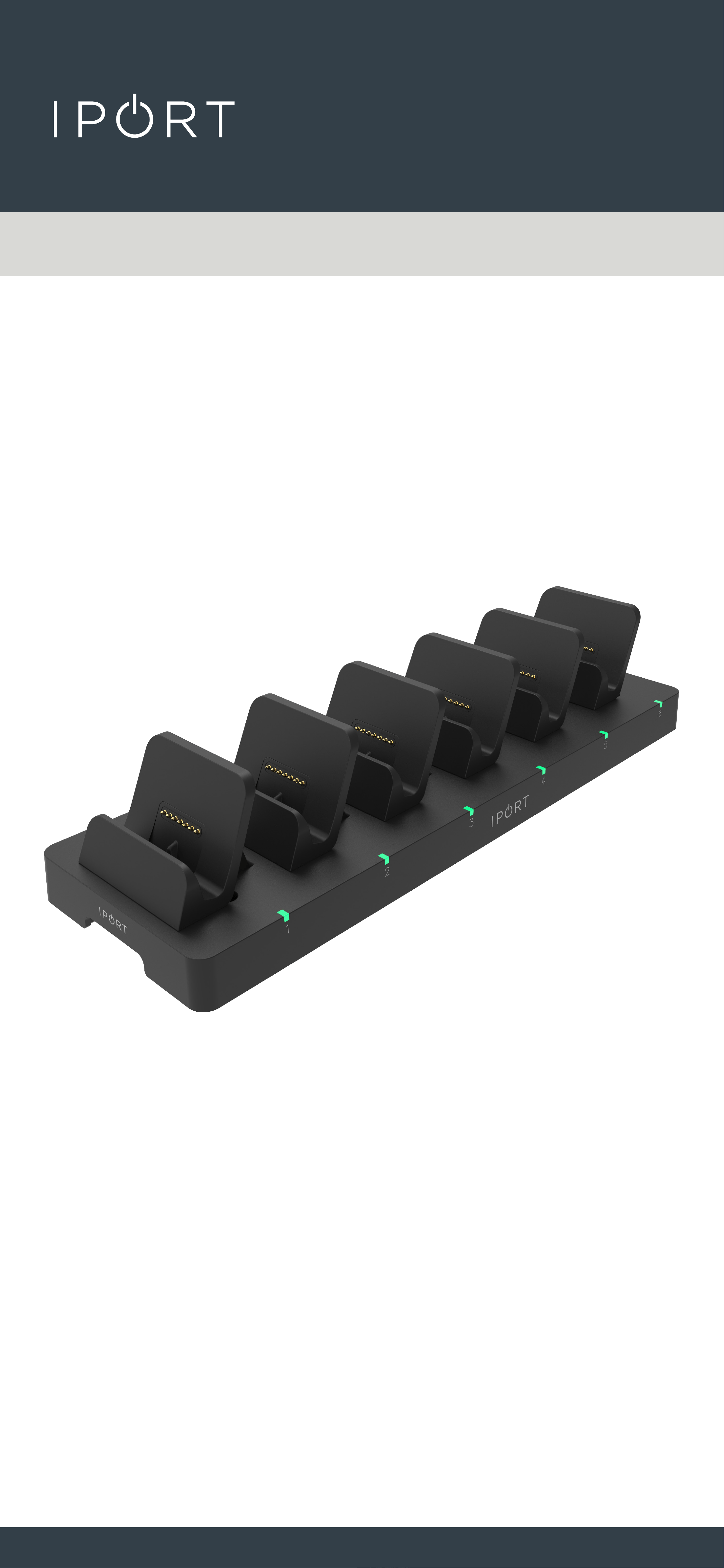
• MultiDock - The main mounting station consisting of
the 6 Charging Docks for IPORT CONNECT
iPad or iPhone Cases.
• Charging Cradle - The removable back portion of each
Charging Dock interchangeable for
dierent sized iPhone or iPad devices.
• Charging LED - The LED indicating the current
charge status of the iPhone or iPad
when docked. Red for charging: Green
for fully charged.
Thank you for purchasing the all new IPORT
CONNECT Platform. We hope you enjoy this revo-
lutionary new system and if at any time you need
more assistance, please Contact IPORT Tech Sup-
port via Online chat or through our help desk on-
line.
- IPORT Team
CONNECT
PRO
MULTIDOCK
3
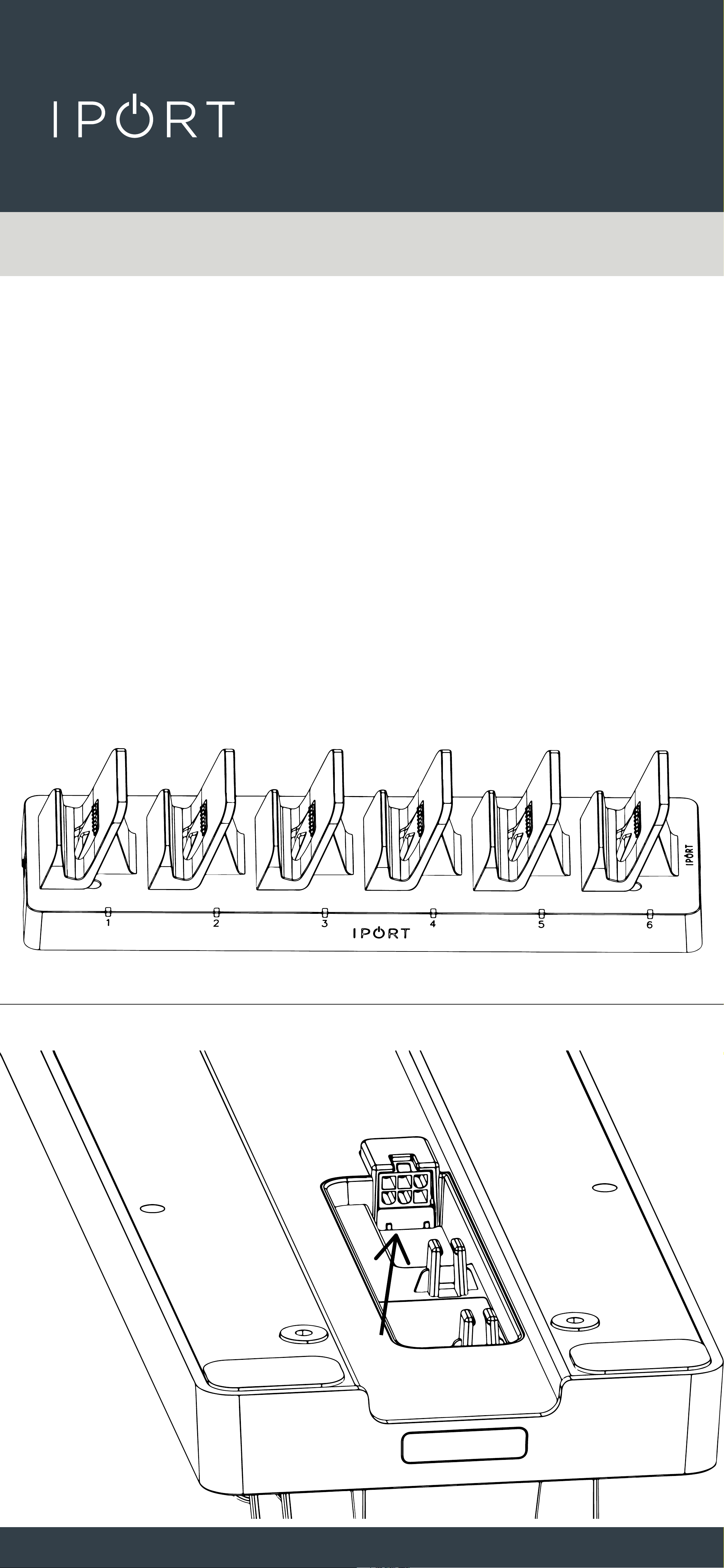
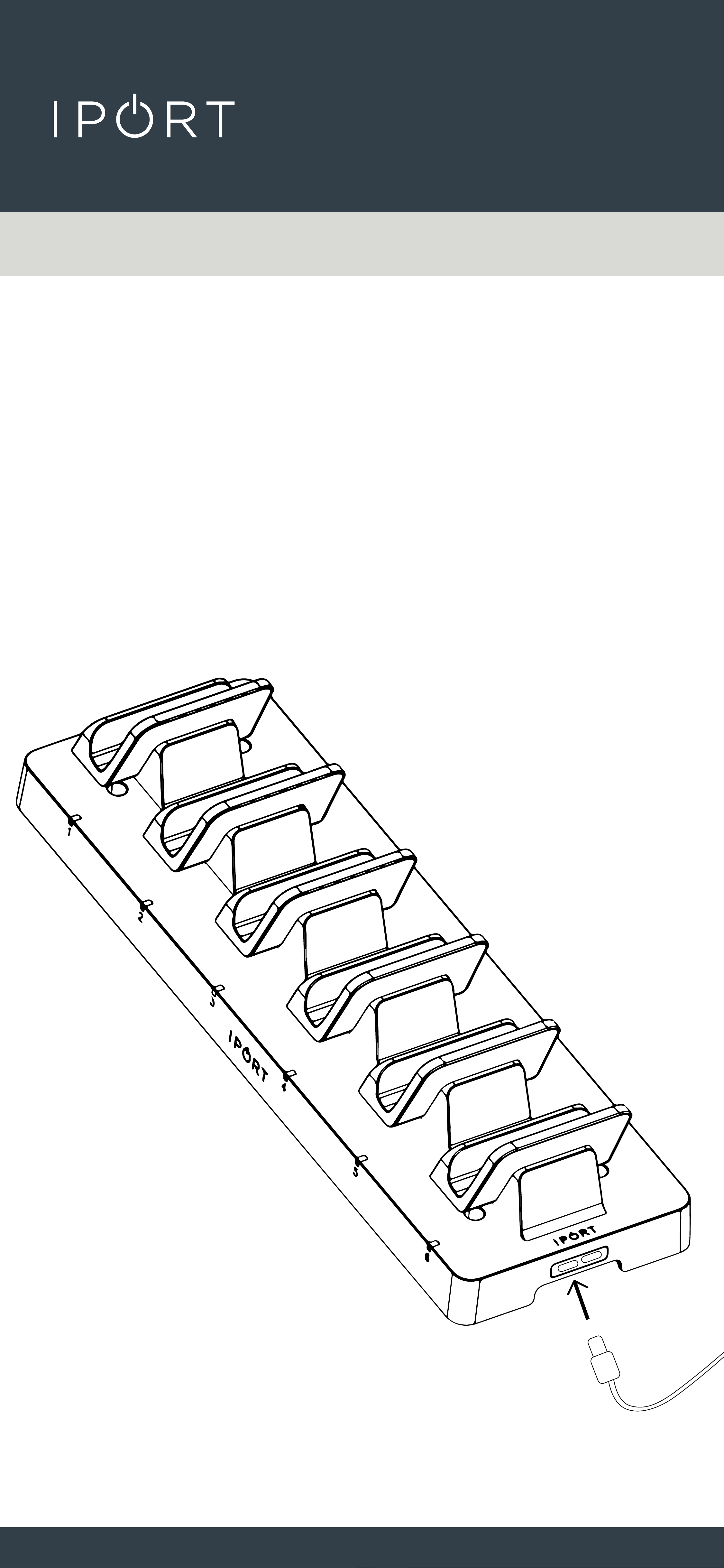
2. Insert the DC Power plug into the
bottom of the MultiDock and press
the cable into the cable retention
holders.
1. Remove the Multidock and Power
Supply from the box and place on a
table.
CONNECT
PRO
MULTIDOCK
4
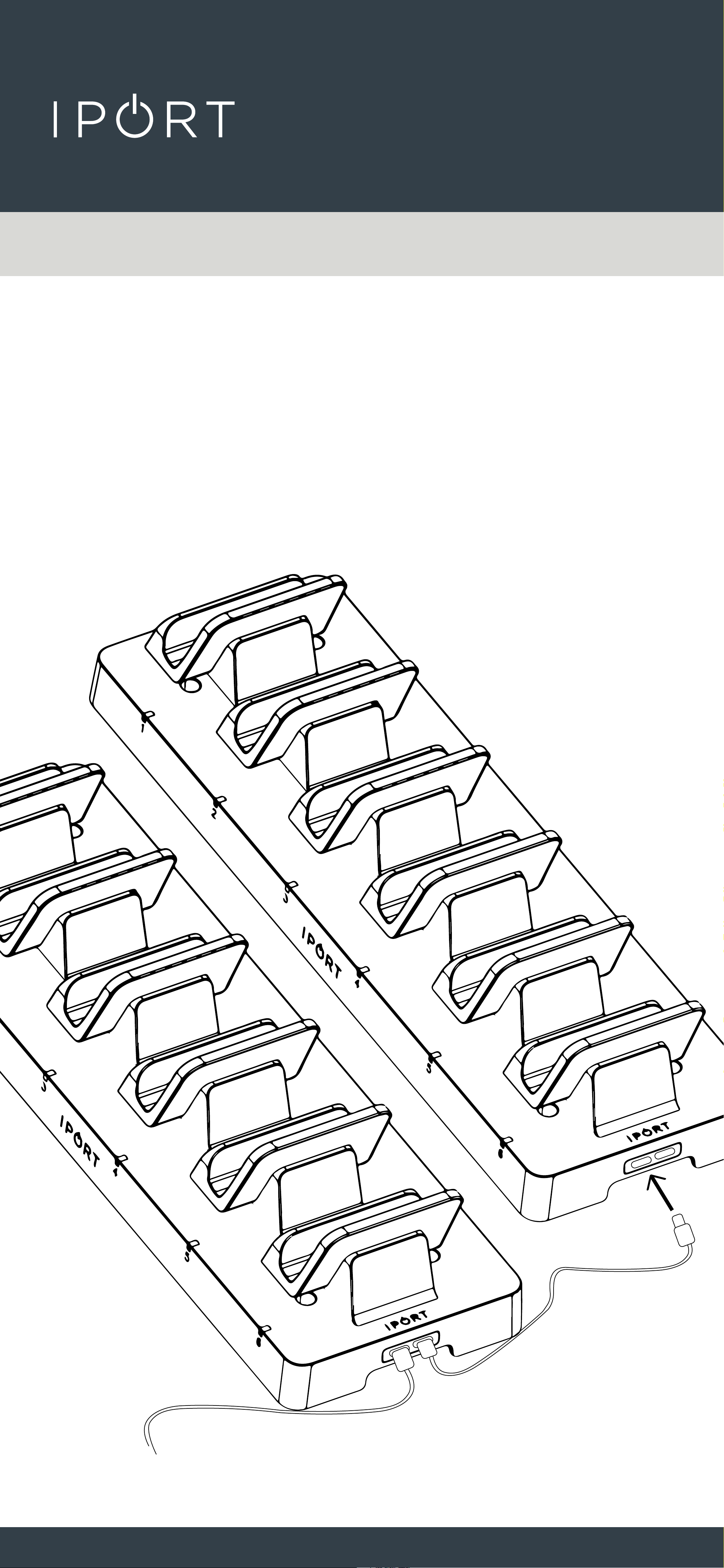
3. Optionally for 72309 - MultiDock
SYNC, attach one end of a USB-C
Cable to the USB-C Port on the
MultiDock and the other end into a
computer for Sync to the iPads.
CONNECT
PRO
MULTIDOCK
5
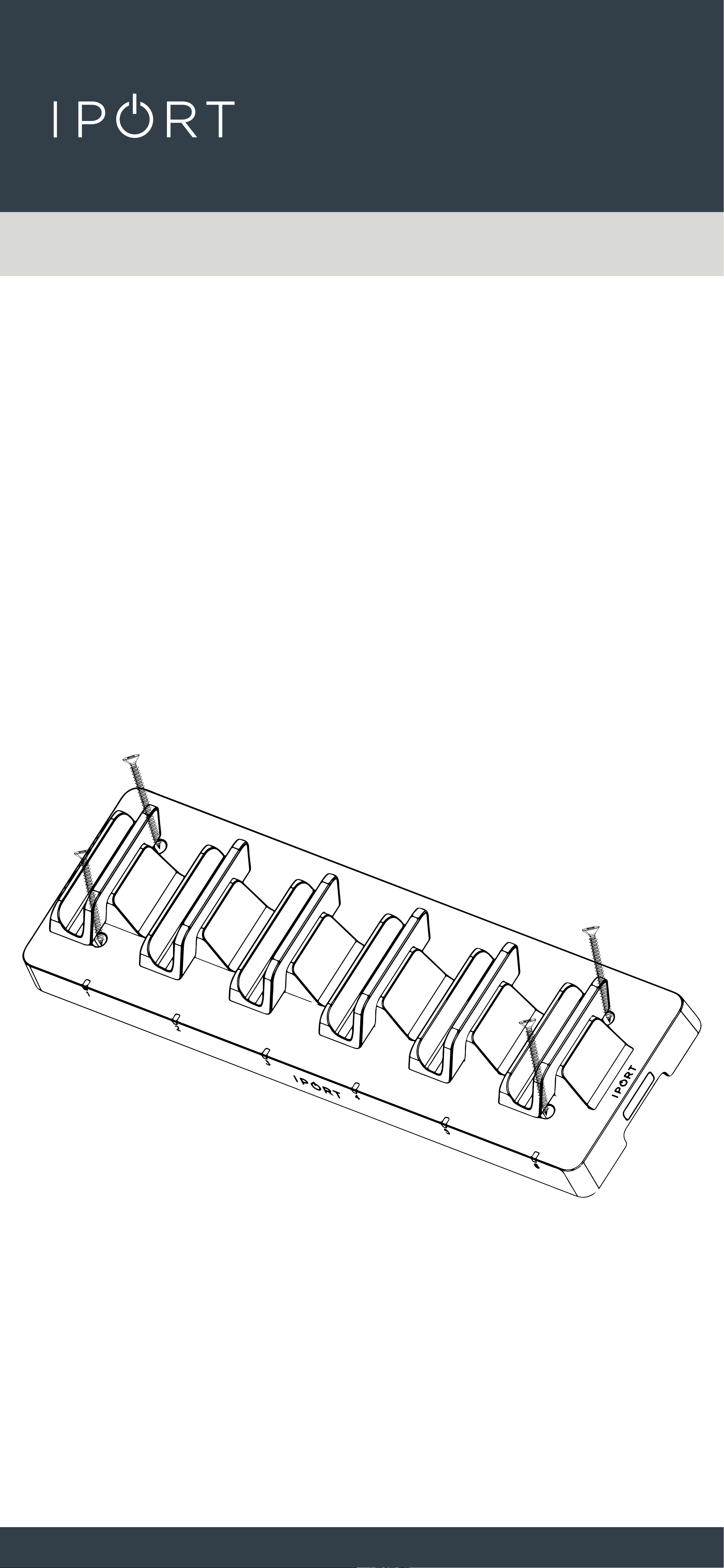
4. Additionally use the second USB-C
Port to plug in a second 72309 to
link the two together. You can link up
to 4 additioanl MultiDocks.
CONNECT
PRO
MULTIDOCK
6
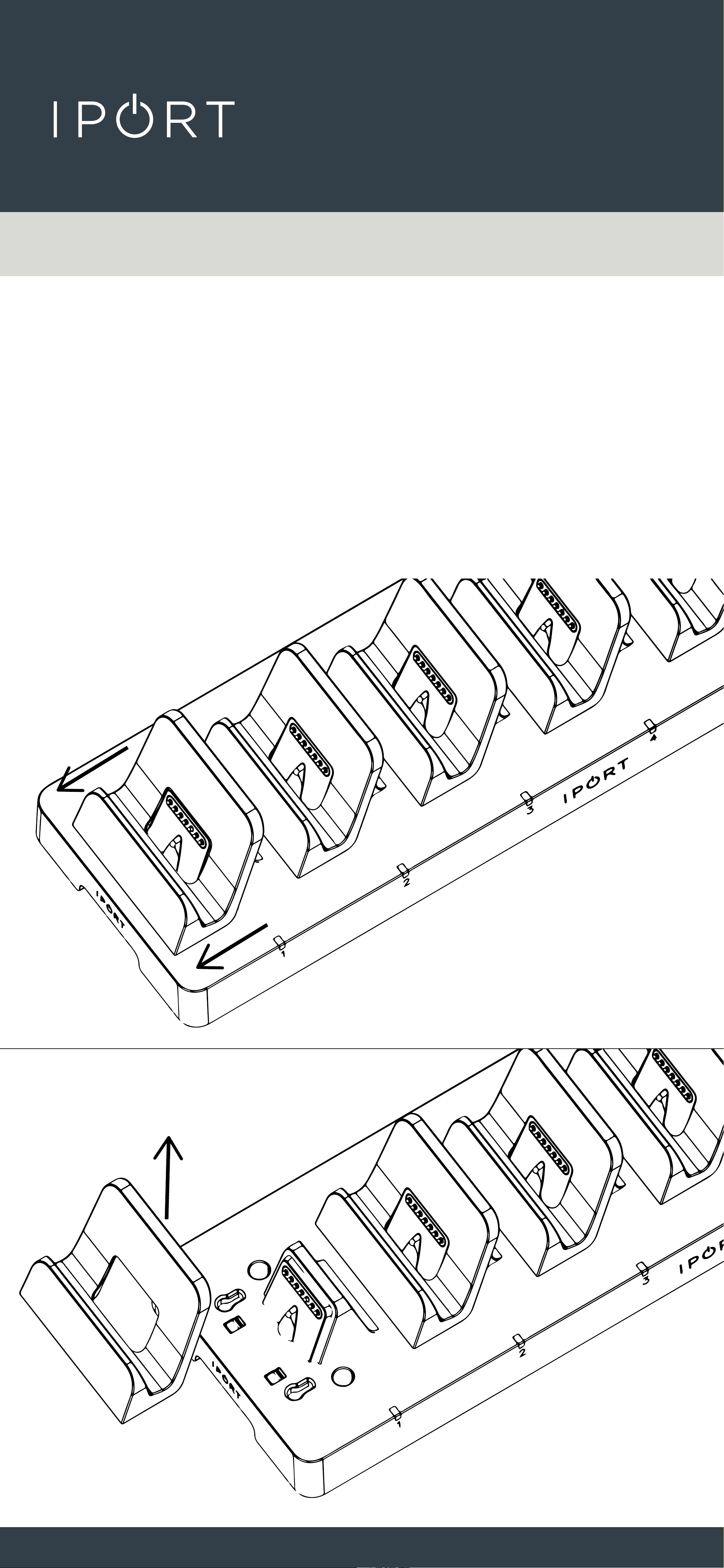
5. Optional - to securly mount
MulitDock to a desk or table,
remove the first and last Charging
Cradle (see step 4), insert the
provided screws through the
four openings on the MultiDock and
hand tighten with a screwdriver.
Reinstall the Charging Cradles
previously removed.
CONNECT
PRO
MULTIDOCK
7
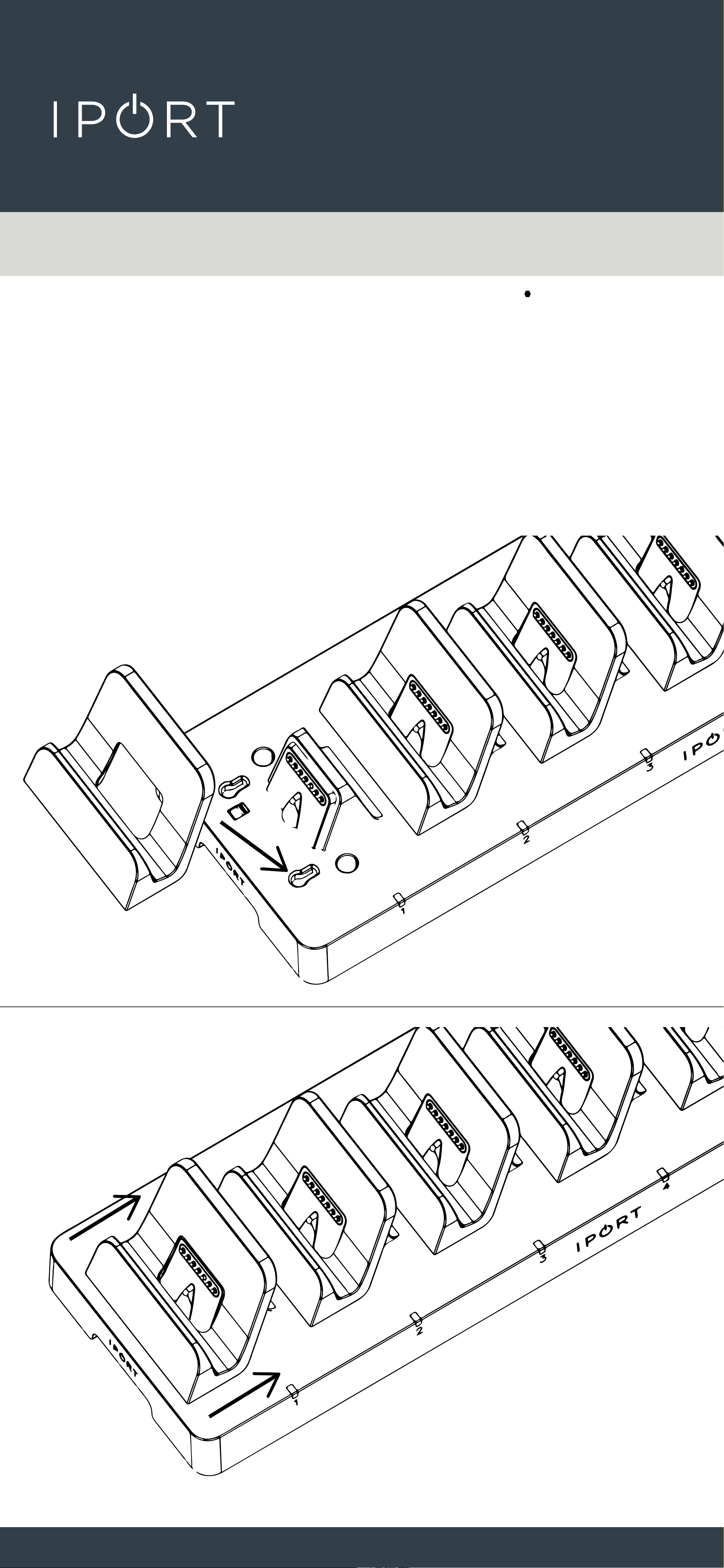
6. To remove or change the Charging
Cradle, slide the Cradle towards the
front of the Multidock then pull up.
CONNECT
PRO
MULTIDOCK
8
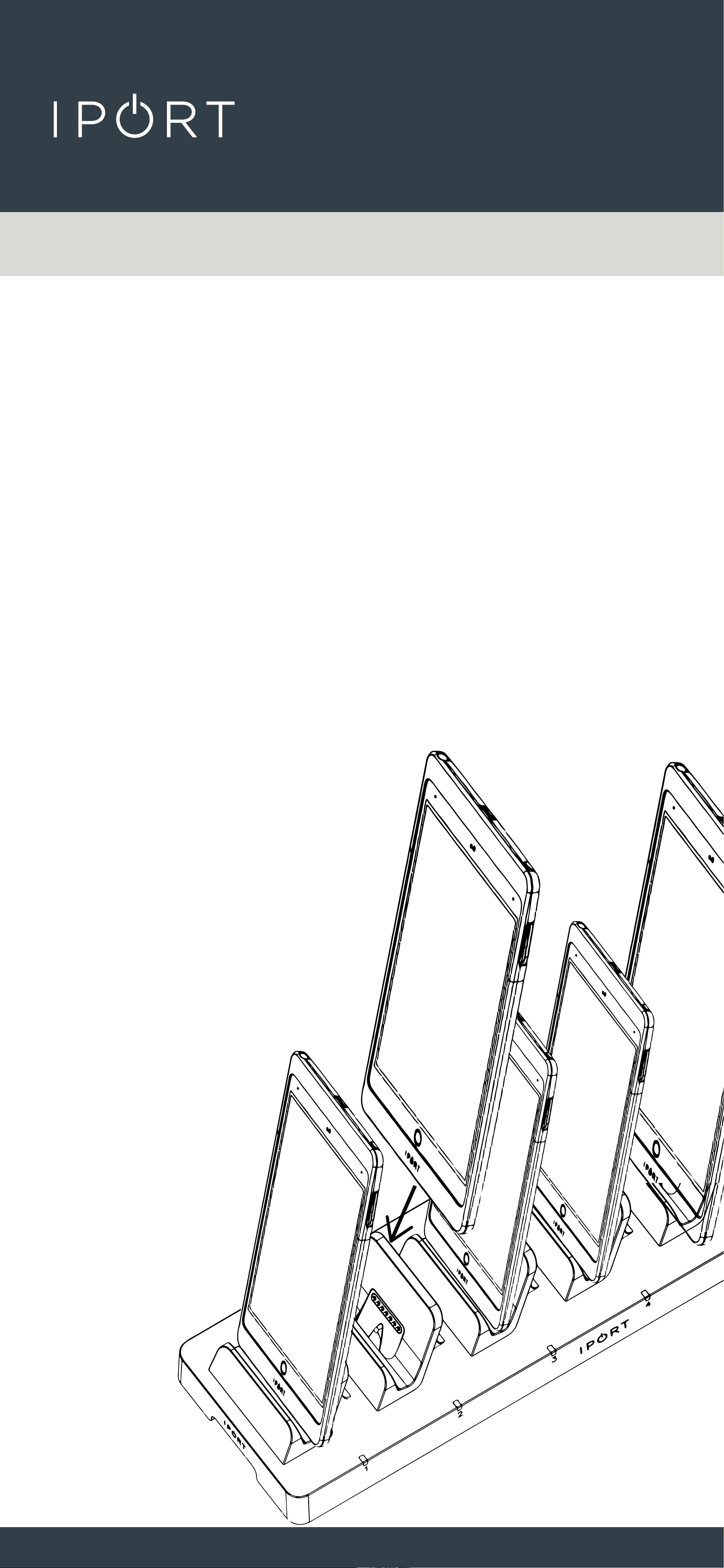
7. To reinstall the Charging Cradle,
place the Cradle into the two holes in
front of the Dock and slide backward
until the Cradle snaps into place.
CONNECT
PRO
MULTIDOCK
9
8. Place the iPad facing upright
into one of the 6 charging docks.
Make sure the Cradle’s alignment
tab engages with the recess on the
case to en sure proper alignment.
The LED will turn on when the Case
is properly docked.
Note: The LED’s may take a few seconds to
identify the correct charging status of the iPad.
When the iPad is fully charged, the LED will change
from Red to Green.