
Time
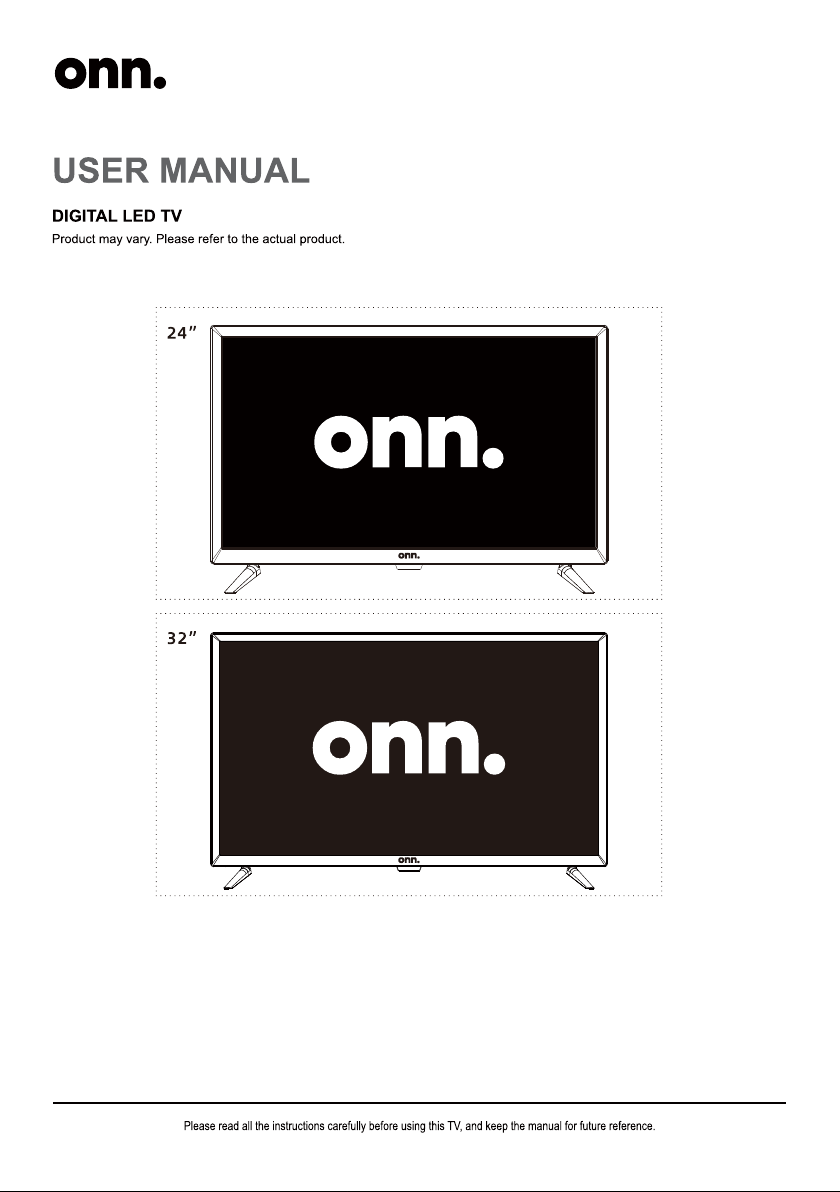
24” HD LED TV
Quick Start Guide
32” HD LED TV
Quick Start Guide
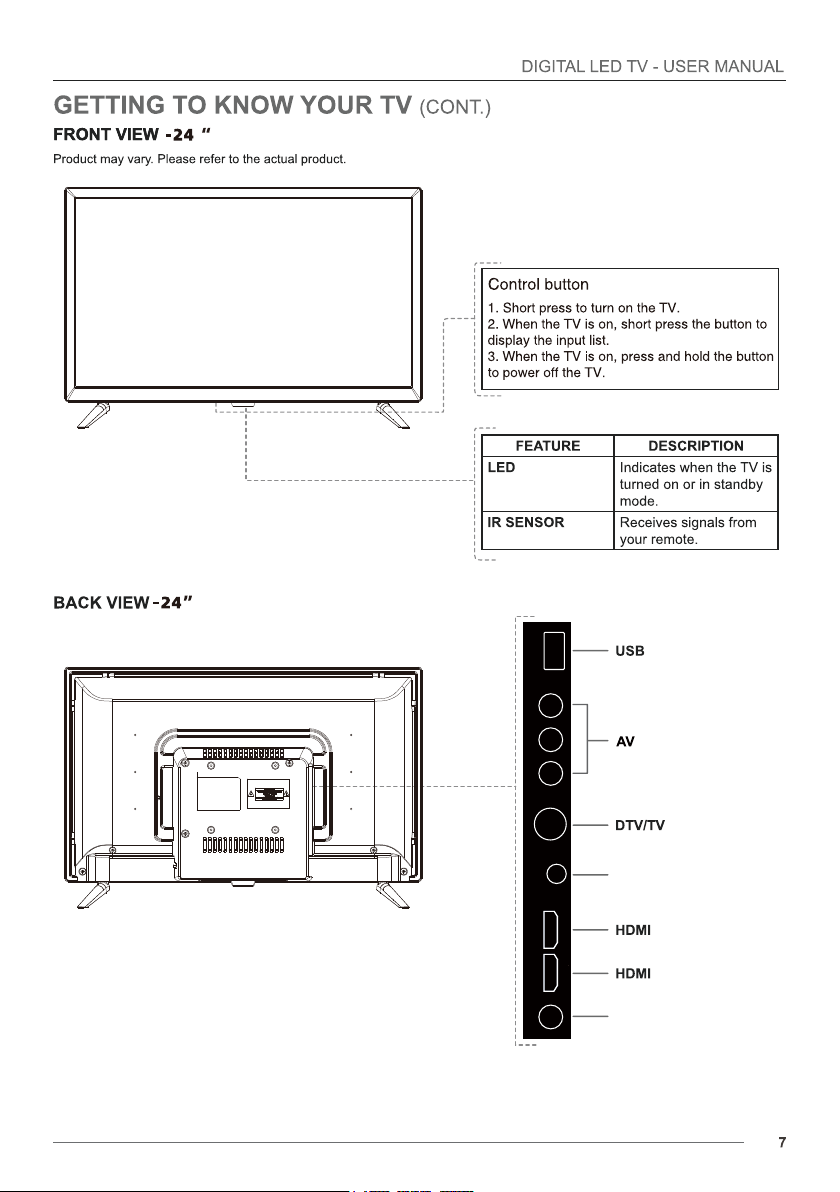
COAXIAL HDMI HDMI HEADPHONE VIDEO L R USB
RF
COAXIAL OUT
Headphone output
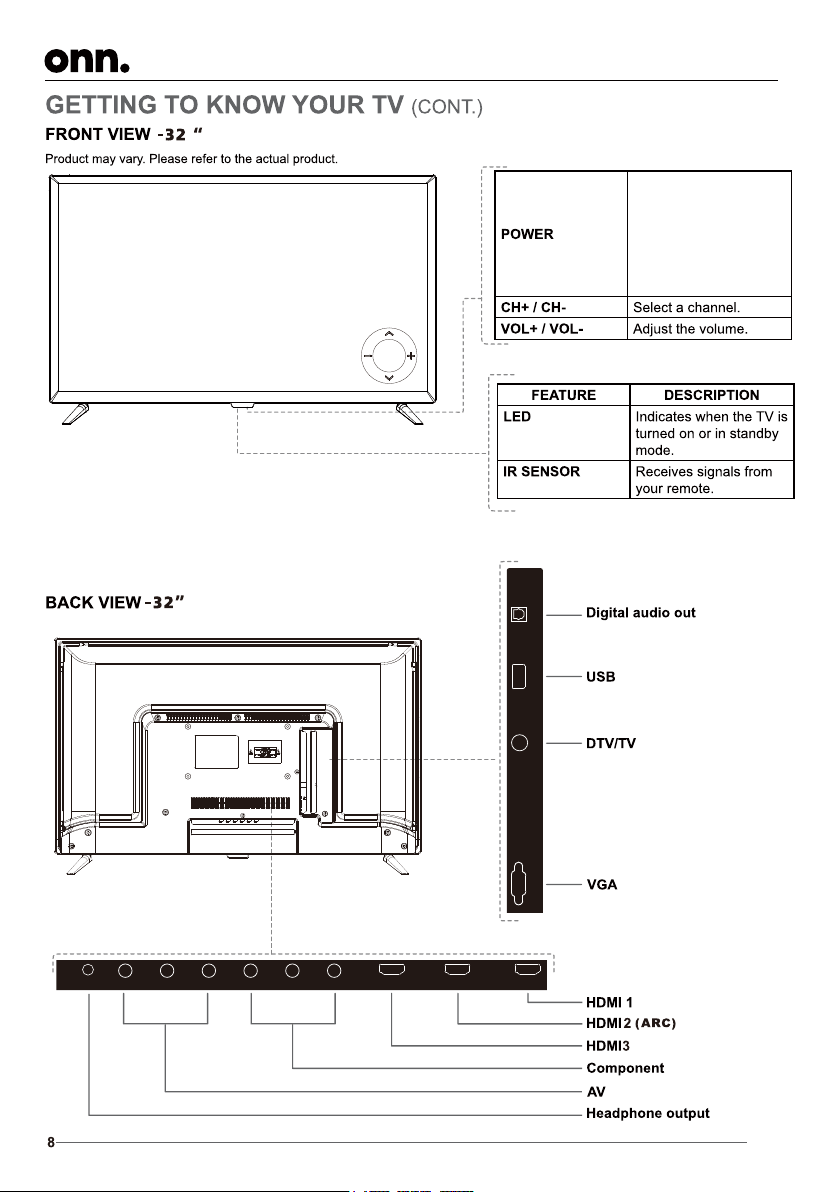
HDMI 3
L R
HEAD PHO NE VIDE O
Y
Pb
Pr
HDMI 2(A RC) HDMI 1
USBVGA
DTV/TV
OPTICAL
1. Short press to turn on the
TV.
2. When the TV is on, short
press the button to display
the input list.
3. When the TV is on, press
and hold the button to
power off the TV.
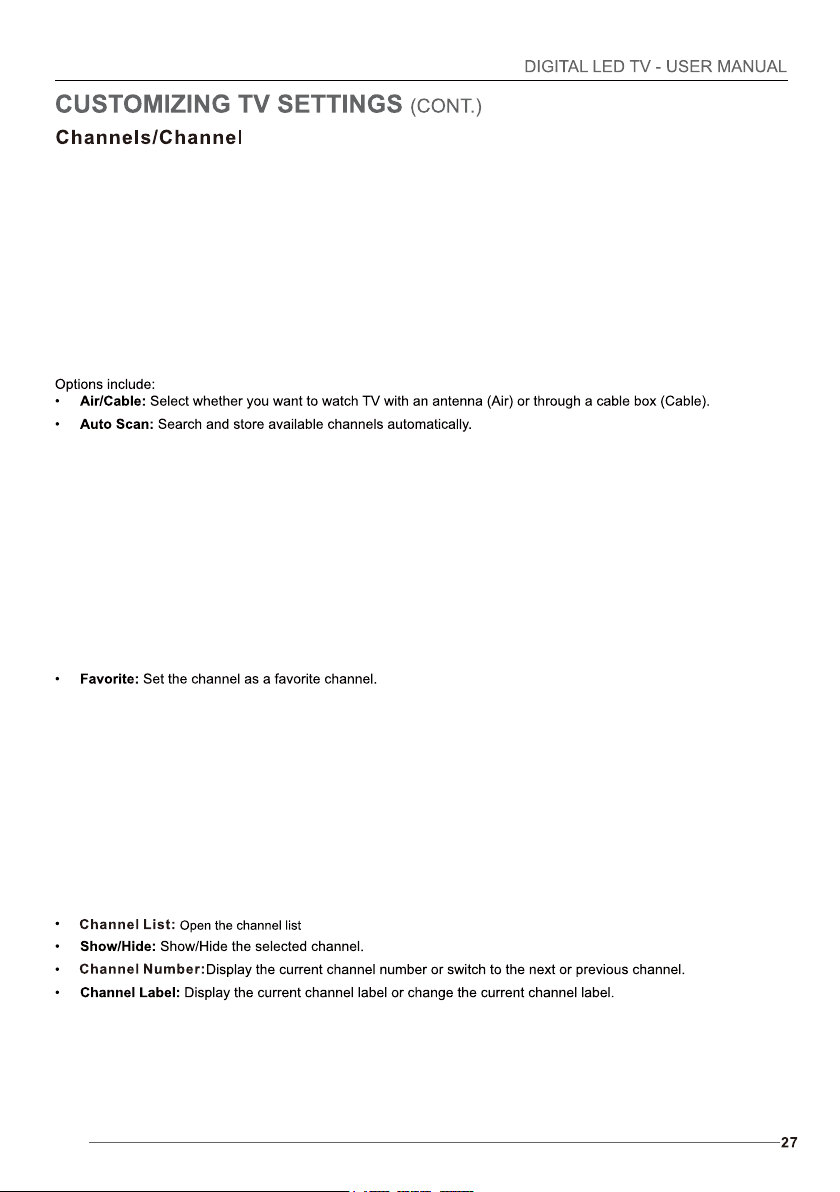
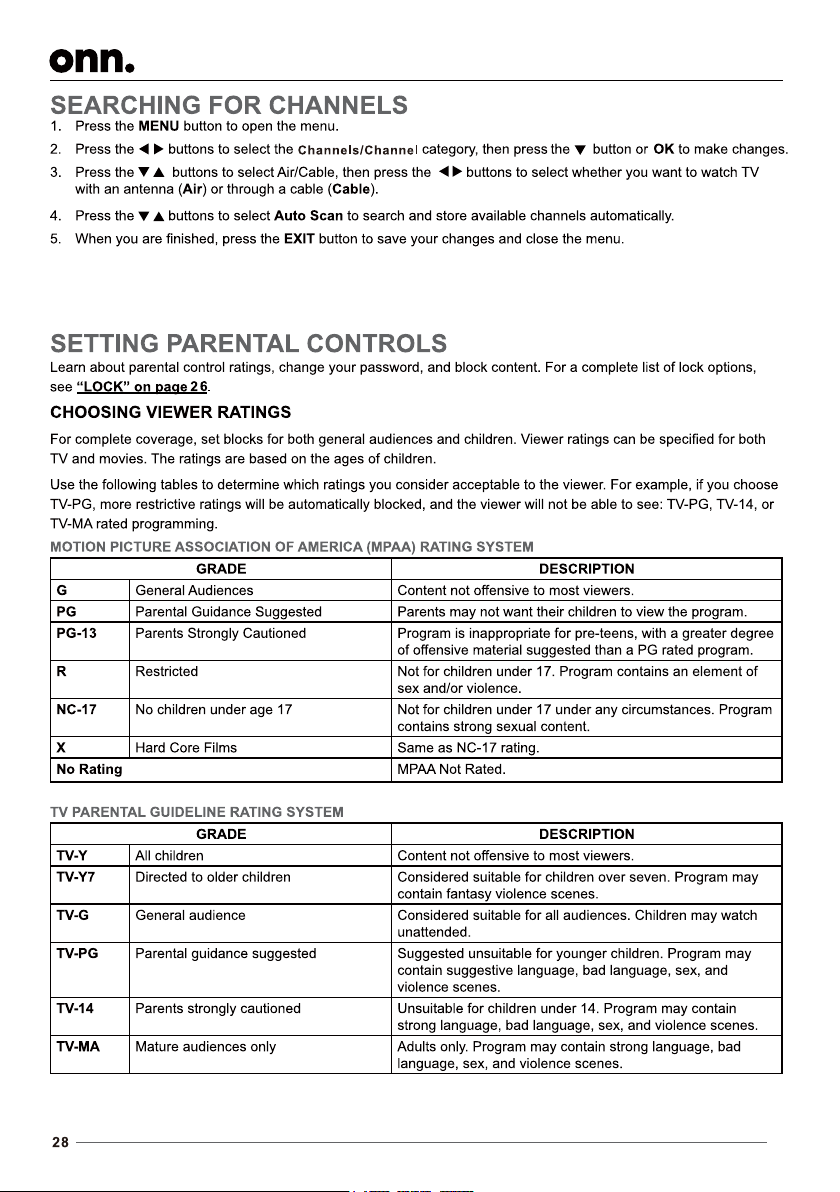
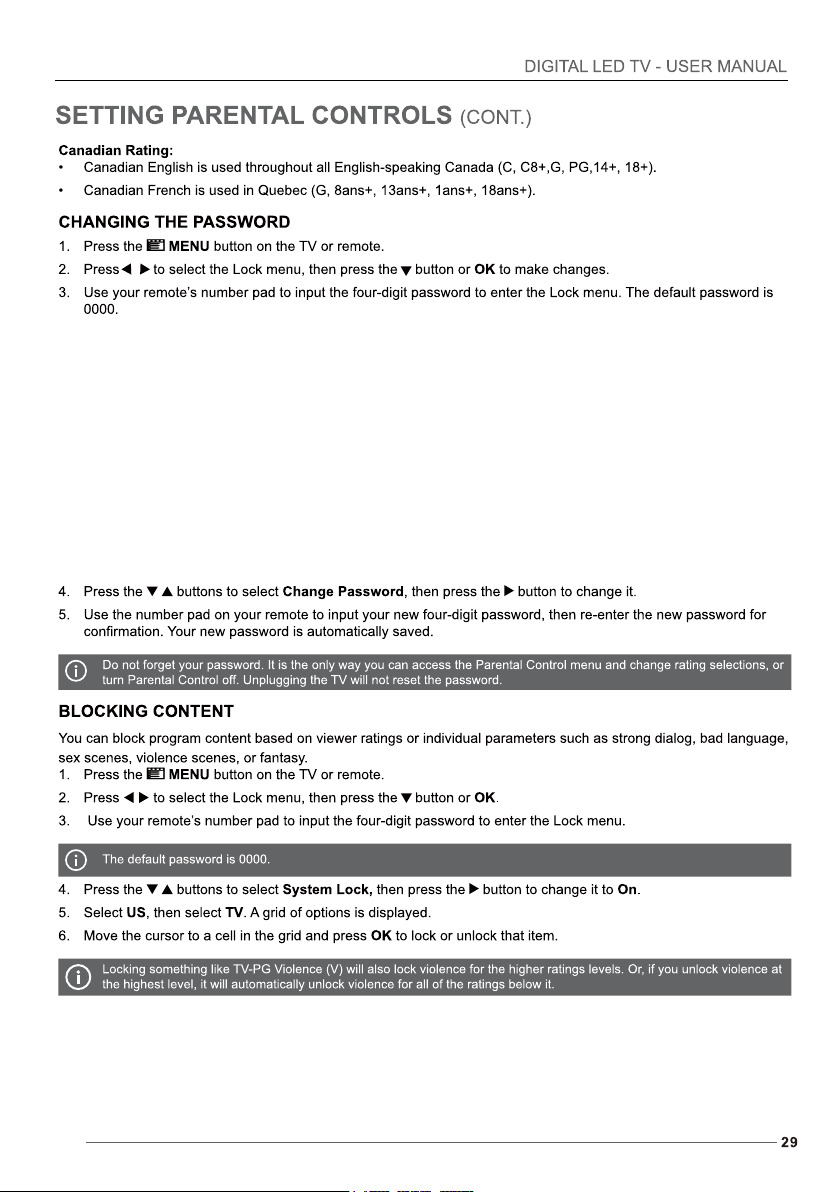
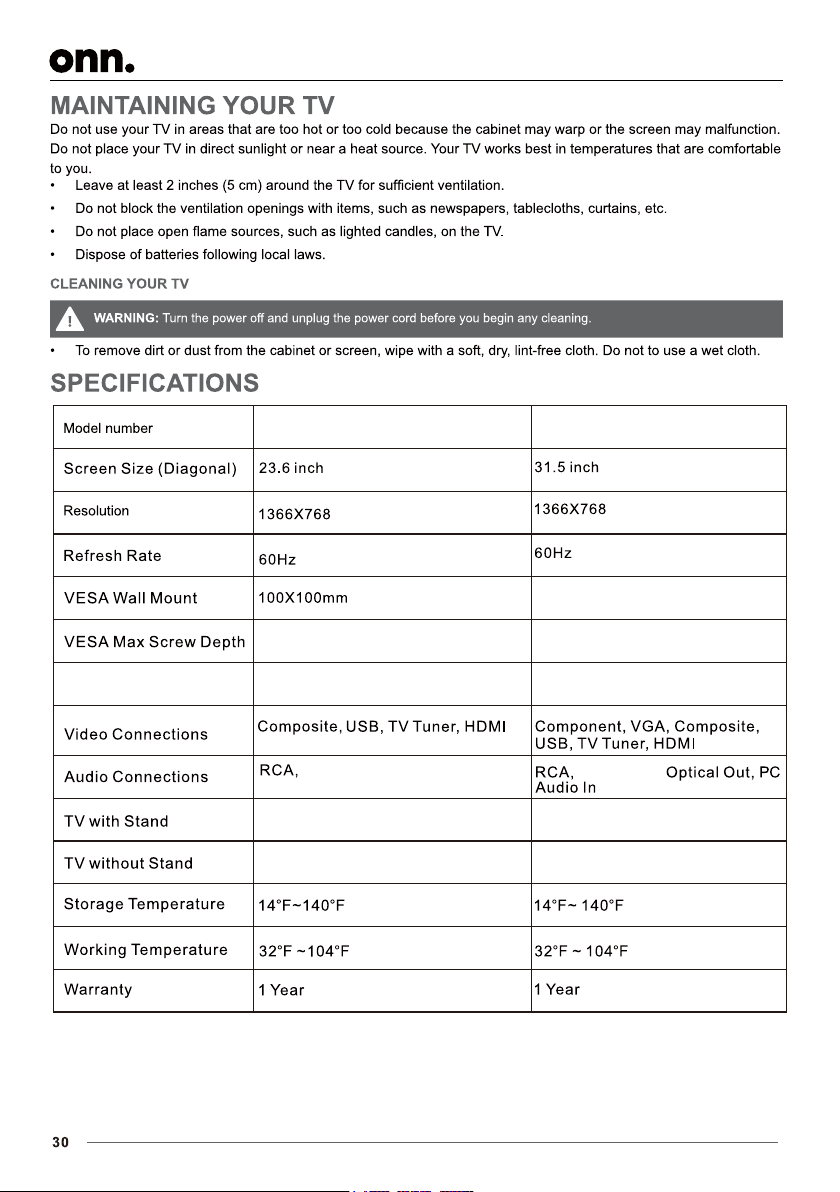
L R
HEAD PHO NE
VIDE O
Your new TV is heavy, please consult with professional wallmount installer to perform this installation.
Do not install the stands if you want to wall mount your TV. See your wall mount instructions or chat live
at www.onntvsupport.com.
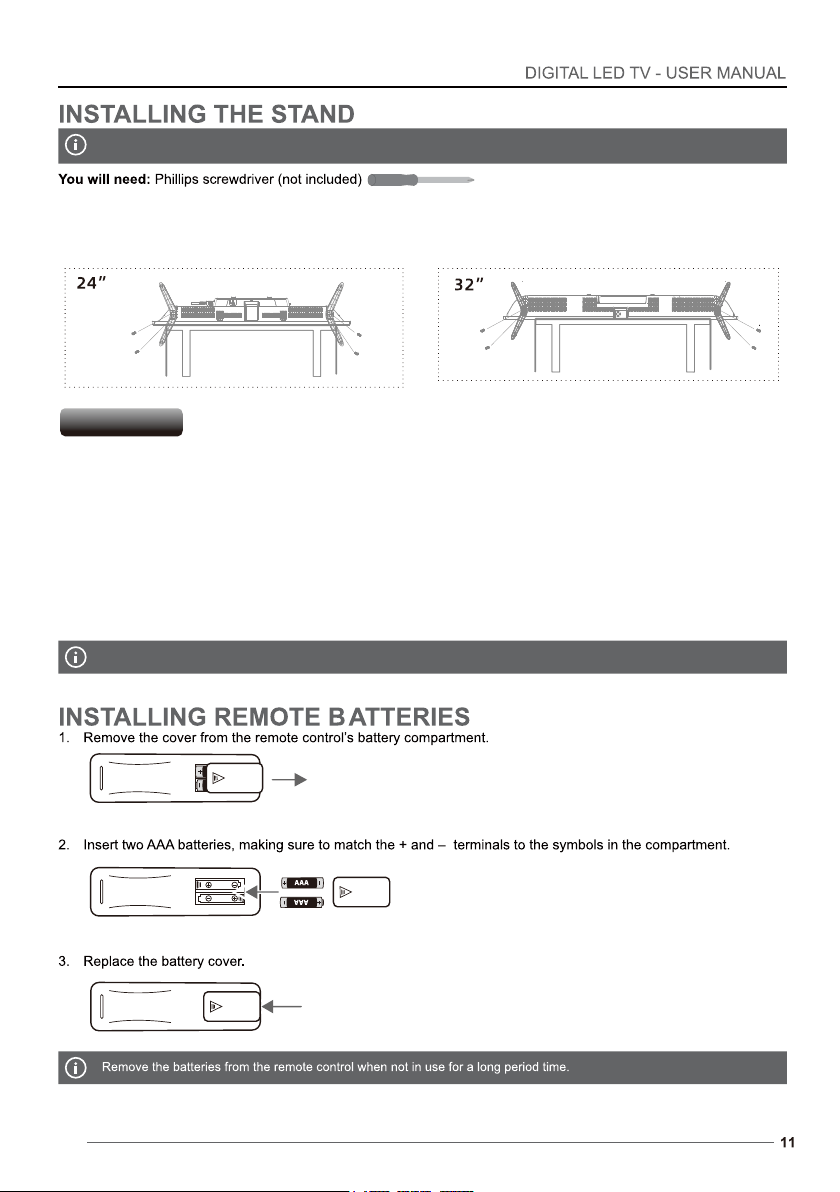
1. Place the TV screen-down on a clean, flat, soft surface (ie: blanket) to prevent scratches or damage to the screen.
2. Use a Phillips screwdriver to attach each stand with the provided screws.
3. Place the TV upright on a stable, level surface.
A wall mount kit (purchased separately) would allow you to mount your TV on the wall. For detailed information on installing
the wall mount, refer to the instruction. Manufacuter is not responsible for any damage to the product or injury to yourself or
others resulting from the wall-mounting.
- This TV is compatible with a 100mm x 100mm(24 inch), 200mm x 100mm(32 inch) mounting hole pattern.
- 4 pcs of type M4x5(ISO metric) screws are required for installing the wall mount bracket lo your TV. Screws not provided.
- Do not use screws that are longer than 5mm. Screws that are too long may cause damage to the inside of the TV set.
- Do not fasten the screws too tight for this may damage the TV or cause the TV to fall.
- Do not mount the TV at more than a 15 degree tilt.
- Always use two people to mount the TV to a wall.
- Do not install your Wall Mount Kit while your TV is turned on. it may result in personal injury due to electric shock.
Wall Mounting
HDM I3
L R
HEA DPHON E VID EO
Y
Pb
Pr
HDM I2(AR C) HDM I1
HDMI 3
Pb
Pr
HDMI 2(A RC) HDMI 1
COAXIAL
HDMI HDMI HEADPHONE
VIDEO L R USB
RF
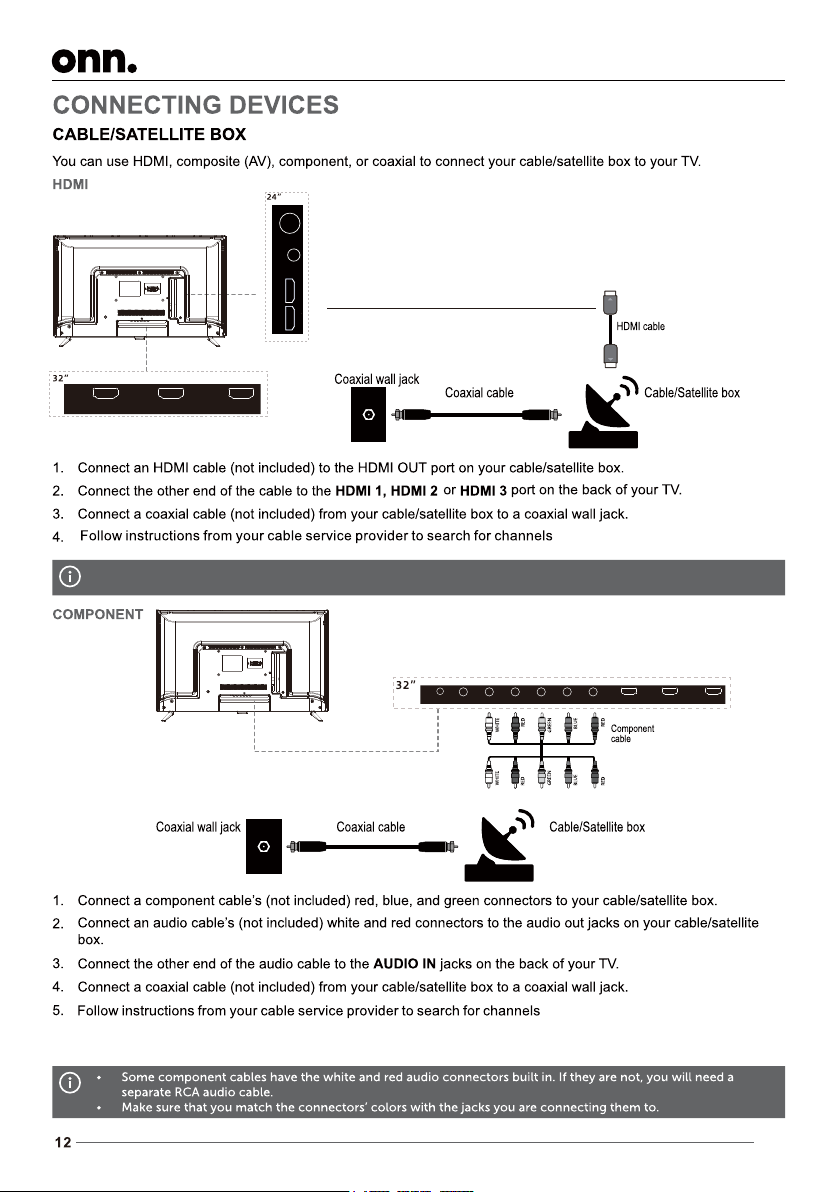
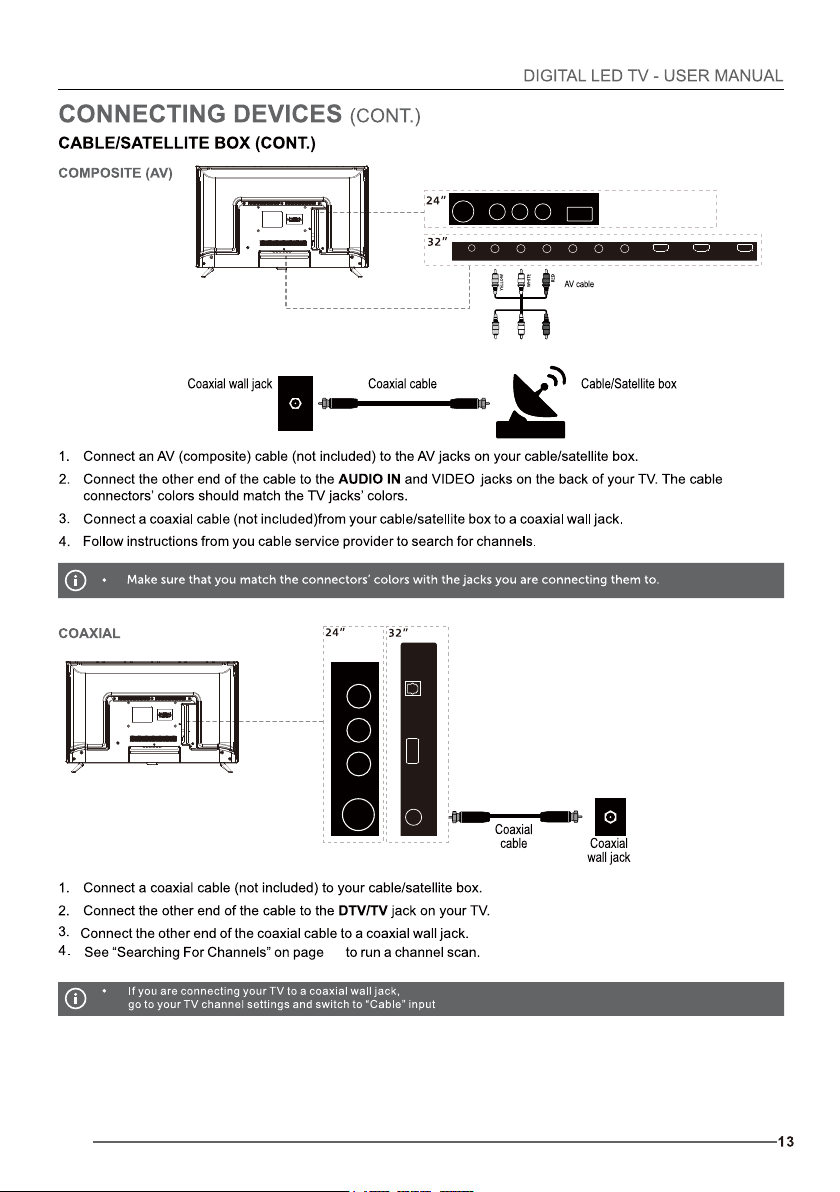
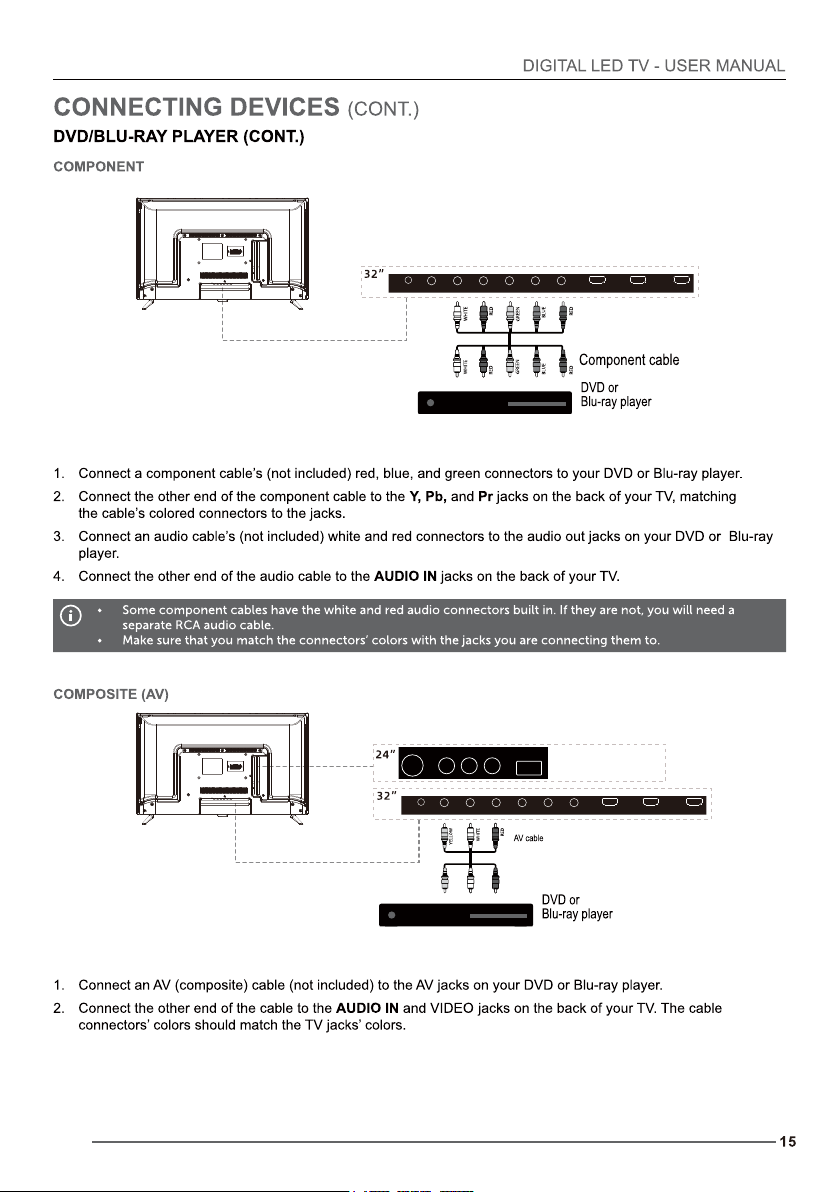
24 inch TV has two HDMI ports.
28
HDM I3
L R
HEA DPHON E VID EO
Y
Pb
Pr
HDM I2(AR C) HDM I1
COAXIAL HDMI HDMI HEADPHONE
VIDEO L R
USB
RF
USB
VGA
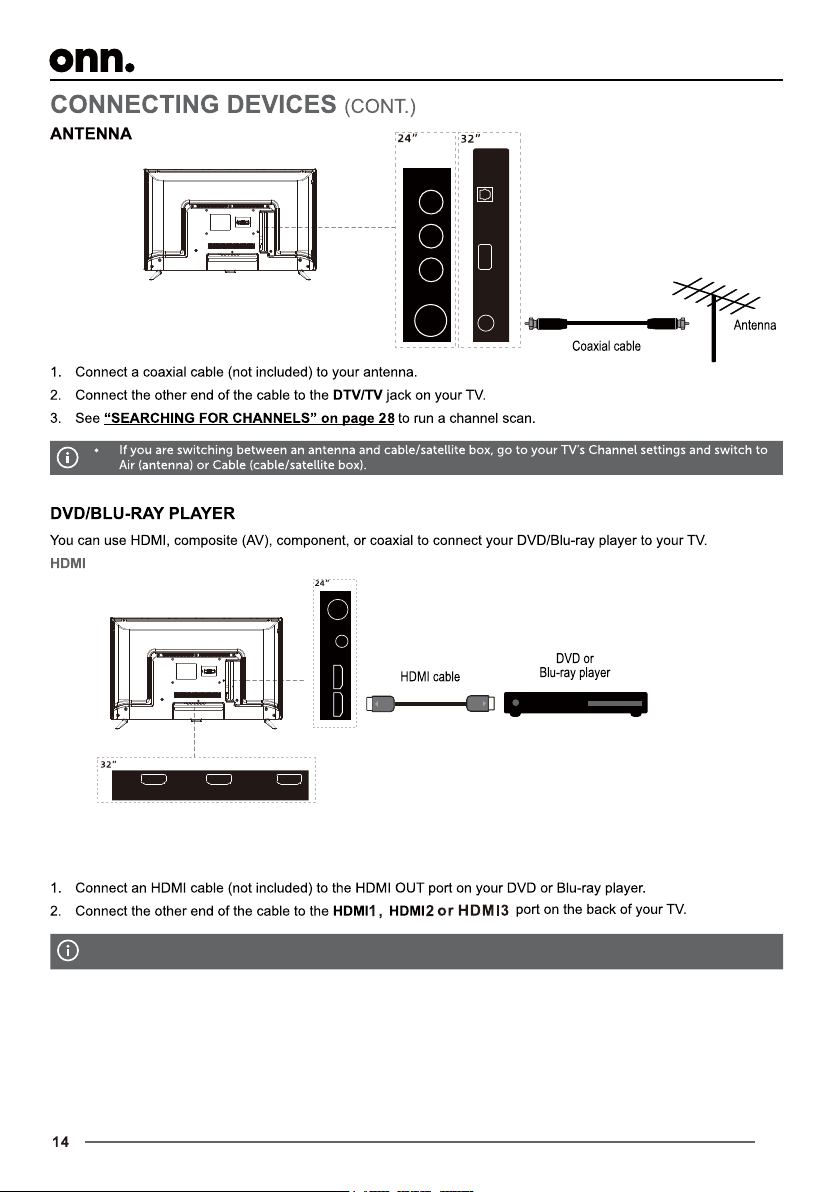
DTV/TV
OPTICAL
L
HEAD PHO NE
VIDE O
COAXIAL HDMI HDMI HEADPHONE
VIDEO L R USB
RF
COAXIAL HDMI HDMI HEADPHONE
VIDEO L R
USB
RF
USB
VGA
DTV/TV
OPTICAL
HDMI 3
Y
Pb
Pr
HDMI 2(A RC) HDMI 1
COAXIAL
HDMI HDMI HEADPHONE
VIDEO L R USB
RF
24 inch TV has two HDMI ports.
HEAD PHO NE VIDE O
HDM I3
L R
HEA DPHON E VID EO
Y
Pb
Pr
HDM I2(AR C) HDM I1
HDM I3
L R
HEA DPHON E VID EO
Y
Pb
Pr
HDM I2(AR C) HDM I1
COAXIAL HDMI HDMI HEADPHONE
VIDEO L R USB
RF
HDMI 3
R Y
Pb
Pr
HDMI 2(A RC) HDMI 1
COAXIAL
HDMI HDMI HEADPHONE
VIDEO L R USB
RF
L
HEAD PHO NE
VIDE O
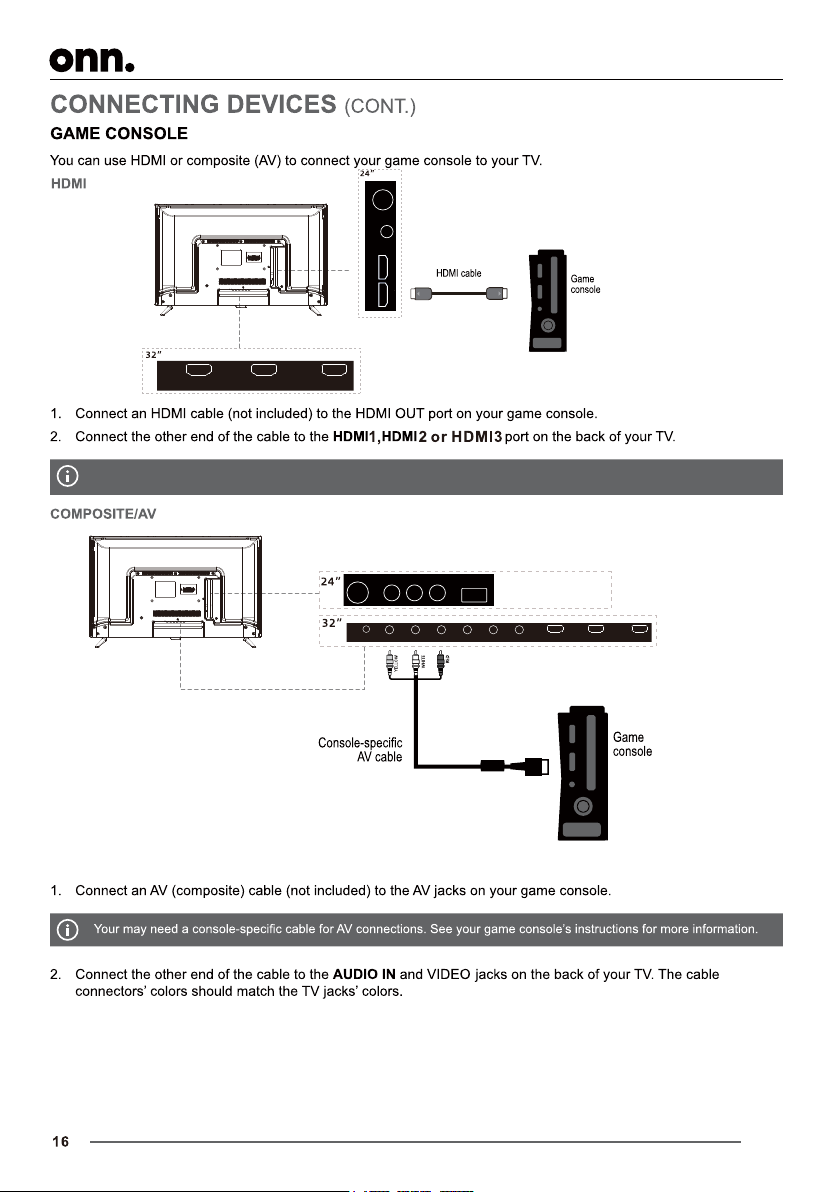
24 inch TV has two HDMI ports.
HDM I3
L R
HEA DPHON E VID EO
Y
Pb
Pr
HDM I2(AR C) HDM I1
COAXIAL HDMI HDMI HEADPHONE
VIDEO L R USB
RF
21
HDMI 3
R Y
Pb
Pr
HDMI 2(A RC) HDMI 1
COAXIAL
HDMI HDMI HEADPHONE
VIDEO L R USB
RF
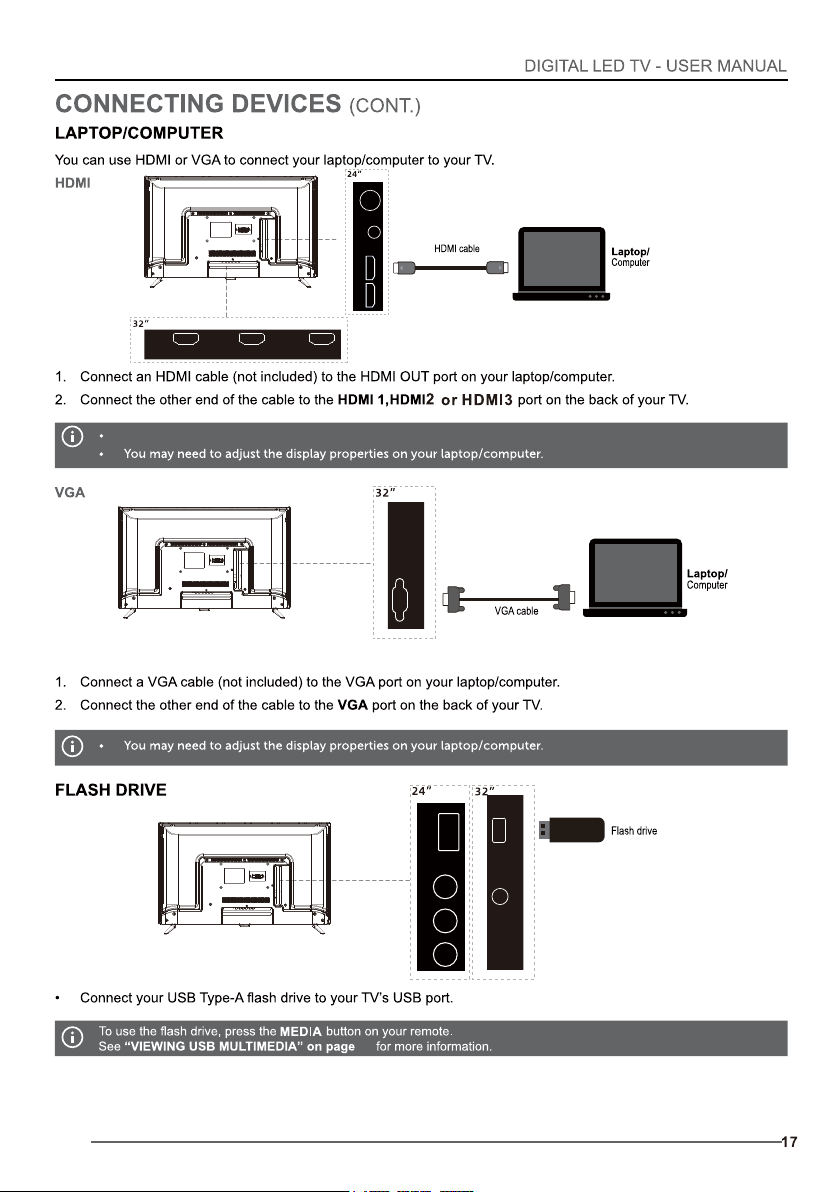
24 inch TV has two HDMI ports.
COAXIAL HDMI HDMI HEADPHONE
VIDEO L R USB
RF
USB
VGA
DTV/TV
OPTICAL
USB
VGA
DTV/TV
OPTICAL
USB
VGA
DTV/TV
OPTICAL
HDMI 3
L R
HEAD PHO NE
VIDE O
Y
Pb
Pr
HDMI 2(A RC) HDMI 1
COAXIAL
HDMI HDMI HEADPHONE
VIDEO L R USB
RF
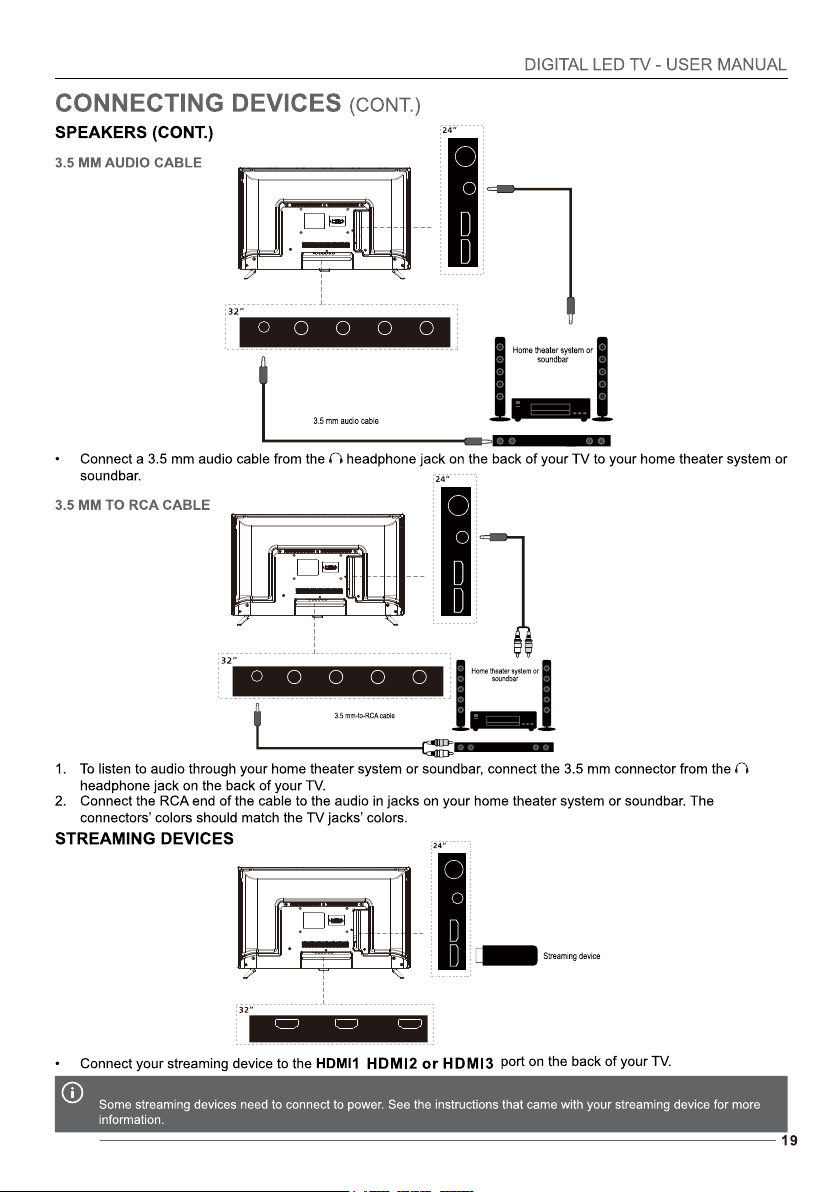
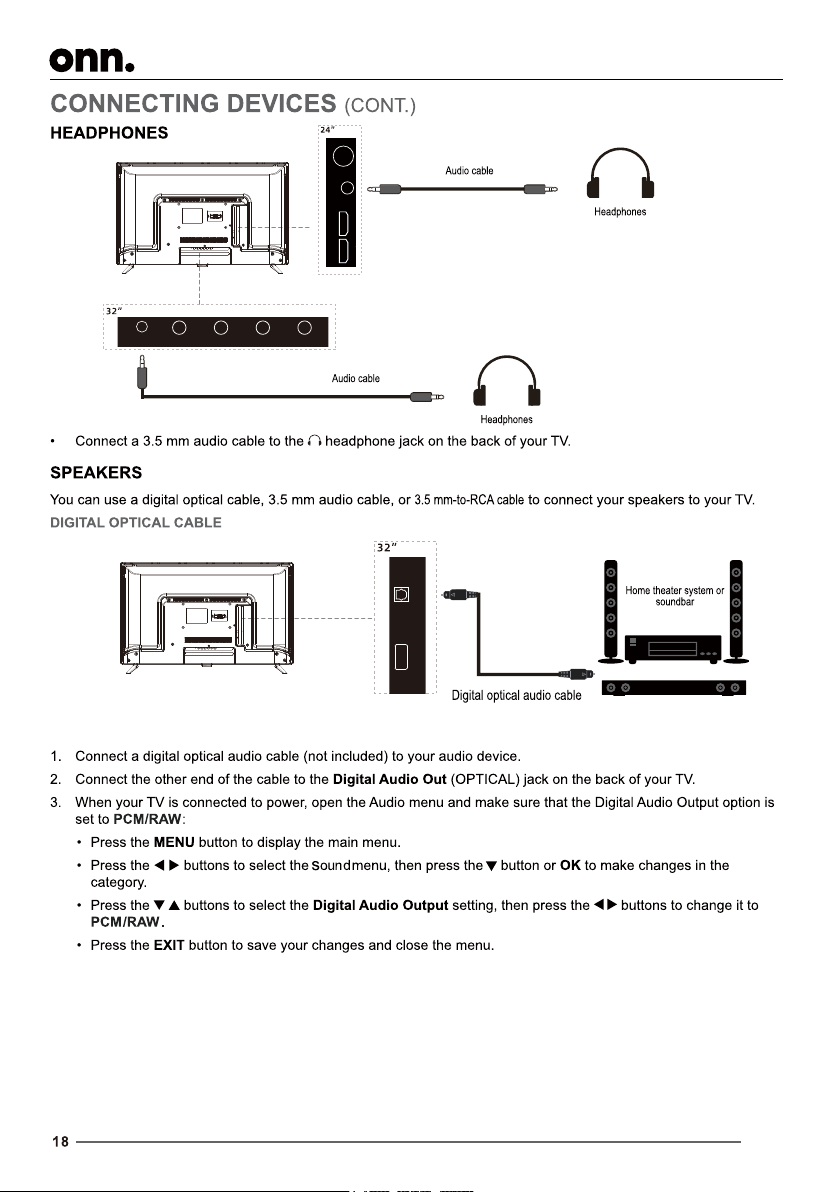
24 inch TV has two HDMI ports.
HDMI 3
L R
HEAD PHO NE
VIDE O
Y
Pb
Pr
HDMI 2(A RC) HDMI 1
COAXIAL
HDMI HDMI HEADPHONE
VIDEO L R USB
RF
HDMI 3
L R
HEAD PHO NE
VIDE O
Y
Pb
Pr
HDMI 2(A RC) HDMI 1
COAXIAL
HDMI HDMI HEADPHONE
VIDEO L R USB
RF
HDMI 3
L R
VIDE O
Y
Pb
Pr
HDMI 2( ARC) HDMI 1
COAXIAL
HDMI HDMI HEADPHONE
VIDEO L R USB
RF
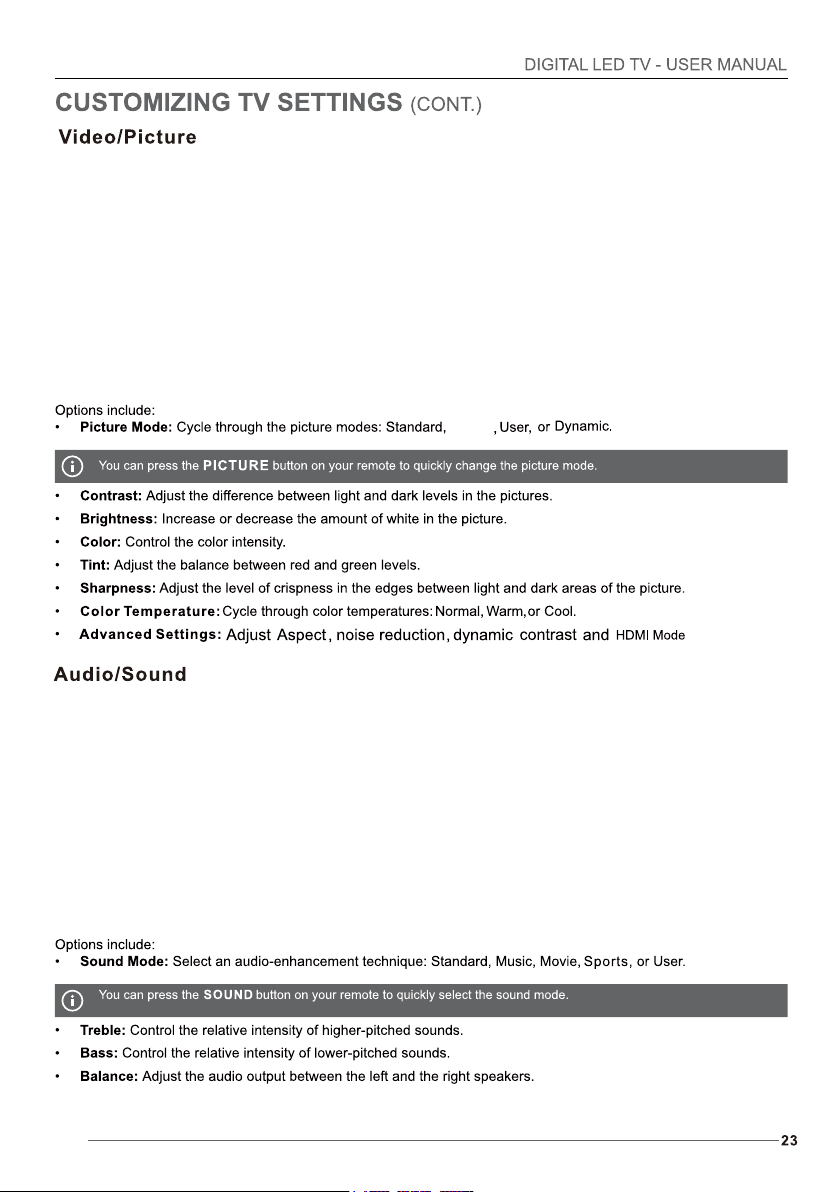
Movie
Keypad Lock:
Parental Control: parental control:
100013602
21.8in(W)x14.8in(H)x7.1in(D)
5(LBS)
Headphone
Headphone,
21.8in(W)x13.2in(H)x3in(D)
4.85(LBS)
29in(W)x18.7in(H)x7.1in(D)
7.7(LBS)
29in(W)x17.1in(H)x3.1in(D)
7.5(LBS)
5mm
200X100mm
Wall mount screws
5mm
M4, 4pcs M4, 4pcs
100002458
The terms HDMI and HDMI High-Definition
Multimedia Interface, and the HDMI Logo
are trademarks or registered trademarks
of HDMI Licensing Administrator, Inc. in
the United States and other countries.