
3
4
5
5
6
6
7
9
9
9
10
10
12
12
14
15
15
16
16
17
18
18
18
19
19
19
19
19
19
20
20
21
21
22
22
24
25
26
26
26
27
27
28
28
29
31
3
4
5
INPUT
6
7
Soft,
.
Voice Guidance
24
25
26
27
8
LAST CH
INPUT
CCD
channel
9
10
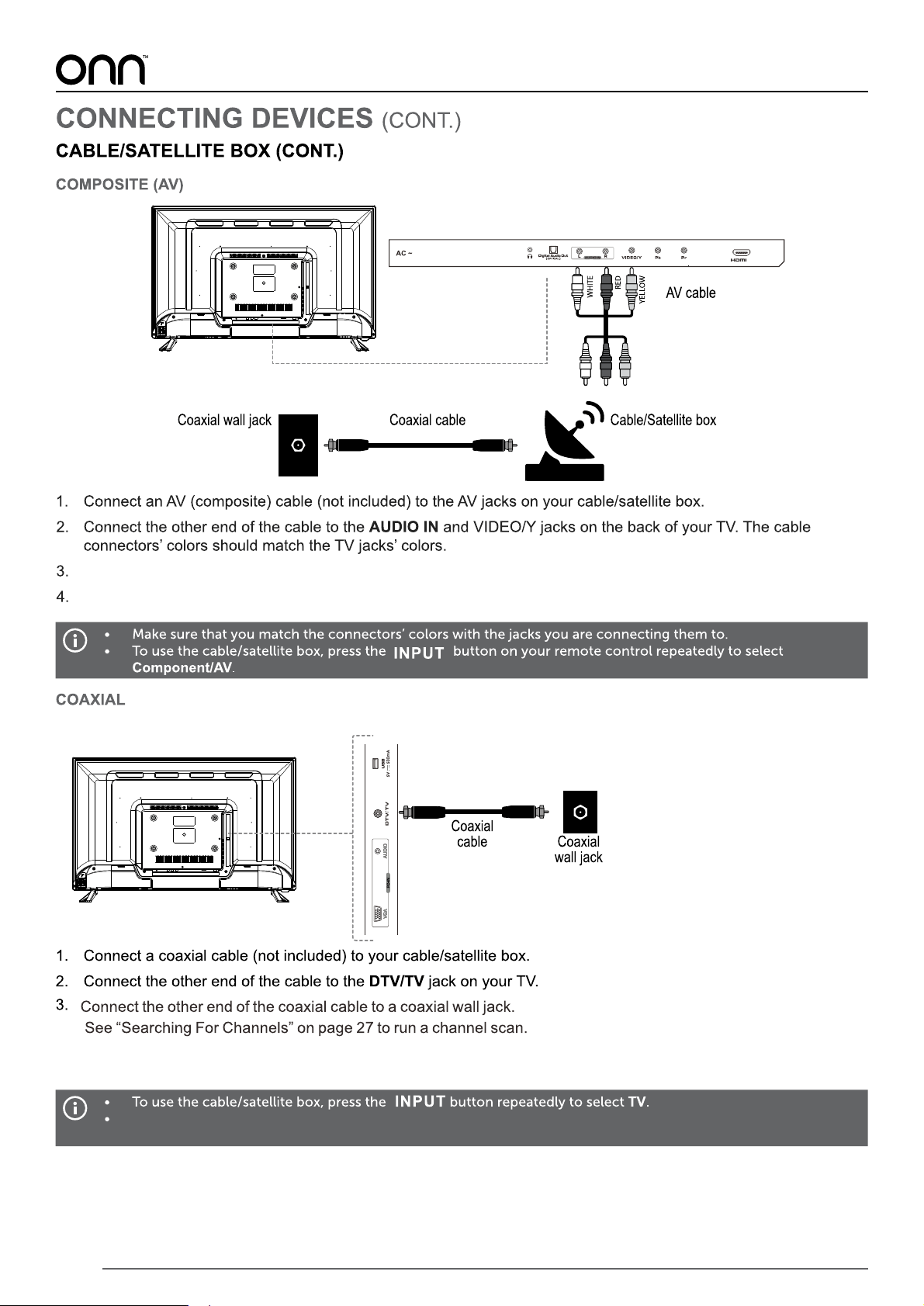
4.
If you are connecting your TV to a coaxial wall jack,
go to your TV channel settings and switch to “Cable” input
11
1
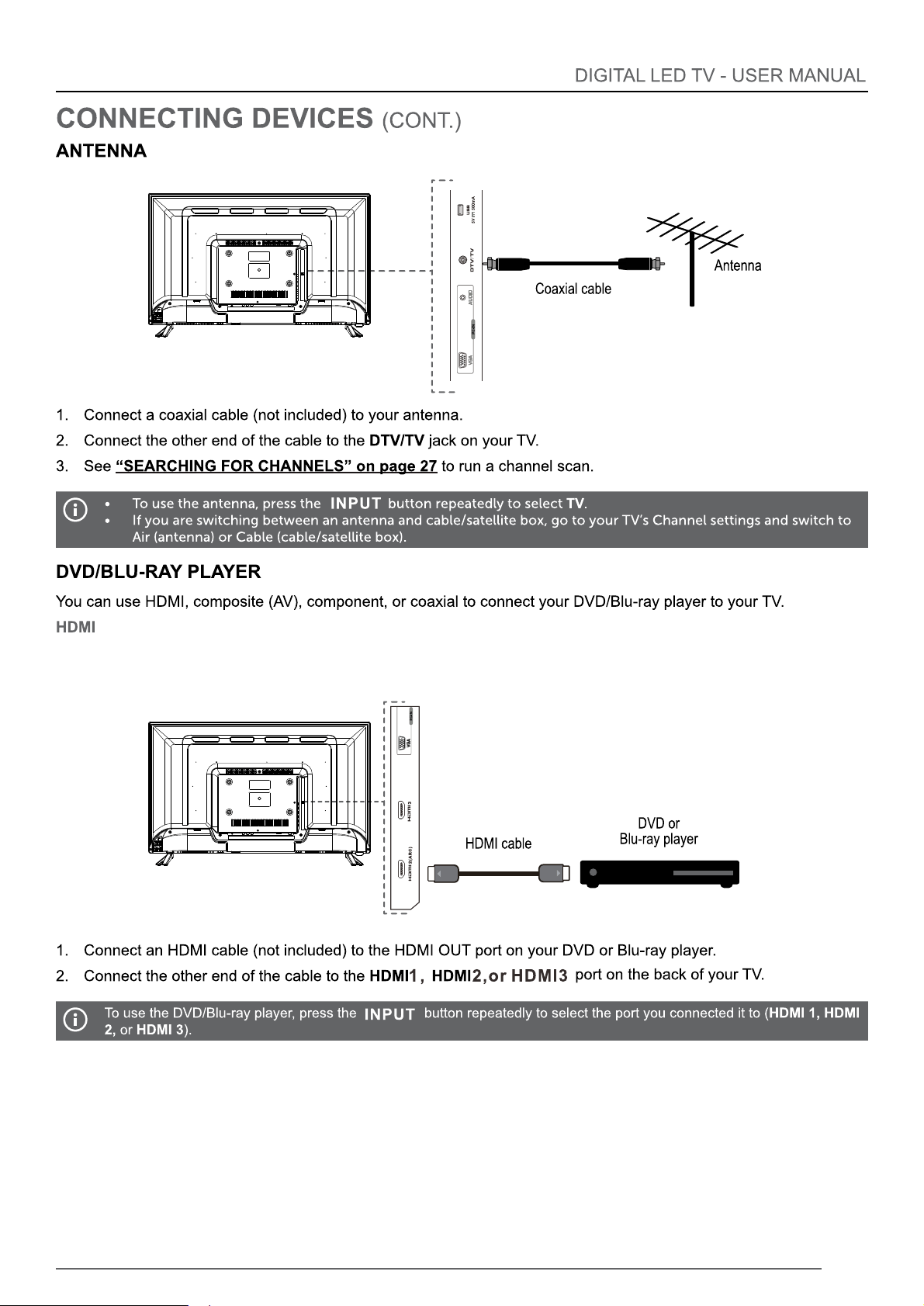
Connect a coaxial cable (not included)from your cable/satellite box to a coaxial wall jack.
Follow instructions from you cable service provider to search for channels.
12
13
14
15
MEDIA Media
16
17
18
off
MEDIA
MEDIA
19
the LED light off
L
20
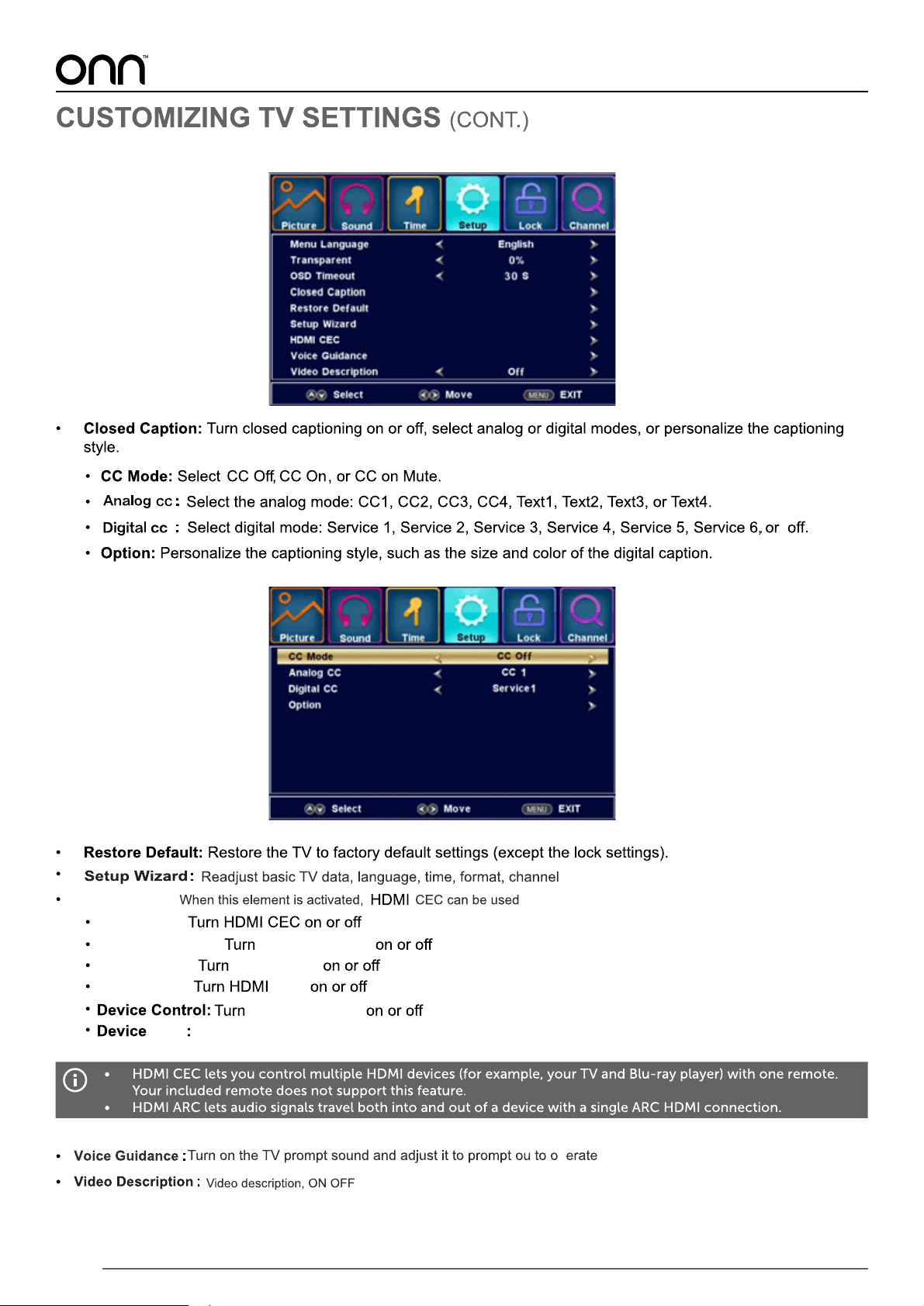
Time
Channel
Lock
Setup
Sound
Picture
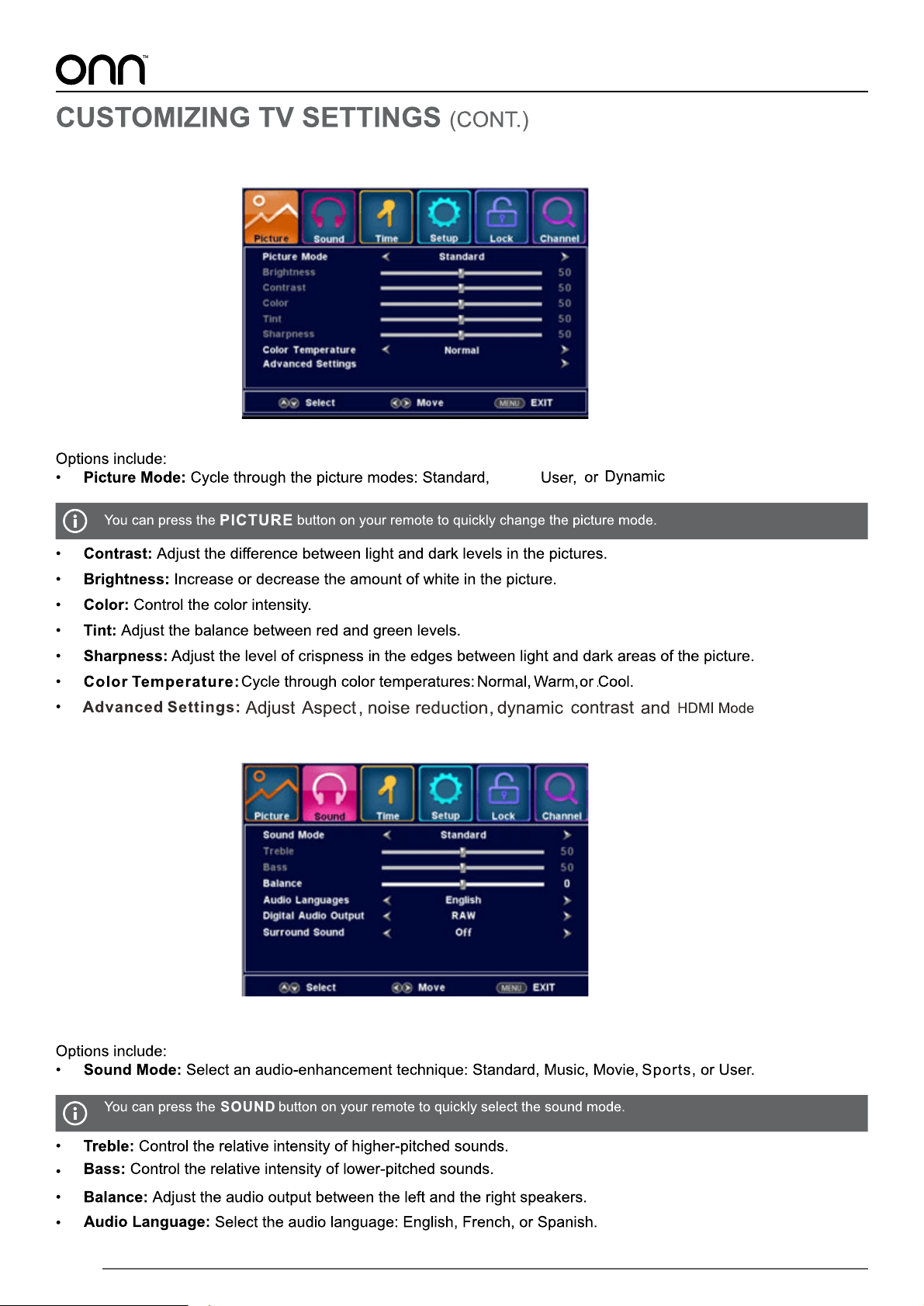
Sound
21
Soft,
.
Picture
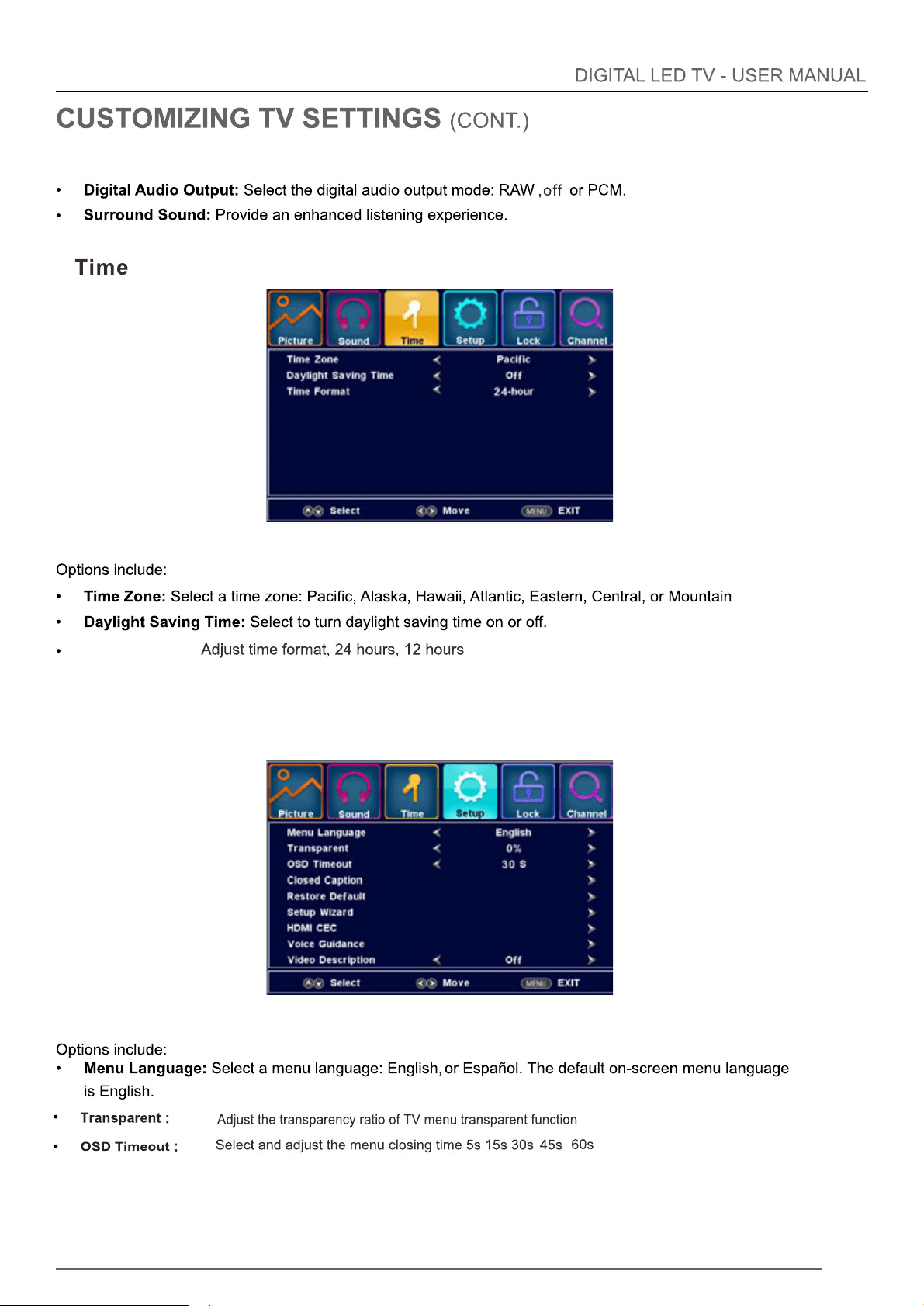
Sound(CONT.)
22
Setup
Time Format:
23
Setup(CONT.)
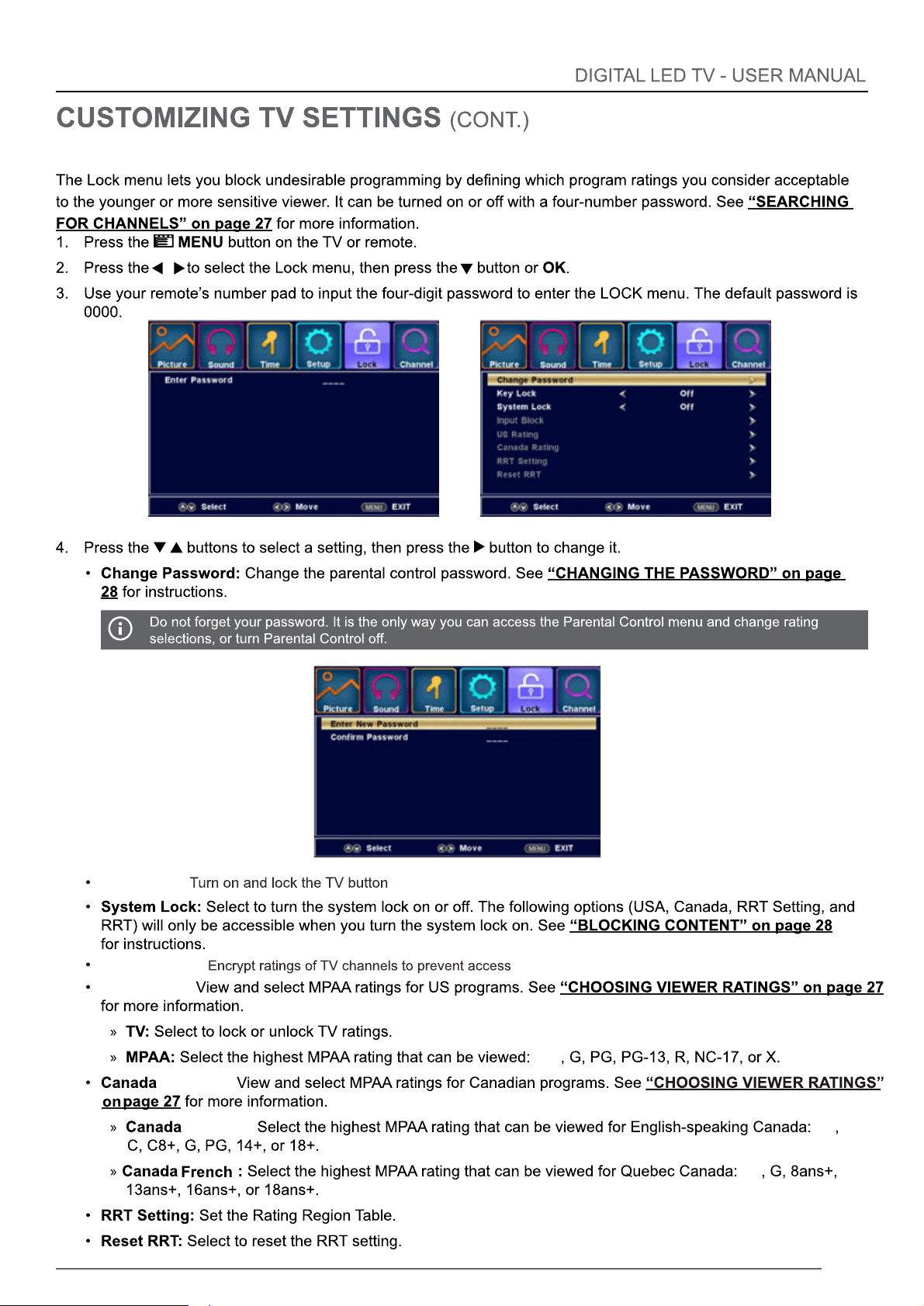
HDMI CEC:
HDMI CEC:
Auto Standby: Auto Standby
Auto TV on: Auto TV on
HDMI ARC:
ARC
Device Control
List
Display HDMI CEC or HDMI ARC device
24
Key Lock:
US Rating:
off
Input Block:
Rating:
English:
off
off
Lock
25
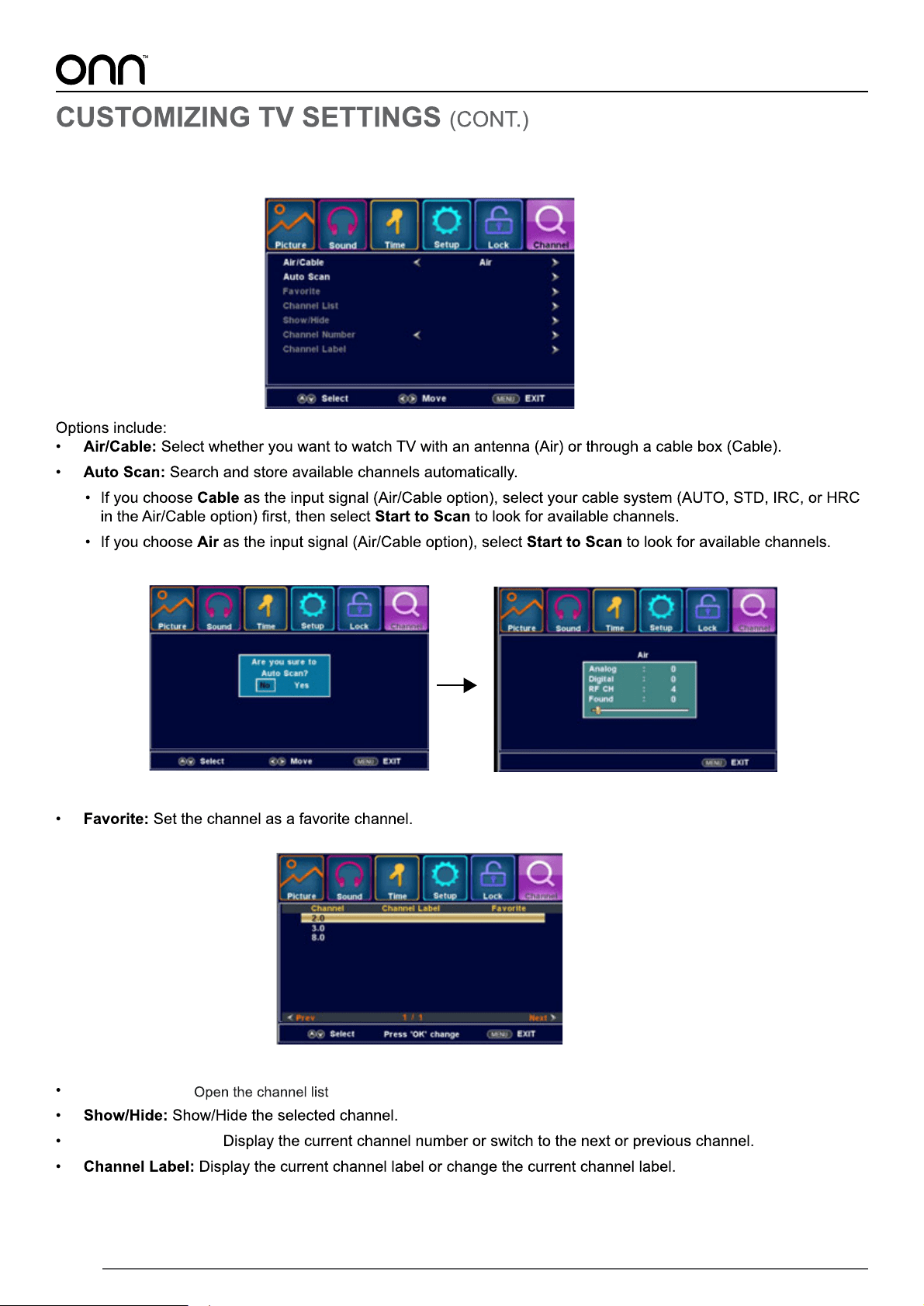
Channel
Channel List:
Channel Number:
26
27
28
7.6
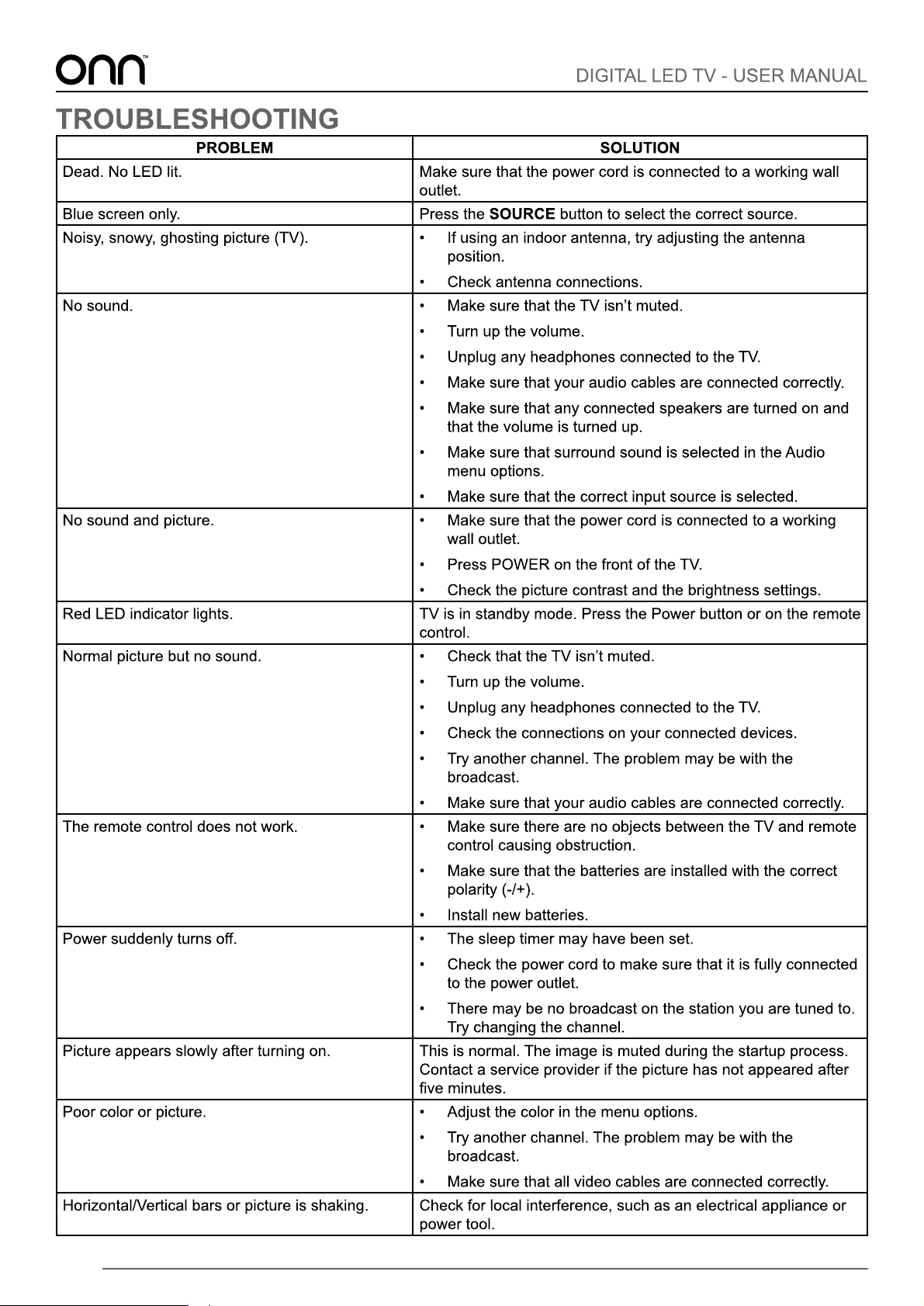
29
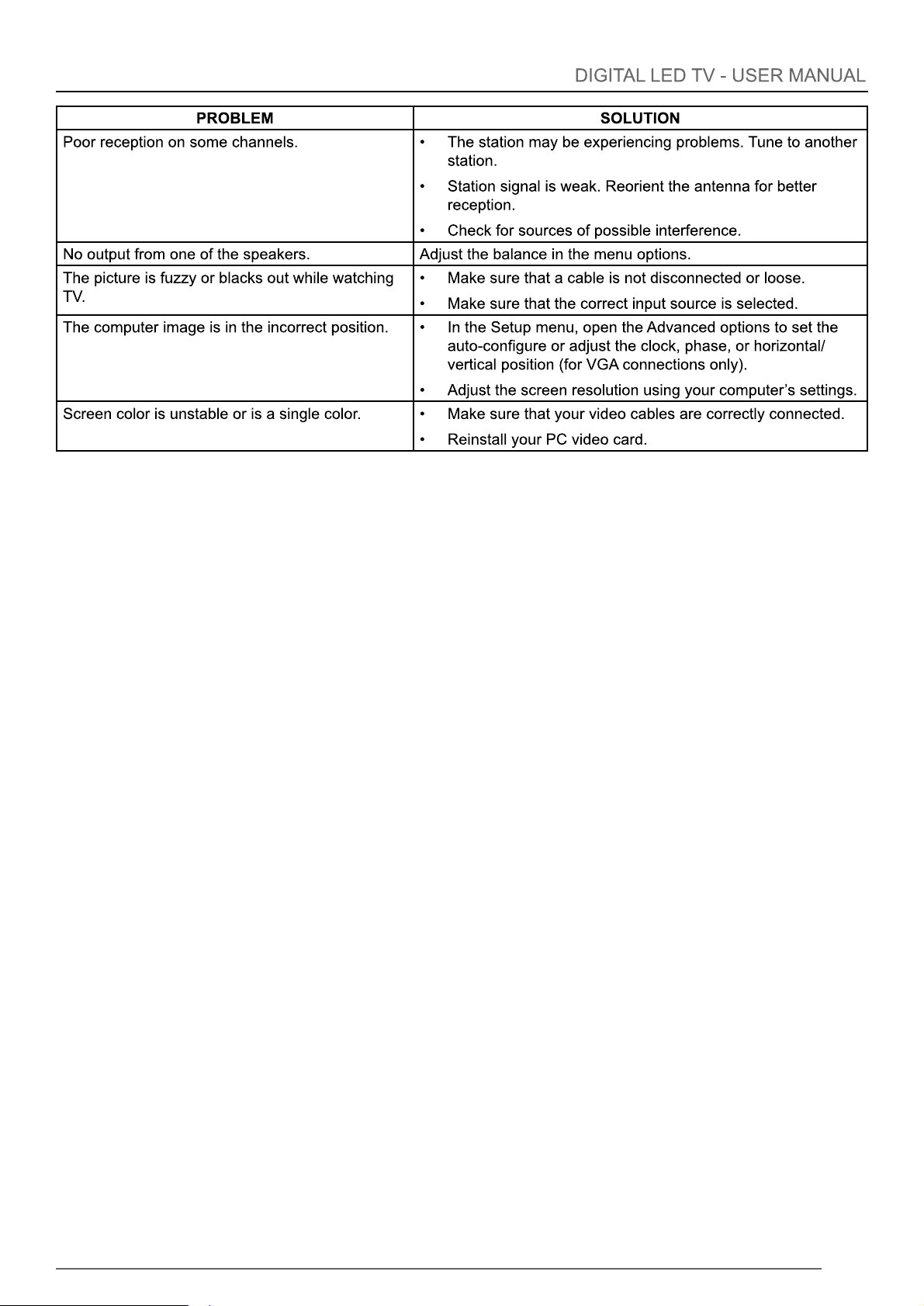
30
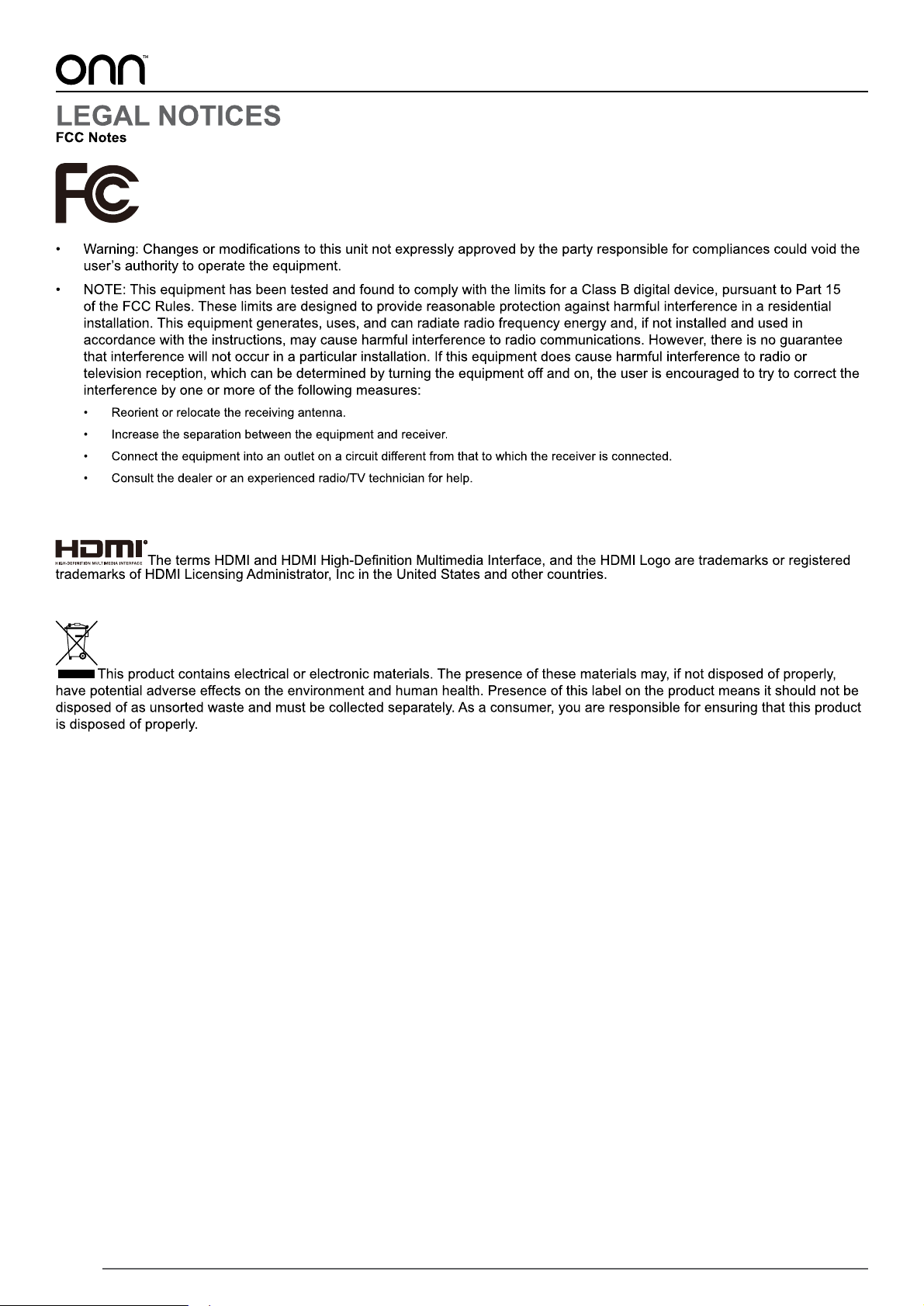
31