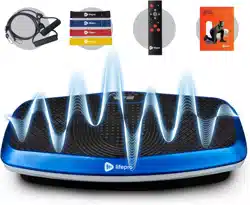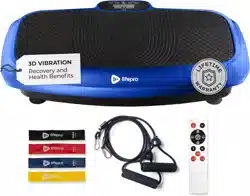
HOVERT 3D VIBRATION PLATE
READY,
SET, PRO
USER MANUAL

HELLO THERE.
Joel and I are athletes who suffered from
severe ACL injuries a few months apart.
We purchased multiple pieces of exercise
equipment for our in-home rehab but were left
disappointed and frustrated by fitness gear
that made big promises but gave no support, no
well-thought-out plan to follow, and no results.
And that’s how Lifepro came about, and why
the Vibration Therapy collection was created
— we’ve set out to change all of that. It’s why
every piece of equipment bearing our name
not only undergoes rigorous scrutiny to make
sure it delivers on power and efficacy, but also
comes with built-in support from our ‘guiding
angels’ and a built-in lifetime warranty so that
you’re never left hanging.
Welcome to Lifepro.
We’re in this together now.
INDUSTRY CANADA COMPLIANCE STATEMENT
This device complies with Industry Canada licence-exempt RSS
standard(s). Operation is subject to the following two conditions: (1) This
device may not cause interference, and (2) This device must accept any
interference, including interference that may cause undesired operation of
the device.
Le présent appareil est conforme aux CNR d’ Industrie Canada applicables
aux appareils radio exempts de licence. L’exploitation est autorisée
aux deux conditions suivantes : (1) l’utilisateur de l’appareil ne doit pas
produire de brouillage, et (2) l’ utilisateur de l’appareil doit accepter tout
brouillage radioélectrique subi, même si le brouillage est susceptible d’en
compromettre le fonctionnement.
FCC STATEMENT
This device complies with part 15 of the FCC Rules. Operation is subject
to the following two conditions: (1) this device may not cause harmful
interference, and (2) this device must accept any interference received,
including interference that may cause undesired operation.
NOTE: Changes or modifications not expressly approved by the party
responsible for compliance could void the user’s authority to operate the
equipment.
NOTE: This equipment has been tested and found to comply with the
limits for a Class B digital device, pursuant to part 15 of the FCC Rules.
These limits are designed to provide reasonable protection against harmful
interference in a residential installation. This equipment generates, uses
and can radiate radio frequency energy and, if not installed and used in
accordance with the instructions, may cause harmful interference to radio
communications. However, there is no guarantee that interference will
not occur in a particular installation. If this equipment does cause harmful
interference to radio or television reception, which can be determined by
turning the equipment off and on, the user is encouraged to try to correct
the interference by one or more of the following measures:
• Reorient or relocate the receiving antenna.
• Increase the separation between the equipment and receiver.
• Connect the equipment into an outlet on a circuit different
from that to which the receiver is connected.
• Consult the dealer or an experienced radio/TV technician
for help.
EN

HELLO THERE.
Joel and I are athletes who suffered from
severe ACL injuries a few months apart.
We purchased multiple pieces of exercise
equipment for our in-home rehab but were left
disappointed and frustrated by fitness gear
that made big promises but gave no support, no
well-thought-out plan to follow, and no results.
And that’s how Lifepro came about, and why
the Vibration Therapy collection was created
— we’ve set out to change all of that. It’s why
every piece of equipment bearing our name
not only undergoes rigorous scrutiny to make
sure it delivers on power and efficacy, but also
comes with built-in support from our ‘guiding
angels’ and a built-in lifetime warranty so that
you’re never left hanging.
Welcome to Lifepro.
We’re in this together now.
INDUSTRY CANADA COMPLIANCE STATEMENT
This device complies with Industry Canada licence-exempt RSS
standard(s). Operation is subject to the following two conditions: (1) This
device may not cause interference, and (2) This device must accept any
interference, including interference that may cause undesired operation of
the device.
Le présent appareil est conforme aux CNR d’ Industrie Canada applicables
aux appareils radio exempts de licence. L’exploitation est autorisée
aux deux conditions suivantes : (1) l’utilisateur de l’appareil ne doit pas
produire de brouillage, et (2) l’ utilisateur de l’appareil doit accepter tout
brouillage radioélectrique subi, même si le brouillage est susceptible d’en
compromettre le fonctionnement.
FCC STATEMENT
This device complies with part 15 of the FCC Rules. Operation is subject
to the following two conditions: (1) this device may not cause harmful
interference, and (2) this device must accept any interference received,
including interference that may cause undesired operation.
NOTE: Changes or modifications not expressly approved by the party
responsible for compliance could void the user’s authority to operate the
equipment.
NOTE: This equipment has been tested and found to comply with the
limits for a Class B digital device, pursuant to part 15 of the FCC Rules.
These limits are designed to provide reasonable protection against harmful
interference in a residential installation. This equipment generates, uses
and can radiate radio frequency energy and, if not installed and used in
accordance with the instructions, may cause harmful interference to radio
communications. However, there is no guarantee that interference will
not occur in a particular installation. If this equipment does cause harmful
interference to radio or television reception, which can be determined by
turning the equipment off and on, the user is encouraged to try to correct
the interference by one or more of the following measures:
• Reorient or relocate the receiving antenna.
• Increase the separation between the equipment and receiver.
• Connect the equipment into an outlet on a circuit different
from that to which the receiver is connected.
• Consult the dealer or an experienced radio/TV technician
for help.
EN
Not everyone can afford to hire a personal trainer or a team of professionals
to help them feel and look their best. But the good news is: you don’t have
to. Lifepro brings the gym to you.
The Lifepro Hovert boosts your metabolism and increases circulation, which
forces your body to burn more fat and reduces the appearance of cellulite.
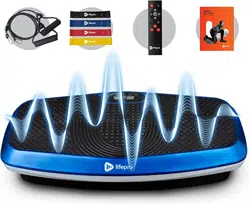
The dual-motor vibration plate creates a unique repetitive motion using 3D
vibration and oscillation that forces your muscles to contract repeatedly.
This technique works more muscle fibers than other forms of exercise,
which means you’re getting double the results without double the effort.
The Hovert is easy to use and will help you reach your goals faster than ever
before.
If you have suffered an injury or you experience joint or back pain,
find relief and help prevent future injuries by adding the vibration plate
to your rehab routine. Vibration plates are used by professional athletes,
physical therapists, and rehabilitation centers everywhere.
Redefine your workouts and experience the
transformative power of the Lifepro Hovert:
Experience joint- and back-pain relief: improves core strength
& circulation.
Boost your metabolism: encourages your body to burn fat faster.
Decrease your stress: increases serotonin and decreases cortisol.
Improve circulation: decreases blood pressure.
Increase strength & flexibility: improves stability.
Develop stronger bones: increases bone density.
Check out the exercises in this manual for ways to get started using your
Hovert. Next, be sure to visit our website hovert.lifeprofitness.com for
access to our FREE library of workout videos which demonstrate how to
easily incorporate the Hovert into your fitness routine.
Vibration Therapy Collection 5
EN
EN
Not everyone can afford to hire a personal trainer or a team of professionals
to help them feel and look their best. But the good news is: you don’t have
to. Lifepro brings the gym to you.
The Lifepro Hovert boosts your metabolism and increases circulation, which
forces your body to burn more fat and reduces the appearance of cellulite.
The dual-motor vibration plate creates a unique repetitive motion using 3D
vibration and oscillation that forces your muscles to contract repeatedly.
This technique works more muscle fibers than other forms of exercise,
which means you’re getting double the results without double the effort.
The Hovert is easy to use and will help you reach your goals faster than ever
before.
If you have suffered an injury or you experience joint or back pain,
find relief and help prevent future injuries by adding the vibration plate
to your rehab routine. Vibration plates are used by professional athletes,
physical therapists, and rehabilitation centers everywhere.
Redefine your workouts and experience the
transformative power of the Lifepro Hovert:
Experience joint- and back-pain relief: improves core strength
& circulation.
Boost your metabolism: encourages your body to burn fat faster.
Decrease your stress: increases serotonin and decreases cortisol.
Improve circulation: decreases blood pressure.
Increase strength & flexibility: improves stability.
Develop stronger bones: increases bone density.
Check out the exercises in this manual for ways to get started using your
Hovert. Next, be sure to visit our website hovert.lifeprofitness.com for
access to our FREE library of workout videos which demonstrate how to
easily incorporate the Hovert into your fitness routine.
Vibration Therapy Collection 5
EN
EN

Vibration Therapy Collection 7 6 Hovert User Manual Lifepro
GET STARTED
WHAT’S IN THE BOX
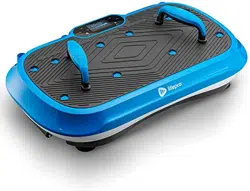
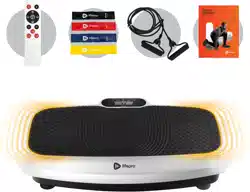
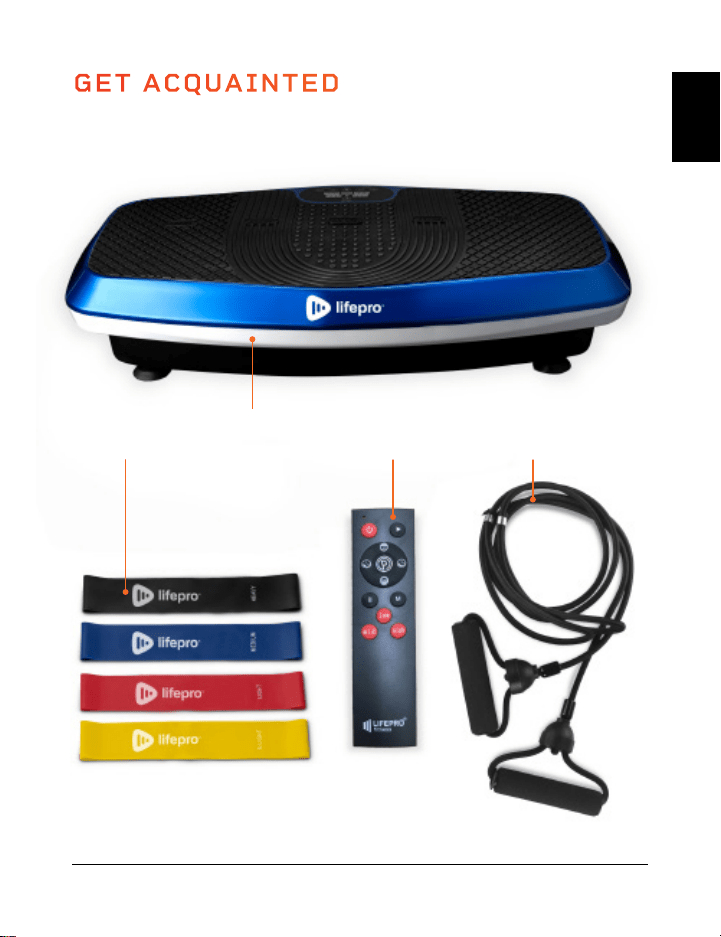
• Lifepro Hovert 3D Vibration Plate
• Power Cord
• Remote Control
• Resistance Bands (2)
• Lifepro Mini Bands (4)
• User Guide
FIRST STEPS
1. Remove your Hovert from the shipping box and remove all packaging
from the unit and accessories.
2. Read carefully through this user manual and all safety instructions
before using the Hovert.
3. Go to hovert.lifeprofitness.com and register your product within
14 days of purchase to activate your lifetime warranty.
4. Complete the steps in the EASY-START SETUP GUIDE on page 8
to begin using your Hovert.
CUSTOMER SUPPORT
If you have any questions about setting up your Hovert, we’re
here to help. Call or email us and an experienced customer support
representative will be happy to assist you: +1 (800) 563-6604 or
support@lifeprofitness.com.
HOVERT
3D VIBRATION PLATE
VIBRATION THERAPY
GET ACQUAINTED
Remote
Control
Hovert 3D
Vibration Plate
4 Mini
Bands
2 Resistance
Bands
EN
EN
Vibration Therapy Collection 7 6 Hovert User Manual Lifepro
GET STARTED
WHAT’S IN THE BOX
• Lifepro Hovert 3D Vibration Plate
• Power Cord
• Remote Control
• Resistance Bands (2)
• Lifepro Mini Bands (4)
• User Guide
FIRST STEPS
1. Remove your Hovert from the shipping box and remove all packaging
from the unit and accessories.
2. Read carefully through this user manual and all safety instructions
before using the Hovert.
3. Go to hovert.lifeprofitness.com and register your product within
14 days of purchase to activate your lifetime warranty.
4. Complete the steps in the EASY-START SETUP GUIDE on page 8
to begin using your Hovert.
CUSTOMER SUPPORT
If you have any questions about setting up your Hovert, we’re
here to help. Call or email us and an experienced customer support
representative will be happy to assist you: +1 (800) 563-6604 or
support@lifeprofitness.com.
HOVERT
3D VIBRATION PLATE
VIBRATION THERAPY
GET ACQUAINTED
Remote
Control
Hovert 3D
Vibration Plate
4 Mini
Bands
2 Resistance
Bands
EN
EN
Vibration Therapy Collection 9 8 Hovert User Manual Lifepro
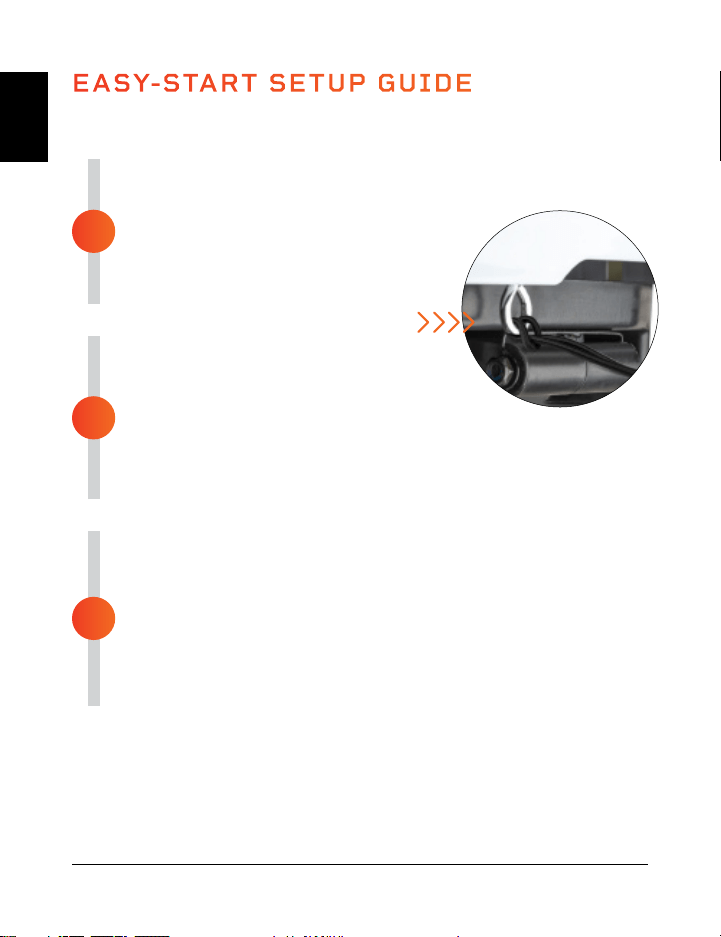
ASSEMBLE THE HOVERT
• Remove the back of the remote control
and insert two AAA batteries into the
battery compartment.
• Loop the resistance bands into the
metal rings at the front of the Hovert.
CONNECT TO POWER
• Insert the power cord firmly into the
front of the Hovert.
NOTE: Press forcefully until you feel a click, which
indicates that the cord is securely connected. The power cord
fits tightly so it will not loosen during use.
• Plug the power cord into an AC outlet.
POWER ON THE HOVERT
• Flip the breaker switch on the front of the Hovert to
the ON position.
• Press the power button on the Hovert’s display.
• That’s it. Your Lifepro Hovert is now ready to use. See
OPERATING INSTRUCTIONS and CHOOSING A PROGRAM on
the next pages for details about how to use your Hovert.
EASY-START SETUP GUIDE
Setup your Lifepro Hovert in just 3 easy steps:
3
2
1
MODES
Standby Mode: The Hovert is powered on, but no program is selected.
Program Mode: Choose from preset workout programs (P1-P8). Each
program has low, medium, or high vibration speed.
Manual Mode (HA): Set your own workout duration and vibration speed.
HOW IT WORKS
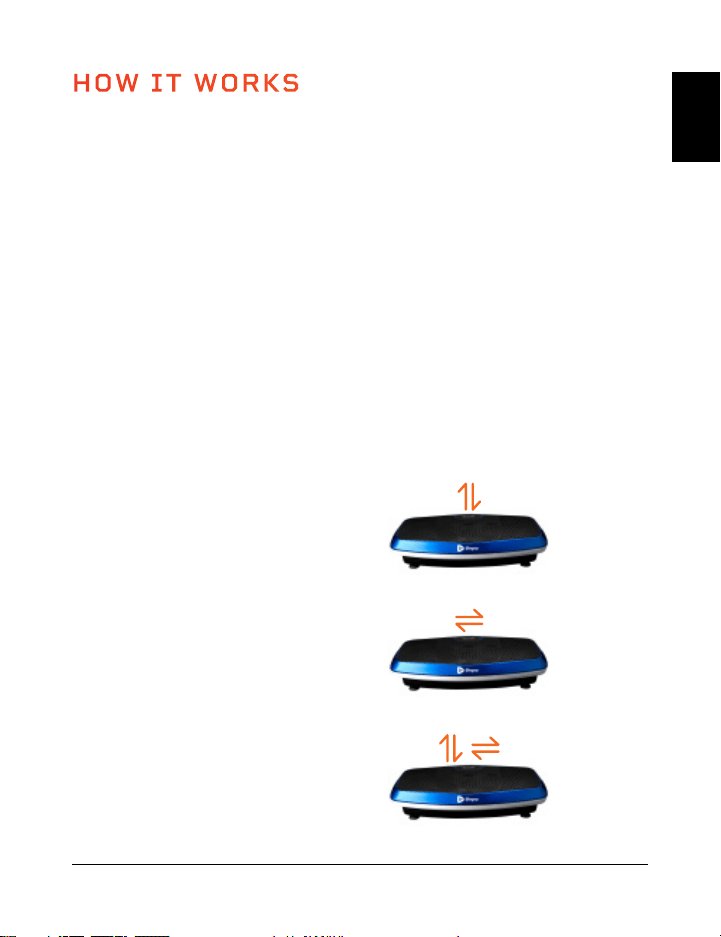
The Hovert has two powerful motors: a lateral motor (the L MOTOR on the
Hovert’s display) and a horizontal/oscillating motor (the H MOTOR on the
Hovert’s display). The dual motors produce three movements which provide
unlimited workout combinations: lateral, horizontal, and 3D/spiral. The
platform creates a repetitive motion using 3D vibration and oscillation that
activates all of your muscle fibers. This unique 3D vibration is particularly
beneficial for people who experience osteoporosis, osteoarthritis, or
sarcopenia, and it’s great for improving circulation and balance for older
users.
TRAINING SETTINGS
• Horizontal Training: Create a manual workout using the H motor.
• Lateral Training: Create a manual workout using the L motor.
• 3D/Spiral Training: Use one of the preset programs or create a manual
workout that includes both the horizontal (H) and lateral (L) motors.
Horizontal Movement
Up and Down (H motor)
3D/Spiral Movement
Combination of Above
Lateral Movement
Side to Side (L Motor)
EN
EN
Vibration Therapy Collection 9 8 Hovert User Manual Lifepro
ASSEMBLE THE HOVERT
• Remove the back of the remote control
and insert two AAA batteries into the
battery compartment.
• Loop the resistance bands into the
metal rings at the front of the Hovert.
CONNECT TO POWER
• Insert the power cord firmly into the
front of the Hovert.
NOTE: Press forcefully until you feel a click, which
indicates that the cord is securely connected. The power cord
fits tightly so it will not loosen during use.
• Plug the power cord into an AC outlet.
POWER ON THE HOVERT
• Flip the breaker switch on the front of the Hovert to
the ON position.
• Press the power button on the Hovert’s display.
• That’s it. Your Lifepro Hovert is now ready to use. See
OPERATING INSTRUCTIONS and CHOOSING A PROGRAM on
the next pages for details about how to use your Hovert.
EASY-START SETUP GUIDE
Setup your Lifepro Hovert in just 3 easy steps:
3
2
1
MODES
Standby Mode: The Hovert is powered on, but no program is selected.
Program Mode: Choose from preset workout programs (P1-P8). Each
program has low, medium, or high vibration speed.
Manual Mode (HA): Set your own workout duration and vibration speed.
HOW IT WORKS
The Hovert has two powerful motors: a lateral motor (the L MOTOR on the
Hovert’s display) and a horizontal/oscillating motor (the H MOTOR on the
Hovert’s display). The dual motors produce three movements which provide
unlimited workout combinations: lateral, horizontal, and 3D/spiral. The
platform creates a repetitive motion using 3D vibration and oscillation that
activates all of your muscle fibers. This unique 3D vibration is particularly
beneficial for people who experience osteoporosis, osteoarthritis, or
sarcopenia, and it’s great for improving circulation and balance for older
users.
TRAINING SETTINGS
• Horizontal Training: Create a manual workout using the H motor.
• Lateral Training: Create a manual workout using the L motor.
• 3D/Spiral Training: Use one of the preset programs or create a manual
workout that includes both the horizontal (H) and lateral (L) motors.
Horizontal Movement
Up and Down (H motor)
3D/Spiral Movement
Combination of Above
Lateral Movement
Side to Side (L Motor)
EN
EN
EN
EN
10 Hovert User Manual Lifepro Vibration Therapy Collection 11
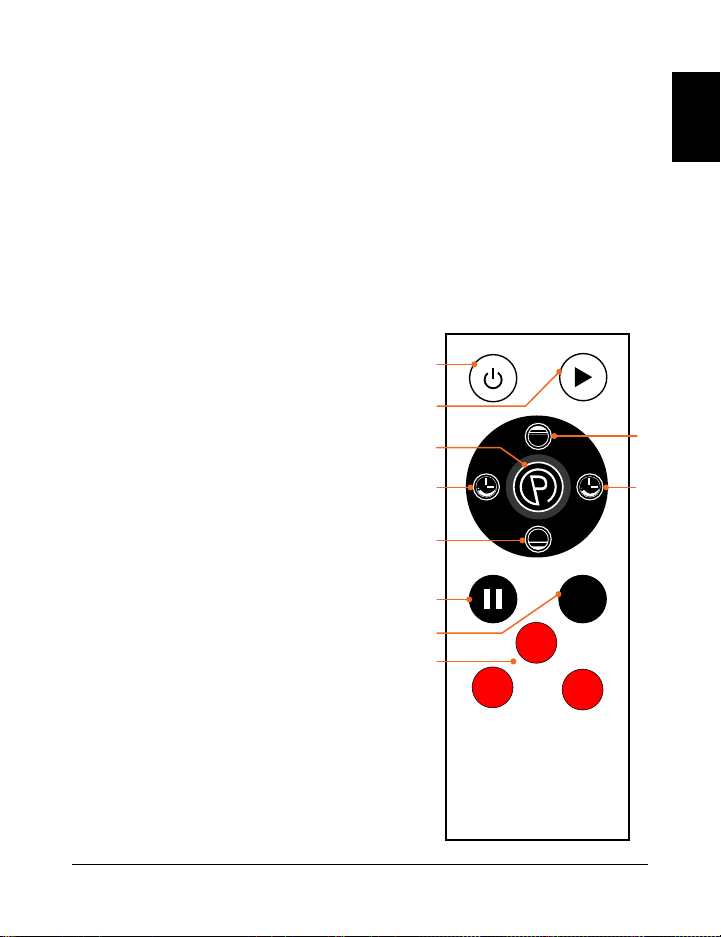
USING THE REMOTE TO OPERATE THE HOVERT
1. Power Button: Press the button to power the Hovert on and off.
2. Start/Stop Button: Ensure power is turned ON. Press the button to activate
the selected program or begin a custom workout in manual mode. Press again
to stop the selected program or manual mode workout.
3. Program/Mode Button: Press the button to select a preset workout program
(P1–P8) or to select manual mode (HA).
4. Speed/Time Buttons L MOTOR (+/-)*: In standby, with manual mode (HA)
selected: press the buttons to set a time
duration for the L MOTOR. Press the
Start Button to begin the manual mode
workout and then press the Speed/
Time Buttons to change speed for the
L MOTOR.
5. Speed/Time Buttons H MOTOR (High/
Low)*: In standby, with manual mode
(HA) selected: press the buttons to set
a time duration for the H MOTOR. Press
the Start button to begin the manual
mode workout and then press the Speed/
Time Buttons to change speed for the
H MOTOR.
6. Pause Button: Stop the current program
or manual mode workout.
7. Speed Toggle Button (M): Toggle vibration
speed for both motors between 20, 50,
and 80.
8. Quick Speed Buttons:
Low: Set speed to 30 (both motors).
Mid: Set speed to 60 (both motors).
High: Set speed to 90 (both motors).
OPERATING INSTRUCTIONS
USING THE DISPLAY PANEL TO OPERATE THE HOVERT
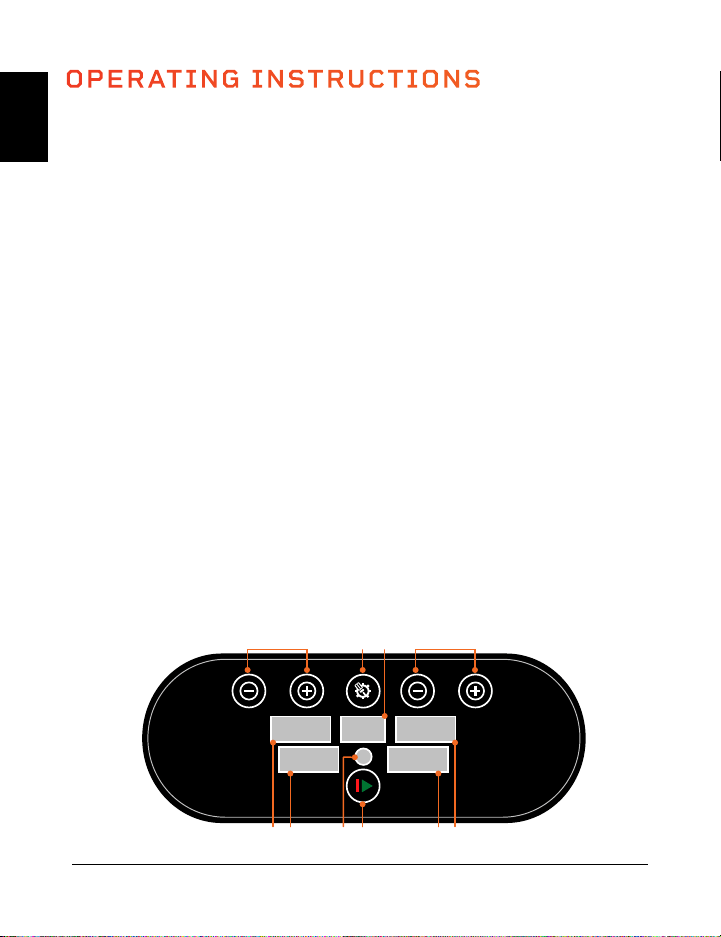
1. Program/Mode Button: Select a preset workout program (P1–P8) or select
manual mode (HA on the Program/Mode Display) to create a custom workout.
2. Program/Mode Display: Shows the program or mode selected.
3. Speed/Time Buttons L MOTOR (2)*: In standby, with manual mode (HA)
selected: press the buttons to set a time duration for the L MOTOR. Press the
Start Button to begin the manual mode workout and then press the Speed/
Time Buttons to change the speed for the L MOTOR.
4. Speed Display L MOTOR: Shows the L MOTOR vibration speed for current
program/mode.
5. Time Display L MOTOR: Shows the L MOTOR time duration for current
program/mode.
6. Start/Stop Button: Start or stop the selected program or mode.
7. Remote: Infrared receiver window for the remote.
8. Time Display H MOTOR: Shows the H MOTOR time duration for current
program/mode.
9. Speed Display H MOTOR: Shows the H MOTOR vibration speed for current
program/mode.
10. Time/Speed Buttons H MOTOR (2)*: In standby, with manual mode (HA)
selected: press the buttons to set a time duration for the H MOTOR. Press the
Start button to begin the manual mode workout and then press the Speed/
Time Buttons to change the speed for the H MOTOR.
*Speed and time cannot be
adjusted for preset programs.
High
Low
M
low
high
mid
1
2
4 4
3
5
5
6
7
8
SPEED
SET
ON/OFF
SPEED
89 7 6 5 4
10 1 2 3
*Speed and time cannot be adjusted for preset programs.
EN
EN
10 Hovert User Manual Lifepro Vibration Therapy Collection 11
USING THE REMOTE TO OPERATE THE HOVERT
1. Power Button: Press the button to power the Hovert on and off.
2. Start/Stop Button: Ensure power is turned ON. Press the button to activate
the selected program or begin a custom workout in manual mode. Press again
to stop the selected program or manual mode workout.
3. Program/Mode Button: Press the button to select a preset workout program
(P1–P8) or to select manual mode (HA).
4. Speed/Time Buttons L MOTOR (+/-)*: In standby, with manual mode (HA)
selected: press the buttons to set a time
duration for the L MOTOR. Press the
Start Button to begin the manual mode
workout and then press the Speed/
Time Buttons to change speed for the
L MOTOR.
5. Speed/Time Buttons H MOTOR (High/
Low)*: In standby, with manual mode
(HA) selected: press the buttons to set
a time duration for the H MOTOR. Press
the Start button to begin the manual
mode workout and then press the Speed/
Time Buttons to change speed for the
H MOTOR.
6. Pause Button: Stop the current program
or manual mode workout.
7. Speed Toggle Button (M): Toggle vibration
speed for both motors between 20, 50,
and 80.
8. Quick Speed Buttons:
Low: Set speed to 30 (both motors).
Mid: Set speed to 60 (both motors).
High: Set speed to 90 (both motors).
OPERATING INSTRUCTIONS
USING THE DISPLAY PANEL TO OPERATE THE HOVERT
1. Program/Mode Button: Select a preset workout program (P1–P8) or select
manual mode (HA on the Program/Mode Display) to create a custom workout.
2. Program/Mode Display: Shows the program or mode selected.
3. Speed/Time Buttons L MOTOR (2)*: In standby, with manual mode (HA)
selected: press the buttons to set a time duration for the L MOTOR. Press the
Start Button to begin the manual mode workout and then press the Speed/
Time Buttons to change the speed for the L MOTOR.
4. Speed Display L MOTOR: Shows the L MOTOR vibration speed for current
program/mode.
5. Time Display L MOTOR: Shows the L MOTOR time duration for current
program/mode.
6. Start/Stop Button: Start or stop the selected program or mode.
7. Remote: Infrared receiver window for the remote.
8. Time Display H MOTOR: Shows the H MOTOR time duration for current
program/mode.
9. Speed Display H MOTOR: Shows the H MOTOR vibration speed for current
program/mode.
10. Time/Speed Buttons H MOTOR (2)*: In standby, with manual mode (HA)
selected: press the buttons to set a time duration for the H MOTOR. Press the
Start button to begin the manual mode workout and then press the Speed/
Time Buttons to change the speed for the H MOTOR.
*Speed and time cannot be
adjusted for preset programs.
High
Low
M
low
high
mid
1
2
4 4
3
5
5
6
7
8
SPEED
SET
ON/OFF
SPEED
89 7 6 5 4
10 1 2 3
*Speed and time cannot be adjusted for preset programs.
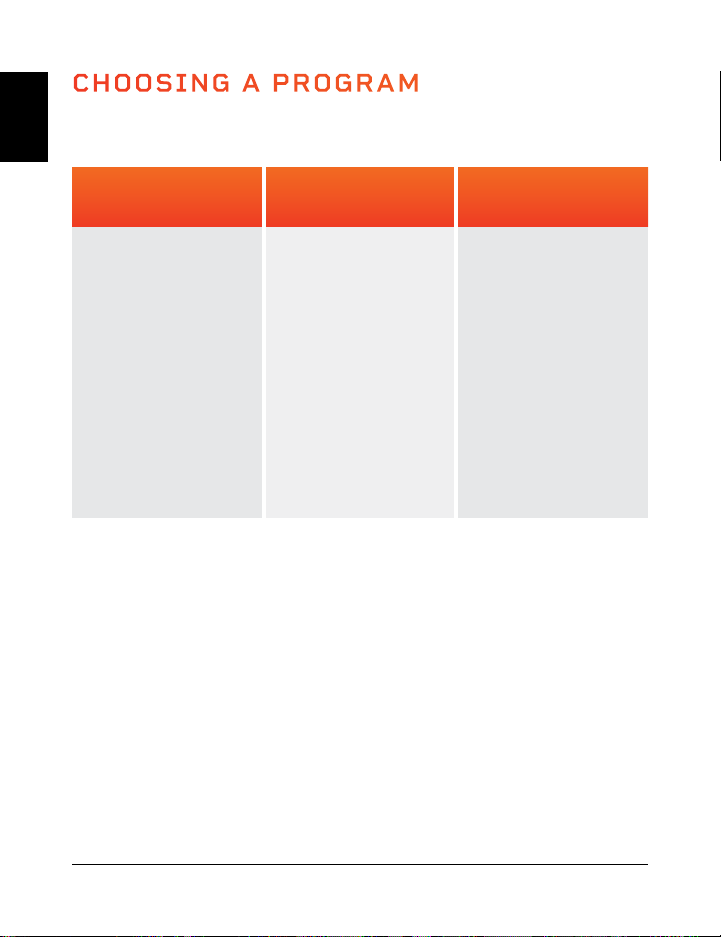
CHOOSING A PROGRAM
Low Settings
(P1–P2)
Great for
starting out.
• Detoxification
• Increased bone
density
• Improved balance
• Lymphatic
drainage
• Improved
postural control
Medium Settings
(P3–P5)
Perfect for people
with arthritis and
fibromyalgia.
• Joint
maintenance
• Improved
postural control
• Fat loss
• Increased bone
density
• Improved balance
• Cellulite removal
High Settings
(P6–P8)
Great for
increased intensity.
• Fat loss
• Muscle growth
• Highly increased
bone density
• Power
accumulation
• HGH release
PROGRAM MODE
EN
EN
12 Hovert User Manual Lifepro Vibration Therapy Collection 13
PROGRAM SPEEDS
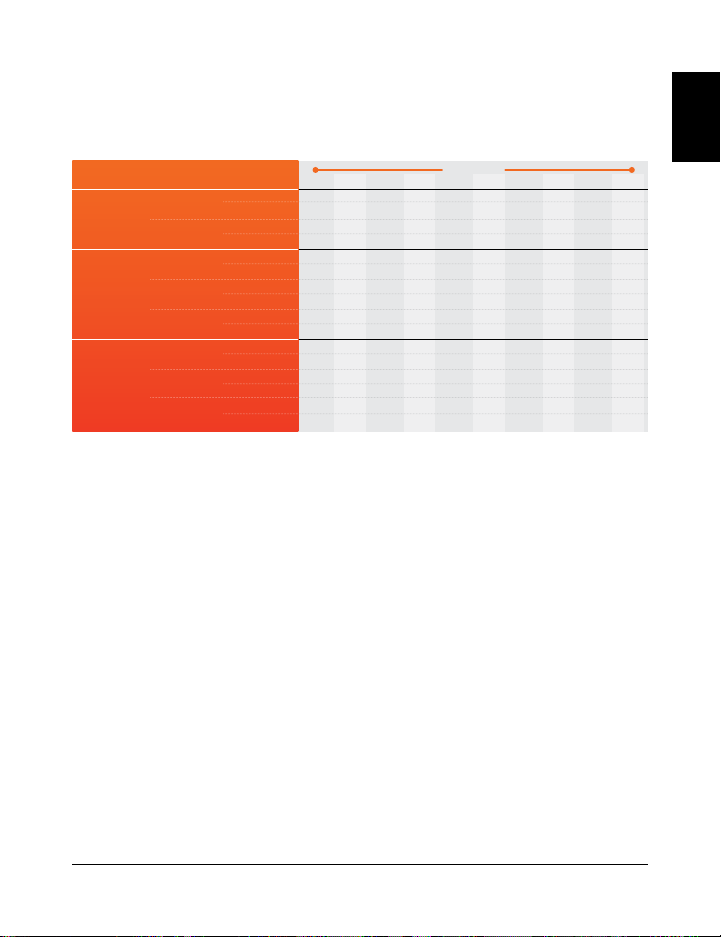
Each preset program is 10 minutes long. During the program, the Hovert will
change speed once per minute. Speed levels will depend on the program you’ve
chosen (as outlined in the chart below). H = Horizontal Motor L = Lateral Motor
MANUAL MODE
In manual mode, vibration speeds for both the H motor and the L motor
correspond to the following levels:
Low Settings
(1–33)
Medium Settings
(34–66)
High Settings
(67–99)
CREATING A CUSTOM WORKOUT IN MANUAL MODE:
1. Press the Power button to turn the system ON.
2. Press the Program/Mode button until the display reads HA (manual mode).
3. Set a time duration for your manual mode workout. Press the -/+ buttons to
set time for the L motor and the Low/Hi buttons to set time for the H motor.
4. Press the Start/Stop button to begin the manual mode workout.
5. The speed for both motors will begin at 1. To adjust the speed:
a. Press the -/+ buttons to change the L motor speed only.
b. Press the Low/Hi buttons to change the H motor speed only.
c. Press the red Low button to change the speed to 30 (both motors).
d. Press the red Mid button to change the speed to 60 (both motors).
e. Press the red High button to change the speed to 90 (both motors).
f. Press the M button to toggle speed between 20, 50, 80 (both motors).
CHOOSING A PROGRAM IN PROGRAM MODE:
1. Press the Power button to turn the system ON.
2. Press the Program/Mode button to toggle between preset program modes:
P1 through P8.
3. Press the Start/Stop button to activate the selected program.
TO GET THE BEST RESULTS, ALTERNATE BETWEEN PROGRAMS
Keep your body guessing. We tend to adapt, so we want to continue eliciting
change in our bodies. Each level has its own set of benefits; however, we
recommend you start out at the first level, P1, and work your way up.
10
4
2
2
3
8
5
12
6
9
8
23
15
11
22
30
35
9
4
5
4
3
14
16
23
12
13
10
55
28
11
19
30
29
8
10
6
6
5
8
2
29
14
16
9
23
16
25
28
50
40
7
12
8
8
9
14
3
38
16
21
14
55
28
25
23
50
35
6
17
9
10
12
8
6
49
20
24
18
23
12
38
35
70
68
5
20
10
13
15
20
9
56
22
35
19
55
28
38
22
70
80
4
24
6
15
20
8
10
68
30
67
28
23
16
48
29
40
50
3
20
8
12
10
14
9
76
34
50
28
55
28
48
50
40
20
2
17
4
9
10
8
5
48
38
38
20
23
10
25
12
60
80
1
6
5
8
4
14
2
29
18
30
17
55
28
25
15
60
50
MINUTES
SPEED
Low
Med
High
PROGRAM
P1
P2
P3
P4
P5
P6
P7
P8
MOTOR
H
L
H
L
H
L
H
L
H
L
H
L
H
L
H
L
CHOOSING A PROGRAM
Low Settings
(P1–P2)
Great for
starting out.
• Detoxification
• Increased bone
density
• Improved balance
• Lymphatic
drainage
• Improved
postural control
Medium Settings
(P3–P5)
Perfect for people
with arthritis and
fibromyalgia.
• Joint
maintenance
• Improved
postural control
• Fat loss
• Increased bone
density
• Improved balance
• Cellulite removal
High Settings
(P6–P8)
Great for
increased intensity.
• Fat loss
• Muscle growth
• Highly increased
bone density
• Power
accumulation
• HGH release
PROGRAM MODE
EN
EN
12 Hovert User Manual Lifepro Vibration Therapy Collection 13
PROGRAM SPEEDS
Each preset program is 10 minutes long. During the program, the Hovert will
change speed once per minute. Speed levels will depend on the program you’ve
chosen (as outlined in the chart below). H = Horizontal Motor L = Lateral Motor
MANUAL MODE
In manual mode, vibration speeds for both the H motor and the L motor
correspond to the following levels:
Low Settings
(1–33)
Medium Settings
(34–66)
High Settings
(67–99)
CREATING A CUSTOM WORKOUT IN MANUAL MODE:
1. Press the Power button to turn the system ON.
2. Press the Program/Mode button until the display reads HA (manual mode).
3. Set a time duration for your manual mode workout. Press the -/+ buttons to
set time for the L motor and the Low/Hi buttons to set time for the H motor.
4. Press the Start/Stop button to begin the manual mode workout.
5. The speed for both motors will begin at 1. To adjust the speed:
a. Press the -/+ buttons to change the L motor speed only.
b. Press the Low/Hi buttons to change the H motor speed only.
c. Press the red Low button to change the speed to 30 (both motors).
d. Press the red Mid button to change the speed to 60 (both motors).
e. Press the red High button to change the speed to 90 (both motors).
f. Press the M button to toggle speed between 20, 50, 80 (both motors).
CHOOSING A PROGRAM IN PROGRAM MODE:
1. Press the Power button to turn the system ON.
2. Press the Program/Mode button to toggle between preset program modes:
P1 through P8.
3. Press the Start/Stop button to activate the selected program.
TO GET THE BEST RESULTS, ALTERNATE BETWEEN PROGRAMS
Keep your body guessing. We tend to adapt, so we want to continue eliciting
change in our bodies. Each level has its own set of benefits; however, we
recommend you start out at the first level, P1, and work your way up.
10
4
2
2
3
8
5
12
6
9
8
23
15
11
22
30
35
9
4
5
4
3
14
16
23
12
13
10
55
28
11
19
30
29
8
10
6
6
5
8
2
29
14
16
9
23
16
25
28
50
40
7
12
8
8
9
14
3
38
16
21
14
55
28
25
23
50
35
6
17
9
10
12
8
6
49
20
24
18
23
12
38
35
70
68
5
20
10
13
15
20
9
56
22
35
19
55
28
38
22
70
80
4
24
6
15
20
8
10
68
30
67
28
23
16
48
29
40
50
3
20
8
12
10
14
9
76
34
50
28
55
28
48
50
40
20
2
17
4
9
10
8
5
48
38
38
20
23
10
25
12
60
80
1
6
5
8
4
14
2
29
18
30
17
55
28
25
15
60
50
MINUTES
SPEED
Low
Med
High
PROGRAM
P1
P2
P3
P4
P5
P6
P7
P8
MOTOR
H
L
H
L
H
L
H
L
H
L
H
L
H
L
H
L
LIFEPRO MINI BANDS
MINI BANDS HAVE REVOLUTIONIZED THE FITNESS INDUSTRY
Mini bands have become the new go-to for sculpting a stronger, leaner
physique. You’ve definitely seen your favorite fitness Instagrammers and
Youtubers using these versatile, colored resistance bands in conjunction
with their workout routines. They add resistance to cardio workouts
and power to strength training sessions, allowing you to train both
simultaneously. The number of creative workout possibilities are endless.
Unlike the inconvenience of a full gym, these mini bands are well-known
for their ability to train all aspects of fitness and performance at any
intensity—anywhere, anytime. No more excuses.
The Lifepro mini bands are made from 100% latex. Each band has a
different resistance strength, which allows you to level-up your resistance
training effortlessly. Use the mini bands in conjunction with your Lifepro
Hovert to exponentially improve your fitness results.
AMPLIFY YOUR WORKOUTS
Experience the unique benefits of the Lifepro mini bands:
• Versatile: add resistance to cardio workouts and power
to strength training.
• Joint-friendly: reduce joint compression; high-intensity,
low-impact training.
• Portable: carry the mini bands in your pocket to work out on the go.
Vibration Therapy Collection 15
INTENSE INTENSE MEDIUM MEDIUMEASY
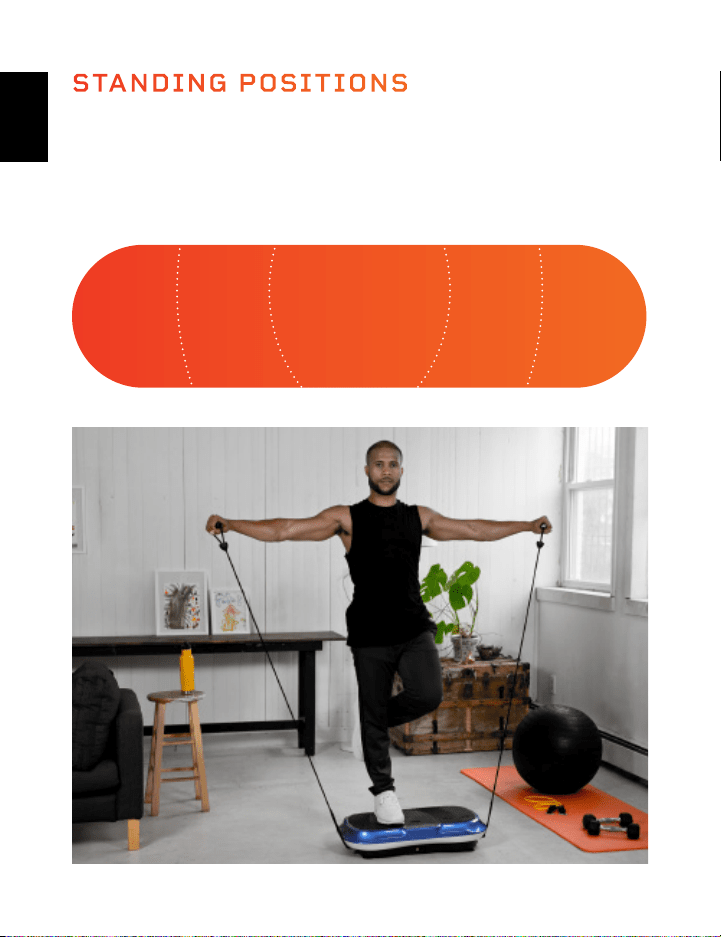
Where you stand on the Hovert will impact how challenging the vibrations
are for your body. Stand with your feet close together for an “easy”
workout and stand with your feet further apart for “medium” and “intense”
workouts.
STANDING POSITIONS
EN
EN
14 Hovert User Manual Lifepro

LIFEPRO MINI BANDS
MINI BANDS HAVE REVOLUTIONIZED THE FITNESS INDUSTRY
Mini bands have become the new go-to for sculpting a stronger, leaner
physique. You’ve definitely seen your favorite fitness Instagrammers and
Youtubers using these versatile, colored resistance bands in conjunction
with their workout routines. They add resistance to cardio workouts
and power to strength training sessions, allowing you to train both
simultaneously. The number of creative workout possibilities are endless.
Unlike the inconvenience of a full gym, these mini bands are well-known
for their ability to train all aspects of fitness and performance at any
intensity—anywhere, anytime. No more excuses.
The Lifepro mini bands are made from 100% latex. Each band has a
different resistance strength, which allows you to level-up your resistance
training effortlessly. Use the mini bands in conjunction with your Lifepro
Hovert to exponentially improve your fitness results.
AMPLIFY YOUR WORKOUTS
Experience the unique benefits of the Lifepro mini bands:
• Versatile: add resistance to cardio workouts and power
to strength training.
• Joint-friendly: reduce joint compression; high-intensity,
low-impact training.
• Portable: carry the mini bands in your pocket to work out on the go.
Vibration Therapy Collection 15
INTENSE INTENSE MEDIUM MEDIUMEASY
Where you stand on the Hovert will impact how challenging the vibrations
are for your body. Stand with your feet close together for an “easy”
workout and stand with your feet further apart for “medium” and “intense”
workouts.
STANDING POSITIONS
EN
EN
14 Hovert User Manual Lifepro
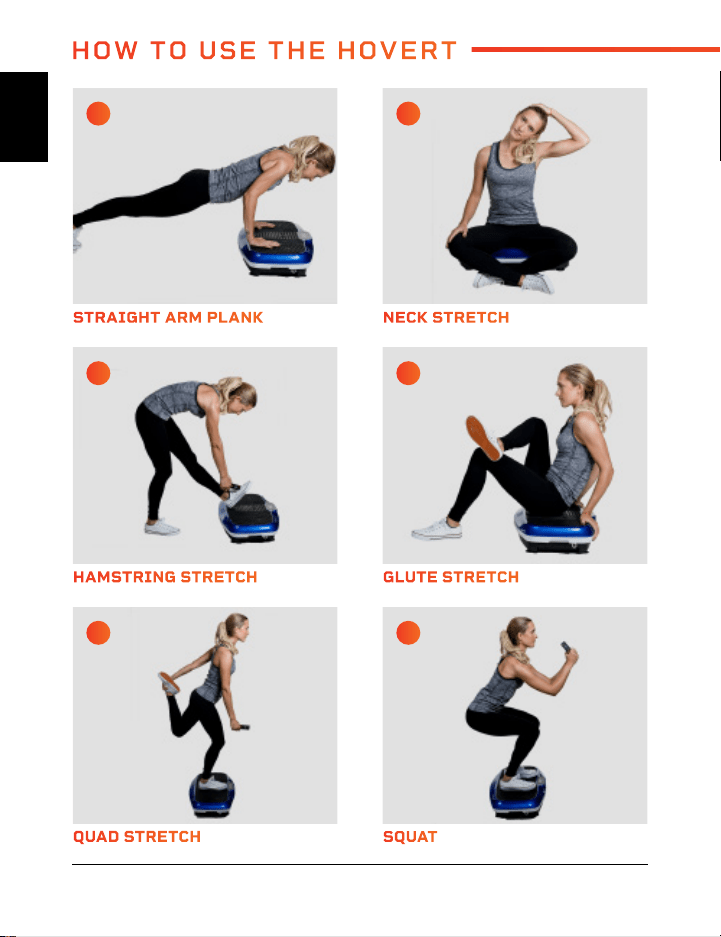
QUAD STRETCH REVERSE FLY
HAMSTRING STRETCH SPLIT SQUAT
STRAIGHT ARM PLANK GLUTE BRIDGE
SQUAT ALTERNATE SHOULDER PRESS
GLUTE STRETCH SIDE LUNGE
NECK STRETCH DIP
A C
E G
I K
B D
F H
J L
HOW TO USE THE HOVERT
EN
EN
16 Hovert User Manual Lifepro Vibration Therapy Collection 17
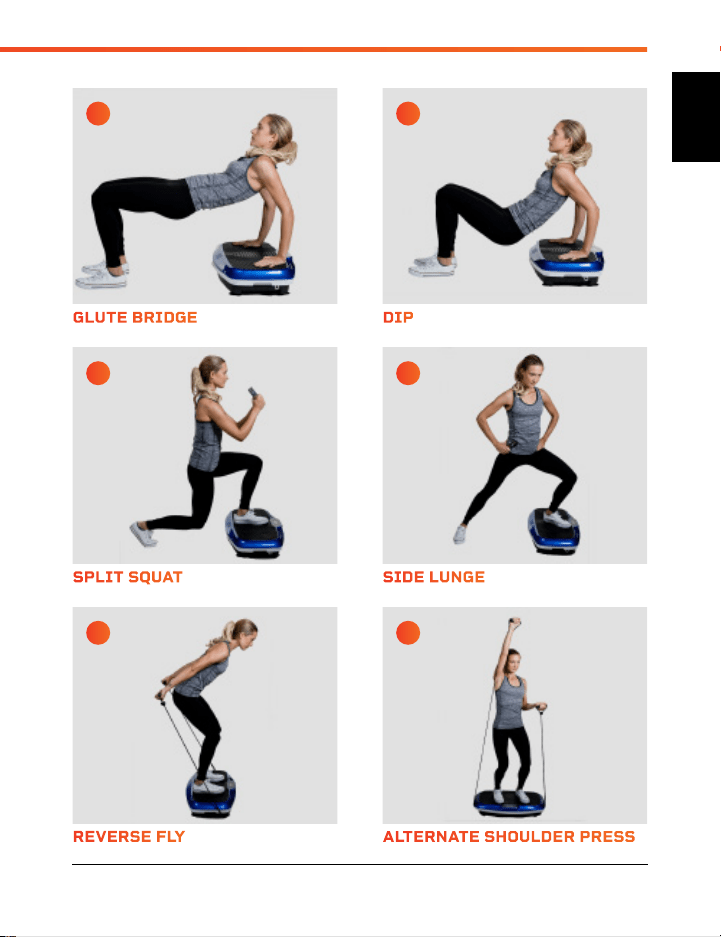
QUAD STRETCH REVERSE FLY
HAMSTRING STRETCH SPLIT SQUAT
STRAIGHT ARM PLANK GLUTE BRIDGE
SQUAT ALTERNATE SHOULDER PRESS
GLUTE STRETCH SIDE LUNGE
NECK STRETCH DIP
A C
E G
I K
B D
F H
J L
HOW TO USE THE HOVERT
EN
EN
16 Hovert User Manual Lifepro Vibration Therapy Collection 17
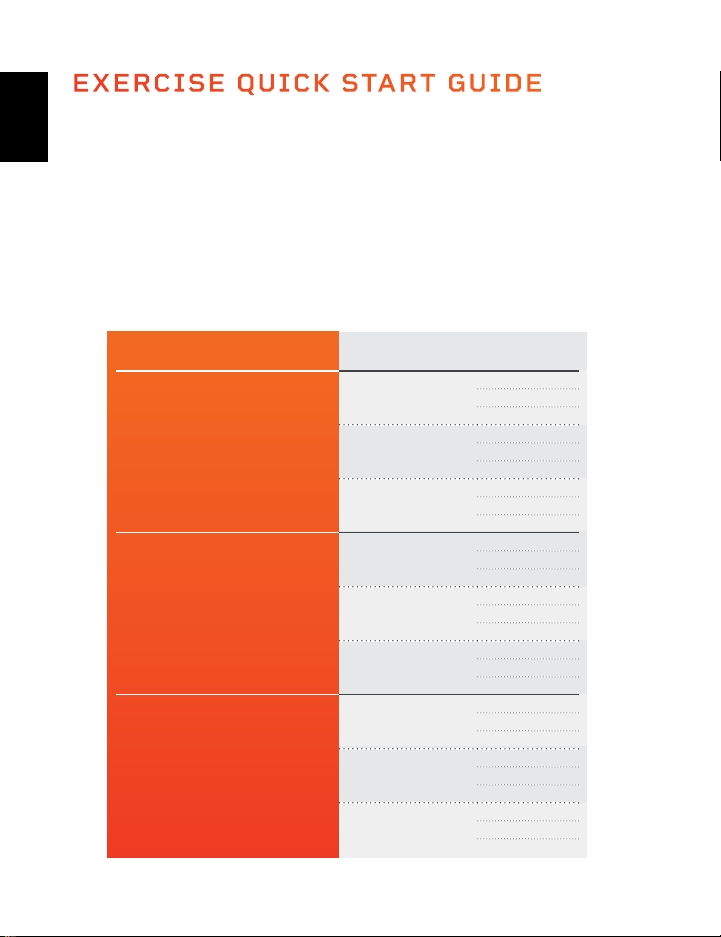
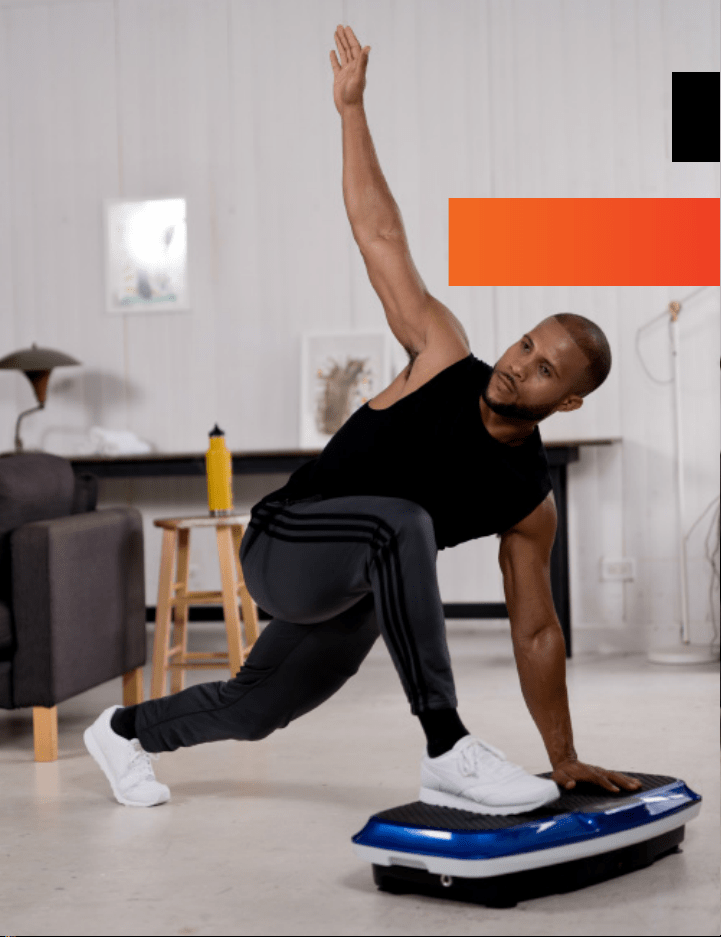
EXERCISE QUICK START GUIDE
HOW TO BEGIN
It’s a good idea to start off slow and easy with your Hovert as it can take time
to get use to how vibration plates move and feel. We recommend you follow
the workout guide below--building from beginner to advanced over a period of
several weeks.
EXERCISE GUIDE
Hold the stretches and exercises on pages 16 and 17 for the number of
seconds shown in the chart below. You will build strength and stamina as you
progress through the levels.
LEVEL SPEED SECONDS
Beginner
1
15
30
45
16
15
30
45
33
15
30
45
Intermediate
34
60
75
90
50
60
75
90
66
60
75
90
Advanced
67
105
120
135
83
105
120
135
99
105
120
135
18 Hovert User Manual Lifepro
EN
EN
Visit our FREE library of
personal training videos at
hovert.lifeprofitness.com
EXERCISE QUICK START GUIDE
HOW TO BEGIN
It’s a good idea to start off slow and easy with your Hovert as it can take time
to get use to how vibration plates move and feel. We recommend you follow
the workout guide below--building from beginner to advanced over a period of
several weeks.
EXERCISE GUIDE
Hold the stretches and exercises on pages 16 and 17 for the number of
seconds shown in the chart below. You will build strength and stamina as you
progress through the levels.
LEVEL SPEED SECONDS
Beginner
1
15
30
45
16
15
30
45
33
15
30
45
Intermediate
34
60
75
90
50
60
75
90
66
60
75
90
Advanced
67
105
120
135
83
105
120
135
99
105
120
135
18 Hovert User Manual Lifepro
EN
EN
Visit our FREE library of
personal training videos at
hovert.lifeprofitness.com
EN
EN
20 Hovert User Manual Lifepro
Vibration Therapy Collection 21
SAFETY INSTRUCTIONS
Keep this manual in a safe place for future reference.
Before using this product, read all safety warnings and operating instructions.
Failure to do so may result in serious injury or death, or damage to the product or
property.
CONTRAINDICATIONS
• Consult with a medical professional before beginning a new exercise program to
determine your appropriate fitness intensity and duration. Your physician can help
determine if you have any physical limitations that could create a health risk or
prevent you from properly using this product; some exercise programs or fitness
products may not be appropriate for all people.
• Do not use this device if you:
• Are, or suspect you may be, pregnant, or if you have recently given birth.
• Have arrhythmia, severe cardiac disease, heart failure, deep-vein thrombosis,
deep thrombophlebitis, erysipelas, or pulmonary edema.
• Have epilepsy or seizures, dementia, or severe diabetes or severe diabetic
neuropathy.
• Have vertigo or positional dizziness, have balance impairments, or if you are
taking drugs that affect balance.
• Have acute migraines, retinal detachment, acute rheumatoid arthritis, or severe
joint disease.
• Have an orthopedic condition, spinal injury, osteoporosis, fracture, herniated
or slipped disc, abnormal vertebra, spinal canal stenosis, Spondylosis, gliding
Spondylolisthesis, ankylosing or cervical spondylitis, chronic back pain, sciatica,
or other condition/disorder affecting the back or spinal column.
• Have recently had surgery or LASIK or PRK eye surgery.
• Have a medical implant, such as a pacemaker, cochlear implant, chest stent,
ECG, joint replacement, intrauterine device, plate, pin, or rod.
• Are injured, ill, or if you have an open wound, a fever, or acute inflammation.
• Have a gallstone or a kidney or bladder stone.
• Consult your physician before using this product if you:
• Have heart disease or vascular disease, blood circulation disorder, chronic
hypertension, abnormal blood pressure, or if you are receiving treatment to
normalize your blood pressure.
• Have a tumor or cancer, or if you suspect you may have cancerous lesions.
• Take painkillers or medicine to regulate your blood sugar.
• Are under the care of a physician for a serious health condition or have any
concerns about your health.
DISCLAIMER
• The health benefits suggested or implied in this manual, other product literature,
and company website are not certified or endorsed by any regulatory authority or
medical institute.
• The use of this product is entirely at the user’s discretion. Please read all
instructions and safety information carefully before using this product. We assume
no responsibility and expressly disclaim any and all liability for personal injury,
or property damage or loss sustained through improper use, failure to follow the
instructions and warnings in this manual, improper assembly, or inadequate or
improper maintenance or neglect of this product.
• It is the responsibility of the owner to ensure that all users of this product are
adequately informed of all warnings and cautions.
• Use this product only as instructed in this manual.
WARNING: BATTERY INGESTION HAZARD
Battery-ingestion is extremely dangerous and can cause severe injury and even death.
Never allow children to play with batteries and always keep batteries out of reach. If
a battery is ingested, seek immediate medical attention.
WARNING
To reduce the risk of burns, fire, electric shock, serious injury or death, or damage to
the product or property:
• Only power the machine using the included power cord.
• Only plug the machine into a properly grounded wall outlet, installed by a certified
electrician.
• Always unplug the power cord by pulling gently from the plug. Never unplug by
pulling on the cord itself.
• Never operate the machine, plug in, or unplug the power cord with wet hands.
• Do not wrap the power cord around the machine. Do not squeeze or place heavy
objects on top of the power cord. Never place the power cord near sharp objects.
• Only use and store indoors, away from moisture, dust, dirt, and heat sources. Do
not use or store in high-temperature or high-humidity environments. Keep out of
direct sunlight.
• Do not operate where aerosol products are used or where oxygen is administered.
• Keep the power cord, surge suppressor, and batteries away from all heat sources.
• Ensure remote control batteries are inserted according to the polarity marking in
the battery compartment. Incorrect installation may cause battery leakage and
corrosion. Avoid contact with all battery residues, clean remote with a cotton
swab, wash hands thoroughly, and dispose of old batteries properly.
• Only replace the remote control batteries with two new AAA batteries.
• Never leave the machine unattended while it is running or plugged in. Always
unplug the power cord when machine is not in use.

EN
EN
20 Hovert User Manual Lifepro
Vibration Therapy Collection 21
SAFETY INSTRUCTIONS
Keep this manual in a safe place for future reference.
Before using this product, read all safety warnings and operating instructions.
Failure to do so may result in serious injury or death, or damage to the product or
property.
CONTRAINDICATIONS
• Consult with a medical professional before beginning a new exercise program to
determine your appropriate fitness intensity and duration. Your physician can help
determine if you have any physical limitations that could create a health risk or
prevent you from properly using this product; some exercise programs or fitness
products may not be appropriate for all people.
• Do not use this device if you:
• Are, or suspect you may be, pregnant, or if you have recently given birth.
• Have arrhythmia, severe cardiac disease, heart failure, deep-vein thrombosis,
deep thrombophlebitis, erysipelas, or pulmonary edema.
• Have epilepsy or seizures, dementia, or severe diabetes or severe diabetic
neuropathy.
• Have vertigo or positional dizziness, have balance impairments, or if you are
taking drugs that affect balance.
• Have acute migraines, retinal detachment, acute rheumatoid arthritis, or severe
joint disease.
• Have an orthopedic condition, spinal injury, osteoporosis, fracture, herniated
or slipped disc, abnormal vertebra, spinal canal stenosis, Spondylosis, gliding
Spondylolisthesis, ankylosing or cervical spondylitis, chronic back pain, sciatica,
or other condition/disorder affecting the back or spinal column.
• Have recently had surgery or LASIK or PRK eye surgery.
• Have a medical implant, such as a pacemaker, cochlear implant, chest stent,
ECG, joint replacement, intrauterine device, plate, pin, or rod.
• Are injured, ill, or if you have an open wound, a fever, or acute inflammation.
• Have a gallstone or a kidney or bladder stone.
• Consult your physician before using this product if you:
• Have heart disease or vascular disease, blood circulation disorder, chronic
hypertension, abnormal blood pressure, or if you are receiving treatment to
normalize your blood pressure.
• Have a tumor or cancer, or if you suspect you may have cancerous lesions.
• Take painkillers or medicine to regulate your blood sugar.
• Are under the care of a physician for a serious health condition or have any
concerns about your health.
DISCLAIMER
• The health benefits suggested or implied in this manual, other product literature,
and company website are not certified or endorsed by any regulatory authority or
medical institute.
• The use of this product is entirely at the user’s discretion. Please read all
instructions and safety information carefully before using this product. We assume
no responsibility and expressly disclaim any and all liability for personal injury,
or property damage or loss sustained through improper use, failure to follow the
instructions and warnings in this manual, improper assembly, or inadequate or
improper maintenance or neglect of this product.
• It is the responsibility of the owner to ensure that all users of this product are
adequately informed of all warnings and cautions.
• Use this product only as instructed in this manual.
WARNING: BATTERY INGESTION HAZARD
Battery-ingestion is extremely dangerous and can cause severe injury and even death.
Never allow children to play with batteries and always keep batteries out of reach. If
a battery is ingested, seek immediate medical attention.
WARNING
To reduce the risk of burns, fire, electric shock, serious injury or death, or damage to
the product or property:
• Only power the machine using the included power cord.
• Only plug the machine into a properly grounded wall outlet, installed by a certified
electrician.
• Always unplug the power cord by pulling gently from the plug. Never unplug by
pulling on the cord itself.
• Never operate the machine, plug in, or unplug the power cord with wet hands.
• Do not wrap the power cord around the machine. Do not squeeze or place heavy
objects on top of the power cord. Never place the power cord near sharp objects.
• Only use and store indoors, away from moisture, dust, dirt, and heat sources. Do
not use or store in high-temperature or high-humidity environments. Keep out of
direct sunlight.
• Do not operate where aerosol products are used or where oxygen is administered.
• Keep the power cord, surge suppressor, and batteries away from all heat sources.
• Ensure remote control batteries are inserted according to the polarity marking in
the battery compartment. Incorrect installation may cause battery leakage and
corrosion. Avoid contact with all battery residues, clean remote with a cotton
swab, wash hands thoroughly, and dispose of old batteries properly.
• Only replace the remote control batteries with two new AAA batteries.
• Never leave the machine unattended while it is running or plugged in. Always
unplug the power cord when machine is not in use.

22 Hovert User Manual Lifepro
Vibration Therapy Collection 23
• Check the machine, power cord, and remote for damage or loosened screws prior to
each use. Tighten any loosened screws before use. Do not use if damaged, faulty,
or defective.
WARNING
To reduce the risk of serious injury or death:
• Excessive exercise or overexertion can be damaging to your health. Always exercise
within intensity and time limits recommended by your doctor.
• Stop exercising immediately and consult your doctor if you begin to feel tired, faint,
dizzy, or nauseous, or if you experience pain, irregular heartbeat, or shortness of
breath.
• Do not use the product near swimming pools or other bodies of water.
• Never place your head or upper body directly on the machine.
• Do not use the machine with straight legs or arms, as the vibrations are directed to
your bones and brain, which can be dangerous for your health. Always slightly bend
your legs and arms.
• This product is for adult-use only. Do not allow children to play with or on the
machine; this product is not a toy.
• Keep children and pets away from the product at all times. Never leave children
unattended in the same room with the product.
• This product is not intended for use by people with reduced physical, sensory or
mental capabilities, unless supervised by a responsible adult.
CAUTION
To reduce the risk of minor or moderate injury, or damage to the product or property:
• Do not use this product for more than 20 minutes per day.
• Always use the remote control to adjust the workout once exercise has begun.
Using the control panel while the machine is moving may result in an accident or
injury.
• Never attempt to turn around on the machine while it is in motion. Do not quickly
lean back or change position while the machine is in motion.
• Do not perform other activities while using, as this could cause accidents or injury.
• Do not get on or off the machine until it is fully stopped. Do not jump on or jump off
the machine.
• Never use the product while under the influence of drugs or alcohol.
• Use the product only on a flat, sturdy, non-slip floor. Do not place the product on
any surface that could block air vents.
• Place in a location away from traffic where it will not create a tripping hazard.
• Ensure adequate clear space around the product during use (at least seven feet on
all sides). Remove any obstacles in the area, in case of falls or accidents.
• Do not exceed the maximum weight-load capacity of 330 lbs / 150kg.
• Never allow more than one person on the product at a time.
• Always maintain control and move slowly through exercises to avoid injury.
• Do not perform other activities while using the product to avoid accidents or injury.
• Make sure your body is used to the vibrations before you sit on or begin doing
exercises on the machine.
• Do not use while wearing socks or slippers as this may cause slipping.
• Do not wear baggy or loose clothing, or clothing with drawstrings or ties that could
get snagged and cause injury or falling.
• Do not wear jewelry, belts, or other accessories that could get snagged and cause
injury or falling.
• Remove items, especially sharp objects, from your pockets before using.
• Always properly warm up before exercise and cool down after exercise to avoid
sports injury.
• Keep hair, hands, feet, and clothing away from moving parts.
• Do not use accessories not approved by the manufacturer.
CLEANING AND STORAGE
WARNING: Always unplug the power cord and allow the machine to cool before
cleaning, moving, or storing.
• Use a slightly damp cloth to wipe away dirt or moisture.
WARNING: Do not allow
water or other liquids to come into contact with the device. Do not immerse the
device in water or other liquids.
• Do not use abrasive, solvent, or chemical cleaners or harsh detergents.
• Store in a cool, dry, indoor location. Store in a well-ventilated area, free of dust,
and out of direct sunlight.
• When storing for a long time, remove the batteries from the remote control and
cover the machine to keep out dust and dirt.
• Do not attempt to disassemble or repair; device contains no user-serviceable parts.
NOTICE
• This product is intended for in-home use only. Do not use the product in any
commercial, rental, institutional, or therapeutic setting This product is intended for
indoor-use only.
• To avoid damage to flooring or carpet, place a non-slip rug or exercise mat under
the machine.
• Dispose of the product and all parts according to local and federal regulations.
• Unplug the device immediately in the event of a power failure.
• Keep sharp objects away from the product to avoid damaging it.

22 Hovert User Manual Lifepro
Vibration Therapy Collection 23
• Check the machine, power cord, and remote for damage or loosened screws prior to
each use. Tighten any loosened screws before use. Do not use if damaged, faulty,
or defective.
WARNING
To reduce the risk of serious injury or death:
• Excessive exercise or overexertion can be damaging to your health. Always exercise
within intensity and time limits recommended by your doctor.
• Stop exercising immediately and consult your doctor if you begin to feel tired, faint,
dizzy, or nauseous, or if you experience pain, irregular heartbeat, or shortness of
breath.
• Do not use the product near swimming pools or other bodies of water.
• Never place your head or upper body directly on the machine.
• Do not use the machine with straight legs or arms, as the vibrations are directed to
your bones and brain, which can be dangerous for your health. Always slightly bend
your legs and arms.
• This product is for adult-use only. Do not allow children to play with or on the
machine; this product is not a toy.
• Keep children and pets away from the product at all times. Never leave children
unattended in the same room with the product.
• This product is not intended for use by people with reduced physical, sensory or
mental capabilities, unless supervised by a responsible adult.
CAUTION
To reduce the risk of minor or moderate injury, or damage to the product or property:
• Do not use this product for more than 20 minutes per day.
• Always use the remote control to adjust the workout once exercise has begun.
Using the control panel while the machine is moving may result in an accident or
injury.
• Never attempt to turn around on the machine while it is in motion. Do not quickly
lean back or change position while the machine is in motion.
• Do not perform other activities while using, as this could cause accidents or injury.
• Do not get on or off the machine until it is fully stopped. Do not jump on or jump off
the machine.
• Never use the product while under the influence of drugs or alcohol.
• Use the product only on a flat, sturdy, non-slip floor. Do not place the product on
any surface that could block air vents.
• Place in a location away from traffic where it will not create a tripping hazard.
• Ensure adequate clear space around the product during use (at least seven feet on
all sides). Remove any obstacles in the area, in case of falls or accidents.
• Do not exceed the maximum weight-load capacity of 330 lbs / 150kg.
• Never allow more than one person on the product at a time.
• Always maintain control and move slowly through exercises to avoid injury.
• Do not perform other activities while using the product to avoid accidents or injury.
• Make sure your body is used to the vibrations before you sit on or begin doing
exercises on the machine.
• Do not use while wearing socks or slippers as this may cause slipping.
• Do not wear baggy or loose clothing, or clothing with drawstrings or ties that could
get snagged and cause injury or falling.
• Do not wear jewelry, belts, or other accessories that could get snagged and cause
injury or falling.
• Remove items, especially sharp objects, from your pockets before using.
• Always properly warm up before exercise and cool down after exercise to avoid
sports injury.
• Keep hair, hands, feet, and clothing away from moving parts.
• Do not use accessories not approved by the manufacturer.
CLEANING AND STORAGE
WARNING: Always unplug the power cord and allow the machine to cool before
cleaning, moving, or storing.
• Use a slightly damp cloth to wipe away dirt or moisture.
WARNING: Do not allow
water or other liquids to come into contact with the device. Do not immerse the
device in water or other liquids.
• Do not use abrasive, solvent, or chemical cleaners or harsh detergents.
• Store in a cool, dry, indoor location. Store in a well-ventilated area, free of dust,
and out of direct sunlight.
• When storing for a long time, remove the batteries from the remote control and
cover the machine to keep out dust and dirt.
• Do not attempt to disassemble or repair; device contains no user-serviceable parts.
NOTICE
• This product is intended for in-home use only. Do not use the product in any
commercial, rental, institutional, or therapeutic setting This product is intended for
indoor-use only.
• To avoid damage to flooring or carpet, place a non-slip rug or exercise mat under
the machine.
• Dispose of the product and all parts according to local and federal regulations.
• Unplug the device immediately in the event of a power failure.
• Keep sharp objects away from the product to avoid damaging it.
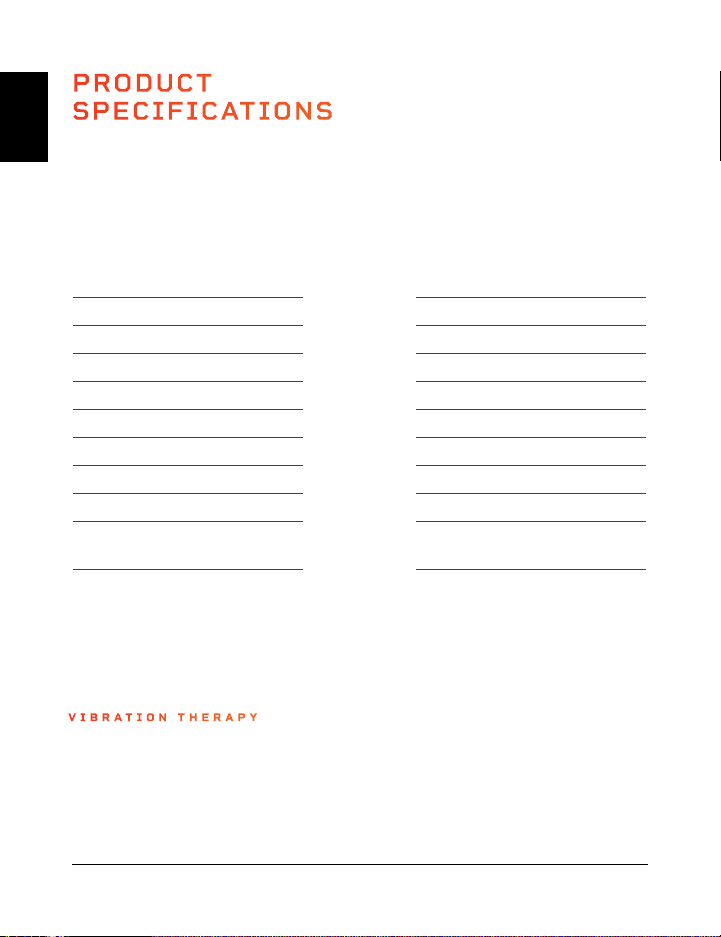
PRODUCT
SPECIFICATIONS
MADE IN CHINA
UNIT SPECS
Size: 78.7 × 45.7 × 17.8 cm
Net Weight: 18 kg
Power: 200 W + 200W
Voltage: 220 V
Amplitude: 0–10 mm
Max User Weight: 150 kg
Frequency: 4–15 Hz
Speed Levels: 99
Auto Programs: P1–P8
Batteries Required:
2 AAA Batteries (included)
EN
EN
UK USA
24 Hovert User Manual Lifepro
LIFETIME
WARRANTY
Lifepro Fitness creates quality,
durable exercise products and we
stand by that quality with a lifetime
warranty on all of our products.
If your Hovert ever breaks (and
we doubt it will), we’ll send you
replacement parts and show you
how to repair it. If your Hovert
cannot be repaired, we’ll replace
it—free of charge. Register your
Hovert at hovert.lifeprofitness.com
to activate your warranty within 14
days of purchase.
Vibration Therapy Collection 25
HOVERT
3D VIBRATION PLATE
VIBRATION THERAPY
UNIT SPECS
Size: 31”l × 18”w × 7”h
Net Weight: 39.6 lb
Power: 200W + 200 W
Voltage: 110 V
Amplitude: 0–10 mm
Max User Weight: 330 lb
Frequency: 4–15 Hz
Speed Levels: 99
Auto Programs: P1–P8
Batteries Required:
2 AAA Batteries (included)

PRODUCT
SPECIFICATIONS
MADE IN CHINA
UNIT SPECS
Size: 78.7 × 45.7 × 17.8 cm
Net Weight: 18 kg
Power: 200 W + 200W
Voltage: 220 V
Amplitude: 0–10 mm
Max User Weight: 150 kg
Frequency: 4–15 Hz
Speed Levels: 99
Auto Programs: P1–P8
Batteries Required:
2 AAA Batteries (included)
EN
EN
UK USA
24 Hovert User Manual Lifepro
LIFETIME
WARRANTY
Lifepro Fitness creates quality,
durable exercise products and we
stand by that quality with a lifetime
warranty on all of our products.
If your Hovert ever breaks (and
we doubt it will), we’ll send you
replacement parts and show you
how to repair it. If your Hovert
cannot be repaired, we’ll replace
it—free of charge. Register your
Hovert at hovert.lifeprofitness.com
to activate your warranty within 14
days of purchase.
Vibration Therapy Collection 25
HOVERT
3D VIBRATION PLATE
VIBRATION THERAPY
UNIT SPECS
Size: 31”l × 18”w × 7”h
Net Weight: 39.6 lb
Power: 200W + 200 W
Voltage: 110 V
Amplitude: 0–10 mm
Max User Weight: 330 lb
Frequency: 4–15 Hz
Speed Levels: 99
Auto Programs: P1–P8
Batteries Required:
2 AAA Batteries (included)
FROM OUR VIBRATION THERAPY COLLECTION
EN
EN
26 Hovert User Manual Lifepro
Vibration Therapy Collection 27
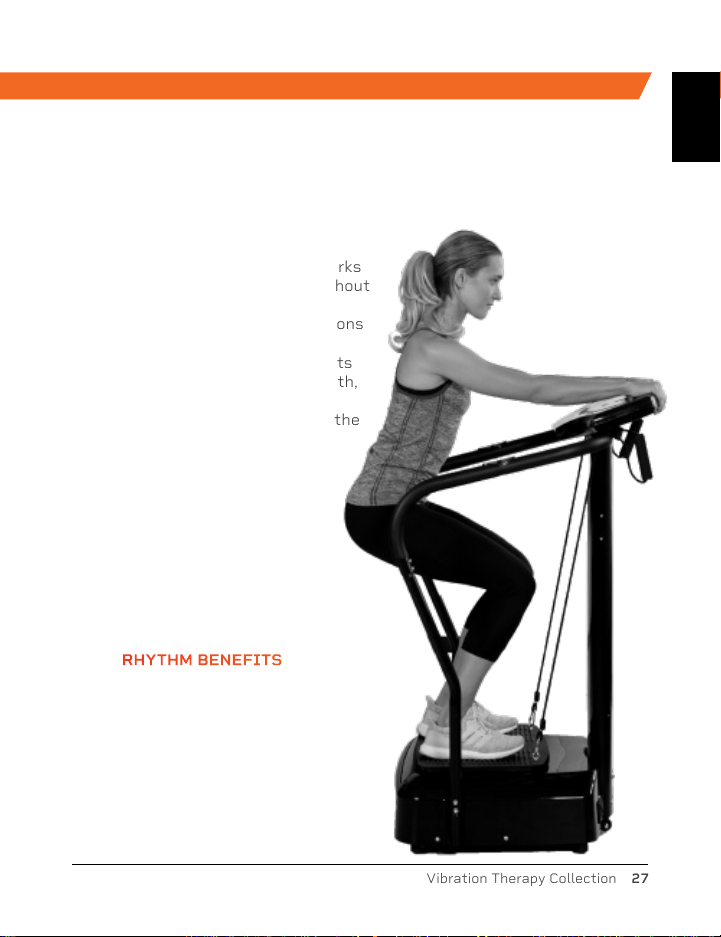
The Rhythm Vibration Platform works
by creating rapid vibrations throughout
the body, especially on the muscles
specifically targeted. These vibrations
cause the muscles to stretch, flex,
and relax at a rapid rate. This results
in increased muscle and bone growth,
improved flexibility, and boosted
metabolism—all of which increase the
number of calories you burn.
The Rhythm can be used by people
from every fitness level. If you
have suffered an injury or you
experience joint or back pain,
find relief and help prevent
future injuries by adding the
Rhythm to your rehab routine.
RHYTHM
VIBRATION PLATFORM
SONIC
VIBRATING MASSAGE GUN
RHYTHM BENEFITS
• Improve mobility
• Prevent injury
• Increase strength
• Boost metabolism
• Improve sleep
• Develop stronger bones
• Increase circulation
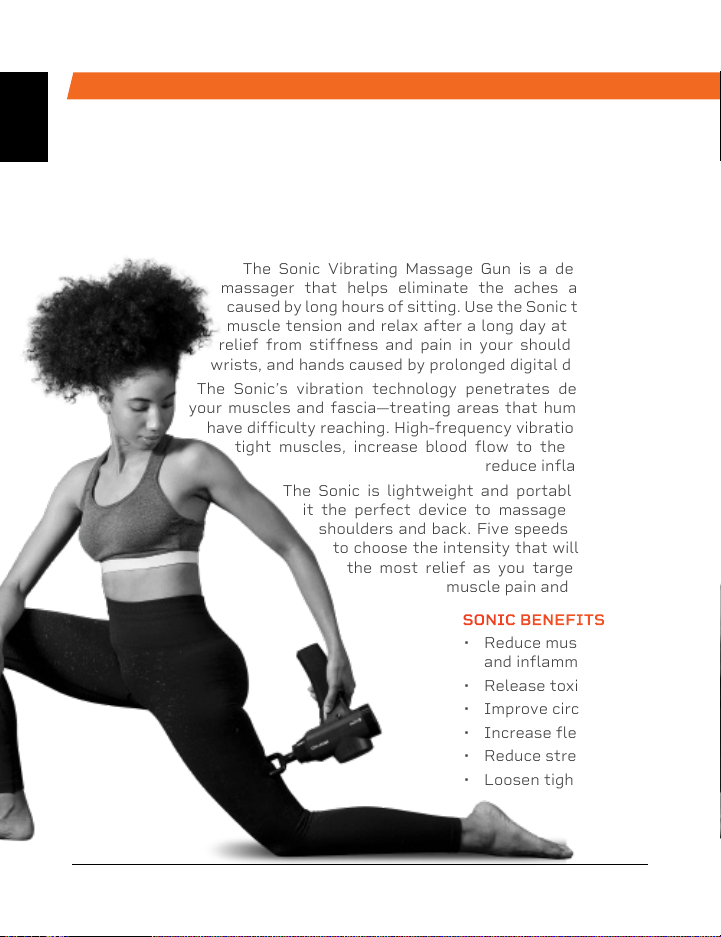
The Sonic Vibrating Massage Gun is a deep tissue
massager that helps eliminate the aches and pains
caused by long hours of sitting. Use the Sonic to release
muscle tension and relax after a long day at work. Get
relief from stiffness and pain in your shoulders, neck,
wrists, and hands caused by prolonged digital device use.
The Sonic’s vibration technology penetrates deeply into
your muscles and fascia—treating areas that human hands
have difficulty reaching. High-frequency vibrations loosen
tight muscles, increase blood flow to the area, and
reduce inflammation.
The Sonic is lightweight and portable, making
it the perfect device to massage your own
shoulders and back. Five speeds allow you
to choose the intensity that will give you
the most relief as you target specific
muscle pain and stiffness.
SONIC BENEFITS
• Reduce muscle pain
and inflammation
• Release toxins
• Improve circulation
• Increase flexibility
• Reduce stress.
• Loosen tight muscles
FROM OUR SPORTS RECOVERY COLLECTION
FROM OUR VIBRATION THERAPY COLLECTION
EN
EN
26 Hovert User Manual Lifepro
Vibration Therapy Collection 27
The Rhythm Vibration Platform works
by creating rapid vibrations throughout
the body, especially on the muscles
specifically targeted. These vibrations
cause the muscles to stretch, flex,
and relax at a rapid rate. This results
in increased muscle and bone growth,
improved flexibility, and boosted
metabolism—all of which increase the
number of calories you burn.
The Rhythm can be used by people
from every fitness level. If you
have suffered an injury or you
experience joint or back pain,
find relief and help prevent
future injuries by adding the
Rhythm to your rehab routine.
RHYTHM
VIBRATION PLATFORM
SONIC
VIBRATING MASSAGE GUN
RHYTHM BENEFITS
• Improve mobility
• Prevent injury
• Increase strength
• Boost metabolism
• Improve sleep
• Develop stronger bones
• Increase circulation
The Sonic Vibrating Massage Gun is a deep tissue
massager that helps eliminate the aches and pains
caused by long hours of sitting. Use the Sonic to release
muscle tension and relax after a long day at work. Get
relief from stiffness and pain in your shoulders, neck,
wrists, and hands caused by prolonged digital device use.
The Sonic’s vibration technology penetrates deeply into
your muscles and fascia—treating areas that human hands
have difficulty reaching. High-frequency vibrations loosen
tight muscles, increase blood flow to the area, and
reduce inflammation.
The Sonic is lightweight and portable, making
it the perfect device to massage your own
shoulders and back. Five speeds allow you
to choose the intensity that will give you
the most relief as you target specific
muscle pain and stiffness.
SONIC BENEFITS
• Reduce muscle pain
and inflammation
• Release toxins
• Improve circulation
• Increase flexibility
• Reduce stress.
• Loosen tight muscles
FROM OUR SPORTS RECOVERY COLLECTION
Access Lifepro TV, our library of free
personal training videos on the web at
hovert.lifeprofitness.com to learn how to
get the most out of your Lifepro
®
Hovert
and achieve the results you want.
YOU'VE
GOT
THIS
Lifeprousa Lifeprousa support@lifeprofitness.com
EN
TURBO-3D-VIBRATIONSPLATTE
BEREIT,
FERTIG, PRO
BENUTZERHANDBUCH
DE
Access Lifepro TV, our library of free
personal training videos on the web at
hovert.lifeprofitness.com to learn how to
get the most out of your Lifepro
®
Hovert
and achieve the results you want.
YOU'VE
GOT
THIS
Lifeprousa Lifeprousa support@lifeprofitness.com
EN
TURBO-3D-VIBRATIONSPLATTE
BEREIT,
FERTIG, PRO
BENUTZERHANDBUCH
DE
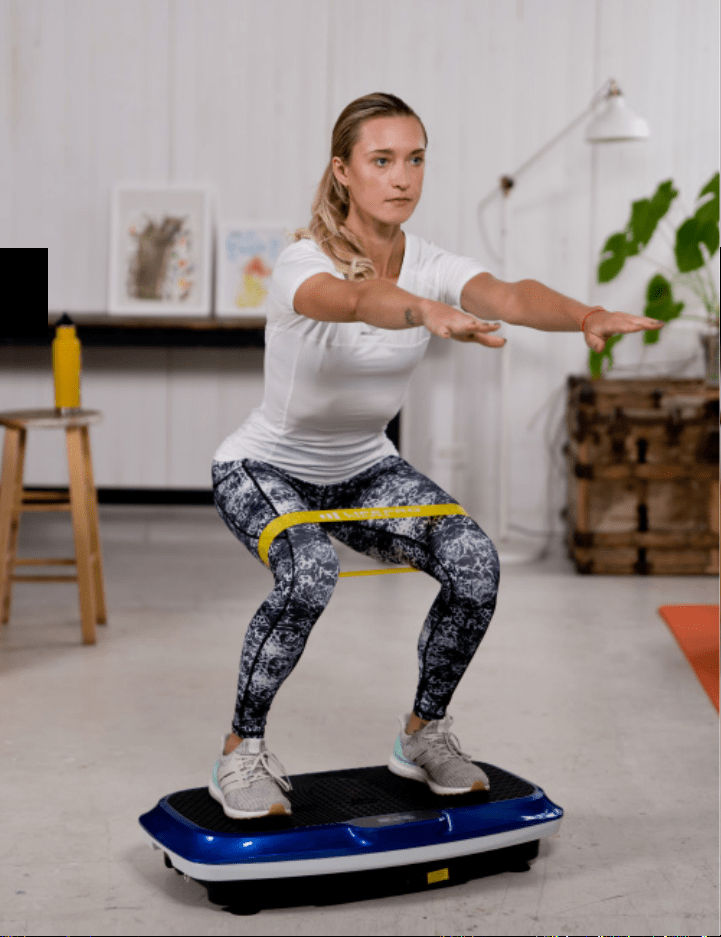
HALLO ZUSAMMEN.
Joel und ich sind Sportler, die beide innerhalb von
wenigen Monaten schwere Kreuzbandverletzungen
erlitten haben. Für unsere Rehabilitation zu Hause
kauften wir uns daher mehrere Trainingsgeräte die
zwar große Versprechen machten diesen allerdings
nicht gerecht wurden und uns enttäuscht sowie
frustriert zurückließen. Die Fitnessgeräte boten keine
Unterstützung, keinen durchdachten Trainingsplan
und es zeigten sich keine Fortschritte.
Das wollten wir verändern weswegen wir Lifepro
gründeten und die Kollektion Vibration Therapy.
Jedes Gerät, das unseren Namen trägt, unterliegt
einer strengen Prüfung um sicherzustellen, dass
es Leistung und Effizienz liefert. Darüber hinaus
verfügen unsere Geräte über einen integrierten
Support den sogenannten „Leit-Engeln“ und einer
lebenslangen Garantie, so dass Sie nie im Stich
gelassen werden.
Willkommen bei Lifepro.
Wir stehen das jetzt zusammen durch!
DE
DE

HALLO ZUSAMMEN.
Joel und ich sind Sportler, die beide innerhalb von
wenigen Monaten schwere Kreuzbandverletzungen
erlitten haben. Für unsere Rehabilitation zu Hause
kauften wir uns daher mehrere Trainingsgeräte die
zwar große Versprechen machten diesen allerdings
nicht gerecht wurden und uns enttäuscht sowie
frustriert zurückließen. Die Fitnessgeräte boten keine
Unterstützung, keinen durchdachten Trainingsplan
und es zeigten sich keine Fortschritte.
Das wollten wir verändern weswegen wir Lifepro
gründeten und die Kollektion Vibration Therapy.
Jedes Gerät, das unseren Namen trägt, unterliegt
einer strengen Prüfung um sicherzustellen, dass
es Leistung und Effizienz liefert. Darüber hinaus
verfügen unsere Geräte über einen integrierten
Support den sogenannten „Leit-Engeln“ und einer
lebenslangen Garantie, so dass Sie nie im Stich
gelassen werden.
Willkommen bei Lifepro.
Wir stehen das jetzt zusammen durch!
DE
DE
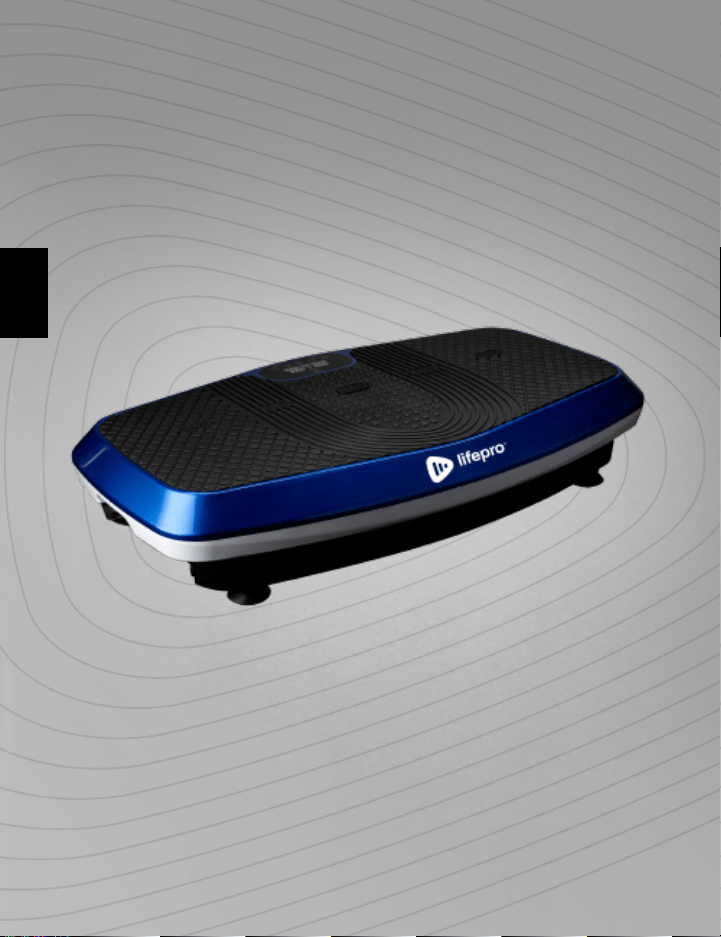
Nicht jeder kann es sich leisten, einen Personal Trainer oder diverse Fachleute
zu engagieren, um sich wohl zu fühlen und sein Traumkörper zu erreichen.
Doch die gute Nachricht ist: Sie müssen es auch gar nicht. Lifepro bringt das
Fitnessstudio zu Ihnen.
Der Lifepro Hovert kurbelt Ihren Stoffwechsel an und erhöht die Durchblutung,
was Ihren Körper zum Verbrennen von mehr Fett und geminderter Cellulite
zu zwingt. Die zweimotorige Vibrationsplatte erzeugt durch 3D-Vibration
und Oszillation eine einzigartige Bewegung, die Ihre Muskeln ständig in
Kontraktion zwingt. Diese Technik wirkt auf mehr Muskelfasern als typsische
Trainingsformen – d.h. ohne doppelte Anstrengung doppelt so gute Ergebnisse.
Der Hovert ist einfach zu bedienen und hilft Ihnen, Ihre Ziele schneller als je
zuvor zu erreichen.
Wenn Sie eine Verletzung erlitten oder Gelenk- oder Rückenschmerzen
haben, verschaffen Sie sich Abhilfe und vermeiden Sie zukünftige
Verletzungen, indem Sie die Vibrationsplatte in Ihre Reha-Routine integrieren.
Vibrationsplatten werden von professionellen Sportlern, Physiotherapeuten
und Rehabilitationszentren überall verwendet.
Definieren Sie Ihr Workout erneut und erleben Sie die
transformative Wirkung des Lifepro Hovert:
Erleben Sie die Linderung von Gelenk- und Rückenschmerzen: verbessert
die Kernfestigkeit und Durchblutung
Fördern Sie Ihren Metabolismus: ermutigt Ihren Körper, Fett schneller zu
verbrennen
Reduzieren Sie Ihren Stress: erhöht das Serotonin und senkt das Cortisol
Durchblutung verbessern: senkt den Blutdruck
Stärke und Flexibilität erhöhen: verbessert die Stabilität
Stärkere Knochen entwickeln: erhöht die Knochendichte
Schauen Sie sich die Übungen in diesem Handbuch an, um zu erfahren, wie
Sie Ihren Hovert einsetzen können. Als nächstes sollten Sie unsere Website
hovert.lifeprofitness.com besuchen, um Zugang zu unserer KOSTENLOSEN
Bibliothek mit Trainingsvideos zu erhalten, die zeigen, wie Sie den Hovert
einfach in Ihre Fitnessroutine integrieren können.
Vibration Therapy Kollektion 33
DE
DE
Nicht jeder kann es sich leisten, einen Personal Trainer oder diverse Fachleute
zu engagieren, um sich wohl zu fühlen und sein Traumkörper zu erreichen.
Doch die gute Nachricht ist: Sie müssen es auch gar nicht. Lifepro bringt das
Fitnessstudio zu Ihnen.
Der Lifepro Hovert kurbelt Ihren Stoffwechsel an und erhöht die Durchblutung,
was Ihren Körper zum Verbrennen von mehr Fett und geminderter Cellulite
zu zwingt. Die zweimotorige Vibrationsplatte erzeugt durch 3D-Vibration
und Oszillation eine einzigartige Bewegung, die Ihre Muskeln ständig in
Kontraktion zwingt. Diese Technik wirkt auf mehr Muskelfasern als typsische
Trainingsformen – d.h. ohne doppelte Anstrengung doppelt so gute Ergebnisse.
Der Hovert ist einfach zu bedienen und hilft Ihnen, Ihre Ziele schneller als je
zuvor zu erreichen.
Wenn Sie eine Verletzung erlitten oder Gelenk- oder Rückenschmerzen
haben, verschaffen Sie sich Abhilfe und vermeiden Sie zukünftige
Verletzungen, indem Sie die Vibrationsplatte in Ihre Reha-Routine integrieren.
Vibrationsplatten werden von professionellen Sportlern, Physiotherapeuten
und Rehabilitationszentren überall verwendet.
Definieren Sie Ihr Workout erneut und erleben Sie die
transformative Wirkung des Lifepro Hovert:
Erleben Sie die Linderung von Gelenk- und Rückenschmerzen: verbessert
die Kernfestigkeit und Durchblutung
Fördern Sie Ihren Metabolismus: ermutigt Ihren Körper, Fett schneller zu
verbrennen
Reduzieren Sie Ihren Stress: erhöht das Serotonin und senkt das Cortisol
Durchblutung verbessern: senkt den Blutdruck
Stärke und Flexibilität erhöhen: verbessert die Stabilität
Stärkere Knochen entwickeln: erhöht die Knochendichte
Schauen Sie sich die Übungen in diesem Handbuch an, um zu erfahren, wie
Sie Ihren Hovert einsetzen können. Als nächstes sollten Sie unsere Website
hovert.lifeprofitness.com besuchen, um Zugang zu unserer KOSTENLOSEN
Bibliothek mit Trainingsvideos zu erhalten, die zeigen, wie Sie den Hovert
einfach in Ihre Fitnessroutine integrieren können.
Vibration Therapy Kollektion 33
DE
DE

LEGEN SIE LOS
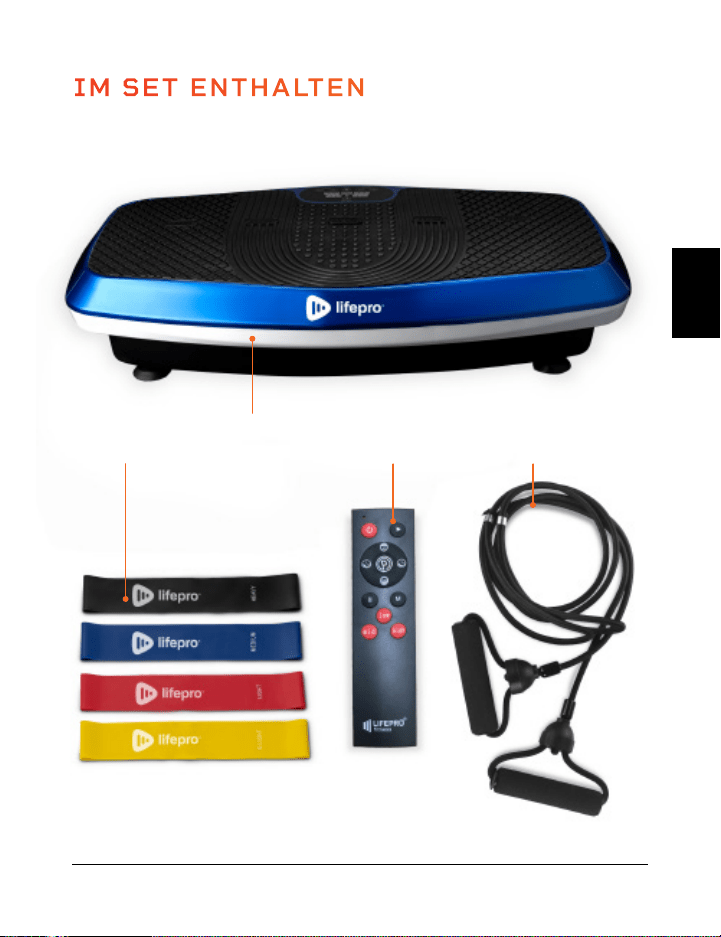
LIEFERUMFANG
• Lifepro Hovert 3D-Vibrationsplatte
• Netzkabel
• Die Fernbedienung
• Widerstandsbänder (2)
• Lifepro-Minibänder (4)
• Benutzerhandbuch
ERSTE SCHRITTE
1. Nehmen Sie Ihren Hovert aus dem Versandkarton und entfernen Sie
die Verpackung von Gerät und Zubehör.
2. Lesen Sie dieses Nutzerhandbuch und alle Sicherheitshinweise
sorgfältig durch, bevor Sie den Hovert verwenden.
3. Gehen Sie auf hovert.lifeprofitness.com und registrieren Sie Ihr
Produkt innerhalb von 14 Tagen, um Ihre lebenslange Garantie zu
aktivieren.
4. Führen Sie die Schritte im EINRICHTUNGSANLEITUNG auf Seite 36
aus, um mit der Benutzung Ihres Hovert zu beginnen.
KUNDENSUPPORT
Wenn Sie Fragen zum Einrichten Ihres Hovert haben, sind wir für
Sie da. Rufen Sie uns an oder senden Sie uns eine E-Mail, und ein
erfahrener Kundendienstmitarbeiter wird Ihnen gerne weiterhelfen:
+1 (800) 563-6604 oder support@lifeprofitness.com.
IM SET ENTHALTEN
Vibration Therapy Kollektion 35 34 Hovert Benutzerhandbuch Lifepro
FernbedienungHovert 3D
Vibrationsplatte
4 Mini-
bänder
2 Widerstands-
bänder
HOVERT
3DVIBRATIONSPLATTE
VIBRATION THERAPY
DE
DE
LEGEN SIE LOS
LIEFERUMFANG
• Lifepro Hovert 3D-Vibrationsplatte
• Netzkabel
• Die Fernbedienung
• Widerstandsbänder (2)
• Lifepro-Minibänder (4)
• Benutzerhandbuch
ERSTE SCHRITTE
1. Nehmen Sie Ihren Hovert aus dem Versandkarton und entfernen Sie
die Verpackung von Gerät und Zubehör.
2. Lesen Sie dieses Nutzerhandbuch und alle Sicherheitshinweise
sorgfältig durch, bevor Sie den Hovert verwenden.
3. Gehen Sie auf hovert.lifeprofitness.com und registrieren Sie Ihr
Produkt innerhalb von 14 Tagen, um Ihre lebenslange Garantie zu
aktivieren.
4. Führen Sie die Schritte im EINRICHTUNGSANLEITUNG auf Seite 36
aus, um mit der Benutzung Ihres Hovert zu beginnen.
KUNDENSUPPORT
Wenn Sie Fragen zum Einrichten Ihres Hovert haben, sind wir für
Sie da. Rufen Sie uns an oder senden Sie uns eine E-Mail, und ein
erfahrener Kundendienstmitarbeiter wird Ihnen gerne weiterhelfen:
+1 (800) 563-6604 oder support@lifeprofitness.com.
IM SET ENTHALTEN
Vibration Therapy Kollektion 35 34 Hovert Benutzerhandbuch Lifepro
FernbedienungHovert 3D
Vibrationsplatte
4 Mini-
bänder
2 Widerstands-
bänder
HOVERT
3DVIBRATIONSPLATTE
VIBRATION THERAPY
DE
DE
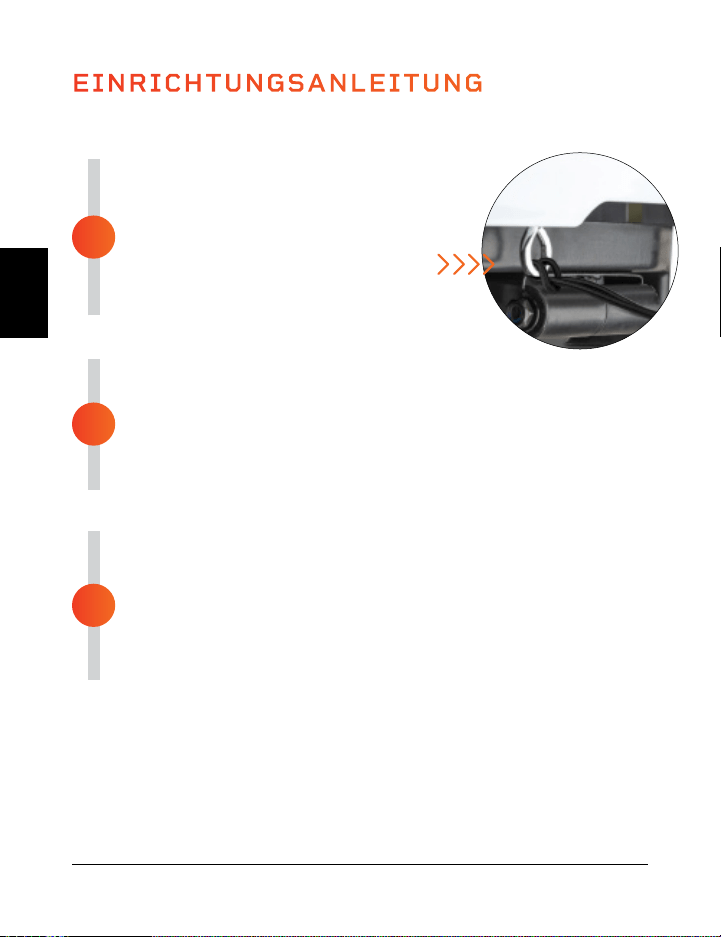
EINRICHTUNGSANLEITUNG
MONTIEREN SIE DEN HOVERT
• Entfernen Sie die Rückseite der
Fernbedienung und legen Sie zwei AAA-
Batterien in das Batteriefach ein.
• Schleifen Sie die Widerstandsbänder
in die Metallringe an der Vorderseite
des Hovert.
ANSCHLUSS AN DIE STROMVERSORGUNG
• Stecken Sie das Netzkabel fest in die Vorderseite des Hovert.
HINWEIS: Drücken Sie kräftig, bis Sie ein Klicken spüren, welches
anzeigt, dass das Kabel sicher verbunden ist. Das Netzkabel sitzt fest,
sodass es sich während des Gebrauchs nicht lockern kann.
• Schließen Sie das Netzkabel an eine Steckdose an.
SCHALTEN SIE DEN HOVERT EIN
• Schieben Sie den Schalter an der Vorderseite des Hovert auf ON.
• Drücken Sie den Ein/Aus-Schalter auf dem Display des Hovert.
• Das war’s. Ihr Lifepro Hovert ist nun einsatzbereit. Siehe
BEDIENUNGSANLEITUNG und PROGRAMMWAHL auf den nächsten
Seiten für Einzelheiten über die Verwendung Ihres
Hovert.
3
2
1
VERSCHIEDENE MODIS
Standby-Modus: Der Hovert ist eingeschaltet, aber es ist kein Programm ausgewählt.
Programm-Modus: Wählen Sie aus voreingestellten Trainingsprogrammen: P1-P8.
Jedes Programm hat eine niedrige, mittlere oder hohe Vibrationsgeschwindigkeit.
Manueller Modus (HA): Stellen Sie Ihre eigene Trainingsdauer und
Vibrationsgeschwindigkeit ein.
Vibration Therapy Kollektion 37 36 Hovert Benutzerhandbuch Lifepro
Richten Sie Ihren Lifepro Hovert in 3 einfachen Schritten ein:
WIE ES FUNKTIONIERT
Der Hovert verfügt über zwei leistungsstarke Motoren: einen seitlichen Motor
(der L-MOTOR auf dem Hovert Display) und einen horizontalen/oszillierenden
Motor (der H-MOTOR auf dem Hovert Display). Die beiden Motoren erzeugen
drei Bewegungen, die unbegrenzte Trainingskombinationen ermöglichen: seitlich,
horizontal und 3D/Spirale. Die Plattform erzeugt eine sich wiederholende
Bewegung durch 3D-Vibration und Oszillation, die alle Ihre Muskelfasern aktiviert.
Diese einzigartige 3D-Vibration ist besonders vorteilhaft für Leute, die an
Osteoporose, Osteoarthritis oder Sarkopenie leiden, und eignet sich hervorragend
zur Verbesserung der Durchblutung und des Gleichgewichts für ältere Benutzer.
TRAININGSEINSTELLUNGEN
• Horizontales Training: Erstellen Sie ein manuelles Training mit dem H-Motor.
• Seitliches Training: Erstellen Sie ein manuelles Training mit dem L-Motor.
• 3D-/Spiral-Training: Erstellen Sie ein manuelles Training: Verwenden Sie eines
der voreingestellten Programme oder erstellen Sie ein manuelles Training, das
sowohl den horizontalen (H) als auch den seitlichen (L) Motor umfasst.
Horizontale Bewegung
Auf und ab (H-Motor)
3D/Spiral Bewegung
Kombination der obigen
Laterale Bewegung
Seite an Seite (L-Motor)
DE
DE
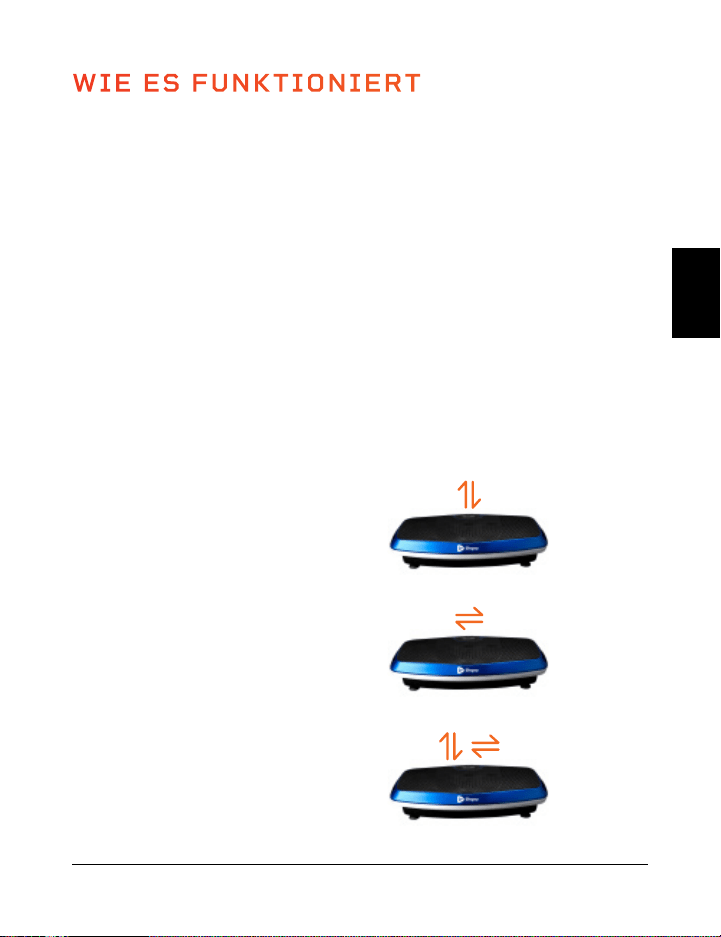
EINRICHTUNGSANLEITUNG
MONTIEREN SIE DEN HOVERT
• Entfernen Sie die Rückseite der
Fernbedienung und legen Sie zwei AAA-
Batterien in das Batteriefach ein.
• Schleifen Sie die Widerstandsbänder
in die Metallringe an der Vorderseite
des Hovert.
ANSCHLUSS AN DIE STROMVERSORGUNG
• Stecken Sie das Netzkabel fest in die Vorderseite des Hovert.
HINWEIS: Drücken Sie kräftig, bis Sie ein Klicken spüren, welches
anzeigt, dass das Kabel sicher verbunden ist. Das Netzkabel sitzt fest,
sodass es sich während des Gebrauchs nicht lockern kann.
• Schließen Sie das Netzkabel an eine Steckdose an.
SCHALTEN SIE DEN HOVERT EIN
• Schieben Sie den Schalter an der Vorderseite des Hovert auf ON.
• Drücken Sie den Ein/Aus-Schalter auf dem Display des Hovert.
• Das war’s. Ihr Lifepro Hovert ist nun einsatzbereit. Siehe
BEDIENUNGSANLEITUNG und PROGRAMMWAHL auf den nächsten
Seiten für Einzelheiten über die Verwendung Ihres
Hovert.
3
2
1
VERSCHIEDENE MODIS
Standby-Modus: Der Hovert ist eingeschaltet, aber es ist kein Programm ausgewählt.
Programm-Modus: Wählen Sie aus voreingestellten Trainingsprogrammen: P1-P8.
Jedes Programm hat eine niedrige, mittlere oder hohe Vibrationsgeschwindigkeit.
Manueller Modus (HA): Stellen Sie Ihre eigene Trainingsdauer und
Vibrationsgeschwindigkeit ein.
Vibration Therapy Kollektion 37 36 Hovert Benutzerhandbuch Lifepro
Richten Sie Ihren Lifepro Hovert in 3 einfachen Schritten ein:
WIE ES FUNKTIONIERT
Der Hovert verfügt über zwei leistungsstarke Motoren: einen seitlichen Motor
(der L-MOTOR auf dem Hovert Display) und einen horizontalen/oszillierenden
Motor (der H-MOTOR auf dem Hovert Display). Die beiden Motoren erzeugen
drei Bewegungen, die unbegrenzte Trainingskombinationen ermöglichen: seitlich,
horizontal und 3D/Spirale. Die Plattform erzeugt eine sich wiederholende
Bewegung durch 3D-Vibration und Oszillation, die alle Ihre Muskelfasern aktiviert.
Diese einzigartige 3D-Vibration ist besonders vorteilhaft für Leute, die an
Osteoporose, Osteoarthritis oder Sarkopenie leiden, und eignet sich hervorragend
zur Verbesserung der Durchblutung und des Gleichgewichts für ältere Benutzer.
TRAININGSEINSTELLUNGEN
• Horizontales Training: Erstellen Sie ein manuelles Training mit dem H-Motor.
• Seitliches Training: Erstellen Sie ein manuelles Training mit dem L-Motor.
• 3D-/Spiral-Training: Erstellen Sie ein manuelles Training: Verwenden Sie eines
der voreingestellten Programme oder erstellen Sie ein manuelles Training, das
sowohl den horizontalen (H) als auch den seitlichen (L) Motor umfasst.
Horizontale Bewegung
Auf und ab (H-Motor)
3D/Spiral Bewegung
Kombination der obigen
Laterale Bewegung
Seite an Seite (L-Motor)
DE
DE
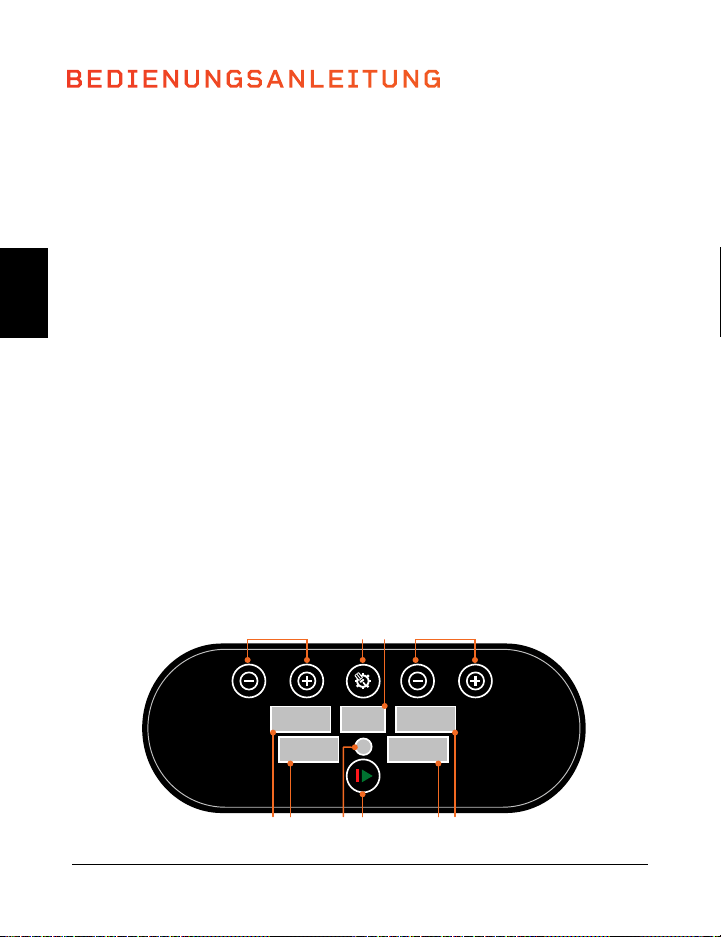
VERWENDUNG DER FERNBEDIENUNG ZUR STEUERUNG DES HOVERTS
1. Power-Button: Drücken Sie den Knopf, um den Hovert ein- und auszuschalten.
2. Start-/Stop-Button: Stellen Sie sicher, dass der Strom eingeschaltet ist. Drücken
Sie die Taste, um das gewählte Programm zu aktivieren oder ein manuelles Training
zu beginnen. Drücken Sie die Taste erneut, um das Programm oder das Training zu
beenden.
3. Programm-/Modus-Button: Drücken Sie die Taste zur Auswahl eines voreingestellten
Trainingsprogramms (P1–P8) oder zur Auswahl des manuellen Modus (HA).
4. Geschwindigkeits-/Zeit-Button L MOTOR (+/-)*: Im Standby, bei manuellem Modus
(HA): Drücken Sie die Tasten, um eine Zeit für
den L MOTOR einzustellen. Drücken Sie die
Starttaste, um das Training im zu beginnen, und
drücken Sie dann die Geschwindigkeits-/Zeit-
Tasten, um diese für den L MOTOR zu ändern.
5. Geschwindigkeits-/Zeit-Button H MOTOR
(High/Low)*: Im Bereitschaftsmodus, wenn
der manuelle Modus (HA) gewählt ist:
Drücken Sie die Tasten, um die Zeitdauer für
den H-MOTOR einzustellen. Drücken Sie die
Starttaste, um das Training im manuellen
Modus zu beginnen, und drücken Sie dann
die Geschwindigkeits-/Zeit-Tasten, um die
Geschwindigkeit für den H MOTOR zu ändern.
6. Pause-Button: Anhalten des aktuellen
Programms oder des Trainings im manuellen
Modus.
7. Button für den Wechsel der Geschwindigkeit
(M): Umschalten der Vibrationsgeschwindigkeit
für beide Motoren zwischen 20, 50, und 80.
8. Schnelltasten für die Geschwindigkeit:
Niedrig: Drehzahl auf 30 einstellen (beide
Motoren). Mittel: Drehzahl auf 60 (beide
Motoren) einstellen. Hoch: Drehzahl auf 90
(beide Motoren) einstellen.
*Geschwindigkeit und Zeit können für voreingestellte Programme nicht
angepasst werden.
BEDIENUNGSANLEITUNG
DIE BEDIENUNG DES HOVERTS MITTELS DES DISPLAYS
1. Programm-/Modus-Button: Wählen Sie ein voreingestelltes Trainingsprogramm
(P1–P8) oder wählen Sie den manuellen Modus (HA), um ein individuelles Training zu
erstellen.
2. Programm-/Modus-Display: Zeigt das ausgewählte Programm/Modus an.
3. Geschwindigkeits-/Zeit-Button L MOTOR (2)*: Im Standby, im manuellen Modus
(HA): Drücken Sie die Tasten, um eine Dauer für den L MOTOR einzustellen. Drücken
Sie die Starttaste, um mit dem Training zu beginnen und drücken Sie dann die
Geschwindigkeits-/Zeit-Tasten, um die Einstellungen für den zu ändern.
4. Geschwindigkeits-Display L MOTOR: Zeigt die L MOTOR-Vibrationsgeschwindigkeit
für das aktuelle Programm/Modus.
5. Zeit-Display L MOTOR: Zeigt die L MOTOR-Zeit für das aktuelle Programm/Modus.
6. Start/Stop-Button: Starten oder Stoppen des ausgewählten Programms oder
Modus.
7. Fernbedienung: Infrarotempfänger für die Fernbedienung.
8. Zeit-Display H MOTOR: Zeigt die H MOTOR-Zeit für das aktuelle Programm/Modus.
9. Geschwindigkeits-Display H MOTOR: Zeigt die H MOTOR-Vibrationsgeschwindigkeit
für das aktuelle Programm/Modus.
10. Zeit-/Geschwindigkeits-Buttons H MOTOR (2)*: Im Standby, bei Auswahl des
manuellen Modus (HA): Drücken Sie die Tasten, um eine Zeit für den H-MOTOR
einzustellen. Drücken Sie die Starttaste, um das Training im zu beginnen, und
drücken Sie dann die Geschwindigkeits-/Zeit-Buttons, um diese für den H-MOTOR
zu ändern.
*Geschwindigkeit und Zeit können für voreingestellte Programme nicht angepasst werden.
Vibration Therapy Kollektion 39 38 Hovert Benutzerhandbuch Lifepro
High
Low
M
low
high
mid
1
2
4 4
3
5
5
6
7
8
SPEED
SET
ON/OFF
SPEED
89 7 6 5 4
10 1 2 3
DE
DE
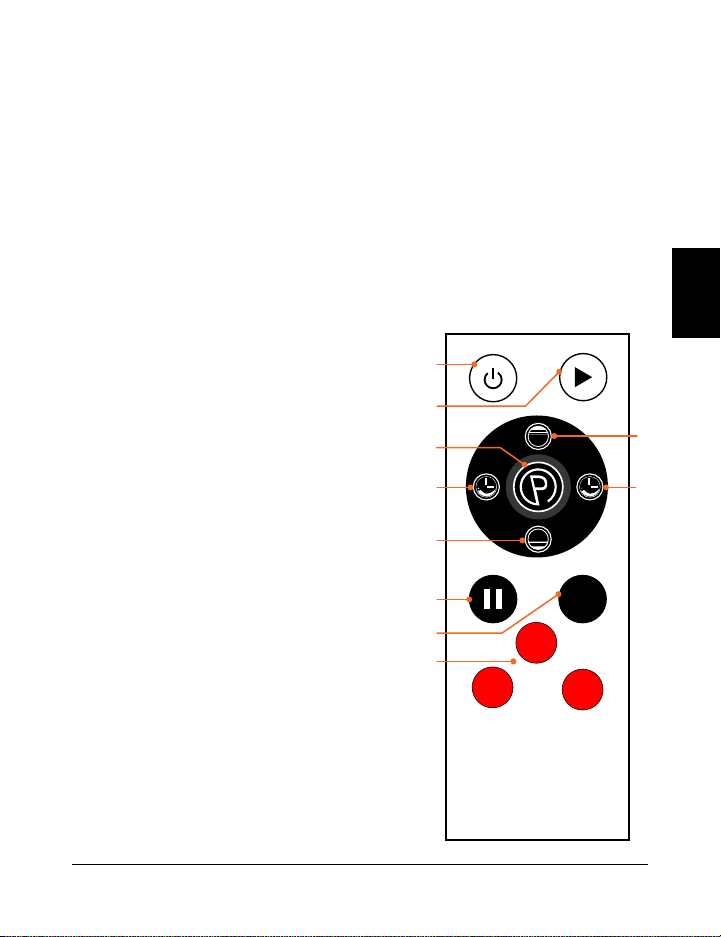
VERWENDUNG DER FERNBEDIENUNG ZUR STEUERUNG DES HOVERTS
1. Power-Button: Drücken Sie den Knopf, um den Hovert ein- und auszuschalten.
2. Start-/Stop-Button: Stellen Sie sicher, dass der Strom eingeschaltet ist. Drücken
Sie die Taste, um das gewählte Programm zu aktivieren oder ein manuelles Training
zu beginnen. Drücken Sie die Taste erneut, um das Programm oder das Training zu
beenden.
3. Programm-/Modus-Button: Drücken Sie die Taste zur Auswahl eines voreingestellten
Trainingsprogramms (P1–P8) oder zur Auswahl des manuellen Modus (HA).
4. Geschwindigkeits-/Zeit-Button L MOTOR (+/-)*: Im Standby, bei manuellem Modus
(HA): Drücken Sie die Tasten, um eine Zeit für
den L MOTOR einzustellen. Drücken Sie die
Starttaste, um das Training im zu beginnen, und
drücken Sie dann die Geschwindigkeits-/Zeit-
Tasten, um diese für den L MOTOR zu ändern.
5. Geschwindigkeits-/Zeit-Button H MOTOR
(High/Low)*: Im Bereitschaftsmodus, wenn
der manuelle Modus (HA) gewählt ist:
Drücken Sie die Tasten, um die Zeitdauer für
den H-MOTOR einzustellen. Drücken Sie die
Starttaste, um das Training im manuellen
Modus zu beginnen, und drücken Sie dann
die Geschwindigkeits-/Zeit-Tasten, um die
Geschwindigkeit für den H MOTOR zu ändern.
6. Pause-Button: Anhalten des aktuellen
Programms oder des Trainings im manuellen
Modus.
7. Button für den Wechsel der Geschwindigkeit
(M): Umschalten der Vibrationsgeschwindigkeit
für beide Motoren zwischen 20, 50, und 80.
8. Schnelltasten für die Geschwindigkeit:
Niedrig: Drehzahl auf 30 einstellen (beide
Motoren). Mittel: Drehzahl auf 60 (beide
Motoren) einstellen. Hoch: Drehzahl auf 90
(beide Motoren) einstellen.
*Geschwindigkeit und Zeit können für voreingestellte Programme nicht
angepasst werden.
BEDIENUNGSANLEITUNG
DIE BEDIENUNG DES HOVERTS MITTELS DES DISPLAYS
1. Programm-/Modus-Button: Wählen Sie ein voreingestelltes Trainingsprogramm
(P1–P8) oder wählen Sie den manuellen Modus (HA), um ein individuelles Training zu
erstellen.
2. Programm-/Modus-Display: Zeigt das ausgewählte Programm/Modus an.
3. Geschwindigkeits-/Zeit-Button L MOTOR (2)*: Im Standby, im manuellen Modus
(HA): Drücken Sie die Tasten, um eine Dauer für den L MOTOR einzustellen. Drücken
Sie die Starttaste, um mit dem Training zu beginnen und drücken Sie dann die
Geschwindigkeits-/Zeit-Tasten, um die Einstellungen für den zu ändern.
4. Geschwindigkeits-Display L MOTOR: Zeigt die L MOTOR-Vibrationsgeschwindigkeit
für das aktuelle Programm/Modus.
5. Zeit-Display L MOTOR: Zeigt die L MOTOR-Zeit für das aktuelle Programm/Modus.
6. Start/Stop-Button: Starten oder Stoppen des ausgewählten Programms oder
Modus.
7. Fernbedienung: Infrarotempfänger für die Fernbedienung.
8. Zeit-Display H MOTOR: Zeigt die H MOTOR-Zeit für das aktuelle Programm/Modus.
9. Geschwindigkeits-Display H MOTOR: Zeigt die H MOTOR-Vibrationsgeschwindigkeit
für das aktuelle Programm/Modus.
10. Zeit-/Geschwindigkeits-Buttons H MOTOR (2)*: Im Standby, bei Auswahl des
manuellen Modus (HA): Drücken Sie die Tasten, um eine Zeit für den H-MOTOR
einzustellen. Drücken Sie die Starttaste, um das Training im zu beginnen, und
drücken Sie dann die Geschwindigkeits-/Zeit-Buttons, um diese für den H-MOTOR
zu ändern.
*Geschwindigkeit und Zeit können für voreingestellte Programme nicht angepasst werden.
Vibration Therapy Kollektion 39 38 Hovert Benutzerhandbuch Lifepro
High
Low
M
low
high
mid
1
2
4 4
3
5
5
6
7
8
SPEED
SET
ON/OFF
SPEED
89 7 6 5 4
10 1 2 3
DE
DE
EIN PROGRAMM AUSWÄHLEN
Niedriege Intensität
(P1–P2)
Super zum beginnen.
• Entgiftung
• Erhöhte
Knochendichte
• Verbesserte Balance
• Lymphdrainage
• Verbesserte
posturale Kontrolle
Mittel Intensität
(P3–P5)
Perfekt für Menschen
mit Arthritis und
Fibromyalgie.
• Gelenkpflege
• Verbesserte
posturale Kontrolle
• Fettabbau
• Erhöhte
Knochendichte
• Verbesserte Balance
• Cellulite-Entfernung
Hoch Intensität
(P6–P8)
Großartig für erhöhte
Intensität.
• Fettabbau
• Muskelwachstum
• Stark erhöhte
Knochendichte
• Leistungs-
steigerung
• HGH-Freigabe
VERSCHIEDENE MODUS
GESCHWINDIGKEITEN
Jedes voreingestellte Programm ist 10 Minuten lang. Während des Programms wechselt der
Hovert 1x pro Minute die Geschwindigkeit. Die Stufen hängen von demgewählten Programm ab
(wie in der nachstehenden Tabelle dargestellt). H = Oszillierender Motor L = Seitlicher Motor
MANUELLER MODUS
Im manuellen Modus entsprechen die Schwingungsgeschwindigkeiten sowohl für den
H- als auch für den L-Motor den folgenden Stufen:
Niedriege Intensität
(1–33)
Mittel Intensität
(34–66)
Hoch Intensität
(67–99)
ERSTELLEN EINES BENUTZERDEFINIERTEN TRAININGS:
1. Drücken Sie die Ein/Aus-Taste, um das System einzuschalten.
2. Drücken Sie die Programm-/Modus-Taste, bis auf dem Display HA angezeigt wird.
3. Stellen Sie eine Zeit für Ihr Training ein. Drücken Sie die -/+ Tasten, um die Zeit für den
L-Motor einzustellen, und die Low/Hi-Tasten, um die Zeit für den H-Motor einzustellen.
4. Drücken Sie die Start-/Stop-Taste, um mit dem Training zu beginnen.
5. Die Geschwindigkeit für beide Motorenbeginnt bei 1:
a. Drücken Sie die Tasten -/+, um nur die Motordrehzahl L zu ändern.
b. Drücken Sie die Tasten Low/Hi, um nur die H-Motordrehzahl zu ändern.
c. Drücken Sie die rote Taste Low, um die Geschwindigkeit auf 30 zu ändern.
d. Drücken Sie den roten Knopf Mid, um die Geschwindigkeit auf 60 zu ändern.
e. Drücken Sie den roten Knopf Hoch, um die Geschwindigkeit auf 90 zu ändern.
f. Drücken Sie die Taste M, um die Geschwindigkeit zwischen 20, 50, 80 zu wechseln.
Vibration Therapy Kollektion 41 40 Hovert Benutzerhandbuch Lifepro
10
4
2
2
3
8
5
12
6
9
8
23
15
11
22
30
35
9
4
5
4
3
14
16
23
12
13
10
55
28
11
19
30
29
8
10
6
6
5
8
2
29
14
16
9
23
16
25
28
50
40
7
12
8
8
9
14
3
38
16
21
14
55
28
25
23
50
35
6
17
9
10
12
8
6
49
20
24
18
23
12
38
35
70
68
5
20
10
13
15
20
9
56
22
35
19
55
28
38
22
70
80
4
24
6
15
20
8
10
68
30
67
28
23
16
48
29
40
50
3
20
8
12
10
14
9
76
34
50
28
55
28
48
50
40
20
2
17
4
9
10
8
5
48
38
38
20
23
10
25
12
60
80
1
6
5
8
4
14
2
29
18
30
17
55
28
25
15
60
50
MINUTEN
TEMPO
Niedriege
Mittel
Hoch
PROGRAMM
P1
P2
P3
P4
P5
P6
P7
P8
MOTOR
H
L
H
L
H
L
H
L
H
L
H
L
H
L
H
L
AUSWAHL EINES PROGRAMMS:
1. Drücken Sie die Ein/Aus-Taste, um das System einzuschalten.
2. Drücken Sie die Programm-/Modus-Taste, um zwischen den voreingestellten
Programm-Modi zu wechseln: P1 bis P8.
3. Drücken Sie die Start-/Stop-Taste, um das gewählte Programm zu aktivieren.
UM DIE BESTEN ERGEBNISSE ZU ERZIELEN, WECHSELN SIE ZWISCHEN
DEN PROGRAMMEN
Halten Sie Ihren Körper in Schach. Wir neigen dazu, uns anzupassen, also wollen
wir Veränderungen in unserem Körper hervorrufen. Jede Ebene hat ihre eigenen
Vorteile; wir empfehlen Ihnen jedoch, auf der ersten Ebene, P1, anzufangen und
sich nach oben zu arbeiten.
DE
DE
EIN PROGRAMM AUSWÄHLEN
Niedriege Intensität
(P1–P2)
Super zum beginnen.
• Entgiftung
• Erhöhte
Knochendichte
• Verbesserte Balance
• Lymphdrainage
• Verbesserte
posturale Kontrolle
Mittel Intensität
(P3–P5)
Perfekt für Menschen
mit Arthritis und
Fibromyalgie.
• Gelenkpflege
• Verbesserte
posturale Kontrolle
• Fettabbau
• Erhöhte
Knochendichte
• Verbesserte Balance
• Cellulite-Entfernung
Hoch Intensität
(P6–P8)
Großartig für erhöhte
Intensität.
• Fettabbau
• Muskelwachstum
• Stark erhöhte
Knochendichte
• Leistungs-
steigerung
• HGH-Freigabe
VERSCHIEDENE MODUS
GESCHWINDIGKEITEN
Jedes voreingestellte Programm ist 10 Minuten lang. Während des Programms wechselt der
Hovert 1x pro Minute die Geschwindigkeit. Die Stufen hängen von demgewählten Programm ab
(wie in der nachstehenden Tabelle dargestellt). H = Oszillierender Motor L = Seitlicher Motor
MANUELLER MODUS
Im manuellen Modus entsprechen die Schwingungsgeschwindigkeiten sowohl für den
H- als auch für den L-Motor den folgenden Stufen:
Niedriege Intensität
(1–33)
Mittel Intensität
(34–66)
Hoch Intensität
(67–99)
ERSTELLEN EINES BENUTZERDEFINIERTEN TRAININGS:
1. Drücken Sie die Ein/Aus-Taste, um das System einzuschalten.
2. Drücken Sie die Programm-/Modus-Taste, bis auf dem Display HA angezeigt wird.
3. Stellen Sie eine Zeit für Ihr Training ein. Drücken Sie die -/+ Tasten, um die Zeit für den
L-Motor einzustellen, und die Low/Hi-Tasten, um die Zeit für den H-Motor einzustellen.
4. Drücken Sie die Start-/Stop-Taste, um mit dem Training zu beginnen.
5. Die Geschwindigkeit für beide Motorenbeginnt bei 1:
a. Drücken Sie die Tasten -/+, um nur die Motordrehzahl L zu ändern.
b. Drücken Sie die Tasten Low/Hi, um nur die H-Motordrehzahl zu ändern.
c. Drücken Sie die rote Taste Low, um die Geschwindigkeit auf 30 zu ändern.
d. Drücken Sie den roten Knopf Mid, um die Geschwindigkeit auf 60 zu ändern.
e. Drücken Sie den roten Knopf Hoch, um die Geschwindigkeit auf 90 zu ändern.
f. Drücken Sie die Taste M, um die Geschwindigkeit zwischen 20, 50, 80 zu wechseln.
Vibration Therapy Kollektion 41 40 Hovert Benutzerhandbuch Lifepro
10
4
2
2
3
8
5
12
6
9
8
23
15
11
22
30
35
9
4
5
4
3
14
16
23
12
13
10
55
28
11
19
30
29
8
10
6
6
5
8
2
29
14
16
9
23
16
25
28
50
40
7
12
8
8
9
14
3
38
16
21
14
55
28
25
23
50
35
6
17
9
10
12
8
6
49
20
24
18
23
12
38
35
70
68
5
20
10
13
15
20
9
56
22
35
19
55
28
38
22
70
80
4
24
6
15
20
8
10
68
30
67
28
23
16
48
29
40
50
3
20
8
12
10
14
9
76
34
50
28
55
28
48
50
40
20
2
17
4
9
10
8
5
48
38
38
20
23
10
25
12
60
80
1
6
5
8
4
14
2
29
18
30
17
55
28
25
15
60
50
MINUTEN
TEMPO
Niedriege
Mittel
Hoch
PROGRAMM
P1
P2
P3
P4
P5
P6
P7
P8
MOTOR
H
L
H
L
H
L
H
L
H
L
H
L
H
L
H
L
AUSWAHL EINES PROGRAMMS:
1. Drücken Sie die Ein/Aus-Taste, um das System einzuschalten.
2. Drücken Sie die Programm-/Modus-Taste, um zwischen den voreingestellten
Programm-Modi zu wechseln: P1 bis P8.
3. Drücken Sie die Start-/Stop-Taste, um das gewählte Programm zu aktivieren.
UM DIE BESTEN ERGEBNISSE ZU ERZIELEN, WECHSELN SIE ZWISCHEN
DEN PROGRAMMEN
Halten Sie Ihren Körper in Schach. Wir neigen dazu, uns anzupassen, also wollen
wir Veränderungen in unserem Körper hervorrufen. Jede Ebene hat ihre eigenen
Vorteile; wir empfehlen Ihnen jedoch, auf der ersten Ebene, P1, anzufangen und
sich nach oben zu arbeiten.
DE
DE
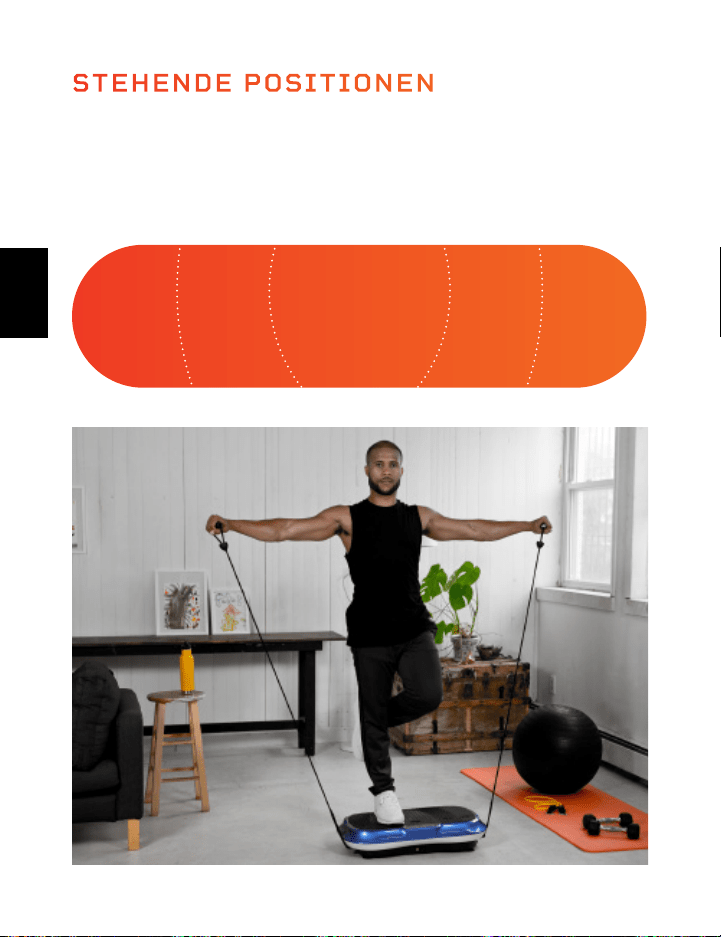
LIFEPRO-MINIBÄNDER
MINI-BANDS HABEN DIE FITNESSBRANCHE REVOLUTIONIERT
Minibänder sind zum neuen go-to geworden, um einen stärkeren,
schlankeren Körperbau zu formen. Sie haben bestimmt schon Ihre
Lieblings-Fitness-Instagrammers und Youtubers gesehen, die diese
vielseitigen, farbigen Widerstandsbänder in Verbindung mit ihren
Trainingsroutinen verwenden. Sie fügen dem Cardio-Training Widerstand
hinzu.
und Power-zu-Kraft-Trainingseinheiten, so dass Sie beides gleichzeitig
trainieren können. Die Anzahl der kreativen Trainingsmöglichkeiten ist
endlos. Im Gegensatz zu den Unannehmlichkeiten eines vollwertigen
Fitnessstudios sind diese Minibänder bekannt für ihre Fähigkeit, alle
Aspekte der Fitness und Leistung in jeder Intensität zu trainieren - überall
und jederzeit. Keine Ausreden mehr.
Die Lifepro-Minibänder sind aus 100% Latex hergestellt. Jedes Band hat
eine andere Widerstandsstärke, wodurch Sie Ihr Widerstandstraining
mühelos ausgleichen können. Verwenden Sie die Minibänder in Verbindung
mit Ihrem Lifepro Hovert, um Ihre Fitnessergebnisse deutlich zu
verbessern.
IHR TRAINING ZU INTENSIVIEREN
Erleben Sie die einzigartigen Vorteile der Lifepro-Minibänder:
• Vielseitig: Widerstand für das Kardiotraining und Krafttraining.
• Gelenkfreundlich: Reduzierung der Gelenkkompression; hochintensives,
wenig belastendes Training.
• Tragbar: Tragen Sie die Minibänder in Ihrer Tasche, um unterwegs zu
trainieren.
42 Hovert Benutzerhandbuch Lifepro
Vibration Therapy Kollektion 43
INTENSIV INTENSIV MITTEL MITTELEINFAC
Wo Sie auf dem Hovert stehen, beeinflusst, wie herausfordernd die
Schwingungen für Ihren Körper sind. Stehen Sie für ein “leichtes”
Training mit dicht aneinander liegenden Füßen und für ein “mittleres” und
“intensives” Training mit weiter auseinander stehenden Füßen.
STEHENDE POSITIONEN
DE
DE
LIFEPRO-MINIBÄNDER
MINI-BANDS HABEN DIE FITNESSBRANCHE REVOLUTIONIERT
Minibänder sind zum neuen go-to geworden, um einen stärkeren,
schlankeren Körperbau zu formen. Sie haben bestimmt schon Ihre
Lieblings-Fitness-Instagrammers und Youtubers gesehen, die diese
vielseitigen, farbigen Widerstandsbänder in Verbindung mit ihren
Trainingsroutinen verwenden. Sie fügen dem Cardio-Training Widerstand
hinzu.
und Power-zu-Kraft-Trainingseinheiten, so dass Sie beides gleichzeitig
trainieren können. Die Anzahl der kreativen Trainingsmöglichkeiten ist
endlos. Im Gegensatz zu den Unannehmlichkeiten eines vollwertigen
Fitnessstudios sind diese Minibänder bekannt für ihre Fähigkeit, alle
Aspekte der Fitness und Leistung in jeder Intensität zu trainieren - überall
und jederzeit. Keine Ausreden mehr.
Die Lifepro-Minibänder sind aus 100% Latex hergestellt. Jedes Band hat
eine andere Widerstandsstärke, wodurch Sie Ihr Widerstandstraining
mühelos ausgleichen können. Verwenden Sie die Minibänder in Verbindung
mit Ihrem Lifepro Hovert, um Ihre Fitnessergebnisse deutlich zu
verbessern.
IHR TRAINING ZU INTENSIVIEREN
Erleben Sie die einzigartigen Vorteile der Lifepro-Minibänder:
• Vielseitig: Widerstand für das Kardiotraining und Krafttraining.
• Gelenkfreundlich: Reduzierung der Gelenkkompression; hochintensives,
wenig belastendes Training.
• Tragbar: Tragen Sie die Minibänder in Ihrer Tasche, um unterwegs zu
trainieren.
42 Hovert Benutzerhandbuch Lifepro
Vibration Therapy Kollektion 43
INTENSIV INTENSIV MITTEL MITTELEINFAC
Wo Sie auf dem Hovert stehen, beeinflusst, wie herausfordernd die
Schwingungen für Ihren Körper sind. Stehen Sie für ein “leichtes”
Training mit dicht aneinander liegenden Füßen und für ein “mittleres” und
“intensives” Training mit weiter auseinander stehenden Füßen.
STEHENDE POSITIONEN
DE
DE
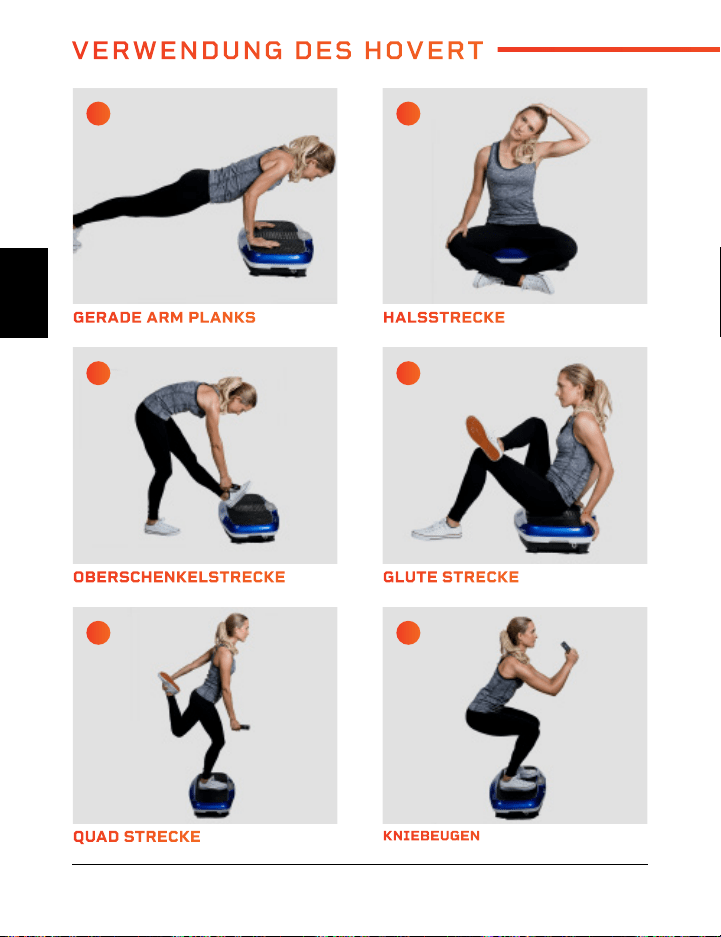
QUAD STRECKE REVERSE FLY
OBERSCHENKELSTRECKE SPLIT SQUAT
GERADE ARM PLANKS GLUTE BRÜCKE
KNIEBEUGEN ABWECHSELNDE SCHULTERPRESSE
GLUTE STRECKE SEITENLUNGE
HALSSTRECKE DIPS
A C
E G
I K
B D
F H
J L
VERWENDUNG DES HOVERT
44 Hovert Benutzerhandbuch Lifepro Vibration Therapy Kollektion 45
DE
DE
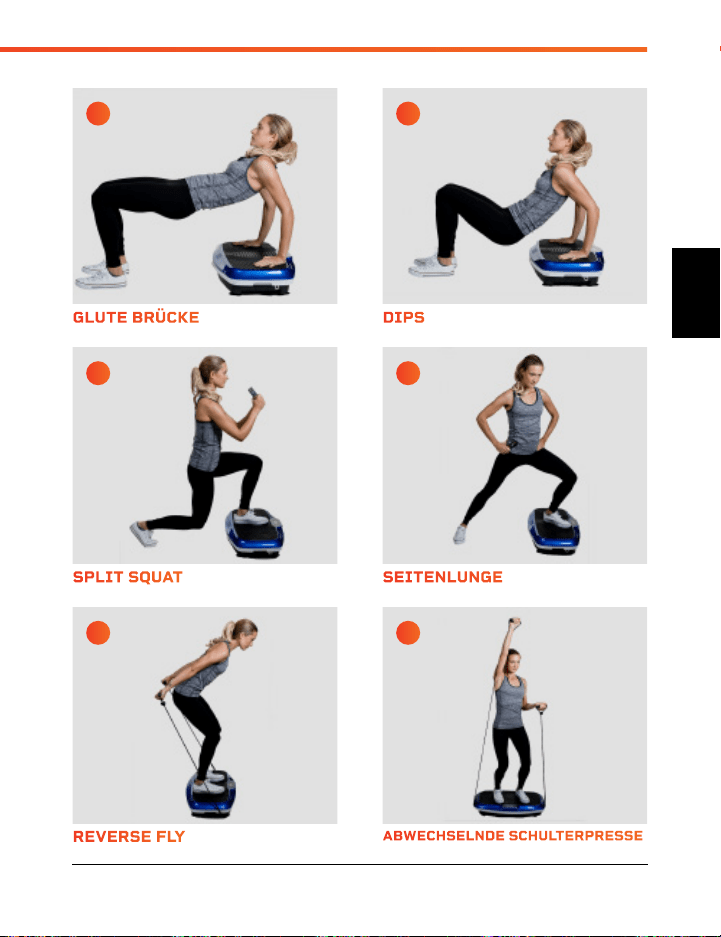
QUAD STRECKE REVERSE FLY
OBERSCHENKELSTRECKE SPLIT SQUAT
GERADE ARM PLANKS GLUTE BRÜCKE
KNIEBEUGEN ABWECHSELNDE SCHULTERPRESSE
GLUTE STRECKE SEITENLUNGE
HALSSTRECKE DIPS
A C
E G
I K
B D
F H
J L
VERWENDUNG DES HOVERT
44 Hovert Benutzerhandbuch Lifepro Vibration Therapy Kollektion 45
DE
DE
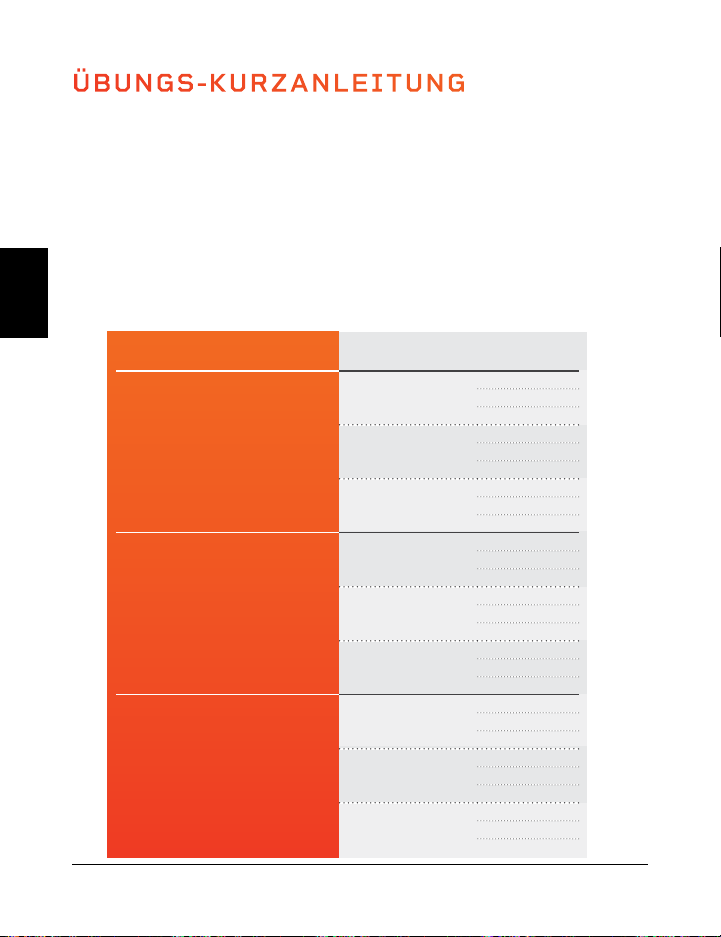
ÜBUNGS-KURZANLEITUNG
SO FANGEN SIE AN
Es ist eine gute Idee, mit dem Hovert langsam und einfach anzufangen, da es einige Zeit
dauern kann, bis man sich daran gewöhnt hat, wie sich die Vibrationsplatten bewegen
und anfühlen. Wir empfehlen Ihnen, den folgenden Trainingsleitfaden zu befolgen -
vom Anfänger bis zum Fortgeschrittenen über einen Zeitraum von mehreren Wochen.
ÜBUNGSLEITFADEN
Halten Sie die Dehnungen und Übungen auf den Seiten 16 und 17 für die in der Tabelle
unten angegebene Anzahl von Sekunden. Sie werden Kraft und Ausdauer aufbauen,
während Sie durch die Level fortschreiten.
NIVEAU TEMPO SEKUNDEN
Anfänger
1
15
30
45
16
15
30
45
33
15
30
45
Erfahrene
34
60
75
90
50
60
75
90
66
60
75
90
Fortgeschritte
67
105
120
135
83
105
120
135
99
105
120
135
46 Hovert Benutzerhandbuch Lifepro
Besuchen Sie unsere
KOSTENLOSE Bibliothek mit
persönlichen Trainingsvideos
unter hovert.lifeprofitness.com
DE
DE
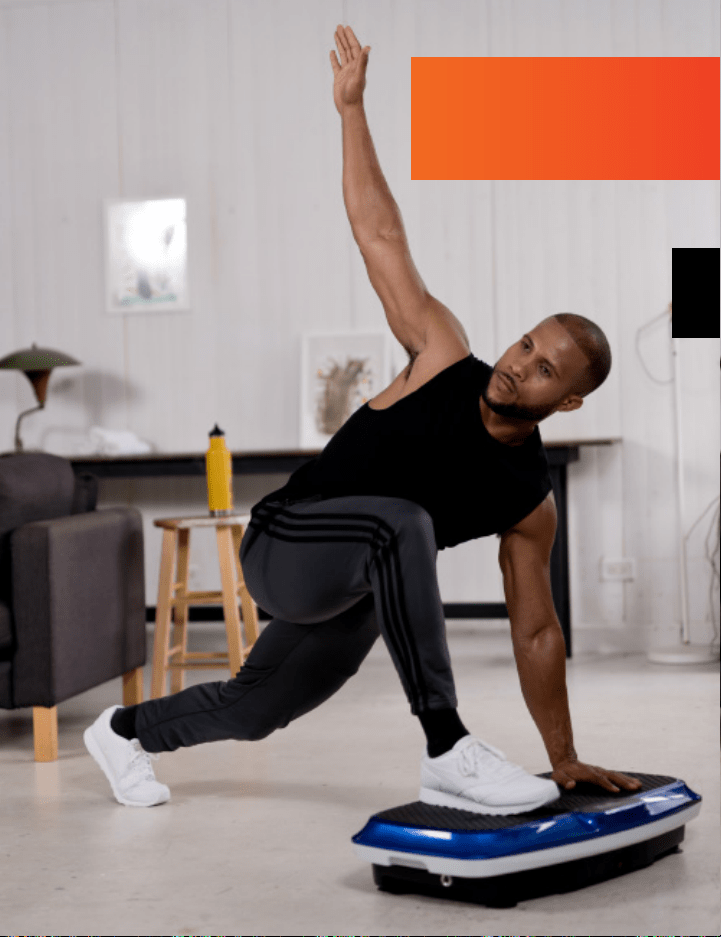
ÜBUNGS-KURZANLEITUNG
SO FANGEN SIE AN
Es ist eine gute Idee, mit dem Hovert langsam und einfach anzufangen, da es einige Zeit
dauern kann, bis man sich daran gewöhnt hat, wie sich die Vibrationsplatten bewegen
und anfühlen. Wir empfehlen Ihnen, den folgenden Trainingsleitfaden zu befolgen -
vom Anfänger bis zum Fortgeschrittenen über einen Zeitraum von mehreren Wochen.
ÜBUNGSLEITFADEN
Halten Sie die Dehnungen und Übungen auf den Seiten 16 und 17 für die in der Tabelle
unten angegebene Anzahl von Sekunden. Sie werden Kraft und Ausdauer aufbauen,
während Sie durch die Level fortschreiten.
NIVEAU TEMPO SEKUNDEN
Anfänger
1
15
30
45
16
15
30
45
33
15
30
45
Erfahrene
34
60
75
90
50
60
75
90
66
60
75
90
Fortgeschritte
67
105
120
135
83
105
120
135
99
105
120
135
46 Hovert Benutzerhandbuch Lifepro
Besuchen Sie unsere
KOSTENLOSE Bibliothek mit
persönlichen Trainingsvideos
unter hovert.lifeprofitness.com
DE
DE
SICHERHEITSHINWEISE
BITTE BEWAHREN SIE DIESES HANDBUCH ZUM NACHSCHLAGEN AN
EINEM SICHEREN ORT AUF.
WARNUNG: Um das Risiko von Verbrennungen, Feuer, elektrischen
Schlägen oder Verletzungen von Personen zu verringern, lesen Sie die
folgenden wichtigen Vorsichtsmaßnahmen und Informationen, bevor Sie
den Lifepro Hovert in Betrieb nehmen.
VERANTWORTLICHKEITEN
1. Es liegt in der Verantwortung des Eigentümers, sicherzustellen, dass
alle Benutzer des Hovert über alle Warnungen und Vorsichtsmaßnahmen
angemessen informiert sind.
2. Verwenden Sie den Hovert nur wie in diesem Handbuch beschrieben.
3. Stellen Sie den Hovert auf eine ebene Fläche mit mindestens acht Fuß
Abstand hinter dem Hovert auf. Stellen Sie den Hovert nicht auf eine
Oberfläche, die Luftöffnungen blockiert. Legen Sie eine Matte unter den
Hovert, um den Boden oder Teppich vor Beschädigungen zu schützen.
4. Halten Sie den Hovert in Innenräumen, fern von Feuchtigkeit und Staub.
Stellen Sie den Hovert nicht in einer Garage, auf einer überdachten
Terrasse oder in der Nähe von Wasser auf.
DOS AND DON’TS
5. Betreiben Sie den Hovert nicht dort, wo Aerosolprodukte verwendet
werden oder wo Sauerstoff verabreicht wird.
6. Halten Sie Kinder unter 12 Jahren und Haustiere stets vom Hovert fern.
7. Der Hovert sollte nicht von Personen benutzt werden, die mehr als 150
kg wiegen.
8. Lassen Sie nie mehr als eine Person gleichzeitig auf dem Hovert sitzen.
9. Halten Sie das Netzkabel und den Überspannungsschutz von allen
Wärmequellen fern.
10. Lassen Sie den Hovert nie unbeaufsichtigt, während er läuft. Ziehen Sie
immer den Netzstecker, wenn der Hovert nicht in Betrieb ist.
TRAINING
11. Sprechen Sie mit einem Arzt, bevor Sie ein neues Übungsprogramm
beginnen.
12. Bringen Sie sich in Position, bevor Sie den Hovert einschalten.
13. Tragen Sie bei der Benutzung des Hovert angemessene Kleidung und
Sportschuhe.
14. Der Hovert ist nur für den Gebrauch zu Hause gedacht. Verwenden
Sie den Hovert nicht in einer kommerziellen, vermieteten oder
institutionellen Umgebung.
WARTUNG
15. GEFAHRENHINWEIS: Ziehen Sie den Netzstecker immer sofort nach
dem Gebrauch, bevor Sie den Hovert reinigen und bevor Sie die in diesem
Handbuch beschriebenen Wartungs- und Einstellverfahren durchführen.
16. Überprüfen Sie alle externen Schrauben regelmäßig und ziehen Sie sie an
(entfernen Sie nicht die Motorabdeckung).
17. Entfernen Sie die Motorabdeckung nur auf Anweisung eines
autorisierten Servicevertreters. Andere als die in diesem Handbuch
beschriebenen Wartungsarbeiten sollten nur von einem Servicevertreter
durchgeführt werden.
18. Führen Sie niemals einen Gegenstand in eine Öffnung ein.
Vibration Therapy Kollektion 49 48 Hovert Benutzerhandbuch Lifepro
DE
DE

SICHERHEITSHINWEISE
BITTE BEWAHREN SIE DIESES HANDBUCH ZUM NACHSCHLAGEN AN
EINEM SICHEREN ORT AUF.
WARNUNG: Um das Risiko von Verbrennungen, Feuer, elektrischen
Schlägen oder Verletzungen von Personen zu verringern, lesen Sie die
folgenden wichtigen Vorsichtsmaßnahmen und Informationen, bevor Sie
den Lifepro Hovert in Betrieb nehmen.
VERANTWORTLICHKEITEN
1. Es liegt in der Verantwortung des Eigentümers, sicherzustellen, dass
alle Benutzer des Hovert über alle Warnungen und Vorsichtsmaßnahmen
angemessen informiert sind.
2. Verwenden Sie den Hovert nur wie in diesem Handbuch beschrieben.
3. Stellen Sie den Hovert auf eine ebene Fläche mit mindestens acht Fuß
Abstand hinter dem Hovert auf. Stellen Sie den Hovert nicht auf eine
Oberfläche, die Luftöffnungen blockiert. Legen Sie eine Matte unter den
Hovert, um den Boden oder Teppich vor Beschädigungen zu schützen.
4. Halten Sie den Hovert in Innenräumen, fern von Feuchtigkeit und Staub.
Stellen Sie den Hovert nicht in einer Garage, auf einer überdachten
Terrasse oder in der Nähe von Wasser auf.
DOS AND DON’TS
5. Betreiben Sie den Hovert nicht dort, wo Aerosolprodukte verwendet
werden oder wo Sauerstoff verabreicht wird.
6. Halten Sie Kinder unter 12 Jahren und Haustiere stets vom Hovert fern.
7. Der Hovert sollte nicht von Personen benutzt werden, die mehr als 150
kg wiegen.
8. Lassen Sie nie mehr als eine Person gleichzeitig auf dem Hovert sitzen.
9. Halten Sie das Netzkabel und den Überspannungsschutz von allen
Wärmequellen fern.
10. Lassen Sie den Hovert nie unbeaufsichtigt, während er läuft. Ziehen Sie
immer den Netzstecker, wenn der Hovert nicht in Betrieb ist.
TRAINING
11. Sprechen Sie mit einem Arzt, bevor Sie ein neues Übungsprogramm
beginnen.
12. Bringen Sie sich in Position, bevor Sie den Hovert einschalten.
13. Tragen Sie bei der Benutzung des Hovert angemessene Kleidung und
Sportschuhe.
14. Der Hovert ist nur für den Gebrauch zu Hause gedacht. Verwenden
Sie den Hovert nicht in einer kommerziellen, vermieteten oder
institutionellen Umgebung.
WARTUNG
15. GEFAHRENHINWEIS: Ziehen Sie den Netzstecker immer sofort nach
dem Gebrauch, bevor Sie den Hovert reinigen und bevor Sie die in diesem
Handbuch beschriebenen Wartungs- und Einstellverfahren durchführen.
16. Überprüfen Sie alle externen Schrauben regelmäßig und ziehen Sie sie an
(entfernen Sie nicht die Motorabdeckung).
17. Entfernen Sie die Motorabdeckung nur auf Anweisung eines
autorisierten Servicevertreters. Andere als die in diesem Handbuch
beschriebenen Wartungsarbeiten sollten nur von einem Servicevertreter
durchgeführt werden.
18. Führen Sie niemals einen Gegenstand in eine Öffnung ein.
Vibration Therapy Kollektion 49 48 Hovert Benutzerhandbuch Lifepro
DE
DE
PRODUKT
SPEZIFIKATIONEN
HERGESTELLT IN CHINA
50 Hovert Benutzerhandbuch Lifepro
TECHNISCHE ANGABEN
Größe: 78.7 × 45.7 × 17.8 cm
Gewicht: 18 kg
Leistung: 200 W + 200 W
Spannung: 220 V
Amplitude: 0–10 mm
Max. Nutzergewicht: 150 kg
Frequenz: 4–15 Hz
Geschwindigkeitsstufen: 99
Auto-Programme: P1–P8
Batterien erforderlich:
2 AAA Batterien (enthalten)
HOVERT
3D-VIBRATIONSPLATTE
VIBRATION THERAPY
2 JAHRE GARANTIE
Lifepro Fitness stellt qualitativ
hochwertige, langlebige Trainingsprodukte
her, und wir stehen zu dieser Qualität mit
einer 2-Jahres-Garantie auf alle unsere
Produkte.
Sollte Ihr Hovert jemals kaputt gehen (und
wir bezweifeln das), schicken wir Ihnen
Ersatzteile und zeigen Ihnen, wie Sie ihn
reparieren können. Wenn Ihr Hovert.
nicht repariert werden kann, ersetzen wir es
- kostenlos. Registrieren Sie Ihren Hovert
unter hovert.lifeprofitness.com, um Ihre
Garantie innerhalb von 14 Tagen nach dem
Kauf zu aktivieren.
Vibration Therapy Kollektion 51
DE
DE
PRODUKT
SPEZIFIKATIONEN
HERGESTELLT IN CHINA
50 Hovert Benutzerhandbuch Lifepro
TECHNISCHE ANGABEN
Größe: 78.7 × 45.7 × 17.8 cm
Gewicht: 18 kg
Leistung: 200 W + 200 W
Spannung: 220 V
Amplitude: 0–10 mm
Max. Nutzergewicht: 150 kg
Frequenz: 4–15 Hz
Geschwindigkeitsstufen: 99
Auto-Programme: P1–P8
Batterien erforderlich:
2 AAA Batterien (enthalten)
HOVERT
3D-VIBRATIONSPLATTE
VIBRATION THERAPY
2 JAHRE GARANTIE
Lifepro Fitness stellt qualitativ
hochwertige, langlebige Trainingsprodukte
her, und wir stehen zu dieser Qualität mit
einer 2-Jahres-Garantie auf alle unsere
Produkte.
Sollte Ihr Hovert jemals kaputt gehen (und
wir bezweifeln das), schicken wir Ihnen
Ersatzteile und zeigen Ihnen, wie Sie ihn
reparieren können. Wenn Ihr Hovert.
nicht repariert werden kann, ersetzen wir es
- kostenlos. Registrieren Sie Ihren Hovert
unter hovert.lifeprofitness.com, um Ihre
Garantie innerhalb von 14 Tagen nach dem
Kauf zu aktivieren.
Vibration Therapy Kollektion 51
DE
DE
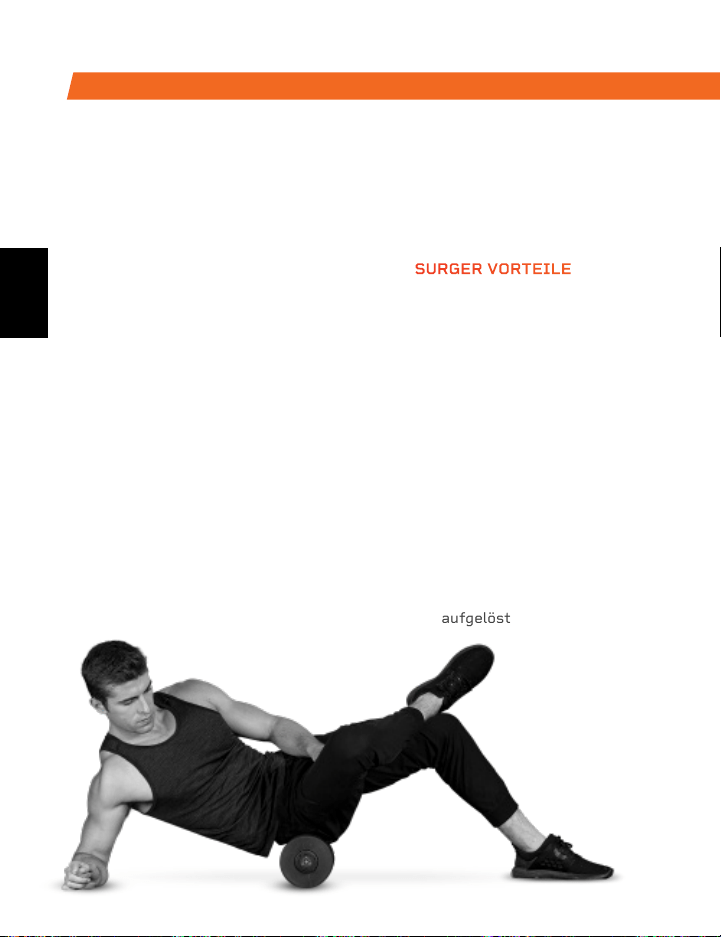
Die Schaumstoffrolle Surger verbindet
die Vorteile der Schaumstoffrolle mit
den Vorteilen der Vibrationstechnologie.
Verwenden Sie die Surger vor oder nach
dem Training als Teil Ihrer Aufwärm- oder
Erholungsroutine, um an Flexibilität
zu gewinnen und um Schmerzen und
Verletzungen vorzubeugen.
Durch die gezielte Ausübung von Druck
auf die Muskelfasern und dem Gewebe
(selbstständige myofasziale Release-
Technik) sowie der Vibrationstechnologie
der Surger werden Muskelverhärtungen
aufgelöst und verklebte Muskeln und
Faszien entspannt. Wählen Sie zwischen
4 Vibrationsstufen, um jedes Mal die
passende Intensität anwenden zu
können.
SURGER
VIBRIERENDE SCHAUMSTOFFROLLE
SURGER VORTEILE
• Trainingseffektivität wird
erhöht
• Muskelkater wird reduziert
• Erholung wird beschleunigt
• Verletzungen werden
vorgebeugt
• Kreislauf wird verbessert
• Muskelflexibilität und
Muskelleistung werden
verbessert
• Muskelschmerzen und
Muskelentzündungen werden
minimieret
• Knoten, Triggerpunkte und
Verspannungen in Ihren
Muskeln und Faszien werden
aufgelöst
AUS UNSERER SPORTS RECOVERY
KOLLEKTION
Der vibrierende Massageball Agility
ist für kleine Muskelgruppen
konzipiert. Der Agility-Ball ist
klein genug, um in die Handfläche
zu passen und bietet Ihnen
eine große Bandbreite an
Massagebewegungen: kreisförmig,
auf- und abwärts und von links nach
rechts.
Die Außenseite des Agility-Balls
ist aus Silikon wodurch der Ball
strapazierfähig und leicht zu greifen
ist. Gleichzeitig ist er aber auch
weich genug, um an empfindlichen
Stellen wie Nacken,
Händen und Füßen
eingesetzt werden
zu können.
AGILITY
VIBRIERENDER MASSAGEBALL
AGILITY BALL VORTEILE
• Kreislauf wird verbessert
• Muskelflexibilität und
Muskelleistung warden
verbessert
• Verspannte Muskeln und
Faszien werden
entspannt
• Muskelschmerzen und
Muskelentzündungen
werden minimiert
• Blutfluss wird verbessert
DE
DE
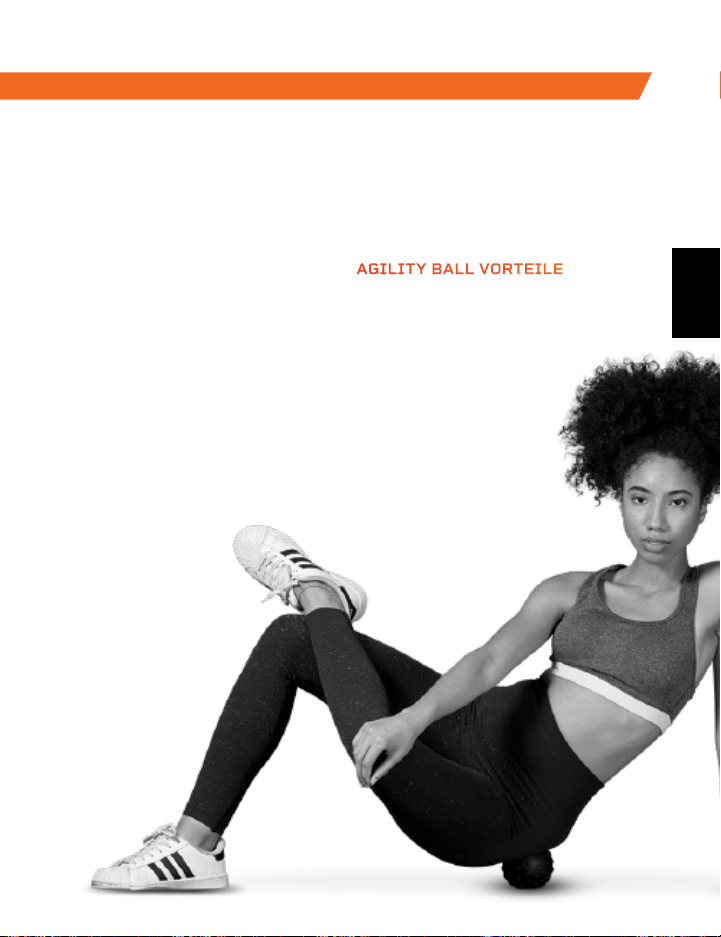
Die Schaumstoffrolle Surger verbindet
die Vorteile der Schaumstoffrolle mit
den Vorteilen der Vibrationstechnologie.
Verwenden Sie die Surger vor oder nach
dem Training als Teil Ihrer Aufwärm- oder
Erholungsroutine, um an Flexibilität
zu gewinnen und um Schmerzen und
Verletzungen vorzubeugen.
Durch die gezielte Ausübung von Druck
auf die Muskelfasern und dem Gewebe
(selbstständige myofasziale Release-
Technik) sowie der Vibrationstechnologie
der Surger werden Muskelverhärtungen
aufgelöst und verklebte Muskeln und
Faszien entspannt. Wählen Sie zwischen
4 Vibrationsstufen, um jedes Mal die
passende Intensität anwenden zu
können.
SURGER
VIBRIERENDE SCHAUMSTOFFROLLE
SURGER VORTEILE
• Trainingseffektivität wird
erhöht
• Muskelkater wird reduziert
• Erholung wird beschleunigt
• Verletzungen werden
vorgebeugt
• Kreislauf wird verbessert
• Muskelflexibilität und
Muskelleistung werden
verbessert
• Muskelschmerzen und
Muskelentzündungen werden
minimieret
• Knoten, Triggerpunkte und
Verspannungen in Ihren
Muskeln und Faszien werden
aufgelöst
AUS UNSERER SPORTS RECOVERY
KOLLEKTION
Der vibrierende Massageball Agility
ist für kleine Muskelgruppen
konzipiert. Der Agility-Ball ist
klein genug, um in die Handfläche
zu passen und bietet Ihnen
eine große Bandbreite an
Massagebewegungen: kreisförmig,
auf- und abwärts und von links nach
rechts.
Die Außenseite des Agility-Balls
ist aus Silikon wodurch der Ball
strapazierfähig und leicht zu greifen
ist. Gleichzeitig ist er aber auch
weich genug, um an empfindlichen
Stellen wie Nacken,
Händen und Füßen
eingesetzt werden
zu können.
AGILITY
VIBRIERENDER MASSAGEBALL
AGILITY BALL VORTEILE
• Kreislauf wird verbessert
• Muskelflexibilität und
Muskelleistung warden
verbessert
• Verspannte Muskeln und
Faszien werden
entspannt
• Muskelschmerzen und
Muskelentzündungen
werden minimiert
• Blutfluss wird verbessert
DE
DE
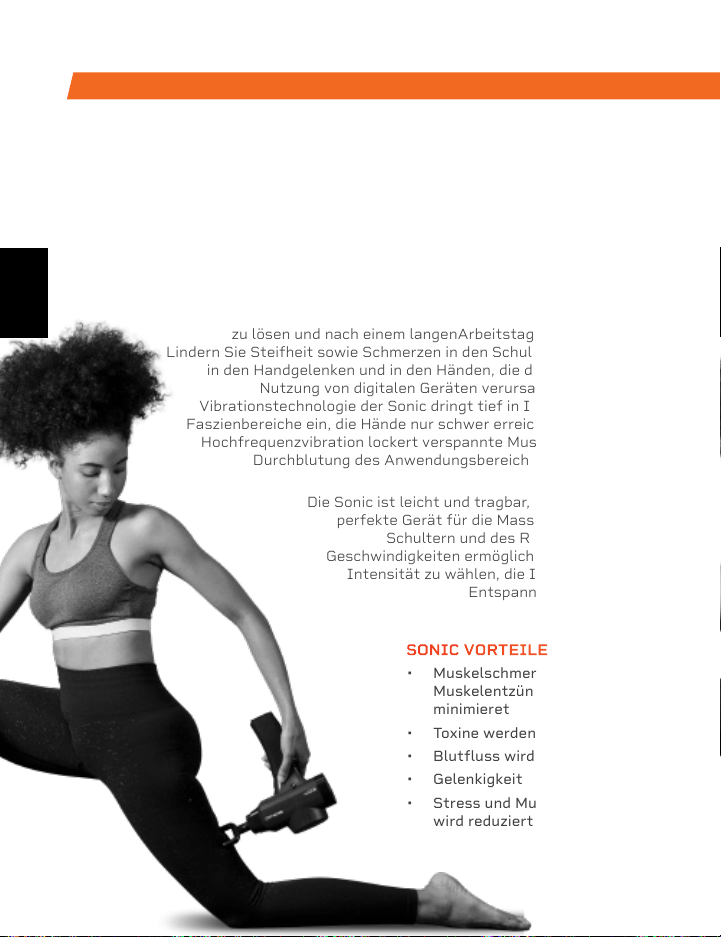
Die Rhythm-Vibrationsplattform funktioniert
durch die Erzeugung schneller Vibrationen
im gesamten Körper, insbesondere bei
den Muskelgruppen, auf denen der
Schwerpunkt liegt. Die Vibrationen
führen dazu, dass sich die Muskeln
in schnellen Zeitintervallen dehnen,
beugen, und entspannen. Dies führt
zu einem verstärkten Muskel- und
Knochenwachstum, verbesserter
Flexibilität und einem gesteigerten
Stoffwechsel. Dadurch erhöht sich
die Anzahl der verbrannten Kalorien.
Die Rhythm kann von Menschen
aller Fitnessstufen verwendet
werden. Wenn Sie sich eine
Verletzung zugezogen haben oder
Gelenk- bzw. Rückenschmerzen
haben, dann lindert die Plattform
Ihre Schmerzen. Mit der Einbindung der
Rhythm in Ihre Reha-Routine können Sie
zudem Verletzungen vorbeugen.
RHYTHM
VIBRATIONSPLATTFORM
AUS UNSERER SPORTS RECOVERY KOLLEKTION AUS UNSERE VIBRATION THERAPY KOLLEKTION
Die Sonic Vibrierende Massagepistole ist ein tiefes
Gewebemassagegerät, welches hilft, die durch stundenlanges
Sitzen verursachten Schmerzen und Beschwerden zu
beseitigen. Verwenden Sie die Sonic, um Muskelverspannungen
zu lösen und nach einem langenArbeitstag zu entspannen.
Lindern Sie Steifheit sowie Schmerzen in den Schultern, im Nacken,
in den Handgelenken und in den Händen, die durch die längere
Nutzung von digitalen Geräten verursacht wurden. Die
Vibrationstechnologie der Sonic dringt tief in Ihre Muskeln und
Faszienbereiche ein, die Hände nur schwer erreichen können. Die
Hochfrequenzvibration lockert verspannte Muskeln, erhöht die
Durchblutung des Anwendungsbereiches und minimiert
Entzündungen.
Die Sonic ist leicht und tragbar, weshalb sie das
perfekte Gerät für die Massage der eigenen
Schultern und des Rückens ist. Die 5
Geschwindigkeiten ermöglichen es Ihnen, die
Intensität zu wählen, die Ihnen die größte
Entspannung verschafft.
SONIC
VIBRIERENDE MASSAGEPISTOLE
SONIC VORTEILE
• Muskelschmerzen und
Muskelentzündungen werden
minimieret
• Toxine werden freigesetzt
• Blutfluss wird verbessert
• Gelenkigkeit wird verbessert
• Stress und Muskelspannung
wird reduziert
RHYTHM VORTEILE
• Mobilität wird verbessert
• Verletzungen werden vorgebeugt
• Kraft wird verbessert
• Stoffwechsel wird angekurbelt
• Schlaf wird verbessert
• Stärkere Knochen werden
entwickelt
• Durchblutung wird erhöht
DE
DE
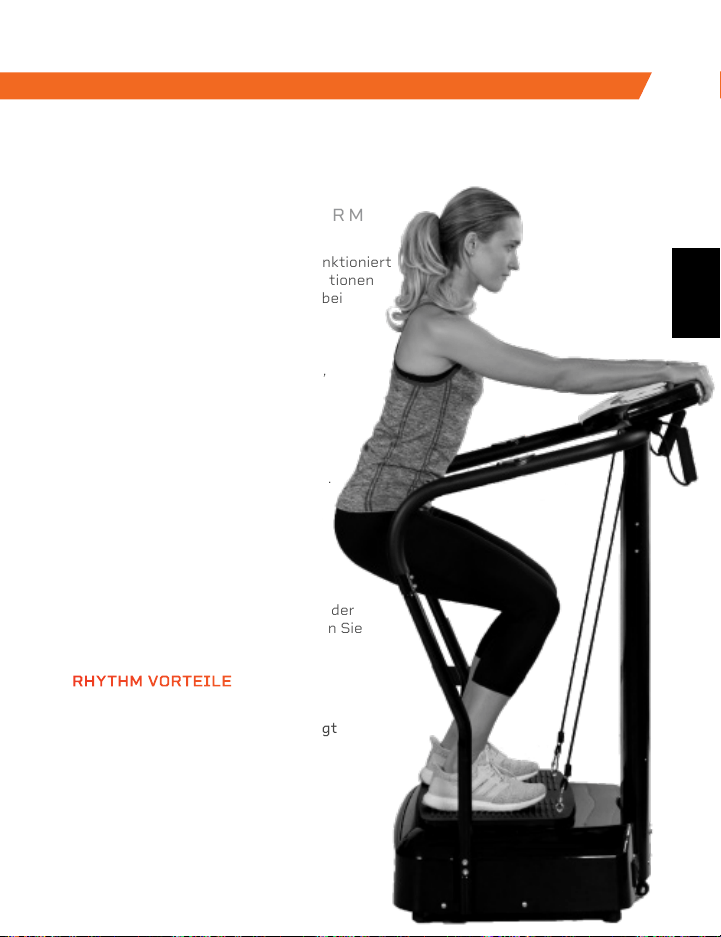
Die Rhythm-Vibrationsplattform funktioniert
durch die Erzeugung schneller Vibrationen
im gesamten Körper, insbesondere bei
den Muskelgruppen, auf denen der
Schwerpunkt liegt. Die Vibrationen
führen dazu, dass sich die Muskeln
in schnellen Zeitintervallen dehnen,
beugen, und entspannen. Dies führt
zu einem verstärkten Muskel- und
Knochenwachstum, verbesserter
Flexibilität und einem gesteigerten
Stoffwechsel. Dadurch erhöht sich
die Anzahl der verbrannten Kalorien.
Die Rhythm kann von Menschen
aller Fitnessstufen verwendet
werden. Wenn Sie sich eine
Verletzung zugezogen haben oder
Gelenk- bzw. Rückenschmerzen
haben, dann lindert die Plattform
Ihre Schmerzen. Mit der Einbindung der
Rhythm in Ihre Reha-Routine können Sie
zudem Verletzungen vorbeugen.
RHYTHM
VIBRATIONSPLATTFORM
AUS UNSERER SPORTS RECOVERY KOLLEKTION AUS UNSERE VIBRATION THERAPY KOLLEKTION
Die Sonic Vibrierende Massagepistole ist ein tiefes
Gewebemassagegerät, welches hilft, die durch stundenlanges
Sitzen verursachten Schmerzen und Beschwerden zu
beseitigen. Verwenden Sie die Sonic, um Muskelverspannungen
zu lösen und nach einem langenArbeitstag zu entspannen.
Lindern Sie Steifheit sowie Schmerzen in den Schultern, im Nacken,
in den Handgelenken und in den Händen, die durch die längere
Nutzung von digitalen Geräten verursacht wurden. Die
Vibrationstechnologie der Sonic dringt tief in Ihre Muskeln und
Faszienbereiche ein, die Hände nur schwer erreichen können. Die
Hochfrequenzvibration lockert verspannte Muskeln, erhöht die
Durchblutung des Anwendungsbereiches und minimiert
Entzündungen.
Die Sonic ist leicht und tragbar, weshalb sie das
perfekte Gerät für die Massage der eigenen
Schultern und des Rückens ist. Die 5
Geschwindigkeiten ermöglichen es Ihnen, die
Intensität zu wählen, die Ihnen die größte
Entspannung verschafft.
SONIC
VIBRIERENDE MASSAGEPISTOLE
SONIC VORTEILE
• Muskelschmerzen und
Muskelentzündungen werden
minimieret
• Toxine werden freigesetzt
• Blutfluss wird verbessert
• Gelenkigkeit wird verbessert
• Stress und Muskelspannung
wird reduziert
RHYTHM VORTEILE
• Mobilität wird verbessert
• Verletzungen werden vorgebeugt
• Kraft wird verbessert
• Stoffwechsel wird angekurbelt
• Schlaf wird verbessert
• Stärkere Knochen werden
entwickelt
• Durchblutung wird erhöht
DE
DE

Greifen Sie auf Lifepro TV, unsere Bibliothek
mit kostenlosen persönlichen Trainingsvideos
im Internet unter hovert.lifeprofitness.com
um zu erfahren, wie Sie das Beste aus
Ihrem Lifepro® Hovert herausholen und die
gewünschten Ergebnisse erzielen können.
SIE
SCHAFFEN
DAS
Lifeprousa Lifeprousa support@lifeprofitness.com
DE
PLATAFORMA DE VIBRACIÓN HOVERT 3D
PREPARADOS,
LISTOS, PRO
MANUAL DEL USUARIO
ES
Greifen Sie auf Lifepro TV, unsere Bibliothek
mit kostenlosen persönlichen Trainingsvideos
im Internet unter hovert.lifeprofitness.com
um zu erfahren, wie Sie das Beste aus
Ihrem Lifepro® Hovert herausholen und die
gewünschten Ergebnisse erzielen können.
SIE
SCHAFFEN
DAS
Lifeprousa Lifeprousa support@lifeprofitness.com
DE
PLATAFORMA DE VIBRACIÓN HOVERT 3D
PREPARADOS,
LISTOS, PRO
MANUAL DEL USUARIO
ES
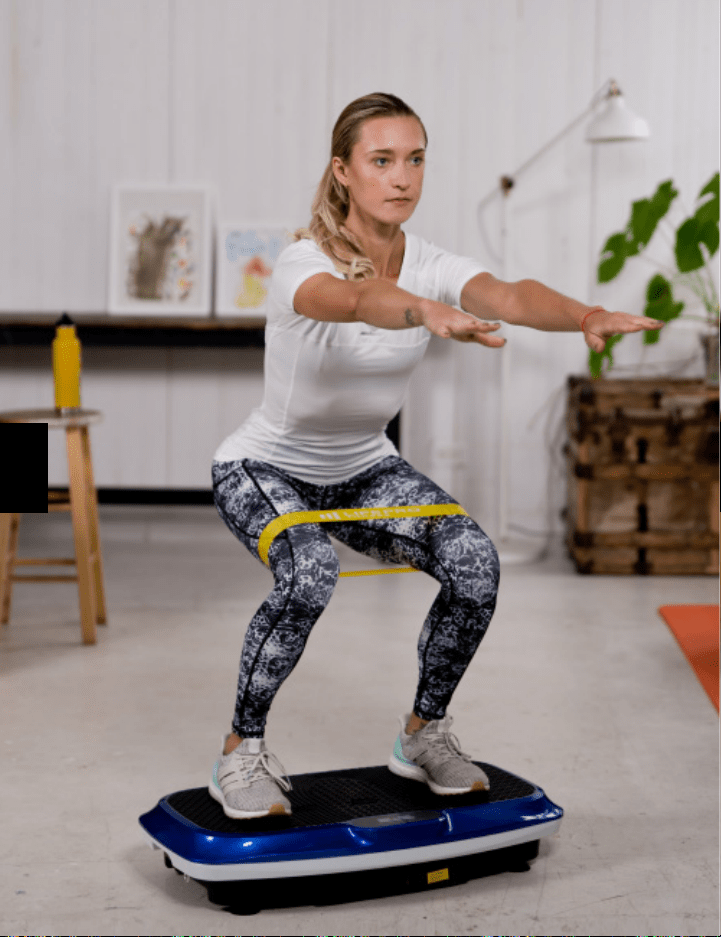
HOLA A TODOS:
Joel y yo somos atletas. Hace algunos meses
sufrimos serias lesiones ACL (lesiones del
ligamento cruzado anterior) y decidimos comprar
diferentes tipos de equipos de acondicionamiento
físico para realizar ejercicios de rehabilitación
en el hogar, pero terminamos desilusionados y
frustrados porque nos hacían grandes promesas
sin ofrecer ningún tipo de asistencia, ni un plan
bien organizado, ni resultados comprobables.
Nosotros nos propusimos cambiar todo esto, y es
así es como surge Lifepro y se crea la colección
Vibration Therapy. Cada elemento del equipo
que lleva nuestro nombre no solo se examina
rigurosamente para asegurar potencia y eficacia,
sino que también incluye la asistencia de nuestros
“ángeles guías” y una garantía de dos años para
que nunca se sienta desamparado.
Bienvenido a Lifepro.
Ahora estamos juntos en esto.
ES
ES

HOLA A TODOS:
Joel y yo somos atletas. Hace algunos meses
sufrimos serias lesiones ACL (lesiones del
ligamento cruzado anterior) y decidimos comprar
diferentes tipos de equipos de acondicionamiento
físico para realizar ejercicios de rehabilitación
en el hogar, pero terminamos desilusionados y
frustrados porque nos hacían grandes promesas
sin ofrecer ningún tipo de asistencia, ni un plan
bien organizado, ni resultados comprobables.
Nosotros nos propusimos cambiar todo esto, y es
así es como surge Lifepro y se crea la colección
Vibration Therapy. Cada elemento del equipo
que lleva nuestro nombre no solo se examina
rigurosamente para asegurar potencia y eficacia,
sino que también incluye la asistencia de nuestros
“ángeles guías” y una garantía de dos años para
que nunca se sienta desamparado.
Bienvenido a Lifepro.
Ahora estamos juntos en esto.
ES
ES
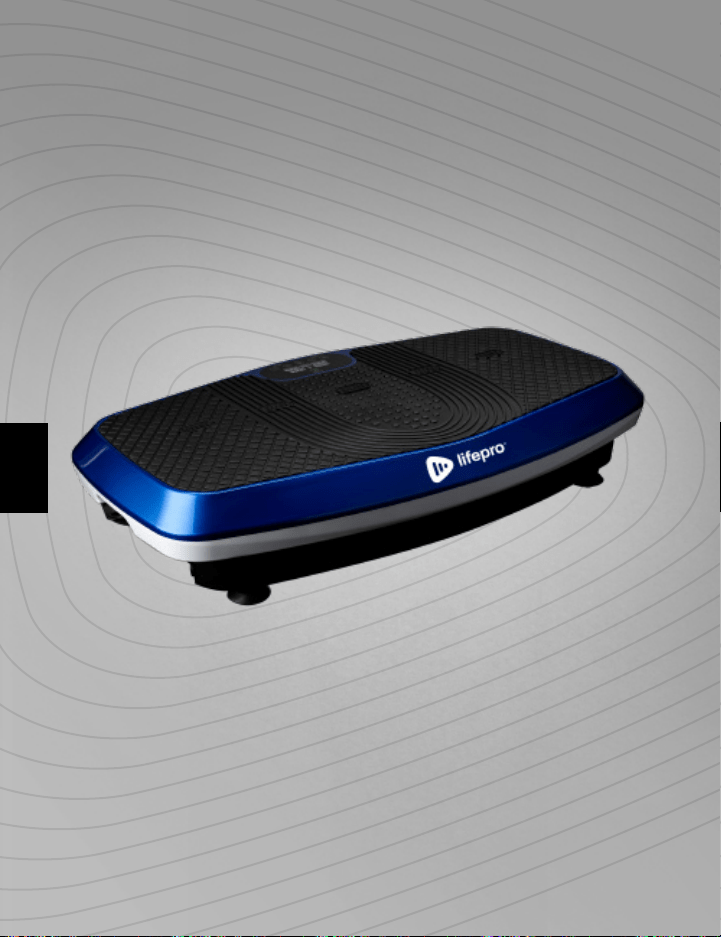
No todos podemos pagar un entrenador físico o un equipo de profesionales
para que nos ayuden a sentirnos y vernos mejor. Ahora, la buena noticia es
que esto ya no es necesario. Lifepro lleva el gimnasio a su hogar.
Lifepro Hovert acelera su metabolismo y aumenta la circulación obligando al
cuerpo a quemar más grasas y a reducir la celulitis. La plataforma de vibración
de doble motor crea un movimiento repetitivo único usando vibración 3D y
oscilación que obliga a los músculos a contraerse repetidamente. Esta
técnica trabaja más fibras musculares que otras formas de ejercicio, lo que
significa que obtendrá el doble de resultados sin hacer el doble de esfuerzo.
El Hovert es fácil de usar y le ayudará a alcanzar sus objetivos más rápido
que nunca.
Si ha sufrido una lesión o siente dolor de espalda o en las articulaciones
podrá sentir alivio mientras ayuda a evitar futuras lesiones al incorporar
la plataforma vibratoria a su rutina de rehabilitación. Las plataformas
vibratorias son utilizadas a diario por atletas profesionales, terapeutas
físicos y centros de rehabilitación
Redefina su entrenamiento y experimente
el poder transformador del Lifepro Hovert:
Experimente el alivio de las articulaciones y del dolor de espalda:
mejora la fuerza y la circulación
Aumente su metabolismo: estimule a su cuerpo a quemar grasa más
rápido
Disminuya su estrés: aumente la serotonina y disminuya el cortisol
Mejore la circulación: disminuya la presión arterial
Aumente la fuerza y la flexibilidad: mejore la estabilidad
Desarrolle huesos más fuertes: aumente la densidad de los huesos
Practique los ejercicios de este manual para comenzar a utilizar su Hovert
Después, visite nuestra página hovert.lifeprofitness.com para acceder
DE MANERA GRATUITA a nuestra biblioteca de videos de entrenamiento
que le muestran lo fácil que es incorporar el Hovert en su rutina.
Colección Vibration Therapy 61
ES
ES
No todos podemos pagar un entrenador físico o un equipo de profesionales
para que nos ayuden a sentirnos y vernos mejor. Ahora, la buena noticia es
que esto ya no es necesario. Lifepro lleva el gimnasio a su hogar.
Lifepro Hovert acelera su metabolismo y aumenta la circulación obligando al
cuerpo a quemar más grasas y a reducir la celulitis. La plataforma de vibración
de doble motor crea un movimiento repetitivo único usando vibración 3D y
oscilación que obliga a los músculos a contraerse repetidamente. Esta
técnica trabaja más fibras musculares que otras formas de ejercicio, lo que
significa que obtendrá el doble de resultados sin hacer el doble de esfuerzo.
El Hovert es fácil de usar y le ayudará a alcanzar sus objetivos más rápido
que nunca.
Si ha sufrido una lesión o siente dolor de espalda o en las articulaciones
podrá sentir alivio mientras ayuda a evitar futuras lesiones al incorporar
la plataforma vibratoria a su rutina de rehabilitación. Las plataformas
vibratorias son utilizadas a diario por atletas profesionales, terapeutas
físicos y centros de rehabilitación
Redefina su entrenamiento y experimente
el poder transformador del Lifepro Hovert:
Experimente el alivio de las articulaciones y del dolor de espalda:
mejora la fuerza y la circulación
Aumente su metabolismo: estimule a su cuerpo a quemar grasa más
rápido
Disminuya su estrés: aumente la serotonina y disminuya el cortisol
Mejore la circulación: disminuya la presión arterial
Aumente la fuerza y la flexibilidad: mejore la estabilidad
Desarrolle huesos más fuertes: aumente la densidad de los huesos
Practique los ejercicios de este manual para comenzar a utilizar su Hovert
Después, visite nuestra página hovert.lifeprofitness.com para acceder
DE MANERA GRATUITA a nuestra biblioteca de videos de entrenamiento
que le muestran lo fácil que es incorporar el Hovert en su rutina.
Colección Vibration Therapy 61
ES
ES
Colección Vibration Therapy 63 62 Hovert Manual del usuario Lifepro
PARA INCIAR
PARA INICIAR
• Plataforma de Vibración Hovert 3D
• Cable de Alimentación
• Control Remoto
• Bandas de Resistencia (2)
• Mini Bandas Lifepro (4)
• Guía del Usuario
PRIMEROS PASOS
1. Retire su Hovert de la caja de envío y quite todo el embalaje de la
unidad y los accesorios.
2. Lea cuidadosamente el manual del usuario y todas las instrucciones
de seguridad antes de usar el Hovert
3. Visite hovert.lifeprofitness.com y registre su producto dentro de los
14 días posteriores a la compra para activar su garantía de por vida.
4. Complete los pasos de la GUÍA RÁPIDA DE INICIO en la página 64
para comenzar a usar su Hovert.
ATENCIÓN AL CLIENTE
Si tiene alguna pregunta sobre cómo armar su Hovert, estamos
aquí para ayudarle. Llámenos o envíenos un correo electrónico y un
experimentado representante de atención al cliente le atenderá:
+1 (800) 563-6604 o support@lifeprofitness.com.
FAMILIARÍCESE
Control
Remoto
Plataforma de
Vibración Hovert 3D
4 Mini
Bandas
2 Bandas de
Resistencia
HOVERT
PLATAFORMA VIBRATORIA 3D
COLECCIÓN VIBRATION THERAPY
ES
ES
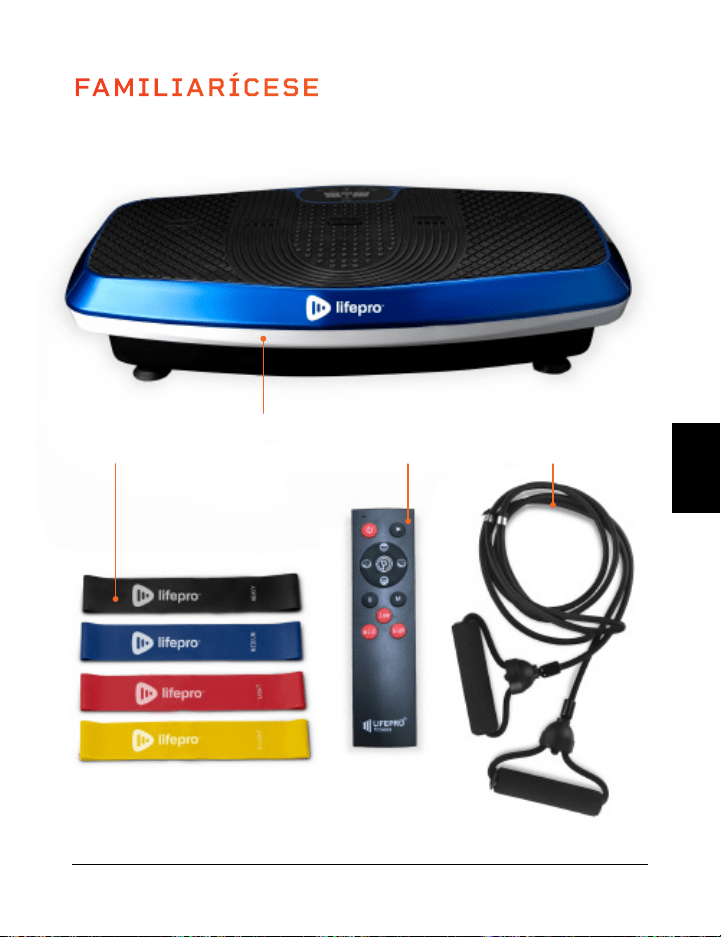
Colección Vibration Therapy 63 62 Hovert Manual del usuario Lifepro
PARA INCIAR
PARA INICIAR
• Plataforma de Vibración Hovert 3D
• Cable de Alimentación
• Control Remoto
• Bandas de Resistencia (2)
• Mini Bandas Lifepro (4)
• Guía del Usuario
PRIMEROS PASOS
1. Retire su Hovert de la caja de envío y quite todo el embalaje de la
unidad y los accesorios.
2. Lea cuidadosamente el manual del usuario y todas las instrucciones
de seguridad antes de usar el Hovert
3. Visite hovert.lifeprofitness.com y registre su producto dentro de los
14 días posteriores a la compra para activar su garantía de por vida.
4. Complete los pasos de la GUÍA RÁPIDA DE INICIO en la página 64
para comenzar a usar su Hovert.
ATENCIÓN AL CLIENTE
Si tiene alguna pregunta sobre cómo armar su Hovert, estamos
aquí para ayudarle. Llámenos o envíenos un correo electrónico y un
experimentado representante de atención al cliente le atenderá:
+1 (800) 563-6604 o support@lifeprofitness.com.
FAMILIARÍCESE
Control
Remoto
Plataforma de
Vibración Hovert 3D
4 Mini
Bandas
2 Bandas de
Resistencia
HOVERT
PLATAFORMA VIBRATORIA 3D
COLECCIÓN VIBRATION THERAPY
ES
ES
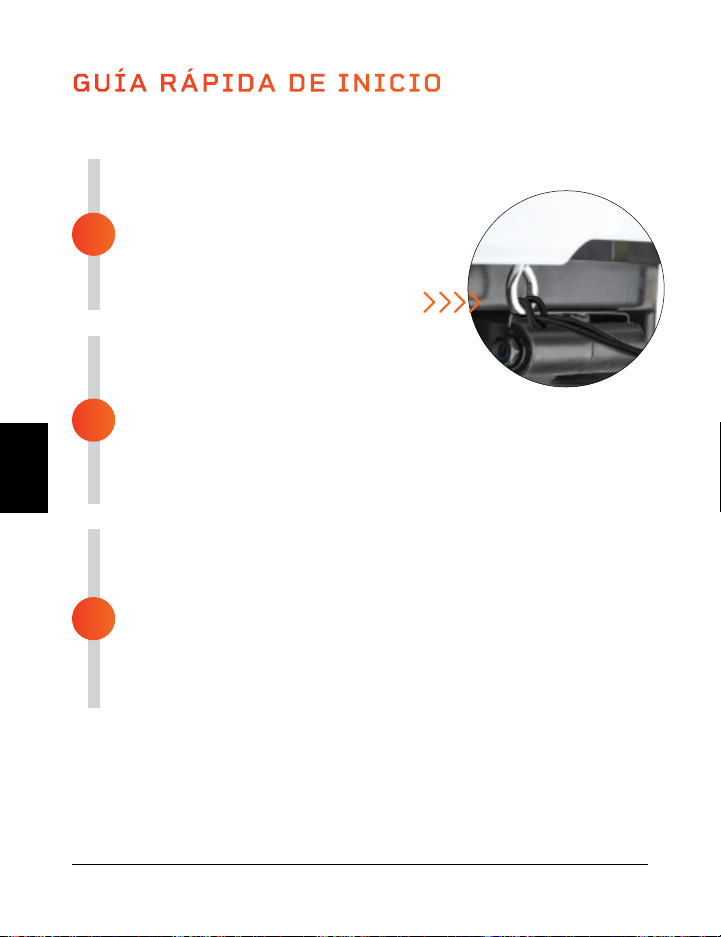
ENSAMBLANDO EL HOVERT
• Retire la parte posterior del control remoto,
inserte dos pilas AAA en el compartimento
de las baterías.
• Coloque las bandas de resistencia en
los anillos metálicos en la parte
delantera del Hovert.
CONECTE A LA ELECTRICIDAD
• Inserte el cable de alimentación
firmemente en el frente del Hovert.
NOTA: Presione con fuerza hasta que sienta un clic, el cual
indica que el cable está conectado de forma segura. El cable de
alimentación se ajusta firmemente para que no se afloje durante el
uso.
• Conecte el cable de alimentación a una toma de corriente.
ENCIENDA EL HOVERT
• Mueva el interruptor de la parte delantera del Hovert a la
posición ON.
• Pulse el botón de encendido en la pantalla del Hovert.
• Eso es todo. Su Lifepro Hovert ya está listo para usarse
Consulte las INSTRUCCIONES DE OPERACIÓN y la ELECCIÓN
DE UN PROGRAMA en las siguientes páginas para obtener
detalles sobre cómo usar su Hovert.
GUÍA RÁPIDA DE INICIO
Encienda su Lifepro Hovert en solo 3 pasos:
3
2
1
MODOS
Modo de Espera: El Hovert está encendido, pero no se selecciona ningún programa.
Modo de Programa: Elija entre programas de entrenamiento preestablecidos (P1-P8).
Cada programa tiene una velocidad de vibración baja, media o alta.
Modo Manual (HA): Establezca su propio tiempo de entrenamiento y velocidad de
vibración.
64 Hovert Manual del usuario Lifepro Colección Vibration Therapy 65
CÓMO FUNCIONA
La Hovert tiene dos potentes motores: un motor lateral (el MOTOR L en
la pantalla de Hovert) y un motor horizontal / oscilante (el MOTOR H en la
pantalla de Hovert). Los motores duales producen tres movimientos que
proporcionan combinaciones de entrenamiento ilimitadas: lateral, horizontal y
3D / espiral. La plataforma crea un movimiento repetitivo usando la vibración
3D y la oscilación que activa todas sus fibras musculares. Esta vibración 3D
única es particularmente beneficiosa para las personas que experimentan
osteoporosis, osteoartritis, o sarcopenia, y es ideal para mejorar la circulación
y el equilibrio de los adultos mayores.
CONFIGURACIONES DE ENTRENAMIENTO
• Entrenamiento Horizontal: Crea un entrenamiento manual con el motor H.
• Entrenamiento Lateral: Crea un entrenamiento manual con el motor L.
• Entrenamiento 3D/Espiral: Use uno de los programas preestablecidos o
cree un entrenamiento manual que incluya los motores horizontal (H) y
lateral (L).
Movimiento Horizontal
Arriba y Abajo (Motor H)
Movimiento 3D/Espiral
Combinación de los Anteriores
Movimiento Lateral
De Lado a Lado (Motor L)
ES
ES
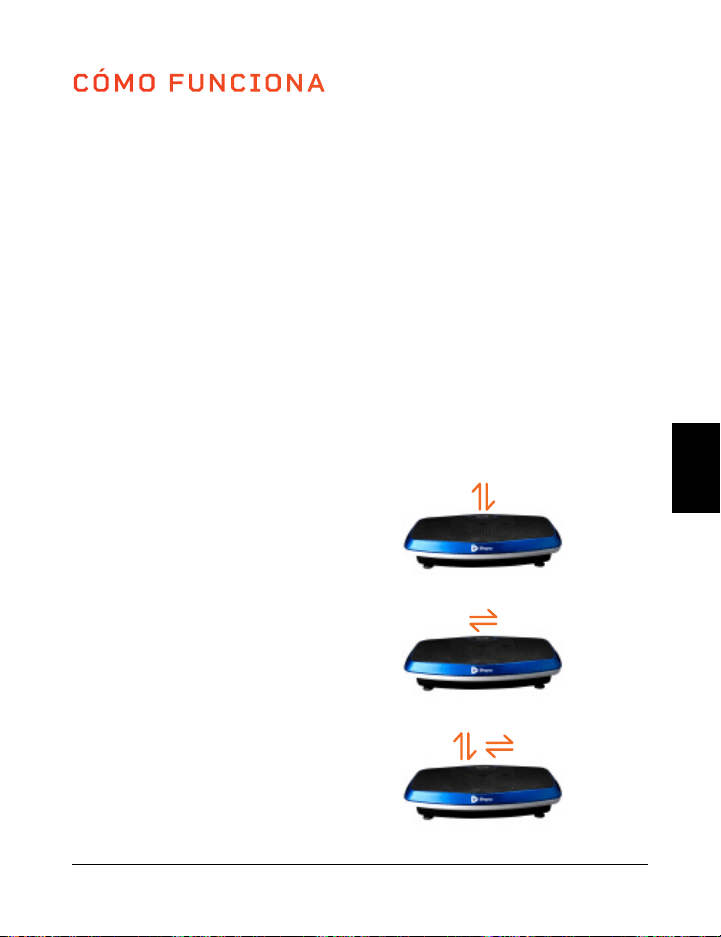
ENSAMBLANDO EL HOVERT
• Retire la parte posterior del control remoto,
inserte dos pilas AAA en el compartimento
de las baterías.
• Coloque las bandas de resistencia en
los anillos metálicos en la parte
delantera del Hovert.
CONECTE A LA ELECTRICIDAD
• Inserte el cable de alimentación
firmemente en el frente del Hovert.
NOTA: Presione con fuerza hasta que sienta un clic, el cual
indica que el cable está conectado de forma segura. El cable de
alimentación se ajusta firmemente para que no se afloje durante el
uso.
• Conecte el cable de alimentación a una toma de corriente.
ENCIENDA EL HOVERT
• Mueva el interruptor de la parte delantera del Hovert a la
posición ON.
• Pulse el botón de encendido en la pantalla del Hovert.
• Eso es todo. Su Lifepro Hovert ya está listo para usarse
Consulte las INSTRUCCIONES DE OPERACIÓN y la ELECCIÓN
DE UN PROGRAMA en las siguientes páginas para obtener
detalles sobre cómo usar su Hovert.
GUÍA RÁPIDA DE INICIO
Encienda su Lifepro Hovert en solo 3 pasos:
3
2
1
MODOS
Modo de Espera: El Hovert está encendido, pero no se selecciona ningún programa.
Modo de Programa: Elija entre programas de entrenamiento preestablecidos (P1-P8).
Cada programa tiene una velocidad de vibración baja, media o alta.
Modo Manual (HA): Establezca su propio tiempo de entrenamiento y velocidad de
vibración.
64 Hovert Manual del usuario Lifepro Colección Vibration Therapy 65
CÓMO FUNCIONA
La Hovert tiene dos potentes motores: un motor lateral (el MOTOR L en
la pantalla de Hovert) y un motor horizontal / oscilante (el MOTOR H en la
pantalla de Hovert). Los motores duales producen tres movimientos que
proporcionan combinaciones de entrenamiento ilimitadas: lateral, horizontal y
3D / espiral. La plataforma crea un movimiento repetitivo usando la vibración
3D y la oscilación que activa todas sus fibras musculares. Esta vibración 3D
única es particularmente beneficiosa para las personas que experimentan
osteoporosis, osteoartritis, o sarcopenia, y es ideal para mejorar la circulación
y el equilibrio de los adultos mayores.
CONFIGURACIONES DE ENTRENAMIENTO
• Entrenamiento Horizontal: Crea un entrenamiento manual con el motor H.
• Entrenamiento Lateral: Crea un entrenamiento manual con el motor L.
• Entrenamiento 3D/Espiral: Use uno de los programas preestablecidos o
cree un entrenamiento manual que incluya los motores horizontal (H) y
lateral (L).
Movimiento Horizontal
Arriba y Abajo (Motor H)
Movimiento 3D/Espiral
Combinación de los Anteriores
Movimiento Lateral
De Lado a Lado (Motor L)
ES
ES
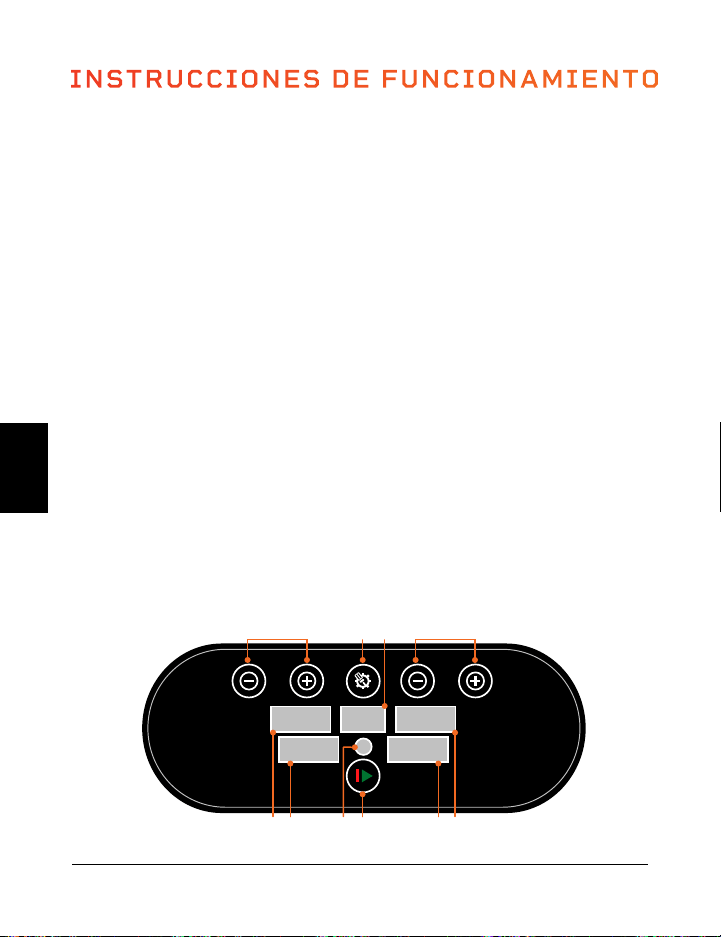
USO DEL CONTROL REMOTO PARA OPERAR EL HOVERT
1. Botón de Encendido: Presione el botón para encender y apagar el Hovert.
2. Botón de Inicio/Pausa: Asegúrese de que está encendido, en ON. Presione el botón
para activar el programa seleccionado o comenzar un entrenamiento personalizado
en modo manual. Presione de nuevo para detener el programa seleccionado o el
entrenamiento en modo manual.
3. Botón Programa/Modo: Pulse el botón para seleccionar un programa de entrenamiento
preestablecido (P1–P8) o para seleccionar el modo manual (HA).
4. Botones de Velocidad/Tiempo L MOTOR (+/-)*: En modo de espera, con el modo
manual (HA) seleccionado: pulse los botones
para ajustar el tiempo para el MOTOR H.
Presione el Botón de Inicio para iniciar el modo
manual de entrenamiento y luego presione
la tecla Velocidad/Tiempo para cambiar la
velocidad del MOTOR.
5. Botones de Velocidad/Tiempo MOTOR H
(Alto/Bajo) En modo de espera, con modo
manual (HA) seleccionado: presione los
botones para establecer una duración de
tiempo para el MOTOR H. Presione el botón
Inicio para comenzar el modo de entrenamiento
manual y, a continuación, pulse los botones de
Velocidad/Tiempo para cambiar la velocidad del
MOTOR H.
6. Botón de Pausa: Detiene el programa actual o el
entrenamiento de modo manual.
7. Botón de Velocidad (M): Varíe la velocidad de
vibración para ambos motores entre 20, 50 y 80.
8. Botones de Velocidad Rápida:
Bajo: Ajuste la velocidad a 30 (ambos motores).
Medio: Ajuste la velocidad a 60 (ambos motores).
Alto: Ajuste la velocidad a 90 (ambos motores)
.
INSTRUCCIONES DE FUNCIONAMIENTO
USO DEL PANEL DE VISUALIZACIÓN PARA OPERAR EL HOVERT
1. Botón Programa/Modo: Seleccione un programa de entrenamiento preestablecido
(P1–P8) o seleccione el modo manual (HA en la pantalla Programa/Modo) para crear
un entrenamiento personalizado.
2. Visualización Programa/Modo: Muestra el programa o modo seleccionado.
3. Botones de Velocidad/Tiempo MOTOR L (-/+)*: En modo de espera, con el modo
manual (HA) seleccionado: pulse los botones para ajustar el tiempo para el MOTOR
L. Pulse el Botón de Inicio para iniciar el entrenamiento en modo manual y, a
continuación, pulse los botones de Velocidad/Tiempo para cambiar la velocidad del
MOTOR L.
4. Visualización de Velocidad MOTOR L: Muestra la velocidad de vibración del MOTOR L
para el programa/modo actual.
5. Visualización de Tiempo MOTOR L: Muestra el tiempo de duración del MOTOR L para
el programa/modo actual.
6. Botón de Inicio/Pausa: Inicie o detenga el programa o modo seleccionado.
7. Control remoto: Ventana del receptor infrarrojo para el control remoto.
8. Visualización de Tiempo MOTOR H: Muestra el tiempo de duración del MOTOR H para
el programa/modo actual.
9. Visualización de Velocidad MOTOR H: Muestra la velocidad de vibración del MOTOR H
para el programa/modo actual.
10. Botones de Tiempo/Velocidad MOTOR H (-/+)*: En modo de espera, con el modo
manual (HA) seleccionado: pulse los botones para ajustar el tiempo para el MOTOR
H. Pulse el Botón de Inicio para iniciar el entrenamiento en modo manual y, a
continuación, pulse los botones de Velocidad/Tiempo para cambiar la velocidad del
MOTOR H.
*La velocidad y el tiempo no pueden programarse en modos preestablecidos.
High
Low
M
low
high
mid
1
2
4 4
3
5
5
6
7
8
SPEED
SET
ON/OFF
SPEED
89 7 6 5 4
10 1 2 3
Colección Vibration Therapy 67 66 Hovert Manual del usuario Lifepro
*La velocidad y el tiempo no pueden programarse en
modos preestablecidos
ES
ES
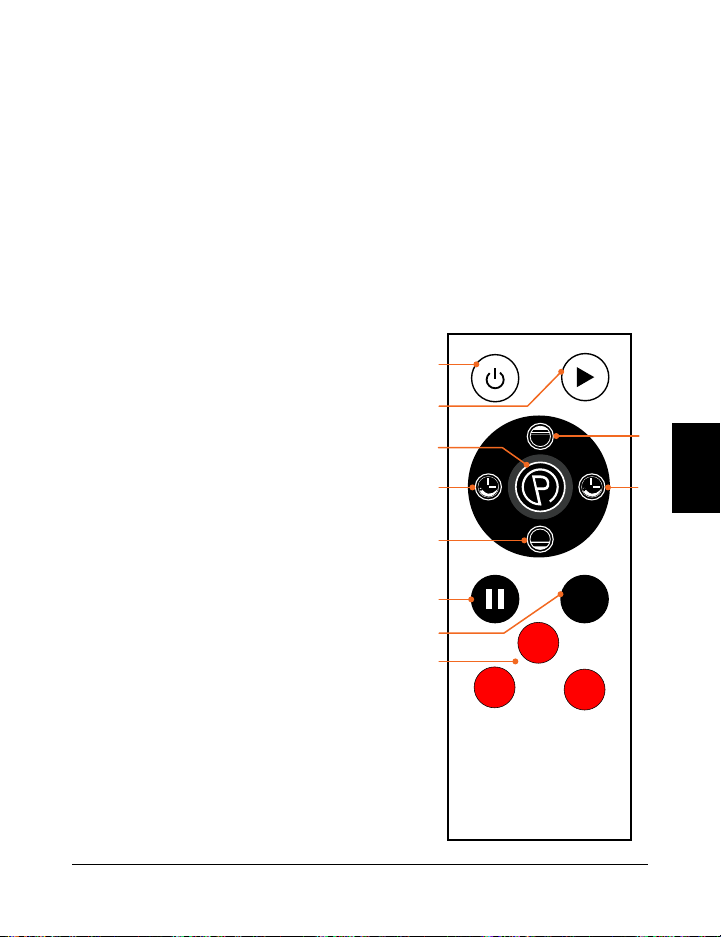
USO DEL CONTROL REMOTO PARA OPERAR EL HOVERT
1. Botón de Encendido: Presione el botón para encender y apagar el Hovert.
2. Botón de Inicio/Pausa: Asegúrese de que está encendido, en ON. Presione el botón
para activar el programa seleccionado o comenzar un entrenamiento personalizado
en modo manual. Presione de nuevo para detener el programa seleccionado o el
entrenamiento en modo manual.
3. Botón Programa/Modo: Pulse el botón para seleccionar un programa de entrenamiento
preestablecido (P1–P8) o para seleccionar el modo manual (HA).
4. Botones de Velocidad/Tiempo L MOTOR (+/-)*: En modo de espera, con el modo
manual (HA) seleccionado: pulse los botones
para ajustar el tiempo para el MOTOR H.
Presione el Botón de Inicio para iniciar el modo
manual de entrenamiento y luego presione
la tecla Velocidad/Tiempo para cambiar la
velocidad del MOTOR.
5. Botones de Velocidad/Tiempo MOTOR H
(Alto/Bajo) En modo de espera, con modo
manual (HA) seleccionado: presione los
botones para establecer una duración de
tiempo para el MOTOR H. Presione el botón
Inicio para comenzar el modo de entrenamiento
manual y, a continuación, pulse los botones de
Velocidad/Tiempo para cambiar la velocidad del
MOTOR H.
6. Botón de Pausa: Detiene el programa actual o el
entrenamiento de modo manual.
7. Botón de Velocidad (M): Varíe la velocidad de
vibración para ambos motores entre 20, 50 y 80.
8. Botones de Velocidad Rápida:
Bajo: Ajuste la velocidad a 30 (ambos motores).
Medio: Ajuste la velocidad a 60 (ambos motores).
Alto: Ajuste la velocidad a 90 (ambos motores)
.
INSTRUCCIONES DE FUNCIONAMIENTO
USO DEL PANEL DE VISUALIZACIÓN PARA OPERAR EL HOVERT
1. Botón Programa/Modo: Seleccione un programa de entrenamiento preestablecido
(P1–P8) o seleccione el modo manual (HA en la pantalla Programa/Modo) para crear
un entrenamiento personalizado.
2. Visualización Programa/Modo: Muestra el programa o modo seleccionado.
3. Botones de Velocidad/Tiempo MOTOR L (-/+)*: En modo de espera, con el modo
manual (HA) seleccionado: pulse los botones para ajustar el tiempo para el MOTOR
L. Pulse el Botón de Inicio para iniciar el entrenamiento en modo manual y, a
continuación, pulse los botones de Velocidad/Tiempo para cambiar la velocidad del
MOTOR L.
4. Visualización de Velocidad MOTOR L: Muestra la velocidad de vibración del MOTOR L
para el programa/modo actual.
5. Visualización de Tiempo MOTOR L: Muestra el tiempo de duración del MOTOR L para
el programa/modo actual.
6. Botón de Inicio/Pausa: Inicie o detenga el programa o modo seleccionado.
7. Control remoto: Ventana del receptor infrarrojo para el control remoto.
8. Visualización de Tiempo MOTOR H: Muestra el tiempo de duración del MOTOR H para
el programa/modo actual.
9. Visualización de Velocidad MOTOR H: Muestra la velocidad de vibración del MOTOR H
para el programa/modo actual.
10. Botones de Tiempo/Velocidad MOTOR H (-/+)*: En modo de espera, con el modo
manual (HA) seleccionado: pulse los botones para ajustar el tiempo para el MOTOR
H. Pulse el Botón de Inicio para iniciar el entrenamiento en modo manual y, a
continuación, pulse los botones de Velocidad/Tiempo para cambiar la velocidad del
MOTOR H.
*La velocidad y el tiempo no pueden programarse en modos preestablecidos.
High
Low
M
low
high
mid
1
2
4 4
3
5
5
6
7
8
SPEED
SET
ON/OFF
SPEED
89 7 6 5 4
10 1 2 3
Colección Vibration Therapy 67 66 Hovert Manual del usuario Lifepro
*La velocidad y el tiempo no pueden programarse en
modos preestablecidos
ES
ES
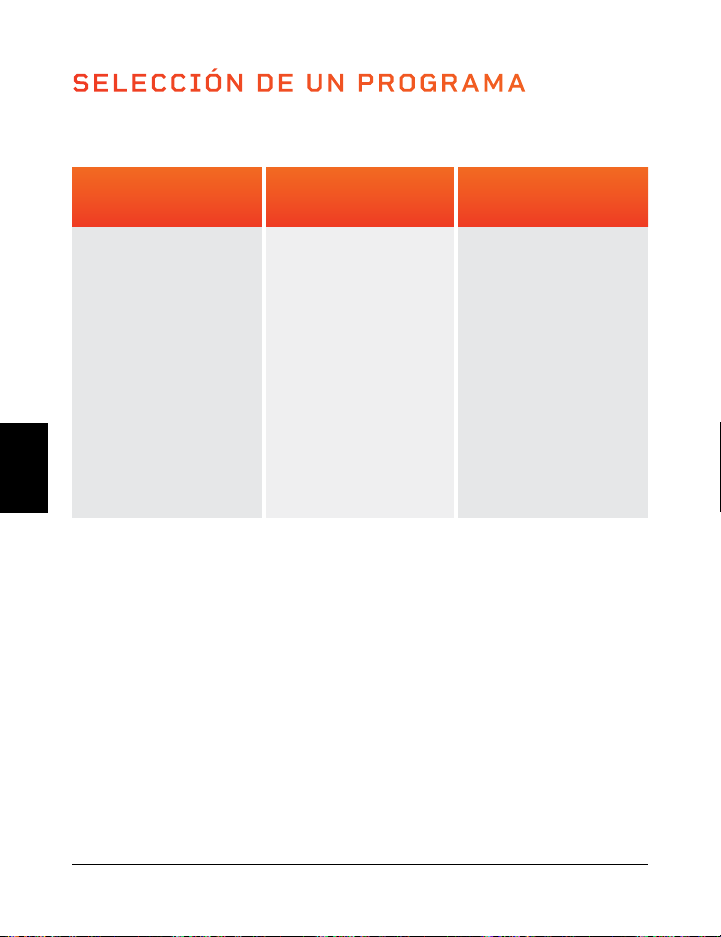
SELECCIÓN DE UN PROGRAMA
Ajustes Bajos
(P1–P2)
Ideal para
comenzar.
• Desintoxicación
Aumento de la
densidad ósea•
• Mejora del
equilibrio
• Drenaje linfático
• Control postural
mejorado
Ajustes Medios
(P3–P5)
Perfecto para
personas con artritis
y fibromialgia.
• Articulación
mantenimiento
• Control postural
mejorado
• Pérdida de grasa
• Aumento de la
densidad ósea
• Mejora del
equilibrio
Ajustes Altos
(P6–P8)
Ideal para aumenta
la intensidad.
• Pérdida de grasa
• Crecimiento
muscular
• Aumento de la
densidad ósea
• Acumulación
de energía
• Liberación de
HGH
MODO DE PROGRAMA
SELECCIÓN DE UN PROGRAMA EN MODO PROGRAMA:
1. Pulse el botón de encendido para encender el sistema.
2. Pulse el botón Programa/Modo para alternar entre los modos de programa
preestablecidos. P1 a P8.
3. Pulse el botón Inicio/Detener para activar el programa seleccionado.
PARA OBTENER LOS MEJORES RESULTADOS, ALTERNE ENTRE
PROGRAMAS
Siga desafiando a su cuerpo. Tendemos a adaptarnos, por lo que queremos
seguir provocando cambios en nuestros cuerpos. Cada nivel tiene su propio
conjunto de beneficios; sin embargo, le recomendamos que comience en el
primer nivel, P1, y vaya ascendiendo.
VELOCIDADES DEL PROGRAMA
Cada programa preestablecido tiene una duración de 10 minutos. Durante el programa,
el Hovert cambiará la velocidad una vez por minuto. Los niveles de velocidad dependerán
del programa que haya elegido (como se describe en la tabla a continuación).
H = Motor Horizontal L = Motor Lateral
MODO MANUAL
En el modo manual, las velocidades de vibración tanto para el motor H como para el
motor L corresponden a los siguientes niveles:
Ajustes Bajos:(1–33) Ajustes Medios: (34–66) Ajustes Altos: (67–99)
CREANDO UN ENTRENAMIENTO PERSONALIZADO EN MODO MANUAL:
1. Pulse el botón de encendido para encender el sistema.
2. Pulse el botón Programa/Modo hasta que la pantalla lea HA (modo manual).
3. Establezca una duración de tiempo para su entrenamiento en modo manual.Pulse
los botones -/+ para ajustar el tiempo para el motor L y los botones Alto/Bajo para
ajustar el tiempo del motor H.
4. Presione el botón Inicio/Detener para iniciar el entrenamiento en modo manual.
5. La velocidad para ambos motores comenzará en 1. Para ajustar la velocidad:
a. Pulse los botones -/+ para cambiar la velocidad del motor L solamente.
b. Presione los botones Bajo/Alto para cambiar la velocidad del motor H solamente.
c. Pulse el botón rojo Low para cambiar la velocidad a 30 (ambos motores).
d. Pulse el botón rojo Mid para cambiar la velocidad a 60 (ambos motores).
e. Pulse el botón rojo High para cambiar la velocidad a 90 (ambos motores).
f. Presione el botón M para alternar la velocidad entre 20, 50, 80 (ambos motores).
10
4
2
2
3
8
5
12
6
9
8
23
15
11
22
30
35
9
4
5
4
3
14
16
23
12
13
10
55
28
11
19
30
29
8
10
6
6
5
8
2
29
14
16
9
23
16
25
28
50
40
7
12
8
8
9
14
3
38
16
21
14
55
28
25
23
50
35
6
17
9
10
12
8
6
49
20
24
18
23
12
38
35
70
68
5
20
10
13
15
20
9
56
22
35
19
55
28
38
22
70
80
4
24
6
15
20
8
10
68
30
67
28
23
16
48
29
40
50
3
20
8
12
10
14
9
76
34
50
28
55
28
48
50
40
20
2
17
4
9
10
8
5
48
38
38
20
23
10
25
12
60
80
1
6
5
8
4
14
2
29
18
30
17
55
28
25
15
60
50
MINUTOS
VELOCIDAD
Bajo
Medio
Alto
PROGRAMMA
P1
P2
P3
P4
P5
P6
P7
P8
MOTOR
H
L
H
L
H
L
H
L
H
L
H
L
H
L
H
L
Colección Vibration Therapy 69 68 Hovert Manual del usuario Lifepro
ES
ES
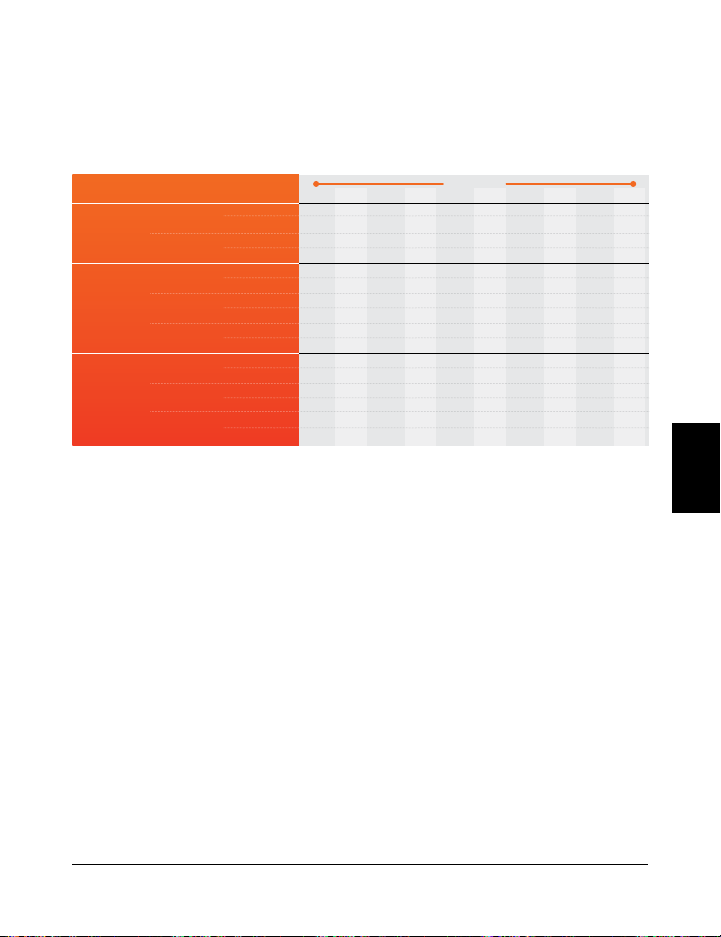
SELECCIÓN DE UN PROGRAMA
Ajustes Bajos
(P1–P2)
Ideal para
comenzar.
• Desintoxicación
Aumento de la
densidad ósea•
• Mejora del
equilibrio
• Drenaje linfático
• Control postural
mejorado
Ajustes Medios
(P3–P5)
Perfecto para
personas con artritis
y fibromialgia.
• Articulación
mantenimiento
• Control postural
mejorado
• Pérdida de grasa
• Aumento de la
densidad ósea
• Mejora del
equilibrio
Ajustes Altos
(P6–P8)
Ideal para aumenta
la intensidad.
• Pérdida de grasa
• Crecimiento
muscular
• Aumento de la
densidad ósea
• Acumulación
de energía
• Liberación de
HGH
MODO DE PROGRAMA
SELECCIÓN DE UN PROGRAMA EN MODO PROGRAMA:
1. Pulse el botón de encendido para encender el sistema.
2. Pulse el botón Programa/Modo para alternar entre los modos de programa
preestablecidos. P1 a P8.
3. Pulse el botón Inicio/Detener para activar el programa seleccionado.
PARA OBTENER LOS MEJORES RESULTADOS, ALTERNE ENTRE
PROGRAMAS
Siga desafiando a su cuerpo. Tendemos a adaptarnos, por lo que queremos
seguir provocando cambios en nuestros cuerpos. Cada nivel tiene su propio
conjunto de beneficios; sin embargo, le recomendamos que comience en el
primer nivel, P1, y vaya ascendiendo.
VELOCIDADES DEL PROGRAMA
Cada programa preestablecido tiene una duración de 10 minutos. Durante el programa,
el Hovert cambiará la velocidad una vez por minuto. Los niveles de velocidad dependerán
del programa que haya elegido (como se describe en la tabla a continuación).
H = Motor Horizontal L = Motor Lateral
MODO MANUAL
En el modo manual, las velocidades de vibración tanto para el motor H como para el
motor L corresponden a los siguientes niveles:
Ajustes Bajos:(1–33) Ajustes Medios: (34–66) Ajustes Altos: (67–99)
CREANDO UN ENTRENAMIENTO PERSONALIZADO EN MODO MANUAL:
1. Pulse el botón de encendido para encender el sistema.
2. Pulse el botón Programa/Modo hasta que la pantalla lea HA (modo manual).
3. Establezca una duración de tiempo para su entrenamiento en modo manual.Pulse
los botones -/+ para ajustar el tiempo para el motor L y los botones Alto/Bajo para
ajustar el tiempo del motor H.
4. Presione el botón Inicio/Detener para iniciar el entrenamiento en modo manual.
5. La velocidad para ambos motores comenzará en 1. Para ajustar la velocidad:
a. Pulse los botones -/+ para cambiar la velocidad del motor L solamente.
b. Presione los botones Bajo/Alto para cambiar la velocidad del motor H solamente.
c. Pulse el botón rojo Low para cambiar la velocidad a 30 (ambos motores).
d. Pulse el botón rojo Mid para cambiar la velocidad a 60 (ambos motores).
e. Pulse el botón rojo High para cambiar la velocidad a 90 (ambos motores).
f. Presione el botón M para alternar la velocidad entre 20, 50, 80 (ambos motores).
10
4
2
2
3
8
5
12
6
9
8
23
15
11
22
30
35
9
4
5
4
3
14
16
23
12
13
10
55
28
11
19
30
29
8
10
6
6
5
8
2
29
14
16
9
23
16
25
28
50
40
7
12
8
8
9
14
3
38
16
21
14
55
28
25
23
50
35
6
17
9
10
12
8
6
49
20
24
18
23
12
38
35
70
68
5
20
10
13
15
20
9
56
22
35
19
55
28
38
22
70
80
4
24
6
15
20
8
10
68
30
67
28
23
16
48
29
40
50
3
20
8
12
10
14
9
76
34
50
28
55
28
48
50
40
20
2
17
4
9
10
8
5
48
38
38
20
23
10
25
12
60
80
1
6
5
8
4
14
2
29
18
30
17
55
28
25
15
60
50
MINUTOS
VELOCIDAD
Bajo
Medio
Alto
PROGRAMMA
P1
P2
P3
P4
P5
P6
P7
P8
MOTOR
H
L
H
L
H
L
H
L
H
L
H
L
H
L
H
L
Colección Vibration Therapy 69 68 Hovert Manual del usuario Lifepro
ES
ES
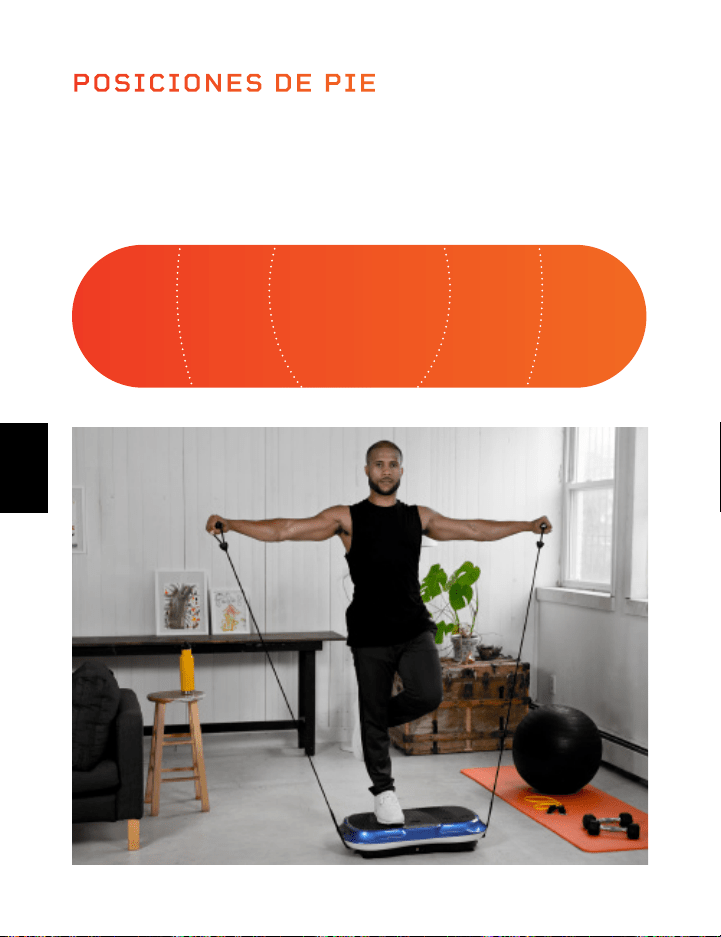
MINI BANDAS LIFEPRO
LAS MINI BANDAS REVOLUCIONARON LA INDUSTRIA
Las Mini Bandas se han convertido en el nuevo medio para esculpir un
físico más fuerte y delgado. Seguramente ha visto a sus Instagrammers y
Youtubers de entrenamiento favoritos usando estas versátiles y coloridas
bandas de resistencia en sus rutinas de entrenamiento. Añaden resistencia
a los entrenamientos cardiovasculares
y dan energía a su entrenamiento de fuerza. El número de posibilidades
de entrenamiento creativo son infinitas. A diferencia del inconveniente
gimnasio lleno de gente, estas mini bandas permiten realizar todo tipo
de entrenamiento y ejercitar a cualquier intensidad en cualquier lugar, en
cualquier momento. No más excusas.
Las mini bandas Lifepro están hechas de 100% látex. Cada banda tiene
una fuerza de resistencia diferente, lo que le permite subir de nivel su
entrenamiento de resistencia sin esfuerzo. Utilice las mini bandas junto
con su Lifepro Hovert para mejorar exponencialmente sus resultados de
acondicionamiento.
AUMENTE SUS ENTRENAMIENTOS
Experimente los beneficios únicos de las mini bandas Lifepro:
• Versátiles: Añaden resistencia a los entrenamientos cardiovasculares y
dan energía a su entrenamiento de fuerza.
• Aptas para articulaciones delicadas: Reduce la compresión ofreciendo
alta intensidad de bajo impacto.
• Portátil: Lleve las mini bandas en los bolsillos para ejercitarse donde
sea.
INTENSO INTENSO MEDIO MEDIOFÁCIL
El lugar en el que usted esté parado en la Hovert determinará la
velocidad de las vibraciones para su cuerpo. Párese con los pies juntos
para un entrenamiento “fácil” y párese con los pies más separados para
entrenamientos “medios” e “intensos”.
POSICIONES DE PIE
Colección Vibration Therapy 71 70 Hovert Manual del usuario Lifepro
ES
ES
MINI BANDAS LIFEPRO
LAS MINI BANDAS REVOLUCIONARON LA INDUSTRIA
Las Mini Bandas se han convertido en el nuevo medio para esculpir un
físico más fuerte y delgado. Seguramente ha visto a sus Instagrammers y
Youtubers de entrenamiento favoritos usando estas versátiles y coloridas
bandas de resistencia en sus rutinas de entrenamiento. Añaden resistencia
a los entrenamientos cardiovasculares
y dan energía a su entrenamiento de fuerza. El número de posibilidades
de entrenamiento creativo son infinitas. A diferencia del inconveniente
gimnasio lleno de gente, estas mini bandas permiten realizar todo tipo
de entrenamiento y ejercitar a cualquier intensidad en cualquier lugar, en
cualquier momento. No más excusas.
Las mini bandas Lifepro están hechas de 100% látex. Cada banda tiene
una fuerza de resistencia diferente, lo que le permite subir de nivel su
entrenamiento de resistencia sin esfuerzo. Utilice las mini bandas junto
con su Lifepro Hovert para mejorar exponencialmente sus resultados de
acondicionamiento.
AUMENTE SUS ENTRENAMIENTOS
Experimente los beneficios únicos de las mini bandas Lifepro:
• Versátiles: Añaden resistencia a los entrenamientos cardiovasculares y
dan energía a su entrenamiento de fuerza.
• Aptas para articulaciones delicadas: Reduce la compresión ofreciendo
alta intensidad de bajo impacto.
• Portátil: Lleve las mini bandas en los bolsillos para ejercitarse donde
sea.
INTENSO INTENSO MEDIO MEDIOFÁCIL
El lugar en el que usted esté parado en la Hovert determinará la
velocidad de las vibraciones para su cuerpo. Párese con los pies juntos
para un entrenamiento “fácil” y párese con los pies más separados para
entrenamientos “medios” e “intensos”.
POSICIONES DE PIE
Colección Vibration Therapy 71 70 Hovert Manual del usuario Lifepro
ES
ES
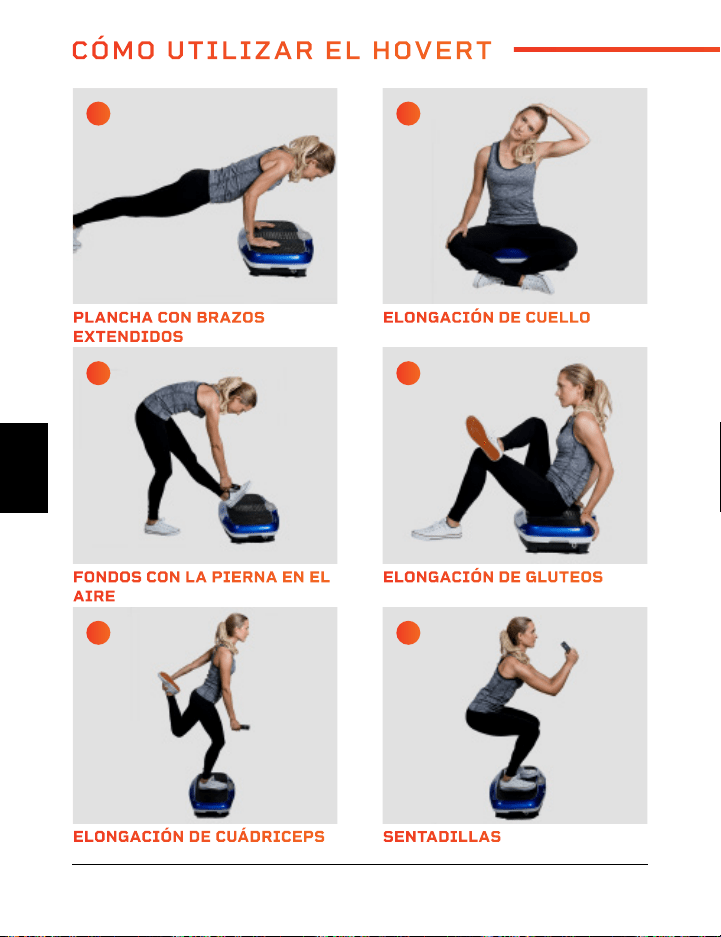
ELONGACIÓN DE CUÁDRICEPS VUELOS POSTERIORES
FONDOS CON LA PIERNA EN EL
AIRE
ESTOCADAS
PLANCHA CON BRAZOS
EXTENDIDOS
PUENTE DE GLUTEOS
SENTADILLAS PRESS DE HOMBROS ALTERNADO
ELONGACIÓN DE GLUTEOS ESTOCADA DE LADO
ELONGACIÓN DE CUELLO FONDO
A C
E G
I K
B D
F H
J L
72 Hovert Manual del usuario Lifepro
Colección Vibration Therapy 73
CÓMO UTILIZAR EL HOVERT
ES
ES
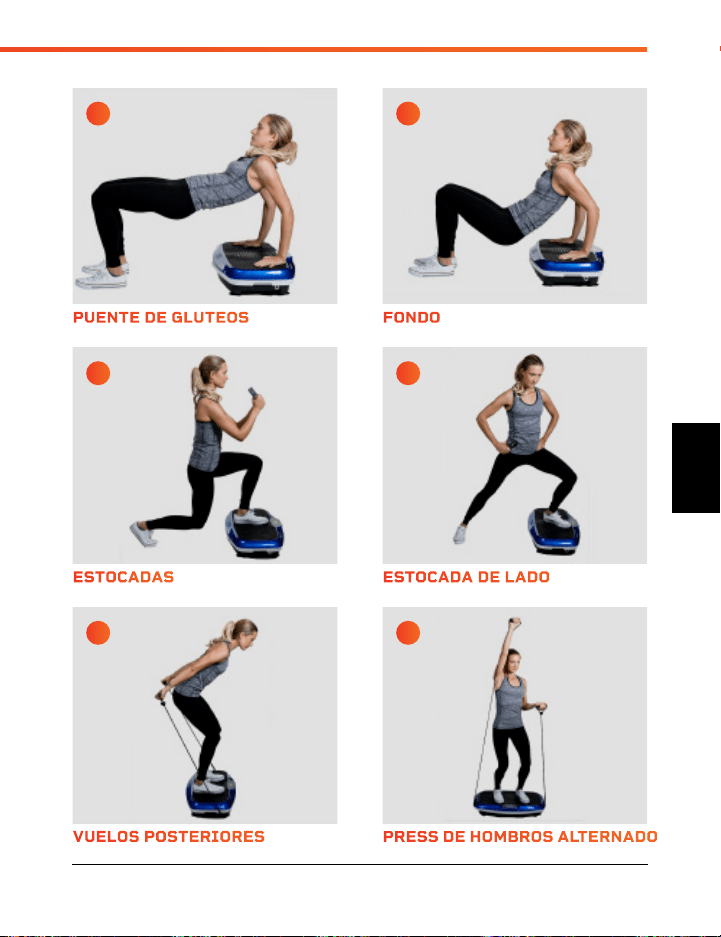
ELONGACIÓN DE CUÁDRICEPS VUELOS POSTERIORES
FONDOS CON LA PIERNA EN EL
AIRE
ESTOCADAS
PLANCHA CON BRAZOS
EXTENDIDOS
PUENTE DE GLUTEOS
SENTADILLAS PRESS DE HOMBROS ALTERNADO
ELONGACIÓN DE GLUTEOS ESTOCADA DE LADO
ELONGACIÓN DE CUELLO FONDO
A C
E G
I K
B D
F H
J L
72 Hovert Manual del usuario Lifepro
Colección Vibration Therapy 73
CÓMO UTILIZAR EL HOVERT
ES
ES
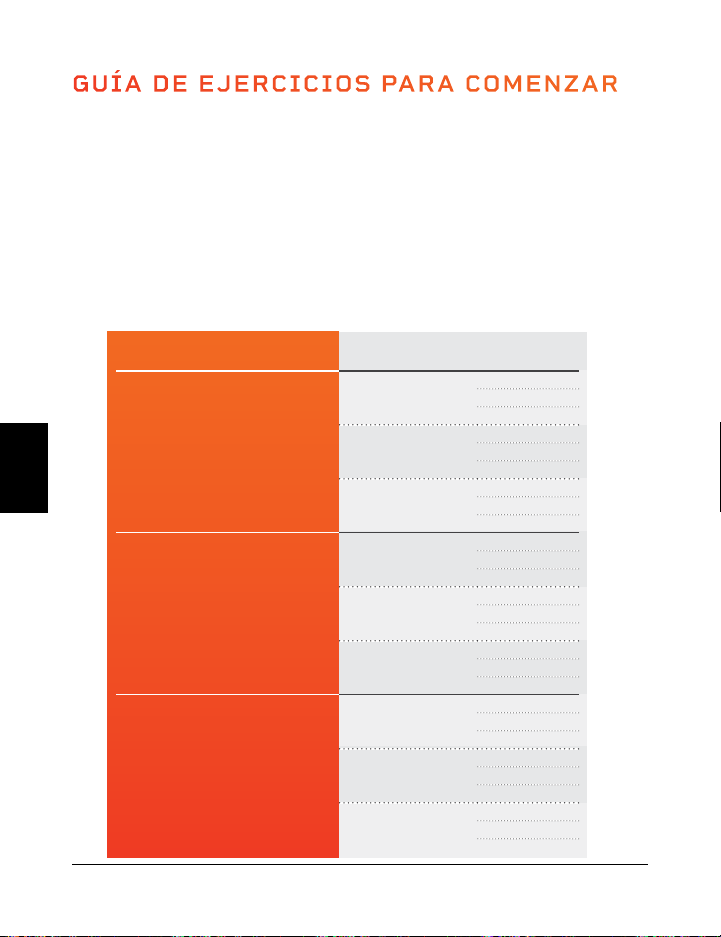
GUÍA DE EJERCICIOS PARA COMENZAR
CÓMO COMENZAR
Es una buena idea comenzar despacio con su Hovert ya que puede llevar tiempo
acostumbrarse al movimiento y a la sensación de la plataforma vibratoria.
Recomendamos que siga la guía de entrenamiento a continuación, diseñada
para principiantes y entrenadores avanzados por igual, durante un período de
varias semanas.
GUÍA DE EJERCICIO
Realice los estiramientos y ejercicios de las páginas 16–17 durante el número
de segundos que se muestran en el cuadro a continuación. Desarrollará fuerza
y resistencia a medida que progrese de acuerdo con los niveles.
NIVEL VELOCIDAD SEGUNDOS
Principia
1
15
30
45
16
15
30
45
33
15
30
45
Intermedio
34
60
75
90
50
60
75
90
66
60
75
90
Avanzado
67
105
120
135
83
105
120
135
99
105
120
135
74 Hovert Manual del usuario Lifepro
Visite nuestra biblioteca
GRATUITA de videos de en
trenamiento personal
hovert.lifeprofitness.com
ES
ES
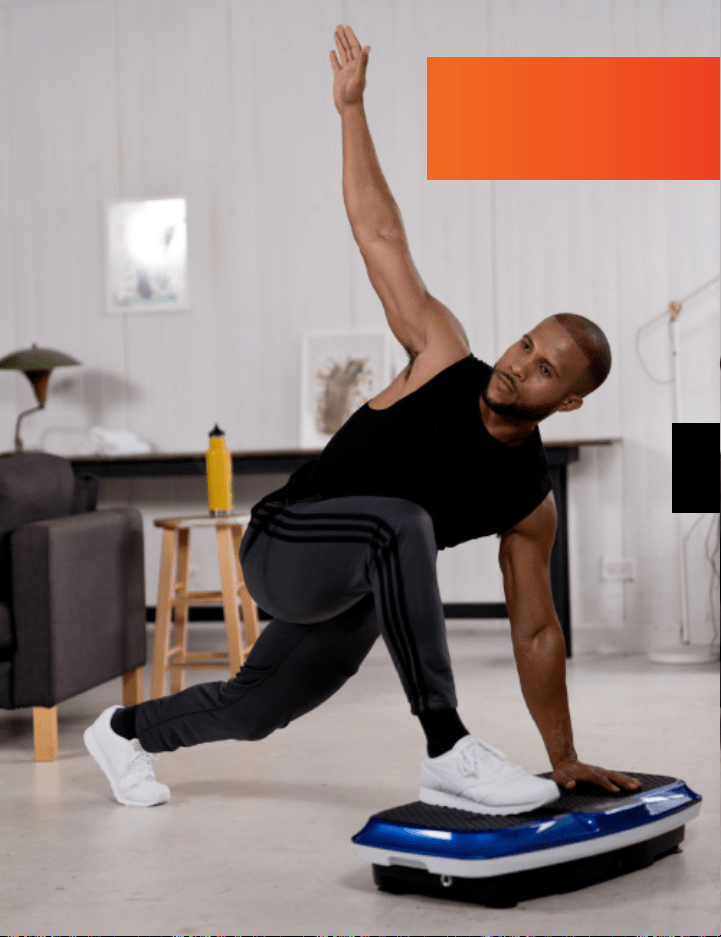
GUÍA DE EJERCICIOS PARA COMENZAR
CÓMO COMENZAR
Es una buena idea comenzar despacio con su Hovert ya que puede llevar tiempo
acostumbrarse al movimiento y a la sensación de la plataforma vibratoria.
Recomendamos que siga la guía de entrenamiento a continuación, diseñada
para principiantes y entrenadores avanzados por igual, durante un período de
varias semanas.
GUÍA DE EJERCICIO
Realice los estiramientos y ejercicios de las páginas 16–17 durante el número
de segundos que se muestran en el cuadro a continuación. Desarrollará fuerza
y resistencia a medida que progrese de acuerdo con los niveles.
NIVEL VELOCIDAD SEGUNDOS
Principia
1
15
30
45
16
15
30
45
33
15
30
45
Intermedio
34
60
75
90
50
60
75
90
66
60
75
90
Avanzado
67
105
120
135
83
105
120
135
99
105
120
135
74 Hovert Manual del usuario Lifepro
Visite nuestra biblioteca
GRATUITA de videos de en
trenamiento personal
hovert.lifeprofitness.com
ES
ES
SEGURIDAD
POR FAVOR, MANTENGA ESTE MANUAL A LA MANO PARA USARLO
COMO REFERENCIA.
ADVERTENCIA: para reducir el riesgo de quemaduras, incendio,
choque eléctrico o lesiones personales lea las siguientes precauciones e
información importante antes de operar la Lifepro Hovert.
RESPONSABILIDADES
1. Es responsabilidad del dueño asegurar que todos los usuarios del
Hovert se informen correctamente de todas las advertencias y
precauciones.
2. Utilice el Hovert únicamente como se indica en este manual.
3. Coloque el Hovert sobre una superficie nivelada, con al menos ocho
pies de espacio libre detrás de él. No coloque el Hovert sobre ninguna
superficie que bloquee las salidas de ventilación. Para proteger el piso
o la alfombra de daños, coloque un tapete debajo del Hovert.
4. Mantenga el Hovert en el interior, lejos de la humedad y el polvo. No lo
deje en un garaje o patio cubierto, o cerca del agua.
LO QUE SE DEBE HACER Y LO QUE NO
5. No opere el Hovert donde se utilicen productos en aerosol o
6. donde se suministre oxígeno.
7. Mantenga el Hovert fuera del alcance de niños menores de 12
8. años y mascotas en todo momento.
9. El Hovert no debe ser utilizado por personas que pesen más de
150 kgs.
10. Nunca permita que más de una persona se suba al Hovert a la vez.
11. Mantenga el cable de alimentación y el supresor de sobretensión lejos
de todas las fuentes de calor.
12. Nunca deje el Hovert desatendido mientras está funcionando. Siempre
desconecte el cable de alimentación cuando el Hovert no esté en uso.
EJERCICIO
13. Consulte a un médico antes de comenzar un nuevo programa de
ejercicios.
14. Póngase en posición antes de encender el Hovert.
15. Siempre use ropa y calzado deportivo apropiados cuando use el
Hovert.
16. El Hovert está diseñado únicamente para uso doméstico. No utilice el
Hovert en ningún establecimiento comercial, arrendado o institucional.
MANTENIMIENTO
17. PELIGRO: Siempre desconecte el cable de alimentación
inmediatamente después del uso, antes de limpiar el Hovert y antes
de realizar los procedimientos de mantenimiento y ajuste descritos en
este manual.
18. Inspeccione y apriete periódicamente todos los tornillos externos (no
retire la cubierta del motor).
19. Nunca retire la cubierta del motor a menos que se lo indique un
representante de servicio autorizado. Las reparaciones que vayan
más allá de los procedimientos descritos en este manual deben ser
realizados solamente por un representante autorizado.
20. Nunca inserte ni deje caer ningún objeto en ningún orificio.
Colección Vibration Therapy 77 76 Hovert Manual del usuario Lifepro
ES
ES

SEGURIDAD
POR FAVOR, MANTENGA ESTE MANUAL A LA MANO PARA USARLO
COMO REFERENCIA.
ADVERTENCIA: para reducir el riesgo de quemaduras, incendio,
choque eléctrico o lesiones personales lea las siguientes precauciones e
información importante antes de operar la Lifepro Hovert.
RESPONSABILIDADES
1. Es responsabilidad del dueño asegurar que todos los usuarios del
Hovert se informen correctamente de todas las advertencias y
precauciones.
2. Utilice el Hovert únicamente como se indica en este manual.
3. Coloque el Hovert sobre una superficie nivelada, con al menos ocho
pies de espacio libre detrás de él. No coloque el Hovert sobre ninguna
superficie que bloquee las salidas de ventilación. Para proteger el piso
o la alfombra de daños, coloque un tapete debajo del Hovert.
4. Mantenga el Hovert en el interior, lejos de la humedad y el polvo. No lo
deje en un garaje o patio cubierto, o cerca del agua.
LO QUE SE DEBE HACER Y LO QUE NO
5. No opere el Hovert donde se utilicen productos en aerosol o
6. donde se suministre oxígeno.
7. Mantenga el Hovert fuera del alcance de niños menores de 12
8. años y mascotas en todo momento.
9. El Hovert no debe ser utilizado por personas que pesen más de
150 kgs.
10. Nunca permita que más de una persona se suba al Hovert a la vez.
11. Mantenga el cable de alimentación y el supresor de sobretensión lejos
de todas las fuentes de calor.
12. Nunca deje el Hovert desatendido mientras está funcionando. Siempre
desconecte el cable de alimentación cuando el Hovert no esté en uso.
EJERCICIO
13. Consulte a un médico antes de comenzar un nuevo programa de
ejercicios.
14. Póngase en posición antes de encender el Hovert.
15. Siempre use ropa y calzado deportivo apropiados cuando use el
Hovert.
16. El Hovert está diseñado únicamente para uso doméstico. No utilice el
Hovert en ningún establecimiento comercial, arrendado o institucional.
MANTENIMIENTO
17. PELIGRO: Siempre desconecte el cable de alimentación
inmediatamente después del uso, antes de limpiar el Hovert y antes
de realizar los procedimientos de mantenimiento y ajuste descritos en
este manual.
18. Inspeccione y apriete periódicamente todos los tornillos externos (no
retire la cubierta del motor).
19. Nunca retire la cubierta del motor a menos que se lo indique un
representante de servicio autorizado. Las reparaciones que vayan
más allá de los procedimientos descritos en este manual deben ser
realizados solamente por un representante autorizado.
20. Nunca inserte ni deje caer ningún objeto en ningún orificio.
Colección Vibration Therapy 77 76 Hovert Manual del usuario Lifepro
ES
ES
PRODUCTO
ESPECIFICACIONES
HECHO EN CHINA
GARANTÍA DE DOS
AÑOS
Lifepro Fitness crea productos de ejercicio
duraderos y de calidad y respaldamos esa
calidad con una garantía de dos años en
todos nuestros productos. Si su Hovert
alguna vez se descompone (y dudamos
de que lo haga), le enviaremos piezas
de repuesto y le mostraremos cómo
repararlo. Si su Hovert no puede repararse,
lo reemplazaremos sin cargo. Registre
su Hovert en hovert@lifeprofitness.com
para activar su garantía dentro de los 14
días posteriores a la compra.
ESPECIFICACIONES DE LA
UNIDAD
Tamaño: 78,7 × 45,7 × 17,8 cm
Peso Neto: 18 kg
Energía: 200 W + 200 W
Voltaje: 220 V
Amplitud: 0–10 mm
Peso Máximo del Usuario: 150 kg
Frecuencia: 4–15 Hz
Niveles de Velocidad: 99
Programas Automáticos: P1–P8
Baterías Requeridas:
2 baterías AAA (incluidas)
HOVERT
PLATAFORMA VIBRATORIA 3D
COLECCIÓN VIBRATION THERAPY
Colección Vibration Therapy 79 78 Hovert Manual del usuario Lifepro
ES
ES
PRODUCTO
ESPECIFICACIONES
HECHO EN CHINA
GARANTÍA DE DOS
AÑOS
Lifepro Fitness crea productos de ejercicio
duraderos y de calidad y respaldamos esa
calidad con una garantía de dos años en
todos nuestros productos. Si su Hovert
alguna vez se descompone (y dudamos
de que lo haga), le enviaremos piezas
de repuesto y le mostraremos cómo
repararlo. Si su Hovert no puede repararse,
lo reemplazaremos sin cargo. Registre
su Hovert en hovert@lifeprofitness.com
para activar su garantía dentro de los 14
días posteriores a la compra.
ESPECIFICACIONES DE LA
UNIDAD
Tamaño: 78,7 × 45,7 × 17,8 cm
Peso Neto: 18 kg
Energía: 200 W + 200 W
Voltaje: 220 V
Amplitud: 0–10 mm
Peso Máximo del Usuario: 150 kg
Frecuencia: 4–15 Hz
Niveles de Velocidad: 99
Programas Automáticos: P1–P8
Baterías Requeridas:
2 baterías AAA (incluidas)
HOVERT
PLATAFORMA VIBRATORIA 3D
COLECCIÓN VIBRATION THERAPY
Colección Vibration Therapy 79 78 Hovert Manual del usuario Lifepro
ES
ES
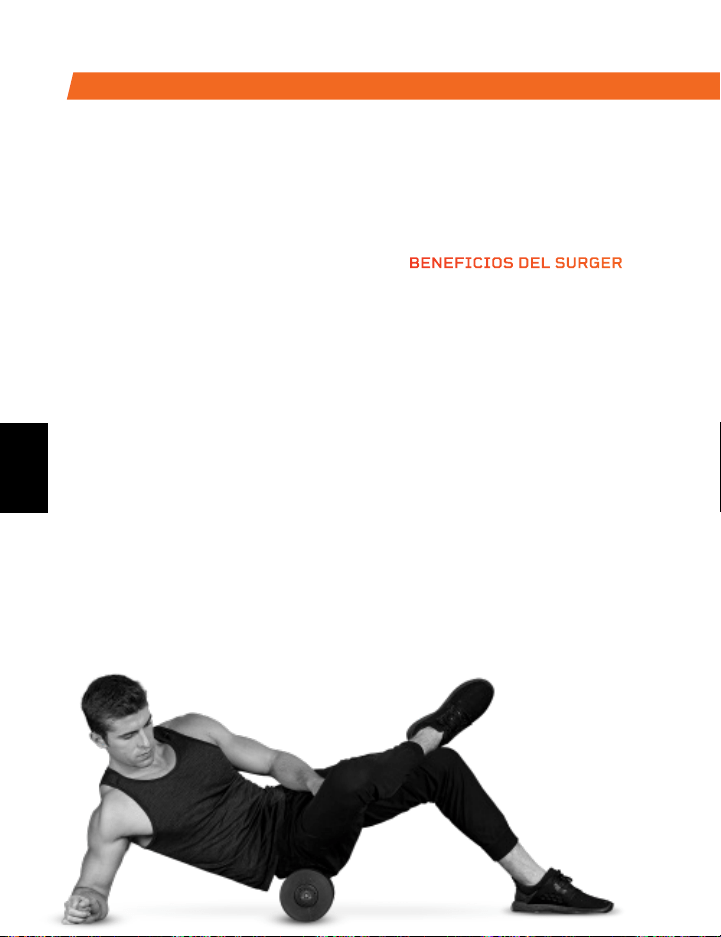
Disfrute de todos los beneficios
de la tecnología vibratoria y del
rodillo de espuma con el Rodillo
Vibrador de Espuma. Use el Surger
antes o después de entrenar, como
parte de su calentamiento o rutina
de recuperación, para ganar más
flexibilidad y ayudar a prevenir
malestares y lesiones.
La profunda compresión de las fibras
musculares y tejidos (liberación
auto miofascial) combinada con
la tecnología vibratoria de Surger
deshace los nudos en los músculos y
la fascia, relajándolos. Elija entre los
4 niveles de velocidad de vibración
para aplicar la cantidad perfecta de
intensidad.
SURGER
RODILLO VIBRADOR DE ESPUMA
BENEFICIOS DEL SURGER
• Aumenta la efectividad del
entrenamiento
• Reduce malestares
• Acelera la recuperación
• Previene lesiones
• Aumenta la circulación
• Mejora la flexibilidad y
rendimiento muscular
• Disminuye el dolor y la
inflamación
• Afloja nudos, puntos
desencadenantes y tensión
en los músculos y fascia
DE NUESTRA COLECCIÓN SPORTS RECOVERY
La Pelota de Masaje Vibradora está diseñada para dirigirse a grupos de
músculos pequeños. La pelota Agility es lo suficientemente pequeña para
que quepa en la palma de su mano, ofreciéndole una amplia variedad de
movimientos de masaje circular, hacia arriba y abajo y abajo y de lado a lado
El exterior de silicona de la pelota Agility es resistente y fácil de sostener,
pero también extremadamente suave, para usarse en áreas sensibles como
el cuello, las manos y los pies.
AGILITY
PELOTA DE MASAJE VIBRADORA
BENEFICIOS AGILITY BALL
• Aumenta la circulación
• Mejora la flexibilidad y el rendimiento muscular
• Relaja los músculos tensos y la fascia
• Reduce el dolor y la inflamación muscular
• Mejora la circulación sanguínea
ES
ES
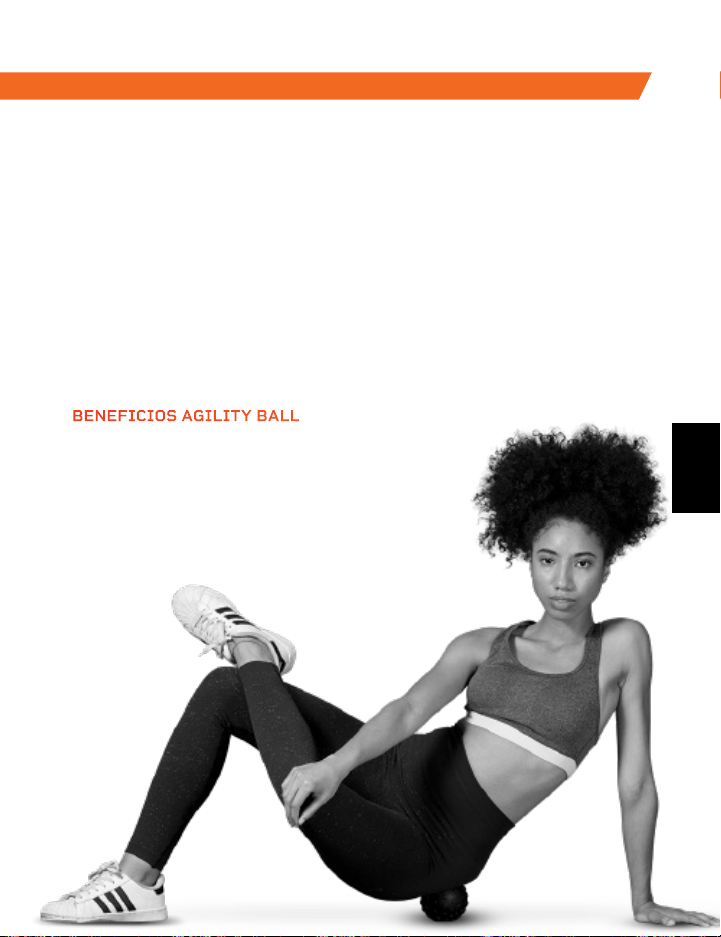
Disfrute de todos los beneficios
de la tecnología vibratoria y del
rodillo de espuma con el Rodillo
Vibrador de Espuma. Use el Surger
antes o después de entrenar, como
parte de su calentamiento o rutina
de recuperación, para ganar más
flexibilidad y ayudar a prevenir
malestares y lesiones.
La profunda compresión de las fibras
musculares y tejidos (liberación
auto miofascial) combinada con
la tecnología vibratoria de Surger
deshace los nudos en los músculos y
la fascia, relajándolos. Elija entre los
4 niveles de velocidad de vibración
para aplicar la cantidad perfecta de
intensidad.
SURGER
RODILLO VIBRADOR DE ESPUMA
BENEFICIOS DEL SURGER
• Aumenta la efectividad del
entrenamiento
• Reduce malestares
• Acelera la recuperación
• Previene lesiones
• Aumenta la circulación
• Mejora la flexibilidad y
rendimiento muscular
• Disminuye el dolor y la
inflamación
• Afloja nudos, puntos
desencadenantes y tensión
en los músculos y fascia
DE NUESTRA COLECCIÓN SPORTS RECOVERY
La Pelota de Masaje Vibradora está diseñada para dirigirse a grupos de
músculos pequeños. La pelota Agility es lo suficientemente pequeña para
que quepa en la palma de su mano, ofreciéndole una amplia variedad de
movimientos de masaje circular, hacia arriba y abajo y abajo y de lado a lado
El exterior de silicona de la pelota Agility es resistente y fácil de sostener,
pero también extremadamente suave, para usarse en áreas sensibles como
el cuello, las manos y los pies.
AGILITY
PELOTA DE MASAJE VIBRADORA
BENEFICIOS AGILITY BALL
• Aumenta la circulación
• Mejora la flexibilidad y el rendimiento muscular
• Relaja los músculos tensos y la fascia
• Reduce el dolor y la inflamación muscular
• Mejora la circulación sanguínea
ES
ES
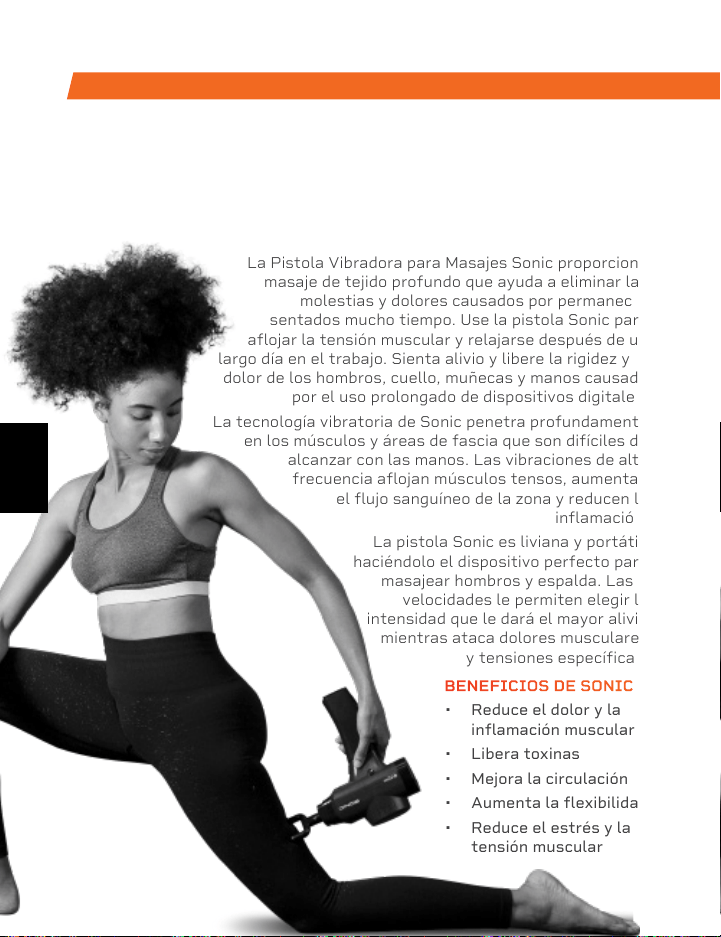
La Plataforma Vibratoria Rhythm
crea vibraciones rápidas a lo largo de
todo el cuerpo, especialmente sobre
los músculos seleccionados. Estas
vibraciones permiten alongar, flexionar
y relajar los músculos a una velocidad
rápida. Permite el desarrollo de
músculos y huesos y mejora la
flexibilidad y el metabolismo, lo que
permite aumentar el número de
calorías que se queman.
La plataforma Rhythm se puede
usar eng todo tipo de nivel de
entrenamiento. Si ha sufrido
una lesión o ha experimentado
dolor en las articulaciones
o espalda, encuentre alivio y
ayude a prevenir futuras lesiones
incorporando la plataforma Rhythm a
su rutina de rehabilitación.
RHYTHM
PLATAFORMA VIBRATORIA
DE NUESTRA COLECCIÓN SPORTS RECOVERY DE NUESTRA COLECCIÓN VIBRATION THERAPY
La Pistola Vibradora para Masajes Sonic proporciona
masaje de tejido profundo que ayuda a eliminar las
molestias y dolores causados por permanecer
sentados mucho tiempo. Use la pistola Sonic para
aflojar la tensión muscular y relajarse después de un
largo día en el trabajo. Sienta alivio y libere la rigidez y el
dolor de los hombros, cuello, muñecas y manos causado
por el uso prolongado de dispositivos digitales.
La tecnología vibratoria de Sonic penetra profundamente
en los músculos y áreas de fascia que son difíciles de
alcanzar con las manos. Las vibraciones de alta
frecuencia aflojan músculos tensos, aumentan
el flujo sanguíneo de la zona y reducen la
inflamación.
La pistola Sonic es liviana y portátil,
haciéndolo el dispositivo perfecto para
masajear hombros y espalda. Las 5
velocidades le permiten elegir la
intensidad que le dará el mayor alivio
mientras ataca dolores musculares
y tensiones específicas.
SONIC
PISTOLA VIBRADORA PARA MASAJES
BENEFICIOS DE SONIC
• Reduce el dolor y la
inflamación muscular
• Libera toxinas
• Mejora la circulación
• Aumenta la flexibilidad
• Reduce el estrés y la
tensión muscular
BENEFICIOS DE RHYTHM
• Mejora la movilidad
• Previene lesiones
• Aumenta la fuerza
• Mejora el metabolismo
• Mejora el sueño
• Desarrolla huesos más
fuertes
• Aumenta la circulación
ES
ES
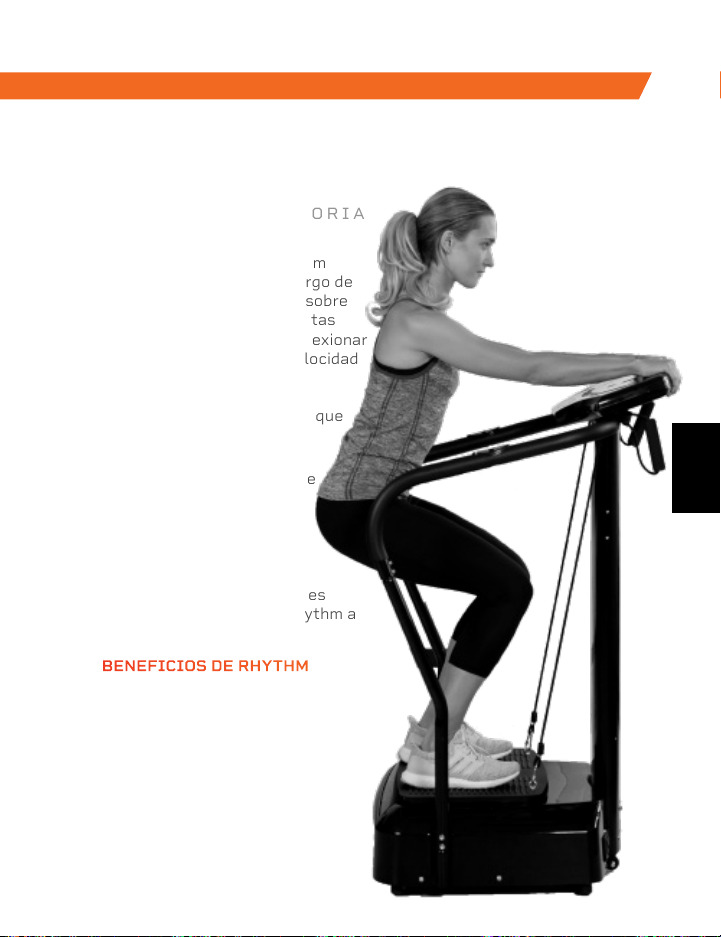
La Plataforma Vibratoria Rhythm
crea vibraciones rápidas a lo largo de
todo el cuerpo, especialmente sobre
los músculos seleccionados. Estas
vibraciones permiten alongar, flexionar
y relajar los músculos a una velocidad
rápida. Permite el desarrollo de
músculos y huesos y mejora la
flexibilidad y el metabolismo, lo que
permite aumentar el número de
calorías que se queman.
La plataforma Rhythm se puede
usar eng todo tipo de nivel de
entrenamiento. Si ha sufrido
una lesión o ha experimentado
dolor en las articulaciones
o espalda, encuentre alivio y
ayude a prevenir futuras lesiones
incorporando la plataforma Rhythm a
su rutina de rehabilitación.
RHYTHM
PLATAFORMA VIBRATORIA
DE NUESTRA COLECCIÓN SPORTS RECOVERY DE NUESTRA COLECCIÓN VIBRATION THERAPY
La Pistola Vibradora para Masajes Sonic proporciona
masaje de tejido profundo que ayuda a eliminar las
molestias y dolores causados por permanecer
sentados mucho tiempo. Use la pistola Sonic para
aflojar la tensión muscular y relajarse después de un
largo día en el trabajo. Sienta alivio y libere la rigidez y el
dolor de los hombros, cuello, muñecas y manos causado
por el uso prolongado de dispositivos digitales.
La tecnología vibratoria de Sonic penetra profundamente
en los músculos y áreas de fascia que son difíciles de
alcanzar con las manos. Las vibraciones de alta
frecuencia aflojan músculos tensos, aumentan
el flujo sanguíneo de la zona y reducen la
inflamación.
La pistola Sonic es liviana y portátil,
haciéndolo el dispositivo perfecto para
masajear hombros y espalda. Las 5
velocidades le permiten elegir la
intensidad que le dará el mayor alivio
mientras ataca dolores musculares
y tensiones específicas.
SONIC
PISTOLA VIBRADORA PARA MASAJES
BENEFICIOS DE SONIC
• Reduce el dolor y la
inflamación muscular
• Libera toxinas
• Mejora la circulación
• Aumenta la flexibilidad
• Reduce el estrés y la
tensión muscular
BENEFICIOS DE RHYTHM
• Mejora la movilidad
• Previene lesiones
• Aumenta la fuerza
• Mejora el metabolismo
• Mejora el sueño
• Desarrolla huesos más
fuertes
• Aumenta la circulación
ES
ES

Lifeprousa Lifeprousa support@lifeprofitness.com
Acceda a Lifepro TV, nuestra biblioteca
gratuita de videos de entrenamiento
personal en la web, a través de
hovert.lifeprofitness.com y obtenga el
máximo beneficio de su Lifepro
®
Hovert
para conseguir los resultados que desea.
¡USTED
LOGRARÁ
SUS METAS!
PLATEFORME VIBRANTE 3D HOVERT
À VOS
MARQUES,
PRÊT, PRO
GUIDE D’UTILISATEUR
ES
FR
Lifeprousa Lifeprousa support@lifeprofitness.com
Acceda a Lifepro TV, nuestra biblioteca
gratuita de videos de entrenamiento
personal en la web, a través de
hovert.lifeprofitness.com y obtenga el
máximo beneficio de su Lifepro
®
Hovert
para conseguir los resultados que desea.
¡USTED
LOGRARÁ
SUS METAS!
PLATEFORME VIBRANTE 3D HOVERT
À VOS
MARQUES,
PRÊT, PRO
GUIDE D’UTILISATEUR
ES
FR
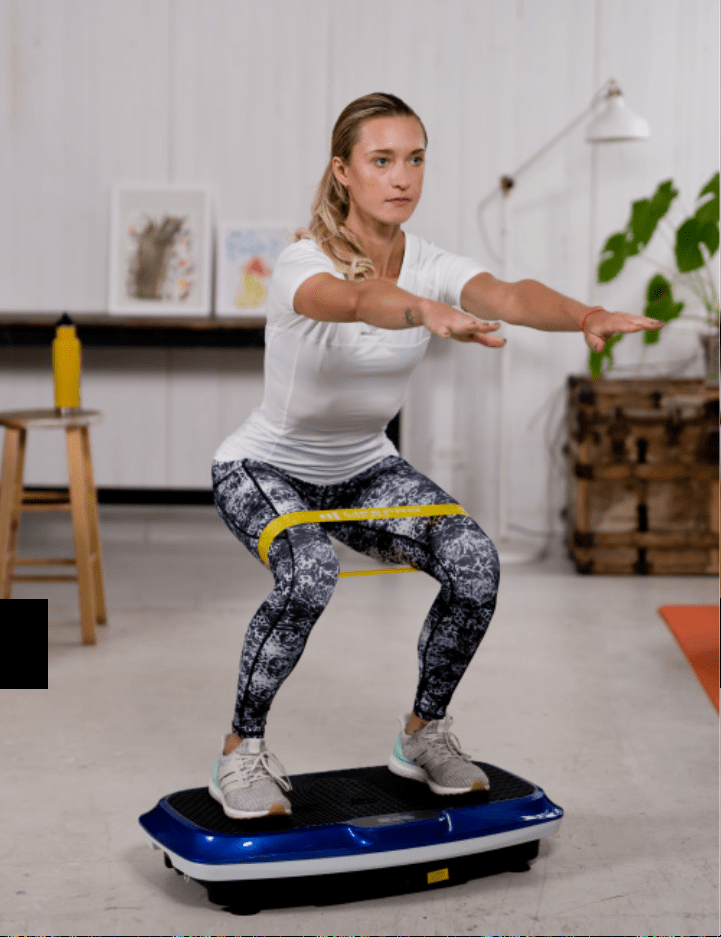
BONJOUR À TOUS.
Joel et moi sommes des athlètes qui ont
souffert de graves blessures au LCA à quelques
mois d’intervalle. Nous avons acheté plusieurs
pièces d’équipement d’entraînement pour notre
rééducation à la maison, mais nous avons été
déçus et frustrés par les équipements de fitness
qui faisaient de grandes promesses mais qui
n’ont donné aucun soutien, aucun plan à suivre
bien pensé et aucun résultat. C’est comme ça que
Lifepro a vu le jour et c’est la raison pour laquelle
la gamme Vibration Therapy a été créée—nous
avons entrepris de changer tout cela. C’est
pourquoi chaque pièce de notre équipement est
non seulement soumise à un examen rigoureux
pour s’assurer qu’elle offre puissance et
efficacité, mais elles sont également fournies
avec le support intégré de nos ‘anges guides’
et une garantie de 2 ans intégrée afin que vous
profitiez pleinement de nos produits et de notre
assistance si besoin.
Bienvenue chez Lifepro.
Nous sommes ensemble maintenant.
FR
FR

BONJOUR À TOUS.
Joel et moi sommes des athlètes qui ont
souffert de graves blessures au LCA à quelques
mois d’intervalle. Nous avons acheté plusieurs
pièces d’équipement d’entraînement pour notre
rééducation à la maison, mais nous avons été
déçus et frustrés par les équipements de fitness
qui faisaient de grandes promesses mais qui
n’ont donné aucun soutien, aucun plan à suivre
bien pensé et aucun résultat. C’est comme ça que
Lifepro a vu le jour et c’est la raison pour laquelle
la gamme Vibration Therapy a été créée—nous
avons entrepris de changer tout cela. C’est
pourquoi chaque pièce de notre équipement est
non seulement soumise à un examen rigoureux
pour s’assurer qu’elle offre puissance et
efficacité, mais elles sont également fournies
avec le support intégré de nos ‘anges guides’
et une garantie de 2 ans intégrée afin que vous
profitiez pleinement de nos produits et de notre
assistance si besoin.
Bienvenue chez Lifepro.
Nous sommes ensemble maintenant.
FR
FR
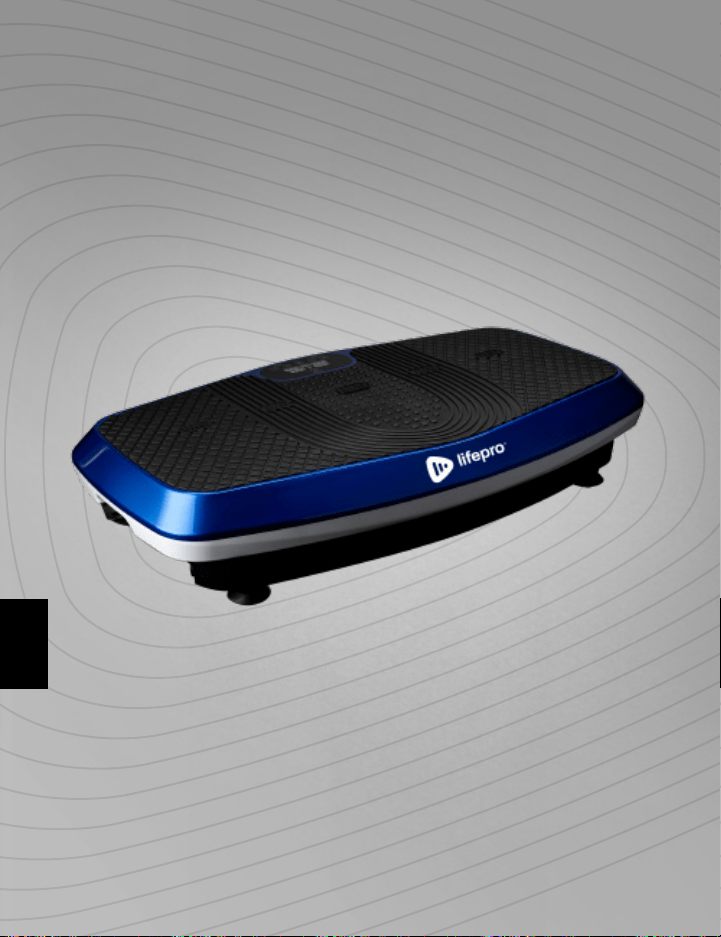
Tout le monde ne peut pas se permettre d’engager un coach sportif personnel
ou une équipe de professionnels pour les aider à se sentir mieux et pour mieux
paraître. Mais la bonne nouvelle est que vous n’êtes pas obligé. Lifepro vous
emmène la salle de gym.
Le Lifepro Hovert stimule votre métabolisme et augmente votre circulation,
ce qui oblige votre corps à brûler plus de graisse et réduit l’apparence de la
cellulite. La plateforme vibrante à deux moteurs crée un mouvement répétitif
unique en utilisant des vibrations et des oscillations 3D qui obligent vos muscles
à se contracter à plusieurs reprises pendant son utilisation. Cette technique fait
travailler plus de fibres musculaires que les autres formes d’exercice, ce qui veut
dire que vous obtenez le double des résultats sans doubler l’effort. Le Hovert
est facile à utiliser et vous aidera à atteindre vos objectifs plus rapidement que
jamais.
Si vous avez subi une blessure ou si vous ressentez des douleurs articulaires
ou dorsales, trouvez un soulagement et aidez à prévenir de futures blessures
en ajoutant notre plateforme vibrante à votre programme de réadaptation.
Les plateformes vibrantes sont utilisées par les athlètes professionnels, les
physiothérapeutes et les centres de rééducation partout dans le monde.
Redéfinissez vos entraînements et découvrez le
pouvoir transformateur du Lifepro Hovert:
Expérimentez le soulagement des douleurs articulaires et dorsales:
améliore votre force et la circulation
Boostez votre métabolisme: encourage votre corps à brûler les graisses
plus rapidement
Diminue votre stress: augmente la sérotonine et diminue le cortisol
Améliore votre circulation: diminue la pression artérielle
Augmente votre force et flexibilité: améliore la stabilité
Développe des os plus forts: augmente la densité osseuse
Consultez les exercices de ce guide pour savoir comment utiliser votre Hovert.
Ensuite, assurez-vous de visiter notre site internet Hovert.lifeprofitness.com
pour accéder à notre vidéothèque GRATUITE de vidéos d’entraînement qui
montrent comment intégrer facilement le Hovert dans votre routine de remise
en forme.
Gamme Vibration Therapy 89
FR
FR
Tout le monde ne peut pas se permettre d’engager un coach sportif personnel
ou une équipe de professionnels pour les aider à se sentir mieux et pour mieux
paraître. Mais la bonne nouvelle est que vous n’êtes pas obligé. Lifepro vous
emmène la salle de gym.
Le Lifepro Hovert stimule votre métabolisme et augmente votre circulation,
ce qui oblige votre corps à brûler plus de graisse et réduit l’apparence de la
cellulite. La plateforme vibrante à deux moteurs crée un mouvement répétitif
unique en utilisant des vibrations et des oscillations 3D qui obligent vos muscles
à se contracter à plusieurs reprises pendant son utilisation. Cette technique fait
travailler plus de fibres musculaires que les autres formes d’exercice, ce qui veut
dire que vous obtenez le double des résultats sans doubler l’effort. Le Hovert
est facile à utiliser et vous aidera à atteindre vos objectifs plus rapidement que
jamais.
Si vous avez subi une blessure ou si vous ressentez des douleurs articulaires
ou dorsales, trouvez un soulagement et aidez à prévenir de futures blessures
en ajoutant notre plateforme vibrante à votre programme de réadaptation.
Les plateformes vibrantes sont utilisées par les athlètes professionnels, les
physiothérapeutes et les centres de rééducation partout dans le monde.
Redéfinissez vos entraînements et découvrez le
pouvoir transformateur du Lifepro Hovert:
Expérimentez le soulagement des douleurs articulaires et dorsales:
améliore votre force et la circulation
Boostez votre métabolisme: encourage votre corps à brûler les graisses
plus rapidement
Diminue votre stress: augmente la sérotonine et diminue le cortisol
Améliore votre circulation: diminue la pression artérielle
Augmente votre force et flexibilité: améliore la stabilité
Développe des os plus forts: augmente la densité osseuse
Consultez les exercices de ce guide pour savoir comment utiliser votre Hovert.
Ensuite, assurez-vous de visiter notre site internet Hovert.lifeprofitness.com
pour accéder à notre vidéothèque GRATUITE de vidéos d’entraînement qui
montrent comment intégrer facilement le Hovert dans votre routine de remise
en forme.
Gamme Vibration Therapy 89
FR
FR

Gamme Vibration Therapy 91 90 Guide D’Utilisateur Lifepro Hovert
COMMENCEZ
CE QU’IL Y A DANS LA BOÎTE
• Plateforme Vibrante 3D Lifepro Hovert
• Câble d’alimentation
• Télécommande
• Bandes élastiques de résistance (2)
• Mini bandes élastiques Lifepro (4)
• Mode d’emploi
PREMIÈRES ÉTAPES
1. Sortez votre Hovert de l’emballage et retirez tous les emballages de
l'appareil et des accessoires.
2. Lisez attentivement ce manuel d'utilisation et toutes les instructions
de sécurité avant d'utiliser le Hovert.
3. Allez sur hovert.lifeprofitness.com et enregistrez votre produit dans
les 14 jours suivant l'achat pour activer votre garantie de 2 ans.
4. Suivez les étapes du GUIDE DE CONFIGURATION FACILE À LA PAGE
92 pour commencer à utiliser votre Hovert.
SERVICE CLIENT
Si vous avez des questions sur l’installation de votre Hovert, nous
sommes disponibles pour vous aider. Appelez-nous, ou envoyez-nous un
e-mail, et un représentant spécialisé du service client se fera un plaisir de
vous aider: +1 (800) 563-6604 ou support@lifeprofitness.com.
FAMILIARISEZ-VOUS
TélécommandePlateforme
Vibrante Hovert 3D
4 Mini bandes
élastiques
2 Bandes de
résistances
HOVERT
PLATEFORME VIBRANTE 3D
VIBRATION THERAPY
FR
FR
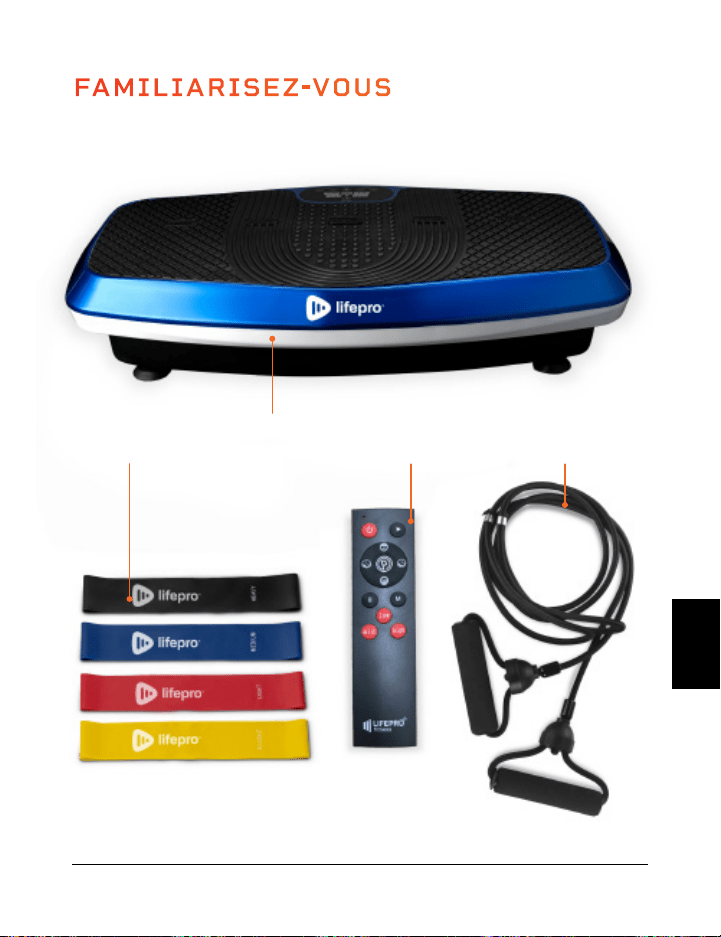
Gamme Vibration Therapy 91 90 Guide D’Utilisateur Lifepro Hovert
COMMENCEZ
CE QU’IL Y A DANS LA BOÎTE
• Plateforme Vibrante 3D Lifepro Hovert
• Câble d’alimentation
• Télécommande
• Bandes élastiques de résistance (2)
• Mini bandes élastiques Lifepro (4)
• Mode d’emploi
PREMIÈRES ÉTAPES
1. Sortez votre Hovert de l’emballage et retirez tous les emballages de
l'appareil et des accessoires.
2. Lisez attentivement ce manuel d'utilisation et toutes les instructions
de sécurité avant d'utiliser le Hovert.
3. Allez sur hovert.lifeprofitness.com et enregistrez votre produit dans
les 14 jours suivant l'achat pour activer votre garantie de 2 ans.
4. Suivez les étapes du GUIDE DE CONFIGURATION FACILE À LA PAGE
92 pour commencer à utiliser votre Hovert.
SERVICE CLIENT
Si vous avez des questions sur l’installation de votre Hovert, nous
sommes disponibles pour vous aider. Appelez-nous, ou envoyez-nous un
e-mail, et un représentant spécialisé du service client se fera un plaisir de
vous aider: +1 (800) 563-6604 ou support@lifeprofitness.com.
FAMILIARISEZ-VOUS
TélécommandePlateforme
Vibrante Hovert 3D
4 Mini bandes
élastiques
2 Bandes de
résistances
HOVERT
PLATEFORME VIBRANTE 3D
VIBRATION THERAPY
FR
FR
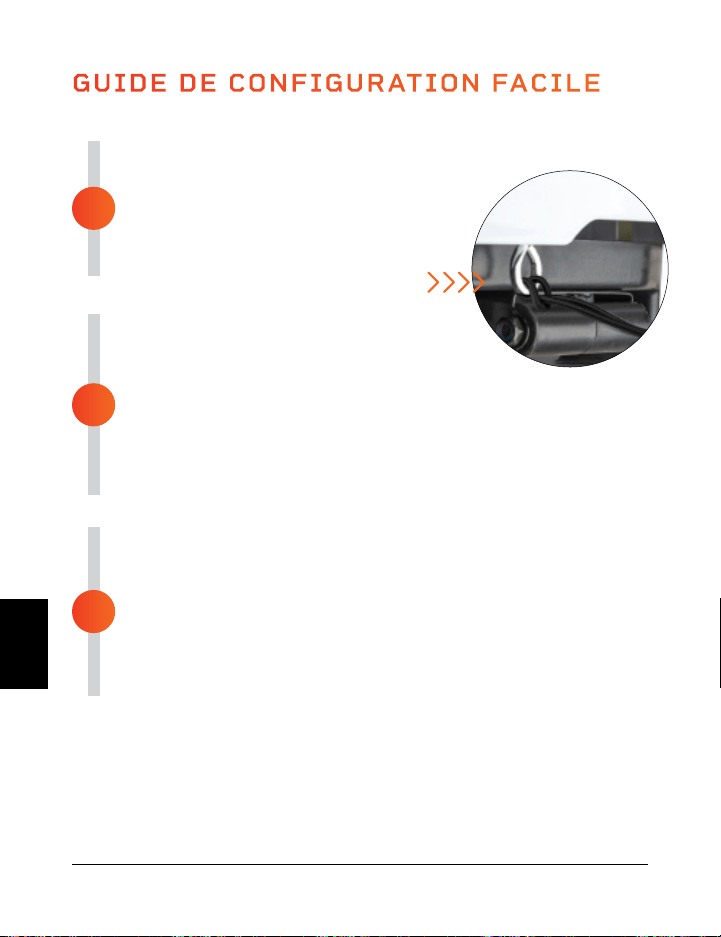
ASSEMBLEZ LE HOVERT
• Retirez l’arrière de la télécommande et insérez
2 piles AAA dans le compartiment à piles.
• Bouclez les bandes de résistance dans
les anneaux métalliques à l’avant
du Hovert.
BRANCHEMENT À L’ALIMENTATION
• Insérez fermement le cordon d’alimentation
à l’avant du Hovert.
NOTEZ BIEN: Appuyez fermement jusqu’à ce que vous
• sentiez un clic, ce qui indique que le câble est correctement connecté.
Le câble d’alimentation est bien adapté pour ne pas se desserrer
pendant l’utilisation.
• Branchez le câble d’alimentation à une prise électrique.
L’ALIMENTATION DU HOVERT
• Basculez l’interrupteur d’alimentation à l’avant du Hovert en position
ON.
• Appuyez sur l’interrupteur d’alimentation sur l’écran du Hovert.
• C’est tout. Votre Lifepro Hovert est désormais prêt à l’emploi.
Consultez les INSTRUCTIONS D’UTILISATION et CHOISIR UN
PROGRAMME dans les pages suivantes pour plus de détails sur
l’utilisation de votre Hovert.
GUIDE DE CONFIGURATION FACILE
Installez votre Lifepro Hovert en 3 étapes faciles:
3
2
1
MODES
Mode Veille: Le Hovert est sous tension, mais aucun programme n’est sélectionné.
Mode Programme: Choisissez parmi les programmes d’entraînement prédéfinis (P1-
P8). Chaque programme a une vitesse de vibration lente, moyenne et rapide
Mode Manuel (HA): Définissez votre propre durée d’entraînement et votre vitesse de
vibration.
Gamme Vibration Therapy 93 92 Guide D’Utilisateur Lifepro Hovert
COMMENT LA PLATEFORME FONCTIONNE
Le Hovert possède deux moteurs puissants: un moteur latéral (le L MOTOR
sur l’écran du Hovert) et un moteur horizontal / oscillant (le H MOTOR sur
l’écran du Hovert). Les deux moteurs produisent trois mouvements qui offrent
des combinaisons d’entraînement illimité: latéral, horizontal et 3D / spirale.
La plateforme crée un mouvement répétitif en utilisant des vibrations et des
oscillations 3D qui activent toutes vos fibres musculaires. Cette vibration
3D unique est particulièrement bénéfique pour les personnes souffrant
d’ostéoporose, d’arthrose ou de sarcopénie, et elle est idéale pour améliorer la
circulation et l’équilibre pour les utilisateurs plus âgés.
TRAINING SETTINGS
• Entraînement Horizontal: créez un entraînement manuel à l’aide du moteur H.
• Entraînement Latéral: créez un entraînement manuel à l’aide du moteur L.
• Entraînement 3D / Spirale: utilisez l’un des programmes prédéfinis ou créez un
entraînement manuel qui inclut les moteurs horizontaux (H) et latéraux (L).
Mouvement Horizontal
Montée et descente (moteur H)
Mouvement 3D/Spiral
Combinaison des deux ci-dessus
Mouvement Latéral
Côte à côte (moteur L)
FR
FR
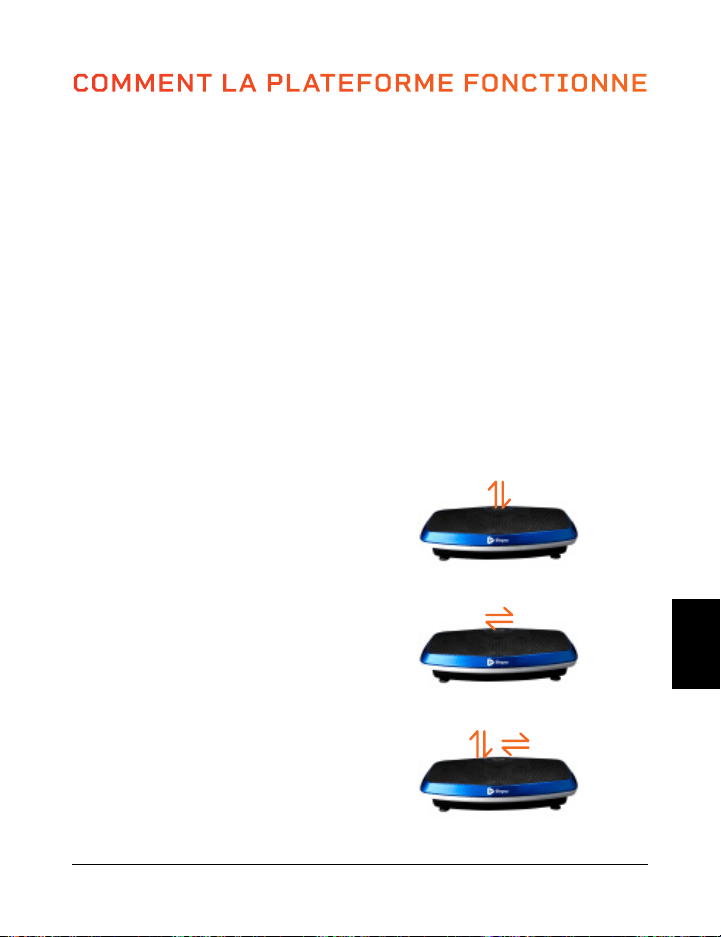
ASSEMBLEZ LE HOVERT
• Retirez l’arrière de la télécommande et insérez
2 piles AAA dans le compartiment à piles.
• Bouclez les bandes de résistance dans
les anneaux métalliques à l’avant
du Hovert.
BRANCHEMENT À L’ALIMENTATION
• Insérez fermement le cordon d’alimentation
à l’avant du Hovert.
NOTEZ BIEN: Appuyez fermement jusqu’à ce que vous
• sentiez un clic, ce qui indique que le câble est correctement connecté.
Le câble d’alimentation est bien adapté pour ne pas se desserrer
pendant l’utilisation.
• Branchez le câble d’alimentation à une prise électrique.
L’ALIMENTATION DU HOVERT
• Basculez l’interrupteur d’alimentation à l’avant du Hovert en position
ON.
• Appuyez sur l’interrupteur d’alimentation sur l’écran du Hovert.
• C’est tout. Votre Lifepro Hovert est désormais prêt à l’emploi.
Consultez les INSTRUCTIONS D’UTILISATION et CHOISIR UN
PROGRAMME dans les pages suivantes pour plus de détails sur
l’utilisation de votre Hovert.
GUIDE DE CONFIGURATION FACILE
Installez votre Lifepro Hovert en 3 étapes faciles:
3
2
1
MODES
Mode Veille: Le Hovert est sous tension, mais aucun programme n’est sélectionné.
Mode Programme: Choisissez parmi les programmes d’entraînement prédéfinis (P1-
P8). Chaque programme a une vitesse de vibration lente, moyenne et rapide
Mode Manuel (HA): Définissez votre propre durée d’entraînement et votre vitesse de
vibration.
Gamme Vibration Therapy 93 92 Guide D’Utilisateur Lifepro Hovert
COMMENT LA PLATEFORME FONCTIONNE
Le Hovert possède deux moteurs puissants: un moteur latéral (le L MOTOR
sur l’écran du Hovert) et un moteur horizontal / oscillant (le H MOTOR sur
l’écran du Hovert). Les deux moteurs produisent trois mouvements qui offrent
des combinaisons d’entraînement illimité: latéral, horizontal et 3D / spirale.
La plateforme crée un mouvement répétitif en utilisant des vibrations et des
oscillations 3D qui activent toutes vos fibres musculaires. Cette vibration
3D unique est particulièrement bénéfique pour les personnes souffrant
d’ostéoporose, d’arthrose ou de sarcopénie, et elle est idéale pour améliorer la
circulation et l’équilibre pour les utilisateurs plus âgés.
TRAINING SETTINGS
• Entraînement Horizontal: créez un entraînement manuel à l’aide du moteur H.
• Entraînement Latéral: créez un entraînement manuel à l’aide du moteur L.
• Entraînement 3D / Spirale: utilisez l’un des programmes prédéfinis ou créez un
entraînement manuel qui inclut les moteurs horizontaux (H) et latéraux (L).
Mouvement Horizontal
Montée et descente (moteur H)
Mouvement 3D/Spiral
Combinaison des deux ci-dessus
Mouvement Latéral
Côte à côte (moteur L)
FR
FR
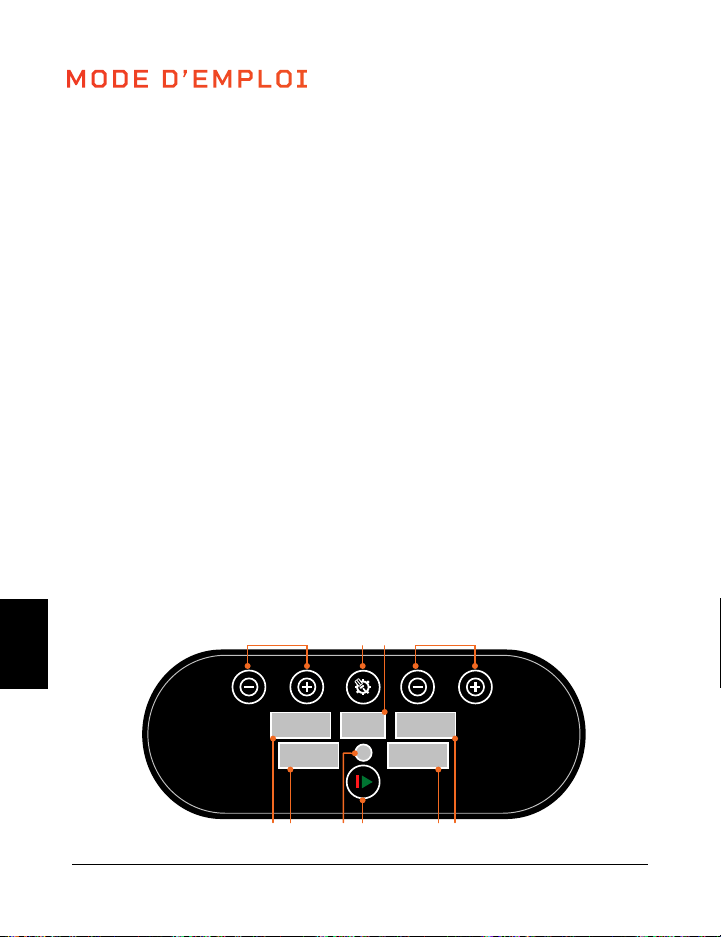
Gamme Vibration Therapy 95 94 Guide D’Utilisateur Lifepro Hovert
UTILISATION DE LA TÉLÉCOMMANDE POUR LE FONCTIONNEMENT DU
HOVERT
1. Bouton d’alimentation: appuyez sur le bouton pour allumer et éteindre le Hovert.
2. Bouton Marche / Arrêt: Assurez-vous que la plateforme soit allumée. Appuyez sur
le bouton pour activer le programme sélectionné ou commencer un entraînement
personnalisé en mode manuel. Appuyez à nouveau pour arrêter le programme sélectionné
ou l’entraînement en mode manuel.
3. Bouton Programme / Mode: Appuyez sur le bouton pour sélectionner un programme
d’entraînement prédéfini (P1–P8) ou pour sélectionner le mode manuel (HA).
4. Boutons Vitesse / Durée du MOTEUR L (+/-)*:
En veille, en mode manuel (HA) sélectionné:
appuyez sur les boutons pour définir une
duration pour le MOTEUR L. Appuyez sur
le bouton Démarrer pour démarrer le mode
entraînement manuel et appuyez ensuite le
bouton Vitesse / Temps pour changer la vitesse
du MOTEUR L.
5. Boutons Vitesse / Temps du MOTEUR H
(Haut/Bas)*: En veille, en mode manuel (HA)
sélectionné: appuyez sur les boutons pour
définir une durée pour le MOTEUR H. Appuyez
sur le bouton Démarrer pour commencer
l’entraînement manuel et ensuite appuyez les
boutons Vitesse/Duré pour changer la vitesse
du MOTEUR H.
6. Bouton Pause: Arrêter le programme courant ou
le mode d’entraînement manuel.
7. Bouton de Régulateur de Vitesse (M): Réguler la
vitesse de vibration pour les 2 moteurs entre 20,
50, et 80.
8. Boutons Rapides de Vitesse:
Lent: Définir la vitesse à 30 (les 2 moteurs).
Moyen: Définir la vitesse à 60 (les 2 moteurs).
Haut: Définir la vitesse à 90 (les 2 moteurs).
*La vitesse et l’heure ne peuvent pas être réglés pour les
programmes prédéfinis.
MODE D’EMPLOI
UTILISATION DU PANNEAU D’AFFICHAGE POUR LE FONCTIONNEMENT
DU HOVERT
1. Bouton Programme / Mode: sélectionnez un programme d’entraînement prédéfini
(P1–P8) ou sélectionnez le mode manuel (HA sur l’écran Programme / Mode) pour créer un
entraînement personnalisé.
2. Affichage du Programme / Mode: affiche le programme ou le mode sélectionné.
3. Boutons Vitesse / Durée MOTEUR L (2) *: En mode veille, avec le mode manuel (HA)
sélectionné: appuyez sur les boutons pour définir une durée pour le MOTEUR L. Appuyez
sur le bouton Démarrer pour commencer l’entraînement en mode manuel, puis appuyez sur
les boutons Vitesse / Durée pour modifier la vitesse du MOTEUR L.
4. Affichage de la Vitesse du MOTEUR L: affiche la vitesse de vibration du MOTEUR L pour
le programme / mode actuel.
5. Affichage de la Durée du MOTEUR L: affiche la durée du MOTEUR L pour le programme /
mode actuel.
6. Bouton Marche / Arrêt: démarre ou arrête le programme ou le mode sélectionné.
7. Télécommande: Récepteur infrarouge pour la télécommande.
8. Affichage du Temps du MOTEUR H: Affiche la durée de temps du MOTEUR H pour le
programme / mode actuel.
9. Affichage de la Vitesse du MOTEUR H: affiche la vitesse de vibration du MOTEUR H pour
le programme / mode actuel.
10. Boutons Durée / Vitesse du MOTEUR H (2)*: En veille, avec le mode manuel (HA)
sélectionné: appuyez sur les boutons pour définir une durée pour le MOTEUR H. Appuyez
sur le bouton Démarrer pour commencer l’entraînement en mode manuel, puis appuyez sur
les boutons Vitesse / Temps pour modifier la vitesse du MOTEUR H.
*La vitesse et l’heure ne peuvent pas être réglés pour les programmes prédéfinis.
High
Low
M
low
high
mid
1
2
4 4
3
5
5
6
7
8
SPEED
SET
ON/OFF
SPEED
89 7 6 5 4
10 1 2 3
FR
FR
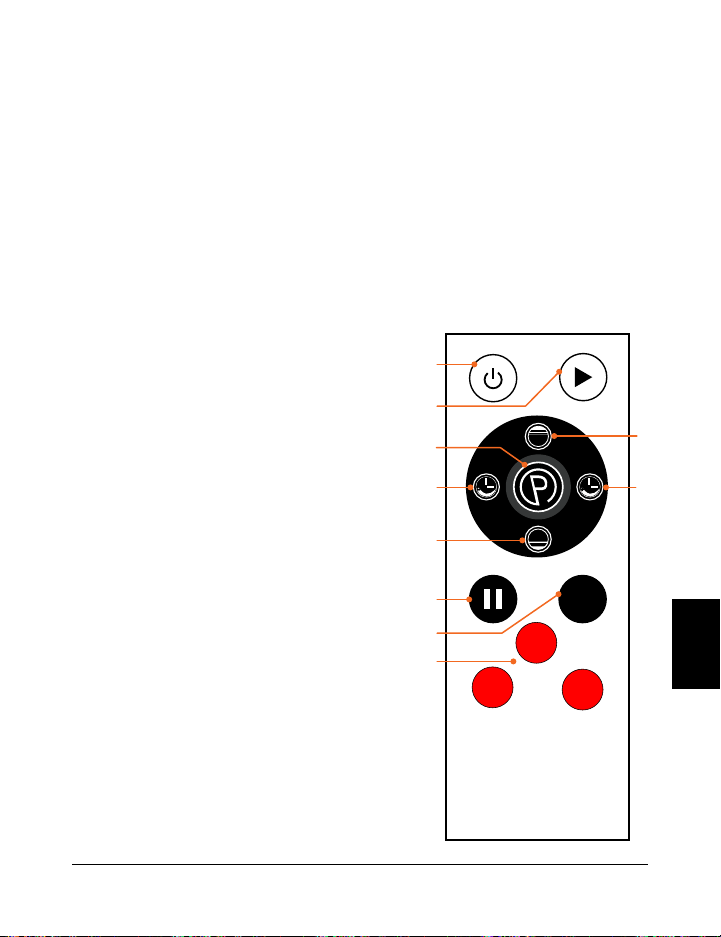
Gamme Vibration Therapy 95 94 Guide D’Utilisateur Lifepro Hovert
UTILISATION DE LA TÉLÉCOMMANDE POUR LE FONCTIONNEMENT DU
HOVERT
1. Bouton d’alimentation: appuyez sur le bouton pour allumer et éteindre le Hovert.
2. Bouton Marche / Arrêt: Assurez-vous que la plateforme soit allumée. Appuyez sur
le bouton pour activer le programme sélectionné ou commencer un entraînement
personnalisé en mode manuel. Appuyez à nouveau pour arrêter le programme sélectionné
ou l’entraînement en mode manuel.
3. Bouton Programme / Mode: Appuyez sur le bouton pour sélectionner un programme
d’entraînement prédéfini (P1–P8) ou pour sélectionner le mode manuel (HA).
4. Boutons Vitesse / Durée du MOTEUR L (+/-)*:
En veille, en mode manuel (HA) sélectionné:
appuyez sur les boutons pour définir une
duration pour le MOTEUR L. Appuyez sur
le bouton Démarrer pour démarrer le mode
entraînement manuel et appuyez ensuite le
bouton Vitesse / Temps pour changer la vitesse
du MOTEUR L.
5. Boutons Vitesse / Temps du MOTEUR H
(Haut/Bas)*: En veille, en mode manuel (HA)
sélectionné: appuyez sur les boutons pour
définir une durée pour le MOTEUR H. Appuyez
sur le bouton Démarrer pour commencer
l’entraînement manuel et ensuite appuyez les
boutons Vitesse/Duré pour changer la vitesse
du MOTEUR H.
6. Bouton Pause: Arrêter le programme courant ou
le mode d’entraînement manuel.
7. Bouton de Régulateur de Vitesse (M): Réguler la
vitesse de vibration pour les 2 moteurs entre 20,
50, et 80.
8. Boutons Rapides de Vitesse:
Lent: Définir la vitesse à 30 (les 2 moteurs).
Moyen: Définir la vitesse à 60 (les 2 moteurs).
Haut: Définir la vitesse à 90 (les 2 moteurs).
*La vitesse et l’heure ne peuvent pas être réglés pour les
programmes prédéfinis.
MODE D’EMPLOI
UTILISATION DU PANNEAU D’AFFICHAGE POUR LE FONCTIONNEMENT
DU HOVERT
1. Bouton Programme / Mode: sélectionnez un programme d’entraînement prédéfini
(P1–P8) ou sélectionnez le mode manuel (HA sur l’écran Programme / Mode) pour créer un
entraînement personnalisé.
2. Affichage du Programme / Mode: affiche le programme ou le mode sélectionné.
3. Boutons Vitesse / Durée MOTEUR L (2) *: En mode veille, avec le mode manuel (HA)
sélectionné: appuyez sur les boutons pour définir une durée pour le MOTEUR L. Appuyez
sur le bouton Démarrer pour commencer l’entraînement en mode manuel, puis appuyez sur
les boutons Vitesse / Durée pour modifier la vitesse du MOTEUR L.
4. Affichage de la Vitesse du MOTEUR L: affiche la vitesse de vibration du MOTEUR L pour
le programme / mode actuel.
5. Affichage de la Durée du MOTEUR L: affiche la durée du MOTEUR L pour le programme /
mode actuel.
6. Bouton Marche / Arrêt: démarre ou arrête le programme ou le mode sélectionné.
7. Télécommande: Récepteur infrarouge pour la télécommande.
8. Affichage du Temps du MOTEUR H: Affiche la durée de temps du MOTEUR H pour le
programme / mode actuel.
9. Affichage de la Vitesse du MOTEUR H: affiche la vitesse de vibration du MOTEUR H pour
le programme / mode actuel.
10. Boutons Durée / Vitesse du MOTEUR H (2)*: En veille, avec le mode manuel (HA)
sélectionné: appuyez sur les boutons pour définir une durée pour le MOTEUR H. Appuyez
sur le bouton Démarrer pour commencer l’entraînement en mode manuel, puis appuyez sur
les boutons Vitesse / Temps pour modifier la vitesse du MOTEUR H.
*La vitesse et l’heure ne peuvent pas être réglés pour les programmes prédéfinis.
High
Low
M
low
high
mid
1
2
4 4
3
5
5
6
7
8
SPEED
SET
ON/OFF
SPEED
89 7 6 5 4
10 1 2 3
FR
FR
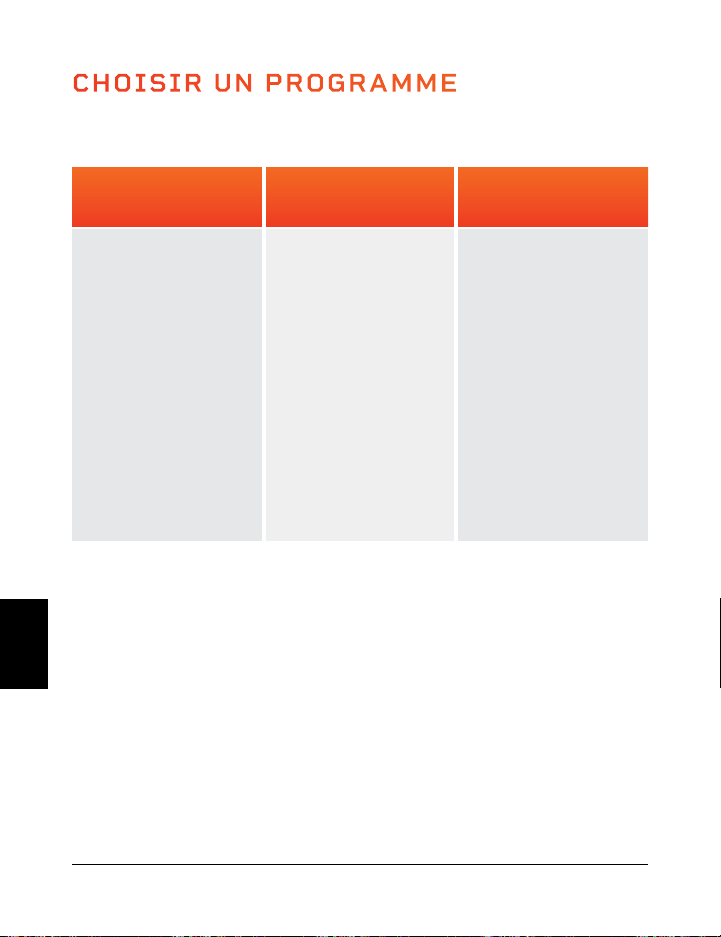
CHOISIR UN PROGRAMME
Programme Lent
(P1–P2)
Très bien pour
débuter.
• Désintoxication
• Augmentation de la
densité osseuse
• Amélioration de
l’équilibre
• Drainage
lymphatique
• Contrôle de posture
amélioré
Programme Moyen
(P3–P5)
Parfait pour les
personnes avec
arthrite et de
fibromyalgie.
• Entretien des
articulations
• Contrôle de posture
amélioré
• Perte de graisse
• Augmentation de la
masse osseuse
• Amélioration de
l’équilivre
• Élimination de la
Cellulite
Programme Intense
(P6–P8)
Excellent pour une
densité améliorée.
• Perte de graisse
• Croissance
musculaire
• Augmentation de la
masse osseuse
• Accumulation de
puissance
• Libération de HGH
MODE PROGRAMME
Gamme Vibration Therapy 97 96 Guide D’Utilisateur Lifepro Hovert
CHOISIR UN PROGRAMME EN MODE PROGRAMME:
1. Appuyer le bouton d’alimentation pour mettre en marche le système
2. Appuyer sur le bouton Programme / Mode pour basculer entre les modes de
programme définis: de P1 à P8.
3. Appuyer sur le bouton Marche / Arrêt pour active le programme sélectionné
POUR OBTENIR LES MEILLEURS RÉSULTATS, ALTERNER ENTRE LES
PROGRAMMES
Gardez des surprises pour votre corps. Comme nous avons tendance à nous adapter,
nous voulons donc continuer à susciter des changements dans notre corps. Chaque
niveau a son propre ensemble d’avantages ; cependant, nous vous recommandons de
commencer au premier niveau, P1, et de progresser petit à petit.
VITESSE DES PROGRAMMES
Chaque programme prédéfini dure 10 minutes. Pendant ce programme, Le Hovert changera
de vitesse une fois par minute. Les niveaux de vitesse dépendent du programme que vous
avez choisi (comme indiqué dans le tableau ci-dessous).
H = Moteur Horizontal L = Moteur Latéral
MODE MANUEL
En mode manuel, les vitesses de vibration des moteurs H et L correspondent aux niveaux
suivants:
Programme Lent: (1–33) Programme Moyen: (34–66) Programme Intense (67–99)
CRÉER UN ENTRAÎNEMENT PERSONALISÉ EN MODE MANUEL:
1. Appuyez sur le bouton d’alimentation pour allumer le système.
2. Appuyez sur le bouton Programme/Mode jusqu’à ce que l’écran affiche HA (mode manuel).
3. Définir un temps de durée pour votre entraînement en mode manuel. Appuyez sur les
boutons +/- pour définir la durée pour le moteur L et les boutons Bas/Haut pour définir la
durée pour le moteur H.
4. Appuyez sur le bouton Marche/Arrêt pour commencer le mode d’entraînement manuel.
5. La Vitesse pour les 2 moteurs commencera à 1. Pour régler la vitesse:
a. Appuyez sur les boutons -/+ pour changer la vitesse du moteur L uniquement
b. Appuyez sur les boutons Bas/Haut pour changer la vitesse du moteur H uniquement
c. Appuyez sur le bouton rouge Lent pour changer la vitesse à 30 (pour les 2 moteurs)
d. Appuyez sur le bouton rouge Moyen pour changer la vitesse à 60 (pour les 2 moteurs)
e. Appuyez sur le bouton rouge Élevé pour changer la vitesse à 90 (pour les 2 moteurs)
f. Appuyez sur le bouton M pour basculer entre les vitesses 20, 50, 80 (pour les 2
moteurs).
10
4
2
2
3
8
5
12
6
9
8
23
15
11
22
30
35
9
4
5
4
3
14
16
23
12
13
10
55
28
11
19
30
29
8
10
6
6
5
8
2
29
14
16
9
23
16
25
28
50
40
7
12
8
8
9
14
3
38
16
21
14
55
28
25
23
50
35
6
17
9
10
12
8
6
49
20
24
18
23
12
38
35
70
68
5
20
10
13
15
20
9
56
22
35
19
55
28
38
22
70
80
4
24
6
15
20
8
10
68
30
67
28
23
16
48
29
40
50
3
20
8
12
10
14
9
76
34
50
28
55
28
48
50
40
20
2
17
4
9
10
8
5
48
38
38
20
23
10
25
12
60
80
1
6
5
8
4
14
2
29
18
30
17
55
28
25
15
60
50
MINUTES
VITESSE
Lent
Moyen
Intense
PROGRAMME
P1
P2
P3
P4
P5
P6
P7
P8
MOTEUR
H
L
H
L
H
L
H
L
H
L
H
L
H
L
H
L
FR
FR
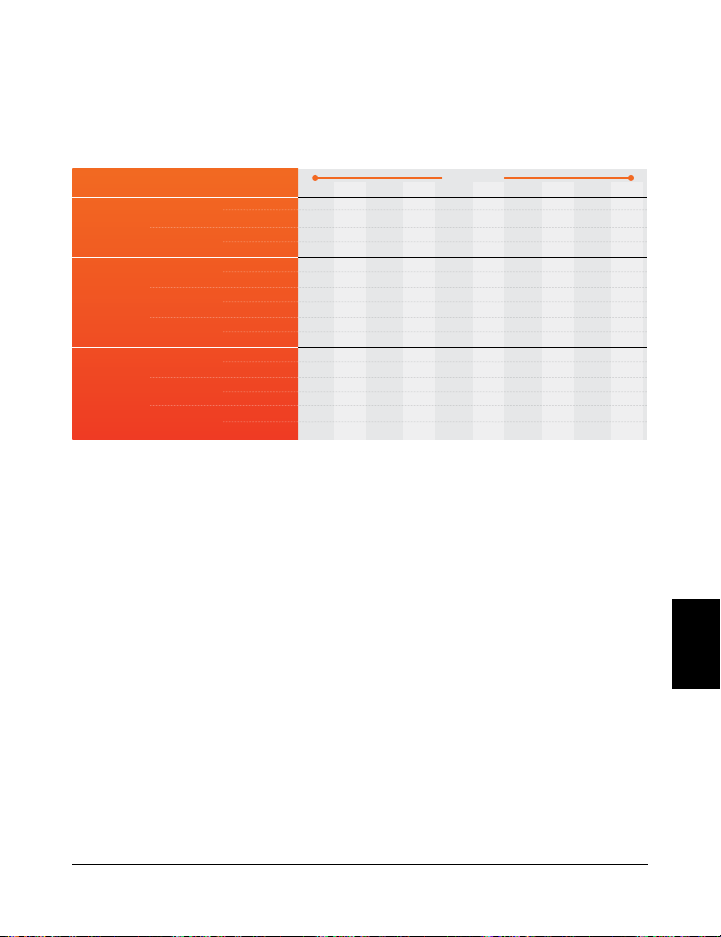
CHOISIR UN PROGRAMME
Programme Lent
(P1–P2)
Très bien pour
débuter.
• Désintoxication
• Augmentation de la
densité osseuse
• Amélioration de
l’équilibre
• Drainage
lymphatique
• Contrôle de posture
amélioré
Programme Moyen
(P3–P5)
Parfait pour les
personnes avec
arthrite et de
fibromyalgie.
• Entretien des
articulations
• Contrôle de posture
amélioré
• Perte de graisse
• Augmentation de la
masse osseuse
• Amélioration de
l’équilivre
• Élimination de la
Cellulite
Programme Intense
(P6–P8)
Excellent pour une
densité améliorée.
• Perte de graisse
• Croissance
musculaire
• Augmentation de la
masse osseuse
• Accumulation de
puissance
• Libération de HGH
MODE PROGRAMME
Gamme Vibration Therapy 97 96 Guide D’Utilisateur Lifepro Hovert
CHOISIR UN PROGRAMME EN MODE PROGRAMME:
1. Appuyer le bouton d’alimentation pour mettre en marche le système
2. Appuyer sur le bouton Programme / Mode pour basculer entre les modes de
programme définis: de P1 à P8.
3. Appuyer sur le bouton Marche / Arrêt pour active le programme sélectionné
POUR OBTENIR LES MEILLEURS RÉSULTATS, ALTERNER ENTRE LES
PROGRAMMES
Gardez des surprises pour votre corps. Comme nous avons tendance à nous adapter,
nous voulons donc continuer à susciter des changements dans notre corps. Chaque
niveau a son propre ensemble d’avantages ; cependant, nous vous recommandons de
commencer au premier niveau, P1, et de progresser petit à petit.
VITESSE DES PROGRAMMES
Chaque programme prédéfini dure 10 minutes. Pendant ce programme, Le Hovert changera
de vitesse une fois par minute. Les niveaux de vitesse dépendent du programme que vous
avez choisi (comme indiqué dans le tableau ci-dessous).
H = Moteur Horizontal L = Moteur Latéral
MODE MANUEL
En mode manuel, les vitesses de vibration des moteurs H et L correspondent aux niveaux
suivants:
Programme Lent: (1–33) Programme Moyen: (34–66) Programme Intense (67–99)
CRÉER UN ENTRAÎNEMENT PERSONALISÉ EN MODE MANUEL:
1. Appuyez sur le bouton d’alimentation pour allumer le système.
2. Appuyez sur le bouton Programme/Mode jusqu’à ce que l’écran affiche HA (mode manuel).
3. Définir un temps de durée pour votre entraînement en mode manuel. Appuyez sur les
boutons +/- pour définir la durée pour le moteur L et les boutons Bas/Haut pour définir la
durée pour le moteur H.
4. Appuyez sur le bouton Marche/Arrêt pour commencer le mode d’entraînement manuel.
5. La Vitesse pour les 2 moteurs commencera à 1. Pour régler la vitesse:
a. Appuyez sur les boutons -/+ pour changer la vitesse du moteur L uniquement
b. Appuyez sur les boutons Bas/Haut pour changer la vitesse du moteur H uniquement
c. Appuyez sur le bouton rouge Lent pour changer la vitesse à 30 (pour les 2 moteurs)
d. Appuyez sur le bouton rouge Moyen pour changer la vitesse à 60 (pour les 2 moteurs)
e. Appuyez sur le bouton rouge Élevé pour changer la vitesse à 90 (pour les 2 moteurs)
f. Appuyez sur le bouton M pour basculer entre les vitesses 20, 50, 80 (pour les 2
moteurs).
10
4
2
2
3
8
5
12
6
9
8
23
15
11
22
30
35
9
4
5
4
3
14
16
23
12
13
10
55
28
11
19
30
29
8
10
6
6
5
8
2
29
14
16
9
23
16
25
28
50
40
7
12
8
8
9
14
3
38
16
21
14
55
28
25
23
50
35
6
17
9
10
12
8
6
49
20
24
18
23
12
38
35
70
68
5
20
10
13
15
20
9
56
22
35
19
55
28
38
22
70
80
4
24
6
15
20
8
10
68
30
67
28
23
16
48
29
40
50
3
20
8
12
10
14
9
76
34
50
28
55
28
48
50
40
20
2
17
4
9
10
8
5
48
38
38
20
23
10
25
12
60
80
1
6
5
8
4
14
2
29
18
30
17
55
28
25
15
60
50
MINUTES
VITESSE
Lent
Moyen
Intense
PROGRAMME
P1
P2
P3
P4
P5
P6
P7
P8
MOTEUR
H
L
H
L
H
L
H
L
H
L
H
L
H
L
H
L
FR
FR
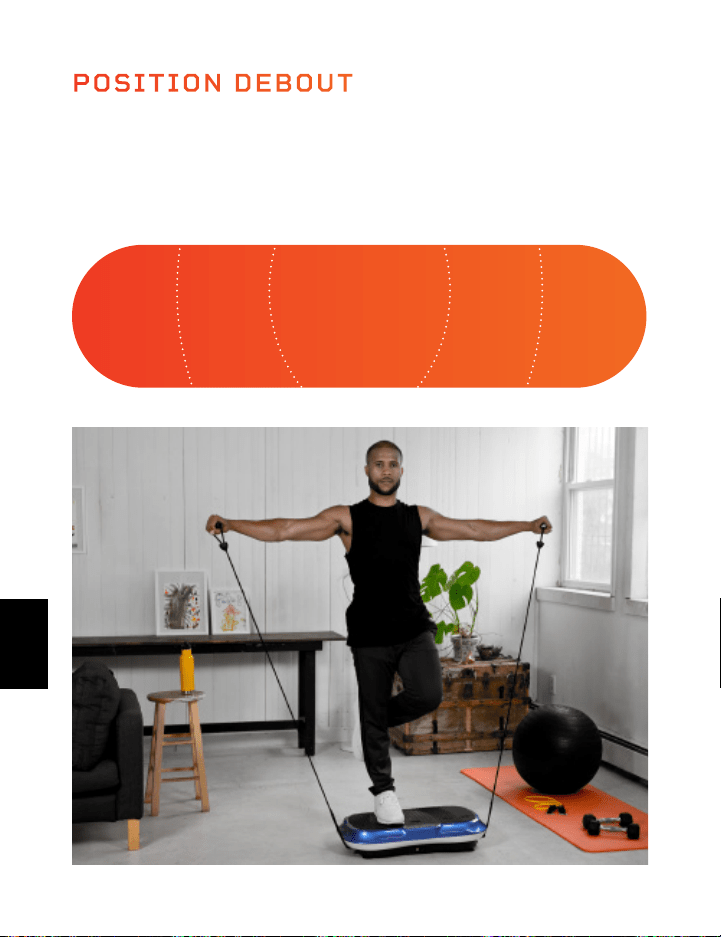
MINI BANDES ÉLASTIQUES LIFEPRO
LES MINI BANDES ONT REVOLUTIONNÉ L’INDUSTRIE DU FITNESS
Les mini bandes sont devenues la nouvelle référence pour sculpter un
physique plus fort et plus maigre. Vous avez certainement vu vos influenceurs
Instagram et YouTube de fitness préférés utiliser ces bandes de résistance
colorées et polyvalentes en conjonction avec leurs routines d’entraînement.
Ils ajoutent de la résistance aux séances d’entraînement cardio et de la
puissance aux séances d’entraînement de force, vous permettant de vous
entraîner simultanément. Le nombre de possibilités d’entraînement créatif
est infini. Contrairement aux inconvénients d’une salle de sport complète,
ces mini-groupes sont bien connus pour leur capacité à entraîner tous les
aspects de la condition physique et de la performance à n’importe quelle
intensité, n’importe où, à tout moment. Plus d’excuses.
Les mini bandes Lifepro sont 100% en latex. Chaque bande a une
force de résistance différente, ce qui vous permet de mettre à niveau
votre entraînement de résistance sans effort. Utilisez les mini-bandes
en conjonction avec votre Lifepro Hovert pour améliorer de manière
exponentielle vos résultats de fitness.
AMÉLIOREZ VOTRE ENTRAÎNEMENT
Découvrez les avantages uniques des mini-bandes Lifepro
• Polyvalent: ajoutez de la résistance aux entraînements cardio et de la
puissance pour les entraînements de force.
• Bons pour les articulations: réduit la compression des articulations;
entraînement à haute intensité et à faible impact.
• Portable: transportez les mini bandes dans votre poche pour vous
entraîner en déplacement.
INTENSE INTENSE MOYEN MOYENFACILE
Votre position sur le Lifepro Hovert aura un effet sur la difficulté
des vibrations pour votre corps. Gardez les pieds rapprochés pour
un entraînement ‘facile’ et gardez-les pieds plus écartés pour les
entraînements ‘moyens’ et ‘intenses’.
POSITION DEBOUT
Gamme Vibration Therapy 99 98 Guide D’Utilisateur Lifepro Hovert
FR
FR

MINI BANDES ÉLASTIQUES LIFEPRO
LES MINI BANDES ONT REVOLUTIONNÉ L’INDUSTRIE DU FITNESS
Les mini bandes sont devenues la nouvelle référence pour sculpter un
physique plus fort et plus maigre. Vous avez certainement vu vos influenceurs
Instagram et YouTube de fitness préférés utiliser ces bandes de résistance
colorées et polyvalentes en conjonction avec leurs routines d’entraînement.
Ils ajoutent de la résistance aux séances d’entraînement cardio et de la
puissance aux séances d’entraînement de force, vous permettant de vous
entraîner simultanément. Le nombre de possibilités d’entraînement créatif
est infini. Contrairement aux inconvénients d’une salle de sport complète,
ces mini-groupes sont bien connus pour leur capacité à entraîner tous les
aspects de la condition physique et de la performance à n’importe quelle
intensité, n’importe où, à tout moment. Plus d’excuses.
Les mini bandes Lifepro sont 100% en latex. Chaque bande a une
force de résistance différente, ce qui vous permet de mettre à niveau
votre entraînement de résistance sans effort. Utilisez les mini-bandes
en conjonction avec votre Lifepro Hovert pour améliorer de manière
exponentielle vos résultats de fitness.
AMÉLIOREZ VOTRE ENTRAÎNEMENT
Découvrez les avantages uniques des mini-bandes Lifepro
• Polyvalent: ajoutez de la résistance aux entraînements cardio et de la
puissance pour les entraînements de force.
• Bons pour les articulations: réduit la compression des articulations;
entraînement à haute intensité et à faible impact.
• Portable: transportez les mini bandes dans votre poche pour vous
entraîner en déplacement.
INTENSE INTENSE MOYEN MOYENFACILE
Votre position sur le Lifepro Hovert aura un effet sur la difficulté
des vibrations pour votre corps. Gardez les pieds rapprochés pour
un entraînement ‘facile’ et gardez-les pieds plus écartés pour les
entraînements ‘moyens’ et ‘intenses’.
POSITION DEBOUT
Gamme Vibration Therapy 99 98 Guide D’Utilisateur Lifepro Hovert
FR
FR
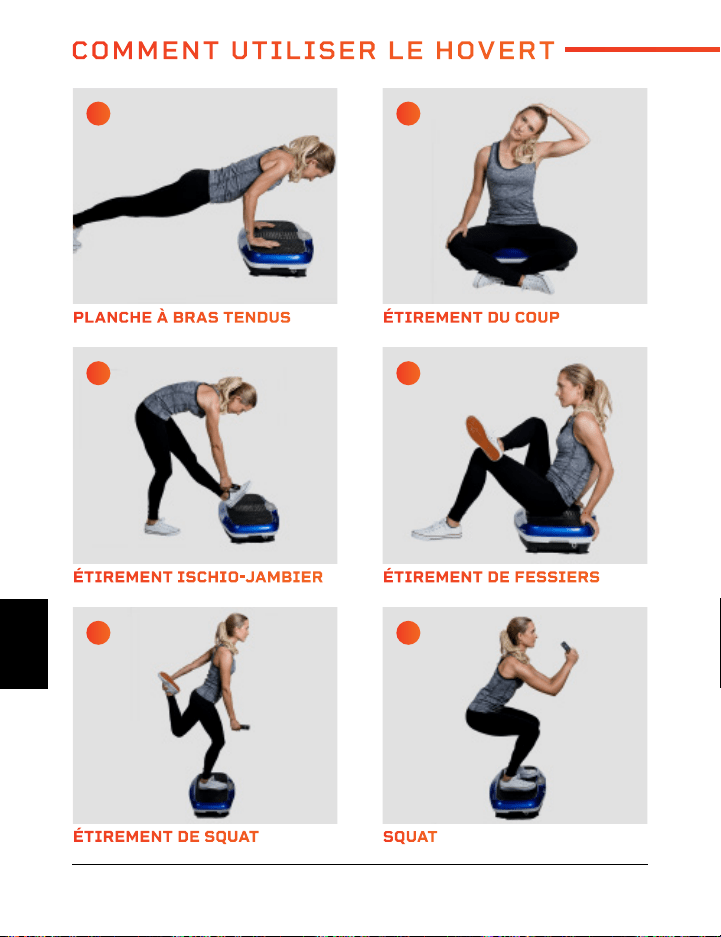
ÉTIREMENT DE SQUAT MOUCHE INVERSÉE
ÉTIREMENT ISCHIO-JAMBIER FENTE AVANT
PLANCHE À BRAS TENDUS PETIT PONT FESSIERS
SQUAT PRESSE À ÉPAULES ALTERNÉE
ÉTIREMENT DE FESSIERS FLANC DE CÔTÉ
ÉTIREMENT DU COUP LE DIP
A C
E G
I K
B D
F H
J L
COMMENT UTILISER LE HOVERT
Gamme Vibration Therapy 101 100 Guide D’Utilisateur Lifepro Hovert
FR
FR
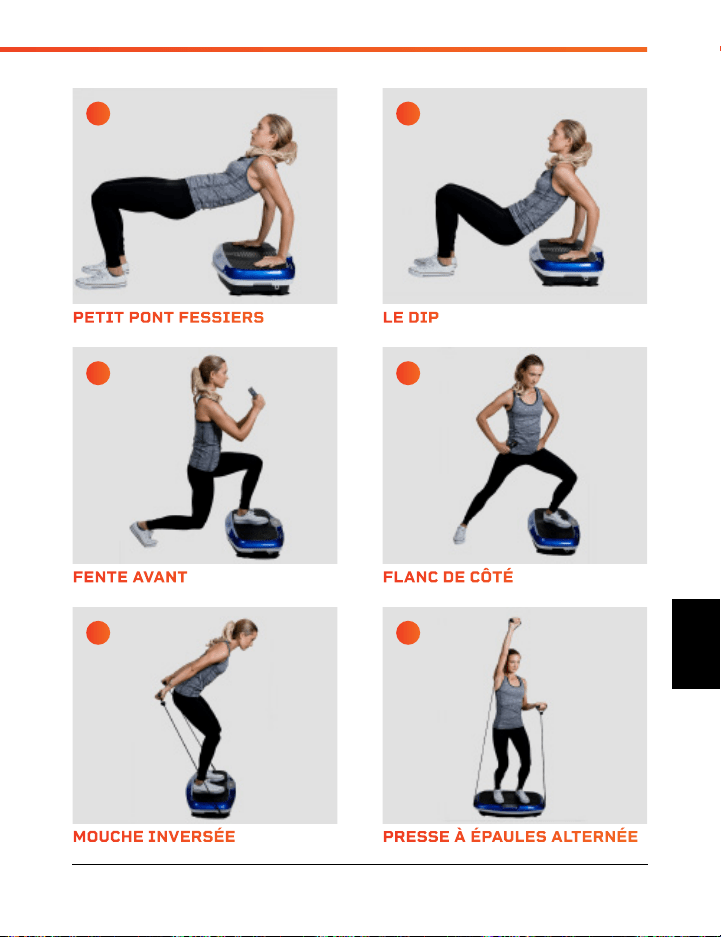
ÉTIREMENT DE SQUAT MOUCHE INVERSÉE
ÉTIREMENT ISCHIO-JAMBIER FENTE AVANT
PLANCHE À BRAS TENDUS PETIT PONT FESSIERS
SQUAT PRESSE À ÉPAULES ALTERNÉE
ÉTIREMENT DE FESSIERS FLANC DE CÔTÉ
ÉTIREMENT DU COUP LE DIP
A C
E G
I K
B D
F H
J L
COMMENT UTILISER LE HOVERT
Gamme Vibration Therapy 101 100 Guide D’Utilisateur Lifepro Hovert
FR
FR
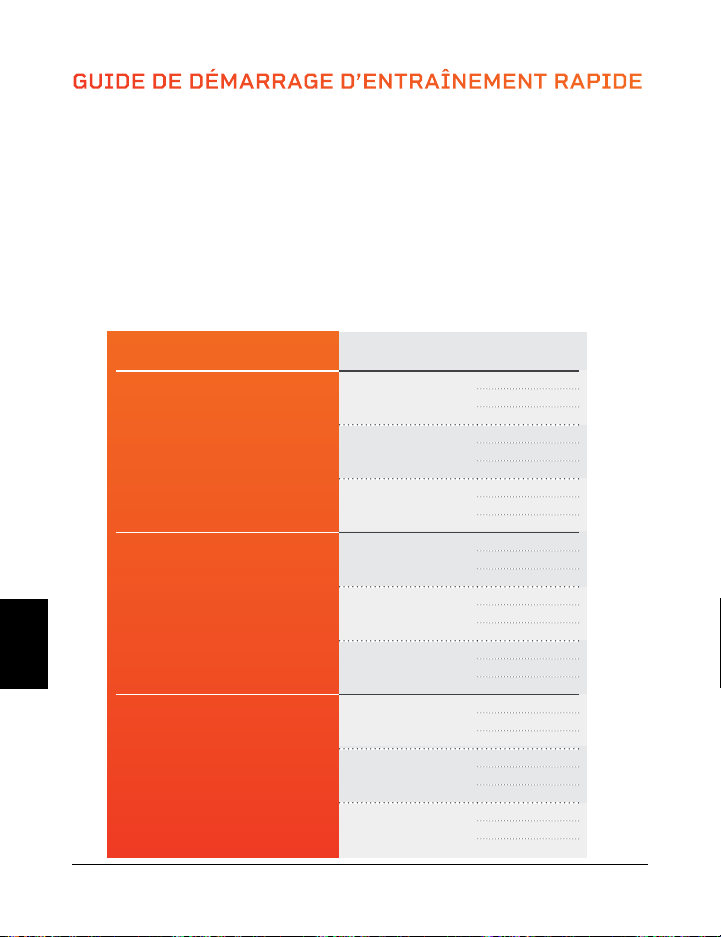
GUIDE DE DÉMARRAGE D’ENTRAÎNEMENT RAPIDE
OÙ COMMENCER
C’est une bonne idée de commencer lentement et facilement avec votre Hovert car
cela peut prendre du temps pour s’habituer à la façon dont les plaques vibrantes se
déplacent et se sentent. Nous vous conseillons de suivre le manuel d’entraînement ci-
dessous – et passer du niveau débutant à avancé sur une période de plusieurs semaines.
GUIDE D’EXERCICE
Faîtes les étirements et les exercices aux pages 16 et 17 pendant le nombre de
secondes indiqué dans le tableau ci-dessous. Vous gagnerez donc en force et en
endurance en progressant dans les niveaux.
NIVEAU VITESSE SECONDES
Débutant
1
15
30
45
16
15
30
45
33
15
30
45
Intermédiaire
34
60
75
90
50
60
75
90
66
60
75
90
Intense
67
105
120
135
83
105
120
135
99
105
120
135
102 Guide D’Utilisateur Lifepro Hovert
Visitez notre vidéothèque
d’entraînement sportifs GRATUITE
sur hovert.lifeprofitness.com
FR
FR
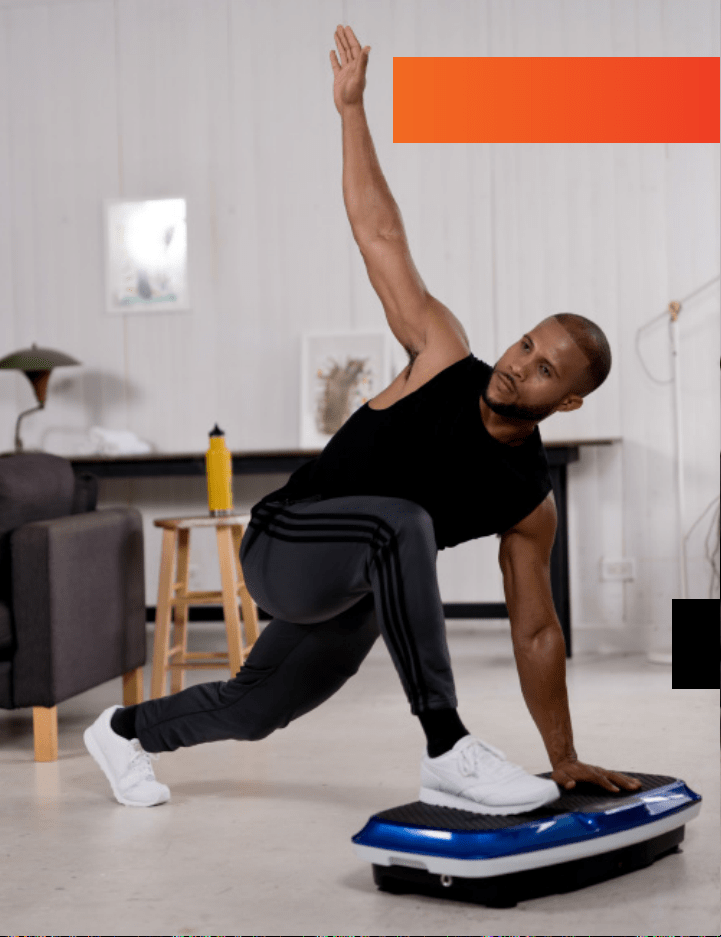
GUIDE DE DÉMARRAGE D’ENTRAÎNEMENT RAPIDE
OÙ COMMENCER
C’est une bonne idée de commencer lentement et facilement avec votre Hovert car
cela peut prendre du temps pour s’habituer à la façon dont les plaques vibrantes se
déplacent et se sentent. Nous vous conseillons de suivre le manuel d’entraînement ci-
dessous – et passer du niveau débutant à avancé sur une période de plusieurs semaines.
GUIDE D’EXERCICE
Faîtes les étirements et les exercices aux pages 16 et 17 pendant le nombre de
secondes indiqué dans le tableau ci-dessous. Vous gagnerez donc en force et en
endurance en progressant dans les niveaux.
NIVEAU VITESSE SECONDES
Débutant
1
15
30
45
16
15
30
45
33
15
30
45
Intermédiaire
34
60
75
90
50
60
75
90
66
60
75
90
Intense
67
105
120
135
83
105
120
135
99
105
120
135
102 Guide D’Utilisateur Lifepro Hovert
Visitez notre vidéothèque
d’entraînement sportifs GRATUITE
sur hovert.lifeprofitness.com
FR
FR
Gamme Vibration Therapy 105 104 Guide D’Utilisateur Lifepro Hovert
SÉCURITÉ
VEUILLEZ BIEN CONSERVER CE GUIDE DANS UN ENDROIT SÛR POUR
RÉFÉRENCE
ATTENTION: Pour réduire le risqué de flammes, d’incendies, de
choc électrique, ou de blessure aux personnes, lire les précautions et
informations importantes suivantes avant d’utiliser le Lifepro Hovert.
RESPONSABILITÉS
1. Il est de la responsabilité du propriétaire de s’assurer que tous
les utilisateurs du Hovert sont correctement informés de tous les
avertissements et précautions.
2. Utilisez le Hovert uniquement comme indiqué dans ce manuel.
3. Placez le Hovert sur une surface plate, avec au moins 2 mètres libres
derrière. Ne placez pas le Hovert sur une surface qui bloque les sorties
d’air. Pour protéger le sol ou le tapis contre les dommages, placez un
tapis sous le Hovert.
4. Gardez le Hovert à l’intérieur, à l’abri de l’humidité et de la poussière.
Ne placez pas le Hovert dans un garage, une terrasse couverte ou près
de l’eau.
À FAIRE ET À NE PAS FAIRE
5. N’utilisez pas le Hovert où des produits aérosols sont utilisés ou où de
l’oxygène est administré.
6. Gardez les enfants de moins de 12 ans et les animaux domestiques
éloignés du Hovert à tout moment.
7. Le Hovert ne doit pas être utilisé par des personnes pesant plus de
149 kilos.
8. Ne laissez jamais plus d’une personne à la fois sur le Hovert.
9. Gardez le câble d’alimentation et le limiteur de surtension éloignés de
toute source de chaleur.
10. Ne jamais laisser le Hovert sans surveillance lorsqu’il est allumé et
en marche. Débranchez toujours le câble d’alimentation lorsque vous
n’utilisez pas le Hovert.
ENTRAÎNEMENT
11. Consulter un professionnel de la santé avant commencer un nouveau
programme d’entraînement.
12. Mettez-vous en bonne position avant d’allumer le Hovert.
13. Portez toujours des vêtements et des chaussures de sport appropriés
lors de l’utilisation du Hovert.
14. Le Hovert est destiné à un usage domestique uniquement. N’utilisez
pas le Hovert dans un cadre commercial, locatif ou institutionnel.
ENTRETIEN
15. DANGER: Débranchez toujours le câble d’alimentation de la prise
électrique immédiatement après l’utilisation, avant de nettoyer le
Hovert, et avant d’effectuer les procédures d’entretien et de réglage
décrites dans ce manuel.
16. Inspectez et serrez régulièrement toutes les vis externes (ne les
retirez pas le capot du moteur).
17. Ne jamais retirer le capot du moteur à moins d’y être invité par un
représentant de service autorisé. Toute réparation autre que les
procédures décrites dans ce manuel doit être effectuée uniquement
par un technicien de service agréé.
18. N’insérez ni ne laissez tomber aucun objet dans une des ouvertures du
Hovert.
FR
FR

Gamme Vibration Therapy 105 104 Guide D’Utilisateur Lifepro Hovert
SÉCURITÉ
VEUILLEZ BIEN CONSERVER CE GUIDE DANS UN ENDROIT SÛR POUR
RÉFÉRENCE
ATTENTION: Pour réduire le risqué de flammes, d’incendies, de
choc électrique, ou de blessure aux personnes, lire les précautions et
informations importantes suivantes avant d’utiliser le Lifepro Hovert.
RESPONSABILITÉS
1. Il est de la responsabilité du propriétaire de s’assurer que tous
les utilisateurs du Hovert sont correctement informés de tous les
avertissements et précautions.
2. Utilisez le Hovert uniquement comme indiqué dans ce manuel.
3. Placez le Hovert sur une surface plate, avec au moins 2 mètres libres
derrière. Ne placez pas le Hovert sur une surface qui bloque les sorties
d’air. Pour protéger le sol ou le tapis contre les dommages, placez un
tapis sous le Hovert.
4. Gardez le Hovert à l’intérieur, à l’abri de l’humidité et de la poussière.
Ne placez pas le Hovert dans un garage, une terrasse couverte ou près
de l’eau.
À FAIRE ET À NE PAS FAIRE
5. N’utilisez pas le Hovert où des produits aérosols sont utilisés ou où de
l’oxygène est administré.
6. Gardez les enfants de moins de 12 ans et les animaux domestiques
éloignés du Hovert à tout moment.
7. Le Hovert ne doit pas être utilisé par des personnes pesant plus de
149 kilos.
8. Ne laissez jamais plus d’une personne à la fois sur le Hovert.
9. Gardez le câble d’alimentation et le limiteur de surtension éloignés de
toute source de chaleur.
10. Ne jamais laisser le Hovert sans surveillance lorsqu’il est allumé et
en marche. Débranchez toujours le câble d’alimentation lorsque vous
n’utilisez pas le Hovert.
ENTRAÎNEMENT
11. Consulter un professionnel de la santé avant commencer un nouveau
programme d’entraînement.
12. Mettez-vous en bonne position avant d’allumer le Hovert.
13. Portez toujours des vêtements et des chaussures de sport appropriés
lors de l’utilisation du Hovert.
14. Le Hovert est destiné à un usage domestique uniquement. N’utilisez
pas le Hovert dans un cadre commercial, locatif ou institutionnel.
ENTRETIEN
15. DANGER: Débranchez toujours le câble d’alimentation de la prise
électrique immédiatement après l’utilisation, avant de nettoyer le
Hovert, et avant d’effectuer les procédures d’entretien et de réglage
décrites dans ce manuel.
16. Inspectez et serrez régulièrement toutes les vis externes (ne les
retirez pas le capot du moteur).
17. Ne jamais retirer le capot du moteur à moins d’y être invité par un
représentant de service autorisé. Toute réparation autre que les
procédures décrites dans ce manuel doit être effectuée uniquement
par un technicien de service agréé.
18. N’insérez ni ne laissez tomber aucun objet dans une des ouvertures du
Hovert.
FR
FR

CARACTÉRISTIQUES DU
PRODUIT
FABRIQUÉ EN CHINE
Gamme Vibration Therapy 107 106 Guide D’Utilisateur Lifepro Hovert
CARACTÉRISTIQUES DE
L’APPAREIL
Dimensions: 78,7 × 45,7 × 17,7 cm
Poids Net: 18 kg
Courant: 200 W + 200 W
Tension: 220 V
Amplitude: 0–10 mm
Poids Maximum de l’Utilisateur: 150 kg
Fréquence: 4–15 Hz
Niveaux de Vitesse: 99
Programmes Automatiques: P1–P8
Piles Nécessaires:
2 Piles AAA (incluses)
GARANTIE DE 2 ANS
Lifepro Fitness crée des produits
d’entraînement durables et de qualité et
nous maintenons cette qualité avec une
garantie de 2 ans sur tous nos produits. Si
votre Hovert tombe en panne (ce que nous
doutons), nous vous enverrons des pièces
de rechange et vous dirons comment
le réparer. Si votre Hovert ne peut pas
être réparé, nous le remplacerons sans
aucun frais. Enregistrez votre Hovert sur
hovert.lifeprofitness.com pour activer
votre garantie de 2 ans dans les 14 jours
suivant l’achat.
HOVERT
PLATEFORME VIBRANTE 3D
VIBRATION THERAPY
FR
FR
CARACTÉRISTIQUES DU
PRODUIT
FABRIQUÉ EN CHINE
Gamme Vibration Therapy 107 106 Guide D’Utilisateur Lifepro Hovert
CARACTÉRISTIQUES DE
L’APPAREIL
Dimensions: 78,7 × 45,7 × 17,7 cm
Poids Net: 18 kg
Courant: 200 W + 200 W
Tension: 220 V
Amplitude: 0–10 mm
Poids Maximum de l’Utilisateur: 150 kg
Fréquence: 4–15 Hz
Niveaux de Vitesse: 99
Programmes Automatiques: P1–P8
Piles Nécessaires:
2 Piles AAA (incluses)
GARANTIE DE 2 ANS
Lifepro Fitness crée des produits
d’entraînement durables et de qualité et
nous maintenons cette qualité avec une
garantie de 2 ans sur tous nos produits. Si
votre Hovert tombe en panne (ce que nous
doutons), nous vous enverrons des pièces
de rechange et vous dirons comment
le réparer. Si votre Hovert ne peut pas
être réparé, nous le remplacerons sans
aucun frais. Enregistrez votre Hovert sur
hovert.lifeprofitness.com pour activer
votre garantie de 2 ans dans les 14 jours
suivant l’achat.
HOVERT
PLATEFORME VIBRANTE 3D
VIBRATION THERAPY
FR
FR
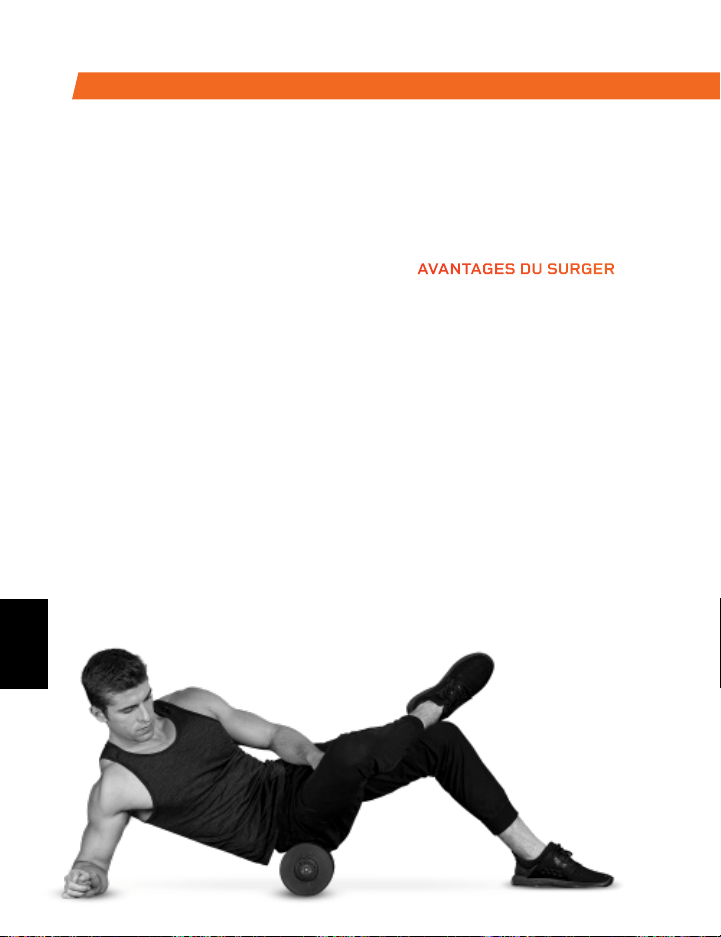
Profitez de tous les avantages de la
technologie de roulement et de vibration
de la mousse avec le rouleau en mousse
vibrante Surger. Utilisez le Surger avant
ou après votre séance d’entraînement
dans le cadre de votre routine
d’échauffement ou de récupération pour
gagner en flexibilité et aider à prévenir
les douleurs et les blessures.
Compression profonde des fibres et
tissus musculaires (libération auto-
myofasciale) combinée à la technologie
de vibration du Surger relâche les
nœuds musculaires et détend les
muscles tendus et le fascia. Choisissez
parmi 4 niveaux de vitesse de vibration
pour appliquer la parfaite intensité à
chaque fois.
SURGER
ROULEAU EN MOUSSE VIBRANT
AVANTAGES DU SURGER
• Augmente l’efficacité de
l’entraînement
• Réduit les douleurs
• Accélère la récupération
• Évite les blessures
• Augmente la circulation
• Améliore la flexibilité et la
performance musculaire
• Diminue la douleur et
l’inflammation
• Desserre les nœuds, les
points de déclenchement,
et la rigidité de vos
muscles et de votre fascia
DE NOTRE GAMME SPORTS RECOVERY
La boule de massage vibrante Agilité est conçue pour cibler les petits
groupes musculaires. Le ballon d’agilité est assez petit pour tenir dans la
paume de votre main et vous donne une large gamme de mouvements de
massage: circulaire, de haut en bas et de côte à côte.
L’extérieur en silicone de la boule Agilité est durable et facile à saisir, mais
suffisamment souple pour être utilisé sur des zones sensibles comme le
cou, les mains, et les pieds
AGILITY
BOULE DE MASSAGE VIBRANTE
AVANTAGES DE LA BOULE AGILITY
• Augmente la circulation
• Augmente la flexibilité et la performance musculaire
• Détend vos muscles tendus et votre fascia
• Réduit la douleur et l’inflammation musculaire
• Augmente le flux sanguin
FR
FR
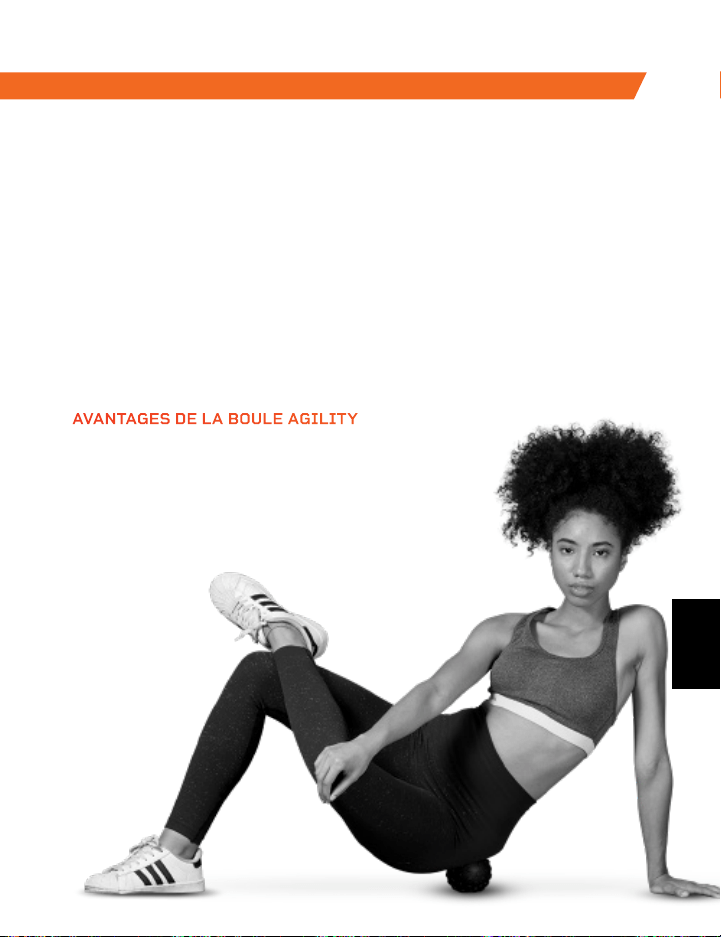
Profitez de tous les avantages de la
technologie de roulement et de vibration
de la mousse avec le rouleau en mousse
vibrante Surger. Utilisez le Surger avant
ou après votre séance d’entraînement
dans le cadre de votre routine
d’échauffement ou de récupération pour
gagner en flexibilité et aider à prévenir
les douleurs et les blessures.
Compression profonde des fibres et
tissus musculaires (libération auto-
myofasciale) combinée à la technologie
de vibration du Surger relâche les
nœuds musculaires et détend les
muscles tendus et le fascia. Choisissez
parmi 4 niveaux de vitesse de vibration
pour appliquer la parfaite intensité à
chaque fois.
SURGER
ROULEAU EN MOUSSE VIBRANT
AVANTAGES DU SURGER
• Augmente l’efficacité de
l’entraînement
• Réduit les douleurs
• Accélère la récupération
• Évite les blessures
• Augmente la circulation
• Améliore la flexibilité et la
performance musculaire
• Diminue la douleur et
l’inflammation
• Desserre les nœuds, les
points de déclenchement,
et la rigidité de vos
muscles et de votre fascia
DE NOTRE GAMME SPORTS RECOVERY
La boule de massage vibrante Agilité est conçue pour cibler les petits
groupes musculaires. Le ballon d’agilité est assez petit pour tenir dans la
paume de votre main et vous donne une large gamme de mouvements de
massage: circulaire, de haut en bas et de côte à côte.
L’extérieur en silicone de la boule Agilité est durable et facile à saisir, mais
suffisamment souple pour être utilisé sur des zones sensibles comme le
cou, les mains, et les pieds
AGILITY
BOULE DE MASSAGE VIBRANTE
AVANTAGES DE LA BOULE AGILITY
• Augmente la circulation
• Augmente la flexibilité et la performance musculaire
• Détend vos muscles tendus et votre fascia
• Réduit la douleur et l’inflammation musculaire
• Augmente le flux sanguin
FR
FR
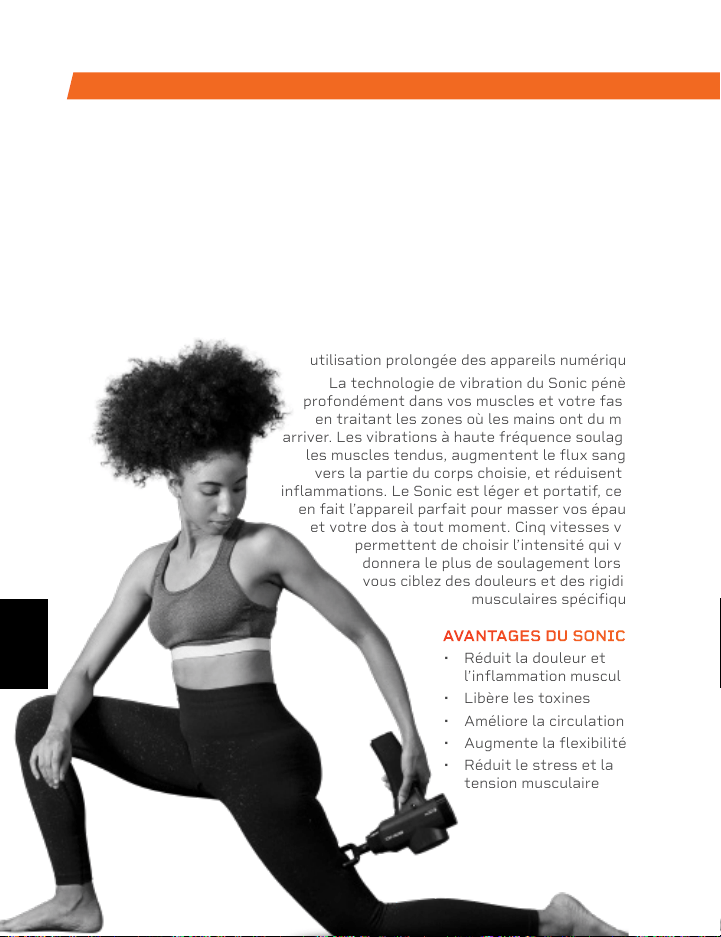
La plateforme de vibration Rhythm
fonctionne en créant des vibrations
rapides dans tout le corps, en particulier
sur les muscles spécifiquement ciblés.
Ces vibrations étirent les muscles, les
courbent, et vous relaxe à un rythme
rapide. Cela entraîne une croissance
musculaire et osseuse accrue, une
flexibilité améliorée et un métabolisme
accéléré, ce qui augmente le nombre de
calories que vous brûlez.
Le Rhythm peut être utilisé par des
personnes avec tous niveaux de
fitness.Si vous avez une blessure
ou si vous ressentez des douleurs
articulaires ou dorsales, vous
trouverez un soulagement et de
l’aide pour éviter les blessures
futures en ajoutant le Rhythm à
votre routine de réadaptation.
RHYTHM
PLATEFORME VIBRANTE
DE NOTRE GAMME SPORTS RECOVERY DE NOTRE GAMME VIBRATION THERAPY
SONIC
PISTOLET DE MASSAGE VIBRANT
AVANTAGES DU RHYTHM
• Augmente la mobilité
• Aide à éviter les blessures
• Augmente la force
• Accélère le métabolisme
• Améliore la qualité du sommeil
• Développe des os plus forts
• Augmente la circulation
Le pistolet de massage vibrant Sonic est un masseur de tissus profonds qui aide
à éliminer les maux et les douleurs causés par de longues heures de séance.
Utilisez le Sonic pour éliminer la tension musculaire et vous détendre après une
longue journée de travail. Soulagez la raideur et la douleur aux épaules, dans le
cou, aux poignets et aux mains causées par une
utilisation prolongée des appareils numériques.
La technologie de vibration du Sonic pénètre
profondément dans vos muscles et votre fascia,
en traitant les zones où les mains ont du mal à
arriver. Les vibrations à haute fréquence soulagent
les muscles tendus, augmentent le flux sanguin
vers la partie du corps choisie, et réduisent les
inflammations. Le Sonic est léger et portatif, ce qui
en fait l’appareil parfait pour masser vos épaules
et votre dos à tout moment. Cinq vitesses vous
permettent de choisir l’intensité qui vous
donnera le plus de soulagement lorsque
vous ciblez des douleurs et des rigidités
musculaires spécifiques.
AVANTAGES DU SONIC
• Réduit la douleur et
l’inflammation musculaire
• Libère les toxines
• Améliore la circulation
• Augmente la flexibilité
• Réduit le stress et la
tension musculaire
FR
FR
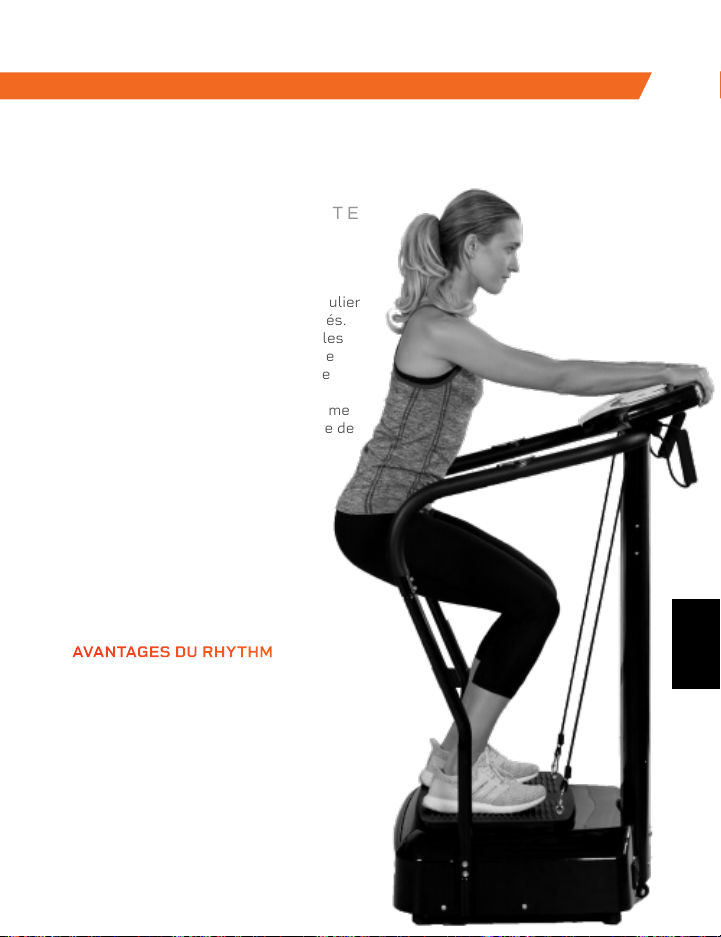
La plateforme de vibration Rhythm
fonctionne en créant des vibrations
rapides dans tout le corps, en particulier
sur les muscles spécifiquement ciblés.
Ces vibrations étirent les muscles, les
courbent, et vous relaxe à un rythme
rapide. Cela entraîne une croissance
musculaire et osseuse accrue, une
flexibilité améliorée et un métabolisme
accéléré, ce qui augmente le nombre de
calories que vous brûlez.
Le Rhythm peut être utilisé par des
personnes avec tous niveaux de
fitness.Si vous avez une blessure
ou si vous ressentez des douleurs
articulaires ou dorsales, vous
trouverez un soulagement et de
l’aide pour éviter les blessures
futures en ajoutant le Rhythm à
votre routine de réadaptation.
RHYTHM
PLATEFORME VIBRANTE
DE NOTRE GAMME SPORTS RECOVERY DE NOTRE GAMME VIBRATION THERAPY
SONIC
PISTOLET DE MASSAGE VIBRANT
AVANTAGES DU RHYTHM
• Augmente la mobilité
• Aide à éviter les blessures
• Augmente la force
• Accélère le métabolisme
• Améliore la qualité du sommeil
• Développe des os plus forts
• Augmente la circulation
Le pistolet de massage vibrant Sonic est un masseur de tissus profonds qui aide
à éliminer les maux et les douleurs causés par de longues heures de séance.
Utilisez le Sonic pour éliminer la tension musculaire et vous détendre après une
longue journée de travail. Soulagez la raideur et la douleur aux épaules, dans le
cou, aux poignets et aux mains causées par une
utilisation prolongée des appareils numériques.
La technologie de vibration du Sonic pénètre
profondément dans vos muscles et votre fascia,
en traitant les zones où les mains ont du mal à
arriver. Les vibrations à haute fréquence soulagent
les muscles tendus, augmentent le flux sanguin
vers la partie du corps choisie, et réduisent les
inflammations. Le Sonic est léger et portatif, ce qui
en fait l’appareil parfait pour masser vos épaules
et votre dos à tout moment. Cinq vitesses vous
permettent de choisir l’intensité qui vous
donnera le plus de soulagement lorsque
vous ciblez des douleurs et des rigidités
musculaires spécifiques.
AVANTAGES DU SONIC
• Réduit la douleur et
l’inflammation musculaire
• Libère les toxines
• Améliore la circulation
• Augmente la flexibilité
• Réduit le stress et la
tension musculaire
FR
FR

Visitez Lifepro TV, notre vidéothèque
d’entraînement sportifs sur le web sur
hovert.lifeprofitness.compour apprendre
comment obtenir les résultats que vous
voulez avec votre Lifepro
®
Hovert.
TU
PEUX LE
FAIRE
Lifeprousa Lifeprousa support@lifeprofitness.com
FR
PEDANA VIBRANTE 3D TURBO
AL MIO SEGNALE,
PRONTO, PRO
MANUALE DI ISTRUZIONI
IT
Visitez Lifepro TV, notre vidéothèque
d’entraînement sportifs sur le web sur
hovert.lifeprofitness.compour apprendre
comment obtenir les résultats que vous
voulez avec votre Lifepro
®
Hovert.
TU
PEUX LE
FAIRE
Lifeprousa Lifeprousa support@lifeprofitness.com
FR
PEDANA VIBRANTE 3D TURBO
AL MIO SEGNALE,
PRONTO, PRO
MANUALE DI ISTRUZIONI
IT
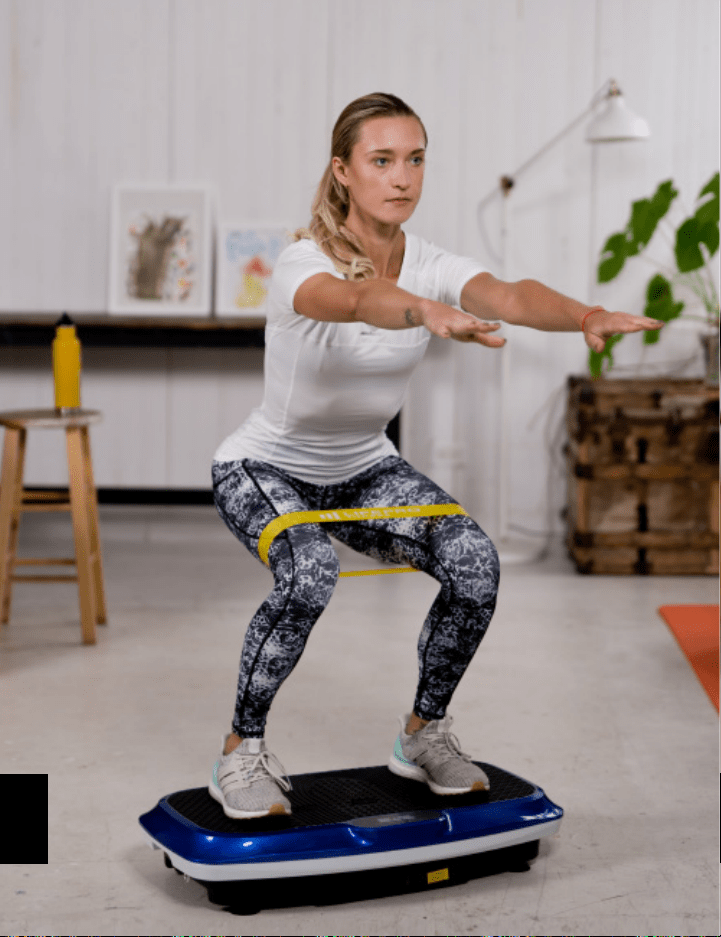
BUONGIORNO A TUTTI.
Joel ed Io siamo atleti che hanno sofferto di
gravi lesioni ai legamenti a distanza di pochi
mesi. Abbiamo acquistato diversi attrezzi
di allenamento per la nostra riabilitazione a
domicilio, ma siamo rimasti delusi e frustrati
dalle attrezzature per il fitness che hanno
fatto grandi promesse ma non hanno dato
supporto, nessun piano ben pensato da seguire
e nessun risultato. È così che è nato Lifepro e
perché è stata creata la collezione di Vibration
Therapy – abbiamo deciso di cambiare tutto
ciò. È per questo che ogni apparecchiatura che
porta il nostro nome non solo è sottoposta
ad un rigoroso controllo per assicurarsi che
dia potenza ed efficacia, ma include anche il
supporto integrato dei nostri “angeli guida” ed
una garanzia di 2 anni integrata in modo che non
sei mai lasciato da solo.
Benvenuto da Lifepro.
Siamo insieme adesso.
IT
IT

BUONGIORNO A TUTTI.
Joel ed Io siamo atleti che hanno sofferto di
gravi lesioni ai legamenti a distanza di pochi
mesi. Abbiamo acquistato diversi attrezzi
di allenamento per la nostra riabilitazione a
domicilio, ma siamo rimasti delusi e frustrati
dalle attrezzature per il fitness che hanno
fatto grandi promesse ma non hanno dato
supporto, nessun piano ben pensato da seguire
e nessun risultato. È così che è nato Lifepro e
perché è stata creata la collezione di Vibration
Therapy – abbiamo deciso di cambiare tutto
ciò. È per questo che ogni apparecchiatura che
porta il nostro nome non solo è sottoposta
ad un rigoroso controllo per assicurarsi che
dia potenza ed efficacia, ma include anche il
supporto integrato dei nostri “angeli guida” ed
una garanzia di 2 anni integrata in modo che non
sei mai lasciato da solo.
Benvenuto da Lifepro.
Siamo insieme adesso.
IT
IT
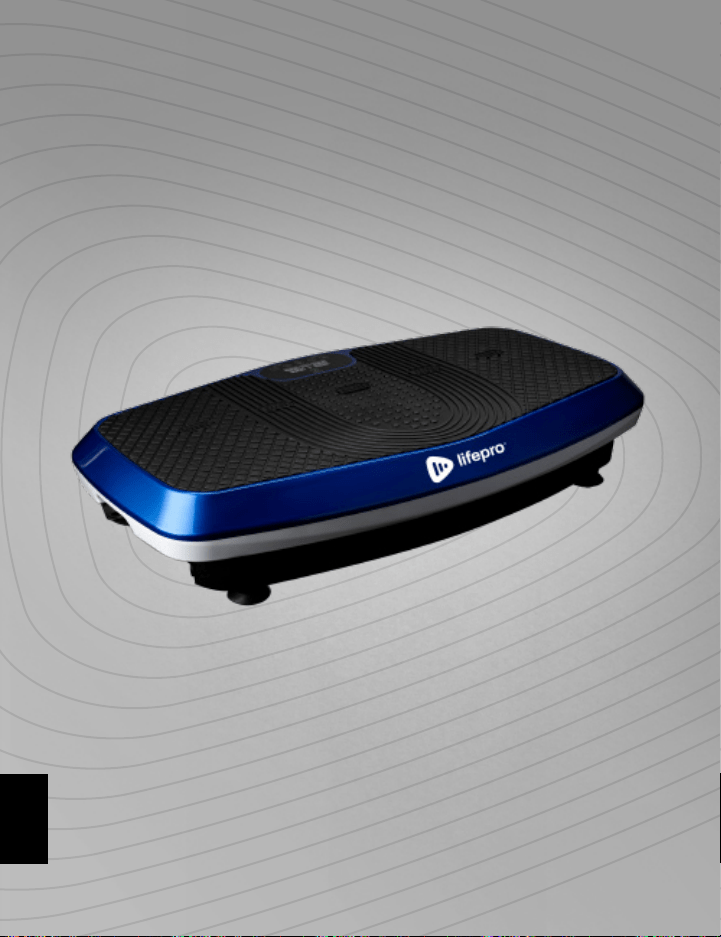
Non tutti possono permettersi di assumere un personal trainer o un team di
professionisti per aiutarti a sentirti ed apparire meglio. Ma la buona notizia
è: non è necessario. Lifepro ti porta la palestra.
Lifepro Hovert aumenta il metabolismo e aumenta la circolazione,
costringendo il corpo a bruciare più grassi e ridurre la comparsa di cellulite.
La pedana vibrante a doppio motore crea un movimento ripetitivo unico
usando le vibrazioni e le oscillazioni 3D che costringono i muscoli a contrarsi
ripetutamente. Questo allenamento lavora più fibre muscolari rispetto
ad altre forme di esercizio, il che significa che stai ottenendo il doppio dei
risultati senza raddoppiare lo sforzo. Hovert è facile da usare e ti aiuterà a
raggiungere i tuoi obiettivi più velocemente che mai.
Se hai subito un infortunio o hai dolori articolari o alla schiena, trova sollievo
e aiuta a prevenire lesioni future aggiungendo la pedana vibrante alla tua
quotidianità di riabilitazione. Le pedane vibranti sono utilizzate da atleti
professionisti, fisioterapisti e centri di riabilitazione dappertutto.
Ridefinisci i tuoi allenamenti e prova la
potenza trasformativa del Lifepro Hovert:
Sperimenta sollievo dal dolore alle articolazioni e alla schiena:
migliora la forza e la circolazione
Aumenta il metabolismo: incoraggia il tuo corpo a bruciare i grassi più
velocemente
Diminuisce lo stress: aumenta la serotonina e diminuisce il cortisolo
Migliora la circolazione: diminuisce la pressione sanguigna
Aumenta la resistenza e la flessibilità: migliora la stabilità
Sviluppa ossa più forti: aumenta la densità ossea
Consulta gli esercizi in questa guida per scoprire come iniziare a utilizzare
Hovert. Successivamente, assicurati di andare sul nostro sito Web
hovert.lifeprofitness.com per accedere alla nostra libreria GRATUITA di
video di allenamento che dimostrano come integrare facilmente il Hovert
nella tua routine di fitness.
Collezione Vibration Therapy 117
IT
IT
Non tutti possono permettersi di assumere un personal trainer o un team di
professionisti per aiutarti a sentirti ed apparire meglio. Ma la buona notizia
è: non è necessario. Lifepro ti porta la palestra.
Lifepro Hovert aumenta il metabolismo e aumenta la circolazione,
costringendo il corpo a bruciare più grassi e ridurre la comparsa di cellulite.
La pedana vibrante a doppio motore crea un movimento ripetitivo unico
usando le vibrazioni e le oscillazioni 3D che costringono i muscoli a contrarsi
ripetutamente. Questo allenamento lavora più fibre muscolari rispetto
ad altre forme di esercizio, il che significa che stai ottenendo il doppio dei
risultati senza raddoppiare lo sforzo. Hovert è facile da usare e ti aiuterà a
raggiungere i tuoi obiettivi più velocemente che mai.
Se hai subito un infortunio o hai dolori articolari o alla schiena, trova sollievo
e aiuta a prevenire lesioni future aggiungendo la pedana vibrante alla tua
quotidianità di riabilitazione. Le pedane vibranti sono utilizzate da atleti
professionisti, fisioterapisti e centri di riabilitazione dappertutto.
Ridefinisci i tuoi allenamenti e prova la
potenza trasformativa del Lifepro Hovert:
Sperimenta sollievo dal dolore alle articolazioni e alla schiena:
migliora la forza e la circolazione
Aumenta il metabolismo: incoraggia il tuo corpo a bruciare i grassi più
velocemente
Diminuisce lo stress: aumenta la serotonina e diminuisce il cortisolo
Migliora la circolazione: diminuisce la pressione sanguigna
Aumenta la resistenza e la flessibilità: migliora la stabilità
Sviluppa ossa più forti: aumenta la densità ossea
Consulta gli esercizi in questa guida per scoprire come iniziare a utilizzare
Hovert. Successivamente, assicurati di andare sul nostro sito Web
hovert.lifeprofitness.com per accedere alla nostra libreria GRATUITA di
video di allenamento che dimostrano come integrare facilmente il Hovert
nella tua routine di fitness.
Collezione Vibration Therapy 117
IT
IT

Collezione Vibration Therapy 119 118 Manuale di istruzioni Lifepro Hovert
INIZIAMO
CHE COSA C’È NELLA SCATOLA
• Pedana Vibrante 3D Lifepro Hovert
• Cavo di Alimentazione
• Telecomando
• Bande elastiche di resistenza Lifepro (2)
• Mini Bande di Resistenza Lifepro (4)
• Manuale d’Istruzioni
PRIMI PASSIS
1. Uscire il Hovert dalla confezione di spedizione e rimuovere tutti gli
imballaggi dall'unità e dagli accessori.
2. Leggere attentamente questo manuale utente e tutte le istruzioni di
sicurezza prima di utilizzare il Hovert.
3. Vai su hovert.lifeprofitness.com e registra la tua pedana entro
14 giorni dall'acquisto per attivare la garanzia di 2 anni.
4. Completa i passi nella GUIDA DI INSTALLAZIONE FACILE in pagina
120 per iniziare ad usare il Hovert.
SERVIZIO CLIENTI
In caso di domande sulla configurazione del Hovert, siamo qui per
aiutarti. Chiamaci, o inviaci un’e-mail, e un rappresentante esperto
del servizio clienti sarà felice di aiutarti: +1 (800) 563-6604 or
support@lifeprofitness.com.
SCOPRI IL NOSTRO PRODOTTO
TelecomandoPedana Vibrante
Hovert 3D
4 Mini Bande
di Resistenza
2 Bande di
Resistenza
HOVERT
PEDANA VIBRANTE 3D
VIBRATION THERAPY
IT
IT
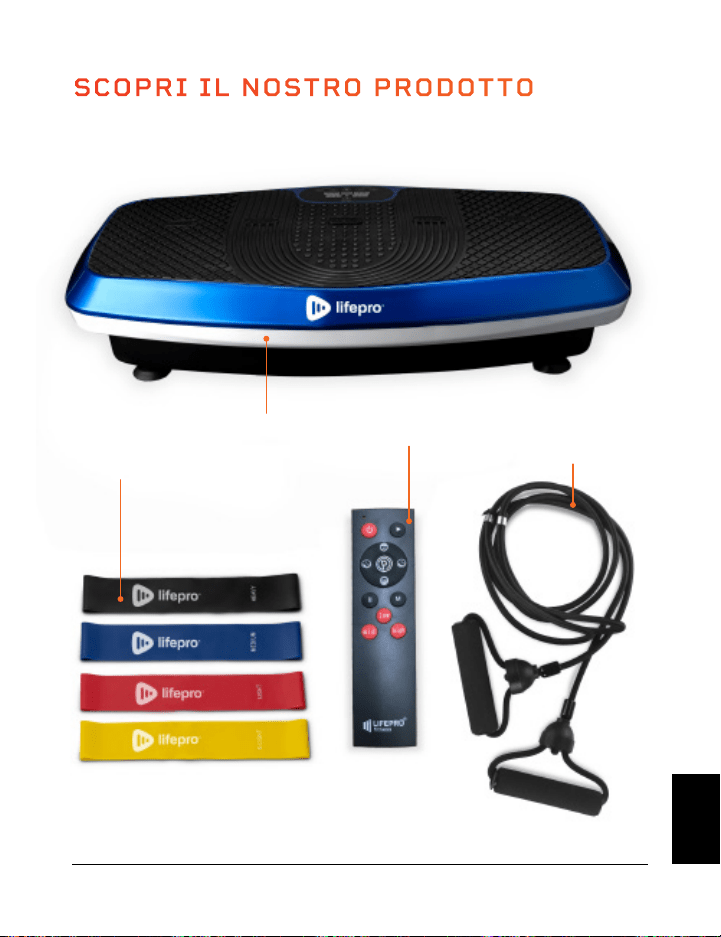
Collezione Vibration Therapy 119 118 Manuale di istruzioni Lifepro Hovert
INIZIAMO
CHE COSA C’È NELLA SCATOLA
• Pedana Vibrante 3D Lifepro Hovert
• Cavo di Alimentazione
• Telecomando
• Bande elastiche di resistenza Lifepro (2)
• Mini Bande di Resistenza Lifepro (4)
• Manuale d’Istruzioni
PRIMI PASSIS
1. Uscire il Hovert dalla confezione di spedizione e rimuovere tutti gli
imballaggi dall'unità e dagli accessori.
2. Leggere attentamente questo manuale utente e tutte le istruzioni di
sicurezza prima di utilizzare il Hovert.
3. Vai su hovert.lifeprofitness.com e registra la tua pedana entro
14 giorni dall'acquisto per attivare la garanzia di 2 anni.
4. Completa i passi nella GUIDA DI INSTALLAZIONE FACILE in pagina
120 per iniziare ad usare il Hovert.
SERVIZIO CLIENTI
In caso di domande sulla configurazione del Hovert, siamo qui per
aiutarti. Chiamaci, o inviaci un’e-mail, e un rappresentante esperto
del servizio clienti sarà felice di aiutarti: +1 (800) 563-6604 or
support@lifeprofitness.com.
SCOPRI IL NOSTRO PRODOTTO
TelecomandoPedana Vibrante
Hovert 3D
4 Mini Bande
di Resistenza
2 Bande di
Resistenza
HOVERT
PEDANA VIBRANTE 3D
VIBRATION THERAPY
IT
IT
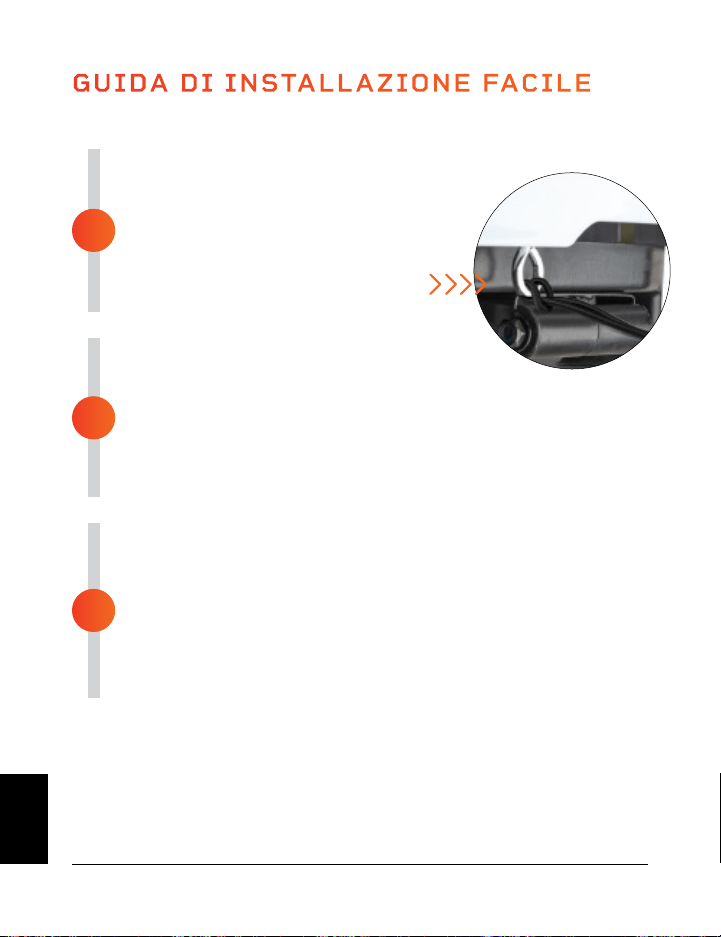
MODALITÀ
Modalità di Attesa: Il Hovert è acceso, ma nessun programma è selezionato.
Modalità di Programma: Scegli tra i programmi di allenamento preimpostati
(P1-P8). Ogni programma ha una velocità di vibrazione bassa, media o alta.
Modalità Manuale (HA): Imposta la durata dell’allenamento e la velocità di
vibrazione.
Collezione Vibration Therapy 121 120 Manuale di istruzioni Lifepro Hovert
ASSEMBLA IL HOVERT
• Rimuovere il coperchio dietro il telecomando
e inserire due batterie AAA nel vano
batterie.
• Aggancia le bande di resistenza agli
anelli di metallo nella parte avanti
del Hovert.
COLLEGAMENTO ALLA CORRENTE
• Inserire il cavo di alimentazione
fermamente nella parte avanti del Hovert.
NOTA BENE: Premere con forza fino a quando non si sente un
clic indicando che il cavo è collegato in modo sicuro. Il cavo di
alimentazione si adatta in modo che non si allenti durante l’uso.
• Inserire il cavo di alimentazione in una presa elettrica.
ALIMENTAZIONE DEL HOVERT
• Posizionare l’interruttore sulla parte avanti del Hovert in
posizione ON.
• Premere il pulsante di accensione sullo schermo del Hovert.
• Tutto qui. Il tuo Lifepro Hovert è ora pronto per l’uso. Consulta le
ISTRUZIONI PER L’USO e SCEGLIERE UN PROGRAMMA nelle
pagine.
GUIDA DI INSTALLAZIONE FACILE
Installa il Lifepro Hovert in soli 3 passi semplici:
3
2
1
COME FUNZIONA LA PEDANA
Il Hovert ha due motori potenti: un motore laterale (il MOTORE L sullo
schermo del Hovert) ed un motore orizzontale/oscillante (il MOTORE H sullo
schermo del Hovert). Il doppio motore produce tre movimenti che fornisce
combinazioni di allenamento illimitate: laterale, orizzontale, e 3D/spirale. La
pedana crea un movimento ripetitivo usando le vibrazioni 3D ed oscillazioni
che fanno lavorare tutte le fibre muscolari. Queste vibrazioni 3D sono
particolarmente vantaggiose per le persone che soffrono di osteoporosi,
artrosi o sarcopenia, ed è ottimo per migliorare la circolazione e l’equilibrio
delle persone più anziane.
IMPOSTAZIONI DI ALLENAMENTO
• Allenamento Orizzontale: Crea un allenamento manuale usando il motore H.
• Allenamento Laterale: Crea un allenamento manuale usando il motore L.
• Allenamento 3D/a spirale: Usa uno dei programmi predefiniti o crea un
allenamento manuale includendo entrambi i motori orizzontale (H) e laterale (L).
Movimento Orizzontale
Su e Giù (Motore H)
Movimento 3D/a Spirale
Combinazione dei 2 sopra
Movimento Laterale
Lato a Lato (Motore L)
IT
IT
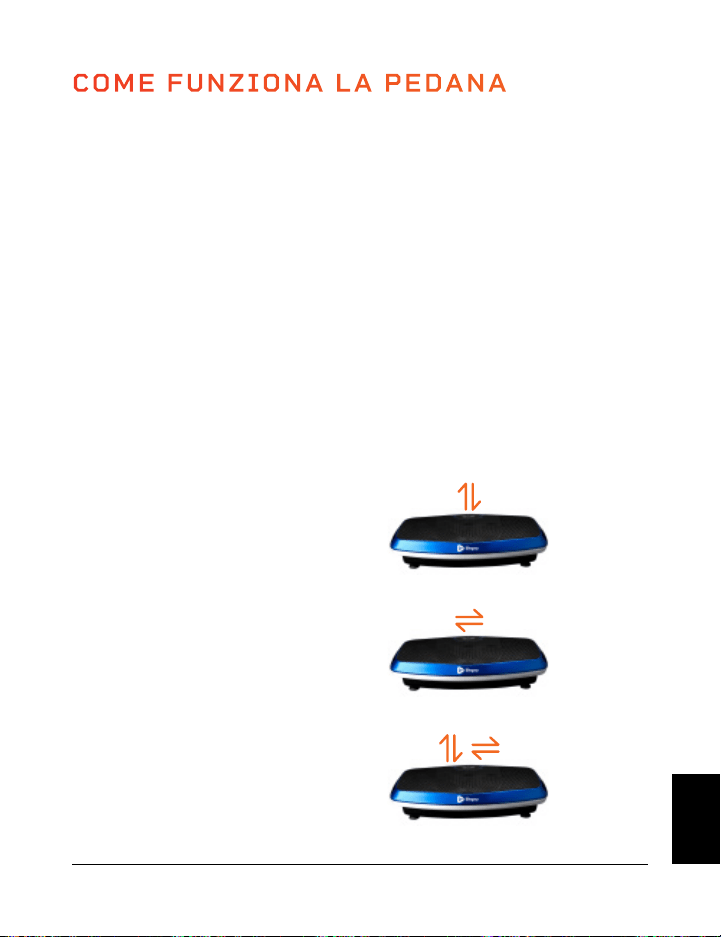
MODALITÀ
Modalità di Attesa: Il Hovert è acceso, ma nessun programma è selezionato.
Modalità di Programma: Scegli tra i programmi di allenamento preimpostati
(P1-P8). Ogni programma ha una velocità di vibrazione bassa, media o alta.
Modalità Manuale (HA): Imposta la durata dell’allenamento e la velocità di
vibrazione.
Collezione Vibration Therapy 121 120 Manuale di istruzioni Lifepro Hovert
ASSEMBLA IL HOVERT
• Rimuovere il coperchio dietro il telecomando
e inserire due batterie AAA nel vano
batterie.
• Aggancia le bande di resistenza agli
anelli di metallo nella parte avanti
del Hovert.
COLLEGAMENTO ALLA CORRENTE
• Inserire il cavo di alimentazione
fermamente nella parte avanti del Hovert.
NOTA BENE: Premere con forza fino a quando non si sente un
clic indicando che il cavo è collegato in modo sicuro. Il cavo di
alimentazione si adatta in modo che non si allenti durante l’uso.
• Inserire il cavo di alimentazione in una presa elettrica.
ALIMENTAZIONE DEL HOVERT
• Posizionare l’interruttore sulla parte avanti del Hovert in
posizione ON.
• Premere il pulsante di accensione sullo schermo del Hovert.
• Tutto qui. Il tuo Lifepro Hovert è ora pronto per l’uso. Consulta le
ISTRUZIONI PER L’USO e SCEGLIERE UN PROGRAMMA nelle
pagine.
GUIDA DI INSTALLAZIONE FACILE
Installa il Lifepro Hovert in soli 3 passi semplici:
3
2
1
COME FUNZIONA LA PEDANA
Il Hovert ha due motori potenti: un motore laterale (il MOTORE L sullo
schermo del Hovert) ed un motore orizzontale/oscillante (il MOTORE H sullo
schermo del Hovert). Il doppio motore produce tre movimenti che fornisce
combinazioni di allenamento illimitate: laterale, orizzontale, e 3D/spirale. La
pedana crea un movimento ripetitivo usando le vibrazioni 3D ed oscillazioni
che fanno lavorare tutte le fibre muscolari. Queste vibrazioni 3D sono
particolarmente vantaggiose per le persone che soffrono di osteoporosi,
artrosi o sarcopenia, ed è ottimo per migliorare la circolazione e l’equilibrio
delle persone più anziane.
IMPOSTAZIONI DI ALLENAMENTO
• Allenamento Orizzontale: Crea un allenamento manuale usando il motore H.
• Allenamento Laterale: Crea un allenamento manuale usando il motore L.
• Allenamento 3D/a spirale: Usa uno dei programmi predefiniti o crea un
allenamento manuale includendo entrambi i motori orizzontale (H) e laterale (L).
Movimento Orizzontale
Su e Giù (Motore H)
Movimento 3D/a Spirale
Combinazione dei 2 sopra
Movimento Laterale
Lato a Lato (Motore L)
IT
IT
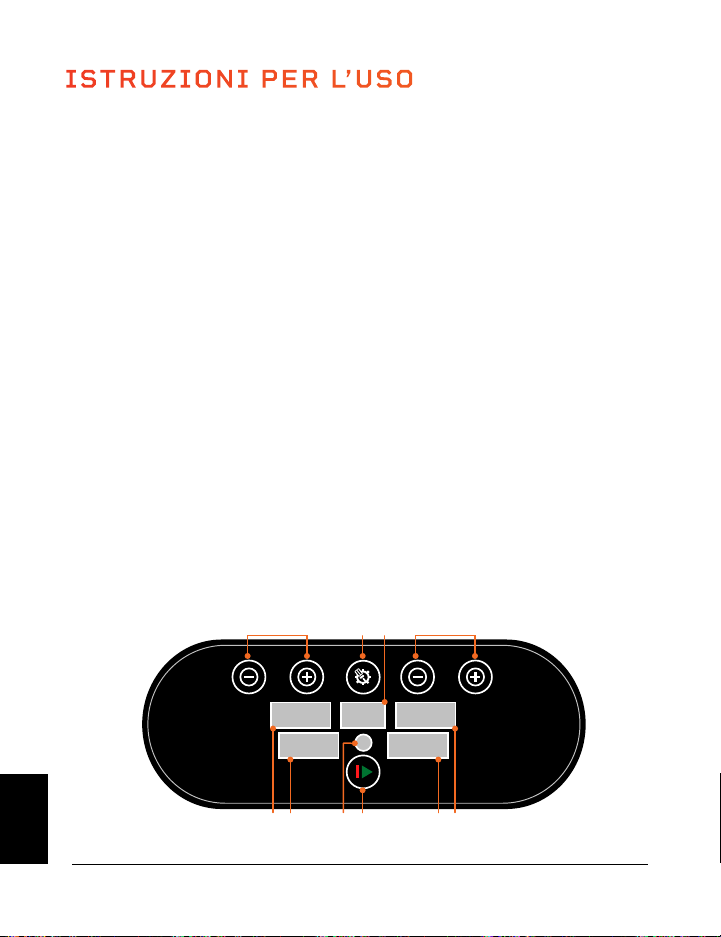
Collezione Vibration Therapy 123 122 Manuale di istruzioni Lifepro Hovert
USARE IL TELECOMANDO PER CONTROLLARE IL HOVERT
1. Pulsante di Accensione: Premere il pulsante per accendere e spegnere il Hovert.
2. Pulsante Inizio/Fine: Assicurarsi che l’alimentazione sia accesa. Premere il
pulsante per iniziare il programma selezionato o cominciare un allenamento
personalizzato in modalità manuale. Premere di nuovo per smettere il programma
selezionato o l’allenamento in modalità manuale.
3. Pulsante Programma/Modalità: Premere il pulsante per scegliere un programma
di allenamento preimpostato (P1–P8) o per selezionare la modalità manuale (HA).
4. Pulsanti di Velocità/Durata dell’ora del MOTORE L (+/-) *: In modalità d’attesa,
e con la modalità manuale (HA) selezionata: premere i pulsanti per impostare
un tempo di durata del MOTORE L. Premere il
Pulsante Inizio per iniziare l’allenamento
in modalità manuale e quindi premere il
pulsante Velocità/Durata per modificare la
velocità del MOTORE L.
5. Pulsanti di Velocità/Durata del MOTORE
H (Alto/Basso) *: In modalità d’attesa, e
con modalità manuale (HA) selezionata:
premere i pulsanti per impostare una
durata di tempo per il MOTORE H. Premere
il pulsante Inizio per cominciare la modalità
di allenamento manuale e quindi premere
il pulsante Velocità/Durata per cambiare
velocità al MOTORE H.
6. Pulsante Pausa: Ferma il programma
corrente o l’allenamento in modalità
manuale.
7. Pulsante di cambio della velocità (M):
Cambia la velocità di vibrazione per entrambi
i motori tra 20, 50 e 80.
8. Pulsanti rapidi di Velocità:
Basso: impostare la velocità su 30 (entrambi
i motori).
Medio: imposta la velocità su 60 (entrambi
i motori).
Alta: impostare la velocità su 90 (entrambi
i motori).
*La velocità e la durata non possono essere aggiustati
con programmi preimpostati.
ISTRUZIONI PER L’USO
UTILIZZANDO IL PANNELLO DELLO SCHERMO PER USARE IL HOVERT
1. Pulsante Programma/Modalità: seleziona un programma di allenamento
preimpostato (P1–P8) o seleziona la modalità manuale (HA sullo schermo
Programma/Modalità) per creare un allenamento personalizzato.
2. Schermo Programma/Modalità: Mostra il programma o la modalità selezionata.
3. Pulsanti Velocità/Durata MOTORE L (2) *: In modalità di attesa, e con la modalità
manuale (HA) selezionata: premere i pulsanti per impostare una durata per il
MOTORE L. Premere il pulsante Iniziare per cominciare l’allenamento in modalità
manuale, dopodiché premere i pulsanti Velocità/Durata per modificare la velocità
del MOTORE L.
4. Schermo della velocità de MOTORE L: Mostra la velocità di vibrazione del MOTORE
L per il programma/modalità attuale.
5. Schermo della durata del MOTORE L: Mostra la durata della durata del MOTORE L
del programma/modalità attuale.
6. Pulsante Inizio/Fine: Inizia o finisce il programma o la modalità selezionati.
7. Telecomando: Ricevitore ad infrarossi per il telecomando.
8. Schermo di Durata del MOTORE H: Mostra la durata del tempo del MOTORE H per il
programma/modalità attuale.
9. Schermo della velocità del MOTORE H: Mostra la velocità di vibrazione del MOTORE
H per il programma/modalità attuale.
10. Pulsanti Durata/Velocità del MOTORE H (2) *: In modalità d’attesa, e con la
modalità manuale (HA) selezionata: premere i pulsanti per impostare un intervallo di
tempo per il MOTORE H. Premere il pulsante Inizio per cominciare l’allenamento in
modalità manuale, dopodiché, premere i pulsanti Velocità/Durata per modificare la
velocità del MOTORE H.
*La velocità e la durata non possono essere aggiustati con programmi preimpostati.
High
Low
M
low
high
mid
1
2
4 4
3
5
5
6
7
8
SPEED
SET
ON/OFF
SPEED
10 1 2 3
89 7 6 5 4
IT
IT
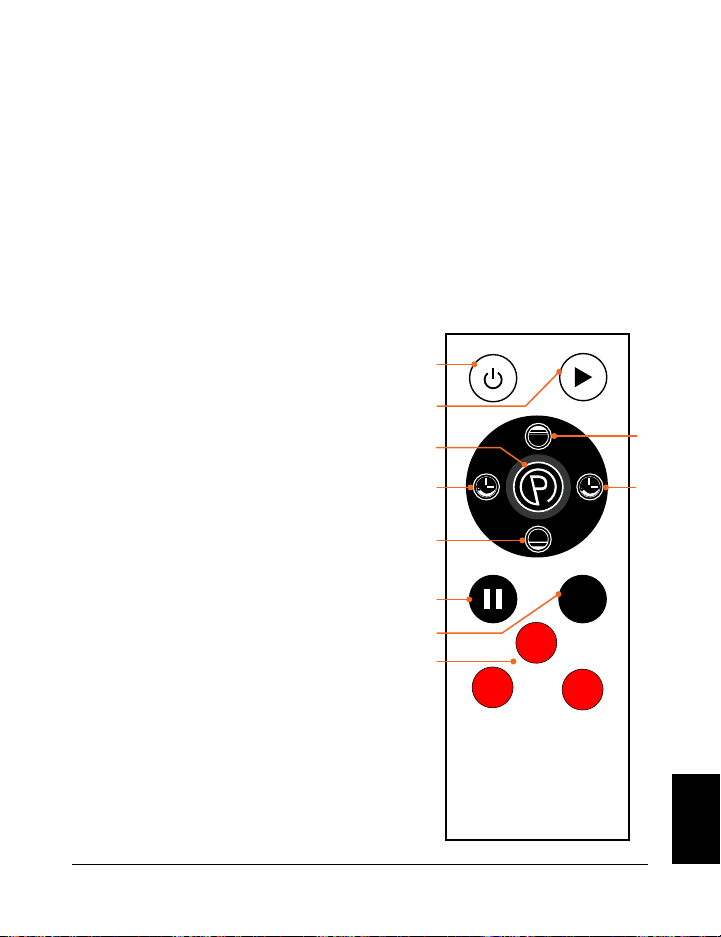
Collezione Vibration Therapy 123 122 Manuale di istruzioni Lifepro Hovert
USARE IL TELECOMANDO PER CONTROLLARE IL HOVERT
1. Pulsante di Accensione: Premere il pulsante per accendere e spegnere il Hovert.
2. Pulsante Inizio/Fine: Assicurarsi che l’alimentazione sia accesa. Premere il
pulsante per iniziare il programma selezionato o cominciare un allenamento
personalizzato in modalità manuale. Premere di nuovo per smettere il programma
selezionato o l’allenamento in modalità manuale.
3. Pulsante Programma/Modalità: Premere il pulsante per scegliere un programma
di allenamento preimpostato (P1–P8) o per selezionare la modalità manuale (HA).
4. Pulsanti di Velocità/Durata dell’ora del MOTORE L (+/-) *: In modalità d’attesa,
e con la modalità manuale (HA) selezionata: premere i pulsanti per impostare
un tempo di durata del MOTORE L. Premere il
Pulsante Inizio per iniziare l’allenamento
in modalità manuale e quindi premere il
pulsante Velocità/Durata per modificare la
velocità del MOTORE L.
5. Pulsanti di Velocità/Durata del MOTORE
H (Alto/Basso) *: In modalità d’attesa, e
con modalità manuale (HA) selezionata:
premere i pulsanti per impostare una
durata di tempo per il MOTORE H. Premere
il pulsante Inizio per cominciare la modalità
di allenamento manuale e quindi premere
il pulsante Velocità/Durata per cambiare
velocità al MOTORE H.
6. Pulsante Pausa: Ferma il programma
corrente o l’allenamento in modalità
manuale.
7. Pulsante di cambio della velocità (M):
Cambia la velocità di vibrazione per entrambi
i motori tra 20, 50 e 80.
8. Pulsanti rapidi di Velocità:
Basso: impostare la velocità su 30 (entrambi
i motori).
Medio: imposta la velocità su 60 (entrambi
i motori).
Alta: impostare la velocità su 90 (entrambi
i motori).
*La velocità e la durata non possono essere aggiustati
con programmi preimpostati.
ISTRUZIONI PER L’USO
UTILIZZANDO IL PANNELLO DELLO SCHERMO PER USARE IL HOVERT
1. Pulsante Programma/Modalità: seleziona un programma di allenamento
preimpostato (P1–P8) o seleziona la modalità manuale (HA sullo schermo
Programma/Modalità) per creare un allenamento personalizzato.
2. Schermo Programma/Modalità: Mostra il programma o la modalità selezionata.
3. Pulsanti Velocità/Durata MOTORE L (2) *: In modalità di attesa, e con la modalità
manuale (HA) selezionata: premere i pulsanti per impostare una durata per il
MOTORE L. Premere il pulsante Iniziare per cominciare l’allenamento in modalità
manuale, dopodiché premere i pulsanti Velocità/Durata per modificare la velocità
del MOTORE L.
4. Schermo della velocità de MOTORE L: Mostra la velocità di vibrazione del MOTORE
L per il programma/modalità attuale.
5. Schermo della durata del MOTORE L: Mostra la durata della durata del MOTORE L
del programma/modalità attuale.
6. Pulsante Inizio/Fine: Inizia o finisce il programma o la modalità selezionati.
7. Telecomando: Ricevitore ad infrarossi per il telecomando.
8. Schermo di Durata del MOTORE H: Mostra la durata del tempo del MOTORE H per il
programma/modalità attuale.
9. Schermo della velocità del MOTORE H: Mostra la velocità di vibrazione del MOTORE
H per il programma/modalità attuale.
10. Pulsanti Durata/Velocità del MOTORE H (2) *: In modalità d’attesa, e con la
modalità manuale (HA) selezionata: premere i pulsanti per impostare un intervallo di
tempo per il MOTORE H. Premere il pulsante Inizio per cominciare l’allenamento in
modalità manuale, dopodiché, premere i pulsanti Velocità/Durata per modificare la
velocità del MOTORE H.
*La velocità e la durata non possono essere aggiustati con programmi preimpostati.
High
Low
M
low
high
mid
1
2
4 4
3
5
5
6
7
8
SPEED
SET
ON/OFF
SPEED
10 1 2 3
89 7 6 5 4
IT
IT
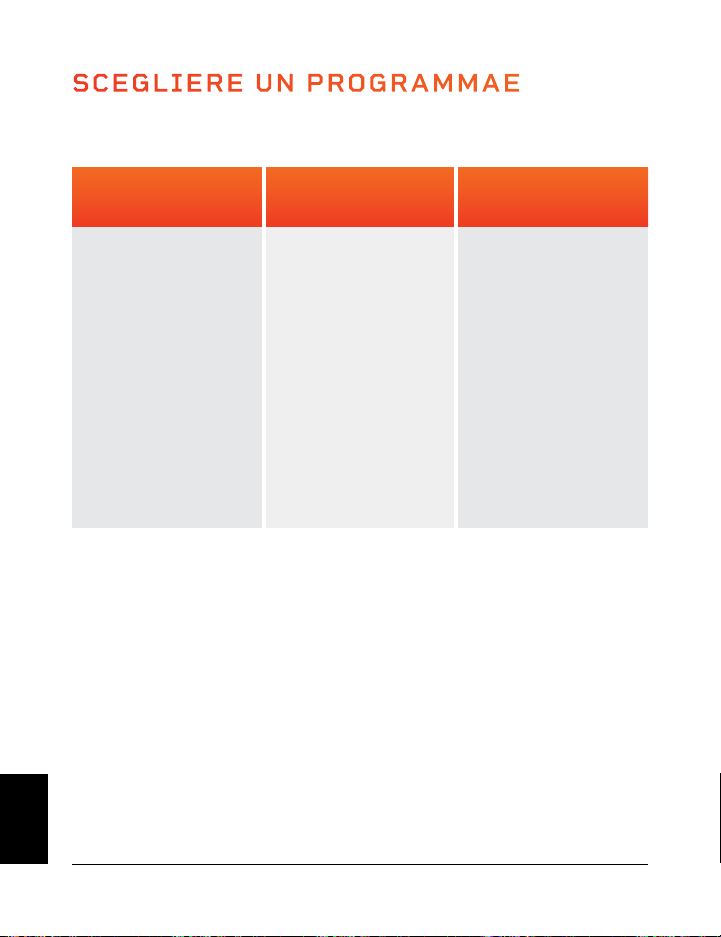
SCEGLIERE UN PROGRAMMAE
Impostazioni Basse
(P1–P2)
Ottimo per iniziare.
• Disintossicazione
• Densità ossea
aumentata
• Miglior Equilibrio
• Drenaggio linfatico
• Controllo posturale
migliorato
Impostazioni Medie
(P3–P5)
Perfetto per le
persone con artrite e
fibromialgia.
• Preserva le
articolazioni
• Controllo posturale
migliorato
• Perdita di peso
• Densità ossea
aumentata
• Equilibrio migliorato
• Rimozione della
cellulite
Impostazioni Alte
(P6–P8)
Ottimo permaggiore
intensità.
• Perdita di peso
• Crescita muscolare
• Densità ossea più
elevata
• Accumulo di potenza
• Liberazione di HGH
MODALITÀ PROGRAMMA
Collezione Vibration Therapy 125 124 Manuale di istruzioni Lifepro Hovert
VELOCITÀ DI PROGRAMMA
Ogni programma preimpostato dura 10 minuti. Durante il programma, il Hovert cambierà
la velocità una volta al minuto. I livelli di velocità dipenderanno dal programma scelto
(come indicato nella tabella seguente)
. H = Motore Orizzontale L = Motore Laterale
MANUAL MODE
In modalità manuale mode, le velocità di vibrazione di entrambi i motori H e L
corrispondono ai seguenti livelli:
Impostazioni Basse
(1–33)
Impostazioni Medie
(34–66)
Impostazioni Alte
(67–99)
CREAZIONE DI UN ALLENAMENTO PERSONALIZZATO IN MODALITÀ MANUALE:
1. Premere il pulsante di avvio per accendere il sistema.
2. Premere il pulsante Programma/Modalità fino a quando sullo schermo non viene
visualizzato HA (modalità manuale).
3. Impostare una durata per l’allenamento in modalità manuale. Premere i pulsanti
-/+ per impostare la durata del motore L ed i pulsanti Basso/Alto per impostare la
durata del motore H.
4. Premere il pulsante Inizio/Fine per iniziare l’allenamento in modalità manuale.
5. La velocità per entrambi i motori inizierà da 1. Per aggiustare la velocità:
f. Premere i pulsanti -/+ per modificare la velocità del motore L solo.
g. Premere i pulsanti Basso/Alto per modificare la velocità del motore H solo.
h. Premere il pulsante rosso Basso per modificare la velocità su 30 (entrambi i motori).
i. Premere il pulsante rosso Medio per modificare la velocità su 60 (entrambi i motori).
j. Premere il pulsante rosso Alto per modificare la velocità a 90 (entrambi i motori).
k. Premere il pulsante M per cambiare la velocità tra 20, 50, 80 (entrambi i motori).
10
4
2
2
3
8
5
12
6
9
8
23
15
11
22
30
35
9
4
5
4
3
14
16
23
12
13
10
55
28
11
19
30
29
8
10
6
6
5
8
2
29
14
16
9
23
16
25
28
50
40
7
12
8
8
9
14
3
38
16
21
14
55
28
25
23
50
35
6
17
9
10
12
8
6
49
20
24
18
23
12
38
35
70
68
5
20
10
13
15
20
9
56
22
35
19
55
28
38
22
70
80
4
24
6
15
20
8
10
68
30
67
28
23
16
48
29
40
50
3
20
8
12
10
14
9
76
34
50
28
55
28
48
50
40
20
2
17
4
9
10
8
5
48
38
38
20
23
10
25
12
60
80
1
6
5
8
4
14
2
29
18
30
17
55
28
25
15
60
50
MINUTI
VELOCITÀ
Basse
Medie
Alte
PROGRAMMA
P1
P2
P3
P4
P5
P6
P7
P8
MOTORE
H
L
H
L
H
L
H
L
H
L
H
L
H
L
H
L
SCEGLIERE UN PROGRAMMA IN MODALITÀ PROGRAMMA:
1. Premere il pulsante di accensione per accendere il sistema.
2. Premere il pulsante Programma/Modalità per alternare tra le modalità di
programma preimpostate: da P1 a P8.
3. Premere il pulsante Inizio/Fine per attivare il programma selezionato.
PER OTTENERE I RISULTATI MIGLIORI, ALTERNATIVI TRA PROGRAMMI
Sorprendi il tuo corpo. Tendiamo ad adattarci, quindi vogliamo continuare a
suscitare cambiamenti nei nostri corpi. Ogni livello ha i suoi vantaggi; tuttavia,
raccomandiamo di iniziare dal primo livello, P1, e di salire di livello a poco a
poco.
IT
IT
SCEGLIERE UN PROGRAMMAE
Impostazioni Basse
(P1–P2)
Ottimo per iniziare.
• Disintossicazione
• Densità ossea
aumentata
• Miglior Equilibrio
• Drenaggio linfatico
• Controllo posturale
migliorato
Impostazioni Medie
(P3–P5)
Perfetto per le
persone con artrite e
fibromialgia.
• Preserva le
articolazioni
• Controllo posturale
migliorato
• Perdita di peso
• Densità ossea
aumentata
• Equilibrio migliorato
• Rimozione della
cellulite
Impostazioni Alte
(P6–P8)
Ottimo permaggiore
intensità.
• Perdita di peso
• Crescita muscolare
• Densità ossea più
elevata
• Accumulo di potenza
• Liberazione di HGH
MODALITÀ PROGRAMMA
Collezione Vibration Therapy 125 124 Manuale di istruzioni Lifepro Hovert
VELOCITÀ DI PROGRAMMA
Ogni programma preimpostato dura 10 minuti. Durante il programma, il Hovert cambierà
la velocità una volta al minuto. I livelli di velocità dipenderanno dal programma scelto
(come indicato nella tabella seguente)
. H = Motore Orizzontale L = Motore Laterale
MANUAL MODE
In modalità manuale mode, le velocità di vibrazione di entrambi i motori H e L
corrispondono ai seguenti livelli:
Impostazioni Basse
(1–33)
Impostazioni Medie
(34–66)
Impostazioni Alte
(67–99)
CREAZIONE DI UN ALLENAMENTO PERSONALIZZATO IN MODALITÀ MANUALE:
1. Premere il pulsante di avvio per accendere il sistema.
2. Premere il pulsante Programma/Modalità fino a quando sullo schermo non viene
visualizzato HA (modalità manuale).
3. Impostare una durata per l’allenamento in modalità manuale. Premere i pulsanti
-/+ per impostare la durata del motore L ed i pulsanti Basso/Alto per impostare la
durata del motore H.
4. Premere il pulsante Inizio/Fine per iniziare l’allenamento in modalità manuale.
5. La velocità per entrambi i motori inizierà da 1. Per aggiustare la velocità:
f. Premere i pulsanti -/+ per modificare la velocità del motore L solo.
g. Premere i pulsanti Basso/Alto per modificare la velocità del motore H solo.
h. Premere il pulsante rosso Basso per modificare la velocità su 30 (entrambi i motori).
i. Premere il pulsante rosso Medio per modificare la velocità su 60 (entrambi i motori).
j. Premere il pulsante rosso Alto per modificare la velocità a 90 (entrambi i motori).
k. Premere il pulsante M per cambiare la velocità tra 20, 50, 80 (entrambi i motori).
10
4
2
2
3
8
5
12
6
9
8
23
15
11
22
30
35
9
4
5
4
3
14
16
23
12
13
10
55
28
11
19
30
29
8
10
6
6
5
8
2
29
14
16
9
23
16
25
28
50
40
7
12
8
8
9
14
3
38
16
21
14
55
28
25
23
50
35
6
17
9
10
12
8
6
49
20
24
18
23
12
38
35
70
68
5
20
10
13
15
20
9
56
22
35
19
55
28
38
22
70
80
4
24
6
15
20
8
10
68
30
67
28
23
16
48
29
40
50
3
20
8
12
10
14
9
76
34
50
28
55
28
48
50
40
20
2
17
4
9
10
8
5
48
38
38
20
23
10
25
12
60
80
1
6
5
8
4
14
2
29
18
30
17
55
28
25
15
60
50
MINUTI
VELOCITÀ
Basse
Medie
Alte
PROGRAMMA
P1
P2
P3
P4
P5
P6
P7
P8
MOTORE
H
L
H
L
H
L
H
L
H
L
H
L
H
L
H
L
SCEGLIERE UN PROGRAMMA IN MODALITÀ PROGRAMMA:
1. Premere il pulsante di accensione per accendere il sistema.
2. Premere il pulsante Programma/Modalità per alternare tra le modalità di
programma preimpostate: da P1 a P8.
3. Premere il pulsante Inizio/Fine per attivare il programma selezionato.
PER OTTENERE I RISULTATI MIGLIORI, ALTERNATIVI TRA PROGRAMMI
Sorprendi il tuo corpo. Tendiamo ad adattarci, quindi vogliamo continuare a
suscitare cambiamenti nei nostri corpi. Ogni livello ha i suoi vantaggi; tuttavia,
raccomandiamo di iniziare dal primo livello, P1, e di salire di livello a poco a
poco.
IT
IT
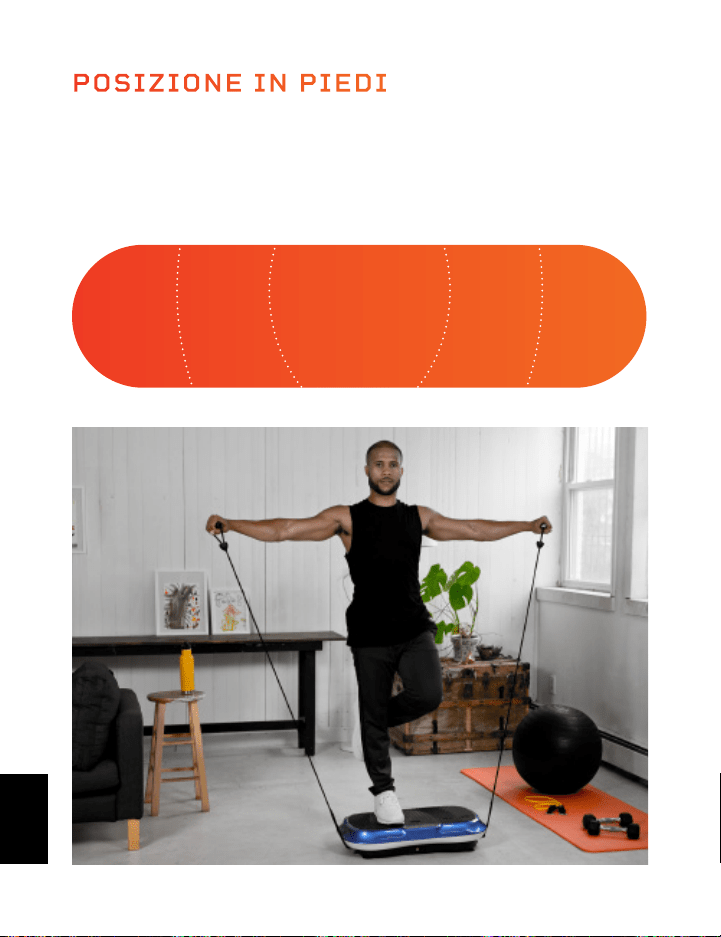
MINI BANDE LIFEPRO
LE MINI BANDE LIFEPRO HANNO RIVOLUZIONATO L’INDUSTRIA DEL
FITNESS
Le mini bande sono diventate il nuovo punto di riferimento per scolpire
un fisico più forte e più magro. Hai sicuramente visto i tuoi influencer di
fitness preferiti su Instagram e YouTube usando queste bande colorate di
resistenza versatili con le loro routine di allenamento. Aggiungono resistenza
agli allenamenti cardio e potenza alle sessioni di allenamento per la forza,
permettendo di allenare entrambi allo stesso tempo. Il numero di possibilità
creative di allenamento è infinito. A differenza dell’inconveniente di una
palestra completa, queste mini bande sono famose per la loro capacità di
allenare tutti gli aspetti del fitness e delle prestazioni a qualsiasi intensità,
sempre e ovunque. Non ci sono più scuse.
Le mini bande Lifepro sono fatte al 100% in lattice. Ogni banda ha una
resistenza diversa, che ti permette di aumentare il livello del tuo allenamento
di resistenza senza sforzo. Usa le mini bande insieme al tuo Lifepro Hovert
per migliorare esponenzialmente i tuoi risultati di fitness.
OTTIMIZZA I TUOI ALLENAMENTI
Scopri i vantaggi unici delle mini bande Lifepro:
• Versatile: aggiunge resistenza agli allenamenti cardio e potenza
all’allenamento per la forza.
• Buono per le articolazioni: riduce la compressione articolare;
allenamento ad alta intensità e basso impatto.
• Portatile: porta le mini bande nella tua tasca per allenarti ovunque.
INTENSO INTENSO MEDIO MEDIOFACILE
La posizione in cui ti trovi sul Lifepro Hovert influirà sull’impatto delle
vibrazioni nel tuo corpo. Stare con i piedi vicini per un allenamento “facile”
e stare con i piedi più allontanati per allenamenti “medi” e “intensi”.
POSIZIONE IN PIEDI
Collezione Vibration Therapy 127 126 Manuale di istruzioni Lifepro Hovert
IT
IT

MINI BANDE LIFEPRO
LE MINI BANDE LIFEPRO HANNO RIVOLUZIONATO L’INDUSTRIA DEL
FITNESS
Le mini bande sono diventate il nuovo punto di riferimento per scolpire
un fisico più forte e più magro. Hai sicuramente visto i tuoi influencer di
fitness preferiti su Instagram e YouTube usando queste bande colorate di
resistenza versatili con le loro routine di allenamento. Aggiungono resistenza
agli allenamenti cardio e potenza alle sessioni di allenamento per la forza,
permettendo di allenare entrambi allo stesso tempo. Il numero di possibilità
creative di allenamento è infinito. A differenza dell’inconveniente di una
palestra completa, queste mini bande sono famose per la loro capacità di
allenare tutti gli aspetti del fitness e delle prestazioni a qualsiasi intensità,
sempre e ovunque. Non ci sono più scuse.
Le mini bande Lifepro sono fatte al 100% in lattice. Ogni banda ha una
resistenza diversa, che ti permette di aumentare il livello del tuo allenamento
di resistenza senza sforzo. Usa le mini bande insieme al tuo Lifepro Hovert
per migliorare esponenzialmente i tuoi risultati di fitness.
OTTIMIZZA I TUOI ALLENAMENTI
Scopri i vantaggi unici delle mini bande Lifepro:
• Versatile: aggiunge resistenza agli allenamenti cardio e potenza
all’allenamento per la forza.
• Buono per le articolazioni: riduce la compressione articolare;
allenamento ad alta intensità e basso impatto.
• Portatile: porta le mini bande nella tua tasca per allenarti ovunque.
INTENSO INTENSO MEDIO MEDIOFACILE
La posizione in cui ti trovi sul Lifepro Hovert influirà sull’impatto delle
vibrazioni nel tuo corpo. Stare con i piedi vicini per un allenamento “facile”
e stare con i piedi più allontanati per allenamenti “medi” e “intensi”.
POSIZIONE IN PIEDI
Collezione Vibration Therapy 127 126 Manuale di istruzioni Lifepro Hovert
IT
IT
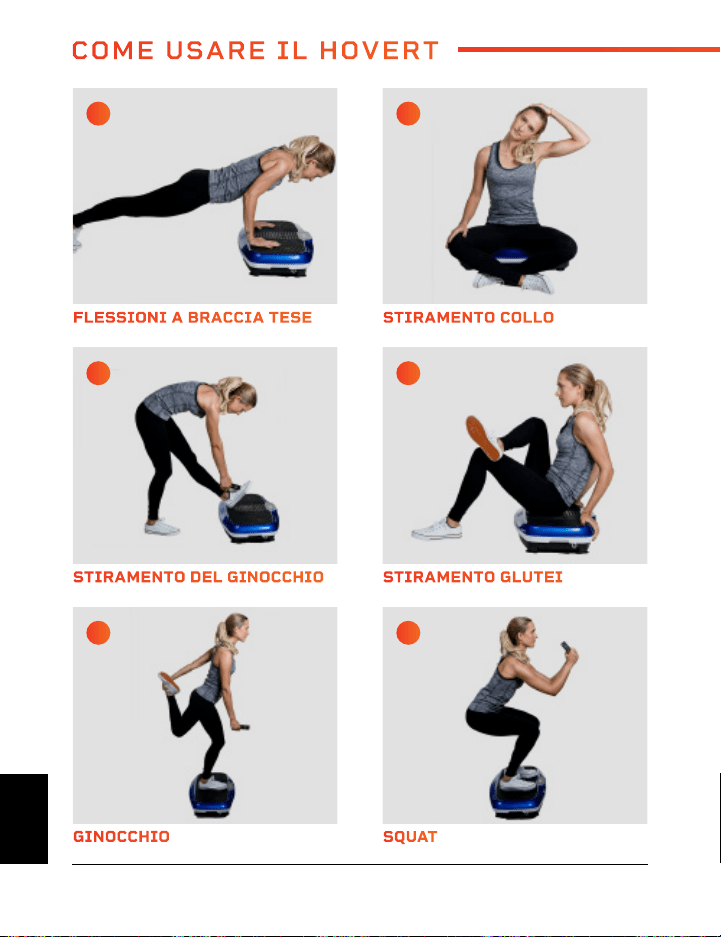
GINOCCHIO MOSCA DEL CAVO
STIRAMENTO DEL GINOCCHIO GLI AFFONDI
FLESSIONI A BRACCIA TESE PONTE GLUTEI
SQUAT SPALLE ALTERNATE
STIRAMENTO GLUTEI LATI
STIRAMENTO COLLO DIP
A C
E G
I K
B D
F H
J L
COME USARE IL HOVERT
Collezione Vibration Therapy 129 128 Manuale di istruzioni Lifepro Hovert
IT
IT
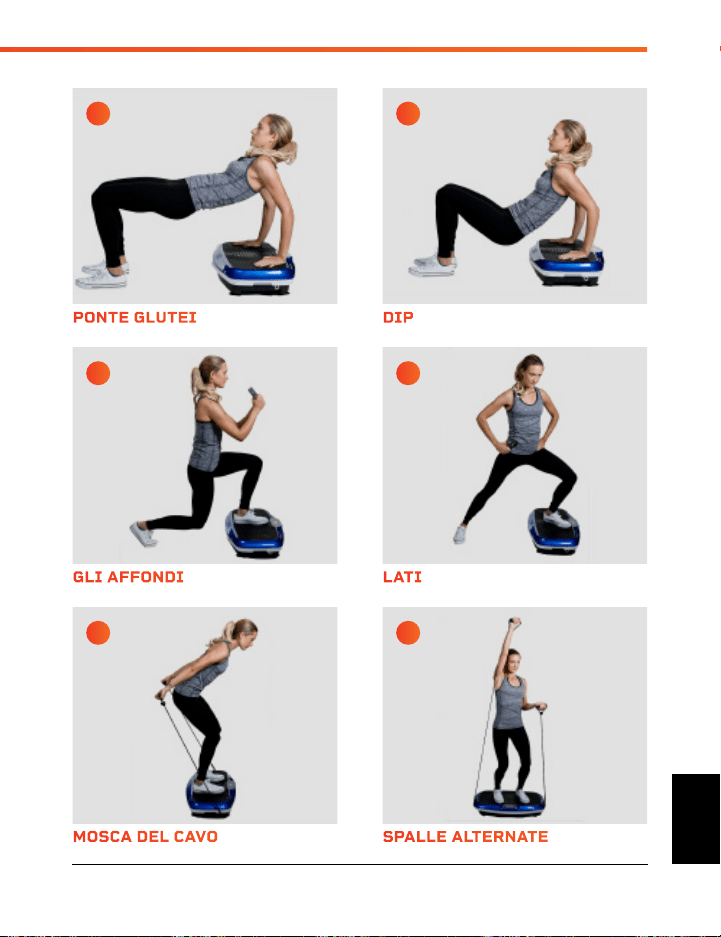
GINOCCHIO MOSCA DEL CAVO
STIRAMENTO DEL GINOCCHIO GLI AFFONDI
FLESSIONI A BRACCIA TESE PONTE GLUTEI
SQUAT SPALLE ALTERNATE
STIRAMENTO GLUTEI LATI
STIRAMENTO COLLO DIP
A C
E G
I K
B D
F H
J L
COME USARE IL HOVERT
Collezione Vibration Therapy 129 128 Manuale di istruzioni Lifepro Hovert
IT
IT
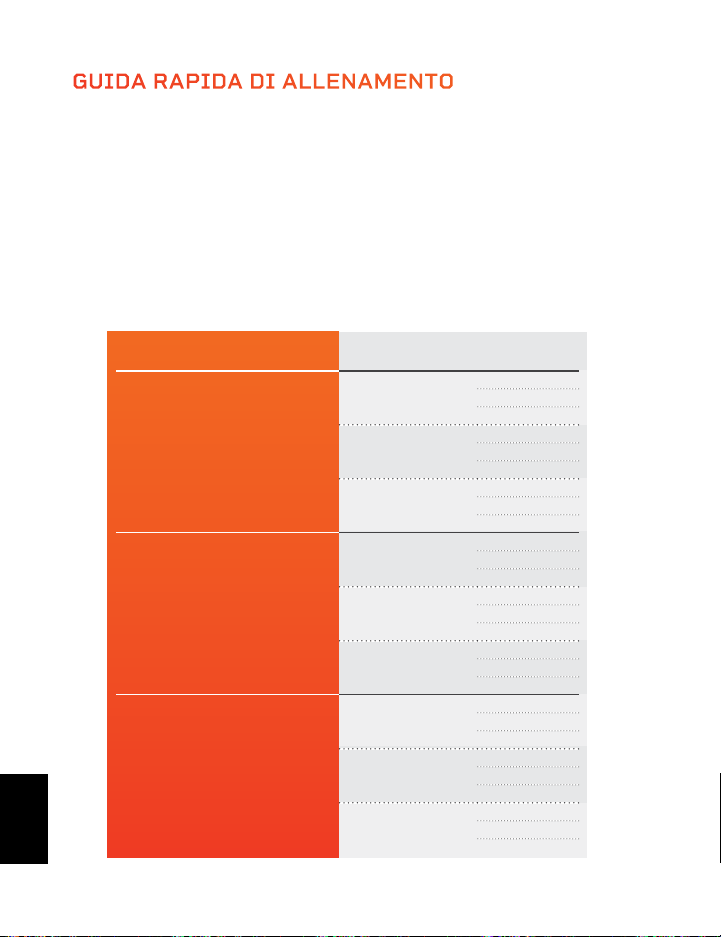
GUIDA RAPIDA DI ALLENAMENTO
COME INIZIARE
È una buona idea iniziare lentamente e facilmente con il Hovert in quanto può
richiedere tempo per abituarsi alla maniera in cui le pedane vibranti si muovono e si
sentono. Consigliamo di seguire la guida agli allenamenti di seguito: passare dal livello
principiante all’avanzato in un periodo di diverse settimane.
GUIDA DI ESERCIZI
Mantieni gli stiramenti e gli esercizi delle pagine 16 e 17 per il numero di secondi
mostrato nella tabella seguente. Migliorerai forza e resistenza man mano che continui
nei livelli.
LIVELLO VELOCITÀ SECONDI
Principiante
1
15
30
45
16
15
30
45
33
15
30
45
Intermedio
34
60
75
90
50
60
75
90
66
60
75
90
Avanzato
67
105
120
135
83
105
120
135
99
105
120
135
130 Manuale di istruzioni Lifepro Hovert Collezione Vibration Therapy 131
Visita la nostra libreria GRATUITA
di video di allenamento personale su
hovert.lifeprofitness.com
GARANZIA DI 2
ANNI
Lifepro Fitness crea prodotti per
l’esercizio fisico di qualità e durevoli
e garantiamo tale qualità con una
garanzia di 2 anni su tutti i nostri
prodotti. Se il tuo Hovert si rompe
(ne dubitiamo), ti invieremo parti di
ricambio e ti faremo vedere come
ripararlo. Se il tuo Hovert non può
essere riparato, lo sostituiremo
senza costi. Registra il tuo Hovert
su hovert.lifeprofitness.com per
attivare la garanzia di 2 anni entro 14
giorni dall’acquisto.
IT
IT
GUIDA RAPIDA DI ALLENAMENTO
COME INIZIARE
È una buona idea iniziare lentamente e facilmente con il Hovert in quanto può
richiedere tempo per abituarsi alla maniera in cui le pedane vibranti si muovono e si
sentono. Consigliamo di seguire la guida agli allenamenti di seguito: passare dal livello
principiante all’avanzato in un periodo di diverse settimane.
GUIDA DI ESERCIZI
Mantieni gli stiramenti e gli esercizi delle pagine 16 e 17 per il numero di secondi
mostrato nella tabella seguente. Migliorerai forza e resistenza man mano che continui
nei livelli.
LIVELLO VELOCITÀ SECONDI
Principiante
1
15
30
45
16
15
30
45
33
15
30
45
Intermedio
34
60
75
90
50
60
75
90
66
60
75
90
Avanzato
67
105
120
135
83
105
120
135
99
105
120
135
130 Manuale di istruzioni Lifepro Hovert Collezione Vibration Therapy 131
Visita la nostra libreria GRATUITA
di video di allenamento personale su
hovert.lifeprofitness.com
GARANZIA DI 2
ANNI
Lifepro Fitness crea prodotti per
l’esercizio fisico di qualità e durevoli
e garantiamo tale qualità con una
garanzia di 2 anni su tutti i nostri
prodotti. Se il tuo Hovert si rompe
(ne dubitiamo), ti invieremo parti di
ricambio e ti faremo vedere come
ripararlo. Se il tuo Hovert non può
essere riparato, lo sostituiremo
senza costi. Registra il tuo Hovert
su hovert.lifeprofitness.com per
attivare la garanzia di 2 anni entro 14
giorni dall’acquisto.
IT
IT

Collezione Vibration Therapy 133 132 Manuale di istruzioni Lifepro Hovert
SICUREZZA
TI PREGHIAMO DI CONSERVARE QUESTO MANUALE IN UN LUOGO
SICURO PER REFERENZA FUTURA.
ATTENZIONE: Per ridurre il rischio di ustioni, incendi, scosse elettriche
o lesioni alle persone, leggere le importanti precauzioni ed informazioni
prima di usare la pedana Lifepro Hovert.
RESPONSIBILITÀ
1. È responsabilità del proprietario assicurarsi che tutti gli utilizzatori
del Hovert siano correttamente informati di tutte le avvertenze e
precauzioni.
2. Usare il Hovert solo come indicato in questo manuale.
3. Posizionare il Hovert su una superficie piatta, con almeno un metro
di distanza dietro di esso. Non posizionare il Hovert su superficie che
possono bloccare le aperture dell’aria. Per proteggere il pavimento o il
tappeto da danni, posizionare un tappetino sotto il Hovert.
4. Tenere il Hovert in ambienti chiusi, lontano da umidità e polvere. Non
lasciare il Hovert in un garage o in un patio coperto o vicino all’acqua.
DA FARE E NON FARE
5. Non utilizzare il Hovert in presenza di prodotti aerosol o di
somministrazione di ossigeno.
6. Tenere sempre i bambini di età inferiore ai 12 anni e gli animali
domestici lontano dal Hovert.
7. Il Hovert non deve essere usato da persone con un peso superiore a
149 chili.
8. Non far mai salire più di una persona alla volta sul Hovert.
9. Tenere il cavo di alimentazione e il soppressore di sovratensioni
lontano da tutte le fonti di calore.
10. Non lasciare mai il Hovert senza custodia mentre è in funzione.
Scollegare sempre il cavo di alimentazione quando il Hovert non è in
uso.
ALLENAMENTO
11. Consultare un medico prima di iniziare un nuovo programma di
allenamento.
12. Mettiti in posizione prima di accendere il Hovert.
13. Indossa sempre un abbigliamento adeguato e scarpe da ginnastica
quando si utilizza il Hovert.
14. Il Hovert è solo per uso domestico. Non utilizzare il Hovert in qualsiasi
ambiente commerciale, di noleggio o istituzionale.
MANUTENZIONE
15. PERICOLO: Scollegare sempre il cavo di alimentazione
immediatamente dopo l’uso, prima di pulire il Hovert e prima di
eseguire le procedure di manutenzione e regolazione descritte in
questo manuale.
16. Ispezionare e stringere periodicamente tutte le viti esterne (non
rimuovere il cofano motore).
17. Non rimuovere mai il cofano motore se non diversamente indicato
da un rappresentante dell’assistenza autorizzato. Interventi di
manutenzione diversi dalle procedure in questa guida devono essere
eseguiti esclusivamente da un rappresentante dell’assistenza tecnica.
18. Non inserire o far cadere oggetti in alcuna apertura.
IT
IT

Collezione Vibration Therapy 133 132 Manuale di istruzioni Lifepro Hovert
SICUREZZA
TI PREGHIAMO DI CONSERVARE QUESTO MANUALE IN UN LUOGO
SICURO PER REFERENZA FUTURA.
ATTENZIONE: Per ridurre il rischio di ustioni, incendi, scosse elettriche
o lesioni alle persone, leggere le importanti precauzioni ed informazioni
prima di usare la pedana Lifepro Hovert.
RESPONSIBILITÀ
1. È responsabilità del proprietario assicurarsi che tutti gli utilizzatori
del Hovert siano correttamente informati di tutte le avvertenze e
precauzioni.
2. Usare il Hovert solo come indicato in questo manuale.
3. Posizionare il Hovert su una superficie piatta, con almeno un metro
di distanza dietro di esso. Non posizionare il Hovert su superficie che
possono bloccare le aperture dell’aria. Per proteggere il pavimento o il
tappeto da danni, posizionare un tappetino sotto il Hovert.
4. Tenere il Hovert in ambienti chiusi, lontano da umidità e polvere. Non
lasciare il Hovert in un garage o in un patio coperto o vicino all’acqua.
DA FARE E NON FARE
5. Non utilizzare il Hovert in presenza di prodotti aerosol o di
somministrazione di ossigeno.
6. Tenere sempre i bambini di età inferiore ai 12 anni e gli animali
domestici lontano dal Hovert.
7. Il Hovert non deve essere usato da persone con un peso superiore a
149 chili.
8. Non far mai salire più di una persona alla volta sul Hovert.
9. Tenere il cavo di alimentazione e il soppressore di sovratensioni
lontano da tutte le fonti di calore.
10. Non lasciare mai il Hovert senza custodia mentre è in funzione.
Scollegare sempre il cavo di alimentazione quando il Hovert non è in
uso.
ALLENAMENTO
11. Consultare un medico prima di iniziare un nuovo programma di
allenamento.
12. Mettiti in posizione prima di accendere il Hovert.
13. Indossa sempre un abbigliamento adeguato e scarpe da ginnastica
quando si utilizza il Hovert.
14. Il Hovert è solo per uso domestico. Non utilizzare il Hovert in qualsiasi
ambiente commerciale, di noleggio o istituzionale.
MANUTENZIONE
15. PERICOLO: Scollegare sempre il cavo di alimentazione
immediatamente dopo l’uso, prima di pulire il Hovert e prima di
eseguire le procedure di manutenzione e regolazione descritte in
questo manuale.
16. Ispezionare e stringere periodicamente tutte le viti esterne (non
rimuovere il cofano motore).
17. Non rimuovere mai il cofano motore se non diversamente indicato
da un rappresentante dell’assistenza autorizzato. Interventi di
manutenzione diversi dalle procedure in questa guida devono essere
eseguiti esclusivamente da un rappresentante dell’assistenza tecnica.
18. Non inserire o far cadere oggetti in alcuna apertura.
IT
IT
FATTO IN CINA
CARATTERISTICHE DEL
PRODOTTO
La pedana vibrante del ritmo funziona
creando vibrazioni rapide in tutto il corpo,
in particolare sui muscoli specificamente
mirati. Queste vibrazioni inducono i
muscoli ad allungarsi, flettersi e rilassarsi
velocemente.
Questo si traduce in un aumento della
crescita muscolare e ossea, in una
maggiore flessibilità e in un aumento del
metabolismo, che aumentano il numero
di calorie bruciate.
Il ritmo può essere usato da
persone con ogni livello di forma
fisica. Se hai subito un infortunio
o hai dolore alle articolazioni
o alla schiena, trova sollievo e
aiuta a prevenire lesioni future
aggiungendo il ritmo alla routine di
riabilitazione.
RHYTHM
PEDANA VIBRANTE
DALLA NOSTRA COLLEZIONE VIBRATION THERAPY
VANTAGGI DEL RHYTHM
• Migliorare la mobilità
• Prevenire lesioni
• Aumenta la forza
• Accelera il metabolismo
• Migliora il sonno
• Sviluppa ossa più forti
• Aumenta la circolazione
134 Manuale di istruzioni Lifepro Hovert
CARATTERISTICHE DEL DIS-
POSITIVO
Dimensioni: 78,7 × 45,7 × 17,7 cm
Peso Netto: 18 kg
Potenza: 200 W + 200 W
Voltaggio: 220 V
Ampiezza: 0–10 mm
Peso Massimo sulla Pedana: 150 kg
Frequenza: 4–15 Hz
Livelli di Velocità: 99
Programmi Automatici: P1–P8
Batterie Necessarie:
2 Batterie AAA (incluse)
HOVERT
PEDANA VIBRANTE 3D
VIBRATION THERAPY
IT
IT
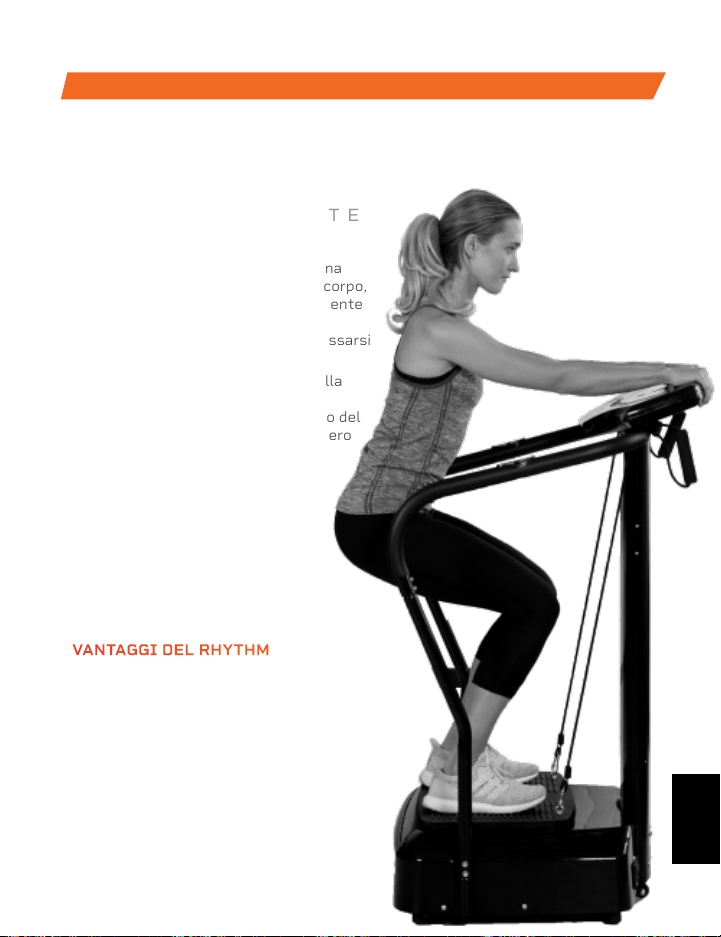
FATTO IN CINA
CARATTERISTICHE DEL
PRODOTTO
La pedana vibrante del ritmo funziona
creando vibrazioni rapide in tutto il corpo,
in particolare sui muscoli specificamente
mirati. Queste vibrazioni inducono i
muscoli ad allungarsi, flettersi e rilassarsi
velocemente.
Questo si traduce in un aumento della
crescita muscolare e ossea, in una
maggiore flessibilità e in un aumento del
metabolismo, che aumentano il numero
di calorie bruciate.
Il ritmo può essere usato da
persone con ogni livello di forma
fisica. Se hai subito un infortunio
o hai dolore alle articolazioni
o alla schiena, trova sollievo e
aiuta a prevenire lesioni future
aggiungendo il ritmo alla routine di
riabilitazione.
RHYTHM
PEDANA VIBRANTE
DALLA NOSTRA COLLEZIONE VIBRATION THERAPY
VANTAGGI DEL RHYTHM
• Migliorare la mobilità
• Prevenire lesioni
• Aumenta la forza
• Accelera il metabolismo
• Migliora il sonno
• Sviluppa ossa più forti
• Aumenta la circolazione
134 Manuale di istruzioni Lifepro Hovert
CARATTERISTICHE DEL DIS-
POSITIVO
Dimensioni: 78,7 × 45,7 × 17,7 cm
Peso Netto: 18 kg
Potenza: 200 W + 200 W
Voltaggio: 220 V
Ampiezza: 0–10 mm
Peso Massimo sulla Pedana: 150 kg
Frequenza: 4–15 Hz
Livelli di Velocità: 99
Programmi Automatici: P1–P8
Batterie Necessarie:
2 Batterie AAA (incluse)
HOVERT
PEDANA VIBRANTE 3D
VIBRATION THERAPY
IT
IT
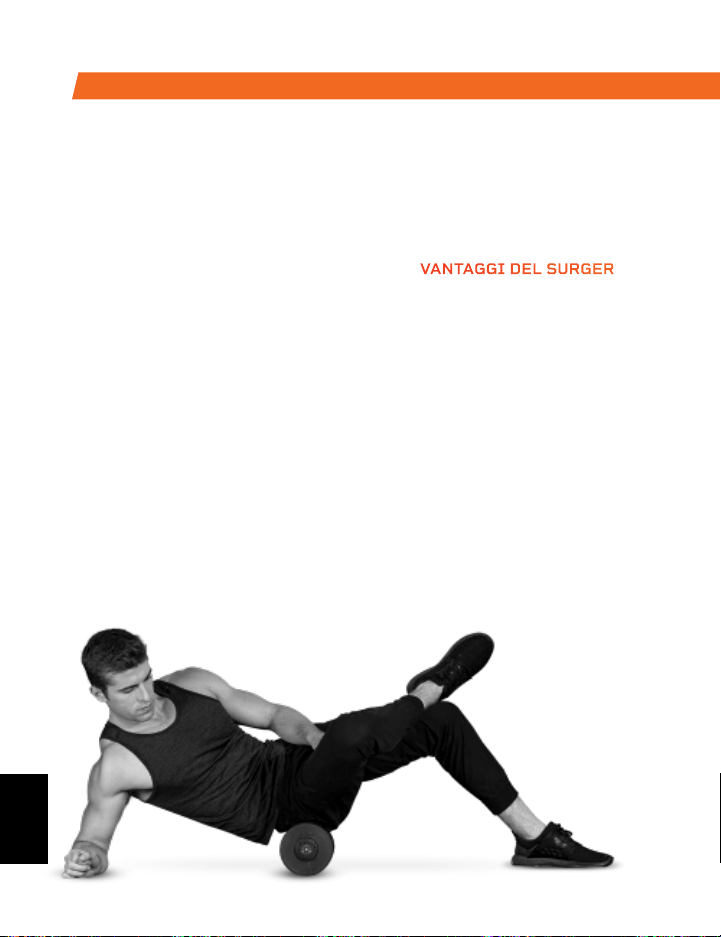
Approffitta di tutti i vantaggi della
tecnologia di laminazione e vibrazione
della schiuma insieme al rullo in schiuma
vibrante Surger. Usare Surger prima o
dopo l’allenamento come parte della
routine di riscaldamento o recupero per
ottenere maggiore flessibilità ed aiutare
a prevenire indolenzimenti e lesioni.
Compressione profonda di fibre e tessuti
muscolari (rilascio auto-miofasciale)
combinata con la tecnologia di vibrazione
del Surger disfa i nodi muscolari e rilassa
i muscoli stretti e la fascia. Scegli tra 4
livelli di velocità di vibrazione diversi per
applicare ogni volta l’intensità perfetta.
SURGER
RULLO DI SCHIUMA VIBRANTE
VANTAGGI DEL SURGER
• Aumenta l’efficacia
dell’allenamento
• Riduce il dolore
• Accelera il recupero
• Prevenire lesioni
• Migliora la circolazione
• Migliora la flessibilità e le
prestazioni muscolari
• Riduce il dolore e le
infiammazioni
• Allenta nodi, punti di
innesco e tensione nei
muscoli e nella fascia.
DALLA NOSTRA COLLEZIONE SPORTS RECOVERY
La palla da massaggio vibrante
Agility è stata fatta per piccoli
gruppi muscolari. La palla Agility
è abbastanza piccola da stare
nel palmo della tua mano e ti dà
un’ampia gamma di movimenti di
massaggio: circolare, su e giù e
da un lato all’altro.
Il materiale esterno in silicone
della palla Agility è resistente
e facile da impugnare, ma
abbastanza morbido da poter
essere usato su aree sensibili
come il collo, le mani,
o i piedi.
AGILITY
PALLA VIBRANTE DI MASSAGGIO
VANTAGGI DELLA PALLA AGILITY
• Aumentare la circolazione
• Migliorare la flessibilità e le
prestazioni muscolari
• Migliorare la flessibilità e
le prestazioni muscolari
• Rilassa i muscoli e la
fascia stretti
• Ridurre il dolore
muscolare
e l’infiammazione
• Aumentare il flusso
sanguigno
IT
IT
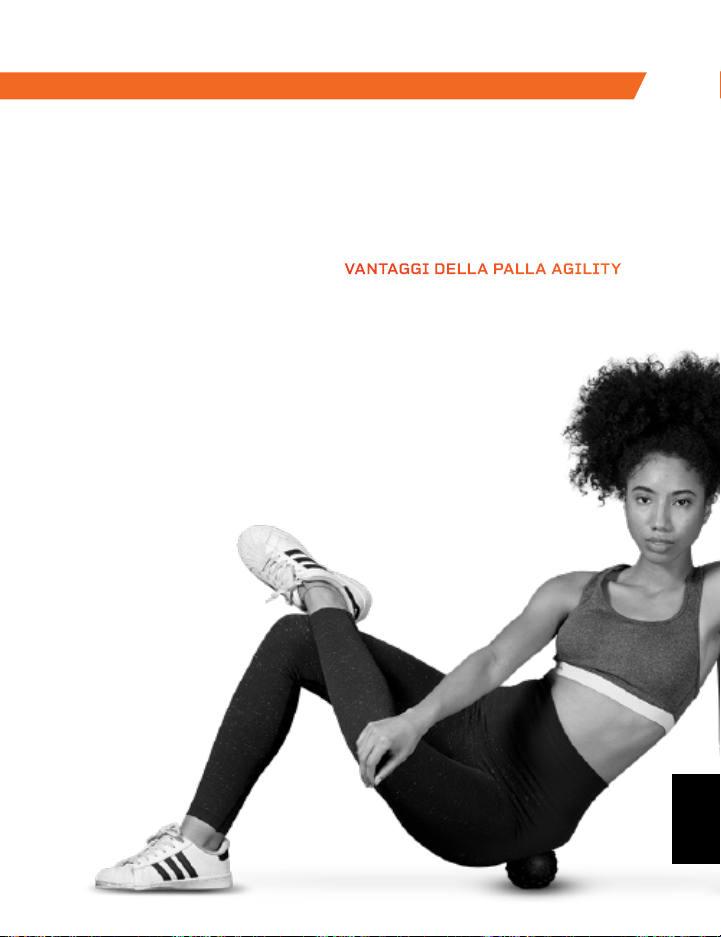
Approffitta di tutti i vantaggi della
tecnologia di laminazione e vibrazione
della schiuma insieme al rullo in schiuma
vibrante Surger. Usare Surger prima o
dopo l’allenamento come parte della
routine di riscaldamento o recupero per
ottenere maggiore flessibilità ed aiutare
a prevenire indolenzimenti e lesioni.
Compressione profonda di fibre e tessuti
muscolari (rilascio auto-miofasciale)
combinata con la tecnologia di vibrazione
del Surger disfa i nodi muscolari e rilassa
i muscoli stretti e la fascia. Scegli tra 4
livelli di velocità di vibrazione diversi per
applicare ogni volta l’intensità perfetta.
SURGER
RULLO DI SCHIUMA VIBRANTE
VANTAGGI DEL SURGER
• Aumenta l’efficacia
dell’allenamento
• Riduce il dolore
• Accelera il recupero
• Prevenire lesioni
• Migliora la circolazione
• Migliora la flessibilità e le
prestazioni muscolari
• Riduce il dolore e le
infiammazioni
• Allenta nodi, punti di
innesco e tensione nei
muscoli e nella fascia.
DALLA NOSTRA COLLEZIONE SPORTS RECOVERY
La palla da massaggio vibrante
Agility è stata fatta per piccoli
gruppi muscolari. La palla Agility
è abbastanza piccola da stare
nel palmo della tua mano e ti dà
un’ampia gamma di movimenti di
massaggio: circolare, su e giù e
da un lato all’altro.
Il materiale esterno in silicone
della palla Agility è resistente
e facile da impugnare, ma
abbastanza morbido da poter
essere usato su aree sensibili
come il collo, le mani,
o i piedi.
AGILITY
PALLA VIBRANTE DI MASSAGGIO
VANTAGGI DELLA PALLA AGILITY
• Aumentare la circolazione
• Migliorare la flessibilità e le
prestazioni muscolari
• Migliorare la flessibilità e
le prestazioni muscolari
• Rilassa i muscoli e la
fascia stretti
• Ridurre il dolore
muscolare
e l’infiammazione
• Aumentare il flusso
sanguigno
IT
IT
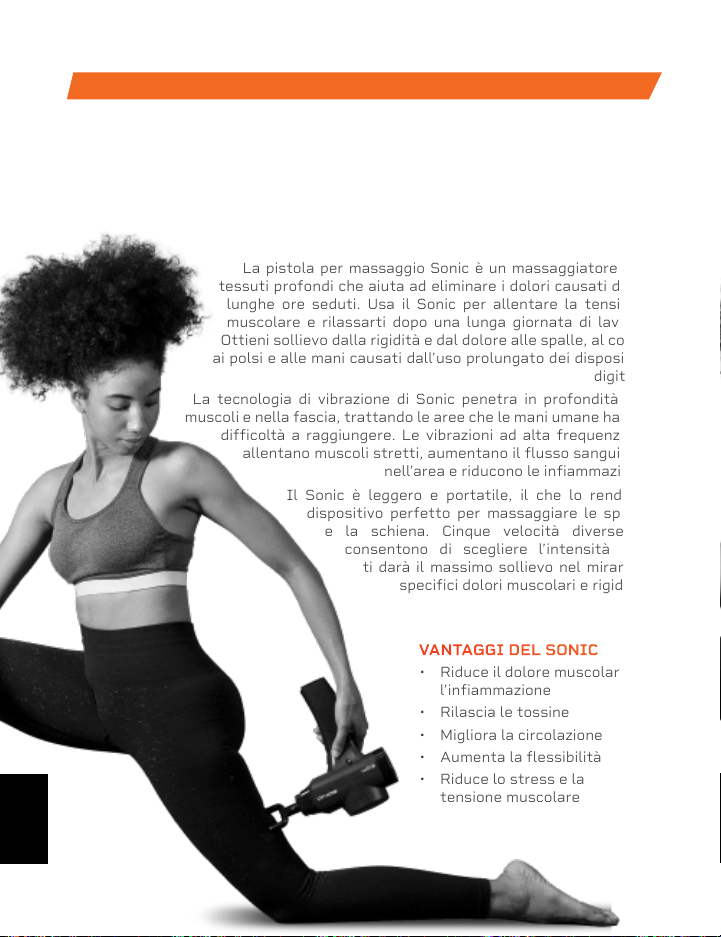
DALLA NOSTRA COLLEZIONE SPORTS RECOVERY
SONIC
PISTOLA PER MASSAGGIO
La pistola per massaggio Sonic è un massaggiatore per
tessuti profondi che aiuta ad eliminare i dolori causati dalle
lunghe ore seduti. Usa il Sonic per allentare la tensione
muscolare e rilassarti dopo una lunga giornata di lavoro.
Ottieni sollievo dalla rigidità e dal dolore alle spalle, al collo,
ai polsi e alle mani causati dall’uso prolungato dei dispositivi
digitali.
La tecnologia di vibrazione di Sonic penetra in profondità nei
muscoli e nella fascia, trattando le aree che le mani umane hanno
difficoltà a raggiungere. Le vibrazioni ad alta frequenza si
allentano muscoli stretti, aumentano il flusso sanguigno
nell’area e riducono le infiammazioni.
Il Sonic è leggero e portatile, il che lo rende il
dispositivo perfetto per massaggiare le spalle
e la schiena. Cinque velocità diverse ti
consentono di scegliere l’intensità che
ti darà il massimo sollievo nel mirare a
specifici dolori muscolari e rigidità.
VANTAGGI DEL SONIC
• Riduce il dolore muscolare e
l’infiammazione
• Rilascia le tossine
• Migliora la circolazione
• Aumenta la flessibilità
• Riduce lo stress e la
tensione muscolare
Accedi a Lifepro TV, la nostra libreria di video
gratuiti di allenamenti personali sul Web su
hovert.lifeprofitness.compour per sapere
come ottenere il massimo da Lifepro
®
Hovert
ed ottenere i risultati che vuoi veramente.
CE LA
PUOI
FARE
Lifeprousa Lifeprousa support@lifeprofitness.com
IT
IT

DALLA NOSTRA COLLEZIONE SPORTS RECOVERY
SONIC
PISTOLA PER MASSAGGIO
La pistola per massaggio Sonic è un massaggiatore per
tessuti profondi che aiuta ad eliminare i dolori causati dalle
lunghe ore seduti. Usa il Sonic per allentare la tensione
muscolare e rilassarti dopo una lunga giornata di lavoro.
Ottieni sollievo dalla rigidità e dal dolore alle spalle, al collo,
ai polsi e alle mani causati dall’uso prolungato dei dispositivi
digitali.
La tecnologia di vibrazione di Sonic penetra in profondità nei
muscoli e nella fascia, trattando le aree che le mani umane hanno
difficoltà a raggiungere. Le vibrazioni ad alta frequenza si
allentano muscoli stretti, aumentano il flusso sanguigno
nell’area e riducono le infiammazioni.
Il Sonic è leggero e portatile, il che lo rende il
dispositivo perfetto per massaggiare le spalle
e la schiena. Cinque velocità diverse ti
consentono di scegliere l’intensità che
ti darà il massimo sollievo nel mirare a
specifici dolori muscolari e rigidità.
VANTAGGI DEL SONIC
• Riduce il dolore muscolare e
l’infiammazione
• Rilascia le tossine
• Migliora la circolazione
• Aumenta la flessibilità
• Riduce lo stress e la
tensione muscolare
Accedi a Lifepro TV, la nostra libreria di video
gratuiti di allenamenti personali sul Web su
hovert.lifeprofitness.compour per sapere
come ottenere il massimo da Lifepro
®
Hovert
ed ottenere i risultati che vuoi veramente.
CE LA
PUOI
FARE
Lifeprousa Lifeprousa support@lifeprofitness.com
IT
IT

Lifeprousa Lifeprousa
lifeprofitness.com
support@lifeprofitness.com