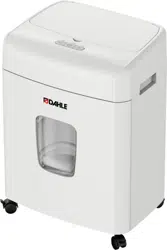
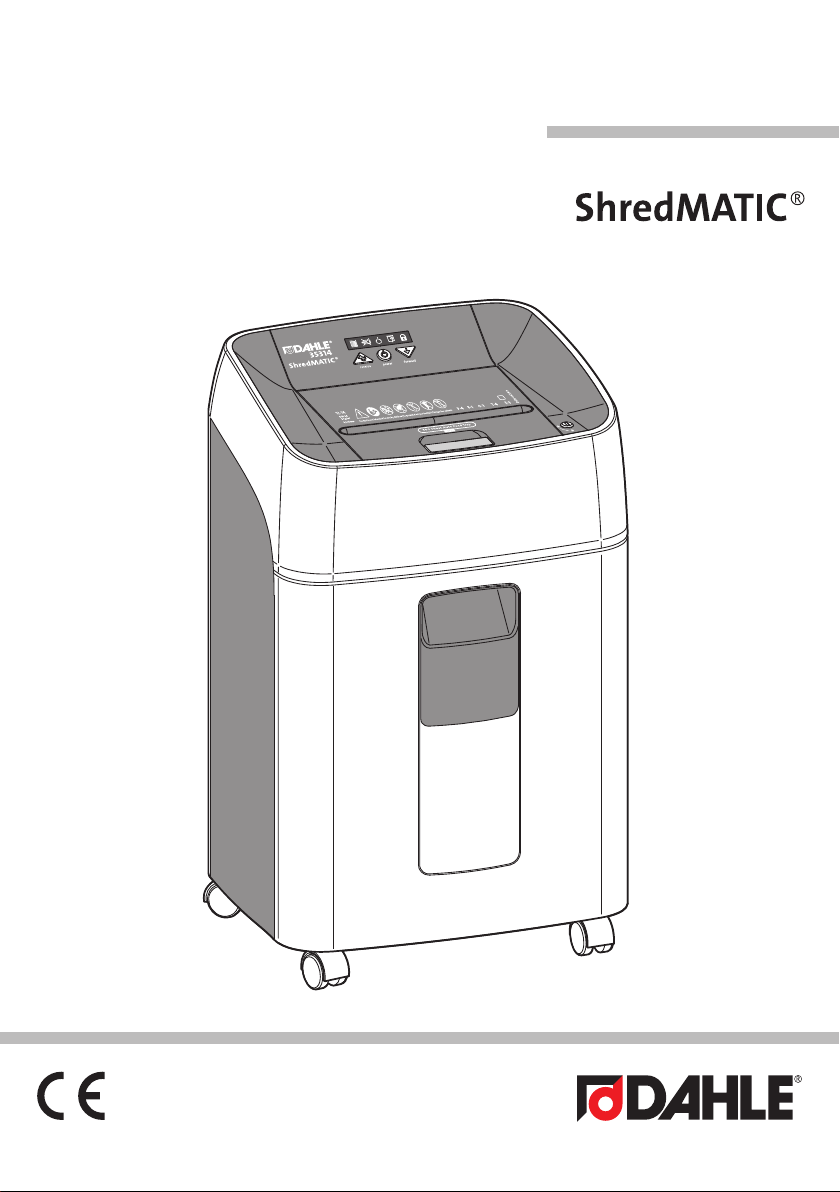
35314
1
7
en
Instructions
IMPORTANT!
Read the operating and safety instructions
BEFORE placing the document shredder
into operation.
You must follow the instructions.
Keep the operating instructions in a safe
place ready for later use.
Table of Contents
1 Important information . . . . . . . . . . . . . . . 7
1.1 Intended use, warranty . . . . . . . . . . . . . . . 7
1.2 Safety instructions . . . . . . . . . . . . . . . . . 8
1.3 Key to pictograms . . . . . . . . . . . . . . . . . 9
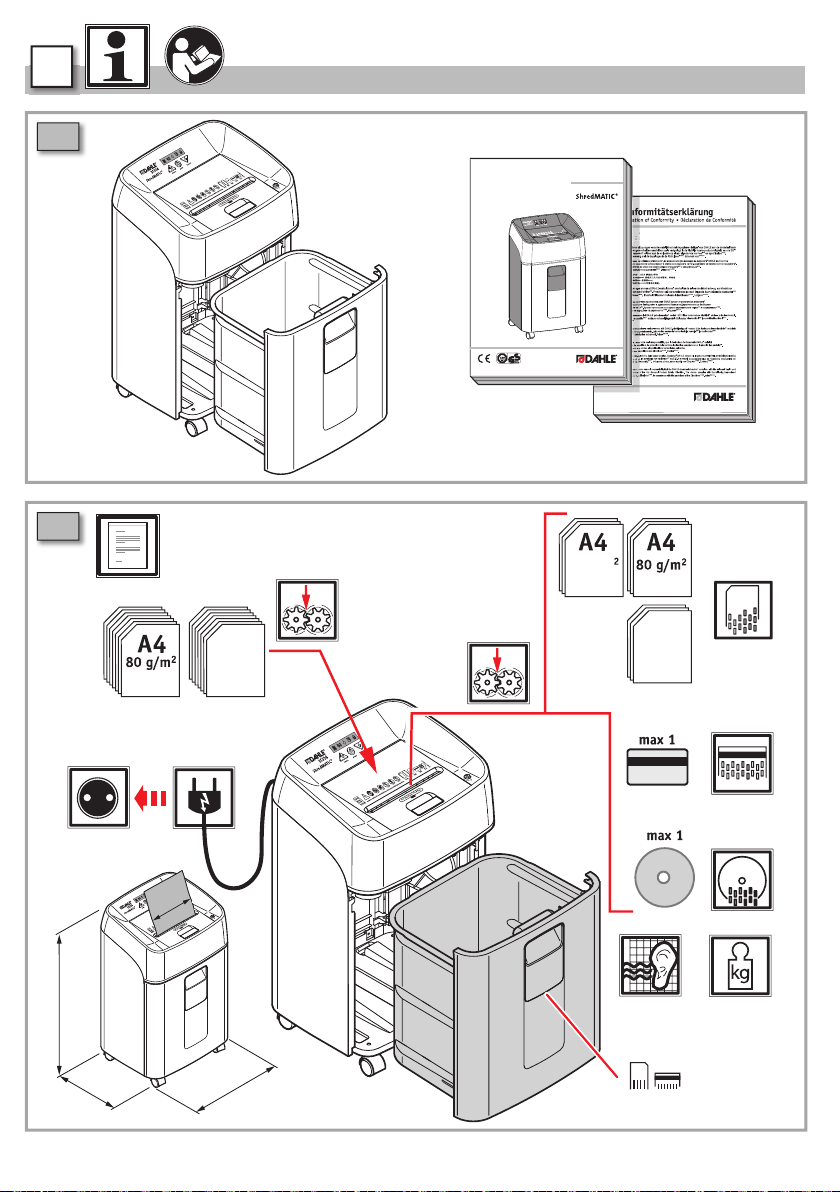
1.4 Scope of supply . . . . . . . . . . . . . . . . . . 62
1.5 Technical specifications . . . . . . . . . . . . . 62
2 Operation . . . . . . . . . . . . . . . . . . . . . . 63
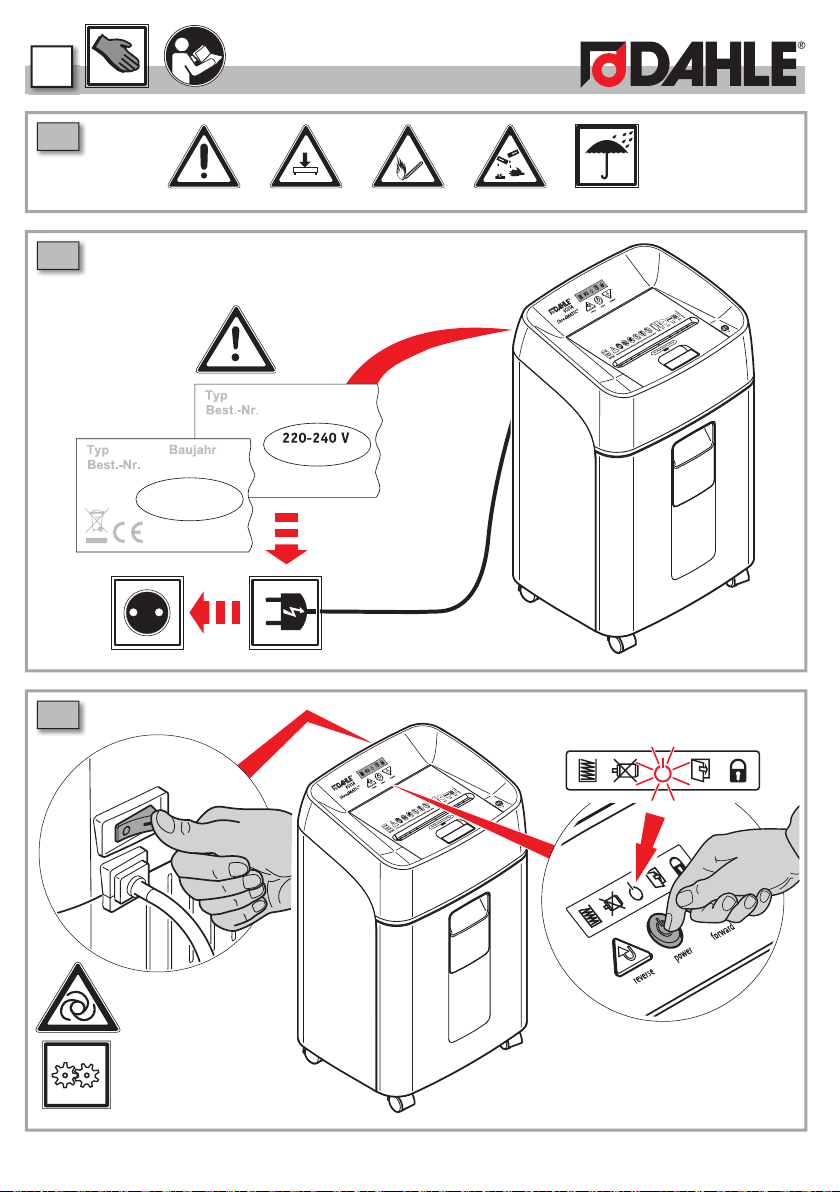
2.2 Connecting the device to the main supply 63
2.3 Switch on the device . . . . . . . . . . . . . . 63
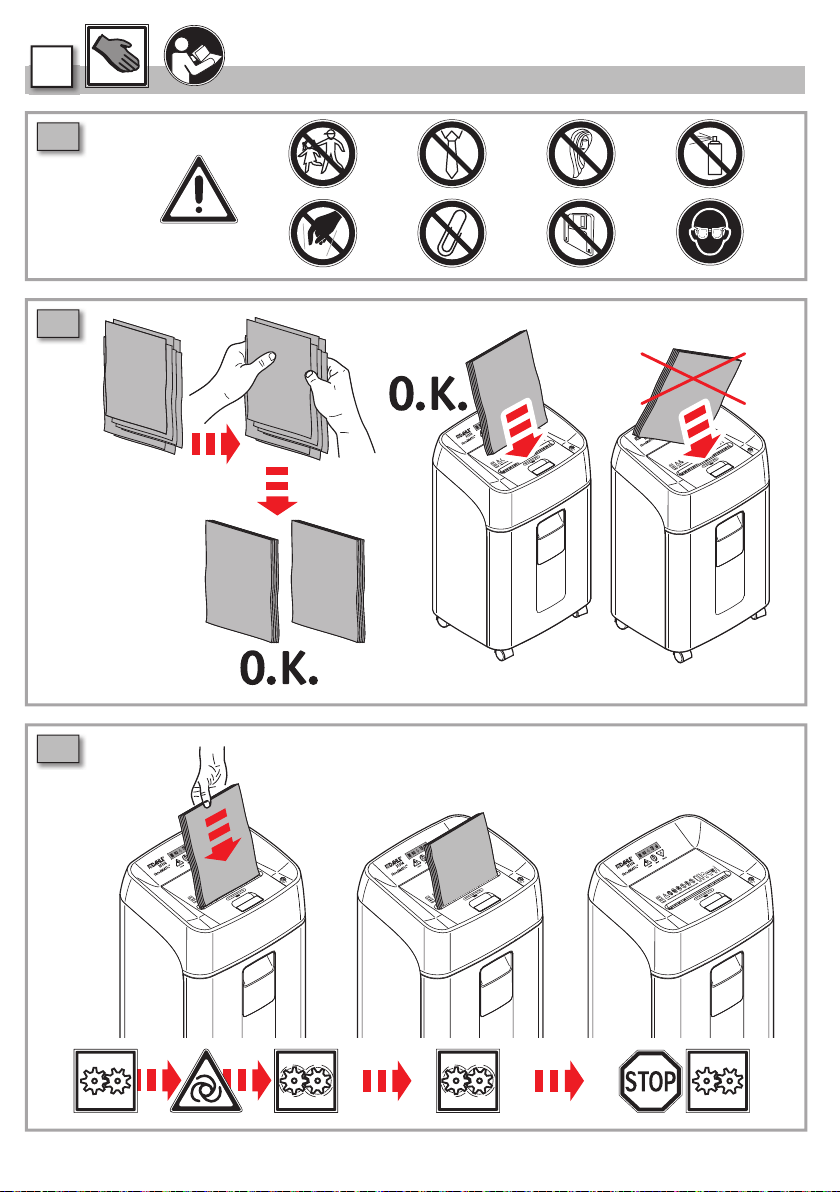
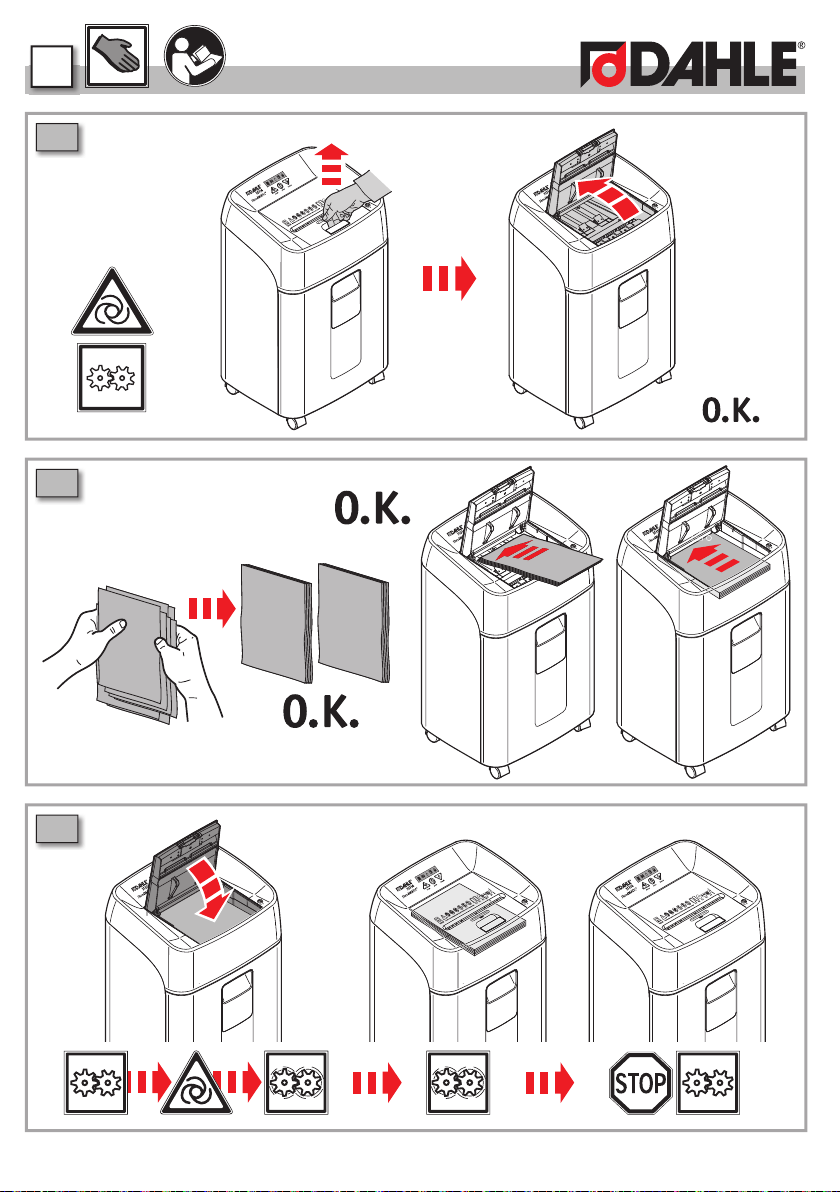
2.4 Paper shredding . . . . . . . . . . . . . . . . . 64
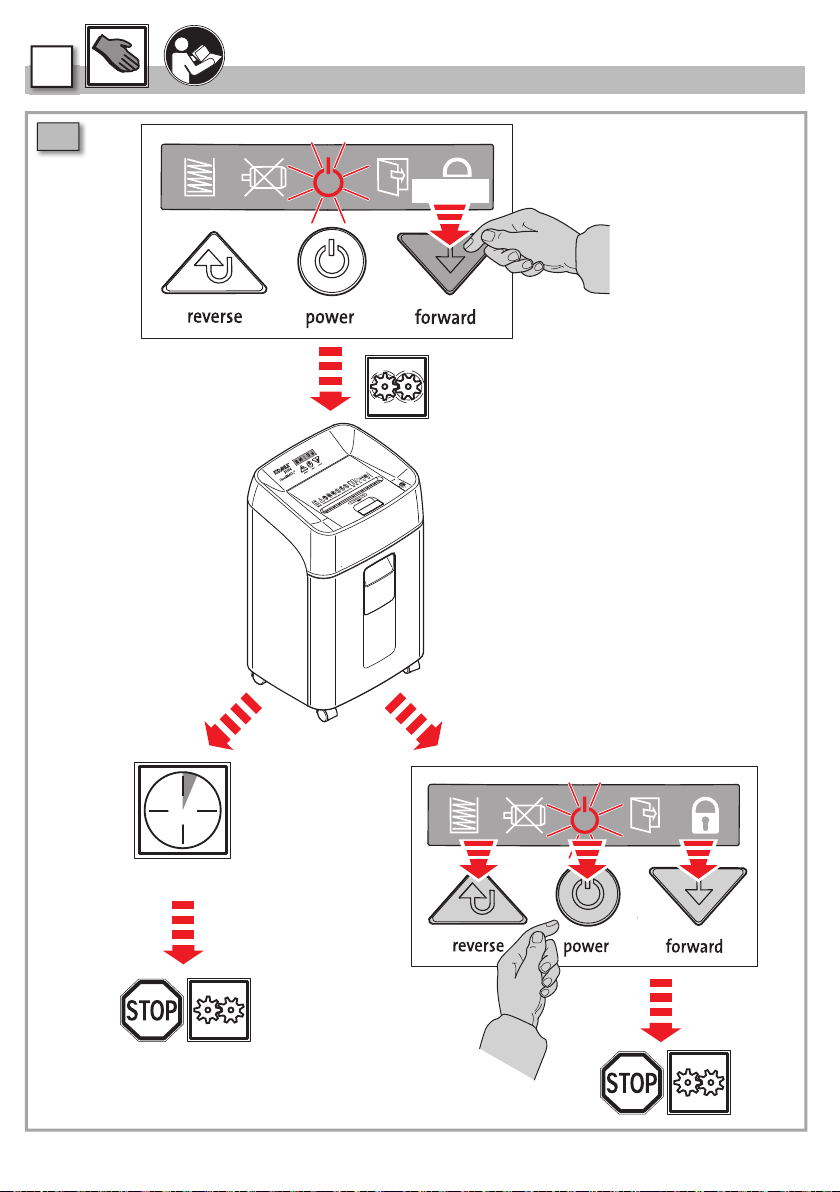
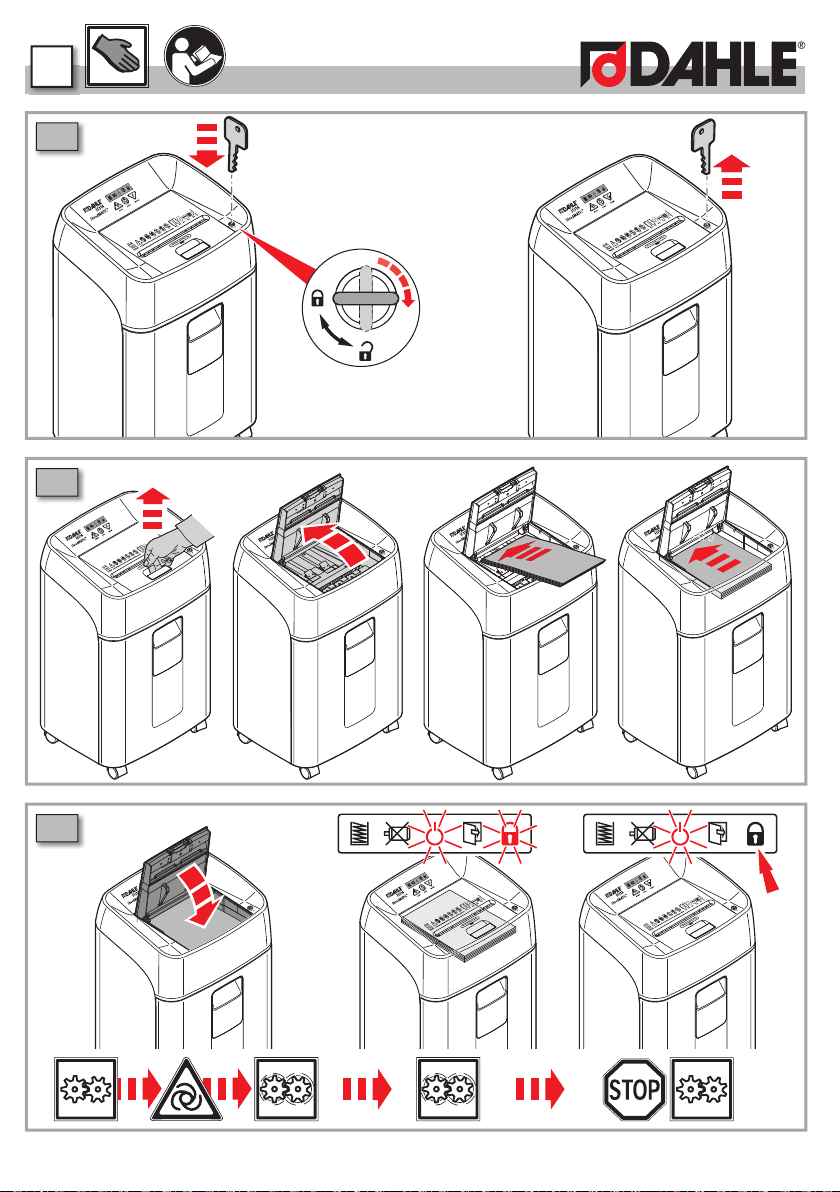
2.10 Continuous operation . . . . . . . . . . . . . . . 66
2.11 Loocking . . . . . . . . . . . . . . . . . . . . . . . . 67
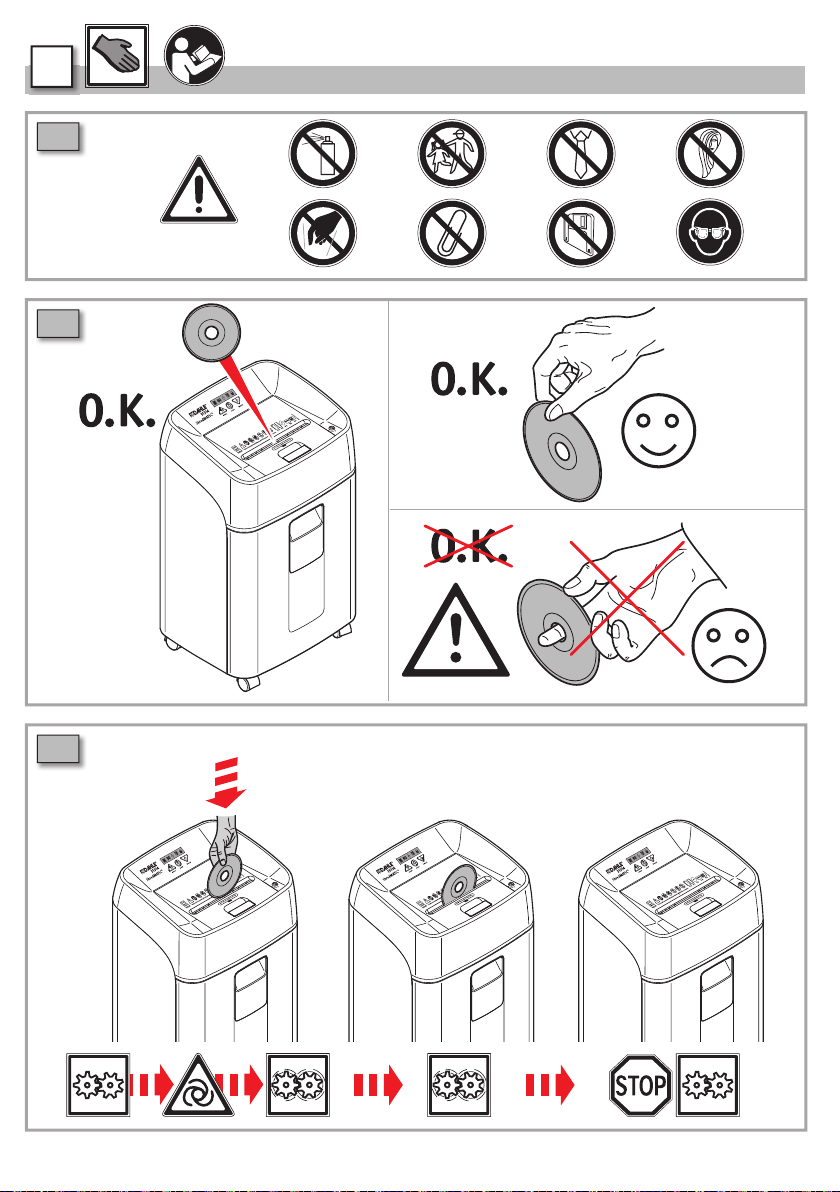
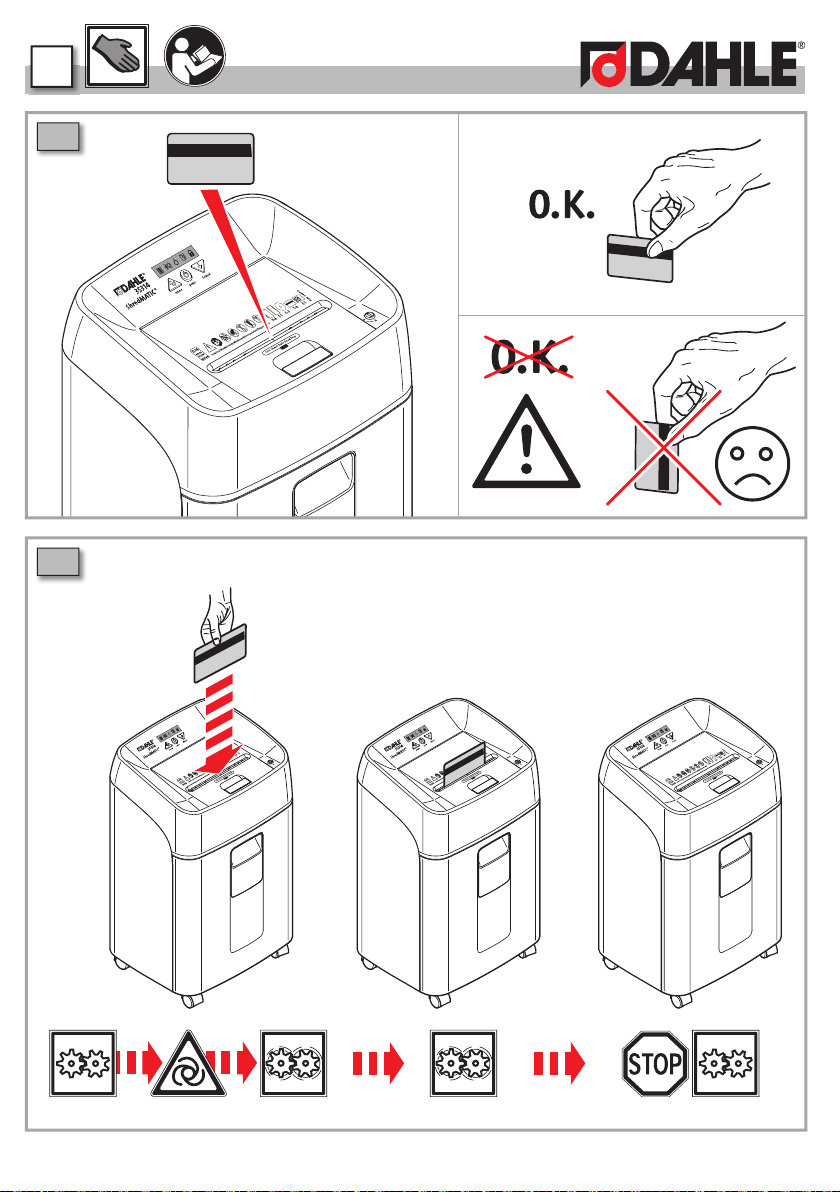
2.14 CD, DVD & card shredding . . . . . . . . . . . . 68
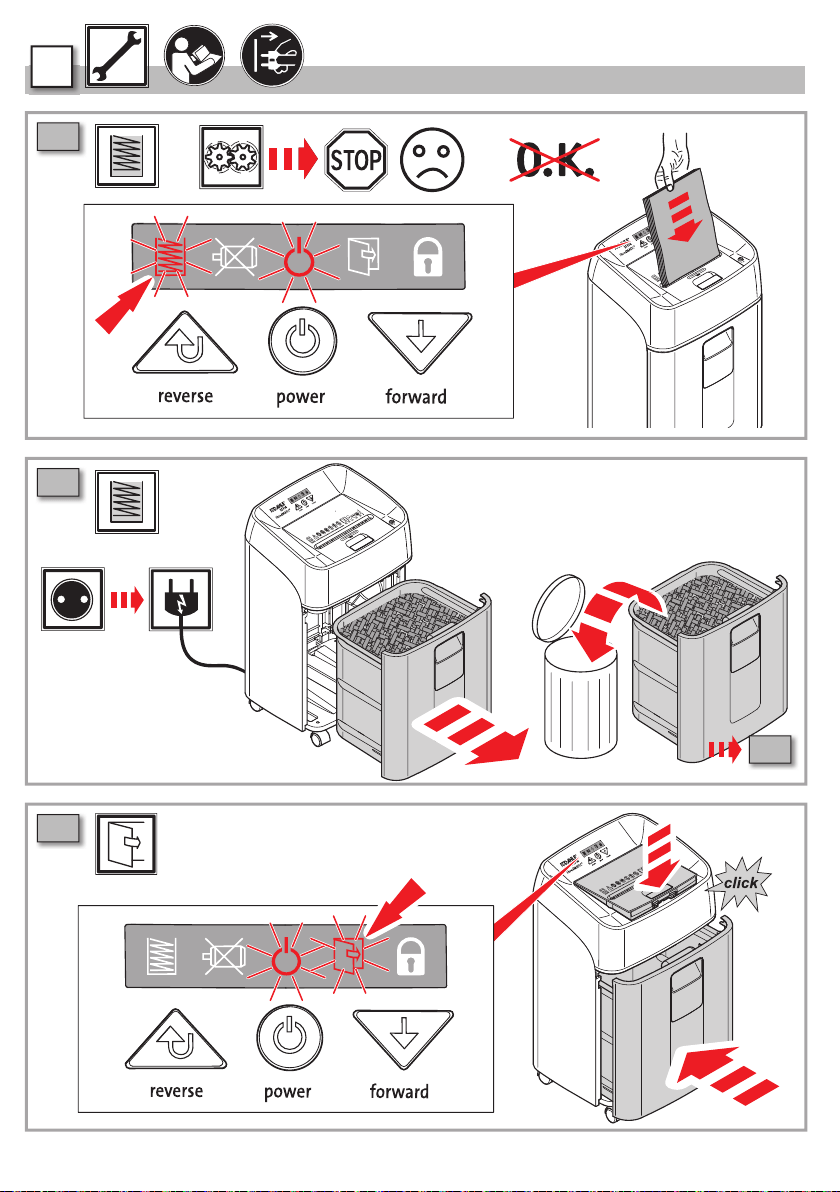
3 Maintenance / troubleshooting . . . . . . . . 70
3.1 Emptying shredding waste . . . . . . . . . . . . 70
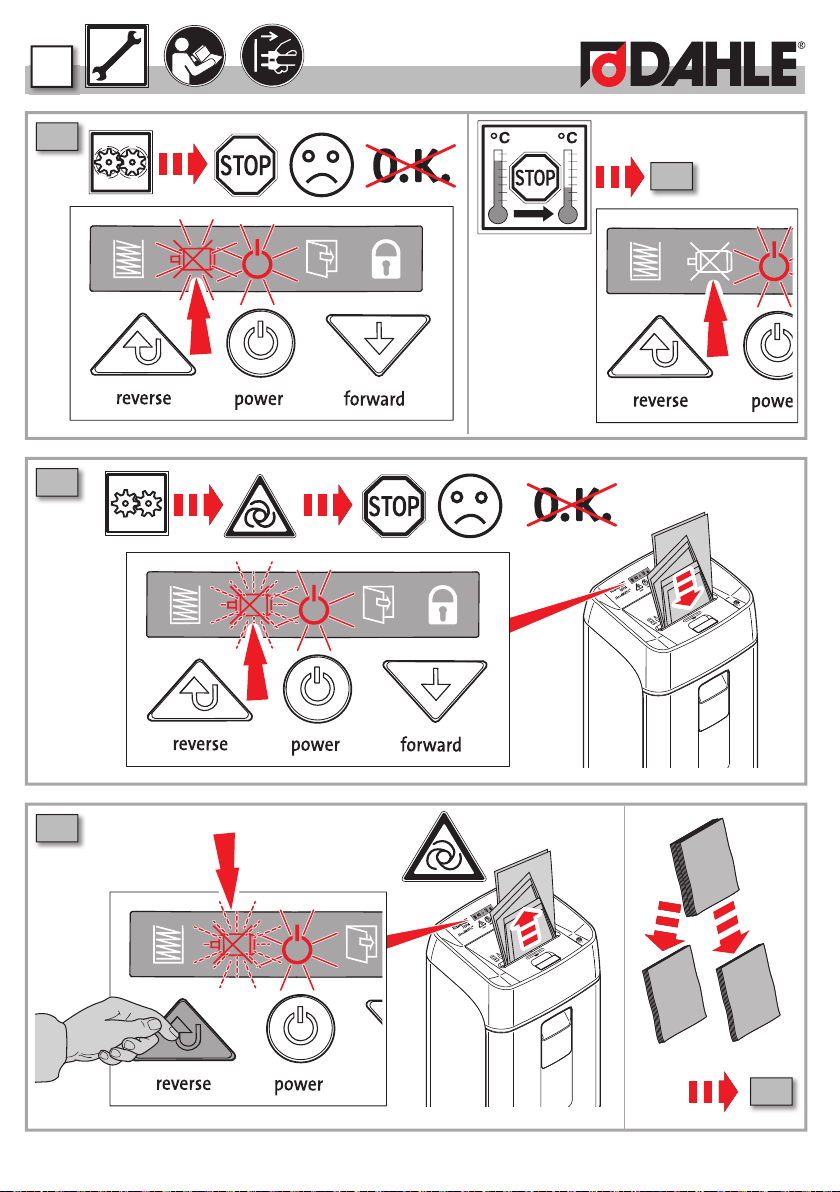
3.3 bin/lid open . . . . . . . . . . . . . . . . . . . . . 70
3.4 Overheated . . . . . . . . . . . . . . . . . . . . . . 71
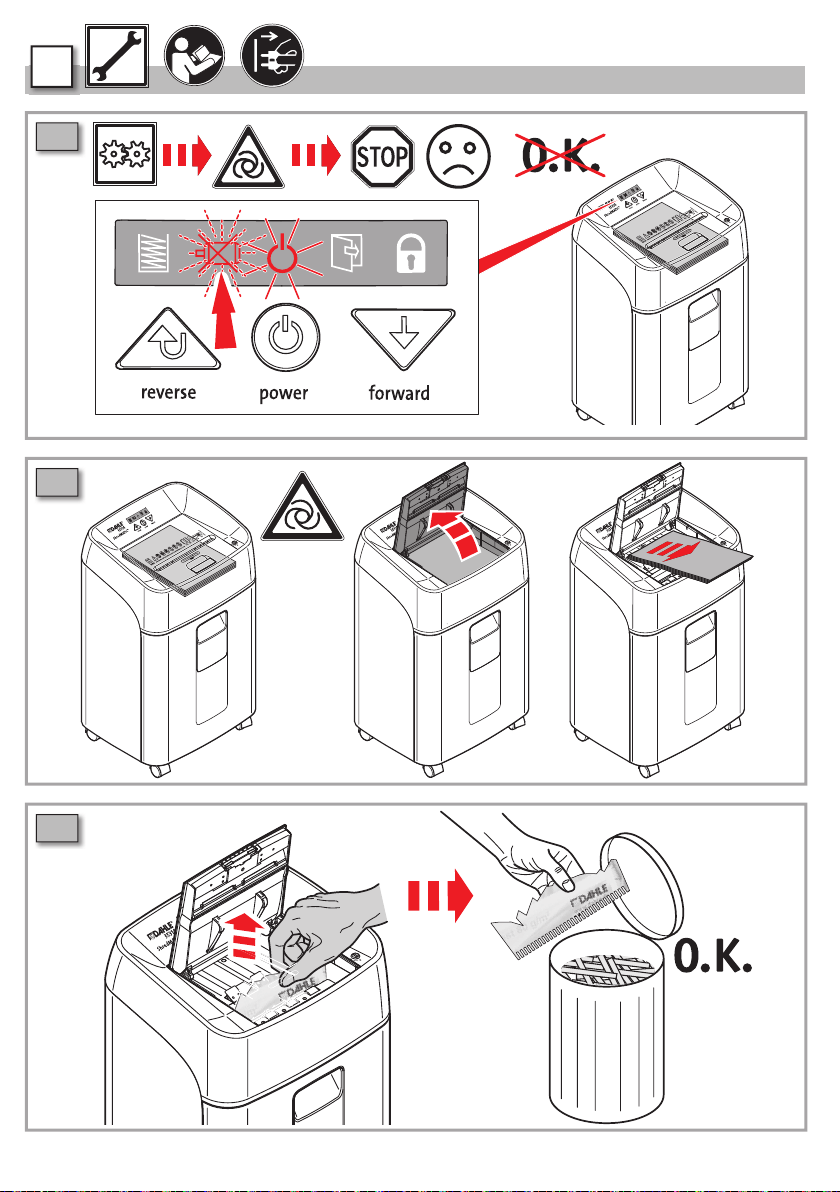
3.5 Paper jam manual feed . . . . . . . . . . . . . . 71
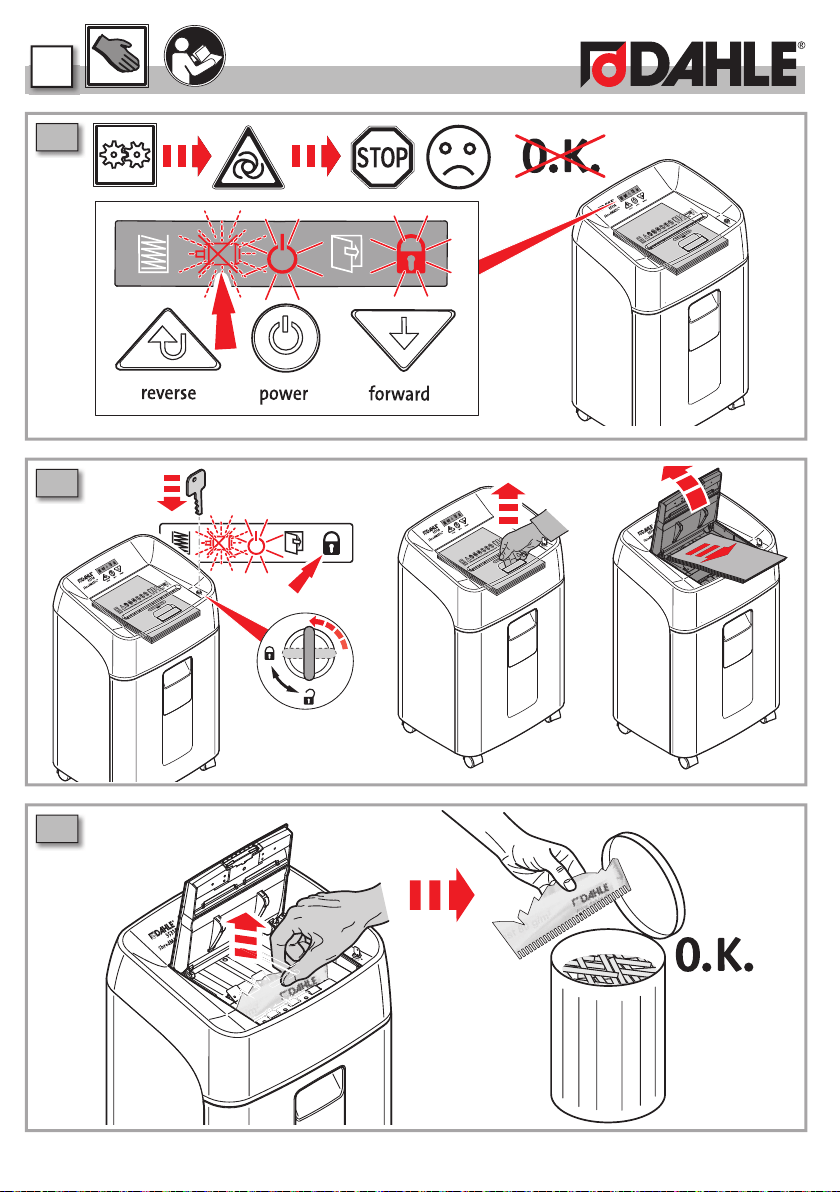
3.7 Paper jam automatic feed . . . . . . . . . . . . 72
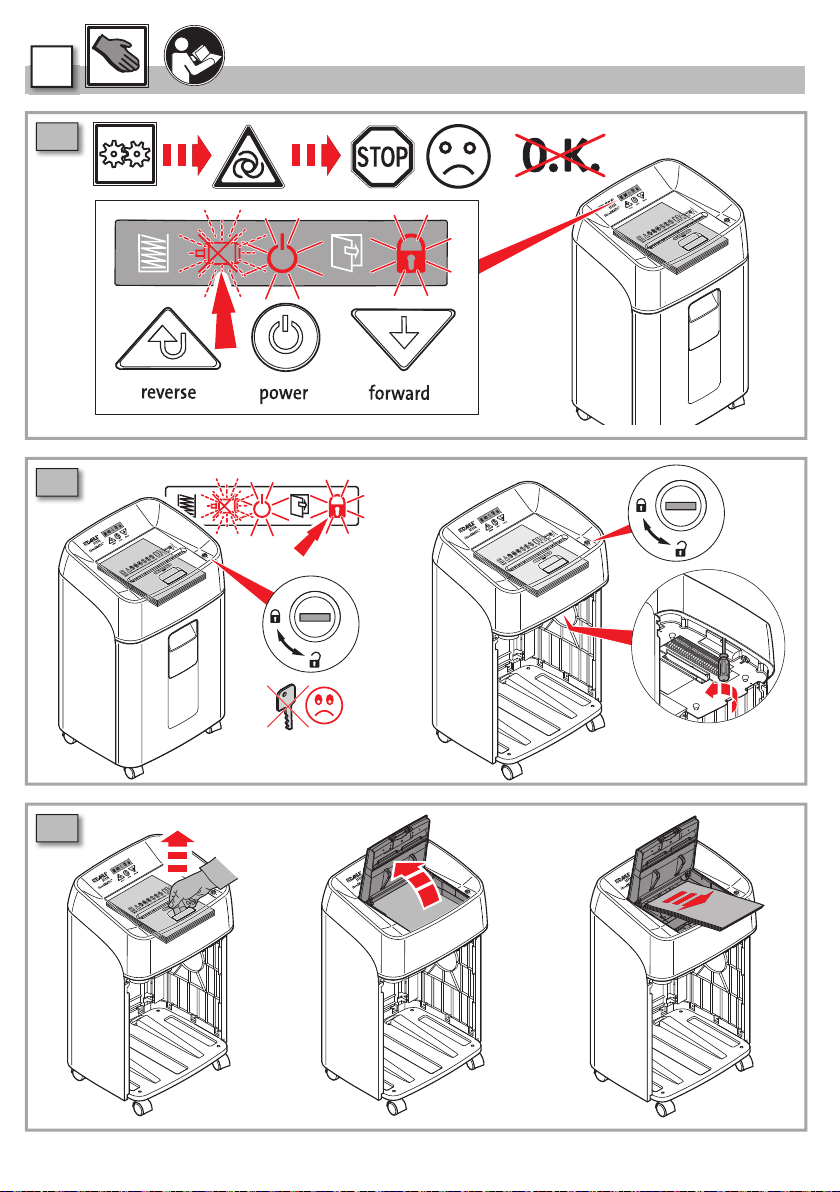
3.10 Paper jam locked automatic feed . . . . . . . 73
3.13 Emergency release . . . . . . . . . . . . . . . . . 74
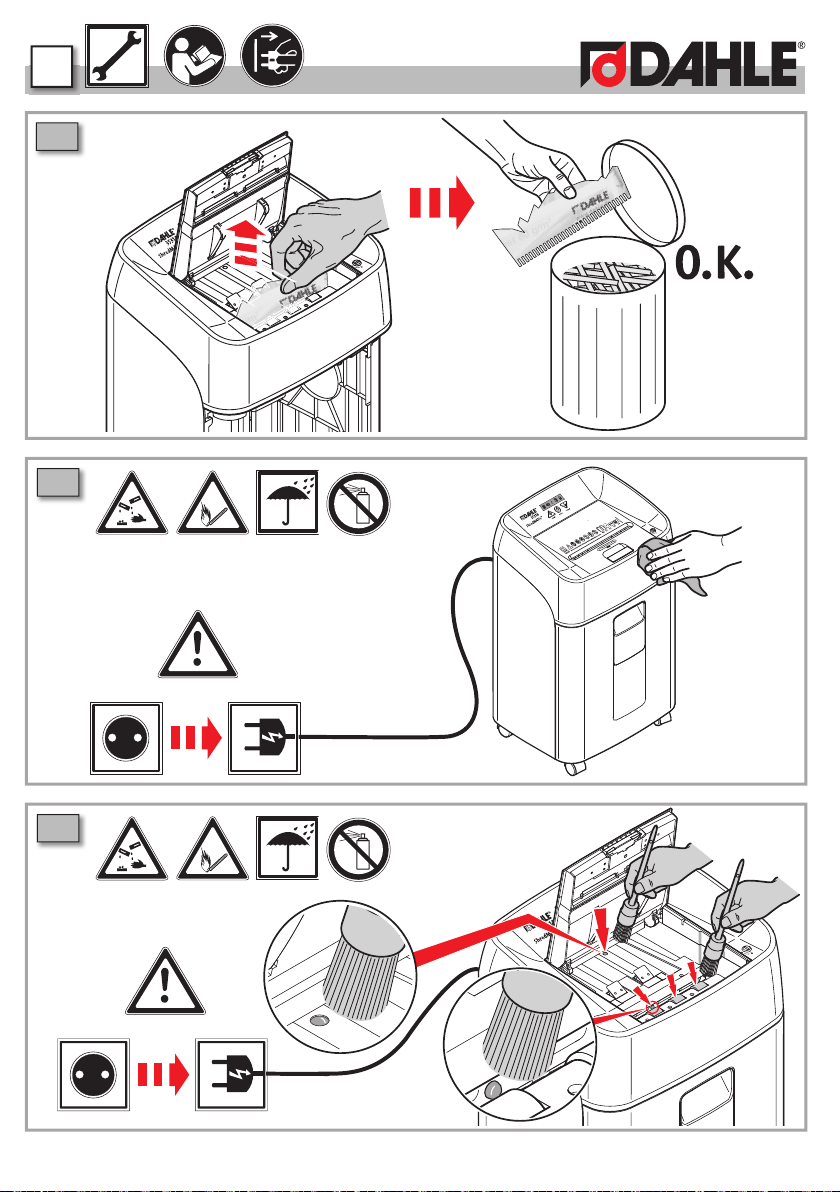
3.17 Cleaning the shredder . . . . . . . . . . . . . . . 75
1.1
Intended use, warranty
The document shredder is intended to be used for
shredding paper.
Depending on the model variant, a small amount of
the following materials can also be shredded:
- CDs/DVDs, bank cards and credit cards (see techni-
cal data).
- The normal staples and paper clips found in paper
documents (exception: security level P6 and P7
devices).
This device is equipped with an automatic feeder
for paper stacks consisting of unfolded single sheets
(max. 100g/m²). Stapled paper, with paper clips as
well as with staples, usually can be processed as
well. Therefore it is mandatory, that the clamps and
paper clips must be positioned at the rear end of the
paper tray (facing away from the user)
To extend the life of the device, it is however recom-
mended to remove paper clips/clamps before shred-
ding. In individual cases, depending on the quantity
and position of the paper clips/staples and the
thickness of the stapled paper stack, a misfeed can
occur and the shredding process may be interrupted
Wear, damage due to improper use or unauthorised
modifications and repairs are not covered by the
warranty or the guarantee.
The document shredder was designed for private use
and for use in normal office environments.
The following conditions apply to the performance in
terms of sheets listed under technical data:
Maximum number of sheets that are shredded in one
pass under the following conditions: New cutting roll-
ers, oiled if needed, cold motor, power supply with
8
1
nominal voltage and nominal frequency (230 V/50 Hz;
120 V/60 Hz). Deviations may result in reduced sheet
processing and increased operating noises. The sheets
are fed centrally and lengthwise at a 90 degree angle.
The performance in terms of sheets can also vary
depending on the paper properties and input.
1.2
Safety instructions
- Do not place the device near a source of heat.
- Store, transport and operate the device in an
upright position only.
- Only use liquids and gases on the device that com-
ply with DAHLE guidelines.
- Do not open up the device.
- Only operate the device in closed spaces, at
temperatures of between 10 °C and 25 °C (50 °F
to 77 °F) and at a non-condensing humidity of
between 15% and 95%.
- Ensure that the building installation has short-
circuit protection: max. 16 A (US max. 20 A).
- Do not operate the document shredder without
inserting documents.
- The device is not intended for use by persons
(including children) with restricted physical,
sensory or mental capabilities or a lack of experi-
ence and knowledge, unless they are working
under supervision or receive detailed instruction
about how to use the device from a person who is
responsible for safety.
Dispose of the document shredder
properly in an environmentally friendly
way at an authorised collection point.
Do not dispose of any parts of the docu-
ment shredder or packaging in domestic
waste.
1
9
1.3
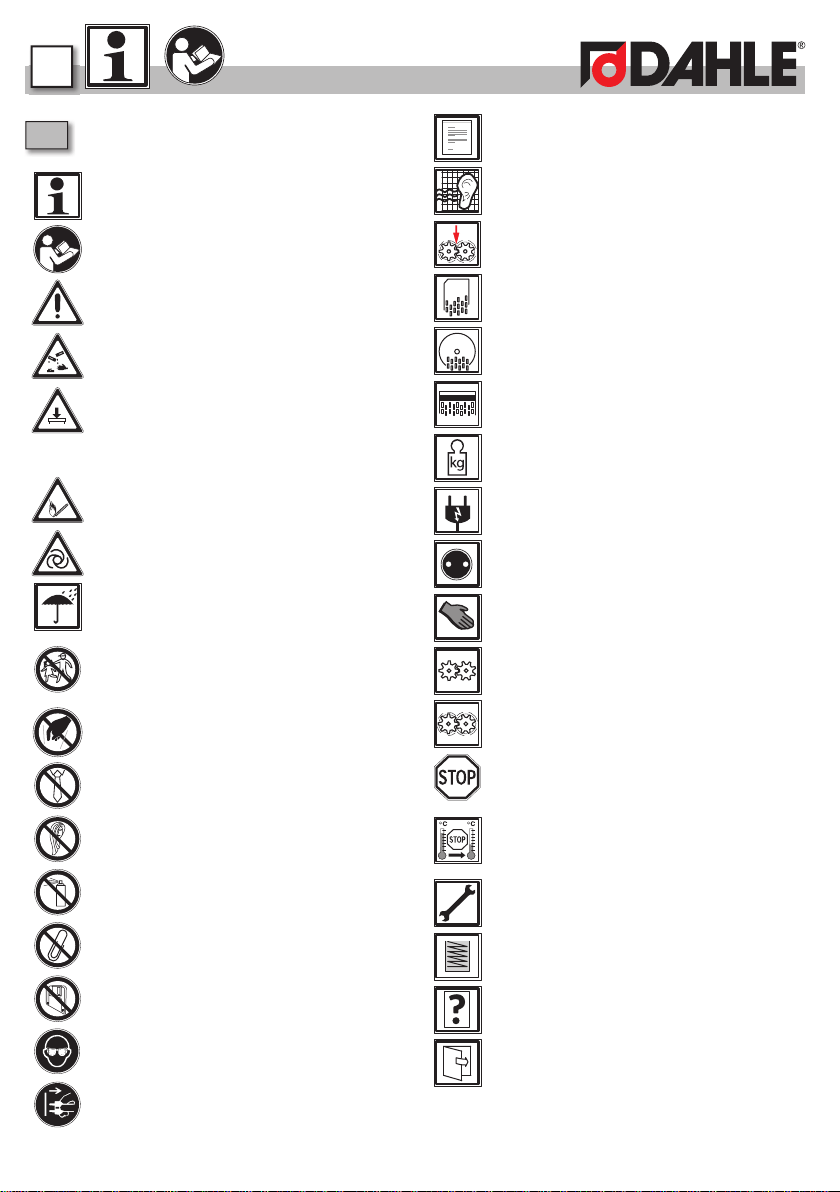
Key to pictograms
Important information
User information/safety instructions
WARNING
Do not use near caustic substances.
Place the device in a stable position on
the floor, leaving a gap of 100 mm to
the wall, ensure no heat can accumulate,
engage brake mechanisms (depending on
type)
Do not use near inflammable liquids or
gases.
Automatic start-up
Do not expose to moisture
This document shredder is not intended
to be used by children (the product is
not a toy).
Do not touch the paper feed with your
hands.
Do not allow items of clothing to come
into contact with the paper feed.
Do not allow your hair to come into con-
tact with the paper feed.
Keep spray cans away from the device.
Remove paper clips and staples before
shredding.
Do not insert any diskettes.
Always wear safety goggles when
destroying CDs/DVDs!
Disconnect the document shredder from
the electrical power supply before per-
forming maintenance work.
Technical specifications - Subject to
technical modifications.
Noise level when operated without shred-
ding documents
Intake speed
Shredded paper particles
Shredded CD/DVD particles
Shredded card particles
Weight
The power plug is used to disconnect the
power supply.
The mains socket must be easily acces-
sible at all times.
How to use
Document shredder on standby
Document shredder in operation
Automatic shut-down!
The document shredder will switch off
automatically to cool down if used for a
long time and /or if overloaded
Maintenance instructions / troubleshoot-
ing
Container full
Possible malfunctions
Automatic switch-off when housing is
open
62
1
Wir erklären in alleiniger Verantwortlichkeit, dass der DAHLE Aktenvernichter* den einschlägigen
Sicherheits- und Gesundheitsanforderungen der EG-Produktsicherheitsrichtlinie** entspricht. Das Gerät
stimmt überein mit den folgenden harmonisierten Normen*** und Spezifikationen****,
gemäß den Bestimmungen der Richtlinien*****. Ausgabe******.
n
i
n alle
-
u
n
d
G
r
e
i
n
m
B
e
stim
35314
≤54 dB (A)
18 kg
40 lbs
2,5m/min
2,5m/min
696 mm
27.4“
351 mm
13.82“
425 mm
16.73“
220 - 240 V / 50 - 60 Hz
110 - 120 V / 50 - 60 Hz
US letter
20 lb
max.300max.300
4 x 15 mm
DIN 66399
P-4 / F-2
DIN 66399
T-4 / E-3
max.12-14max.12-14
max.11-13
US letter
20 lb
70 g/m
40 l / 10.5 gal
DIN 66399
0-3
max.
220mm
8.66“
1.4
1.5
2
63
1.
2.
2.1
2.2
2.3
50-60 Hz
110-120 V
50-60 Hz
64
2
2.4
DIN A4
80 g/m
2
max.
12-14
US letter
20 lb
max.
11-13
2.6
2.5
2
65
1.
2.
DIN A4
80 g/m
2
max.300
US letter
20 lb
max. 300
1.
2.
2.7
2.8
2.9
66
2
>5sec.
5min
2.10
2
67
2.
1.
3.
3.
4.
2.
1.
2.11
2.12
2.13
68
2
2.14
CD/DVD
2.15
max. 1
2.16
2
69
Credit card
max. 1
2.17
max. 1
2.18
70
3
1.
3.
2.
2.
1.
3.
3.1
3.2
3.3
2.3
3
71
3.
3 Sek.
1.
2.
3.5
3.6
3.4
2.5
2.5
72
3
3 Sek.
1.
2.
3.
3.7
3.8
3.9
2
73
2.
1.
3.
4.
6.
5.
3.10
3.11
3.12
74
2
1.
2.
1.
3.
2.
3.13
3.14
3.15
3
75
1.
2.
1.
3.17
3.18
3.16

Dahle North America, Inc.
49 Vose Farm Road
Peterborough, NH 03458
Tel. (800) 995-1379
www.dahle.com