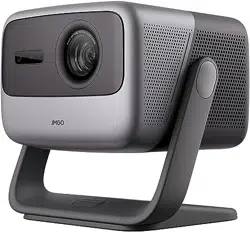
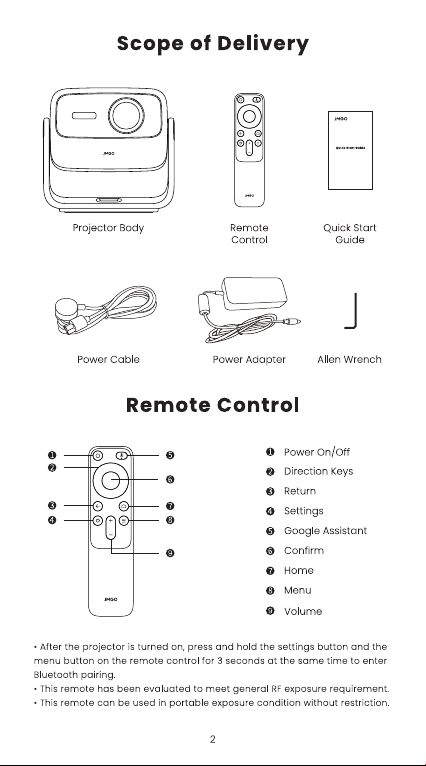
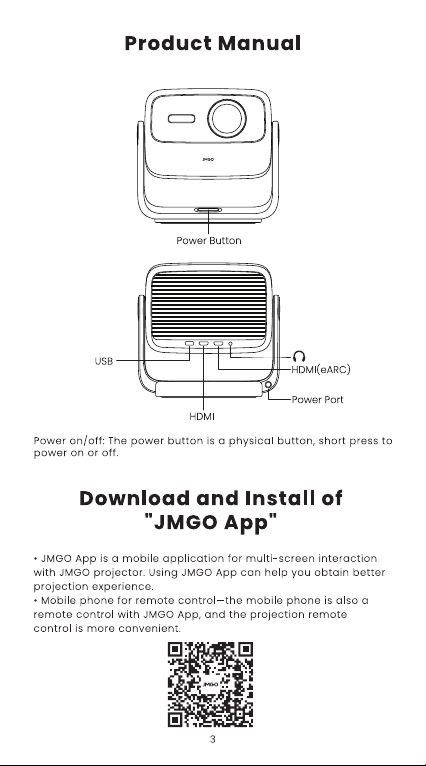
#1 Do you have to attach your device to the projector or does it stream Bluetooth? If so, is it an HDMI cable, or something else?
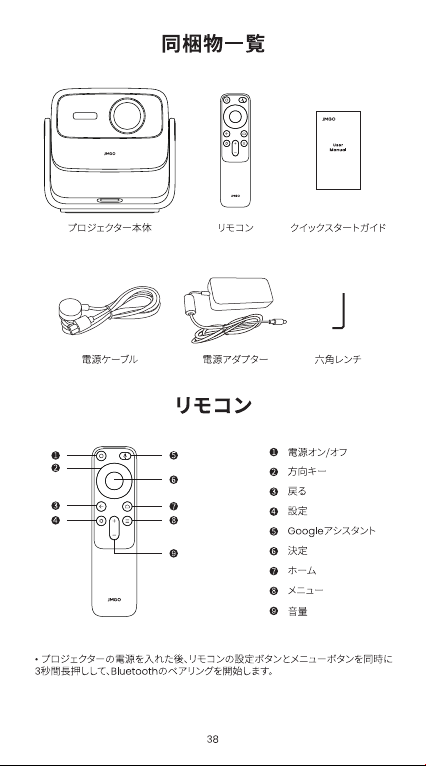
You have 5 ways to play the videos:
1. Watch videos directly through the apps in the projector which supports google play and Android TV 11.
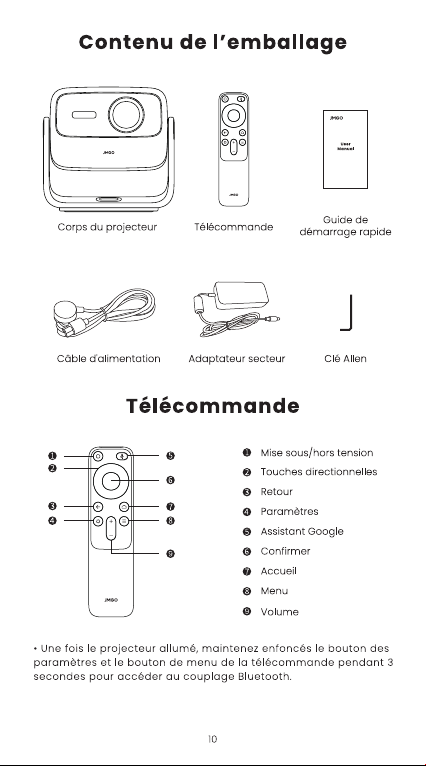
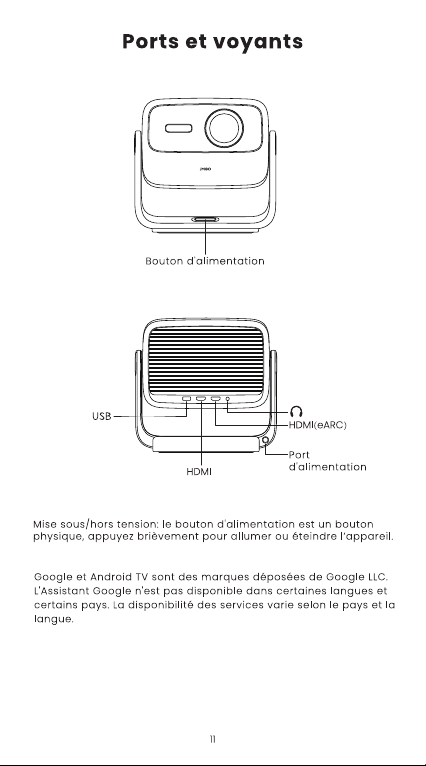
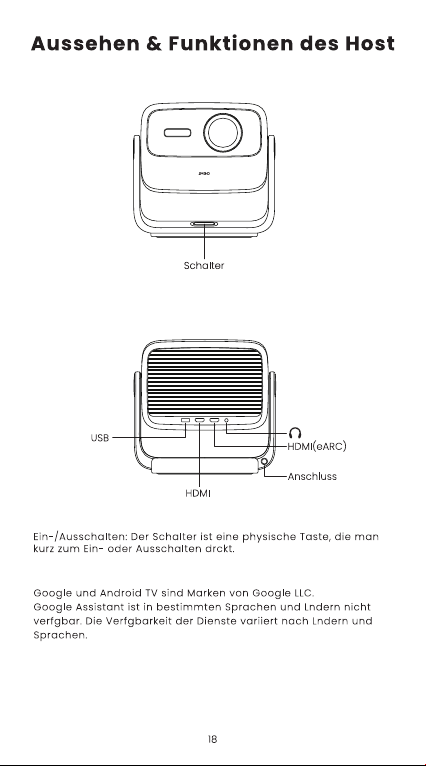
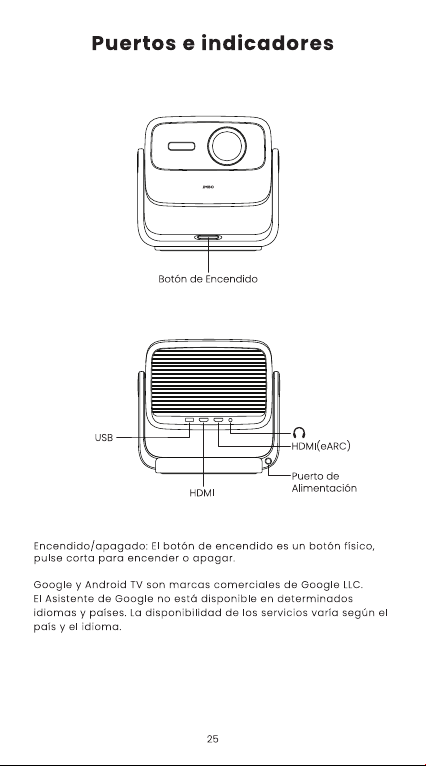
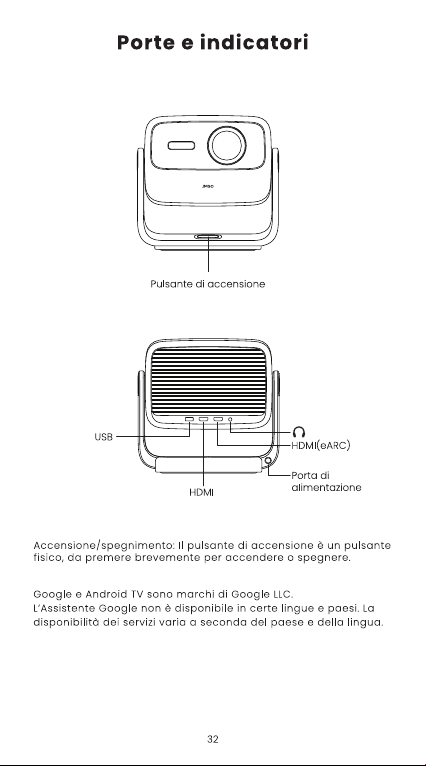
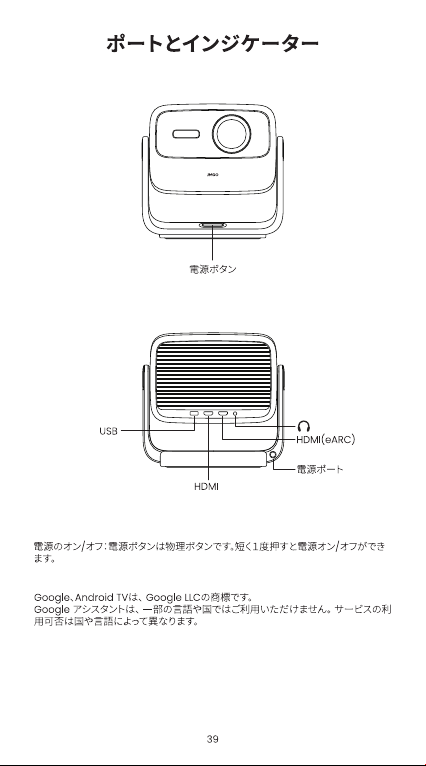
2. Connect your devices by HDMI. There are two HDMI 2.1 ports available. (HDMI cable is not included.)
3. The built-in Chromecast allows you to wirelessly cast videos from your device when using the same WIFI.
4. Download air screen to mirror your iphone.
5. Use a TV Stick to get official Netflix.