User s Manual'

Introducing
1
Dear Users
Thank you for purchasing TOPPING's high resolution DAC D30! D30 is
designed for high resolution desktop hifi, we hope you can enjoy and
love it.
Please read this manual before you use D30.
:

Introducing
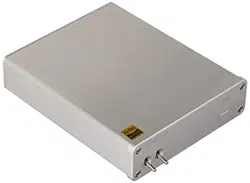
D30 is a high performance DAC with USB, Coaxial and Optical input.
USB support 16bit-24bit/32-192kHz PCM input and DSD64, DSD128 input.
Coaxial and Optical support 16bit-24bit/32-192kHz S/PDIF input.
2
Spec
3
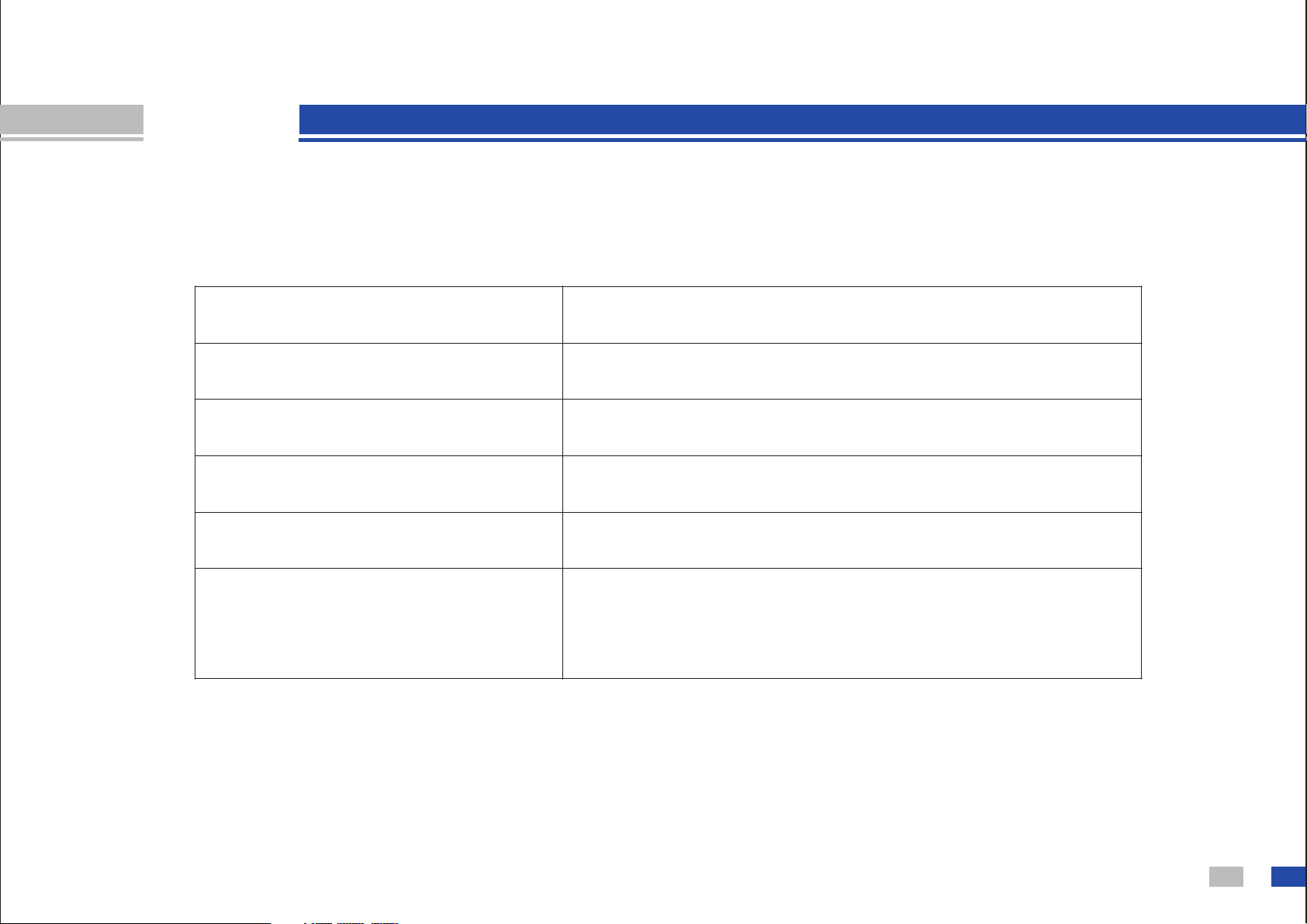
USB input
Coaxial, Optical input
Power input
Dimensions
Weight
Accessories
Up to 24bit/192kHz, DSD128
Up to 24bit/192kHz
DC15V,1A
122mm X 38mm X 177mm
427g
D30 X 1, AC adapter X1, USB cable X 1,Warranty
Card X1, USB disk(Drivers and Tutorial) X1
Spec
4
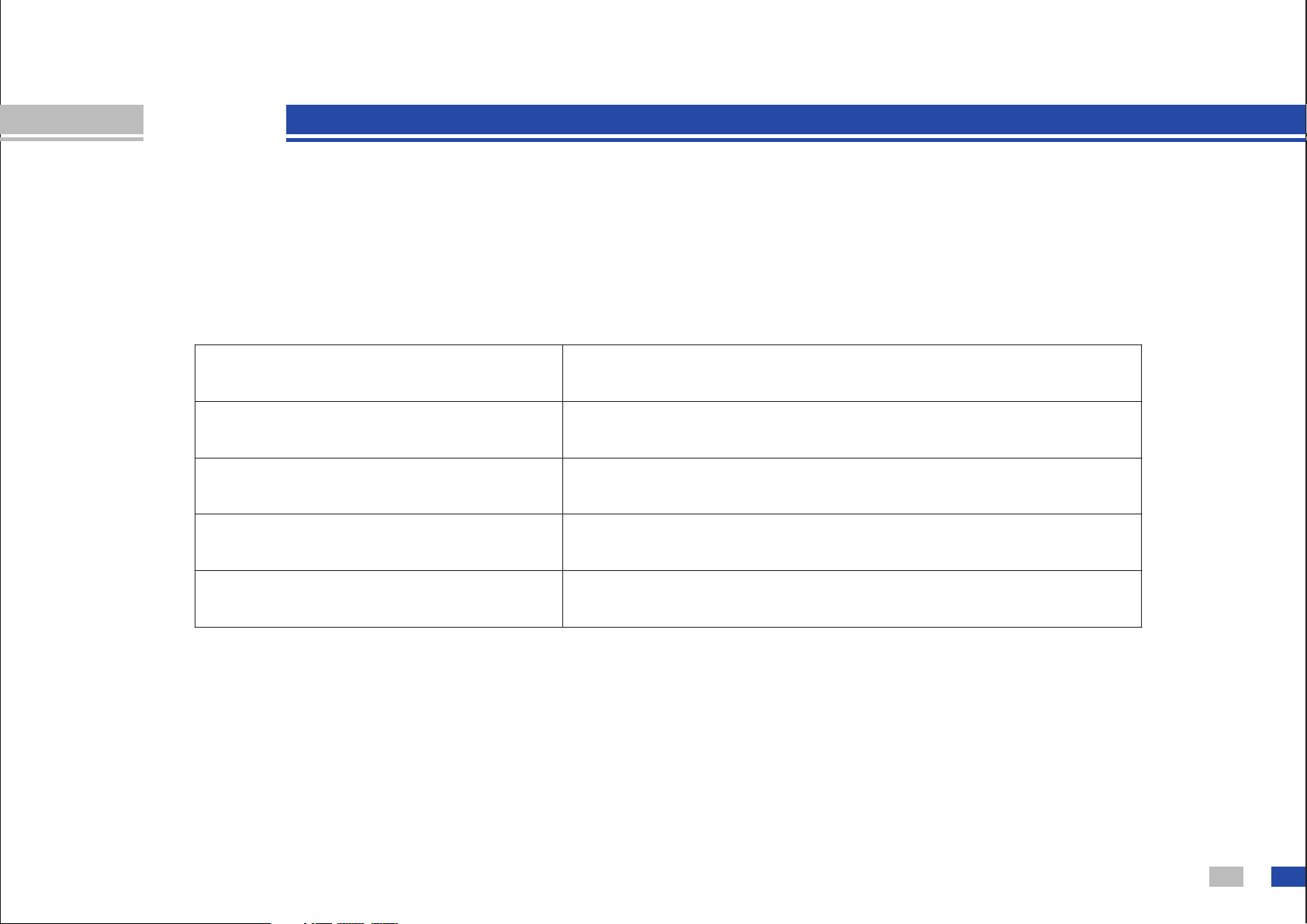
Line out voltage
THD+N*
Noise*
SNR*
Crosstalk
2.1Vrms
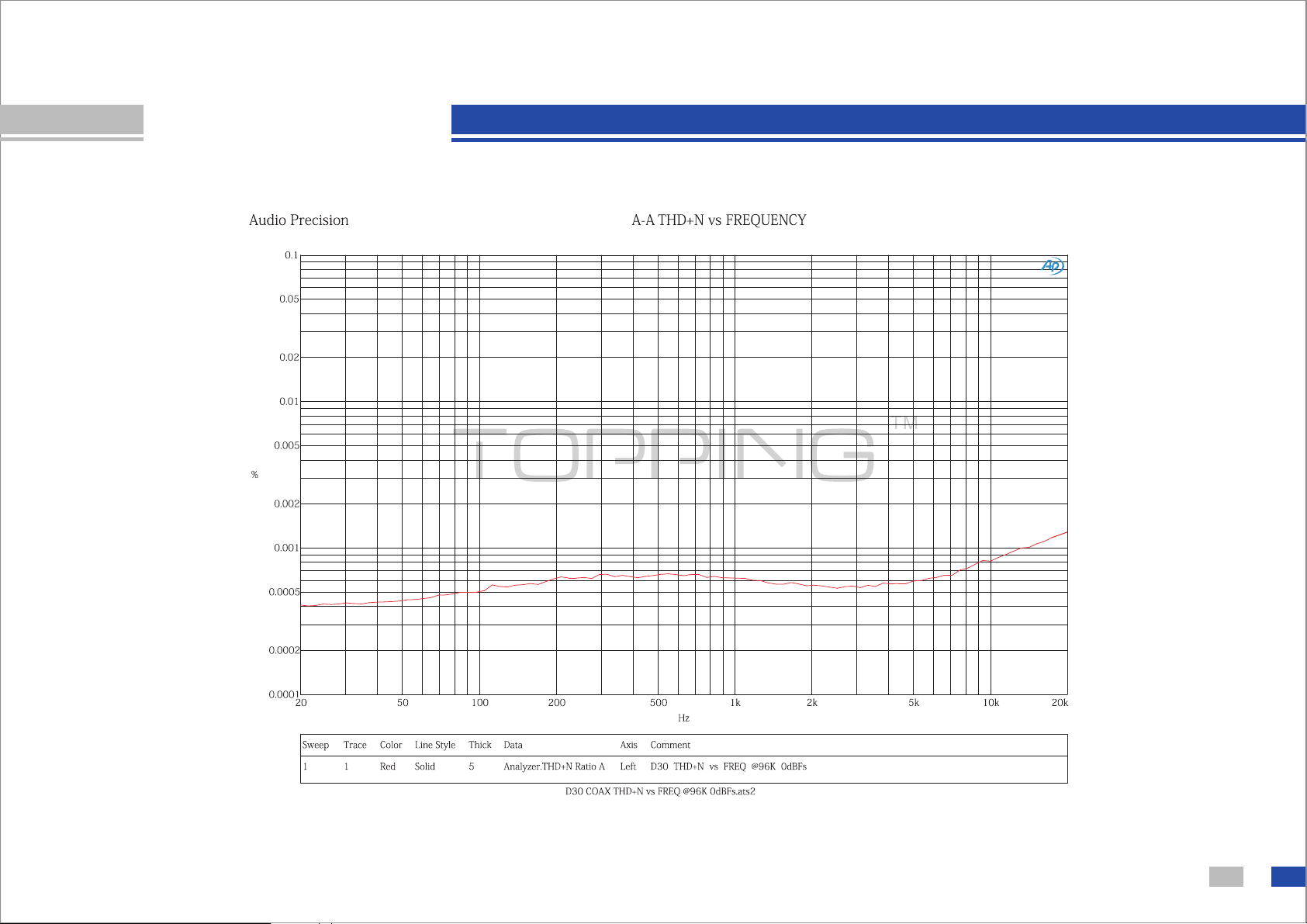
0.0006@0dBFs 1KHz
3.8u Vrms
115dB
-125dB@1KHz
* A-Weighted
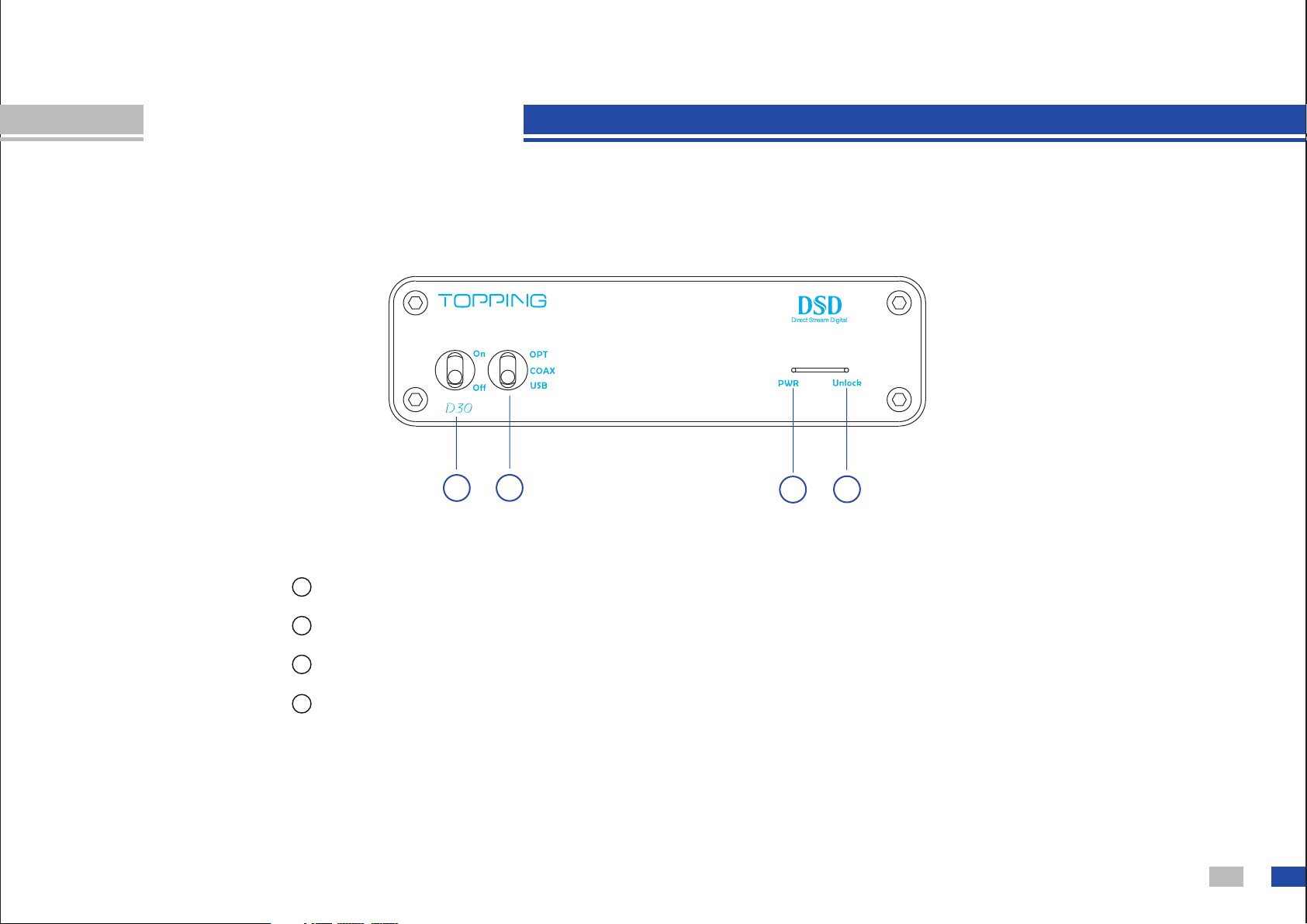
Components guide
5
1
2
3
4
Power switch
Input selector switch
Power LED
Unlock LED. It will turn on if input signal is invalid or abnormal.
It go off if input signal is OK.
1
2
3
4
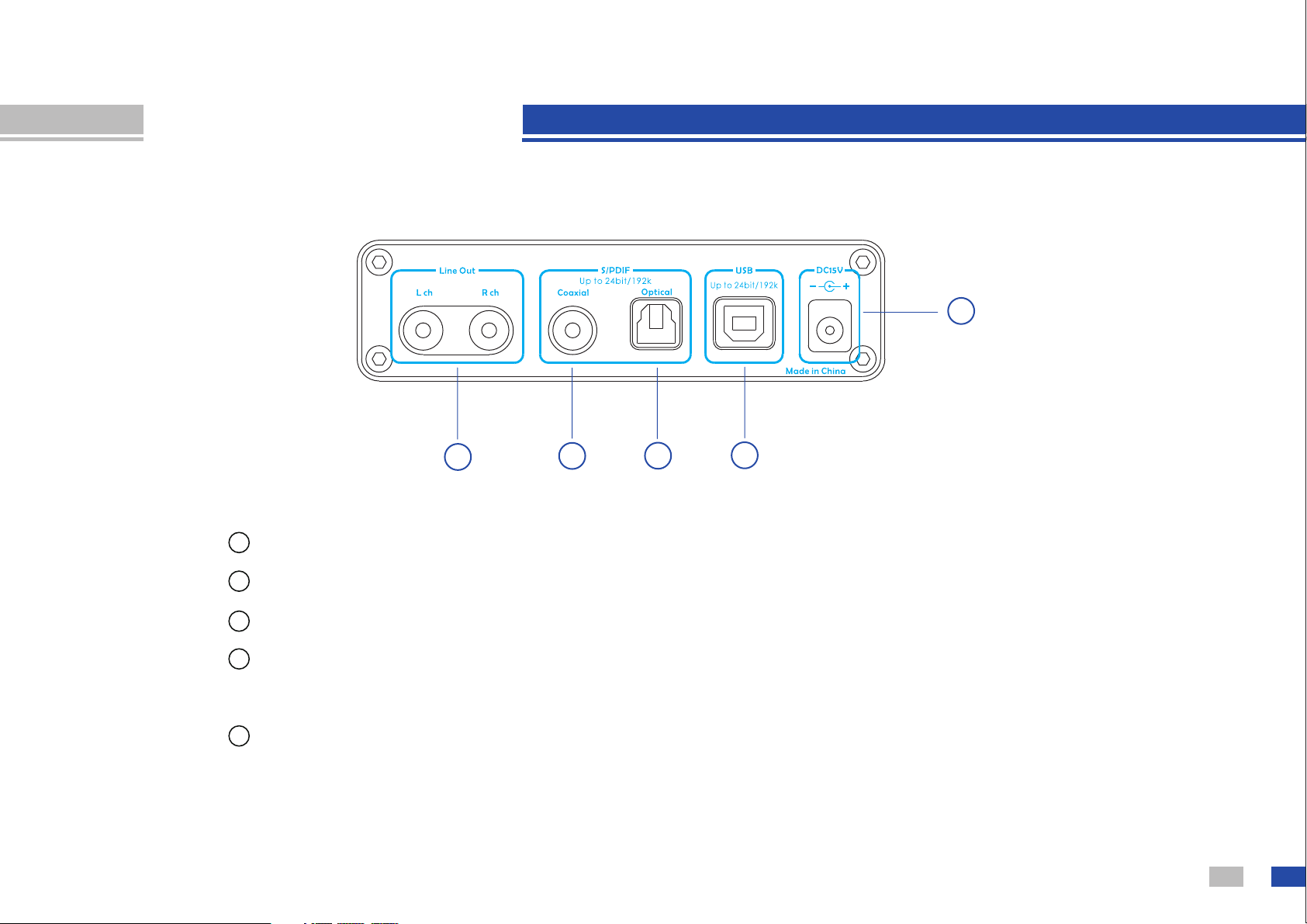
Components guide
6
Line Out. Connect to an amplifier or other device.
Coaxial input. Support PCM format, 16-24bit/32kHz-192kHz S/PDIF input.
Optical input. Support PCM format, 16-24bit/32kHz-192kHz S/PDIF input.
USB input. Support PCM format, 16-24bit/32kHz-192kHz input, and DSD64,
DSD128 input.
Power input.
5
6
8
9
7
5
6
7
8
9
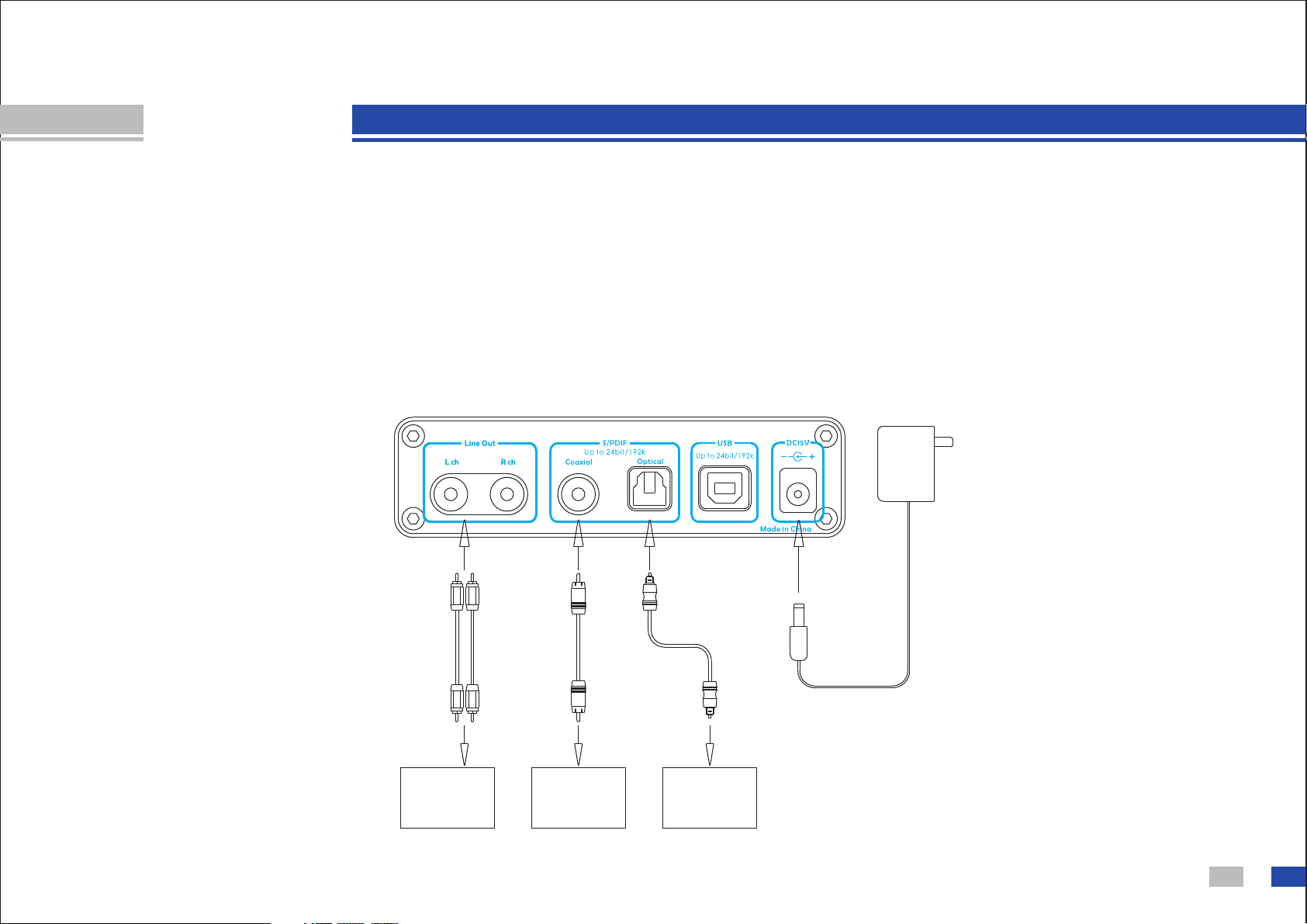
Operate
Coaxial and Optical DAC:
1. Connect Coaxial or Optical signal from your player to D30 as below.
2. Turn on D30 and select to the input you connected, check Unlock LED to judge
signal is OK or abnormal.
3. Connect Line out to amplifier or other device you need.
4. Play music at the device which output Coaxial or Optical signal.
7
Output
Input
Input
AC110V
-240V
Coaxial signal
f r o m o t h e r
device
Optical signal
f r o m o t h e r
device
A m p l i f i e r ,
P o w e r e d
S p e a k e r ,
EQ, etc
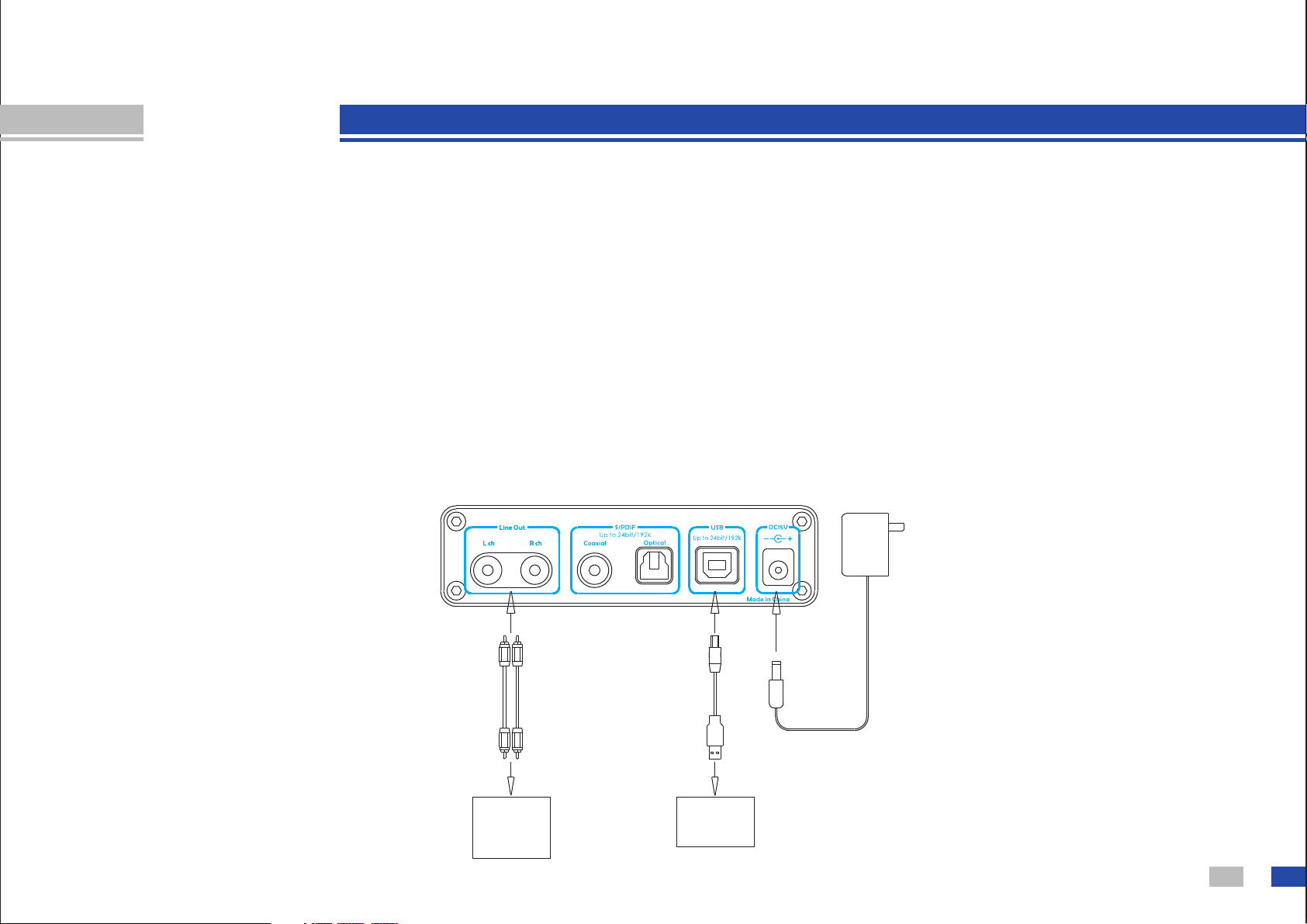
Operate
8
Computer
A m p l i f i e r,
P o w e r e d
S p e a k e r ,
EQ, etc
Output
Input
AC110V
-240V
USB DAC:
1. Connect D30 to your PC as below.
2. Turn on D30 and select to USB input (You need to install driver of D30 at the first time you
use on Window OS, you can find the tutorial in this USB disk. Mac OS X 10.6.4 and higher
version needn't a driver). Check Unlock LED to judge signal is OK or abnormal.
3. Connect Line out to amplifier or other device you need.
4. Play music at your computer. (You can find the tutorial of setting a Foobar2000 player or a
JRiver player in this USB disk)
You can connect D30's USB to some mobile phone, you can find the tutorial in this USB
disk.
http www tpdz.net/: .//
AP test result
9
http www tpdz.net/: .//
10
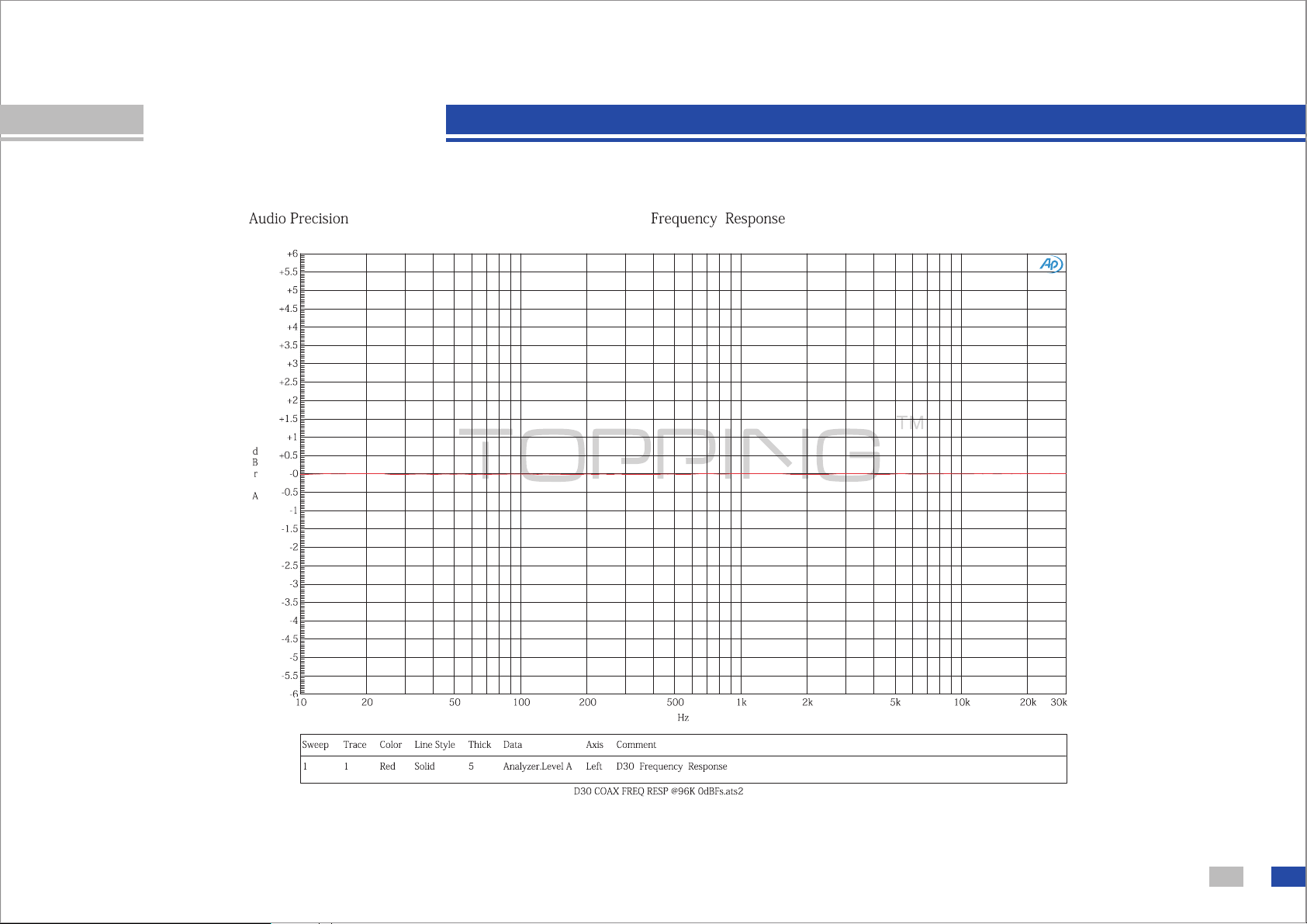
AP test result
http www tpdz.net/: .//
11
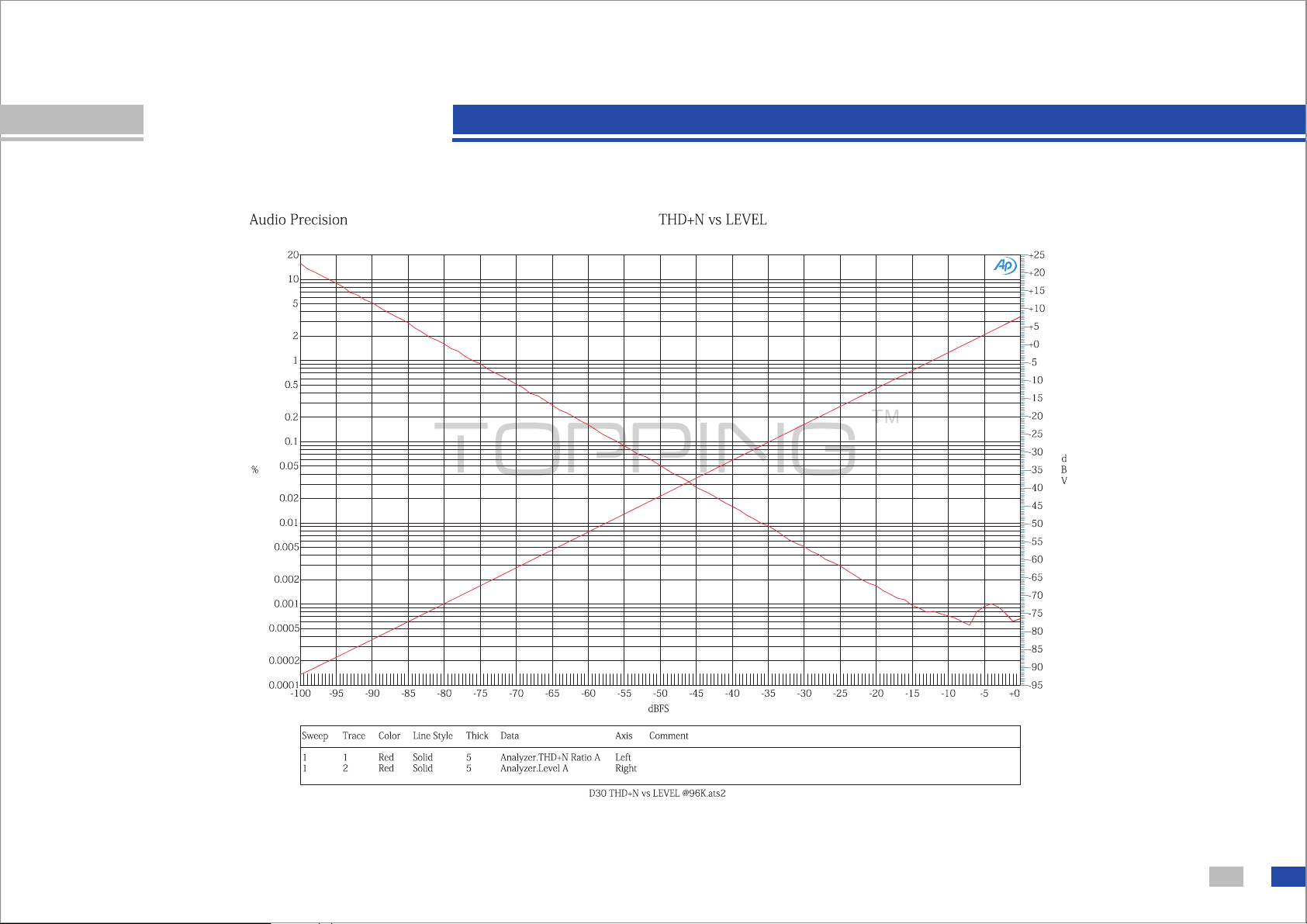
AP test result
http www tpdz.net/: .//
12
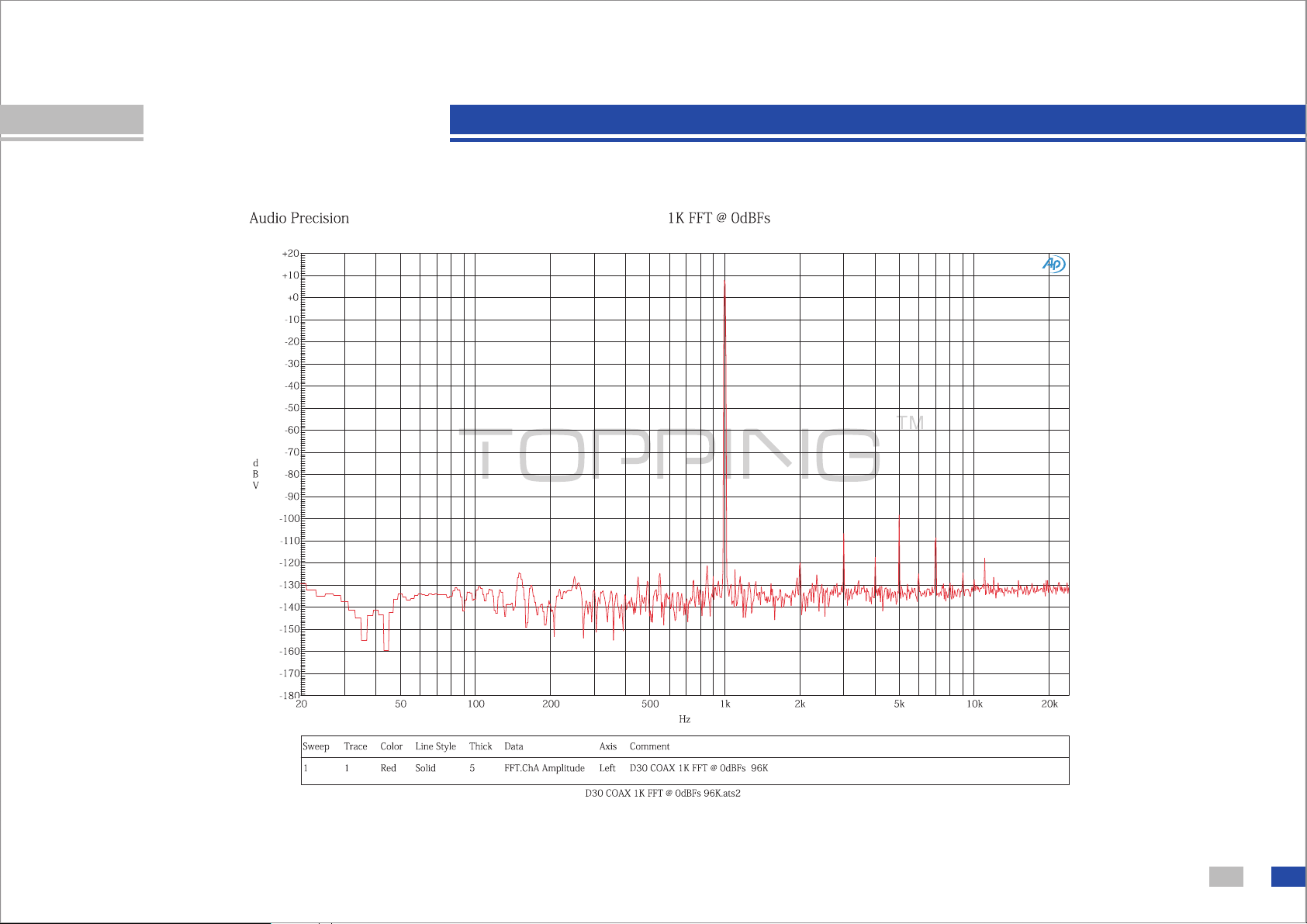
AP test result
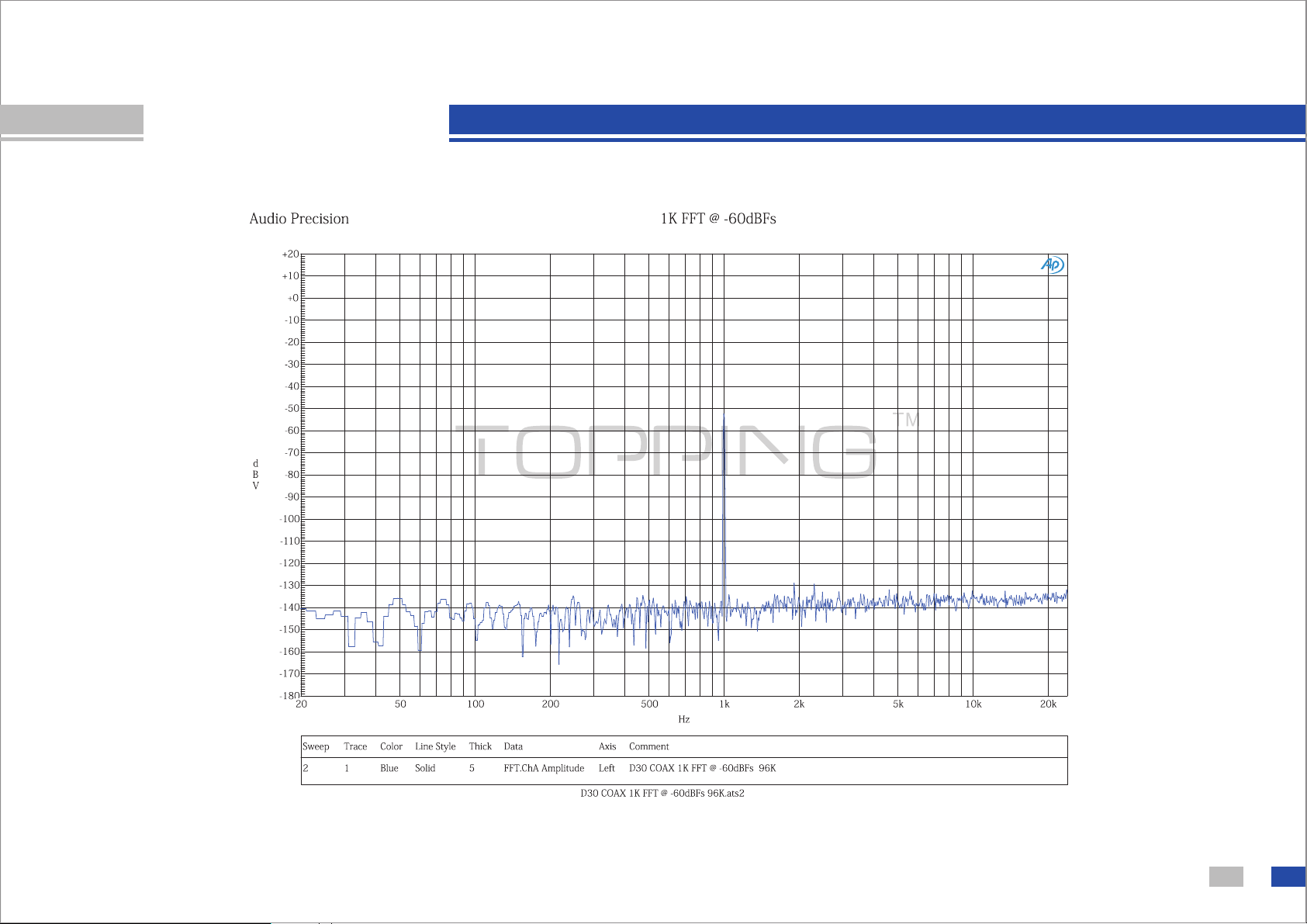
http www tpdz.net/: .//
13
AP test result
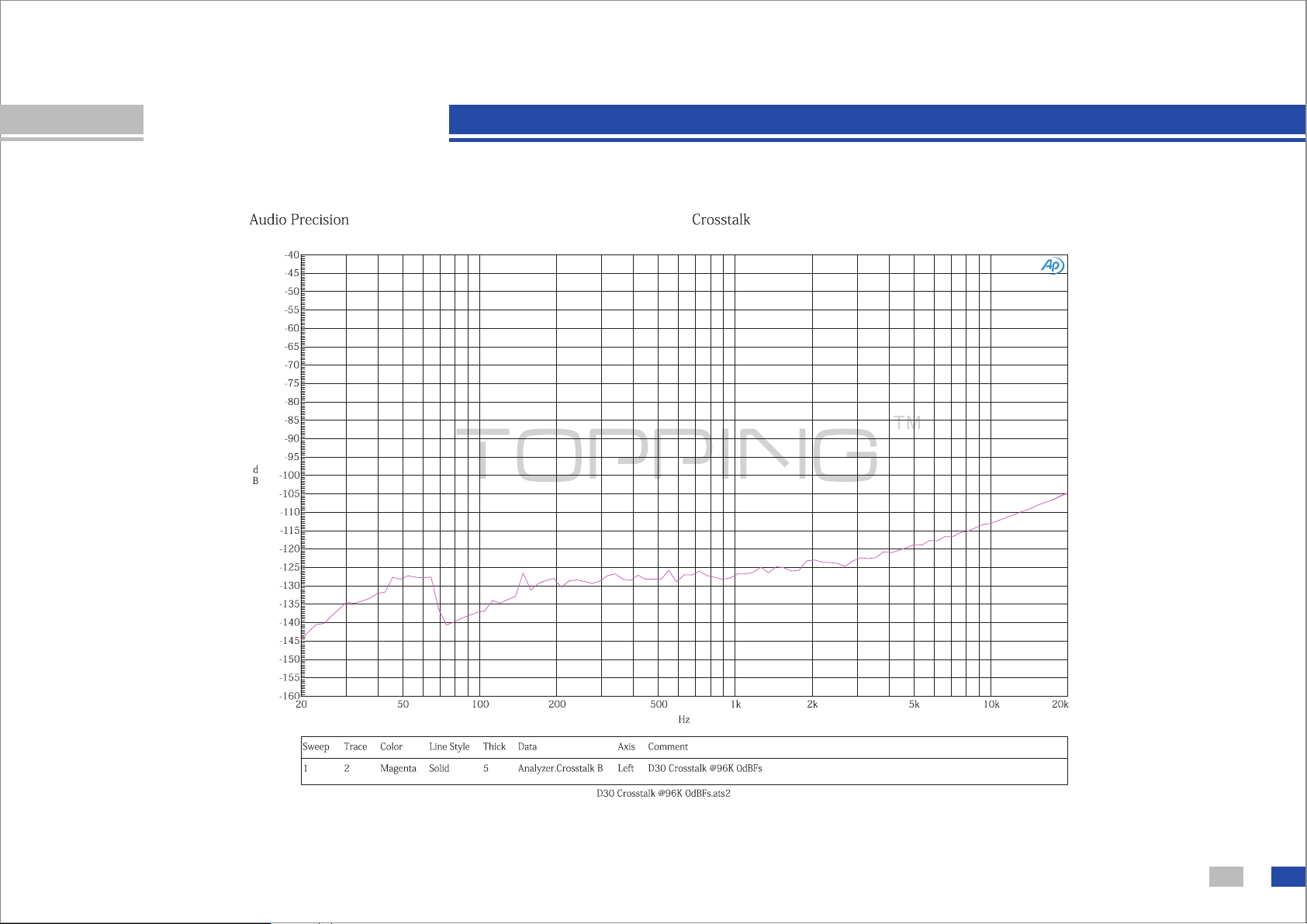
http www tpdz.net/: .//
14
AP test result

Precautions for daily use
15
①
②
③
④
⑤
⑥
Never pull out the USB cable while connected to a computer and using the
audio output.
Ensure the output jack, could not short circuit or connect to ground.
You must not keep the amplifier in a hot, humid environment or drop it.
Opening the case instantly voids the warranty!
Use only the specified AC adapter.
Indoor use only.
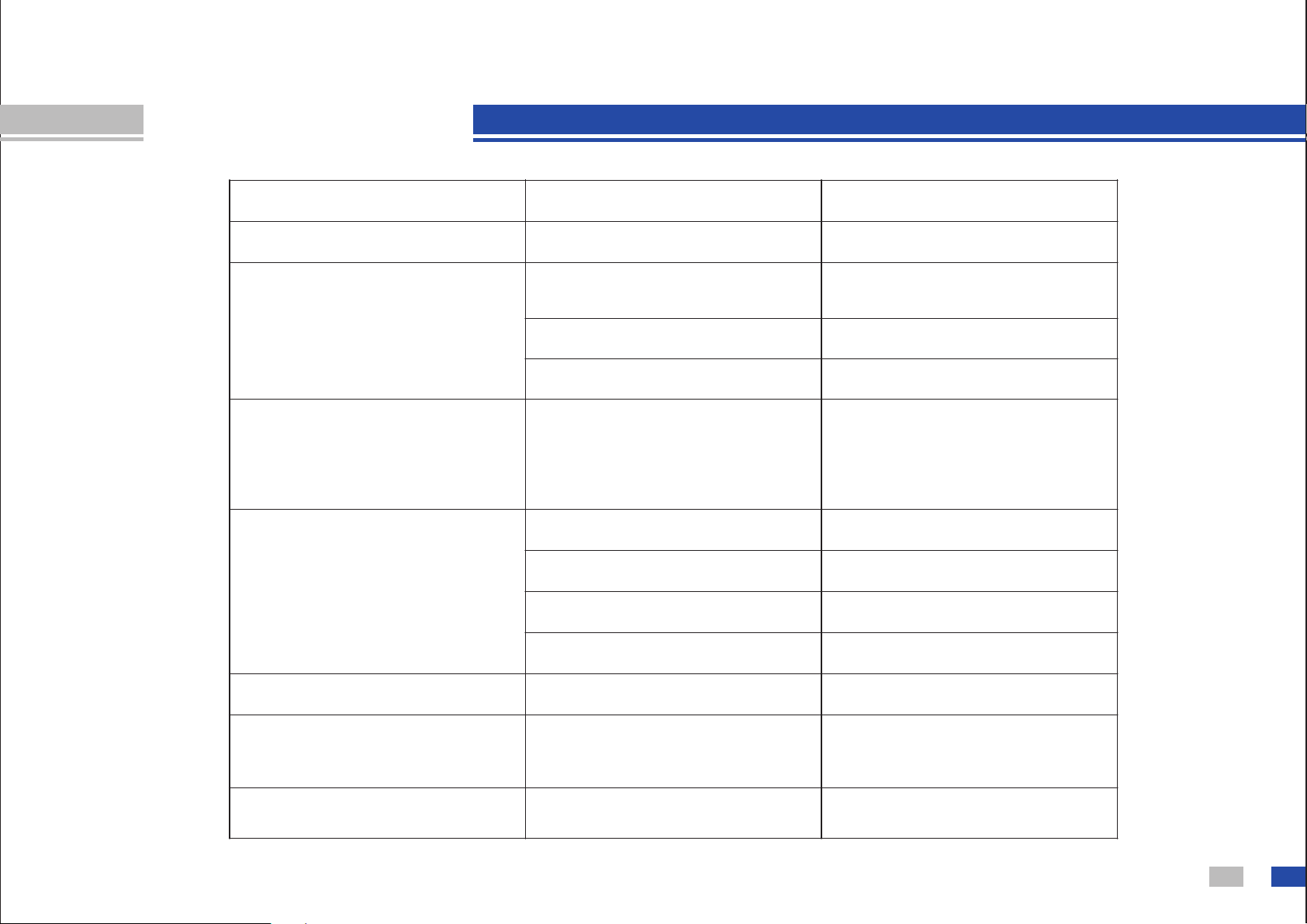
Troubleshooting
16
Problem
Can not boot
Unlock
Noise at Coaxial or
Optical input
Unknown USB device
No sound at USB input
Pop sound at USB input
Intermittent sound at
USB input
PC too busy that D30
was hung up
Software problem
Probably is…
No power input
Unknown signal format
Signal cable loose
No signal input
Wrong format of input
signal or signal out of
support range
USB cable loose
PC's USB port damage
OS problem
Driver problem
Too low volume at PC
solution
Check power input
Change to correct
format
Check signal cable
Check the player
Check input signal
Check USB cable
Change another USB port
Reinstall OS
Reinstall driver
Adjust volume of PC
Wait for it
Update motherboard
driver and OS

About the weak current feel on the aluminum case
17
In some very special case some people could feel very weak current
on the aluminum case
The reason for this phenomenon is due to the electromagnetic
interference suppression component in AC adapter which built a
necessary circuit between the primary and secondary
This weak current is controlled within the limits of security standards
required of and the production of this product in the factory have
passed the strict quality inspection so you can feel free to use it
,
.
,
.
,
, .

T el : + 8 6 - 0 2 0 - 3 72 1 9 4 8 9
F ax : + 8 6 - 0 2 0 - 3 72 1 9 4 8 9
http://www.tpdz.net/
26th Jiaomen Road, Huangge Town,
Nansha District,Guangzhou,China.
address:
