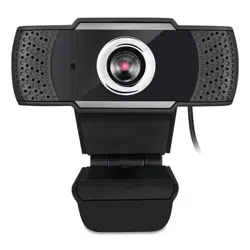
Cybertrack H4
www.adesso.com
Model: Cybertrack H4
1080P HD USB Webcam with Built-in Microphone
QuickGuide
1

English 3
Japanese 4
French 5
German 6
Spanish 7
Portuguese 8
2
Contents
Contents
ENGLISH
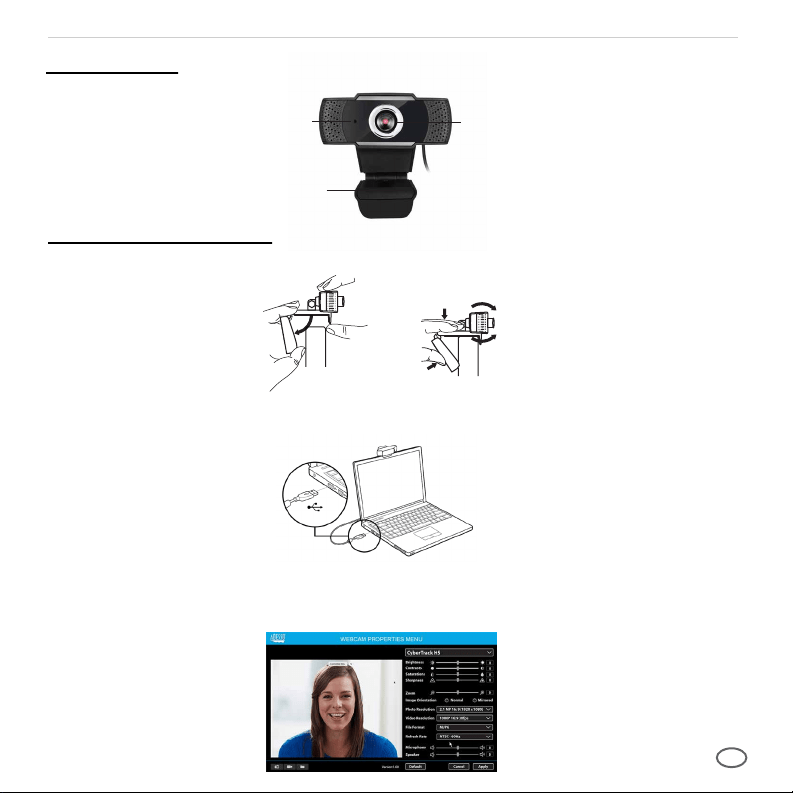
Description
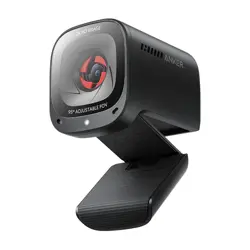
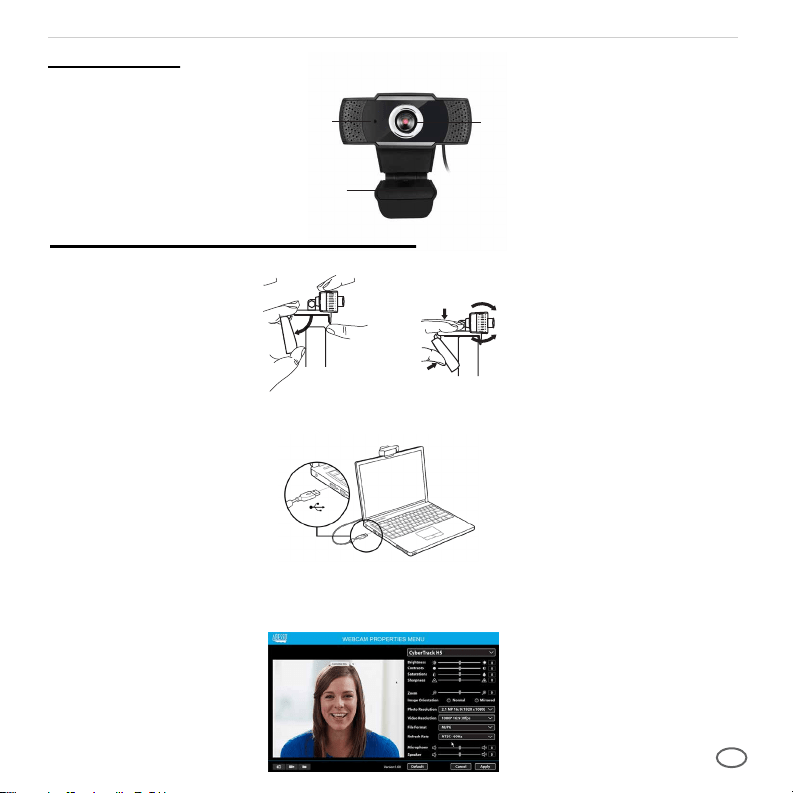
1. Place your webcam on a computer monitor, desktop, or laptop.
2. Plug in the USB cable to the USB port, and your Operation system will detect the device, then
the webcam will work automatically with all camera apps.
3. (Optional) With our advanced driver you can easily adjust our webcams settings such as brightness,
contrast, saturations, sharpness, zoom in/zoom out and image orientation to your preference.
Our driver is available from: adesso.com/downloads
Setting Up Webcam
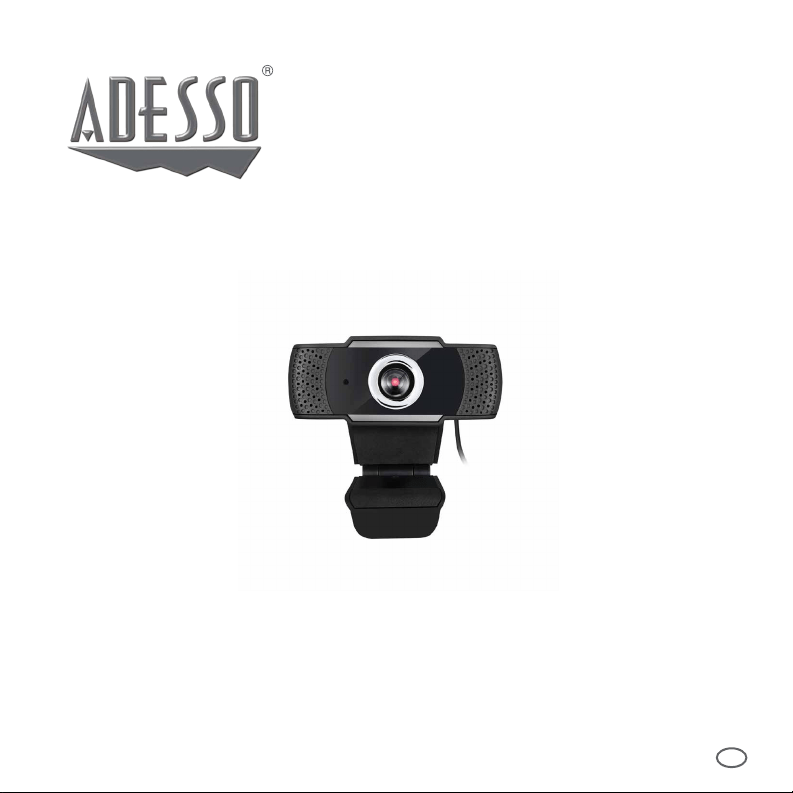
Camera Lens
Flexible Clip/Base
Microphones
3
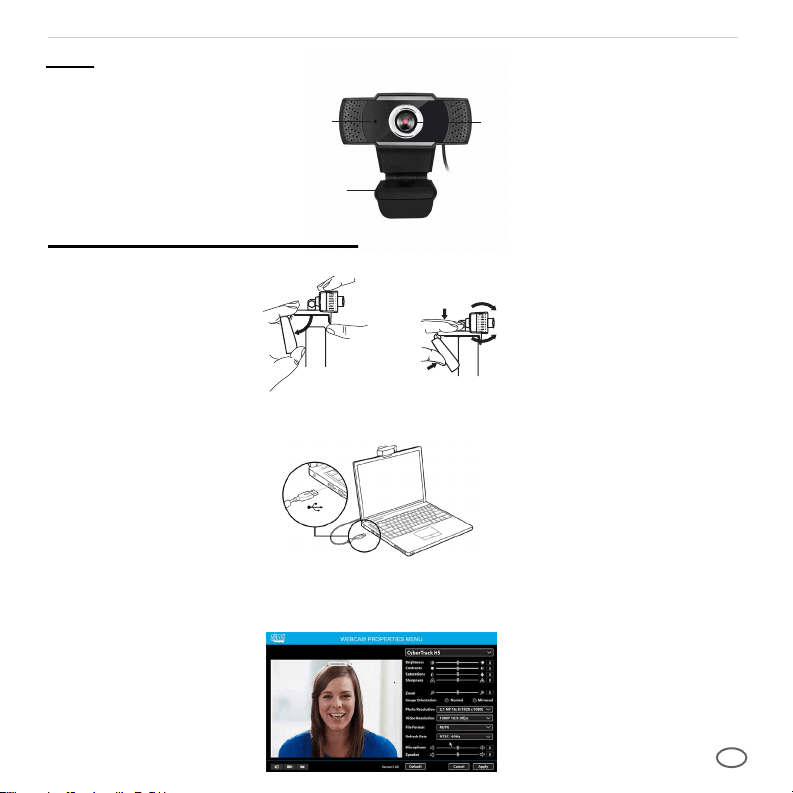
カメラレンズ
柔軟なクリップ
マイク
説明
ウェブカメラのセットアップ
1. コンピューターのモニター、デスクトップ、またはラップトップにWebカメラを配置します。
2. USBケーブルをUSBポートに差し込むと、オペレーションシステムがデバ
イスを検出し、Webカメラがすべてのカメラアプリで自動的に動作します。
3. (オプション)高度なドライバーを使用すると、明るさなどのウェブカメラ設定を簡単に調整
できます。コントラスト、彩度、シャープネス、ズームイン/ズームアウト、画像の向きを好み
に応じて調整できます。ドライバーはadesso.com/downloads から入手できます。
日本語
4
1.Webカメラをコンピューターのモニター、デスクトップ、またはラップトップに配置します。
2.USBケーブルをUSBポートに接続すると、オペレーティングシステムがデバイスを検出し、Web
カメラがすべてのカメラアプリで自動的に動作します。
3.(オプション)高度なドライバーを使用すると、明るさ、コントラスト、彩度、シャープネス、ズームイン/ズ
ームアウト、画像の向きなどのWebカメラ設定を好みに合わせて簡単に調整できます。ドライバーは
adesso.com/downloadsから入手できます。
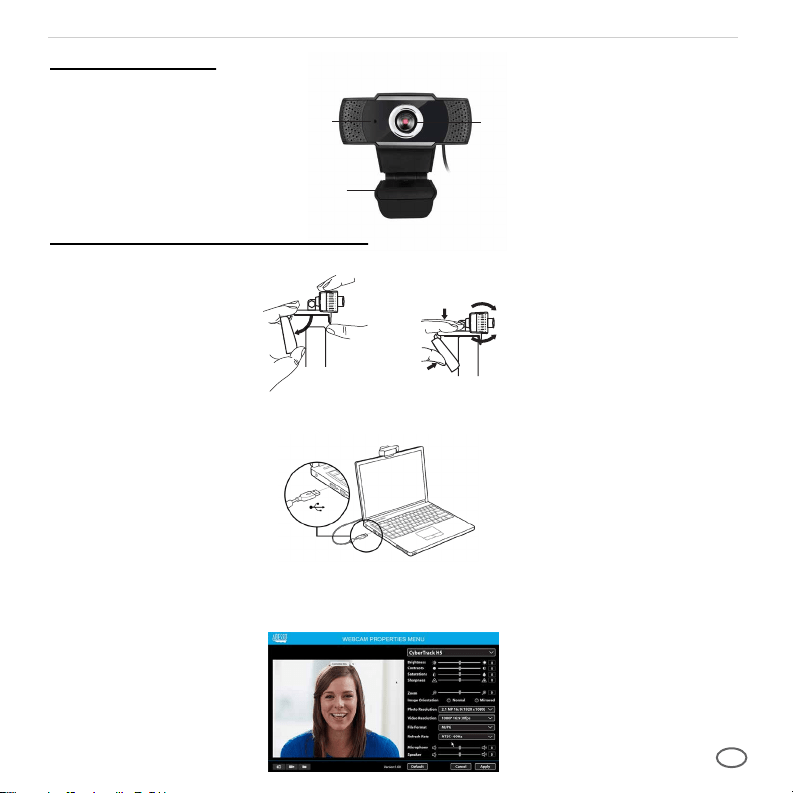
Objectif de la caméra
Clip flexible
Microphones
La Description
Configuration de la webcam
1. Placez votre webcam sur un écran d'ordinateur, un ordinateur de bureau ou un ordinateur portable.
2. Branchez le câble USB sur le port USB, et votre système d'exploitation détectera l'appareil, puis
la webcam fonctionnera automatiquement avec toutes les applications de caméra.
3. (Facultatif) Avec notre pilote avancé, vous pouvez facilement ajuster les paramètres de nos
webcams tels que la luminosité, le contraste, les saturations, la netteté, le zoom avant / arrière et
l'orientation de l'image selon vos préférences. Notre pilote est disponible sur: adesso.com/downloads
FRANÇAIS
5
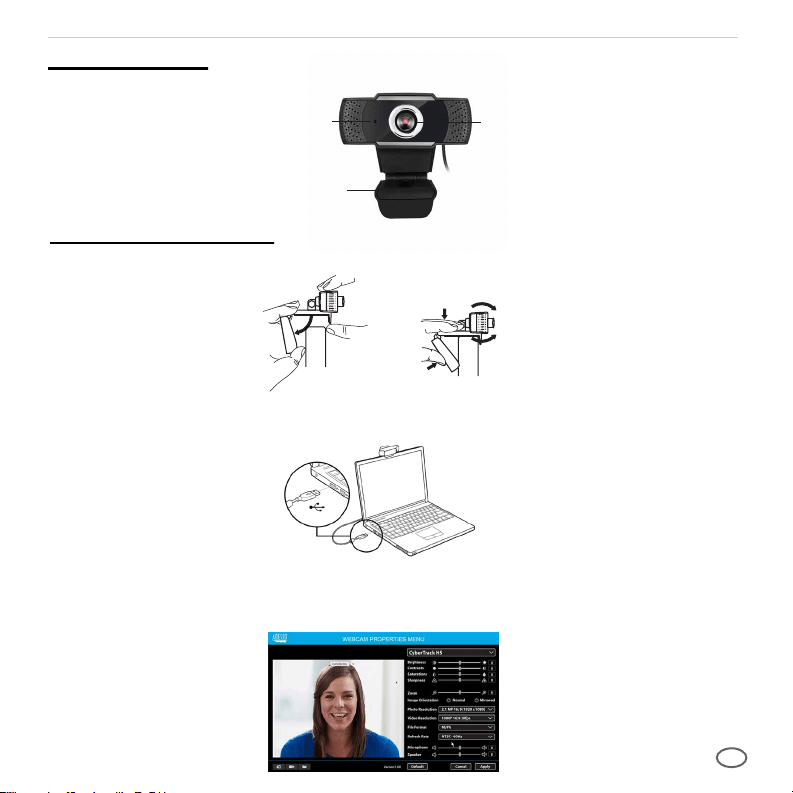
Kameraobjektiv
Flexibler Clip
Mikrofone
Beschreibung
Webcam einrichten
1. Stellen Sie Ihre Webcam auf einen Computermonitor, Desktop oder Laptop.
2. Stecken Sie das USB-Kabel in den USB-Anschluss, und Ihr Betriebssystem erkennt das Gerät.
Die Webcam funktioniert dann automatisch mit allen Kamera-Apps.
3. (Optional) Mit unserem erweiterten Treiber können Sie die Einstellungen unserer Webcams wie
Helligkeit, Kontrast, Sättigung, Schärfe, Vergrößern / Verkleinern und Bildausrichtung ganz einfach
an Ihre Referenz anpassen. Unser Treiber ist verfügbar unter: adesso.com/downloads
DEUTSCHE
6
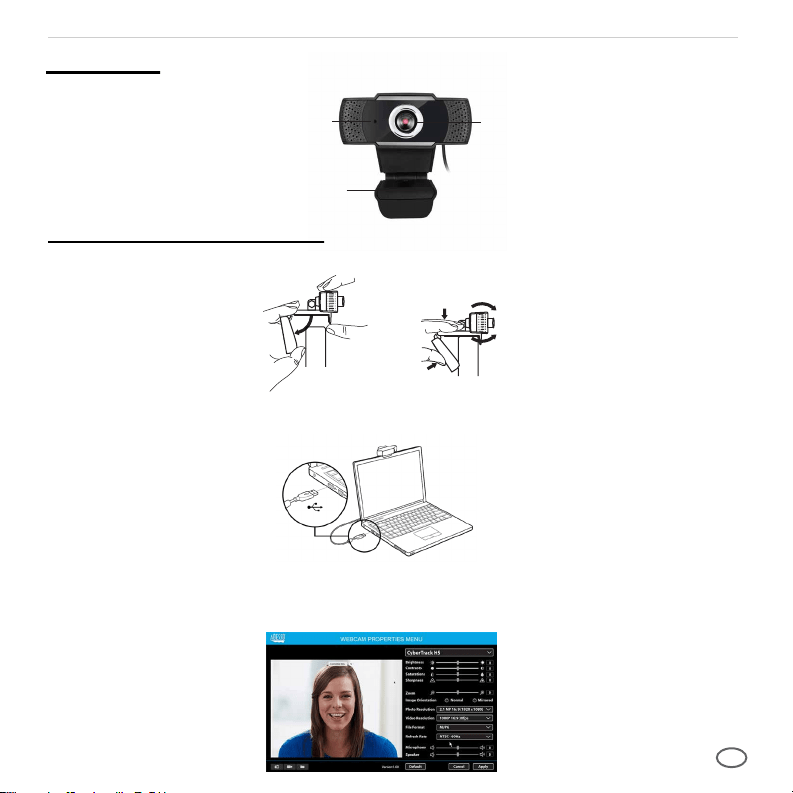
Lente de la cámara
Base flexible
Micrófonos
Description
Configuración de la cámara web
1. Coloque su cámara web en un monitor de computadora, escritorio o computadora portátil.
2. Conecte el cable USB al puerto USB y su sistema operativo detectará el dispositivo, luego la
cámara web funcionará automáticamente con todas las aplicaciones de la cámara.
3. (Opcional) Con nuestro controlador avanzado, puede ajustar fácilmente la configuración de nuestras
cámaras web, como brillo, contraste, saturaciones, nitidez, acercar / alejar y la orientación de la
imagen según sus preferencias. Nuestro controlador está disponible en: adesso.com/downloads
ESPAÑOL
7
Lentes da câmera
Base Flexível
Microfones
PORTUGUÊS
Descrição
Configurando a webcam
1. Coloque sua webcam em um monitor de computador, desktop ou laptop.
2. Conecte o cabo USB à porta USB e seu sistema operacional detectará o dispositivo e, em seguida,
a webcam funcionará automaticamente com todos os aplicativos da câmera.
3. (Opcional) Com nosso driver avançado, você pode ajustar facilmente as configurações de nossas
webcams, como brilho, contraste, saturações, nitidez, zoom in / zoom out e orientação de imagem
de sua preferência. Nosso driver está disponível em: adesso.com/downloads
8