1
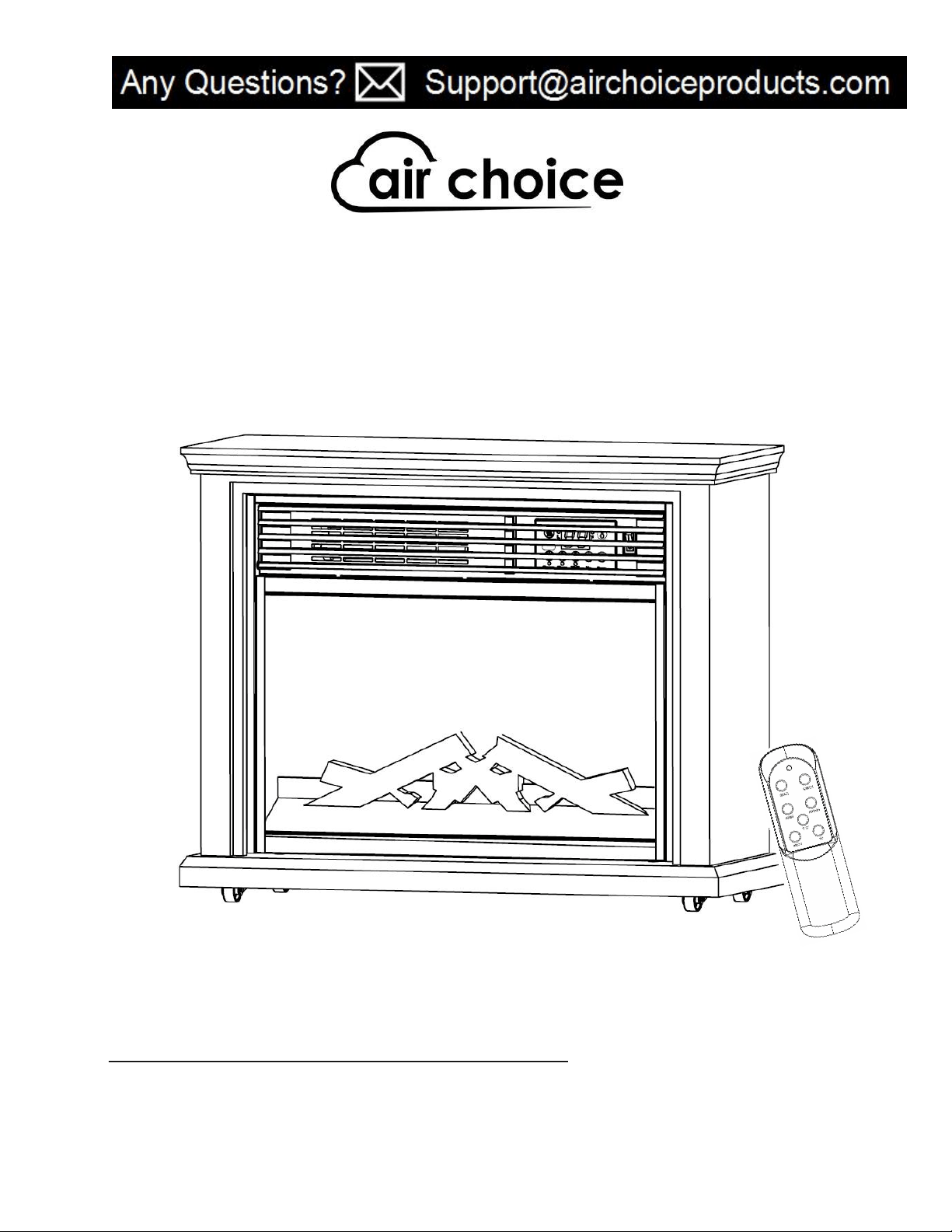
Electric Fireplace Stove User Manual
Model: FP405BM / GDIFP-1500R
Thank you for choosing AIR CHOICE PTC Heater!
This user manual will provide you with valuable information necessary for the proper care and
maintenance of your new product. Please take a few moments to thoroughly read it and start enjoying
your warm winter!
Always here to help you
For any questions or help, please email us: Support@airchoiceproducts.com

2
2
INTRODUCTION
Please take a few minutes to read this manual carefully.
Proper maintenance and operation of this machine can provide better service.
WARNINGS
Read ALL instructions before using this unit.
CAUTION: Risk of Electric Shock. DO NOT open or try to repair the heater by yourself.
This heater may get hot when in use. To avoid burns, DO NOT let bare skin touch hot surfaces. If
provided, use handles when moving this heater.
Keep combustible materials, such as furniture, pillows, bedding, paper, clothes, and curtains at least 3 ft
from the front of the heater and keep them away from the sides, top, and rear. DO NOT place towels or
other objects on the heater.
Extreme caution is necessary when any heater is used by or near children or the disabled, or when the
heater is left operating and unattended.
DO NOT operate any heater with a damaged cord or after the heater malfunctions, has been dropped or
damaged in any manner. Return heater to authorized service facility for examination, electrical or
mechanical adjustment, or repair.
This heater is not intended for use in bathrooms, laundry areas and similar indoor locations. NEVER
locate heater where it may fall into a bathtub or other water container. To protect against electrical
hazards, DO NOT immerse in water or other liquids.
DO NOT touch the control panel or plug with a wet hand.
DO NOT run cord under carpeting. DO NOT cover cord with throw rugs, runners, or similar coverings.
Arrange cord away from traffic area and where it will not be tripped over.
DO NOT insert or allow foreign objects to enter any ventilation or exhaust opening as this may cause an
electric shock or fire, or damage the heater.
To prevent a possible fire, DO NOT block the air intakes or exhaust in any manner. DO NOT use on soft
surfaces, like a bed, where openings may become blocked.
A heater has hot and arcing or sparking parts inside. DO NOT use in areas where gasoline, paint,
explosive and/or flammable liquids are used or stored. Keep unit away from heated surfaces and open
flames.
Always plug heaters directly into a wall outlet receptacle. Never use with an extension cord or
relocatable power tap (outlet/power strip).
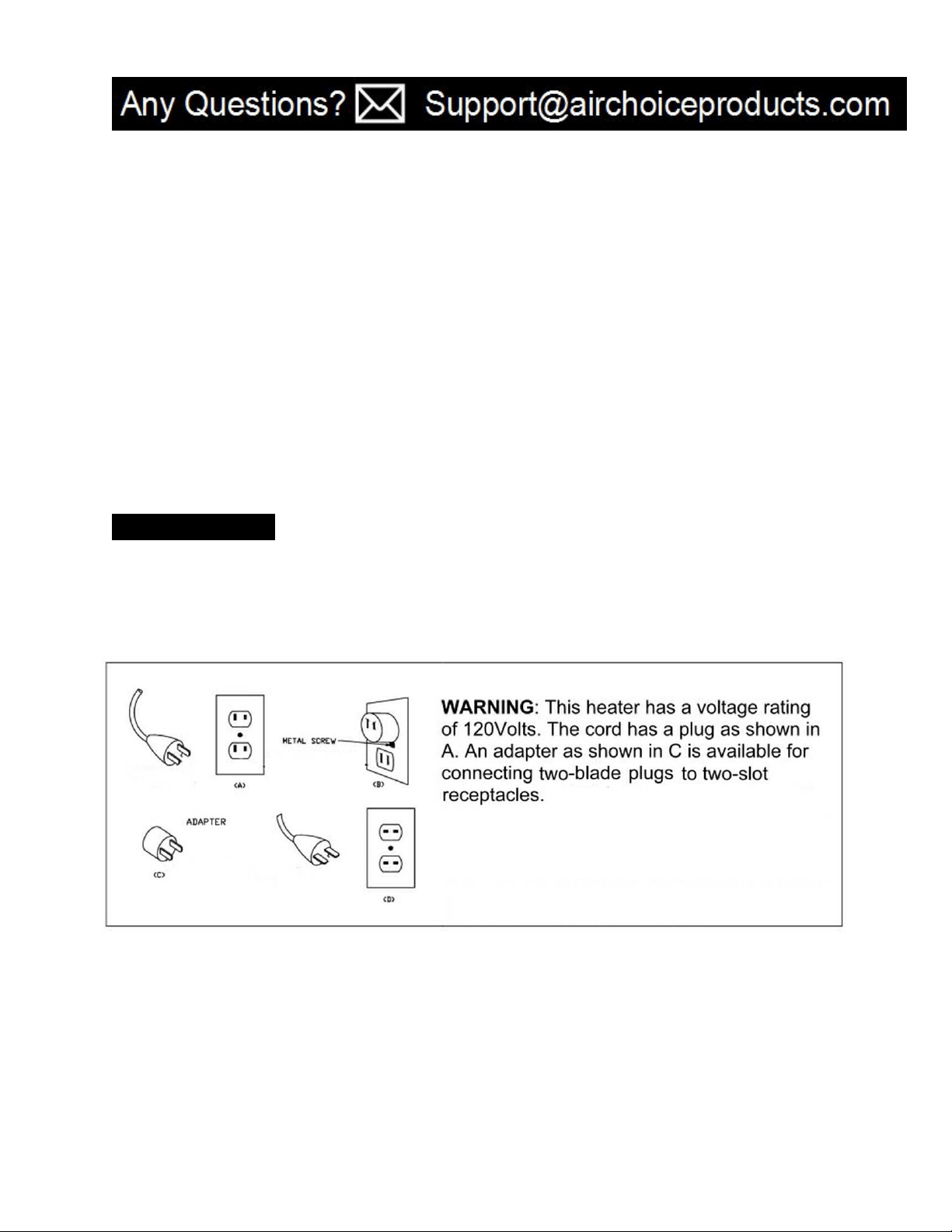
To avoid fire or shock hazard, plug the unit directly into a 120 V AC electrical outlet.
To disconnect heater, turn controls to OFF, then remove plug from outlet. Pull firmly on the plug, DO
NOT unplug by pulling on the cord.
Always unplug the unit before moving or cleaning, or whenever the heater is not in use.
3
3
Use only for intended household use as described in this manual. Any other use not recommended by
the manufacturer may cause fire, electric shock, or injury to persons. The use of attachments not
recommended or sold by unauthorized dealers may cause hazards.
Always use on a dry, level surface. Use on floor only.
DO NOT use outdoors.
WARNING: To reduce the risk of fire or electric shock, DO NOT use this unit with any solid-state speed
control device.
DO NOT attempt to repair or adjust any electrical or mechanical functions on this unit. Doing so will void
your warranty. The inside of the unit contains no user serviceable parts. Qualified personnel should
perform all servicing only.
SAFETY FEATURES
Overheat Safety Feature
This heater is equipped with a overheat safety feature. When the heaters internal components reach a
certain temperature that could cause overheat and possible fire, the heater will automatically shut off.
WARNING: It is normal for the power cord to feel warm to the touch; however, a loose fit between the
outlet and the plug may cause overheating of the plug. If this occurs, try inserting the plug into a different
outlet. Contact a qualified electrician to inspect the original outlet for damage.
4
4
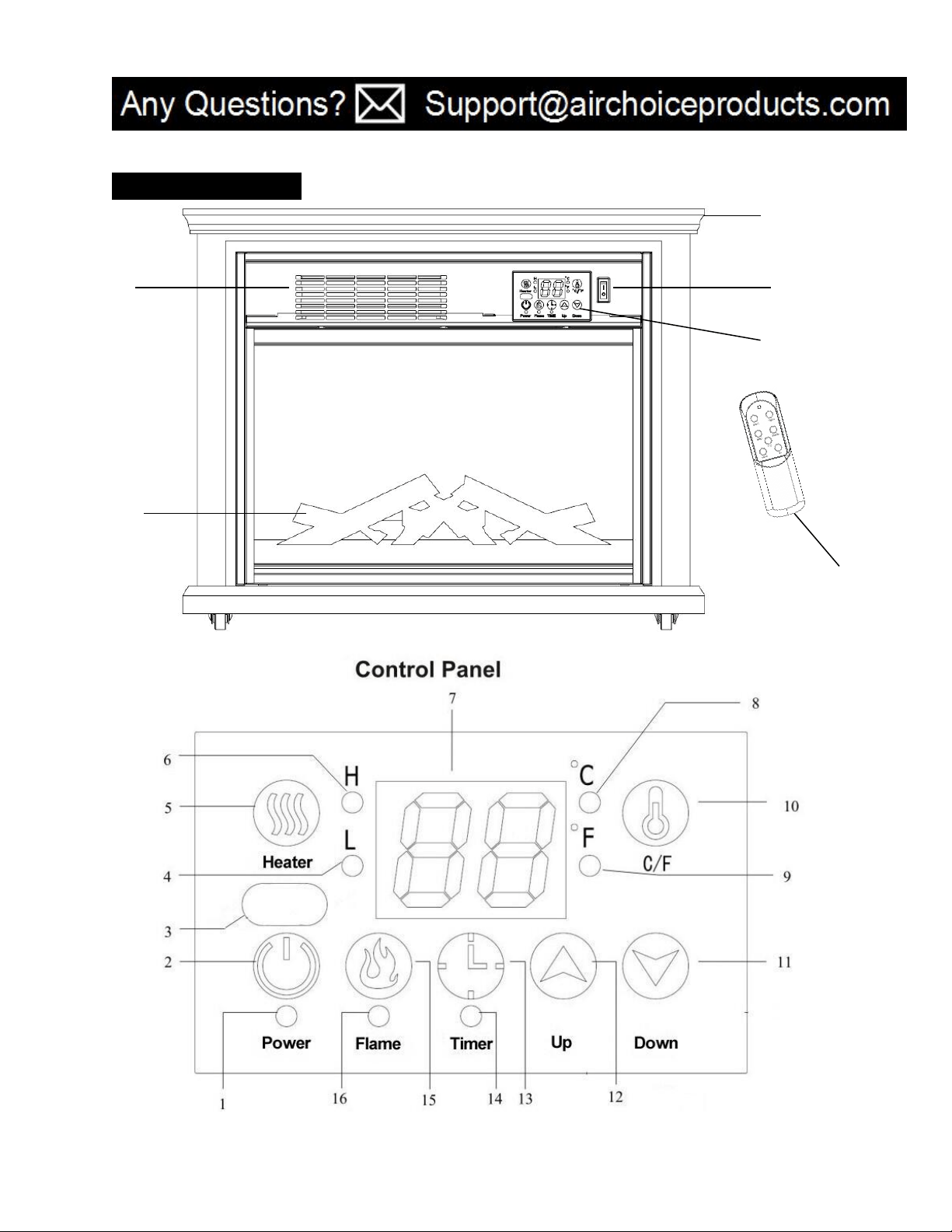
PRODUCT DIAGRAM
Main switch
Remote control
Air outlet
Fireplace frame
Ember bed
Control panel
5
5
1. Power indication light: After electrifying show red, press the power button to display the red light and flame
open.
2. Power button: Powers the display on and off.
3. Signal-receiving window: For receiving remote control signal.
4. Low range mode lights: Low range mode indicator lights up for low-grade heat.
5. Heater button: Set up the heater mode and turn off the heat.
6. High range mode lights: High range mode indicator lights up for high-grade heat.
7. Digital display: Indicate set room temperature or time value according to the timer or High and
low heating mode display. After 5 seconds, the display window automatic blanking, press any key to the
window automatically display except for the power button
8. Celsius indicating light
9. Fahrenheit indicating light
10.
℃
/
℉
Button (Button for alternating between Fahrenheit and Celsius).
11. Down button:For setting temperature or time downward
12. Up button: For setting temperature or time upward
13. Timer button: User setting timing boot or shutdown
14. Timer light
15. Flame light button: Adjust the brightness of the flame
16. Flame light
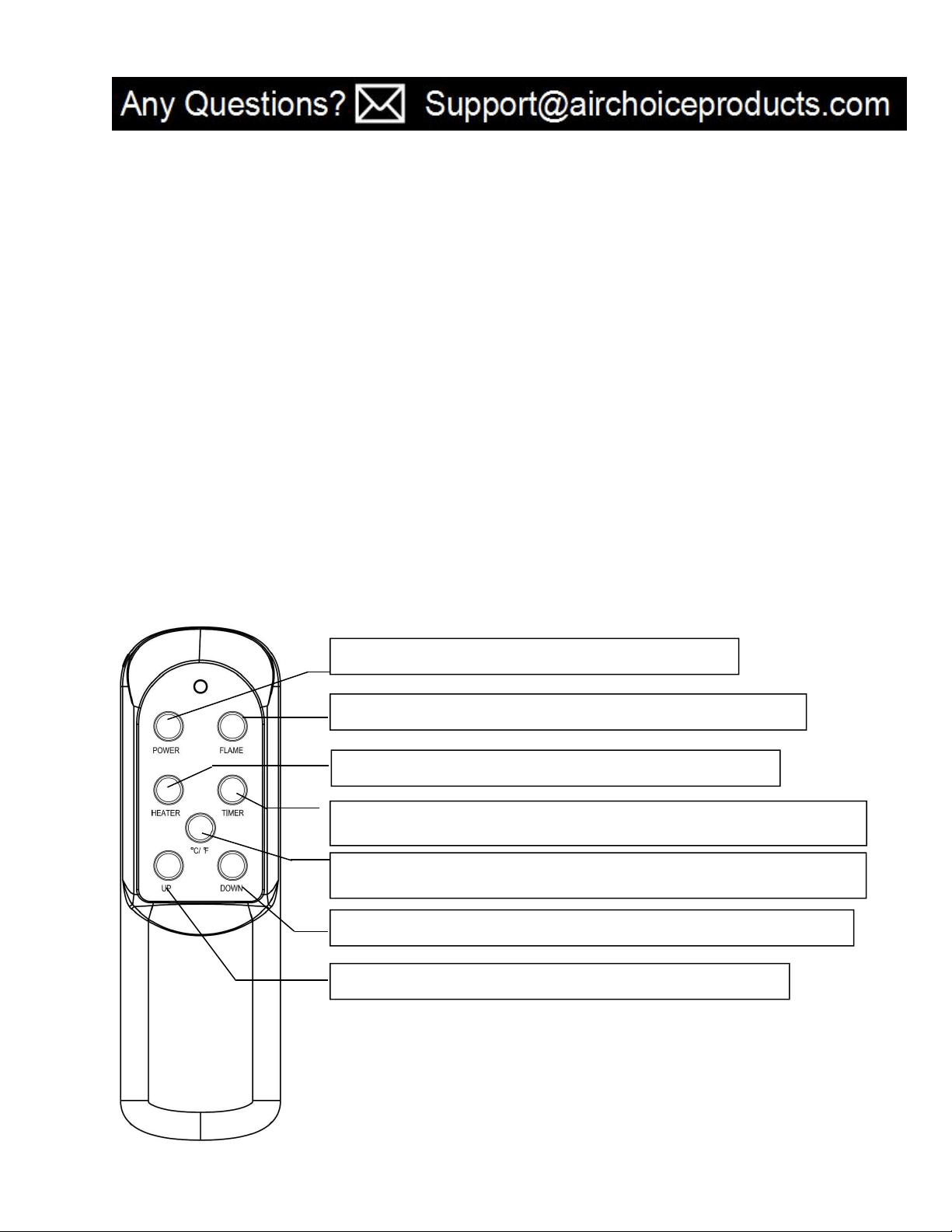
Remote Control
Power button: Powers the display on and off.
Flame light button: Adjust the brightness of the flame
Heater button: Set up the heater mode and turn off the heat
Timer button: User setting timing boot or shutdown
℃
/
℉
Button (Button for alternating between Fahrenheit and Celsius)the heat
Down button
:
For setting temperature or time downward
Up button: For setting temperature or time upward
6
6
SPECIFICATION
PREPARATION
Place the heater on a firm, level surface and plug into a 120V 60Hz power outlet. Only operate heater in upright
position with caster wheels attached.
Insert 2 AAA batteries into the remote control before using (Batteries Not Included)
OPERATING INSTRUCTION
Once the Electric fireplace has been properly assembled and connected to a electrical outlet and make sure the
main switch is "ON"(main switch light is shining), it is ready to operate:
1. Start and select working mode
Voltage Rating
120V (60Hz)
Power Consumption
1500W
Unit Size
31in. (W) x13.8in. (D) x 25.4 in. (H)
Unit Weight
21.2KG
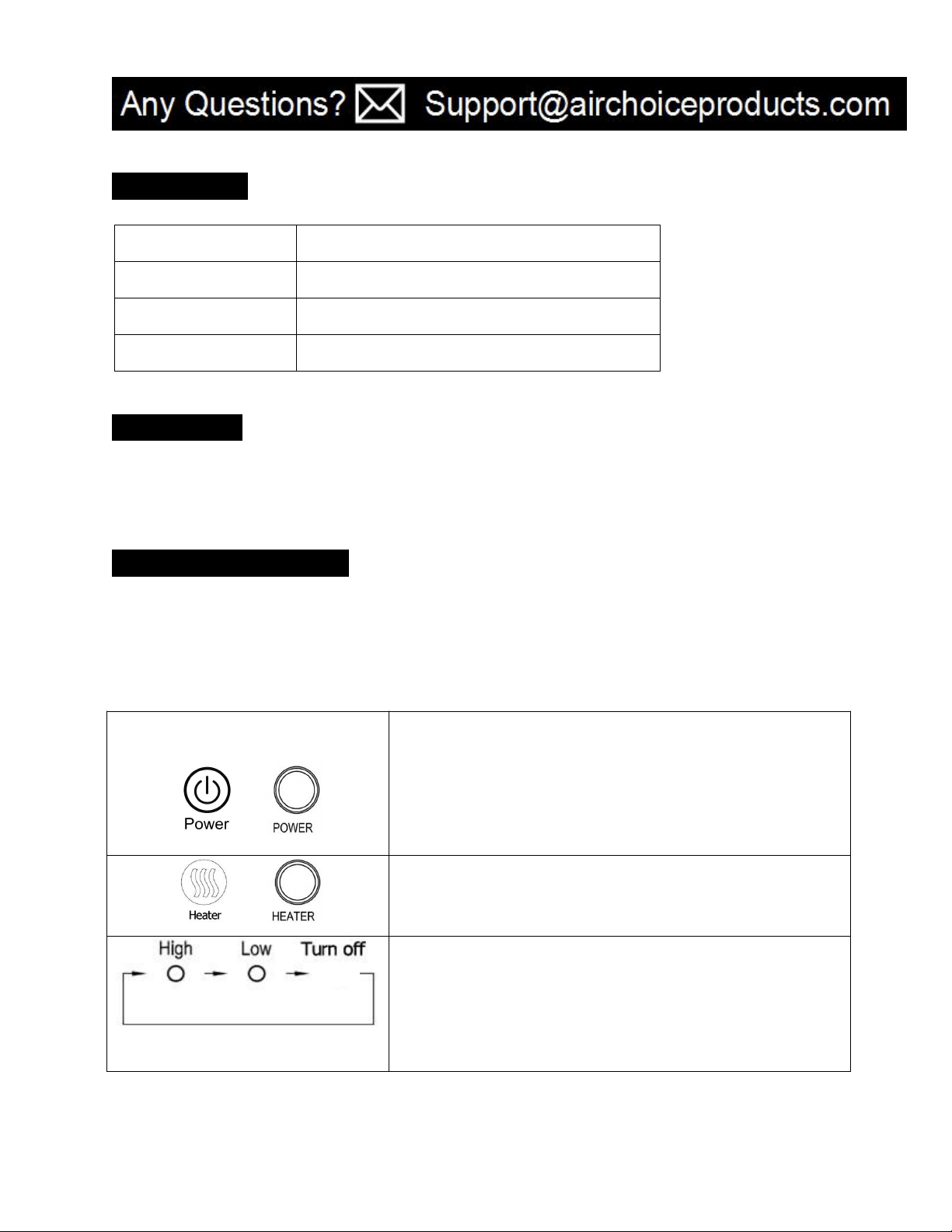
Or POWER
Turn the heater on by pressing the ON/OFF button on the control
panel or by pressing the Power button on the supplied remote
control.
Once power is off, heating element will stop working at first. Fan
will prolong working for 3min to emit plenty of heat inside. Then
shut OFF automatically.
Or
Select a heat setting.
Press the HEATER button to toggle between the two heat settings.
Power for heat-up mode is 1500W; heat-down is 1000W,and turn off
the heat.
7
7
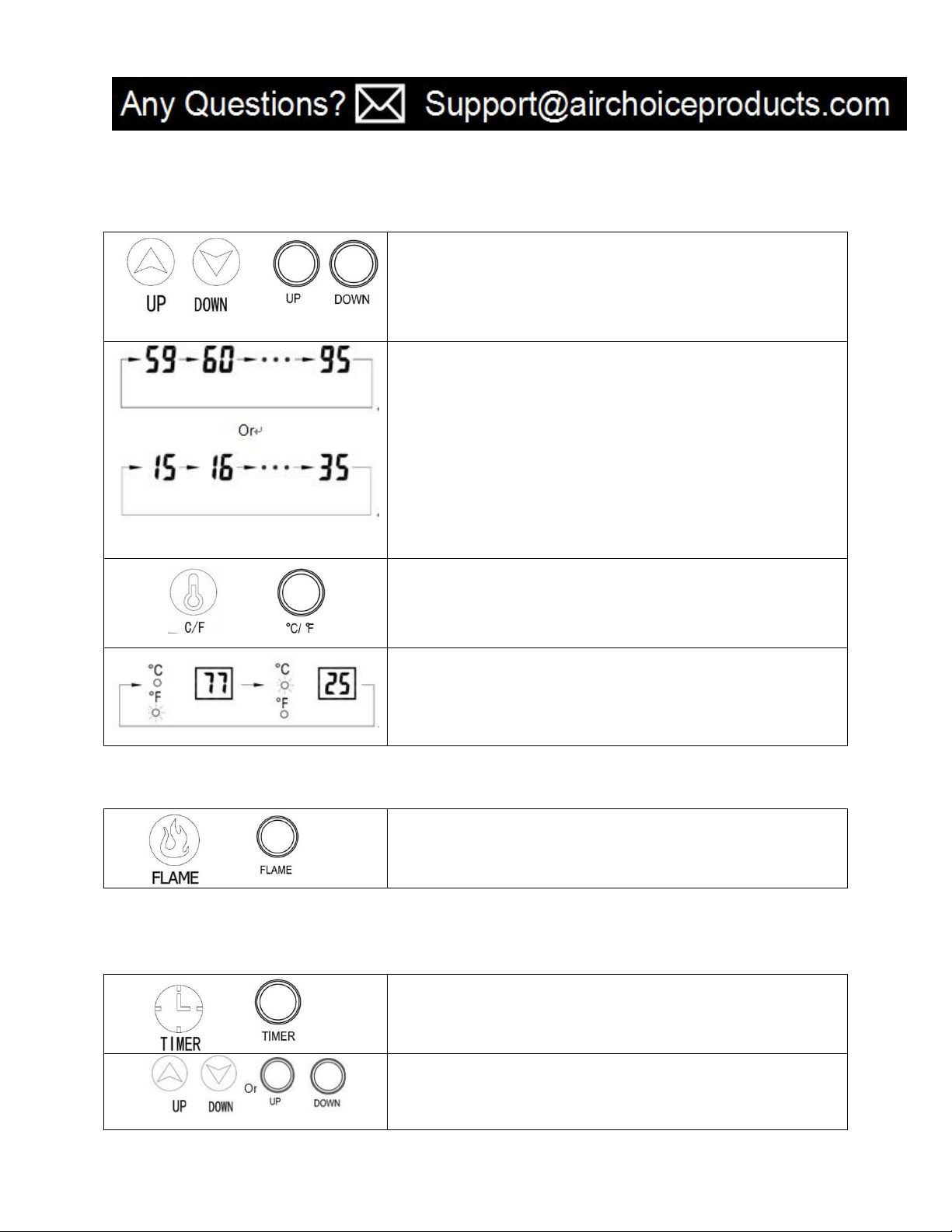
2. Setting room temperature
Or
Adjust the thermostat by pressing the arrows on the control panel
or remote control.
Set temperature indication varies from 59
℉
to 95
℉,
or from 15
℃
to 35℃. Once you have chosen the desired temperature, the heater
will remain on until the room temperature increases to the
temperature on the digital display. The heater will cycle on and off
to maintain the desired room temperature.
Or
Press ℃/℉ button, then digital display will indicate Fahrenheit
value or Celsius value.
When Fahrenheit indicating light’s on, digital display indicates
Fahrenheit value,
When Celsius indicating light
’
s on, digital display indicates Celsius
value.
3. Setting flame
Or
Adjust the brightness of the flame and turn off
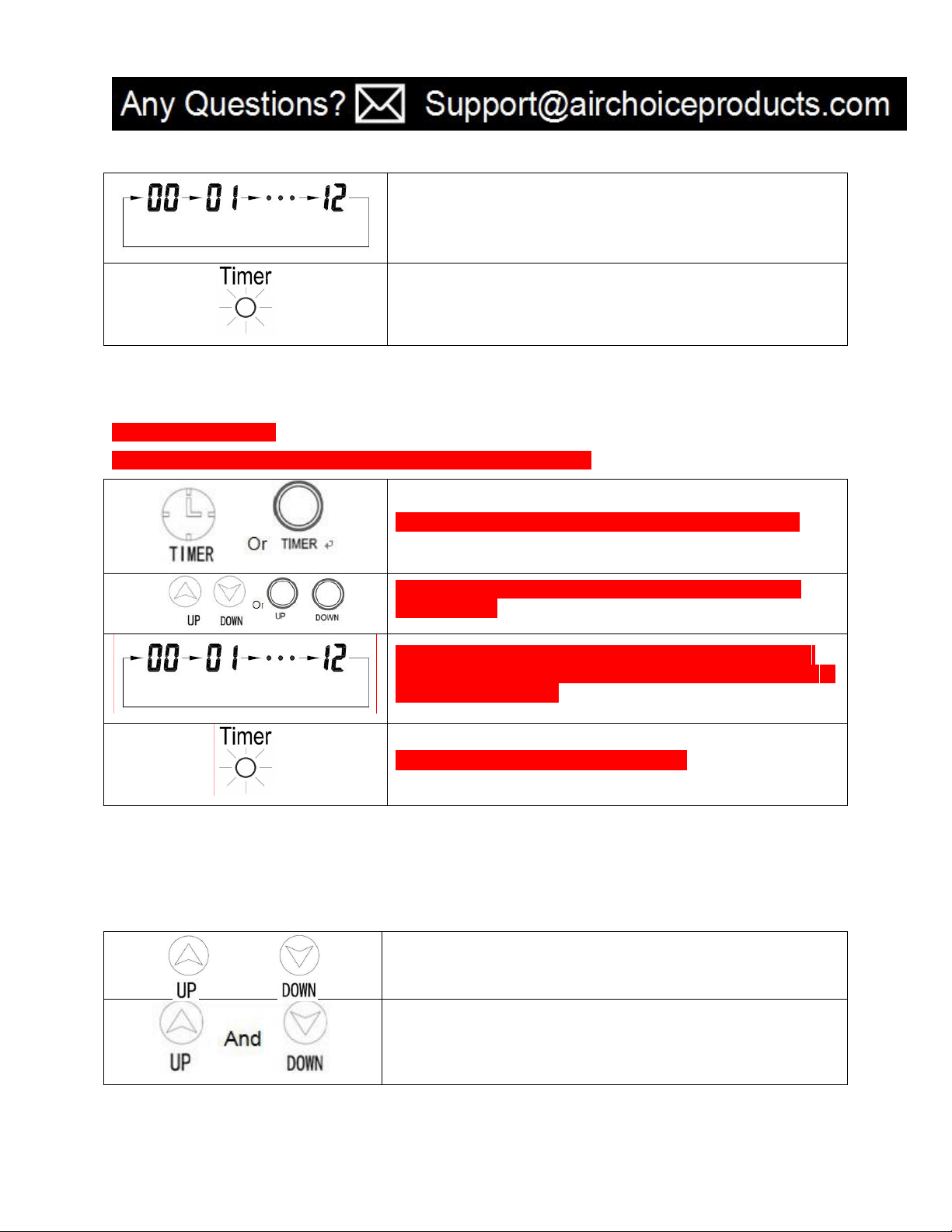
4. Setting timer-power- off
Caution! ONLY under power-off mode you can set timer-power-off function.
Or
When starting the unit, press the timer button on the control panel.
Adjust the time by pressing the arrows on the control panel or
remote control.
8
8
The digital display turns set temperature to time value for the timer.
Press the UP or DOWN button more than once, the value will vary
from 0 to 12hr (1 hr interval) in circulation.
The light is on when timer
–
power-off is set.
这部分和 4 重复
5. Setting timer-power-on
Caution! ONLY under power-off mode you can set timer-power-on function.
Under power-off, press the timer button on the control panel.
Adjust the time by pressing the arrows on the control panel or
remote control.
Digital display indicates time value for the timer. Press the UP or
DOWN button more than once, the value will vary from 0 to 12hr (1
hr interval) in circulation.
The light is on when timer –power-on is set.
6. Setting electro lock
The Function of electro lock can avoid misoperation from children. Locking can be set in both power-on and
power-off modes.
And
Press Temp Up and Temp Down buttons once for 3 seconds. Locking
is fulfilled when a buzzer rings. When locked, control panel and
remote the control failed to function.
When release is needed, please re-press Temp Up and Temp Down
buttons once for 3 seconds. Release is fulfilled when a buzzer rings.
Lock indication disappears. Control panel and remote control return
to function.
9
9
MAINTENANCE
1. Glass Information
* Under no circumstances should this product be operated with missing or broken glass.
* Do not strike or slam the glass.
* Do not use abrasive cleaners to clean the glass.
* Replacement glass is available from the manufacturer and replacement should be carried out by a qualified
service person.
2. Cleaning
*To clean the unit, first turn off controls on the unit and unplug the unit from the power source.
*To clean the glass door: remove dust with a clean dry cloth or to remove fingerprints and other marks clean glass
with a clean damp cloth. Do not use abrasive cleaners or spray liquids on glass door surfaces.
*Metal and metal painted parts should be cleaned with clean damp cloth only. Do not use abrasive cleaners or
spray liquids on this surface.
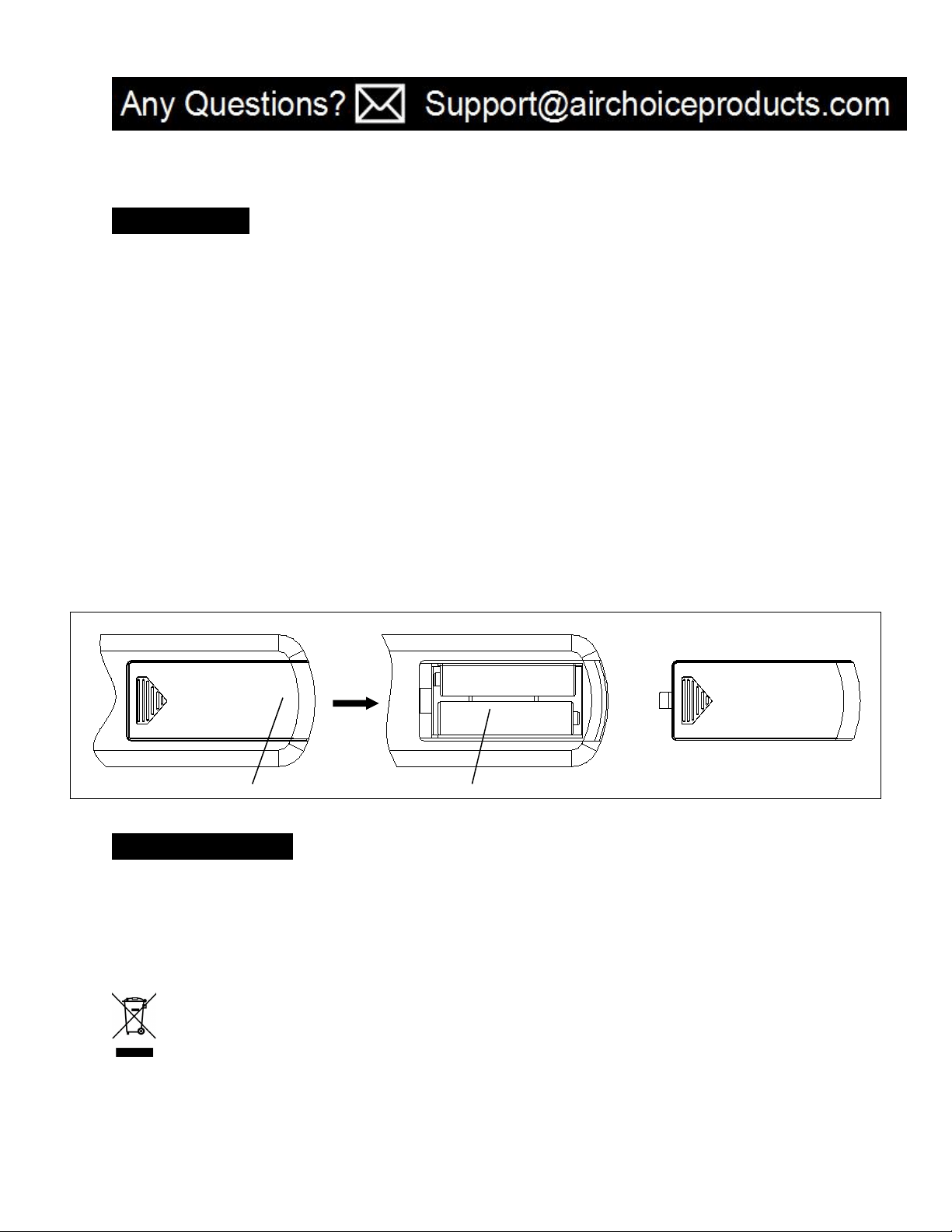
3. If you do not use the heater for a long time, please take out the remote batteries (to prevent corrosion) as
shown below. Store the remote in a safe place.
TROUBLESHOOTING
If the heater will not operate, please check the following before seeking repair of service:
1. Check if the power cord is plugged into an electrical outlet, if not, plug in.
2. Check if electricity to the outlet is working.
3. Check the power switch is open
WEEE&ROHS
This marking indicates that this product should not be disposed of with other household wastes throughout the EU.
To prevent possible harm to the environment or human health from uncontrolled waste disposal, recycle it
responsibly to promote the sustainable reuse of material resources. To return your used device, please use the
return and collection systems or contact the retailer where the product was purchased. They can take this product
for environmentally safe recycling.
PUSH
lid
Battery

10
10
STORAGE
Store the heater in a cool, dry location when not in use. To prevent dust and dirt build-up, use the original
packaging to repack the unit.
WARRANTY
AIR CHOICE warrants this product against defects in materials and/or workmanship under normal use for a
period of ONE (1) YEAR from the date of purchase by the original purchaser (
“
Warranty Period
”
). If a
defect arises and a valid claim is received within the Warranty Period, at its option, AIR CHOICE will either 1)
repair the defect at no charge, using new or refurbished replacement parts, or 2) replace the product with a
new product that is at least functionally equivalent to the original product, or provide a store credit in the
amount of the purchase price of the original product. A replacement product or part, including a user-
installable part installed in accordance with instructions provided by AIR CHOICE, assumes the remaining
warranty of the original product. When a product or part is exchanged, any replacement item becomes your
property and the replaced item becomes AIR CHOICE’ s property. When a store credit is given, the original
product must be returned to AIR CHOICE and becomes AIR CHOICE
’
s property. To obtain warranty service, e-
mail AIR CHOICE Limited Warranty Service at Support@airchoiceproducts.com. Please be prepared to
describe the product that needs service and the nature of the problem.
This warranty does not apply to:
a. damage caused by failure to follow instructions relating to product’ use or the installation of
components;
b. damage caused by accident, abuse, misuse, fire, floods, earthquake or other external causes;
c. damage caused by service performed by anyone who is not a representative of AIR CHOICE;
d.
accessories used in conjunction with a covered product
e.
a product or part that has been modified to alter functionality or capability;
f. items intended to be periodically replaced by the purchaser during the normal life of the product
including, without limitation, batteries or light bulbs;
g. any product sold “as is” including, without limitation, floor demonstration models and refurbished
items; or
h.
a product that is used commercially or for a commercial purpose.

11
11
CONTACT US
Thank you for choosing AIR CHOICE product.
For any customer product questions or honor your warranty, please write to
[email protected]. Our usual response time is within 12 hours!