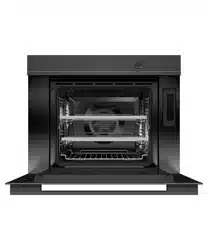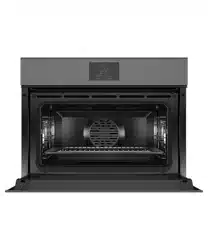
USER GUIDE
UK IE
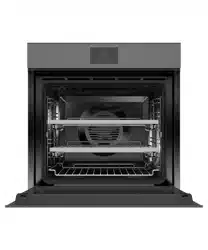
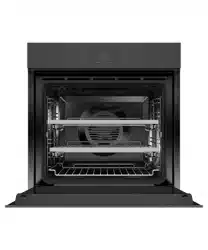
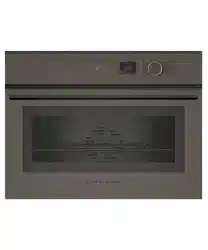
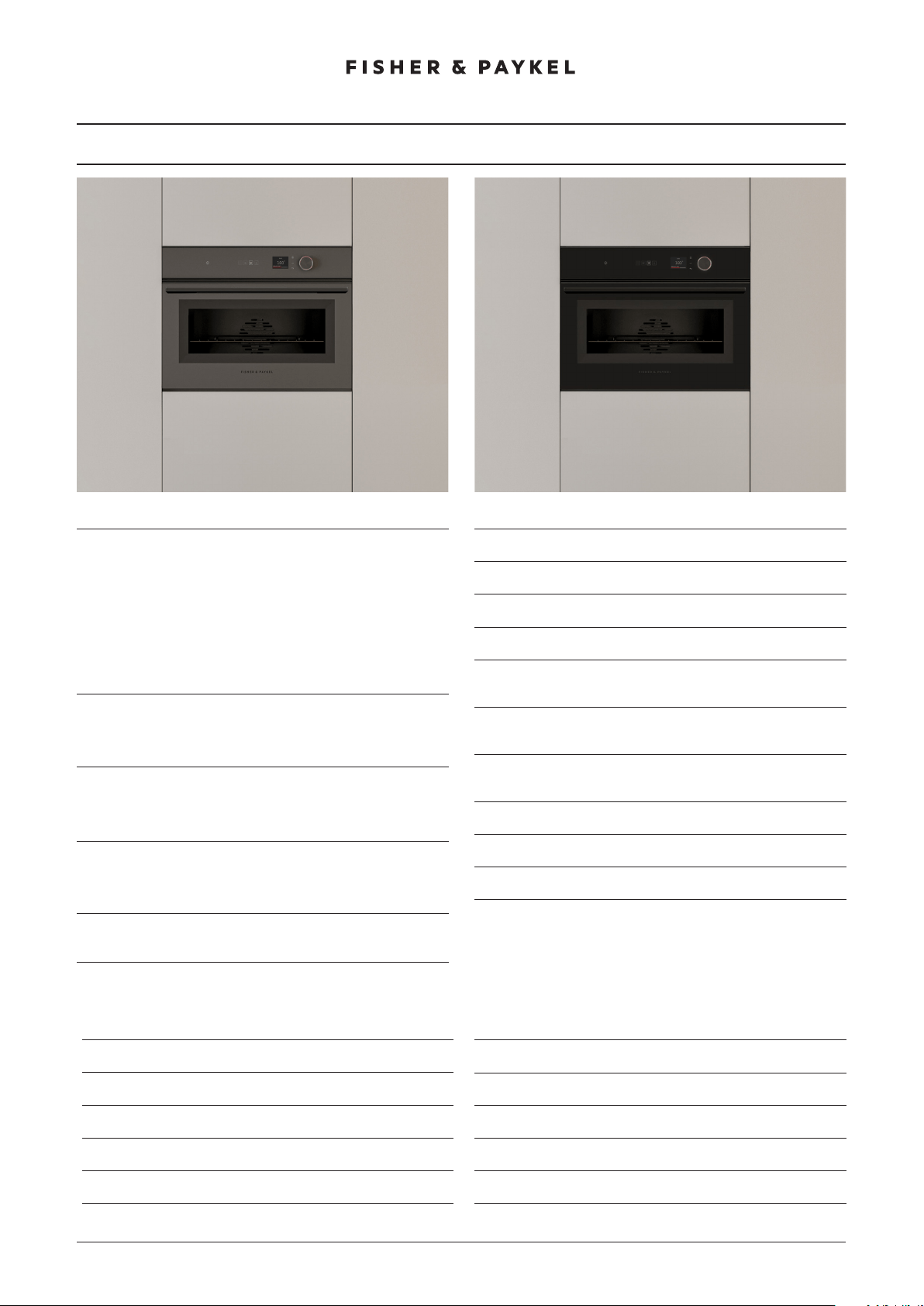
COMBINATION STEAM OVEN
MINIMAL
OS60NMLB1 & OS60NMLG1 models
CONTEMPORARY
OS60NDLX1 models


3
CONTENTS
Safety and warnings 5
First use 10
Menu 12
Steam functions 13
Convection + steam functions 14
Convection functions 15
Setting a function 17
Conditioning the oven 20
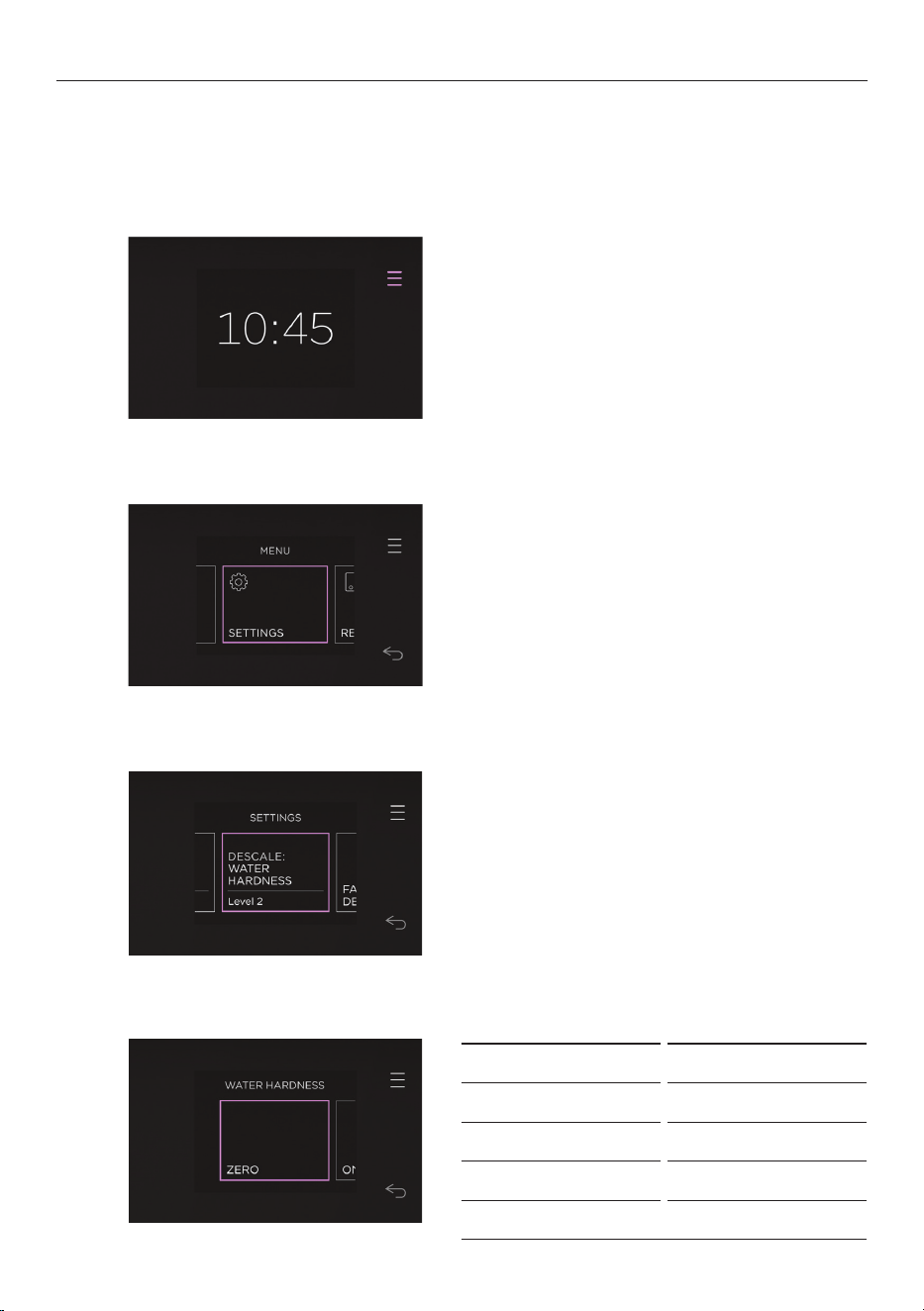
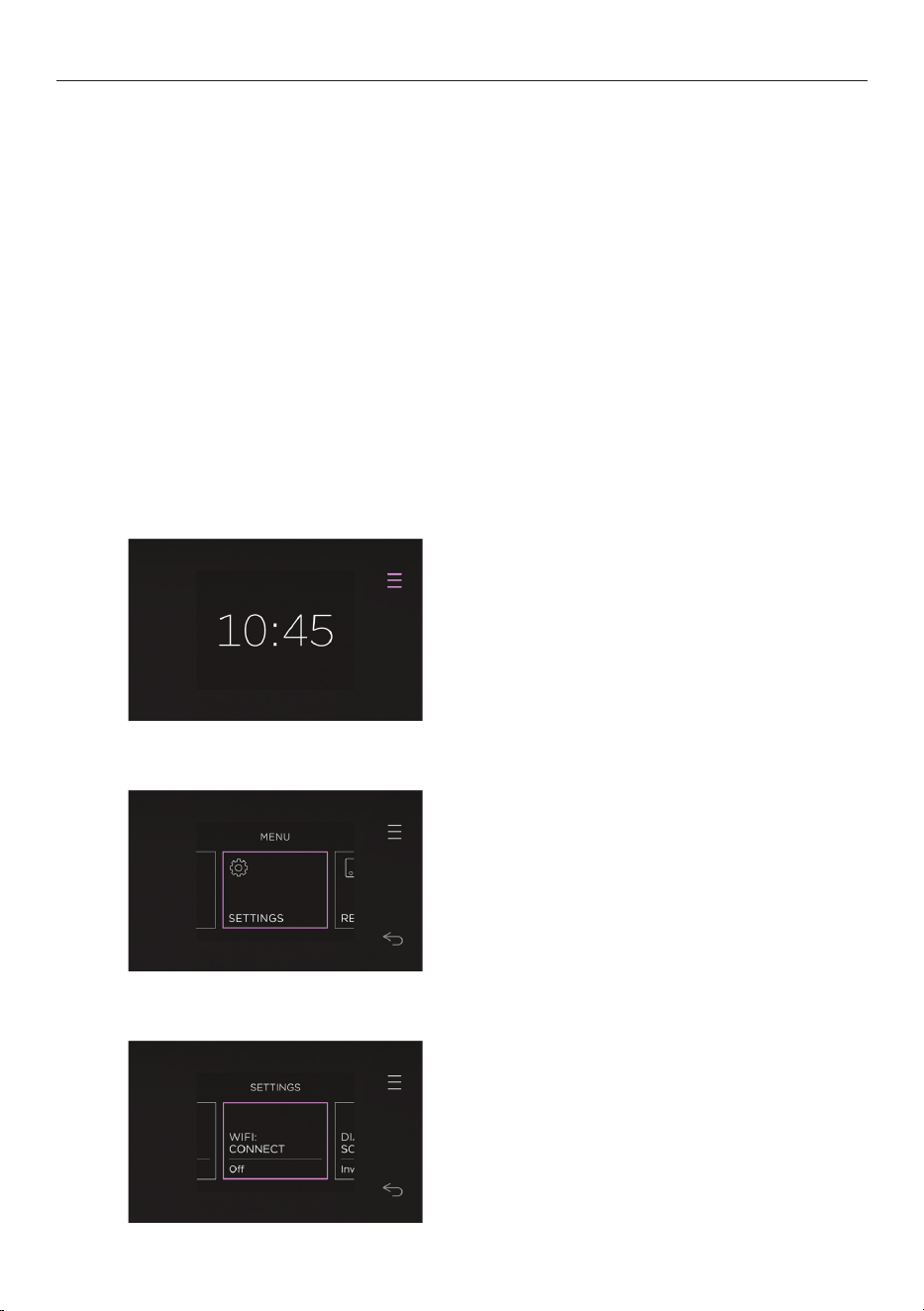
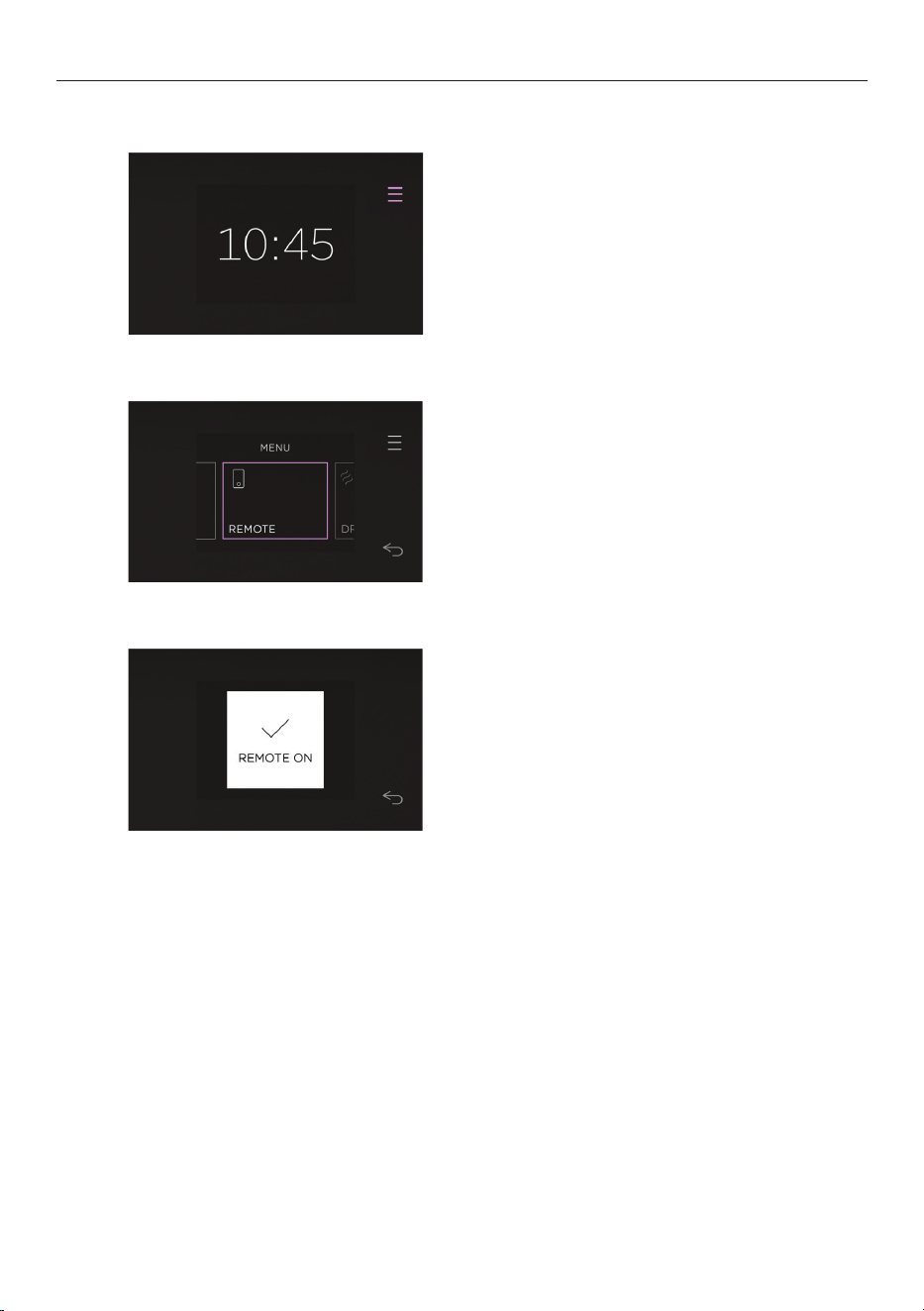
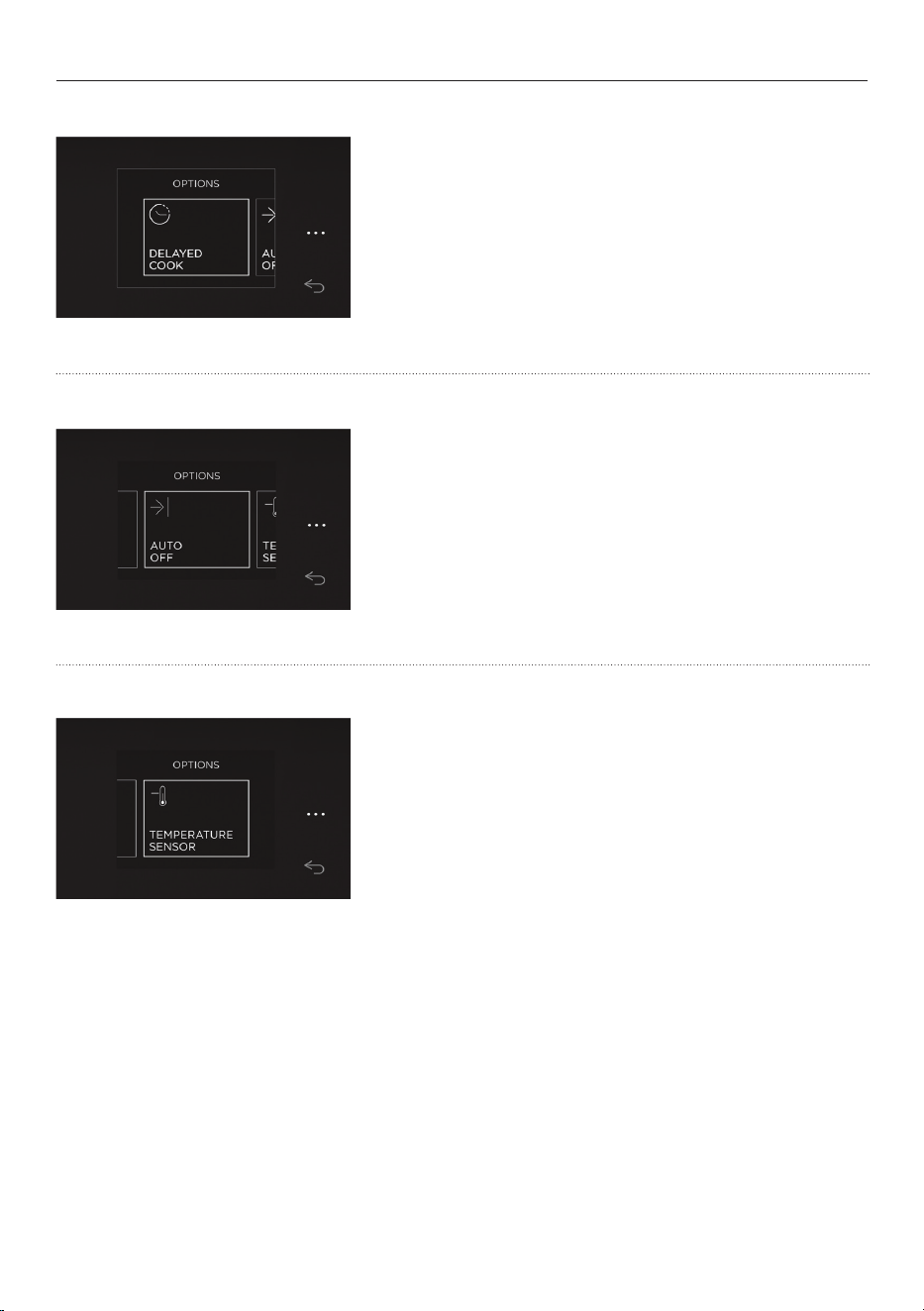
Setting the water hardness 21
Wi-Fi connection and remote mode 22
Cooking options 24
WIRED Temperature sensor 26
WIRELESS Temperature sensor 28
Sabbath Mode 30
Oven shelves 32
Oven lights 38
Cleaning the oven door 39
Steam clean 45
Descaling 46
Dry cycle 47
Troubleshooting 49
Fault codes 51
European Directive 2012/19/EU on Waste
ElectricalandElectronic Equipment(WEEE) 52
Energy guidelines (UK IE) 53
Manufacturer’s Warranty and Service Guide 54
Customer Care 55
Registration
To register your product visit our website: fisherpaykel.com/register

5
SAFETY AND WARNINGS
WARNING!
Electric Shock Hazard
Failure to follow this advice may result in
electrical shock or death.
• Turn the oven off at the wall before replacing
the oven lamp.
• Before carrying out any work on the
electrical section of the appliance, it must be
disconnected from the mains electricity supply.
• Connection to a good earth wiring system is
absolutely essential and mandatory.
• Alterations to the domestic wiring system must
only be made by a qualified electrician.
WARNING!
Fire Hazard
Failure to follow this advice may result in
overheating, burning, and injury.
• Carefully follow the instructions for starting a
self-clean cycle.
• Do not place aluminium foil, dishes, trays, water
or ice on the oven floor during cooking, this
will irreversibly damage the enamel. Lining the
oven with aluminium foil may cause fire.
• Never use your appliance for warming or
heating the room. Persons could be burned or
injured or a fire could start.
• Flammable materials should not be stored in an
oven or near its surface.
• Do not use adapters, reducers, or branching
devices to connect this appliance to the mains
power supply.
6
SAFETY AND WARNINGS
WARNING!
Cut Hazard
Failure to use caution could result in injury.
• Take care: some edges are sharp.
WARNING!
Hot Surface Hazard
Failure to follow this advice could result in
burns and scalds.
• To avoid burns and scalds, keep children away
from this appliance.
• Surfaces of the appliance may become hot
enough to cause burns. Examples include the
oven vent, the surface near the oven vent, and
the oven door.
• Do not touch heating elements or interior
surfaces of the oven. Heating elements may be
hot, even when they are dark in colour.
• Use protection when handling hot surfaces,
such as oven shelves or dishes, or when using
steam functions.
• Be careful when opening the oven door as hot
air and steam can be emitted. Allow hot air and
steam to dissipate before removing or replacing
food.
• During and after use, do not touch or let
clothing or other flammable materials contact
heating elements or interior surfaces of the
oven until they have had sufficient time to cool.

7
SAFETY AND WARNINGS
READ AND SAVE THIS GUIDE
WARNING!
To reduce the risk of fire, electrical shock, injury to persons or damage when using the
oven, follow the important safety instructions listed below. Read all the instructions
before installing or using the oven. Use the oven only for its intended purpose as
described in these instructions.
Installation
z
Ensure your appliance is properly installed and earthed by a qualified technician.
z
Ensure this oven is connected to a circuit which incorporates an isolating switch
providing full disconnection from the power supply.
z
Do not install or operate the appliance if it is damaged or not working properly. If you
receive a damaged product, contact your dealer or installer immediately.
z
Please make this information available to the person installing the appliance—doing so
could reduce your installation costs.
z
This appliance must be installed and connected to the mains power supply only by a
suitably qualified person according to these installation instructions and in compliance
with any applicable local building and electricity regulations. Failure to install the
appliance correctly could invalidate any warranty or liability claims.
z
If the power supply cable is damaged, it must be replaced by the manufacturer, its
service agent or similarly qualified person in order to avoid a hazard.
z
Isolating switch: make sure this oven is connected to a circuit which incorporates an
isolating switch providing full disconnection from the power supply in accordance with
the wiring rules.
z
The oven must be earthed.
z
Do not use adaptors, reducers or branching devices to connect the oven to the mains
electricity supply, as they can cause overheating and burning.
z
The appliance must not be installed behind a decorative door in order to
avoid overheating.
z
Please take extra care not to damage the lower trim of the oven during installation.
The trim is important for correct air circulation and allows the door to open and close
without obstruction. The manufacturer does not accept any responsibility for damage
resulting from incorrect installation.
Servicing
z
Do not repair or replace any part of the appliance unless specifically recommended in
the user guide. All other servicing should be undertaken by a Fisher & Paykel trained
and supported service technician or qualified person.
Fire Hazard
z
Do not use water on grease fires. Smother the fire or flame or use a dry chemical or
foam type extinguisher.
z
Use only dry oven mitts or potholders. Moist or damp potholders on hot surfaces could
result in burns from steam. Do not let potholders touch hot areas or heating elements.
Do not use a towel or a bulky cloth for a potholder. It could catch fire.
z
Do not heat unopened food containers. They can build up pressure that may cause the
container to burst and result in injury.

8
SAFETY AND WARNINGS
Food Safety
z
Leave food in the oven for as short a time as possible before and after cooking. This is
to avoid contamination by organisms which may cause food poisoning. Take particular
care during warm weather.
General Use
z
This product has been designed for use in a domestic (residential) environment. This
product is not designed for any commercial use. Any commercial use by the customer
will affect this product’s manufacturer’s warranty.
z
Household appliances are not intended to be played with by children.
z
Children should not be left alone or unattended in the area where the appliance is in
use. They should never be allowed to sit or stand on any part of the appliance.
z
Children of less than 8 years old must be kept away from the appliance unless
continuously supervised.
z
Cleaning and user maintenance shall not be carried out by children without supervision.
z
Do not store things children might want above the oven. Children could be burned or
injured while climbing on the oven to retrieve items.
z
Do not place heavy objects on the oven door.
z
Always keep oven vents unobstructed. Do not wear loose fitting or hanging garments
when using the appliance. They could ignite or melt if they touch an element or hot
surface and you could be burned.
z
Caution: Hot air can blow from the vent at the top of the oven as part of the oven’s
cooling system.
z
Always position shelves in the desired location while the oven is cool (before
preheating). If a shelf must be removed while the oven is hot, do not let the oven mitts
or potholder contact hot heating elements in the oven or the base of the oven.
z
Use only bakeware approved for ovens. Follow the bakeware manufacturer’s guidance.
z
Always place oven racks in desired location while oven is cool. If rack must be moved
while oven is hot, do not let potholder contact hot heating element.
z
Do not touch heating elements or interior surfaces of your oven. Heating elements and
interior surfaces may be hot even though they are dark in colour and could cause burns.
The oven door, vent openings and surfaces near these openings may also become hot.
z
This appliance is configurable to allow remote operation at any time. Do not store
flammable materials or temperature sensitive items inside, on top or near the appliance.
z
Do not change or modify the wireless communication device in any way. Changes or
modifications not expressly approved by Fisher & Paykel could void the user’s authority
to operate the equipment.
z
Neither the food probe or aluminium foil must come in contact with the oven elements.
z
Only use the temperature probe recommended for this oven.
z
WARNING: Accessible parts may become hot during use. Young children should be
kept away.

9
Cleaning
z
Do not clean the oven seal or use any oven-cleaning products on it. It is essential for a
good seal, which ensures that the oven operates efficiently. Care should be taken not to
rub, damage, move or remove the oven seal.
z
Do not use oven cleaners, harsh/abrasive cleaning agents, waxes, or polishes. No
commercial oven cleaner, oven liner, or protective coating of any kind should be used in
or around any part of the oven.
z
Do not use harsh/abrasive cleaners, scourers or sharp metal scrapers to clean the oven
door glass since they scratch the surface, which may result in the glass shattering.
z
Clean only the parts listed in this manual.
z
Do not use a steam cleaner to clean any part of the oven.
z
The door gasket is essential for a good seal. Care should be taken not to rub, damage
or move the gasket.
Light source information
z
This product contains a light source of energy efficiency class G. The light source used
in this appliance is not suitable for room illumination.
SAFETY AND WARNINGS
10
FIRST USE
Not all accessories are provided with all models. To purchase additional accessories go to
www.fisherpaykel.com
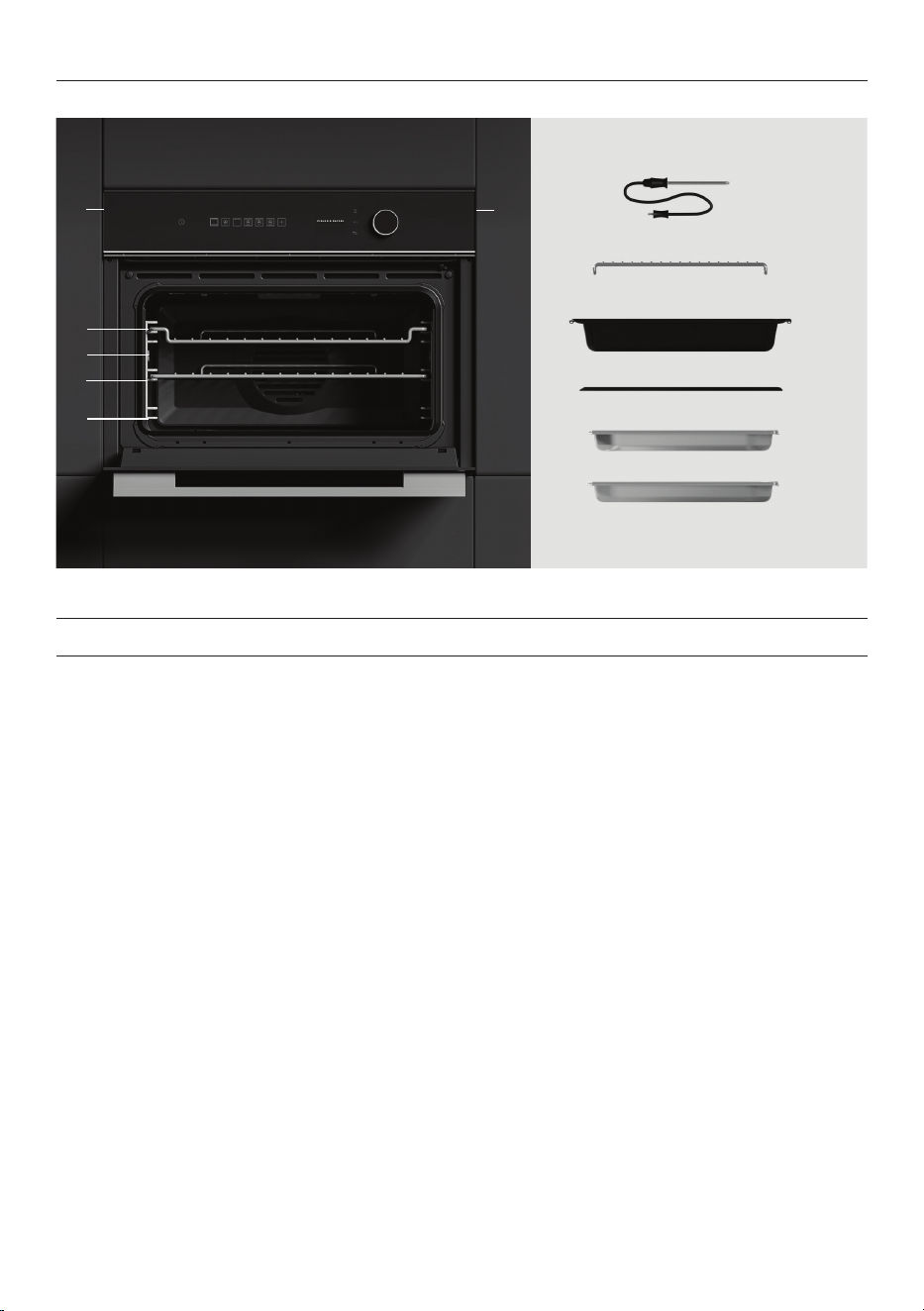
Features and accessories
1 Oven controls
2 Water tank compartment
(behind controls)
3 Oven light
4 Shelves
5 Side racks
6 Temperature sensor
7 Grill rack
8 Roast dish
9 Baking tray
!0 Large solid dish*
!1 Large perforated dish*
*Not intended for use over 100°C
1
7
3
6
9
8
5
!0
!1
2
4
4
11
FIRST USE
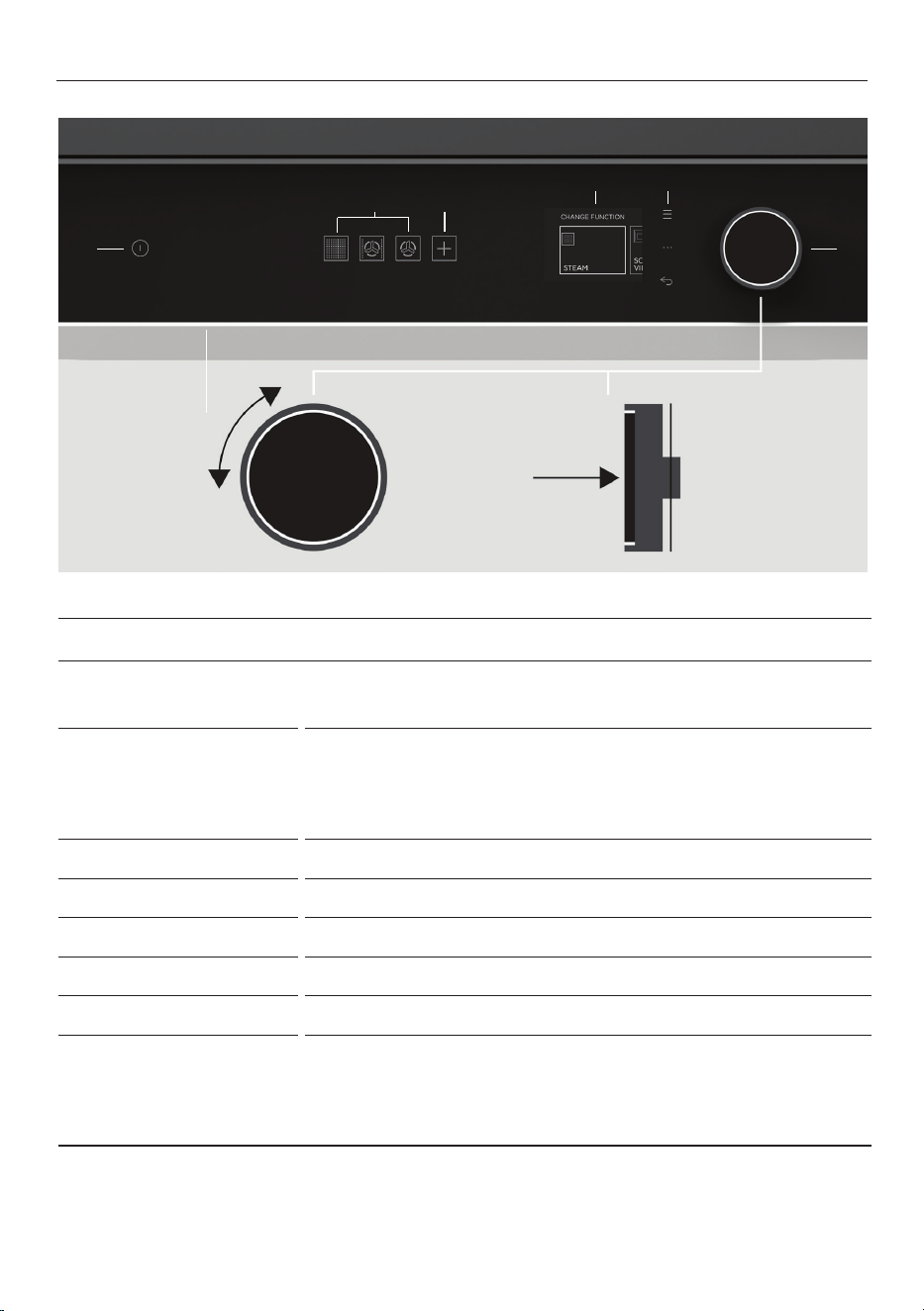
Control panel
1 Power button
Press and hold to turn the oven
ON.*
Press to turn the display OFF or to cancel cooking.
2 Functions
Everyday cooking and specialised functions to suit your
cooking requirements.
Press to select a function type then select a function using
the dial.
3 Cook by Food Type
Guided cooking to help you get optimal results.
4 Display
Displays functions, features and settings.
5 Menu
Press to access additional oven features and settings.
6 Cooking options
Press to access automatic cooking features.
7 Back
Press to cancel cooking or exit.
8 Control dial
Use to navigate cooking functions, features and settings.
z
Turn the dial to scroll.
z
Press to select or confirm.
z
Press and hold to cancel or exit.
8
5
7
4
6
*Low Power mode: If the product is inactive for 20 minutes after use, it will switch to
standby mode. To turn Low Power mode
ON/OFF, go to settings.
1
2 3
3
5
4
4
3
12
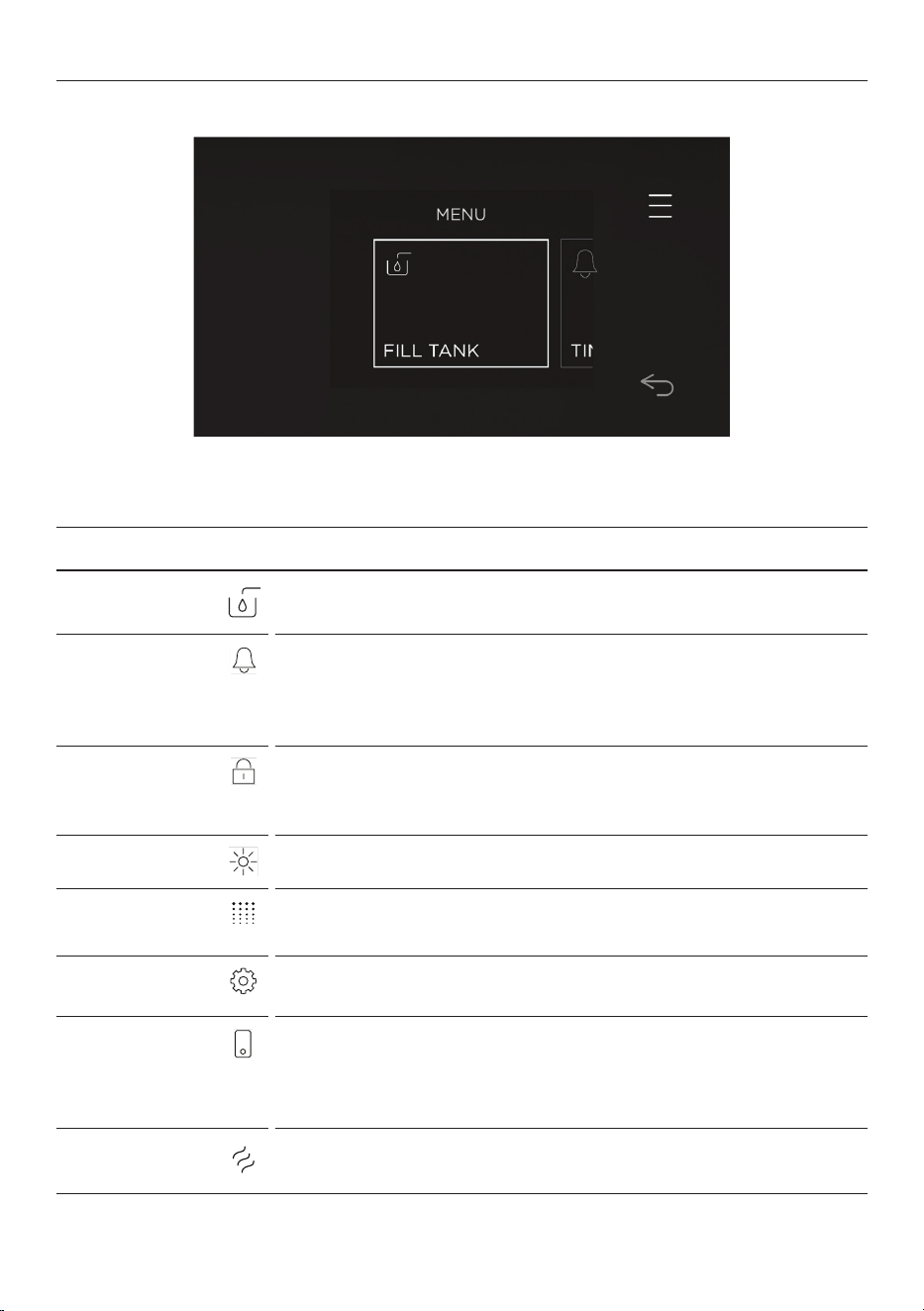
MENU
Menu
FILL TANK
Press to open the water tank compartment.
TIMER
Use the timer to keep track of cooking times. You can use it at
any time, even if you are not using the oven.
The timer does not turn the oven off. Refer to ‘Cooking options’
for automatic cooking options.
LOCK
Lock the oven controls to prevent accidental use. When locked,
the controls will be unresponsive and the oven will not turn on.
Press and hold the dial to unlock.
LIGHT
Turn the oven lights ON/OFF.
CLEAN
Set a steam clean cycle to clean the inside of the oven.
Refer to ‘Steam clean’ for full instructions.
SETTINGS
Adjust the oven settings to suit your preferences or set up a
Wi-Fi connection. Refer to ‘Wi-Fi connection and remote mode’.
REMOTE
Enable or disable REMOTE.
Your oven may be connected to your wireless network and
operated using the app. Refer to ‘Wi-Fi connection and
remote mode’.
DRY
Run a dry cycle after steam cooking.
Press to open the water tank compartment.
13
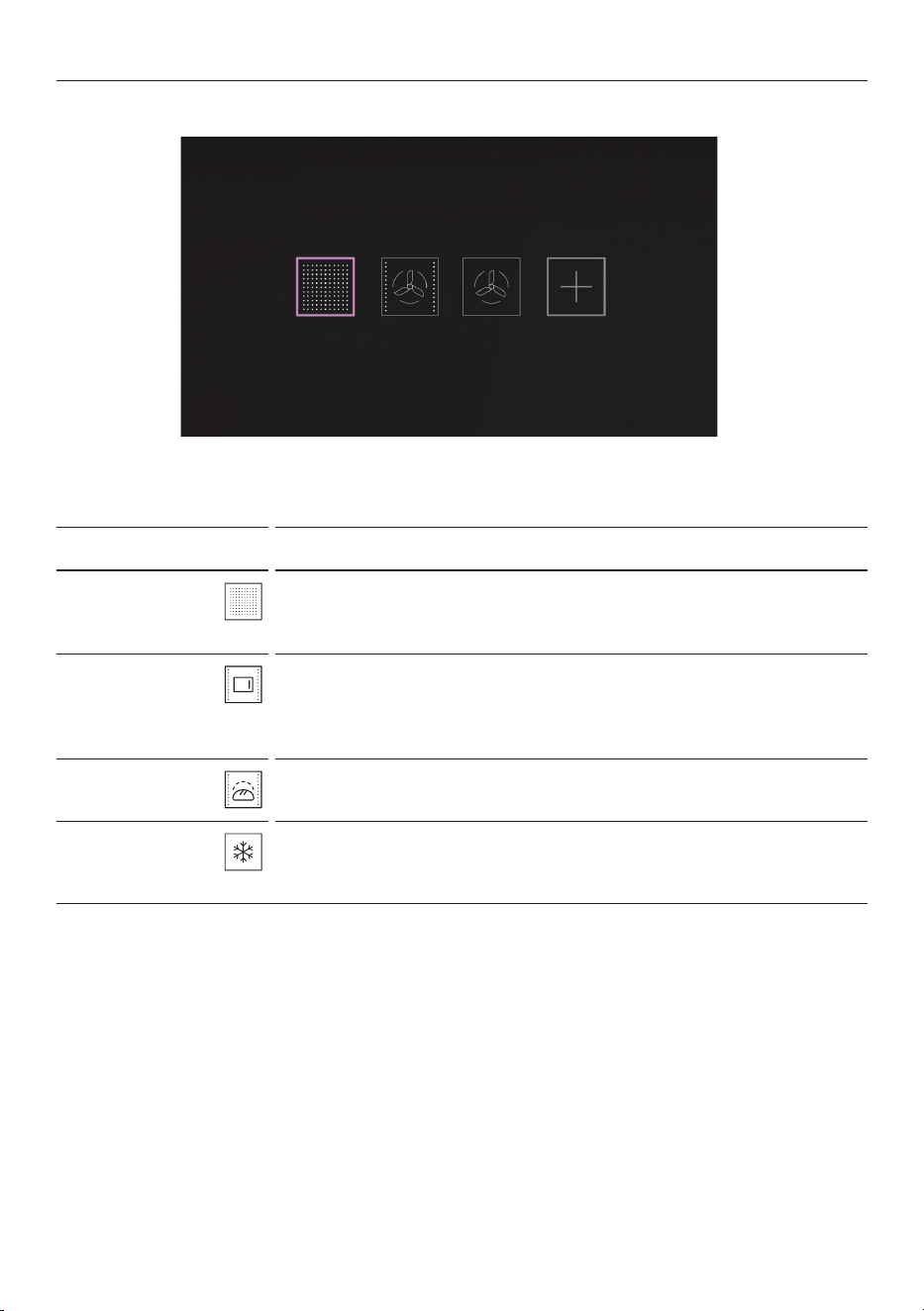
STEAM FUNCTIONS
FUNCTION DESCRIPTION
STEAM
Retains nutrients, colour and texture using steam to cook a wide
variety of foods such as rice, vegetables, fish and creamy set
desserts.
SOUS VIDE
Enables specific temperature adjustments, guaranteeing even
and precise cooking. Especially good for proteins, such as eggs,
meats, poultry, seafood, as well as a wide range of fruit and
vegetables. Can be used with or without vacuum sealing.
STEAM PROOF
Provides the ideal environment for the activation of yeast.
Perfect for speeding up yeast dough recipes
STEAM
DEFROST
Gently defrosts without drying out food, helping to retain colour
and moisture. Ideal for frozen meat, fruits and vegetables, as well
as frozen, store-bought meals.
14
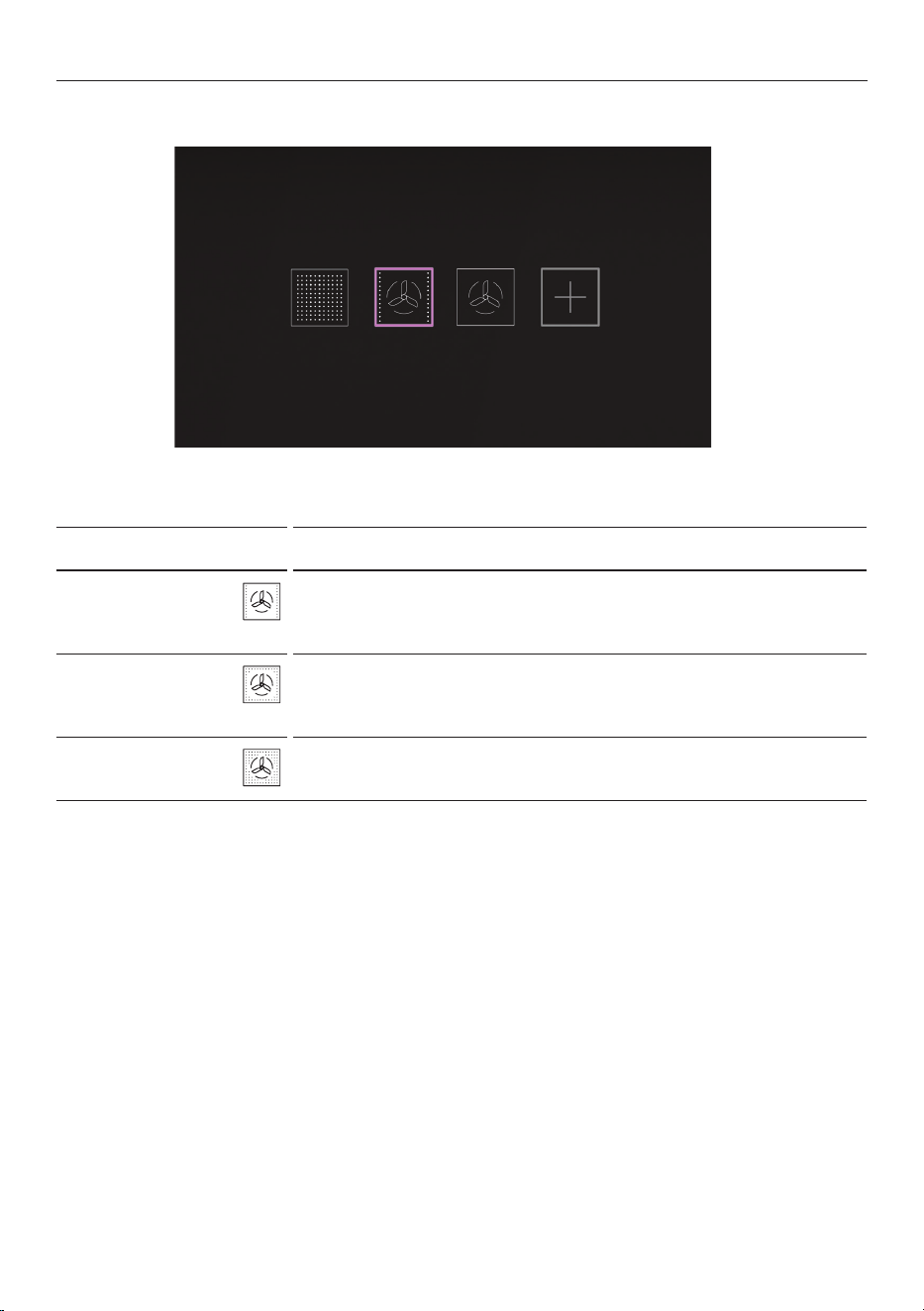
CONVECTION + STEAM FUNCTIONS
FUNCTION DESCRIPTIONS
FAN FORCED
+ LOW STEAM
Assists surface browning on baked dishes, such as lasagne,
promotes a thin crust and even colour when baking bread, and
a crisp exterior when roasting vegetables.
FAN FORCED
+ MEDIUM STEAM
Promotes even browning and enhances textures in everyday
baking and roasting, such as brownies, scones, vegetable
gratins, poultry or fish.
FAN FORCED
+ HIGH STEAM
Ensures optimal cooking for dishes that do not require a crisp
crust, such as mud cake, fruit cake and seafood.
15
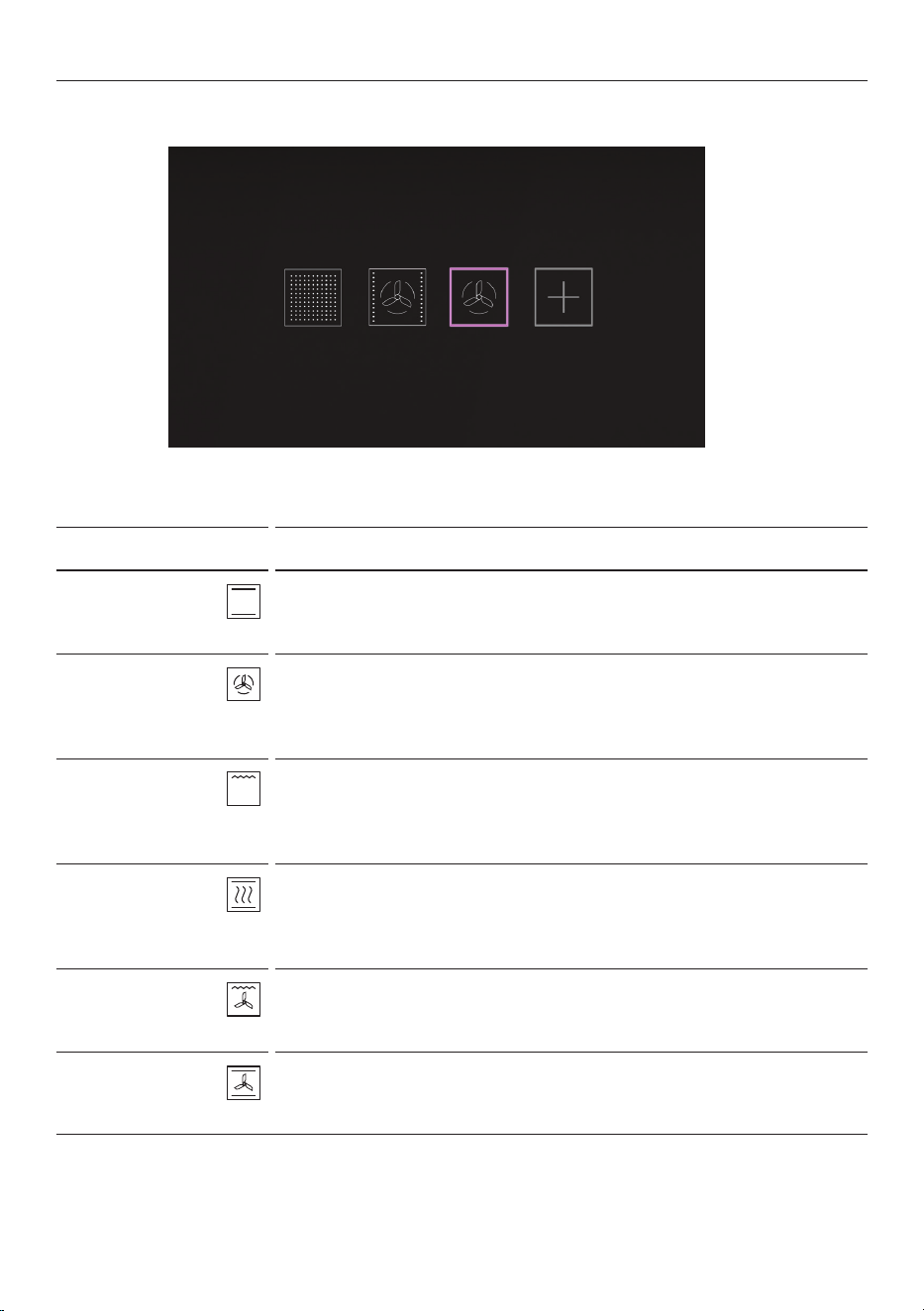
CONVECTION FUNCTIONS
FUNCTION DESCRIPTION
BAKE
Heat radiates from the top and bottom of the oven and is evenly
distributed by natural convection. Moisture is retained to provide
light, succulent dishes. For best results, bake on only one shelf.
FAN FORCED
Heat generated at the rear of the oven is distributed evenly by
the fan, creating a consistent temperature that’s ideal for multi-
shelf cooking. For best results, leave a gap between shelves to
allow an even airflow.
GRILL
Intense heat from the inner top element focussed on the centre
of the oven. Ideal for quick surface browning of smaller dishes
such as potato gratin. For best results, preheat for 5 minutes
before placing food in the oven.
VENT BAKE
Ideal for slow roasting meat. Vents remove excess moisture
from the oven, promoting the gradual development of delicious,
savoury flavours. Heat from upper and lower elements gently
cooks to give a succulent and tender result.
FAN GRILL
The fan circulates intense heat from the top elements ensuring
even browning. Ideal for cooking large cuts of meats so they are
moist inside and crisp on the outside. No preheating needed.
FAN BAKE
Heat from the top and bottom of the oven is evenly circulated
by the fan. Increased airflow speeds up cooking so oven
temperatures can be lowered by 20°C for most recipes.
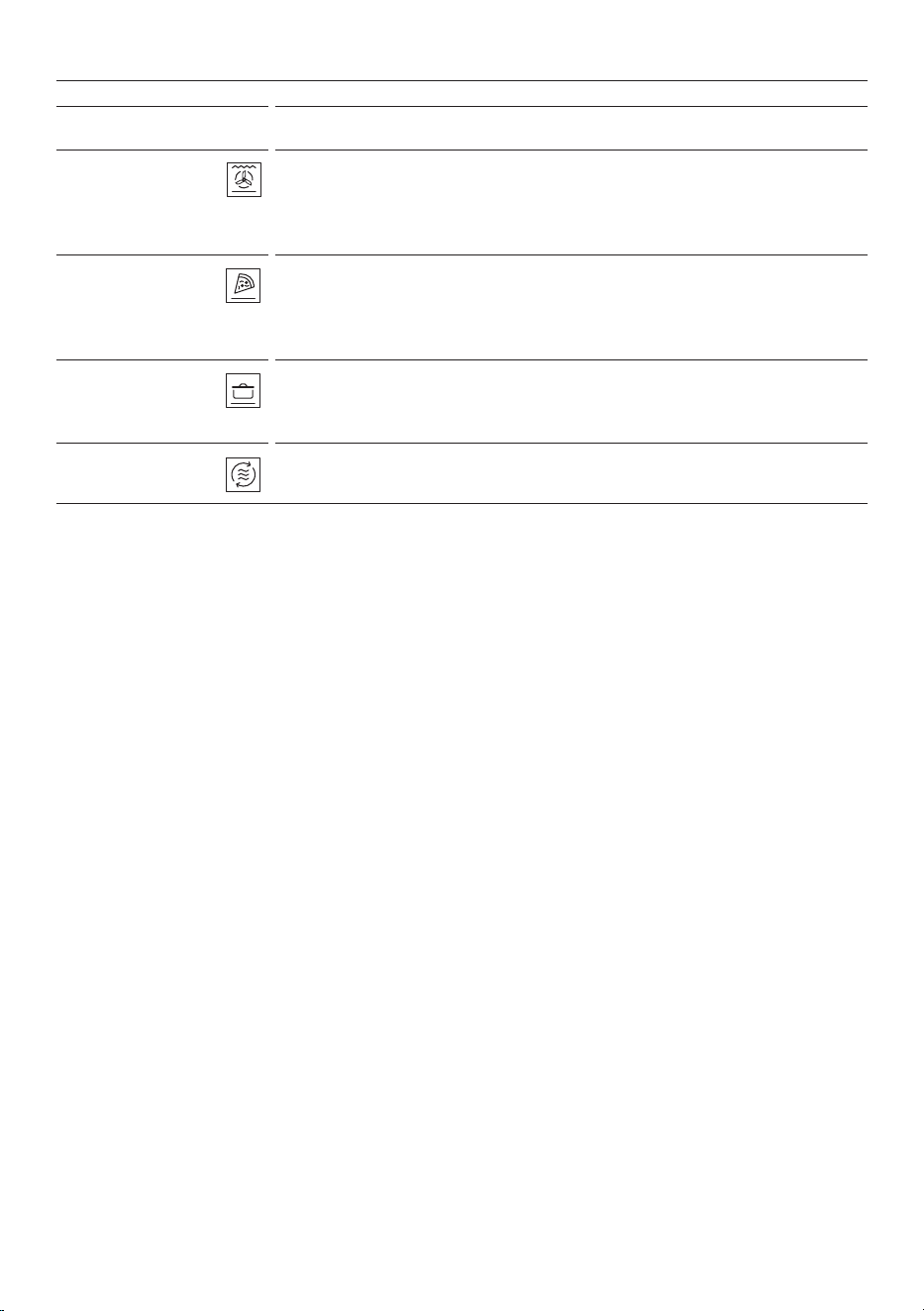
16
CONVECTION FUNCTIONS
FUNCTION DESCRIPTION
ROAST
Combines the power of Grill with the long, slow heating ability
of Vent Bake. Intense searing followed by baking at a lower
temperature ensures food has a crisp exterior and a succulent
interior. No preheating needed.
PIZZA BAKE
The oven fan circulates heat from the lower element. Ideal for
cooking pizza as it crisps the base without overcooking the
topping. For best results, cook on a pizza stone preheated for at
least 1 hour.
SLOW COOK
The fan circulates heat from the rear element. Ideal for slow-
cooked dishes such as casseroles, stews and braised meat. No
preheating needed.
AIR FRY
A healthier way to cook delicious, crispy food using less oil. Ideal
for food cooked from frozen or that would usually be deep fried.
17
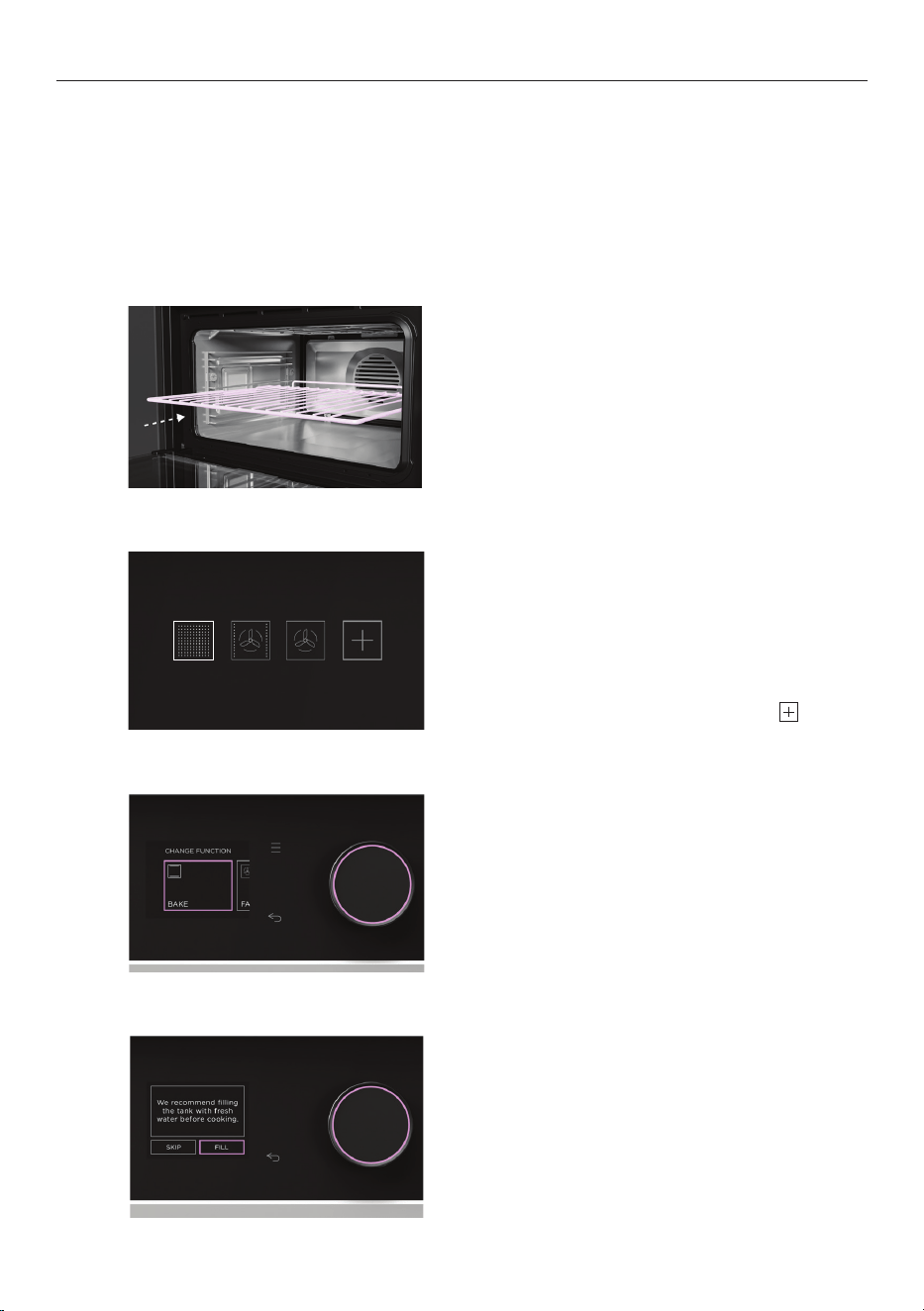
SETTING A FUNCTION
3
Select a function.
Position the shelves at the required height.
Refer to ‘Oven shelves’ for guidance.
1
Before you begin
z
Ensure all cable ties and packaging have been removed.
z
Set the time. To change the time at any point go to SETTINGS and select CLOCK: SET TIME.
z
Condition your oven according to the instructions under ‘Conditioning the oven’.
z
Set the water hardness according to the instructions under ‘Setting the water hardness’.
z
Connect your oven to Wi-Fi to ensure it stays up to date with the latest software and
features. For more information refer to ‘Wi-Fi connection and remote mode’.
Select a function type.
For everyday cooking and specialised
functions select from:
z
STEAM
z
CONVECTION + STEAM
z
CONVECTION
For guided cooking features select
and follow the instructions onscreen.
2
4
Steam functions:
When prompted, open the water tank
compartment and remove the water tank.
18
SETTING A FUNCTION
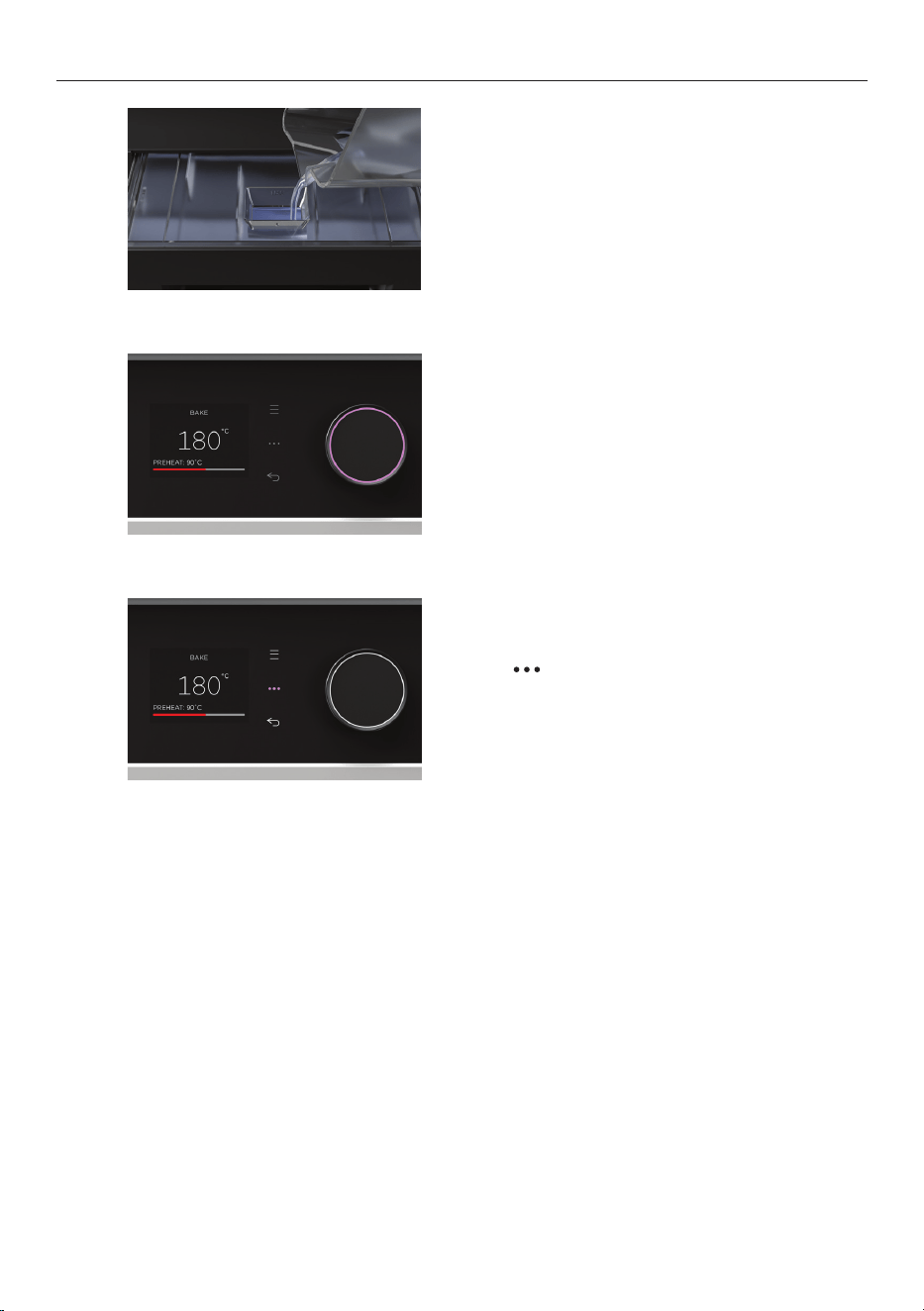
Preheating
A progress bar will show on the screen while the oven is heating. To prevent burning, wait
until the oven has reached temperature before placing food inside.
Some functions do not need to preheat and will not show a progress bar. Place food in the
oven when ready to start cooking.
To reach the set temperature quickly, some functions have a rapid preheat stage that uses
all elements.
Soft close door
The soft close door has a slow and smooth movement when opening or closing the door.
Soft close creates a perfect seal and prevents steam leaking when using steam functions.
6
Turn the dial to adjust the temperature
if needed.
7
Press to set automatic cooking if
required. For more information refer to
‘Cooking options’.
5
Steam functions:
Fill to the MAX fill line with fresh water then
replace the tank.
For best results, we recommend filling the
tank with fresh water each time you cook.

19
SETTING A FUNCTION
Turning the oven off
Press and hold the dial or press back to stop
heating the oven.
Press the power button to turn the oven
off completely.
Drying the oven
After running a steam function, there may be some moisture left in the oven.
Wait for the oven to cool, then wipe out the base of the cavity with a sponge or soft cloth.
We recommend running a dry cycle after you have wiped out the base of the cavity to help
remove any remaining moisture. Refer to ‘Dry cycle’ for more information.
Maximum steam cooking times
The below maximum cooking times apply when using steam functions.
We recommend staying within these cooking times to avoid a build up of condensation
inside the oven.
TEMPERATURE (°C) MAX COOKING TIME (MIN)
100 120
90 120
80 120
70 280
60 320
50 360
20
After conditioning:
z
Wait for the oven to cool completely.
z
Wipe oven with a damp cloth and mild detergent.
z
Dry with a clean, lint-free cloth.
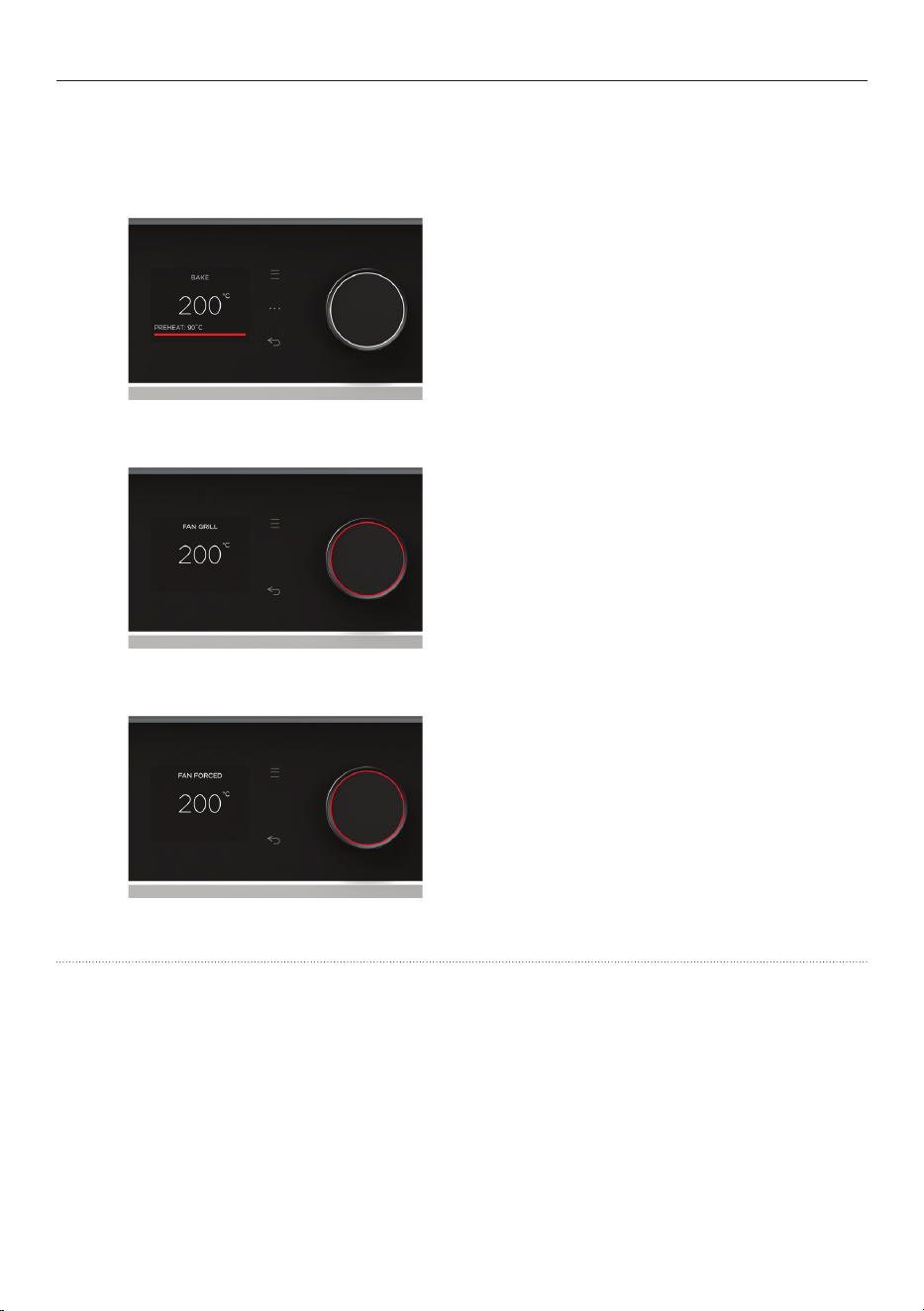
CONDITIONING THE OVEN
We recommend conditioning your oven for 1 hour before initial use to eliminate any
manufacturing residue. A small amount of smoke may be present, ensure kitchen is
well ventilated.
Set the oven to
BAKE at 200°C and heat for
30 minutes.
1
After 30 minutes change the function to
FAN GRILL and heat for 5 minutes.
2
After 5 minutes, change to FAN FORCED and
heat for a further 20 minutes. When you have
finished, turn the oven off.
3
21
SETTING THE WATER HARDNESS
We recommend setting the water hardness level before using any steam functions for the
first time. If you are unsure of the water hardness level in your area, contact your local
water supplier.
We do not recommend using this product with water hardness above 450ppm.
Go to the menu.
1
Select SETTINGS.
2
Select DESCALE: WATER HARDNESS.
3
4
WATER HARDNESS (PPM) LEVEL
0 - 100 ZERO
100 - 250 ONE
250 - 350 TWO
350 - 450 THREE
Select the required water hardness level:
22
WI-FI CONNECTION AND REMOTE MODE
Your oven may be connected to your home wireless network and operated remotely using
the app.
Connect your oven to ensure it stays up to date with the latest software and features.
Getting started
z
Ensure your home Wi-Fi network is turned on.
z
You will be given step by step guidance on both your appliance and mobile device.
z
It may take up to 10 minutes to connect your oven.
z
For further guidance and troubleshooting, please refer to the app.
On your mobile device:
1 Download the app. Scan the QR code or go to www.fisherpaykel.com/connect
2 Register and create an account.
3 Add your appliance and set up the Wi-Fi connection.
Connecting to your home Wi-Fi
1
Go to the menu.
Select SETTINGS.
2
Select WI-FI CONNECT and follow the
instructions onscreen.
3
23
WI-FI CONNECTION AND REMOTE MODE
Enabling Remote Mode
Go to the menu.
1
Select REMOTE.
2
Select ON then press CONFIRM.
Remote Mode is now enabled.
3
24
COOKING OPTIONS
Delayed start
Set the oven to turn on later, cook for a set length
of time and turn off automatically.
Auto off
Set the oven to turn off after a set length of time.
Temperature sensor
Use the sensor to monitor cooking and
automatically turn the oven off when food is done.
25
COOKING OPTIONS
Food safety
z
Leave food in the oven for as short a time as possible before and after cooking.
z
Ensure meat is fully defrosted before cooking.
z
Rest meat after cooking to allow the internal temperature to continue to rise.
z
High risk foods such as fish should reach a minimum internal temperature of 63 – 70
°
C
and poultry and minced meat should reach 75 – 85
°
C.
Preheating
The grill element may come on while the oven is heating up. Position food on a lower shelf
or cover to prevent burning as the oven heats up.
When using
DELAYED COOK we do not recommend using GRILL, FAN GRILL or AIR FRY.
When using a
TEMPERATURE SENSOR we recommend preheating before adding your food to
the oven. Use caution when plugging a wired sensor in to a hot oven.
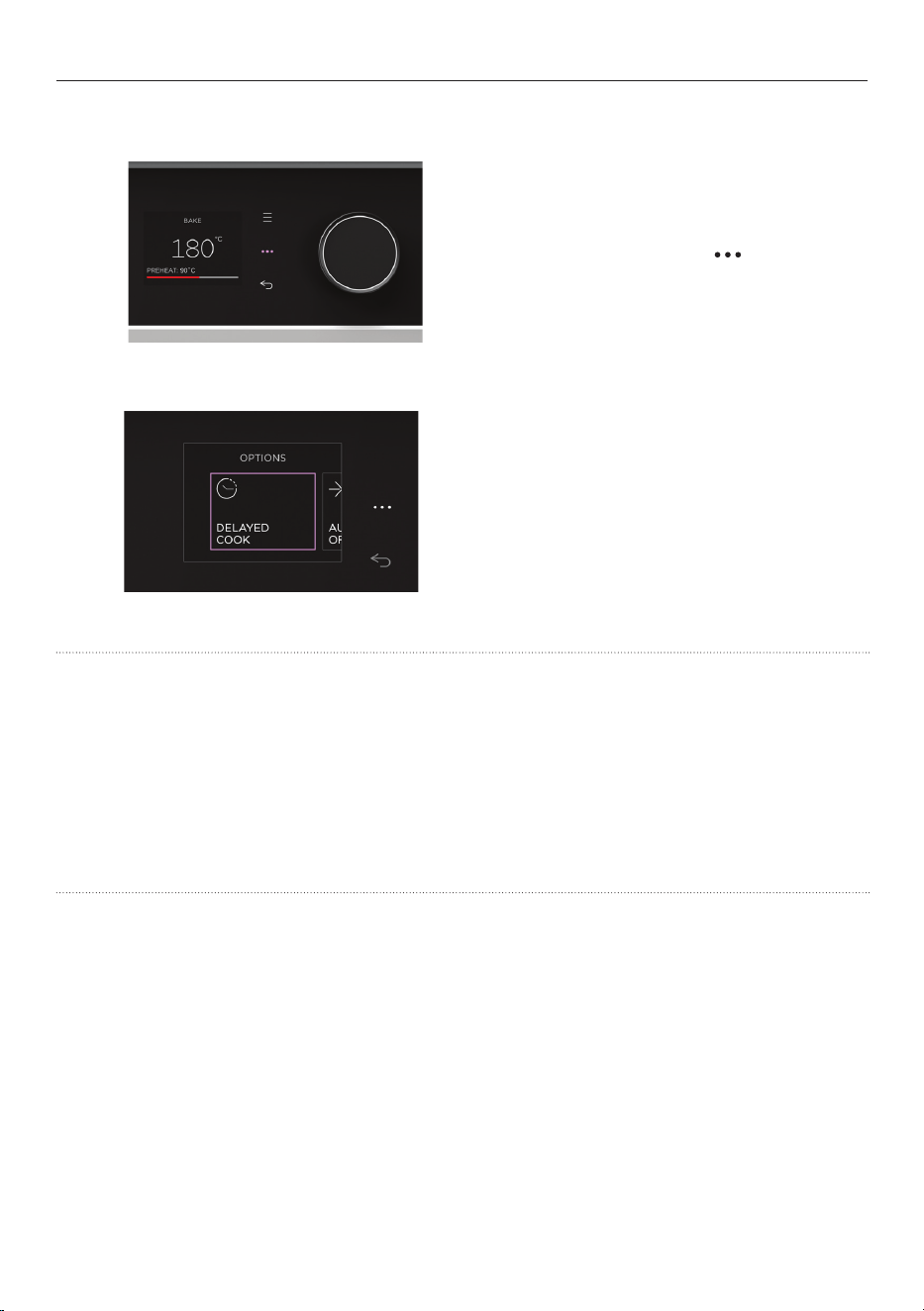
Accessing options
Select a cooking option and follow the
instructions onscreen.
2
1
Select a function then press to access.
26
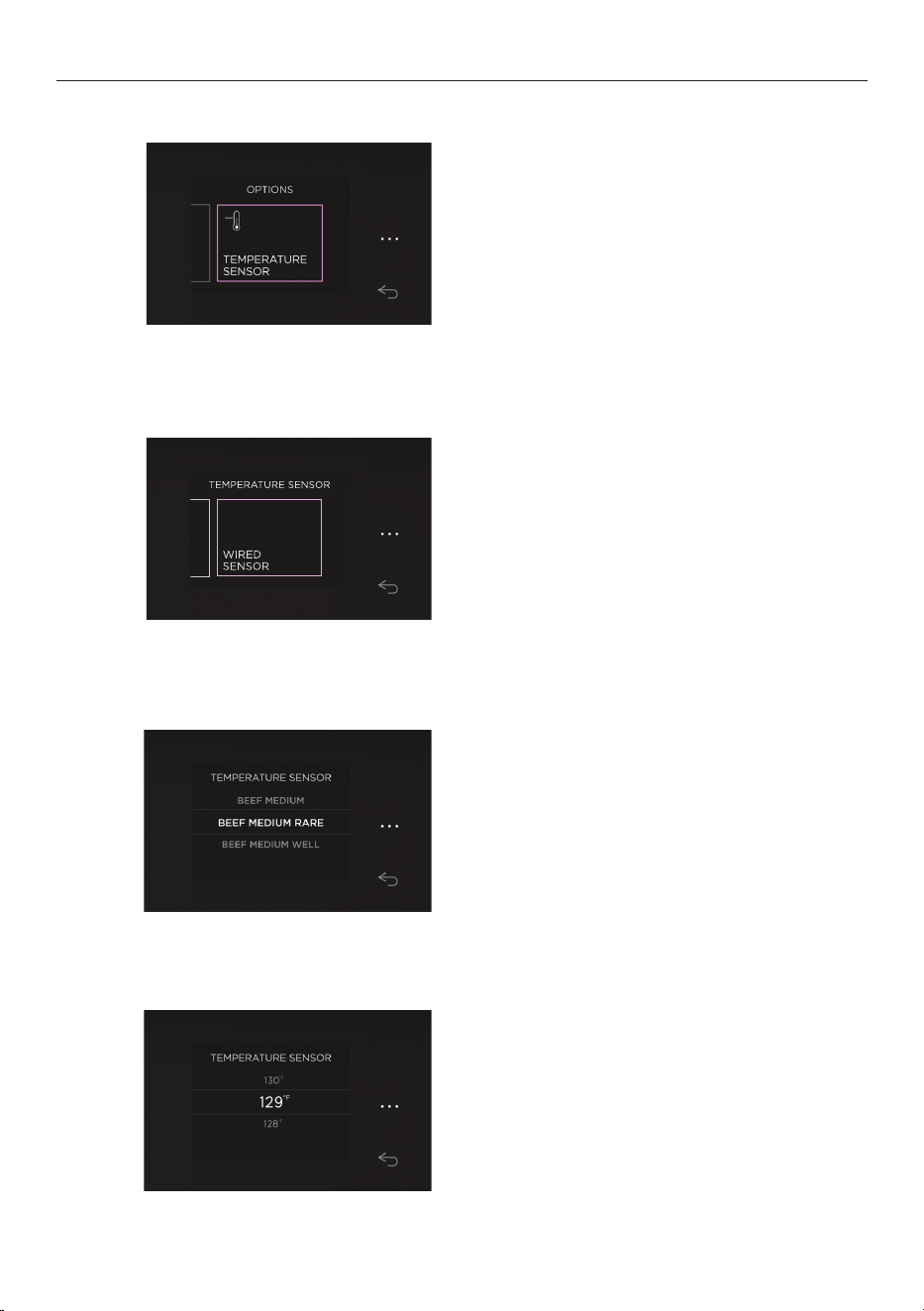
WIRED TEMPERATURE SENSOR
1
Select a cook function.
Go to
OPTIONS and select
TEMPERATURE SENSOR.
2
3
Select the WIRED SENSOR.
4
Select a food type and doneness level.
Select a temperature and press the dial
to confirm.
Allow your oven time to preheat if
necessary.
27
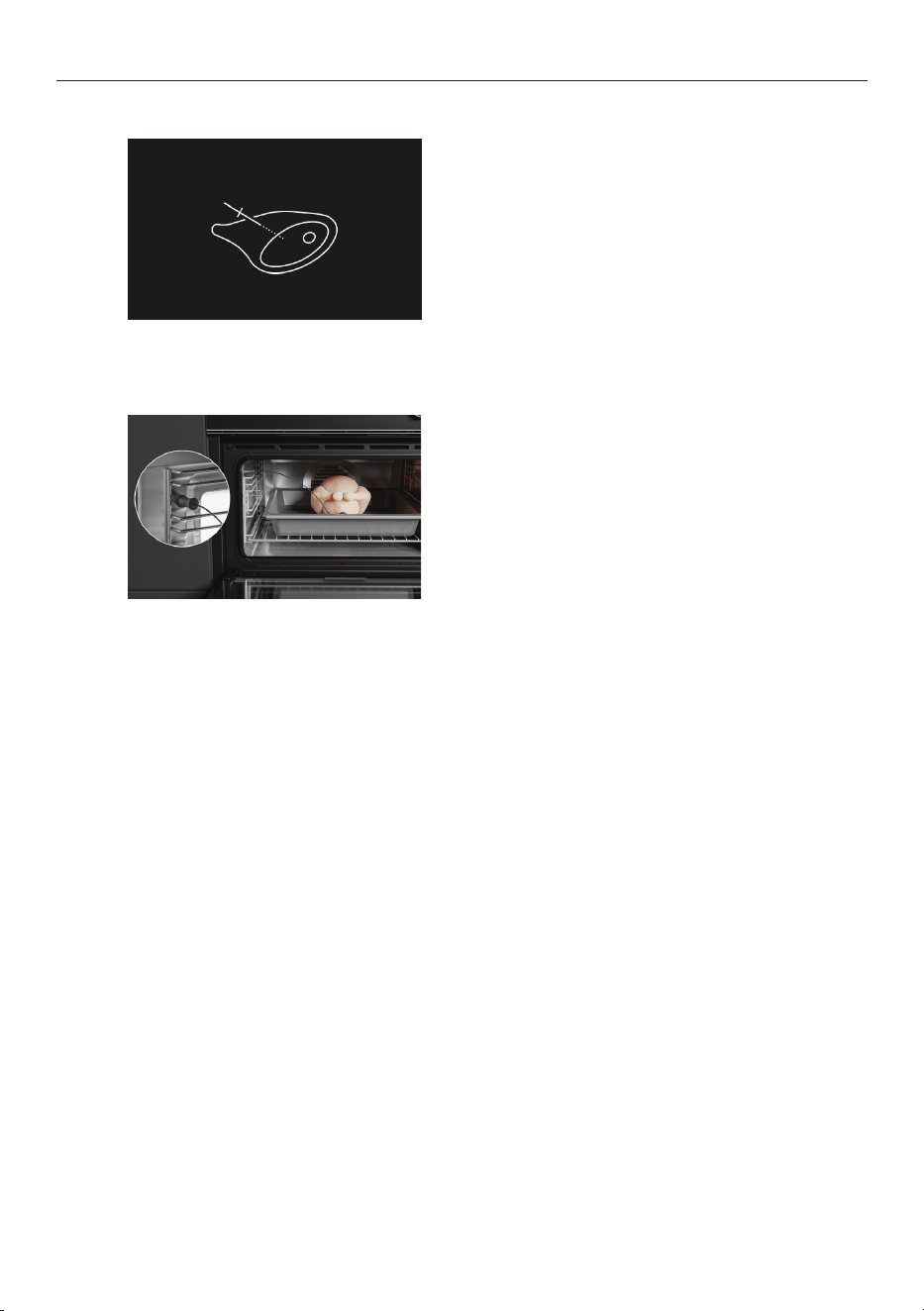
WIRED TEMPERATURE SENSOR
Insert the sensor into your food.
Position the sensor in the thickest part of
the dish, avoiding fat and bone in meat.
Ensure the tip of the sensor doesn’t
protrude out the other side of food or
touch cookware.
Place food in the oven and plug in
the sensor.
The socket is located inside the oven, on
the left hand side.
6
5
28
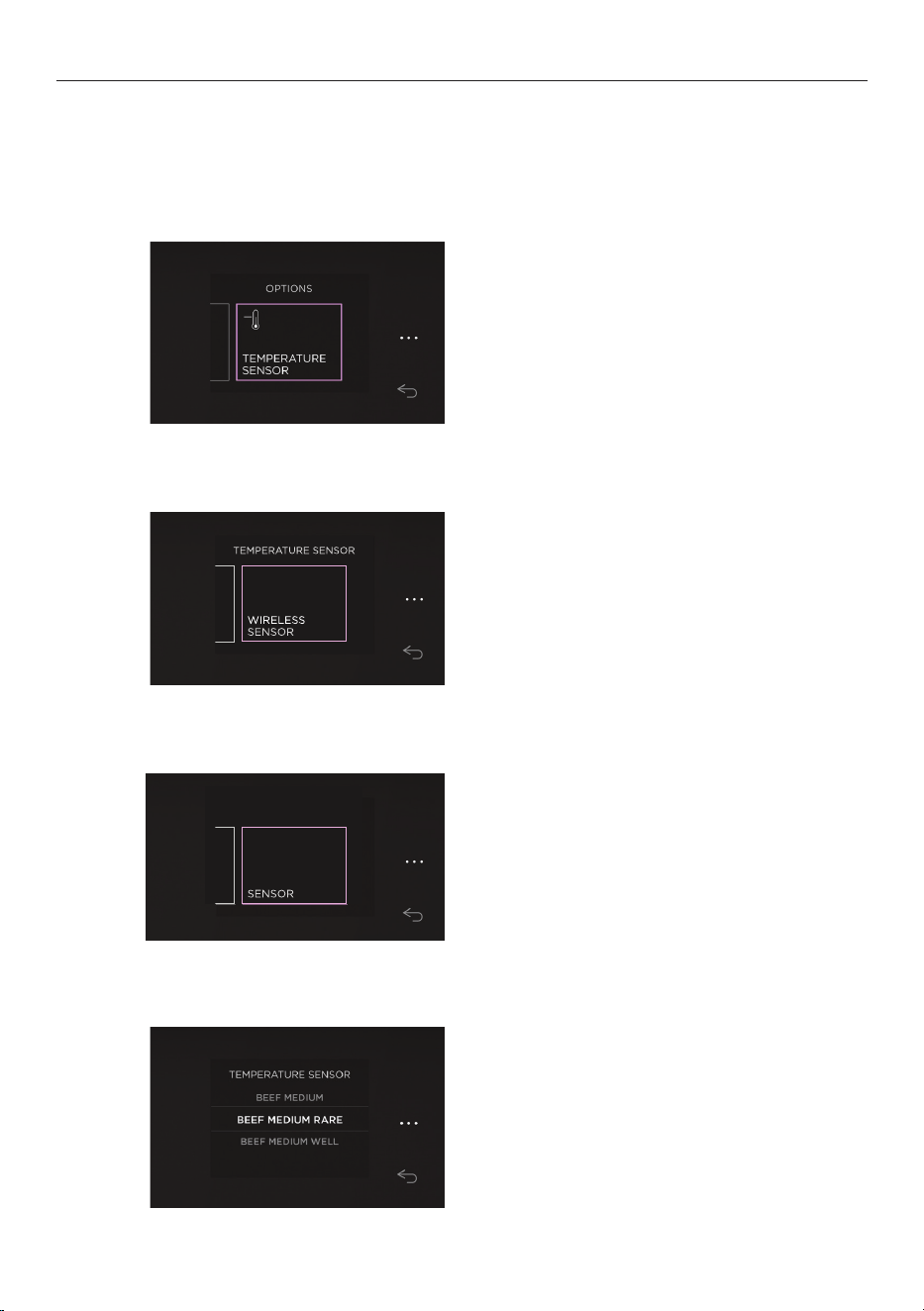
WIRELESS TEMPERATURE SENSOR
Your oven may be connected to a compatible wireless temperature sensor.
Compatible sensors are available to purchase at fisherpaykel.com/sensor.
Ensure your sensor is fully charged before use.
Do not use your wireless sensor to heat food above 100°C or place in an oven above 300°C.
1
Select a cook function.
Go to
OPTIONS and select
TEMPERATURE SENSOR.
2
Select a food type and doneness level.
Select the WIRELESS SENSOR.
Follow the instructions onscreen to
connect the sensor.
3
4
CONNECT
WIRELESS SENSOR
29
WIRELESS TEMPERATURE SENSOR
Select a temperature and press the dial
to confirm.
Allow your oven time to preheat if
necessary.
5
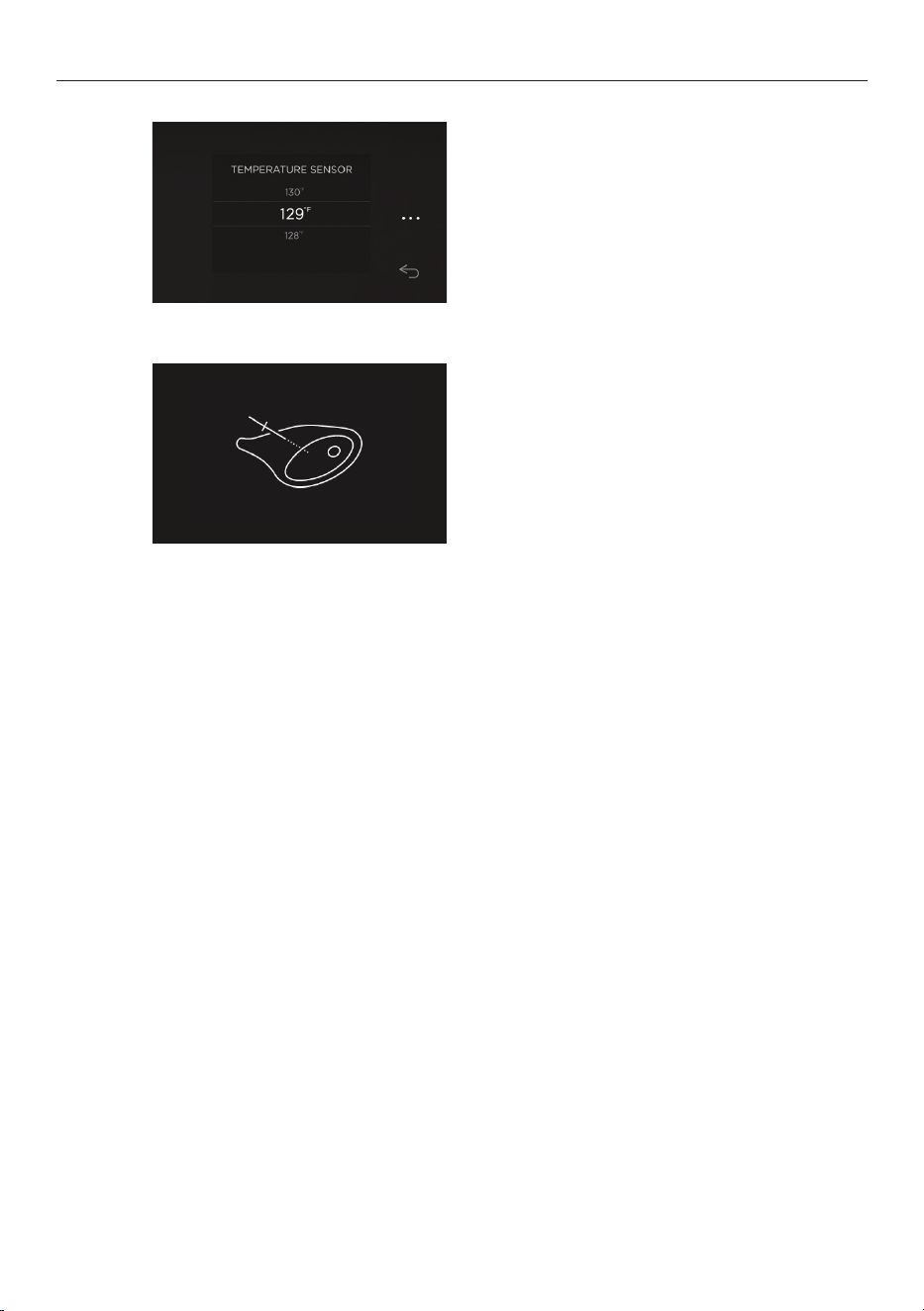
Insert the sensor into your food.
Position the sensor in the thickest part of
the dish, avoiding fat and bone in meat.
Ensure the tip of the sensor doesn’t
protrude out the other side of food or
touch cookware.
Ensure the sensor is inserted past the
minimum line.
Place your food in the oven.
6
30
SABBATH MODE
For the Sabbath observant. Sabbath Mode sets your oven to heat continuously for as long
as required. The display will be unresponsive and no tones or alerts will sound.
While your oven is in Sabbath Mode it can operate at the following temperature levels:
HEAT LEVEL APPROXIMATE TEMP (°C) APPLICATION
Low 75 – 100 Keep hot food warm
Moderate 155 – 180 Reheat cooked food from cold
High 185 – 210 Cooking raw food
Setting Sabbath Mode
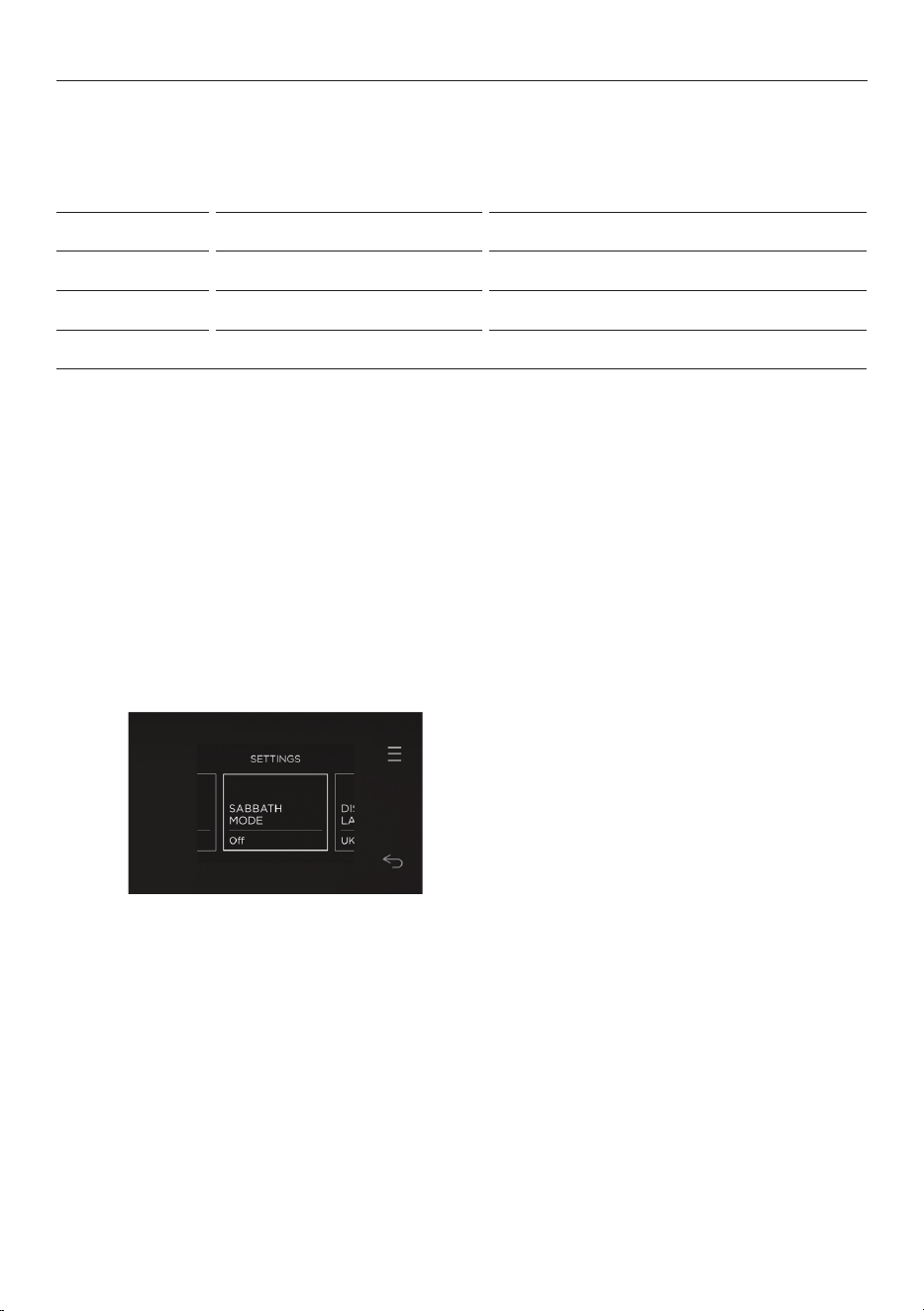
In the settings menu, select
SABBATH MODE
and follow the instructions onscreen.
1
During Sabbath Mode
z
The display will be unresponsive.
z
No tones or alerts will sound.
z
Wi-Fi will be disconnected.
z
The oven light will remain either on or off, depending on your preference.
z
Lights, fans and display will not respond to the door opening.
The oven may take some time to get to temperature. If you want to cook immediately after
setting Sabbath Mode
we recommend preheating the oven before setting. Opening the
door frequently or for too long may result in heat loss.

31
SABBATH MODE
Cancelling Sabbath Mode
The oven will heat for the set length of time and then turn off. At the end of the cook
time, the oven will remain in Sabbath Mode until cancelled.
Press and hold the dial to cancel.
1
32
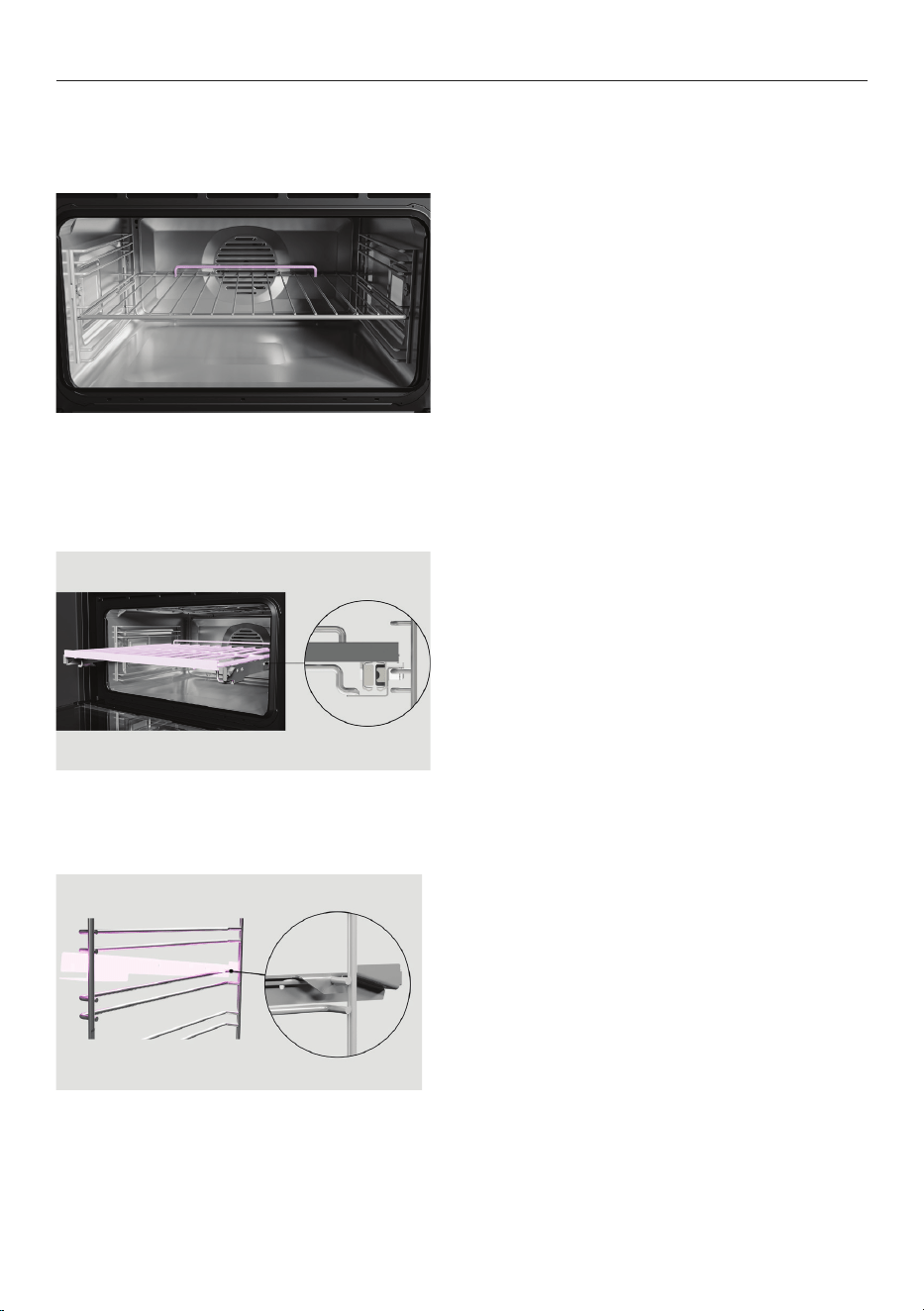
Ensure shelves are level and correctly
positioned with the guard rail at the back
OVEN SHELVES
Positioning the oven shelves
Place shelves in the oven at the required level before heating the oven.
Grip shelves at the front, holding the wire
shelf and frame together.
Place the shelf on top of the side racks,
and push into the oven.
Sliding shelves (some models only)
Ensure the rear tags are hooked over the
side racks on both sides.
33
Slide shelves into the cavity.
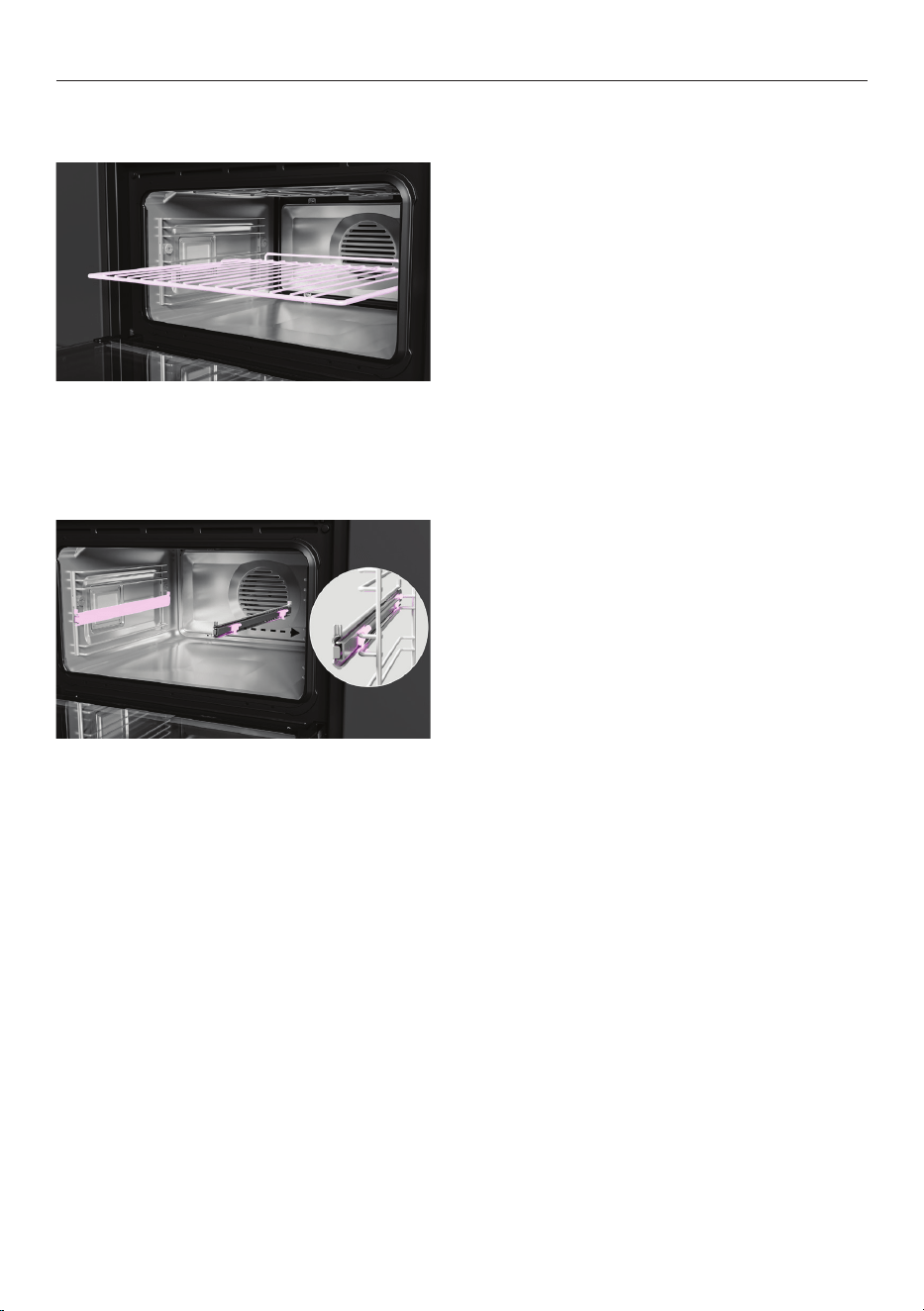
Wire shelves
To position
1 Ensure the slides are positioned the
correct way around, with the triangular
tab at the front.
2 Fit the top clips over the side rack. The
front clip should be fitted as close to the
front of the side rack as possible. Make
sure the rear clip has engaged.
3 Rotate the slides down and click the
bottom clips into place.
OVEN SHELVES
Clip on sliding shelf supports

34
CARE AND CLEANING
Turn the oven off at the wall and allow it to cool before doing any cleaning or maintenance.
Cleaning surfaces
Wipe with a damp cloth and mild detergent, then dry with a clean, lint-free cloth. We do
not recommend using the following cleaning products as they may damage the surfaces:
z
Plastic or stainless steel scouring pads
z
Abrasive, solvent, household cleaners
z
Acid or alkaline cleaners
z
Hand washing liquids or soap
z
Stainless steel cleaners or polishes
z
Laundry detergents or disinfectants
General
We recommend cleaning any easy-to-reach spills or splatters from the oven after every use,
to prevent them becoming baked on.
Oven door glass
Clean the oven door glass after every use and before running a clean cycle, to prevent
stains from becoming baked on.
WHAT? HOW? IMPORTANT!
Control Panel Take particular care when cleaning
the control panel glass and screen.
Only use a damp cloth with
detergent.
Do not use any oven cleaners, harsh
or abrasive cleaners, scouring pads,
steel wool or sharp metal scrapers
on the glass. These may scratch and
damage the surface.
Dial Clean with hot water and mild
detergent, then wipe dry.
Do not use stainless steel or oven
cleaner on the dial.
Stainless steel
trim/door handle
Clean with hot water and mild
detergent, then wipe dry.
If necessary, use a suitable stainless
steel cleaner and polish.
Ensure stainless steel cleaner does
not contain chlorine compounds as
these may damage the appearance
of your oven.
Always rub the stainless steel in the
direction of the grain.
Oven door frame and
plastic corner clips
Clean with hot water and mild
detergent, then wipe dry.
Oven cavity For light soiling:
Clean with hot water and mild
detergent or an ammonia-based
cleaner, then wipe dry.
For stubborn/baked on soiling:
Run a clean cycle. Refer to
‘Steam clean’’.
Clean any easy-to-reach spills, food
or grease stains from the oven
after each use to prevent stubborn
soiling.

35
WHAT? HOW? IMPORTANT!
Oven seal Do not clean this part.
Oven door glass
(after every use)
Clean with hot water and mild
detergent.
For stubborn stains, try a mixture of
baking soda and warm water with a
non-abrasive scrubbing pad.
Do not use oven cleaners or any
other harsh/abrasive cleaners,
cloths, scouring pads, steel wool or
sharp metal scrapers to clean the
oven door glass. These scratch the
glass, which in turn could result in
the glass cracking and shattering.
Do not allow grease to build up on
the glass or become baked on as
this reduces visibility into the oven.
Temperature sensor Clean with hot water and mild
detergent, then wipe dry.
Wireless temperature sensor only:
Dry thoroughly with a clean cloth
before storing in its case in a cool,
dry place.
Do not wash in the dishwasher,
immerse in soapy water, use oven
cleaner on or leave in the oven
during a clean cycle.
Do not submerge in cold water
immediately after cooking.
Sliding shelves Wipe with a damp cloth and mild
detergent. Do not wipe off or wash
away the white lubricating grease
(visible when the shelf is extended).
Do not wash in the dishwasher,
immerse in soapy water, use
oven cleaner on or leave in the
oven during a clean cycle. Doing
so will prevent the slides from
running smoothly.
Grid
Grill rack
Grill pan
Wire shelves
Clean with hot water and mild
detergent.
Soak stubborn stains in a solution of
dishwasher powder and hot water.
These parts are dishwasher safe.
Do not leave in the oven during
a clean cycle. They will become
discoloured or damaged.
CARE AND CLEANING
36
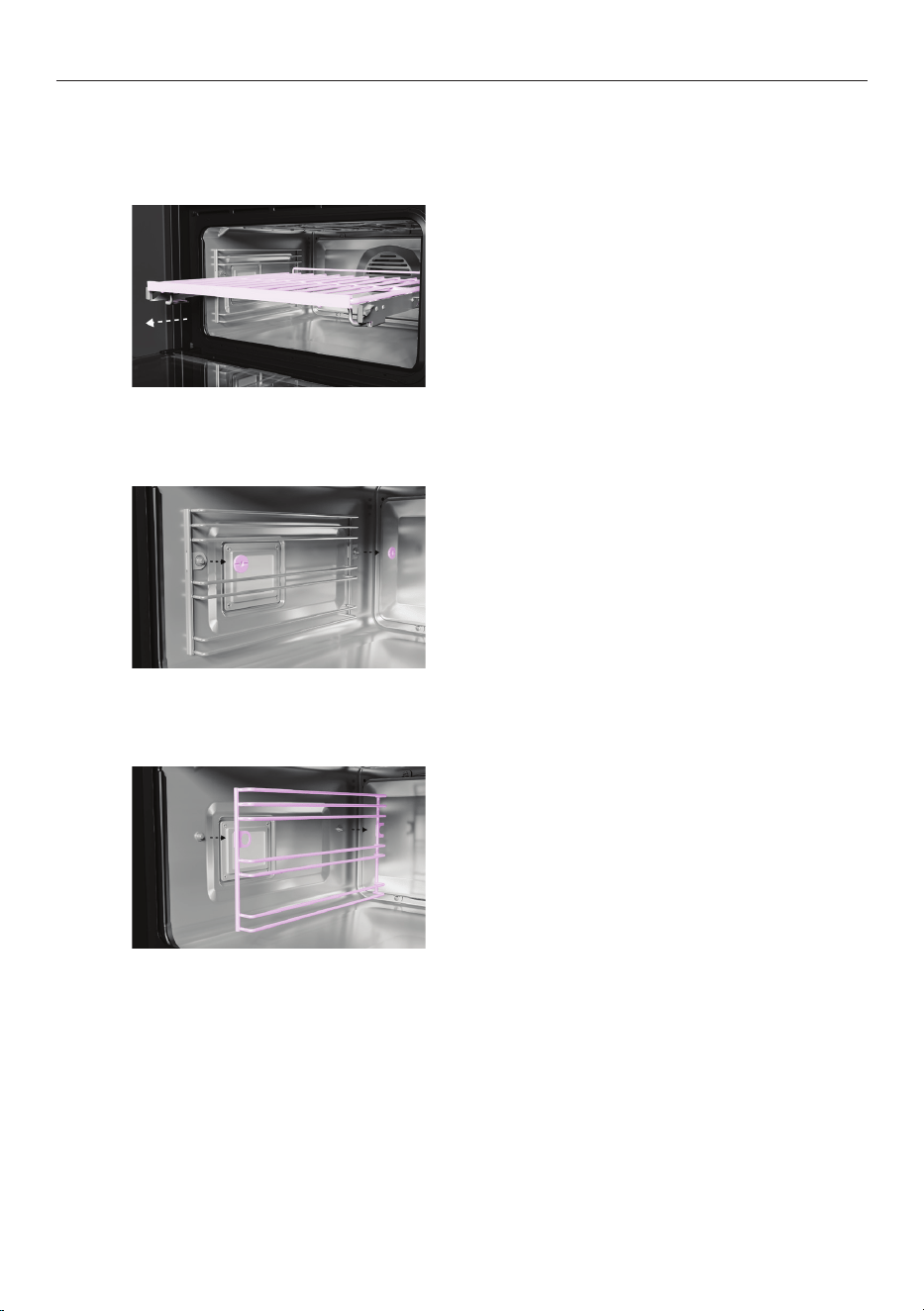
SIDE RACKS
Removing the side racks
Remove the side racks to access the oven lights or to make cleaning easier.
Remove all shelves.
1
Unscrew the nut holding the rack in
position. Use a coin to loosen if required.
2
Pull the front of the rack clear of the screw
and slide forward to remove.
3
37
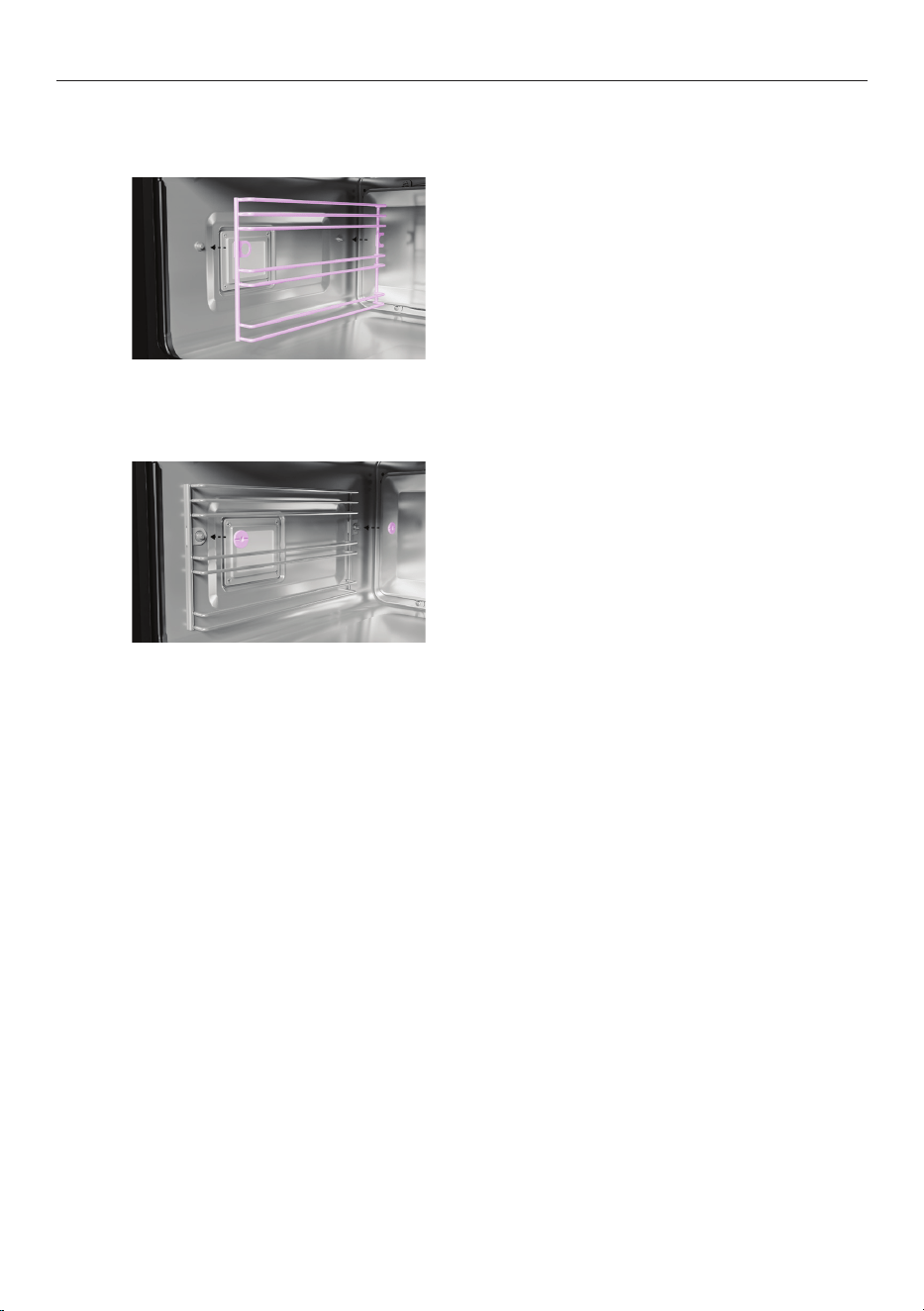
SIDE RACKS
Refitting the side racks
Slide the prongs into the holes.
Ensure the rack sits flush against the side
of the oven.
1
Align the tab with the screw and secure
with the nut.
Use a coin to tighten if required.
2

39
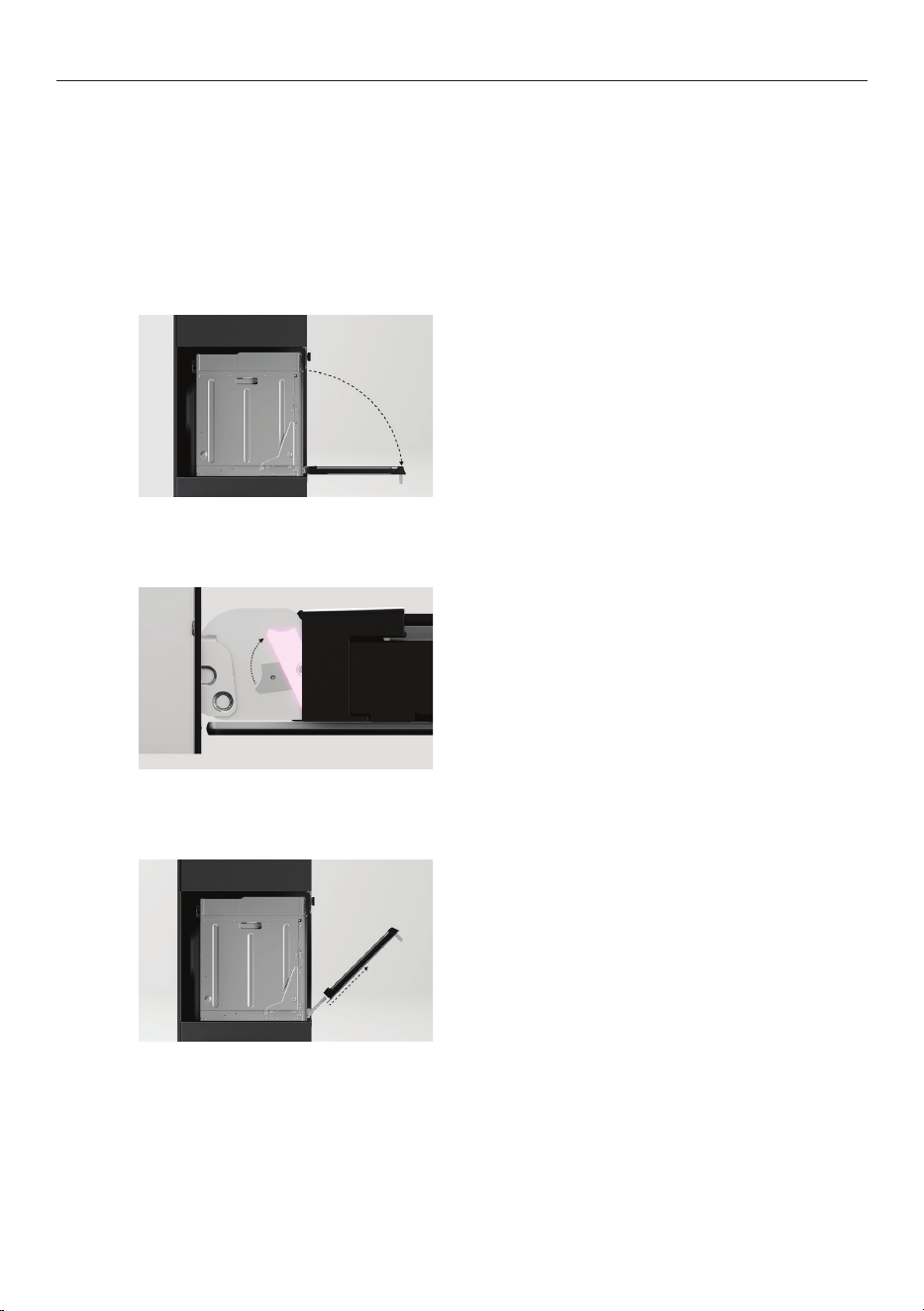
CLEANING THE OVEN DOOR
z
The oven door can be removed and taken apart for cleaning.
z
Make sure the oven and all its parts have cooled down before removing the door.
z
The oven door is heavy, take care while removing and refitting.
z
Once the door is removed, place it on a soft, clean, flat surface.
Open the door fully.
1
Locate the hinge locks on either side of
the door.
Push the locks upwards to release.
2
Holding the door on both sides, partially
close the door and carefully pull the door
away from the hinges.
3
Removing the oven door
40
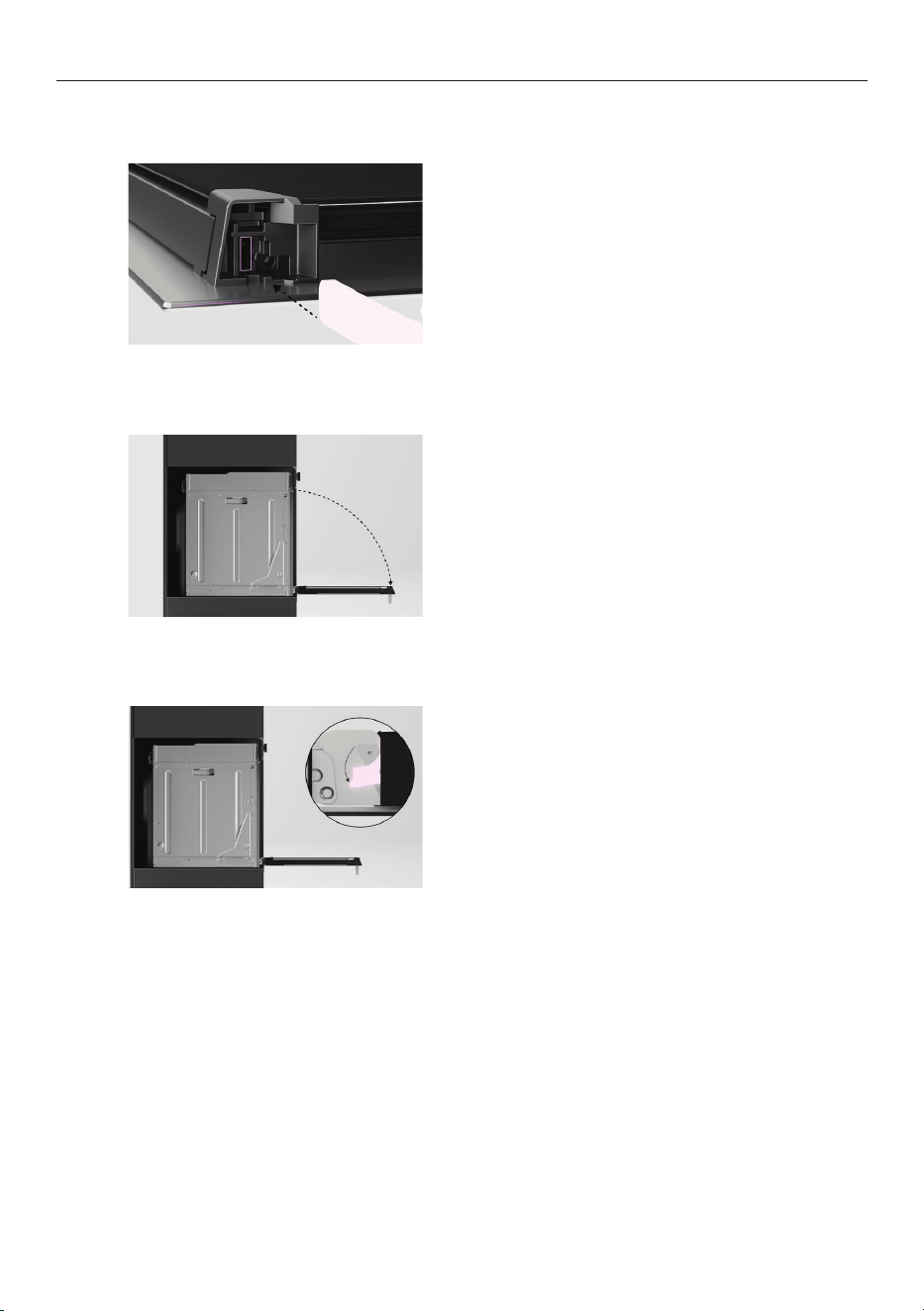
CLEANING THE OVEN DOOR
Refitting the oven door
Holding the door on both sides,
carefully lift door back onto the hinges.
1
Open the door fully.
2
3
Push each locking lever down and lock
into place.
Ensure both hinges are fully locked
before closing the door.

41
CLEANING THE OVEN DOOR
Taking the door apart
The oven door is made up of multiple glass panes. The number of panes may vary
depending on your model.
Before you begin
z
Follow the instructions carefully. Refitting the glass incorrectly may result in damage to
the oven and could void your warranty.
z
Do not use the oven without all glass correctly in place.
z
Take care when handling the glass. Avoid bumping the corners or edges against any
surface. This may result in the glass shattering.
z
Do not use oven cleaners or any other harsh/abrasive cleaners, cloths, scouring pads,
steel wool or sharp metal scrapers to clean the glass surfaces. These scratch the glass
and may damage the coating, which could result in the glass cracking or shattering.
z
If you notice any sign of damage on any of the glass panes (such as chipping or cracks),
do not use the oven. Contact a Fisher & Paykel trained and supported service technician
or Customer Care.
z
If the glass feels difficult to remove or replace, do not force it. Contact a Fisher & Paykel
trained and supported service technician or Customer Care.
inner
middle
outer
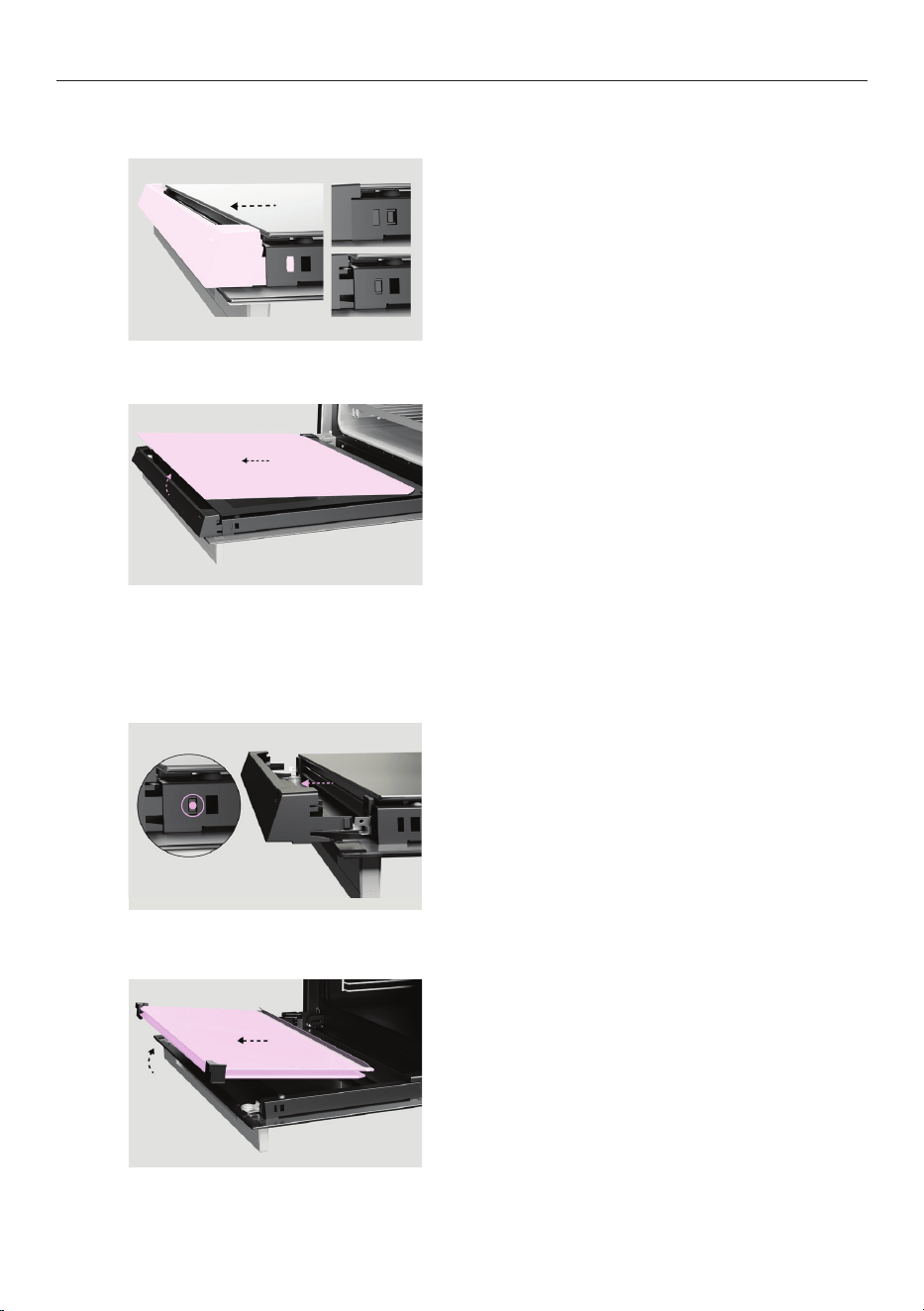
42
CLEANING THE OVEN DOOR
Removing the inner pane
Removing the middle panes
Push tabs in on both sides of the glass
retainer. Pull the retainer up until the tabs
relocate in the uppermost hole.
Push tabs in on both sides of the glass
retainer again and remove the retainer.
Pull the pane toward the top of the door
until clear of the brackets, then lift out.
Do not angle the pane too much as this
may damage the glass.
Pull the pane toward the top of the door
until clear of the brackets, then lift out.
The rubber stoppers should remain
attached to the glass.
1
1
2
2
43
CLEANING THE OVEN DOOR
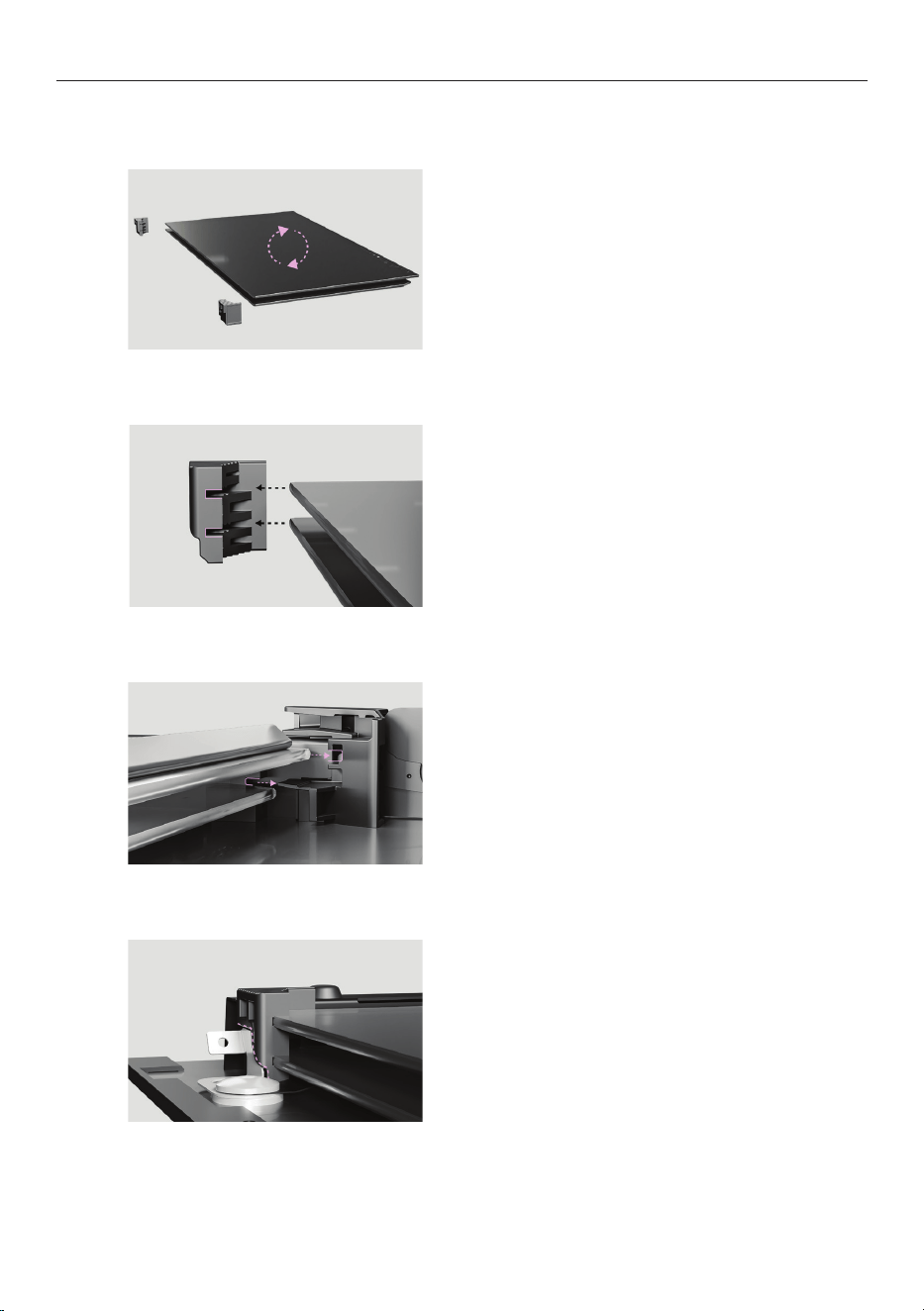
Refitting the middle panes
Slide the bottom of the glass into the lower
brackets at the bottom of the door.
3
Lower the glass into place, with the rubber
stoppers resting on the outer pane of glass.
4
Ensure the glass is the right way up
before refitting.
The warning text at the bottom of the glass
should face towards the front of the door.
1
Ensure the rubber stoppers are attached to
the glass and positioned correctly.
The longer side should be running down the
side of the pane.
2
44
CLEANING THE OVEN DOOR
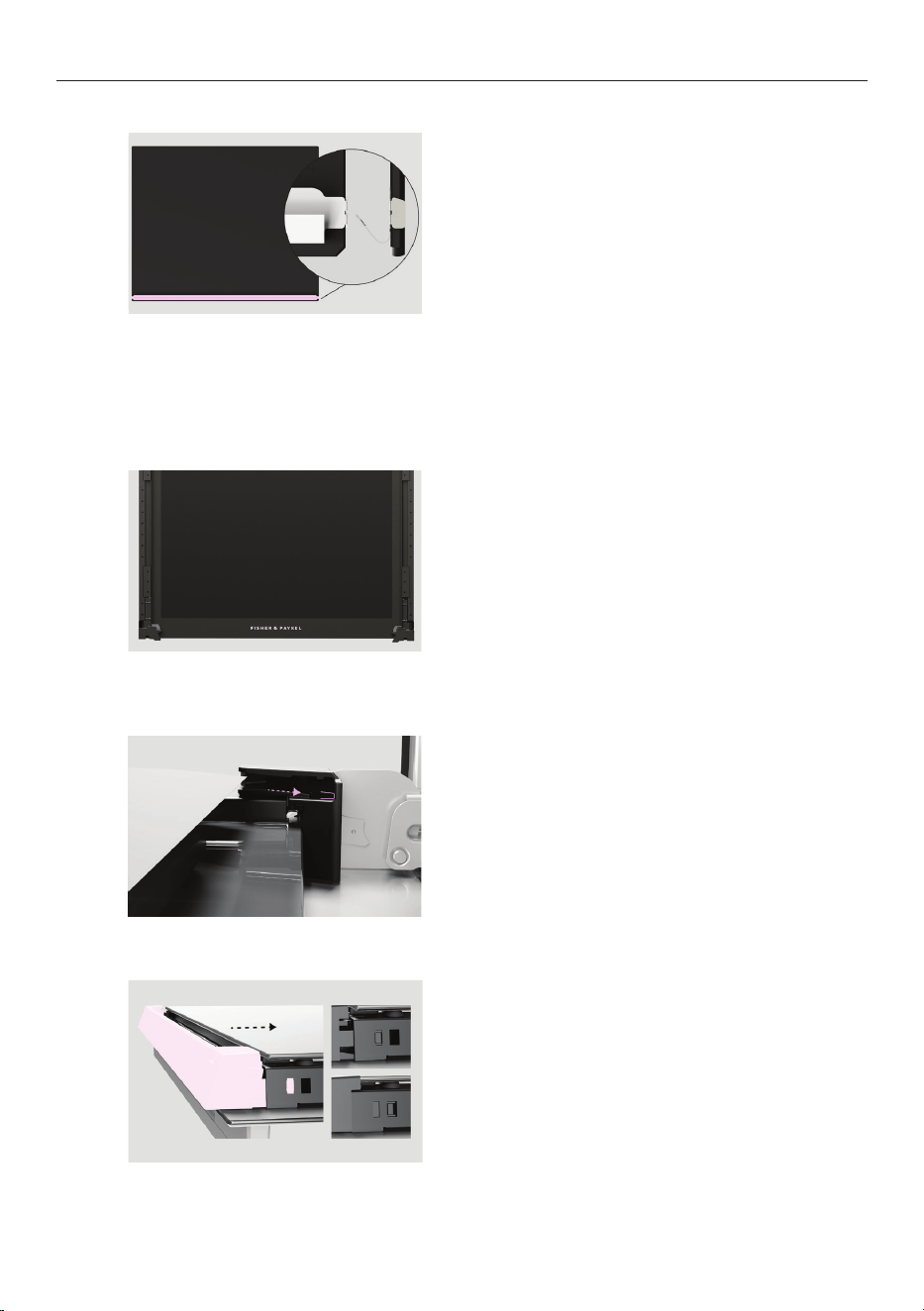
Refitting the inner pane
Slide the bottom of the pane into the
upper brackets at the bottom of the door.
Lower the pane into place, resting on the
brackets at the top of the door.
2
Ensure the glass is the right way up
before refitting.
The logo should be readable at the
bottom of the door.
1
3
Replace the glass retainer, ensuring it
clicks securely into place.
5
When replacing the second middle pane,
ensure the metal bracket is still in place
and correctly positioned at the bottom of
the glass.
45
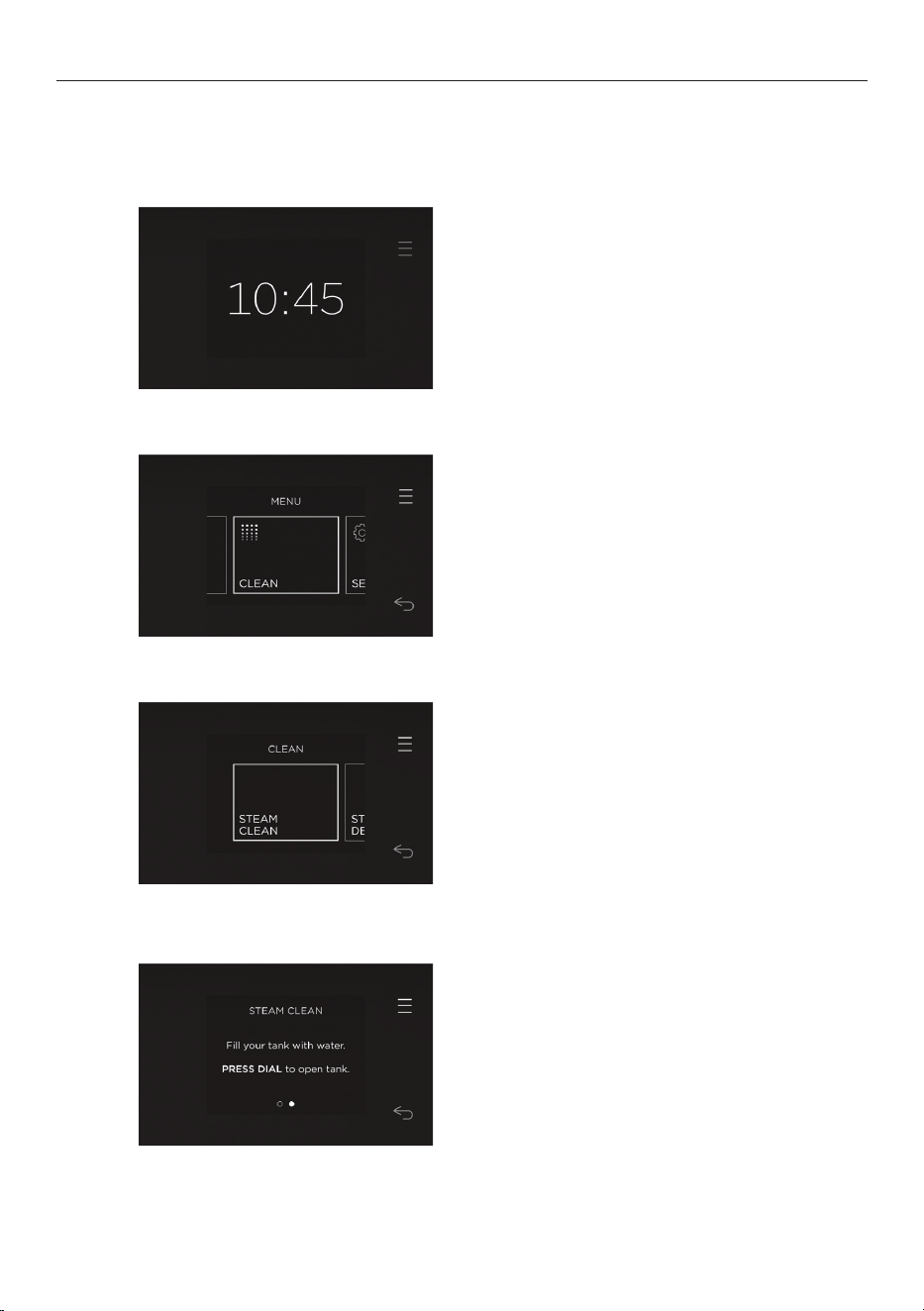
STEAM CLEAN
To help lift stubborn spills, run the steam clean cycle before wiping out the oven. For best
results, the oven should be around room temperature before beginning.
Go to the menu.
1
Select CLEAN.
2
Select STEAM CLEAN.
3
Follow the instructions on screen to start
the clean cycle.
After the clean cycle is complete, wipe
the base of the cavity to remove any
excess moisture.
4
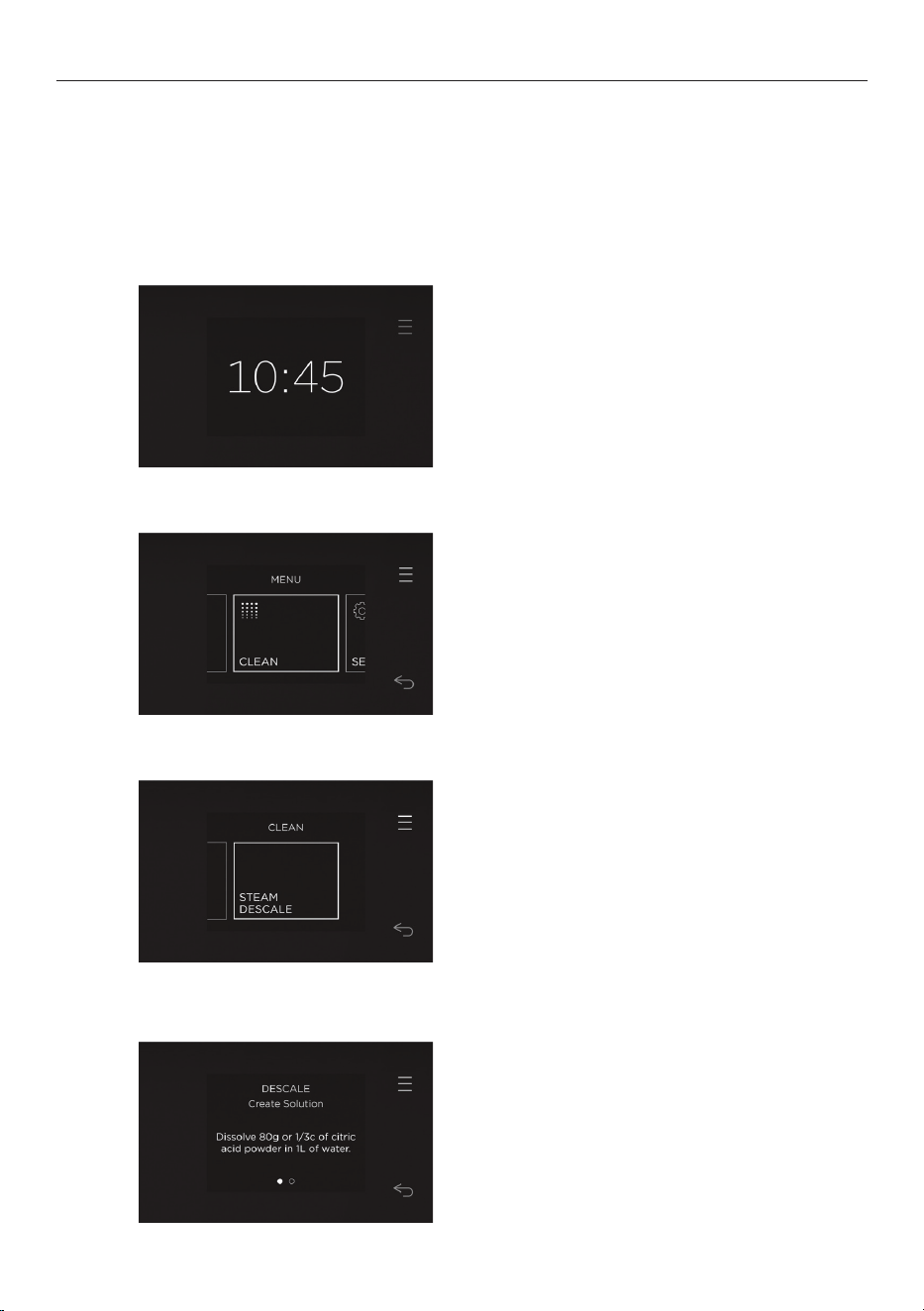
46
DESCALING
Descale your oven as soon as possible after the descale alert is shown to maintain
optimum performance.
z
Dissolve 80 grams (1/3 cup) of citric acid powder to 1L of warm water to make up the
descaling solution.
z
Take care when handling citric acid and ensure you read and follow the manufacturer’s
instructions carefully.
Go to the menu.
1
Select CLEAN.
2
Select STEAM DESCALE.
3
Follow the instructions on screen to start
descaling the oven.
After the Descale cycle is complete, wipe
the base of the cavity to remove any
excess moisture.
4
47
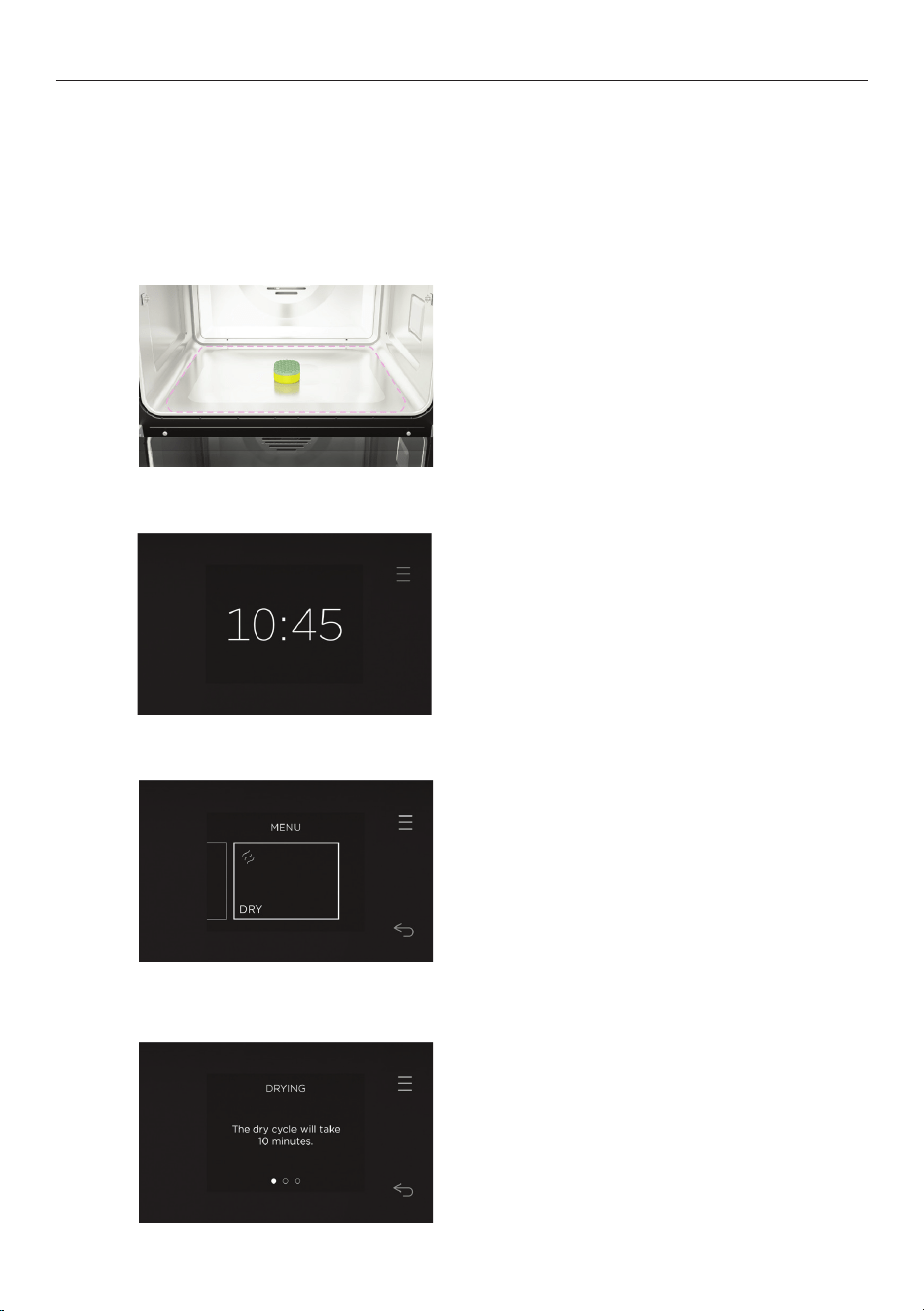
DRY CYCLE
After running a steam function, there may be some moisture left in the oven. You can run
a dry cycle to help remove the remaining moisture:
z
Remove any food from the oven before starting a dry cycle.
z
If the dry cycle is not run regularly, excess moisture may build up in the cavity and
cause damage. Damage caused by not running the dry cycle may void your warranty.
Wait for the oven to cool, then wipe out
the base of the cavity with a sponge or
soft cloth before starting a dry cycle.
1
Go to the menu.
2
Select DRY.
3
Follow the instructions on screen to start
the dry cycle.
4

48
DRY CYCLE
Check the drip tray and wipe dry
if required.
1
After running the dry cycle

49
TROUBLESHOOTING
PROBLEM POSSIBLE CAUSES WHAT TO DO
The oven does not work No power. Check that the mains power supply
(wall switch) is turned on, the fuse
has not tripped and there is no
power outage in your area.
The oven controls
are unresponsive
The controls are locked. Press and hold the dial to unlock.
The controls work but the
oven does not heat up
The oven is in Demo mode. Call Customer Care.
The door is not properly closed
or it is opened too frequently
during cooking.
The heating elements are disabled
while the door is open.
Make sure the door is properly
closed and avoid opening it
frequently during cooking.
The door is not sealing correctly. Refit the door. Refer to ‘Cleaning the
oven door’.
The temperature
cannot be set below a
certain point
This is normal. For food safety
reasons, the oven functions
have factory-set minimum
temperature settings.
Select a higher temperature or try
a different function that is designed
for low temperatures.
The oven has reached the
set temperature but the
dial is still red
The oven is set to a function that
doesn’t require preheating.
This is normal. The dial will stay red
throughout cooking.
The oven fan comes on
with a function that does
not use the fan (eg
BAKE)
This is normal. The fan comes on
while the oven is preheating and will
turn off when the oven has reached
the set temperature.
Wait until the progress bar on the
screen disappears. The oven will
then be ready to use.
The lights do not come
on when I open the
oven door
The oven light bulb(s) have blown. Replace the light bulb(s). Refer to
‘Oven lights’.
The door is not correctly fitted. Refit the door. Refer to ‘Cleaning the
oven door’.
The oven light has been turned off. Go to the menu and select
LIGHT.
The oven settings cannot
be adjusted
The oven was on or set for
automatic cooking when you tried
to adjust the settings.
This is normal. You can only adjust
the settings while there is no
cooking underway.

50
TROUBLESHOOTING
PROBLEM POSSIBLE CAUSES WHAT TO DO
There is hot air blowing
out of the vents after the
oven is turned off
For safety reasons the cooling fans
will continue to run even when you
have turned the oven off.
This is normal. The fans will switch
off automatically when the oven
has cooled.
The oven door does not
align with the control
panel or surrounding
cabinetry
The oven door has been fitted
incorrectly and the hinges are
misaligned within the slots.
Refit the door.
Refer to ‘Cleaning the oven door’
for instructions.
A glass pane in the oven
door has cracked, chipped
or shattered
Incorrect cleaning or the edge of
the glass hitting against something.
You must
NOT use the oven.
Contact a Fisher & Paykel trained
and supported service technician or
Customer Care
The oven is beeping and
showing an alert
There may be a fault. Follow the guidance on the
screen. Refer to ‘Fault codes’ for
more information.

51
FAULT CODES
How do I know if there is a problem?
Your oven will beep and an alert will show in the display.
What to do
First try to fix the issue and clear the alert according to the instructions onscreen or the
steps in the following table.
Do not turn the oven off at the wall unless it is completely cool. Turning off the power while
the oven is too hot may damage the oven and its surrounding cabinetry.
If the problem persists
1 Note down the fault code.
2 Contact Customer Care or a Fisher & Paykel trained and supported service technician.
Refer to the Service and Warranty booklet for contact details.
If the fault code has disappeared, the fault has been reset and you can continue to use
your oven.
FAULT CODE POSSIBLE CAUSE WHAT TO DO
A1
The oven has
overheated.
• Allow the oven to cool down.
• Once the oven has cooled down and the door has
unlocked, the alert code will disappear. You can now use
the oven.
F
+ number
Technical fault. • Note down the alert code.
• Wait until the cooling fans have stopped and the oven
has completely cooled down.
• Turn the power to the oven off at the wall.
• Contact a Fisher & Paykel trained and supported service
technician or Customer Care.

52
EU This appliance is marked according to the European Directive 2012/19/EU on
WasteElectrical and Electronic Equipment (WEEE). By ensuring this product is disposed of
correctly, you will help prevent potential negative consequences for the environment and
human health, which could otherwise be caused by inappropriate handling of this product.
The symbol
marked on the serial plate, or on the documents accompanying theproduct,
indicates that this appliance cannot be treated as household waste. Itshallbe handed over
to the applicable collection point for the recycling of electrical and electronic equipment.
Disposal of the appliance shall be carried out in accordance with the local environment
regulations for waste disposal and ensure the refrigerant circuit is not damaged.
For more detailed information about treatment, recovery and recycling of this product,
please contact your local city office, your household waste disposal service or your
Fisher & Paykel retailer/dealer from whom you purchased this product.
EUROPEAN DIRECTIVE 2012/19/EU ON WASTE
ELECTRICALANDELECTRONIC EQUIPMENT(WEEE)

53
ENERGY GUIDELINES (UK IE)
WEIGHT
(KG)
OVEN
CAVITIES
CAVITY
VOLUME
(LITRES)
ENERGY
CONSUMPTION*
(CONVENTIONAL)
KWH/CYCLE
ENERGY
CONSUMPTION*
(FAN FORCED)
KWH/CYCLE
ENERGY
EFFICIENCY
INDEX
(CONVENTIONAL)
ENERGY
EFFICIENCY
INDEX
(FAN FORCED)
39 1 45 0.78 0.60 105 81
STANDBY POWER**
(WATTAGE)
TIME TO STANDBY***
(MINUTES)
< 1.0 W 15
OS60NML models
WEIGHT
(KG)
OVEN
CAVITIES
CAVITY
VOLUME
(LITRES)
ENERGY
CONSUMPTION*
(CONVENTIONAL)
KWH/CYCLE
ENERGY
CONSUMPTION*
(FAN FORCED)
KWH/CYCLE
ENERGY
EFFICIENCY
INDEX
(CONVENTIONAL)
ENERGY
EFFICIENCY
INDEX
(FAN FORCED)
39 1 45 0.78 0.60 105 81
STANDBY POWER**
(WATTAGE)
TIME TO STANDBY***
(MINUTES)
< 1.0 W 15
OS60NDL models
*Energy consumption for electric cooking appliances is calculated using the following Standard:
BS EN 60350 Part 1- Ranges, ovens, steam ovens and grills — Methods for measuring performance.
**Standby power for electric cooking appliances is calculated using the following Standard:
EN 50564 – Electrical and electronic household and office equipment – Measurement of low power
consumption.
***Time to standby for electric cooking appliances is calculated using the following Standard:
EN 50643 – Electrical and electronic household and office equipment – Measurement of networked
standby power consumption of edge equipment.
54
MANUFACTURER’S WARRANTY AND SERVICE GUIDE
This product has been designed for use in a domestic (residential) environment. This
product is not designed for any commercial use. Any commercial use by the customer will
affect this product’s Manufacturer’s Warranty.
For spare parts, please contact Fisher & Paykel Customer Care. Spare parts are available
for all Fisher & Paykel products for a minimum period of 10 years from the date
of manufacture.
Complete and keep for safe reference:
Model
Serial No.
Purchase Date
Purchaser
Dealer
Suburb
Town
Country
To access your Warranty and Service Guide
Scan the QR code with your smartphone to access your warranty
and book a service, or view online at https://www.fisherpaykel.com/
uk/help-and-support/warranty-information
To access your Warranty and Service Guide
Scan the QR code with your smartphone to access your warranty
and book a service, or view online at https://www.fisherpaykel.com/
ie/help-and-support/warranty-information
UK
IE

55
CUSTOMER CARE
Before you call for service or assistance
Check the things you can do yourself. Refer to your User guide and check:
1 Your product is correctly installed.
2 You are familiar with its normal operation.
3 You have read the ‘Fault codes’ and ‘Troubleshooting’ sections.
If after checking these points you still need assistance or parts, please refer to your
nearest Fisher&Paykel trained and supported service technician, Customer Care, or
contact us through our website fisherpaykel.com.
In UK if you need assistance
Call the Fisher & Paykel Customer Care Centre and talk to one of our
Customer CareConsultants.
Toll Free: 08000 886 605
Website: fisherpaykel.com
Postal address:
Fisher & Paykel Appliances Ltd,
Turing House, Ortensia Drive,
Milton Keynes MK17 8LX
In Ireland if you need assistance
Call the Fisher & Paykel Customer Care Centre and talk to one of our
Customer CareConsultants.
Toll Free: 1800 625174 or 01 807 7960
Website: fisherpaykel.com
Postal address:
Fisher & Paykel Appliances Ltd,
Unit 2D Corporate Park,
Swords Dublin
If you need service
Fisher & Paykel has a network of Fisher & Paykel trained and supported service
technicians that can carry out any service necessary on your appliance. Our Customer
Care Centre can recommend a Fisher & Paykel trained and supported service technician
in your area. Or you can book one online at fisherpaykel.com/uk/help-and-support or
fisherpaykel.com/ie/help-and-support
If you call, write or contact us via our website please provide:
your name and address, model number, serial number, date of purchase and a complete
description of the problem. This information is needed in order to better respond to
yourrequest for assistance.
Product details can be found inside the oven below the control panel.

431676A 01.24
FISHERPAYKEL.COM
© Fisher & Paykel Appliances 2024. All rights reserved.
The models shown in this guide may not be available in all markets
and are subject to change at any time.
The product specifications in this guide apply to the specific products and
models described at the date of issue. Under our policy of continuous product
improvement, these specifications may change at any time.
For current details about model and specification availability in your country,
please go to our website or contact your local Fisher&Paykel dealer.