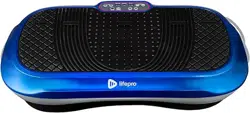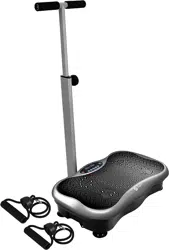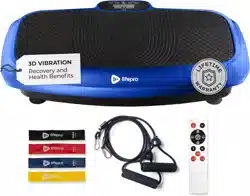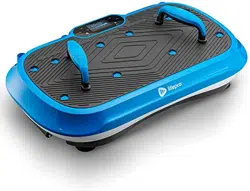
WAVER™ VIBRATION PLATE
READY,
SET, PRO
USER MANUAL

H
ELLO THERE.
Joel and I are athletes who suffered from
severe ACL injuries a few months apart.
We purchased multiple pieces of exercise
equipment for our in-home rehab but were left
disappointed and frustrated by fitness gear
that made big promises but gave no support, no
well-thought-out plan to follow, and no results.
And that’s how Lifepro came about, and why
the Vibration Therapy collection was created —
we’ve set out to change all of that. It’s why
every piece of equipment bearing our name not
only undergoes rigorous scrutiny to make sure
it delivers on power and efficacy, but also
comes with built-in support from our
‘guiding angels’ and a built-in lifetime warranty
so that you’re never left hanging.
Welcome to Lifepro.
We’re in this together now.
INDUSTRY CANADA COMPLIANCE STATEMENT
This device complies with Industry Canada licence-exempt RSS
standard(s). Operation is subject to the following two conditions: (1) This
device may not cause interference, and (2) This device must accept any
interference, including interference that may cause undesired operation of
the device.
Le présent appareil est conforme aux CNR d’ Industrie Canada applicables
aux appareils radio exempts de licence. L’exploitation est autorisée aux
deux conditions suivantes : (1) l’utilisateur de l’appareil ne doit pas produire
de brouillage, et (2) l’appareil doit accepter tout brouillage radioélectrique
subi, même si le brouillage est susceptible d’en compromettre le
fonctionnement.
FCC STATEMENT
This device complies with part 15 of the FCC Rules. Operation is subject
to the following two conditions: (1) this device may not cause harmful
interference, and (2) this device must accept any interference received,
including interference that may cause undesired operation.
NOTE: Changes or modifications not expressly approved by the party
responsible for compliance could void the user’s authority to operate the
equipment.
NOTE: This equipment has been tested and found to comply with the
limits for a Class B digital device, pursuant to part 15 of the FCC Rules.
These limits are designed to provide reasonable protection against harmful
interference in a residential installation. This equipment generates, uses
and can radiate radio frequency energy and, if not installed and used in
accordance with the instructions, may cause harmful interference to radio
communications. However, there is no guarantee that interference will
not occur in a particular installation. If this equipment does cause harmful
interference to radio or television reception, which can be determined by
turning the equipment off and on, the user is encouraged to try to correct
the interference by one or more of the following measures:
• Reorient or relocate the receiving antenna.
• Increase the separation between the equipment and receiver.
• Connect the equipment into an outlet on a circuit different
from that to which the receiver is connected.
• Consult the dealer or an experienced radio/TV technician for
help.

H
ELLO THERE.
Joel and I are athletes who suffered from
severe ACL injuries a few months apart.
We purchased multiple pieces of exercise
equipment for our in-home rehab but were left
disappointed and frustrated by fitness gear
that made big promises but gave no support, no
well-thought-out plan to follow, and no results.
And that’s how Lifepro came about, and why
the Vibration Therapy collection was created —
we’ve set out to change all of that. It’s why
every piece of equipment bearing our name not
only undergoes rigorous scrutiny to make sure
it delivers on power and efficacy, but also
comes with built-in support from our
‘guiding angels’ and a built-in lifetime warranty
so that you’re never left hanging.
Welcome to Lifepro.
We’re in this together now.
INDUSTRY CANADA COMPLIANCE STATEMENT
This device complies with Industry Canada licence-exempt RSS
standard(s). Operation is subject to the following two conditions: (1) This
device may not cause interference, and (2) This device must accept any
interference, including interference that may cause undesired operation of
the device.
Le présent appareil est conforme aux CNR d’ Industrie Canada applicables
aux appareils radio exempts de licence. L’exploitation est autorisée aux
deux conditions suivantes : (1) l’utilisateur de l’appareil ne doit pas produire
de brouillage, et (2) l’appareil doit accepter tout brouillage radioélectrique
subi, même si le brouillage est susceptible d’en compromettre le
fonctionnement.
FCC STATEMENT
This device complies with part 15 of the FCC Rules. Operation is subject
to the following two conditions: (1) this device may not cause harmful
interference, and (2) this device must accept any interference received,
including interference that may cause undesired operation.
NOTE: Changes or modifications not expressly approved by the party
responsible for compliance could void the user’s authority to operate the
equipment.
NOTE: This equipment has been tested and found to comply with the
limits for a Class B digital device, pursuant to part 15 of the FCC Rules.
These limits are designed to provide reasonable protection against harmful
interference in a residential installation. This equipment generates, uses
and can radiate radio frequency energy and, if not installed and used in
accordance with the instructions, may cause harmful interference to radio
communications. However, there is no guarantee that interference will
not occur in a particular installation. If this equipment does cause harmful
interference to radio or television reception, which can be determined by
turning the equipment off and on, the user is encouraged to try to correct
the interference by one or more of the following measures:
• Reorient or relocate the receiving antenna.
• Increase the separation between the equipment and receiver.
• Connect the equipment into an outlet on a circuit different
from that to which the receiver is connected.
• Consult the dealer or an experienced radio/TV technician for
help.
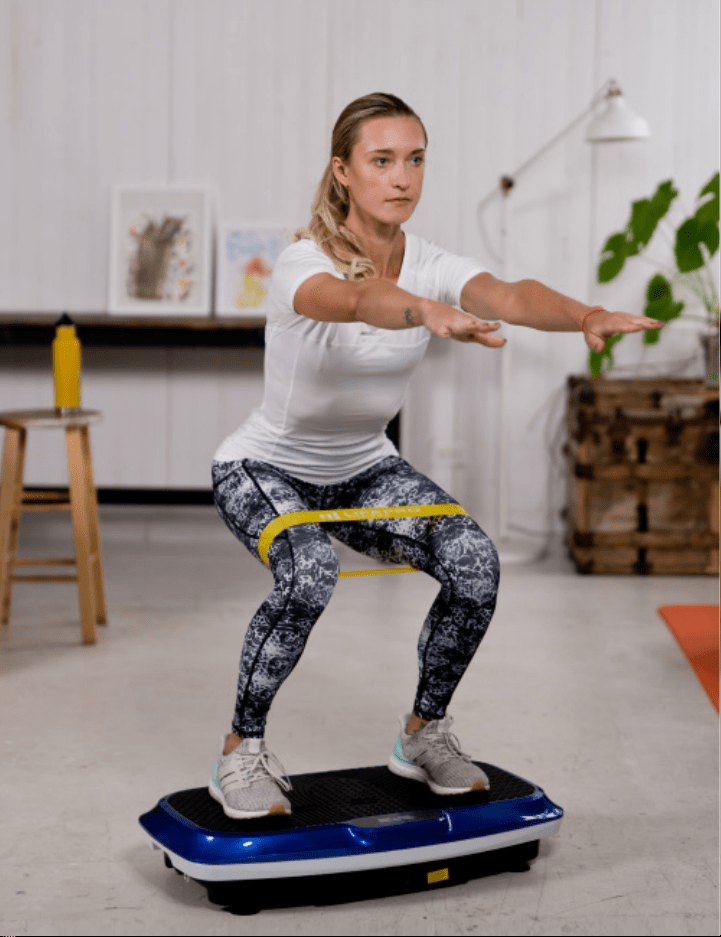
Not everyone can afford to hire a personal trainer or a team of professionals
to help them feel and look their best. But the good news is: you don’t have
to. Lifepro brings the gym to you.
The Lifepro Waver™ boosts your metabolism and increases circulation,
which forces your body to burn more fat and reduces the appearance of
cellulite. The vibration plate creates a repetitive motion that forces your
muscles to contract repeatedly. This technique works more muscle fibers
than other forms of exercise, which means you’re getting double the results
without double the effort. The Waver is easy to use and will help you reach
your goals faster than ever before.
If you have suffered an injury or you experience joint or back pain,
find relief, and help prevent future injuries by adding the vibration plate
to your rehab routine. Vibration plates are used by professional athletes,
physical therapists, and rehabilitation centers everywhere.
Redefine your workouts and experience the
transformative power of the Lifepro Waver:
Experience joint- and back-pain relief: improves core strength
& circulation.
Boost your metabolism: encourages your body to burn fat faster.
Decrease your stress: increases serotonin and decreases cortisol.
Improve circulation: decreases blood pressure.
Increase strength & flexibility: improves stability.
Develop stronger bones: increases bone density.
Check out the exercises in this manual for ways to get started using your
Waver. Next, be sure to visit our website waver.lifeprofitness.com for
access to our FREE library of workout videos which demonstrate how to
easily incorporate the Waver into your fitness routine.
Vibration Therapy Collection 5
Not everyone can afford to hire a personal trainer or a team of professionals
to help them feel and look their best. But the good news is: you don’t have
to. Lifepro brings the gym to you.
The Lifepro Waver™ boosts your metabolism and increases circulation,
which forces your body to burn more fat and reduces the appearance of
cellulite. The vibration plate creates a repetitive motion that forces your
muscles to contract repeatedly. This technique works more muscle fibers
than other forms of exercise, which means you’re getting double the results
without double the effort. The Waver is easy to use and will help you reach
your goals faster than ever before.
If you have suffered an injury or you experience joint or back pain,
find relief, and help prevent future injuries by adding the vibration plate
to your rehab routine. Vibration plates are used by professional athletes,
physical therapists, and rehabilitation centers everywhere.
Redefine your workouts and experience the
transformative power of the Lifepro Waver:
Experience joint- and back-pain relief: improves core strength
& circulation.
Boost your metabolism: encourages your body to burn fat faster.
Decrease your stress: increases serotonin and decreases cortisol.
Improve circulation: decreases blood pressure.
Increase strength & flexibility: improves stability.
Develop stronger bones: increases bone density.
Check out the exercises in this manual for ways to get started using your
Waver. Next, be sure to visit our website waver.lifeprofitness.com for
access to our FREE library of workout videos which demonstrate how to
easily incorporate the Waver into your fitness routine.
Vibration Therapy Collection 5
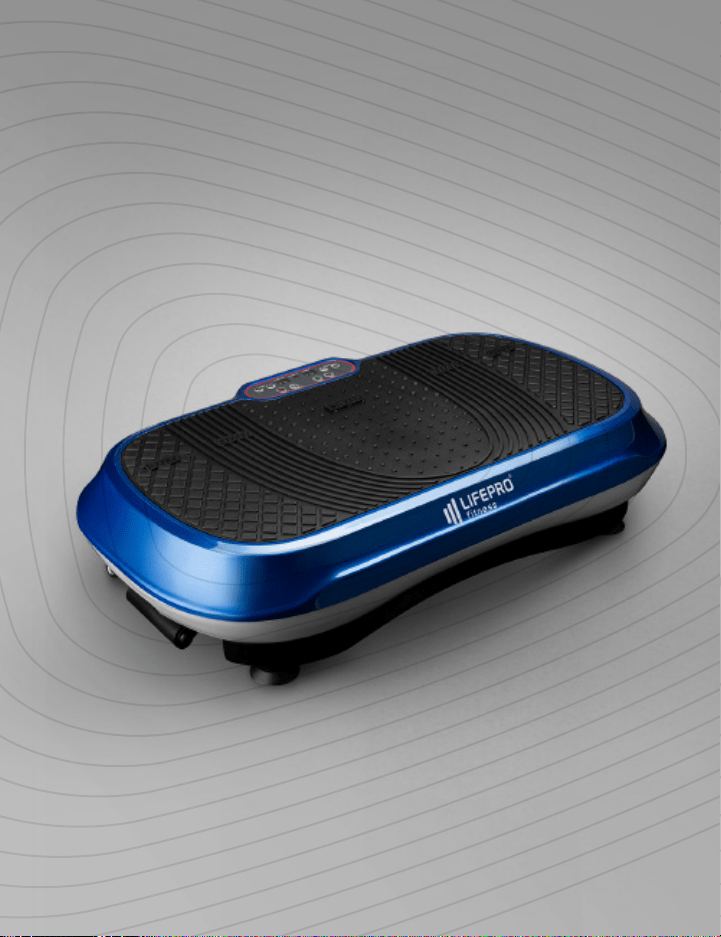
Vibration Therapy Collection 7 6 Waver User Manual Lifepro
GET STARTED
WHAT’S IN THE BOX
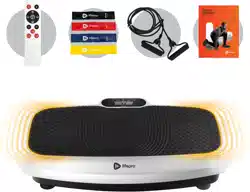
• Lifepro Waver™ Vibration Plate
• Power Cord
• Remote Control
• Resistance Bands (2)
• Lifepro Mini Bands (4)
• User Guide
FIRST STEPS
1. Remove your Waver and accessories from the shipping box and
inspect all items for shipping damage.
2. Read carefully through this user manual and all safety instructions
before using the Waver.
3. Go to waver.lifeprofitness.com and register your product within
14 days of purchase to activate your lifetime warranty.
4. Complete the steps in the EASY-START SETUP GUIDE on page 9
to begin using your Waver.
CUSTOMER SUPPORT
If you have any questions about setting up your Waver, we’re here
to help. Call or email us and an experienced customer support
representative will be happy to assist you: (800) 563-6604 or
support@lifeprofitness.com.
WAVER
™
VIBRATION PLATE
VIBRATION THERAPY

Vibration Therapy Collection 7 6 Waver User Manual Lifepro
GET STARTED
WHAT’S IN THE BOX
• Lifepro Waver™ Vibration Plate
• Power Cord
• Remote Control
• Resistance Bands (2)
• Lifepro Mini Bands (4)
• User Guide
FIRST STEPS
1. Remove your Waver and accessories from the shipping box and
inspect all items for shipping damage.
2. Read carefully through this user manual and all safety instructions
before using the Waver.
3. Go to waver.lifeprofitness.com and register your product within
14 days of purchase to activate your lifetime warranty.
4. Complete the steps in the EASY-START SETUP GUIDE on page 9
to begin using your Waver.
CUSTOMER SUPPORT
If you have any questions about setting up your Waver, we’re here
to help. Call or email us and an experienced customer support
representative will be happy to assist you: (800) 563-6604 or
support@lifeprofitness.com.
WAVER
™
VIBRATION PLATE
VIBRATION THERAPY
Vibration Therapy Collection 9 8 Waver™ User Manual Lifepro
SET UP THE WAVER
• Remove the back of the remote control and insert
two AAA batteries (not included).
NOTE: Be sure to insert the
batteries according to the
polarity markings inside the
battery compartment.
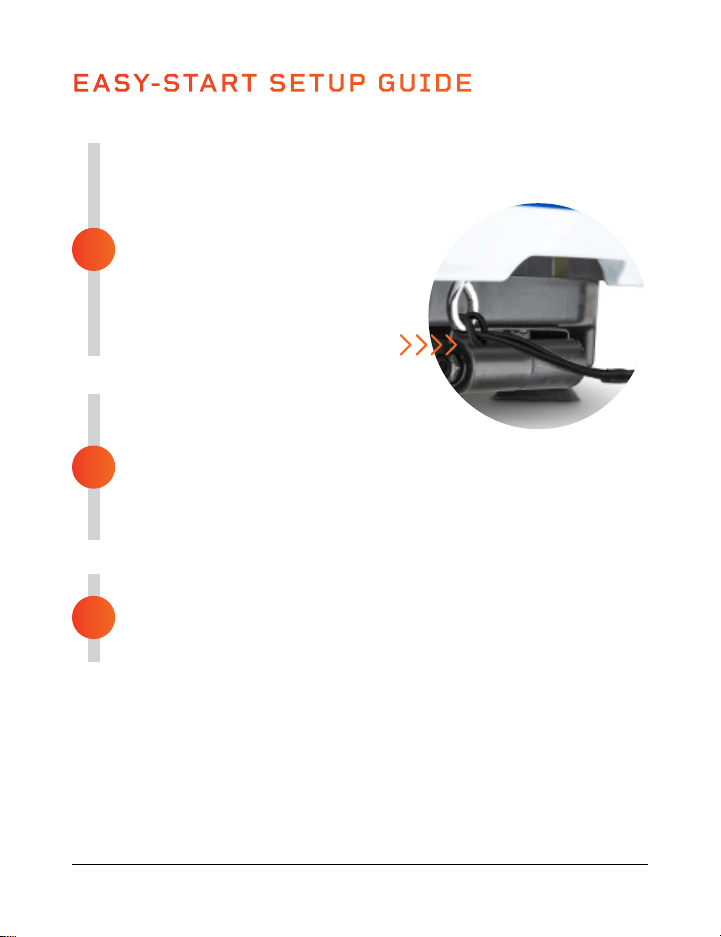
• Loop the resistance bands
into the metal rings at the
front of the Waver.
CONNECT TO POWER
• Insert the power cord firmly
into the front of the Waver.
NOTE: Press forcefully until you feel a click, which indicates
that the cord is securely connected. The power cord fits
tightly so it will not loosen during use.
• Plug the power cord into a standard electrical outlet.
POWER ON THE WAVER
• Flip the breaker switch on the front of the Waver to
the ON position.
• Press the power button on the Waver’s control panel.
EASY-START SETUP GUIDE
Setup your Waver in just 3 easy steps:
3
2
1
MODES
Standby mode: The Waver is powered on, but no program is selected.
Program Mode: Choose from preset workout programs: P0–P9.
Manual mode: Set your own workout duration and vibration speed.
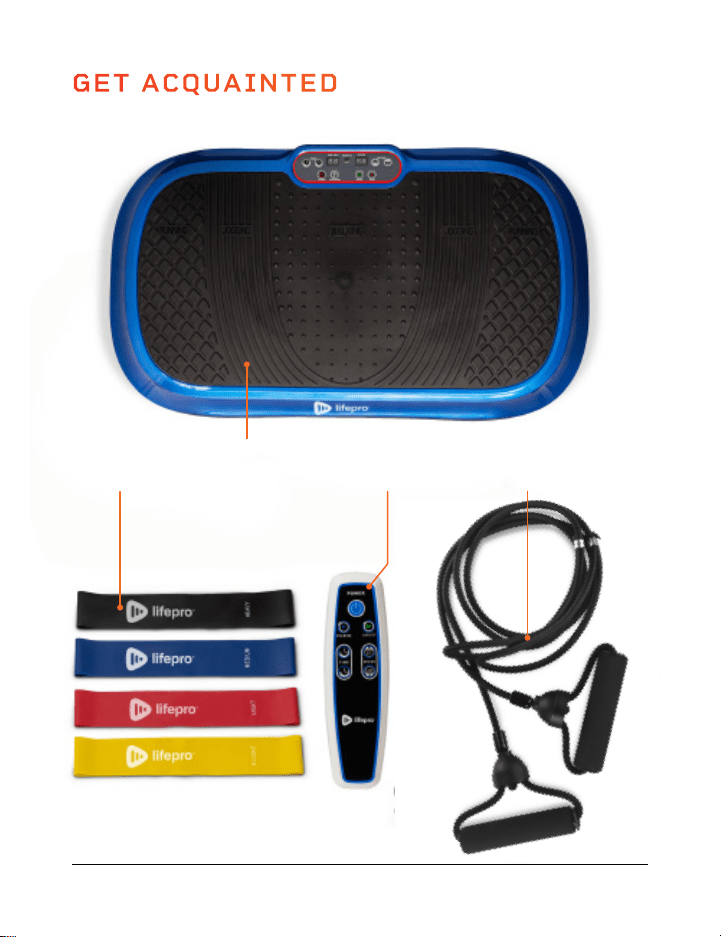
GET ACQUAINTED
Remote
Control
Waver™
Vibration Plate
4 Mini
Bands
2 Resistance
Bands
That’s it! Your Waver is now ready to use. See OPERATING
INSTRUCTIONS and CHOOSING A PROGRAM on the next pages
for details about how to use your Waver.
Vibration Therapy Collection 9 8 Waver™ User Manual Lifepro
SET UP THE WAVER
• Remove the back of the remote control and insert
two AAA batteries (not included).
NOTE: Be sure to insert the
batteries according to the
polarity markings inside the
battery compartment.
• Loop the resistance bands
into the metal rings at the
front of the Waver.
CONNECT TO POWER
• Insert the power cord firmly
into the front of the Waver.
NOTE: Press forcefully until you feel a click, which indicates
that the cord is securely connected. The power cord fits
tightly so it will not loosen during use.
• Plug the power cord into a standard electrical outlet.
POWER ON THE WAVER
• Flip the breaker switch on the front of the Waver to
the ON position.
• Press the power button on the Waver’s control panel.
EASY-START SETUP GUIDE
Setup your Waver in just 3 easy steps:
3
2
1
MODES
Standby mode: The Waver is powered on, but no program is selected.
Program Mode: Choose from preset workout programs: P0–P9.
Manual mode: Set your own workout duration and vibration speed.
GET ACQUAINTED
Remote
Control
Waver™
Vibration Plate
4 Mini
Bands
2 Resistance
Bands
That’s it! Your Waver is now ready to use. See OPERATING
INSTRUCTIONS and CHOOSING A PROGRAM on the next pages
for details about how to use your Waver.
10 Waver™ User Manual Lifepro Vibration Therapy Collection 11
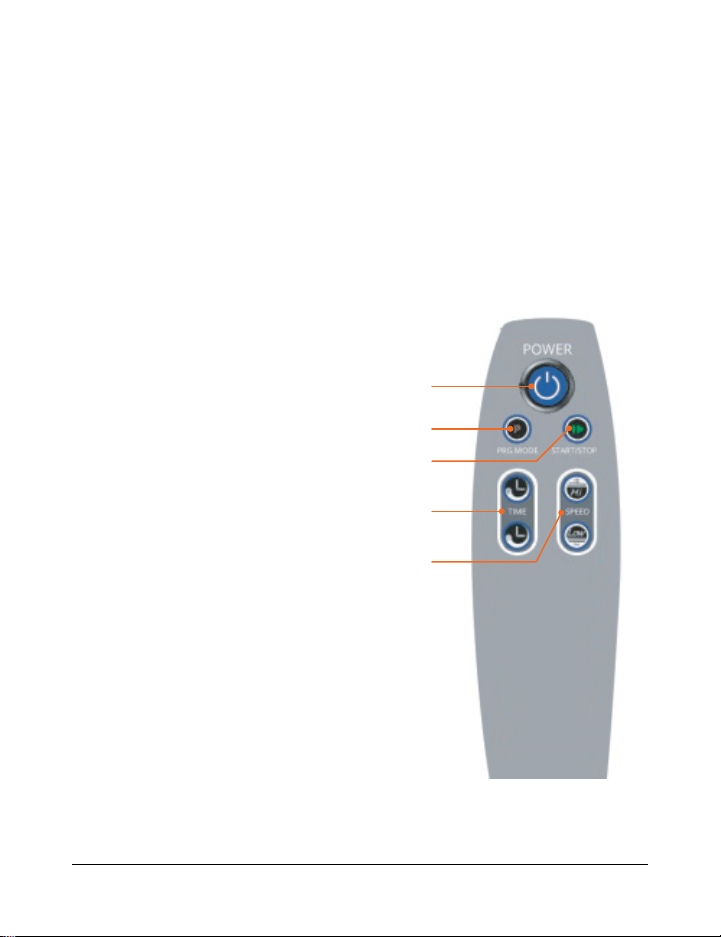
USING THE REMOTE TO OPERATE THE WAVER
1. Power Button: Press the button to power the Waver on and off.
2. Program Mode Button: Press the button to select a preset
workout program: P0–P9.
3. Start/Stop Button: Ensure power is turned ON. Press the
button to activate the selected program or
begin a custom workout in manual mode.
Press again to stop the selected
program or manual mode workout.
4. Time Increase/Decrease Buttons:
Press the buttons to set the time
duration in manual mode. NOTE:
You cannot adjust the time when
in program mode.
5. Speed Increase/Decrease
Buttons: Press the buttons to
adjust vibration speed in manual
mode. Press Start to begin
manual mode before adjusting the
speed. NOTE: You cannot adjust
the speed when in program mode.
1
2
4
3
5
OPERATING INSTRUCTIONS
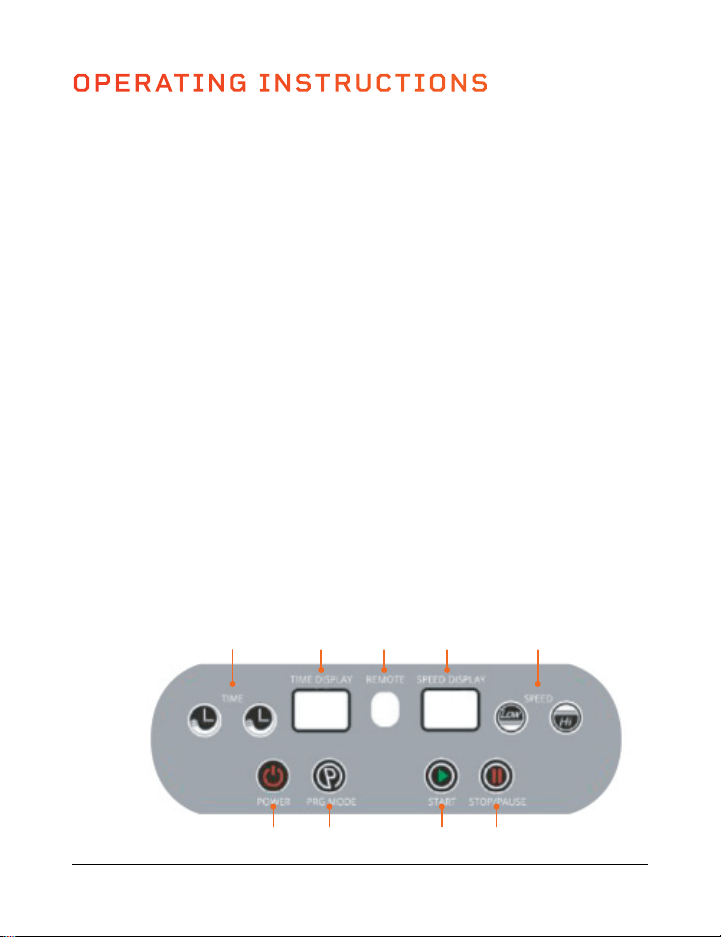
USING THE DISPLAY PANEL TO OPERATE THE WAVER
1. Power Button: Press the button to power the Waver on and off.
2. Program Mode Button: Press the button to select a preset workout
program: P0–P9.
3. Start Button: Ensure power is turned ON. Press the button to activate
the selected program or begin a custom workout in manual mode.
4. Stop/Pause Button: Press the button to stop the selected program or
manual mode workout.
5. Speed Increase/Decrease Buttons: Press the buttons to adjust
vibration speed in manual mode. Press Start to begin manual mode
before adjusting the speed. NOTE: You cannot adjust the speed when
in program mode.
6. Speed Display: The display shows vibration speed for the current
program or custom workout.
7. Remote: Infrared receiver window for the remote.
8. Time Display: The display shows the duration of the current program
or custom workout.
9. Time Increase/Decrease Buttons: Press the buttons to set the time
duration in manual mode. NOTE: You cannot adjust the time when in
program mode.
9
1 2 3 4
8 7 6 5
10 Waver™ User Manual Lifepro Vibration Therapy Collection 11
USING THE REMOTE TO OPERATE THE WAVER
1. Power Button: Press the button to power the Waver on and off.
2. Program Mode Button: Press the button to select a preset
workout program: P0–P9.
3. Start/Stop Button: Ensure power is turned ON. Press the
button to activate the selected program or
begin a custom workout in manual mode.
Press again to stop the selected
program or manual mode workout.
4. Time Increase/Decrease Buttons:
Press the buttons to set the time
duration in manual mode. NOTE:
You cannot adjust the time when
in program mode.
5. Speed Increase/Decrease
Buttons: Press the buttons to
adjust vibration speed in manual
mode. Press Start to begin
manual mode before adjusting the
speed. NOTE: You cannot adjust
the speed when in program mode.
1
2
4
3
5
OPERATING INSTRUCTIONS
USING THE DISPLAY PANEL TO OPERATE THE WAVER
1. Power Button: Press the button to power the Waver on and off.
2. Program Mode Button: Press the button to select a preset workout
program: P0–P9.
3. Start Button: Ensure power is turned ON. Press the button to activate
the selected program or begin a custom workout in manual mode.
4. Stop/Pause Button: Press the button to stop the selected program or
manual mode workout.
5. Speed Increase/Decrease Buttons: Press the buttons to adjust
vibration speed in manual mode. Press Start to begin manual mode
before adjusting the speed. NOTE: You cannot adjust the speed when
in program mode.
6. Speed Display: The display shows vibration speed for the current
program or custom workout.
7. Remote: Infrared receiver window for the remote.
8. Time Display: The display shows the duration of the current program
or custom workout.
9. Time Increase/Decrease Buttons: Press the buttons to set the time
duration in manual mode. NOTE: You cannot adjust the time when in
program mode.
9
1 2 3 4
8 7 6 5

CHOOSING A PROGRAM
12 Waver™ User Manual Lifepro Vibration Therapy Collection 13
Low Settings
(P0–P2)
Great for
starting out.
• Detoxification
• Increased bone
density
• Improved balance
• Lymphatic
drainage
• Improved
postural control
Medium Settings
(P3–P6)
Perfect for people
with arthritis and
fibromyalgia.
• Joint
maintenance
• Improved
postural control
• Fat loss
• Increased bone
density
• Improved balance
• Cellulite removal
High Settings
(P7–P9)
Great for
increased intensity.
• Fat loss
• Muscle growth
• Highly increased
bone density
• Power
accumulation
• HGH release
PROGRAM MODE
PROGRAM SPEEDS
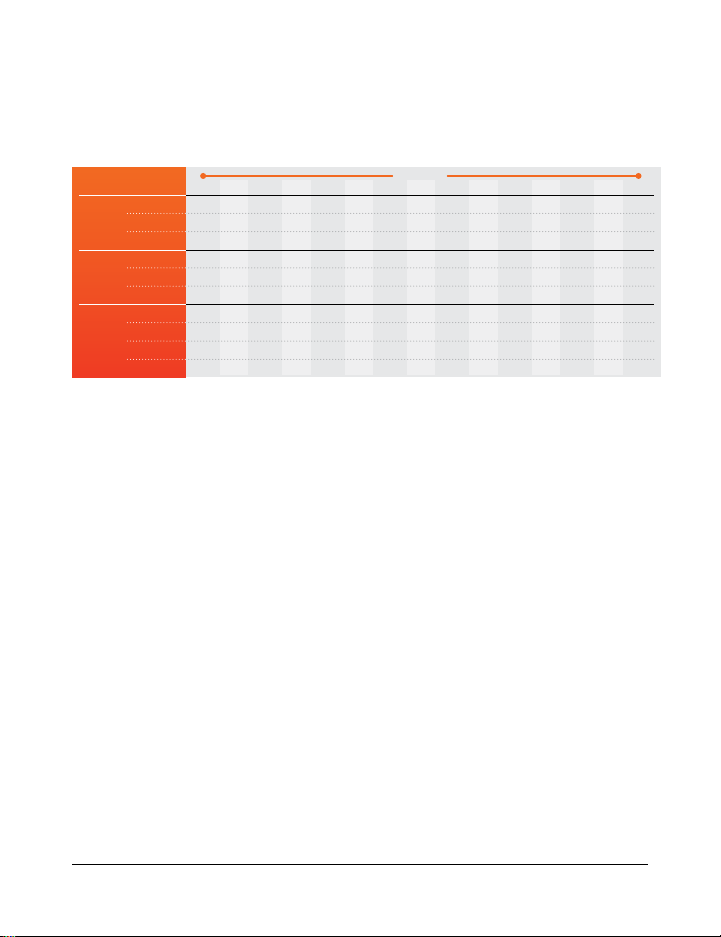
The Waver will change speed once a minute. Speed levels will depend on the
program level you’ve chosen (as outlined in the chart below).
MANUAL MODE
In manual mode, vibration speeds correspond to the following levels
Low Settings
(1–33)
Medium Settings
(34–66)
High Settings
(67–99)
15
4
2
8
12
9
23
11
30
55
40
14
8
4
14
23
13
55
11
30
40
85
13
10
6
8
29
16
23
25
50
55
75
12
12
8
14
38
21
55
25
50
40
65
11
17
10
8
49
24
23
38
70
50
25
10
20
13
20
6
35
55
38
70
77
96
9
24
15
8
68
67
23
48
40
80
78
8
20
12
14
76
50
55
48
40
65
60
7
17
9
8
48
38
23
25
60
65
65
6
6
8
14
29
30
55
25
60
99
80
5
12
8
14
38
21
55
25
50
40
65
4
17
10
8
49
24
23
38
70
50
25
3
20
13
20
56
35
35
38
70
77
96
2
24
15
8
68
67
23
48
40
80
78
1
20
12
14
76
50
55
48
40
65
60
MINUTES
SPEED
Low
Med
High
PROGRAM
0
1
2
3
4
5
6
7
8
9
CREATING A CUSTOM WORKOUT IN MANUAL MODE:
1. Press the Power button to turn the system on.
2. While already standing on the Waver, use the Time Increase/Decrease
buttons to set a time duration for your manual workout.
3. Press the Start button to begin the manual workout.
4. Press the Speed Increase/Decrease buttons to adjust the
vibration speed.
TO GET THE BEST RESULTS, ALTERNATE BETWEEN PROGRAMS
Keep your body guessing. We tend to adapt, so we want to continue
eliciting change in our bodies. Each level has its own set of benefits;
however, we recommend you start out at the first level, P0, and work your
way up.
CHOOSING A PROGRAM IN PROGRAM MODE:
1. Press the Power button to turn the system on.
2. Press the Program Mode button to toggle between preset program
modes P0 through P9.
3. Press the Start button to activate the selected program.
CHOOSING A PROGRAM
12 Waver™ User Manual Lifepro Vibration Therapy Collection 13
Low Settings
(P0–P2)
Great for
starting out.
• Detoxification
• Increased bone
density
• Improved balance
• Lymphatic
drainage
• Improved
postural control
Medium Settings
(P3–P6)
Perfect for people
with arthritis and
fibromyalgia.
• Joint
maintenance
• Improved
postural control
• Fat loss
• Increased bone
density
• Improved balance
• Cellulite removal
High Settings
(P7–P9)
Great for
increased intensity.
• Fat loss
• Muscle growth
• Highly increased
bone density
• Power
accumulation
• HGH release
PROGRAM MODE
PROGRAM SPEEDS
The Waver will change speed once a minute. Speed levels will depend on the
program level you’ve chosen (as outlined in the chart below).
MANUAL MODE
In manual mode, vibration speeds correspond to the following levels
Low Settings
(1–33)
Medium Settings
(34–66)
High Settings
(67–99)
15
4
2
8
12
9
23
11
30
55
40
14
8
4
14
23
13
55
11
30
40
85
13
10
6
8
29
16
23
25
50
55
75
12
12
8
14
38
21
55
25
50
40
65
11
17
10
8
49
24
23
38
70
50
25
10
20
13
20
6
35
55
38
70
77
96
9
24
15
8
68
67
23
48
40
80
78
8
20
12
14
76
50
55
48
40
65
60
7
17
9
8
48
38
23
25
60
65
65
6
6
8
14
29
30
55
25
60
99
80
5
12
8
14
38
21
55
25
50
40
65
4
17
10
8
49
24
23
38
70
50
25
3
20
13
20
56
35
35
38
70
77
96
2
24
15
8
68
67
23
48
40
80
78
1
20
12
14
76
50
55
48
40
65
60
MINUTES
SPEED
Low
Med
High
PROGRAM
0
1
2
3
4
5
6
7
8
9
CREATING A CUSTOM WORKOUT IN MANUAL MODE:
1. Press the Power button to turn the system on.
2. While already standing on the Waver, use the Time Increase/Decrease
buttons to set a time duration for your manual workout.
3. Press the Start button to begin the manual workout.
4. Press the Speed Increase/Decrease buttons to adjust the
vibration speed.
TO GET THE BEST RESULTS, ALTERNATE BETWEEN PROGRAMS
Keep your body guessing. We tend to adapt, so we want to continue
eliciting change in our bodies. Each level has its own set of benefits;
however, we recommend you start out at the first level, P0, and work your
way up.
CHOOSING A PROGRAM IN PROGRAM MODE:
1. Press the Power button to turn the system on.
2. Press the Program Mode button to toggle between preset program
modes P0 through P9.
3. Press the Start button to activate the selected program.
LIFEPRO MINI BANDS
MINI BANDS HAVE REVOLUTIONIZED THE FITNESS INDUSTRY
Mini bands have become the new go-to for sculpting a stronger, leaner
physique. You’ve definitely seen your favorite fitness Instagrammers and
Youtubers using these versatile, colored resistance bands in conjunction
with their workout routines. They add resistance to cardio workouts
and power to strength training sessions, allowing you to train both
simultaneously. The number of creative workout possibilities are endless.
Unlike the inconvenience of a full gym, these mini bands are well-known
for their ability to train all aspects of fitness and performance at any
intensity—anywhere, anytime. No more excuses.
The Lifepro mini bands are made from 100% latex. Each band has a
different resistance strength, which allows you to level-up your resistance
training effortlessly. Use the mini bands in conjunction with your Lifepro
Waver to exponentially improve your fitness results.
AMPLIFY YOUR WORKOUTS
Experience the unique benefits of the Lifepro mini bands:
• Versatile: add resistance to cardio workouts and power
to strength training
• Joint-friendly: reduce joint compression; high-intensity,
low-impact training
• Portable: carry the mini bands in your pocket to work out on the go
14 Waver™ User Manual Lifepro
Vibration Therapy Collection 15
INTENSE INTENSE MEDIUM MEDIUMEASY
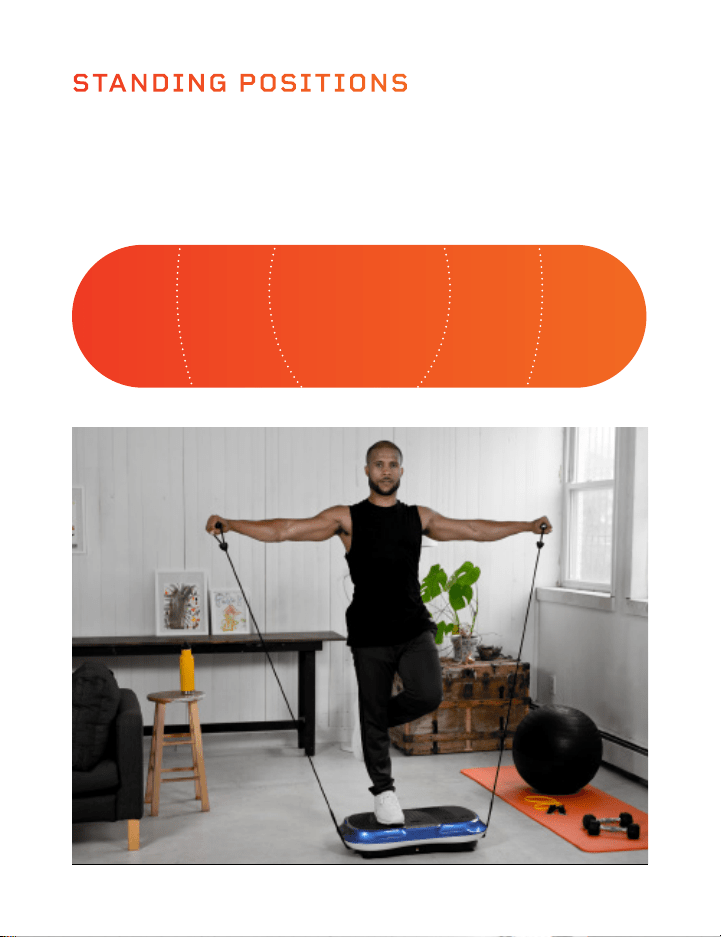
Where you stand on the Waver will impact how challenging the vibrations
are for your body. Stand with your feet close together for an “easy”
workout and stand with your feet further apart for “medium” and “intense”
workouts.
STANDING POSITIONS

LIFEPRO MINI BANDS
MINI BANDS HAVE REVOLUTIONIZED THE FITNESS INDUSTRY
Mini bands have become the new go-to for sculpting a stronger, leaner
physique. You’ve definitely seen your favorite fitness Instagrammers and
Youtubers using these versatile, colored resistance bands in conjunction
with their workout routines. They add resistance to cardio workouts
and power to strength training sessions, allowing you to train both
simultaneously. The number of creative workout possibilities are endless.
Unlike the inconvenience of a full gym, these mini bands are well-known
for their ability to train all aspects of fitness and performance at any
intensity—anywhere, anytime. No more excuses.
The Lifepro mini bands are made from 100% latex. Each band has a
different resistance strength, which allows you to level-up your resistance
training effortlessly. Use the mini bands in conjunction with your Lifepro
Waver to exponentially improve your fitness results.
AMPLIFY YOUR WORKOUTS
Experience the unique benefits of the Lifepro mini bands:
• Versatile: add resistance to cardio workouts and power
to strength training
• Joint-friendly: reduce joint compression; high-intensity,
low-impact training
• Portable: carry the mini bands in your pocket to work out on the go
14 Waver™ User Manual Lifepro
Vibration Therapy Collection 15
INTENSE INTENSE MEDIUM MEDIUMEASY
Where you stand on the Waver will impact how challenging the vibrations
are for your body. Stand with your feet close together for an “easy”
workout and stand with your feet further apart for “medium” and “intense”
workouts.
STANDING POSITIONS
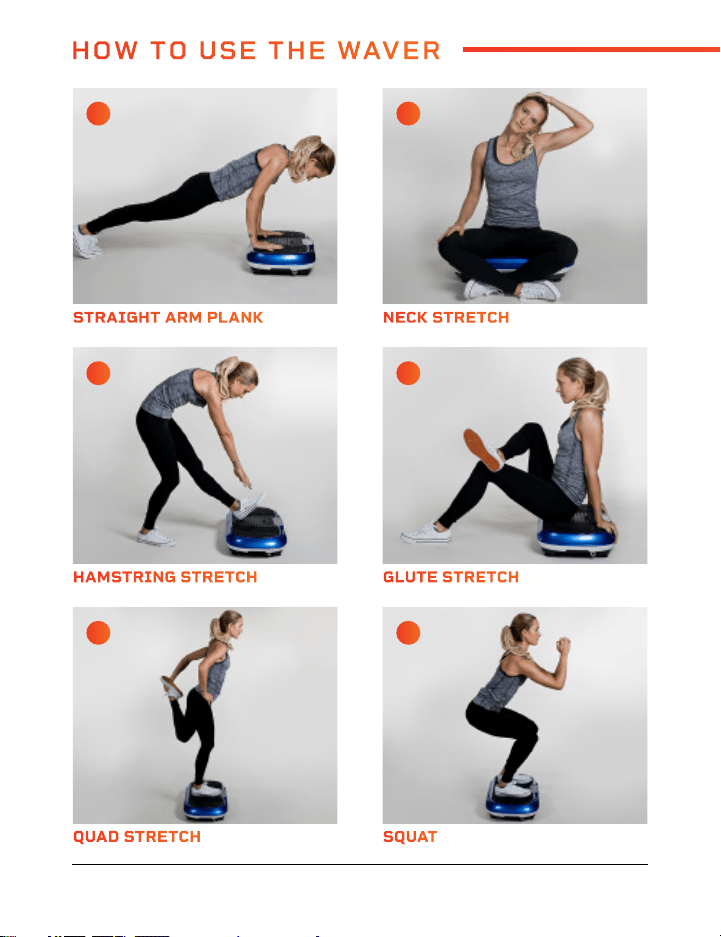
QUAD STRETCH REVERSE FLY
HAMSTRING STRETCH SPLIT SQUAT
STRAIGHT ARM PLANK GLUTE BRIDGE
SQUAT ALTERNATE SHOULDER PRESS
GLUTE STRETCH SIDE LUNGE
NECK STRETCH DIP
A C
E G
I K
B D
F H
J L
16 Waver™ User Manual Lifepro
Vibration Therapy Collection 17
HOW TO USE THE WAVER
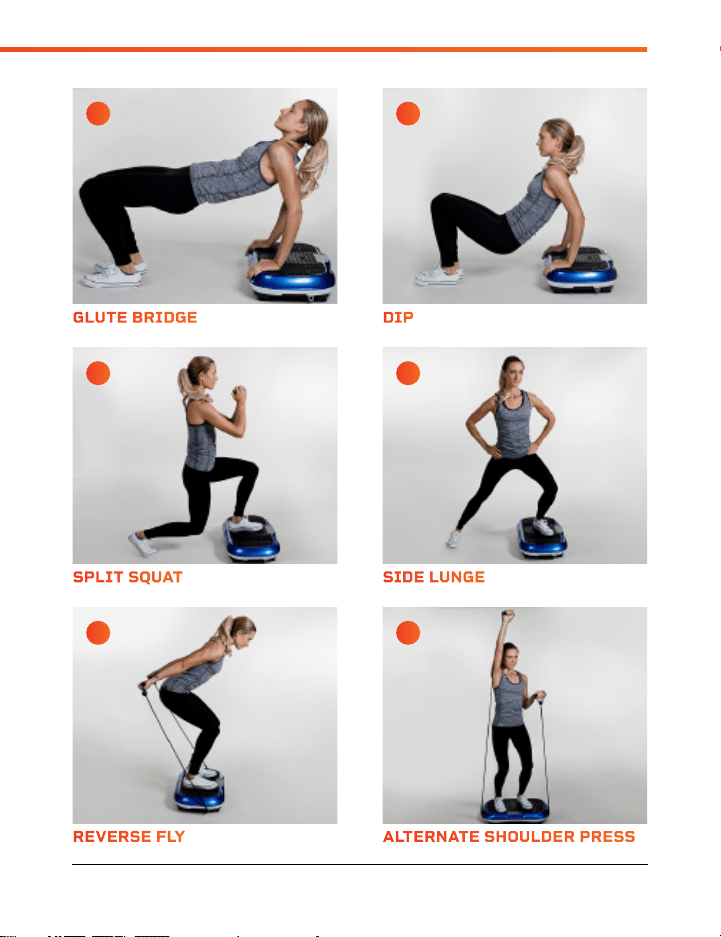
QUAD STRETCH REVERSE FLY
HAMSTRING STRETCH SPLIT SQUAT
STRAIGHT ARM PLANK GLUTE BRIDGE
SQUAT ALTERNATE SHOULDER PRESS
GLUTE STRETCH SIDE LUNGE
NECK STRETCH DIP
A C
E G
I K
B D
F H
J L
16 Waver™ User Manual Lifepro
Vibration Therapy Collection 17
HOW TO USE THE WAVER
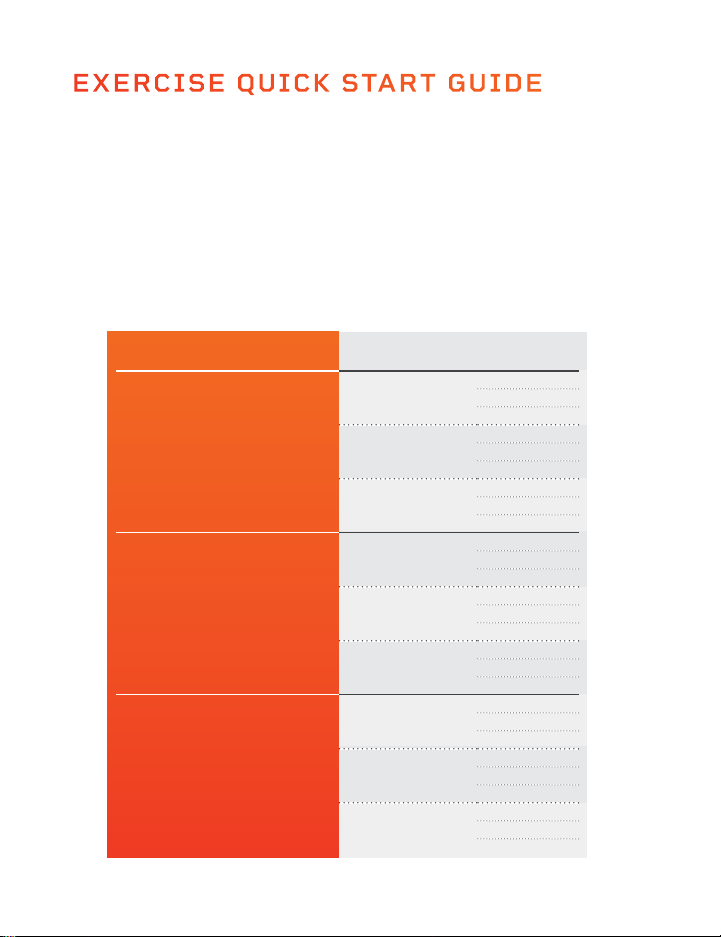
EXERCISE QUICK START GUIDE
HOW TO BEGIN
It’s a good idea to start off slow and easy with your Waver as it can take time
to get use to how vibration plates move and feel. We recommend you follow
the workout guide below--building from beginner to advanced over a period of
several weeks.
EXERCISE GUIDE
Hold the stretches and exercises on pages 16 and 17 for the number of
seconds shown in the chart below. You will build strength and stamina as you
progress through the levels.
LEVEL SPEED SECONDS
Beginner
Speed 1
15
30
45
Speed 16
15
30
45
Speed 33
15
30
45
Intermediate
Speed 34
60
75
90
Speed 50
60
75
90
Speed 66
60
75
90
Advanced
Speed 67
105
120
135
Speed 83
105
120
135
Speed 99
105
120
135
18 Waver™ User Manual Lifepro
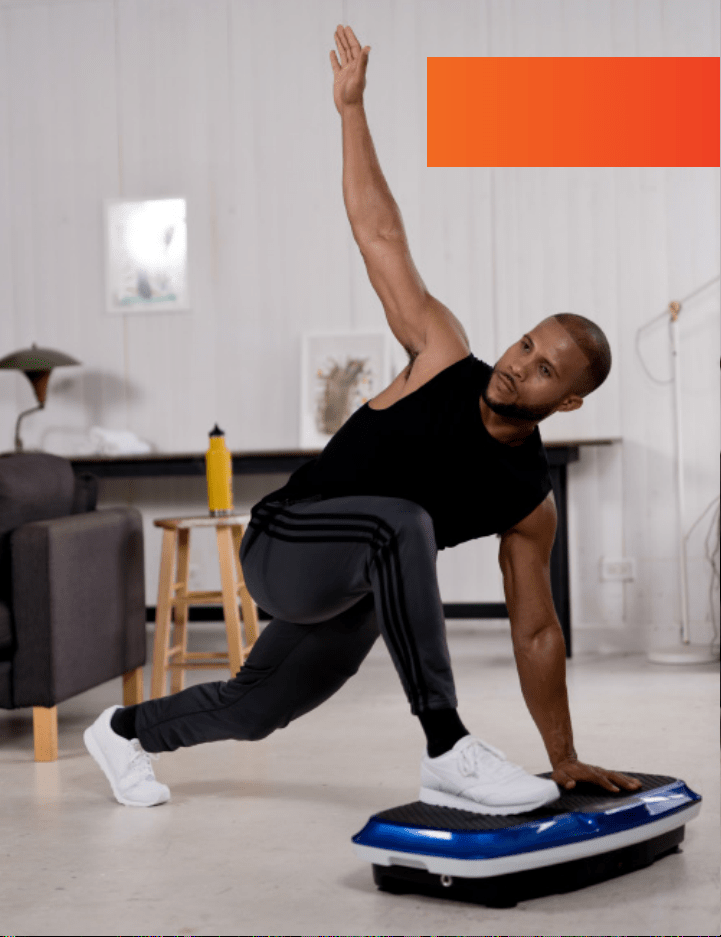
Visit our FREE library of
personal training videos at
waver.lifeprofitness.com
EXERCISE QUICK START GUIDE
HOW TO BEGIN
It’s a good idea to start off slow and easy with your Waver as it can take time
to get use to how vibration plates move and feel. We recommend you follow
the workout guide below--building from beginner to advanced over a period of
several weeks.
EXERCISE GUIDE
Hold the stretches and exercises on pages 16 and 17 for the number of
seconds shown in the chart below. You will build strength and stamina as you
progress through the levels.
LEVEL SPEED SECONDS
Beginner
Speed 1
15
30
45
Speed 16
15
30
45
Speed 33
15
30
45
Intermediate
Speed 34
60
75
90
Speed 50
60
75
90
Speed 66
60
75
90
Advanced
Speed 67
105
120
135
Speed 83
105
120
135
Speed 99
105
120
135
18 Waver™ User Manual Lifepro
Visit our FREE library of
personal training videos at
waver.lifeprofitness.com

20 Waver™ User Manual Lifepro
Vibration Therapy Collection 21
SAFETY INSTRUCTIONS
Keep this manual in a safe place for future reference.
Before using this product, read all safety warnings and operating instructions.
Failure to do so may result in serious injury or death, or damage to the product or
property.
CONTRAINDICATIONS
• Consult with a medical professional before beginning a new exercise program to
determine your appropriate fitness intensity and duration. Your physician can help
determine if you have any physical limitations that could create a health risk or
prevent you from properly using this product; some exercise programs or fitness
products may not be appropriate for all people.
• Do not use this device if you:
• Are, or suspect you may be, pregnant, or if you have recently given birth.
• Have arrhythmia, severe cardiac disease, heart failure, deep-vein thrombosis,
deep thrombophlebitis, erysipelas, or pulmonary edema.
• Have epilepsy or seizures, dementia, or severe diabetes or severe diabetic
neuropathy.
• Have vertigo or positional dizziness, have balance impairments, or if you are
taking drugs that affect balance.
• Have acute migraines, retinal detachment, acute rheumatoid arthritis, or severe
joint disease.
• Have an orthopedic condition, spinal injury, osteoporosis, fracture, herniated
or slipped disc, abnormal vertebra, spinal canal stenosis, Spondylosis, gliding
Spondylolisthesis, ankylosing or cervical spondylitis, chronic back pain, sciatica,
or other condition/disorder affecting the back or spinal column.
• Have recently had surgery or LASIK or PRK eye surgery.
• Have a medical implant, such as a pacemaker, cochlear implant, chest stent,
ECG, joint replacement, intrauterine device, plate, pin, or rod.
• Are injured, ill, or if you have an open wound, a fever, or acute inflammation.
• Have a gallstone or a kidney or bladder stone.
• Consult your physician before using this product if you:
• Have heart disease or vascular disease, blood circulation disorder, chronic
hypertension, abnormal blood pressure, or if you are receiving treatment to
normalize your blood pressure.
• Have a tumor or cancer, or if you suspect you may have cancerous lesions.
• Take painkillers or medicine to regulate your blood sugar.
• Are under the care of a physician for a serious health condition or have any
concerns about your health.
DISCLAIMER
• The health benefits suggested or implied in this manual, other product literature,
and company website are not certified or endorsed by any regulatory authority or
medical institute.
• The use of this product is entirely at the user’s discretion. Please read all
instructions and safety information carefully before using this product. We assume
no responsibility and expressly disclaim any and all liability for personal injury,
or property damage or loss sustained through improper use, failure to follow the
instructions and warnings in this manual, improper assembly, or inadequate or
improper maintenance or neglect of this product.
• It is the responsibility of the owner to ensure that all users of this product are
adequately informed of all warnings and cautions.
• Use this product only as instructed in this manual.
WARNING: BATTERY INGESTION HAZARD
Battery-ingestion is extremely dangerous and can cause severe injury and even death.
Never allow children to play with batteries and always keep batteries out of reach. If
a battery is ingested, seek immediate medical attention.
WARNING
To reduce the risk of burns, fire, electric shock, serious injury or death, or damage to
the product or property:
• Only power the machine using the included power cord.
• Only plug the machine into a properly grounded wall outlet, installed by a certified
electrician.
• Always unplug the power cord by pulling gently from the plug. Never unplug by
pulling on the cord itself.
• Never operate the machine, plug in, or unplug the power cord with wet hands.
• Do not wrap the power cord around the machine. Do not squeeze or place heavy
objects on top of the power cord. Never place the power cord near sharp objects or
hot surfaces.
• Only use and store indoors, away from moisture, dust, dirt, and heat sources. Do
not use or store in high-temperature or high-humidity environments. Keep out of
direct sunlight.
• Do not operate where aerosol products are used or where oxygen is being
administered.
• Keep the power cord, surge suppressor, and batteries away from all heat sources.
• Ensure remote control batteries are inserted according to the polarity marking in
the battery compartment. Incorrect installation may cause battery leakage and
corrosion. Avoid contact with all battery residues, clean remote with a cotton
swab, wash hands thoroughly, and dispose of old batteries properly.
• Only replace the remote control batteries with two new AAA batteries.

20 Waver™ User Manual Lifepro
Vibration Therapy Collection 21
SAFETY INSTRUCTIONS
Keep this manual in a safe place for future reference.
Before using this product, read all safety warnings and operating instructions.
Failure to do so may result in serious injury or death, or damage to the product or
property.
CONTRAINDICATIONS
• Consult with a medical professional before beginning a new exercise program to
determine your appropriate fitness intensity and duration. Your physician can help
determine if you have any physical limitations that could create a health risk or
prevent you from properly using this product; some exercise programs or fitness
products may not be appropriate for all people.
• Do not use this device if you:
• Are, or suspect you may be, pregnant, or if you have recently given birth.
• Have arrhythmia, severe cardiac disease, heart failure, deep-vein thrombosis,
deep thrombophlebitis, erysipelas, or pulmonary edema.
• Have epilepsy or seizures, dementia, or severe diabetes or severe diabetic
neuropathy.
• Have vertigo or positional dizziness, have balance impairments, or if you are
taking drugs that affect balance.
• Have acute migraines, retinal detachment, acute rheumatoid arthritis, or severe
joint disease.
• Have an orthopedic condition, spinal injury, osteoporosis, fracture, herniated
or slipped disc, abnormal vertebra, spinal canal stenosis, Spondylosis, gliding
Spondylolisthesis, ankylosing or cervical spondylitis, chronic back pain, sciatica,
or other condition/disorder affecting the back or spinal column.
• Have recently had surgery or LASIK or PRK eye surgery.
• Have a medical implant, such as a pacemaker, cochlear implant, chest stent,
ECG, joint replacement, intrauterine device, plate, pin, or rod.
• Are injured, ill, or if you have an open wound, a fever, or acute inflammation.
• Have a gallstone or a kidney or bladder stone.
• Consult your physician before using this product if you:
• Have heart disease or vascular disease, blood circulation disorder, chronic
hypertension, abnormal blood pressure, or if you are receiving treatment to
normalize your blood pressure.
• Have a tumor or cancer, or if you suspect you may have cancerous lesions.
• Take painkillers or medicine to regulate your blood sugar.
• Are under the care of a physician for a serious health condition or have any
concerns about your health.
DISCLAIMER
• The health benefits suggested or implied in this manual, other product literature,
and company website are not certified or endorsed by any regulatory authority or
medical institute.
• The use of this product is entirely at the user’s discretion. Please read all
instructions and safety information carefully before using this product. We assume
no responsibility and expressly disclaim any and all liability for personal injury,
or property damage or loss sustained through improper use, failure to follow the
instructions and warnings in this manual, improper assembly, or inadequate or
improper maintenance or neglect of this product.
• It is the responsibility of the owner to ensure that all users of this product are
adequately informed of all warnings and cautions.
• Use this product only as instructed in this manual.
WARNING: BATTERY INGESTION HAZARD
Battery-ingestion is extremely dangerous and can cause severe injury and even death.
Never allow children to play with batteries and always keep batteries out of reach. If
a battery is ingested, seek immediate medical attention.
WARNING
To reduce the risk of burns, fire, electric shock, serious injury or death, or damage to
the product or property:
• Only power the machine using the included power cord.
• Only plug the machine into a properly grounded wall outlet, installed by a certified
electrician.
• Always unplug the power cord by pulling gently from the plug. Never unplug by
pulling on the cord itself.
• Never operate the machine, plug in, or unplug the power cord with wet hands.
• Do not wrap the power cord around the machine. Do not squeeze or place heavy
objects on top of the power cord. Never place the power cord near sharp objects or
hot surfaces.
• Only use and store indoors, away from moisture, dust, dirt, and heat sources. Do
not use or store in high-temperature or high-humidity environments. Keep out of
direct sunlight.
• Do not operate where aerosol products are used or where oxygen is being
administered.
• Keep the power cord, surge suppressor, and batteries away from all heat sources.
• Ensure remote control batteries are inserted according to the polarity marking in
the battery compartment. Incorrect installation may cause battery leakage and
corrosion. Avoid contact with all battery residues, clean remote with a cotton
swab, wash hands thoroughly, and dispose of old batteries properly.
• Only replace the remote control batteries with two new AAA batteries.

22 Waver™ User Manual Lifepro
Vibration Therapy Collection 23
• Never leave the machine unattended while it is running or plugged in. Always
unplug the power cord when machine is not in use.
• Check the machine, power cord, and remote for damage or loosened screws prior to
each use. Tighten any loosened screws before use. Do not use if damaged, faulty,
or defective.
WARNING
To reduce the risk of serious injury or death:
• Excessive exercise or overexertion can be damaging to your health. Always exercise
within intensity and time limits recommended by your doctor.
• Stop exercising immediately and consult your doctor if you begin to feel tired, faint,
dizzy, or nauseous, or if you experience pain, irregular heartbeat, or shortness of
breath.
• Do not use the product near swimming pools or other bodies of water.
• Never place your head or upper body directly on the machine.
• Do not use the machine with straight legs or arms, as the vibrations are directed to
your bones and brain, which can be dangerous for your health. Always slightly bend
your legs and arms.
• This product is for adult-use only. Do not allow children to play with or on the
machine; this product is not a toy.
• Keep children and pets away from the product at all times. Never leave children
unattended in the same room with the product.
• This product is not intended for use by people with reduced physical, sensory or
mental capabilities, unless supervised by a responsible adult.
CAUTION
To reduce the risk of minor or moderate injury, or damage to the product or property:
• Do not use this product for more than 20 minutes per day.
• Always use the remote control to adjust the workout once exercise has begun.
Using the control panel while the machine is moving may result in an accident or
injury.
• Never attempt to turn around on the machine while it is in motion. Do not quickly
lean back or change position while the machine is in motion.
• Do not perform other activities while using, as this could cause accidents or injury.
• Do not get on or off the machine until it is fully stopped. Do not jump on or jump off
the machine.
• Never use the product while under the influence of drugs or alcohol.
• Use the product only on a flat, sturdy, non-slip floor. Do not place the product on
any surface that could block air vents.
• Place in a location away from traffic where it will not create a tripping hazard.
• Ensure adequate clear space around the product during use (at least seven feet on
all sides). Remove any obstacles in the area, in case of falls or accidents.
• Do not exceed the maximum weight-load capacity of 330 lb.
• Never allow more than one person on the product at a time.
• Always maintain control and move slowly through exercises to avoid injury.
• Do not perform other activities while using the product to avoid accidents or injury.
• Make sure your body is used to the vibrations before you sit on or begin doing
exercises on the machine.
• Do not use while wearing socks or slippers as this may cause slipping.
• Do not wear baggy or loose clothing, or clothing with drawstrings or ties that could
get snagged and cause injury or falling.
• Do not wear jewelry, belts, or other accessories that could get snagged and cause
injury or falling.
• Remove items, especially sharp objects, from your pockets before using.
• Always properly warm up before exercise and cool down after exercise to avoid
sports injury.
• Keep hair, hands, feet, and clothing away from moving parts.
• Do not use accessories not approved by the manufacturer.
CLEANING AND STORAGE
WARNING: Always unplug the power cord and allow the machine to cool before
cleaning, moving, or storing.
• Use a slightly damp cloth to wipe away dirt or moisture.
WARNING: Do not allow
water or other liquids to come into contact with the device. Do not immerse the
device in water or other liquids.
• Do not use abrasive, solvent, or chemical cleaners or harsh detergents.
• Store in a cool, dry, indoor location. Store in a well-ventilated area, free of dust,
and out of direct sunlight.
• When storing for a long time, remove the batteries from the remote control and
cover the machine to keep out dust and dirt.
• Do not attempt to disassemble or repair; device contains no user-serviceable parts.
NOTICE
• This product is intended for in-home use only. Do not use the product in any
commercial, rental, institutional, or therapeutic setting This product is intended for
indoor-use only.
• To avoid damage to flooring or carpet, place a non-slip rug or exercise mat under
the machine.
• Dispose of the product and all parts according to local and federal regulations.
• Unplug the device immediately in the event of a power failure.
• Keep sharp objects away from the product to avoid damaging it.

22 Waver™ User Manual Lifepro
Vibration Therapy Collection 23
• Never leave the machine unattended while it is running or plugged in. Always
unplug the power cord when machine is not in use.
• Check the machine, power cord, and remote for damage or loosened screws prior to
each use. Tighten any loosened screws before use. Do not use if damaged, faulty,
or defective.
WARNING
To reduce the risk of serious injury or death:
• Excessive exercise or overexertion can be damaging to your health. Always exercise
within intensity and time limits recommended by your doctor.
• Stop exercising immediately and consult your doctor if you begin to feel tired, faint,
dizzy, or nauseous, or if you experience pain, irregular heartbeat, or shortness of
breath.
• Do not use the product near swimming pools or other bodies of water.
• Never place your head or upper body directly on the machine.
• Do not use the machine with straight legs or arms, as the vibrations are directed to
your bones and brain, which can be dangerous for your health. Always slightly bend
your legs and arms.
• This product is for adult-use only. Do not allow children to play with or on the
machine; this product is not a toy.
• Keep children and pets away from the product at all times. Never leave children
unattended in the same room with the product.
• This product is not intended for use by people with reduced physical, sensory or
mental capabilities, unless supervised by a responsible adult.
CAUTION
To reduce the risk of minor or moderate injury, or damage to the product or property:
• Do not use this product for more than 20 minutes per day.
• Always use the remote control to adjust the workout once exercise has begun.
Using the control panel while the machine is moving may result in an accident or
injury.
• Never attempt to turn around on the machine while it is in motion. Do not quickly
lean back or change position while the machine is in motion.
• Do not perform other activities while using, as this could cause accidents or injury.
• Do not get on or off the machine until it is fully stopped. Do not jump on or jump off
the machine.
• Never use the product while under the influence of drugs or alcohol.
• Use the product only on a flat, sturdy, non-slip floor. Do not place the product on
any surface that could block air vents.
• Place in a location away from traffic where it will not create a tripping hazard.
• Ensure adequate clear space around the product during use (at least seven feet on
all sides). Remove any obstacles in the area, in case of falls or accidents.
• Do not exceed the maximum weight-load capacity of 330 lb.
• Never allow more than one person on the product at a time.
• Always maintain control and move slowly through exercises to avoid injury.
• Do not perform other activities while using the product to avoid accidents or injury.
• Make sure your body is used to the vibrations before you sit on or begin doing
exercises on the machine.
• Do not use while wearing socks or slippers as this may cause slipping.
• Do not wear baggy or loose clothing, or clothing with drawstrings or ties that could
get snagged and cause injury or falling.
• Do not wear jewelry, belts, or other accessories that could get snagged and cause
injury or falling.
• Remove items, especially sharp objects, from your pockets before using.
• Always properly warm up before exercise and cool down after exercise to avoid
sports injury.
• Keep hair, hands, feet, and clothing away from moving parts.
• Do not use accessories not approved by the manufacturer.
CLEANING AND STORAGE
WARNING: Always unplug the power cord and allow the machine to cool before
cleaning, moving, or storing.
• Use a slightly damp cloth to wipe away dirt or moisture.
WARNING: Do not allow
water or other liquids to come into contact with the device. Do not immerse the
device in water or other liquids.
• Do not use abrasive, solvent, or chemical cleaners or harsh detergents.
• Store in a cool, dry, indoor location. Store in a well-ventilated area, free of dust,
and out of direct sunlight.
• When storing for a long time, remove the batteries from the remote control and
cover the machine to keep out dust and dirt.
• Do not attempt to disassemble or repair; device contains no user-serviceable parts.
NOTICE
• This product is intended for in-home use only. Do not use the product in any
commercial, rental, institutional, or therapeutic setting This product is intended for
indoor-use only.
• To avoid damage to flooring or carpet, place a non-slip rug or exercise mat under
the machine.
• Dispose of the product and all parts according to local and federal regulations.
• Unplug the device immediately in the event of a power failure.
• Keep sharp objects away from the product to avoid damaging it.
24 Waver™ User Manual Lifepro
PRODUCT
SPECIFICATIONS
MADE IN CHINA
UNIT SPECS
Size: 27”l × 15”w × 6”h
Power: 200 W
Voltage: 110 V
Amplitude: 0–8 mm
Max User Weight: 330 lb
Frequency: 4–12 Hz
Speed Levels: 99
Auto Programs: P0–P9
Batteries Required:
2 AAA Batteries (not included)
Vibration Therapy Collection 25
LIFETIME
WARRANTY
Lifepro Fitness creates quality,
durable exercise products and we
stand by that quality with a lifetime
warranty on all of our products.
If your Waver ever breaks (and
we doubt it will), we’ll send you
replacement parts and show you
how to repair it. If your Waver
cannot be repaired, we’ll replace it—
free of charge. Register your Waver
at waver.lifeprofitness.com to
activate your warranty within 14
days of purchase.
Vibration Therapy Collection 25
WAVER
™
VIBRATION PLATE
VIBRATION THERAPY

24 Waver™ User Manual Lifepro
PRODUCT
SPECIFICATIONS
MADE IN CHINA
UNIT SPECS
Size: 27”l × 15”w × 6”h
Power: 200 W
Voltage: 110 V
Amplitude: 0–8 mm
Max User Weight: 330 lb
Frequency: 4–12 Hz
Speed Levels: 99
Auto Programs: P0–P9
Batteries Required:
2 AAA Batteries (not included)
Vibration Therapy Collection 25
LIFETIME
WARRANTY
Lifepro Fitness creates quality,
durable exercise products and we
stand by that quality with a lifetime
warranty on all of our products.
If your Waver ever breaks (and
we doubt it will), we’ll send you
replacement parts and show you
how to repair it. If your Waver
cannot be repaired, we’ll replace it—
free of charge. Register your Waver
at waver.lifeprofitness.com to
activate your warranty within 14
days of purchase.
Vibration Therapy Collection 25
WAVER
™
VIBRATION PLATE
VIBRATION THERAPY
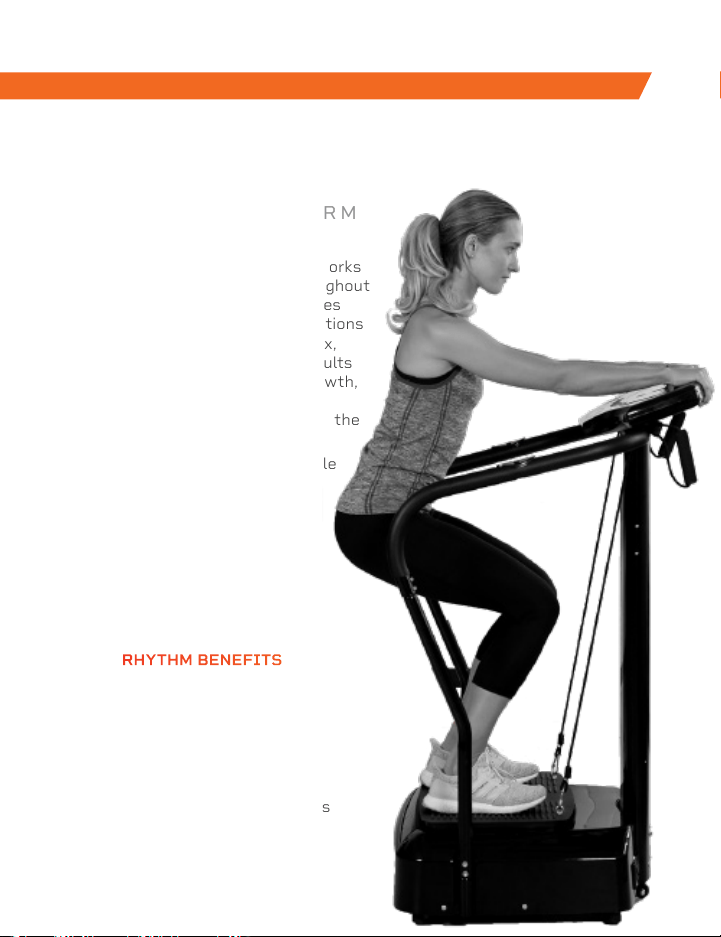
The Rhythm Vibration Platform works
by creating rapid vibrations throughout
the body, especially on the muscles
specifically targeted. These vibrations
cause the muscles to stretch, flex,
and relax at a rapid rate. This results
in increased muscle and bone growth,
improved flexibility, and boosted
metabolism—all of which increase the
number of calories you burn.
The Rhythm can be used by people
from every fitness level. If you
have suffered an injury or you
experience joint or back pain,
find relief and help prevent
future injuries by adding the
Rhythm to your rehab routine.
RHYTHM
VIBRATION PLATFORM
FROM OUR SPORTS RECOVERY COLLECTION FROM OUR VIBRATION THERAPY COLLECTION
SONIC
VIBRATING MASSAGE GUN
RHYTHM BENEFITS
• Improve mobility
• Prevent injury
• Increase strength
• Boost metabolism
• Improve sleep
• Develop stronger bones
• Increase circulation
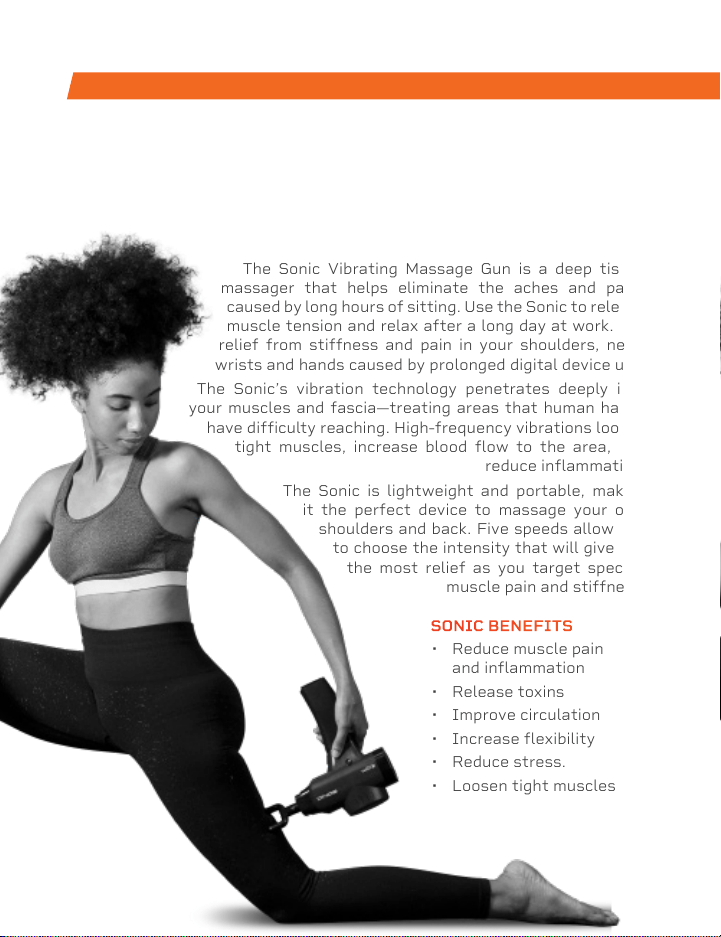
The Sonic Vibrating Massage Gun is a deep tissue
massager that helps eliminate the aches and pains
caused by long hours of sitting. Use the Sonic to release
muscle tension and relax after a long day at work. Get
relief from stiffness and pain in your shoulders, neck,
wrists and hands caused by prolonged digital device use.
The Sonic’s vibration technology penetrates deeply into
your muscles and fascia—treating areas that human hands
have difficulty reaching. High-frequency vibrations loosen
tight muscles, increase blood flow to the area, and
reduce inflammation.
The Sonic is lightweight and portable, making
it the perfect device to massage your own
shoulders and back. Five speeds allow you
to choose the intensity that will give you
the most relief as you target specific
muscle pain and stiffness.
SONIC BENEFITS
• Reduce muscle pain
and inflammation
• Release toxins
• Improve circulation
• Increase flexibility
• Reduce stress.
• Loosen tight muscles
The Rhythm Vibration Platform works
by creating rapid vibrations throughout
the body, especially on the muscles
specifically targeted. These vibrations
cause the muscles to stretch, flex,
and relax at a rapid rate. This results
in increased muscle and bone growth,
improved flexibility, and boosted
metabolism—all of which increase the
number of calories you burn.
The Rhythm can be used by people
from every fitness level. If you
have suffered an injury or you
experience joint or back pain,
find relief and help prevent
future injuries by adding the
Rhythm to your rehab routine.
RHYTHM
VIBRATION PLATFORM
FROM OUR SPORTS RECOVERY COLLECTION FROM OUR VIBRATION THERAPY COLLECTION
SONIC
VIBRATING MASSAGE GUN
RHYTHM BENEFITS
• Improve mobility
• Prevent injury
• Increase strength
• Boost metabolism
• Improve sleep
• Develop stronger bones
• Increase circulation
The Sonic Vibrating Massage Gun is a deep tissue
massager that helps eliminate the aches and pains
caused by long hours of sitting. Use the Sonic to release
muscle tension and relax after a long day at work. Get
relief from stiffness and pain in your shoulders, neck,
wrists and hands caused by prolonged digital device use.
The Sonic’s vibration technology penetrates deeply into
your muscles and fascia—treating areas that human hands
have difficulty reaching. High-frequency vibrations loosen
tight muscles, increase blood flow to the area, and
reduce inflammation.
The Sonic is lightweight and portable, making
it the perfect device to massage your own
shoulders and back. Five speeds allow you
to choose the intensity that will give you
the most relief as you target specific
muscle pain and stiffness.
SONIC BENEFITS
• Reduce muscle pain
and inflammation
• Release toxins
• Improve circulation
• Increase flexibility
• Reduce stress.
• Loosen tight muscles

Access Lifepro TV, our library of free
personal training videos on the web at
waver.lifeprofitness.com to learn how to
get the most out of your Lifepro
®
Waver
™
and achieve the results you want.
YOU'VE
GOT
THIS
Lifeprousa Lifeprousa support@lifeprofitness.com