1
GMP48

2
BEFORE YOU BEGIN
Batcave™ requires four C (LR14) alkaline batteries
(not included). For longer life, use alkaline batteries.
Keep these instructions for future reference as they contain
important information.
Adult assembly is required. Tool needed for assembly:
long shaft Phillips screwdriver.
Plan on about 30 minutes for assembly.
Clean with a damp cloth. Do not immerse.
x 4
1,5V
C
(LR14)
30
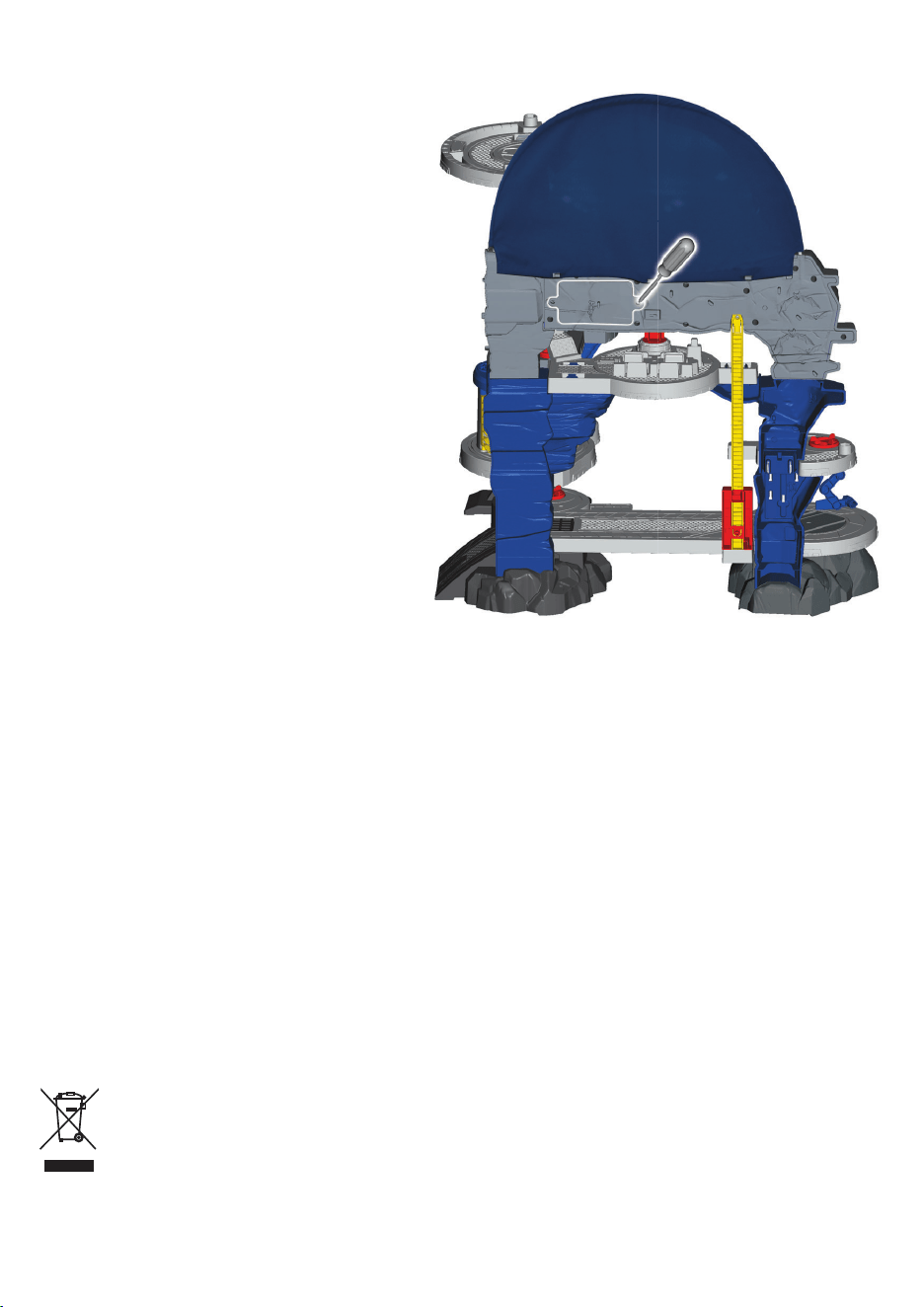
3
Loosen the screws in the
battery door.
Insert four, new C (LR14)
alkaline batteries.
Replace the battery door and tighten
the screws. Do not over-tighten
the screws.
You may need to reset the
electronics if the playset begins
to operate erratically. Slide the
power-volume switch off and
back on.
When the sounds or lights become
faint or stop, it is time for an adult to
change the batteries.
INSTALL BATTERIES
Battery Safety Information
In exceptional circumstances, batteries may leak fluids that can cause
a chemical burn injury or ruin your product. To avoid battery leakage:
Do not mix old and new batteries or batteries of different types: alkaline,
standard (carbon-zinc) or rechargeable.
Insert batteries as indicated inside the battery compartment (+ and -).
Remove batteries during long periods of non-use. Always remove exhausted
batteries from the product. Dispose of batteries safely. Do not dispose of this
product in a fire. The batteries inside may explode or leak.
Never short-circuit the battery terminals.
Use only batteries of the same or equivalent type, as recommended.
Do not charge non-rechargeable batteries.
Remove rechargeable batteries from the product before charging.
If removable, rechargeable batteries are used, they are only to be charged
under adult supervision.
e
n
t
o
Protect the environment by not disposing of this product or any
batteries with household waste. This symbol indicates that this
product shall not be treated as household waste. Check your local
authority for recycling advice and facilities.
4
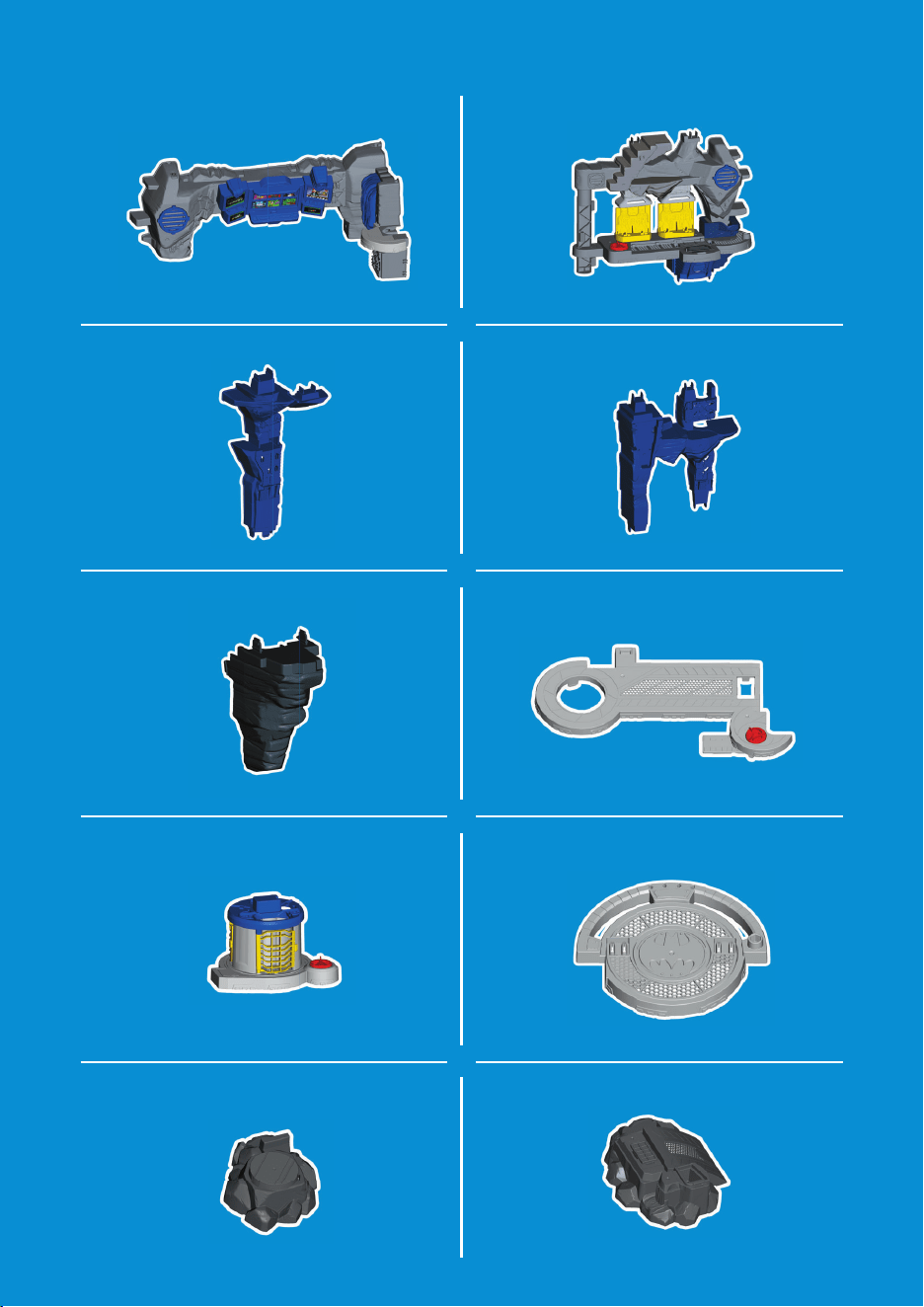
PARTS
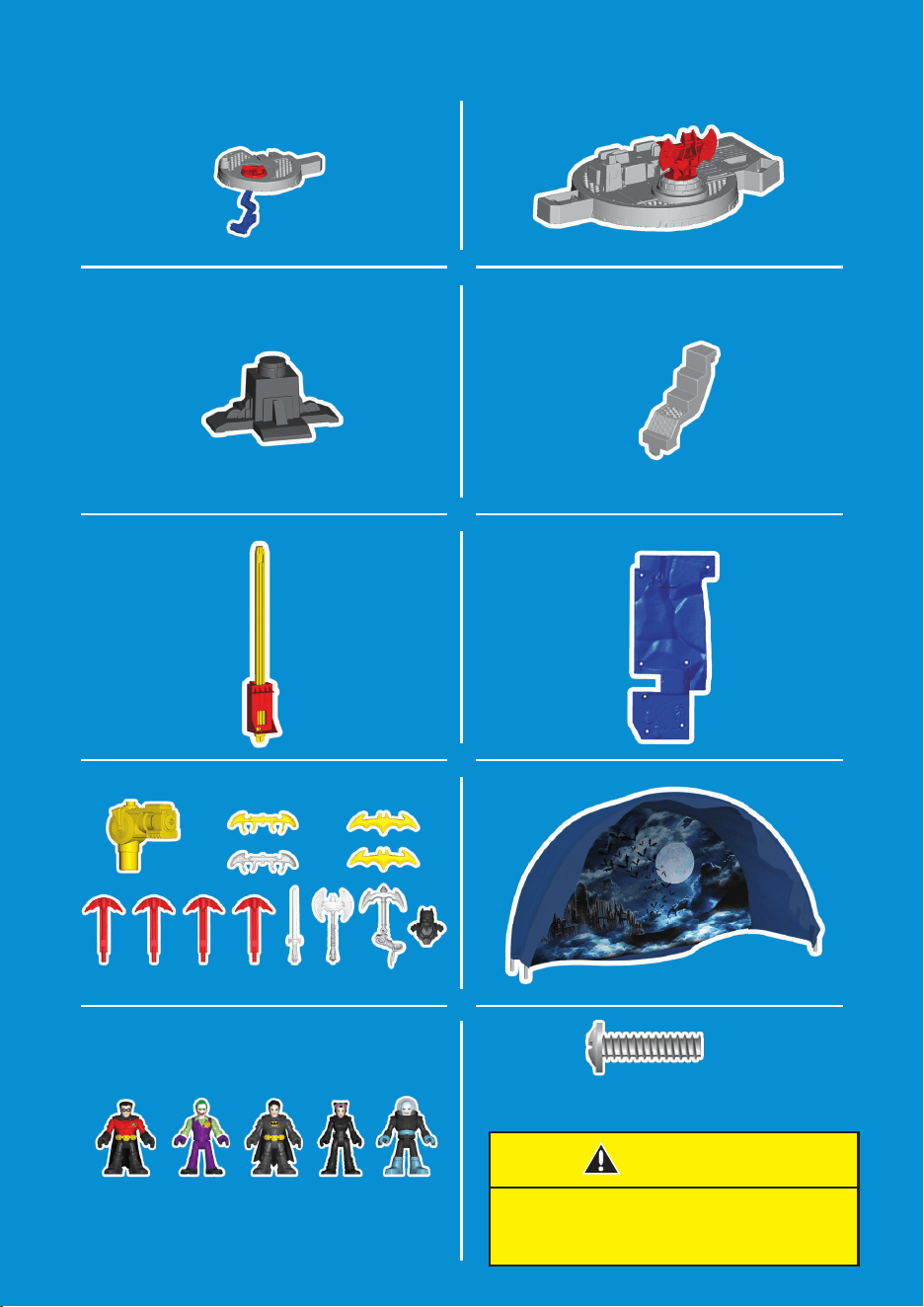
5
M3,5 x 1,6 mm
x8
CAUTION
This package contains small parts.
For adult assembly only.
PARTS
6
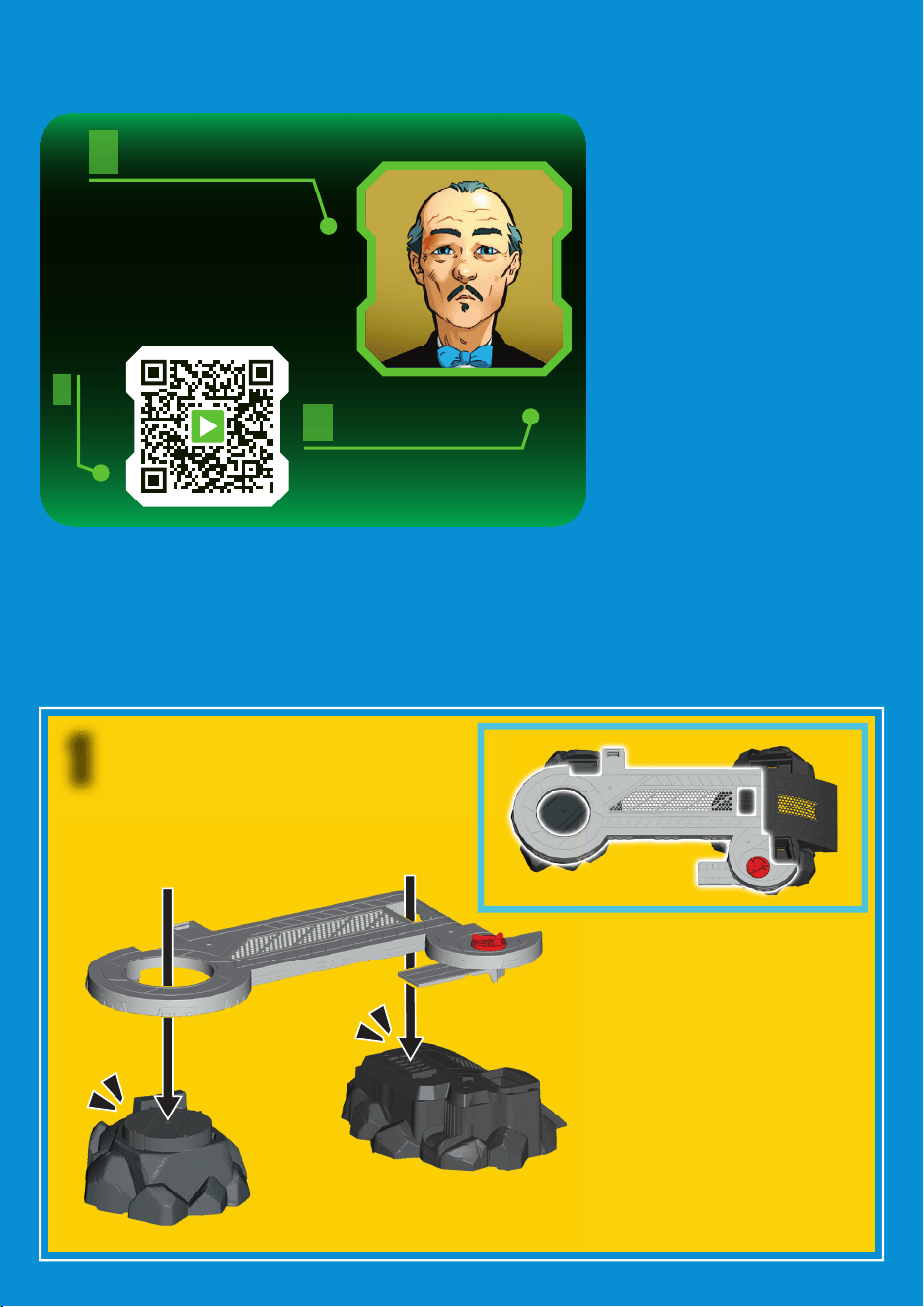
ASSEMBLY
1
Use your smart device
to scan the code. No
app required!
In camera mode, focus
on the code. Then tap
the pop-up to watch
how to assemble the toy.
Or, go to:
fisher-price.com/
assembly/GMP48
MAY I BE OF
ASSISTANCE?
7
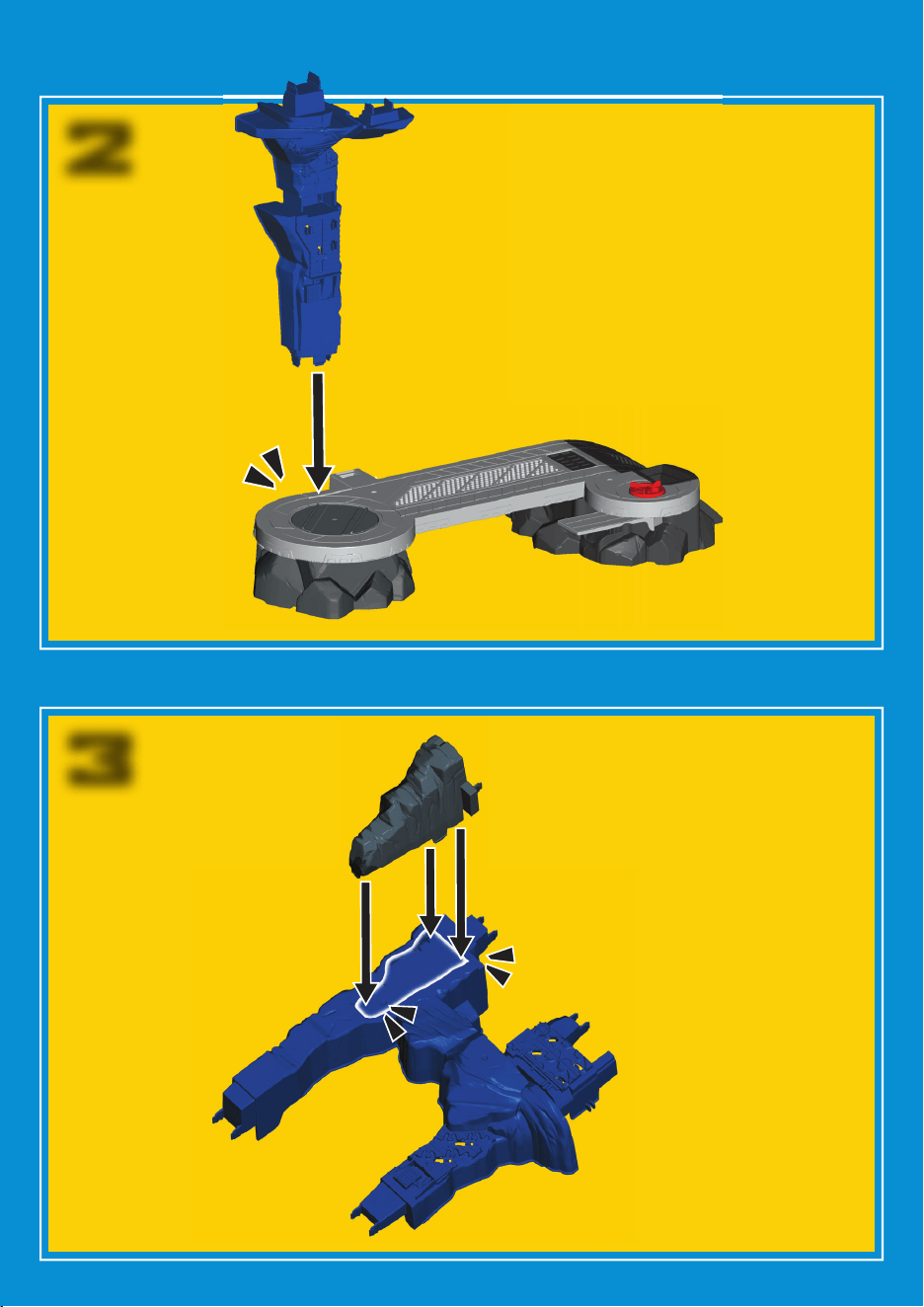
ASSEMBLY
3
2
8
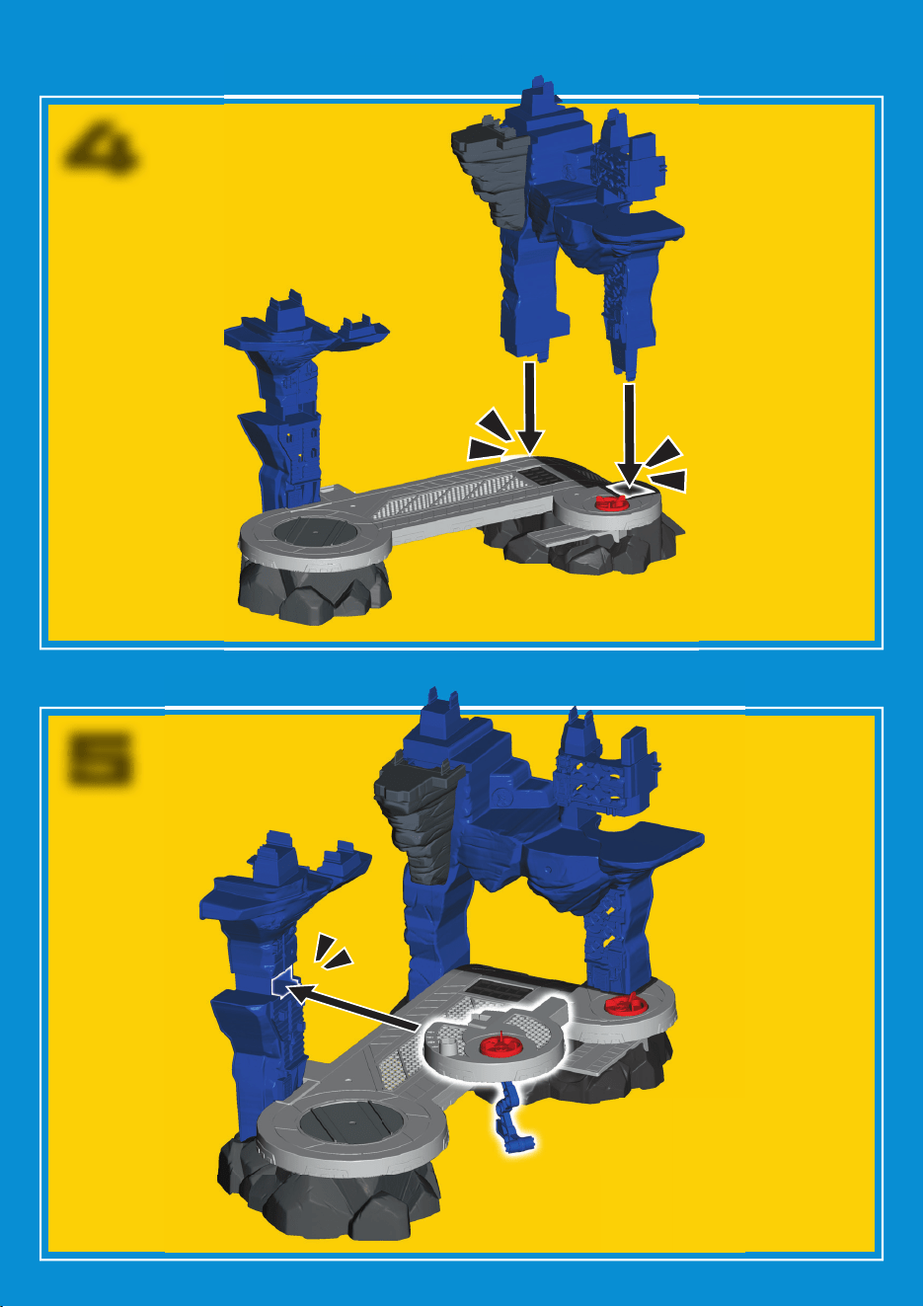
5
ASSEMBLY
4
ASSEMBL
Y

9
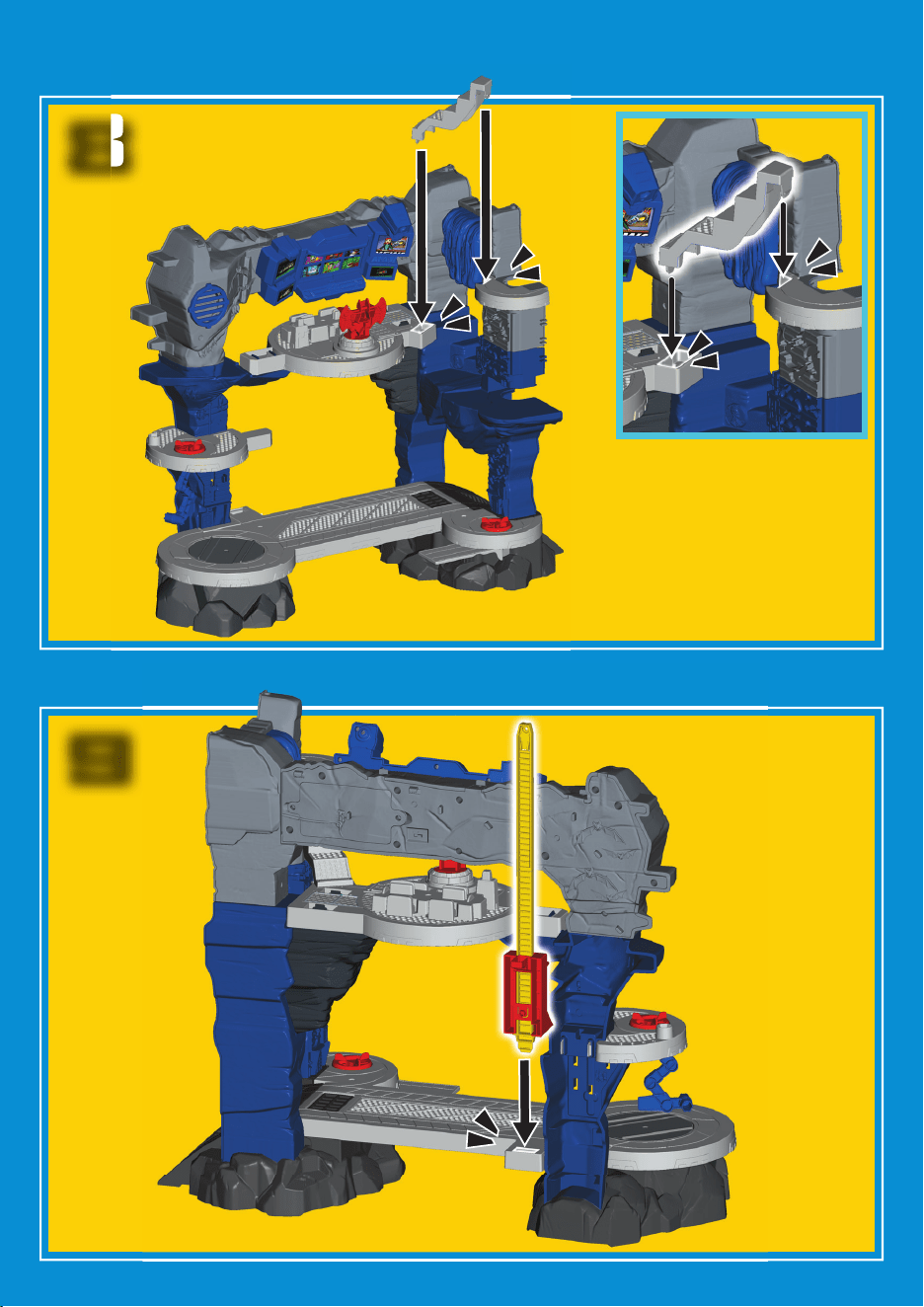
ASSEMBLY
7
9
6
10
ASSEMBLY
9
8
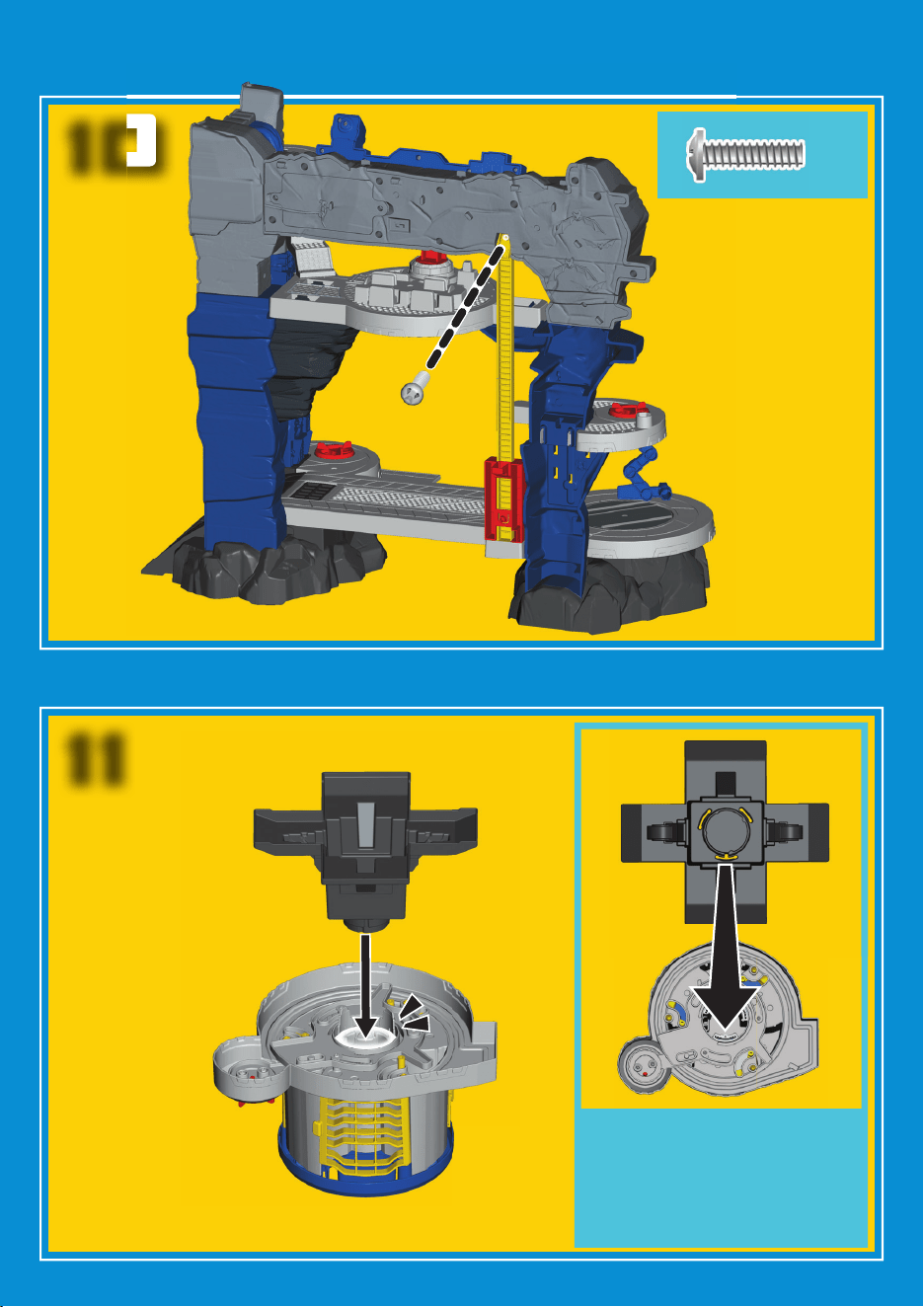
ASSEMBLY
11
ASSEMBLY
11
Fit the “T” tab on the
platform into the “T” slot
on the underside of the
jail cell.
Push to “snap” into place.
10
ASSEMBLY
x1
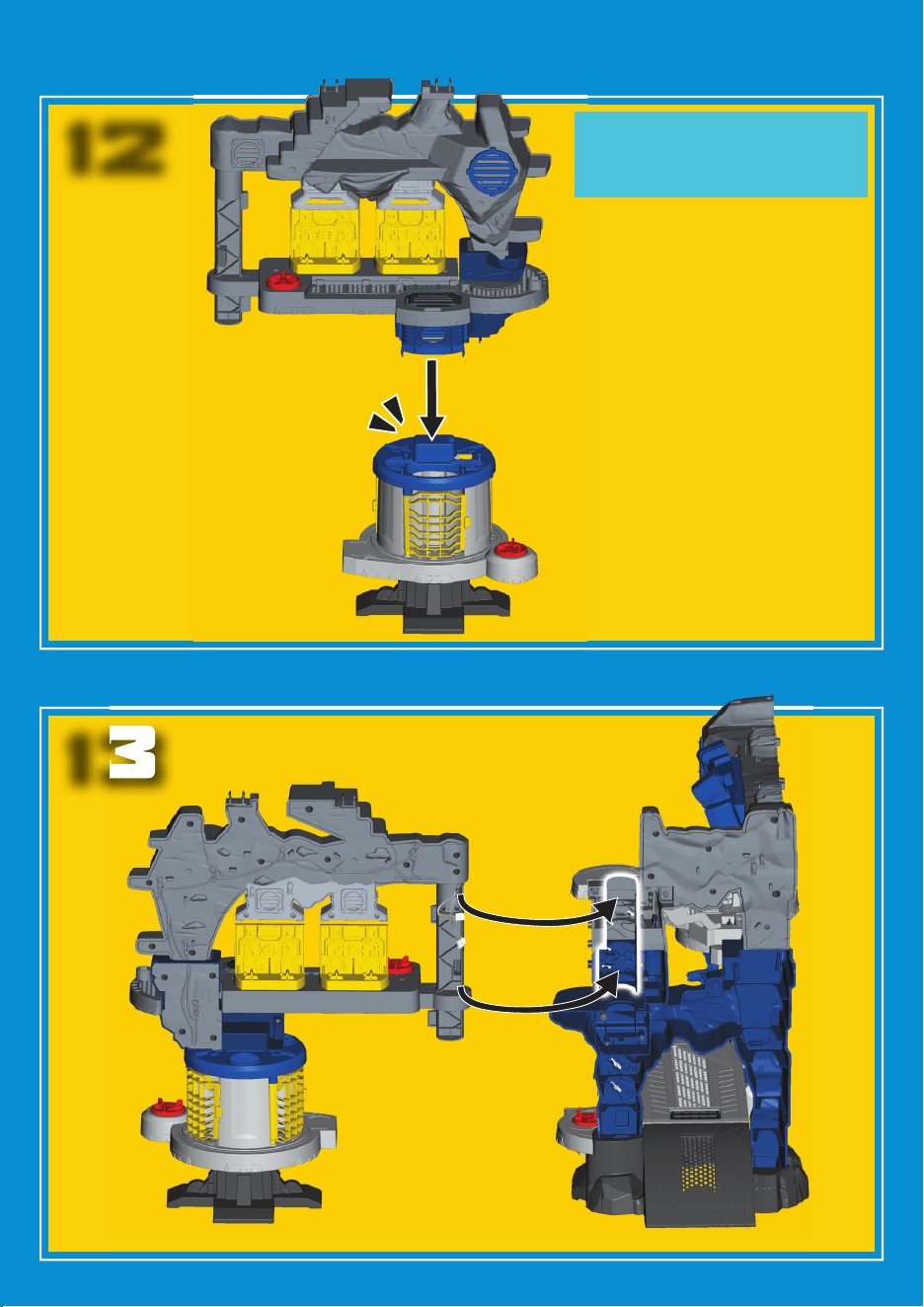
12
ASSEMBLY
13
12
Turn the jail assembly
upright to attach it to
the suit storage floor.
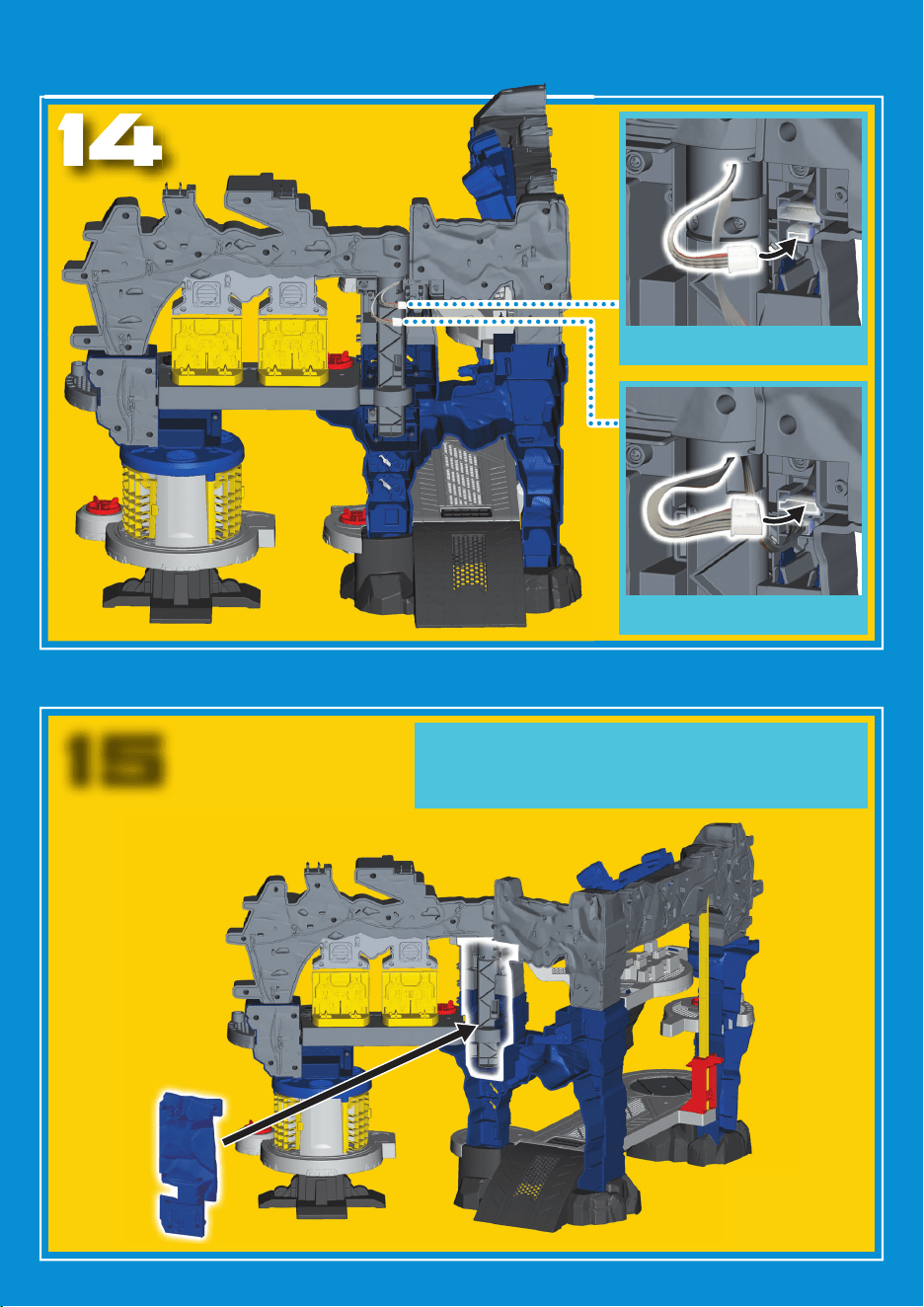
13
ASSEMBLY
15
14
Fasten small connector.
Fasten large connector.
You may need to adjust the two halves of
the playset (more open or more closed)
to assemble the connector cover.
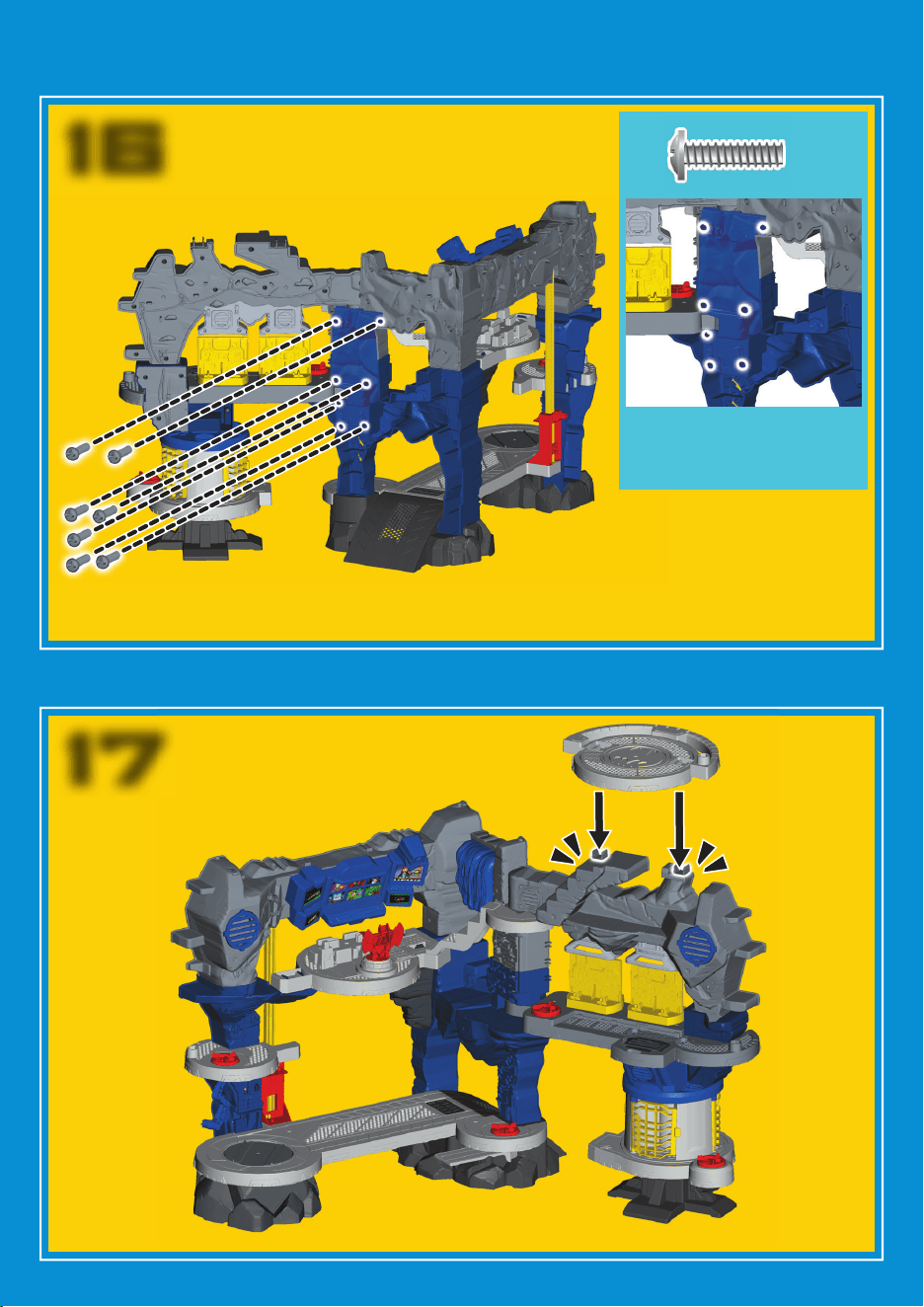
14
ASSEMBLY
17
16
x7
Locate all seven
screw holes on the
connector cover.
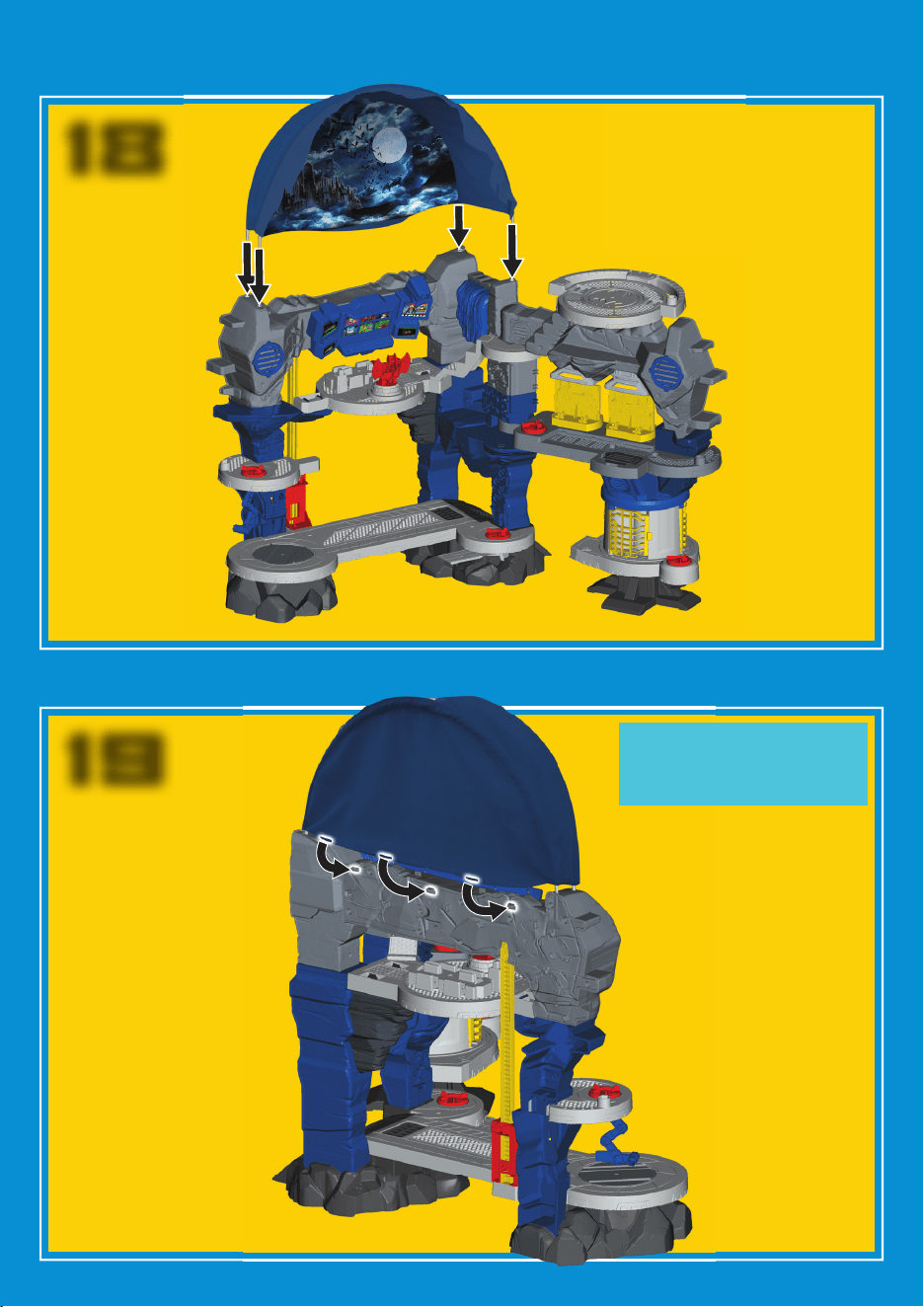
15
ASSEMBLY
19
15
Attach the canopy
button holes to
the pegs.
18
16 17
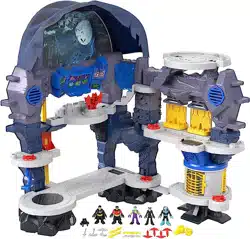
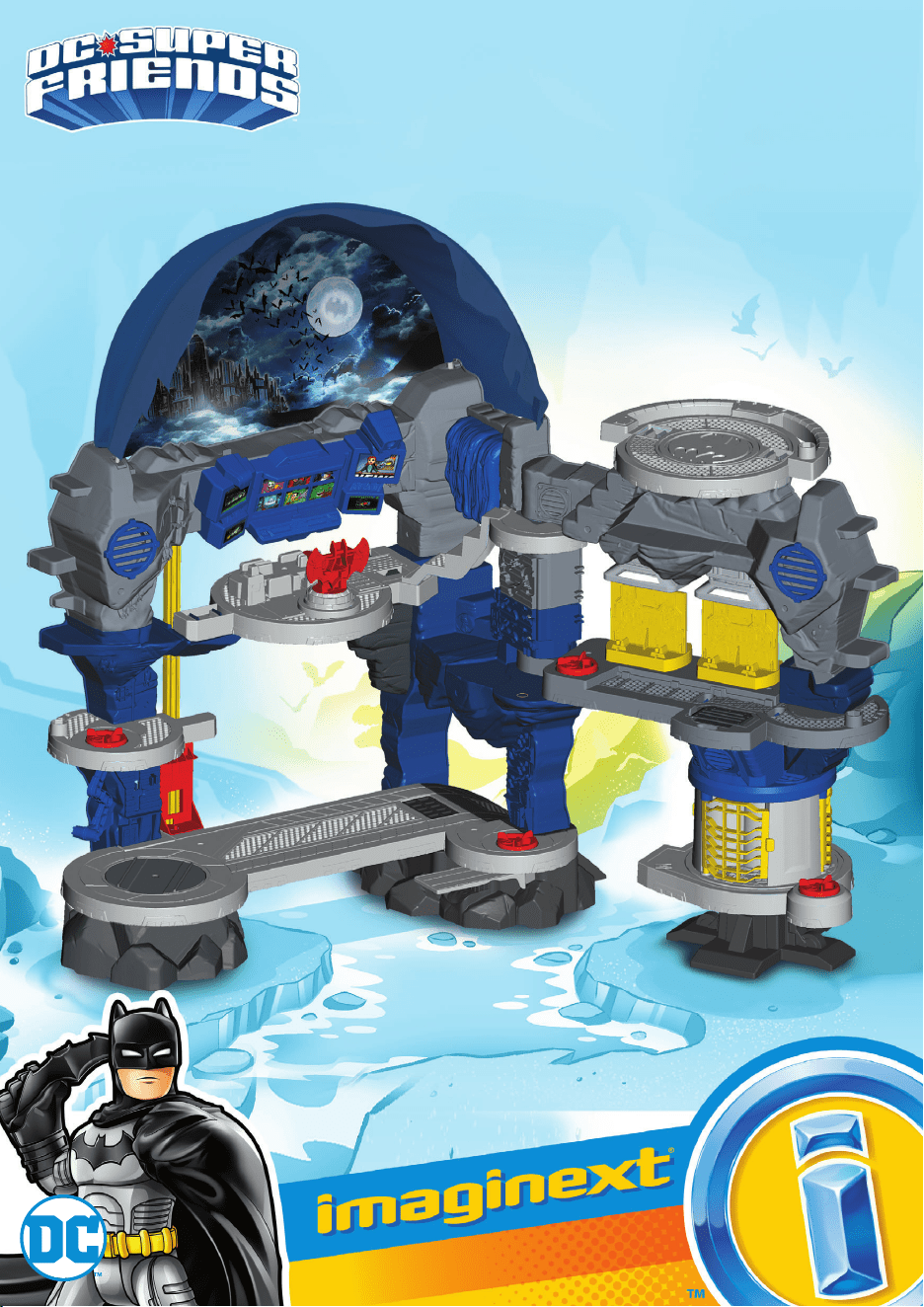
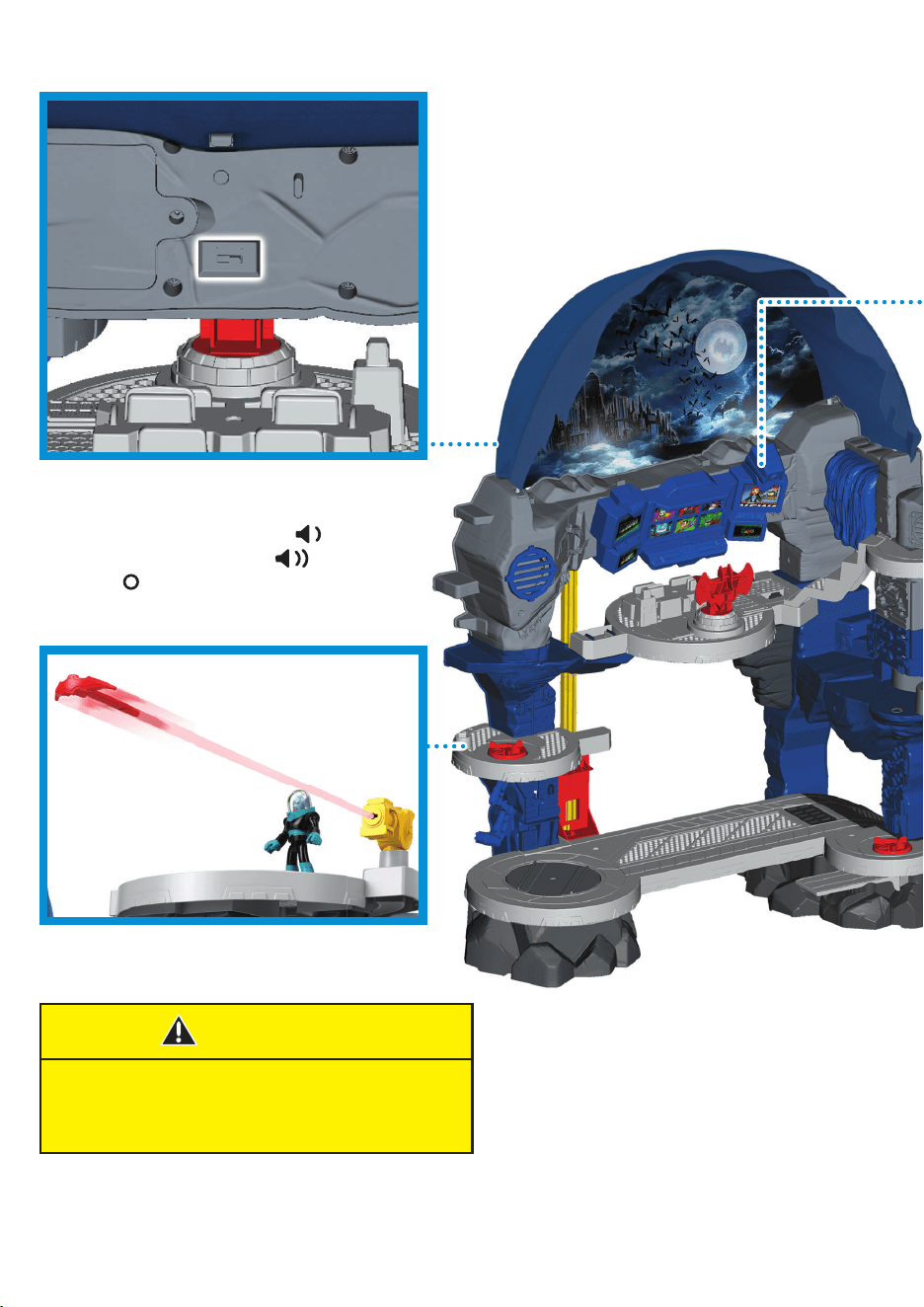
THIS IS ONE BIG BATCAVE™!
Slide power-volume switch
on the back of the playset
to ON with low volume ,
ON with high volume ,
or OFF .
WARNING:
Do not aim at eyes or face. Only use
projectiles supplied with this toy. Do not
fire at point blank range.
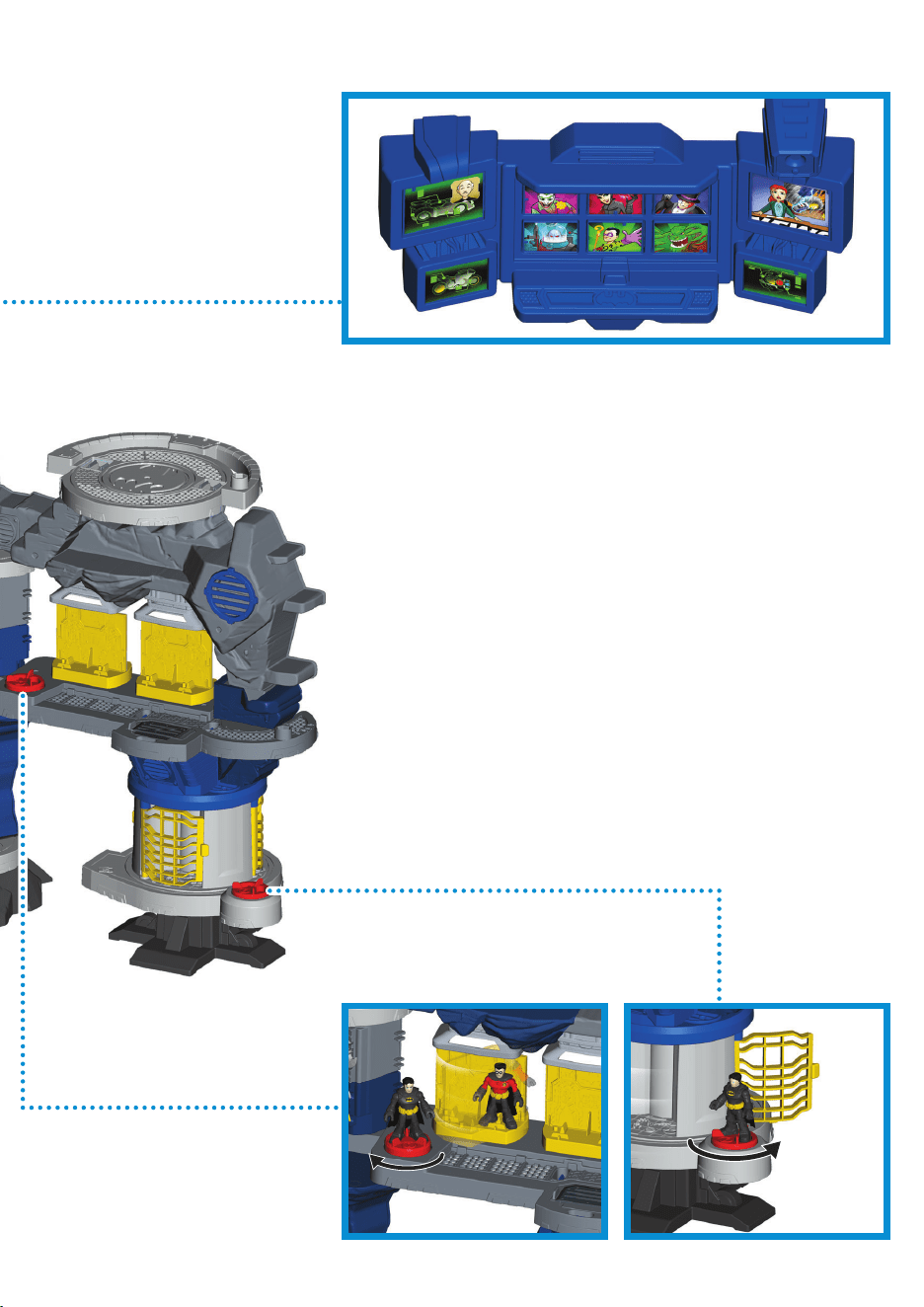
Oh no, a villain has taken over the Batcave™!
When you press the same villain button three times,
that villain breaks through the security system and
gains control of the Batcave™.
Listen to outlaw phrases from the villain in control
when you turn the suit storage or the jail Power Pads.
Press another villain button three times to change
the villain in control.
Drive the villains out by pressing the Alfred button
to reset the Batcave’s™ security system.
The Batcave™ is Secured!
Press the Alfred button, turn the suit storage or the
jail Power Pads for sound effects and phrases.
The news report button lets you know what
despicable crimes the villains are up to.
Press of any of the six villain buttons once for a short
bio about that villain. Keep pressing that villain’s
button to hear more phrases and sound effects.
If the Batcave™ enters sleep mode (after about two
minutes of inactivity), press any button to wake it up.
16 17
THIS IS ONE BIG BATCAVE™!
Slide power-volume switch
on the back of the playset
to ON with low volume ,
ON with high volume ,
or OFF .
WARNING:
Do not aim at eyes or face. Only use
projectiles supplied with this toy. Do not
fire at point blank range.
Oh no, a villain has taken over the Batcave™!
When you press the same villain button three times,
that villain breaks through the security system and
gains control of the Batcave™.
Listen to outlaw phrases from the villain in control
when you turn the suit storage or the jail Power Pads.
Press another villain button three times to change
the villain in control.
Drive the villains out by pressing the Alfred button
to reset the Batcave’s™ security system.
The Batcave™ is Secured!
Press the Alfred button, turn the suit storage or the
jail Power Pads for sound effects and phrases.
The news report button lets you know what
despicable crimes the villains are up to.
Press of any of the six villain buttons once for a short
bio about that villain. Keep pressing that villain’s
button to hear more phrases and sound effects.
If the Batcave™ enters sleep mode (after about two
minutes of inactivity), press any button to wake it up.
18
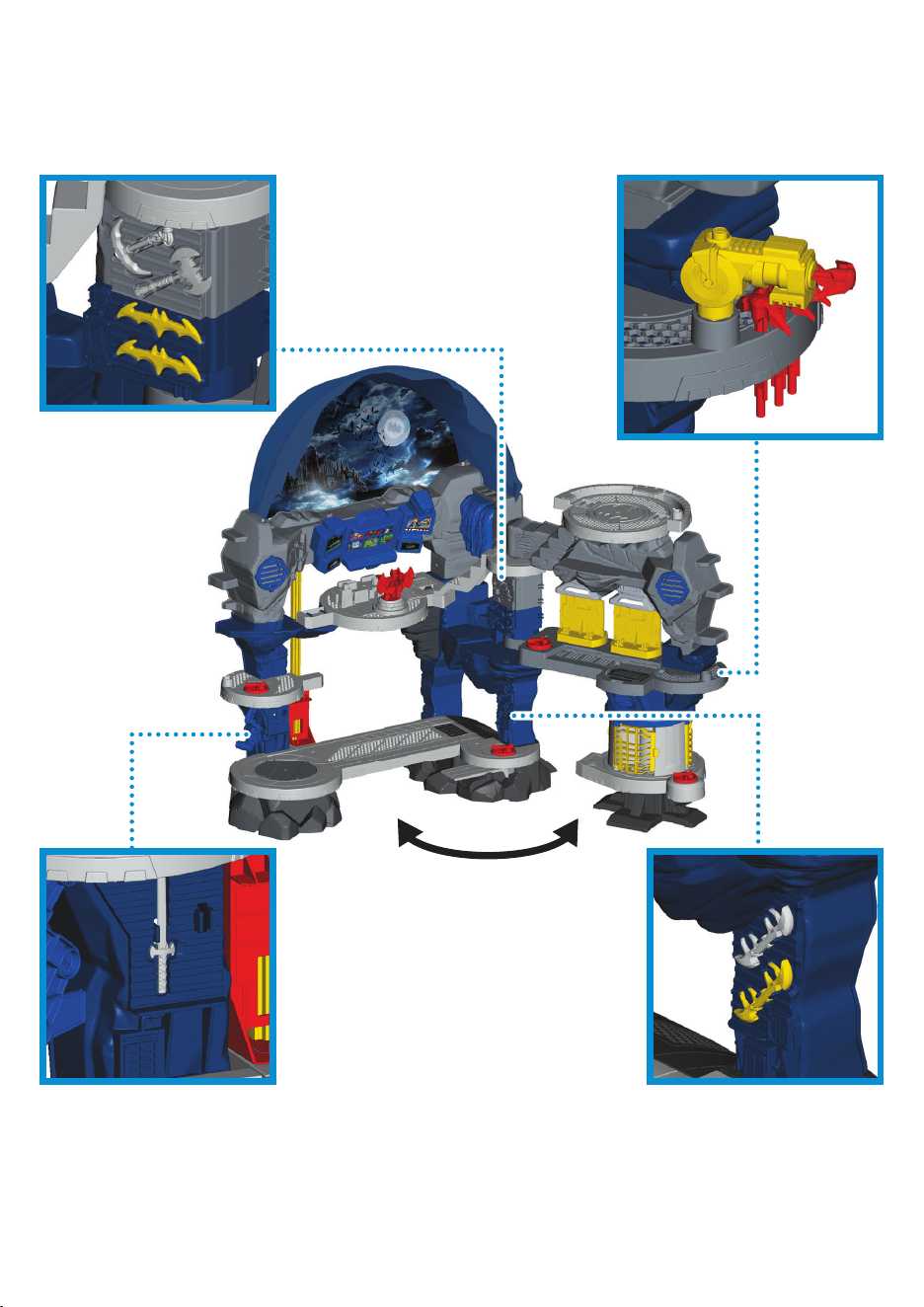
STORAGE
Fold the Batcave™ open to start fighting crime or
closed when the day is saved.

19
FCC STATEMENT
(UNITED STATES ONLY)
This equipment has been tested and
found to comply with the limits for
a Class B digital device, pursuant
to Part 15 of the FCC rules. These
limits are designed to provide
reasonable protection against
harmful interference in a residential
installation. This equipment
generates uses and can radiate
radio frequency energy and, if not
installed and used in accordance
with the instructions, may cause
harmful interference to radio
communications. However, there is
no guarantee that interference will
not occur in a particular installation.
If this equipment does cause harmful
interference to radio or television
reception, which can be determined
by turning the equipment off and
on, the user is encouraged to try to
correct the interference by one or
more of the following measures:
• Reorient or relocate the
receiving antenna.
• Increase the separation between
the equipment and receiver.
• Consult the dealer or an
experienced radio/TV technician
for help.
NOTE: Changes or modifi cations
not expressly approved by the
manufacturer responsible for
compliance could void the user’s
authority to operate the equipment.
This device complies with Part 15 of
the FCC Rules. Operation is subject
to the following two conditions: (1)
This device may not cause harmful
interference, and (2) this device must
accept any interference received,
including interference that may
cause undesired operation.
GENERAL INFORMATION
CAN ICES-3 (B)/NMB-3 (B)
This device contains licence-exempt
transmitter(s)/receiver(s) that
comply with Innovation, Science and
Economic Development Canada’s
licence-exempt RSS(s). Operation
is subject to the following two
conditions: (1) This device may not
cause interference. (2) This device
must accept any interference,
including interference that may
cause undesired operation of
the device.
L’émetteur/récepteur exempt de
licence contenu dans le présent
appareil est conforme aux
CNR d’Innovation, Sciences et
Développement économique Canada
applicables aux appareils radio
exempts de licence. L’exploitation
est autorisée aux deux conditions
suivantes : (1) L’appareil ne doit pas
produire de brouillage; (2) L’appareil
doit accepter tout brouillage
radioélectrique subi, même si le
brouillage est susceptible d’en
compromettre le fonctionnement

DC SUPER FRIENDS and all related characters and
elements © & ™ DC Comics.
WB SHIELD: TM & © WBEI.
(s20)
©2020 Mattel. ® and ™ designate U.S. trademarks of Mattel, except as noted.
PRINTED IN MEXICO
GMP48-0970-G1-1102313958-DOM
UNITED STATES
Fisher-Price, Inc., 636 Girard Avenue, East Aurora,
NY 14052. Consumer Services: 1-800-432-5437.
CANADA
Mattel Canada Inc., 6155 Freemont Blvd., Mississauga,
Ontario L5R 3W2 Consumer Services: 1-800-432-5437.
www.service.mattel.com.
GREAT BRITAIN
Mattel UK Ltd, Vanwall Business Park, Maidenhead SL6 4UB.
Helpline: 01628 500303. www.service.mattel.com/uk.
NEDERLAND
Mattel Europa B.V., Gondel 1, 1186 MJ Amstelveen, Nederland.
AUSTRALIA
Mattel Australia Pty. Ltd., 658 Church Street, Locked Bag #870, Richmond,
Victoria 3121 Australia. Consumer Advisory Service 1300 135 312.
NEW ZEALAND
16-18 William Pickering Drive, Albany 1331, Auckland.
SOUTH AFRICA
Mattel South Africa (PTY) LTD, Office 102 I3, 30 Melrose Boulevard,
Johannesburg 2196.