®
Light Up Anytime Anywhere
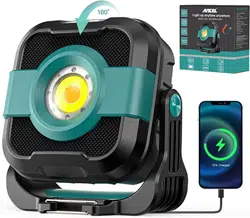
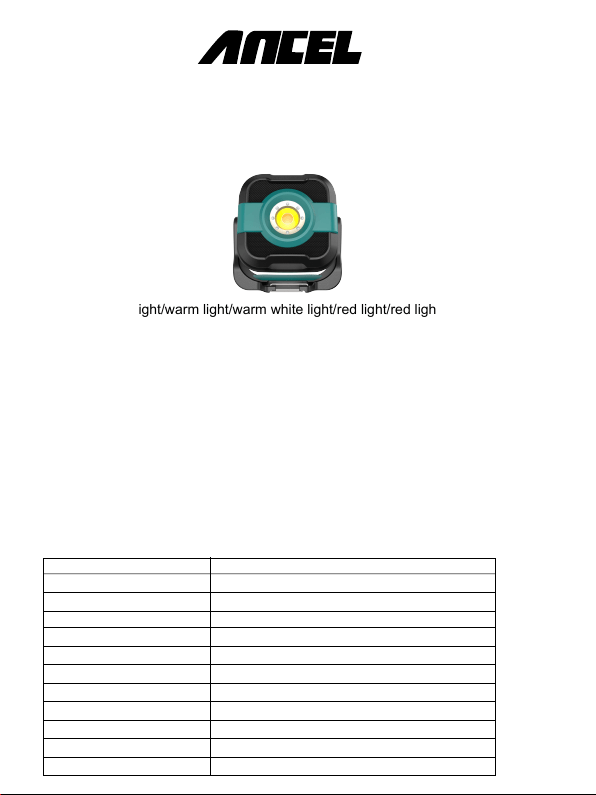
Portable white light/warm light/warm white light/red light/red light sos led work light
5 lighting modes. 5000mAh rechargeable battery to charge your smartphone
tablets and other USB devices.
The latest ANCEL 3-in-1 led work light displays the remaining power status at any time
and has 5 lighting modes, with a waterproof coefficient of up to IP65, which can be
used for moving lights in the car, outdoor camping and emergency charging treasures
to meet your outdoor lighting needs and accompany your safety.
NOTE: Please read the user manual carefully before use and installation.
Product Introduction
SPECIFICATIONS:
Model No. M3
Battery 3.7 V 5000mAh
Color Black
CCT 3000K/4500K/6500K
Luminous flux 1200LM
Dimming Promise 10-100% dimming
Lighting Mode 5 Lighting Modes
Waterproof IP65
LED Quantity COB LED
Working Time 5-50 hours (depend on brightness settings)
Input&output 5V-2A
Size 4.6*2.2*4.7inch (11.6*5.5*12cm)
User Manual
ANCEL 3-in-1 LED Work Light
1* Work Light
1* USB Cable
1* User Manual
1* Carabiner
Press and hold the power button for 3 seconds to turn on& off.
Note: The default light mode is cold white (high brightness) when turn on the lights,
and short press the button again to toggle from cold white-warm light-daylight -SOS
-red light modes
Operate Step Instruction:
Step 1: ON/OFF
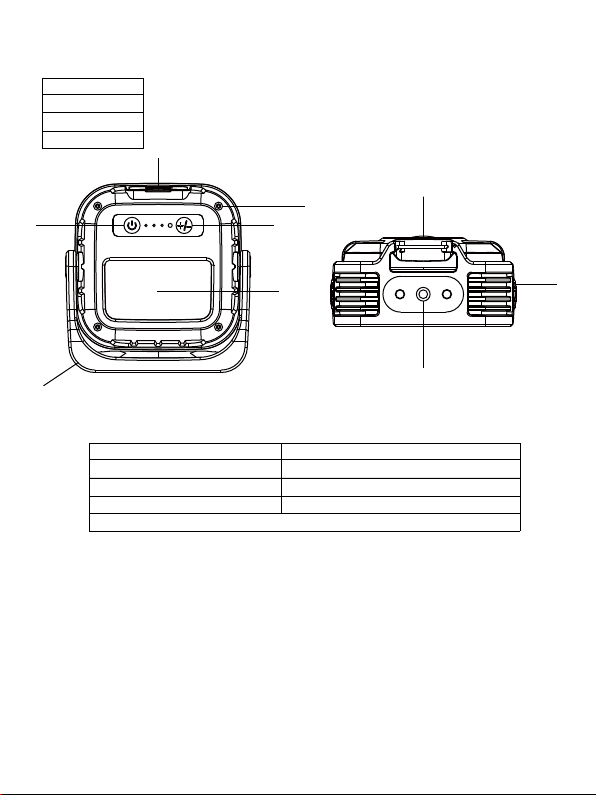
1.Lable position
2.Power/Lighting color switch
3.Battery indicator
4.USB output/Type-C input
What’s in box?
6
5
7
8
9
1
2
4
3
6.Bracket
7.Hook
8.Magnets
9.Tripod hole
5.Higher/Lower lighting mode button

By long pressing the +/- button, you can dim continuously in each lighting mode to
choose the right brightness you need.
Step 2: Brightness setting
Plug the USB charging cable into the Type-C port to charge your device. The charging
power is DC 5V/2A. The full charging time is 3 hours.
You can use it as a power bank. The port is USB output and the output power is
DC 5V/2A.
Step 4: USB output port
1.Strong magnetic installation, there is a strong magnet at the bottom of the lamp,
which can be magnetically attracted to the surface of metal-iron materials.
2.Carabiner installation, the screw at the bottom of the lamp can be turned clockwise
to install the carabiner, and the carabiner can be installed with a hook.
3.Tripod installation, the screw at the bottom of the lamp can be turned clockwise to
install the tripod.
Step 5: Installation
1. Do not stare at the LED light directly, it may hurt your eyes.
2. Please use the USB charging cable to charge the lamp before use. The input
power is DC 5V/2A, and it takes about 3 hours to fully charge. When charging, the
blue charging indicator flashes, and when fully charged, 4 blue indicator lights are
on at the same time, indicating 100% power, 1 blue indicator represents 25% power
and the power can be judged according to the number of bright blue indicators
How many.
3. Charge your light at least every 3 months to maintain the battery status if not in
use for long time.
Attention
Step 3: USB charging port
Contact Us
4. Do not immerse the light in water.
5. Keep away from fire and high temperature.
6. Do not drop, knock, throw or shake the fixture as this may damage the
components inside.
7. Do not attempt to disassemble, modify or repair the device yourself.
8. If battery becomes excessovely hot,emits odour,gets dented or experiences any
abnormal deformity you should stop using it immediately.When meeting any problem,
feel free to contact us.
OBDSPACE TECHNOLOGY CO., LTD
Address:D03, Block A, No.973 Minzhi Ave, Longhua District, Shenzhen,
Guangdong, China
Web: www.anceltech.com
E-mail: [email protected]
