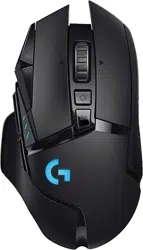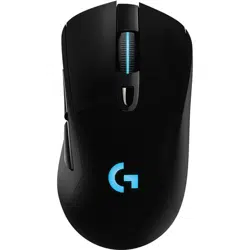
G903 SE
LIGHTSPEED Wireless Gaming Mouse
Souris gaming sans l LIGHTSPEED
SETUP GUIDE
|
GUIDE D’INSTALLATION
3 ENGLISH
SETUP INSTRUCTIONS
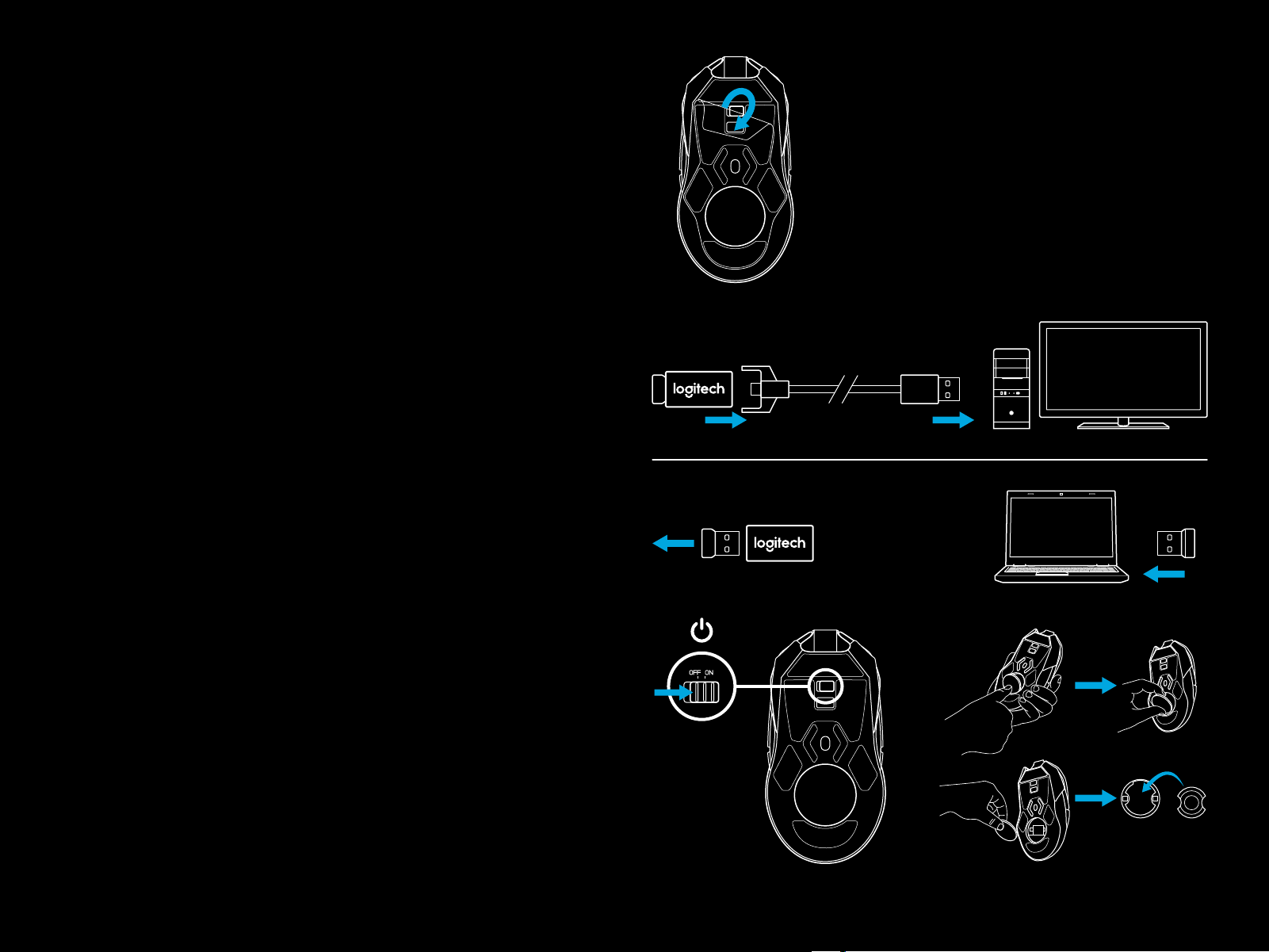
1 Remove the protective lm on the bottom side of the mouse
before use. This lm is designed to protect the sensor from
dust during transport, and your mouse may not function
unless this is removed.
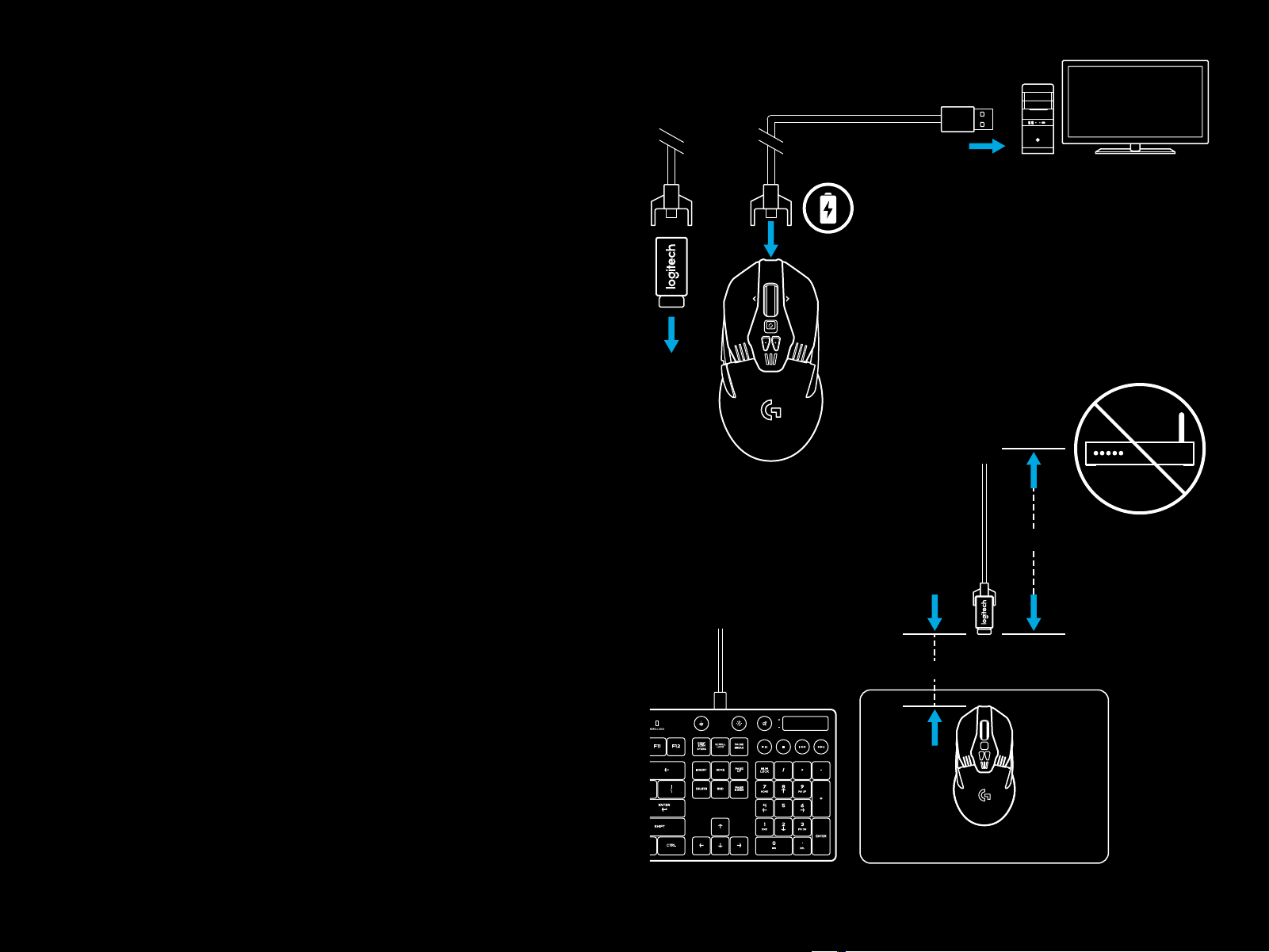
2 A wireless receiver, USB adapter, and optional 10g weight can
be found in theaccessory box. Plug one end of the cable into
your PC, andtheother end into the USB adapter and receiver.
– The receiver can also be used plugged directly into
yourPC. However, using the cable and adapter when
in wireless mode is recommended and allows for better
connectivity and easy access to the cable for recharging.
3 Turn mouse on via the switch on the bottom of the mouse.
1
2
3
10g
4 ENGLISH
4 To charge, disconnect the cable from the adapter and
plug into the front of the mouse. Your mouse will operate
in data-over-cable mode whenever it is plugged in directly
toaPC. Full charge from empty requires approximately
twohours plugged in to a PC USB port.
Tips:
– Keep the mouse and receiver 2 m+ away from wireless
routersor other 2.4GHz wireless devices to minimize
environmental noise.
– G903 SE has a wireless range of up to 10 meters. Toensure
optimal performance in noisy wireless environments,
andtokeep the charging cable easily accessible,
itisrecommended to keep the receiver within 20 cm
ofthemouse.
2 m+
20 cm-
4
5 ENGLISH
BUTTON CONFIGURATIONS
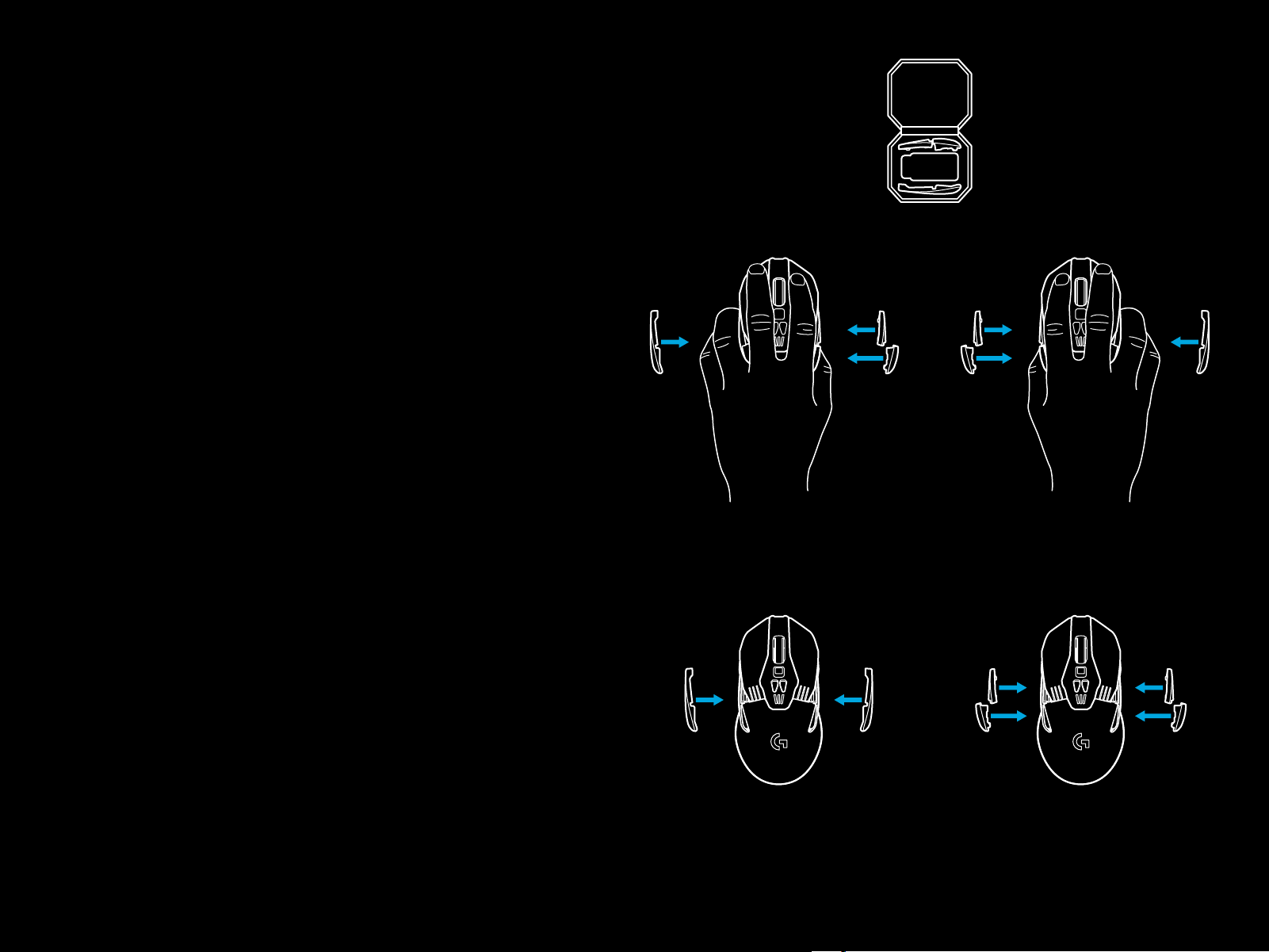
G903 SE comes with replaceable buttons and button caps,
whichare held onto the mouse magnetically. These should be
stored in box when not in use. These replaceable buttons support
conversion to the following congurations:
1 Left handed
2 Right handed
3 No buttons
4 Full buttons
1 2
3 4
6 ENGLISH
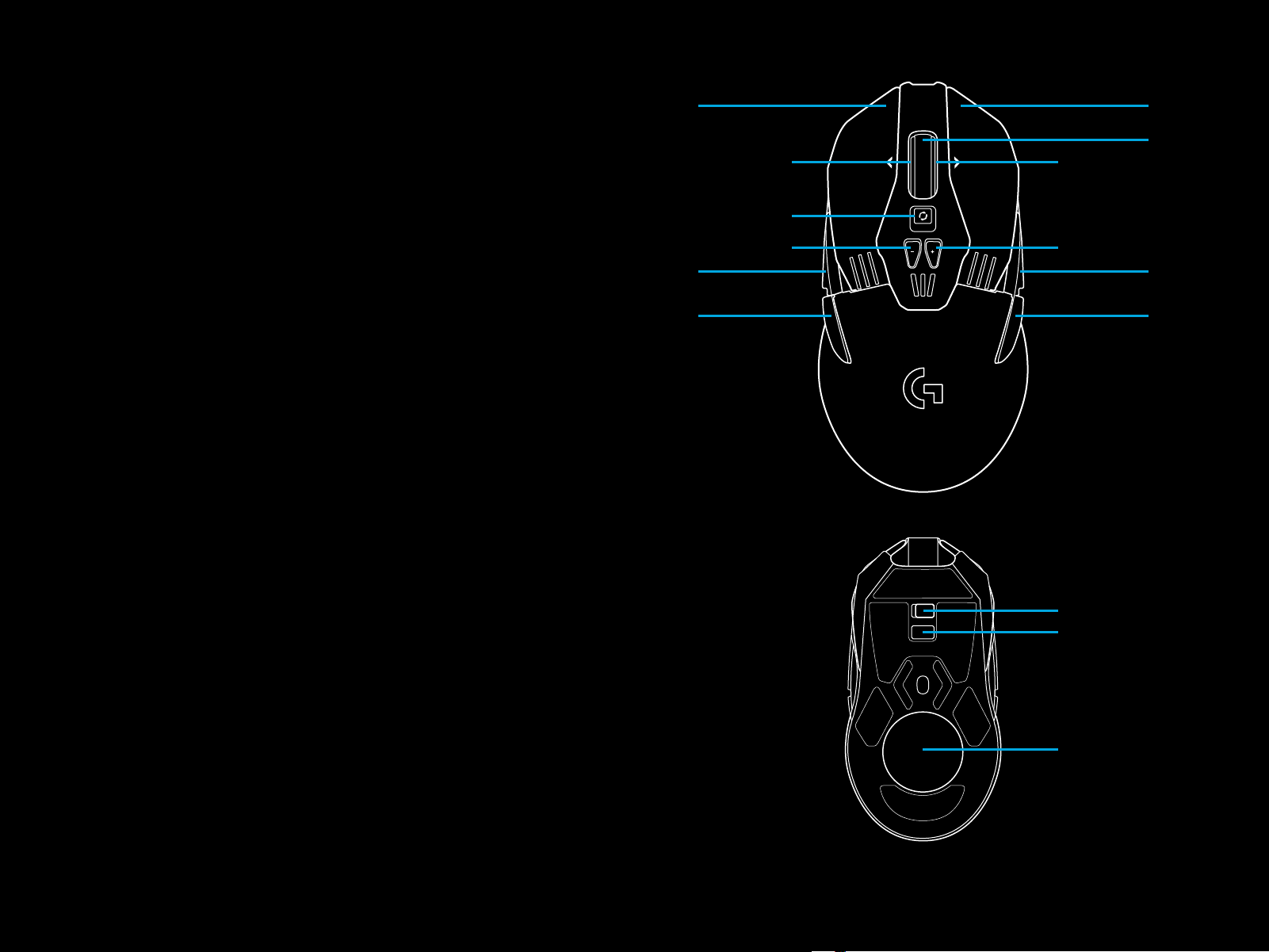
11 FULLY PROGRAMMABLE BUTTONS
1 Left (Button 1)
2 Right (Button 2)
3 Wheel click (Button 3)
4 Back (Button 4)
5 Forward (Button 5)
6 Back (Button 6)
7 Forward (Button 7)
8 Scroll left (wheel tilt left)
9 Wheel mode shift (not programmable)
10 DPI Down (Button -)
11 Scroll right (wheel tilt right)
12 DPI Up (Button +)
13 On/O switch (bottom of mouse, not programmable)
14 Prole Select (bottom of mouse, not programmable)
15 Weight door
1
8
9
10
4
5
2
11
12
7
6
3
13
14
15

7 ENGLISH
BATTERY LIFE
G903 SE has a rechargeable 720mAH LiPol battery which
provides it with up to 32 hours non-stop gaming at 1ms report
rate withlights o, or 24 hours non-stop gaming at 1ms report
rate with RGB color cycling on.*
– Charge level can be checked when the mouse is poweredon
orusing Logitech Gaming Software to assign a button
tocheck charge level.
– Charge level is displayed for seven seconds at mouse
power-onusing the color and number of bars illuminated
onthe DPI indicator:
– 3 green bars = 50–100%
– 2 orange bars = 30–50%
– 1 red bar = 15–30%
– 1 ashing red bar = <15%
Tip: You can program a button to show charge level
usingLGS.
– The left DPI LED will ash red when battery is at 15% or less.
When this happens, plug in your mouse to charge.
– Charge level, power draw, and estimated remaining battery
life can be checked in Logitech Gaming Software
*Battery life and capacity may vary with age and use. Rechargeable batteries have a limited
number of charge cycles.
8 ENGLISH
CHARGING/DATA OVER CABLE
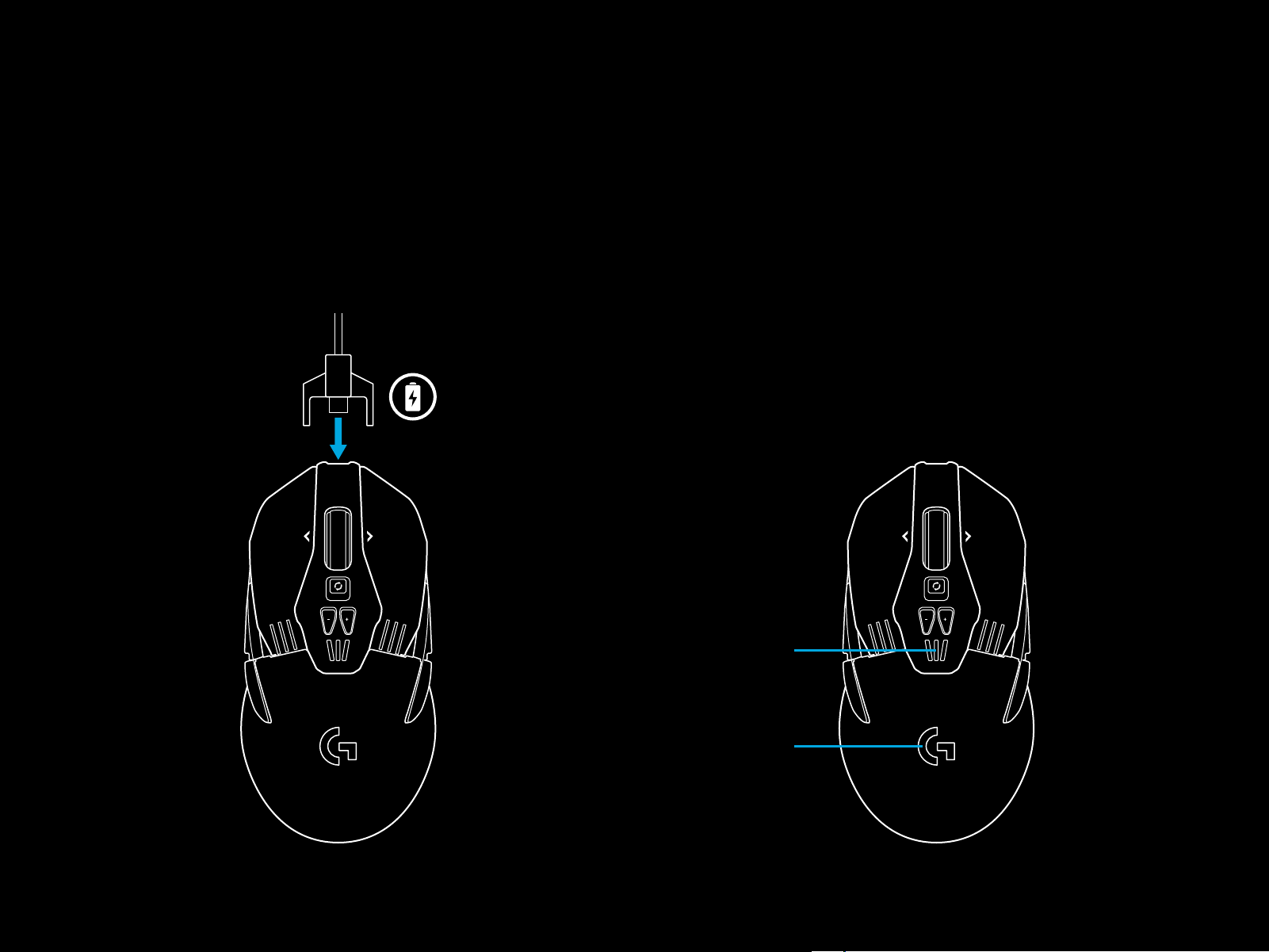
Plug your mouse in via the provided USB charging cable when
the battery is low. G903 SE is also compatible with the Logitech G
POWERPLAY wireless charging system, sold separately.
RGB PROGRAMMABLE LIGHTING
G903 SE has two lighting zones
1 DPI indicators
2 G logo
These colors can be customized using Logitech Gaming Software
to a variety of breathing, color cycling, or solid color modes.
Lighting patterns can also be synchronized with other supported
Logitech G devices using this software.
1
2
9 ENGLISH
LOGITECH GAMING SOFTWARE
You can customize the 5 onboard proles of the G903 SE using
the Logitech Gaming Software. These settings include surface
tuning, button programming, lighting color, lighting eects,
report rate, and tracking behavior. G903 SE allows up to 5 DPI
settings per prole.
By default, G903 SE has 1 active onboard prole with
thefollowingsettings:
– DPI: 400/800/1600/3200/6400
– RGB lighting: color cycle
– Report rate: 1ms
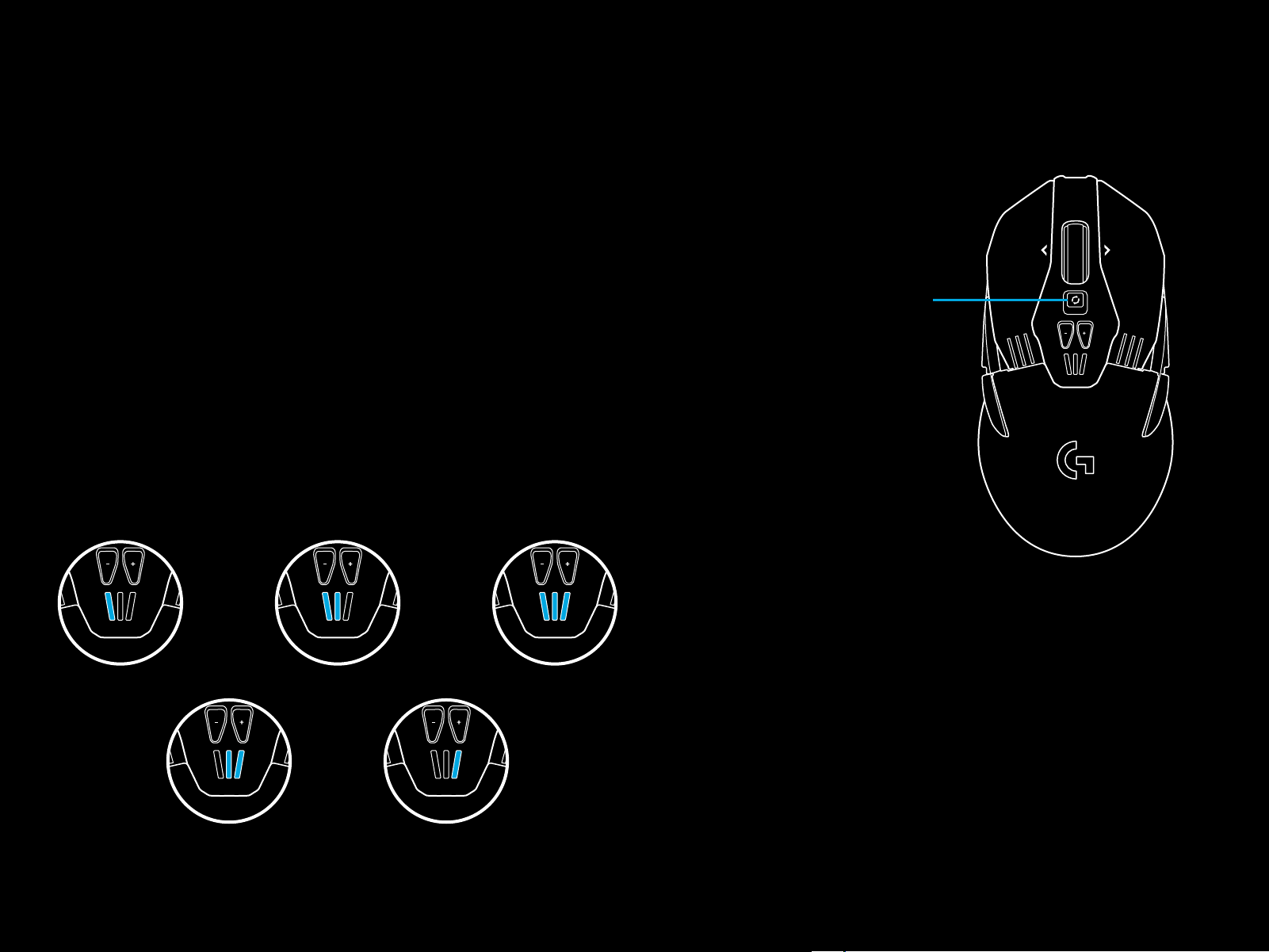
DPI/ONBOARD PROFILE INDICATORS
DPI/Onboard proles are shown using three LEDs under
the-/+ buttons. The image below shows which values are being
indicated by the LED panel.
DPI/Prole 1 DPI/Prole 2
DPI/Prole 4 DPI/Prole 5
DPI/Prole 3
HYPERFAST SCROLL WHEEL
G903 SE features Logitech’s exclusive dual-mode Hyperfast scroll
wheel. Click the button right below the wheel to switch between
the two modes.
Wheel mode shift
QUESTIONS
www.LogitechG.com/support