Quick Guide
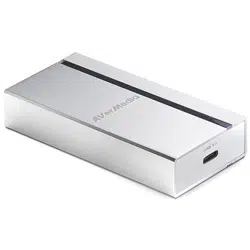
ExtremeCap SDI
BU111
English Português
Deutsch Pусский
Français
繁體中文
Italiano
简体中文
Español

Disclaimer
All the images in this documentation are examples only. The images may vary depending on the product and
software version. Information presented in this documentation has been carefully checked for reliability; however,
no responsibility is assumed for inaccuracies. The information contained in this documentation is subject to change
without notice.
Copyright and Trademark Information
©2016 by AVerMedia Technologies, Inc. All rights reserved. No part of this publication, in whole or in part, may be
reproduced, transmitted, transcribed, altered or translated into any language in any form by any means without
the written permission of AVerMedia Technologies, Inc. Information and specication contained in this manual are
subject to change without notice and do not represent a commitment on the part of AVerMedia.
For more information, please refer to www.avermedia.com. "AVerMedia" and "ExtremeCap" are trademarks or
registered trademarks of AVerMedia Technologies, Inc.The pictures contained in this manual are provided for
reference purposes only. Made in Taiwan (except accessories).
Headquarters
Address No.135, Jian 1st Rd., Zhonghe Dist., New Taipei City 23585, Taiwan
Website http://www.avermedia.com
Telephone +886-2-2226-3630

3
US Ofce
Address 47358 Fremont Blvd., Fremont, CA 94538
Telephone (408)263-3828
Europe Ofce
Address Distributieweg 13, 2742 RB Waddinxveen, The Netherlands
Telephone +31 10 7600 500
國際總部
地址 23585新北市中和區建一路135號
網址 www.avermedia.com
支援 www.avermedia.com/support
電話 +886-2-2226-3630
中国子公司
地址 上海市静安区武宁南路488号智慧广场1510室
网址 www.avermedia.com.cn
电话 +86-21-52987985
4
Important Safety Instructions and Disclaimer
WARNING: Failure to follow these safety instructions could result in re, electric shock, other injury or
damage to device or other property, and/or loss of life. AVerMedia is not responsible for damage or injury
arising from failure to follow safety instructions relating to the product’s use.
General Guidelines and Warning
• Read and follow these instructions.
• Do not use the device on uneven or unstable surfaces.
• Do not use this device in a wet environment or near water.
• Unplug the device before cleaning. Clean only with a dry cloth.
• Use in a well ventilated environment. Do not block any ventilation openings.
• Use the device in environments with ambient temperatures between 0°C (32°F) and 50°C (122°F).
• Use power sources within the specied voltage range.
• Do not place heavy objects on the device.
• Do not install near heat sources such as radiators or stoves.
• Do not defeat the safety purposes of the polarized or grounding-type plug.
• Protect the power cord from being walked on or pinched, particularly where the cord connects with plugs or
adapters.
• Only use the attachments and accessories specied by the manufacturer.
• Unplug this device during lightning storms or when unused for prolonged time.
• Do not modify or disassemble the device in any way.
• Refer all servicing to qualied personnel.
• Do not dispose the device as general household waste. Dispose in accordance with local environmental laws.
5
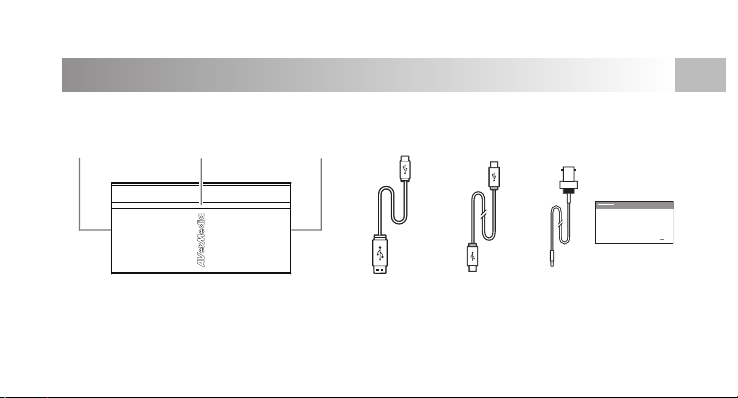
Inside the Box
These are what you'll nd in the box:
ExtremeCap SDI USB Type-A to
Type-C Cable
Quick
Guide
Quick Guide
USB Type-C Port
LED IndicatorSDI Port
EN
USB Type-C to
Type-C Cable
SDI
Cable
6
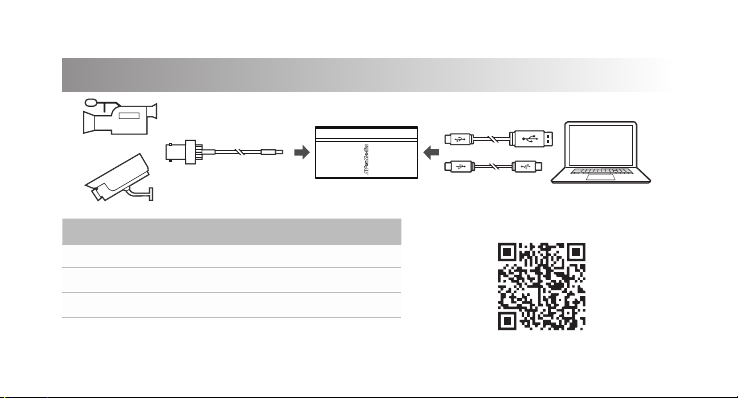
Installation & LED Status
LED Indicator Status
Solid Blue Powered On
Solid Red No Input
Flashing Blue Booting / Updating Firmware
OR
Scan this QR code for specs and
more information.
