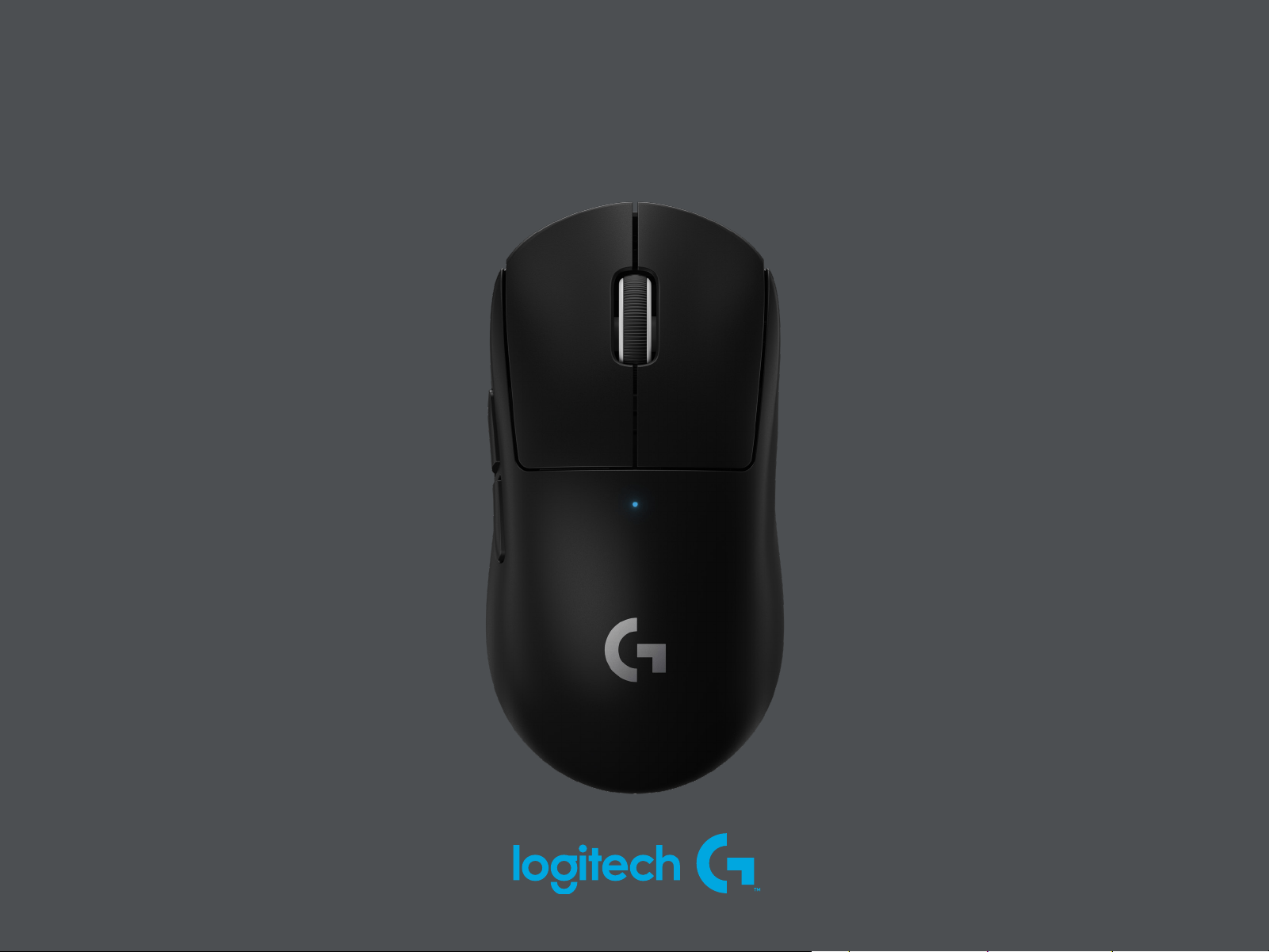
PRO X SUPERLIGHT
SETUP GUIDE
|
设置指南
|
設定指南
|
설치 가이드
3 ENGLISH
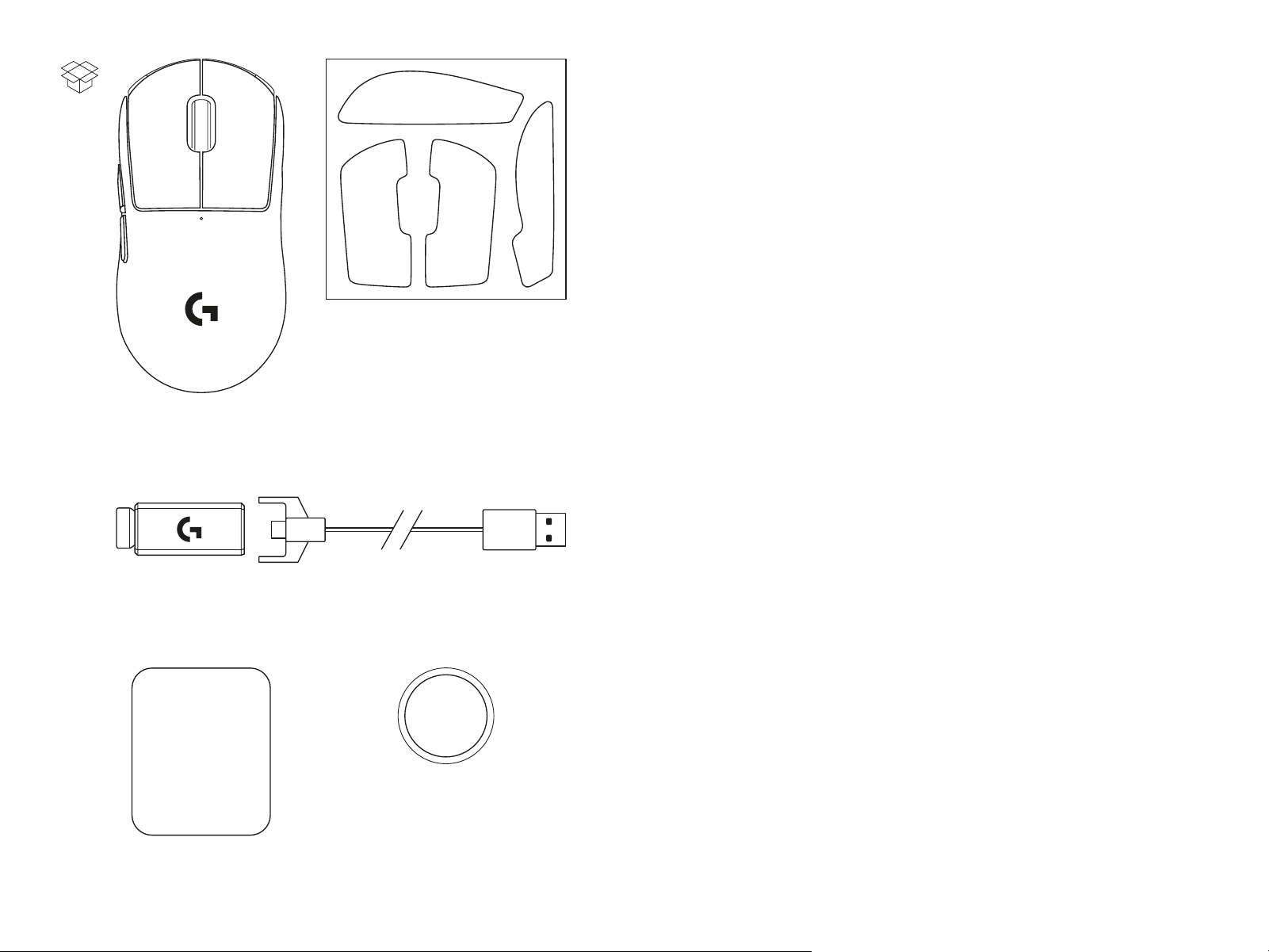
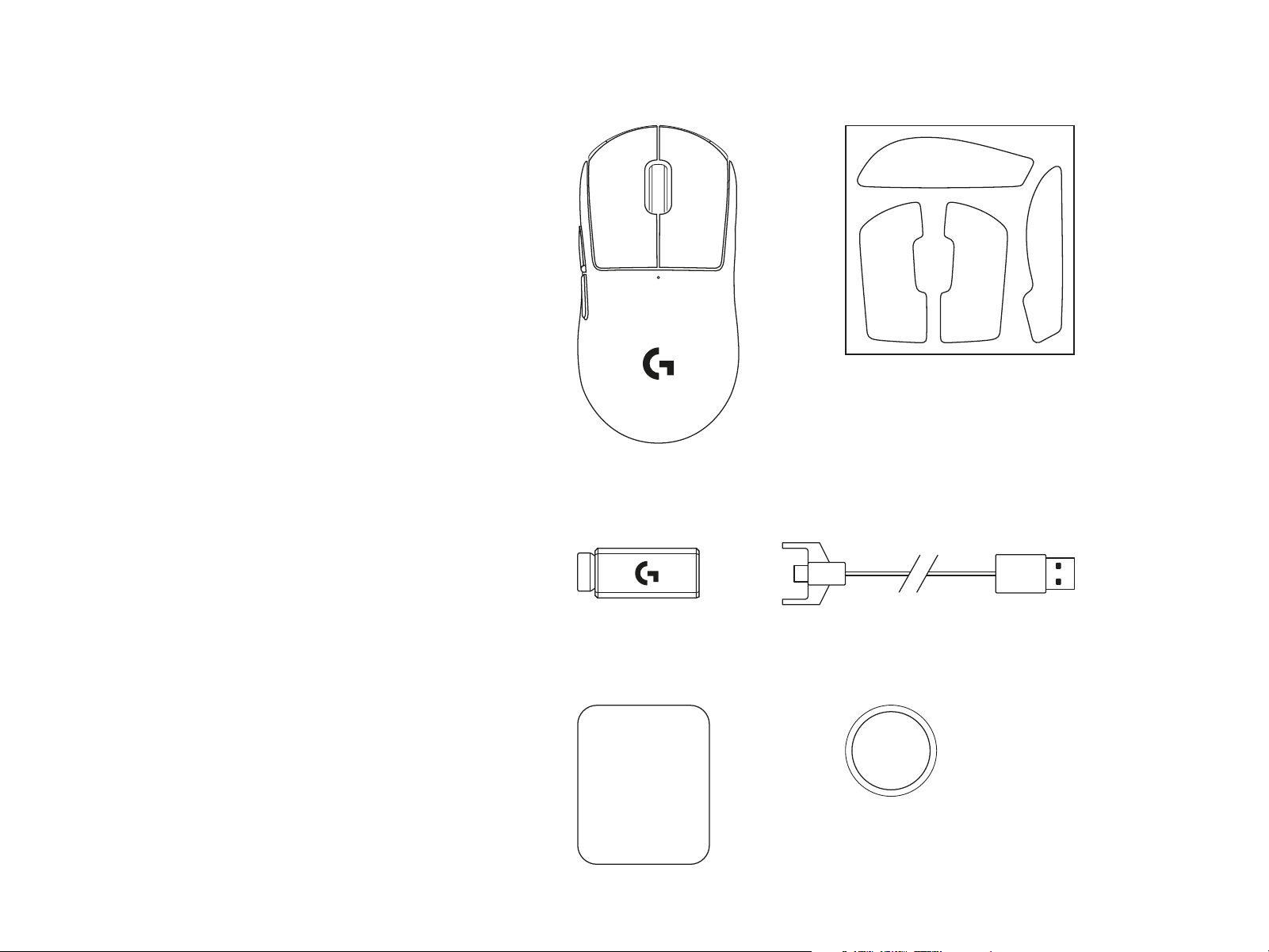
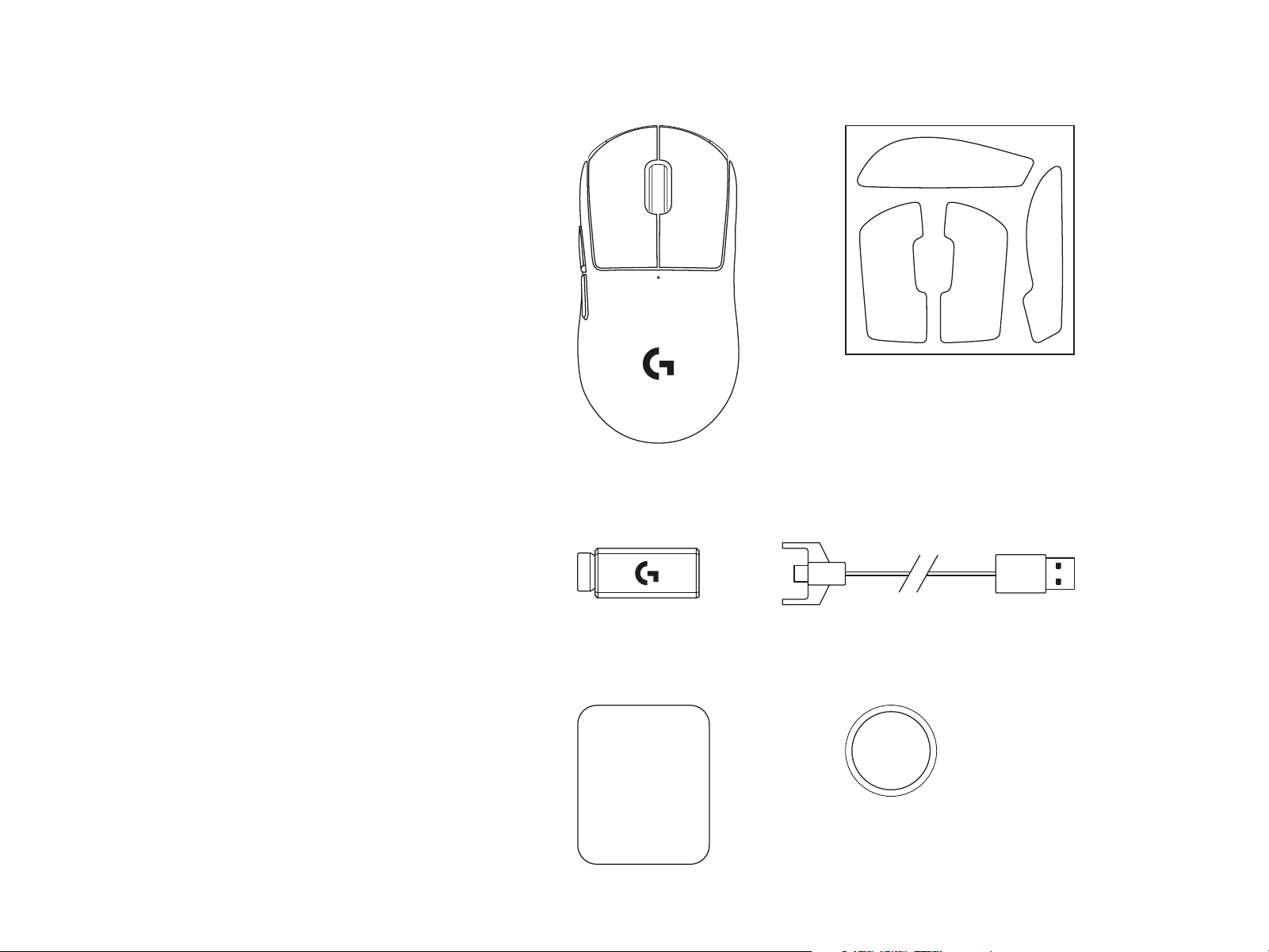
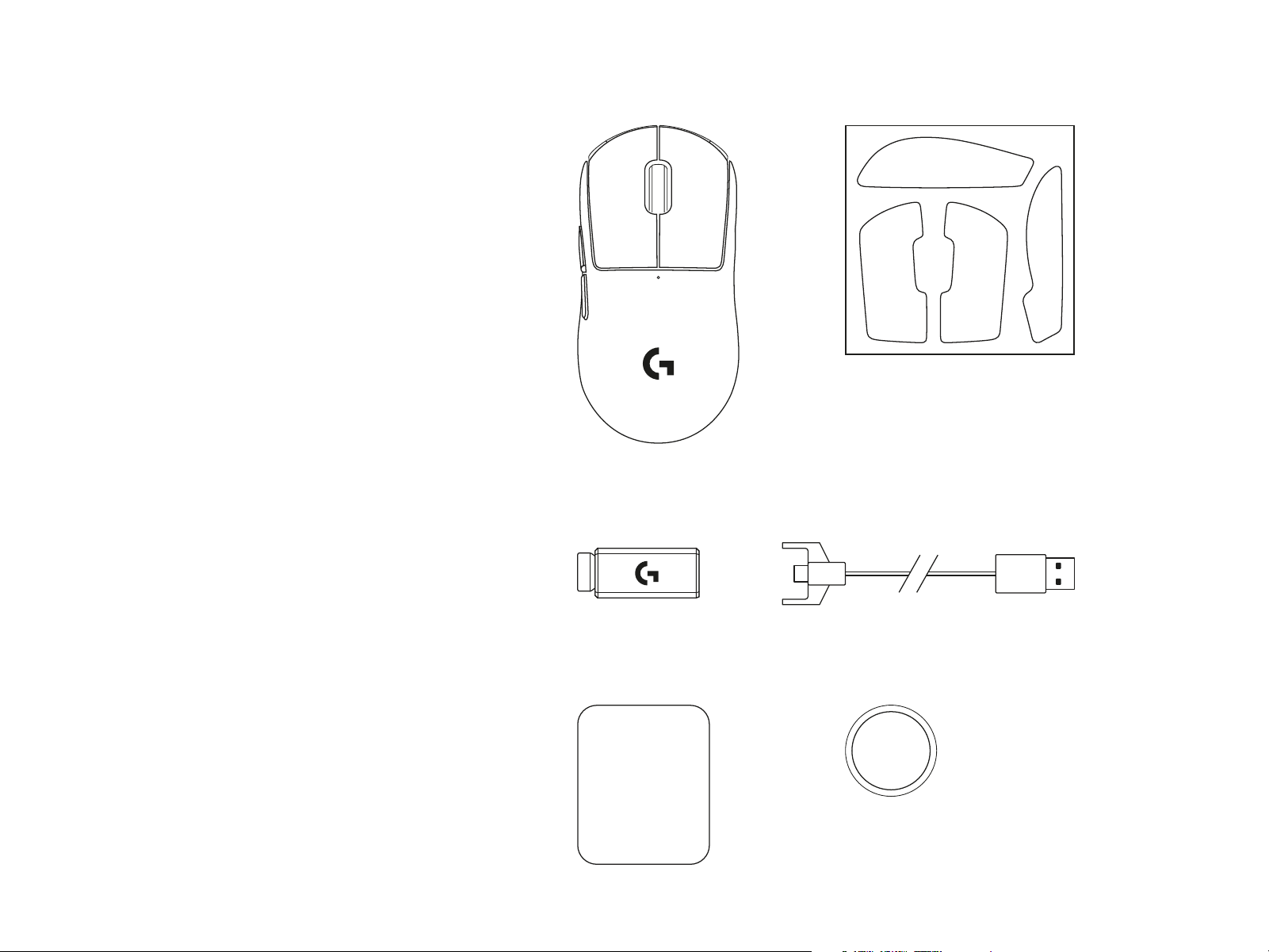
PACKAGE CONTENTS
1
5
3 4
2
6
1 Mouse
2 Optional grip tape
3 Receiver (installed in extension adapter)
4 USB charging and data cable
5 Surface preparation cloth
6 Optional POWERPLAY aperture door
withPTFEfoot
4 ENGLISH
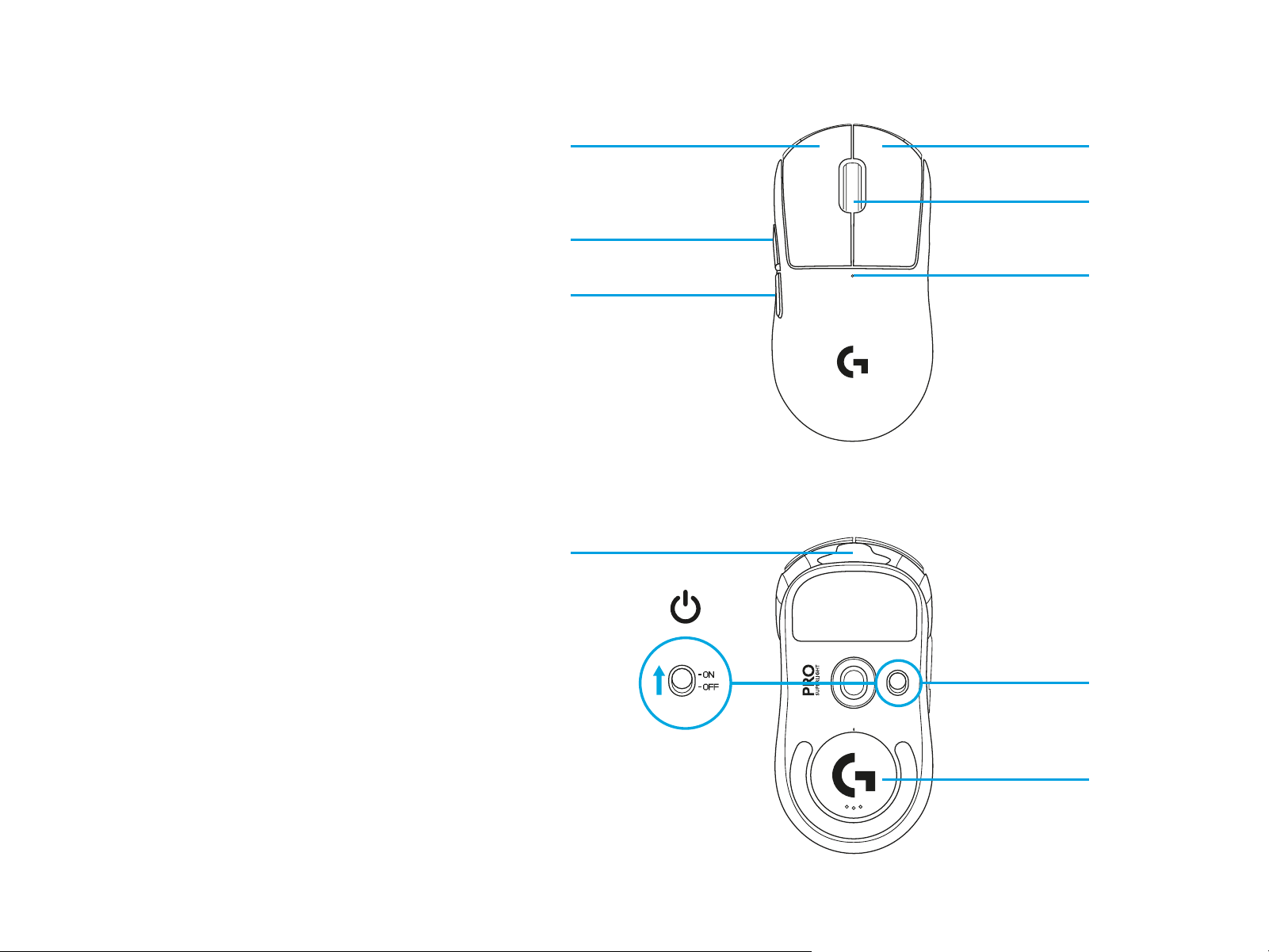
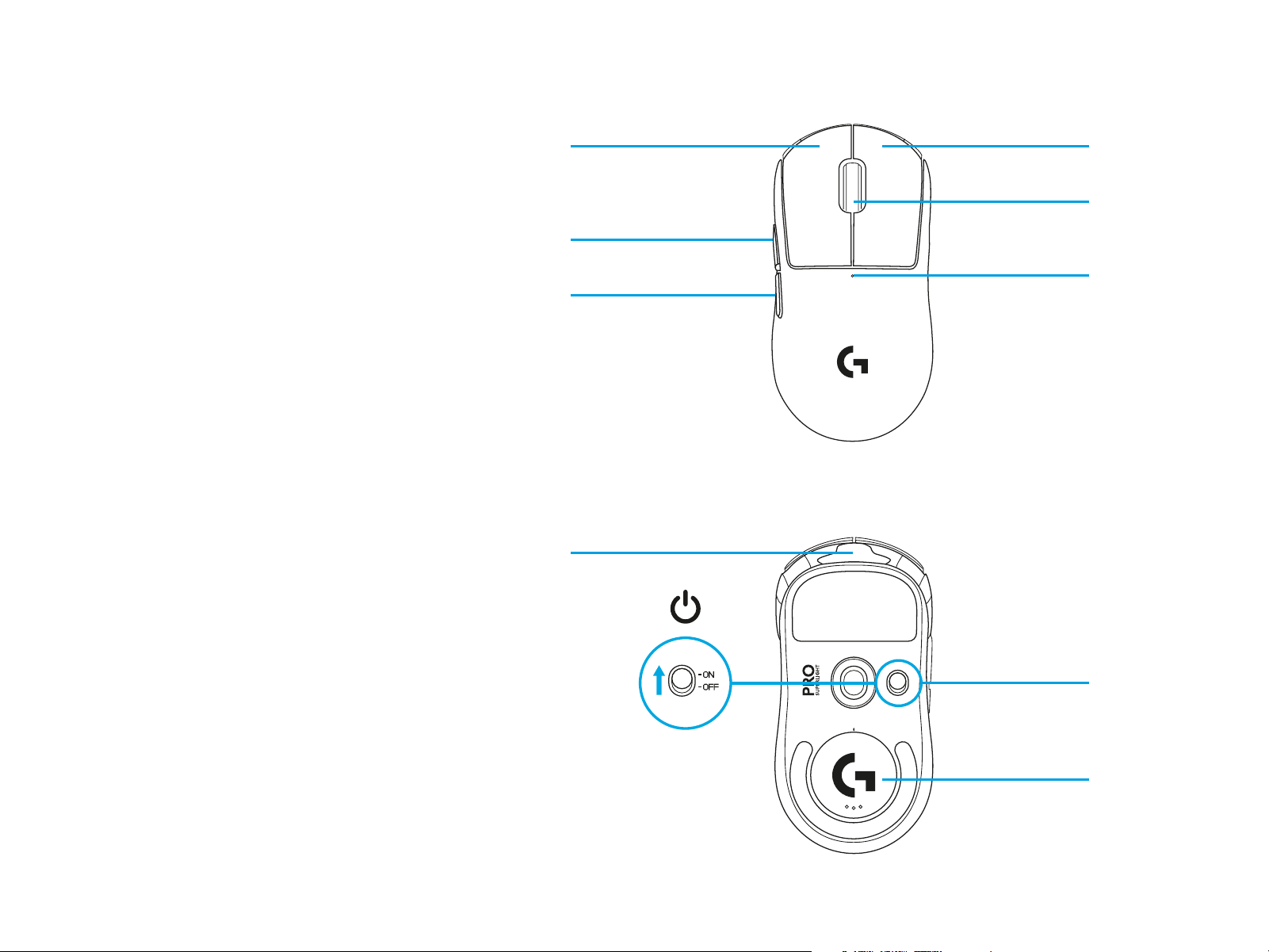
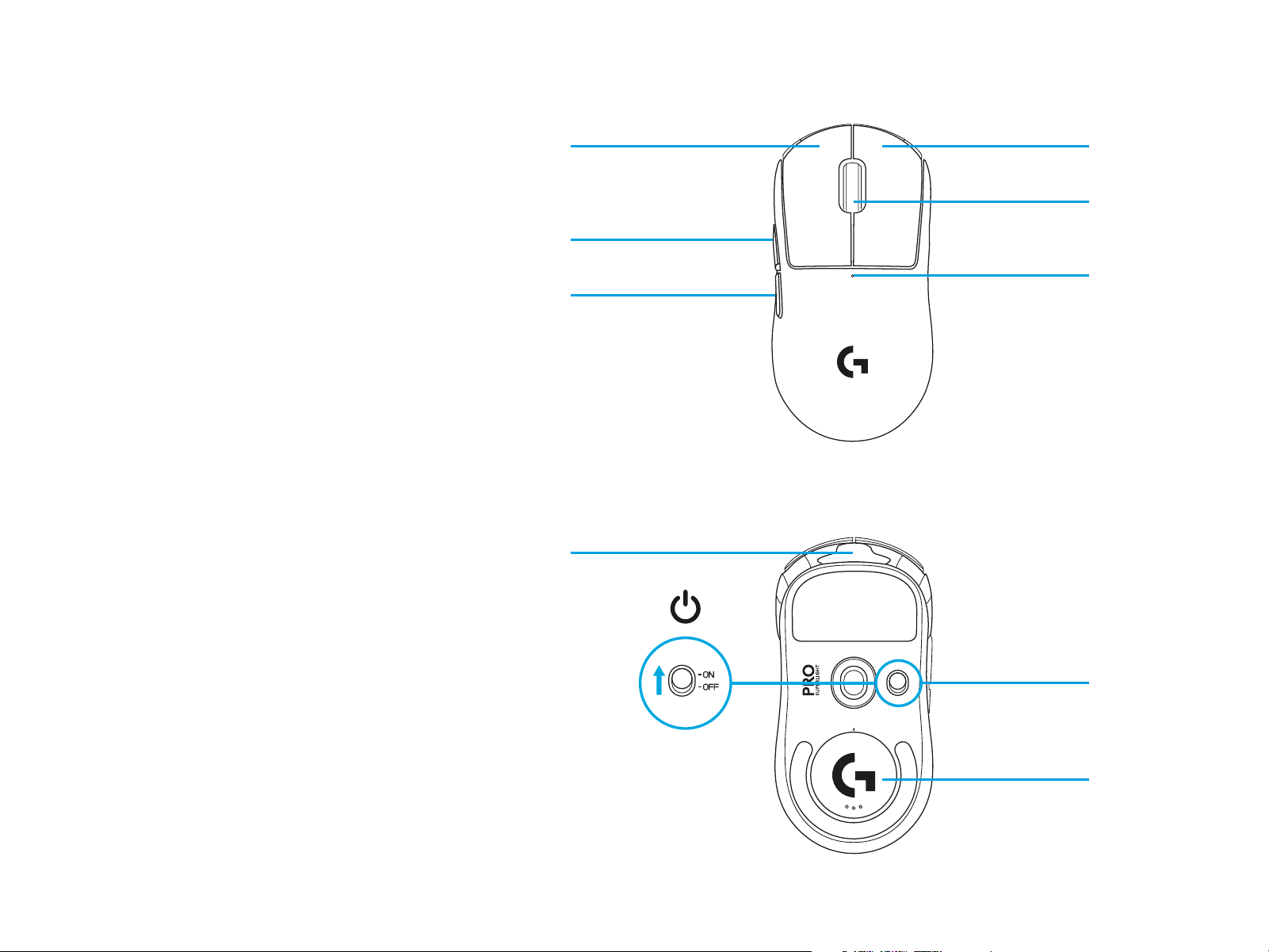
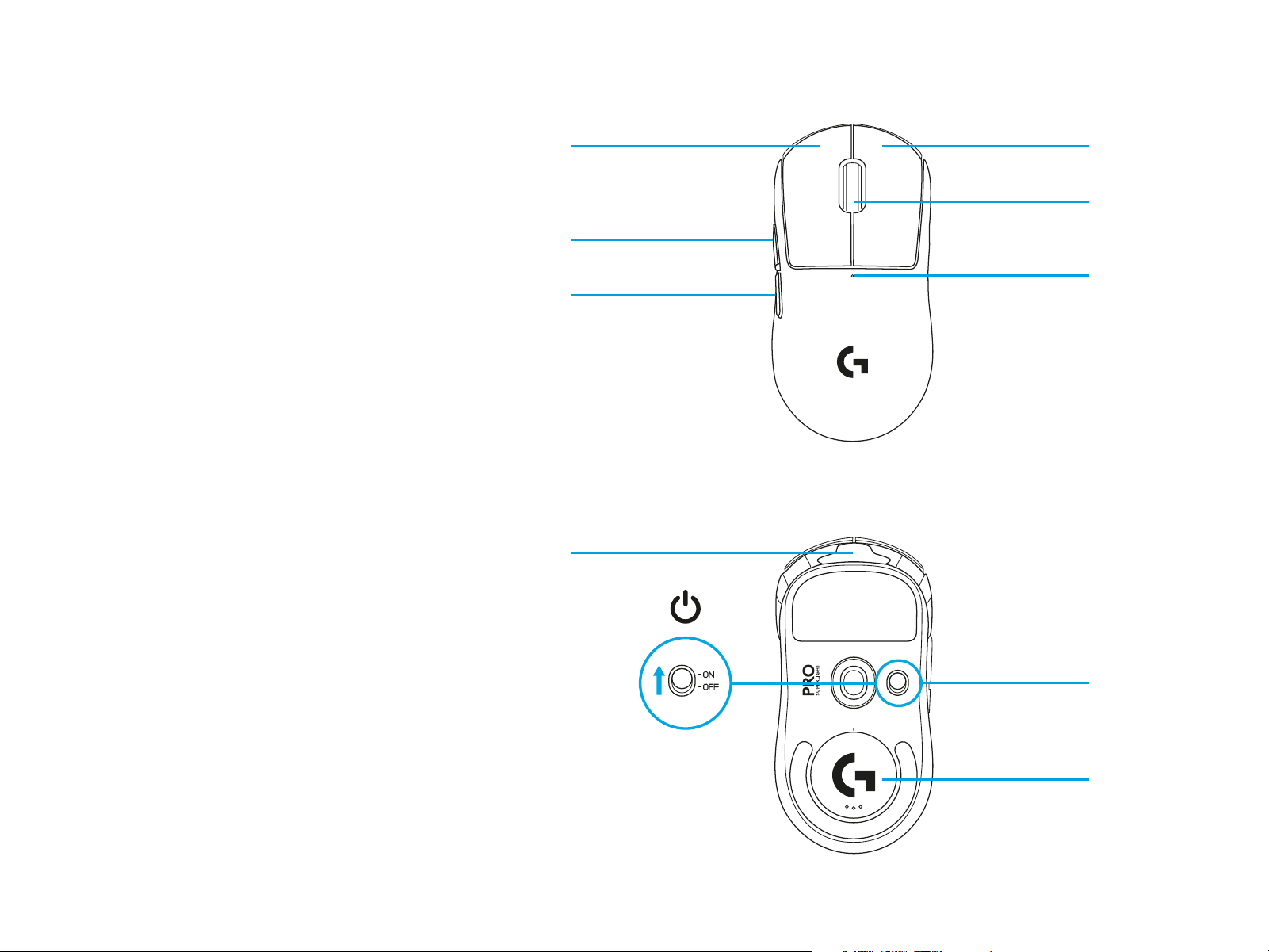
MOUSE FEATURES
1 Left Click
2 Right Click
3 Middle Click/Scroll
4 Browser Forward
5 Browser Back
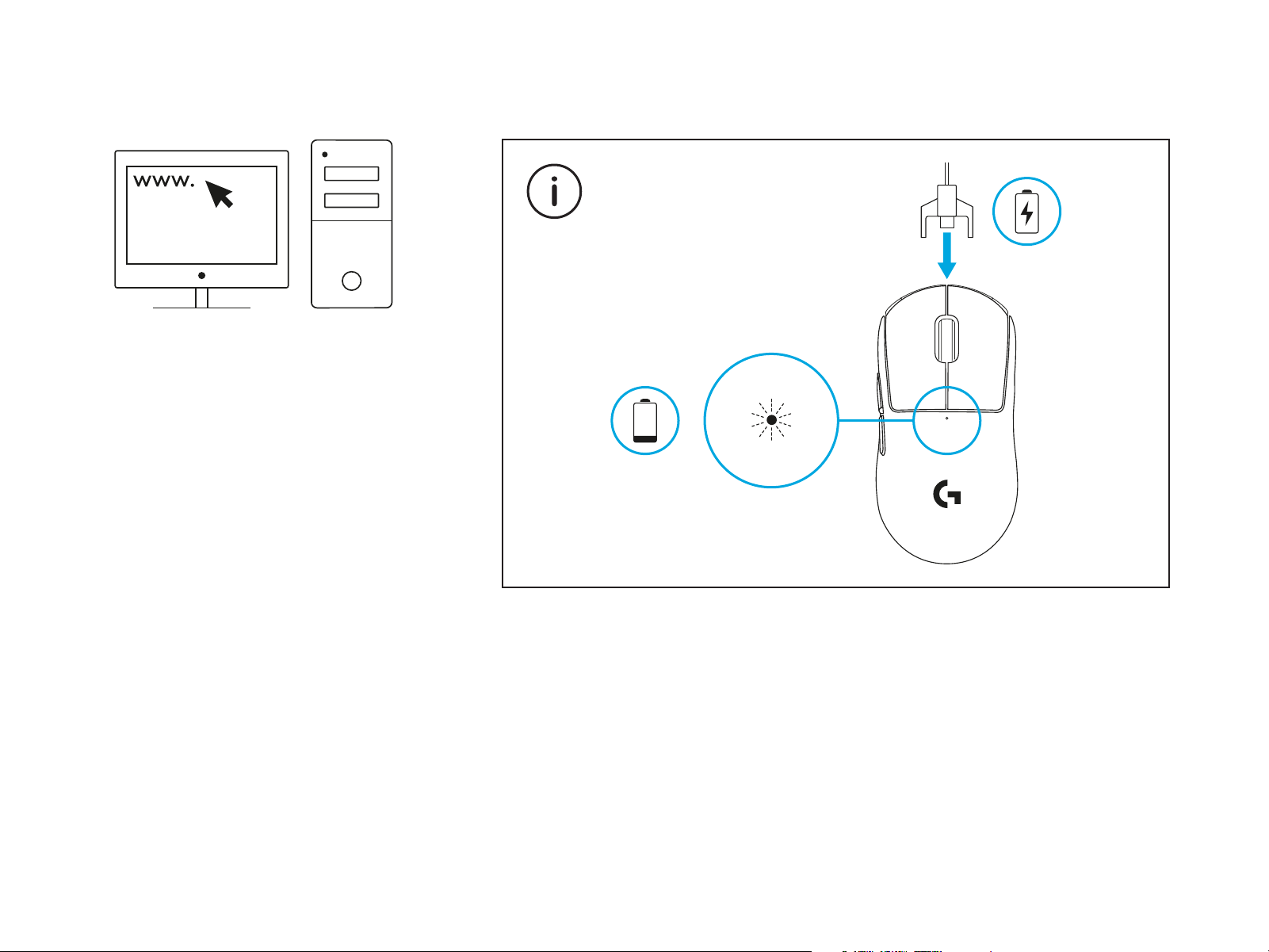
6 Power LED
7 USB charging/data port
8 Power on/o
9 POWERPLAY™ Aperture door
2
8
9
3
6
1
7
4
5
5 ENGLISH
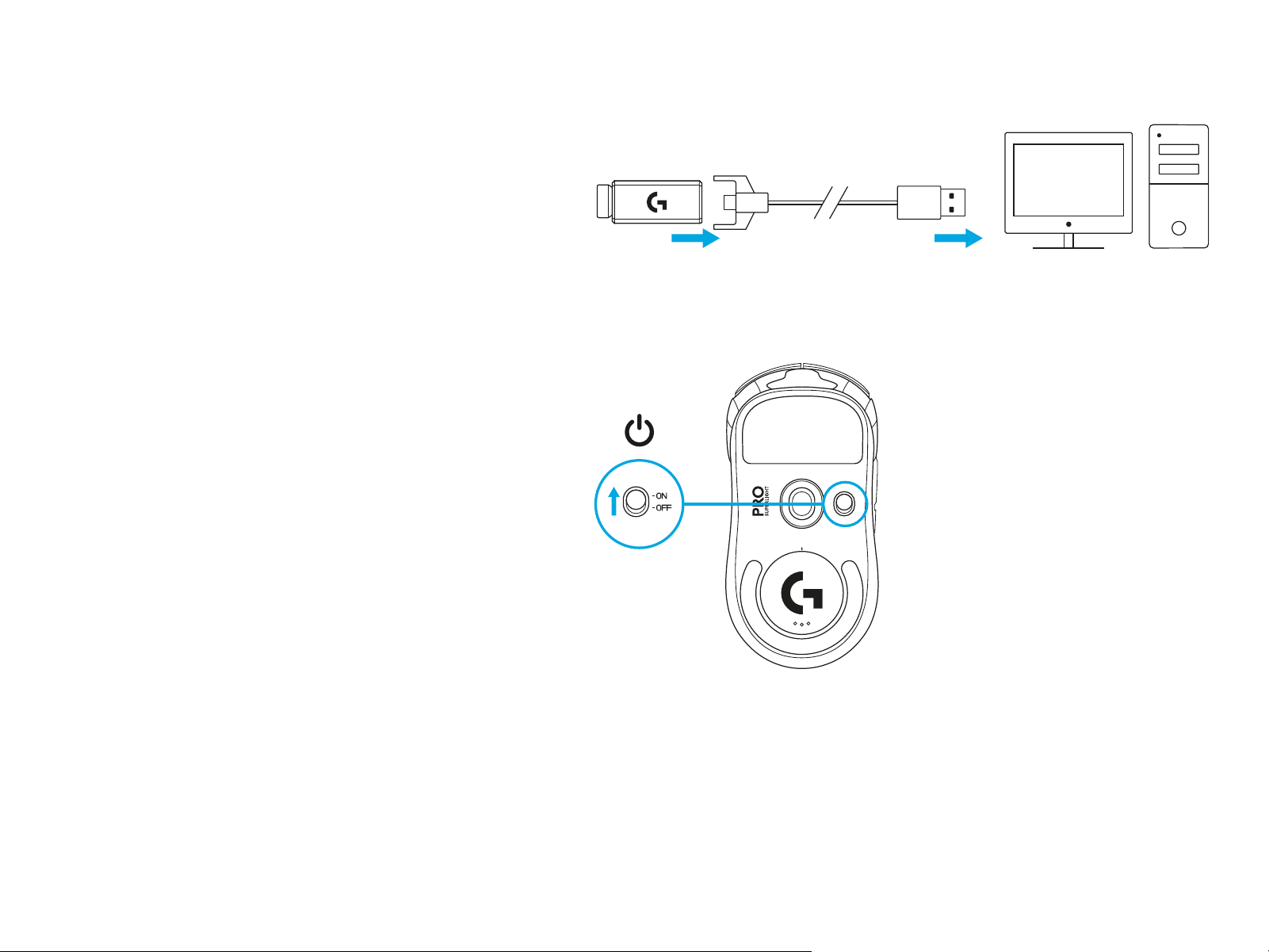
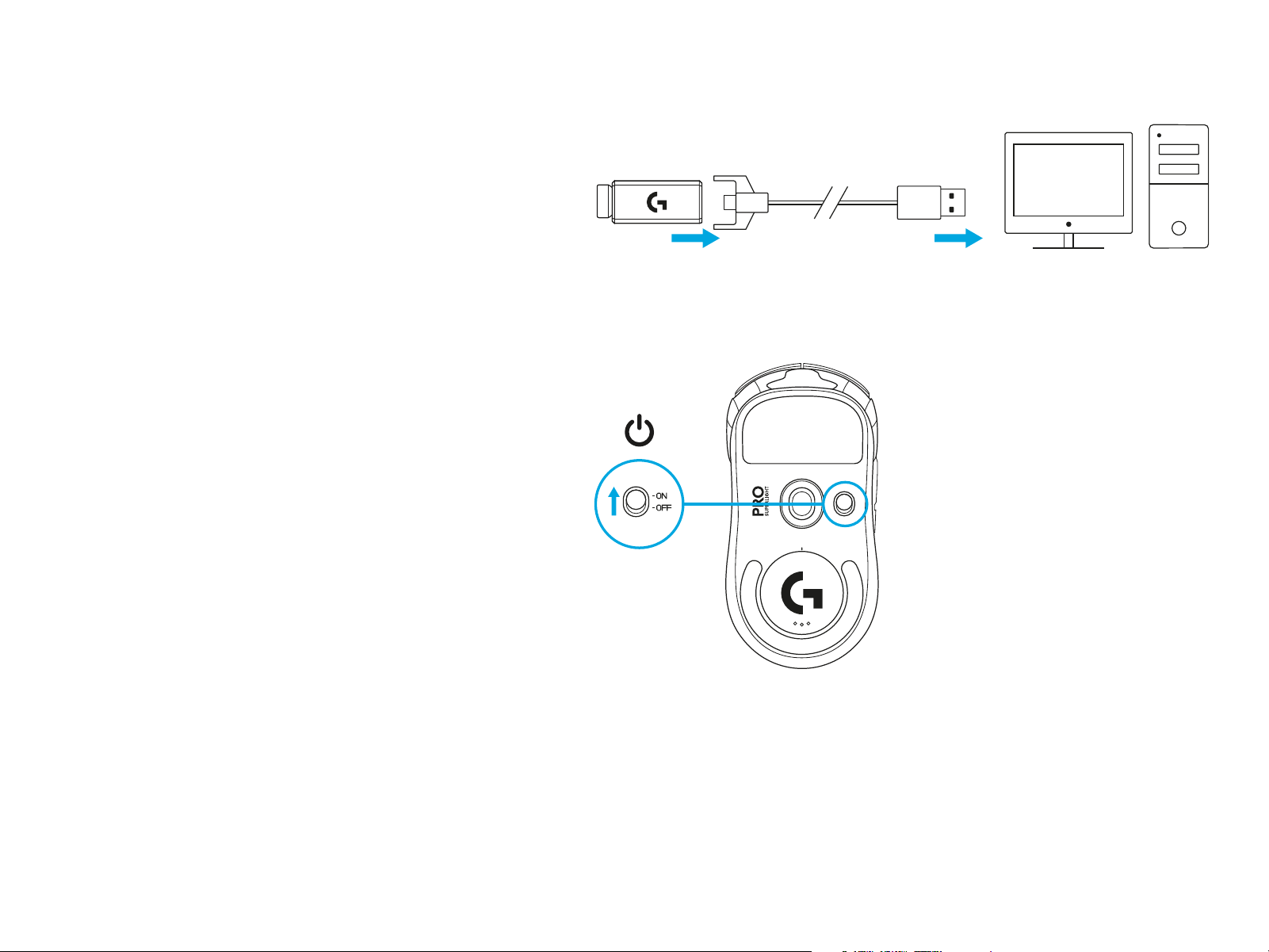
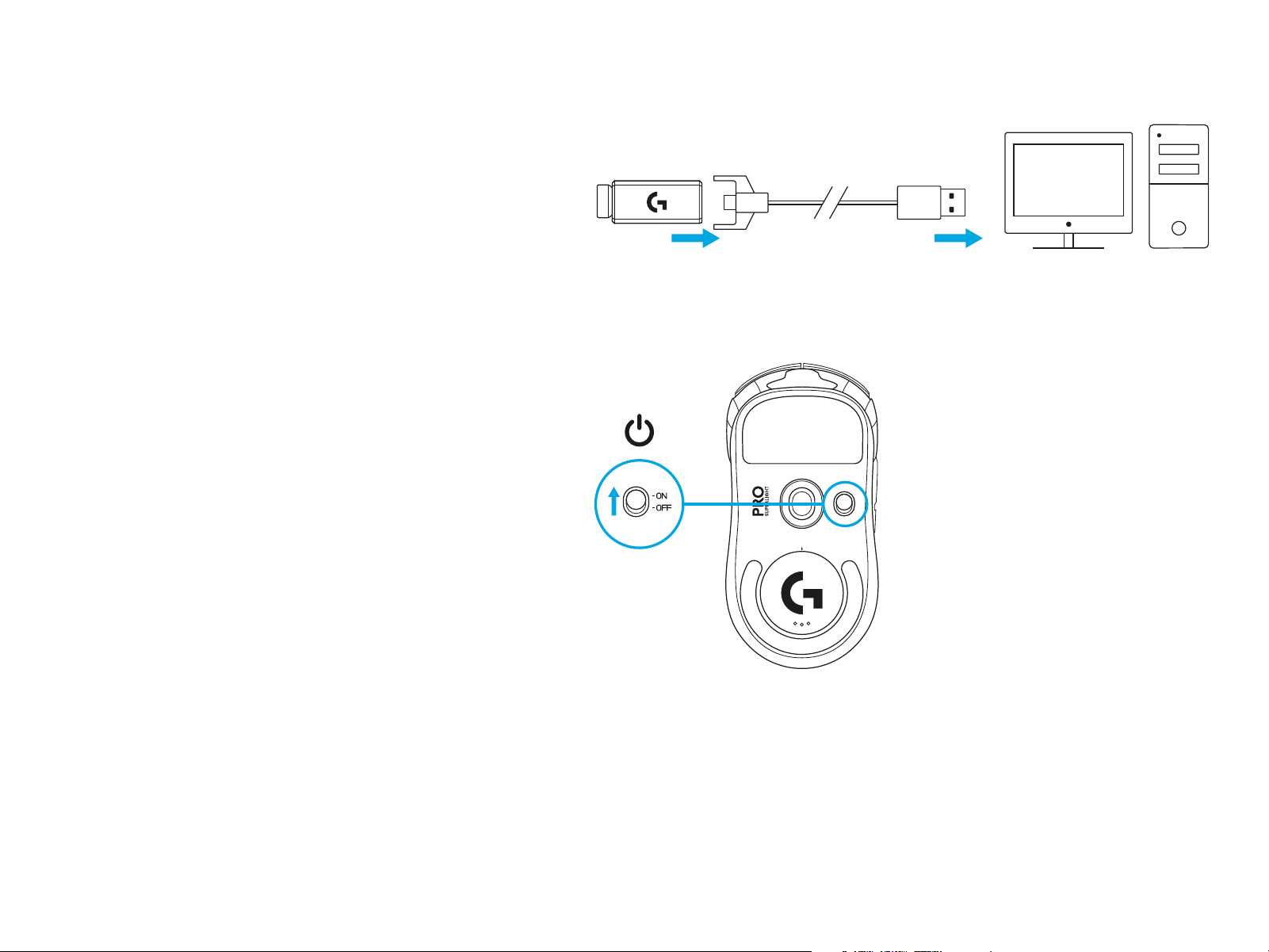
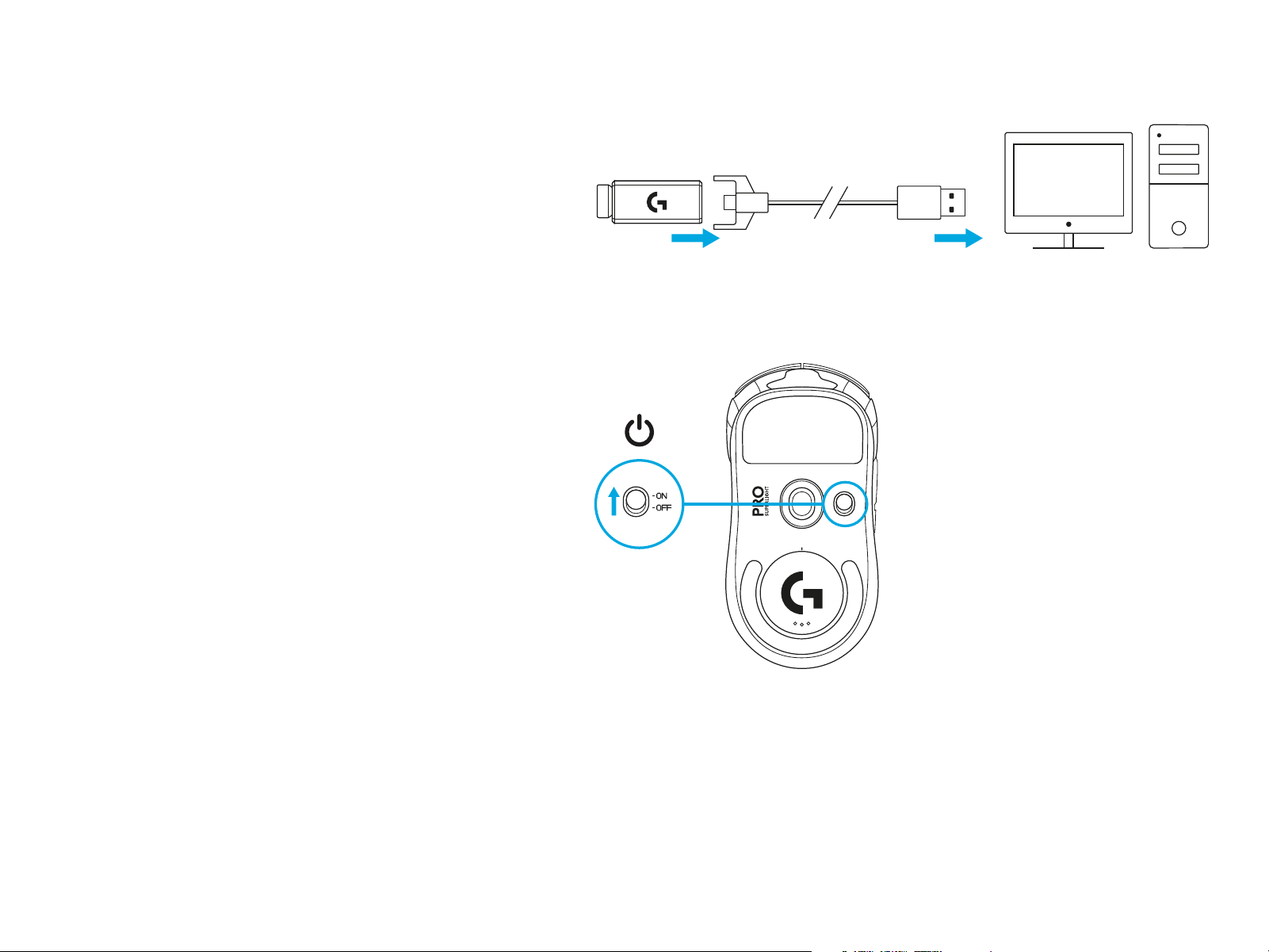
SETUP
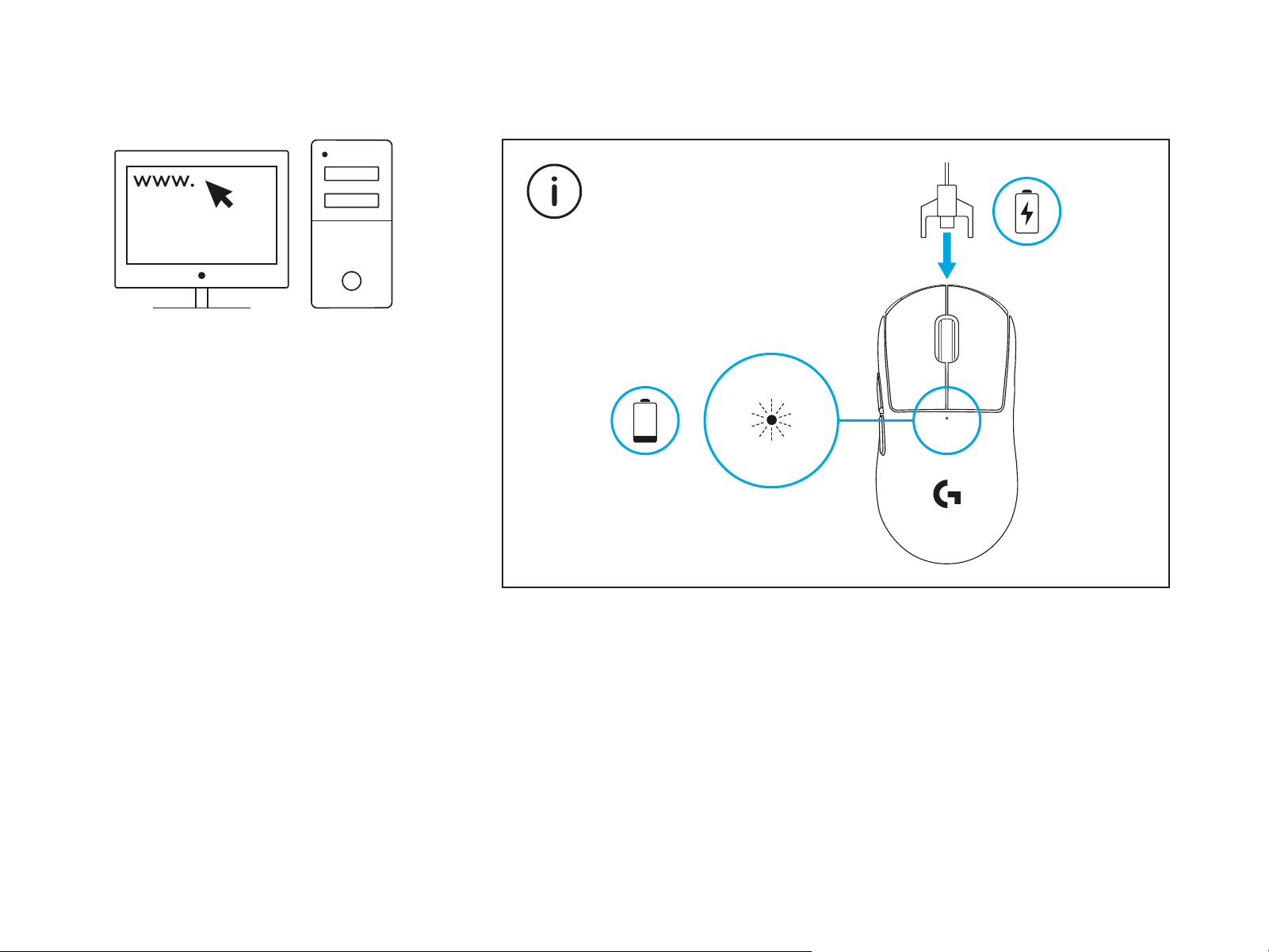
1 Plug charging/data cable into PC,
thenplugextension adapter and receiver
intocharging/data cable
2 Turn on mouse
1
2
7 ENGLISH
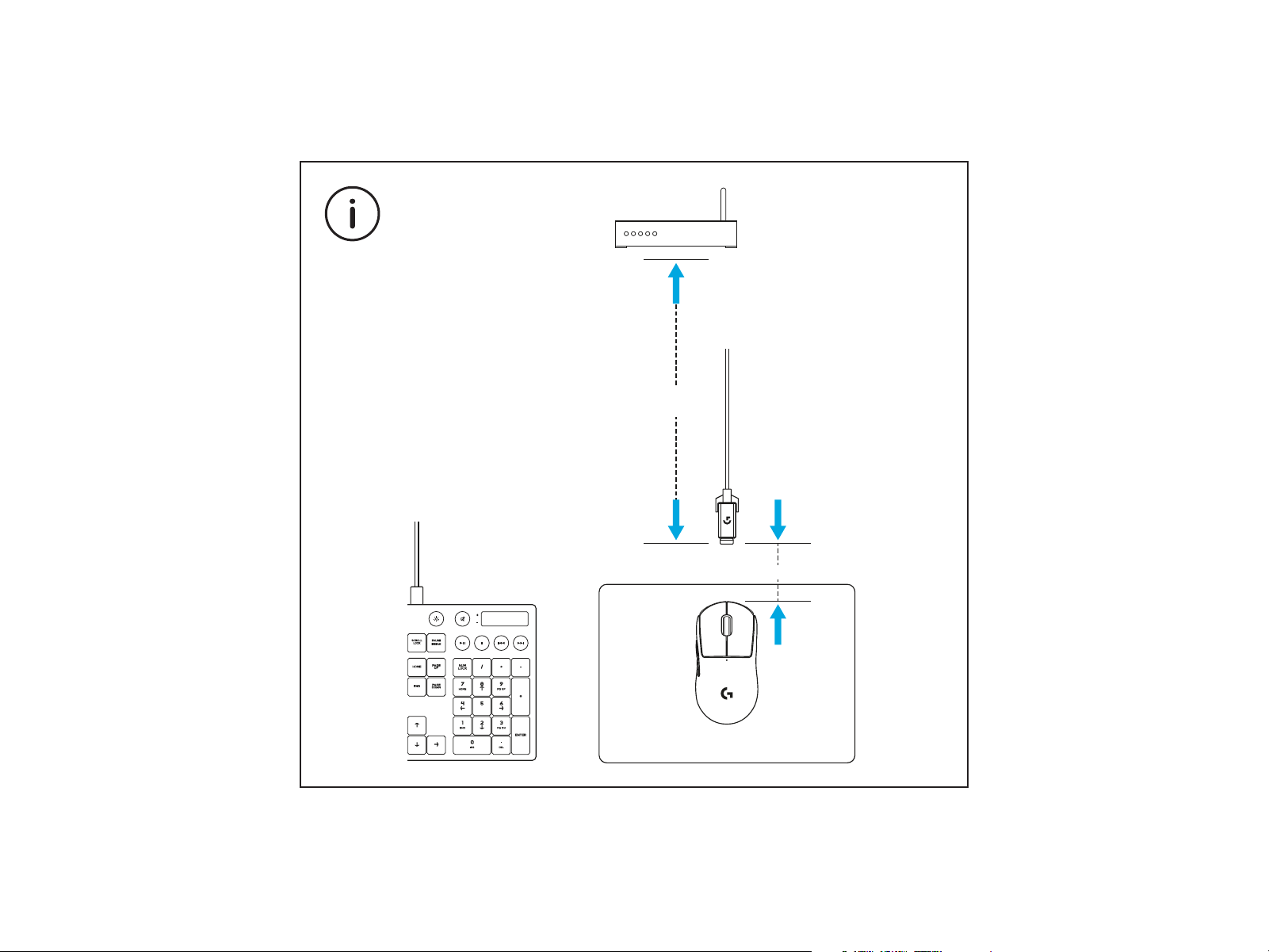
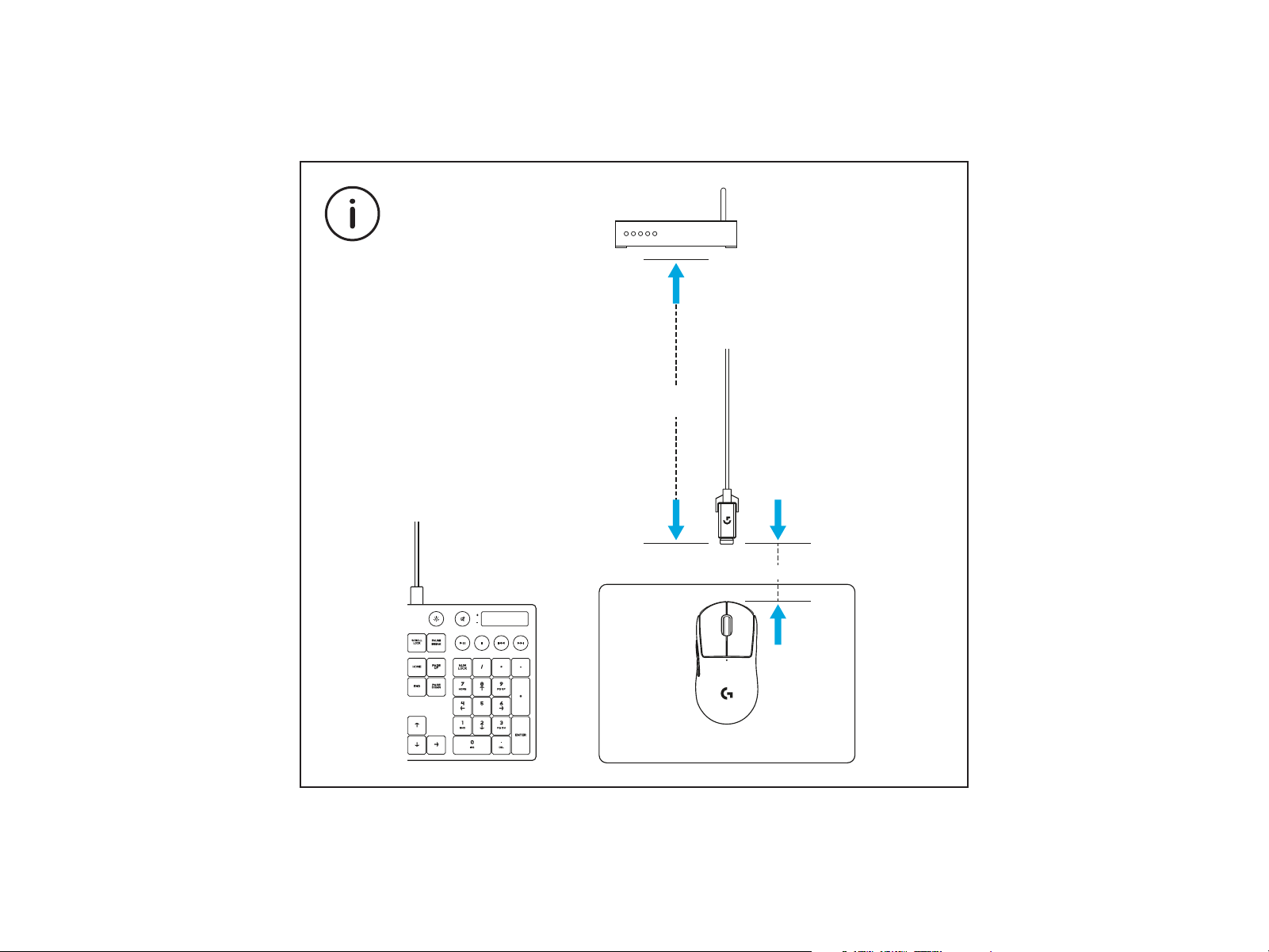
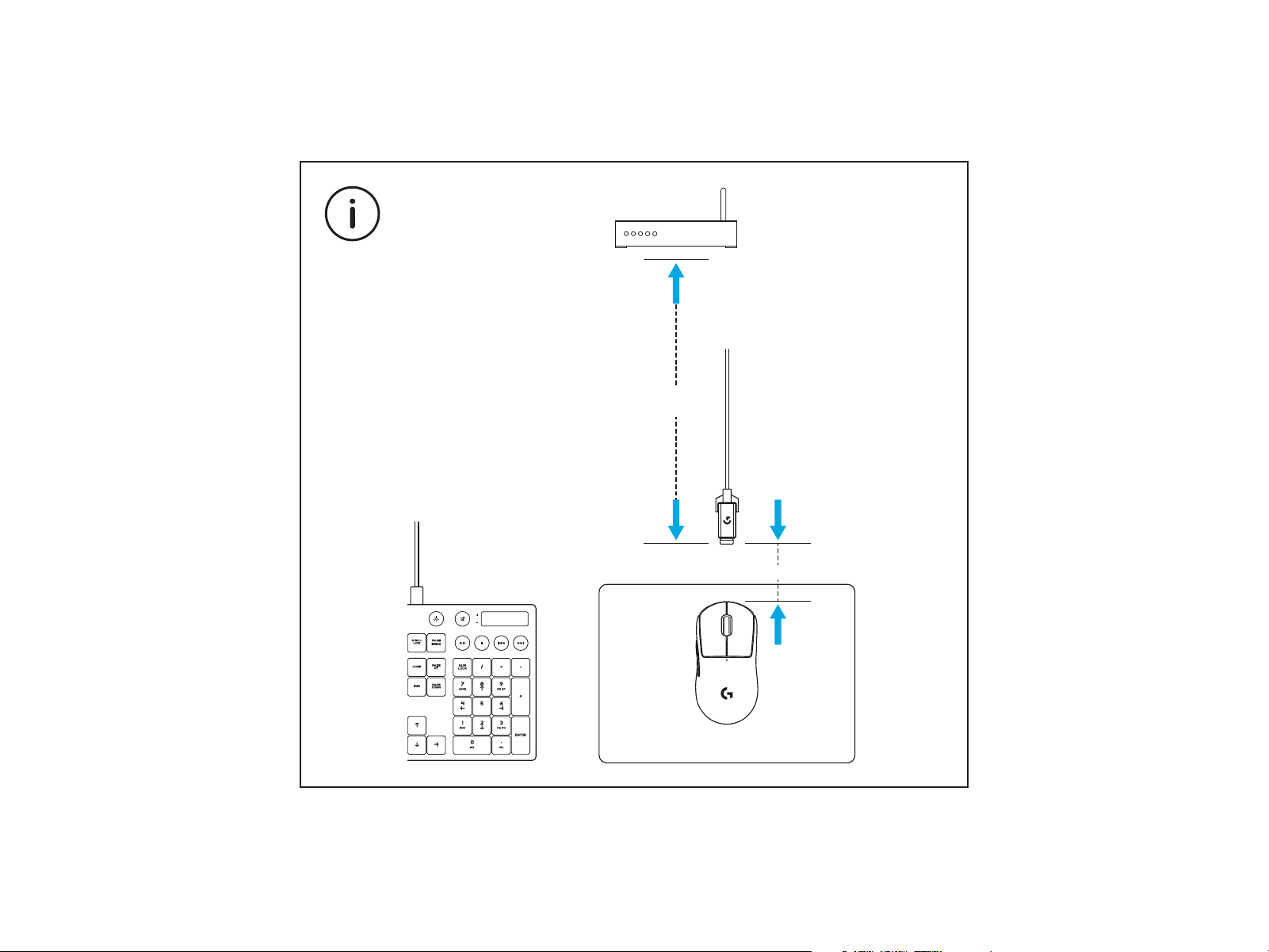
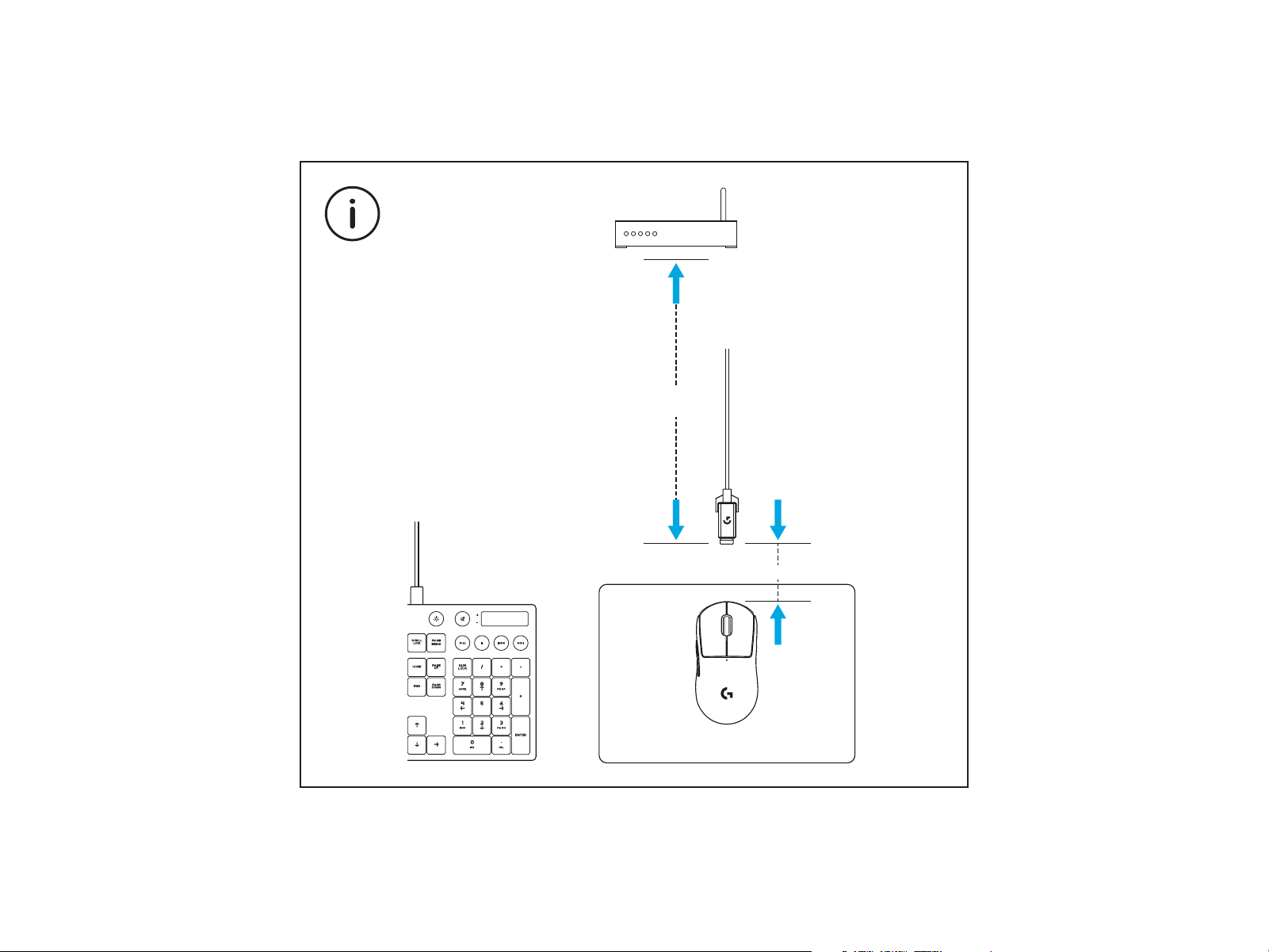
> 2 m
~ 20 cm
For optimal wireless performance, use mouse within 20cm of
receiver and greater than 2m from sources of 2.4GHz interference
(such as wi routers).
8 ENGLISH
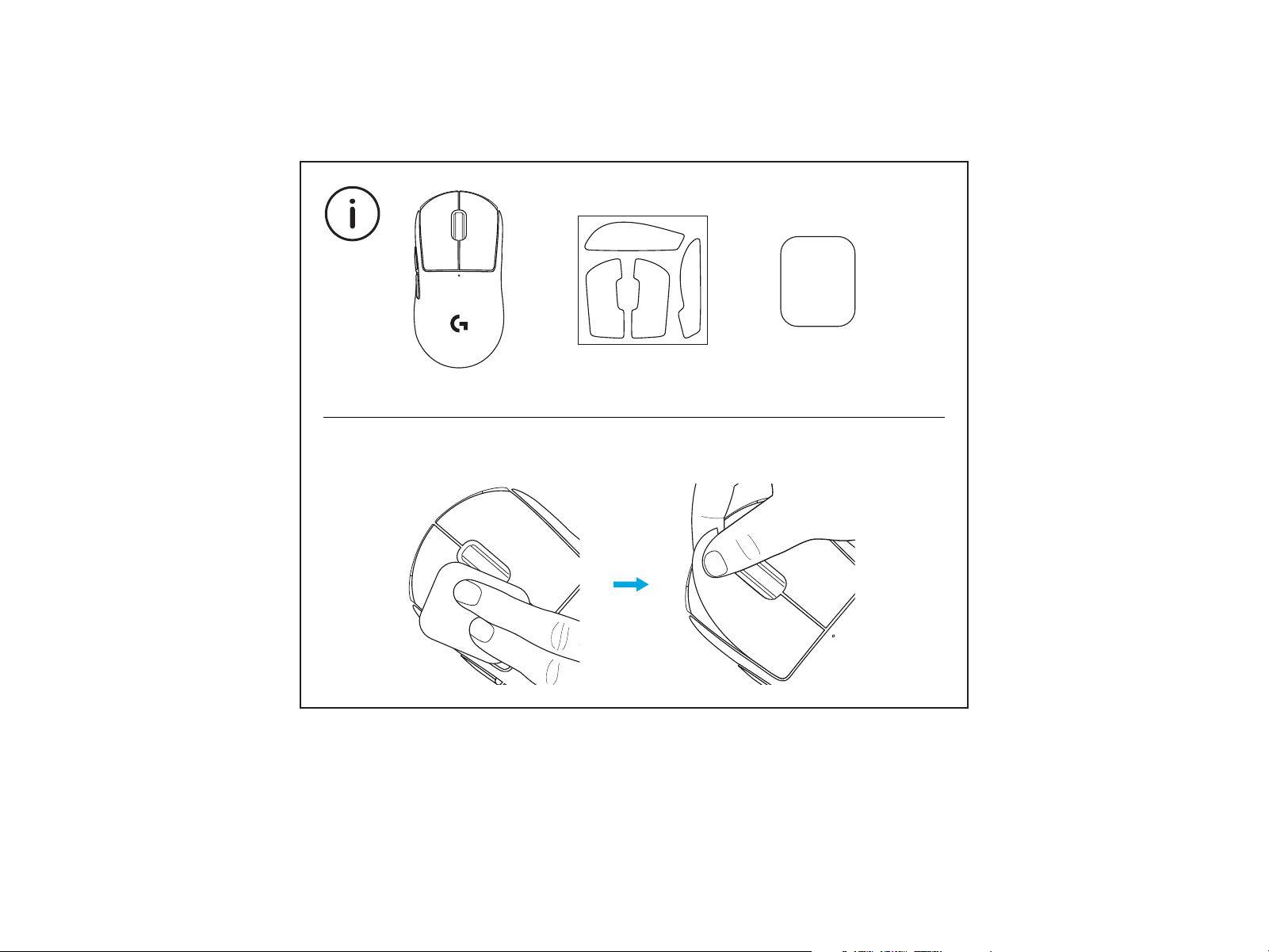
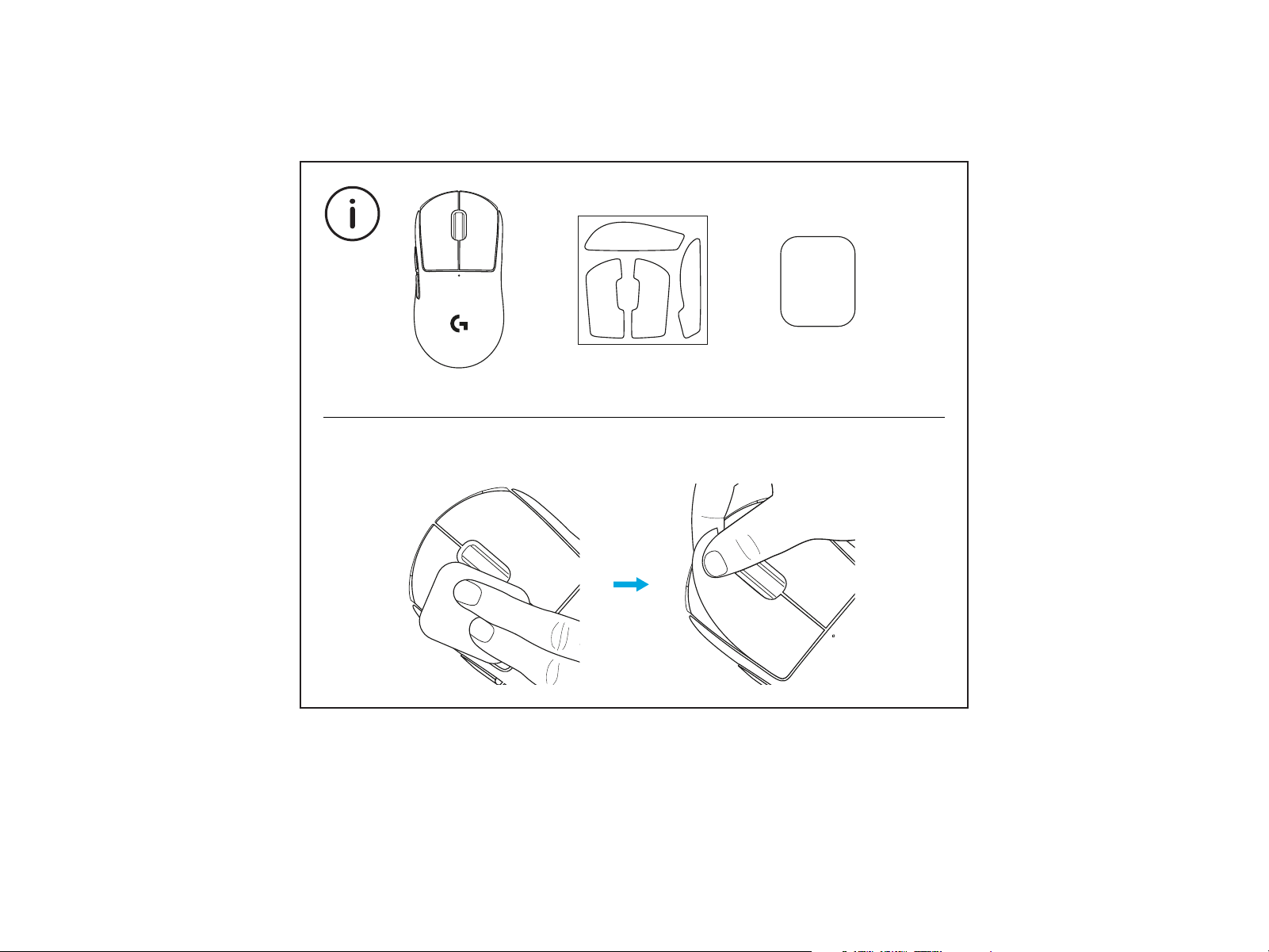
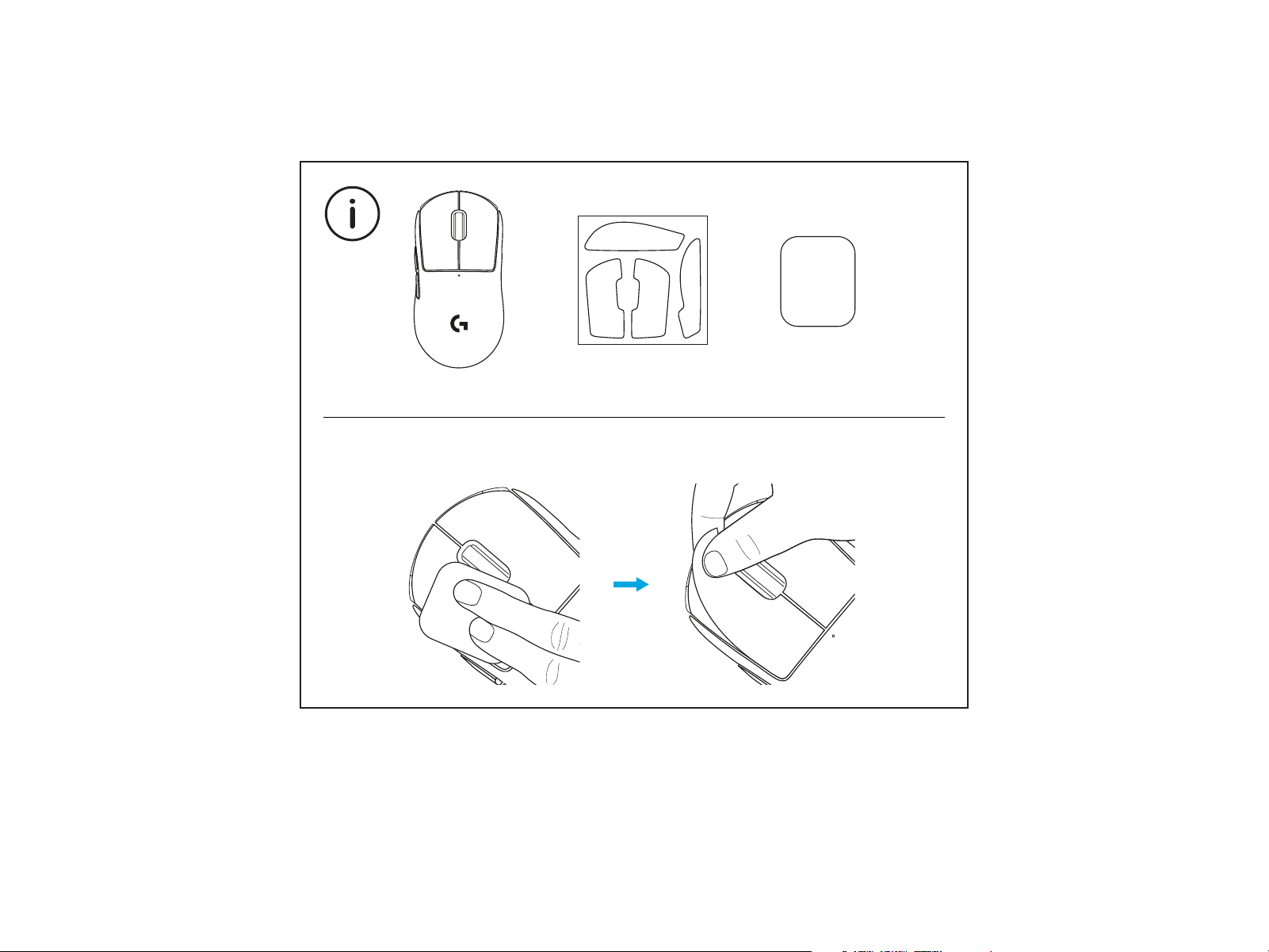
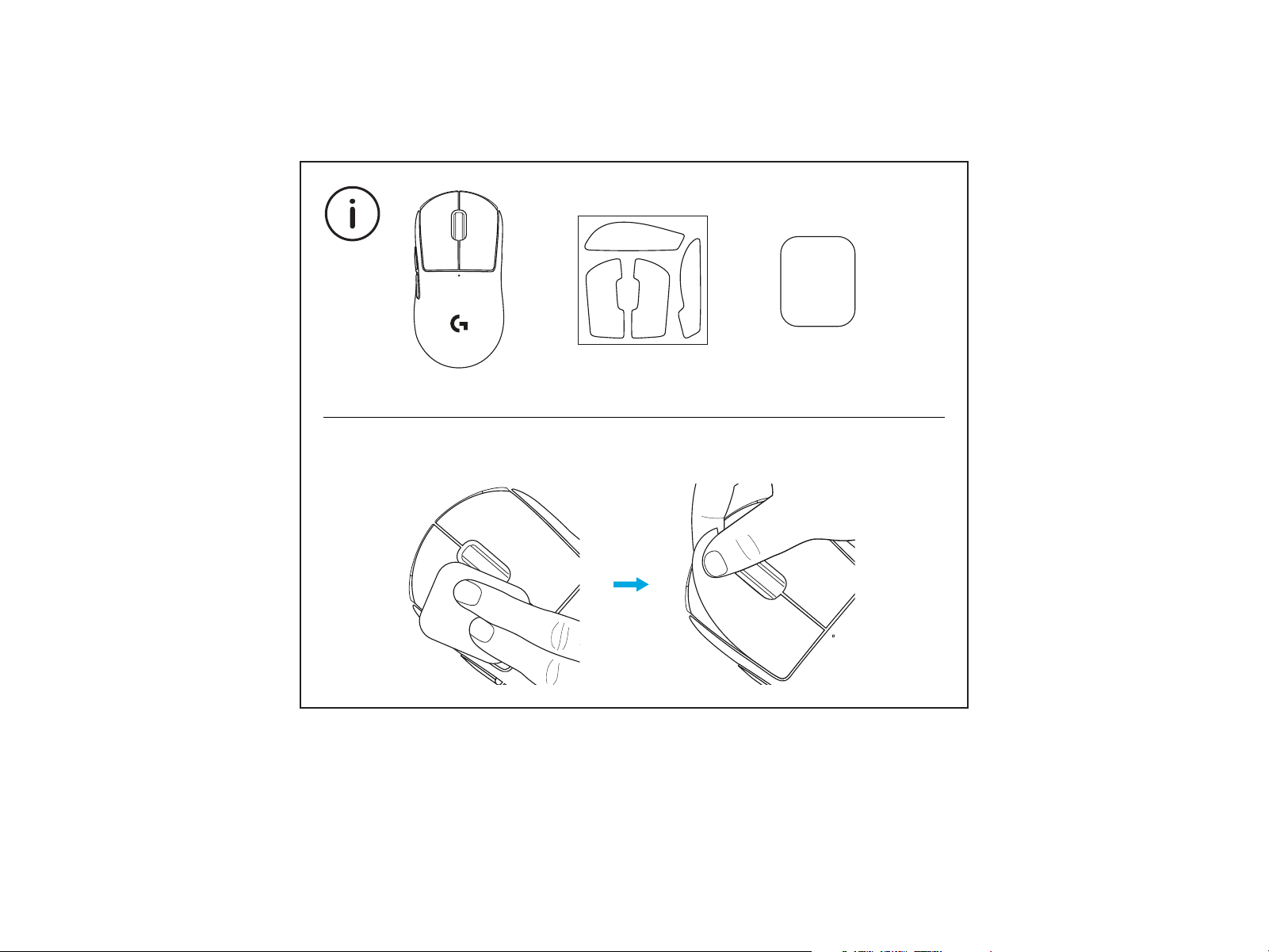
To install optional grip tape, rst clean surface of mouse with
provided surface preparation cloth to remove any oil or dust.
Then,carefully align grip tape to mouse surfaces.
1 2
9 ENGLISH
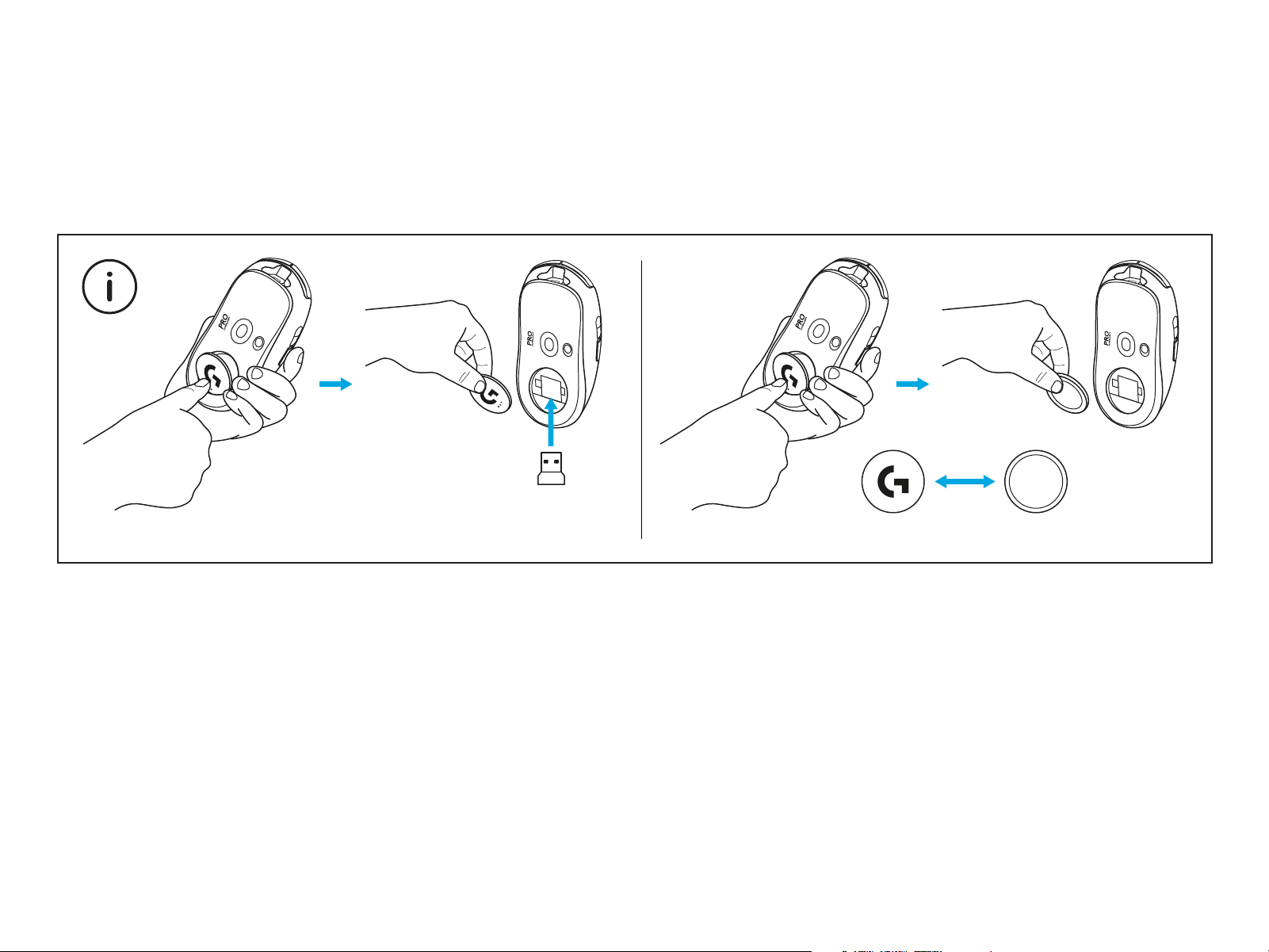
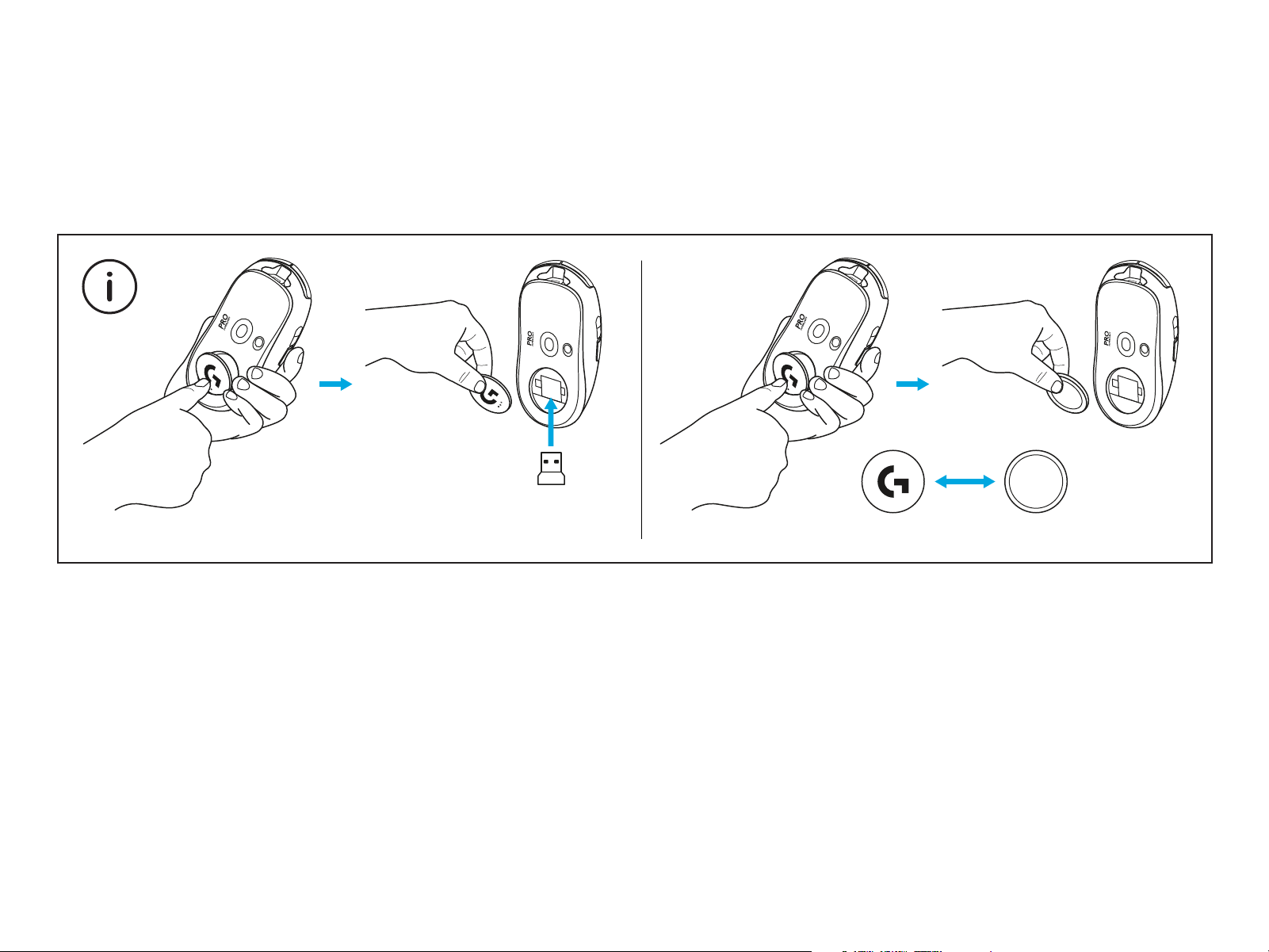
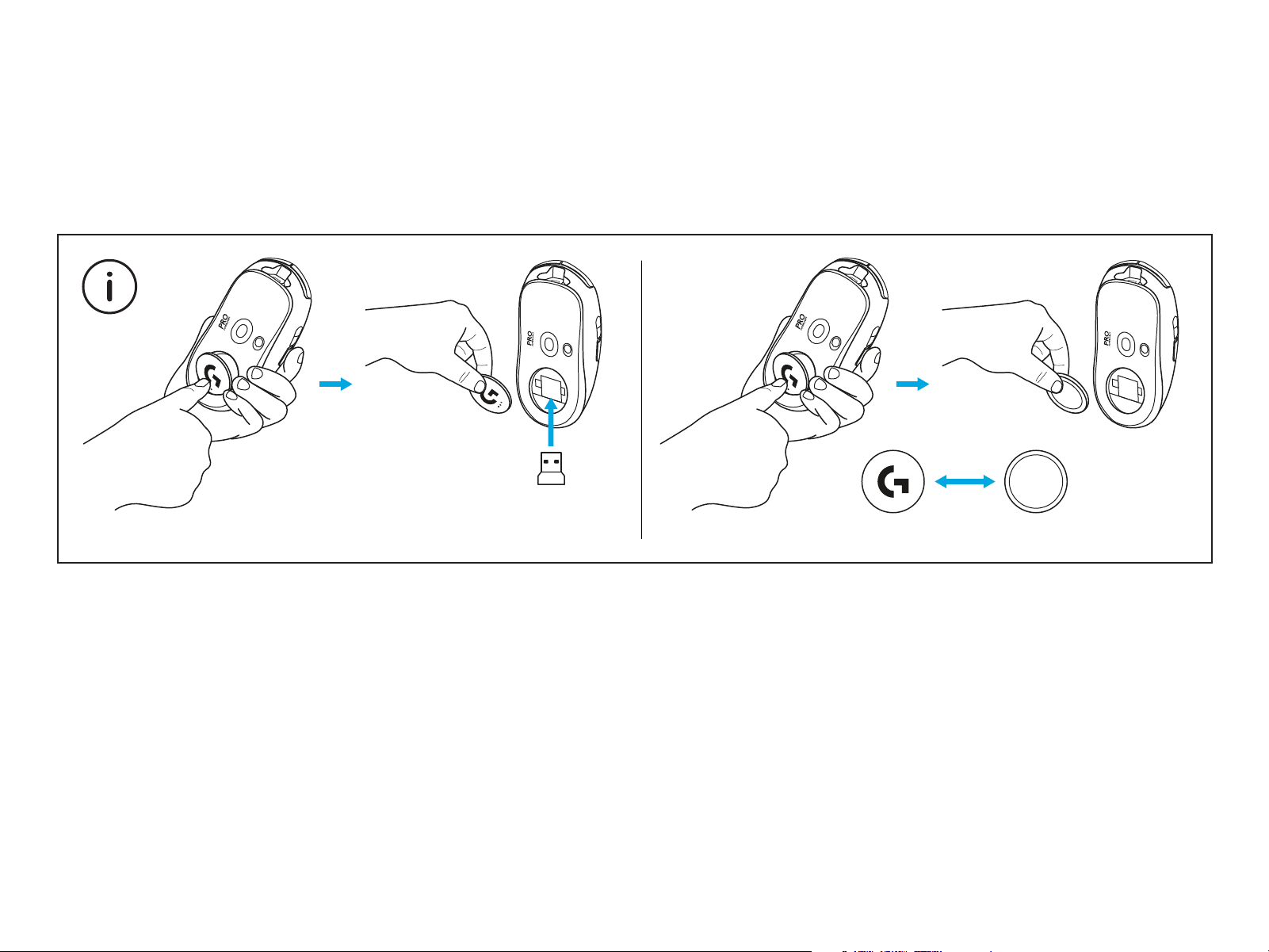
The USB receiver can be stored inside the mouse by removing the POWERPLAY
aperture door. This can prevent the receiver from being lost when using the mouse
with the Logitech G POWERPLAY wireless charging system.
Removing this door also allows the included, optional aperture door with PTFE foot
to be installed instead of the default aperture door.
PTFE
10 简体中文
包装内容
1
5
3 4
2
6
1 鼠标
2 可选握胶
3 接 收 器( 预 装 于 扩 展 适 配 器 中 )
4 USB 充电/数据线
5 表面清洁布
6 带 PTFE 脚垫的可选 POWERPLAY 底盖
11 简体中文
鼠标特性
1 左键单击
2 右键单击
3 中键单击/滚轮
4 浏览器前进
5 浏览器后退
6 LED 电量指示灯
7 USB 充电/数据端口
8 电源开关
9 POWERPLAY™ 底盖
2
8
9
3
6
1
7
4
5
12 简体中文
设置
1 将充电/数据线插入 PC,然 后 将 扩 展 适 配 器 和 接
收器插入充电/数据线
2 打开鼠标
1
2
14 简体中文
> 2 m
~ 20 cm
为获得出色的无线性能,请在距接收器不超过 20 厘米处且距 2.4GHz
干扰源 (如 wi 路 由 器 )超 过 2 米的位置使用鼠标。
15 简体中文
要安装供选配的握胶,请先使用随附的表面清洁布清洁鼠标的表面,去除
油脂和灰尘。随后,将握胶仔细地对齐鼠标表面。
1 2
16 简体中文
可以卸下 POWERPLAY 底盖将 USB 接收器收纳于鼠标内部。如此一来,搭配罗技
GPOWERPLAY 无线充电系统使用鼠标时,可以避免遗失接收器。
卸下底盖还可以安装随附的带 PTFE 脚垫的可选底盖以替换默认底盖。
PTFE
17 繁體中文
包裝內容
1
5
3 4
2
6
1 滑鼠
2 選用握把貼布
3 接收器 (已安裝在延長轉接器中)
4 USB 充電與資料連接線
5 表面處理布
6 具有 PTFE 腳墊的選用 POWERPLAY 底蓋
18 繁體中文
滑鼠功能
1 按下左鍵
2 按下右鍵
3 按下中鍵 / 捲動
4 瀏覽器下一頁
5 瀏覽器前一頁
6 電源 LED 指示燈
7 USB 充電/資料連接埠
8 電源開啟/關閉
9 POWERPLAY™ 底蓋
2
8
9
3
6
1
7
4
5
19 繁體中文
設定
1 將充電/資料連接線插入到 PC,然後將延長轉接器
和接收器插入到充電/資料連接線
2 開啟滑鼠電源
1
2
21 繁體中文
> 2 m
~ 20 cm
為獲得最佳無線效能,請在接收器 20 公分範圍內與距離 2.4GHz 干擾來源
(例如 wi 路由器) 2 公 尺 以 上 的 地 方 使 用 滑 鼠。
22 繁體中文
若要安裝選用的握把貼布,請先使用隨附的表面整理布清潔表面,以清除任
何油垢或灰塵。然後,小心地將貼布對齊滑鼠表面貼上。
1 2
23 繁體中文
USB 接收器可以透過取下 POWERPLAY 底蓋來存放在滑鼠內部。這可以在滑鼠搭配羅技
G系列 POWERPLAY 無線充電系統使用時,防止接收器遺失。
取下此底蓋也讓您可以安裝隨附之具 PTFE 腳墊的選用底蓋,而非預設的底蓋。
PTFE
24 한국어
패키지 내용물
1
5
3 4
2
6
1 마우스
2 그립 테이프(선택 사항)
3 수신기(확장 어댑터에 설치됨)
4 USB 충전 및 데이터 케이블
5 표면 정리용 천
6 PTFE 발이 있는 POWERPLAY 개구부(선택 사항)
25 한국어
마우스 특징
1 왼쪽 클릭
2 오른쪽 클릭
3 가운데 클릭/스크롤
4 앞으로 브라우즈
5 뒤로 브라우즈
6 전원 LED
7 USB 충전/데이터 케이블
8 전원 켜기/끄기
9 POWERPLAY™ 개구부
2
8
9
3
6
1
7
4
5
26 한국어
설치
1 충전/데이터 케이블을 PC에 연결한 다음,
확장어댑터 및 수신기를 충전/데이터 케이블에
연결합니다.
2 마우스를 켭니다.
1
2
28 한국어
> 2 m
~ 20 cm
최적의 무선 성능을 원한다면, 수신기로부터 20cm 이내 거리 및 2.4GHz
간섭(라우터 등)으로부터 2m 이상의 거리에서 마우스를 사용하십시오.
29 한국어
선택 사항인 그립 테이프를 사용하려면 먼저 동봉된 표면 정리용 천으로
마우스의 표면에 있는 기름기나 먼지를 제거합니다. 그다음 마우스의
표면에 그립 테이프를 조심스럽게 붙입니다.
1 2
30 한국어
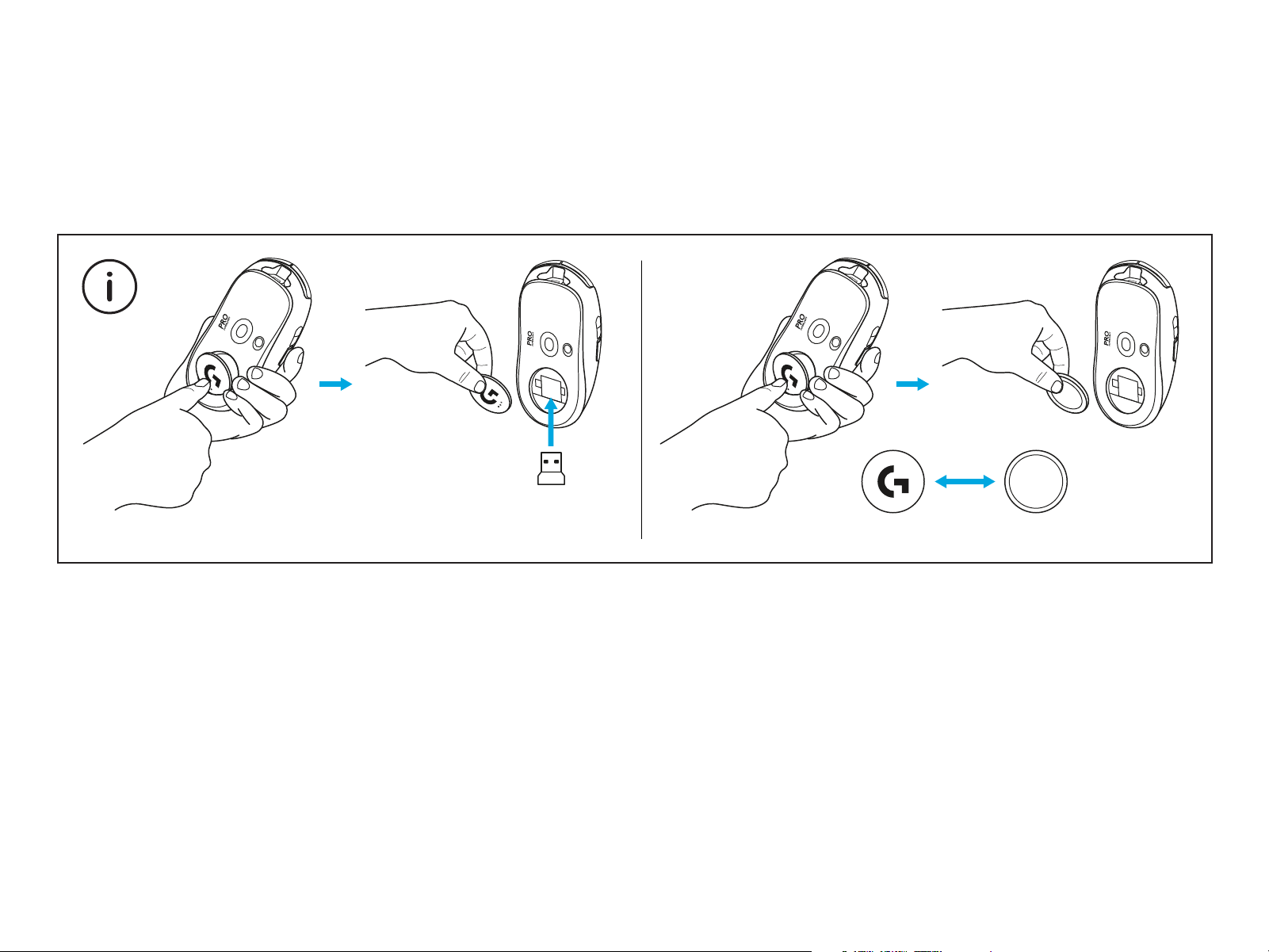
POWERPLAY 개구부를 제거하면 USB 수신기를 마우스 내부에 보관할 수 있습니다.
로지텍 G PowerPlay 무선 충전 시스템이 내장된 마우스를 사용할 때도 수신기를
안전하게 보관할 수 있습니다.
또한 개구부를 열어 기본 개구부 대신 PTFE 발이 있는 개구부(선택 사항)를 설치할
수있습니다.
PTFE

©2020 Logitech. Logitech, Logitech G, 罗技, 罗技G Logi and their respective logos are trademarks or registered
trademarks of Logitech Europe S.A. and/or its aliates in the U.S. and other countries. All other trademarks are
the property of their respective owners. Logitechassumesno responsibility for any errors that may appear in
thismanual. Information contained herein is subject tochange without notice.
版权所有 ©2020 罗技。罗技、罗技 G、Logi、Logitech、Logitech G 及其各自标志为 罗技欧洲公司 和/或其在美国及其
他国家附属公司的商标,并或已注册。所有其它商标均是其各自所有者的财产。罗技对于本手册中可能出现的任何错误不承担
任何责任。本手册中包含的信息如有更改,恕不事先通知。
WEB-621-001719.002