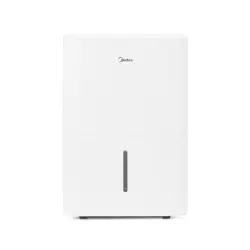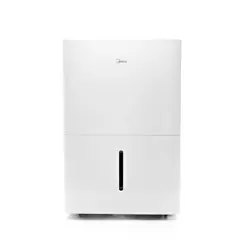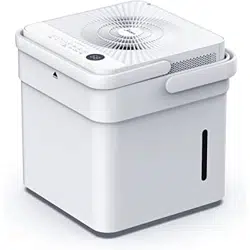
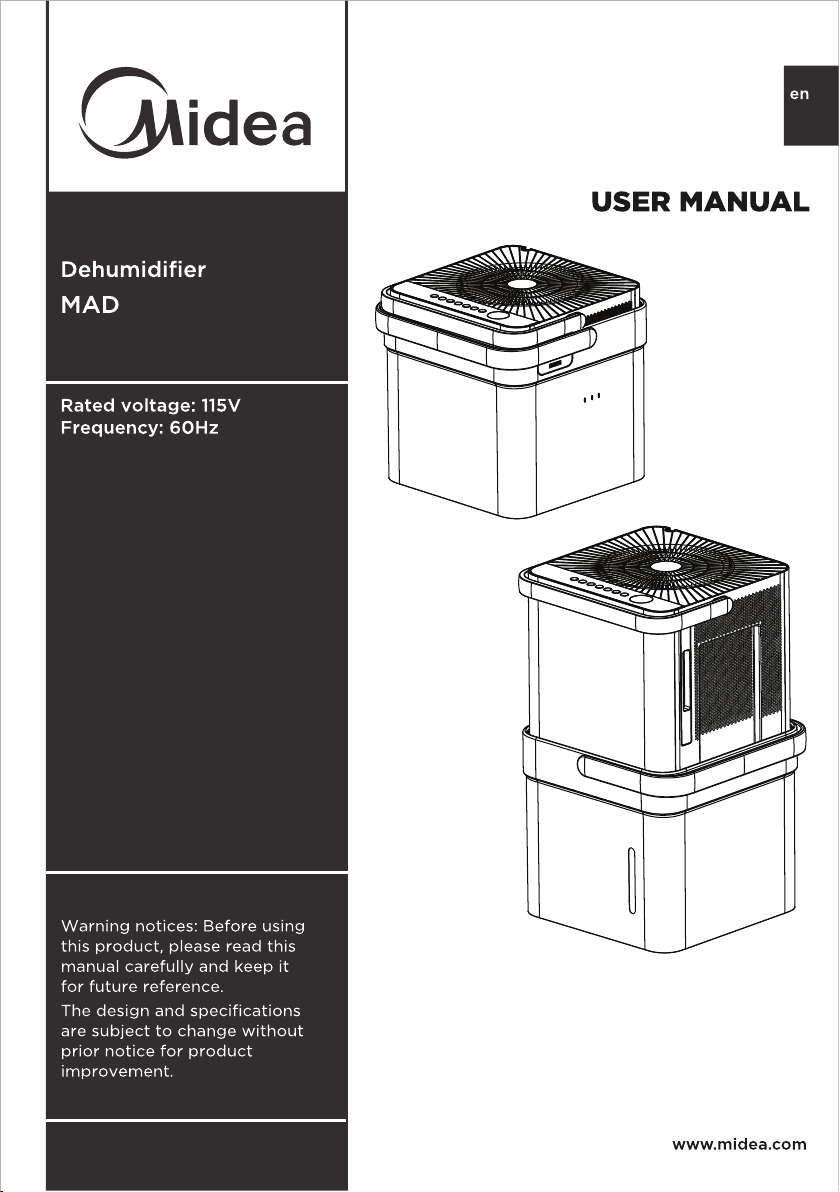
MAD35S1QWT
MAD20S1QWT
MAD50S1QWT
MAD50PS1QWT
MAD50PS1QGR
Page 2
Read This Manual
Inside you will find many helpful hints on how to use and maintain your Dehumidifier
properly. A little preventive care on your part can save you a great deal of time
and money over the life of your Dehumidifier. You’ll find many answers to common
problems in the troubleshooting tips - you should be able to fix most of them quickly
before calling service. These instructions may not cover every possible condition of
use, so common sense and care for safety is required when installing, operating and
maintaining this product.
Owner’s Manual
1
2
3
4
5
6
7
8
9
Safety Precautions ............................................................................ 3
Unit Specifications and Features ................................................... 6
Set Up Instructions ............................................................................ 7
Installation Instructions .................................................................... 8
Operating Instructions ..................................................................... 9
Care and Cleaning ............................................................................ 15
Nesting and Storing Instructions ................................................. 16
Troubleshooting Tips ....................................................................... 17
App Instructions ............................................................................... 18
CAUTION
• For support, please call the Service Center at 1-866-646-4332.
• This appliance is not intended for use by people (including children) with reduced
physical, sensory, or mental capabilities or lack of experience and knowledge,
unless they have been given supervision or instruction concerning use of the
appliance by a person responsible for their safety.
• Children should be supervised to ensure that they do not play with the appliance.
• The appliance shall be installed in accordance with National wiring regulations and
local electrical codes.
NOTICE
All the pictures in this manual are for illustrative purposes only. The actual shape
of the dehumidifier you purchased may be slightly different, but its operations and
functions are similar.
Page 3
Safety
Precautions
To prevent injury to the user or personal and property damage, these instructions must
be followed. Incorrect operation due to ignoring of instructions may cause harm or
damage. The level of risk is shown by the following indications.
• Do not modify power cord length or share the outlet with other appliances.
It may cause electric shock or fire due to overheating.
• Do not operate or stop the unit by inserting or pulling out the power plug.
It may cause electric shock.
• Do not allow water to enter into electric parts.
It may cause failure or electric shock.
• Do not use the power outlet if it is loose or damaged.
It may cause fire and electric shock.
• Do not use or keep the power cord close to heating appliances or heat sources
such as fireplaces.
It may cause fire and electric shock.
• Do not disassemble or modify unit.
It may cause failure and electric shock.
• Do not damage or use an unspecified power cord.
It may cause fire and electric shock.
• Do not use the unit near flammable gas or combustibles, such as gasoline,
benzene, thinner, etc.
It may cause fire.
• Do not operate with wet hands.
It may cause electric shock.
• Do not open the unit during operation.
It may cause electric shock.
• Do not drink the water from the bucket.
• Do not use the unit in small spaces or place in a sink or shower.
Lack of ventilation can cause overheating and fire.
• Do not attempt to repair the unit yourself.
WARNING
This symbol indicates a hazardous situation which, if not
avoided, could result in death or serious injury.
CAUTION
This symbol indicates a hazardous situation, which, if not
avoided, could result in minor or moderate injury.
NOTICE
This symbol addresses practices not related to physical injury.
WARNING
SAFETY PRECAUTIONS
Page 4
Safety
Precautions
• Avoid fire hazard or electric shock.
Do not use an extension cord or an adaptor plug. Do not remove any prongs
from the power cord.
• Plug in power plug properly.
Otherwise, it may cause electric shock or fire due to excess heat generation.
• Always ensure effective grounding.
Incorrect grounding may cause electric shock.
• Unplug the unit if strange sounds, smells, or smoke come from it.
A damaged product may cause fire and electric shock.
• Ventilate room before operating the unit if there is a gas leak from other appliances.
• If the power cord is damaged, it must be replaced by the manufacturer or an
authorized service center in order to avoid electrical risk.
• Before cleaning, turn off the power and unplug the unit.
• Be sure the dehumidifier has been securely and correctly installed according to
the installation instructions in this manual. Save this manual for possible future
use in removing or installing this unit.
• Be sure the dehumidifier is properly grounded. To minimize shock and fire
hazards, proper grounding is important.
The power cord is equipped with a three-prong grounding plug for protection
against shock hazards.
• Your dehumidifier must be used in a properly grounded wall receptacle. If the
wall receptacle you intend to use is not adequately grounded or protected by a
time delay fuse or circuit breaker, have a qualified electrician install the proper
receptacle. Ensure the receptacle is accessible after the unit installation.
• Be sure the electrical service is adequate for the model you have chosen. This
information can be found on the serial plate, which is located on the side of the
cabinet and behind the grille.
• Make sure the bucket is empty of water before nesting unit.
It could cause electric shock and/or damage the unit.
• Unplug the unit before nesting it in the bucket.
It could cause electric shock and/or damage the unit.
• When unplugging the unit, be sure to grab the plug, not the cord.
WARNING
Page 5
Safety
Precautions
• Do not use in places where water may splash onto the unit.
Water may enter the unit and degrade the insulation. It may cause an electric
shock or fire.
• Place the unit on a level, sturdy section of the floor.
If the unit falls over, it may cause water to spill and damage belongings, or cause
electrical shock or fire.
• Never insert your finger or other foreign objects into grills or openings. Take
special care to warn children of these dangers.
It may cause failure or electric shock.
• Do not climb up on or sit on the unit.
You may be injured if you fall or if the unit falls over.
• Always insert the filters securely, and take caution to avoid injuries to hand and
fingers. Clean filter once every two weeks.
• If water enters the unit, turn the unit off and disconnect the power, contact the
Service Center at 1-866-646-4332.
• If the unit is knocked over during use, turn off the unit and unplug it from the
main power supply immediately. Visually inspect the unit to ensure there is no
damage. If you suspect the unit has been damaged, contact customer service.
• In a thunderstorm, the power should be disconnected to the unit due to lightning.
• Do not run power cord under carpeting. Do not cover cord with throw rugs,
runners, or similar coverings. Do not route cord under furniture or appliances.
Arrange cord away from traffic area and where it will not be tripped over.
• Do not place anything on top of the unit.
This would restrict airflow, possibly damage the unit and decrease performance.
• Always lift unit with 2 hands using proper lifting technique.
• Before turning the unit on, make sure it is seated correctly on the bucket.
• Before lifting ensure the handle is properly attached.
• Only use the bucket that came with the unit. Do not use any other bucket.
• Clean the bucket regularly.
CAUTION
Page 6
Unit
Specifications
and Features
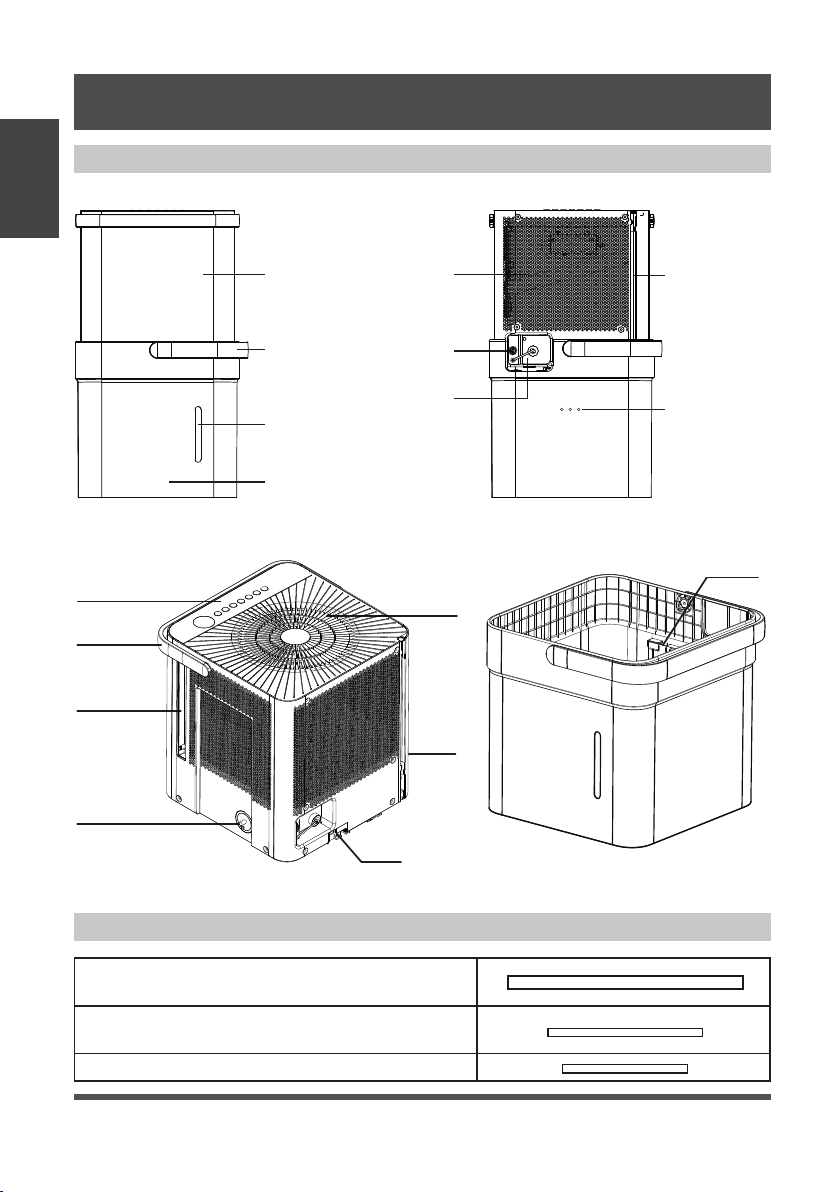
Product overview
Accessories
Fig. 1
Fig. 2
Front Panel Air Intake Power Cord
Storage Channel
Relief Holes
Garden
Hose Outlet
Pump Hose Outlet
(some models)
Bucket Water
Level Window
Bucket
Bucket
Handle
Front Rear
Lock tabs
Air Outlet
Air Filter Handle
(Both Sides)
Dehumidifier
Bucket
Bucket
Sensor
Power
Cord
Pump Inlet
Hose Connection
(some models)
Control panel
and Display
Unit Handle
UNIT SPECIFICATIONS AND FEATURES
Pump drain hose (only for units with the drain
pump feature)
Pump inlet hose (only for units with the drain
pump feature)
Normal drain hose
Page 7
Set Up
Instructions
SET UP INSTRUCTIONS
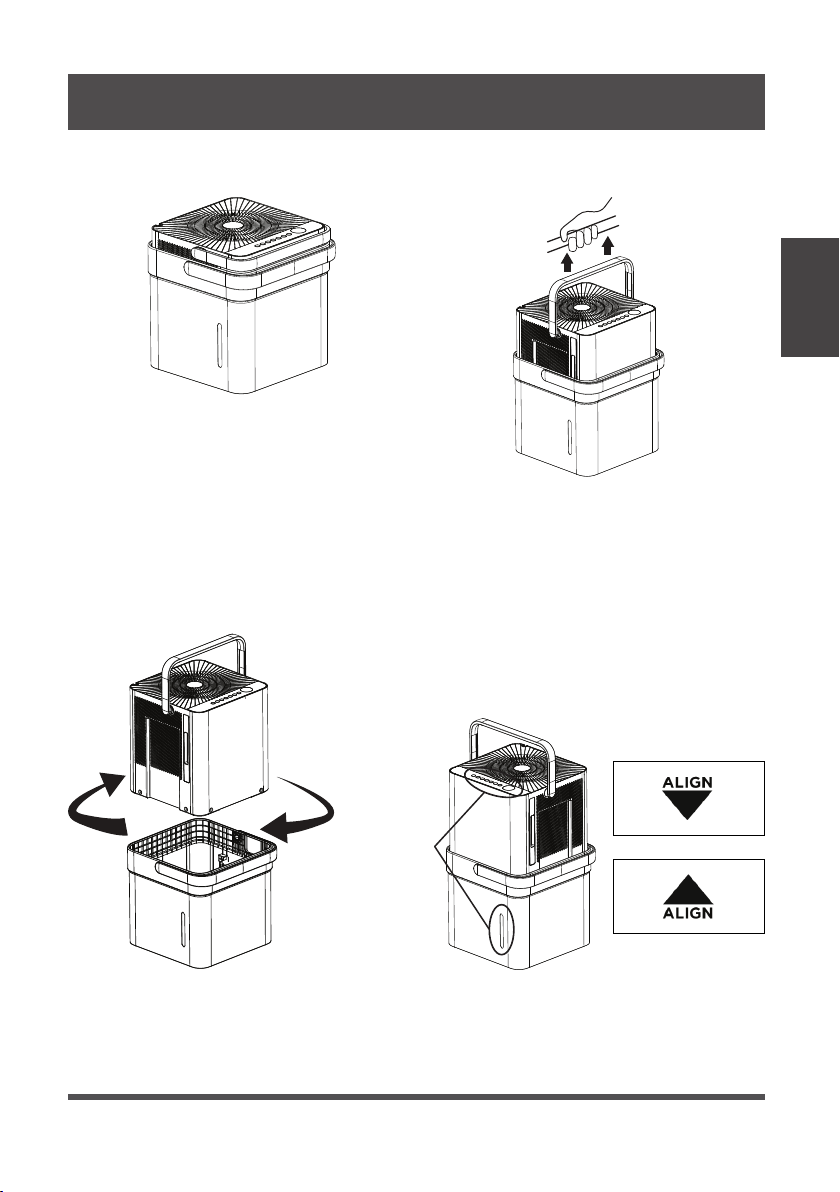
Step 1:
Separate dehumidifier & bucket from the nested shipping/storage position.
Step 2:
Rotate dehumidifier 90° and align the arrows on the two labels (one on the bucket
and one on the dehumidifier) and carefully sit the dehumidifier down onto the bucket.
The water level window in the bucket and the user interface buttons on the
dehumidifier should be on the same side when properly stacked. Check to ensure
the arrows on the unit and bucket are aligned as in Fig. 4c for proper operation.
Step 3:
Plug the unit in and press the power button and the unit is ready to run in normal
(bucket) mode.
Nested Shipping &
Storage Position
Fig. 3a
Fig. 3b
Rotate dehumidifi er 90°
Fig. 4a
User Interface
Buttons and
Water Level
Window
Aligned on the
Same Side
Fig. 4b
Fig. 4c
Page 8
Installation
Instructions
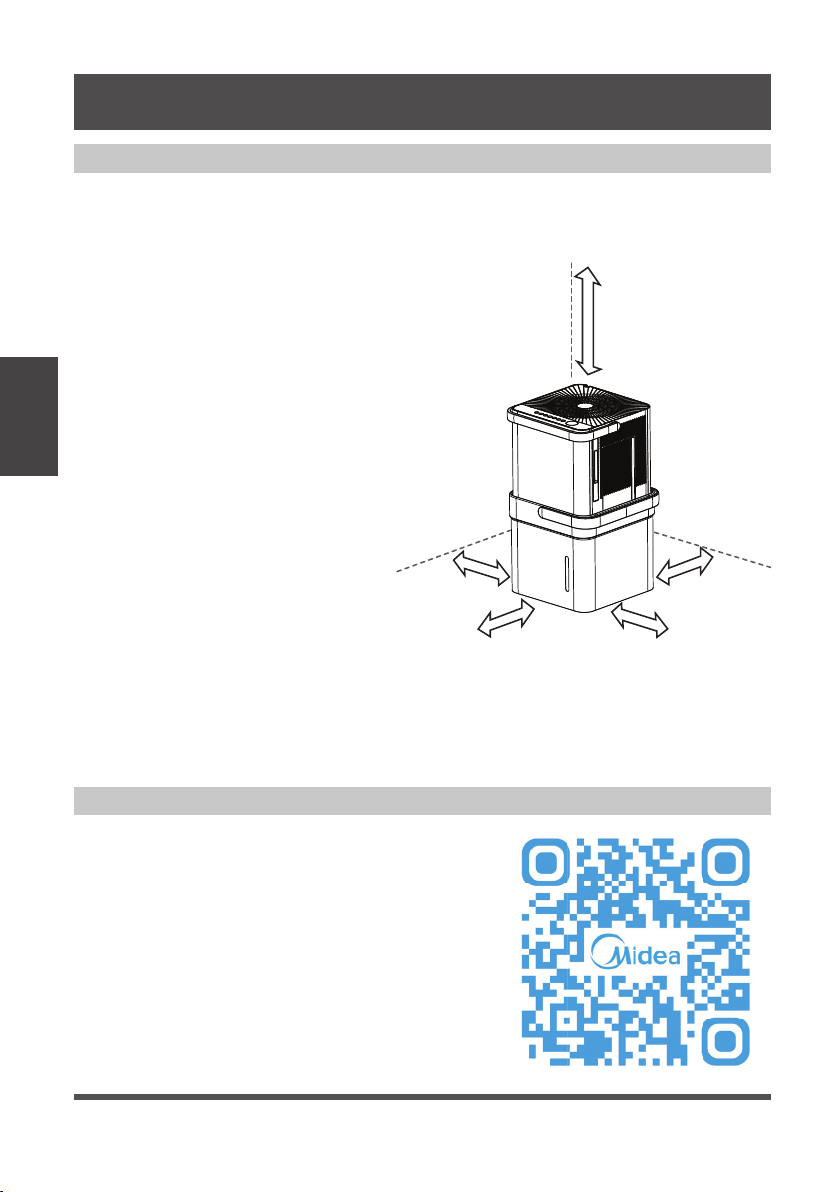
Positioning the Unit
Additional Setup and Usage Information
The dehumidifier should be placed in the area where dehumidification is desired most.
Adjacent rooms in which dehumidification is also desired should allow adequate
airflow in and out of the space containing the dehumidifier.
Scan this QR code with your mobile device to see
a playlist of helpful videos about your new Cube
Dehumidifier.
• Do not use outdoors.
• This dehumidifer is intended for
indoor residential applications only.
This dehumidifier should not be
used for commercial or industrial
applications.
• Place the dehumidifier on a smooth,
level floor strong enough to support
the unit with a full bucket of water.
• Allow at least 8” of air space on all
sides of the unit for air circulation
(at least 16” for air outlet).
• Place the unit in an area where
the temperature will not fall below
41°F (5°C). The coils can become
covered with frost at at lower
temperatures, which may reduce
performance.
• Place the unit away from any
clothes dryer, heater or radiator.
• Close all doors, windows, and
other openings to the outdoors in
the room.
Fig. 5
More
than
16”
More than
8”
More than
8”
More than
16”
More than
8”
INSTALLATION INSTRUCTIONS
Page 9
Key Pad Features
Operating Instructions
NOTICE
The appearance of the control panel on your unit may vary slightly. Functions will
be similar.
Operating
Instructions
OPERATING INSTRUCTIONS
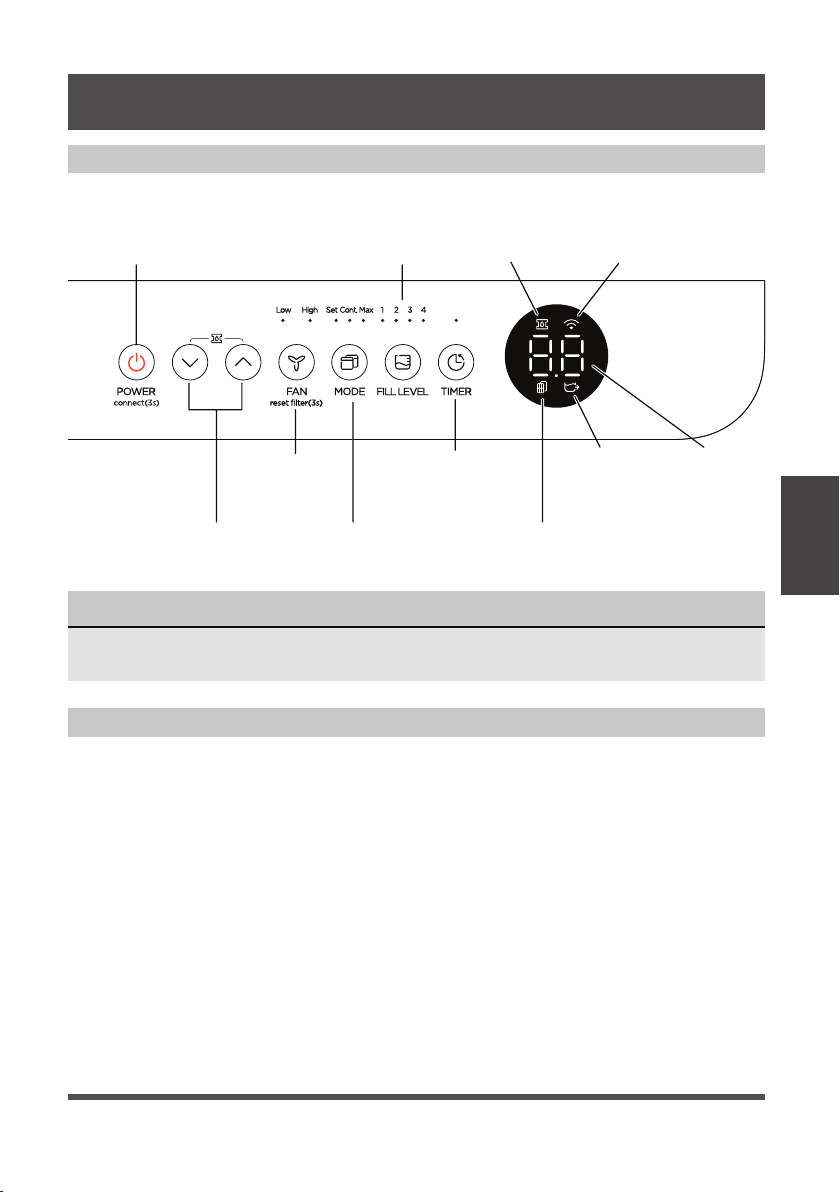
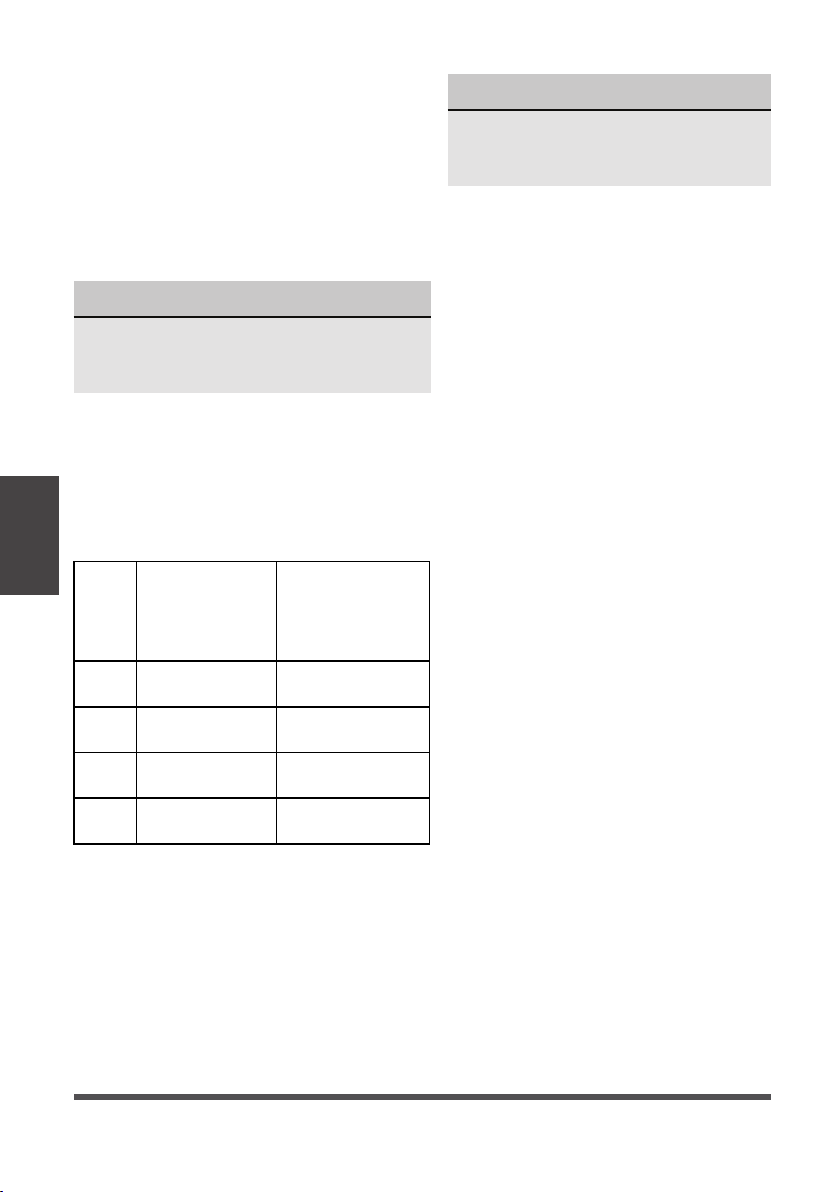
Power Button:
Press this button to turn the unit On/Off.
Connect:
Holding the power button for 3 seconds will
place the unit in network connection mode to
setup wireless control.
Up/Down Buttons:
Press these buttons to adjust the setpoint or to
set the timer feature. Holding the Up and Down
buttons for 3 seconds will activate pump mode
if the bucket is in place (some models).
Fan Button:
Press this button to change the fan
speed between High and Low.
Filter Reset:
To reset the change filter indicator,
hold the fan button for 3 seconds.
Mode Button:
Press this button to change
the mode of the dehumidifier
between Set mode, Max mode, and
Continuous run mode.
Power Button
(connect)
Up/Down
Buttons
Fan Button
and Indicators
(reset filter)
Mode Button
and Indicators
Filter Indicator
LED DisplayBucketless
Indicator
Timer Button
and Indicator
Fill Level
Button and
Indicators
Pump
Indicator
Network
Connection
Indicator
When you push the button to change operation modes, the unit will make a beep
sound to indicate that it is changing modes.
Page 10
NOTICE
For accurate fill levels, ensure the
bucket is empty before beginning
operation.
Fill
level
Models
MAD20S1QWT
Models
MAD35S1QWT
MAD50S1QWT
MAD50PS1QWT
MAD50PS1QGR
1
1.5 gallons
(17 lb)
2.25 gallons
(24 lb)
2
2 gallons
(21 lb)
3 gallons
(30 lb)
3
2.75 gallons
(27.5 lb)
3.75 gallons
(36.5 lb)
4
3 gallons
(29.5 lb)
4.25 gallons
(40.5 lb)
Fill Level Button:
Press this button to change the required
water level before the bucket full switch
activates. The options will fill approximately
to the amounts shown in the table below:
Choose the option which is most
comfortable for you when emptying the
bucket.
When the bucket is full, the Display will
show P2.
The weights above are approximate
weights of the bucket when filled with the
corresponding volume of water.
Timer Button:
Press this button to activate the Timer
function. The Timer LED will illuminate
indicating timer mode is being set.
0.0 will also appear on the display
indicating the number of hours from
now until the timer function will initiate.
When the timer function initiates, the
unit will change its power state. For
more information see Timer function
under other features on the next page.
Bucketless mode:
Bucketless mode allows you to run the
unit without the bucket in place. The
included drain hose or a garden hose
must be attached for proper bucketless
mode operation. To activate bucketless
mode, the following steps must be
completed within three minutes of
plugging the dehumidifier in.
1. Press and hold the up and fill level
buttons for 3 seconds until the
bucketless icon appears on the
display.
2. Ensure the dehumidifier is on flat
level ground (free of debris).
3. Make sure the hose for bucketless
mode does not rise above the
connection point on the unit.
4. Attempting to change the unit into
bucketless mode while it is sitting
on the bucket will have no effect.
To remove the unit from bucketless
mode, place the unit back on the
bucket.
Operating
Instructions
NOTICE
While operating on continuous and Max
modes, the humidity setpoint cannot be
adjusted manually.
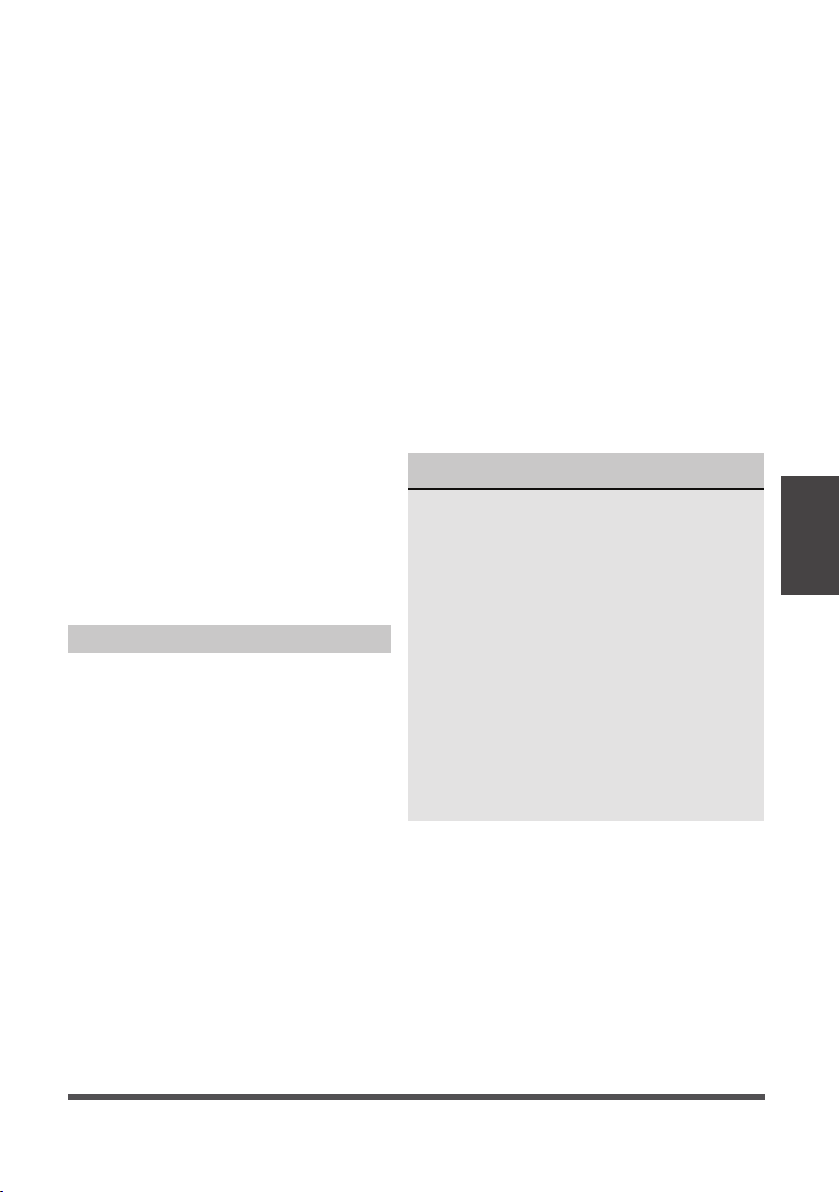
Set – The dehumidifier runs until the
humidity setpoint has been reached. The
dehumidifier will begin running once the
humidity rises above the setpoint again.
Max – The dehumidifier will run continuously
on High Fan.
Continuous – The dehumidifier will run
continuously and the fan speed can be
changed in this operating mode.
Page 11
Error Codes and Protection Code:
EH60 -
P2 - Bucket has reached the set Fill
Level– Empty the bucket and place
the unit on the bucket properly.
Eb - Bucket is removed or not in right
position - Replace the bucket in
the right position. (only available
for the unit with pump feature.)
Auto Defrost
When frost builds up on the evaporator
coils, the compressor will cycle off
and Auto Defrost function will run
automatically.
3 minute compressor operation delay
protection
After the unit has stopped, it can not be
restarted in the first 3 minutes to protect
compressor operation. The unit will
restart automatically after 3 minutes.
Auto-Restart
If the unit stops unexpectedly due to
power being cut, it will restart with
the previous function setting (except
bucketless mode) automatically when
the power resumes.
Timer Function
• When activating the Timer function, you
are setting the time until the unit changes
its power state. This means, if the unit is
on, activating the timer function will set
the time until the unit will turn off. If the
unit is off, activating the timer function
will set the time until the unit will turn on.
• The time can be set after pressing the
timer button then using the up or down
buttons. These buttons will change
the time in 0.5 hour increments up to
10 hours. After 10 hours, the time will
change in 1 hour increments up to 24.
• If an error code appears during this time,
the timer function will be cancelled.
NOTICE
• When first using the dehumidifier,
operate the unit continuously 24 hours.
Make sure the plastic cover on the
continuous drain hose outlet is installed
properly so there are no leaks.
• This unit is designed to operate in a
working environment between 5°C/41°F
and 35°C/95°F.
• Make sure the water bucket is
positioned correctly so that the unit
can operate properly. When the water
in the bucket reaches a certain level,
please be careful while moving the unit
to avoid spilling.
Other Features
Operating
Instructions
Room temperature r sensor
error--Unplug the unit and plug
it back in. If error repeats, call
for service.
EH61 -
Tube Temperature sensor of
the evaporator error--
Unplug the unit and plug it
back in. If error repeats,
call for service.
EH0b -
Display board and master
control board communication
error.Unplug the unit and plug
it back in. If error repeats, call
for service.
Page 12
Removing Collected Water
There are three ways to remove collected water:
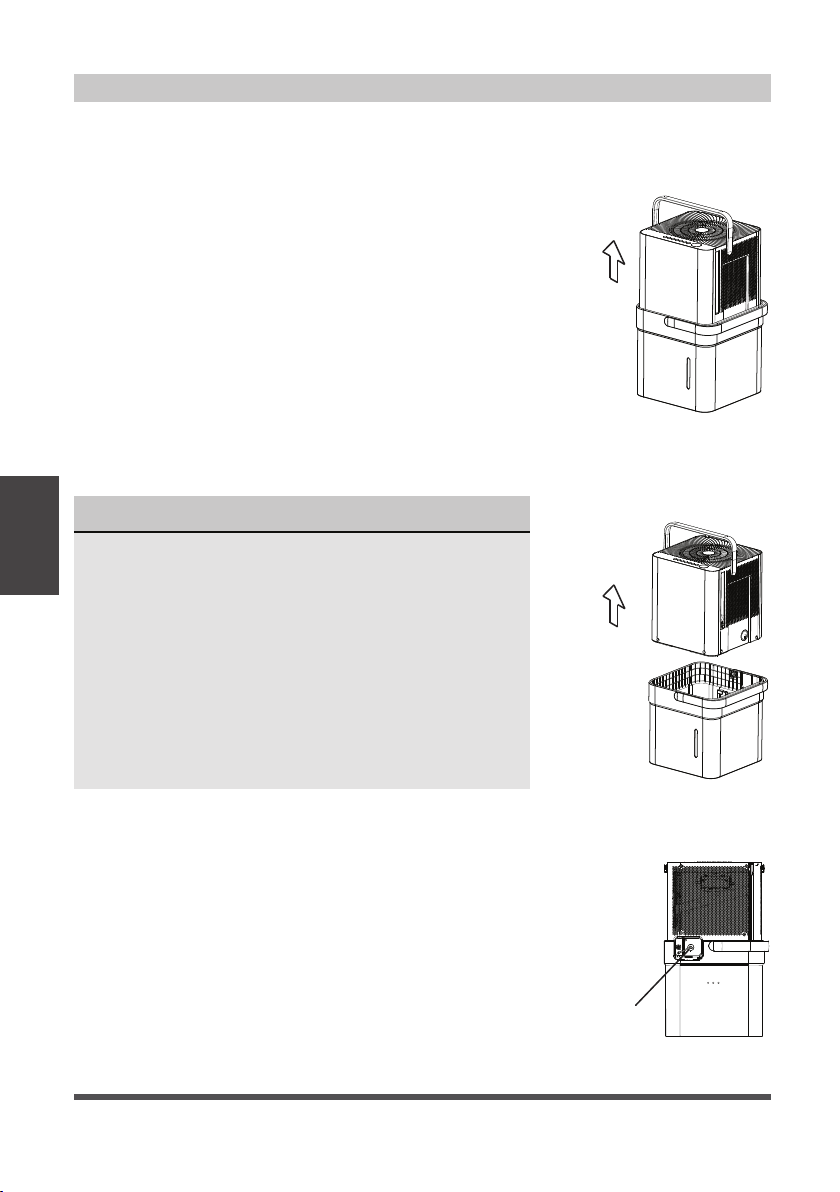
1. Lift the unit off the bucket and
place it on a level surface.
1. Emptying the bucket
• When the bucket reaches the set Fill Level, the unit’s
display will show P2 regardless of power status.
• Using proper lifting techniques, remove the unit from
the bucket. Be aware, some residual water may spill
from the bottom of the unit while not on the bucket.
• Using two hands, grab the bucket handle and carry
it to the desired drainage point. Pouring from a front
corner of the bucket (the bucket window is on the
front side), empty the bucket. If pouring from the
back of the bucket, some water may spill from the
relief holes.
• Return the bucket to the desired operating location
and place the unit back on the bucket. Be sure the
unit is aligned properly.
Fig. 6
Fig. 7
NOTICE
• When you remove the unit from the bucket do not
set the unit on any electrical components as the
bottom may be wet.
• Do not set the unit on an uneven surface after
removing it from the bucket.
• Ensure the unit is seated properly after returning it
to the bucket.
• If the unit is removed from the bucket during
operation, the display will show the error code Eb
and cease operation until returned to the bucket
or changed to bucketless mode.
2. Lift the bucket using 2 hands
and carry to drainage point.
3. Pour out all of the water.
Remove the
plastic cover
rotating
counter-clockwise
2. Continuous draining
• Water can be automatically emptied from the unit
into a sink, or other type of drain using the included
hose.
• To install the hose, remove the drain cap from the
rear of the unit and set aside. Insert the included drain
hose, or attach a garden hose to the drain outlet.
Place the other end of the hose on or near the drain
so that water will drain properly.
Fig. 8
Operating
Instructions
Page 13
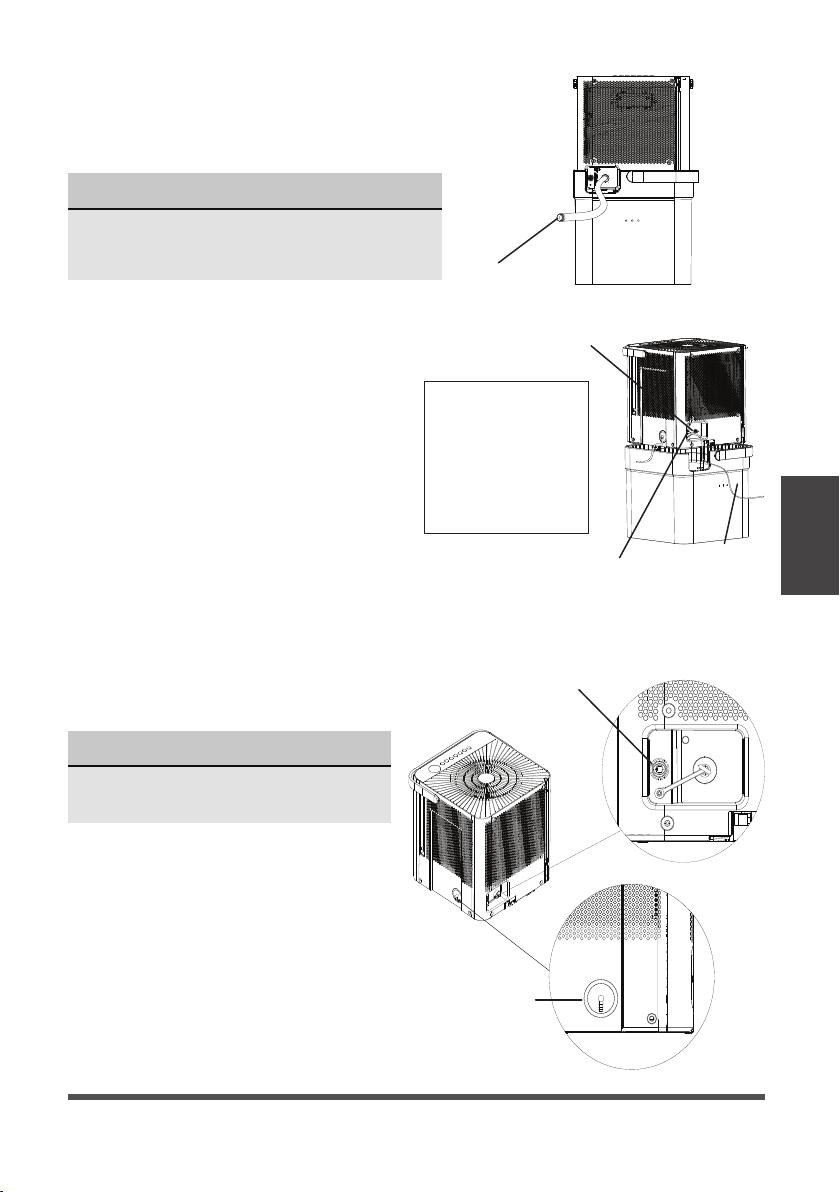
Drain hose
Pump drain
hose
Pump drain
hose outlet
Pump drain hose outlet
connection
Pump drain hose
inlet connection
Reinstall the plastic cover
Max pump height: 14 ft.
Make sure the hose is
properly seated.
To remove the pump
hose, push in on the
collar around the hose
and pull the hose out.
NOTICE
The pump may generate a loud noise
for the first 3~5 minutes of operation.
NOTICE
When using the continuous draining feature,
ensure the unit is placed above the sink or drain
being used. This will ensure proper draining.
Fig. 11
Fig. 9
Fig. 10
3. Pump draining (some models)
• Water can be pumped from the unit
into a sink or other type of drain by
putting the unit in pump mode and
attaching the included pump hose.
Be sure to install both the inlet and
outlet pump hoses as shown in the
figures on the right.
• To install the pump hose, remove the
plug from the pump drain hole and
firmly attach the the included pump
hose as shown in Fig. 10.
• Initiate pump mode by holding both
the up and down arrows for three
seconds.
• The pump inlet hose must be
placed in the bucket in order to
pump the water out of the bucket.
Operating
Instructions
• When removing the drain hose, some water
may remain in the hose or the drain outlet.
Be sure this water will not spill by drying
the wet area before moving the unit.

Page 14
• Make sure the hose is secure so there are no leaks.
• Direct the hose toward the drain, making sure that there are no kinks that will stop
the water flowing.
• Place the end of the hose into the drain.
• Select the desired humidity setting and fan speed on the unit for pump draining
to start.
• When operating in Bucketless mode the pump cannot be used.
NOTICE
The pump operation light blinks when a failure occurs. Please turn off the unit and
disconnect the power cord. Check the following items:
• Cleaning the pump filter:
- Clean the pump filter following the instructions below.
• Check if the drain hose is clean and free of debris.
• Empty the water from the bucket.
• Check the hose connection and the bucket for proper fitment. If the error persists,
contact Customer Service.
NOTICE
If routing the drain hose outdoors, do not operate when the outdoor temperature
is at or below 32°F (0°C) as the water will freeze, blocking the hose and causing
the unit to stop.
Make sure to empty the bucket at least once a week a week when using the pump
draining feature. When the pump draining feature is not being used, remove the
pump drain hose from the outlet.
Operating
Instructions
Page 15
Turn the dehumidifier off and disconnect the plug from the power source before cleaning.
Care and
Cleaning
1. Clean the Grill and Case
• Use water and a mild detergent. Do not
use bleach or abrasives.
• Do not splash water directly onto the unit.
Doing so may cause an electrical shock,
cause the insulation to deteriorate, or
cause the unit to rust.
• The air intake and outlet may get dirty
during operation, use a vacuum cleaner
or brush to clean.
2. Clean the bucket
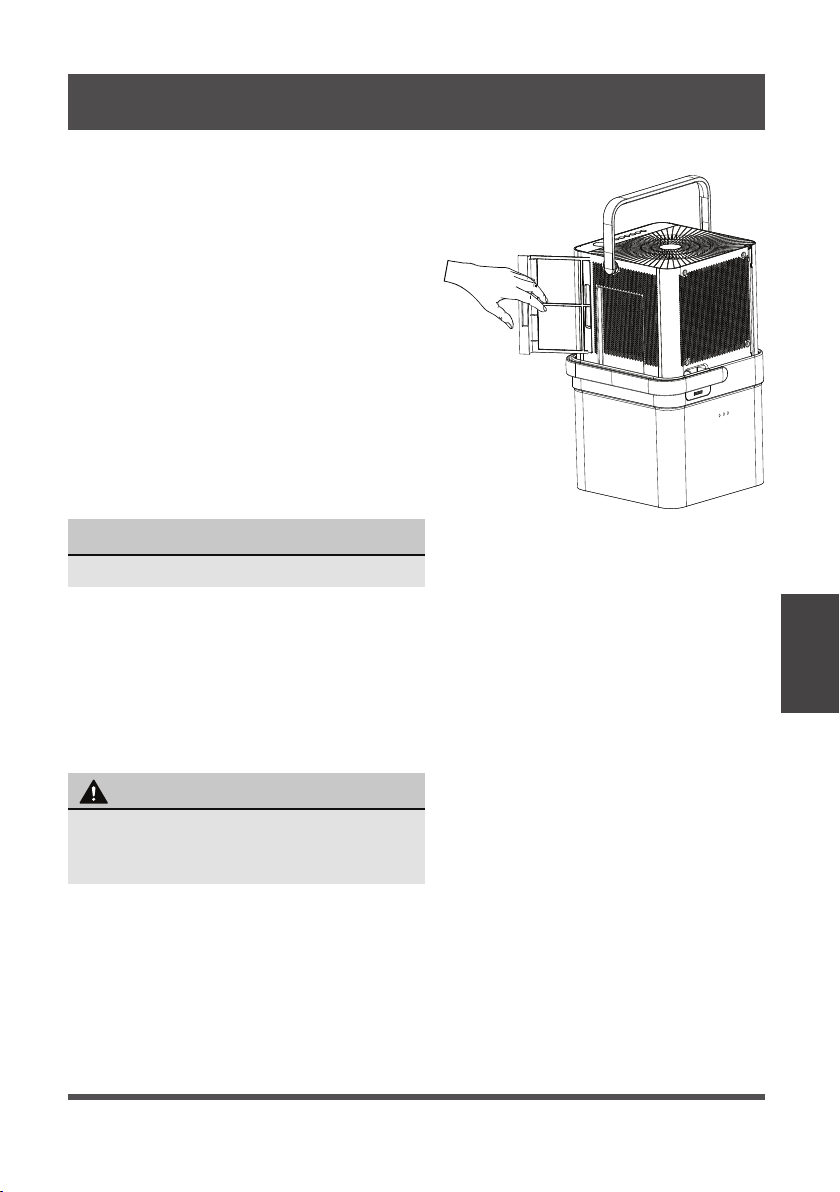
• Every few weeks, clean the bucket
thoroughly. Partially fill the bucket with
clean water and mild detergent. Swish it
around in the bucket, empty and rinse.
3. Clean the air filters
• To remove the filters, pull each filter
outwards.
• Wash the filters with clean water then dry.
• Re-install each filter.
• Reset the filter indicator light following
operating instructions on page 9.
4. When not using the unit for long time periods
• Before storing the unit and bucket, let it rest for one full day so that the system can
dry out naturally.
• Clean the unit, water bucket and air filters.
• Ensure the power cord is in the power cord storage channel.
• Nest the unit inside the bucket.
• Cover the unit with a plastic bag.
• Store the unit upright in a dry, well-ventilated area.
NOTICE
Do not use a dishwasher to clean the bucket.
CARE AND CLEANING
To avoid loss of performance or damage to
the unit, do not operate the dehumidifier
without the filters.
CAUTION
Fig. 12
Page 16
Nesting
and Storing
Instructions
Fig. 14
NESTING AND STORING INSTRUCTIONS
WARNING
Make sure the bucket is empty before nesting the
dehumidifier to avoid risk of electrical shock.
NOTICE
Make sure the power cord is properly tucked into the power
cord storage channel on the back of the dehumidifier to
prevent damage.
When carrying the nested unit, be sure and use the bucket
handle to ensure both the dehumidifier and bucket are
safely carried.
CAUTION
Fig. 13
Fig. 16
Fig. 15a
t into bucket to nest
Fig. 15b
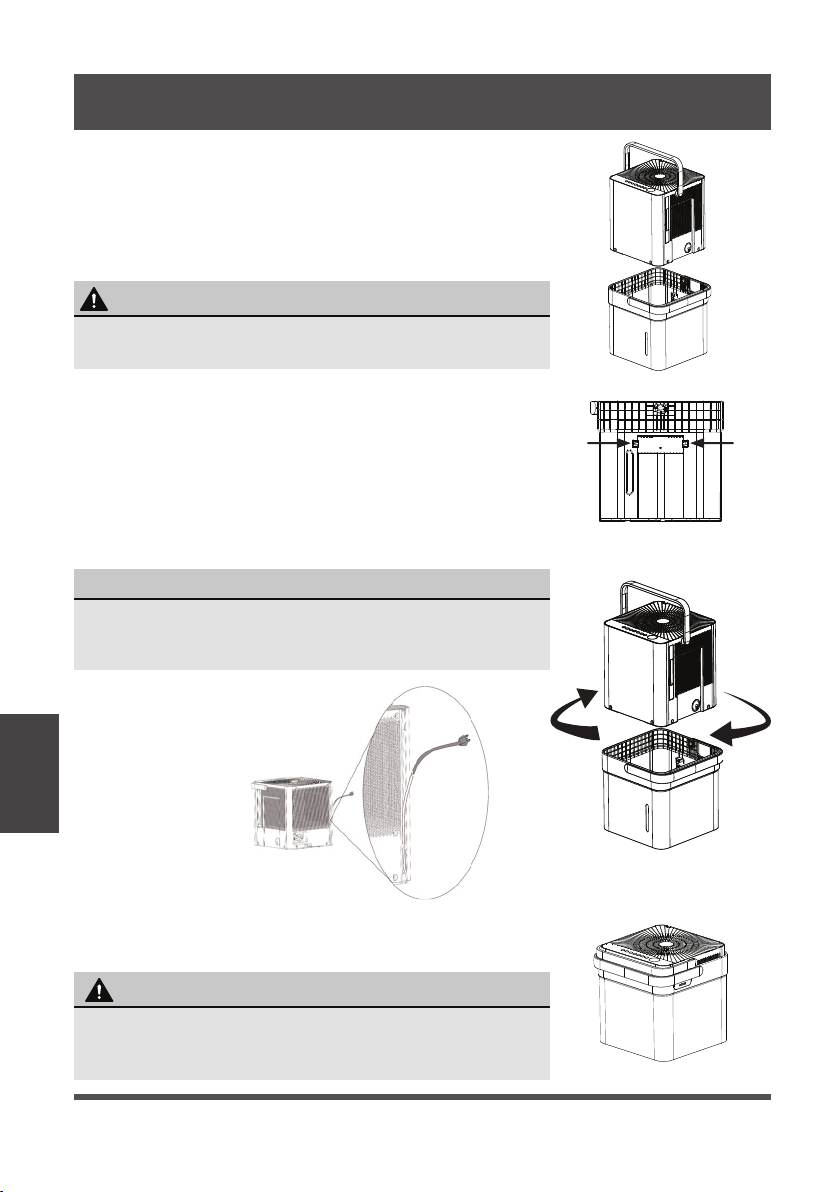
Step 1:
Power off and unplug the unit. Then lift the dehumidifier off
the bucket.
Step 2:
Empty all water from bucket.
Step 3:
Make sure to press the tabs on the inside bucket feature in
so that the unit can nest correctly. See Fig. 14.
Step 4:
Rotate dehumidifier 90° in either direction and insert into
bucket to nest.
Step 5:
The dehumidifier is nested and ready to store.
Page 17
Before calling for service, review this list. It may save you time and money. This list
includes common occurrences that are not the result of defective workmanship or
materials in this appliance.
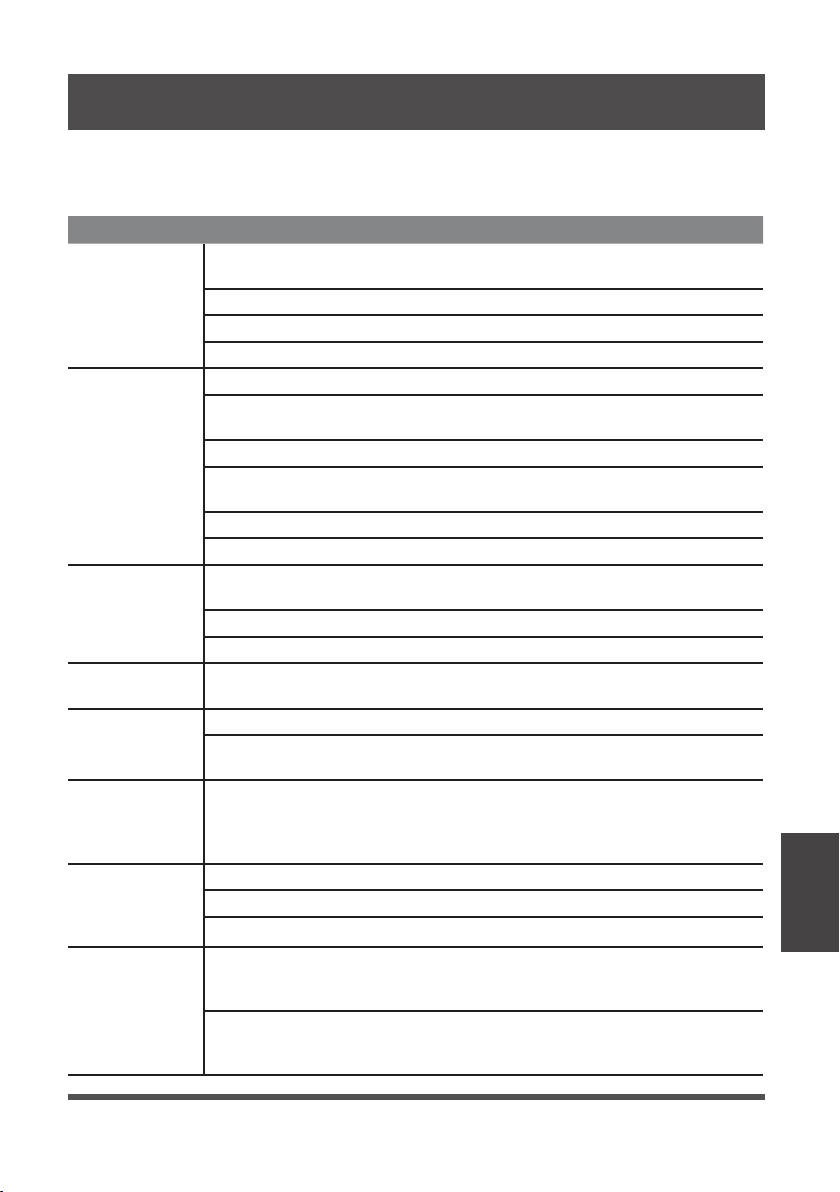
Problem Solution
Unit does not
start
Make sure the dehumidifiers plug is connected firmly into the wall
outlet.
Check the house fuse/circuit breaker box.
Dehumidifier has reached its preset level or bucket is full.
Water bucket is not in the proper position.
Dehumidifier
does not dry
the air as it
should
Not enough time to remove the moisture.
Make sure there are no curtains, blinds or furniture blocking the front
or back of the dehumidifier.
The humidity control may not be set low enough.
Check that all doors, windows and other openings are securely
closed.
Room temperature is too low, below 5°C (41°F).
There is a water vapor source in the room.
The unit makes
a loud noise
when operating
Air filter may be dirty. Clean filter. Refer to Care and Cleaning
section.
The unit is tilted instead of upright as it should be.
The floor surface is not level.
Frost appears
on the coils
This is normal. The dehumidifier has Auto defrost feature.
Water on floor
Hose to connector or hose connection may be loose.
Intended to use the bucket to collect water, but the back drain plug
is removed.
ES, AS, P2,
EC, Eb and E3
appear in the
display
These are error codes and protection code. Check Operating
Instructions.
The pump
operation on
light blinks at
1 Hz
Clean the pump filter.
Check the pump hose is not blocked or leaking.
Empty the water bucket.
When operating
in bucketless
mode, water
collects around
the bottom of
the unit
Check to ensure the unit is level, and there is no debris on the
surface.
Check the drain hose connection and ensure it is properly seated in
the outlet.
TROUBLESHOOTING TIPS
Troubleshooting
Tips
Page 18
We hereby declare that this Dehumidifier is in compliance with the essential
requirements and other relevant provisions of Directive 1999/5/EC.
1. Supports operating systems: iOS 7+ or Android 4+.
2. In the event of a OS update, there may be a delay between the update of the OS
and a related software update during which your OS may or may not be supported
until a new version is released. Your specific mobile phone or problems in your
network may prevent the system from working and Midea will not be responsible
for any problems that could be caused by incompatibility or network issues.
3. This Smart Dehumidifier only supports WPA-PSK/WPA2-PSK (recommended)
encryption.
4. To ensure proper scanning of the QR code, your smart phone must have at least a
5-megapixel camera.
5. Due to unstable network connectivity, requests may time out. If this happens, re-
run the network configuration.
6. Due to unstable network connectivity, commands may time out. If this happens,
the smartphone app and the actual product may display conflicting information.
The information displayed on the actual product is always the most accurate
available. Refresh the app to re-sync.
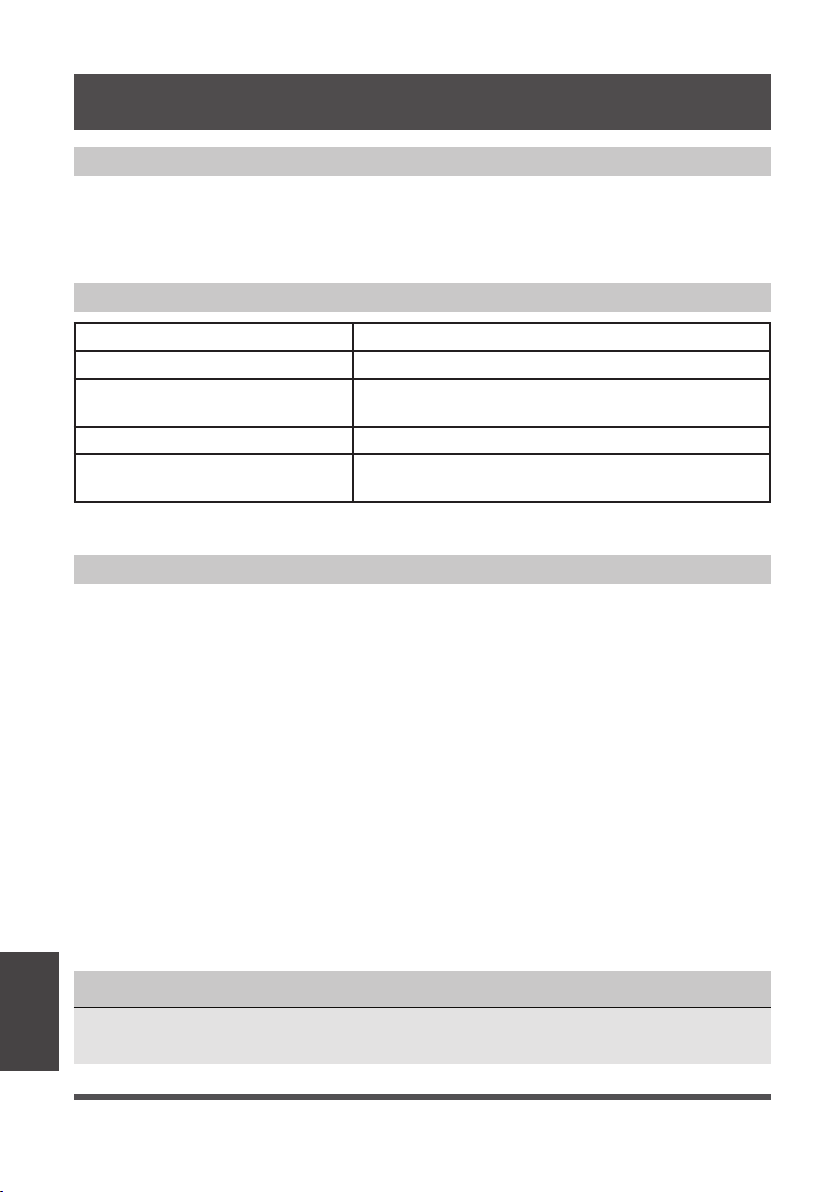
Model: US-OSK103 Dimensions: 41 x 24 x 5 (mm)
Standard: IEEE 802.11 b/g/n Operation Temperature: 0°C ~ 45°C / 32°F ~ 113°F.
Antenna Type: External
omnidirectional Antenna
Operation Humidity: 10% ~ 85%
Frequency: 2.4 GHz (wireless) Power Input: DC 5V/300 mA
Maximum Transmitted Power:
19.8 dBm Max
Midea will not be responsible for any problems that could be caused by
incompatibility or network issues, your wireless router and mobile phone.
NOTICE
DECLARATION OF CONFORMITY
SPECIFICATION OF WIRELESS MODULE
PRECAUTIONS
App
Instructions
APP INSTRUCTIONS
Page 19
Devices required to use the Smart Dehumidifi er:
1. Smart Phone with compatible iOS or Android system.
2. Wireless Router
3. Smart Dehumidifier
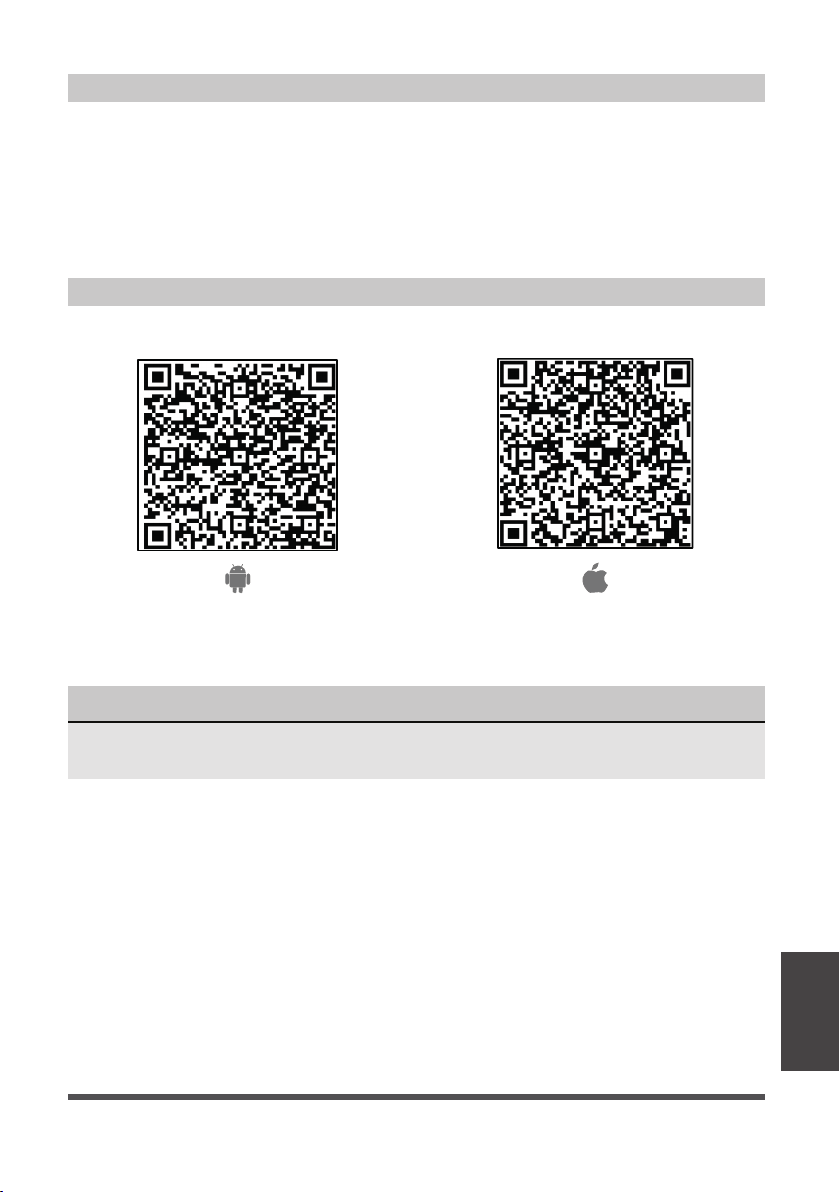
Android QR code Apple QR code
Scan to download app.
• You can also go to Google Play or App Store and search for Midea Air.
DOWNLOAD AND INSTALL THE APP
SYSTEM OVERVIEW
NOTICE
All the images in this manual are for reference only, your product and app may look
slightly different. The actual product and app instructions have to be considered.
App
Instructions
Page 20
• Make sure your smartphone is connected to your wireless router and your wireless
router has a working 2.4GHz internet connection.
• It is recommended to activate your account immediately to be able to recover your
password by email.
NOTICE
• Make sure your smartphone is able to connect to the wireless network which will be used.
• Make sure also that the device is not connecting to other networks in range.
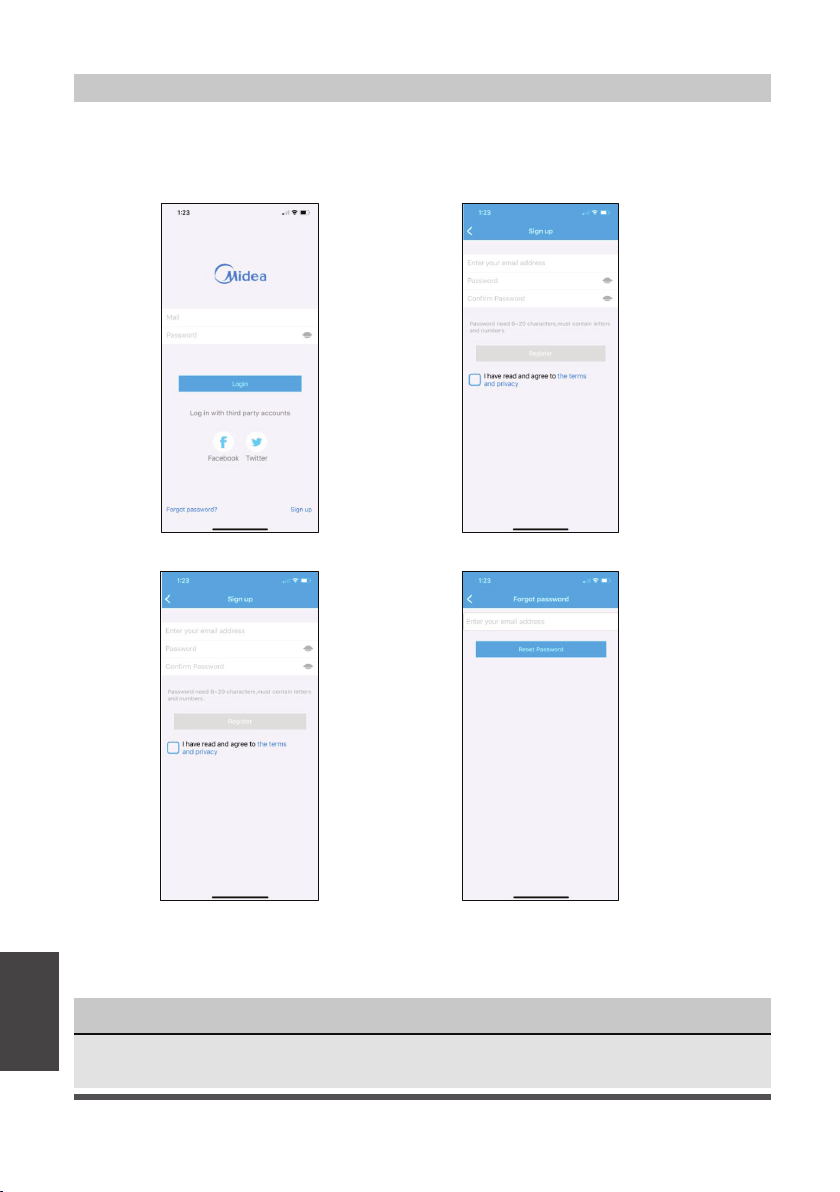
CREATE YOUR ACCOUNT
1. Press “Sign Up”. 2. Enter your email address and password.
3. Press “Registration”. 4. If you forget your password, press
“Forgot password?” on the main
menu and enter your email address.
Then press “Reset Password”.
App
Instructions

Page 21
ADDITIONAL APP AND SMART HOME FUNCTIONS
For additional instructions regarding the features of the app and Smart Home skill
capabilities, scan the QR code below.
App
Instructions
limited
Page 22