E
njoy it.
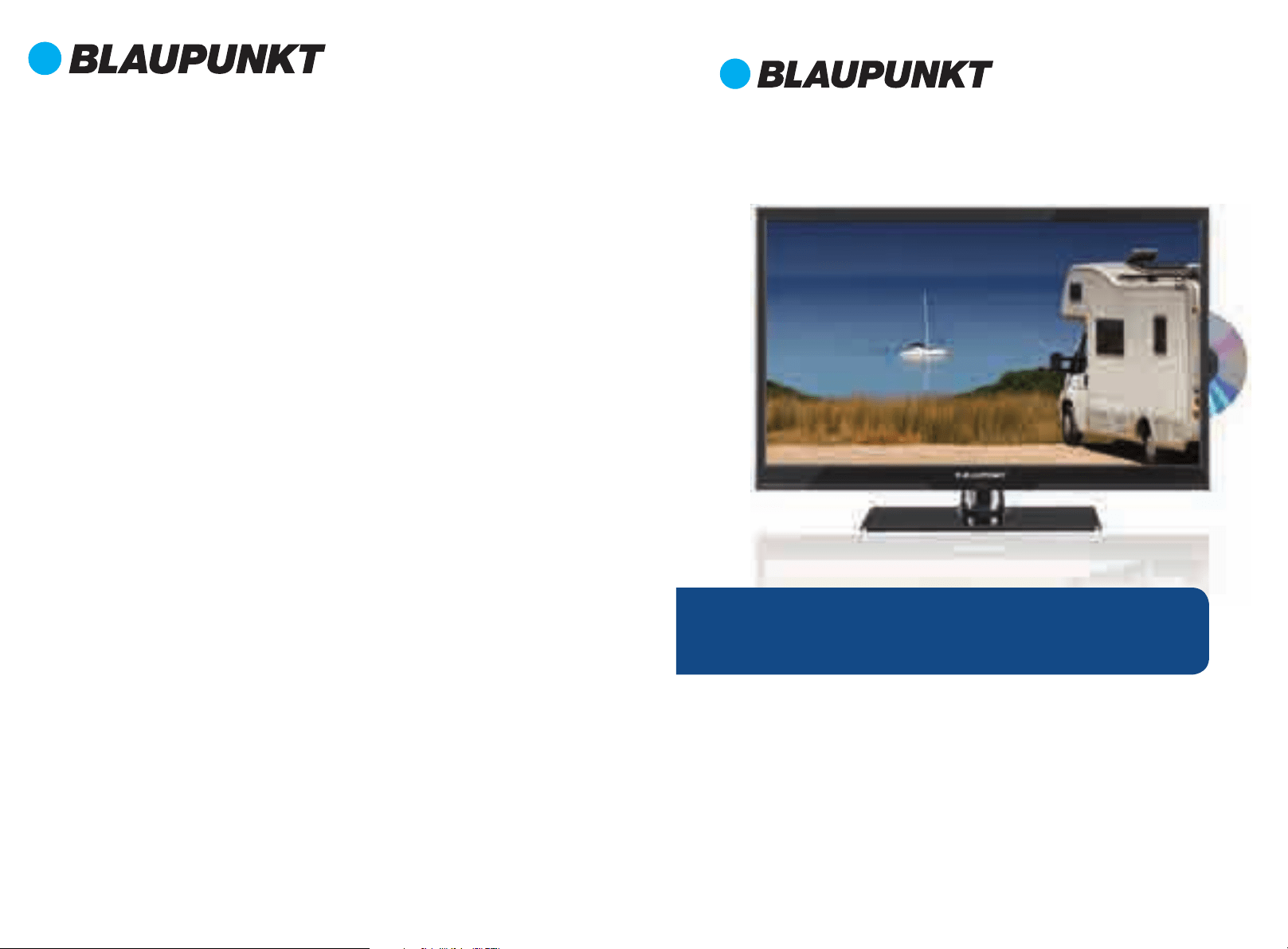
21.5”
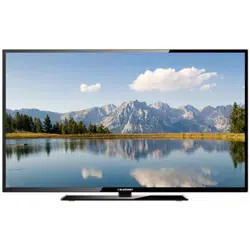
12 Volt Fulll HD LED TV with DVD
BP2212MHD
V
Instruction Manual
F
or customer support and to
register your warranty visit:
www.blaupunkt-australia.com.au
Our goods come with guarant
ees that cannot be excluded under the Australian
Consumer Law. You are entitled to a replacement or refund for a major failure and for
compensation for any other reasonably foreseeable loss or damage.
You are also entitled to have the goods repaired or replaced if the goods fail to be of
acceptable quality and the failure does not amount to a major failure.
O
ct14 BP2212MHDV
Menu Operation
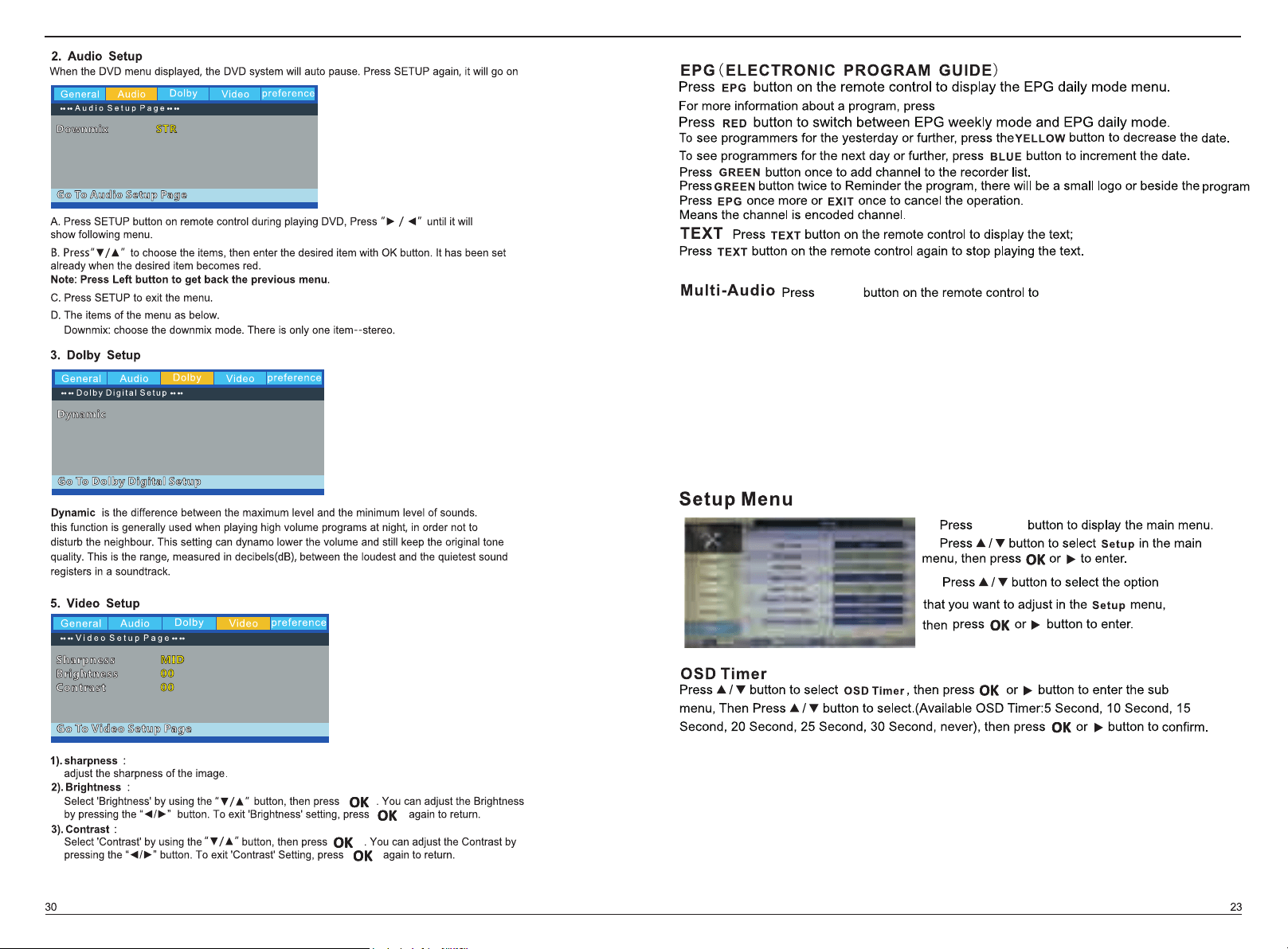
EPG
DTV
Picture Menu
Sound Menu
Feature Menu
Setup Menu
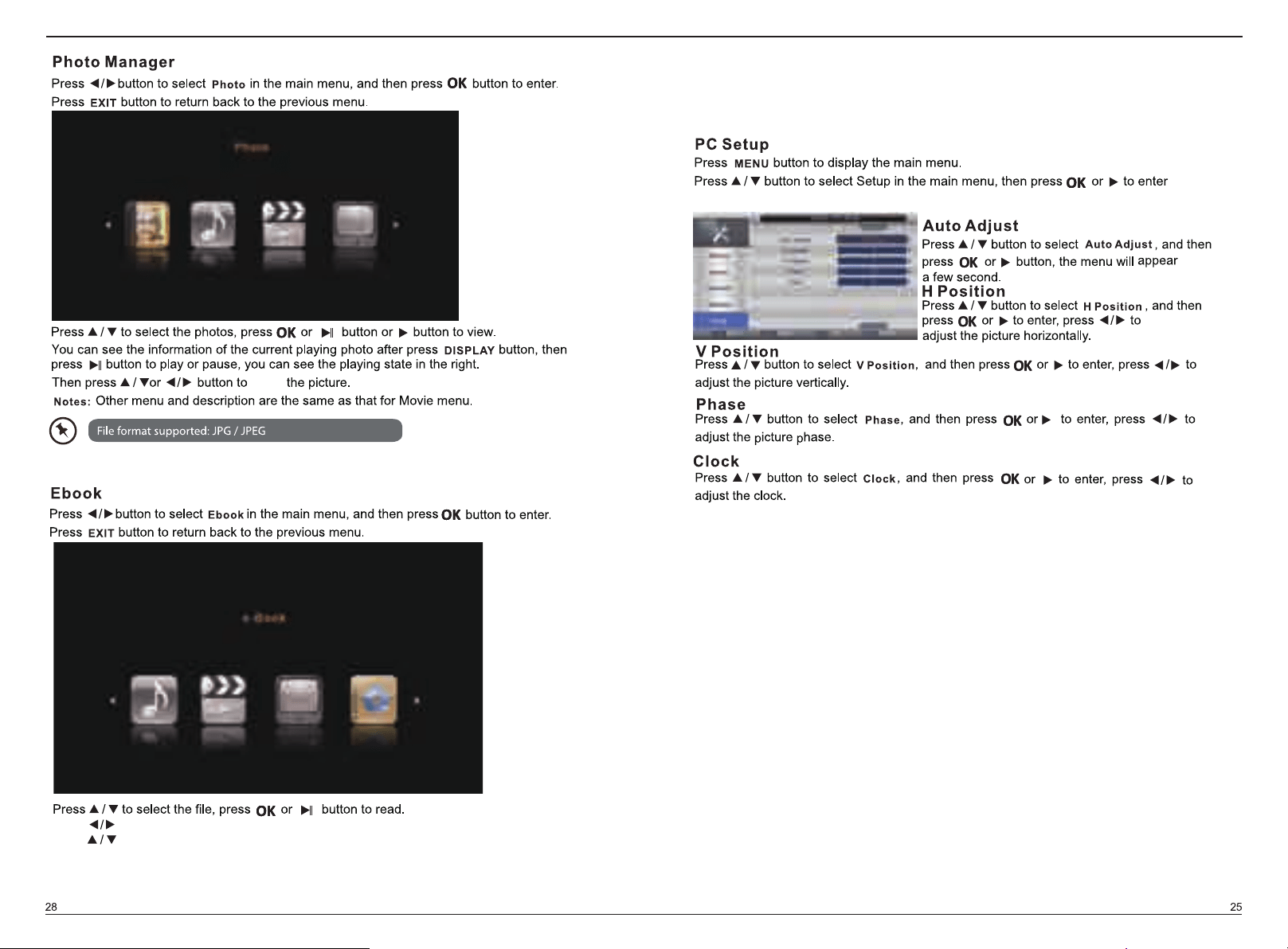
PC Setup Menu
PVR
Channel Menu(ATV/DTV)
MEDIA MENU
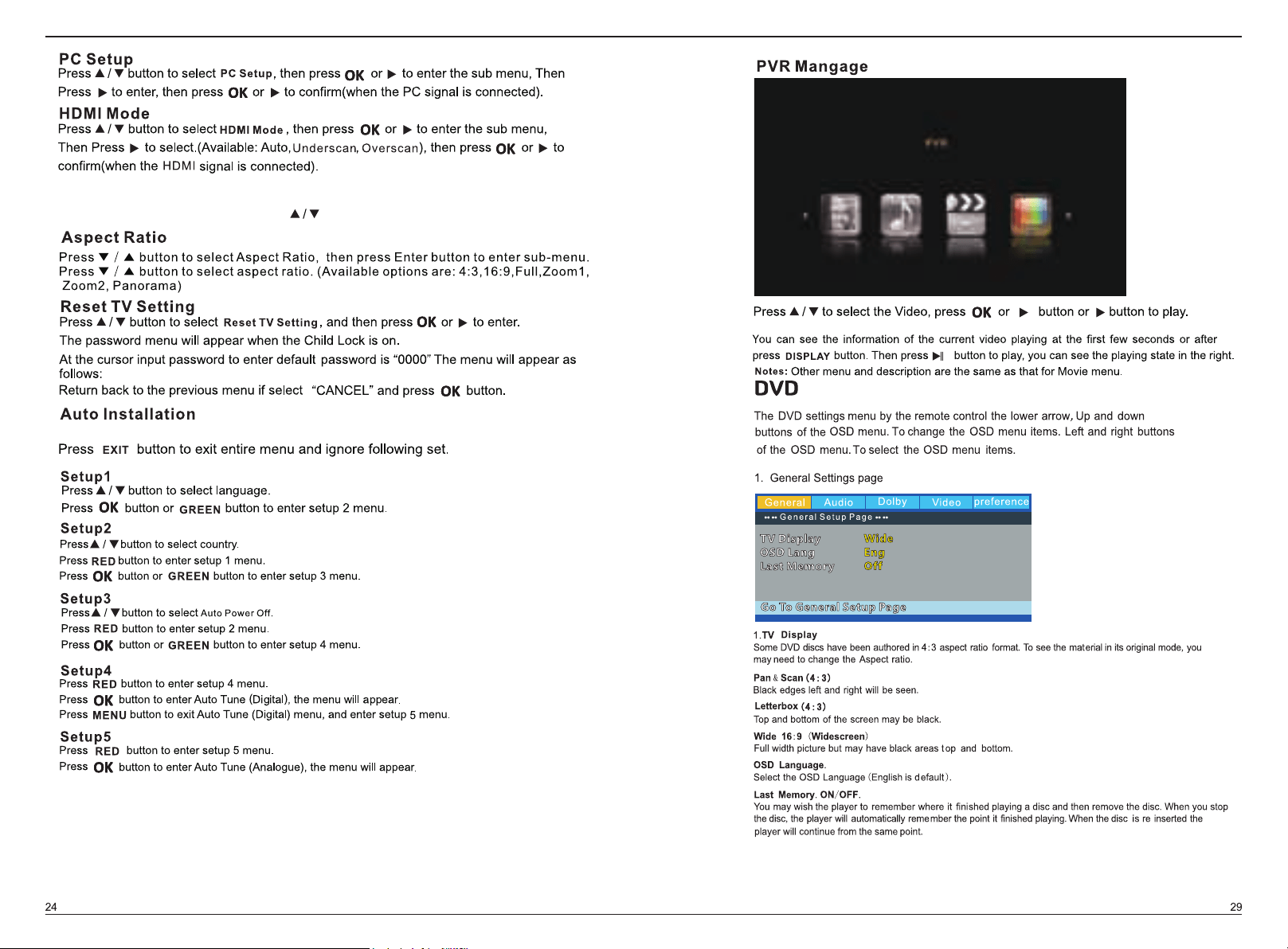
PVR Mangage
DVD Menu
Photo Menu
Ebook Menu
Movie Menu
Music Menu
General Setting
Audio setup
Dolby setup
Video setup
Preference setup
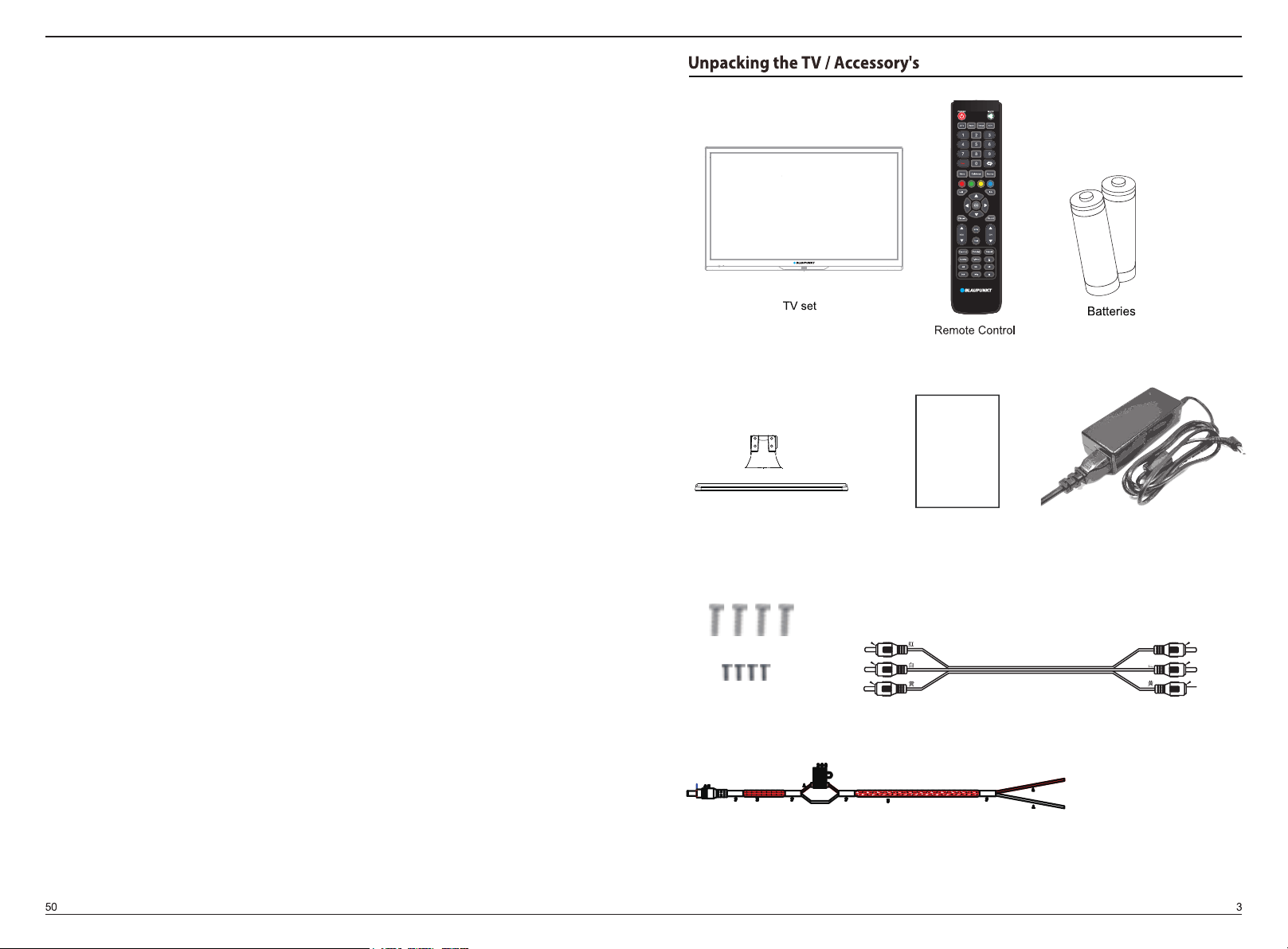
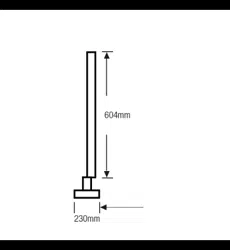
Neck/Stand
PB5X14(4PCS) Screws
BB3X8(4PCS) Screws
User Manual
User Manual
D-Menu Audio Goto
NicamFAV
A-B
3m AV cable
Adapter/AC power pack
5m DC cable (12V)
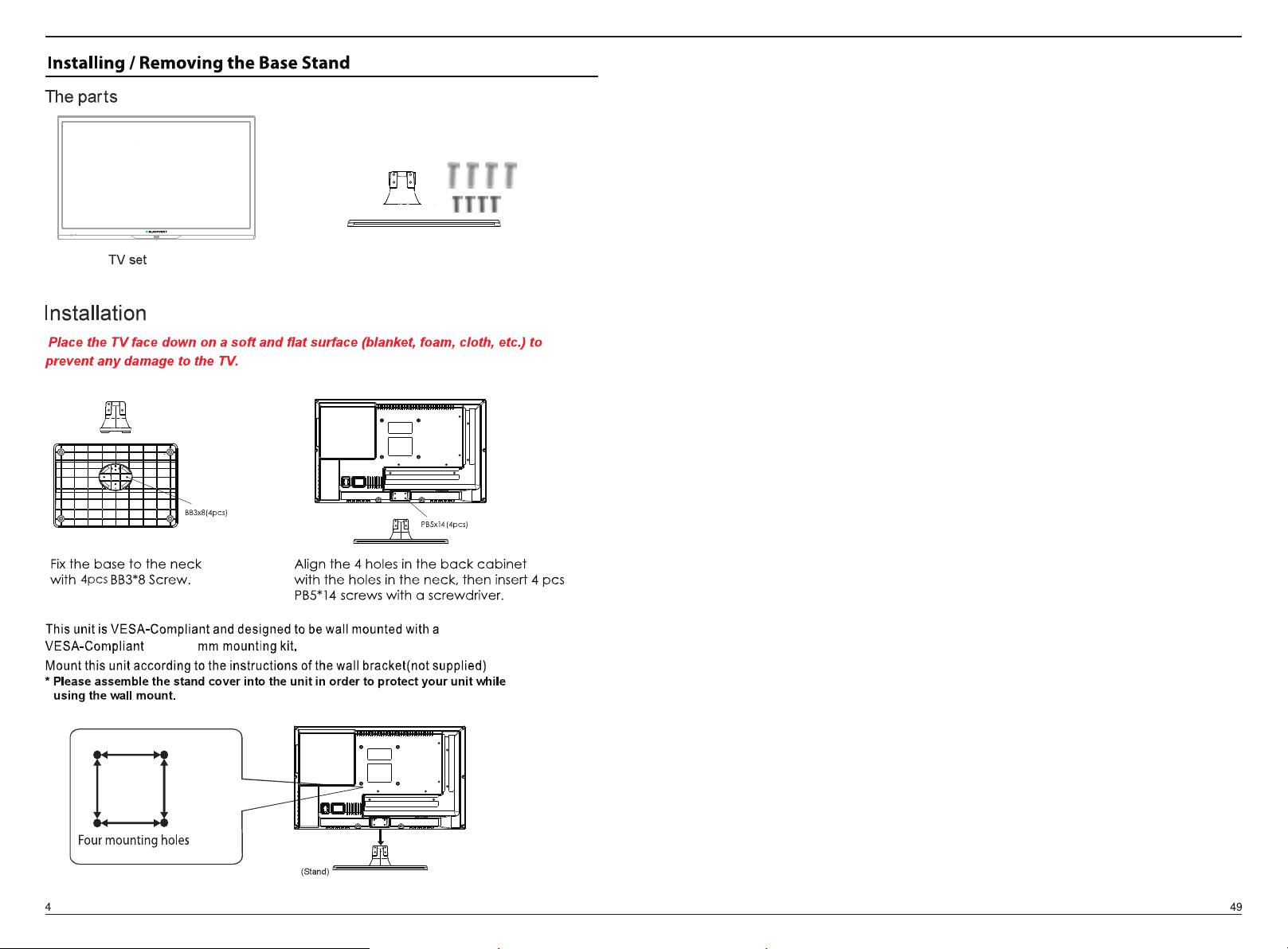
Neck/Stand / Screws
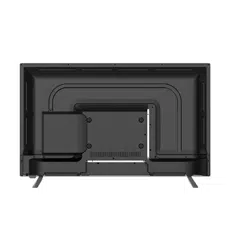
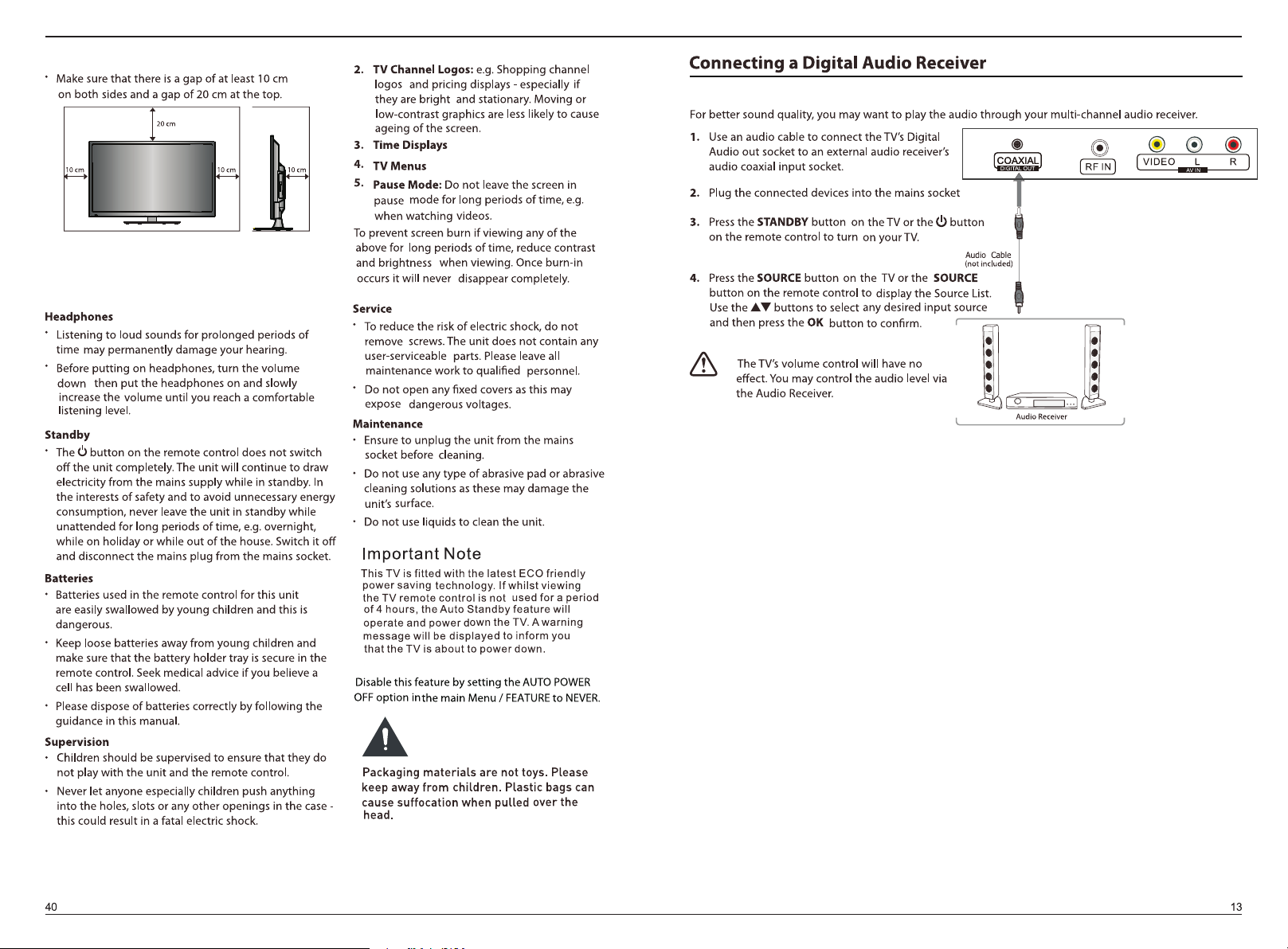
100mm
100mm
100X100
1 2 3
COMPONENT
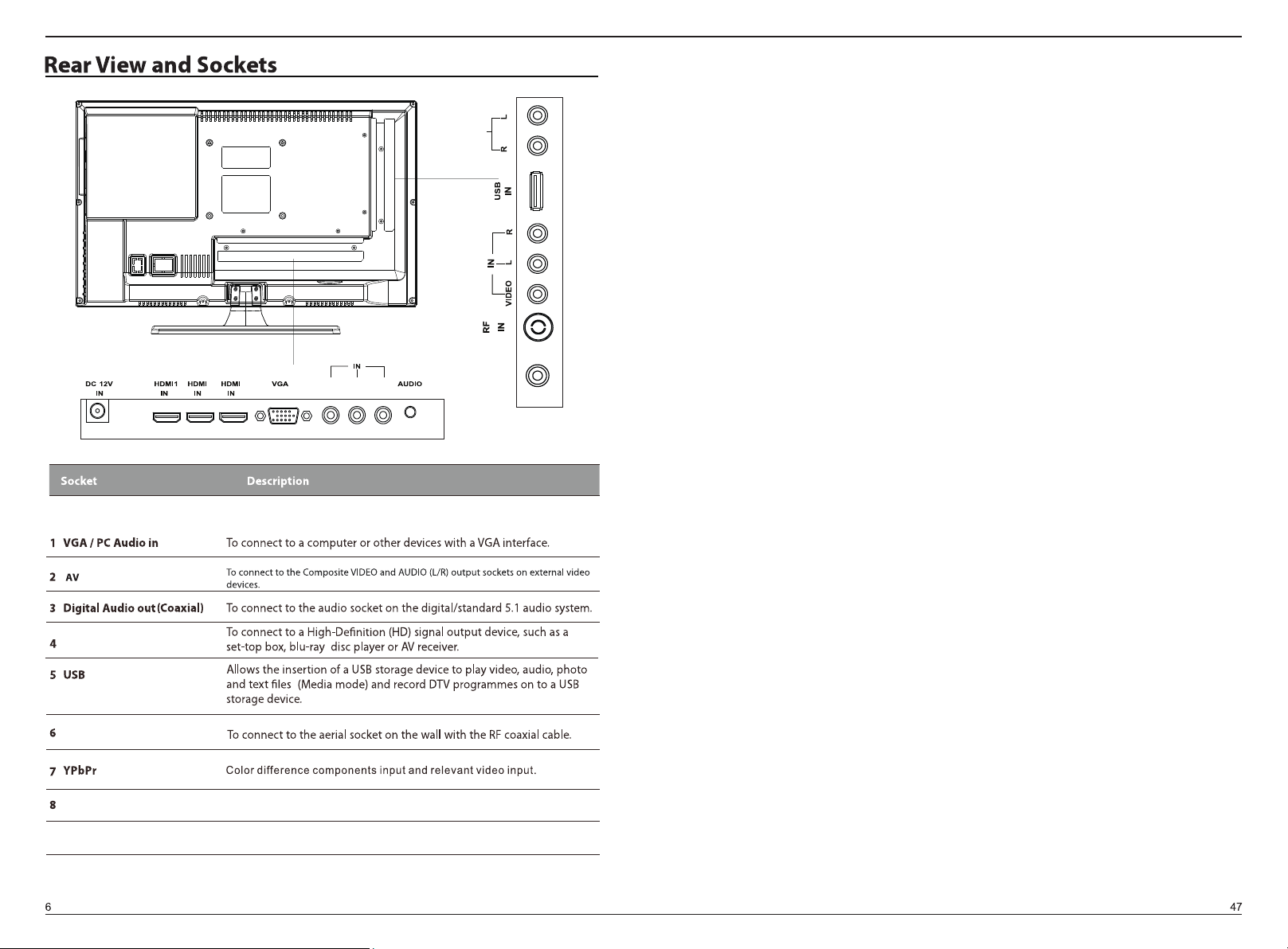
2 3
Y
Pb
Pr
ININ
PC
AUDIO OUT
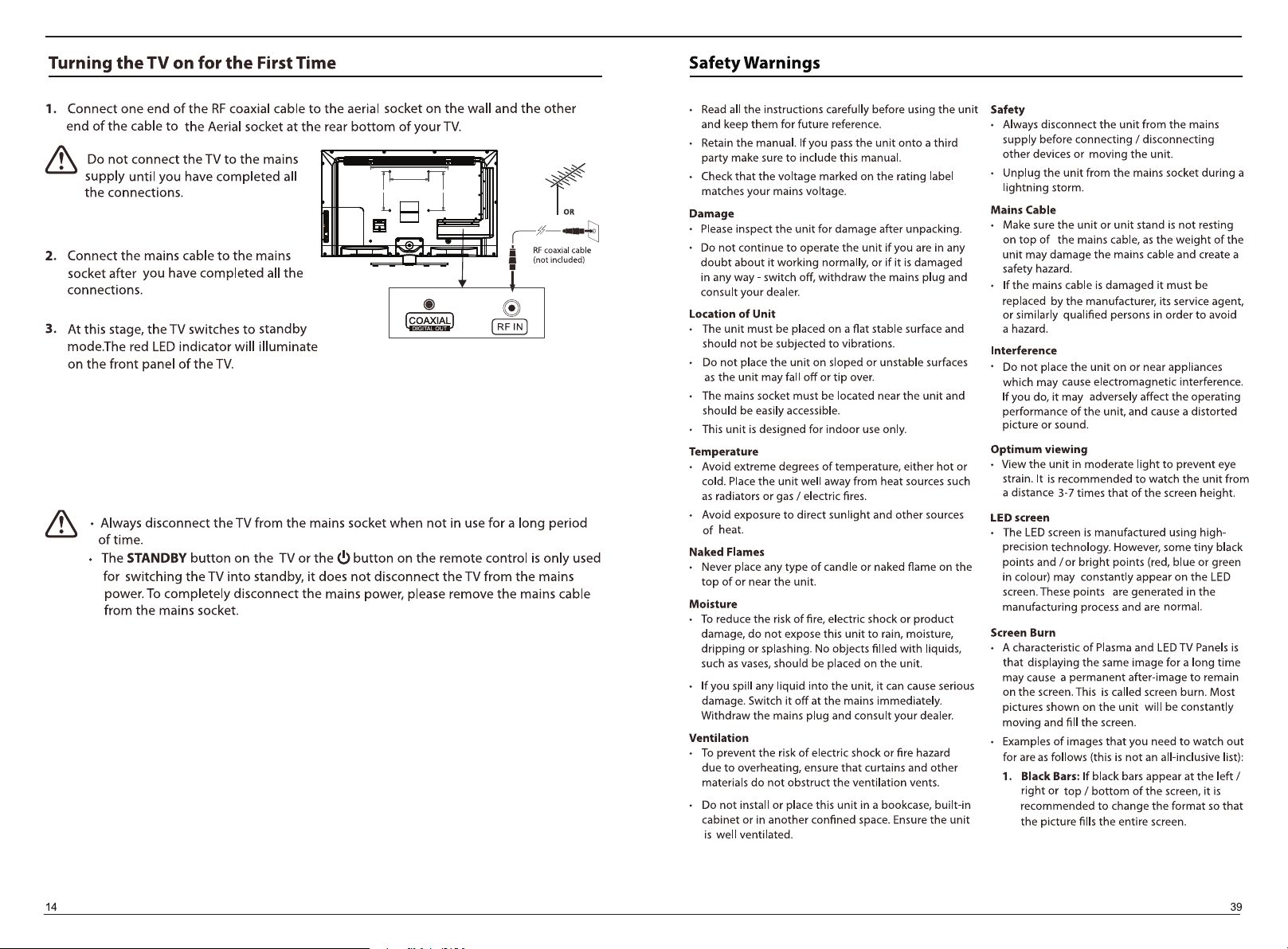
DIGITAL OUT
COAXIAL
HDMI1/HDMI2/HDMI3
RF
Connect to ‘AUX IN’ on RV/Board sound system or similar device.
12VDC
Connect the AC power pack to the 12V DC IN
connection on the TV.
9
Audio OUT
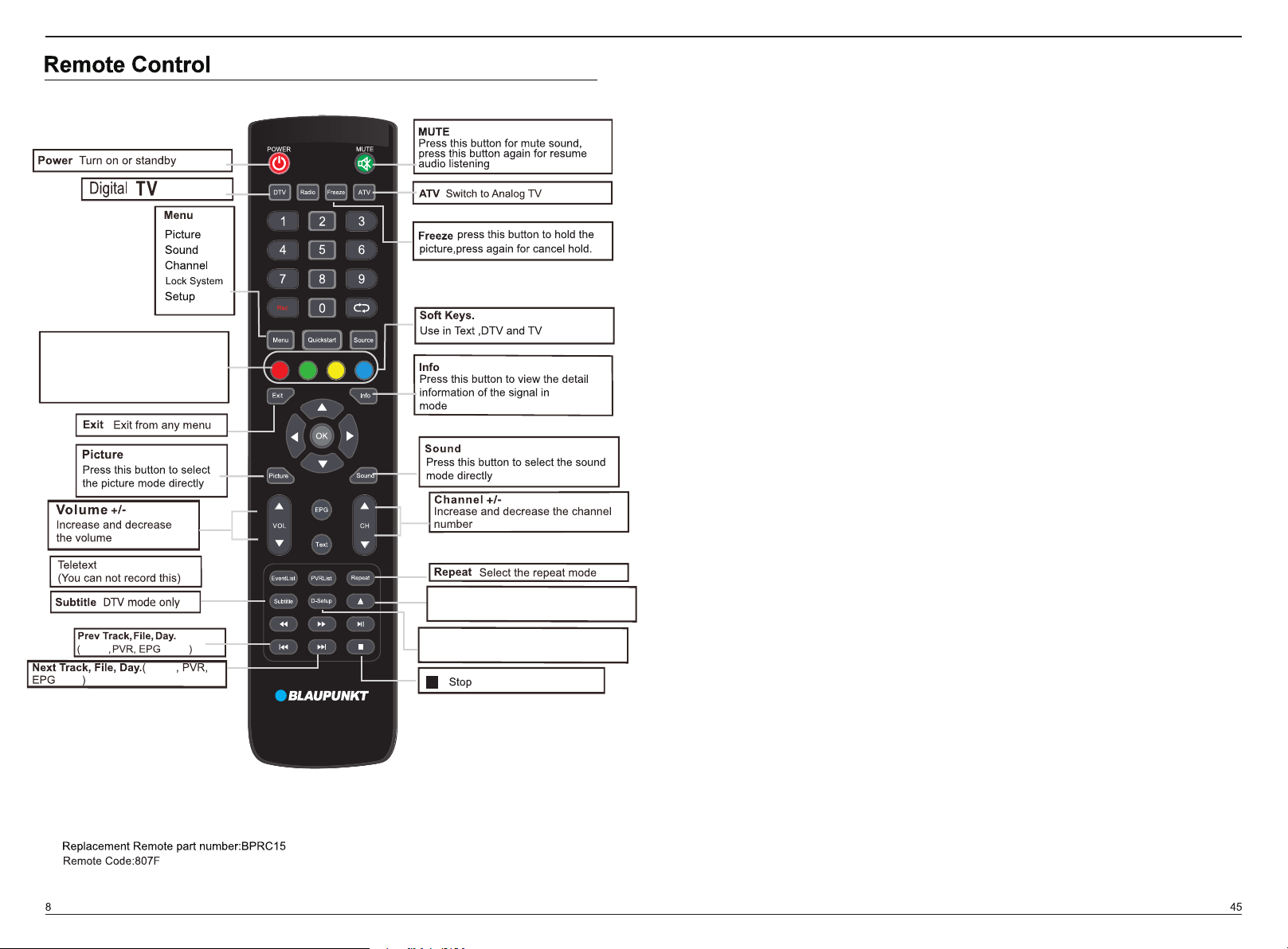
D-Menu Audio Goto
NicamFAV
A-B
D-Menu
D-Menu
Audio
Audio
Goto
Goto
NicamF
Nicam
AV
A-B
A-B
each
USB
,DVD
USB
,DVD
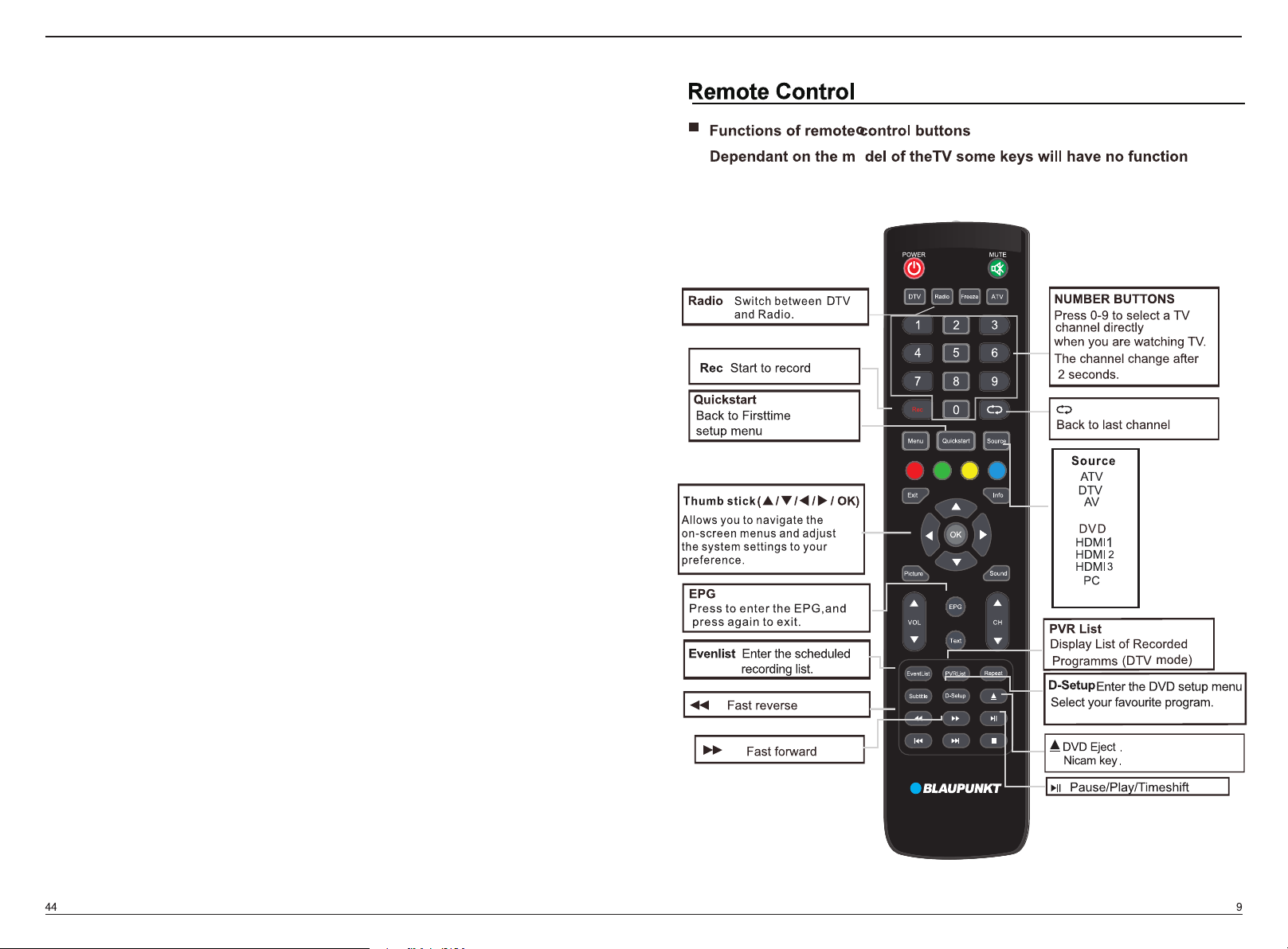
Press to change the language of the
audio in DTV or DVD source
Repeat the segment betwent A and B
Press to goto specific chapter in DVD
FAV
Favourite program channel button
Change audio mode:left,right,mono,stereo.
Display the DVD menu
D-Menu Audio Goto
NicamFAV
A-B
COMPONENT
MEDIA
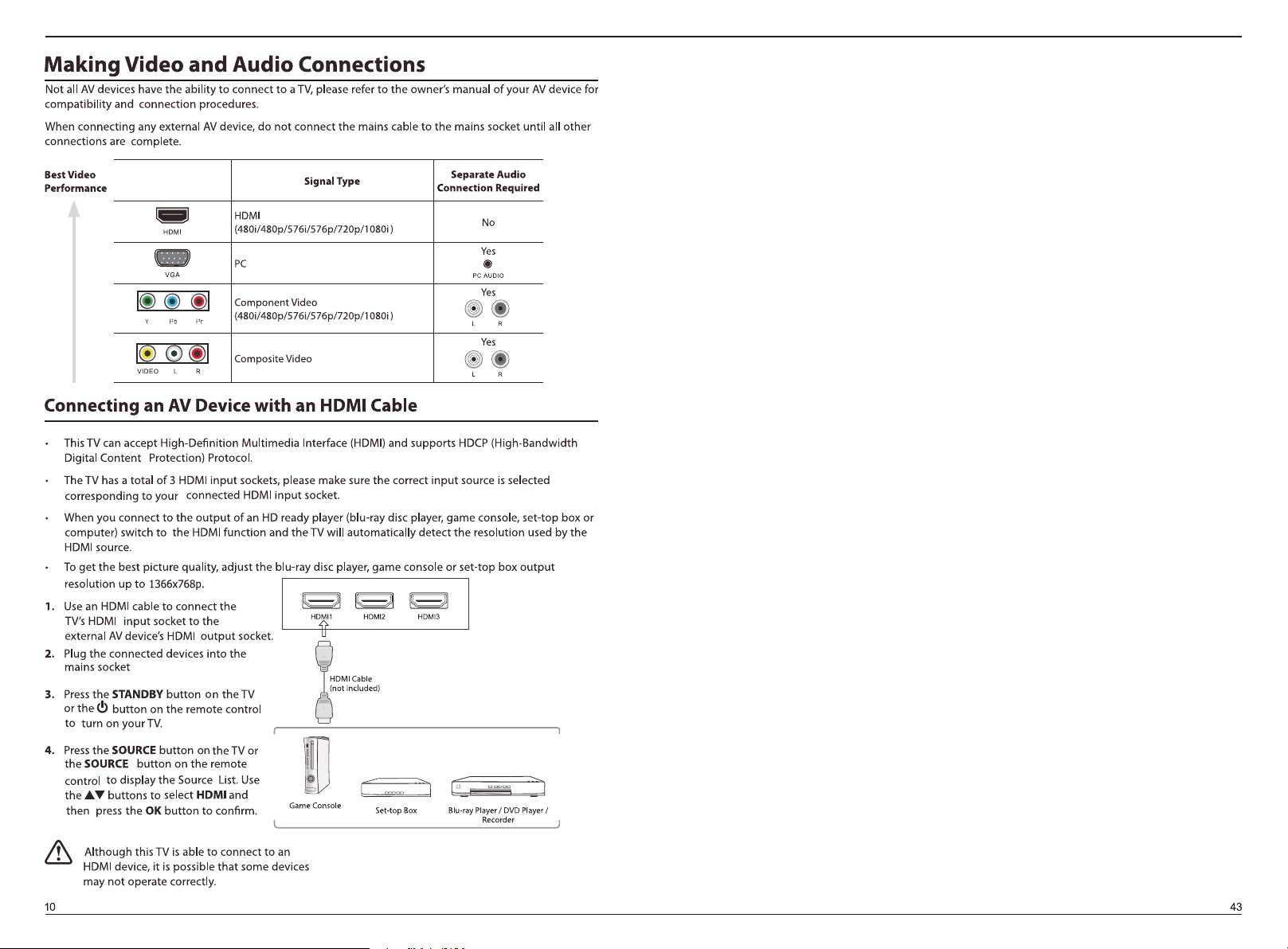
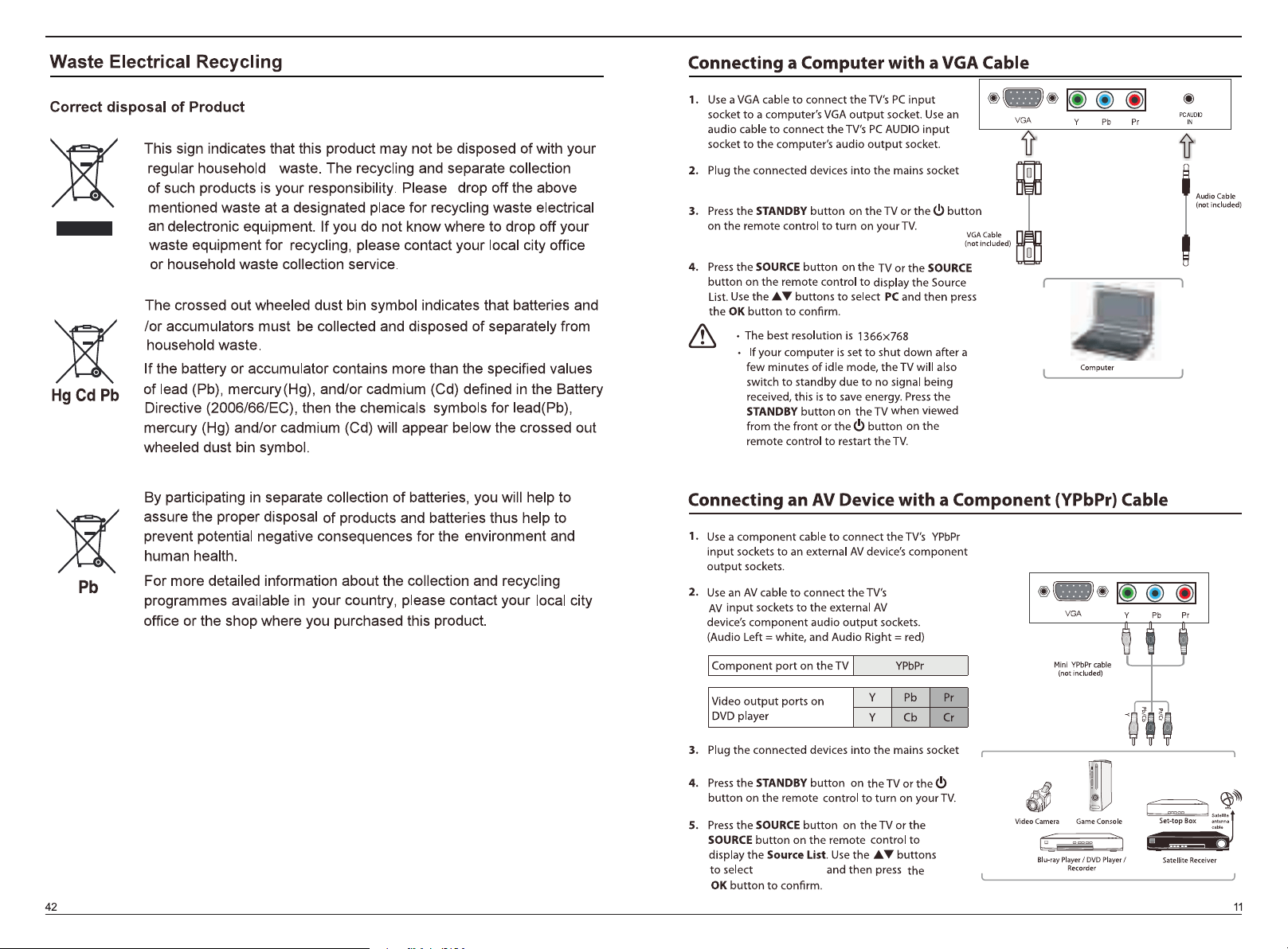
COMPONENT
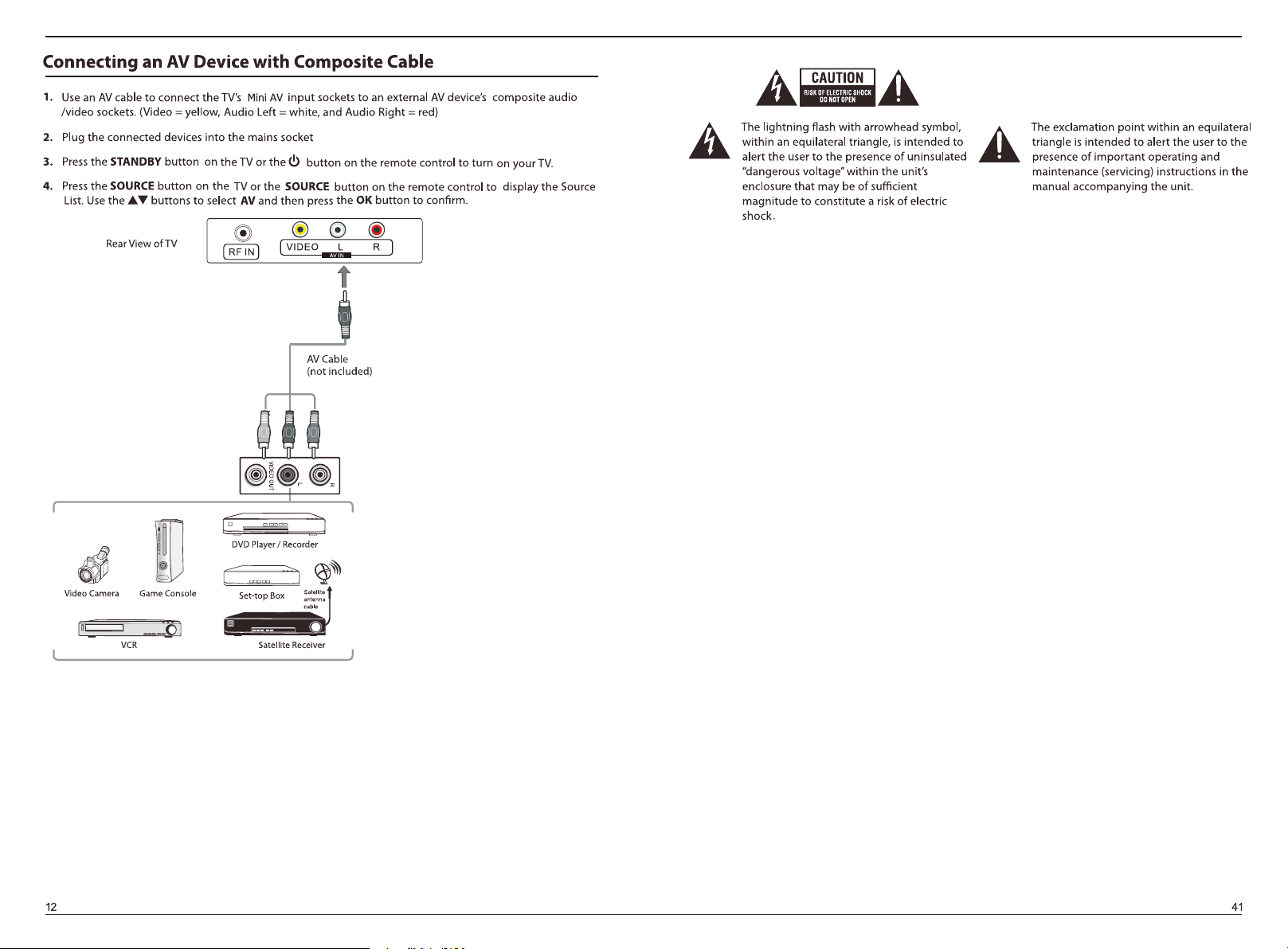
DTV
A
A
V
Component
DVD
HDMI1
HDMI2
PC
Media
HDMI3
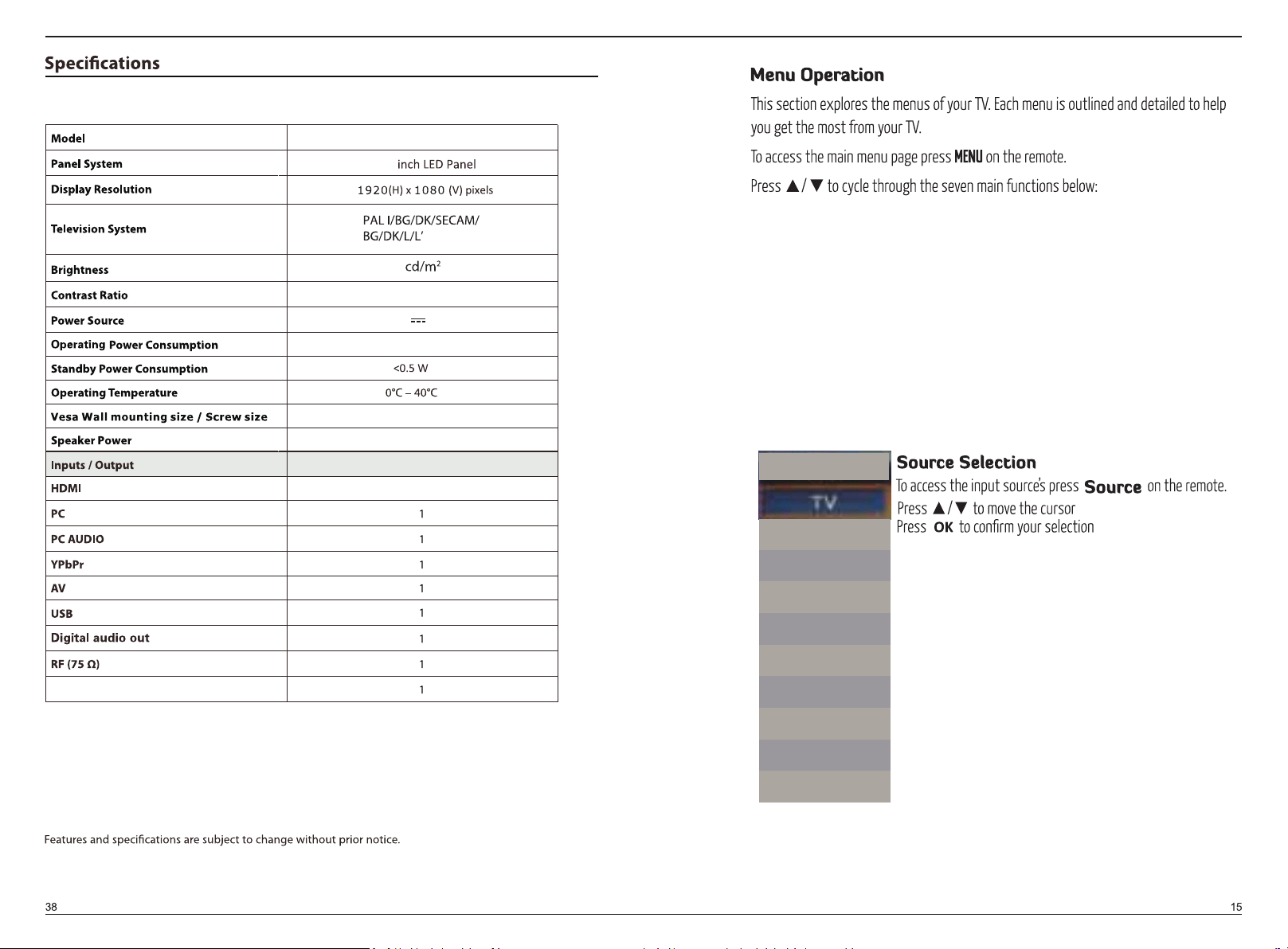
BP2212MHDV
21.5"
MAX48W
3W+3W
3
DC 12V 4A
100x100mm
1000:1
250
AUDIO OUT
PICTURE
SOUND
CHANNEL
FEATURE
SETUP
SOURCE

to factory setting.
Optimal
Soft
OFF
OFF
OFF
(Only ava ilable in ATV/DTV mode)
1920 x 1080
sub-menu
EQ
AVL
Bitstream
select
to factory setting.
AVL
Balance
ENTER
0
EQ
Off
Off
to control the volume automatically.
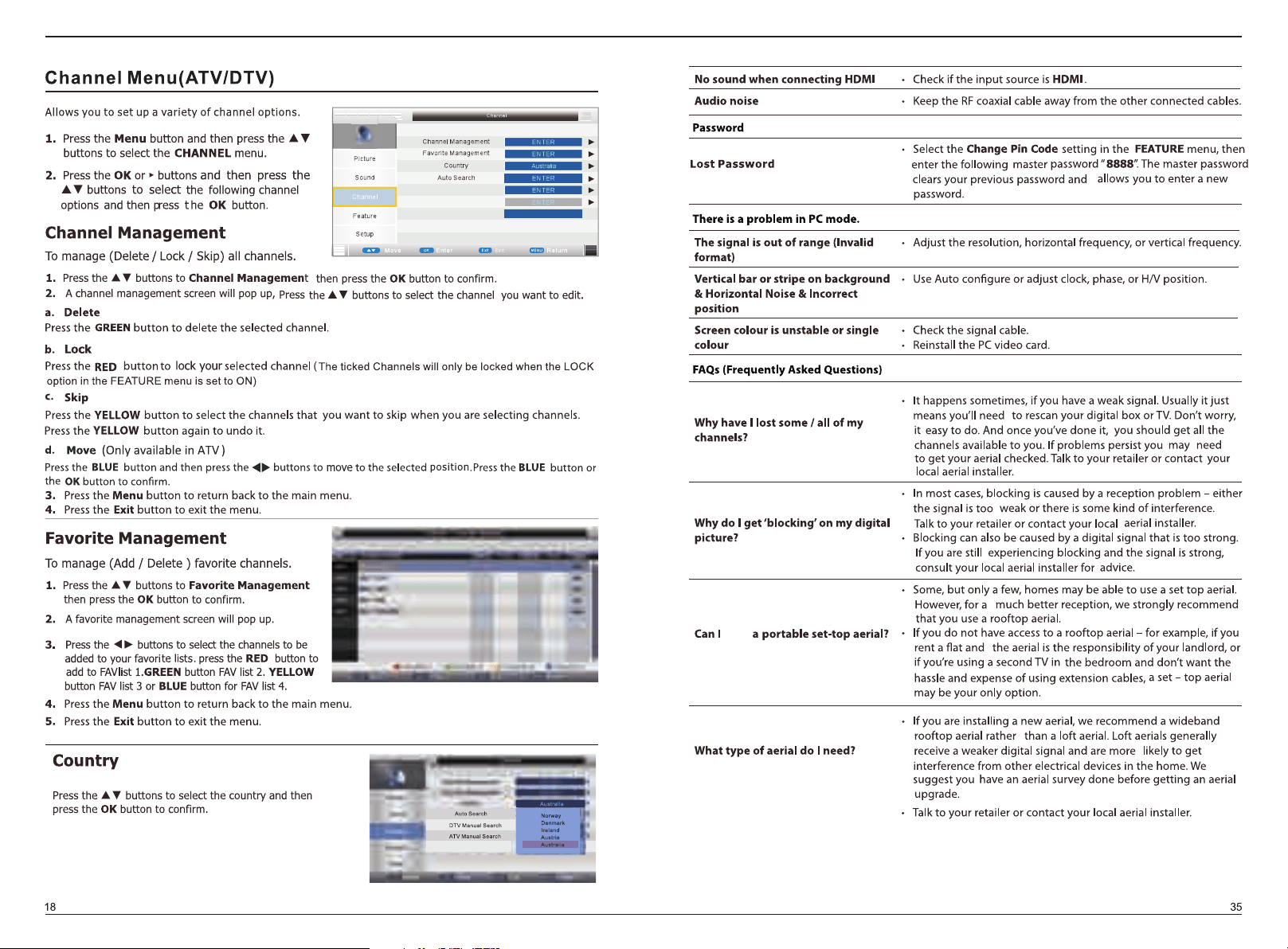
Digital Manual Search
Analogue Manual Search
LCN On/Off
On
use
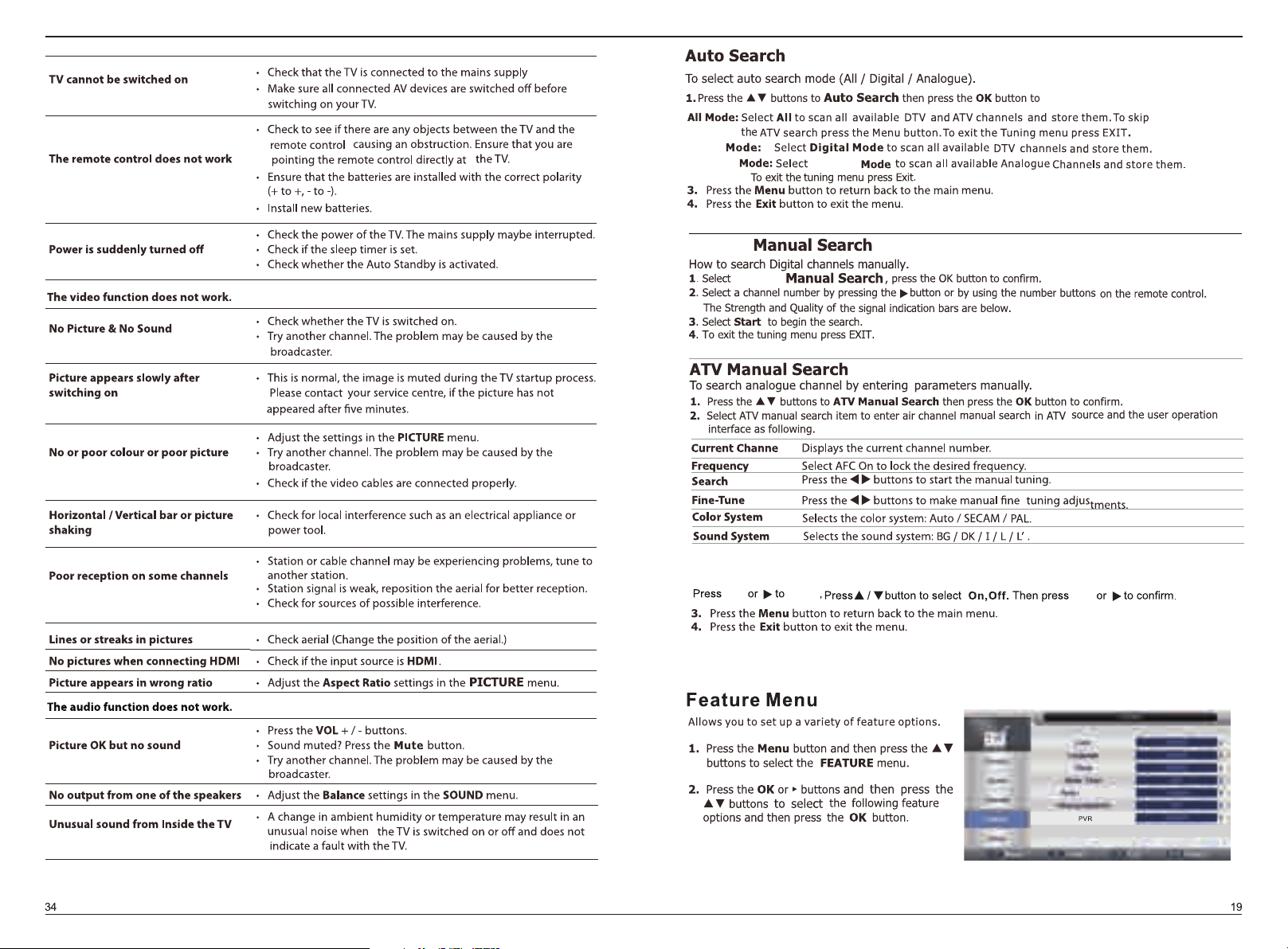
Digital
LCN On/Off
Digital
OK
OK
enter sub menu to select the following item.
Digital
Analogue
Analogue
button
Child
Power Off
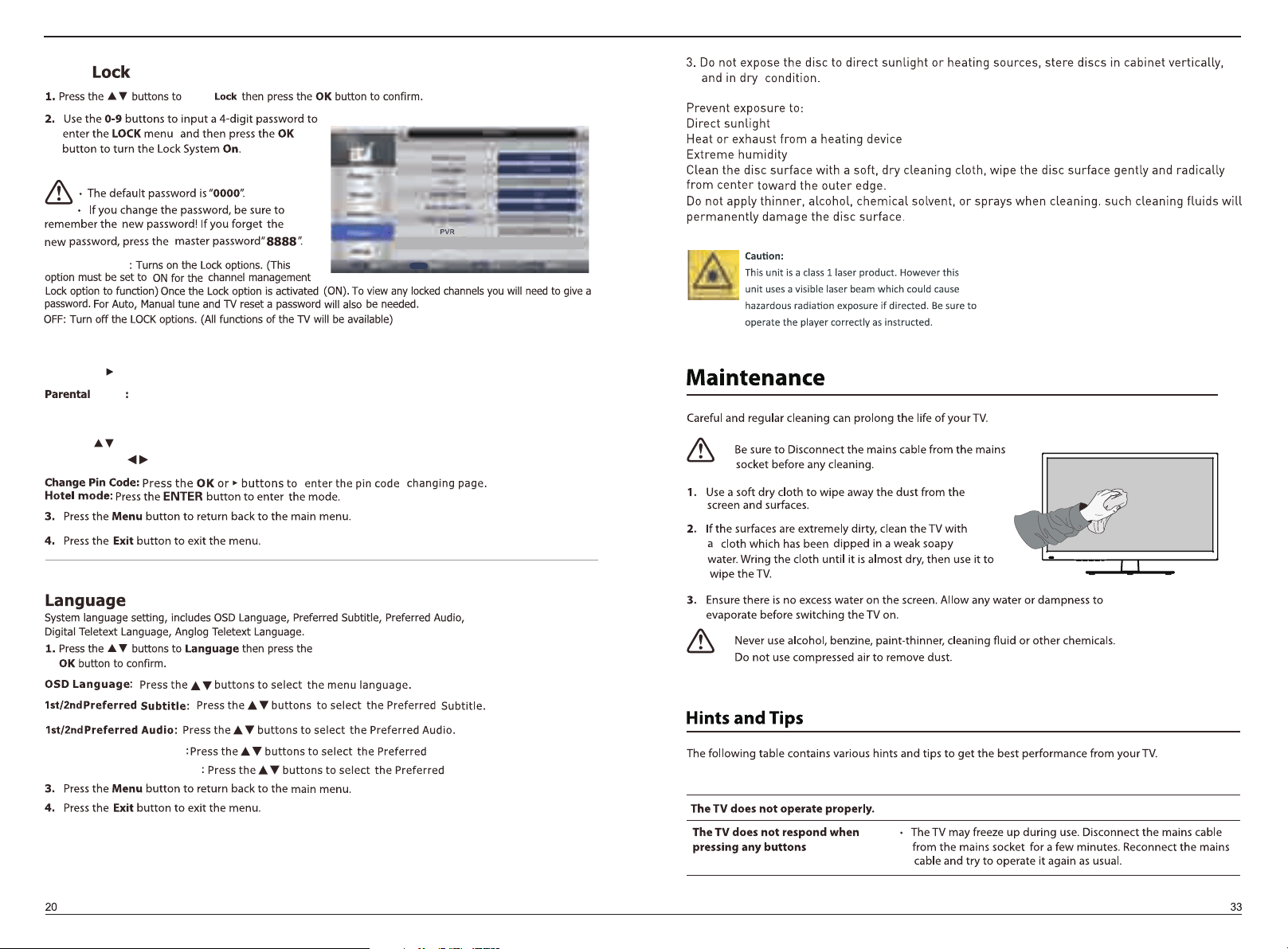
Child
Child Lock
Keypad Lock
Lock
Digital Teletex language
Analogue Teletex language
Digital Teletex language.
Analogue Teletex language.
Press OK or to select ON/OFF .
Child
Set to prevent Keypad from being used by your children, or other unexpected usage.
Press the button to select the Parental Rating,
then press the button to select No Block / Block R and above.../Block ALL.
No block: Turn off parental lock.
Block R and above - Block All: Turn on Parental Lock and set the parental rating level to show
programs below the level, while a password controls access to higher-level programs.
OK
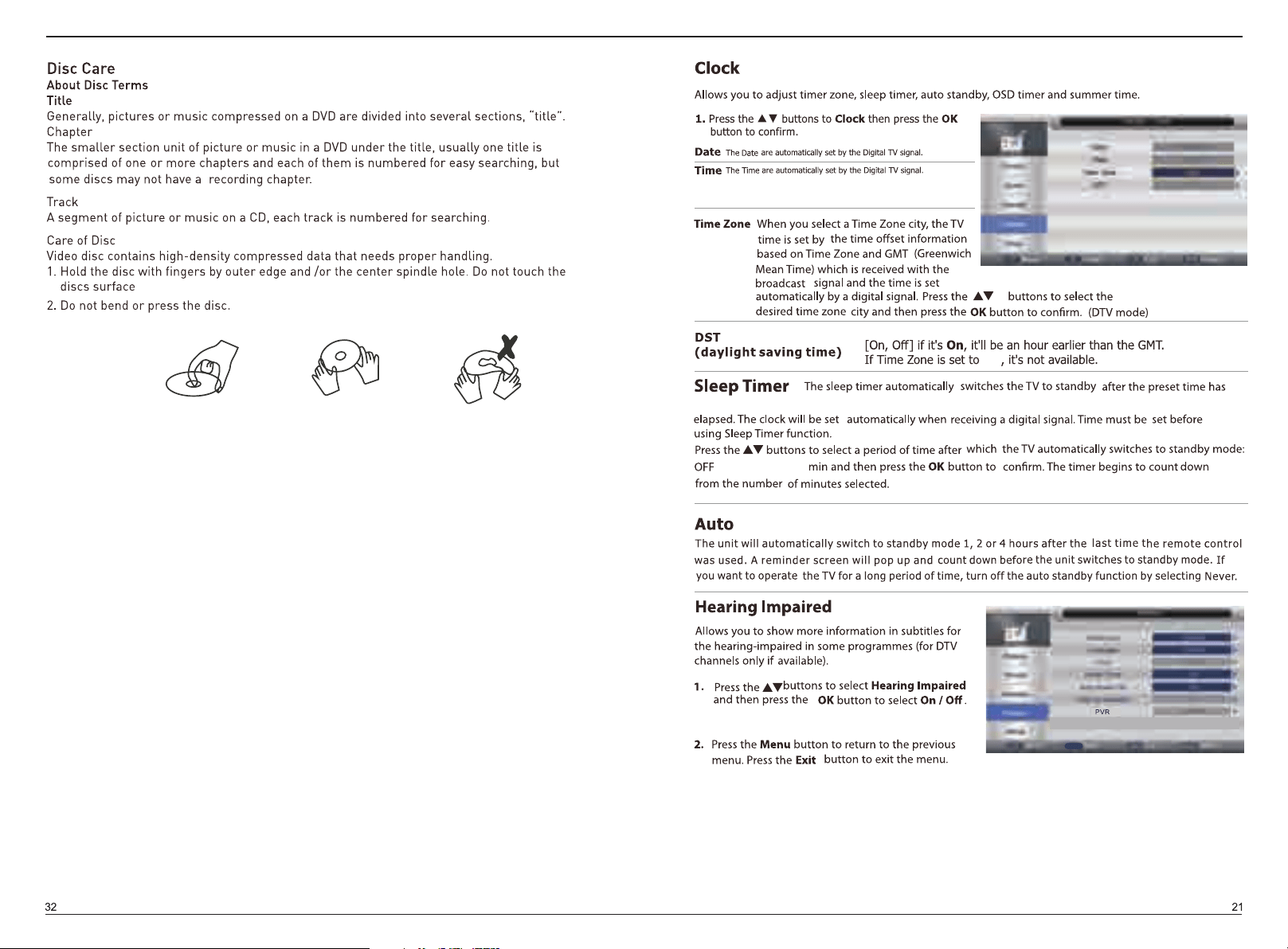
Off
/15/30/...105/120
Power Off
OK
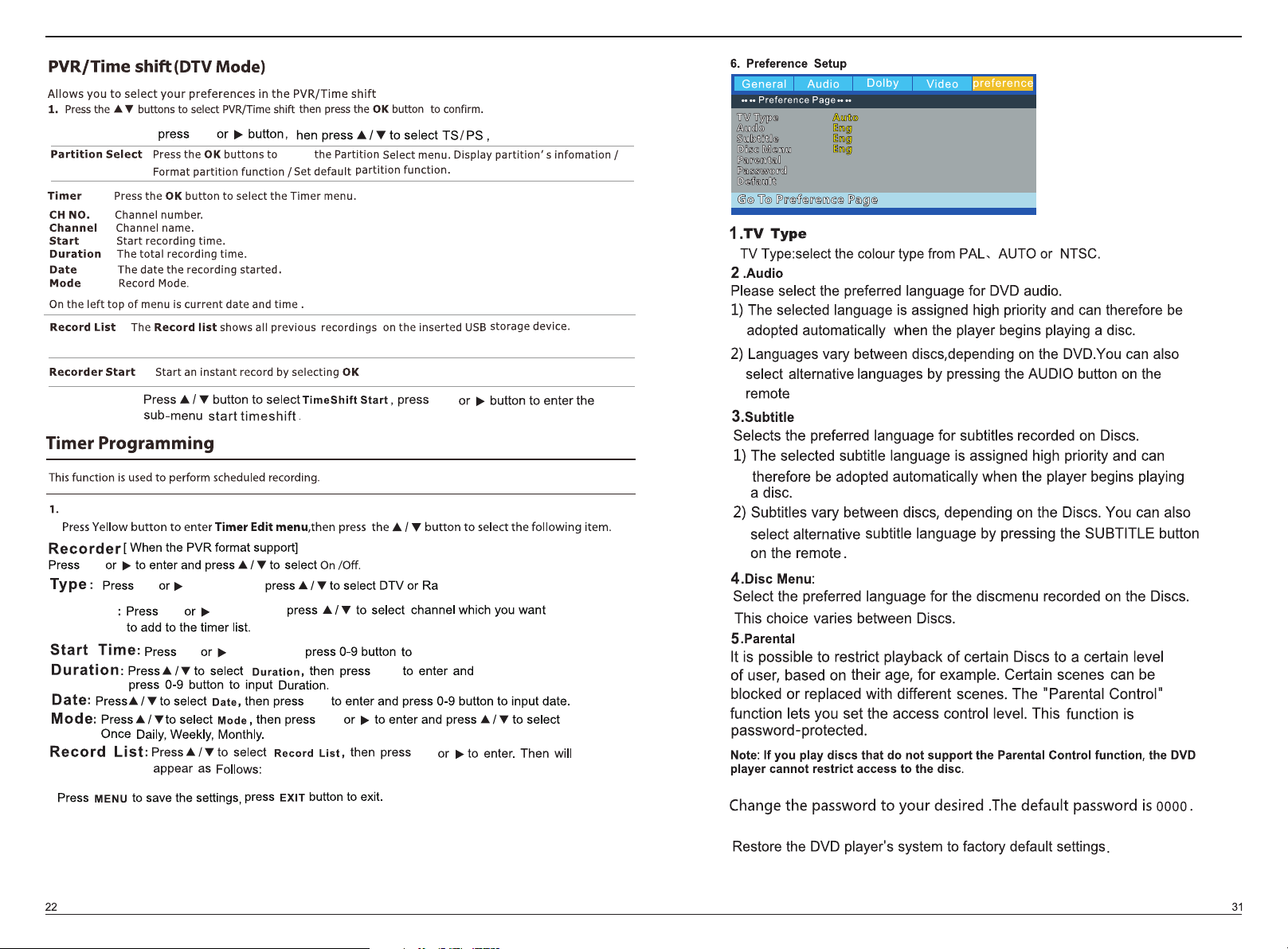
6.Password
7.Default
OK
Record File Format
Time Shift Start
OK
Press the evenlist button enter Timer menu .
you can also enter the Record list via press the PVRlist on the remote control.
Channel
OK
OK button,then
button,then
button,then set the record start time.
dio
OK
OK
OK
OK
OK
OK
t
enter
2.
3.
Info button.
NOTE: Text is not available in all regions.
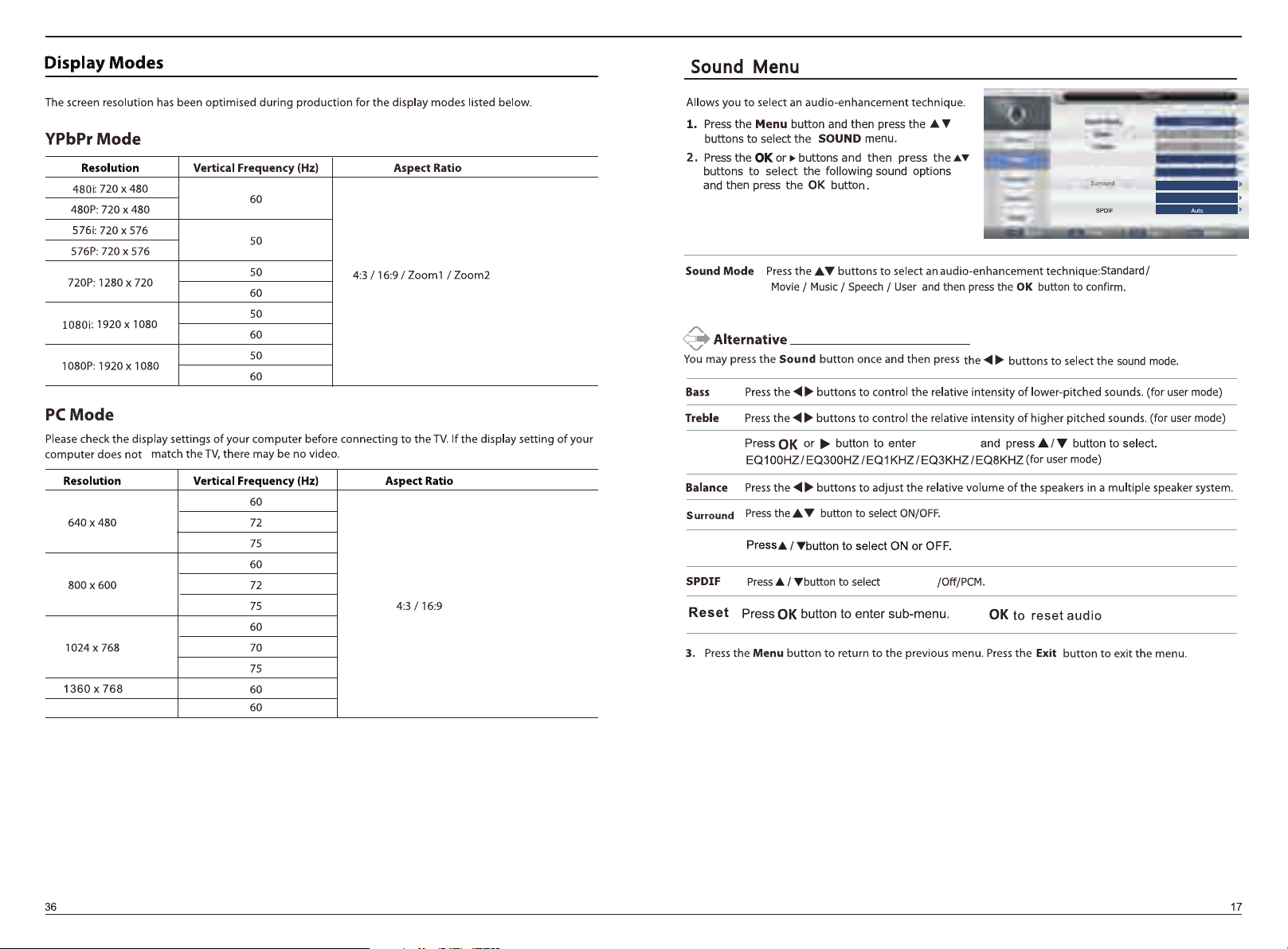
SOUND
cycle soundmode among Movie/Music/
speech/user/standard.
MENU
1.
2.
3.
Blue Mode
Press OK button to enter, then press button to select ON/OFF.
Press OK button to enter, then select OK to back to the Auto installation Menu.
Software Upgrade
Press OK button to enter, then select OK to upgrade the software.
(Only ava ilable on PC mode)
the sub-menu to select the following item.
Press button to select the previous/next file,
Press button to select the previous /next page.
rotate
/ BMP/PNG
/ BMP/PNG
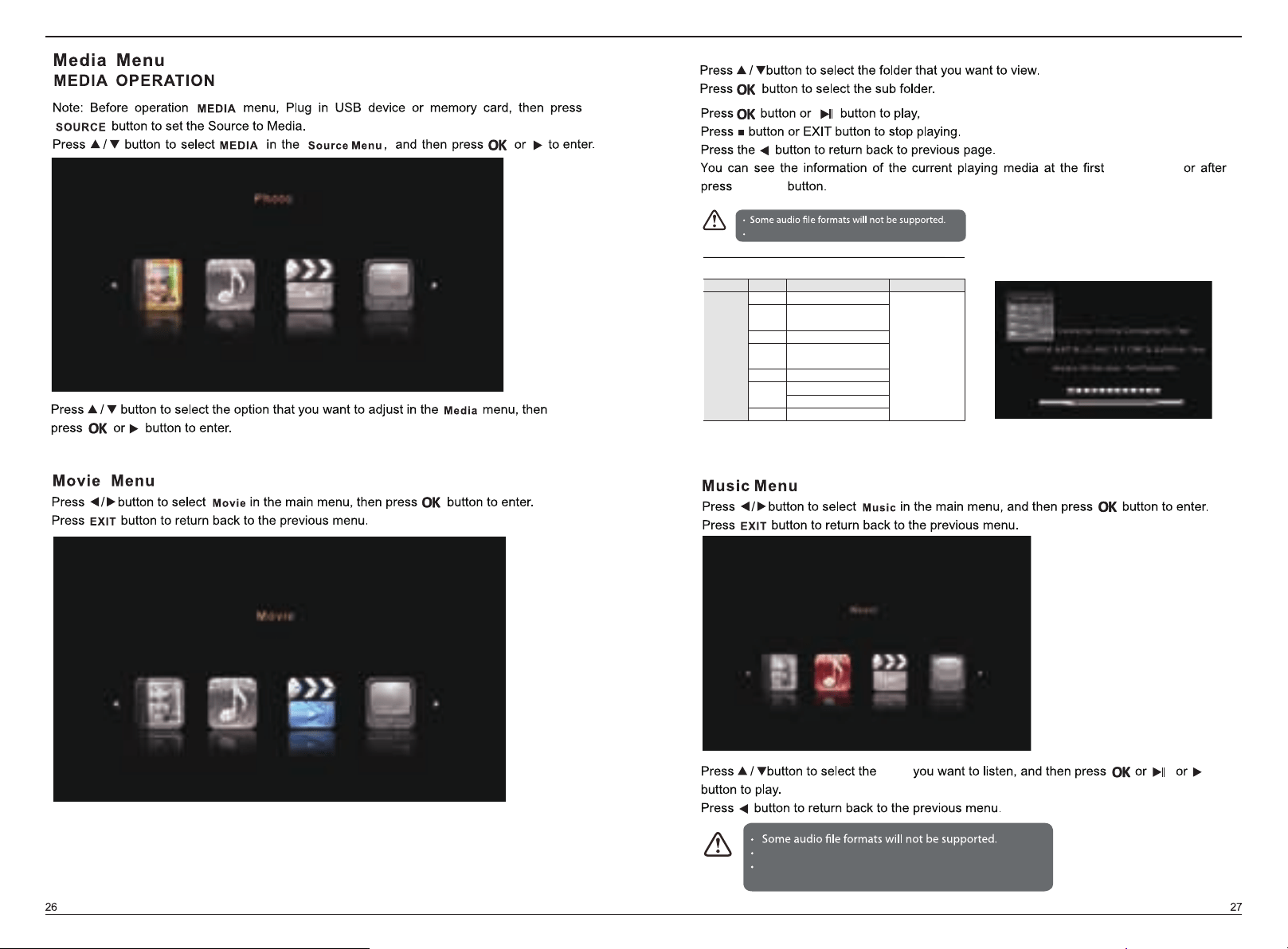
few seconds
INFOR
song
Supported file formats: MP3/AAC/M4A/WAV.
Supported Audio decoder:MP3/AAC/WAV.
Supported file formats and decoder is as follow:
Media Ext. Video Audio
.mpg MPEG-1, MPEG-e
.avi
Xvid, MJPEG,
MPEG-4 SP/ASP, H.264
.ts MPEG-2, H.264
.mov/.
mkv
MPEG-4 SP/ASP, H.264
.dat MPEG-1
MPEG-4 SP/ASP, H.264
.mp4
MPEG-1, MPEG-2
Movie
.vob MPEG-2
MP3, AAC,
AC3