2
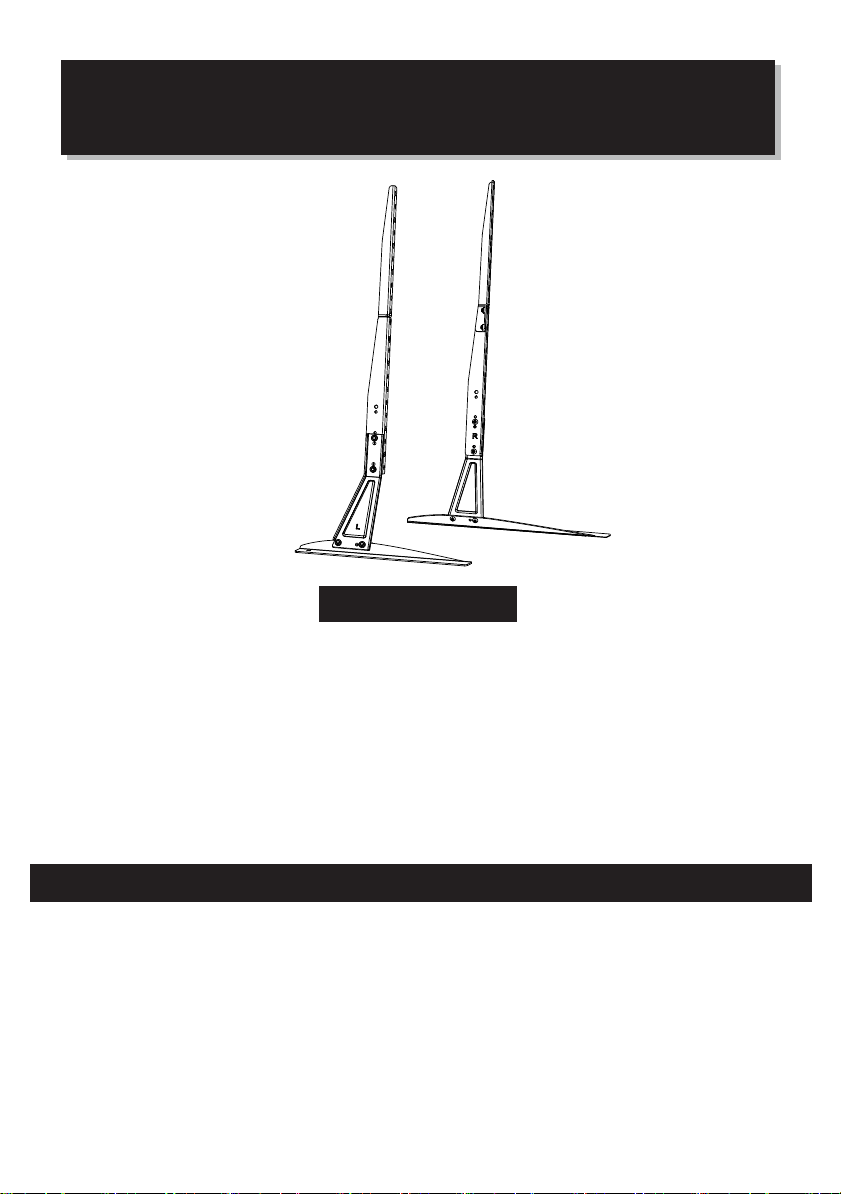
Model: PSTVS01
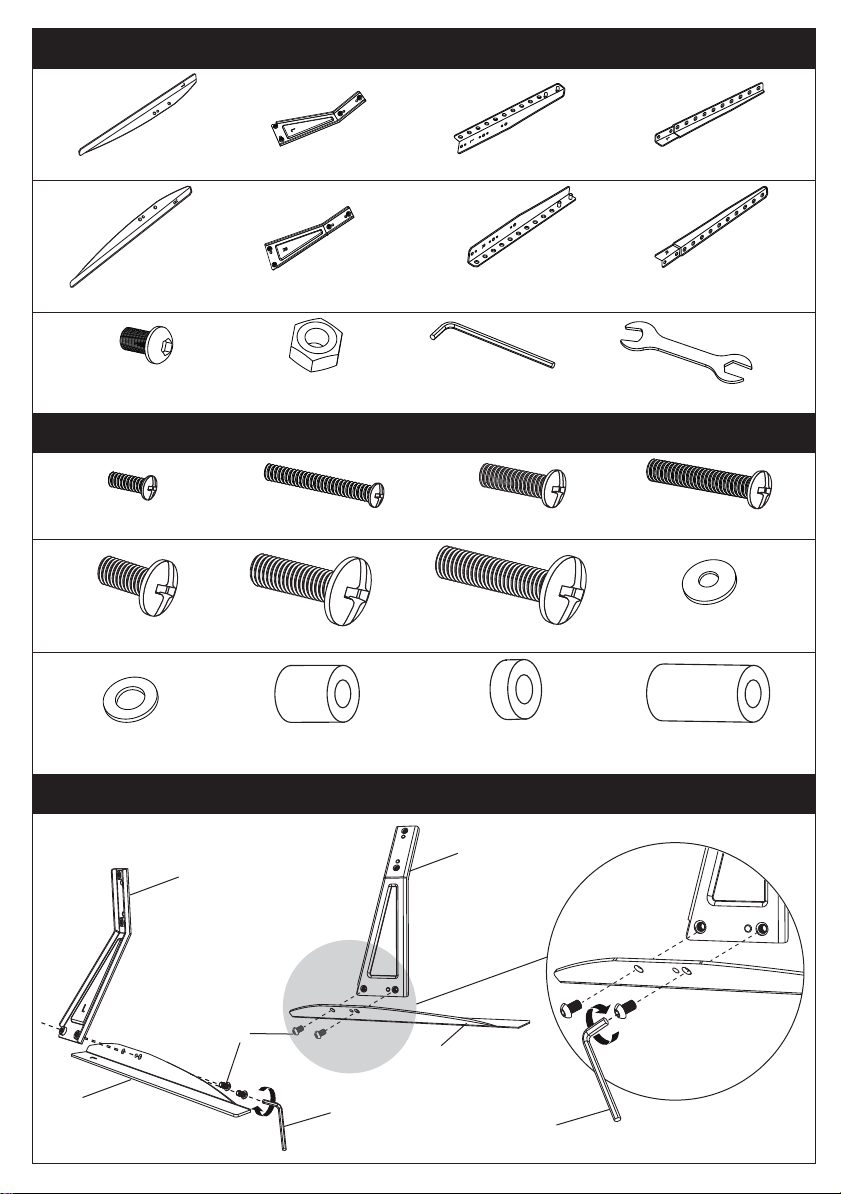
Supplied Parts and Hardware
Hardware for Attaching TV Brackets to TV
A1 x1
Left Base Plate
A2 x1
Left Junction Plate
B1 x1
Right Base Plate
C x8
M6x10 Bolt
G1 x4
M4x12 Bolt
I1 x4
M8x15 Bolt
I2 x4
M8x35 Bolt
I3 x4
M8x50 Bolt
J x4
M4/M5 Washer
K x4
M6/M8 Washer
M x8
L2.5mm Spacer
L x4
L10mm Spacer
N x4
L22mm Spacer
G2 x4
M4x30 Bolt
H1 x4
M6x15 Bolt
H2 x4
M6x35 Bolt
D x4
M6 Nut
B2 x1
Right Junction Plate
A3 x1
Left TV Bracket
B3 x1
Right TV Bracket
E x1
Allen Key
F x1
Wrench
A4 x1
Left TV Bracket
B4 x1
Right TV Bracket
• Please read through these instructions completely before attempting installation. If you do
not understand the instructions or have any concerns or questions, please contact customer
service at [email protected].
• Check package contents against Supplied Parts and Hardware List to assure that all
components were received undamaged. Do not use damaged or defective parts. If you require
replacement parts, contact customer service at
• Not all parts and hardware included will be used.
• Do not use this product for any purpose or in any configuration not explicitly specified in
this instruction. We hereby disclaim any liability for injury or damage arising from incorrect
assembly or incorrect use of this product.
IMPORTANT SAFETY INFORMATION
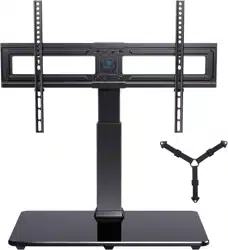
Table Top TV Stand
Instruction Manual
V8.0(B)
A2
A1
C
B1
B2
E
Step 1 Connect the Base Plates to Junction Plates
E
Thank you for choosing this product! We strive to provide you with the best
quality products and services in the industry. Should you have any issues,
please don't hesitate to contact us at
Technical Support:
1-800-556-6806 Mon-Fri 8am - 8pm(CST)
Other Info:
2
Model: PSTVS01
Supplied Parts and Hardware
Hardware for Attaching TV Brackets to TV
A1 x1
Left Base Plate
A2 x1
Left Junction Plate
B1 x1
Right Base Plate
C x8
M6x10 Bolt
G1 x4
M4x12 Bolt
I1 x4
M8x15 Bolt
I2 x4
M8x35 Bolt
I3 x4
M8x50 Bolt
J x4
M4/M5 Washer
K x4
M6/M8 Washer
M x8
L2.5mm Spacer
L x4
L10mm Spacer
N x4
L22mm Spacer
G2 x4
M4x30 Bolt
H1 x4
M6x15 Bolt
H2 x4
M6x35 Bolt
D x4
M6 Nut
B2 x1
Right Junction Plate
A3 x1
Left TV Bracket
B3 x1
Right TV Bracket
E x1
Allen Key
F x1
Wrench
A4 x1
Left TV Bracket
B4 x1
Right TV Bracket
• Please read through these instructions completely before attempting installation. If you do
not understand the instructions or have any concerns or questions, please contact customer
service at [email protected].
• Check package contents against Supplied Parts and Hardware List to assure that all
components were received undamaged. Do not use damaged or defective parts. If you require
replacement parts, contact customer service at
• Not all parts and hardware included will be used.
• Do not use this product for any purpose or in any configuration not explicitly specified in
this instruction. We hereby disclaim any liability for injury or damage arising from incorrect
assembly or incorrect use of this product.
IMPORTANT SAFETY INFORMATION
Table Top TV Stand
Instruction Manual
V8.0(B)
A2
A1
C
B1
B2
E
Step 1 Connect the Base Plates to Junction Plates
E
Thank you for choosing this product! We strive to provide you with the best
quality products and services in the industry. Should you have any issues,
please don't hesitate to contact us at
Technical Support:
1-800-556-6806 Mon-Fri 8am - 8pm(CST)
Other Info:
43
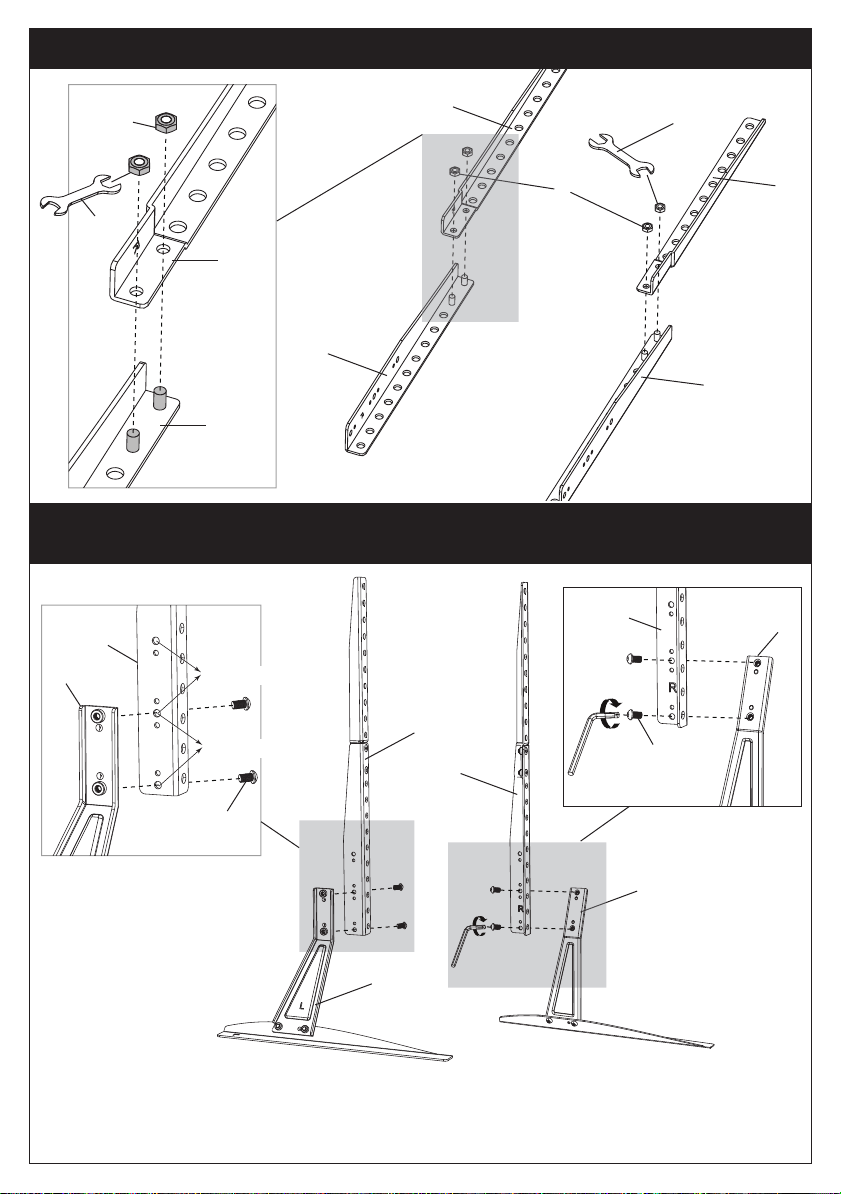
Step 2
Connect the TV Brackets
A3
B3
B3
C
B2
B2
A2
A2
A3
C
B4
D
B3
F
A4
A3
Step 3
There are two choices of height adjustment. You can choose the appropriate
height choice while securing the TV bracket on the holder.
Secure the TV Brackets on TV
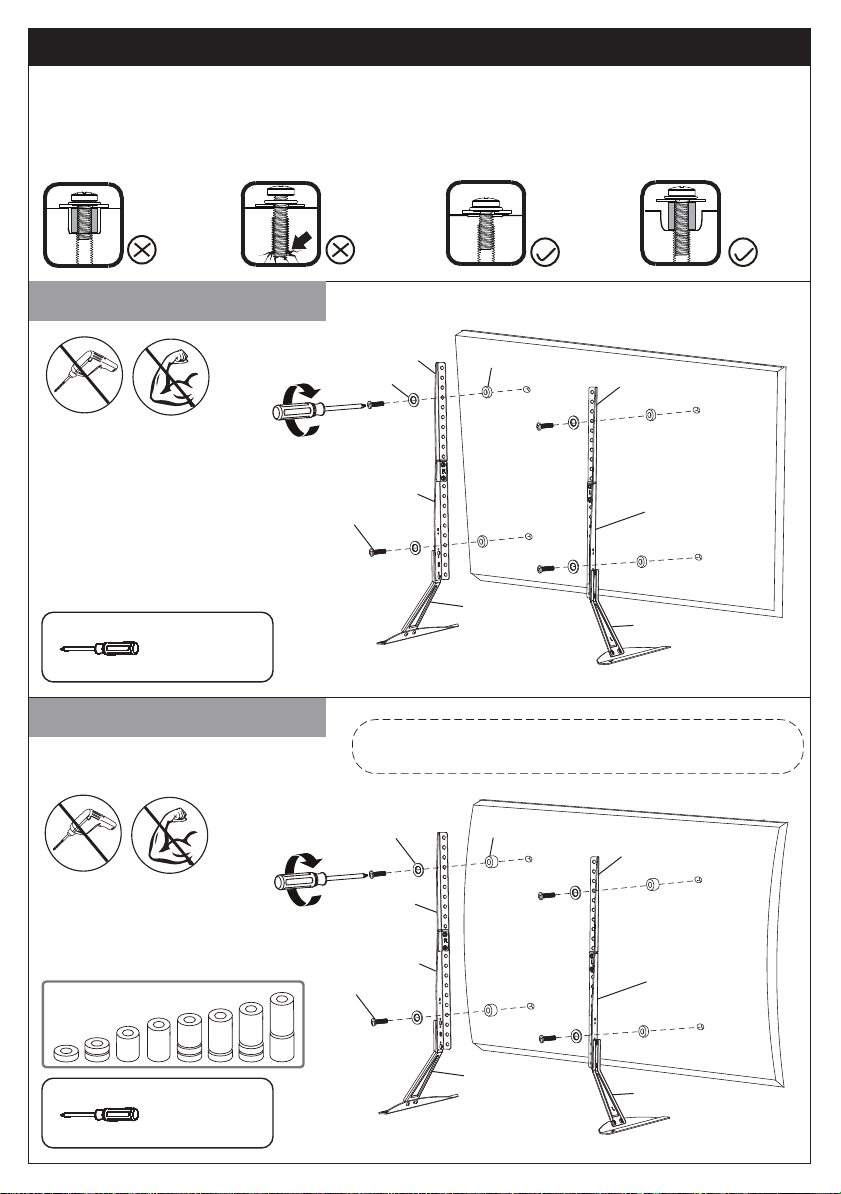
Step 4
Option A (For Flat Back TV)
A2
B2
Bolt length: Verify adequate thread engagement with bolts or bolts/spacers combination.
-Too short will not hold the TV.
-Too long will damage the TV.
Too Short Too Long Correct
Correct
Option B (For Round Back TV)
Note:
Put the bracket at the proper position for the VESA holes.
Secure the Bracket on the Holder According to Your Height
Choice
Option A
Option B
G1/H1/I1
TV
A4
A3
A2
B3
B4
B2
L/M/N(If needed)
G2/H2/I2/I3
J/K
TV
A4
A3
B3
B4
L/M/N(If needed)
Phillips
Screwdriver
(Not Included)
Phillips
Screwdriver
(Not Included)
D
B4
B3
F
Alternate Spacer Setups
J/K
43
Step 2
Connect the TV Brackets
A3
B3
B3
C
B2
B2
A2
A2
A3
C
B4
D
B3
F
A4
A3
Step 3
There are two choices of height adjustment. You can choose the appropriate
height choice while securing the TV bracket on the holder.
Secure the TV Brackets on TV
Step 4
Option A (For Flat Back TV)
A2
B2
Bolt length: Verify adequate thread engagement with bolts or bolts/spacers combination.
-Too short will not hold the TV.
-Too long will damage the TV.
Too Short Too Long Correct
Correct
Option B (For Round Back TV)
Note:
Put the bracket at the proper position for the VESA holes.
Secure the Bracket on the Holder According to Your Height
Choice
Option A
Option B
G1/H1/I1
TV
A4
A3
A2
B3
B4
B2
L/M/N(If needed)
G2/H2/I2/I3
J/K
TV
A4
A3
B3
B4
L/M/N(If needed)
Phillips
Screwdriver
(Not Included)
Phillips
Screwdriver
(Not Included)
D
B4
B3
F
Alternate Spacer Setups
J/K