Questions, problems, missing parts?
Before returning to your retailer, call our customer service
department at 1-833-695-2045, 8:30 a.m. - 5 p.m., EST, Monday - Friday.
Model Number: 37559-MNDB
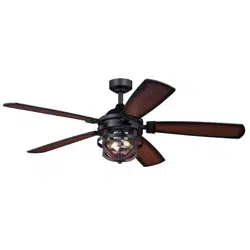
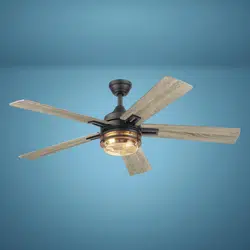
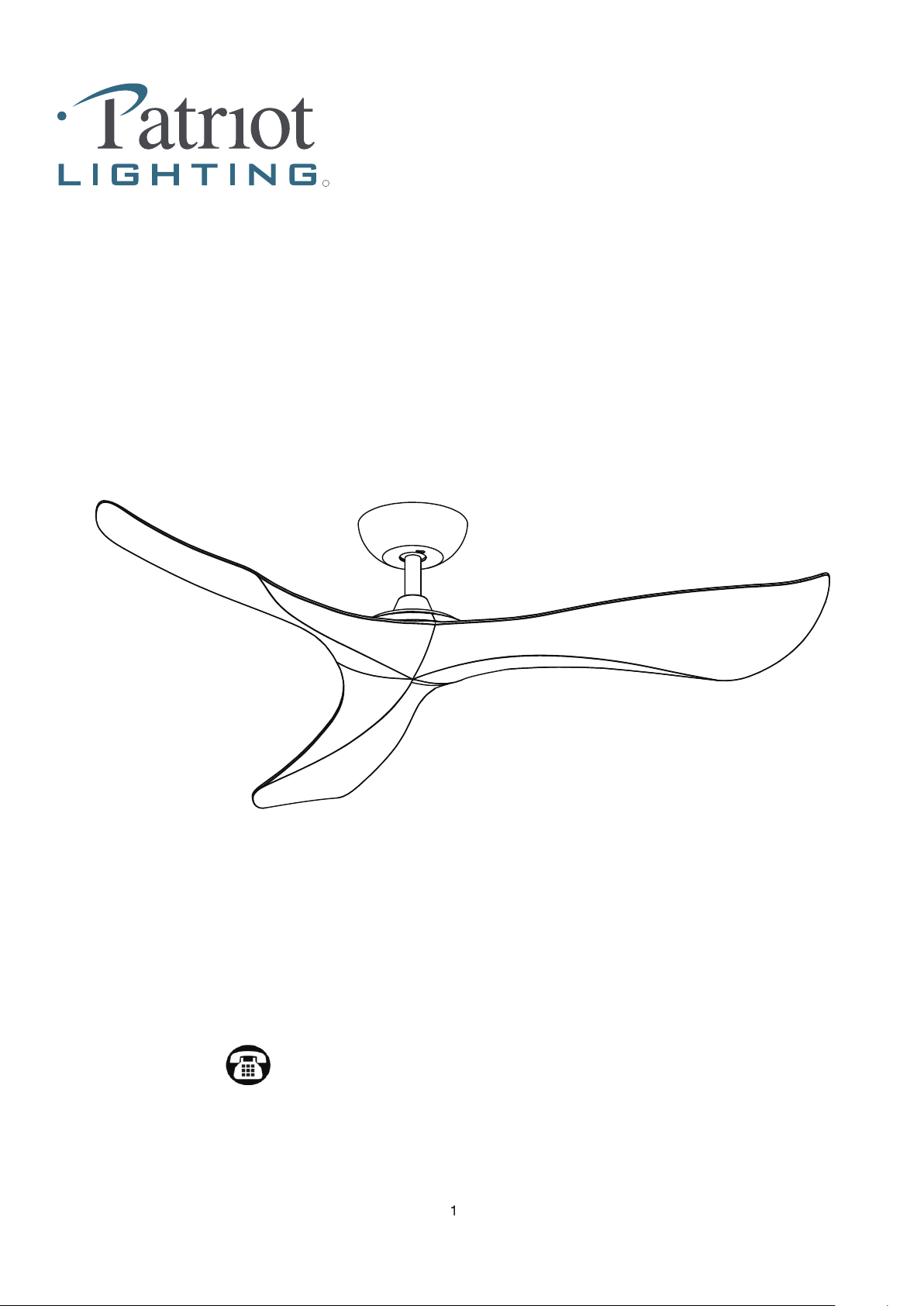
56” GANNON Ceiling Fan
R
Sku Number: 355-0717
- Prior to installation of this ceiling fan or removal of a previous ceiling fan, disconnect the power by
turning off the circuit breaker or by removing the fuse at the fuse box.
Consult a qualified electrician for installation of this fan.
Read all instructions before installing.
Please read and understand this entire manual before attemptingto assemble, operate or install the product.
WARNING
CAUTION
RISK OF ELECTRIC SHOCK
This product must be installed in accordance with the applicable installation code by a person familiar with the construction and
operation of the product and hazards involved.
SAFETY INFORMATION
To reduce the risk of injury, install the fan so that the blades are at least 2.10 Meters (7 Feet) above the floor and at least 0.5 Meter
(18 inches) from the tip of the blades to the wall.
All set screws must be checked and retightened where necessary before installation.
To reduce the risk of personal injury, do not bend the blade brackets when installing, balancing the blades, or cleaning the fan.
Do not insert foreign objects in between rotating fan blades.
Before changing the fan direction, turn off the fan and wait for the fan blades to stop completely.
NOTE:
The safeguards provided by these safety instructions and by the separate installation instructions are not meant to cover all possible
conditions and situations that may occur. It must be understood that common sense, caution and care are factors which cannot be built into
this product.
These factors must be supplied by the person(s) installing, caring for, and operating the fan.
2
LIMITED LIFETIME WARRANTY
The limited lifetime warranty covers this ceiling fan, for residential use by the original purchaser, against defects in
material or workmanship as follows:
If your Patriot Lighting ceiling fan motor fails at any time due defects in material or workmanship, we will provide a
replacement part free of charge.
If your fan motor fails at any time within one year after the original date of sale to the original purchaser due to defects
in material or workmanship, we will provide labor to repair the defect, with the exception of take down/reinstallation,
free of charge. The original purchaser will be responsible for all labor costs after this one year period.
If no replacement parts are provided for any part of your fan motor due to defects in material or workmanship, we will
refund the original purchase price of your fan.
If your fan blades, remote controller / pull chain switch, reverse switch, or any accessory, except glass globes and light
bulbs, fails at any time within one year after the original date of purchase due to a defect in material and workmanship,
we will repair or, if we choose, replace the defective blades, switch, or accessory free of charge, with the exception of
take down/reinstallation services.
If the original purchaser ceases to own the fan, this warranty and any implied warranty, including but not limited to any
implied warranty of merchantability or fitness for a particular purpose, become void. This warranty and any implied
warranty, including but not limited to any implied warranty of merchantability or fitness for a particular purpose, do not
cover glass globes, light bulbs, or finish on any metal portions of the fan.
This warranty is in lieu of express warranties. The duration of any implied warranty of merchantability or fitness for a
particular purpose, with respect to any Patriot Lighting ceiling fan motor, blades, switch, or accessories, is expressly
limited to the period of the express warranty set forth above for such motor, blades, switch, or accessories.
This warranty excludes defects, malfunctions, or failures of any Patriot Lighting fan that are caused by repairs by
persons not authorized by us, use of parts or accessories not authorized by us, mishandling, improper installation,
modifications or damage to the fan while in your possession, or unreasonable use, including failure to provide
necessary maintenance.
To obtain service, contact Patriot Lighting Service Department at 1-833-695-2045, 8:30 a.m. - 5 p.m., EST, Monday - .
center. A copy of sales receipt is required in order to obtain service. We will return your fan freight prepaid. Your fan
should be properly packed to avoid damage in transit, for we will not be responsible for any such damages.
In no event shall Patriot Lighting fan be liable for consequential or incidental damages.
Some states do not allow the exclusion or limitation of consequential or incidental damages, in which case the above
limitation or exclusion may not apply.
This warranty gives you specific legal rights and you may also have other rights which vary from state to state.
3
Friday. You will be responsible for all insurance and freight or other transportation charges to our factory or service
Patriot Lighting fixtures, components, and electronic products, when properly installed and under normal conditions of use, are warranted
to be free from defects in materials and workmanship for one year from date of sale.
This Limited Lifetime Warranty includes motor and motor-related parts only, which will be replaced or repaired as determined by Patriot
Lighting during the period in which this warranty is in effect, as further defined below.
Lighting Fixture Warranty
Ceiling Fan Warranty
4
Estimated Assembly Time: 25-35 minutes
PREPARATION
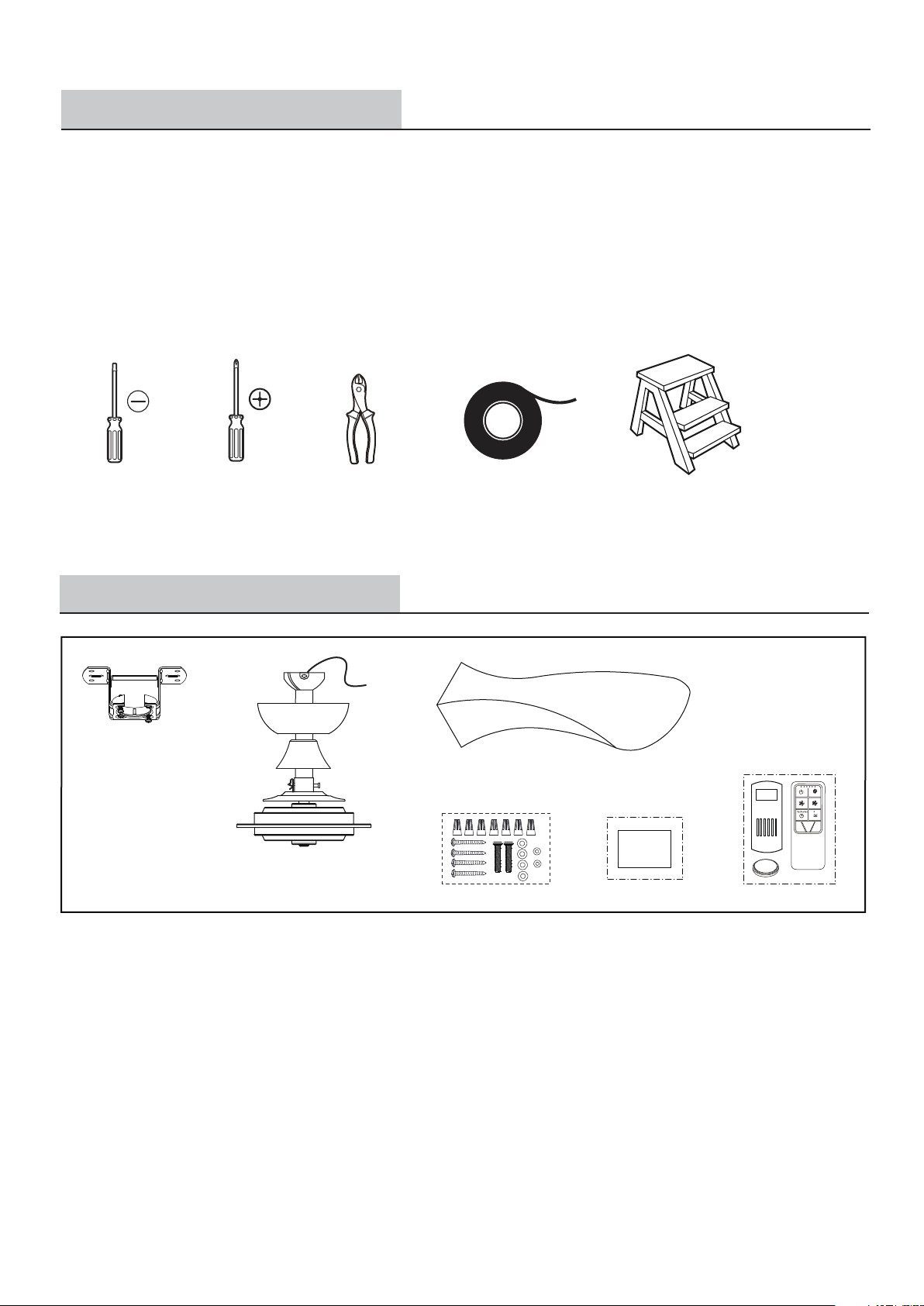
TOOLS REQUIRED
To avoid damaging the product, assemble it on a soft, non-abrasive surface, such as carpet or cardboard. Inspect each part for defects
such as the wire insulation for any cuts, abrasions, or exposed copper that may have occurred during shipping. If there is a defect in the
wire, do not continue the assembly process.
PRE-INSTALLATION
Flathead
screwdriver
Phillips
screwdriver
Electrical tape
PACKAGE CONTENTS
Unpack your fan and check the contents. You should have the following items.
1.) Hanger Bracket
2.) Fan Motor Assembly
4.) Hardware Kit (Included Wire nuts * 7pcs, Wood screws * 4pcs, Outlet box screws * 2pcs, Metal washers * 4pcs and Spring washers * 2pcs)
5.) Installation Instructions
6.) Remote Control Set (Included Transmitter & Receiver & Battery)
1
4
3
5
6
Installation
Instruction
Step ladder
Wire cutter
3.) Blade Set
CR2032
2
EXPLODED VIEW DETAIL
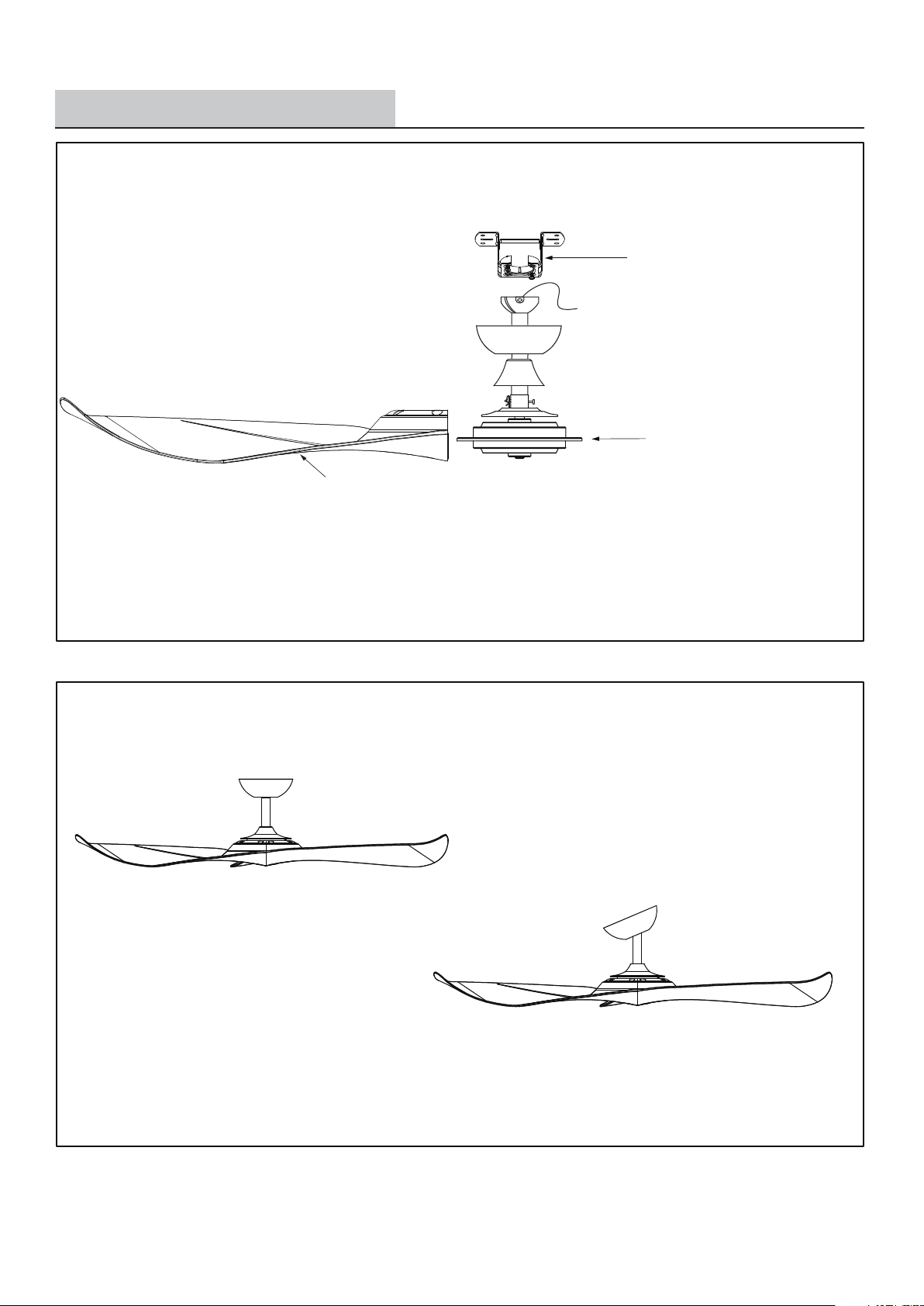
Downrod Mount
Slope Ceiling Mount (Up to 23 degrees)
Dual Mount Drawing
Hanger Bracket
Fan Motor Assembly
Fan Blade
5

INSTALLATION INSTRUCTIONS
Installation Steps:
IMPORTANT:
BEFORE YOU BEGIN INSTALLING THE FAN, CAREFULLY READ ALL INFORMATION ON PAGE 2 “SAFETY INFORMATION” AS
WELL AS THE FOLLOWING "INSTALLATION INSTRUCTIONS". IF IN DOUBT, CONSULT A QUALIFIED ELECTRICIAN.
SAVE ALL INSTRUCTIONS.
Note: The fan weight is 12.67 lbs (5.75 kg). Be sure the outlet box you are using is securely attached to the
building structure and can support the full weight of the fan. Failure to do so can result in serious injury.
1
Turn OFF the electric power at the
main fuse or circuit breaker box.
WARNING - Make sure power is
off before attempting installation.
Install hanger bracket onto the outlet box in ceiling using two machine screws,
two washers and two lock washers. To reduce the risk of fire, electric shock,
or personal injury, mount to an outlet box marked "Acceptable for fan support
of 15.9 kg (35 lbs) or less", and use mounting screws provided in assembly kit.
2
Hanger Bracket
Ceiling Joist
Wood Member
(2" x 4" Approx.)
Outlet Box
6
Ceiling
Screws
Note: For slope ceiling installation, make sure that the hanger
bracket opening is facing up-side.
THE INSTALLATION HAS TO BE IN ACCORDANCE WITH THE NATIONAL ELECTRICAL CODE, ANSI/NFPA 70-1999 AND LOCAL
CODES. IF YOU ARE UNFAMILIAR WITH THE METHODS OF INSTALLING ELECTRICAL WIRING, SEEK THE SERVICES OF A
QUALIFIED LICENSED ELECTRICIAN.
3
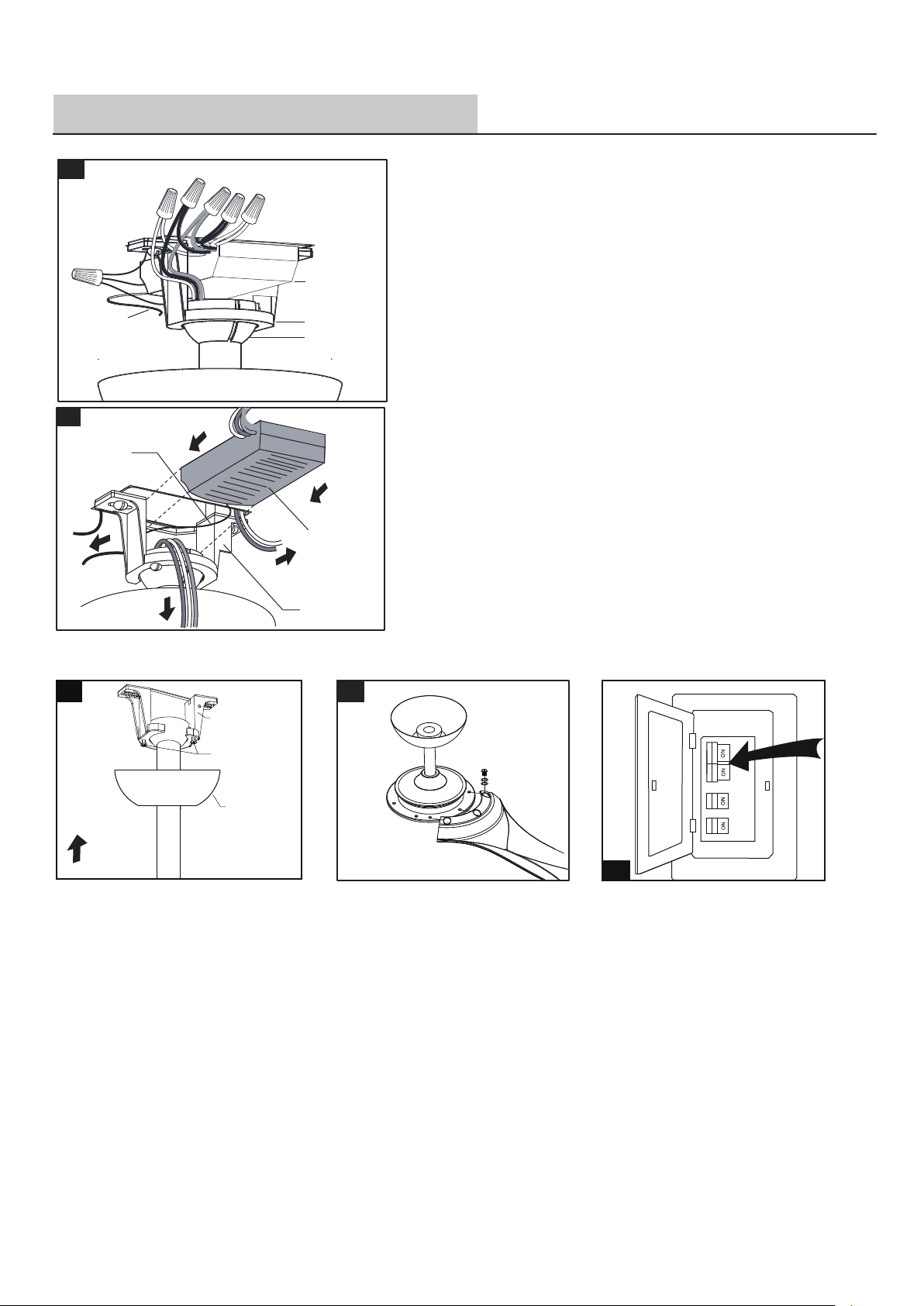
Hang the fan on the hanger bracket, and turn the fan left and right slightly
to make sure it is seated on the bracket with the keyway pin in the keyway.
Keyway
Keyway
Pin
Hanger Bracket
Note: For slope ceiling installation, make sure that hanger
bracket opening is facing toward the ceiling.
Metal
washer
INSTALLATION INSTRUCTIONS
7
Make wire connections:
1) The motor grey wire to the grey " TO MOTOR ” wire from receiver with a
wire connector.
2) The motor red wire to the red " TO MOTOR ” wire from receiver with a
wire connector.
4)
5
) The white wire from outlet box to the white "INPUT N" wire from receiver with
a wire connector.
6
) The black (hot) wire from outlet box to the black "AC POWER L" wire from
receiver with a wire connector.
) The ground wire from the outlet box to the green ground wire from the
hanger ball and the green ground wire from the hanger bracket with a wire
connector.
Make sure all of wire connectors are connected firmly.
*** Tuck all wire connectors and wires carefully up into the outlet box,
EXCEPT the antenna, which should remain outside outlet box.
Insert the receiver into the hanger bracket with the flat side of the receiver facing
the ceiling.
The connections after being made should be turned upward and pushed carefully
up into the outlet box.
Spread the wires apart so that the ground wires are on one side of the outlet box
and the other wires are on the other side.
7
Attach the fan blades to the fan motor
assembly by using the blade screws and
fiber washers.
Tighten blade screws securely.
Repeat these steps for the remaining
blades.
6
Canopy Screw
Hanger Bracket
Canopy
Slide the canopy up to the ceiling. Make
sure you place the wires safely into the
outlet box. Secure the canopy to the hanger
bracket with the two screws provided on
the bracket.
Turn ON the electric power at the main
fuse or circuit breaker box.
8
4
Hanger Bracket
Hanger Ball
Receiver
1.
4.
5.
6.
2.
3.
Antenna:
DO NOT CUT
OR SPLICE
5
Antenna
Receiver
Hanger Bracket
3) The motor pink wire to the pink " TO MOTOR ” wire from receiver with a
wire connector.
9
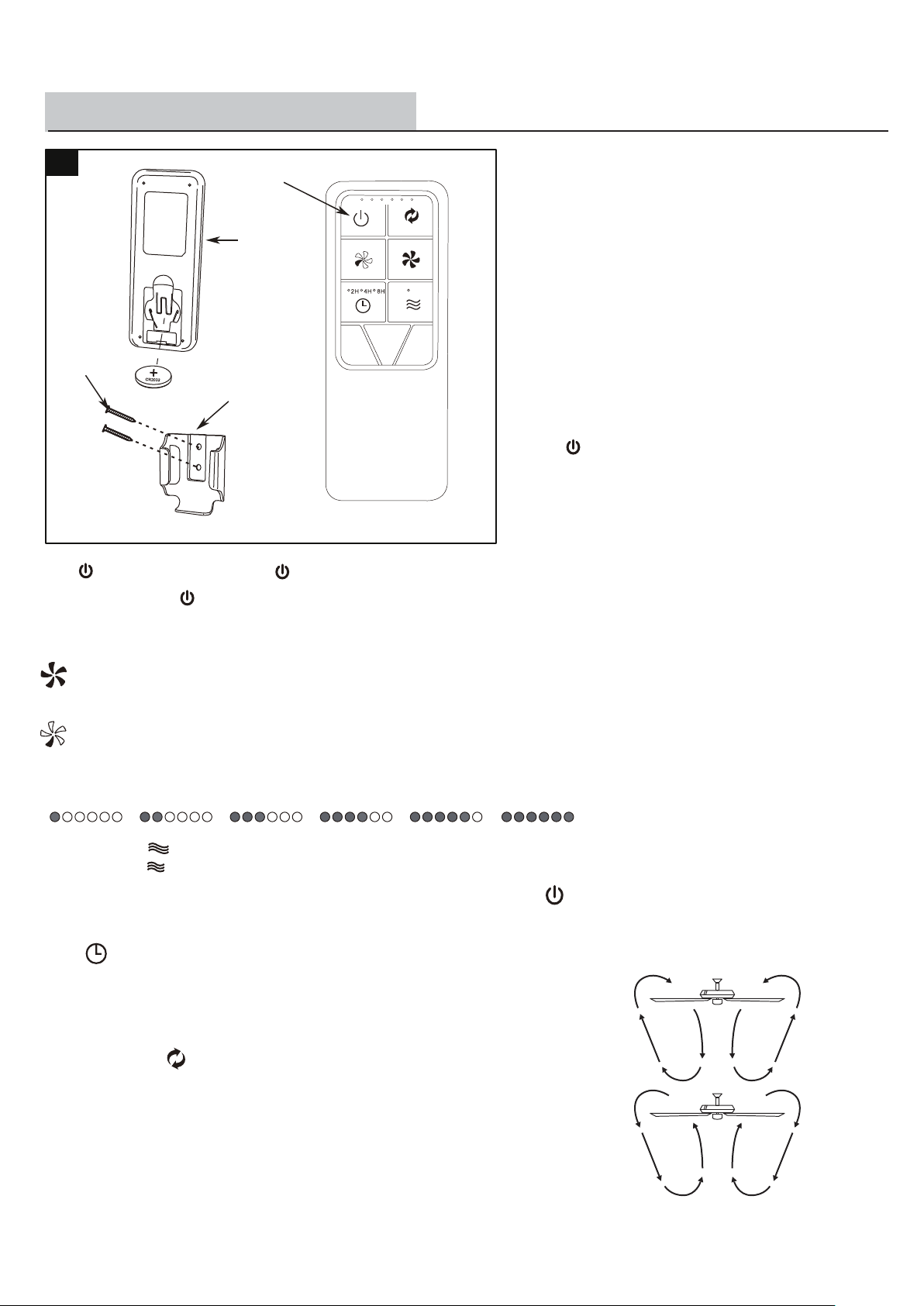
Install a CR2032 battery into the remote control. To prevent damage
to the remote control, remove the battery if not used for long periods
of time.
Install the wall plug onto the wall, then attach the remote control
holder with the two remote control holder mounting screws.
Mounting
Bracket
Mounting
Screw
Transmitter
INSTALLATION INSTRUCTIONS
2. Speed functions
3. Comfort breeze
Pressing the button will activate the Comfort breeze mode. Alternates through speeds 1-6.
button, increases the fan speed
Press and hold the button for 5-15 seconds to enter the learning function.
□
Pressing and releasing the + button one time will increase the speed of the fan.
□
button, decreases the fan speed
Pressing and releasing the - button one time will decrease the speed of the fan.
□
Fan off. The fan memory function will store the current setting for the next time the fan is in use.
□
Note: If you are currently using Comfort breeze mode, pressing the button
will cancel Comfort breeze mode and resume normal fan operation.
4. Timer (2H, 4H, 8H)
Pressing the (2H/4H/8H) button will automatically turn fan off after 2, 4 or 8 hours.
□
1 speed
2 speed 3 speed 4 speed 5 speed 6 speed
1. Fan button. - Press and release the button to turn the fan off.
Note: You must turn the fan on prior to using the timer function.
(Counterclockwise Direction) A downward air flow creates a cooling effect.
This allows you to set your air conditioner on a higher setting without affecting
your comfort.
(Clockwise Direction) An upward air flow moves warm air off the ceiling. This
allows you to set your heating unit on a lower setting without affecting your comfort.
5. Fan reverse button (Must be pushed when the fan is in operation)
□
□
Should you desire to use another remote control unit with your new
fan, install one using the steps below:
Turn the main power source off to begin the learning process.
Return the power to the unit.
□
□
Learning Process
8
□
Press and hold this button to
enter the learning function
Within 30 seconds of turning the fan’s AC power ON, press and
hold the button for 5-15 seconds to enter the learning function.
A beeping sound is emitted when the pairing is complete (a beep
is also emitted when a signal has been sent from the transmitter).
If there is anything unusual, please turn off the power supply for
60-120 seconds and then turn it back on. Once it's on, refer to the
step above to complete the learning process.
9
Because of the fan’s natural movement, some connections may become loose. Check the support connections, brackets, and blade
attachments twice a year. Make sure they are secure. It is not necessary to remove the fan from the ceiling.
Clean your fan periodically to help maintain its new appearance over the years. Do not use water when cleaning, as this could damage
the motor, or the wood, or possibly cause an electrical shock. Use only a soft brush or lint-free cloth to avoid scratching the finish. The
plating is sealed with a lacquer to minimize discoloration or tarnishing.
You do not need to oil your fan. The motor has permanently-lubricated sealed ball bearings.
WARNING: Make sure the power is off before cleaning your fan.
CARE AND MAINTENANCE
TROUBLESHOOTING
Always unplug the fan before cleaning, disassembly or servicing.
This is normal start-up procedure for DC motor fans. The partial movement during start-up is the result of the DC
motor aligning the internal magnetic poles for proper motor operation. This design saves electricity and allows
the fan to operate more quietly than standard AC motor fans.
□
Questions, problems, missing parts?
Before returning to your retailer, call our customer service
department at 1-833-695-2045, 8:30 a.m. - 5 p.m., EST, Monday - Friday.
Problem Solution
The fan will not start. □ Check the main and branch circuit fuses or breakers.
□ Check the battery in the remote control.
□ Ensure you are in the normal range of 10-20 feet.
The fan is noisy. □ Ensure all motor housing screws are snug.
□ Ensure the screws that attach the fan blade bracket to the motor hub are tight.
□ Ensure the wire nut connections are not rattling against each other or the interior wall of the switch housing.
□ Allow a 24-hour “breaking in” period. Most noises associated with a new fan disappear during this time.
□ Ensure the canopy is a short distance from the ceiling. It should not touch the ceiling.
□ Ensure your outlet box is secure and rubber isolator pads were used between the mounting plate and outlet box.
The fan wobbles. □ Check that all blade and blade arm screws are secure.
□ Most fan wobble problems are caused when blade levels are unequal. Check this level by selecting a point on
the ceiling above the tip of one of the blades. Measure from a point on the center of the blade to the point on the
ceiling. Rotate the fan until the next blade is positioned for measurement, and measure from the same point on
each blade to the ceiling. Any measurement deviation should be within 1/8 in. Run the fan for ten minutes.
If the fan continues to wobble, please contact Eurofase Customer Service. A balancing kit will be sent to you at
no charge.
The Fan moves
backwards and
forwards when turned
on.
The remote control is
not working.
□ Do not connect the fan with wall mounted variable speed control(s).