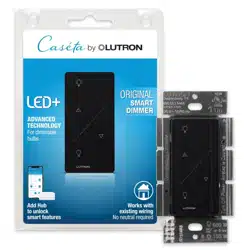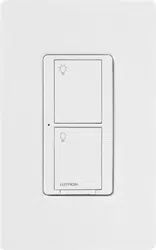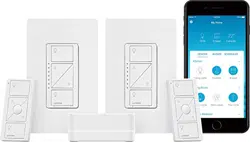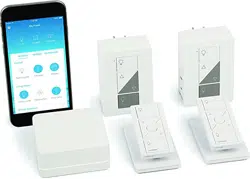
Lutron® Smart Bridge, Pico® remote
controls & plug-in lamp dimmers
Welcome—and thank you for purchasing a CasétaR
Wireless dimming kit.
Before you install the plug-in lamp dimmers,
please watch the installation video at
www.casetawireless.com/support
We hope you enjoy the convenience of CasétaR Wireless!
LED—up to 100 W
Contents supplied
Double your warranty
Plug-in lamp dimmers
(PD-3PCL)
(x2)
(x2)
Works with energy efficient
dimmable light bulbs:
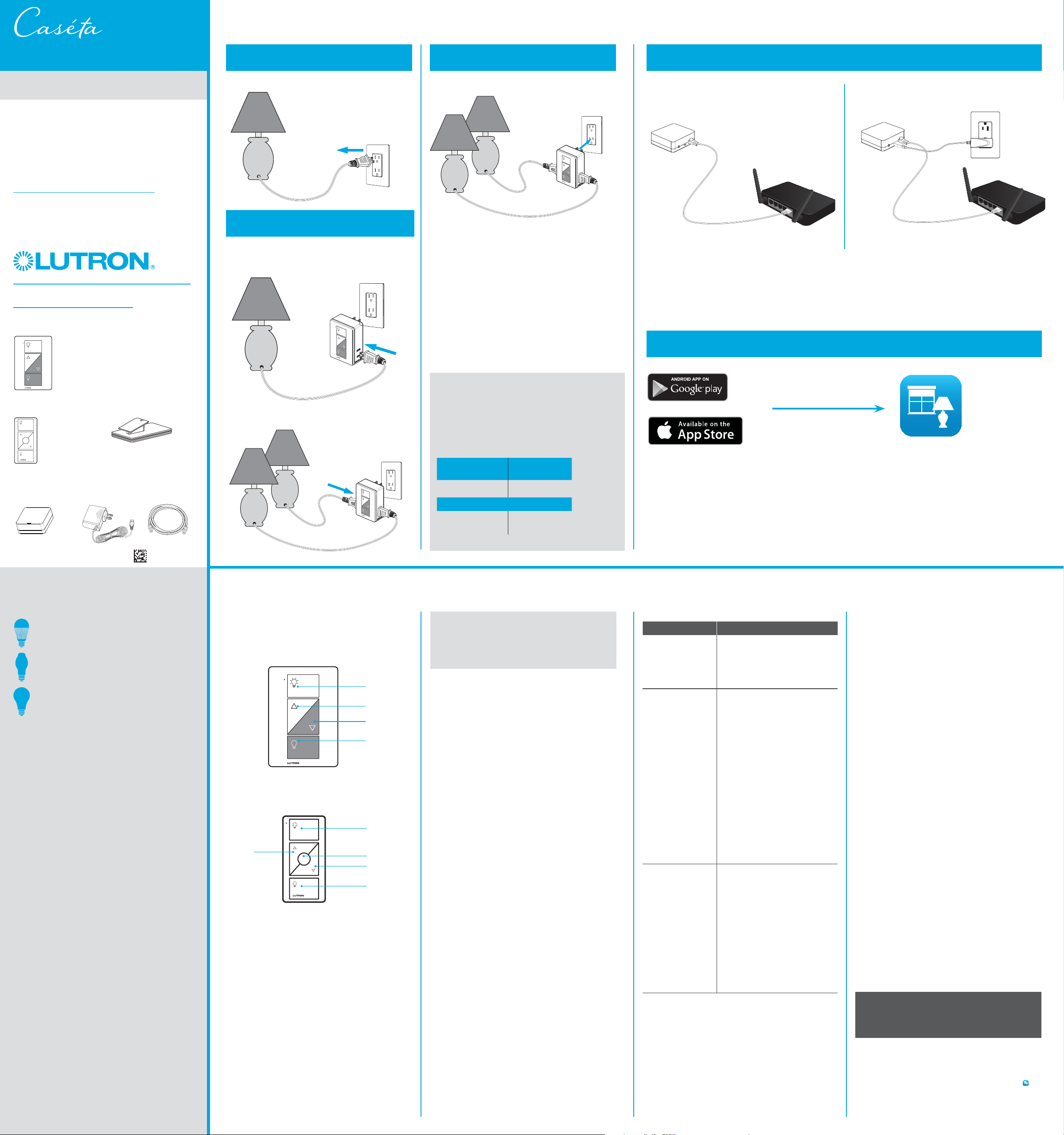
Installing your lamp dimmer
1
Turn on the lamp
Love CasétaR Wireless dimmers? Have ideas
for making them better? Tell us what you think
and we’ll extend your warranty by 1 year.
www.casetawireless.com/register
Lutron Electronics Co., Inc.
7200 Suter Road
Coopersburg, PA 18036-1299, U.S.A.
Turn on the lamp you want to control and unplug it.
CAUTION
To avoid overheating and possible damage to other
equipment, do not use to control motor-driven
appliances, or transformer-supplied appliances.
Codes
Install in accordance with all national and local
electrical codes.
FCC/IC Information
For FCC/IC information, please visit: www.lutron.com/fcc-ic
This Use of the HomeKit logo means that an electronic accessory has been
designed to connect specifically to iPod, iPhone, or iPad, respectively, and
has been certified by the developer to meet Apple performance standards.
Apple is not responsible for the operation of this device or its compliance with
safety and regulatory standards.
Please note that the use of this accessory with iPod, iPhone, or iPad may
affect wireless performance.
Warranty
For warranty information, please visit
www.casetawireless.com/warranty
Go to www.casetawireless.com/support for
additional troubleshooting suggestions.
Symptoms Probable cause and action
Lamp does
not turn on or
lamp dimmer LED
does not light up.
• Light bulb(s) burned out.
• Lamp is turned off.
• Lamp is not plugged in.
• Outlet is switched off.
Light does
not respond
to PicoR remote
control.
• The dimmer is not properly
paired with the PicoR remote
control;
The PicoR remote control can
be paired with the dimmer
using the LutronR app.
• The dimmer is already at the
light level the PicoR remote
control is sending.
• The PicoR remote control
is outside the 30 ft (9 m)
operating range.
• The PicoR remote control
battery is low.
• The PicoR remote control
battery is installed incorrectly.
• Bulbs turn off
while being
dimmed.
• Bulbs turn on at
high light level
but do not turn
on at a low
light level.
• Bulbs flicker
or flash when
dimmed to a low
light level.
Verify bulbs are marked
dimmable and visit
www.casetawireless.com/
lowend for information on
adjusting the dimmer for best
bulb performance.
Troubleshooting
For advanced features, tips for using CasétaR Wireless
dimmers with LEDs, the complete CasétaR Wireless
product line, and more, please visit
www.casetawireless.com/features
2
Connect the lamp(s)
Plug the lamp cord into either side of the CasétaR
Wireless plug-in lamp dimmer.
NOTE: You can mix and match dimmable LED,
halogen, and incandescent light bulbs with CasétaR
Wireless dimmers.
Dimmable LED light bulbs vary in their dimming
performance. If you’re using these bulbs and they
flicker or turn off, please visit
www.casetawireless.com/lowend for information
on adjusting the dimmer for best bulb performance.
For a complete list of compatible dimmable LEDs,
please visit www.casetawireless.com/bulblist
Compatible light bulbs include:
Feit
®
A19/OM800/LED
Philips
®
9290002268
9290002267
Sylvania
®
LED8A/DIM/F/827
3
Plug in the lamp dimmer
Important note:
Use only with dimmable LED, halogen, or
incandescent lamps.
Do not exceed the total maximum wattage
shown below:
Bulb
Maximum
Wattage
LED 100 W
or
Incandescent &
Halogen
300 W
If you want to control a second lamp turn it on
and plug it into the other side.
Using your controls
On
Off
Darker
Brighter
Plug-in lamp dimmer
Pico
® remote control
On
Off
Darker
Favorite
Brighter
quick-start guide
Halogen—up to 300 W
Using your CasétaR Wireless kit
PicoR remote controls
(PJ2-3BRL)
P/N 0301810 REV A
Lutron®
Smart Bridge
(L-BDG2 or
L-BDGPRO2)
Power Supply
(T-5DC-USB) Ethernet Cable
Device Ratings
Plug-in lamp dimmer
PD-3PCL
120 V~ 50/60 Hz
LutronR Smart Bridge *
L-BDG2 or L-BDGPRO2
5 V- 300 mA
PicoR remote control
PJ2-3BRL
3 V- 10 mA
(1) CR2032 battery
(included)
Power supply
T-5DC-USB
Input: 100–240 V~
50/60 Hz 100 mA
Output: 5 V- 550 mA
Important notes:
1. For indoor use only
2. Operate between 32 ˚F (0 ˚C) and 104 ˚F (40 ˚C)
* Connected to a Class 2, LPS, or SELV, limited energy (<15 W)
power source only.
Incandescent—up to 300 W
Apple, iPod, iPhone, and iPad are trademarks of Apple Inc., registered in the U.S. and other countries.
HomeKit is a trademark of Apple Inc.
App Store is a service mark of Apple Inc., registered in the U.S. and other countries.
Wireless
®
)Lutron, Lutron, Caséta, and Pico are registered trademarks and
Lutron
is a
trademark of Lutron Electronics Co., Inc. Google and the Google logo are
registered trademarks of Google Inc., used with permission.
© 2015 Lutron Electronics Co., Inc.
P/N 0301780 REV A
Tabletop pedestals
(L-PED1)
(×2)
A. Connect the Smart Bridge to your Wi-Fi router
using the Ethernet cable.
B. Connect the power cord to the Smart Bridge
and plug it into an outlet.
Smart
Bridge
Smart
Bridge
Ethernet cable
Router
Router
Power
cord
Outlet
1
2
Install the Lutron® Smart Bridge
www.casetawireless.com/LutronApp
Download the Lutron® app and walk through setup
Search for “Lutron Caseta”
Lutron
TM
guía de inicio rápido
Puente Inteligente Lutron®,
controlesremoto Pico® & atenuadores
para lámparas enchufables
Lea antes de instalar.
Bienvenido
, y gracias por comprar un kit de
atenuación CasétaR Wireless.
Antes de instalar el atenuadores para lámparas
enchufables, veael video de instalación en
www.casetawireless.com/support
¡Esperamos que disfrute la comodidad de CasétaR
Wireless!
Contenido suministrado
Doble su garantía
Atenuadores para lámparas
enchufables (PD-3PCL)
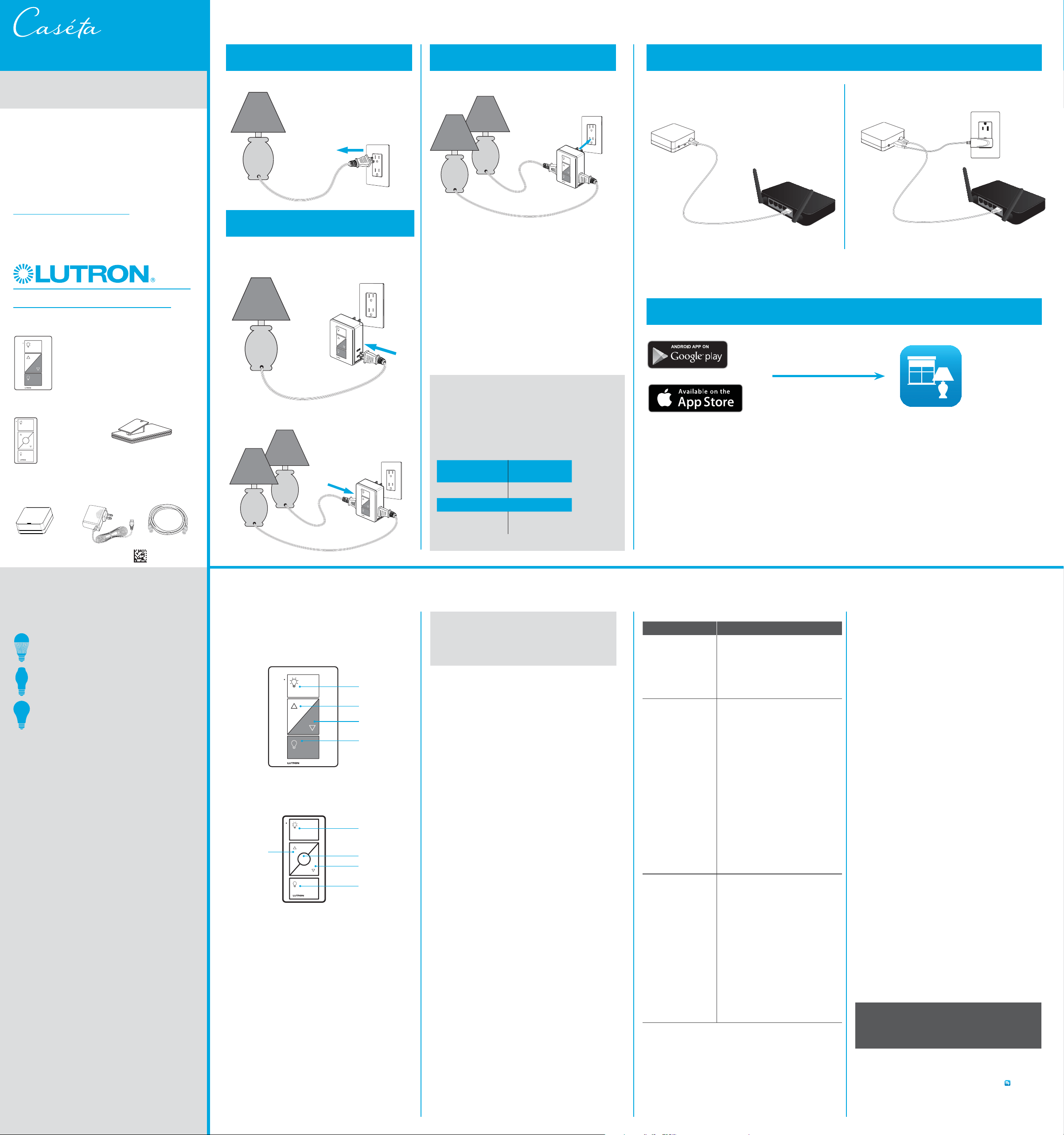
Cómo instalar el atenuador de lámpara
1
Encienda la lámpara
¿Le encantan los atenuadores CasétaR Wireless?
¿Tiene alguna idea para mejorarlos? Cuéntenos su
opinión y extenderemos la garantía por 1año.
www.casetawireless.com/register
Encienda la lámpara que quiere controlar y desenchúfela.
PRECAUCIÓN
Para evitar el sobrecalentamiento y evitar posibles
daños a otros equipos, no lo use para controlar
electrodomésticos con motor o electrodomésticos con
transformador.
Códigos
Instale de acuerdo con todos los códigos eléctricos
nacionales y locales.
Información de la FCC/IC
Para obtener información sobre la FCC/IC, visite: www.lutron.com/fcc-ic
Uso del logotipo HomeKit significa que un accesorio electrónico ha sido
diseñado para conectarse específicamente a un iPod, iPhone o iPad,
respectivamente, y ha sido certificado por el desarrollador para cumplir con
los estándares de rendimiento de Apple.
Apple no se hace responsable del funcionamiento de este dispositivo ni de
que cumpla con las normas de seguridad y regulatorias.
Tenga en cuenta que el uso de este accesorio con iPod, iPhone o iPad puede
afectar al rendimiento inalámbrico.
Garantía
Para obtener información sobre la garantía, visite
www.casetawireless.com/warranty
)Lutron, Lutron, Caséta, y Pico son marcas registradas y
Lutron
es una
marca comercial de Lutron Electronics Co., Inc. Google y el logotipo de
Google son marcas registradas de Google, Inc., utilizadas con autorización.
© 2015 Lutron Electronics Co., Inc.
P/N 0301780 REV A
Ingrese a www.casetawireless.com/support para
obtener sugerencias adicionales para la resolución
de problemas.
Síntomas Causa probable y acción
No se enciende la
lámpara o la luz
LED del atenuador
de lámpara.
• Los foco(s) están quemados.
• La lámpara está apagada.
• La lámpara no está enchufada.
• La toma de corriente está
apagada.
La luz no responde
al control remoto
PicoR.
• No se conectó apropiadamente
el atenuador con el control
remoto PicoR; el control remoto
PicoR y el atenuador se pueden
conectar con la aplicación
LutronR.
• El atenuador ya se encuentra en
el nivel de luz solicitado por el
control remoto Pico
R.
• El control remoto Pico
R
está fuera del rango de
funcionamiento de9m(30pies).
• Las baterías del control remoto
PicoR están bajas.
• Las baterías del control remoto
PicoR están mal instaladas.
• Los focos se
apagan mientras
seatenúan.
• Los focos se
encienden en
un nivel de luz
alto pero no se
encienden en un
nivel de luz bajo.
• Los focos
parpadean
cuando se
atenúan a un
nivel de luz bajo.
Verifique que los focos tengan la
marca de atenuable y visite
www.casetawireless.com/
lowend
para obtener información
sobre cómo ajustar el atenuador
para un mejor rendimiento del
foco.
Resolución de problemas
Encendido
Apagado
Más oscuro
Más brillante
2
Conecte la(s) lámpara(s)
Enchufe el cable de la lámpara en uno de los lados
del atenuador para lámparas enchufables CasétaR
Wireless.
3
Enchufe el atenuador de lámpara
Nota importante:
Use solo con lámparas LED atenuables, halógenas,
o incandescentes.
No exceda el vataje máximo total que se muestra
acontinuación:
Foco
Vataje
máximo
LED 100W
o
Incandescente
yhalógena
300W
Si desea controlar una segunda lámpara,
enciéndala yenchúfela en el otro lado.
Cómo usar sus controles
Para ver características avanzadas, consejos para
usar los atenuadores CasétaR Wireless con luces
LED, la línea completa de productos CasétaR
Wireless y más, visite
www.casetawireless.com/features
Más brillante
Encendido
Apagado
Más oscuro
Favorito
Control remoto Pico
R
Atenuador para lámparas enchufables
NOTA: Puede combinar focos LED atenuables,
halógenos y incandescentes, con los atenuadores
CasétaR Wireless.
Los focos de luz atenuables LED varían en su
rendimiento de atenuación. Si está utilizando estos
focos y parpadean o se apagan, visite
www.casetawireless.com/lowend para obtener
información sobre cómo ajustar el atenuador para
un mejor rendimiento del foco.
Para obtener una lista completa de los LED
atenuables compatibles, visite
www.casetawireless.com/bulblist
Los focos de luz compatibles incluyen:
Feit
®
A19/OM800/LED
Philips
®
9290002268
9290002267
Sylvania
®
LED8A/DIM/F/827
LED—hasta 100W
Halógeno—hasta 300W
Funciona con focos de luz
atenuable de bajo consumo
energético:
Lutron Electronics Co., Inc.
7200 Suter Road
Coopersburg, PA 18036-1299, E.U.A.
Uso del kit CasétaR Wireless
Controles remoto PicoR
(PJ2-3BRL)
P/N 0301810 REV A
Puente Inteligente
Lutron
®
(L-BDG2 o
L-BDGPRO2)
Adaptador de
alimentación
(T-5DC-USB)
Cable de
Ethernet
Clasificación de los
dispositivos
Atenuador para lámparas
enchufables
PD-3PCL
120V~ 50/60Hz
Puente Inteligente
LutronR *
L-BDG2 o L-BDGPRO2
5 V- 300 mA
Control remoto PicoR
PJ2-3BRL
3V- 10mA
(1) Batería CR2032
(incluida)
Adaptador de
alimentación
T-5DC-USB
Entrada: 100–240 V~
50/60 Hz 100 mA
Salida: 5 V- 550 mA
Notas importantes:
1. Solo para uso en interiores.
2. Opere entre 0°C (32°F) y 40°C (104°F).
* Solo debe conectarse a una adaptador de alimentación tipo
Clase2, de alimentación limita da (LPS), o de seguridad de voltaje
extrabajo (SELV), y de energía limitada (<15W).
Incandescente—hasta 300 W
A. Conecte el Puente Inteligente a su enrutador de
Wi-Fi utilizado el cable de Ethernet.
B. Conecte el cable de alimentación eléctrica al
Puente Inteligente y enchúfelo a un tomacorriente.
Puente
Inteligente
Puente
Inteligente
Cable de
Ethernet
Enrutador
Enrutador
Cable de
alimentación
Tomacorriente
1 Press and hold “off” button on dimmer
2
Press and hold “off” button on remote
Instale el Puente Inteligente de Lutron®
www.casetawireless.com/LutronApp
Descargue la aplicación de Lutron® y proceda a su instalación
Busque “Lutron Caséta”
Apple, iPod, iPhone y iPad son marcas comerciales de Apple Inc. en EUA y en otros países.
HomeKit es una marca comercial de Apple Inc.
App Store es una marca de servicio de Apple Inc.
(x2)
(x2)
Wireless
®
Lutron
TM
Pedestales de mesa
(L-PED1)
(×2)