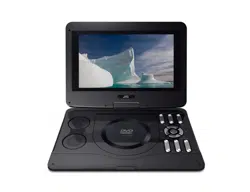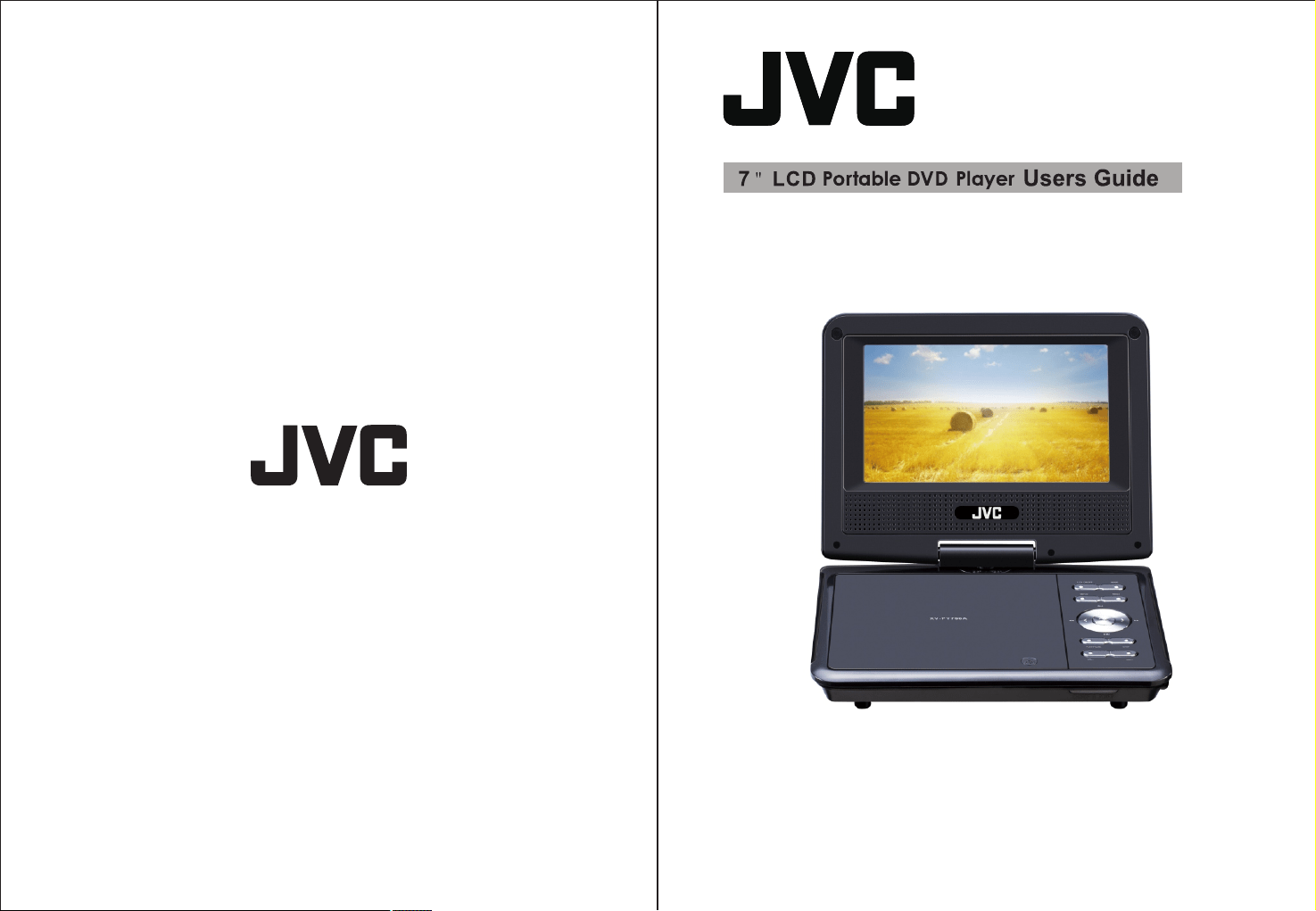
XV-PY700A
12.
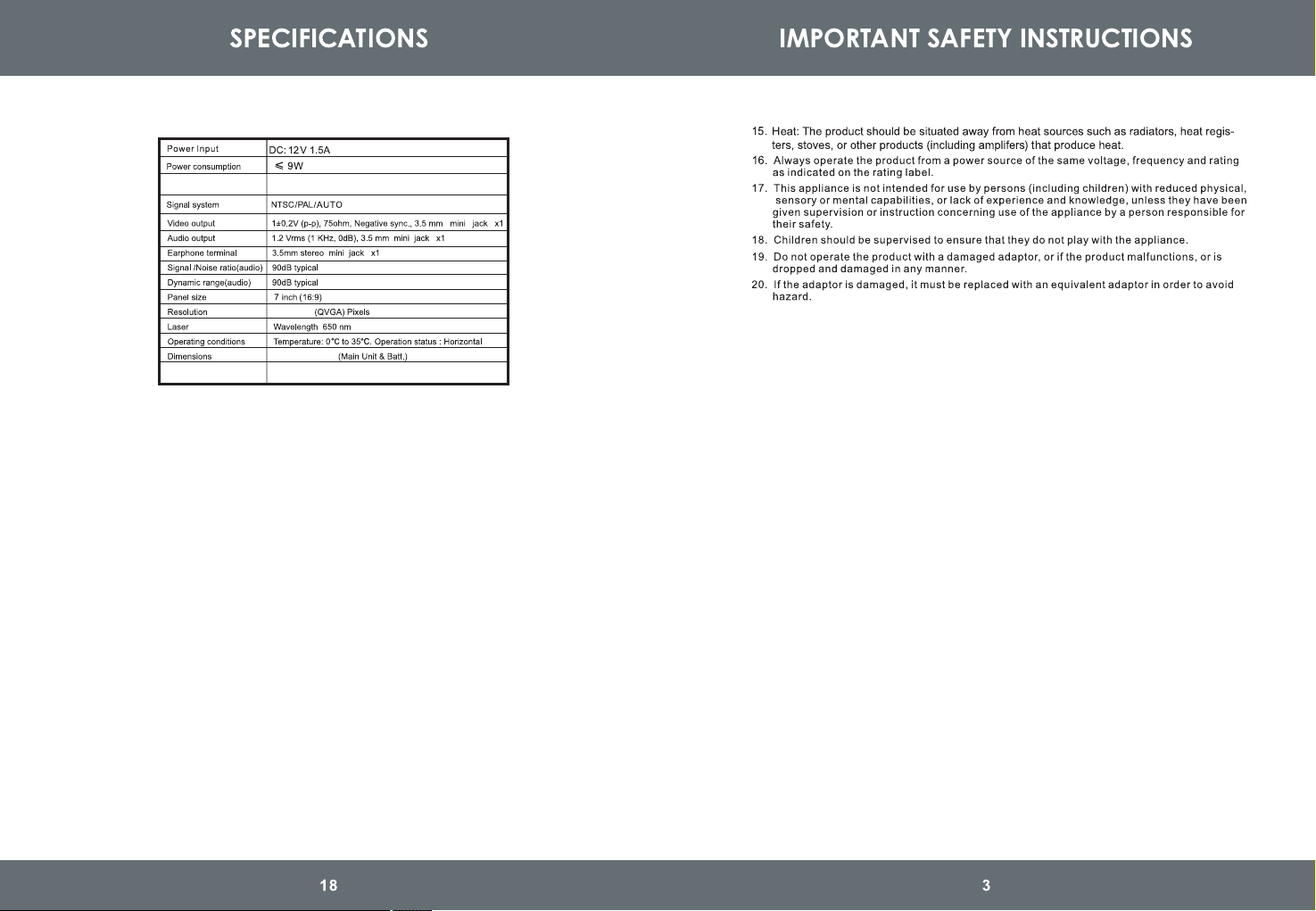
Net Weight
0.7 Kg
210X166X45mm
Battery runtime
2 hours
800x480
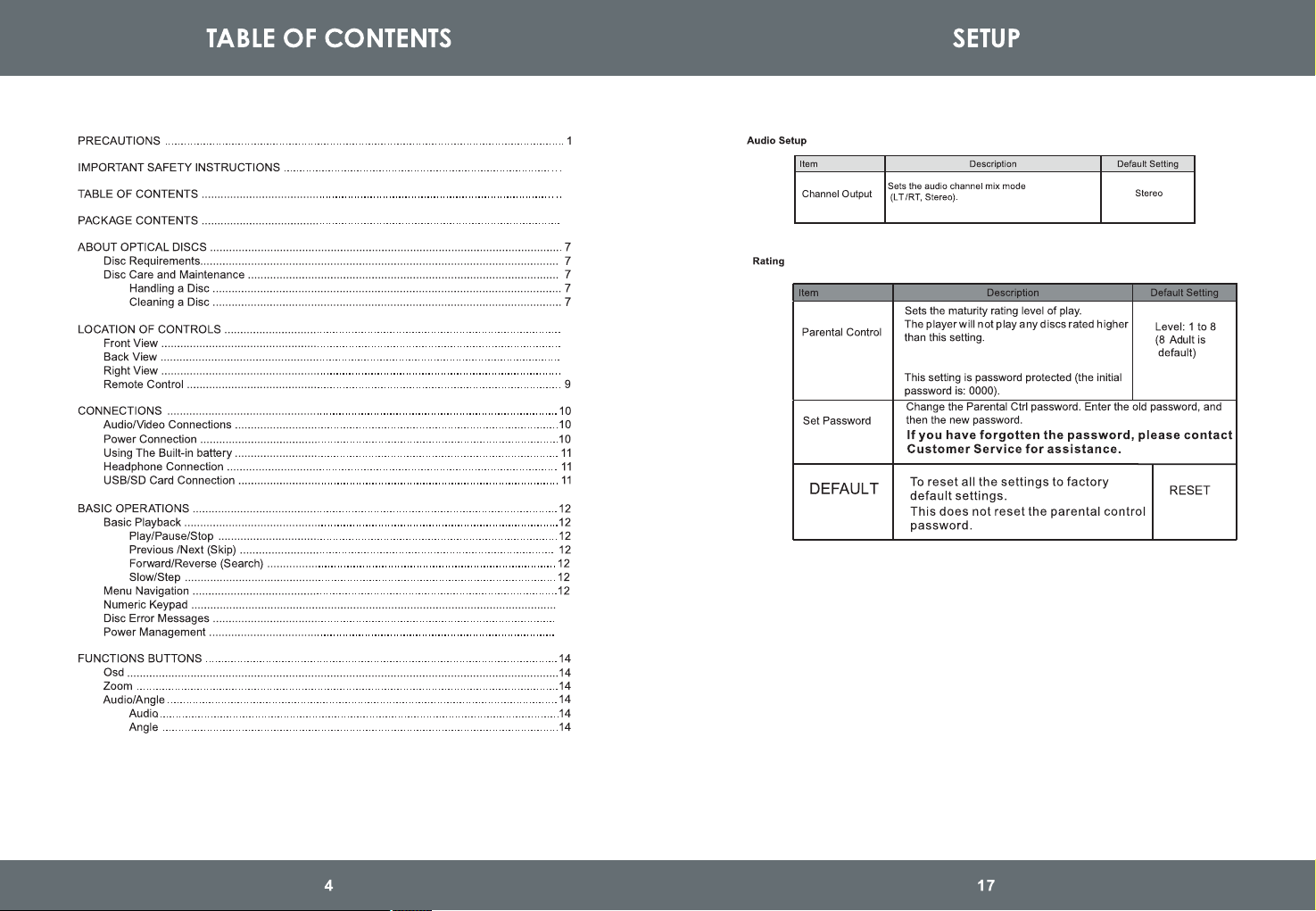
8
8
8
8
13
13
13
2
4
6
Note: this feature relies on the disc itself
being encoded with a rating.
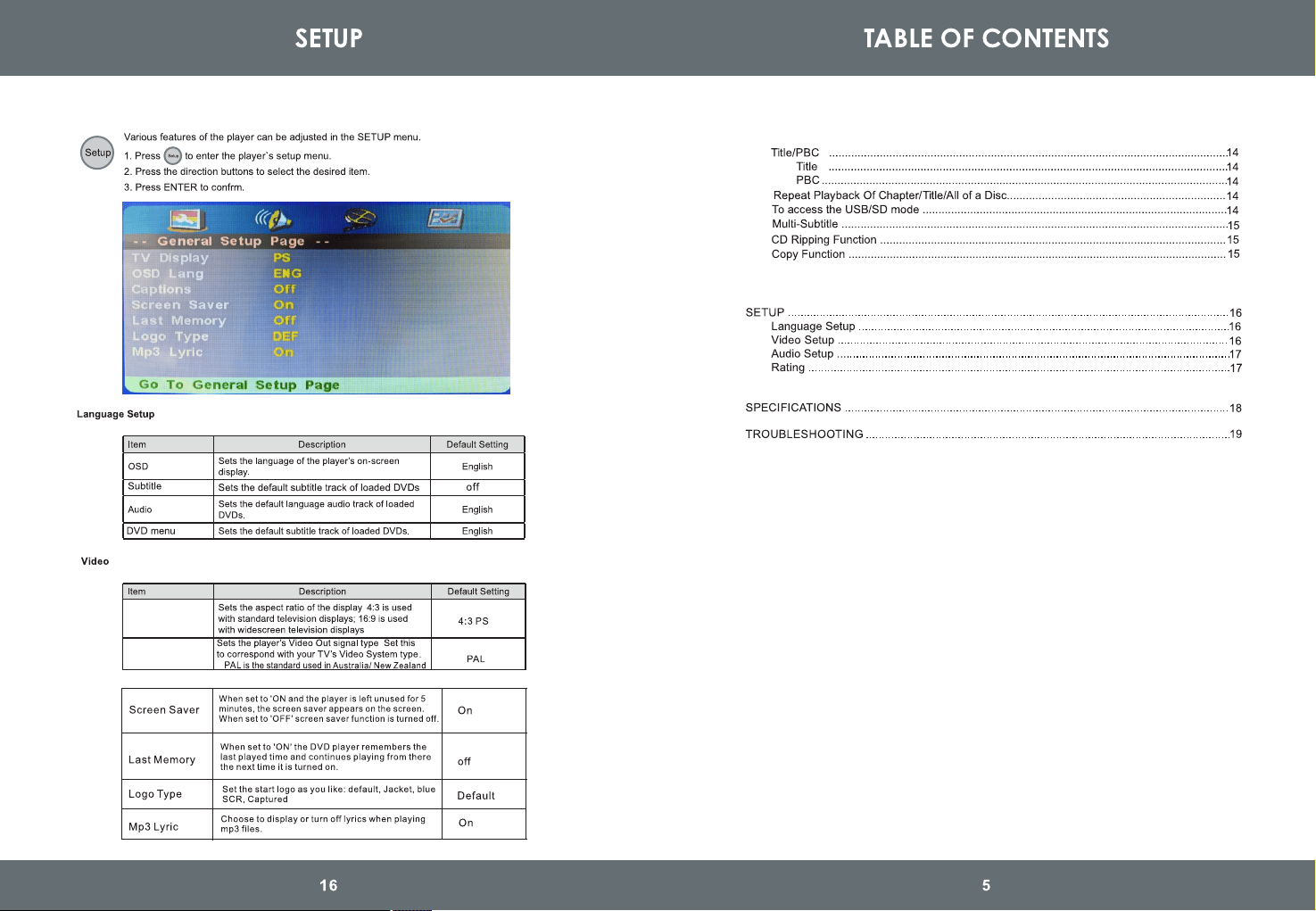
TVDisplay
TVType
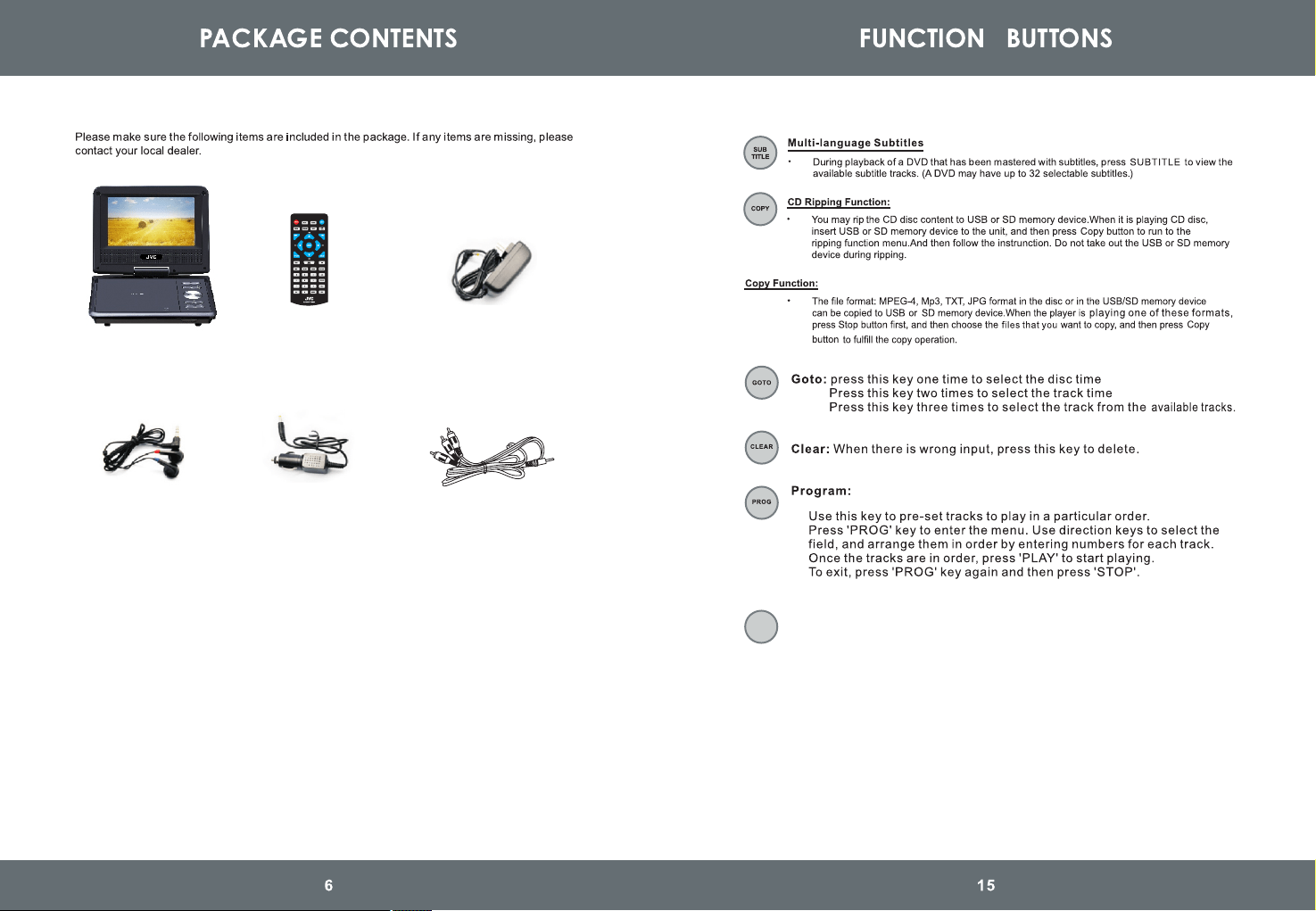
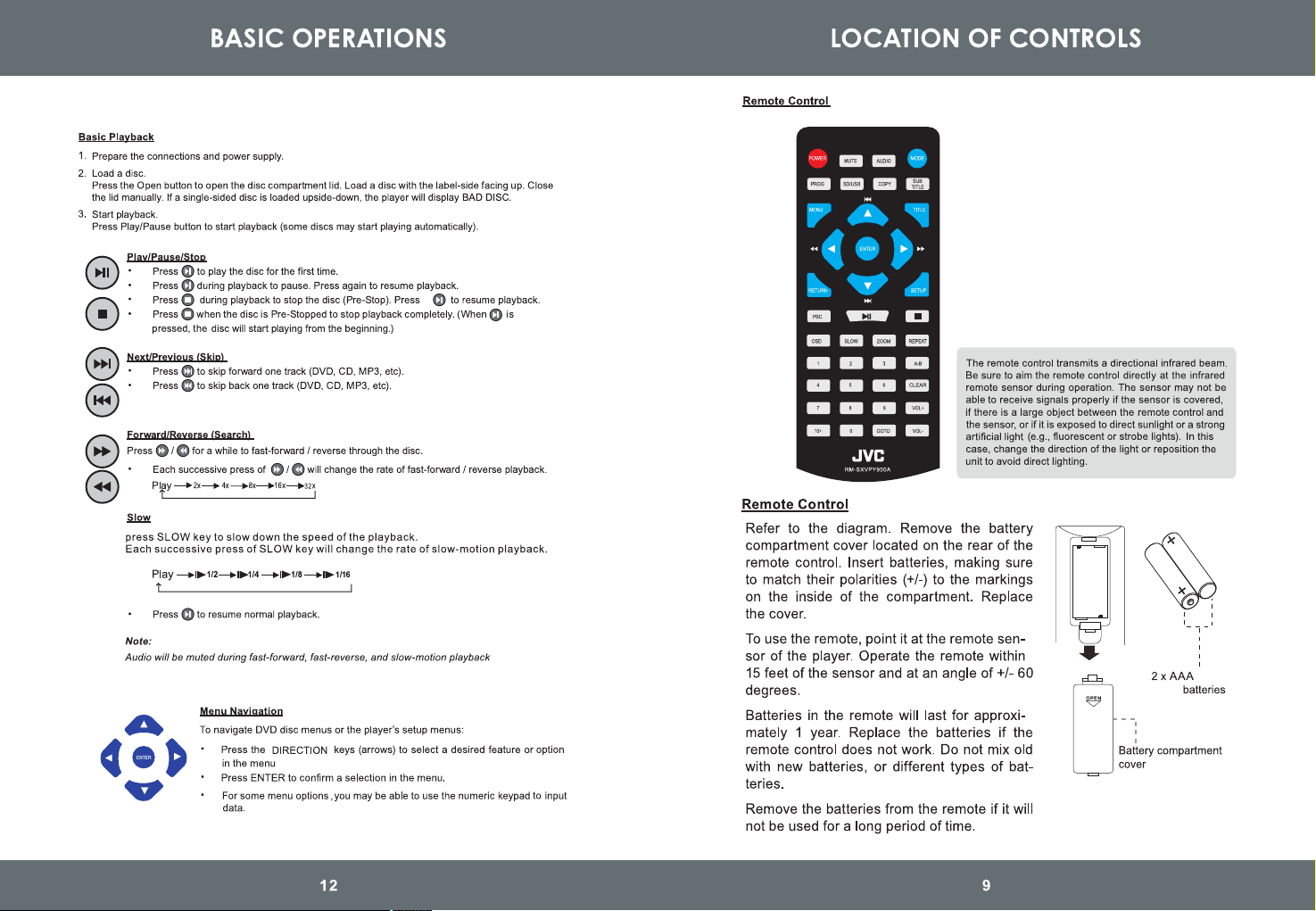
Press Mode key to switch between DISC/SD/USB mode and AV IN mode.
Remark: the volume will turn to initial value when you switch to another mode.
Mode:
MODE
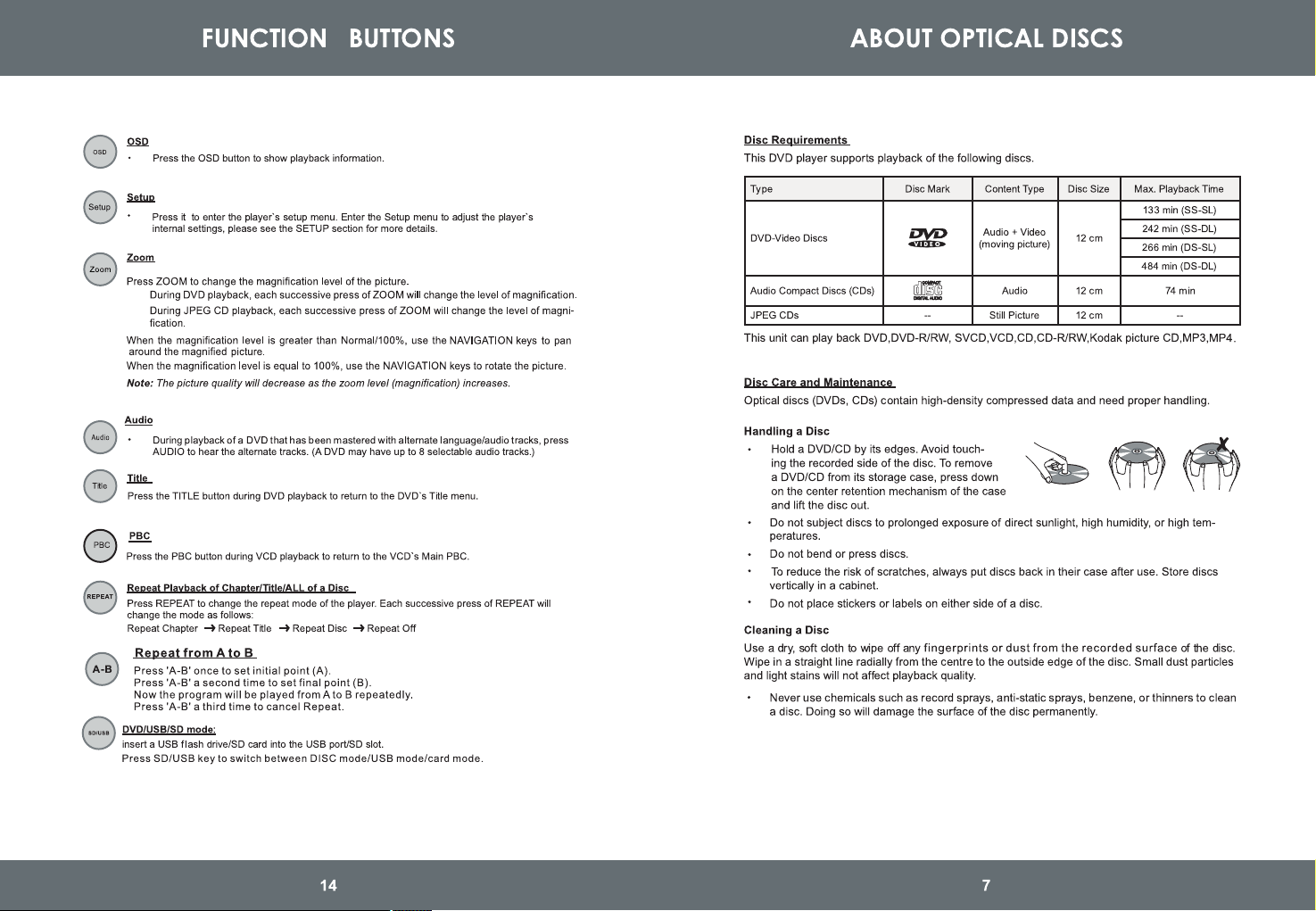
Main Unit
Remote Control AC Adapter
Earphones
Car Adaptor RCA Cable
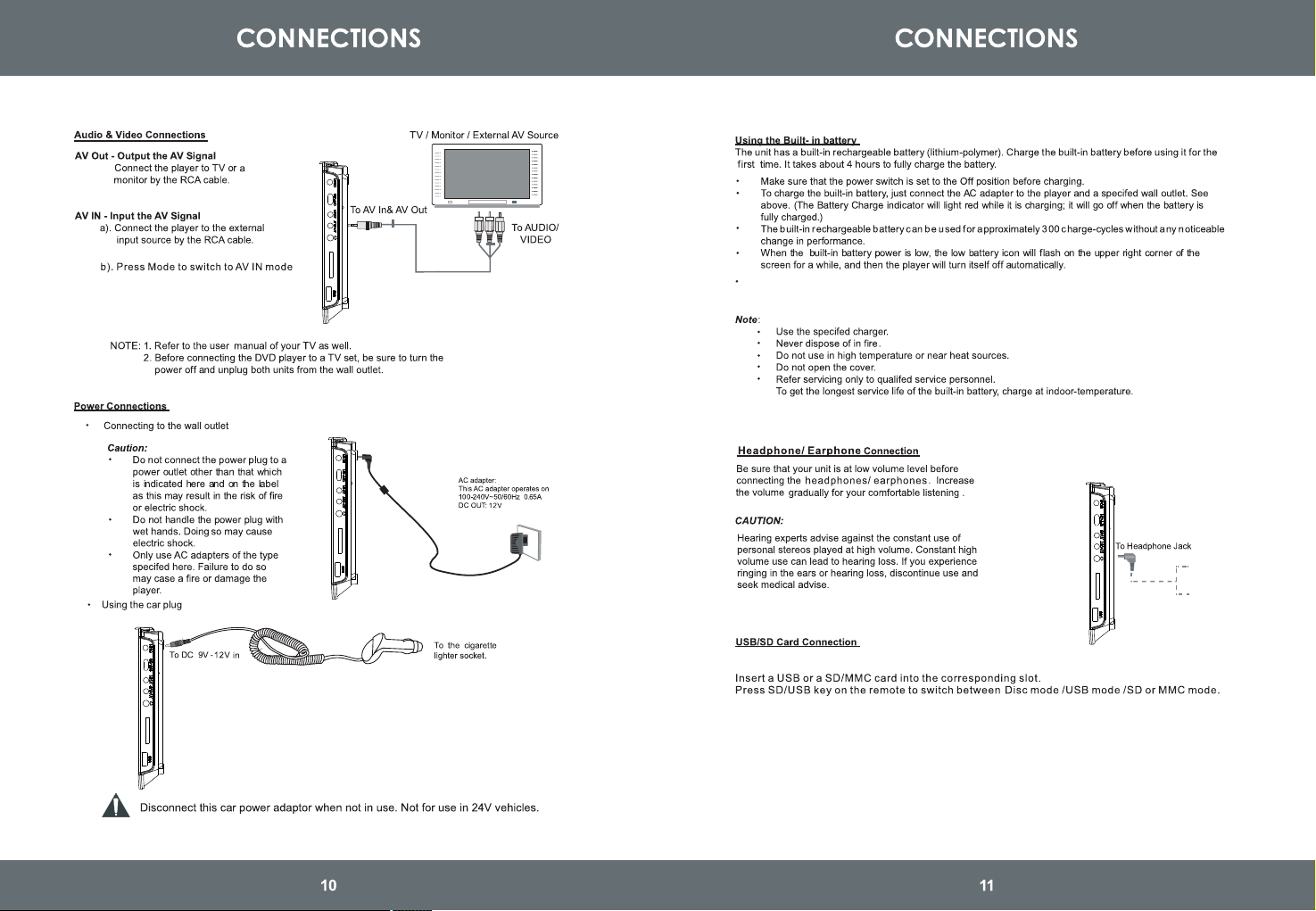
Supports USB/SD/MMC card 32GB Max (FAT32 format).
supports file formats VCD\SVCD\DVD\MP3\MP4\JPEG\HDCD\CDDA\WMA\CD-G\HDVD\
Kodak PICTURE CD\FLV in USB/SD/MMC memory device.
CAR D
Turning Display ON/ OFF
Press 'Mute' button on the unit to mute the sound. Press again to restore sound.
Press 'LCD ON/OFF' button on the unit to turn the display ON/ OFF.
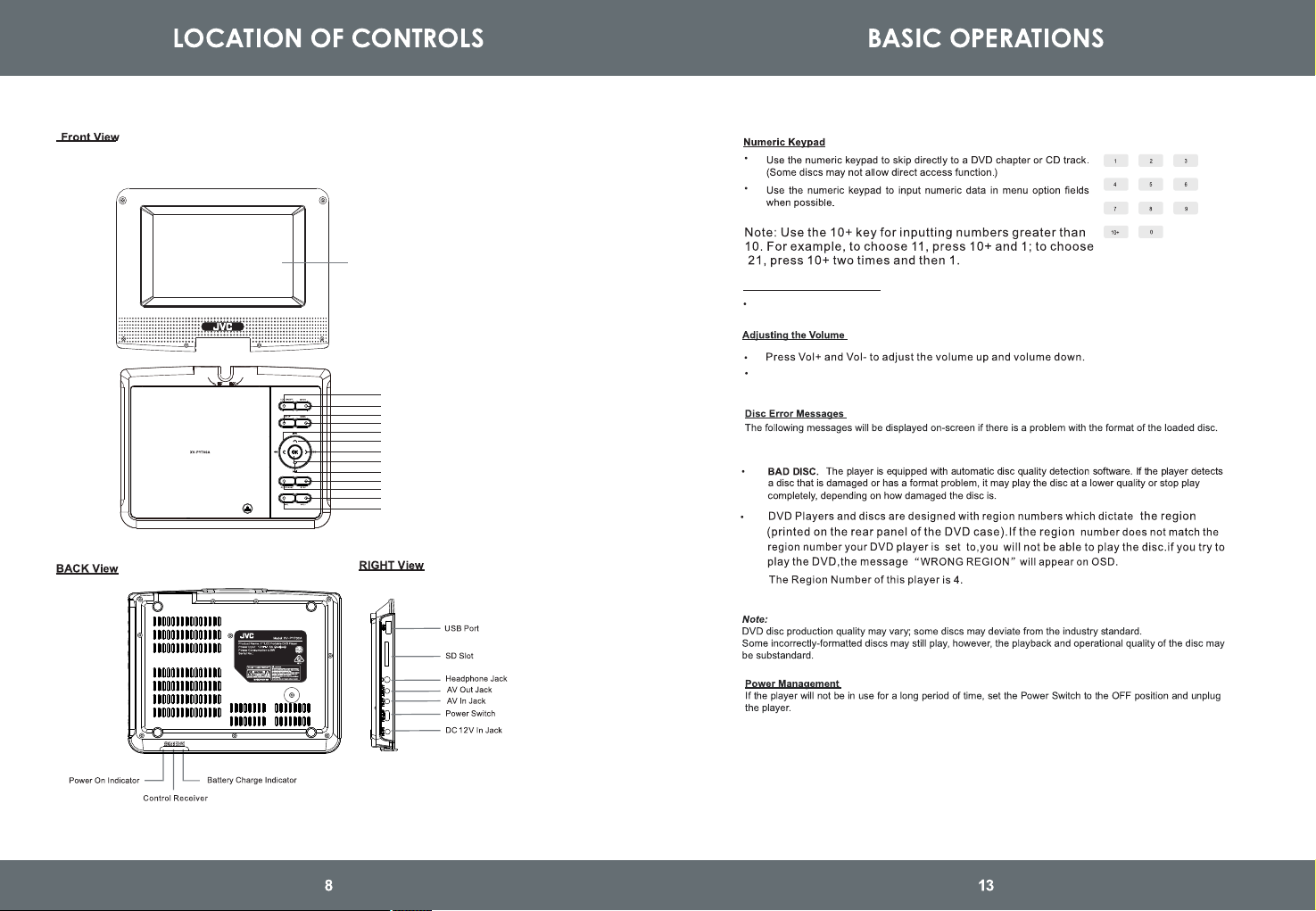
1. LCD ON/OFF
2. Mode
3. Setup
4. Menu
5. Arrow Left & Fast Reverse
6. Arrow Up/Prev
7. Arrow Right & Fast Forward
9. Arrow Down/Next
11. Play/Pause
10. Stop
12.Volume -
13. Volume +
8. Enter
LCD Screen
Battery runtime: 2 hours
CAR D
CAR D
CAR D
CAR D
RCA cable