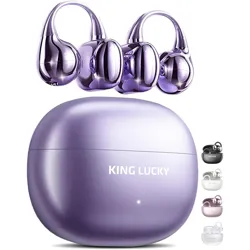
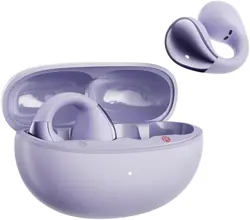
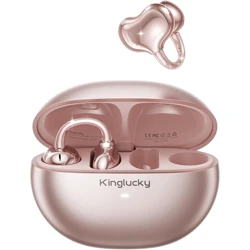
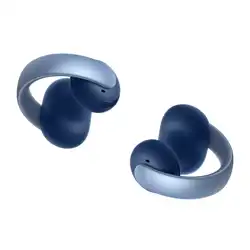
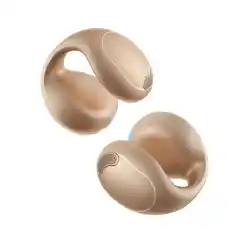
The King Lucky Clip-On Earbuds Gen 3 are open-ear wireless headphones designed for comfort and stability during active use. They feature a clip-on design that does not enter the ear canal, making them suitable for extended wear, sports, and for users who wear glasses.
Key identifiers for your product:
Before you begin, verify that your package contains the following items:
Note: Eartips are listed as a component but are not typically used with this open-ear design. Please refer to the physical contents you received.
| Feature | Specification |
|---|---|
| Bluetooth Version | 6.0 |
| Wireless Range | Up to 10 meters (approx. 33 feet) |
| Driver Size | 13mm Dynamic Driver |
| Microphone | Dual-Mic with ENC (Environmental Noise Cancellation) |
| Battery Life (Earbuds) | Up to 7 hours playback (single charge) |
| Total Battery with Case | Up to 50 hours playback |
| Charging Time | Approximately 2 hours |
| Water & Sweat Resistance | IPX5 Rating |
| Weight (per earbud) | Approximately 5.2 grams |
| Impedance | 16 Ohms |
| Sensitivity | 110 dB |
The open-ear design allows you to hear ambient sounds for safety and lets you wear earrings or glasses comfortably.
The earbuds feature automatic pairing.
Tap the touch-sensitive area on the outer surface of either earbud to perform actions.
| Action | Function |
|---|---|
| Tap Once | Play / Pause Audio Answer / End Call |
| Tap Twice | Next Track |
| Tap Three Times | Previous Track |
| Touch and Hold (2 seconds) | Reject Incoming Call Activate Voice Assistant (e.g., Siri, Google Assistant) |
| Problem | Possible Solution |
|---|---|
| Earbuds won't power on | Place them in the charging case to ensure they have battery. Charge the case fully. |
| No sound from one/both earbuds | Check Bluetooth connection on your device. Ensure volume is turned up. Clean the speaker mesh gently. |
| Earbuds won't connect to device | Place both earbuds back in the case for 10 seconds, then remove to restart pairing. Delete "King Lucky i121" from your device's Bluetooth list and pair again. |
| Poor call quality reported | Ensure you are in a area with good Bluetooth signal. The ENC microphones work best when the earbuds are worn correctly. |
| Earbuds disconnect frequently | Move your Bluetooth source device closer (within 10 meters). Avoid areas with high wireless interference. |
| Charging case LED not lighting | Connect the case to a power source using the USB cable. The cable or power adapter may be faulty. |