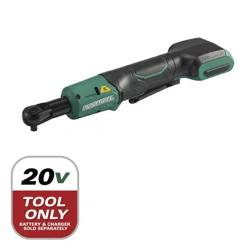
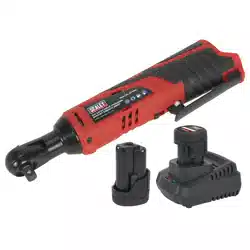
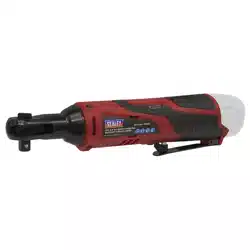
AOBEN AB7332 21V 3/8" Cordless Ratchet Wrench Kit-74 Ft-lbs Brushless Electric Power Ratchet

Product's Documents

Below are documents related to this product, you can read online or download:
AB7332 photo

1. Overview

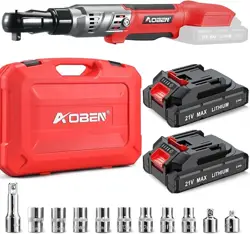
AOBEN 21V 3/8 Cordless Ratchet Wrench Kit with case and accessories

The AOBEN 21V 3/8" Cordless Ratchet Wrench is a brushless electric power tool designed for tightening and loosening bolts and nuts. It is powered by a 21V lithium-ion battery system and includes a variety of sockets and adaptors.

This manual provides instructions for the safe and effective use of the tool and its components.

2. Specifications

  • Drive Size: 3/8"
  • Voltage: 21V
  • Maximum Torque: 74 Ft-lbs (100 N.m)
  • Motor Type: Brushless
  • Battery Type: Lithium-Ion, 2000mAh
  • Battery Quantity: 2
  • Head Style: Fixed Square, Box End
  • Operation Mode: Battery
  • Material: Metal
  • Finish: Powder Coated
  • Color: Black & Red
  • Item Weight: 3 Pounds
  • Model Number: AB7332

3. Kit Contents

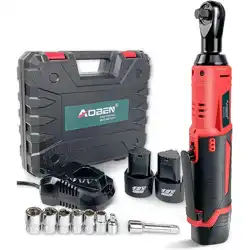
Contents of the AOBEN ratchet wrench kit laid out

Before use, verify that your kit contains all the following items:

  • 1 x 21V 3/8" Cordless Ratchet Wrench
  • 2 x 21V 2000mAh Lithium-Ion Batteries
  • 1 x Battery Charger
  • 8 x Sockets (Sizes not specified in source)
  • 1 x 3-inch Extension Bar
  • 1 x 3/8-Inch to 1/2-Inch Drive Adapter
  • 1 x 1/4-Inch Drive Adapter
  • 1 x Tool Collection Case

If any items are missing or damaged, do not use the tool and contact the seller.

4. Features and Components
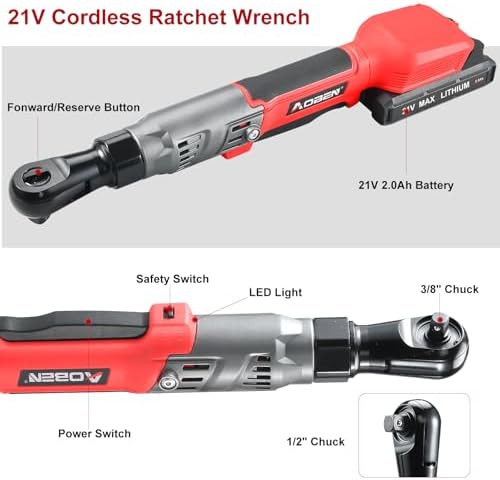
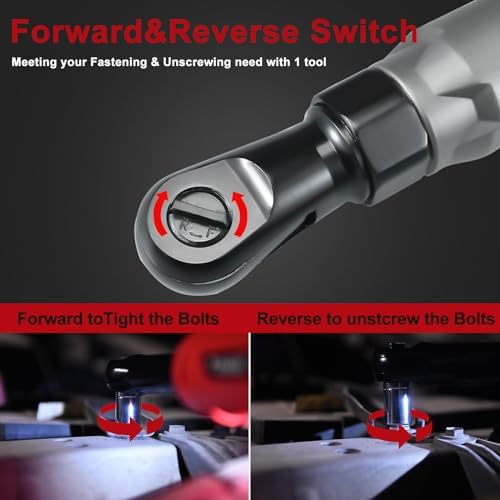
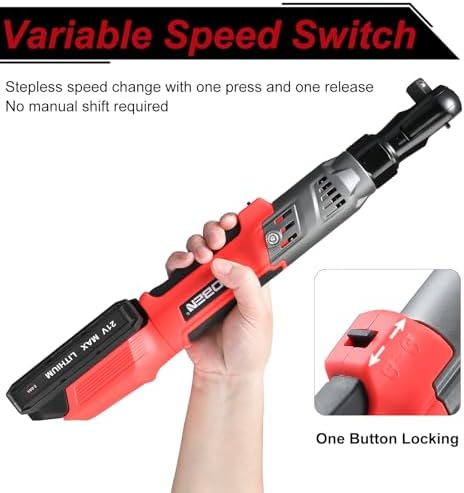
Close-up view of the ratchet wrench head and controls

4.1 Tool Body and Handle

The tool features a slim design with a soft rubber handle intended to provide a comfortable grip and reduce hand fatigue during use.

4.2 Motor and Power

The tool is equipped with a 21V brushless motor, delivering a maximum torque of 74 Ft-lbs (100 N.m) for tackling stubborn fasteners.

4.3 Control Switches

  • Forward/Reverse Switch: Located on the back of the tool head. This switch changes the rotation direction for tightening (forward) or loosening (reverse) bolts.
  • Safety Lock Switch: Prevents the trigger from being pressed accidentally, helping to avoid unintentional operation.
  • Trigger: A variable-speed trigger controls the tool's rotation speed. The harder you press, the faster it turns.

4.4 Built-in LED Light

A bright LED work light is integrated into the tool to illuminate dark, confined, or hard-to-reach work areas.

4.5 Battery and Charging System
Battery and charger for the AOBEN ratchet wrench
  • The kit includes two 21V, 2000mAh lithium-ion batteries.
  • Batteries have a power level indicator.
  • It is recommended to use the two batteries interchangeably: while one is in use, the other can be charging. This practice can help reduce wear on each battery.
  • Use only the provided charger to recharge the batteries.

5. Use Guide

5.1 Before First Use

  1. Fully charge both batteries using the provided charger.
  2. Inspect the tool, battery, charger, and all accessories for any signs of damage.
  3. Familiarize yourself with the location and function of all switches and indicators.

5.2 Installing and Removing the Battery

  1. To install: Align the battery with the slot on the tool handle and slide it in until it clicks securely into place.
  2. To remove: Press the battery release buttons on both sides of the battery and slide it out of the tool.

5.3 Selecting and Attaching Sockets/Attachments

Sockets and adapters included in the kit
  1. Select the correct socket size for your fastener.
  2. Push the socket, extension bar, or adapter onto the 3/8" square drive of the ratchet head until it locks into place with an audible click.
  3. To remove an attachment, pull the locking collar on the ratchet head back and pull the attachment off.
  4. Use the provided 3/8" to 1/2" or 1/4" adapters to utilize sockets with different drive sizes.
  5. Use the 3-inch extension bar to reach fasteners in deeper recesses.

5.4 Operating the Tool

  1. Ensure the Safety Lock switch is in the unlocked position.
  2. Set the Forward/Reverse switch to the desired direction (forward for tightening, reverse for loosening).
  3. Place the socket securely onto the fastener (bolt or nut).
  4. Press the trigger to start the tool. Apply gradual pressure for control.
  5. For final tightening or breaking loose very tight fasteners, you may need to finish by hand with a traditional ratchet or breaker bar.
  6. Release the trigger to stop.
  7. Engage the Safety Lock switch when the tool is not in use.

5.5 Using the LED Light

The LED light typically turns on automatically when the trigger is pressed. It will illuminate the immediate work area in front of the ratchet head.

6. Safety Instructions

  • Read and understand all instructions before using the tool.
  • Wear appropriate personal protective equipment (PPE), including safety glasses.
  • Keep hands and clothing away from moving parts.
  • Ensure the Forward/Reverse switch is in the correct position for your task.
  • Use the Safety Lock switch to prevent accidental starting.
  • Do not use the tool if it or the battery is damaged.
  • Do not immerse the tool or battery in water or other liquids.
  • Use only the provided AOBEN charger and batteries with this tool.
  • Store the tool and batteries in a cool, dry place, out of reach of children.
  • This tool is intended for driving nuts and bolts. Do not use it for drilling or other unintended purposes.

7. Maintenance and Storage

7.1 Tool Care

  • Keep the tool clean. Wipe off dirt and grease with a dry or slightly damp cloth.
  • Do not use solvents or harsh chemicals to clean the tool.
  • Periodically check for loose screws or parts.
  • Do not attempt to disassemble or repair the tool yourself beyond basic maintenance.

7.2 Battery Care and Charging

  • Charge batteries in a dry location at normal room temperature.
  • Do not charge a battery that is hot to the touch. Allow it to cool first.
  • Do not short-circuit the battery terminals.
  • For long-term storage, charge the battery to approximately 50-70% capacity.
  • Use the two batteries interchangeably to promote even wear.

7.3 Storage

Store the tool, batteries, charger, and all accessories in the provided collection case in a secure, dry place.
8. Troubleshooting

Problem Possible Cause Solution
Tool does not run. Battery not installed, depleted, or faulty. Safety lock engaged. Install a charged battery. Disengage the safety lock.
Tool runs slowly or lacks power. Battery is low on charge. Fastener is overly tight. Recharge or replace the battery. Use a manual tool to break the fastener loose first.
Battery does not charge. Charger not properly connected. Faulty battery or charger. Check power connection to charger. Ensure battery is correctly seated. Try the other battery.
Socket or accessory falls off. Attachment not fully seated. Locking mechanism worn or damaged. Push attachment on firmly until it clicks. Inspect the drive head and attachment for damage.
LED light does not work. Tool not activated. LED may be faulty. Press the trigger. If tool runs but light does not, the LED may require service.

Reference file: AOBEN AB7332 21V 3/8" Cordless Ratchet Wrench Kit-74 Ft-lbs Brushless Electric Power Ratchet

Specifications

Indexed Terms: Wrench, Ratchet

AOBEN AB7332 Questions and Answers

See other models: AT3501 AB7331T AB2132ZA