On-line owner's handbook
Referring to the owner's handbook on-line also gives you
access to the latest information available, easily identifi ed by
the bookmarks, associated with this pictogram:
If the heading "MyCitroën" is not available on the public website for
your country, you can fi nd your handbook at the following address:
http://service.citroen.com
Select:
You can fi nd your handbook on the CITROËN website, under the
heading "MyCitroën".
This personal space provides you with information on your products
and services, a direct and special contact with CITROËN and
becomes a space tailored for you.
the link in "Private customer access",
the language,
the model,
the edition date appropriate for the date of registration of your vehicle.
You will fi nd your handbook, presented in the same way as the paper version.

CITROËN has a presence on every continent,
a complete product range,
bringing together technology and a permanent spirit of innovation,
for a modern and creative approach to mobility.
We thank you and congratulate you on your choice.
Your vehicle is fitted with onl
y
some o
f
the equipment described in this document,
dependin
g
on the trim level, version and the
s
peci
f
ications
f
or the countr
y
in which it is sold.
The
f
ittin
g
o
f
electrical equipment or
accesso
r
ies
w
hich
a
r
e
n
o
t r
eco
mm
e
n
ded
by CITROËN may result in a failure of your
vehicle's electronic s
y
stem. Please note this
s
pecific warnin
g
and contact a CITROËN
dea
l
e
r t
o
be
s
h
o
wn th
e
r
eco
mm
e
n
ded
e
quipment and accessories.
At the wheel of your new vehicle,
getting to know each system,
each control, each setting,
makes your trips, your journeys
more comfortable and more enjoyable.
Happy motoring!
We draw your attention to the following...

Contents
Contents
6
FAMILIARISATION
33
6
ALPHABETICAL
INDEX
34
1
VISUAL SEARCH
K
e
y
sa
f
ety warning
add
iti
o
n
a
l in
fo
rm
a
ti
o
n
contributes to the protection of the environment
pro
g
rammin
g
a
f
unction with the
c
on
f
i
g
uration menu
re
f
er to the pa
g
e indicated
001
001
002
002
003
003
004
004COMFORTACCESSMONITORING DRIVING
Instrument
p
an
e
l
31
Indicator and warning lam
p
s
4
0
G
au
g
es and indicato
r
s
44
Adj
ustment
b
utton
s
46
Settin
g
the date and tim
e
46
C
loc
k
4
8 Trip comput
e
r
52
Electronic ke
y
- remote
co
ntr
o
l
6
1
Boo
t
62
Ala
r
m
6
4
El
ec
tri
c
win
dow
s
6
6
Cockpit
g
lass ro
o
f
6
8
F
ue
l t
an
k
6
9
Mis
f
uel prevention
(
Diese
l
)
7
4 Fr
o
nt
seat
s
79
R
ea
r
seat
s
8
2
Mi
rr
o
r
s
83
S
teerin
g
wheel ad
j
ustme
n
t
84
Interior fi ttin
g
s
88
Boot fi ttin
g
s
8
9 Trian
g
le
(
stowin
g
)
9
0 Heating and Ventilatio
n
92
D
ua
l
-zone
digi
ta
l
a
i
r
co
n
di
t
io
n
in
g
9
6
R
ea
r
sc
r
ee
n
de
mi
s
t -
def
r
os
t
100
S
tartin
g
-switchin
g
o
ff
the
e
ngin
e
10
3
Electric parkin
g
bra
k
e
111
Hill
s
t
a
rt
assis
t
11
2
Manual
g
earb
o
x
113
G
ear
s
hif
t
in
d
i
ca
t
o
r
114
A
utomat
i
c
g
ear
bo
x
11
8
6
-speed electronic
g
earbox
s
yst
e
m
122 Stop & Star
t
12
5
L
ane
d
eparture warn
i
n
g
sy
st
e
m
12
6
Head-u
p
dis
p
la
y
12
9
Speed limit
e
r
13
1
C
r
u
i
se
co
ntr
o
l
13
3
Parkin
g
sensor
s
135 Reversin
g
camer
a
005
005
006
006
007
007
008
008
SAFETY
PRACTICAL
INFORMATION
CHILD SAFETYVISIBILITY
1
3
8
Li
g
htin
g
contro
l
s
1
4
1
Da
y
time runnin
g
lam
p
s
1
42 A
u
t
o
m
a
ti
c
ill
u
min
a
ti
o
n
of
h
eadlamp
s
1
4
3
Automatic headlam
p
di
pp
i
n
g
1
4
6
H
ea
dl
amp a
dj
ustmen
t
147
Di
rect
i
ona
l
ligh
t
in
g
1
49
Wi
per contro
l
s
1
5
1
A
u
t
o
m
a
ti
c
r
a
in
se
n
s
itiv
e
wiper
s
1
53 Courtes
y
lam
p
s
1
54 Interior mood lighti
n
g
1
5
8
C
hild sea
t
s
1
6
4
I
SO
FIX child sea
t
s
1
67
C
hil
d
l
oc
k
17
0
Dir
ec
ti
o
n in
d
i
ca
t
or
s
17
1
Emergency or assistance call
171
Ho
r
n
172
T
y
re under-in
fl
ation detecti
o
n
17
3
ESP s
y
st
e
m
176
S
eat bel
t
s
17
9
Airba
g
s
1
86
Temporar
y
puncture repair k
i
t
1
9
2
C
hanging a whe
e
l
19
9
C
han
g
in
g
a bul
b
2
0
7
C
han
g
in
g
a
f
us
e
2
1
0
12 V
ba
tt
er
y
2
1
3
Ener
gy
econom
y
mo
d
e
2
1
4
Chan
g
in
g
a wiper bla
d
e
2
1
5
Towing the vehicl
e
2
16
T
ow
i
n
g
a tra
ile
r
2
18 Fittin
g
roo
f
ba
r
s
2
19
Accesso
r
ie
s

009
009
010
010
011
011
CHECKS TECHNICAL DATA AUDIO AND
TELEMATICS
2
2
5
O
penin
g
the bonn
e
t
2
2
6
Petrol engin
e
s
227
Di
ese
l
en
gi
n
e
s
2
2
8
Runnin
g
out o
f
f
uel
(
Diesel
)
2
2
9
Checkin
g
level
s
2
3
2
C
hec
k
s
2
3
8
Petrol en
g
in
e
s
2
3
9
Petrol weigh
t
s
241
Di
ese
l
en
gi
n
e
s
242
Di
ese
l
we
ight
s
244
Dim
e
n
s
i
on
s
2
45 Identifi cation markin
g
s
24
8
Emer
g
enc
y
or assistanc
e
25
1
eMyWa
y
3
05
A
u
di
o s
y
st
e
m
Familiarisation
Familiarisation
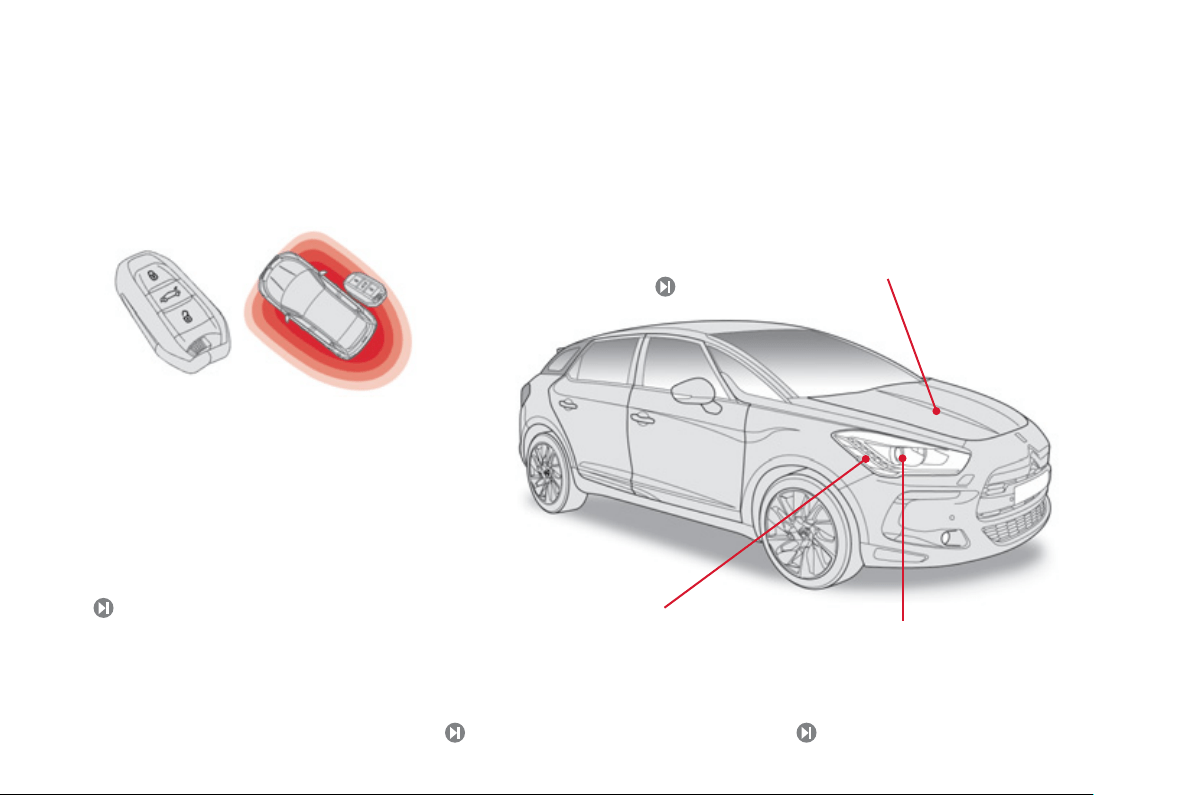
Electronic ke
y
: Ke
y
less Entr
y
a
nd Startin
g
This s
y
stem allows
y
ou to unlock, lock and start
y
our vehicle while keepin
g
the ke
y
on
y
our person
a
n
d
in th
e
de
fin
ed
z
o
n
e
a
r
ou
n
d
th
e
v
e
hi
c
l
e
.
53, 10
0
Exterior
Sto
p
& Start
This s
y
stem puts the en
g
ine temporaril
y
into standb
y
durin
g
stops
in the tra
ff
ic
(
red li
g
hts, tra
ff
ic
j
ams, etc...
)
. The en
g
ine restarts
automaticall
y
as soon as
y
ou want to move o
ff
. The
S
top
&
S
tart
s
y
stem reduces
f
uel consumption and exhaust emissions, and o
ff
ers
the com
f
ort o
f
complete silence when stationary.
1
22
Directional li
g
htin
g
This lighting automatically provides additional
f
orward visibilit
y
when cornerin
g
.
147
Da
y
time runnin
g
lamps
This li
g
htin
g
, switched on automaticall
y
when
startin
g
the en
g
ine, makes
y
our vehicle more
vi
s
i
b
l
e
t
o
o
th
e
r r
oad
use
r
s
.
1
4
1
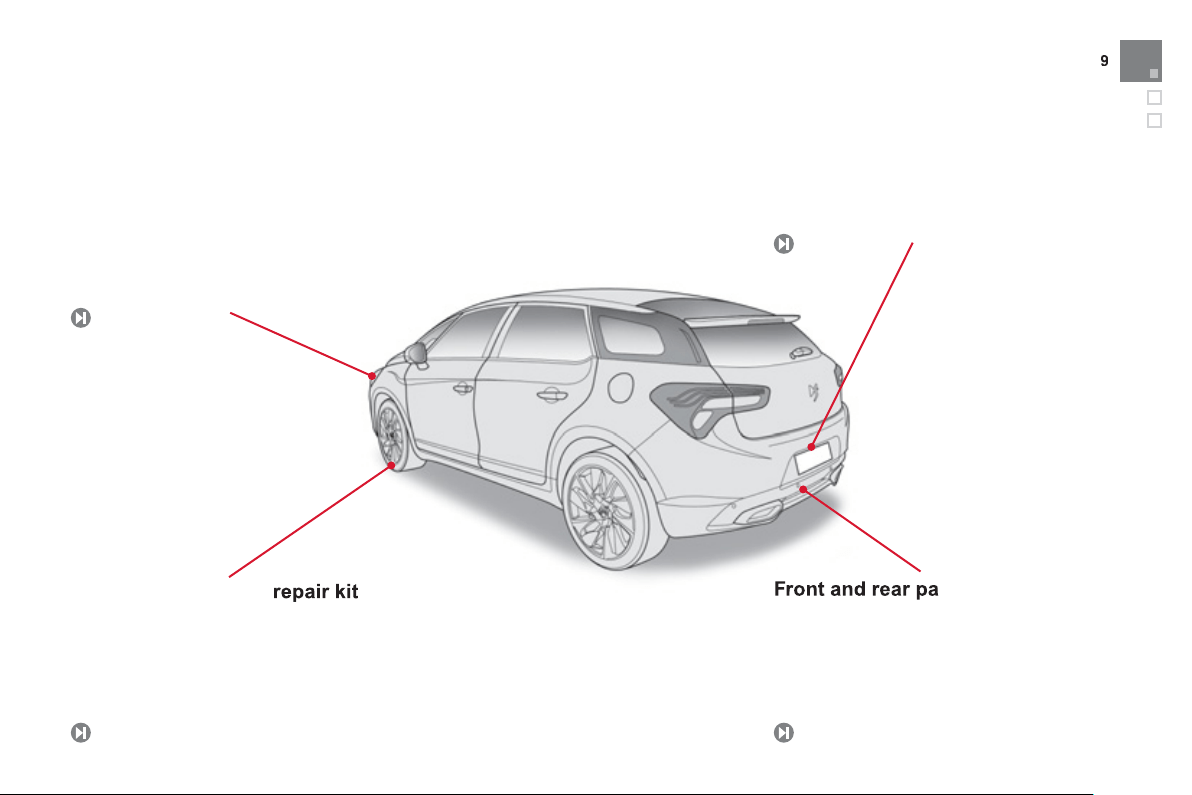
Familiarisation
Automatic headlamp dippin
g
This s
y
stem automaticall
y
chan
g
es between
dipped and main beam, dependin
g
on the
drivin
g
conditions, usin
g
a camera located in
th
e
int
e
ri
o
r r
ea
r vi
e
w mirr
o
r.
143
Front and rear parking sensors
This s
y
stems warns
y
ou of the presence o
f
obs
t
ac
l
es
l
oca
t
ed
in fr
o
nt
o
f
o
r
be
hin
d
th
e
ve
hi
c
l
e
d
ur
i
n
g
par
ki
n
g
manoeuvres.
133
Temporary puncture repair kit
This kit is a complete s
y
stem consistin
g
o
f
a
c
ompressor and a sealant cartridge, to allow
the temporar
y
repair o
f
a t
y
re.
18
6
Exterior
R
evers
i
n
g
camera
This s
y
stem, available onl
y
with satellite
nav
ig
at
i
on,
i
s act
i
vate
d
automat
i
ca
lly
on
e
n
g
a
gi
n
g
reverse
g
ear an
d
prov
id
es an
i
ma
g
e
i
n t
he
colou
r
sc
r
ee
n.
13
5
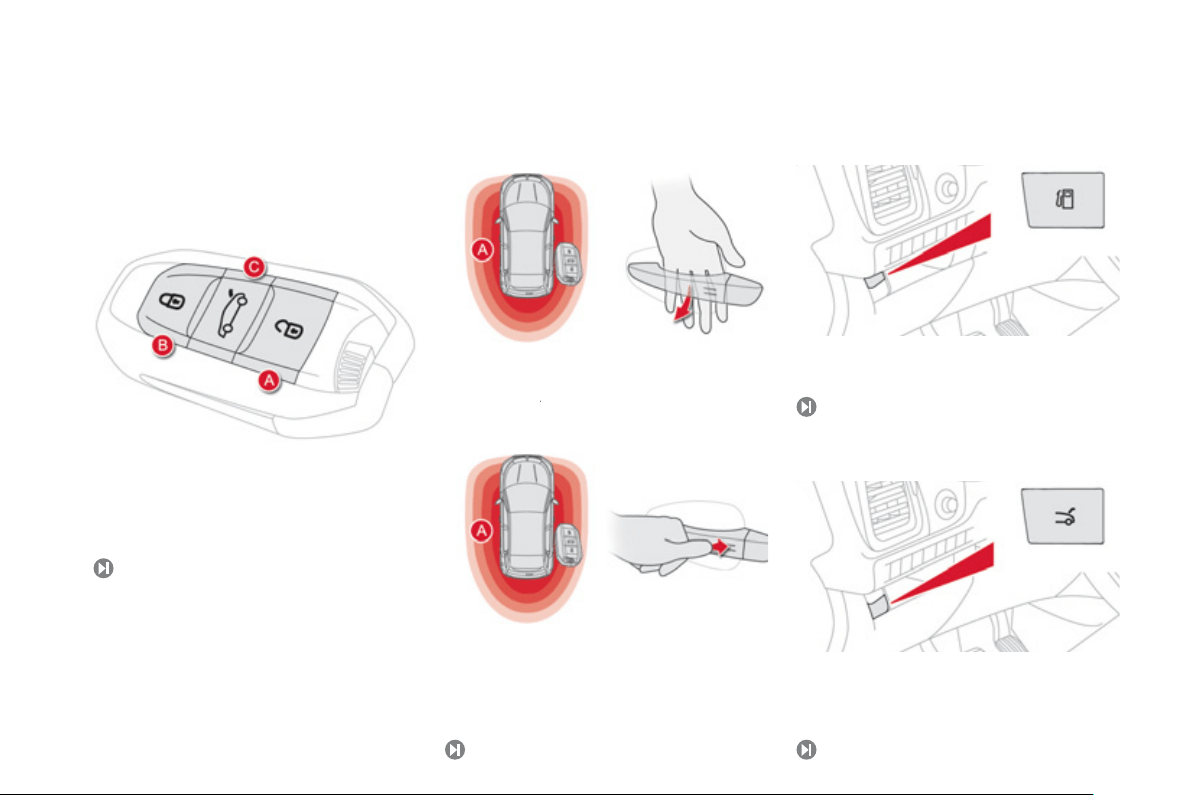
Access
1.
O
penin
g
the fuel filler flap.
Tank capacit
y
: approximatel
y
60 litres.
Fuel tank
6
8
Unlockin
g
With the electronic ke
y
on
y
our person and in the
de
fin
ed
z
o
n
e
A
around the vehicle, pass your hand
A
b
ehind the door handle to unlock the vehicle, then
pull on the handle to open the door.
Lockin
g
With the electronic ke
y
in the de
f
ined zone
A
around the vehicle, press with a fin
g
er on
the door handle
(
at the markin
g
s
)
to lock the
v
e
hi
c
l
e
.
Electronic ke
y
52
A.
Unlockin
g
the vehicle.
B.
Normal lockin
g
of the vehicle.
C.
Unlockin
g
the boot and complete unlockin
g
of
th
e
v
e
hi
c
l
e
.
Ke
y
less Entr
y
and Startin
g
53
Boot
1.
Unlockin
g
the boot
(
maintain pressure until
the boot is heard to unlock
)
.
6
1
11
Familiarisation
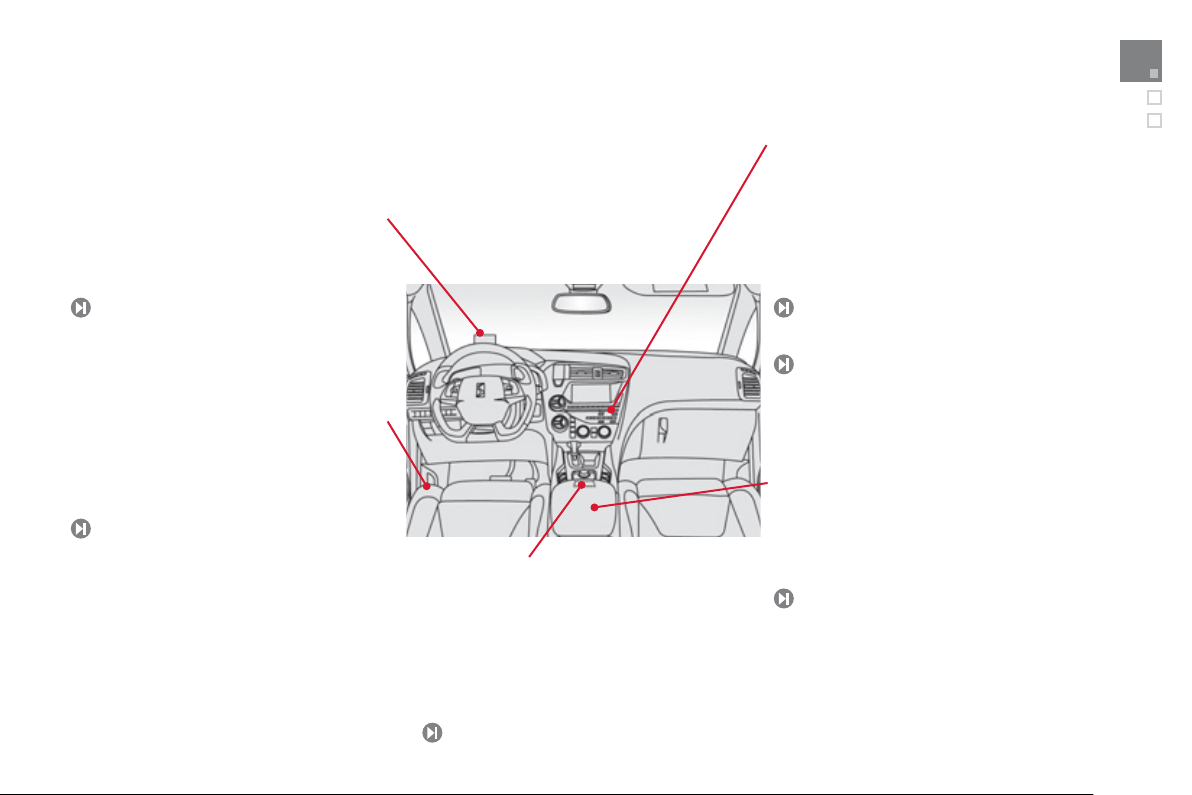
Interior
Head-up displa
y
This s
y
stem pro
j
ects speed and cruise control/
s
peed limiter information onto a smoked strip in
the driver's field of vision, so that the
y
do not need
to take their e
y
es off the road.
Central stora
g
e containin
g
various s
y
stems
It is illuminated, cooled and provides stora
g
e
and locations for s
y
stems and loose items
(
USB Pla
y
er, location for 0.5 litre bottle, ...
)
.
A
u
di
o an
d
commun
i
cat
i
on
s
y
stems
These s
y
stems bene
f
it
f
rom the latest
technolo
gy
: MP3 compatible audio s
y
stems,
US
B pla
y
er, Bluetooth hands-
f
ree s
y
stem,
s
atellite navigation system with colour screen,
auxiliar
y
inputs, Hi-Fi audio s
y
stem, ...
e
M
y
Wa
y
12
6
84
3
05
25
1
Audio s
y
stem
Massa
g
e function
This s
y
stem provides a lumbar massa
g
e for a
p
eriod of about 60 minutes. The massa
g
e is
done in 6 c
y
cles of 10 minutes.
7
8
Electric parkin
g
brake
It
co
m
b
in
es
th
e
f
u
n
c
ti
o
n
s
o
f
au
t
o
m
a
ti
c
a
pplication on switchin
g
o
ff
the en
g
ine and
a
utomatic release when movin
g
o
ff
. Manual
appli
cat
i
on an
d
re
l
ease rema
i
ns
p
oss
ibl
e.
1
0
3
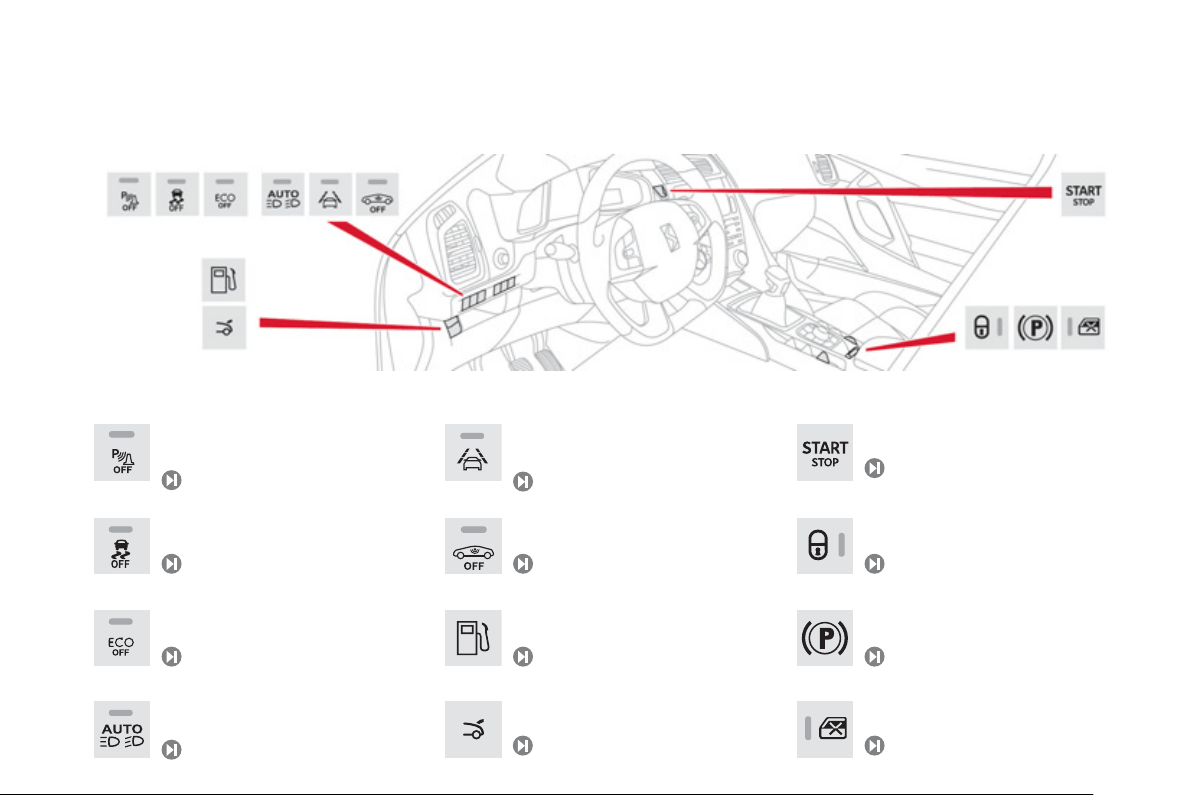
Illumination o
f
the warnin
g
lamp indicates the state o
f
the correspondin
g
f
unction.
Switch
p
anels
O
penin
g
the
f
uel
f
iller
f
lap.
O
penin
g
the boot.
6
8
63
D
eac
tiv
a
ti
o
n
o
f th
e
a
l
a
rm.
6
1
El
ectr
i
c par
ki
n
g
b
ra
k
e act
i
vate
d
.
1
0
3
Push button startin
g/
stoppin
g
.
1
00
Deactivation o
f
S
top
&
S
tart.
1
2
3
Deactivation o
f
parkin
g
sensors.
1
3
4
El
ec
tri
c
c
hil
d
l
oc
k.
1
67
Deactivation of the DSC s
y
stem.
1
75
Activation of Automatic headlamp
dippin
g
.
1
4
3
12
5
A
ctivation o
f
lane departure warnin
g
.
59
Lockin
g
/unlockin
g
the passen
g
er
c
ompartment.
13
Familiarisation
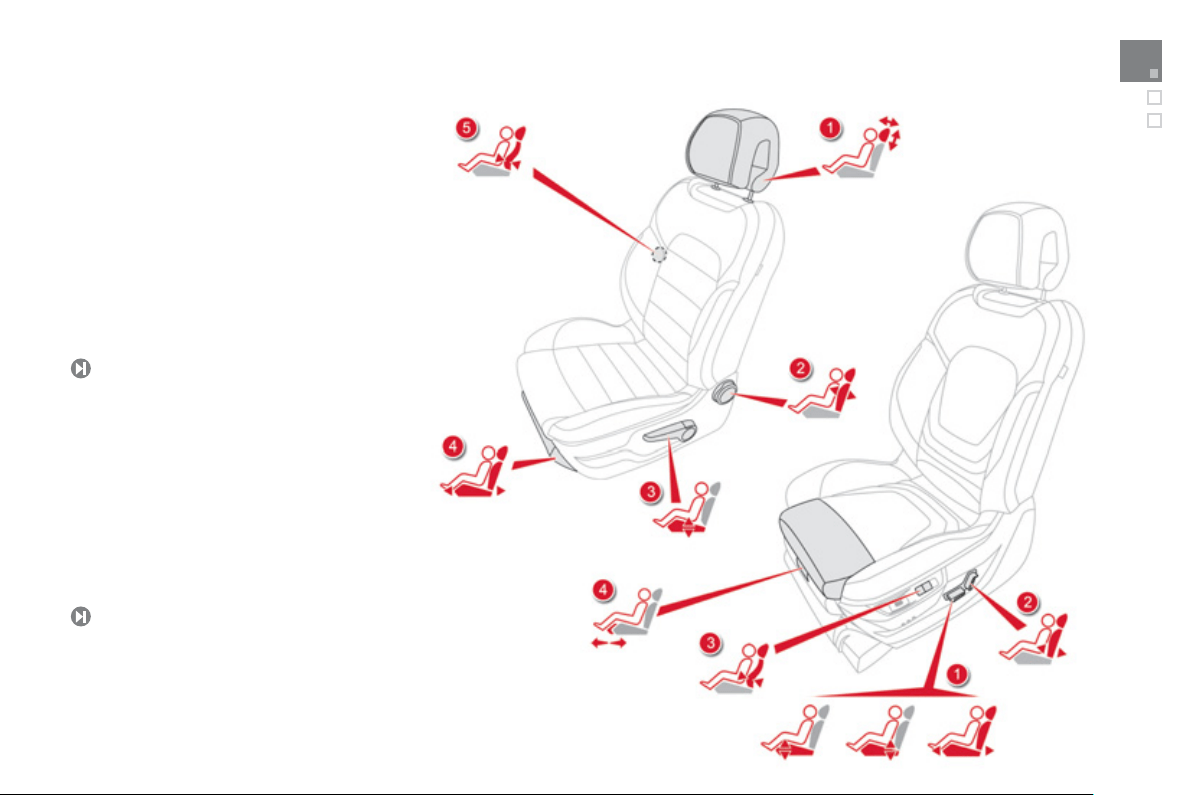
Sitting comfortably
Front seats
7
4
Manual
1.
Head restraint height and angle
a
d
j
ustment.
2.
Backrest an
g
le ad
j
ustment.
3.
Seat cushion hei
g
ht ad
j
ustment.
4.
Seat forwards-backwards ad
j
ustment.
5
.
D
river's lumbar support ad
j
ustment.
Electrical
1.
An
g
le, seat hei
g
ht and seat forwards-
backwards ad
j
ustment.
2.
Backrest an
g
le ad
j
ustment.
3.
D
river's lumbar support ad
j
ustment.
4.
M
anua
l
cus
hi
on a
dj
ustment.
7
5

14.
Co
ntr
o
l
s
fo
r
e
l
ec
tri
c
win
do
w
s
/
e
l
ec
tri
c
c
hil
d
l
ock
/
central locking.
15
.
eM
y
Wa
y
controls.
16
.
Gear lever.
17
.
Heatin
g
/ air conditionin
g
controls.
18
.
Audio s
y
stem.
19
.
Hazard warnin
g
lamps.
20
.
M
u
lti
fu
n
c
ti
o
n
sc
r
ee
n.
21.
C
entral ad
j
ustable air vents.
22.
C
l
oc
k.
23
.
S
tarting with the
S
TART
/S
T
O
P button.
24
.
Electronic ke
y
reader.
25
.
Wiper / screenwash / trip computer stalk.
26
.
Audio equipment steerin
g
wheel controls.
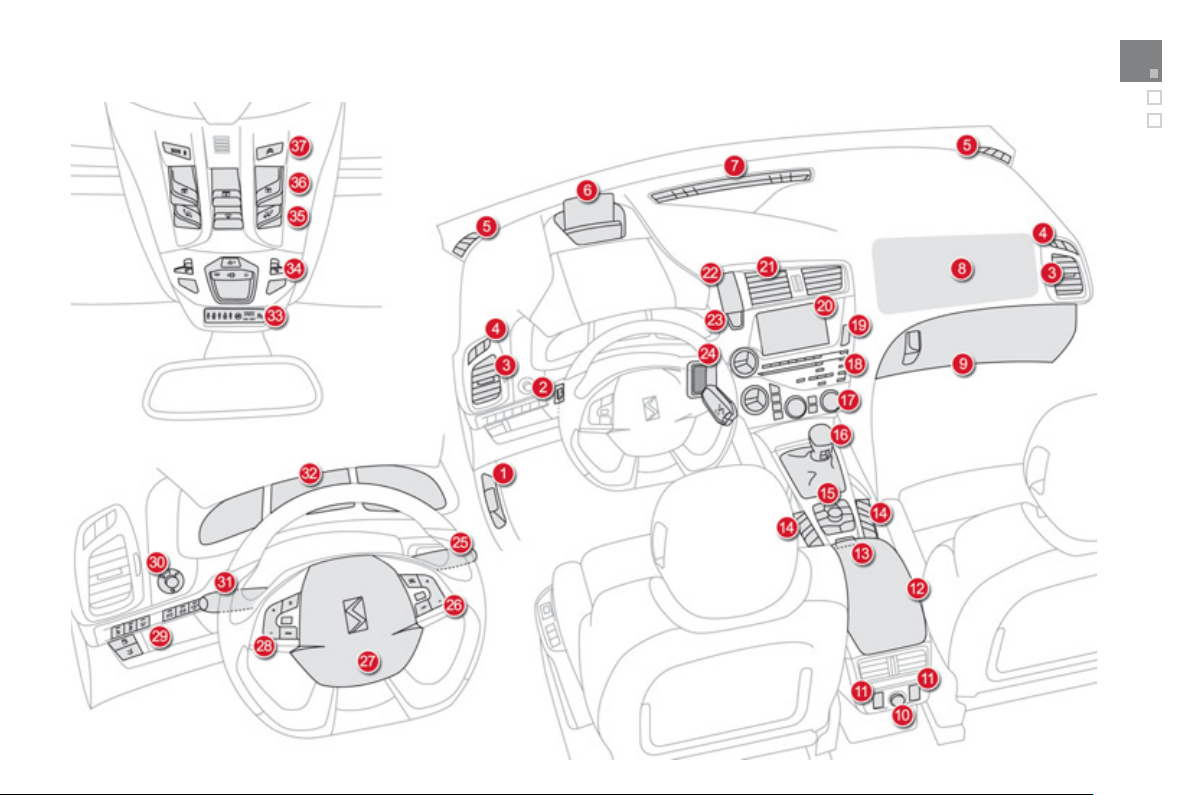
Instruments and controls
1.
Bo
nn
e
t r
elease
le
v
e
r.
2.
Headlamp height adjustment.
3.
S
ide ad
j
ustable air vents.
4.
Front door window demistin
g
/defrostin
g
v
e
nt
s
.
5.
Q
uarter li
g
ht demistin
g
windows.
6
.
Head-up displa
y
.
7.
Windscreen demistin
g/
de
f
rostin
g
vent.
8.
P
assen
g
er
'
s a
i
r
b
a
g
.
9.
G
love box
/
Passen
g
er's airba
g
deac
tiv
a
ti
o
n in
s
i
de
.
1
0
.
12
V accessor
y
socket.
1
1
.
R
ea
r
e
l
ec
tri
c
win
do
w
co
ntr
o
l
s
.
1
2
.
Central armrest with stora
g
e.
USB port / auxiliar
y
socket.
1
3
.
Electric parkin
g
brake.
27.
D
r
i
ver
'
s a
i
r
b
a
g
.
H
o
rn.
2
8
.
C
ruise control
/
speed limiter controls.
2
9
.
Switch panel
(
see previous pa
g
e
)
.
3
0
.
Door mirror ad
j
ustment.
3
1
.
Li
g
htin
g
and direction indicator stalk
.
3
2
.
Instrument panel.
3
3
.
S
eat belt and airba
g
warnin
g
lamps.
3
4
.
C
ourtes
y
lamp.
3
5
.
H
ea
d
-up
di
sp
l
a
y
contro
l
s.
3
6
.
C
ontrols
f
or glass roo
f
panel blind.
3
7
.
CITROË
N
Localised Emer
g
enc
y
C
all -
CITROË
N
Localised Assistance Call
(
dependin
g
on countr
y
of sale
)
.
1
5
Familiarisation
Sitting comfortably
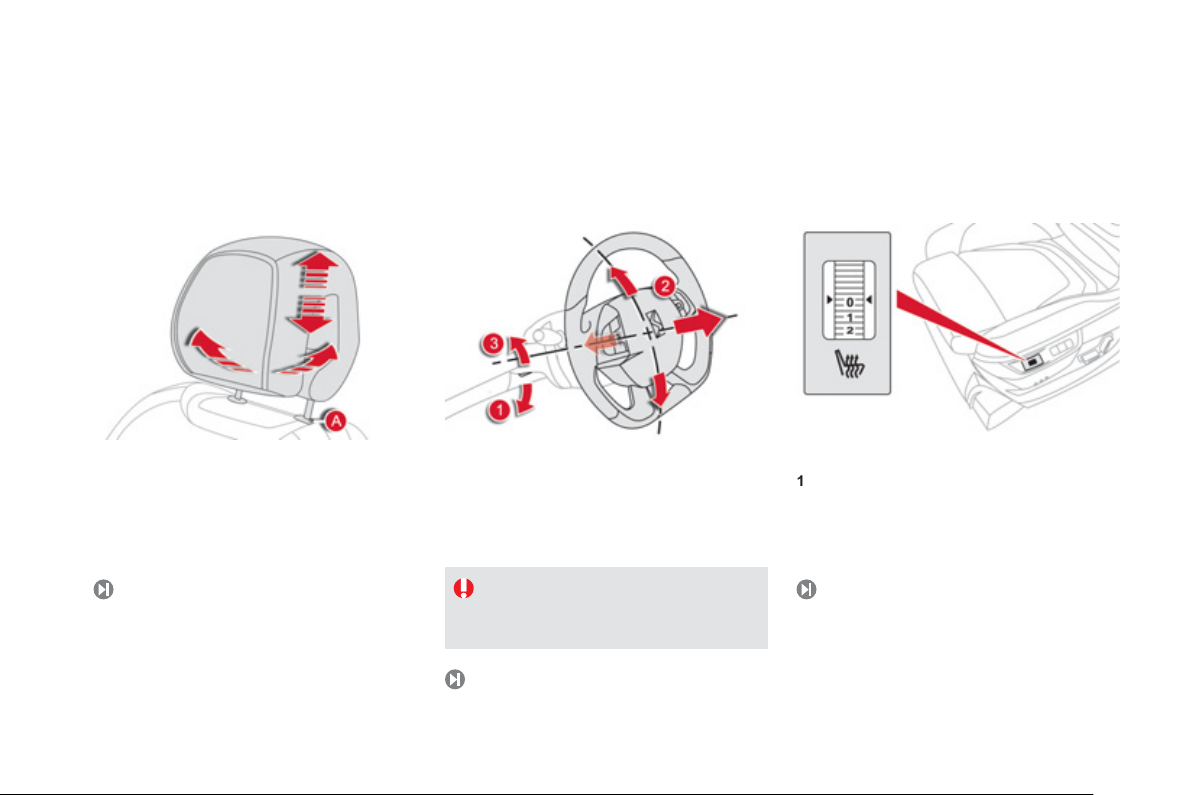
Head restraint ad
j
ustment
77
1
.
Release the adjustment mechanism.
2
.
Ad
j
ust
f
or hei
g
ht and reach.
3.
Lock the ad
j
ustment mechanism.
Steerin
g
wheel ad
j
ustment
83
For reasons o
f
sa
f
et
y
, these operations
m
ust onl
y
be carried out with the
vehicle stationar
y
.
Heated seats control
0
:
off
.
1
: l
o
w.
2
: m
ed
i
u
m.
3
: hi
g
h.
To lower it, simultaneously press button
A
a
n
d
p
ush down on the head restraint.
To raise it,
g
uide the head restraint upwards to
the desired position.
To incline it, swivel the lower part backwards o
r
f
o
rw
a
r
ds
.
7
8
17
Familiarisation
Sitting comfortably
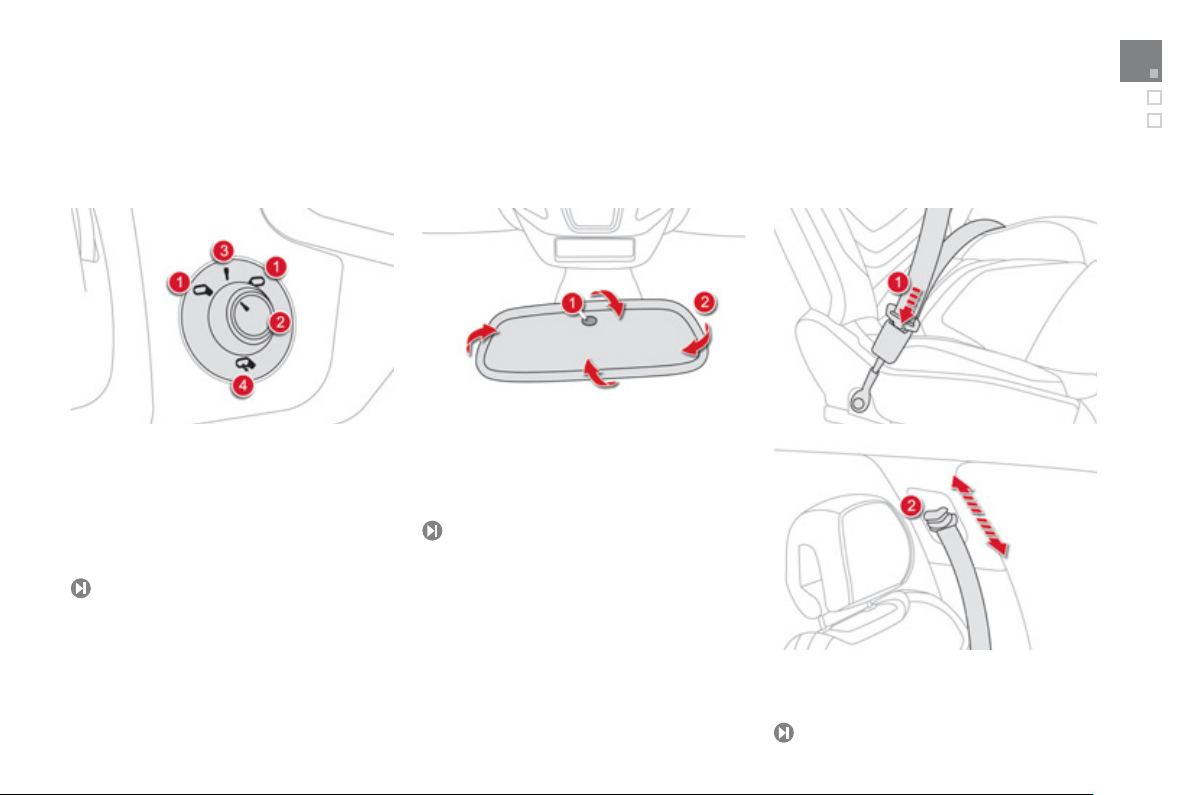
Door mirrors
Adj
ustment
1.
Selection of the left or ri
g
ht mirror.
2.
Ad
j
ustin
g
the position of the mirror
g
lass.
3.
D
e
-
se
l
ec
ti
o
n
o
f th
e
mirr
o
r.
4.
F
o
ldi
n
g
t
h
e m
i
rror.
82
Rear view mirror
83
1
.
Automatic detection of da
y
/ni
g
ht mode.
2.
Rear view mirror ad
j
ustment.
Front seat belts
176
1.
Fastenin
g
.
2.
Ad
j
ustin
g
f
or hei
g
ht.
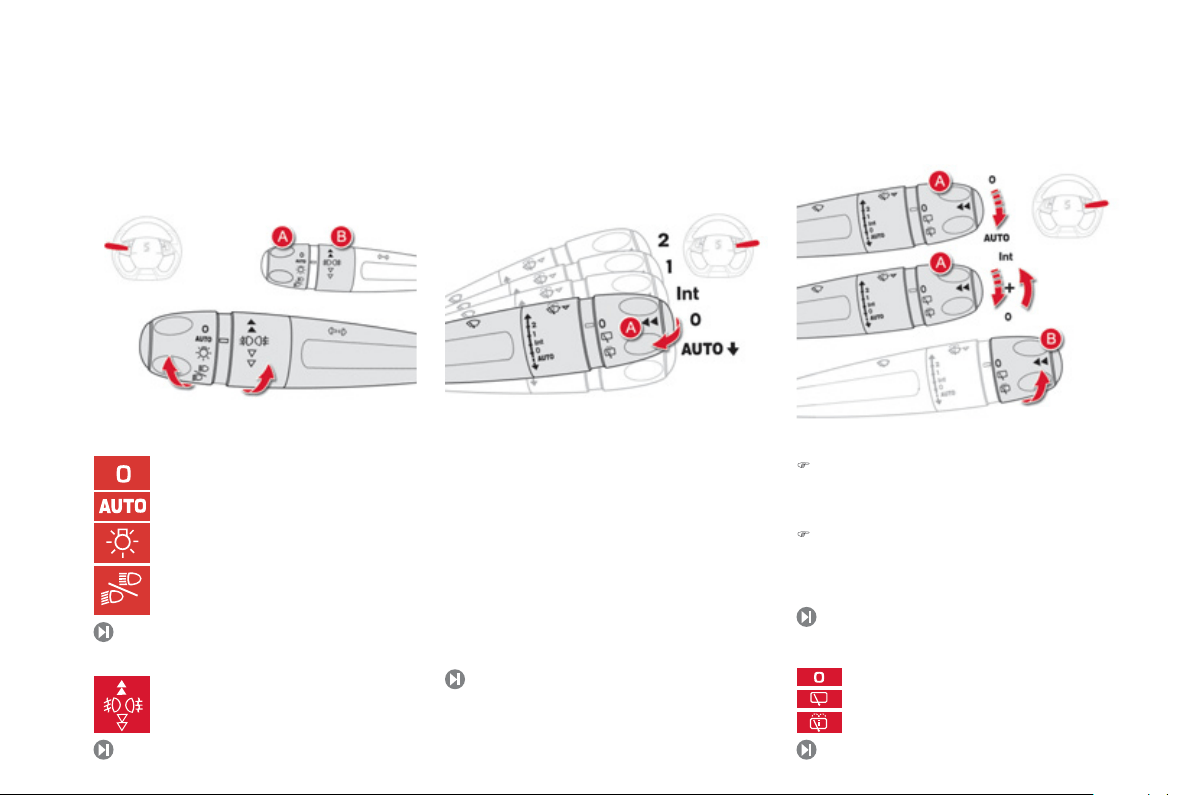
Seeing clearly
Li
g
htin
g
Rin
g
A
Rin
g
B
Wi
p
ers
140
Control stalk A: windscreen
wipers
2
.
Fast wipe.
1. Normal wipe.
Int
.
Intermittent wipe.
0
.
Pa
r
k
.
AUT
O
A
utomat
i
c w
i
p
i
n
g
.
È
S
ingle wipe: Brie
f
pull on the stalk towards.
S
creenwash: Lon
g
pull on stalk towards
y
ou.
1
4
9
Switchin
g
on "AUTO" mode
)
Briefl
y
push the stalk downwards.
Switchin
g
off "AUTO" mode
)
Brie
f
l
y
push the stalk downwards or place
the stalk in another position: Int, 1 or 2.
Ri
n
g
B
: rear w
i
per
15
1
15
0
Li
g
htin
g
o
ff
.
Automatic illumination of headlamps.
Sidelamps.
Dipped / main beam headlamps.
Front and rear
f
o
g
lamps.
P
a
rk.
I
nterm
i
ttent w
ip
e.
S
creenwash.
139
19
Familiarisation
Monitoring
O
n switchin
g
on, the dial needles
g
o to the
e
xtent o
f
their travel then return to 0.
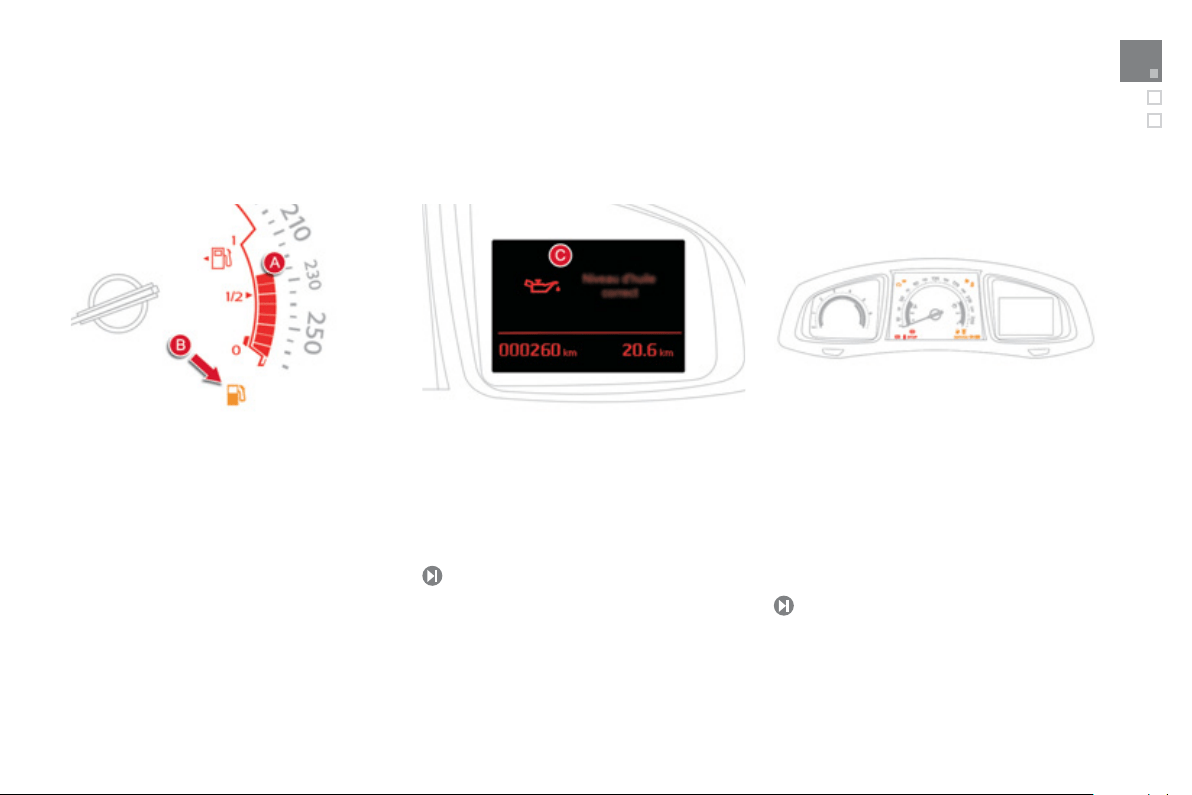
A
.
With the i
g
nition on, the bars indicate the
fuel remainin
g
.
B
.
With the en
g
ine runnin
g
, the associated
low level warnin
g
lamp should
g
o off.
Instrument
p
anel
1.
Wi
t
h
t
h
e
ig
n
i
t
i
on on, t
h
e oran
g
e an
d
re
d
warning lamps come on.
2.
With the en
g
ine runnin
g
, these warnin
g
lamps should
g
o off.
If a warnin
g
lamp remains on, refer to the pa
g
e
co
n
ce
rn
ed
.
Warnin
g
lamps
31
C.
Wi
t
h
t
h
e
ig
n
i
t
i
on on, t
h
e
i
nstrument pane
l
sc
r
ee
n
s
h
ou
l
d
in
d
i
ca
t
e
th
e
o
il l
e
v
e
l.
I
f
the levels are not correct, top up the level
w
hi
c
h i
s
l
o
w.
69, 4
3
Passenger safety
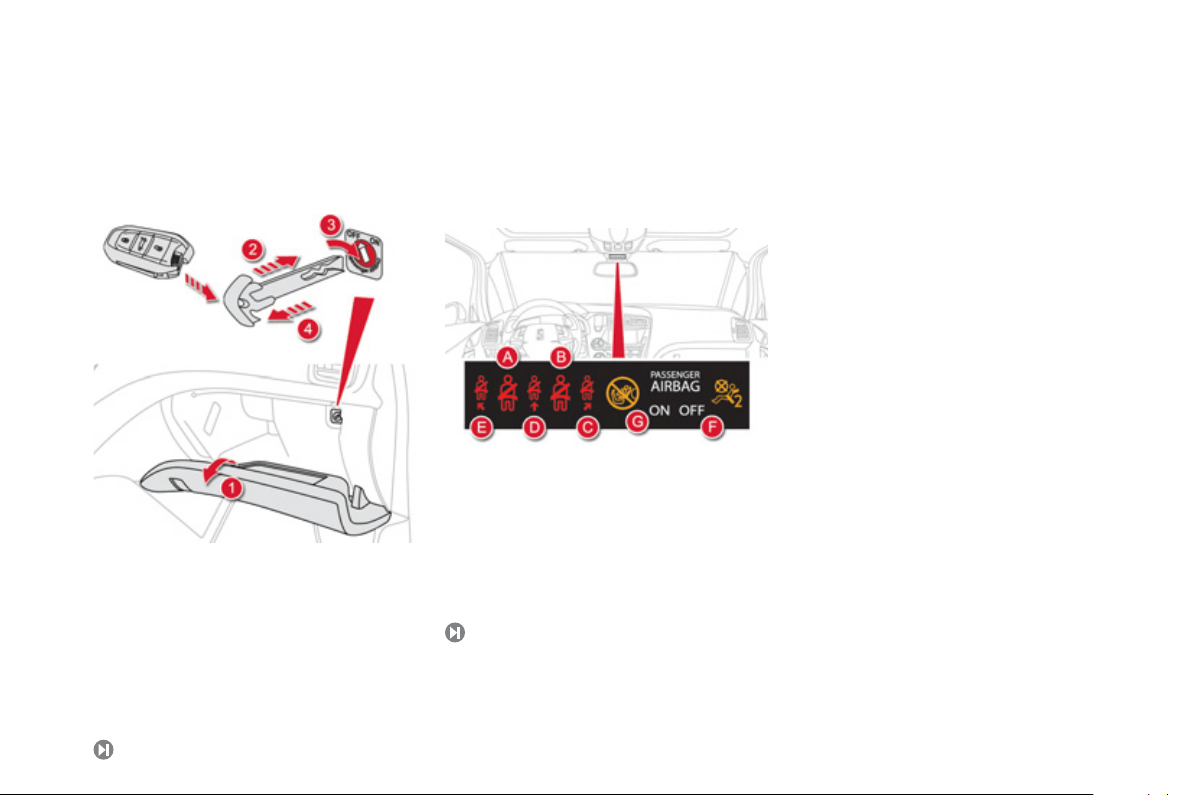
1.
O
pen the
g
love box.
2.
Insert the ke
y
(
inte
g
ral with the electronic ke
y)
.
3.
Select position:
"ON"
(
activation
)
, with
f
ront passen
g
er or
"f
orwards
f
acin
g
" child seat,
"OFF"
(
deactivation
)
, with "rear
f
acin
g
"
c
hil
d
sea
t.
4.
Remove the ke
y
keepin
g
the switch in the
n
ew position.
Front passen
g
er's airba
g
180
Front seat belts and
p
assen
g
er's front airba
g
A
.
L
e
ft h
a
n
d
fr
o
nt
sea
t
be
lt n
o
t f
as
t
e
n
ed
or
u
nfastened warnin
g
lamp.
B.
Ri
g
ht hand
f
ront seat belt not
f
astened or
u
n
f
astened warnin
g
lamp.
C.
Ri
g
ht hand rear seat belt not
f
astened or
u
n
f
astened warning lamp.
D.
C
entre rear seat belt not
f
astened or
u
nfastened warnin
g
lamp.
177
E.
L
e
ft h
a
n
d
r
ea
r
sea
t
be
lt n
o
t f
as
t
e
n
ed
o
r
unfastened warnin
g
lamp.
F.
F
ront passen
g
er
'
s a
i
r
b
a
g
d
eact
i
vate
d
warn
i
n
g
l
amp.
G.
F
ront passen
g
er
'
s a
i
r
b
a
g
act
i
vate
d
warn
i
n
g
lam
p
.
21
Familiarisation
I
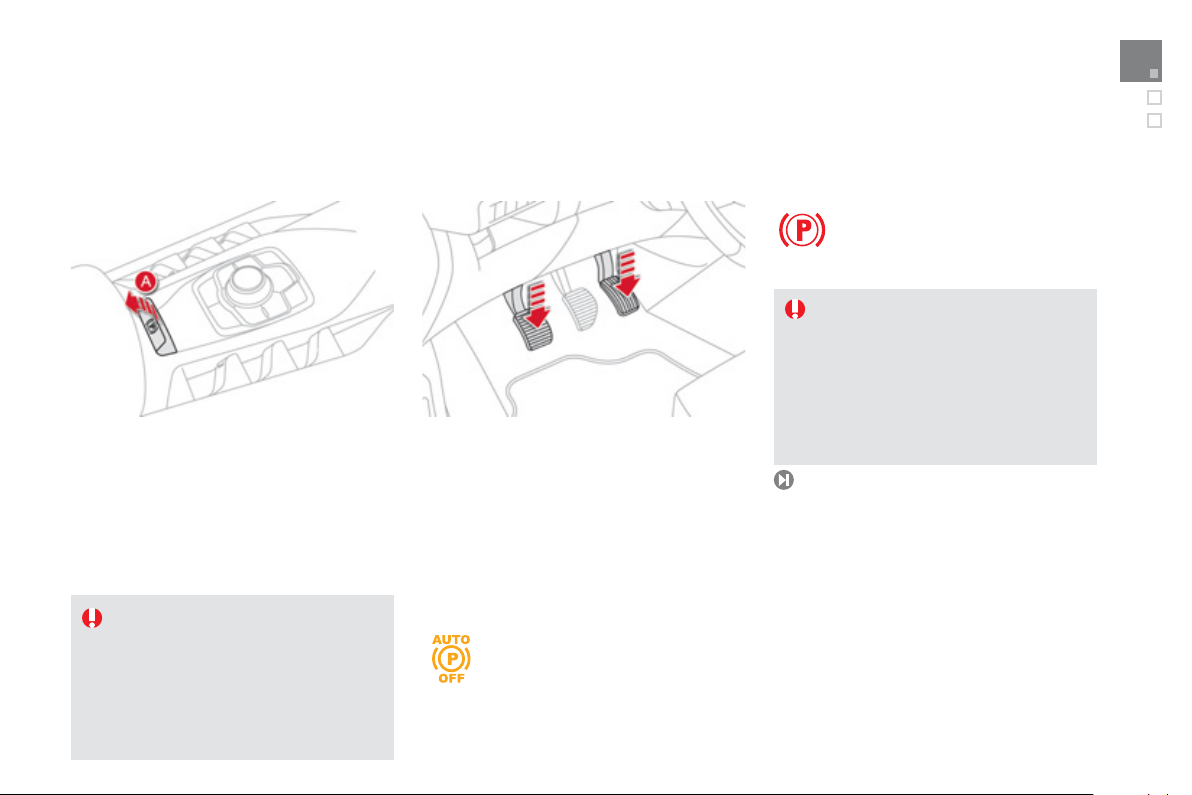
f
this warnin
g
lamp comes on in
t
h
e
i
nstrument
p
ane
l
, automat
i
c
a
pplication
/
releas
e
i
s
deactivated. The parkin
g
brake must
be applied and released
manually
.
y
Before leavin
g
the vehicle, check
that the the brake warnin
g
lamp and
th
e
P
warnin
g
lamp in the control
le
v
e
r
A
a
r
e
o
n fixed
(
not flashin
g)
.
103
I
f
towing a trailer or caravan or i
f
the
s
lope mi
g
ht var
y
(
transport b
y
boat or
l
orr
y
, recover
y
of the vehicle...
)
make
a maximum application of the parkin
g
brake - b
y
makin
g
a lon
g
pull on the
co
ntr
o
l l
e
v
e
r
A
- t
o
imm
ob
ili
se
th
e
v
ehicle
.
* Dependin
g
on countr
y
of sale.
Driving safely
Electric parkin
g
brake
Manual A
pp
lication
/
Release
Manual a
pp
lication of the parkin
g
brake is
p
ossible b
y
p
ullin
g
th
e
co
ntr
o
l l
e
v
e
r
A
.
Wi
t
h
t
h
e
ig
n
i
t
i
on on,
m
anua
l
re
l
eas
e
of
th
e
p
ar
ki
n
g
b
ra
k
e
i
s poss
ibl
e
by
p
ress
i
n
g
t
h
e
b
ra
k
e pe
d
a
l
a
n
d
p
u
lli
n
g
t
he
n
r
e
l
eas
i
n
g
t
he
co
ntr
o
l l
e
v
e
r A .
O
n openin
g
the driver's door with the
e
n
g
ine runnin
g
, if an audible si
g
nal
i
s
h
ear
d
, app
ly
t
h
e par
ki
n
g
b
ra
k
e
manua
lly
.
Do
n
o
t
lea
v
e
a
child
alo
n
e
i
n t
he
v
ehicle
with the ignition on; they might release
the parkin
g
brake.
A
utomatic A
pp
lication
/
Release
*
Pr
ess
th
e
acce
l
e
r
a
t
o
r
a
n
d
r
e
l
ease
th
e
c
l
u
t
c
h
(
manual
g
earbox
)
, the parkin
g
brake is released
a
utomat
i
ca
lly
an
d
pro
g
ress
i
ve
ly
as
y
ou move
off
.
Wi
t
h
t
h
e ve
hi
c
l
e stat
i
onar
y
, t
h
e par
ki
n
g
b
ra
k
e
i
s applied automatically on switching o
ff
the
en
g
ine.
Startin
g
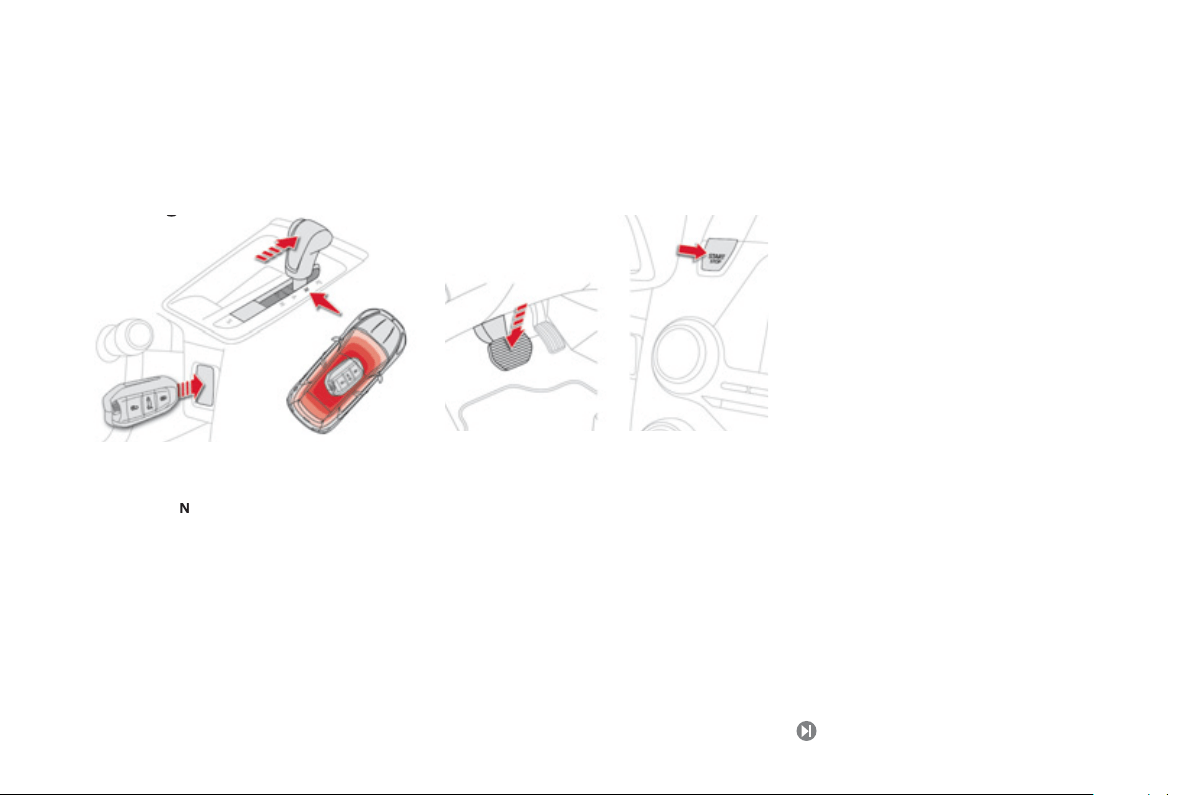
at temperatures above
z
ero
- Press the brake pedal.
- Make one short press
(
about one second
)
o
n t
he
START/STOP
bu
tt
o
n.
Startin
g
at temperatures below
z
ero
You must initiate preheatin
g
of the Diesel
e
n
g
ine:
-
Withou
t
placin
g
y
our foot on the brake
p
edal, make a
f
irst short press on the
S
TART
/S
T
O
P
bu
tt
o
n.
-
W
a
i
t unt
il
t
h
e pre
h
eater warn
i
n
g
l
amp
g
oes
off
.
-
With
y
our
f
oot on the brake pedal, make a
s
econd short press on the START/ST
O
P
bu
tt
o
n.
Driving safely
Startin
g
- stoppin
g
the en
g
ine
Before startin
g
- Place the
g
ear lever in neutral or in
p
osition
N
for the electronic
g
earbox
s
y
stem or automatic
g
earbox.
-
I
nsert t
h
e e
l
ectron
i
c
k
e
y
i
n t
h
e rea
d
er or
k
eep the Ke
y
less Entr
y
and
S
tartin
g
ke
y
in
t
he
v
ehicle
.
10
0
23
Familiarisation
Driving safely
S
p
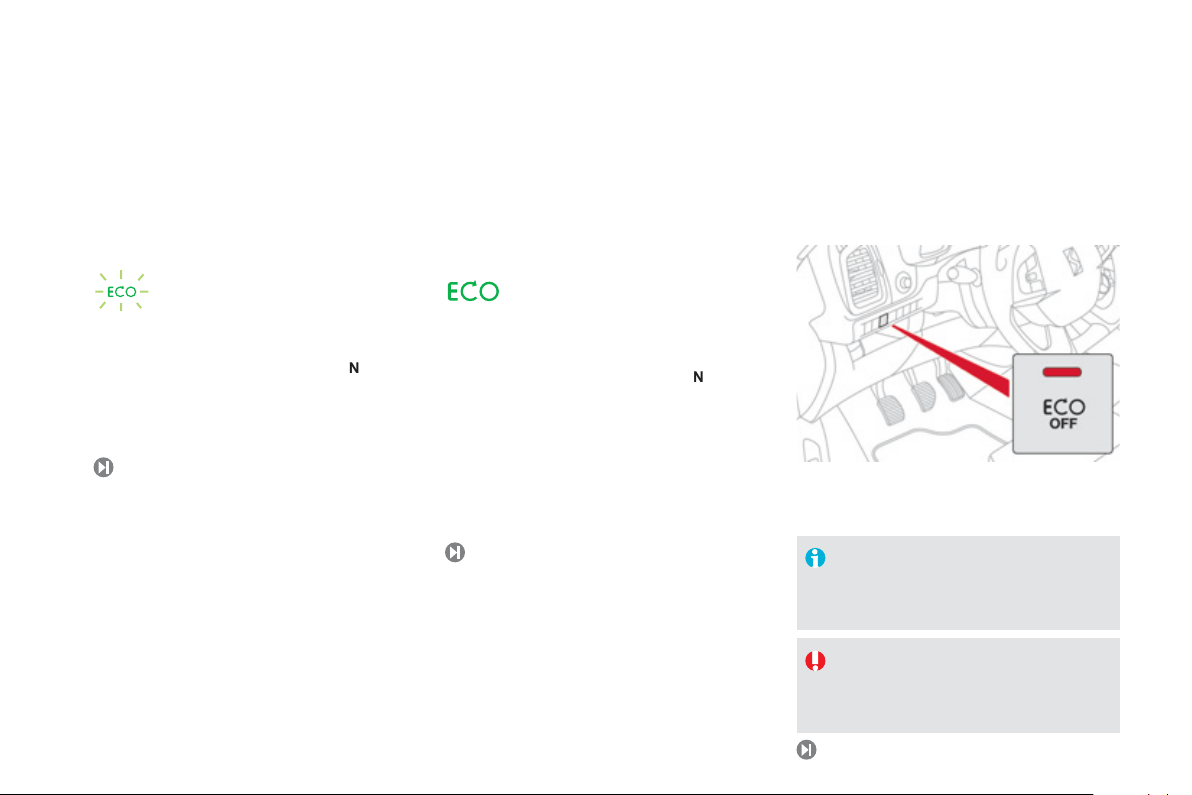
eed limiter "LIMIT"
1.
S
electing speed limiter mode.
2.
Decrease the pro
g
rammed value.
3.
Increase the pro
g
rammed value.
4.
Pause/resume speed limiter.
5
.
Displa
y
of the memorised speeds
(
b
y
the
a
udio s
y
stem memor
y)
.
Th
ese va
l
ues must
b
e set w
i
t
h
t
h
e en
gi
ne runn
i
n
g
.
12
9
1
3
1
Cruise control "CRUISE"
1
.
S
electing cruise control mode.
2
.
Pro
g
rammin
g
a speed
/
Decrease the
pro
g
rammed value.
3.
Pro
g
rammin
g
a speed / Increase the
pro
g
rammed value.
4.
Pause
/
resume cruise control.
5
.
Displa
y
o
f
the memorised speeds
(
b
y
the
audio s
y
stem memor
y)
.
I
n or
d
er to
b
e pro
g
ramme
d
or act
i
vate
d
, t
h
e
vehicle speed must be higher than 25 mph
(
40 km
/
h
)
, with at least 4th
g
ear en
g
a
g
ed on
a
manual
g
earbox
(
2nd
g
ear on an electronic
g
ear control or automatic
g
earbox
)
.
Displa
y
in the instrument panel
The cruise control or speed limiter mode
appears in the instrument panel when it is
se
l
ec
t
ed
.
Gear shift indicato
r
11
3
The s
y
stem ma
y
su
gg
est, when appropriate,
that
y
ou chan
g
e up a
g
ear.
Driving safely
Sto
p
& Start
Goin
g
into en
g
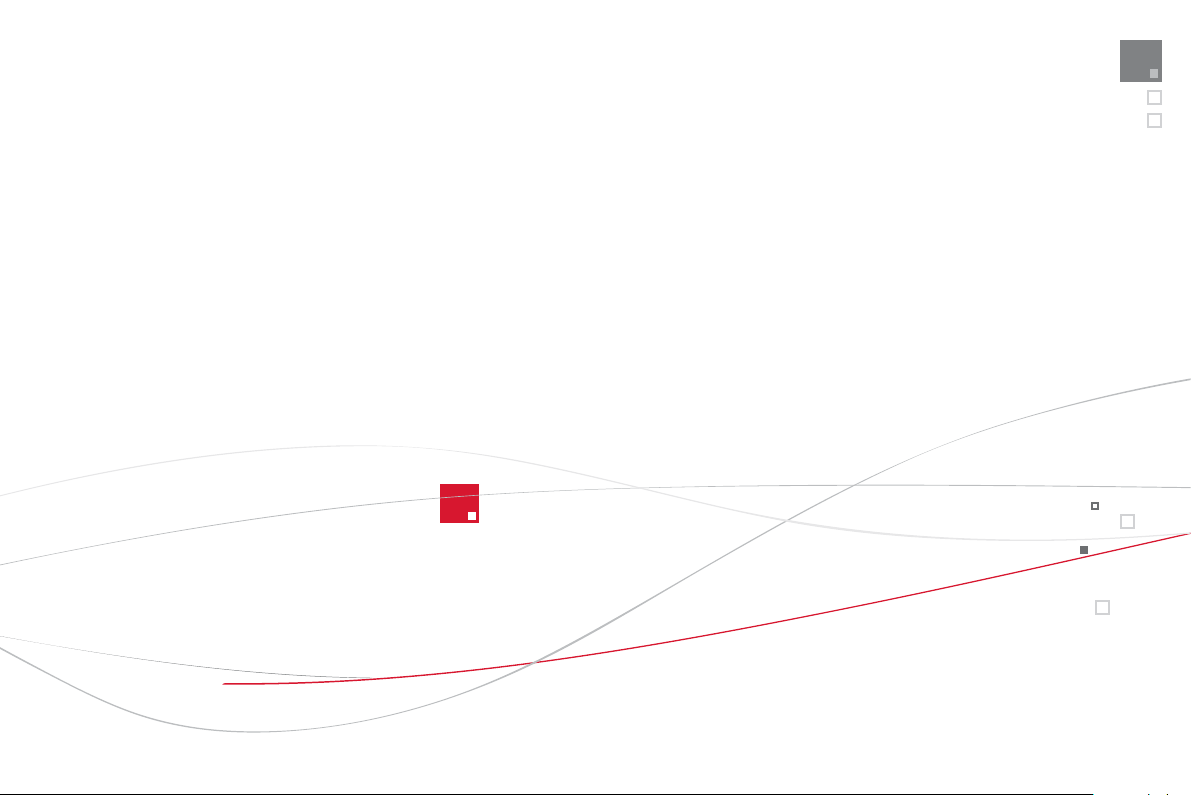
ine STOP mode
122
Th
e
"
ECO" warning lamp comes
on in the instrument panel and the
e
n
g
ine
g
oes into standb
y
; with the
e
lectronic
g
earbo
x
sy
ste
m
a
n
d
s
peeds below 5 mph
(
8 km/h
)
, press the brake
p
edal or put the
g
ear lever in position
N
.
In certain circumstances, the
S
T
O
P mode
m
a
y
not
b
e ava
il
a
bl
e; t
h
e
"
ECO" warn
i
n
g
l
amp
f
lashes
f
or a
f
ew seconds, then
g
oes o
ff
.
Goin
g
into en
g
ine START mode Deactivation
/
Reactivation
1
2
3
12
3
The s
y
stem is automaticall
y
reactivated
e
ver
y
time the en
g
ine is started with
the
S
TART
/S
T
O
P button.
Be
f
ore re
f
uellin
g
or doin
g
an
y
thin
g
u
nder the bonnet,
y
ou must switch
o
ff the i
g
nition with the START/ST
O
P
bu
tt
o
n.
Th
e
"ECO" warning lamp goes o
ff
and the en
g
ine restarts with the
e
lectronic
g
earbox s
y
ste
m
:
- with the
g
ear lever in position A
or
M
release the brake pedal,
- or with the
g
ear lever in position
N
a
n
d
brake pedal released, move the
g
ear lever
to pos
i
t
i
on
A
or
M
,
-
or
engage
re
v
erse
.
In certain circumstances,
S
TART mode ma
y
be
invoked automatically; the
"
ECO" warning lamp
f
lashes
f
or a
f
ew seconds, then
g
oes o
ff
.
You can deactivate the s
y
stem at an
y
time b
y
p
ressin
g
the "ECO OFF" button; the button's
warnin
g
lamp comes on.

2
5
Familiarisation
Eco-driving
Eco-drivin
g
is a ran
g
e o
f
ever
y
da
y
practices that allow the motorist to optimise their
f
uel consumption and
CO
2
e
m
issio
n
s
.
O
p
timise the use of
y
our
g
earbox
With a manual
g
earbox, move o
ff
g
entl
y
,
ch
an
g
e up w
i
t
h
out wa
i
t
i
n
g
an
d
d
r
i
ve
by
c
hanging up quite soon. I
f
your vehicle has
the s
y
stem, the
g
ear shi
f
t indicator invites
y
ou
to chan
g
e up; it is displa
y
ed in the instrument
p
anel, follow its instructions.
With an automatic or electronic
g
earbox,
s
ta
y
in Drive
"
D"
o
r A
u
t
o
"
A" , accordin
g
to
the t
y
pe of
g
earbox, without pressin
g
the
acce
l
erator pe
d
a
l
h
eav
ily
or su
dd
en
ly
.
Drive smoothl
y
Maintain a sa
f
e distance between vehicles,
use en
gi
ne
b
ra
ki
n
g
rat
h
er t
h
an t
h
e
b
ra
k
e pe
d
a
l
, an
d
press t
h
e acce
l
erato
r
p
ro
g
ress
i
ve
ly
.
Th
ese pract
i
ces contr
ib
ute
towards a reduction in
f
uel consumption
a
n
d
CO
2
em
i
ss
i
ons an
d
a
l
so
h
e
l
ps re
d
uce
the back
g
round tra
ff
ic noise.
If
y
our vehicle has cruise control, make use o
f
the s
y
stem at speeds above 25 mph
(
40 km/h
)
when the traffic is flowin
g
well.
Control the use of
y
our electrical equipment
Be
f
ore movin
g
o
ff
, i
f
the passen
g
e
r
c
ompartment
i
s too warm, vent
il
ate
i
t
by
opening the windows and air vents be
f
ore using
the air conditionin
g
.
Above 30 mph
(
50 km/h
)
, close the windows
a
nd leave the air vents open.
Remember to make use of equipment that can
h
elp keep the temperature in the passen
g
er
c
ompartment down
(
sunroo
f
and window
blinds...
)
.
S
witch o
ff
the air conditionin
g
, unless it has
a
utomatic digital regulation, as soon as the
desired tem
p
erature is attained.
Switch off the demistin
g
and defrostin
g
c
ontrols, if not automatic.
Switch off the heated seat as soon as possible.
S
witch o
ff
the headlamps and
f
ront
f
o
g
lamps
when the level o
f
li
g
ht does not require thei
r
use
.
A
void running the engine be
f
ore moving o
ff
,
particularl
y
in winter;
y
our vehicle will warm
up much faster while drivin
g
.
A
s a passen
g
er, if
y
ou avoid connectin
g
y
our multimedia devices
(
film, music, video
g
ame...
)
,
y
ou will contribute towards limitin
g
the consumption o
f
electrical ener
gy
, and so
of
fue
l.
Disconnect
y
our portable devices be
f
ore
leaving the vehicle.

Limit the causes of excess
c
onsum
p
tion
S
pread loads throu
g
hout the vehicle; place
the heaviest items in the bottom o
f
the boot,
a
s close as
p
ossible to the rear seats.
Limit th
e
l
oads
ca
rri
ed
in th
e
v
e
hi
c
l
e
a
n
d
r
educe wind resistance
(
roof bars, roof rack,
bic
y
cle carrier, trailer...
)
. Use a roof box in
p
reference.
R
e
m
o
v
e
r
oo
f
ba
r
s
a
n
d
r
oo
f r
ac
k
s
a
ft
e
r
use
.
A
t the end o
f
winter, remove snow tyres and
r
e
f
it
y
our summer t
y
res.
Observe the recommendations
o
n maintenance
Check the t
y
re pressures re
g
ularl
y
, when cold,
r
eferrin
g
to the label in the door aperture,
d
r
i
v
e
r
's
side
.
C
arr
y
out this check in particular:
- be
f
ore a lon
g
j
ourne
y
,
- at each chan
g
e o
f
season,
- a
f
ter a long period out o
f
use.
Don't
f
or
g
et the spare wheel and the t
y
res on
an
y
trailer or caravan.
Have your vehicle serviced regularly
(
engine
oil, oil
f
ilter, air
f
ilter...
)
and observe the
schedule of operations recommended b
y
the
m
a
n
u
f
ac
t
u
r
e
r.
When refuellin
g
, do not continue after the 3
rd
c
ut-off of the nozzle to avoid an
y
overflow.
A
t the wheel o
f
your new vehicle, it is only
a
f
ter the
f
irst 1 800 miles
(
3 000 kilometres
)
that
y
ou will see the fuel consumption settle
down to a consistent avera
g
e.
27
Familiarisation
001
Instruments and controls
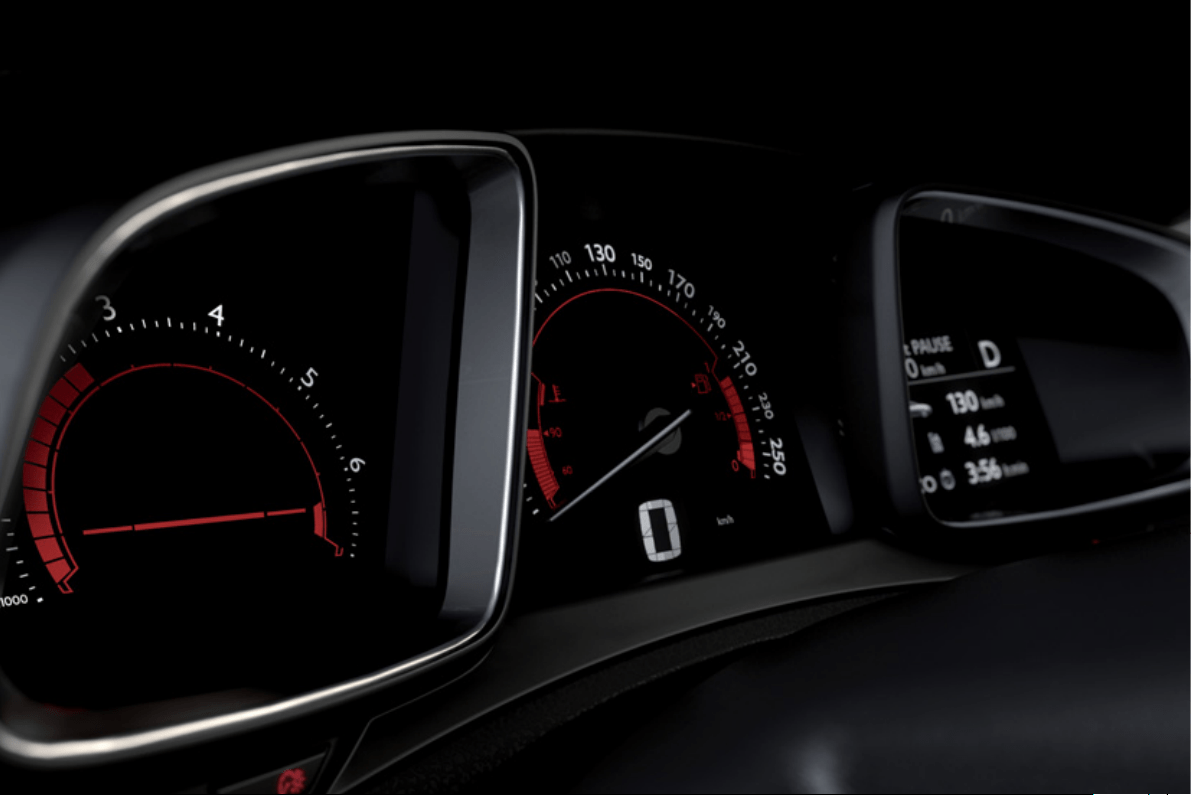
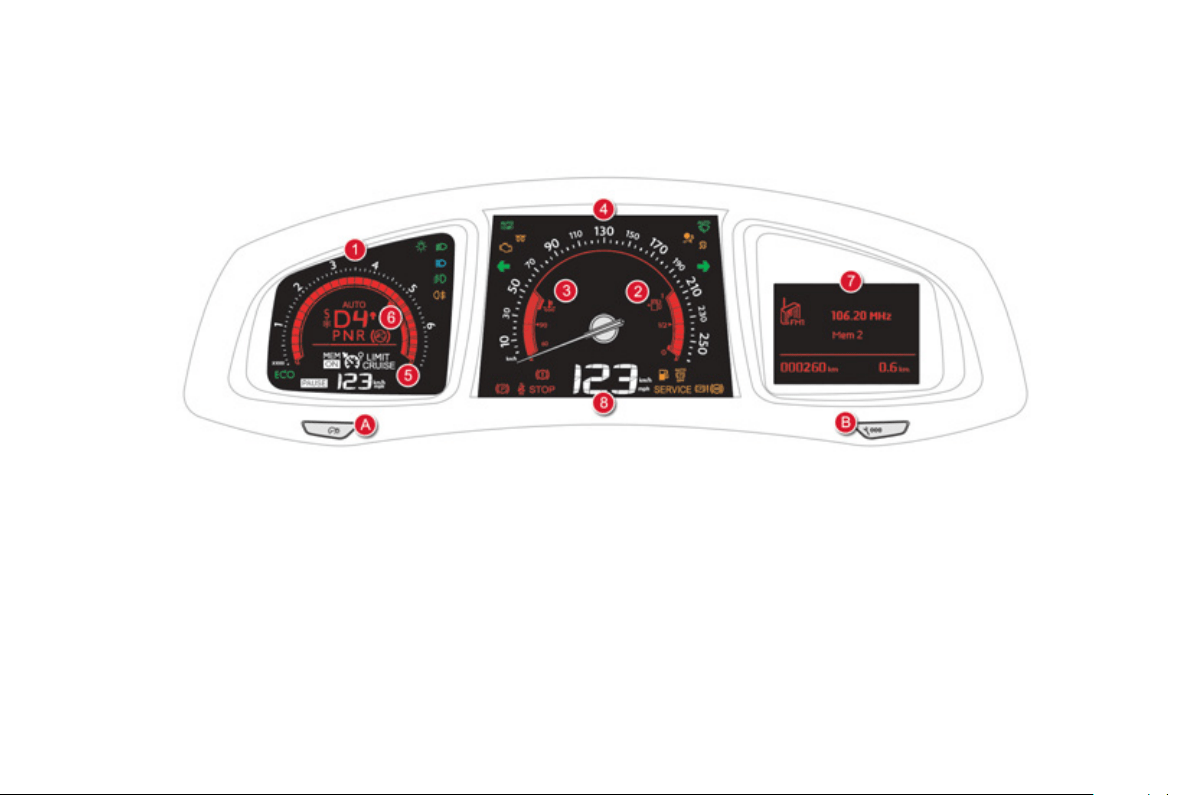
Petrol-Diesel instrument panel
1.
Rev counter
(
x 1 000 rpm or tr
/
min
)
,
g
raduation accordin
g
to en
g
ine
(
petrol o
r
D
iesel
)
.
2.
Fuel
g
au
g
e.
3.
En
g
ine coolant temperature
g
au
g
e.
4.
Speedometer
(
mph or km/h
)
.
5.
C
ruise control or speed limiter settin
g
s.
A
.
Main lighting and controls dimmer.
B
.
-
S
uccessive short
p
resses: under-in
f
lation
detection, recall servicin
g
information,
a
lert lo
g
.
- Lon
g
press: set the function selected to
zero
(
service indicator or trip recorder
)
.
6
.
G
ear shi
f
t indicator
f
or a manual gearbox
o
r
g
ear lever position and
g
ear
f
or an
e
lectronic
g
earbox s
y
stem or automatic
g
earbox.
7
.
Instrument panel screen: trip recorder,
alert messa
g
es or state of functions
(
e.
g
.: oil pressure, batter
y
, door open, ...
)
,
tr
i
p computer, me
di
a, sate
lli
te nav
ig
at
i
on.
8.
Di
g
ital speedometer
(
mph or km
/
h
)
.
Di
a
l
s an
d
screens Control buttons
Monitoring
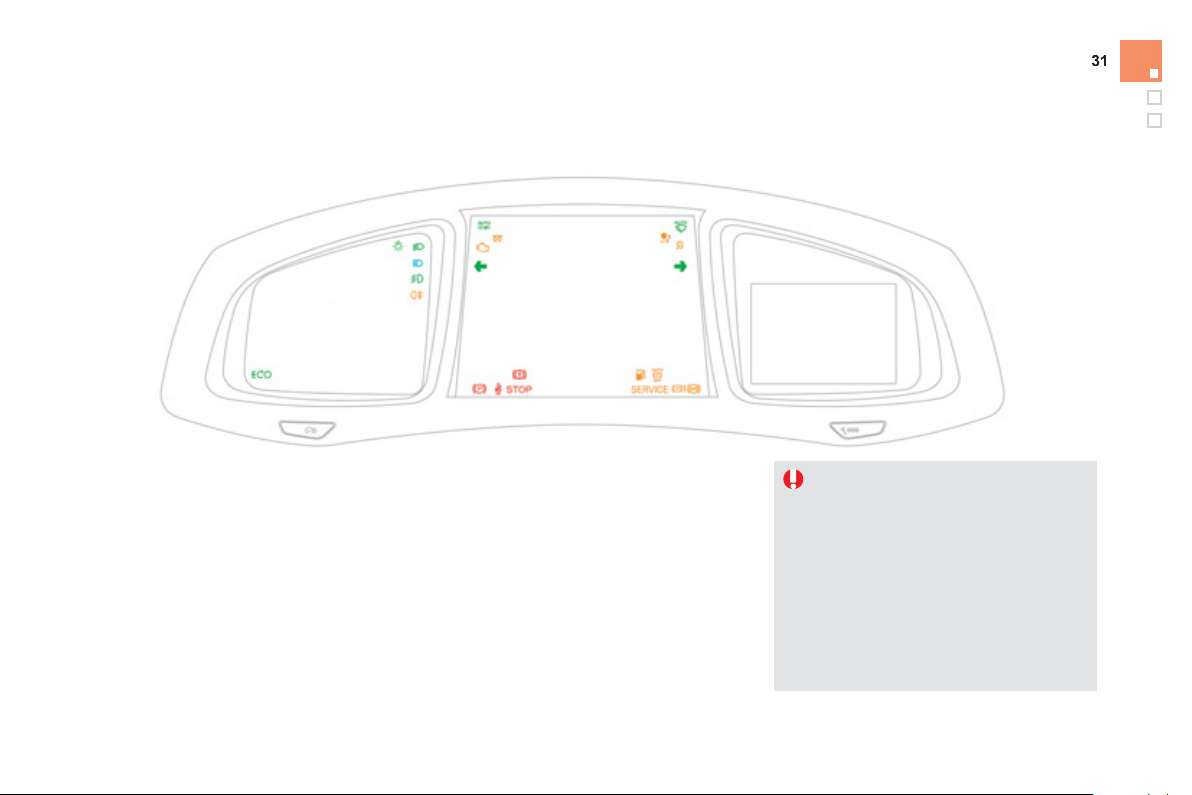
Indicator and warnin
g
lamps
Wh
en t
h
e en
gi
ne
i
s starte
d
, t
h
ese same
w
arnin
g
lamps should
g
o o
ff
.
I
f
the
y
remain on, be
f
ore movin
g
o
ff
, re
f
er to the
i
n
f
ormation on the warning lamp concerned.
A
ssoc
i
ate
d
warn
i
n
g
s
The switchin
g
on o
f
certain warnin
g
lamps ma
y
be accompanied by an audible signal and a
messa
g
e in the instrument panel screen.
The warnin
g
lamps ma
y
come on continuousl
y
(
fixed
)
or flash.
C
ertain warnin
g
lamps ma
y
come on in
one of two modes: fixed
(
continuous
)
or
flashin
g
.
O
nl
y
b
y
relatin
g
the t
y
pe of illumination
to the operation of the vehicle can it
be
de
t
e
rm
i
n
ed
w
he
t
he
r t
he
si
t
ua
t
io
n
is
n
o
rm
a
l
o
r
a
fau
lt h
as
occu
rr
ed
.
Re
f
er to the tables on the
f
ollowin
g
pages
f
or more in
f
ormation.
Visual indicators in
f
ormin
g
the driver that a
sy
stem is in operation, switched o
ff
or has a
fau
lt.
Wh
en t
h
e
ig
n
i
t
i
on
i
s sw
i
tc
h
e
d
on
C
ertain warnin
g
lamps come on
f
or a
f
ew seconds in the instrument
p
anel and
/
o
r
instrument
p
anel screen when the vehicle's
i
g
nition is switched on.
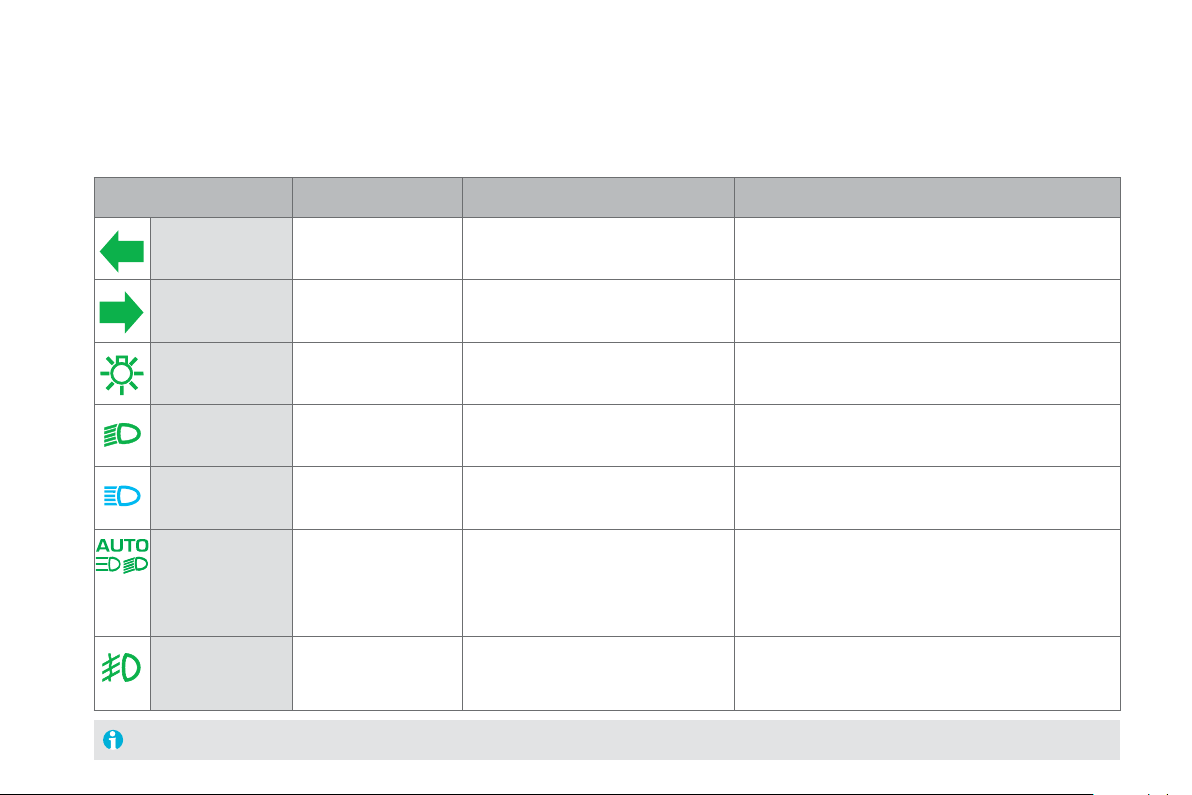
O
p
eration indicator lam
p
s
If one of the followin
g
indicator lamps comes on in the instrument panel and/or instrument panel screen, this confirms that the correspondin
g
s
y
stem has come into operation.
Warnin
g
/
indicator lam
p
S
tat
e
Caus
e
A
ction / Observations
L
eft-hand
direction indicat
o
r
f
lashin
g
with buzzer. The li
g
htin
g
stalk is pushed down.
Righ
t-
h
an
d
di
rect
i
on
i
n
di
cator
f
lashin
g
with buzzer.
Th
e
ligh
t
i
n
g
sta
lk
i
s pus
h
e
d
up.
Sidelam
ps
f
ix
ed
.
Th
e
ligh
t
i
n
g
sta
lk
i
s
i
n t
h
e
"
S
idelamps" position.
D
i
pp
ed beam
h
ea
dl
am
p
s
fix
ed
.The li
g
htin
g
stalk is in the "Dipped
b
eam
h
ea
dl
amps
"
pos
i
t
i
on.
M
ain beam
headlam
p
s
f
ix
ed
.The li
g
htin
g
stalk is pulled towards
yo
u.
Pull the stalk to return to di
pp
ed beam headlam
p
s.
Front fo
g
lamp
s
f
ix
ed
.The
f
ront
f
o
g
lamps are switched on. Turn the rin
g
on the stalk rearwards twice to switch o
ff
the front fo
g
lamps.
For more in
f
ormation on the li
g
htin
g
controls, re
f
er to the correspondin
g
section.
A
utomat
i
c
h
ea
dl
amp
dipping
f
ix
ed
.
Th
e
ligh
t
i
n
g
sta
lk
i
s
i
n t
h
e
"Di
ppe
d
b
eam
h
ea
dl
am
p
s
"
p
os
i
t
i
on.
Its warning lamp is on.
Th
e camera,
l
ocate
d
i
n t
h
e
i
nter
i
or rear v
i
ew m
i
rror,
aut
h
or
i
ses or not sw
i
tc
hi
n
g
b
etween ma
i
n an
d
di
ppe
d
beam, depending on the exterior lighting and the
drivin
g
conditions.
Pullin
g
the li
g
htin
g
stalk to return to dipped beam.

3
3
Monitoring
Rear fo
g
lamps fix
ed
. The rear fo
g
lamps are switched on. Turn the rin
g
on the stalk rearwards to switch off the
rear fo
g
lamps.
Warnin
g
/ indicator lamp Stat
e
Caus
e
Action / Observations
Di
ese
l
en
gi
ne
p
re-heating
f
ix
ed
.
The
S
TART/
S
TO
P
s
w
i
t
ch
has
bee
n
p
ressed
(
ignition on
)
.
Wait until the warnin
g
lamp
g
oes o
ff
be
f
ore startin
g
.
O
nce it
g
oes off, startin
g
is immediate, on condition
that the brake pedal remains pressed for automatic o
r
el
ectron
i
c
g
ear
b
oxes, or t
h
e c
l
utc
h
pe
d
a
l
i
s presse
d
full
y
down for manual
g
earboxes.
The period of illumination of the warnin
g
lamp is
determined b
y
the ambient conditions
(
up to about
thirt
y
seconds in extreme conditions
)
.
If the en
g
ine does not start, switch the i
g
nition off and
then on, wait until the warnin
g
lamp
g
oes o
ff
a
g
ain,
then start the en
g
ine.
E
lectric parkin
g
b
rak
e
fix
ed
. The electric parkin
g
brake is applied. Release the electric parkin
g
brake to switch off the
warnin
g
lamp: with
y
our foot on the brake pedal, pull
the electric parkin
g
brake control lever.
O
bserve the sa
f
et
y
recommendations.
For more in
f
ormation on the electric parkin
g
brake,
re
f
er to the correspondin
g
section.
D
eactivation of
t
he automatic
f
unctions of the
el
ectr
i
c par
ki
n
g
b
ra
ke
fix
ed
. The "automatic application"
(
on
s
witchin
g
off the en
g
ine
)
and
"
au
t
o
m
a
ti
c
r
e
l
ease
"
fu
n
c
ti
o
n
s
a
r
e
deactivated or
f
ault
y
.
A
ctivate the function
(
accordin
g
to countr
y)
via the
vehicle confi
g
uration menu or contact a CITROËN
dealer or a
q
uali
f
ied worksho
p
i
f
automatic
application
/
release is not possible.
The parkin
g
brake can be released manuall
y
usin
g
the
e
mer
g
enc
y
release procedure.
For more in
f
ormation on the electric parkin
g
brake,
re
f
er to the correspondin
g
section.

Warnin
g
/ indicator lam
p
Stat
e
Caus
e
A
ction / Observations
A
utomatic
wipin
g
fix
ed
. The wiper control is pushed
do
wnw
a
r
ds
.
A
utomatic front wipin
g
is activated.
To deactivate automatic wipin
g
, operate the control
s
ta
lk
d
ownwar
d
s or put t
h
e sta
lk
i
nto anot
h
er pos
i
t
i
on.
P
assen
g
er
'
s
ai
r
b
a
g
s
y
stem
f
ix
ed
in th
e
sea
t
be
lt
a
nd passen
g
er's
f
ront
ai
r
b
a
g
warn
i
n
g
l
amps
display.
Th
e contro
l
sw
i
tc
h
,
l
ocate
d
i
n t
h
e
gl
ove
b
ox,
h
as
b
een p
l
ace
d
i
n t
h
e
"
ON"
p
os
i
t
i
on.
The passenger's
f
ront airbag is activated.
In this case, do not install a "rear
f
acin
g
"
c
hil
d
sea
t.
Mo
v
e
t
he
co
ntr
ol
s
w
i
t
ch
t
o
t
he
"OFF" pos
i
t
i
on to
deactivate the passen
g
er's
f
ront airba
g
.
In this case,
y
ou can install a "rear
f
acin
g
" child seat.
Sto
p
& Star
t
f
ix
ed
. When the vehicle stops
(
red li
g
hts,
traffic
j
ams, ...
)
the Stop & Start
sy
stem has put the en
g
ine into ST
O
P
mode
.
The warnin
g
lamp
g
oes o
ff
and the en
g
ine restarts
automaticall
y
in START mode, as soon as
y
ou want to
mo
v
e
o
ff.
fl
as
h
es
f
o
r
a
f
e
w
s
econ
d
s, t
h
en
g
oes
off
.
ST
O
P mode is temporaril
y
u
n
a
v
ailable
.
or
S
TART m
ode
i
s
inv
o
k
ed
a
utomat
i
ca
lly
.
For more information on special cases with ST
O
P
m
ode and START mode, refer to the "Stop & Start"
sec
t
io
n.

35
Monitoring
D
eact
i
vat
i
on
i
n
di
cator
l
am
p
s
If one of the followin
g
indicator lamps comes on, this confirms that the correspondin
g
s
y
stem has been switched off intentionall
y
.
Thi
s
i
s ma
y
b
e accompan
i
e
d
by
an au
dibl
e s
ig
na
l
an
d
a messa
g
e
i
n t
h
e
i
nstrument pane
l
screen.
Warnin
g
/
indicator lamp Stat
e
Caus
e
Action / Observations
P
assen
g
er
'
s
a
irbag system
f
ix
ed
in th
e
in
s
tr
u
m
e
nt
p
anel and
/
or seat belt
and
f
ront passen
g
er's
airba
g
warnin
g
lamps
displa
y
.
Th
e contro
l
sw
i
tc
h
,
l
ocate
d
i
n t
h
e
glove box, is set to the OFF
p
osition.
The passen
g
er's
f
ront airba
g
is
deac
tiv
a
t
ed
.
Se
t th
e
co
ntr
o
l t
o
th
e
"
ON"
p
os
i
t
i
on to act
i
vate t
h
e
p
assenger's
f
ront airbag.
In this case, do not
f
it a child seat in the rear-
f
acin
g
p
osition.
D
ynamic
stabilit
y
control
(DSC/ASR
)
R
f
ix
ed
. The button, located at the bottom
le
f
t o
f
the dashboard, is pressed. Its
indicator lamp is on.
The D
SC/
A
S
R is deactivated.
DSC: d
y
namic stabilit
y
control.
A
SR: anti-slip re
g
ulation.
Press the button to activate the D
SC/
A
S
R. Its indicator
lamp
g
oes o
ff
.
The DSC/ASR s
y
stem is activated automaticall
y
when
th
e
v
e
hi
c
l
e
i
s
s
t
a
rt
ed
.
If deactivated, the s
y
stem is reactivated automaticall
y
from around 30 mph
(
50 km/h
)
.
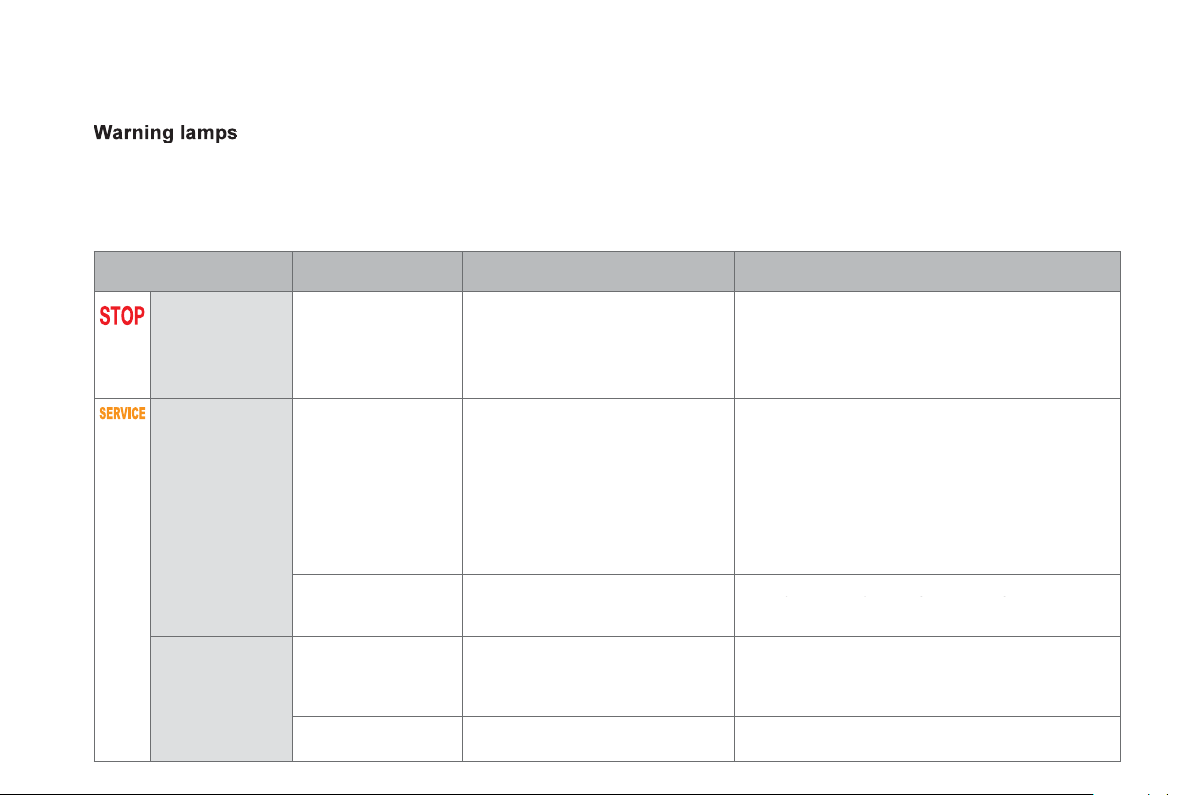
When the en
g
ine is runnin
g
or the vehicle is bein
g
driven, illumination of one of the followin
g
warnin
g
lamps indicates a fault which requires action on
the part o
f
the driver.
A
n
y
f
ault resultin
g
in the illumination o
f
a warnin
g
lamp must be investi
g
ated
f
urther b
y
readin
g
the associated messa
g
e in the instrument panel screen.
If
y
ou encounter an
y
problems, contact a CITRO
Ë
N dealer or a qualified workshop.
Warnin
g
/ indicator lam
p
Stat
e
Caus
e
A
ction / Observations
STO
P
fixed, associated with
a
nother warnin
g
lamp,
a
ccompanied b
y
an
a
u
dibl
e s
ig
na
l
an
d
a
m
essa
g
e
i
n t
h
e screen.
It is associated with a punctured
wheel, the brakin
g
s
y
stem, the power
s
teerin
g
, the en
g
ine oil pressure,
t
h
e en
gi
ne coo
l
ant temperature or a
m
a
j
or electrical
f
ault.
Stop as soon as it is safe to do so as the en
g
ine ma
y
cut
out
.
Park, switch off the i
g
nition and call a CITROËN
dealer or a quali
f
ied workshop.
S
ervic
e
on temporaril
y
. A min
o
r
fau
lt h
as
occu
rr
ed
fo
r whi
c
h
there is no specific warnin
g
lamp.
Identif
y
the fault b
y
readin
g
the messa
g
e shown in the
s
creen, such as,
f
or exam
p
le:
- the closin
g
of the doors, boot or bonnet,
- the en
g
ine oil level,
- t
h
e screenwas
h
l
eve
l
,
- the remote control batter
y
,
- the t
y
re pressures,
- saturation o
f
the particle emission
f
ilter
(
Diesel
)
.
- ...
For an
y
other faults, contact a CITROËN dealer or a
q
uali
f
ied worksho
p
.
f
ix
ed
. A ma
j
or
f
ault has occurred
f
or which
there is no speci
f
ic warning lamp.
Identify the fault by reading the message shown
on the screen and contact a CITROËN dealer or a
yyg g
quali
f
ied workshop.
P
EF:
p
article
e
missions filter
,
Di
ese
l
fixed
,
associated
temporaril
y
with a
m
essa
g
e on the risk o
f
blocka
g
e o
f
the PEF.
Thi
s
in
d
i
ca
t
es
th
e
s
t
a
rt
o
f
sa
t
u
r
a
ti
o
n
of the particle emissions filter.
A
s soon as traffic conditions allow, re
g
enerate the
filter b
y
drivin
g
at a speed of at least 35 mph
(
60 km/h
)
until the service warnin
g
lamp
g
oes o
ff
.
f
ix
ed
.
This
i
n
dica
t
es
t
he
lo
w
le
v
el
i
n t
he
Di
ese
l
add
itiv
e
r
ese
rv
o
ir.
Have the level topped up b
y
a CITROËN dealer or
a qualified workshop as soon as possible.

37
Monitoring
Warnin
g
/
indicator lamp
S
tat
e
Caus
e
Action / Observations
El
ectr
i
c par
ki
n
g
b
ra
ke
f
lashin
g
.
Th
e e
l
ectr
i
c par
ki
n
g
b
ra
k
e
i
s not
app
li
e
d
automat
i
ca
lly
.
The application
/
release is
f
aulty.
You must stop as soon as it is sa
f
e to do so.
Park on
f
lat level
g
round, switch o
ff
the i
g
nition and
c
ontact a CITROËN dealer or a
q
ualified worksho
p
.
E
lectric parkin
g
b
rake faul
t
f
ix
ed
. The electric parkin
g
brake has a
f
ault. Contact a CITROËN dealer or a
q
ualified worksho
p
without dela
y
.
The parkin
g
brake can be released manuall
y
.
For more information on the electric parkin
g
brake,
refer to the correspondin
g
section.
Brakin
g
f
ix
ed
. The brakin
g
s
y
stem
f
luid level has
dropped si
g
nificantl
y
.
You must sto
p
as soon as it is sa
f
e to do so.
Top up with brake fluid listed b
y
CITROËN.
If the problem persists, have the s
y
stem checked b
y
a
C
ITROËN dealer or a qualified workshop.
+ fixed, associated
with the ABS warnin
g
lamp.
Th
e
e
l
ec
tr
o
ni
c
b
r
a
k
e
f
o
r
ce
d
i
s
tri
bu
ti
o
n
(
EBFD
)
s
y
stem has a fault.
You must stop as soon as it is safe to do so.
Have it checked b
y
a CITROËN dealer or a qualified
workshop.
D
eactivation of
th
e automat
i
c
f
unctions of the
el
ectr
i
c par
ki
n
g
b
rak
e
fix
ed
. The "automatic application"
(
on switchin
g
o
ff
the en
g
ine
)
and
"
au
t
o
m
a
ti
c
r
e
l
ease
"
fu
n
c
ti
o
n
s
a
r
e
deactivated or
f
ault
y
.
A
ctivate the function
(
accordin
g
to countr
y)
via the
vehicle confi
g
uration menu or contact a CITRO
Ë
N
dealer or a quali
f
ied workshop i
f
automatic
a
pp
lication
/
release is not
p
ossible.
The parking brake can be released manually using the
e
mer
g
enc
y
release procedure.
For more information on the electric parkin
g
brake,
refer to the correspondin
g
section.

Warnin
g
/ indicator lam
p
Stat
e
Caus
e
A
ction / Observations
Dy
namic
sta
bili
t
y
contro
l
(
DSC/ASR
)
flashin
g
. The DSC/ASR re
g
ulation is
operat
i
n
g
.
The s
y
stem optimises traction and improves the
directional stabilit
y
o
f
the vehicle.
f
ix
ed
. Unless it has been deactivated
(
button pressed and its indicator lamp
on
)
the DSC/ASR s
y
stem has a fault.
Have it checked b
y
a CITROËN or a qualified
workshop.
E
n
g
ine
a
uto
di
a
g
nos
i
s
s
y
ste
m
flashin
g
.The en
g
ine mana
g
ement s
y
stem has
a
fau
lt.
Risk of destruction of the catal
y
tic converter.
Have it checked b
y
a CITRO
Ë
N dealer or a qualified
wor
k
s
h
op.
f
ix
ed
. The emission control system has
a
fau
lt.
The warning lamp should go o
ff
when the engine is started.
If it does not
g
o off, contact a CITROËN dealer o
r
qualified workshop without dela
y
.
L
ow fuel leve
l
f
ix
ed
with th
e
tw
o
l
as
t
bars
f
lashin
g
.
Wh
e
n it
f
ir
s
t
co
m
es
o
n th
e
r
e
r
e
m
a
in
s
approximately 6 litres of
f
f
uel
i
n t
he
t
a
n
k
.
You must re
f
uel as soon as possible to avoid runnin
g
ou
t
of
fue
l.
Thi
s warn
i
n
g
l
amp w
ill
come on ever
y
t
i
me t
h
e
ig
n
i
t
i
on
is switched on, until a su
ff
icient addition o
f
f
uel is
made
.
Fuel tank capacit
y
: approximatel
y
60
litres.
Never continue to drive until
y
ou run out of fuel as
this could dama
g
e the emission control and in
j
ection
sy
stems.
A
nti-lock
B
rakin
g
S
y
stem
(
ABS
)
fix
ed
. The anti-lock brakin
g
s
y
stem has a
f
au
lt.
The vehicle retains conventional brakin
g
.
Drive carefull
y
at reduced speed and contact a
C
ITROËN dealer or a qualified workshop without
dela
y
.

3
9
Monitoring
Warnin
g
/ indicator lamp Stat
e
Caus
e
Action / Observations
Ai
r
b
a
g
s on temporar
ily
. This lamp comes on
f
or a
f
ew
s
econ
d
s w
h
en
y
ou turn on t
h
e
i
g
nition, then
g
oes o
ff
.
This lamp should
g
o o
ff
when the en
g
ine is started.
If it does not
g
o off, contact a CITRO
Ë
N dealer or a
q
uali
f
ied worksho
p
.
f
ix
ed
.
O
ne o
f
the airba
g
or seat belt
p
retensioner s
y
stems has a fault.
Have it checked b
y
a CITROËN dealer or a qualified
workshop.
D
irectional
headlam
p
s
flashin
g
. The directional headlamps s
y
stem
has
a
f
au
lt.
Have it checked b
y
a CITROËN dealer or a qualified
workshop.
Seat belt
(
s
)
not fastened
/
u
nfastened
fix
ed
o
r flashin
g
accompanied b
y
an
audible si
g
nal.
A
sea
t
be
lt h
as
n
o
t
bee
n f
as
t
e
n
ed
o
r
has
bee
n
u
nf
as
t
e
n
ed
.
Pull the strap then insert the ton
g
ue in the buckle.
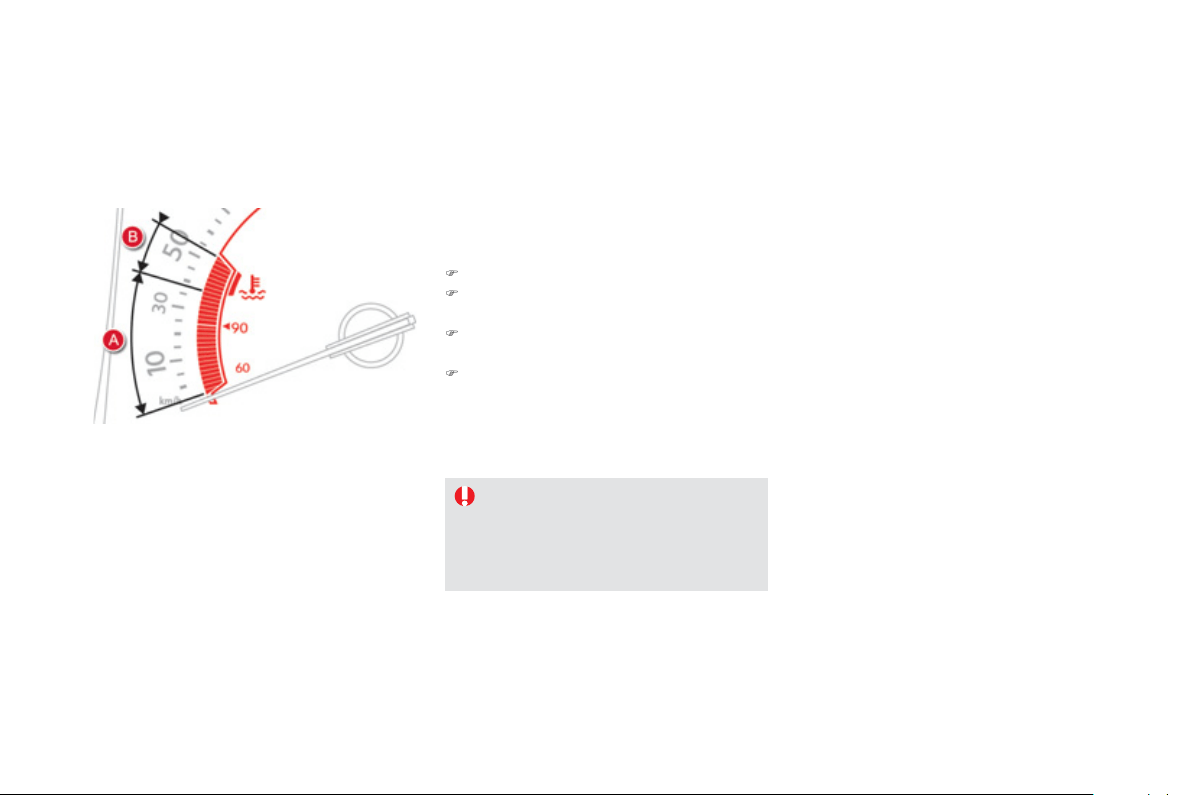
C
oolant
temperature
g
au
g
e
With the engine running:
- in z
o
n
e
A
, the tem
p
erature is correct,
- in z
o
n
e
B
, the temperature is too hi
g
h; the
ce
ntr
a
l STOP warnin
g
lamp comes on,
a
ccompanied b
y
an audible si
g
nal and a
m
essa
g
e in the instrument panel screen.
Y
ou MUST sto
p
as soon as it is safe to do so
.
Wait a
f
ew minutes be
f
ore switchin
g
o
ff
the
e
n
gi
ne.
Contact a CITROËN dealer or a
q
ualified
worksho
p
.
A
f
ter drivin
g
f
or a
f
ew minutes, the temperature
and pressure in the cooling system increase.
To top up the level:
)
wait for the en
g
ine to cool,
)
unscrew the cap b
y
two turns to allow the
pressure to drop,
)
when the pressure has dropped, remove
t
h
e cap,
)
top up t
h
e
l
eve
l
to t
h
e
"MAX"
mar
k
.
B
e
a
w
a
r
e
of
th
e
ri
s
k
of
bu
rn
s
wh
e
n
toppin
g
up the coolin
g
s
y
stem. Do not
fill above the maximum level
(
indicated
on the reservoir
)
.
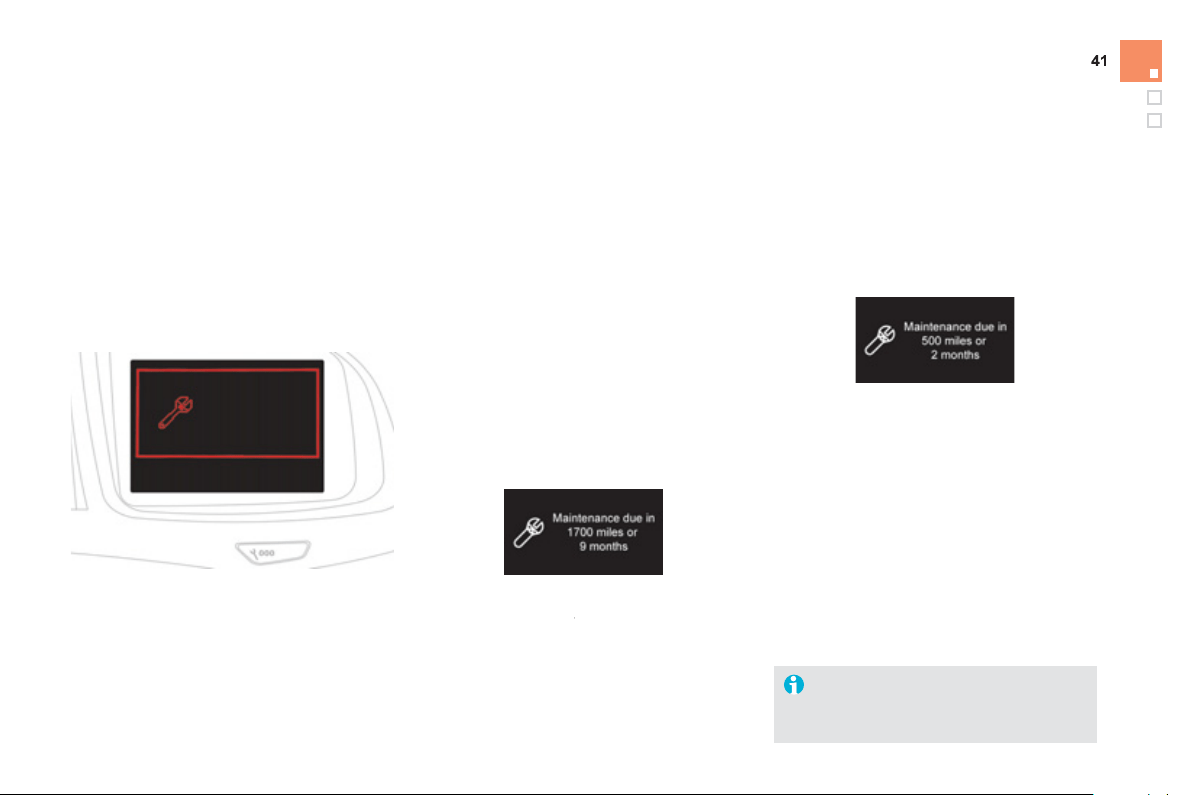
Monitoring
Service indicator
More than 1 800 miles
(
3 000 km
)
r
emain before the next service is due
Wh
en t
h
e
ig
n
i
t
i
on
i
s sw
i
tc
h
e
d
on, no serv
i
ce
i
n
f
ormation appears in the screen.
S
y
stem which informs the driver when the
n
ext service is due, in accordance with the
m
anufacturer's servicin
g
schedule.
Th
e po
i
nt at w
hi
c
h
t
h
e serv
i
ce
i
s
d
ue
i
s
ca
l
cu
l
a
t
ed
f
r
o
m th
e
l
as
t in
d
i
ca
t
o
r z
e
r
o
r
ese
t.
I
t
i
s
d
eterm
i
ne
d
by
two parameters:
- t
h
e
di
stance trave
ll
e
d
,
- the time ela
p
sed since the last service.
Between 600 miles
(
1 000 km
)
a
nd 1 800 miles
(
3 000 km
)
remain
b
efore the next service is due
For 5 seconds a
f
ter the i
g
nition is switched on, the
spanner symbolising the service operations comes
on. The distance recorder displa
y
line indicates the
distance remainin
g
before the next service is due.
Exam
p
le
:
1 700 miles
(
2 800 km
)
remain before
th
e
n
e
xt
se
rvi
ce
i
s
due
.
For 5 seconds after the i
g
nition is switched on,
t
he
sc
r
ee
n
i
n
dica
t
es
:
5 seconds a
f
ter the ignition is switched on,
the spanner goes off
; the distance recorder
f
r
esumes its normal operation. The screen then
i
ndicates the total and trip distances.
L
ess than 600 miles
(
1 000 km
)
r
emain before the next service is due
E
xam
pl
e: 560 miles
(
900 km
)
remain be
f
ore
t
he
n
e
xt
se
rv
ice
is
due
.
For 5 seconds a
f
ter the i
g
nition is switched on,
th
e
sc
r
ee
n in
d
i
ca
t
es
:
5 seconds after the i
g
nition is switched on,
th
e
d
i
s
t
a
n
ce
r
eco
r
de
r r
esu
m
es
it
s
n
o
rm
a
l
operation.
T
he s
p
anner remains on t
o
in
d
i
ca
t
e
th
a
t
a
se
rvi
ce
m
us
t
be
ca
rri
ed
ou
t
soo
n.
Illumination o
f
the ke
y
is accompanied
by
a messa
g
e
i
n t
h
e
i
nstrument pane
l
screen
.
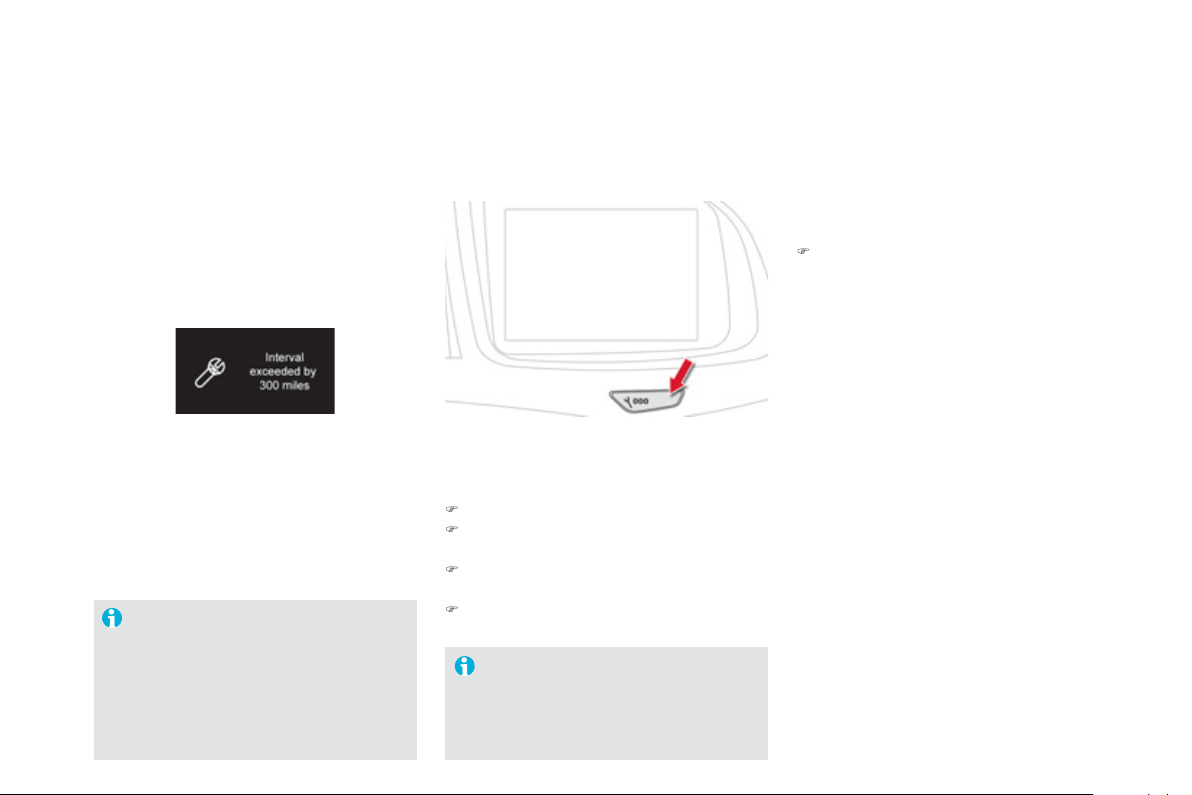
Service overdue
For 5 seconds after the i
g
nition is switched on,
the s
p
anner flashes t
o
i
n
dica
t
e
t
ha
t t
he
se
rv
ice
m
ust
b
e carr
i
e
d
out as soon as poss
ibl
e.
E
xamp
l
e
:
the service is overdue b
y
186 miles
(
300 km
)
.
For 5 seconds a
f
ter the i
g
nition is switched on,
th
e
sc
r
ee
n in
d
i
ca
t
es
:
The distance remainin
g
ma
y
be
wei
g
hted b
y
the time factor, dependin
g
o
n t
h
e
d
r
i
v
i
n
g
con
di
t
i
ons.
There
f
ore, the spanner ma
y
also come
o
n i
f
y
ou have exceeded the two
y
ear
se
rvi
ce
int
e
rv
a
l.
Followin
g
this operation, i
f
y
ou wish to
disconnect the batter
y
, lock the vehicle
a
n
d
w
a
it
a
t l
eas
t fiv
e
min
u
t
es
f
o
r th
e
ze
r
o
r
ese
t t
o
be
t
a
k
e
n int
o
accou
nt.
5 seconds a
f
ter the i
g
nition is switched on,
t
he
dis
t
a
n
ce
r
eco
r
de
r r
esu
m
es
i
t
s
n
o
rm
al
o
p
eration.
T
he spanner remains on.
Service indicator zero reset
A
f
ter each service, the service indicator must
be
r
ese
t t
o
z
e
r
o
.
The procedure for resettin
g
to zero is as
f
o
ll
o
w
s
:
)
switch off the i
g
nition,
)
press an
d
h
o
ld
t
h
e tr
i
p
di
stance recor
d
er
zero reset
b
utton,
)
sw
i
tc
h
on t
h
e
ig
n
i
t
i
on; t
h
e
di
stance recor
d
e
r
display begins a countdown,
)
when the displa
y
indicates
"
=0", release
the button; the spanner disappears.
R
etr
i
ev
i
n
g
t
h
e serv
i
ce
i
nformation
You can access the service in
f
ormation at an
y
t
i
m
e
.
)
P
ress t
h
e tr
ip
di
stance recor
d
er zero reset
bu
tt
o
n.
The service in
f
ormation is displa
y
ed
f
or a
f
ew
s
econds, then disappears.
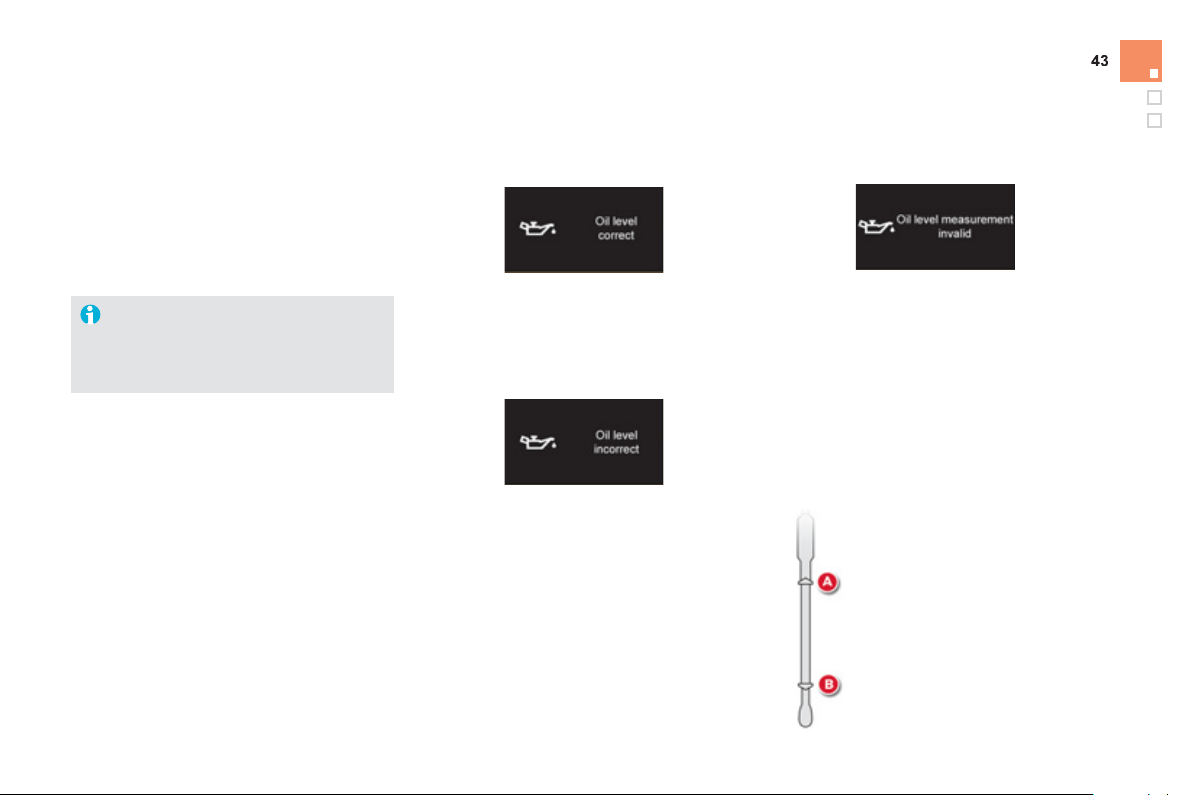
Monitoring
En
g
ine oil level indicato
r
Oil level incorrect
Thi
s
i
s
i
n
di
cate
d
by
a messa
g
e
i
n t
h
e
i
nstrument
p
ane
l
screen.
I
f
the low oil level is con
f
irmed by a check using
the di
p
stick, the level must be to
pp
ed u
p
to
a
void dama
g
e to the en
g
ine.
Oil level indicator fault
This is indicated by a message in the
instrument
p
anel screen. Contact a CITROËN
dealer or a qualified workshop.
Di
p
stick
R
efe
r t
o
th
e
"
C
h
ec
k
s
"
sec
ti
o
n t
o
l
oca
t
e
th
e
dipstick and the oil
f
iller cap on your engine.
Sy
stem which in
f
orms the driver whether the
e
n
gi
ne o
il
l
eve
l
i
s correct or not.
Thi
s
in
fo
rm
a
ti
o
n i
s
in
d
i
ca
t
ed
fo
r
a
fe
w
seco
n
ds
when the i
g
nition is switched on, a
f
ter the
se
rvi
ce
inf
o
rm
a
ti
o
n.
The level read will only be correct i
f
the vehicle is on level
g
round and the
e
n
g
ine has been off for more than
30
minutes.
There are
2
marks on the di
p
stick:
-
A
= max; never exceed this
level,
-
B
= min; top up the level via
the oil filler cap, usin
g
the
g
rade o
f
oil suited to
y
our
e
n
gi
ne.
Oil level correct
This is indicated b
y
a messa
g
e in the
i
nstrument pane
l
screen.
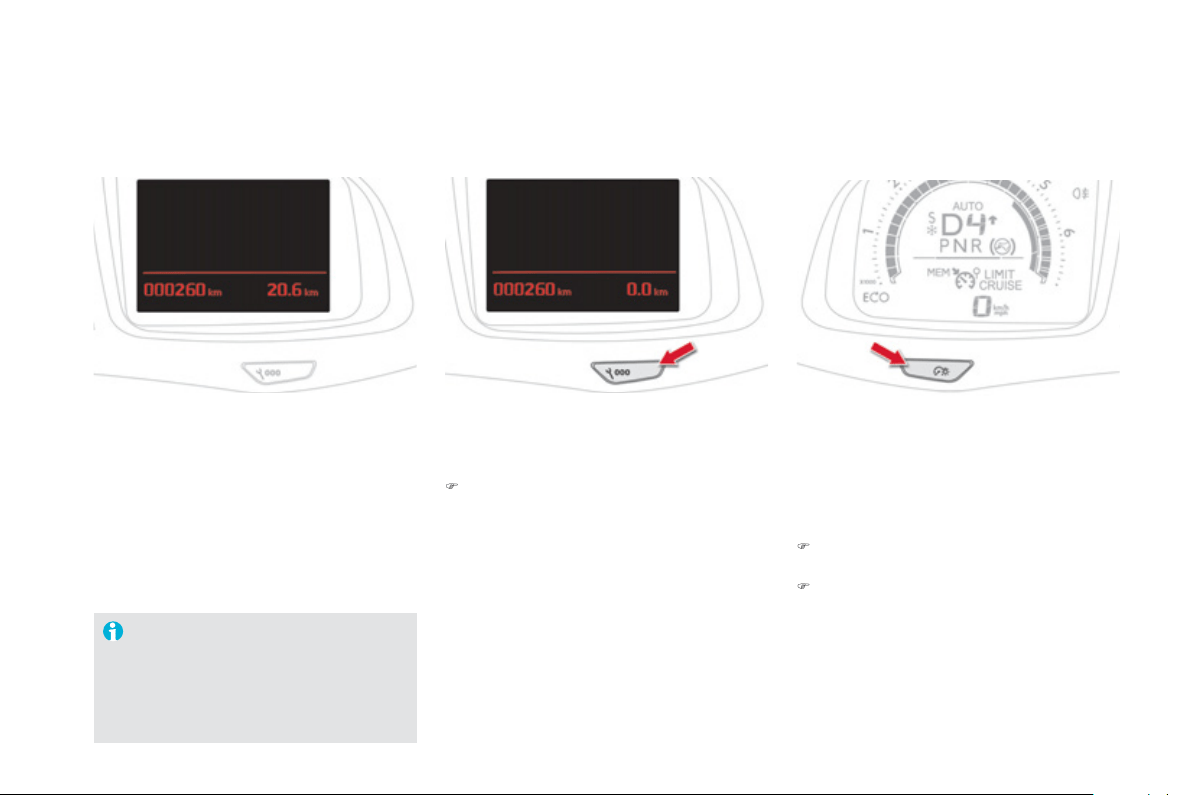
Sy
stem
f
or manual ad
j
ustment o
f
the bri
g
htness
of
th
e
in
s
tr
u
m
e
nt
s
a
n
d
co
ntr
o
l
s
in r
e
l
a
ti
o
n t
o
th
e
e
xter
i
or
b
r
igh
tness.
L
i
g
htin
g
dimme
r
Activation
When the li
g
htin
g
is on:
)
press the button to chan
g
e the bri
g
htness
o
f
the instruments and controls,
)
when the level o
f
bri
g
htness required is
r
eac
h
e
d
, re
l
ease t
h
e
b
utton.
Deactivation
When the li
g
htin
g
is off, or in da
y
mode on
vehicles fitted with da
y
time runnin
g
lamps,
p
ressin
g
the button does not have an
y
effect.
Sy
stem which measures the total distance
travelled b
y
the vehicle durin
g
its li
f
e.
The total and trip distances are displa
y
ed
f
or
thirty seconds when the ignition is switched o
ff
,
when the driver's door is o
p
ened and when the
v
e
hi
c
l
e
i
s
l
oc
k
ed
o
r
u
nl
oc
k
ed
.
T
otal distance recorder
Sy
stem which measures a distance travelled
d
ur
i
n
g
a
d
a
y
or ot
h
er per
i
o
d
s
i
nce
i
t was reset
to zero
by
t
h
e
d
r
i
ver.
)
With the ignition on, press the button until
z
eros
appear
.
Trip distance recorder
To con
f
orm to legislation in the country
y
ou are crossin
g
, chan
g
e the units
of distance
(
miles or km
)
via the
c
onfi
g
uration menu.
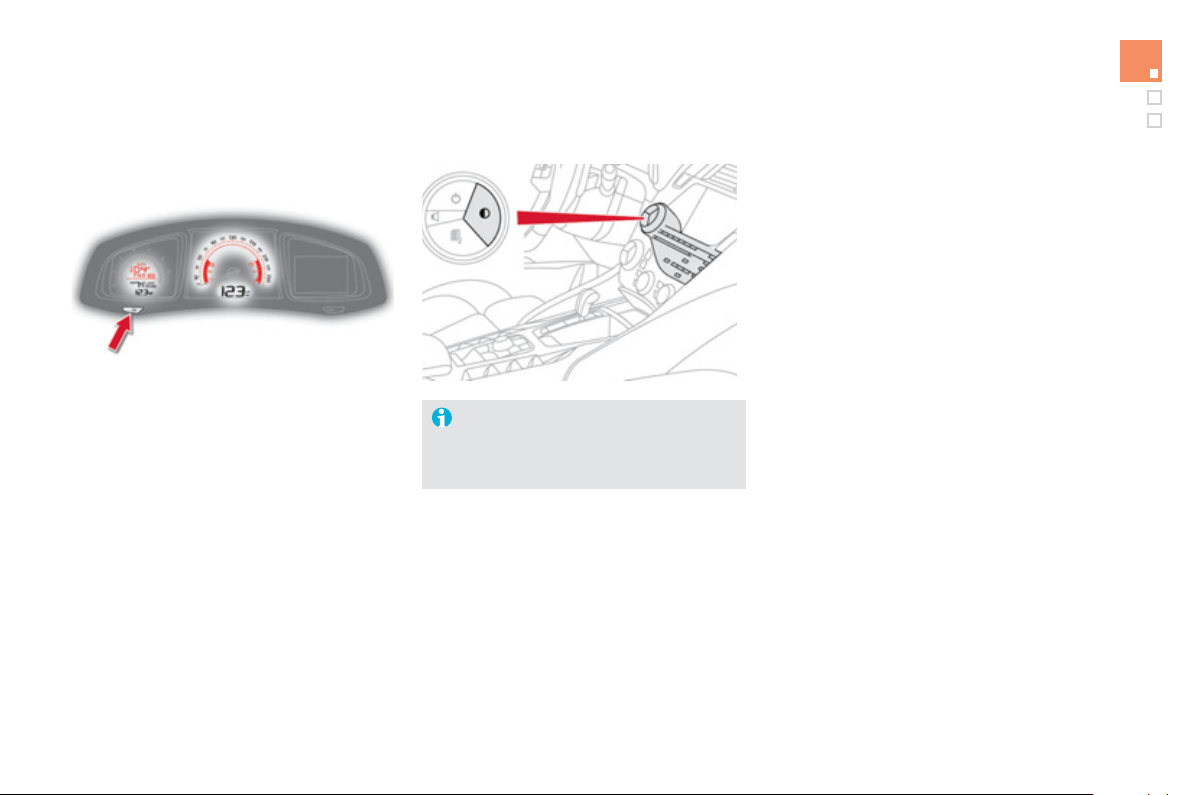
4
5
Monitoring
S
y
stem allowin
g
certain screens to be switched
o
ff
f
or ni
g
ht drivin
g
(
available onl
y
with
e
M
y
Wa
y)
.
Th
e
i
nstrument
p
ane
l
rema
i
ns on w
i
t
h
t
h
e
vehicle speed, electronic gearbox gear
s
elected, cruise control or s
p
eed limiter
information, if in use, and the low fuel alerts i
f
necessary
.
If there is an alert or a chan
g
e in a function
or to a settin
g
, the black panel mode is
i
nterrupte
d
.
Black panel
(
black screen
)
w
i
t
h
e
MyW
a
y
For more in
f
ormation, re
f
er to the
e
MyWay part o
f
the "Audio and
t
e
l
e
m
a
ti
cs
"
sec
ti
o
n.
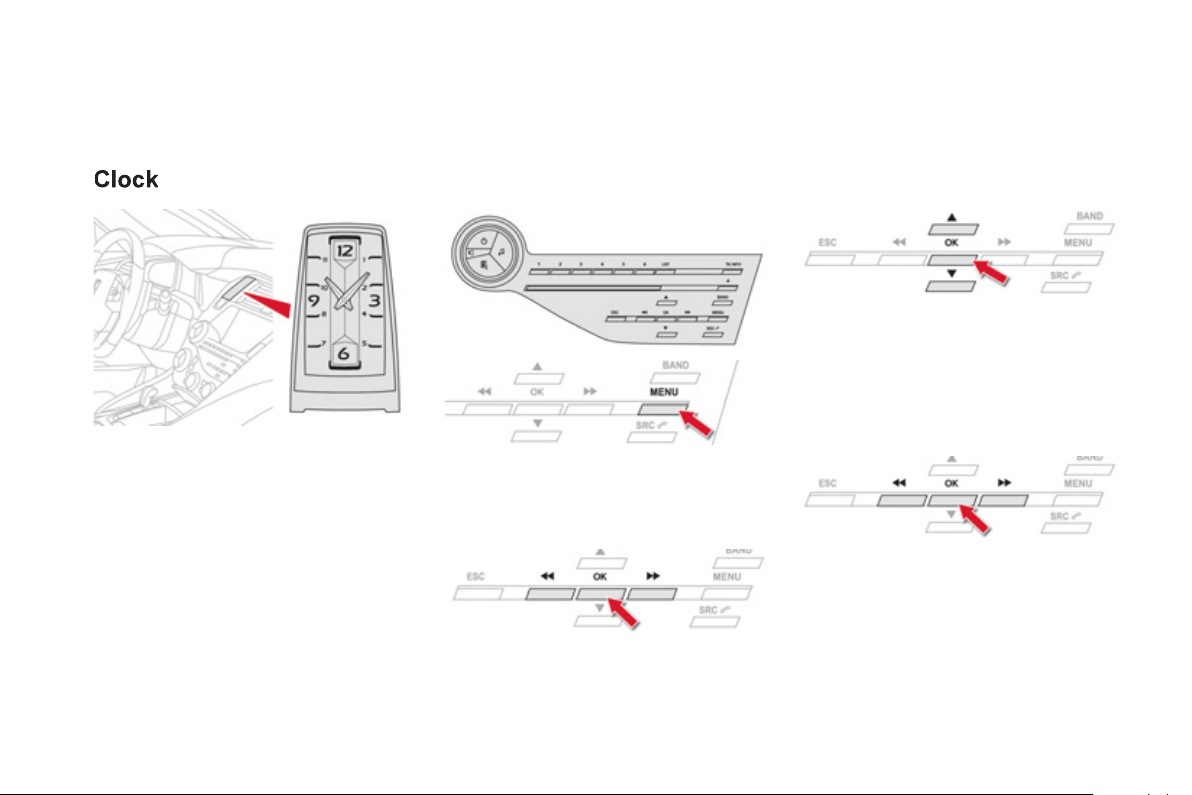
The analogue clock does not have an
a
d
j
ustment button.
To set the time, refer to the section relatin
g
to
the screen
(
audio s
y
stem
)
confi
g
uration menu.
The clock is s
y
nchronised with the screen time;
once the the settin
g
has been confirmed in
t
h
e screen, t
h
e
h
an
d
s w
ill
turn to s
y
nc
h
ron
i
se
w
i
t
h
t
h
e screen, an
d
eac
h
t
i
me t
h
e
ig
n
i
t
i
on
i
s
s
w
i
t
ched
o
n.
Setting the date and time
Audio s
y
stem
/
Bluetooth
P
r
ess
MENU
.
Usin
g
the arrows, select "
P
ersonalisation-
confi
g
uration "
a
n
d
co
nfirm.
Usin
g
the arrows, select "
D
ispla
y
c
onfi
g
uration"
a
n
d
co
nfirm.
Usin
g
the arrows, select "
D
ate and time
a
d
j
ustmen
t
"
a
n
d
co
nfirm.
S
elect the setting to be modi
f
ied.
C
on
f
irm
b
y
pressin
g
O
K
, then make the chan
g
e and
c
onfirm a
g
ain to save the modification.
A
d
j
ust the settin
g
s one b
y
one, con
f
irmin
g
b
y
p
ressing the OK
bu
tt
o
n. N
e
xt
se
l
ec
t th
e
"
O
K"
t
ab
o
n th
e
sc
r
ee
n th
e
n
co
n
f
irm t
o
e
xit
f
r
o
m th
e
"
D
ate and time ad
j
ustmen
t
" m
e
n
u
.
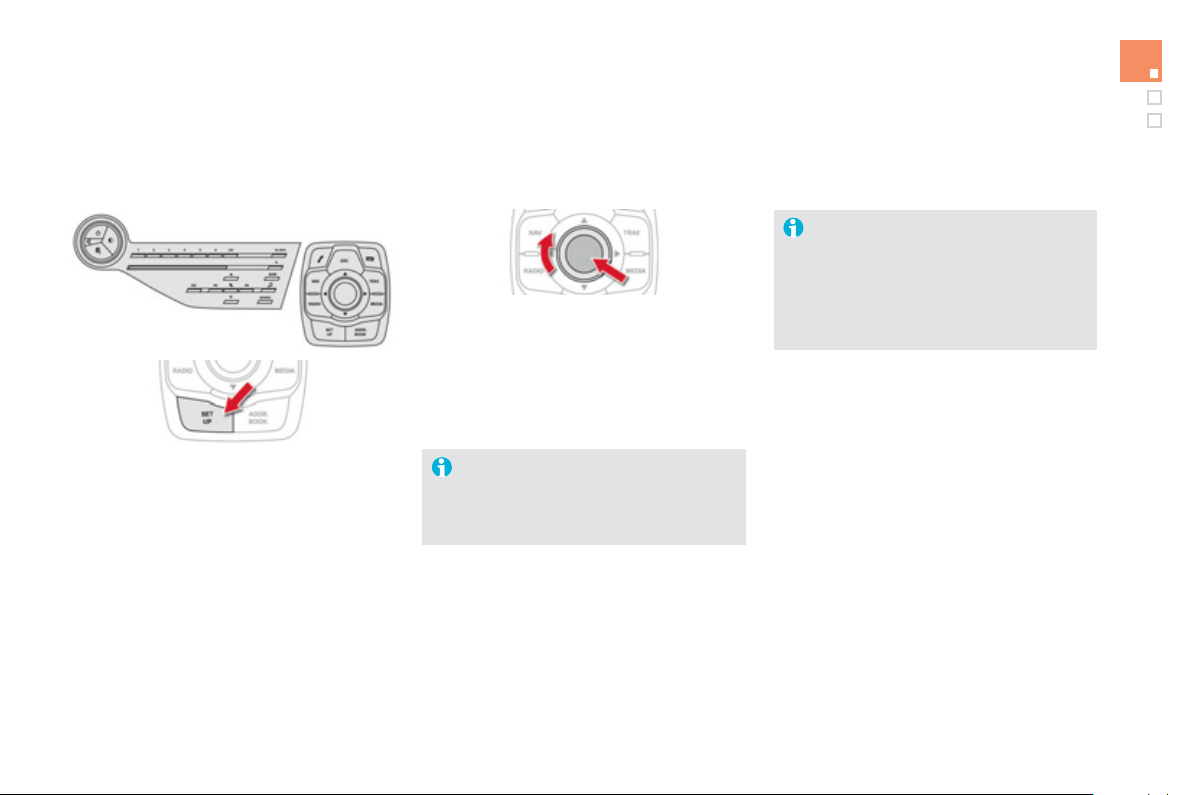
47
Monitoring
e
M
y
Wa
y
S
elect " S
y
nchronize the minutes
w
ith GP
S
" so that settin
g
the minutes
i
s
d
one automat
i
ca
lly
by
sate
lli
te
recept
i
on.
The clock, located in the dashboard,
is s
y
nchronised with the time in the
sc
r
ee
n. It i
s
se
t
o
n
ce
th
e
tim
e
i
s
adj
uste
d
us
i
n
g
t
h
e
"
SETU
P
"
m
e
n
u
a
n
d
e
ver
y
t
i
me t
h
e
ig
n
i
t
i
on
i
s sw
i
tc
h
e
d
on.
Pr
ess
SETUP to displa
y
the "Confi
g
uration "
menu
.
Se
l
ec
t "
D
ispla
y
confi
g
uration "
a
n
d
co
n
f
irm.
S
elect "
S
et date and tim
e
"
a
n
d
co
n
f
irm.
S
elect the settin
g
to ad
j
ust.
Confirm b
y
pressin
g
OK , then ad
j
ust the settin
g
a
nd confirm a
g
ain to save the modification.
Ad
j
ust the settin
g
s one b
y
one.
Th
e
n
se
l
ec
t "
O
K"
o
n th
e
sc
r
ee
n
a
n
d
co
nfirm t
o
save the settin
g
s.
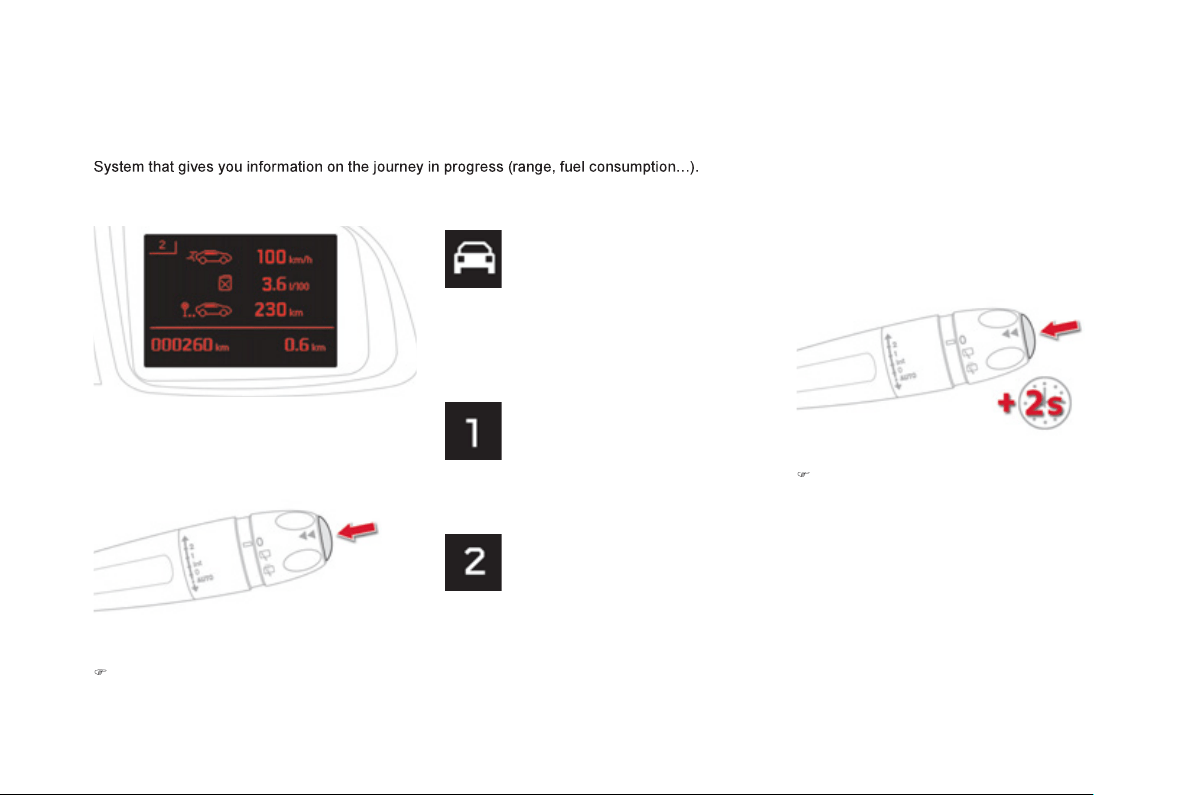
Trip computer
)
Wh
en t
h
e tr
i
p requ
i
re
d
i
s
di
sp
l
a
y
e
d
, press
th
e
co
ntr
o
l
fo
r m
o
r
e
th
a
n tw
o
seco
n
ds
o
r
use
th
e
l
ef
t h
a
n
d
th
u
m
b
wh
ee
l
of
th
e
s
teering mounted controls.
Trips "1"
a
n
d
"2" are independent but their use
i
s
i
de
nti
ca
l.
For example, trip
"
1" can be used for dail
y
fi
g
ures, and trip "2" for monthl
y
fi
g
ures.
I
nstrument panel screen
Information displa
y
)
Pr
ess
th
e
bu
tt
o
n
o
n th
e
e
n
d
o
f th
e
wi
p
e
r
c
ontrol stal
k
to displa
y
the various tabs in
success
i
o
n.
- Th
e
cu
rr
e
nt inf
o
rm
a
ti
o
n t
ab
with:
● t
h
e ran
g
e,
● the current
f
uel consumption,
● the
S
to
p
&
S
tart time counter.
-
T
r
i
p
"1
" w
ith
:
● t
h
e avera
g
e spee
d
,
f
or the
f
irst tri
p
.
● the avera
g
e
f
uel consumption.
-
T
r
i
p
"2
" w
i
t
h
:
● t
h
e avera
g
e spee
d
,
f
or the second tri
p
.
● the average
f
uel consumption.
Trip reset
- R
ad
i
o
o
r m
ed
i
a
.
- Satellite navi
g
ation.
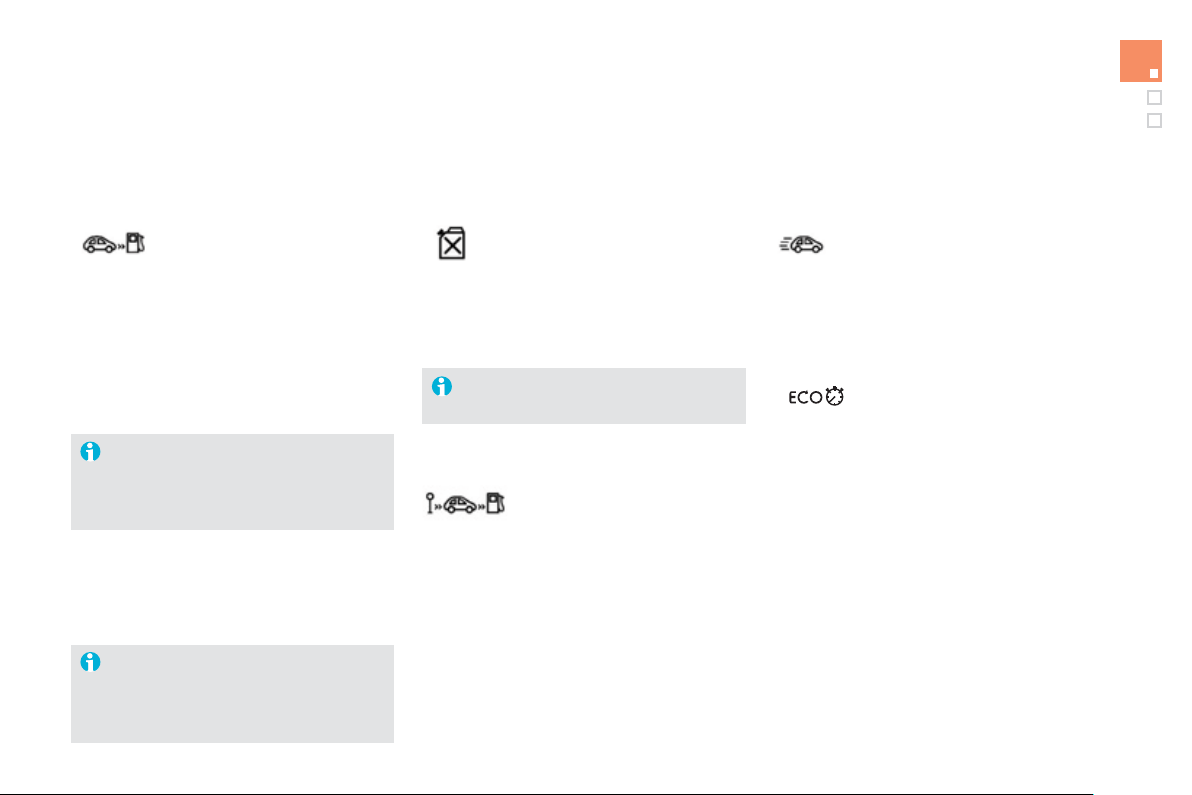
49
Monitoring
I
f
dashes are displa
y
ed continuousl
y
while drivin
g
in place of the di
g
its,
c
ontact a
C
ITR
O
ËN dealer or a
q
ualified workshop.
This value ma
y
var
y
f
ollowin
g
a chan
g
e
in the st
y
le o
f
drivin
g
or the relie
f
,
resulting in a signi
f
icant change in the
c
urrent
f
uel consumption.
T
ri
p
com
p
uter, a few definitions…
Ran
g
e
(
miles or km
)
Thi
s
in
d
i
ca
t
es
th
e
d
i
s
t
a
n
ce
whi
c
h
ca
n
s
till
be
tr
a
v
e
ll
ed
with
the fuel remainin
g
in the tank
in relation to the avera
g
e fuel
c
onsumption over the last
f
ew
miles
(
kilometres
)
travelled.
When the ran
g
e
f
alls below 20 miles
(
30 km
)
,
dashes are displa
y
ed. After fillin
g
with at least
5
litres of fuel, the ran
g
e is recalculated and is
displa
y
ed when it exceeds 60 miles
(
100 km
)
.
This
f
unction is onl
y
displa
y
ed
f
rom
20 mph
(
30 km
/
h
)
.
Current fuel consum
p
tion
(
mp
g
or l/100 km or km/l
)
This is the avera
g
e fuel consumption
durin
g
the last few seconds.
A
vera
g
e fuel
c
onsum
p
tion
(
mp
g
or l/100 km or km/l
)
This is the avera
g
e
f
uel
c
onsumpt
i
on s
i
nce t
h
e
l
ast tr
i
p
c
om
p
uter zero reset.
A
vera
g
e speed
(
mph or km/h
)
This is the avera
g
e speed calculated
s
i
nce t
h
e
l
ast tr
i
p computer zero reset
(
i
g
nition on
)
.
Sto
p
& Start time
c
ounte
r
(
minutes
/
seconds or hours
/
minutes
)
I
f
your vehicle is
f
itted with
S
top
&
S
tart, a time
c
ounter calculates the time s
p
ent in
S
T
O
P
mode durin
g
a
j
ourne
y
.
I
t resets to zero ever
y
time the i
g
nition is
s
witched on with the
S
TART
/S
T
O
P button.
002
Access
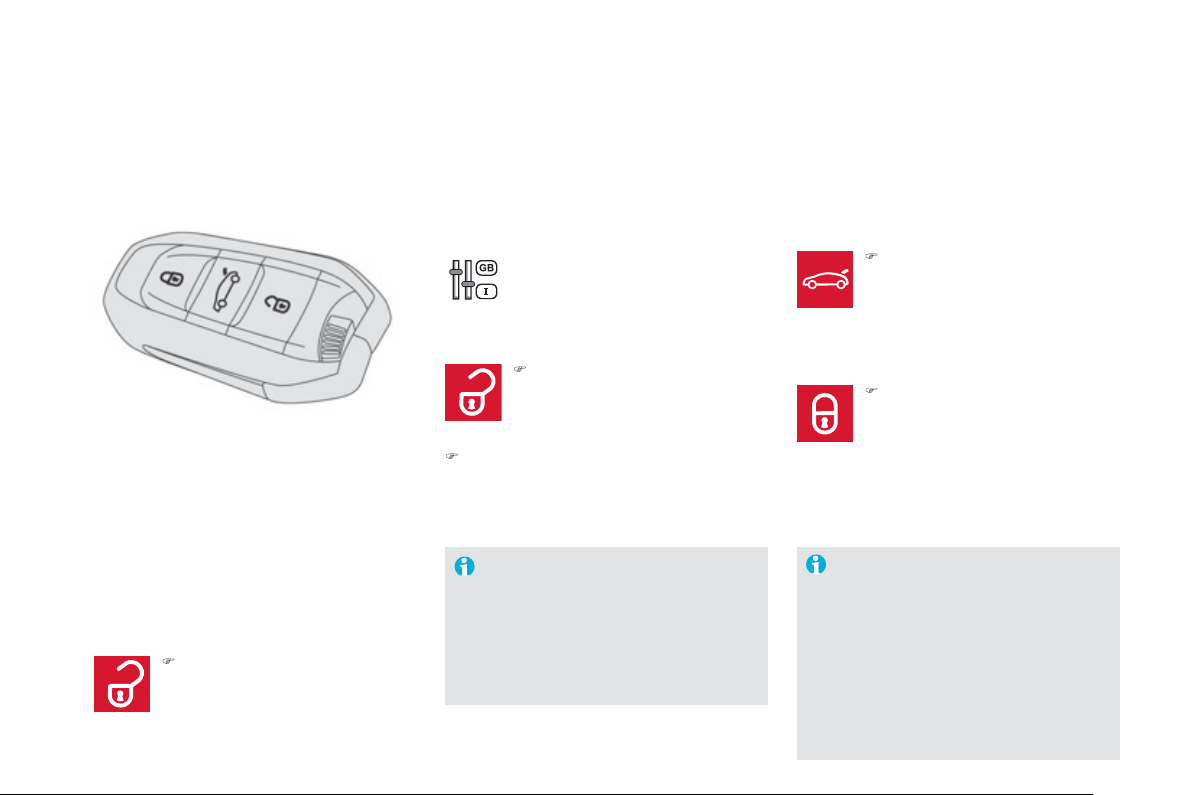
Electronic key
remote control
Unlockin
g
the vehicle
Complete unlockin
g
Selective unlockin
g
U
nlockin
g
the boot
S
ystem which permits central unlocking or
lockin
g
o
f
the vehicle usin
g
the lock or
f
rom a
d
i
s
t
a
n
ce
. It i
s
a
l
so
used
t
o
l
oca
t
e
a
n
d
s
t
a
rt th
e
vehicle, as well as providin
g
protection a
g
ainst
th
e
ft.
This settin
g
is done in the
c
onfi
g
uration menu.
Complete unlockin
g
is activated b
y
de
f
au
lt.
Unlockin
g
is con
f
irmed b
y
rapid
f
lashin
g
of
th
e
d
ir
ec
ti
o
n in
d
i
ca
t
o
r
s
fo
r
a
r
ou
n
d
tw
o
seco
n
ds
.
At the same time, depending on
version, the door mirrors un
f
old.
L
ockin
g
the vehicle
Lockin
g
is confirmed b
y
fixed
l
i
g
htin
g
o
f
the direction indicators
f
or
approx
i
mate
ly
two secon
d
s.
Th
e
doo
r mirr
o
r
s
fo
l
d
a
t th
e
sa
m
e
tim
e
.
)
To unlock onl
y
the driver's door,
p
ress the open padlock once.
)
Press the closed padlock to lock
t
h
e ve
hi
c
l
e comp
l
ete
ly
.
Hold
t
he
bu
tt
o
n
do
wn
u
nt
il
t
he
w
i
n
d
ows c
l
ose comp
l
ete
ly
.
)
Press this button until
y
ou hear
th
e
boo
t
u
nl
oc
k. Th
e
v
e
hi
c
l
e
i
s
c
ompletel
y
unlocked.
Be aware o
f
children when operatin
g
th
e
win
do
w
s
.
)
Press the open padlock to unlock
th
e
v
e
hi
c
l
e
.
)
To unlock the other doors and the boot,
press the open padlock a
g
ain.
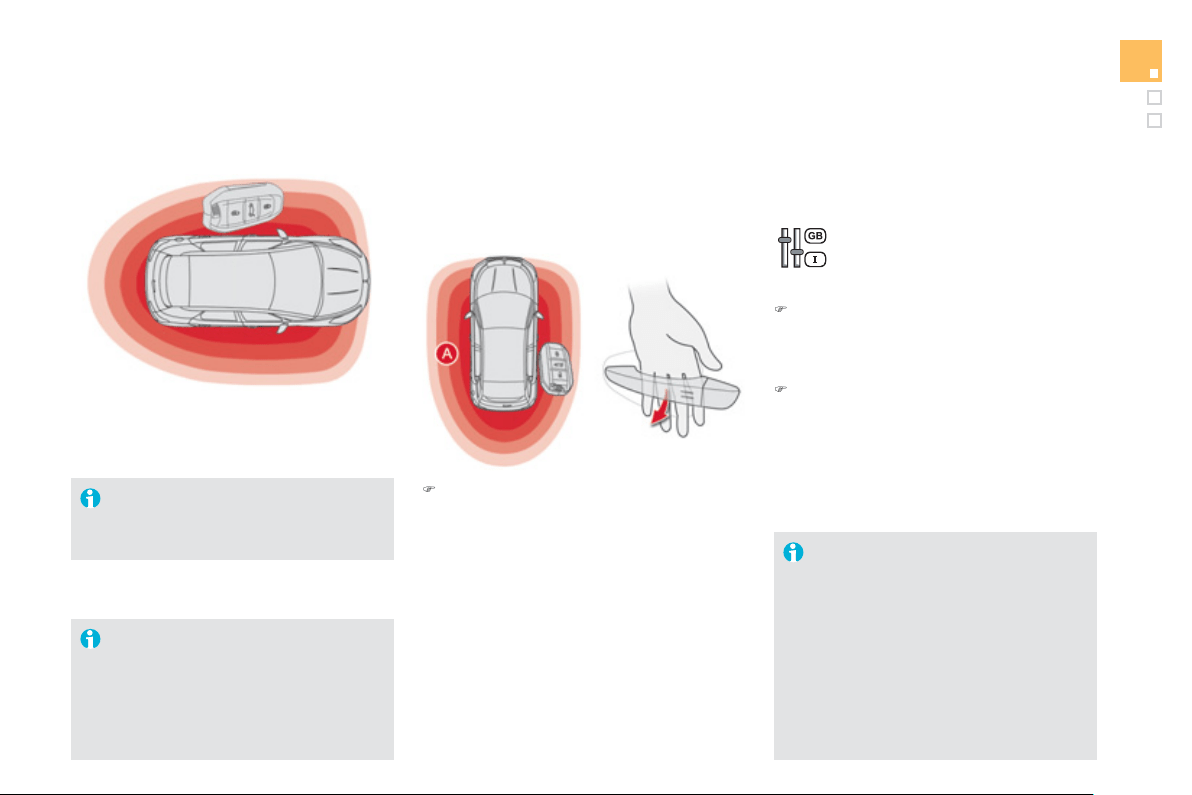
5
3
Access
U
n
l
oc
ki
n
g
t
h
e ve
hi
c
l
e
"Keyless Entry and Starting" system
S
y
stem that allows the openin
g
, closin
g
and startin
g
of the vehicle while keepin
g
the
e
lectronic ke
y
on
y
our person.
Complete unlockin
g
)
With the electronic ke
y
on
y
our person
a
n
d
in th
e
def
in
ed
z
o
n
e
A
,
pass
yo
u
r
ha
n
d
behi
n
d
t
he
doo
r
ha
n
dle
t
o
u
n
lock
t
he
ve
hi
c
l
e, t
h
en
p
u
ll
on t
h
e
h
an
dl
e to o
p
en t
h
e
doo
r.
Your passen
g
ers can also open their doors,
as soon as the electronic ke
y
is in the
de
fin
ed
z
o
n
e
a
r
ou
n
d
th
e
v
e
hi
c
l
e
.
Selective unlockin
g
Thi
s sett
i
n
g
i
s
d
one v
i
a t
h
e
c
on
f
i
g
uration menu.
B
y
de
f
ault, complete unlockin
g
is
ac
tiv
a
t
ed
.
)
T
o un
l
oc
k
on
ly
t
h
e
d
r
i
vers
d
oor, w
i
t
h
t
h
e
e
lectronic ke
y
on
y
our person, pass
y
our
ha
n
d
be
hin
d
th
e
d
riv
e
r'
s
doo
r h
a
n
d
l
e
th
e
n
p
ull on the door handle to open.
)
To unlock the complete vehicle, pass
y
our
h
and behind one of the passen
g
er door
ha
n
d
l
es
o
n th
e
sa
m
e
s
i
de
o
f th
e
v
e
hi
c
l
e
as
t
h
e e
l
ectron
i
c
k
e
y
i
s
l
ocate
d
, t
h
en pu
ll
on
t
h
e
d
oor
h
an
dl
e to open.
Unlockin
g
is con
f
irmed b
y
rapid
f
lashin
g
o
f
the direction indicators
f
or
approximately two seconds.
Th
e
doo
r mirr
o
r
s
u
n
fo
l
d
a
t th
e
sa
m
e
tim
e
.
If the alarm is on, the audible warnin
g
when openin
g
a door with the ke
y
(
inte
g
ral with the remote control
)
, will
s
top on start
i
n
g
t
h
e en
gi
ne.
I
t can a
l
so
b
e use
d
as a remote contro
l
;
s
ee the "Ke
y/
remote control" section.
F
or reasons o
f
sa
f
et
y
and the
f
t
protect
i
on,
d
o not
l
eave
y
our e
l
ectron
i
c
k
ey in the vehicle, even when you are
c
l
ose
t
o
it.
It is recommended that
y
ou keep it on
y
our person: in a pocket, ba
g
, ...
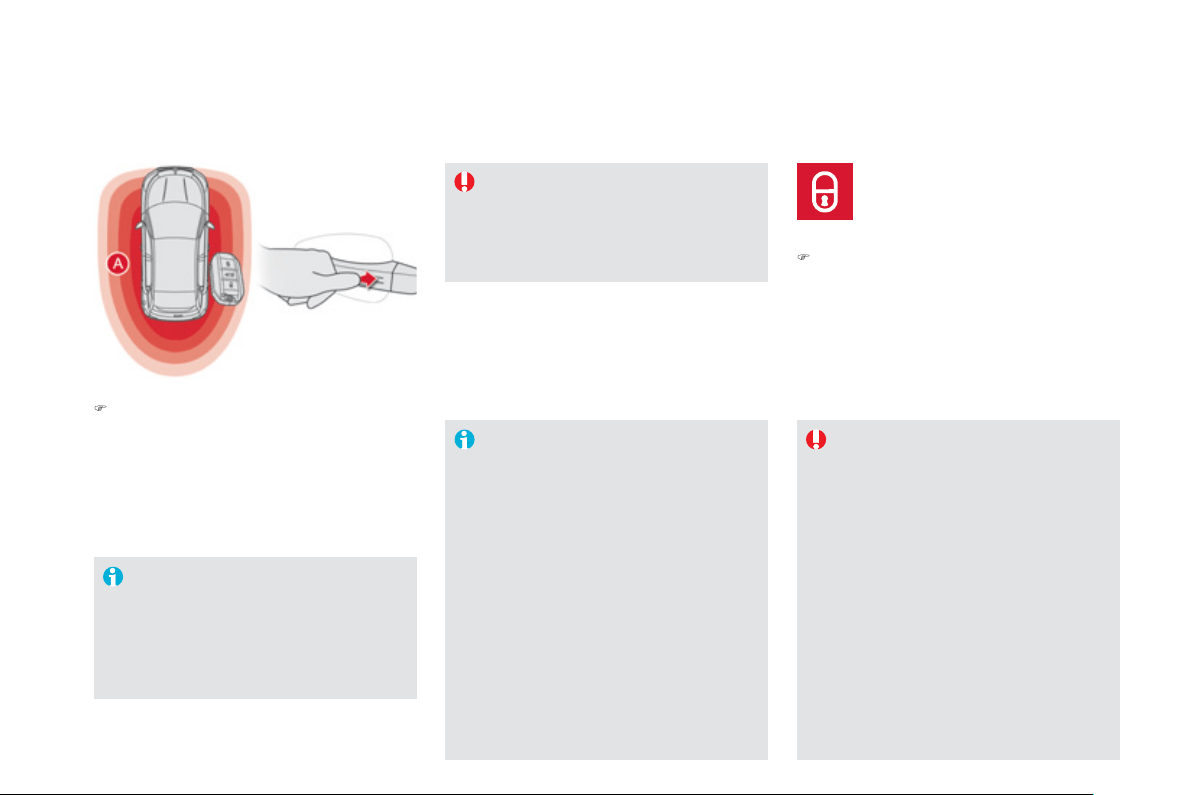
Lockin
g
the vehicle
)
With the electronic ke
y
in the de
f
ined
zone
A
, press with a fin
g
er on one of the
door handles
(
at the markin
g
s
)
to lock the
v
e
hi
c
l
e
Maintain pressure with
y
our fin
g
er until the
w
i
n
d
ows c
l
ose comp
l
ete
ly
.
Lockin
g
is confirmed b
y
fixed
li
g
htin
g
o
f
the direction indicators
f
or
a
pprox
i
mate
ly
two secon
d
s.
Th
e
doo
r mirr
o
r
s
fo
l
d
a
t th
e
sa
m
e
tim
e
.
If
o
n
e
o
f th
e
doo
r
s
o
r th
e
boo
t i
s
s
till
open or i
f
the ke
y
f
or Ke
y
less Entr
y
and
S
tartin
g
has been le
f
t inside the vehicle,
t
h
e centra
l
l
oc
ki
n
g
d
oes not ta
k
e p
l
ace.
When the vehicle is locked, i
f
it is
u
nlocked inadvertentl
y
, it will relock
automaticall
y
after about thirt
y
seconds
u
nless a door is opened.
The foldin
g
and unfoldin
g
of the door
mirrors b
y
the remote control can be
deactivated b
y
a CITRO
Ë
N dealer or a
q
uali
f
ied workshop.
A
s a safet
y
measure
(
children on
board
)
, never leave the vehicle without
takin
g
the ke
y
f
or the Ke
y
less Entr
y
and
S
tartin
g
s
y
stem, even
f
or a short period.
G
uard against the
f
t when the key
f
or
the Ke
y
less Entr
y
and
S
tartin
g
s
y
stem
i
s
in th
e
de
fin
ed
z
o
n
e
with th
e
v
e
hi
c
l
e
u
nl
oc
k
ed
.
A
fter a lon
g
period of parkin
g
, the
automatic detection functions of the ke
y
are
i
n
hibi
te
d
so as to not
di
sc
h
ar
g
e t
h
e
ve
hi
c
l
e
'
s
b
atter
y
.
Y
ou s
h
ou
ld
t
h
en use
the remote control
f
unction o
f
the ke
y
to
u
nl
oc
k th
e
v
e
hi
c
l
e
.
Ensure that no one prevents the correct
operation of the windows.
Be aware o
f
children when operatin
g
t
he
w
i
n
do
w
s
.
This
f
unction allows you to identi
f
y
y
our vehicle
f
rom a distance,
p
articularl
y
in poor li
g
ht. Your vehicle
mus
t
be
l
oc
k
ed
.
L
ocatin
g
y
our vehicle
)
Press the closed padlock on the remote
co
ntr
o
l.
This will switch on the courtes
y
lamps and the
d
ir
ec
ti
o
n in
d
i
ca
t
o
r
s
will fl
as
h f
o
r
a
f
e
w
seco
n
ds
.
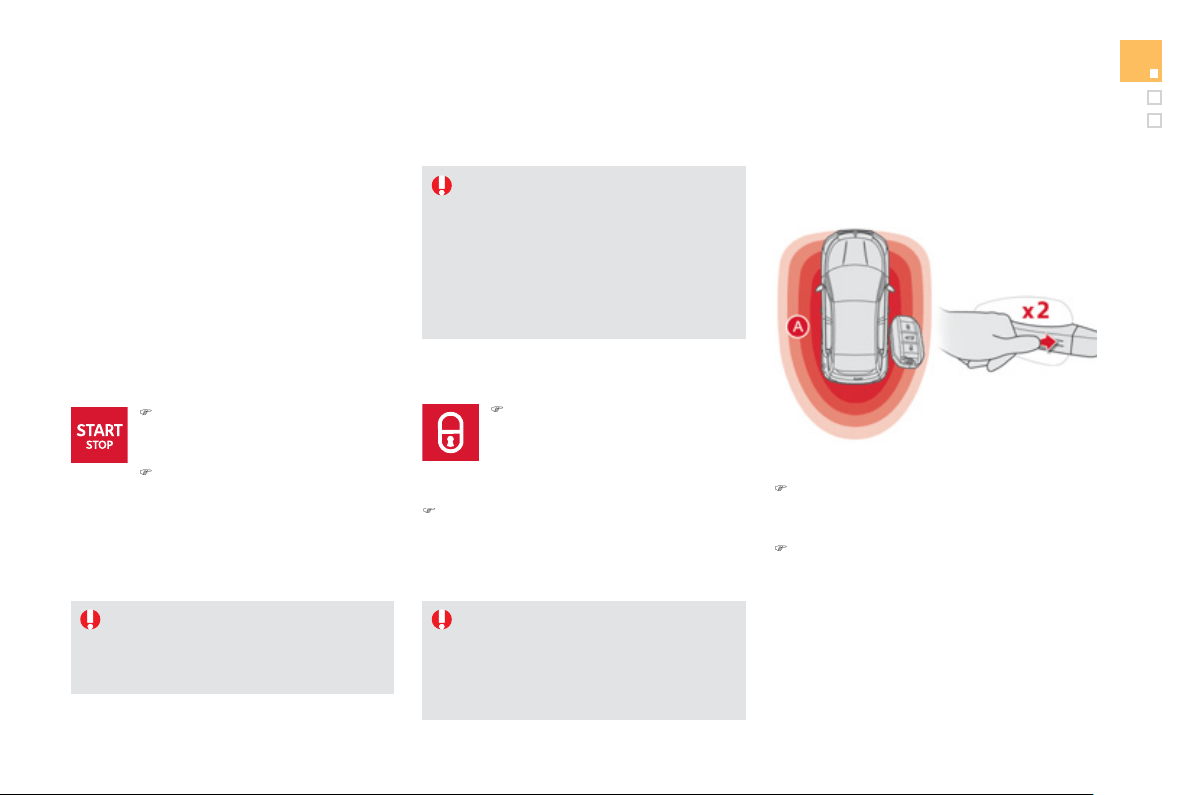
55
Access
D
eadlockin
g
Deadlockin
g
renders the exterior and
i
nterior door controls inoperative.
I
t
also
deac
t
i
v
a
t
es
t
he
m
a
n
ual
ce
ntr
al
co
ntr
ol
bu
tt
o
n.
There
f
ore, never leave an
y
one inside
th
e
v
e
hi
c
l
e
wh
e
n it i
s
dead
l
oc
k
ed
.
U
s
i
n
g
t
h
e remote contro
l
)
P
ress t
h
e c
l
ose
d
p
a
dl
oc
k
to
l
oc
k
the vehicle completely.
Maintain pressure with
y
our
fin
g
er for more than two seconds
t
o
c
l
ose
th
e
win
do
w
s
.
With the electronic ke
y
in the reader or the
Ke
y
less Entr
y
and
S
tartin
g
ke
y
inside the
vehicle, pressin
g
the "
S
TART
/S
T
O
P" button,
w
i
t
h
no act
i
on on t
h
e pe
d
a
l
s, a
ll
ows t
h
e
ig
n
i
t
i
on
to be switched on and so activate the ancillary
eq
ui
p
ment.
I
g
nition on without startin
g
t
h
e en
gi
ne
(
accessor
y
position
)
)
Press the "
S
TART
/S
T
O
P" button,
the instrument
p
anel comes on
but the en
g
ine does not start.
)
Press the button a
g
ain to switch
off the i
g
nition and so allow the
v
e
hi
c
l
e
t
o
be
l
oc
k
ed
.
If
y
ou use the accessor
y
position for too
l
on
g
, the s
y
stem automaticall
y
g
oes into
e
conom
y
mode to avoid the risk o
f
a
f
lat
b
atter
y
.
With the Ke
y
less Entr
y
and
startin
g
s
y
stem
B
y
the doors:
)
With the electronic ke
y
in the defined
z
o
n
e
A
, press a fin
g
er on the door handle
(
at the markin
g
s
)
to lock the vehicle.
)
Within
f
ive seconds, press the door handle
a
g
a
i
n to
d
ea
dl
oc
k
t
h
e ve
hi
c
l
e.
Ensure that no one is preventin
g
the
c
orrect closin
g
of the windows.
Be aware o
f
children when operatin
g
t
he
w
i
n
do
w
s
.
)
Press the closed padlock a
g
ain within
f
ive
seco
n
ds
t
o
dead
l
oc
k th
e
v
e
hi
c
l
e
.
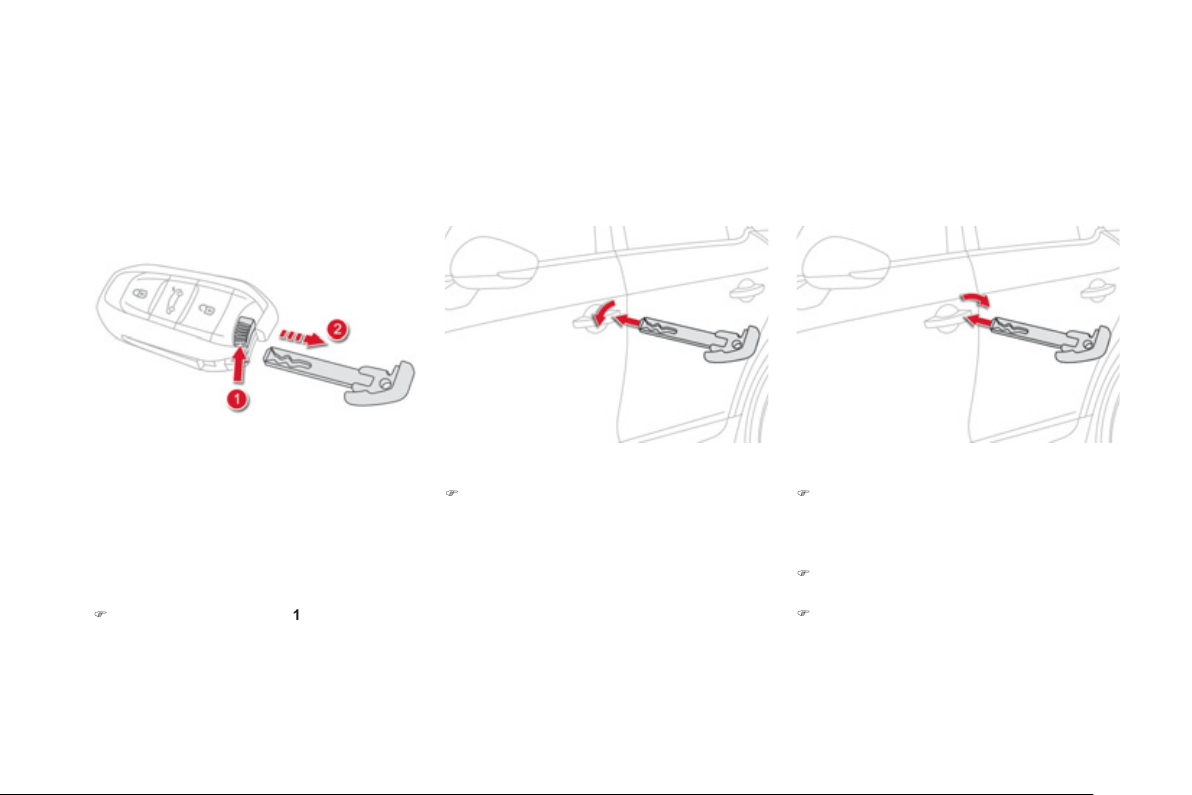
Emergency procedure
Emer
g
enc
y
unlockin
g
/lockin
g
u
s
i
n
g
t
h
e
i
nte
g
ra
l
k
e
y
Th
e
i
nte
g
ra
l
k
e
y
i
s use
d
to
l
oc
k
an
d
un
l
oc
k
t
h
e
ve
hi
c
l
e w
h
en t
h
e e
l
ectron
i
c
k
e
y
cannot operate:
- cell battery
f
lat, vehicle battery discharged
or disconnected, ...
- vehicle located in an area with stron
g
electroma
g
netic si
g
nals.
)
Maintain a pull on button
1
, to extract the
i
nte
g
ral ke
y
2
.
Complete unlockin
g
)
Turn the ke
y
towards the front of the vehicle
t
o
u
nl
oc
k th
e
v
e
hi
c
l
e
.
Normal lockin
g
)
Turn the ke
y
towards the rear of the vehicle
to lock the vehicle completel
y
.
Deadlockin
g
)
Turn the ke
y
towards the rear in the driver's
d
oor
l
oc
k
to
l
oc
k
t
h
e ve
hi
c
l
e comp
l
ete
ly
.
)
T
urn t
h
e
k
e
y
towar
d
s t
h
e rear a
g
a
i
n w
i
t
hi
n
f
iv
e
seco
n
ds
t
o
dead
l
oc
k th
e
v
e
hi
c
l
e
.
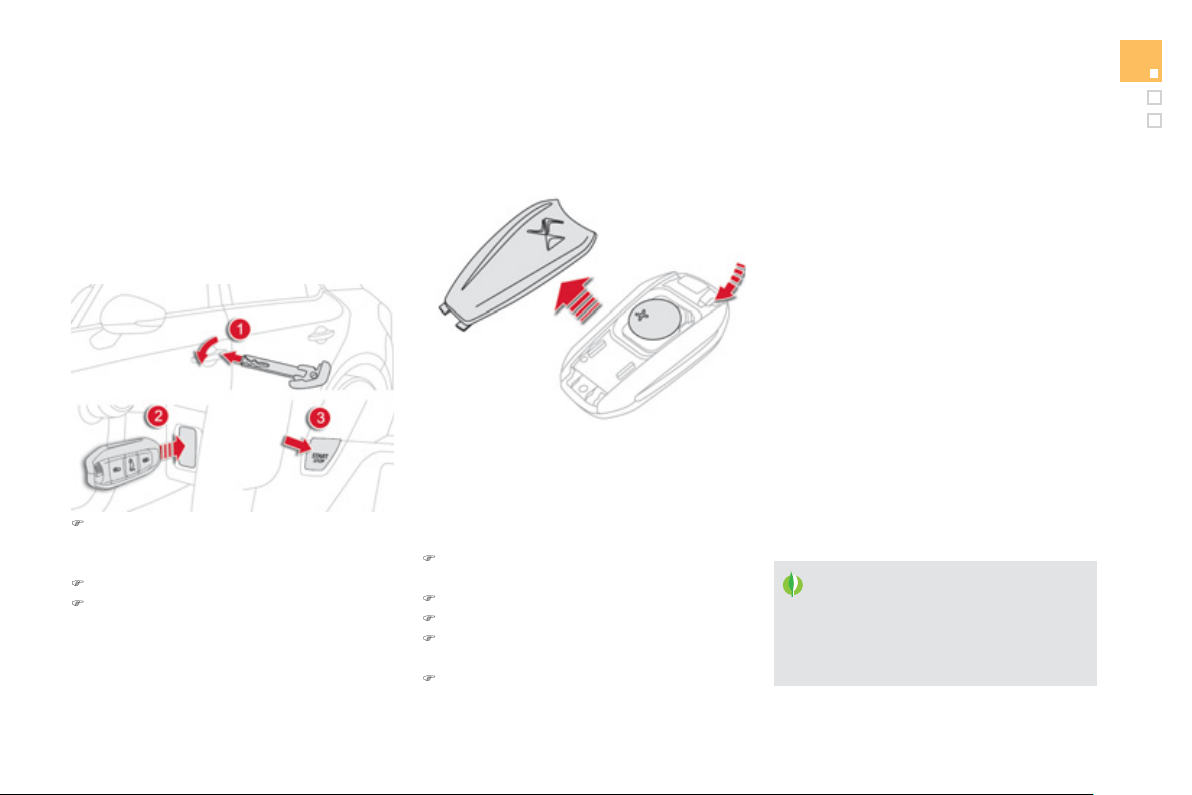
57
Access
D
o
n
o
t thr
o
w th
e
r
e
m
o
t
e
co
ntr
o
l
batteries awa
y
, the
y
contain metals
whi
c
h
a
r
e
h
a
rmf
u
l t
o
th
e
e
nvir
o
nm
e
nt.
Take them to an approved collection
point.
Chan
g
in
g
the batter
y
of
t
h
e e
l
ectron
i
c
k
e
y
Batter
y
re
f
.:
C
R2032
/
3 volts.
This replacement batter
y
is available
f
rom a
CITRO
Ë
N dealer or a
q
ualified worksho
p
.
A message appears in the instrument panel
screen when replacement o
f
the batter
y
is
needed
.
)
Unclip the cover usin
g
a small screwdriver
a
t th
e
cu
t
ou
t.
)
Lift
o
ff th
e
co
v
e
r.
)
Remove the
f
lat batter
y
f
rom its location.
)
Fi
t t
h
e new
b
atter
y
i
nto
i
ts
l
ocat
i
on
observin
g
the ori
g
inal direction o
f
f
itment.
)
C
lip the cover onto the casing.
Remote control
p
roblem -
r
e
i
n
i
t
i
a
li
sat
i
on
Followin
g
disconnection o
f
the vehicle batter
y
,
replacement o
f
the remote control batter
y
o
r
in the event o
f
a remote control mal
f
unction,
you can no longer unlock, lock or locate your
v
e
hi
c
l
e
.
)
Place the mechanical ke
y
(
inte
g
ral with the
r
emote control
)
in the lock to unlock
y
our
v
e
hi
c
l
e
.
)
Pl
ace t
h
e e
l
ectron
i
c
k
e
y
i
n t
h
e rea
d
er.
)
S
witch on the i
g
nition b
y
pressin
g
S
TART
/
S
T
O
P.
The electronic key is
f
ully operational again.
If the
p
roblem
p
ersists, contact a CITROËN
dealer or a qualified workshop as soon as
p
ossible.

L
ost electronic ke
y
Visit a CITROËN dealer with the vehicle's registration document and your personal identification documents and if possible the key code label.
The CITROËN dealer will be able to retrieve the ke
y
code and the transponder code required to order a new ke
y
.
Electronic ke
y
The electronic ke
y
is a sensitive s
y
stem; do not operate it while it is in
y
our pocket as there is a possibilit
y
that it ma
y
unlock the vehicle, without
y
ou bein
g
aware of it.
Do not repeatedl
y
press the buttons of
y
our electronic ke
y
out of ran
g
e and out of si
g
ht of
y
our vehicle. You run the risk of stoppin
g
it from
w
or
ki
n
g
an
d
t
h
e remote contro
l
wou
ld
h
ave to
b
e re
i
n
i
t
i
a
li
se
d
.
Th
e e
l
ectron
i
c
k
e
y
cannot operate as a remote contro
l
w
h
en
i
t
i
s
i
n t
h
e rea
d
er or even w
h
en t
h
e
ig
n
i
t
i
on
i
s sw
i
tc
h
e
d
on.
Lockin
g
the vehicle
Drivin
g
with the doors locked ma
y
make access to the passen
g
er compartment b
y
the emer
g
enc
y
services more difficult in an emer
g
enc
y
.
As a safet
y
precaution
(
with children on board
)
, take the Ke
y
less Entr
y
and Startin
g
electronic ke
y
when
y
ou leave the vehicle, even for a short
tim
e
.
Electrical interference
The Ke
y
less Entr
y
and Startin
g
electronic ke
y
ma
y
not operate if close to certain electronic devices: telephone, laptop computer, stron
g
ma
g
netic fields, ...
A
nti-theft
p
rotection
Do not make an
y
modi
f
ications to the electronic en
g
ine immobiliser s
y
stem; this could cause mal
f
unctions.
Don't
f
or
g
et to turn the steerin
g
to en
g
a
g
e the steerin
g
lock.
When purchasin
g
a second-hand vehicle
Have all of the keys in your possession paired by a CITROËN dealer, to ensure that only your keys allow your vehicle to be unlocked and started.
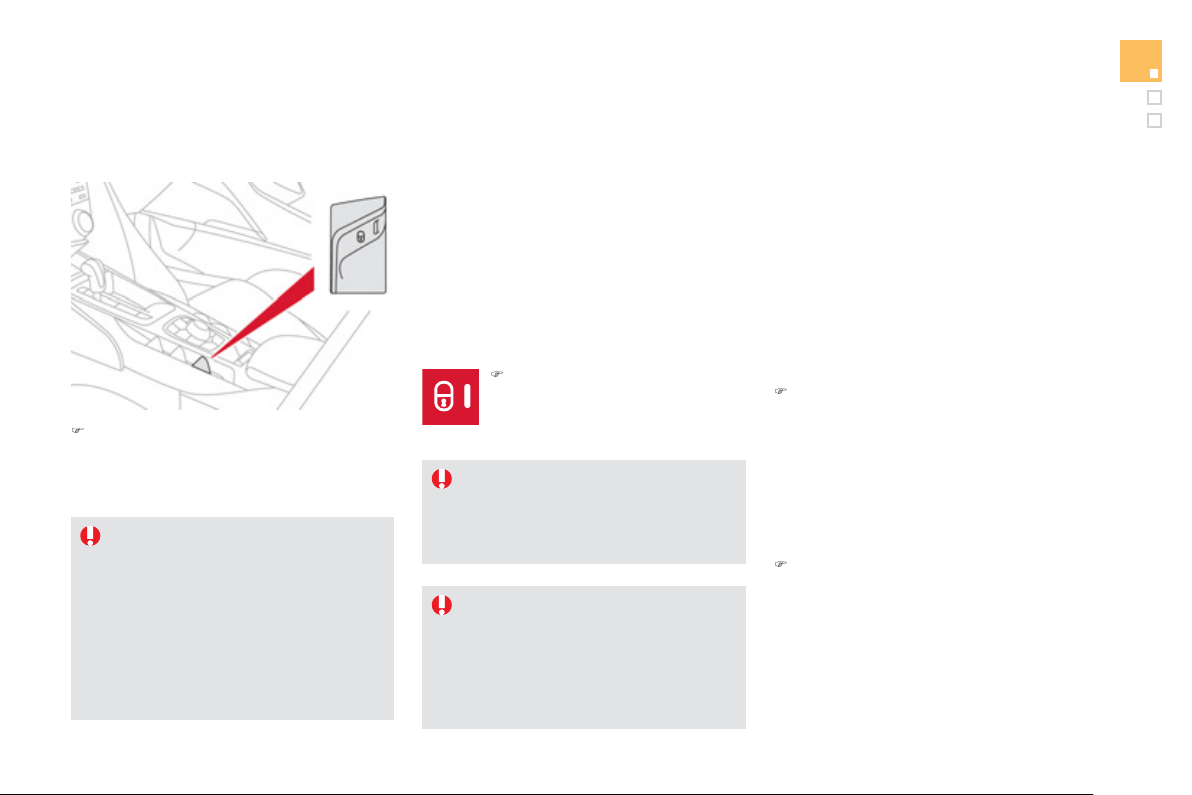
5
9
Access
Central locking control
A
utomatic central lockin
g
of the
doors
(
anti-intrusion securit
y)
The doors and boot can lock automaticall
y
w
hile drivin
g
(
speed above 6 mph
(
10 km/h
))
.
To activate or deactivate this function
(
activated
b
y
de
f
ault:
I
f
th
e
v
e
hi
c
l
e
i
s
dead
l
oc
k
ed
o
r l
oc
k
ed
f
rom the outside, the button is not
active. In this case, use the remote
c
ontrol to unlock the vehicle or
p
ull an
interior door handle to open a door.
If one of the doors is open, central
l
ockin
g
from the inside does not take
place.
Drivin
g
with the doors locked ma
y
make
a
ccess to the passen
g
er compartment
b
y
the emer
g
enc
y
services more
difficult in an emer
g
enc
y
.
)
O
perate the button.
This
allo
w
s
t
he
doo
r
s
a
n
d
t
he
boo
t t
o
be
locked
o
r
u
n
locked
.
)
O
perate this button until a
m
essa
g
e appears in the
instrument panel screen.
T
ransport
i
n
g
l
on
g
or vo
l
um
i
nous
o
bj
ects
I
f
you want to drive with the boot open,
p
ress the central lockin
g
control button
t
o
l
oc
k th
e
doo
r
s
.
Emer
g
enc
y
control
S
ystem allowing the doors to be locked and
unlocked manuall
y
in the event o
f
a mal
f
unction
o
f the central lockin
g
s
y
stem or batter
y
failure.
Lockin
g
the driver's door
)
Insert the ke
y
in the door lock, then turn it
t
o
th
e
r
ea
r.
You can also appl
y
the procedure described fo
r
the passen
g
er doors.
Unlockin
g
the driver's door
)
Insert the ke
y
in the door lock, then turn it
t
o
th
e
fr
o
nt.
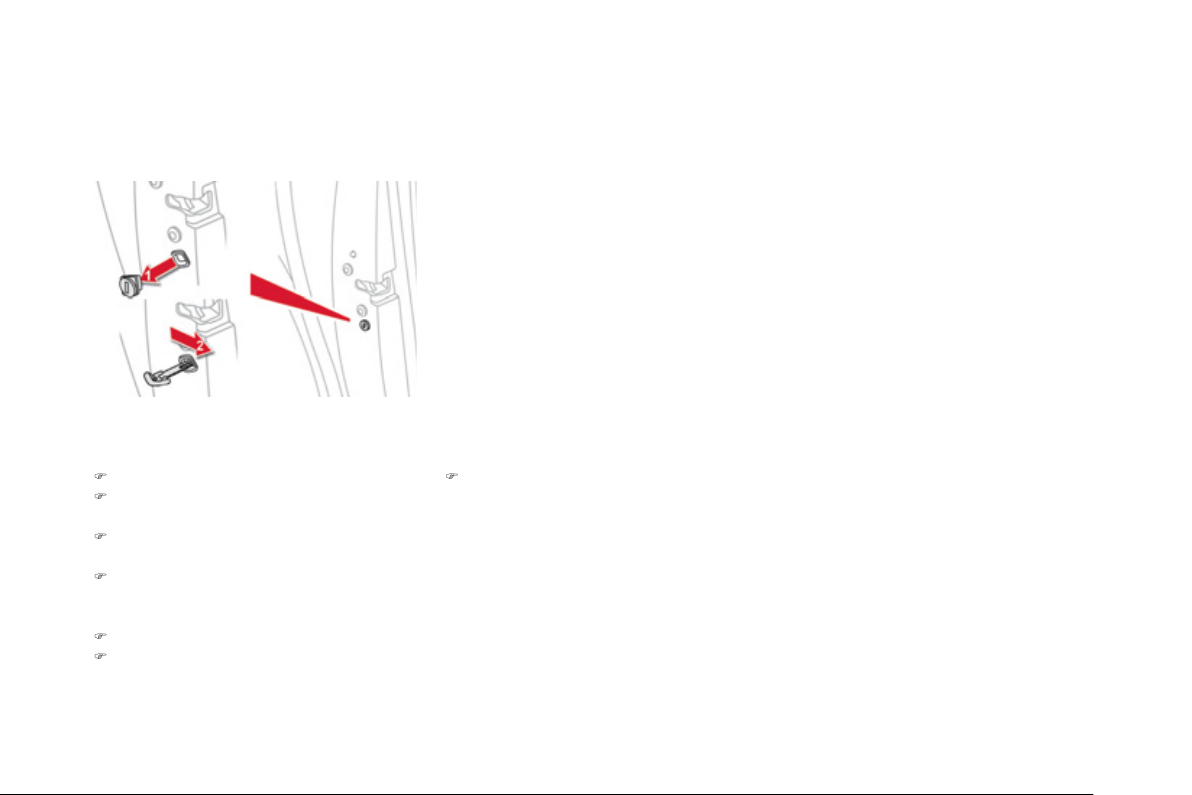
Lockin
g
the front and rea
r
passen
g
er doors
)
Op
en the doors.
)
O
n the rear doors, check that the child lock
i
s not on
(
see Child Safet
y)
.
)
Remove the black cap, located on the ed
g
e
of the door, usin
g
the ke
y
.
)
Insert the ke
y
in the socket without
f
orcin
g
i
t, t
h
en w
i
t
h
out turn
i
n
g
i
t, move t
h
e
l
atc
h
sidewa
y
s towards the inside o
f
the door.
)
Remove the key and re
f
it the cap.
)
C
lose the doors and check that the vehicle
h
as locked correctl
y
from the outside.
Unlockin
g
the front and rea
r
p
assen
g
er doors
)
Pull the interior door openin
g
control.
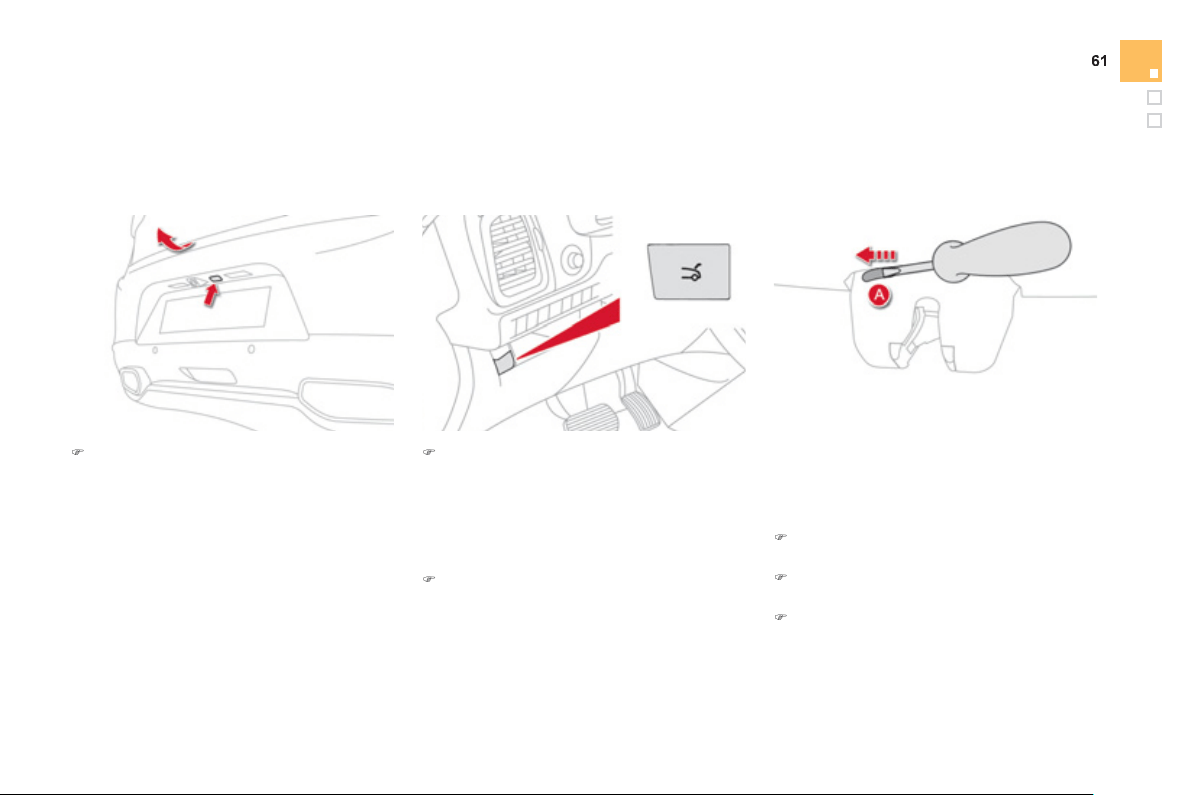
Access
Boot
)
A
f
ter unlockin
g
the boot or the vehicle
usin
g
the electronic ke
y
- remote control,
p
ress the openin
g
control then raise the
tail
g
ate.
Openin
g
from outside
)
Pr
ess
thi
s
bu
tt
o
n
u
ntil th
e
boo
t i
s
h
ea
r
d
t
o
u
nl
oc
k.
T
ail
g
ate release
Unlockin
g
)
Fold back the rear seats to gain access to
th
e
l
oc
k
f
r
o
m in
s
i
de
th
e
boo
t.
)
In
se
rt
a
s
m
a
ll
sc
r
e
w
d
riv
e
r int
o
h
o
l
e
A
of
th
e
lock to unlock the tail
g
ate.
)
M
o
v
e
th
e
l
a
t
c
h t
o
th
e
l
e
ft.
Sy
stem allowin
g
the mechanical unlockin
g
o
f
the boot in the event o
f
a batter
y
or central
locking system mal
f
unction.
Lockin
g
after closin
g
I
f
the
f
ault persists a
f
ter closin
g
a
g
ain, the boot
w
ill
r
e
m
ai
n
locked
.
Closin
g
)
Lower the tail
g
ate usin
g
the interior
g
rab
h
a
n
d
l
e
.
I
f
the tail
g
ate is not closed correctl
y
,
e
n
gi
ne
r
unn
i
n
g
or
v
e
hi
c
l
e mov
i
n
g
(
speed above
6
mph
(
10 km
/
h
))
, a message appears in the
i
nstrument
p
anel screen
f
or a
f
ew seconds.
Openin
g
from inside
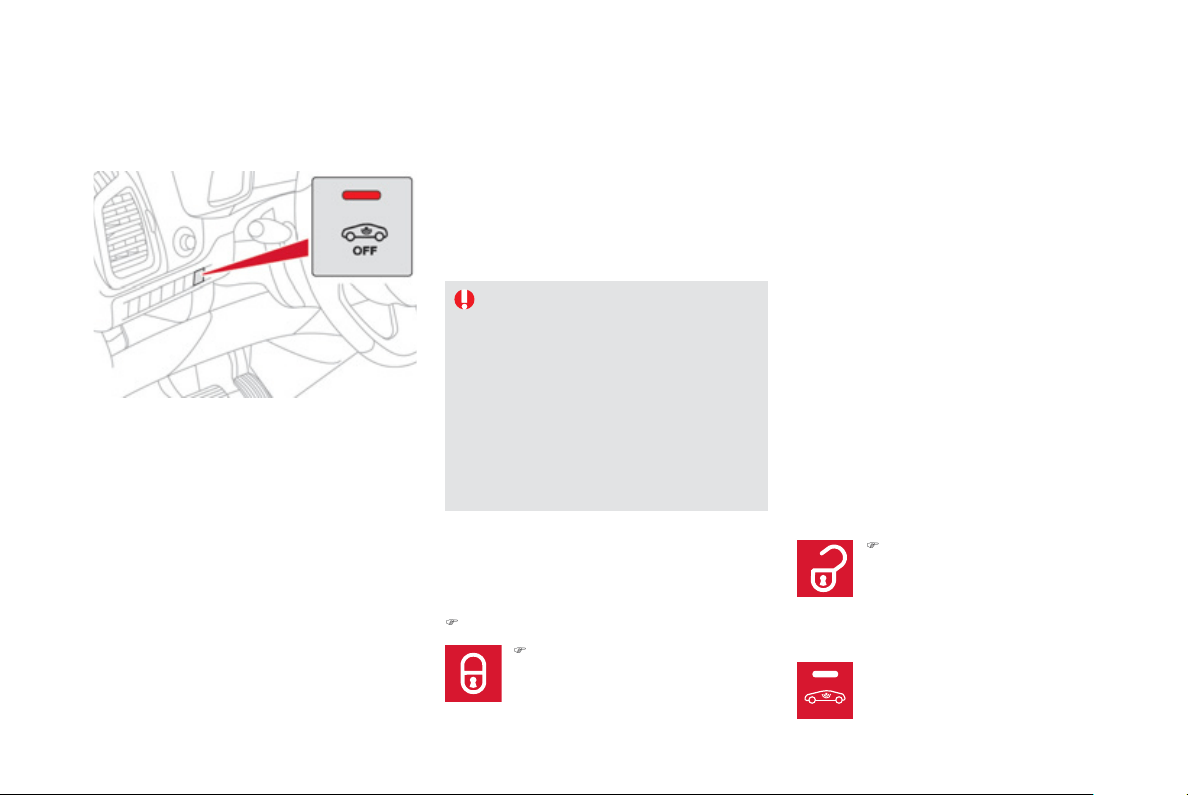
OFF
S
y
stem which protects and provides a deterrent
ag
ainst theft and break-ins. It provides the
followin
g
t
y
pes of monitorin
g
:
Alarm
- Exterior
p
erimeter
The s
y
stem checks for openin
g
of the vehicle.
The alarm is tri
gg
ered if an
y
one tries to open a
d
oor, t
h
e
b
oot or t
h
e
b
onnet...
-
I
nter
i
or vo
l
umetr
i
c
The s
y
stem checks
f
or an
y
variation in the
vo
l
ume
i
n t
h
e passen
g
er compartment.
The alarm is triggered i
f
anyone breaks a
window, enters the passen
g
er compartment or
mo
v
es
in
s
i
de
th
e
v
e
hi
c
l
e
.
- Tilt
The s
y
stem checks for an
y
chan
g
e in the
a
ttit
ude
o
f th
e
v
e
hi
c
l
e
.
The alarm is tri
gg
ered if the vehicle is lifted,
m
o
v
ed
o
r kn
oc
k
ed
.
Self-protection function
The s
y
stem checks
f
or the puttin
g
out o
f
service of its components.
The alarm is tri
gg
ered if the batter
y
, the
button or the wires of the siren are put
out of service or dama
g
ed.
For all work on the alarm s
y
stem,
c
ontact a
C
ITR
OË
N dealer or a
q
uali
f
ied workshop.
Lockin
g
the vehicle with full
a
larm s
y
stem
A
ct
i
vat
i
on
)
S
witch off the i
g
nition and
g
et out of the vehicle.
)
P
ress t
h
e
l
oc
ki
n
g
b
utton on t
h
e
re
m
o
t
e
co
ntr
ol
o
r
lock
t
he
v
ehicle
us
i
n
g
t
h
e
K
e
yl
ess
E
ntr
y
an
d
S
tarting system.
The monitoring system is active: the indicator
lam
p
in the button
f
lashes once
p
er second.
A
fter the lockin
g
button on the remote control
is pressed or the vehicle locked usin
g
the
Ke
y
less Entr
y
and Startin
g
s
y
stem, the exterior
p
erimeter monitorin
g
is activated after a dela
y
o
f
5 seconds, the interior volumetric monitorin
g
af
t
e
r 4
5
seco
n
ds
a
n
d
th
e
a
nti-tilt
af
t
e
r
o
n
e
min
u
t
e
a
n
d
30
seco
n
ds
.
I
f
an opening
(
door, boot...
)
is not closed
f
ull
y
, the vehicle is not locked but the exterio
r
p
erimeter monitorin
g
will be activated after
a dela
y
of 45 seconds.
)
P
ress t
h
e un
l
oc
ki
n
g
b
utton on
th
e
r
e
m
o
t
e
co
ntr
o
l
o
r
u
nl
oc
k th
e
vehicle usin
g
the Ke
y
less Entr
y
and Startin
g
s
y
stem.
Deactivation of the volumetric
m
onitorin
g
Th
e vo
l
umetr
i
c protect
i
on s
y
stem
i
s
d
eact
i
vate
d
: t
h
e
i
n
di
cator
l
am
p
i
n t
h
e
button goes o
ff
.
OFF
OFF
OFF
6
3
Access
Lockin
g
the vehicle
w
i
t
h
exter
i
or
p
er
i
mete
r
m
onitorin
g
onl
y
D
eac
tiv
a
t
e
th
e
int
e
ri
o
r v
o
l
u
m
e
tri
c
a
n
d
a
nti-li
f
t
m
onitorin
g
to avoid unwanted tri
gg
erin
g
o
f
the
a
l
a
rm in
ce
rt
a
in
cases
suc
h
as
:
- leavin
g
a window partiall
y
open,
- washin
g
y
our vehicle,
- chan
g
in
g
a wheel,
-
h
av
i
n
g
y
our ve
hi
c
l
e towe
d
,
- transportat
i
on
by
sea.
Deactivation of the interior
v
o
l
umetr
i
c an
d
ant
i
-t
il
t mon
i
tor
i
n
g
)
Switch of the i
g
nition and within
ten seconds, press this button
until the indicator lamp is on
c
ont
i
nuous
ly
.
)
Ge
t
ou
t
of
th
e
v
e
hi
c
l
e
.
)
P
ress t
h
e
l
oc
ki
n
g
b
utton on
t
h
e remote contro
l
i
mme
di
ate
ly
o
r lock the vehicle using the
Ke
y
less Entr
y
and
S
tartin
g
sy
stem.
The exterior perimeter monitorin
g
alone is
activated: the indicator lamp in the button
f
lashes once per second.
To be e
ff
ective, this deactivation must be
c
arr
i
e
d
out eac
h
t
i
me t
h
e
ig
n
i
t
i
on
i
s sw
i
tc
h
e
d
off
.
Reactivation of the interior
v
o
l
umetr
i
c an
d
ant
i
-t
il
t mon
i
tor
i
n
g
Tri
gg
erin
g
of the alarm
This is indicated by sounding o
f
the siren and
f
lashin
g
o
f
the direction indicators
f
or thirt
y
seconds.
The monitorin
g
functions remain active until
the alarm has been tri
gg
ered eleven times in
success
i
o
n.
)
Press the unlockin
g
button on
th
e
r
e
m
o
t
e
co
ntr
o
l
o
r
u
nl
oc
k th
e
vehicle usin
g
the Ke
y
less Entr
y
and Startin
g
s
y
stem to deactivate
t
h
e exter
i
or per
i
meter mon
i
tor
i
n
g
.
)
P
ress t
h
e
l
oc
ki
n
g
b
utton on t
h
e
r
e
m
o
t
e
co
ntr
ol
o
r
lock
t
he
v
ehicle
us
i
n
g
t
h
e
K
e
yl
ess
E
ntr
y
an
d
S
tarting system to activate all the
m
onitorin
g
f
unctions.
Th
e
i
n
di
cator
l
am
p
i
n t
h
e
b
utton
again
f
lashes once per second.
When the vehicle is unlocked usin
g
th
e
r
e
m
o
t
e
co
ntr
o
l
o
r
u
nl
oc
k
ed
usin
g
the Ke
y
less Entr
y
and
S
tartin
g
sy
stem, rapid
f
lashin
g
o
f
the indicato
r
l
amp in the button in
f
orms
y
ou that the alarm
w
as triggered during your absence. When
the i
g
nition is switched on, this
f
lashin
g
stops
i
mmediatel
y
.
Failure of the remote control
To deactivate the monitorin
g
functions:
)
Unlock the vehicle usin
g
the ke
y
(
inte
g
ral with
the remote control
)
in the driver's door lock.
)
O
pen the door; the alarm is tri
gg
ered.
)
S
witch on the i
g
nition; the alarm stops. The
indicator lamp in the button
g
oes o
ff
.
Lockin
g
the vehicle without
a
ctivatin
g
the alarm
)
L
oc
k
or
d
ea
dl
oc
k
t
h
e ve
hi
c
l
e us
i
n
g
t
h
e
k
e
y
(
inte
g
ral with the remote control
)
in the
d
riv
e
r'
s
doo
r l
oc
k.
Operatin
g
fault
When the i
g
nition is switched on,
f
ixed illumination o
f
the
indicator lamp in the button indicates a
f
ault in the s
y
stem.
Have it checked b
y
a CITRO
Ë
N dealer or a qualified
worksho
p
.
*
Accordin
g
to countr
y
.
Automatic activation
*
2 min
u
t
es
af
t
e
r th
e
l
as
t
doo
r
o
r th
e
boo
t i
s
cl
ose
d
, t
h
e s
y
stem
i
s act
i
vate
d
automat
i
ca
lly
.
)
T
o avo
id
tr
igg
er
i
n
g
t
h
e a
l
arm on enter
i
n
g
the vehicle,
f
irst press the unlocking button
o
n th
e
r
e
m
o
t
e
co
ntr
o
l
o
r
u
nl
oc
k th
e
v
e
hi
c
l
e
usin
g
the Ke
y
less Entr
y
and Startin
g
sy
stem.
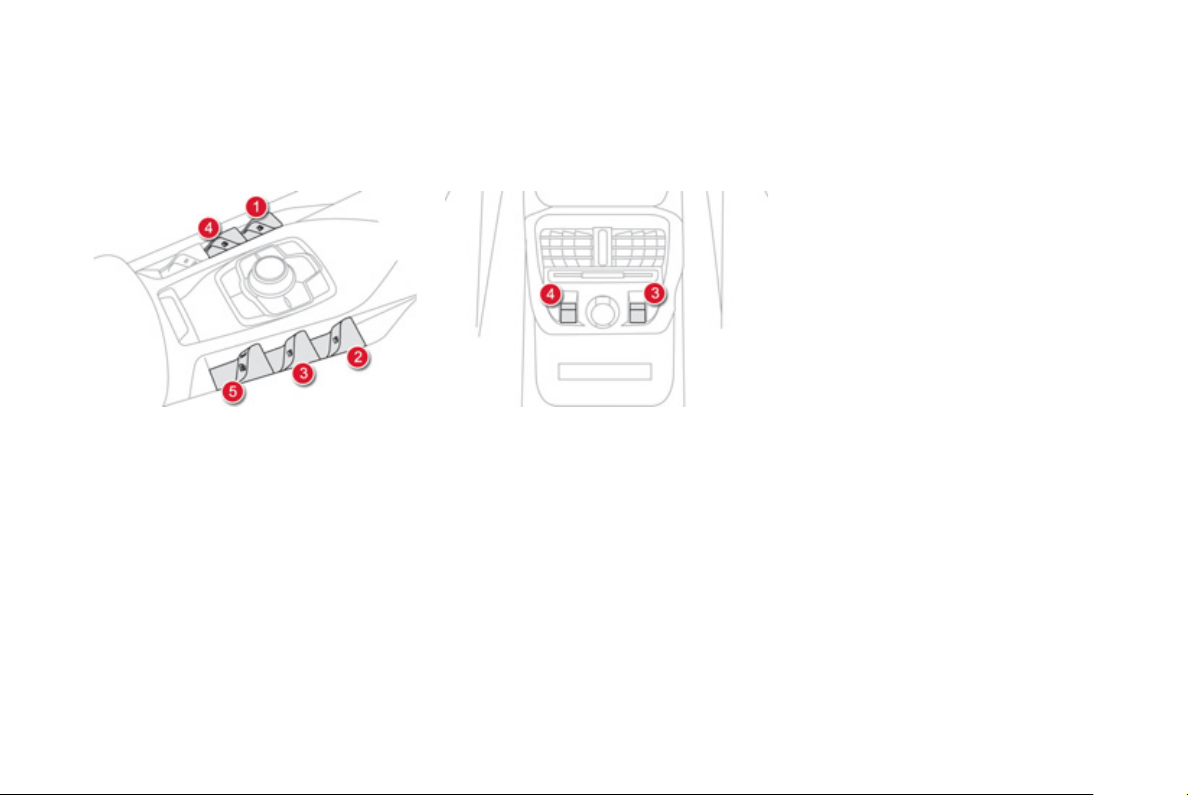
Electric windows
1.
L
eft hand front electric window switch
.
2.
Ri
g
ht hand front electric windo
w
switch
.
3.
Ri
g
ht hand rear electric window switch
.
M
anua
l
o
p
erat
i
on
T
o o
p
en or c
l
ose t
h
e w
i
n
d
ow,
p
ress or
p
u
ll
t
h
e
s
witch gently. The window stops as soon as the
s
wit
c
h i
s
r
e
l
eased
.
Automatic o
p
eration
To open or close the window, press or pull
s
witch full
y
: the window opens or closes
c
ompletel
y
when the switch is released.
Pressin
g
the switch a
g
ain stops the movement
of
th
e
win
do
w.
The
elec
tr
ic
w
i
n
do
w
s
w
i
t
ches
r
e
m
ai
n
operational
f
or approximatel
y
45 seconds a
f
ter
s
witching o
ff
the ignition.
O
nce this time has elapsed, the electric
windows will not operate. To reactivate them,
s
witch the i
g
nition on a
g
ain.
4.
Left hand rear electric window switch
.
5
.
D
eact
i
vat
i
n
g
t
h
e rear e
l
ectr
i
c w
i
n
d
ow
sw
i
tc
h
es
,
l
oc
ki
n
g
t
h
e rear
d
oors
(
child lock
).

65
Access
Safet
y
anti-pinch
When the window rises and meets an obstacle
,
i
t stops an
d
i
mme
di
ate
ly
part
i
a
lly
l
owers a
g
a
i
n.
In the event o
f
unwanted openin
g
o
f
the
w
i
n
d
ow on c
l
os
i
n
g
, press t
h
e sw
i
tc
h
unt
il
t
h
e
window opens completely, then pull the switch
immediatel
y
until the window closes.
C
ontinue
to hold the switch for approximatel
y
one second
a
ft
e
r th
e
win
do
w h
as
c
l
osed
.
The safet
y
anti-pinch function is not active
durin
g
this operation.
Deactivatin
g
the rear window
c
ontro
l
s
Reinitialisation of the
e
lectric windows
In the event o
f
contact during operation
o
f
the windows,
y
ou must reverse the
movement of the window. To do this,
press the switch concerned.
When operatin
g
the passen
g
er electric
window switches
,
the driver must
e
nsure t
h
at no one
i
s prevent
i
n
g
correct
c
losin
g
o
f
the windows.
The
d
r
i
v
e
r m
us
t
e
n
su
r
e
t
ha
t t
he
passengers use the electric windows
c
orrectl
y
.
Be aware of children when operatin
g
th
e
win
do
w
s
.
Be aware of passen
g
ers or othe
r
persons present when closin
g
the
w
i
n
d
ows us
i
n
g
t
h
e t
h
e e
l
ectron
i
c
k
e
y
o
r
the "Access and
S
tartin
g
Hands Free"
sy
stem.
Followin
g
reconnection of the batter
y
, the
sa
f
et
y
anti-pinch
f
unction must be reinitialised.
The sa
f
et
y
anti-pinch
f
unction is not active
d
ur
i
n
g
t
h
ese operat
i
ons:
- lower the window completely, then raise
it, it will rise in ste
p
s o
f
a
f
ew centimetres
e
ach time the switch is pressed. Repeat
the operation until the window closes
c
ompletel
y
,
- continue to press the switch for at least
one second a
f
ter reachin
g
this position,
w
i
n
do
w
closed
.
For the sa
f
et
y
o
f
y
our children, press
s
w
i
t
ch
5 to prevent operation o
f
the
r
ear windows irres
p
ective o
f
their
p
osition.
The warnin
g
lamp in the button comes on,
accompanied b
y
a messa
g
e confirmin
g
activation. It remains on, as lon
g
as the child
l
oc
k i
s
ac
tiv
a
t
ed
.
Th
e
int
e
ri
o
r
co
ntr
o
l
s
f
o
r th
e
r
ea
r
doo
r
s
a
r
e
a
l
so
deac
t
i
v
a
t
ed
.
O
penin
g
the doors
f
rom the outside and
o
p
eration o
f
the rear electric windows
f
rom the
driver's controls remain
p
ossible.
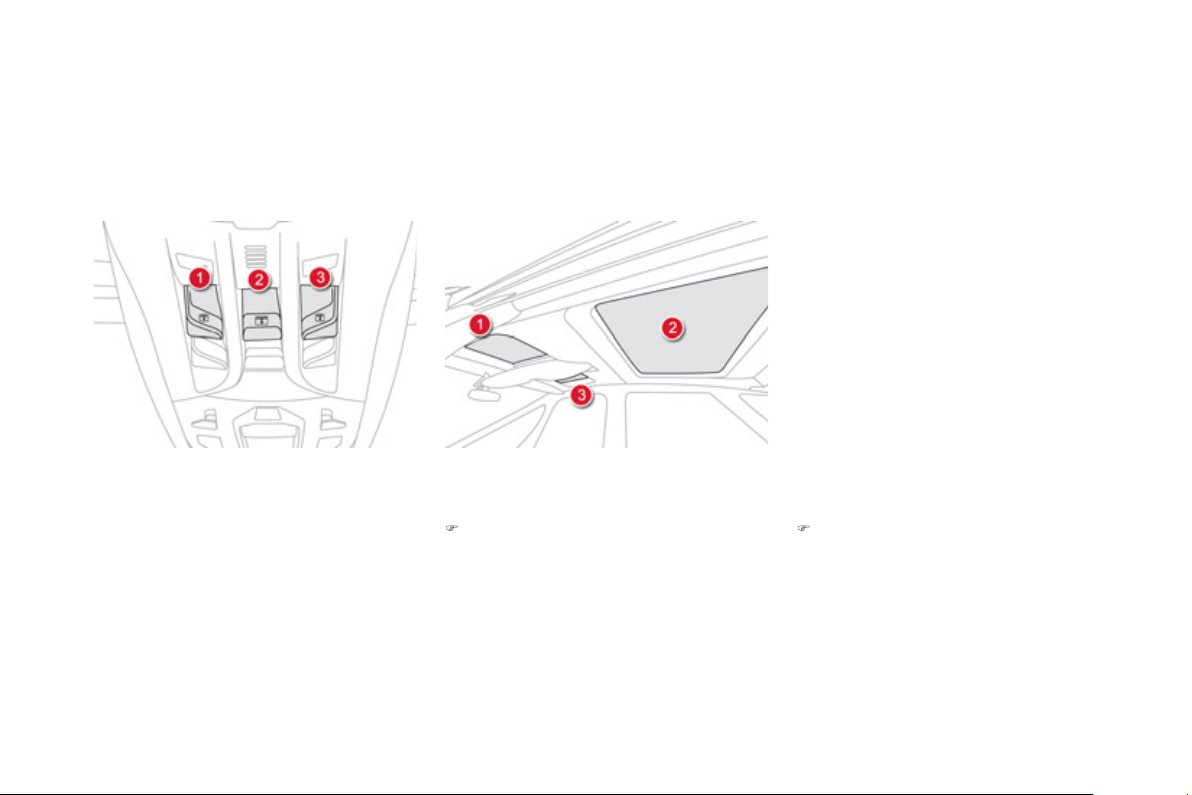
Cockpit glass roof
A
tinted
g
lass panoramic surface to increase
the li
g
ht and visibilit
y
in the passen
g
e
r
c
ompartment.
Fi
tte
d
w
i
t
h
t
h
ree e
l
ectr
i
c
bli
n
d
s to
i
mprove
tem
p
erature and noise related com
f
ort.
There are two options for openin
g
and closin
g
:
Electric blinds
)
Pull or press control,
g
oin
g
be
y
ond the
p
oint of resistance.
One press opens or closes the blind
c
omp
l
ete
ly
.
A
f
ter a new action on the the control, the
blind continues movin
g
f
or around 2 cm,
then sto
p
s.
)
Pull or press the control without
g
oin
g
be
y
ond the point of resistance
(
forwards to
c
lose and rearwards to open
)
.
Wh
en
y
ou re
l
ease t
h
e contro
l
, t
h
e
bli
n
d
c
ontinues movin
g
f
or around 2 cm, then
s
to
p
s.

67
Access
Safet
y
anti-pinch
If the blind stops and immediatel
y
opens a
g
ain
durin
g
a closin
g
manoeuvre:
)
operate the control until the blind is full
y
open,
)
t
h
en operate t
h
e contro
l
unt
il
t
h
e
bli
n
d
i
s
f
ull
y
closed.
T
he safet
y
anti-pinch function is not
o
perational during these operations
.
If the blind meets an obstacle durin
g
operation,
y
ou must reverse the
movement o
f
the blind. To do this, press
t
he
co
ntr
ol
co
n
ce
rn
ed
.
Wh
en t
h
e
d
r
i
ver operates t
h
e
bli
n
d
c
ontro
l
, t
h
e
y
must ensure t
h
at no one
i
s
preventing correct closing o
f
the blind.
The driver must ensure that passen
g
ers
u
se the blind correctl
y
.
Be aware of children when operatin
g
th
e
b
lin
d
.
R
e
i
n
i
t
i
a
li
sat
i
on
I
f
power to the blind is cut o
ff
while it is movin
g
,
the sa
f
et
y
anti-pinch must be reinitialised:
)
operate the control until the blind is
f
ully
c
losed,
)
continue to press for at least 3 seconds.
A
sli
g
ht movement of the blind will then be
n
oticeable, confirmin
g
the reinitialisation.
In automatic mode and at the end of its travel,
if the blind meets an obstacle while closin
g
it
s
tops and moves back sli
g
htl
y
.
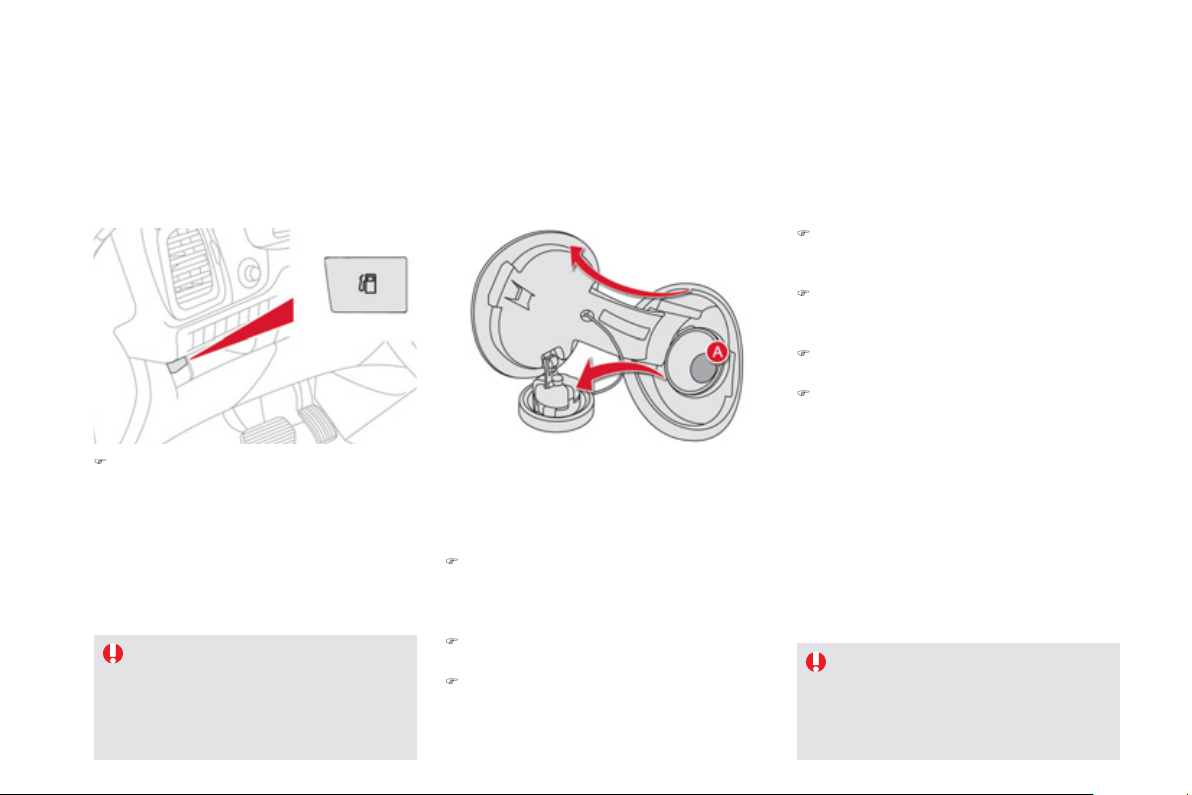
Fuel tank
Capacit
y
of the tank: approximatel
y
60 litres
.
Additions of fuel must be of at least
5
litres to
b
e re
g
istered b
y
the fuel
g
au
g
e.
O
penin
g
the
f
iller cap ma
y
result in an inrush o
f
a
i
r.
Thi
s vacuum
i
s ent
i
re
ly
norma
l
an
d
resu
l
ts
f
rom the sealin
g
o
f
the
f
uel s
y
stem.
)
Take care to select the
p
um
p
that delivers
the correct
f
uel t
y
pe
f
or
y
our vehicle's
e
n
g
ine
(
reminder on a label on the inside o
f
the filler flap
)
.
)
O
pen the filler cap b
y
turnin
g
it a 1/4 turn to
th
e
l
e
ft.
)
Remove the
f
iller cap and han
g
it on its
c
arrier
(
on the
f
iller
f
lap
)
.
Openin
g
If
y
ou have put in the wron
g
fuel for
y
our ve
hi
c
l
e,
y
ou must
h
ave
h
ave
t
he tank drained and refilled with
t
he correct fuel before
y
ou start the
e
ngine
.
With
S
top
&
S
tart, never re
f
uel with the
sy
stem in ST
O
P mode;
y
ou must switch
o
ff the i
g
nition with the START/ST
O
P
bu
tt
o
n.
Refuellin
g
)
Introduce the nozzle and push it in
f
ull
y
(
pushin
g
open the non-return valve
A
on
p
etrol vehicles
)
.
)
Fill the tank
(
don't continue past the third
c
ut-off of the nozzle, as this ma
y
cause
m
alfunctions
)
.
)
Refit the filler cap turnin
g
it a 1/4 turn to the
r
i
g
ht.
)
Push the
f
iller
f
lap to close it.
Your vehicle is
f
itted with a catal
y
tic converte
r
whi
c
h r
educes
h
a
rm
fu
l
e
mi
ss
i
o
n
s
in th
e
e
xhaust gas.
The
f
iller neck is narrower and allows onl
y
p
etrol nozzles to be used.
For a petrol en
g
ine, the use of unleaded fuel
is
c
ompulsor
y.
)
Pr
ess
th
e
s
wit
c
h
Thi
s
s
wit
c
h r
e
m
a
in
s
ac
tiv
e
f
o
r
a
f
e
w min
u
t
es
a
fter switchin
g
off the i
g
nition. If necessar
y
,
s
witch the i
g
nition on a
g
ain to reactivate it.

6
9
Access
Low fuel level
Wh
e
n th
e
l
o
w f
ue
l l
e
v
e
l in th
e
t
a
nk i
s
r
eached, this warnin
g
lamp comes on
i
n the instrument panel, accompanied
b
y
an audible warnin
g
and a messa
g
e
i
n t
h
e
i
nstrument pane
l
screen.
When it
f
irst comes on, around 6 litres o
f
f
uel
r
e
m
ai
n
i
n t
he
t
a
n
k
.
You must re
f
uel as soon as
p
ossible to avoid
runnin
g
out.
Fuel suppl
y
cut-off
Your vehicle is equipped with a sa
f
et
y
device
which cuts o
ff
the
f
uel suppl
y
in the event o
f
a
collisio
n.
It remains
p
ossible to use a
f
uel can to
f
ill th
e
t
a
nk.
In order to ensure a
g
ood flow of fuel,
do not place the nozzle of the fuel can
in direct contact with the flap of the
misfuel prevention device and pour
sl
ow
ly
.
Misfuel prevention (Diesel) *
Mechanical device which prevents
f
illin
g
the tank o
f
a Diesel vehicle with petrol. It avoids the risk o
f
engine damage that can result
f
rom
f
illing with the wrong
f
uel.
Located in the filler neck, the misfuel prevention device appears when the filler cap is removed.
When a
p
etrol
f
iller nozzle is introduced into the
f
uel
f
iller neck o
f
y
our Diesel vehicle, it comes
i
nto contact with the flap. The s
y
stem remains
c
losed and prevents fillin
g
.
D
o not persist but introduce a Diesel t
y
pe
f
iller nozzle
.
Operation
Travellin
g
abroad
A
s Diesel fuel pump nozzles ma
y
be different
in other countries, the presence of the misfuel
prevention device ma
y
make re
f
uellin
g
i
mposs
ibl
e.
Be
f
ore travellin
g
abroad, we recommend that
you check with the CITROËN dealer network,
whether
y
our vehicle is suitable
f
or the
f
uel
pumps in the countr
y
in which
y
ou want to
tr
a
v
e
l.
* Accordin
g
to countr
y
of sale.

DIESEL
Qualit
y
of the fuel used fo
r
p
etro
l
en
gi
nes
The petrol en
g
ines are perfectl
y
compatible
with E10 or E24 t
y
pe petrol biofuels
(
containin
g
10 % or 24 % ethanol
)
, conformin
g
to European
s
tandards EN 22
8
and EN 1
53
7
6
.
E85 t
y
pe
f
uels
(
containin
g
up to 85
%
ethanol
)
a
re reserved exclusivel
y
f
or vehicles marketed
f
or the use o
f
this type o
f
f
uel
(
BioFlex
vehicles
)
. The qualit
y
o
f
the ethanol must
c
ompl
y
with European standard EN
1
5
293
.
For Brazil onl
y
, special vehicles are marketed
to run on fuels containin
g
up to 100 % ethanol
(
E100 t
y
pe
)
.
For Russia onl
y
, the use o
f
R
O
N 92 unleaded
p
etro
l
i
s poss
ibl
e.
Qualit
y
of the fuel used for
Di
ese
l
en
gi
nes
The Diesel en
g
ines are perfectl
y
compatible
with
b
i
o
f
ue
l
s
whi
c
h
co
nf
o
rm t
o
cu
rr
e
nt
a
n
d
f
uture European standards
(
Diesel
f
uel which
c
omplies with standard EN 590 mixed with a
b
io
f
uel which complies with standard EN 14214
)
available at the pumps
(
containing up to 7
%
F
att
y
Acid Meth
y
l Ester
)
.
The B
3
0 biofuel can be used in certain Diesel
e
n
g
ines; however, this use is sub
j
ect to strict
application of the special servicin
g
conditions.
C
ontact a CITROËN dealer or a qualified
wor
k
s
h
op.
The use o
f
an
y
other t
y
pe o
f
(
bio
)f
uel
(
ve
g
etable or animal oils, pure or diluted,
domestic
f
uel...
)
is strictly prohibited
(
risk o
f
dama
g
e to the en
g
ine and
f
uel s
y
stem
)
.
71
Access
003
Comfort

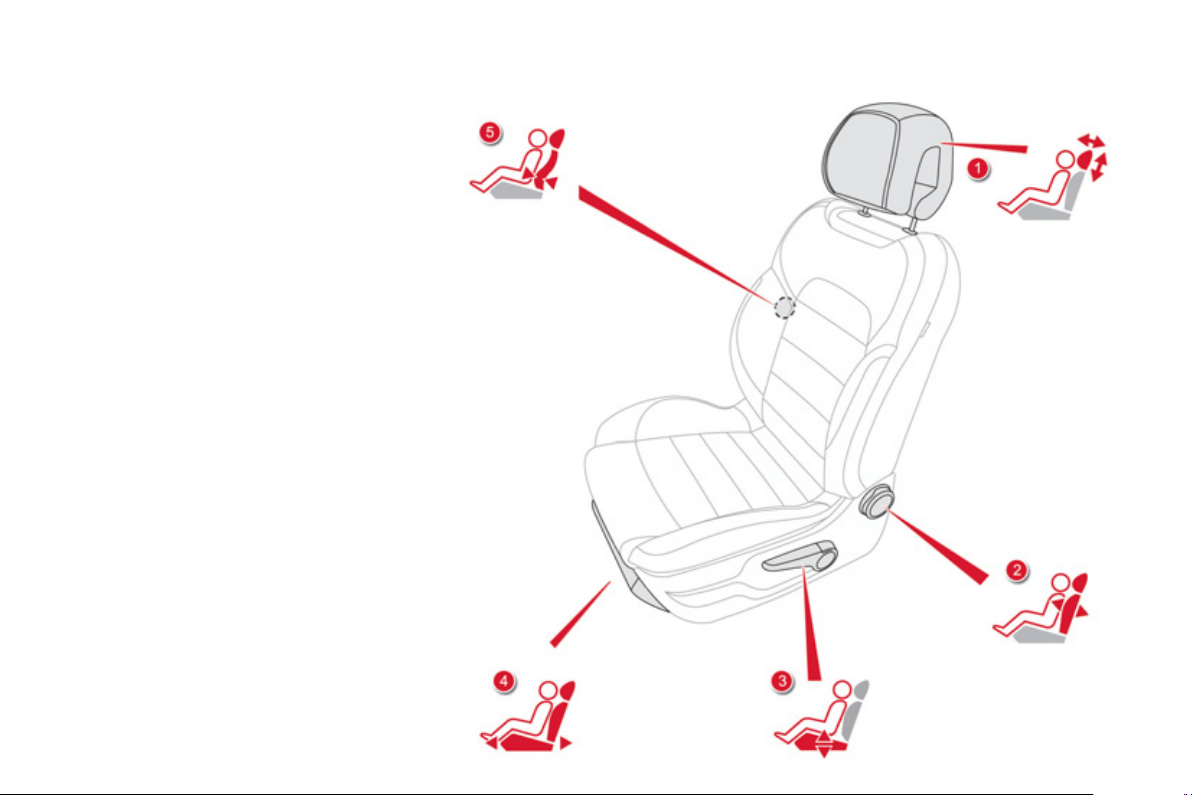
Front seats
Manual
1.
A
djustments to the height and angl
e
o
f
the head restrain
t
To raise it, pull upwards.
To lower it, press on the lu
g
and the head
res
tr
a
int
a
t th
e
sa
m
e
tim
e
.
2.
A
d
j
ustment of the backrest an
g
l
e
Turn the wheel to ad
j
ust the an
g
le o
f
the
back
r
es
t.
3.
A
d
j
ustment of the seat hei
g
h
t
R
a
i
se
o
r l
o
w
e
r th
e
co
ntr
o
l l
e
v
e
r th
e
n
u
m
ber
o
f
times re
q
uired to obtain the desired
p
osition.
4.
Forwards-backwards ad
j
ustment of the
seat
p
osition
Lift th
e
co
ntr
o
l
ba
r
a
n
d
s
li
de
th
e
sea
t
fo
rw
a
r
ds
o
r
bac
kw
a
r
ds
.
5.
A
d
j
ustment of the driver's lumba
r
suppor
t
T
u
rn th
e
wh
ee
l t
o
ob
t
a
in th
e
des
ir
ed
l
e
v
e
l
of
l
umbar su
pp
ort.
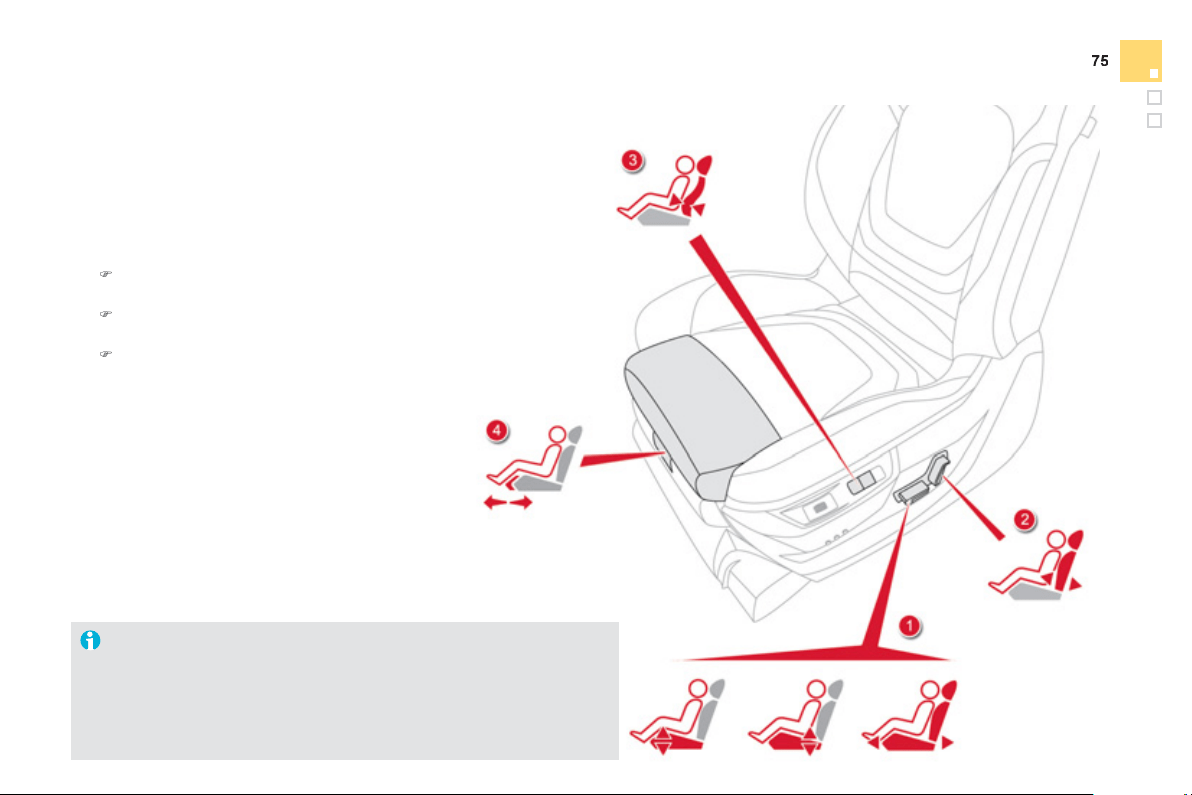
Comfort
S
witch on the ignition or start the engine i
f
the vehicle has gone into
e
conom
y
mode.
The electric functions of the driver's seat are active for about 45 seconds
after openin
g
the front door. The
y
are deactivated about 45 seconds after
s
witchin
g
off the i
g
nition and in econom
y
mode.
To reactivate them, switch on the i
g
nition.
Electric
1.
A
d
j
ustment of the seat cushion an
g
le
a
nd hei
g
ht, and forwards-backwards
adj
ustmen
t
)
R
a
i
se
o
r l
o
w
e
r th
e
f
r
o
nt
of
th
e
co
ntr
o
l
to ad
j
ust the seat cushion an
g
le.
)
R
a
i
se
o
r l
o
w
e
r th
e
r
ea
r
o
f th
e
co
ntr
o
l
t
o
r
a
i
se
o
r l
o
w
e
r th
e
sea
t.
)
Simultaneousl
y
raise or lower the
fr
o
nt
a
n
d
r
ea
r
o
f th
e
co
ntr
o
l in
o
r
de
r
t
o
r
aise
o
r
lo
w
e
r t
he
e
nt
i
r
e
sea
t.
2.
A
d
j
ustment of the backrest an
g
l
e
M
o
v
e
th
e
co
ntr
o
l
fo
rw
a
r
ds
o
r
bac
kw
a
r
ds
to adjust the backrest angle.
3.
A
d
j
ustment of driver's lumbar
su
pp
or
t
Pr
ess
th
e
co
ntr
o
l
s
wit
c
h
es
t
o
ob
t
a
in
the desired level of lumbar support.
4
. Manual ad
j
ustment of the cushion
Pull on the
g
rip to ad
j
ust the len
g
th o
f
th
e
cus
hi
o
n.
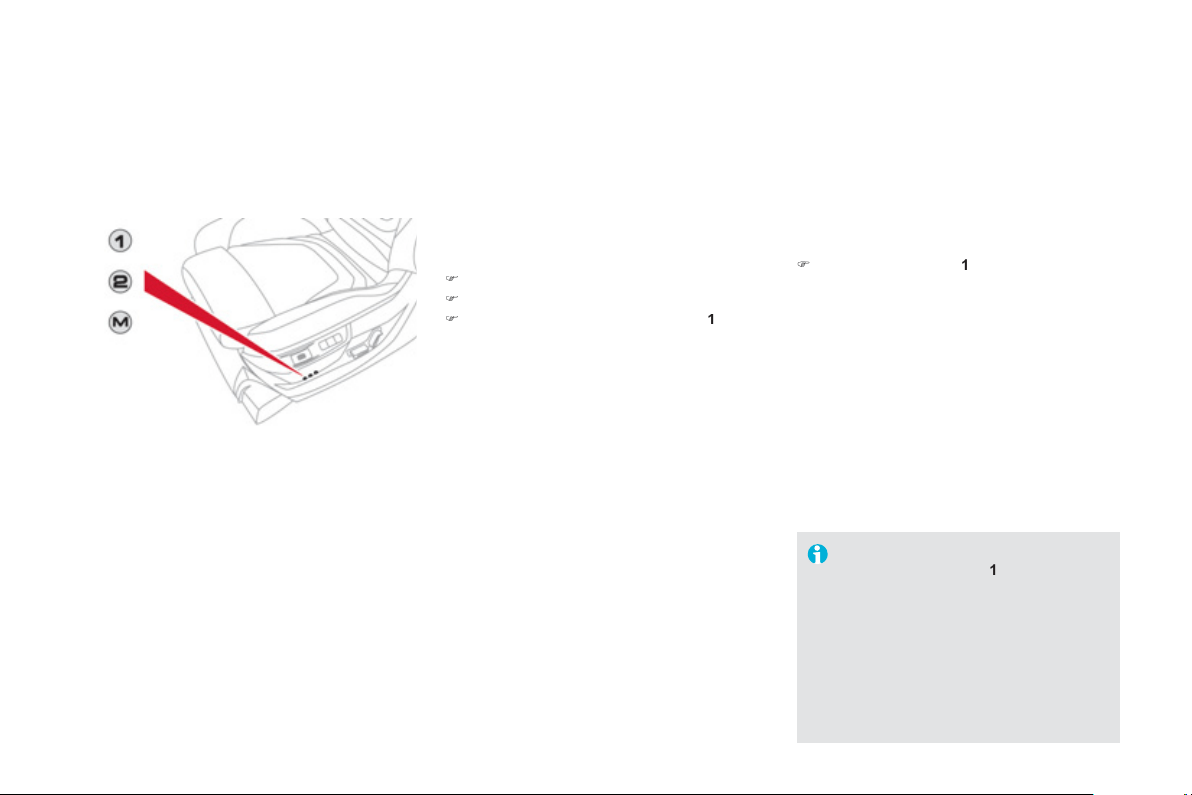
Storin
g
drivin
g
positions
S
y
stem which stores the electrical settin
g
s
of the driver's seat and the head-up displa
y
s
ettin
g
s. It enables
y
ou to store up to two
p
ositions usin
g
the buttons on the side o
f
the
d
r
i
v
e
r
's
sea
t.
Storin
g
a position usin
g
b
uttons M / 1 / 2
)
S
witch on the ignition.
)
Ad
j
ust
y
our seat and the head-up displa
y
.
)
Pr
ess
bu
tt
o
n
M
, then press button
1
or
2
within f
ou
r
seco
n
ds
.
An audible si
g
nal indicates that the position
has
bee
n
s
t
o
r
ed
.
S
torin
g
a new position cancels the previous
pos
i
t
i
on.
Recallin
g
a stored position
)
Brie
f
ly press button
1
or
2
t
o
r
eca
ll th
e
c
orrespondin
g
position.
A
n audible si
g
nal indicates the end of the
ad
j
ustment.
You can interrupt the current movement
b
y
pressin
g
button
M
,
1
o
r
2
or b
y
usin
g
o
n
e
o
f th
e
sea
t
co
ntr
o
l
s
.
A
store
d
pos
i
t
i
on cannot
b
e reca
ll
e
d
w
hil
e
d
r
i
v
i
n
g
.
R
eca
lli
n
g
store
d
pos
i
t
i
ons
i
s
deactivated 45 seconds a
f
ter switching
off
the i
g
nition.
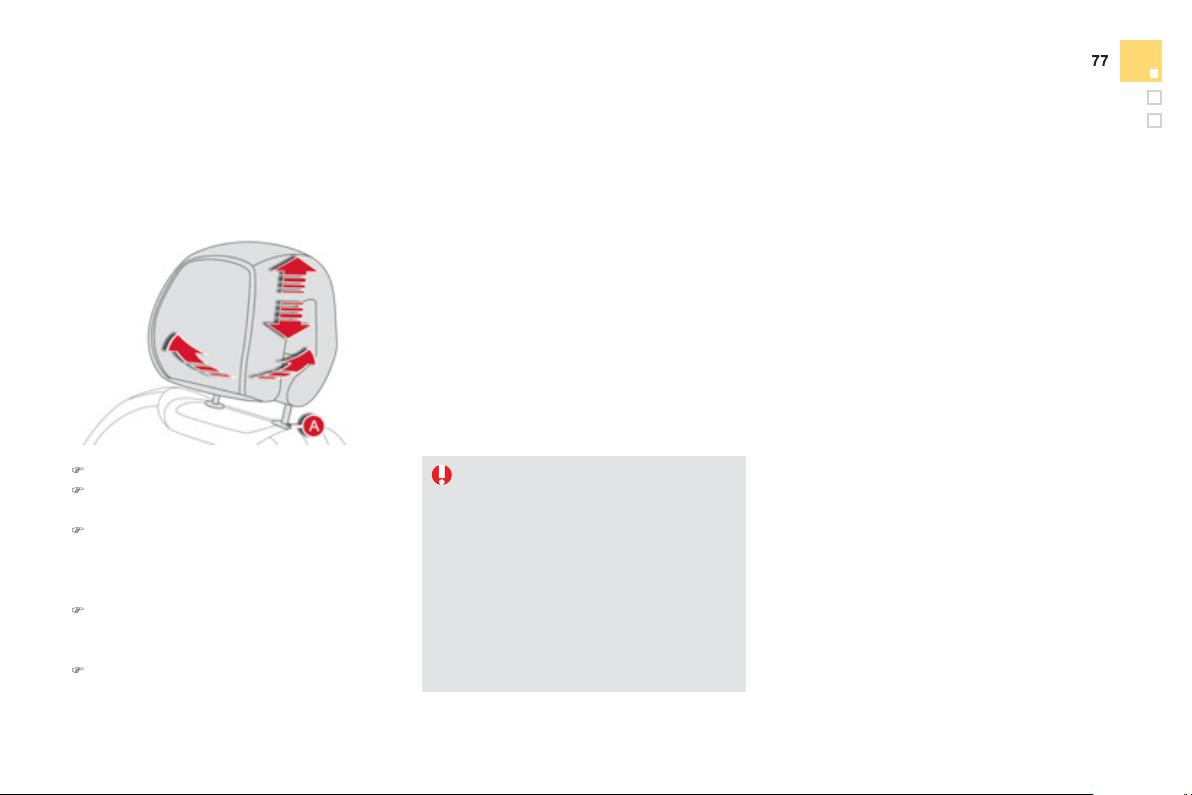
Comfort
Th
e
h
ead
r
es
tr
a
int i
s
f
itt
ed
with
a
f
r
a
m
e
with notches which
p
revents it
f
rom
lowerin
g
; this is a sa
f
et
y
device in case
of impact.
T
he ad
j
ustment is correct when the
u
pper ed
g
e of the head restraint is
l
evel with the to
p
of the head
.
Ne
v
e
r
d
r
i
v
e
w
i
t
h
t
he
head
r
es
tr
ai
nt
s
r
emove
d
; t
h
e
y
must
b
e
i
n p
l
ace an
d
adj
uste
d
correct
ly
.
Head restraint hei
g
ht and
a
n
g
le ad
j
ustment
)
T
o ra
i
se a
h
ea
d
restra
i
nt, pu
ll
i
t upwar
d
s.
)
T
o remove t
h
e
h
ea
d
restra
i
nt, press t
he
l
u
g
A
an
d
p
u
ll
t
h
e
h
ea
d
restra
i
nt u
p
war
d
s.
)
To
p
ut the head restraint back in
p
lace,
e
n
g
a
g
e the head restraint stems in the
openin
g
s keepin
g
them in line with the seat
bac
k.
)
To lower the head restraint, press the lu
g
A
a
n
d
pus
h
d
own on t
h
e
h
ea
d
restra
i
nt at t
h
e
sa
m
e
t
i
m
e
.
)
To ad
j
ust the an
g
le o
f
the head restraint, tilt
its lower
p
art
f
orwards or rearwards.
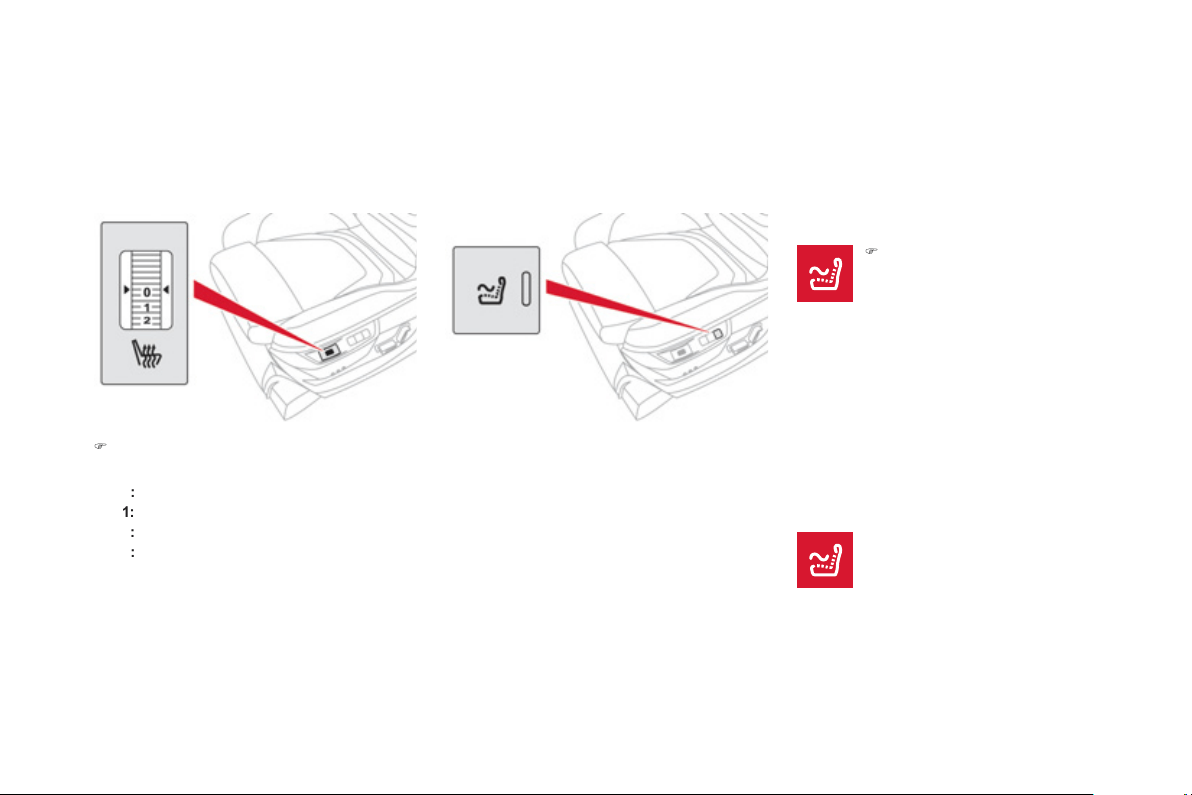
Massa
g
e function
T
his function provides the driver with a back
massa
g
e.
I
t on
ly
operates w
h
en t
h
e en
gi
ne
i
s
r
unnin
g
or in
S
T
O
P mode o
f
the
S
top
&
S
tart
s
y
stem.
Activation
)
Pr
ess
thi
s
s
wit
c
h.
Th
e warn
i
n
g
l
amp comes on an
d
t
h
e massa
g
e
f
unction is activated
f
or a period o
f
1 hour.
Durin
g
this time, massa
g
e is per
f
ormed i
n
6
cycles o
f
10 minutes
(
6 minutes o
f
massage
f
ollowed b
y
4 minutes break
)
.
A
fter one hour, the function is deactivated, the
warnin
g
lamp
g
oes off.
Deactivation
Y
ou can
d
eact
i
vate t
h
e massa
g
e
f
unction at an
y
time b
y
pressin
g
this
s
w
i
t
ch
.
Heated seats control
)
Use the ad
j
ustment wheel to switch on and
select the level of heatin
g
required:
0
:
Off
.
1
:
Lo
w.
2
:
M
ed
i
u
m.
3
:
Hi
g
h.
With the en
g
ine runnin
g
, the
f
ront seats can be
h
eated separately.
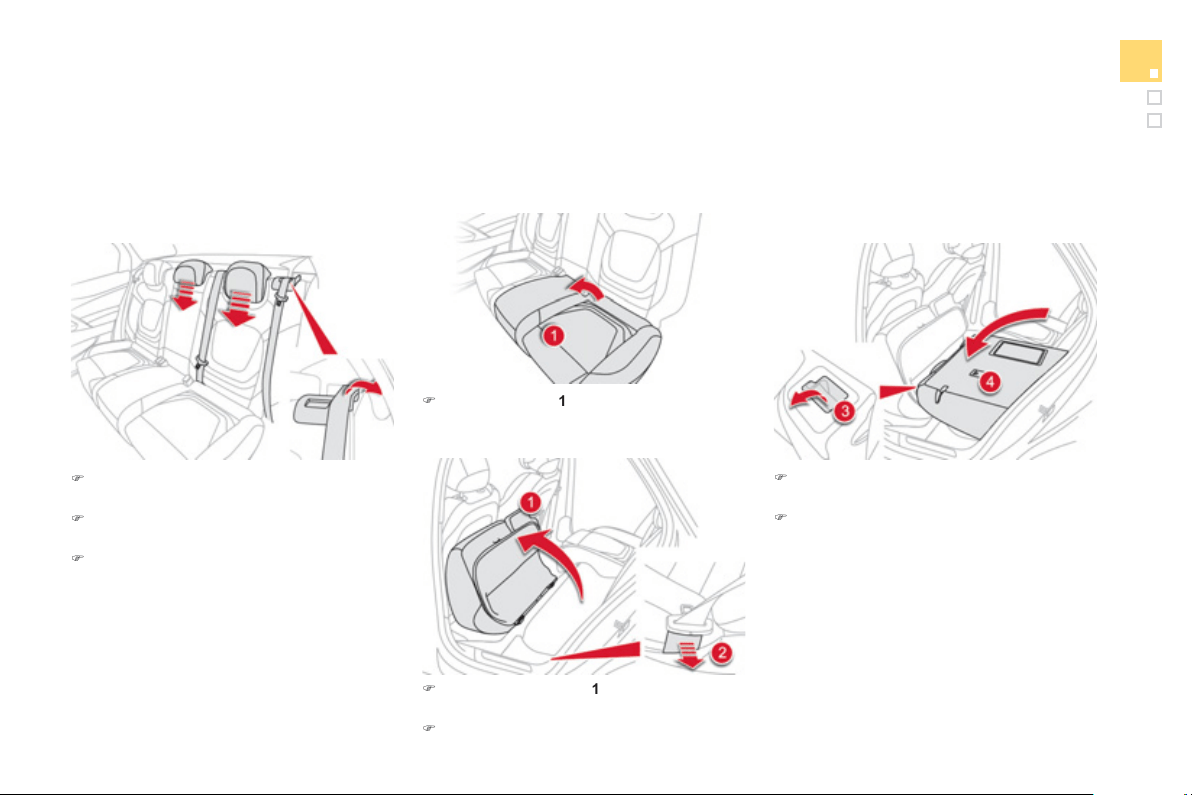
7
9
Comfort
Rear seats
Bench seat with split cushion and backrest
(
le
f
t hand 2
/
3, ri
g
ht hand 1
/
3
)
which can be
f
olded individuall
y
to adapt the load space in the boot.
)
Move the correspondin
g
f
ront seat
f
orward
i
f
necessar
y
.
)
Pl
ace t
h
e
h
ea
d
restra
i
nts
i
n t
h
e
l
ow
p
os
i
t
i
on
o
r r
e
m
o
v
e
th
e
m.
)
Remove the seat belt
f
rom its
g
uide.
F
o
ldi
n
g
t
h
e cus
hi
on an
d
b
ackrest
)
Lift th
e
cus
hi
o
n
1
b
y
hand, liftin
g
from the
rear
.
)
Tip the seat cushion
1
full
y
a
g
ainst the front
seat
.
)
Keep the seat belt
g
uide
2
held a
g
ainst the
v
ehicle
.
)
Pull
co
ntr
ol
3
fo
rw
a
r
ds
t
o
r
e
l
ease
th
e
sea
t
back
4
.
)
Fold
t
he
sea
t
back
r
es
t
4
.
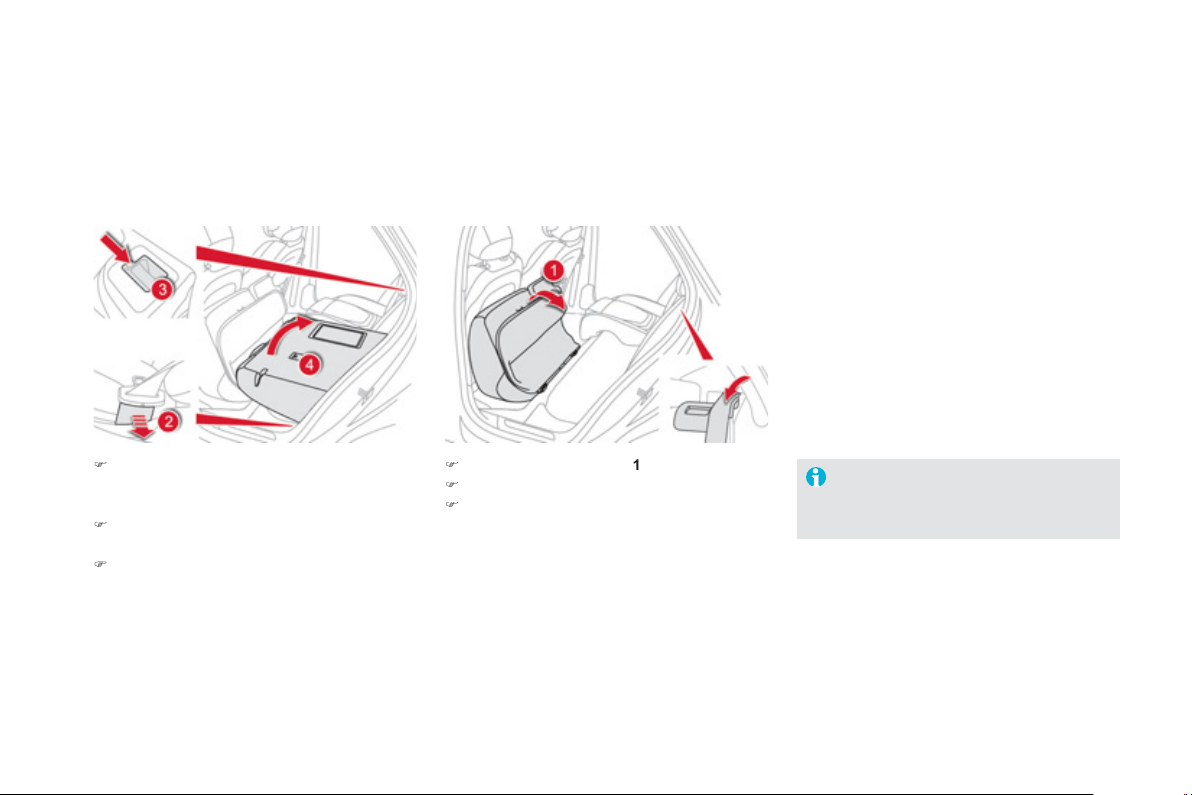
Repositionin
g
the seat
b
ackrest and cushion
)
K
eep t
h
e seat
b
e
l
t
g
u
id
e
2
h
e
ld
a
g
a
i
nst t
h
e
ve
hi
c
l
e to avo
id
trapp
i
n
g
t
h
e seat
b
e
l
t w
h
en
r
epositioning the seat.
)
S
trai
g
hten the seat back
4
while re
f
ittin
g
th
e
h
ead
r
es
tr
a
int
s
a
n
d
secu
r
e
it.
)
Check that the red indicator, located next to
th
e
co
ntr
o
l
3
, is no lon
g
er visible.
)
R
epos
i
t
i
on t
h
e cus
hi
on
1
.
)
R
e
l
ease t
h
e seat
b
e
l
t
g
u
id
e
2
.
)
Put the seat belt back in place in the guide.
When repositionin
g
the seat backrest,
take care not to trap the seat belts.
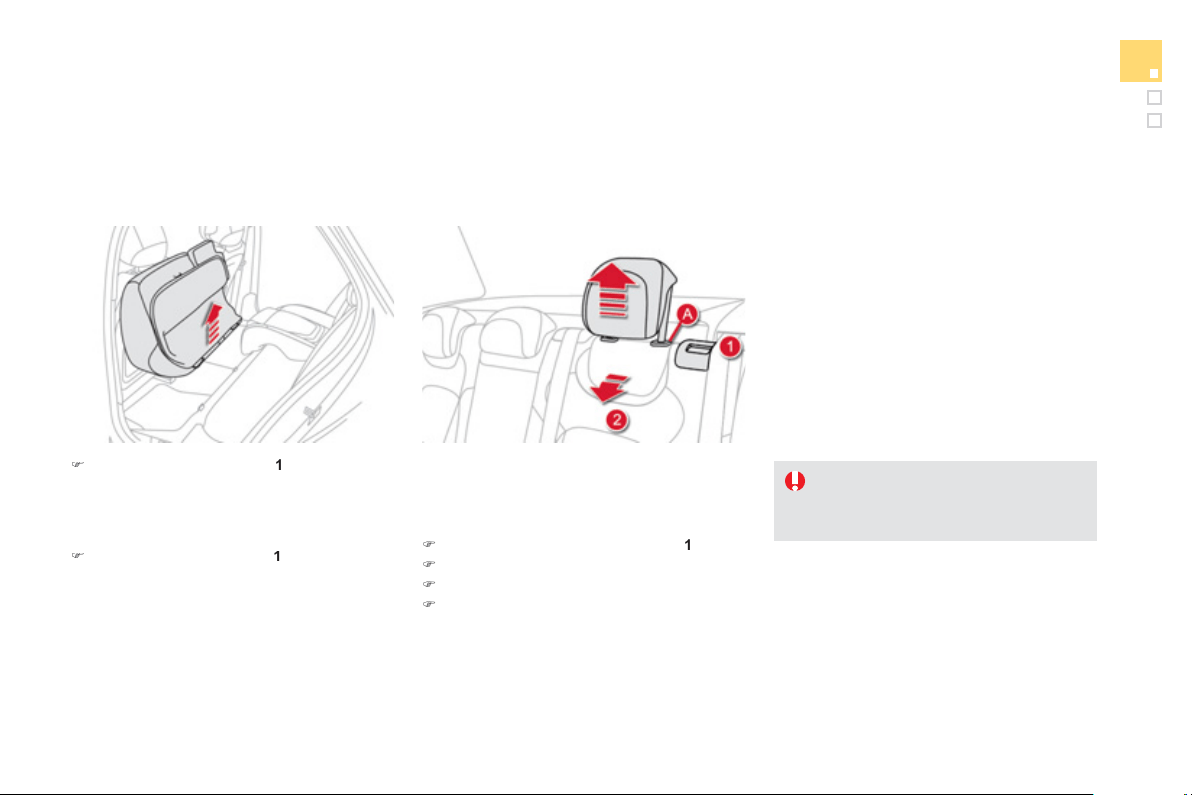
81
Comfort
These have one position
f
or use
(
up
)
and a
stowed position
(
down
)
.
The
y
can also be removed.
T
o
r
e
m
o
v
e
a
h
ead
r
es
tr
a
int:
)
release the backrest usin
g
control
1
,
)
tilt th
e
bac
kr
es
t
2
sli
g
htl
y
forwards,
)
pu
ll
t
h
e
h
ea
d
restra
i
nt upwar
d
s to t
h
e stop,
)
t
h
en, press t
h
e
l
u
g
A
.
Rear head restraints
N
e
v
e
r
d
riv
e
with th
e
h
ead
r
es
tr
a
int
s
removed; the
y
must be in place and
c
orrectl
y
ad
j
usted.
)
Re
m
o
v
e
t
he
sea
t
cushio
n
1
f
rom its
f
ixin
g
s
by
pu
lli
n
g
upwar
d
s.
Removin
g
the seat cushion
Refittin
g
the seat cushion
)
Posi
t
io
n t
he
sea
t
cushio
n
1
vert
i
ca
lly
i
n
i
ts
f
ixin
g
s.
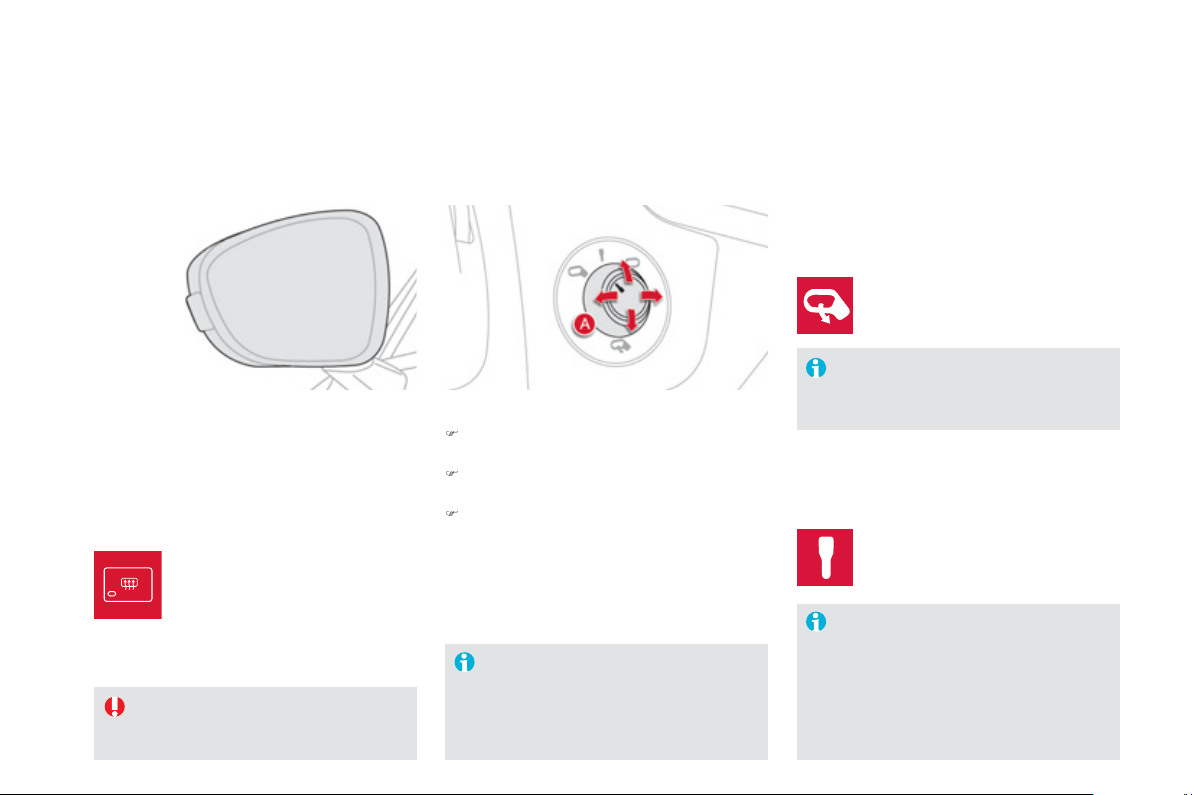
Mirrors
Each
f
itted with an ad
j
ustable mirror
g
lass
p
roviding the lateral rearward vision necessary
f
or overtakin
g
or parkin
g
. The
y
can also be
folded for parkin
g
in confined spaces.
Door mirrors
I
f
the mirrors are
f
olded usin
g
control
A
,
the
y
will not un
f
old when the vehicle is
u
n
locked
.
The
f
oldin
g
and un
f
oldin
g
o
f
the door
m
i
rrors us
i
n
g
t
h
e e
l
ectron
i
c
k
e
y
can
b
e
deactivated b
y
a CITRO
Ë
N dealer or a
q
uali
f
ied worksho
p
.
Fold the mirrors when puttin
g
y
our
vehicle throu
g
h an automatic car wash.
Th
e o
bj
ects o
b
serve
d
are,
i
n rea
li
t
y
,
cl
oser t
h
an t
h
e
y
appear.
Take
t
his
i
nt
o
accou
nt
i
n
o
r
de
r t
o
c
orrectl
y
j
ud
g
e the distance o
f
vehicles
a
pproaching
f
rom behind.
Demistin
g
- Defrostin
g
Ad
j
ustment
)
T
u
rn
co
ntr
o
l
A
to the ri
g
ht or to the left to
s
elect the correspondin
g
mirror.
)
M
o
v
e
co
ntr
o
l
A
in
a
ll f
ou
r
d
ir
ec
ti
o
n
s
t
o
ad
j
ust.
)
Re
t
u
rn
co
ntr
ol
A
to t
h
e centra
l
pos
i
t
i
on.
F
o
ldi
n
g
-
A
utomat
i
c:
l
oc
k
t
h
e ve
hi
c
l
e us
i
n
g
t
h
e
el
ectron
i
c
k
e
y
.
Unfoldin
g
- Automatic: unlock the vehicle usin
g
the
e
lectronic ke
y
.
-
M
anua
l
: w
i
t
h
t
h
e
ig
n
i
t
i
on on, turn
co
ntr
ol
A
do
wnw
a
r
ds
.
- Manual: with the i
g
nition on, turn
co
ntr
ol
A
upwar
d
s.
Demistin
g
-de
f
rostin
g
o
f
the door
mirrors operates b
y
switchin
g
on
th
e
h
ea
t
ed
r
ea
r
sc
r
ee
n.
For more information
,
refer to
th
e
"R
ea
r
sc
r
ee
n
de
mi
s
t-
de
fr
os
t"
sec
ti
o
n.
Th
e
r
ea
r
sc
r
ee
n
de
mi
s
t -
de
fr
os
t
c
an onl
y
operate when the en
g
ine is
runnin
g
.
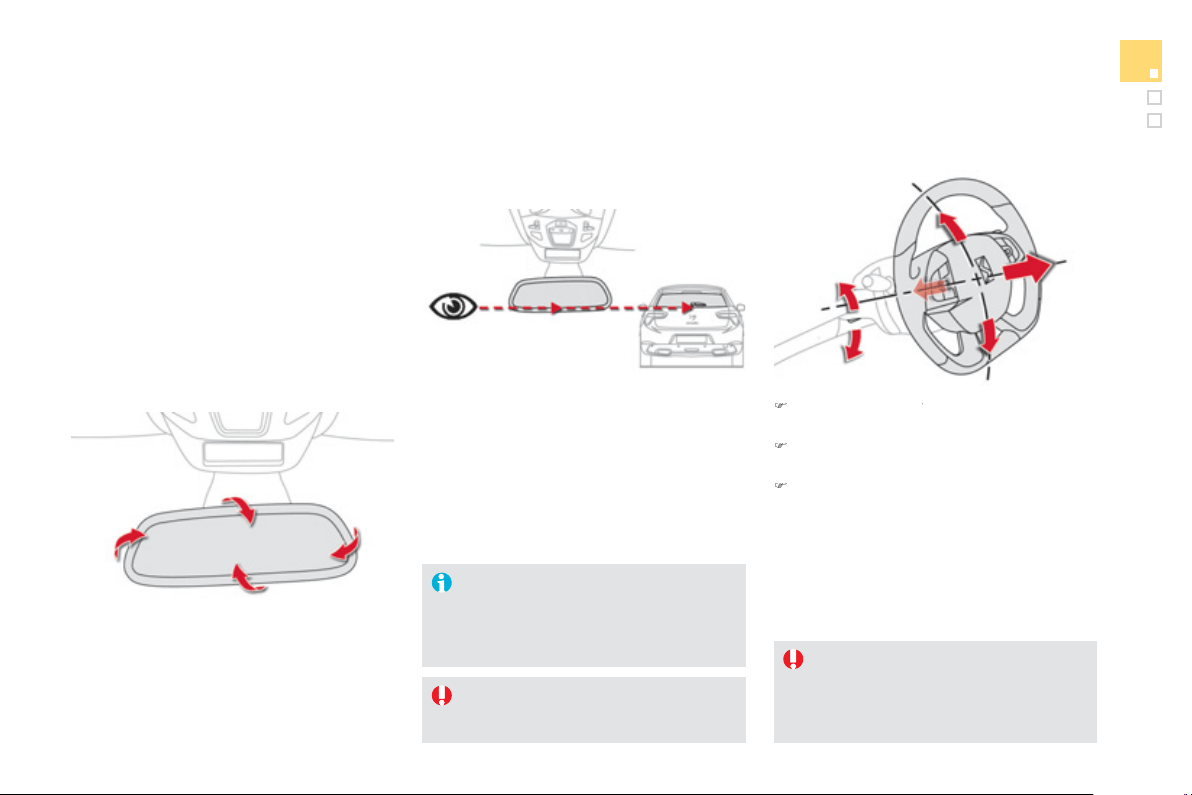
83
Comfort
Automatic da
y
/ni
g
ht model
B
y
means o
f
a sensor, which measures the
li
g
ht
f
rom the rear o
f
the vehicle, this s
y
stem
automatically and progressively changes
between the da
y
and ni
g
ht uses.
Adj
usta
bl
e m
i
rror prov
idi
n
g
a centra
l
rearwar
d
v
ie
w.
E
qu
i
ppe
d
w
i
t
h
an ant
i
-
d
azz
l
e s
y
stem, w
hi
c
h
darkens the mirror glass and reduces the
n
uisance to the driver caused b
y
the sun,
h
eadlamps from other vehicles...
Rear view mirror
In order to ensure optimum visibilit
y
durin
g
y
our manoeuvres, the mirro
r
li
g
htens automaticall
y
when reverse
g
ear is en
g
a
g
ed.
Steering wheel adjustment
)
When stationary
, pull the control lever to
y
release the ad
j
ustment mechanism.
)
Ad
j
ust the hei
g
ht and reach to suit
y
our
drivin
g
position.
)
Push
t
he
co
ntr
ol
le
v
e
r t
o
lock
t
he
a
dj
ustment mec
h
an
i
sm.
As a sa
f
et
y
precaution, these
operations should onl
y
be carried out
while the vehicle is stationar
y
.
A
s a sa
f
et
y
measure, the mirrors should
be adjusted to reduce the "blind spot".
Seein
g
clearl
y
For better rear vision, ali
g
n the bottom o
f
the
rea
r vi
e
w mirr
o
r with th
e
bo
tt
o
m
o
f th
e
r
ea
r
screen
.
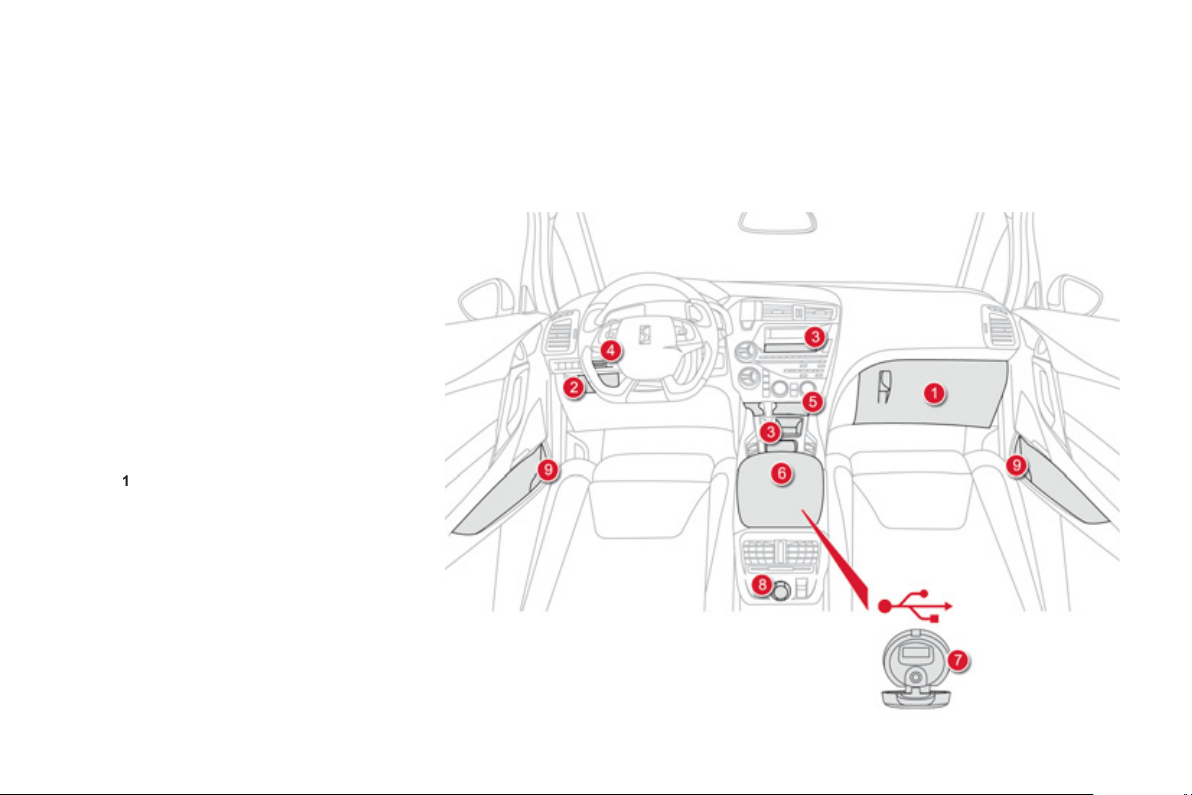
Interior fi ttings
1.
G
love bo
x
2.
Stora
ge
3.
Stora
g
e
(
accordin
g
to version
)
4.
T
icket holder
(
according to version
)
5.
Removable ashtra
y
/
12 V accessor
y
socket
(
120 W
)
Press the lid to open the ashtra
y
.
To empt
y
the ashtra
y
, remove it b
y
pullin
g
it
u
pwards.
6
.
F
ront armres
t
an
d
stora
ge
I
t
i
s
ill
um
i
nate
d
, coo
l
e
d
an
d
conta
i
ns
stora
g
e space
(
1.5 litre bottle, ...
)
.
7
.
U
SB Player
8.
1
2 V accessor
y
socke
t
(
120 W
)
O
bserve the maximum power ratin
g
to
a
void dama
g
in
g
y
our accessor
y
9.
Cup holder
r
i
n the door
p
anel
.
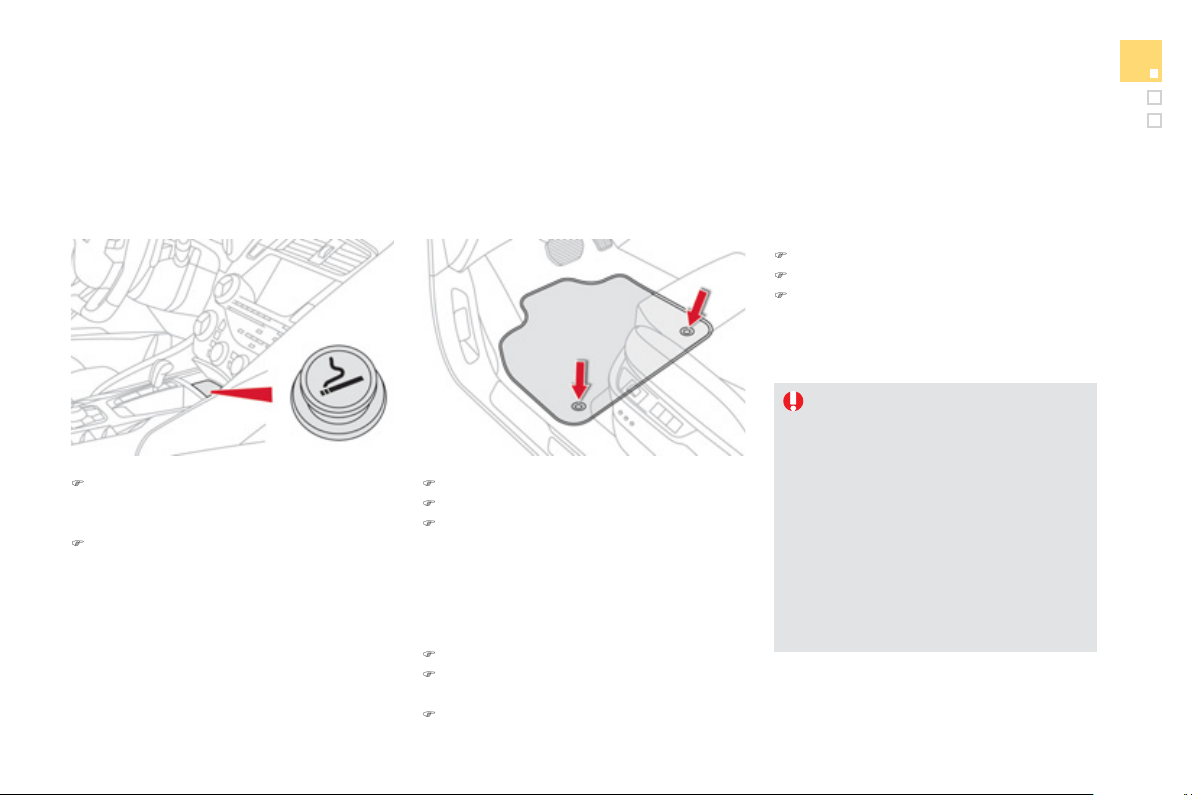
8
5
Comfort
Mats
R
emova
bl
e carpet protect
i
on.
)
move the seat full
y
back,
)
fit the mat in place,
)
en
g
a
g
e the fixin
g
s b
y
pressin
g
down on
t
he
m.
Fi
tt
i
n
g
Removal
T
o
r
e
m
o
v
e
th
e
m
a
t
o
n th
e
d
riv
e
r'
s
s
i
de
:
)
move the seat full
y
back,
)
disen
g
a
g
e the fixin
g
s, leavin
g
the fixin
g
pins in the floor carpet,
)
r
e
m
o
v
e
th
e
m
a
t.
Refittin
g
T
o
r
ef
it th
e
m
a
t
o
n th
e
d
riv
e
r'
s
s
i
de
:
)
pos
i
t
i
on t
h
e mat correct
ly
,
)
re
f
it the
f
ixings by pressing,
)
check that the mat is secured correctl
y
.
To avoid an
y
risk of
j
ammin
g
of the
pedals:
- on
ly
use mats w
hi
c
h
are su
i
te
d
to
the
f
ixin
g
s alread
y
present in the
vehicle; these
f
ixin
g
s must be used,
- never
f
it one mat on to
p
o
f
another.
The use o
f
mats not approved b
y
C
ITROËN ma
y
interfere with access to
the pedals and hinder the operation of
the cruise control / speed limiter.
)
To use the ci
g
arette li
g
hter, press it in
a
nd wait a few seconds until it pops out
a
utomaticall
y
.
)
To connect a 12 V accessor
y
(
max power:
120 W
)
, remove the ci
g
arette li
g
hter and
c
onnect a su
i
ta
bl
e a
d
a
p
tor.
You can use this socket to connect a tele
p
hone
c
har
g
er, a bottle warmer...
A
fter use, put the ci
g
arette li
g
hter back into
p
lace strai
g
ht awa
y
.
Cigarette lighter /
12 V accessory
socket
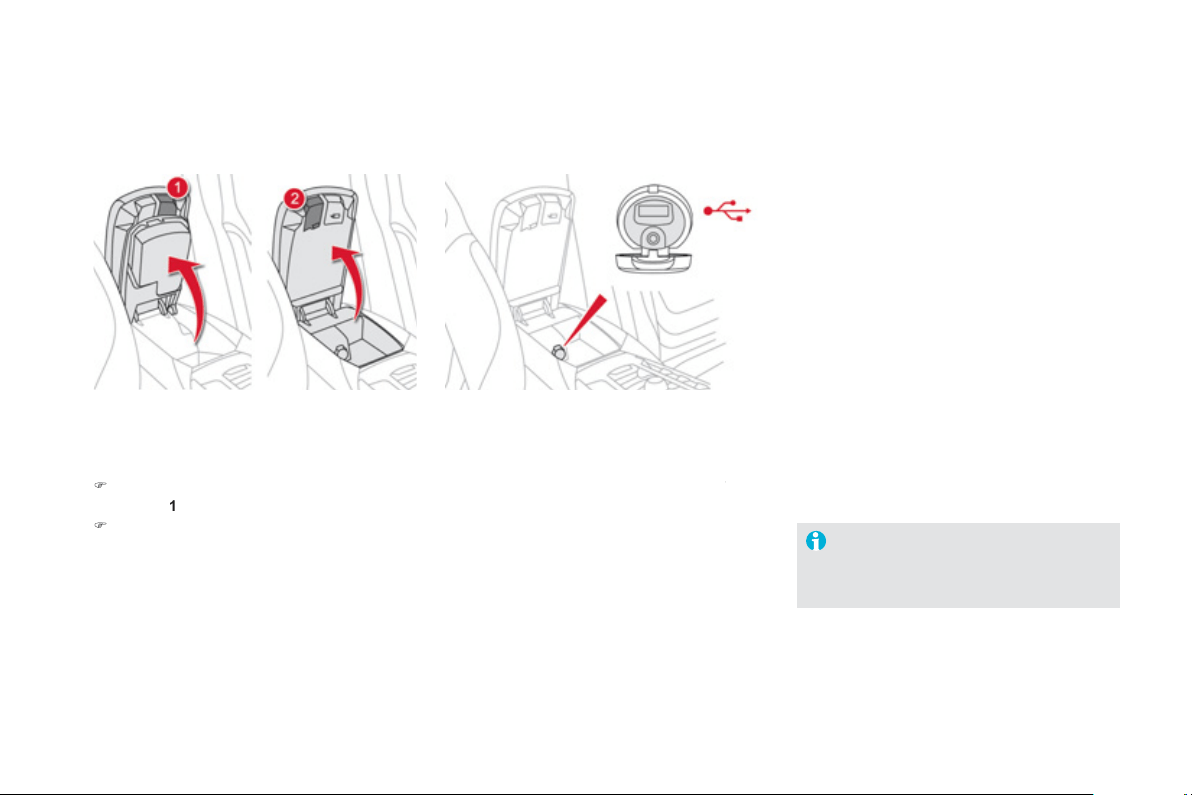
USB Player
This connection box, consistin
g
o
f
a JA
C
K
auxiliary socket and a U
S
B port, is located in
the
f
ront armrest
(
under the cover
)
.
It permits the connection of portable device,
such as a di
g
ital audio pla
y
er of the iPod
®
type
®
or a USB memor
y
stick.
It reads the audio file formats
(
MP3, OGG,
WMA, WAV, ...
)
which are transmitted to
y
our
au
di
o equ
i
pment an
d
p
l
a
y
e
d
v
i
a t
h
e ve
hi
c
l
e
'
s
s
p
ea
k
ers.
You can manage these
f
iles using the steering
mounted controls or the audio s
y
stem control
panel and displa
y
them in the instrument panel
screen
.
When the U
S
B port is used, the portable device
ch
ar
g
es automat
i
ca
lly
.
F
o
r m
o
r
e
in
fo
rm
a
ti
o
n
o
n th
e
use
of
this system, re
f
er to the "Audio and
T
e
l
e
m
a
ti
cs
"
sec
ti
o
n.
C
om
f
ort and stora
g
e s
y
stem
f
or the driver and
f
ront passen
g
er.
Centre armrest
Stora
g
e
)
For access to the lar
g
e stora
g
e box, press
bu
tt
o
n
1
th
e
n lift th
e
co
v
e
r.
)
For access to the small stora
g
e box
(
below
the armrest cover
)
press button
2
th
e
n lift
th
e
co
v
e
r.
These can be used
f
or portable devices
(
mobile
p
hone, MP3 pla
y
er...
)
which can be connected
to the U
S
B port
/
auxiliar
y
socket.
A
n air vent
(
with adjustable opening
)
delivers
c
ooled air into the lar
g
e stora
g
e box.
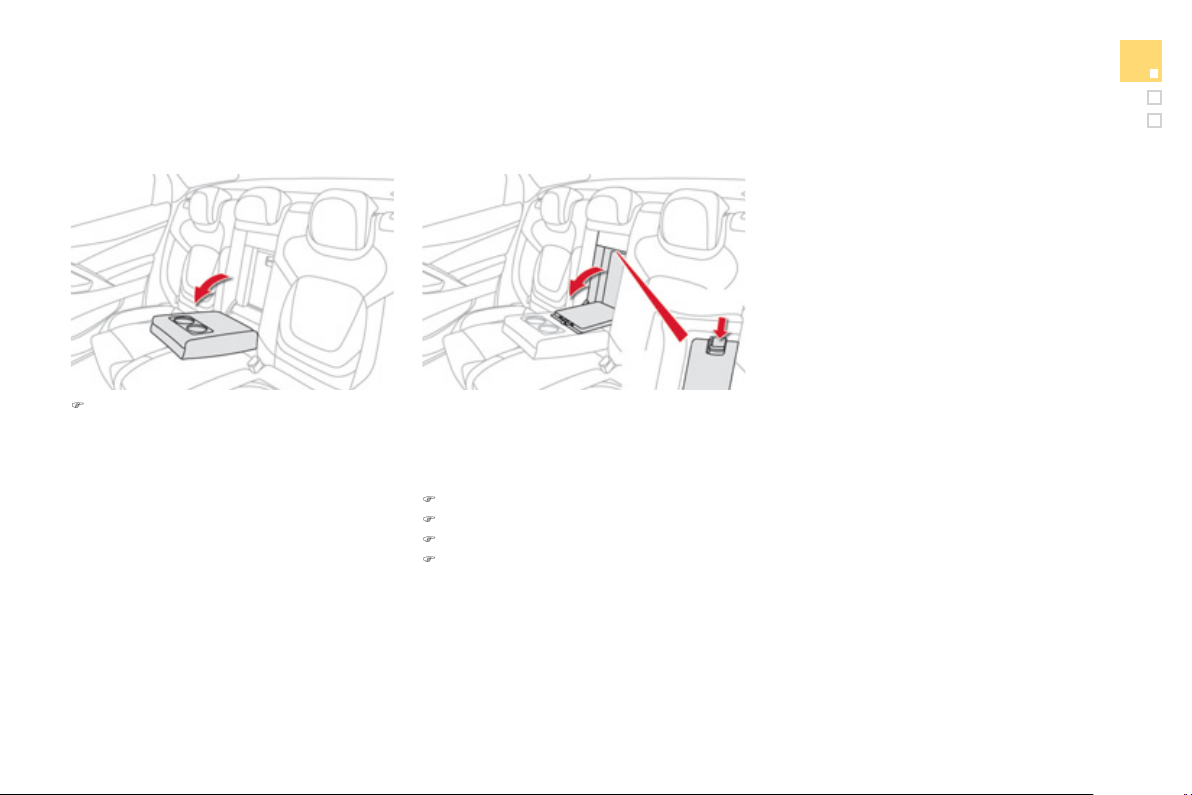
8
7
Comfort
Ski fl ap
Facilit
y
f
or storin
g
and transportin
g
lon
g
o
bj
ects.
)
L
o
w
e
r th
e
r
ea
r
a
rmr
es
t
fo
r
a
m
o
r
e
c
om
f
ortable position.
It ma
y
be
f
itted with cup holders and also
g
ives
access to the ski
f
la
p
.
Rear armrest
Openin
g
)
L
o
w
e
r th
e
a
rmr
es
t.
)
Press the flap openin
g
control.
)
Lower the flap.
)
Load the ob
j
ects from inside the boot.
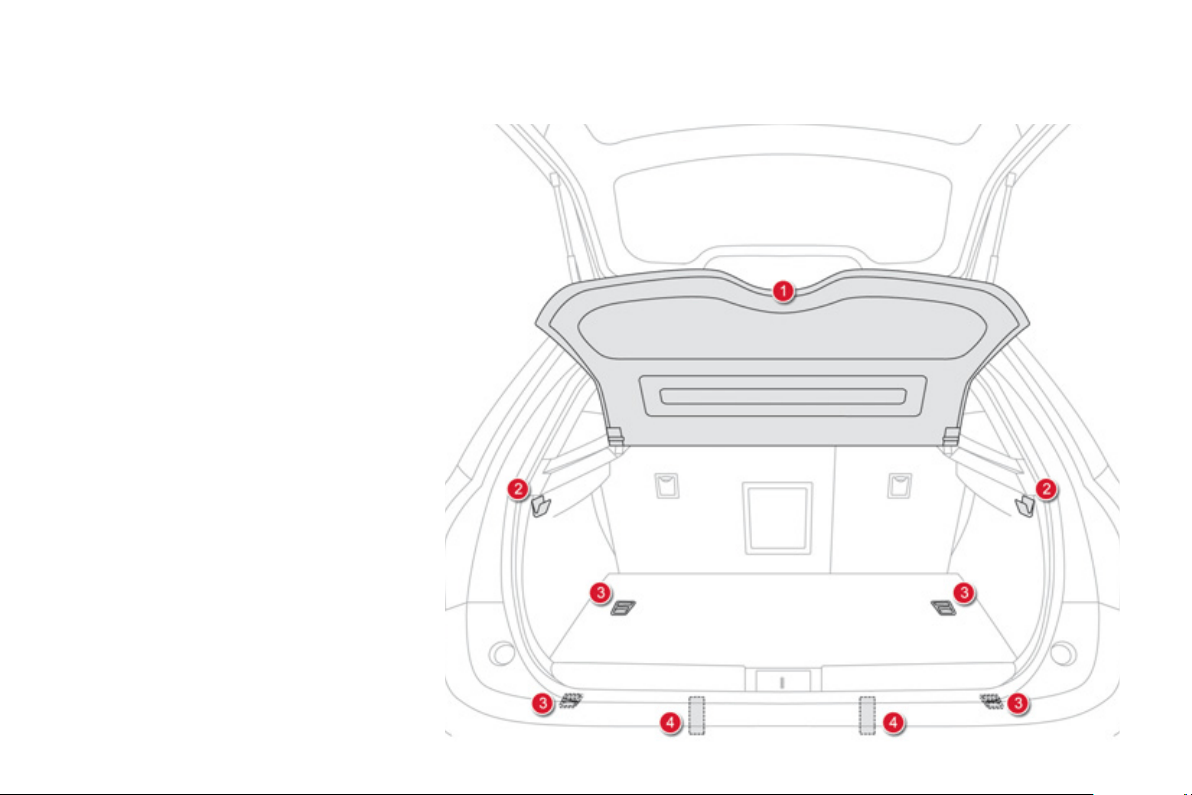
Boot fi ttings
1.
Rear shelf
f
I
t can
b
e remove
d
w
h
en carr
yi
n
g
l
ar
g
e
o
bj
ects.
2.
Bag hook
s
3.
Stowin
g
rin
gs
4.
Warnin
g
trian
g
le retainin
g
strap
s
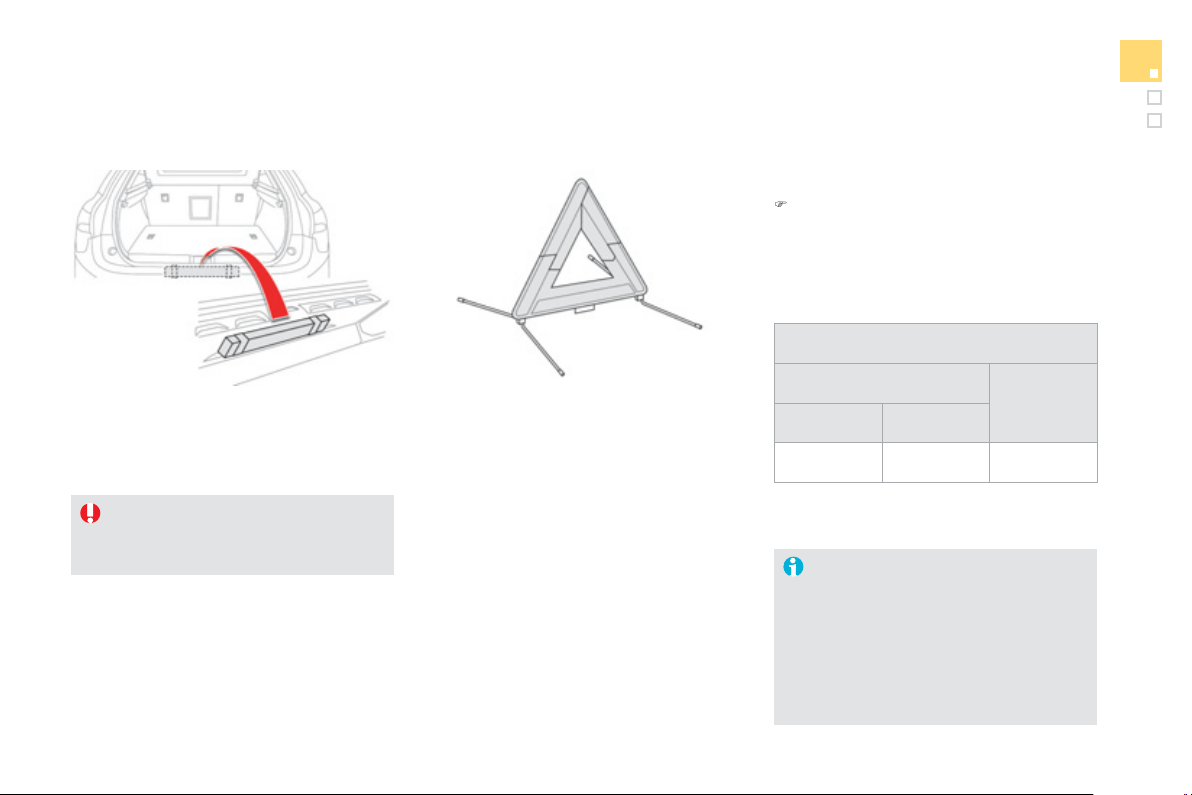
89
Comfort
Warning triangle (stowing)
Be
f
ore leavin
g
y
our vehicle to set up
and install the triangle, put on your high
visibilit
y
vest.
To use the trian
g
le, refer to the manufacturer's
i
n
s
tr
uc
ti
o
n
s
.
U
se t
h
e straps on t
h
e
i
nter
i
or
b
oot tr
i
m to stow
the
f
olded trian
g
le or its stora
g
e box.
Placin
g
the trian
g
le in the road
)
Place the trian
g
le at a distance behind
the vehicle, as shown in the table below,
accordin
g
to the t
y
pe of road and the level
of ambient li
g
ht.
These are the internationall
y
reco
g
nised
v
alues
.
U
se t
h
e tr
i
an
gl
e
i
n
li
ne w
i
t
h
l
oca
l
d
r
i
v
i
n
g
re
g
u
l
at
i
ons.
The trian
g
le is available as an
accessor
y
, contact a CITROËN dealer
or a qualified workshop.
D
istance from your vehicle (in metres
)
R
oa
d
M
otorway
D
a
y
Ni
g
h
t
5
0
m
80
m
1
5
0
m
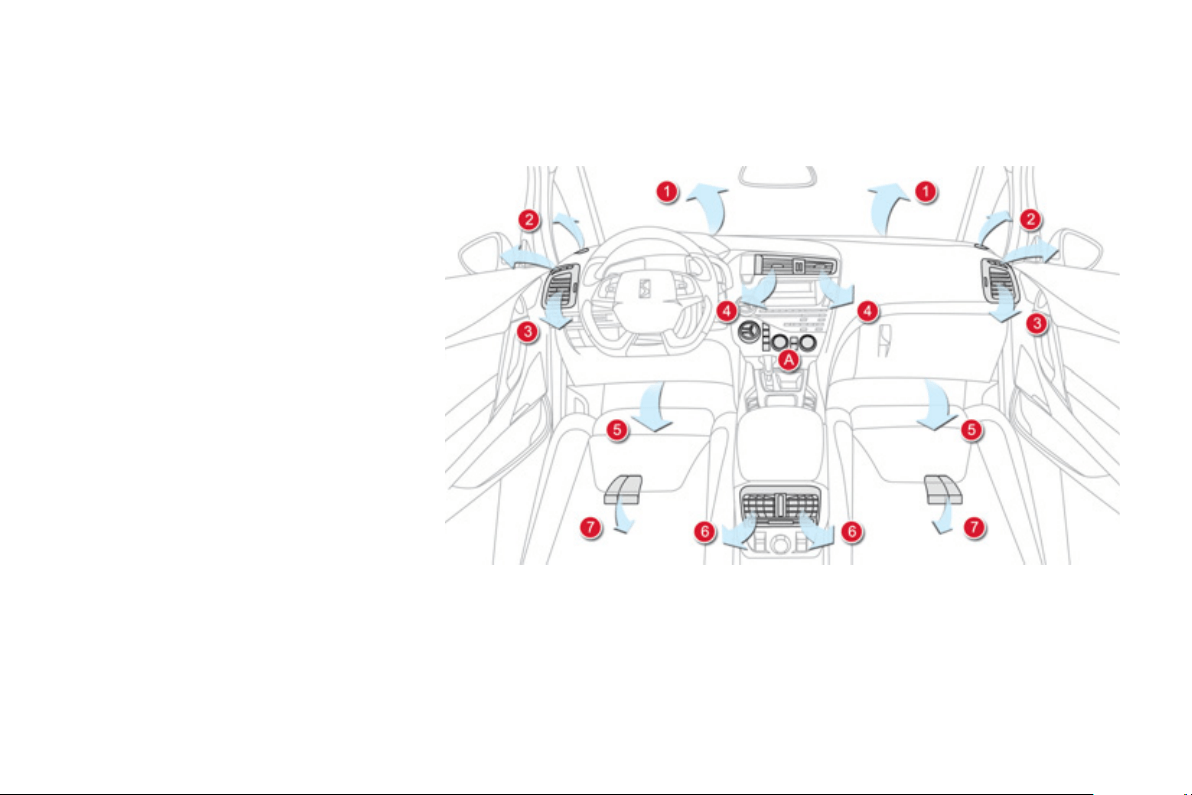
Heating and Ventilation
Controls
The incomin
g
air
f
ollows various routes
d
epen
di
n
g
on t
h
e contro
l
s se
l
ecte
d
by
the driver, the
f
ront passenger and rear
passengers
.
The temperature control enables
y
ou to obtain
the level of comfort required b
y
mixin
g
the air o
f
th
e
v
a
ri
ous
c
ir
cu
it
s
.
The air distribution control enables
y
ou to
s
e
l
ect t
h
e a
i
r vents use
d
i
n t
h
e passen
g
er
c
ompartment b
y
the combined use o
f
the
associa
t
ed
bu
tt
o
n
s
.
The air
f
low control enables you to increase or
r
educe the s
p
eed o
f
the ventilation
f
an.
These controls are
g
rouped to
g
ether on control
p
anel
A
o
n th
e
ce
ntr
e
co
n
so
l
e
.
1.
Windscreen demistin
g/
de
f
rostin
g
vents.
2
.
Front side quarter light window demisting
/
de
f
rostin
g
vents.
3.
Side ad
j
ustable air vents.
4.
Central ad
j
ustable air vents.
Sy
stem which creates and maintains
g
ood
c
onditions o
f
com
f
ort and visibilit
y
in the
ve
hi
c
l
e
'
s passen
g
er compartment.
5
.
Air outlets to the driver and
f
ront passen
g
e
r
foo
tw
e
ll
s
.
6
.
Ad
j
ustable air vents
f
or the rea
r
passengers
.
7
.
Air
ou
tl
e
t
s
t
o
th
e
r
ea
r f
oo
tw
e
ll
s
.
Air distribution

91
Comfort
In order
f
or these s
y
stems to be
f
ull
y
e
ff
ective,
f
ollow the operation and maintenance
g
uidelines below:
)
To obtain an even air distribution, take care not to obstruct the exterior air intake
g
rilles
located at the base of the windscreen
,
the nozzles
,
the vents and the air outlets
,
as well
as
th
e
a
ir
e
xtr
ac
t
o
r l
oca
t
ed
in th
e
boo
t.
)
Do not cover the sunshine sensor, located on the dashboard; this is used
f
or re
g
ulation
of
the di
g
ital air conditionin
g
s
y
stem.
)
O
perate the air conditionin
g
s
y
stem
f
or at least 5 to 10 minutes, once or twice a month
to keep it in per
f
ect working order.
)
Ensure that the passen
g
er compartment
f
ilter is in
g
ood condition and have the
f
ilte
r
e
lements replaced re
g
ularl
y
(
refer to the "Checks" section
)
.
We recommend the use of a combined passen
g
er compartment filter. Thanks to its
s
pecial active additive, it contributes to the purification of the air breathed b
y
the
o
ccupants and the cleanliness of the passen
g
er compartment
(
reduction of aller
g
ic
sy
mptoms, bad odours and
g
reas
y
deposits
)
.
)
To ensure correct operation o
f
the air conditionin
g
s
y
stem,
y
ou are also advised to have
i
t c
h
ec
k
e
d
re
g
u
l
ar
ly
as recommen
d
e
d
i
n t
h
e serv
i
c
i
n
g
b
oo
kl
et.
)
If the system does not produce cold air, switch it off and contact a CITROËN dealer o
r
a quali
f
ied workshop.
You can switch off the air conditionin
g
(
AC button
)
and sta
y
in Automatic mode in order
to limit fuel consumption. If mistin
g
appears while in this mode,
y
ou can switch the air
c
onditionin
g
back on temporaril
y
to improve the situation.
When towin
g
the maximum load on a steep
g
radient in hi
g
h temperatures, switchin
g
of
f
t
h
e a
i
r con
di
t
i
on
i
n
g
i
ncreases t
h
e ava
il
a
bl
e en
gi
ne power an
d
so
i
mproves t
h
e tow
i
n
g
a
bili
t
y
.
Recommendations for ventilation and air conditioning
I
f
a
f
ter an extended sto
p
in sunshine,
the interior temperature is very high,
f
irst
ventilate the passen
g
er compartment
f
o
r
a
f
e
w m
o
m
e
nt
s
.
P
ut the air flow control at a settin
g
hi
g
h
e
nou
g
h to quickl
y
chan
g
e the air in the
passen
g
er compartment.
Th
e a
i
r con
di
t
i
on
i
n
g
s
y
stem
d
oes not
c
onta
i
n c
hl
or
i
ne an
d
d
oes not present
an
y
d
an
g
er to t
h
e ozone
l
a
y
er.
The condensation created b
y
the ai
r
c
on
di
t
i
on
i
n
g
resu
l
ts
i
n a
di
sc
h
ar
g
e
of
w
a
t
e
r
u
n
de
r th
e
v
e
hi
c
l
e
whi
c
h i
s
per
f
ectl
y
normal.
I
f
y
ou want to prioritise heatin
g
, start
and leave the en
g
ine runnin
g
b
y
pressin
g
EC
O
O
FF.

Dual-zone digital air conditioning
1. Automatic comfort pro
g
ramme
W
e
r
eco
mm
e
n
d
th
e
use
of
o
n
e
of
th
e
thr
ee
A
U
T
O
m
odes
a
v
a
il
ab
l
e
:
they provide optimised regulation o
f
the temperature in the passen
g
e
r
c
ompartment accordin
g
to the comfort value
that
y
ou have chosen.
These three modes automaticall
y
control the
sy
stem, accordin
g
to the desired settin
g
, while
a
lso maintainin
g
the desired com
f
ort value.
)
P
r
ess
t
he
"
AUTO"
b
utton repeate
dly
:
- a
f
irst indicator lamp comes on; the "low"
s
ett
i
n
g
mo
d
e
i
s se
l
ecte
d
,
- a second indicator lam
p
comes on; the
"medium" settin
g
mode is selected,
- a third indicator lamp comes on; the
"hi
g
h" mode settin
g
is selected.
Use the "medium" and "hi
g
h" settin
g
s in
preference to maintain the comfort level at the
rear
.
Wh
en t
h
e en
gi
ne
i
s co
ld
, t
h
e a
i
r
f
low will reach its o
p
timum level
pro
g
ressivel
y
, takin
g
account o
f
the
w
ea
th
e
r
a
n
d
th
e
des
ir
ed
co
mf
o
rt l
e
v
e
l
s
o as to avoid too
g
reat a distribution
o
f
co
l
d
a
ir.
On enterin
g
the vehicle, if the interior
temperature
i
s muc
h
co
ld
er or warmer
than the com
f
ort value, there is no
nee
d
to c
h
an
g
e t
h
e va
l
ue
di
sp
l
a
y
e
d
i
n
o
rder to obtain the com
f
ort re
q
uired. In
all seasons, with the windows closed
the s
y
stem corrects the difference
in temperature automaticall
y
and as
q
uickl
y
as possible.
This s
y
stem is desi
g
ned to operate effectivel
y
in all seasons
,
with the windows closed.
A
utomatic o
p
eration
93
Comfort
4. Automatic visibilit
y
programme
For maximum cooling or heating o
f
the
passen
g
er compartment, it is possible
t
o
e
x
ceed
th
e
minim
u
m v
a
l
ue
1
4
o
r th
e
maximum value
28
.
)
T
u
rn
co
ntr
o
l 2
o
r
3
t
o
th
e
l
e
ft
u
ntil
"
LO" is displa
y
ed or to the ri
g
ht
u
nt
il
"HI"
i
s
di
sp
l
a
y
e
d
.
See "Front demistin
g
- defrostin
g
".
2-3. Driver's-passen
g
er's side
settin
g
s
The driver and front passen
g
er can
e
ach ad
j
ust the temperature to their
r
equ
i
rements.
Th
e va
l
ue
i
n
di
cate
d
on t
h
e
di
sp
l
a
y
c
orres
p
onds to a level o
f
com
f
ort and not to a
temperature in degrees
C
elsius or Fahrenheit.
)
Tu
rn
co
ntr
ol
2
or
3
to the le
f
t or to the ri
g
ht
r
espectively to decrease or increase this
v
a
l
ue
.
A
setting around the value 21 provides
optimum com
f
ort. However, dependin
g
on
y
our
requirements, a settin
g
between
18
and
2
4 is
no
rm
a
l.
You are advised to avoid a left / ri
g
ht settin
g
difference of more than
3
.
M
anua
l
o
p
erat
i
on
If
y
ou wish,
y
ou can make a different choice
f
rom that o
ff
ered b
y
the s
y
stem b
y
chan
g
in
g
a
s
ett
i
n
g
.
Th
e
"
AUTO" indicator lamps
g
o o
ff
; the
o
ther
f
unctions, except the air conditionin
g
, will
s
till be controlled automatically.
)
Pressin
g
the
"
AUTO"
bu
tt
o
n r
e
t
u
rn
s
th
e
sy
stem to completel
y
automatic operation.
W
ith Stop & Start, when demistin
g
has
been activated, the
S
T
O
P mode is not
a
v
ailable
.
5. Air conditionin
g
On / Off
)
Pr
ess
thi
s
bu
tt
o
n t
o
s
wit
c
h
o
f
f
t
h
e a
i
r con
di
t
i
on
i
n
g
.
Switchin
g
the s
y
stem off could result in
discomfort
(
humidit
y
, condensation
)
.
)
Press this button a
g
ain to return to
a
utomatic operation o
f
the air conditionin
g
.
Th
e
i
n
di
cator
l
amp
i
n t
h
e "A
/C
"
bu
tt
o
n
comes
on
.
To obtain cool air more quickly, you can use
rec
ir
cu
l
a
ti
o
n
of
th
e
int
e
ri
o
r
a
ir
fo
r
a
fe
w m
o
m
e
nt
s
.
Th
e
n r
e
v
e
rt t
o
th
e
int
a
k
e
o
f
e
xt
e
ri
o
r
a
ir.
6. Air distribution ad
j
ustment
)
Pr
ess
o
n
e
o
r m
o
r
e
bu
tt
o
n
s
t
o
d
ir
ec
t th
e
a
ir fl
o
w t
o
w
a
r
ds
:
- t
h
e w
i
n
d
screen an
d
s
id
e w
i
n
d
ows,
- the outer and centre air vents,
- th
e
foo
tw
e
ll
s
.
Y
ou
ca
n
co
m
b
in
e
th
e
thr
ee
o
ri
e
nt
a
ti
o
n
s
t
o
ob
t
a
in th
e
des
ir
ed
a
ir
d
i
s
tri
bu
ti
o
n.
7. Air fl ow ad
j
ustment
)
T
u
rn thi
s
co
ntr
o
l t
o
th
e
l
e
ft t
o
dec
r
ease
th
e
a
ir fl
o
w
o
r t
o
th
e
r
i
g
ht to increase the air
f
low.
The air flow indicator lamps, between the two
fans, come on pro
g
ressivel
y
in relation to the
value requested.
8. Air intake
/
Air recirculation
Ai
r rec
i
rcu
l
at
i
on ena
bl
es t
h
e passen
g
er
c
ompartment to be isolated
f
rom exterior odours
and smoke when external pollution is detected
(
i
f
your vehicle is
f
itted with a pollution sensor
)
.
It is activated automaticall
y
on operation o
f
the
sc
r
ee
nw
as
h.
It is inactive when the ambient temperature is
below 5 °C to avoid the risk of mistin
g
in the
v
e
hi
c
l
e
.
- The indicator lamp with "A" on
in
d
i
ca
t
es
th
a
t r
ec
ir
cu
l
a
ti
o
n i
s
c
ontro
ll
e
d
automat
i
ca
lly
.
-
Th
e
i
n
di
cator
l
amp w
i
t
h
out
"A"
o
n
i
n
dica
t
es
t
ha
t r
eci
r
cula
t
io
n
is
f
orced manuall
y
.
- Both indicator lam
p
s o
ff
in
d
i
ca
t
es
th
a
t r
ec
ir
cu
l
a
ti
o
n i
s
c
ontrolled automaticall
y
without
takin
g
account of the detection
of pollution.
Wi
t
h
out
p
o
ll
ut
i
on sensor
If
y
our vehicle is not fitted with a
pollution sensor, press this button
to force recirculation manuall
y
.
9
5
Comfort
Switchin
g
the s
y
stem off
)
T
u
rn th
e
a
ir
f
l
o
w
co
ntr
o
l t
o
th
e
lef
t
u
ntil
a
ll
of
th
e
in
d
i
ca
t
or
l
amps
g
o o
ff
.
A
void prolon
g
ed operation in interior
a
ir recirculation mode or drivin
g
for
lon
g
periods with the s
y
stem off
(
risk o
f
co
n
de
n
sa
ti
o
n
a
n
d
de
t
e
ri
o
r
a
ti
o
n
o
f
a
ir
qualit
y)
.
This action switches o
ff
the air conditionin
g
and
t
he
v
e
nt
ila
t
io
n.
Temperature related com
f
ort is no longer
a
ssured but a sli
g
ht
f
low o
f
air, due to the
movement of the vehicle, can still be felt.
)
Modif
y
the settin
g
s
(
temperature, air flow or
air distribution
)
or press the
"
AUTO"
bu
tt
o
n
to reactivate the s
y
stem with the values set
befo
r
e
it w
as
s
wit
c
h
ed
off
.
9. Maximum air conditionin
g
)
I
f
y
ou want to quickl
y
cool
t
h
e a
i
r
i
n t
h
e passen
g
er
c
om
p
artment,
p
ress t
hi
s
button;
"
LO" is displayed.
T
o return to t
h
e prev
i
ous sett
i
n
g
s, press t
h
e
b
utton a
g
a
i
n.
)
Switch off the demistin
g
/defrostin
g
o
f th
e
r
ea
r
sc
r
ee
n
a
n
d
doo
r mirr
o
r
s
as soon as appropriate, as lower
c
urrent consumption results in
reduced
f
uel consumption.
Front Demist -
Defrost
Rear screen and door mirrors demist -
defrost
)
It is possible to stop the
demistin
g/
de
f
rostin
g
operation
befo
r
e
it i
s
s
wit
c
h
ed
off
automat
i
ca
lly
by
press
i
n
g
t
h
e
b
utton again. The indicato
r
l
amp associated with the
b
utton
g
oes off.
A
utomatic visibilit
y
pro
g
ramme
Switchin
g
on
With Stop & Start, when demistin
g
has
been activated, the ST
O
P mode is not
a
v
a
il
ab
l
e
.
Switchin
g
off
The demistin
g/
de
f
rostin
g
switches o
ff
automaticall
y
to prevent an excessive consumption of current.
)
S
elect this programme
t
o
de
mi
s
t
o
r
def
r
os
t th
e
win
dsc
r
ee
n
a
n
d
s
i
de
win
do
w
s
as quickl
y
as possible.
Th
e s
y
stem automat
i
ca
lly
mana
g
es t
h
e a
i
r
c
onditionin
g
, air
f
low and air intake, and
p
rovides o
p
timum distribution towards the
win
dsc
r
ee
n
a
n
d
s
i
de
win
do
w
s
.
)
To stop the pro
g
ramme, press eithe
r
th
e
"
visibilit
y
" button a
g
ain or "AUTO"
,
the indicator lamp in the button
g
oes off
a
n
d
t
h
e
i
n
di
cator
l
amp
i
n t
h
e "AUTO"
bu
tt
o
n
co
m
es
o
n.
Th
e s
y
stem starts a
g
a
i
n w
i
t
h
t
h
e va
l
ues
i
n
use be
f
ore it was overridden by the visibility
programme
.
)
Press this button
(
located on
t
h
e a
i
r con
di
t
i
on
i
n
g
s
y
stem
c
ontrol panel
)
to demist
/
de
f
rost
th
e
r
ea
r
sc
r
ee
n
a
n
d
th
e
doo
r
mirrors. The indicator lamp
assoc
i
a
t
ed
with th
e
bu
tt
o
n
co
m
es
o
n.
T
h
e
r
ea
r
sc
r
ee
n
de
mi
s
t -
de
fr
os
t
c
an onl
y
operate when the en
g
ine is
r
unnin
g
.

9
7
Comfort
004
Driving

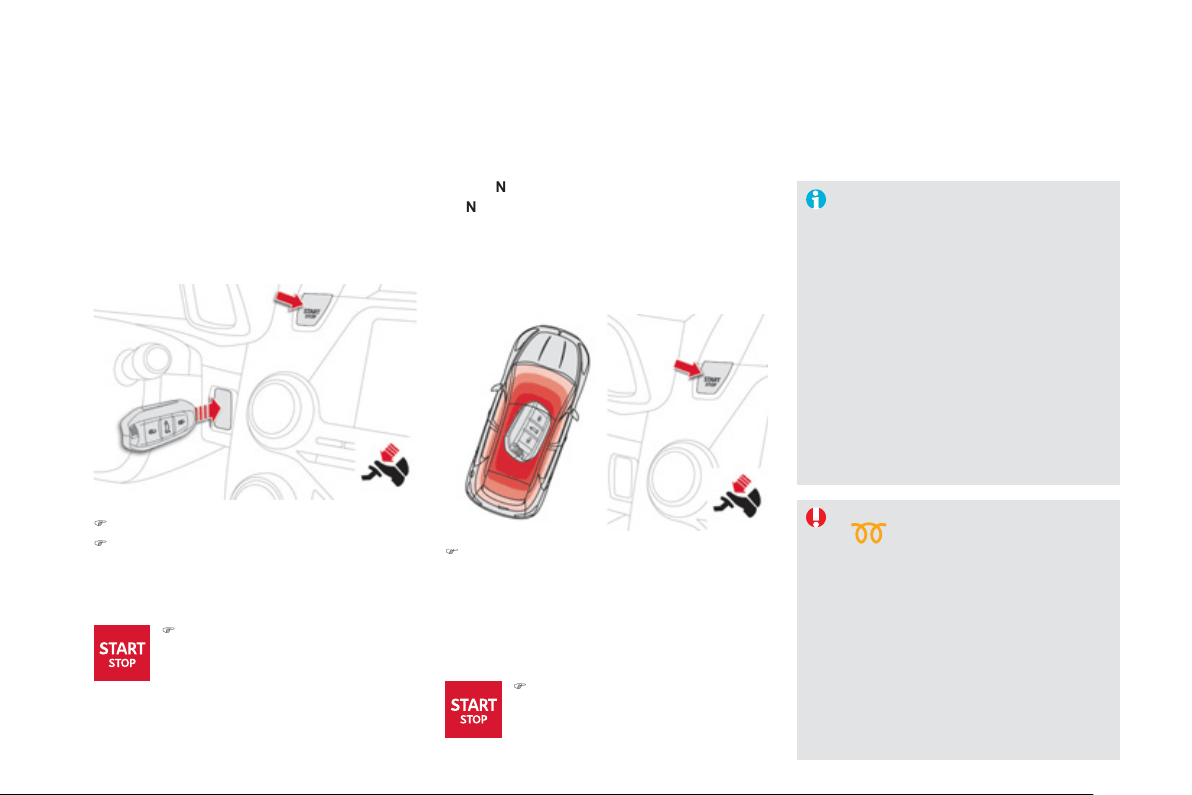
Starting-switching off the engine
)
Insert the electronic ke
y
in the reader.
)
Press the brake pedal for vehicles with
a
utomatic
g
earbox or electronic
g
earbox
s
y
stem, or
f
ull
y
declutch
f
or vehicles with a
m
anua
l
g
ear
b
ox.
Startin
g
usin
g
the electronic ke
y
Startin
g
with the "Ke
y
less
E
ntr
y
and Startin
g
" s
y
stem
I
f
one o
f
the startin
g
conditions is not
met, a reminder messa
g
e appears in
the instrument panel screen. In some
c
ircumstances, it is necessar
y
to turn
the steerin
g
wheel sli
g
htl
y
while pressin
g
the "
S
TART
/S
T
O
P" button to assist
unlockin
g
o
f
the steerin
g
; a messa
g
e
warns
y
ou w
h
en t
hi
s
i
s nee
d
e
d
.
Wi
t
h
a
manua
l
g
ear
b
o
x
, put t
h
e
g
ear
l
ever
i
n neutra
l
.
Wi
t
h
t
he
el
ectron
i
c
g
ear
b
o
x
sy
ste
m
, put t
h
e
g
ear
l
ever
i
n
N
.
With
a
n
a
utomatic gearbo
x
, put the gear lever in
P
or
N
.
F
o
r
D
iesel vehicle
s
, in
temperatures below zero the
e
n
g
ine will not start until the
preheater warnin
g
lamp has
g
one off.
If this warnin
g
lamp comes on after
pressin
g
"
S
TART
/S
T
O
P",
y
ou should
h
o
ld
t
h
e
b
ra
k
e or c
l
utc
h
pe
d
a
l
d
own
until the warnin
g
lamp
g
oes o
ff
and
do not
p
ress the
S
TART
/S
T
O
P button
a
g
ain.
)
With the electronic key inside the vehicle
(
it is not necessar
y
to put it in the reader
)
,
press the brake pedal for vehicles with
automatic
g
earbox or electronic
g
earbox
sy
stem, or full
y
declutch for vehicles with a
manual
g
earbox.
)
P
r
ess
t
he
"
START/STO
P
"
bu
tt
o
n.
The en
g
ine starts
(
see the
warnin
g
below
f
or Diesel
vehicles
)
.
)
Pr
ess
th
e
"START/STOP"
bu
tt
o
n.
The en
g
ine starts
(
see the
warnin
g
below for Diesel
vehicles
)
.
The "Ke
y
less Entr
y
and
S
tartin
g
" device
m
us
t
be
in th
e
def
in
ed
z
o
n
e
.
For sa
f
et
y
reasons, do not leave this
zone with the vehicle running.
1
0
1
Driving
Switchin
g
off usin
g
the
e
lectronic ke
y
)
Imm
ob
ili
se
th
e
v
e
hi
c
l
e
.
Electronic ke
y
left in the reade
r
I
f
the electronic ke
y
is le
f
t in the reader,
o
n opening the driver's door a message
appears to warn
y
ou.
Stoppin
g
with the
"
Ke
y
less Entr
y
and
Startin
g
" s
y
stem
)
I
mm
obilise
t
he
v
ehicle
.
If the vehicle is not immobilised,
the en
g
ine will not stop.
I
g
nition on without startin
g
t
he en
g
ine
(
accessor
y
position
)
)
With the electronic key inside
the vehicle, press the "START/
STOP"
bu
tt
o
n.
The en
g
ine stops and the
s
teerin
g
column locks.
)
Pr
ess
th
e
"START/STOP "
bu
tt
o
n
The en
g
ine stops and the
s
teerin
g
column locks.
Anti-theft protection
Electronic en
g
ine immobiliser
The keys contain an electronic chip which has
a secret code. When the i
g
nition is switched
o
n, this code must be reco
g
nised in order fo
r
s
tartin
g
to be possible.
This electronic en
g
ine immobiliser locks the
e
n
g
ine mana
g
ement s
y
stem a few minutes
a
f
ter the i
g
nition is switched o
ff
and prevents
s
tartin
g
o
f
the en
g
ine b
y
an
y
one who does not
h
ave t
h
e
k
e
y
.
In the event o
f
a mal
f
unction, you are in
f
ormed
b
y
a messa
g
e in the instrument panel screen.
In this case,
y
our vehicle does not start; contact
a CITROËN dealer as soon as possible.
With the electronic key in the reader or the
Ke
y
less Entr
y
and
S
tartin
g
ke
y
inside the
vehicle, pressin
g
the "START/ST
O
P" button,
w
ith no action on the pedals, allows the i
g
nition
to be switched on and so activate the ancillar
y
equipment.
)
Remove the electronic ke
y
f
rom the reader.
)
Press the "
S
TART
/S
T
O
P" button,
the instrument
p
anel comes on
but the en
g
ine does not start.
)
Press the button a
g
ain to switch
off the i
g
nition and so allow the
v
e
hi
c
l
e
t
o
be
l
oc
k
ed
.
If
y
ou use the accessor
y
position for too
lon
g
, the s
y
stem automaticall
y
g
oes into
e
conom
y
mode to avoid the risk of a flat
batter
y
.
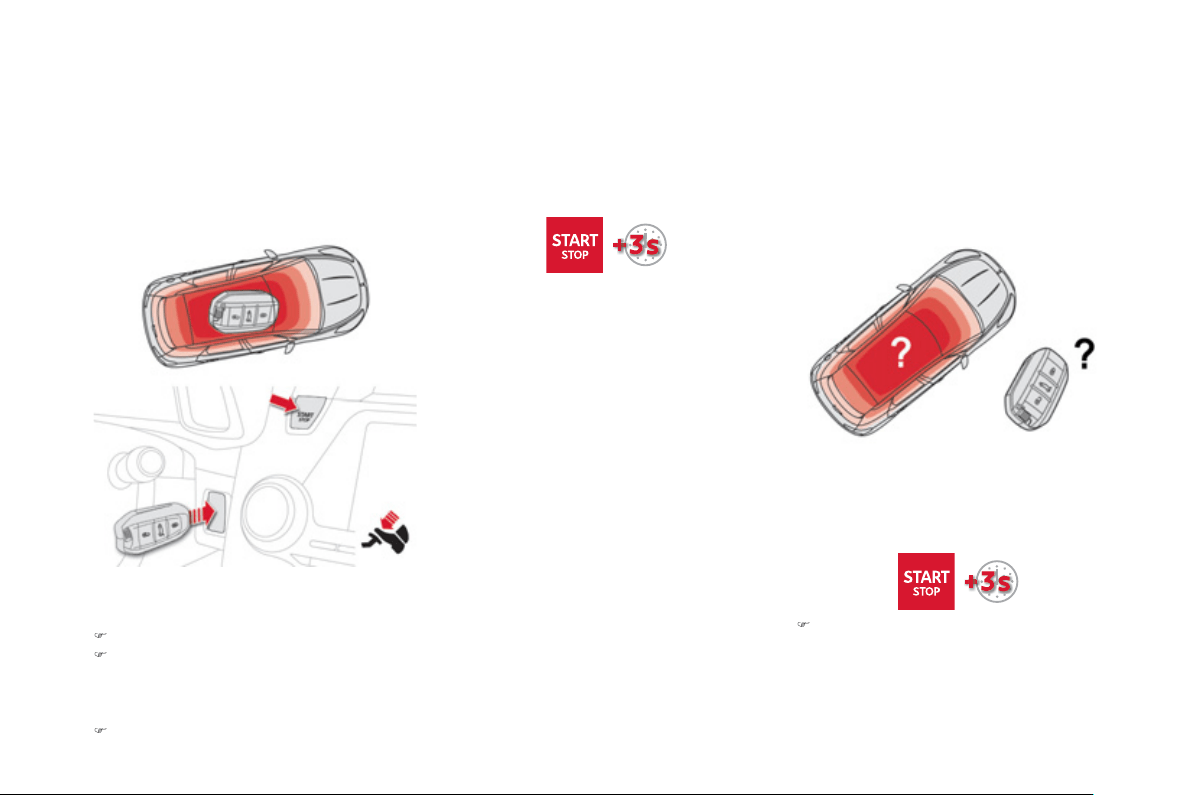
E
mer
g
enc
y
startin
g
with the
K
e
y
less Entr
y
and Startin
g
s
y
stem
When the electronic ke
y
is in the de
f
ined zone
a
nd
y
our vehicle does not start after pressin
g
the "
S
TART
/S
T
O
P" button:
)
Insert the electronic ke
y
in the reader.
)
Press the brake pedal on vehicles with
a
utomat
i
c
g
ear
b
ox or e
l
ectron
i
c
g
ear
b
ox
s
y
stem, or full
y
declutch with a manual
g
ear
b
ox.
)
Press the "
S
TART
/S
T
O
P" button.
Th
e en
gi
ne starts.
In the event o
f
an emer
g
enc
y
onl
y
, the en
g
ine
ca
n
be
s
wit
c
h
ed
o
f with
ou
t
co
n
d
iti
o
n
s
. T
o
do
this, press and hold the "START/ST
O
P" button
for about
3
seconds.
In this case the steerin
g
column locks as soon
as t
h
e ve
hi
c
l
e stops.
I
f
the electronic ke
y
is no lon
g
er in the de
f
ined
zone when driving or when you
(
later
)
request
s
witchin
g
o
ff
the en
g
ine, a messa
g
e appears in
the instrument panel.
Emer
g
enc
y
switch-off Electronic ke
y
not reco
g
nised b
y
t
he "Ke
y
less Entr
y
and Startin
g
"
s
y
stem
)
Press and hold the "
S
TART
/S
T
O
P"
button for about 3 seconds if
y
ou want to
force switchin
g
off the en
g
ine
(
note that
r
estartin
g
will not be possible without
the ke
y)
.
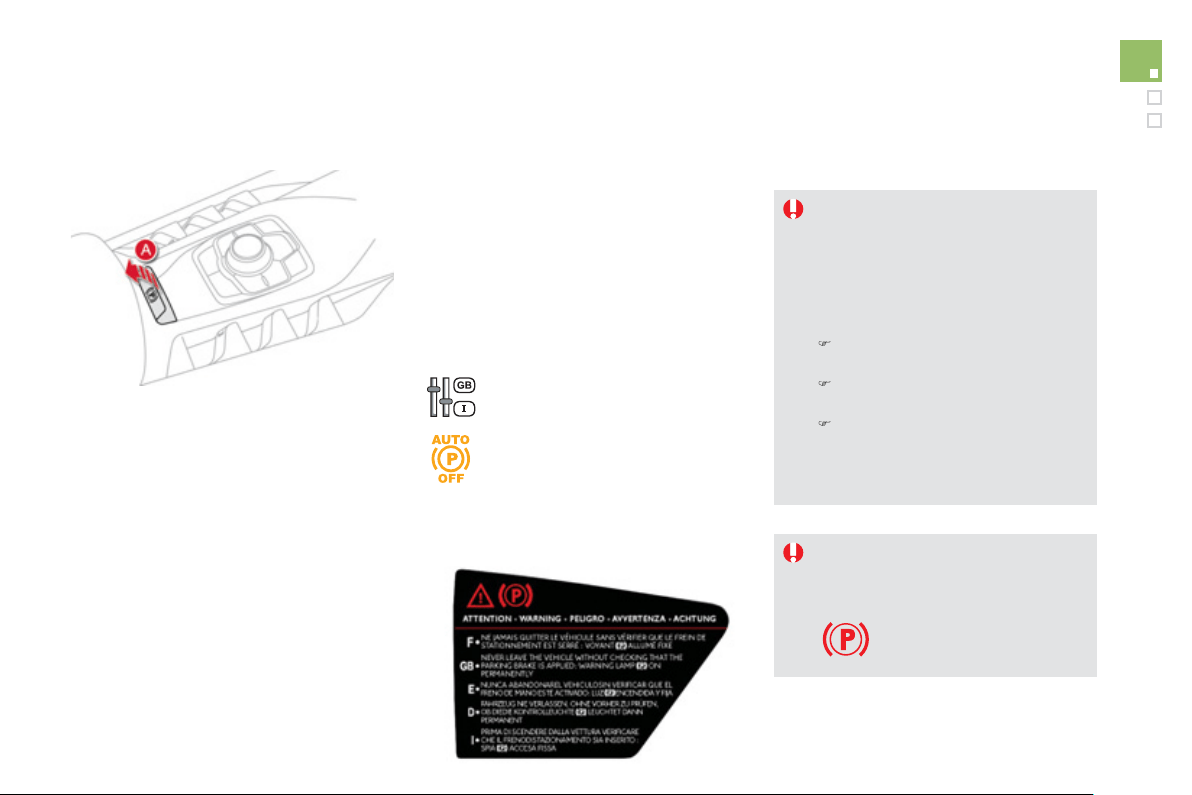
1
0
3
Driving
It is recommended that
y
ou do not
appl
y
the parkin
g
brake in ver
y
cold
c
onditions
(
ice
)
and durin
g
towin
g
(
breakdown, caravan...
)
.
F
or t
hi
s, w
i
t
h
t
h
e
ig
n
i
t
i
on on,
d
eact
i
vate
th
e
au
t
o
m
a
ti
c
fu
n
c
ti
o
n
s
a
n
d
r
e
l
ease
th
e
par
ki
n
g
b
ra
k
e manua
lly
:
)
Manual gearbox
:
engage
f
irst gear
or
re
v
erse
.
)
E
lectronic
g
earbox s
y
ste
m
:
s
elect position
A
or
R
.
)
Automatic
g
earbox
:
se
l
ec
t
position
P
o
r
R
.
Th
e e
l
ectr
i
c par
ki
n
g
b
ra
k
e com
bi
nes
2 operatin
g
modes:
-
A
utomatic Application
/
Releas
e
Application is automatic when the en
g
ine
s
tops, release is automatic on use of the
a
ccelerator
(
this mode is activated b
y
default
)
,
-
M
anual A
pp
lication/Releas
e
Manual application o
f
the parkin
g
brake is
d
one
by
pu
lli
n
g
contro
l
l
ever
A.
M
anua
l
re
l
ease
i
s
d
one
by
pu
lli
n
g
t
he
n
r
eleasing the control lever, while pressing
the brake
p
edal
.
When the driver's door is opened, there is an
audible si
g
nal and a messa
g
e is displa
y
ed if the
brake is not applied.
Pro
g
rammin
g
the automatic
m
ode
Dependin
g
on the countr
y
of sale of the vehicle,
the automatic application when the en
g
ine is
s
wit
c
h
ed
o
ff
a
n
d
th
e
au
t
o
m
a
ti
c
r
e
l
ease
wh
e
n
y
ou press t
h
e acce
l
erator can
b
e
d
eact
i
vate
d
.
Y
ou
ca
n
co
nt
ac
t
a
C
ITR
OË
N
dea
l
e
r
o
r
a
q
uali
f
ied worksho
p
to have it activated.
In this case, pro
g
rammin
g
is done via
the confi
g
uration menu.
Electric parking brake
If deactivated, the parkin
g
brake must
be applied and released manuall
y
.
I
f
this warnin
g
lamp comes on in the
i
nstrument pane
l
, t
h
e automat
i
c mo
d
e
is
deac
t
i
v
a
t
ed
.
Ne
v
e
r
lea
v
e
t
he
v
ehicle
w
i
t
hou
t
c
hecking that the parking brake is on.
This warnin
g
lamp comes on
fix
ed
.
La
b
e
l
on
d
oor
p
ane
l
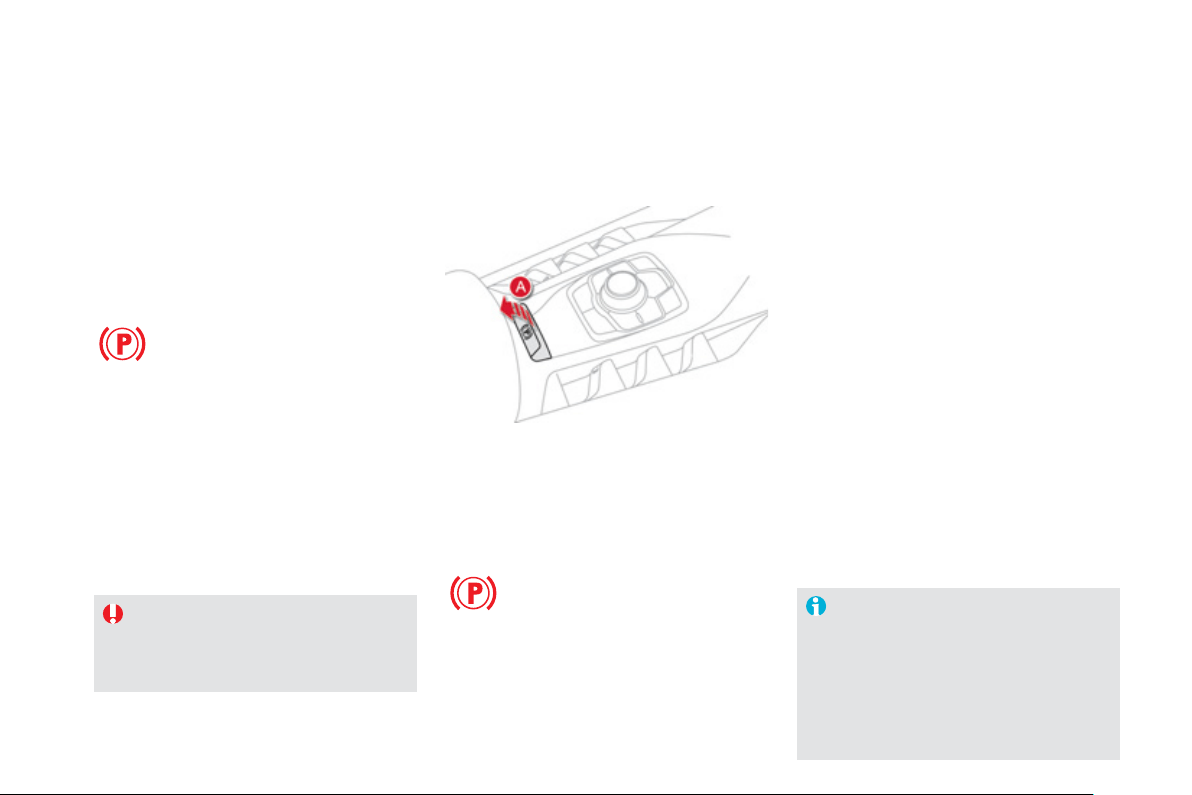
Wi
t
h
t
h
e
ig
n
i
t
i
on on or t
h
e en
gi
ne runn
i
n
g
,
to re
l
ease t
h
e par
ki
n
g
b
ra
k
e,
press
t
he
b
ra
ke
p
e
d
a
l
,
p
u
ll
t
he
n r
elease
co
ntr
o
l l
e
v
e
r
A
.
The
f
ull release o
f
the parkin
g
brake
is confirmed b
y
:
Manual release
- the braking warning lamp and
th
e
P
warnin
g
lamp in the control
le
v
e
r
A
g
oin
g
off,
- displa
y
of the messa
g
e "Parkin
g
b
r
a
k
e
o
ff".
I
f
y
ou pull the control lever
A
w
i
t
h
out press
i
n
g
the brake pedal, the parking brake will not
b
e released and a messa
g
e appears in the
instrument panel.
I
f
necessary, you can make a
m
aximum
app
lication o
f
the parkin
g
brake. It is obtained
b
y
means of a
l
on
g
pull
o
n
co
ntr
o
l l
e
v
e
r
A
,
until
y
ou see the messa
g
e "Parkin
g
brake
applied full
y
" and an audible si
g
nal is heard.
Maximum a
pp
lication is essential
:
- in the case o
f
a vehicle towin
g
a caravan
or a trailer, i
f
the automatic
f
unctions are
a
ct
i
vate
d
b
ut
y
ou are app
lyi
n
g
t
h
e par
ki
n
g
brake manually,
- when the slope
y
ou are parked on ma
y
var
y
(
e.
g
. on a ferr
y
, on a lorr
y
, durin
g
towin
g)
.
M
ax
i
mum a
ppli
cat
i
on
In the case of towin
g
, a loaded vehicle
o
r parkin
g
on a
g
radient, make a
maximum application o
f
the parkin
g
b
r
a
k
e
th
e
n t
u
rn th
e
f
r
o
nt wh
ee
l
s
t
o
w
a
r
ds
t
h
e pavement an
d
en
g
a
g
e a
g
ear w
h
en
you park.
A
f
ter a maximum application, the
release time will be lon
g
er.
Before leavin
g
the vehicle, check that
p
arkin
g
brake warnin
g
lamps in the
i
nstrument pane
l
an
d
t
h
e contro
l
l
ever
A
are on
f
ixed, not
f
lashin
g
.
Wi
t
h
t
h
e ve
hi
c
l
e stat
i
onar
y
, to app
ly
t
h
e par
ki
n
g
brake whether the en
g
ine is runnin
g
or o
ff
,
p
u
ll
co
ntr
ol
le
v
e
r
A
.
Manual a
pp
lication
The application o
f
the parkin
g
brake is
c
on
f
irmed b
y
:
- illumination of the brakin
g
warnin
g
lamp and of the
P
warnin
g
lamp in
t
he
co
ntr
ol
le
v
e
r
A
,
- displa
y
o
f
the messa
g
e "Parkin
g
b
r
ake
o
n
"
.
When the driver
’
s door is opened with the
e
n
gi
ne runn
i
n
g
, t
h
ere
i
s an au
dibl
e s
ig
na
l
an
d
a
m
essa
g
e is displa
y
ed i
f
the parkin
g
brake has
n
ot been a
pp
lied, unless the selector lever is
in
p
osition
P
(
Park
)
in the case o
f
an automatic
g
earbox.

1
05
Driving
Be
f
ore leavin
g
the vehicle, check that
par
ki
n
g
b
ra
k
e warn
i
n
g
l
amps
i
n t
h
e
i
nstrument
p
ane
l
an
d
i
n t
h
e contro
l
le
v
e
r
A
are on
f
ixed
(
not
f
lashing
)
.
N
e
v
e
r l
ea
v
e
a
c
hil
d
a
l
o
n
e
in
s
i
de
th
e
vehicle with the i
g
nition on, as the
y
c
ould release the parkin
g
brake.
Automatic a
pp
lication,
e
n
g
ine off
- illumination of the brakin
g
warnin
g
lamp and of the
P
warnin
g
lamp in
th
e
co
ntr
o
l l
e
v
e
r
A
,
- displa
y
of the messa
g
e "Parkin
g
b
r
ake
o
n
"
.
With the vehicle stationar
y
, the parkin
g
brake
i
s automat
i
ca
lly
app
li
e
d
w
h
en t
h
e en
gi
ne
i
s
switched off
.
The application o
f
the parkin
g
brake is
c
on
f
irmed by:
A
utomatic release
The electric parking brake
r
eleases
a
utomaticall
y
and pro
g
ressivel
y
w
hen
y
ou press the accelerator:
)
M
anual
g
earbo
x
: full
y
depress
the clutch pedal, en
g
a
g
e 1
st
o
r r
e
v
e
r
se
g
ear; press the accelerator pedal
an
d
l
et up t
h
e c
l
utc
h
pe
d
a
l
unt
il
t
he
b
r
ake
r
eleases
.
)
El
ectron
i
c
g
ear
b
ox s
y
ste
m
:
selec
t
p
osition
A
,
M
or
R then
p
ress the
accelerator pedal.
)
Automatic
g
earbox: select position
D
,
M
or
R then press the accelerator pedal.
Full release of the parkin
g
brake is
c
onfirmed b
y
:
- the brakin
g
warnin
g
lamp and
th
e
P
warnin
g
lamp in the control
l
e
v
e
r
A
g
oin
g
off,
- displa
y
o
f
the messa
g
e "Parkin
g
b
r
a
k
e
off
".
When stationar
y
, with the en
g
ine
r
unnin
g
, do not press the accelerato
r
p
edal unnecessaril
y
, as
y
ou ma
y
r
elease the parking brake.
Be
f
ore leaving the vehicle, check that
parkin
g
brake warnin
g
lamps in the
instrument panel and the control lever A
are on fixed, not flashin
g
.
Immobilisin
g
the vehicle,
e
n
g
ine runnin
g
With the en
g
ine runnin
g
and the vehicle
s
tationar
y
, in order to immobilise the vehicle
i
t
is
esse
nt
ial
t
o
m
anua
lly
app
ly
t
h
e par
ki
n
g
b
ra
k
e
by
p
u
lli
n
g
co
ntr
ol
le
v
e
r
A
.
The application o
f
the parkin
g
brake is
c
on
f
irmed by:
- illumination o
f
the brakin
g
warnin
g
l
am
p
and o
f
the
P
warn
i
n
g
l
amp
i
n
th
e
co
ntr
o
l l
e
v
e
r A,
- displa
y
o
f
the messa
g
e "Parkin
g
b
r
a
k
e
o
n".
When the driver’s door is opened, a loud beep
is heard and a messa
g
e is displa
y
ed if the
parkin
g
brake has not been applied, unless the
g
ear lever is in position
P
(
Park
)
in the case of
an automat
i
c
g
ear
b
ox.
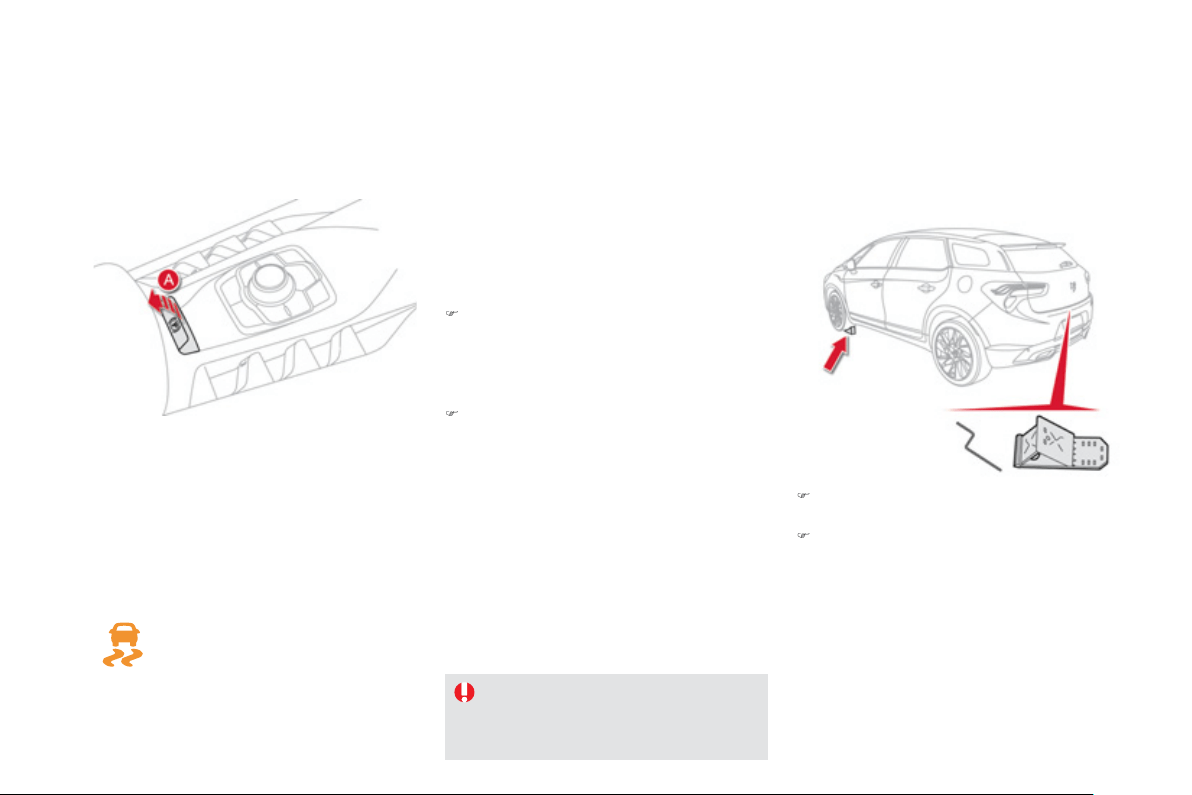
Emer
g
enc
y
brakin
g
In th
e
e
v
e
nt
of
a
fa
il
u
r
e
of
th
e
m
a
in
se
rvi
ce
brake or in an exceptional situation
(
e.
g
. drive
r
taken ill, under instruction, etc
)
a continuous
p
ull on the control lever A will sto
p
the vehicle.
The D
y
namic
S
tabilit
y
C
ontrol s
y
stem provides
s
tabilit
y
durin
g
emer
g
enc
y
brakin
g
.
If the emer
g
enc
y
brakin
g
malfunctions, the
m
essa
g
e "Parkin
g
brake control fault
y
" will be
displa
y
ed.
)
T
a
k
e
th
e
v
e
hi
c
l
e
b
l
oc
k
s
a
n
d
th
e
r
e
l
ease
device, located under the boot carpet.
)
O
n slopin
g
g
round, secure the vehicle b
y
p
lacin
g
chocks in front or behind the front
wheels, on the fallin
g
side of the slope.
The emer
g
enc
y
brakin
g
must onl
y
be
u
sed in exceptional circumstances.
I
f
a
f
ailure o
f
the D
SC
s
y
stem is
si
g
nalled b
y
the illumination o
f
this
warnin
g
lamp, then brakin
g
stabilit
y
is
not
g
uaranteed.
In this event, stabilit
y
must be assured b
y
the
driver b
y
repeatin
g
alternate "pull-release"
ac
t
io
n
s
o
n t
he
co
ntr
ol
le
v
e
r
A
.
Emer
g
enc
y
release
In the event o
f
the electric parking brake
mal
f
unctionin
g
or the batter
y
runnin
g
f
lat, an
e
mer
g
enc
y
manual device can release the
parkin
g
brake.
)
Imm
ob
ili
se
th
e
v
e
hi
c
l
e
:
- b
y
en
g
a
g
in
g
first
g
ear
(
manual
g
earbox
)
,
- w
i
t
h
t
h
e en
gi
ne runn
i
n
g
, pos
i
t
i
on
P
(
automatic
g
earbox
)
or
M
or
R
(
electronic
g
earbox s
y
stem
)
.
)
S
witch o
ff
the engine then switch the
i
g
nition on. I
f
it is impossible to immobilise
the vehicle, do not operate the control and
c
ontact a CITROËN dealer or a qualified
workshop ur
g
entl
y
.
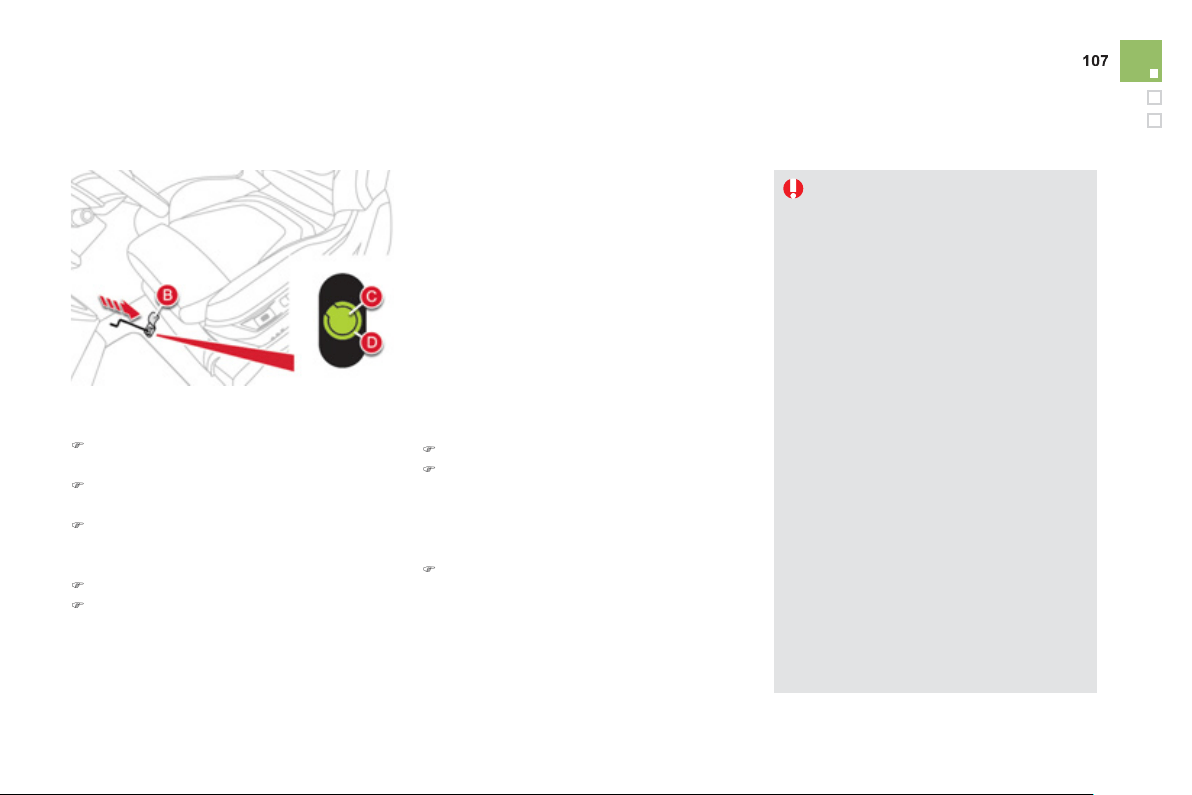
Driving
For safet
y
reasons,
y
ou must contact a
C
ITROËN dealer as soon as possible to
rep
l
ace t
h
e protect
i
ve cover.
Take
ca
r
e
n
o
t t
o
allo
w m
ois
t
u
r
e
o
r
dus
t
in the proximit
y
o
f
the protective cover.
Following an emergency unlocking,
imm
ob
ili
sa
ti
o
n
of
th
e
v
e
hi
c
l
e
i
s
n
o
l
on
g
er
g
uaranteed once the manual
e
mer
g
enc
y
release has been deplo
y
ed
a
n
d
th
e
m
a
n
ua
l
co
ntr
o
l
does
n
o
t
a
ll
o
w
the re-application of
y
our parkin
g
brake.
T
a
k
e no act
i
on, e
i
t
h
er on t
h
e contro
l
le
v
e
r
A
, or stopp
i
n
g
or start
i
n
g
t
h
e
e
n
gi
ne w
hil
e t
h
e re
l
ease
d
ev
i
ce
i
s
e
ngaged.
To re-en
g
a
g
e the electric parkin
g
brake
(
after correction of the fault or batter
y
problem
)
, make a lon
g
pull on the
co
ntr
o
l l
e
v
e
r
A
until the parkin
g
brake
warnin
g
lamp in the instrument panel
f
lashes then make a second lon
g
pull
u
ntil this warnin
g
lamp comes on
f
ixed.
Front left seat moved back full
y.
)
S
li
de
th
e
f
r
o
nt l
ef
t-h
a
n
d
sea
t
bac
k
as
fa
r
as
p
ossible.
)
Raise the pre-cut zone
B
in the carpet
u
n
de
r th
e
sea
t.
)
Pierce the protective cover
C
o
n th
e
t
ube
D
with the release device
(
located in the
boot
)
.
)
Place
t
he
r
elease
de
v
ice
i
n t
he
t
ube
D
.
)
Tu
rn t
he
r
elease
de
v
ice
cl
oc
k
w
i
s
e
ma
ki
n
g
se
v
e
r
al
do
z
e
n t
u
rn
s
For safety reasons , it is
e
ssential t
o
c
ontinue turnin
g
the device as
f
ar as it will
g
o.
The parkin
g
brake is released.
)
R
e
m
o
v
e
th
e
r
e
l
ease
de
vi
ce
a
n
d
s
t
o
w it.
)
The operation of the parkin
g
brake
r
einitialises after the i
g
nition is switched of
f
then on a
g
ain. If the reinitialisation of the
parkin
g
brake proves impossible, contact a
C
ITRO
Ë
N dealer or a qualified workshop.
)
The
(
subsequent
)
time required
f
or
app
li
cat
i
on ma
y
b
e
l
on
g
er t
h
an
d
ur
i
n
g
normal o
p
eration.
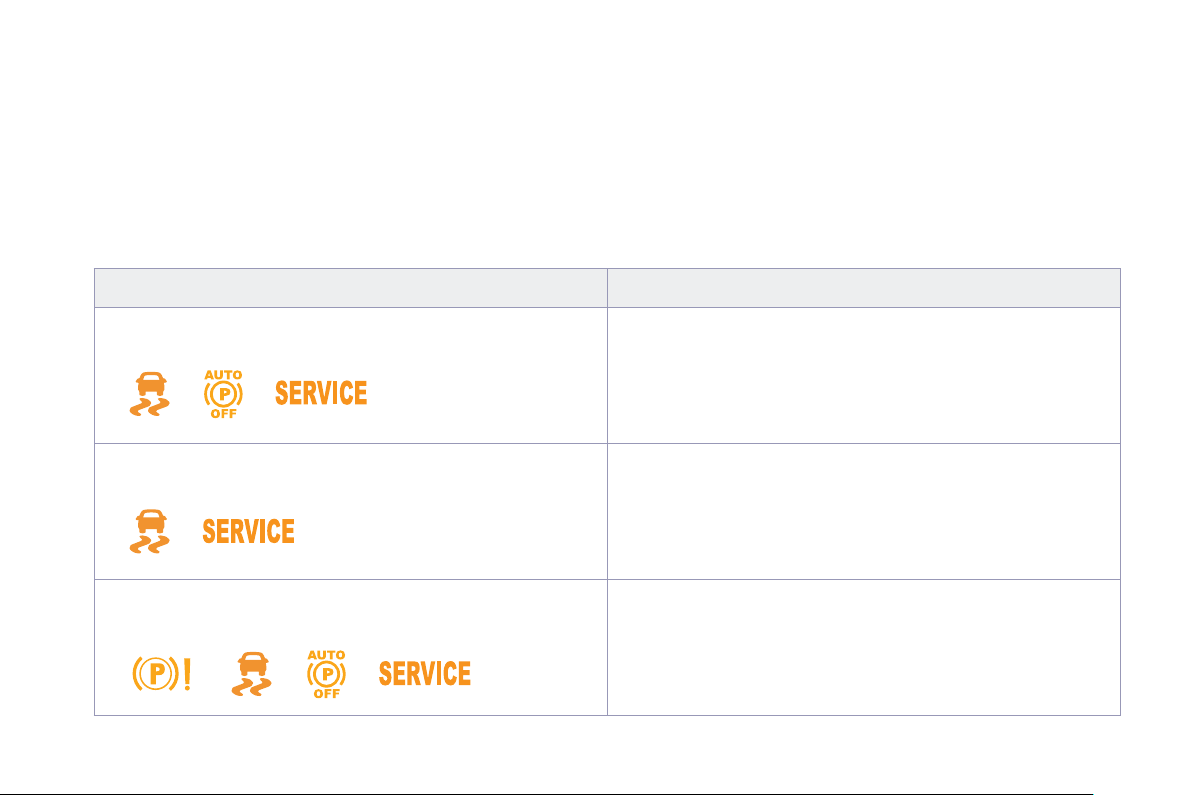
Operatin
g
faults
I
f
the electric parking brake
f
ault warning lamp comes on together with one or more o
f
the warning lamps presented in these tables, place the vehicle in
a
safe condition
(
on level
g
round,
g
ear en
g
a
g
ed
)
and contact a CITROËN dealer or a qualified workshop without dela
y
.
Situation
s
C
onse
q
uences
Displa
y
of the messa
g
e "
P
arkin
g
brake faul
t
" and of the followin
g
warnin
g
lamps:
- Th
e
au
t
o
m
a
ti
c
f
u
n
c
ti
o
n
s
a
r
e
deac
tiv
a
t
ed
.
- Hill
s
t
a
rt
ass
i
s
t i
s
n
o
t
a
v
a
il
ab
l
e
.
- The electric parkin
g
brake can onl
y
be used manuall
y
.
Displa
y
of the messa
g
e "
P
arkin
g
brake faul
t
" and of the followin
g
warnin
g
lamps:
- Manual release of the electric parkin
g
brake is onl
y
possible b
y
p
ressin
g
the accelerator pedal and pullin
g
the control lever.
- Hill
s
t
a
rt
ass
i
s
t i
s
n
o
t
a
v
a
il
ab
l
e
.
- The automatic
f
unctions and the manual application are still
a
v
ailable
.
Displa
y
of the messa
g
e "
P
arkin
g
brake faul
t
" and of the followin
g
warnin
g
lamps:
- Th
e
au
t
o
m
a
ti
c
f
u
n
c
ti
o
n
s
a
r
e
deac
tiv
a
t
ed
.
- Hill
s
t
a
rt
ass
i
s
t i
s
n
o
t
a
v
a
il
ab
l
e
.
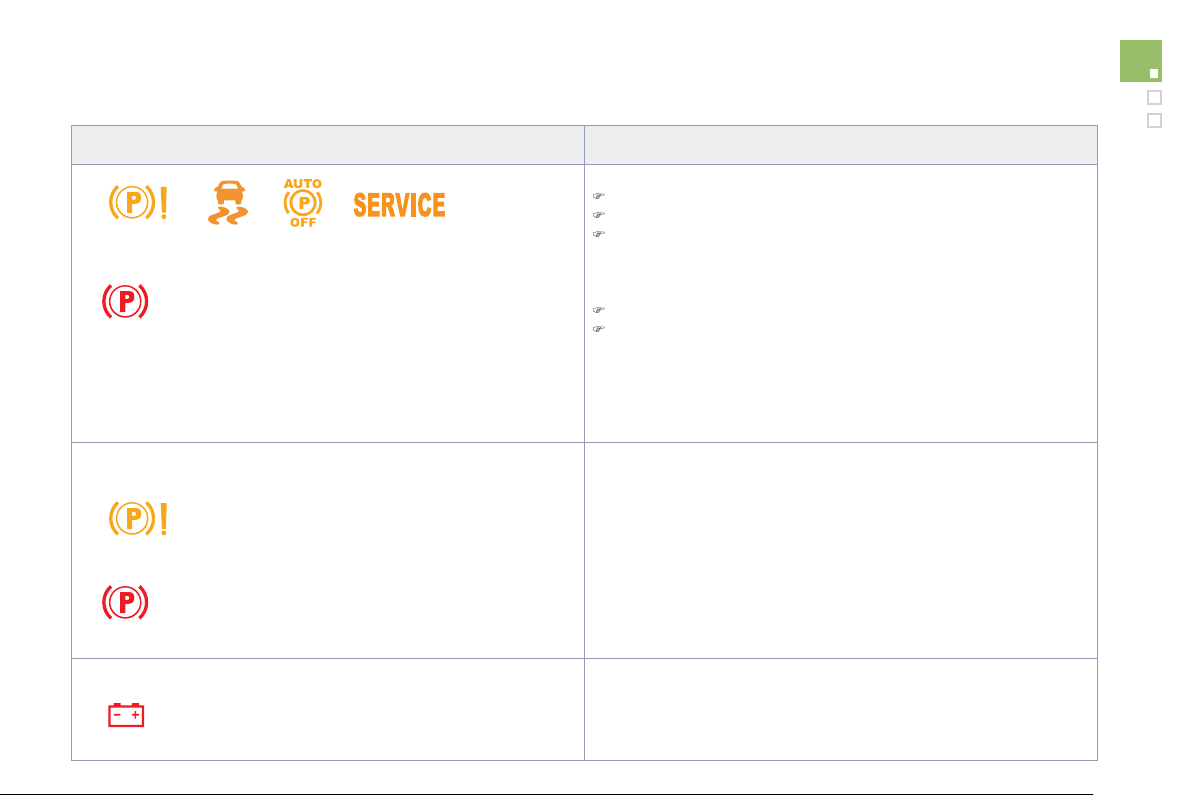
1
0
9
Driving
Situation
s
Conse
q
uence
s
To appl
y
the electric parkin
g
brake:
)
immobilise the vehicle and switch o
ff
the i
g
nition.
)
pull the control for at least 5 seconds or until application is complete.
)
sw
i
tc
h
on t
h
e
ig
n
i
t
i
on an
d
c
h
ec
k
t
h
at t
h
e e
l
ectr
i
c par
ki
n
g
b
ra
k
e
warnin
g
lamps come on.
The application is slower than during normal operation.
To release the electric parkin
g
brake:
)
switch on the i
g
nition.
)
pull the control lever and hold it
f
or approximatel
y
3 seconds then
r
e
l
ease
it.
I
f
the brakin
g
warnin
g
lamp is
f
lashin
g
or i
f
the warnin
g
lamps do not
c
ome on with the i
g
nition on, these procedures will not work. Place the
vehicle on level
g
round and have it checked b
y
a CITRO
Ë
N dealer or a
q
ualified workshop.
and possibl
y
f
lashing
Displa
y
of the messa
g
e "
P
arkin
g
brake faul
t
" and of the followin
g
w
arnin
g
lamps:
-
O
nl
y
the automatic application on switchin
g
off the en
g
ine and
au
t
o
m
a
ti
c
r
e
l
ease
o
n
acce
l
e
r
a
ti
o
n f
u
n
c
ti
o
n
s
a
r
e
a
v
a
il
ab
l
e
.
- The manual application/release of the electric parkin
g
brake and the
e
mer
g
enc
y
b
ra
ki
n
g
are not ava
il
a
bl
e.
and possibl
y
f
lashing
Displa
y
o
f
the messa
g
e
"
Batter
y
char
g
e fault"
.
- You must stop as soon as it is sa
f
e to do so.
S
witch o
ff
and
immobilise
y
our vehicle
(
i
f
necessar
y
, place the a chock under a
wheel
)
.
- Appl
y
the electric parkin
g
brake be
f
ore switchin
g
o
ff
the en
g
ine.

S
p
ecial situations
In the event of a malfunction of the parkin
g
b
r
ake
i
n t
h
e on
p
os
i
t
i
on or a batter
y
f
ailure,
manua
l
re
l
ease rema
i
ns poss
ibl
e.
T
o ensure correct o
p
erat
i
on, an
d
so
y
our sa
f
ety, the number o
f
successive
applications and releases o
f
the parkin
g
brake is limited to ei
g
ht c
y
cles.
If used excessivel
y
,
y
ou are alerted b
y
the messa
g
e "parkin
g
brake fault
y
" and
a flashin
g
warnin
g
lamp.
In some circumstances
(
en
g
ine start...
)
,
the parkin
g
brake ma
y
ad
j
ust the level o
f
application itsel
f
. This is normal operation.
To move
y
our vehicle a
f
ew centimetres
without starting the engine, with the ignition
o
n,
p
ress the brake
p
edal and release the
parkin
g
brake
by
pullin
g
th
e
n releasin
g
th
e
co
ntr
o
l l
e
v
e
r
A
. Complete release of the
parkin
g
brake is indicated b
y
the warnin
g
lamps in the control lever
A
a
n
d
in th
e
instrument panel
g
oin
g
o
ff
and b
y
the displa
y
of
the messa
g
e "Parkin
g
brake o
ff
".
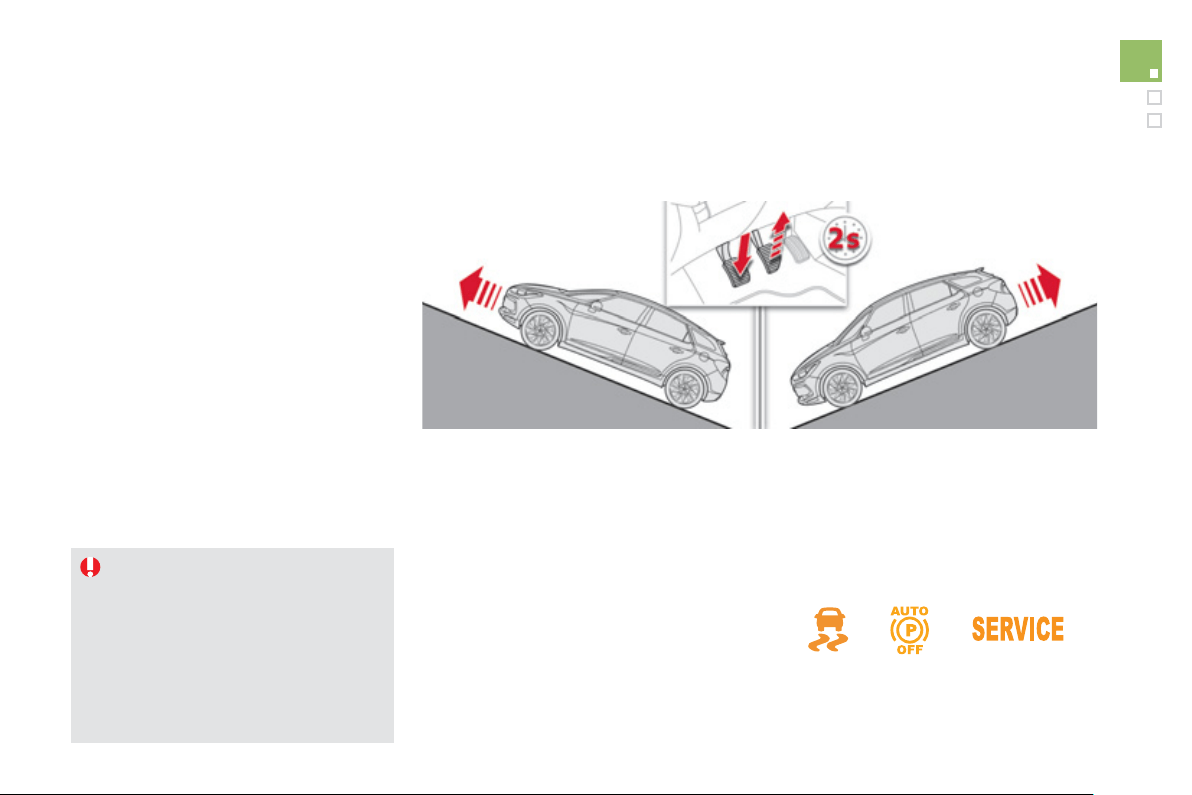
111
Driving
Hill start assist
Sy
stem which keeps
y
our vehicle immobilised
temporarily
(
approximately 2 seconds
)
when
s
tartin
g
on a
g
radient, the time it takes to
m
ove
y
our foot from the brake pedal to the
accelerator pedal.
This s
y
stem onl
y
operates when:
- t
h
e ve
hi
c
l
e
i
s comp
l
ete
ly
stat
i
onar
y
, w
i
t
h
y
our
f
oot on the brake pedal,
-
i
n part
i
cu
l
ar con
di
t
i
ons on a s
l
ope,
- with th
e
d
riv
e
r
’s
doo
r
c
l
osed
.
The hill start assist system cannot be
deac
tiv
a
t
ed
.
On an ascendin
g
slope, with the vehicle
stationar
y
, the vehicle is held for a
m
omentar
ily
w
h
en
y
ou re
l
ease t
h
e
b
ra
k
e
pe
d
a
l:
- provided you are in
f
irst gear or neutral on
a manual
g
earbox,
- provided
y
ou are in position
A
or
M
on
an
e
lectronic
g
ear control
g
earbox,
- provided
y
ou are in position
D
o
r
M
o
n
a
n
automatic
g
earbox.
O
p
eration
On a descendin
g
slope, with the vehicle
stat
i
onar
y
an
d
reverse
g
ear en
g
a
g
e
d
, t
h
e
v
e
hi
c
l
e
i
s
h
e
ld
momentar
ily
w
h
en
y
ou
re
l
ease t
h
e
b
ra
k
e pe
d
a
l.
Do not exit the vehicle while it is being
held in the hill start assist
p
hase.
If
y
ou need to exit the vehicle with
the en
g
ine runnin
g
, appl
y
the parkin
g
brake manuall
y
then ensure that the
parkin
g
brake warnin
g
lamp
(
and the
warn
i
n
g
l
amp
P
in th
e
l
e
v
e
r
of
th
e
e
lectric parkin
g
brake
)
are on
f
ixed
(
not
f
lashin
g)
.
Operatin
g
fault
I
f
a
f
ault in the system occurs, these warning
lam
p
s come on. Contact a CITROËN deale
r
o
r a qualified workshop to have the s
y
stem
c
h
ec
k
ed
.
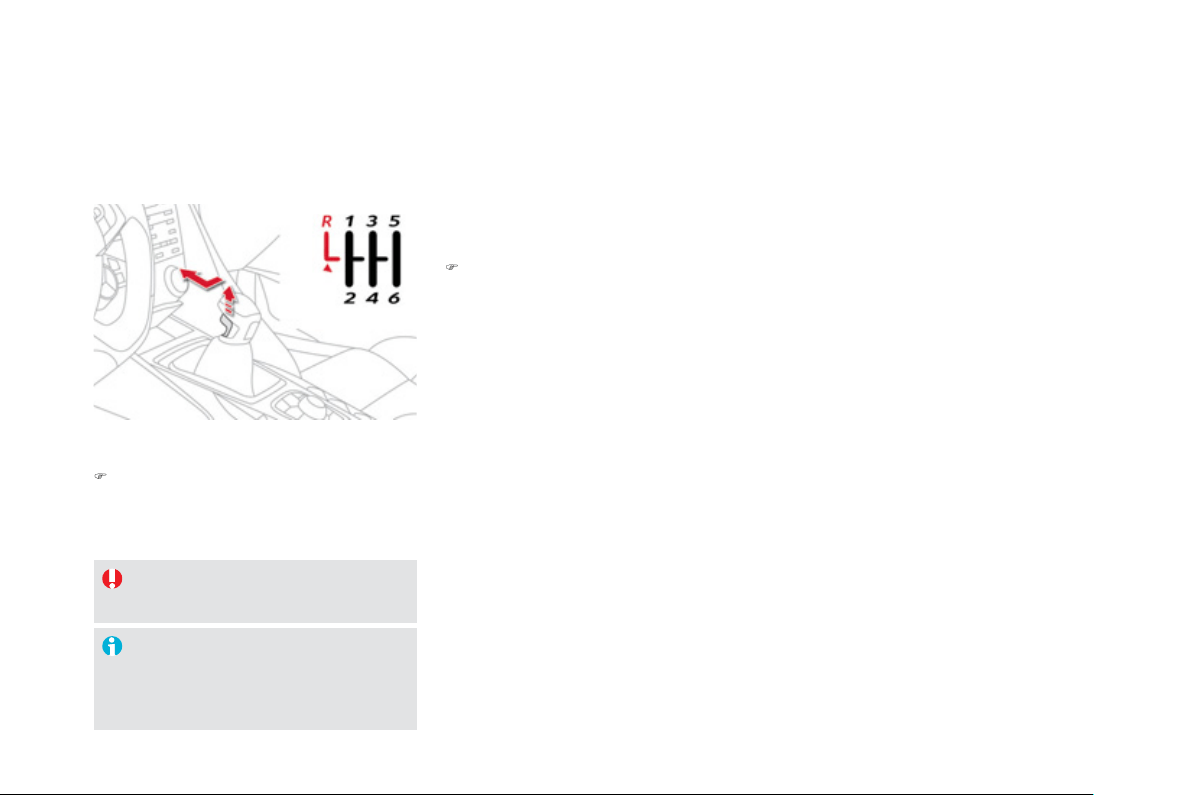
O
nly engage reverse gear when the
vehicle is stationar
y
with the en
g
ine at idle.
A
s a safet
y
precaution and to facilitate
s
tartin
g
of the en
g
ine, alwa
y
s select
neu
tr
a
l.
6-speed manual
gearbox
)
Move the lever
f
ull
y
to the ri
g
ht to en
g
a
g
e
5
th or 6th gear.
En
g
a
g
in
g
5th or 6th
g
ear
E
n
g
a
gi
n
g
reverse
g
ea
r
)
R
a
i
se t
h
e tr
igg
er un
d
er t
h
e
k
no
b
an
d
move
the
g
ear lever to the le
f
t then
f
orwards.

1
1
3
Driving
Gear shift indicator *
Sy
stem which reduces
f
uel consumption b
y
advisin
g
the driver to chan
g
e up on vehicles
f
itted with a manual
g
earbox.
O
p
eration
Th
e s
y
stem
i
ntervenes on
ly
w
h
en
d
r
i
v
i
n
g
e
conom
i
ca
lly
.
Depending on the driving situation and you
r
vehicle's equipment, the s
y
stem ma
y
advise
y
ou to skip one or more
g
ears. You can
follow this instruction without en
g
a
g
in
g
the
intermediate
g
ears.
Th
e
g
ear en
g
a
g
ement recommen
d
at
i
ons must
n
ot be considered compulsor
y
. In
f
act, the
c
on
f
i
g
uration o
f
the road, the amount o
f
tra
ff
ic
and sa
f
et
y
remain determinin
g
f
actors when
c
hoosing the best gear. There
f
ore, the driver
remains responsible
f
or decidin
g
whether or not
to follow the advice
g
iven b
y
the s
y
stem.
Thi
s
f
u
n
c
ti
o
n
ca
nn
o
t
be
deac
tiv
a
t
ed
.
* Accordin
g
to en
g
ine.
-
Y
ou are
i
n t
hi
r
d
g
ear.
E
xamp
l
e:
-
Y
ou press t
h
e acce
l
erator pe
d
a
l
mo
d
erate
ly
.
-
Th
e s
y
stem ma
y
su
gg
est t
h
at
y
ou en
g
a
g
e a
h
igher gear, i
f
appropriate.
The information appears in the instrument
panel in the form of an arrow accompanied b
y
the su
gg
ested
g
ear.
In the case of drivin
g
which makes
particular demands on the per
f
ormance
o
f
the en
g
ine
(f
irm pressure on the
accelerator
p
edal,
f
or exam
p
le, when
overtaking...
)
, the system will not
recommend a
g
ear chan
g
e.
The s
y
stem never su
gg
ests:
- en
g
a
g
in
g
first
g
ear,
- en
g
a
g
in
g
reverse
g
ear,
- en
g
a
g
in
g
a lower
g
ear.
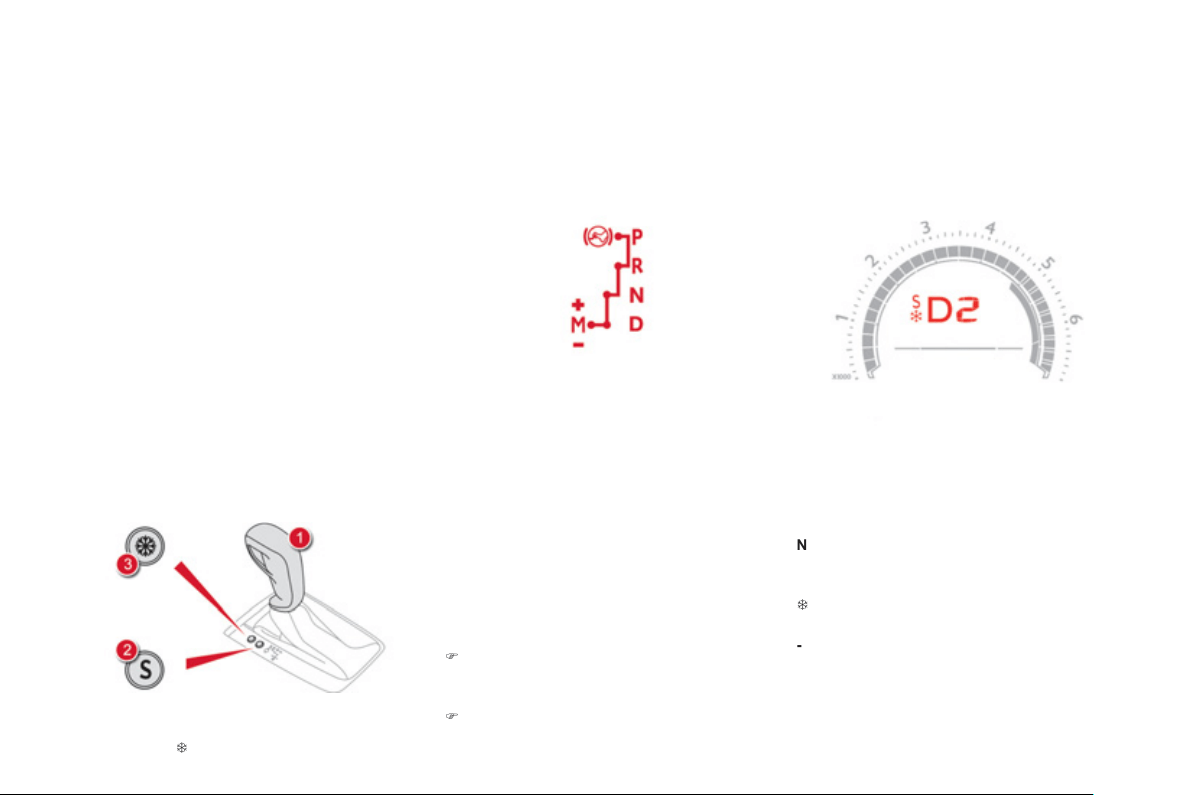
Displa
y
s in the instrument panel
When
y
ou move the lever in the
g
ate to select a
p
os
i
t
i
on, t
h
e correspon
di
n
g
i
n
di
cator comes on
i
n t
h
e
i
nstrument pane
l
.
P
Pa
r
k
R
R
e
v
e
r
se
N
N
eu
tr
a
l
D
Drive
(
automatic drivin
g)
S
S
p
or
t
programme
7
Sno
w
pro
g
ramme
1
to
6
Gear en
g
a
g
ed durin
g
manual operation
-
I
nva
lid
va
l
ue
d
ur
i
n
g
manua
l
operat
i
on
S
ix speed automatic
g
earbox which o
ff
ers a
c
hoice between the com
f
ort o
f
f
ull
y
automatic
operation, enhanced b
y
sport and snow
p
ro
g
rammes, or manual
g
ear chan
g
in
g
.
Four drivin
g
modes are offered:
-
a
utomatic operation for electronic
m
ana
g
ement o
f
the
g
ears b
y
the
g
earbox,
-
s
p
or
t
pro
g
ramme
f
or a more d
y
namic st
y
le
o
f
drivin
g
,
-
snow
pro
g
ramme to improve drivin
g
when
traction is
p
oor,
-
m
anua
l
operation for sequential chan
g
in
g
of the
g
ears b
y
the driver.
Automatic gearbox
1.
G
ear lever.
2.
B
u
tt
o
n
"
S"
(
sport
)
.
3.
B
u
tt
o
n "
7
"
(
snow
)
.
Gear lever
Gear selection
g
ate
P
.
P
a
rk.
- Immobilisation of the vehicle, parkin
g
brake
o
n
o
r
o
ff.
- Startin
g
the en
g
ine.
R.
R
e
v
e
r
se
.
-
R
evers
i
n
g
manoeuvres, ve
hi
c
l
e stat
i
onar
y
,
e
n
gi
ne at
idl
e.
N.
Neu
tr
al
.
- Immobilisation o
f
the vehicle, parking brake
on
.
- Startin
g
the en
g
ine.
D.
Automatic operation.
M
.+
/
- Manual operation with sequential
c
han
g
in
g
of the six
g
ears.
)
Push
f
orwards to chan
g
e up throu
g
h the
gears
.
or
)
Pull backwards to change down through
the
g
ears.
1
15
Driving
)
With
y
our foot on the brake, select
p
osition
P
o
r
N
.
)
Start the en
g
ine.
I
f
this procedure is not
f
ollowed, an audible
sig
na
l
i
s
h
ear
d
, accompan
i
e
d
by
a messa
g
e
i
n
t
h
e
i
nstrument
p
ane
l
screen.
)
With the engine running, press the brake
p
edal.
)
Release the parkin
g
brake, unless it is
p
ro
g
rammed to automatic mode.
)
Select position R
,
D
o
r
M
,
)
Graduall
y
release the brake pedal.
The vehicle moves o
ff
immediatel
y
.
Movin
g
off
When the en
g
ine is runnin
g
at idle,
with the brakes released, i
f
position
R
,
D
or
M
i
s se
l
ecte
d
, t
h
e ve
hi
c
l
e moves
e
ven w
i
t
h
out t
h
e acce
l
erator
b
e
i
n
g
p
resse
d
.
When the engine is running, never
l
ea
v
e
c
hil
d
r
e
n in th
e
v
e
hi
c
l
e
with
ou
t
s
upervision.
When carr
y
in
g
out maintenance with
the en
g
ine runnin
g
, appl
y
the parkin
g
b
ra
k
e an
d
se
l
ect pos
i
t
i
on
P
.
P
I
f
position
N
i
s en
g
a
g
e
d
i
na
d
vertent
ly
w
hil
e
d
r
i
v
i
n
g
, a
ll
ow t
h
e en
gi
ne to
return to
idl
e t
h
en en
g
a
g
e pos
i
t
i
on
D
t
o
acce
l
e
r
a
t
e
.
N
ever se
l
ect pos
i
t
i
on
N
w
hile
t
he
ve
hi
c
l
e
i
s mov
i
n
g
.
N
ever se
l
ect
p
os
i
t
i
ons
P
or
R
u
n
less
t
he
vehicle is completely stationary.
Automatic o
p
eration
)
Select position
D
f
o
r
a
utomatic chan
g
in
g
of the six
g
ears.
The
g
earbox then operates in auto-adaptive
mo
d
e, w
i
t
h
out an
y
i
ntervent
i
on on t
h
e part
of
the driver. It continuousl
y
selects the most
s
uitable
g
ear accordin
g
to the st
y
le o
f
drivin
g
,
the
p
ro
f
ile o
f
the road and the load in the
v
e
hi
c
l
e
.
For maximum acceleration without touchin
g
the lever, press the accelerator pedal down
f
ull
y
(
kick down
)
. The
g
earbox chan
g
es down
automaticall
y
or maintains the
g
ear selected
unt
il
t
h
e max
i
mum en
gi
ne spee
d
i
s reac
h
e
d
.
O
n brakin
g
, the
g
earbox chan
g
es down
automaticall
y
to provide e
ff
icient en
g
ine
braking.
I
f
y
ou release the accelerator sharpl
y
, the
g
earbox will not chan
g
e to a hi
g
her
g
ear fo
r
s
afet
y
reasons.

Manual o
p
eration
)
Select position
M
f
o
r se
q
uential chan
g
in
g
of the six
g
ears.
)
Push
t
he
le
v
e
r t
o
w
a
r
ds
t
he
+
s
ig
n to
ch
an
g
e up a
g
ear.
)
Pull
t
he
le
v
e
r t
o
w
a
r
ds
t
he
-
s
ig
n to c
h
an
g
e
down a gear.
It is onl
y
possible to chan
g
e
f
rom one
g
ear to
another if the vehicle speed and en
g
ine speed
p
ermit; otherwise, the
g
earbox will operate
temporaril
y
in automatic mode.
D
disappears and the
g
ears en
g
a
g
ed
a
ppear in succession on the
i
nstrument panel.
I
f
the en
g
ine speed is too low or too hi
g
h, the
g
ear selected
f
lashes
f
or a
f
ew seconds, then
the actual gear engaged is displayed.
It is possible to chan
g
e
f
rom position
D
(
automatic
)
to position
M
(
manual
)
at an
y
time.
When the vehicle is stationar
y
or movin
g
ver
y
slowl
y
, the
g
earbox selects
g
ear
1
automaticall
y
.
Th
e sport an
d
snow pro
g
rammes
d
o not
operate
i
n manua
l
mo
d
e.
Sport and snow pro
g
rammes
Sport pro
g
ramme "S"
)
Pr
ess
bu
tt
o
n
"
S" , after startin
g
the en
g
ine.
The
g
earbox automaticall
y
favours a d
y
namic
s
t
y
le o
f
drivin
g
.
S
appears in the instrument panel.
Snow pro
g
ramme "
7
"
)
Pr
ess
bu
tt
o
n "
7
", after startin
g
the en
g
ine.
The
g
earbox adapts to drivin
g
on slipper
y
roads
.
Thi
s pro
g
ramme
i
mproves start
i
n
g
an
d
d
r
i
ve
w
h
en tract
i
on
i
s poor.
7
appears in the instrument panel.
Return to automatic
op
eration
)
At an
y
time, press the button selected
a
g
ain to quit the pro
g
ramme en
g
a
g
ed and
return to auto-adaptive mode.
These two special pro
g
rammes supplement the
a
utomatic operation in ver
y
speci
f
ic conditions
of
use
.
117
Driving
Invalid value durin
g
manual
o
p
eration
This s
y
mbol is displa
y
ed if a
g
ear
is not en
g
a
g
ed correctl
y
(
selector
between two positions
)
.
Stoppin
g
the vehicle
Before switchin
g
off the en
g
ine, put the lever in
p
osition
P
o
r
N
to place the
g
earbox in neutral.
In both cases, appl
y
the parkin
g
brake to
i
mmo
bili
se t
h
e ve
hi
c
l
e, un
l
ess
i
t
i
s pro
g
ramme
d
t
o
au
t
o
m
a
t
ic
m
ode
.
I
f
the lever is not in position
P
, when the
P
driver's door is opened or approximatel
y
45 seconds after the i
g
nition is switched
o
ff, there is an audible si
g
nal and a
messa
g
e appears.
)
R
eturn t
h
e
l
ever to pos
i
t
i
on
P
;
t
h
e au
dibl
e s
ig
na
l
stops an
d
t
h
e
m
essa
g
e
di
sappears.
Operatin
g
fault
Wh
en t
h
e
ig
n
i
t
i
on
i
s on, a messa
g
e appears
i
n t
h
e
i
nstrument pane
l
screen to
i
n
di
cate a
g
earbox
f
ault.
In this case, the gearbox switches to back-up
mode and is locked in 3rd
g
ear. You ma
y
f
eel
a
substantial knock when chan
g
in
g
from
P
t
o
R
a
n
d
fr
o
m N t
o
R. This will not cause an
y
dama
g
e to the
g
earbox.
Do not exceed 60 mph
(
100 km/h
)
, local speed
r
estr
i
ct
i
ons perm
i
tt
i
n
g
.
Have it checked b
y
a CITRO
Ë
N dealer or a
q
uali
f
ied worksho
p
.
Y
ou r
i
s
k
d
ama
gi
n
g
t
h
e
g
ear
b
ox:
- i
f
y
ou press the accelerator and
brake
p
edals at the same time,
- i
f
y
ou
f
orce the lever
f
rom position
P
to another position when the batter
y
i
s
fl
a
t.
To reduce fuel consumption when
s
tationar
y
for lon
g
periods with the
e
n
g
ine runnin
g
(
traffic
j
am...
)
, position
t
h
e
g
ear
l
ever at
N
an
d
app
ly
t
h
e
par
ki
n
g
b
ra
k
e, un
l
ess
i
t
i
s pro
g
ramme
d
i
n
au
t
o
m
a
t
ic
m
ode
.
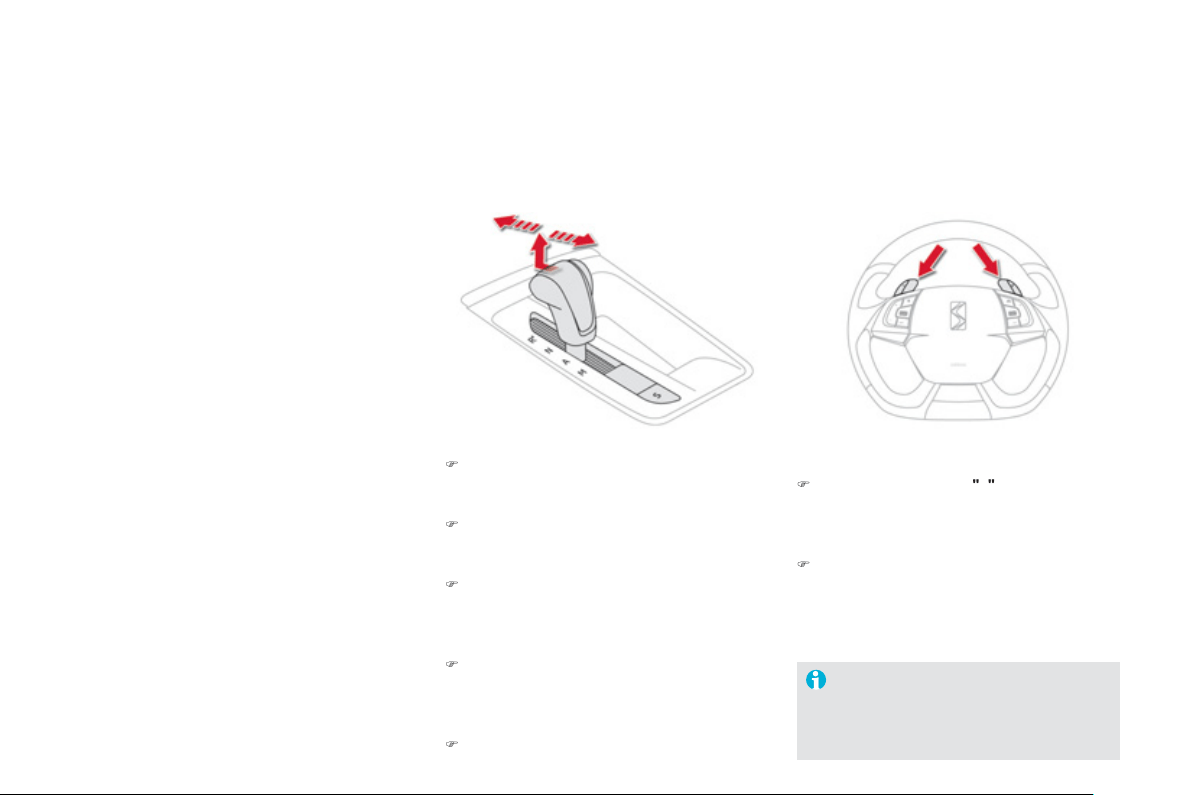
6-speed electronic gearbox system
S
ix-speed electronic gearbox system which
o
ff
ers a choice between the com
f
ort o
f
f
ull
y
a
utomatic operation or the pleasure of manual
g
ear chan
g
in
g
.
There are two drivin
g
modes:
-
a
utomatic m
ode
f
o
r
au
t
o
m
a
ti
c
co
ntr
o
l
of
t
h
e
g
ears
by
t
h
e
g
ear
b
ox,
-
m
anua
l
mode
f
or sequential
g
ear chan
g
in
g
by
t
h
e
d
r
i
ver.
For each o
f
these two modes, there is a
a
S
p
or
t
settin
g
, correspondin
g
to a more
d
y
namic drivin
g
st
y
le.
In automatic mode, it remains possible to
c
han
g
e
g
ear manuall
y
b
y
usin
g
the steerin
g
m
ounted control paddles when required, when
overtakin
g
,
f
or example.
R.
R
e
v
e
r
se
)
With
y
our
f
oot on the brake, li
f
t the lever
and push
f
orwards.
N.
Neu
tr
al
.
)
With your
f
oot on the brake, select this
position to start.
A
.
A
u
t
o
m
a
ti
c
m
ode
.
)
M
o
v
e
th
e
l
e
v
e
r
bac
kw
a
r
ds
t
o
se
l
ec
t thi
s
m
ode
.
M.
Manual mode with sequential
g
ear
ch
an
gi
n
g
.
)
Li
f
t th
e
l
e
v
e
r th
e
n m
o
v
e
it
bac
kw
a
r
ds
t
o
s
e
l
ect t
hi
s mo
d
e, t
h
en use t
h
e steer
i
n
g
mounted control paddles to change gear.
S
.
S
port settin
g
.
)
Pr
ess
th
e
bu
tt
o
n t
o
s
wit
c
h it
o
n
o
r
o
ff.
Gear lever
+.
Chan
g
e up paddle to the ri
g
ht of the steerin
g
w
heel
.
)
Pr
ess
th
e
bac
k
of
th
e
"
+
"
steer
i
n
g
mounte
d
p
a
ddl
e to c
h
an
g
e up a
g
ear.
-.
C
hange down paddle to the le
f
t o
f
the
steerin
g
wheel.
)
Pr
ess
th
e
bac
k
o
f th
e
"-" steerin
g
mounted
p
addle to chan
g
e down a
g
ear.
Steerin
g
mounted control paddles
The steering mounted paddles cannot
be used to select neutral or to en
g
a
g
e
o
r disen
g
a
g
e reverse
g
ear.
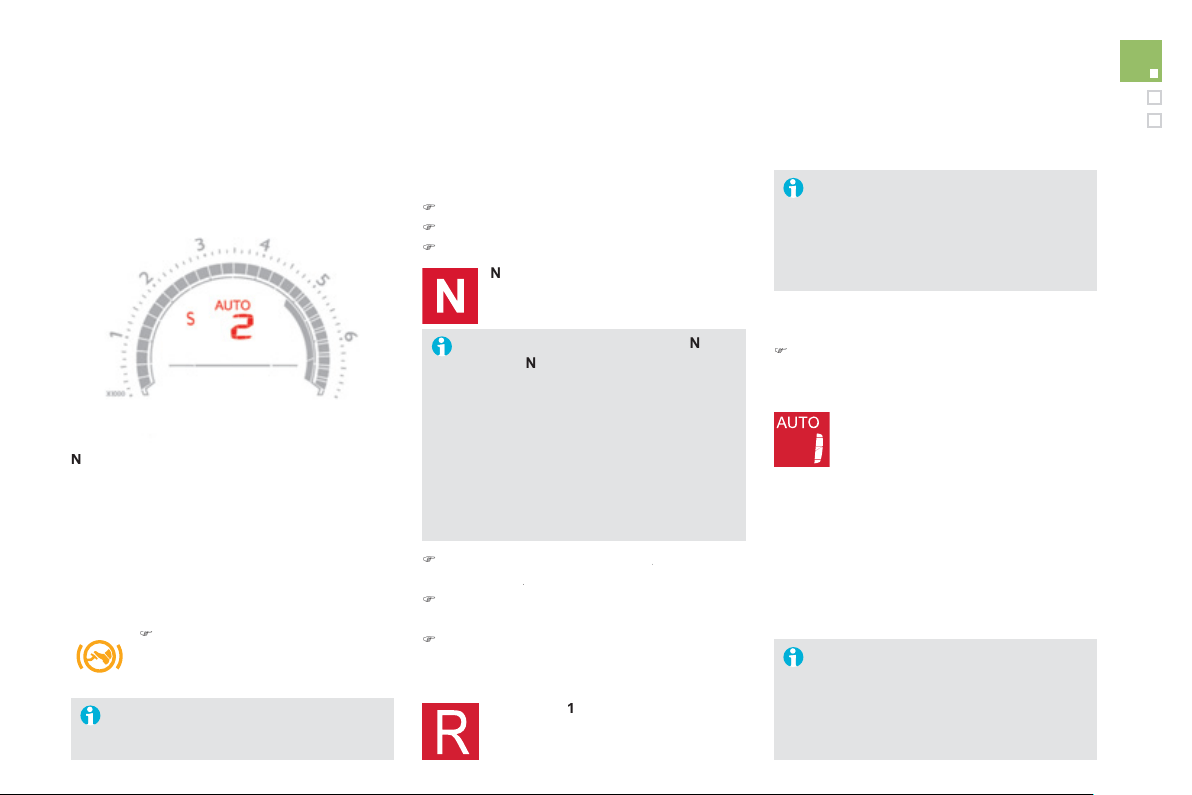
1
1
9
Driving
En
g
a
g
ement of reverse
g
ear is
accompanied b
y
an audible si
g
nal.
If the
g
ear lever is not in position
N
on
s
tartin
g
,
N
fl
as
h
es
in th
e
in
s
tr
u
m
e
nt
p
anel, accompanied b
y
an audible
sig
na
l
an
d
a messa
g
e
i
n t
h
e
i
nstrument
p
ane
l
screen.
F
oot on
b
ra
ke
f
l
as
h
es
o
n th
e
instrument panel, accompanied by an
a
udible si
g
nal and a messa
g
e in the
instrument panel screen, if the brake
p
edal is not pressed on startin
g
.
Wh
en t
h
e en
gi
ne
i
s
idli
n
g
w
i
t
h
t
h
e
brakes o
ff
, i
f
position
R
,
A
or
M
is
s
elected, the vehicle will move o
ff
on its own without any action on the
acce
l
e
r
a
t
o
r.
Displa
y
s in the instrument
p
anel
N
N
eu
tr
a
l
R R
e
v
e
r
se
1,
2
,
3
,
4
,
5
,
6
G
ears in manual mode
AUTO Thi
s
co
m
es
o
n wh
e
n th
e
au
t
o
m
a
t
ed
mode
i
s
se
l
ec
t
ed
. It
s
wit
c
h
es
off
o
n
ch
an
gi
n
g
to manua
l
mo
d
e.
S
S
port
(S
port settin
g)
.
)
Place
y
our
f
oot on the brak
e
when a messa
g
e appears in the
instrument panel screen.
Movin
g
off
)
S
elect
p
osition N .
)
Press the brake pedal down full
y
.
)
Start the en
g
ine.
N
appears in the instrument panel
sc
r
ee
n.
)
S
elect a
g
ear
(
position
M
or
A
) or reverse
A
(
position
R
).
R
)
Release the parkin
g
brake unless it is
pro
g
rammed to automatic mode.
)
Take
y
our foot off the brake pedal, then
acce
l
e
r
a
t
e
.
A
U
T
O
a
n
d
1
o
r
R
appear in the
i
nstrument pane
l
screen.
Automatic mode
)
After startin
g
the vehicle, select position
A
f
o
r
e
nt
e
r
au
t
o
m
a
ti
c
m
ode
.
A
U
TO and the
g
ear en
g
a
g
ed appear
i
n t
h
e
i
nstrument pane
l
screen.
The
g
earbox is then operatin
g
in auto-active
mode, without an
y
action on the part o
f
the
d
r
i
ver.
I
t cont
i
nuous
ly
se
l
ects t
h
e most su
i
ta
bl
e
g
ear,
d
epen
di
n
g
on t
h
e:
- style o
f
driving,
-
p
ro
f
ile o
f
the road.
For optimum acceleration,
f
or example
when overtakin
g
another vehicle, press
the accelerator pedal firml
y
past the
point of resistance.
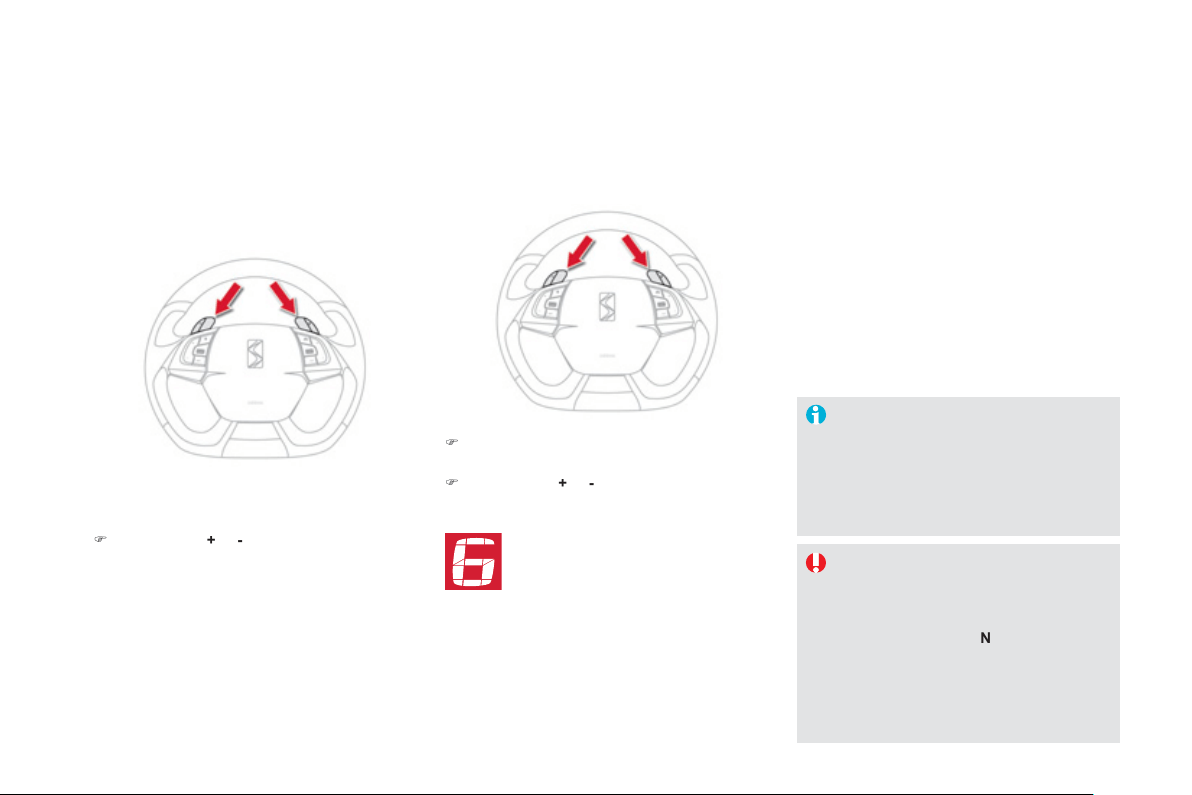
Manual
g
ear chan
g
in
g
)
When the vehicle has moved o
ff
, select
p
osition
M
to change to manual mode.
)
O
perate the
+
or
-
steerin
g
mounted control
paddles.
A
U
T
O
disappears and the
g
ears
e
n
g
a
g
ed appear successivel
y
in the
i
nstrument pane
l
screen.
Th
e
g
ear c
h
an
g
e requests are on
ly
carr
i
e
d
out
i
f
the en
g
ine speed permits.
It is not necessar
y
to release the accelerator
durin
g
g
ear chan
g
es.
When brakin
g
or slowin
g
down, the
g
earbox
c
han
g
es down automaticall
y
to permit
acceleration in the correct
g
ear.
This selective
g
ear chan
g
e mode enables
y
ou
to overtake, for example, while still remainin
g
in
au
t
o
m
a
ti
c
m
ode
.
)
O
perate the
+
o
r
-
steerin
g
mounted control
p
addle.
The
g
earbox en
g
a
g
es the
g
ear requested i
f
the
e
n
gi
ne spee
d
perm
i
ts.
A
UT
O
i
s st
ill
di
sp
l
a
y
e
d
i
n t
h
e
i
nstrument
p
ane
l
.
Af
ter a
f
ew moments without any action on
the controls, the
g
earbox resumes automatic
c
ontrol of the
g
ears.
Manual mode
At ver
y
low speed, if reverse
g
ear is
requeste
d
, t
hi
s w
ill
on
ly
b
e ta
k
en
i
nto
accou
nt w
he
n t
he
v
ehicle
is
i
mm
obilised
(f
oot on the brake
)
. A warnin
g
lamp
a
pp
ears in the instrument
p
anel screen.
O
n sharp acceleration in manual mode,
t
h
e
g
ear
b
ox w
ill
not c
h
an
g
e up un
l
ess
the driver acts on the gear lever or the
s
teerin
g
mounted paddles.
N
e
v
e
r
se
l
ec
t n
eu
tr
a
l
N
whil
e
th
e
v
e
hi
c
l
e
is movin
g
.
O
nl
y
en
g
a
g
e reverse
g
ear
R
wh
e
n th
e
v
e
hi
c
l
e
i
s
imm
ob
ili
sed
with th
e
b
r
a
k
e
pe
d
a
l
presse
d
.
121
Driving
You must press the brake pedal when
s
tartin
g
the en
g
ine.
Whatever the circumstances,
y
ou must
manuall
y
appl
y
the parkin
g
brake when
par
ki
n
g
, un
l
ess t
h
e par
ki
n
g
b
ra
k
e
i
s
pro
g
ramme
d
i
n automat
i
c mo
d
e.
When immobilisin
g
the vehicle, with the
e
n
g
ine runnin
g
,
y
ou must place the
g
ear
l
e
v
e
r in n
eu
tr
a
l
N
.
Be
f
ore carr
y
in
g
out an
y
work in the
e
n
gi
ne compartment, c
h
ec
k
t
h
at t
h
e
g
ear
l
ever
i
s
i
n neutra
l
N
a
n
d
t
ha
t t
he
p
arking brake is applied.
Stoppin
g
the vehicle
With the i
g
nition on, the
f
lashin
g
of this warnin
g
lamp,
accompanied b
y
an audible
s
i
g
nal and a messa
g
e
in the instrument panel screen, indicates a
mal
f
unction o
f
the
g
earbox.
Have it checked b
y
CITRO
Ë
N or a qualified
wor
k
s
h
o
p
.
Be
f
ore switchin
g
o
ff
the en
g
ine,
y
ou can
c
h
oose
t
o
:
- move to position N to en
g
a
g
e neutral,
- leave the
g
ear en
g
a
g
ed; in this case, it will
not be possible to move the vehicle.
I
n
b
ot
h
cases,
y
ou s
h
ou
ld
app
ly
t
h
e par
ki
n
g
b
r
ake
t
o
i
mm
obilise
t
he
v
ehicle
.
Operatin
g
fault Sport settin
g
)
A
f
t
e
r
se
l
ec
ti
o
n
of
m
a
n
ua
l
o
r
automated mode,
p
ress the
S
button to switch on the
S
port
s
ettin
g
, which provides a more
d
y
namic drivin
g
st
y
le.
S
appears alon
g
side the
g
ear
e
n
g
a
g
ed in the instrument panel
screen
.
)
Pr
ess
th
e
S
button a
g
ain to switch it o
ff
.
S
then disappears from the instrument
p
anel screen.
The Sport settin
g
is switched off ever
y
time the
i
g
nition is switched off.

Stop & Start
O
p
eration
Goin
g
into en
g
ine STOP mode
The
"ECO" warn
i
n
g
l
amp comes on
in the instrument panel and the engine
g
oes into standb
y
automaticall
y
:
- with the electronic
g
earbox s
y
stem
,
a
t
speeds below 5 mph
(
8 km/h
)
, press the brake
p
edal or put the
g
ear lever in position
N
.
I
f
y
our vehicle is
f
itted with the s
y
stem, a time
c
ounter calculates the sum o
f
the
p
eriods in
S
T
O
P mode durin
g
a
j
ourne
y
. It resets itsel
f
to
zero ever
y
time the i
g
nition is switched on with
the
S
TART
/S
T
O
P button.
Never re
f
uel with the en
g
ine in
S
T
O
P
m
ode;
y
ou must switch o
ff
the i
g
nition
w
ith th
e
S
TART
/S
T
O
P
bu
tt
o
n.
For
y
our comfort, durin
g
parkin
g
m
aoeuvres,
S
T
O
P mode is not available
f
or a
f
ew seconds a
f
ter comin
g
out o
f
re
v
erse
gear
.
S
T
O
P mode does not a
ff
ect the
f
unctionalit
y
o
f
the vehicle, such as
f
or
example, brakin
g
, power steerin
g
...
Special cases: STOP mode not
a
vailable
S
T
O
P mode is not invoked when:
- t
h
e
d
r
i
ver
'
s
d
oor
i
s open,
- the driver's seat belt is not
f
astened,
- the vehicle has not exceeded 6 m
p
h
(
10 km
/
h
)
since the last en
g
ine start usin
g
the START/ST
O
P button,
- the electric parkin
g
brake is applied or
bein
g
applied,
- the en
g
ine is needed to maintain a
c
om
f
ortable temperature in the passen
g
er
c
ompartment,
-
d
em
i
st
i
n
g
i
s act
i
ve,
- some special conditions
(
battery charge,
e
n
g
ine temperature, brakin
g
assistance,
a
mbient temperature...
)
where the en
g
ine is
n
eeded to assure control of a s
y
stem.
In this case, the "ECO" warning lamp
f
lashes
f
or a
f
ew seconds then
g
oes
o
ff.
The
S
top
&
S
tart system puts the engine temporarily into standby -
S
T
O
P mode - during stops in the tra
ff
ic
(
red lights, tra
ff
ic jams, or other...
)
. The
e
n
g
ine restarts automaticall
y
-
S
TART mode - as soon as
y
ou want to move o
ff
. The restart takes place instantl
y
, quickl
y
and silentl
y
.
Perfect for urban use, the Stop & Start s
y
stem reduces fuel consumption and exhaust emissions as well as the noise level when stationar
y
.
T
his operation is perfectl
y
normal
.
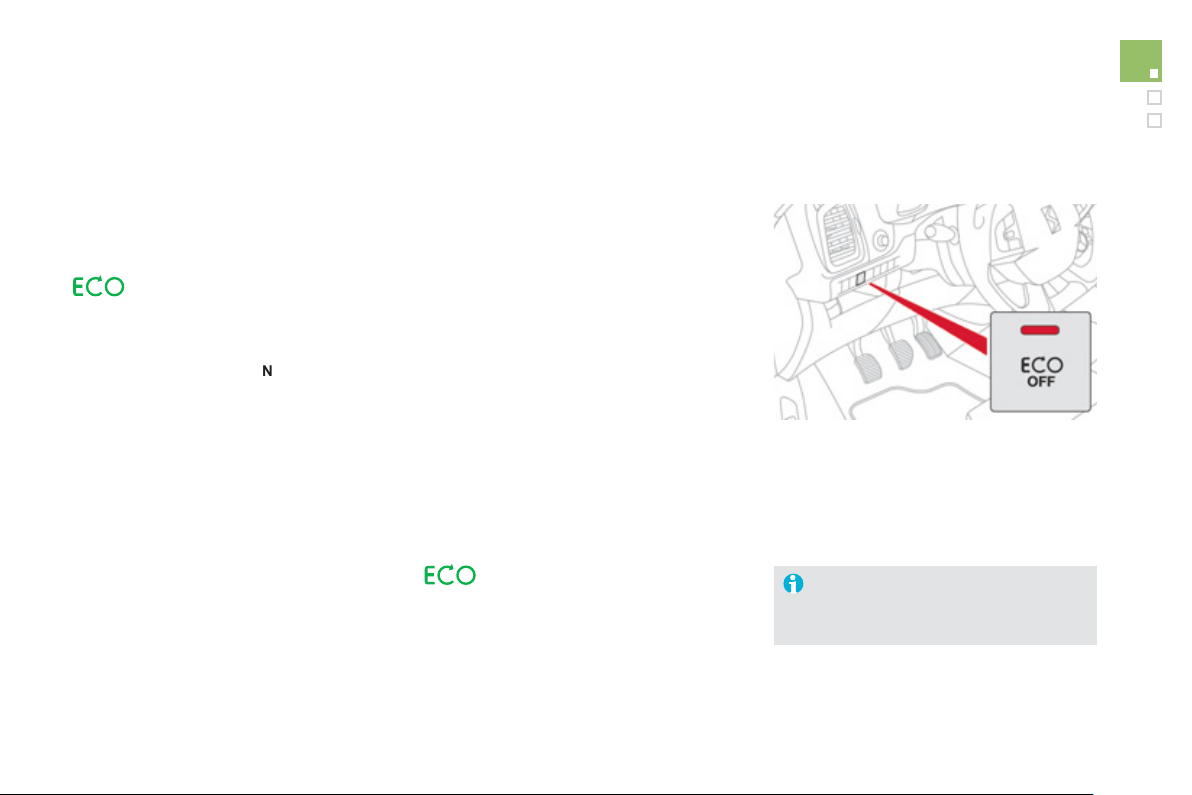
1
2
3
Driving
Goin
g
into en
g
ine START mode
The
"
ECO" warnin
g
lamp
g
oes o
ff
a
nd the engine starts automatically
w
ith th
e
e
lectronic
g
earbox s
y
ste
m
:
●
g
ear lever in position
A
o
r
M
, release the
brake pedal,
● or
g
ear
l
ever
i
n pos
i
t
i
on
N
a
n
d
t
he
b
r
ake
p
e
d
a
l
re
l
ease
d
, move t
h
e
g
ear
l
ever to
p
os
i
t
i
on
A
or
M
,
●
or
engage
re
v
erse
gear
.
S
TART mode is invoked automaticall
y
when:
- the driver's door is o
p
en,
- the driver's seat belt is not
f
astened,
- the speed of the vehicle exceeds 7 mph
(
11 km/h
)
with the electronic
g
earbox
sy
s
t
em,
- the electric parkin
g
brake is bein
g
applied,
- some special conditions
(
batter
y
char
g
e,
e
n
gi
ne temperature,
b
ra
ki
n
g
ass
i
stance,
ambient temperature...
)
where the en
g
ine is
needed
f
or control o
f
a s
y
stem.
S
p
ecial cases: START invoked
a
utomaticall
y
If the s
y
stem has been deactivated
in STOP mode, the en
g
ine restarts
i
mme
di
ate
ly
.
A
t an
y
time, press the "ECO OFF"
s
wit
c
h t
o
deactivate the s
y
stem.
This is confirmed b
y
the switch warnin
g
lamp
c
omin
g
on accompanied b
y
a messa
g
e in the
sc
r
ee
n.
Deactivation
I
n t
his
case
t
he
"
ECO" warn
i
n
g
lam
p
f
lashes
f
or a
f
ew seconds, then
g
oes o
ff
.
T
his operation is perfectl
y
normal
.
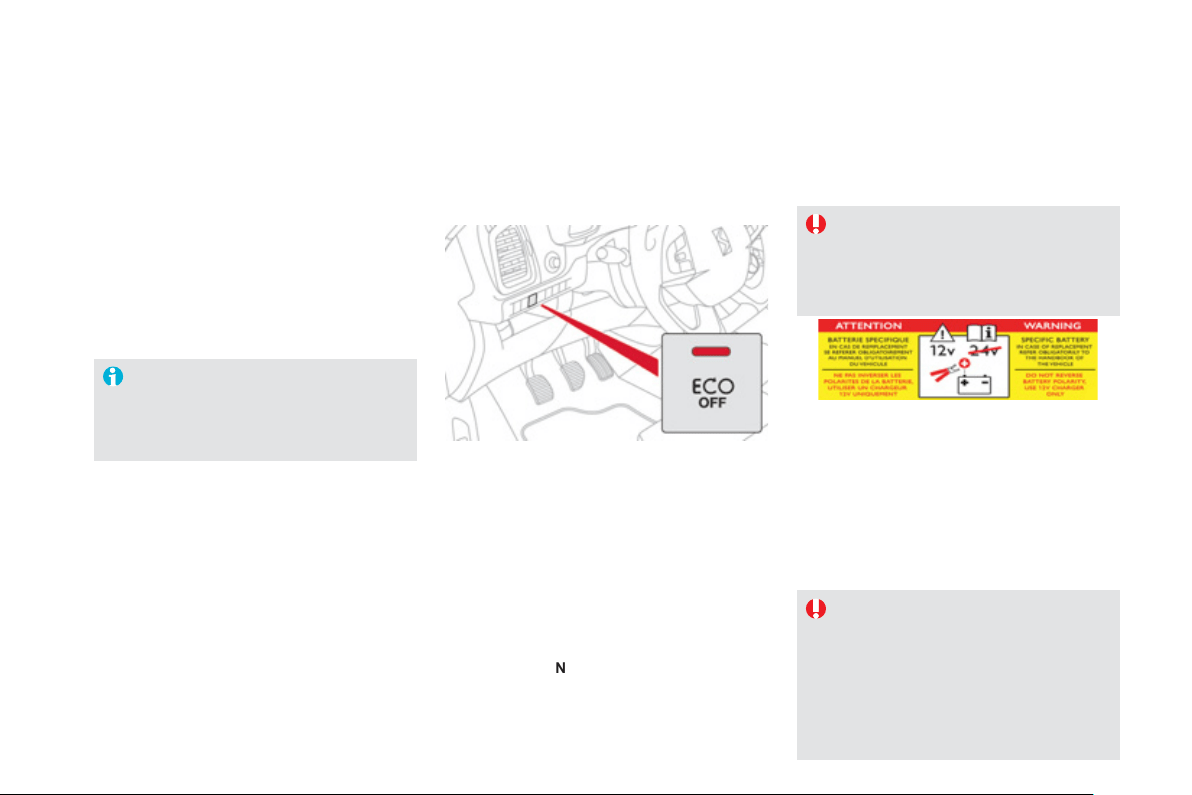
The s
y
stem is reactivated automaticall
y
at ever
y
new start usin
g
the
S
TART
/
S
T
O
P
bu
tt
o
n.
Reactivation
P
r
ess
t
he
"
ECO OFF" sw
i
tc
h
a
g
a
i
n.
The s
y
stem is active a
g
ain; this is con
f
irmed
by the switch warning lamp going o
ff
and a
m
essa
g
e in the screen.
Operatin
g
fault
In the event of a fault with the s
y
stem, the
"ECO OFF" switch warnin
g
lamp flashes then
c
omes on cont
i
nuous
ly
.
Have it checked b
y
a CITROËN dealer or a
q
ualified workshop.
In the event o
f
a
f
ault in
S
T
O
P mode, the
vehicle ma
y
stall.
All of the instrument panel warnin
g
lamps
come
on
.
Dependin
g
on version, an alert messa
g
e ma
y
also be displa
y
ed, askin
g
y
ou to place the
g
ea
r
l
ever
i
n
p
os
i
t
i
on
N
and put
y
our
f
oot on the
b
rake pedal.
It is then necessar
y
to switch off the i
g
nition
and start the en
g
ine a
g
ain usin
g
the "
S
TART
/
S
T
O
P" button.
Be
f
ore doin
g
an
y
thin
g
under the bonnet,
deactivate the
S
top
&
S
tart system to
avoid an
y
risk o
f
in
j
ur
y
resultin
g
f
rom
automatic operation of START mode.
This s
y
stem requires a
12
V batter
y
with a
s
pecial specification and technolo
gy
(
reference
n
umbers available from CITROËN dealers
)
.
Fittin
g
a batter
y
not listed b
y
CITRO
Ë
N
introduces the risk o
f
mal
f
unction o
f
the s
y
stem.
For char
g
in
g
, use a 12 V char
g
er and do not
reverse the polarity.
Maintenance
The
S
top
&
S
tart system makes use o
f
advanced technolo
gy
. For an
y
work on
the s
y
stem
g
o to a qualified workshop
with the skills and equipment required,
which a
C
ITR
O
ËN dealer is able to
provide.
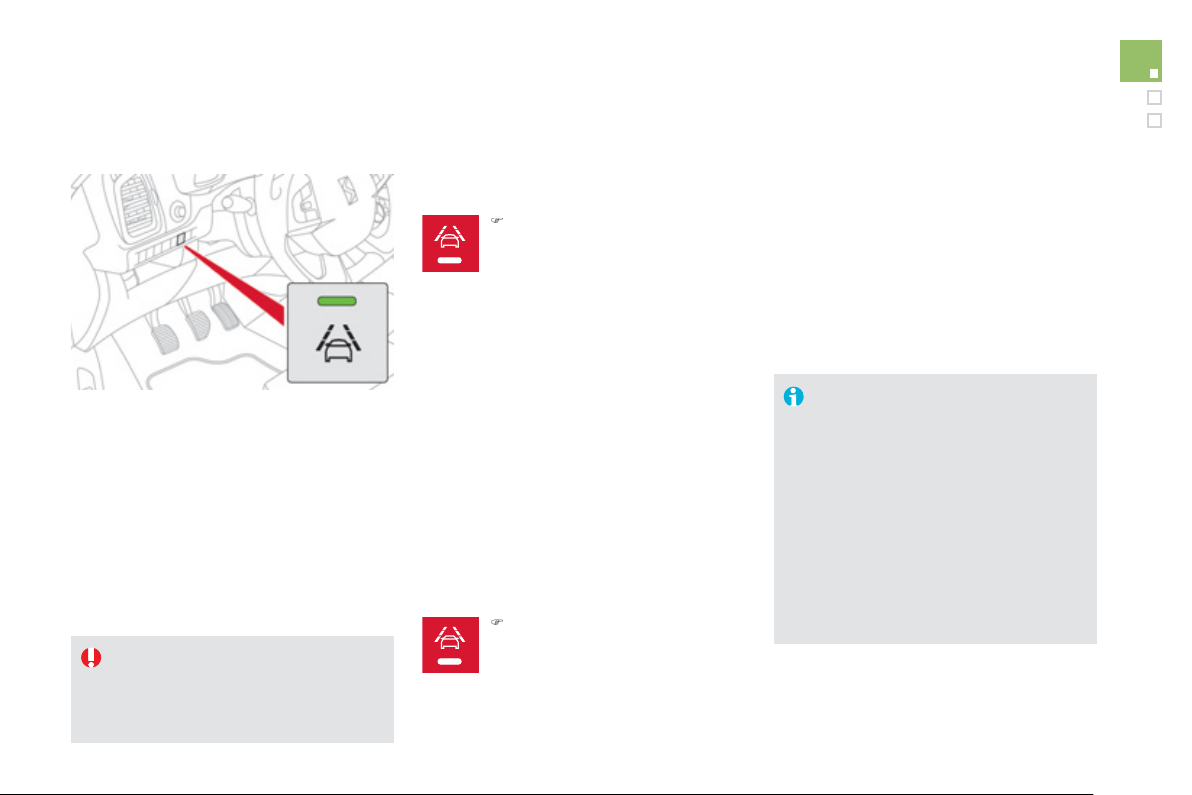
1
25
Driving
Lane departure warning system
Sy
stem which, usin
g
a camera which
reco
g
n
i
ses so
lid
or
b
ro
k
en
li
nes,
d
etects t
h
e
involuntary crossing o
f
longitudinal tra
ff
ic lane
m
arkin
g
s on the
g
round.
To provide safe drivin
g
, the camera anal
y
ses
the ima
g
e then, if the driver's attention drops,
tri
gg
ers a warnin
g
if the vehicle drifts over
a lane markin
g
(
speed hi
g
her than 50 mph
(
80 km
/
h
))
.
This s
y
stem is particularl
y
use
f
ul on motorwa
y
s
a
n
d
m
ai
n r
oads
.
A
ctivation
)
Press this button
,
the indicator
lamp comes on.
The lane departure warnin
g
s
y
stem
c
annot, in an
y
circumstances, replace
the need for vi
g
ilance and responsibilit
y
o
n the part of the driver.
Deactivation
You are warned b
y
the vibration o
f
the driver's
sea
t
cushio
n:
- on the right-hand side, i
f
the marking on the
g
round has been crossed on the ri
g
ht,
- on the left-hand side, if the markin
g
on the
g
round has been crossed on the left.
No warnin
g
is transmitted while the direction
i
ndicator is active and for approximatel
y
20
seconds a
f
ter the direction indicator is
s
wit
c
h
ed
off
.
Detection - alert
Operatin
g
fault
The detection may be impeded:
- i
f
the markin
g
s on the
g
round
are
w
orn
,
- if th
e
r
e
i
s
littl
e
co
ntr
as
t
be
tw
ee
n th
e
markin
g
s on the
g
round and the road
su
rf
ace
.
- i
f
the windscreen is dirt
y
,
-
i
n
ce
rt
ai
n
se
v
e
r
e
w
ea
t
he
r
co
n
di
t
io
n
s
:
f
o
g
, heav
y
rain, snow, bri
g
ht sunli
g
ht
o
r direct exposure to the sun
(
low
s
un, leavin
g
a tunnel, ...
)
and shade.
)
P
ress t
hi
s
b
utton a
g
a
i
n, t
h
e
indicator lamp goes o
ff
.
In the event of a fault, the indicator lamp in the
bu
tt
o
n fl
as
h
es
.
Contact a CITROËN dealer or a qualified
wor
k
s
h
op.
The status of the s
y
stem remains in the
memor
y
when the i
g
nition is switched off.
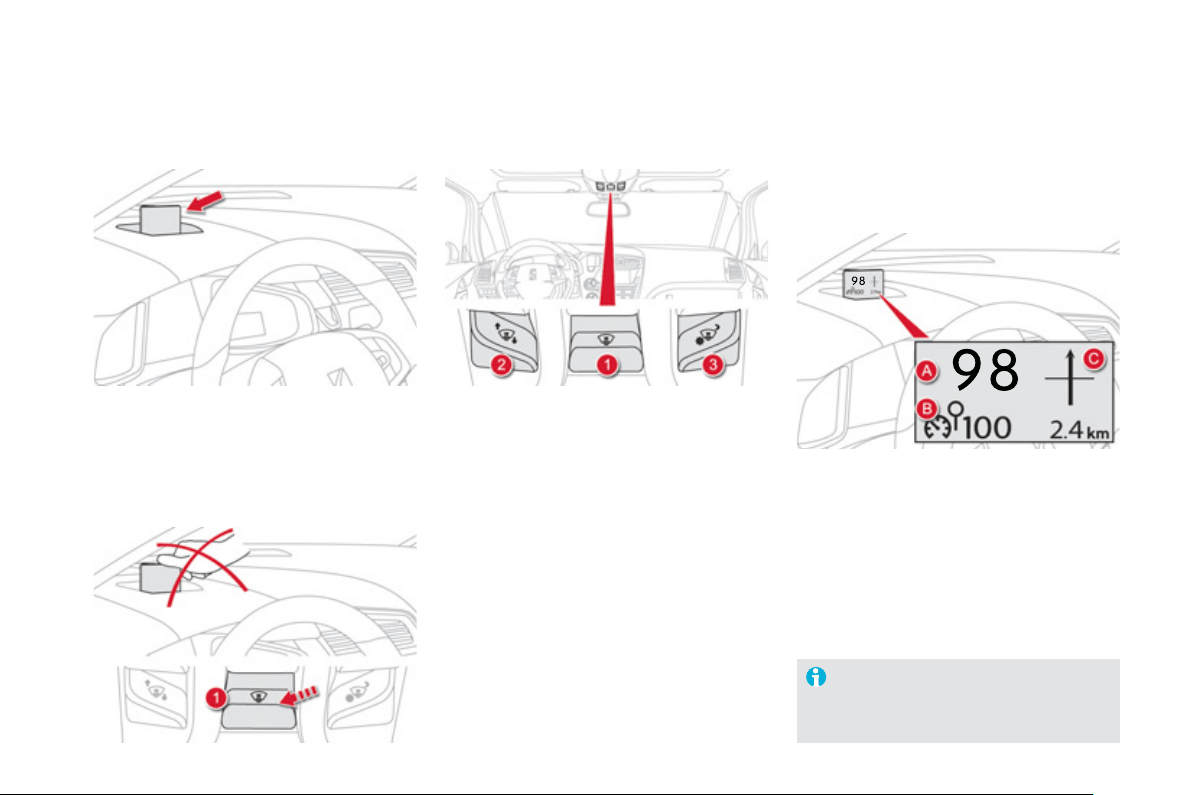
Head-up display
S
y
stem which pro
j
ects information onto a
transparent strip in the field of vision of the
driver so that the
y
do not have to take their
ey
es off the road.
This s
y
stem operates when the en
g
ine is
r
unnin
g
and the settin
g
s are stored when the
i
g
nition is switched off.
1
.
Head-up displa
y
on / off.
2
.
Displa
y
hei
g
ht ad
j
ustment.
3.
Bri
g
htness ad
j
ustment.
O
nce the s
y
stem has been activated,
the in
f
ormation projected in the head-up
displa
y
is:
A
.
The speed of
y
our vehicle.
B
.
Cruise control/speed limiter information.
Displa
y
s durin
g
operation
C
.
Navi
g
ation in
f
ormation
(
accordin
g
to
version
)
.
For more information on the navi
g
ation
sy
stem, refer to the "Audio and
t
ele
m
a
t
ic"
sec
t
io
n.
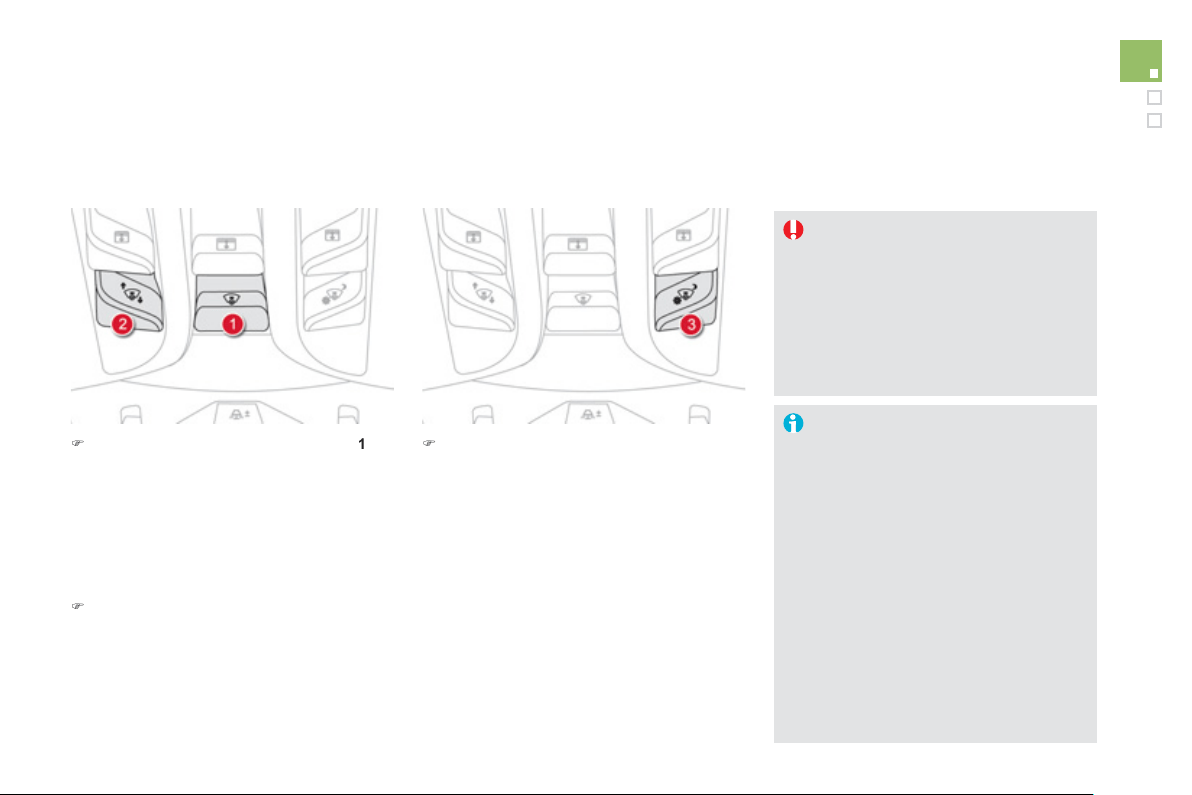
127
Driving
)
Wi
t
h
t
h
e en
gi
ne runn
i
n
g
, press
b
utton
1
.
Th
e
ac
tiv
a
t
ed/deac
tiv
a
t
ed
s
t
a
t
us
wh
e
n th
e
e
n
g
ine was switched o
ff
is retained when
t
h
e en
gi
ne
i
s sw
i
tc
h
e
d
on a
g
a
i
n.
The strip retracts automaticall
y
3 seconds a
f
te
r
s
witchin
g
o
ff
the en
g
ine except in
S
T
O
P mode
o
f
S
to
p
&
S
tart.
Activation
/
Deactivation
)
Wi
t
h
t
h
e en
gi
ne runn
i
n
g
, a
dj
ust t
h
e
b
rightness o
f
the in
f
ormation using
bu
tt
o
n
3
:
- t
o
w
a
r
ds
th
e
r
ea
r t
o
in
c
r
ease
th
e
bri
g
htness,
- t
o
w
a
r
ds
th
e
fr
o
nt t
o
dec
r
ease
th
e
bri
g
htness.
Bri
g
htness ad
j
ustment
W
e recommen
d
t
h
at a
dj
ustments are
on
ly
ma
d
e us
i
n
g
t
h
ese
b
uttons w
h
en
the vehicle is stationary.
When stationar
y
or while drivin
g
, no
ob
j
ects should be placed around the
transparent strip
(
or on its cover
)
to
avoid blockin
g
the strip output and
preventin
g
its correct operation.
In
ce
rt
a
in
e
xtr
e
m
e
w
ea
th
e
r
co
n
d
iti
o
n
s
(
rain and
/
or snow, bri
g
ht sunshine, ...
)
the head-up displa
y
ma
y
not be le
g
ible
or ma
y
suffer temporar
y
interference.
Some sun
g
lasses ma
y
hamper readin
g
o
f th
e
inf
o
rm
a
ti
o
n.
T
o c
l
ean t
h
e transparent str
i
p, use a
c
lean, so
f
t cloth
(
such as a spectacles
c
loth or micro
f
ibre cloth
)
. Do not use
a dry or abrasive cloth or detergent or
s
olvent
p
roducts as these could scratch
the strip or dama
g
e the anti-reflection
c
oatin
g
.
Hei
g
ht ad
j
ustment
)
With the engine running, adjust the display
to the required hei
g
ht usin
g
button
2
:
- towards the rear to move the displa
y
up,
- towards the front to move the displa
y
do
wn.
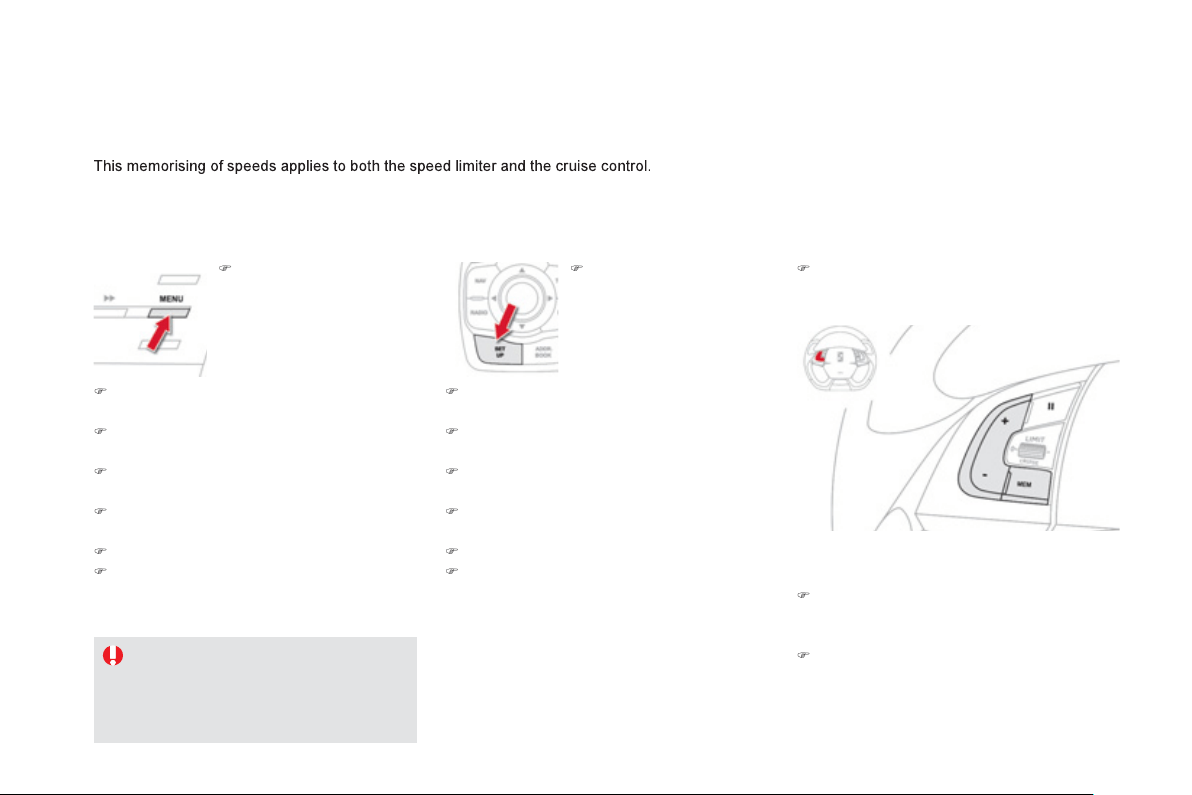
Memorising speeds
)
Select the "Personalisation-confi
g
uration"
me
n
u
a
n
d
co
nfirm.
)
Select "Vehicle parameters" menu and
co
nfirm.
)
S
elect the "Drivin
g
assistance" line and
co
n
fo
rm.
)
S
elect the "
Sp
eeds memorised" line and
co
n
f
irm.
)
Modi
fy
the speed.
)
Select "OK "
a
n
d
co
nfirm t
o
sa
v
e
th
e
mod
ifi
ca
ti
o
n
s
.
For safet
y
reasons, the driver must onl
y
c
arr
y
out these operations usin
g
the
audio s
y
stem screen when stationar
y
.
You can memorise up to 5 speeds in the s
y
stem.
B
y
default, some speeds are alread
y
memorised.
)
Select the "Confi
g
uration" menu and
co
nfirm.
)
Select the "Vehicle parameters" menu and
co
nfirm.
)
S
elect the "Drivin
g
assistance" line and
co
n
f
irm.
)
S
elect the "
Sp
eeds memorised" line and
co
n
f
irm.
)
Modi
fy
the speed.
)
Select "
O
K"
a
n
d
co
nfirm t
o
sa
v
e
th
e
m
od
ifi
ca
ti
o
n
s
.
With the Audio S
y
stem With eM
y
Wa
y
)
G
o to the main menu b
y
p
ressin
g
the
"
MENU"
bu
tt
o
n.
)
G
o to the main menu b
y
pressin
g
"
SET UP" .
Access
)
press the steerin
g
mounted
"
MEM"
bu
tt
o
n
to displa
y
the list of memorised speeds.
Selection
To select a memorised speed:
)
Press and hold the "+" or "-" button; the
sy
stem stops at the nearest memorised
s
peed.
)
Press and hold the "+" or "-" button a
g
ain to
s
e
l
ect anot
h
er memor
i
se
d
spee
d
.
A
reminder o
f
the speed and the state o
f
the
sy
stem
(
active
/
inactive
)
is displa
y
ed in the
instrument
p
anel.
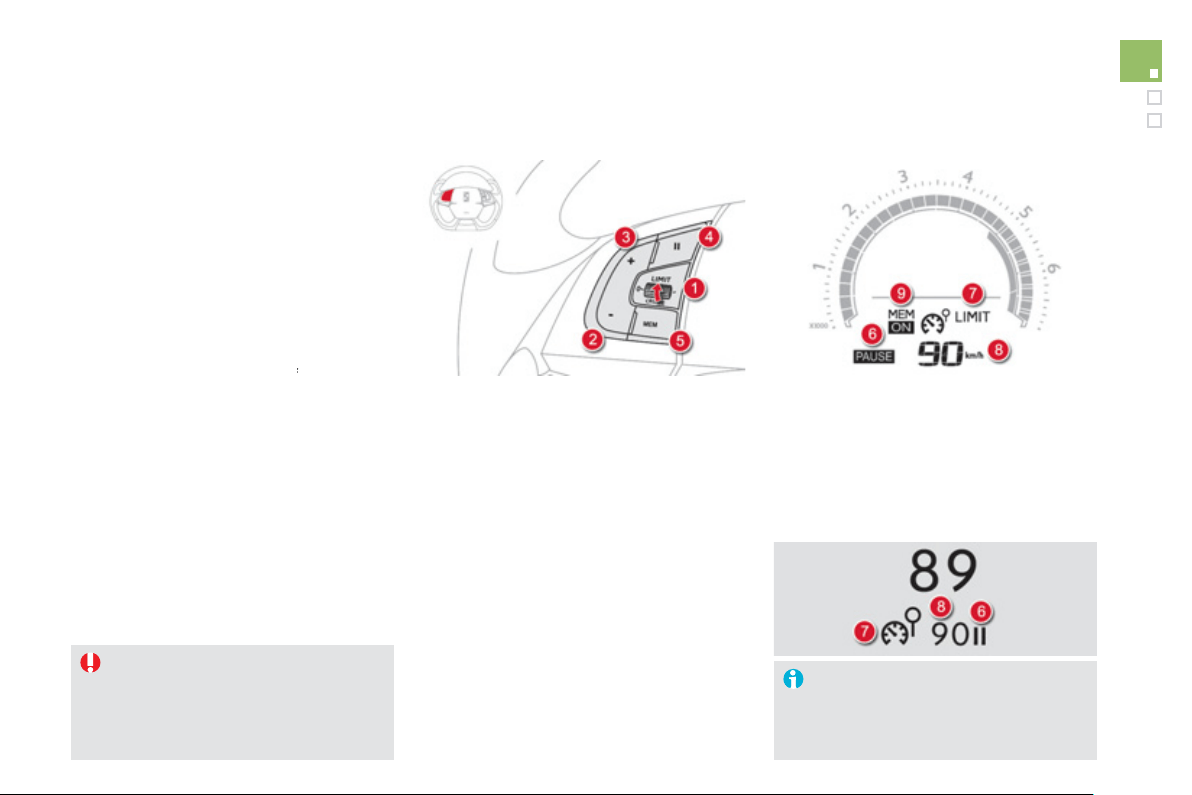
1
2
9
Driving
The pro
g
rammed information is
g
rouped
to
g
ether in the instrument panel screen.
6
.
S
peed limiter on
/
o
ff
indication.
7.
S
peed limiter mode selection indication.
8.
P
ro
g
ramme
d
spee
d
va
l
ue.
9.
S
election o
f
a memorised s
p
eed.
(
see "Memorisin
g
speeds"
)
Displa
y
s in the instrument panel
Speed limiter
Sy
stem which prevents the vehicle
f
rom
e
xcee
di
n
g
t
h
e spee
d
pro
g
ramme
d
by
t
h
e
d
r
i
ver.
Wh
en t
h
e pro
g
ramme
d
spee
d
li
m
i
t
i
s reac
h
e
d
,
p
ressing the accelerator pedal no longer has
an
y
e
ff
ect.
The speed limiter cannot, in an
y
c
ircumstances, replace the need to
r
espect speed limits, nor can it replace
the need for vi
g
ilance and responsibilit
y
on the part of the driver.
The functions of this s
y
stem are
g
rouped
to
g
ether on the steerin
g
mounted controls.
1.
S
peed limiter mode selection wheel.
2.
P
ro
g
ramme
d
va
l
ue
d
ecrease
b
utton.
3.
P
ro
g
ramme
d
va
l
ue
i
ncrease
b
utton.
4
.
Sp
eed limiter on
/
o
ff
button.
5
.
List o
f
memorised speeds displa
y
button.
(
see "Memorisin
g
speeds"
)
Steerin
g
mounted controls
O
p
eration
The speed limiter is switched on manuall
y
:
it requires a pro
g
rammed speed of at least
20 mph
(
30 km
/
h
)
.
Th
e spee
d
li
m
i
ter
i
s
switched off
by manual
f
op
eration o
f
the control.
The programmed speed can be exceeded
temporaril
y
b
y
pressin
g
the accelerator
f
irml
y
be
y
ond the point of resistance.
To return to the pro
g
rammed speed, simpl
y
release the accelerator pedal.
The pro
g
rammed speed remains in the memor
y
when the i
g
nition is switched o
ff
.
This in
f
ormation also appears in the
h
ea
d
-up
di
sp
l
a
y
.
For more in
f
ormation, re
f
er to the
"
Head-up display" section.
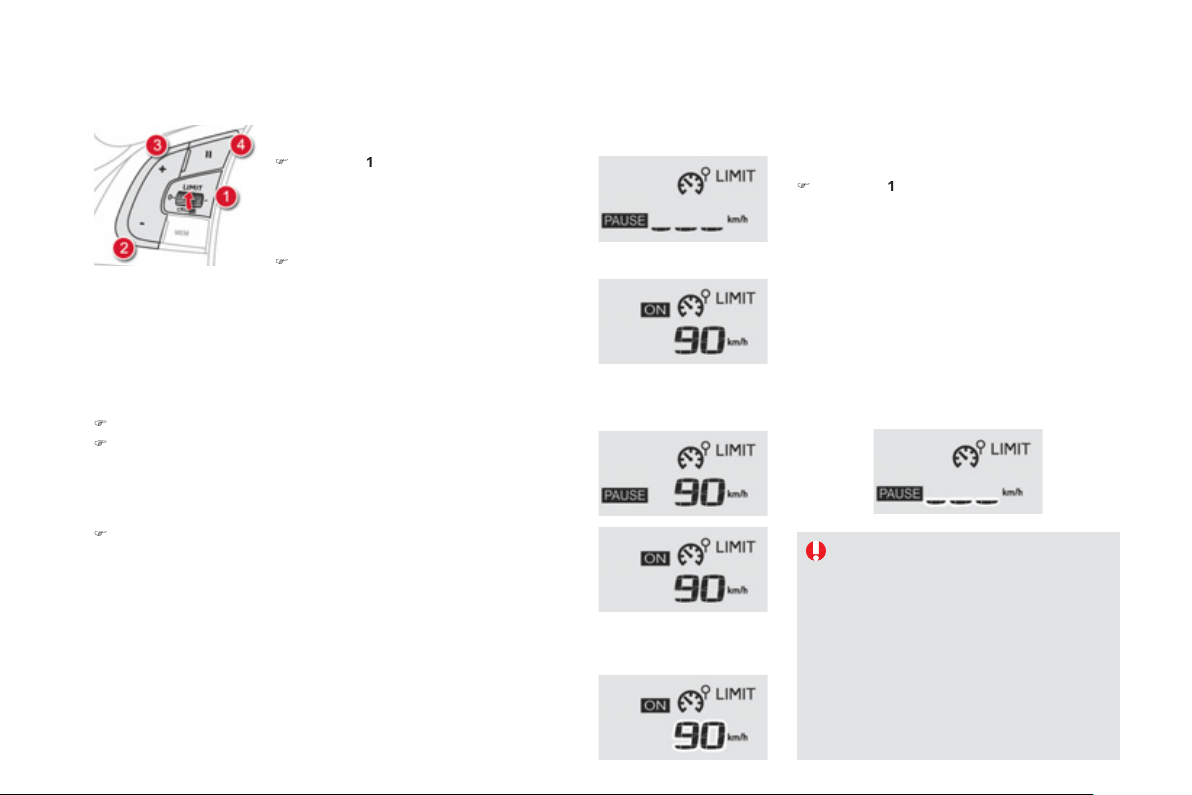
Pro
g
rammin
g
)
T
u
rn
d
i
a
l
1
t
o
th
e
"
LIMIT" position: the
speed limiter mode is selected but is not
switched on
(
Pause
)
.
Y
ou
d
o not
h
ave to sw
i
tc
h
t
h
e spee
d
li
m
i
ter on
i
n or
d
er to set t
h
e s
p
ee
d
.
)
S
et the speed value by pressing button
2
or
3
(
e.
g
.: 55 mph
(
90 km
/
h
))
.
Exceedin
g
the pro
g
rammed speed
Pressin
g
the accelerator pedal to exceed the pro
g
rammed speed will
n
ot have an
y
e
ff
ect unless
y
ou press the pedal firml
y
p
ast the
p
oint of
r
esistanc
e
.
The speed limiter is deactivated temporaril
y
and the pro
g
rammed speed,
which is still displa
y
ed,
f
lashes.
Returnin
g
to the pro
g
rammed speed, b
y
means o
f
intentional or
unintentional deceleration o
f
the vehicle, automaticall
y
cancels the
f
lashin
g
o
f
the pro
g
rammed speed.
Exitin
g
the speed limiter
m
o
d
e
)
Tu
rn
dial
1
t
o
t
he
"
0" pos
i
t
i
on: t
h
e spee
d
li
m
i
ter mo
d
e
i
s
d
ese
l
ecte
d
.
I
t
di
sa
pp
ears
f
r
o
m th
e
sc
r
ee
n.
Operatin
g
fault
In the event of a fault with the speed limiter,
the speed is cleared resultin
g
in flashin
g
of the
dashes
.
Have it checked b
y
a CITRO
Ë
N dealer or a
q
uali
f
ied worksho
p
.
O
n a steep descent or in the event o
f
s
harp acceleration, the speed limiter will
not be able to prevent the vehicle
f
rom
e
xcee
di
n
g
t
h
e pro
g
ramme
d
spee
d
.
To avoid an
y
risk o
f
j
ammin
g
o
f
the
p
edals:
- ensure that the mat is
p
ositioned
c
orrectl
y
,
- do not fit one mat on top of another.
)
Switch the speed limiter back on b
y
pressin
g
button
4
a
g
ain.
You can then chan
g
e the pro
g
rammed speed usin
g
buttons
2
a
n
d
3
:
- b
y
+ or - 1 mph
(
km/h
)
= short press,
- in steps of + or - 5 mph
(
km/h
)
= maintained press.
If speed memorisation is available and activated on
y
our vehicle,
the pro
g
rammed speed will stop at the closest memorised speed;
r
e
f
er to the correspondin
g
para
g
raph.
)
S
witch the speed limiter on b
y
pressin
g
button
4
.
)
S
witch the speed limiter o
ff
b
y
pressin
g
button
4
: t
h
e
di
sp
l
a
y
c
on
f
irms that it has been switched o
ff
(
Pause
)
.
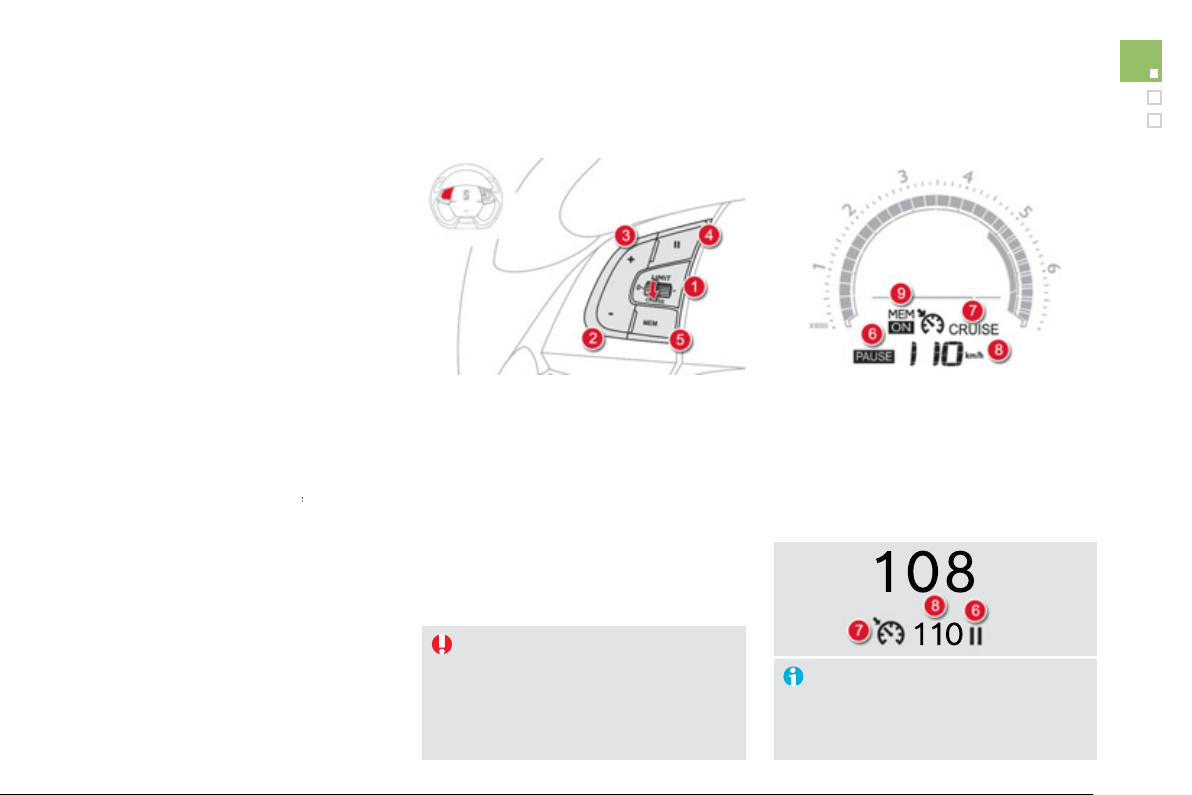
1
3
1
Driving
The cruise control system cannot, in
an
y
circumstances, replace the need to
res
p
ect s
p
ee
d
li
m
i
ts, nor can
i
t re
pl
ace
the need for vi
g
ilance and responsibilit
y
on the part o
f
the driver.
You are advised to keep
y
our feet near
t
h
e pe
d
a
l
s at a
ll
t
i
mes.
Cruise control
Sy
stem which automaticall
y
maintains the
s
peed o
f
the vehicle at the value pro
g
rammed
by the driver, without any action on the
accelerator pedal.
The functions of this s
y
stem are
g
rouped
to
g
et
h
er on t
h
e steer
i
n
g
mounte
d
contro
l
s.
1.
C
r
u
i
se
co
ntr
o
l m
ode
se
l
ec
ti
o
n
d
i
a
l.
2.
S
peed pro
g
rammin
g
/
value decrease
bu
tt
o
n.
3.
S
peed pro
g
rammin
g
/
value increase
bu
tt
o
n.
4.
C
ruise control off
/
resume button.
5
.
Stored speeds displa
y
button.
(
see "Storin
g
speeds"
)
Steerin
g
mounted controls
The pro
g
rammed information is
g
rouped
to
g
et
h
er
i
n t
h
e
i
nstrument pane
l
screen.
6
.
C
r
u
i
se
co
ntr
o
l
off
/
r
esu
m
e
in
d
i
ca
ti
o
n.
7.
C
r
u
i
se
co
ntr
o
l m
ode
se
l
ec
ti
o
n in
d
i
ca
ti
o
n.
8.
Programmed speed value.
9.
S
electin
g
a stored speed.
(
see "Storin
g
speeds"
)
Displa
y
s in the instrument panel
O
p
eration
The
c
r
uise
co
ntr
ol
is
sw
i
tc
h
e
d
on manua
lly
:
it requires a minimum vehicle speed o
f
25 mph
(
40 km
/
h
)
and en
g
a
g
ement o
f
:
-
f
ourth gear on the manual gearbox,
- second
g
ear on the electronic
g
earbox
sy
stem or automatic
g
earbox, in sequential
drivin
g
mode,
- position
A
on the electronic
g
earbox
sy
stem or
D
on t
h
e automat
i
c
g
ear
b
ox.
The
c
r
uise
co
ntr
ol
is
switched off
manually
f
o
r
by
press
i
n
g
t
h
e
b
ra
k
e or c
l
utc
h
pe
d
a
l
or on
tri
gg
erin
g
o
f
the "electronic stabilit
y
control"
s
ystem
f
or sa
f
ety reasons.
It is possible to exceed the pro
g
rammed speed
temporaril
y
b
y
pressin
g
the accelerator pedal.
To return to the pro
g
rammed speed, simpl
y
release the accelerator pedal.
S
witchin
g
o
ff
the i
g
nition cancels an
y
p
ro
g
ramme
d
spee
d
va
l
ue.
This information also appears in the
head-up displa
y
.
For more information
,
refer to the
"
Head-up displa
y
" section.
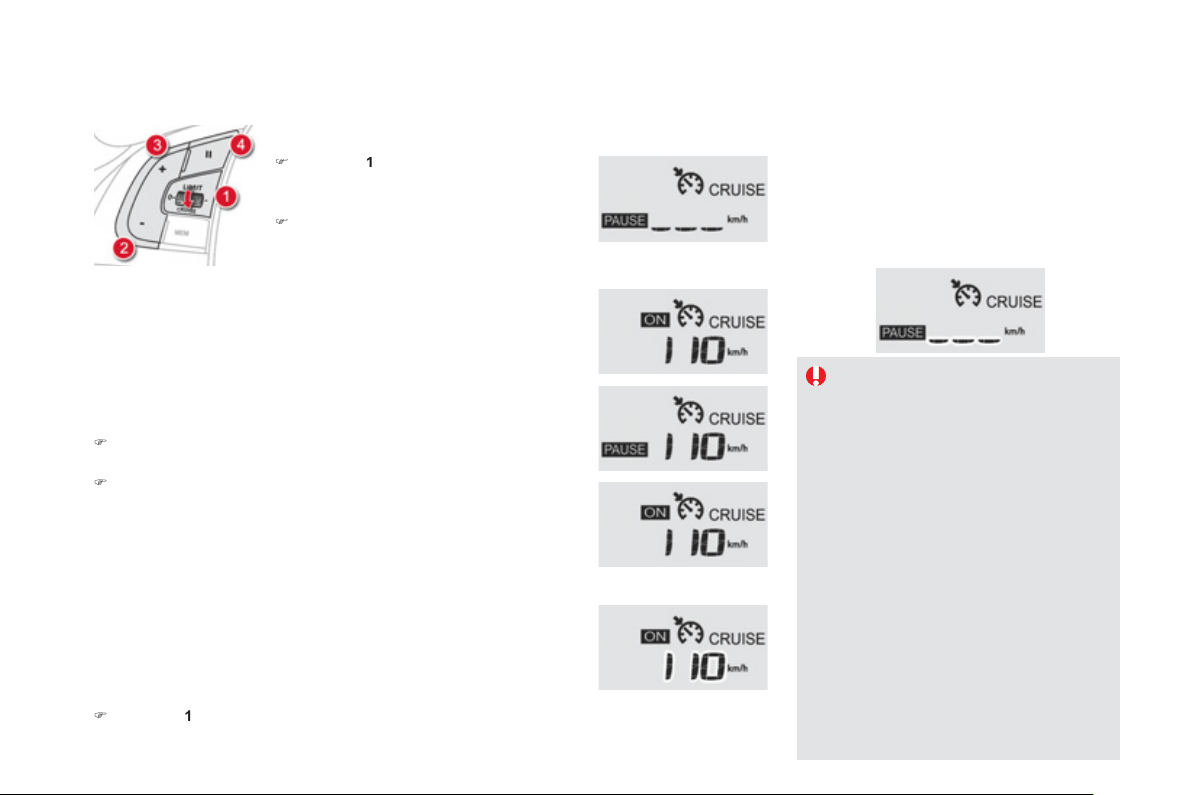
Wh
en t
h
e cru
i
se contro
l
i
s sw
i
tc
h
e
d
on,
be care
f
ul i
f
y
ou maintain the pressure
o
n one o
f
the pro
g
rammed speed
c
hanging buttons: this may result in a
ver
y
rapid chan
g
e in the speed o
f
y
our
v
e
hi
c
l
e
.
Do not use the cruise control on slipper
y
roads or in heav
y
traffic.
On a steep descent, the cruise control
w
ill
not
b
e a
bl
e to prevent t
h
e ve
hi
c
l
e
f
rom exceedin
g
the pro
g
rammed speed.
O
n steep climbs or when towin
g
, the
programmed speed may not be reached
o
r m
a
int
a
in
ed
.
To avoid an
y
risk of
j
ammin
g
of the
pedals:
- ensure that the mat is positioned
c
orrectl
y
,
- never
f
it one mat on top o
f
another.
Pro
g
rammin
g
)
T
u
rn
d
i
a
l
1
t
o
th
e
"
CRUISE" position: the
c
r
u
i
se
co
ntr
o
l m
ode
i
s
se
l
ec
t
ed
bu
t i
s
n
o
t
switched on
(
Pause
)
.
)
S
et the pro
g
rammed speed b
y
acceleratin
g
to t
h
e re
q
u
i
re
d
s
p
ee
d
, t
h
en
p
ress
b
utton
2
or
3
(
e.g.: 70 mph
(
110 km
/
h
))
; the cruise
c
ontrol s
y
stem is activated
(O
N
)
.
Exceedin
g
the pro
g
rammed speed
Intentional or unintentional exceedin
g
of the pro
g
rammed speed results
in
f
lashin
g
o
f
this speed in the screen.
Return to the pro
g
rammed speed, b
y
means of intentional o
r
unintentional deceleration o
f
the vehicle, automaticall
y
cancels the
f
lashin
g
o
f
the speed.
Exitin
g
cruise control mode
)
T
u
rn
d
i
a
l
1
t
o
th
e
"0" position: the cruise control mode is deselected.
It disappears
f
rom the screen.
Operatin
g
fault
In the event of a cruise control malfunction,
the speed is cleared resultin
g
in flashin
g
of the
dashes
.
Have it checked b
y
a CITRO
Ë
N dealer or a
q
uali
f
ied worksho
p
.
You can then change the programmed speed using buttons
2
a
n
d
3
:
- b
y
+ or - 1 mph
(
km
/
h
)
= short press,
- in steps of + or - 5 mph
(
km/h
)
= maintained press.
If storin
g
speeds is available and activated on
y
our vehicle, the
p
ro
g
rammed speed will stop at the closest stored speed; refer to the
c
orrespondin
g
section.
)
S
top the cruise control s
y
stem b
y
pressin
g
button
4
: thi
s
i
s
co
n
f
irm
ed
i
n the screen
(
Pause
)
.
)
S
witch on the cruise control a
g
ain with another press on button
4
.
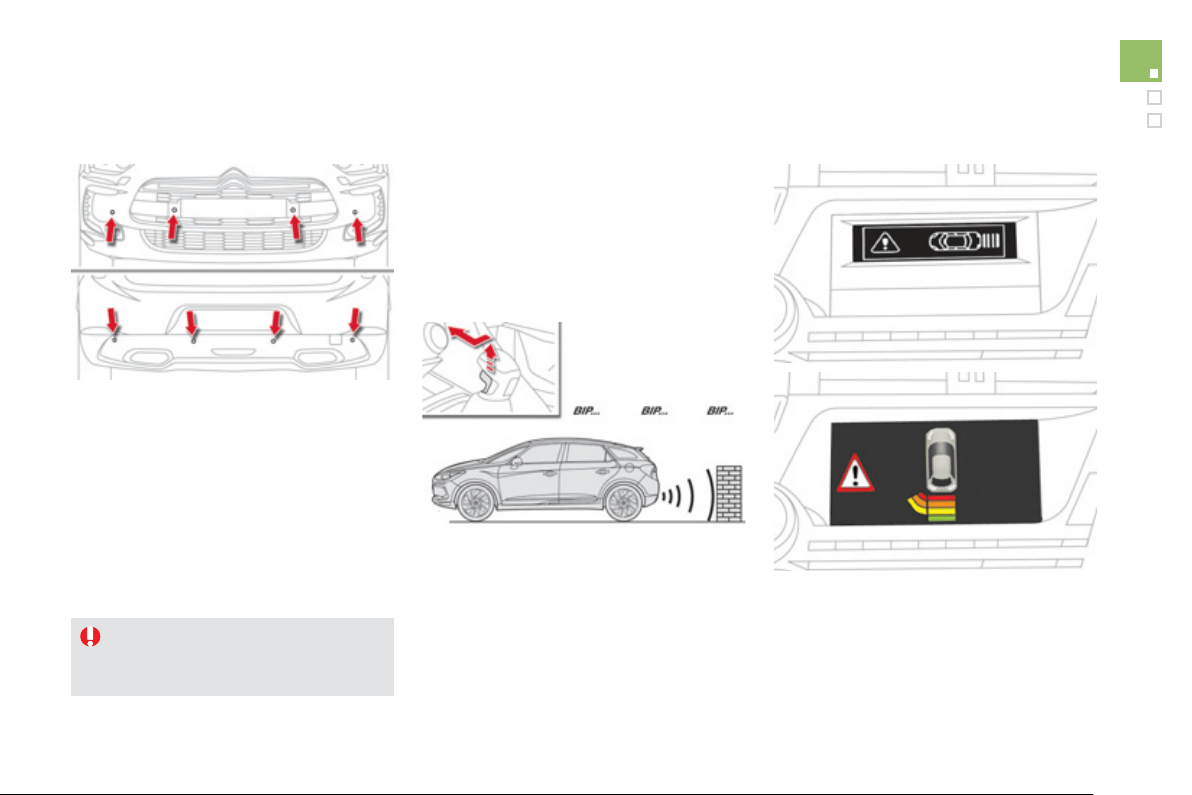
1
3
3
Driving
This s
y
stem indicates the proximit
y
of an
obstacle
(
person, vehicle, tree,
g
ate, etc.
)
which
co
m
es
within th
e
f
i
e
l
d
of
de
t
ec
ti
o
n
of
se
n
so
r
s
l
ocate
d
i
n t
h
e
b
umper.
C
ertain t
y
pes o
f
obstacle
(
stake, roadworks
c
one, etc.
)
detected initially will no longer be
de
t
ec
t
ed
a
t th
e
e
n
d
of
th
e
m
a
n
oeu
vr
e
due
t
o
the presence of blind spots.
Parking sensors
This function cannot, in an
y
c
ircumstances, take the place of the
vi
g
ilance and responsibilit
y
of the driver.
Rear parkin
g
sensors
The s
y
stem is switched on b
y
en
g
a
g
in
g
reverse
g
ear. This is accompanied b
y
an audible si
g
nal.
The s
y
stem is switched off when
y
ou exit
r
everse
g
ear.
A
u
dibl
e ass
i
stance
The proximit
y
in
f
ormation is
g
iven b
y
an
i
ntermittent audible si
g
nal, the
f
requenc
y
o
f
whi
c
h
i
ncreases as t
h
e ve
hi
c
l
e approac
h
es t
h
e
obs
t
acle
.
The sound emitted b
y
the speaker
(
ri
g
ht or
l
e
f
t
)
indicates the side on which the obstacle is
loca
t
ed
.
Whe
n t
he
dis
t
a
n
ce
be
tw
ee
n t
he
v
ehicle
a
n
d
t
h
e o
b
stac
l
e
b
ecomes
l
ess t
h
an approx
i
mate
ly
t
hi
rt
y
cent
i
metres, t
h
e au
dibl
e s
ig
na
l
b
ecomes
co
nt
i
n
uous
.
V
isual assistance
This supplements the audible si
g
nal b
y
displa
y
in
g
bars in the multifunction screen
w
hi
c
h
move pro
g
ress
i
ve
ly
nearer to t
h
e ve
hi
c
l
e.
Wh
en t
h
e o
b
stac
l
e
i
s near, t
h
e
"D
an
g
er
"
sy
m
b
o
l
i
s a
l
so
di
sp
l
a
y
e
d
i
n t
h
e screen.
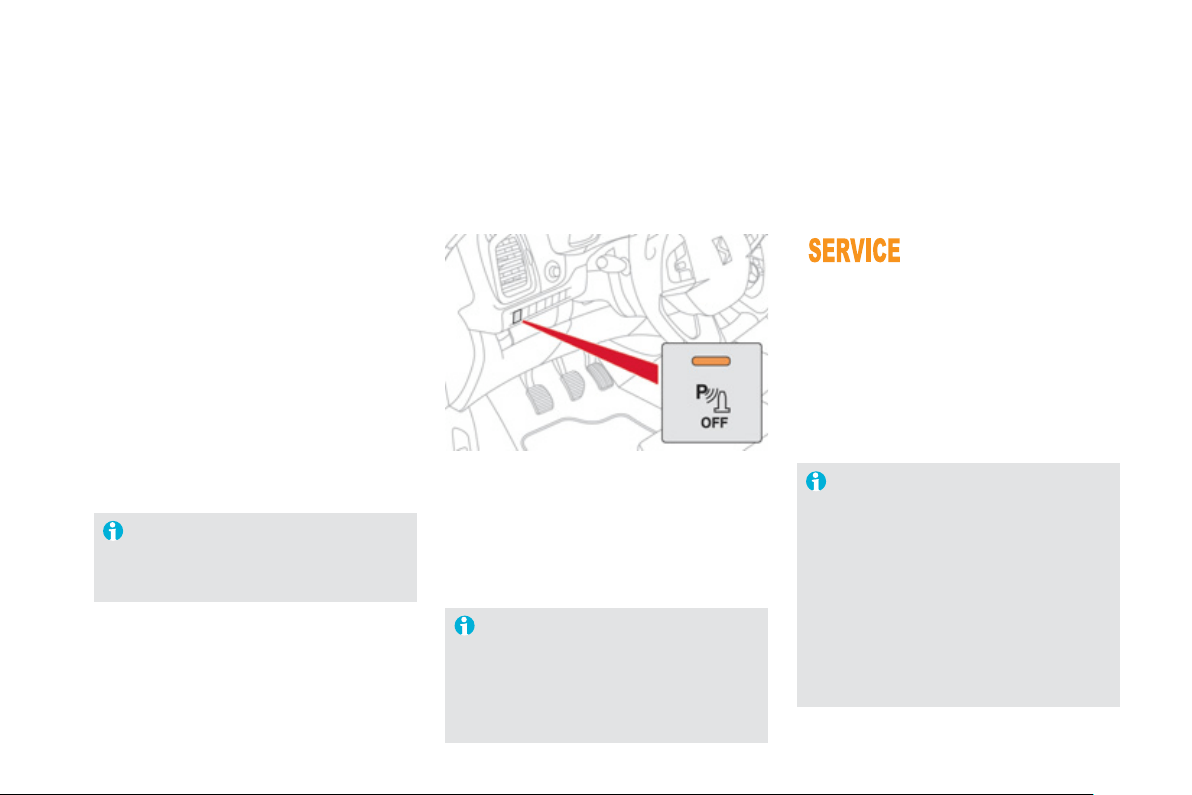
In bad weather or in winter, ensure
th
a
t th
e
se
n
so
r
s
a
r
e
n
o
t
co
v
e
r
ed
with
mud, ice or snow. When reverse
g
ear is
e
n
g
a
g
ed, an audible si
g
nal
(
lon
g
beep
)
i
n
di
cates t
h
at t
h
e sensors ma
y
b
e
di
rt
y
.
C
ertain sound sources
(
motorc
y
cle,
lorry, pneumatic drill, etc.
)
may trigger
the audible si
g
nals o
f
the parkin
g
s
ensor s
y
stem.
In th
e
e
v
e
nt
o
f
a
m
a
lf
u
n
c
ti
o
n
of
the s
y
stem, when reverse
g
ear
i
s en
g
a
g
e
d
t
hi
s warn
i
n
g
l
amp
i
s
di
sp
l
a
y
e
d
i
n t
h
e
i
nstrument pane
l
and
/
or a message appears in the screen,
accompanied b
y
an audible si
g
nal
(
short beep
)
.
Contact a CITROËN dealer or a qualified
workshop.
Operatin
g
fault
In addition to the rear parkin
g
sensors, the front
p
ar
ki
n
g
sensors are tr
igg
ere
d
w
h
en an o
b
stac
l
e
is detected in
f
ront and the speed o
f
the vehicle
is still below 6 mph
(
10 km
/
h
)
.
The
f
ront parking sensors are interrupted i
f
the vehicle sto
p
s
f
or more than three seconds
in forward
g
ear, if no further obstacles are
detected or when the speed of the vehicle
e
xceeds 6 mph
(
10 km/h
)
.
Front parkin
g
sensors
Th
e
fu
n
c
ti
o
n will
be
deac
tiv
a
t
ed
a
utomaticall
y
if a trailer is bein
g
towed
or a bic
y
cle carrier is fitted
(
vehicle
fitted with a towbar or bic
y
cle carrie
r
r
ecommended b
y
CITROËN
)
.
Deactivation / Activation of the
f
ront and rear parkin
g
sensors
The
f
unction is deactivated b
y
pressin
g
this button.
T
he indicator lam
p
in the button comes on.
Pressin
g
this button a
g
ain reactivates the
f
unction.
T
he indicator lamp in the button
g
oes off.
The sound emitted b
y
the speaker
(
front
o
r rear
)
indicates whether the obstacle
i
s
in fr
o
nt
o
r
be
hin
d
.
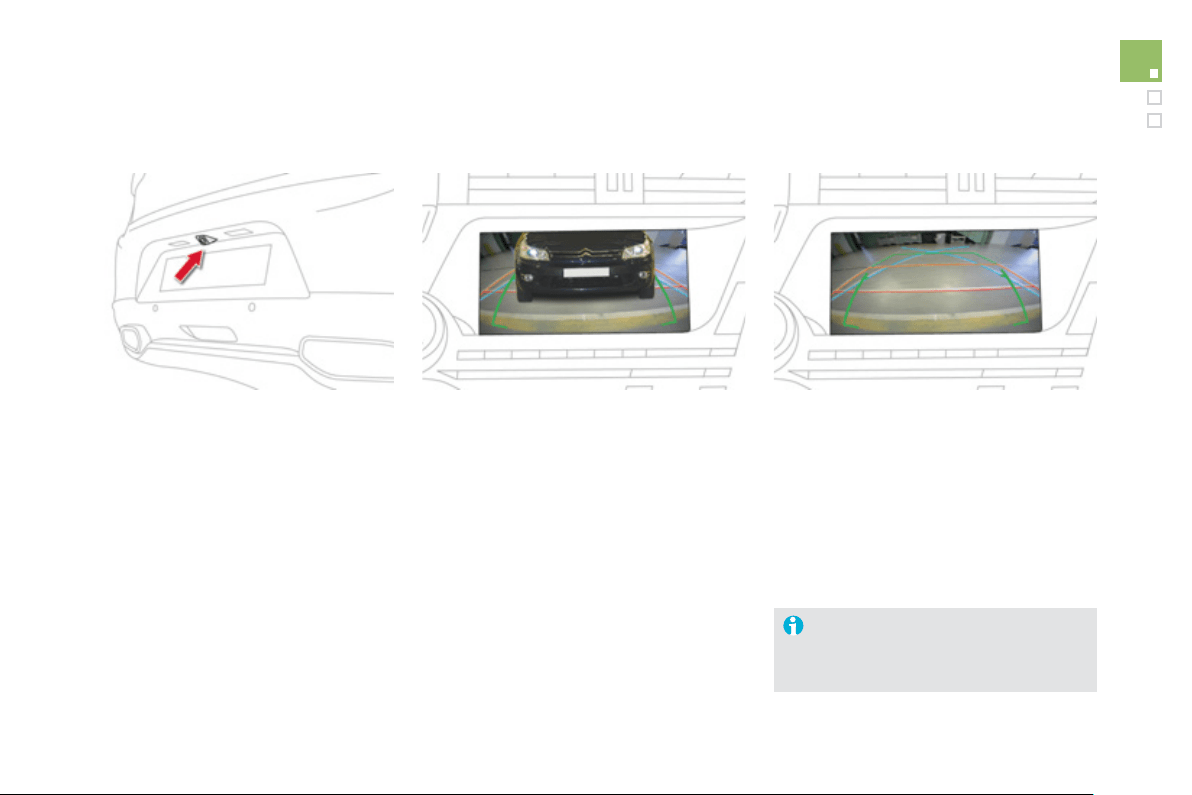
1
35
Driving
Reversing camera
A
reversin
g
camera is activated automaticall
y
when reverse
g
ear is en
g
a
g
ed.
Th
e co
l
our
i
ma
g
e
i
s prov
id
e
d
i
n t
h
e nav
ig
at
i
on
screen
.
The
g
reen lines represent the
g
eneral direction
o
f th
e
v
e
hi
c
l
e
.
The red lines represent around 30 cm be
y
ond
the limit of
y
our vehicle's rear bumper.
Th
e au
dibl
e s
ig
na
l
b
ecomes cont
i
nuous
f
r
o
m thi
s
limit.
Th
e
bl
ue
li
nes represent t
h
e max
i
mum turn
i
n
g
c
ir
c
l
e
.
C
lean the reversin
g
camera re
g
ularl
y
u
sin
g
a spon
g
e and a soft cloth.
005
Visibility

Lighting controls
Sy
stem
f
or selection and control o
f
the various
f
ront and rear lamps providin
g
the vehicle's li
g
htin
g
and si
g
nallin
g
.
M
a
i
n
ligh
t
i
n
g
Th
ere are var
i
ous
l
am
p
s on t
h
e ve
hi
c
l
e:
- sidelam
p
s, to be seen,
- di
pp
ed beam headlam
p
s to see without
dazzlin
g
other drivers,
- main beam headlamps to see clearl
y
when
the road is clear
,
- directional headlamps for improved
v
i
s
ibili
t
y
w
h
en corner
i
n
g
.
Addi
t
i
ona
l
ligh
t
i
n
g
O
ther lam
p
s are installed to
f
ul
f
il the
r
equirements o
f
particular driving conditions:
- rear
f
o
g
lamps to better si
g
nal the presence
o
f the vehicle in fo
ggy
conditions,
- front fo
g
lamps for better visibilit
y
in fo
ggy
c
onditions and to improve li
g
htin
g
at
intersections and when parkin
g
,
-
d
a
y
t
i
me runn
i
n
g
l
amps to
b
e seen
d
ur
i
n
g
t
h
e
d
a
y
.
Automatic li
g
htin
g
functions
Various automatic li
g
htin
g
f
unctions are also
available depending on options:
-
g
uide-me-home li
g
htin
g
,
- directional headlamps,
- welcome li
g
htin
g
,
- da
y
time runnin
g
lamps,
- automatic illumination of headlamps,
- automat
i
c
h
ea
dl
amp
di
pp
i
n
g
.
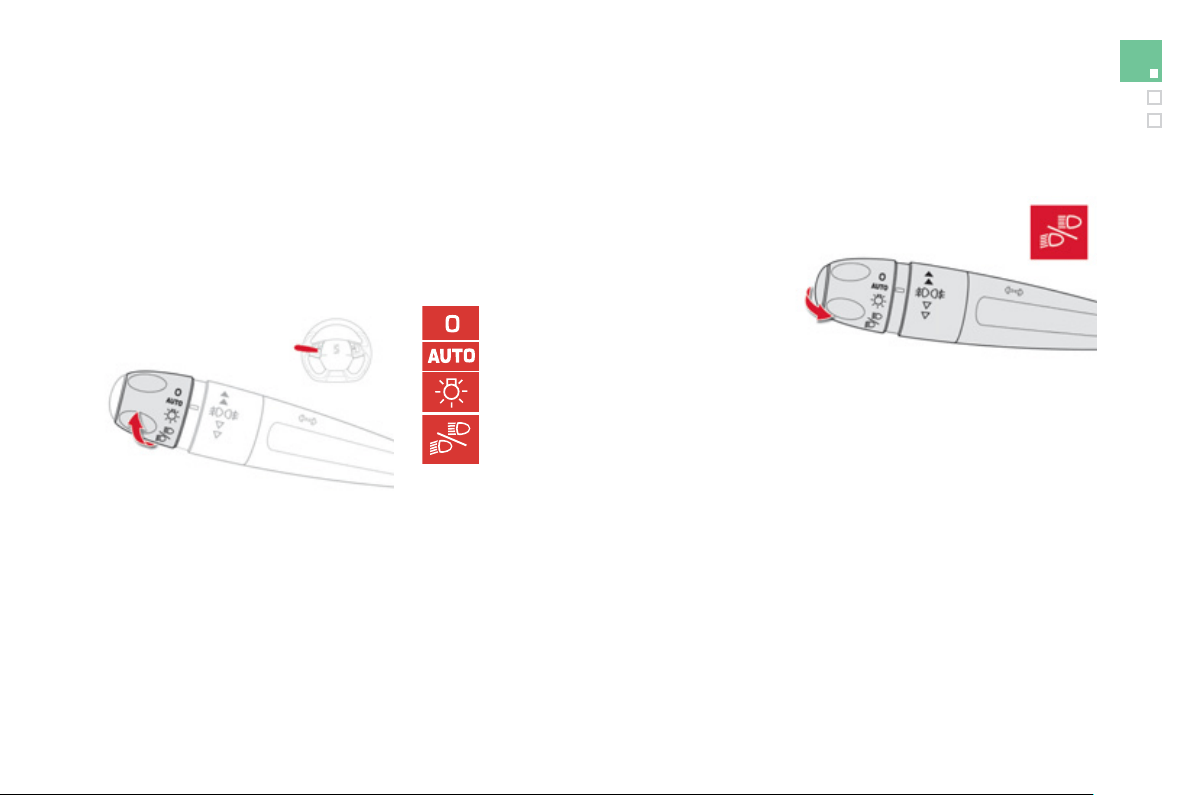
1
3
9
Visibility
Selection rin
g
for main li
g
htin
g
m
ode
Turn the rin
g
to position the s
y
mbol required
facin
g
the mark.
Lighting o
ff
.
A
utomatic illumination of headlamps.
S
idelamps onl
y
.
Di
ppe
d
or ma
i
n
b
eam
h
ea
dl
amps.
Dippin
g
the headlamps
Pull the stalk to switch the li
g
htin
g
between
dipped / main beam headlamps.
In the li
g
htin
g
o
ff
and sidelamps modes, the
driver can switch on the main beam headlam
p
s
temporaril
y
(
"headlamp
f
lash"
)
b
y
maintainin
g
a
pull on the stalk.
Displa
y
s
Illumination of the correspondin
g
indicator lamp
in the instrument panel confirms the li
g
htin
g
s
w
i
t
ched
o
n.
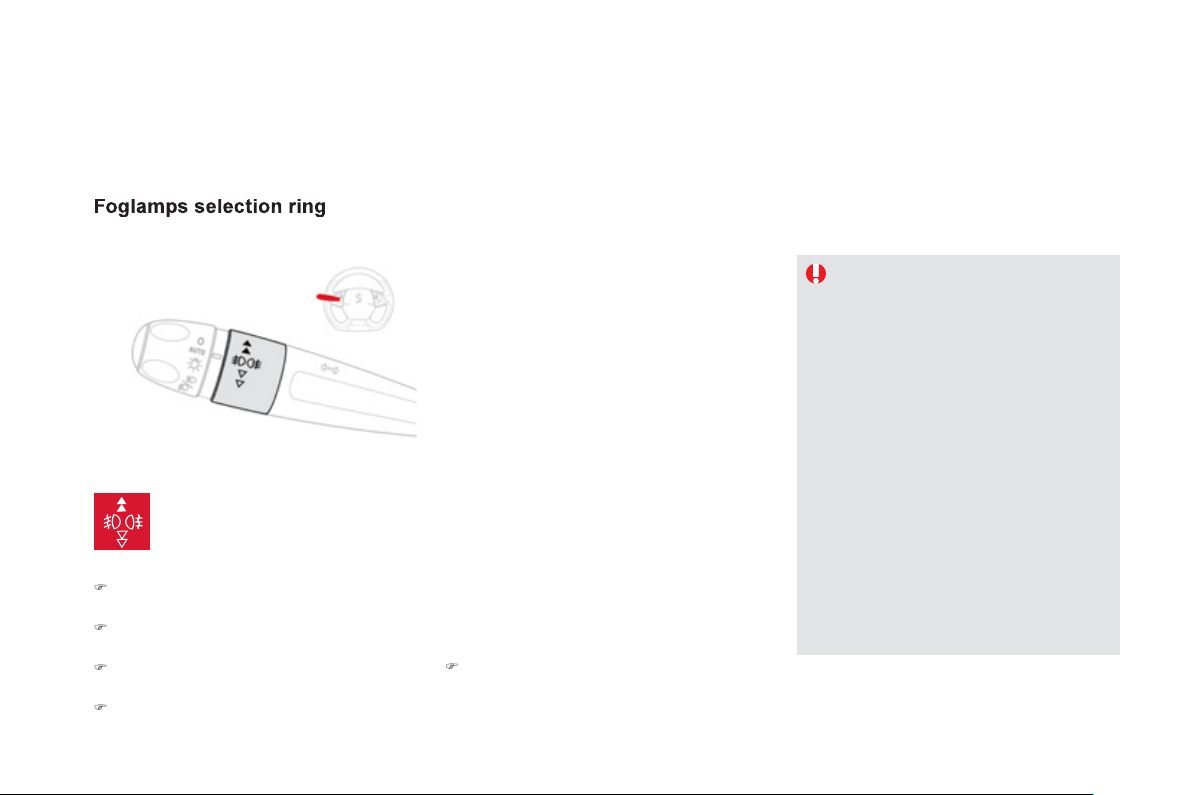
The
f
o
g
lamps operate with dipped and main beam headlamps.
Front and rear fo
g
lamps
R
otate an
d
re
l
ease t
h
e r
i
n
g
:
)
fo
rw
a
r
ds
a
f
ir
s
t tim
e
t
o
s
wit
c
h
o
n th
e
f
r
o
nt
f
oglamps,
)
fo
rw
a
r
ds
a
seco
n
d
tim
e
t
o
s
wit
c
h
o
n th
e
r
ear fo
g
lamps,
)
r
ea
rw
a
r
ds
a
fir
s
t tim
e
t
o
s
wit
c
h
o
ff th
e
r
ea
r
fo
g
lamps,
)
r
ea
rw
a
r
ds
a
seco
n
d
tim
e
t
o
s
wit
c
h
o
f th
e
f
ront
f
o
g
lamps.
When the headlamps switch off with automatic
illumination of headlamps
(
AUT
O
model
)
or
when the dipped beam headlamps are switched
off manuall
y
, the fo
g
lamps and sidelamps
re
m
ai
n
o
n.
)
Turn the rin
g
rearwards to switch o
ff
the
f
o
g
lamps, the sidelamps will then switch
off
.
I
n
g
oo
d
or ra
i
n
y
weat
h
er,
b
ot
h
d
a
y
and ni
g
ht, the
f
ront
f
o
g
lamps and the
rear
f
oglamps are prohibited. In these
s
ituations, the power o
f
their beams
ma
y
dazzle other drivers. The
y
should
o
nl
y
be used in fo
g
or snow.
In these weather conditions, it is
y
our
responsibilit
y
to switch on the fo
g
lamps
an
d
di
ppe
d
h
ea
dl
amps manua
lly
as t
h
e
s
unshine sensor ma
y
detect su
ff
icient
ligh
t.
Do not
f
orget to switch o
ff
the
f
ront
f
o
g
lamps and the rear
f
o
g
lamps when
the
y
are no lon
g
er needed.
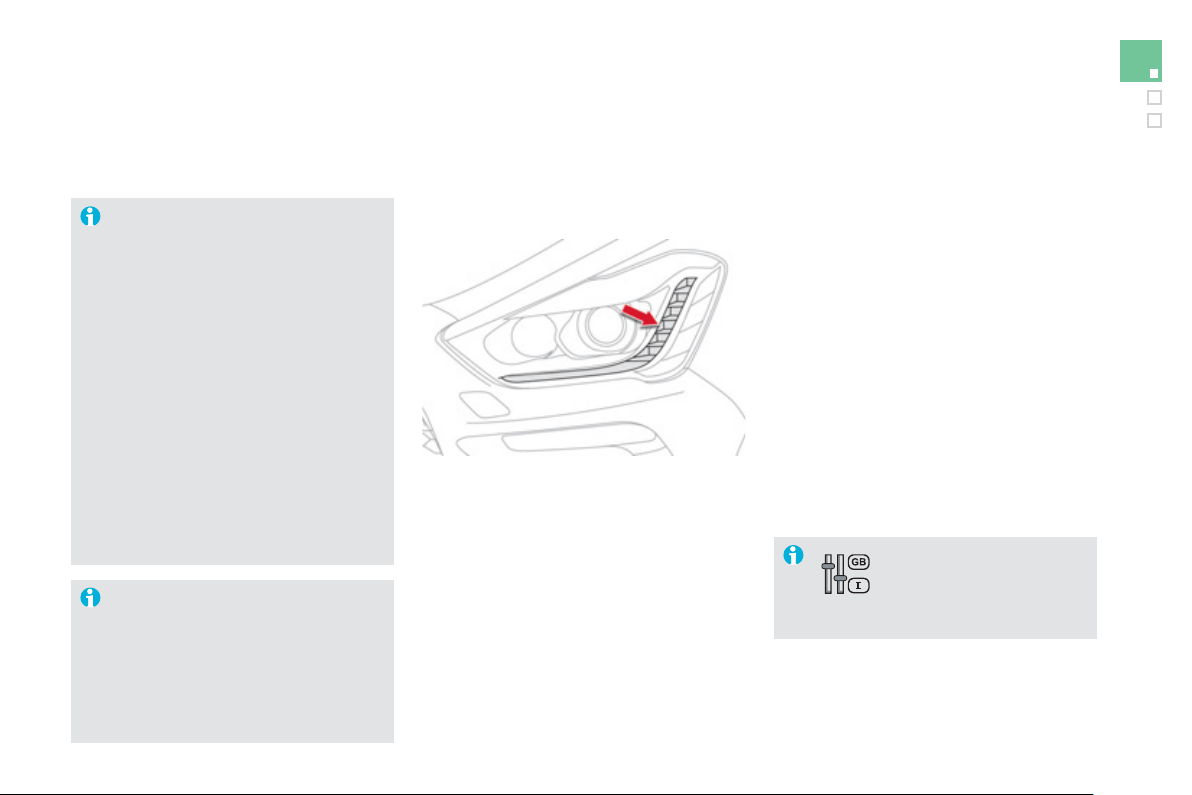
141
Visibility
Li
g
htin
g
left on audible
si
g
nal
A
n audible si
g
nal when a front door
is opened warns the driver that the
vehicle's exterior li
g
htin
g
is on, with the
i
g
nition o
ff
and in manual li
g
htin
g
mode.
In this case, switchin
g
o
ff
the li
g
htin
g
s
tops t
h
e au
dibl
e s
ig
na
l
.
With the ignition o
ff
, i
f
the dipped
headlamps remain on, the vehicle
g
oes
into "EC
O
" mode to avoid dischar
g
in
g
the batter
y
.
In some weather conditions
(
e.g. low
temperature or humidit
y)
, the presence
o
f mistin
g
on the internal surface of the
g
lass of the headlamps and rear lamps
is normal; it disappears after the lamps
h
a
v
e
bee
n
o
n
fo
r
a
fe
w min
u
t
es
.
The da
y
time runnin
g
lamps can be activated
a
n
d
deac
tiv
a
t
ed
vi
a
th
e
c
on
f
i
g
uration menu.
The li
g
htin
g
g
oes o
ff
when
y
ou switch
off
the i
g
nition, but
y
ou can alwa
y
s
s
witch it on again using the lighting
co
ntr
o
l
s
t
a
lk.
D
a
y
time runnin
g
lamps
(
LEDs
)
Th
e
y
come on w
h
en t
h
e en
gi
ne
i
s starte
d
.
Dependin
g
on the countr
y
o
f
sale or where
r
equired by regulations, they are used
f
or:
- da
y
time runnin
g
lamps in da
y
mode and
s
idelamps in ni
g
ht mode
(
the
y
are bri
g
hter
when da
y
time runnin
g
lamps
)
,
o
r
- s
id
e
l
amps
i
n
d
a
y
an
d
n
igh
t mo
d
e.
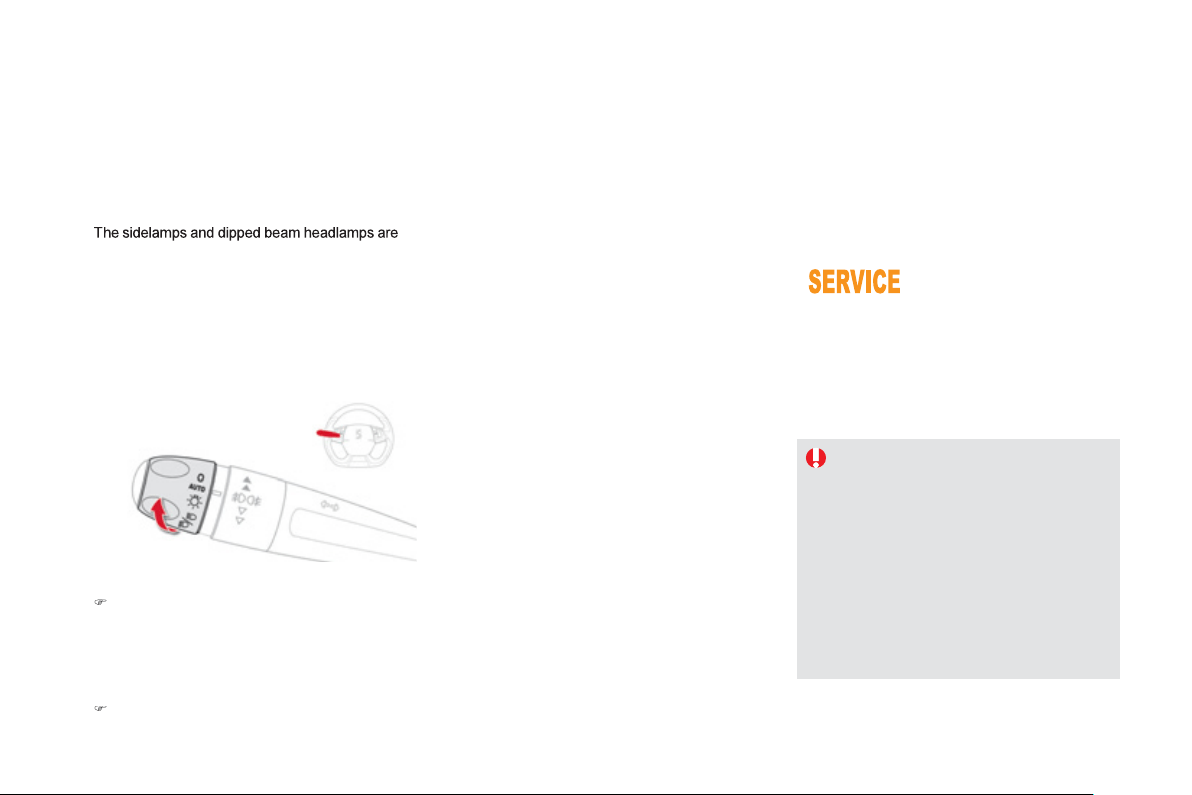
s
w
i
tc
h
e
d
on automat
i
ca
lly
, w
i
t
h
out an
y
act
i
on on
the part o
f
the driver, when a low level o
f
external
li
g
ht is detected or in certain cases o
f
activation o
f
the windscreen wi
p
ers.
A
s soon as the bri
g
htness returns to a su
ff
icient
level or after the windscreen wipers are switched
off, the lamps are switched off automaticall
y
.
A
utomatic illumination of headlam
p
s
A
ctivation
)
Turn the rin
g
to the "AUTO" position,
a
utomatic illumination o
f
headlamps is
a
ctivated and a messa
g
e is displa
y
ed in the
screen
.
D
eact
i
vat
i
on
)
T
urn t
h
e r
i
n
g
to anot
h
er pos
i
t
i
on.
D
eact
i
vat
i
on
i
s accompan
i
e
d
by
a messa
g
e
i
n th
e
sc
r
ee
n.
A
ssoc
i
at
i
on w
i
t
h
t
h
e automat
i
c
"
Guide-me-home" li
g
htin
g
Association with the automatic lighting provides
the "
g
uide-me-home" li
g
htin
g
with the
f
ollowin
g
additional options after the i
g
nition is switched
o
ff:
- selection of the li
g
htin
g
duration of 15, 30
o
r 60 seconds in the vehicle parameters in
the vehicle con
f
i
g
uration menu,
- automatic activation o
f
"
g
uide-me-home"
l
i
g
htin
g
when automatic illumination o
f
headlam
p
s is in o
p
eration.
Operatin
g
fault
In th
e
e
v
e
nt
of
a
m
a
l
fu
n
c
ti
o
n
of
the sunshine sensor,
the li
g
htin
g
comes on, this
warnin
g
lamp is displa
y
ed in the instrument
p
anel and/or a messa
g
e appears in the screen,
accompanied b
y
an audible si
g
nal.
Contact a CITROËN dealer or a qualified
wor
k
s
h
op.
In
f
og or snow, the sunshine sensor may
detect su
ff
icient li
g
ht. In this case, the
li
g
htin
g
will not come on automaticall
y
.
Do not cover the sunshine sensor,
c
oupled with the rain sensor and
l
oca
t
ed
in th
e
ce
ntr
e
o
f th
e
win
dsc
r
ee
n
b
e
hi
n
d
t
h
e rear v
i
ew m
i
rror; t
h
e
associated
f
unctions would no lon
g
er
be
co
ntr
olled
.
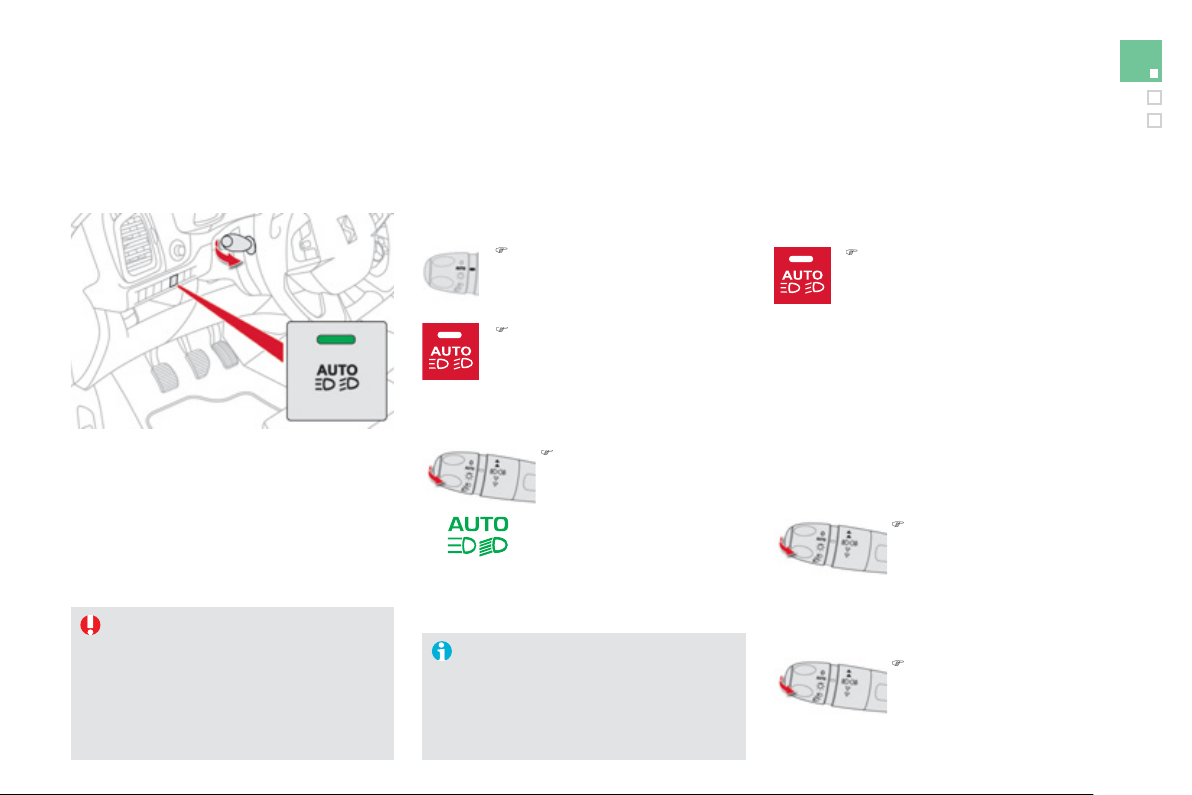
1
4
3
Visibility
Automatic headlamp dippin
g
Switchin
g
on
Sy
stem which automaticall
y
chan
g
es between
dipped and main beam accordin
g
to the drivin
g
c
onditions, usin
g
a camera in the rear view
m
irr
o
r.
)
Put the lighting control stalk ring
in the "AUT
O
"
p
osition.
A
ct
i
vat
i
on
Thi
s automat
i
c
h
ea
dl
amp
di
pp
i
n
g
sy
stem
i
s a
d
r
i
v
i
n
g
a
id
.
Th
e
d
r
i
ver
remains responsible
f
or the vehicle's
l
i
g
htin
g
, its correct use
f
or the prevailin
g
c
onditions o
f
light, visibility and tra
ff
ic
and observation o
f
drivin
g
and vehicle
re
g
ulations.
)
Flash the headlamps
(
pull the stalk be
y
ond the
s
tiff point
)
, which causes
a
c
h
an
g
e
b
etween
di
ppe
d
an
d
ma
i
n
b
eam,
t
h
e warn
i
n
g
l
amp
i
n t
h
e
instrument
p
anel comes
o
n t
o
co
n
f
irm
ac
tiv
a
ti
o
n.
)
P
ress t
h
e
b
utton,
i
ts warn
i
n
g
l
amp comes on.
Switchin
g
off
)
Press the button, the warnin
g
lamp
g
oes off, the headlamps
remain in their current position .
P
ause
If the situation requires a chan
g
e of headlamp
b
eam,
d
r
i
ver can ta
k
e over at an
y
t
i
me:
)
Flash the headlamps
(
pull the stalk be
y
ond the
sti
ff
point
)
to temporaril
y
d
eact
i
vate t
h
e s
y
stem
(
pause
)
, this changes the
h
eadlamps to dipped beam.
)
Flash the headlamps to
r
eactivate the s
y
stem.
The s
y
stem will be operational as
s
oon as
y
ou have exceeded 15 mph
(
25 km
/
h
)
.
I
f
the speed drops below 9 mph
(
15 km
/
h
)
,
t
h
e s
y
stem c
h
an
g
es to
di
ppe
d
b
eam.
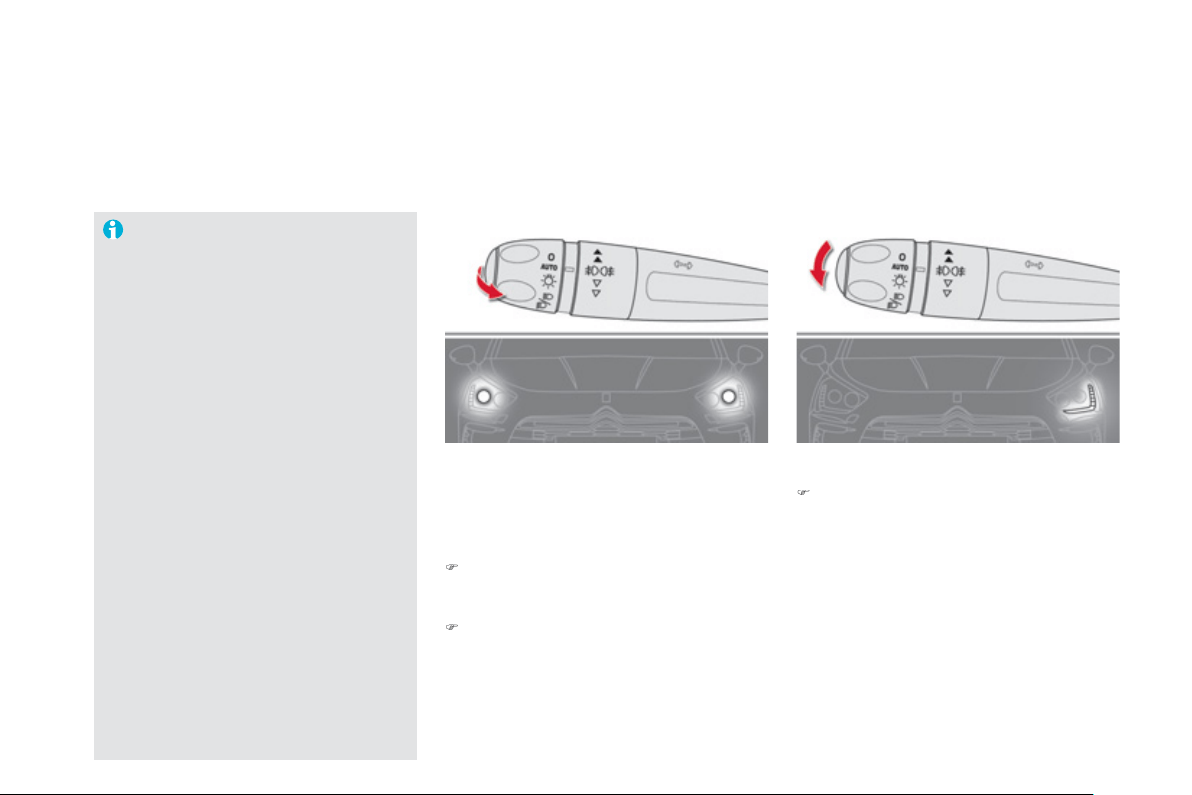
Parkin
g
lamps
S
ide markers
f
or the vehicle by illumination o
f
the sidelamps on the tra
ff
ic side onl
y
.
)
Within one minute of switchin
g
off the
i
g
nition, operate the li
g
htin
g
control stalk up
or down dependin
g
on the traffic side
(
fo
r
e
xample: when parkin
g
on the left; li
g
htin
g
c
ontro
l
sta
lk
upwar
d
s; t
h
e r
igh
t
h
an
d
s
idelamps are on
)
.
This is con
f
irmed b
y
an audible si
g
nal and
illumination o
f
the corresponding direction
indicator warnin
g
lamp in the instrument panel.
To switch off the parkin
g
lamps, return the
li
g
htin
g
control stalk to the middle position or
s
witch on the i
g
nition.
Temporarily keeping the dipped beam
headlamps on a
f
ter the vehicle's i
g
nition has
bee
n
s
wit
c
h
ed
o
ff m
a
k
es
th
e
e
xit
o
f th
e
v
e
hi
c
l
e
'
s
occupants easier when the li
g
ht is poor.
M
anual
g
uide-me-home
li
g
htin
g
Switchin
g
on
)
Within one minute a
f
ter switchin
g
o
f
the
i
g
nition, "
f
lash" the headlamps usin
g
the
l
ighting stalk.
)
A
f
urther "headlam
p
f
lash" switches the
fu
n
c
ti
o
n
o
ff.
Switchin
g
off
The manual
g
uide-me-home li
g
htin
g
switches
off automaticall
y
after a set time
(
this time is
pro
g
rammable in the confi
g
uration menu
)
.
The s
y
stem ma
y
su
ff
er inter
f
erence o
r
n
ot work correctly:
- under conditions o
f
poor visibilit
y
(
for example, snowfall, heav
y
rain
or thick fo
g
, ...
)
,
- if the windscreen is dirt
y
, misted or
obscured
(
b
y
a sticker, ...
)
in front of
t
h
e camera,
- i
f
the vehicle is
f
acin
g
hi
g
hl
y
r
e
f
lective si
g
ns.
Th
e s
y
stem
i
s not a
bl
e to
d
etect:
- r
oad
use
r
s
th
a
t
do
n
o
t h
a
v
e
th
e
ir
own li
g
htin
g
, such as pedestrians,
- road users whose li
g
htin
g
is
obscured, such as vehicles runnin
g
behind a safet
y
barrier
(
on a
m
otorwa
y
, for example
)
,
- road users at the top or bottom o
f
a
steep s
l
ope, on tw
i
st
y
roa
d
s, on
c
r
oss
r
oads
.
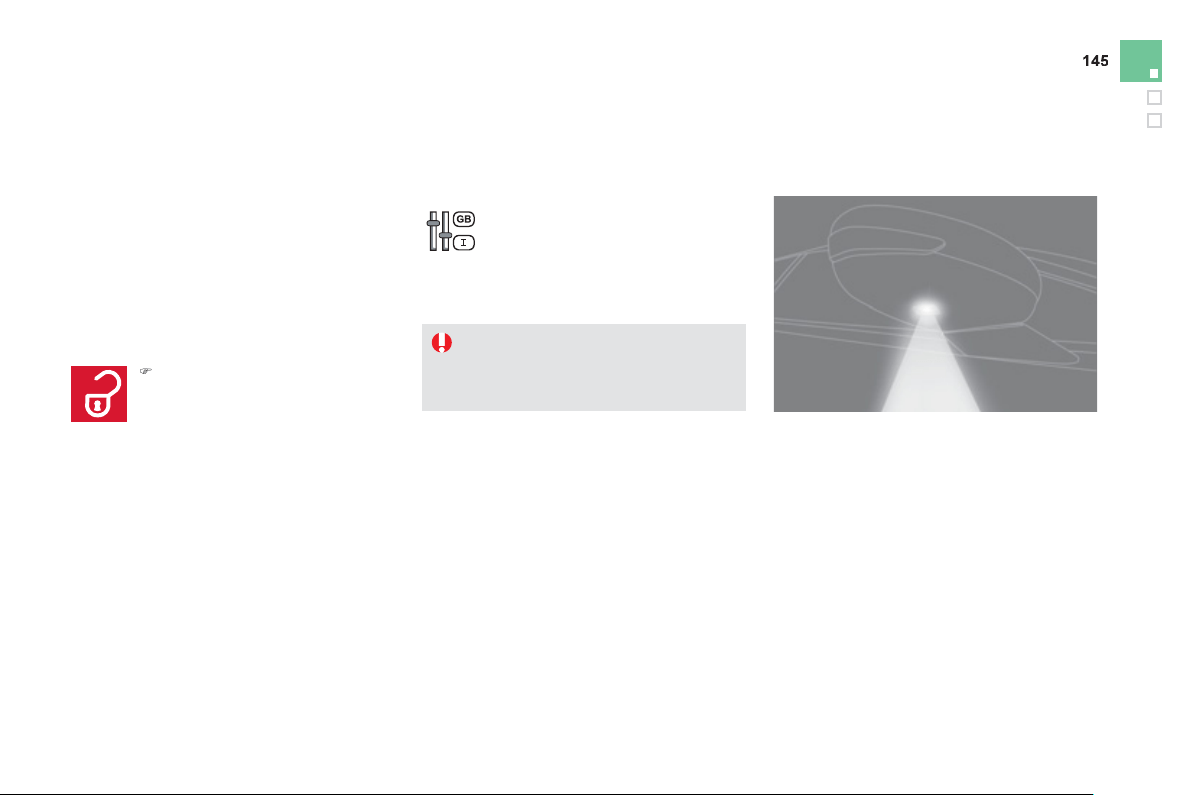
Visibility
Exterior welcome
lighting
The remote switchin
g
on o
f
the li
g
htin
g
makes
y
our approac
h
to t
h
e ve
hi
c
l
e eas
i
er
i
n poor
light. It is activated according to the level o
f
li
g
ht detected b
y
the sunshine sensor.
Switchin
g
on
Switchin
g
off
The exterior welcome li
g
htin
g
switches of
f
automaticall
y
after a set time, when the i
g
nition
i
s sw
i
tc
h
e
d
on or on
l
oc
ki
n
g
t
h
e ve
hi
c
l
e.
Pro
g
rammin
g
The lighting duration is selected via
the vehicle con
f
i
g
uration menu.
The duration o
f
the welcome li
g
htin
g
is
assoc
i
a
t
ed
with
a
n
d
i
de
nti
ca
l t
o
th
a
t
of
the automatic
g
uide-me-home li
g
htin
g
.
)
P
ress t
h
e o
p
en
p
a
dl
oc
k
on t
h
e
r
e
m
o
t
e
co
ntr
o
l
o
r th
e
doo
r h
a
n
d
l
e
with Ke
y
less Entr
y
and
S
tartin
g
.
Door mirror
spotlamps
Switchin
g
on
Th
e s
p
ot
l
am
p
s come on:
- when you unlock the vehicle,
- when
y
ou remove the electronic ke
y
f
rom
the reader,
- when
y
ou open a door,
- when
y
ou use the remote control.
Switchin
g
off
The
y
are timed to
g
o off automaticall
y
.
To make
y
our approach to the vehicle easier,
th
ese
ill
u
min
a
t
e
:
- the zones facin
g
the driver’s and
p
assen
g
er
’
s doors,
- th
e
z
o
n
es
fo
rw
a
r
d
of
th
e
doo
r mirr
o
r
s
a
n
d
r
ea
rw
a
r
d
of
th
e
f
r
o
nt
doo
r
s
.
Th
e
di
ppe
d
b
eam
h
ea
dl
amps an
d
t
h
e
sid
e
l
amps come on;
y
our ve
hi
c
l
e
i
s a
l
so
u
nl
oc
k
ed
.
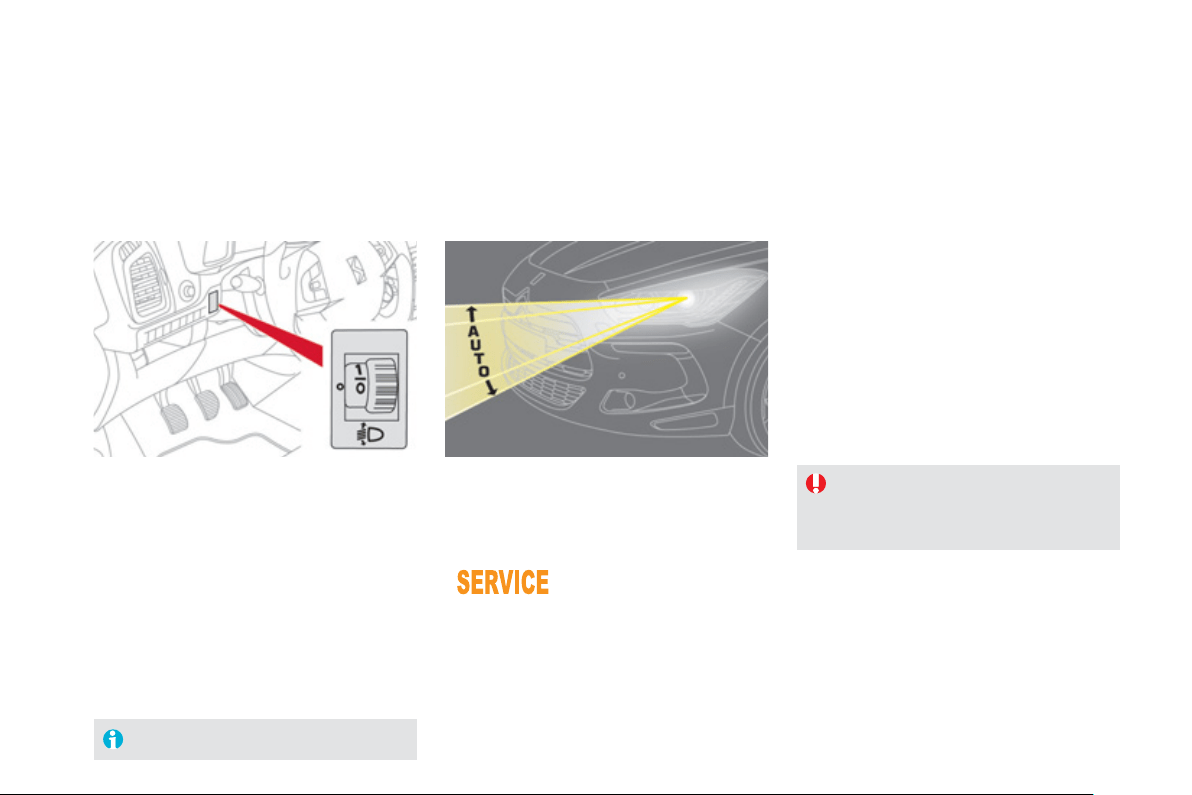
Manual adjustment
of halogen
headlamps
Automatic adjustment of xenon headlamps
T
o avo
id
caus
i
n
g
a nu
i
sance to ot
h
er roa
d
users,
the hei
g
ht o
f
the halo
g
en headlamps should be
adj
uste
d
accor
di
n
g
to t
h
e
l
oa
d
i
n t
h
e ve
hi
c
l
e.
0.
1 or 2
p
eo
p
le in the
f
ront seats.
-.
Intermediate settin
g
.
1.
5 people + maximum authorised load.
-.
Intermediate settin
g
.
2.
Driv
e
r + m
a
xim
u
m
au
th
o
ri
sed
l
oad
.
-.
Intermediate settin
g
.
3.
5 peop
l
e + max
i
mum
l
oa
d
i
n t
h
e
b
oot.
Th
e
i
n
i
t
i
a
l
sett
i
n
g
i
s pos
i
t
i
on
"
0"
.
If a fault occurs
,
this
w
arn
i
n
g
l
amp
i
s
di
sp
l
a
y
e
d
i
n t
h
e
i
nstrument pane
l
,
accompan
i
e
d
by
an au
dibl
e s
ig
na
l
an
d
a
message in the instrument panel screen.
The s
y
stem then places
y
our headlamps in the
l
owest position.
I
n or
d
er to avo
id
caus
i
n
g
a nu
i
sance to ot
h
e
r
r
oad users, this s
y
stem corrects the hei
g
ht o
f
the
xenon
h
ea
dl
amps
b
eam automat
i
ca
lly
an
d
w
h
en
stationary, in relation to the load in the vehicle.
If a fault occurs, do not touch the xenon
bulbs.
C
ontact a
C
ITR
O
ËN dealer or a
q
ualified workshop.
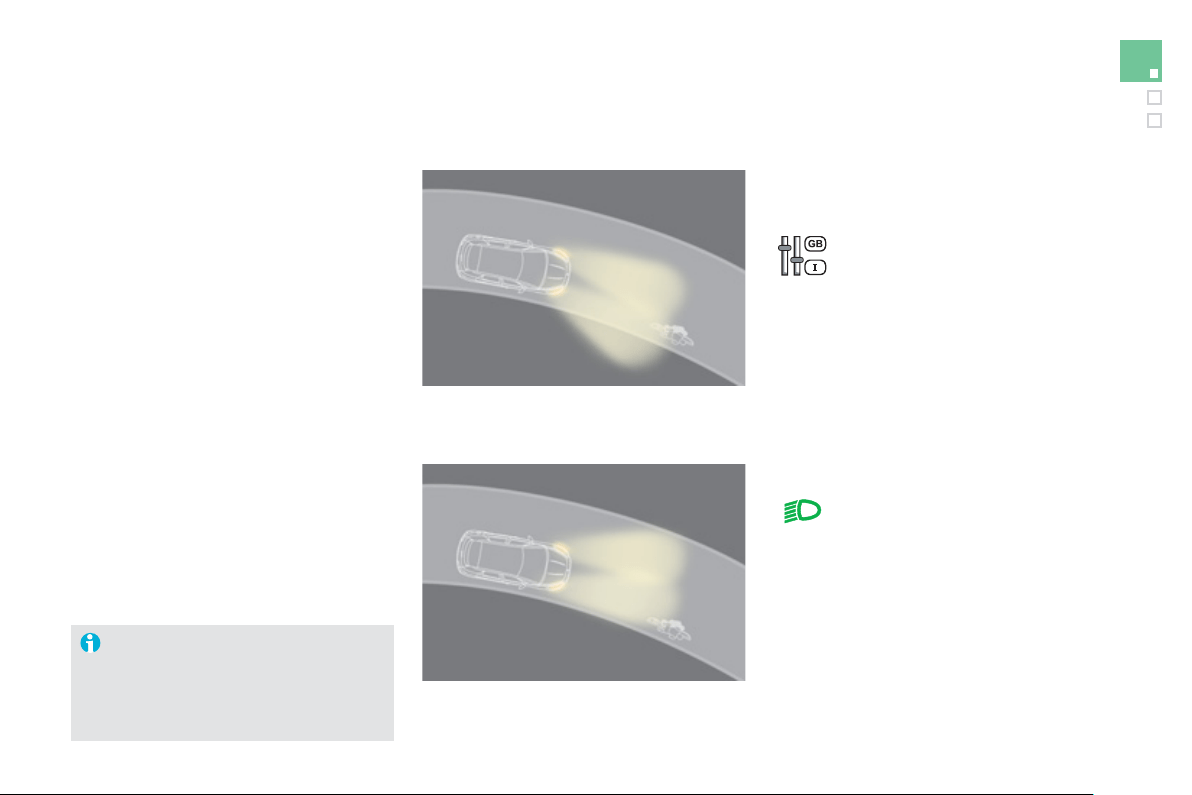
147
Visibility
Wh
en t
h
e
dipp
e
d
or ma
i
n
b
eam
h
ea
dl
am
p
s
are on, this
f
unction, allows the li
g
ht beams to
be
tt
e
r f
o
ll
o
w th
e
r
oad
.
The use of this function, coupled with the
xenon headlamps and the cornerin
g
li
g
htin
g
,
c
onsiderabl
y
improves the qualit
y
of
y
ou
r
ligh
t
i
n
g
roun
d
b
en
d
s.
Directional lighting
with directional li
g
htin
g
without directional li
g
htin
g
Pro
g
rammin
g
Operatin
g
fault
The s
y
stem is activated or
deac
tiv
a
t
ed
in th
e
v
e
hi
c
l
e
c
onfi
g
uration menu.
The s
y
stem is activated b
y
default.
The state o
f
the s
y
stem sta
y
s in
m
emor
y
on switchin
g
o
ff
the i
g
nition.
Thi
s
fu
n
c
ti
o
n i
s
in
ac
tiv
e
:
- w
h
en stat
i
onar
y
or at
l
ow spee
d
s,
- when reverse is engaged.
If a fault occurs, this warnin
g
lamp
flashes in the instrument panel,
a
ccompan
i
e
d
by
a messa
g
e
i
n t
h
e
screen
.
Co
nt
ac
t
a
C
ITR
OË
N
dea
l
e
r
o
r
a
q
uali
f
ied worksho
p
.
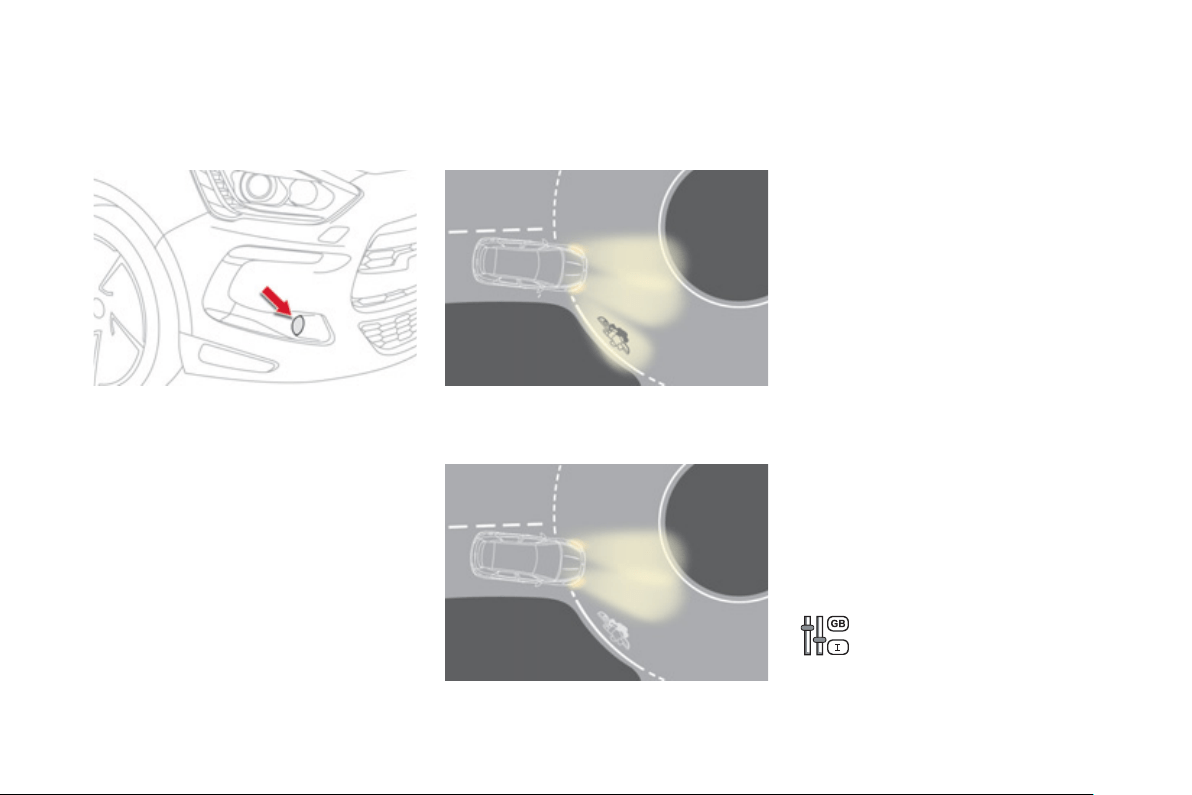
Cornering lighting
With di
pp
ed or main beams, this
f
unction
m
akes use of the beam from a front fo
g
lamp to
illuminate the inside of a bend, when the vehicle
s
peed is below 25 mph
(
approximatel
y
40 km/h
)
(
urban drivin
g
, windin
g
road, intersections,
p
arkin
g
manouevres...
)
.
w
i
t
h
corner
i
n
g
ligh
t
i
n
g
without cornerin
g
li
g
htin
g
Switchin
g
on
Thi
s
f
u
n
c
ti
o
n
s
t
a
rt
s
:
- when the correspondin
g
direction indicato
r
is switched on,
o
r
-
f
rom a certain an
g
le o
f
rotation o
f
the
s
teer
i
n
g
w
h
ee
l
.
Switchin
g
off
Th
e s
y
stem
d
oes not operate:
- below a certain angle o
f
rotation o
f
the
s
teerin
g
wheel,
- above 25 mph
(
40 km/h
)
,
- when reverse
g
ear is en
g
a
g
ed.
P
ro
g
ramm
i
n
g
Th
e s
y
stem
i
s act
i
vate
d
o
r
deac
tiv
a
t
ed
in th
e
v
e
hi
c
l
e
c
on
f
i
g
uration menu.
The s
y
stem is activated b
y
default.
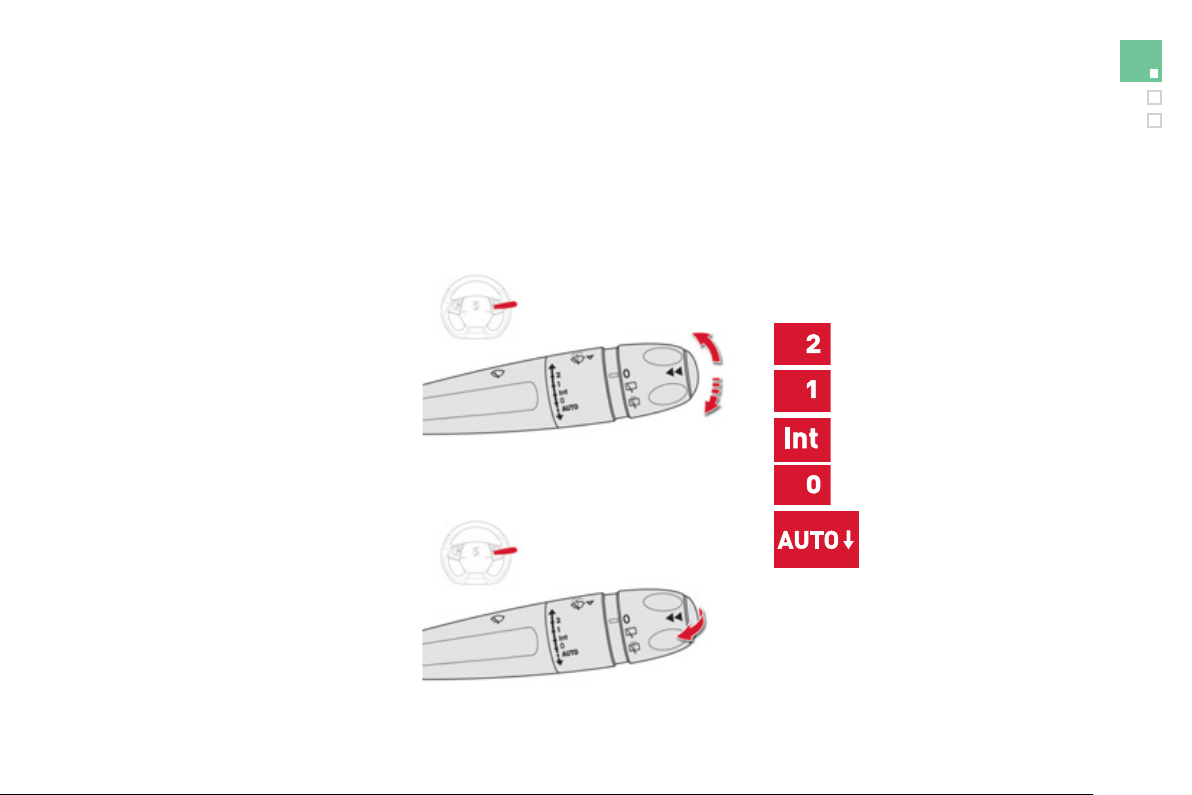
1
4
9
Visibility
Wiper controls
Pro
g
rammin
g
Various automatic wiper control modes are also
available accordin
g
to the followin
g
options:
- automatic rain sensitive windscreen wipers,
- rear w
i
p
i
n
g
on en
g
a
gi
n
g
reverse
g
ear.
Manual controls
The wipers are controlled directly by the driver.
The vehicle's
f
ront and rear wi
p
ers are
designed to improve the driver's visibility
p
ro
g
ressivel
y
accordin
g
to the climatic
co
n
d
iti
o
n
s
.
Windscreen wi
p
ers
Wipin
g
speed:
fast
(
heav
y
rain
)
,
normal
(
moderate rain
)
,
intermittent
(
proportional to the
speed o
f
the vehicle
)
,
p
ark,
automatic
(
press down and
r
elease
)
,
single wipe
(
pull the stalk brie
f
ly towards you
)
.
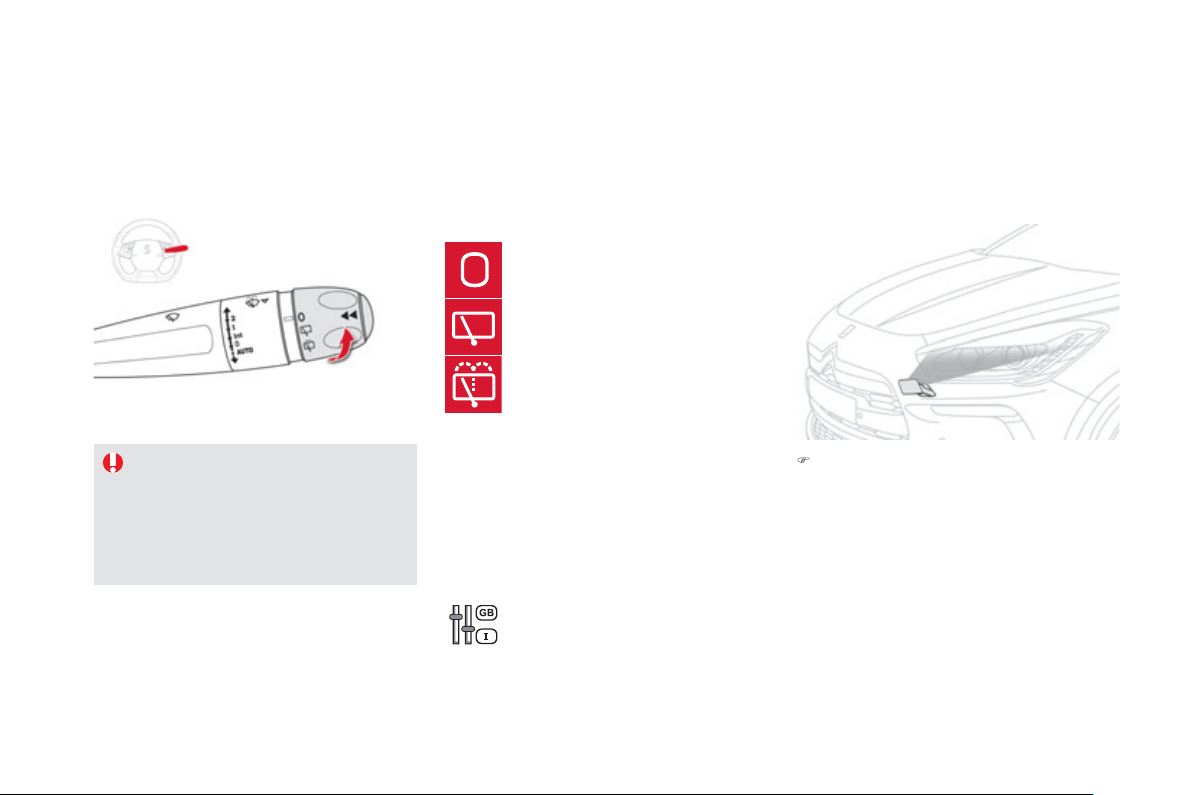
Rear wi
p
er
I
f
a si
g
ni
f
icant accumulation o
f
snow
o
r
i
ce
i
s present, or w
h
en us
i
n
g
a
bic
y
cle carrier on the boot, deactivate
the automatic rear wi
p
er via the
c
onfi
g
uration menu.
p
ark,
i
nterm
i
ttent w
i
pe,
wash-wipe
(
set duration
)
.
R
everse
g
ear
When reverse
g
ear is en
g
a
g
ed, the rear wiper
will come into operation i
f
the windscreen
w
i
pers are operat
i
n
g
.
Th
e
f
u
n
c
ti
o
n i
s
ac
tiv
a
t
ed
or
deactivated via the confi
g
uration
me
n
u
.
This function is activated b
y
default.
P
ro
g
ramm
i
n
g
)
Pull the windscreen wiper stalk towards
y
ou. The windscreen wash then the
windscreen wipers operate for a fixed
p
eriod.
Th
e
h
ea
dl
amp was
h
ers on
ly
operate w
h
en
t
h
e
di
ppe
d
b
eam
h
ea
dl
amps are on
.
Windscreen and headlam
p
wash
Rear wiper selection rin
g
:
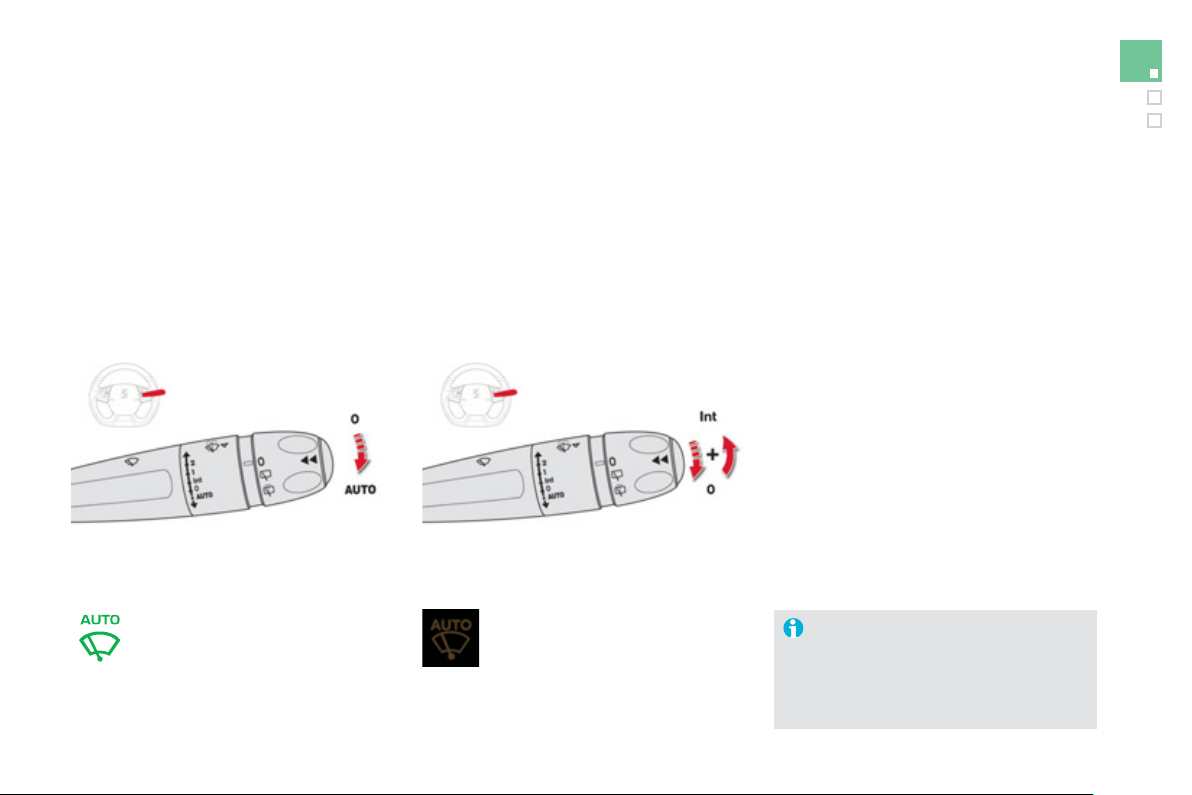
1
5
1
Visibility
Automatic rain sensitive
windscreen wipers
The windscreen wipers operate automaticall
y
,
without an
y
action on the part of the driver, i
f
rain is detected
(
sensor behind the rear view
m
irror
)
, adaptin
g
their speed to the intensit
y
o
f
th
e
r
a
in
fa
ll.
Switchin
g
on
Brie
f
l
y
push the control stalk
do
wnw
a
r
ds
.
This warning lamp comes on in the
instrument panel and a messa
g
e is
displa
y
ed.
Brie
f
l
y
push the control stalk
d
ownwar
d
s a
g
a
i
n, or p
l
ace
th
e
co
ntr
o
l
s
t
a
lk in
a
n
o
th
e
r
position
(
Int, 1 or 2
)
.
This warnin
g
lamp
g
oes off in the instrument
p
anel and a messa
g
e is displa
y
ed.
Switchin
g
off
Th
e
au
t
o
m
a
ti
c
r
a
in
se
n
s
itiv
e
win
dsc
r
ee
n
wipers must be reactivated b
y
pushin
g
the control stalk downwards, if the
i
g
nition has been off for more than
o
n
e
min
u
t
e
.
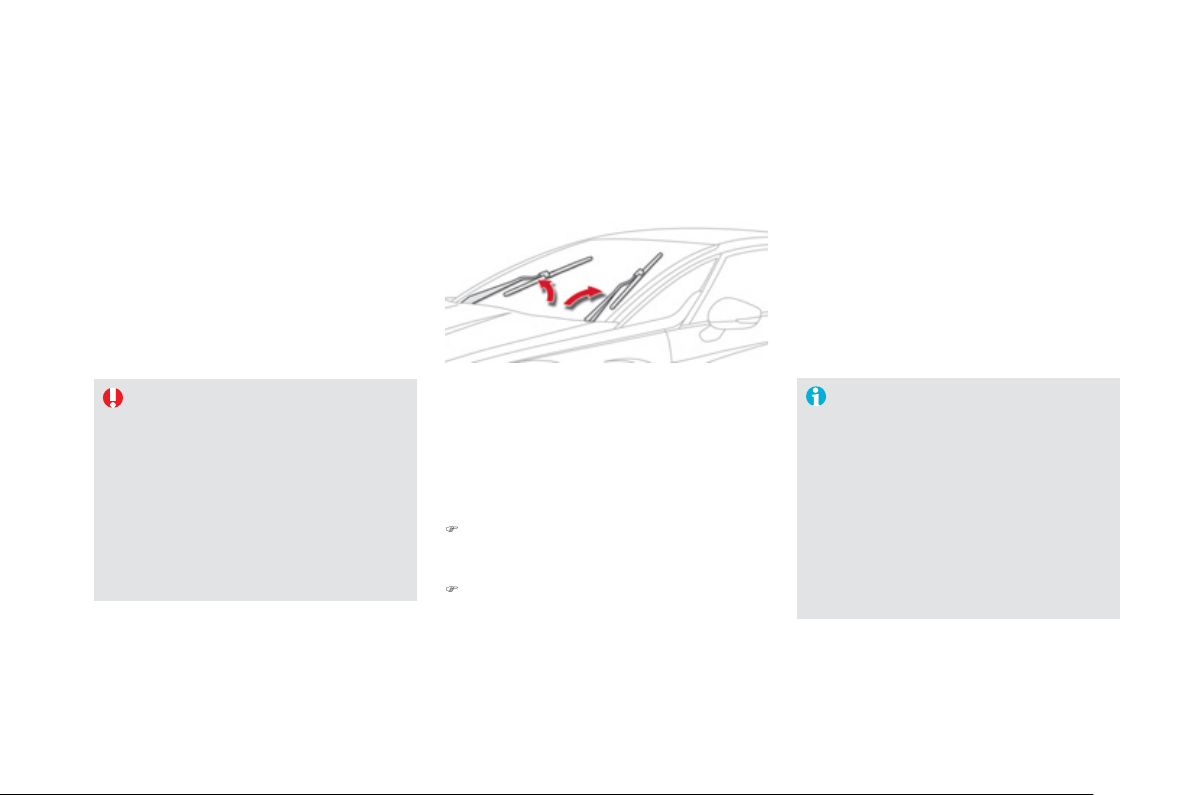
Do not cover the rain sensor
,
linked with
th
e
su
n
s
hin
e
se
n
so
r
a
n
d
l
oca
t
ed
in th
e
ce
ntr
e
of
th
e
win
dsc
r
ee
n
be
hin
d
th
e
r
ea
r
v
ie
w m
i
rr
o
r.
S
wit
c
h
off
th
e
au
t
o
m
a
ti
c
r
a
in
se
n
s
itiv
e
wipers when using an automatic car wash.
In winter, it is advisable to wait until the
windscreen is completel
y
clear of ice
before activatin
g
the automatic rain
s
ensitive wipers.
Operatin
g
fault
I
f
a
fau
lt
occu
r
s
with th
e
au
t
o
m
a
ti
c
r
a
in
s
ens
i
t
i
ve w
i
pers, t
h
e w
i
pers w
ill
operate
i
n
i
nt
e
rm
i
tt
e
nt m
ode
.
Have it checked by CITROËN dealer or a
q
uali
f
ied worksho
p
.
S
p
ecial
p
osition of the
windscreen wipers
This position permits release o
f
the windscreen
w
ip
er
bl
a
d
es.
It is used
f
or cleaning or replacement o
f
the
b
lades. It can also be use
f
ul, in winter, to
de
t
ac
h th
e
b
l
ades
fr
o
m th
e
win
dsc
r
ee
n.
T
o
m
a
int
a
in th
e
effec
tiv
e
n
ess
of
th
e
"
f
lat-blade" t
y
pe o
f
wiper blades, it is
ad
vi
sab
l
e
t
o
:
- handle them with care,
- clean them re
g
ularl
y
usin
g
soap
y
water
,
- avo
id
us
i
n
g
t
h
em to reta
i
n
c
ar
db
oar
d
on t
h
e w
i
n
d
screen,
- replace them at the
f
irst si
g
ns o
f
w
ear
.
)
An
y
action on the wiper stalk in the minute
after switchin
g
off the i
g
nition places the
blades verticall
y
on the screen.
)
To park the blades a
g
ain, switch on the
ig
n
i
t
i
on an
d
operate t
h
e w
i
per sta
lk
.
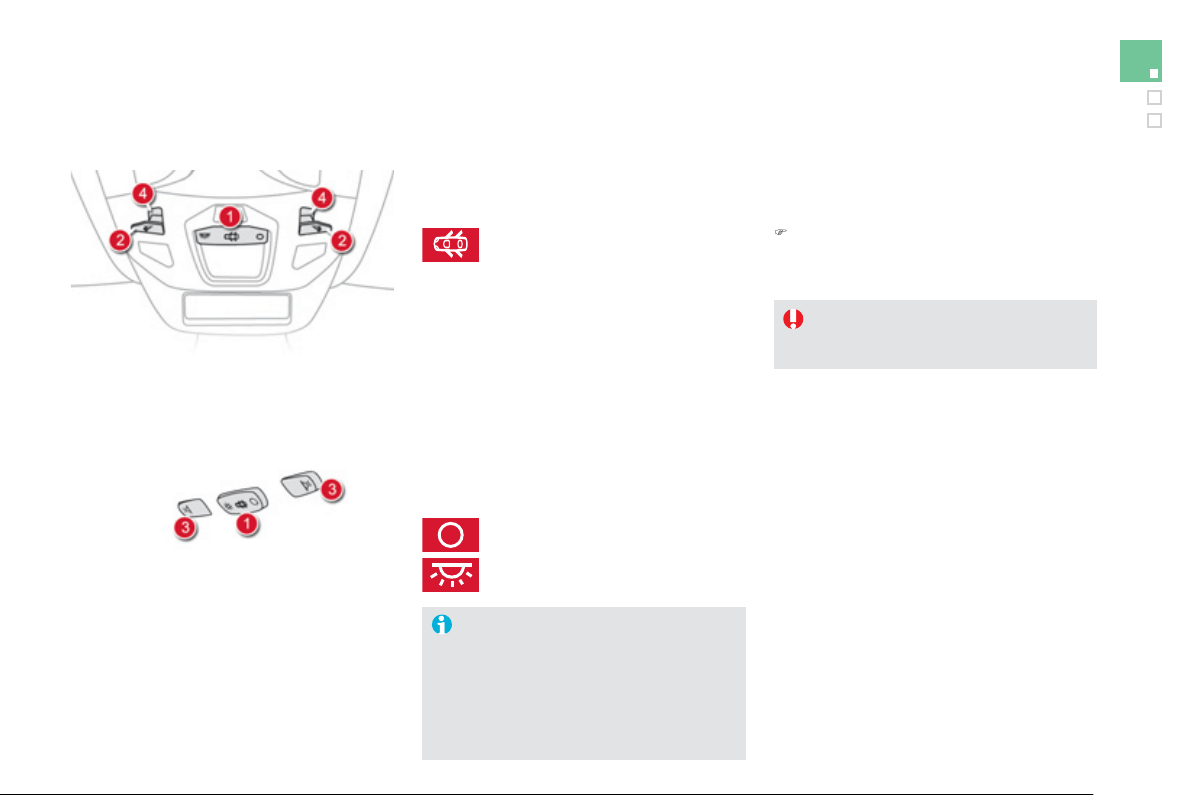
1
5
3
Visibility
1.
Front - rear courtes
y
lamp
2.
Front map readin
g
lamp
s
3.
R
ear map readin
g
lamp
s
4.
Interior mood LEDs
Courtesy lamps
In this position, the courtes
y
lamp
c
omes on
g
ra
d
ua
lly
:
Front - rear courtes
y
lamps
Take care to avoid leavin
g
an
y
thin
g
in
c
ontact w
i
t
h
t
h
e courtes
y
l
amps.
With the "permanent li
g
htin
g
" mode, the li
g
htin
g
time varies accordin
g
to the circumstances:
-
with the i
g
nition off, approximatel
y
ten minutes
,
-
in ener
gy
econom
y
mode, approximatel
y
t
hi
rt
y
secon
d
s,
-
w
i
t
h
t
h
e en
gi
ne runn
i
n
g
, un
li
m
i
te
d
.
- when the vehicle is unlocked,
- when the electronic ke
y
is removed from
the reader,
- when openin
g
a door,
- w
h
en t
h
e remote contro
l
l
oc
ki
n
g
b
utton
i
s
act
i
vate
d
,
i
n or
d
er to
l
ocate
y
our ve
hi
c
l
e.
It switches o
ff
g
raduall
y
:
- when the vehicle is locked,
- when the i
g
nition is switched on,
-
30
seconds after the last door is closed.
Permanentl
y
o
ff
.
Permanent li
g
htin
g
.
Front - rear map readin
g
l
amps
)
With the i
g
nition on, press the
c
orrespondin
g
switch.
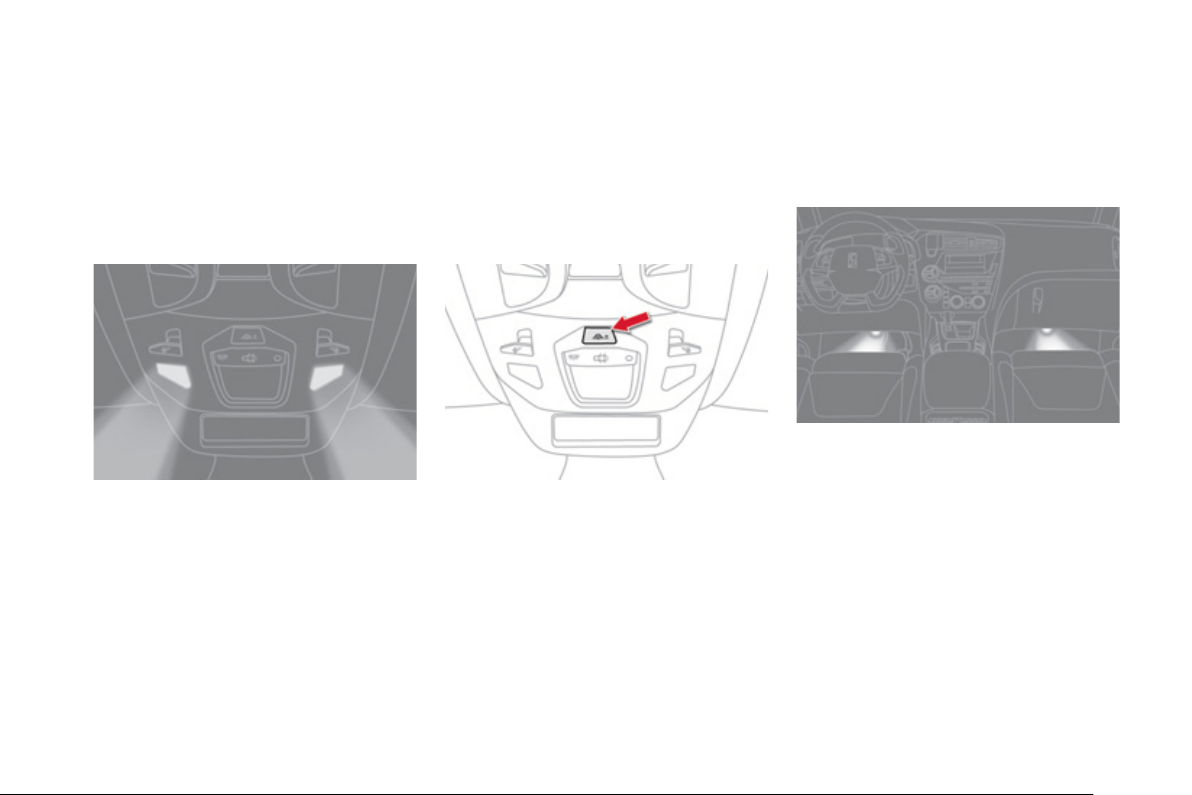
Interior mood lighting
Th
e
di
mme
d
passen
g
er compartment
ligh
t
i
n
g
i
mproves v
i
s
ibili
t
y
i
n t
h
e ve
hi
c
l
e w
h
en t
h
e
ligh
t
i
s
poor
.
A
t n
igh
t, t
h
e
i
nter
i
or moo
d
ligh
t
i
n
g
comes on
a
utomatically when the sidelamps are switched
on
(f
or example, a source o
f
li
g
ht in the roo
f
co
n
so
l
e
ill
u
min
a
t
es
th
e
mi
dd
l
e
o
f th
e
ce
ntr
e
c
onsole
)
.
The interior mood li
g
htin
g
switches of
f
a
utomaticall
y
when the sidelamps are switched
off
.
Lamps on: there are 7 levels o
f
bri
g
htness.
The level o
f
brightness increases progressively
with each press o
f
the button, returnin
g
to zero
a
ft
e
r th
e
m
a
xim
u
m l
e
v
e
l i
s
r
eac
h
ed
.
A lon
g
press
g
ives maximum bri
g
htness.
This ad
j
ustment is used to set the mood li
g
htin
g
l
evel for the interior lamp, as well as for the
d
oor open
i
n
g
contro
l
s an
d
t
h
e stora
g
e
l
ocat
i
ons
(
dependin
g
on version
)
.
Footwell lighting
Activation
Its operation is identical to that of the courtes
y
lamps. The li
g
htin
g
comes on when one of the
doors is opened.
The soft li
g
htin
g
provided b
y
the footwell lamps
improves visibilit
y
in the vehicle when the li
g
ht
is poor.
Switchin
g
on Ad
j
ustin
g
the bri
g
htness
o
f the courtes
y
lamp

1
55
Visibility
006
Child safety


General points relating to child seats
For maximum safet
y
, please observe the
f
ollowin
g
recommendations:
-
i
n accor
d
ance w
i
t
h
E
uropean re
g
u
l
at
i
ons,
a
ll children under the a
g
e of 12 or less
than one and a half metres tall must
travel in a
pp
roved child seats suited to
their wei
g
h
t
, on seats fitted with a seat
belt or IS
O
FIX mountin
g
s * ,
-
statisticall
y
, the safest seats in
y
ou
r
vehicle for carr
y
in
g
children are the
r
ear seats
,
-
a
child wei
g
hin
g
less than 9 k
g
must
travel in the "rearwards-facin
g
" position
b
oth in the front and in the rear
.
CITROËN recommend
s
t
ha
t
child
r
e
n
should
tr
a
v
el
i
n t
he
outer
r
rear seats
of
y
our vehicle:
-
"
rearwards-facin
g
" up to the a
g
e o
f
2,
- "forwards-facin
g
" over the a
g
e of 2.
A
lthough one of CITRO
Ë
N main criteria when designing your vehicle, the safety of your children
a
lso depends on
y
ou.
* The rules for carr
y
in
g
children are specific to
e
ach countr
y
. Refer to the le
g
islation in force
in
y
our countr
y
.
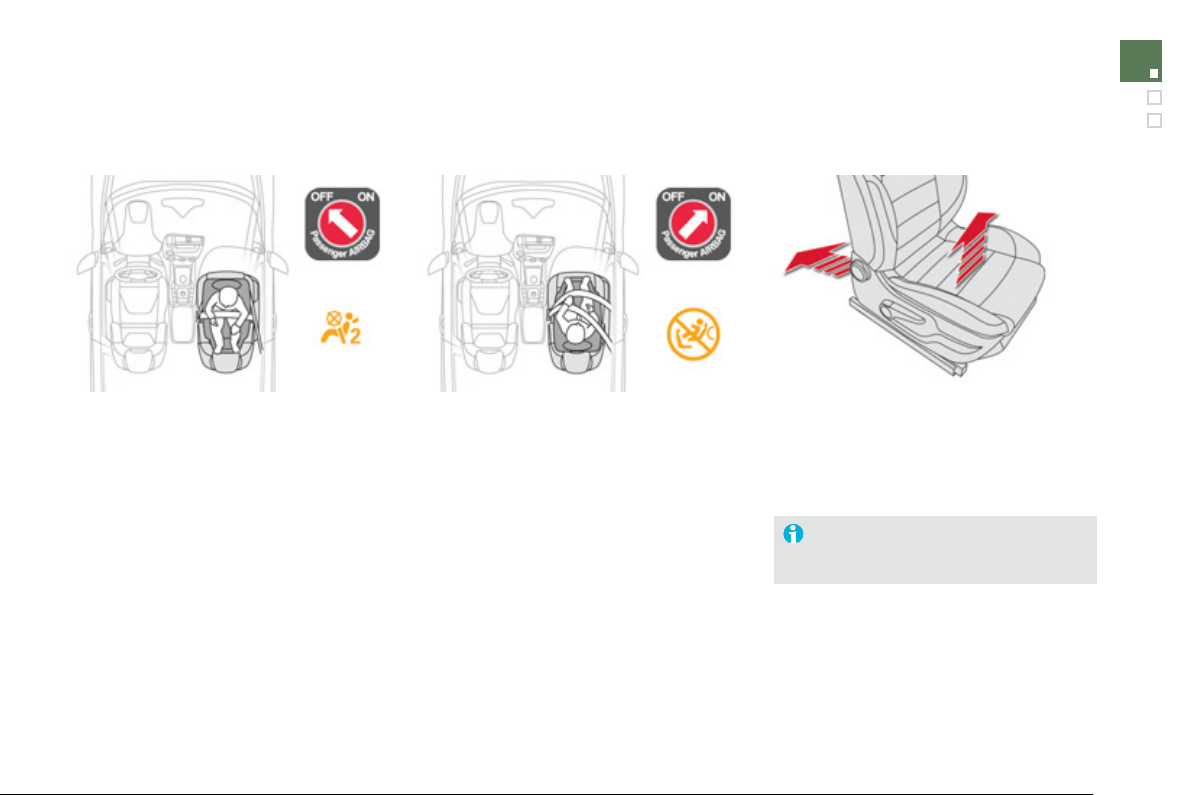
1
5
9
Child safety
Child seat in the front
"Rearwards-facin
g
"
When a "rearwards-facin
g
" child seat is
i
n
s
t
alled
o
n t
he
f
ront passen
g
er sea
t
,
i
t
i
s essent
i
a
l
t
h
at t
h
e passen
g
er a
i
r
b
a
g
i
s
deactivated.
O
therwise,
th
e c
hild
wou
ld
r
isk being seriously injured or killed if the
a
irba
g
were to inflat
e
.
"Forwards-facin
g
"
When a "forwards-facin
g
" child seat is installed
o
n t
he
f
ront passen
g
er sea
t
, a
dj
ust t
h
e
vehicle's seat to the
f
ull
y
back and hi
g
hest
p
os
i
t
i
on w
i
t
h
t
h
e seat
b
ac
k
upr
igh
t an
d
l
eave
the passenger's airbag activated.
Ensure that the seat belt is correctl
y
t
e
n
s
i
o
n
ed
.
P
assen
g
er seat in the full
y
back and
highest position
.
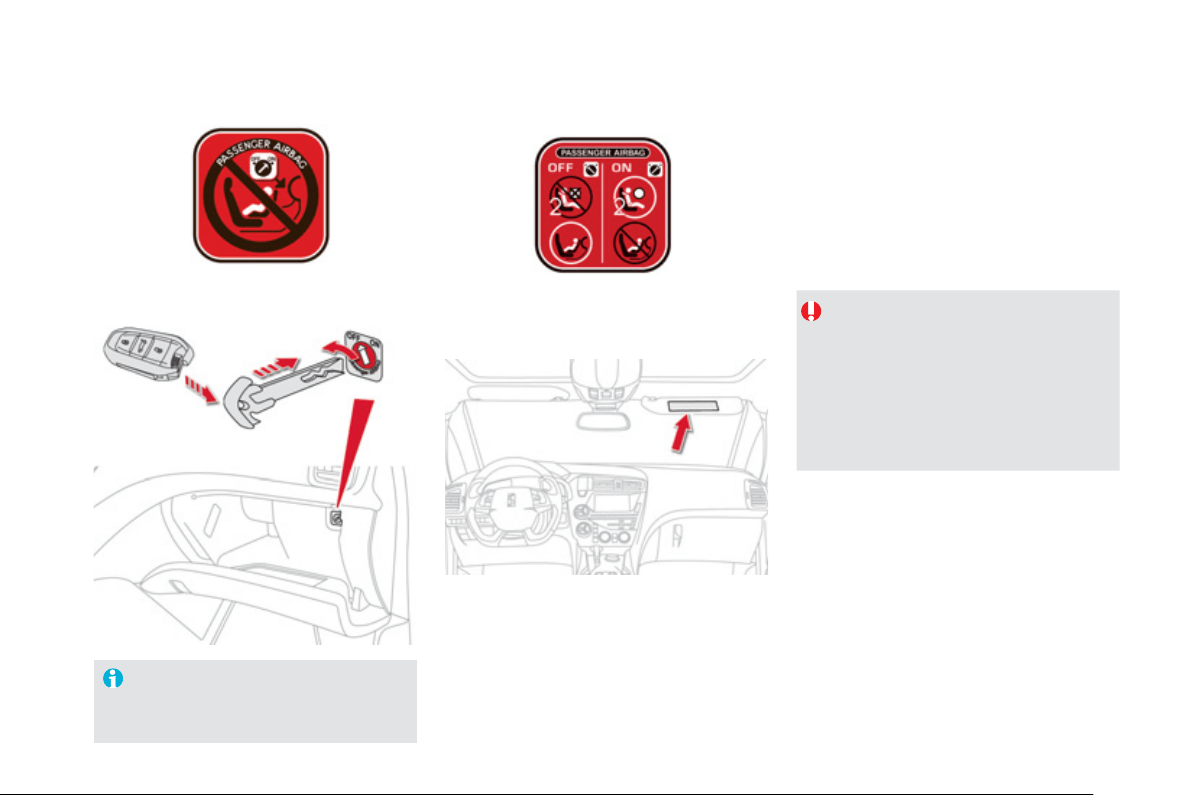
Passen
g
er airba
g
OFF
For more information on deactivatin
g
the airba
g
, refer to the "Safet
y
" section
then "Airba
g
s".
Re
f
er to the advice
g
iven on the label present
on both sides of the passen
g
er's sun visor.
To assure the sa
f
ety o
f
your child, you
m
ust deactivate the passen
g
er's
f
ront
a
irba
g
when
y
ou install a child seat in
the rearwards facin
g
position on the front
p
assen
g
er's seat.
O
therwise
,
there is a risk that the child
c
ould be seriousl
y
in
j
ured or killed i
f
the
ai
r
b
a
g
were
d
ep
l
o
y
e
d
.
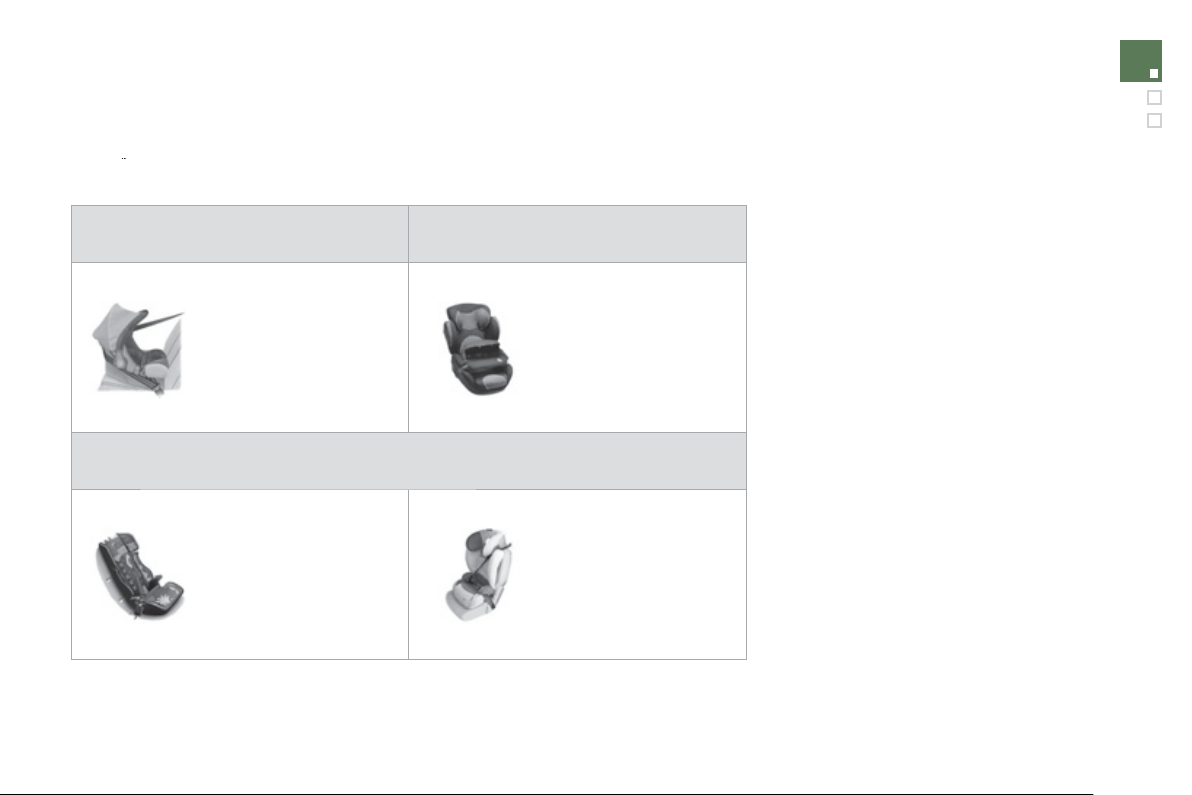
1
6
1
Child safety
Group 0+: from birth to 13 k
g
Groups 1, 2 and 3: from 9 to 36 k
g
L
1
"RÖMER Bab
y
-Safe Plus"
I
n
s
t
a
ll
ed
in th
e
r
ea
rw
a
r
ds
-
facin
g
position.
L2
"
KIDDY
Co
m
fo
rt Pr
o
"
Th
e
i
m
p
act s
hi
e
ld
must
b
e
used
f
or carrying young
c
hildren
(f
rom 9 to 18 k
g)
.
G
roups 2 and 3: from 15 to 36 k
g
L
4
"KLIPPAN
O
ptima"
From the a
g
e of 6
y
ears
(
approximatel
y
22 k
g)
, the
boos
t
e
r i
s
used
o
n it
s
o
wn.
L
5
"RÖMER KIDFIX"
Can be fitted to the
vehicle's I
SO
FIX
m
ountin
g
s.
The child is restrained b
y
t
he
sea
t
bel
t.
Child seats recommended by CITROËN
CITROËN offers a complete range of recommended child seats which are secured using a
y
t
h
ree
p
o
i
nt
seat
b
e
lt
:
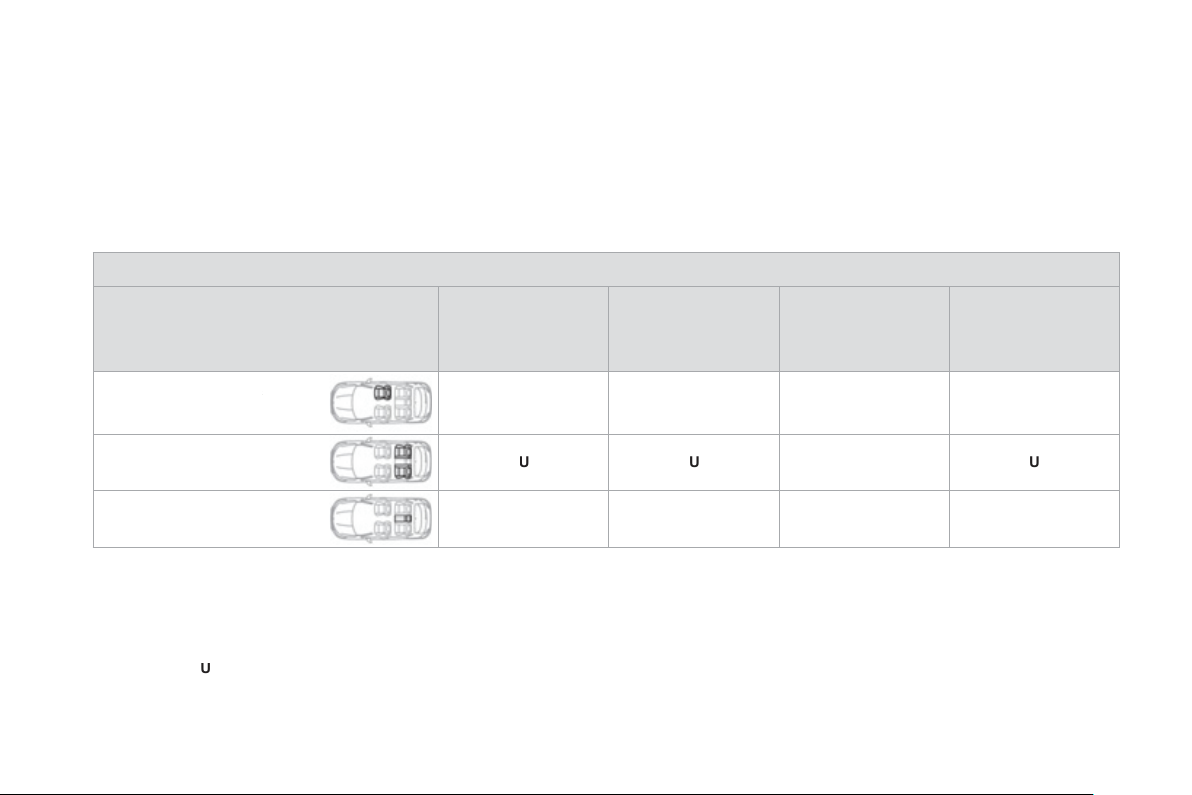
Installing child seats attached using the seat belt
In accordance with European re
g
ulations, this table indicates the options
f
or installin
g
child seats secured usin
g
a seat belt and universall
y
approved
(
a
)
in accordance with the wei
g
ht o
f
the child and the seat in the vehicle:
Wei
g
ht of the child and indicative a
ge
Sea
t
U
nder 13 k
g
(g
roups 0
(
b
)
and 0+
)
U
p to approx 1
y
ea
r
From 9 to 18 k
g
(g
roup 1
)
1 to 3
y
ears approx
From 15 to 25 k
g
(g
roup 2
)
3
to 6
y
ears approx
From 22 to 36 k
g
(g
roup 3
)
6 to 10
y
ears approx
Front passen
g
er seat
(
c
) with
c
hei
g
ht ad
j
ustment
U
(
R
)
U
(
R
)
U
(
R
)
U
(
R
)
O
uter rear seats
U
U
U
U
C
entre rear seat
X
X
X
X
a:
universal child seat, child seat that can be installed in all vehicles usin
g
a seat belt.
b:
g
roup 0,
f
rom birth to 10 k
g
.
S
hells seats and bab
y
carriers cannot be installed in the
f
ront passen
g
er seat.
c:
consult the le
g
islation in
f
orce in
y
our countr
y
be
f
ore installin
g
y
our child on this seat.
U
: seat suitable
f
or the installation o
f
a child seat secured usin
g
a seat belt and universall
y
approved, "rearwards-
f
acin
g
" and
/
or "
f
orwards-
f
acin
g
".
U
(
R
):
same
as
U
, with the passenger seat adjusted to the highest position and as
f
ar back as possible.
X:
seat position not suitable
f
or installation o
f
a child seat
f
or the wei
g
ht class indicated.

1
6
3
Child safety
Th
e
in
co
rr
ec
t in
s
t
a
ll
a
ti
o
n
o
f
a
c
hil
d
sea
t in
a
vehicle compromises the child's protection in
th
e
e
v
e
nt
of
a
n
acc
i
de
nt.
R
e
m
e
m
be
r t
o
fas
t
e
n th
e
sea
t
be
lt
s
o
r th
e
child
seat
h
arnesses
k
eep
i
n
g
t
h
e s
l
ac
k
relative to the child's bod
y
to a minimum,
e
ven
f
or short
j
ourne
y
s.
When installin
g
a child seat usin
g
the seat
belt, ensure that the seat belt is ti
g
htened
c
orrectl
y
on the child seat and that it secures
the child seat firml
y
on the seat of
y
our
vehicle. I
f
y
our passen
g
er seat is ad
j
ustable,
move it
f
orwards i
f
necessar
y
.
For o
p
timum installation o
f
the "
f
orwards-
f
acin
g
" child seat, ensure that the back o
f
th
e
c
hil
d
sea
t i
s
in
co
nt
ac
t with th
e
bac
k
of
th
e
v
e
hi
c
l
e
'
s
sea
t
a
n
d
th
a
t th
e
h
ead
r
es
tr
a
int
does not cause an
y
discomfort.
If the head restraint has to be removed,
e
nsure that it is stored or attached securel
y
to prevent it
f
rom bein
g
thrown around the
vehicle in the event o
f
sharp brakin
g
.
Advice on child seats
As a safet
y
precaution, do not leave:
-
a
c
hil
d
o
r
c
hil
d
r
e
n
a
l
o
n
e
a
n
d
u
nsuperv
i
se
d
i
n a ve
hi
c
l
e,
-
a
child
o
r
a
n
a
n
i
m
al
i
n
a
v
ehicle
w
hich
i
s ex
p
ose
d
to t
h
e sun, w
i
t
h
t
h
e w
i
n
d
ows
c
losed,
- the ke
y
s within reach o
f
children inside
th
e
v
e
hi
c
l
e
.
To prevent accidental openin
g
of the doors
a
nd rear windows
,
use the "Child lock".
Take care not to open the rear windows b
y
mo
r
e
t
ha
n
o
n
e
t
hi
r
d
.
To protect
y
oun
g
children
f
rom the ra
y
s o
f
the sun,
f
it side blinds on the rear windows.
Children under the a
g
e of 10 must not travel
in the "forwards-facin
g
" position on the front
passen
g
er seat, un
l
ess t
h
e rear seats are
a
l
rea
dy
occup
i
e
d
by
ot
h
er c
hild
ren, cannot
be
used
o
r
a
r
e
abse
nt.
Deactivate the passen
g
er airba
g
when a
"
rearwards-
f
acin
g
" child seat is installed on
th
e
fr
o
nt
sea
t.
O
therwise, the child would risk bein
g
seriousl
y
in
j
ured or killed if the airba
g
were
t
o
infl
a
t
e
.
Installin
g
a booster seat
The chest part of the seat belt must be
positioned on the child's shoulder without
touc
hi
n
g
t
h
e nec
k
.
Ensure that the lap part o
f
the seat belt
passes correct
ly
over t
h
e c
hild'
s t
high
s.
C
ITR
OË
N r
eco
mm
e
n
ds
th
e
use
o
f
a
boos
t
e
r
seat which has a back,
f
itted with a seat belt
g
uide at shoulder level.
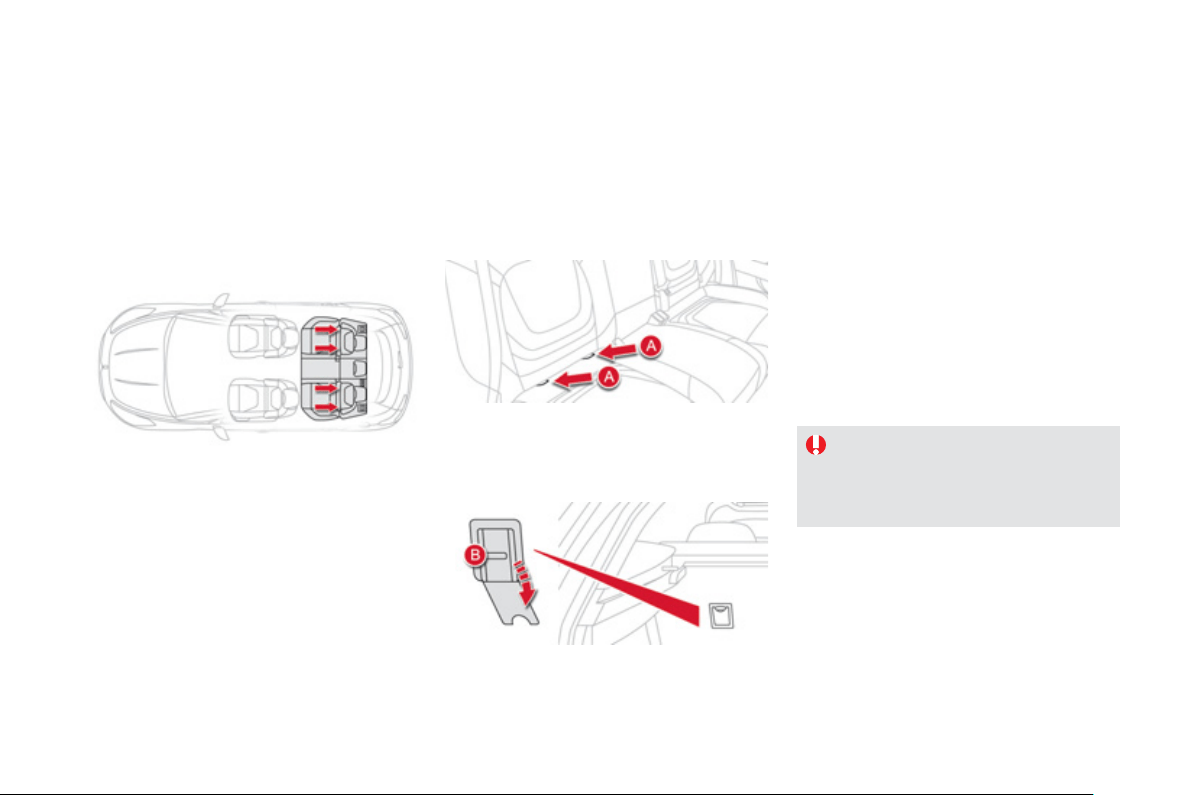
Your vehicle has been approved in accordance
with th
e
l
ates
t
I
SO
FIX
r
e
g
ulation
s
.
The seats, represented below, are fitted with
r
e
g
ulation ISOFIX mountin
g
s.
"ISOFIX" mountings
There are three rin
g
s for each seat.
- Two rin
g
s
A
, located between the vehicle
s
eat back and cushion, indicated b
y
a label.
This IS
O
FIX mountin
g
s
y
stem provides fast,
reliable and safe fittin
g
of the child seat in
y
our
v
e
hi
c
l
e
.
Th
e
ISOFIX child seats
a
r
e
fitt
ed
with tw
o
l
atc
h
es w
hi
c
h
are eas
ily
secure
d
on t
h
e two
r
i
n
g
s
A
.
So
m
e
a
l
so
h
a
v
e
a
n
u
pper strap w
hich
is
attached to ring
B
.
Th
e
in
co
rr
ec
t in
s
t
a
ll
a
ti
o
n
of
a
c
hil
d
sea
t
i
n a ve
hi
c
l
e comprom
i
ses t
h
e c
hild'
s
p
rotection in the event o
f
an accident.
For information re
g
ardin
g
the IS
O
FIX child
s
eats which can be installed in
y
our vehicle,
refer to the table showin
g
the locations for
installin
g
I
SO
FIX child seats.
- A rin
g
B
, behind the seat, referred to as the
T
OP TETHER for fixin
g
the upper strap.
To attach this strap, raise the vehicle seat's
h
ead restraint then pass the hook between its
rods. Then fix the hook on rin
g
B
and ti
g
hten
the upper strap.
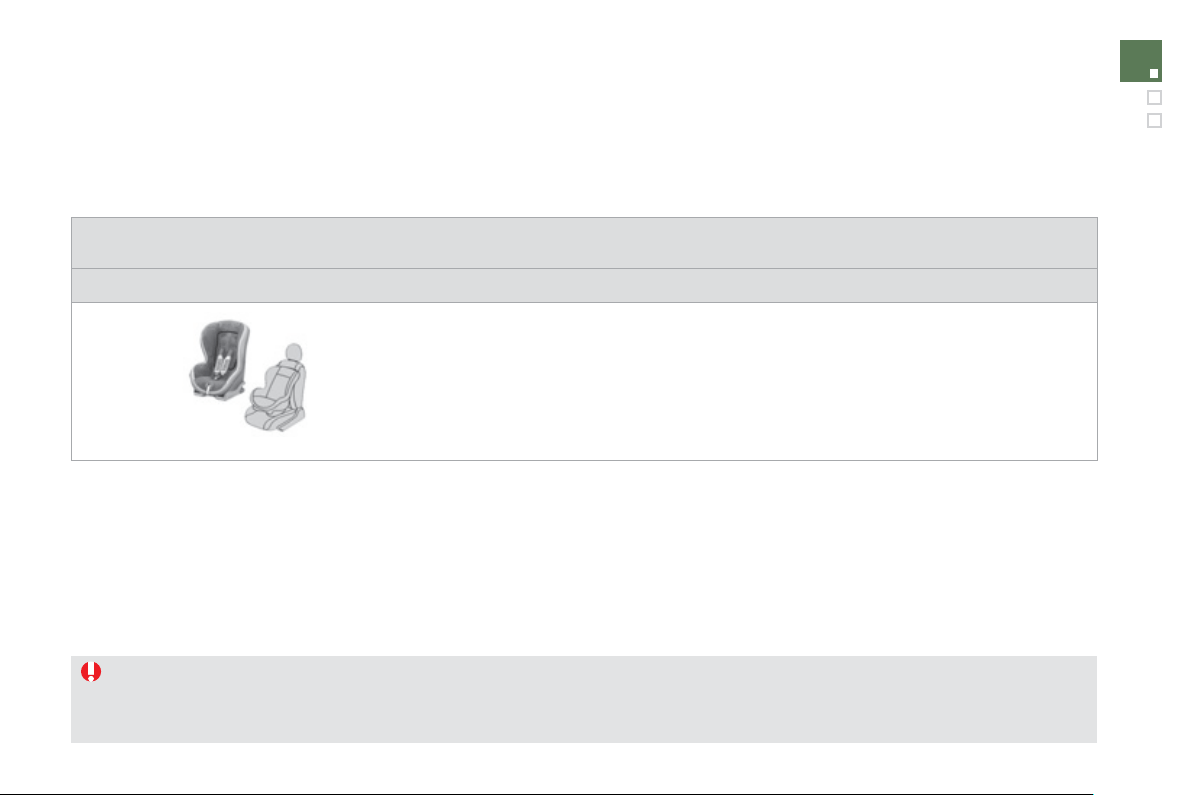
1
65
Child safety
ISOFIX child seat
This child seat can also be used on seats which are not fitted with IS
O
FIX mountin
g
s. In this case, it must be attached to the vehicle seat usin
g
the three point seat belt.
Follow the instructions for fittin
g
the child seat
g
iven in the seat manufacturer's installation
g
uide
.
Recommended b
y
CITROËN and approved for
y
our vehicle
R
ÖMER
D
uo Plus I
S
OFI
X
(
size cate
g
or
y
B
1
)
Group 1: from 9 to 18 k
g
Installed onl
y
in the
f
orwards-
f
acin
g
position.
F
itted with an upper strap to be secured on the upper rin
g
B
, re
f
erred to as the T
O
P TETHER.
Three seat bod
y
an
g
les: sittin
g
, reclinin
g
, l
y
in
g
.
Ad
j
ust the front seat of the vehicle so that the child's feet do not touch the back of the seat.
Can be installed forwards-facin
g
b
y
attachin
g
it to the seat usin
g
a three-point seat belt
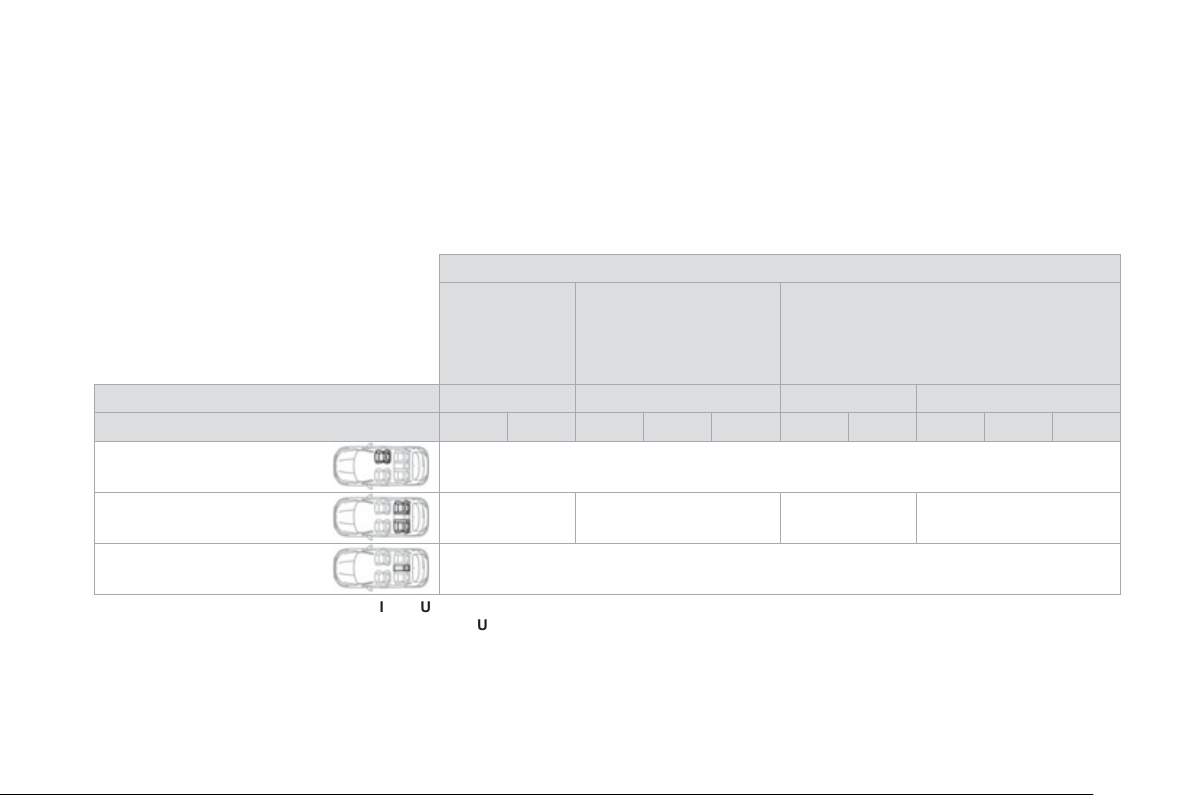
Locations for installing ISOFIX child seats
In accordance with European Re
g
ulations, this table indicates the options for installin
g
IS
O
FIX child seats on seats in the vehicle fitted with IS
O
FIX
m
ountin
g
s.
In the case of universal and semi-universal IS
O
FIX child seats, the IS
O
FIX size cate
g
or
y
, determined b
y
a letter from
A
to
G
,
is indicated on the child
s
eat next to the ISOFIX lo
g
o.
W
ei
g
ht of the child
/
indicative a
g
e
L
ess than 10 k
g
(g
roup 0
)
U
p to approx
.
6
months
Less than 10 k
g
(g
roup 0
)
L
ess than 13 k
g
(g
roup 0+
)
U
p to approx. 1 year
From 9 to 18 k
g
(g
roup 1
)
F
rom approx.
1
to
3
y
ears
Ty
pe of ISOFIX child sea
t
Sleeper co
t
*
"
rearwards-facin
g
"
"
rearwards-facin
g
"
"forwards-facin
g
"
ISOFIX size cate
g
or
y
F
G
C
D
E
C
D
A
B
B1
Front passen
g
er seat
N
o
t I
so
fix
O
uter rear seats
IL-
SU
**
IL-
SU
IL-
SU
I
UF
IL-S
U
C
entre rear seat
N
o
t I
sof
ix
I
UF
:
sea
t
su
it
ab
l
e
f
o
r th
e
in
s
t
a
ll
a
ti
o
n
o
f
a
n
I
so
fix
U
niversal seat, "F orwards-facin
g
" secured usin
g
the top belt.
I
L-SU
:
sea
t
su
it
ab
l
e
f
o
r th
e
in
s
t
a
ll
a
ti
o
n
o
f
a
n I
so
fix
S
e
mi-
U
niv
e
r
sa
l
sea
t
e
ith
e
r:
- "rearwards-facin
g
" fitted with a top belt or a sta
y
,
- "forwards-facin
g
" fitted with a sta
y
,
- a sleeper cot fitted with an upper strap or a sta
y
.
For advice on securin
g
of the top belt, refer to the para
g
raph "Isofix mountin
g
s".
*
S
leeper cots cannot be
f
itted to the
f
ront passen
g
er's seat.
** The IS
O
FIX sleeper cot, fixed to the lower IS
O
FIX rin
g
s, occupies all of the rear seats.
1
67
Child safety
Electric child lock
Remote control system to prevent opening o
f
the rear doors using their interior controls and use o
f
the rear electric windows.
Switchin
g
on Switchin
g
off
An
y
other status of the indicator lamp
in
d
i
ca
t
es
a
f
au
lt with th
e
e
l
ec
tri
c
c
hil
d
loc
k.
Have it checked b
y
a CITRO
Ë
N dealer
or a quali
f
ied workshop.
This s
y
stem is independent and in no
c
ircumstances does it take the place o
f
t
h
e centra
l
l
oc
ki
n
g
contro
l
.
C
h
ec
k th
e
s
t
a
t
us
of
th
e
c
hil
d
l
oc
k
eac
h
t
i
me
y
ou sw
i
tc
h
on t
h
e
ig
n
i
t
i
on.
Always remove the key
f
rom the ignition
when leavin
g
the vehicle, even
f
or a
s
h
o
rt tim
e
.
In the event of a serious impact, the
e
l
ec
tri
c
c
hil
d
l
oc
k i
s
s
wit
c
h
ed
o
f
f
automaticall
y
to permit the exit of the
rear
passengers
.
)
With the i
g
nition on, press this
bu
tt
o
n.
)
With the i
g
nition on, press this
b
utton a
g
a
i
n.
The indicator lam
p
in the button comes on,
accompanied b
y
a messa
g
e to confirm that the
c
hil
d
l
oc
k i
s
o
n.
This indicator lamp remains on until the child
l
oc
k i
s
s
wit
c
h
ed
o
ff.
It is still possible to open the doors
f
rom the
outs
id
e an
d
operate t
h
e rear e
l
ectr
i
c w
i
n
d
ows
f
rom the driver's control
p
anel.
The indicator lamp in the button
g
oes o
ff
,
a
ccompanied b
y
a messa
g
e to confirm that the
c
hil
d
l
oc
k i
s
o
ff.
This indicator lamp remains off while the child
loc
k i
s
s
wit
c
h
ed
o
ff.
007
Safety
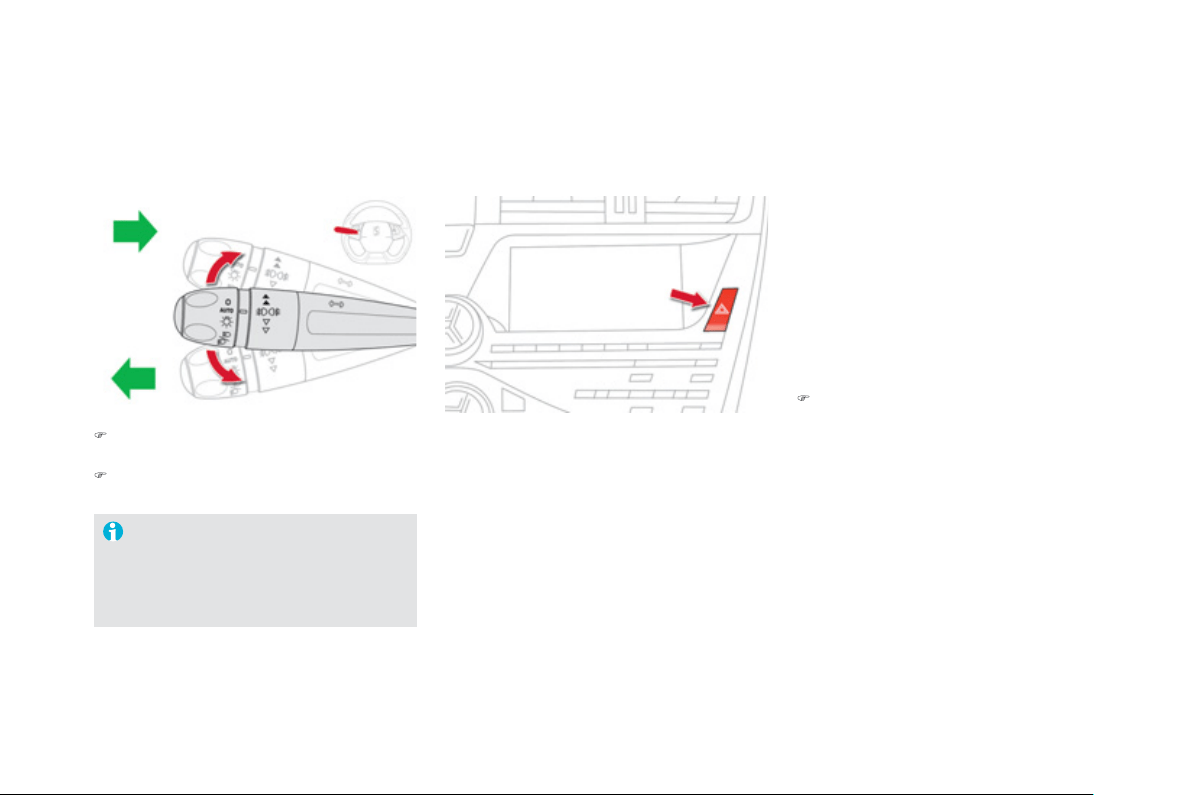
Direction indicators
)
Lower the li
g
htin
g
control stalk
f
ull
y
when
m
ovin
g
to the le
f
t.
)
Raise the li
g
htin
g
control stalk
f
ull
y
when
m
oving to the right.
"Motorwa
y
" function
Move the stalk brie
f
ly upwards or downwards,
without
g
oin
g
be
y
ond the point o
f
resistance;
the correspondin
g
direction indicators will flash
3
times.
I
f
y
ou
f
or
g
et to cancel the direction
indicators
f
or more than twent
y
s
econds, the volume o
f
the audible
s
i
g
nal will increase i
f
the speed is above
40 mph
(
60 km/h
)
.
Hazard warning lamps
Press the button, the direction indicators
f
lash.
They can operate with the ignition o
ff
.
Automatic o
p
eration
of hazard warnin
g
lamps
When brakin
g
in an emer
g
enc
y
, dependin
g
on
the rate of deceleration
,
as well as when the
A
B
S
re
g
ulation is invoked or in the event o
f
an
i
mpact, t
h
e
h
azar
d
warn
i
n
g
l
amps come on
automat
i
ca
lly
.
They switch o
ff
automatically the
f
irst time you
acce
l
e
r
a
t
e
.
)
You can also switch them off b
y
pressin
g
th
e
bu
tt
o
n.
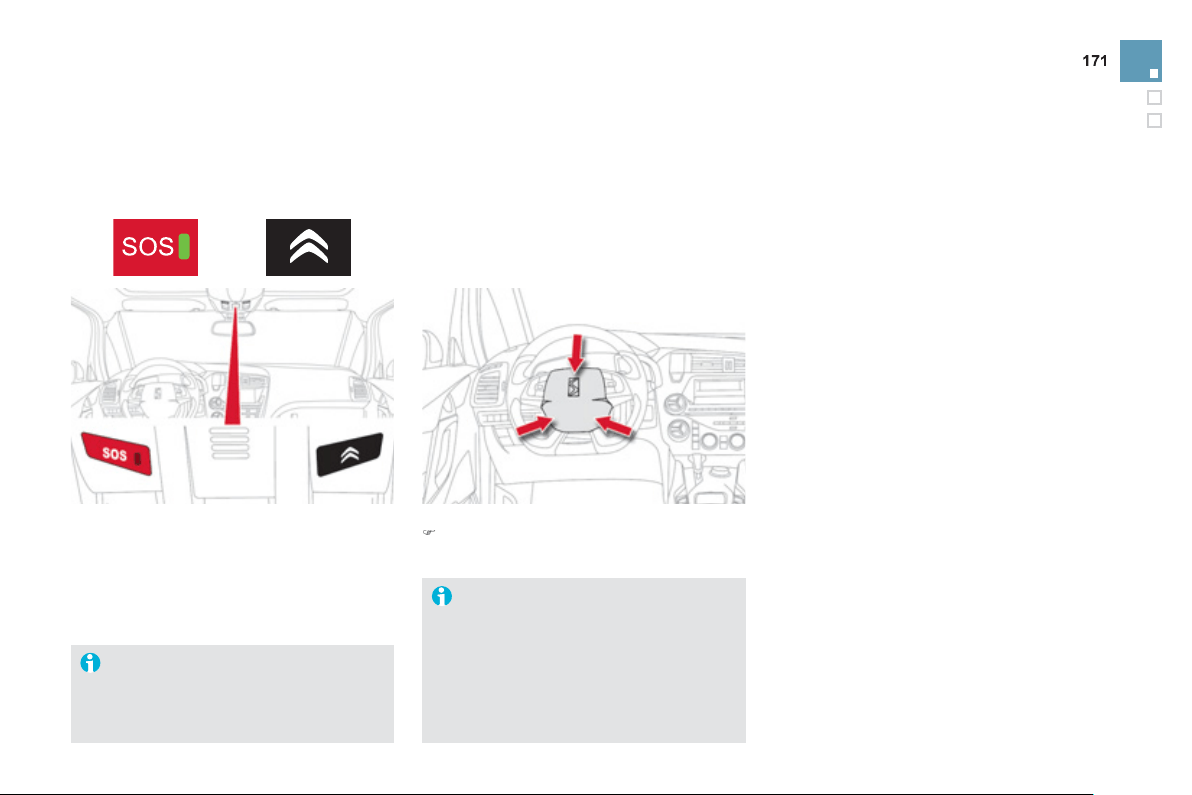
Safety
Horn Emergency or
assistance call
This s
y
stem allows
y
ou to make an emer
g
enc
y
or assistance call to the emer
g
enc
y
services o
r
to the dedicated
C
ITR
OË
N service.
A
u
dibl
e warn
i
n
g
s
y
stem to a
l
ert ot
h
er roa
d
u
sers to an
i
mm
i
nent
d
an
g
er.
)
Press the central part of the multifunction
s
teerin
g
wheel.
Use the horn moderately and only in the
f
ollowin
g
circumstances:
- immediate dan
g
er,
- overtakin
g
a c
y
clist or pedestrian,
- approachin
g
a location lackin
g
visibilit
y
.
F
o
r m
o
r
e
in
fo
rm
a
ti
o
n
o
n th
e
use
of
this function, refer to the "Audio and
t
e
l
e
m
a
ti
cs
"
sec
ti
o
n.
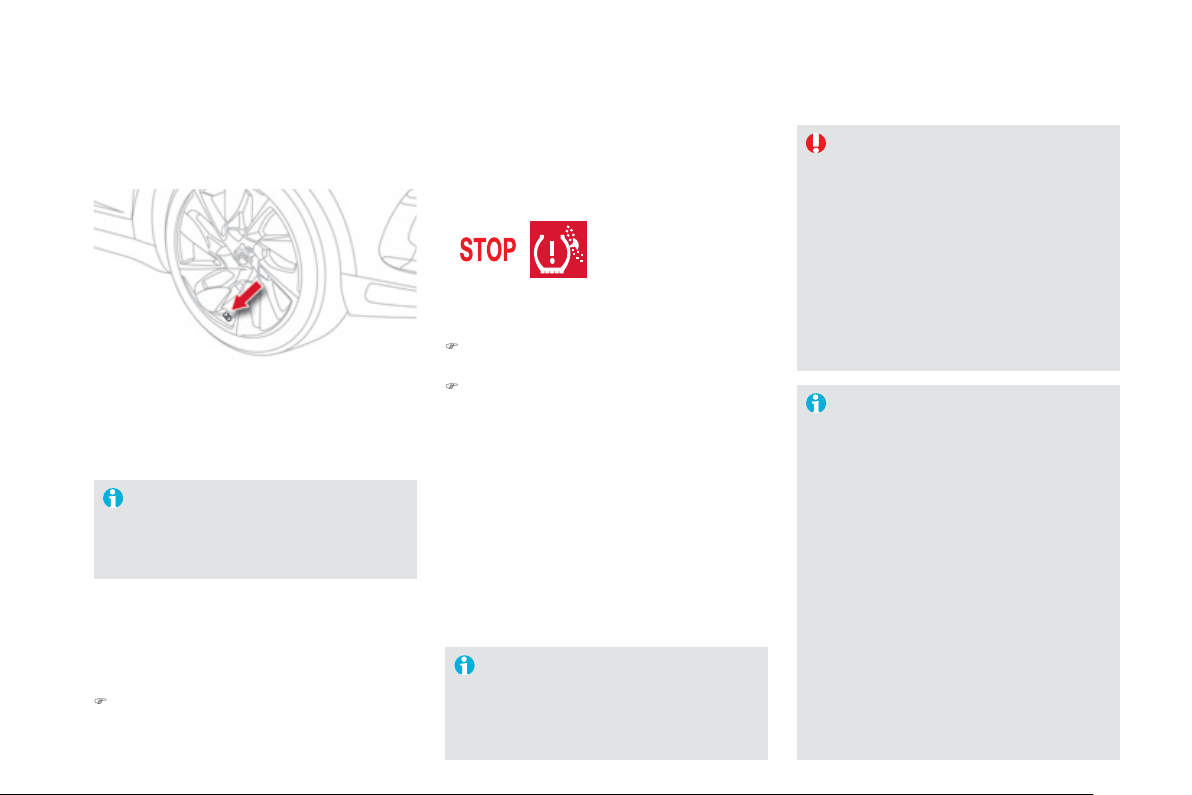
Tyre under-infl ation detection
Sy
stem which automaticall
y
checks the pressure o
f
the t
y
res while drivin
g
.
S
ensors
f
itted in each valve tri
gg
er a warnin
g
in
the event of malfunction
(
speed above 12 mph
(
20 km/h
))
.
The spare wheel is not fitted with a sensor.
All repairs and chan
g
in
g
of t
y
res on a
wheel fitted with this s
y
stem must be
c
arried out b
y
a CITROËN dealer or a
q
ualified workshop.
I
f
, when chan
g
in
g
a t
y
re,
y
ou install a
w
h
ee
l
w
hi
c
h
i
s not
d
etecte
d
by
y
our
vehicle
(
example:
f
ittin
g
o
f
snow t
y
res
)
,
you must have the system reinitialised
b
y
a CITROËN dealer or a qualified
workshop.
Thi
s messa
g
e
i
s a
l
so
di
sp
l
a
y
e
d
w
h
en
one o
f
the wheels is awa
y
f
rom the
vehicle
(
being repaired
)
or when one o
r
mo
r
e
wh
ee
l
s
with
ou
t
a
se
n
so
r
a
r
e
f
itt
ed
.
The t
y
re under-inflation detection
sy
stem
i
s an a
id
to
d
r
i
v
i
n
g
w
hi
c
h
d
oes
n
ot replace the need
f
or the driver to be
v
igil
ant or to
d
r
i
ve respons
ibly
.
Thi
s s
y
stem
d
oes not avo
id
t
h
e nee
d
to have the tyre pressures checked
re
g
ularl
y
(
re
f
er to "Identi
f
ication
markin
g
s"
)
to ensure that the optimum
d
y
namic performance of the vehicle
is maintained and prevent premature
wear of the t
y
res, particularl
y
in arduous
drivin
g
conditions
(
heav
y
load, hi
g
h
s
peed
)
.
Th
e t
y
re pressures must
b
e c
h
ec
k
e
d
c
old, at least once a month. Remembe
r
to check the
p
ressure o
f
the s
p
are
wh
ee
l.
The t
y
re under-inflation detection
sy
stem ma
y
experience temporar
y
interference due to electroma
g
netic
s
i
g
nals on a
f
requenc
y
close to that
use
d
by
t
h
e s
y
stem.
A
messa
g
e appears in the instrument panel
s
creen, accompan
i
e
d
by
an au
dibl
e s
ig
na
l
,
to identi
fy
the wheel concerned.
Under-infl ated t
y
re
Thi
s warn
i
n
g
l
amp an
d
t
he
STO
P
warn
i
n
g
l
amp
c
ome on, accompan
i
e
d
by
an au
dibl
e s
ig
na
l
an
d
a messa
g
e
i
n t
h
e
instrument panel screen identi
f
ying the wheel
co
n
ce
rn
ed
.
)
S
top immediatel
y
, avoidin
g
an
y
sudden
movement of the steerin
g
wheel and the brakes.
)
Chan
g
e the dama
g
ed wheel
(
punctured
o
r ver
y
deflated t
y
re
)
, and have the t
y
re
pressure c
h
ec
k
e
d
as soon as poss
ibl
e.
P
uncture
A messa
g
e appears in the instrument panel
screen, accompan
i
e
d
by
an au
dibl
e s
ig
na
l
,
to identi
fy
the wheel or wheels which are not
detected or to indicate a
f
ault in the s
y
stem.
Contact a CITROËN dealer or a
q
ualified
workshop to replace the
f
ault
y
sensor
(
s
)
.
Sensor
(
s
)
not detected or fault
y
)
C
heck the t
y
re pressures as soon as possible.
Thi
s c
h
ec
k
must
b
e carr
i
e
d
out w
h
en t
h
e t
y
res
a
r
e
co
l
d
.

1
7
3
Safety
Electronic
S
tabilit
y
Pro
g
ramme incorporatin
g
the
f
ollowin
g
s
y
stems:
- the anti-lock brakin
g
s
y
stem
(
AB
S)
and the
e
lectronic brake force distribution
(
EBFD
)
,
- the emer
g
enc
y
brakin
g
assistance,
- the anti-slip re
g
ulation
(
ASR
)
or traction
c
ontrol
,
- the d
y
namic stabilit
y
control
(
D
SC)
.
Electronic stability programme (ESP)
Definitions
A
nti-lock brakin
g
s
y
stem
(
ABS
)
a
nd electronic brake force
distribution
(
EBFD
)
This s
y
stem improves the stabilit
y
and
manoeuvrabilit
y
of
y
our vehicle when brakin
g
a
nd provides improved control in corners, in
p
articular on poor or slipper
y
road surfaces.
The ABS prevents wheel lock in the event o
f
emer
g
enc
y
b
ra
ki
n
g
.
The electronic brake
f
orce distribution s
y
stem
mana
g
es t
h
e
b
ra
ki
n
g
pressure w
h
ee
l
by
w
h
ee
l
.
Emer
g
enc
y
brakin
g
assistance
In an emer
g
enc
y
, this s
y
stem enables
y
ou to
r
each the optimum brakin
g
pressure more
q
uickl
y
and therefore reduce the stoppin
g
d
i
s
t
a
n
ce
.
I
t
i
s tr
igg
ere
d
i
n re
l
at
i
on to t
h
e spee
d
at w
hi
c
h
the brake pedal is pressed. This is
f
elt b
y
a
r
eduction in the resistance o
f
the
p
edal and an
i
ncrease in the e
ff
ectiveness o
f
the braking.
Anti-slip re
g
ulation
(
ASR
)
The A
S
R s
y
stem
(
also known as Traction
C
ontrol
)
optimises traction in order to avoid
wheel slip b
y
actin
g
on the brakes o
f
the drivin
g
wheels and on the en
g
ine. It also improves
the directional stabilit
y
of the vehicle on
acce
l
e
r
a
ti
o
n.
D
y
namic stabilit
y
control
(
DSC
)
If there is a difference between the path
f
ollowed b
y
the vehicle and that required b
y
the driver, the DSC monitors each wheel and
automaticall
y
acts on the brake of one or more
w
h
ee
l
s an
d
on t
h
e en
gi
ne to return t
h
e ve
hi
c
l
e
to the required path, within the limits o
f
the laws
of
ph
y
sics.

I
ntelli
g
ent traction control
s
y
stem
(
"Snow motion"
)
Your vehicle has a s
y
stem to help drivin
g
on
sno
w:
i
ntelli
g
ent traction control
.
This s
y
stem detects situations of difficult
su
rf
ace
ad
h
es
i
o
n th
a
t
cou
l
d
m
a
k
e
it
d
iffi
cu
lt t
o
m
ove o
ff
or make pro
g
ress on deep
f
resh snow
or compacte
d
snow.
I
n t
h
ese s
i
tuat
i
ons, t
h
e
i
nte
llig
ent tract
i
on
c
ontrol limits the amount o
f
wheel sli
p
to
p
rovide the best traction and tra
j
ector
y
control
for
y
our vehicle.
O
p
eration
Anti-lock brakin
g
s
y
stem
(
ABS
)
and electronic brake force
distribution
(
EBFD
)
I
n emer
g
enc
y
b
ra
ki
n
g
, press
v
er
y
firml
y
without releasin
g
the
press
u
re.
When chan
g
in
g
wheels
(
t
y
res and rims
)
,
make sure that these are approved
f
o
r
y
our ve
hi
c
l
e.
Normal operation o
f
the AB
S
may make
itsel
f
f
elt b
y
sli
g
ht vibrations o
f
the brake
pedal.
When this warnin
g
lamp comes on,
accompanied b
y
an audible si
g
nal
and a messa
g
e, it indicates that
there is a fault with the ABS, which
cou
l
d
cause
l
oss
o
f
co
ntr
o
l
o
f th
e
v
e
hi
c
l
e
wh
e
n
b
rakin
g
.
When this warnin
g
lamp comes on,
c
oupled with the STO
P
warnin
g
lamp,
accompanied b
y
an audible si
g
nal
and a messa
g
e, it indicates that
th
e
r
e
i
s
a
fau
lt with th
e
e
l
ec
tr
o
ni
c
b
r
a
k
e
fo
r
ce
distribution
(
EBFD
)
, which could cause loss o
f
c
ontrol o
f
the vehicle when brakin
g
.
You must stop as soon as it is safe to do so
.
In both cases, contact a CITROËN dealer or a
q
ualified workshop.
The use o
f
snow t
y
res is stron
g
l
y
r
ecommended on sur
f
aces o
ff
erin
g
low levels
of
ad
h
es
i
o
n.
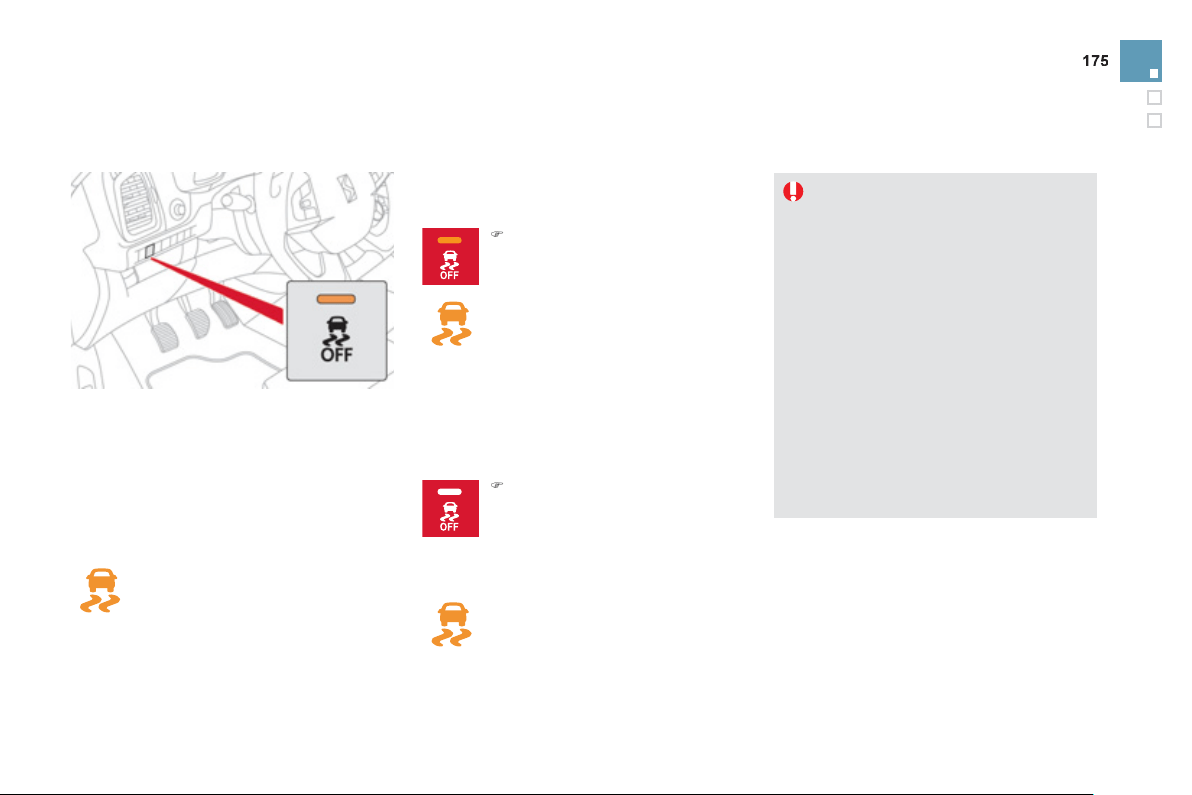
Safety
Dy
namic stabilit
y
control
(
DSC
)
A
ct
i
vat
i
on
Thi
s s
y
stem
i
s act
i
vate
d
automat
i
ca
lly
eac
h
t
i
m
e
t
he
v
ehicle
is
s
t
a
rt
ed
.
It comes into operation in the event o
f
a grip o
r
tra
j
ector
y
problem.
This is indicated by
f
lashing o
f
this
w
arnin
g
lamp in the instrument panel.
D
eact
i
vat
i
on
In exceptional conditions
(
startin
g
a vehicle
which is bo
gg
ed down, stuck in snow, on so
f
t
g
round...
)
, it ma
y
be advisable to deactivate
the D
SC
s
y
stem, so that the wheels can move
f
reely and regain grip.
The D
SC
s
y
stem o
ff
ers exceptional
s
a
f
ety in normal driving, but this should
not encoura
g
e the driver to take extra
risks or drive at hi
g
h speed.
The correct operation of the s
y
stem
depends on observation of the
m
a
n
u
f
ac
t
u
r
e
r'
s
r
eco
mm
e
n
da
ti
o
n
s
re
g
ardin
g
the wheels
(
t
y
res and rims
)
,
t
h
e
b
ra
ki
n
g
components, t
h
e e
l
ectron
i
c
c
om
p
onents and the CITRO
Ë
N
assembly and operation procedures.
A
f
ter an impact, have the s
y
stem
c
hecked b
y
a CITROËN dealer or a
q
ualified workshop.
Operatin
g
fault
I
f
this warnin
g
lamp comes on,
accompanied b
y
an audible si
g
nal
and a messa
g
e in the instrument
panel screen, this indicates a fault
with the s
y
stem.
Contact a CITRO
Ë
N dealer or a qualified
w
or
k
s
h
op to
h
ave t
h
e s
y
stem c
h
ec
k
e
d
.
Reactivation
The s
y
stem is reactivated automaticall
y
each
time the i
g
nition is switched back on or from
3
0 mph
(
50 km/h
)
.
)
P
r
ess
t
he
bu
tt
o
n.
This warnin
g
lamp and the indicator
lamp in the button come on: the
DSC s
y
stem no lon
g
er acts on the
o
peration of the en
g
ine.
)
P
ress t
h
e
b
utton a
g
a
i
n to
react
i
vate
i
t manua
lly
.
But it is recommended that the s
y
stem be
r
eactivated as soon as possible.
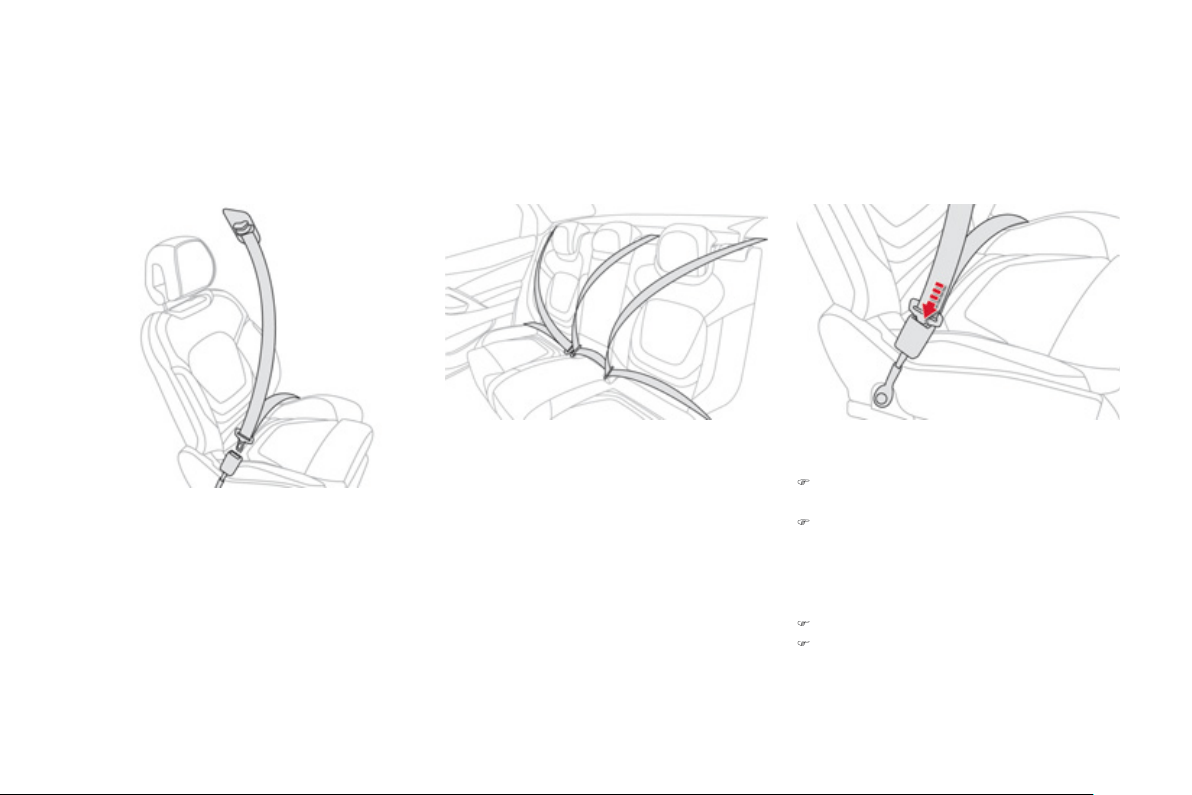
Seat belts
Front seat belts Rear seat belts
The rear seats are each
f
itted with a seat belt,
three-point anchora
g
es with inertia reel and
force limiter
(
except for the centre rear seat
)
.
Fastenin
g
)
Pull the strap, then insert the ton
g
ue in the
buc
kl
e
.
)
C
heck that the seat belt is fastened
c
orrect
ly
by
pu
lli
n
g
t
h
e strap.
Unfastenin
g
)
Pr
ess
th
e
r
ed
bu
tt
o
n
o
n th
e
buc
kl
e
.
)
G
uide the seat belt as it reels in.
Th
e
fr
o
nt
sea
t
be
lt
s
a
r
e
fitt
ed
with
a
p
retensionin
g
and force limitin
g
s
y
stem.
This s
y
stem improves sa
f
et
y
in the
f
ront
s
eats in the event o
f
a
f
ront or side impact.
Dependin
g
on the severit
y
o
f
the impact, the
p
retensioning system instantly tightens the seat
belts a
g
ainst the bod
y
o
f
the occupants.
The pretensionin
g
seat belts are active when
the i
g
nition is on.
The force limiter reduces the pressure of the
s
eat belt on the chest of the occupant,
s
o
i
mprov
i
n
g
t
h
e
i
r protect
i
on.
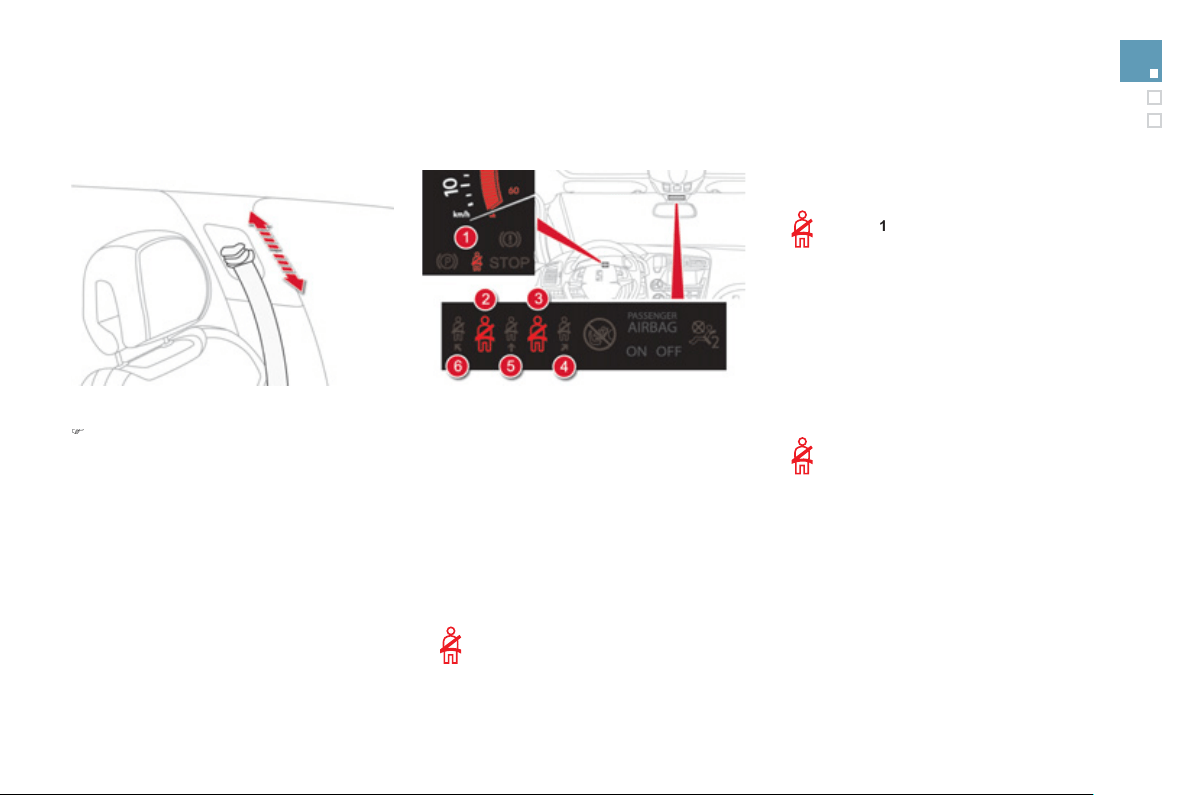
177
Safety
Front seat belt hei
g
ht ad
j
ustment
)
T
o a
dj
ust t
h
e anc
h
ora
g
e po
i
nt, squeeze t
h
e
c
ontrol and slide it until you
f
ind a notch.
From approximatel
y
12 mph
(
20 km/h
)
,
the warnin
g
lamp
(
s
)
flash for two minutes
a
ccompanied b
y
an audible si
g
nal.
O
nce
t
h
ese two m
i
nutes
h
ave e
l
apse
d
, t
h
e
w
arnin
g
lamp
(
s
)
remain on until the driver or one or
m
ore passengers
f
asten their seat belt.
Seat belt not fastened /
u
nfastened warnin
g
lamps *
1
.
Front and
/
or rear seat belts not
f
astened
/
u
n
f
astened warnin
g
lamp in the instrument
panel.
2
.
Front left seat belt warnin
g
lamp.
3.
Front ri
g
ht seat belt warnin
g
lamp.
4.
R
ear r
igh
t seat
b
e
l
t warn
i
n
g
l
amp.
5
.
R
ear centre seat
b
e
l
t warn
i
n
g
l
amp.
6.
Rear le
f
t seat belt warnin
g
lamp.
Front seat belt warnin
g
lamps
O
n switchin
g
on the i
g
nition, warnin
g
l
am
p
1
co
m
es
o
n
i
n t
he
i
n
s
tr
u
m
e
nt
p
anel and the corresponding warning
l
am
p
2
and
/
or
3
come
(
s
)
on in red
in the passen
g
er's seat belt and front airba
g
warnin
g
lamp displa
y
if the correspondin
g
seat
be
lt i
s
n
o
t f
as
t
e
n
ed
o
r i
s
u
nf
as
t
e
n
ed
.
R
ear seat
b
e
l
t warn
i
n
g
l
amps
O
n switchin
g
on the i
g
nition, the
c
orrespondin
g
warnin
g
lamps
4
,
5
a
n
d
6
co
m
e
o
n in r
ed
f
o
r
abou
t
30
seconds if a seat belt is not
fas
t
e
n
ed
.
A
bove 12 mph
(
20 km
/
h
)
, the correspondin
g
warn
i
n
g
l
amps
4
,
5
or
6
comes on
i
n re
d
,
accompanied by an audible signal and a
messa
g
e in the instrument panel screen, when
a rear passen
g
er has unbuckled their seat belt.
* Accordin
g
to version and/or countr
y
of sale.

The driver must ensure that passen
g
ers use
t
h
e seat
b
e
l
ts correct
ly
an
d
t
h
at t
h
e
y
are a
ll
restrained securel
y
be
f
ore settin
g
o
ff
.
Wh
erever
y
ou are seate
d
i
n t
h
e ve
hi
c
l
e,
always
f
asten your seat belt, even
f
or short
j
ourne
y
s.
Do not interchan
g
e the seat belt buckles as
the
y
will not fulfil their role full
y
.
Th
e
sea
t
be
lt
s
a
r
e
fitt
ed
with
a
n in
e
rti
a
r
ee
l
p
ermittin
g
automatic ad
j
ustment of the len
g
th
of
the strap to
y
our size. The seat belt is
s
towe
d
automat
i
ca
lly
w
h
en not
i
n use.
Be
f
ore and a
f
ter use, ensure that the seat
belt is reeled in correctly.
The lower part o
f
the strap must be
p
ositioned as low as possible on the pelvis.
The upper part must be positioned in the
ho
ll
o
w
o
f th
e
s
h
ou
l
de
r.
Th
e
in
e
rti
a
r
ee
l
s
a
r
e
fitt
ed
with
a
n
au
t
o
m
a
ti
c
l
oc
ki
n
g
d
ev
i
ce w
hi
c
h
comes
i
nto operat
i
on
i
n
the event o
f
a collision, emer
g
enc
y
brakin
g
o
r i
f
th
e
v
e
hi
c
l
e
r
o
ll
s
o
v
e
r. Y
ou
ca
n r
e
l
ease
the device by pulling
f
irmly on the strap and
releasin
g
it so that it reels in sli
g
htl
y
.
Recommendations for children
Use a suitable child seat i
f
the passen
g
er is
l
ess than 12 years old or shorter than one
a
n
d
a
h
a
l
f
m
e
tr
es
.
N
e
v
e
r
use
th
e
sa
m
e
sea
t
be
lt t
o
secu
r
e
m
o
r
e
than one person.
Never allow a child to travel on
y
our lap.
In order to be effective
,
a seat belt must:
-
b
e t
igh
tene
d
as c
l
ose to t
h
e
b
o
dy
as
poss
ibl
e,
- be pulled in
f
ront o
f
y
ou with a smooth
movement, checking that it does not
twist,
- be used to restrain onl
y
one person,
- not bear an
y
trace of cuts or fra
y
in
g
,
- n
o
t
be
co
nv
e
rt
ed
o
r m
od
ifi
ed
t
o
a
v
o
i
d
affectin
g
its performance.
In accordance with current sa
f
et
y
re
g
ulations,
f
or all repairs on
y
our vehicle,
g
o to a quali
f
ied workshop with the skills
and e
q
ui
p
ment needed, which a CITROËN
dealer is able to provide.
Have
y
our seat belts checked re
g
ularl
y
b
y
a CITROËN dealer or a qualified workshop,
particularl
y
if the straps show si
g
ns o
f
dama
g
e.
C
lean the seat belt straps with soap
y
water or a text
il
e c
l
ean
i
n
g
pro
d
uct, so
ld
by
C
ITR
OË
N
dea
l
e
r
s
.
A
f
ter
f
olding or moving a seat or rear bench
s
eat, ensure that the seat belt is positioned
and reeled in correctl
y
.
In the event of an im
p
act
D
epen
di
n
g
on t
h
e nature an
d
seriousness of the impac
t
, t
h
e
p
retensioning device may be deployed
be
f
ore and independentl
y
o
f
the airba
g
s.
D
eplo
y
ment of the pretensioners is
a
ccompanied b
y
a sli
g
ht dischar
g
e o
f
h
armless smoke and a noise, due to the
a
ctivation of the p
y
rotechnic cartrid
g
e
i
ncorporate
d
i
n t
h
e s
y
stem.
I
n a
ll
cases, t
h
e a
i
r
b
a
g
warn
i
n
g
l
amp
comes
on
.
Following an impact, have the seat belts
s
y
stem checked, and i
f
necessar
y
replaced,
b
y
a CITROËN dealer or a qualified
w
orkshop.
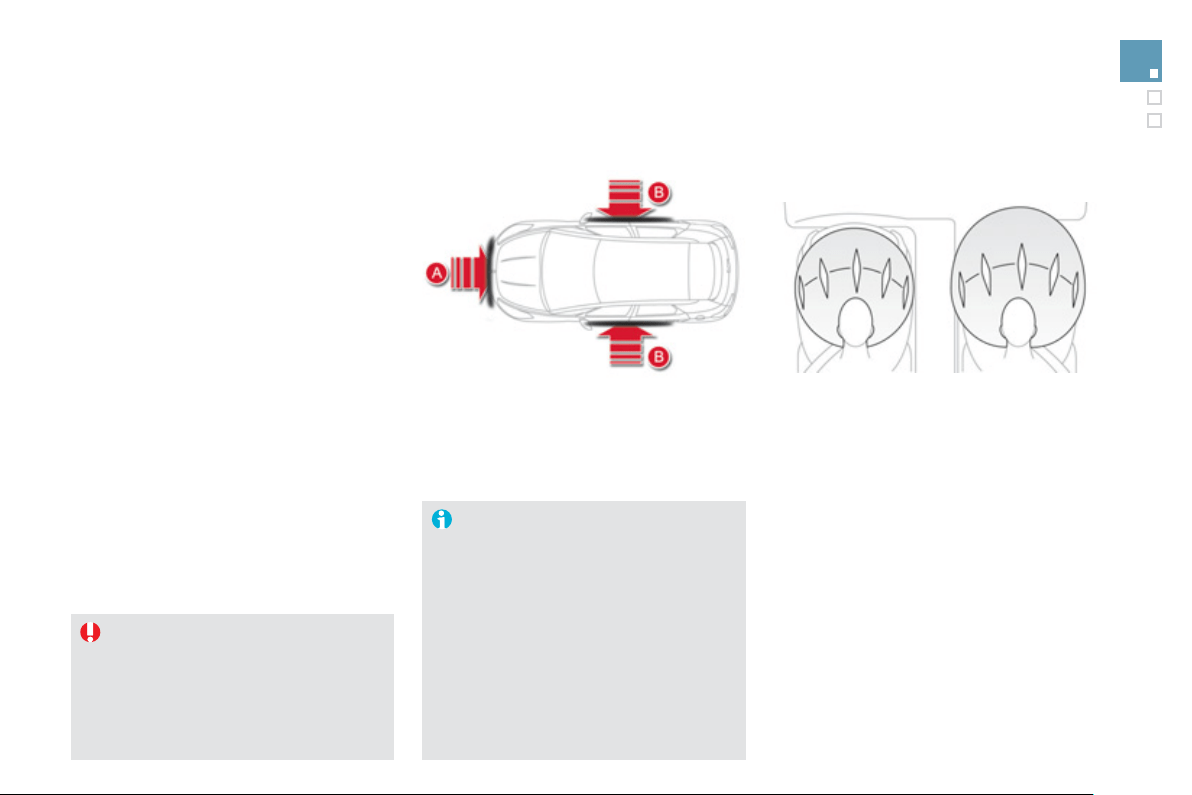
1
7
9
Safety
Airbags
S
ystem designed to maximise the sa
f
ety o
f
the
occupants
(
with the exception o
f
the rear centre
p
assen
g
er
)
in the event of violent collisions.
It supplements the action of the force-limitin
g
s
eat belts
(
with the exception of the rear centre
p
assen
g
er
)
.
I
f
a collision occurs, the electronic detectors
record and anal
y
se the
f
ront and side impacts
s
usta
i
ne
d
i
n t
h
e
i
m
p
act
d
etect
i
on zones:
- in the case o
f
a serious impact, the airbags
a
re deplo
y
ed instantl
y
and protect the
occupants of the vehicle
(
with the exception
of the rear centre passen
g
er
)
; immediatel
y
a
fter the impact, the airba
g
s deflate rapidl
y
s
o that the
y
do not hinder visibilit
y
or the
e
xit o
f
the occupants,
- in the case o
f
a minor or rear impact or in
c
erta
i
n ro
ll
-over con
di
t
i
ons, t
h
e a
i
r
b
a
g
s
will not be deployed; the seat belt alone is
s
u
ff
icient to
p
rovide o
p
timum
p
rotection in
th
ese
s
it
ua
ti
o
n
s
.
T
he airba
g
s do not operate when the
i
g
nition is switched off
.
This equipment will onl
y
deplo
y
once.
I
f a second impact occurs
(
durin
g
the
s
ame or a subsequent accident
)
, the
a
i
r
b
a
g
w
ill
not
b
e
d
ep
l
o
y
e
d
a
g
a
i
n.
Deplo
y
ment of the airba
g(
s
)
is
a
ccompanied b
y
a sli
g
ht emission o
f
h
arm
l
ess smo
k
e an
d
a no
i
se,
d
ue to t
h
e
a
ctivation o
f
the p
y
rotechnic cartrid
g
e
incorporated in the system.
This smoke is not harm
f
ul, but sensitive
individuals ma
y
experience sli
g
ht
irrit
a
ti
o
n.
The noise of the detonation ma
y
result
in a sli
g
ht loss of hearin
g
for a short
t
i
m
e
.
I
m
p
act
d
etect
i
on zones
A.
Front impact zone.
B.
S
ide impact zone.
Front airba
g
s
Deplo
y
ment
The airba
g
s are deplo
y
ed simultaneousl
y
, unless
the passen
g
er's front airba
g
is deactivated, in the
e
vent of a serious front impact to all or part of the
f
ront impact zone
A
,
i
n t
h
e
l
on
gi
tu
di
na
l
centre
li
ne
of
the vehicle on a horizontal plane and directed
f
r
o
m th
e
f
r
o
nt t
o
th
e
r
ea
r
of
th
e
v
e
hi
c
l
e
.
The
f
ront airbag in
f
lates between the thorax and
head o
f
the
f
ront occupant o
f
the vehicle and the
s
teerin
g
wheel, driver's side, and the dashboard,
passen
g
er's side to cushion their forward
m
o
v
e
m
e
n
t
.
S
y
stem which protects the driver and front
passen
g
er in the event of a serious front impact
in order to limit the risk of in
j
ur
y
to the head and
t
ho
r
a
x.
The driver's airba
g
is
f
itted in the centre o
f
the
s
teerin
g
wheel; the
f
ront passen
g
er's airba
g
is
f
itted in the dashboard above the glove box.
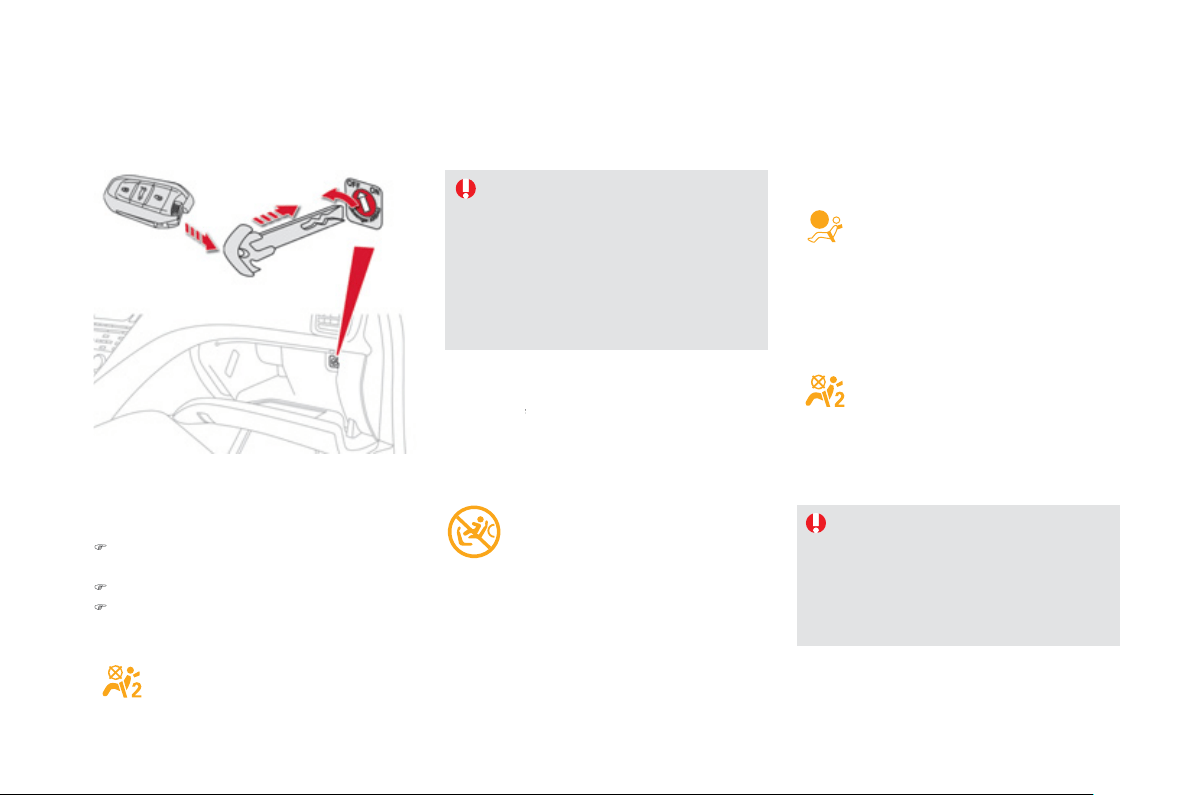
D
eact
i
vat
i
on
O
nl
y
the passen
g
er's
f
ront airba
g
can be
deac
t
i
v
a
t
ed
:
)
i
nsert t
h
e
k
e
y
i
n t
h
e passen
g
er a
i
r
b
a
g
deactivation switch,
)
t
u
rn it t
o
th
e
"
OFF"
p
osition,
)
then, remove the ke
y
keepin
g
the switch in
the new position.
Accordin
g
to version, this warnin
g
l
am
p
comes on e
i
t
h
er
i
n t
h
e
instrument panel or in the seat belt
a
nd passenger's
f
ront airbag warning lamp
displa
y
when the i
g
nition is on and until the
a
irba
g
is reactivated.
To assure the safet
y
of
y
our child,
the passen
g
er's front airba
g
must be
deactivated when
y
ou install a "rear
f
acin
g
" child seat on the
f
ront passen
g
e
r
sea
t.
O
therwise, the child would risk bein
g
seriously injured or killed i
f
the airbag
w
ere deplo
y
ed.
I
f
even one o
f
the two airbag warning
lamps comes on continuousl
y
, do
n
o
t in
s
t
a
ll
a
c
hil
d
sea
t
o
n th
e
fr
o
nt
passen
g
er seat.
Have it checked b
y
a CITROËN dealer
o
r quali
f
ied workshop.
Reactivation
When
y
ou remove the child seat,
w
ith the
ignition off
,
turn the switch to the
f
"
ON"
pos
i
t
i
on to react
i
vate t
h
e a
i
r
b
a
g
an
d
so assure
the sa
f
et
y
o
f
y
our
f
ront passen
g
er in the event
o
f
an im
p
act.
Wi
t
h
t
h
e
ig
n
i
t
i
on on, t
hi
s warn
i
n
g
l
amp comes on
i
n t
h
e seat
b
e
l
t an
d
p
assen
g
er's
f
ront airba
g
warnin
g
lamp display
f
or approximately one
m
inute, i
f
the passen
g
er's
f
ront
airba
g
is activated.
Operatin
g
fault
If this warnin
g
lamp comes on in the
i
nstrument pane
l
, accompan
i
e
d
by
an
au
dibl
e warn
i
n
g
an
d
a messa
g
e
i
n t
h
e
i
nstrument
p
ane
l
screen, contact a
C
ITROËN dealer or a
q
ualified worksho
p
to have
the s
y
stem checked. The airba
g
s ma
y
no lon
g
er
be deplo
y
ed in the event of a serious impact.
If this warnin
g
lamp flashes, contact
a CITRO
Ë
N dealer or a qualified
w
orkshop. The passen
g
er's
f
ront
a
i
r
b
a
g
ma
y
no
l
on
g
er
b
e
d
ep
l
o
y
e
d
i
n
the event o
f
a serious im
p
act.
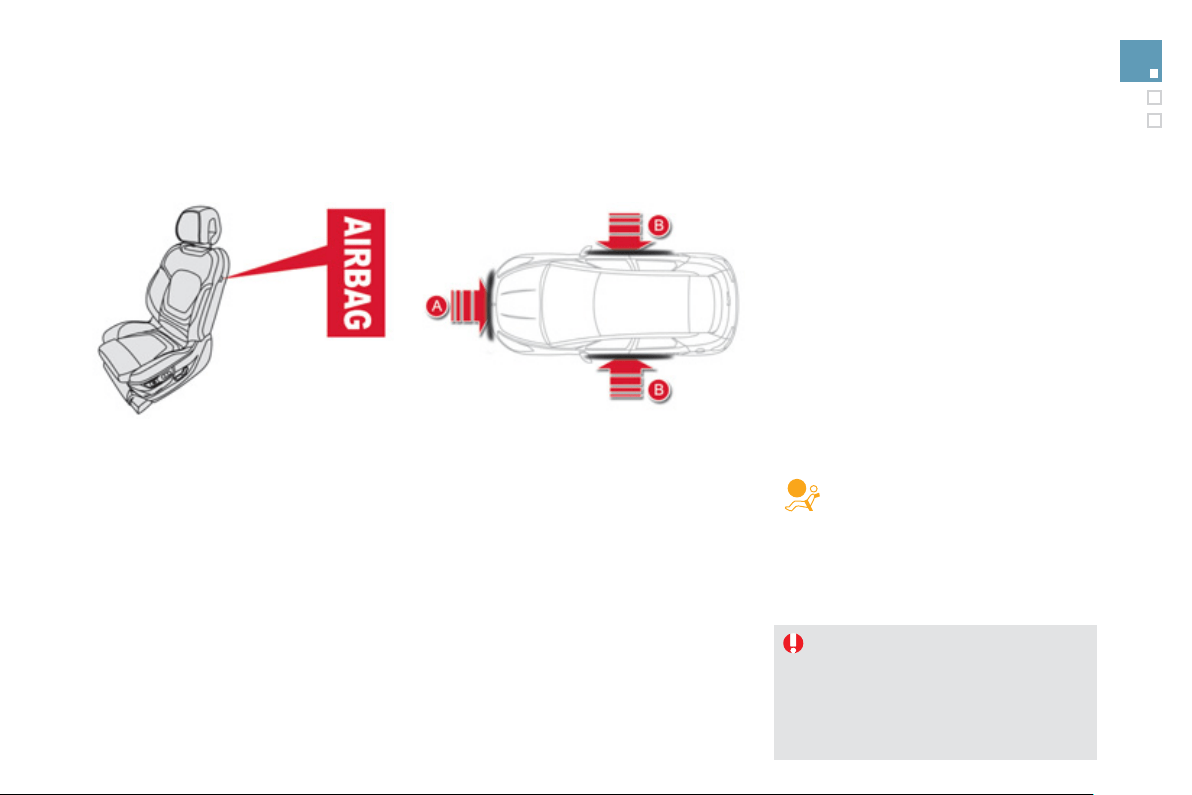
1
8
1
Safety
L
ateral airba
g
s
Deplo
y
ment
The lateral airba
g
s are deplo
y
ed unilaterall
y
in the event
of a serious side impact applied to all or part of the side
i
mpact zone
B
, perpen
di
cu
l
ar to t
h
e
l
on
gi
tu
di
na
l
centre
li
ne
o
f
the vehicle on a horizontal plane and directed
f
rom the
ou
t
s
i
de
t
o
w
a
r
ds
th
e
in
s
i
de
of
th
e
v
e
hi
c
l
e
.
The lateral airbag in
f
lates between the hip and shoulder
o
f
the
f
ront occupant o
f
the vehicle and the correspondin
g
door trim panel.
Sy
stem which protects the driver and
f
ront
p
assen
g
er in the event o
f
a serious side impact
in order to limit the risk o
f
injury to the chest,
between the hip and the shoulder.
Each lateral airba
g
is fitted in the seat backrest
frame, door side.
Im
p
act detection zones
A.
Front im
p
act zone.
B
.
Side impact zone.
Curtain airba
g
s
S
y
stem which protects the driver and
p
assen
g
ers
(
with the exception of the rear
c
entre passen
g
er
)
in the event of a serious side
i
mpact in order to limit the risk of in
j
ur
y
to the
s
i
de
of
th
e
h
ead
.
E
ac
h
curta
i
n a
i
r
b
a
g
i
s
b
u
il
t
i
nto t
h
e p
ill
ars an
d
t
h
e upper passen
g
er compartment area.
In the event of a minor impact or bump
o
n th
e
s
i
de
o
f th
e
v
e
hi
c
l
e
o
r if th
e
vehicle rolls over, the airba
g
ma
y
not be
deplo
y
ed.
In the event o
f
a rear or
f
ront collision,
t
h
e curta
i
n a
i
r
b
a
g
i
s not
d
ep
l
o
y
e
d
.
Deplo
y
ment
The curtain airba
g
is deplo
y
ed at the same
time as the correspondin
g
lateral airba
g
in the
e
vent of a serious side impact applied to all o
r
part of the side impact zone
B
, perpendicular
to the lon
g
itudinal centreline o
f
the vehicle on a
horizontal plane and directed
f
rom the outside
t
o
w
a
r
ds
th
e
in
s
i
de
of
th
e
v
e
hi
c
l
e
.
The curtain airbag in
f
lates between the
f
ront o
r
rear occupant o
f
the vehicle and the windows.
If this warnin
g
lamp comes on in the
instrument panel, accompanied b
y
an
a
udible si
g
nal and a messa
g
e in the
i
nstrument pane
l
screen, contact a
C
ITRO
Ë
N dealer or a qualified workshop to have
t
h
e s
y
stem c
h
ec
k
e
d
.
Th
e a
i
r
b
a
g
s ma
y
no
l
on
g
er
be deplo
y
ed in the event o
f
a serious impact.
Operatin
g
fault

Sit in a normal upri
g
ht position.
Wear a correctl
y
ad
j
usted seat belt.
Do not leave an
y
thin
g
between the
o
ccupants and the airba
g
s
(
a child, pet,
o
b
j
ect...
)
. This could hamper the operation o
f
t
h
e a
i
r
b
a
g
s or
i
n
j
ure t
h
e occupants.
Af
t
e
r
a
n
acc
i
de
nt
o
r i
f
th
e
v
e
hi
c
l
e
h
as
bee
n
s
tolen or broken into, have the airbag
sy
stems checked.
A
ll work on the airba
g
s
y
stem must be
c
arried out b
y
a CITROËN dealer or a
q
ualified workshop.
Even if all of the precautions mentioned
are observed, a risk o
f
in
j
ur
y
or o
f
minor
b
urns to t
h
e
h
ea
d
, c
h
est or arms w
h
en an
a
i
r
b
a
g
i
s
d
ep
l
o
y
e
d
cannot
b
e ru
l
e
d
out.
Th
e
bag in
f
lates almost instantly
(
within a
f
ew
m
illiseconds
)
then de
f
lates within the same
time dischar
g
in
g
the hot
g
as via openin
g
s
p
rovided for this purpose.
Latera
l
a
i
r
b
a
g
s
Use onl
y
approved covers on the seats,
c
ompat
ibl
e w
i
t
h
t
h
e
d
ep
l
o
y
ment t
h
e
l
atera
l
a
irba
g
s. For in
f
ormation on the ran
g
e o
f
seat
c
overs suitable
f
or
y
our vehicle,
y
ou can
c
ontact a CITROËN dealer,
R
efe
r t
o
th
e
"A
ccesso
ri
es
"
sec
ti
o
n.
Do not fix or attach an
y
thin
g
to the seat
backs
(
clothin
g
...
)
. This could cause in
j
ur
y
to the chest or arms if the lateral airba
g
is
deplo
y
ed.
Do not sit with the upper part o
f
the bod
y
an
y
n
earer to t
h
e
d
oor t
h
an necessar
y
.
F
ront a
i
r
b
a
g
s
Do not drive holdin
g
the steerin
g
wheel b
y
its
s
po
k
es or rest
i
n
g
y
our
h
an
d
s on t
h
e centre
part o
f
the wheel.
Passen
g
ers must not place their
f
eet on the
das
h
boa
r
d
.
I
f
possible, do not smoke as deplo
y
ment o
f
the airba
g
s can cause burns or the risk o
f
in
j
ur
y
from a ci
g
arette or pipe.
Never remove or pierce the steerin
g
wheel or
hit it violentl
y
.
For the airba
g
s to be full
y
effective, observe the followin
g
safet
y
rules:
Curtain airba
g
s
Do not
f
ix or attach an
y
thin
g
to the roo
f
. This
c
ould cause injury to the head i
f
the curtain
airba
g
is deplo
y
ed.
If fitted on
y
our vehicle, do not remove the
g
rab handles installed on the roof, the
y
pla
y
a part in securin
g
the curtain airba
g
s.
1
8
3
Safety
008
Practical information

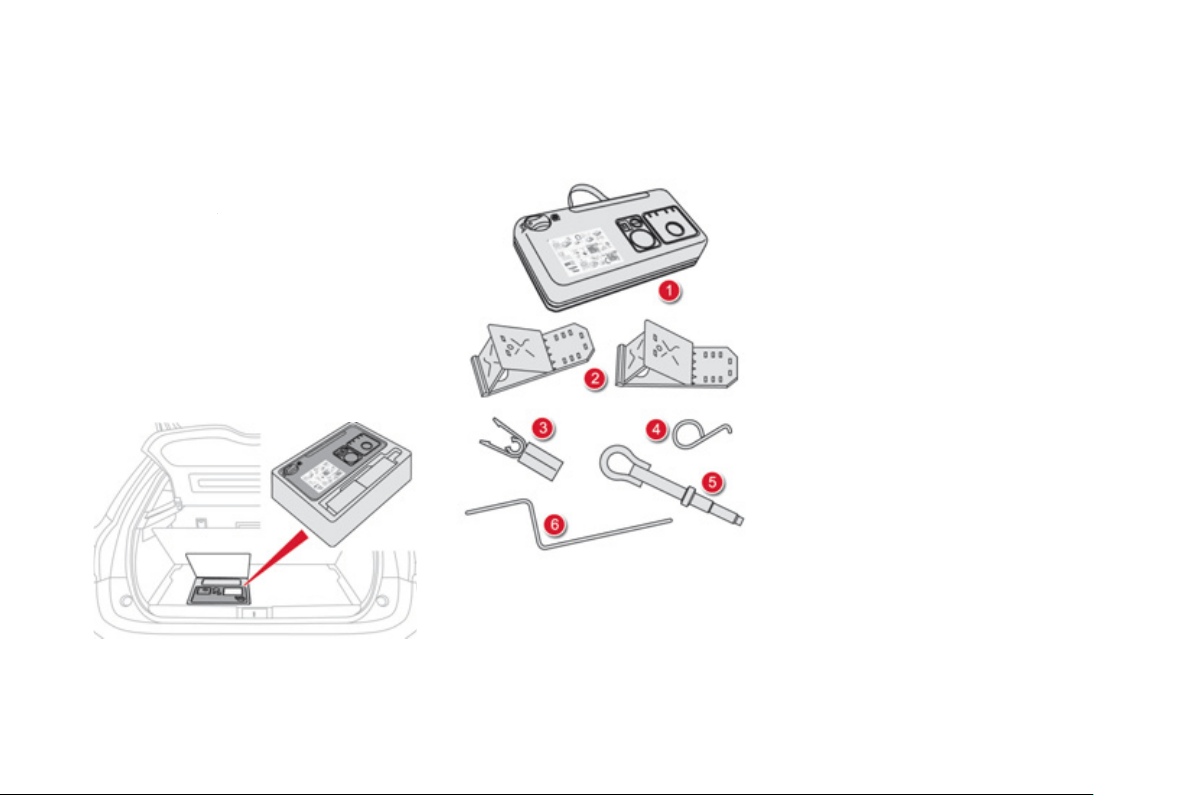
This kit is installed in the stora
g
e box, under the
boo
t
f
l
oo
r.
C
omplete system consisting o
f
a compressor
a
nd a sealant cartrid
g
e which permits
temporar
y
repai
r
of a tyre so that you can
r
drive to the nearest
g
ara
g
e.
It is desi
g
ned to repair most punctures which
c
ould affect the t
y
re, located on the t
y
re tread
o
r
shoulde
r.
Temporary puncture repair kit
A
ccess to the kit
List of tools
A
ll of these tools are specific to
y
our vehicle
and can var
y
accordin
g
to equipment. Do not
use them for other purposes.
1.
12 V compressor.
C
ontains a sealant cartrid
g
e
f
or the
temporar
y
repair o
f
a t
y
re and can also be
used
f
or ad
j
ustin
g
t
y
re pressures.
2.
C
hocks
*
to block the wheels o
f
the vehicle.
3.
B
o
lt "
co
v
e
r
s
*
" t
oo
l.
For removin
g
the wheel bolt protectors
(
covers
)
on allo
y
wheels.
4.
Wh
ee
l fini
s
h
e
r r
e
m
o
v
e
r.
For removin
g
the wheel finishers on allo
y
w
heels
.
5
.
R
emova
bl
e tow
i
n
g
e
y
e.
S
ee "Towin
g
the vehicle".
6
.
Electric parking brake emergency release
co
ntr
o
l.
See "Electric parkin
g
brake" then
"Emer
g
enc
y
brakin
g
".
* Dependin
g
on countr
y
of sale or equipment.
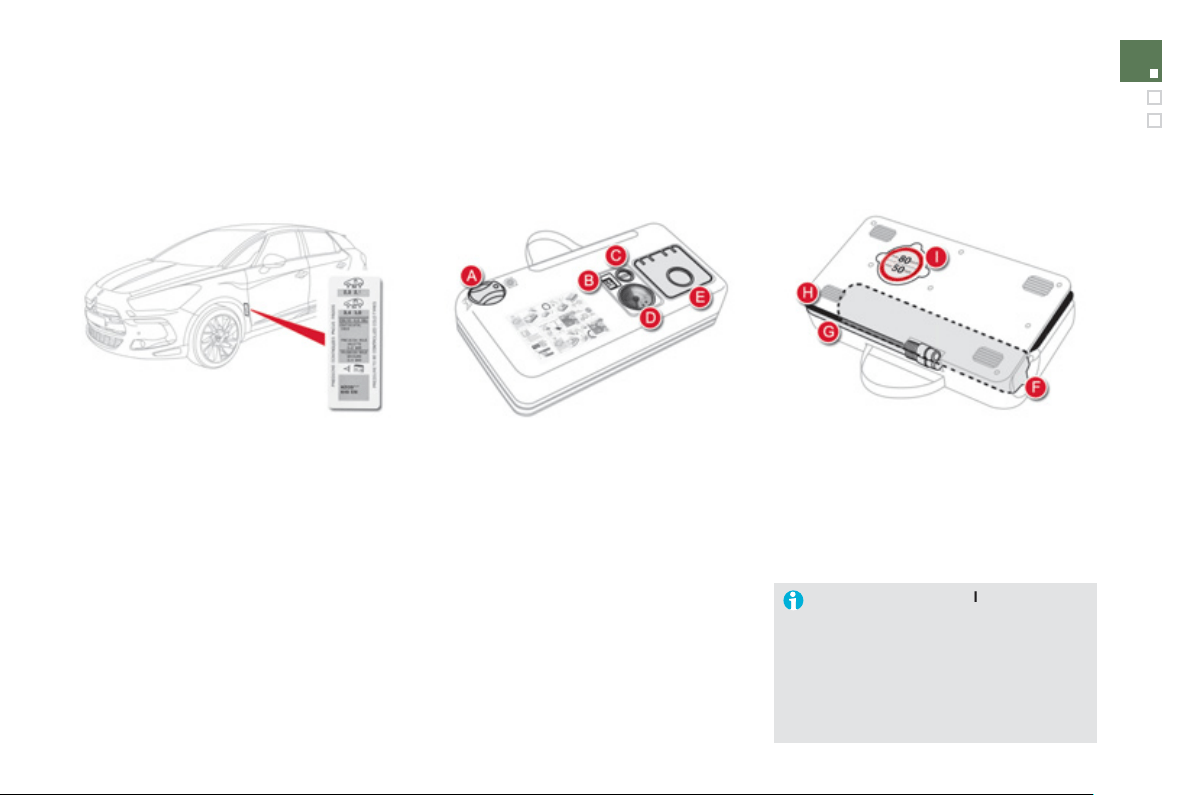
1
87
Practical information
A.
"
S
ealant" or "Air"
p
osition selector.
B
.
O
n
"
I" / off
"
O"
s
wit
c
h.
C.
D
e
fl
a
ti
o
n
bu
tt
o
n.
D.
Pressure
g
au
g
e
(
in bar or p.s.i.
)
.
E.
Compartment housin
g
:
- a cable with adaptor
f
or 12 V socket,
- various in
f
lation adaptors
f
or
accessor
i
es, suc
h
as
b
a
ll
s,
bi
c
y
c
l
e
tyres...
Descri
p
tion of the kit
F
.
S
ealant cartrid
g
e.
G.
White pipe with cap for repair.
H
.
Black pipe for inflation.
I
.
Speed limit sticker.
The speed limit sticker
I
m
us
t
be
a
ffix
ed
to t
h
e ve
hi
c
l
e
'
s steer
i
n
g
w
h
ee
l
to rem
i
n
d
y
ou t
h
at a w
h
ee
l
i
s
i
n temporar
y
use.
Do not exceed a s
p
eed o
f
50 m
p
h
(
80 km
/
h
)
when driving with a tyre
repaired usin
g
this t
y
pe o
f
kit.
The t
y
re inflation pressures are
g
iven on this
l
abe
l.
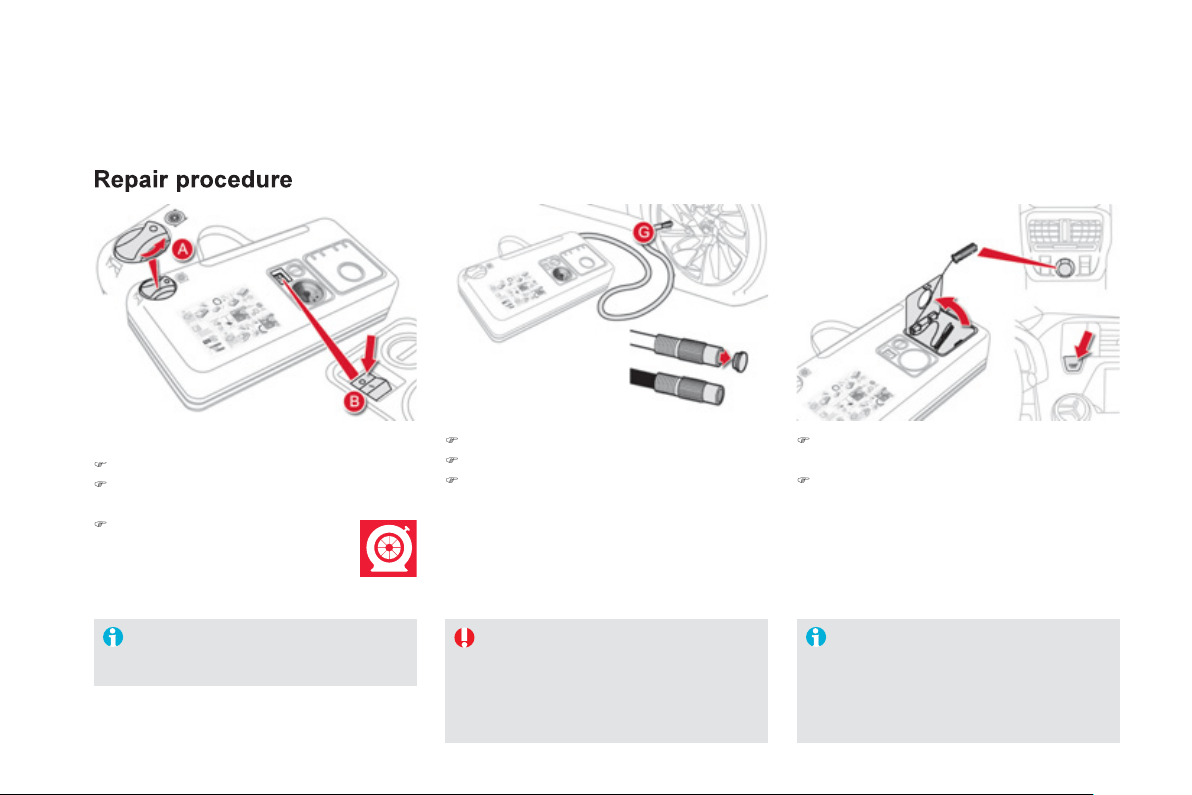
)
S
witch o
ff
the i
g
nition.
)
Uncoil the white pipe
G
full
y
.
)
Unscrew the cap from the white pipe.
)
C
onnect the white pipe to the valve o
f
the
t
y
re to
b
e repa
i
re
d
.
)
Connect the compressor's electric plu
g
to
th
e
v
e
hi
c
l
e
'
s
12 V
soc
k
e
t.
)
S
tart the vehicle and leave the en
g
ine
r
unn
i
n
g
.
Take care, this product is harmful
(
e.
g
.
eth
y
lene-
g
l
y
col, colophon
y
...
)
if swallowed
a
nd causes irritation to the e
y
es.
Keep this product out o
f
the reach o
f
child
r
e
n.
Do not start the com
p
ressor be
f
ore
c
onnectin
g
the white pipe to the t
y
re
valve: the sealant product would be
e
xpelled throu
g
h the pipe.
A
void removing any
f
oreign bodies
which have penetrated into the t
y
re.
1. Sealin
g
)
T
u
rn th
e
se
l
ec
t
o
r
A
t
o
th
e
"
sea
l
a
nt"
p
osition.
)
C
heck that the switch B i
s
in
p
osition
"
O"
.
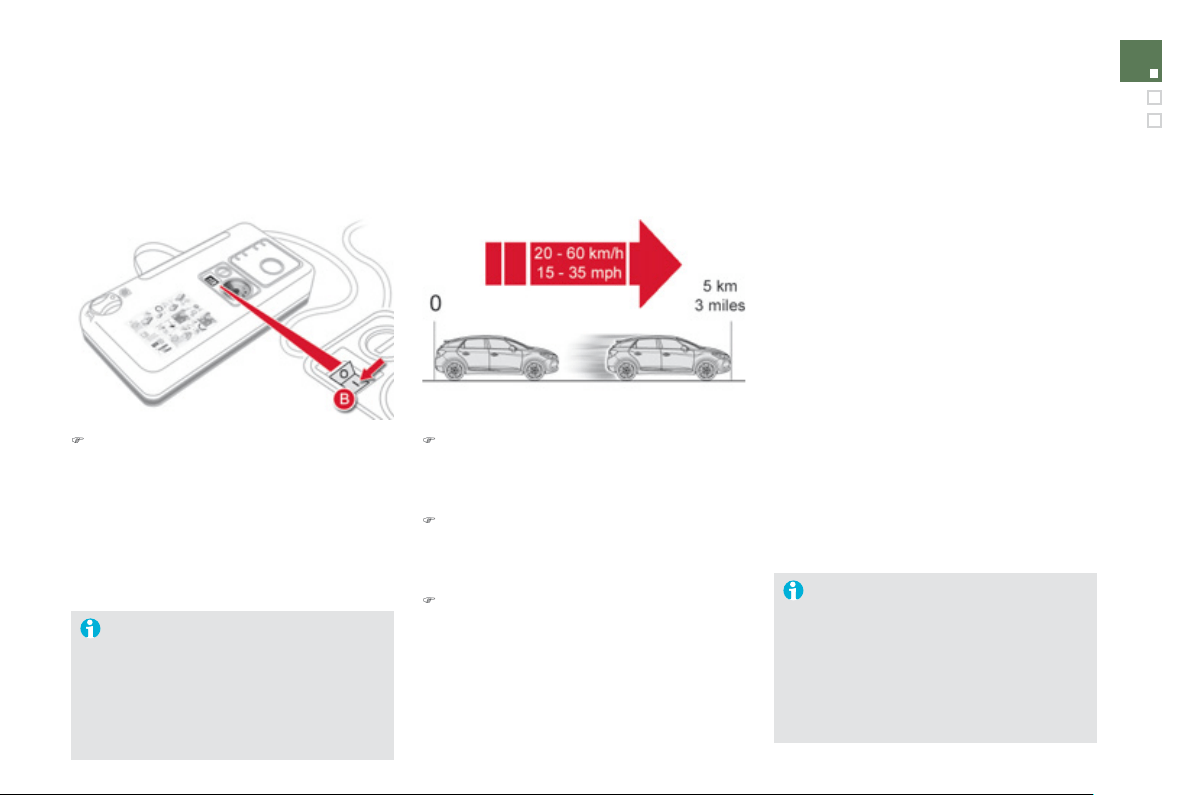
1
8
9
Practical information
)
Switch on the compressor b
y
movin
g
th
e
s
wit
c
h
B
to position
"I
" until the t
y
re
p
ressure reaches 2.0 bars.
Th
e sea
l
ant
i
s
i
n
j
ecte
d
i
nto t
h
e t
y
re un
d
e
r
p
ressure; do not disconnect the
p
i
p
e
f
rom
the valve during this operation
(
risk o
f
s
plashin
g)
.
)
Remove the kit and screw the cap back on
the white pipe.
T
a
k
e care to avo
id
sta
i
n
i
n
g
y
our ve
hi
c
l
e
with traces o
f
f
luid. Keep the kit to hand.
)
Drive immediatel
y
f
or approximatel
y
three
miles
(f
ive kilometres
)
, at reduced speed
(
between 15 and 35 mph
(
20 and 60 km
/
h
))
,
to plu
g
the puncture.
)
Stop to check the repair and the t
y
re
pressure usin
g
the kit.
T
y
re under-infl ation detection
I
f
the vehicle is
f
itted with t
y
re under-
in
f
lation detection, the under-in
f
lation
warnin
g
lamp will remain on a
f
ter the
wheel has been re
p
aired until the
sy
stem is reinitialised b
y
a CITROËN
dealer or a qualified workshop.
If after around
5
to 7 minutes the
pressure
i
s not atta
i
ne
d
, t
hi
s
i
n
di
cates
t
h
at t
h
e t
y
re
i
s not repa
i
ra
bl
e; contact
a CITRO
Ë
N dealer or a
q
ualified
worksho
p
f
or assistance.
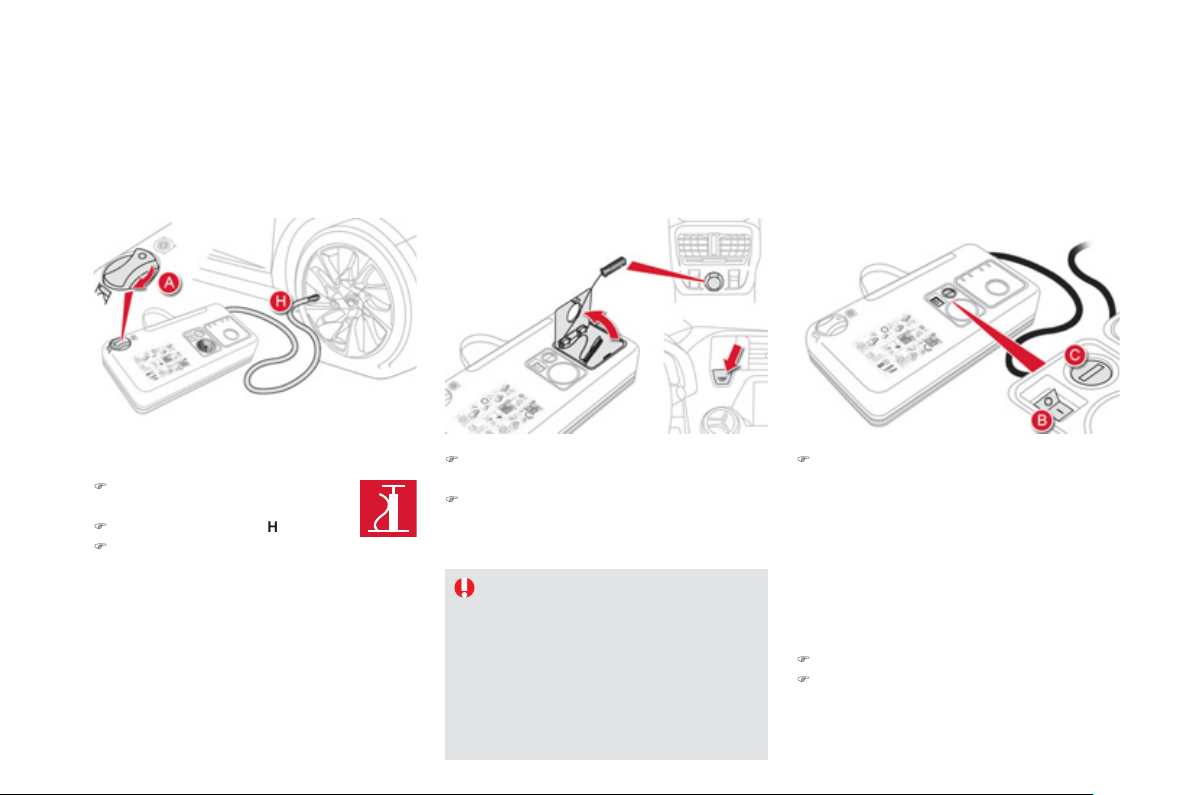
)
Tu
rn t
he
selec
t
o
r
A
t
o
t
he
"ai
r
"
p
os
i
t
i
on.
)
U
nco
il
t
h
e
bl
ac
k
p
i
pe
H
f
ull
y
.
)
C
onnect the black
p
i
p
e to the
v
a
lv
e
of
th
e
wh
ee
l.
)
C
onnect the compressor's electric plu
g
to
th
e
v
e
hi
c
l
e
'
s
12 V
soc
k
e
t.
)
S
tart the vehicle again and leave the
e
n
g
ine runnin
g
.
)
Adj
ust t
h
e pressure us
i
n
g
t
h
e compressor
(
to in
f
late: switch
B
i
n
p
os
i
t
i
on
"I"
; to
def
l
a
t
e
:
s
wit
c
h
B
in
p
osition "O" and
p
ress
bu
tt
o
n C
)
, in accordance with the vehicle's
t
y
re pressure label
(
located on the left hand
door aperture
)
.
A loss of pressure indicates that the
p
uncture has not been full
y
plu
gg
ed;
c
ontact a CITRO
Ë
N dealer or qualified
workshop
f
or assistance.
)
Re
m
o
v
e
a
n
d
s
t
o
w t
he
ki
t.
)
Drive at reduced speed
(
50 mph [80 km
/
h]
m
ax
)
limitin
g
the distance travelled to
a
pproximatel
y
120 miles
(
200 km
)
.
As soon as possible,
g
o to a CITRO
Ë
N
dealer or a quali
f
ied workshop.
You must in
f
orm the technician that
y
ou
h
ave used this kit. A
f
ter ins
p
ection, the
technician will advise
y
ou on whethe
r
the t
y
re can be repaired or if it must be
r
eplaced.
2. Infl ation
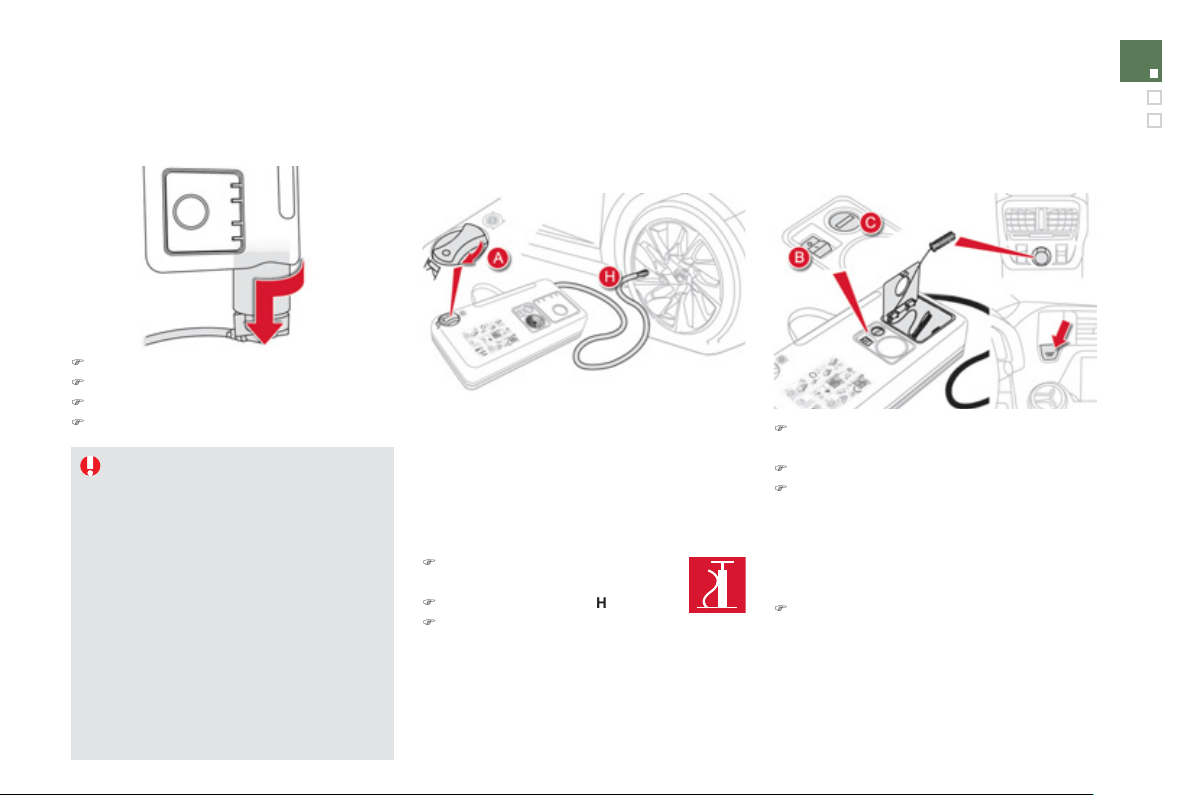
1
9
1
Practical information
Removin
g
the cartrid
g
e
)
Stow the black pipe.
)
Detach the an
g
led base from the white pipe.
)
S
upport the compressor verticall
y
.
)
Unscrew the cartrid
g
e
f
rom the bottom.
Beware o
f
discharges o
f
f
luid.
The expir
y
date o
f
the
f
luid is indicated
o
n the cartrid
g
e.
The sealant cartrid
g
e is desi
g
ned fo
r
s
in
g
le use; even if onl
y
partl
y
used, it
must be replaced.
Af
ter use, do not discard the cartrid
g
e
i
nto t
h
e env
i
ronment, ta
k
e
i
t to an
aut
h
or
i
se
d
waste
di
s
p
osa
l
s
i
te or a
C
ITROËN dealer.
Do not
f
or
g
et to obtain a new sealant
c
artrid
g
e, available from CITROËN
dealers or from a qualified workshop.
Checkin
g
t
y
re pressures /
i
nflatin
g
accessories
Y
ou can a
l
so use t
h
e compressor, w
i
t
h
out
i
n
j
ect
i
n
g
an
y
pro
d
uct, to:
- check or ad
j
ust the pressure o
f
y
our t
y
res,
- in
f
late other accessories
(
balls, bicycle
t
y
res...
)
.
)
T
u
rn th
e
se
l
ec
t
o
r
A
t
o
th
e
"Air"
position.
)
Uncoil the black pipe
H
full
y
.
)
Connect the black pipe to the
valve of the wheel or accessor
y
.
I
f
necessar
y
,
f
it one o
f
the adaptors
s
upplied with the kit
f
irst.
)
Connect the compressor's electrical
co
nn
ec
t
o
r t
o
th
e
v
e
hi
c
l
e
'
s
12 V
soc
k
e
t.
)
S
tart the vehicle and let the en
g
ine run.
)
Adj
ust t
h
e pressure us
i
n
g
t
h
e compressor
(
to in
f
late: switch
B
i
n
p
os
i
t
i
on
"I"
; to
def
l
a
t
e
:
s
wit
c
h
B
in
p
osition
"
O" and
p
ress
bu
tt
o
n C
)
, accordin
g
to the vehicle's t
y
re
p
ressure label or the accessor
y
's pressure
l
abe
l.
)
R
e
m
o
v
e
th
e
kit th
e
n
s
t
o
w it.
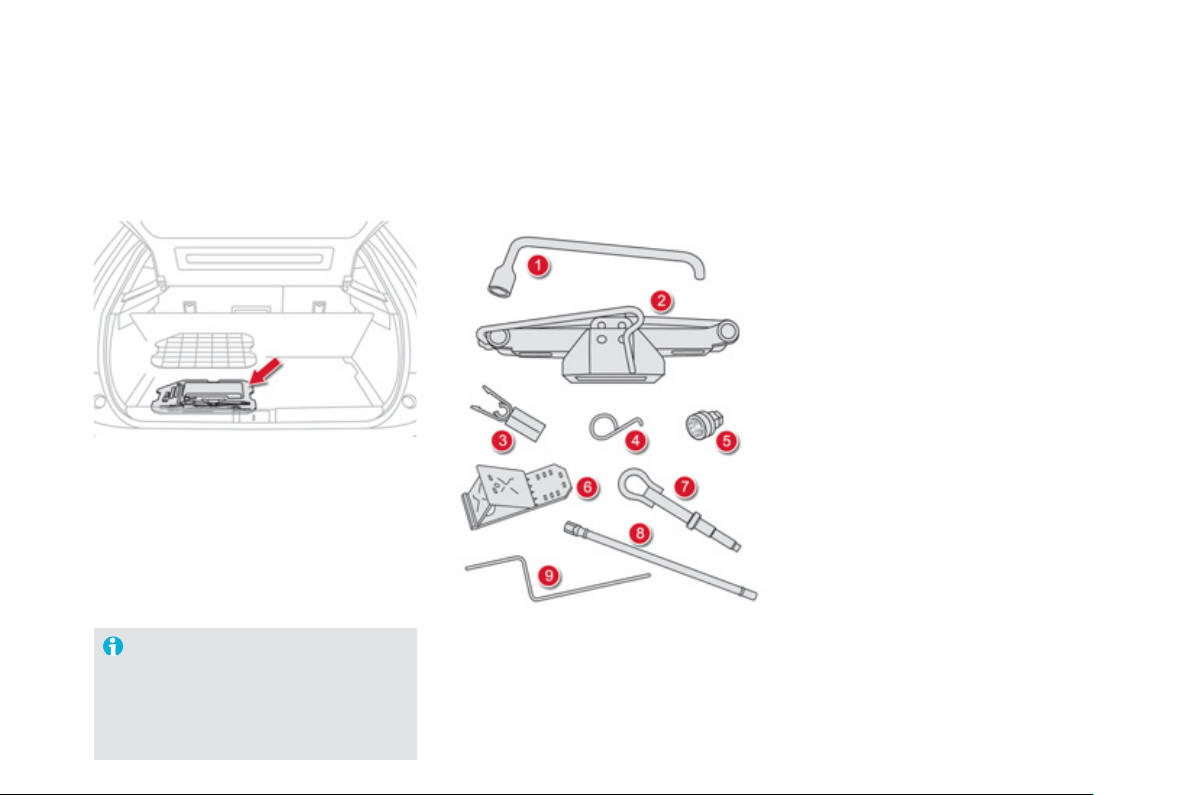
Changing a wheel
Procedure
f
or chan
g
in
g
a
f
ault
y
wheel
f
or the spare wheel usin
g
the tools provided with the vehicle
*
.
Th
e
t
oo
l
s
a
r
e
in
s
t
a
ll
ed
in th
e
boo
t
u
n
de
r th
e
f
l
oo
r.
A
ccess to the tools
List of tools *
Ty
re under-infl ation detection
The s
p
are wheel is not
f
itted with a
s
ensor. The punctured wheel must be
repaired b
y
a CITROËN dealer or a
q
ualified workshop.
A
ll of these tools are specific to
y
our vehicle and
c
an var
y
accordin
g
to the level of equipment. Do
n
ot use them for other purposes.
1.
Wh
ee
l
b
r
ace
.
For removin
g
the wheel trim and removin
g
th
e
wh
ee
l
bo
lt
s
.
2.
Jack with inte
g
ral handle.
For raisin
g
the vehicle.
3.
"B
o
lt
co
v
e
r" t
oo
l.
For removin
g
the bolt protectors
(
covers
)
on
a
llo
y
wheels.
4.
Wh
ee
l trim r
e
m
o
v
e
r.
For removin
g
the allo
y
wheel finishers.
5
.
Socket for the securit
y
bolts
(
located in the
g
love box
)
.
For adaptin
g
the wheelbrace to the special
"securit
y
" bolts.
6
.
Wheel chocks for blockin
g
the vehicle's
wh
ee
l
s
.
7
.
Towin
g
e
y
e.
See the "Towin
g
the vehicle" section.
8.
Extension spanner.
For slackenin
g
/ti
g
htenin
g
the spare wheel
ca
rri
e
r n
u
t.
9.
Emer
g
enc
y
release control for the electric
p
arkin
g
brake.
See the "Electric parkin
g
brake" section,
"Emer
g
enc
y
brakin
g
".
*
According to country o
f
sale.
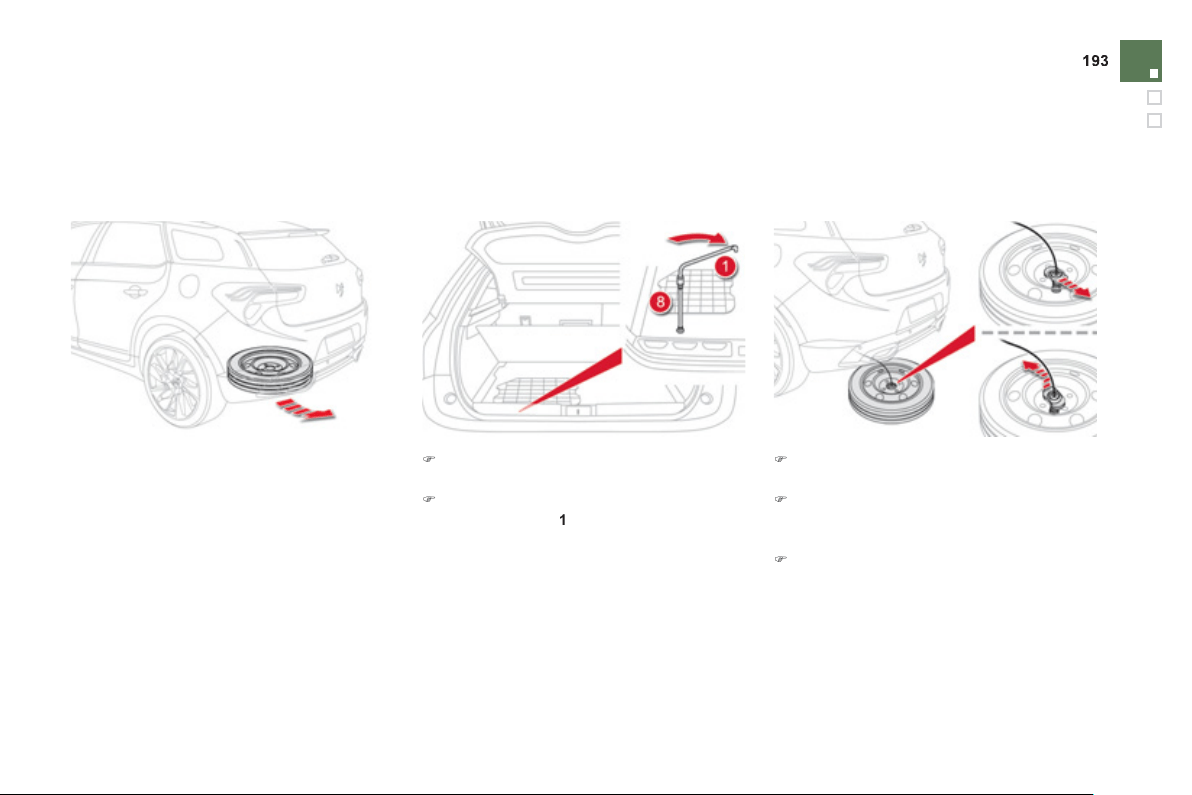
Practical information
Access to the s
p
are wheel
The spare wheel is supported by a cable-driven
ca
rri
e
r
u
n
de
rn
ea
th th
e
v
e
hi
c
l
e
.
Takin
g
out the wheel
)
Raise the
f
loor to reveal the spare wheel
ca
rr
ie
r
d
r
i
v
e
n
u
t.
)
Turn this drive nut
f
ully
c
lockwis
e
, using
th
e
wh
ee
l
b
r
ace
1
a
n
d
th
e
e
xt
e
n
s
i
o
n
8
, to
u
nwin
d
th
e
ca
rri
e
r
cab
l
e
.
)
D
e
t
ac
h th
e
wh
ee
l
f
r
o
m th
e
r
ea
r
of
th
e
v
ehicle
.
)
Remove the hook with its connection
p
late
to release the wheel, as shown in the
ill
us
tr
a
ti
o
n.
)
P
u
ll
ou
t th
e
wh
ee
l.
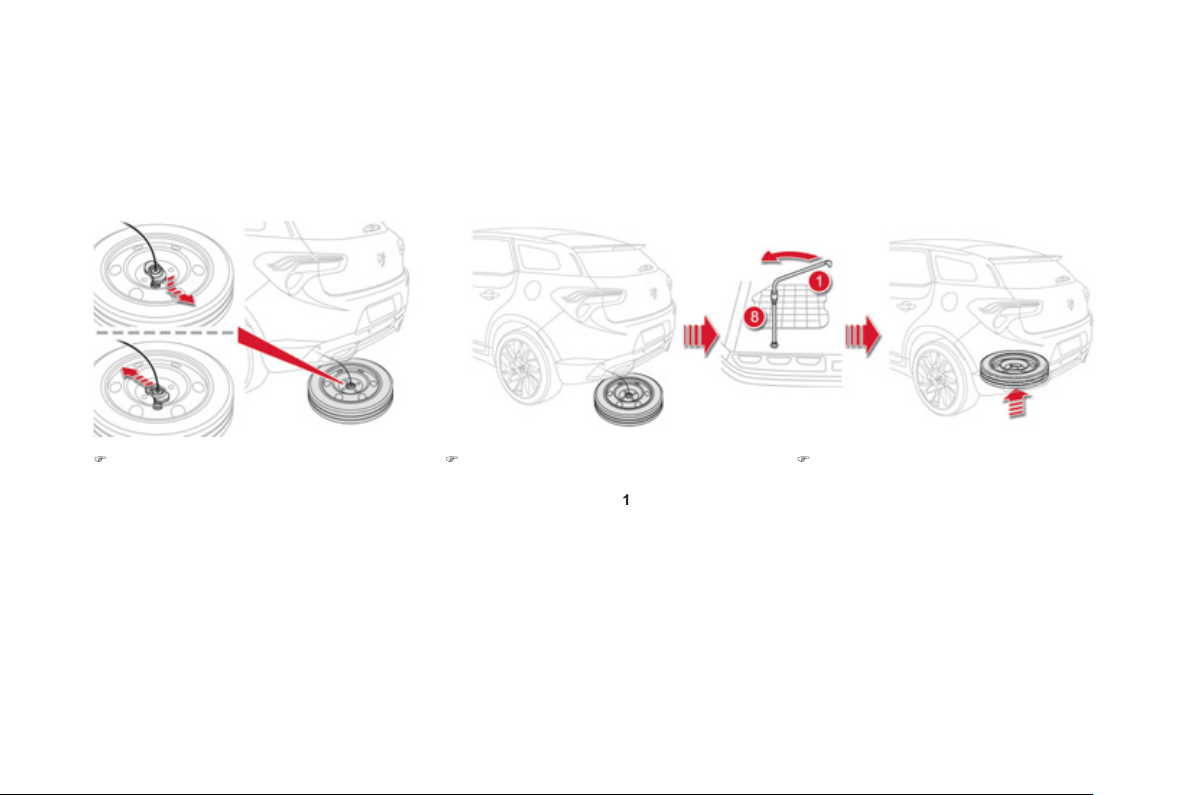
Puttin
g
the wheel back in place
)
P
ass t
h
e
h
oo
k
w
i
t
h
i
ts connect
i
on p
l
ate
i
nto
t
h
e w
h
ee
l
, as
ill
ustrate
d
.
)
R
a
i
se t
h
e w
h
ee
l
un
d
erneat
h
t
h
e ve
hi
c
l
e
by
turn
i
n
g
t
h
e carr
i
er
d
r
i
ve nut
a
nt
i
c
l
oc
k
w
i
s
e
u
sing the wheelbrace
1
a
n
d
th
e
e
xt
e
n
s
i
o
n
8
.
)
Ti
g
hten
f
ull
y
and check that the wheel is
h
orizontall
y
f
lush a
g
ainst the
f
loor.
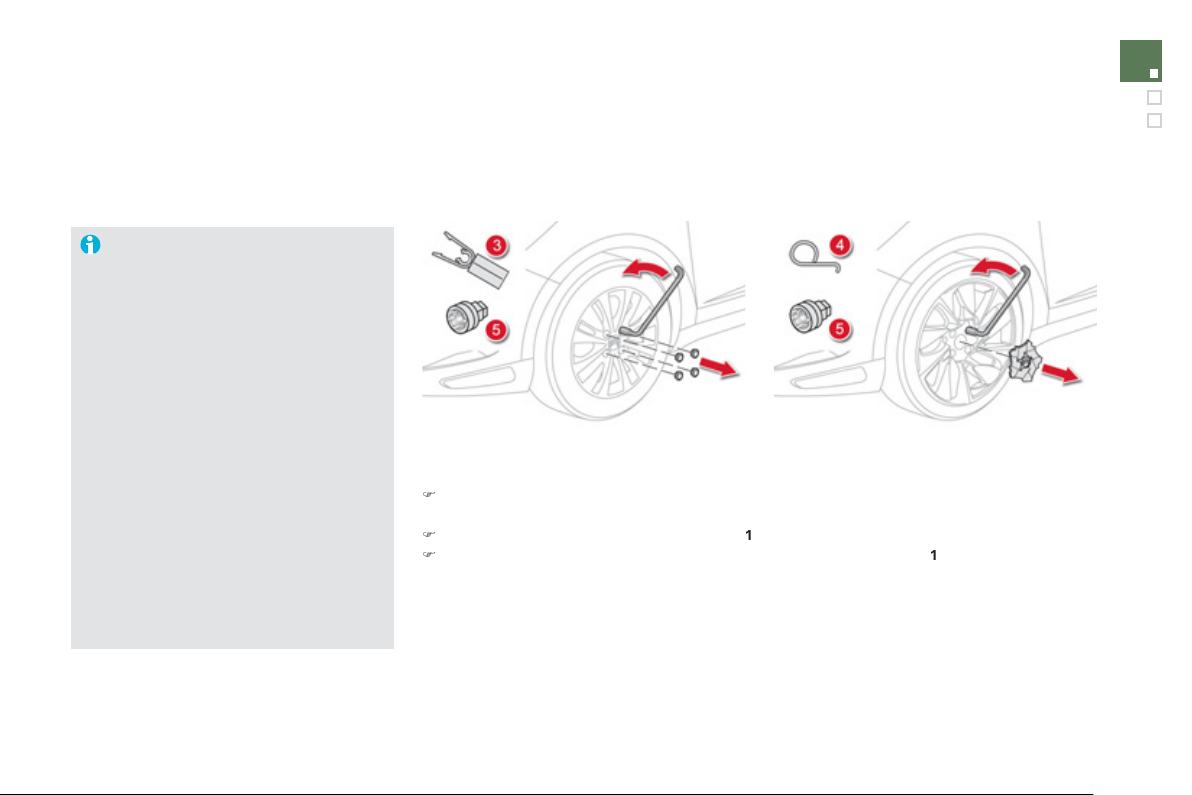
1
95
Practical information
Removin
g
a wheel
Parkin
g
the vehicle
Imm
ob
ili
se
th
e
v
e
hi
c
l
e
wh
e
r
e
it
does
n
o
t
block traffic: the
g
round must be level,
s
table and not slipper
y
.
A
ppl
y
the parkin
g
brake unless it has
been pro
g
rammed to automatic mode,
s
witch o
ff
the i
g
nition and en
g
a
g
e
f
irst
g
ear
*
to block the wheels.
C
heck that the brakin
g
warnin
g
lamp
a
n
d
th
e
P
warnin
g
lamp in the parkin
g
b
r
a
k
e
co
ntr
o
l l
e
v
e
r
co
m
e
o
n.
The occupants must
g
et out of the
vehicle and wait where the
y
are safe.
Never
g
o underneath a vehicle raised
u
sin
g
a
j
ack; use an axle stand.
List of o
p
erations
)
Depending on equipment, remove the cover
f
rom
f
rom each o
f
bolts using the tool
3
or
remo
v
e
the hub cap usin
g
tool
4
.
)
Fit the securit
y
socket
5
o
n th
e
wh
ee
l
b
r
ace
1
to slacken the securit
y
bolt
(
if fitted
)
.
)
Slacken the other bolts
(
no more than a 1/4 turn
)
usin
g
the wheelbrace
1
onl
y
.
* position R for the electronic
g
earbox s
y
stem;
P
for the automatic
g
earbox.
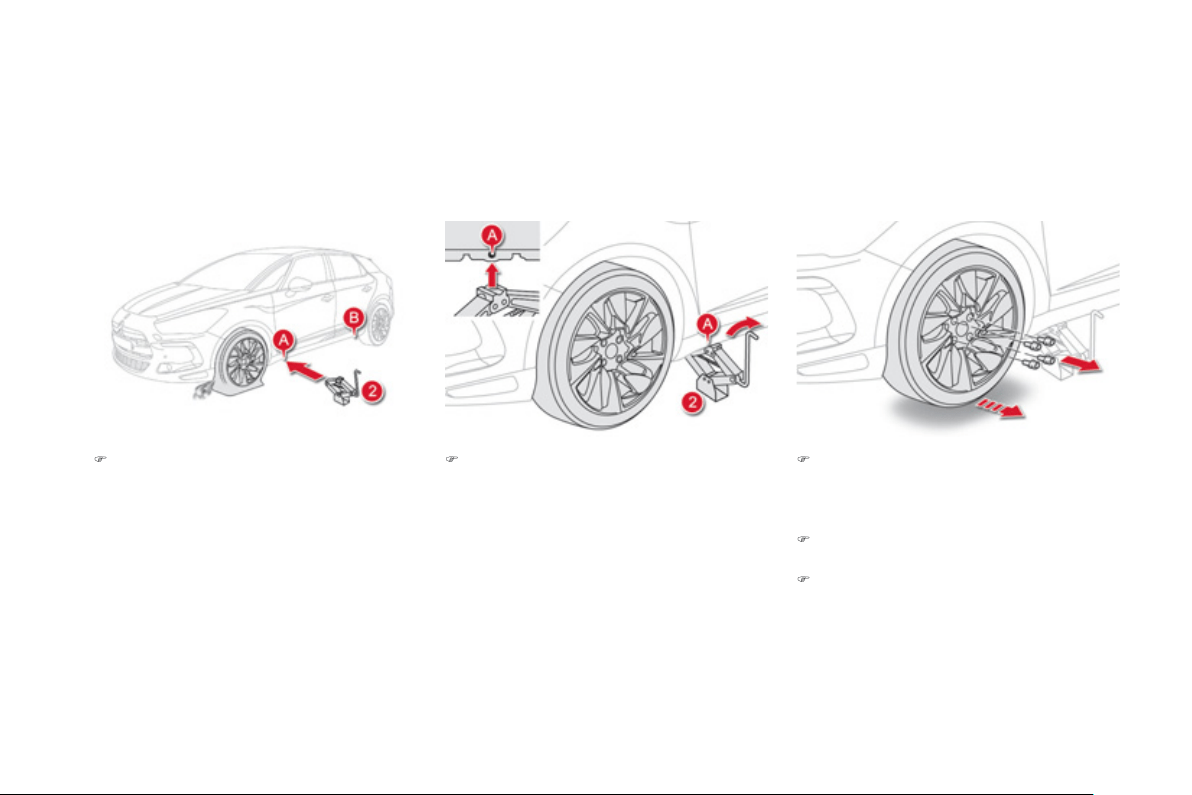
)
Pl
ace t
h
e
j
ac
k
2
in
co
nt
ac
t with
o
n
e
of
th
e
tw
o
f
r
o
nt
A
or
rear
B
l
ocat
i
ons
p
rov
id
e
d
on
the underbody, whichever is closest to the
wheel to be chan
g
ed.
)
R
a
i
se
th
e
v
e
hi
c
l
e
u
ntil th
e
r
e
i
s
suff
i
c
i
e
nt
s
pace
b
etween t
h
e w
h
ee
l
an
d
t
h
e
g
roun
d
to admit the spare
(
not punctured
)
wheel
e
asil
y
.
)
R
e
m
o
v
e
th
e
bo
lt
s
a
n
d
s
t
o
r
e
th
e
m in
a
c
l
ea
n
p
lace.
)
R
e
m
o
v
e
th
e
wh
ee
l.
)
E
xten
d
t
h
e
j
ac
k
2
unt
il
i
ts
b
ase p
l
ate
i
s
i
n
c
ontact w
i
t
h
t
h
e
g
roun
d
.
E
nsure t
h
at t
h
e
c
entreline o
f
the jack base plate is directly
be
l
o
w th
e
l
oca
ti
o
n
A
or
B
used
.
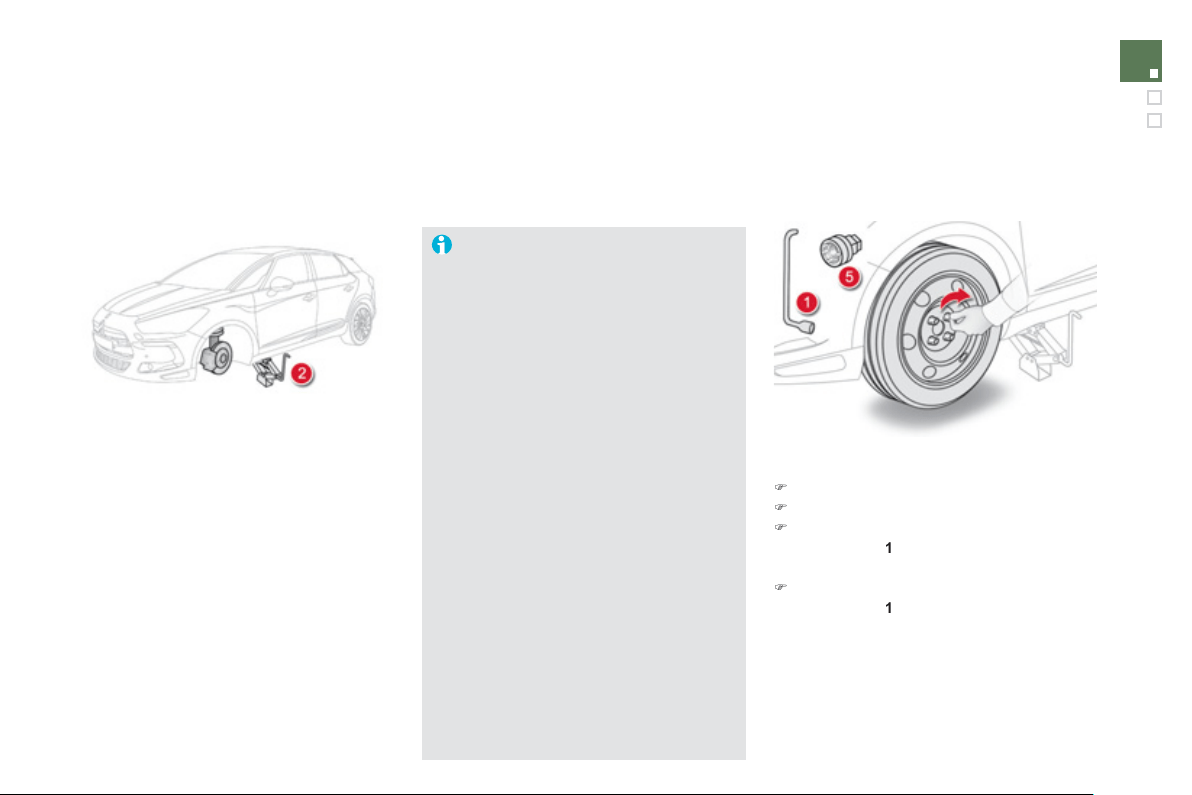
1
97
Practical information
Fittin
g
a wheel
Fittin
g
the "space-saver"
spare wheel
I
f
y
our vehicle is
f
itted with allo
y
wheels,
when ti
g
htenin
g
the bolts on fittin
g
,
it i
s
n
o
rm
a
l t
o
n
o
ti
ce
th
a
t th
e
w
as
h
e
r
s
do
n
o
t
co
m
e
int
o
co
nt
ac
t with th
e
"space-saver" spare wheel. The wheel
is secured b
y
the conical sur
f
ace o
f
each
bol
t.
A
fter chan
g
in
g
a wheel
To correctl
y
store the punctured wheel
in the boot
(
not in the location of the
s
p
ace-saver whee
l
)
, first remove the
ce
ntr
a
l
co
v
e
r.
When usin
g
the "space-saver" t
y
pe
s
pare wheel, do not exceed 50 mph
(
80 km
/
h
)
.
Have the ti
g
htenin
g
o
f
the bolts and the
p
ressure o
f
the s
p
are wheel checked
b
y
a CITROËN dealer or a qualified
workshop without dela
y
.
Have the punctured wheel repaired
a
n
d
r
e
fitt
ed
t
o
th
e
v
e
hi
c
l
e
as
soo
n
as
p
ossible.
List of operations
)
Put the wheel in place on the hub.
)
Screw in the bolts full
y
b
y
hand.
)
Pre-ti
g
hten the securit
y
bolt usin
g
the
w
heelb
r
ace
1
f
itted with the securit
y
socke
t
5
.
)
P
re-t
igh
ten t
h
e ot
h
er
b
o
l
ts us
i
n
g
t
h
e
wh
ee
l
b
r
ace
1
only.
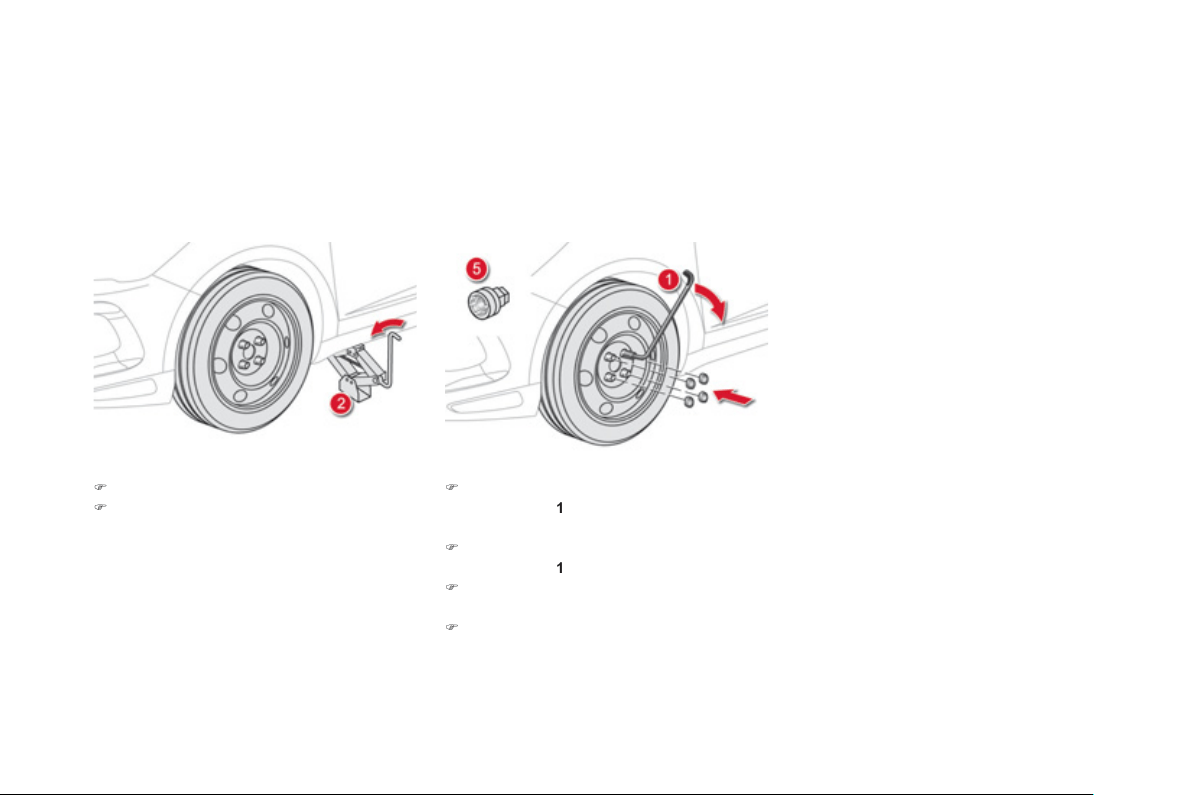
)
Lower the vehicle full
y
.
)
F
o
ld
t
h
e
j
ac
k
2
a
n
d
de
t
ach
i
t.
)
Ti
g
hten the securit
y
bolt usin
g
the
w
heelb
r
ace
1
f
itted with the securit
y
socke
t
5
.
)
Tigh
ten t
h
e ot
h
er
b
o
l
ts us
i
n
g
t
h
e
wh
ee
l
b
r
ace
1
only.
)
R
ef
it th
e
bo
lt
co
v
e
r
s
o
n
eac
h
of
th
e
bo
lt
s
o
r
the hub cap
(
dependin
g
on equipment
)
.
)
S
tore the tools in the box.
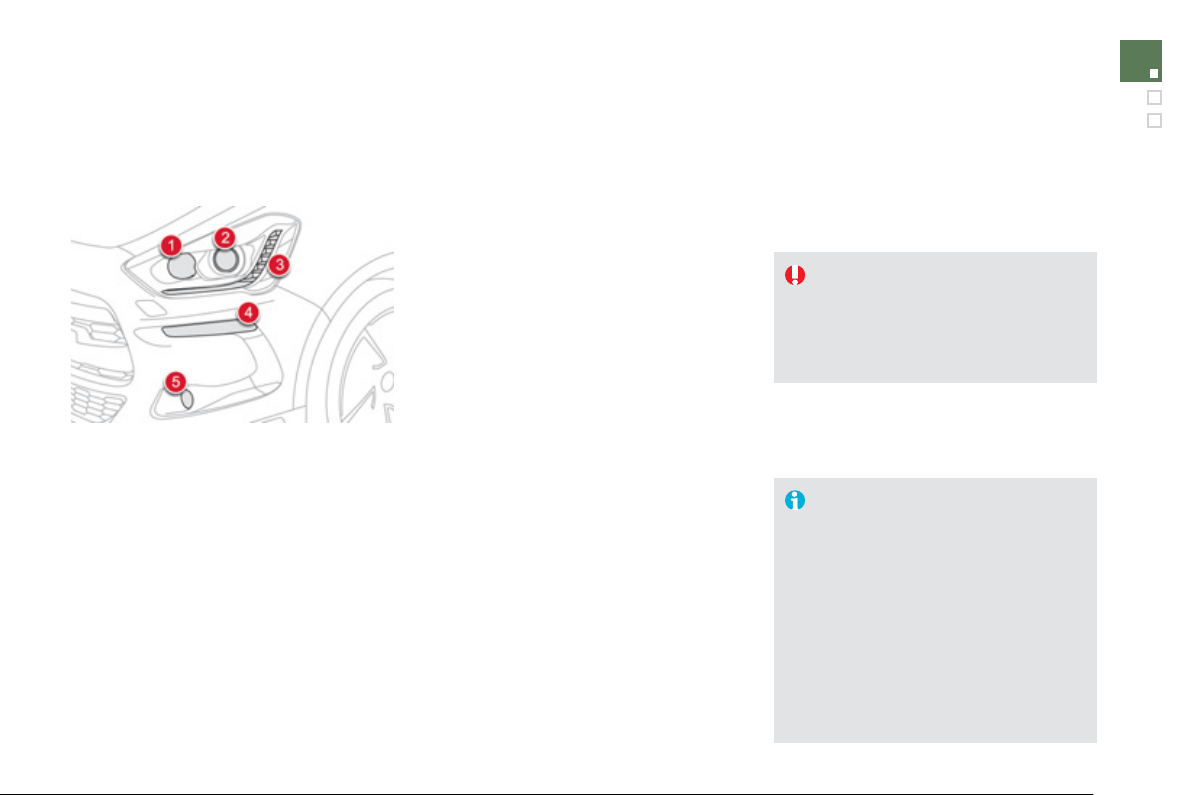
1
9
9
Practical information
Changing a bulb
Front lam
p
s
Model with xenon headlam
p
s
1
.
M
ain beam headlamps
(
H1-35W
).
2.
D
irectional di
pp
ed / directional
h
ea
dl
am
ps
(
D1S-35W
).
3.
D
a
y
time runnin
g
lamps
/
sidelamp
s
(
li
g
ht emittin
g
diodes - LEDs
).
4
.
D
irection indicators
(
HY21-21W
).
5
.
D
irectional fo
g
lamps
(
H11
).
Model with halo
g
en headlamps
1
.
M
ain beam headlamps
(
H1-55W
).
2
.
D
ipped beam headlamps
(
H7-55W
).
3.
D
a
y
time runnin
g
lamps/sidelamps
(
Li
g
ht emittin
g
diodes - LEDs
).
4.
D
irection indicators
(
HY21-21W
).
5
.
D
irectional fo
g
lamps
(
H11
).
F
or
H
7 t
y
pe
b
u
lb
s w
i
t
h
l
u
g
s... ta
k
e care
t
o
obse
rv
e
t
hei
r
co
rr
ec
t
i
n
s
t
alla
t
io
n
so
as
to ensure the best li
g
htin
g
per
f
ormance.
In some weather conditions
(
e.
g
. low
temperature or humidit
y)
, the presence
o
f
mistin
g
on the internal sur
f
ace o
f
the
g
lass o
f
the headlamps and rear lamps
is normal; it disa
pp
ears a
f
ter the lam
p
s
h
a
v
e
bee
n
o
n
fo
r
a
fe
w min
u
t
es
.
Risk of electrocution
Xenon bulbs
(
D1
S
-35W
)
must be
replaced b
y
a CITROËN dealer or a
q
ualified workshop.
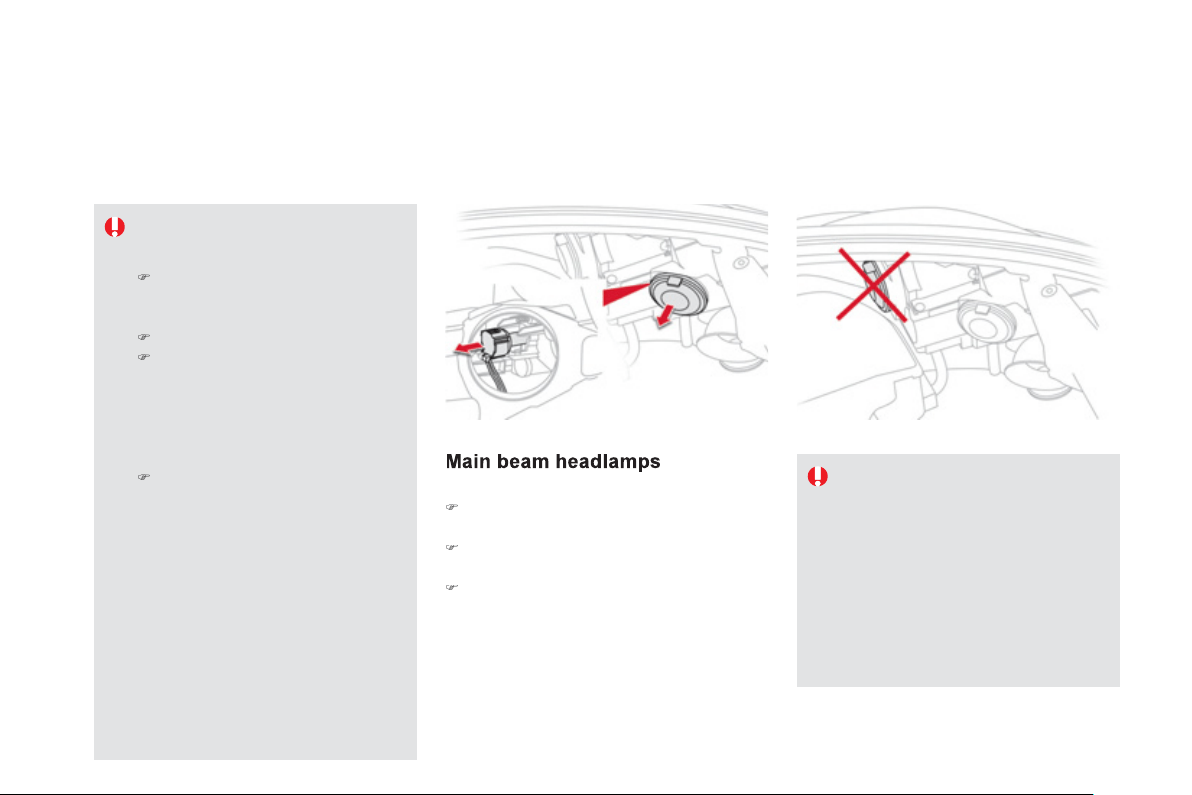
(
xenon model
)
)
Remove the protective plastic cover b
y
pullin
g
on the tab.
)
R
emove t
h
e connector w
i
t
h
t
h
e
b
u
lb
by
press
i
n
g
on t
h
e
l
u
g
at t
h
e
b
ottom.
)
R
emove t
h
e
b
u
lb
an
d
c
h
an
g
e
i
t.
F
or reassem
bly
, carr
y
out t
h
ese operat
i
ons
i
n
re
v
e
r
se
o
r
de
r.
The headlamps are fitted with
p
ol
y
carbonate
g
lass with a protective
c
oatin
g
:
)
do not clean them usin
g
a dr
y
or a
b
ras
i
ve c
l
ot
h,
nor w
i
t
h
a
d
eter
g
ent or so
l
vent pro
d
uct
,
)
use a spon
g
e an
d
soap
y
water,
)
when usin
g
a hi
g
h pressure washer
on
p
ersistent marks, do not kee
p
th
e
l
a
n
ce
d
ir
ec
t
ed
t
o
w
a
r
ds
th
e
lamps or their ed
g
es for too lon
g
,
s
o as not to dama
g
e their protective
c
oatin
g
and seals,
)
d
o not touc
h
t
h
e
b
u
lb
di
rect
ly
w
i
t
h
y
our
f
in
g
ers, use lint-
f
ree cloths.
Chan
g
in
g
a bulb should onl
y
be done
a
f
ter the headlamp has been switched
off
f
or a
f
ew minutes
(
risk o
f
serious
burns
)
.
It is imperative to use only anti-
ultraviolet
(
UV
)
t
y
pe bulbs in order not
to dama
g
e the headlamp.
A
lwa
y
s replace a failed bulb with a
n
ew bulb with the same t
y
pe and
s
pecification.
D
i
pp
ed beam headlam
p
s
(
xenon model
)
D1S xenon bulbs must be chan
g
ed
b
y
a CITRO
Ë
N dealer or a qualified
workshop, as there is a risk o
f
elec
tr
ocu
t
io
n.
It is recommended that the D1
S
bulbs
are chan
g
ed at the same time when one
o
f th
e
m f
a
il
s
.
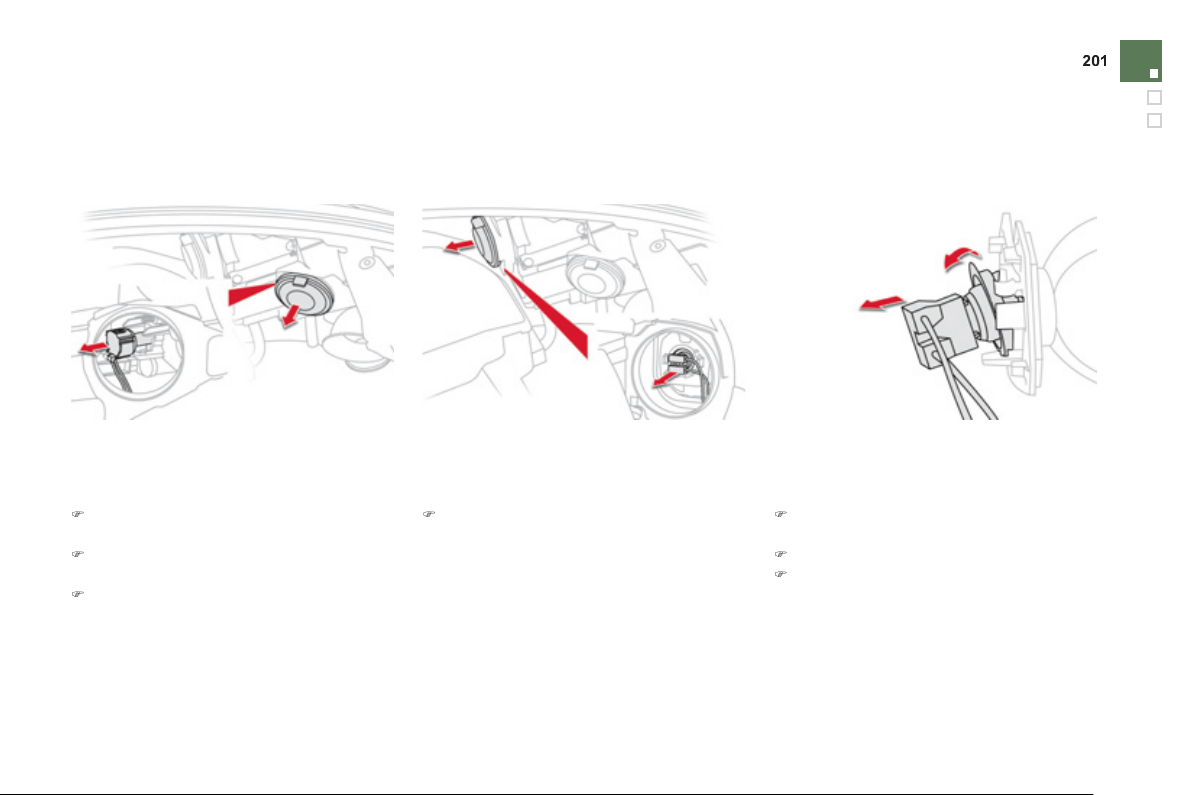
Practical information
D
ipped beam headlamps
(
halo
g
en model
)
Main beam headlamps
(
halo
g
en model
)
)
Press on the top of the connector then
p
ivot the assembl
y
downwards.
)
Re
m
o
v
e
t
he
co
nn
ec
t
o
r w
i
t
h
t
he
bulb
.
)
R
emove t
h
e
b
u
lb
an
d
c
h
an
g
e
i
t.
F
or reassem
bly
, carr
y
out t
h
ese operat
i
ons
i
n
reverse order, but engaging the bottom o
f
the
bu
l
b
f
ir
s
t.
)
Remove the protective plastic cover b
y
pullin
g
on the tab.
)
Remove the protective plastic cover b
y
p
ullin
g
on the tab.
)
R
emove t
h
e connector w
i
t
h
t
h
e
b
u
lb
by
p
ress
i
n
g
on t
h
e
l
u
g
at t
h
e
b
ottom.
)
R
emove t
h
e
b
u
lb
an
d
c
h
an
g
e
i
t.
For reassembly, carry out these operations in
r
e
v
e
r
se
o
r
de
r.
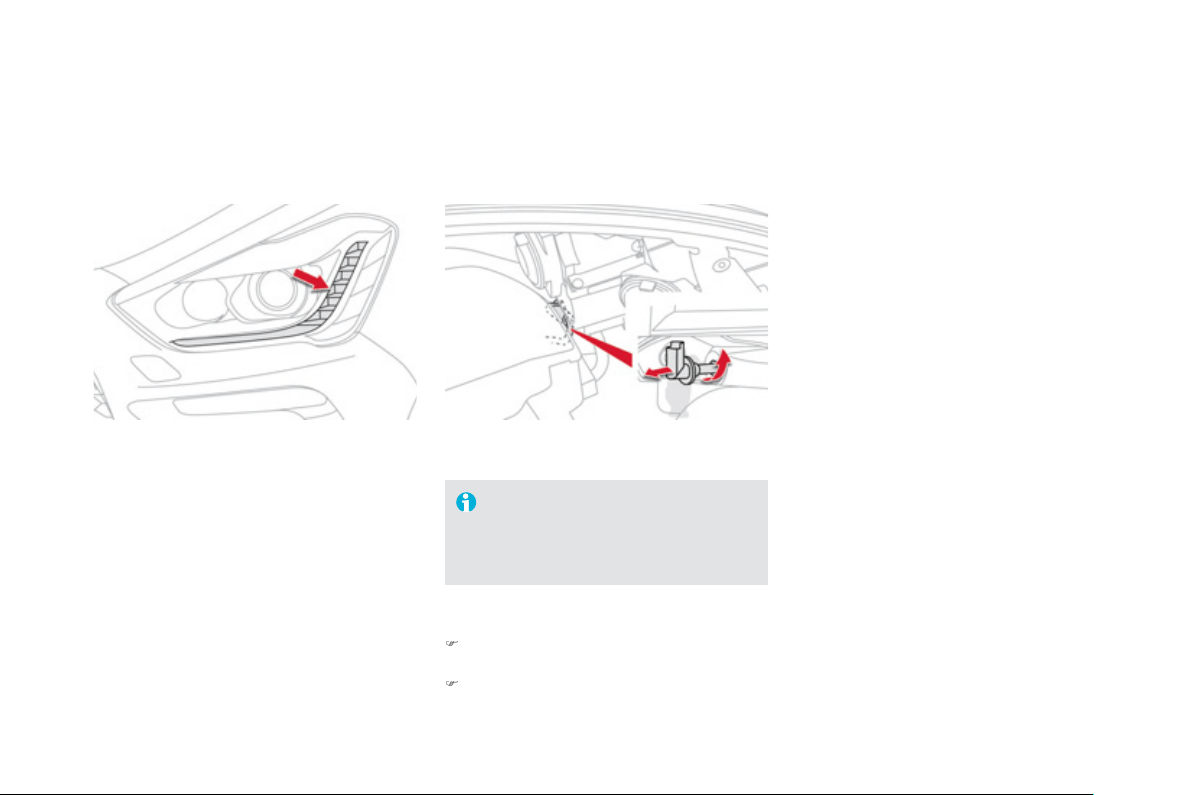
D
a
y
time runnin
g
lamps
/
sidelamps
For the replacement o
f
this type o
f
LED lamp
a
nd li
g
htin
g
g
uides, contact a CITROËN deale
r
or a qualified workshop.
A
replacement kit for the LEDs is available from
C
ITR
O
ËN dealers.
D
irection indicators
Faster
f
lashin
g
o
f
a direction indicator
warnin
g
lamp
(
le
f
t or ri
g
ht
)
indicates a
fa
il
ed
bu
l
b
o
n th
a
t
s
i
de
.
The
di
r
ec
t
io
n
i
n
dica
t
o
r
bulb
is
loca
t
ed
belo
w t
he
f
ront lam
p
.
)
Turn the bulb holder a quarter turn and pull
it
ou
t.
)
Remove the bulb and chan
g
e it.
F
or reassem
bly
, carr
y
out t
h
ese operat
i
ons
i
n
r
e
v
e
r
se
o
r
de
r.
You can also contact a CITROËN dealer or a
q
uali
f
ied workshop
f
or the replacement o
f
these
bu
l
bs
.
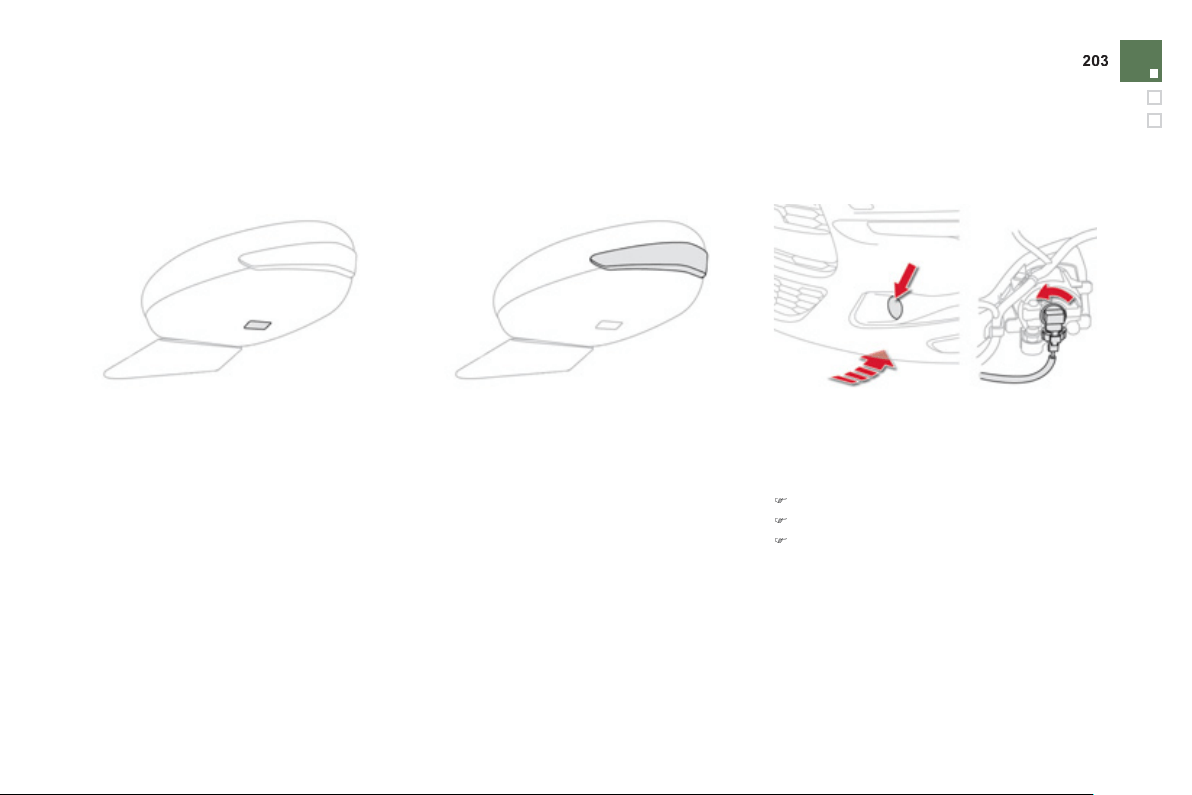
Practical information
Front fo
g
lamps
)
Remove the de
f
lector under the bod
y
.
)
Disco
nn
ec
t t
he
bulb
co
nn
ec
t
o
r.
)
Turn the bulb a
q
uarter o
f
a turn, withdraw
and change it.
To re
f
it, carr
y
out these operations in reverse
o
r
de
r.
To replace these bulbs
y
ou ma
y
also contact a
C
ITROËN dealer or a qualified workshop.
I
nte
g
rate
d
di
rect
i
on
i
n
di
cator
side re
p
eaters
D
oor mirror s
p
otlam
p
s
Y
ou
s
h
ou
l
d
co
nt
ac
t
a
C
ITR
OË
N
dea
l
e
r
o
r
a
q
uali
f
ied worksho
p
f
or the re
p
lacement o
f
these
bu
l
bs
.
Y
ou
s
h
ou
l
d
co
nt
ac
t
a
C
ITR
OË
N
dea
l
e
r
o
r
a
q
uali
f
ied worksho
p
f
or the re
p
lacement o
f
the
li
g
ht emittin
g
diode - LED.
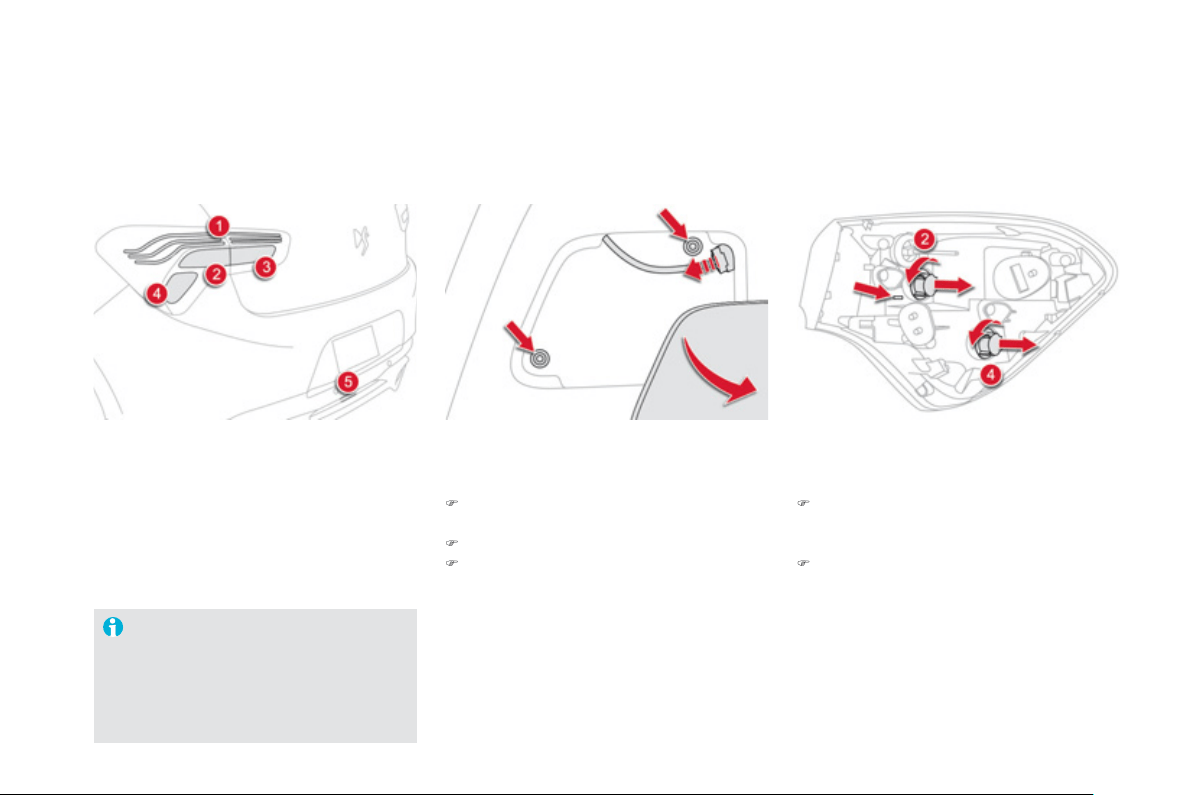
1.
Sidelamp
s
(
li
g
ht emittin
g
diodes - LEDs
).
2.
D
irection indicators
(
PY21W amber
).
3.
Reversin
g
lamps
(
P21W
).
4.
Brake lamps
(
P21W
).
5.
Fo
g
lamps
(
P21W
).
Rear lam
p
s
D
irection indicators and brake
lamps
(
on the win
g
s
)
)
O
pen the boot then remove the access
co
v
er
.
)
Disconnect the lam
p
connector.
)
Remove the two lamp
f
ixin
g
nuts.
)
C
are
f
ull
y
remove the lamp unit
f
rom
outs
id
e.
Th
e reta
i
n
i
n
g
c
li
ps unc
li
p
a
utomatically.
)
Turn the bulb holder a
q
uarter o
f
a turn and
c
han
g
e the bulb.
For reassembl
y
, carr
y
out these operations in
r
e
v
e
r
se
o
r
de
r.
Chan
g
in
g
the li
g
ht emittin
g
d
iode-LED lamps
For replacement, contact a CITROËN
dealer or qualified workshop.
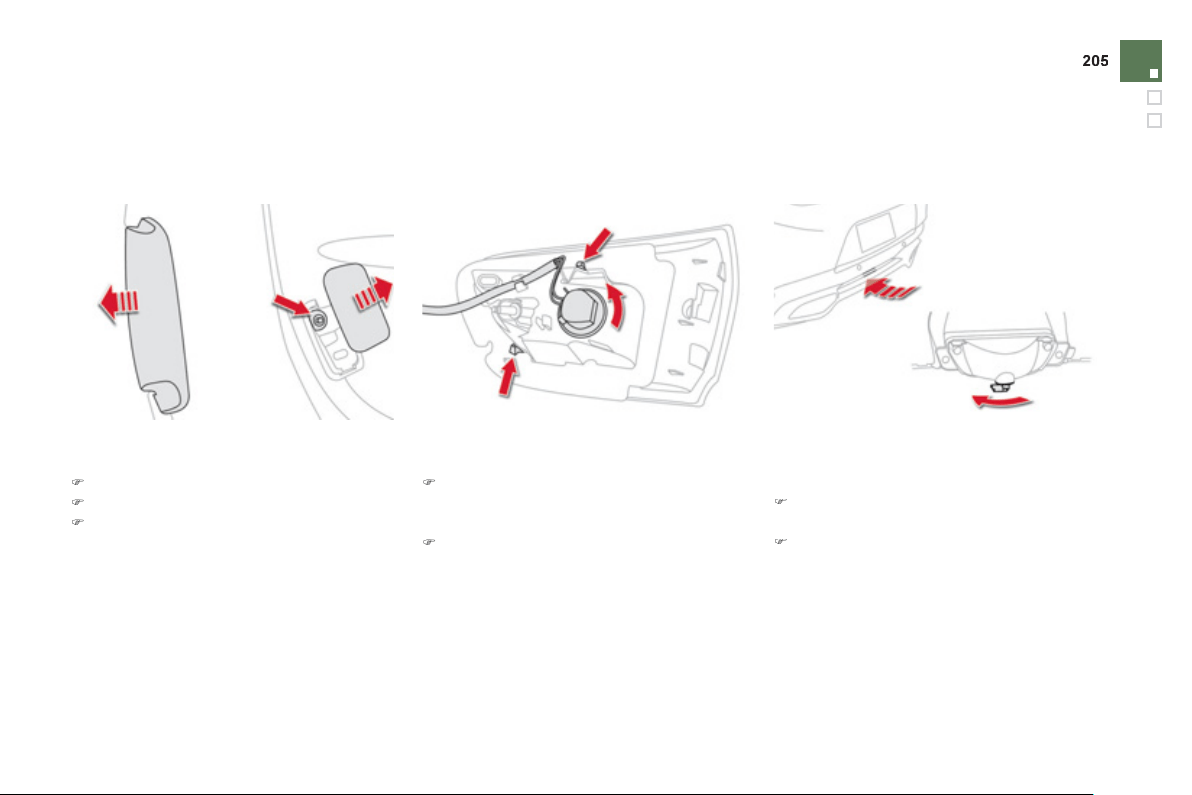
Practical information
Reversin
g
lamp
(
tail
g
ate
)
)
C
are
f
ull
y
remove the lamp
f
rom the
outs
id
e.
Th
e reta
i
n
i
n
g
c
li
ps unc
li
p
automat
i
ca
lly
.
)
Turn the bulb holder a
q
uarter o
f
a turn and
r
e
p
lace the bulb.
For reassembl
y
, carr
y
out these operations in
re
v
e
r
se
o
r
de
r.
Fo
g
lamp
)
O
pen the tail
g
ate.
)
Unclip the skirt o
f
the lamp.
)
R
emove t
h
e access cover an
d
t
h
e
l
am
p
f
ixing nut.
A
ccess
i
s
by
pass
i
n
g
a
h
an
d
un
d
er t
h
e
b
umper.
)
Turn the bulb holder a
q
uarter o
f
a turn and
p
ull it out.
)
Chan
g
e the bulb.
To refit, carr
y
out these operations in reverse
o
r
de
r.
You can also contact a
C
ITR
O
ËN dealer or a
q
uali
f
ied workshop
f
or the replacement o
f
these
bulbs
.
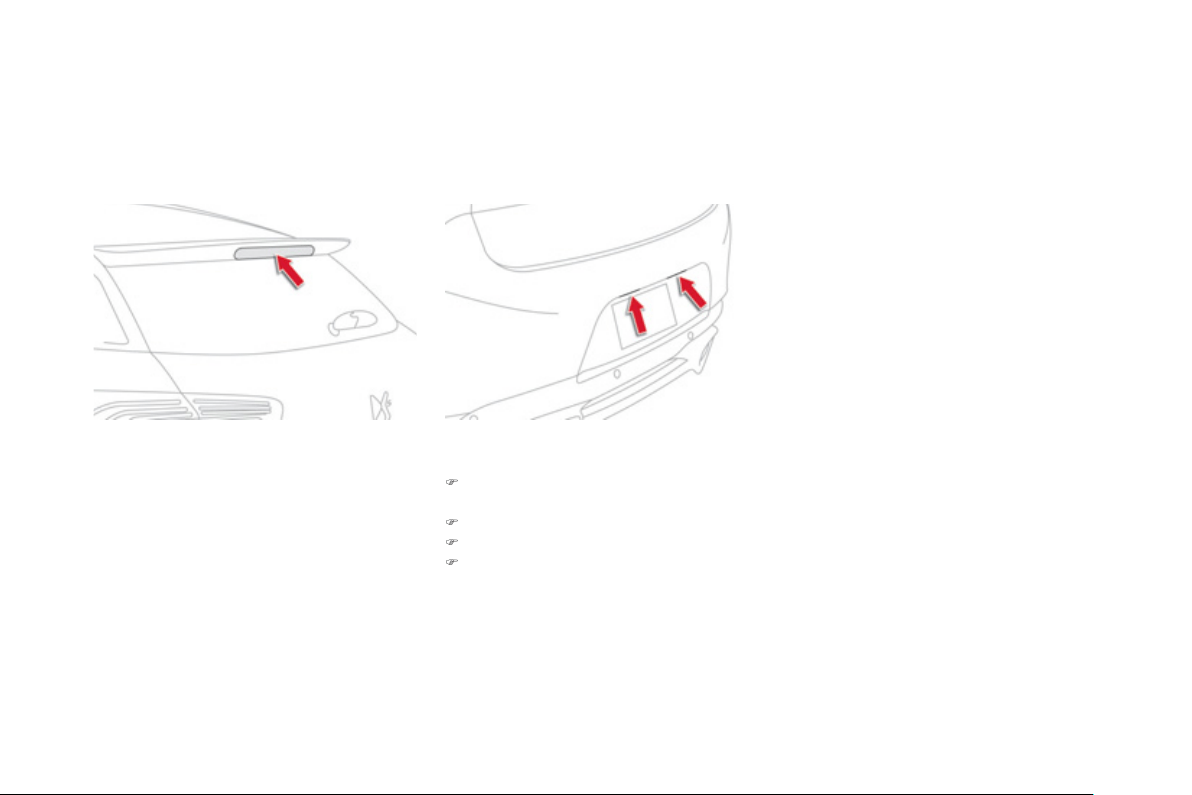
Number plate lamps
)
In
se
rt
a
thin
sc
r
e
w
d
riv
e
r int
o
th
e
s
l
o
t
in th
e
l
e
n
s
.
)
Push it outwards to unclip it.
)
Re
m
o
v
e
t
he
le
n
s
.
)
P
u
ll
t
h
e
b
u
lb
out an
d
c
h
an
g
e
i
t.
T
hird brake lam
p
(
li
g
ht emittin
g
diodes - LEDs
)
Contact a CITROËN dealer or qualified
workshop.
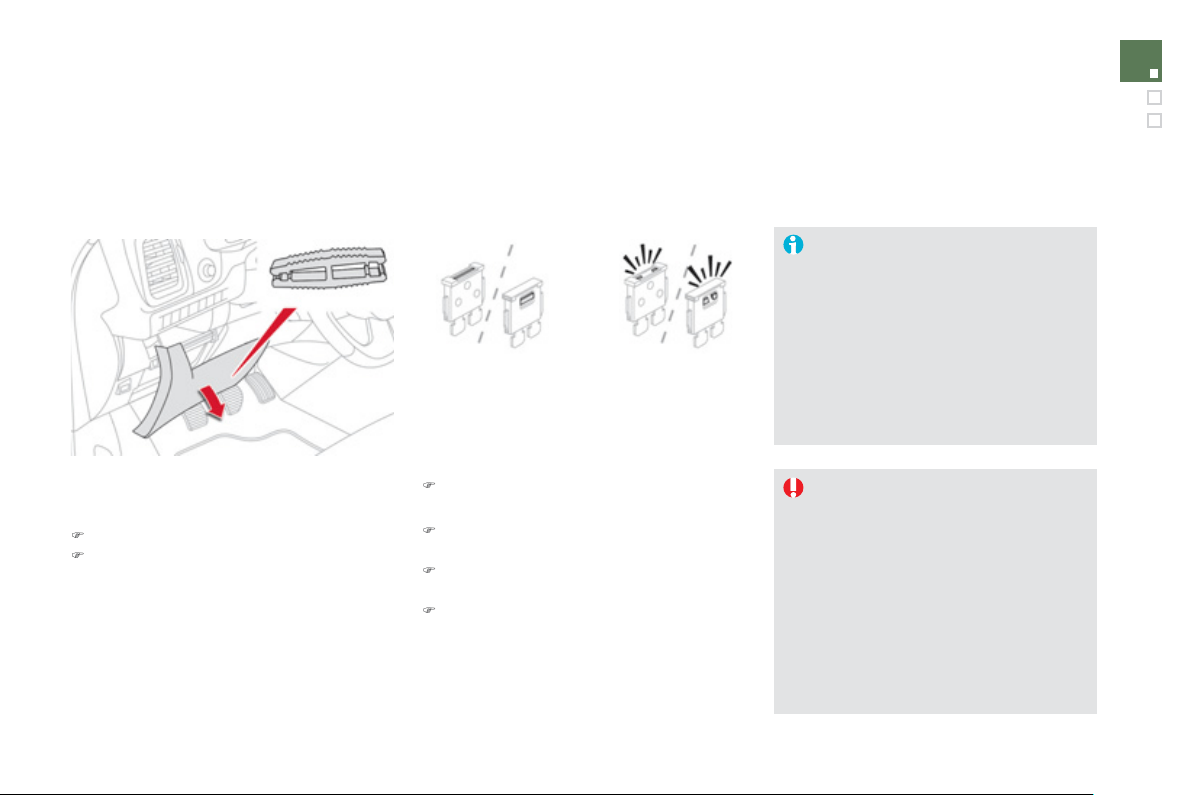
2
07
Practical information
Changing a fuse
Procedure
f
or replacin
g
a
f
ailed
f
use with a new
f
use to recti
fy
a
f
ailure o
f
the correspondin
g
f
unction.
Th
e
fuse
e
xtr
ac
ti
o
n tw
ee
z
e
r i
s
f
itt
ed
t
o
th
e
bac
k
of
th
e
das
h
boa
r
d
fusebo
x
co
v
e
r.
F
o
r
access
t
o
it:
)
remove the cover completel
y
,
)
r
e
m
o
v
e
th
e
tw
ee
z
e
r.
Access to toolin
g
Before chan
g
in
g
a fuse, the cause
o
f th
e
f
a
il
u
r
e
m
us
t
be
i
de
ntifi
ed
a
n
d
rec
tifi
ed
.
)
Identif
y
the failed fuse b
y
checkin
g
th
e
co
n
d
iti
o
n
of
it
s
f
il
a
m
e
nt.
Chan
g
in
g
a fuse
Good Failed
)
Use the special tweezer to extract the fuse
from its housin
g
.
)
Alwa
y
s replace the failed fuse with a fuse
o
f
the same ratin
g
.
)
C
h
ec
k th
a
t th
e
n
u
m
be
r m
a
rk
ed
o
n th
e
f
usebox, the ratin
g
marked on the
f
use and
the
f
ollowing tables all agree.
CITROËN will not accept responsibilit
y
f
or the cost incurred in repairin
g
y
our
vehicle or
f
or recti
fy
in
g
mal
f
unctions
resultin
g
f
rom the installation o
f
accessories not su
pp
lied and not
recommended b
y
CITROËN and
n
o
t in
s
t
a
ll
ed
in
acco
r
da
n
ce
with it
s
instructions, in particular when the
c
ombined consumption of all of the
additional equipment connected
e
xceeds 10 milliamperes.
Installin
g
electrical
a
ccessories
Your vehicle's electrical s
y
stem is
desi
g
ned to operate with standard o
r
optional equipment.
Before installin
g
other electrical
e
qu
i
pment or accessor
i
es on
y
our
vehicle, contact a CITRO
Ë
N dealer
or a
q
uali
f
ied worksho
p
.
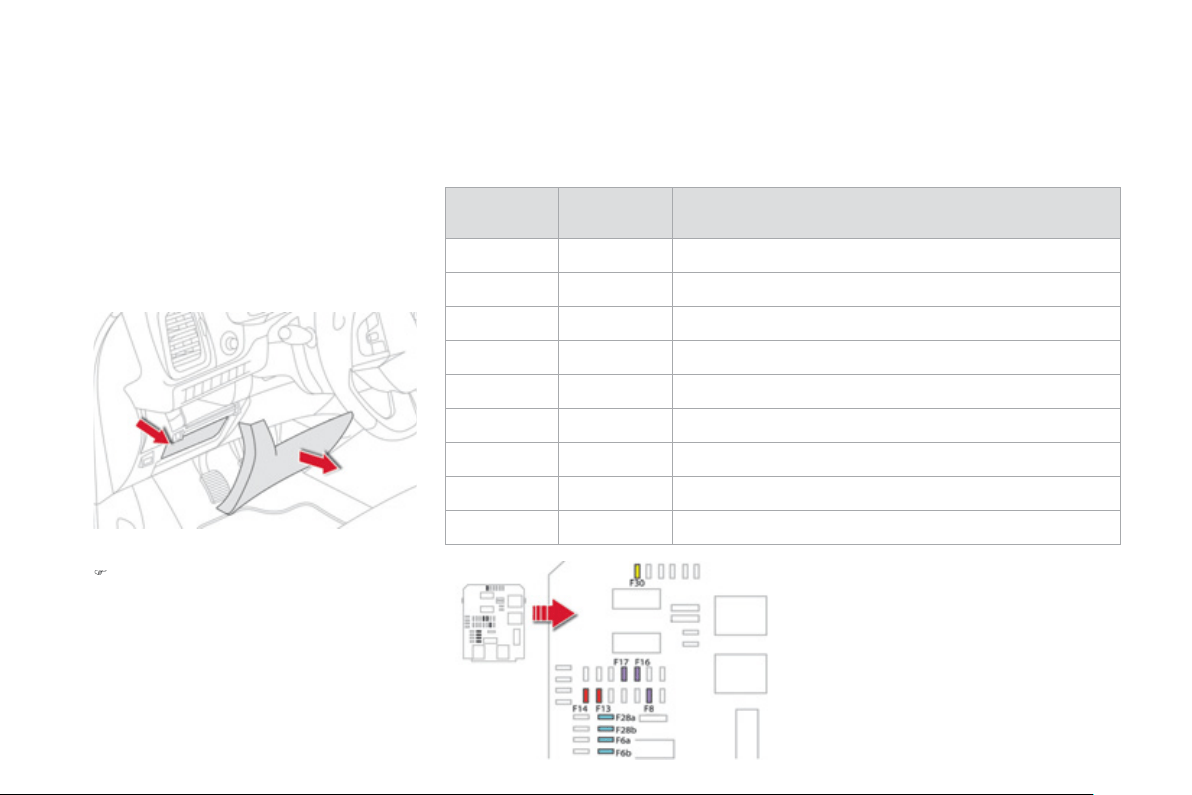
Dashboard fuses
The
f
usebox is
p
laced in the lower dashboard
(
le
f
t-hand side
)
.
A
ccess to the fuses
)
Re
m
o
v
e
t
he
co
v
e
r.
Fuse
N°
Ratin
g
(
A
)
F
unct
i
ons
F6 A or B
15
Audio system.
F8
3
Ala
rm.
F13
10
Front ci
g
arette li
g
hter, front 12 V socket.
F14
10
R
ea
r
12
V
soc
k
e
t.
F1
6
3
Rear map readin
g
lamps.
F17
3
C
ourtes
y
mirror.
F28 A or B
15
A
u
di
o s
y
stem.
F3
0
20 Rear wiper.
F32
10
Audio ampli
f
ier.
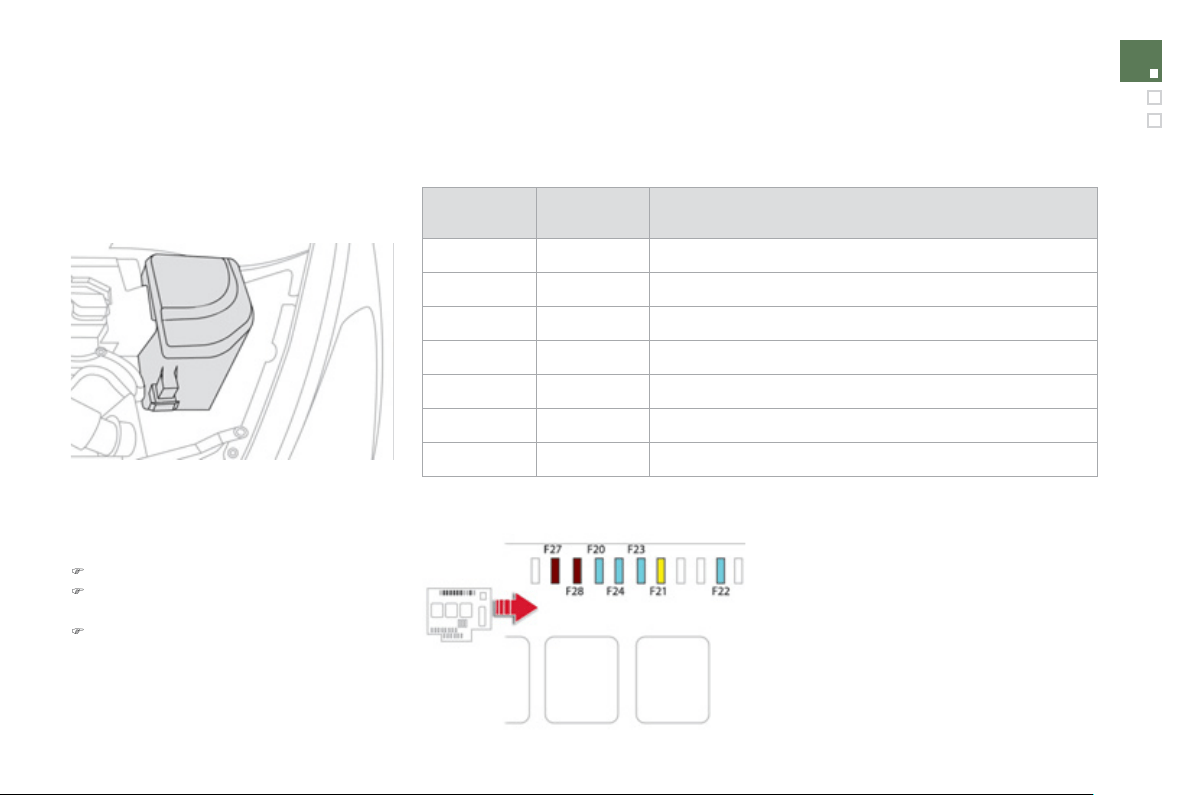
2
0
9
Practical information
En
g
ine compartment fuses
The
f
usebox is placed in the en
g
ine
c
ompartment near the batter
y
.
Access to the fuses
)
U
nc
li
p t
h
e cover.
)
C
han
g
e the
f
use
(
see correspondin
g
p
aragraph
)
.
)
When
y
ou have
f
inished, close the cover
c
arefull
y
to ensure correct sealin
g
of the
f
usebo
x.
Fuse
N°
Ratin
g
(
A
)
F
unct
i
ons
F20 15 Front
/
rear screenwash
p
um
p
.
F21
2
0
H
ea
dl
amp was
h
pump.
F22
1
5 H
o
rn.
F2
3
15
Ri
g
ht-hand main beam headlamp.
F2
4
15
Le
f
t-hand main beam headlam
p
.
F27
5 Le
f
t hand lam
p
mask.
F2
8
5
Righ
t
h
an
d
l
amp mas
k
.

12 V battery
The presence of this label indicates
the use of a 12 V lead-acid batter
y
with
s
pecial technolo
gy
and specification, fo
r
which the involvement of a
C
ITR
O
ËN
dealer or quali
f
ied workshop is required
w
h
en rep
l
ac
i
n
g
or
di
sconnect
i
n
g
t
h
e
b
atter
y
.
F
a
il
u
r
e
t
o
obse
rv
e
thi
s
r
eco
mm
e
n
da
ti
o
n
m
a
y
cause premature wear o
f
the
batter
y
.
The battery is located under the bonnet.
To
g
ain access to it:
)
open the bonnet usin
g
the interior release
l
ever, then the exterior safet
y
catch,
)
remove the plastic cover on the
(
+
)
terminal
,
)
i
f
necessar
y
, unclip the
f
usebox to remove
t
h
e
b
atter
y
.
Access to the batter
y
Disconnectin
g
the
(
+
)
cable
)
Raise the lockin
g
tab
D
f
ull
y
to release the
c
able terminal clam
p
E
.
Reconnectin
g
the
(
+
)
cable
)
Position the open clamp
E
o
f th
e
cab
l
e
o
n
the positive post
(
+
)
of the batter
y
.
)
Press verticall
y
on the clamp
E
to position
i
t correct
ly
on t
h
e
b
atter
y
.
)
L
oc
k
t
h
e c
l
amp
by
sprea
di
n
g
t
h
e
p
os
i
t
i
on
i
n
g
l
u
g
an
d
t
h
en
l
ower
i
n
g
t
h
e ta
b
D
.
Do not appl
y
excessive force on the
tab as lockin
g
will not be possible if the
c
lamp is not positioned correctl
y
; start
the procedure a
g
ain.
Procedure
f
or startin
g
the en
g
ine usin
g
another batter
y
or char
g
in
g
a dischar
g
ed batter
y
.
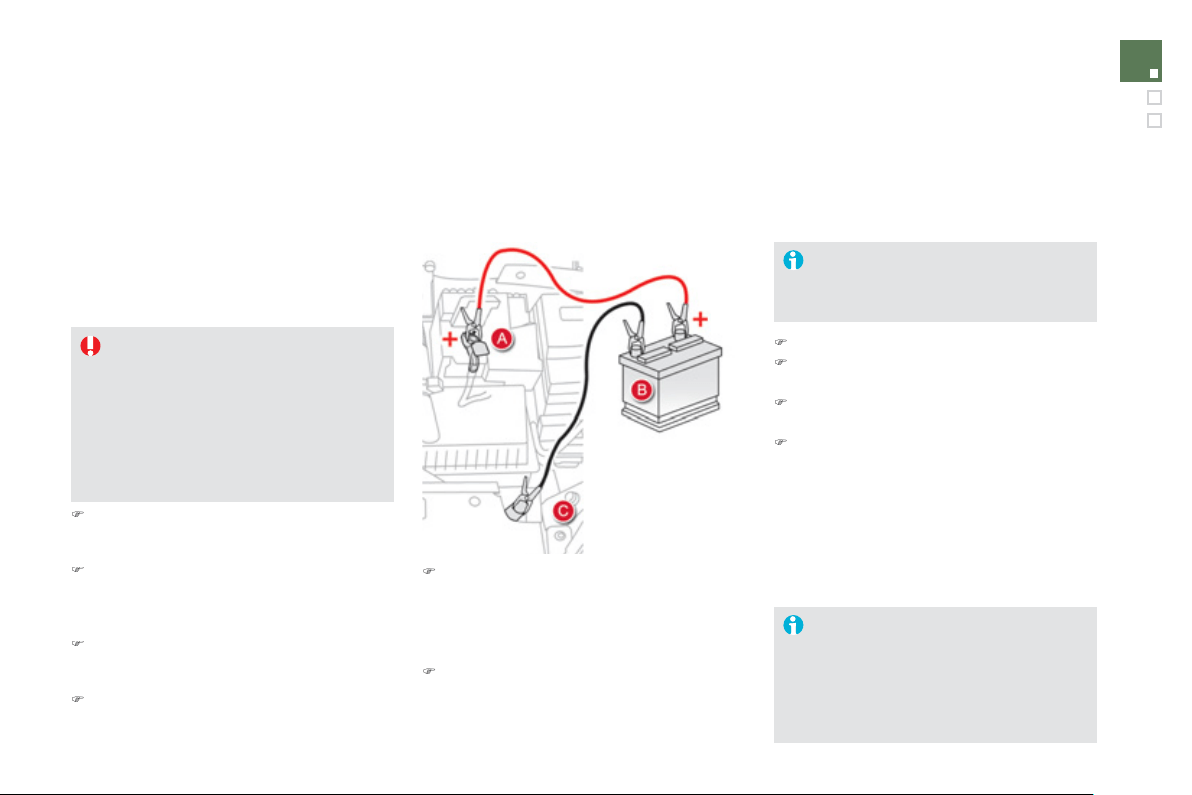
211
Practical information
A
f
ter re
f
ittin
g
the batter
y
, the
S
top
&
S
tart s
y
stem will onl
y
be active a
f
ter
s
evera
l
h
ours
d
epen
di
n
g
on t
h
e c
li
mat
i
c
c
onditions and the state o
f
char
g
e o
f
the
batter
y
(
up to about 8 hours
)
.
The
S
top
&
S
tart batter
y
does not have
to be disconnected
f
or charging.
Startin
g
usin
g
another
b
atter
y
First check that the slave battery has a
nominal volta
g
e o
f
12 V and a capacit
y
at least equal to that of the dischar
g
ed
batter
y
.
Do not tr
y
to start the en
g
ine b
y
c
onnectin
g
a batter
y
char
g
er.
Do not disconnect the
(
+
)
terminal when
t
h
e en
gi
ne
i
s runn
i
n
g
.
)
C
onnect the red cable to the positive
terminal
(
+
)
of the flat batter
y
A
, then to the
p
ositive terminal
(
+
)
of the slave batter
y
B
.
)
C
onnect one end o
f
the green or black
c
able to the ne
g
ative terminal
(
-
)
o
f
the
s
lave batter
y
B
(
or earth point on the other
vehicle
)
.
)
C
onnect the other end o
f
the
g
reen or black
c
a
bl
e to t
h
e eart
h
p
o
i
nt
C
o
n t
he
b
r
oke
n
down vehicle
(
or on the en
g
ine mountin
g)
.
)
Start the en
g
ine of the vehicle with the
g
ood batter
y
and leave it runnin
g
for a
fe
w min
u
t
es
.
)
Op
erate the starter on the broken down
vehicle and let the en
g
ine run
If the en
g
ine does not start strai
g
ht awa
y
,
s
witch off the i
g
nition and wait a few
moments before tr
y
in
g
a
g
ain.
)
Wait until the en
g
ine returns to idle then
di
sconnect t
h
e
j
ump
l
ea
d
ca
bl
es
i
n t
h
e
re
v
e
r
se
o
r
de
r.
)
Disconnect the batter
y
f
rom the vehicle.
)
Follow the instructions
f
or use provided b
y
the manu
f
acturer o
f
the char
g
er.
)
C
onnect the battery starting with the
n
e
g
ative terminal
(
-
)
.
)
Check that the terminals and connectors
are clean. If the
y
are covered with sulphate
(
whitish or
g
reenish deposit
)
, remove them
a
n
d
c
l
ea
n th
e
m.
Char
g
in
g
the batter
y
usin
g
a
batter
y
char
g
e
r
When
y
our vehicle's batter
y
is dischar
g
ed,
the en
g
ine can be started usin
g
a slave batter
y
(
external or on another vehicle
)
and
j
ump lead
cab
l
es
.

Th
e
ba
tt
e
ri
es
co
nt
a
in h
a
rm
fu
l
subs
t
a
n
ces
s
uc
h
as su
l
p
h
ur
i
c ac
id
an
d
l
ea
d
.
Th
e
y
must be dis
p
osed o
f
in accordance
with re
g
ulations and must not, in an
y
c
ircumstances, be discarded with household
w
as
t
e
.
T
a
k
e
used
r
e
m
o
t
e
co
ntr
o
l
ba
tt
e
ri
es
a
n
d
ve
hi
c
l
e
b
atter
i
es to a spec
i
a
l
co
ll
ect
i
on po
i
nt.
I
t
i
s a
d
v
i
sa
bl
e to
di
sconnect t
h
e
b
atter
y
if
th
e
v
e
hi
c
l
e
i
s
t
o
be
l
ef
t
u
n
used
fo
r
mo
r
e
t
ha
n
o
n
e
m
o
nt
h
.
Do not push the vehicle to start the
e
n
g
ine if
y
ou have an electronic
g
earbox or automatic
g
earbox.
Protect
y
our e
y
es and
f
ace be
f
ore
handling the battery.
A
ll operations on the batter
y
must be
ca
rri
ed
ou
t in
a
w
e
ll v
e
ntil
a
t
ed
a
r
ea
a
n
d
awa
y
from naked flames and sources
o
f sparks, so as to avoid the risk o
f
e
xplosion or fire.
Do not tr
y
to char
g
e a
f
rozen batter
y
;
the batter
y
must
f
irst be thawed out to
avoid the risk o
f
explosion. I
f
the batter
y
has been
f
rozen, be
f
ore charging have
it checked b
y
a CITROËN dealer or a
q
ualified workshop who will check that
the internal components have not been
dama
g
ed and the casin
g
is not cracked,
whi
c
h
cou
l
d
cause
a
l
ea
k
o
f t
o
xi
c
a
n
d
co
rr
osi
v
e
acid
.
D
o not reverse t
h
e po
l
ar
i
t
y
an
d
use on
ly
a 12 V char
g
er.
D
o
n
o
t
d
i
sco
nn
ec
t th
e
t
e
rmin
a
l
s
whil
e
the en
g
ine is runnin
g
.
Do not char
g
e the batteries without
disconnectin
g
the terminals first.
Wash
y
our hands afterwards.
Before disconnectin
g
the batter
y
Wait 2 minutes after switchin
g
off the i
g
nition
before disconnectin
g
the batter
y
.
C
lose the windows and the doors before
disconnectin
g
the batter
y
.
Followin
g
reconnection of the
batter
y
Followin
g
reconnection of the batter
y
, switch on
the i
g
nition and wait 1 minute be
f
ore startin
g
to
p
ermit initialisation o
f
the electronic s
y
stems.
H
owever, i
f
problems remain
f
ollowin
g
this
o
p
eration, contact a CITROËN dealer or a
q
uali
f
ied workshop.
Referrin
g
to the correspondin
g
section,
y
ou must
y
ourself reinitialise
(
dependin
g
on
version
)
:
- the remote control ke
y
,
- the electric blind
(
s
)
,
- ...

2
1
3
Practical information
Load reduction mode
Sy
stem which mana
g
es the use o
f
certain
f
unctions according to the level o
f
charge
remainin
g
in the batter
y
.
When the vehicle is bein
g
driven, the load
reduction function temporaril
y
deactivates
c
ertain functions, such as the air conditionin
g
,
th
e
h
ea
t
ed
r
ea
r
sc
r
ee
n...
Th
e
deac
tiv
a
t
ed
fu
n
c
ti
o
n
s
a
r
e
r
eac
tiv
a
t
ed
automat
i
ca
lly
as soon as con
di
t
i
ons perm
i
t.
Sy
stem which mana
g
es the duration o
f
use o
f
ce
rt
a
in
fu
n
c
ti
o
n
s
t
o
co
n
se
rv
e
a
suff
i
c
i
e
nt l
e
v
e
l
of char
g
e in the batter
y
.
After the en
g
ine has stopped,
y
ou can
s
till
use
f
u
n
c
ti
o
n
s
suc
h
as
th
e
aud
i
o
a
n
d
telematics s
y
stem, windscreen wipers, dipped
beam headlamps, courtes
y
lamps, etc.
f
or
a
m
a
xim
u
m
co
m
b
in
ed
du
r
a
ti
o
n
of
abou
t
f
ort
y
minutes.
Energy economy mode
Switchin
g
to econom
y
mode
A messa
g
e then appears in the instrument
p
anel screen indicatin
g
that the vehicle has
switched to econom
y
mode and the active
functions are put on standb
y
.
I
f
a telephone call is bein
g
made at this time,
i
t will
be
m
a
int
a
in
ed
fo
r
a
r
ou
n
d
1
0
min
u
t
es
with
the Bluetooth hands-
f
ree s
y
stem o
f
y
our audio
system.
Exitin
g
econom
y
mode
These
f
unctions are reactivated automatically
n
e
xt tim
e
th
e
v
e
hi
c
l
e
i
s
d
riv
e
n.
)
In
o
r
de
r t
o
r
esu
m
e
th
e
use
o
f th
ese
functions immediatel
y
, start the en
g
ine and
l
e
t it r
u
n:
- for less than ten minutes
,
to use
the equipment
f
or approximatel
y
f
ive minutes,
-
f
or more than ten minutes, to use the
e
quipment
f
or up to approximately
thirt
y
minutes.
Let the en
g
ine run for the duration specified to
e
nsure that the batter
y
char
g
e is sufficient.
Do not repeatedl
y
and continuousl
y
restart the
e
n
g
ine in order to char
g
e the batter
y
.
A
f
lat batter
y
prevents the en
g
ine
f
rom startin
g
(
re
f
er to the "Batter
y
" section
)
.

Changing a wiper blade
Before removin
g
a front
wi
p
er blade
)
Within one minute after switchin
g
of
f
the i
g
nition, operate the wiper stalk to
position the wiper blades verticall
y
on the
w
i
n
dsc
r
ee
n.
Removin
g
)
Raise the correspondin
g
wiper arm.
)
Unclip the wiper blade and remove it.
Fi
tt
i
n
g
)
P
ut t
h
e correspon
di
n
g
new w
i
per
bl
a
d
e
i
n
p
lace and cli
p
it.
)
Fold down the wiper arm care
f
ull
y
.
After fittin
g
a front wiper
bl
a
d
e
)
S
witch on the i
g
nition.
)
O
perate the wiper stalk a
g
ain to park the
wi
p
er blades.
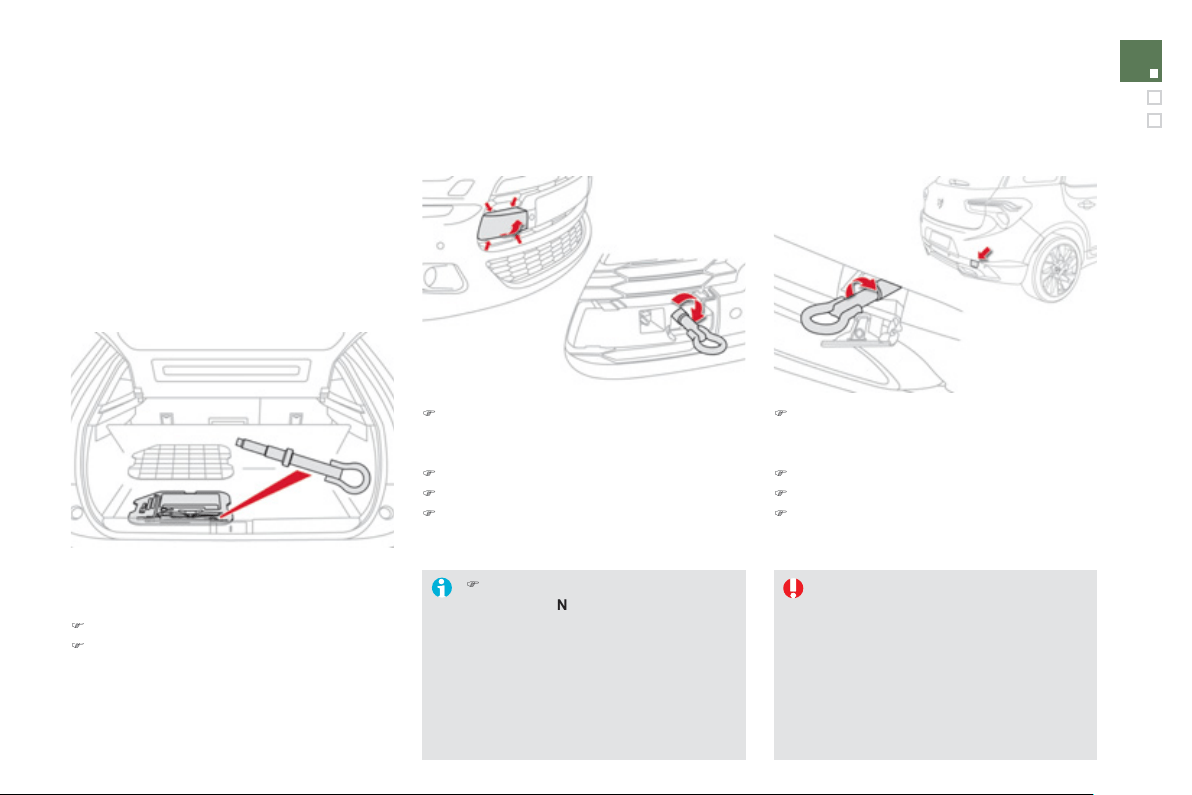
2
15
Practical information
Towing the vehicle
Procedure
f
or havin
g
y
our vehicle towed o
r
f
or towin
g
another vehicle usin
g
a removable
tow
i
n
g
e
y
e.
Towin
g
y
our vehicle Towin
g
another vehicle
Access to the tools
The towin
g
e
y
e is installed in the boot under
th
e
fl
oo
r.
To
g
ain access to it:
)
open the boot,
)
remove t
h
e tow
i
n
g
e
y
e,
l
ocate
d
i
n t
h
e too
l
bo
x.
)
O
n the
f
ront bumper, unclip the cover b
y
pressin
g
at the bottom to disen
g
a
g
e the
s
ecurin
g
lu
g
s.
)
Screw the towin
g
e
y
e in full
y
.
)
Install the towin
g
bar.
)
S
witch on the hazard warnin
g
lamps on the
t
o
w
ed
v
ehicle
.
)
O
n the rear bumper, unclip the cover b
y
leverin
g
at the left with the point of the
towin
g
e
y
e.
)
Screw the towin
g
e
y
e in full
y
.
)
Install the towin
g
bar.
)
S
witch on the hazard warnin
g
lamps on the
t
o
w
ed
v
ehicle
.
When towin
g
with all
f
our wheels on the
g
round, alwa
y
s use a towin
g
bar.
When towin
g
with onl
y
two wheels on
the
g
round, alwa
y
s use professional
l
iftin
g
equipment.
When towin
g
with the en
g
ine o
ff
, there
i
s no
l
on
g
er an
y
b
ra
ki
n
g
or steer
i
n
g
assis
t
a
n
ce
.
)
Pl
ace t
h
e
g
ear
l
ever
i
n neutra
l
(
position
N
o
n t
he
elec
tr
o
n
ic
g
ear
b
ox s
y
stem or automat
i
c
gearbox
)
.
Failure to observe this s
p
ecial
c
ondition could result in dama
g
e
to certain brakin
g
components and
the absence of brakin
g
assistance
the next time the en
g
ine is started.
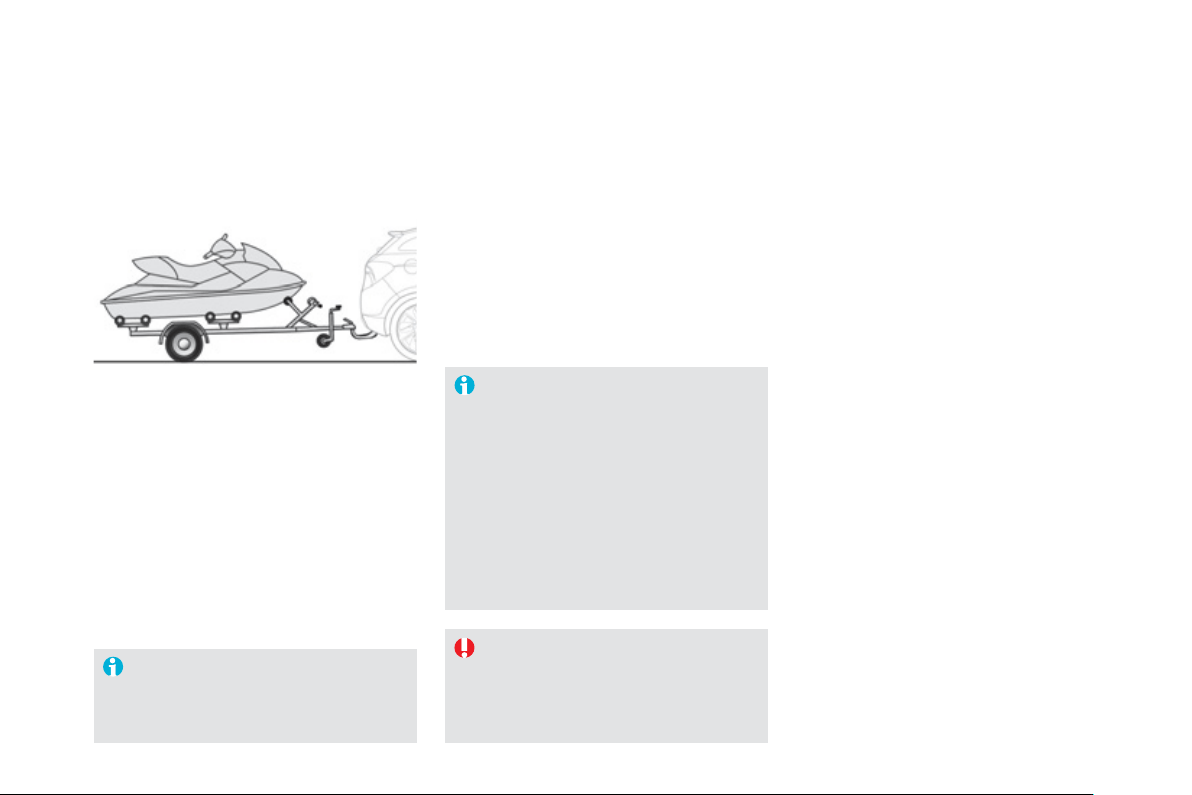
Towing a trailer
We recommend the use o
f
g
enuine
C
ITR
O
ËN t
o
w
ba
r
s
a
n
d
th
e
ir h
a
rn
esses
that have been tested and a
pp
roved
from the desi
g
n sta
g
e of
y
our vehicle,
a
nd that the fittin
g
of the towbar is
entrusted to a
C
ITR
O
ËN dealer or a
q
ualified workshop.
If the towbar is not fitted b
y
a CITRO
Ë
N
d
ea
l
er,
i
t
i
s
i
mperat
i
ve t
h
at
i
t
i
s
f
itt
ed
in
acco
r
da
n
ce
with th
e
v
e
hi
c
l
e
ma
n
ufac
t
u
r
e
r'
s
in
s
tr
uc
ti
o
n
s
.
T
o
w
ba
r
su
it
ab
l
e
fo
r th
e
a
tt
ac
hm
e
nt
of
a
trailer or installation o
f
a bic
y
cle carrier, with
addi
t
i
ona
l
ligh
t
i
n
g
an
d
s
ig
na
lli
n
g
.
Wh
en not tow
i
n
g
a tra
il
er, remove t
h
e
q
uickl
y
-detachable tow ball be
f
ore
d
r
i
v
i
n
g
, so as to avo
id
mas
ki
n
g
t
h
e
c
entral rear lam
p
.
Drivin
g
with a trailer places
g
reater
demands on the towin
g
vehicle and the
driver must take particular care.
Your vehicle is primaril
y
desi
g
ned
f
or
transport
i
n
g
peop
l
e an
d
l
u
gg
a
g
e,
b
ut
i
t ma
y
a
lso be used
f
or towing a trailer.
217
Practical information
Drivin
g
advice
Distribution of loads
)
Di
s
tri
bu
t
e
th
e
l
oad
in th
e
tr
a
il
e
r
so
th
a
t
th
e
h
ea
vi
es
t it
e
m
s
a
r
e
as
c
l
ose
as
p
ossible to the axle and the nose wei
g
ht
a
pproaches the maximum permitted
without exceedin
g
it.
Ai
r
d
ens
i
t
y
d
ecreases w
i
t
h
a
l
t
i
tu
d
e, t
h
us
reducin
g
en
g
ine per
f
ormance. Above
1 000 metres, the maximum towed load must
be reduced b
y
10
%
f
or ever
y
1 000 metres o
f
a
ltit
ude
.
Side wind
)
Take into account the increased sensitivit
y
t
o
s
i
de
win
d
.
Coolin
g
Towing a trailer on a slope increases the
temperature o
f
the coolant.
As the fan is electricall
y
controlled, its coolin
g
c
apacit
y
is not dependent on the en
g
ine speed.
)
To lower the en
g
ine speed, reduce
y
our
s
pee
d
.
Th
e max
i
mum towe
d
l
oa
d
on a
l
on
g
i
nc
li
ne
d
epen
d
s on t
h
e
g
ra
di
ent an
d
t
h
e am
bi
ent
tem
p
erature.
In all cases, kee
p
a check on the coolant
temperature.
)
I
f
the warnin
g
lamp and the
S
TO
P
warning lamp come on,
s
to
p
the vehicle and switch o
ff
the en
g
ine as soon as possible.
Brakin
g
Towin
g
a trailer increases the brakin
g
distance.
To avoid overheatin
g
of the brakes on a lon
g
mountain t
y
pe of descent, the use of en
g
ine
brakin
g
is recommended.
T
y
res
)
C
heck the tyre pressures o
f
the towing
vehicle and o
f
the trailer, observin
g
the
recommended pressures.
L
igh
t
i
n
g
)
C
heck the electrical li
g
htin
g
and si
g
nallin
g
o
n t
he
tr
aile
r.
The rear parkin
g
sensors will be
deactivated automaticall
y
if a
g
enuine
C
ITR
O
ËN towbar is used.
R
e
f
e
r t
o
th
e
"T
ec
hni
ca
l D
a
t
a
"
sec
ti
o
n f
o
r
de
t
a
il
s
of the wei
g
hts and towed loads which appl
y
to
y
our ve
hi
c
l
e.
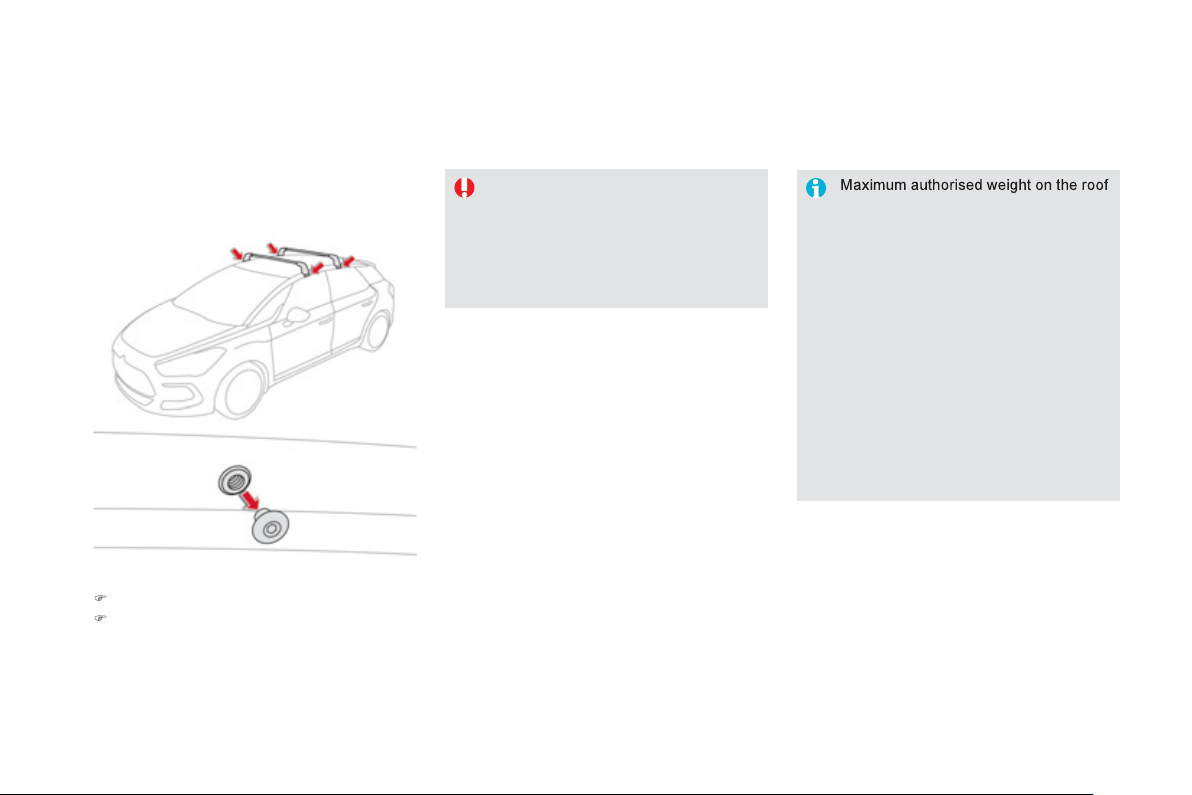
Fitting roof bars
rack, for a loadin
g
hei
g
ht not exceedin
g
40 cm
(
with the exception of bic
y
cle
c
arriers
)
: 70 k
g
.
I
f
the hei
g
ht exceeds 40 cm, adapt the
s
peed o
f
the vehicle to the pro
f
ile o
f
the
road to avoid dama
g
in
g
the roo
f
bars
and the
f
ixings on the roo
f
.
Be sure to re
f
er to national le
g
islation in
o
rder to compl
y
with the re
g
ulations for
transportin
g
ob
j
ects which are lon
g
er
th
a
n th
e
v
e
hi
c
l
e
.
When
f
itting transverse roo
f
bars, take care to
p
osition them correctl
y
:
U
se accessor
i
es recommen
d
e
d
by
CITROËN observing the manufacturer's
r
ecommendations and
f
ittin
g
i
n
s
tr
uc
ti
o
n
s
so
as
t
o
a
v
o
i
d
th
e
ri
s
k
of dama
g
in
g
the bod
y
(
deformation,
scratches, ...
)
.
)
R
emove t
h
e cap us
i
n
g
an a
ll
e
n
TM
k
e
y
.
)
Put the bars into
p
osition then
f
it and
ti
g
hten the securin
g
screws.

2
1
9
Practical information
Accessories
A
wide range of accessories and genuine parts is available from the CITROËN dealer network.
These accessories and parts have been tested and approved
f
or reliabilit
y
and sa
f
et
y
.
The
y
are all adapted to
y
our vehicle and benefit from CITROËN's recommendation and warrant
y
.
"Comfort":
door deflectors
,
side window blinds
,
rea
r
s
creen
bli
n
d
,
i
sot
h
erm mo
d
u
l
e, coat
h
an
g
er
f
ixed to head restraint, mobile readin
g
lamp,
m
irror
f
or caravan, parkin
g
sensors...
"Transport s
y
stems":
child seats and booster cushions, boot carpet,
boot liner, boot net, boot spacers, transverse
roof bars, bic
y
cle carrier, ski carrier, roof boxes,
towbars, wirin
g
harnesses...
I
f
a towbar and wirin
g
harness are
f
itted
outside the CITRO
Ë
N dealer network, the
i
nsta
ll
at
i
on must
b
e
d
one us
i
n
g
t
h
e ve
hi
c
l
e
'
s
e
lectrical pre-equipment and
f
itted
f
ollowing the
ma
n
ufac
t
u
r
e
r'
s
r
eco
mm
e
n
da
ti
o
n
s
.
"St
y
lin
g
":
g
ear lever knobs, aluminium foot rest, allo
y
wh
ee
l
s, c
h
rome m
i
rror s
h
e
ll
s, c
h
rome
d
oor
a
perture
f
inishers...
* To avoid an
y
risk of
j
ammin
g
the pedals:
- ensure that mats are correctl
y
positioned
a
nd secured
,
- never
f
it one mat on top o
f
another.
"Securit
y
and safet
y
":
anti-intrusion alarm, anti-tilt unit, stolen
vehicle trackin
g
s
y
stem, child seats and
booster cushions, breathal
y
ser, first aid kit, fire
extin
g
uisher, warnin
g
trian
g
le, hi
g
h visibilit
y
vest, w
h
ee
l
secur
i
t
y
b
o
l
ts, snow c
h
a
i
ns, non-
s
li
p covers...
"P
rotect
i
on
"
:
mats * , seat covers compatible with lateral
airba
g
s, mud
f
laps, door protective mouldin
g
s,
b
umper protect
i
on str
i
ps, ve
hi
c
l
e cover...
Th
e rear
b
o
dy
wor
k
h
as
b
een
d
es
ig
ne
d
to avoid spray.

The
f
ittin
g
o
f
electrical equipment
o
r
accesso
r
ies
w
hich
a
r
e
n
o
t
recommended b
y
CITRO
Ë
N ma
y
result
in a
f
ailure o
f
your vehicle's electronic
sy
stem and excessive electrical
c
onsumption.
Please note this precaution. You
are advised to contact a
C
ITR
O
ËN
representat
i
ve to
b
e s
h
own t
h
e ran
g
e
of
recommended equipment and
accesso
r
ies
.
Installation of radio
c
ommunication
t
ransmitters
Before installin
g
an
y
after-market radio
c
ommunication transmitter,
y
ou can
c
ontact a
C
ITR
O
ËN dealer for the
s
pecification of transmitters which can
be
f
itted
(f
requenc
y
, maximum power,
aerial position, speci
f
ic installation
requirements
)
, in line with the Vehicle
E
lectromagnetic
C
ompatibility Directive
(
2004
/
104
/
E
C)
.
Dependin
g
on the le
g
islation in force
i
n the countr
y
, it ma
y
be compulsor
y
to have a hi
g
h visibilit
y
sa
f
et
y
vest,
w
arn
i
n
g
tr
i
an
gl
e an
d
spare
b
u
lb
s an
d
fuses
a
v
a
il
ab
l
e
in th
e
v
e
hi
c
l
e
.
B
y
visitin
g
a CITRO
Ë
N dealer
y
ou can also
obtain cleaning and maintenance products
(
interior and exterior
)
- includin
g
ecolo
g
ical
products in the "TECHNATURE" ran
g
e,
products for toppin
g
up
(
screenwash...
)
, paint
touch-up pens and aerosols for the exact colour
of
y
our vehicle, refills
(
sealant cartrid
g
e for the
temporar
y
puncture repair kit...
)
, ...
"Multimedia":
audio s
y
stems, steerin
g
mounted audio
c
ontrols, speakers, Hi-Fi module, Bluetooth
h
ands-free s
y
stem, portable satellite navi
g
ation
sy
stem, semi-inte
g
ral support bracket fo
r
p
ortable navi
g
ation s
y
stem, drivin
g
assistance
sy
stems, U
S
B Box, reversin
g
camera, portable
v
id
eo screen, porta
bl
e v
id
eo support
b
rac
k
et,
230 V
/
50 Hz socket, 230 V
/
12 V ada
p
tor, Wi-Fi
o
n
boa
r
d
...
221
Practical information
009
Checks

TOTAL & CITROËN
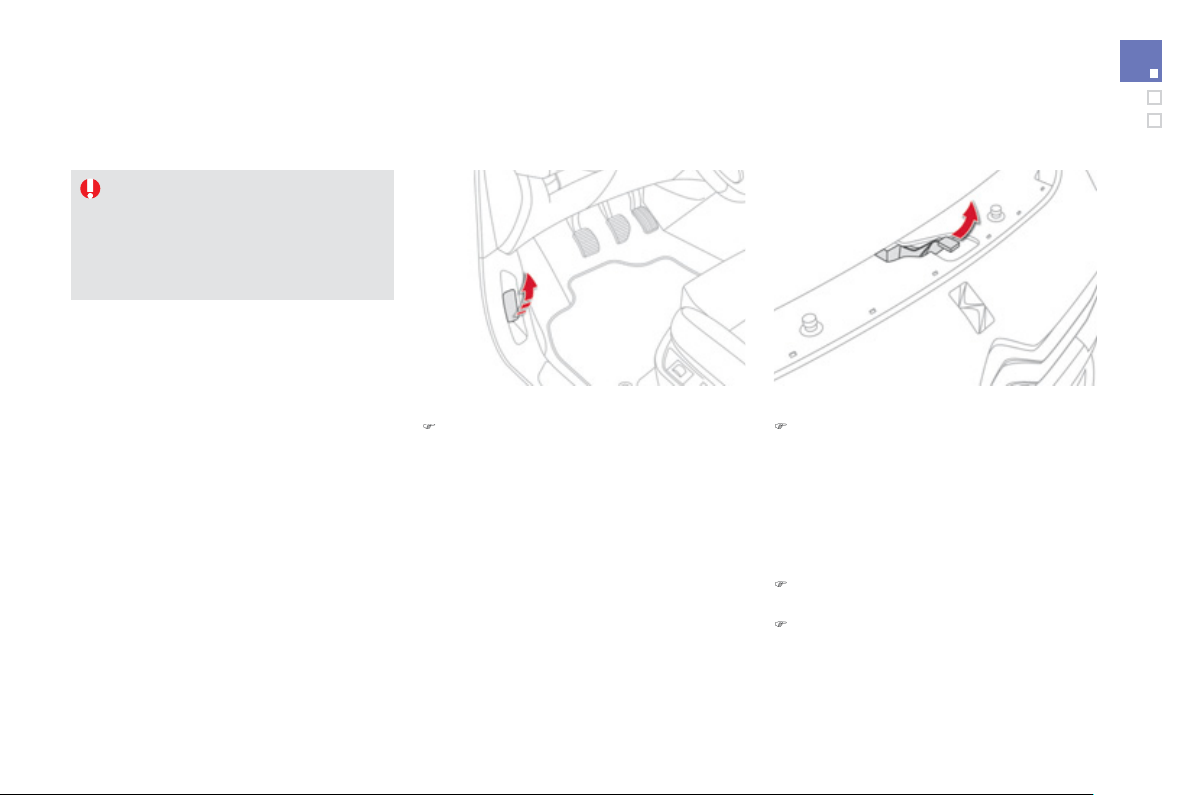
2
25
Checks
Opening the bonnet
Openin
g
)
From insid
e
: pull the release lever, located
on the left below the dashboard, towards
y
ou.
Before doin
g
an
y
thin
g
under the bonnet,
s
witch off the Stop & Start s
y
stem to
avoid an
y
risk o
f
in
j
ur
y
resultin
g
f
rom an
automatic chan
g
e to
S
TART mode.
Closin
g
)
Lo
w
e
r t
he
bo
nn
e
t
a
n
d
r
elease
i
t
a
t t
he
e
n
d
of
it
s
tr
a
v
e
l.
)
C
heck that it is latched correctl
y
.
)
F
rom t
h
e outs
ide
: li
f
t the sa
f
et
y
catch and
r
aise
t
he
bo
nn
e
t.
A
bonnet strut o
p
ens the bonnet and holds it
open
.
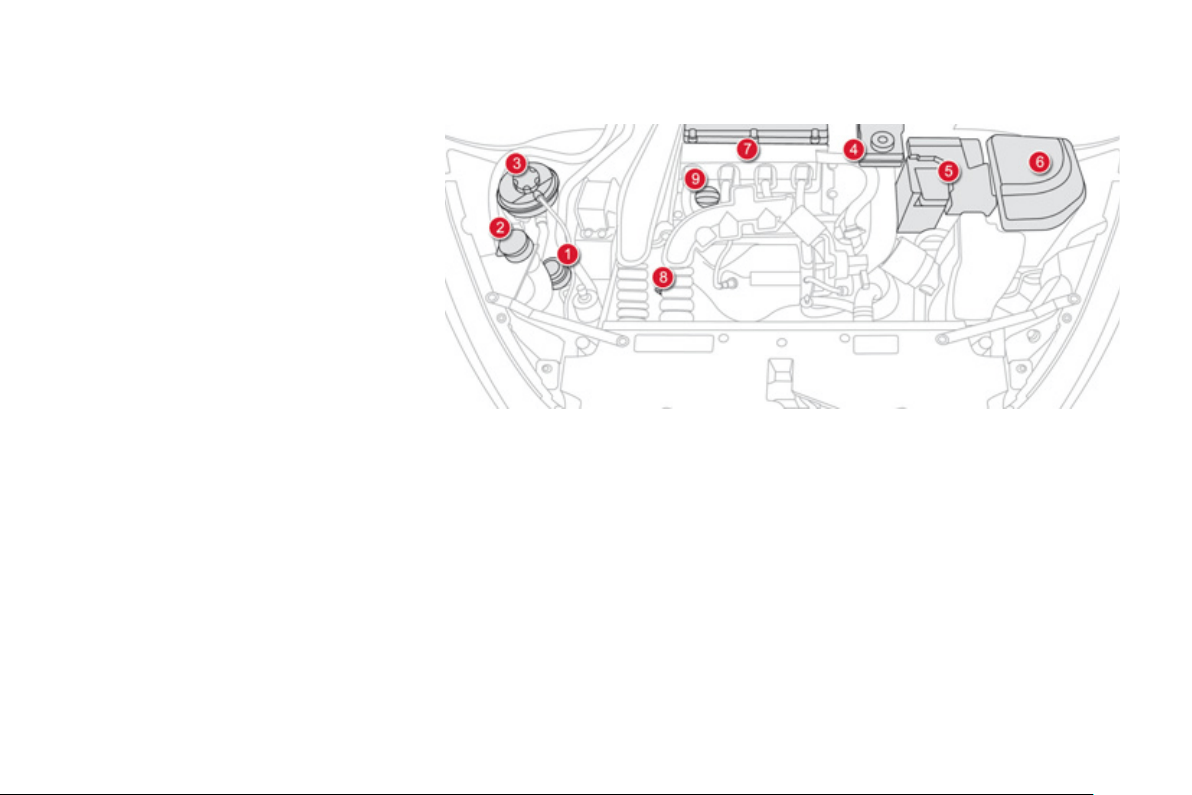
The various ca
p
s and covers allow access
f
or
c
heckin
g
the levels o
f
the various
f
luids and
f
o
r
r
eplacin
g
certain components.
Petrol engines
1.
Power steerin
g
reservoir.
2.
Screenwash and headlamp wash reservoir.
3.
C
oolant reservoir.
4.
Br
a
k
e
f
l
u
i
d
r
ese
rv
o
ir.
5.
Batter
y
/
Fuses.
6
.
Fusebo
x.
7
.
Air
f
ilt
e
r.
8.
En
g
ine oil dipstick.
9.
En
g
ine oil filler cap.
T
HP 155 6-SPEED AUT
O
T
HP 200 6-SPEED MANUAL
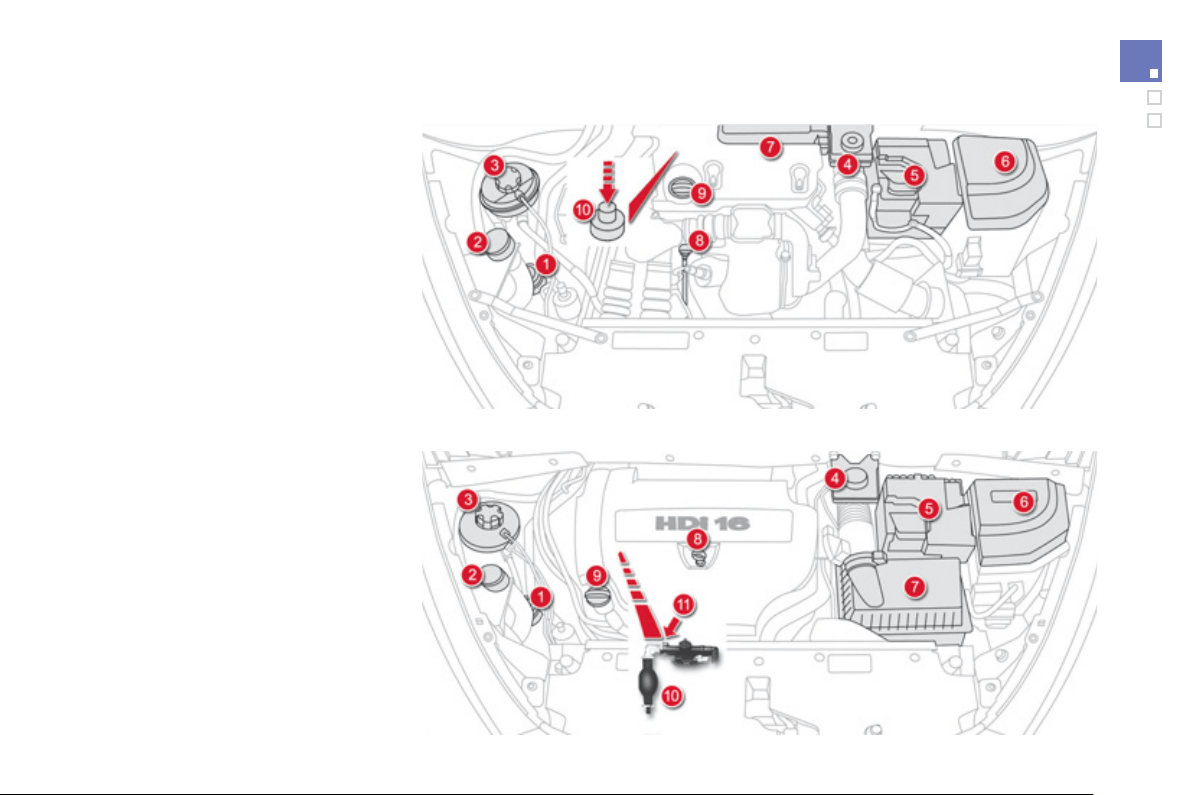
227
Checks
The various ca
p
s and covers allow access
f
or
c
heckin
g
the levels o
f
the various
f
luids,
f
or
replacin
g
certain components and for primin
g
the fuel s
y
stem.
*
Accordin
g
to en
g
ine.
Diesel engines
1.
Power steerin
g
reservoir.
2.
Screenwash and headlamp wash reservoir.
3.
C
oolant reservoir.
4.
Br
a
k
e
f
l
u
i
d
r
ese
rv
o
ir.
5
.
Batter
y
/
Fuses.
6
.
Fusebo
x.
7
.
Air
f
ilt
e
r.
8.
En
g
ine oil dipstick.
9.
En
g
ine oil filler cap.
1
0
.
Primin
g
pump * .
1
1
.
Bl
eed
sc
r
e
w * .
e
-HDi 110 6-SPEED ELECTRONI
C
HDi 160 PEF 6-SPEED MANUAL / HDi 160 PEF 6-SPEED AUTO
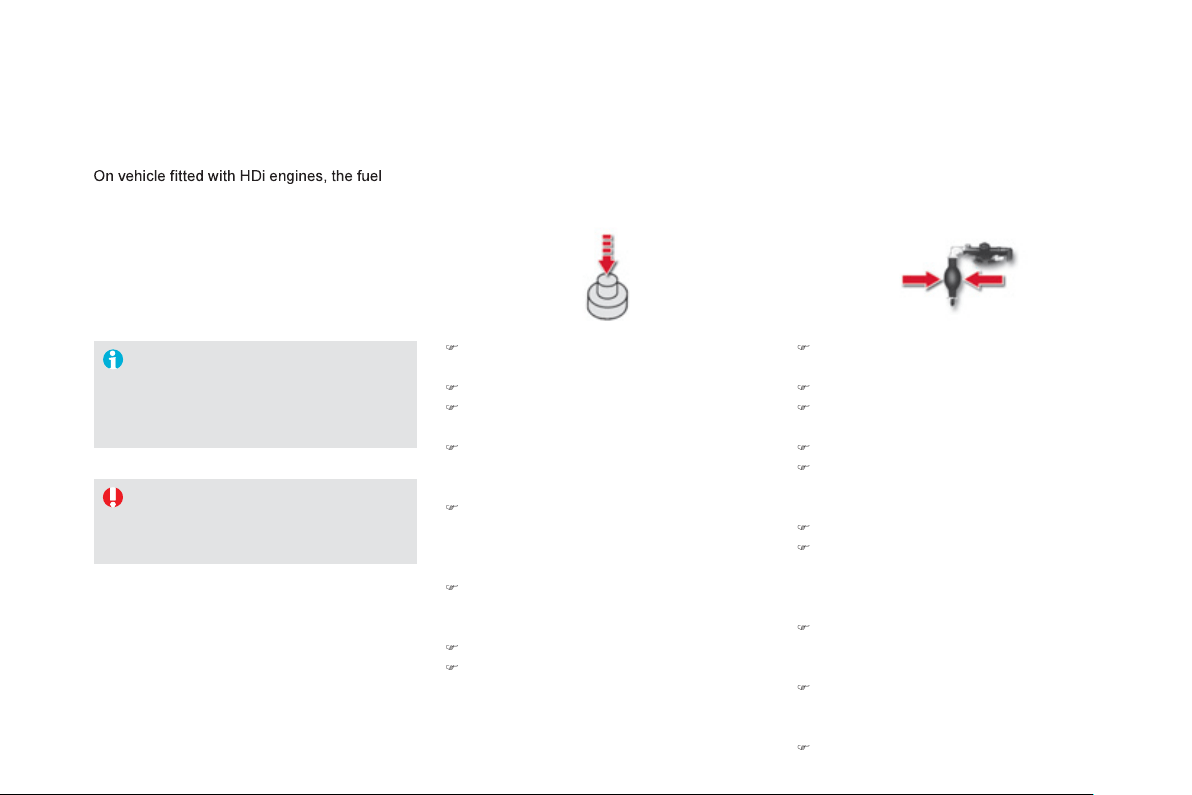
sy
stem must be primed i
f
y
ou run out o
f
f
uel;
r
efer to the correspondin
g
en
g
ine compartment
vi
e
w.
Running out of fuel (Diesel)
I
f
the tank on
y
our vehicle is
f
itted with
a mis
f
uel prevention device, re
f
er to the
"Mis
f
uel prevention
(
Diesel
)
" section.
)
Fill th
e
f
ue
l t
a
nk with
a
t l
eas
t fiv
e
litr
es
of
d
i
ese
l.
)
O
pen the bonnet.
)
I
f
necessar
y
, unclip the st
y
lin
g
cover
f
or
access to the priming pump.
)
S
queeze and release the primin
g
pump
repeatedl
y
until resistance is felt
(
there ma
y
be resistance at the first press
)
.
)
O
perate the starter until the en
g
ine starts
(
if the en
g
ine does not start at the first
attempt, wait around 15 seconds be
f
ore
tr
y
in
g
a
g
ain
)
.
)
I
f
the en
g
ine does not start a
f
ter a
f
ew
attempts, operate the priming pump again
then start the en
g
ine.
)
Clip the st
y
lin
g
cover back in place.
)
C
lose the bonnet.
1.6 litre HDi en
g
ine
)
Fill th
e
f
ue
l t
a
nk with
a
t l
eas
t fiv
e
litr
es
of
Diesel
.
)
O
pen the bonnet.
)
I
f
necessar
y
, unclip the st
y
le cover
f
o
r
a
ccess to the priming pump.
)
S
lacken the bleed screw.
)
Squeeze and release the primin
g
pump
r
epeatedl
y
until fuel appears in the
transparent pipe.
)
Ti
g
hten the bleed screw.
)
O
perate the starter until the en
g
ine starts
(
i
f
the en
g
ine
f
ails to start at the
f
irst
a
ttem
p
t, wait around 15 seconds be
f
ore
trying again
)
.
)
I
f
the en
g
ine
f
ails to start a
f
ter a
f
ew
a
ttempts, operate the primin
g
pump a
g
ain,
th
e
n th
e
s
t
a
rt
e
r.
)
Put the st
y
le cover back in position and
c
lip it in place, ensurin
g
that it has clipped
c
orrect
ly
.
)
C
l
ose
th
e
bo
nn
e
t.
2 litre HDi en
g
ine
I
f
the engine does not start
f
irst time,
don't keep tr
y
in
g
.
S
tart the procedure
a
g
ain from the be
g
innin
g
.
2
2
9
Checks
Checking levels
Take care when workin
g
under the
bonnet, as certain areas of the en
g
ine
ma
y
be extremel
y
hot
(
risk of burns
)
.
Oil level
The
check
is
ca
rr
ied
ou
t
ei
t
he
r w
he
n
t
h
e
ig
n
i
t
i
on
i
s sw
i
tc
h
e
d
on us
i
n
g
t
h
e
oil
le
v
el
i
n
dica
t
o
r
o
n t
he
i
n
s
tr
u
m
e
nt
panel, or using the dipstick.
En
g
ine oil chan
g
e
Re
f
er to the servicin
g
booklet
f
or details o
f
the
interval for this operation.
In order to maintain the reliabilit
y
of the en
g
ine
and emission control s
y
stem, the use o
f
a
ddi
t
i
ves
i
n t
h
e en
gi
ne o
il
i
s pro
hibi
te
d
.
Oil s
p
ecifi cation
The oil must be the correct
g
rade for
y
our
e
n
g
ine and con
f
orm to the manu
f
acturer's
r
eco
mm
e
n
da
t
io
n
s
.
A
f
ter toppin
g
up the oil, the check when
s
w
i
tc
hi
n
g
on t
h
e
ig
n
i
t
i
on w
i
t
h
t
h
e o
il
level indicator in the instrument
p
anel
is not valid durin
g
the 30 minutes a
f
ter
toppin
g
up.
If a level drops significantly, have the corresponding system checked by a CITRO
Ë
N dealer or a qualified workshop.
C
heck all o
f
these levels re
g
ularl
y
, in line with the servicin
g
booklet and the requirements o
f
the warrant
y
. Top them up i
f
necessar
y
, unless otherwise indicated.
This manual check will onl
y
be correct i
f
the
vehicle is on level
g
round and the en
g
ine has
been off for more than
30
minutes.
It is normal to top up the oil level between
two services
(
or oil chan
g
es
)
. CITROËN
r
ecommen
d
s t
h
at
y
ou c
h
ec
k
t
h
e
l
eve
l
, an
d
top
u
p i
f
necessar
y
, ever
y
3 000 miles
(
5 000 kms
)
.
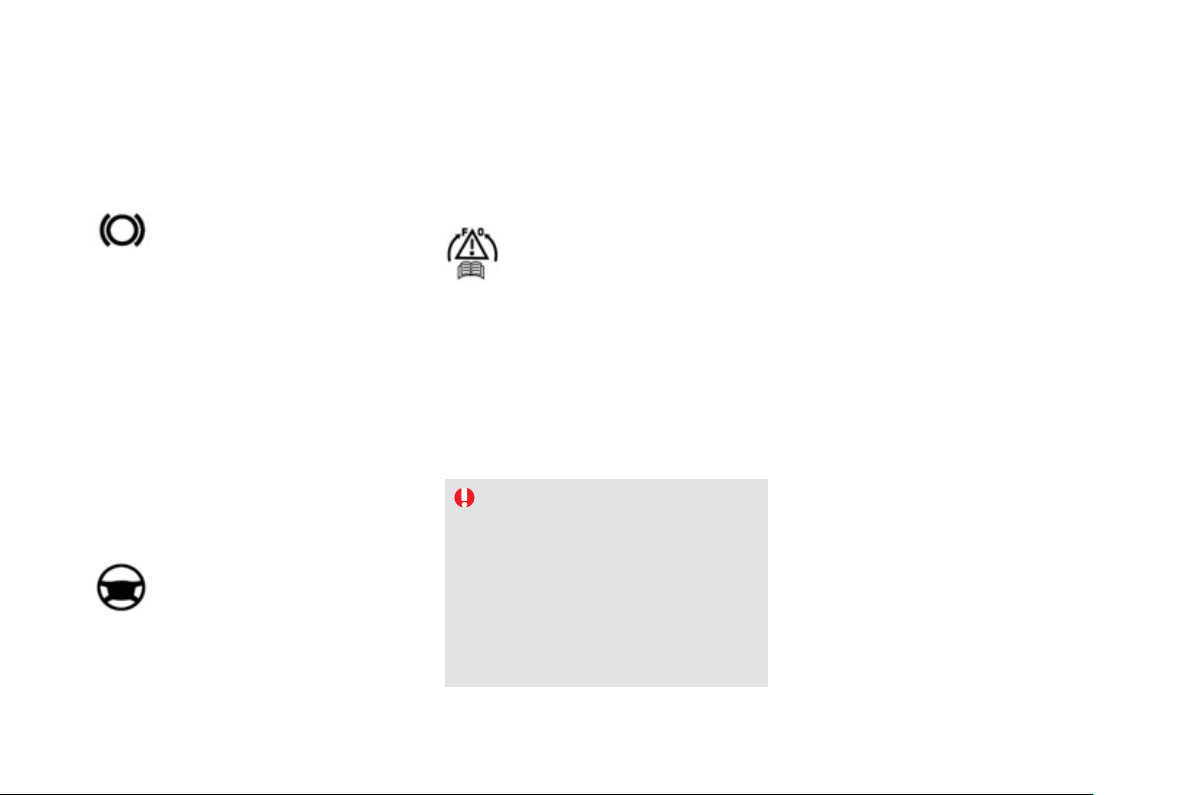
Coolant level
Th
e
coo
l
a
nt l
e
v
e
l
s
h
ou
l
d
be
c
l
ose
t
o
th
e
"MAX" m
a
rk
bu
t
s
h
ou
l
d
n
e
v
e
r
e
x
ceed
i
t.
Chan
g
in
g
the coolant
Th
e coo
l
ant
d
oes not
h
ave to
b
e c
h
an
g
e
d
.
Fluid s
p
ecifi cation
Th
e
coo
l
a
nt m
us
t
co
n
fo
rm t
o
th
e
ma
n
ufac
t
u
r
e
r'
s
r
eco
mm
e
n
da
ti
o
n
s
.
P
ower steerin
g
fluid level
The power steering
f
luid level should
be
c
l
ose
t
o
th
e
"MAX" m
a
rk. With
the en
g
ine cold, unscrew the cap to
c
h
ec
k th
e
l
e
v
e
l.
Th
e
b
r
a
k
e
f
l
u
i
d
l
e
v
e
l
s
h
ou
l
d
be
c
l
ose
to the "MAX" mark. I
f
it is not, check
t
h
e
b
ra
k
e
p
a
d
wear.
Brake fluid level
Chan
g
in
g
the fl uid
Re
f
er to the servicing booklet
f
or details o
f
the
interval
f
or this operation.
Fluid s
p
ecifi cation
Th
e
b
r
a
k
e
f
l
u
i
d
m
us
t
co
n
fo
rm t
o
th
e
ma
n
ufac
t
u
r
e
r'
s
r
eco
mm
e
n
da
ti
o
n
s
a
n
d
m
ee
t th
e
D
O
T4 standard.
I
n a
ddi
t
i
on, as t
h
e coo
li
n
g
s
y
stem
i
s
p
ressurised, wait at least one hour a
f
ter
switching o
ff
the engine be
f
ore carrying
out an
y
work.
To avoid an
y
risk of scaldin
g
, unscrew
the cap b
y
two turns to allow the
p
ressure to drop. When the pressure
h
as dropped, remove the cap and top
u
p t
h
e
l
eve
l
.
When the en
g
ine is warm, the temperature o
f
the coolant is re
g
ulated b
y
the fan. This can
operate with the i
g
nition o
ff
.
For vehicles fitted with a
p
article emissions
filter, the coolin
g
fan ma
y
continue to
run after stoppin
g
the vehicle, even if the
e
n
gi
ne
i
s co
ld.
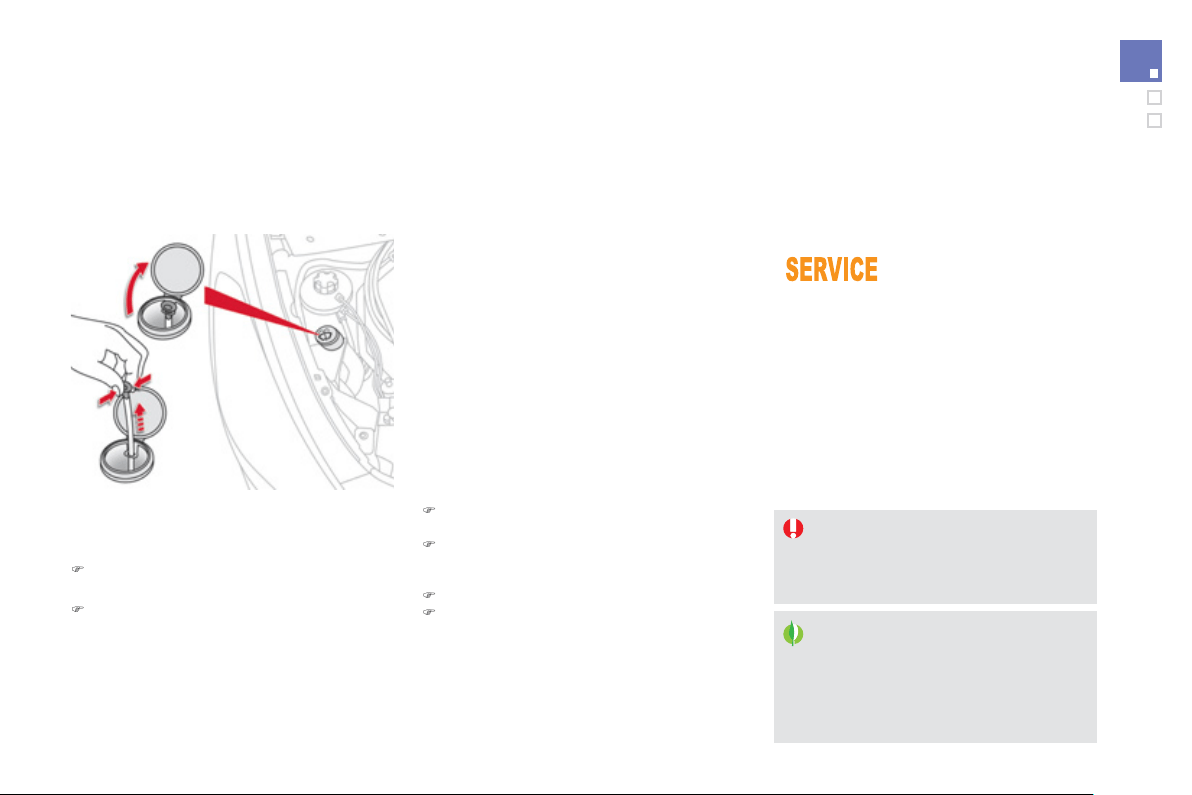
2
3
1
Checks
S
p
ecifi cation of the fl uid
To ensure optimum cleaning and to avoid
f
reezin
g
, the
f
luid should never be topped up o
r
r
eplaced b
y
plain water.
Screenwash / headlam
p
wash level
To check the level or top up the
f
luid on vehicle
f
itted with headlamp washers, immobilise the
vehicle and switch o
f
the en
g
ine.
)
Be
f
ore opening the bonnet, ensure that the
e
n
g
ine has completel
y
stopped.
)
O
pen the screenwash reservoir filler cap.
Avoid prolon
g
ed contact of used oil or
f
l
u
i
ds
with th
e
s
kin.
M
os
t
of
th
ese
f
l
u
i
ds
a
r
e
h
a
rm
fu
l t
o
h
ea
l
t
h
or
i
n
d
ee
d
ver
y
corros
i
ve.
D
o
n
o
t
d
i
sca
r
d
used
o
il
o
r fl
u
i
ds
int
o
s
ewers or onto t
h
e
g
roun
d
.
T
a
k
e
used
o
il t
o
a
C
ITR
OË
N
dea
l
e
r
o
r
a quali
f
ied workshop
(
France
)
or to an
authorised waste dis
p
osal site.
Used
p
roducts
T
opp
i
n
g
up
This additive must be topped up b
y
a CITRO
Ë
N
dealer or a quali
f
ied workshop without dela
y
.
D
iesel additive level
(
Diesel en
g
ine with particle
e
mission filter
)
A l
o
w
add
itiv
e
l
e
v
e
l i
s
indicated b
y
illumination o
f
t
h
e serv
i
ce warn
i
n
g
l
amp,
accompan
i
e
d
by
an au
dibl
e warn
i
n
g
an
d
a
messa
g
e
i
n t
h
e
i
nstrument pane
l
screen.
)
Take and pinch the level
g
au
g
e to block its
b
r
ea
t
he
r.
)
Remove the
g
au
g
e completel
y
from
t
he
r
ese
rv
oi
r t
o
r
ead
t
he
le
v
el
i
n t
he
transparent section.
)
Top up i
f
necessar
y
.
)
Re
f
it the
f
iller ca
p
to the reservoir and
c
l
ose
th
e
bo
nn
e
t.

Checks
1
2 V batter
y
Th
e
b
atter
y
d
oes not requ
i
re an
y
ma
int
e
n
a
n
ce
.
However
,
check that the terminals
are c
l
ean an
d
correct
ly
t
igh
tene
d
,
p
articularl
y
in summer and winter.
The presence o
f
this label, in particular with
the
S
top
&
S
tart s
y
stem, indicates the use o
f
a speci
f
ic 12 V lead-acid battery with special
technolo
gy
and speci
f
ication. The involvement
of a CITROËN dealer or a qualified workshop is
e
ssential when replacin
g
or disconnectin
g
the
batter
y
.
U
n
l
ess ot
h
erw
i
se
i
n
di
cate
d
, c
h
ec
k
t
h
ese
c
omponents in accordance with the servicing
booklet and accordin
g
to
y
our en
g
ine.
Otherwise, have them checked b
y
a CITROËN
dealer or a qualified workshop.
When carr
y
in
g
out work on the batter
y
, refer
to the "12 V batter
y
" section for details of the
precautions to be taken before disconnectin
g
the batter
y
and
f
ollowin
g
its reconnection.
2
3
3
Checks
P
article emission filter
(
Diesel
)
Th
e
s
t
a
rt
of
sa
t
u
r
a
ti
o
n
of
th
e
p
article
f
ilter is indicated by
the temporar
y
illumination o
f
this warnin
g
lamp accompanied b
y
a messa
g
e
i
n th
e
m
u
lti-f
u
n
c
ti
o
n
sc
r
ee
n.
As soon as the traffic conditions permit,
re
g
enerate the filter b
y
drivin
g
at a
s
peed o
f
at least 40 mph
(
60 km
/
h
)
until
the warnin
g
lamp
g
oes o
ff
.
I
f
the warnin
g
lamp sta
y
s on, this
in
d
i
ca
t
es
a
l
o
w
add
itiv
e
l
e
v
e
l.
On a new vehicle, the first particle
f
ilter re
g
eneration operations ma
y
be
accompan
i
e
d
by
a
"b
urn
i
n
g"
sme
ll
,
which is per
f
ectl
y
normal.
Following prolonged operation o
f
the
vehicle at ver
y
low speed or at idle,
y
ou ma
y
, in exceptional circumstances,
notice the emission of water vapour at
th
e
e
xh
aus
t
o
n
acce
l
e
r
a
ti
o
n. Thi
s
does
n
o
t
a
ff
ec
t th
e
be
h
a
vi
ou
r
o
f th
e
v
e
hi
c
l
e
o
r
t
he
e
nv
i
r
o
nm
e
nt.
Re
f
er to the servicin
g
booklet
f
or
details o
f
the re
p
lacement intervals
f
or these com
p
onents.
Air filter and passen
g
er compartment filter
Re
p
lace the oil
f
ilter each time the
en
g
ine oil is chan
g
ed.
Refer to the servicin
g
booklet for
details of the replacement interval fo
r
this component.
Oil filter
Dependin
g
on the environment
(
e.
g
. dust
y
atmosphere
)
and the use o
f
the vehicle
(
e.
g
. cit
y
drivin
g)
,
r
e
pl
ace t
h
em tw
i
ce
as often if necessary
.
y
A
clogged passenger compartment
f
ilter may
h
ave an adverse e
ff
ect on the
p
er
f
ormance
of the air conditionin
g
s
y
stem and
g
enerate
u
n
des
ir
ab
l
e
odou
r
s
.

M
anua
l
g
ear
b
ox
Th
e
g
ear
b
ox
d
oes not requ
i
re an
y
maintenance
(
no oil change
)
.
Re
f
er to the servicin
g
booklet
f
or the
details of the level checkin
g
interval
for this component.
6-speed electronic
g
earbox
The
g
earbox does not require an
y
maintenance
(
no oil chan
g
e
)
.
Refer to the servicin
g
booklet for
details of the checkin
g
interval for
t
hi
s component.
A
utomat
i
c
g
ear
b
ox
The gearbox does not require any
maintenance
(
no oil chan
g
e
)
.
Refer to the servicin
g
booklet for
details of the level checkin
g
interval
for this component.
Brake wear depends on the style
o
f
drivin
g
, particularl
y
in the case
of vehicles used in town, over short
distances. It ma
y
be necessar
y
to
have the condition of the brakes checked
,
even
be
tw
ee
n v
e
hi
c
l
e
se
rvi
ces
.
U
n
l
ess t
h
ere
i
s a
l
ea
k
i
n t
h
e c
i
rcu
i
t, a
d
rop
i
n
th
e
b
r
a
k
e
f
l
u
i
d
l
e
v
e
l in
d
i
ca
t
es
th
a
t th
e
b
r
a
k
e
p
a
d
s are worn.
B
ra
k
e
p
a
d
s
For information on checkin
g
brake
disc wear, contact a CITROËN dealer
or a qualified workshop.
Brake disc wea
r
El
ectr
i
c par
ki
n
g
b
ra
k
e
This s
y
stem does not require an
y
r
outine servicin
g
. However, in the
e
vent of a problem, have the s
y
stem
c
hecked b
y
a CITRO
Ë
N dealer or a
q
uali
f
ied workshop.
O
nl
y
use products recommended b
y
C
ITROËN or products of equivalent
q
ualit
y
and specification.
I
n or
d
er to opt
i
m
i
se t
h
e operat
i
on
of
units as important as the brakin
g
sy
stem, CITRO
Ë
N selects and offers
very speci
f
ic products.
To avoid dama
g
in
g
the electrical units,
the use of a hi
g
h pressure washer
in the en
g
ine compartment is strictl
y
p
rohibited
.
For more in
f
ormation, re
f
er to the "Electric
p
arkin
g
brake -
O
peratin
g
f
aults" section.
2
35
Checks
010
Technical data
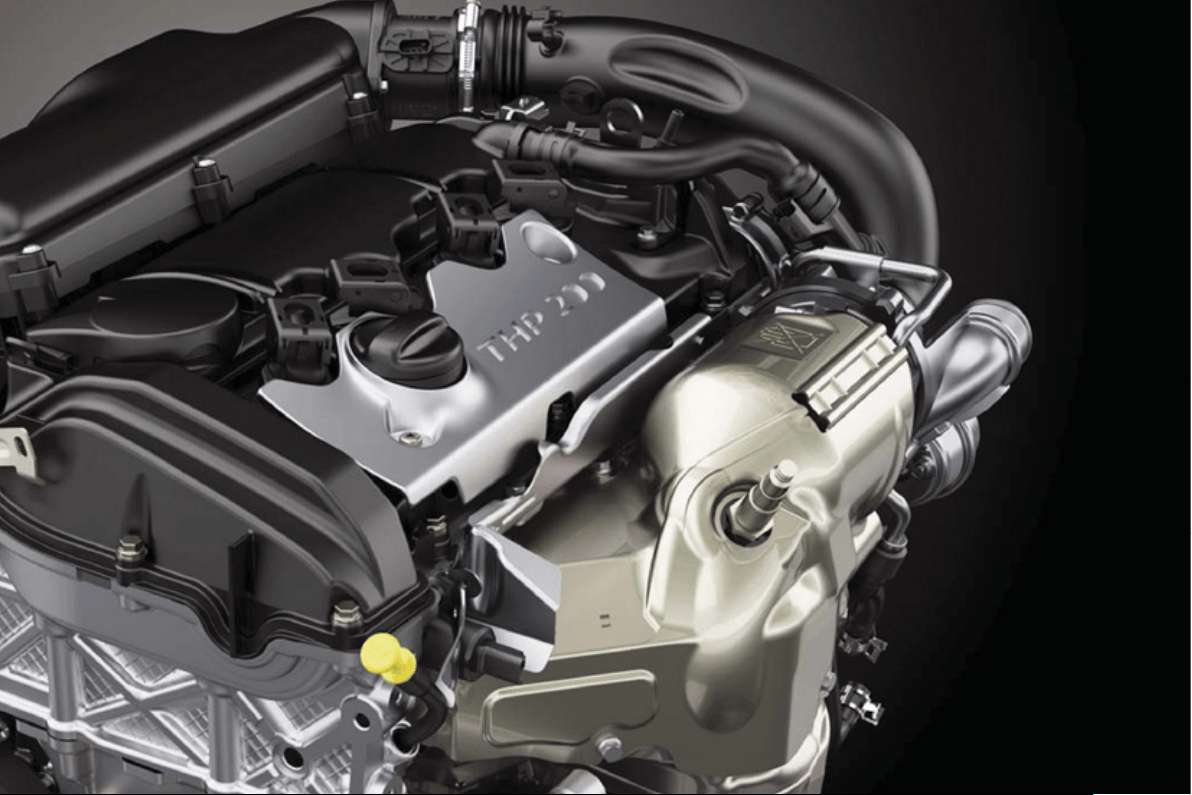

P
etrol engines
T
HP
1
55 h
p
TH
P
200 h
p
Gearboxe
s
A
u
t
o
m
a
ti
c
(
6-speed
)
M
a
n
ua
l
(
6-speed
)
Model code
s
5FV 5FU
Cubic capacit
y
(
cc
)
1
598
1
598
Bore x stroke
(
mm
)
77 x
8
5.
8
77 x
8
5.
8
Max power: EU standard
(
kW
)
115 147
Max power en
g
ine speed
(
rpm
)
6
000
5
800
Max torque: EU standard
(
Nm
)
24
0
27
5
Max torque en
g
ine speed
(
rpm
)
1
4
00
1
7
00
F
ue
l Unleaded Unleaded
C
atal
y
tic converter
yes
yes
Oil capacities
(
in litres
)
En
g
ine
(
with filter replacement
)
- -
Petrol engines and gearboxes

2
3
9
Technical data
Petrol weights and towed loads (in kg)
Petrol en
g
ines
THP
1
55 h
p
THP
2
00 h
p
Gearbo
x
es
Au
t
o
m
a
ti
c
(
6-speed
)
M
a
n
ua
l
(
6-speed
)
M
o
d
e
l
co
d
es
5FV
5FU
- Unladen wei
g
ht - -
- Kerb weight
*
1 495 1 505
- Gross vehicle wei
g
ht
(
GVW
)
2
03
5
2
0
5
0
-
G
ross train wei
g
ht
(G
TW
)
o
n a 12
%
g
radient
3
335
2
800
- Braked trailer
(
within GTW limit
)
o
n a 10 % or 12 %
g
radient
-
-
- Braked trailer **
(
with load transfer within the
GTW limit
)
1
500
1
050
-
U
nbraked trailer 74
5
7
50
- Recommended nose wei
g
ht 7
5
7
5
*
The kerb weight is equal to the unladen weight + driver
(
75 kg
)
.
**
The wei
g
ht o
f
the braked trailer can be increased, within the
G
TW limit, i
f
the
G
VW o
f
the towin
g
vehicle is reduced b
y
an equal amount; warnin
g
,
towin
g
usin
g
a li
g
htl
y
loaded towin
g
vehicle ma
y
have an adverse effect on its road holdin
g
.
The
G
TW and towed load values indicated are valid up to a maximum altitude o
f
1 000 metres; the towed load mentioned must be reduced b
y
10
%
f
o
r
eac
h
add
iti
o
n
a
l 1
000
m
e
tr
es
of
a
ltit
ude
.
The speed o
f
a towing vehicle must not exceed 60 mph
(
100 km
/
h
)
(
comply with the legislation in
f
orce in your country
)
.
Hi
g
h ambient temperatures ma
y
result in a reduction in the per
f
ormance o
f
the vehicle to protect the en
g
ine; i
f
the ambient temperature is above 37
°C
,
limit th
e
t
o
w
ed
l
oad
.

*
The kerb wei
g
ht is equal to the unladen wei
g
ht + driver
(
75 k
g)
.
P
etrol en
g
ines
THP
155 h
p
THP
2
00 h
p
Gearboxe
s
A
u
t
o
m
a
ti
c
(
6-speed
)
M
a
n
ua
l
(
6-speed
)
M
o
d
e
l
co
d
e
s
5FV
5FU
- Unladen wei
g
ht - -
- Kerb weight
*
1 495 1 505
- Gross vehicle wei
g
ht
(
GVW
)
2
1
7
0
2
19
5
-
G
ross train wei
g
ht
(G
TW
)
o
n a 12
%
g
radient
3
3
2
0
2 7
95
- Braked trailer
(
within the GTW limit
)
o
n a 10% or 12%
g
radient
1 1
50
600
-
U
n
b
r
aked
tr
ailer
7
45
600
-
R
ecommen
d
e
d
nose we
igh
t 7
5
7
5
The
G
TW and towed load values indicated are valid up to a maximum altitude o
f
1 000 metres; the towed load mentioned must be reduced b
y
10
%
f
o
r
e
ach additional 1 000 metres o
f
altitude.
The speed o
f
a towin
g
vehicle must not exceed 60 mph
(
100 km
/
h
)
(
compl
y
with the le
g
islation in
f
orce in
y
our countr
y)
.
Hi
g
h ambient temperatures ma
y
result in a reduction in the performance of the vehicle to protect the en
g
ine; if the ambient temperature is above 37 °C,
limit th
e
t
o
w
ed
l
oad
.
Petrol weights and towed loads (in kg) - Commercial versions

241
Technical data
D
iesel engines
e
-HDi
110/115 h
p
HDi
1
60 h
p
PE
F
H
Di
160 h
p
PEF
Gearboxe
s
Electronic
g
earbox s
y
stem
(
6-speed
)
M
a
n
ua
l
(
6-speed
)
Au
t
o
m
a
ti
c
(
6-speed
)
M
odel codes 9HR/9HD RHH
Cubic capacit
y
(
cc
)
1
560
1
99
7
Bore x stroke
(
mm
)
75 x
88
.
3
8
5 x
88
Max power: EU standard
(
kW
)
82
/
84 110 120
Max power en
g
ine speed
(
rpm
)
3
600
3
7
50
Max torque: EU standard
(
Nm
)
27
0
3
4
0
Max torque en
g
ine speed
(
rpm
)
1
7
50
2
000
F
ue
l Di
ese
l
C
atal
y
tic converte
r
yes
P
a
rti
c
l
e
e
mi
ss
i
o
n filt
er
-
y
es
Oil capacities
(
in litres
)
En
g
ine
(
with
f
ilter replacement
)
-
-
-
Diesel engines and gearboxes

The
G
TW and towed load values indicated are valid up to a maximum altitude o
f
1 000 metres; the towed load mentioned must be reduced b
y
10
%
f
o
r
eac
h
add
iti
o
n
a
l 1
000
m
e
tr
es
of
a
ltit
ude
.
The speed o
f
a towing vehicle must not exceed 60 mph
(
100 km
/
h
)
(
comply with the legislation in
f
orce in your country
)
.
Hi
g
h ambient temperatures ma
y
result in a reduction in the per
f
ormance o
f
the vehicle to protect the en
g
ine; i
f
the ambient temperature is above 37
°C
,
limit th
e
t
o
w
ed
l
oad
.
*
The kerb wei
g
ht is equal to the unladen wei
g
ht + driver
(
75 k
g)
.
**
The wei
g
ht o
f
the braked trailer can be increased, within the
G
TW limit, i
f
the
G
VW o
f
the towin
g
vehicle is reduced b
y
an equal amount; warnin
g
,
towing using a lightly loaded towing vehicle may have an adverse e
ff
ect on its road holding.
D
iesel en
g
ines
e-HDi
1
10/115 h
p
HDi
1
60 h
p
P
EF
HDi
160 h
p
PEF
Gearboxe
s
Electronic
g
earbox s
y
stem
(
6-speed
)
M
a
n
ua
l
(
6-speed
)
Au
t
o
m
a
ti
c
(
6-speed
)
M
o
d
e
l
co
d
e
s
9
HR
/9
HD
RHH
- Unladen wei
g
ht
-
-
-
- Kerb wei
g
ht
*
1 4
95
1
605
1
6
1
5
-
G
ross vehicle weight
(G
VW
)
2 020 2 1
3
02 125
- Gross train wei
g
ht
(
GTW
)
o
n a 12
%
g
radient
3
12
0
3
330
3
3
2
5
- Braked trailer
(
within
G
TW limit
)
o
n a 10% or 12%
g
radient
- - -
- Braked trailer
**
(
with load trans
f
er with the
G
TW limit
)
1 400 1 500 1 500
-
U
nbraked traile
r
74
5
7
50
- Recommended nose wei
g
ht
7
5
Diesel weights and towed loads (in kg)

2
4
3
Technical data
*
The kerb wei
g
ht is equal to the unladen wei
g
ht + driver
(
75 k
g)
.
The
G
TW and towed load values indicated are valid up to a maximum altitude o
f
1 000 metres; the towed load mentioned must be reduced by 10
%
f
o
r
e
ach additional 1 000 metres o
f
altitude.
The speed of a towin
g
vehicle must not exceed 60 mph
(
100 km/h
)
(
compl
y
with the le
g
islation in force in
y
our countr
y)
.
Hi
g
h ambient temperatures ma
y
result in a reduction in the performance of the vehicle to protect the en
g
ine; if the ambient temperature is above 37 °C,
limit th
e
t
o
w
ed
l
oad
.
D
iesel en
g
ines
e
-HDi
110 h
p
HDi
1
60 h
p
PE
F
HDi
160 h
p
PEF
Gearboxe
s
Electronic
g
earbox s
y
stem
(
6 speed
)
M
a
n
ua
l
(
6-speed
)
Au
t
o
m
a
ti
c
(
6-speed
)
M
o
d
e
l
co
d
es
9
HR
RHH
- Unladen wei
g
ht - - -
- Kerb weight
*
1 495 1 605 1 615
- Gross vehicle wei
g
ht
(
GVW
)
2
1
5
0
2
26
5
2
2
55
-
G
ross train wei
g
ht
(G
TW
)
o
n a 12
%
g
radient
3
1
50
3
3
1
5
3
305
- Braked trailer
(
within the GTW limit
)
o
n a 10% or 12%
g
radient
1
000
1
050
1
050
-
U
n
b
r
aked
tr
aile
r 7
45
7
50
-
R
ecommen
d
e
d
nose we
igh
t 7
5
Diesel weights and towed loads (in kg) - Commercial versions
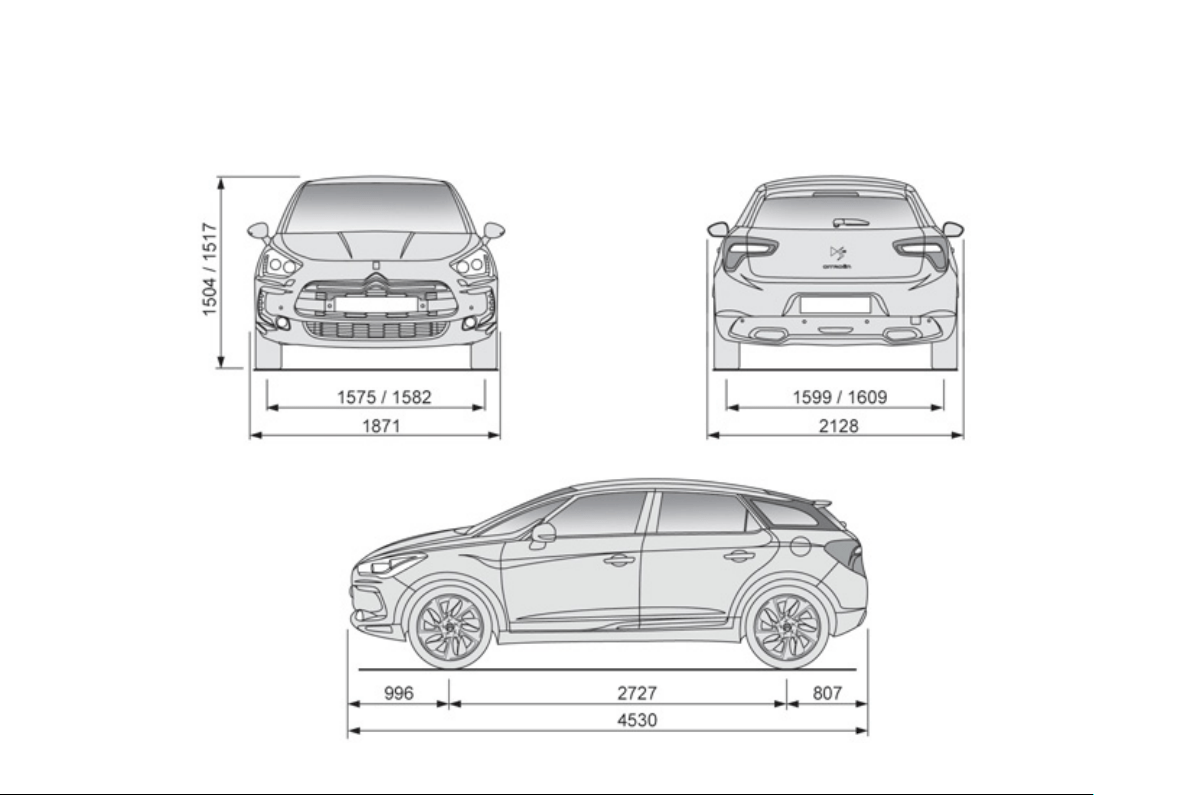
Dimensions (in mm)
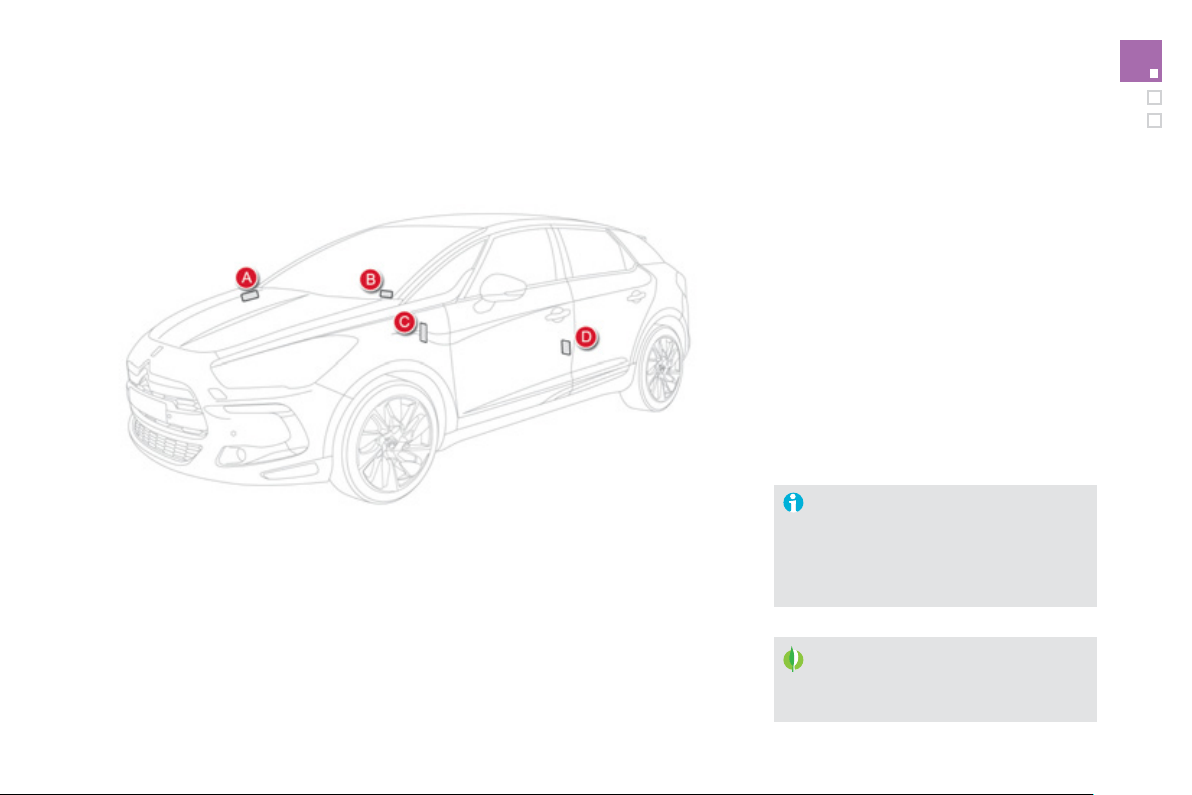
2
45
Technical data
Identifi cation markings
Various visible markin
g
s
f
or the identi
f
ication o
f
y
our vehicle.
A.
V
ehicle Identification Number
(
VIN
)
u
n
d
er t
h
e
b
onnet
.
Thi
s num
b
er
i
s en
g
rave
d
on t
h
e
b
o
dy
wor
k
n
ear the dam
p
er su
pp
ort.
The t
y
re pressures must be checked
when the t
y
res are cold, at least once
a
m
o
nt
h
.
Th
e rear quarter
ligh
t cannot
b
e etc
h
e
d
as it is made o
f
pol
y
carbonate material.
I
f
the t
y
re pressures are too low, this
increases
f
uel consumption.
B
.
V
ehicle identification Number
(
VIN
)
on
the windscreen lower cross member
.
Thi
s
n
u
m
be
r i
s
in
d
i
ca
t
ed
o
n
a
se
lf-
ad
h
es
iv
e
label which is visible throu
g
h the windscreen.
C.
M
anufacturer's label
.
The VIN is indicated on a sel
f
-destro
y
in
g
l
abel a
ff
ixed to the door a
p
erture, on the
passenger's side.
D.
Ty
re/paint label
.
This label is affixed to the centre pillar, on
th
e
d
riv
e
r'
s
s
i
de
.
It bears the followin
g
information:
- the t
y
re inflation pressures with and without
load
,
- t
h
e t
y
re s
i
zes,
- the brands o
f
t
y
re recommended b
y
the
m
anu
f
acturer,
- the in
f
lation
p
ressure o
f
the s
p
are wheel,
- the paint colour code.

011
Audio and telematics
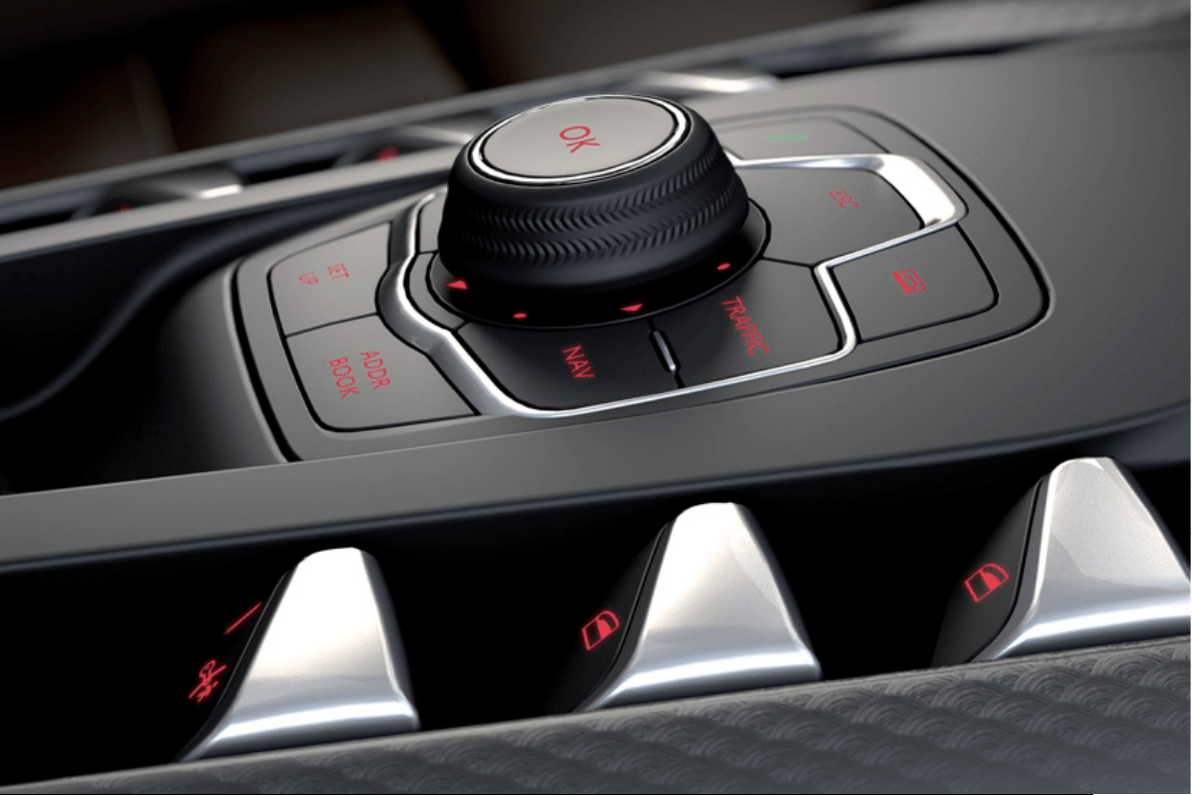
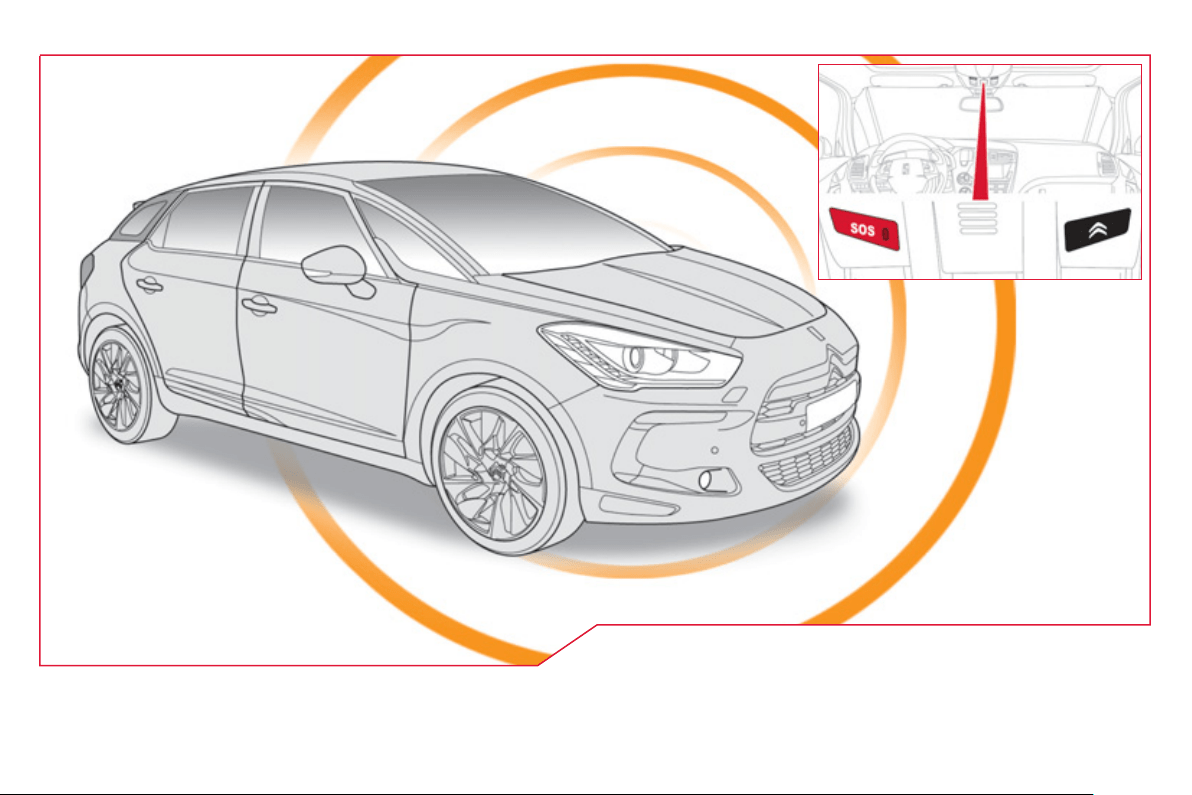
EMERGENCY OR ASSISTANCE CALL
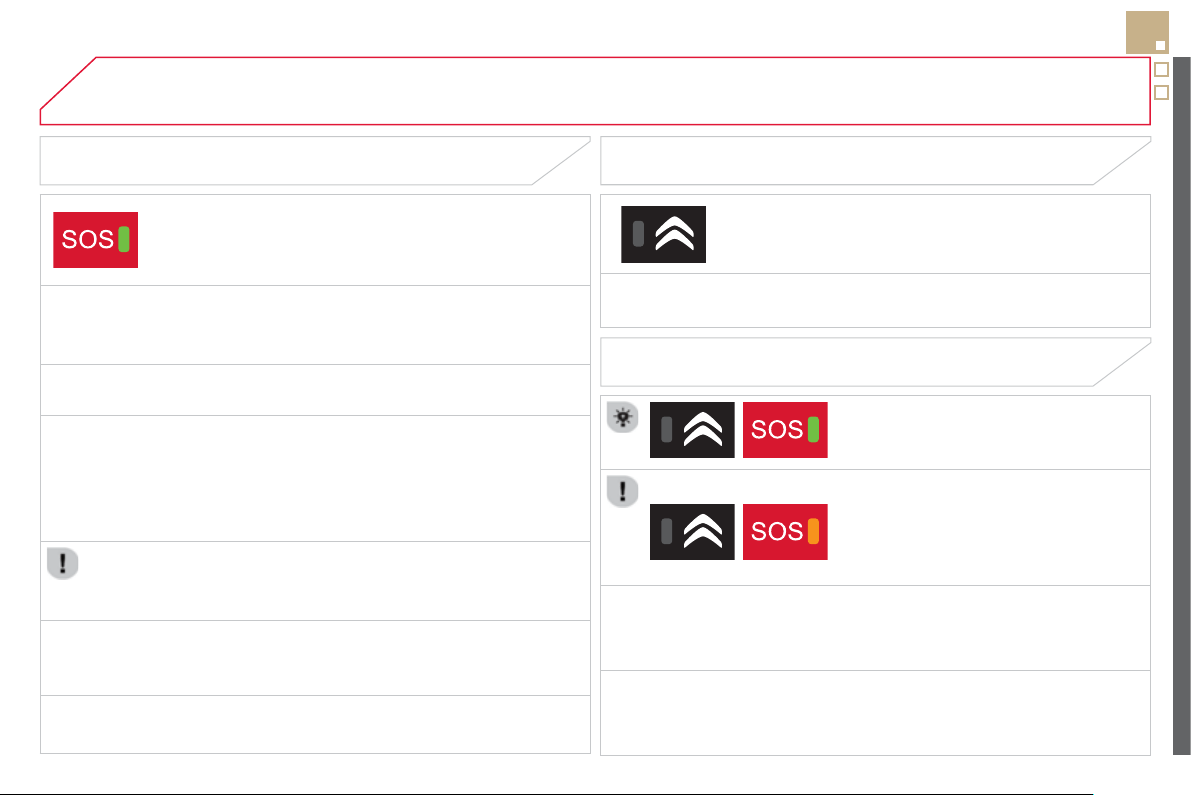
249
EMERGENCY OR ASSISTANCE CALL
CITROËN LOCALISED EMERGENCY CALL
In an emer
g
enc
y
, press this button
f
or more than 2 seconds.
Flashin
g
o
f
the
g
reen LED and a voice messa
g
e con
f
irm
that the call has been made to the CITRO
Ë
N Emer
g
enc
y
se
rvi
ce
*
.
Pressin
g
this button a
g
ain immediatel
y
cancels the request. The
g
reen LED
g
oes off.
A press
(
at an
y
time
)
o
f
more than 8 seconds on this button, cancels the request.
CITROËN LOCALISED ASSISTANCE CALL
Wh
en t
h
e
ig
n
i
t
i
on
i
s sw
i
tc
h
e
d
on, t
h
e
g
reen
LED comes on
f
or 3 seconds indicatin
g
that
t
h
e s
y
stem
i
s operat
i
n
g
correct
ly
.
If the oran
g
e LED flashes: there is a
sy
stem fault.
I
f
the oran
g
e LED is on continuousl
y
: the
b
ac
k
up
b
atter
y
must
b
e rep
l
ace
d
.
In either case, contact a CITRO
Ë
N dealer.
Pressin
g
this button a
g
ain immediatel
y
cancels the request.
The cancellation is confirmed b
y
a voice messa
g
e.
Press this button
f
or more than 2 seconds to request
ass
i
s
t
a
n
ce
i
f
th
e
v
e
hi
c
l
e
b
r
ea
k
s
do
wn.
A
voice message con
f
irms that the call has been made
*
.
OPERATION OF THE SYSTEM
The green LED remains on
(
without
f
lashing
)
when communication is
established. It
g
oes o
ff
at the end o
f
communication.
If
y
ou purchased
y
our vehicle outside the CITROËN dealer network, we
invite
y
ou to have a dealer check the confi
g
uration of these services and, if
desired, modified to suit
y
our wishes. In a multi-lin
g
ual countr
y
, confi
g
uration
is possible in the official national lan
g
ua
g
e of
y
our choice.
This call is dealt with by the CITROËN Emergency team which receives locating
i
n
f
ormation
f
rom the vehicle and can send a detailed alert to the a
pp
ro
p
riate
emer
g
enc
y
services. In countries in which the team is not operational, or when
the locatin
g
service has been expressl
y
declined, the call is dealt with directl
y
b
y
the emer
g
enc
y
services
(
112
)
without the vehicle location.
I
f
an impact is detected b
y
the airba
g
control unit, and independentl
y
o
f the deplo
y
ment of an
y
airba
g
s, an emer
g
enc
y
call is made
automaticall
y
.
* These services are sub
j
ect to conditions and availabilit
y
.
C
onsult a
C
ITR
O
ËN dealer.
If
y
ou benefit from the CITRO
Ë
N eTouch offer,
y
ou also have available
a
dditional services in
y
our M
y
CITRO
Ë
N personal space, via the CITRO
Ë
N
I
nternet we
b
s
i
te
i
n
y
our countr
y
, access
ibl
e on www.c
i
troen.com.
For technical reasons, particularl
y
to improve the qualit
y
o
f
Telematic services
to customers, the manu
f
acturer reserves the ri
g
ht to carr
y
out updates to the
vehicle's on-board telematic system.
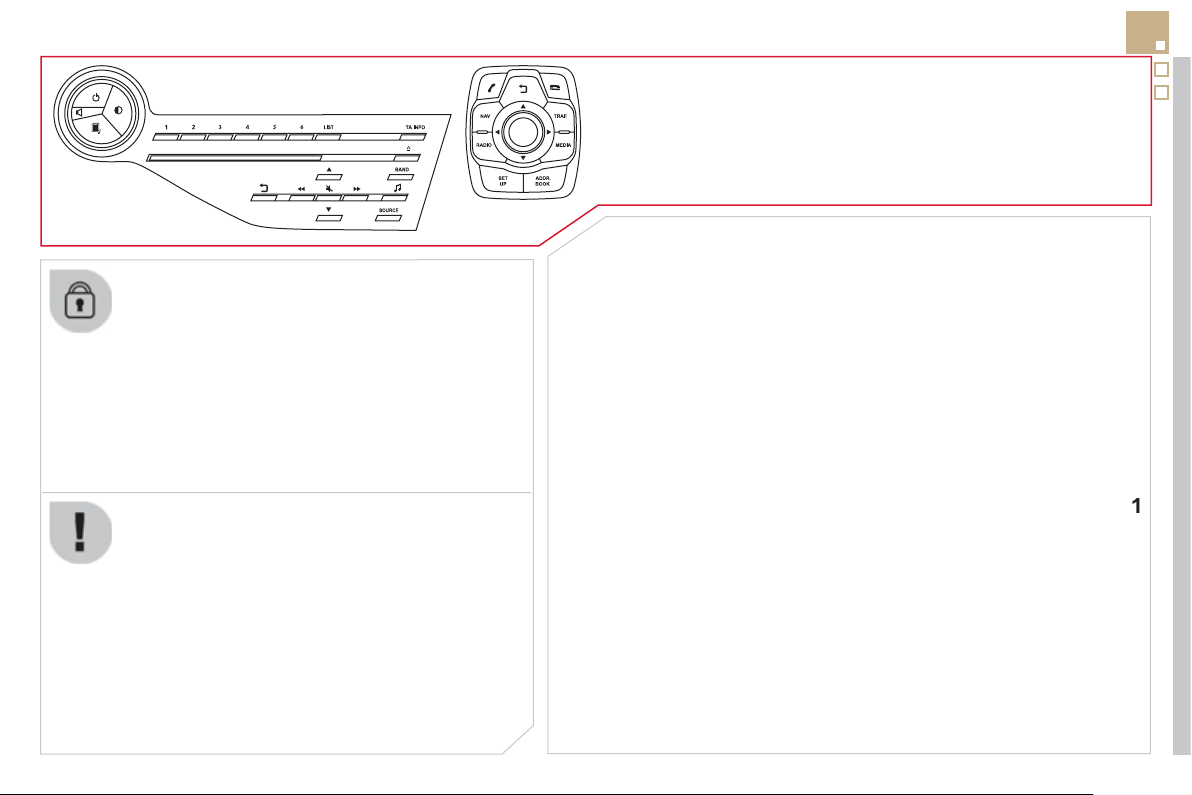
251
The s
y
stem is protected in such a wa
y
that it will onl
y
operate
i
n
y
our ve
hi
c
l
e.
eMyW
a
y
01 First steps - Control panel
For safet
y
reasons, the driver must carr
y
out operations
which require prolon
g
ed attention while the vehicle is
s
tationar
y
.
When the en
g
ine is switched o
ff
and to prevent
dischar
g
in
g
o
f
the batter
y
, the s
y
stem switches o
ff
f
ollowing the activation o
f
the energy economy mode.
CONTENTS
02 Steering mounted controls
03 General operation
04 Navigation - Guidance
05 Traffic information
06 Using the telephone
07 Contacts - ADDR BOOK
08 Radio
09 Music media players
10 Audio settings
11 Configuration
12 Screen menu map
p.
p.
p.
p.
p.
p.
p.
p.
p.
p.
p.
p.
2
5
2
2
5
4
2
5
5
2
5
7
270
27
3
2
8
1
2
8
4
2
8
7
29
3
29
4
29
6
Frequently asked questions p.
299
SATELLITE NAVIGATION SYSTEM
MULTIMEDIA BLUETOOTH TELEPHONE
AUDIO SYSTEM
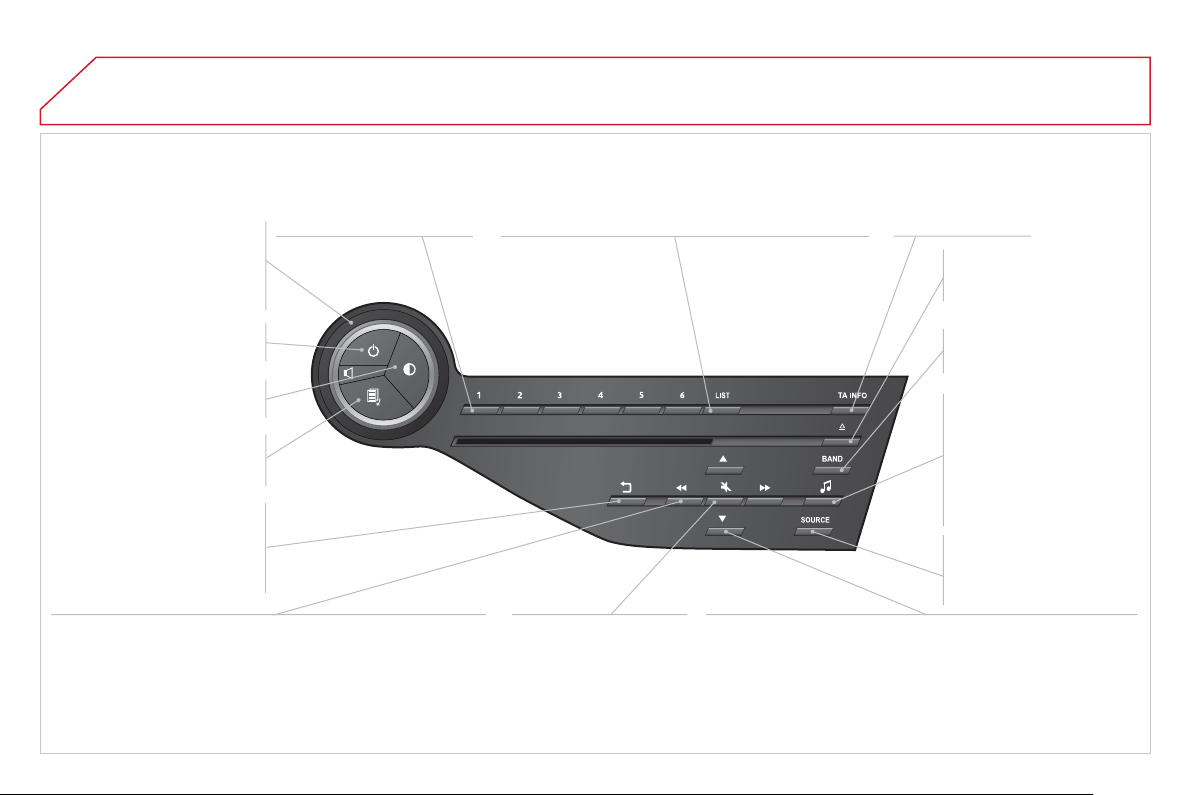
01 FIRST STEPS
Short
p
ress: select a
p
reset
r
ad
i
o
s
t
a
ti
o
n.
L
on
g
press: store t
h
e
cu
rr
e
nt r
adio
s
t
a
t
io
n.
TA
(
Traffi c
Announcement
)
f
unction
O
n
/
Off
.
Displa
y
the list of radio stations received, CD/MP3/
App
le
®
player tracks or folders.
®
Lon
g
press: mana
g
ement of the classifi cation o
f
M
P3
/
WMA
fi
les
/
update the list o
f
stations received.
A
ccess
t
o
"Audio
settin
g
s ": m
us
i
ca
l
ambiences, bass, treble,
loudness, distribution, left/
ri
g
ht balance, front/rear
fader
,
automatic volume
a
dj
ustment.
Se
l
ec
ti
o
n
of
AM
/
FM
/
DAB
*
w
a
v
eba
n
ds
.
Pr
ess
a
n
d
h
o
l
d
: r
e
initi
a
li
se
the s
y
stem.
S
elect the source:
C
D,
US
B, AUX, Apple
®
pla
y
er,
Bluetooth Streamin
g
,
Rad
i
o
.
Aba
n
do
n th
e
cu
rr
e
nt
operation,
g
o up one level.
Lon
g
press: return to
p
ermanent displa
y
.
O
n
/
Off
.
MOD
E
b
utton: se
l
ect t
h
e t
y
pe
o
f
permanent displa
y
.
Rotation: ad
j
ust volume
(
each source is independent,
includin
g
TA messa
g
es and
n
avi
g
ation instructions
)
.
S
elect:
- the previous/next line in a list or menu.
- the previous next media
f
older.
- step by step previous
/
next radio
f
requency.
- previous
/
next MP3
f
older.
Move u
p
/down, in "Move the map " m
ode
.
S
elect:
- automaticall
y
the previous/next radio frequenc
y
.
- the previous
/
next
C
D, MP3 or media track.
Move le
f
t
/
right, in "Move the ma
p
" m
ode
.
Di
sp
l
a
y
bl
ac
k
screen.
Short press: mute /
r
es
t
o
r
e
sou
n
d
.
* Dependin
g
on model.
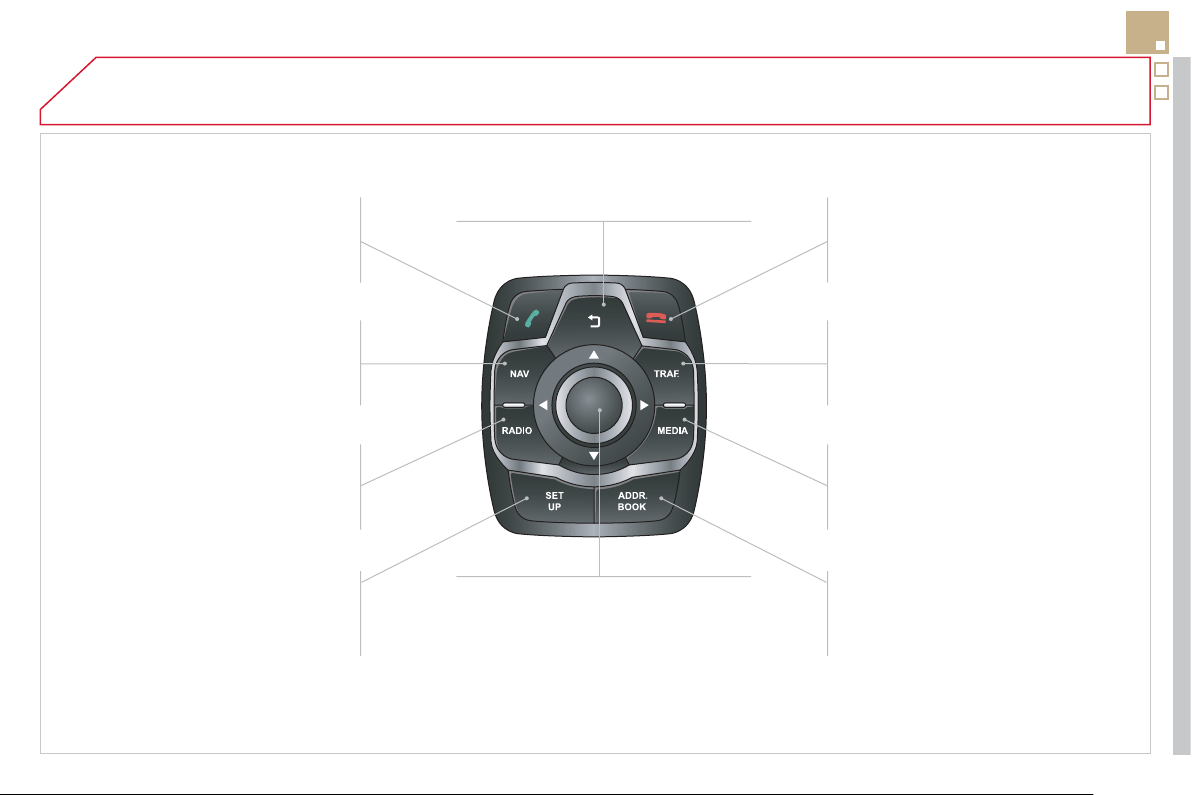
01
253
Access
t
o
t
he
"
T
e
l
e
ph
on
e
"
m
e
n
u
a
nd display the list o
f
recent calls
or accept an incomin
g
call.
Access
t
o
t
he
"
N
av
ig
at
i
on -
g
u
id
anc
e
"
menu an
d
di
sp
l
a
y
t
h
e
rece
nt
des
t
i
n
a
t
io
n
s
.
Radio source, access to the
"
RADIO " menu and displa
y
the list
o
f
s
t
a
ti
o
n
s
r
ece
iv
ed
.
A
ccess
t
o
th
e
"Confi
g
uration"
menu
.
L
on
g
press: access to t
h
e
G
P
S
covera
g
e and navi
g
ation
de
m
o
n
s
tr
a
t
io
n m
ode
.
Re
j
ect an incomin
g
call or end a
c
all in pro
g
ress.
Access
t
o
t
he
"
T
raffi c
i
nformation " menu and displa
y
o
f
cu
rr
e
nt tr
affi
c
a
l
e
rt
s
.
Displa
y
the list of contacts /
Access
t
o
t
he
"
D
irector
y
of
c
ontact
s
"
m
e
n
u
.
Media source, access to "MEDI
A
"
m
enu and displa
y
the list o
f
tr
ac
k
s
.
Ab
an
d
on t
h
e current operat
i
on,
g
o up
o
n
e
le
v
el
.
Long press: return to permanent display.
S
election and
O
K confi rmation dial:
S
elect an item on the screen or in a list o
r
a menu, then confi rm with a short press.
O
ther than
f
or menus and lists, a short
p
ress ca
ll
s up a contextua
l
memor
y
,
accor
di
ng to t
h
e
di
sp
l
ay
i
n t
h
e screen.
Rotation with the map displa
y
ed: zoom
in
/
out in the map.
FIRST STEPS
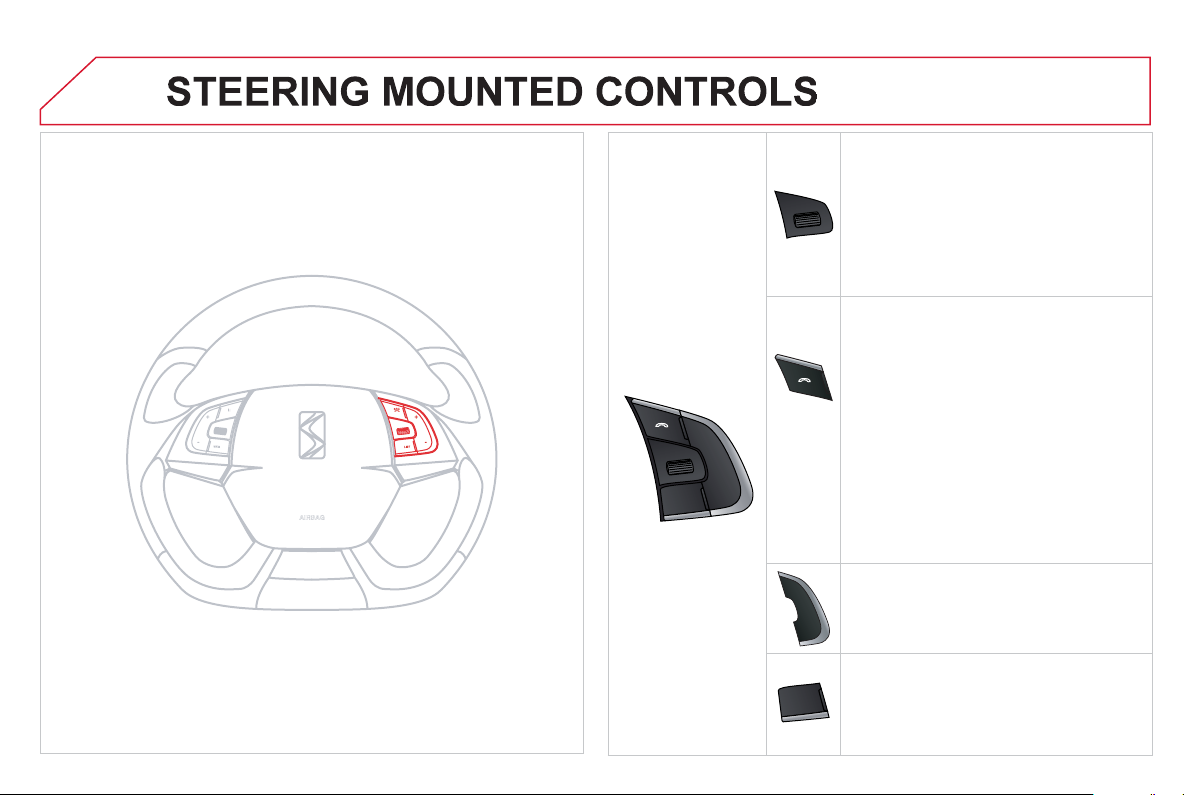
SRC
02
-
+
- R
o
t
a
ti
o
n
Rad
i
o
-
au
t
o
m
a
ti
c
se
l
ec
ti
o
n
of
n
e
xt
/
previous
f
requenc
y
.
M
edia: previous
/
next track.
- Press then rotation: access to
6
preset
s
t
a
t
io
n
s
.
-
C
han
g
e the audio source.
- TEL button
(
short press
)
:
A
ccept an incomin
g
call
C
all in pro
g
ress: access to telephone
menu: han
g
up, secret mode, hands-free
m
ode
.
- TEL button
(
lon
g
press
)
:
Reject an incoming call or end a call in
progress
.
When not makin
g
a call, access to the
telephone menu
(
Dial,
C
ontacts,
C
alls lo
g
,
Voice mailbox
).
- In
c
r
ease
v
o
l
u
m
e
.
- D
ec
r
ease
v
o
l
u
m
e
.
- Radio: displa
y
the list of stations.
Media: displa
y
the list of tracks.
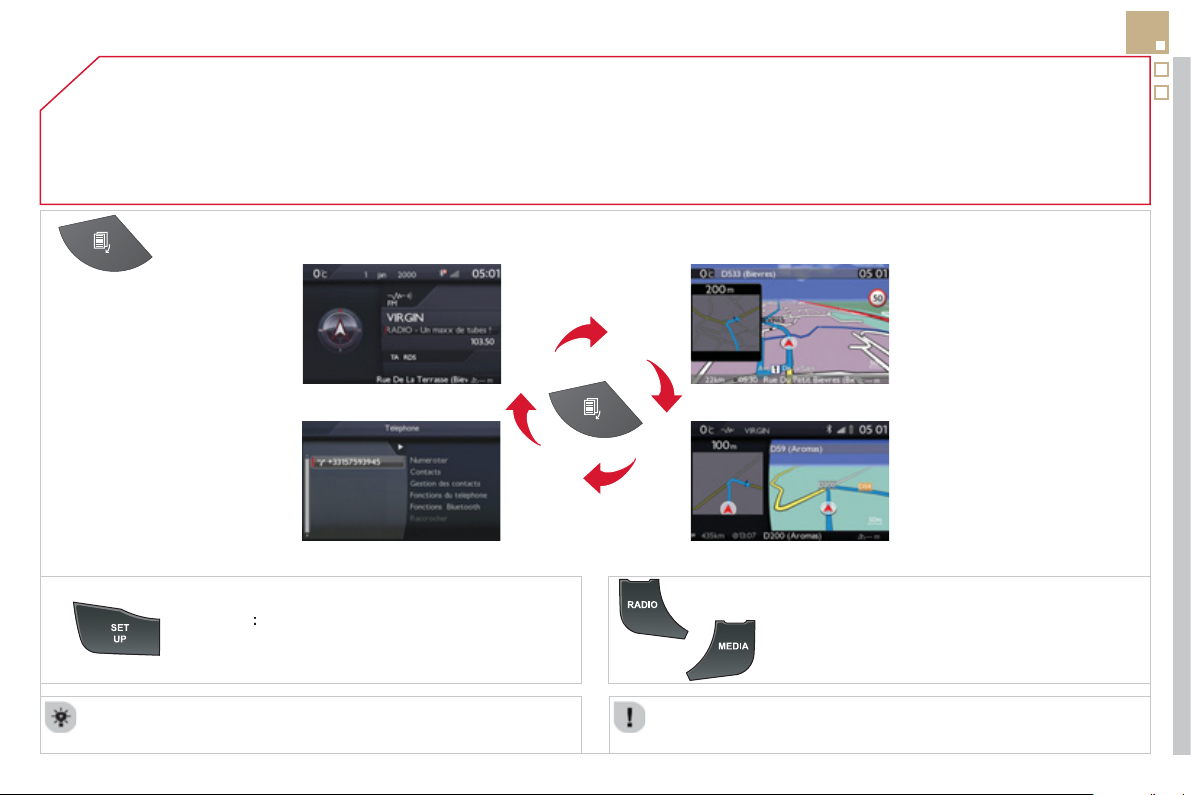
03
255
For a detailed
g
lobal view o
f
the menus available, re
f
er to the
"
S
creen menu map" section.
For cleanin
g
the screen, the use of a soft, non-abrasive cloth
(
spectacles cloth
)
is recommended, with no additional product.
"
RADIO
"
"
T
ELEPHON
E
"
(
I
f
conversation in pro
g
ress
)
SETUP
:
PARAMETER
S
date and time, displa
y
confi
g
uration, sound.
C
han
g
in
g
the audio source:
R
ADI
O
: RADI
O
broadcasts.
M
USI
C
: pla
y
in
g
MUSIC.
P
r
ess
t
he
M
OD
E
button several times in succession
f
or access to the
f
ollowin
g
displa
y
s:
GENERAL OPERATION
"
FULL SCREEN MAP
"
"
MAP IN WINDO
W
"
(
I
f
navi
g
ation
g
uidance in pro
g
ress
)
03
A
press on the dial
g
ives access to short-
c
ut menus accordin
g
to the displa
y
in the
sc
r
ee
n.
RADIO:
Activate / Deactivate T
A
Activate / Deactivate RD
S
GENERAL OPERATION
DISPLAY ACCORDING TO CONTEXT
MUSIC MEDIA PLAYERS,
CD or USB
(according to media):
Pla
y
modes:
Normal
Random
R
an
d
om on a
ll
me
di
a
Re
p
etition
TELEPHONE
(call in progress):
Private mode
FULL SCREEN MAP OR IN
A NEW WINDOW:
Stop / Restore
g
uidance
Select destination
E
nter an a
dd
ress
D
irector
y
G
PS coordinate
s
Divert route
M
ove t
h
e ma
p
Info. on location
S
elect as destination
Select as sta
ge
Save this place
(
contacts
)
Quit ma
p
mod
e
Guidance criteria
P
ut ca
ll
on
h
o
ld
1
1
1
1
1
1
1
1
2
2
2
2
2
1
2
2
2
1
1
1
1
DTMF
r
i
n
g
tones
Han
g
up
1
1
Guidance options
1
Chan
g
e waveband
A
ctivate / Deactivate TA information
2
2
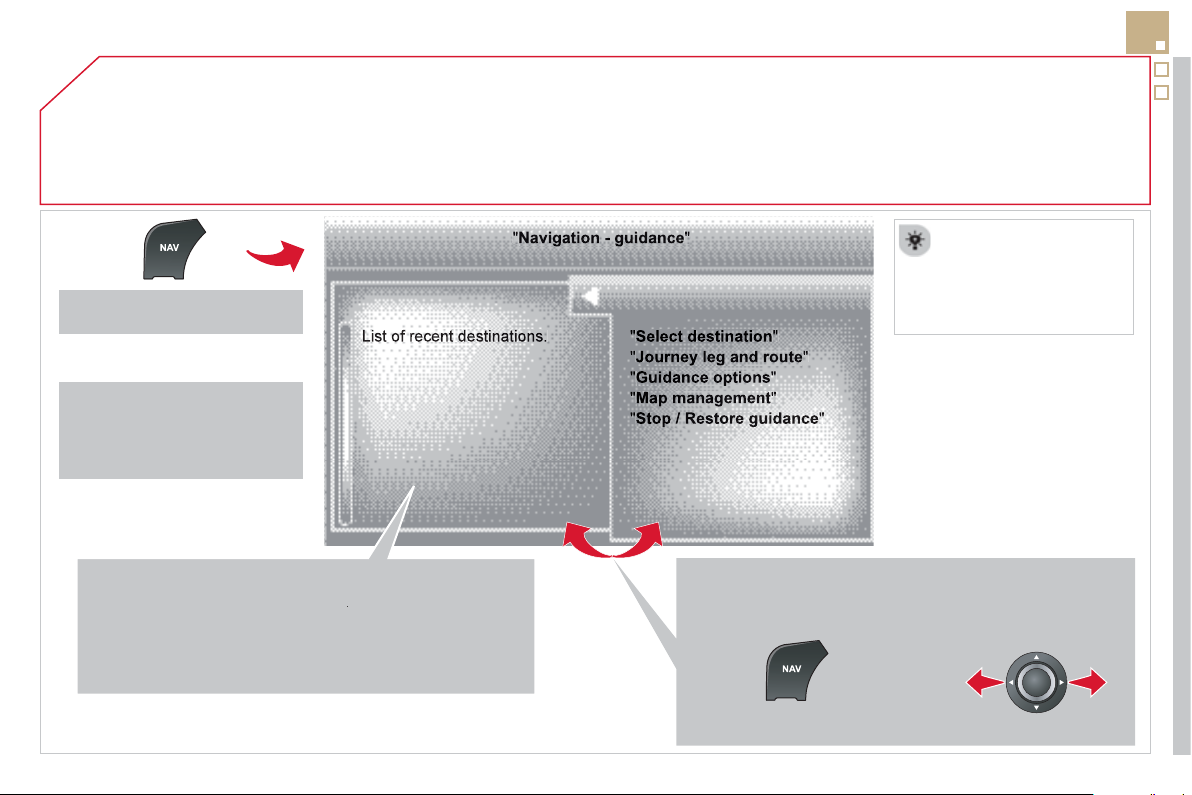
04
257
To delete the list o
f
recent destinations, select "
G
uidance
o
p
tions" in the navi
g
ation menu then select "
D
elete last
d
estinations
" and confi rm. Select "
Yes
" th
e
n
co
n
fi
rm.
Deletin
g
j
ust one destination is not possible.
Go from the list to the menu
(
left/ri
g
ht
)
.
NAVIGATION - GUIDANCE
Access to the "NAVIGATION" menu
Pr
ess
NAV
.
or
Contact a CITRO
Ë
N
dealer
f
or mapping
updates.
A short press on the end o
f
the
li
g
htin
g
control stalk repeats
the last navi
g
ation messa
g
e.
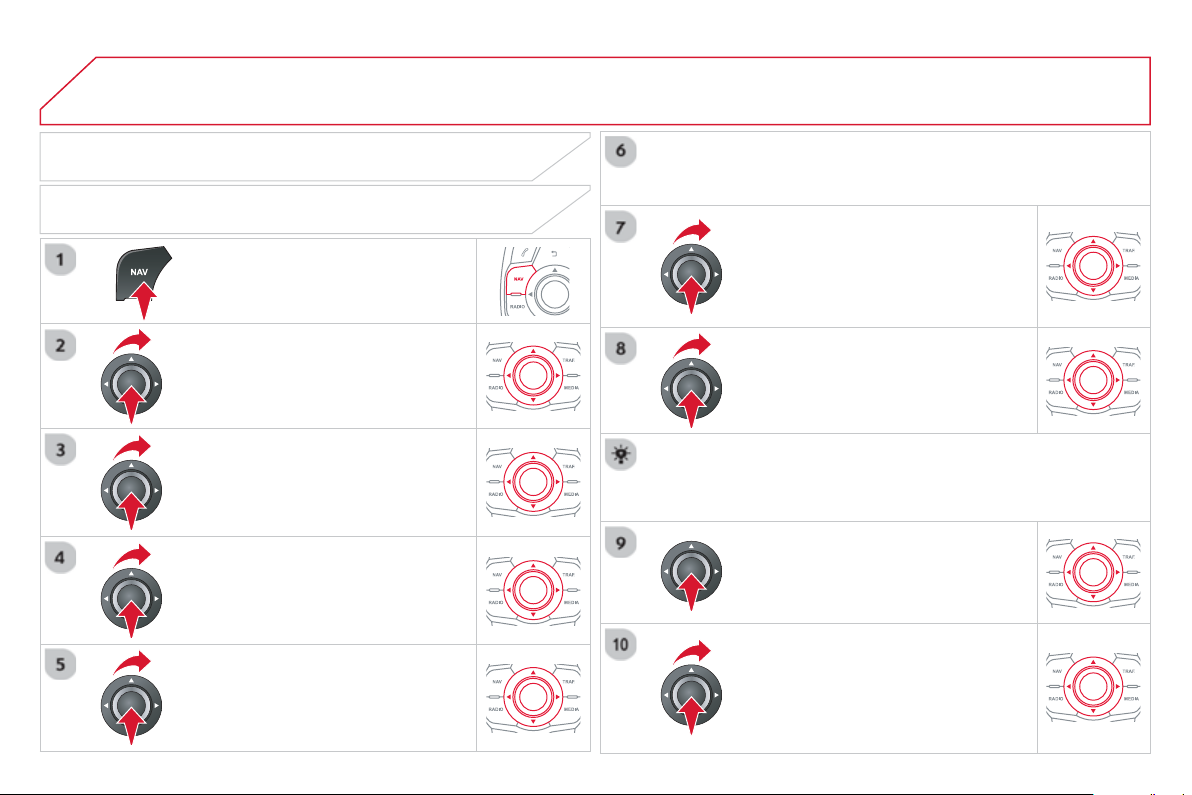
04
Pr
ess
NAV
to displa
y
the "Navi
g
ation -
g
u
id
anc
e
"
m
e
n
u
.
TOWARDS A NEW DESTINATION
NAVIGATION - GUIDANCE
SELECTING A DESTINATION
S
elect "Select destination "
a
n
d
c
onfi rm, then select "
E
nter an address"
a
n
d
co
nfi rm.
S
elect the "
C
ountr
y
"
fu
n
c
ti
o
n th
e
n
co
n
fi
rm.
S
elect "
T
own" f
u
n
c
ti
o
n th
e
n
co
nfi rm t
o
e
nt
e
r th
e
des
tin
a
ti
o
n t
o
wn.
S
elect the letters in the name of the
town one at a time, con
fi
rmin
g
each one
w
i
t
h
t
he
dial
.
S
election the town
f
rom the list o
ff
ered, then con
fi
rm.
A pre-set list
(
b
y
enterin
g
the fi rst few letters
)
of the towns in
the countr
y
selected can be accessed directl
y
b
y
selectin
g
and
c
on
fi
rming "
L
is
t
"
o
n th
e
sc
r
ee
n.
Tu
rn t
he
dial
a
n
d
selec
t
"
OK
"
t
he
n
co
n
fi
rm.
If possible, enter the "
R
oad "
a
n
d
"N°
/X
"
information in the same wa
y
.
Se
l
ec
t "Archiv
e
" t
o
sa
v
e
th
e
add
r
ess
e
nt
e
r
ed
in
a
co
nt
ac
t
fi
l
e
.
The s
y
stem allows up to 400 contact
fi
les to be recorded.
C
on
fi
rm " OK " to start guidance.
S
elect the
g
uidance criteria: "
F
astest
rout
e
"
,
"
S
hortest rout
e
"
or opt
i
m
i
se
d
"
D
istance
/
Tim
e
", then select the
des
ir
ed
r
es
tri
c
ti
o
n
c
rit
e
ri
a
: "With tolls",
"
With Ferr
y
", or "
T
raffi c info" th
e
n
co
nfi rm "OK".
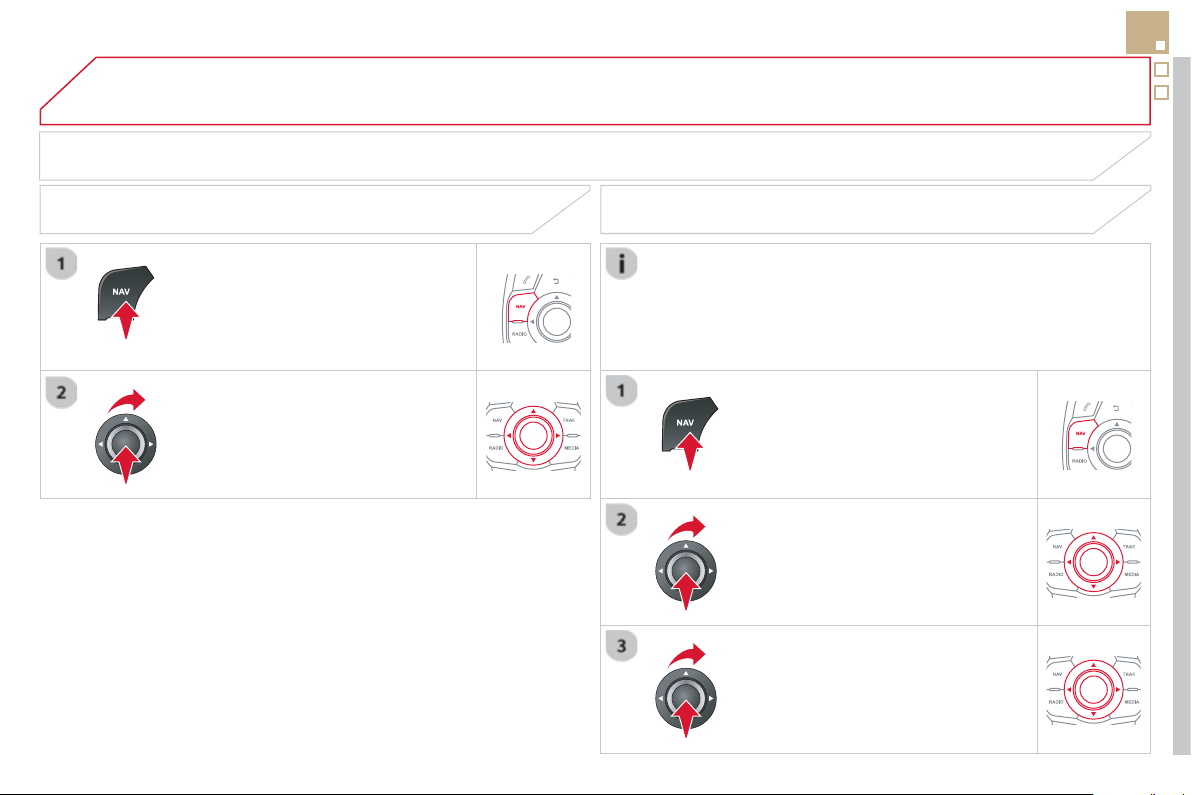
04
259
SELECTING A DESTINATION
NAVIGATION - GUIDANCE
TO ONE OF THE RECENT DESTINATIONS
P
r
ess
NAV
to
di
sp
l
a
y
t
h
e
"
N
av
ig
at
i
on -
g
u
id
anc
e
"
m
e
n
u
.
S
elect the desired destination and
c
onfi rm to start
g
uidance.
TOWARDS A CONTACT IN THE CONTACTS DIRECTORY
S
elect "
S
elect destination
"
a
n
d
c
on
fi
rm, then select "
D
irector
y
"
a
n
d
co
n
fi
rm.
Se
l
ec
ti
o
n th
e
des
ir
ed
des
tin
a
ti
o
n
f
r
o
m
y
our contacts and confi rm "OK " t
o
s
t
a
rt
the
g
uidance.
P
r
ess
NAV
to
di
sp
l
a
y
t
h
e
"
N
av
ig
at
i
on -
guidanc
e
" m
e
n
u
.
Navi
g
ation towards a contact imported
f
rom
y
our telephone is onl
y
possible i
f
the address is compatible with the system.
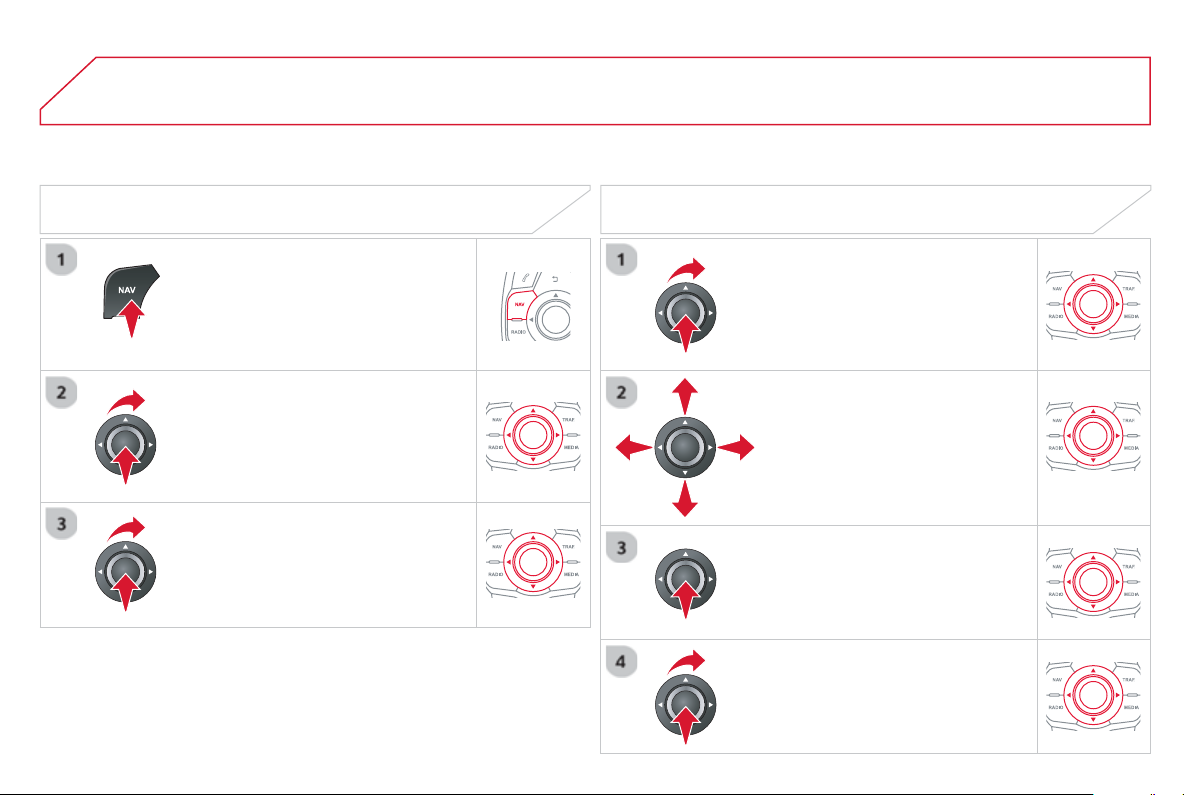
04
S
elect "Select destination
"
a
n
d
c
on
fi
rm, then select " GPS coordinate
s
"
a
n
d
co
n
fi
rm.
Enter the
G
P
S
coordinates and confi rm
"
O
K
"
to start t
h
e
g
u
id
ance.
P
r
ess
NAV
to
di
sp
l
a
y
t
h
e
"
N
av
ig
at
i
on -
g
u
id
anc
e
"
m
e
n
u
.
NAVIGATION - GUIDANCE
T
OWARDS GPS COORDINATES TOWARDS A POINT ON THE MAP
With the map displa
y
ed, press
O
K t
o
displa
y
the contextual menu.
S
elect
"
Move the map "
a
n
d
co
nfi rm.
Pr
ess
OK to displa
y
the contextual
m
e
n
u
f
o
r "
M
ove the ma
p
" m
ode
.
S
elect " Select as destination
"
or
"
Select as sta
ge
"
a
n
d
co
n
fi
rm.
Move the cursor usin
g
the control to
identif
y
the desired destination.
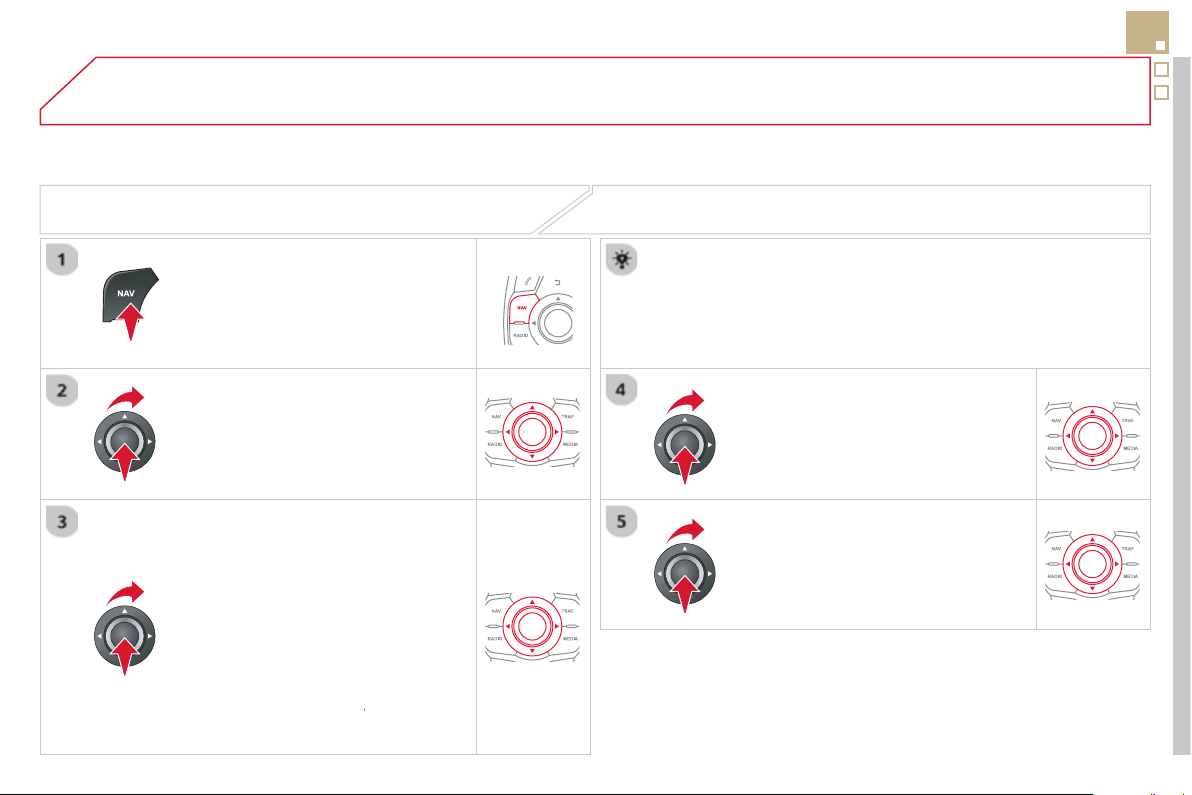
04
261
TOWARDS POINTS OF INTEREST
(
POI
)
NAVIGATION - GUIDANCE
The points o
f
interest
(
P
O
I
)
indicate all o
f
the service locations in the vicinit
y
(
hotels, various businesses, airports...
)
.
S
elect the "
E
nter an a
dd
ress "
fu
n
c
ti
o
n
and con
fi
rm, then select Select
destination
a
n
d
co
n
fi
rm.
To select a P
O
I close to your current
l
ocation, select "POI" and con
fi
rm, then
se
l
ec
t "
A
round the current
p
lac
e
"
a
n
d
co
nfi rm.
To select a P
O
I as a sta
g
e on the route,
se
l
ec
t " PO
I
" and confi rm, then select " On
t
h
e rout
e
"
a
n
d
co
nfi rm.
To select a P
O
I as a destination,
fi
rst
e
nter the countr
y
and town
(
see "Towards
a new destination"
)
, select "POI"
a
n
d
c
on
fi
rm,
fi
nall
y
select "
Near
" and confi rm.
r
Search for P
O
Is in the cate
g
ories
su
gg
ested in the followin
g
pa
g
es.
S
elect " Search b
y
Nam
e
" to search for P
O
Is b
y
name and not b
y
p
roximit
y
.
P
r
ess
NAV
to
di
sp
l
a
y
t
h
e
"
N
av
ig
at
i
on -
g
u
id
anc
e
"
m
e
n
u
.
Se
l
ec
t th
e
P
O
I
a
n
d
co
n
fi
rm " O
K
" t
o
s
t
a
rt
the
g
uidance.
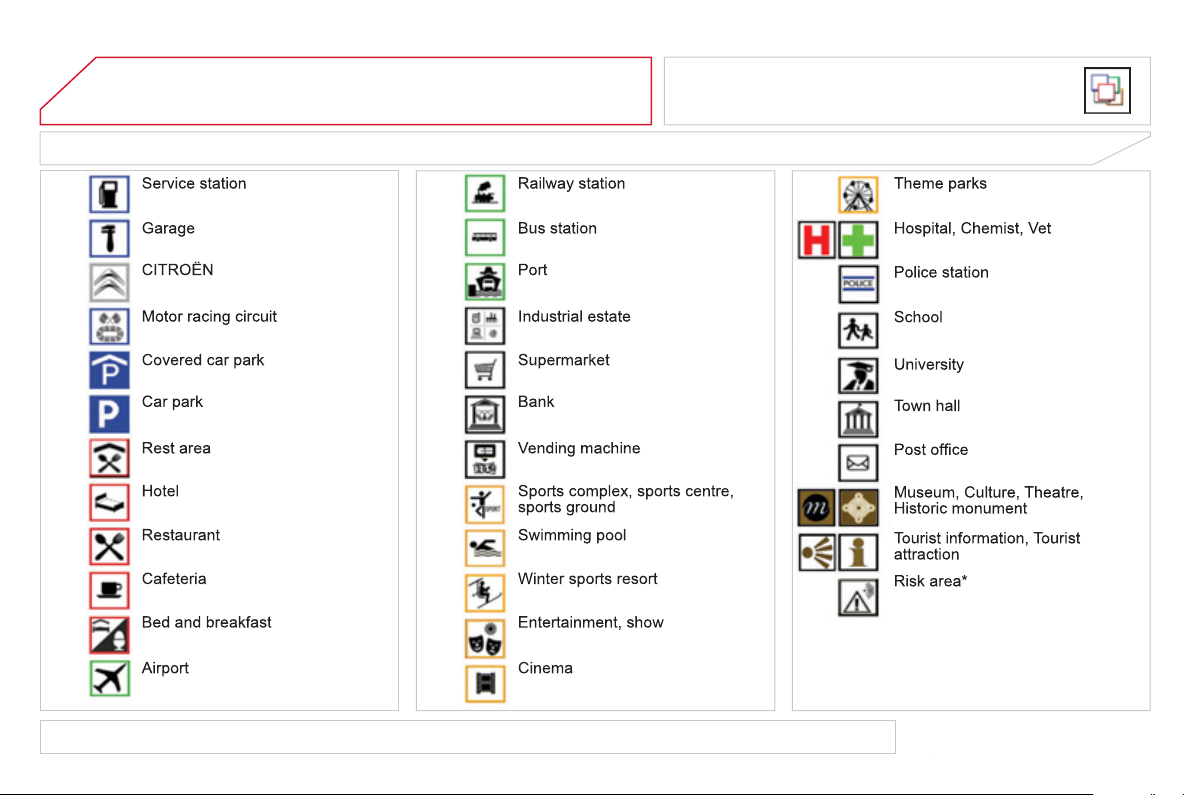
04
LIST OF PRINCIPAL POINTS OF INTEREST (POI)
NAVIGATION - GUIDANCE
This icon appears when several P
O
Is are
g
rouped
to
g
ether in the same area. Zoomin
g
in on this icon
s
hows details of the P
O
Is.
*
According to availability in the country.
The detailed procedure for updatin
g
P
O
Is can be found at "http://citroen.navi
g
ation.com".
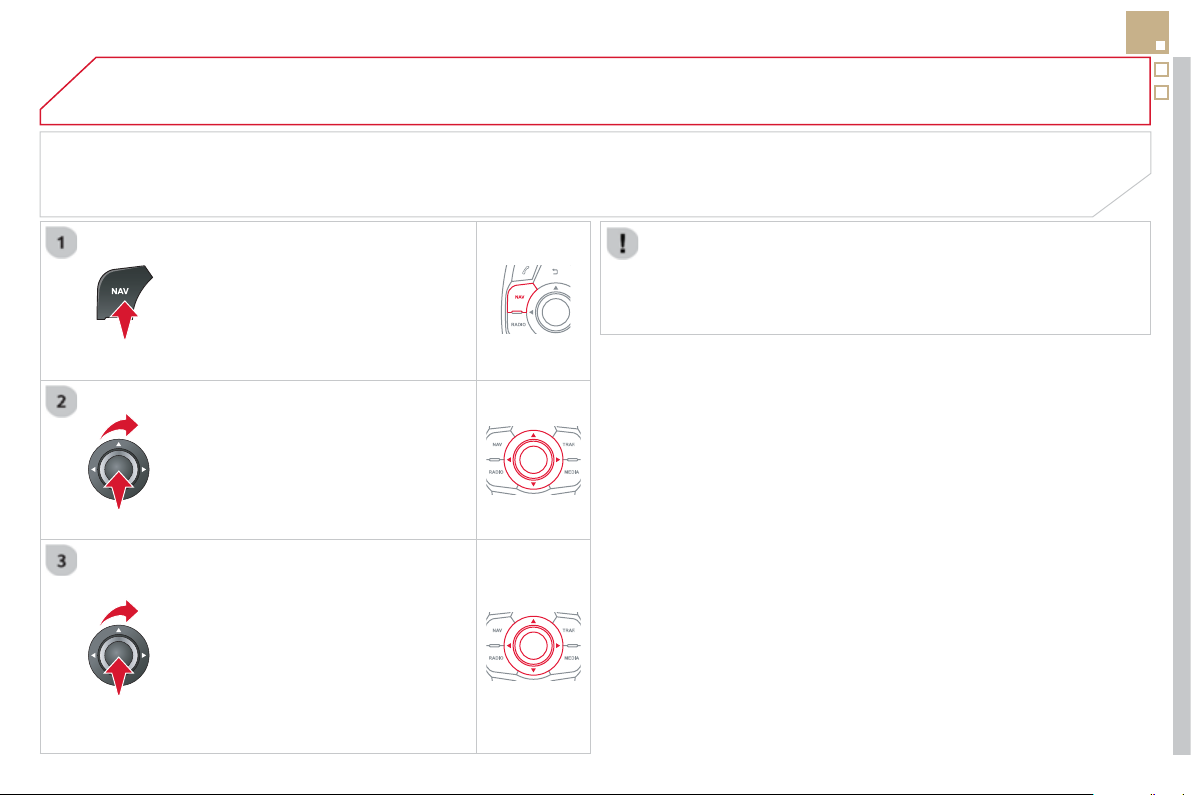
04
263
NAVIGATION - GUIDANCE
ALERT PARAMETERS
RISK AREAS
Pr
ess
NAV
to displa
y
the "Navi
g
ation -
g
uidanc
e
" m
e
n
u
.
Se
l
ec
t:
- "Vi
sua
l
a
l
e
rt"
- "A
ud
i
b
l
e
a
l
e
rt"
-
"Al
ert on
ly
i
n
g
u
id
ance
"
- "
O
verspeed alarm onl
y
".
Th
e
c
h
o
i
ce
of
tim
e
of
n
o
ti
fi
ca
ti
o
n
defi
n
es
h
ow lon
g
in advance that Risk area
warnin
g
s are
g
iven.
S
elect " OK " t
o
co
nfi rm th
e
sc
r
ee
n.
S
elect "
G
uidance o
p
tions " and con
fi
rm,
th
e
n
se
l
ec
t "Set
p
arameters for risk
areas
"
a
n
d
co
n
fi
rm.
These
f
unctions are onl
y
available i
f
risk areas have been
downloaded and installed on the s
y
stem.
The detailed procedure for updatin
g
risk area P
O
Is can be found at
www.
c
itr
oe
n.
co
m.
04 NAVIGATION - GUIDANCE
ADDING A STAGE
Pr
ess
NAV
to displa
y
the " Navi
g
ation -
g
uidanc
e
" m
e
n
u
.
Se
l
ec
t "
J
ourne
y
le
g
and rout
e
" th
e
n
co
n
fi
rm.
S
elect " Close t
o
" a route passin
g
c
lose to the sta
g
e or " Stric
t
" f
o
r
a
r
ou
t
e
pass
i
n
g
t
h
rou
gh
t
h
e sta
g
e.
C
on
fi
rm " OK
"
to start t
h
e
g
u
id
ance, an
d
g
ive a
g
eneral indication o
f
the
g
uidance
r
oute
.
S
elect "Add a stag
e
" th
e
n
co
n
fi
rm .
The address o
f
the sta
g
e is entered as
a destination, b
y
"
E
nter an address",
a
co
nt
ac
t in "
D
irector
y
", or "
P
revious
d
estinations"
.
ORGANISING STAGES
To or
g
anise sta
g
es, carr
y
out operations
1
to 2 a
g
ain, then select " Order/delete
j
ourne
y
le
gs
"
a
n
d
co
nfi rm.
S
elect and confi rm to save the
m
od
ifi
ca
ti
o
n
s
.
S
elect the sta
g
e that
y
ou want to move
in th
e
o
r
de
r.
Se
l
ec
t "
D
elet
e
" to delete the sta
g
e.

04
265
ROUTE OPTIONS
CALCULATION CRITERIA
S
elect " Guidance o
p
tion
s
"
a
n
d
co
nfi rm.
S
elect " OK "
a
n
d
co
nfi rm t
o
sa
v
e
th
e
mod
ifi
ca
ti
o
n
s
.
S
elect "
D
efi ne calculation criteri
a
"
a
n
d
co
nfi rm.
Thi
s
fu
n
c
ti
o
n
a
ll
o
w
s
m
od
i
fi
ca
ti
o
n
of
:
- the
g
uidance criteria:
(
"
F
astest
rout
e
", "
S
hortest rout
e
",
"
D
istance
/
Tim
e
"
)
,
- the exclusion criteria:
(
" With tolls"
o
r "With Ferr
y
"
)
,
- traffi c avoidance:
(
"
T
raffi c inf
o
"
)
.
P
r
ess
NAV
to
di
sp
l
a
y
t
h
e
"
N
av
ig
at
i
on -
g
u
id
anc
e
"
m
e
n
u
.
I
f
tra
ffi
c avoidance
(
Tra
ffi
c in
f
o
)
is selected, the s
y
stem su
gg
ests
an alternative route if there is a dela
y
on the
g
uidance route.
04 NAVIGATION - GUIDANCE
Pr
ess
NAV to display the " Navigation -
g
uidanc
e
" m
e
n
u
.
MAP MANAGEMENT
SELECTING THE POINTS OF INTEREST DISPLAYED ON THE MAP
S
elect "
M
ap mana
g
emen
t
"
a
n
d
co
nfi rm.
S
elect
f
rom the various cate
g
ories the
ones that
y
ou want to displa
y
on the
sc
r
ee
n.
Se
l
ec
t "Ma
p
details"
a
n
d
co
n
fi
rm.
S
elect "
By
defaul
t
" to have onl
y
"Oil stations,
g
ara
g
es"
a
n
d
"
Accident-
p
rone are
a
" appear on the map
(
if installed in the
s
y
stem
)
.
S
elect " OK " th
e
n
co
n
fi
rm
a
n
d
se
l
ec
t
"
O
K
" a
g
ain then con
fi
rm to save the
m
od
i
fi
ca
ti
o
n
s
.
04
267
NAVIGATION - GUIDANCE
S
elect "
M
ap mana
g
emen
t
"
a
n
d
co
nfi rm.
S
elect:
-
"
V
e
hi
c
l
e
di
rect
i
on
"
to
h
ave t
h
e map
f
ollow the direction o
f
travel,
- "North direction" to keep the map
alwa
y
s North up,
- "Perspective view " to displa
y
a
p
ers
p
ective view.
Se
l
ec
t "Ma
p
orientation "
a
n
d
co
n
fi
rm.
The colour o
f
the map, di
ff
erent
f
rom the day and night mode,
is con
fi
g
ured in the "
S
ETUP " m
e
n
u
.
MAP ORIENTATION
Pr
ess
NAV to display the " Navigation -
g
uidanc
e
" m
e
n
u
.
S
treet names are visible on the map
f
rom the 100 m scale.
04 NAVIGATION - GUIDANCE
P
r
ess
NAV
to
di
sp
l
a
y
t
h
e
"
N
av
ig
at
i
on -
g
u
id
anc
e
"
m
e
n
u
.
ADJUSTING THE GUIDANCE SPEECH SYNTHESIS
S
elect " Guidance o
p
tion
s
"
a
n
d
co
n
fi
rm.
ADJUSTING THE VOLUME/DEACTIVATION
S
elect " Set speech synthesis"
a
n
d
co
n
fi
rm.
S
elect the volume
g
raph and con
fi
rm.
S
elect "
D
eact
i
vat
e
"
to
d
eact
i
vate vo
i
ce messa
g
es.
S
elect " OK
"
an
d
press t
h
e
di
a
l
to
co
n
fi
rm.
A
d
j
ust the volume to the desired level
a
n
d
co
nfi rm.
The volume o
f
messages can be adjusted during the transmission
of
the messa
g
e usin
g
the volume ad
j
ustment control.
The volume settin
g
o
f
g
uidance messa
g
es is also accessible via the
"
S
ETU
P
"
/
"
V
oice synthesi
s
" m
e
n
u
.
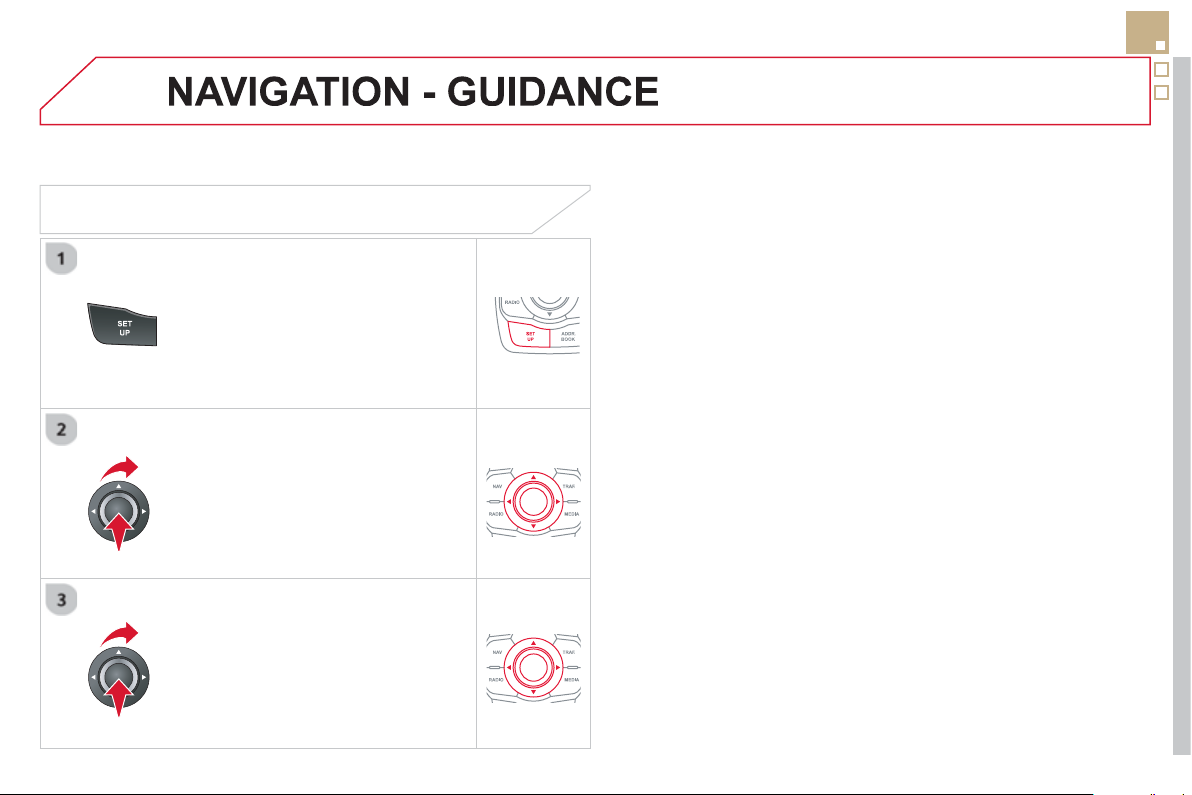
04
269
MALE VOICE / FEMALE VOICE
P
r
ess
SETU
P
to
di
sp
l
a
y
t
h
e
c
on
fi
g
uration menu.
Se
l
ec
t "Select male voic
e
"
o
r "Select
f
emale voic
e
" then confi rm "
Yes
" t
o
ac
tiv
a
t
e
a
m
a
l
e
o
r f
e
m
a
l
e
v
o
i
ce
. Th
e
sy
stem restarts.
S
elect "
V
oice synthesis "
a
n
d
co
n
fi
rm.
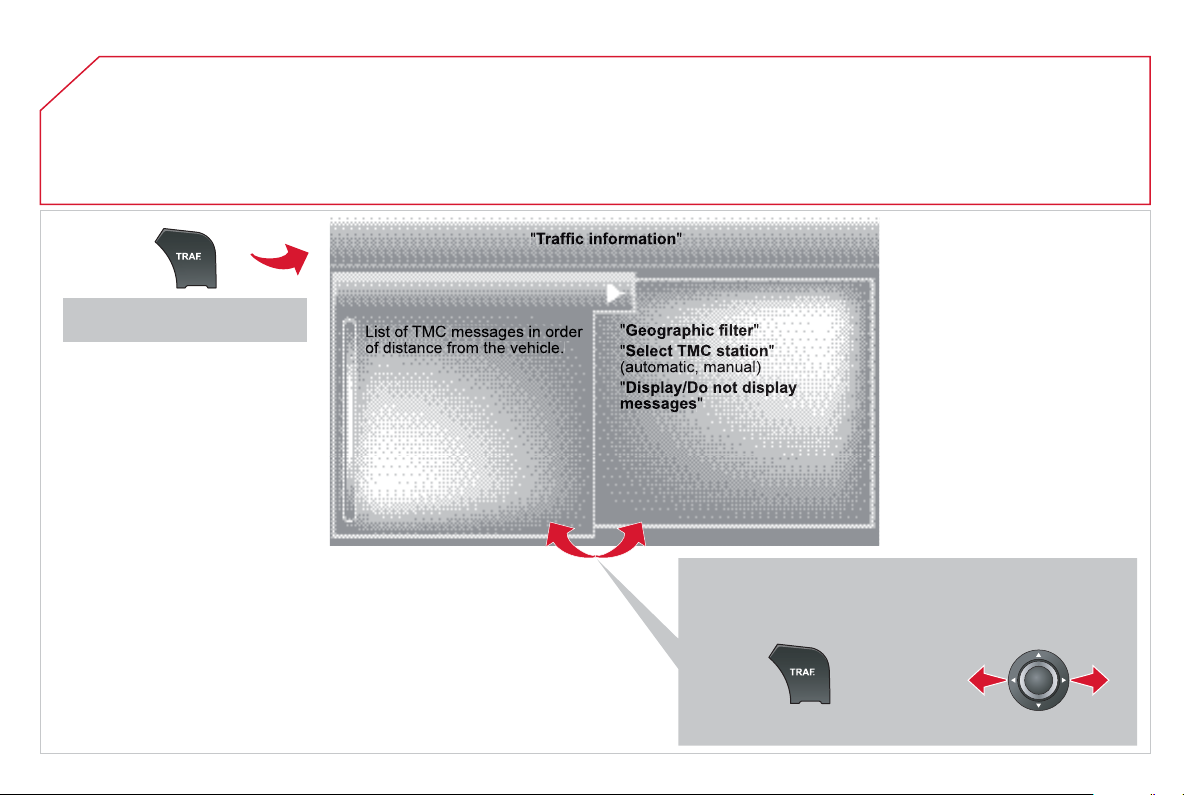
05
TRAFFIC INFORMATION
Access to the "TRAFFIC INFORMATION" menu
G
o
f
rom the list to the menu
(
le
f
t
/
ri
g
ht
)
.
or
P
r
ess
"
T
RAFFI
C
"
.
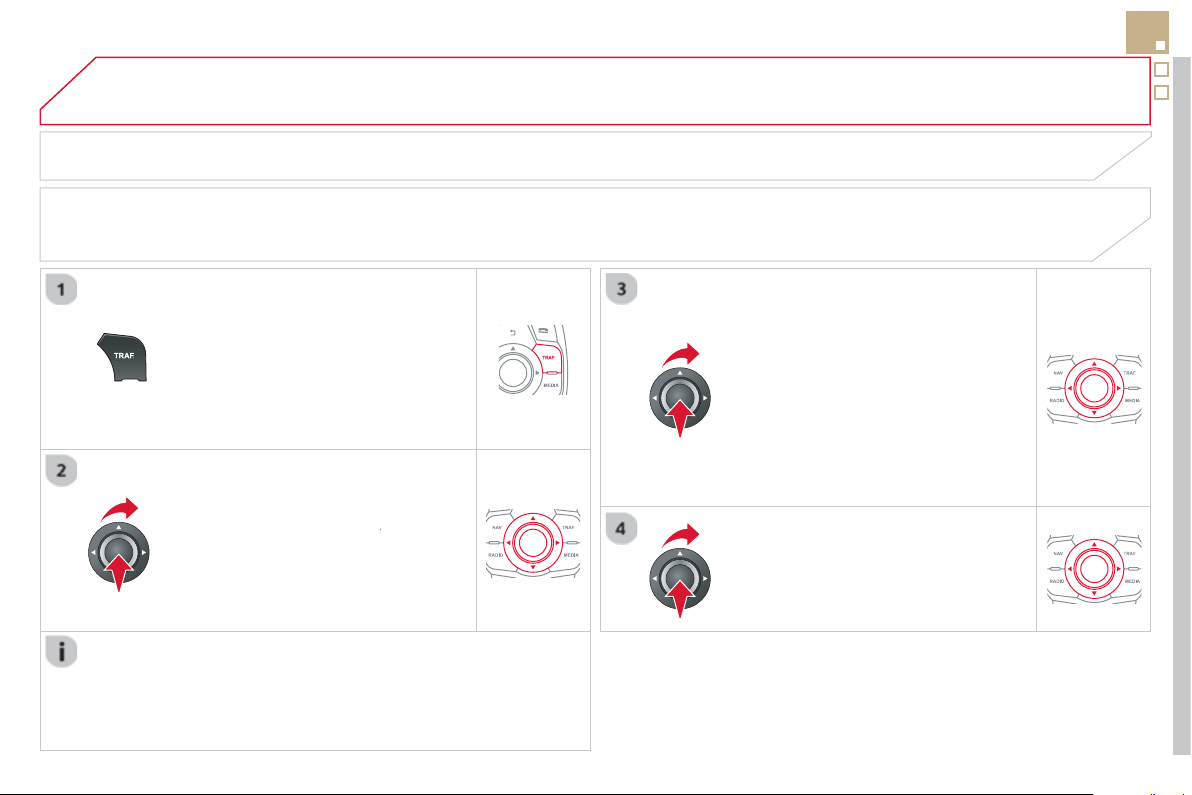
05
271
TRAFFIC INFORMATION
CONFIGURE THE FILTERING AND DISPLAY OF TMC MESSAGES
TM
C
(
Tra
ffi
c Messa
g
e
C
hannel
)
messa
g
es contain in
f
ormation on tra
ffi
c and weather conditions, received in real time and transmitted to the
driver in the
f
orm o
f
audible announcements and s
y
mbols on the navi
g
ation map.
The navi
g
ation s
y
stem can then su
gg
est an alternative route to avoid a traffi c problem.
Pr
ess
th
e
T
RAFFI
C
button to displa
y
the
T
raffi c information m
e
n
u
.
Se
l
ec
t th
e
"
Geographic fi lter
"
fu
n
c
ti
o
n
r
a
n
d
co
nfi rm.
The s
y
stem o
ff
ers a choice o
f
:
- " Retain all the messa
g
es",
o
r
-"Retain the messa
g
e
s
"
●
"
A
roun
d
t
h
e ve
hi
c
le
",
(
confi rm
the milea
g
e to modi
fy
and select
the distance
)
,
● " On the rout
e
".
C
onfi rm " OK " t
o
sa
v
e
th
e
m
od
ifi
ca
ti
o
n
s
.
We
r
eco
mm
e
n
d
:
-
a
fi
lt
e
r
o
n th
e
r
ou
t
e
a
n
d
-
a
fi
lt
e
r
a
r
ou
n
d
th
e
v
e
hi
c
l
e
of
:
- 12 miles
(
20 km
)
in urban areas,
- 30 miles
(
50 km
)
on motorwa
y
s.
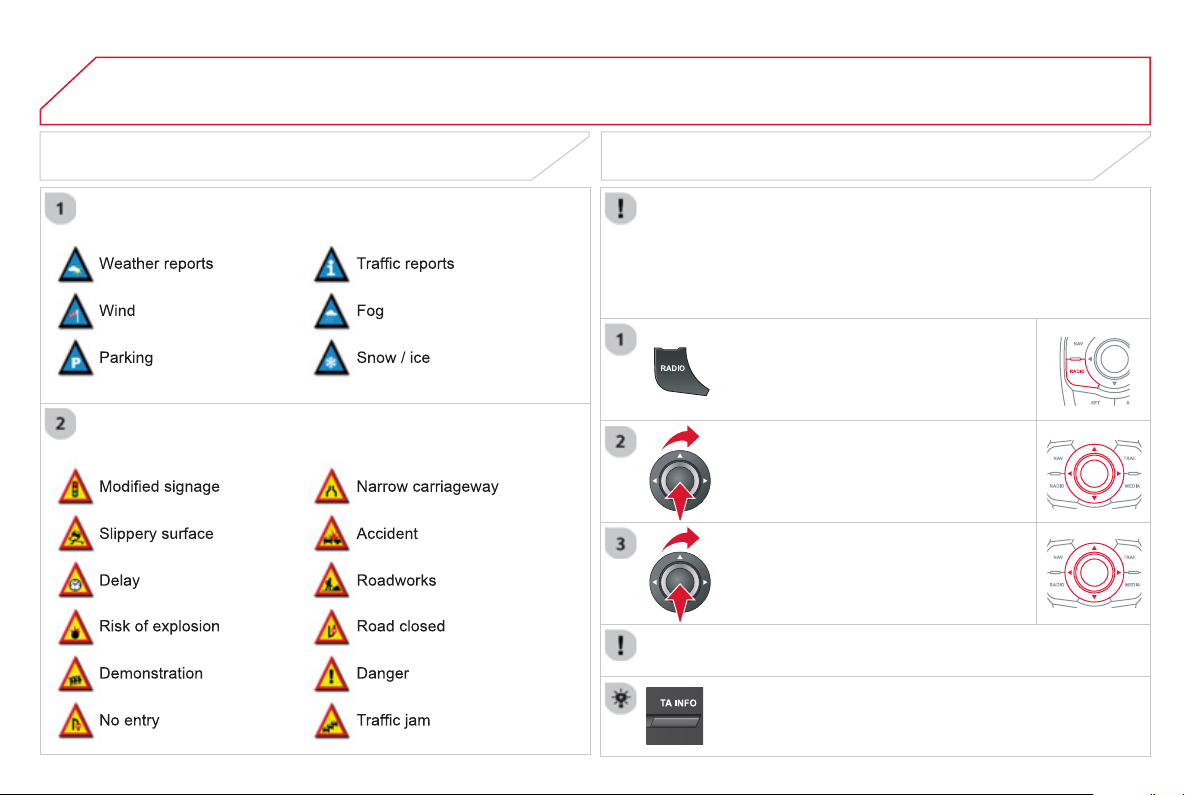
05 TRAFFIC INFORMATION
PRINCIPAL TMC SYMBOLS
Red and
y
ellow trian
g
le: tra
ffi
c in
f
ormation,
f
or example:
Black and blue trian
g
le:
g
eneral information, for example:
RECEIVING TA MESSAGES
The TA
(
Tra
ffi
c Announcement
)
f
unction
g
ives priorit
y
to TA alert
m
essa
g
es. To operate, this function needs
g
ood reception of a
r
adio station transmittin
g
this t
y
pe of messa
g
e. When a traffi c report
is transmitted, the current audio source
(
Radio, CD, USB, ...
)
is
i
nterrupte
d
automat
i
ca
lly
to p
l
a
y
t
h
e
TA
messa
g
e.
N
orma
l
p
l
a
yb
ac
k
of
th
e
aud
i
o
sou
r
ce
r
esu
m
es
a
t th
e
e
n
d
of
th
e
tr
a
n
s
mi
ss
i
o
n
of
th
e
message
.
Pr
ess
R
ADIO to displa
y
the "FM
/
AM
band " m
e
n
u
.
S
elect " Guidance o
p
tion
s
"
t
he
n
co
n
fi
rm.
S
elect "
A
ctivate / Deactivate T
A
" th
e
n
co
nfi rm.
The volume settin
g
f
or TA messa
g
es can be ad
j
usted onl
y
durin
g
the
transmission of this t
y
pe of alert.
A
ctivate or deactivate the
f
unction at an
y
time b
y
pressin
g
t
he
bu
tt
o
n.
During a message, press the button to interrupt it.
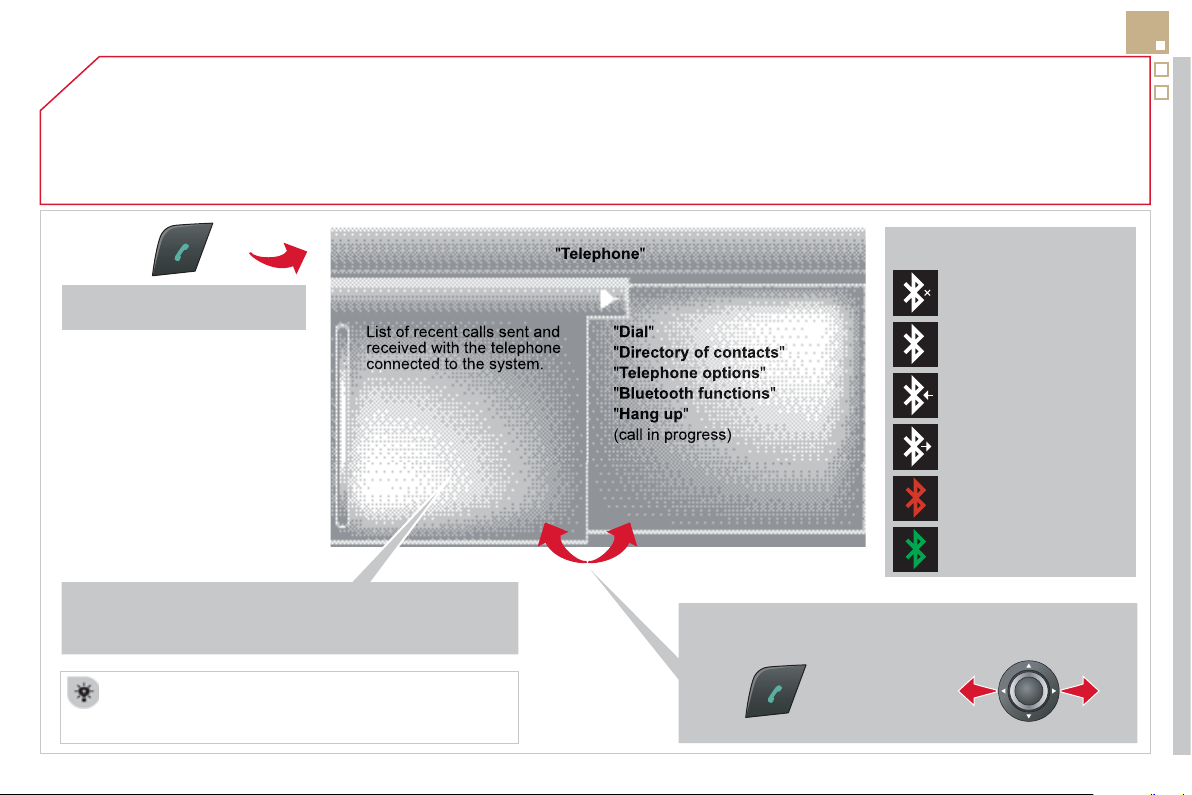
06
273
USING THE TELEPHONE
Access to the "TELEPHONE" menu
P
r
ess
t
his
bu
tt
o
n.
To make a call, select a number in the list and con
fi
rm " O
K
"
t
o
s
t
a
rt t
he
call
.
C
onnectin
g
a di
ff
erent telephone deletes the list o
f
r
ece
nt
calls
.
N
o te
l
ep
h
one connecte
d
.
Tele
p
hone connected.
Incomin
g
call.
O
ut
g
oin
g
call.
S
y
nchronisation
of
add
r
ess
boo
k in
progress
.
Tele
p
hone call in
p
ro
g
ress.
In the top bar of the permanent
d
ispla
y
Go from the list to the menu
(
left/ri
g
ht
)
.
o
r

06
PAIRING A BLUETOOTH TELEPHONE
FIRST CONNECTION
For reasons of safet
y
and because the
y
require prolon
g
ed attention
o
n the part o
f
the driver, the operations
f
or pairin
g
the Bluetooth
mobile telephone to the hands-
f
ree system o
f
the audio unit must be
ca
rri
ed
ou
t with th
e
vehicle stationar
y
.
Activate the tele
p
hone's Bluetooth
fu
n
c
ti
o
n
a
n
d
e
n
su
r
e
th
a
t it i
s
"
s
h
o
wn t
o
a
ll"
(
telephone confi
g
uration
)
.
Pr
ess
thi
s
bu
tt
o
n.
S
elect the name o
f
the desired
peripheral
f
rom the list o
f
devices
de
t
ec
t
ed
th
e
n
se
l
ec
t "Connec
t
"
a
n
d
co
n
fi
rm.
The s
y
stem offers to connect the
tele
p
hone:
-
in
"
H
ands-free mod
e
"
(
telephone
o
nl
y)
,
-
in "
A
u
di
o" mode
(
streamin
g
: pla
y
in
g
music
fi
les on the telephone
)
,
-
o
r "
A
ll "
(f
or selection o
f
both modes
)
.
Se
l
ec
t " OK "
a
n
d
co
n
fi
rm.
S
elect "
B
luetooth functions
"
a
n
d
co
n
fi
rm.
Se
l
ec
t "Peri
p
herals search"
a
n
d
co
n
fi
rm.
The list of
p
eri
p
herals detected is
displa
y
ed. Wait until the " Connec
t
"
bu
tt
o
n i
s
a
v
a
il
ab
l
e
.
USING THE TELEPHONE
Visit www.citroen.co.uk
f
or more in
f
ormation
(
compatibility,
additional help, ...
)
.
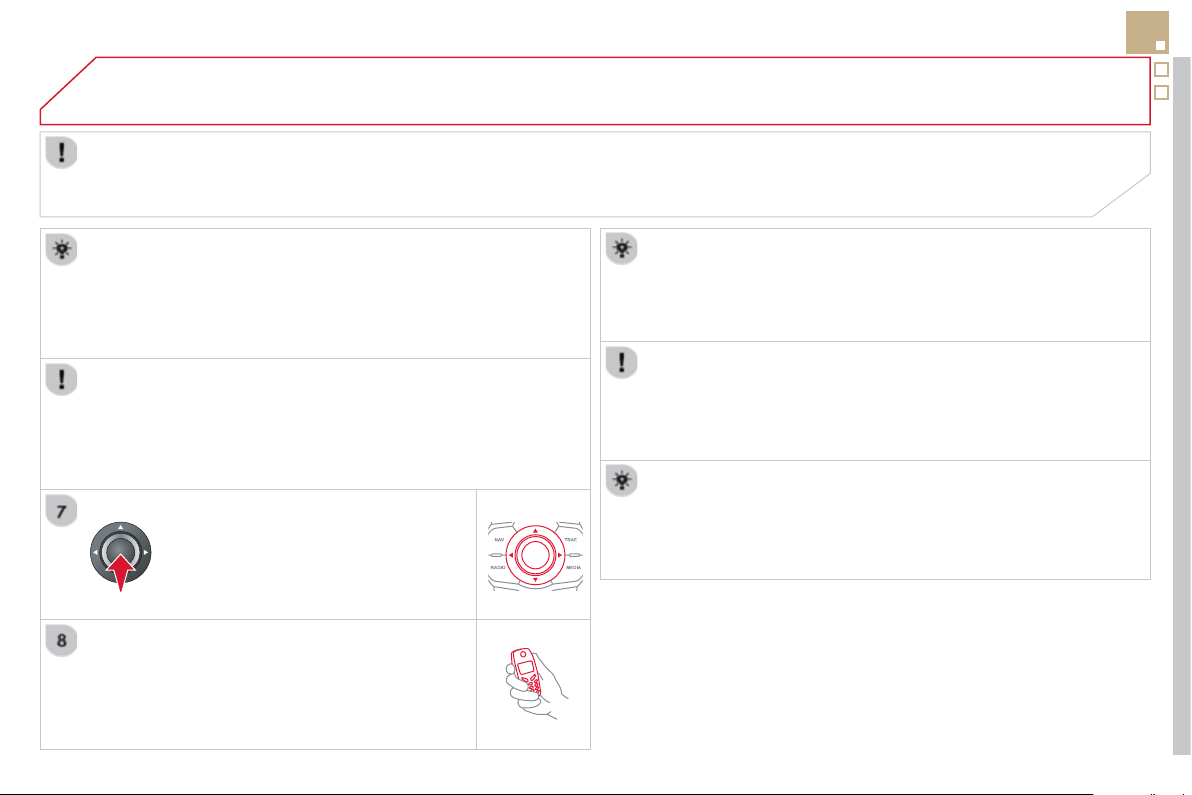
06
275
Enter the same code on the telephone then accept
th
e
co
nn
ec
ti
o
n.
Then accept automatic connection on the telephone to allow the
telephone to reconnect automaticall
y
ever
y
time the vehicle is
s
t
a
rt
ed
.
Dependin
g
on the t
y
pe o
f
telephone, the s
y
stem will ask
y
ou to
accept or not the trans
f
er o
f
y
our contacts.
USING THE TELEPHONE
The
"
Hands-free mod
e
" should be used in preference i
f
"S
treamin
g
" is not desired.
The services available depend on the network, the
S
IM card and the compatibility o
f
the Bluetooth telephone used.
C
heck the telephone
m
anual and with
y
our network provider
f
or details o
f
the services available to
y
ou.
The ability o
f
the system to connect in only one mode depends on
the telephone. The two modes ma
y
both connect b
y
de
f
ault.
S
elect a code
f
or the connection then
co
n
fi
rm " OK ".
O
n return to the vehicle, the last telephone connected
automaticall
y
reconnects, within around 30 seconds a
f
ter
s
witchin
g
on the i
g
nition
(
Bluetooth activated and visible
)
.
To modif
y
the automatic connection mode, remove the pairin
g
and
p
air the telephone a
g
ain with the desired mode.
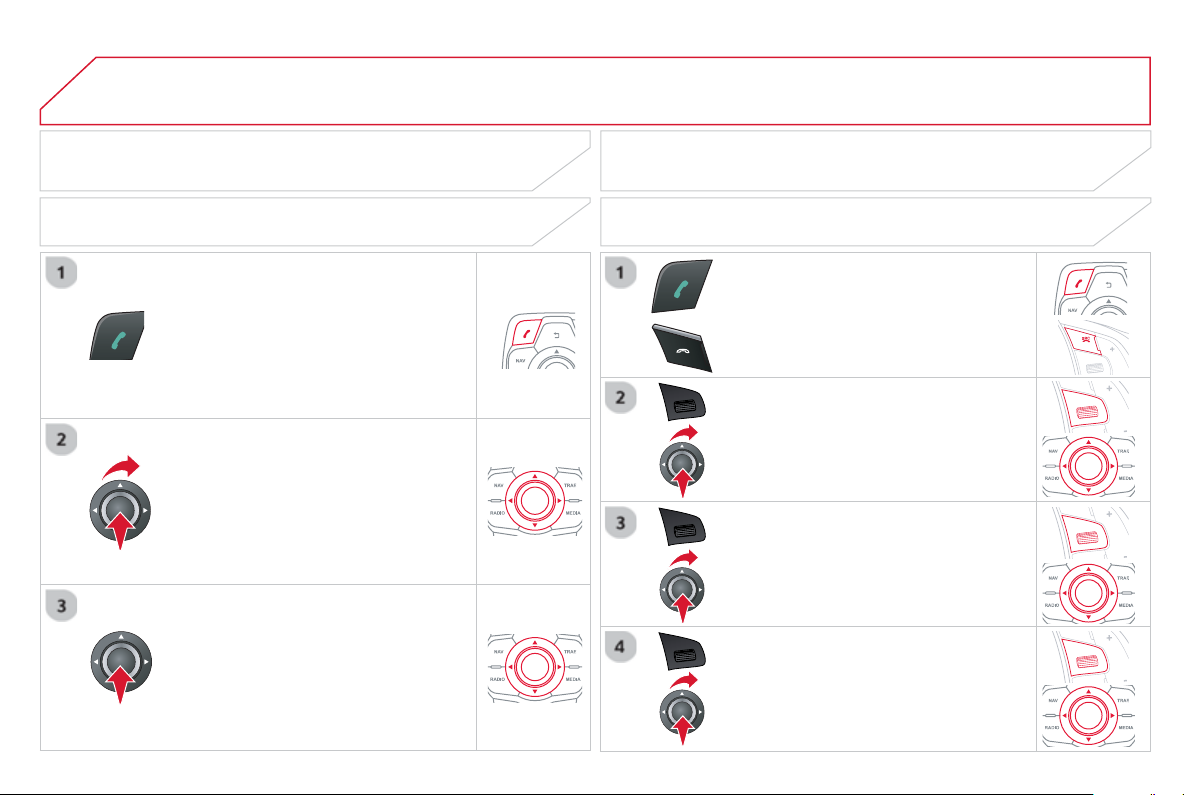
06
SR
C
USING THE TELEPHONE
Pr
ess
thi
s
bu
tt
o
n.
S
elect "
D
ial" th
e
n
co
nfi rm.
S
elect "
D
irector
y
of contacts" th
e
n
co
nfi rm.
Di
a
l
t
h
e te
l
ep
h
one num
b
er us
i
n
g
t
h
e
v
i
rtua
l
k
e
y
pa
d
se
l
ect
i
n
g
eac
h
num
b
er
in t
u
rn.
Co
n
fi
rm " OK " t
o
m
a
k
e
th
e
ca
ll.
P
ress t
hi
s
b
utton or ma
k
e
l
on
g
press on
t
h
e steer
i
n
g
mounte
d
T
EL/SRC
bu
tt
o
n.
CALLING A NEW NUMBER CALLING A CONTACT
S
elect the desired contact and confi rm.
S
elect the number and confi rm to start
t
he
call
.
MAKING A CALL
Use of the telephone is not recommended while drivin
g
. We
r
ecommended that
y
ou park sa
f
el
y
or make use o
f
the steerin
g
mou
nt
ed
co
ntr
ols
.
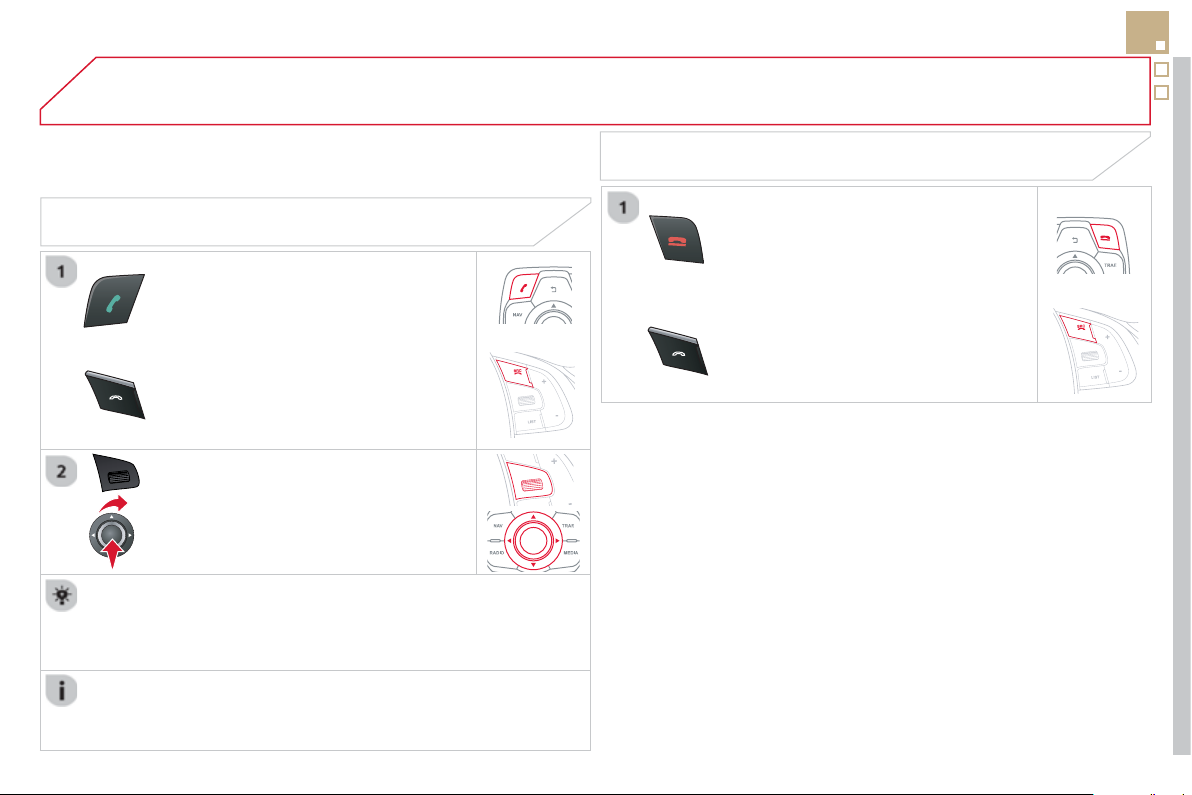
06
SR
C
SR
C
277
USING THE TELEPHONE
CALLING A RECENTLY DIALLED NUMBER
P
ress t
hi
s
b
utton or ma
k
e a
l
on
g
press
on
T
EL/SR
C
, se
l
ect
"
Call lis
t
"
a
n
d
co
n
fi
rm.
S
elect the desired number and con
fi
rm.
To erase the calls lo
g
, press
P
HONE , select "
T
elephone
op
tions"
a
n
d
co
nfi rm th
e
n
se
l
ec
t "
D
elete calls lo
g
"
a
n
d
co
nfi rm.
ENDING A CALL
Pr
ess
H
ANG U
P
.
o
r
It is alwa
y
s possible to make a call directl
y
f
rom the telephone;
park the vehicle
fi
rst as a sa
f
et
y
measure.
M
a
k
e a
l
on
g
press on t
h
e steer
i
n
g
m
ou
nt
ed
TEL/
S
RC
bu
tt
o
n.

06
SR
C
SR
C
USING THE TELEPHONE
RECEIVING A CALL
A
n incomin
g
call is announced b
y
a rin
g
and a superimposed displa
y
in th
e
sc
r
ee
n.
"
Yes" to accept the call is selected b
y
de
f
au
lt.
P
r
ess
"
O
K
"
to accept t
h
e ca
ll
.
S
elect " N
o
" and con
fi
rm to reject the call.
A
s
h
ort press on t
hi
s
b
utton or
T
EL/SRC
accepts an
i
ncom
i
n
g
ca
ll
.
A
lon
g
press on this button or
T
EL/
S
R
C
or a
p
ress on
H
ANG U
P
re
j
ects an
incomin
g
call.
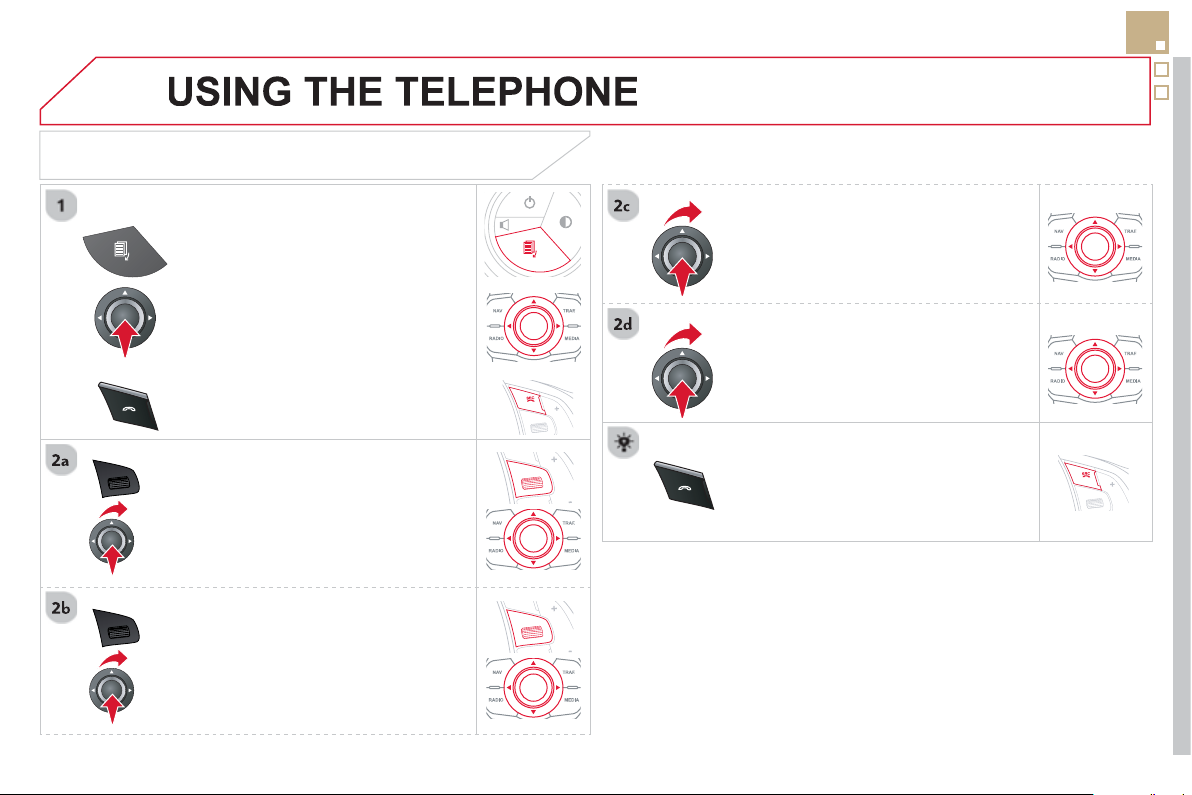
06
SR
C
SR
C
279
OPTIONS DURING A CALL *
Durin
g
a call, press the
M
OD
E
bu
tt
o
n
s
everal times to select displa
y
of the
te
l
ep
h
one screen, t
h
en press
"
OK
"
t
o
open t
h
e contextua
l
menu.
Se
l
ec
t "
P
rivate mod
e
"
a
n
d
co
n
fi
rm t
o
t
a
k
e
th
e
ca
ll
o
n th
e
h
a
n
dse
t.
O
r select "
H
ands-free mod
e
"
a
n
d
co
nfi rm t
o
t
a
k
e
th
e
ca
ll vi
a
th
e
v
e
hi
c
l
e
'
s
spea
k
ers.
Se
l
ec
t "
P
ut call on hold"
a
n
d
co
n
fi
rm t
o
put the current call on hold.
O
r select "
R
esume the call"
a
n
d
co
nfi rm t
o
r
esu
m
e
th
e
ca
ll
o
n h
o
l
d
.
S
elect "
D
TMF rin
g
tones " t
o
use
th
e
numerical ke
y
pad, so as to navi
g
ate
throu
g
h the menu of an interactive vocal
ser
v
er
.
S
elect "
H
an
g
u
p
"
t
o
e
n
d
t
he
call
.
*
Dependin
g
on the compatibilit
y
o
f
the phone and
y
our service plan.
it is possible to hold a 3-wa
y
con
f
erence
c
all b
y
makin
g
2 calls in succession*.
S
elect "
C
onferenc
e
m
ode cal
l
" in th
e
c
ontextual menu accessible usin
g
this
bu
tt
o
n.
O
r make a short press on this button.
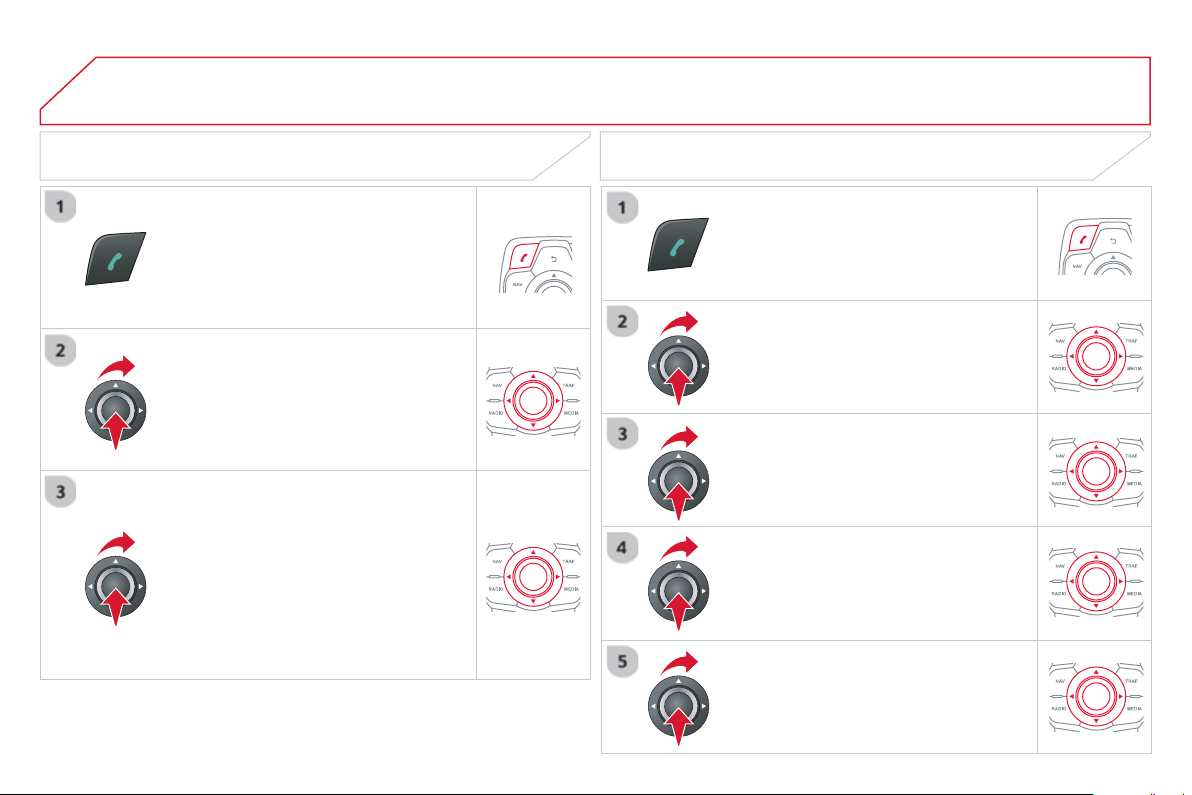
06
Pr
ess
thi
s
bu
tt
o
n.
S
elect "
L
ist of the paired peripherals"
a
n
d
co
nfi rm.
I
t
i
s poss
ibl
e to:
-
"
Connec
t
"
o
r
"
Di
sconnec
t
"
t
he
s
e
l
ecte
d
te
l
ep
h
one,
- delete the pairin
g
o
f
the selected
telephone.
It is also possible to select all pairin
g
s.
USING THE TELEPHONE
MANAGING PAIRED TELEPHONES CHANGING THE RING TONE
Pr
ess
thi
s
bu
tt
o
n.
S
elect "
T
e
l
e
ph
one o
p
t
i
ons
"
a
n
d
co
n
fi
rm.
S
elect "
R
in
g
options"
a
n
d
co
nfi rm.
You can ad
j
ust the volume and the rin
g
t
o
n
e
used
.
S
elect "
B
luetooth functions
".
S
elect " OK "
a
n
d
co
n
fi
rm t
o
sa
v
e
th
e
c
hanges.
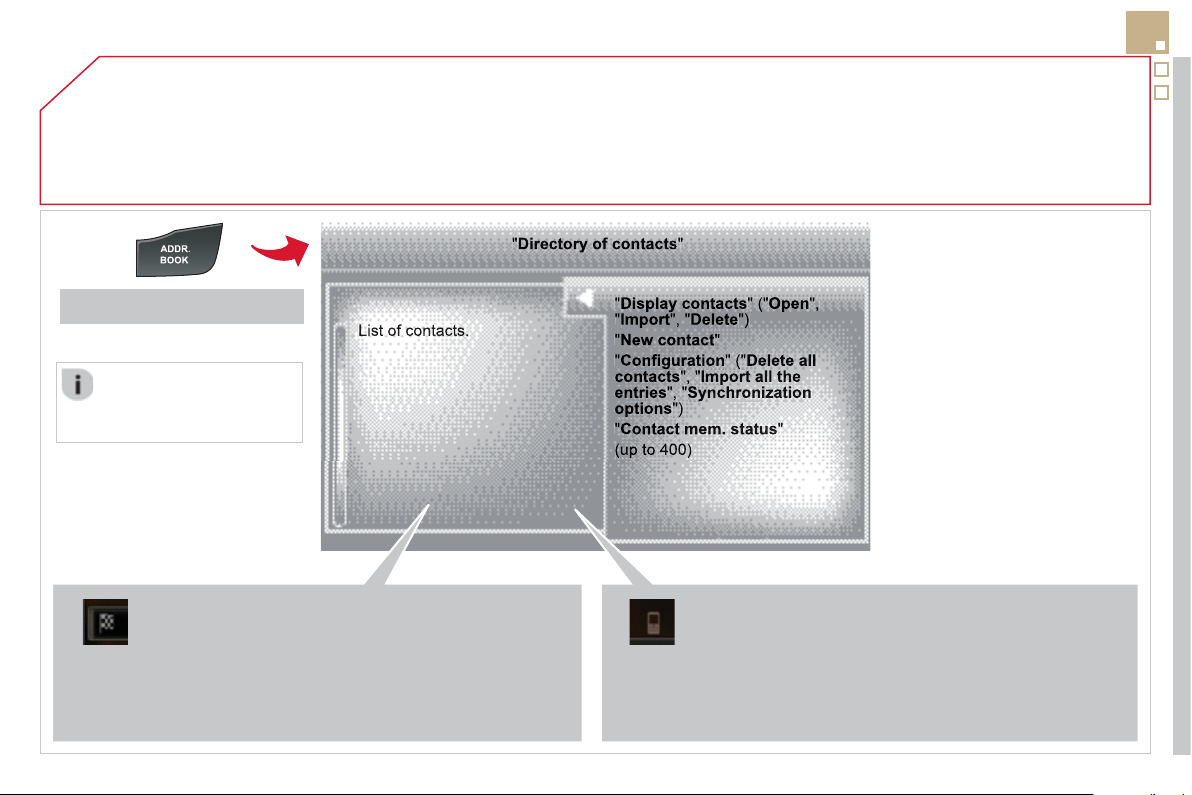
07
281
DIRECTORY - ADDR BOOK
Access to the "CONTACTS" menu
Des
t
i
n
a
t
io
n:
-
f
rom the contacts in the mobile telephone and the
S
IM
c
ard
(
dependin
g
on the s
y
nchronization options in the
Bluetooth menu and the compatibilit
y
o
f
the telephone
)
,
- saved in the s
y
stem.
S
elect a contact and confi rm.
Th
e
n
se
l
ec
t "
G
uid
e
"
a
n
d
co
nfi rm.
T
e
l
ep
h
one contacts:
-
f
rom the mobile telephone and the
S
IM card
(
depending on the synchronization options in the
Bluetooth menu and the compatibilit
y
o
f
the telephone
)
,
- saved in the s
y
stem.
P
r
ess
ADDR BOOK
.
S
elect a telephone contact and con
fi
rm to start the call.
The sortin
g
of the list o
f
c
ontacts
d
epen
d
s on t
h
e
te
l
ep
h
one use
d
.
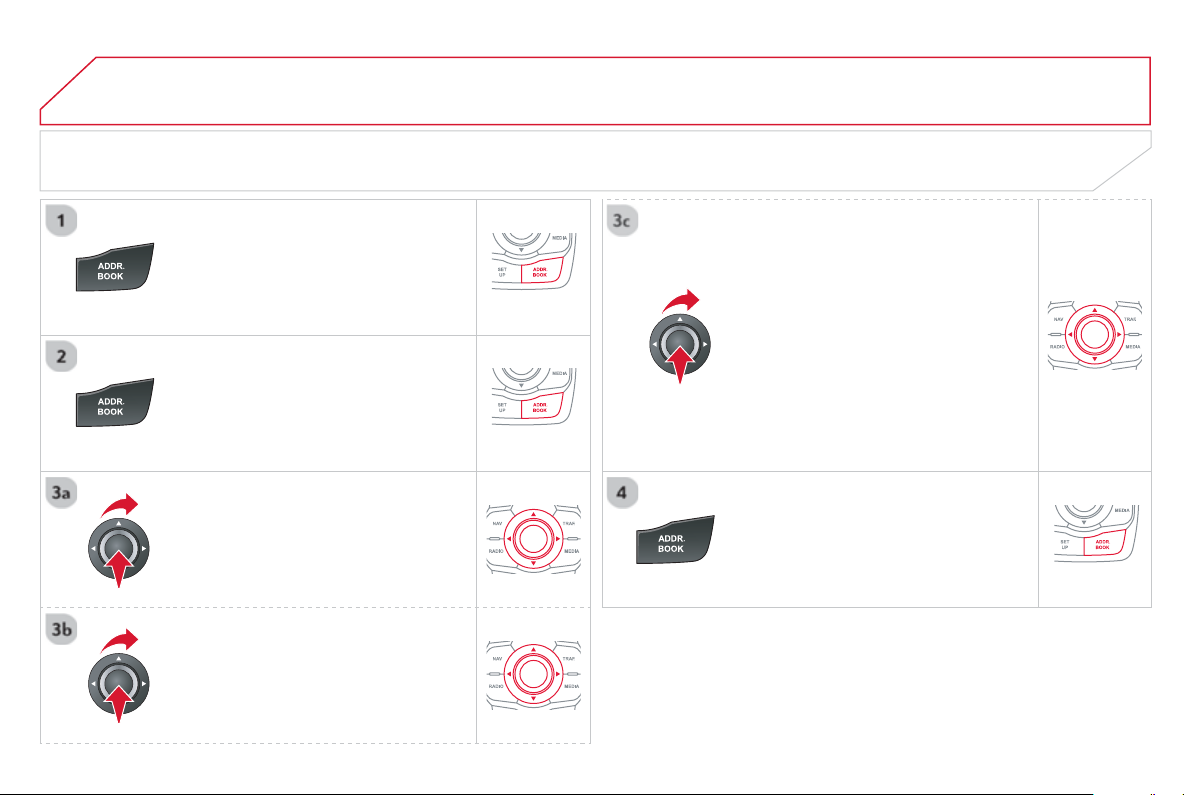
07
DIRECTORY / SYNCHRONIZING CONTACTS
P
r
ess
ADDR BOO
K
tw
ice
t
he
n
selec
t
"
N
ew contac
t
"
t
o
e
nt
e
r
a
n
e
w
co
nt
ac
t.
Pr
ess
ADDR BOO
K
twi
ce
th
e
n
se
l
ec
t
"Confi
g
uratio
n
"
a
n
d
co
nfi rm.
Se
l
ec
t "
D
elete all contacts" t
o
de
l
e
t
e
the contacts saved in the s
y
stem.
S
elect "Import all the entries " to im
p
ort
all the contacts in the tele
p
hone and
s
ave them in the s
y
stem.
S
elect "S
y
nchronization options "
a
n
d
co
nfi rm:
-
N
o s
y
nc
h
ron
i
zat
i
on: on
ly
t
h
e
c
ontacts save
d
i
n t
h
e s
y
stem
(
alwa
y
s present
)
.
- Display telephone contacts: only the
c
ontacts saved in the telephone.
- Displa
y
SIM card contacts: onl
y
the
c
ontacts saved on the
S
IM card.
- Displa
y
all phone contacts:
c
ontacts on the
S
IM card and in the
te
l
ep
h
one.
P
r
ess
ADDR BOOK tw
ice
t
he
n
selec
t
"
Contact mem. status
"
t
o
see
t
he
n
umber o
f
contacts saved in the s
y
stem
o
r imported, and the
f
ree memor
y
.
DIRECTORY - ADDR BOOK
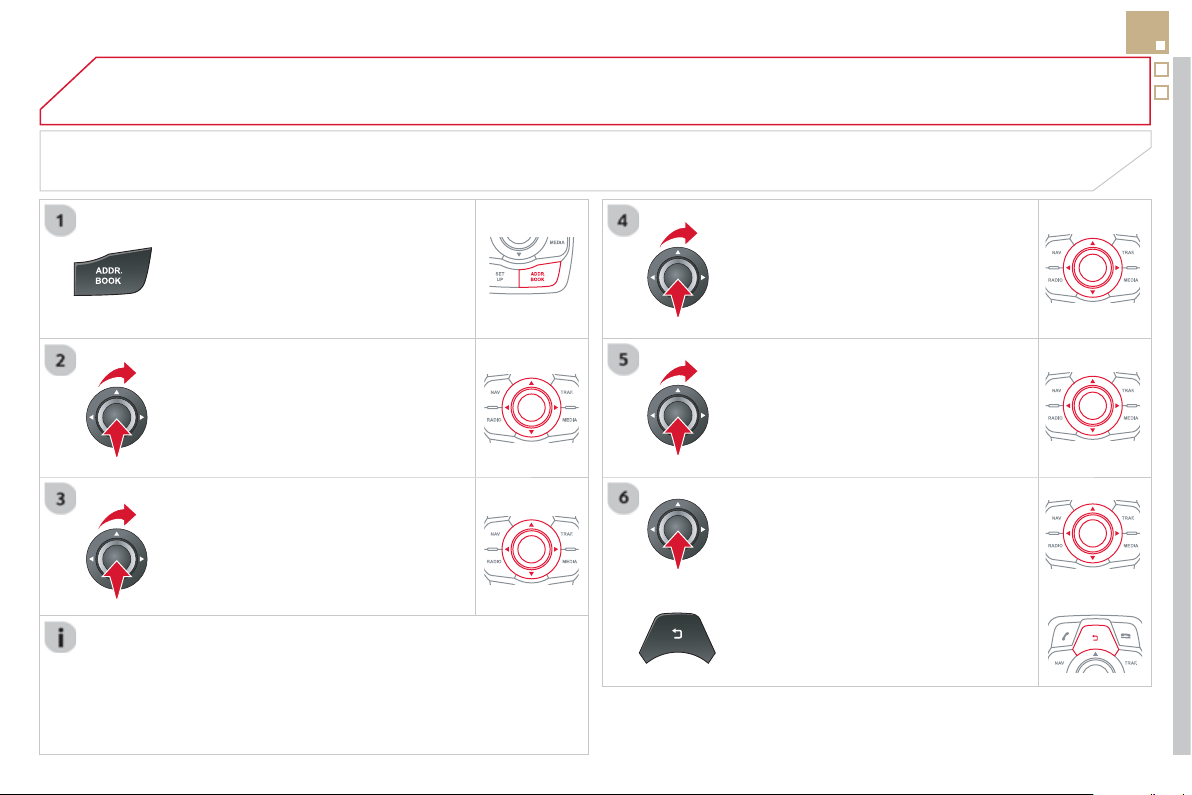
07
283
MANAGING CONTACTS
Pr
ess
A
DDR BOOK twi
ce
th
e
n
se
l
ec
t
"
D
ispla
y
contacts "
a
n
d
co
n
fi
rm.
Se
l
ec
t th
e
des
ir
ed
co
nt
ac
t
a
n
d
co
n
fi
rm.
S
elect " Impor
t
" to cop
y
one contact to
the s
y
stem.
S
elect " Open " t
o
vi
e
w
a
n
e
xt
e
rn
a
l
co
nt
ac
t
or modif
y
a contact saved in the s
y
stem.
S
elect OK
Se
l
ec
t "
D
elet
e
" t
o
de
l
e
t
e
a
co
nt
ac
t
sa
v
ed
in the s
y
stem.
It is necessar
y
to import an external contact to modif
y
the record.
It will be saved in the s
y
stem. It is not possible to modif
y
or delete
c
ontacts in the telephone or the SIM card via the Bluetooth
co
nn
ec
t
io
n.
DIRECTORY - ADDR BOOK
or
press t
hi
s
b
utton to ex
i
t t
hi
s menu.
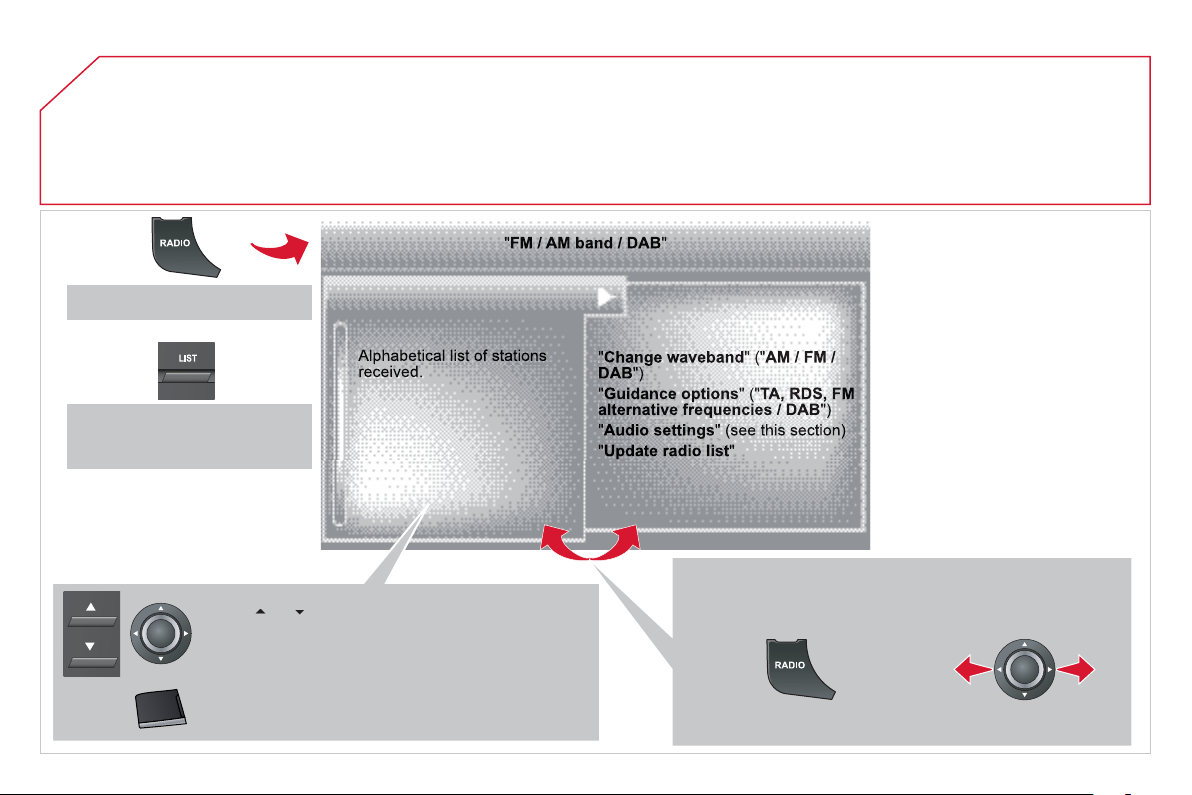
08
RADIO
Access to the "RADIO" menu
Pr
ess
or
or use the rotary control to select the
previous or next station in the list.
Thi
s
li
st can a
l
so
b
e
di
sp
l
a
y
e
d
by
press
i
n
g
L
IS
T
on
the steering mounted controls.
G
o
f
rom the list to the menu
(
le
f
t
/
ri
g
ht
)
.
or
A lon
g
press on
L
IST r
e
fr
es
h
es
th
e
li
s
t
o
f
s
t
a
ti
o
n
s
r
ece
iv
ed
.
Pr
ess
RADIO
.
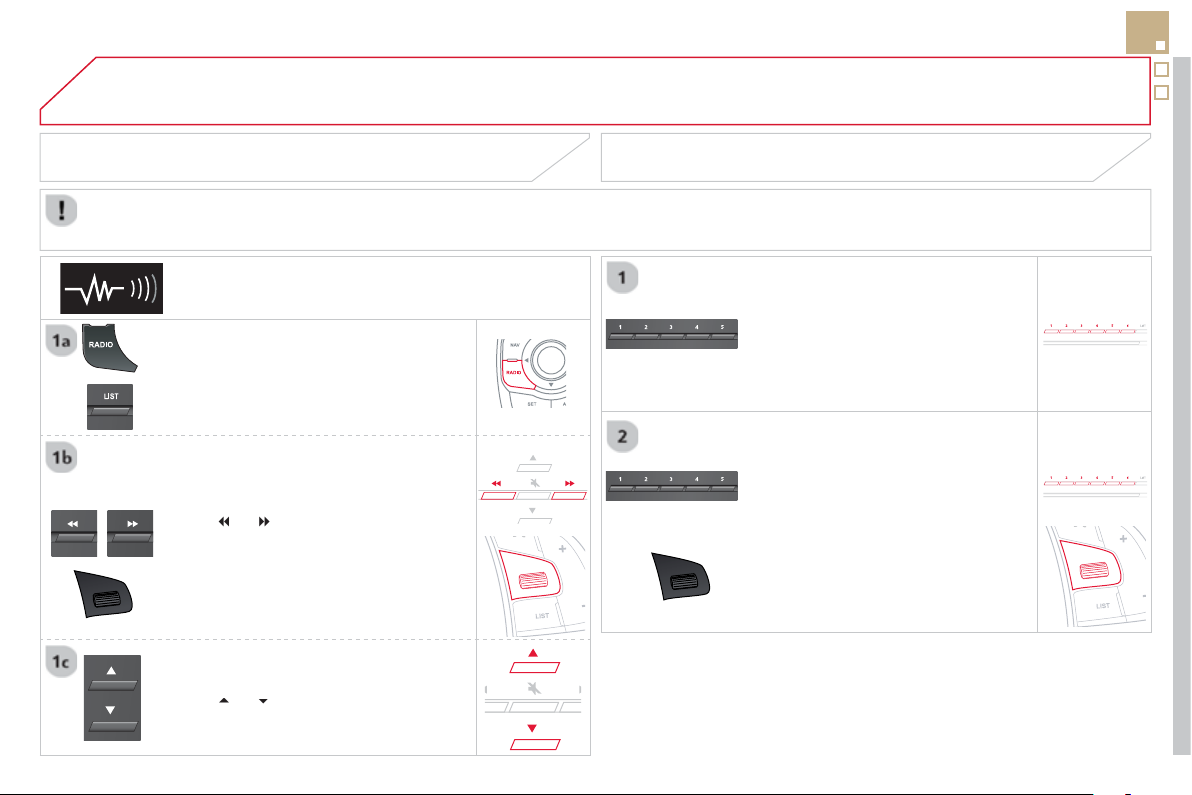
08
285
RADIO
By alphabetical list
Pr
ess
R
ADIO
or
L
I
ST
, select the station
o
f
y
our choice and con
fi
rm.
B
y
automatic frequenc
y
search
P
r
ess
or
fo
r th
e
au
t
o
m
a
ti
c
sea
r
c
h
f
or a lower or higher radio
f
requency.
O
r turn the thumb wheel at the steerin
g
m
ou
nt
ed
co
ntr
o
l
s
.
B
y
manual frequenc
y
search
Pr
ess
o
r
to ad
j
ust the radio
f
requenc
y
step b
y
step.
Pr
ess
th
e
bu
tt
o
n
o
n th
e
n
u
m
e
ri
ca
l
k
e
y
pa
d
to reca
ll
a preset stat
i
on.
O
r press then turn the thumb wheel at
t
h
e steer
i
n
g
mounte
d
contro
l
s.
SELECTING A STATION
The external environment
(
hill, buildin
g
, tunnel, under
g
round car park...
)
ma
y
inter
f
ere with the reception, includin
g
in RD
S
station trackin
g
mode.
T
his phenomenon is a normal result o
f
the way in which radio waves are transmitted and does not in any way indicate a
f
ault with the audio system.
PRESETTING A STATION
A
f
ter selectin
g
a station, press one o
f
the buttons on the numerical ke
y
pad
f
o
r
2
seconds to preset the current station.
An audible si
g
nal con
fi
rms that the
s
tation has been preset.
The qualit
y
o
f
reception is represented b
y
the number o
f
a
ctive waves in this symbol.
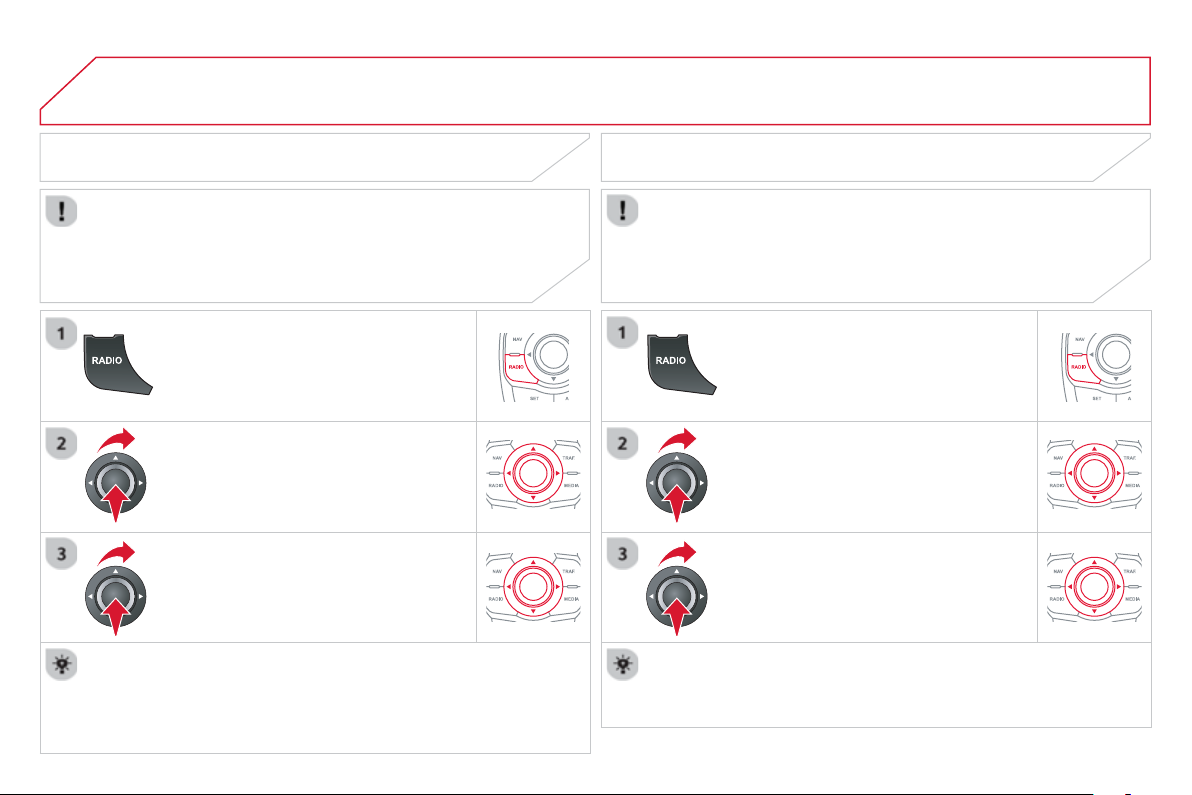
08
Pr
ess
RADIO
.
ACTIVATE / DEACTIVATE RDS
RD
S
, i
f
activated, allows
y
ou to continue listenin
g
to the same
s
tation b
y
automatic retunin
g
to alternative
f
requencies. However,
in certain conditions, covera
g
e of an RDS station ma
y
not be
assured throu
g
hout the entire countr
y
as radio stations do not
c
over 100 % of the territor
y
. This explains the loss of reception
of the station durin
g
a
j
ourne
y
.
S
elect "
G
uidance o
p
tions"
a
n
d
co
n
fi
rm.
S
elect "Activate / Deactivate RD
S
"
a
n
d
co
nfi rm.
RADIO
S
elect "Activate / Deactivate RD
S
"
.
Radio displayed, press " O
K
" to display the contextual menu.
Pr
ess
"
R
ADIO"
.
DAB * (Digital Audio Broadcasting)
DIGITAL RADIO
Digi
ta
l
ra
di
o prov
id
es a
high
er qua
li
t
y
recept
i
on an
d
a
l
so t
h
e
g
raphical displa
y
o
f
in
f
ormation
f
or the radio station, b
y
selectin
g
"
Vi
deo
m
ode
" in "R
ad
i
o
fa
v
ou
rit
es
".
The range o
f
all stations available is displayed in alphabetical
o
r
de
r.
S
elect "Chan
g
e band "
a
n
d
co
n
fi
rm.
Se
l
ec
ti
o
n "
D
A
B
"
a
n
d
co
n
fi
rm.
DAB
/
FM auto trackin
g
allows
y
ou to continue listenin
g
to the
s
ame stat
i
on,
by
temporar
ily
sw
i
tc
hi
n
g
to t
h
e equ
i
va
l
ent ana
l
o
g
ue
s
tation until the digital signal is stable again.
*
Durin
g
the
y
ear.
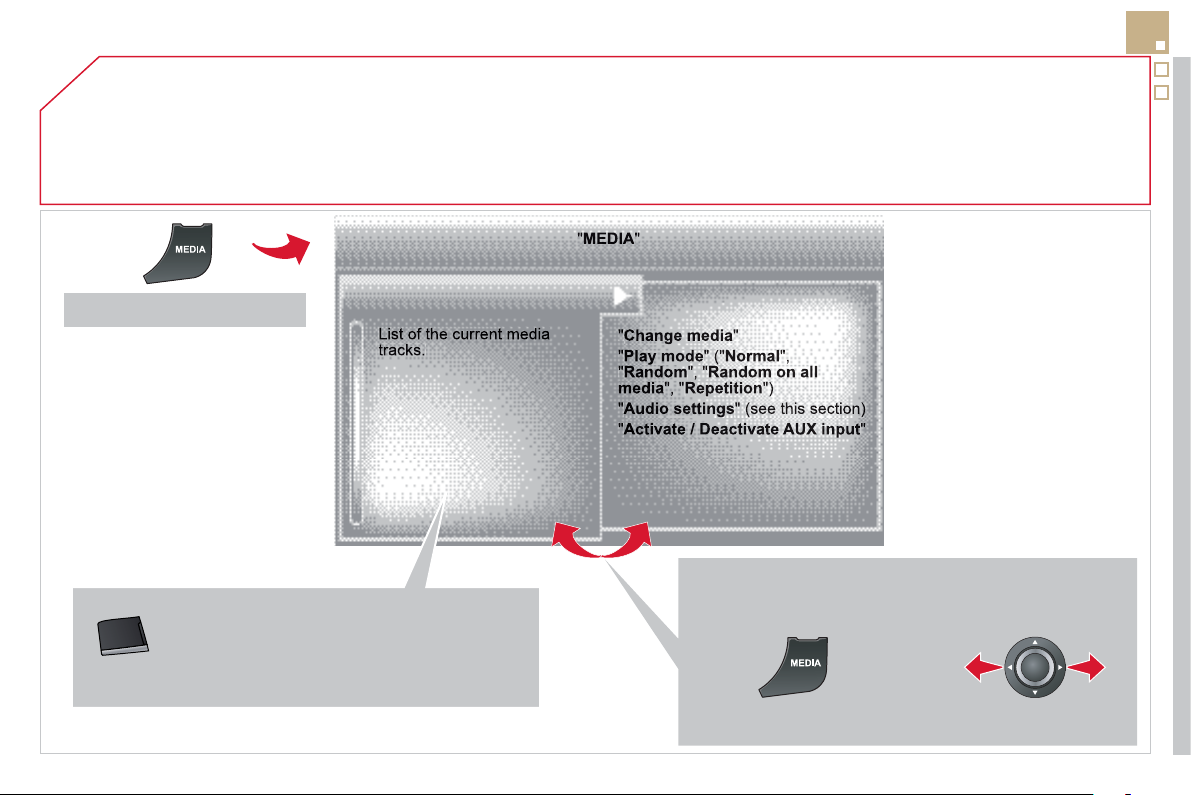
09
287
MUSIC MEDIA PLAYERS
Access to the "MUSIC MEDIA PLAYER" menu
Thi
s
li
st can a
l
so
b
e
di
sp
l
a
y
e
d
by
press
i
n
g
L
IS
T
a
t the steering mounted controls.
G
o
f
rom the list to the menu
(
le
f
t
/
ri
g
ht
)
.
or
P
r
ess
MEDIA
.
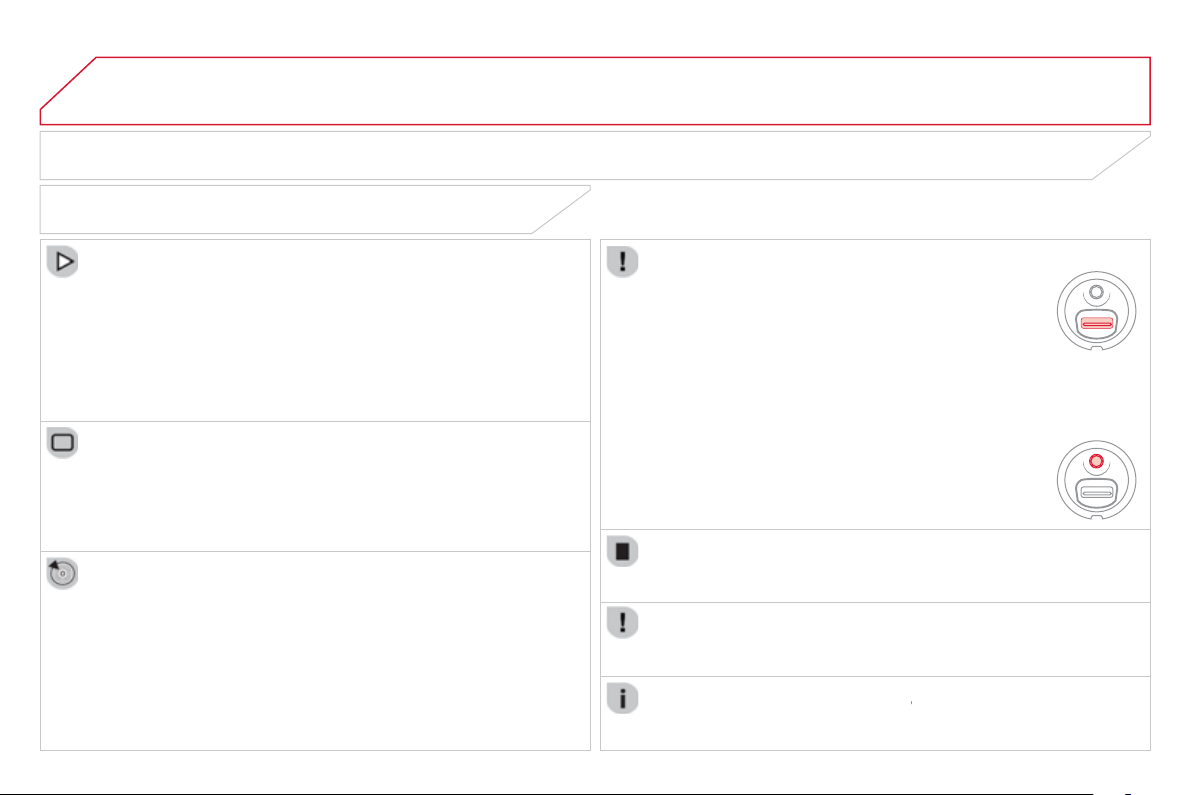
09 MUSIC MEDIA PLAYERS
CD, MP3 CD / USB PLAYER
The audio equipment will onl
y
pla
y
audio
fi
les with ".wma, .aac, .
fl
ac,
.
o
gg
and .mp3"
fi
le extensions and with a bit rate o
f
between 32 Kbps
and
320
Kbps.
It also supports VBR
(
Variable Bit Rate
)
mode.
No other t
y
pe o
f
fi
le
(
.mp4, .m3u...
)
can be pla
y
ed.
WMA fi les must be of the standard wma 9 t
y
pe.
The samplin
g
rates supported are 11, 22, 44 and 48 KHz.
It is advisable to restrict
fi
le names to 20 characters, without usin
g
o
f
s
pecial characters
(
e.
g
.: " "
?
; ù
)
to avoid an
y
pla
y
in
g
and displa
y
in
g
p
roblems.
In order to be able to pla
y
a recorded CDR or CDRW, when recordin
g
it is preferable to select the IS
O
9660 level 1, 2 or Joliet standard.
I
f
the disc is recorded in another
f
ormat it ma
y
not be pla
y
ed correctl
y
.
I
t
i
s recommen
d
e
d
t
h
at t
h
e same recor
di
n
g
stan
d
ar
d
i
s a
l
wa
y
s use
d
f
or an individual disc, with as low a speed as possible
(
4x maximum
)
f
or optimum sound qualit
y
.
In the
p
articular case of a multi-session CD, the Joliet standard is
reco
mm
e
n
ded
.
INFORMATION AND ADVICE
The s
y
stem supports U
S
B mass stora
g
e or iPod
devices via the U
S
B port
(
suitable cable not supplied
)
.
I
f
a partitioned U
S
B memory key is connected to the
sy
stem, onl
y
the
fi
rst partition is reco
g
nised.
C
ontrol o
f
the peripheral device is with the audio
sy
stem controls.
The number of tracks is limited to 2000 maximum,
9
99 tracks per folder.
I
f
the current consumption at the U
S
B port exceeds
5
00 mA, the s
y
stem
g
oes into protection mode and
deactivates the port.
O
ther peripherals, not reco
g
nised on connection, must
be connected to the auxiliar
y
socket usin
g
a Jack cable
(
not supplied
)
.
In order to be read, a USB memor
y
stick must be formatted FAT 16 or 32.
The s
y
stem does not support the operation o
f
an Apple
®
pla
y
er and a
U
SB memor
y
stick connected at the same time.
It is recommended that o
ffi
cial Apple
®
USB cables are used to ensure
®
c
orrect operat
i
on.
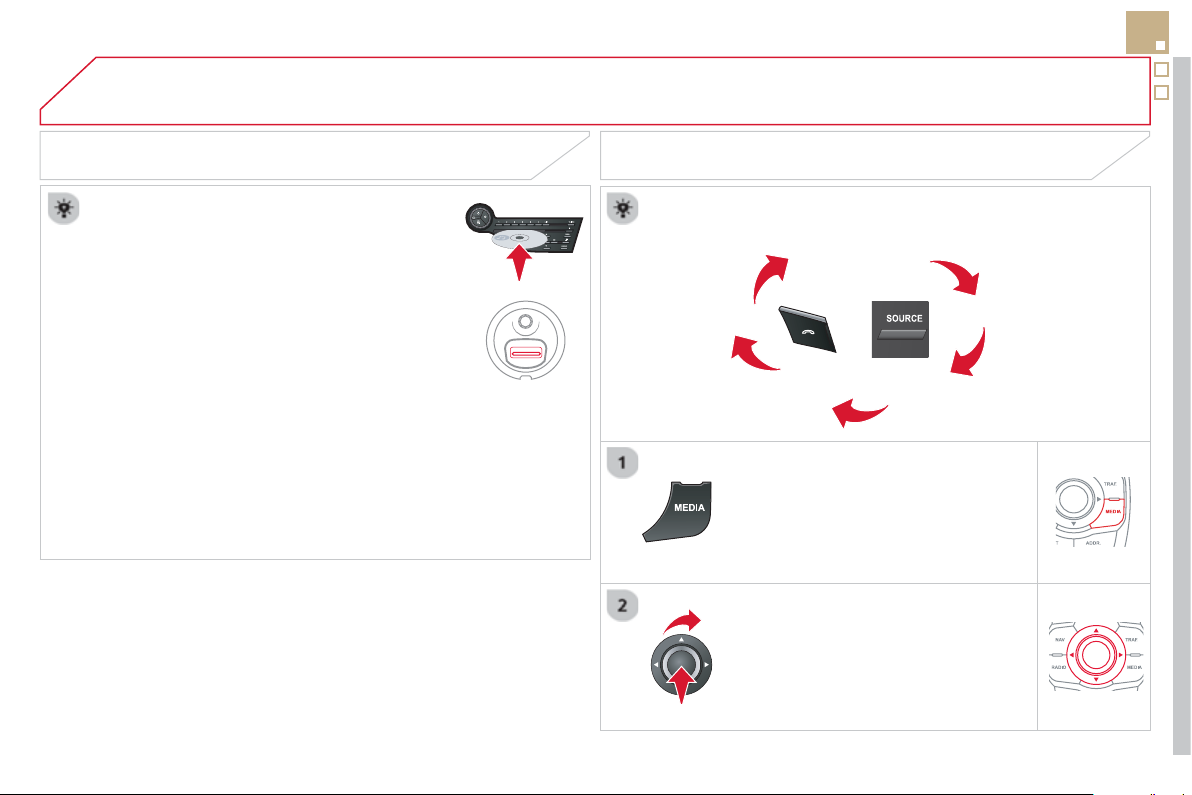
09
SRC
/
289
MUSIC MEDIA PLAYERS
SOURCES
Insert the CD in the pla
y
er, insert the USB memor
y
s
tick in the USB pla
y
er or connect the USB
p
eripheral to the USB port usin
g
a suitable cable
(
not supplied
)
The system builds playlists
(
in temporary memory
)
,
an operation which can take
f
rom a
f
ew seconds to
se
v
e
r
a
l min
u
t
es
a
t th
e
fi
r
s
t
co
nn
ec
ti
o
n.
R
educe
th
e
n
u
m
be
r
o
f n
o
n-m
us
i
c
fi l
es
a
n
d
th
e
n
umber of folders to reduce the waitin
g
time.
The pla
y
lists are updated ever
y
time the i
g
nition is
s
witched off or connection of a USB memor
y
stick.
H
owever, t
h
e s
y
stem memor
i
ses t
h
ese
li
sts an
d
i
f
the
y
are not modi
fi
ed, the loadin
g
time will be
s
h
o
rt
e
r.
Pla
y
starts automaticall
y
a
f
ter a period which
depends on the capacit
y
o
f
the U
S
B memor
y
stick.
S
ELECTION OF
S
OURCE
The
SOURCE or SRC
b
utton on t
h
e steer
i
n
g
mounte
d
contro
l
s
allows a direct change to the next media source.
"CD / CD MP
3
"
"
U
SB, iPod "
"
A
U
X
" " STREAMIN
G
"
"RADI
O
"
P
r
ess
MEDIA
to
di
sp
l
a
y
t
h
e
"
MEDIA
"
menu
.
S
elect "Change medi
a
"
a
n
d
co
n
fi
rm.
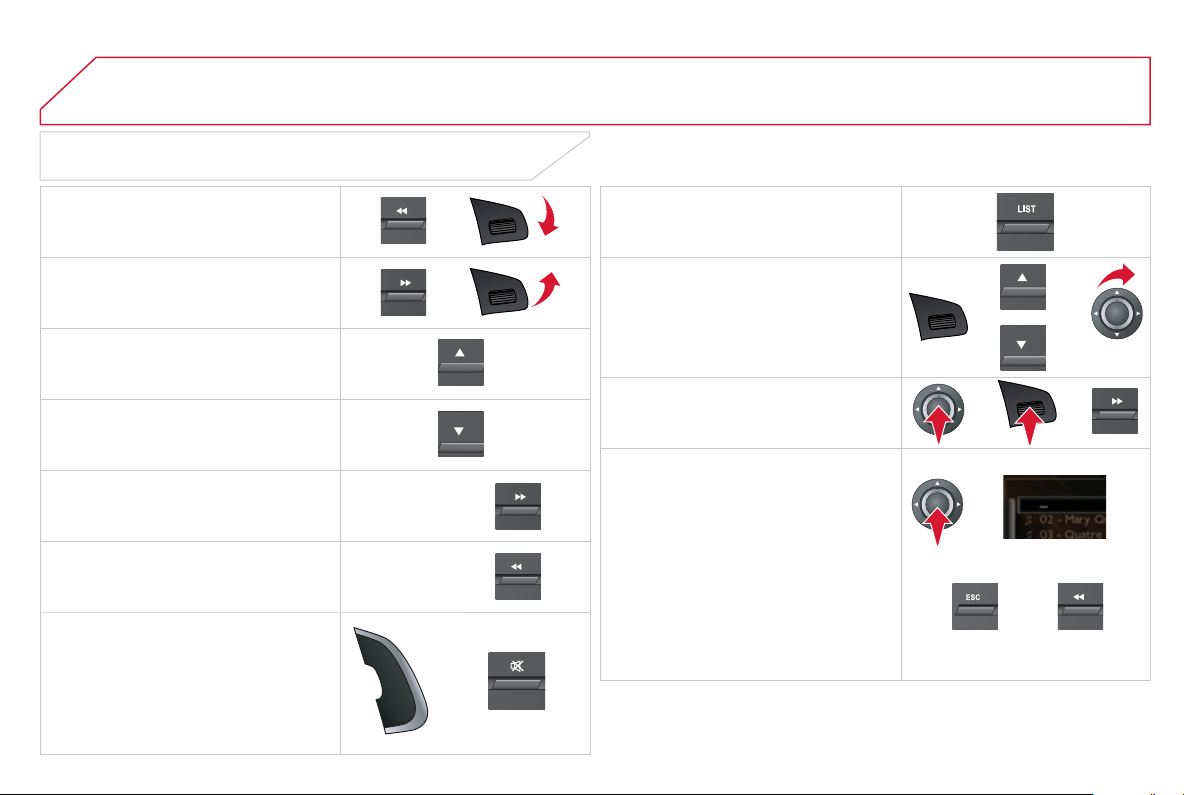
09
/
/
//
//
/
+/
-
+
/
SELECTING A TRACK
MUSIC MEDIA PLAYERS
Pr
e
vi
ous
tr
ac
k.
N
e
xt tr
ac
k.
Pr
e
vi
ous
f
o
l
de
r.
N
e
xt f
o
l
de
r.
F
as
t f
o
rw
a
r
d
.
Fas
t
back
w
a
r
d
.
Pause: double press on the steerin
g
mou
nt
ed
V
ol+/Vol-
bu
tt
o
n
o
r
o
n Mut
e
in
t
h
e contro
l
pane
l
.
LI
S
T: List of U
S
B or CD tracks
o
r folders
Up or down in the list.
Confi rm
,
next menu level.
U
p one menu
l
eve
l
.
Lon
g
press
L
on
g
press
09
291
AUDIO STREAMING
S
treamin
g
allows audio
fi
les on
y
our telephone to be pla
y
ed via the
vehicle's speakers.
C
onnect the telephone: see "U
S
IN
G
THE TELEPH
O
NE".
Se
l
ec
t "
A
udio"
o
r "
A
ll" pro
fi
le.
I
f
pla
y
does not start automaticall
y
, it ma
y
be necessar
y
to start the
a
udio pla
y
back
f
rom the telephone.
Control is from the peripheral device or b
y
usin
g
the audio s
y
stem
bu
tt
o
n
s
.
O
nce connected in streamin
g
mode, the telephone is considered to be
a
m
edia
sou
r
ce
.
It is recommended that
y
ou activate "
R
e
p
ea
t
"
o
n th
e
Bl
ue
t
oo
th
peripheral.
MUSIC MEDIA PLAYERS
CONNECTING APPLE
®
PLAYERS
Connect the A
pp
le
®
pla
y
er to the USB port usin
g
a suitable cable
(
not supplied
)
.
Pl
a
y
starts automat
i
ca
lly
.
C
ontrol is via the audio s
y
stem.
The classifi cations available are those of the portable device
c
onnected
(
artists
/
albums
/
g
enres
/
pla
y
lists
/
audiobooks
/
p
odcasts
)
.
The de
f
ault classi
fi
cation used is by artist. To modi
f
y the classi
fi
cation
u
sed, return to the
fi
rst level o
f
the menu then select the desired
c
lassi
fi
cation
(
pla
y
lists
f
or example
)
and con
fi
rm to
g
o down throu
g
h
th
e
m
e
n
u
t
o
th
e
des
ir
ed
tr
ac
k.
The "
S
huffl e tracks" mode on an iPod
®
corresponds to the "Random"
®
mode on the audio s
y
stem.
The "
S
huffl e albums" mode on an iPod
®
corresponds to the
®
"R
an
d
om a
ll"
on t
h
e au
di
o s
y
stem.
"
S
hu
ffl
e tracks" is restored by de
f
ault on each connection.
The version of software in the audio s
y
stem ma
y
not be compatible
with the
g
eneration of
y
our Apple
®
pla
y
er.
The list of devices compatible with software versions is available from
CITRO
Ë
N dealers.
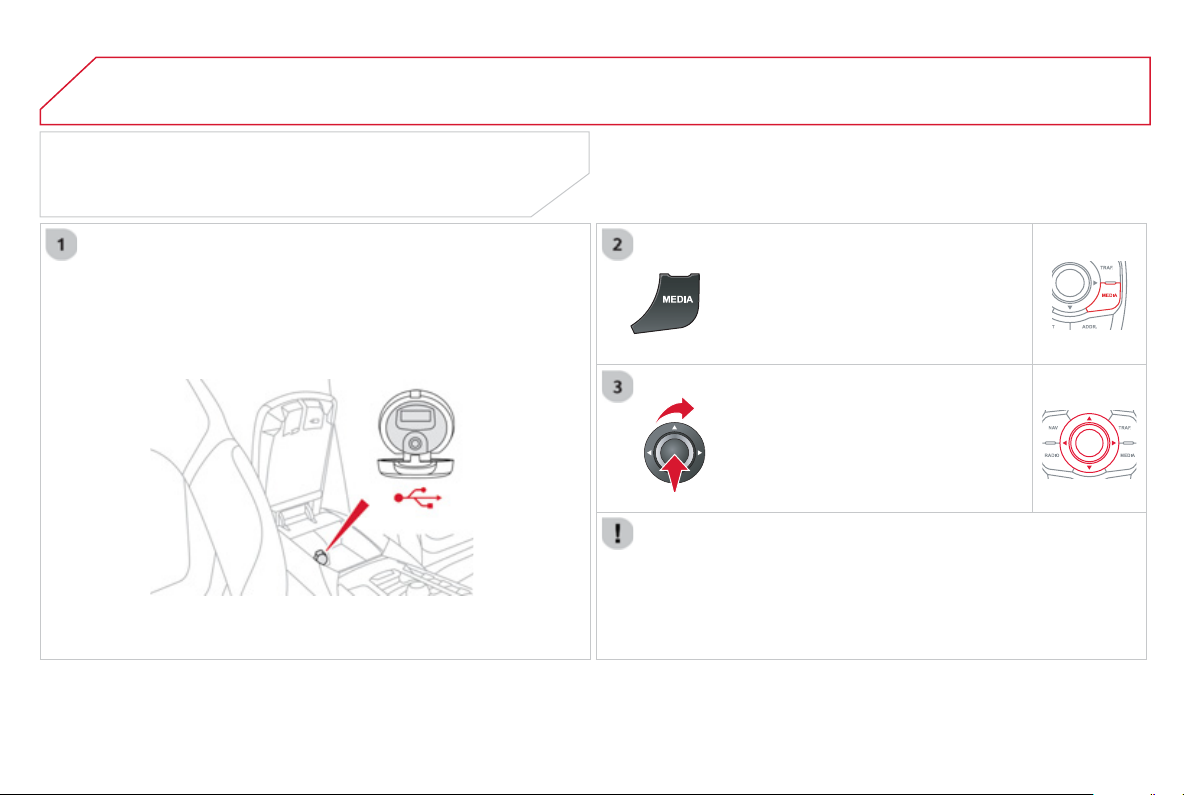
09 MUSIC MEDIA PLAYERS
USING THE AUXILIARY INPUT (AUX)
Cable not supplied
C
onnect the portable device
(
MP3 pla
y
er…
)
to the auxiliar
y
JA
C
K
soc
k
et us
i
n
g
an au
di
o ca
bl
e.
P
r
ess
MEDIA
to
di
sp
l
a
y
t
h
e
"
MEDIA
"
menu
.
S
elect "Activate / Deactivate AUX
inpu
t
"
a
n
d
co
nfi rm.
First ad
j
ust the volume of
y
our portable
device
(
to a hi
g
h level
)
. Then ad
j
ust the
volume o
f
y
our audio s
y
stem.
Displa
y
and mana
g
ement of the controls are via the portable device.
10
293
A
UDIO SETTINGS
The
y
are accessible b
y
the
M
U
S
IC
button in the control panel or b
y
a lon
g
p
ress on RADIO
o
r
M
EDI
A
accordin
g
to
th
e
sou
r
ce
in
use
.
-
"
Eq
ua
li
ze
r
" (choice of 6 musical ambiences)
r
-
"
B
ass
"
-
"
T
re
ble
"
- " Loudness"
(
Activate
/
Deactivate
)
- "
D
istribution"
(
"
Driver
", "
r
All passen
g
er
s
"
)
- " Le-Ri balanc
e
"
(
Left/Ri
g
ht
)
-"Fr-Re balanc
e
"
(
Front/Rear
)
-
"
A
uto.
V
o
l
um
e
" dependin
g
on road speed
(
Activate/Deactivate
)
The audio settin
g
s
(
Equalizer
,
r
B
ass
,
T
re
ble
a
n
d
L
ou
d
ness
)
are
di
ff
erent and independent
f
or each sound source.
The settings
f
or distribution and balance are common to all sources.
The distribution
(
or spatialisation usin
g
the Arkam
y
s
©
s
y
stem
)
o
f
sound is an audio process that allows the audio qualit
y
to be adapted
t
o
th
e
n
u
m
be
r
o
f li
s
t
e
n
e
r
s
in th
e
v
e
hi
c
l
e
.
O
n-board Audio: Arkam
y
s
©
Sound Staging.
©
W
ith Sound Sta
g
in
g
, the driver and passen
g
ers are immersed in an
"
audio scene" recreatin
g
the natural atmosphere of an auditorium:
trul
y
a part of the scene and its surroundin
g
s.
This new sensation is made possible b
y
so
f
tware in the audio s
y
stem
which processes the di
g
ital si
g
nals
f
rom the media pla
y
ers
(
radio,
C
D, MP3…
)
without changing the audio settings. This processing
takes account o
f
the characteristics o
f
the passen
g
er compartment to
p
roduce optimum results.
The Arkam
y
s
©
software installed in your audio system processes
©
the di
g
ital si
g
nal from the media pla
y
ers
(
radio, CD, MP3, ...
)
and
r
ecreates a natural musical scene, with harmonious placement o
f
instruments and voices in the space in front of passen
g
ers, level with
t
he
w
i
n
dsc
r
ee
n.
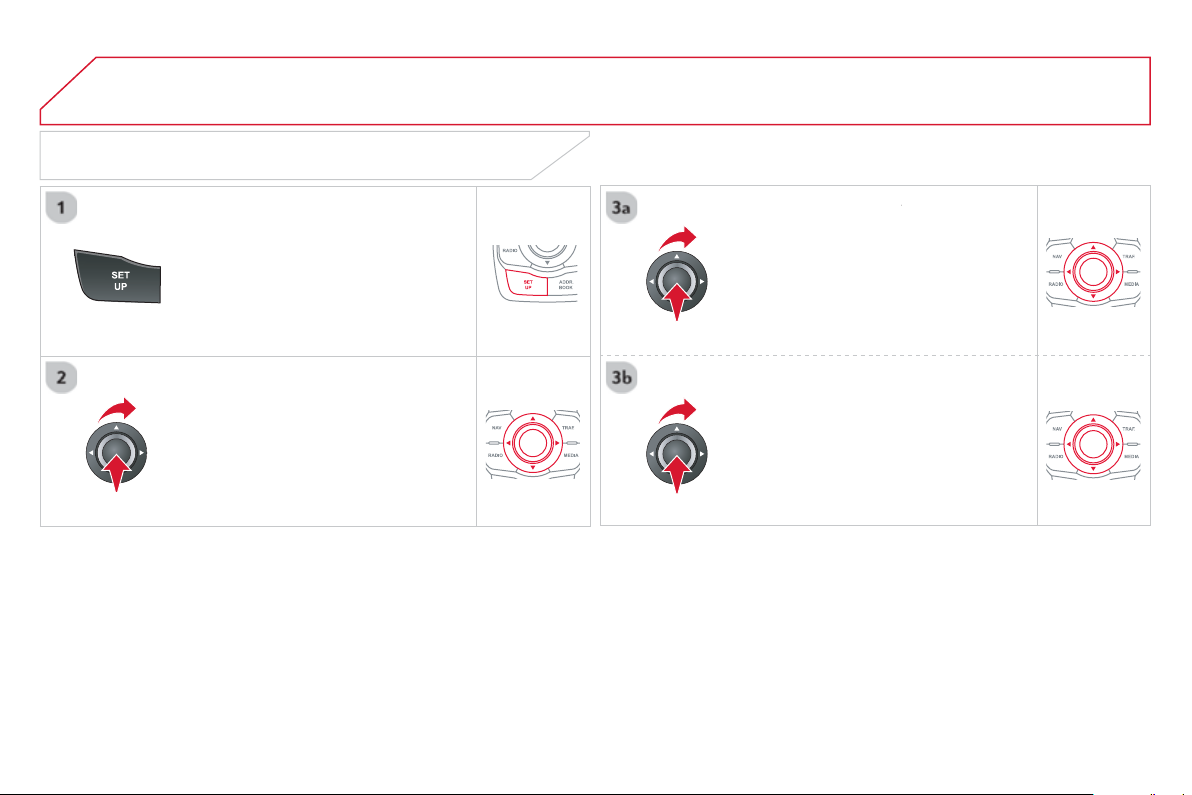
11 CONFIGURATION
DISPLAY CONFIGURATION
Pr
ess
SETU
P
to displa
y
the
"
Confi
g
uration " m
e
n
u
.
S
elect "
Choose colour
"
a
n
d
co
nfi rm t
o
r
select the screen colour harmon
y
and
t
h
e map presentat
i
on mo
d
e:
-
d
a
y
mo
d
e,
- n
igh
t mo
d
e,
- automatic day
/
night mode,
a
ccordin
g
to whether the
headlamps are on.
S
elect "
Adj
ust
l
um
i
nos
i
t
y
"
a
n
d
co
nfi rm
to a
dj
ust t
h
e screen
b
r
igh
tness.
Pr
ess
" O
K
" to save the changes.
The settings
f
or day and night are
i
ndependent.
S
elect "
D
ispla
y
confi
g
uration"
a
n
d
co
nfi rm.
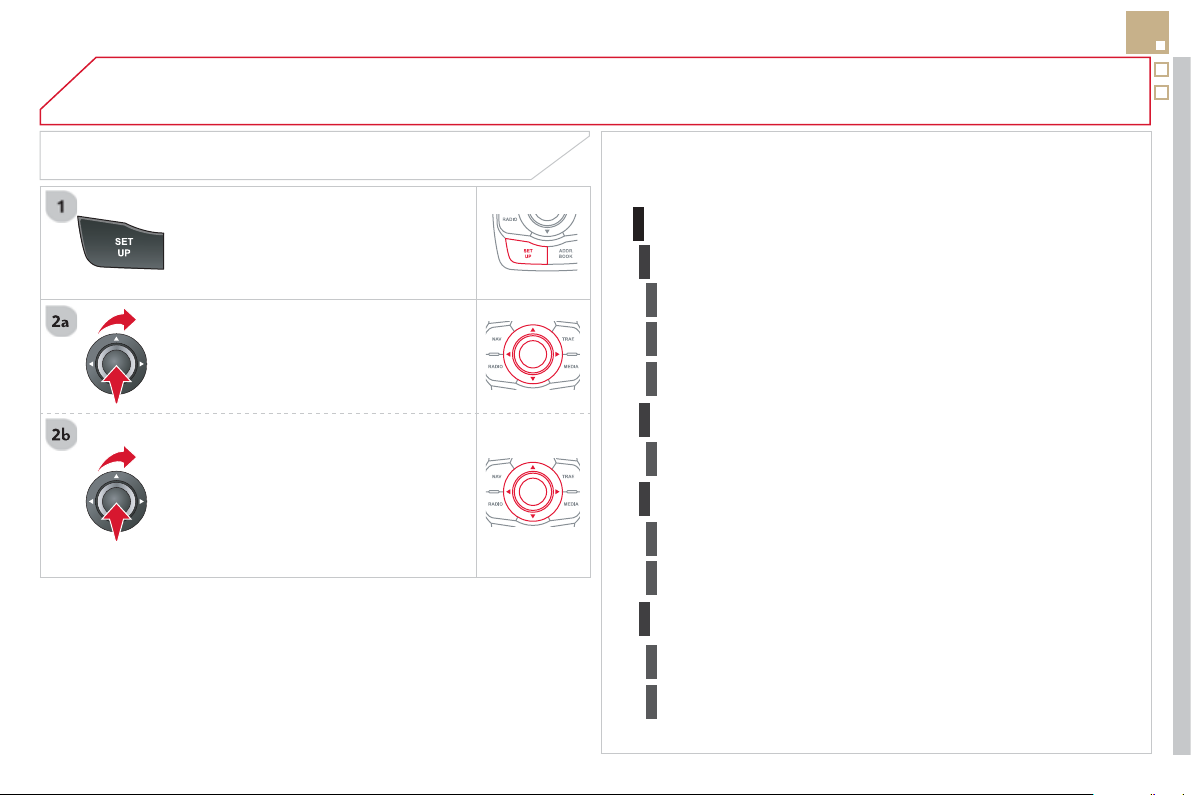
11
295
Pr
ess
SETU
P
to displa
y
the
"
Confi
g
uration
"
m
e
n
u
.
A
d
j
ust the settin
g
s one b
y
one.
Th
e
n
se
l
ec
t "O
K
"
o
n th
e
sc
r
ee
n
a
n
d
c
onfi rm to save the settin
g
s.
Se
l
ec
t "
V
ehicle
p
arameters "
a
n
d
co
nfi rm.
VEHICLE SETTINGS
CONFIGURATION
"SETUP" MENU
V
ehicle parameters
D
rivin
g
aids
Rear wiper with reverse
g
ear
Automatic parkin
g
brake
1
2
S
peeds memorised
3
3
3
V
e
hi
c
l
e acces
s
2
D
r
i
ver open
i
n
g
s se
l
ect
i
v
i
t
y
3
D
riving lightin
g
2
D
a
y
t
i
me runn
i
n
g
l
amps
3
Directional headlamps
3
Comfort li
g
htin
g
2
W
e
l
come
ligh
t
i
n
g
3
G
uide me home li
g
htin
g
3

12
"Navigation - guidance" MENU
E
nter an address
Select destination
D
irector
y
G
PS coordinates
(
Archive
)
Journe
y
le
g
and route
Add a sta
ge
Ent
e
r
a
n
add
r
ess
Director
y
Pr
e
vi
ous
des
tin
a
ti
o
n
s
Order/delete
j
ourne
y
le
g
s
Di
vert rout
e
Chosen destination
Guidance o
p
tions
D
efi ne calculation criteri
a
Set speech s
y
nthesi
s
D
e
l
ete
l
ast
d
est
i
nat
i
ons
M
ap mana
g
ement
M
a
p
or
i
entat
i
on
Select TMC station
Automatic TMC
Manual TMC
L
ist of TMC stations
Displa
y
/ Do not displa
y
messa
g
es
SCREEN MENU MAP
MAIN FUNCTION
option A
1
o
p
tion A2
OPTION A
OPTION B...
M
a
p
d
eta
il
s
M
ove the map
/
"Vehicle monitorin
g
"
M
app
i
ng an
d
up
d
at
i
ng
D
escri
p
tion of risk areas databas
e
Stop / Restore guidance
"TRAFFIC" MENU
Geo
g
raphic fi lter
Retain all the messa
g
es
Retain the messa
g
es
A
r
ou
n
d
th
e
v
e
hi
c
l
e
O
n the route
Set
p
arameters for risk areas
1
2
1
2
2
2
1
2
2
3
3
1
1
3
3
2
2
2
2
1
3
1
1
2
2
2
2
2
2
2
2
2
2
2
1
2
1
2
12
297
SCREEN MENU MAP
Dial
Director
y
of contacts
Tele
p
hone o
p
tions
Rin
g
option
s
"Phone" MENU
1
2
1
1
3
3
2
1
3
3
2
2
1
2
2
2
1
1
2
2
2
1
3
3
3
3
1
2
2
1
1
3
3
3
3
3
3
2
Confi
g
uration
D
elete all contacts
I
m
p
ort all the entries
S
y
nchronization options
No s
y
nchronization
"Directory of contacts"
MENU
Displa
y
contacts
Open
I
m
p
or
t
D
elet
e
New contact
Eq
ualize
r
"RADIO" MENU
Followin
g
waveband
Options
Activate / Deactivate T
A
Activate / Deactivate RD
S
A
udio settin
g
s
Displa
y
telephone contacts
Displa
y
SIM card contacts
Contact mem. status
Displa
y
all phone contacts
Bluetooth functions
L
ist of the paired peripherals
Co
nn
ec
t
Di
sco
nn
ec
t
D
e
l
e
t
e
Peri
p
herals search
D
e
l
e
t
e
a
ll
Rename radiotele
p
hon
e
N
o
n
e
C
lassical
J
azz
Rock
Tech
n
o
Vocal
12 SCREEN MENU MAP
2
3
3
1
4
2
2
1
4
4
2
2
1
1
1
2
1
1
2
2
2
2
2
2
2
3
3
2
2
2
1
Random on all medi
a
Re
p
etition
Audio settin
g
s
(
same as RADIO
)
Activate
/
Deactivate AUX in
p
ut
"MEDIA" MENU
Followin
g
media source
E
j
ect USB support
Read mode
Norma
l
Rando
m
All passen
g
ers
L
e-Ri balanc
e
Fr-Re balanc
e
A
uto. Volum
e
U
p
date radio list
Bass
T
rebl
e
L
oudness
D
istribution
Driv
er
Ni
g
ht mode
A
uto Da
y/
Ni
g
ht
Ad
j
ust luminosit
y
Set date and tim
e
"SETUP" MENU
Displa
y
confi
g
uration
Choose colou
r
Harmon
y
C
arto
g
raph
y
Da
y
mode
V
oice s
y
nthesis
G
uidance instructions volum
e
S
elect male voice /
S
elect female voic
e
1
V
ehicle
p
arameters
The parameters var
y
accordin
g
to the vehicle
(
see "Confi
g
uration"
)
.

299
FREQUENTLY ASKED QUESTIONS
The followin
g
table
g
roups to
g
ether the answers to the most frequentl
y
asked questions concernin
g
y
our audio s
y
stem.
QUESTION
A
NSWER SOLUTION
Th
e
r
ou
t
e
ca
l
cu
l
a
ti
o
n i
s
no
t
success
f
u
l.
The
g
uidance criteria ma
y
confl ict with the current location
(
exclusion o
f
toll roads on a toll motorwa
y)
.
Check the
g
uidance criteria on the Navi
g
ation
M
enu, "Guidance o
p
tions"\ "Defi ne calculation
c
rit
e
ri
a
".
The P
O
Is do not appear. The P
O
Is have not been selected.
S
elect the P
O
Is in the list o
f
P
O
Is.
The P
O
Is have not been downloaded. Download the P
O
Is from the website:
"
http://citroen.navi
g
ation.com".
Th
e
Ri
s
k
a
r
eas
aud
i
b
l
e
warn
i
n
g
d
oes not wor
k
.
The audible warnin
g
is not active.
A
ctivate audible warnin
g
s in the Guidance options
m
enu, "Navi
g
ation -
g
uidance", "Set parameters
fo
r ri
s
k
a
r
eas
".
The system does not
s
u
gg
est a detour around
a
n in
c
i
de
nt
o
n th
e
r
ou
t
e
.
The guidance criteria do not take account o
f
TM
C
messages.
S
elect the "Tra
ffi
c in
f
o"
f
unction in the list o
f
g
uidance criteria.
I
r
ecei
v
e
a
Risk
a
r
ea
ale
rt
w
hi
c
h
i
s not on m
y
route.
O
ther than
g
uidance, the s
y
stem announces all Risk areas positioned in a
c
one located in
f
ront o
f
the vehicle. It ma
y
provide an alert
f
or a Risk area
l
ocate
d
on near
by
or para
ll
e
l
roa
d
s.
Zoom in on the map to view the exact position of
the Risk area.
S
elect "
O
n the route" to no lon
g
er
r
ece
i
ve a
l
erts ot
h
er t
h
an
g
u
id
ance or to re
d
uce t
h
e
tim
e
fo
r th
e
a
nn
ou
n
ce
m
e
nt.

FREQUENTLY ASKED QUESTIONS
QUESTION
A
NSWER SOLUTION
C
ertain tra
ffi
c
j
ams
a
l
on
g
t
h
e route are not
in
d
i
ca
t
ed
in r
ea
l tim
e
.
O
n startin
g
, it is several minutes be
f
ore the s
y
stem be
g
ins to receive the
tr
affi
c
in
fo
rm
a
ti
o
n.
Wait until the tra
ffi
c in
f
ormation is bein
g
received
c
orrectl
y
(
displa
y
o
f
the tra
ffi
c in
f
ormation icons on
the map
)
.
Th
e
fi lt
e
r
s
a
r
e
t
oo
r
es
tri
c
tiv
e
. Modif
y
the "Geo
g
raphic fi lter" settin
g
s.
In certain countries, onl
y
ma
j
or routes
(
motorwa
y
s...
)
are listed for the
tr
affi
c
in
fo
rm
a
ti
o
n.
Thi
s p
h
enomenon
i
s norma
l
.
Th
e s
y
stem
i
s
dependent on the tra
ffi
c in
f
ormation available.
Th
e
a
ltit
ude
i
s
n
o
t
displa
y
ed.
O
n starting, the initialisation o
f
the
G
P
S
may take up to 3 minutes to
r
eceive more than 4 satellites correctl
y
.
Wait until the system has started up completely.
C
heck that there is a
G
P
S
covera
g
e o
f
at least
4 satellites
(
lon
g
press on the
S
ETUP button, then
s
elect "GPS covera
g
e"
)
.
Dependin
g
on the
g
eo
g
raphical environment
(
tunnel...
)
or the weather,
the conditions o
f
reception o
f
the
G
P
S
si
g
nal ma
y
var
y
.
This phenomenon is normal. The s
y
stem
is dependent on the
G
P
S
si
g
nal reception
co
n
d
iti
o
n
s
.
I cannot connect m
y
Bl
uetoot
h
te
l
ep
h
one.
The telephone's Bluetooth function ma
y
be switched off or the telephone
ma
y
not
b
e v
i
s
ibl
e.
- Check that
y
our telephone's Bluetooth
fu
n
c
ti
o
n i
s
s
wit
c
h
ed
o
n.
-
C
heck in the telephone settin
g
s that it is
"
v
isible
t
o
all"
.
The Bluetooth telephone is not compatible with the s
y
stem.
A
list of com
p
atible Bluetooth mobile tele
p
hones is
a
v
a
il
ab
l
e
fr
o
m th
e
dea
l
e
r n
e
tw
o
rk.
Th
e
v
o
l
u
m
e
o
f th
e
te
l
ep
h
one connecte
d
i
n
Blue
t
oo
t
h
m
ode
is
i
n
audible
.
The volume depends both on the s
y
stem and on the telephone. Increase the volume of the audio s
y
stem, to
m
aximum if required, and increase the volume o
f
the telephone i
f
necessar
y
.
The ambient noise level has an infl uence on the qualit
y
of telephone
co
mm
u
n
ica
t
io
n.
Reduce the ambient noise level
(
close the windows,
r
educe the booster
f
an speed, slow down, ...
)
.

301
FREQUENTLY ASKED QUESTIONS
QUESTION
A
NSWER SOLUTION
S
ome contacts are
d
up
li
cate
d
i
n t
h
e
li
st.
The options
f
or s
y
nchronizin
g
contacts are s
y
nchronizin
g
the contacts
on the
S
IM card, the contacts on the telephone, or both. When both
synchronizations are selected, some contacts may be duplicated.
S
elect "Displa
y
S
IM card contacts" or "Displa
y
te
l
ep
h
one contacts
"
.
C
ontacts are not shown
in alphabetical order.
Some telephones offer displa
y
options. Dependin
g
on the settin
g
s
c
hosen, contacts can be transferred in a specifi c order.
Modif
y
the displa
y
settin
g
in the telephone
director
y
.
The s
y
stem does not
receive SMS text messa
g
es.
The Bluetooth mode does not permit sendin
g
SMS text messa
g
es to the
s
y
stem.
The
C
D is ejected
automaticall
y
or is not
p
la
y
ed b
y
the pla
y
er.
The
C
D is inserted upside down, is unplayable, does not contain any
a
udio data or contains an audio
f
ormat which the pla
y
er cannot pla
y
.
-
C
heck that the
C
D is inserted in the player the
ri
g
ht wa
y
up.
-
C
h
ec
k th
e
co
n
d
iti
o
n
of
th
e
C
D: th
e
C
D
ca
nn
o
t
be pla
y
ed if it is too dama
g
ed.
-
C
heck the content in the case of a recorded
C
D: consult the advice in the "Audio" section.
- The audio s
y
stem's
C
D pla
y
er does not pla
y
DVDs
.
-
S
ome recorded
C
Ds will not be played by
the audio s
y
stem because the
y
are not o
f
the
c
orrect qualit
y
.
Le
C
D has been recorded in a
f
ormat that is not compatible with the
pla
y
er.
The CD is protected b
y
an anti-piratin
g
protection s
y
stem which is not
r
eco
g
nised b
y
the audio s
y
stem.
Th
ere
i
s a
l
on
g
wa
i
t
i
n
g
period
f
ollowin
g
the insertion
o
f
a
C
D or connection o
f
a
US
B memory stick.
When a new medium is inserted, the s
y
stem reads a certain amount o
f
data
(
director
y
, title, artist, etc.
)
. This ma
y
take
f
rom a
f
ew seconds to
a
fe
w min
u
t
es
.
Thi
s p
h
enomenon
i
s norma
l
.
The CD pla
y
er sound is
poor
.
The CD used is scratched or of poor qualit
y
. Insert
g
ood qualit
y
CDs and store them in suitable
co
n
di
t
io
n
s
.
The audio equipment settings
(
bass, treble, ambiences
)
are unsuitable.
S
et the treble or bass level to 0, without selecting
a
n
a
m
b
i
e
n
ce
.

FREQUENTLY ASKED QUESTIONS
QUESTION
A
NSWER SOLUTION
S
ome characters in the
med
i
a
in
fo
rm
a
ti
o
n
a
r
e
n
o
t
di
sp
l
a
y
e
d
correct
ly
w
hil
e
p
laying.
The audio s
y
stem does not displa
y
some t
y
pes of characters.
U
se stan
d
ar
d
c
h
aracters to name trac
k
s an
d
fo
l
de
r
s
.
Pla
y
in
g
of streamin
g
fi les
does
n
o
t
s
t
a
rt.
Th
e per
i
p
h
era
l
d
ev
i
ce connecte
d
d
oes not support automat
i
c p
l
a
y
. Start the pla
y
back from the device.
Th
e
n
a
m
es
o
f tr
ac
k
s
a
n
d
t
h
e trac
k
l
en
g
t
h
are not
di
sp
l
a
y
e
d
on t
h
e screen
w
h
en stream
i
n
g
au
di
o.
The Bluetooth profi le does not allow the transfer of this information.
The qualit
y
o
f
reception
of
th
e
r
ad
i
o
s
t
a
ti
o
n
listened to
g
raduall
y
de
t
e
ri
o
r
a
t
es
o
r th
e
s
t
o
r
ed
s
t
a
ti
o
n
s
do
n
o
t f
u
n
c
ti
o
n
(
no sound, 87.5 Mhz is
displa
y
ed...
)
.
The vehicle is too
f
ar
f
rom the transmitter used b
y
the station listened
to or there is no transmitter in the
g
eo
g
raphical area throu
g
h which the
vehicle is travellin
g
.
A
ctivate the "RD
S
"
f
unction b
y
means o
f
the
s
hort-cut menu to enable the s
y
stem to check
whether there is a more
p
owerful transmitter in the
g
eo
g
raphical area.
The environment
(
hills, buildin
g
s, tunnels, basement car parks...
)
block
r
eception, includin
g
in RDS mode.
This phenomenon is normal and does not indicate
a fault with the audio s
y
stem.
The aerial is absent or has been dama
g
ed
(
for example when
g
oin
g
throu
g
h a car wash or into an under
g
round car park
)
.
Have the aerial checked b
y
a CITROËN dealer.
I
ca
nn
o
t
fi
n
d
so
m
e
r
ad
i
o
s
t
a
ti
o
n
s
in th
e
li
s
t
of
s
t
a
ti
o
n
s
r
ece
iv
ed
.
The station is not received or its name has chan
g
ed in the list.
S
ome radio stations send other in
f
ormation in place o
f
their name
(
the
title o
f
the son
g
f
or example
)
.
The s
y
stem interprets this in
f
ormation as the name o
f
the station.
Th
e
n
a
m
e
of
th
e
r
ad
i
o
s
tation chan
g
es.

303
FREQUENTLY ASKED QUESTIONS
QUESTION
A
NSWER SOLUTION
I
n c
h
an
gi
n
g
t
h
e sett
i
n
g
of
tr
eb
l
e
a
n
d
bass
th
e
e
qua
li
zer sett
i
n
g
i
s
dese
l
ec
t
ed
.
The selection of an equalizer settin
g
imposes the balance settin
g
s.
Modi
fy
in
g
one without the other is not possible.
Modif
y
the balance or equalizer settin
g
s to obtain
t
he
desi
r
ed
m
usical
a
m
bie
n
ce
.
In chan
g
in
g
the equalizer
s
ettin
g
, treble and bass
re
t
u
rn t
o
z
e
r
o
.
Wh
en c
h
an
gi
n
g
t
h
e
balance settings, the
distribution settin
g
is
dese
l
ec
t
ed
.
The selection o
f
a distribution settin
g
imposes the balance settin
g
s.
Modi
f
ying one without the other is not possible.
Modi
fy
the balance or distribution settin
g
s to
ob
t
a
in th
e
des
ir
ed
m
us
i
ca
l
a
m
b
i
e
n
ce
.
When chan
g
in
g
an
distribution settin
g
,
t
h
e
b
a
l
ance sett
i
n
g
i
s
deselec
t
ed
.
Th
e
r
e
i
s
a
d
iff
e
r
e
n
ce
in
s
oun
d
qua
li
t
y
b
etween
th
e
d
i
ffe
r
e
nt
aud
i
o
s
ources
(
radio,
C
D...
)
.
For optimum sound qualit
y
, the audio settin
g
s for Volume, Bass, Treble,
Equalizer and Loudness can be adapted to the di
ff
erent sound sources,
which ma
y
result in audible di
ff
erences when chan
g
in
g
source
(
radio,
C
D...
)
.
Check that the audio settin
g
s for
(
Volume, Bass,
Treble, Equalizer, Loudness
)
are adapted to
t
he
sou
r
ces
lis
t
e
n
ed
t
o
.
I
t
is
ad
v
isable
t
o
se
t t
he
A
UDI
O
f
unctions
(
Bass, Treble, Fr-Re balance,
Le-Ri balance
)
to the middle position, select the
"
None", musical ambience and set the loudness
c
orrection to the "Active"
p
osition in CD mode or
to the "Inactive"
p
osition in radio mode.

QUESTION
A
N
S
WER
S
OLUTION
With the en
g
ine off, the
sy
stem switches off after
a
fe
w min
u
t
es
of
use
.
When the en
g
ine is switched off, the s
y
stem's operatin
g
time depends on
t
h
e
b
atter
y
c
h
ar
g
e.
The switch-o
ff
is normal: the s
y
stem switches to econom
y
mode and
switches o
ff
to prevent dischar
g
in
g
o
f
the vehicle's batter
y
.
Start the vehicle's en
g
ine to increase the batter
y
ch
ar
g
e.
Pla
y
back of m
y
USB
m
emor
y
stick starts onl
y
after a ver
y
lon
g
wait
(
around 2 to 3 minutes
)
.
Some fi les supplied with the memor
y
stick ma
y
g
reatl
y
slow down access
to readin
g
the memor
y
stick
(
multiplication b
y
10 of the catalo
g
ue time
)
.
Delete the fi les supplied with the memor
y
stick
a
n
d
limit th
e
n
u
m
be
r
o
f
sub
-f
o
l
de
r
s
in th
e
fi l
e
s
tructure on t
h
e memor
y
st
i
c
k
.
When I connect m
y
iPhone as tele
p
hone and
to the USB
p
ort at the
s
ame time, I am unable
to pla
y
the music fi les.
When the iPhone connects automaticall
y
as a telephone, it
f
orces the
streamin
g
function. The streamin
g
function takes the place of the USB
function which is then not useable, there is a
p
eriod without sound of the
track bein
g
pla
y
ed with Apple
®
players.
®
Disconnect and reconnect to the U
S
B port
(
the USB function takes priorit
y
over streamin
g)
.
FREQUENTLY ASKED QUESTIONS

305
Th
e s
y
stem
i
s co
d
e
d
i
n suc
h
a wa
y
t
h
at
i
t w
ill
on
ly
operate
i
n
y
our ve
hi
c
l
e.
AUDIO SYSTEM / BLUETOOTH
01 First steps
For safet
y
reasons, the driver must onl
y
carr
y
out
operat
i
ons w
hi
c
h
requ
i
re pro
l
on
g
e
d
attent
i
on w
hil
e t
h
e
ve
hi
c
l
e
i
s stat
i
onar
y
.
When the engine is switched o
ff
and to prevent
dischar
g
in
g
o
f
the batter
y
, the audio s
y
stem ma
y
switch
off
af
t
e
r
a
fe
w min
u
t
es
.
CONTENTS
02 Steering mounted controls
03 Main menu
04 Audio
05 Using the telephone
06 Audio settings
07 Screen menu map
Frequently asked questions
p.
p.
p.
p.
p.
p.
p.
p.
3
0
6
3
0
7
3
0
8
3
0
9
3
1
9
327
32
8
3
3
0
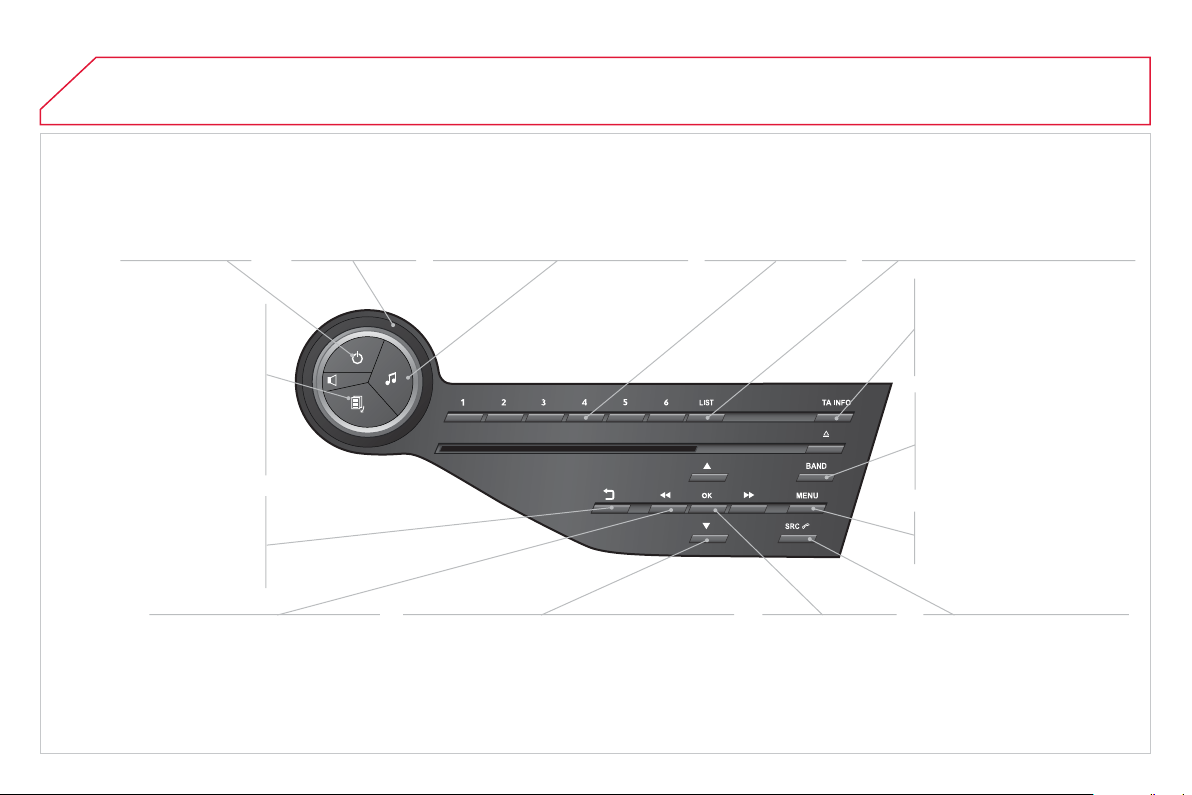
01
O
n
/
Off
.
FIRST STEPS
V
o
l
u
m
e
ad
j
ustment.
S
elect screen displa
y
be
tw
ee
n m
odes
:
Full screen: Audio
(
o
r
telephone i
f
call in pro
g
ress
)
/
In a window: Audio
(
or
telephone if call in pro
g
ress
)
-
Ti
me or
T
r
i
p computer.
L
on
g
press:
bl
ac
k
screen
(
DARK
)
.
S
election of AM
/
FM
/
DAB *
w
a
v
eba
n
ds
.
S
elect preset radio
s
t
a
t
io
n.
Long press: store a
s
t
a
ti
o
n.
Displa
y
the list of stations received,
C
D
/
MP
3
tracks or
f
olders.
L
on
g
press: mana
gi
n
g
t
h
e
c
lassi
fi
cation o
f
MP
3/
WMA
fi
les
/
update the list o
f
stations received.
TA
(
Traffi c Announcement
)
f
unction
O
n
/
O
ff.
Lon
g
press: access to t
y
pe o
f
inf
o
rm
a
ti
o
n.
C
onfi rmation
o
r displa
y
o
f
co
nt
e
xt
ua
l m
e
n
u
.
Automatic search u
p
/ down for
radio fre
q
uencies.
S
elect previous / next CD, USB,
s
tream
i
n
g
trac
k
.
N
av
ig
at
i
on
i
n a
li
st.
Aba
n
do
n th
e
cu
rr
e
nt
operation.
Up one level
(
menu or
f
older
)
.
Manual step b
y
step search up / down for radio
fre
q
uencies.
S
elect previous / next MP3 folder.
S
elect previous / next folder /
g
enre / artist /
p
la
y
list in the U
S
B device.
N
av
i
gat
i
on
i
n a
li
st.
S
elect source:
R
adio, CD, AUX, USB,
S
treamin
g
.
A
ccept an
i
ncom
i
n
g
ca
ll
.
A
ccess
t
o
m
a
in m
e
n
u
.
A
u
di
o sett
i
n
g
s:
au
di
o am
bi
ences, tre
bl
e,
b
ass,
l
oudness, distribution, le
f
t
/
ri
g
ht
balance,
f
ront
/
rear
f
ader, automatic
v
o
l
u
m
e
.
*
Dependin
g
on model.
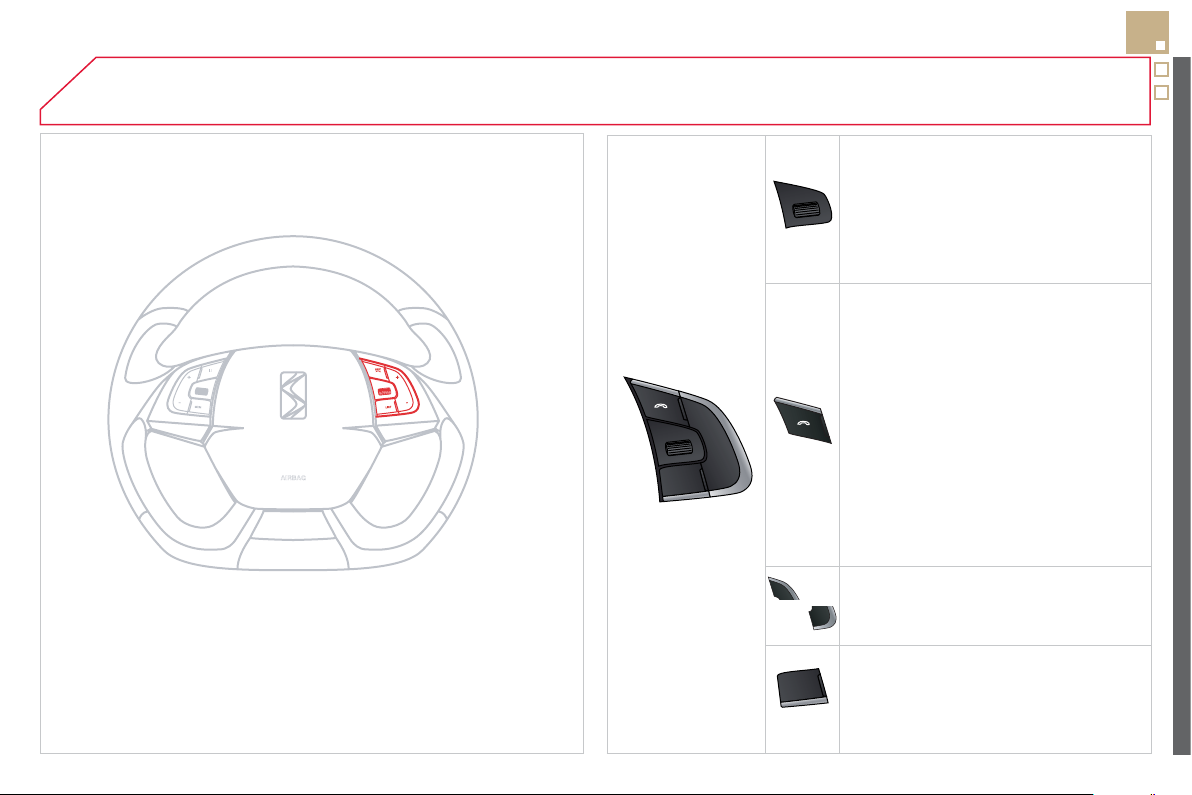
02
SRC
+
-
307
STEERING MOUNTED CONTROLS
- R
o
t
a
ti
o
n
Radio -automatic selection of next
/
p
revious frequenc
y
.
Media: previous / next track.
-
P
r
ess
t
he
n r
o
t
a
t
io
n:
access
t
o
6
preset stations.
-
C
han
g
e the audio source.
- TEL button
(
short press
)
:
Accept an incomin
g
call
Call in pro
g
ress: access to telephone
m
enu:
h
an
g
up, secret mo
d
e,
h
an
d
s-
f
r
ee
m
ode
.
- TEL button
(
lon
g
press
)
:
Re
j
ect an incomin
g
call or end a call
in pro
g
ress.
When not makin
g
a call, access to
the telephone menu
(
Dial, Contacts,
C
alls lo
g
, Voice mailbox
)
.
- In
c
r
ease
v
o
l
u
m
e
.
- D
ec
r
ease
v
o
l
u
m
e
.
- Radio: displa
y
the list o
f
stations.
Media: display the list o
f
tracks.
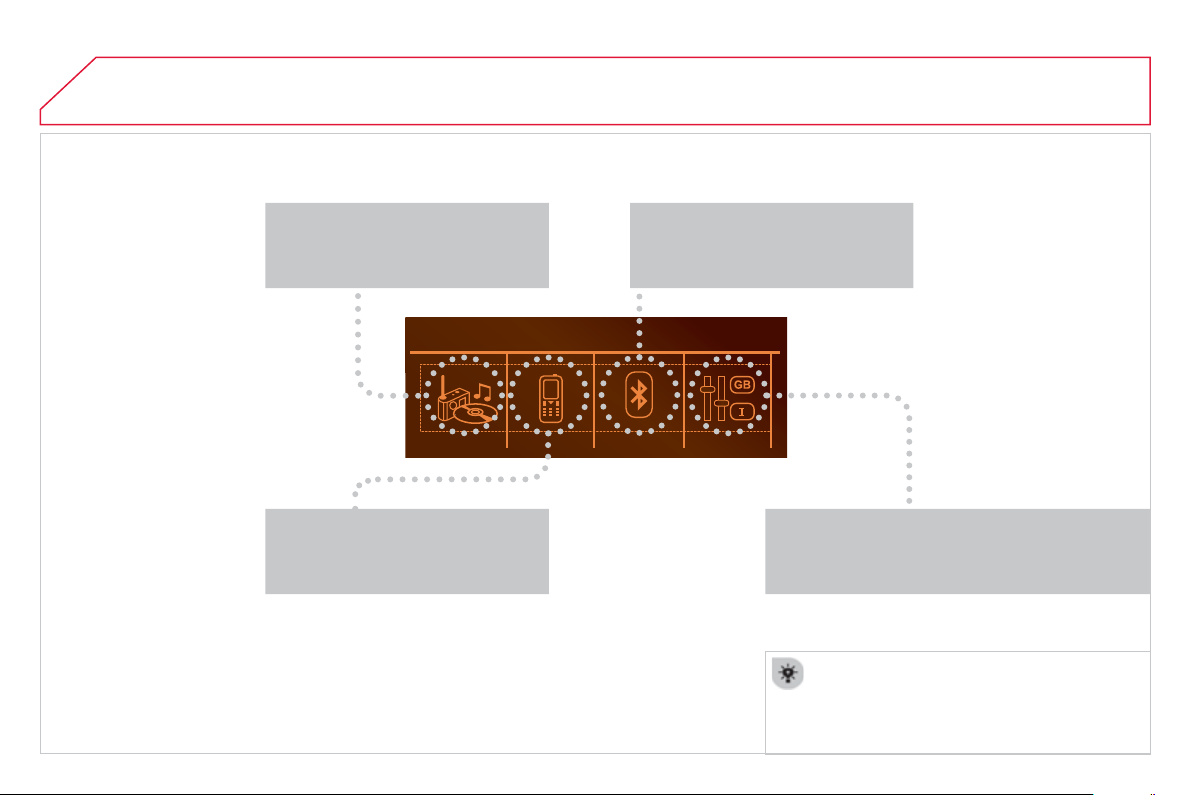
03
"
M
ultimedi
a
": Media parameters,
R
adio parameters.
For a detailed
g
lobal view o
f
the menus
available, re
f
er to the "
S
creen menu map"
sec
ti
o
n.
> SCREEN C
"Bluetooth connection"
:
Connections mana
g
ement, Search
f
o
r
a
de
vi
ce
.
"
T
elephon
e
": Call, Director
y
m
ana
g
ement, Telephone
m
ana
g
ement,
H
an
g
up.
MAIN MENU
"
P
ersonalisation-confi
g
uratio
n
": D
e
fi n
e
th
e
vehicle parameters, Choice of lan
g
ua
g
e, Displa
y
c
onfi
g
uration, Choice of units, Date and time
adj
ustment.

04
309
Pr
ess
SOURC
E
or
SR
C
se
v
e
r
a
l tim
es
in
success
i
o
n
a
n
d
se
l
ec
t r
ad
i
o
.
P
r
ess
BAND
t
o
selec
t
a
w
a
v
eba
n
d
.
Pr
ess
LIS
T
to displa
y
the list of stations
r
eceived in al
p
habetical order.
A
press c
h
an
g
es to t
h
e next or prev
i
ous
l
etter
(
e.g. A, B, D, F,
G
, J, K, ...
)
.
RADIO
S
elect the desired radio station and
c
onfi rm b
y
pressin
g
OK
.
S
ELECTING A
S
TATION
A lon
g
press on
L
I
S
T builds or updates
the list o
f
stations; audio reception is cut
momentaril
y
.
The exterior environment
(
hills, buildin
g
s, tunnel, car park, below
g
round...
)
ma
y
prevent reception, even in RD
S
station trackin
g
m
ode. This phenomenon is normal in the propa
g
ation o
f
radio
waves and is in no way indicative o
f
a
f
ault with the audio system.
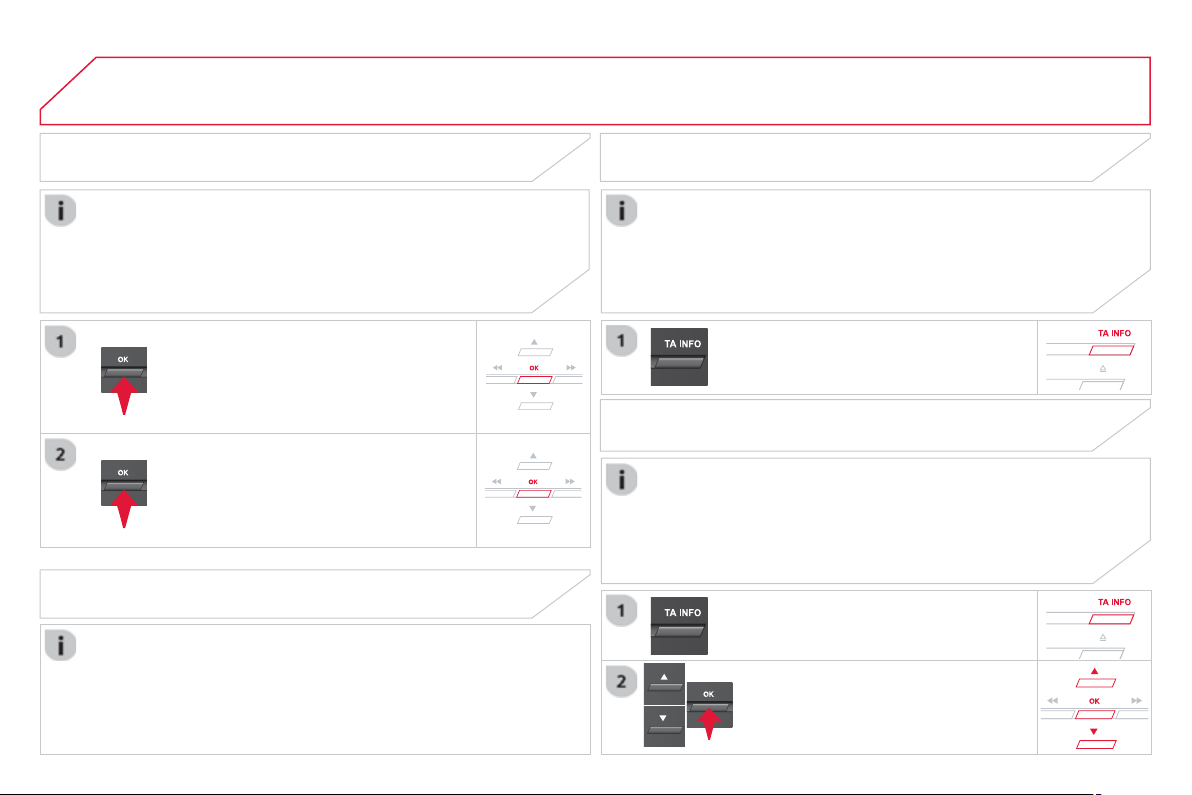
04
RDS, if displa
y
ed, enables
y
ou to continue listenin
g
to the same
s
tation b
y
automatic retunin
g
to alternative frequencies. However,
in certain conditions, covera
g
e o
f
an RD
S
station ma
y
not be
assure
d
t
h
rou
gh
out t
h
e countr
y
as ra
di
o stat
i
ons
d
o not cover
100
%
o
f
the territory. This explains the loss o
f
reception o
f
the
s
tation durin
g
a
j
ourne
y
.
A
UDIO
RDS RECEIVING TA MESSAGES
The TA
(
Tra
ffi
c Announcement
)
f
unction gives priority to TA alert
m
essa
g
es. To operate, this
f
unction needs
g
ood reception o
f
a
r
adio station transmittin
g
this t
y
pe o
f
messa
g
e. When a tra
ffi
c
r
eport is transmitted, the current audio source
(
Radio, CD,
USB, ...
)
is interrupted automaticall
y
to pla
y
the TA messa
g
e.
N
ormal pla
y
back of the audio source resumes at the end of the
transmission of the messa
g
e.
Pr
ess
T
A INFO t
o
ac
tiv
a
t
e
o
r
deac
tiv
a
t
e
the reception o
f
tra
ffi
c messa
g
es.
Wh
en t
h
e ra
di
o
i
s
di
sp
l
a
y
e
d
on t
h
e
screen
,
press
OK to
di
sp
l
ay t
h
e
co
nt
e
xt
ua
l m
e
n
u
.
S
elect "
R
D
S
"
o
r "
D
AB / FM auto
trac
ki
n
g
"
a
n
d
co
nfi rm t
o
sa
v
e
.
"
RD
S
"
o
r
"
D
AB
/
F
M
"
i
s
di
sp
l
a
y
e
d
on t
h
e
screen
.
DIGITAL RADIO - DAB/FM AUTO TRACKING
DAB / FM auto trackin
g
allows
y
ou to continue listenin
g
to the same
s
tation, b
y
temporaril
y
switchin
g
to the equivalent analo
g
ue station
unt
il
t
h
e
digi
ta
l
s
ig
na
l
i
s sta
bl
e a
g
a
i
n.
The INF
O
f
unction
g
ives priorit
y
to TA alert messa
g
es. To be
active, this
f
unction needs
g
ood reception o
f
a radio station that
transmits this t
y
pe of messa
g
e. When a messa
g
e is transmitted,
the current audio source
(
Radio, CD, USB, ...
)
is interrupted
automaticall
y
to receive the INF
O
messa
g
e. Normal pla
y
resumes
at the end o
f
the messa
g
e transmission.
Make a long press on
T
A INFO
to
displa
y
the list o
f
cate
g
ories.
DIGITAL RADIO - LISTENING TO
INFO MESSAGES
Select or deselect cate
g
ories to activate
or deactivate the reception of the
c
orrespon
di
n
g
messa
g
es.
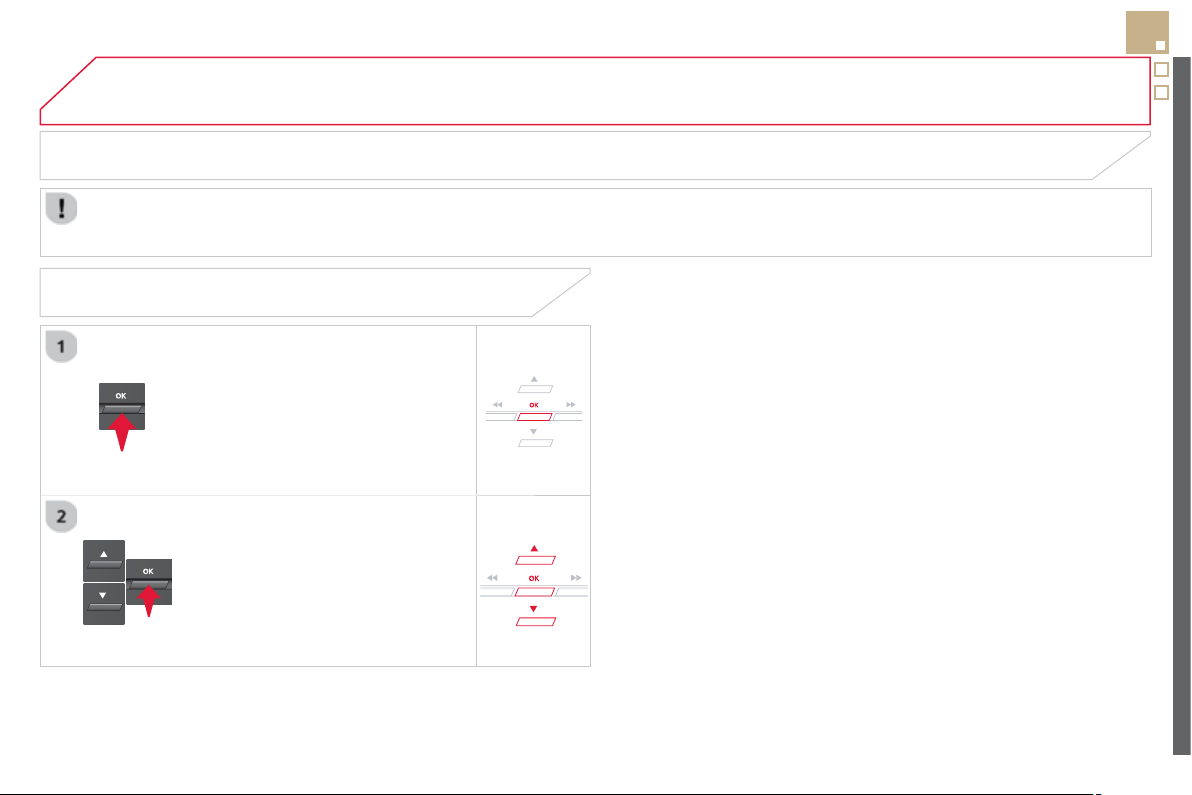
04
311
A
UDIO
Radio text is in
f
ormation transmitted b
y
the radio station related to the current pro
g
ramme or son
g
.
With the radio displa
y
ed on the screen,
press
O
K
to
di
sp
l
a
y
t
h
e contextua
l
menu
.
S
elect "
R
adioText
(
TXT
)
displa
y
"
a
n
d
co
nfi rm OK t
o
sa
v
e
.
DISPLAY RADIO TEXT
S
CREEN C
04
A
UDIO
AUDIO CD
Insert 12 cm diameter circular compact discs onl
y
.
Some anti-piratin
g
s
y
stems, on ori
g
inal discs or CDs copied usin
g
a
p
ersonal recorder, ma
y
cause faults which are no refl ection on the
q
ualit
y
o
f
the ori
g
inal pla
y
er.
Wi
t
h
out press
i
n
g
t
h
e
E
JECT button, insert a
C
D in the pla
y
er, pla
y
begins automatically.
T
o p
l
a
y
a
di
sc w
hi
c
h
h
as a
l
rea
dy
b
een
i
nserte
d
, press t
h
e SOURC
E
or
SR
C
bu
tt
o
n
se
v
e
r
al
t
i
m
es
i
n
successio
n
a
n
d
se
l
ec
t "
CD
".
Pr
ess
o
n
e
o
f th
e
bu
tt
o
n
s
t
o
se
l
ec
t
a
track on the
C
D.
PLAYING A CD
Pr
ess
L
IST to displa
y
the list of tracks
o
n the
C
D.
Pr
ess
a
n
d
h
o
l
d
o
n
e
o
f th
e
bu
tt
o
n
s
f
or
fas
t
fo
rw
a
r
d
o
r
bac
kw
a
r
d
.

04
313
A
UDIO
CD, USB
INFORMATION AND ADVICE
O
n a sin
g
le disc, the CD pla
y
er can read up to 255 MP3 fi les spread
over 8 director
y
levels. However, it is recommended that this be kept
to 2 levels so as to limit the time taken to access and pla
y
the
C
D.
Durin
g
pla
y
, the
f
older structure is not observed.
In order to be able to pla
y
a recorded CDR or CDRW, when recordin
g
it is
p
referable to select standards IS
O
9660 level 1.2 or Joliet.
If the disc is recorded in another format, it ma
y
not be pla
y
ed correctl
y
.
I
t
i
s recommen
d
e
d
t
h
at t
h
e same recor
di
n
g
stan
d
ar
d
i
s a
l
wa
y
s use
d
f
or an individual disc, with as low a speed as possible
(
4x maximum
)
f
or optimum sound quality.
In the particular case o
f
a multi-session
C
D, the Joliet standard is
r
eco
mm
e
n
ded
.
Do not connect a hard disk or U
S
B device other than audio pla
y
ers to
the U
S
B port. This ma
y
cause dama
g
e to
y
our installation.
The audio system will only play
fi
les with extension ".mp3" or ".wma"
and a compression rate that is constant or variable between
32
Kbps
and
320
Kbps.
It is advisable to restrict fi le names to 20 characters without usin
g
s
pecial characters
(
e.
g
. " ? ; ù
)
to avoid an
y
pla
y
in
g
or displa
y
in
g
p
ro
bl
ems.
The pla
y
lists accepted are t
y
pes .m3u and .pls.
The number o
f
fi
les is limited to 5 000 in 500 directories on a
m
aximum o
f
8 levels.
04
CD, USB
A
UDIO
PLAYING A COMPILATION
Insert an MP3 compilation in the
C
D pla
y
er
or connect a memor
y
stick to the USB port,
directl
y
or via an extension lead.
The s
y
stem creates pla
y
lists
(
temporar
y
memor
y)
the creation time
f
o
r whi
c
h
ca
n t
a
k
e
fr
o
m
a
f
e
w
seco
n
ds
t
o
se
v
e
r
a
l min
u
t
es
.
The pla
y
lists are updated ever
y
time the i
g
nition is switched o
ff
or a
US
B memor
y
stick is connected.
Pla
y
starts automaticall
y
a
f
ter a period which depends on the
c
apacit
y
o
f
the U
S
B memor
y
stick.
A
t a fi rst connection, the order su
gg
ested is b
y
folder.
Wh
en connect
i
n
g
a
g
a
i
n, t
h
e or
d
er prev
i
ous
ly
c
h
osen
i
s
re
t
ai
n
ed
.
T
o p
l
ay a
di
sc or memory st
i
c
k
w
hi
c
h
h
as alread
y
been inserted, press
SOURCE
or
SRC
se
v
e
r
a
l tim
es
in
success
i
o
n
a
n
d
se
l
ec
t "
CD
"
o
r "
U
S
B
".
Pr
ess
o
n
e
of
th
e
bu
tt
o
n
s
t
o
se
l
ec
t th
e
n
ext or previous track.
Pr
ess
o
n
e
o
f th
e
bu
tt
o
n
s
t
o
se
l
ec
t th
e
n
ext or previous
f
older in the order
chose
n.
Pr
ess
a
n
d
h
o
l
d
o
n
e
o
f th
e
bu
tt
o
n
s
f
o
r
f
as
t f
o
rw
a
r
ds
o
r
bac
kw
a
r
ds
.
P
r
ess
L
IS
T
to displa
y
the menu o
f
f
olders in the compilation.
04
315
S
elect a line in the list.
S
elect a track or a folder.
S
ki
p
a track.
Up a level in the menu.
A
UDIO
USB MEMORY STICK - FILE
CLASSIFICATION
Havin
g
selected the desired classifi cation
(
"
By
folders", " B
y
artists", "
By
g
enres", "
By
p
la
y
lists "
)
press O
K
.
Th
e
n
co
nfi rm OK t
o
sa
v
e
th
e
m
od
ifi
ca
ti
o
n
s
.
-
By
folders: all
f
olders containin
g
audio
fi
les recognised on the peripheral device,
i
n alphabetical order without
f
ollowin
g
the
fo
l
de
r
s
tr
uc
t
u
r
e
.
-
By
artist
s
:
a
ll
o
f th
e
a
rti
s
t n
a
m
es
de
fi n
ed
i
n the ID3 Ta
g
s, in alphabetical order.
-
By
g
enre
s
: all of the
g
enres defi ned in the
I
D3 Ta
g
s.
-
By
p
l
a
yli
sts : i
f
pla
y
lists have been saved.
M
a
k
e a
l
on
g
press on LIS
T
or
press
MEN
U
, select "
M
ultimedi
a
", then
"
M
edia
p
arameters" and
fi
nall
y
"Choice
o
f track listin
g
" to displa
y
the di
ff
erent
c
l
ass
ifi
ca
ti
o
n
s
.
04
A
UDIO
APPLE
®
PLAYERS or
PORTABLE PLAYER
Mana
g
ement o
f
the device is via the audio s
y
stem controls.
The audio
fi
les on a Mass
S
torage portable player
*
can
be heard throu
g
h the vehicle's speakers b
y
connectin
g
it to the U
S
B port
(
cable not supplied
)
.
If the portable pla
y
er is not reco
g
nised b
y
the USB port,
c
onnect it to the auxiliar
y
Jack socket.
The Apple
®
player must be updated regularly for the best
®
co
nn
ec
ti
o
n.
The pla
y
lists are those de
fi
ned in the Apple
®
p
l
a
y
er.
The Apple
®
player must be generation 5 or later.
*
C
heck
y
our pla
y
er's manual.
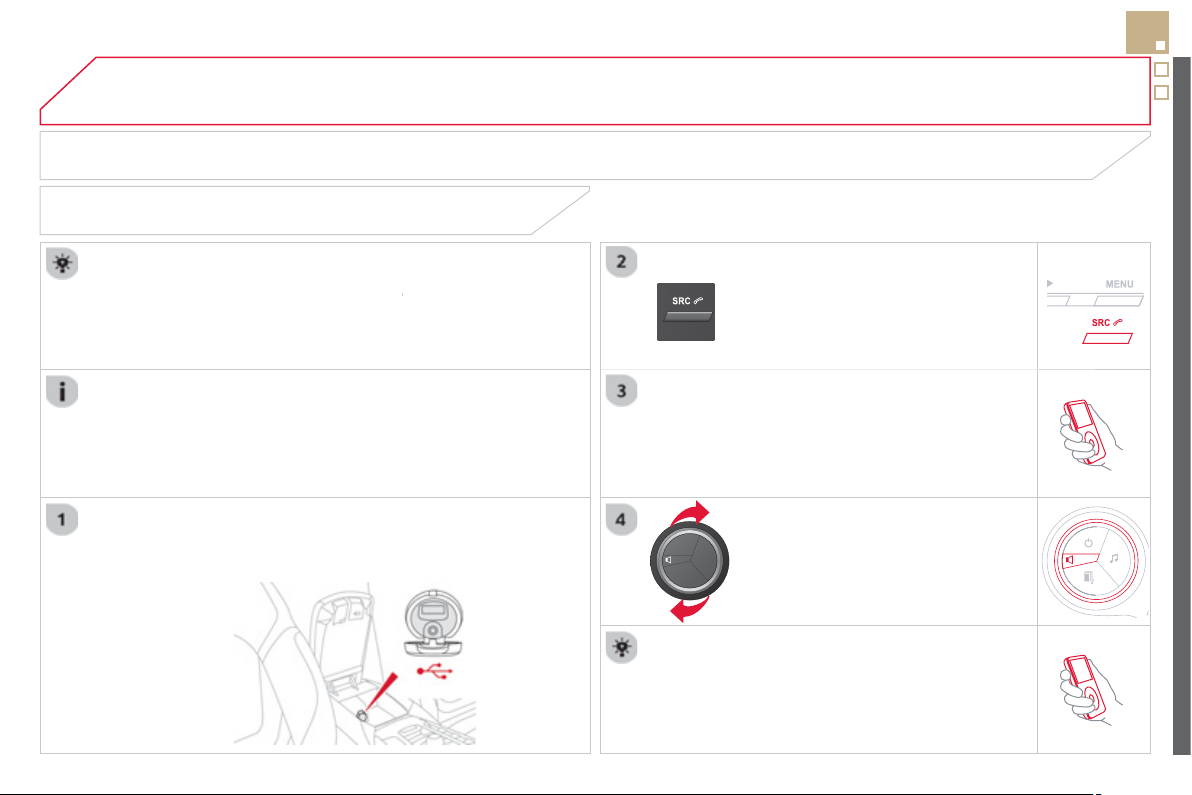
04
317
A
UDIO
AUXILIARY SOCKET (AUX)
AUXILIARY JACK SOCKET
Do not connect a device to the USB port and to the auxiliar
y
J
ack socket at the same time.
The auxiliar
y
Jack socket permits the connection of a portable
non-mass stora
g
e device or an Apple
®
player if not recognised
®
by
the USB port.
C
onnect the portable device to the auxiliar
y
Jack socket usin
g
a
suitable cable
(
not supplied
)
.
Pr
ess
th
e
SOURC
E
o
r SRC
bu
tt
o
n
se
v
e
r
a
l tim
es
in
success
i
o
n
a
n
d
se
l
ec
t
"
AUX
".
First ad
j
ust the volume on
y
our portable device.
Then ad
j
ust the volume of the audio
s
y
stem.
The displa
y
and mana
g
ement of controls is on the
p
ortable device.
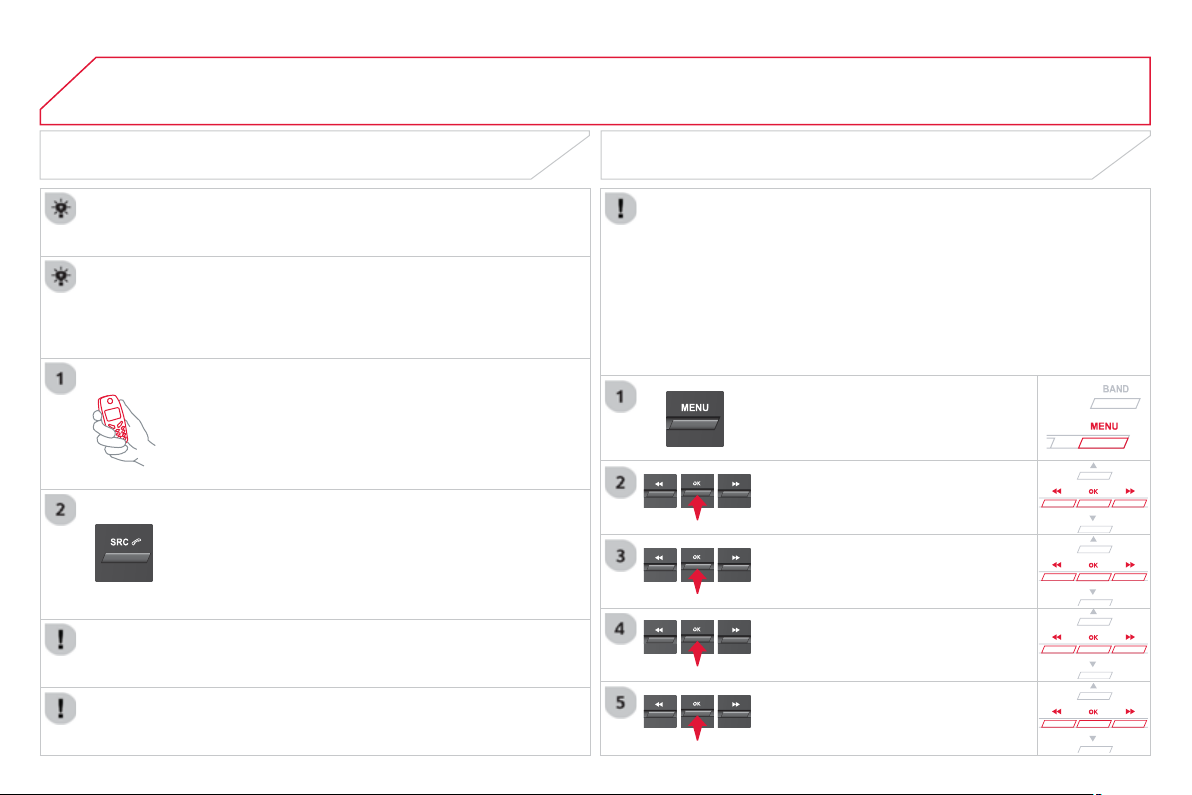
04
A
UDIO
STREAMING - PLAYING AUDIO FILES
VIA BLUETOOTH
Dependin
g
on the compatibilit
y
of the phone
Pair
/
connect the telephone: see the "U
S
IN
G
THE
TELEPH
O
NE" section.
S
treamin
g
allows music
fi
les on a telephone to be heard via the
ve
hi
c
l
e
'
s spea
k
ers.
The telephone must support the appropriate bluetooth pro
fi
les
(
Pro
fi
les A2DP
/
AVR
C
P
)
.
A
ctivate the streamin
g
source b
y
pressin
g
SOURC
E
or
SRC . Control of pla
y
back is via the audio s
y
stem. The
c
ontextual information can be displa
y
ed in the screen.
In certain cases, pla
y
in
g
of the audio fi les must be initiated from
the telephone.
The audio quality depends on the quality o
f
the transmission
f
rom
the telephone.
PLAY MODE
The pla
y
modes available are:
- Normal: the tracks are pla
y
ed in order, dependin
g
on the
c
l
ass
ifi
ca
ti
o
n
o
f th
e
se
l
ec
t
ed
fi l
es
.
- Random: the tracks in an album or
f
older are pla
y
ed in a
ra
n
do
m
o
r
de
r.
- Random all: all o
f
the tracks saved in the media are played in
ra
n
do
m
o
r
de
r.
- Repeat: the tracks pla
y
ed are onl
y
those from the current
a
l
bu
m
o
r f
o
l
de
r.
S
elect "
M
ultimedi
a
"
a
n
d
co
nfi rm.
S
elect "
M
edia parameters"
a
n
d
co
nfi rm.
S
elect "Read mod
e
"
a
n
d
co
nfi rm.
S
elect the desired pla
y
mode and
co
n
fi
rm O
K
t
o
sa
v
e
th
e
m
od
i
fi
ca
ti
o
n
s
.
Pr
ess
OK
fo
r
access
t
o
th
e
co
nt
e
xt
ua
l
menu
.
o
r
Pr
ess
M
EN
U
.
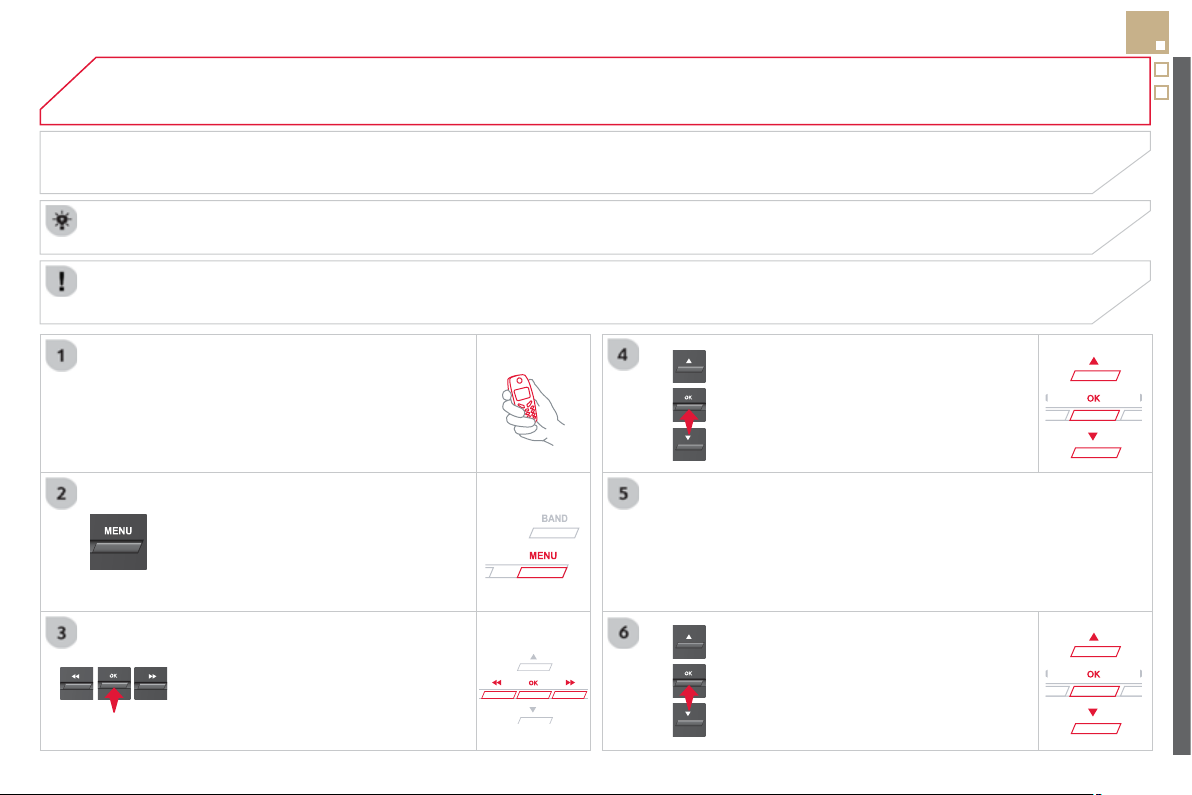
05
319
USING THE TELEPHONE
PAIRING A TELEPHONE
FIRST CONNECTION
The services offered depend on the network, the SIM card and the compatibilit
y
of the Bluetooth telephone used.
Consult
y
our telephone's manual and
y
our operator to fi nd out which services are available to
y
ou.
A
ctivate the telephone's Bluetooth function and
e
nsure that it is "visible to all"
(
refer to the telephone
user
g
uide
)
.
Pr
ess
M
EN
U
.
A
window is displayed "Search in progress
…
".
Select the tele
p
hone to be connected
f
rom the list.
O
nl
y
one telephone can
be
co
nn
ec
t
ed
a
t
a
t
i
m
e
.
S
elect " Search for a devic
e
".
For sa
f
et
y
reasons and because the
y
require prolon
g
ed attention on the part o
f
the driver, the operations
f
or pairin
g
o
f
the Bluetooth mobile
telephone with the Bluetooth hands-
f
ree s
y
stem o
f
y
our audio s
y
stem must be carried out with the
v
e
hi
c
l
e stat
i
onar
y
an
d
t
h
e
ig
n
i
t
i
on on.
Visit www.citroen.co.uk
f
or more in
f
ormation
(
compatibilit
y
, additional help, ...
)
.
S
elect "
Bl
uetoot
h
connect
i
on
"
a
n
d
co
n
fi
rm.
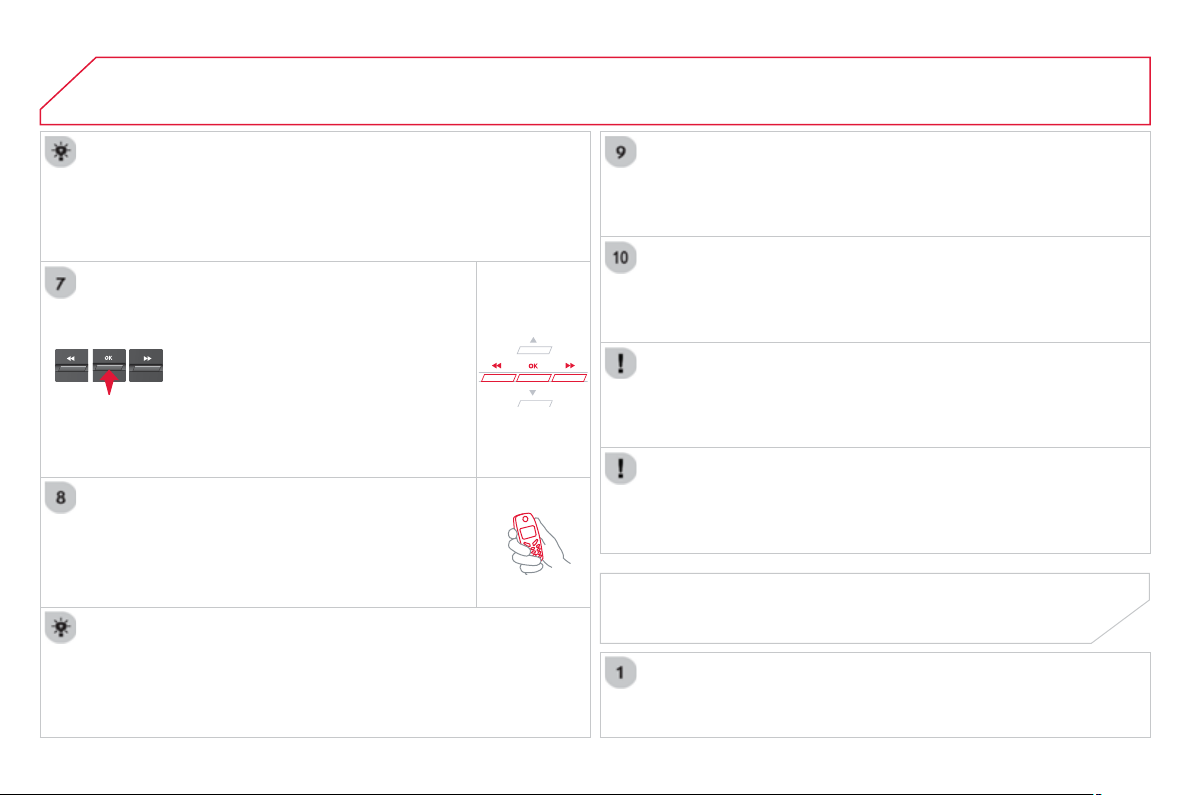
05 USING THE TELEPHONE
A virtual keypad is displayed on the
screen: enter a code with at least 4 di
g
its
a
n
d
co
n
fo
rm with
O
K
.
A
messa
g
e is displa
y
ed on the screen o
f
the
tele
p
hone: enter the same code and confi rm.
A
messa
g
e appears in the screen to con
fi
rm the result o
f
the
co
nn
ec
t
io
n.
Pairin
g
can also be initiated from the telephone b
y
searchin
g
for
de
t
ec
t
ed
Blue
t
oo
t
h
de
v
ices
.
A
ccept the connection to the telephone.
I
f
pairin
g
f
ails, tr
y
a
g
ain; the number o
f
attempts is not limited.
The director
y
and the calls list can be accessed a
f
ter the
s
y
nchronisation period
(
i
f
the telephone is compatible
)
.
A
utomatic connection must be confi
g
ured in the telephone to allow
th
e
co
nn
ec
ti
o
n
eac
h tim
e
th
e
v
e
hi
c
l
e
i
s
s
t
a
rt
ed
.
In some cases, the reference number of the tele
p
hone or the
Bluetooth address ma
y
appear instead of the name of the telephone.
Pair/connect the telephone then listen: see the AUDI
O
section.
STREAMING - PLAYING AUDIO
FILES VIA BLUETOOTH
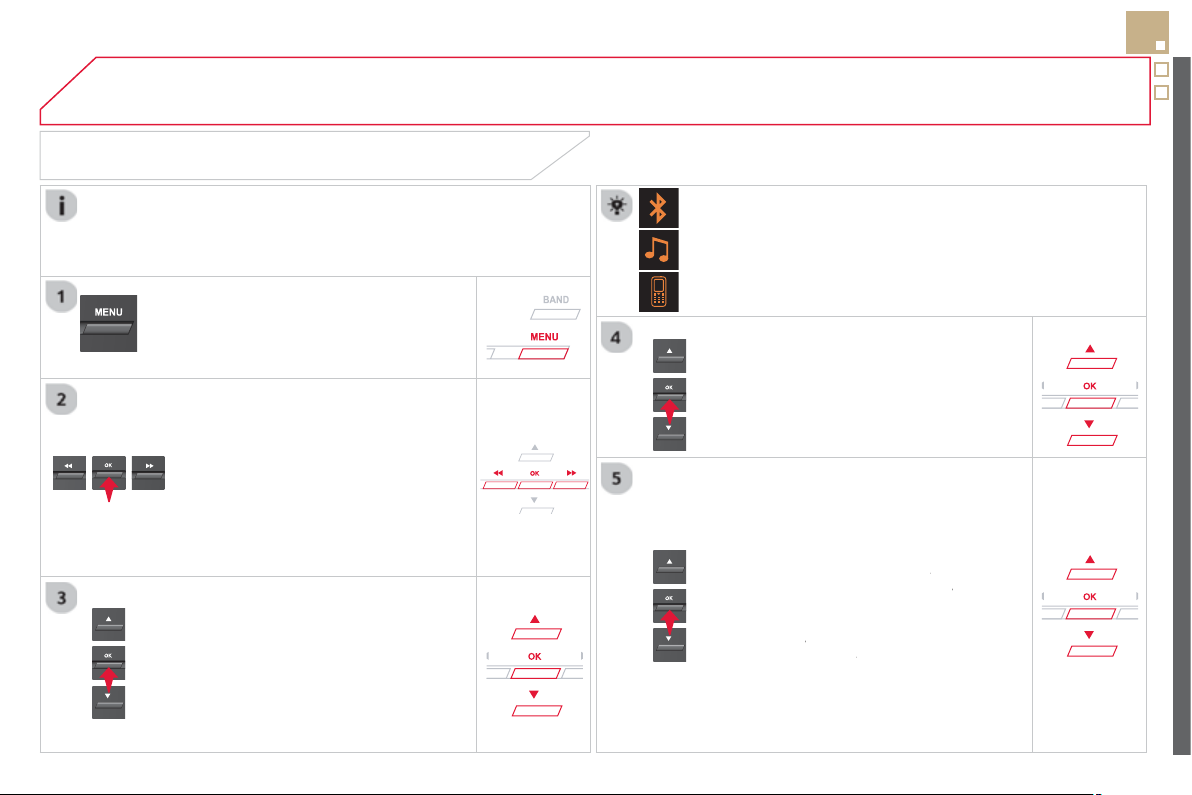
05
321
USING THE TELEPHONE
The telephone connection automatically includes hands
f
ree operation
and audio streamin
g
.
The abilit
y
o
f
the s
y
stem to connect to
j
ust one pro
fi
le depends on the
telephone. Both profi les ma
y
connect b
y
default.
Pr
ess
M
EN
U
.
S
elect "
Bl
uetoot
h
connect
i
on
"
a
n
d
co
n
fi
rm.
Indicates connection of the audio steamin
g
profi le.
MANAGING CONNECTIONS
S
elect " Connections mana
g
emen
t
"
a
nd con
fi
rm. The list o
f
paired
telephones is displa
y
ed.
S
elect a telephone and con
fi
rm.
Indicates connection o
f
the hands-
f
ree pro
fi
le.
Th
e
n
se
l
ec
t
a
n
d
co
n
fi
rm:
- " Connect telephon
e
"
/
"
D
isconnect
telephon
e
": to connect
/
disconnect
the telephone or the hands-free
c
onnect
i
on on
ly
.
-
"
Connect media player
"
/
r
"
Disconnect media player
"
: t
o
r
c
onnect
/
disconnect only streaming.
- " Connect tele
p
hone + media
player
" / "
r
D
isconnect telephone +
media player
": to connect /
r
disconnect the telephone
(
hands-free
and streamin
g)
.
-
"
D
e
l
ete connect
i
on
"
: t
o
dele
t
e
t
he
p
a
i
r
i
n
g
.
In
d
i
ca
t
es
th
a
t
a
de
vi
ce
i
s
co
nn
ec
t
ed
.

05 USING THE TELEPHONE
To displa
y
the "
T
ELEPHONE " m
e
n
u
:
- Make alon
g
press on SOURC
E
o
r
SR
C
.
-
O
r, press OK to
di
sp
l
a
y
t
h
e
c
ontextual menu.
S
elect "
C
all
"
a
n
d
co
n
fi
rm.
-
O
r, press MEN
U
, select
"
T
ele
p
hon
e
"
a
n
d
co
n
fi
rm.
Se
l
ec
t
"
C
all "
a
n
d
co
n
fi
rm.
S
elect "
Di
a
l
"
t
o
e
nt
e
r
a
n
u
m
be
r
a
n
d
co
n
fi
rm.
T
o
di
sp
l
a
y
t
h
e
"
T
ELEPHON
E
"
m
e
n
u
:
- Make a long press on
S
RC/TEL
.
-
O
r, press the dial to displa
y
the
co
nt
e
xt
ua
l m
e
n
u
.
Se
l
ec
t "Cal
l
"
a
n
d
co
nfi rm.
-
O
r, press
M
EN
U
, select
"
T
e
l
e
ph
on
e
" and confi rm.
S
elect
"
Cal
l
"
a
n
d
co
n
fi
rm.
S
elect O
K
a
n
d
co
n
fi
rm t
o
s
t
a
rt th
e
ca
ll.
S
elect "Calls lis
t
"
a
n
d
co
n
fi
rm.
MAKING A CALL - DIALLING
S
elect numbers one at a time using
th
e
a
n
d
bu
tt
o
n
s
a
n
d
co
n
fi
rm.
MAKING A CALL - RECENTLY CALLED
NUMBERS *
S
elect the number and confi rm to
s
t
a
rt t
he
call
.
The calls list includes calls sent and received in the vehicle usin
g
the
c
onnected tele
p
hone.
*
Dependin
g
on the compatibilit
y
o
f
the telephone.
C
orrection allows numbers to be deleted one at a time.
It is possible to make a call directl
y
from the telephone; park the
vehicle
fi
rst as a sa
f
et
y
measure.

05
SR
C
323
USING THE TELEPHONE
To displa
y
the "
T
ELEPHON
E
" m
e
n
u
:
-
M
a
k
e a
l
on
g
press on SRC/TEL
.
-
O
r, press the dial to displa
y
the
c
ontextual menu.
S
elect "
C
all "
a
n
d
co
n
fi
rm.
-
O
r, press MEN
U
, select
"
T
elephon
e
" and confi rm.
S
elect
"
C
all "
a
n
d
co
nfi rm.
S
elect "
Di
rector
y
"
a
n
d
co
n
fi
rm.
A
n
i
ncom
i
n
g
ca
ll
i
s announce
d
by
a r
i
n
g
an
d
a super
i
mpose
d
di
sp
l
a
y
in th
e
m
u
lti
fu
n
c
ti
o
n
sc
r
ee
n.
M
ob
il
e
(
dependin
g
on the information
a
v
a
il
ab
l
e
in th
e
co
nt
ac
t r
eco
r
ds
of
the telephone connected
)
.
"
YES
" to accept the call is selected b
y
de
f
au
lt.
P
r
ess
OK to accept t
h
e ca
ll
.
S
elect " NO " and con
fi
rm to re
j
ect the
call
.
or
Press one o
f
these buttons to accept
th
e
ca
ll.
MAKING A CALL -
FROM THE DIRECTORY
S
elect a contact then confi rm.
RECEIVING A CALL
Se
l
ec
t th
e
n
u
m
be
r
a
n
d
co
n
fi
rm.
A
lon
g
press on ESC
o
r
o
n
TEL
,
SOURC
E
or
SR
C
also re
j
ects an
i
ncom
i
n
g
ca
ll
.
B
us
in
ess
H
o
m
e
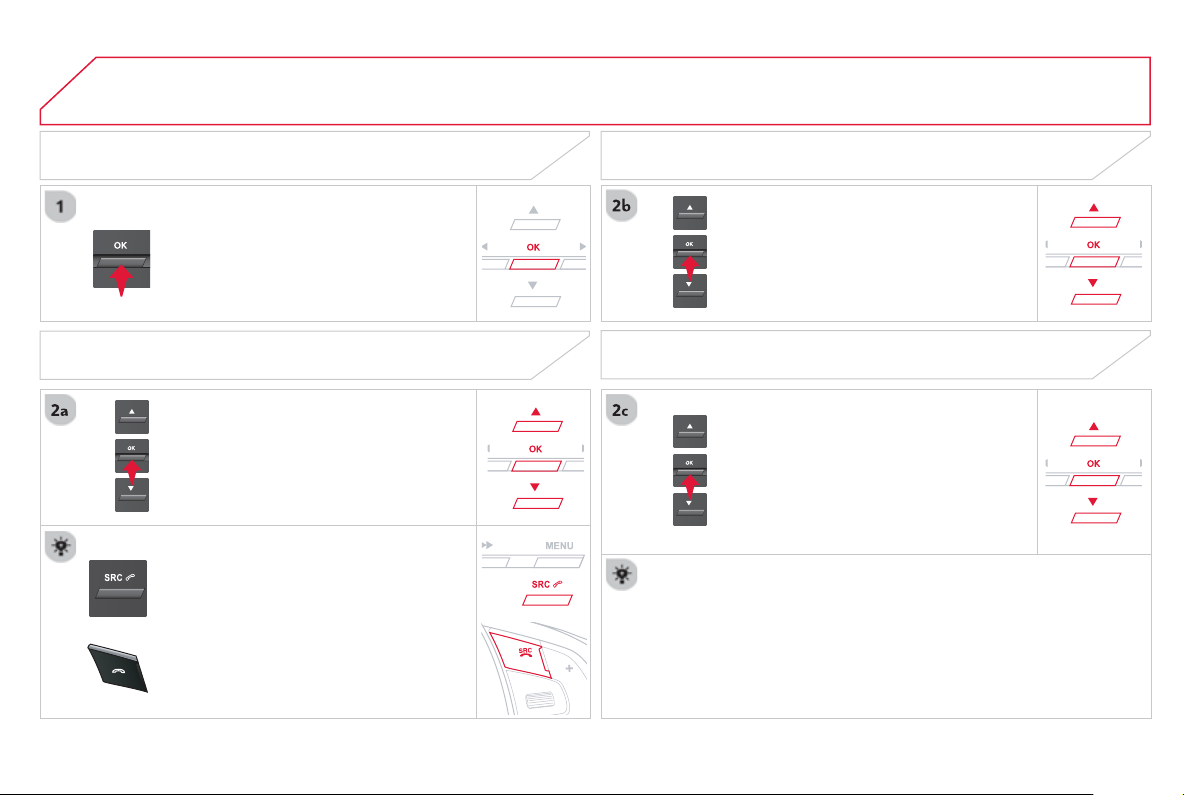
05
SR
C
USING THE TELEPHONE
Durin
g
a call, press OK to displa
y
the
co
nt
e
xt
ua
l m
e
n
u
.
Han
g
up
I
n t
he
co
nt
e
xt
ual
m
e
n
u
:
-
se
l
ec
t "
T
ele
p
hone mod
e
" t
o
trans
f
er the call to the telephone.
-
dese
l
ec
t "
T
ele
p
hone mod
e
" t
o
tr
a
n
s
f
e
r th
e
ca
ll t
o
th
e
v
e
hi
c
l
e
.
In th
e
co
nt
e
xt
ua
l m
e
n
u
:
-
se
l
ec
t "
M
icro OFF " t
o
s
wit
c
h
o
ff th
e
microphone.
-
deselec
t
"
M
icro OFF
"
t
o
s
w
i
t
ch
t
he
m
i
crop
h
one on.
In certain cases, the combined mode has to activated
f
rom the
telephone.
If the contact has been cut off, when
y
ou reconnect on returnin
g
to
the vehicle, the Bluetooth connection will be restored automaticall
y
(
dependin
g
on the compatibilit
y
of the telephone
)
.
MANAGING CALLS
A lon
g
press on one of these buttons
also
e
n
ds
t
he
call
.
I
n t
h
e contextua
l
menu, se
l
ect
"
H
an
g
up
"
t
o
e
n
d
t
he
call
.
Secret - Mute
(
so that the caller cannot hear
)
Combined mode
(
to leave the vehicle without endin
g
the call
)
05
325
USING THE TELEPHONE
From the contextual menu, select
"
D
TMF tone
s
"
a
n
d
co
nfi rm t
o
use
the di
g
ital ke
y
pad to navi
g
ate in the
interactive voice response menu.
F
rom t
h
e contextua
l
menu, se
l
ect
"
Switch"
a
n
d
co
n
fo
rm t
o
r
e
t
u
rn t
o
a
ca
ll
lef
t
o
n h
o
l
d
.
I
nteract
i
ve vo
i
ce res
p
onse
Consultation call
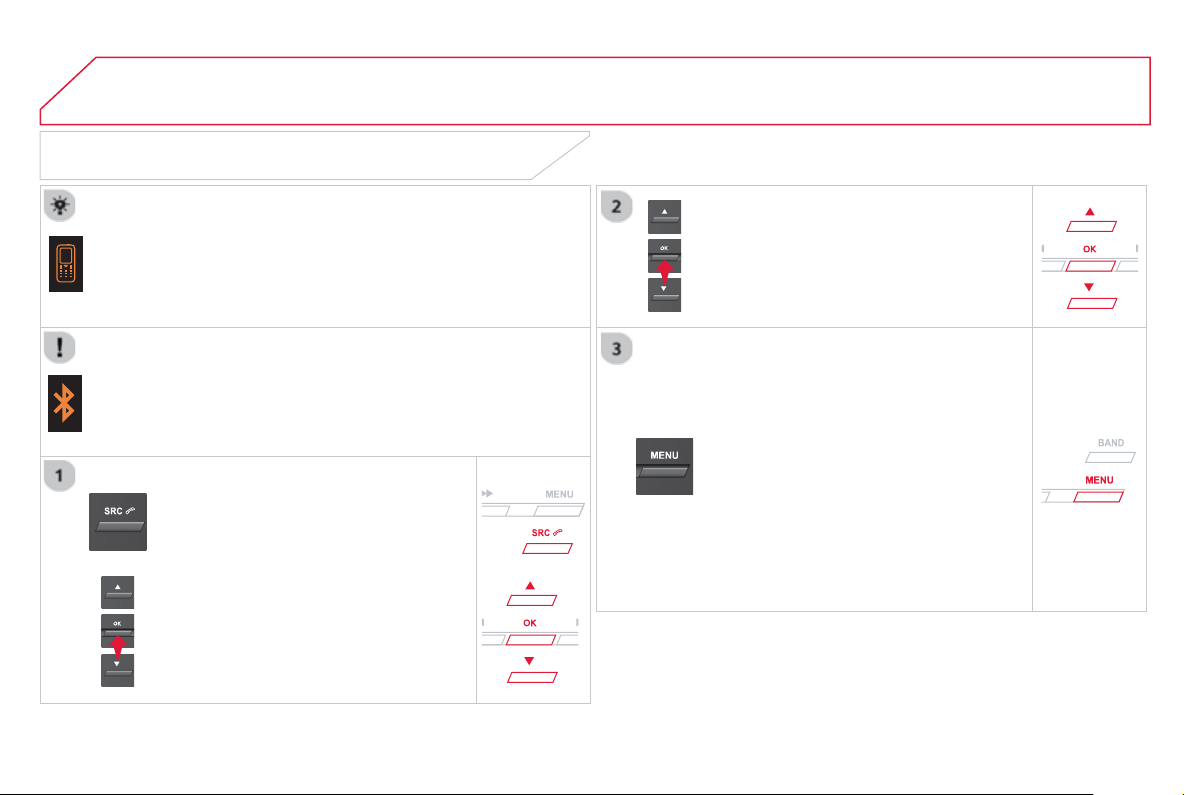
05 USING THE TELEPHONE
DIRECTORY
The telephone director
y
is sent to the s
y
stem, dependin
g
on the
c
ompatibilit
y
of the telephone.
Th
e
di
rector
y
i
s prov
i
s
i
ona
l
an
d
d
epen
d
s on t
h
e
Bl
uetoot
h
co
nn
ec
t
io
n.
Contacts imported from the telephone to the audio s
y
stem director
y
are save
d
i
n a permanent
di
rector
y
v
i
s
ibl
e to a
ll
, w
h
atever t
h
e
te
l
ep
h
one connecte
d
.
To modi
fy
the contacts saved in the
sys
t
em, press
M
EN
U
th
e
n
se
l
ec
t
"
T
ele
p
hon
e
"
a
n
d
co
n
fi
rm.
S
elect "
D
irector
y
mana
g
emen
t
"
a
n
d
co
nfi rm.
Y
ou
ca
n:
-
"
Consult an entr
y
",
-
"
D
e
l
ete an entr
y
"
,
-
"
D
e
l
ete a
ll
entr
i
e
s
"
.
S
elect "
Di
rector
y
" t
o
see
th
e
li
s
t
of
co
nt
ac
t
s
.
Make a lon
g
press on SOURC
E
o
r SRC
f
or access to the director
y
or
press
O
K
, an
d
selec
t
"
Cal
l
"
a
n
d
co
n
fi
rm.
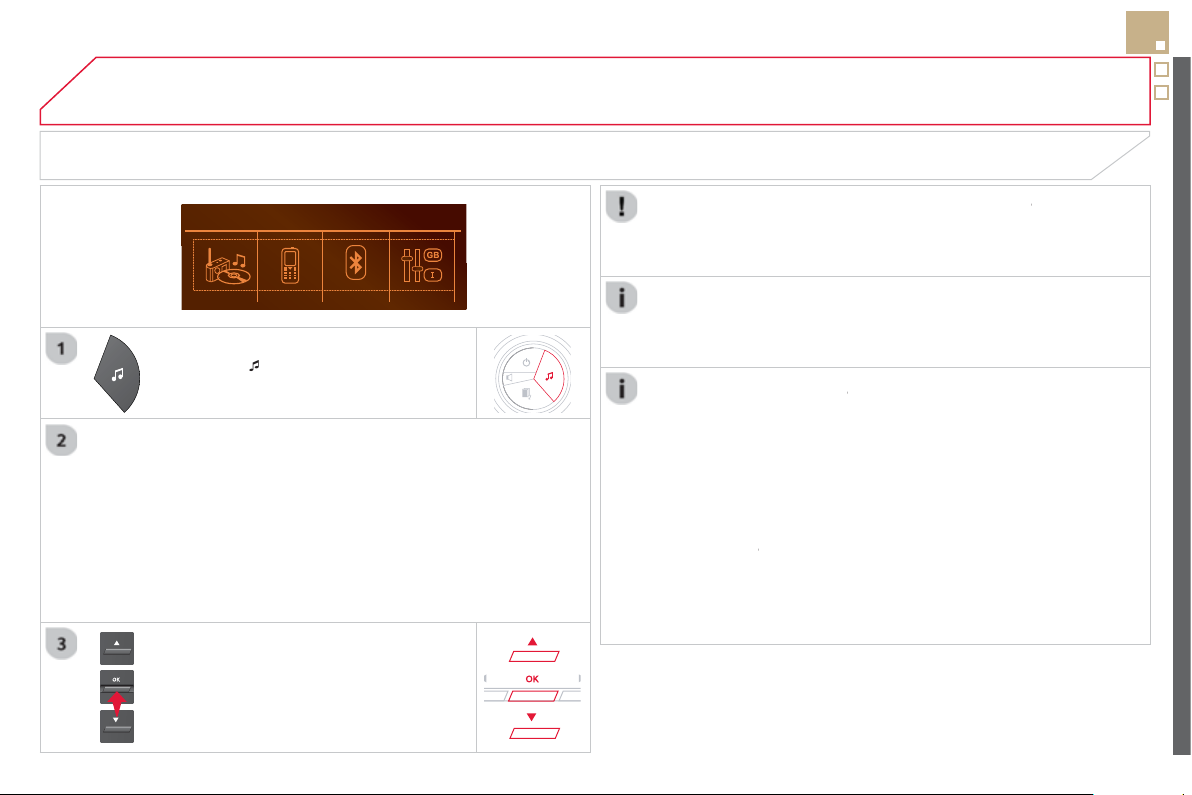
06
327
P
r
ess
to
di
sp
l
a
y
t
h
e au
di
o sett
i
n
g
s
menu
.
The settin
g
s available are:
-
A
m
bi
ence
,
-
B
ass
,
-
T
re
bl
e,
- Loudness,
- Distribution: Personalised or Driver,
- Left / ri
g
ht balance,
- Fader
(
front / rear balance
)
,
-
Au
t
o
. v
olu
m
e
.
SCREEN C
The distribution
(
or spatialisation usin
g
the Arkam
y
s
©
system), is
©
an audio process which allows the sound qualit
y
to be improved
accordin
g
to the settin
g
chosen, correspondin
g
to the position of the
li
s
t
e
n
e
r
s
in th
e
v
e
hi
c
l
e
.
A
UDIO SETTINGS
S
elect and confi rm " Other settin
g
s
…
"
to displa
y
the next settin
g
in the list.
The Ambience, Treble and Bass audio settin
g
s are different and
i
nde
p
endent for each sound source.
O
n-board Audio: Arkamys
©
Sound Staging.
©
W
ith
S
ound
S
ta
g
in
g
, the driver and passen
g
ers are immersed in an
"
audio scene" recreatin
g
the natural atmosphere of an auditorium:
trul
y
a part of the scene and its surroundin
g
s.
This new sensation is made possible b
y
software in the audio
s
y
stem which processes the di
g
ital si
g
nals from the media pla
y
ers
(
radio,
C
D, MP3…
)
without chan
g
in
g
the audio settin
g
s. This
p
rocessin
g
takes account o
f
the characteristics o
f
the passen
g
er
c
ompartment to produce optimum results.
The Arkam
y
s
©
software installed in your audio system processes
©
the di
g
ital si
g
nal
f
rom the media pla
y
ers
(
radio,
C
D, MP3, ...
)
and
r
ecreates a natural musical scene, with harmonious
p
lacement o
f
i
nstruments and voices in the space in front of passen
g
ers, level
with th
e
win
dsc
r
ee
n.

07 SCREEN MENU MAP
SCREEN C
Multimedia
M
e
di
a
p
arameters
Choice of pla
y
back mod
e
Choice of track listin
g
Telephone
Call
D
ial
D
irector
y
C
alls lis
t
V
oice mail bo
x
Di
rector
y
mana
g
ement
Consult an entr
y
D
elete an entr
y
D
elete all entries
Telephone mana
g
ement
T
ele
p
hone statu
s
Han
g
up
Bluetooth connection
N
o
rm
a
l
Ra
n
do
m
R
a
n
do
m
a
ll
Repeat
B
y
f
olders
B
y
artists
B
y
g
enres
B
y
pla
y
lists
Radio parameters
1
2
2
1
2
2
2
2
1
2
2
2
1
2
1
1
1
3
3
3
3
3
3
3
3
1
MAIN FUNCTION
OPTION
A
O
p
tion A
1
O
p
tion A2
OPTION B
1
2
2
1
Connections mana
g
ement
Search for a device
07
329
SCREEN MENU MAP
Personalisation-configuration
Defi ne the vehicle
p
arameters
A
ccess to the vehicl
e
Plip action
Drivin
g
position settin
g
Unlockin
g
boot onl
y
D
rivin
g
assistanc
e
R
ear w
i
pe
i
n reverse
g
ea
r
Parkin
g
brake automatic
S
peeds memorised
V
ehicle li
g
htin
g
D
a
y
t
i
me
ligh
ts
Directional headlamps
Interior li
g
htin
g
Welcome li
g
htin
g
F
o
ll
ow-me-
h
ome
h
ea
dl
amps
Choice of language
Displa
y
confi
g
uration
Choice of unit
s
D
ate an
d
t
i
me a
dj
ustmen
t
D
ispla
y
parameter
s
B
r
igh
tnes
s
Choice of sounds
1
2
3
3
3
2
3
3
3
2
3
3
2
3
3
1
1
2
2
2
2
1

FREQUENTLY ASKED QUESTIONS
Q
UESTIO
N
A
NSWER SOLUTIO
N
Th
e
r
e
i
s
a
d
i
ffe
r
e
n
ce
in
s
ound quality between
th
e
d
i
ffe
r
e
nt
aud
i
o
s
ources
(
radio,
C
D...
)
.
For optimum sound qualit
y
, the audio settin
g
s
(
Volume, Bass, Treble,
Ambience, Loudness
)
can be adapted to the di
ff
erent sound sources,
which ma
y
result in audible di
ff
erences when chan
g
in
g
source
(
radio,
C
D...
)
.
C
heck that the audio settin
g
s
(
Volume, Bass,
Treble, Ambience, Loudness
)
are adapted to
th
e
sou
r
ces
li
s
t
e
n
ed
t
o
. It i
s
ad
vi
sab
l
e
t
o
se
t
the AUDI
O
f
unctions
(
Bass, Treble, Front-Rear
F
ader, Left-Ri
g
ht Balance
)
to the middle position,
se
l
ec
t th
e
m
us
i
ca
l
a
m
b
i
e
n
ce
"N
o
n
e
"
a
n
d
se
t th
e
l
oudness correction to the "Active" position in CD
m
o
d
e or to t
h
e
"I
nact
i
ve
"
pos
i
t
i
on
i
n ra
di
o mo
d
e.
When chan
g
in
g
the
s
ettin
g
s for treble and
b
ass, t
h
e am
bi
ence
s
ett
i
n
g
i
s
d
ese
l
ecte
d
.
When changing the
ambience settin
g
, treble
a
n
d
bass
a
r
e
r
ese
t t
o
ze
r
o
.
Choosin
g
an ambience imposes settin
g
s for treble and bass. Modif
y
in
g
one w
i
t
h
out t
h
e ot
h
er
i
s not poss
ibl
e.
Modif
y
the treble and bass settin
g
s or the
am
bi
ence sett
i
n
g
to o
b
ta
i
n t
h
e
d
es
i
re
d
soun
d
q
ua
li
t
y
.
Wh
en c
h
an
gi
n
g
t
h
e
b
a
l
ance sett
i
n
g
,
dis
tr
ibu
t
io
n
is
deselec
t
ed
.
Choosin
g
a distribution settin
g
imposes a balance settin
g
. Modif
y
in
g
one
w
i
t
h
out t
h
e ot
h
er
i
s not poss
ibl
e.
Modif
y
the balance settin
g
or the distribution
s
ett
i
n
g
to o
b
ta
i
n t
h
e
d
es
i
re
d
soun
d
qua
li
t
y
.
The
f
ollowin
g
tables contain answers to the most
f
requentl
y
asked questions.

331
FREQUENTLY ASKED QUESTIONS
Q
UESTIO
N
A
N
S
WER
S
OLUTIO
N
The qualit
y
of reception
of
th
e
r
ad
i
o
s
t
a
ti
o
n
li
stene
d
to
g
ra
d
ua
lly
de
t
e
ri
o
r
a
t
es
o
r th
e
s
t
o
r
ed
s
t
a
ti
o
n
s
do
n
o
t
fu
n
c
ti
o
n
(
no sound, 87.5 MHz is
displa
y
ed...
)
.
The vehicle is too far from the transmitter used b
y
the station listened
to or t
h
ere
i
s no transm
i
tter
i
n t
h
e
g
eo
g
rap
hi
ca
l
area t
h
rou
gh
w
hi
c
h
t
h
e
ve
hi
c
l
e
i
s trave
lli
n
g
.
A
ctivate the RDS function to enable the s
y
stem
to check whether there is a more power
f
ul
transm
i
tter
i
n t
h
e
g
eo
g
rap
hi
ca
l
area.
The environment
(
hills, buildin
g
s, tunnels, basement car parks...
)
block
r
eception, includin
g
in RDS mode.
This
p
henomenon is normal and does not indicate
a failure of the audio e
q
ui
p
ment.
The aerial is absent or has been dama
g
ed
(f
or example when
g
oin
g
throu
g
h a car wash or into an under
g
round car park
)
.
Have the aerial checked b
y
a CITRO
Ë
N dealer.
S
ound cut-outs of 1 to
2
seco
n
ds
in r
ad
i
o
m
ode
.
Durin
g
this brief sound cut-out, the RDS searches for an
y
frequenc
y
permittin
g
better reception o
f
the station.
Deactivate the RDS function if the phenomenon is
too
f
requent and alwa
y
s on the same route.
Th
e
tr
affi
c
a
nn
ou
n
ce
m
e
nt
(
TA
)
is displayed. I do
n
ot receive an
y
tra
ffi
c
in
fo
rm
a
ti
o
n.
Th
e
r
ad
i
o
s
t
a
ti
o
n
does
n
o
t
b
r
oadcas
t tr
affi
c
in
fo
rm
a
ti
o
n. T
u
n
e
t
o
a
r
ad
i
o
s
t
a
ti
o
n whi
c
h
b
r
oadcas
t
s
tr
affi
c
in
fo
rm
a
ti
o
n.
Th
e
s
t
o
r
ed
s
t
a
ti
o
n
s
a
r
e
n
ot found
(
no sound,
8
7.5 MHz is displa
y
ed...
)
.
An in
co
rr
ec
t w
a
v
eba
n
d
i
s
se
l
ec
t
ed
. Pr
ess
th
e
BAND
bu
tt
o
n t
o
r
e
t
u
rn t
o
th
e
w
a
v
eba
n
d
o
n w
hich
t
he
s
t
a
t
io
n
s
a
r
e
s
t
o
r
ed
.

FREQUENTLY ASKED QUESTIONS
Q
UESTIO
N
A
N
S
WER
S
OLUTIO
N
The CD is e
j
ected
automat
i
ca
lly
or
i
s not
pl
a
y
e
d
by
t
h
e p
l
a
y
er.
The CD is inserted upside down, is unpla
y
able, does not contain an
y
a
udio data or contains an audio
f
ormat which the pla
y
er cannot pla
y
.
The
C
D is protected by an anti-pirating protection system which is not
r
eco
g
nised b
y
the audio equipment.
- Check that the CD is inserted in the pla
y
er the
r
igh
t wa
y
up.
-
C
heck the condition o
f
the
C
D: the
C
D cannot
be pla
y
ed i
f
it is too dama
g
ed.
-
C
h
ec
k th
e
co
nt
e
nt in th
e
case
of
a
r
eco
r
ded
C
D: consult the advice in the "Audio" section.
- The audio equipment's CD pla
y
er does not
pla
y
DVDs.
-
D
ue to t
h
e
i
r qua
li
t
y
l
eve
l
, certa
i
n wr
i
tea
bl
e
C
Ds will not be pla
y
ed b
y
the audio s
y
stem.
The CD pla
y
er sound is
poor
.
The CD used is scratched or of poor qualit
y
. Insert
g
ood qualit
y
CDs and store them in suitable
co
n
d
iti
o
n
s
.
The audio settin
g
s
(
bass, treble, ambience
)
are unsuitable.
S
et the treble or bass level to 0, without selectin
g
a
n
a
m
b
i
e
n
ce
.
Th
e
Bl
ue
t
oo
th
co
nn
ec
ti
o
n
i
s
cu
t.
The batter
y
of the peripheral ma
y
not be suffi cientl
y
char
g
ed. Rechar
g
e the batter
y
of the peripheral device.
The message "U
S
B
device error" is displa
y
ed
o
n th
e
sc
r
ee
n.
The U
S
B memory stick is not recognised.
The memor
y
stick ma
y
be corrupt.
Re
f
ormat the memory stick
(
FAT 32
)
.

333
FREQUENTLY ASKED QUESTIONS
Q
UESTIO
N
A
N
S
WER
S
OLUTIO
N
A
te
l
ep
h
one connects
automat
i
ca
lly
,
di
sconnect
i
n
g
anot
h
er
telephone.
Au
t
o
m
a
t
ic
co
nn
ec
t
io
n
o
v
e
rr
ides
m
a
n
ual
co
nn
ec
t
io
n. Modif
y
the telephone settin
g
s to remove automatic
co
nn
ec
t
io
n.
The A
pp
le
®
player is
®
n
ot reco
g
nised when
c
onnectin
g
to the USB port.
The A
pp
le
®
pla
y
er is of a
g
eneration that is not compatible with the USB. Connect the A
pp
le
®
pla
y
er to the AUX Jack socket
u
sin
g
a suitable cable
(
not supplied
)
.
The
ha
r
d
disk
o
r
de
v
ice
i
s not recogn
i
se
d
w
h
en
c
onnectin
g
to the U
S
B
p
ort.
S
ome hard disks and devices need a power suppl
y
g
reater than is
prov
id
e
d
b
y t
h
e au
di
o system.
C
onnect the device to the 230 V socket, the 12 V
s
oc
k
et or an externa
l
power supp
l
y.
Caution :
e
n
su
r
e
th
a
t th
e
de
vi
ce
does
n
o
t tr
a
n
s
mit
a volta
g
e
g
reater than 5 V
(
risk o
f
destruction o
f
the s
y
stem
)
.
When streamin
g
, the
s
ound cuts momentaril
y
.
Some tele
p
hones
p
rioritise connection of the "hands-free"
p
rofi le. Delete the "hands-free" connection
p
rofi le to
improve streamin
g
.
In "Random all" pla
y
,
no
t
a
ll
o
f th
e
tr
ac
k
s
a
r
e
p
la
y
ed.
In "Random all" pla
y
, the s
y
stem can onl
y
take into account up to
999
tracks.
With the en
g
ine off, the
audio s
y
stem switches
o
ff
a
ft
e
r
a
f
e
w min
u
t
es
o
f
use
.
When the en
g
ine is switched off, the audio s
y
stem operatin
g
time
depends on the batter
y
char
g
e.
The switch-off is normal: the audio s
y
stem switches to econom
y
mode
a
nd switches off to prevent dischar
g
in
g
the vehicle's batter
y
.
Start the vehicle's en
g
ine to increase the batter
y
c
har
g
e.
Th
e messa
g
e
"
t
h
e au
di
o
s
ystem is overheated"
appears on the displa
y
.
In order to protect the installation i
f
the surroundin
g
temperature is too
high, the audio system switches to an automatic thermal protection mode
l
eadin
g
to a reduction o
f
the volume or stoppin
g
o
f
the pla
y
in
g
o
f
the
C
D.
S
witch the audio s
y
stem o
ff
f
or a
f
ew minutes to
allow the system to cool.
Index
Alphabetical index - Visual search

A
A
B
S
.............................................................
17
3
Accesso
ri
es
.................................
.
5
5
,
10
1
,
21
9
A
ccessor
y
positio
n
................................
5
5
,
1
0
1
A
ccessory socket, 12
V
...........................
8
4
,
8
5
A
d
j
ustin
g
headlamps
..................................
1
4
6
Adj
ust
i
n
g
h
ea
d
restra
i
nts
........................
7
4
,
7
7
A
d
j
ustin
g
seat belt hei
g
h
t
............................
17
7
Adj
ust
i
n
g
t
h
e steer
i
n
g
w
h
ee
l
.........................
8
3
A
irba
g
s ..................................................
3
9
,
1
7
9
Ai
r
b
a
g
s, curta
i
n
...................................
1
8
1
,
1
8
2
A
irba
g
s,
f
ron
t
.......................................
17
9
,
18
2
A
irba
g
s, lateral
....................................
1
8
1
,
1
8
2
A
ir conditioning .............................................
2
5
A
ir conditionin
g
, di
g
ital
............................
9
1
,
9
2
Air filter
........................................................
r
2
3
3
A
ir fl
ow
..........................................................
90
Ai
r v
e
nt
s
........................................................
9
0
A
l
a
rm .............................................................
6
2
A
nt
i
-
l
oc
k
b
ra
ki
n
g
s
y
stem
(
AB
S)
........................................................
17
3
A
nti-pinc
h
................................................
65
,
6
7
A
nti-th
eft
.
.....................................................10
1
A
rmr
est
..........................................................
8
4
A
rmrest,
f
ron
t
................................................
8
6
Armrest, rear
.................................................
r
8
7
A
s
h
tra
y
, removea
ble
.....................................
8
4
A
S
R
.............................................................
17
3
A
ss
i
stance,
e
mer
g
enc
y
brakin
g
...................................
17
3
Ass
i
s
t
a
n
ce
ca
ll
....................................
17
1
,
24
9
A
udible warnin
g
.......................................... 1
7
1
A
udio streamin
g
(
Bluetooth
)
................................
2
9
1
,
31
8
,
32
0
A
udio s
y
stem
...............................................
30
5
A
utomat
i
c
h
ea
dl
amp
dippin
g
................................................
3
2
,
14
3
A
u
t
o
m
a
ti
c
ill
u
min
a
ti
o
n
of headlamps
....................................
13
9
,
1
4
2
Automatic operation of hazard
warnin
g
lamps
.
.........................................
.
17
0
A
u
t
o
m
a
ti
c
r
a
in
se
n
s
itiv
e
w
i
n
d
screen w
ip
ers
............................
14
9
,
1
5
1
A
ux
ili
ar
y
soc
k
e
t
.............................
8
4, 292,
31
7
Batter
y
..........................................
2
1
0
-
2
1
2
,
2
3
2
Batter
y
, char
g
in
g
.................................
21
1
,
21
2
Batter
y
, remote contro
l
..........................
.
5
7
,
5
8
Black
p
ane
l
...................................................
.
4
5
Bl
ue
t
oo
th
(
hands-
f
ree
)
......................................
27
4
,
31
9
Blue
t
oo
t
h
(
telephone
)
........................................
27
4
,
31
9
B
oot
...............................................................
6
1
Boot
(
unlockin
g)
............................................
5
2
Br
a
k
e
d
i
scs
..................................................
23
4
Brake lamps ...............................................
.
20
4
Brake
p
ads .................................................
.
23
4
Br
a
k
es
........................................................
.
2
3
4
C
apacit
y
,
f
uel tank
........................................
6
8
C
D
.......................................................
288
,
31
2
C
D MP
3
.......................................
288
,
31
3
,
31
4
C
entral lockin
g
..............................................
5
2
C
han
g
in
g
a bul
b
..................................
19
9
-
20
6
C
han
g
in
g
a
f
us
e
..................................
.
20
7
-
209
C
hanging a whee
l
...............................
.
1
9
2
-198
C
han
g
in
g
a wiper blad
e
......................
1
5
2
,
21
4
C
han
g
in
g
the dat
e
...................
4
6
,
4
7
, 298, 329
C
han
g
in
g
the remote
c
ontrol batter
y
.............................................
5
7
C
han
g
in
g
the tim
e
...................
4
6
,
4
7
,
2
9
5
,
329
C
heckin
g
levels
...................................
22
9
-
23
1
C
heckin
g
the en
g
ine oil leve
l
................4
3
,
229
C
heckin
g
t
y
re pressures
(
using the kit
)
............................................19
1
C
h
ec
k
s
................................................
22
6
-
23
4
C
hil
d
r
en
................................
158-167, 178, 18
0
C
hild lock
.....................................................
1
6
7
C
hild seats
..........................................
1
5
8
-1
66
C
hild seats
,
conventional
....................
1
6
1
,
1
6
2
Cigarette lighter
.............................................
r
8
5
C
lock ......................................
.
4
6
,
47,
298
,
329
C
losin
g
the boo
t
............................................
6
1
C
losing the doors ....................................
5
2
,
5
4
C
onnectors, audi
o
.................
8
6
,
292,
31
5
,
31
7
Coo
l
a
nt l
e
v
el
.........................................
4
0
,
2
3
0
Coolant temperature indicator
......................
r
4
0
C
ourtes
y
lamps
...........................................
1
5
3
C
ruise contro
l
......................................
1
2
8
,
1
3
1
Cup holder
.....................................................
r
8
4
B
C

3
37
Alphabetical index
Date
(
settin
g)
...........................
4
6
,
4
7
, 298, 329
Da
y
time runnin
g
lamps
...............
1
9
9
,
2
0
2
,
2
0
3
Deactivatin
g
DS
C
........................................
1
7
5
Deactivatin
g
the passen
g
er airba
g
.............
17
9
Deadlockin
g
............................................
5
5
,
5
6
De
f
rostin
g
................................................
8
2
,
9
6
Demistin
g
......................................................
9
6
Diesel
............................................................
3
3
Diesel
addi
t
i
v
e
le
v
el
....................................
2
3
1
Di
ese
l
en
gi
ne pre-
h
eat warn
i
n
g
l
amp
...........
3
3
Dim
e
n
s
i
o
n
s
.................................................
24
4
Dipped beam
.........................
3
2
,
1
3
8
,
1
9
9
,
2
0
0
Dipstick
..................................................
4
3
,
22
9
Directional li
g
htin
g
..............................
1
4
7
,
1
4
8
Dir
ec
ti
o
n in
d
i
ca
t
o
r
s
............
.
17
0
,
19
9
,
20
2
,
20
4
Driving economically ....................................
2
5
D
oors emer
g
enc
y
contro
l
.............................
5
9
Drivin
g
positions
(
memorisin
g)
.....................
7
6
Dy
nam
i
c emer
g
enc
y
brakin
g
......................................................
1
0
6
D
y
namic stabilit
y
control
(
DSC
)
....................................
3
5
,
3
8
,
17
3
,
17
5
E
BA
(
Emergency braking assistance
)
..............1
7
3
EBFD
...........................................................
17
3
E
co-
d
r
i
v
i
n
g
...................................................
2
5
E
conom
y
mo
de
...........................................
21
3
E
l
ec
tr
o
ni
c
b
r
a
k
e
f
o
r
ce
distribution
(
EBFD
)
...................................
1
7
3
Electronic engine immobiliser
...............
r
5
8
,
1
0
1
Emer
g
enc
y
boot releas
e
...............................
6
1
Emer
g
enc
y
call
...................................
1
7
1
,
24
9
Emer
g
enc
y
startin
g
.....................................
21
1
Emer
g
enc
y
warnin
g
lamps .........................
17
0
eM
y
Wa
y
...............................................
.
4
5
,
25
1
Energy economy mod
e
............................... 2
1
3
E
n
gi
ne,
Di
ese
l
.......................
7
0
,
22
7
,
22
8
,
24
1
E
n
gi
ne, petro
l
................................
7
0
,
22
6
,
2
3
8
E
n
gi
ne compartmen
t
...........................
22
6
,
22
7
En
g
ine compartment fusebo
x
.....................
2
0
7
Engine oil level indicator
.......................
r
4
3
,
2
2
9
En
g
ines
...............................................
23
8
,
24
1
Envir
o
nm
e
n
t
.........
2
5
,
5
7
,
91
,
96
,
11
7,
212
,
231
F
illing with
f
uel .......................................
.
6
8
-
7
0
Fi
tt
i
n
g
a w
h
ee
l
.............................................
1
97
F
ittin
g
roo
f
bars
...........................................
21
8
Fi
tt
i
n
g
s,
b
oo
t
.................................................
8
8
F
lashin
g
indicators
..............................
14
4
,
17
0
F
o
g
lamps, fron
t
..........
140, 148, 1
9
9
,
204, 205
Foglamps, rear
............................................
r
1
4
0
F
oldin
g
/unfoldin
g
th
e
doo
r mirr
o
r
s
..........................................
8
2
F
r
o
nt
sea
t
s
...............................................
7
4
-
7
6
Fuel
..........................................................
2
5
,
7
0
F
ue
l
consumpt
i
o
n
..........................................
2
5
F
uel
f
iller cap
.................................................
6
8
F
uel filler fla
p
.................................................
6
8
F
uel
g
au
ge
....................................................
1
9
E
F
F
ue
l t
a
n
k
..................................................
6
8
,
6
9
Fusebox, dashboar
d
..................................
.
208
F
uses
..........................................................
.
2
0
7
D
G.P.S
.
.........................................................
.
2
5
7
G
earbox, automati
c
.................... 1
1
4
,
2
1
2
,
2
3
4
G
earbox, electronic
.
...........
.
1
1
8
,
12
2
,
2
1
2
,
2
3
4
G
earbox, manual
................
11
2
,
11
3
,
12
2
,
2
3
4
Gea
r
s
hi
f
t in
d
i
ca
t
o
r
......................................
11
3
G
ear lever
......................................................
2
5
Gear lever, automatic
g
earbo
x
...................
11
4
Gear lever, electronic
g
earbox s
y
stem
.......
1
1
8
Gear lever, manual
g
earbo
x
.......................
11
2
Guidanc
e
....................................................
.
2
5
7
G
uide-me-hom
e
..................................1
4
2
,
14
4
G
H
alo
g
en headlamps
............................
19
9
,
201
Ha
n
ds
-fr
ee
ki
t
.
.....................................
27
4
,
31
9
H
azard warnin
g
lamps ..........................
8
9
,
17
0
H
ead-up displa
y
.......................... 1
2
6, 1
2
9
, 1
3
1
H
ea
dl
amp a
dj
ustmen
t
.................................
14
6
H
ea
dl
amps,
di
rect
i
ona
l
.......................
14
7
,
1
9
9
H
ea
dl
amp was
h
..................................
1
5
0
,
2
3
1
H
ead restraints
,
fron
t
..............................
7
4
,
7
7
Head restraints, rear
.....................................
r
8
1
H

Identification plates
.....................................
2
4
5
I
g
nitio
n
...................................................
5
5
,
10
1
Ignition o
n
..............................................
5
5
, 10
1
I
n
di
cator
l
am
p
s, status
.............................
3
1-
39
I
n
di
cators,
di
rect
i
o
n
....................................
17
0
In
f
latin
g
accessories
(
usin
g
the kit
)
............
1
91
Inflatin
g
t
y
res
........................................
2
5
,
245
Inputs for audio s
y
stem
.................
84, 292,
31
7
Instrument panel li
g
htin
g
..............................
44
Instrument panels
.........................................
3
0
Instrument panel scree
n
...............................
30
Intelligent Traction
C
ont rol .......................... 1
7
4
Interior
f
ittin
g
s
...............................................
8
4
I
nter
i
or moo
d
ligh
t
i
n
g
..................................
1
5
4
I
SO
FI
X
.........................................................
1
6
5
I
SO
FIX child seats
...............................
1
6
4
-
1
6
6
IS
O
FIX mountin
g
s
.......................................
1
6
4
I
M
J
ac
k
.............................................................
1
9
2
J
A
C
K socke
t
..................................
8
6
,
292
,
31
7
J
Ma
in
bea
m
............................
3
2
,
1
3
8
,
1
9
9
-2
0
1
Ma
int
e
n
a
n
ce
..................................................
2
5
M
ap readin
g
lamps .....................................
1
5
3
M
arkin
g
s, identi
f
ic ation ............................... 24
5
M
assage
f
unction .........................................
7
8
Mat
................................................................
8
5
M
enu, ma
in
.................................................
30
8
Mi
rror, rear v
i
e
w
............................................
8
3
Mirrors, door
..................................................
r
8
2
M
isfuel preventio
n
.........................................
6
9
M
otorwa
y
function
(
direction indicators
)
.................................
17
0
M
ountin
g
s
f
or I
SO
FIX seats .......................16
4
M
P
3
C
D .......................................28 8,
31
3
,
31
4
M
us
i
c me
di
a p
l
a
y
ers
...........................
2
8
7
,
313
Navi
g
atio
n
...................................................
25
7
Number plate lamps....................................
20
6
N
Keepin
g
children sa
fe
..........
158-167, 178, 18
0
Ke
y
..........................................................
5
2
-
5
8
Ke
y
, electroni
c
...................................
5
2
-
5
4
,
5
6
Ke
y
less Entr
y
and Startin
g
.....................
5
3
,
5
8
Ke
y
with remote contro
l
.............................
.
10
1
Labels, identificatio
n
..................................
.
24
5
Lamps, warning and indicator
..........
.
r
3
1
,
3
5
,
3
6
Lane Departure Warning
S
ystem
(
LDW
S)
...
.
12
5
LED
d
a
y
t
i
me runn
i
n
g
l
amps
........................
14
1
Level, brake
f
lui
d
.........................................
2
3
0
L
eve
l
,
h
ea
dl
amp was
h
................................
2
3
1
Level, power steerin
g
flui
d
..........................
2
3
0
L
e
v
e
l
s
a
n
d
c
h
ec
k
s
...............................
22
5
-2
3
4
Li
g
htin
g
........................................................
15
4
Li
g
htin
g
,
g
uide-me hom
e
...................
.
1
4
2
,
1
44
Lighting, interior
.................................
.
r
15
3
,
1
54
Lighting bulbs
(
replacement
)
.............
.
1
9
9
-
20
6
Ligh
t
i
n
g
contro
l
sta
lk
...........................
1
3
8
,
14
4
Lighting dimmer
............................................
r
4
4
Lighting on reminder
...................................
r
141
Loadin
g
..................................................
2
5
,
21
8
L
oad
r
educ
ti
o
n m
ode
..................................
2
1
3
L
oca
li
sed
ass
i
s
t
a
n
ce
ca
l
l
............................
2
4
9
Localised emer
g
enc
y
cal
l
..........................
.
2
4
9
Locatin
g
y
our vehicl
e
...................................
.
5
4
Locking
f
rom the insid
e
................................
.
5
9
L
oc
ki
n
g
t
h
e
d
oors
.........................................
5
9
L
on
g
o
bj
ects, transport
i
n
g
............................
8
7
L
o
w
fue
l l
e
v
e
l
....................................
19, 38, 6
8
K
L
Hea
t
ed
sea
t
s
.................................................
7
8
H
eatin
g
..........................................................
90
H
ei
g
ht and reach ad
j
ustment,
steerin
g
wheel
............................................
8
3
H
ill
s
t
a
rt
ass
i
st
.............................................
11
1
Oil filter
........................................................
r
2
3
3
O
il level
..................................................
4
3
,
22
9
O
penin
g
the boo
t
..............................
5
2
,
5
3
,
6
1
O
penin
g
the doors
..................................
5
2
,
5
3
O
peration indicator lamps .............................
3
1
O

3
3
9
Alphabetical index
Pai
nt
colou
r
code
........................................
24
5
Parkin
g
brake, electric
.................
1
0
3
-110
,
23
4
Parkin
g
lamps
.............................................
1
4
4
Parkin
g
sensors, fron
t
.................................
13
4
Parking sensors, rear
..................................
r
13
3
Particle emission filter
................
r
23
0
,
23
1
,
23
3
Passenger compartment filter
....................
r
2
3
3
Pla
y
er,
C
D MP3
...........................
288,
31
3
,
31
4
Port, U
S
B
......................................
8
6
,
291,
31
5
Primin
g
the
f
uel s
y
stem
..............................
22
8
Protectin
g
c
hil
d
r
en
..............................
158-167, 178, 18
0
P
u
n
c
t
u
r
e
......................................................
18
6
P
R
Radio
...................................................
2
8
4
,
30
9
R
ear fo
g
lamp
...............................
140, 2
0
4, 20
5
R
ear screen
(
demistin
g)
..........................
8
2
,
9
6
R
echar
g
in
g
the batter
y
.......................
21
1
,
21
2
Reduc
ti
o
n
of
e
l
ec
tri
ca
l l
oad
........................
21
3
R
egeneration o
f
the particle
emissions filter
..........................................
r
2
3
3
R
e
i
n
i
t
i
a
li
s
i
n
g
t
h
e remote contro
l
...................
5
7
Re
m
o
t
e
co
ntr
ol
........................................
5
2
-
5
8
R
emov
i
n
g
a w
h
ee
l
......................................
1
9
5
R
emovin
g
the ma
t
.........................................
8
5
R
epair kit, punctur
e
.....................................
18
6
R
eplacin
g
bulbs ..................................
19
9
-
20
6
R
eplacin
g
f
uses ..................................
.
20
7
-
209
Replacing the air filter
.................................
r
2
3
3
T
Replacing the oil filter
.................................
r
2
3
3
Replacin
g
the passen
g
er
compartment filter
....................................
r
23
3
Replacin
g
wiper blades ......................
.
15
2
,
21
4
Resetting the service indicator
.....................
r
4
2
Resetting the trip recorder
............................
r
44
R
evers
i
n
g
camera
.......................................
1
3
5
R
evers
i
n
g
l
am
p
...................................
2
0
4
,
205
Risk areas
(
update
)
.....................................
2
6
2
R
oo
f
ba
r
s
.....................................................
21
8
R
ou
tin
e
c
h
ec
k
s
...................................
22
9
-2
3
4
Runnin
g
out of fuel
(
Diesel
)
........................
22
8
Table o
f
wei
g
hts
..................................
2
3
9
,
24
2
Tables o
f
en
g
ines
................................
2
3
8
,
24
1
T
ab
l
es
of
fuses
............................................
2
0
7
Tank
,
fuel
.......................................................
6
9
T
ec
hni
ca
l
da
t
a
.....................................
2
3
8
-24
4
Telephon
e
...........................................
27
4
,
319
Temperature, coolan
t
...................................
.
4
0
Tem
p
erature control
f
or heated seat
s
.........
.
7
8
Temporary tyre repair ki
t
............................
.
1
8
6
S
ettin
g
the cloc
k
.....................
4
6
,
4
7
,
29
5
,
329
S
hort-cut menus
.........................................
2
5
6
S
idelamps
............
1
3
8
,
14
1
,
1
4
4
,
1
9
9
,
2
0
1
-
2
0
4
S
ide repeater
...............................................
20
3
S
ki fla
p
.........................................................
.
8
7
S
pare wheel ...............................................
.
19
2
Speed limiter
.......................................
r
12
8
, 1
2
9
Sp
otlam
p
s, sid
e
..................................
14
5
, 2
0
3
S
t
a
r
t
.............................................................
21
1
S
tartin
g
the vehicl
e
.............
1
0
0
,
1
0
2
,
11
4
,
11
8
S
teerin
g
mounted controls, audio
.......
2
5
4
,
30
7
S
toppin
g
the vehicl
e
...........
1
0
0
,
1
0
2
,
1
1
4
,
1
1
8
S
top & Star
t
...............................
4
9
,
6
8
,
9
3
,
9
6
,
12
2
,
21
0
,
22
5
,
23
2
S
tora
ge
..............................................
8
4
,
8
6
-
8
8
S
toring driving positions ..............................
.
7
6
S
towin
g
rin
g
s
................................................
8
8
Sy
nchronisin
g
the remote contro
l
.................
5
7
Sy
nthesiser, voic
e
.......................................
2
6
8
Sy
stem, navi
g
atio
n
......................................
2
57
S
S
creen, colour and mappin
g
.......................
2
5
5
S
creen, instrument pane
l
........................
3
0,
4
8
S
creen
,
monochrom
e
.........................
30
8
,
32
8
S
creen, multifunction
(
with audio equipment
)
.............................
30
8
S
creen menu map ......................
29
6
,
32
8
,
32
9
S
creenwas
h
................................................
23
1
S
creenwash,
f
ron
t
.......................................15
0
Sc
r
ee
nw
as
h
f
l
u
i
d
l
e
v
e
l
................................
23
1
S
eat, rear benc
h
.....................................
7
9
,
8
1
S
eat ad
j
ustmen
t
......................................
7
4
,
7
5
S
eat belts
.....................................
1
6
1
,
17
6
-
17
8
Seats, rear
...............................................
r
7
9
,
8
1
S
erial number, vehicl
e
................................
24
5
Service indicator
...........................................
r
4
1
S
ervicin
g
.......................................................
2
5

U
nder-in
f
lation
(
detection
)
..........................
17
2
U
n
l
oc
ki
n
g
................................................
5
2
,
5
3
U
nlockin
g
f
rom the insid
e
.............................
5
9
U
nlockin
g
the boo
t
........................................
5
2
U
nlockin
g
the doors
......................................
5
9
U
pdate risk areas
........................................
26
2
U
pdatin
g
the dat
e
....................................4
6
, 4
7
U
pdatin
g
the tim
e
.................................... 4
6
, 4
7
USB player
....................................................
r
8
6
U
Thi
r
d
b
ra
k
e
l
am
p
.........................................
2
0
6
Tim
e
........................................................
46
,
4
7
TMC
(
Traffic info
)
........................................
2
7
1
T
oo
l
s
............................................................
19
2
Total distance recorder
.................................
r
44
Towbar
.........................................................
r
21
6
T
o
w
ed
l
oads
........................................
23
9
, 2
4
2
T
ow
i
n
g
anot
h
er ve
hi
c
le
...............................
21
5
Traction control
(
A
S
R
)
....................
3
5
,
3
8
,
17
3
Tra
ff
ic in
f
ormation
(
TA
)
.......................
27
2
,
31
0
Traffic information
(
TMC
)
....................
27
1
,
27
2
Trailer
..........................................................
r
2
1
6
Trip computer
..........................................
r
4
8
,
4
9
Trip distance recorder
...................................
r
44
T
y
re pressures ....................................
18
7
,
2
4
5
Tyres..............................................................
2
5
T
y
re under-in
f
lation detection
.....................
17
2
V
e
hi
c
l
e
i
de
nti
f
i
ca
ti
on
...................................
24
5
V
e
ntil
a
ti
on
...............................................
9
0
,
9
1
Visibilit
y
.........................................................
9
6
V
Warning lamps .........................................
3
1-
39
W
arn
i
n
g
tr
i
an
gle
............................................
8
9
Wash-wipe, rear
..........................................
r
1
5
0
W
e
igh
ts
...............................................
2
3
9
,
24
2
Welcome li
g
htin
g
.........................................
14
5
Win
do
w
co
ntr
o
l
s
............................................
6
4
Wiper, rear
...................................................
r
15
0
Wiper control stal
k
...............................
14
9
-
15
1
Wi
p
ers...........................................
3
4
, 14
9
,
1
5
1
W
X
enon
h
ea
dl
am
p
s
.......................................
1
9
9
X
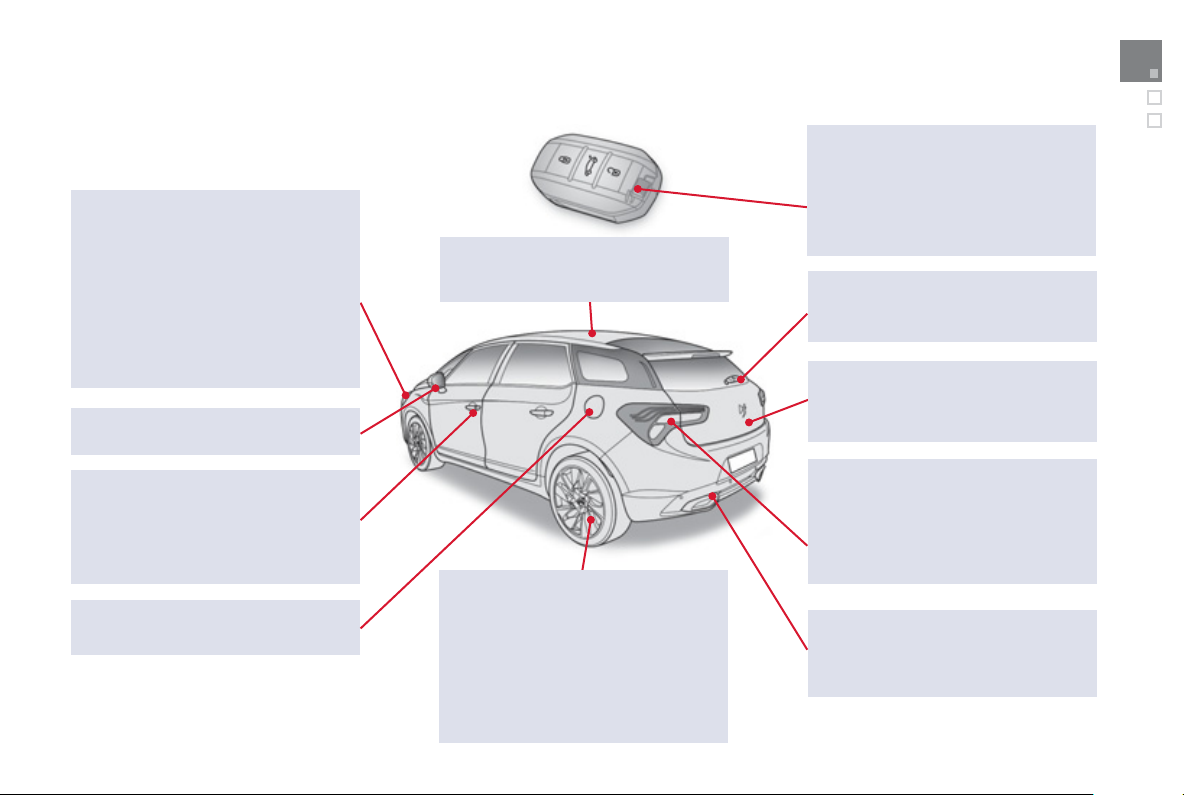
3
4
1
Visual search
Exterior
Electronic ke
y
/ Ke
y
less Entr
y
and Startin
g
52-58, 100-101
- openin
g
/ closin
g
- anti-theft protection
- batter
y
- startin
g
Welcome li
g
htin
g
1
45
Directional li
g
htin
g
1
47
Cornerin
g
li
g
htin
g
148
Headlamp hei
g
ht ad
j
ustment
1
4
6
Chan
g
in
g
bulbs 199-203
- front lamps
- fo
g
lamps
- direction indicator repeaters
Wi
p
ers 149-152
C
han
g
in
g
a wiper blade 152, 214
D
oo
r
s
5
2-
60
- Ke
y
less Entr
y
and
S
tartin
g
- openin
g
/
closin
g
- centra
l
l
oc
ki
n
g
- emer
g
enc
y
contro
l
A
l
a
rm
6
2-
63
Fuel tank, misfuel prevention 68-70
C
ockpit
g
lass roo
f
66-67
Roo
f
bars 21
8
Accessories 21
9
-22
0
E
S
P: AB
S
, EBA, A
S
R, D
SC
173-175
T
y
re under-in
f
lation detection 172
T
y
re pressures 245
C
han
g
in
g
a wheel 192-198
- t
oo
l
s
- removin
g
/
re
f
ittin
g
Temporar
y
puncture repair kit 186-191
Boot 52, 61
- openin
g
/ closin
g
- emer
g
enc
y
release
Chan
g
in
g
bulbs 204-206
- rear lamps
-
3
rd brake lamp
- number plate lamps
- fo
g
lamps
Parking sensors 133-134
Towing 215
Towbar 216-217
D
oo
r mirr
o
r
s
8
2
Door mirror spotlamps 145
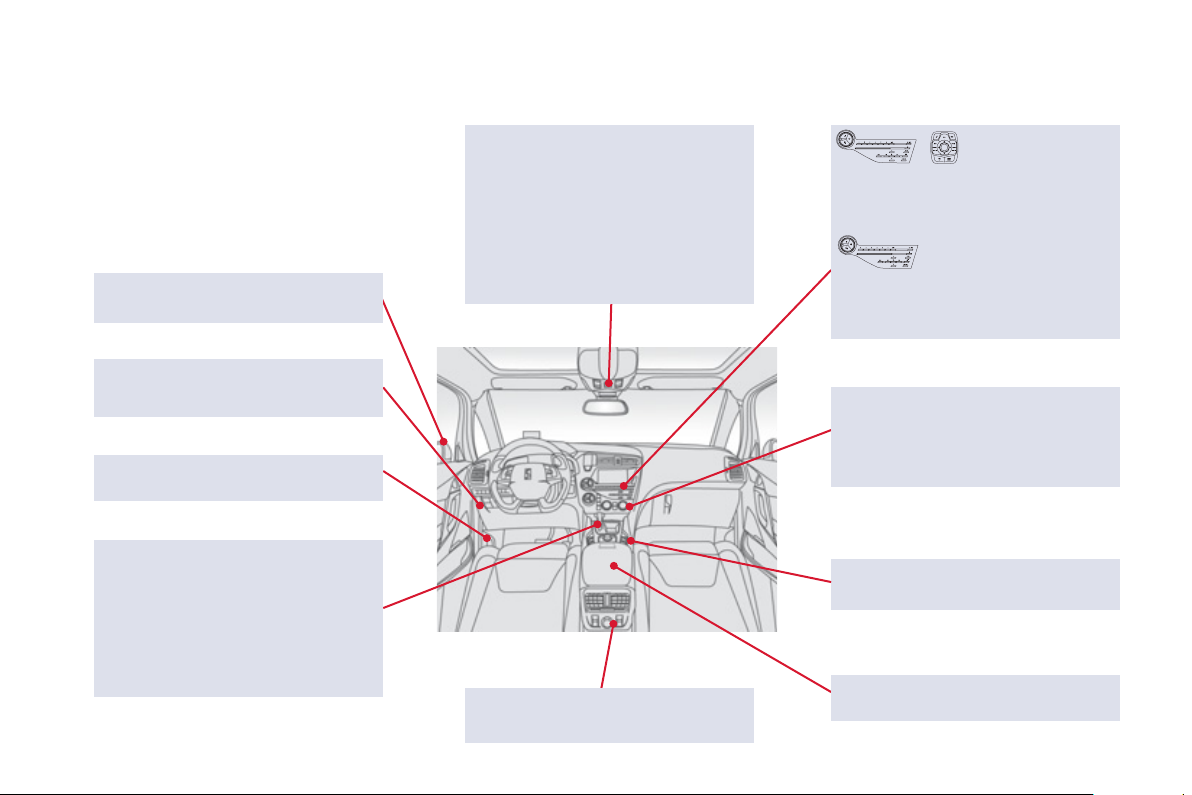
Instruments and
controls
Courtes
y
lamps 153
Seat belt / passen
g
er's front airba
g
warnin
g
lamps displa
y
1
77,
180
Rear view mirror
83
Cockpit
g
lass roof 66-67
Head-up displa
y
controls
126
-
12
7
Emer
g
enc
y
or assistance call
1
7
1
,
2
4
9
D
oo
r mirr
o
r
s
8
2
Heatin
g
, ventilation
90
-
91
Di
g
ital air conditionin
g
92
-
9
5
Demistin
g
/ defrostin
g
96
USB Pla
y
er /
Auxiliar
y
socket
86
,
288
-
292
,
313
-
31
7
Dashboard fuses 2
0
7-2
08
6-speed manual gearbox 112
G
ear shi
f
t indicator 11
3
A
utomatic gearbox 114-117
Electronic gearbox system 118-121
Hill
s
t
a
rt
ass
i
s
t 111
eM
y
Wa
y
251-304
Settin
g
the date/time 47
Audio s
y
stem
/
Bluetooth 305-333
S
ettin
g
the date
/
time 46
O
penin
g
the bonnet 225
Rear electric windows
6
4-
65
12
V accessor
y
socket
8
4,
8
5
Electric windows, deactivatin
g
64-65
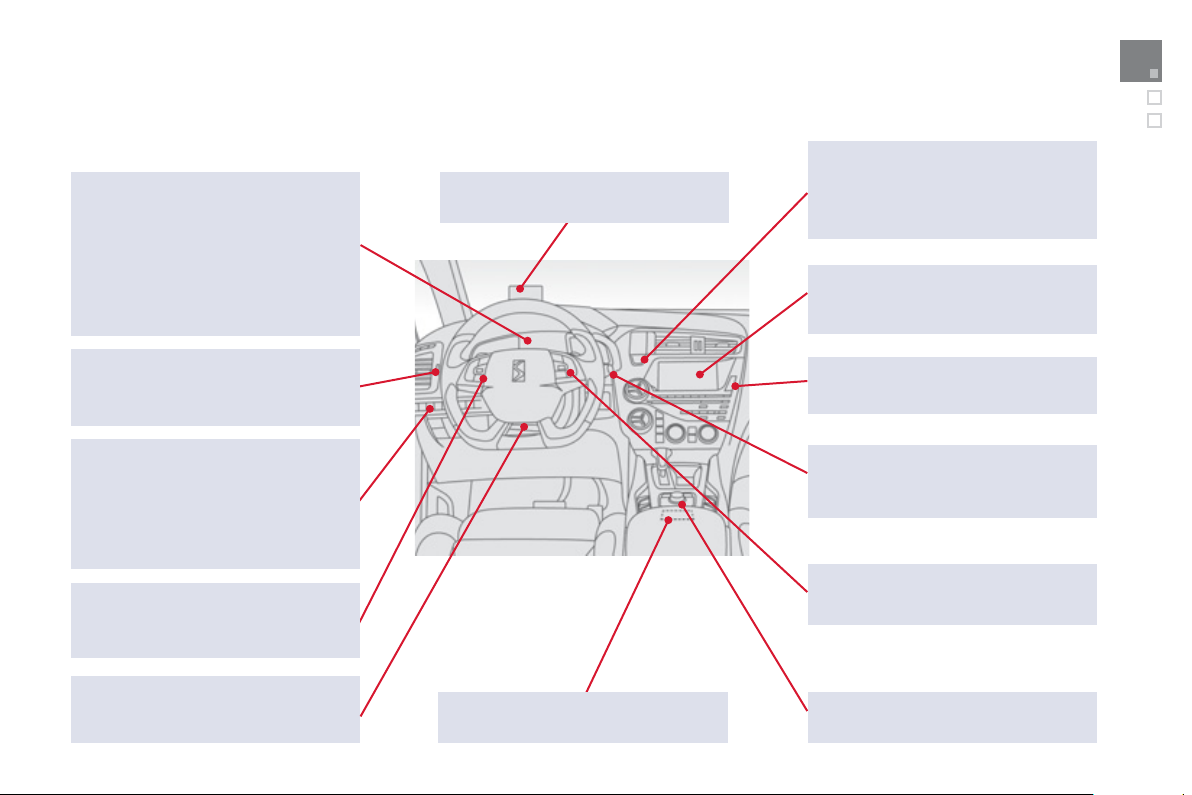
3
4
3
Visual search
eM
y
Wa
y
controls
2
5
3
Head-up displa
y
126-127
Memorisin
g
speeds
128
Speed limiter 129-130
Cruise control 1
3
1-1
3
2
Li
g
htin
g
controls 138-144
A
utomatic headlamp dippin
g
143
Direction indicators 144
,
170
Wiper controls 149-152
Trip computer 48-49
Instrument panels, screens
30
, 4
0
-45
- check
/
service indicator
/
trip distance recorde
r
- li
g
htin
g
dimme
r
Warnin
g
lamps
31
-
39
Indicators 4
0
-4
3
G
ear shift indicator 11
3
C
olour screen 255, 296-298
S
creen
C
308, 327-329
Instruments and controls (cont.)
Electric parkin
g
brake
103
-
110
START/ST
O
P, i
g
nition switch,
switchin
g
on/off 100-102
Stop & Start 122-124
A
ccessor
y
position 101
C
lock 4
6
Hazard warnin
g
lamps 170
A
udio s
y
stem controls
2
54,
30
7
S
teerin
g
wheel ad
j
ustment 83
H
o
rn
1
7
1
Switch panels, buttons 12
Openin
g
the fuel filler flap 68
Openin
g
the boot 61
A
larm
6
2-
63
Eco OFF
(
Stop & Start
)
122-124
Headlamp hei
g
ht ad
j
ustment 146
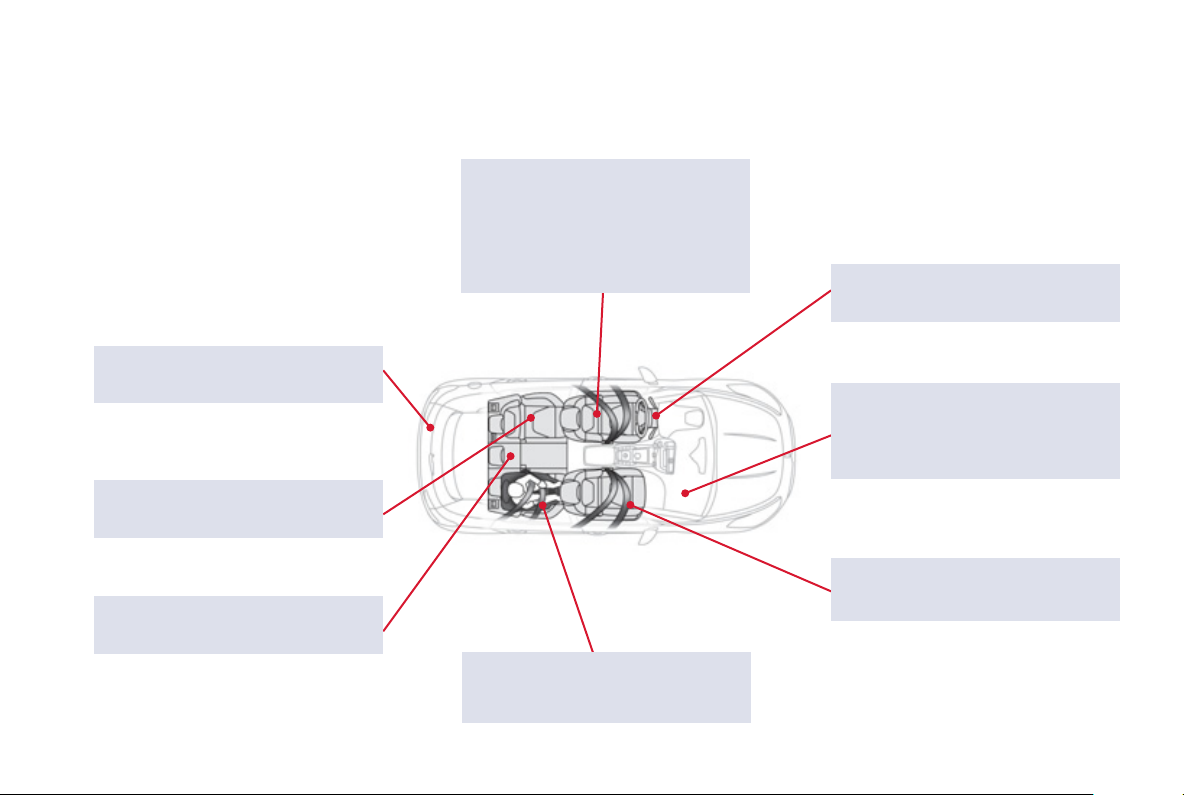
Interior
Boot
f
ittin
g
s 88
Warnin
g
trian
g
le 89
C
onventional child seats 1
58
-1
63
Electric child lock 1
6
7
Fr
o
nt
sea
t
s
74-7
8
-
head
r
es
tr
ai
nt
s
-
hea
t
ed
- m
a
n
ual
-
elec
tr
ic
-
massage
Rear armrest
8
7
Ski flap 87
Mats
8
5
Airba
g
s
1
7
9
-
182
Interior
f
ittin
g
s 84
C
i
g
arette li
g
hter
/
accessor
y
socket 85
Deactivatin
g
the passen
g
er's
f
ront
airba
g
160
,
180
S
eat belts 17
6
-17
8
Rear seats 7
9
-
8
1
I
SO
FIX child seats 1
6
4-1
66
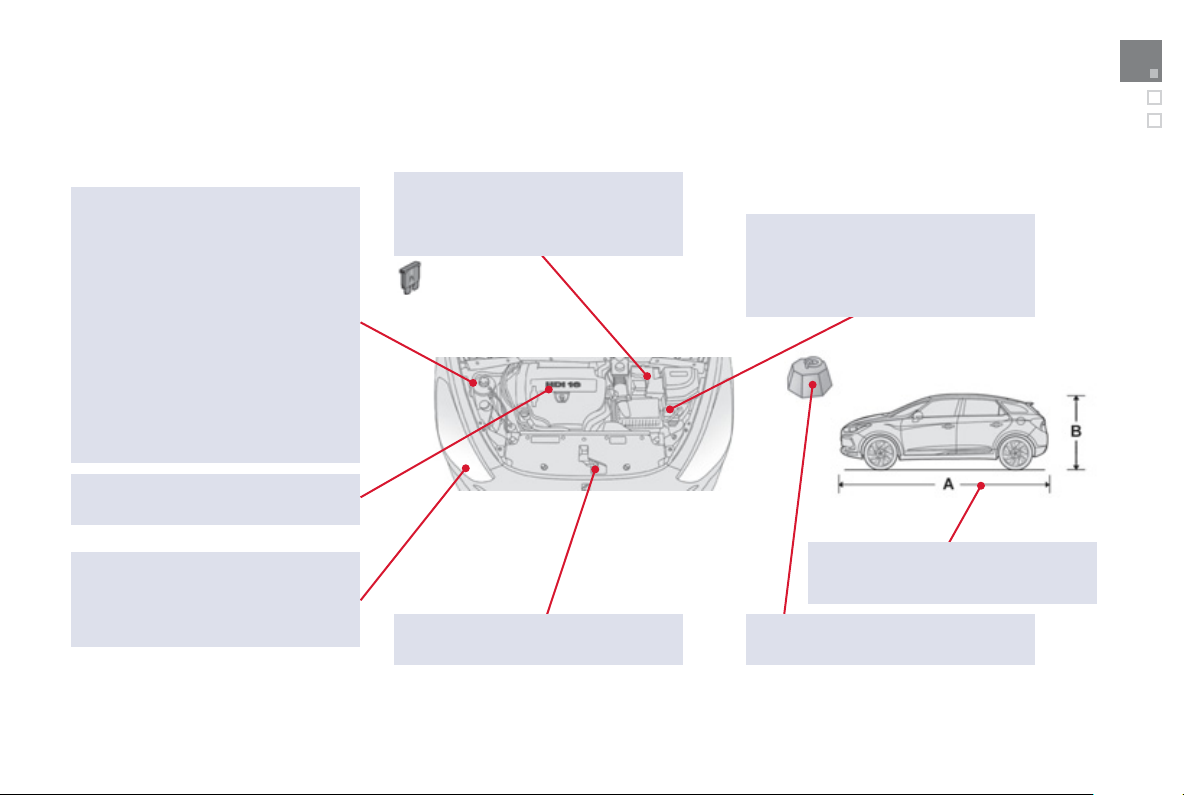
3
45
Visual search
Maintenance - Technical data
Dim
e
n
s
i
o
n
s
2
44
Identification markin
g
s 245
Checkin
g
levels 229-231
-
o
il
-
b
r
a
k
e
fl
u
i
d
- power steerin
g
fluid
-
coo
l
a
nt
- screenwash/headlamp wash fluid
Checkin
g
components 232-234
-
a
ir filt
er
- passen
g
er compartment filter
-
o
il filt
e
r
- electric parkin
g
brake
- brake pads / discs
C
han
g
in
g
bulbs 199-206
-
f
r
o
nt
-
rear
12V batter
y
210-212
Load reduction, econom
y
mode 213
En
g
ine compartment fuses 207, 209
O
penin
g
the bonnet 225
Petrol wei
g
hts 239-240
Diesel wei
g
hts 242-243
Runnin
g
out o
f
f
uel, Diesel 228
Under the bonnet, petrol 226
Under the bonnet, Diesel 227
Petrol en
g
ines 238
Diesel en
g
ines 241








4
Dconce
pt
Di
ade
i
s
Edipr
o
0
4-1
2
This handbook describes all of the equipment
available in the whole range.
Your vehicle will be fi tted with some of this
equipment described in this document, depending
on its trim level, version and the specifi cation for the
country in which it is sold.
The descriptions and illustrations are given without
any obligation. Automobiles CITROËN reserves
the right to modify the technical specifi cations,
equipment and accessories without having to update
this edition of the handbook.
This document is an integral part of your vehicle. It
should be passed on to the new user in the event of
sale or transfer.
Automobiles CITROËN declares, by application
of the provisions of the European regulation
(Directive 2000/53) relating to End of Life Vehicles,
that it achieves the objectives set by this regulation
and that recycled materials are used in the
manufacture of the products that it sells.
Reproduction or translation of all or part of this
handbook is prohibited without written authorisation
from Automobiles CITROËN.
Printed in the EU
Anglais
For any work on your vehicle, use a qualifi ed
workshop that has the technical information,
competence and equipment required, which a
CITROËN dealer is able to provide.