Universal Mount
OSMO
Quick Start Guide
V1.0

Disclaimer and Warning
Congratulations on purchasing your new DJI
product. The information in this document
affects your safety and your legal rights and
responsibilities. Read this entire document
carefully to ensure proper configuration
before use. Failure to read and follow
instructions and warnings in this document
may result in serious injury to yourself or
others, damage to your DJI product, or
damage to other objects in the vicinity. This
document and all other collateral documents
are subject to change at the sole discretion
of DJI. For up-to-date product information,
visit http://www.dji.com and click on the
product page for this product.
By using this product, you hereby signify that
you have read this disclaimer and warning
carefully and that you understand and agree
to abide by the terms and conditions herein.
You agree that you are solely responsible for
your own conduct while using this product,
and for any consequences thereof. You
agree to use this product only for purposes
that are proper and in accordance with all
applicable laws, rules, and regulations, and
all terms, precautions, practices, policies
and guidelines DJI has made and may
make available.
DJI accepts no liability for damage, injury or
any legal responsibility incurred directly or
indirectly from the use of this product. The
user shall observe safe and lawful practices
including, but not limited to, those set forth
in this document.
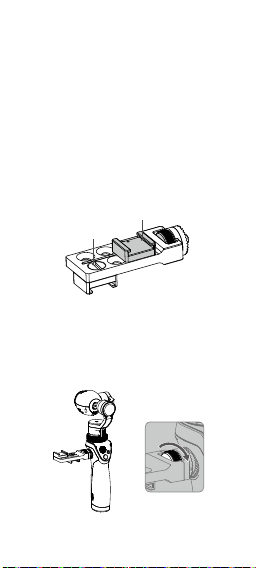
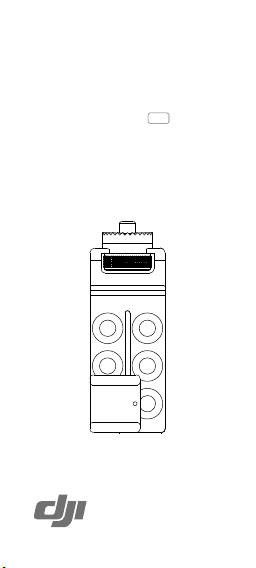
Cold Shoe Mount
1/4” Thread
Introduction
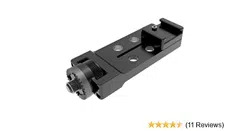
The Universal Mount for the Osmo is used
to mount an external device such as a
microphone or ashlight. It comes with two
cold shoe mounts with 1/4” threads which
can be positioned on any of the six holes.
Specications
Dimensions: 84 mm × 30 mm × 30 mm
Weight: 50 g
Installation
Attach the Universal Mount to the rosette
mount on the Osmo handle and tighten the
knob to secure.
The content is subject to change.
Download the latest version from
www.dji.com/product/osmo
If you have any questions about this document, please contact
DJI by sending a message to [email protected].
WARNING
Ensure the Universal Mount is mounted
securely and the cold shoe mounts are
secure and will not fall off.
To reposition the cold shoe mount, remove
the 1/4” thread using a coin or a screwdriver.
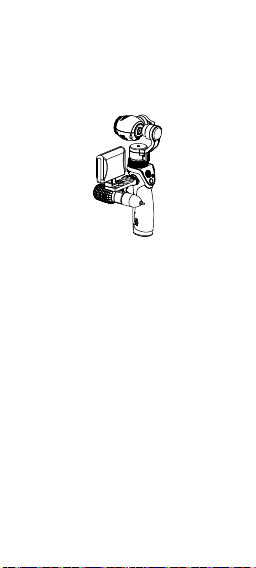
Suggested Combination
©
2015 DJI. All Rights Reserved.