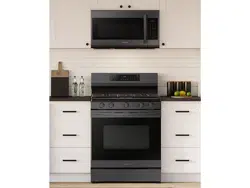
Samsung NX60A6511SG/AA Questions & Answers
You can find answers or submit your question.
In ManualsFile, you can ask and answer questions about your issues. We - volunteers - or other people who own the product will help you.
You should also read the documentation for your own answers. Download documentation for this product here.
How to use oven without the smartthings app
How do I bake in my new oven?
You can read at:
See details on page 23 of the User Manual.
How do I turn off demo mode
To turn off demo mode: 1. Press and hold for 3 seconds. 2. Press 0 to enter Demo mode. 3. Press 2 to turn Demo mode off. (1 to on, 2 to off) 4. Press START/SET to save the change.
a code pop up on the control panel, what does C-F2 means and it won't go away
The C-F2 error code means touch IC and PCB signal malfunction. This can be fixed by following these steps: 1. Press OFF/CLEAR, and then restart the oven. 2. If the problem persists, disconnect all power to the oven range for at least 30 seconds and then reconnect the power If the error code persists, contact a local Samsung service center or call 1-800-SAMSUNG (1-800-726-7864).
is it normal for a lot of heat coming out under the control panel when using the oven
How do you set the clock
To set the clock. 1. On the control panel, locate the number pad. 2. Press the clock icon below number 9 and beside number 0. 3. Enter your preferred time (most of the time I add 10 minutes to the current time). 4. Press the Start/Set button on the upper right side of the control panel to save it. https://manualsfile.com/product/poa8yx973t.html#:~:text=To%20set%20the%20clock%20time
How do you set the timer while the oven is running

Submit your question
If you have any questions about this product, please ask here.