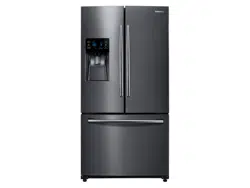
Samsung RF263BEAESG/AA Questions & Answers
You can find answers or submit your question.
In ManualsFile, you can ask and answer questions about your issues. We - volunteers - or other people who own the product will help you.
You should also read the documentation for your own answers. Download documentation for this product here.
I have a PC Er code flashing. When I try to reset, then the screen goes blank and buttons do not work
Display PC - Er in the panel with alarm means MICOM MAIN ↔ PANEL communication error. If there is not a problem, it is desirable to replace Main and Panel PCB With the oscilloscope after a cable problem confirming.
You can see details on page 53 of Service Manual document from here: https://manualsfile.com/download/2vs86whu4/2.html
Display PC - Er in the panel with alarm means MICOM MAIN ↔ PANEL communication error. If there is not a problem, it is desirable to replace Main and Panel PCB With the oscilloscope after a cable problem confirming.
You can see details on page 53 of Service Manual document from here: https://manualsfile.com/download/2vs86whu4/2.html
How do I change back to Fahrenheit?
Press and hold the Energy Saver button for 3 seconds to switch the between Celsius and Fahrenheit.
How do I change to. Fahrenheit?
Press and hold the Energy Saver button for 3 seconds to switch the between Celsius and Fahrenheit.
How do I turn the door alarm on
Touch and hold the Alarm/Lighting button for 3 seconds to turn on the door open alarm.
It is not providing water or ice
How do I set the refrigerator in defrost mode
Next to the econo mode a red box popped up. I can't find my book. What does it mean?

Submit your question
If you have any questions about this product, please ask here.