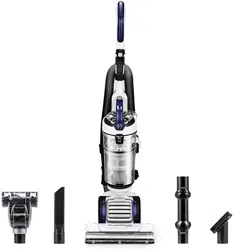
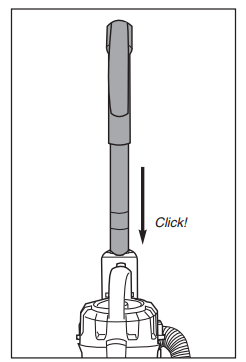
Slide handle into top of vacuum cleaner. Push down until it clicks.
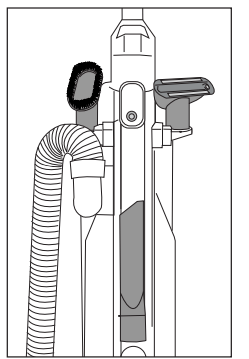
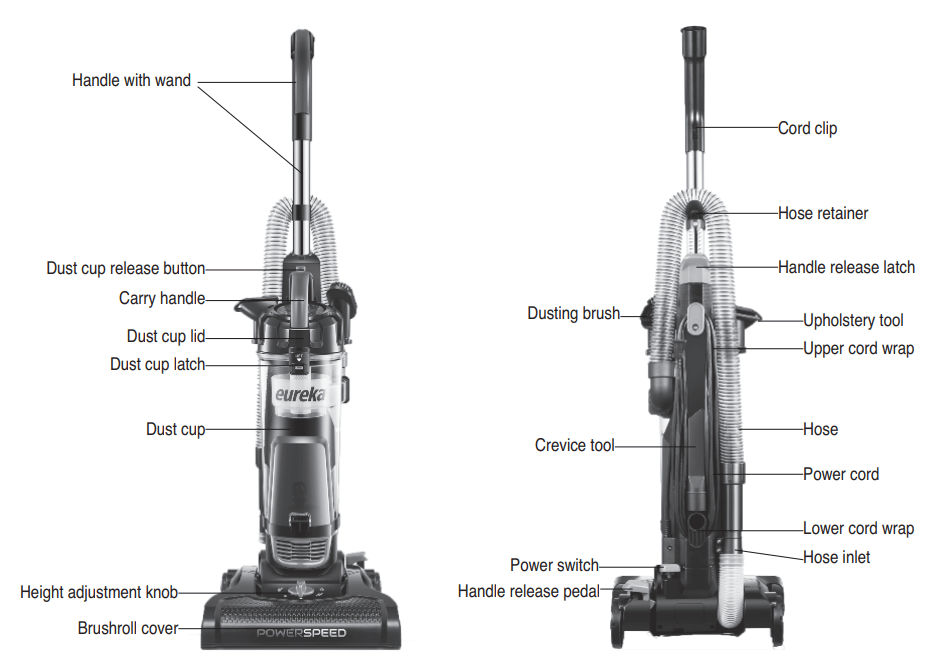
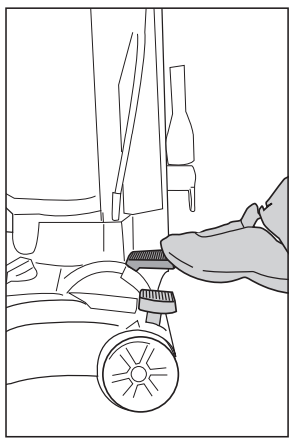
Store dusting brush, upholstery tool and crevice tool on back of vacuum cleaner.
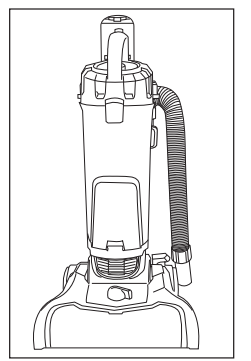
Loop hose over hose retainer.
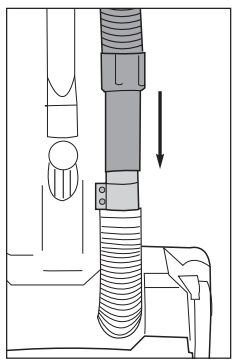
Push loose end of hose securely onto hose inlet.
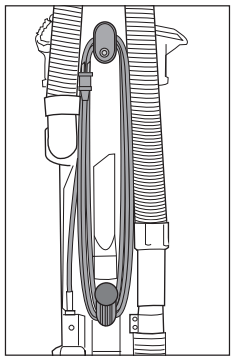
Wrap cord onto upper and lower cord wrap.
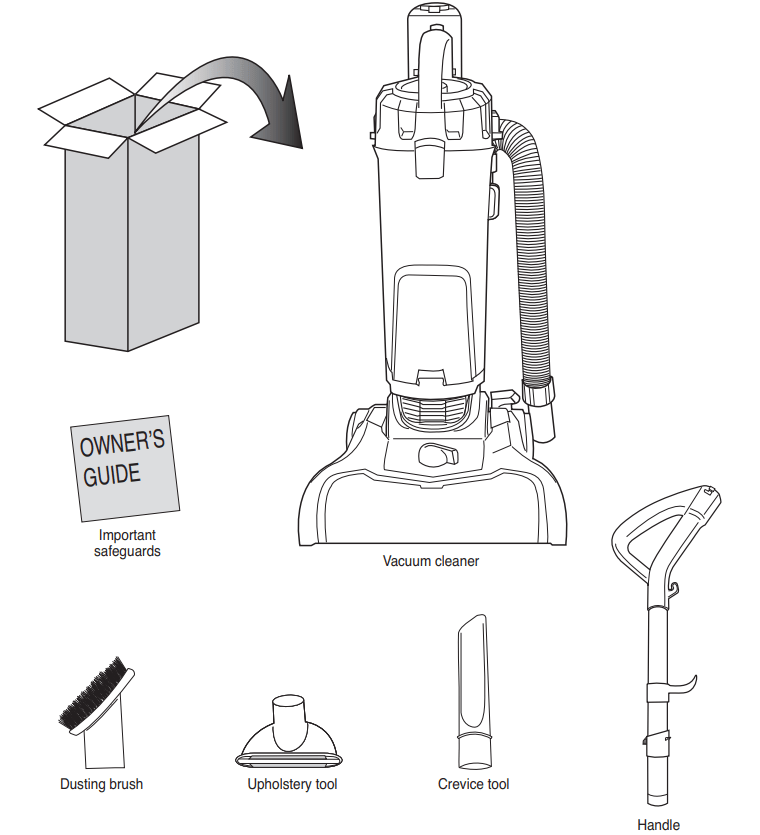
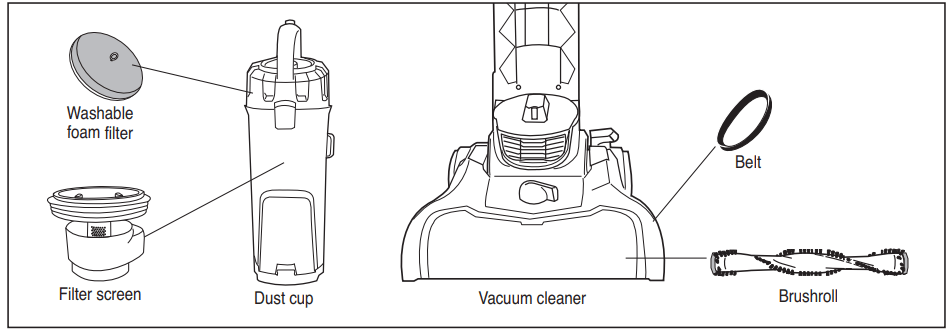
How to identify parts of your vacuum cleaner
For filter maintenance instructions, see page 9
How to use your vacuum cleaner
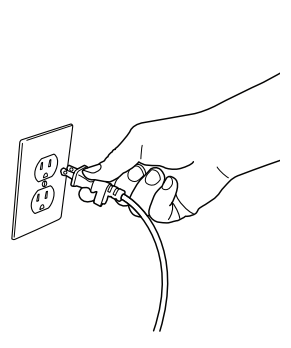
Plug power cord into outlet
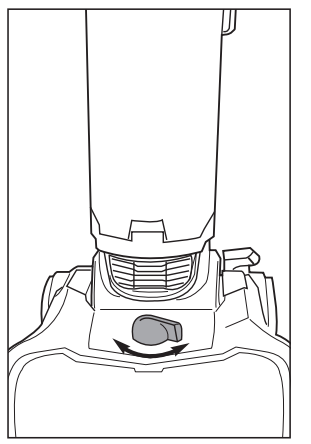
Turn height adjustment knob to adjust from bare floors to high pile carpet
Step on power switch to turn vacuum cleaner on. Step on again to turn off.
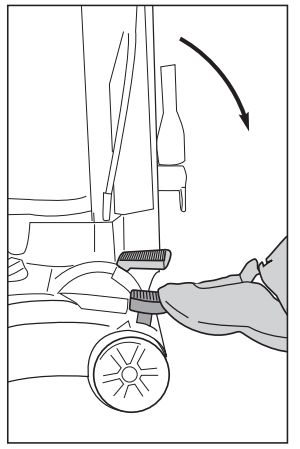
Step on handle release to lower handle into position for vacuuming floors.
Empty dust cup after every use
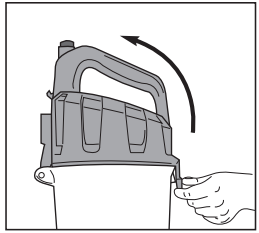
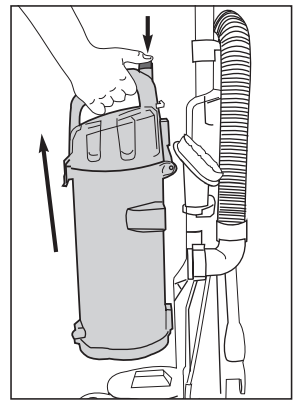
Press release button and lift off dust cup
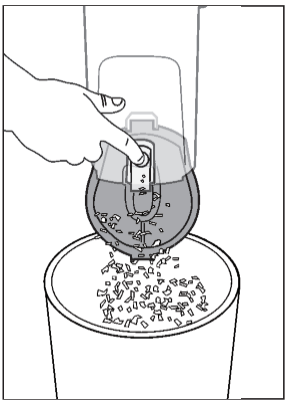
To empty debris, press lever to release bottom lid.
How to use accessories
Place vacuum in upright position.
Turn height adjustment knob to highest position.
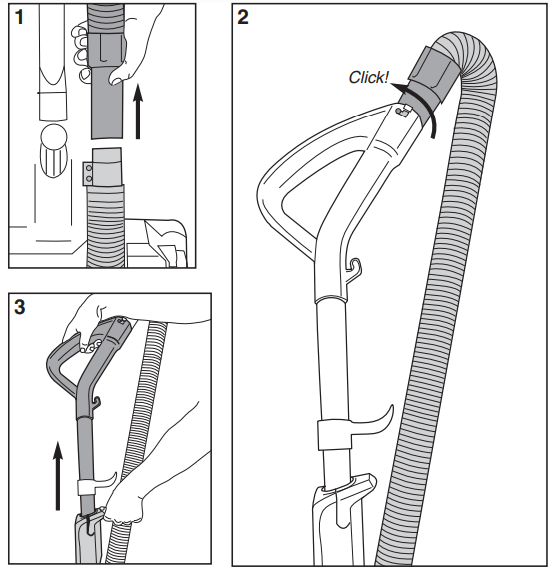
Pull up on hose connection to release hose end from hose inlet (Fig. 1).
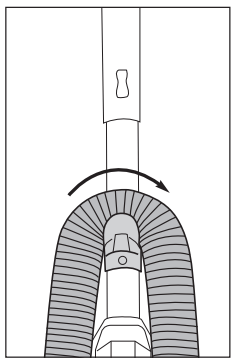
Push end of hose into top of handle and twist clockwise until it clicks (Fig. 2).
Press handle release latch and pull out handle with wand (Fig. 3).
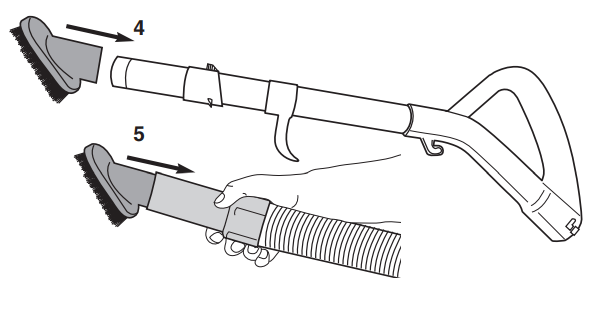
To attach accessories, push desired tool onto end of wand (Fig. 4).
To use accessories without handle and wand, push desired tool directly onto end of hose (Fig. 5).
When finished using accessories, twist hose counterclockwise and pull off handle. Slide handle into top of vacuum cleaner and push down until it clicks. Push loose end of hose securely onto hose inlet. Store tools on vacuum cleaner back. (See page 5.)
Crevice tool – Use for baseboard edges, corners, detailing chairs, sofas, dryer vents and tight spaces.
Dusting brush – Use for furniture, drapes, blinds, drawers and vents.
Upholstery tool – Use for furniture, chairs, sofas and mattresses.
How to maintain dust cup and filters
Dust cup – Empty after each use
Press release button and lift off dust cup
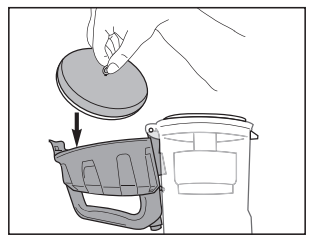
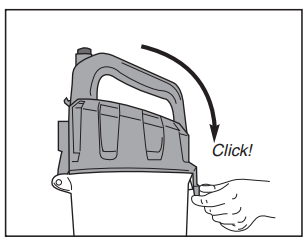
Hold dust cup over wastebasket and press lever to release bottom lid. Debris will empty.
Close bottom lid until it clicks.
Washable dust cup filters – Clean monthly
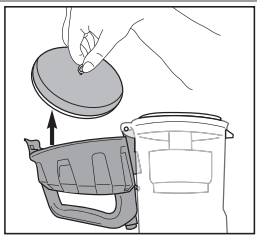
Pull dust cup latch to lift up dust cup lid.
Lift out foam filter and shake off dust. Rinse foam filter and dry thoroughly.
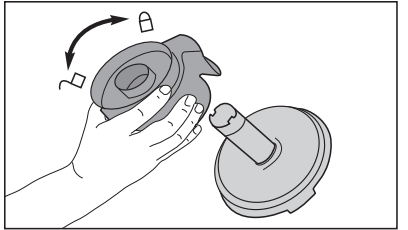
Grip tabs and lift out filter screen. Twist bottom of filter screen counterclockwise to unlock and pull apart. Shake off dust. Rinse screen and dust cup. Dry all thoroughly. Reassemble screen; twist clockwise to lock.
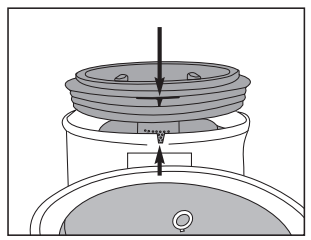
Align tab on filter screen with slot on back of dust cup and drop into position.
Reinstall foam filter.
Close cover until it clicks.
How to clear a blockage
If vacuum is not cleaning floors, or if no suction at end of hose, check to be sure air path is not blocked.
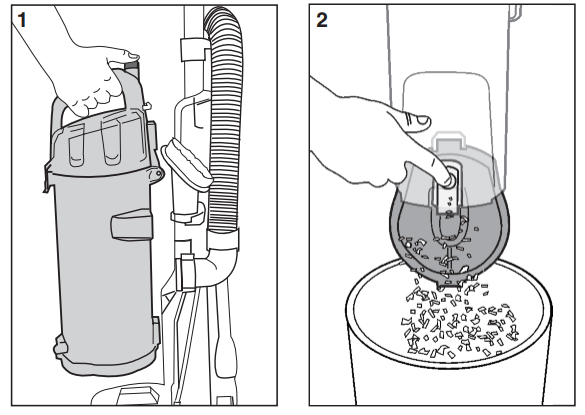
Press release button and lift off dust cup (Fig. 1).
Empty debris. Hold over wastebasket and press lever to release bottom lid (Fig. 2).
Check filter screen. Remove any debris and shake off dust. (See maintenance instructions on page 9.)
Loosen end of hose.
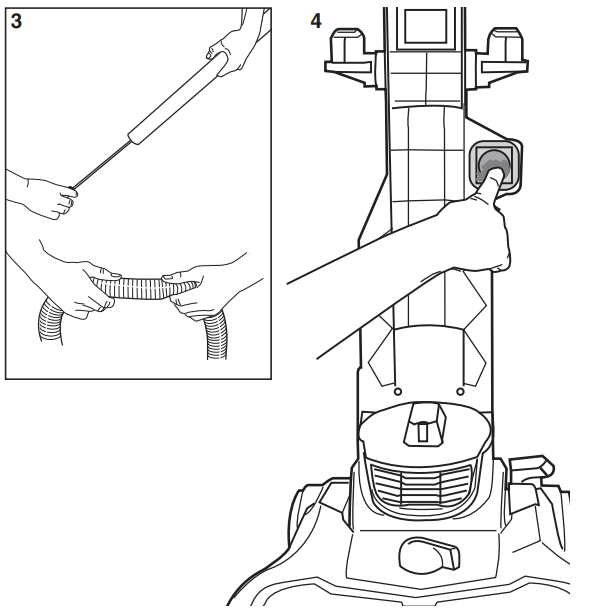
Use a rod or similar blunt implement to clear a blockage in wand or hose. Flex hose to loosen debris. (Fig. 3). Use caution if there is any risk that glass or nails could have become imbedded in hose.
Remove dust cup
Use finger to check for debris in air path (Fig. 4).
Reinstall filter and filter screen inside dust cup and position dust cup onto vacuum cleaner.
Warning: Never operate vacuum cleaner without foam filter and filter screen in proper position.
How to maintain brushroll
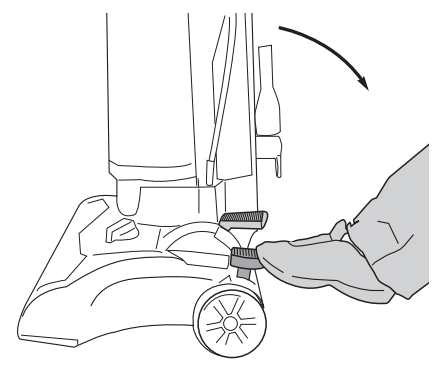
Step on handle release to lower handle.
Turn vacuum face down on floor.
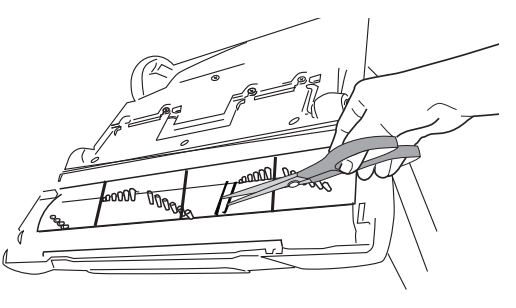
To avoid unnecessary service calls, check brushroll for debris.
Use scissors to clip heavy threads or strings.
How to replace brushroll or belt
CAUTION: Make sure vacuum is turned off and power cord is unplugged.
Step on handle release and lay vacuum cleaner face down.
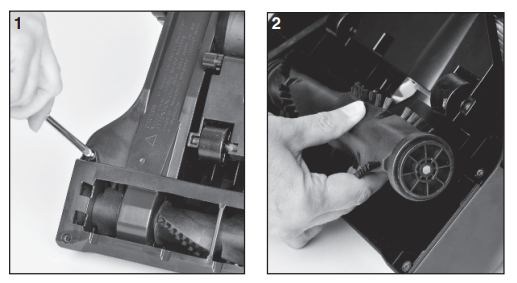
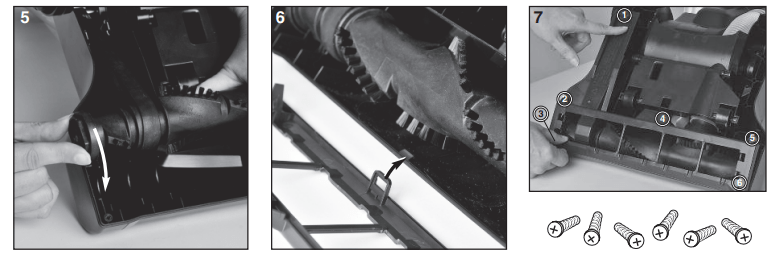
Use Phillips screwdriver to remove 6 screws from brushroll cover (Fig. 1). Lift off cover. Refer to Fig. 7 for location of screws.
Rotate right end of brushroll and lift out (Fig. 2).
Lift out left end of brushroll.
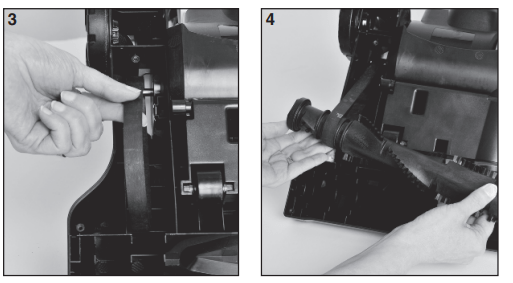
To replace belt, position new belt around motor shaft (Fig. 3)
Loop new belt around brushroll shaft at left end of brushroll (Fig. 4).
To reposition brushroll into base, pull belt down and insert left end of brushroll first. Align brushroll end cap with slot so it fits into position (Fig. 5). Press right end of brushroll into position
To replace brushroll cover, align slot on cover with tab (Fig. 6) and snap cover into place. Replace 6 screws (Fig. 7)
Problem solving
NOTICE: Thermal cut-off
This vacuum cleaner has a special thermostat that protects the vacuum in case of motor overheating.
If the vacuum suddenly shuts off, proceed as follows:
1) Push the power switch to off and unplug the vacuum.
2) Check the vacuum for a possible source of overheating such as a full dust cup, blocked hose or clogged filter. If these conditions are found, fix them and wait at least 30 minutes before attempting to use the vacuum.
3) After the 30 minute period, plug the vacuum back in and turn on the switch. If the vacuum still does not work, call the Eureka Customer Service HELPLINE at 1-800-282-2886.
Problem
Solution
Motor will not start.
Push plug securely into outlet, try another outlet or check circuit breaker.
Step on power switch to turn vacuum on.
See detailed “thermal cut-off” instructions above.
Vacuum cleaner does not clean floors.
Empty dust cup, clean and/or change filter.
Clean or replace filter regularly to maintain suction.
Check vacuum height adjustment knob position.
Clean brushroll if needed.
No suction at the end of hose or wand.
See other solutions above.
Remove clogs from the hose or wand that restrict the airflow.
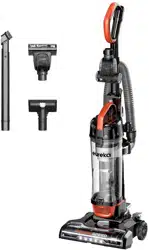
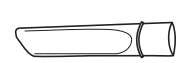 Crevice tool – Use for baseboard edges, corners, detailing chairs, sofas, dryer vents and tight spaces.
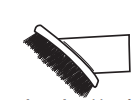 Dusting brush – Use for furniture, drapes, blinds, drawers and vents.
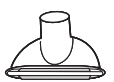 Upholstery tool – Use for furniture, chairs, sofas and mattresses.