8

Kia, THE COMPANY
Thank you for becoming the owner of a new Kia vehicle.
As a global car manufacturer focused on building high-quality vehi-
cles with exceptional value, Kia Motors is dedicated to providing you
with a customer service experience that exceeds your expectations.
All information contained in this Owner’s Manual was accurate at the
time of publication. However, Kia reserves the right to make changes
at any time so that our policy of continual product improvement can
be carried out.
This manual applies to all models of this vehicle and includes descrip-
tions and explanations of optional as well as standard equipment. As a
result, you may encounter material in this manual that is not applica-
ble to your specific Kia vehicle.
Drive safely and enjoy your Kia!

i
Thank you for choosing a Kia vehicle.
When you require service, remember that your Kia dealer
knows your vehicle best. Your dealer has factory-trained tech-
nicians, recommended special tools and genuine Kia replace-
ment parts. It is dedicated to your complete customer satisfac-
tion.
Because subsequent owners require this important information
as well, this publication should remain with the vehicle if it is
sold.
This manual will familiarize you with operational, mainte-
nance and safety information about your new vehicle. It is sup-
plemented by a Warranty and Consumer Information manual
that provides important information on all warranties regarding
your vehicle.
We urge you to read these publications carefully and follow the
recommendations to help assure enjoyable and safe operation
of your new vehicle.
Kia offers a great variety of options, components and features
for its various models. Therefore, some of the equipment
described in this manual, along with the various illustrations,
may not be applicable to your particular vehicle.
The information and specifications provided in this manual
were accurate at the time of printing. Kia reserves the right to
discontinue or change specifications or design at any time
without notice and without incurring any obligation. If you
have questions, always check with your Kia dealer.
We assure you of our continuing interest in your motoring
pleasure and satisfaction in your Kia vehicle.
© 2017 Kia Motors America, Inc.
All rights reserved. May not be reproduced or translated in
whole or in part without the written consent of Kia Motors
America, Inc.
Printed in MEXICO
Foreword
ii
1
2
3
4
5
6
7
8
I
Introduction
Your vehicle at a glance
Safety features of your vehicle
Features of your vehicle
Audio system
Driving your vehicle
What to do in an emergency
Maintenance
9
Specifications, Consumer information and Reporting safety defects
Index
table of contents

Introduction
How to use this manual . . . . . . . . . . . . . . . . . . . . . . 1-2
Fuel requirements . . . . . . . . . . . . . . . . . . . . . . . . . . 1-3
• Gasoline containing alcohol and methanol. . . . . . . . . 1-3
• Do not use methanol . . . . . . . . . . . . . . . . . . . . . . . . . . . 1-4
• Fuel Additives . . . . . . . . . . . . . . . . . . . . . . . . . . . . . . . . 1-5
Vehicle break-in process . . . . . . . . . . . . . . . . . . . . . 1-5
Vehicle data collection and event data recorders. . 1-6
1
Introduction
21
We want to help you get the greatest
possible driving pleasure from your
vehicle. Your Owner’s Manual can
assist you in many ways. We strong-
ly recommend that you read the
entire manual. In order to minimize
the chance of death or injury, you
must read the WARNING and CAU-
TION sections in the manual.
Illustrations complement the words
in this manual to best explain how to
enjoy your vehicle. By reading your
manual, you will learn about fea-
tures, important safety information,
and driving tips under various road
conditions.
The general layout of the manual is
provided in the Table of Contents.
Use the index when looking for a
specific area or subject; it has an
alphabetical listing of all located in
the back of this manual.
Sections: This manual has nine sec-
tions plus an index. Each section
begins with a brief list of contents so
you can tell at a glance if that section
has the information you want.
You will find various types of safety
instructions in this manual. These
instructions were prepared to
enhance your personal safety.
Carefully read and follow ALL proce-
dures and recommendations provid-
ed in these instructions.
✽✽
NOTICE
A NOTICE indicates interesting or
helpful information is being provided.
HOW TO USE THIS MANUAL
WARNING
A WARNING indicates a situation
in which harm, serious bodily
injury or death could result if the
warning is ignored.
CAUTION
A CAUTION indicates a situation
in which damage to your vehicle
could result if the caution is
ignored.
13
Introduction
Your new vehicle is designed to use
only unleaded fuel having a pump
octane number ((R+M)/2) of 87
(Research Octane Number 91) or
higher. (Do not use methanol blend-
ed fuels.)
Your new vehicle is designed to
obtain maximum performance with
UNLEADED FUEL, as well as mini-
mize exhaust emissions and spark
plug fouling.
Never add any fuel system cleaning
agents to the fuel tank other than
what has been specified.(Consult an
authorized Kia dealer for details.)
• Tighten the cap until it clicks one
time, otherwise the Check Engine
light will illuminate.
Gasoline containing alcohol and
methanol
Gasohol, a mixture of gasoline and
ethanol (also known as grain alco-
hol), and gasoline or gasohol con-
taining methanol (also known as
wood alcohol) are being marketed
along with or instead of leaded or
unleaded gasoline.
Pursuant to EPA regulations, ethanol
may be used in your vehicle.
Do not use gasohol containing more
than 15% ethanol, and do not use
gasoline or gasohol containing any
methanol. Ethanol provides less
energy than gasoline and it attracts
water, and it is thus likely to reduce
your fuel efficiency and could lower
your MPG results.
Methanol may cause drivability prob-
lems and damage to the fuel system,
engine control system and emission
control system.
Discontinue using gasohol of any
kind if drivability problems occur.
Vehicle damage or drivability prob-
lems may not be covered by the
manufacturer’s warranty if they result
from the use of:
1. Gasoline or gasohol containing
methanol.
2. Leaded fuel or leaded gasohol.
3. Gasohol containing more than 15
percent ethanol
FUEL REQUIREMENTS
WARNING - Refueling
• Do not "top off" after the noz-
zle automatically shuts off.
Attempts to force more fuel
into the tank can cause fuel
overflow onto you and the
ground causing a risk of fire.
• Always check that the fuel cap
is installed securely to pre-
vent fuel spillage, especially
in the event of an accident.

Introduction
41
"E85" fuel is an alternative fuel com-
prised of 85 percent ethanol and 15
percent gasoline, and is manufac-
tured exclusively for use in Flexible
Fuel Vehicles. “E85” is not compati-
ble with your vehicle. Use of “E85”
may result in poor engine perform-
ance and damage to your vehicle's
engine and fuel system. Kia recom-
mends that customers do not use
fuel with an ethanol content exceed-
ing 15 percent.
✽✽
NOTICE
Your New Vehicle Limited Warranty
does not cover damage to the fuel sys-
tem or any performance problems
caused by the use of “E85” fuel.
✽✽
NOTICE
Never use any fuel containing
methanol. Discontinue use of any
methanol containing product which
may inhibit proper drivability.
Other fuels
Using fuels that contain Silicone (Si),
MMT (Manganese, Mn), Ferrocene
(Fe), and Other metalic additives,
may cause vehicle and engine dam-
age or cause misfiring, poor acceler-
ation, engine stalling, catalyst melt-
ing, clogging, abnormal corrosion,
life cycle reduction, etc.
Also, the Malfunction Indicator Lamp
(MIL) may illuminate.
✽✽
NOTICE
Damage to the fuel system or per-
formance problem caused by the use
of these fuels may not be covered by
your New Vehicle Limited
Warranty.
Gasoline containing MMT
Some gasoline contains harmful man-
ganese-based fuel additives Such as
MMT(Methylcyclopentadienyl
Manganese Tricarbonyl). Kia does not
recommend the use of gasoline con-
taining MMT. This type of fuel can
reduce vehicle performance and affect
your emission control system. The
Malfunction Indicator Lamp on the
cluster may come on.
Do not use methanol
Fuels containing methanol (wood alco-
hol) should not be used in your vehicle.
This type of fuel can reduce vehicle
performance and damage components
of the fuel system, engine control sys-
tem and emission control system.

15
Introduction
Fuel Additives
Kia recommends that you use good
quality gasolines treated with deter-
gent additives such as TOP TIER
Detergent Gasoline, which help pre-
vent deposit formation in the engine.
These gasolines will help the engine
run cleaner and enhance performance
of the Emission Control System. For
more information on TOP TIER
Detergent Gasoline, please go to the
website (www.toptiergas.com)
For customers who do not use TOP
TIER Detergent Gasoline regularly,
and have problems starting or the
engine does not run smoothly, addi-
tives that you can buy separately may
be added to the gasoline.
If TOP TIER Detergent Gasoline is not
available, one bottle of additive should
be added to the fuel tank at every
7,500miles or every engine oil change
is recommended. Additives are avail-
able from your authorized Kia dealer
along with information on how to use
them. Do not mix other additives.
Operation in foreign countries
If you are going to drive your vehicle
in another country, be sure to:
• Observe all regulations regarding
registration and insurance.
• Determine that acceptable fuel is
available.
No special break-in period is need-
ed.By following a few simple precau-
tions for the first 600 miles (1,000
km) you may add to the perform-
ance, economy and life of your vehi-
cle.
• Do not race the engine.
• While driving, keep your engine
speed (rpm, or revolutions per
minute) between 2,000 rpm and
4,000 rpm.
• Do not maintain a single speed for
long periods of time, either fast or
slow. Varying engine speed is
needed to properly break-in the
engine.
• Avoid hard stops, except in emer-
gencies, to allow the brakes to seat
properly.
• Don't tow a trailer during the first
1,200 miles (2,000 km) of opera-
tion.
VEHICLE BREAK-IN
PROCESS

Introduction
61
VEHICLE DATA COLLECTION AND EVENT DATA RECORDERS
This vehicle is equipped with an
event data recorder (EDR). The
main purpose of an EDR is to
record, in certain crash or near
crash-like situations, such as an
air bag deployment or hitting a
road obstacle, data that will assist
in understanding how a vehicle's
systems performed. The EDR is
designed to record data related to
vehicle dynamics and safety sys-
tems for a short period of time,
typically 30 seconds or less. The
EDR in this vehicle is designed to
record such data as:
* How various systems in your
vehicle were operating;
* Whether or not the driver and
passenger safety belts were
buckled/ fastened;
* How far (if at all) the driver was
depressing the accelerator
and/or brake pedal; and,
* How fast the vehicle was travel-
ing.
These data can help provide a bet-
ter understanding of the circum-
stances in which crashes and
injuries occur. NOTE: EDR data
are recorded by your vehicle only
if a non-trivial crash situation
occurs; no data are recorded by
the EDR under normal driving con-
ditions and no personal data (e.g.,
name, gender, age, and crash loca-
tion) are recorded. However, other
parties, such as law enforcement,
could combine the EDR data with
the type of personally identifying
data routinely acquired during a
crash investigation.
To read data recorded by an EDR,
special equipment is required, and
access to the vehicle or the EDR is
needed. In addition to the vehicle
manufacturer, other parties, such
as law enforcement, that have the
special equipment, can read the
information if they have access to
the vehicle or the EDR.

Your vehicle at a glance
Exterior overview. . . . . . . . . . . . . . . . . . . . . . . . . . . 2-2
Interior overview . . . . . . . . . . . . . . . . . . . . . . . . . . . 2-5
Instrument panel overview . . . . . . . . . . . . . . . . . . . 2-6
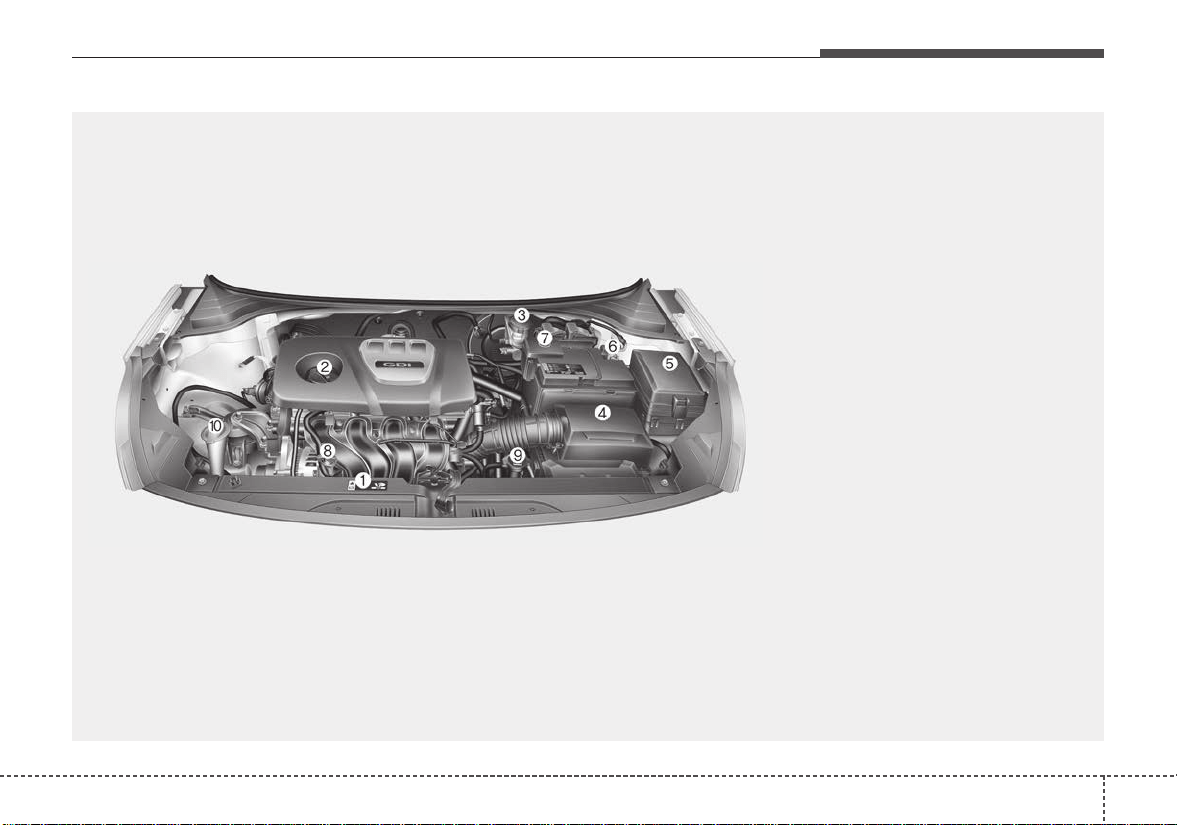
Engine compartment . . . . . . . . . . . . . . . . . . . . . . . . 2-7
2

Your vehicle at a glance
22
EXTERIOR OVERVIEW
1. Hood......................................................4-36
2. Head lamp (Features of your vehicle)...4-89
Head lamp (Maintenance).....................8-75
3. Front fog lamp
(Features of your vehicle)......................4-92
Front fog lamp or DRL lamp
(Maintenance) .......................................8-75
4.Wheel and tire................................8-45, 9-5
5. Outside rearview mirror.........................4-50
6. Sunroof..................................................4-41
7. Front windshield wiper blades
(Features of your vehicle)......................4-94
Front windshield wiper blades
(Maintenance) .......................................8-38
8.Windows................................................4-30
9. Radar type Autonomous Emergency
Braking..................................................6-37
OSC017005N
■ Front view
❈ The actual shape may differ from the illustration.
23
Your vehicle at a glance
1. Door locks .............................................4-17
2. Fuel filler lid...........................................4-38
3. Rear combination lamp
(Maintenance) .......................................8-75
4. High mounted stop lamp
(Maintenance) .......................................8-75
5.Trunk......................................................4-21
6. Antenna...................................................5-2
7. Rearview camera ..................................4-86
OSC017006N
■ Rear view (4 DOOR)
❈ The actual shape may differ from the illustration.

Your vehicle at a glance
42
1. Door locks .............................................4-17
2. Fuel filler lid...........................................4-38
3. Rear combination lamp
(Maintenance) .......................................8-75
4. High mounted stop lamp
(Maintenance) .......................................8-75
5.Tailgate..................................................4-27
6. Antenna...................................................5-2
7. Rearview camera ..................................4-86
8. Rear window wiper blade
(Features of your vehicle)......................4-96
Rear window wiper blade (Maintenance)...8-38
OSC017002N
■ Rear view (5 DOOR)
❈ The actual shape may differ from the illustration.
25
Your vehicle at a glance
INTERIOR OVERVIEW
1. Inside door handle............................4-18
2. Inner fuse panel................................8-60
3. Power window switches....................4-31
4. Power window lock button ................4-34
5. Outside rearview mirror control
switch................................................4-50
6. Outside rearview mirror folding
switch................................................4-51
7. Hood release lever............................4-36
8. Fuel filler lid release lever.................4-38
9.Trunk open lever ...............................4-21
10. Steering wheel................................4-46
11. Steering wheel tilt control ...............4-47
12. Instrument panel illumination control
switch..............................................4-53
13. ESC OFF button.............................6-29
14. Brake pedal.....................................6-23
15. Accelerator pedal
OSC017003N
• 4 Door
• 5 Door

Your vehicle at a glance
62
INSTRUMENT PANEL OVERVIEW
OSC017004N
1. Instrument cluster.............................4-52
2. Horn .................................................4-47
3. Driver’s front air bag.........................3-44
4. Light control/Turn signals .................4-88
5.Wiper/Washer...................................4-93
6. Ignition switch or
ENGINE START/STOP button......6-6, 6-8
7. Hazard warning flasher switch................7-2
8. Audio..................................................5-7
9. Central door lock switch...................4-18
10. Climate control system .....4-104, 4-114
11. Aux, USB port ..................................5-3
12. Shift lever..............................6-15, 6-18
13. Parking brake lever ........................6-25
14. Passenger’s front air bag ...............3-44
15. Power outlet .................................4-133
16. Glove box.....................................4-128
17. Steering wheel audio control.............5-10
18. Seat warmer.................................4-132
19. Heated steering wheel switch........4-48
20. Sport mode system........................6-53
21. USB charger.................................4-134
22. Center console storage …………4-128
27
Your vehicle at a glance
ENGINE COMPARTMENT
OSC077013N
■■
Gamma 1.6L GDI Engine (Gasoline)
❈ The actual engine compartment in the vehicle may differ from the illustration.
1. Engine coolant reservoir...................8-28
2. Engine oil filler cap ...........................8-26
3. Brake / clutch fluid reservoir.............8-31
4. Air cleaner.........................................8-34
5. Fuse box...........................................8-60
6. Negative battery terminal..................8-42
7. Positive battery terminal ...................8-42
8. Engine oil dipstick.............................8-26
9. Radiator cap .....................................8-28
10.Windshield washer fluid reservoir....8-38

Safety features of your vehicle
Seat. . . . . . . . . . . . . . . . . . . . . . . . . . . . . . . . . . . . . . . 3-2
• Driver’s seat. . . . . . . . . . . . . . . . . . . . . . . . . . . . . . . . . . 3-2
• Front passenger’s seat. . . . . . . . . . . . . . . . . . . . . . . . . . 3-2
• Rear seat. . . . . . . . . . . . . . . . . . . . . . . . . . . . . . . . . . . . . 3-2
• Front seat adjustment. . . . . . . . . . . . . . . . . . . . . . . . . . 3-4
• Headrest (for front seat). . . . . . . . . . . . . . . . . . . . . . . . 3-6
• Seatback pocket. . . . . . . . . . . . . . . . . . . . . . . . . . . . . . . 3-8
• Rear seat adjustment . . . . . . . . . . . . . . . . . . . . . . . . . . 3-9
Seat belts . . . . . . . . . . . . . . . . . . . . . . . . . . . . . . . . . 3-12
• Seat belt restraint system . . . . . . . . . . . . . . . . . . . . . . 3-12
• Pre-tensioner seat belt. . . . . . . . . . . . . . . . . . . . . . . . . 3-17
• Seat belt precautions. . . . . . . . . . . . . . . . . . . . . . . . . . 3-20
• Care of seat belts. . . . . . . . . . . . . . . . . . . . . . . . . . . . . 3-22
Child restraint system . . . . . . . . . . . . . . . . . . . . . . 3-23
• Using a child restraint system . . . . . . . . . . . . . . . . . . 3-24
Air bag - advanced supplemental
restraint system . . . . . . . . . . . . . . . . . . . . . . . . . . 3-30
• How does the air bag system operate . . . . . . . . . . . . 3-31
• Air bag warning light . . . . . . . . . . . . . . . . . . . . . . . . . 3-34
• SRS components and functions . . . . . . . . . . . . . . . . . 3-34
• Occupant detection system. . . . . . . . . . . . . . . . . . . . . 3-37
• Driver's and passenger's front air bag . . . . . . . . . . . 3-44
• Side air bag . . . . . . . . . . . . . . . . . . . . . . . . . . . . . . . . . 3-47
• Curtain air bag . . . . . . . . . . . . . . . . . . . . . . . . . . . . . . 3-48
• Why didn’t my air bag go off in a collision?
(Inflation and non-inflation conditions of the
air bag) . . . . . . . . . . . . . . . . . . . . . . . . . . . . . . . . . . . . 3-49
• SRS care. . . . . . . . . . . . . . . . . . . . . . . . . . . . . . . . . . . . 3-54
• Adding equipment to or modifying your air
bagequipped vehicle . . . . . . . . . . . . . . . . . . . . . . . . . 3-55
• Air bag warning label. . . . . . . . . . . . . . . . . . . . . . . . . 3-55
3

Safety features of your vehicle
23
Driver’s seat
(1) Forward and backward
(2) Seatback angle
(3) Seat cushion height*
(4) Headrest
Front passenger’s seat
(5) Forward and backward
(6) Seatback angle
(7) Headrest
Rear seat
(8) Headrest
(9) Seatback folding*
* : if equipped
SEAT
OSC037001N
❈ The actual seats in the vehicle may differ from the illustration.
33
Safety features of your vehicle
WARNING - Uprighting
seat
Do not press the release lever
on a manual seatback without
holding and controlling the
seatback. The seatback will
spring upright possibly impact-
ing you or other passengers.
WARNING - Loose objects
Do not place anything in the dri-
ver's foot well or under the front
seats. Loose objects in the dri-
ver's foot area could interfere with
the operation of the foot pedals.
WARNING
- Driver responsibility for
passengers
The driver must advise the pas-
senger to keep the seatback in
an upright position whenever
the vehicle is in motion. If a seat
is reclined during an accident,
the restraint system's ability to
restrain will be greatly reduced.
1KMN3661
WARNING - Seat cushion
Occupants should never sit on
aftermarket seat cushions or sit-
ting cushions. The passenger's
hips may slide under the lap por-
tion of the seat belt during an
accident or a sudden stop.
WARNING - Driver’s seat
• Never attempt to adjust the
seat while the vehicle is mov-
ing. This could result in loss
of control of your vehicle.
(Continued)
(Continued)
• Do not allow anything to inter-
fere with the normal position
of the seatback and seatback
adjustment.
• Sit as far back as possible
from the steering wheel while
still maintaining comfortable
control of your vehicle. A dis-
tance of at least 10" from your
chest to the steering wheel is
recommended. Failure to do
so could result in air bag infla-
tion injuries to the driver.
WARNING - Seat
adjustment
• Do not adjust the seat while
wearing seat belts. Moving the
seat forward will cause strong
pressure on the abdomen.
• Do not place your hand near
the seat bottom or seat track
while adjusting the seat. Your
hand could get caught in the
seat mechanism.
Safety features of your vehicle
43
Feature of Seat Leather
• Leather is made from the outer
skin of an animal, which goes
through a special process to be
available for use. Since it is a nat-
ural substance, each part differs in
thickness or density.
Wrinkles may appear as a natural
result of stretching and shrinking
depending on the temperature and
humidity.
• The seat is made of stretchable
fabric to improve comfort.
• The parts contacting the body are
curved and the side supporting
area is high which provides driving
comfort and stability.
• Wrinkles may appear naturally
from usage. It is not a fault of the
product.
✽✽
NOTICE
Wrinkles or abrasions which appear
naturally from usage are not cov-
ered by warranty.
Front seat adjustment
Forward and backward
To move the seat forward or backward:
1.Pull the seat slide adjustment
lever up and hold it.
2. Slide the seat to the position you
desire.
3. Release the lever and make sure
the seat is locked in place.
Adjust the seat before driving, and
make sure the seat is locked securely
by trying to move forward and back-
ward without using the lever. If the
seat moves, it is not locked properly.
WARNING - Small Objects
Use extreme caution when pick-
ing small objects trapped under
the seats or between the seat
and the center console. Your
hands might be cut or injured
by the sharp edges of the seats
mechanism.
CAUTION
• Belts with metallic acces-
sories, zippers or keys inside
your back pants pocket may
damage the seat fabric.
• Make sure not to wet the seat.
It may change the nature of
natural leather.
• Jeans or clothes which con-
tain bleach may contaminate
the surface of the seat cover-
ing fabric and cause damage
or discoloration.
OYB036003
35
Safety features of your vehicle
Seatback angle
To recline the seatback:
1. Lean forward slightly and lift up the
seatback recline lever.
2. Carefully lean back on the seat
and adjust the seatback of the
seat to the position you desire.
3. Release the lever and make sure
the seatback is locked in place.
(The lever MUST return to its orig-
inal position for the seatback to
lock.)
Seat Cushion height
(if equipped, for driver’s seat)
To change the height of the seat
cushion push the lever upwards or
downwards.
• To lower the seat cushion, push the
lever down several times.
• To raise the seat cushion, push the
lever up several times.
WARNING - Unexpected
seat movement
After adjusting a manual seat,
always check that it is locked by
shifting your weight to the front
and back. Sudden or unexpect-
ed movement of the driver's
seat could cause you to lose
control of the vehicle.
OYB036004
OYB036005
Safety features of your vehicle
63
Headrest (for front seat)
The driver's and front passenger's
seats are equipped with a headrest
for the occupant's safety and comfort.
The headrest not only provides com-
fort for the driver and front passen-
ger, but also helps protect the head
and neck in the event of a collision.
For maximum effectiveness in case
of an accident, the headrest should
be adjusted so the middle of the
headrest is at the same height of the
center of gravity of an occupant's
head. Generally, the center of gravity
of most people's head is similar with
the height of the top of their eyes.
Also, adjust the headrest as close to
your head as possible.
For this reason, the use of a cushion
that holds the body away from the
seatback is not recommended.
Adjusting the height up and down
To raise the headrest, pull it up to the
desired position (1). To lower the
headrest, push and hold the release
button (2) on the headrest support
and lower the headrest to the desired
position (3).
WARNING - Headrest
removal/adjustment
• Do not operate the vehicle
with the headrests removed.
Headrests can provide critical
neck and head support in a
crash.
• Do not adjust the headrest
height while the vehicle is in
motion. Driver may lose con-
trol of the vehicle.
OSC037014N
OYB036006
37
Safety features of your vehicle
✽✽
NOTICE
If you recline the seatback towards
the front with the headrest and seat
cushion raised, the headrest may
come in contact with the sunvisor or
other parts of the vehicle.
Removal and installation
To remove the headrest:
1. Recline the seatback (2) with the
recline lever(1).
2. Raise headrest as far as it can go.
3. Press the headrest release button
(3) while pulling the headrest up (4).
WARNING - Headrest
Removal
NEVER allow anyone to ride in a
seat with the headrest removed.
Headrests can provide critical
neck and head support in a
crash.
OYFH034205
OYB036008
Safety features of your vehicle
83
To reinstall the headrest :
1. Put the headrest poles (2) into the
holes while pressing the release
button (1).
2. Recline the seatback (4) with the
recline lever (3).
3. Adjust the headrest to the appro-
priate height.
Seatback pocket
The seatback pocket is provided on
the back of the front passenger’s
seatback.
WARNING - Seatback
pocket
Do not put heavy or sharp
objects in the seatback pocket.
An occupant could contact such
objects in a crash. Heavy
objects in the front passenger
seatback could also interfere
with the air bag sensing system.
OYB036010
WARNING - Headrest
Reinstallation
To reduce the risk of injury to the
head or neck, always make sure
the head rest is locked into posi-
tion and adjusted properly after
reinstalling.
OYB036009
39
Safety features of your vehicle
Rear seat adjustment
Headrest (for rear seat)
The rear seat is equipped with head-
rests in left and right side seating
positions for the occupant's safety
and comfort.
The headrest not only provides com-
fort for passengers, but also helps
protect the head and neck in the
event of a collision.
For maximum effectiveness in case
of an accident, the headrest should
be adjusted so the middle of the
headrest is at the same height of the
center of gravity of an occupant's
head. Generally, the center of gravity
of most people's head is similar with
the height as the top of their eyes.
Also adjust the headrest as close to
your head as possible. For this rea-
son, the use of a cushion that holds
the body away from the seatback is
not recommended.
Adjusting the height up and down
(if equipped)
To raise the headrest, pull it up to the
desired position (1). To lower the
headrest, push and hold the release
button (2) on the headrest support
and lower the headrest to the desired
position (3).
OSC037015N
OSC037022N
Safety features of your vehicle
103
Removal and installation
To remove the headrest, raise it as
far as it can go then press the
release button (1) while pulling the
headrest upward (2).
To reinstall the headrest, put the
headrest poles (3) into the holes
while pressing the release button (1).
Then adjust it to the appropriate
height and ensure that it locks in
position.
Folding the rear seat
The rear seatbacks may be folded to
facilitate carrying long items or to
increase the luggage capacity of the
vehicle.
To fold down the rear seatback
(if equipped):
1.When folding the seat back, insert
the rear seat belt buckle in the
pocket between the rear seatback
and cushion then make sure both
seatbelts do not interfere with
stowed luggage and cargo. Then,
insert the seat belt into the two
holes located on both sides.
2.Set the front seatback to the
upright position and if necessary,
slide the front seat forward.
3. Lower the rear headrests to lowest
position.
WARNING - Folded
Seatback
Never allow passengers to sit
on top of the folded down seat-
back while the vehicle is mov-
ing.This is not a proper seating
position and no seat belts are
available for use. This could
result in serious injury or death
in case of an accident or sud-
den stop.
WARNING - Objects
Objects carried on the folded
down seatback should not
extend higher than the top of
the front seatbacks. This could
allow cargo to slide forward and
cause injury or damage during
sudden stops.
OSC037023N OSC037016N
311
Safety features of your vehicle
4. Pull the lock release lever and fold
the rear seatback forward and
down firmly.
To unfold the rear seat
1.To use the rear seat, lift and pull
the seatback rearward. Pull the
seatback firmly until it clicks into
place. Make sure the seatback is
locked in place. When you return
the seatback to its upright posi-
tion, always be sure it has locked
into position by pushing on the top
of the seatback.
2. Return the rear seat belt to the
proper position.
3.When the seatback is completely
installed, check the seatback fold-
ing lever again.
When returning the rear seatbacks to
the upright position, remember to
return the rear shoulder belts to their
proper position.
OSC037017N
WARNING - Cargo
Do not place heavy objects in
the rear seats, since they can-
not be properly secured and
may hit vehicle occupants in a
frontal collision.
WARNING - Rear seatback
When returning the rear seat-
back from a folded to an upright
position, hold the seatback and
return it slowly. Ensure that the
seatback is completely locked
into its upright position by
pushing on the top of the seat-
back. In an accident or sudden
stop, the unlocked seatback
could allow cargo to move for-
ward with great force and enter
the passenger compartment.
Safety features of your vehicle
123
Seat belt restraint system
Seat belts are designed to bear upon
the bony structure of the body, and
should be worn low across the front
of the pelvis, chest and shoulders, as
applicable;wearing the lap section of
the belt across the abdominal area
must be avoided.
Seat belts should be adjusted as
firmly as possible, consistent with
comfort, to provide the protection for
which they have been designed.
A slack belt will greatly reduce the
protection afforded to the wearer.
Care should be taken to avoid con-
tamination of the webbing with pol-
ishes, oils and chemicals, and partic-
ularly battery acid. Cleaning may
safely be carried out using mild soap
and water. The belt should be
replaced if webbing becomes frayed,
contaminated or damaged.
• For maximum restraint system pro-
tection, the seat belts must always
be used whenever the vehicle is
moving. A properly positioned
shoulder belt should be positioned
midway over your shoulder across
your collarbone.
• Never allow children to ride in the
front passenger seat. See child
restraint system section for further
discussion.
SEAT BELTS
WARNING - Shoulder belt
Never wear the shoulder belt
under your arm or behind your
back. An improperly positioned
shoulder belt cannot protect the
occupant in a crash.
WARNING - Damaged
seat belt
Replace the entire seat belt
assembly if any part of the web-
bing or hardware is damaged as
you can no longer be sure that a
damaged seat belt will provide
protection in a crash.
WARNING - Twisted seat
belt
Make sure your seat belt is not
twisted when worn. A twisted
seat belt may not properly pro-
tect you in an accident and
could even cut into your body.
WARNING - Seat belt
buckle
Do not allow foreign material
(gum, crumbs, coins, etc.) to
obstruct the seat belt buckle.
This may prevent the seat belt
from fastening securely.
313
Safety features of your vehicle
Seat belt warning
As a reminder to the driver, the dri-
ver’s seat belt warning lights will illu-
minate and warning chime will sound
for approximately 6 seconds each
time you turn the ignition switch ON
regardless of belt fastening.
If the driver’s seat belt is not fastened
when the ignition switch is turned ON
or if it is disconnected after the igni-
tion switch is turned ON, the seat
belt warning light will illuminate until
the belt is fastened.
If you continue not to fasten the seat
belt and you drive over 6 mph (9
km/h), the illuminated warning light
will start to blink.
If you continue not to fasten the seat
belt and you drive over 12 mph (20
km/h) the seat belt warning chime
will sound for approximately 100 sec-
onds and the corresponding warning
light will blink.
If you unfasten the seat belt while
driving under 12mph(20km/h) the
seat belt warning light will illuminate
until the seat belt is fastened.
Seat belt - Driver's 3-point system
with emergency locking retractor
To fasten your seat belt:
To fasten your seat belt, pull it out of
the retractor and insert the metal tab
(1) into the buckle (2). There will be
an audible "click" when the tab locks
into the buckle.
B180A01NF-1
OSC037018N
Safety features of your vehicle
143
The seat belt automatically adjusts to
the proper length only after the lap
belt portion is adjusted manually so
that it fits snugly around your hips. If
you lean forward in a slow, easy
motion, the belt will extend and let
you move around. If there is a sud-
den stop or impact, however, the belt
will lock into position. It will also lock
if you try to lean forward too quickly.
If you are unable to pull out the seat
belt from the retractor, firmly pull the
belt out and release it. Then you will
be able to pull the belt out smoothly.
Height adjustment
You can adjust the height of the shoul-
der belt anchor to one of the 3 posi-
tions for maximum comfort and safety.
The height of the adjusting seat belt
should not be too close to your neck.
The shoulder portion should be
adjusted so that it lies across your
chest and midway over your shoulder
nearest the door and not your neck.
To adjust the height of the seat belt
anchor, lower or raise the height
adjuster into an appropriate position.
To raise the height adjuster, pull it up
(1). To lower it, push it down (3) while
pressing the height adjuster button (2).
Release the button to lock the anchor
into position. Try sliding the height
adjuster to make sure that it has
locked into position.Never position the
shoulder belt across your neck or face.
WARNING - Seat belt
replacement
Replace your seat belts after
being in an accident. Failure to
replace seat belts after an acci-
dent could leave you with dam-
aged seat belts that will not pro-
vide protection in the event of
another collision. Improperly
positioned seat belts can cause
serious injuries in an accident.
WARNING - Shoulder belt
positioning
Never position the shoulder belt
across your neck or face.
OMG035038
315
Safety features of your vehicle
You should place the lap belt portion
as low as possible and snugly across
your hips.If the lap belt is located too
high on your waist, it may increase
the chance of injury in the event of a
collision.
The arm closest to the seat belt
buckle should be over the belt while
the other arm should be under the
belt as shown in the illustration.
Seat belts - Front passenger and
rear seat 3-point system with
combination locking retractor
To fasten your seat belt
Combination retractor type seat belts
are installed in the rear seat posi-
tions to help accommodate the
installation of child restraint systems.
Although a combination retractor is
also installed in the front passenger
seat position, it is strongly recom-
mended that children always be
seated in the rear seat. NEVER
place an infant restraint system in
the front seat of the vehicle.
This type of seat belt combines the
features of both an emergency lock-
ing retractor seat belt and an auto-
matic locking retractor seat belt. To
fasten your seat belt, pull it out of the
retractor and insert the metal tab into
the buckle. There will be an audible
"click" when the tab locks into the
buckle. When not securing a child
restraint, the seat belt operates in the
same way as the driver's seat belt
(Emergency Locking Retractor Type).
It automatically adjusts to the proper
length only after the lap belt portion
of the seat belt is adjusted manually
so that it fits snugly around your hips.
When the seat belt is fully extended
from the retractor to allow the instal-
lation of a child restraint system, the
seat belt operation changes to allow
the belt to retract, but not to extend
(Automatic Locking Retractor Type).
Refer to “Using a child restraint sys-
tem” in this section.
To convert from the automatic lock-
ing feature to the emergency locking
operation mode, allow the unbuckled
seat belt to fully retract.
B200A01NF
Safety features of your vehicle
163
The seat belt should be locked into
the buckle on each seat cushion to
be properly fastened.
❈ A : Rear right seat belt fastening
buckle
B : Rear center seat belt fastening
buckle
C : Rear left seat belt fastening
buckle
When using the rear center seat belt,
the buckle with the “CENTER” mark
must be used.
OSC037028
OSC037025
■ 5 Door
■ 4 Door
OUB037020N
OSC037026
■ 4 Door
317
Safety features of your vehicle
To release the seat belt
The seat belt is released by pressing
the release button (1) of the locking
buckle. When it is released, the belt
should automatically draw back into
the retractor.
If this does not happen, check the
belt to be sure it is not twisted, then
try again.
Pre-tensioner seat belt
Your vehicle is equipped with driver's
and front passenger's pre-tensioner
seat belts.
1. Retractor pre-tensioner
The retractor pre-tensioner, which is
a supplement system of the seat
belts. The purpose of the retractor
pre-tensioner is to tighten the shoul-
der belt against the occupant's upper
body in certain frontal collisions.
OXMA033101
B210A01NF-1
CAUTION
Do not forcefully lock the left or
right seat belt latch into the cen-
ter seat belt buckle. This may
cause damage to the center
buckle and prevent the buckle
from properly latching in the
future.
WARNING
Be sure you are using the correct
latch for the center seat belt
buckle. Forcing the left or right
seat belt latch into the center
buckle can create the appear-
ance of a secure seat belt when
in fact the passenger is not prop-
erly fastened in the seat belt.
Safety features of your vehicle
183
2. Emergency Fastening Device
(EFD)
The Emergency Fastening Device
(EFD) is a supplemental system of
the seat belts. The purpose of the
EFD is to tighten the lap belt against
the occupant's pelvis in certain colli-
sions.
The pre-tensioner seat belts may be
activated, when a collision is severe
enough, together with the air bags.
When the vehicle stops suddenly, or
if the occupant tries to lean forward
too quickly, the seat belt retractor
may lock into position. In certain
frontal collisions (or side collisions),
the pre-tensioner may activate and
pull the seat belt into tighter contact
against the occupant's body.
If the system senses excessive ten-
sion on the driver or passenger's seat
belt when the pre-tensioner activates,
the load limiter inside the retractor
pre-tensioner will release some of the
pressure on the affected seat belt.
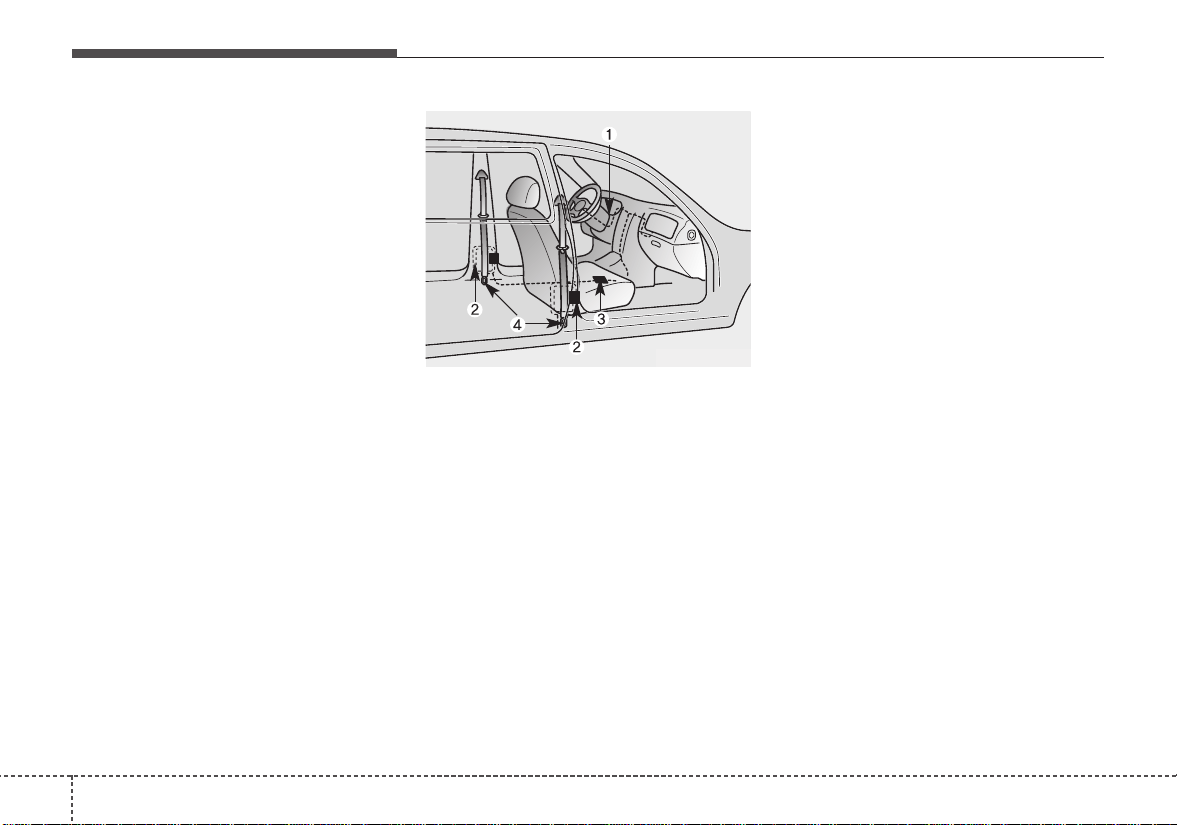
The seat belt pre-tensioner system
consists mainly of the following com-
ponents.Their locations are shown in
the illustration:
1. SRS air bag warning light
2. Retractor pre-tensioner assembly
3. SRS control module
4.Emergency fastening device (EFD)
To obtain maximum benefit from a
pre-tensioner seat belt:
1.The seat belt must be worn cor-
rectly and adjusted to the proper
position.Please read and follow all
of the important information and
precautions about your vehicle's
occupant safety features - includ-
ing seat belts and air bags - that
are provided in this manual.
2. Be sure you and your passengers
always wear seat belts properly.
✽✽
NOTICE
When the pre-tensioner seat belts
are activated, a loud noise may be
heard and fine dust, which may
appear to be smoke, may be visible
in the passenger compartment.
These are normal operating condi-
tions and are not hazardous.
ODMESA2024
319
Safety features of your vehicle
Because the sensor that activates the
SRS air bag is connected with the
pre-tensioner seat belt, the SRS air
bag warning light ( ) on the instru-
ment panel will illuminate for approxi-
mately 6 seconds after the ignition
switch has been turned to the ON
position, and then it should turn off.If
the pre-tensioner seat belt does not
work properly, this warning light will
illuminate even if the SRS air bag
has not malfunctioned. If the SRS air
bag warning light does not illuminate
when the ignition switch is turned
ON, or if it remains illuminated after
illuminating for approximately 6 sec-
onds, or if it illuminates while the
vehicle is being driven, please have
an authorized Kia dealer inspect the
pre-tensioner seat belt or SRS air
bag system as soon as possible.
✽✽
NOTICE
Do not attempt to service or repair
the pre-tensioner seat belt system in
any manner. Do not attempt to
inspect or replace the pre-tensioner
seat belts yourself. This must be
done by an authorized Kia dealer.
Pre-tensioners are designed to oper-
ate only one time. After activation,
pre-tensioner seat belts must be
replaced. If the pre-tensioner must
be replaced, contact an authorized
Kia dealer.
WARNING - Hot pre-
tensioner
Do not touch the pre-tensioner
seat belt assemblies for several
minutes after they have been
activated. When the pre-ten-
sioner seat belt mechanism
fires during a collision the pre-
tensioner becomes hot and can
burn you.
WARNING - Skin irritation
Wash all exposed skin areas
thoroughly after an accident in
which the pre-tensioner seat
belts were activated. The fine
dust from the pre-tensioner
activation may cause skin irrita-
tion and should not be breathed
for prolonged periods.
Safety features of your vehicle
203
Seat belt precautions
Infant or small child
All 50 states have child restraint
laws. You should be aware of the
specific requirements in your state.
Child and/or infant seats must be
properly placed and installed in the
rear seat. For more information
about the use of these restraints,
refer to “Child restraint system”in this
section.
Larger children
Children who are too large for child
restraint systems should always occu-
py the rear seat and use the available
lap/shoulder belts. The lap portion
should be fastened snug on the hips
and as low as possible. Periodically
check belt fit.A child's squirming could
put the belt out of position. Children
are given the most safety in the event
of an accident when they are
restrained by a proper restraint system
in the rear seat. If a larger child (over
age 12) must be seated in the front
seat, the child should be securely
restrained by the available lap/shoul-
der belt and the seat should be placed
in the rearmost position. Children age
12 and under should be restrained
securely in the rear seat. NEVER
place a child age 12 and under in the
front seat. NEVER place a rear facing
child seat in the front seat of a vehicle.
If the shoulder belt portion slightly
touches the child’s neck or face, try
placing the child closer to the center of
the vehicle. If the shoulder belt still
touches their face or neck they need to
be returned to a child restraint system.
WARNING - Small chil-
dren
Do not allow small children to
ride in the vehicle without an
appropriate child restraint sys-
tem. If the shoulder belt comes
in contact with your child's neck
or face your child is too small to
ride in the vehicle. In a crash the
seat belt will inflict injury to
your child's neck, throat and
face.
321
Safety features of your vehicle
Restraint of pregnant women
Pregnant women should wear
lap/shoulder belt assemblies when-
ever possible according to specific
recommendations by their doctors.
The lap portion of the belt should be
worn AS SNUGLY AND LOW AS
POSSIBLE on the hips, not across
the abdomen.
Injured person
A seat belt should be used when an
injured person is being transported.
When this is necessary, you should
consult a physician for recommenda-
tions.
One person per belt
Two people (including children)
should never attempt to use a single
seat belt. This could increase the
severity of injuries in case of an acci-
dent.
Do not lie down
To reduce the chance of injuries in the
event of an accident and to achieve
maximum effectiveness of the
restraint system, all passengers
should be sitting up and the front
seats should be in an upright position
when the vehicle is moving. A seat
belt cannot provide proper protection
if the person is lying down in the rear
seat or if the front seat is in a reclined
position.
WARNING - Pregnant
women
Pregnant women must never
place the lap portion of the seat
belt above or on the abdomen
where the fetus is located. The
force of the seat belt during a
collision will crush the fetus.
Safety features of your vehicle
223
Care of seat belts
Seat belt systems should never be
disassembled or modified. In addi-
tion, care should be taken to assure
that seat belts and belt hardware are
not damaged by seat hinges, doors
or other abuse.
Periodic inspection
All seat belts should be inspected
periodically for wear or damage of
any kind. Any damaged parts should
be replaced as soon as possible.
Keep belts clean and dry
Seat belts should be kept clean and
dry.If belts become dirty, they can be
cleaned by using a mild soap solu-
tion and warm water. Bleach, dye,
strong detergents or abrasives
should not be used because they
may damage and weaken the fabric.
When to replace seat belts
The entire in-use seat belt assembly
or assemblies should be replaced if
the vehicle has been involved in an
accident.This should be done even if
no damage is visible. Additional
questions concerning seat belt oper-
ation should be directed to an
authorized Kia dealer.
WARNING - Pinched Seat
belts
Make sure that the webbing
and/or buckle does not get
caught or pinched in the rear
seat when returning the rear
seatback to its upright position.
A caught or pinched
webbing/buckle may become
damaged and could fail during a
collision or sudden stop.
WARNING
Seatbelts can become hot in a
vehicle that has been closed up
in sunny weather. They could
burn infants and children.
323
Safety features of your vehicle
CHILD RESTRAINT SYSTEM
Children riding in the car should sit in the
rear seat and must always be properly
restrained to minimize the risk of injury in
an accident, sudden stop or sudden
maneuver. According to accident statis-
tics, children are safer when properly
restrained in the rear seats than in the
front seat. Larger children who are not in
a child restraint should use one of the
seat belts provided.
You should be aware of the specific
requirements in your state. Child
and/or infant safety seats must be
properly placed and installed in the
rear seat. You must use a commer-
cially available child restraint system
that meets the requirements of the
Federal Motor Vehicle Safety
Standards (FMVSS).
Child restraint systems are designed
to be secured in vehicle seats by seat
belt, or by a tether anchor and/or
LATCH anchors.
Children could be injured or killed in
a crash if their restraints are not
properly secured. For small children
and babies, a child seat or infant seat
must be used. Before buying a par-
ticular child restraint system, make
sure it fits your car seat and seat
belts, and fits your child. Follow all
the instructions provided by the man-
ufacturer when installing the child
restraint system.
When the child restraint system is not
in use, store it in the luggage area or
fasten it with a seat belt so that it will
not be thrown forward in case of a
sudden stop or an accident.
WARNING - Restraint
location
Never install a child or infant
seat on the front passenger's
seat.
A child riding in the front pas-
senger seat can be forcefully
struck by an inflating air bag.
WARNING - Hot child
restraint
A child restraint system can
become very hot if it is left in a
closed vehicle on a sunny day.
Be sure to check the seat cover,
buckles and latches before
placing a child in the restraint
system.
Safety features of your vehicle
243
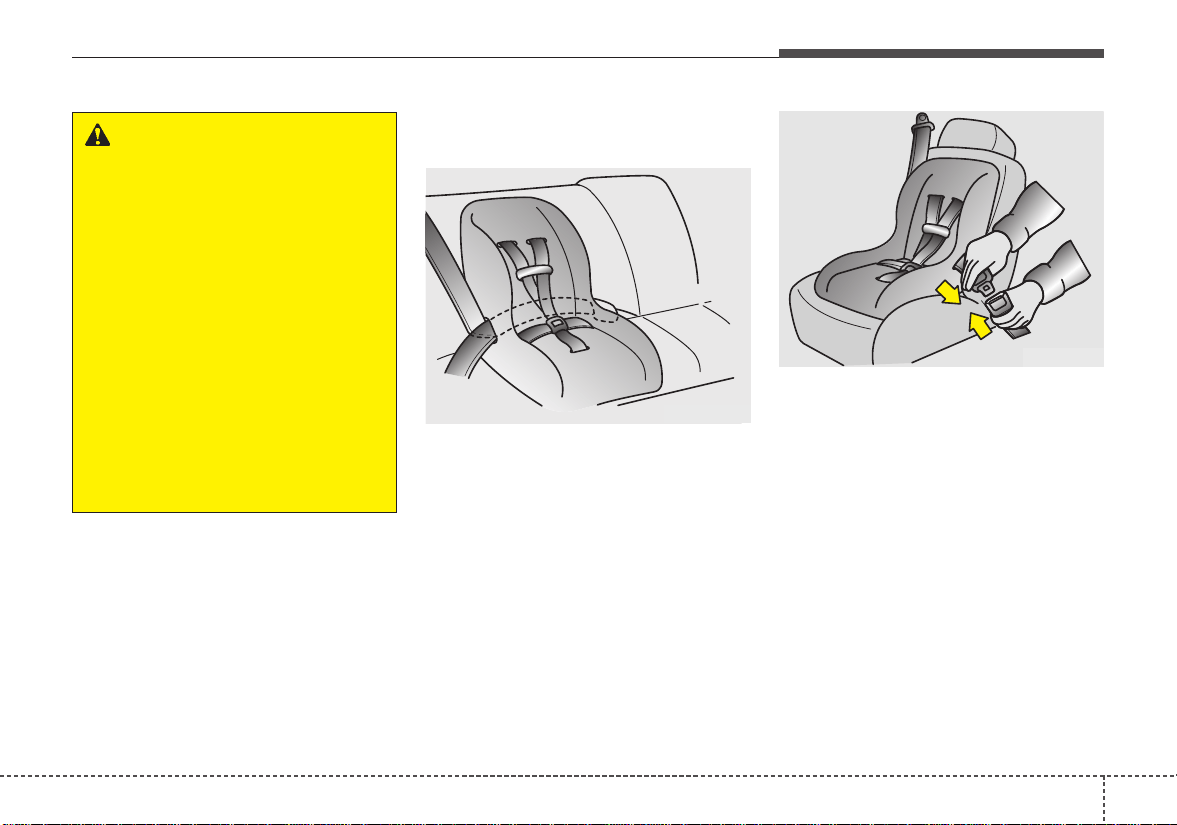
Using a child restraint system
For small children and babies, the
use of a child seat or infant seat is
required. This child seat or infant
seat should be of appropriate size for
the child and should be installed in
accordance with the manufacturer's
instructions.
For safety reasons, we recommend
that the child restraint system be
used in the rear seats.
Since all passenger seat belts move
freely under normal conditions and
only lock under extreme or emer-
gency conditions (emergency lock
mode), you must manually change
these seat belts to the auto lock
mode to secure a child restraint.
If the seat belt does not operate as
described in this section, have the
system checked immediately by your
authorized Kia dealer.
WARNING - Holding
children
Never hold a child in your arms
or lap when riding in a vehicle.
The violent forces created dur-
ing a crash will tear the child
from your arms and throw the
child against the car’s interior.
Always use a child restraint
system which is appropriate for
your child's height and weight.
WARNING - Seat belt use
Do not use one seat belt for two
occupants at the same time.
This will eliminate any safety
benefit provided by the seat belt
to the occupants.
CRS09
OTQ037038
Rear- facing child restraint system
Forward-facing child restraint system
WARNING - Unattended
Children
Never leave children unattended
in a vehicle.The vehicle can heat
up very quickly, resulting in
injuries to the child in the vehicle.
325
Safety features of your vehicle
✽✽
NOTICE
If the vehicle headrest prevents
proper installation of a child seat (as
described in the child seat system
manual), the headrest of the respec-
tive seating position shall be read-
justed or entirely removed.
Placing a passenger seat belt
into the auto lock mode
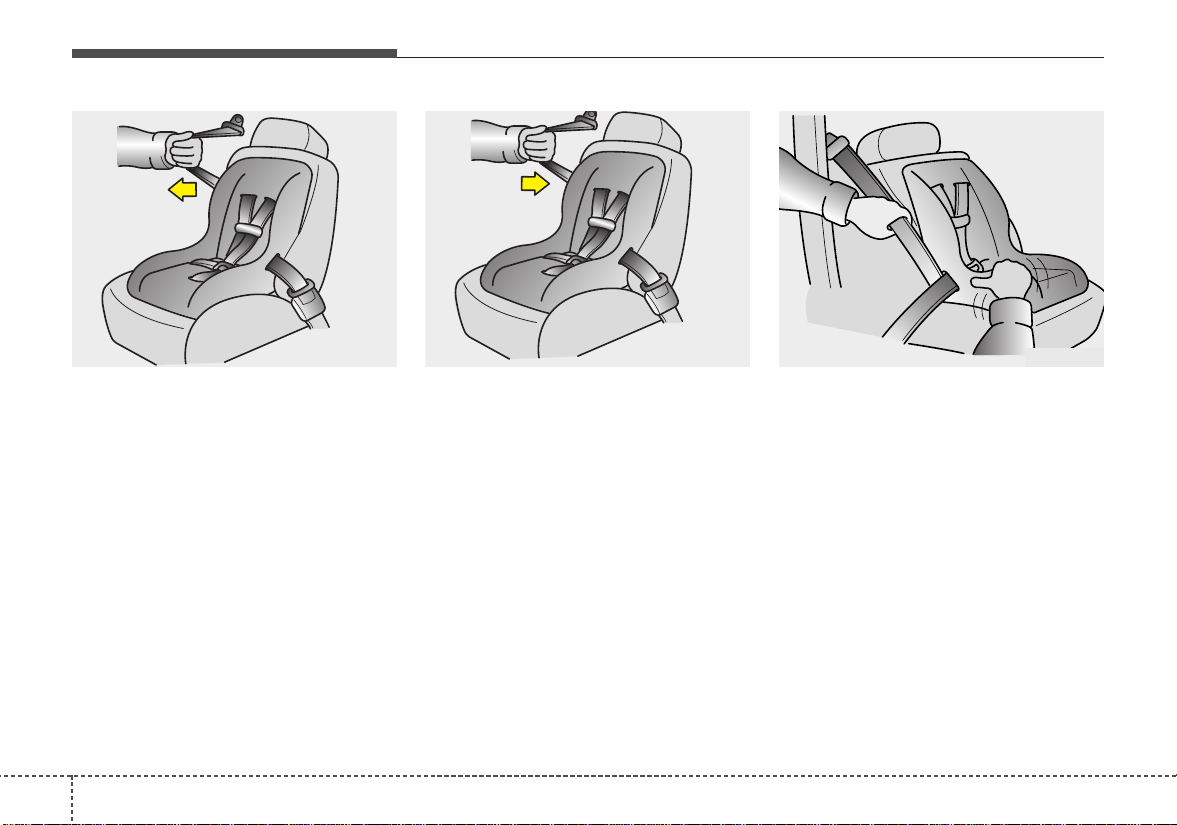
The auto lock mode will help prevent
the normal movement of the child in
the vehicle from causing the seat belt
to loosen and compromise the child
restraint system. To secure a child
restraint system, use the following
procedure.
To install a child restraint system on
the outboard or center rear seats, do
the following:
1. Place the child restraint system in
the seat and route the lap/shoulder
belt around or through the restraint,
following the restraint manufactur-
er’s instructions. Be sure the seat
belt webbing is not twisted.
2. Fasten the lap/shoulder belt latch
into the buckle. Listen for the dis-
tinct “click” sound.
Position the release button so that it
is easy to access in case of an emer-
gency.
WARNING - Child seat
installation
• Always follow the instructions
provided by the child restraint
system manufacturer. Child
restraint system manufactur-
ers know their products best.
• Failure to observe this manu-
al's instructions regarding
child restraint system and the
instructions provided with the
child restraint system could
result in the improper installa-
tion of the child restraint sys-
tem which may reduce the
protection to your child in a
crash or a sudden stop.
E2MS103005
OEN036101
Safety features of your vehicle
263
3. Pull the shoulder portion of the
seat belt all the way out.When the
shoulder portion of the seat belt is
fully extended, it will shift the
retractor to the “Auto Lock” (child
restraint) mode.
4. Slowly allow the shoulder portion
of the seat belt to retract and listen
for an audible “clicking” or “ratchet-
ing” sound. This indicates that the
retractor is in the “Auto Lock”
mode. If no distinct sound is
heard, repeat steps 3 and 4.
5. Remove as much slack from the
belt as possible by pushing down
on the child restraint system while
feeding the shoulder belt back into
the retractor.
6. Push and pull on the child restraint
system to confirm that the seat belt
is holding it firmly in place. If it is
not, release the seat belt and
repeat steps 2 through 6.
7. Double check that the retractor is in
the “Auto Lock” mode by attempting
to pull more of the seat belt out of
the retractor. If you cannot, the
retractor is in the “Auto Lock” mode.
OEN036102 OEN036103 OEN036104
327
Safety features of your vehicle
The lap/shoulder belt automatically
returns to the “emergency lock
mode” whenever the belt is allowed
to retract fully.
Therefore, the preceding seven
steps must be followed each time a
child restraint is installed.
To remove the child restraint, press
the release button on the buckle and
then pull the lap/shoulder belt out of
the restraint and allow the seat belt
to retract fully.
Securing a child restraint seat
with tether anchorage system
Child restraint hook holders are locat-
ed on the package tray (4 Door) or the
floor behind the rear seat (5 Door).
This symbol indicates the
position of the tether
anchor.
WARNING - Auto lock
mode
Set the retractor to Automatic
Lock mode when installing any
child restraint system.
If the retractor is not in the Auto
Lock mode, the child restraint
can move when your vehicle
turns or stops suddenly.
OSC037019N
OSC037029N
■ 4 Door
■ 5 Door
Safety features of your vehicle
283
1.Route the child restraint seat teth-
er strap over the seatback.
For vehicles with adjustable head-
rests, route the tether strap under
the headrest (remove the headrest
and the re-install it) and between
the headrest posts, otherwise
route the tether strap over the top
of the seatback.
2. Connect the tether strap hook to
the appropriate child restraint
hook holder and tighten to secure
the child restraint seat.
Check that the child restraint system
is secure by pushing and pulling it in
different directions. Incorrectly fitted
child restraints may swing, twist, tip
or separate causing death or serious
injury.
Securing a child restraint seat with
child seat lower anchor system
Some child seat manufacturers
make child restraint seats that are
labeled as LATCH or LATCH-com-
patible child restraint seats. LATCH
stands for "Lower Anchors and
Tethers for Children". These seats
include two rigid or webbing mount-
ed attachments that connect to two
LATCH anchors at specific seating
positions in your vehicle.This type of
child restraint seat eliminates the
need to use seat belts to attach the
child seat in the rear seats.
OTF030030N
WARNING - Tether strap
Never mount more than one
child restraint to a single tether
or to a single lower anchorage
point. The increased load
caused by multiple seats may
cause the tethers or anchorage
points to break.
B230D01NF
329
Safety features of your vehicle
Child restraint symbols are located
on the left and right rear seat backs
to indicate the position of the lower
anchors for child restraints.
LATCH anchors have been provided in
your vehicle. The LATCH anchors are
located in the left and right outboard
rear seating positions. Their locations
are shown in the illustration.There is no
LATCH anchor provided for the center
rear seating position.
The LATCH anchors are located
between the seatback and the seat
cushion of the rear seat left and right
outboard seating positions.
When you install your child's restraint
system using the LATCH anchors
buckle the shoulder lap belt, then lock
the retractor and pull the belt to remove
the slack in the belt so it lies flat against
the vehicle seat.
Follow the child seat manufacturer’s
instructions to properly install child
restraint seats with LATCH or LATCH-
compatible attachments.
Once you have installed the LATCH
child restraint, assure that the seat is
properly attached to the LATCH and
tether anchors.
Also, test the child restraint seat before
you place the child in it. Tilt the seat
from side to side.Also try to tug the seat
forward. Check to see if the anchors
hold the seat in place.
✽✽
NOTICE
The recommended weight for the
LATCH system is under 65 lb (30 kg).
How to calculate the child restraint
weight :
Child restraint weight =
65 lb (30 kg) - Child weight
OTF030031N
Lower Anchor
Position Indicator
Lower Anchor
WARNING - Unused rear
seatbelts
Always fasten the seatbelts
behind the child restraint seat
when they are not used to
secure the child seat. Failure to
do so may result in child stran-
gulation.
WARNING - LATCH lower
anchors
Never attempt to attach a
LATCH equipped seat in the
center seating position. LATCH
lower anchors are only to be
used with the left and right rear
outboard seating positions. You
may damage the anchors or the
anchors may fail and break in a
collision.

Safety features of your vehicle
303
(1) Driver’s front air bag
(2) Passenger’s front air bag
(3) Side air bag
(4) Curtain air bag
Even in vehicles with air bags, you
and your passengers must always
wear the safety belts provided in
order to minimize the risk and sever-
ity of injury in the event of a collision
or rollover.
AIR BAG - ADVANCED SUPPLEMENTAL RESTRAINT SYSTEM
OSC037030N
❈ The actual air bags in the vehicle may differ from the illustration.
331
Safety features of your vehicle
How does the air bag system
operate
• Air bags are activated (able to
inflate if necessary) only when the
ignition switch is turned to the ON
or START the appropriate position.
• Air bags inflate instantly in the
event of serious frontal or side col-
lision (if equipped with side air bag
or curtain air bag) in order to help
protect the occupants from serious
physical injury.
Generally, air bags are designed to
inflate based upon the severity of a
collision and its direction. These
two factors determine whether the
sensors produce an electronic
deployment/ inflation signal.
• Air bag deployment depends on a
number of complex factors includ-
ing vehicle speed, angles of impact
and the density and stiffness of the
vehicles or objects which your
vehicle hits in the collision.Though,
factors are not limited to those
mentioned above. Airbags deploy
depending on the severity and
angle of the impact.
Airbags do not deploy in every
impact situation.
• The front air bags will completely
inflate and deflate in an instant.
It is virtually impossible for you to
see the air bags inflate during an
accident.It is much more likely that
you will simply see the deflated air
bags hanging out of their storage
compartments after the collision.
• In addition to inflating in certain
side collisions, vehicles equipped
with a rollover sensor, side and
curtain air bags will inflate if the
sensing system detects a rollover.
When a rollover is detected, side and
curtain air bags will remain inflated
longer to help provide protection
from ejection, especially when used
in conjunction with the seat belts.
• In order to help provide protection
in a severe collision, the air bags
must inflate rapidly. The speed of
air bag inflation is a consequence
of extremely short time in which a
collision occurs and the need to
get the air bag between the occu-
pant and the vehicle structures
before the occupant impacts those
structures. This speed of inflation
reduces the risk of serious or life-
threatening injuries in a severe col-
lision and is thus a necessary part
of air bag design.
Safety features of your vehicle
323
However, air bag inflation can also
cause injuries which can include
facial abrasions, bruises and bro-
ken bones because the inflation
speed also causes the air bags to
expand with a great deal of force.
• There are even circumstances
under which contact with the
steering wheel air bag can cause
fatal injuries, especially if the
occupant is positioned exces-
sively close to the steering wheel.
Noise and smoke
When the air bags inflate, they make
a loud noise and they leave smoke
and powder in the air inside of the
vehicle.This is normal and is a result
of the ignition of the air bag inflator.
After the air bag inflates, you may
feel substantial discomfort in breath-
ing due to the contact of your chest
to both the seat belt and the air bag,
as well as from breathing the smoke
and powder. Open your doors
and/or windows as soon as possi-
ble after the impact in order to
reduce discomfort and prevent
prolonged exposure to smoke and
powder.
Though smoke and powder are non-
toxic,They may cause irritation to the
skin (eyes,nose and throat, etc). If
this is the case, wash and rinse with
cold water immediately and consult a
doctor if the symptom persists.
WARNING - Airbag
Inflation
Sit as far back as possible from
the steering wheel while still
maintaining comfortable con-
trol of the your vehicle. A dis-
tance of at least 10" (25cm)
from your chest to the steering
wheel is recommended. Failure
to do so can result in airbag
inflation injuries to the driver.
333
Safety features of your vehicle
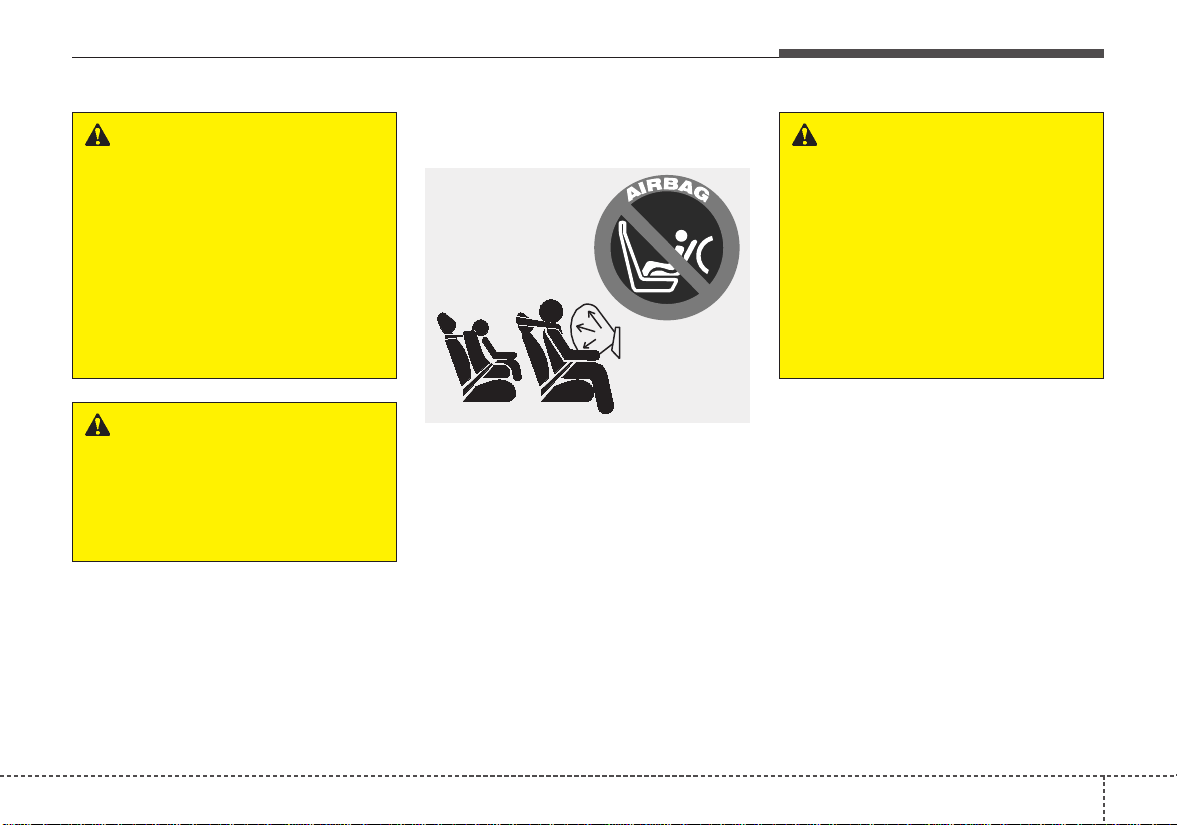
Installing a child restraint on a
front passenger’s seat is forbidden
Never place a rear-facing child
restraint in the front passenger’s
seat. If the air bag deploys, it would
impact the rear-facing child restraint,
causing serious or fatal injury.
In addition, do not place front-facing
child restraint in the front passen-
ger’s seat either. If the front passen-
ger air bag inflates, it would cause
serious or fatal injuries to the child.
WARNING
- Hot components
Do not touch the air bag storage
area's internal components
immediately after air bag infla-
tion.The air bag related parts in
the steering wheel, instrument
panel and the roof rails above
the front and rear doors are
very hot. Hot components can
result in burn injuries.
1JBH3051
WARNING - Air bag
deployment
When children are seated in the
rear outboard seats of a vehicle
equipped with side and/or cur-
tain air bags, install the child
restraint system as far away
from the door side as possible.
Inflation of the side and/or cur-
tain air bags could impact the
child.
WARNING
Do not install or place any
accessories near air bag
deployment areas, such as the
instrument panel, windows, pil-
lars, and roof rails.
Safety features of your vehicle
343
Air bag warning light
The purpose of the air bag warning
light in your instrument panel is to
alert you of a potential problem with
your air bag - Supplemental Restraint
System (SRS).
When the ignition switch is turned
ON, the indicator light should illumi-
nate for approximately 6 seconds,
then go off.
Have the system checked by an
authorized Kia dealer if:
• The light does not turn on briefly
when you turn the ignition ON.
• The light stays on after illuminating
for approximately 6 seconds.
• The light comes on while the vehi-
cle is in motion.
SRS components and func-
tions
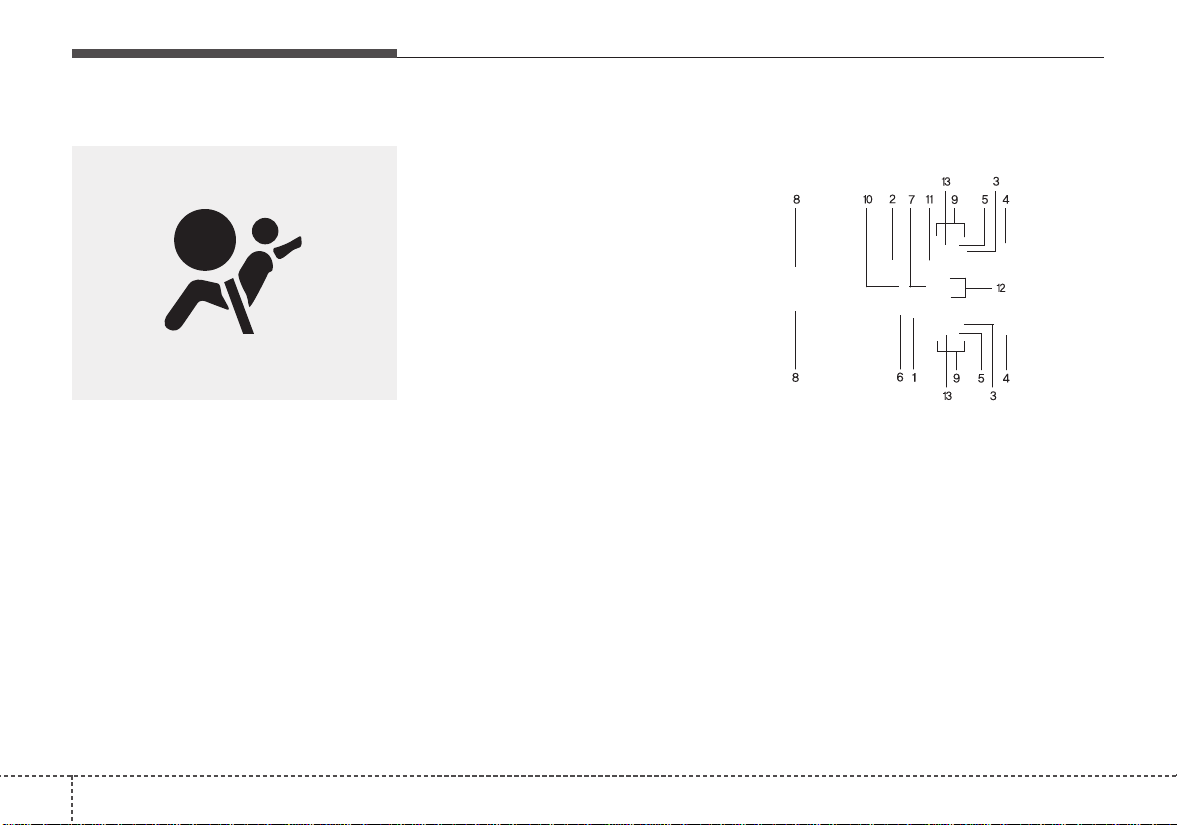
The SRS consists of the following
components:
1. Driver's front air bag module
2. Passenger's front air bag module
3. Side air bag modules
4. Curtain air bag modules
5.Retractor pre-tensioner assem-
blies*
6. Air bag warning light
7. SRS control module (SRSCM) /
Rollover sensor
W7-147
OTF032049N
335
Safety features of your vehicle
8. Front impact sensors
9. Side impact sensors
10. PASSENGER AIR BAG “OFF”
indicator (Front passenger’s seat
only)
11. Occupant detection system
(Front passenger’s seat only)
12.Driver’s and front passenger’s
seat belt buckle sensors
13. Emergency fastening device
(EFD)
* : if equipped
The SRSCM continually monitors all
SRS components while the ignition
switch is ON to determine if a crash
impact is severe enough to require
air bag deployment or pre-tensioner
seat belt deployment.
The SRS air bag warning light on the
instrument panel will illuminate for
about 6 seconds after the ignition
switch is turned to the ON position,
after which the air bag warning light
should go out.
If any of the following conditions
occurs, this indicates a malfunction
of the SRS. Have an authorized Kia
dealer inspect the air bag system as
soon as possible.
• The light does not turn on briefly
when you turn the ignition ON.
• The light stays on after illuminating
for approximately 6 seconds.
• The light comes on while the vehi-
cle is in motion.
The air bag modules are located
both in the center of the steering
wheel and in the front passenger's
panel above the glove box.When the
SRSCM detects a sufficiently severe
impact to the front of the vehicle, it
will automatically deploy the front air
bags.
B240B01L
Driver’s front air bag (1)
Safety features of your vehicle
363
Upon deployment, tear seams mold-
ed directly into the pad covers will
separate under pressure from the
expansion of the air bags. Further
opening of the covers then allows full
inflation of the air bags.
A fully inflated air bag, in combina-
tion with a properly worn seat belt,
slows the driver's or the passenger's
forward motion, reducing the risk of
head and chest injury.
After complete inflation, the air bag
immediately starts deflating,
enabling the driver to maintain for-
ward visibility and the ability to steer
or operate other controls.
B240B03L
Driver’s front air bag (3)
B240B02L
Driver’s front air bag (2)
B240B05L
Passenger’s front air bag
WARNING - Air bag
obstructions
Do not install or place any
accessories on the steering
wheel, instrument panel, or on
the front passenger's panel
above the glove box in a vehicle
Such objects may become dan-
gerous projectiles if the air bag
deploys.
337
Safety features of your vehicle
✽✽
NOTICE
Before you replace a fuse or discon-
nect a battery terminal, turn the igni-
tion switch to the LOCK position
and remove the ignition key. Never
remove or replace the air bag related
fuse(s) when the ignition switch is in
the ON position. Failure to heed this
warning will cause the SRS air bag
warning light to illuminate.
Occupant detection system
Your vehicle is equipped with an occu-
pant detection system in the front
passenger's seat.
The occupant detection system is
designed to detect the presence of a
properly-seated front passenger and
determine if the passenger's front air
bag should be enabled (may inflate)
or not.The driver's front air bag is not
affected or controlled by the occu-
pant detection system.
Main components of occupant
detection system
• A detection device located within
the front passenger seat cushion.
• Electronic system to determine
whether passenger air bag sys-
tems should be activated or deac-
tivated.
• An indicator light located on the
instrument panel which illuminates
the words PASSENGER AIR BAG
“OFF” indicating the front passen-
ger air bag system is deactivated.
• The instrument panel air bag warn-
ing light is interconnected with the
occupant detection system.
OSC037020N
Safety features of your vehicle
383
If the front passenger seat is occupied
by a person that the system deter-
mines to be of adult size, and he/she
sits properly (sitting upright with the
seatback in an upright position, cen-
tered on the seat cushion with their
seat belt on, legs comfortably extend-
ed and their feet on the floor), the
PASSENGER AIR BAG “OFF” indica-
tor will turn off and the front passen-
ger's air bag will be able to inflate, if
necessary, in frontal crashes.
You will find the PASSENGER AIR
BAG “OFF”indicator on the center facia
panel. This system detects the condi-
tions 1~4 in the following table and acti-
vates or deactivates the front passen-
ger air bag based on these conditions.
Always be sure that you and all vehicle
occupants are seated and restrained
properly (sitting upright with the seat in
an upright position, centered on the
seat cushion, with the person’s legs
comfortably extended, feet on the
floor, and wearing the safety belt prop-
erly) for the most effective protection
by the air bag and the safety belt.
• The ODS (Occupant Detection
System) may not function properly if
the passenger takes actions which
can defeat the detection system.
These include:
(1) Failing to sit in an upright position.
(2) Leaning against the door or cen-
ter console.
(3) Sitting towards the sides or the
front of the seat.
(4) Putting legs on the dashboard or
resting them on other locations
which reduce the passenger
weight on the front seat.
(5) Improperly wearing the safety belt.
(6) Reclining the seat back.
339
Safety features of your vehicle
Condition and operation in the front passenger occupant detection
system
*1) The system judges a person of adult size as an adult.When a smaller adult sits in
the front passenger seat, the system may recognize him/her as a child depending
on his/her physique and posture.
*2) Do not allow children to ride in the front passenger seat.When a smaller child than
the same age sits in the front passenger seat, the system may recognize him/her
as an infant depending on his/her physique or posture.
*3) Never install a child restraint system on the front passenger seat.
*4) The PASSENGER AIR BAG “OFF” indicator may turn on or off when a child above
12 months to 12 years old (with or without child restraint system) sits in the front
passenger seat.This is a normal condition.
Condition detected by the occupant
detection system
1. Adult *
1
or child age 13 and up*
2
2. Infant or child restraint system
with 12 months old*
3
*
4
3. Unoccupied
4. Malfunction in the system
Off
On
On
Off
Off
Off
Off
On
Activated
Deactivated
Deactivated
Activated
PASSENGER AIR
BAG “OFF” indica-
tor light
SRS warning
light
Front passenger
air bag
Indicator/Warning light
Devices
CAUTION
• Do not install a child restraint
seat in the passenger seat
when the seat is heavily
soaked with any type of liquid.
• Do not alter or remodel the
ODS (Occupant Detection
System).This may damage the
system and prevent its proper
function in a collision.
Safety features of your vehicle
403
OJFA035106
- Never sit with hips shifted
towards the front of the seat.
OJFA035104
- Do not place a heavy load in
the front passenger seatback
pocket or on the front passen-
ger seat.
OJFA035105
- Do not place feet on the front
passenger seatback.
WARNING - ODS System
Riding in an improper position
adversely affects the Occupant
Detection System and may
result in the deactivation of the
front passenger airbag. It is
important for the driver to
instruct the passenger as to
the proper seating instructions
as contained in this manual.
(Continued)
OJFA035107
- Never excessively recline the
front passenger seatback.
OJFA035100
- Do not seat on the passenger
seat wearing heavily padded
clothes such as ski wear and
hip protector.
341
Safety features of your vehicle
OJFA035109
- Never lean on the door or cen-
ter console.
- Never sit on one side of the
front passenger seat.
OJFA035108
- Never place feet on the dash-
board.
OJFA035101
- Do not use car seat acces-
sories such as thick blankets
and cushions which cover up
the car seat surface.
(Continued)
OJFA035102
- Do not place electronic
devices such as laptops, DVD
player, or conductive materi-
als such as water bottles on
the passenger seat.
Do not use electronic devices
such as laptops and satellite
radios which use inverter
chargers.
Safety features of your vehicle
423
When an adult is seated in the front
passenger seat, if the PASSENGER
AIR BAG “OFF” indicator is on, turn
the ignition switch to the LOCK posi-
tion and ask the passenger to sit
properly (sitting upright with the seat
back in an upright position, centered
on the seat cushion with their seat
belt on, legs comfortably extended
and their feet on the floor). Restart
the engine and have the person
remain in that position.This will allow
the system to detect the person and
to enable the passenger air bag.
If the PASSENGER AIR BAG “OFF”
indicator is still on, ask the passen-
ger to move to the rear seat.
WARNING
- Wet Passenger Seat
Do not spill liquid in the pas-
senger seat. Spilled liquid on
the passenger seat may cause
the air bag warning light to illu-
minate or malfunction. If any liq-
uid is spilled, make sure the
seat has been completely dried
before driving the vehicle.
B990A01O
WARNING - “AIR BAG
OFF” light
Do not allow an adult passenger
to ride in the front seat when the
PASSENGER AIR BAG “OFF”
indicator is illuminated, because
the air bag will not deploy in the
event of a crash. The driver must
instruct the passenger to reposi-
tion himself in the seat. Failure
to properly position yourself
may lead to air bag deactivation
resulting in air bag non-deploy-
ment in a collision. If the PAS-
SENGER AIR BAG “OFF” indica-
tor remains illuminated after the
passenger repositions them-
selves properly and the car is
restarted, it is recommended
that passenger move to the rear
seat because the passenger's
front air bag will not deploy.
343
Safety features of your vehicle
✽✽
NOTICE
The PASSENGER AIR BAG “OFF”
indicator illuminates for about 4 sec-
onds after the ignition switch is
turned to the ON position or after
the engine is started. If the front
passenger seat is occupied, the occu-
pant detection sensor will then clas-
sify the front passenger after several
more seconds.
Any child age 12 and under should
ride in the rear seat. Children too
large for child restraints should use
the available lap/shoulder belts. No
matter what type of crash, children of
all ages are safer when restrained in
the rear seat.
✽✽
NOTICE
Do not modify or replace the front
passenger seat. Don't place anything
on or attach anything such as a blan-
ket, front seat covers or after market
seat heater to the front passenger
seat. This can adversely affect the
occupant detection system.
If the occupant detection system is
not working properly, the SRS air bag
warning light on the instrument
panel will illuminate because the pas-
senger's front air bag is connected
with the occupant detection system.If
there is a malfunction of the occupant
detection system, the PASSENGER
AIR BAG “OFF” indicator will not illu-
minate and the passenger's front air
bag will inflate in frontal impact crash-
es even if there is no occupant in the
front passenger's seat.
✽✽
NOTICE
Air bags can only be used once - have
an authorized Kia dealer replace the
air bag immediately after deployment.
WARNING - ODS
Interference
• Do not place a heavy load or
an active electronic device (ex.
laptop computer, after market
DMB/navigation/satellite
audio, video game machine,
MP3, etc.) in the front passen-
ger seatback pocket or on the
front passenger seat.
• Do not hang onto the front
passenger seat.
• Do not hang any items such
as seatback table on the front
passenger seatback.
• Do not place feet on the front
passenger seatback.
• Do not place any items under
the front passenger seat.
• Do not place sharp objects on
the front passenger seat.
These may damage the occu-
pant detection system, if they
puncture the seat cushion.
(Continued)
(Continued)
• Do not spill any liquids on the
seat.
Any of the above could interfere
with the proper operation of the
ODS sensor thereby increasing
the risk of an injury in an acci-
dent.
Safety features of your vehicle
443
Driver's and passenger's front
air bag
Your vehicle is equipped with an
Advanced Supplemental Restraint
(Air Bag) System and lap/shoulder
belts at both the driver and passen-
ger seating position.
The indications of the system's pres-
ence are the letters "AIR BAG"
embossed on the air bag pad cover
in the steering wheel and the pas-
senger's side front panel pad above
the glove box.
The SRS consists of air bags
installed under the pad covers in the
center of the steering wheel and the
passenger's side front panel above
the glove box.
The purpose of the SRS is to provide
the vehicle's driver and/or the front
passenger with additional protection
than that offered by the seat belt sys-
tem alone in case of a frontal impact
of sufficient severity. The SRS uses
sensors to gather information about
the driver's seat position, the driver's
and front passenger's seat belt
usage and impact severity.
The advanced SRS offers the ability
to control the air bag inflation with
two levels. A first stage level is pro-
vided for moderate-severity impacts.
A second stage level is provided for
more severe impacts.
The passenger’s front air bag is
designed to help reduce the injury of
children sitting close to the instru-
ment panel in low speed collisions.
However, children are safer if they
are restraint in the rear seat.
According to the impact severity,
seating position and seat belt usage,
the SRSCM (SRS Control Module)
controls the air bag inflation. Failure
to properly wear seat belts can
increase the risk or severity of injury
in an accident.
OYB036038
OYB036022
Driver’s front air bag
Passenger’s front air bag
345
Safety features of your vehicle
Additionally, your vehicle is equipped
with an occupant detection system in
the front passenger's seat.The occu-
pant detection system detects the
presence of a passenger in the front
passenger's seat and will turn off the
front passenger's air bag under cer-
tain conditions. For more detail, see
“Occupant detection system” in this
section.
Do not place any objects that may
cause magnetic fields near the front
seat.These may cause a malfunction
of the seat track position sensor.
Manufacturers are required by gov-
ernment regulations to provide a
contact point concerning modifica-
tions to the vehicle for persons with
disabilities, which modifications may
affect the vehicle’s advanced air bag
system.That contact is Kia’s toll-free
Customer Assistance center at 1-
800-333-4Kia. However, Kia does
not endorse nor will it support any
changes to any part or structure of
the vehicle that could affect the
advanced air bag system, including
the occupant detection system.
Advanced air bags are combined
with pre-tensioner seat belts to help
provide enhanced occupant protec-
tion in frontal crashes. Front air bags
are not intended to deploy in colli-
sions in which sufficient protection
can be provided by the pre-tensioner
seat belt alone.
Front air bags are not intended to
deploy in side-impact, rear-impact or
rollover crashes. In addition, front air
bags will not deploy in frontal crash-
es below the deployment threshold.
WARNING - SRS Wiring
Do not tamper with or discon-
nect SRS wiring or other com-
ponents of the SRS system.
Doing so could result in injury,
due to accidental deployment of
the air bags or by rendering the
SRS inoperative.
WARNING
- Replacement
/Modifications
The front passenger seat, dash-
board or door should not be
replaced except by an authorized
Kia dealer using original Kia parts
designed for this vehicle and
model. Any other such replace-
ment or modification could
adversely affect the operation of
the occupant detection system
and your advanced air bags.
Safety features of your vehicle
463
1JBB3520
1JBA3514
1JBA3522
Side impact
Rear impact
Rollover
WARNING - No attaching
objects
No objects (such as crash pad
cover, cellular phone holder,
cup holder, perfume or stickers)
should be placed over or near
the air bag modules on the
steering wheel, instrument
panel, windshield glass, and the
front passenger's panel above
the glove box. Such objects
could cause harm if the vehicle
is in a crash severe enough to
cause the air bags to deploy. Do
not place any objects over the
air bag or between the air bag
and yourself.
WARNING
Never place or insert any object
into any small opening near
side airbag labels attached to
the vehicle seats. When the air
bag deploys, the object may
affect the deployment and
result in unexpected accident
or bodily harm.

347
Safety features of your vehicle
Side air bag
❈ The actual air bags in the vehicle may differ
from the illustration.
Your vehicle is equipped with a side
air bag in each front seat.
The purpose of the air bag is to pro-
vide the vehicle's driver and/or the
front passenger with additional pro-
tection than that offered by the seat
belt alone.
• The side air bags are designed to
deploy during certain side-impact
collisions, depending on the crash
severity, angle, speed and point of
impact.However, when side deploy-
ment threshold is satisfied at front-
impact, side air bags may deploy.
• The side air bags may deploy on
the side of the impact or on both
sides.
• The side and/or curtain air bags on
both sides of the vehicle will deploy
if a rollover or possible rollover is
detected.
• The side air bags are not designed
to deploy in all side impact or
rollover situations.
The side air bag is supplemental to
the driver's and the passenger's seat
belt systems and is not a substitute
for them. Therefore your seat belts
must be worn at all times while the
vehicle is in operation.
For best protection from the side air
bag system and to avoid being
injured by the deploying side air bag,
both front seat occupants should sit
in an upright position with the seat
belt properly fastened. The driver's
hands should be placed on the steer-
ing wheel at the 9:00 and 3:00 posi-
tions. The passenger's arms and
hands should be placed on their laps.
OYB036023
OYB036024
Front
WARNING - Unexpected
deployment
Avoid impact to the side air bag
sensor when the ignition switch
is ON to prevent unexpected
deployment of the side air bag.
WARNING - Deployment
Do not install any accessories
including seat covers, on the
side or near the side air bag as
this may affect the deployment
of the side air bags.
Safety features of your vehicle
483
If seat or seat cover is damaged,
have the vehicle checked and
repaired by an authorized Kia dealer.
Inform that your vehicle is equipped
with side air bags and an occupant
detection system.
Curtain air bag
❈ The actual air bags in the vehicle may differ
from the illustration.
WARNING - No attaching
objects
• Do not place any objects over
the air bag or between the air
bag and yourself. Also, do not
attach any objects around the
area the air bag inflates such
as the door, side door glass,
front and rear pillar.
• Do not place any objects
between the door and the
seat. They may become dan-
gerous projectiles if the side
air bag inflates.
• Do not install any accessories
on the side or near the side air
bags.
• Do not hang heavy items on
the coat hooks for safety rea-
sons.
OYB036026
OYB036025
WARNING - Flying
objects
Do not place any objects (an
umbrella, bag, etc.) between the
front door and the front seat.
Such objects may become dan-
gerous projectiles if the side air
bag inflates.
349
Safety features of your vehicle
Curtain air bags are located along
both sides of the roof rails above the
front and rear doors.
They are designed to help protect
occupants in certain side impacts
and to help prevent them from eject-
ing out of the vehicle as a result of a
rollover, especially when the seat-
belts are also in use.
• The curtain air bags are designed to
deploy during certain side impact
collisions, depending on the crash
severity, angle, speed and point of
impact.However, when side deploy-
ment threshold is satisfied at front-
impact, side air bags may deploy.
• The curtain air bags may deploy on
the side of the impact or on both
sides.
• Also, the curtain air bags on both
sides of the vehicle will deploy in
certain rollover situations.
• The curtain air bags are not
designed to deploy in all side
impact or rollover situations.
Do not allow the passengers to lean
their heads or bodies onto doors, put
their arms on the doors, stretch their
arms out of the window, or place
objects between the doors and pas-
sengers when they are seated on
seats equipped with side and/or cur-
tain air bags.
✽✽
NOTICE
Never try to open or repair any com-
ponents of the side curtain air bag
system. This should only be done by
an authorized Kia dealer.
Why didn’t my air bag go off in
a collision? (Inflation and non-
inflation conditions of the air
bag)
There are many types of accidents
in which the air bag would not be
expected to provide additional
protection.
These include rear impacts, sec-
ond or third collisions in multiple
impact accidents, as well as low
speed impacts.
WARNING - No attaching
objects
• Do not place any objects over
the air bag. Also, do not attach
any objects around the area
the air bag inflates such as the
door, side door glass, front
and rear pillar, roof side rail.
• Do not hang hard or breakable
objects on the clothes hanger.
Safety features of your vehicle
503
Air bag collision sensors
(1) SRS control module/
Rollover sensor
(2) Front impact sensor
(3) Side impact sensor
(4) Pressure side impact sensor
OSC037013N/OYB036032/OSC037024N/OYB036033/OYB036034
WARNING - Air bag
sensors
• Do not hit or allow any objects
to impact the locations where
air bag or sensors are installed.
This may cause unexpected
air bag deployment, which
could result in serious per-
sonal injury or death.
• If the installation location or
angle of the sensors is altered
in any way, the air bags may
deploy when they should not
or they may not deploy when
they should.
Therefore,do not try to perform
maintenance on or around the
air bag sensors. Have the vehi-
cle checked and repaired by an
authorized Kia dealer.
351
Safety features of your vehicle
Problems may arise if the sensor
installation angles are changed due
to the deformation of the front
bumper, body or B pillar where side
collision sensors are installed. Have
the vehicle checked and repaired by
an authorized Kia dealer.
Installing aftermarket bumper guards
or replacing a bumper with non-gen-
uine parts may adversely affect your
vehicle’s collision and air bag deploy-
ment performance.
Air bag inflation conditions
Front air bags
Front air bags are designed to inflate
in a frontal collision depending on
the severity of impact of the front col-
lision.
❈ The actual air bags in the vehicle may differ
from the illustration.
Side air bags
Side air bags (side and/or curtain air
bags) are designed to inflate when an
impact is detected by side collision
sensors depending on the severity of
impact resulting from a side impact
collision.
1JBA3513
1JBA3516
OYDDSA2040

Safety features of your vehicle
523
Although the front air bags (driver's
and front passenger's air bags) are
designed to inflate in frontal colli-
sions, they also may inflate in other
types of collisions if the front impact
sensors detect a sufficient frontal
force in another type of impact.
Side and curtain air bags are
designed to inflate only in side
impact collisions or rollover situa-
tions, but they may inflate in other
collisions if they side impact sensors
detect a sufficient impact.
If the vehicle chassis is impacted by
bumps or objects on unimproved
roads or sidewalks, air bags may
deploy. Drive carefully on unim-
proved roads or on surfaces not
designed for vehicle traffic to prevent
unintended air bag deployment.
Air bag non-inflation conditions
• In certain low-speed collisions the
air bags may not deploy. The air
bags are designed not to deploy in
such cases because they may not
provide benefits beyond the pro-
tection of the seat belts in such col-
lisions.
• Air bags are not designed to inflate
in rear collisions, because occu-
pants are moved backward by the
force of the impact. In this case,
inflated air bags would not be able
to provide any additional benefit.
1JBA3515
OED036100
353
Safety features of your vehicle
• Front air bags may not inflate in
side impact collisions, because
occupants move to the direction of
the collision, and thus in side
impacts, front air bag deployment
would not provide additional occu-
pant protection.
• In a slant or angled collision, the
force of impact may direct the
occupants in a direction where the
air bags would not be able to pro-
vide any additional benefit, and
thus the sensors may not deploy
any air bags.
• Just before impact, drivers often
brake heavily. Such heavy braking
lowers the front portion of the vehi-
cle causing it to “ride” under a vehi-
cle with a higher ground clearance.
Air bags may not inflate in this
“under-ride” situation because
deceleration forces that are detect-
ed by sensors may be significantly
replaced by such “under-ride” colli-
sions.
1JBA35211JBA3516 1JBA3517

Safety features of your vehicle
543
• Front air bags may not inflate in
rollover accidents because front air
bag deployment would not provide
additional occupant protection.
However, side and curtain air bags
may inflate when the vehicle is
rolled over.
• Air bags may not inflate if the vehi-
cle collides with objects such as
utility poles or trees, where the
point of impact is concentrated to
one area and the full force of the
impact is not delivered to the sen-
sors.
SRS Care
The SRS is virtually maintenance-free
and there are no parts you can safely
service by yourself. If the SRS air bag
warning light does not illuminate, or
continuously remains on, have your
vehicle immediately inspected by an
authorized Kia dealer.
Any work on the SRS system, such
as removing, installing, repairing, or
any work on the steering wheel must
be performed by an authorized Kia
dealer.Improper handling of the SRS
system may result in serious person-
al injury.
For cleaning the air bag pad covers,
use only a soft, dry cloth or one which
has been moistened with plain water.
Solvents or cleaners could adversely
affect the air bag covers and proper
deployment of the system.
1JBA35181JBA3522
355
Safety features of your vehicle
If components of the air bag system
must be discarded, or if the vehicle
must be scrapped, certain safety
precautions must be observed. An
authorized Kia dealer knows these
precautions and can give you the
necessary information. Failure to fol-
low these precautions and proce-
dures could increase the risk of per-
sonal injury.
Adding equipment to or modi-
fying your air bag-equipped
vehicle
If you modify your vehicle by chang-
ing your vehicle's frame, bumper sys-
tem, front end or side sheet metal or
ride height, this may affect the opera-
tion of your vehicle's air bag system
Air bag warning label
Air bag warning labels, some
required by the U.S. National
Highway Traffic Safety Administration
(NHTSA), are attached to alert the
driver and passengers of potential
risks of the air bag system.
✽✽
NOTICE
Be sure to read all of the informa-
tion about the air bags that are
installed on your vehicle in this
Owner`s Manual.
WARNING - Tampering
with SRS
Do not tamper with or discon-
nect SRS wiring, or other com-
ponents of the SRS system.
Doing so could result in the
accidental inflation of the air
bags or by rendering the SRS
inoperative.
OSC037021N

Features of your vehicle
Keys . . . . . . . . . . . . . . . . . . . . . . . . . . . . . . . . . . . . . . 4-4
• Record your key number . . . . . . . . . . . . . . . . . . . . . . . 4-4
• Key operations. . . . . . . . . . . . . . . . . . . . . . . . . . . . . . . . 4-4
Smart key . . . . . . . . . . . . . . . . . . . . . . . . . . . . . . . . . 4-6
• Smart key functions . . . . . . . . . . . . . . . . . . . . . . . . . . . 4-6
• Smart key precautions . . . . . . . . . . . . . . . . . . . . . . . . . 4-7
Remote keyless entry . . . . . . . . . . . . . . . . . . . . . . . . 4-9
• Remote keyless entry system operations. . . . . . . . . . . 4-9
• Transmitter precautions. . . . . . . . . . . . . . . . . . . . . . . 4-10
• Battery replacement . . . . . . . . . . . . . . . . . . . . . . . . . . 4-11
• Immobilizer system. . . . . . . . . . . . . . . . . . . . . . . . . . . 4-12
Theft-alarm system . . . . . . . . . . . . . . . . . . . . . . . . 4-14
• Armed stage. . . . . . . . . . . . . . . . . . . . . . . . . . . . . . . . . 4-14
• Theft-alarm stage . . . . . . . . . . . . . . . . . . . . . . . . . . . . 4-15
• Disarmed stage. . . . . . . . . . . . . . . . . . . . . . . . . . . . . . . 4-16
Door locks . . . . . . . . . . . . . . . . . . . . . . . . . . . . . . . . 4-17
• Operating door locks from outside the vehicle . . . . 4-17
• Operating door locks from inside the vehicle. . . . . . 4-18
• Impact sensing door unlock system. . . . . . . . . . . . . . 4-19
• Auto door lock/unlock feature . . . . . . . . . . . . . . . . . . 4-19
• Speed sensing door lock system. . . . . . . . . . . . . . . . . 4-20
• Child-protector rear door lock . . . . . . . . . . . . . . . . . 4-20
Trunk (4 door) . . . . . . . . . . . . . . . . . . . . . . . . . . . . 4-21
• Opening the trunk. . . . . . . . . . . . . . . . . . . . . . . . . . . . 4-21
• Closing the trunk. . . . . . . . . . . . . . . . . . . . . . . . . . . . . 4-21
• Emergency trunk safety release. . . . . . . . . . . . . . . . . 4-22
Smart trunk (for 4 door) . . . . . . . . . . . . . . . . . . . . 4-23
Tailgate (5 door) . . . . . . . . . . . . . . . . . . . . . . . . . . . 4-27
• Opening the tailgate . . . . . . . . . . . . . . . . . . . . . . . . . . 4-27
• Closing the tailgate . . . . . . . . . . . . . . . . . . . . . . . . . . . 4-27
• Emergency tailgate safety release . . . . . . . . . . . . . . . 4-28
Windows . . . . . . . . . . . . . . . . . . . . . . . . . . . . . . . . . 4-30
• Power windows . . . . . . . . . . . . . . . . . . . . . . . . . . . . . . 4-31
• Manual windows . . . . . . . . . . . . . . . . . . . . . . . . . . . . . 4-35
Hood. . . . . . . . . . . . . . . . . . . . . . . . . . . . . . . . . . . . . 4-36
• Opening the hood . . . . . . . . . . . . . . . . . . . . . . . . . . . . 4-36
• Closing the hood . . . . . . . . . . . . . . . . . . . . . . . . . . . . . 4-37
• Hood open warning. . . . . . . . . . . . . . . . . . . . . . . . . . . 4-37
Fuel filler lid . . . . . . . . . . . . . . . . . . . . . . . . . . . . . . 4-38
• Opening the fuel filler lid . . . . . . . . . . . . . . . . . . . . . . 4-38
• Closing the fuel filler lid . . . . . . . . . . . . . . . . . . . . . . . 4-38
Sunroof . . . . . . . . . . . . . . . . . . . . . . . . . . . . . . . . . . 4-41
• Sunroof open warning. . . . . . . . . . . . . . . . . . . . . . . . . 4-42
• Sliding the sunroof . . . . . . . . . . . . . . . . . . . . . . . . . . . 4-42
• Tilting the sunroof. . . . . . . . . . . . . . . . . . . . . . . . . . . . 4-44
4
• Sunshade. . . . . . . . . . . . . . . . . . . . . . . . . . . . . . . . . . . . 4-44
• Resetting the sunroof . . . . . . . . . . . . . . . . . . . . . . . . . 4-45
Steering wheel. . . . . . . . . . . . . . . . . . . . . . . . . . . . . 4-46
• Electric power steering (EPS) . . . . . . . . . . . . . . . . . . 4-46
• Tilt and telescopic steering. . . . . . . . . . . . . . . . . . . . . 4-47
• Horn . . . . . . . . . . . . . . . . . . . . . . . . . . . . . . . . . . . . . . . 4-47
• Heated steering wheel . . . . . . . . . . . . . . . . . . . . . . . . . 4-48
Mirrors . . . . . . . . . . . . . . . . . . . . . . . . . . . . . . . . . . 4-49
• Inside rearview mirror . . . . . . . . . . . . . . . . . . . . . . . . 4-49
• Outside rearview mirror. . . . . . . . . . . . . . . . . . . . . . . 4-49
Instrument cluster . . . . . . . . . . . . . . . . . . . . . . . . . 4-52
• Instrument cluster control . . . . . . . . . . . . . . . . . . . . . 4-53
• LCD window control. . . . . . . . . . . . . . . . . . . . . . . . . . 4-53
• Gauges . . . . . . . . . . . . . . . . . . . . . . . . . . . . . . . . . . . . . 4-54
• Transaxle shift indicator. . . . . . . . . . . . . . . . . . . . . . . 4-57
LCD windows . . . . . . . . . . . . . . . . . . . . . . . . . . . . . 4-59
• Over view . . . . . . . . . . . . . . . . . . . . . . . . . . . . . . . . . . . 4-59
• LCD modes (for Type B cluster) . . . . . . . . . . . . . . . . 4-64
• Service mode . . . . . . . . . . . . . . . . . . . . . . . . . . . . . . . . 4-65
• User settings mode (for Type B cluster) . . . . . . . . . . 4-65
Warning and indicator lights . . . . . . . . . . . . . . . . 4-74
• Warning lights . . . . . . . . . . . . . . . . . . . . . . . . . . . . . . . 4-74
• Indicator lights. . . . . . . . . . . . . . . . . . . . . . . . . . . . . . . 4-82
Rearview camera . . . . . . . . . . . . . . . . . . . . . . . . . . 4-86
Lighting. . . . . . . . . . . . . . . . . . . . . . . . . . . . . . . . . . 4-87
• Battery saver function. . . . . . . . . . . . . . . . . . . . . . . . . 4-87
• Headlight escort function . . . . . . . . . . . . . . . . . . . . . . 4-87
• Headlight welcome function. . . . . . . . . . . . . . . . . . . . 4-87
• Lighting control. . . . . . . . . . . . . . . . . . . . . . . . . . . . . . 4-88
• High beam operation. . . . . . . . . . . . . . . . . . . . . . . . . . 4-90
• Turn signals and lane change signals . . . . . . . . . . . . 4-91
• Front fog light . . . . . . . . . . . . . . . . . . . . . . . . . . . . . . . 4-92
Wipers and washers. . . . . . . . . . . . . . . . . . . . . . . . 4-93
• Windshield wipers. . . . . . . . . . . . . . . . . . . . . . . . . . . . 4-94
• Windshield washers (Front). . . . . . . . . . . . . . . . . . . . 4-95
• Rear window wiper and washer switch (5 door) . . . 4-96
Interior light . . . . . . . . . . . . . . . . . . . . . . . . . . . . . . 4-98
• Automatic turn off function . . . . . . . . . . . . . . . . . . . . 4-98
• Map lamp. . . . . . . . . . . . . . . . . . . . . . . . . . . . . . . . . . . 4-98
• Room lamp. . . . . . . . . . . . . . . . . . . . . . . . . . . . . . . . . . 4-99
• Luggage room lamp . . . . . . . . . . . . . . . . . . . . . . . . . 4-101
• Glove box lamp . . . . . . . . . . . . . . . . . . . . . . . . . . . . . 4-101
• Vanity mirror lamp . . . . . . . . . . . . . . . . . . . . . . . . . . 4-102
Defroster . . . . . . . . . . . . . . . . . . . . . . . . . . . . . . . . 4-103
• Rear window defroster . . . . . . . . . . . . . . . . . . . . . . . 4-103
4

Manual climate control system. . . . . . . . . . . . . . 4-104
• Heating and air conditioning . . . . . . . . . . . . . . . . . . 4-104
• System operation. . . . . . . . . . . . . . . . . . . . . . . . . . . . 4-110
• Climate control air filter. . . . . . . . . . . . . . . . . . . . . . 4-112
• Checking the amount of air conditioner
refrigerant and compressor lubricant. . . . . . . . . . 4-112
• Air Conditioning refrigerant label . . . . . . . . . . . . . 4-113
Automatic climate control system. . . . . . . . . . . . 4-114
• Automatic heating and air conditioning . . . . . . . . . 4-115
• Manual heating and air conditioning . . . . . . . . . . . 4-116
• System operation. . . . . . . . . . . . . . . . . . . . . . . . . . . . 4-121
Windshield defrosting and defogging. . . . . . . . . 4-123
• Manual climate control system . . . . . . . . . . . . . . . . 4-123
• Automatic climate control system . . . . . . . . . . . . . . 4-124
• Defogging logic. . . . . . . . . . . . . . . . . . . . . . . . . . . . . . 4-125
Storage compartment. . . . . . . . . . . . . . . . . . . . . . 4-128
• Center console storage . . . . . . . . . . . . . . . . . . . . . . . 4-128
• Glove box . . . . . . . . . . . . . . . . . . . . . . . . . . . . . . . . . . 4-128
• Sunglass holder . . . . . . . . . . . . . . . . . . . . . . . . . . . . . 4-129
• Luggage net holder . . . . . . . . . . . . . . . . . . . . . . . . . . 4-129
Interior features . . . . . . . . . . . . . . . . . . . . . . . . . . 4-131
• Cup holder . . . . . . . . . . . . . . . . . . . . . . . . . . . . . . . . . 4-131
• Sunvisor . . . . . . . . . . . . . . . . . . . . . . . . . . . . . . . . . . . 4-131
• Seat warmer. . . . . . . . . . . . . . . . . . . . . . . . . . . . . . . . 4-132
• Power outlet . . . . . . . . . . . . . . . . . . . . . . . . . . . . . . . . 4-133
• USB charger. . . . . . . . . . . . . . . . . . . . . . . . . . . . . . . . 4-134
• Clothes hanger. . . . . . . . . . . . . . . . . . . . . . . . . . . . . . 4-135
• Floor mat anchor(s). . . . . . . . . . . . . . . . . . . . . . . . . . 4-136
• Shopping bag holder . . . . . . . . . . . . . . . . . . . . . . . . . 4-136
• Covering shelf (5 door). . . . . . . . . . . . . . . . . . . . . . . 4-137
4
Features of your vehicle
44
Record your key number
The key code num-
ber is stamped on
the key code tag
attached to the key
set. Should you
lose your keys, this number will
enable an authorized Kia dealer to
duplicate the keys easily. Remove
the key code tag and store it in a safe
place. Also, record the key code
number and keep it in a safe and
handy place, but not in the vehicle.
Key operations
Folding key
To unfold the key, press the release
button then the key will unfold auto-
matically.
To fold the key, fold the key manually
while pressing the release button
Smart key
To remove the mechanical key, press
and hold the release button and
remove the mechanical key.
To reinstall the mechanical key, put
the key into the hole and push it until
a click sound is heard.
KEYS
WARNING - Aftermarket
keys
Use only Kia original parts for
the ignition key in your vehicle.
If an aftermarket key is used,the
ignition switch may not return to
ON after START. If this happens,
the starter will continue to oper-
ate causing possible fire due to
excessive current in the wiring.
OSC047004N
■ Folding key
CAUTION - Key button
operation
Do not fold the key without
pressing the release button.
This may damage the key.
OYDDCO2002
■ Smart key
45
Features of your vehicle
WARNING - Ignition key
(Smart key)
Never leave the keys in your
vehicle with unsupervised chil-
dren. Leaving children unat-
tended in a vehicle with a man-
ual ignition key or a smart key
is dangerous.
Children copy adults and they
could place the key in the igni-
tion switch or press the start
button. The key would enable
children to operate power win-
dows or other controls, or even
make the vehicle move, which
could result in serious bodily
injury or death.
Features of your vehicle
64
With a smart key, you can lock or
unlock a door and even start the
engine without inserting the key.
The functions of the buttons on a
smart key are similar to the remote
keyless entry. (Refer to the “Remote
keyless entry” in this chapter.)
Smart key functions
Carrying the smart key, you may lock
and unlock the vehicle doors. Also,
you may start the engine. Refer to
the following, for more details.
Locking
Pressing the button of the front out-
side door handles with all doors
closed and any door unlocked, locks
all the doors (and hood, trunk/tail-
gate).
The hazard warning lights will blink
once to indicate that all doors are
locked. The button will only operate
when the smart key is within 28 ~ 40
in. (0.7 ~ 1m) from the outside door
handle.If you want to make sure that
a door has locked or not, you should
check the door lock button inside the
vehicle or pull the outside door han-
dle.
SMART KEY (IF EQUIPPED)
OYDDCO2007
OYB046010

47
Features of your vehicle
Even though you press the button,
the doors will not lock and the chime
will sound for 3 seconds if any of the
following occurs:
• The smart key is in the vehicle.
• The ignition switch is in the ACC or
ON position.
• Any door except the trunk/tailgate
is opened.
Unlocking
Pressing the button of the driver's
outside door handle with all doors
closed and locked, unlocks the dri-
ver's door.The hazard warning lights
will blink and the chime will sound
twice to indicate that the driver's door
is unlocked.
Pressing the button in the front pas-
senger's outside door handle with all
doors closed and locked, unlocks all
the doors.The hazard warning lights
will blink and the chime will sound
twice to indicate that all doors are
unlocked. The button will only oper-
ate when the smart key is within
28~40 in. (0.7~1 m) from the outside
door handle.
Start-up
You can start the engine without
inserting the key. For detailed infor-
mation refer to “Starting the engine
with a smart key” in chapter 6.
Smart key precautions
• If you lose your smart key, you will
not be able to start the engine.Tow
the vehicle, if necessary, and con-
tact an authorized Kia dealer.
• A maximum of 2 smart keys can be
registered to a single vehicle. If
you lose a smart key, you should
immediately take the vehicle and
key to your authorized Kia dealer
to protect it from potential theft.
• The smart key will not work if any
of following occurs:
- The smart key is close to a radio
transmitter such as a radio sta-
tion or an airport which can inter-
fere with normal operation of the
smart key.
- The smart key near a mobile two-
way radio system or a cellular
phone.
- Another vehicle’s smart key is being
operated close to your vehicle.
When the smart key does not work
correctly, open and close the door
with the mechanical key. If you
have a problem with the smart key,
contact an authorized Kia dealer.
Features of your vehicle
84
• If the smart key is in close proximity
to your cell phone or smart phone,
the signal from the smart key could
be blocked by normal operation of
your cell phone or smart phone.
This is especially important when
the phone is active such as making
call, receiving calls, text messaging,
and/or sending/receiving emails.
Avoid placing the smart key and
your cell phone or smart phone in
the same pants or jacket pocket and
maintain adequate distance
between the two devices.
This device complies with Part 15
of the FCC rules.
Operation is subject to the following
two conditions:
1.This device may not cause harm-
ful interference, and
2.This device must accept any inter-
ference received, including inter-
ference that may cause undesired
operation.
✽✽
NOTICE
Changes or modifications not
expressly approved by the party
responsible for compliance could
void the user’s authority to operate
the equipment. If the keyless entry
system is inoperative due to changes
or modifications not expressly
approved by the party responsible
for compliance, it will not be cov-
ered by your manufacturer’s vehicle
warranty.
CAUTION - Transmitter
Keep the smart key away from
water or any liquid as it can
become damaged and not func-
tion properly.
49
Features of your vehicle
REMOTE KEYLESS ENTRY (IF EQUIPPED)
Remote keyless entry system
operations
Lock (1)
All doors (and hood, trunk/tailgate)
are locked if the lock button is
pressed. If all doors (and hood,
trunk/tailgate) are closed, the hazard
warning lights will blink and the
chime will sound once to indicate
that all doors (and hood, trunk/tail-
gate) are locked.
Also, if the lock button is pressed
once more within 4 seconds, the
hazard warning lights will blink and
the chime will sound once to confirm
that the door is locked.
However, if any door remains open,
the hazard warning lights (and/or the
chime) will not operate. But if all
doors are closed after the lock button
is pressed, the hazard warning lights
will blink once.
Unlock (2)
The driver's door is unlocked if the
unlock button is pressed once. The
hazard warning lights will blink twice
and the chime will sound twice to
indicate that the driver’s door is
unlocked. (If equipped)
All doors are unlocked if the unlock
button is pressed once more within 4
seconds. The hazard warning lights
will blink (for smart key, the chime
also sounds) twice again to indicate
that all doors are unlocked. After
pressing this button, the doors will
lock automatically unless you open
any door within 30 seconds.
If you attempt to lock or unlock the
door by pressing the door
lock/unlock button in any of the fol-
lowing states, the door will not be
locked or unlocked.
- When you want to lock or unlock
the door in the ACC or ON state.
- When you want to lock a door in a
car with one or more doors open.
Depending on the vehicle, the driver
can turn off or set the TWO PRESS
UNLOCK (if equipped) setting func-
tion.
OSC047005N
■ Type B
■ Type A
OYDDCO2003

Features of your vehicle
104
✽✽
NOTICE
If the keyless entry system is inoper-
ative due to exposure to water or liq-
uids, it will not be covered by your
manufacturer's vehicle warranty.
Trunk/tailgate open (3)
(if equipped)
The trunk/tailgate is opened if the
button is pressed for more than 1
second.
Once the trunk/tailgate is opened and
then closed, the trunk/tailgate will lock
automatically.
Alarm (4)
The horn sounds and the hazard
warning lights blink for about 30 sec-
onds if this button is pressed for
more than 0.5 seconds. To stop the
horn and lights, press any button on
the transmitter.
Transmitter precautions
The transmitter (or smart key) will not
work if any of following occurs:
• The ignition key is in the ignition
switch.
• You exceed the operating distance
limit (about 90 feet [30 m]).
• The battery in the transmitter (or
smart key) is weak.
• Other vehicles or objects may be
blocking the signal.
• The weather is extremely cold.
• The transmitter (or smart key) is
close to a radio transmitter such as
a radio station or an airport which
can interfere with normal operation
of the transmitter.
When the transmitter (or smart key)
does not work properly, open and
close the door with the ignition key. If
you have a problem with the trans-
mitter (or smart key), contact an
authorized Kia dealer.
411
Features of your vehicle
• If the transmitter is in close proximi-
ty to your cell phone or smart phone,
the signal from the transmitter could
be blocked by normal operation of
your cell phone or smart phone.This
is especially important when the
phone is active such as making call,
receiving calls, text messaging,
and/or sending/receiving emails.
Avoid placing the transmitter and
your cell phone or smart phone in
the same pants or jacket pocket and
maintain adequate distance
between the two devices.
This device complies with Part 15
of the FCC rules.
Operation is subject to the following
two conditions:
1.This device may not cause harm-
ful interference, and
2.This device must accept any inter-
ference received, including inter-
ference that may cause undesired
operation.
✽✽
NOTICE
Changes or modifications not
expressly approved by the party
responsible for compliance could void
the user’s authority to operate the
equipment. If the keyless entry sys-
tem is inoperative due to changes or
modifications not expressly approved
by the party responsible for compli-
ance, it will not be covered by your
manufacturer’s vehicle warranty.
Battery replacement
A battery should last for several years,
but if the transmitter or smart key is
not working properly, try replacing the
battery with a new one. If you are
unsure how to use or replace the bat-
tery, contact an authorized Kia dealer.
■ Type B, C
OYDDCO2005
■ Type A
OYDDCO2006
Features of your vehicle
124
Type A
1. Pry open the transmitter cover.
2. Replace the battery with a new
battery (CR2032).When replacing
the battery, make sure the battery
position.
3. Install the battery in the reverse
order of removal.
Type B
1. Remove the mechanical key.
2. Pry open the rear cover.
3. Replace the battery with a new
battery (CR2032).When replacing
the battery, make sure the battery
position.
4. Install the battery in the reverse
order of removal.
• The transmitter or smart key is
designed to give you years of trou-
ble-free use, however it can mal-
function if exposed to moisture or
static electricity. If you are unsure
how to use or replace the battery,
contact an authorized Kia dealer.
• Using the wrong battery can cause
the transmitter or smart key to mal-
function.Be sure to use the correct
battery.
• An inappropriately dis-
posed battery can be harm-
ful to the environment and
human health. Dispose the
battery according to your
local law(s) or regulation.
Immobilizer system
(if equipped)
Your vehicle may be equipped with
an electronic engine immobilizer sys-
tem to reduce the risk of unautho-
rized vehicle use.
Your immobilizer system is com-
prised of a small transponder in the
ignition key and electronic devices
inside the vehicle.
With the immobilizer system, when-
ever you insert your ignition key into
the ignition switch and turn it to ON,
it checks and determines and verifies
that the ignition key is valid.
If the key is determined to be valid,
the engine will start.
If the key is determined to be invalid,
the engine will not start.
CAUTION
- Transmitter
damage
The transmitter or smart key can
malfunction if dropped, exposed
to moisture, static electricity,
heat or direct sunlight.
413
Features of your vehicle
To deactivate the immobilizer
system:
Insert the ignition key into the key
cylinder and turn it to the ON position.
To activate the immobilizer sys-
tem:
Turn the ignition key to the OFF posi-
tion. The immobilizer system acti-
vates automatically. Without a valid
ignition key for your vehicle, the
engine will not start.
Your Immobilizer password is a cus-
tomer unique password and should
be kept confidential.Do not leave this
number anywhere in your vehicle.
✽✽
NOTICE
Keep each key separately in order to
avoid a starting malfunction.
Do not put metal accessories near
the ignition switch.
Metal accessories may interrupt the
transponder signal and may prevent
the engine from being started.
If you need additional keys or lose
your keys, consult an authorized Kia
dealer.
This device complies with Part 15
of the FCC rules.
Operation is subject to the following
two conditions:
1.This device may not cause harm-
ful interference, and
2.This device must accept any inter-
ference received, including inter-
ference that may cause undesired
operation.
✽✽
NOTICE
Changes or modifications not
expressly approved by the party
responsible for compliance could
void the user's authority to operate
the equipment.
CAUTION - Immobilizer
damage
Do not expose your immobilizer
system to moisture, static elec-
tricity and rough handling. This
may damage your immobilizer.
CAUTION
- Immobilizer
alterations
Do not change, alter or adjust
the immobilizer system because
it could cause the immobilizer
system to malfunction.
Features of your vehicle
144
This system is designed to provide
protection from unauthorized entry
into the vehicle.This system is operat-
ed in three stages: the first is the
"Armed" stage, the second is the
"Theft-alarm" stage, and the third is
the "Disarmed" stage. If triggered, the
system provides an audible alarm with
blinking of the hazard warning lights.
Armed stage
Using the smart key
Park the vehicle and stop the engine.
Arm the system as described below.
1.Turn off the engine.
2.Make sure that all doors (and tail-
gate) and the engine hood are
closed and latched.
3.• Lock the doors by pressing the
button of the front outside door
handle with the smart key in your
possession.
After completion of the steps
above, the hazard warning lights
operate once to indicate that the
system is armed.
If any door remains open, the
doors won't lock and the chime
will sound for 3 seconds. Close
the door and try again to lock the
doors.
If tailgate or engine hood remains
open, the hazard warning lights
won't operate and theft-alarm will
not arm. After this, if the tailgate
and engine hood are closed, the
hazard warning lights will blink
once.
• Lock the doors by pressing the
lock button on the smart key.
After completion of the steps
above, the hazard warning lights
will operate once to indicate that
the system is armed.
If any door (and tailgate) or
engine hood remains open, the
hazard warning lights won't oper-
ate and theft-alarm will not arm.
After this, if all doors (and tail-
gate) and engine hood are
closed, the hazard warning lights
blink once.
THEFT-ALARM SYSTEM (IF EQUIPPED)
Armed
stage
Theft-alarm
stage
Disarmed
stage

415
Features of your vehicle
Using the transmitter
Park the vehicle and stop the engine.
Arm the system as described below.
1.Turn off the engine and remove the
ignition key from the ignition
switch.
2.Make sure that all doors (and tail-
gate), the engine hood are closed
and latched.
3.Lock the doors by pressing the lock
button on the transmitter.
After completion of the steps
above, the hazard warning lights
will blink once to indicate that the
system is armed.
If any door (and tailgate) or engine
hood remains open, the hazard
warning lights won't operate and
theft-alarm will not arm.After this, if
all doors (and tailgate) and engine
hood are closed, the hazard warn-
ing lights blink once.
• Do not arm the system until all
passengers have left the vehi-
cle. If the system is armed while
a passenger(s) remains in the
vehicle, the alarm may be acti-
vated when the remaining pas-
senger(s) leave the vehicle. If
any door, tailgate or engine
hood is opened within 30 sec-
onds after entering the armed
stage, the system is disarmed to
prevent unnecessary alarm.
Theft-alarm stage
The alarm will be activated if any of
the following occurs while the system
is armed.
• A front or rear door is opened without
using the mechanical key or trans-
mitter (or smart key).
• The trunk/tailgate is opened with-
out using the mechanical key or
transmitter (or smart key).
• The engine hood is opened.
The horn will sound and the hazard
warning lights will blink continuously for
approximately 27 seconds (2times).To
turn off the system, unlock the doors
with the transmitter (or smart key).

Features of your vehicle
164
Disarmed stage
The system will be disarmed when:
Transmitter
- The door unlock button is pressed.
- The engine is started. (within 3
seconds)
- The ignition switch is in the "ON"
position for 30 seconds or more.
Smart key
- The door unlock button is pressed.
- The button of the front outside door
is pressed while carrying the smart
key.
- The engine is started. (within 3
seconds)
After the doors are unlocked, the haz-
ard warning lights will blink twice to
indicate that the system is disarmed.
After pressing the unlock button, if any
door (or trunk/tailgate) is not opened
within 30 seconds, the system will be
rearmed.
• Avoid trying to start the engine
while the alarm is activated. The
vehicle starting motor is disabled
during the theft-alarm stage.
If the system is not disarmed with
the transmitter, insert the key into
the ignition switch, turn the ignition
switch to the ON position and wait
for 30 seconds. Then the system
will be disarmed.
• If you lose your keys, consult your
authorized Kia dealer.
• If the system is not disarmed with
the transmitter, insert the key into
the ignition switch and start the
engine. Then the system will be
disarmed.
• If you lose your keys, consult your
authorized Kia dealer.
417
Features of your vehicle
DOOR LOCKS
Operating door locks from
outside the vehicle
• Turn the key toward the rear of the
vehicle to lock and toward the front
of the vehicle to unlock.
• If you lock/unlock the door with a
key, all vehicle doors will
lock/unlock automatically. (if
equipped)
• From the driver’s door, turn the key
toward the rear of the vehicle once
to unlock the driver’s door and
once more within 4 seconds to
unlock all doors. (if equipped)
• Doors can also be locked and
unlocked with the transmitter key
(or smart key). (if equipped)
• Once the doors are unlocked, they
may be opened by pulling the door
handle.
• When closing the door, push the
door by hand.Make sure the doors
are closed securely.
✽✽
NOTICE
• In cold and wet climates, door lock
and door mechanisms may not
work properly due to freezing con-
ditions.
• If the door is locked/unlocked
multiple times in rapid succession
with either the vehicle key or door
lock switch, the system may stop
operating temporarily in order to
protect the circuit and prevent
damage to system components.
OYB046011
Lock
Unlock
Lock
Unlock
WARNING
• Securely close your door
before you begin driving.
Failure to fully close your
door may cause it to open
during vehicle operation.
• Keep your body out of the way
of the closing door to prevent
injuries.
CAUTION
Do not open and close the door
repeatedly if unnecessary or
with excessive force. Such
action can damage the vehicle
door.
Features of your vehicle
184
Operating door locks from
inside the vehicle
With the door lock button
• To unlock a door, pull the door lock
button (1) to the “Unlock” position.
The red mark on the button will be
visible.
• To lock a door, push the door lock
button (1) to the “Lock” position. If
the door is locked properly, the red
mark on the door lock button will
not show.
• To open a door, pull the door han-
dle (2) outward.
• If the inner door handle of the front
door is pulled when the door lock
button is in the lock position, the
button will unlock and the door will
open. (if equipped)
• Front doors cannot be locked if the
ignition key is in the ignition switch
(or if the smart key is in the vehicle)
and any front door is opened. (if
equipped)
If a power door lock ever fails to func-
tion while you are in the vehicle, try
one or more of the following tech-
niques to exit:
• Operate the door unlock feature
repeatedly (both electronic and
manual) while simultaneously
pulling on the door handle.
• Operate the other door locks and
handles, front and rear.
• Lower a front window and use the
key to unlock the door from out-
side.
With central door lock switch
(if equipped)
Operate by pressing the central door
lock switch.
• Press the switch to the “Lock” posi-
tion (1), all vehicle doors will lock.
OSC046002
OSC047020N
■ Passenger’s door
■ Driver's door
OSC046003
419
Features of your vehicle
• Press the switch to the “Unlock”
position (2), all vehicle doors will
unlock.
• If the key is in the ignition switch (or
if the smart key is in the vehicle)
and any front door is opened, the
doors will not lock when the “Lock”
position (1) of the central door lock
switch is pressed. (if equipped)
Impact sensing door unlock
system (if equipped)
All doors will automatically unlock
when an impact causes the air bags
to deploy.
Auto door lock/unlock feature
(if equipped)
• All doors will automatically lock
when the transaxle shift lever is
shifted out of P (Park).
• All doors will automatically unlock
when the transaxle shift lever is
shifted into P (Park).
WARNING - Doors
• The doors should always be
fully closed and locked while
the vehicle is in motion to pre-
vent accidental opening of the
door.
• Be careful when opening doors
and watch for vehicles, motor-
cycles, bicycles or pedestrians
approaching the vehicle in the
path of the door. Opening a
door when something is
approaching can cause dam-
age or injury.
WARNING - Unattended
children/animals
Never leave children or animals
unattended in your vehicle.
An enclosed vehicle can become
extremely hot, causing death or
severe injury to unattended chil-
dren or animals who cannot
escape the vehicle.
Features of your vehicle
204
Speed sensing door lock sys-
tem (if equipped)
All doors will be automatically locked
after the vehicle speed exceeds 9
mph. And all doors will be automati-
cally unlocked when you turn the
engine off or when you remove the
ignition key. (if equipped)
An authorized Kia dealer can acti-
vate or deactivate some auto door
lock/ unlock features as follows;
• Auto door unlock by using the dri-
ver's door lock button
• Auto door lock/unlock by shifting
the transaxle shift lever out of P
(Park) or into P (Park)
• Auto door unlock when the ignition
key is removed from the ignition
switch (for smart key, when the
ENGINE START/STOP button is
turned to the OFF position)
If you want to activate or deactivate
some door lock/unlock feature, con-
sult an authorized Kia dealer.
Child-protector rear door lock
The child safety lock is provided to
help prevent children from acciden-
tally opening the rear doors from
inside the vehicle. The rear door
safety locks should be used whenev-
er children are in the vehicle.
1. Open the rear door.
2. Insert a key (or screwdriver) into the
hole and turn it to the lock ( )
position. the child safety lock locat-
ed on the rear edge of the door to
the lock position. When the child
safety lock is in the lock position,
rear door will not open even when
the inner door handle is pulled.
3. Close the rear door.
To open the rear door, pull the out-
side door handle.
Even though the doors may be
unlocked, the rear door will not open
by pulling the inner door handle until
the rear door child safety lock is
unlocked.
OYB046015
WARNING - Rear door
locks
Use the rear door safety locks
whenever children are in the
vehicle. If a child accidently
opens the rear doors while the
vehicle is motion,he can fall out.
421
Features of your vehicle
Opening the trunk
• To open the trunk from inside the
vehicle, pull the trunk lid release
lever.
Once the trunk is opened and then
closed, the trunk locks automati-
cally.
✽✽
NOTICE
In cold and wet climates, trunk lock
and trunk mechanisms may not work
properly due to freezing conditions.
Closing the trunk
To close, lower the trunk lid, then
press down on it until it locks. To be
sure the trunk lid is securely fas-
tened, always check by trying to pull
it up again.
TRUNK (4 DOOR)
OSC047021N
CAUTION
Make certain that you close the
trunk before driving your vehi-
cle. Possible damage may occur
to attached hardware if the trunk
is not closed prior to driving.
WARNING
The trunk swings upward. Make
sure no objects or people are
near the rear of the vehicle
when opening the trunk.
WARNING - Exhaust
Fumes
The trunk lid should always be
kept completely closed while
the vehicle is in motion. If it is
left open or ajar, poisonous
exhaust gases may enter the
car and serious illness or death
may result.
WARNING
No one should be allowed to
occupy the trunk at any time.
The trunk is a very dangerous
location in the event of a crash.
Features of your vehicle
224
Emergency trunk safety release
Your vehicle is equipped with an
emergency trunk release lever locat-
ed inside the trunk. If someone is
inadvertently locked in the trunk,
moving the handle in the direction of
the arrow will release the trunk latch
mechanism and open the trunk.
No one should be allowed to occupy
the trunk at any time. The trunk is a
very dangerous location in the event
of a crash.
Use the release lever for emergen-
cies only. Use extreme caution,
especially while the vehicle is in
motion.
OSC047022N
423
Features of your vehicle
On a vehicle equipped with a smart
key, the trunk can be opened with
no-touch activation using the Smart
Trunk system.
How to use the Smart Trunk
The trunk can be opened with no-
touch activation satisfying all the
conditions below.
• After 15 seconds when all doors
are closed and locked
• Positioned in the detecting area for
more than 3 seconds.
✽✽
NOTICE
• The Smart Trunk does not operate
when:
- The smart key is detected within
15 seconds after the doors are
closed and locked, and is contin-
uously detected.
- The smart key is detected within
15 seconds after the doors are
closed and locked, and 60 inches
(1.5 m) from the front door han-
dles. (for vehicles equipped with
Welcome Light)
- A door is not locked or closed.
- The smart key is in the vehicle.
1. Setting
To activate the Smart Trunk,
(1) Change the LCD modes to User
setting mode
(2) Select the Door mode
(3) Check the Smart Trunk.
❈For more details, refer to “LCD
Windows” in this chapter
SMART TRUNK (FOR 4 DOOR, IF EQUIPPED)
OSC047023N
Features of your vehicle
244
2. Detect and Alert
If you are positioned in the detecting
area (20 ~ 40 inches (50 ~ 100 cm)
behind the vehicle) carrying a smart
key, the hazard warning lights will blink
and chime will sound for about 3 sec-
onds to alert you the smart key has
been detected and the trunk will open.
✽✽
NOTICE
Do not approach the detecting area if
you do not want the trunk to open. If
you have unintentionally entered the
detecting area and the hazard warn-
ing lights and chime starts to operate,
leave the detecting area with the
smart key. The trunk will stay closed.
3. Automatic opening
The hazard warning lights will blink
and chime will sound 2 times and
then the trunk will open.
✽✽
NOTICE
The key should be kept out of reach of
children. Children may inadvertently
open the Smart Trunk while playing
around the rear area of the vehicle.
• Make certain that you close the
trunk before driving your vehicle.
• Make sure there are no people or
objects around the trunkbefore
opening or closing the trunk.
• Make sure to deactivate the Smart
trunk function when washing your
vehicle.
Otherwise, the trunk may open
inadvertently.
OSC047024N
OSC047025N
WARNING
Make sure objects in the rear
cargo area do not come out
when opening the trunk on the
slope way. It may cause serious
injury.
425
Features of your vehicle
How to deactivate the Smart Trunk
function using the smart key
1. Door lock
2. Door unlock
3.Trunk open
4. Alarm
If you press any button of the smart
key during the Detect and Alert
stage, the Smart Trunk function will
be deactivated.
Make sure to be aware of how to
deactivate the Smart Trunk function
for emergency situations.
✽✽
NOTICE
• If you press the door unlock but-
ton (2), the Smart Trunk function
will be deactivated temporarily.
But, if you do not open any door
for 30 seconds, the smart trunk
function will be activated again.
• If you press the trunk open button
(3) for more than 1 second, the
trunk opens.
• If you press the door lock button
(1) or trunk open button (3) when
the Smart Trunk function is not in
the Detect and Alert stage, the
smart trunk function will not be
deactivated.
• In case you have deactivated the
Smart Trunk function by pressing
the smart key button and opened a
door, the smart trunk function can
be activated again by closing and
locking all doors.
Detecting area
• The Smart Trunk operates with a
welcome alert if the smart key is
detected within 20 ~ 40 inches (50
~ 100 cm) from the trunk.
• The alert stops at once if the smart
key is positioned outside the
detecting area during the Detect
and Alert stage.
OSC047026N
OSC047005N

Features of your vehicle
264
✽✽
NOTICE
• The Smart Trunk function will not
work if any of the following
occurs:
- The smart key is close to a radio
transmitter such as a radio sta-
tion or an airport which can
interfere with normal operation
of the transmitter.
- The smart key is near a mobile
two way radio system or a cellu-
lar phone.
- Another vehicle's smart key is
being operated close to your
vehicle.
• The detecting range may decrease
or increase when :
- One side of the tire is raised to
replace a tire or to inspect the
vehicle.
- The vehicle is slantingly parked
on a slope or unpaved road, etc.
427
Features of your vehicle
Opening the tailgate
• The tailgate is locked or unlocked
when all doors are locked or
unlocked with the transmitter (or
smart key) or central door lock
switch.
• If unlocked, the tailgate can be
opened by pressing the handle and
pulling it up.
• When all doors are lock if the tail-
gate unlock button on the smart key
is pressed for more than 1 second,
the tailgate is unlocked. Once the
tailgate is opened and then closed,
the tailgate is locked automatically.
❈ There is not the key hole.
✽✽
NOTICE
In cold and wet climates, tailgate
lock and tailgate mechanisms may
not work properly due to freezing
conditions.
The tailgate swings upward. Make
sure no objects or people are near
the rear of the vehicle when opening
the tailgate.
Closing the tailgate
To close the tailgate, lower and push
down the tailgate firmly. Make sure
that the tailgate is securely latched.
Make sure your hands, feet and
other parts of your body are safely
out of the way before closing the tail-
gate.
TAILGATE (5 DOOR)
CAUTION - Tailgate lift
cylinders
Make certain that you close the
tailgate before driving your vehi-
cle. Possible damage may occur
to the tailgate lift cylinders and
attached hardware if the tailgate
is not closed prior to driving.
OSC047439NOYB046039
Features of your vehicle
284
Emergency tailgate safety
release
Your vehicle is equipped with the
emergency tailgate safety release
lever located on the bottom of the
tailgate. When someone is inadver-
tently locked in the luggage compart-
ment.The tailgate can be opened by
doing as follows:
1. Input the mechanical key into the
hole.
2. Push the mechanical key to the
right.
3. Push up the tailgate.
WARNING - Exhaust
fumes
If you drive with the tailgate
open, you will draw dangerous
exhaust fumes into your vehicle
which can cause serious injury
or death to vehicle occupants.
If you must drive with the tail-
gate open, keep the air vents
and all windows open so that
additional outside air comes
into the vehicle.
WARNING - Riding in
cargo area
Occupants should never ride in
the rear cargo area where no
restraints are available.To avoid
injury in the event of an accident
or sudden stops, occupants
should always be properly
restrained.
CAUTION - Closing tail-
gate
Make sure nothing is near the
tailgate latch and striker while
closing the tailgate. It may dam-
age the tailgate's latch.
OSC047440N

429
Features of your vehicle
You and your children should be fully
aware of the location of the emer-
gency tailgate safety release lever
and how to open the tailgate in case
you are accidently locked inside the
luggage compartment.
✽✽
NOTICE
Use the release lever for emergencies
only. Use with extreme caution,
especially while the vehicle is in
motion.

Features of your vehicle
304
(1) Driver’s door power window switch
(2) Front passenger’s door power
window switch
(3) Rear door (left) power window
switch*
(4) Rear door (right) power window
switch*
(5) Window opening and closing
(6) Automatic power window
UP*/DOWN* (Driver`s window)
(7) Power window lock button*
*: if equipped
✽✽
NOTICE
In cold and wet climates, power win-
dows may not work properly due to
freezing conditions.
WINDOWS
OSC046016
431
Features of your vehicle
Power windows (if equipped)
The ignition switch must be in the ON
position for power windows to oper-
ate. Each door has a power window
switch that controls the door’s win-
dow. The driver has a power window
lock switch which can block the oper-
ation of rear passenger windows.
The power windows can be operated
for approximately 30 seconds after the
ignition key is removed or turned to the
ACC or LOCK position.However, if the
front doors are opened, the power
windows cannot be operated even
within the 30 second period.
If the window cannot be close
because it is blocked by objects,
remove the objects and close the
window.
✽✽
NOTICE
While driving with the rear windows
down or with the sunroof (if
equipped) in an open (or partially
open) position, your vehicle may
demonstrate a wind buffeting or
pulsation noise. This noise is a nor-
mal occurrence and can be reduced
or eliminated by taking the follow-
ing actions. If the noise occurs with
one or both of the rear windows
down, partially lower both front
windows approximately one inch. If
you experience the noise with the
sunroof open, slightly reduce the
size of the sunroof opening.
Window opening and closing
(if equipped)
The driver’s door has a master power
window switch that controls all the
windows in the vehicle.
To open or close a window, press
down or pull up the front portion of
the corresponding switch to the first
detent position (5).
OYB046019
CAUTION
Do not install any accessories
in the vehicle that extend into
the open window area. Such
objects will impact the proper
function of the Automatic rever-
sal “jam protection” feature
described on “Automatic rever-
sal” section of this manual.
Features of your vehicle
324
Auto down window (if equipped)
(Driver’s window)
Pressing the power window switch
momentarily to the second detent
position (6) completely lowers the
driver’s window even when the
switch is released. To stop the win-
dow at the desired position while the
window is in operation, momentarily
pull up the switch to the opposite
direction of the window movement.
Auto up/down window (if equipped)
Pressing or pulling up the power win-
dow switch momentarily to the sec-
ond detent position (6) completely
lowers or lifts the window even when
the switch is released. To stop the
window at the desired position while
the window is in operation, pull up or
press and release the switch to the
opposite direction of the movement.
If the power window is not operated
correctly, the automatic power win-
dow system must be reset as follows:
1.Turn the ignition switch to the ON
position.
2. Close the window and continue
pulling up on the driver’s power
window switch for at least 1 second
after the window is completely
closed.
OSC046015
OYB046020
433
Features of your vehicle
Automatic reversal (if equipped)
If the upward movement of the win-
dow is blocked by an object or part of
the body, the window will detect the
resistance and will stop upward
movement. The window will then
lower approximately 11.8 in. (30 cm)
to allow the object to be cleared.
If the window detects the resistance
while the power window switch is
pulled up continuously, the window
will stop upward movement then
lower approximately 1 in. (2.5 cm).
And if the power window switch is
pulled up continuously again within 5
seconds after the window is lowered
by the automatic window reversal
feature, the automatic window rever-
sal will not operate.
The automatic reverse feature for the
driver’s window is only active when
the “auto up” feature is used by fully
pulling up the switch. The automatic
reverse feature will not operate if the
window is raised using the halfway
position on the power window switch.
WARNING
The automatic reverse feature
doesn’t activate while resetting
power window system. Make
sure body parts or other objects
are safely out of the way before
closing the windows to avoid
injuries or vehicle damage.
WARNING
Always check for obstructions
before raising any window to
avoid injuries or vehicle dam-
age. If an object less than 0.16
in. (4 mm) in diameter is caught
between the window glass and
the upper window channel, the
automatic reverse window may
not detect the resistance and
will not stop and reverse direc-
tion.
OUN026013
Features of your vehicle
344
Power window lock button
(if equipped)
The driver can disable the power
window switches on the rear passen-
gers' doors by pressing the power
window lock switch to the lock posi-
tion (pressed).
When the power window lock
switch is pressed:
• The driver's master control can
operate all the power windows.
• The front passenger's control
can operate the front passen-
ger's power window.
• The rear passenger's control
cannot operate the rear passen-
ger's power window.
Always double check to make sure
all arms, hands, head and other
obstructions are safely out of the way
before closing a window.
CAUTION
- Opening/closing Window
To prevent possible damage to
the power window system, do
not open or close two windows
or more at the same time. This
will also ensure the longevity of
the fuse.
OSC046017
WARNING - Power win-
dows
• Do not allow children to play
with the power windows. Keep
the power window lock button
(on the driver's door) in the
LOCK (pressed) position.
• Do not extend a face or arms
outside through the window
opening while driving.
435
Features of your vehicle
Manual windows (if equipped)
To raise or lower the window, turn the
window regulator handle clockwise
or counterclockwise.
WARNING
When opening or closing the
windows, make sure your pas-
senger's arms, hands and body
are safely out of the way.
OSA028222
Features of your vehicle
364
Opening the hood
1. Pull the release lever to unlatch
the hood. The hood should pop
open slightly.
Open the hood after turning off the
engine on a flat surface, shifting the
shift lever to the P(Park) position for
automatic transaxle and to the
1st(First) gear or R(Reverse) for
manual transaxle, and setting the
parking brake.
2. Go to the front of the vehicle, raise
the hood slightly, push the second-
ary latch (1) inside of the hood
center and lift the hood (2).
3.Pull the support rod from the
hood.
4. Hold the hood open with the sup-
port rod.
HOOD
OYB046022
OSC047447N
OYB046024
WARNING -
Hot parts
Grasp the support rod in the
area wrapped in rubber. The
rubber will help prevent you
from being burned by hot metal
when the engine is hot.
437
Features of your vehicle
Closing the hood
1. Before closing the hood, check the
following:
• All filler caps in the engine com-
partment must be correctly
installed.
• Gloves, rags or any other com-
bustible material must be
removed from the engine com-
partment.
2. Return the support rod to its clip to
prevent it from rattling.
3. Lower the hood until it is about 1ft
(30 cm) above the closed position
and let it drop. Make sure that it
locks into place.
4. Check that the hood has engaged
properly. If the hood can be raised
slightly, it is not properly engaged.
Open it again and close it with a lit-
tle more force.
Hood open warning
(if equipped)
The warning message will appear on
the LCD display when hood is open.
The warning chime will operate when
the vehicle is being driven at or
above 2 mph (3 km/h) with the hood
open.
The support rod must be inserted
completely into the hole whenever
you inspect the engine compartment.
This will prevent the hood from falling
and possibly injuring you.
WARNING - Fire risk
Do not leave gloves, rags or any
other combustible material in the
engine compartment. Doing so
may cause a heat-induced fire.
OSC047125N
WARNING - Unsecured
engine hood
Always double check to be sure
that the hood is firmly latched
before driving away. If it is not
latched, the hood could fly open
while the vehicle is being driven,
causing a total loss of visibility,
which might result in an accident.
CAUTION
Before closing the hood, ensure
that all obstructions are
removed from the engine com-
partment and surrounding body
sheet metal. Closing the hood
with an obstruction present
could result in damage to the
engine, sheet metal or the
impacted objects.
Features of your vehicle
384
Opening the fuel filler lid
The fuel filler lid must be opened
from inside the vehicle by pulling up
the fuel filler lid opener.
If the fuel filler lid does not open
because ice has formed around it,
tap lightly or push on the lid to break
the ice and release the lid.Do not pry
on the lid. If necessary, spray around
the lid with an approved de-icer fluid
(do not use radiator anti-freeze) or
move the vehicle to a warm place
and allow the ice to melt.
1. Stop the engine.
2.To open the fuel filler lid, pull the
fuel filler lid opener up.
3. Pull open the fuel filler lid (1) out to
fully open.
4.To remove the cap turn the fuel
filler cap (2) counterclockwise.
5. Refuel as needed.
Closing the fuel filler lid
1.To install the cap, turn it clockwise
until it “clicks” one time. This indi-
cates that the cap is securely tight-
ened.
2. Close the fuel filler lid and push it
lightly and make sure that it is
securely closed.
FUEL FILLER LID
WARNING - Refueling
Always remove the fuel cap
carefully and slowly. If the cap
is venting fuel or if you hear a
hissing sound, wait until the
condition stops before com-
pletely removing the cap.
If pressurized fuel sprays out, it
can cover your clothes or skin
and subject you to the risk of
fire and burns.
OYB046025
OYB046026
439
Features of your vehicle
✽✽
NOTICE
Tighten the cap until it clicks one time,
otherwise the fuel cap open warning
indicator light will illuminate.
Always check that the fuel cap is
installed securely to prevent fuel
spillage in the event of an accident.
WARNING - Fire/
explosion risk
Read and follow all warnings
posted at the gas station facili-
ty. Failure to follow all warnings
will result in severe personal
injury, severe burns or death
due to fire or explosion.
WARNING - Cell phone
fires
Do not use cellular phones while
refueling. Electric current and/or
electronic interference from cel-
lular phones can potentially
ignite fuel vapors causing a fire.
WARNING - Portable fuel
container
When using an approved portable
fuel container, be sure to place
the container on the ground prior
to refueling. Static electricity dis-
charge from the container can
ignite fuel vapors causing a fire.
Once refueling has begun, con-
tact with the vehicle should be
maintained until the filling is com-
plete. Use only approved portable
plastic fuel containers designed
to carry and store gasoline.
WARNING - Static
electricity
• Before touching the fuel noz-
zle, you should eliminate
potentially dangerous static
electricity discharge by touch-
ing another metal part of the
vehicle, a safe distance away
from the fuel filler neck, noz-
zle, or other gas source.
• Do not get back into a vehicle
once you have begun refuel-
ing since you can generate
static electricity by touching,
rubbing or sliding against any
item or fabric (polyester, satin,
nylon,etc.) capable of produc-
ing static electricity. Static
electricity discharge can
ignite fuel vapors resulting in
rapid burning. If you must re-
enter the vehicle, you should
once again eliminate poten-
tially dangerous static elec-
tricity discharge by touching a
metal part of the vehicle, away
from the fuel filler neck, noz-
zle or other gasoline source.
Features of your vehicle
404
Make sure to refuel your vehicle
according to the “Fuel requirements”
suggested in chapter 1.
If the fuel filler cap requires replace-
ment, use only a genuine Kia cap or
the equivalent specified for your vehi-
cle. An incorrect fuel filler cap can
result in a serious malfunction of the
fuel system or emission control sys-
tem.
CAUTION - Exterior paint
Do not spill fuel on the exterior
surfaces of the vehicle. Any
type of fuel spilled on painted
surfaces may damage the paint.
WARNING - Refueling&
Vehicle fires
When refueling, always shut the
engine off. Sparks produced by
electrical components related
to the engine can ignite fuel
vapors causing a fire. Once
refueling is complete, check to
make sure the filler cap and
filler door are securely closed,
before starting the engine.
WARNING - Smoking
DO NOT use matches or a lighter
and DO NOT SMOKE or leave a
lit cigarette in your vehicle while
at a gas station especially during
refueling. Automotive fuel is
highly flammable and can, when
ignited, result in fire.
441
Features of your vehicle
If your vehicle is equipped with a
sunroof, you can slide or tilt your
sunroof with the sunroof control lever
located on the overhead console.
The sunroof can only be opened,
closed, or tilted when the ignition
switch is in the ON position.
In cold and wet climates, the sunroof
may not work properly due to freez-
ing conditions.
After the vehicle is washed or in a
rainstorm, be sure to wipe off any
water that is on the sunroof before
operating it.
The sunroof cannot slide when it is in
the tilt position nor can it be tilted
while in an open or slide position.
SUNROOF (IF EQUIPPED)
CAUTION - Sunroof
control lever
Do not continue to press the
sunroof control lever after the
sunroof is fully opened, closed,
or tilted. Damage to the motor or
system components could
occur.
OYB046027
WARNING - Sunroof
operation
When closing the sunroof, make
sure there are no body parts in
the movement range of the slid-
ing roof. Parts of the body could
become trapped or crushed.
CAUTION
To prevent damage to the sun-
roof, periodically remove any
dirt that may accumulate on the
guide rail.
WARNING
Never adjust the sunroof or
sunshade while driving. This
could result in loss of control
and an accident that may cause
death, serious injury, or proper-
ty damage.

Features of your vehicle
424
Sunroof open warning
(if equipped)
If the driver removes the ignition key
(smart key: turns off the engine) and
opens the driver-side door when the
sunroof is not fully closed, the warning
chime will sound for a few seconds
and a warning image will appear on
the LCD display.
Close the sunroof securely when
leaving your vehicle.
Sliding the sunroof
To open the sunroof automatically:
Pull the sunroof control lever back-
ward to the second detent position
and then release it. The sunroof will
slide all the way open.
The sunroof will slide to the recom-
mended open position (about 2in. (5
cm) before the maximum slide open
position).
To stop the sunroof sliding at any
point, pull or push the sunroof control
lever momentarily.
To open the sunroof to the maximum
slide open position, press the switch
towards the rear of the vehicle once
again and hold it until the sunroof
slide all the way open.
To reduce wind noise while driving,
we recommend you to drive at the
recommended position (about 2in (5
cm) before the maximum slide open
position).
OYB046028
OSC047126N
443
Features of your vehicle
To close the sunroof automatically:
Push the sunroof control lever for-
ward to the second detent position
and then release it. The sunroof will
automatically close all the way.
To stop the sunroof sliding at any
point, pull or push the sunroof control
lever momentarily.
While driving with the sunroof in an
open (or partially open position),
your vehicle may demonstrate a wind
buffeting or pulsation noise. This
noise is a normal occurrence and
can be reduced or eliminated by tak-
ing the following actions.If you expe-
rience the noise with the sunroof
open, slightly reduce the size of the
sunroof opening.
Automatic reversal
If an object or part of the body is
detected while the sunroof glass or
sunshade is closing automatically, it
will reverse the direction, and then
stop.
The auto reverse function does not
work if a tiny obstacle is between the
sliding glass or sunshade and the
sunroof sash. You should always
check that all passengers and
objects are away from the sunroof
before closing it.
OYF049215
WARNING
Make sure heads, other body
parts or other objects are safely
out of the way before closing
the window to avoid injuries or
vehicle damage.
Objects less than 0.16 inch (4
mm) in diameter caught
between the sunroof glass and
the front window channel may
not be detected by the auto-
matic reverse window and the
window will not stop and
reverse direction.
Features of your vehicle
444
Tilting the sunroof
To open the sunroof, push the sunroof
control lever upward until the sunroof
moves to the desired position.
To close the sunroof, push the sunroof
lever forward or pull downward until the
sunroof moves to the desired position.
Sunshade
When opening the sunroof, the sun-
shade will also open. Once the sun-
roof is closed, the sunshade can be
manually closed.
OYB046029
CAUTION - Sunroof
motor damage
If you try to open the sunroof
when the temperature is below
freezing or when the sunroof is
covered with snow or ice, the
glass or the motor could be
damaged.
WARNING - Sunroof
• Be careful that no head, hands
and body parts are obstructed
by a closing sunroof.
• Do not extend the face, neck,
arms or body outside the sun-
roof while driving.
OBK049019

445
Features of your vehicle
Resetting the sunroof
Whenever the vehicle battery is dis-
connected or discharged, or related
fuse is blown, you must reset your
sunroof system as follows:
1.The ignition switch must be in the
ON position.
2.Close the sunroof completely.
3.Release the control lever.
4.Push the control lever forward until
the sunroof tilts and slightly moves
up and down.Then, release lever.
5.Push the control lever forward until
the sunroof is operated as follows:
TILT OPEN → SLIDE OPEN →
SLIDE CLOSE
Then, release the control lever.
✽✽
NOTICE
Do not release the lever until the
operation is completed.
If you release the lever during oper-
ation, try again from step 2.
❈ For more detailed information,
contact an authorized Kia dealer.
✽✽
NOTICE
If the sunroof is not reset when the
vehicle battery is disconnected or
discharged, or related fuse is blown,
the sunroof may operate improperly.

Features of your vehicle
464
Electric power steering (EPS)
Power steering uses the motor to
assist you in steering the vehicle. If
the engine is off or if the power steer-
ing system becomes inoperative, the
vehicle may still be steered, but it will
require increased steering effort.
The electric power steering is con-
trolled by the power steering control
unit which senses the steering wheel
torque and vehicle speed to com-
mand the motor.
The steering wheel becomes heavier
as the vehicle’s speed increases and
becomes lighter as the vehicle’s
speed decreases for better control of
the steering wheel.
Should you notice any change in the
effort required to steer during normal
vehicle operation, have the power
steering checked by an authorized
Kia dealer.
✽✽
NOTICE
The following symptoms may occur
during normal vehicle operation:
• The steering effort is increased
immediately after turning the igni-
tion switch on. This happens as the
system performs the EPS system
diagnostics. When the diagnostics
are completed, the steering wheel
will return to its normal condition
• A click noise may be heard from
the EPS relay after the ignition
switch is turned to the ON or
LOCK position.
• Motor noise may be heard when
the vehicle is at a stop or at a low
driving speed.
• The steering effort increases if the
steering wheel is rotated continu-
ously when the vehicle is not in
motion. However, after a few min-
utes, it will return to its normal
condition.
• When you operate the steering
wheel in low temperature, noise
may occur. If the temperature
rises, the noise will likely disap-
pear. This is a normal condition.
(Continued)
(Continued)
• When the charging system warn-
ing light comes on or the battery
voltage is low (when the alternator
or battery does not operate nor-
mally), the steering wheel may get
heavy and become difficult to con-
trol operate abnormally.
If the Electric Power Steering System
does not operate normally, the warn-
ing light will illuminate on the instru-
ment cluster.The steering wheel may
require increased steering effort.
Take your vehicle to an authorized
Kia dealer and have the vehicle
checked as soon as possible.
STEERING WHEEL
447
Features of your vehicle
Tilt and telescopic steering
(if equipped)
Tilt steering allows you to adjust the
steering wheel before you drive.You
can also raise it to give your legs
more room when you exit and enter
the vehicle.
The steering wheel should be posi-
tioned so that it is comfortable for
you to drive, while permitting you to
see the instrument panel warning
lights and gauges.
To change the steering wheel angle,
pull down the lock release lever (1),
adjust the steering wheel to the
desired angle (2) and height (3, if
equipped), then pull up the lock-
release lever to lock (4) the steering
wheel in place. Be sure to adjust the
steering wheel to the desired posi-
tion before driving.
Horn
To sound the horn, press the horn
symbol on your steering wheel.
Check the horn regularly to be sure it
operates properly.
To sound the horn, press the area
indicated by the horn symbol on your
steering wheel (see illustration). The
horn will operate only when this area
is pressed.
WARNING - Steering
wheel adjustment
Never adjust the angle and
height of the steering wheel
while driving. You may lose
steering control
OYB046037
OYB046031
Features of your vehicle
484
Heated steering wheel
(if equipped)
With the ignition switch in the ON
position, pressing the heated steer-
ing wheel button warms the steering
wheel. The indicator on the button
will illuminate.
To turn the heated steering wheel off,
press the button once again. The
indicator on the button will turn off.
If you turn off the ignition while the
steering wheel heater is ON, the
heater will be OFF.
✽✽
NOTICE
The heated steering wheel will turn
off automatically approximately 30
minutes after the heated steering
wheel is turned on.
CAUTION
• Do not install any grip to oper-
ate the steering wheel. This
causes damage to the heated
steering wheel system.
• When cleaning the heated
steering wheel, do not use an
organic solvent such as paint
thinner, benzene, alcohol and
gasoline. Doing so may dam-
age the surface of the steering
wheel.
• If the surface of the steering
wheel is damaged by a sharp
object, damage to the heated
steering wheel components
could occur.
OYB046030
WARNING
If the steering wheel becomes
too warm, turn the system off.
The heated steering wheel may
cause burns even at low tem-
peratures, especially if used for
long periods of time.
449
Features of your vehicle
Inside rearview mirror
Adjust the rearview mirror so that the
center view through the rear window
is seen. Make this adjustment before
you start driving.
Do not place objects in the rear seat
which would interfere with your vision
through the rear window.
Day/night rearview mirror
Make this adjustment before you
start driving and while the day/night
lever is in the day position (1).
Pull the day/night lever toward you
(2) to reduce the glare from the
headlights of the vehicles behind you
during night driving.
Remember that you lose some
rearview clarity in the night position.
❈ (1) : Day, (2) : Night
Outside rearview mirror
Be sure to adjust mirror angles
before driving.
Your vehicle is equipped with both
left-hand and right-hand outside
rearview mirrors. The mirrors can be
adjusted remotely with the remote
switch (if equipped).The mirror heads
can be folded to prevent damage dur-
ing an automatic car wash or when
passing through a narrow street.
The right outside rearview mirror is
convex. Objects seen in the mirror
are closer than they appear.
Use your interior rearview mirror or
direct observation to determine the
actual distance of following vehicles
when changing lanes.
MIRRORS
WARNING - Mirror
adjustment
Do not adjust the rearview mirror
while the vehicle is moving.This
could result in loss of control.
OUM046434L
WARNING
Do not modify the inside mirror
in any manner including
installing a wider mirror. Doing
so could result in injury during
an accident or deployment of
the air bag.
Features of your vehicle
504
Remote control
Electric type
The electric remote control mirror
switch allows you to adjust the posi-
tion of the left and right outside
rearview mirrors. To adjust the posi-
tion of either mirror the ignition switch
should be in the ACC or ON position.
To adjust the position of either mirror,
press the R or L button (1) to select
the right side mirror or the left side
mirror, then press a corresponding
point (
▲
) on the mirror adjustment
control to position the selected mirror
up, down, left or right.
After adjustment, press the R or L
button again to prevent the inadver
tent adjustment.
CAUTION - Rearview
mirror
Do not scrape ice off the mirror
face; this may damage the sur-
face of the glass. If ice should
restrict movement of the mirror,
do not force the mirror for
adjustment. To remove ice, use
a deicer spray, or a sponge or
soft cloth with very warm water.
WARNING - Mirror
adjustment
Do not adjust or fold the outside
rearview mirrors while the vehi-
cle is moving. This could result
in loss of control.
OSC046018
CAUTION - Outside mirror
• The mirrors stop moving when
they reach the maximum
adjusting angles, but the
motor continues to operate
while the switch is pressed.
Do not press the switch longer
than necessary, the motor
may be damaged.
• Do not attempt to adjust the
outside rearview mirror by
hand. Doing so may damage
the parts.
451
Features of your vehicle
Folding the outside rearview mirror
Electric type
To fold the outside rearview mirror,
depress the button.
To unfold it, depress the button
again.
✽✽
NOTICE
-
Electric type outside rearview
mirror
The electric type outside rearview
mirror operates even though the
ignition switch is in the OFF posi-
tion. However, to prevent unneces-
sary battery discharge, do not
adjust the mirrors longer than nec-
essary while the engine is not run-
ning. Do not attempt to fold the elec-
tric type outside rearview mirror by
hand because doing so could cause
motor damage or failure.
Manual type
To fold outside rearview mirror, grasp
the housing of mirror and then fold it
toward the rear of the vehicle.
OSC046019
CAUTION
Do no fold an electric type out-
side rearview mirror by hand.
Doing so could cause motor
failure.
OYB046034
Features of your vehicle
524
INSTRUMENT CLUSTER
1.Tachometer
2. Speedometer
3. Engine coolant temperature gauge
4. Fuel gauge
5.Warning and indicator lights
6. LCD display
OSC047100N/OSC047101N
■■
Type A
❈ The actual cluster and contents of the
LCD display in the vehicle may differ from
the illustration.
■■
Type B
453
Features of your vehicle
Instrument Cluster Control
Adjusting Instrument Cluster
Illumination
The instrument panel illumination
intensity can be adjusted by pressing
the control switch with the headlight
switch in any position when the igni-
tion switch is in the ON position.
The illumination intensity is shown
on the instrument cluster LCD win-
dow.
• If you hold the illumination control
button (“+” or “-”), the brightness
will be changed continuously.
• If the brightness reaches to the
maximum or minimum level, an
alarm will sound.
LCD window Control
The LCD window modes can be
changed by using the control buttons
on the steering wheel.
[Type A]
(1) TRIP :TRIP button for changing
trip modes
(2) RESET : RESET button for reset-
ting items
OYB046035
OYB046121
OSC047127N
■ Type A
■ Type B
OYB046036
Features of your vehicle
544
[Type B]
(1) : MODE button for change the
LCD MODES
(2) / : MOVE scroll switch for
select the items
(3) OK : SET/RESET button for set
the items or reset the items
❈ For the LCD modes, refer to “LCD
window” in this chapter.
Gauges
Speedometer
The speedometer indicates the for-
ward speed of the vehicle.
The speedometer is calibrated in
miles per hour and/or kilometers per
hour.
Tachometer
The tachometer indicates the
approximate number of engine revo-
lutions per minute (rpm).
Use the tachometer to select the cor-
rect shift points and to prevent lug-
ging and/or over-revving the engine.
The tachometer pointer may move
slightly when the ignition switch is in
ACC or ON position with the engine
OFF. This movement is normal and
will not affect the accuracy of the
tachometer once the engine is run-
ning.
OYB046105
OYB046106
455
Features of your vehicle
Engine coolant temperature
gauge
This gauge shows the temperature
of the engine coolant when the igni-
tion switch is ON.
Do not continue driving with an over-
heated engine. If your vehicle over-
heats, refer to “If the engine over-
heats” in chapter 7.
If the gauge pointer moves beyond
the normal range area toward the “H”
position, it indicates overheating that
may damage the engine.
Fuel gauge
The fuel gauge indicates the approx-
imate amount of fuel remaining in the
fuel tank. The fuel tank capacity is
given in chapter 9.The fuel gauge is
supplemented by a low fuel warning
light, which will illuminate when the
fuel tank is nearly empty.
On inclines or curves, the fuel gauge
pointer may fluctuate or the low fuel
warning light may come on earlier
than usual due to the movement of
fuel in the tank.
CAUTION - Red zone
Do not operate the engine with-
in the tachometer's RED ZONE.
This may cause severe engine
damage.
OSC047104N
OSC047105N
WARNING - Hot radiator
Never remove the radiator cap
when the engine is hot. The
engine coolant is under pres-
sure and could cause severe
burns. Wait until the engine is
cool before adding coolant to
the reservoir.
Features of your vehicle
564
✽✽
NOTICE - Fuel gauge
Running out of fuel can expose vehi-
cle occupants to danger. You must
stop and obtain additional fuel as
soon as possible after the warning
light comes on or when the gauge
indicator comes close to the “E
(Empty)” level.
Odometer
Odometer
The odometer indicates the total dis-
tance the vehicle has been driven.
You will also find the odometer useful
to determine when periodic mainte-
nance should be performed.
- Odometer range :
999,999 miles or 0 ~ 1,599,999
km.
Outside Temperature Gauge
This gauge indicates the current out-
side air temperatures by 1°F (1°C).
- Temperature range :
- Type A : -40°F ~ 199°F
(-40°C ~ 85°C)
- Type B : - 40°F ~ 211°F
(- 40°C ~ 85°C)
CAUTION - Low fuel
Avoid driving with extremely
low fuel level. Running out of
fuel could cause the engine to
misfire, damaging the catalytic
converter.
OSC047128N OSC047129N
457
Features of your vehicle
The outside temperature on the dis-
play may not change immediately
like a general thermometer to pre-
vent the driver from being inattentive.
To change the temperature unit (from
°C to °F or from °F to °C)
• Type A Cluster
Press the TRIP button for 5 seconds
and more.
• Type B Cluster
The temperature unit can be
changed by using the “User Settings”
mode of the LCD Windows.
❈ For more details, refer to “LCD
Windows” in this chapter.
Transaxle Shift Indicator
Automatic Transaxle Shift
Indicator (if equipped)
This indicator displays which auto-
matic transaxle shift lever is selected.
•Park :P
• Reverse : R
• Neutral : N
•Drive :D
• Sports Mode : 1, 2, 3, 4, 5, 6
Manual transaxle shift indicator
(if equipped)
This indicator informs which gear is
desired while driving to save fuel.
• Shifting up :
▲
2,
▲
3,
▲
4,
▲
5,
▲
6
• Shifting down :
▼
3,
▼
4,
▼
5
OYB046125
OSC047130N
Features of your vehicle
584
For example
: Indicates that shifting up to the
3rd gear is desired (currently
the shift lever is in the 2nd or 1st
gear).
: Indicates that shifting down to
the 3rd gear is desired (current-
ly the shift lever is in the 4th, 5th,
or 6th gear).
When the system is not working prop-
erly, the indicator is not displayed.
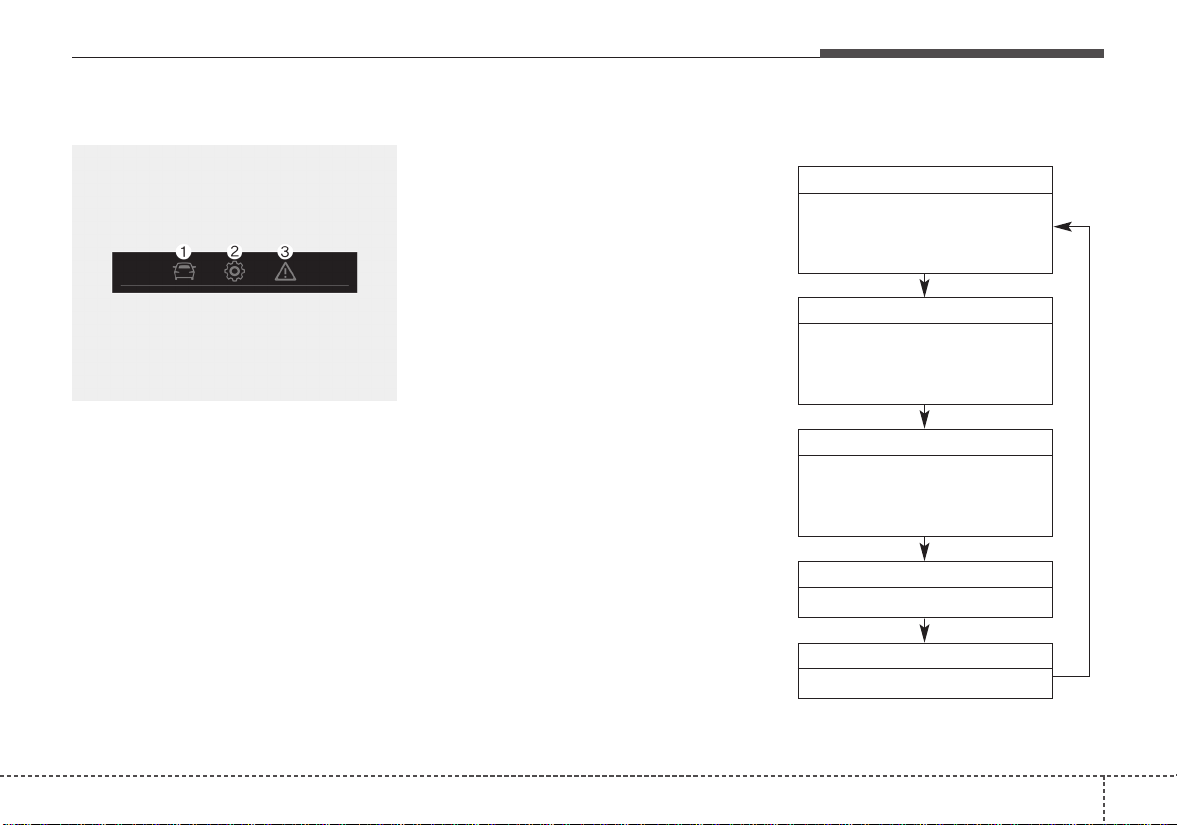
459
Features of your vehicle
Over view
LCD windows show the following var-
ious information to drivers.
- Trip information
- LCD modes
- Warning messages
Trip information (Trip computer)
The trip computer is a microcomput-
er-controlled driver information sys-
tem that displays information related
to driving.
✽✽
NOTICE
Some driving information stored in
the trip computer (for example
Average Vehicle Speed) resets if the
battery is disconnected.
Trip Modes
- For Type A cluster
LCD WINDOWS (IF EQUIPPED)
OSC046119
To change the trip mode, press the
TRIP button.
• Tripmeter [A]
• Elapsed Time [A]
• Average Vehicle Speed [A]
TRIP A
• Tripmeter [B]
• Elapsed Time [B]
• Average Vehicle Speed [B]
TRIP B
• Distance To Empty
• Average Fuel Economy
• Instant Fuel Economy
FUEL ECONOMY
• Service reminder
Service
• Service reminder
Service
• Speed On/Off
Speed
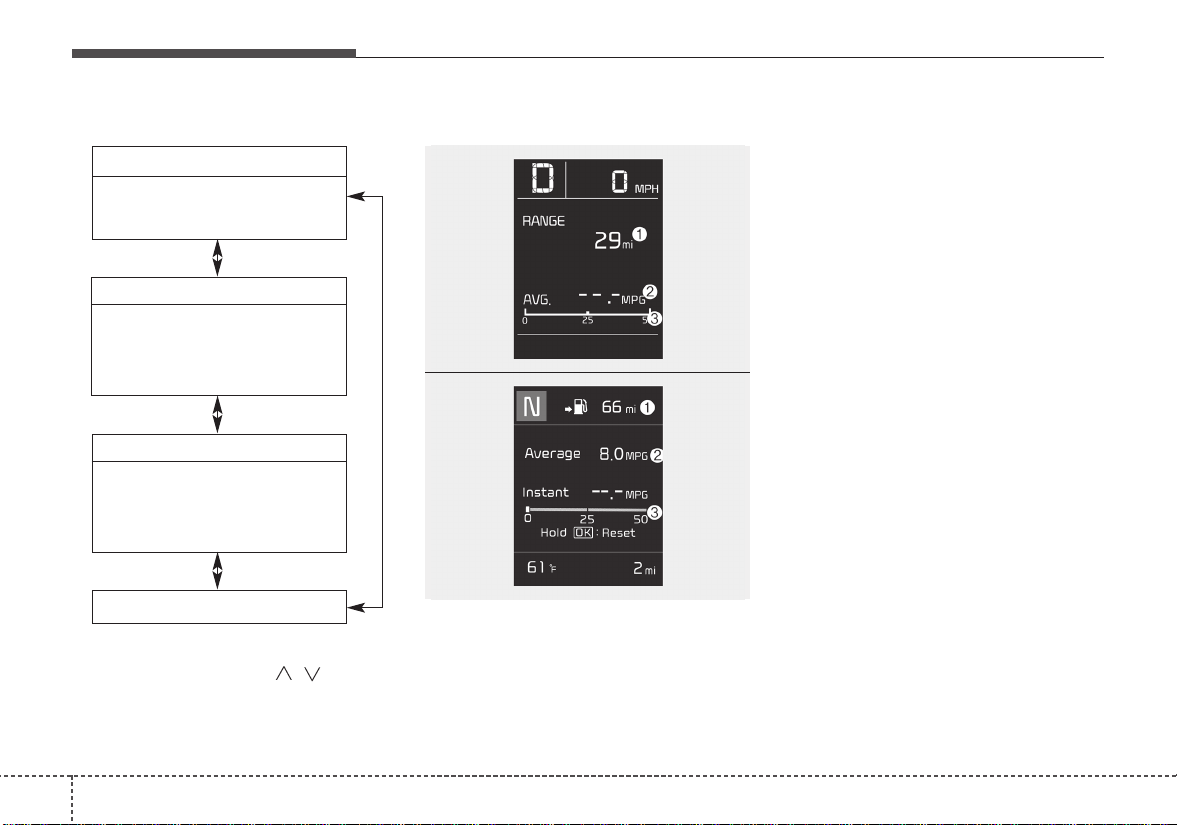
Features of your vehicle
604
- For Type B cluster
Fuel Economy
Distance To Empty (1)
• The range is the estimated dis-
tance the vehicle can be driven
with the remaining fuel.
- Distance range : 1~9,9999 mi or
1~9,999 km.
• If the estimated distance is below 1
mi. (1 km), the trip computer will
display “---” as distance to empty.
✽✽
NOTICE
• If the vehicle is not on level ground
or the battery power has been
interrupted, the distance to empty
function may not operate correct-
ly.
• The distance to empty may differ
from the actual driving distance as
it is an estimate of the available
driving distance.
• The trip computer may not regis-
ter additional fuel if less than 1.6
gallons (6 liters) of fuel are added
to the vehicle.
• The fuel economy and distance to
empty may vary significantly
based on driving conditions, driv-
ing habits, and condition of the
vehicle.
• Tripmeter
• Average Fuel Economy
• Timer
Accumulate Info
• Tripmeter
• Average Fuel Economy
• Timer
Digital speedometer
Drive Info
• Average Fuel Economy
• Instant Fuel Economy
TRIP
To change the trip mode, scroll the
MOVE scroll switch ( / ) in the
trip computer mode.
OSC047131N
OSC047132N
■ Type A
■ Type B

461
Features of your vehicle
Average Fuel Economy (2)
• The average fuel economy is cal-
culated by the total driving dis-
tance and fuel consumption since
the last average fuel economy
reset.
- Fuel economy range: 0.0 ~ 99.9
MPG or L/100 km, km/L
• The average fuel economy can be
reset both manually and automati-
cally.
Manual reset
To clear the average fuel economy
manually, press the RESET (for Type
A cluster), OK ( for Type B cluster)
(reset) on the steering wheel for
more than 1 second when the aver-
age fuel economy is displayed.
Automatic reset (for type B cluster)
To make the average fuel economy
be reset automatically whenever refu-
eling, select the “Fuel economy auto
reset” mode in User Setting menu of
the LCD window (Refer to “LCD win-
dow”).
• OFF - You may set to default manu-
ally by using the trip switch reset but-
ton.
• After ignition - The vehicle will auto-
matically set to default once 4 hours
pass after the Ignition is in OFF.
• After refueling - After refueling more
than 1.6 gallons (6 liters) and driving
over 1 mph (1 km/h), the vehicle will
reset to default automatically.
✽✽
NOTICE
The average fuel economy is not dis-
played for more accurate calculation
if the vehicle does not drive more
than 10 seconds or 0.03 miles (50
meters) since the ignition switch or
Engine Start/Stop button is turned
to ON.
Instant Fuel Economy (3)
• This mode displays the instant fuel
economy during the last few sec-
onds when the vehicle speed is
more than 6.2MPH(10km/h).
- Fuel economy range:
30.0 L/100 km or 0.0 ~ 50.0 MPG
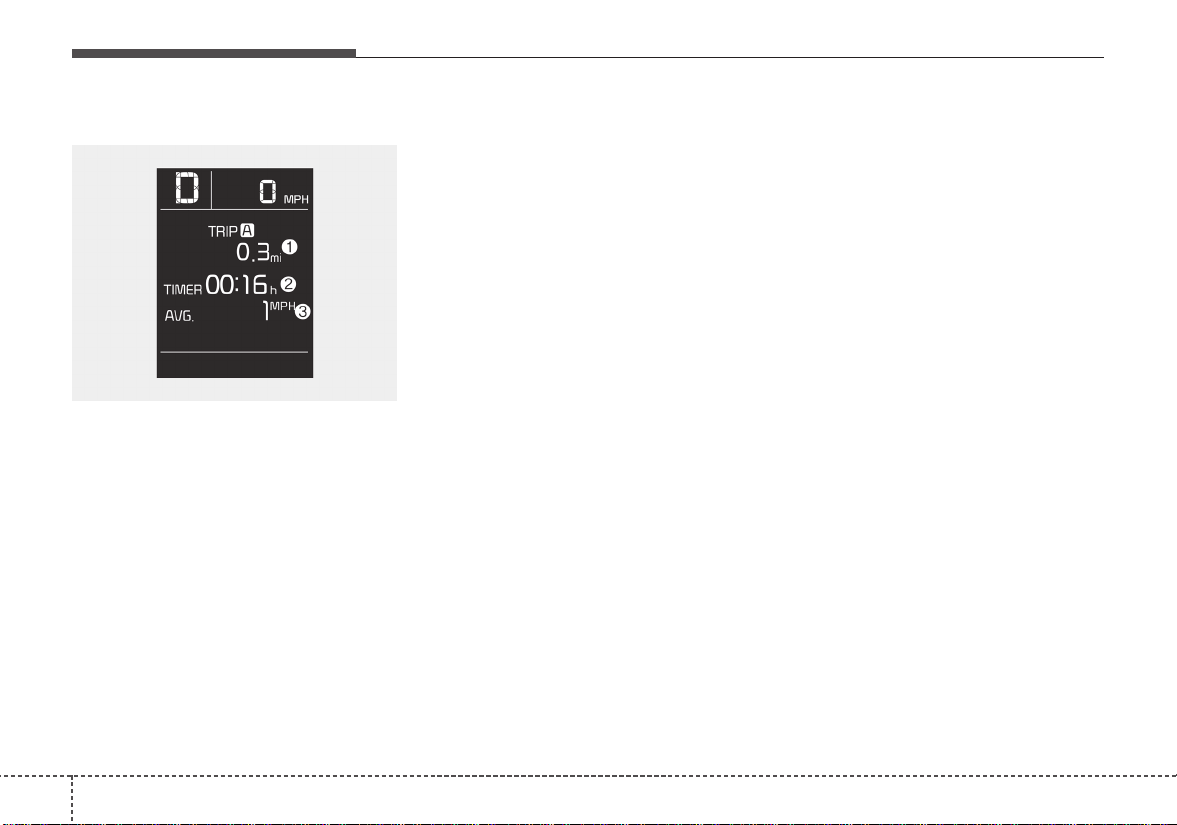
Features of your vehicle
624
Trip A/B (for type A cluster)
Tripmeter (1)
• The tripmeter is the total driving dis-
tance since the last tripmeter reset.
- Distance range: 0~999999 mi or
0~1599999 km
• To reset the tripmeter, press the
RESET button on the steering
wheel for more than 1 second
when the tripmeter is displayed.
Elapsed Time (2)
• The elapsed time is the total driv-
ing time since the last elapsed time
reset.
- Time range (hh:mm) : 00:00 ~
99:59
• To reset the elapsed time, press
the RESET button on the steering
wheel for more than 1 second
when the elapsed time is dis-
played.
✽✽
NOTICE
Even if the vehicle is not in motion,
the elapsed time keeps going while
the engine is running.
Average Vehicle Speed (3)
• The average vehicle speed is cal-
culated by the total driving dis-
tance and driving time since the
last average vehicle speed reset.
- Speed range : 0 ~ 999 mph or
km/h
• To reset the average vehicle
speed, press the RESET button
on the steering wheel for more
than 1 second when the average
vehicle speed is displayed.
✽✽
NOTICE
• The average vehicle speed is not dis-
played if the driving distance is less
than 0.03 miles (50 meters) or the
driving time is less than 10 seconds
since the ignition switch or Engine
Start/Stop button is turned to ON.
• Even if the vehicle is not in motion,
the average vehicle speed keeps
going while the engine is running.
OSC047137N
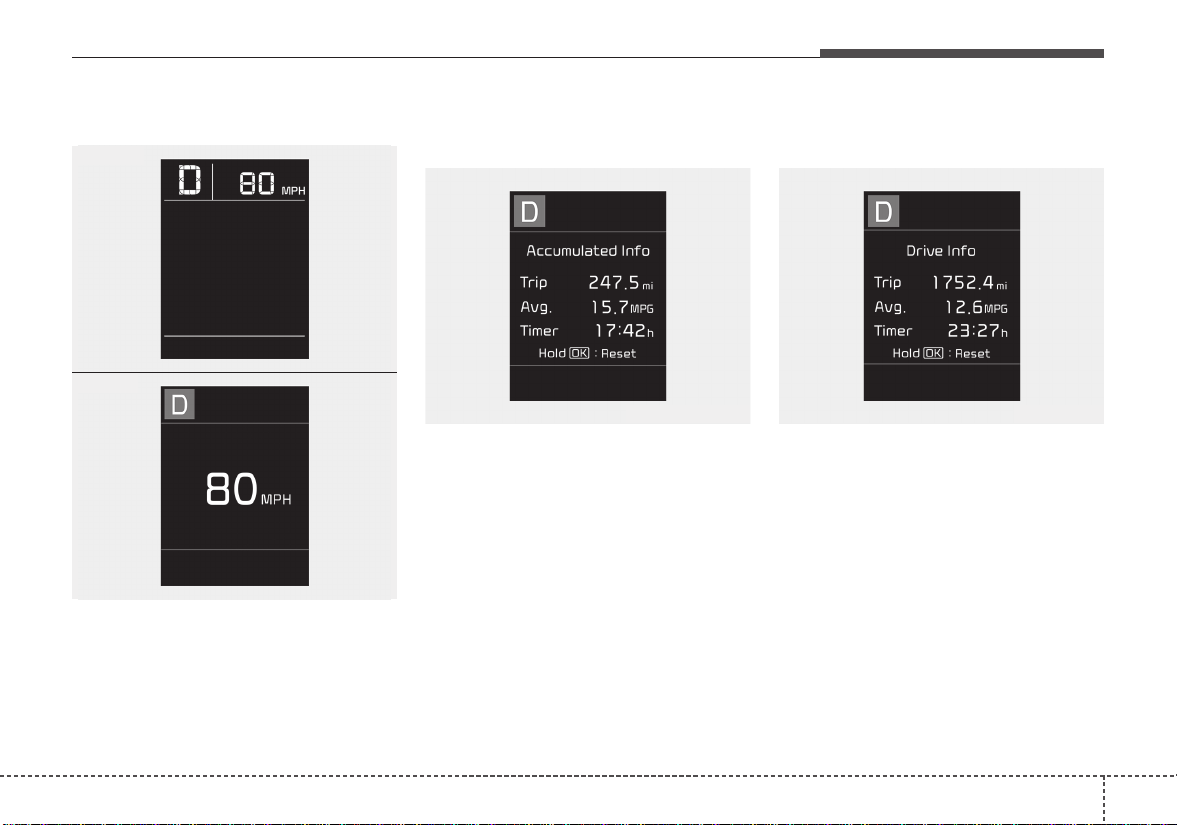
463
Features of your vehicle
Digital speedometer
This mode displays the current
speed of the vehicle.
Accumulated driving information
mode (for type B cluster)
Displays accumulated information
starting from mileage/fuel efficien-
cy/time default point.
• Accumulated information is calcu-
lated after the vehicle has run for
more than 0.2 miles (300 meters).
• If you press “OK” button for more
than 1 second after the Cumulative
Information is displayed, the infor-
mation will be reset.
• If the engine is running, even when
the vehicle is not in motion, the
information will be accumulated.
One time driving information mode
(for type B cluster)
The vehicle will display Driving
Information once per one ignition cycle.
- Fuel efficiency is calculated after the
vehicle has run for more than 0.2
miles (300 meters).
- The Driving Information will be reset
4 hours after ignition has been turned
off. So, when the vehicle ignition is
turned on within 4 hours, the informa-
tion will not be reset.
- If you press “OK” button for more
than 1 second after the Driving
Information is displayed, the informa-
tion will be reset.
OSC047135N
OSC047136N
■ Type A
■ Type B
OSC047133N OSC047134N
Features of your vehicle
644
- If the engine is running, even when
the vehicle is not in motion, the infor-
mation will be accumulated.
LCD Modes (for type B cluster)
(1) Trip Computer mode
This mode displays driving informa-
tion like the tripmeter, fuel economy,
and so on.
❈ For more details, refer to “Trip
Computer” in this chapter.
(2) User Setting mode
On this mode, you can change set-
tings of the doors, lamps and so on.
(3) Master warning mode
This mode informs of warning mes-
sages related to TPMS fail, low pres-
sure (if equipped) or Low engine oil
(if equipped).
❈ For controlling the LCD modes,
refer to “LCD window Control” in
this chapter.
OSC046119
465
Features of your vehicle
Service Mode
Service in
It calculates and displays when you
need a scheduled maintenance
service (mileage or days).
If the remaining mileage or time
reaches 900 mi. (1,500 km) or 30
days, “Service in” message is dis-
played for several seconds each time
you set the ignition switch or Engine
Start/Stop Button to the ON position.
Service required
If you do not have your vehicle serv-
iced according to the already inputted
service interval, “Service required”
message is displayed for several sec-
onds each time you set the ignition
switch or Engine Start/Stop Button to
the ON position.
To reset the service interval to the
mileage and days you inputted before:
• Press the RESET button for more
than 1 second. (for Type A cluster)
• Press the OK button (Reset) for
more than 1 second. (for Type B
cluster)
✽✽
NOTICE
If any of the following conditions
occurs, the mileage and days may be
incorrect.
- The battery cable is disconnected.
- The fuse switch is turned off.
- The battery is discharged.
User Settings Mode
(for type B cluster)
On this mode, you can change set-
ting of the doors, lamps, and so on.
WARNING
Do not adjust the User Setting
while driving.You may lose your
steering control and cause
severe personal injury or acci-
dents.

Features of your vehicle
664
Driving Assist (if equipped)
• AEB (Autonomous Emergency
Braking) (if equipped) : To acti-
vate or deactivate the AEB system.
❈For more details, refer to
“Autonomous Emergency Braking
(AEB)” in chapter 6.
• FCW (Forward Collision Warning)
(if equipped) :Choose the sensitiv-
ity of the FCW.
❈For more details, refer to
“Autonomous Emergency Braking
(AEB)” in chapter 6.
Door (if equipped)
• Automatically Lock
- Enable on Speed :All doors will be
automatically locked when the
vehicle speed exceeds 9.3mph
(15km/h).
- Enable on Shift : All doors will be
automatically locked if the auto-
matic transaxle mission shift lever
is shifted from the P (Park) position
to the R (Reverse), N (Neutral), or
D (Drive) position.
• Automatically Unlock
- Disable : The auto door unlock
operation will be canceled.
- Vehicle Off/On, Key out : All doors
will be automatically unlocked
when the ignition key is removed
from the ignition switch or the
Engine Star/Stop button is set to
the OFF position.
- On Shift to P : All doors will be
automatically unlocked if the auto-
matic transaxle transmission shift
lever is shifted to the P (Park) posi-
tion.

467
Features of your vehicle
• Two Press Unlock (if equipped)
- Off :The two press unlock function
will be deactivated. Therefore, all
doors will unlock if the door is
unlocked.
- On : The driver’s door will unlock if
the door is unlocked. When the
door is unlocked again within 4
seconds, all doors will unlock.
• Horn Feed Back(if equipped) :If
this item checked, the door lock
sound function will be activated
when locking doors.
• Smart Trunk (if equipped) :To
activate or deactivate the Smart
Trunk system.
❈For more details, refer to “Smart
Trunk” in this chapter.
Lights
• One Touch Turn Signal
- Off : The one touch turn signal
function will be deactivated.
- 3, 5, 7 Flashes : The lane change
signals will blink 3, 5, or 7 times
when the turn signal lever is moved
slightly.
❈For more details, refer to “Light” in
this chapter
• Head Lamp Delay
- If this item checked, the head lamp
delay function will be activated.
Convenience
• Wiper/Light Display (if equipped)
: If this item checked, the
Wiper/Light Display will be activat-
ed.
• Auto rear wiper (reverse) (If
equipped) : If this item is checked,
the rear wiper will automatically
activated when the front wiper is in
ON position and shift lever is in R
(reverse) position.
• Gear Position Pop-up (if
equipped) : If this item checked,
the gear position pop-up display will
be activated.
• Icy road warning (if equipped) :If
this item checked, the Icy road
warning will be activated.

Features of your vehicle
684
Service interval
• Service Interval
To activate or deactivate the serv-
ice interval function.
• Adjust Interval
To adjust the interval by mileage
and period.
• Reset
To reset the service interval func-
tion.
Other Features
• Fuel Economy Auto Reset
- Off :The average fuel economy will
not reset automatically whenever
refueling.
- After Ignition : The average fuel
economy will reset automatically
whenever it has passed 4 hours
after turning OFF the engine.
- After Refueling : The average fuel
economy will reset automatically
when refueling.
• Fuel Economy Unit
To select the fuel economy unit.
(UK gallon ↔ US gallon)
• Temperature Unit
To select the temperature unit.
(°C,°F)
• Tire Pressure Unit (if equipped) :
Choose the tire pressure unit. (psi,
kPa, bar)
Language
Choose the language
Reset
You can reset the menus in the User
Settings Mode.All menus in the User
Settings Mode are initialized, except
language and service interval.
469
Features of your vehicle
Warning messages
Warning messages appear on the
LCD to warn the driver.It is located in
the center of the instrument cluster.
The warning message may appear
differently depending on the type of
instrument cluster and some may not
show the warning message at all.
The warning message is shown in
either symbol, symbol and text, or
text type only. You can choose the
preferred language (for Type B only)
by selecting the User setting menu in
LCD mode.
Door, hood, trunk (tailgate) open
• This warning is displayed indicat-
ing which door, or the hood, or the
trunk (tailgate) is open.
Sunroof Open (if equipped)
• This warning is displayed if you
turn off the engine when the sun-
roof is open.
OYB046134OYB046133

Features of your vehicle
704
Engine has overheated
This warning message illuminates
when the engine coolant tempera-
ture is above 248°F (120°C). This
means that the engine is overheated
and may be damaged.
❈If your vehicle is overheated, refer
to “Overheating” in chapter 7.
Shift to P (for smart key system and
automatic transaxle)
• This warning message illuminates if
you try to turn off the engine without
the shift lever in P (Park) position.
• At this time, the Engine Start/Stop
Button turns to the ACC position (If
you press the Engine Start/Stop
Button once more, it will turn to the
ON position).
Low Key Battery
(for smart key system)
• This warning message illuminates
if the battery of the smart key is
discharged when the Engine
Start/Stop Button changes to the
OFF position.
Press START button while turn steer-
ing (for smart key system)
• This warning message illuminates
if the steering wheel does not
unlock normally when the Engine
Start/Stop Button is pressed.
• It means that you should press the
Engine Start/Stop Button while
turning the steering wheel right
and left.
Steering wheel unlocked
(for smart key system)
• This warning message illuminates
if the steering wheel does not lock
when the Engine Start/Stop Button
changes to the OFF position.
Check Steering Wheel Lock System
(for smart key system)
• This warning message illuminates
if the steering wheel does not lock
normally when the Engine
Start/Stop Button changes to the
OFF position.

471
Features of your vehicle
Press brake pedal to start engine
(for smart key system and automatic
transaxle)
• This warning message illuminates
if the Engine Start/Stop Button
changes to the ACC position twice
by pressing the button repeatedly
without depressing the brake pedal.
• It means that you should depress
the brake pedal to start the engine.
Press clutch pedal to start engine (for
smart key system and manual transaxle)
• This warning message illuminates if
the Engine Start/Stop Button
changes to the ACC position twice
by pressing the button repeatedly
without depressing the clutch pedal.
• It means that you should depress
the clutch pedal to start the engine.
Key not in vehicle (for smart key system)
• This warning message illuminates
if the smart key is not in the vehicle
when you press the Engine
Start/Stop Button.
• It means that you should always
have the smart key with you.
Key not detected (for smart key system)
• This warning message illuminates
if the smart key is not detected
when you press the Engine
Start/Stop Button.
Press START button again
(for smart key system)
• This warning message illuminates
if you can not operate the Engine
Start/Stop Button when there is a
problem with the Engine Start/Stop
Button system.
• It means that you could start the
engine by pressing the Engine
Start/ Stop Button once more.
• If the warning illuminates each
time you press the Engine
Start/Stop Button, have your vehi-
cle inspected by an authorized Kia
dealer.
Features of your vehicle
724
Press START button with smart key
(for smart key system)
• This warning message illuminates
if you press the Engine Start/Stop
Button while the warning message
“Key not detected” is illuminating.
• At this time, the immobilizer indica-
tor light blinks.
Check fuse “BRAKE SWITCH”
(for smart key system and automatic
transaxle/transmission)
• This warning message illuminates
if the brake switch fuse is discon-
nected.
• It means that you should replace
the fuse with a new one. If that is
not possible, you can start the
engine by pressing the Engine
Start/Stop Button for 10 seconds in
the ACC position.
Shift to P or N to start engine
(for smart key system and automatic
transaxle)
• This warning message illuminates
if you try to start the engine with
the shift lever not in the P (Park) or
N (Neutral) position.
✽✽
NOTICE
You can start the engine with the
shift lever in the N (Neutral) position.
But, for your safety, we recommend
that you start the engine with the
shift lever in the P (Park) position.
Icy Road Warning Light
(if equipped)
This warning light is to warn the driv-
er the road may be icy.
When the following conditions occur,
the warning light (including Outside
Temperature Gauge) blinks 5 times
and then illuminates, and also warn-
ing chime sounds once.
- The temperature on the Outside
Temperature Gauge is below
approximately 40°F (4°C).
OYB046136

473
Features of your vehicle
✽✽
NOTICE
If the icy road warning light appears
while driving, you should drive
more attentively and safely refrain-
ing from over-speeding, rapid accel-
eration, sudden braking or sharp
turning, etc.
Features of your vehicle
744
Warning lights
✽✽
NOTICE - Warning lights
Make sure that all warning lights
are OFF after starting the engine. If
any light is still ON, this indicates a
situation that needs attention.
Air bag Warning Light
This warning light illuminates:
• Once you set the ignition switch or
Engine Start/Stop Button to the ON
position.
- It illuminates for approximately 6
seconds and then goes off.
• When there is a malfunction with
the SRS.
In this case, have your vehicle
inspected by an authorized Kia
dealer.
Seat Belt Warning Light
This warning light informs the driver
that the seat belt is not fastened.
❈ For more details, refer to the “Seat
Belts” in chapter 3.
WARNING AND INDICATOR LIGHTS
475
Features of your vehicle
Parking Brake & Brake
Fluid Warning Light
This warning light illuminates:
• Once you set the ignition switch or
Engine Start/Stop Button to the ON
position.
- It illuminates for approximately 3
seconds
- It remains on if the parking brake
is applied.
• When the parking brake is applied.
• When the brake fluid level in the
reservoir is low.
- If the warning light illuminates
with the parking brake released, it
indicates the brake fluid level in
reservoir is low.
If the brake fluid level in the reservoir
is low:
1.Drive carefully to the nearest safe
location and stop your vehicle.
2.With the engine stopped, check the
brake fluid level immediately and
add fluid as required (For more
details, refer to "Brake Fluid" in
chapter 8).
Then check all brake components
for fluid leaks. If any leak on the
brake system is still found, the
warning light remains on, or the
brakes do not operate properly, do
not drive the vehicle.
In this case, have your vehicle
towed to an authorized Kia dealer
and inspected.
Dual-diagonal braking system
Your vehicle is equipped with dual-
diagonal braking systems. This
means you still have braking on two
wheels even if one of the dual sys-
tems should fail.
With only one of the dual systems
working, more than normal pedal
travel and greater pedal pressure are
required to stop the vehicle.
Also, the vehicle will not stop in as
short a distance with only a portion
of the brake system working.
If the brakes fail while you are driv-
ing, shift to a lower gear for addition-
al engine braking and stop the vehi-
cle as soon as it is safe to do so.
Features of your vehicle
764
Driving the vehicle with a warning
light ON is dangerous. If the Parking
Brake & Brake Fluid Warning Light
illuminates with the parking brake
released, it indicates that the brake
fluid level is low.
In this case, have your vehicle inspect-
ed by an authorized Kia dealer.
Anti-lock Brake System
(ABS) Warning Light
This warning light illuminates:
• Once you set the ignition switch or
Engine Start/Stop Button to the ON
position.
- It illuminates for approximately 3
seconds and then goes off.
• When there is a malfunction with
the ABS (The normal braking sys-
tem will still be operational without
the assistance of the anti-lock
brake system).
In this case, have your vehicle
inspected by an authorized Kia
dealer.
Electronic
Brake force
Distribution
(EBD) System
Warning Light
These two warning lights illuminate at
the same time while driving:
• When the ABS and regular brake
system may not work normally.
In this case, have your vehicle
inspected by an authorized Kia
dealer.
477
Features of your vehicle
✽✽
NOTICE - Electronic Brake
force Distribution (EBD)
System Warning Light
When the ABS Warning Light is on
or both ABS and Parking Brake &
Brake Fluid Warning Lights are on,
the speedometer, odometer, or trip-
meter may not work. Also, the EPS
Warning Light may illuminate and
the steering effort may increase or
decrease.
In this case, have your vehicle inspect-
ed by an authorized Kia dealer as
soon as possible.
Electronic Power
Steering (EPS) Warning
Light (if equipped)
This warning light illuminates:
• Once you set the ignition switch or
Engine Start/Stop Button to the ON
position.
- It remains on until the engine is
started.
• When there is a malfunction with
the EPS.
In this case, have your vehicle
inspected by an authorized Kia
dealer.
WARNING - ABS/Brake
Light
When both ABS and Parking
Brake & Brake Fluid Warning
Lights are on, the brake system
will not work normally and you
may experience an unexpected
and dangerous situation during
sudden braking thereby increas-
ing the risk of a crash or injury.
In this case, avoid high speed
driving and abrupt braking.
Have your vehicle inspected by
an authorized Kia dealer as
soon as possible.
Features of your vehicle
784
Malfunction Indicator
Lamp (MIL)
This warning light illuminates:
• Once you set the ignition switch or
Engine Start/Stop Button to the ON
position.
- It remains on until the engine is
started.
• When there is a malfunction with
the emission control system.
In this case, have your vehicle
inspected by an authorized Kia
dealer.
Charging System
Warning Light
This warning light illuminates:
• Once you set the ignition switch or
Engine Start/Stop Button to the ON
position.
- It remains on until the engine is
started.
• When there is a malfunction with
either the alternator or electrical
charging system.
CAUTION - Malfunction
Indicator Lamp (MIL)
Driving with the Malfunction
Indicator Lamp (MIL) on may
cause damage to the emission
control systems which could
effect drivability and/or fuel
economy.
CAUTION - Gasoline
Engine
If the Malfunction Indicator
Lamp (MIL) illuminates, poten-
tial catalytic converter damage
is possible which could result in
loss of engine power.
In this case, have your vehicle
inspected by an authorized Kia
dealer as soon as possible.

479
Features of your vehicle
If there is a malfunction with either
the alternator or electrical charging
system:
1. Drive carefully to the nearest safe
location and stop your vehicle.
2.Turn the engine off and check the
alternator drive belt for looseness
or breakage.
If the belt is adjusted properly,
there may be a problem in the
electrical charging system.
In this case, have your vehicle
inspected by an authorized Kia
dealer as soon as possible.
Engine Oil Pressure
Warning Light
This warning light illuminates:
• Once you set the ignition switch or
Engine Start/Stop Button to the ON
position.
- It remains on until the engine is
started.
• When the engine oil pressure is low.
If the engine oil pressure is low:
1.Drive carefully to the nearest safe
location and stop your vehicle.
2.Turn the engine off and check the
engine oil level (For more details,
refer to “Engine Oil” in section 8). If
the level is low, add oil as required.
If the warning light remains on after
adding oil or if oil is not available,
have your vehicle inspected by an
authorized Kia dealer as soon as
possible.
CAUTION - Engine
damage
If the engine is not stopped
immediately after the engine oil
pressure warning light is illumi-
nated and stays on while the
engine is running, serious
engine damage may result.
Features of your vehicle
804
If the warning light stays on while the
engine is running, there may be seri-
ous engine damage. In this case,
1. Stop the vehicle as soon as it is
safe to do so.
2.Turn off the engine and check the
oil level.If the oil level is low, fill the
engine oil to the proper level.
3. Start the engine again.If the warn-
ing light stays on after the engine
is started, turn the engine off
immediately. In this case, have
your vehicle inspected by an
authorized Kia dealer.
Low Fuel Level Warning
Light
This warning light illuminates:
When the fuel tank is nearly empty.
If the fuel tank is nearly empty:
Add fuel as soon as possible.
Low Tire Pressure
Warning Light
This warning light illuminates:
• Once you set the ignition switch or
Engine Start/Stop Button to the ON
position.
- It illuminates for approximately 3
seconds and then goes off.
• When one or more of your tires are
significantly underinflated.
❈For more details, refer to “Tire
Pressure Monitoring System
(TPMS)” in chapter 7.
CAUTION - Low Fuel
Level
Driving with the Low Fuel Level
warning light on or with the fuel
level below can cause the
engine to misfire and damage
the catalytic converter (if
equipped).
481
Features of your vehicle
This warning light remains on after
blinking for approximately 60 seconds
or repeats blinking and off at the
intervals of approximately 3 seconds:
• When there is a malfunction with
the TPMS.
In this case, have your vehicle
inspected by an authorized Kia
dealer as soon as possible.
❈For more details, refer to “Tire
Pressure Monitoring System
(TPMS)” in chapter 7.
The TPMS cannot alert you to severe
and sudden tire damage caused by
external factors.
If you notice any vehicle instability,
immediately take your foot off the
accelerator pedal, apply the brakes
gradually with light force, and slowly
move to a safe position off the road.
Door Ajar Warning
Light (if equipped)
This warning light illuminates:
When a door is not closed securely.
Trunk (tailgate) Open
Warning Light
(if equipped)
This warning light illuminates:
When the trunk (tailgate) is not
closed securely.
WARNING
- Low tire pressure
• Significantly low tire pressure
makes the vehicle unstable
and can contribute to loss of
vehicle control and increased
braking distances.
• Continued driving or low pres-
sure tires will cause the tires to
overheat and fail.
Features of your vehicle
824
Washer Fluid Warning
Light (if equipped)
This warning light illuminates:
• When the washer fluid level in the
reservoir is nearly empty.
In this case, you should refill the
washer fluid.
Master Warning Mode
(if equipped)
• This warning light informs the driv-
er the following situations
- AEB(Autonomous Emergency
Braking, if equipped) malfunction
- FCW (Forward Collision Warning,
if equipped) malfunction
- AEB radar(if equipped) blind
If the warning situation is solved,
the master warning light will turn
off.
Indicator Lights
Electronic Stability
Control (ESC) Indicator
Light
This indicator light illuminates:
• Once you set the ignition switch or
Engine Start/Stop Button to the ON
position.
- It illuminates for approximately 3
seconds and then goes off.
• When there is a malfunction with
the ESC system.
In this case, have your vehicle
inspected by an authorized Kia
dealer.
This indicator light blinks:
While the ESC is operating.
❈For more details, refer to
“Electronic Stability Control (ESC)”
in chapter 6.
483
Features of your vehicle
Electronic Stability
Control (ESC) OFF
Indicator Light
This indicator light illuminates:
• Once you set the ignition switch or
Engine Start/Stop Button to the ON
position.
- It illuminates for approximately 3
seconds and then goes off.
• When you deactivate the ESC sys-
tem by pressing the ESC OFF but-
ton.
❈For more details, refer to
“Electronic Stability Control (ESC)”
in chapter 6.
Immobilizer Indicator
Light (Without Smart Key)
(if equipped)
This indicator light illuminates:
• When the vehicle detects the
immobilizer in your key properly
while the ignition switch is ON.
- At this time, you can start the
engine.
- The indicator light goes off after
starting the engine.
This indicator light blinks:
• When there is a malfunction with
the immobilizer system.
In this case, have your vehicle
inspected by an authorized Kia
dealer.
Immobilizer Indicator
Light (With Smart Key)
(if equipped)
This indicator light illuminates for up
to 30 seconds:
• When the vehicle detects the
smart key in the vehicle properly
while the Engine Start/Stop Button
is ACC or ON.
- At this time, you can start the
engine.
- The indicator light goes off after
starting the engine.
This indicator light blinks for a few
seconds:
• When the smart key is not in the
vehicle.
- At this time, you can not start the
engine.
Features of your vehicle
844
This indicator light illuminates for 2
seconds and goes off:
• When the vehicle can not detect
the smart key which is in the vehi-
cle while the Engine Start/Stop
Button is ON.
In this case, have your vehicle
inspected by an authorized Kia
dealer.
This indicator light blinks:
• When the battery of the smart key
is weak.
- At this time, you can not start the
engine. However, you can start
the engine if you press the Engine
Start/Stop Button with the smart
key. (For more details, refer to
“Starting the Engine”in section 6).
• When there is a malfunction with
the immobilizer system.
In this case, have your vehicle
inspected by an authorized Kia
dealer.
Turn Signal Indicator
Light
This indicator light blinks:
• When you turn the turn signal light
on.
If any of the following occurs, there
may be a malfunction with the turn
signal system.In this case, have your
vehicle inspected by an authorized
Kia dealer.
- The indicator light does not blink
but illuminates.
- The indicator light blinks more
rapidly.
- The indicator light does not illumi-
nate at all.
High Beam Indicator
Light
This indicator light illuminates:
• When the headlights are on and in
the high beam position
• When the turn signal lever is pulled
into the Flash-to-Pass position.
Light ON Indicator Light
This indicator light illuminates:
• When the tail lights or headlights
are on.
Front Fog Indicator
Light (if equipped)
This indicator light illuminates:
• When the front fog lights are on.
485
Features of your vehicle
Cruise
Indicator Light
(if equipped)
This indicator light illuminates:
• When the cruise control system is
enabled.
❈For more details, refer to “Cruise
Control System” in chapter 6.
Cruise SET Indicator
Light (if equipped)
This indicator light illuminates:
• When the cruise control speed is set.
❈For more details, refer to “Cruise
Control System” in chapter 6.
SPORT Mode Indicator
Light (if equipped)
This indicator light illuminates:
• When you select “SPORT” mode
as drive mode.
❈For more details, refer to “Sport
Mode” in chapter 6.
SET
CRUISE
Features of your vehicle
864
The rear view camera will activate
with the ignition switch on and the
shift lever in the R (Reverse) position.
Note- during initial start up, system
may not display instantly due to the
audio system booting up.
2 ~ 4 seconds may be required
before displaying during initial
reverse selection. This occurs when
starting and immediately shifting to
reverse.
This system is a supplemental sys-
tem that shows behind the vehicle
through the UVO audio or navigation
display backing-up.
Always keep the camera lens clean.If
lens is covered with foreign matter,
the camera may not operate normally.
The rearview camera is not a substi-
tute for proper and safe backing-up
procedures. Always drive safely and
use caution when backing up. The
rearview camera may not display
every object behind the vehicle.
REARVIEW CAMERA (IF EQUIPPED)
WARNING - Backing Up &
Using Camera
Never rely solely on the rear view
camera when backing up. Prior
to entering your vehicle always
do a visual check of the area
behind your vehicle, and before
backing up be aware of your sur-
roundings and supplement the
rear view camera by looking over
your shoulders and checking
your rear view mirrors.Due to the
difficulty of ensuring that the
area behind you remains clear,
always back up slowly and stop
immediately if you even suspect
that a person, and especially a
child, might be behind you.
■ Type B
■ Type A
OSC047438N
OYB046401
OYB046402

487
Features of your vehicle
Battery saver function
• The purpose of this feature is to
prevent the battery from being dis-
charged.The system automatically
turns off the parking lights when
the driver removes the ignition key
and opens the driver-side door.
• With this feature, the parking lights
will turn off automatically if the driv-
er parks on the side of the road at
night.
If necessary, to keep the lights on
when the ignition key is removed,
perform the following:
1) Open the driver-side door.
2) Turn the parking lights OFF and
ON again using the light switch
on the steering column.
Headlight escort function
(if equipped)
The headlights (and/or taillights) will
remain on for approximately 5 min-
utes after the ignition key is removed
or turned to the ACC or LOCK posi-
tion. However, if the driver’s door is
opened and closed, the headlights
are turned off after 15 seconds.
The headlights can be turned off by
pressing the lock button on the trans-
mitter (or smart key) twice or turning
off the light switch from the headlight
or Auto light position.
If the driver gets out of the vehicle
through other doors (except driver's
door), the battery saver function
does not operate and the headlight
escort function does not turn off
automatically. Therefore, It causes
the battery to be discharged. In this
case, make sure to turn off the lamp
before getting out of the vehicle.
If the headlights are not working
properly have your vehicle inspected
by an authorized Kia dealer.
Don't attempt to inspect or replace
the wiring yourself to prevent mal-
function.
Headlight welcome function
(if equipped)
When the headlight switch is in the
ON or AUTO position and all doors
(and tailgate) are closed and locked,
if you press the door unlock button
on the transmitter (or smart key), the
headlights will come on for about 15
seconds.
If the headlight switch is in the AUTO
position, the function can only oper-
ate at night.
At this time, if you press the door
unlock button again or door lock but-
ton on the transmitter (or smart key),
the headlights will turn off immedi-
ately.
LIGHTING
Features of your vehicle
884
Lighting control
The light switch has a Headlight and
a Parking light position.
To operate the lights, turn the knob at
the end of the control lever to one of
the following positions:
(1) OFF position
(2) Auto light position (if equipped)
(3) Parking light position
(4) Headlight position
Parking light position ( )
When the light switch is in the park-
ing light position (3rd position), the
tail, position, license and instrument
panel lights will turn ON.
OSC047414N
OSC046400
■ Type A
■ Type B
OSC047415N
OSC047401N
■ Type A
■ Type B
489
Features of your vehicle
Headlight position ( )
When the light switch is in the head-
light position (4th position) the head,
tail, position, license and instrument
panel lights will turn ON.
The ignition switch must be in the ON
position to turn on the headlights.
Auto light position (if equipped)
When the light switch is in the AUTO
light position, the taillights and head-
lights will turn ON or OFF automati-
cally depending on the amount of
light outside the vehicle.
Never place anything over the sensor
(1) located on the instrument panel.
This will ensure better auto-light sys-
tem control.
Do not clean the sensor using a win-
dow cleaner, the cleaner may leave a
light film which could interfere with
sensor operation.
If your vehicle has window tint or
other types of metallic coating on the
front windshield, the Auto light sys-
tem may not work properly.
OSC047416N
OSC047402N
■ Type A
■ Type B
OSC047417N
OSC047403N
■ Type A
■ Type B
Features of your vehicle
904
High beam operation
To turn on the high beam headlights,
push the lever away from you. Pull it
back for low beams.
The high-beam indicator will light
when the headlight high beams are
switched on.
To prevent the battery from being
discharged, do not leave the lights
on for a prolonged time while the
engine is not running.
To flash the headlights, pull the lever
towards you.It will return to the normal
(low-beam) position when released.
The headlight switch does not need to
be on to use this flashing feature.
WARNING - High beams
Do not use high beam when
there are other vehicles. Using
high beam could obstruct the
other driver's vision.
OSC047418N
OSC047404N
■ Type A
■ Type B
OSC047419N
OSC047405N
■ Type A
■ Type B

491
Features of your vehicle
Turn signals and lane change
signals
The ignition switch must be on for the
turn signals to function. To turn on
the turn signals, move the lever up or
down (A).The green arrow indicators
on the instrument panel indicate
which turn signal is operating.
They will self-cancel after a turn is
completed. If the indicator continues
to flash after a turn, manually return
the lever to the OFF position.
To signal a lane change, move the
turn signal lever slightly and hold it in
position (B). The lever will return to
the OFF position when released.
If an indicator stays on and does not
flash or if it flashes abnormally, one of
the turn signal bulbs may be burned
out and will require replacement.
If an indicator flash is abnormally
quick or slow, a bulb may be burned
out or have a poor electrical connec-
tion in the circuit.
One-touch lane change function
To activate an one-touch lane
change function, move the turn sig-
nal lever slightly and then release it.
The lane change signals will blink 3,
5 or 7 times.
You can choose one-touch lane
change blinking function in “One
touch turn signal” of “User setting”.
Refer to “User setting” in chapter 4.
(if equipped)
✽✽
NOTICE
If an indicator flash is abnormally
quick or slow, the bulb may be
burned out or have a poor electrical
connection in the circuit.
OSC047420N
OSC047406N
■ Type A
■ Type B
Features of your vehicle
924
Front fog light (if equipped)
Fog lights are used to provide
improved visibility when visibility is
poor due to fog, rain or snow, etc.The
fog lights will turn on when the fog light
switch (1) is turned to the on position
after the headlights are turned on.
To turn off the fog lights, turn the
switch (1) to the off position.
When in operation, the fog lights
consume large amounts of vehicle
electrical power. Only use the fog
lights when visibility is poor.
OSC047421N
OSC047413N
■ Type A
■ Type B
493
Features of your vehicle
A :Wiper speed control (front)
· HI – High wiper speed
· LO – Low wiper speed
· INT – Intermittent wipe
· AUTO* – Automatic control wipe
· OFF – Off
· MIST – Single wipe
B : Intermittent control wipe time
adjustment
C :Wash with brief wipes (front)*
D : Rear wiper/washer control
· /ON – Continuous wipe
· O/OFF – Off
· HI – High wiper speed
· LO – Low wiper speed
E :Wash with brief wipes (rear)
* : if equipped
WIPERS AND WASHERS
OSC047428N/OSC047422N/OSC047427N/OSC047446N
Front Rear ( 5 Door, if equipped)
■ Type A
■ Type B
■ Type A
■ Type B
Features of your vehicle
944
Windshield wipers
Operates as follows when the igni-
tion switch is turned ON.
MIST : For a single wiping cycle,
push the lever upward and
release it. The wipers will
operate continuously if the
lever is held in this position.
OFF : Wiper is not in operation
INT :Wiper operates intermittently at
the same wiping intervals. Use
this mode in a light rain or mist.
To vary the speed setting, turn
the speed control knob.
LO : Normal wiper speed
HI : Fast wiper speed
If there is a heavy accumulation of
snow or ice on the windshield, defrost
the windshield for about 10 minutes,
or until the snow and/or ice is
removed before using the windshield
wipers to ensure proper operation.
AUTO (Automatic) control
(if equipped)
The rain sensor located on the upper
end of the windshield glass senses
the amount of rainfall and controls the
wiping cycle for the proper interval.
The more it rains, the faster the wiper
operates. When the rain stops, the
wiper stops.
To vary the speed setting, turn the
speed control knob (1).
If the wiper switch is set in AUTO
mode when the ignition switch is ON,
the wiper will operate once to per-
form a self-check of the system. Set
the wiper to off position when the
wiper is not in use.
CAUTION
When the ignition switch is ON
and the windshield wiper switch
is placed in the AUTO mode, use
caution in the following situa-
tions to avoid any injury to the
hands or other parts of the
body:
• Do not touch the upper end of
the windshield glass facing
the rain sensor.
• Do not wipe the upper end of
the windshield glass with a
damp or wet cloth.
• Do not put pressure on the
windshield glass.
OSC047411N
495
Features of your vehicle
Windshield washers (front)
In the OFF position, pull the lever
gently toward you to spray washer
fluid on the windshield and to run the
wipers 1-3 cycles.
Use this function when the wind-
shield is dirty.
The spray and wiper operation will
continue until you release the lever. If
the washer does not work, check the
washer fluid level.
If the fluid level is not sufficient, you
add appropriate non-abrasive wind-
shield washer fluid to the washer
reservoir.
The reservoir filler neck is located in
the front of the engine compartment
on the passenger side.
CAUTION
When washing the vehicle, set
the wiper switch in the off posi-
tion to stop the auto wiper oper-
ation.
The wiper may operate and be
damaged if the switch is set in
the AUTO mode while washing
the vehicle.
Do not remove the sensor cover
located on the upper end of the
passenger side windshield
glass. Damage to system parts
could occur and may not be
covered by your vehicle warran-
ty.
When starting the vehicle in
winter, set the wiper switch in
the off position. Otherwise,
wipers may operate and ice may
damage the windshield wiper
blades. Always remove all snow
and ice and defrost the wind-
shield properly prior to operat-
ing the windshield wipers.
OSC047424N
OSC047429N
■ Type A
■ Type B
CAUTION - Washer pump
To prevent possible damage to
the washer pump, do not oper-
ate the washer when the fluid
reservoir is empty.
Features of your vehicle
964
Rear window wiper and wash-
er switch (5 door) (if equipped)
The rear window wiper and washer
switch is located at the end of the
wiper and washer switch lever. Turn
the switch to operate the rear wiper
and washer.
CAUTION - Wiper position
When washing the vehicle, set
the wiper switch in the off posi-
tion to stop the auto wiper oper-
ation. The wiper may operate
and be damaged if the switch is
set in the AUTO mode while
washing the vehicle.
CAUTION - Wipers &
windshields
• To prevent possible damage
to the wipers or windshield,
do not operate the wipers
when the windshield is dry.
• To prevent damage to the wiper
blades, do not use gasoline,
kerosene, paint thinner, or
other solvents on or near them.
• To prevent damage to the
wiper arms and other compo-
nents, do not attempt to move
the wipers manually.
WARNING - Obscured
visibility
Do not use the washer in freez-
ing temperatures without first
warming the windshield with
the defrosters; the washer solu-
tion could freeze on the wind-
shield and obscure your vision.
OSC047425N
OSC047430N
■ Type A
■ Type B
497
Features of your vehicle
ON - Normal wiper operation
(1) HI - High wiper speed
(2) LO - Low wiper speed
(3) OFF - Wiper is not in operation
Push the lever away from you or turn
the wiper lever switch upwards fully
to spray rear washer fluid and to run
the rear wipers 1~3 cycle.The spray
and wiper operation will continue
until you release the lever.
OSC047426N
OSC047431N
■ Type A
■ Type B
Features of your vehicle
984
Do not use the interior lights for
extended periods when the engine is
not running.
It may cause battery discharge.
Automatic turn off function
(if equipped)
The interior lights automatically turn
off approximately 20 minutes after
the ignition switch is turned off.
If your vehicle is equipped with the
theft alarm system, the interior lights
automatically turn off approximately
5 seconds after the system is in
armed stage.
Map lamp (if equipped)
Push the lens (1) to turn the map lamp
on or off. This light produces a spot
beam for convenient use as a map
lamp at night or as a personal lamp for
the driver and front passenger.
INTERIOR LIGHT
WARNING - Interior light
Do not use the interior lights
when driving in the dark. The
glare from the interior lights
may obstruct your view and
cause an accident.
OYB046456
OYB046403
■ Type A
■ Type B
499
Features of your vehicle
• DOOR (2) :
In the DOOR position, the map
lamp and the room lamp come on
when any door is opened regard-
less of the ignition switch position.
When doors are unlocked by the
transmitter (or smart key), the map
lamp and the room lamp come on
for approximately 30 seconds as
long as any door is not open.
The map lamp and the room lamp
go out gradually after approximate-
ly 30 seconds if the door is closed.
However, if the ignition switch is
ON or all doors are locked, the
map lamp and the room lamp will
turn off immediately. If a door is
opened with the ignition switch in
the ACC or LOCK position, the
map lamp and the room lamp stays
on for about 20 minutes. However,
if a door is opened with the ignition
switch in the ON position, the map
lamp and the room lamp stays on
continuously. If the type B room
lamp switch is OFF, it doesn't work.
• ON (3) :The map lamp and the
room lamp stay on at all
times.
• OFF (4) :The lights turn off even if
a door is opened.
When the lamp is
turned ON by pressing
the lens (1), the lamp
does not turn off even
if the switch (2) is in the
OFF position.
Room lamp
To turn the room lamp ON or OFF,
push the switch.
If your vehicle is not equipped with a
map lamp, the room lamp will also
turn on or off as follows.
OYB046404
OSC047432N
■ Type A
■ Type B

Features of your vehicle
1004
- The room lamp comes on when a
door is opened.The lamps go out
after approximately 30 seconds.
- The room lamp comes on for
approximately 30 seconds when
doors are unlocked with a trans-
mitter or smart key as long as the
doors are not opened.
- The room lamp will stay on for
approximately 20 minutes if a
door is opened with the ignition
switch in the ACC or LOCK/OFF
position.
- The room lamp will stay on con-
tinuously if the door is opened
with the ignition switch in the ON
position.
- The room lamp will go out imme-
diately if the ignition switch is
changed to the ON position or all
doors are locked.
• DOOR (2) :
In the DOOR position, the map
lamp and the room lamp come on
when any door is opened regard-
less of the ignition switch position.
When doors are unlocked by the
transmitter (or smart key), the map
lamp and the room lamp come on
for approximately 30 seconds as
long as any door is not open.
The map lamp and the room lamp
go out gradually after approximate-
ly 30 seconds if the door is closed.
However, if the ignition switch is
ON or all doors are locked, the
map lamp and the room lamp will
turn off immediately. If a door is
opened with the ignition switch in
the ACC or LOCK position, the
map lamp and the room lamp stays
on for about 20 minutes. However,
if a door is opened with the ignition
switch in the ON position, the map
lamp and the room lamp stays on
continuously. If the type B room
lamp switch is OFF, it doesn't work.
• ON (3) :The map lamp and the
room lamp stay on at all
times.
• OFF (4) :The lights turn off even if
a door is opened.
When the lamp is
turned ON by pressing
the lens (1), the lamp
does not turn off even
if the switch (2) is in the
OFF position.
4101
Features of your vehicle
Luggage room lamp
The luggage room lamp comes on
when the trunk (tailgate) is opened.
The luggage lamp comes on as long
as the trunk lid (tailgate) is open. To
prevent unnecessary charging sys-
tem drain, close the trunk lid (tail-
gate) securely after using the lug-
gage room.
Glove box lamp
The glove box lamp comes on when
the glove box is opened. To prevent
unnecessary charging system drain,
close the glove box securely after
use.
OYB046407
OSC047412N
OYB046405
• 4 Door
• 5 Door
Features of your vehicle
1024
Vanity mirror lamp (if equipped)
Push the switch to turn the light on or
off.
• :The lamp will turn on if this
button is pressed.
• :The lamp will turn off if this
button is pressed.
Always have the switch in the off
position when the vanity mirror lamp
is not in use.If the sunvisor is closed
without turning the lamp off, it may
discharge the battery or damage the
sunvisor.
OYB046406
4103
Features of your vehicle
If you want to defrost and defog the
front windshield, refer to “Windshield
Defrosting and Defogging” in this
section.
Rear window defroster
The defroster heats the window to
remove frost, fog and thin ice from
the interior and exterior of the rear
window, while the engine is running.
To activate the rear window
defroster, press the rear window
defroster button located in the center
facia switch panel. The indicator on
the rear window defroster button illu-
minates when the defroster is on.
If there is heavy accumulation of
snow on the rear window, brush it off
before operating the rear defroster.
The rear window defroster automati-
cally turns off after approximately 20
minutes or when the ignition switch is
turned off. To turn off the defroster
manually, press the rear window
defroster button again.
Outside mirror defroster
(if equipped)
If your vehicle is equipped with the
outside rearview mirror defrosters,
they will operate at the same time you
turn on the rear window defroster.
DEFROSTER
OYB046324
CAUTION - Conductors
To prevent damage to the con-
ductors bonded to the inside
surface of the rear window,
never use sharp instruments or
window cleaners containing
abrasives to clean the window.

Features of your vehicle
1044
MANUAL CLIMATE CONTROL SYSTEM
1. Fan speed control knob
2. Mode selection knob
3.Temperature control knob
4. Air conditioning button
(if equipped)
5. Rear window defroster button
6. Air intake control button
OSC047300N/OSC047301N
■■
Type A
■■
Type B

4105
Features of your vehicle
Heating and air conditioning
1. Start the engine.
2. Set the mode to the desired posi-
tion.
To improve the effectiveness of
heating and cooling :
- Heating:
- Cooling:
3. Set the temperature control to the
desired position.
4. Set the air intake control to the
outside (fresh) air or recirculated
air position.
5. Set the fan speed control to the
desired speed.
6. If air conditioning is desired, turn
the air conditioning system (if
equipped) on.
OYB046302
(if equipped)(if equipped)
Features of your vehicle
1064
Mode selection
The mode selection knob controls
the direction of the air flow through
the ventilation system.
Air can be directed to the floor, dash-
board outlets, or windshield. Six
symbols are used to represent Face,
Bi-Level, Floor, Floor-Defrost and
Defrost air position.
Face-Level (B, D)
Air flow is directed toward the upper
body and face. Additionally, each
outlet can be controlled to direct the
air discharged from the outlet.
Bi-Level (B, C, D, E)
Air flow is directed towards the face
and the floor.
Floor-Level (A, C, D, E)
Most of the air flow is directed to the
floor, with a small amount of the air
being directed to the windshield and
side window defrosters.
Floor/Defrost-Level (A, C, D, E)
Most of the air flow is directed to the
floor and the windshield with a small
amount directed to the side window
defrosters.
Defrost-Level (A, D)
Most of the air flow is directed to the
windshield with a small amount of air
directed to the side window defrosters.
OYB046303
4107
Features of your vehicle
MAX A/C-Level (B, D) (if equipped)
The MAX A/C mode is used to cool
the inside of the vehicle faster. Air
flow is directed toward the upper
body and face.
In this mode, the air conditioning and
the recirculated air position will be
selected automatically.
Instrument panel vents
The outlet vents can be opened or
closed separately using the thumb-
wheel.
Also, you can adjust the direction of
air delivered from these vents using
the vent control lever as shown.
Temperature control
The temperature control knob allows
you to control the temperature of the
air flowing from the ventilation sys-
tem.To change the air temperature in
the passenger compartment, turn
the knob to the right for warm air or
left for cooler air.
OSC047311N OYB046305
OYB046304
Features of your vehicle
1084
Air intake control
This is used to select outside (fresh)
air position or recirculated air position.
To change the air intake control posi-
tion, push the control button.
Recirculated air position
The indicator light on the
button illuminates when
the recirculated air posi-
tion is selected.
With the recirculated air
position selected, air
from the passenger
compartment will be
drawn through the heat-
ing system and heated
or cooled according to
the function selected.
Outside (fresh) air position
The indicator light on the
button will not illuminate
when the outside (fresh)
air position is selected.
With the outside (fresh)
air position selected, air
enters the vehicle from
outside and is heated or
cooled according to the
function selected.
Prolonged operation of the heater in
the recirculated air position (without air
conditioning selected) may cause fog-
ging of the windshield and side win-
dows and the air within the passenger
compartment may become stale.
In addition, prolonged operation of
the air conditioning with the recircu-
lated air position selected will result
in excessively dry air in the passen-
ger compartment.
OSC047312N
WARNING - Reduced
Visibility
Continuous use of the climate
control system in the recirculat-
ed air position may allow
humidity to increase inside the
vehicle which may fog the glass
and obscure visibility.
4109
Features of your vehicle
Fan speed control
The ignition switch must be in the ON
position for fan operation.
The fan speed control knob allows
you to control the fan speed of the air
flowing from the ventilation system.
To change the fan speed, turn the
knob to the right for higher speed or
left for lower speed.
To turn off the blowers
To turn off the blowers, turn the fan
speed control knob to the “0” position.
WARNING - Recirculated
Air
Continue using the climate con-
trol system in the recirculated
air position can cause drowsi-
ness or sleepiness, and loss of
vehicle control. Set the air
intake control to the outside
(fresh) air position as much as
possible while driving.
WARNING - Sleeping with
AC on
Do not sleep in a vehicle with
the air conditioning or heating
on as this may cause serious
harm or death due to a drop in
the oxygen level and/or body
temperature.
OSC047313N OSC047314N
Features of your vehicle
1104
Air conditioning (if equipped)
Press the A/C button to turn the air
conditioning system on (indicator light
will illuminate).Press the button again
to turn the air conditioning system off.
System operation
Ventilation
1. Set the mode to the position.
2. Set the air intake control to the
outside (fresh) air position.
3. Set the temperature control to the
desired position.
4. Set the fan speed control to the
desired speed.
Heating
1. Set the mode to the position.
2. Set the air intake control to the
outside (fresh) air position.
3. Set the temperature control to the
desired position.
4. Set the fan speed control to the
desired speed.
5. If dehumidified heating is desired,
turn the air conditioning system (if
equipped) on.
• If the windshield fogs up, set the
mode to the , position.
Operation Tips
• To prevent dust or unpleasant
fumes from entering the vehicle
through the ventilation system,
temporarily set the air intake con-
trol to the recirculated air position.
Be sure to return the control to the
fresh air position when the irritation
has passed to keep fresh air in the
vehicle.This will help keep the driv-
er alert and comfortable.
• Air for the heating/cooling system
is drawn in through the grilles just
ahead of the windshield. Care
should be taken that these are not
blocked by leaves, snow, ice or
other obstructions.
• To prevent interior fog on the wind-
shield, set the air intake control to
the fresh air position and fan speed
to the desired position, turn on the
air conditioning system, and adjust
the temperature control to desired
temperature.
OYB046309
4111
Features of your vehicle
Air conditioning (if equipped)
Kia Air Conditioning Systems are
filled with R-1234yf refrigerant.
1. Start the engine. Push the air con-
ditioning button.
2. Set the mode to the position.
3. Set the air intake control to the
recirculated air position. However,
prolonged operation in the recircu-
lated air position will excessively
dry the air.In this case, change the
air position.
4. Adjust the fan speed control and
temperature control to maintain
maximum comfort.
• When maximum cooling is desired,
set the temperature control to the
extreme left position, set the mode
control to the MAX A/C position,
then set the fan speed control to
the highest speed.
Air conditioning system operation tips
• If the vehicle has been parked in
direct sunlight during hot weather,
open the windows for a short time
to let the hot air inside the vehicle
escape.
• To help reduce moisture inside of
the windows on rainy or humid
days, decrease the humidity inside
the vehicle by operating the air
conditioning system.
• During air conditioning system
operation, you may occasionally
notice a slight change in engine
speed as the air conditioning com-
pressor cycles. This is a normal
system operation characteristic.
• Use the air conditioning system
every month only for a few minutes
to ensure maximum system per-
formance.
• When using the air conditioning
system, you may notice clear water
dripping (or even puddling) on the
ground under the passenger side
of the vehicle.This is a normal sys-
tem operation characteristic.
CAUTION - Excessive AC
While using the air conditioning
system, monitor the tempera-
ture gauge closely while driving
up hills or in heavy traffic when
outside temperatures are high.
Air conditioning system opera-
tion may cause engine over-
heating and potential engine
damage. Continue to use the
blower fan but turn the air con-
ditioning system off if the tem-
perature gauge indicates engine
overheating.
Features of your vehicle
1124
• Operating the air conditioning sys-
tem in the recirculated air position
provides maximum cooling, how-
ever, continual operation in this
mode may cause the air inside the
vehicle to become stale.
• During cooling operation, you may
occasionally notice a misty air flow
because of rapid cooling and
humid air intake. This is a normal
system operation characteristic.
Climate control air filter
The climate control air filter installed
behind the glove box filters the dust or
other pollutants that come into the
vehicle from the outside through the
heating and air conditioning system.If
dust or other pollutants accumulate in
the filter over a period of time, the air
flow from the air vents may decrease,
resulting in moisture accumulation on
the inside of the windshield even
when the outside (fresh) air position is
selected. If this happens, have the cli-
mate control air filter replaced by an
authorized Kia dealer.
✽✽
NOTICE
• Replace the filter according to the
Maintenance Schedule.
If the vehicle is being driven in
severe conditions such as dusty,
rough roads, more frequent cli-
mate control air filter inspections
and changes are required.
• When the air flow rate suddenly
decreases, the system should be
checked at an authorized Kia
dealer.
OMG075033
Outside air
Recirculated
air
Climate control
air filter
Blower
Evaporator
core
Heater core
4113
Features of your vehicle
Checking the amount of air
conditioner refrigerant and
compressor lubricant
When the amount of refrigerant is
low, the performance of the air con-
ditioning is reduced. Overfilling also
has a negative influence on the air
conditioning system.
Therefore, if abnormal operation is
found, have the system inspected by
an authorized Kia dealer.
The air conditioning system should
be serviced by an authorized Kia
dealer.
Air Conditioning refrigerant
label
❈ The actual Air Conditioning refrigerant
label in the vehicle may differ from the
illustration.
Each symbols and specification on
air conditioning refrigerant label
means as below ;
1. Classification of refrigerant
2. Amount of refrigerant
3. Classification of Compressor lubri-
cant
Refer to chapter 9 for more detail loca-
tion of air conditioning refrigerant label.
CAUTION
It is important that the correct
type and amount of oil and refrig-
erant is used, otherwise damage
to the vehicle may occur.
To prevent damage, the air con-
ditioning system in your vehicle
should only be serviced by
trained and certified technicians.
OUM066035L
■ Example
WARNING
The oil and refrigerant in your
vehicle’s air conditioning sys-
tem is under very high pressure.
If proper service procedures are
not followed an explosion may
result.To reduce the risk of seri-
ous injury or death, the air con-
ditioning system in your vehicle
should only be serviced by
trained and certified technicians.
Features of your vehicle
1144
AUTOMATIC CLIMATE CONTROL SYSTEM (IF EQUIPPED)
OYB046300
1.Temperature control knob
2. AUTO (automatic control) button
3. Climate control display
4. Fan speed control knob
5. OFF button
6. Front windshield defroster button
7. Rear window defroster button
8. Mode selection button
9. Air conditioning button (if equipped)
10. Air intake control button
CAUTION
Operating the blower when the
ignition switch is in the ON posi-
tion could cause the battery to
discharge.It is best to operate the
blower when the engine is run-
ning.

4115
Features of your vehicle
Automatic heating and air con-
ditioning
1. Push the AUTO button.The modes,
fan speeds, air intake and air-con-
ditioning will be controlled automat-
ically by temperature setting.
2.Turn the temperature control knob
to set the desired temperature.
✽✽
NOTICE
• To turn the automatic operation
off, select any button or switch of
the following:
- Mode selection button
- Air conditioning button
- Front windshield defroster button
(Press the button one more time
to deselect the front windshield
defroster function. The 'AUTO'
sign will illuminate on the infor-
mation display once again.)
- Air intake control button
- Fan speed control knob
The selected function will be con-
trolled manually while other func-
tions operate automatically.
• For your convenience and to
improve the effectiveness of the
climate control, use the AUTO
button and set the temperature to
73°F (23°C).
OYB046313
OYB046314
Features of your vehicle
1164
✽✽
NOTICE
Never place anything over the sen-
sor located on the instrument panel
to ensure better control of the heat-
ing and cooling system.
Manual heating and air condi-
tioning
The heating and cooling system can
be controlled manually by pushing
buttons other than the AUTO button.
In this case, the system works
sequentially according to the order of
buttons selected.
1. Start the engine.
2.Set the mode to the desired position.
To improve the effectiveness of
heating and cooling :
- Heating:
- Cooling:
3. Set the temperature control to the
desired position.
4. Set the air intake control to the
outside (fresh) air or recirculated
air position.
5. Set the fan speed control to the
desired speed.
6. If air conditioning is desired, turn
the air conditioning system on.
Press the AUTO button in order to
convert to full automatic control of
the system.
Mode selection
The mode selection button controls
the direction of the air flow through
the ventilation system.
Every time you press the mode
selection button, the mode will
change as follows:
Refer to the illustration in the
“Manual climate control system”.
OYB046437
OYB046320
4117
Features of your vehicle
Face-Level (B, D)
Air flow is directed toward the upper
body and face. Additionally, each
outlet can be controlled to direct the
air discharged from the outlet.
Bi-Level (B, C, D, E)
Air flow is discharged towards the
face and floor.
Floor-Level (C, A, D, E)
Most of the air flow is directed to the
floor, with a small amount of the air
being directed to the windshield and
side window defroster.
Floor/Defrost-Level (A, C, D, E)
Most of the air flow is directed to the
floor and the windshield with a small
amount directed to the side window
defrosters.
Defrost-level
Most of the air flow is directed to the
windshield with a small amount of air
directed to the side window
defrosters.
OYB046321

Features of your vehicle
1184
Instrument panel vents
The outlet vents can be opened or
closed separately using the thumb-
wheel.
Also, you can adjust the direction of
air delivered from these vents using
the vent control lever as shown.
Temperature control
The temperature control knob allows
you to control the temperature of the
air flowing from the ventilation sys-
tem.To change the air temperature in
the passenger compartment, turn
the knob to the right for warm air or
left for cooler air.
Air intake control
The air intake control is used to
select outside (fresh) air position or
recirculated air position.
To change the air intake control posi-
tion, push the control button.
OYB046304
OYB046322
OYB046314
4119
Features of your vehicle
Recirculated air position
With the recirculated air
position selected, air
from the passenger
compartment will be
drawn through the heat-
ing system and heated
or cooled according to
the function selected.
Outside (fresh) air position
With the outside (fresh)
air position selected, air
enters the vehicle from
outside and is heated or
cooled according to the
function selected.
Prolonged operation of the heater in
the recirculated air position (without air
conditioning selected) may cause fog-
ging of the windshield and side win-
dows and the air within the passenger
compartment may become stale.
In addition, prolonged operation of
the air conditioning with the recircu-
lated air position selected will result
in excessively dry air in the passen-
ger compartment.
WARNING - Reduced
Visibility
Continuous use of the climate
control system in the recirculat-
ed air position may allow
humidity to increase inside the
vehicle which may fog the glass
and obscure visibility.
WARNING - Sleeping with
AC on
Do not sleep in a vehicle with
the air conditioning or heating
system on as this may cause
serious harm or death due to a
drop in the oxygen level and/or
body temperature.
WARNING - Recirculated
air
Continued use of the climate
control system in the recirculat-
ed air position can cause
drowsiness or sleepiness, and
loss of vehicle control. Set the
air intake control to the outside
(fresh) air position as much as
possible while driving.

Features of your vehicle
1204
Fan speed control
The fan speed can be set to the
desired speed by operating the fan
speed control knob.
The higher the fan speed is, the
more air is delivered.
Pressing the OFF button turns off the
fan.
Air conditioning
Press the A/C button to turn the air
conditioning system on (indicator
light will illuminate).
Press the button again to turn the air
conditioning system off.
OFF mode
Press the OFF button to turn off the
air climate control system. However
you can still operate the mode and
air intake buttons as long as the igni-
tion switch is in the ON position.
OYB046323OYB046316OYB046315
4121
Features of your vehicle
System operation
Ventilation
1. Set the mode to the position.
2. Set the air intake control to the
outside (fresh) air position.
3. Set the temperature control to the
desired position.
4. Set the fan speed control to the
desired speed.
Heating
1. Set the mode to the position.
2. Set the air intake control to the
outside (fresh) air position.
3. Set the temperature control to the
desired position.
4. Set the fan speed control to the
desired speed.
5. If dehumidified heating is desired,
turn the air conditioning system (if
equipped) on.
• If the windshield fogs up, set the
mode to the or position.
Operation Tips
• To keep dust or unpleasant fumes
from entering the vehicle through
the ventilation system, temporarily
set the air intake control to the
recirculated air position. Be sure to
return the control to the fresh air
position when the irritation has
passed to keep fresh air in the
vehicle.This will help keep the driv-
er alert and comfortable.
• Air for the heating/cooling system
is drawn in through the grilles just
ahead of the windshield. Care
should be taken that these are not
blocked by leaves, snow, ice or
other obstructions.
• To prevent interior fog on the wind-
shield, set the air intake control to
the fresh air position and fan speed
to the desired position, turn on the
air conditioning system, and adjust
the temperature control to desired
temperature.
Air conditioning
Kia Air Conditioning Systems are
filled with R-1234yf refrigerant.
1. Start the engine.Press the air con-
ditioning button.
2. Set the mode to the position.
3. Set the air intake control to the out-
side air or recirculated air position.
4. Adjust the fan speed control and
temperature control to maintain
maximum comfort.
• When maximum cooling is desired,
set the temperature control to the
extreme left position, then set the
fan speed control to the highest
speed.
Features of your vehicle
1224
Air conditioning system operation tips
• If the vehicle has been parked in
direct sunlight during hot weather,
open the windows for a short time
to let the hot air inside the vehicle
escape.
• To help reduce moisture inside of
the windows on rainy or humid
days, decrease the humidity inside
the vehicle by operating the air
conditioning system.
• During air conditioning system
operation, you may occasionally
notice a slight change in engine
speed as the air conditioning com-
pressor cycles. This is a normal
system operation characteristic.
• Use the air conditioning system
every month only for a few minutes
to ensure maximum system per-
formance.
• When using the air conditioning
system, you may notice clear water
dripping (or even puddling) on the
ground under the passenger side
of the vehicle.This is a normal sys-
tem operation characteristic.
• Operating the air conditioning sys-
tem in the recirculated air position
provides maximum cooling, how-
ever, continual operation in this
mode may cause the air inside the
vehicle to become stale.
• During cooling operation, you may
occasionally notice a misty air flow
because of rapid cooling and
humid air intake. This is a normal
system operation characteristic.
• If you operate air conditioner
excessively, the difference between
the temperature of the outside air
and that of the windshield could
cause the outer surface of the
windshield to fog up, causing loss
of visibility. In this case, set the
mode selection knob or button to
the position and fan speed
control to the lower speed.
CAUTION
• When using the air condition-
ing system, monitor the tem-
perature gauge closely while
driving up hills or in heavy traf-
fic when outside temperatures
are high. Air conditioning sys-
tem operation may cause
engine overheating. Continue
to use the blower fan but turn
the air conditioning system off
if the temperature gauge indi-
cates engine overheating.
• When opening the windows in
humid weather air conditioning
may create water droplets
inside the vehicle. Since exces-
sive water droplets may cause
damage to electrical equip-
ment, air conditioning should
only be used with the windows
closed.
4123
Features of your vehicle
WINDSHIELD DEFROSTING AND DEFOGGING
• For maximum defrosting, set the
temperature control to the extreme
right/hot position and the fan speed
control to the highest speed.
• If warm air to the floor is desired
while defrosting or defogging, set the
mode to the floor-defrost position.
• Before driving, clear all snow and
ice from the windshield, rear win-
dow, outside rear view mirrors, and
all side windows.
• Clear all snow and ice from the
hood and air inlet in the cowl grill to
improve heater and defroster effi-
ciency and to reduce the probabili-
ty of fogging up the inside of the
windshield.
Manual climate control system
To defog inside windshield
1. Select any fan speed except "0"
position.
2. Select desired temperature.
3. Select the or position.
4.The outside (fresh) air will be
selected automatically.
If the outside (fresh) air position is
not selected automatically, press the
corresponding button manually.
WARNING - Windshield
heating
Do not use the ( ) or ( )
position during cooling opera-
tion in extremely humid weath-
er. The difference between the
temperature of the outside air
and the windshield could cause
the outer surface of the wind-
shield to fog up, causing loss of
visibility.
OSC047315N
Features of your vehicle
1244
To defrost outside windshield
1. Set the fan speed to the highest
(extreme right) position.
2. Set the temperature to the extreme
hot position.
3. Select the position.
4.The outside (fresh) air will be
selected automatically.
Automatic climate control
system
To defog inside windshield
1. Select desired fan speed.
2. Select desired temperature.
3. Press the defroster button ( ).
4.The outside (fresh) air position will
be selected automatically.
If the outside (fresh) air position is
not selected automatically, adjust the
corresponding button manually.
If the position is selected, lower
fan speed is adjusted to a higher fan
speed.
To defrost outside windshield
1. Set the fan speed to the highest
position.
2.Set the temperature to the
extreme hot (HI) position.
3. Press the defroster button ( ).
4.The outside (fresh) air position will
be selected automatically.
If the position is selected, lower
fan speed is adjusted to a higher fan
speed.
OSC047316N
OYB046319
OYB046318
4125
Features of your vehicle
Defogging Logic
To reduce the probability of fogging
up inside of the windshield, the air
intake or air conditioning are con-
trolled automatically according to
certain conditions such as or
position. Logic can be disabled and
enabled by doing following :
Manual climate control system
1.Turn the ignition switch to the ON
position.
2.Turn the mode selection knob to
the defrost position ( ).
3. Select any fan speed except “0”
position.
4.While pressing the air conditioning
button (A/C), press the air intake
control button ( ) at least 5
times within 3 seconds.
The indicator light in the air intake
control button will blink 3 times with
0.5 second of interval.It indicates that
the defogging logic is canceled or
returned to the programmed status.
If the battery has been discharged or
disconnected, it resets to the defog
logic status.
OSC047317N
Features of your vehicle
1264
Automatic climate control system
1.Turn the ignition switch to the ON
position.
2. Select the defroster position before
pressing the defroster button ( ).
3.While pressing the air conditioning
button (A/C), press the air intake
control button ( ) at least 5
times within 3 seconds.
The indicator on the air intake button
blinks 3 times with 0.5 seconds of
interval. It indicates that the defog-
ging logic is canceled or returned to
the programmed status.
If the battery has been discharged or
disconnected, it resets to the defog
logic status.
Auto defogging system
(if equipped)
Auto defogging reduces the possibil-
ity of fogging up the inside of the
windshield by automatically sensing
the moisture of inside the windshield
and air flow toward the windshield
can increase.
The auto defogging system operates
when the AUTO mode is on.
OSC047433N
OYB046317
4127
Features of your vehicle
This indicator illuminates
when the auto defogging
system senses the mois-
ture of inside the wind-
shield and operates.
If more moisture is in the vehicle,
higher steps operate as follow.
Step 1 : Operating the air condition-
ing
Step 2 : Outside air position
Step 3 : Blowing air flow toward the
windshield
Step 4 : Increasing air flow toward
the windshield
If your vehicle is equipped with the
auto defogging system, it is automat-
ically activated when the conditions
are met.
However, if you would like to deacti-
vate the auto defogging system,
keep the front defroster button
pressed longer than 3 seconds.
The “ADS OFF” symbol will be
shown in the climate display to
inform you that the system is deacti-
vated.
To re-activate the auto defogging
system again, follow the procedure
mentioned above and the “ADS
OFF” symbol will disappear.
If the battery has been disconnected
or discharged, it resets to the auto
defogging status.
✽✽
NOTICE
• When the air conditioning is
turned on by Auto defogging sys-
tem, if you try to turn off the air
conditioning, the indicator will
blink 3 times and the air condi-
tioning will not be turned off.
• For efficiency, do not select recir-
culated air position while Auto
defogging system is operating.
CAUTION
Do not remove the sensor cover
located on the upper end of the
driver side windshield glass.
Damage to the system parts
could occur and may not be cov-
ered by your vehicle warranty.
Features of your vehicle
1284
These compartments can be used to
store small items.
To avoid possible theft, do not leave
valuables in the storage compartment.
Always keep the storage compart-
ment covers closed while driving.
Center console storage
(if equipped)
To open the center console storage,
pull up the lever.
Glove box
To open the glove box, pull the handle
and the glove box will automatically
open. Close the glove box after use.
Always keep the glove box closed
while the vehicle is in motion.
STORAGE COMPARTMENT
WARNING - Flammable
materials
Do not store flammable/explo-
sive materials in the vehicle.
These items may catch fire
and/or explode if the vehicle is
exposed to hot temperatures for
extended periods.
WARNING - Glove box
To reduce the risk of injury in an
accident or sudden stop,always
keep the glove box door closed
while driving.
OYB046440
OYB046439
4129
Features of your vehicle
Sunglass holder (if equipped)
To open the sunglass holder, press
the cover and the holder will slowly
open.Place your sunglasses with the
lenses facing out. To close the sun-
glass holder, push it up.Do not open
the sunglass holder while the vehicle
is moving.The rear view mirror of the
vehicle can be blocked by an open
sunglass holder.
Luggage net holder
(if equipped)
To keep items from shifting in the
cargo area, you can use the 4 hold-
ers located in the cargo area to
attach the luggage net.
If necessary, we recommend that
you contact an authorized Kia dealer.
OYB046458
WARNING - Sunglass
holder
Do not keep objects except sun-
glasses inside the sunglass
holder. Such objects can be
thrown from the holder in the
event of a sudden stop or an
accident, possibly injuring the
passengers in the vehicle.
OUB041147
Features of your vehicle
1304
CAUTION
To prevent damage to the goods
or the vehicle, care should be
taken when carrying fragile or
bulky objects in the luggage
compartment.
WARNING
Avoid eye injury. DO NOT over-
stretch the luggage net,
ALWAYS keep your face and
body out of the luggage net’s
recoil path. DO NOT use when
the strap has visible signs of
wear or damage.
4131
Features of your vehicle
Cup holder
✽✽
NOTICE
When cleaning spilled liquids, do
not dry the cup holder at high tem-
perature. This may damage the cup
holder.
Cups or small beverage cans may be
placed in the cup holders.
Sunvisor
Use the sunvisor to shield direct light
through the front or side windows.
To use the sunvisor, pull it downward.
To use the sunvisor for the side win-
dow, pull it downward, unsnap it from
the bracket (1) and swing it to the
side (2).
Adjust the sunvisor extension for-
ward or backward (3).
To use the vanity mirror, pull down the
visor and slide the mirror cover (4).
The ticket holder (5) is provided for
holding a tollgate ticket (if equipped).
INTERIOR FEATURES
WARNING - Hot liquids
Do not place uncovered cups of
hot liquid in the cup holder
while the vehicle is in motion. If
the hot liquid spills, you may
burn yourself. Such a burn to
the driver could lead to loss of
control of the vehicle.
OYB046446
OSC047434N
Features of your vehicle
1324
Seat warmer (if equipped)
The seat warmer is provided to warm
the front seats during cold weather.
With the ignition switch in the ON
position, push either of the switches
to warm the driver's seat or the front
passenger's seat.
During mild weather or under condi-
tions where the operation of the seat
warmer is not needed, keep the
switches in the OFF position.
• Each time you push the button, the
temperature setting of the seat is
changed as follows :
• The seat warmer defaults to the
OFF position whenever the ignition
switch is turned on.
• With the seat warmer switch in the
ON position, the heating system in
the seat turns off or on automatically
depending on the seat temperature.
CAUTION - Vanity mirror
lamp
Close the vanity mirror cover
securely and return the sunvi-
sor to its original position after
use. If the vanity mirror is not
closed securely, the lamp will
stay on and could result in bat-
tery discharge and possible
sunvisor damage.
OFF→HIGH( )→MIDDLE( )→LOW( )
→
OSC047441N
4133
Features of your vehicle
Power outlet (if equipped)
The power outlet is designed to pro-
vide power for mobile telephones or
other devices designed to operate
with vehicle electrical systems. The
devices should draw less than 12V,
15A with the engine running.
Use the power outlet only when the
engine is running and remove the
accessory plug after use. Using the
accessory plug for prolonged periods
of time with the engine off could
cause the battery to discharge.
Only use 12V electric accessories
which are less than 15A in electric
capacity.
CAUTION - Seat damage
• When cleaning the seats, do
not use an organic solvent
such as thinner, benzene,
alcohol and gasoline. Doing
so may damage the surface of
the heater or seats.
• To prevent overheating the
seat warmer, do not place any-
thing on the seats that insu-
lates against heat, such as
blankets, cushions or seat
covers while the seat warmer
is in operation.
• Do not place heavy or sharp
objects on seats equipped
with seat warmers. Damage to
the seat warming components
could occur.
WARNING - Seat warmer
burns
The seat warmer may cause
burns even at low temperatures,
especially if used for long peri-
ods of time. The occupants
must be able to feel if the seat is
becoming too warm and to turn
the seat warmer off.
In particular, the driver must
exercise extreme care for the
following types of passengers:
1. Infants, children, elderly or
disabled persons, or hospital
outpatients
2. Persons with sensitive skin
or those that burn easily
3. Fatigued individuals
4. Intoxicated individuals
5. Individuals taking medication
that can cause drowsiness or
sleepiness (sleeping pills,
cold tablets, etc.)
OSC047442N
Features of your vehicle
1344
Adjust the air-conditioner or heater to
the lowest operating level when
using the power outlet.
Close the cover when not in use.
Some electronic devices can cause
electronic interference when plugged
into a vehicle’s power outlet. These
devices may cause excessive audio
static and malfunctions in other elec-
tronic systems or devices used in
your vehicle.
Using electrical products which
exceed the limited capacity might
cause heating to the power outlet
and wiring that could lead to an elec-
trical breakdown. Always make sure
the electrical part is firmly plugged
into the power outlet. Incomplete
plugging may cause electrical break-
down.
Electrical products with a built-in bat-
tery might cause current flow, which
could lead to malfunction of the elec-
tric/electronic device in your vehicle.
Only use electrical products which
include reverse current prevention
USB charger (if equipped)
The USB charger is designed to
recharge batteries of small size elec-
trical devices using a USB cable.The
electrical devices can be recharged
when the Engine Start/Stop button is
in ACC/ON/START position.
The battery charging state may be
monitored on the electrical device.
Disconnect the USB cable from the
USB port after use.
WARNING - Electric shock
Do not put a finger or a foreign
element (pin, etc.) into a power
outlet and do not touch with a
wet hand.You may get an electric
shock.
OYB046457
4135
Features of your vehicle
• Some devices are not supported
for fast charging but will be
charged with normal speed.
• Use the USB charger when the
engine is running to prevent bat-
tery discharge.
• Only devices that fits the USB port
can be used.
• The USB charger can be used only
for battery charging purposes.
• Battery chargers cannot be
charged.
Clothes hanger (if equipped)
OYB046450
CAUTION - Hanging
clothing
Do not hang heavy clothes,since
those may damage the hook.
WARNING
Do not hang other objects such
as hangers or hard objects
except clothes. Also, do not put
heavy, sharp or breakable
objects in the clothe pockets. In
an accident or when the curtain
air bag is inflated, it may cause
vehicle damage or personal
injury.
OPS046500
Features of your vehicle
1364
Floor mat anchor(s)
When using a floor mat on the floor
carpet, make sure it attaches to the
floor mat anchor(s) in the front and rear
floor carpet of your vehicle.This keeps
the floor mat from sliding forward.
The following must be observed
when installing ANY floor mat in the
vehicle.
• Ensure that the floor mats are
securely attached to the vehicle's
floor mat anchor(s) before driving
the vehicle.
• Do not use ANY floor mat that can-
not be firmly attached to the vehi-
cle's floor mat anchors.
• Do not stack floor mats on top of
one another (e.g. ,all-weather rub-
ber mat on top of a carpeted floor
mat).Only a single floor mat should
be installed in each position.
IMPORTANT - Your vehicle was
manufactured with driver's side floor
mat anchors that are designed to
securely hold the floor mat in place.
To avoid any interference with pedal
operation, Kia recommends that only
the Kia floor mat designed for use in
your vehicle be installed.
Shopping bag holder
(if equipped)
OYB046448
WARNING - After market
floor mat
Do not install aftermarket floor
mats that are not capable of
being securely attached to the
vehicle's floor mat anchors.
Unsecured floor mats can inter-
fere with pedal operation.
CAUTION
• Do not hang a bag weighing
more than 7 lbs. (3 kg). It may
cause damage to the shop-
ping bag holder.
• Do not hang the frail objects
when you drive rough road,
the objects may be damaged.
OYB046449
4137
Features of your vehicle
Covering shelf (5 Door)
Use the cover to hide items stored in
the cargo area.
The covering shelf will be lifted when
the tailgate is opened. Disconnect the
strap (1) from holder if you want to
return the cover to original position.To
remove the covering shelf completely,
lift the cover to a 43-degree angle and
pull it out to the full (2).For installation
of the cover, reverse the removal pro-
cedure.
When you return the covering shelf
to its original position, hold the cover
and lower it.
Never allow anyone to ride in the lug-
gage compartment. It is designed for
luggage only.
Maintain the balance of the vehicle
and locate the weight as far forward
as possible.
OSC047435N
CAUTION
• Do not operate the vehicle
with the cover removed. It may
damage to the cover.
• The covering shelf may be lift-
ed when the tailgate is
opened. Ensure that the lug-
gage on the cover is moved to
a safe place.
• Since the covering shelf may
be damaged or malformed, do
not apply excessive force to
the cover or do not put the
heavy loads on it.
WARNING
Do not place objects on the cov-
ering shelf while driving. Such
objects may be thrown about
inside the vehicle and possibly
injure vehicle occupants during
an accident or when braking.

Audio system
Audio system. . . . . . . . . . . . . . . . . . . . . . . . . . . . . . . 5-2
• Antenna. . . . . . . . . . . . . . . . . . . . . . . . . . . . . . . . . 5-2
• AUX, USB port . . . . . . . . . . . . . . . . . . . . . . . . . . 5-3
• How vehicle audio works . . . . . . . . . . . . . . . . . . 5-3
Audio (with touch screen) . . . . . . . . . . . . . . . . . . . . 5-7
• Feature of your audio . . . . . . . . . . . . . . . . . . . . . 5-8
• Radio. . . . . . . . . . . . . . . . . . . . . . . . . . . . . . . . . . 5-14
• SiriusXM . . . . . . . . . . . . . . . . . . . . . . . . . . . . . . 5-16
• Media . . . . . . . . . . . . . . . . . . . . . . . . . . . . . . . . . 5-18
• Phone . . . . . . . . . . . . . . . . . . . . . . . . . . . . . . . . . 5-28
• Setup . . . . . . . . . . . . . . . . . . . . . . . . . . . . . . . . . . 5-36
Declaration of conformity . . . . . . . . . . . . . . . . . . . 5-39
• FCC . . . . . . . . . . . . . . . . . . . . . . . . . . . . . . . . . . . 5-39
5
Audio system
52
AUDIO SYSTEM
✽✽
NOTICE
If you install an aftermarket HID
head lamp, your vehicle’s audio and
electronic device may malfunction.
Antenna
Roof antenna
Your car uses a roof antenna to
receive both AM and FM broadcast
signals.This antenna is a removable
type.
To remove the antenna, turn it coun-
terclockwise. To install the antenna,
turn it clockwise.
When reinstalling your antenna, it is
important that it is fully tightened and
adjusted to the upright position to
ensure proper reception. But it could
be folded or removed when parking
the vehicle or when loading cargo on
the roof rack.
When cargo is loaded on the roof
rack, do not place the cargo near the
antenna pole to ensure proper
reception.
CAUTION
Before entering a place with a
low height clearance or a car
wash, remove surely the anten-
na by rotating it counter-clock-
wise. If not, the antenna may be
damaged.
OYB046453
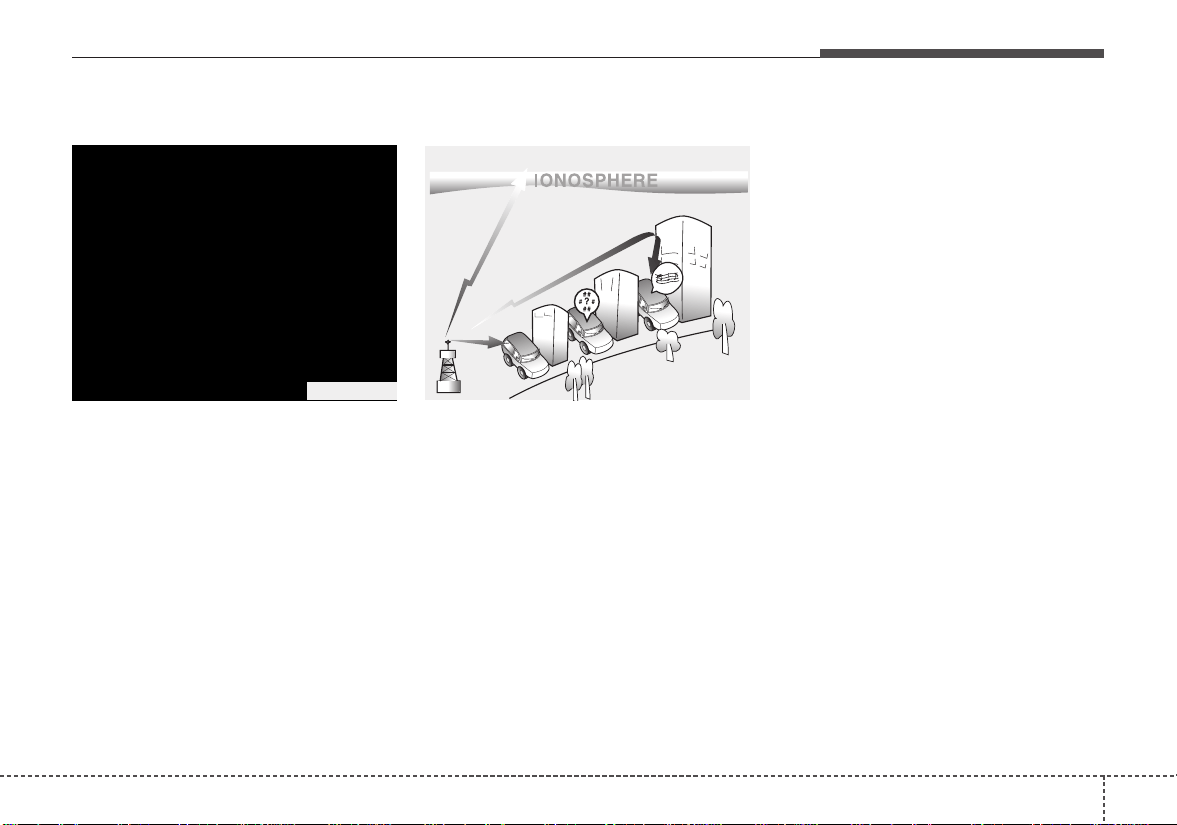
Audio system
35
AUX, USB port (if equipped)
You can use the AUX port to connect
audio devices and the USB port to
plug in a USB device or iPod
®
.
✽✽
NOTICE
When using a portable audio device
connected to the power outlet, noise
may occur during playback. If this
happens, use the power source of the
portable audio device.
* iPod
®
is a trademark of Apple Inc.
How vehicle audio works
AM and FM radio signals are broad-
cast from transmitter towers located
around your city. They are intercept-
ed by the radio antenna on your vehi-
cle. This signal is then received by
the radio and sent to your vehicle
speakers.
When a strong radio signal has
reached your vehicle, the precise
engineering of your audio system
ensures the best possible quality
reproduction. However, in some
cases the signal coming to your vehi-
cle may not be strong and clear.
This can be due to factors, such as
the distance from the radio station,
closeness of other strong radio sta-
tions or the presence of buildings,
bridges or other large obstructions in
the area.
OSC047443N
JBM001
FM reception
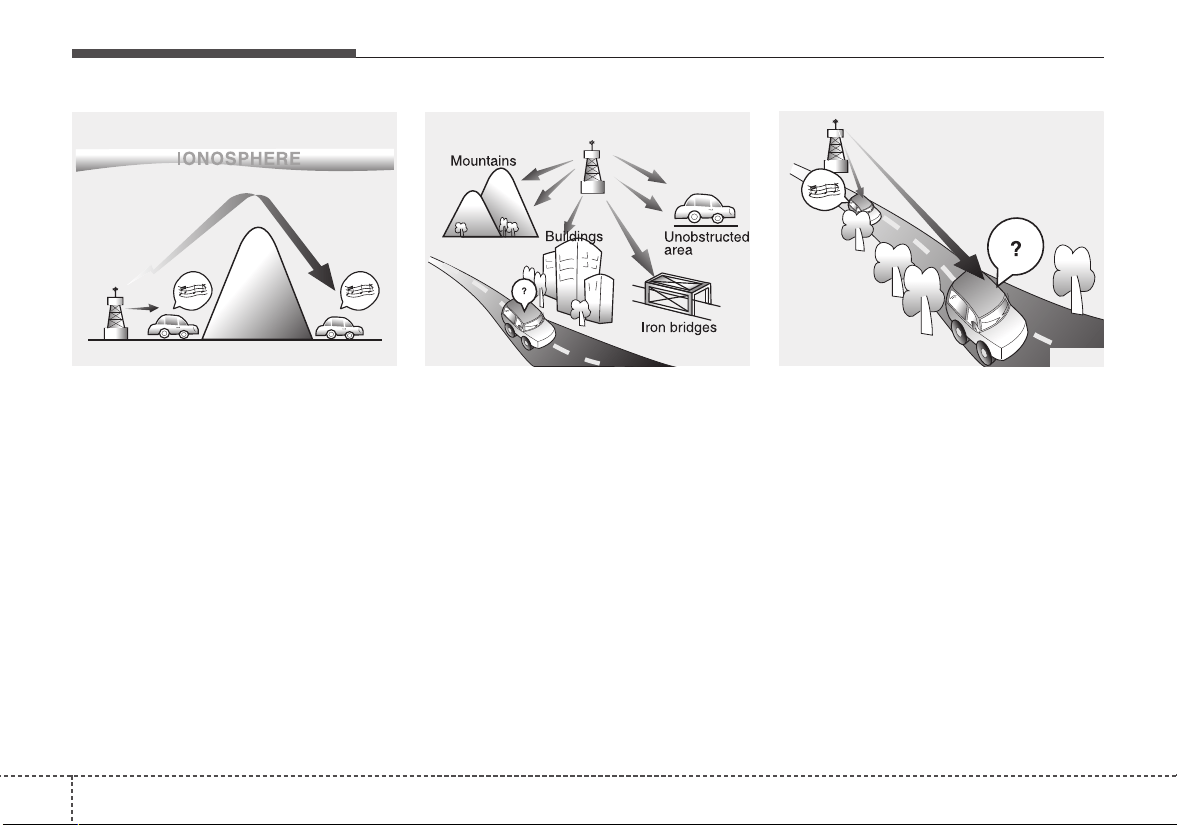
Audio system
54
AM broadcasts can be received at
greater distances than FM broad-
casts. This is because AM radio
waves are transmitted at low fre-
quencies.These long, low frequency
radio waves can follow the curvature
of the earth rather than travelling
straight out into the atmosphere. In
addition, they curve around obstruc-
tions so that they can provide better
signal coverage.
FM broadcasts are transmitted at
high frequencies and do not bend to
follow the earth's surface. Because
of this, FM broadcasts generally
begin to fade at short distances from
the station.Also, FM signals are eas-
ily affected by buildings, mountains,
or other obstructions. These can
result in certain listening conditions
which might lead you to believe a
problem exists with your radio. The
following conditions are normal and
do not indicate radio trouble:
• Fading - As your vehicle moves
away from the radio station, the
signal will weaken and sound will
begin to fade. When this occurs,
we suggest that you select another
stronger station.
• Flutter/Static - Weak FM signals or
large obstructions between the
transmitter and your radio can dis-
turb the signal causing static or
fluttering noises to occur.Reducing
the treble level may lessen this
effect until the disturbance clears.
JBM002
AM reception
JBM003
FM radio station
JBM004
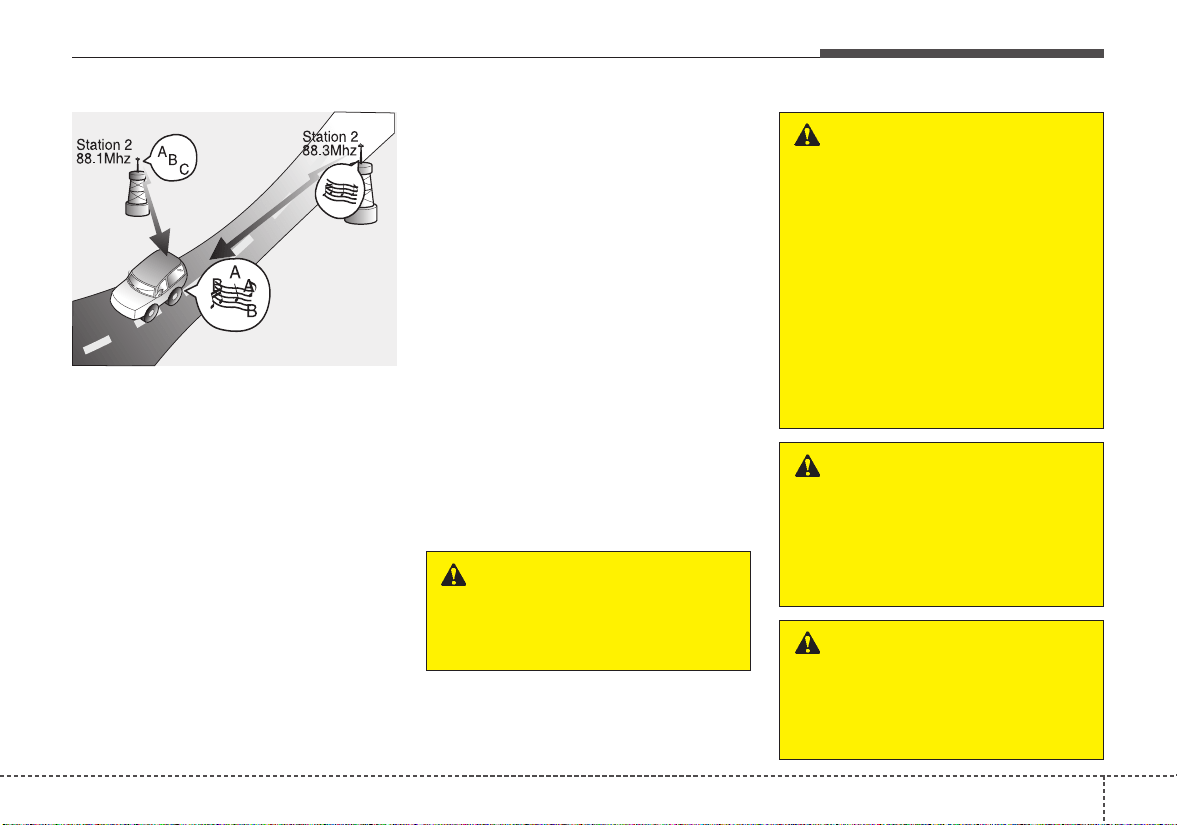
Audio system
55
• Station Swapping - As a FM signal
weakens, another more powerful
signal near the same frequency
may begin to play. This is because
your radio is designed to lock onto
the clearest signal. If this occurs,
select another station with a
stronger signal.
• Multi-Path Cancellation - Radio sig-
nals being received from several
directions can cause distortion or
fluttering. This can be caused by a
direct and reflected signal from the
same station, or by signals from
two stations with close frequencies.
If this occurs, select another station
until the condition has passed.
Using a cellular phone or a two-
way radio
When a cellular phone is used inside
the vehicle, noise may be produced
from the audio system.This does not
mean that something is wrong with
the audio equipment. In such a case,
use the cellular phone at a place as
far as possible from the audio equip-
ment.
When using a communication sys-
tem such as a cellular phone or a
radio set inside the vehicle, a sepa-
rate external antenna must be fitted.
When a cellular phone or a radio set
is used with an internal antenna
alone, it may interfere with the vehi-
cle's electrical system and adversely
affect safe operation of the vehicle.
JBM005
WARNING
Do not use a cellular phone
while driving. Stop at a safe
location to use a cellular phone.
WARNING - Driver
Distraction
• Do not stare at the screen
while driving. Staring at the
screen for prolonged periods
of time could lead to traffic
accidents.
• Using the phone while driving
may lead to a lack of attention
of traffic conditions and
increase the likelihood of
accidents. Use the phone fea-
ture after parking the vehicle.
WARNING - Audio
System
Do not disassemble, assemble,
or modify this audio system.
Such acts could result in fire or
electric shock.
WARNING - Antenna
Do not touch the antenna dur-
ing thunder or lightening as
such acts may lead to lightning
induced electric shock.
Audio system
56
iPod
®
iPod
®
is a trademark of Apple Inc.
Bluetooth
®
Wireless Technology
The Bluetooth
®
word mark and logos are registered
trademarks owned by Bluetooth SIG, Inc. and any use of
such marks by Kia is under license. Other trademarks
and trade names are those of their respective owners.
Audio system
75
AUDIO (With Touch Screen)
H8H4G0000EU/H8H4G0001EU
(With
Bluetooth
®
Wireless Technology)
■ Type A ■ Type B

Audio system
58
Feature of Your Audio
Head Unit
❈ The actual features in the vehicle
may differ from the illustration.
(1) LCD screen
• Tap the screen to select a button.
(2) RADIO
• Start FM, AM and SiriusXM.
(3) MEDIA
• Select USB(iPod
®
),
Bluetooth
®
Wireless Technology(BT) Audio* or
AUX.
• Display the media menu when two or
more media are connected or when
the [MEDIA] button is pressed in
media mode.
* if equipped
(4) SETUP (Type A)
• Access Display, Sound, Date/Time,
System, Screen Saver and Display
Off settings.
(5) PHONE (Type B)
• Start
Bluetooth
®
Wireless Technology
Phone mode.
(6) POWER/VOL knob
• Turn to adjust the volume.
• Press to turn the device on or off.
(7) RESET
• Shutdown and restart the system.
(8) SEEK/TRACK
• Search for frequencies in radio
mode.
• Change the current song in media
mode.
■ Type B
■ Type A
Audio system
95
(9) DISP
• Turn the display on or off.
(10) CLOCK
• Display the time/date/day.
(11) MUTE (Type A)
• Mute audio output.
(12) SETUP (Type B)
• Access Display, Sound, Date/Time,
Bluetooth, System, Screen Saver
and Display Off settings.
(13) TUNE knob
• Turn to navigate through the sta-
tions/songs list.
• Press to select an item.
■ Type B
■ Type A
WARNING
- Clock Setting Distraction
Do not adjust the clock while
driving.You may lose your steer-
ing control and cause severe
personal injury or accidents.
Audio system
510
Steering wheel remote control
(
Bluetooth
®
Wireless Technology
equipped model)
❈ The actual features in the vehicle
may differ from the illustration.
(1)MODE
• Press the button to change the
mode in the following order: Radio
➟ Media.
• Press and hold the button to turn off.
(2)VOLUME
• Press to adjust the volume.
(3)UP/DOWN
• Press the button in radio mode to
search Presets.
• Press and hold the button in radio
mode to search frequencies.
• Press the button in media mode to
change the current song.
• Press and hold the button in media
mode to quick search through
songs.
(4)MUTE
• Press to mute audio output.
(5)CALL (if equipped)
• Pressing the button
- If not in
Bluetooth
®
Wireless
Technology Handsfree mode or
receiving a phone call.
First press: Display Dial Number
screen.
Second press: Automatically dis-
play the most recently Dialed call
number.
Third press: Dial the phone num-
ber entered.
- Press in the Incoming Call notifi-
cation screen to accept the
phone call.
- Press in
Bluetooth
®
Wireless
Technology Handsfree mode to
switch to the waiting call.

Audio system
115
• Pressing and holding the button
- If not in
Bluetooth
®
Wireless
Technology Handsfree mode or
receiving a phone call, the most
recently Dialed Call number is
dialed.
- Press in
Bluetooth
®
Wireless
Technology Handsfree mode to
transfer the call to your cell
phone.
- Press in cell phone mode to
switch to
Bluetooth
®
Wireless
Technology Handsfree mode.
(6)END (if equipped)
• Press in
Bluetooth
®
Wireless
Technology Handsfree mode to
end the phone call.
• Press in the incoming call screen
to reject the call.
Audio system
512
• Driving while distracted can result
in a loss of vehicle control that may
lead to an accident, severe person-
al injury, and death. The driver’s
primary responsibility is in the safe
and legal operation of a vehicle,
and use of any handheld devices,
other equipment, or vehicle sys-
tems which take the driver’s eyes,
attention and focus away from the
safe operation of a vehicle or which
are not permissible by law should
never be used during operation of
the vehicle.
• Adjust the volume to levels that
allow the driver to hear sounds
from outside of the vehicle. Driving
in a state where external sounds
cannot be heard may lead to acci-
dents.
• Pay attention to the volume setting
when turning the device on. A sud-
den output of extreme volume
upon turning the device on could
lead to hearing impairment.(Adjust
the volume to a suitable levels
before turning off the device.)
• If you want to change the position
of device installation, please
inquire with your place of purchase
or service maintenance center.
Technical expertise is required to
install or disassemble the device.
• Turn on the car ignition before
using this device. Do not operate
the audio system for long periods
of time with the ignition turned off
as such operations may lead to
battery discharge.
• In case of product malfunction,
please contact your place of pur-
chase or After Service center.
• Placing the audio system within an
electromagnetic environment may
result in noise interference.
CAUTION
• When cleaning the device,
make sure to turn off the
audio system and use a dry
and smooth cloth.
• Do not place beverages close
to the audio system. Spilling
beverages may lead to system
malfunction.
• Never use tough materials,
chemical cloths, or solvents
(alcohol, benzene, thinners,
etc.) as such materials may
damage the device panel or
cause color/quality deteriora-
tion.
• Prevent caustic solutions
such as perfume and cosmetic
oil from contacting the dash-
board because they may
cause damage or discol-
oration.
CAUTION - LCD Monitor
Do not subject the device to
severe shock or impact. Direct
pressure onto the front side of
the monitor may cause damage
to the LCD or touch screen.
Audio system
135
Information on status icons
Icons showing audio status are shown in the upper-right
corner of the screen.
Icon Description
Mute Mute engaged
Battery
Remaining battery life of a connected
Bluetooth
®
Wireless Technology device
Handsfree +
Audio streaming
connection
Bluetooth
®
Wireless Technology Handsfree
call and audio streaming available
Handsfree
connection
Bluetooth
®
Wireless Technology Handsfree
call available
Bluetooth
®
Wireless
Technology
audio streaming
Bluetooth
®
Wireless Technology audio
streaming available
Downloading
contacts
Downloading contacts through
Bluetooth
®
Wireless Technology wireless communications
Downloading
call history
Downloading call history through
Bluetooth
®
Wireless Technology wireless communications
Line busy Phone call in progress
Mute mic
Mic muted during a call
(caller cannot hear your voice)
Phone signal
strength
Display the phone signal strength for a cell
phone connected by
Bluetooth
®
Wireless
Technology
Audio system
514
Radio
You can listen to FM, AM and
SiriusXM radio.
(1) Band
Switch between FM, AM and
SiriusXM.
(2) Presets
Change the preset number on the
main screen.
(3) List
Display all available stations.
(4) Menu
Navigate to the menu screen.
(5) Presets 1~40
Save or listen to favorite stations.
Switching between FM, AM and
SiriusXM
• Press the [RADIO] button on the
audio system to switch between
FM, AM and SiriusXM.
• Select [Band] on the screen to
switch between FM, AM and
SiriusXM.
Searching frequencies
Searching frequencies by pressing
the [SEEK/TRACK] button on the
product.
< Presets >
By selecting [< Presets >], the but-
tons for Presets 1~40 displayed on
the screen can be changed.
Presets 1~40
Select the button to listen to a preset.
Press and hold the button number to
save the current station. If the slot is
empty, simply selecting saves the
station to the slot.
List
A list of all available stations is dis-
played. Select the desired station.
Favorite stations can be saved to
[Presets] by selecting [+].
Menu
Select [Menu], and select the desired
function.
• Presets: Save up to 40 frequently
used stations.
To listen to a preset, select the
desired station.
Press and hold the desired slot
from 1 through 40. This saves the
current station in the selected slot.
If the slot is empty, simply selecting
saves the station to the slot.
• Scan: All stations available in the
current location of the vehicle are
played for five seconds each.
• Information: View detailed station
information.
• Sound Settings: Audio sound set-
tings can be changed.
• Station Info: Set whether to receive
station information such as Station
Name, Program Type or Information.

Audio system
155
✽✽
NOTICE - SiriusXM
®
Satellite
Radio information
• Satellite Radio channels:
Enjoy SiriusXM Satellite Radio
with a 3-month trial subscription
to the Sirius Select package. You’ll
get over variable channels, includ-
ing commercialfree music, plus all
your favorite sports, exclusive
talk, entertainment, and a selec-
tion of premium programming.
For more information and a com-
plete list of SiriusXM channels,
visit siriusxm.com in the United
States, siriusxm.ca in Canada, or
call SiriusXM at 1-888-539-7474.
• Satellite Radio reception factors:
To receive the satellite signal, your
vehicle has been equipped with a
satellite radio antenna located on
the roof of your vehicle. The vehi-
cle roof provides the best location
for an unobstructed, open view of
the sky, a requirement of a satellite
radio system. Like AM/FM, there
are several factors that can affect
satellite radio reception perform-
ance:
(Continued)
(Continued)
- Antenna obstructions: For opti-
mal reception performance, keep
the antenna clear of snow and
ice build-up and keep luggage
and other material as far away
from the antenna as possible.
• SiriusXM Satellite Radio service:
SiriusXM is a subscription-based
satellite radio service that broad-
casts music, sports, news and
entertainment programming to
radio receivers, which are avail-
able for installation in motor vehi-
cles or factory installed, as well as
for the home, portable and wire-
less devices, and through an Internet
connection on a personal computer.
Vehicles that are equipped with a
factory installed SiriusXM Satellite
Radio system include:
- Hardware and an introductory
trial subscription term, which
begins on the date of sale or lease
of the vehicle.
- For a small upgrade fee, access to
SiriusXM music channels, and
other select channels over the
Internet using any computer con-
nected to the Internet (U.S. cus-
tomers only).
(Continued)
(Continued)
• SiriusXM services require a sub-
scription sold separately, or as a
package, by Sirius XM Radio Inc.
If you decide to continue service
after your trial, the subscription
plan you choose will automatically
renew thereafter and you will be
charged according to your chosen
payment method at then-current
rates. Fees and taxes apply. To
cancel you must call SiriusXM at
1-866-635-2349. See SiriusXM
Customer Agreement for complete
terms at www.siriusxm.com.
SiriusXM U.S. satellite and data
services are available only in the
48 contiguous states, DC and
Puerto Rico (with coverage limita-
tions). SiriusXM satellite service is
also available in Canada; see
www.siriusxm.ca. All fees and pro-
gramming subject to change.
Sirius, XM and all related marks
and logos are trademarks of Sirius
XM Radio Inc.
Audio system
516
SiriusXM
(1) Band
Switch between FM, AM and
SiriusXM.
(2) Presets
Change the preset number on the
main screen.
(3) List
Display all channels.
(4) Menu
Navigate to the menu screen.
(5) Presets 1~40
Save or listen to favorite channels.
(6) Play Live
Switches to the live broadcast mode.
(7) Skip Backward
Repeats the previously broadcasted
program.
- Holding for less than 0.8 seconds:
Moves to the previous segment.
- Holding for more than 0.8 seconds:
Moves to the previous 5 seconds.
(8) Play/Pause
Pauses/plays the current broadcast-
ing program.
(9) Skip Forward
Moves to the next segment.
Switching between FM, AM and
SiriusXM
• Press the [RADIO] button on the
audio system to switch between
FM, AM and SiriusXM.
• Select [Band] on the screen to
switch between FM, AM and
SiriusXM.
Searching channels
Press the [SEEK/TRACK] button to
search channels.
< Presets >
By selecting [< Presets >], the but-
tons for Presets 1~40 displayed on
the screen can be changed.
Presets 1~40
Select the button to listen to a preset.
Press and hold the button number to
save the current channel.

Audio system
175
List
A list of all channels is displayed.
Select the desired channel.
Favorite channels can be saved to
[Presets] by selecting [+].
Menu
Select [Menu], and select the desired
function.
• Presets: Save up to 40 frequently
used channels.
To listen to a preset, select the
desired channel.
Press and hold the desired slot
from 1 through 40. This saves the
current channel in the selected
slot.
If the slot is empty, simply selecting
saves the channel to the slot.
• Categories: Channels can be
searched by category.
• Direct Tune: The desired channel
can be selected by entering num-
bers.
• Sound Settings: Audio sound set-
tings can be changed.
• Tag Song: Tag the current song
information.
When an Apple device (iPhone
®
,
iPod
®
) is connected, tagged song
information is sent automatically to
the connected device.
✽✽
NOTICE
Up to 50 songs can be tagged.
• Scan: All channels available in the
vehicle’s current location are
played for ten seconds each.
• Program Schedule: View the pro-
gram schedule.
• Featured Favorites: The Featured
Favorites feature allows SiriusXM™
to broadcast additional presets.
- Example 1: During holidays,
“Holiday Music” might include all
SiriusXM™ channels that are
playing holiday music for easy
access by users.
Multiple sets of Featured Favorites
data can be broadcast by
SiriusXM™ and can change from
time to time.
• Information: View detailed channel
information.
• Category Lock: Search or scan
channels in the current category
only.
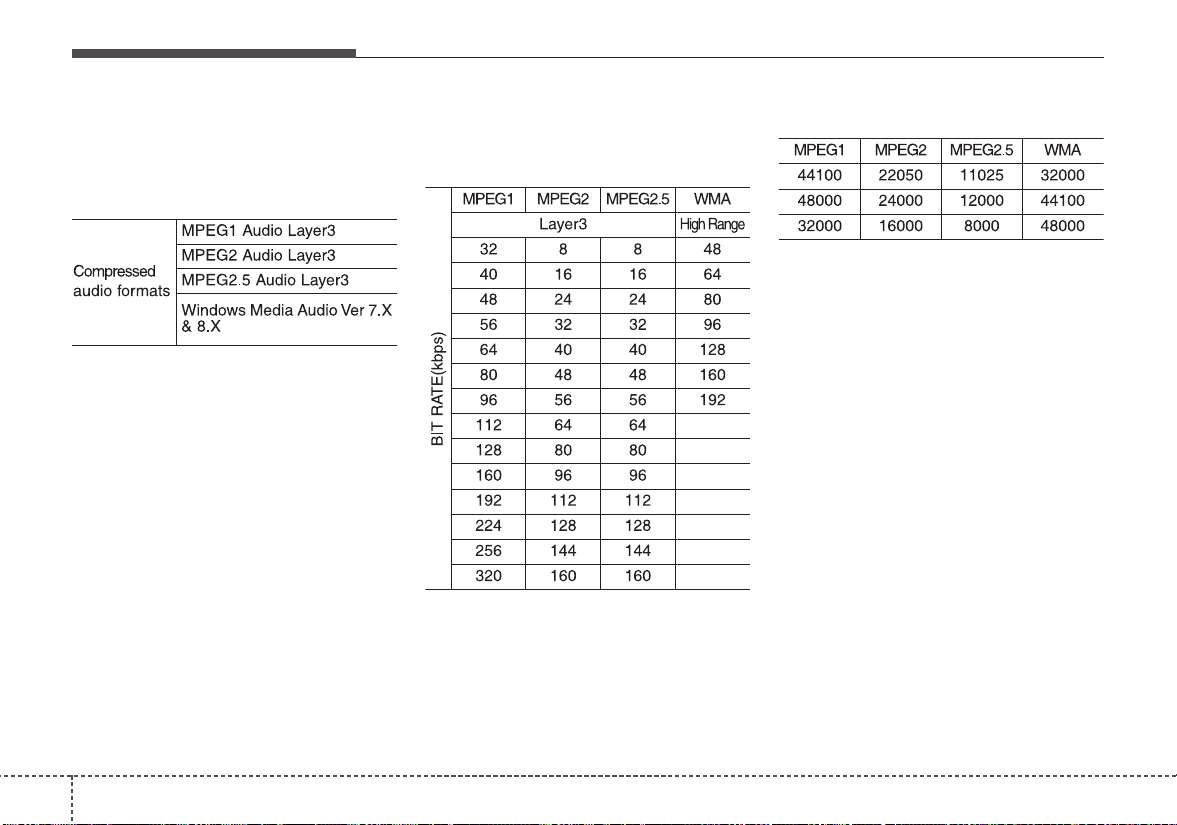
Audio system
518
Media
MP3
Supported audio formats
✽✽
NOTICE
File formats other than the formats
above may not be recognized or
playable. Information such as file-
name may not be displayed.
Range of supported compressed file
types
1. Bitrate range (Kbps)
2. Sampling frequency (Hz)
• The sound quality of MP3/WMA
compressed files may vary depend-
ing on the bitrate. (A higher bitrate
can have better sound quality.)
• The product only recognizes files
with the MP3 or WMA extension.
Files without one of these exten-
sions are not recognized.
3. Number of recognizable folders
and files
• Folders: 2,000 for USB
• Files: 6,000 for USB
• No recognition limit for folder hier-
archies
4. Character display range (Unicode)
• Filenames: Up to 64 English char-
acters (64 Korean characters)
• Foldernames: Up to 32 English
characters (32 Korean characters)

Audio system
195
Languages supported (Unicode support)
• Korean: 2,604 characters
• English: 94 characters
• Common Chinese characters:4,888
characters
• Special symbols: 986 characters
✽✽
NOTICE
Japanese/Simplified Chinese char-
acters are not supported.
✽✽
NOTICE - Using the USB
Devices
• Starting the vehicle while a USB
device is connected can damage
the device. Please disconnect USB
devices before starting the vehicle.
• Starting the vehicle or stopping
the engine while an external USB
device is connected can result in
failure of the external USB device
to operate.
• Be cautious of static electricity
when connecting/disconnecting
external USB devices.
• An encrypted MP3 player is not
recognized when connected as an
external device.
• External USB devices may not be
recognized, depending on the state
of the external USB device.
• Only products with byte/sectors
formatted at 4 KB or lower are
recognized.
• Only USB devices in FAT12/16/32
format are recognized; NTFS and
ExFAT file systems are not recog-
nized.
• Some USB devices are not recog-
nized due to compatibility issues.
(Continued)
(Continued)
• Do not touch the USB connections.
• Connecting and disconnecting
USB devices rapidly over a short
period of time can cause equip-
ment failure.
• Abnormal sounds may be audible
when the USB device is discon-
nected.
• Turn the audio off before connect-
ing or disconnecting external USB
devices.
• Recognition may take longer
depending on the type, capacity or
file format of the external USB
device. This is not a product mal-
function.
• Use of USB devices for purposes
other than playing music files is
prohibited.
• Image display and video playback
are not supported.
• Use of USB accessories, including
charge and heat though the USB
I/F, can lead to reduced product
performance or malfunctions. Do
not use USB devices or accessories
for these purposes.
(Continued)
Audio system
520
(Continued)
• Use of aftermarket USB hubs and
extension cables can result in the
vehicle’s audio system failing to
recognize your USB device.
Connect the USB device directly to
the multimedia port of your vehicle.
• When using high-capacity USB
devices with logical drive divi-
sions, only files saved on the high-
est level logical drive can be
played.
If applications are loaded on a
USB drive, file playback may fail.
• Some MP3 players, cell phones,
digital cameras, etc. (USB devices
that are not recognized as mobile
storage) may not operate normally
when connected.
• USB charging may not be sup-
ported by some mobile devices.
• Operation is guaranteed only for
standard (Metal Cover Type) USB
Memory drives.
• Operation of HDD, CF, SD and
memory stick devices is not guar-
anteed.
(Continued)
(Continued)
• DRM (Digital Rights Management)
files cannot be played.
• SD-type USB memory, CF-type
USB memory, and other USB
memory devices that require
adapters for connection are not
supported.
• Proper operation of USB HDDs or
USB drives with connectors that
loosen due to vehicle vibrations is
not guaranteed. (iStick, etc.)
• USB products that are
used as key chains or
cell phone accessories
may damage the USB
jack and affect proper
file playback. Please refrain from
use. Use only products with plug
connectors, as shown in the follow-
ing illustration.
• When MP3 devices or cell phones
are connected simultaneously
through AUX, BT Audio and USB
modes, a popping noise or mal-
function may occur.
Audio system
215
USB
(1) Repeat
Enable/disable repeat.
(2) Shuffle
Enable/disable shuffle play.
(3) List
View a list of all songs.
(4) Menu
Navigate to the menu screen.
(5) Album Image
View song info.
(6) Pause
Pause or play music.
(7) Playback progress
Select to skip to the desired location.
Playback
• Press the [MEDIA] button, and
select [USB].
• Connect a USB drive to the USB
port to automatically play files on
the USB drive.
Changing songs
• Press the [SEEK/TRACK] button
to play the previous or next song.
• Press and hold the [SEEK/TRACK]
button to rewind or fast forward the
currently playing song.
• Search songs by turning TUNE
knob, and press the knob to play.
Selecting songs from a list
Select [List] to see a list of songs
available for play.
Select and play the desired song.
Repeat play
Select [Repeat] to enable or disable
‘Repeat all’, ‘Repeat current song’,
‘Repeat folder’ or ‘Repeat category’.
• Repeat all: All songs in the
playlist are repeated.
• Repeat current song: The cur-
rently playing song is repeated.
• Repeat folder: All songs in the
current folder are repeated.
• Repeat category: Repeat all
songs in the current category.
Audio system
522
✽✽
NOTICE
The repeat folder function is avail-
able only when songs are playing
from the [File] category under
[List].
Shuffle play
Select [Shuffle] to enable/disable
‘Shuffle’, ‘Shuffle folder’ or ‘Shuffle
category’ play.
• Shuffle: Songs are played in
random order.
• Shuffle folder: Songs within
the current folder are played in ran-
dom order.
• Shuffle category: Songs within
the current category are played in
random order.
Menu
Select [Menu], and select the desired
function.
• Information: Detailed information
on the currently playing song is dis-
played.
• Sound Settings: Audio sound set-
tings can be changed.
✽✽
NOTICE - Using the iPod
®
Devices
• To use the audio system’s iPod
®
control function, use the dedicated
cable provided with your iPod
®
.
• Connecting the iPod
®
to the vehi-
cle during play may result in a
loud noise that lasts about one to
two seconds. Connect the iPod
®
to
the vehicle after stopping or paus-
ing play.
• Connect the iPod
®
with the vehicle
in the ACC ON state to begin
charging.
• When connecting the iPod
®
cable,
be sure to fully push the cable into
the port.
• When EQ effects are enabled
simultaneously on external
devices, such as iPod
®
s and the
audio system, the EQ effects may
overlap, causing sound quality
deterioration or distortion.
Deactivate the EQ function for all
external devices, if possible.
• Noise may occur when your iPod
®
or the AUX port is connected.
Disconnect and store separately
when not in use.
(Continued)
(Continued)
• There may be noise if the audio
system is used with an iPod
®
or
AUX external device connected to
the power jack. In these cases, dis-
connect the iPod
®
or external
device from the power jack.
• Play may be interrupted, or device
malfunctions may occur depend-
ing on the characteristics of your
iPod
®
/iPhone
®
.
• Play may fail if your iPhone
®
is
connected through both Bluetooth
®
Wireless Technology and USB. In
this case, select Dock connector or
Bluetooth
®
Wireless Technology
on your iPhone
®
to change the
sound output settings.
• If your software version does not
support the communication proto-
col or your iPod
®
is not recognized
due to device failure, anomalies or
defects, iPod
®
mode cannot be
used.
• iPod
®
nano (5th generation)
devices may not be recognized if
the battery is low. Charge suffi-
ciently before use.
(Continued)
Audio system
235
(Continued)
• The search and song play order in
the iPod
®
device may be different
from the search order in the audio
system.
• If the iPod
®
has failed due to an
internal defect, please reset the
iPod
®
(consult your iPod
®
manual).
• Depending on the software ver-
sion, the iPod
®
may fail to sync
with the system. If the media is
removed or disconnected before
recognition, the previous mode
may not be restored (iPad
®
cannot
be charged).
• Cables other than the 1-meter
cable provided with iPod
®
/iPhone
®
products may not be recognized.
• When other music apps are used
on your iPod
®
, the system sync
function may fail due to malfunc-
tion of the iPod
®
application.
iPod
®
(1) Repeat
Enable/disable repeat.
(2) Shuffle
Enable/disable shuffle play.
(3) List
View a list of all songs.
(4) Menu
Navigate to the menu screen.
(5) Album Image
View song info.
(6) Pause
Pause or play music.
(7) Playback progress
Select to skip to the desired location.
Playback
• Connect your iPod
®
to the audio
USB port, press the [MEDIA] but-
ton, and select [iPod].
Changing songs
• Press the [SEEK/TRACK] button
to play the previous or next song.
• Press and hold the [SEEK/TRACK]
button to rewind or fast forward the
currently playing song.
• Search songs by turning the TUNE
knob, and press the knob to play.
Selecting songs from a list
Select [List] to see a list of songs
available for play.
Select and play the desired song.
Audio system
524
Repeat play
Select [Repeat] to enable or disable
‘Repeat category’, ‘Repeat current
song’.
• Repeat category: Repeat all
songs in the current category.
• Repeat current song: The cur-
rently playing song is repeated.
Shuffle play
Select [Shuffle] to enable/disable
‘Shuffle category’ play.
• Shuffle category: Songs within
the current category are played in
random order.
Menu
Select [Menu], and select the desired
function.
• Information: Detailed info on the
currently playing song is displayed.
• Sound Settings: Audio sound set-
tings can be changed.
When other music programs are running
When songs saved on your iPod
®
are playing through a separate music
app, the following screen is dis-
played.
(1)Play/Pause: Pause or play music
.
(2)Play iPod Files: Play music saved
on your iPod
®
.
(3)Album Image:View playback info.
✽✽
NOTICE
Operation cannot be carried out
correctly due to iPod
®
application
malfunction.
Playing iPod files
• Select [Play iPod Files] to play
songs saved on your iPod
®
.
If there are no songs saved on your
iPod
®
, the [Play iPod Files] is dis-
abled.

Audio system
255
✽✽
NOTICE - Using
Bluetooth
®
Wireless Technology
Audio (if equipped)
• Bluetooth
®
Wireless Technology
Audio mode can only be used if a
Bluetooth
®
Wireless Technology-
enabled phone is connected. Only
devices that support Bluetooth
®
Wireless Technology audio can be
used.
• If the Bluetooth
®
Wireless
Technology-enabled phone is dis-
connected during play, the music
stops.
• When the TRACK UP/DOWN
buttons are used during Bluetooth
®
Wireless Technology audio stream-
ing, a popping noise or sound inter-
ruptions may occur, depending on
the cell phone device.
• Depending on the cell phone
model, the audio streaming func-
tion may not be supported.
• If a phone call is made or received
when music is playing in
Bluetooth
®
Wireless Technology
Audio mode, the call may mix with
the music.
(Continued)
(Continued)
• When returning to Bluetooth
®
Wireless Technology Audio mode
after ending a call, play might not
resume automatically for some cell
phone models.
Precautions for Safe Driving
•
Bluetooth
®
Wireless Technology
Handsfree is a feature that enables
drivers to practice safe driving.
Connecting the car audio system
with a
Bluetooth
®
Wireless
Technology phone allows the user
to conveniently make calls, receive
calls, and manage the phone book.
Before using the
Bluetooth
®
Wireless Technology, carefully
read the contents of this user’s
manual.
• Excessive use or operations while
driving may lead to negligent driv-
ing practices and be the cause of
accidents.
• Do not operate the device exces-
sively while driving.
• Viewing the screen for prolonged
periods of time is dangerous and
may lead to accidents.
• When driving, view the screen only
for short periods of time.
Audio system
526
Bluetooth
®
Wireless Technology
(BT) Audio (if equipped)
(1) Repeat
Enable/disable repeat.
(2) Shuffle
Enable/disable shuffle play.
(3) Menu
Navigate to the menu screen.
(4) Play/Pause
Pause or play music.
✽✽
NOTICE
• Some cell phone models may not
support particular functions.
• Bluetooth
®
Wireless Technology
audio volume is synced with cell
phone media volume.
Playback
• Press the [MEDIA] button, and
select [BT Audio].
Changing songs
• Press the [SEEK/TRACK] button
to play the previous or next song.
✽✽
NOTICE
Some cell phones may not support
this function.
Repeat play
Select [Repeat] to enable or disable
‘Repeat all’, ‘Repeat current song’ or
‘Repeat category’.
• Repeat all: All songs in the
playlist are repeated.
• Repeat current song: The cur-
rently playing song is repeated.
• Repeat category: Repeat all
songs in the current category.
✽✽
NOTICE
The repeat play function is engaged,
depending on the operation of the
connected Bluetooth
®
Wireless
Technology device.
Shuffle play
Select [Shuffle] to enable/disable
‘Shuffle’, ‘Shuffle category’ play.
• Shuffle: Songs are played in
random order.
• Shuffle category: Songs within
the current category are played in
random order.
✽✽
NOTICE
The shuffle function is engaged,
depending on the operation of the
connected Bluetooth
®
Wireless
Technology device.
Audio system
275
Menu
Select [Menu], and select the desired
function.
• Connections:The currently connect-
ed
Bluetooth
®
Wireless Technology
device can be changed.
• Information: Detailed information
on the currently playing song is dis-
played.
• Sound Settings: Audio sound set-
tings can be changed.
AUX
Running AUX
• Press the [MEDIA] button, and
select [AUX].
• Connect the external device con-
nection jack to the AUX terminal to
run AUX.
(1)Sound Settings: Audio sound set-
tings can be changed.

Audio system
528
Phone (if equipped)
✽✽
NOTICE - Using
Bluetooth
®
Wireless
Technology Phone
• Bluetooth
®
Wireless Technology is
a near-field wireless networking
technology that uses the 2.4 GHz
frequency to connect various
devices within a certain distance
wirelessly.
• The technology is used in PCs,
peripherals, Bluetooth
®
Wireless
Technology phones, tablet PCs,
household appliances and automo-
biles. Devices supporting Bluetooth
®
Wireless Technology can exchange
data at high speeds without physi-
cal cable connections.
• Bluetooth
®
Wireless Technology
Handsfree devices enable conven-
ient access to phone functions
through cell phones equipped with
Bluetooth
®
Wireless Technology.
• Some Bluetooth
®
Wireless Technology
devices may not be supported by
the Bluetooth
®
Wireless Technology
Handsfree function.
(Continued)
(Continued)
• When Bluetooth
®
Wireless Technology
is connected and calls are attempt-
ed through a connected cell phone
from outside the vehicle, the call is
connected through the Bluetooth
®
Wireless Technology Handsfree
function of the vehicle.
• Please be sure to disconnect the
Bluetooth
®
Wireless Technology
Handsfree function through your
Bluetooth
®
Wireless Technology
device or the audio screen.
• The Bluetooth
®
Wireless Technology
Handsfree function helps drivers
to drive safely. By connecting a
Bluetooth
®
Wireless Technology-
enabled phone to the vehicle’s
audio system, phone calls can be
made and received through the
audio system and contacts can be
managed. Consult the user manual
before use.
• Excessive manipulation of con-
trols while driving, making it diffi-
cult to pay attention to the road
ahead, can lead to accidents. Do
not operate the device excessively
while driving.
(Continued)
(Continued)
• Looking at the screen for a pro-
longed time increases the risk of
accidents. Keep time spent looking
at the screen to a minimum.

Audio system
295
Precautions when connecting Bluetooth
®
Wireless Technology devices
• The vehicle supports the following
Bluetooth
®
Wireless Technology
functions. Some
Bluetooth
®
Wireless Technology devices may
not support some functions.
1)
Bluetooth
®
Wireless Technology
Handsfree phone calls
2) Operations during a call (Private,
Switch, Out Vol.controls)
3) Download call history saved to
the
Bluetooth
®
Wireless Technology
device
4) Download contacts saved to the
Bluetooth
®
Wireless Technology
device
5) Automatic contacts/call history
download when
Bluetooth
®
Wireless Technology is connected
6) Automatic
Bluetooth
®
Wireless
Technology device connection
when the vehicle is started
7)
Bluetooth
®
Wireless Technology
audio streaming playback
• Before connecting the audio sys-
tem to your device, make sure your
device supports
Bluetooth
®
Wireless
Technology.
• Even if your device supports
Bluetooth
®
Wireless Technology, a
Bluetooth
®
Wireless Technology
connection cannot be established
if the device’s
Bluetooth
®
Wireless
Technology function is switched off.
Search and connect with the
Bluetooth
®
Wireless Technology function enabled.
• Pair or connect
Bluetooth
®
Wireless
Technology devices to the audio
system with the vehicle at a standstill.
• If a
Bluetooth
®
Wireless Technology
connection is lost due to abnormal
conditions while a
Bluetooth
®
Wireless Technology device is connect-
ed (communication range exceed-
ed, device power OFF, communi-
cation errors, etc.), the disconnect-
ed
Bluetooth
®
Wireless Technology
device is searched for and auto-
matically reconnected.
• If you want to disable the
Bluetooth
®
Wireless Technology device auto-
connect function, turn the
Bluetooth
®
Wireless Technology
function OFF on your device.
Consult the user manuals for indi-
vidual devices to see whether
Bluetooth
®
Wireless Technology is
supported.
• Handsfree call quality and volume
may vary depending on the type of
Bluetooth
®
Wireless Technology
device.
• Some
Bluetooth
®
Wireless Technology
devices are subject to intermittent
Bluetooth
®
Wireless Technology
connection failures. In this case,
use the following method.
1) Turn the
Bluetooth
®
Wireless
Technology function off on your
Bluetooth
®
Wireless Technology
device ➟ Turn it on and try again.
2) Delete the paired device from
both the audio system and
Bluetooth
®
Wireless Technology
device, then pair again.
3)Power down your
Bluetooth
®
Wireless Technology device ➟
Turn it on and try again.
4) Completely remove the battery
from your
Bluetooth
®
Wireless
Technology device; reinsert it,
reboot, and attempt connection.
5) Restart the vehicle and reat-
tempt connection.
Audio system
530
Pairing a Bluetooth
®
Wireless
Technology device
Information on pairing Bluetooth
®
Wireless Technology devices
• Pairing refers to the process of pair-
ing
Bluetooth
®
Wireless Technology
cell phones or devices with the
system prior to connection. This is
a necessary procedure for
Bluetooth
®
Wireless Technology connection
and usage.
• Up to five devices can be paired.
Pairing the first Bluetooth
®
Wireless
Technology device
Press the [PHONE] button on the
audio system or the [CALL] button
on the steering wheel remote control
➟ Search for the vehicle from the
Bluetooth
®
Wireless Technology
device, and pair ➟ Enter the passkey
on the
Bluetooth
®
Wireless Technology
device or approve passkey ➟
Bluetooth
®
Wireless Technology pair-
ing completed.
1. When the [PHONE] button on the
audio or the [CALL] button on the
steering wheel remote control is
pressed, the following screen is dis-
played.Devices can now be paired.
(1)Vehicle Name: Searched name in
Bluetooth
®
Wireless Technology
device.
✽✽
NOTICE
The vehicle name in the image above
is an example. Refer to your device
for the actual name of your device.
2. Search for available
Bluetooth
®
Wireless Technology devices in
the
Bluetooth
®
Wireless Technology
menu of your
Bluetooth
®
Wireless
Technology device (cell phone,
etc.).
3. Confirm that the vehicle name in
your
Bluetooth
®
Wireless Technology
device matches the vehicle name
shown on the audio screen, then
select it.
4-1. For devices that require passkey
entry, a passkey entry screen is
shown on your
Bluetooth
®
Wireless Technology device.
- Enter the passkey ‘0000’, in your
Bluetooth
®
Wireless Technology
device.
Audio system
315
4-2. For devices that require passkey
confirmation, the following
screen is shown on the audio
system. A 6-digit passkey input
screen is shown in the
Bluetooth
®
Wireless Technology
device.
- After confirming that the 6-digit
passkey on the audio screen
and the
Bluetooth
®
Wireless
Technology device are identical,
select [OK] in your
Bluetooth
®
Wireless Technology device.
✽✽
NOTICE
The 6-digit passkey in the image
above is an example. Refer to your
vehicle for the actual passkey.
Pairing a second Bluetooth
®
Wireless
Technology device
Press the [SETUP] button on the
audio system ➟ Select [Bluetooth] ➟
Select [Connections] ➟ Select [Add
New].
- The pairing procedure from this
point is identical to [Pairing the first
Bluetooth device].
✽✽
NOTICE
• Bluetooth
®
Wireless Technology
standby mode lasts for three min-
utes. If a device is not paired within
three minutes, pairing is canceled.
Start over from the beginning.
• For most Bluetooth
®
Wireless
Technology devices, a connection
is established automatically after
pairing. Some devices, however,
require separate confirmation
when connecting after pairing. Be
sure to check your Bluetooth
®
Wireless Technology device after
pairing to confirm that it has con-
nected.

Audio system
532
Connecting Bluetooth
®
Wireless
Technology devices
If there are no connected devices
Press the [PHONE] button on the
audio system or the [CALL] button in
the steering wheel remote control ➟
List of paired
Bluetooth
®
Wireless
Technology devices ➟ Select the
desired
Bluetooth
®
Wireless Technology
device from the list ➟ Connect
Bluetooth
®
Wireless Technology.
If there are connected devices
Press the [PHONE] button on the
audio system ➟ Select [Settings] ➟
Select [Connections] ➟ Select
Bluetooth
®
Wireless Technology device
to connect ➟ Select [Connect] ➟
Connect
Bluetooth
®
Wireless Technology.
✽✽
NOTICE
• Only one Bluetooth
®
Wireless
Technology device can be connected
at a time.
• When a Bluetooth
®
Wireless
Technology device is connected,
other devices cannot be paired.
Accepting/rejecting phone calls
Receiving phone calls with
Bluetooth
®
Wireless Technology con-
nected.
(1)Caller name: If the caller number
is in your contacts, the correspon-
ding name is displayed.
(2) Incoming phone number: Incoming
phone number is displayed.
(3)Accept: Accept call.
(4)Reject: Reject call.
Audio system
335
✽✽
NOTICE
• When the incoming call screen is
displayed, audio mode and the set-
tings screen cannot be shown.
Only call volume control is sup-
ported.
• Some Bluetooth
®
Wireless Technology
devices may not support the call
reject function.
• Some Bluetooth
®
Wireless Technology
devices may not support the phone
number display function.
Operation during calls
Incoming call with
Bluetooth
®
Wireless Technology connected ➟
Select [Accept].
(1) Call duration: Call duration display.
(2) Caller name: If the caller number is
in your contacts, the corresponding
name is displayed.
(3) Incoming phone number: Incoming
phone number is displayed.
(4) Keypad: Number keypad for
Automatic Response Service input
is displayed.
(5) Private: Call is transferred to a cell
phone.
(6)Outgoing Volume: Adjust outgo-
ing voice volume.
(7)End: End call.
✽✽
NOTICE
• Some Bluetooth
®
Wireless Technology
devices may not support the
Private function.
• The outgoing voice volume may
vary depending on the type of
Bluetooth
®
Wireless Technology
device. If the outgoing voice vol-
ume is too high or low, adjust the
Out Vol.
Favorites
Press the [PHONE] button on the
audio system ➟ Select [Favorites] ➟
Favorites list displayed.
(1)Favorites list: A list of paired
favorites is displayed.
Connect a call when selected.
Audio system
534
(2)Add to Favorites: Add a down-
loaded phone number to favorites.
(3)Delete: Delete a saved favorites.
✽✽
NOTICE
• Up to 20 favorites can be paired
for each paired Bluetooth
®
Wireless Technology device.
• Favorites can be accessed when
the Bluetooth
®
Wireless Technology
device they were paired from is
connected.
• The audio system does not down-
load favorites from Bluetooth
®
Wireless Technology devices.
Favorites must be newly saved
before use.
• To add to favorites, contacts must
be downloaded first.
• Saved favorites are not updated
even if the contacts of the connected
Bluetooth
®
Wireless Technology
device are changed. In this case,
favorites need to be deleted and
added again.
Call history
Press the [PHONE] button on the
audio system ➟ Select [Call history]
➟ Call history is displayed.
(1)Call history: Display the down-
loaded call history list.
Connect a call when selected.
(2)Sort by: Sort by all calls, dialed
calls, received calls or missed calls.
(3)Download: Download call history
from connected
Bluetooth
®
Wireless
Technology devices.
✽✽
NOTICE
• Up to 50 dialed, received and
missed calls are saved.
• When the latest call history is
received, the existing call history is
deleted.
Contacts
Press the [PHONE] button on the
audio system ➟ Select [Contacts] ➟
Select letter (ABC) ➟ Contacts dis-
played.
(1)Contacts: Display downloaded
contacts.
Connect a call when selected.
(2)Download: Download contacts
from connected
Bluetooth
®
Wireless Technology devices.
Audio system
355
✽✽
NOTICE
• Up to 2,000 contacts can be saved.
• In some cases, additional confir-
mation from your Bluetooth
®
Wireless Technology device is nec-
essary when downloading con-
tacts. If downloading of contacts
unsuccessful, consult your
Bluetooth
®
Wireless Technology
device’s settings or the audio
screen to approve the download.
• Contacts without phone numbers
are not displayed.
Dial
Press the [PHONE] button on the
audio ➟ Select [Dial].
(1)Phone number entry window:The
phone number entered using the
keypad is displayed.
(2)Clear
- Select to delete individual digits.
- Press and hold to delete the
entire phone number.
(3)Keypad: Enter phone number.
(4)
Bluetooth
®
Wireless Technology
phone name
- The name of the connected
Bluetooth
®
Wireless Technology
device is displayed.
- Contacts matching the keypad
number/letter input are displayed.
(5)Call
- Enter and select a phone num-
ber to call.
- Select without entering a phone
number to see the most recent
dialed call.
Setup
Press the [PHONE] button on the
audio ➟ Select [Settings].
- For phone Setup, refer to Setup
page ➟ Select [Bluetooth].
Audio system
536
Setup
Access Display, Sound, Date/Time,
Bluetooth*, System, Screen Saver
and Display Off settings.
Press the [SETUP] button on the
audio system.
* if equipped
Display
Press the [SETUP] button on the
audio system ➟ Select [Display].
• Mode: Audio screen brightness
can be adjusted to the time of day.
• Illumination: The brightness of the
audio screen can be changed.
Sound
Press the [SETUP] button on the
audio system ➟ Select [Sound].
• Position: Sound balance and pan-
ning can be adjusted.
• Tone: Sound tone color can be
adjusted.
• Back-up Warning Priority: Automatically
lower audio volume while reversing.
• Speed Dependent Volume:
Automatically adjust volume based
on vehicle speed.
• Beep: Select whether to play a
sound when the screen is touched.
Date/Time
Press the [SETUP] button on the
audio system ➟ Select [Date/Time].
• Set Time:Set the time displayed on
the audio screen.
• Time Format: Choose between 12-
hour and 24-hour time formats.
• Set Date: Set the date displayed on
the audio screen.
Bluetooth (if equipped)
Press the [SETUP] button on the
audio system ➟ Select [Bluetooth].
• Connections: Control pairing, dele-
tion, connection and disconnection
of
Bluetooth
®
Wireless Technology
devices.
• Auto Connection Priority: Set the
connection priority of
Bluetooth
®
Wireless Technology devices when
the vehicle is started.
• Download Contacts: Contacts can
be downloaded from connected
Bluetooth
®
Wireless Technology
devices.
• Bluetooth Voice Prompts: Play or
mute voice prompts for
Bluetooth
®
Wireless Technology device pair-
ing, connection and errors.

Audio system
375
✽✽
NOTICE
• When paired devices are deleted,
the call history and contacts of the
device saved to the audio system
are deleted.
• For Bluetooth
®
Wireless Technology
connections with low connection pri-
ority, some time may be required for
the connection to be established.
• Contacts can be downloaded only
from the currently connected
Bluetooth
®
Wireless Technology
device.
If no Bluetooth
®
Wireless Technology
device is connected, the download
contacts button is disabled.
• If the language setting is Korean,
Bluetooth
®
Wireless Technology
voice prompts are not supported.
System
Press the [SETUP] button on the
audio system ➟ Select [System].
• Language: Change the user lan-
guage.
• Default: Reset the audio system.
• System Information: At the System
Information screen, Software version
information, updates are available.
- System Update: At the System
Information screen, insert the
USB memory with the latest file
downloaded, and then select the
[Update] to begin updating. The
system with then reboot auto-
matically.
✽✽
NOTICE
• The system resets to the default
values, and all saved data and set-
tings are lost.
• This product needs supplemented
software updates and additional
functions, which collectively may
take some time to complete,
depending on the amount of data.
• If the Power is disconnected or the
USB is removed during an update,
the data might be damaged. Please
wait until the update is complete
while engine is on.

Audio system
538
Screen Saver
Set the information displayed when
the audio system is switched off or
the screen is turned off.
Press the [SETUP] button on the
audio system ➟ Select [Screen
Saver].
• Analog: An analog clock is dis-
played.
• Digital: A digital clock is displayed.
• None: No information is displayed.
Display Off
To prevent glare, the screen can be
turned off with the audio system in
operation.
Press the [SETUP] button on the
audio system ➟ Select [Display Off].

Audio system
395
FCC
This equipment has been tested and found to comply with the limits for a Class B digital device, pursuant to part 15
of the FCC Rules.These limits are designed to provide reasonable protection against harmful interference in a resi-
dential installation.
This equipment generates, uses and can radiate radio frequency energy and, if not installed and used in accordance
with the instructions, may cause harmful interference to radio communications. However, there is no guarantee that
interference will not occur in a particular installation. If this equipment does cause harmful interference to radio or tel-
evision reception, which can be determined by turning the equipment off and on, the user is encouraged to try to cor-
rect the interference by one or more of the following measures:
• Reorient or relocate the receiving antenna.
• Increase the separation between the equipment and receiver.
• Connect the equipment into an outlet on a circuit different from that to which the receiver is connected.
• Consult the dealer or an experienced radio/TV technician for help.
This device complies with part 15 of the FCC Rules. Operation is subject to the following two conditions: (1) This
device may not cause harmful interference, and (2) this device must accept any interference received, including inter-
ference that may cause undesired operation.
Caution: Any changes or modifications to this device not expressly approved by the party responsible for compliance
could void your authority to operate the equipment.
This equipment complies with FCC radiation exposure limits set forth for an uncontrolled environment.
This equipment should be installed and operated with minimum 20 cm between the radiator and your body.This trans-
mitter must not be collocated or operating in conjunction with any other antenna or transmitter unless authorized to
do so by the FCC.
Declaration of Conformity

Driving your vehicle
• Be sure the exhaust system does not leak. . . . . . . . . . 6-3
Before driving. . . . . . . . . . . . . . . . . . . . . . . . . . . . . . 6-4
• Before entering vehicle . . . . . . . . . . . . . . . . . . . . . . . . . 6-4
• Necessary inspections . . . . . . . . . . . . . . . . . . . . . . . . . . 6-4
• Before starting . . . . . . . . . . . . . . . . . . . . . . . . . . . . . . . . 6-4
Key positions. . . . . . . . . . . . . . . . . . . . . . . . . . . . . . . 6-6
• Ignition switch position. . . . . . . . . . . . . . . . . . . . . . . . . 6-6
Engine start/stop button . . . . . . . . . . . . . . . . . . . . . 6-8
• Illuminated Engine start/stop button . . . . . . . . . . . . . 6-8
• Engine start/stop button position. . . . . . . . . . . . . . . . . 6-8
Starting the engine . . . . . . . . . . . . . . . . . . . . . . . . . 6-12
• Starting the engine with an ignition key. . . . . . . . . . 6-12
• Starting the engine with a smart key . . . . . . . . . . . . 6-13
Manual transaxle . . . . . . . . . . . . . . . . . . . . . . . . . . 6-15
• Manual transaxle operation. . . . . . . . . . . . . . . . . . . . 6-15
• Good driving practices . . . . . . . . . . . . . . . . . . . . . . . . 6-17
Automatic transaxle. . . . . . . . . . . . . . . . . . . . . . . . 6-18
• Automatic transaxle operation. . . . . . . . . . . . . . . . . . 6-18
• Good driving practices . . . . . . . . . . . . . . . . . . . . . . . . 6-22
Brake system. . . . . . . . . . . . . . . . . . . . . . . . . . . . . . 6-23
• Power brakes . . . . . . . . . . . . . . . . . . . . . . . . . . . . . . . . 6-23
• Parking brake . . . . . . . . . . . . . . . . . . . . . . . . . . . . . . . 6-25
• Anti-lock brake system (ABS) . . . . . . . . . . . . . . . . . . 6-27
• Electronic stability control (ESC) . . . . . . . . . . . . . . . 6-29
• Hill-start assist control (HAC) . . . . . . . . . . . . . . . . . . 6-33
• Vehicle stability management (VSM) . . . . . . . . . . . . 6-34
• Good braking practices. . . . . . . . . . . . . . . . . . . . . . . . 6-35
Radar type autonomous emergency braking . . . 6-37
• System setting and activation. . . . . . . . . . . . . . . . . . . 6-37
• AEB warning message and system control. . . . . . . . 6-39
• Brake operation. . . . . . . . . . . . . . . . . . . . . . . . . . . . . . 6-40
• System malfunction. . . . . . . . . . . . . . . . . . . . . . . . . . . 6-42
• Limitation of the system. . . . . . . . . . . . . . . . . . . . . . . 6-43
Cruise control system. . . . . . . . . . . . . . . . . . . . . . . 6-48
• Cruise control switch . . . . . . . . . . . . . . . . . . . . . . . . . 6-48
• To set cruise control speed . . . . . . . . . . . . . . . . . . . . . 6-49
• To increase cruise control set speed. . . . . . . . . . . . . . 6-50
• To decrease the cruising speed. . . . . . . . . . . . . . . . . . 6-50
• To temporarily accelerate with the cruise
control on . . . . . . . . . . . . . . . . . . . . . . . . . . . . . . . . . . 6-50
• To cancel cruise control, do one of the following . . . 6-51
• To resume cruising speed at more than
approximately 20 mph (30 km/h) . . . . . . . . . . . . . . 6-51
• To turn cruise control off, do one of the following. . 6-52
Sport mode integrated control system . . . . . . . . . 6-53
• Sport mode. . . . . . . . . . . . . . . . . . . . . . . . . . . . . . . . . . 6-53
Economical operation . . . . . . . . . . . . . . . . . . . . . . 6-55
Special driving conditions . . . . . . . . . . . . . . . . . . . 6-57
• Hazardous driving conditions . . . . . . . . . . . . . . . . . . 6-57
• Rocking the vehicle . . . . . . . . . . . . . . . . . . . . . . . . . . . 6-57
6
6
• Smooth cornering . . . . . . . . . . . . . . . . . . . . . . . . . . . . 6-58
• Driving at night . . . . . . . . . . . . . . . . . . . . . . . . . . . . . . 6-58
• Driving in the rain. . . . . . . . . . . . . . . . . . . . . . . . . . . . 6-59
• Driving in flooded areas . . . . . . . . . . . . . . . . . . . . . . . 6-59
• Driving off-road. . . . . . . . . . . . . . . . . . . . . . . . . . . . . . 6-60
• Highway driving . . . . . . . . . . . . . . . . . . . . . . . . . . . . . 6-60
Winter driving . . . . . . . . . . . . . . . . . . . . . . . . . . . . 6-61
• Snowy or Icy conditions . . . . . . . . . . . . . . . . . . . . . . . 6-61
• Use high quality ethylene glycol coolant. . . . . . . . . . 6-63
• Check battery and cables . . . . . . . . . . . . . . . . . . . . . . 6-63
• Change to “winter weight” oil if necessary . . . . . . . 6-64
• Check spark plugs and ignition system. . . . . . . . . . . 6-64
• To keep locks from freezing . . . . . . . . . . . . . . . . . . . . 6-64
• Use approved window washer anti-freeze
in system. . . . . . . . . . . . . . . . . . . . . . . . . . . . . . . . . . . 6-64
• Don't let your parking brake freeze . . . . . . . . . . . . . 6-64
• Don't let ice and snow accumulate underneath . . . . 6-64
• Carry emergency equipment . . . . . . . . . . . . . . . . . . . 6-65
Vehicle load limit . . . . . . . . . . . . . . . . . . . . . . . . . . 6-66
• Tire and loading information label . . . . . . . . . . . . . . 6-66
• Certification label . . . . . . . . . . . . . . . . . . . . . . . . . . . . 6-69
Vehicle weight. . . . . . . . . . . . . . . . . . . . . . . . . . . . . 6-71
• Base curb weight . . . . . . . . . . . . . . . . . . . . . . . . . . . . . 6-71
• Vehicle curb weight. . . . . . . . . . . . . . . . . . . . . . . . . . . 6-71
• Cargo weight . . . . . . . . . . . . . . . . . . . . . . . . . . . . . . . . 6-71
• GAW (Gross axle weight) . . . . . . . . . . . . . . . . . . . . . . 6-71
• GAWR (Gross axle weight rating). . . . . . . . . . . . . . . 6-71
• GVW (Gross vehicle weight) . . . . . . . . . . . . . . . . . . . 6-71
• GVWR (Gross vehicle weight rating) . . . . . . . . . . . . 6-71
63
Driving your vehicle
Be sure the exhaust system
does not leak.
The exhaust system should be
checked whenever the vehicle is
raised to change the oil or for any
other purpose. If you
hear a change in the sound of the
exhaust or if you drive over some-
thing that strikes the underneath side
of the vehicle, have the exhaust sys-
tem checked as soon as possible by
an authorized Kia dealer.
WARNING - Engine
exhaust
Do not inhale exhaust fumes or
leave your engine running in an
enclosed area for a prolonged
time.
Exhaust fumes contain carbon
monoxide, a colorless, odorless
gas that can cause uncon-
sciousness and death by
asphyxiation.
WARNING - Open
trunk/tailgate
Do not drive with the trunk/tail-
gate open.
Poisonous exhaust gases can
enter the passenger compart-
ment. If you must drive with the
trunk/tailgate open proceed as
follows:
1.Close all windows.
2.Open side vents.
3.Set the air intake control at
“Fresh”, the air flow control at
“Floor” or “Face” and the fan
at the highest speed.
WARNING - California
proposition 65
Engine exhaust and a wide vari-
ety of automobile components
and parts, including compo-
nents found in the interior fur-
nishings in a vehicle, contain or
emit chemicals known to the
State of California to cause can-
cer and birth defects and repro-
ductive harm. In addition, cer-
tain fluids contained in vehicles
and certain products of compo-
nent wear contain or emit chem-
icals known to the State of
California to cause cancer and
birth defects or other reproduc-
tive harm.
Driving your vehicle
46
Before entering vehicle
• Be sure that all windows, outside
mirror(s), and outside lights are
clean.
• Check the condition of the tires.
• Check under the vehicle for any
sign of leaks.
• Be sure there are no obstacles
behind you if you intend to back up.
Necessary inspections
Fluid levels, such as engine oil,
engine coolant, brake fluid, and
washer fluid should be checked on a
regular basis, with the exact interval
depending on the fluid. Further
details are provided in Chapter 8,
“Maintenance”.
Before starting
• Close and lock all doors.
• Position the seat so that all con-
trols are easily reached.
• Buckle your seat belt.
• Adjust the inside and outside
rearview mirrors.
• Be sure that all lights work.
• Check all gauges.
• Check the operation of warning
lights when the ignition switch is
turned to the ON position.
• Release the parking brake and
make sure the brake warning light
goes off.
For safe operation, be sure you are
familiar with your vehicle and its
equipment.
BEFORE DRIVING
WARNING - Distracted
driving
Focus on the road while driving.
The driver's primary responsi-
bility is in the safe and legal
operation of the vehicle. Use of
any hand held devices, other
equipment or vehicle systems
that distract the driver should
not be used during vehicle
operation.
65
Driving your vehicle
WARNING - Fire risk
When you intend to park or stop
the vehicle with the engine on,
be careful not to depress the
accelerator pedal for a long
period of time. It may overheat
the engine or exhaust system
and cause a fire.
WARNING - Driving while
intoxicated
Do not drive while intoxicated.
Drinking and driving is danger-
ous. Even a small amount of
alcohol will affect your reflexes,
perceptions and judgment.
Driving while under the influ-
ence of drugs is as dangerous
as or more dangerous than driv-
ing drunk.
WARNING - Loose object
Securely store items in your
vehicle. When you make a sud-
den stop or turn the steering
wheel rapidly, loose objects
may drop on the floor and it
could interfere with the opera-
tion of the foot pedals, possibly
causing an accident.
WARNING
- Check surrounding
Always check the surrounding
areas near your vehicle for peo-
ple, especially children, before
putting a vehicle into D (Drive)
or R (Reverse).

Driving your vehicle
66
Ignition switch position
LOCK
The steering wheel locks to protect
against theft. (If equipped)
The ignition key can be removed only
in the LOCK position. When turning
the ignition switch to the LOCK posi-
tion, push the key inward at the ACC
position and turn the key toward the
LOCK position.
The anti-theft steering column lock is
not a substitute for the parking brake.
Before leaving the driver’s seat,
always make sure the shift lever is
engaged in 1st gear for the manual
transaxle or P (Park) for the auto-
matic transaxle, set the parking
brake fully and shut the engine off.
ACC (Accessory)
The steering wheel is unlocked (If
equipped) and electrical accessories
are operative.
If difficulty is experienced turning the
ignition switch to the ACC position,
turn the key while turning the steer-
ing wheel right and left to release the
tension.
ON
The warning lights can be checked
before the engine is started. This is
the normal running position after the
engine is started.
Do not leave the ignition switch ON if
the engine is not running to prevent
battery discharge.
KEY POSITIONS
OSC057001N
67
Driving your vehicle
START
Turn the ignition switch to the START
position to start the engine. The
engine will crank until you release
the key; then it returns to the ON
position.The brake warning light can
be checked in this position.
WARNING - Ignition
switch
Never turn the ignition switch to
LOCK or ACC while the vehicle
is moving. This would result in
loss of directional control and
braking function, which could
cause an accident.
WARNING - Steering
wheel
Never reach for any controls
through the steering wheel
while the vehicle is in motion.
The presence of your hand or
arm in this area could cause a
loss of vehicle control.
Driving your vehicle
86
Illuminated ENGINE
START/STOP button
Whenever the front door is opened,
the ENGINE START/STOP button
will illuminate for your convenience.
The light will go off after about 30
seconds when the door is closed. It
will also go off immediately when the
theft-alarm system is armed.
ENGINE START/STOP button
position
OFF
• With manual transaxle
To turn off the engine (START/RUN
position) or vehicle power (ON posi-
tion), stop the vehicle then press the
ENGINE START/STOP button.
• With automatic transaxle
To turn off the engine (START/RUN
position) or vehicle power (ON posi-
tion), press the ENGINE START/STOP
button with the shift lever in the P
(Park) position. When you press the
ENGINE START/STOP button without
the shift lever in the P (Park) position,
the ENGINE START/STOP button will
not change to the OFF position but to
the ACC position.
Also, the steering wheel locks when
the ENGINE START/STOP button is
in the OFF position to protect you
against theft. It locks when the door
is opened.
ENGINE START/STOP BUTTON (IF EQUIPPED)
OYB056001
Not illuminated

69
Driving your vehicle
Vehicles equipped with anti-theft
steering column lock
The steering wheel locks when the
engine start/stop button is in the OFF
position to protect you against theft.
It locks when the door is opened.
If the steering wheel is not locked
properly when you open the driver's
door, the warning chime will sound. If
the problem is not solved, we recom-
mend that the system be checked by
an authorized Kia dealer.
In addition, if the ENGINE
START/STOP button is in the OFF
position after the driver's door is
opened, the steering wheel will not
lock and the warning chime will
sound. In such a situation, close the
door. Then the steering wheel will
lock and the warning chime will stop.
✽✽
NOTICE
If the steering wheel doesn't unlock
properly, the ENGINE START/STOP
button will not work. Press the
ENGINE START/STOP button while
turning the steering wheel right and
left to release the tension.
• If difficulty is experienced turning
the engine start/stop button to the
ACC position, turn the steering
wheel right and left to release the
tension while pressing the engine
start/stop button.
• When you turn off the engine, the
vehicle should be stopped.
✽✽
NOTICE
You are able to turn off the engine
(START/RUN) or vehicle power
(ON), only when the vehicle is not in
motion. In an emer gency situation
while the vehicle is in motion, you
are able to turn the engine off and to
the ACC position by pressing the
engine start/stop button for more
than 2 seconds or 3 times successive-
ly within 3 seconds. If the vehicle is
still moving, you can restart the
engine without depressing the brake
pedal by pressing the engine
start/stop button with the shift lever
in the N (Neutral) position.
Driving your vehicle
106
ACC(Accessory)
• With manual transaxle
Press the engine start/stop button
when the button is in the OFF position
without depressing the clutch pedal.
• With automatic transaxle
Press the ENGINE START/STOP
button while it is in the OFF position
without depressing the brake pedal.
The steering wheel unlocks and elec-
trical accessories are operational.
If the ENGINE START/STOP button is
in the ACC position for more than 1
hour, the button is turned off automat-
ically to prevent battery discharge.
ON
• With manual transaxle
Press the engine start/stop button
when the button is in the ACC position
without depressing the clutch pedal.
• With automatic transaxle
Press the ENGINE START/STOP
button while it is in the ACC position
without depressing the brake pedal.
The warning lights can be checked
before the engine is started. Do not
leave the ENGINE START/STOP
button in the ON position for a long
time. The battery may discharge,
because the engine is not running.
START/RUN
• With manual transaxle
To start the engine, depress the
clutch pedal and brake pedal, then
press the engine start/stop button
with the shift lever in the N (Neutral)
position.
• With automatic transaxle
To start the engine, depress the
brake pedal and press the engine
start/stop button with the shift lever in
the P (Park) or the N (Neutral) posi-
tion. For your safety, start the engine
with the shift lever in the P (Park)
position.
Red
Orange
Not illuminated
611
Driving your vehicle
If you leave the ENGINE START/
STOP button in the ACC or ON posi-
tion for a long time, the battery will
discharge.
WARNING - Starting
vehicle
Never press the ENGINE
START/STOP button while the
vehicle is in motion except in an
emergency.This would result in
loss of directional control and
braking function, which could
cause an accident.
Driving your vehicle
126
Starting the engine with an
ignition key (if equipped)
1.Make sure the parking brake is
applied.
2.Manual Transaxle - Depress the
clutch pedal fully and shift the
transaxle into Neutral. Keep the
clutch pedal and brake pedal
depressed while turning the igni-
tion switch to the start position.
Automatic Transaxle - Place the
transaxle shift lever in P (Park).
Depress the brake pedal fully.
You can also start the engine when
the shift lever is in the N (Neutral)
position.
3.Turn the ignition switch to START
and hold it there until the engine
starts (a maximum of 10 seconds),
then release the key.
It should be started without
depressing the accelerator.
4.Do not wait for the engine to warm
up while the vehicle remains sta-
tionary.
Start driving at moderate engine
speeds. (Steep accelerating and
decelerating should be avoided.)
If the engine stalls while the vehicle
is in motion, do not attempt to move
the shift lever to the P (Park) posi-
tion.If traffic and road conditions per-
mit, you may put the shift lever in the
N (Neutral) position while the vehicle
is still moving and turn the ignition
switch to the START position in an
attempt to restart the engine.
STARTING THE ENGINE
WARNING - Proper
footwear
Always wear appropriate shoes
when operating your vehicle.
Unsuitable shoes (high heels, ski
boots, sandals, etc.) may inter-
fere with your ability to use the
brake and accelerator pedals.
CAUTION - Starter
Do not engage the starter for
more than 10 seconds. If the
engine stalls or fails to start,
wait 5 to 10 seconds before re-
engaging the starter. Improper
use of the starter may damage
it.
613
Driving your vehicle
Starting the engine with a
smart key (if equipped)
1.Carry the smart key or leave it
inside the vehicle.
2.Make sure the parking brake is
firmly applied
3.Place the transaxle shift lever in P
(Park).
4.Press the ENGINE START/STOP
button while depressing the brake
pedal.
5.In extremely cold weather (below
0°F / -18°C) or after the vehicle has
not been operated for several days,
let the engine warm up without
depressing the accelerator.
Whether the engine is cold or warm,
it should be started without depress-
ing the accelerator.
• Even if the smart key is in the vehi-
cle, but is far away from you, the
engine may not start.
• When the ENGINE START/STOP
button is in the ACC position or
above, if any door is opened, the
system checks for the smart key. If
the smart key is not in the vehi-
cle,the
“ ”or “
”indicator will
blink or the warning "Key not in
vehicle" will illuminate on the LCD
display. And if all doors are closed,
the chime will sound for 5 seconds.
The indicator or warning will turn
off while the vehicle is moving.
Always have the smart key with
you.
The engine will start only when the
smart key is in the vehicle.
KEY
OUT
WARNING - Unintended
vehicle movement
Never leave the smart key in the
vehicle with children or vehicle
occupants who are unfamiliar
with the vehicle operation.
Pushing the ENGINE START/
STOP button while the smart
key is in the vehicle may result
in unintended engine activation
and/or unintended vehicle
movement.
Driving your vehicle
146
• If the battery is weak or the smart
key does not work correctly, you
can start the engine by pressing
the engine start/stop button with
the smart key.
• When the stop lamp fuse is blown,
you can not start the engine nor-
mally. Replace the fuse with a new
one. If it is not possible, you can
start the engine by pressing the
ENGINE START/STOP button for
10 seconds while it is in the ACC
position.The engine can start with-
out depressing the brake pedal.
But for your safety always depress
the brake pedal before starting the
engine.
Do not press the ENGINE START/
STOP button for more than 10 sec-
onds except when the stop lamp fuse
is blown.
OYB056005
615
Driving your vehicle
Manual transaxle operation
The manual transaxle has 6 forward
gears.
This shift pattern is imprinted on the
shift knob. The transaxle is fully syn-
chronized in all forward gears so
shifting to either a higher or a lower
gear is easily accomplished.
Depress the clutch pedal down fully
while shifting, then release it slowly.
If your vehicle is equipped with an
ignition lock switch, the engine will
not start when starting the engine
without depressing the clutch pedal.
The shift lever must be returned to
the neutral position before shifting
into R (Reverse). The button (1)
located below the shift knob must be
pulled upward while moving the shift
lever to the R (Reverse) position.
Make sure the vehicle is completely
stopped before shifting into R
(Reverse).
Never operate the engine with the
tachometer (rpm) in the red zone.
MANUAL TRANSAXLE (IF EQUIPPED)
CAUTION - Downshifting
• When downshifting from fifth
gear to fourth gear, caution
should be taken not to inad-
vertently press the shift lever
sideways in such a manner
that the second gear is
engaged. Such a drastic
downshift may cause the
engine speed to increase to
the point that the tachometer
will enter the red-zone. Such
over-revving of the engine and
transaxle may possibly cause
engine damage.
• Do not downshift more than 2
gears or downshift the gear
when the engine is running at
high speed (5,000 RPM or
higher). Such a downshifting
may damage the engine,
clutch and the transaxle.
OYB056058
The shift lever can be moved without-
pressing the button.
The button (1) should be pressed when
moving the shift lever into reverse.
Driving your vehicle
166
• During cold weather, shifting may
be difficult until the transaxle lubri-
cant is warmed up. This is normal
and not harmful to the transaxle.
• If you've come to a complete stop
and it's hard to shift into 1st or R
(Reverse), leave the shift lever at
neutral position and release the
clutch. Depress the clutch pedal
and then shift into 1st or R
(Reverse) gear position.
CAUTION - Premature
wear
Do not use the shift lever as a
handrest during driving, as this
can result in premature wear of
the transaxle shift forks.
CAUTION
• To prevent possible damage
to the clutch system, do not
start with the 2nd (second)
gear engaged except when
you start on a slippery road.
• If the clutch pedal is released
rapidly after shifting into 1st
or R(Reverse), it could cause
the engine to stall and lead to
an accident.
• The clutch pedal should be
fully depressed. When the
pedal is released, make sure
not to depress the pedal again
before it returns to the normal
position. Failure to do so
repeatedly may cause damage
to the clutch system.
• Do not overload the vehicle.
Driving with the vehicle over-
loaded could cause abnormal
friction heat to the clutch disk
and damage the clutch cover
and disk.
WARNING - Shift lever
position
• Before leaving the driver’s
seat, always set the parking
brake fully and shut the
engine off.Then make sure the
transaxle is shifted into 1st
gear when the vehicle is
parked on a level or uphill
grade, and shifted into R
(Reverse) on a downhill grade.
Unexpected and sudden vehi-
cle movement can occur if
these precautions are not fol-
lowed in the order identified.
• Do not use the engine brake
(shifting from a high gear to
lower gear) rapidly on slip-
pery roads. The vehicle may
slip causing an accident.

617
Driving your vehicle
Using the clutch
The clutch should be depressed all
the way to the floor before shifting,
then released slowly. The clutch
pedal should always be fully
released while driving. Do not rest
your foot on the clutch pedal while
driving. This can cause unnecessary
wear. Do not partially engage the
clutch to hold the vehicle on an
incline. This causes unnecessary
wear. Use the foot brake or parking
brake to hold the vehicle on an
incline. Do not operate the clutch
pedal rapidly and repeatedly.
Downshifting
When you must slow down in heavy
traffic or while driving up steep hills,
downshift before the engine starts to
labor. Downshifting reduces the
chance of stalling and gives better
acceleration when you need to
increase your speed again.When the
vehicle is traveling down steep hills,
downshifting helps maintain safe
speed and prolongs brake life.
Good driving practices
• Never take the vehicle out of gear
and coast down a hill. This is
extremely hazardous.Always leave
the vehicle in gear.
• Don't "ride" the brakes. This can
cause them to overheat and mal-
function. Instead, when you are
driving down a long hill, shift to a
lower gear. When you do this,
engine braking will help slow down
the vehicle.
• Slow down before shifting to a
lower gear. This will help avoid
over-revving the engine, which can
cause damage.
• Slow down when you encounter
cross winds. This gives you much
better control of your vehicle.
• Be sure the vehicle is completely
stopped before you attempt to shift
into R (Reverse).The transaxle can
be damaged if you do not.
• Exercise extreme caution when
driving on a slippery surface. Be
especially careful when braking,
accelerating or shifting gears.On a
slippery surface, an abrupt change
in vehicle speed can cause the
drive wheels to lose traction and
the vehicle to go out of control.
• Always buckle-up! In a collision, an
unbelted occupant is significantly
more likely to be seriously injured
or killed than a properly belted
occupant.
• Never exceed posted speed limits.
• Avoid high speeds when cornering
or turning. High speed cornering
and turning increases the risk of
vehicle rollover due to loss of vehi-
cle control. Rollover accidents are
extremely violent and unpre-
dictable.
Driving your vehicle
186
Automatic transaxle operation
The automatic transaxle has 6 for-
ward speeds and one reverse speed.
The individual speeds are selected
automatically, depending on the
position of the shift lever.
✽✽
NOTICE
The first few shifts on a new vehicle,
if the battery has been disconnected,
may be somewhat abrupt. This is a
normal condition, and the shifting
sequence will adjust after shifts are
cycled a few times by the TCM
(Transaxle Control Module) or
PCM (Powertrain Control Module).
AUTOMATIC TRANSAXLE (IF EQUIPPED)
OYB056071
+ (UP)
Button
Shift lever
- (DOWN)
To shift, depress the brake pedal and press the button.
The shift lever can be shifted freely.
Press the button when shifting.
619
Driving your vehicle
For smooth operation, depress the
brake pedal when shifting from N
(Neutral) to a forward or reverse
gear.
When stopped on an upgrade, do not
hold the vehicle with engine power.
Use the service brake or the parking
brake.
Transaxle ranges
The indicator light in the instrument
cluster displays the shift lever posi-
tion when the ignition switch is in the
ON position.
P (Park)
Always come to a complete stop
before shifting into P (Park). This
position locks the transaxle and pre-
vents the front wheels from rotating.
Shifting into P (Park) while the vehi-
cle is in motion will cause the drive
wheels to lock which will cause you
to lose control of the vehicle.
R (Reverse)
Use this position to drive the vehicle
backward.
N (Neutral)
The wheels and transaxle are not
engaged. The vehicle will roll freely
even on the slightest incline unless
the parking brake or service brakes
are applied.
CAUTION
- Transaxle
To avoid damage to your
transaxle, do not accelerate the
engine in R (Reverse) or any for-
ward gear position with the
brakes on.The transaxle may be
damaged if you shift into P
(Park) while the vehicle is in
motion.
WARNING - Automatic
Transaxle
Before leaving the driver's seat,
always make sure the shift lever
is engaged in P (Park), set the
parking brake fully and shut the
engine off. Unexpected and
sudden vehicle movement may
occur if these precautions are
not followed.
CAUTION - Shifting
Always come to a complete stop
before shifting into or out of R
(Reverse); you may damage the
transaxle if you shift into R
(Reverse) while the vehicle is in
motion, except when “Rocking
the Vehicle” explained in this
section.
Driving your vehicle
206
- Parking in N (Neutral) gear
Follow below steps when parking
and you want the vehicle to move
when pushed.
1.After parking your vehicle, step on
the brake pedal and move the shift
lever to [P] with the ignition button in
[ON] or while the engine is running.
2.If the parking brake is applied
unlock the parking brake.
3.While pressing the brake pedal,
turn the ignition button [OFF].
- For smart key equipped vehicles,
the ignition switch can be moved
to [OFF] only when the shift lever
is in [P].
4.Change the gear shift lever to [N]
(Neutral) while pressing the brake
pedal and pushing [SHIFT LOCK
RELEASE] button or inserting,
pressing down a tool (e.g. flathead
screw-driver) into the [SHIFT LOCK
RELEASE] access hole at the same
time. Then, the vehicle will move
when external force is applied.
D (Drive)
This is the normal forward driving
position. The transaxle will automati-
cally shift through a 6-gear
sequence, providing the best fuel
economy and power.
For extra power when passing anoth-
er vehicle or climbing grades,
depress the accelerator fully, at
which time the transaxle will auto-
matically downshift to the next lower
gear.
WARNING
• With the exception of parking
in neutral gear, always park
the vehicle in [P] (Park) for
safety and engage the parking
brake.
• Before parking in N (Neutral)
gear, first make sure the park-
ing ground is level and flat. Do
not park in [N] gear on any
slopes or gradients.
If parked and left in [N], the
vehicle may move and cause
serious damage and injury.
621
Driving your vehicle
Manual mode
Whether the vehicle is stopped or in
motion, manual mode is selected by
pushing the shift lever from the D
(Drive) position into the manual gate.
To return to D (Drive) range opera-
tion, push the shift lever back into the
main gate.
In manual mode, moving the shift
lever backwards and forwards will
allow you to make gearshifts rapidly.
In contrast to a manual transaxle, the
manual mode allows gearshifts with
the accelerator pedal depressed.
Up (+) : Push the lever forward
once to shift up one gear.
Down (-) : Pull the lever backwards
once to shift down one
gear.
• In manual mode, the driver must
execute upshifts in accordance
with road conditions, taking care to
keep the engine speed below the
red zone.
• In manual mode, only the 6 forward
gears can be selected. To reverse
or park the vehicle, move the shift
lever to the R (Reverse) or P (Park)
position as required.
• In manual mode, downshifts are
made automatically when the vehi-
cle slows down. When the vehicle
stops, 1st gear is automatically
selected.
• In manual mode, when the engine
rpm approaches the red zone shift
points are varied to upshift auto-
matically.
• To maintain the required levels of
vehicle performance and safety,
the system may not execute cer-
tain gearshifts when the shift lever
is operated.
• When driving on a slippery road,
push the shift lever forward into the
+(up) position. This causes the
transaxle to shift into the 2nd gear
which is better for smooth driving
on a slippery road. Push the shift
lever to the -(down) side to shift
back to the 1st gear.
OYB056059
++
++
((
((
UU
UU
PP
PP
))
))
++
++
((
((
DD
DD
OO
OO
WW
WW
NN
NN
))
))
manual
mode
Driving your vehicle
226
Shift-lock override
(with smart key system)
If the shift lever cannot be moved
from the P (Park) position into the R
(Reverse) position with the brake
pedal depressed, continue depress-
ing the brake, then do the following:
1. Carefully remove the cap covering
the shift-lock access hole (1).
2. Insert screwdriver into the access
hold and press down on the
screwdriver.
3. Move the shift lever.
4. Have your vehicle inspected by an
authorized Kia dealer immediately.
Ignition key interlock system
(if equipped)
The ignition key cannot be removed
unless the shift lever is in the P
(Park) position.
Good driving practices
• Never move the shift lever from P
(Park) or N (Neutral) to any other
position with the accelerator pedal
depressed.
• Never move the shift lever into P
(Park) when the vehicle is in
motion.
• Slow down before shifting to a
lower gear. Otherwise, the lower
gear may not be engaged.
• Always use the parking brake. Do
not depend on placing the
transaxle in P (Park) to keep the
vehicle from moving.
• Optimum vehicle performance and
economy is obtained by smoothly
depressing and releasing the
accelerator pedal.
Moving up a steep grade from a
standing start
To move up a steep grade from a
standing start, depress the brake
pedal, shift the shift lever to D
(Drive). Select the appropriate gear
depending on load weight and steep-
ness of the grade, and release the
parking brake. Depress the accelera-
tor gradually while releasing the
service brakes.
OSC057011N
623
Driving your vehicle
Power brakes
Your vehicle has power-assisted
brakes that adjust automatically
through normal usage.
In the event that the power-assisted
brakes lose power because of a
stalled engine or some other reason,
you can still stop your vehicle by
applying greater force to the brake
pedal than you normally would. The
stopping distance, however, will be
longer.
When the engine is not running, the
reserve brake power is partially
depleted each time the brake pedal
is applied. Do not pump the brake
pedal when the power assist has
been interrupted.
Pump the brake pedal only when
necessary to maintain steering con-
trol on slippery surfaces.
Wet brakes may impair the vehicle’s
ability to safely slow down; the vehi-
cle may also pull to one side when
the brakes are applied. Applying the
brakes lightly will indicate whether
they have been affected in this way.
To dry the brakes, apply them lightly
while maintaining a safe forward
speed until brake performance
returns to normal.
In the event of brake failure
If service brakes fail to operate while
the vehicle is in motion, you can
make an emergency stop with the
parking brake. The stopping dis-
tance, however, will be much greater
than normal.
BRAKE SYSTEM
WARNING - Parking brake
Avoid applying the parking
brake to stop the vehicle while it
is moving except in an emer-
gency situation. Applying the
parking brake while the vehicle
is moving at normal speeds can
cause a sudden loss of control
of the vehicle. If you must use
the parking brake to stop the
vehicle, use great caution in
applying the brake.
WARNING - Steep hill
braking
Avoid continuous application of
the brakes when descending a
long or steep hill by shifting to a
lower gear. Continuous brake
application will cause the
brakes to overheat and could
result in a temporary loss of
braking performance.
CAUTION - Brake pedal
Do not drive with your foot rest-
ing on the brake pedal.This will
create abnormally high brake
temperatures which can cause
excessive brake lining and pad
wear.
Driving your vehicle
246
Disc brakes wear indicator
When your brake pads are worn and
new pads are required, you will hear
a high-pitched warning sound from
your front brakes or rear brakes (if
equipped). You may hear this sound
come and go or it may occur when-
ever you depress the brake pedal.
Please remember that some driving
conditions or climates may cause a
brake squeal when you first apply (or
lightly apply) the brakes. This is nor-
mal and does not indicate a problem
with your brakes.
Always replace the front or rear
brake pads as pairs.
Rear drum brakes (if equipped)
Your rear drum brakes do not have
wear indicators. Therefore, have the
rear brake linings inspected if you
hear a rear brake rubbing noise.Also
have your rear brakes inspected
each time you change or rotate your
tires and when you have the front
brakes replaced.
CAUTION - Replace brake
pads
Do not continue to drive with
worn brake pads. Continuing to
drive with worn brake pads can
damage the braking system and
result in costly brake repairs.
WARNING - Brake wear
Do not ignore high pitched wear
sounds from your brakes. If you
ignore this audible warning, you
will eventually lose braking per-
formance, which could lead to a
serious accident.
625
Driving your vehicle
Parking brake
Applying the parking brake
To engage the parking brake, first
apply the foot brake and then without
pressing the release button in, pull
the parking brake lever up as far as
possible.In addition it is recommend-
ed that when parking the vehicle on
a gradient, the shift lever should be
positioned in the appropriate low
gear for manual transaxle vehicles or
in the P (Park) position for automatic
transaxle vehicles.
Releasing the parking brake
To release the parking brake, first
apply the foot brake and pull up the
parking brake lever slightly.
Secondly, press the release button
(1) and lower the parking brake lever
(2) while holding the button.
CAUTION - Parking brake
Driving with the parking brake
applied will cause excessive
brake pad (or lining) and brake
rotor wear.
OYB056061
OYB056060
Driving your vehicle
266
• If your vehicle is equipped with an
automatic transaxle, don't let your
vehicle creep forward. To avoid
cleeping forward, keep your foot
firmly on the brake pedal when the
vehicle is stopped.
• Be cautious when parking on a hill.
Firmly engage the parking brake
and place the shift lever in P (auto-
matic transaxle) or in first or revers
gear (manual transaxle). If your
vehicle is facing downhill, turn the
front wheels into the curb to help
keep the vehicle from rolling. If
your vehicle is facing uphill, turn
the front wheels away from the
curb to help keep the vehicle from
rolling. If there is no curb or if it is
required by other conditions to
keep the vehicle from rolling, block
the wheels.
• Under some conditions your park-
ing brake can freeze in the
engaged position.This is most like-
ly to happen when there is an
accumulation of snow or ice aroud
or near the rear brakes or if the
brakes are wet. If there is a risk
that the parking brake may freeze,
apply it only temporarily while you
put the shift lever in P (automatic
transaxle) or in first or reverse gear
(manual transaxle) and block the
rear wheels so the vehicle cannot
roll. Then release the parking
brake.
• Do not hold the vehicle on the
upgrade with the accelerator
pedal.This can cause the transaxle
to overheat. Always use the brake
pedal or parking brake.
WARNING - Parking brake
use
• Never allow a passenger to
touch the parking brake. If the
parking brake is released
unintentionally, serious injury
may occur.
• All vehicles should always
have the parking brake fully
engaged when parking to
avoid inadvertent movement
of the vehicle which can injure
occupants or pedestrians.
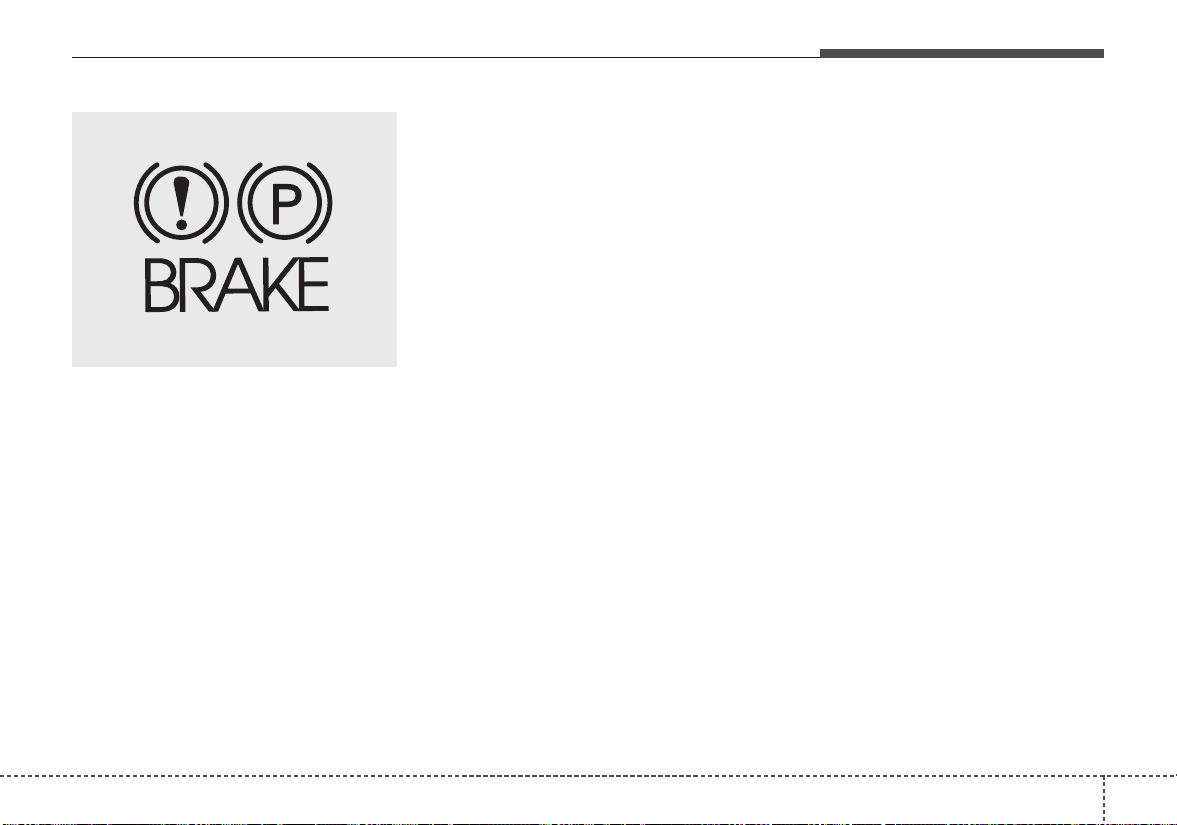
627
Driving your vehicle
Check the brake warning light by
turning the ignition switch ON (do not
start the engine).This light will illumi-
nate when the parking brake is
applied with the ignition switch in the
START or ON position.
Before driving, be sure the parking
brake is fully released and the brake
warning light is off.
If the brake warning light remains on
after the parking brake is released
while the engine is running, there
may be a malfunction in the brake
system. Immediate attention is nec-
essary.
If at all possible, stop driving the
vehicle immediately.If that is not pos-
sible, use extreme caution while
operating the vehicle and only con-
tinue to drive the vehicle until you
can reach a safe location or repair
shop.
Anti-lock brake system (ABS)
ABS (or ESC) will not prevent acci-
dents due to improper or dangerous
driving maneuvers. Even though
vehicle control is improved during
emergency braking, always maintain
a safe distance between you and
objects ahead. Vehicle speeds
should always be reduced during
extreme road conditions.
The vehicle should be driven at
reduced speeds in the following cir-
cumstances:
• When driving on rough, gravel or
snow-covered roads
• When driving with tire chains
installed
• When driving on roads where the
road surface is pitted or has differ-
ent surface heights.
Driving in these conditions increases
the stopping distance for your vehi-
cle.
W-75
Driving your vehicle
286
The ABS continuously senses the
speed of the wheels. If the wheels
are going to lock, the ABS system
repeatedly modulates the hydraulic
brake pressure to the wheels.
When you apply your brakes under
conditions which may lock the
wheels, you may hear a “tik-tik’’
sound from the brakes, or feel a cor-
responding sensation in the brake
pedal. This is normal and it means
your ABS is active.
In order to obtain the maximum ben-
efit from your ABS in an emergency
situation, do not attempt to modulate
your brake pressure and do not try to
pump your brakes. Press your brake
pedal as hard as possible or as hard
as the situation allows the ABS to
control the force being delivered to
the brakes.
✽✽
NOTICE
A click sound may be heard in the
engine compartment when the vehi-
cle begins to move after the engine is
started. These conditions are normal
and indicate that the anti-lock brake
system is functioning properly.
• Even with the anti-lock brake sys-
tem, your vehicle still requires suf-
ficient stopping distance. Always
maintain a safe distance from the
vehicle in front of you.
• Always slow down when cornering.
The anti-lock brake system cannot
prevent accidents resulting from
excessive speeds.
• On loose or uneven road surfaces,
operation of the anti-lock brake
system may result in a longer stop-
ping distance than for vehicles
equipped with a conventional
brake system.
The ABS warning light will stay on for
approximately 3 seconds after the
ignition switch is ON. During that
time, the ABS will go through self-
diagnosis and the light will go off if
everything is normal.If the light stays
on, you may have a problem with
your ABS but your regular brakes will
work normally.Contact an authorized
Kia dealer as soon as possible.
W-78
629
Driving your vehicle
• When you drive on a road with
poor traction, such as an icy road,
and operated your brakes continu-
ously, the ABS will be active con-
tinuously and the ABS warning
light may illuminate. Pull your vehi-
cle over to a safe place and stop
the engine.
• Restart the engine. If the ABS
warning light is off, then your ABS
is normal. Otherwise, you may
have a problem with the ABS.
Contact an authorized Kia dealer
as soon as possible.
✽✽
NOTICE
When you jump start your vehicle
because of a drained battery, the
engine may not run as smoothly and
the ABS warning light may turn on
at the same time. This happens
because of the low battery voltage. It
does not mean your ABS has mal-
functioned.
• Do not pump your brakes!
• Have the battery recharged before
driving the vehicle.
Electronic stability control
(ESC)
The Electronic Stability control
(ESC) system is designed to stabi-
lize the vehicle during cornering
maneuvers. ESC checks where you
are steering and where the vehicle is
actually going. ESC applies the
brakes on individual wheels and
intervenes with the engine manage-
ment system to stabilize the vehicle.
Electronic stability control (ESC) will
not prevent accidents. Excessive
speed in turns, abrupt maneuvers
and hydroplaning on wet surfaces
can still result in serious accidents.
Only a safe and attentive driver can
prevent accidents by avoiding
maneuvers that cause the vehicle to
lose traction. Even with ESC
installed, always follow all the normal
precautions for driving - including
driving at safe speeds for the condi-
tions.
The Electronic Stability Control
(ESC) system is an electronic sys-
tem designed to help the driver main-
tain vehicle control under adverse
conditions. It is not a substitute for
safe driving practices.Factors includ-
ing speed, road conditions and driv-
er steering input can all affect
whether ESC will be effective in pre-
venting a loss of control.It is still your
responsibility to drive and corner at
reasonable speeds and to leave a
sufficient margin of safety.
OYB056062
Driving your vehicle
306
When you apply your brakes under
conditions which may lock the
wheels, you may hear a “tik-tik’’
sound from the brakes, or feel a cor-
responding sensation in the brake
pedal. This is normal and it means
your ESC is active.
✽✽
NOTICE
For maximum protection, always
wear your seat belt. No system, no
matter how advanced, can compen-
sate for all driver error and/or driv-
ing conditions. Always drive respon-
sibly.
ESC operation
ESC ON condition
• When the ignition is turned
ON, ESC and ESC OFF
indicator lights illuminate
for approximately 3 sec-
onds, then ESC is turned
on.
• Press the ESC OFF but-
ton for at least half a sec-
ond after turning the igni-
tion ON to turn ESC off.
(ESC OFF indicator will
illuminate). To turn the
ESC on, press the ESC
OFF button (ESC OFF
indicator light will go off).
• When starting the engine,
you may hear a slight tick-
ing sound.This is the ESC
performing an automatic
system self-check and
does not indicate a prob-
lem.
When operating
When the ESC is in opera-
tion, ESC indicator light
blinks.
• When the Electronic
Stability Control is operat-
ing properly, you can feel a
slight pulsation in the vehi-
cle. This is only the effect
of brake control and indi-
cates nothing unusual.
• When moving out of the
mud or slippery road,
pressing the accelerator
pedal may not cause the
engine rpm (revolutions
per minute) to increase.
-
631
Driving your vehicle
ESC operation off
ESC OFF state
This car has 2 kinds of ESC
off states.
If the engine stops when
ESC is off, ESC remains off.
Upon restarting the engine,
the ESC will automatically
turn on again.
• ESC off state 1
To cancel ESC operation, press the
ESC OFF button (ESC OFF )
shortly (ESC OFF indicator light
(ESC OFF ) illuminates). At this
state, the engine control function
does not operate. It means the trac-
tion control function does not oper-
ate.Brake control function only oper-
ates.
• ESC off state 2
To cancel ESC operation, press the
ESC OFF button (ESC OFF ) for
more than 3 seconds.ESC OFF indi-
cator light (ESC OFF ) illuminates
and ESC OFF warning chime will
sound. At this state, the engine con-
trol function and brake control func-
tion do not operate. It means the car
stability control function does not
operate any more.
OYB056012 OYB056013
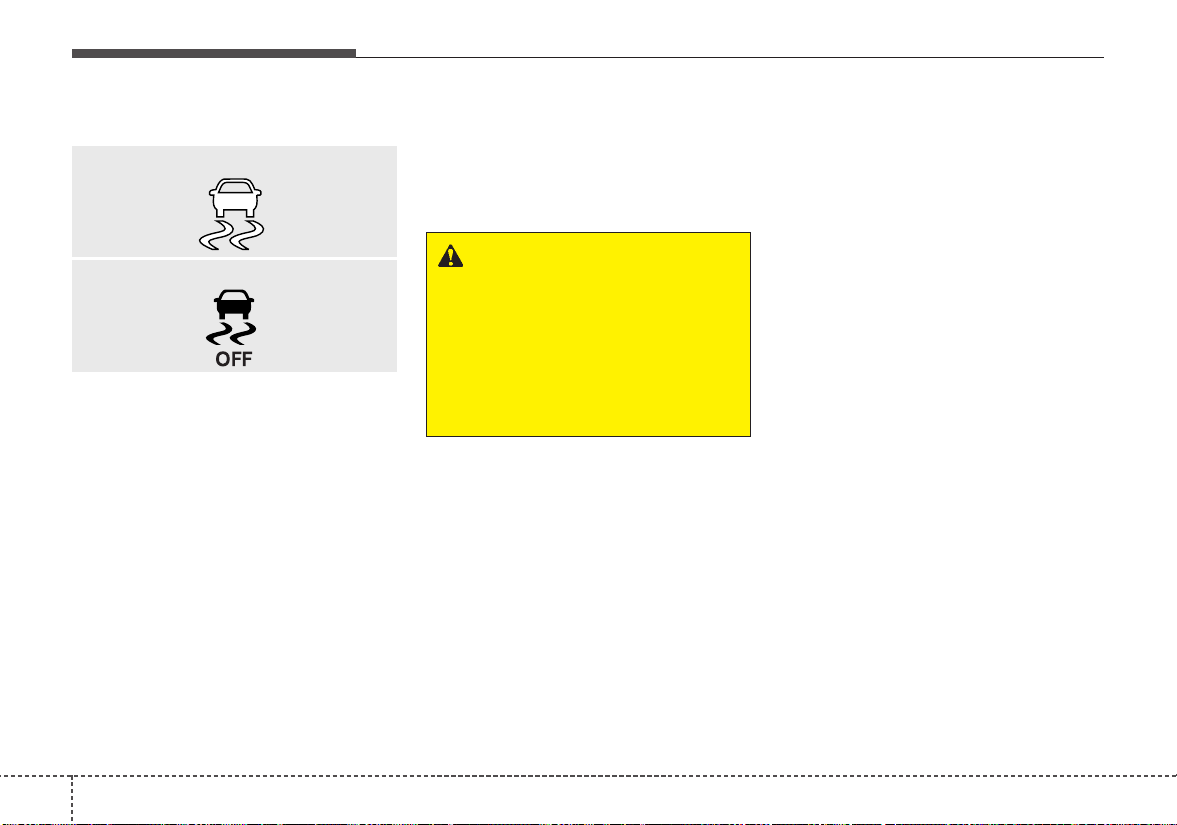
Driving your vehicle
326
Indicator light
When the ignition switch is turned
ON, the indicator light illuminates,
then goes off if ESC system is oper-
ating normally.
The ESC indicator light blinks when-
ever ESC is operating.
The ESC indicator light blinks when-
ever ESC is operating or illuminates
when ESC fails to operate.
The ESC OFF indicator light comes
on when the ESC is turned off with
the button.
Driving with varying tire or wheel
sizes may cause the ESC system to
malfunction. When replacing tires,
make sure they are the same size as
your original tires.
ESC OFF usage
When driving
• It’s a good idea to keep the ESC
turned on for daily driving whenev-
er possible.
• To turn ESC off while driving, press
the ESC OFF button while driving
on a flat road surface.
Never press the ESC OFF button
while ESC is operating (ESC indica-
tor light blinks).
If ESC is turned off while ESC is
operating, the vehicle may slip out of
control.
WARNING - Electronic sta-
bility control
Drive carefully even though
your vehicle has Electronic
Stability Control. It can only
assist you in maintaining con-
trol under certain circum-
stances.
■ ESC indicator light
■ ESC OFF indicator light
633
Driving your vehicle
Hill-start assist control (HAC)
Hill start Assist Control is a comfort
function. The main intent is to pre-
vent the vehicle from rolling back-
wards while driving uphill on an
inclined surface.HAC holds the brak-
ing pressure builtup by driver during
stopping procedure for 2 seconds
after releasing brake pedal.
During the pressure-hold period, the
driver has enough time to press the
accelerator pedal to drive off.
The braking pressure is reduced as
soon as the system detects the dri-
ver’s intention to drive off.
• The HAC does not operate when
the transaxle shift lever is in the P
(Park) or N (Neutral) position.
• The HAC activates even though
the ESC is off but it does not acti-
vate when the ESC has malfunc-
tioned.
WARNING - Maintaining
Brake Pressure on Incline
HAC does not replace the need
to apply brakes while stopped on
an incline. While stopped, make
sure you maintain brake pres-
sure sufficient to prevent your
vehicle from rolling backward
and causing an accident. Don’t
release the brake pedal until you
are ready to accelerate forward.
WARNING - Operating
ESC
Never press the ESC OFF but-
ton while ESC is operating.
If the ESC is turned off while
ESC is operating, the vehicle
may go out of control.
Driving your vehicle
346
Vehicle stability management
(VSM)
This system provides further
enhancements to vehicle stability
and steering responses when a vehi-
cle is driving on a slippery road or a
vehicle detected changes in coeffi-
cient of friction between right wheels
and left wheels when braking.
VSM operation
When the VSM is in operation, ESC
indicator light ( ) blinks.
When the vehicle stability manage-
ment is operating properly, you can
feel a slight pulsation in the vehicle
and/or abnormal steering responses
(EPS).This is only the effect of brake
and EPS control and indicates noth-
ing unusual.
The VSM does not operate when:
• Driving on bank roads such as gra-
dient or incline
• Driving rearward
• ESC OFF indicator light ( )
remains on the instrument cluster
• EPS indicator light remains on the
instrument cluster
VSM operation off
If you press the ESC OFF button to
turn off the ESC, the VSM will also
cancel and the ESC OFF indicator
light ( ) illuminates.
To turn on the VSM, press the button
again. The ESC OFF indicator light
goes out.
Malfunction indicator
The VSM can be deactivated even if
you don’t cancel the VSM operation
by pressing the ESC OFF button. It
indicates that a malfunction has
been detected somewhere in the
Electric Power Steering system or
VSM system. If the ESC indicator
light ( ) or EPS warning light
remains on, take your vehicle to an
authorized Kia dealer and have the
system checked.
• The VSM is designed to function
above approximately 9 mph (15
km/h) on curves.
635
Driving your vehicle
• The VSM is designed to function
above approximately 18 mph (30
km/h) when a vehicle is braking on
a split-mu road. The split-mu road
is made of surfaces which have dif-
ferent friction forces.
• The Vehicle Stability Management
system is not a substitute for safe
driving practices but a supplemen-
tary function only. It is the respon-
sibility of the driver to always check
the speed and the distance to the
vehicle ahead. Always hold the
steering wheel firmly while driving.
• Your vehicle is designed to activate
according to the driver’s intention,
even with installed VSM. Always
follow all the normal precautions
for driving at safe speeds for the
conditions – including driving in
inclement weather and on a slip-
pery road.
Good braking practices
• Check to be sure the parking brake
is not engaged and that the park-
ing brake indicator light is out
before driving away.
• Driving through water may get the
brakes wet. They can also get wet
when the vehicle is washed. Wet
brakes can be dangerous! Your
vehicle will not stop as quickly if the
brakes are wet. Wet brakes may
cause the vehicle to pull to one
side.
To dry the brakes, apply the brakes
lightly until the braking action
returns to normal, taking care to
keep the vehicle under control at
all times. If the braking action does
not return to normal, stop as soon
as it is safe to do so and call an
authorized Kia dealer for assis-
tance.
• Don't coast down hills with the
vehicle out of gear.This is extreme-
ly hazardous. Keep the vehicle in
gear at all times, use the brakes to
slow down, then shift to a lower
gear so that engine braking will
help you maintain a safe speed.
WARNING - Tire/Wheel
size
When replacing tires and
wheels, make sure they are the
same size as the original tires
and wheels installed. Driving
with varying tire or wheel sizes
may affect the vehicle's han-
dling.

Driving your vehicle
366
• Don't "ride" the brake pedal.
Resting your foot on the brake
pedal while driving can be danger-
ous because the brakes might
overheat and lose their effective-
ness. It also increases the wear of
the brake components.
• If a tire goes flat while you are driv-
ing, apply the brakes gently and
keep the vehicle pointed straight
ahead while you slow down.When
you are moving slowly enough for it
to be safe to do so, pull off the road
and stop in a safe place.
• If your vehicle is equipped with an
automatic transaxle, don't let your
vehicle creep forward. To avoid
creeping forward, keep your foot
firmly on the brake pedal when the
vehicle is stopped.
• Be cautious when parking on a hill.
Firmly engage the parking brake
and place the shift lever in P (auto-
matic transaxle) or in first or
reverse gear (manual transaxle). If
your vehicle is facing downhill, turn
the front wheels into the curb to
help keep the vehicle from rolling.If
your vehicle is facing uphill, turn
the front wheels away from the
curb to help keep the vehicle from
rolling. If there is no curb or if it is
required by other conditions to
keep the vehicle from rolling, block
the wheels.
• Under some conditions your park-
ing brake can freeze in the
engaged position.This is most like-
ly to happen when there is an
accumulation of snow or ice
around or near the rear brakes or if
the brakes are wet.If there is a risk
that the parking brake may freeze,
apply it only temporarily while you
put the shift lever in P (automatic
transaxle) or in first or reverse gear
(manual transaxle) and block the
rear wheels so the vehicle cannot
roll. Then release the parking
brake.
• Do not hold the vehicle on the
upgrade with the accelerator
pedal.This can cause the transaxle
to overheat. Always use the brake
pedal or parking brake.
637
Driving your vehicle
The AEB system is to reduce or to
avoid accident risk. It recognizes the
distance from the vehicle ahead
through the sensors (i.e. radar), and,
if necessary, warns the driver or
applies emergency braking of acci-
dent risk with the warning message
or the warning alarms.
❈ Radar type AEB system does not
operate for pedestrians in front.
✽✽
NOTICE
Take the following precautions when
using the Autonomous Emergency
Braking (AEB):
• This system is only a supplemental
system and it is not intended to,
nor does it replace the need for
extreme care and attention of the
driver. The sensing range and
objects detectable by the sensors
are limited. Pay attention to the
road conditions at all times.
• NEVER drive too fast in accor-
dance with the road conditions or
while cornering.
• Always drive cautiously to prevent
unexpected and sudden situations
from occurring. AEB does not stop
the vehicle completely and does
not avoid collisions.
System setting and activation
System setting
The driver can activate the AEB by
placing the ignition switch to the ON
position and by selecting 'User
Settings', 'Driving Assist', and
'Autonomous Emergency Braking'.
The AEB deactivates, when the driv-
er cancels the system setting.
RADAR TYPE AUTONOMOUS EMERGENCY BRAKING(IF EQUIPPED)
WARNING
-
Autonomous Emergency
Braking (AEB) Limitations
The AEB system is a supple-
mental system and is not a sub-
stitute for safe driving prac-
tices. It is the responsibility of
the driver to always check the
speed and distance to the vehi-
cle ahead to ensure it is safety
to use the AEB system.
Driving your vehicle
386
The warning light illumi-
nates on the LCD display,
when you cancel the AEB
system. It illuminates even
with the ESC (Electronic Stability
Control) state 2 OFF. The driver can
monitor the AEB ON/OFF status on
the LCD display. When the warning
light remains ON with the AEB acti-
vated, we recommend you to have
the system checked by an authorized
Kia dealer.
The driver can select the initial warn-
ing activation time in the User
Settings in the instrument cluster
LCD display. The options for the ini-
tial Forward Collision Warning
include the following:
• EARLY - When this condition is
selected, the initial
Forward Collision Warning
is activated earlier than
normal. If the “EARLY”
warning seems to be too
sensitive, change it to
“NORMAL”. If the vehicle
ahead suddenly stops, the
warning may seem to be
late even if the “EARLY”
condition was selected.
• NORMAL - When this condition is
selected, the initial
Forward Collision
Warning is activated nor-
mally.
• LATE - When this condition is
selected, the initial Forward
Collision Warning is activat-
ed later than normal. Select
this condition only when
traffic is light and you are
driving at low speed.
Prerequisite for activation
The AEB will activate when the AEB
is selected on the LCD display, and
when the following prerequisites are
satisfied:
- The ESC (Electronic Stability
Control) is activated.
- The driving speed is over 6 mph.
(The AEB only works within a cer-
tain range of vehicle speeds)
- When the AEB recognizes a vehi-
cle in front. (The AEB may not rec-
ognize every obstacle or provide
warnings and braking in every situ-
ation, so do not rely on the AEB to
stop the vehicle in instances where
the driver sees an obstacle and
has the ability to apply the brakes)
639
Driving your vehicle
• The AEB automatically activates
when you turn the vehicle on.
The driver can deactivate the AEB
by canceling the in the system set-
ting on the LCD display.
• The AEB automatically deactivates
when canceling the ESC.When the
ESC is canceled, the AEB cannot
be activated on the LCD display. In
this case, the AEB warning light
will illuminate, but it does not indi-
cate a malfunction.
AEB warning message and
system control
The AEB produces warning mes-
sages, warning alarms, and emer-
gency braking based on the level of
risk of a frontal collision, such as
when a vehicle ahead suddenly
brakes, when there is no following dis-
tance from the vehicle in front.
Forward Warning (1st warning)
The warning message appears on
the LCD display with the warning
alarms.
WARNING
Set or cancel AEB with control-
ling switches on steering wheel
after stopping the vehicle in the
safe place for your safety.
OYB056050
Driving your vehicle
406
Collision Warning (2nd warning)
• The warning message appears on
the LCD display with the warning
alarms.
• The vehicle will reduce its speed to
a certain limit.
- The brake activates gradually for
vehicles ahead.
- The brake control activates within
an arranged limit to ease the
impact from a collision.
Emergency braking (3
rd
warning)
• The warning message appears on
the LCD display with the warning
alarms.
• The vehicle will reduce its speed to
a certain limit.
- The brake control activates within
an arranged limit to ease the
impact from a collision. Maximum
brake control is activated just
before the collision.
Brake operation
• In an urgent situation, the braking
system enters into the ready status
for prompt reaction against the dri-
ver’s depressing the brake pedal.
• The AEB provides additional brak-
ing power for optimum braking per-
formance, when the driver
depresses the brake pedal.
• The braking control is automatical-
ly deactivated, when the driver
sharply depresses the acceleration
pedal, or when the driver abruptly
turns the steering wheel.
• The braking control is automatical-
ly canceled, when risk factors dis-
appear.
The driver should always exercise
caution when operating the vehicle,
even though there is no warning
message or warning alarm.
OYB056051 OYB056073
641
Driving your vehicle
✽✽
NOTICE
The AEB operates in accordance
with the risk levels, such as the dis-
tance from the vehicle in front, the
speed of the vehicle in front, and the
driver's vehicle operation. For the
system to operate, do not attempt
risky driving.
Sensor to detect the distance
from the vehicle in front
(front radar)
The sensor is to maintain a certain
distance from the vehicle in front.
However, the smudged sensor with
foreign substances, such as snow
and rain, adversely affects the sens-
ing performance. It may even tem-
porarily cancel the AEB.Always keep
the sensor clean.
Warning message and warning
light
When the sensor is covered or dirty
with foreign substances, such as
snow or rain, the AEB operation may
temporarily stop. In this case, a
warning message will appear to noti-
fy the driver.
This is not a malfunction with the
AEB. To operate the AEB again,
remove the foreign substances.
WARNING
The AEB cannot avoid all colli-
sions. The AEB might not com-
pletely stop the vehicle before
collision, due to ambient weath-
er and road conditions. The
driver has the responsibility to
drive safely and control the
vehicle.
OYB056063
OYB056052
Driving your vehicle
426
✽✽
NOTICE
• Do not install any accessories, such
as a license plate bracket or
bumper sticker near the sensor
area. Do not replace the bumper
by yourself. Doing so may adverse-
ly affect the sensing performance.
• Always keep the sensor/bumper
area clean.
• Use only a soft cloth to wash the
vehicle. Also, do not spray highly
pressurized water on the sensor
installed on the bumper.
• Be careful not to apply unneces-
sary force on the frontal sensor
area. When the sensor moves out
of the correct position due to
external force, the system may not
operate correctly even without the
warning light or message. In this
case, we recommend you to have
the vehicle inspected by an
authorized Kia dealer.
(Continued)
(Continued)
• Use only the genuine Kia sensor
cover. Do not arbitrarily apply
paint on the sensor cover.
• Do not arbitrarily remove or
impact the radar components.
• If the audio volume is too high,
you may not be able to hear a
warning alarm from the AEB sys-
tem.
System malfunction
• When the AEB is not working prop-
erly, the AEB warning light ( ) will
illuminate and the warning mes-
sage (“Check AEB system”) will
appear for a few seconds. After the
message disappears, the master
warning light ( ) will illuminate. In
this case, we recommend you to
have the vehicle inspected by an
authorized Kia dealer.
• The AEB warning message may
appear along with the illumination
of the ESC warning light.
WARNING
The AEB is only a supplemental
system for the driver’s conven-
ience.
The driver still maintains
responsibility to control the
vehicle. Do not solely depend on
the AEB system. Rather, main-
tain a safe braking distance,and,
if necessary, depress the brake
pedal to lower the driving speed.

643
Driving your vehicle
• The AEB may unnecessarily pro-
duce warning messages and warn-
ing alarms. Due to the sensing lim-
itation, the AEB may not produce
warning messages or warning
alarm at all.
• When there is a malfunction with
the AEB, the braking control does
not operate upon detecting a colli-
sion risk even with other braking
systems normally operating.
• The AEB operates only for the
vehicle in front, while driving for-
ward. It does not operate for any
animals or vehicles in the opposite
direction.
• The AEB can not recognize cross-
traffic or parked vehicles present-
ing a side-profile.
• If the vehicle ahead suddenly
stops, there is a risk of collision.
The driver must always pay caution
in case of dangerous situations.
• In case of sudden braking when
the AEB Is activated, objects inside
the vehicle may move and injure
the occupants.
• When the driver depresses the
brake in a risk of collision, the AEB
system may not operate.
• The AEB may not operate due to
driving or traffic condition, weather,
and road condition.
• The AEB may not operate in all
vehicles.
Limitation of the system
The AEB is an assistant system for a
driver in a certain risky driving condi-
tion and it does not take every
responsibility for all risks from driving
condition.
The AEB monitors the driving situa-
tions through the radar. For any vehi-
cle activity occurring outside the sen-
sor range, the AEB may not function.
The driver should exercise caution in
the following situations, as the AEB
operation may be limited:
- In situations when there is severe
radar reflection, the AEB may not
operate normally. (parking lot, iron
bridge, etc.)
- Special vehicles (bus, truck, con-
structive vehicle, trailer, etc.) in
which radars are difficult to detect,
the AEB may not operate normally.
Driving your vehicle
446
Recognizing vehicles
- Sensor or sensor cover is contam-
inated with foreign substances.
- It heavily rains or snows.
- There is electromagnetic interfer-
ence.
- Something in the path of travel
deflects the radar waves.
- The vehicle in front has a narrow
body. (i.e.motorcycles)
- The vehicle in front is a special
vehicle, such as a heavily-loaded
truck or a trailer.
- The vehicle driving is unstable.
- The radar sensor recognition is
limited.
- Driving on unpaved and uneven
road surfaces, or through sudden
gradient changes.
- In construction zones or on railroad
tracks, or there are metallic objects
on the road.
- Driving indoors such as in an
underground parking lot.
- Driving in an underground parking
lot.
- Entering a tunnel or tollgate.
- There are materials which easily
reflect radar signals. (guardrails,
approaching vehicles, etc.)
- Driving on a curve
The AEB performance decreases
while driving on a curve. The AEB
may not recognize the vehicle in front
even in the same lane. It may unnec-
essarily produce the warning mes-
sage and the warning alarm, or it
may not produce the warning mes-
sage and the warning alarm at all.
While driving on a curve, exercise
caution, and, if necessary, depress
the brake pedal.
OJF055025
645
Driving your vehicle
While driving on a curve, the AEB
may recognize the vehicle in front in
the next lane.Exercise caution, and, if
necessary, depress the brake pedal.
Or, depress the accelerator pedal to
maintain the driving speed. Always,
take a look around the vehicle for
your safety.
- Driving on a slope
The AEB performance decreases
while driving upward or downward on
a slope, not recognizing the vehicle
in front in the same lane. It may
unnecessarily produce the warning
message and the warning alarm, or it
may not produce the warning mes-
sage and the warning alarm at all.
When the AEB suddenly recognizes
the vehicle in front while passing
over a slope, you may experience
sharp deceleration.
Always keep your eyes forward while
driving upward or downward on a
slope, and, if necessary, depress the
brake pedal.
- Changing lanes
Even though the vehicle in the next
lane enters into your lane, it may not
be recognized by the AEB, until it
enters the AEB sensing range.
Especially when the vehicle in the
next lane abruptly enters into your
lane, it is more likely not be recog-
nized. Always be attentive to driving
conditions.
OJF055027 OJF055028OJF055026
Driving your vehicle
466
When the stopped vehicle in front
gets out of the lane, it may not be
recognized by your AEB. Always be
attentive to driving conditions.
- Recognizing the vehicle
When the vehicle in front has heavy
loading extended rearward, or when
the vehicle in front has higher ground
clearance, it may induce a haz-
ardous situation.
✽✽
NOTICE
The system may temporarily cancel
due to the strong electric waves.
OJF055030
WARNING - Testing the
AEB
The AEB does not operate in
certain situations. Thus, never
test-operate the AEB against a
vehicle or an object. It may
cause a severe injury or even
death.
WARNING - AEB and
Towing
Cancel the AEB in the User
Settings on the LCD display,
before towing another vehicle.
While towing, the brake applica-
tion may adversely affect your
vehicle safety.
OJF055029

647
Driving your vehicle
• Pay great caution to the vehicle in
front, when it has heavy loading
extended rearward, or when it has
higher ground clearance.
• The sensor only detects vehicles,
not carts, bicycles, motorcycles,
luggage bags, or strollers.
Driving your vehicle
486
The cruise control system allows you
to program the vehicle to maintain a
constant speed without depressing
the accelerator pedal.
This system is designed to function
above approximately 20 mph (30
km/h).
If the cruise control is left on,
(CRUISE indicator light in the instru-
ment cluster illuminated) the cruise
control can be switched on acciden-
tally. Keep the cruise control system
off (CRUISE indicator light OFF)
when the cruise control is not in use,
to avoid inadvertently setting a
speed.
Use the cruise control system only
when traveling on open highways in
good weather.
Do not use the cruise control when
driving in heavy or varying traffic, or
on slippery (rainy, icy or snow-cov-
ered) or winding roads or over 6%
up-hill or down-hill roads.
✽✽
NOTICE
• During normal cruise control
operation, when the SET switch is
activated or reactivated after
applying the brakes, the cruise
control will energize after approx-
imately 3 seconds. This delay is
normal.
• To activate cruise control, depress
the brake pedal at least once after
turning the ignition switch to the
ON position or starting the engine.
This is to check if the brake switch
which is important part to cancel
cruise control is in normal condi-
tion.
Cruise control switch
CRUISE :Turns cruise control sys-
tem on or off.
CANCEL: Cancels cruise control
operation.
RES+: Resumes or increases cruise
control speed.
SET-: Sets or decreases cruise con-
trol speed.
CRUISE CONTROL SYSTEM (IF EQUIPPED)
WARNING
- Misuse of
Cruise Control
Do not use cruise control if the
traffic situation does not allow
you to drive safely at a constant
speed and with sufficient dis-
tance to the vehicle in front.
OYB056016
649
Driving your vehicle
To set cruise control speed:
1.Press the CRUISE button on the
steering wheel to turn the system
on. The CRUISE indicator light in
the instrument cluster will illumi-
nate.
2.Accelerate to the desired speed,
which must be more than 20 mph
(30 km/h).
✽✽
NOTICE - Manual transaxle
For manual transaxle vehicles, you
should depress the brake pedal at
least once to set the cruise control
after starting the engine.
3.Move the lever down (to SET-), and
release it at the desired speed.The
SET indicator light in the instru-
ment cluster will illuminate.
Release the accelerator pedal at
the same time. The desired speed
will automatically be maintained.
On a steep grade, the vehicle may
slow down or speed up slightly while
going uphill or downhill.
OYB056018
OYB057033L
Driving your vehicle
506
To increase cruise control set
speed:
Follow either of these procedures:
• Move the lever up (to RES+) and
hold it.Your vehicle will accelerate.
Release the lever at the speed you
want.
• Move the lever up (to RES+) and
release it immediately.
The cruising speed will increase by
1 mph (or 2km/h) each time you
move the lever up (to RES+) in this
manner.
To decrease the cruising
speed:
Follow either of these procedures:
• Move the lever down (to SET-) and
hold it. Your vehicle will gradually
slow down.Release the lever at the
speed you want to maintain.
• Move the lever down (to SET-) and
release it immediately.
The cruising speed will decrease
by 1 mph (2 km/h) each time you
move the lever down (to SET-) in
this manner.
To temporarily accelerate with
the cruise control on:
If you want to speed up temporarily
when the cruise control is on,
depress the accelerator pedal.
Increased speed will not interfere
with cruise control operation or
change the set speed.
To return to the set speed, take your
foot off the accelerator pedal.
OYB057033LOYB057036L
651
Driving your vehicle
To cancel cruise control, do
one of the following:
• Depress the brake pedal.
• Depress the clutch pedal with a
manual transaxle.
• Shift into N (Neutral) with an auto-
matic transaxle.
• Press the CANCEL button.
• Decrease the vehicle speed lower
than the memory speed by 12 mph
(20 km/h).
• Decrease the vehicle speed to less
than approximately 20 mph (30
km/h).
Each of these actions will cancel
cruise control operation (the SET
indicator light in the instrument clus-
ter will go off), but it will not turn the
system off. If you wish to resume
cruise control operation, move up the
lever (to RES+) located on your
steering wheel.You will return to your
previously preset speed.
To resume cruising speed at
more than approximately 20
mph (30 km/h):
If any method other than the
CRUISE button was used to cancel
cruising speed and the system is still
activated, the most recent set speed
will automatically resume when you
move the lever up (to RES+).
It will not resume, however, if the
vehicle speed has dropped below
approximately 20 mph (30 km/h).
OYB056030
OYB057036L
Driving your vehicle
526
✽✽
NOTICE
Always check the road conditions
when you move the lever up (to
RES+) to resume the speed.
To turn cruise control off, do
one of the following:
• Press the CRUISE button (the
CRUISE indicator light in the
instrument cluster will go off).
• Turn the ignition off.
Both of these actions cancel cruise
control operation. If you want to
resume cruise control operation,
repeat the steps provided in “To set
cruise control speed” on the previous
page.
OYB056018
653
Driving your vehicle
SPORT mode
The sport mode may be selected
according to the driver’s preference
or road condition.
The mode changes whenever the
SPORT MODE button is pressed.
❈ When normal mode is selected, it
is not displayed on the cluster.
SPORT mode
SPORT mode focuses on
dynamic driving by auto-
matically adjusting the
steering wheel, engine
and transaxle system.
• When the SPORT
MODE button is pressed
and the SPORT mode is
selected, the SPORT
indicator (yellow or white)
will illuminate.
• When the SPORT mode
is activated, and the
engine start/stop button
is turned off and on it will
change to NORMAL
mode. To turn on the
SPORT mode press
SPORT MODE button
again.
SPORT MODE INTEGRATED CONTROL SYSTEM
OSC057012N
NORMAL SPORT
SPORT

Driving your vehicle
546
• If the system is activat-
ed:
- While holding vehicle
speed, it maintains the
gear and RPM for some
time even though the
accelerator pedal is not
depressed.
- Up-shifting is delayed.
✽✽
NOTICE
In Sport drive mode, the fuel effi-
ciency may decrease.

655
Driving your vehicle
Your vehicle's fuel economy depends
mainly on your style of driving, where
you drive and when you drive.
Each of these factors affects how
many miles (kilometers) you can get
from a gallon (liter) of fuel.To operate
your vehicle as economically as pos-
sible, use the following driving sug-
gestions to help save money in both
fuel and repairs:
• Drive smoothly. Accelerate at a
moderate rate. Don't make "jack-
rabbit" starts or full-throttle shifts
and maintain a steady cruising
speed. Don't race between stop-
lights. Try to adjust your speed to
the traffic so you don't have to
change speeds unnecessarily.
Avoid heavy traffic whenever pos-
sible. Always maintain a safe dis-
tance from other vehicles so you
can avoid unnecessary braking.
This also reduces brake wear.
• Drive at a moderate speed. The
faster you drive, the more fuel your
vehicle uses. Driving at a moderate
speed, especially on the highway,
is one of the most effective ways to
reduce fuel consumption.
• Don't "ride" the brake pedal. This
can increase fuel consumption and
also increase wear on these com-
ponents. In addition, driving with
your foot resting on the brake pedal
may cause the brakes to overheat,
which reduces their effectiveness
and may lead to more serious con-
sequences.
• Take care of your tires. Keep them
inflated to the recommended pres-
sure. Incorrect inflation, either too
much or too little, results in unnec-
essary tire wear. Check the tire
pressures at least once a month.
• Be sure that the wheels are
aligned correctly. Improper align-
ment can result from hitting curbs
or driving too fast over irregular
surfaces. Poor alignment causes
faster tire wear and may also result
in other problems as well as
greater fuel consumption.
• Keep your vehicle in good condi-
tion. For better fuel economy and
reduced maintenance costs, main-
tain your vehicle in accordance
with the maintenance schedule in
section 8. If you drive your vehicle
in severe conditions, more frequent
maintenance is required (see sec-
tion 8 for details).
• Keep your vehicle clean. For maxi-
mum service, your vehicle should
be kept clean and free of corrosive
materials. It is especially important
that mud, dirt, ice, etc. not be
allowed to accumulate on the
underside of the vehicle.This extra
weight can result in increased fuel
consumption and also contribute to
corrosion.
• Travel lightly. Don't carry unneces-
sary weight in your vehicle.Weight
reduces fuel economy.
• Don't let the engine idle longer
than necessary. If you are waiting
(and not in traffic), turn off your
engine and restart only when
you're ready to go.
ECONOMICAL OPERATION
Driving your vehicle
566
• Remember, your vehicle does not
require extended warm-up. After
the engine has started, allow the
engine to run for 10 to 20 seconds
prior to placing the vehicle in gear.
In very cold weather, however, give
your engine a slightly longer warm-
up period.
• Don't “lug” or “over-rev” the engine.
Lugging is driving too slowly in a
very high gear resulting in engine
bucking. If this happens, shift to a
lower gear. Over-revving is racing
the engine beyond its safe limit.
This can be avoided by shifting at
the recommended speed.
• Use your air conditioning sparingly.
The air conditioning system is
operated by engine power so your
fuel economy is reduced when you
use it.
• Open windows at high speeds can
reduce fuel economy.
• Fuel economy is reduced by cross-
winds and headwinds. To help off-
set some of this loss, slow down
when driving in these conditions.
Keeping a vehicle in good operating
condition is important both for econ-
omy and safety. Therefore, have an
authorized Kia dealer perform
scheduled inspections and mainte-
nance.
WARNING - Engine off
during
motion
Never turn the engine off to
coast down hills or anytime the
vehicle is in motion. The power
steering and power brakes will
not function properly without
the engine running. In addition,
turning off the ignition while
driving could engage the steer-
ing wheel lock resulting in loss
of vehicle steering. Keep the
engine on and downshift to an
appropriate gear for engine
braking effect.

657
Driving your vehicle
Hazardous driving conditions
When hazardous driving conditions
are encountered such as water,
snow, ice, mud, sand, or similar haz-
ards, follow these suggestions:
• Drive cautiously and allow extra
distance for braking.
• Avoid sudden braking or steering.
• When braking with non-ABS
brakes pump the brake pedal with
a light up-and-down motion until
the vehicle is stopped.
Do not pump the brake pedal on a
vehicle equipped with ABS.
• If stalled in snow, mud, or sand,
use second gear. Accelerate slow-
ly to avoid spinning the drive
wheels.
• Use sand, rock salt, tire chains, or
other non-slip material under the
drive wheels to provide traction
when stalled in ice, snow, or mud.
Rocking the vehicle
If it is necessary to rock the vehicle
to free it from snow, sand, or mud,
first turn the steering wheel right and
left to clear the area around your
front wheels. Then, shift back and
forth between 1st (First) and R
(Reverse) in vehicles equipped with
a manual transaxle or R (Reverse)
and any forward gear in vehicles
equipped with an automatic
transaxle. Do not race the engine,
and spin the wheels as little as pos-
sible. If you are still stuck after a few
tries, have the vehicle pulled out by a
tow vehicle to avoid engine overheat-
ing and possible damage to the
transaxle.
The ESC system should be turned
OFF prior to rocking the vehicle.
SPECIAL DRIVING CONDITIONS
WARNING - Downshifting
Do not downshift with an auto-
matic transaxle while driving on
slippery surfaces. The sudden
change in tire speed could
cause the tires to skid and
result in an accident.
CAUTION - Vehicle
rocking
Prolonged rocking may cause
engine overheating, transaxle
damage or failure, and tire dam-
age.
Driving your vehicle
586
Smooth cornering
Avoid braking or gear changing in
corners, especially when roads are
wet. Ideally, corners should always
be taken under gentle acceleration.If
you follow these suggestions, tire
wear will be held to a minimum.
Driving at night
Because night driving presents more
hazards than driving in the daylight,
here are some important tips to
remember:
• Slow down and keep more dis-
tance between you and other vehi-
cles, as it may be more difficult to
see at night, especially in areas
where there may not be any street
lights.
OBH058035L OMC035004
WARNING - Sudden
vehicle movement
Do not attempt to rock the vehi-
cle if people or objects are near-
by. The vehicle may suddenly
move forward or backwards as
it becomes unstuck.
CAUTION - Spinning tires
Do not spin the wheels, espe-
cially at speeds more than 35
mph (56 km/h). Spinning the
wheels at high speeds when the
vehicle is stationary could
cause a tire to overheat which
could result in tire damage.

659
Driving your vehicle
• Adjust your mirrors to reduce the
glare from other driver's head-
lights.
• Keep your headlights clean and
properly aimed on vehicles not
equipped with the automatic head-
light aiming feature. Dirty or
improperly aimed headlights will
make it much more difficult to see
at night.
• Avoid staring directly at the head-
lights of oncoming vehicles. You
could be temporarily blinded, and it
will take several seconds for your
eyes to readjust to the darkness.
Driving in the rain
Rain and wet roads can make driving
dangerous, especially if you’re not
prepared for the slick pavement.
Here are a few things to consider
when driving in the rain:
• A heavy rainfall will make it harder
to see and will increase the dis-
tance needed to stop your vehicle,
so slow down.
• Keep your windshield wiping
equipment in good shape.Replace
your windshield wiper blades when
they show signs of streaking or
missing areas on the windshield.
• If your tires are not in good condi-
tion, making a quick stop on wet
pavement can cause a skid and
possibly lead to an accident. Be
sure your tires are in good shape.
• Turn on your headlights to make it
easier for others to see you.
• Driving too fast through large pud-
dles can affect your brakes. If you
must go through puddles, try to
drive through them slowly.
• If you believe you may have gotten
your brakes wet, apply them lightly
while driving until normal braking
operation returns.
Driving in flooded areas
Avoid driving through flooded areas
unless you are sure the water is no
higher than the bottom of the wheel
hub. Drive through any water slowly.
Allow adequate stopping distance
because brake performance may be
affected.
After driving through water, dry the
brakes by gently applying them sev-
eral times while the vehicle is moving
slowly.
1JBB3303
Driving your vehicle
606
Driving off-road
Drive carefully off-road because your
vehicle may be damaged by rocks or
roots of trees. Become familiar with
the off-road conditions where you
are going to drive before you begin
driving.
Highway driving
Tires
Adjust the tire inflation pressures to
specification. Low tire inflation pres-
sures will result in overheating and
possible failure of the tires.
Avoid using worn or damaged tires
which may result in reduced traction
or tire failure.
Never exceed the maximum tire
inflation pressure shown on the tires.
Fuel, engine coolant and engine
oil
High speed travel consumes more
fuel than urban motoring. Do not for-
get to check both the engine coolant
and engine oil.
Drive belt
A loose or damaged drive belt may
overheat the engine.
WARNING - Tire tread
Always check the tire tread
before driving your vehicle.
Worn-out tires can result in loss
of vehicle control. Worn-out
tires should be replaced as
soon as possible. For further
information and tread limits,
refer to “Tires and wheels” in
section 8.
WARNING - Under/Over
Inflated Tires
Always check the tires for prop-
er inflation before driving.
Underinflated or overinflated
tires can cause poor handling,
loss of vehicle control, and sud-
den tire failure leading to acci-
dents, injuries, and even death.
661
Driving your vehicle
Severe weather conditions in the
winter result in greater wear and
other problems. To minimize the
problems of winter driving, you
should follow these suggestions:
Snowy or Icy conditions
To drive your vehicle in deep snow, it
may be necessary to use snow tires
or to install tire chains on your tires.
If snow tires are needed, it is neces-
sary to select tires equivalent in size
and type of the original equipment
tires. Failure to do so may adversely
affect the safety and handling of your
car. Furthermore, speeding, rapid
acceleration, sudden brake applica-
tions, and sharp turns are potentially
very hazardous practices.
During deceleration, use engine
braking to the fullest extent. Sudden
brake applications on snowy or icy
roads may cause skids.You need to
keep sufficient distance between the
vehicle in operation in front and your
vehicle. Also, apply the brake gently.
It should be noted that installing tire
chains on the tire will provide greater
driving force, but will not prevent side
skids.
Tire chains are not legal in all states.
Check state laws before installing tire
chains.
Snow tires
If you mount snow tires on your vehi-
cle, make sure they are radial tires of
the same size and load range as the
original tires. Mount snow tires on all
four wheels to balance your vehicle’s
handling in all weather conditions.
Keep in mind that the traction provid-
ed by snow tires on dry roads may
not be as high as your vehicle's orig-
inal equipment tires.You should drive
cautiously even when the roads are
clear. Check with the tire dealer for
maximum speed recommendations.
Do not install studded tires without
first checking local, state and munic-
ipal regulations for possible restric-
tions against their use.
WINTER DRIVING
1JBB3305
WARNING - Snow tire size
Snow tires should be equivalent
in size and type to the vehicle's
standard tires. Otherwise, the
safety and handling of your vehi-
cle may be adversely affected.
Driving your vehicle
626
Tire chains
Since the sidewalls of radial tires are
thinner, they can be damaged by
mounting some types of snow chains
on them. Therefore, the use of snow
tires is recommended instead of
snow chains. Do not mount tire
chains on vehicles equipped with
aluminum wheels; snow chains may
cause damage to the wheels.If snow
chains must be used, use wire-type
chains with a thickness of less than
0.59 in (15 mm). Damage to your
vehicle caused by improper snow
chain use is not covered by your
vehicle manufacturers warranty.
Install tire chains only on the front
tires.
The snow chain connecting hooks
may be damaged from contacting
vehicle components causing the
snow chains to come loose from the
tire. Make sure the snow chains are
SAE class “S” certified.
Always check chain installation for
proper mounting after driving
approximately 0.3 to 0.6 miles (0.5 to
1 km) to ensure safe mounting.
Retighten or remount the chains if
they are loose.
CAUTION - Snow chains
• Make sure the snow chains are
the correct size and type for
your tires. Incorrect snow
chains can cause damage to
the vehicle body and suspen-
sion and may not be covered
by your vehicle manufacturer's
warranty.
• Tire Chains for use on snow
and ice may not be installed on
P225/40R18 All Season tires.
Use of chains with that tire size
will damage your vehicle.
• Even with the appropriate
chain installed, do not make a
full turn(turn the steering
wheel fully to one side) when
driving the vehicle. (If you are-
making a full turn, drive with
the speed below 6.2mph
(10km/h).
OED050200
663
Driving your vehicle
Chain installation
When installing chains, follow the
manufacturer's instructions and
mount them as tightly as you can.
Drive slowly with chains installed. If
you hear the chains contacting the
body or chassis, stop and tighten
them. If they still make contact, slow
down until it stops. Remove the
chains as soon as you begin driving
on cleared roads.
When mounting snow chains, park
the vehicle on level ground away
from traffic. Turn on the vehicle
Hazard Warning flashers and place a
triangular emergency warning device
behind the vehicle if available.
• The use of chains may adversely
affect vehicle handling.
• Do not exceed 20 mph (30 km/h)
or the chain manufacturer’s recom-
mended speed limit, whichever is
lower.
• Drive carefully and avoid bumps,
holes, sharp turns, and other road
hazards, which may cause the
vehicle to bounce.
• Avoid sharp turns or locked-wheel
braking.
Use high quality ethylene gly-
col coolant
Your vehicle is delivered with high
quality ethylene glycol coolant in the
cooling system. It is the only type of
coolant that should be used because
it helps prevent corrosion in the cool-
ing system, lubricates the water
pump and prevents freezing.Be sure
to replace or replenish your coolant
in accordance with the maintenance
schedule in section 8. Before winter,
have your coolant tested to assure
that its freezing point is sufficient for
the temperatures anticipated during
the winter.
Check battery and cables
Winter puts additional burdens on
the battery system. Visually inspect
the battery and cables as described
in section 8. The level of charge in
your battery can be checked by an
authorized Kia dealer or a service
station.
CAUTION - Snow chains
• Chains that are the wrong size
or improperly installed can
damage your vehicle's brake
lines, suspension, body and
wheels.
• Stop driving and retighten the
chains any time you hear them
hitting the vehicle.

Driving your vehicle
646
Change to "winter weight" oil
if necessary
In some climates it is recommended
that a lower viscosity "winter weight"
oil be used during cold weather. See
section 9 for recommendations. If
you aren't sure what weight oil you
should use, consult an authorized
Kia dealer.
Check spark plugs and igni-
tion system
Inspect your spark plugs as
described in section 8 and replace
them if necessary. Also check all
ignition wiring and components to be
sure they are not cracked, worn or
damaged in any way.
To keep locks from freezing
To keep the locks from freezing,
squirt an approved de-icer fluid or
glycerine into the key opening. If a
lock is covered with ice, squirt it with
an approved de-icing fluid to remove
the ice.If the lock is frozen internally,
you may be able to thaw it out by
using a heated key. Handle the heat-
ed key with care to avoid injury.
Use approved window washer
anti-freeze in system
To keep the water in the window
washer system from freezing, add an
approved window washer anti-freeze
solution in accordance with instruc-
tions on the container.Window wash-
er anti-freeze is available from an
authorized Kia dealer and most auto
parts outlets. Do not use engine
coolant or other types of anti-freeze
as these may damage the paint fin-
ish.
Don't let your parking brake
freeze
Under some conditions your parking
brake can freeze in the engaged
position. This is most likely to hap-
pen when there is an accumulation
of snow or ice around or near the
rear brakes or if the brakes are wet.
If there is a risk the parking brake
may freeze, apply it only temporarily
while you put the shift lever in P
(automatic transaxle) or in first or
reverse gear (manual transaxle) and
block the rear wheels so the vehicle
cannot roll.Then release the parking
brake.
Don't let ice and snow accu-
mulate underneath
Under some conditions, snow and
ice can build up under the fenders
and interfere with the steering.When
driving in severe winter conditions
where this may happen, you should
periodically check underneath the
car to be sure the movement of the
front wheels and the steering com-
ponents is not obstructed.

665
Driving your vehicle
Carry emergency equipment
Depending on the severity of the
weather you should carry appropri-
ate emergency equipment. Some of
the items you may want to carry
include tire chains, tow straps or
chains, flashlight, emergency flares,
sand, a shovel, jumper cables, a win-
dow scraper, gloves, ground cloth,
coveralls, a blanket, etc.
TRAILER TOWING
We do not recommend using this
vehicle for trailer towing.
Driving your vehicle
666
The label located on the driver's door
sill gives the original tire size, cold
tire pressures recommended for your
vehicle, the number of people that
can be in your vehicle and vehicle
capacity weight.
Vehicle capacity weight:
849 lbs. (385 kg)
Vehicle capacity weight is the maxi-
mum combined weight of occupants
and cargo.If your vehicle is equipped
with a trailer, the combined weight
includes the tongue load.
VEHICLE LOAD LIMIT
OSC067003N
OSC067004N
OSC067005N
OSC067006N
Tire and loading information label

667
Driving your vehicle
Seating capacity:
Total : 5 persons
(Front seat : 2 persons,
Rear seat : 3 persons)
Seating capacity is the maximum
number of occupants including a
driver, your vehicle may carry.
However, the seating capacity may
be reduced based upon the weight of
all of the occupants, and the weight
of the cargo being carried or towed.
Do not overload the vehicle as there
is a limit to the total weight, or load
limit including occupants and cargo,
the vehicle can carry.
Towing capacity:
We do not recommend using this
vehicle for trailer towing.
Cargo capacity:
The cargo capacity of your vehicle
will increase or decrease depending
on the weight and the number of
occupants and the tongue load, if
your vehicle is equipped with a trailer.
Steps For Determining Correct
Load Limit -
1.Locate the statement "The com-
bined weight of occupants and
cargo should never exceed XXX kg
or XXX lbs.'' on your vehicle's plac-
ard.
2.Determine the combined weight of
the driver and passengers that will
be riding in your vehicle.
3.Subtract the combined weight of
the driver and passengers from
XXX kg or XXX lbs.
4.The resulting figure equals the
available amount of cargo and lug-
gage load capacity. For example, if
the "XXX" amount equals 1400 lbs.
and there will be five 150 lbs. pas-
sengers in your vehicle, the
amount of available cargo and lug-
gage load capacity is 650 lbs.
(1400-750 (5 x 150) = 650 lbs.)
5.Determine the combined weight of
luggage and cargo being loaded
on the vehicle.That weight may not
safely exceed the available cargo
and luggage load capacity calcu-
lated in Step 4.
6.If your vehicle will be towing a trail-
er, load from your trailer will be
transferred to your vehicle. Consult
this manual to determine how this
reduces the available cargo and
luggage load capacity of your vehi-
cle.
Driving your vehicle
686
C190F03JM
Item Description Total
A
Vehicle Capacity 849 lbs
Weight (385 kg)
Subtract Occupant
B Weight
805 lbs
161 lbs (73 kg) × 5
(365 kg)
C
Available Cargo and
44 lbs
Luggage weight (20 kg)
ABC
Example 3
C190F02JM
Item Description Total
A
Vehicle Capacity 849 lbs
Weight (385 kg)
Subtract Occupant
B Weight
750 lbs
150 lbs (68 kg) × 5
(340 kg)
C
Available Cargo and
99 lbs
Luggage weight (45 kg)
ABC
Example 2
C190F01JM
Item Description Total
A
Vehicle Capacity 849 lbs
Weight (385 kg)
Subtract Occupant
B Weight
300 lbs
150 lbs (68 kg) × 2
(136 kg)
C
Available Cargo and
549 lbs
Luggage weight (249 kg)
Example 1
ABC
Refer to your vehicle’s tire and loading information label for specific information about your vehicle's capacity weight
and seating positions.The combined weight of the driver, passengers and cargo should never exceed your vehicle's
capacity weight.
669
Driving your vehicle
Certification label
The certification label is located on
the driver's door sill at the center pil-
lar.
This label shows the maximum
allowable weight of the fully loaded
vehicle. This is called the GVWR
(Gross Vehicle Weight Rating). The
GVWR includes the weight of the
vehicle, all occupants, fuel and
cargo.
This label also tells you the maxi-
mum weight that can be supported
by the front and rear axles, called
Gross Axle Weight Rating (GAWR).
To find out the actual loads on your
front and rear axles, you need to go
to a weigh station and weigh your
vehicle.Your dealer can help you with
this. Be sure to spread out your load
equally on both sides of the center-
line.
The label will help you decide how
much cargo and installed equipment
your vehicle can carry.
If you carry items inside your vehicle
- like suitcases, tools, packages, or
anything else - they are moving as
fast as the vehicle.If you have to stop
or turn quickly, or if there is a crash,
the items will keep going and can
cause an injury if they strike the driv-
er or a passenger.
OEN056020
WARNING - Over
loading
Never exceed the GVWR for
your vehicle, the GAWR for
either the front or rear axle and
vehicle capacity weight.
Exceeding these ratings can
affect your vehicle’s handling
and braking ability.
Driving your vehicle
706
✽✽
NOTICE
Overloading your vehicle may cause
damage. Repairs would not be cov-
ered by your warranty. Do not over-
load your vehicle.
WARNING - Over
loading
Do not overload your vehicle.
Overloading your vehicle can
cause heat buildup in your vehi-
cle's tires and possible tire fail-
ure, increased stopping dis-
tances and poor vehicle han-
dling--all of which may result in
a crash.
WARNING - Loose cargo
Do not travel with unsecured
blunt objects in the passenger
compartment of your vehicle
(e.g. suit cases or unsecured
child seats). These items may
strike occupant during a sud-
den stop or crash.

671
Driving your vehicle
This section will guide you in the
proper loading of your vehicle and/or
trailer, to keep your loaded vehicle
weight within its design rating capa-
bility, with or without a trailer.
Properly loading your vehicle will
provide maximum return of the vehi-
cle design performance. Before load-
ing your vehicle, familiarize yourself
with the following terms for determin-
ing your vehicle's weight ratings, with
or without a trailer, from the vehicle's
specifications and the compliance
label:
Base curb weight
This is the weight of the vehicle
including a full tank of fuel and all
standard equipment. It does not
include passengers, cargo, or option-
al equipment.
Vehicle curb weight
This is the weight of your new vehicle
when you picked it up from your deal-
er plus any aftermarket equipment.
Cargo weight
This figure includes all weight added
to the Base Curb Weight, including
cargo and optional equipment.
GAW (Gross axle weight)
This is the total weight placed on
each axle (front and rear) - including
vehicle curb weight and all payload.
GAWR
(Gross axle weight rating)
This is the maximum allowable
weight that can be carried by a single
axle (front or rear). These numbers
are shown on the compliance label.
The total load on each axle must
never exceed its GAWR.
GVW (Gross vehicle weight)
This is the Base Curb Weight plus
actual Cargo Weight plus passen-
gers.
GVWR
(Gross vehicle weight rating)
This is the maximum allowable
weight of the fully loaded vehicle
(including all options, equipment,
passengers and cargo). The GVWR
is shown on the certification label
located on the driver’s door sill.
VEHICLE WEIGHT

What to do in an emergency
Road warning . . . . . . . . . . . . . . . . . . . . . . . . . . . . . . 7-2
• Hazard warning flasher . . . . . . . . . . . . . . . . . . . . . . . . 7-2
In case of an emergency while driving. . . . . . . . . . 7-3
• If the engine stalls at a crossroad or crossing. . . . . . . 7-3
• If you have a flat tire while driving. . . . . . . . . . . . . . . 7-3
• If engine stalls while driving . . . . . . . . . . . . . . . . . . . . 7-3
If the engine will not start . . . . . . . . . . . . . . . . . . . . 7-4
• If the engine doesn't turn over or turns over slowly. . 7-4
• If engine turns over normally but does not start. . . . 7-4
Emergency starting . . . . . . . . . . . . . . . . . . . . . . . . . 7-5
• Jump starting . . . . . . . . . . . . . . . . . . . . . . . . . . . . . . . . 7-5
If the engine overheats. . . . . . . . . . . . . . . . . . . . . . . 7-6
Tire Pressure Monitoring System
(TPMS -Type A). . . . . . . . . . . . . . . . . . . . . . . . . . . 7-7
• Low tire pressure telltale . . . . . . . . . . . . . . . . . . . . . . . 7-8
• TPMS (Tire Pressure Monitoring System)
malfunction indicator . . . . . . . . . . . . . . . . . . . . . . . . . 7-9
• Changing a tire with TPMS . . . . . . . . . . . . . . . . . . . . 7-10
• This device complies with part 15 of the FCC rules. . 7-11
Tire Pressure Monitoring System
(TPMS - Type B) . . . . . . . . . . . . . . . . . . . . . . . . . 7-12
• Check tire pressure . . . . . . . . . . . . . . . . . . . . . . . . . . . 7-12
• Low tire pressure telltale . . . . . . . . . . . . . . . . . . . . . . 7-14
• Low tire pressure position telltale . . . . . . . . . . . . . . . 7-14
• Changing a tire with TPMS . . . . . . . . . . . . . . . . . . . . 7-16
• This device complies with part 15 of the FCC rules. . . 7-17
If you have a flat tire (with spare tire). . . . . . . . . 7-18
• Jack and tools . . . . . . . . . . . . . . . . . . . . . . . . . . . . . . . 7-18
• Removing and storing the spare tire. . . . . . . . . . . . . 7-19
• Changing tires . . . . . . . . . . . . . . . . . . . . . . . . . . . . . . . 7-20
• Jack label . . . . . . . . . . . . . . . . . . . . . . . . . . . . . . . . . . . 7-27
Towing . . . . . . . . . . . . . . . . . . . . . . . . . . . . . . . . . . . 7-28
• Towing service . . . . . . . . . . . . . . . . . . . . . . . . . . . . . . . 7-28
• Removable towing hook (Front) . . . . . . . . . . . . . . . . 7-29
• Emergency towing. . . . . . . . . . . . . . . . . . . . . . . . . . . . 7-29
7

What to do in an emergency
27
ROAD WARNING
Hazard warning flasher
The hazard warning flasher serves
as a warning to other drivers to exer-
cise extreme caution when
approaching, overtaking, or passing
your vehicle.
It should be used whenever emer-
gency repairs are being made or
when the vehicle is stopped near the
edge of a roadway.
Depress the flasher switch with the
ignition switch in any position. The
flasher switch is located in the center
console switch panel. All turn signal
lights will flash simultaneously.
• The hazard warning flasher oper-
ates whether your vehicle is run-
ning or not.
• The turn signals do not work when
the hazard flasher is on.
• Care must be taken when using
the hazard warning flasher while
the vehicle is being towed.
OSC066002

73
What to do in an emergency
In an emergency situation while the
vehicle is in motion, you are able to
turn the engine off and to the ACC
position by pressing the ENGINE
START/STOP button for more than 2
seconds or 3 times successively
within 3 seconds. If the vehicle is still
moving, you can restart the engine
without depressing the brake pedal
by pressing the ENGINE
START/STOP button with the shift
lever in the N (Neutral) position
(if smart key equipped).
If the engine stalls at a cross-
road or crossing
If the engine stalls at a crossroad or
crossing, set the shift lever in the N
(Neutral) position and then push the
vehicle to a safe place.
If you have a flat tire while
driving
If a tire goes flat while you are driv-
ing:
1.Take your foot off the accelerator
pedal and let the vehicle slow
down while driving straight ahead.
Do not apply the brakes immedi-
ately or attempt to pull off the road
as this may cause a loss of control.
When the vehicle has slowed down
to such a speed that it is safe to do
so, brake carefully and pull off the
road. Drive off the road as far as
possible and park on a firm level
ground. If you are on a divided
highway, do not park in the median
area between the two traffic lanes.
2.When the vehicle is stopped, turn
on your emergency hazard flash-
ers, set the parking brake and put
the transaxle in P (Automatic
transaxle or reverse (manual
transaxle).
3.Have all passengers get out of the
vehicle. Be sure they all get out on
the side of the vehicle that is away
from traffic.
4.When changing a flat tire, follow
the instruction provided later in this
section.
If engine stalls while driving
1.Reduce your speed gradually,
keeping a straight line. Move cau-
tiously off the road to a safe place.
2.Turn on your emergency flashers.
3.Try to start the engine again.If your
vehicle will not start, contact an
authorized Kia dealer or seek other
qualified assistance.
IN CASE OF AN EMERGENCY WHILE DRIVING
What to do in an emergency
47
IF THE ENGINE WILL NOT START
If the engine doesn't turn over
or turns over slowly
1.If your vehicle has an Automatic
transaxle be sure the shift lever is
in N (Neutral) or P (Park) and the
emergency brake is set.
2.Check the battery connections to
be sure they are clean and tight.
3.Turn on the interior light. If the light
dims or goes out when you operate
the starter, the battery is dis-
charged.
4.Check the starter connections to
be sure they are securely tight-
ened.
5.Do not push or pull the vehicle to
start it. See instructions for “Jump
starting”.
If engine turns over normally
but does not start
1.Check fuel level.
2.With the ignition switch in the
LOCK position, check all connec-
tors at the ignition coil and spark
plugs. Reconnect any that may be
disconnected or loose.
3.Check the fuel line in the engine
compartment.
4.If the engine still does not start, call
an authorized Kia dealer or seek
other qualified assistance.
WARNING - Push/
pull start
Do not push or pull the vehicle
to start it. Push or pull starting
may cause the catalytic con-
verter to overload and create a
fire hazard.
75
What to do in an emergency
EMERGENCY STARTING
Connect cables in numerical order
and disconnect in reverse order.
Jump starting
Jump starting can be dangerous if
done incorrectly. Therefore, to avoid
harm to yourself or damage to your
vehicle or battery, follow these jump
starting procedures. If in doubt, we
strongly recommend that you have a
competent technician or towing serv-
ice jump start your vehicle.
CAUTION - 12 volt battery
Use only a 12-volt jumper sys-
tem. You can damage a 12-volt
starting motor, ignition system,
and other electrical parts
beyond repair by use of a 24-
volt power supply (either two
12-volt batteries in series or a
24-volt motor generator set).
WARNING - Battery
Keep all flames or sparks away
from the battery. The battery
produces hydrogen gas which
will explode if exposed to flame
or sparks.
WARNING - Battery
Never attempt to check the elec-
trolyte level of the battery as
this may cause the battery to
rupture or explode.
WARNING - Frozen
batteries
Do not attempt to jump start the
vehicle if the discharged battery
is frozen or if the electrolyte
level is low as the battery may
rupture or explode.
WARNING - Sulfuric acid
risk
When jump starting your vehicle
be careful not to get acid on
yourself, your clothing or on the
vehicle. Automobile batteries
contain sulfuric acid.This is poi-
sonous and highly corrosive.
1VQA4001
Discharged battery
Jumper Cables
Booster battery
(-)
(+)
(+)
(-)
What to do in an emergency
67
IF THE ENGINE OVERHEATS
If your temperature gauge indicates
overheating, you will experience a
loss of power, or hear loud pinging or
knocking, the engine is probably too
hot. If this happens, you should:
1.Pull off the road and stop as soon
as it is safe to do so.
2.Place the shift lever in P
(Automatic transaxle or neutral
(manual transaxle) and set the
parking brake. If the air condition-
ing is on, turn it off.
3.If engine coolant is running out
under the vehicle or steam is com-
ing out from underneath the hood,
stop the engine. Do not open the
hood until the coolant has stopped
running or the steaming has
stopped. If there is no visible loss
of engine coolant and no steam,
leave the engine running and
check to be sure the engine cool-
ing fan is operating.If the fan is not
running, turn the engine off.
4.Check to see if the water pump
drive belt is missing. If it is not
missing, check to see that it is
tight. If the drive belt seems to be
satisfactory, check for coolant leak-
ing from the radiator, hoses or
under the vehicle. (If the air condi-
tioning had been in use, it is nor-
mal for cold water to be draining
from it when you stop).
5.If the water pump drive belt is bro-
ken or engine coolant leaks, stop
the engine immediately and call
the nearest authorized Kia dealer
for assistance.
6.If you cannot find the cause of the
overheating, wait until the engine
temperature has returned to nor-
mal.Then, if coolant has been lost,
carefully add coolant to the reser-
voir to bring the fluid level in the
reservoir up to the halfway mark.
7.Proceed with caution, keeping
alert for further signs of overheat-
ing. If overheating happens again,
call an authorized Kia dealer for
assistance.
Serious loss of coolant indicates
there is a leak in the cooling system
and this should be checked as soon
as possible by an authorized Kia
dealer.
WARNING - Under the
hood
While the engine is running,
keep hair, hands and clothing
away from moving parts such
as the fan and drive belts.
WARNING - Radiator cap
Do not remove the radiator cap
when the engine is hot.This can
allow coolant to be blown out of
the opening and cause serious
burns.
77
What to do in an emergency
TIRE PRESSURE MONITORING SYSTEM (TPMS -TYPE A)
(1) Low tire pressure telltale /
TPMS malfunction indicator
Each tire, including the spare (if pro-
vided), should be checked monthly
when cold and inflated to the inflation
pressure recommended by the vehi-
cle manufacturer on the vehicle plac-
ard or tire inflation pressure label. (If
your vehicle has tires of a different
size than the size indicated on the
vehicle placard or tire inflation pres-
sure label, you should determine the
proper tire inflation pressure for
those tires.)
As an added safety feature, your
vehicle has been equipped with a tire
pressure monitoring system (TPMS)
that illuminates a low tire pressure
telltale when one or more of your
tires is significantly under-inflated.
Accordingly, when the low tire pres-
sure telltale illuminates, you should
stop and check your tires as soon as
possible, and inflate them to the
proper pressure. Driving on a signifi-
cantly under-inflated tire causes the
tire to overheat and can lead to tire
failure. Under-inflation also reduces
fuel efficiency and tire tread life, and
may affect the vehicle’s handling and
stopping ability.
Please note that the TPMS is not a
substitute for proper tire maintenance,
and it is the driver’s responsibility to
maintain correct tire pressure, even if
under-inflation has not reached the
level to trigger illumination of the
TPMS low tire pressure telltale.
Your vehicle has also been equipped
with a TPMS malfunction indicator to
indicate when the system is not oper-
ating properly.The TPMS malfunction
indicator is combined with the low tire
pressure telltale. When the system
detects a malfunction, the telltale will
flash for approximately one minute
and then remain continuously illumi-
nated. This sequence will continue
upon subsequent vehicle start-ups as
long as the malfunction exists. When
the malfunction indicator is illuminat-
ed, the system may not be able to
detect or signal low tire pressure as
intended. TPMS malfunctions may
occur for a variety of reasons, includ-
ing the installation of replacement or
alternate tires or wheels on the vehi-
cle that prevent the TPMS from func-
tioning properly. Always check the
TPMS malfunction telltale after
replacing one or more tires or wheels
on your vehicle to ensure that the
replacement or alternate tires and
wheels allow the TPMS to continue to
function properly.
OSC066001
What to do in an emergency
87
If the TPMS indicator does not illumi-
nate for 3 seconds when the ignition
switch is turned to the ON position or
engine is running, or if it comes on
after blinking for approximately one
minute, take your car to your nearest
authorized Kia dealer and have the
system checked.
Low tire pressure
telltale
When the tire pressure monitoring
system warning indicator is illuminat-
ed, one or more of your tires is sig-
nificantly under-inflated.
If the telltale illuminates, immediately
reduce your speed, avoid hard cor-
nering and anticipate increased stop-
ping distances. You should stop and
check your tires as soon as possible.
Inflate the tires to the proper pres-
sure as indicated on the vehicle’s
placard or tire inflation pressure label
located on the driver’s side center pil-
lar outer panel. If you cannot reach a
service station or if the tire cannot
hold the newly added air, replace the
low pressure tire with the spare tire.
Then the Low Tire Pressure telltale
may flash for approximately one
minute and then remain continuously
illuminated after restarting and about
20 minutes of continuous driving
before you have the low pressure tire
repaired and replaced on the vehicle.
In winter or cold weather, the low tire
pressure telltale may be illuminated if
the tire pressure was adjusted to the
recommended tire inflation pressure
in warm weather. It does not mean
your TPMS is malfunctioning
because the decreased temperature
leads to a proportional lowering of
tire pressure.
When you drive your vehicle from a
warm area to a cold area or from a
cold area to a warm area, or the out-
side temperature is greatly higher or
lower, you should check the tire infla-
tion pressure and adjust the tires to
the recommended tire inflation pres-
sure.
79
What to do in an emergency
TPMS (Tire Pressure
Monitoring System)
malfunction indicator
The TPMS malfunction indicator will
illuminate after it blinks for approxi-
mately one minute when there is a
problem with the Tire Pressure
Monitoring System. If the system is
able to correctly detect an under
inflation warning at the same time as
system failure then it will illuminate
the TPMS malfunction indicator.
Have the system checked by an
authorized Kia dealer as soon as
possible to determine the cause of
the problem.
The TPMS malfunction indicator may
be illuminated if the vehicle is moving
around electric power supply cables
or radio transmitters such as at
police stations, government and pub-
lic offices, broadcasting stations, mil-
itary installations, airports, or trans-
mitting towers, etc.This can interfere
with normal operation of the Tire
Pressure Monitoring System
(TPMS).
The TPMS malfunction indicator may
illuminate if snow chains or some
separately purchased devices such
as notebook computers, mobile
charger, remote starter, navigation
etc. are used in the vehicle.This can
interfere with normal operation of the
Tire Pressure Monitoring System
(TPMS).
WARNING - Low
pressure
damage
Do not drive on low pressure
tires. Significantly low tire pres-
sure can cause the tires to over-
heat and fail making the vehicle
unstable resulting in increased
braking distances and a loss of
vehicle control.
What to do in an emergency
107
Changing a tire with TPMS
If you have a flat tire, the Low Tire
Pressure will come on. Have the flat
tire repaired by an authorized Kia
dealer as soon as possible or replace
the flat tire with the spare tire.
Each wheel is equipped with a tire
pressure sensor mounted inside the
tire behind the valve stem.You must
use TPMS specific wheels. It is rec-
ommended that you always have
your tires serviced by an authorized
Kia dealer.
Even if you replace the low pressure
tire with the spare tire, the Low Tire
Pressure telltale will blink or remain
on until the low pressure tire is
repaired and placed on the vehicle.
After you replace the low pressure
tire with the TPMS spare tire, the
Low Tire Pressure telltale may blink
or illuminate after a few minutes
because the TPMS sensor mounted
on the spare wheel is not initiated.
Once the low pressure tire is reinflat-
ed to the recommended pressure
and installed on the vehicle or the
TPMS sensor mounted on the
replaced spare wheel is initiated by
an authorized Kia dealer, the TPMS
malfunction indicator and the low tire
pressure telltale will extinguish within
a few minutes of driving.
If the indicator is not extinguished
after a few minutes of driving, please
visit an authorized Kia dealer.
If an original mounted tire is replaced
with the spare tire, the TPMS sensor
on the replaced spare wheel should
be initiated and the TPMS sensor on
the original mounted wheel should
be deactivated. If the TPMS sensor
on the original mounted wheel locat-
ed in the spare tire carrier still acti-
vates, the tire pressure monitoring
system may not operate properly.
Have the tire with TPMS serviced or
replaced by an authorized Kia deal-
er.
CAUTION - Repair Agents
Never use a puncture-repairing
agent not approved by Kia to
repair and/or inflate a low pres-
sure tire. The tire sealant not
approved by Kia may damage
the tire pressure sensor.

711
What to do in an emergency
You may not be able to identify a low
tire by simply looking at it. Always
use a good quality tire pressure
gauge to measure the tire's inflation
pressure. Please note that a tire that
is hot (from being driven) will have a
higher pressure measurement than a
tire that is cold.
A cold tire means the vehicle has
been sitting for 3 hours and driven for
less than 1 mile (1.6 km) in that 3
hour period.
Allow the tire to cool before measur-
ing the inflation pressure. Always be
sure the tire is cold before inflating to
the recommended pressure.
The TPMS cannot alert you to severe
and sudden tire damage caused by
external factors such as nails or road
debris.
If you feel any vehicle instability,
immediately take your foot off the
accelerator, apply the brakes gradu-
ally and with light force, and slowly
move to a safe position off the road.
✽✽
NOTICE
Tampering with, modifying, or dis-
abling the Tire Pressure Monitoring
System (TPMS) components may
interfere with the system's ability to
warn the driver of low tire pressure
conditions and/or TPMS malfunc-
tions. Tampering with, modifying,
or disabling the Tire Pressure
Monitoring System (TPMS) compo-
nents may void the warranty for
that portion of the vehicle.
This device complies with Part
15 of the FCC rules.
Operation is subject to the following
two conditions:
1.This device may not cause harmful
interference, and
2.This device must accept any inter-
ference received, including inter-
ference that may cause undesired
operation.
What to do in an emergency
127
TIRE PRESSURE MONITORING SYSTEM (TPMS -TYPE B,IF EQUIPPED)
(1) Low tire pressure telltale /
TPMS malfunction indicator
(2) Low tire pressure position telltale
(Shown on the LCD display)
Check tire pressure
• You can check the tire pressure in
the information mode on the clus-
ter.
- Refer to “User settings mode” in
chapter 4.
• Tire pressure is displayed 1~2 min-
utes later after driving.
• If tire pressure is not displayed
when the vehicle is stopped, “Drive
to display” message displays. After
driving, check the tire pressure.
• You can change the tire pressure
unit in the user settings mode on
the cluster.
- psi, kpa, bar (Refer to “User set-
tings mode” in chapter 4).
✽✽
NOTICE
• The tire pressure may change due
to factors such as parking condi-
tion, driving style, and altitude
above sea level.
• Low tire pressure warning may
sound when a tire’s pressure unit is
equal or higher than nearby tires.
This is a normal occurrence, which
is due to the change in tire pressure
along with tire temperature.
• The tire pressure shown on the
dashboard may differ from the
tire pressure measured by tire
pressure gauge.
OSC066001
OSC047138N
OSC047139N

713
What to do in an emergency
Each tire, including the spare (if pro-
vided), should be checked monthly
when cold and inflated to the inflation
pressure recommended by the vehi-
cle manufacturer on the vehicle plac-
ard or tire inflation pressure label. (If
your vehicle has tires of a different
size than the size indicated on the
vehicle placard or tire inflation pres-
sure label, you should determine the
proper tire inflation pressure for
those tires.)
As an added safety feature, your
vehicle has been equipped with a tire
pressure monitoring system (TPMS)
that illuminates a low tire pressure
telltale when one or more of your
tires is significantly under-inflated.
Accordingly, when the low tire pres-
sure telltale illuminates, you should
stop and check your tires as soon as
possible, and inflate them to the
proper pressure. Driving on a signifi-
cantly under-inflated tire causes the
tire to overheat and can lead to tire
failure. Under-inflation also reduces
fuel efficiency and tire tread life, and
may affect the vehicle’s handling and
stopping ability.
Please note that the TPMS is not a
substitute for proper tire maintenance,
and it is the driver’s responsibility to
maintain correct tire pressure, even if
under-inflation has not reached the
level to trigger illumination of the
TPMS low tire pressure telltale.
Your vehicle has also been equipped
with a TPMS malfunction indicator to
indicate when the system is not
operating properly. The TPMS mal-
function indicator is combined with
the low tire pressure telltale. When
the system detects a malfunction,
the telltale will flash for approximate-
ly one minute and then remain con-
tinuously illuminated. This sequence
will continue upon subsequent vehi-
cle start-ups as long as the malfunc-
tion exists. When the malfunction
indicator is illuminated, the system
may not be able to detect or signal
low tire pressure as intended.TPMS
malfunctions may occur for a variety
of reasons, including the installation
of replacement, alternate tires or
wheels on the vehicle that prevent
the TPMS from functioning properly.
Always check the TPMS malfunction
telltale after replacing one or more
tires or wheels on your vehicle to
ensure that the replacement or alter-
nate tires and wheels allow the TPMS
to continue to function properly.
What to do in an emergency
147
✽✽
NOTICE
If the TPMS, Low Tire Pressure
indicator does not illuminate for 3
seconds when the ignition switch is
turned to the ON position or engine
is running, or if they remain illumi-
nated after coming on for approxi-
mately 3 seconds, take your vehicle
to your nearest authorized Kia deal-
er and have the system checked.
Low tire pressure
telltale
Low tire pressure position tell-
tale
When the tire pressure monitoring
system warning indicators are illumi-
nated, one or more of your tires is
significantly under-inflated.
If the telltale illuminates, immediately
reduce your speed, avoid hard cor-
nering and anticipate increased stop-
ping distances. You should stop and
check your tires as soon as possible.
Inflate the tires to the proper pres-
sure as indicated on the vehicle’s
placard or tire inflation pressure label
located on the driver’s side center pil-
lar outer panel. If you cannot reach a
service station or if the tire cannot
hold the newly added air, replace the
low pressure tire with the spare tire.
Then the TPMS malfunction indicator
and the Low Tire Pressure telltale
may turn on and illuminate after
restarting and about 20 minutes of
continuous driving before you have
the low pressure tire repaired and
replaced on the vehicle.
In winter or cold weather, the low tire
pressure telltale may be illuminated if
the tire pressure was adjusted to the
recommended tire inflation pressure
in warm weather. It does not mean
your TPMS is malfunctioning
because the decreased temperature
leads to a proportional lowering of
tire pressure.
OSC047139N
715
What to do in an emergency
When you drive your vehicle from a
warm area to a cold area or from a cold
area to a warm area, or the outside
temperature is greatly higher or lower,
you should check the tire inflation pres-
sure and adjust the tires to the recom-
mended tire inflation pressure.
TPMS (Tire Pressure
Monitoring System)
malfunction indicator
The low tire pressure telltale will illu-
minate after it blinks for approximate-
ly one minute when there is a prob-
lem with the Tire Pressure
Monitoring System. If the system is
able to correctly detect an underinfla-
tion warning at the same time as sys-
tem failure then it will illuminate both
the TPMS malfunction and low tire
pressure position telltales e.g. if
Front Left sensor fails, the TPMS
malfunction indicator illuminates, but
if the Front Right, Rear Left, or Rear
Right tire is under-inflated, the low
tire pressure position telltales may
illuminate together with the TPMS
malfunction indicator.
Have the system checked by an
authorized Kia dealer as soon as
possible to determine the cause of
the problem.
• The TPMS malfunction indicator
may be illuminated if the vehicle is
moving around electric power sup-
ply cables or radios transmitters
such as at police stations, govern-
ment and public offices, broadcast-
ing stations, military installations,
airports, or transmitting towers,
etc. This can interfere with normal
operation of the Tire Pressure
Monitoring System (TPMS).
• The TPMS malfunction indicator
may be illuminated if snow chains
are used or some separate elec-
tronic devices such as notebook
computer, mobile charger, remote
starter or navigation etc., are used
in the vehicle. This can interfere
with normal operation of the Tire
Pressure Monitoring System
(TPMS).
WARNING - Low pressure
damage
Do not drive on low pressure
tires. Significantly low tire pres-
sure can cause the tires to over-
heat and fail making the vehicle
unstable resulting in increased
braking distances and a loss of
vehicle control.
CAUTION
When filling tires with more air,
conditions to turn off the low tire
pressure telltale may not be met.
This is because a tire inflator
has a margin of error in perform-
ance. The low tire pressure tell-
tale will be turned off if the tire
pressure is above the recom-
mended tire inflation pressure.
What to do in an emergency
167
Changing a tire with TPMS
If you have a flat tire, the Low Tire
Pressure telltale will come on. Have
the flat tire repaired by an authorized
Kia dealer as soon as possible or
replace the flat tire with the spare tire.
Each wheel is equipped with a tire
pressure sensor mounted inside the
tire behind the valve stem.You must
use TPMS specific wheels. It is rec-
ommended that you always have
your tires serviced by an authorized
Kia dealer.
Even if you replace the low pressure
tire with the spare tire, the Low Tire
Pressure telltale will remain on until
the low pressure tire is repaired and
placed on the vehicle.
After you replace the low pressure
tire with the spare tire, the TPMS
malfunction indicator may illuminate
after a few minutes because the
TPMS sensor mounted on the spare
wheel is not initiated.
Once the low pressure tire is inflated
again to the recommended pressure
and installed on the vehicle or the
TPMS sensor mounted on the
replaced spare wheel is initiated by
an authorized Kia dealer, the TPMS
malfunction indicator and the low tire
pressure telltale will turn off within a
few minutes of driving.
If the indicator has not disappeared
after a few minutes of driving, please
visit an authorized Kia dealer.
If an original mounted tire is replaced
with the spare tire, the TPMS sensor
on the replaced spare wheel should
be initiated and the TPMS sensor on
the original mounted wheel should be
deactivated. If the TPMS sensor on
the original mounted wheel located in
the spare tire carrier still activates,
the tire pressure monitoring system
may not operate properly. Have the
tire with TPMS serviced or replaced
by an authorized Kia dealer.
CAUTION - Repair Agents
Never use a puncture-repairing
agent not approved by Kia to
repair and/or inflate a low pres-
sure tire. The sealant not
approved by Kia may damage
the tire pressure sensor.

717
What to do in an emergency
You may not be able to identify a low
tire by simply looking at it. Always
use a good quality tire pressure
gauge to measure the tire's inflation
pressure. Please note that a tire that
is hot (from being driven) will have a
higher pressure measurement than a
tire that is cold (from sitting station-
ary for at least 3 hours and driven
less than 1 mile (1.6 km) during that
3 hour period).
Allow the tire to cool before measur-
ing the inflation pressure. Always be
sure the tire is cold before inflating to
the recommended pressure.
A cold tire means the vehicle has
been sitting for 3 hours and driven for
less than 1 mile (1.6 km) in that 3
hour period.
Never use tire sealant if your vehicle
is equipped with a Tire Pressure
Monitoring System. The liquid
sealant can damage the tire pres-
sure sensors.
• The TPMS cannot alert you to
severe and sudden tire damage
caused by external factors such as
nails or road debris.
• If you feel any vehicle instability,
immediately take your foot off the
accelerator, apply the brakes grad-
ually and with light force, and slow-
ly move to a safe position off the
road.
✽✽
NOTICE - Protecting TPMS
Tampering with, modifying, or dis-
abling the Tire Pressure Monitoring
System (TPMS) components may
interfere with the system's ability to
warn the driver of low tire pressure
conditions and/or TPMS malfunc-
tions. Tampering with, modifying,
or disabling the Tire Pressure
Monitoring System (TPMS) compo-
nents may void the warranty for
that portion of the vehicle.
This device complies with Part
15 of the FCC rules.
Operation is subject to the following
two conditions:
1. This device may not cause harm-
ful interference, and
2. This device must accept any inter-
ference received, including inter-
ference that may cause undesired
operation.
What to do in an emergency
187
IF YOU HAVE A FLAT TIRE (WITH SPARE TIRE, IF EQUIPPED)
Jack and tools
The spare tire, jack, jack handle and
wheel lug nut wrench are stored in
the luggage compartment.
Remove the luggage under tray out
of the way to reach the equipment.
(1) Jack handle
(2) Jack
(3) Wheel lug nut wrench
Jacking instructions
The jack is provided for emergency
tire changing only.
To prevent the jack from “rattling”
while the vehicle is in motion, store it
properly.
Follow jacking instructions to reduce
the possibility of personal injury.
WARNING - Changing
tires
Never attempt vehicle repairs in
the traffic lanes of a public road
or highway.
OSC067007N
OYB066003
■ 4 door
■ 5 door
719
What to do in an emergency
Always move the vehicle completely
off the road and onto the shoulder
before trying to change a tire. The
jack should be used on firm level
ground.If you cannot find a firm level
place off the road, call a towing serv-
ice company for assistance.
Be sure to use the correct front and
rear jacking positions on the vehicle;
never use the bumpers or any other
part of the vehicle for jack support.
Do not allow anyone to remain in the
vehicle while it is on the jack.
Make sure any children present are
in a secure place away from the road
and from the vehicle to be raised with
the jack.
Removing and storing the
spare tire
Turn the tire hold-down wing bolt
counterclockwise.
Store the tire in the reverse order of
removal.
To prevent the spare tire and tools
from “rattling” while the vehicle is in
motion, store them properly.
WARNING - Tire Jack
Do not place any portion of your
body under a vehicle that is only
supported by a jack since the
vehicle can easily roll off the
jack.Use vehicle support stands.
WARNING -Running vehi-
cle on jack
Do not start or run the engine of
the vehicle while the vehicle is
on the jack as this may cause
the vehicle to fall off the jack.
OQL065031

What to do in an emergency
207
If it is hard to loosen the tire hold-
down wing bolt by hand, you can
loosen it easily using the jack handle.
1. Put the jack handle (1) inside of
the tire hold-down wing bolt.
2.Turn the tire hold-down wing bolt
counterclockwise with the jack
handle.
Changing tires
1.Park on a level surface and apply
the parking brake firmly.
2.Shift the shift lever into R
(Reverse) for manual transaxle or
P (Park) for Automatic transaxle
3.Activate the hazard warning flash-
ers.
4.Remove the wheel lug nut wrench,
jack, jack handle, and spare tire
from the vehicle.
5.Block both the front and rear of the
wheel that is diagonally opposite
the jack position.
OED066033
1JBA6504
OQL065032
721
What to do in an emergency
6.Loosen the wheel lug nuts counter-
clockwise one turn each, but do
not remove any nut until the tire
has been raised off the ground.
7.Place the jack at the front (1) or
rear (2) jacking position closest to
the tire you are changing.Place the
jack at the designated locations
under the frame. The jacking posi-
tions are plates welded to the
frame with two tabs and a raised
dot to index with the jack.
OYB066004
WARNING - Changing a
tire
• To prevent vehicle movement
while changing a tire, always
set the parking brake fully,
and always block the wheel
diagonally opposite the wheel
being changed.
• We recommend that the
wheels of the vehicle be
chocked, and that no person
remain in a vehicle that is
being jacked.
OYB066005
OYB066006
What to do in an emergency
227
8.Insert the jack handle into the jack
and turn it clockwise, raising the
vehicle until the tire just clears the
ground. This measurement is
approximately 1 in (30 mm).Before
removing the wheel lug nuts, make
sure the vehicle is stable and that
there is no chance for movement
or slippage.
9.Loosen the wheel nuts and remove
them with your fingers. Slide the
wheel off the studs and lay it flat so
it cannot roll away.To put the wheel
on the hub, pick up the spare tire,
line up the holes with the studs and
slide the wheel onto them. If this is
difficult, tip the wheel slightly and
get the top hole in the wheel lined
up with the top stud.Then jiggle the
wheel back and forth until the
wheel can be slid over the other
studs.
Wheels and wheel covers may have
sharp edges. Handle them carefully
to avoid possible injury. Before put-
ting the wheel into place, be sure
that there is nothing on the hub or
wheel (such as mud, tar, gravel, etc.)
that prevents the wheel from fitting
solidly against the hub.
WARNING - Jack location
To reduce the possibility of
injury, be sure to use only the
jack provided with the vehicle in
the correct jack position; never
use any other part of the vehicle
for jack support.
OYB066007
723
What to do in an emergency
10.To install the wheel, hold it on the
studs, put the wheel nuts on the
studs and tighten them finger
tight.Jiggle the tire to be sure it is
completely seated, then tighten
the nuts as much as possible
with your fingers again.
11. Lower the vehicle to the ground
by turning the wheel nut wrench
counterclockwise.
Then position the wrench as shown in
the drawing and tighten the wheel
nuts. Be sure the socket is seated
completely over the nut. Do not stand
on the wrench handle or use an exten-
sion pipe over the wrench handle.
Go around the wheel tightening every
nut following the numerical sequence
shown in the image until they are tight.
Then double-check each nut for tight-
ness.After changing the wheels, have
an authorized Kia dealer tighten the
wheel nuts to their proper torque as
soon as possible.
Wheel nut tightening torque:
Steel wheel & aluminium alloy wheel:
79 ~ 94 lbf·ft(11 ~ 13 kgf·m)
If you have a tire gauge, remove the
valve cap and check the air pressure.
If the pressure is lower than recom-
mended, drive slowly to the nearest
service station and inflate to the cor-
rect pressure.If it is too high, adjust it
until it is correct. Always reinstall the
valve cap after checking or adjusting
the tire pressure. If the cap is not
replaced, air may leak from the tire. If
you lose a valve cap, buy another and
install it as soon as possible.
After you have changed wheels,
always secure the flat tire in its place
and return the jack and tools to their
proper storage locations.
WARNING - Installing a
wheel
Make sure the wheel makes
good contact with the hub when
installed. If the contact of the
mounting surface between the
wheel and hub is not good, the
wheel nuts could come loose
and cause the loss of a wheel.
Loss of a wheel may result in
loss of control of the vehicle.
OYB066008
CAUTION
When replacing the tires, after
driving for about 30miles(50 km),
tighten the wheel nuts to check
that there is no looseness.
Recheck and tighten the wheel
nuts again after driving for
about 620miles(1,000 km).
What to do in an emergency
247
Note that most lug nuts do not have
metric threads. Be sure to use
extreme care in checking for thread
style before installing aftermarket lug
nuts or wheels.If in doubt, consult an
authorized Kia dealer.
To prevent the jack, jack handle,
wheel lug nut wrench and spare tire
from rattling while the vehicle is in
motion, store them properly.
Check the inflation pressures as
soon as possible after installing the
spare tire. Adjust it to the specified
pressure, if necessary. Refer to
“Tires and wheels” in section 8.
Important - use of compact spare
tire (if equipped)
Your vehicle is equipped with a com-
pact spare tire. This compact spare
tire takes up less space than a regu-
lar-size tire.This tire is smaller than a
conventional tire and is designed for
temporary use only.
You should drive carefully when the
compact spare is in use. The com-
pact spare should be replaced by the
proper conventional tire and rim at
the first opportunity.
The operation of this vehicle is not
recommended with more than one
compact spare tire in use at the
same time.
CAUTION - Replacing lug
nuts
Make certain during wheel
removal that the same nuts that
were removed are reinstalled -
or, if replaced, that nuts with
metric threads and the same
chamfer configuration are used.
Your vehicle has metric threads
on the wheel studs and nuts.
Installation of a non-metric
thread nut on a metric stud will
not secure the wheel to the hub
properly and will damage the
stud so that it must be replaced.
WARNING - Wheel studs
Do not drive your vehicle with
damaged wheel studs. If the
studs are damaged, they may
lose their ability to retain the
wheel. This could lead to the
loss of the wheel and a collision.
725
What to do in an emergency
The compact spare should be inflat-
ed to 60 psi (420 kPa).
Check the inflation pressure after
installing the spare tire. Adjust it to
the specified pressure, as necessary.
When using a compact spare tire,
observe the following precautions:
• Under no circumstances should you
exceed 50 mph (80 km/h); a higher
speed could damage the tire.
• Ensure that you drive slowly enough
for the road conditions to avoid all
hazards.Any road hazard, such as a
pothole or debris, could seriously
damage the compact spare.
• Any continuous road use of this tire
could result in tire failure, loss of
vehicle control, and possible per-
sonal injury.
• Do not exceed the vehicle’s maxi-
mum load rating or the load-carry-
ing capacity shown on the sidewall
of the compact spare tire.
• Avoid driving over obstacles. The
compact spare tire diameter is
smaller than the diameter of a con-
ventional tire and reduces the
ground clearance approximately
1 inch (25 mm), which could result
in damage to the vehicle.
• Do not take this vehicle through an
automatic car wash while the com-
pact spare tire is installed.
• Do not use tire chains on the com-
pact spare tire. Because of the
smaller size, a tire chain will not fit
properly. This could damage the
vehicle and result in loss of the
chain.
• The compact spare tire should not
be installed on the front axle if the
vehicle must be driven in snow or
on ice.
WARNING - Spare tire
Do not operate your vehicle on
this compact spare at speeds
over 50 mph (80 km/h). The
compact spare tire is for emer-
gency use only.The original tire
should be repaired or replaced
as soon as possible to avoid
failure of the spare.

What to do in an emergency
267
• Do not use the compact spare tire
on any other vehicle because this
tire has been designed especially
for your vehicle.
• The compact spare tire’s tread life
is shorter than a regular tire.
Inspect your compact spare tire
regularly and replace worn com-
pact spare tires with the same size
and design, mounted on the same
wheel.
• The compact spare tire should not
be used on any other wheels, nor
should standard tires, snow tires,
wheel covers or trim rings be used
with the compact spare wheel. If
such use is attempted, damage to
these items or other car compo-
nents may occur.
• Do not use more than one compact
spare tire at a time.
• Do not tow a trailer while the com-
pact spare tire is installed.
727
What to do in an emergency
Jack label
1. Model Name
2. Maximum allowable load
3.When using the jack, set your
parking brake.
4.When using the jack, stop the
engine.
5. Do not get under a vehicle that is
supported by a jack.
6.The designated locations under
the frame
7.When supporting the vehicle, the
base plate of jack must be vertical
under the lifting point.
8. Shift into Reverse gear on vehicles
with manual transmission or move
the shift lever to the P position on
vehicles with Automatic transaxle.
9.The jack should be used on firm
level ground.
10. Jack manufacturer
11. Production date
12. Representative company and
address
OHYK064001
OHYK064005
OHYK064002
• Type A
■ Example
• Type B
• Type C
❈ The actual Jack label in the vehicle may differ from the illustration.
For more detailed specifications, refer to the label attached to the jack.
What to do in an emergency
287
TOWING
Towing service
If emergency towing is necessary,
we recommend having it done by an
authorized Kia dealer or a commer-
cial tow-truck service. Proper lifting
and towing procedures are neces-
sary to prevent damage to the vehi-
cle. The use of wheel dollies or
flatbed is recommended.
It is acceptable to tow the vehicle
with the rear wheels on the ground
(without dollies) and the front wheels
off the ground.
If any of the loaded wheels or sus-
pension components are damaged
or the vehicle is being towed with the
front wheels on the ground, use a
towing dolly under the front wheels.
When being towed by a commercial
tow truck and wheel dollies are not
used, the front of the vehicle should
always be lifted, not the rear.
CAUTION - Towing
• Do not tow the vehicle back-
wards with the front wheels on
the ground as this may cause
damage to the vehicle.
• Do not tow with sling-type
equipment. Use wheel lift or
flatbed equipment.
OMC045012
dolly
HXD02
HXD03
WARNING - Side and cur-
tain air bag
If your vehicle is equipped with
side and curtain air bag, set the
ignition switch to LOCK or ACC
position when the vehicle is
being towed. The side and cur-
tain air bag may deploy when
the ignition is ON, and the
rollover sensor detects the situ-
ation as a rollover.
729
What to do in an emergency
When towing your vehicle in an
emergency without wheel dollies :
1.Set the ignition switch in the ACC
position.
2.Place the transaxle shift lever in N
(Neutral).
3.Release the parking brake.
Removable towing hook (front)
(if equipped)
1.Remove the towing hook from the
tool case.
2.Remove the hole cover pressing
the lower part of the cover on the
front bumper.
3.Install the towing hook by turning it
clockwise into the hole until it is
fully secured.
4.Remove the towing hook and
install the cover after use.
Emergency towing
CAUTION - Towing gear
position
Always place the transaxle shift
lever in N (Neutral) when towing
your vehicle. Failure to place the
transaxle shift lever in N
(Neutral) may cause internal
damage to the transaxle.
OSC067008N
OSC067009N
OSC067010N
• Front
• Rear (4 Door)
OYB066017
• Rear (5 Door)

What to do in an emergency
307
If towing is necessary, we recom-
mend you have it done by an
authorized Kia dealer or a com-
mercial tow truck service.
If towing service is not available in an
emergency, your vehicle may be
temporarily towed using a cable or
chain secured to the emergency tow-
ing hook under the front (or rear) of
the vehicle. Use extreme caution
when towing the vehicle. A driver
must be in the vehicle to steer it and
operate the brakes.
Towing in this manner may be done
only on hard-surfaced roads for a
short distance and at low speeds.
Also, the wheels, axles, power train,
steering and brakes must all be in
good condition.
• Do not use the towing hooks to pull
a vehicle out of mud, sand or other
conditions from which the vehicle
cannot be driven out under its own
power.
• Avoid towing a vehicle heavier than
the vehicle doing the towing.
• The drivers of both vehicles should
communicate with each other fre-
quently.
• Attach a towing strap to the towing
hook.
• Using a portion of the vehicle other
than the tow hooks for towing may
damage the body of your vehicle.
• Use only a cable or chain specifical-
ly intended for use in towing vehi-
cles. Securely fasten the cable or
chain to the towing hook provided.
• Before emergency towing, check
that the hook is not broken or dam-
aged.
• Fasten the towing cable or chain
securely to the hook.
• Do not jerk the hook. Apply it
steadily with even force.
• To avoid damaging the hook, do not
pull from the side or at a vertical
angle. Always pull straight ahead.
• Use a towing strap less than 16
feet (5 m) long. Attach a white or
red cloth (about 12 inches (30 cm)
wide) in the middle of the strap for
easy visibility.
• Drive carefully so that the towing
strap is not loosened during tow-
ing.
OYB066023
731
What to do in an emergency
Emergency towing precautions
• Turn the ignition switch to ACC so
the steering wheel isn’t locked.
• Place the transaxle shift lever in N
(Neutral).
• Release the parking brake.
• Press the brake pedal with more
force than normal since you will
have reduced brake performance.
• More steering effort will be
required because the power steer-
ing system will be disabled.
• If you are driving down a long hill,
the brakes may overheat and brake
performance will be reduced. Stop
often and let the brakes cool off.
If the car is being towed with all four
wheels on the ground, it can be
towed only from the front. Be sure
that the transmission is in neutral.Be
sure the steering is unlocked by plac-
ing the ignition switch in the ACC
position. A driver must be in the
towed vehicle to operate the steering
and brakes.
CAUTION - Automatic
transaxle
• To avoid serious damage to
the Automatic transaxle, limit
the vehicle speed to 10mph
(15km/h) and drive less than
1mile (1.5km/h) when towing.
• Before towing, check for an
Automatic transaxle fluid leak
under your vehicle. If the
Automatic transaxle fluid is
leaking, a flatbed equipment
or towing dolly must be used.

Maintenance
Engine compartment . . . . . . . . . . . . . . . . . . . . . . . . 8-4
Maintenance services . . . . . . . . . . . . . . . . . . . . . . . . 8-5
• Owner’s responsibility . . . . . . . . . . . . . . . . . . . . . . . . . 8-5
• Owner maintenance precautions . . . . . . . . . . . . . . . . . 8-6
Owner maintenance . . . . . . . . . . . . . . . . . . . . . . . . . 8-7
• Owner maintenance schedule . . . . . . . . . . . . . . . . . . . 8-7
Scheduled maintenance service. . . . . . . . . . . . . . . . 8-9
Explanation of scheduled maintenance items . . . 8-21
Checking fluid levels . . . . . . . . . . . . . . . . . . . . . . . 8-25
Engine oil. . . . . . . . . . . . . . . . . . . . . . . . . . . . . . . . . 8-26
• Checking the engine oil level . . . . . . . . . . . . . . . . . . . 8-26
• Changing the engine oil and filter . . . . . . . . . . . . . . . 8-27
Engine coolant . . . . . . . . . . . . . . . . . . . . . . . . . . . . 8-28
• Checking the coolant level . . . . . . . . . . . . . . . . . . . . . 8-28
• Changing the coolant . . . . . . . . . . . . . . . . . . . . . . . . . 8-30
Brake/clutch fluid. . . . . . . . . . . . . . . . . . . . . . . . . . 8-31
• Checking the brake/clutch fluid level . . . . . . . . . . . . 8-31
Washer fluid . . . . . . . . . . . . . . . . . . . . . . . . . . . . . . 8-32
• Checking the washer fluid level . . . . . . . . . . . . . . . . . 8-32
Parking brake. . . . . . . . . . . . . . . . . . . . . . . . . . . . . 8-33
• Checking the parking brake. . . . . . . . . . . . . . . . . . . . 8-33
Air cleaner. . . . . . . . . . . . . . . . . . . . . . . . . . . . . . . . 8-34
• Filter replacement . . . . . . . . . . . . . . . . . . . . . . . . . . . . 8-34
Climate control air filter . . . . . . . . . . . . . . . . . . . . 8-36
• Filter inspection . . . . . . . . . . . . . . . . . . . . . . . . . . . . . . 8-36
Wiper blades . . . . . . . . . . . . . . . . . . . . . . . . . . . . . . 8-38
• Blade inspection. . . . . . . . . . . . . . . . . . . . . . . . . . . . . . 8-38
• Blade replacement . . . . . . . . . . . . . . . . . . . . . . . . . . . . 8-38
Battery . . . . . . . . . . . . . . . . . . . . . . . . . . . . . . . . . . . 8-42
• For best battery service . . . . . . . . . . . . . . . . . . . . . . . 8-42
• Recharging the battery . . . . . . . . . . . . . . . . . . . . . . . . 8-43
• Reset items . . . . . . . . . . . . . . . . . . . . . . . . . . . . . . . . . . 8-44
Tires and wheels . . . . . . . . . . . . . . . . . . . . . . . . . . . 8-45
• Tire care . . . . . . . . . . . . . . . . . . . . . . . . . . . . . . . . . . . . 8-45
• Recommended cold tire inflation pressures . . . . . . . 8-45
• Tire pressure . . . . . . . . . . . . . . . . . . . . . . . . . . . . . . . . 8-46
• Checking tire inflation pressure. . . . . . . . . . . . . . . . . 8-46
• Tire rotation. . . . . . . . . . . . . . . . . . . . . . . . . . . . . . . . . 8-47
• Wheel alignment and tire balance . . . . . . . . . . . . . . . 8-48
• Tire replacement . . . . . . . . . . . . . . . . . . . . . . . . . . . . . 8-49
• Wheel replacement . . . . . . . . . . . . . . . . . . . . . . . . . . . 8-50
• Tire traction . . . . . . . . . . . . . . . . . . . . . . . . . . . . . . . . . 8-50
• Tire maintenance . . . . . . . . . . . . . . . . . . . . . . . . . . . . 8-50
• Tire sidewall labeling . . . . . . . . . . . . . . . . . . . . . . . . . 8-50
• All season tires . . . . . . . . . . . . . . . . . . . . . . . . . . . . . . 8-57
• Summer tires . . . . . . . . . . . . . . . . . . . . . . . . . . . . . . . . 8-57
• Snow tires . . . . . . . . . . . . . . . . . . . . . . . . . . . . . . . . . . . 8-57
8
• Tire chains . . . . . . . . . . . . . . . . . . . . . . . . . . . . . . . . . . 8-57
• Radial-ply tires . . . . . . . . . . . . . . . . . . . . . . . . . . . . . . 8-58
• Low aspect ratio tire . . . . . . . . . . . . . . . . . . . . . . . . . . 8-58
Fuses . . . . . . . . . . . . . . . . . . . . . . . . . . . . . . . . . . . . 8-60
• Inner panel fuse replacement. . . . . . . . . . . . . . . . . . . 8-62
• Memory fuse . . . . . . . . . . . . . . . . . . . . . . . . . . . . . . . . 8-63
• Engine compartment fuse replacement. . . . . . . . . . . 8-64
• Fuse/relay panel description. . . . . . . . . . . . . . . . . . . . 8-66
Light bulbs . . . . . . . . . . . . . . . . . . . . . . . . . . . . . . . 8-75
• Bulb replacement precaution . . . . . . . . . . . . . . . . . . . 8-75
• Light bulb position (Front). . . . . . . . . . . . . . . . . . . . . 8-77
• Light bulb position (Rear) (5 door) . . . . . . . . . . . . . . 8-78
• Light bulb position (Rear) (4 door) . . . . . . . . . . . . . . 8-79
• Light bulb position (Side) . . . . . . . . . . . . . . . . . . . . . . 8-80
• Headlamp (Low/High beam) bulb
replacement(Headlamp Type A) . . . . . . . . . . . . . . . . 8-80
• Front turn signal lamp bulb replacement
(Headlamp Type A) . . . . . . . . . . . . . . . . . . . . . . . . . . 8-81
• Headlamp (Low/High beam) bulb replacement
(Headlamp Type B) . . . . . . . . . . . . . . . . . . . . . . . . . . 8-82
• Front turn signal lamp bulb replacement
(Headlamp Type B) . . . . . . . . . . . . . . . . . . . . . . . . . . 8-83
• Front fog lamp bulb replacement . . . . . . . . . . . . . . . 8-84
• Position lamp + DRL (LED type) bulb replacement . . 8-84
• DRL (Bulb type) bulb replacement . . . . . . . . . . . . . . 8-85
• Side repeater lamp (LED type) bulb Replacement. . 8-85
• Side repeater lamp (Bulb type) bulb Replacement. . 8-86
• Stop and tail lamp bulb replacement (5 door) . . . . . 8-86
• Rear turn signal lamp bulb replacement (5 door) . . 8-88
• Stop and tail lamp (LED type) bulb replacement
(5 Door) . . . . . . . . . . . . . . . . . . . . . . . . . . . . . . . . . . . 8-89
• Back-up lamp bulb replacement (5 door). . . . . . . . . 8-89
• Tail lamp (Inside) bulb replacement (5 door). . . . . . 8-90
• High mounted stop lamp bulb replacement
(5 Door) . . . . . . . . . . . . . . . . . . . . . . . . . . . . . . . . . . . 8-91
• License plate lamp bulb replacement (5, 4 door). . . 8-91
• Rear turn signal lamp bulb replacement (4 door) . . 8-92
• Stop and tail lamp/Side marker (Bulb type)
replacement (4 door). . . . . . . . . . . . . . . . . . . . . . . . . 8-93
• Back-up lamp bulb replacement (4 door). . . . . . . . . 8-94
• Tail lamp (Bulb type) bulb replacement (4 door) . . 8-95
• Stop and tail lamp (LED type) bulb replacement
(4 door) . . . . . . . . . . . . . . . . . . . . . . . . . . . . . . . . . . . . 8-96
• High mounted stop lamp bulb replacement (4 door) . . 8-96
• Trunk lamp bulb replacement (4 door) . . . . . . . . . . 8-97
• Map lamp bulb replacement . . . . . . . . . . . . . . . . . . . 8-97
• Vanity mirror lamp bulb replacement . . . . . . . . . . . 8-98
• Room lamp bulb replacement . . . . . . . . . . . . . . . . . . 8-99
8

• Glove box lamp bulb replacement. . . . . . . . . . . . . . . 8-99
• Tailgate room lamp bulb replacement (5 door) . . . 8-100
Appearance care. . . . . . . . . . . . . . . . . . . . . . . . . . 8-101
• Exterior care . . . . . . . . . . . . . . . . . . . . . . . . . . . . . . . 8-101
• Interior care . . . . . . . . . . . . . . . . . . . . . . . . . . . . . . . . 8-106
Emission control system . . . . . . . . . . . . . . . . . . . 8-109
• Crankcase emission control system . . . . . . . . . . . . . 8-109
• Evaporative emission control (including ORVR:
Onboard Refueling Vapor Recovery) system . . . . 8-109
• Exhaust emission control system . . . . . . . . . . . . . . . 8-110
California perchlorate notice . . . . . . . . . . . . . . . 8-112
8
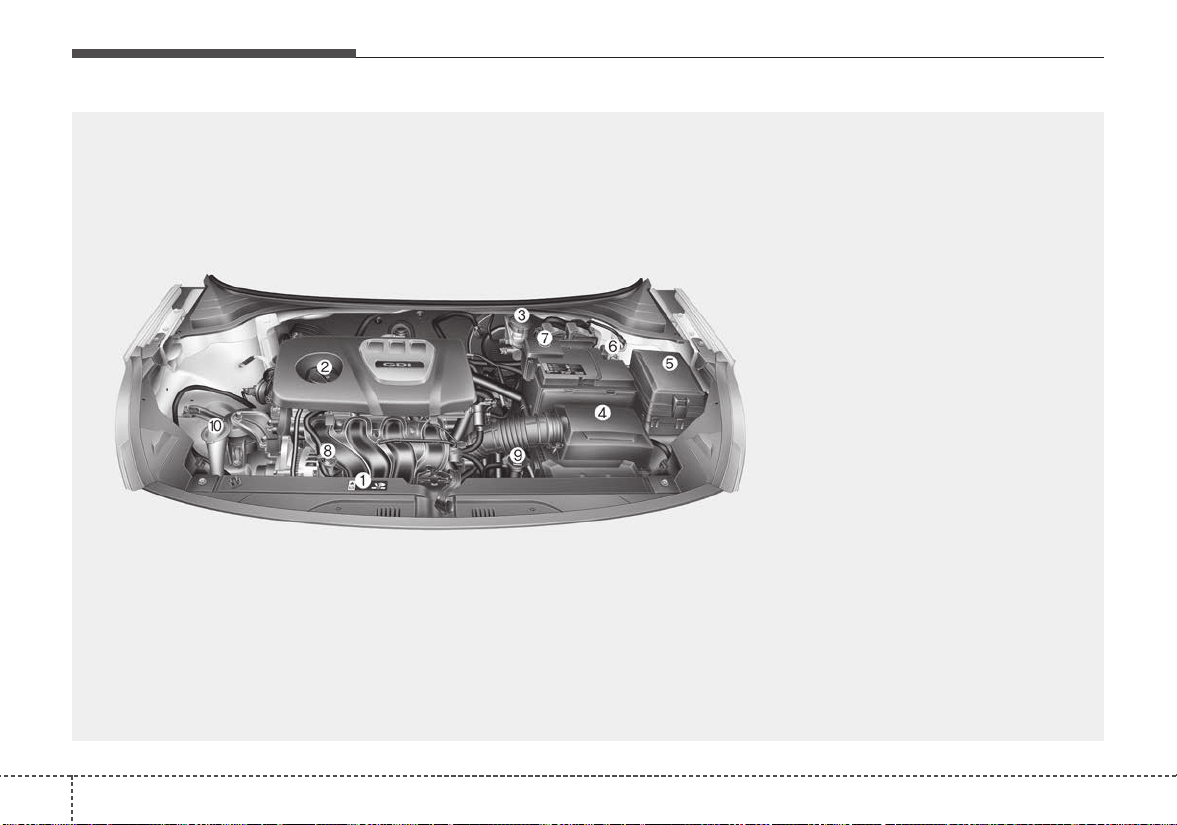
Maintenance
48
ENGINE COMPARTMENT
OSC077013N
■■
Gamma 1.6L GDI Engine (Gasoline)
❈ The actual engine compartment in the vehicle may differ from the illustration.
1. Engine coolant reservoir
2. Engine oil filler cap
3. Brake / clutch fluid reservoir
4. Air cleaner
5. Fuse box
6. Negative battery terminal
7. Positive battery terminal
8. Engine oil dipstick
9. Radiator cap
10.Windshield washer fluid reservoir

85
Maintenance
MAINTENANCE SERVICES
You should exercise the utmost care
to prevent damage to your vehicle
and injury to yourself whenever per-
forming any maintenance or inspec-
tion procedures.
Should you have any doubts con-
cerning the inspection or servicing of
your vehicle, we strongly recom-
mend that you have an authorized
Kia dealer perform this work.
An authorized Kia dealer has factory-
trained technicians and genuine Kia
parts to service your vehicle proper-
ly.For expert advice and quality serv-
ice, see an authorized Kia dealer.
Inadequate, incomplete or insuffi-
cient servicing may result in opera-
tional problems with your vehicle that
could lead to vehicle damage, an
accident, or personal injury.
Owner’s responsibility
✽✽
NOTICE
Maintenance Service and Record
Retention are the owner's responsi-
bility.
You should retain documents that
show proper maintenance has been
performed on your vehicle in accor-
dance with the scheduled mainte-
nance service charts shown on the
following pages. You need this infor-
mation to establish your compliance
with the servicing and maintenance
requirements of your vehicle war-
ranties.
Detailed warranty information is
provided in your Warranty &
Consumer Information manual.
Repairs and adjustments required as
a result of improper maintenance or
a lack of required maintenance are
not covered.
We recommend you have your vehi-
cle maintained and repaired by an
authorized Kia dealer. An authorized
Kia dealer meets Kia’s high service
quality standards and receives tech-
nical support from Kia in order to pro-
vide you with a high level of service
satisfaction.
✽✽
NOTICE - NHTSA Safety
Corrosion Alert
The National Highway Traffic
Safety Administration (NHTSA) has
issued a general warning to all vehi-
cle owners of all brands regarding
the risks associated with vehicle
underbody corrosion. From your
initial purchase, take the following
steps to prevent unsafe corrosion
damage to your vehicle:
(Continued)
Maintenance
68
(Continued)
• Wash the undercarriage of your
vehicle regularly during the win-
ter and whenever your vehicle has
been exposed to such salts or
chemicals.
• Do a thorough washing of the
undercarriage at the end of the
winter.
• Use professional service techni-
cians or governmental inspection
stations to annually inspect for
corrosion.
• Immediately seek an inspection of
your vehicle if you become visual-
ly aware of corrosion flaking or
scaling or if you become aware of
a change in vehicle performance,
such as soft or spongy brakes, flu-
ids leaking, impairment of direc-
tional control, suspension noises
or rattling metal straps.
NHTSA further advises that after
a vehicle is 7 years old, it is essen-
tial that you take these indicated
maintenance steps to ensure that
you protect yourself from unsafe
corrosion conditions.
Owner maintenance precau-
tions
Improper or incomplete service may
result in problems.This section gives
instructions only for the maintenance
items that are easy to perform.
As explained earlier in this section,
several procedures can be done only
by an authorized Kia dealer with spe-
cial tools.
✽✽
NOTICE
Improper owner maintenance dur-
ing the warranty period may affect
warranty coverage. For details, read
the separate Warranty & Consumer
Information manual provided with
the vehicle. If you're unsure about
any servicing or maintenance proce-
dure, have it done by an authorized
Kia dealer.
WARNING - Maintenance
work
Do not wear jewelry or loose
clothing while working under
the hood of your vehicle with
the engine running. These can
become entangled in moving
parts, if you must run the
engine while working under the
hood, make certain that you
remove all jewelry (especially
rings, bracelets, watches, and
necklaces) and all neckties,
scarves, and similar loose
clothing before getting near the
engine or cooling fans.
87
Maintenance
OWNER MAINTENANCE
The following lists are vehicle checks
and inspections that should be per-
formed by the owner or an author-
ized Kia dealer at the frequencies
indicated to help ensure safe,
dependable operation of your vehi-
cle.
Any adverse conditions should be
brought to the attention of your deal-
er as soon as possible.
These Owner Maintenance Checks
are generally not covered by war-
ranties and you may be charged for
labor, parts and lubricants used.
Owner maintenance schedule
When you stop for fuel:
• Check the engine oil level.
• Check the coolant level in coolant
reservoir.
• Check the windshield washer fluid
level.
• Look for low or under-inflated tires.
While operating your vehicle:
• Note any changes in the sound of
the exhaust or any smell of
exhaust fumes in the vehicle.
• Check for vibrations in the steering
wheel. Notice any increased steer-
ing effort or looseness in the steer-
ing wheel, or change in its straight-
ahead position.
• Notice if your vehicle constantly
turns slightly or “pulls” to one side
when traveling on smooth, level
road.
• When stopping, listen and check
for unusual sounds, pulling to one
side, increased brake pedal travel
or “hard-to-push” brake pedal.
• If any slipping or changes in the
operation of your transaxle occurs,
check the transaxle fluid level.
• Check the automatic transaxle P
(Park) function.
• Check the parking brake.
• Check for fluid leaks under your
vehicle (water dripping from the air
conditioning system during or after
use is normal).
WARNING - Hot coolant
Be careful when checking your
engine coolant level when the
engine is hot. Scalding hot
coolant and steam may blow
out under pressure.

Maintenance
88
At least monthly:
• Check the coolant level in the
engine coolant reservoir.
• Check the operation of all exterior
lights, including the stoplights, turn
signals and hazard warning flash-
ers.
• Check the inflation pressures of all
tires including the spare.
At least twice a year
(i.e., every Spring and Fall) :
• Check the radiator, heater and air
conditioning hoses for leaks or
damage.
• Check the windshield washer
spray and wiper operation. Clean
the wiper blades with clean cloth
dampened with washer fluid.
• Check the headlight alignment.
• Check the muffler, exhaust pipes,
shields and clamps.
• Check the lap/shoulder belts for
wear and function.
• Check for worn tires and loose
wheel lug nuts.
At least once a year :
• Clean the body and door drain
holes.
• Lubricate the door hinges and
check the hood hinges.
• Lubricate the door and hood locks
and latches.
• Lubricate the door rubber weather-
strips.
• Check the air conditioning system.
• Inspect and lubricate automatic
transaxle linkage and controls.
• Clean the battery and terminals.
• Check the brake fluid level.

89
Maintenance
SCHEDULED MAINTENANCE SERVICE
Follow the Normal Maintenance
Schedule if the vehicle is usually
operated where none of the following
conditions apply.If any of the following
conditions apply, follow the
Maintenance Under Severe Usage
Conditions.
• Repeated driving short distance of
less than 5 miles (8 km) in normal
temperature or less than 10 miles
(16 km) in freezing temperature
• Extensive engine idling or low
speed driving for long distances
• Driving on rough, dusty, muddy,
unpaved, graveled or salt-spread
roads
• Driving in areas using salt or other
corrosive materials or in very cold
weather
• Driving in heavy dust condition
• Driving in heavy traffic area
• Driving on uphill, downhill, or
mountain road repeatedly
• Towing a trailer or using a camper,
or roof rack
• Driving as a patrol car, taxi, other
commercial use of vehicle towing
• Driving over 106 mph (170 km/h)
• Frequently driving in stop-and-go
condition
If your vehicle is operated under the
above conditions, you should
inspect, replace or refill more fre-
quently than the following Normal
Maintenance Schedule. After 120
months or 150,000 miles continue to
follow the prescribed maintenance
intervals.
Maintenance
108
Normal Maintenance Schedule
22,500 miles (36,000 km) or 18 months
❑ Inspect air cleaner filter
❑ Inspect vacuum hose
❑ Replace engine oil and filter
(22,500 miles (36,000 km) or 36 months)
❑ Add fuel additive *
3
(22,500 miles (36,000 km) or 36 months)
❑ Rotate tire position (Every 7,500 miles (12,000 km))
The following maintenance services must be performed to ensure good emission control and performance.
Keep receipts for all vehicle emission services to protect your warranty.Where both mileage and time are shown, the
frequency of service is determined by whichever occurs first.
7,500 miles (12,000 km) or 6 months
❑ Inspect air cleaner filter
❑ Inspect vacuum hose
❑ Replace engine oil and filter
(7,500 miles (12,000 km) or 12 months)
❑ Add fuel additive *
3
(7,500 miles (12,000 km) or 12 months)
❑ Rotate tire position (Every 7,500 miles (12,000 km))
15,000 miles (24,000 km) or 12 months
❑ Inspect air cleaner filter
❑ Inspect vacuum hose
❑ Inspect air conditioning refrigerant
❑ Inspect brake hoses and lines
❑ Inspect drive shafts and boots
❑ Inspect exhaust pipe and muffler
❑ Inspect front brake disc/pads, calipers
❑ Inspect rear brake disc /pads, parking brake
❑ Inspect steering gear box, linkage & boots/lower arm ball joint,
upper arm ball joint
❑ Inspect suspension mounting bolts
(Continued)
*
3
If TOP TIER Detergent Gasoline is not available, one bottle of additive is rec-
ommended.Additives are available from your authorized Kia dealer along with
information on how to use them. Do not mix other additives.
❈ Inspect : Inspect and if necessary, adjust, correct, clean or replace.
(Continued)
❑ Replace climate control air filter (for evaporator and blower unit)
❑ Replace engine oil and filter
(15,000 miles (24,000 km) or 24 months)
❑ Add fuel additive *
3
(15,000 miles (24,000 km) or 24 months)
❑ Rotate tire position (Every 7,500 miles (12,000 km))

811
Maintenance
Normal Maintenance Schedule (CONT.)
37,500 miles (60,000 km) or 30 months
❑ Inspect air cleaner filter
❑ Inspect vacuum hose
❑ Inspect manual transaxle fluid (if equipped)
❑ Replace engine oil and filter
(37,500 miles (60,000 km) or 60 months)
❑ Add fuel additive *
3
(37,500 miles (60,000 km) or 60 months)
❑ Rotate tire position (Every 7,500 miles (12,000 km))
*
1
Fuel tank air filter is considered to be maintenance free but periodic inspec-
tion is recommended for this maintenance schedule depends on fuel quality.
*
3
If TOP TIER Detergent Gasoline is not available, one bottle of additive is rec-
ommended.Additives are available from your authorized Kia dealer along with
information on how to use them. Do not mix other additives.
❈ Inspect : Inspect and if necessary, adjust, correct, clean or replace.
30,000 miles (48,000 km) or 24 months
❑ Inspect vacuum hose
❑ Inspect air conditioning refrigerant
❑ Inspect brake hoses and lines
❑ Inspect drive shafts and boots
❑ Inspect exhaust pipe and muffler
❑ Inspect front brake disc/pads, calipers
❑ Inspect rear brake disc /pads, parking brake
❑ Inspect steering gear box, linkage & boots/lower arm ball joint,
upper arm ball joint
❑ Inspect suspension mounting bolts
❑ Inspect brake/clutch (if equipped) fluid
❑ Inspect fuel cap, fuel lines, fuel hoses and connections
❑ Inspect fuel tank air filter (if equipped) *
1
❑ Inspect vapor hose and fuel filler cap
❑ Replace climate control air filter (for evaporator and blower unit)
❑ Replace air cleaner filter
❑ Replace engine oil and filter
(30,000 miles (48,000 km) or 48 months)
❑ Add fuel additive *
3
(30,000 miles (48,000 km) or 48 months)
❑ Rotate tire position (Every 7,500 miles (12,000 km))

Maintenance
128
Normal Maintenance Schedule (CONT.)
45,000 miles (72,000 km) or 36 months
❑ Inspect air cleaner filter
❑ Inspect vacuum hose
❑ Inspect air conditioning refrigerant
❑ Inspect brake hoses and lines
❑ Inspect drive shafts and boots
❑ Inspect exhaust pipe and muffler
❑ Inspect front brake disc/pads, calipers
❑ Inspect rear brake disc /pads, parking brake
❑ Inspect steering gear box, linkage & boots/lower arm ball joint,
upper arm ball joint
❑ Inspect suspension mounting bolts
❑ Replace climate control air filter (for evaporator and blower unit)
❑ Replace engine oil and filter
(45,000 miles (72,000 km) or 72 months)
❑ Add fuel additive *
3
(45,000 miles (72,000 km) or 72 months)
❑ Rotate tire position (Every 7,500 miles (12,000 km))
52,500 miles (84,000 km) or 42 months
❑ Inspect air cleaner filter
❑ Inspect vacuum hose
❑ Replace engine oil and filter
(52,500 miles (84,000 km) or 84 months)
❑ Add fuel additive *
3
(52,500 miles (84,000 km) or 84 months)
❑ Rotate tire position (Every 7,500 miles (12,000 km))
*
3
If TOP TIER Detergent Gasoline is not available, one bottle of additive is rec-
ommended.Additives are available from your authorized Kia dealer along with
information on how to use them. Do not mix other additives.
❈ Inspect : Inspect and if necessary, adjust, correct, clean or replace.
813
Maintenance
60,000 miles (96,000 km) or 48 months
❑ Inspect vacuum hose
❑ Inspect air conditioning refrigerant
❑ Inspect brake hoses and lines
❑ Inspect drive shafts and boots
❑ Inspect exhaust pipe and muffler
❑ Inspect front brake disc/pads, calipers
❑ Inspect rear brake disc /pads, parking brake
❑ Inspect steering gear box, linkage & boots/lower arm ball joint,
upper arm ball joint
❑ Inspect suspension mounting bolts
❑ Inspect brake/clutch (if equipped) fluid
❑ Inspect fuel cap, fuel lines, fuel hoses and connections
❑ Inspect fuel tank air filter (if equipped) *
1
❑ Inspect vapor hose and fuel filler cap
❑ Inspect valve clearance (if equipped) *
2
(Every 60,000 miles (96,000 km) or 72 months)
❑ Inspect drive belts
(First, 60,000 miles (96,000 km) or 72 months
after every 15,000 miles (24,000 km) or 24 months)
❑ Replace climate control air filter (for evaporator and blower unit)
❑ Replace air cleaner filter
(Continued)
67,500 miles (108,000 km) or 54 months
❑ Inspect air cleaner filter
❑ Inspect vacuum hose
❑ Replace engine oil and filter
(67,500 miles (108,000 km) or 108 months)
❑ Add fuel additive *
3
(67,500 miles (108,000 km) or 108 months)
❑ Rotate tire position (Every 7,500 miles (12,000 km))
*
1
Fuel tank air filter is considered to be maintenance free but periodic inspec-
tion is recommended for this maintenance schedule depends on fuel quality.
*
2
Inspect for excessive tappet noise and/or engine vibration and adjust if nec-
essary.
*
3
If TOP TIER Detergent Gasoline is not available, one bottle of additive is rec-
ommended.Additives are available from your authorized Kia dealer along with
information on how to use them. Do not mix other additives.
❈ Inspect : Inspect and if necessary, adjust, correct, clean or replace.
(Continued)
❑ Replace engine oil and filter
(60,000 miles (96,000 km) or 96 months)
❑ Add fuel additive *
3
(60,000 miles (96,000 km) or 96 months)
❑ Rotate tire position (Every 7,500 miles (12,000 km))
Normal Maintenance Schedule (CONT.)

Maintenance
148
75,000 miles (120,000 km) or 60 months
❑ Inspect air cleaner filter
❑ Inspect vacuum hose
❑ Inspect air conditioning refrigerant
❑ Inspect brake hoses and lines
❑ Inspect drive shafts and boots
❑ Inspect exhaust pipe and muffler
❑ Inspect front brake disc/pads, calipers
❑ Inspect rear brake disc /pads, parking brake
❑ Inspect steering gear box, linkage & boots/lower arm ball joint,
upper arm ball joint
❑ Inspect suspension mounting bolts
❑ Inspect manual transaxle fluid (if equipped)
❑ Inspect drive belts
(First, 60,000 miles (96,000 km) or 72 months
after every 15,000 miles (24,000 km) or 24 months)
❑ Replace climate control air filter (for evaporator and blower unit)
❑ Replace engine oil and filter
(75,000 miles (120,000 km) or 120 months)
❑ Add fuel additive *
3
(75,000 miles (120,000 km) or 120 months)
❑ Rotate tire position (Every 7,500 miles (12,000 km))
82,500 miles (132,000 km) or 66 months
❑ Inspect air cleaner filter
❑ Inspect vacuum hose
❑ Replace engine oil and filter
(82,500 miles (132,000 km) or 132 months)
❑ Add fuel additive *
3
(82,500 miles (132,000 km) or 132 months)
❑ Rotate tire position (Every 7,500 miles (12,000 km))
*
3
If TOP TIER Detergent Gasoline is not available, one bottle of additive is rec-
ommended.Additives are available from your authorized Kia dealer along with
information on how to use them. Do not mix other additives.
❈ Inspect : Inspect and if necessary, adjust, correct, clean or replace.
Normal Maintenance Schedule (CONT.)
815
Maintenance
Normal Maintenance Schedule (CONT.)
97,500 miles (156,000 km) or 78 months
❑ Inspect air cleaner filter
❑ Inspect vacuum hose
❑ Replace spark plugs (iridium coated)
❑ Replace engine oil and filter
(97,500 miles (156,000 km) or 156 months)
❑ Add fuel additive *
3
(97,500 miles (156,000 km) or 156 months)
90,000 miles (144,000 km) or 72 months
❑ Inspect vacuum hose
❑ Inspect air conditioning refrigerant
❑ Inspect brake hoses and lines
❑ Inspect drive shafts and boots
❑ Inspect exhaust pipe and muffler
❑ Inspect front brake disc/pads, calipers
❑ Inspect rear brake disc /pads, parking brake
❑ Inspect steering gear box, linkage & boots/lower arm ball joint,
upper arm ball joint
❑ Inspect suspension mounting bolts
❑ Inspect brake/clutch (if equipped) fluid
❑ Inspect fuel cap, fuel lines, fuel hoses and connections
❑ Inspect fuel tank air filter (if equipped) *
1
❑ Inspect vapor hose and fuel filler cap
❑ Inspect drive belts (First, 60,000 miles (96,000 km) or 72 months
after every 15,000 miles (24,000 km) or 24 months)
❑ Replace climate control air filter (for evaporator and blower unit)
❑ Replace air cleaner filter
❑ Replace engine oil and filter
(90,000 miles (144,000 km) or 144 months)
(Continued)
*
1
Fuel tank air filter is considered to be maintenance free but periodic inspec-
tion is recommended for this maintenance schedule depends on fuel quality.
*
3
If TOP TIER Detergent Gasoline is not available, one bottle of additive is rec-
ommended.Additives are available from your authorized Kia dealer along with
information on how to use them. Do not mix other additives.
❈ Inspect : Inspect and if necessary, adjust, correct, clean or replace.
(Continued)
❑ Add fuel additive *
3
(90,000 miles (144,000 km) or 144 months)
❑ Rotate tire position (Every 7,500 miles (12,000 km))

Maintenance
168
105,000 miles (168,000 km) or 84 months
❑ Inspect air cleaner filter
❑ Inspect vacuum hose
❑ Inspect air conditioning refrigerant
❑ Inspect brake hoses and lines
❑ Inspect drive shafts and boots
❑ Inspect exhaust pipe and muffler
❑ Inspect front brake disc/pads, calipers
❑ Inspect rear brake disc /pads, parking brake
❑ Inspect steering gear box, linkage & boots/lower arm ball joint,
upper arm ball joint
❑ Inspect suspension mounting bolts
❑ Inspect drive belts
(First, 60,000 miles (96,000 km) or 72 months
after every 15,000 miles (24,000 km) or 24 months)
❑ Replace climate control air filter (for evaporator and blower unit)
❑ Replace engine oil and filter
(105,000 miles (168,000 km) or 168 months)
❑ Add fuel additive *
3
(105,000 miles (168,000 km) or 168 months
❑ Rotate tire position (Every 7,500 miles (12,000 km))
112,500 miles (180,000 km) or 90 months
❑ Inspect air cleaner filter
❑ Inspect vacuum hose
❑ Inspect manual transaxle fluid (if equipped)
❑ Replace engine oil and filter
(112,500 miles (180,000 km) or 180 months)
❑ Add fuel additive *
3
(112,500 miles (180,000 km) or 180 months
❑ Rotate tire position (Every 7,500 miles (12,000 km))
*
3
If TOP TIER Detergent Gasoline is not available, one bottle of additive is rec-
ommended.Additives are available from your authorized Kia dealer along with
information on how to use them. Do not mix other additives.
❈ Inspect : Inspect and if necessary, adjust, correct, clean or replace.
Normal Maintenance Schedule (CONT.)
817
Maintenance
Normal Maintenance Schedule (CONT.)
120,000 miles (192,000 km) or 96 months
❑ Inspect vacuum hose
❑ Inspect air conditioning refrigerant
❑ Inspect brake hoses and lines
❑ Inspect drive shafts and boots
❑ Inspect exhaust pipe and muffler
❑ Inspect front brake disc/pads, calipers
❑ Inspect rear brake disc /pads, parking brake
❑ Inspect steering gear box, linkage & boots/lower arm ball joint,
upper arm ball joint
❑ Inspect suspension mounting bolts
❑ Inspect brake/clutch (if equipped) fluid
❑ Inspect fuel cap, fuel lines, fuel hoses and connections
❑ Inspect fuel tank air filter (if equipped) *
1
❑ Inspect vapor hose and fuel filler cap
❑ Inspect valve clearance (if equipped) *
2
(Every 60,000 miles (96,000 km) or 72 months)
❑ Inspect drive belts (First, 60,000 miles (96,000 km) or 72 months
after every 15,000 miles (24,000 km) or 24 months)
❑ Replace climate control air filter (for evaporator and blower unit)
❑ Replace air cleaner filter
❑ Replace engine oil and filter
(120,000 miles (192,000 km) or 192 months)
(Continued)
*
1
Fuel tank air filter is considered to be maintenance free but periodic inspec-
tion is recommended for this maintenance schedule depends on fuel quality.
*
2
Inspect for excessive tappet noise and/or engine vibration and adjust if nec-
essary.
*
3
If TOP TIER Detergent Gasoline is not available, one bottle of additive is rec-
ommended.Additives are available from your authorized Kia dealer along with
information on how to use them. Do not mix other additives.
❈ Inspect : Inspect and if necessary, adjust, correct, clean or replace.
127,500 miles (204,000 km) or 102 months
❑ Inspect air cleaner filter
❑ Inspect vacuum hose
❑ Replace engine oil and filter
(127,500 miles (204,000 km) or 204 months)
❑ Add fuel additive *
3
(127,500 miles (204,000 km) or 204 months)
❑ Rotate tire position (Every 7,500 miles (12,000 km))
(Continued)
❑ Replace coolant
(First, 120,000 miles (192,000 km) or 120 months after that,
every 30,000 miles (48,000 km) or 24 months)
❑ Add fuel additive *
3
(120,000 miles (192,000 km) or 192 months)
❑ Rotate tire position (Every 7,500 miles (12,000 km))

Maintenance
188
Normal Maintenance Schedule (CONT.)
135,000 miles (216,000 km) or 108 months
❑ Inspect air cleaner filter
❑ Inspect vacuum hose
❑ Inspect air conditioning refrigerant
❑ Inspect brake hoses and lines
❑ Inspect drive shafts and boots
❑ Inspect exhaust pipe and muffler
❑ Inspect front brake disc/pads, calipers
❑ Inspect rear brake disc /pads, parking brake
❑ Inspect steering gear box, linkage & boots/lower arm ball joint,
upper arm ball joint
❑ Inspect suspension mounting bolts
❑ Inspect drive belts
(First, 60,000 miles (96,000 km) or 72 months
after every 15,000 miles (24,000 km) or 24 months)
❑ Replace climate control air filter (for evaporator and blower unit)
❑ Replace engine oil and filter
(135,000 miles (216,000 km) or 216 months)
❑ Add fuel additive *
3
(135,000 miles (216,000 km) or 216 months)
❑ Rotate tire position (Every 7,500 miles (12,000 km))
142,500 miles (228,000 km) or 114 months
❑ Inspect air cleaner filter
❑ Inspect vacuum hose
❑ Replace engine oil and filter
(142,500 miles (228,000 km) or 228 months)
❑ Add fuel additive *
3
(142,500 miles (228,000 km) or 228 months)
❑ Rotate tire position (Every 7,500 miles (12,000 km))
*
3
If TOP TIER Detergent Gasoline is not available, one bottle of additive is rec-
ommended.Additives are available from your authorized Kia dealer along with
information on how to use them. Do not mix other additives.
❈ Inspect : Inspect and if necessary, adjust, correct, clean or replace.
819
Maintenance
Normal Maintenance Schedule (CONT.)
150,000 miles (240,000 km) or 120 months
❑ Inspect vacuum hose
❑ Inspect air conditioning refrigerant
❑ Inspect brake hoses and lines
❑ Inspect drive shafts and boots
❑ Inspect exhaust pipe and muffler
❑ Inspect front brake disc/pads, calipers
❑ Inspect rear brake disc /pads, parking brake
❑ Inspect steering gear box, linkage & boots/lower arm ball joint,
upper arm ball joint
❑ Inspect suspension mounting bolts
❑ IInspect brake/clutch (if equipped) fluid
❑ Inspect fuel lines, fuel hoses and connections
❑ Inspect fuel tank air filter (if equipped) *
1
❑ Inspect vapor hose and fuel filler cap
❑ Inspect manual transaxle fluid (if equipped)
❑ Inspect drive belts
(First, 60,000 miles (96,000 km) or 72 months
after every 15,000 miles (24,000 km) or 24 months)
❑ Replace climate control air filter (for evaporator and blower unit)
❑ Replace air cleaner filter
(Continued)
(Continued)
❑ Replace engine oil and filter
(150,000 miles (240,000 km) or 240 months)
❑ Replace coolant
(First, 120,000 miles (192,000 km) or 120 months after that,
every 30,000 miles (48,000 km) or 24 months)
❑ Add fuel additive *
3
(150,000 miles (240,000 km) or 240 months)
❑ Rotate tire position (Every 7,500 miles (12,000 km))
No check, No service required
❑ Automatic transmission fluid (if equipped)
*
1
Fuel tank air filter is considered to be maintenance free but periodic inspec-
tion is recommended for this maintenance schedule depends on fuel quality.
*
3
If TOP TIER Detergent Gasoline is not available, one bottle of additive is rec-
ommended.Additives are available from your authorized Kia dealer along with
information on how to use them. Do not mix other additives.
❈ Inspect : Inspect and if necessary, adjust, correct, clean or replace.
Maintenance
208
Maintenance Under Severe Usage Conditions
Severe Driving Conditions
A - Repeatedly driving short distance of less than 5 miles (8 km) in normal
temperature or less than 10 miles (16 km) in freezing temperature
B -Extensive engine idling or low speed driving for long distances
C - Driving on rough, dusty, muddy, unpaved, graveled or salt- spread roads
D - Driving in areas using salt or other corrosive materials or in very cold
weather
E -Driving in heavy dust condition
F - Driving in heavy traffic area
G- Driving on uphill, downhill, or mountain road
H - Towing a Trailer, or using a camper, or roof rack
I - Driving as a patrol car, taxi, other commercial use or vehicle towing
J - Driving over 106 mph (170 km/h)
K -Frequently driving in stop-and-go conditions
The following items must be serviced more frequently on cars normally used under severe driving conditions.
Refer to the chart below for the appropriate maintenance intervals.
R : Replace I : Inspect and, after inspection, clean, adjust, repair or replace if necessary
MAINTENANCE ITEM
MAINTENANCE
OPERATION
MAINTENANCE INTERVALS DRIVING CONDITION
Engine oil and filter R Every 3,750 miles (6,000 km) or 6 months
A, B, C, D, E, F, G,
H, I, J, K
Air cleaner filter R More frequently C, E
Spark plugs R More frequently B, H
Automatic transmission fluid R Every 60,000 miles (96,000 km) A, C, E, F, G, I
Manual transaxle fluid R Every 75,000 miles (120,000 km) C, D, E, F, G, H, I, J
Front brake disc/pads, calipers I More frequently C, D, G, H
Rear brake disc/pads I More frequently C, D, G, F
Parking brake I More frequently C, D, G, H
Steering gear box, linkage & boots/lower arm ball joint,
upper arm ball joint
I More frequently C, D, E, F, G, H, I
Drive shafts and boots I More frequently C, D, E, F, G, H, I, J
Climate control air filter (for evaporator and blower unit) R More frequently C, E

821
Maintenance
EXPLANATION OF SCHEDULED MAINTENANCE ITEMS
Engine oil and filter
The engine oil and filter should be
changed at the intervals specified in
the maintenance schedule. If the
vehicle is being driven in severe con-
ditions, more frequent oil and filter
changes are required.
Drive belts
Inspect all drive belts for evidence of
cuts, cracks, excessive wear or oil
saturation and replace if necessary.
Drive belts should be checked peri-
odically for proper tension and
adjusted as necessary.
Fuel filter (for gasoline)
Kia gasoline vehicle is equipped a
lifetime fuel filter that integrated with
the fuel tank. Regular maintenance
or replacement is not needed but
depends on fuel quality. If there are
some important safety matters like
fuel flow restriction, surging, loss of
power, hard starting problem etc, fuel
filter inspection or replace is needed.
The fuel filter be Inspected or
replaced by an authorized Kia dealer.
Fuel lines, fuel hoses and con-
nections
Check the fuel lines, fuel hoses and
connections for leakage and dam-
age. Have an authorized Kia dealer
replace any damaged or leaking
parts immediately.
Vapor hose and fuel filler cap
The vapor hose and fuel filler cap
should be inspected at those inter-
vals specified in the maintenance
schedule. Make sure that a new
vapor hose or fuel filler cap is cor-
rectly replaced.

Maintenance
228
Vacuum crankcase ventilation
hoses
Inspect the surface of hoses for evi-
dence of heat and/or mechanical
damage. Hard and brittle rubber,
cracking, tears, cuts, abrasions, and
excessive swelling indicate deterio-
ration. Particular attention should be
paid to examine those hose surfaces
nearest to high heat sources, such
as the exhaust manifold.
Inspect the hose routing to assure
that the hoses do not come in con-
tact with any heat source, sharp
edges or moving component which
might cause heat damage or
mechanical wear. Inspect all hose
connections, such as clamps and
couplings, to make sure they are
secure, and that no leaks are pres-
ent. Hoses should be replaced
immediately if there is any evidence
of deterioration or damage.
Air cleaner filter
A Genuine Kia air cleaner filter is rec-
ommended when the filter is replaced.
Spark plugs
Make sure to install new spark plugs
of the correct heat range.
Valve clearance (if equipped)
Inspect excessive valve noise and/or
engine vibration and adjust if neces-
sary. An authorized Kia dealer
should perform the operation.
Cooling system
Check the cooling system compo-
nents, such as the radiator, coolant
reservoir, hoses and connections for
leakage and damage. Replace any
damaged parts.
Coolant
The coolant should be changed at
the intervals specified in the mainte-
nance schedule.
Manual transaxle fluid
(if equipped)
Inspect the manual transaxle fluid
according to the maintenance sched-
ule.
Automatic transaxle fluid
Automatic transaxle fluid should not
be checked under normal usage
conditions.
But in severe conditions, the fluid
should be changed at an authorized
Kia dealer in accordance to the
scheduled maintenance at the begin-
ning of this chapter.
✽✽
NOTICE
Automatic transaxle fluid color is
basically red.
As the vehicle is driven, the auto-
matic transaxle fluid will begin to
look darker.
It is normal condition and you should
not judge the need to replace the fluid
based upon the changed color.
823
Maintenance
Brake hoses and lines
Visually check for proper installation,
chafing, cracks, deterioration and
any leakage. Replace any deteriorat-
ed or damaged parts immediately.
✽✽
NOTICE - NHTSA Safety
Corrosion Alert
NHTSA has warned all vehicle own-
ers of all brands that they must main-
tain their vehicles in a manner which
will prevent brake hose and brake line
failures due to corrosion when such
vehicles are exposed to winter road
salt and related chemicals. While seri-
ous corrosion conditions typically only
manifest themselves as safety issues
after 7 years of vehicle use, the corro-
sion process starts immediately and
thus underbody cleaning maintenance
must commence from your vehicle's
first exposure to road salts and chem-
icals. NHTSA urges vehicle owners to
take the following steps to prevent
corrosion:
(Continued)
(Continued)
1. Wash the undercarriage of your
vehicle regularly throughout the
winter and do a thorough washing
in the spring to remove road salt
and other de-icing chemicals.
2. Monitor the brake system for
signs of corrosion by having regu-
lar professional inspections and
watching for signs of problems,
including loss of brake fluid,
unusual leaks and soft or spongy
feel in the brake pedal.
3. Replace the entire brake pipe
assembly if you find severe corro-
sion that causes scaling or flaking
of brake components.
CAUTION
Use only specified automatic
transaxle fluid.The use of a non-
specified fluid could result in a
transaxle malfunction and fail-
ure. (Refer to "Recommended
lubricants and capacities" in
chapter 9.)

Maintenance
248
Brake/Clutch fluid
Check the brake/clutch fluid level in
the brake/clutch fluid reservoir. The
level should be between “MIN” and
“MAX” marks on the side of the
reservoir. Use only hydraulic
brake/clutch fluid conforming to DOT
3 or DOT 4 specification.
Parking brake
Inspect the parking brake system
including the parking brake pedal
and cables.
Brake discs, pads, calipers
and rotors
Check the pads for excessive wear,
discs for run out and wear, and
calipers for fluid leakage.
Exhaust pipe and muffler
Visually inspect the exhaust pipes,
muffler and hangers for cracks, dete-
rioration, or damage. Start the
engine and listen carefully for any
exhaust gas leakage. Tighten con-
nections or replace parts as neces-
sary.
Suspension mounting bolts
Check the suspension connections
for looseness or damage. Retighten
to the specified torque.
Steering gear box, linkage &
boots/lower arm ball joint
With the vehicle stopped and engine
off, check for excessive free-play in
the steering wheel.
Check the linkage for bends or dam-
age. Check the dust boots and ball
joints for deterioration, cracks, or
damage. Replace any damaged
parts.
Drive shafts and boots
Check the drive shafts, boots and
clamps for cracks, deterioration, or
damage. Replace any damaged
parts and, if necessary, repack the
grease.
Air conditioning refrigerant
Check the air conditioning lines and
connections for leakage and damage.

825
Maintenance
CHECKING FLUID LEVELS
When checking engine oil, engine
coolant, brake fluid, and washer fluid,
always be sure to clean the area
around any filler plug, drain plug, or
dipstick before checking or draining
any lubricant or fluid. This is espe-
cially important in dusty or sandy
areas and when the vehicle is used
on unpaved roads. Cleaning the plug
and dipstick areas will prevent dirt
and grit from entering the engine and
other mechanisms that could be
damaged.
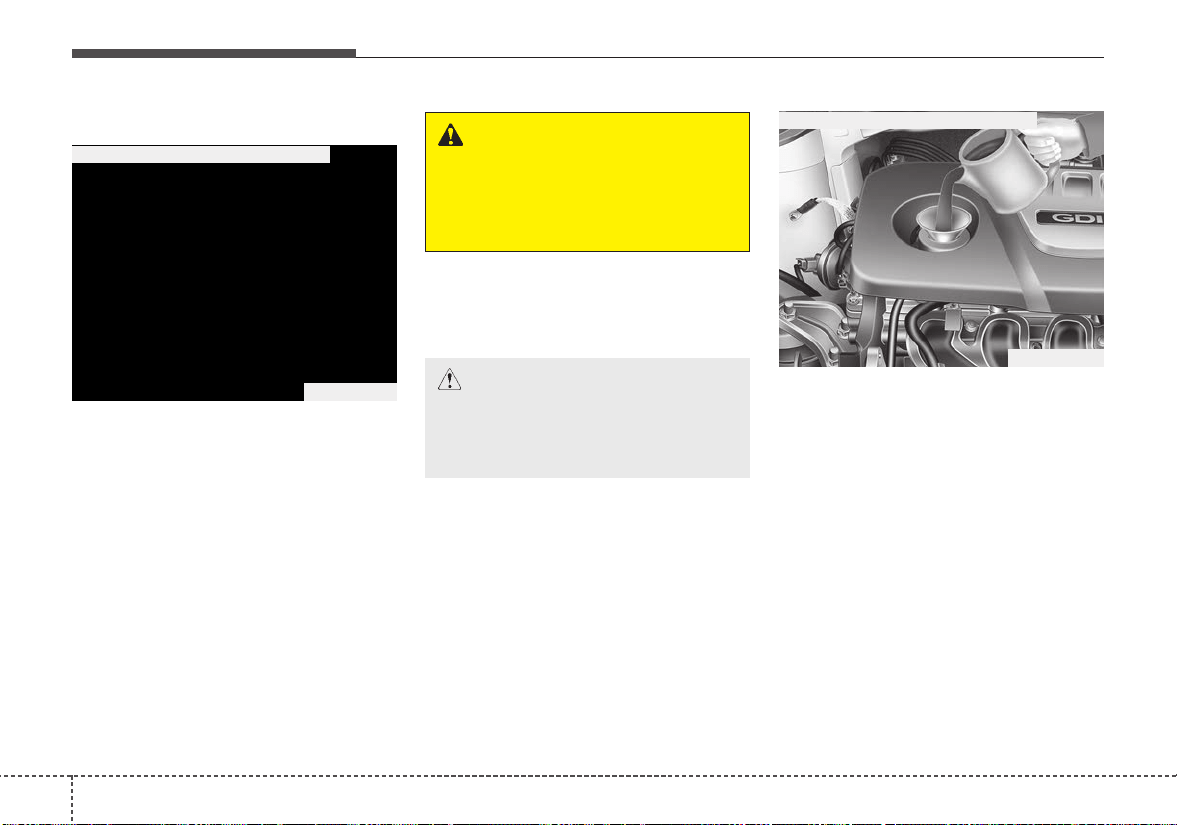
Maintenance
268
ENGINE OIL
Checking the engine oil level
1. Be sure the vehicle is on level
ground.
2. Start the engine and allow it to
reach normal operating tempera-
ture.
3.Turn the engine off and wait for a
few minutes (about 5 minutes) for
the oil to return to the oil pan.
4. Pull the dipstick out, wipe it clean,
and reinsert it fully.
5. Pull the dipstick out again and
check the level. The level should
be between F and L.
If it is near or at L, add enough oil to
bring the level to F. Do not overfill.
Use a funnel to help prevent oil
from being spilled on engine com-
ponents.
Use only the specified engine oil.
(Refer to “Recommended lubricants
and capacities” in chapter 9.)
CAUTION - Replacing
engine oil
Do not overfill the engine oil. It
may damage the engine.
WARNING - Radiator hose
Be very careful not to touch the
radiator hose when checking or
adding the engine oil as it may
be hot enough to burn you.
OSC077014N
■ Gamma 1.6L GDI Engine (Gasoline)
OSC077015N
■ Gamma 1.6L GDI Engine (Gasoline)
827
Maintenance
Changing the engine oil and
filter
Have engine oil and filter changed by
an authorized Kia dealer according
to the Maintenance Schedule at the
beginning of this chapter.
CALIFORNIA PROPO-
SITION 65 WARNING
Engine oil contains chemicals
known to the State of California
to cause cancer, birth defects
and reproductive harm. Used
engine oil may cause irritation or
cancer of the skin if left in con-
tact with the skin for prolonged
periods of time. Always protect
your skin by washing your
hands thoroughly with soap and
warm water as soon as possible
after handling used oil.
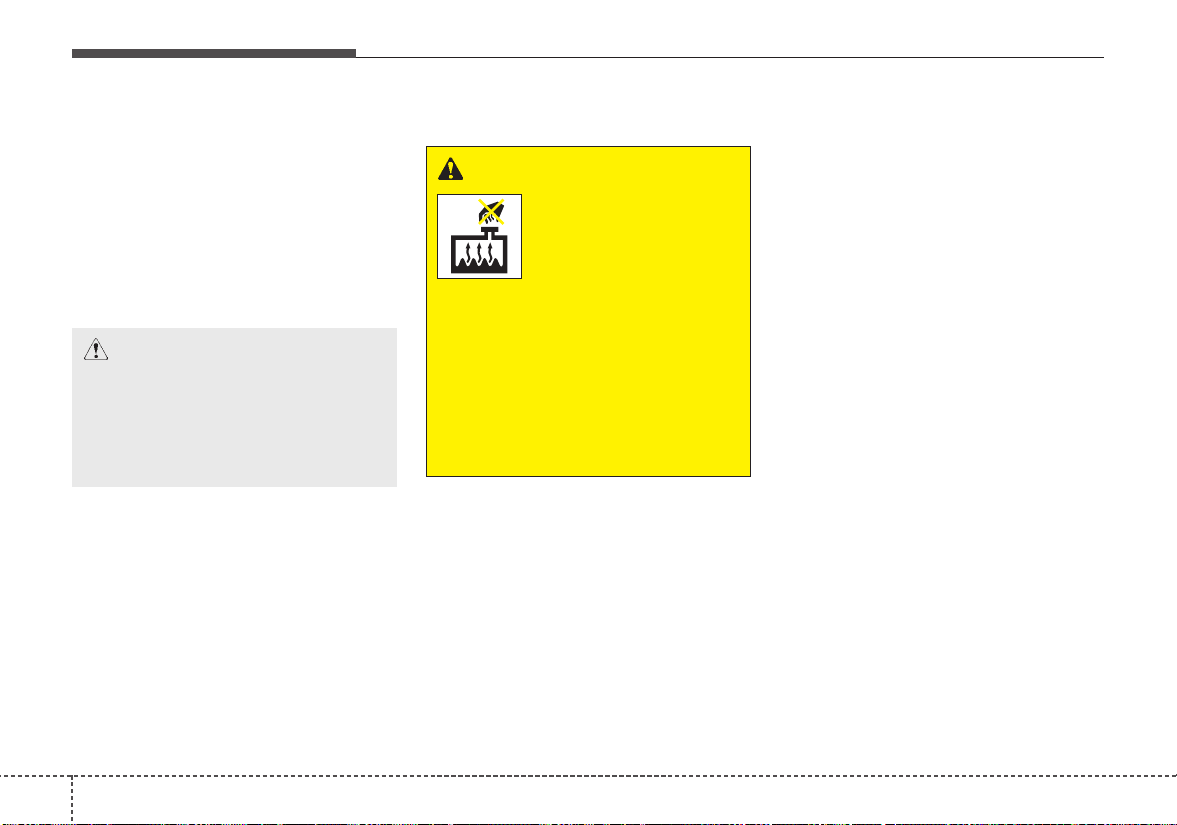
Maintenance
288
ENGINE COOLANT
The high-pressure cooling system
has a reservoir filled with year round
antifreeze coolant. The reservoir is
filled at the factory.
Check the antifreeze protection and
coolant level at least once a year: at
the beginning of the winter season,
and before traveling to a colder cli-
mate.
Checking the coolant level
• Turn the engine off and wait until it
cools down. Use extreme care
when removing the radiator cap.
Wrap a thick towel around it, and
turn it counterclockwise slowly to
the first stop. Step back while the
pressure is released from the cool-
ing system.
When you are sure all the pressure
has been released, press down on
the cap, using a thick towel, and
continue turning counterclockwise
to remove it.
• Even if the engine is not operating,
do not remove the radiator cap or
the drain plug while the engine and
radiator are hot. Hot coolant and
steam may still blow out under
pressure, causing serious injury.
WARNING
Removing radiator
cap
Never attempt to remove the
radiator cap while the engine is
operating or hot. Doing so
might lead to cooling system
and engine damage and could
result in serious personal injury
from escaping hot coolant or
steam.
CAUTION - Radiator cap
Never attempt to remove the
radiator cap while the engine is
operating or hot. Doing so
might lead to cooling system
and engine damage.
829
Maintenance
Check the condition and connections
of all cooling system hoses and
heater hoses. Replace any swollen
or deteriorated hoses.
The coolant level should be filled
between F and L marks on the side
of the coolant reservoir when the
engine is cool.
If the coolant level is low, add enough
specified coolant to provide protec-
tion against freezing and corrosion.
Bring the level to F, but do not over-
fill. If frequent additions are required,
see an authorized Kia dealer for a
cooling system inspection.
Recommended engine coolant
• When adding coolant, use only
deionized water or soft water for
your vehicle and never mix hard
water in the coolant filled at the fac-
tory. An improper coolant mixture
can result in serious malfunction or
engine damage.
• The engine in your vehicle has alu-
minum engine parts and must be
protected by an ethylene-glycol
with phosphate based coolant to
prevent corrosion and freezing.
• DO NOT USE alcohol or methanol
coolant or mix them with the spec-
ified coolant.
• Do not use a solution that contains
more than 60% antifreeze or less
than 35% antifreeze. This would
reduce the effectiveness of the
solution.
OSC077016N
WARNING - Cooling fan
Use caution when
working near the
blade of the cooling
fan. The electric
motor (cooling fan) is
controlled by engine coolant
temperature, refrigerant pres-
sure and vehicle speed. it may
sometimes operate even when
the engine is not running.
Maintenance
308
For mixture percentage, refer to the
following table.
Changing the coolant
Have the coolant changed by an
authorized Kia dealer according to
the Maintenance Schedule at the
beginning of this chapter.
Put a thick cloth around the radiator
cap before refilling the coolant in
order to prevent the coolant from
overflowing into engine parts such as
the alternator.
OSC077017N
Ambient
Temperature
Mixture Percentage
(volume)
Antifreeze Water
5°F (-15°C)
35 65
-13°F (-25°C)
40 60
-31°F (-35°C)
50 50
-49°F (-45°C)
60 40
WARNING
Radiator cap
Do not remove the radiator cap
when the engine and radiator
are hot. Scalding hot coolant
and steam may blow out under
pressure which may result in
serious injury.
CAUTION
Put a thick cloth or fabric
around the radiator cap before
refilling the coolant in order to
prevent the coolant from over-
flowing into engine parts such
as the generator.
831
Maintenance
BRAKE/CLUTCH FLUID (IF EQUIPPED)
Checking the brake/clutch
fluid level
Check the fluid level in the reservoir
periodically. The fluid level should be
between MAX (Maximum) and MIN
(Minimum) marks on the side of the
reservoir.
Before removing the reservoir cap
and adding brake/clutch fluid, clean
the area around the reservoir cap
thoroughly to prevent brake/clutch
fluid contamination.
If the level is low, add fluid to the
MAX (Maximum) level. The level will
fall with accumulated mileage.This is
a normal condition associated with
the wear of brake linings. If the fluid
level is excessively low, have the
brake system checked by an author-
ized Kia dealer.
Use only the specified brake/clutch
fluid. (Refer to “Recommended lubri-
cants and capacities” in chapter 9.)
Never mix different types of fluid.
In the event the brake system
requires frequent additions of fluid,
the vehicle should be inspected by
an authorized Kia dealer.
When changing and adding
brake/clutch fluid, handle it carefully.
Do not let it come in contact with
your eyes.If brake/clutch fluid should
come in contact with your eyes,
immediately flush them with a large
quantity of fresh tap water.Have your
eyes examined by a doctor as soon
as possible.
Brake/clutch fluid, which has been
exposed to open air for an extended
time should never be used as its
quality cannot be guaranteed. It
should be disposed of properly.
OYB076013
CAUTION - Brake/clutch
fluid
Do not allow brake/clutch fluid to
contact the vehicle's body paint,
as paint damage will result.
CAUTION - Proper fluid
Only use brake/clutch fluid in
brake system. Small amounts of
improper fluids (such as engine
oil) can cause damage to the
brake system.
Maintenance
328
WASHER FLUID
Checking the washer fluid
level
The reservoir is translucent so that
you can check the level with a quick
visual inspection.
Check the fluid level in the washer
fluid reservoir and add fluid if neces-
sary. Plain water may be used if
washer fluid is not available.
However, use washer solvent with
antifreeze characteristics in cold cli-
mates to prevent freezing.
WARNING - Flammable
fluid
Do not allow the washer fluid to
come in contact with open
flames or sparks.The windshield
washer fluid reservoir is flamma-
ble under certain circumstances.
This can result in a fire.
WARNING - Windshield
fluid
Do not drink the windshield
washer fluid. The windshield
washer fluid is poisonous to
humans and animals.
WARNING - Coolant
• Do not use radiator coolant or
antifreeze in the washer fluid
reservoir.
• Radiator coolant can severely
obscure visibility when sprayed
on the windshield and may
cause loss of vehicle control.
OSC077019N
833
Maintenance
Checking the parking brake
Check the stroke of the parking
brake by counting the number of
“clicks’’ heard while fully applying it
from the released position. Also, the
parking brake alone should securely
hold the vehicle on a fairly steep
grade. If the stroke is more or less
than specified, have the parking
brake adjusted by an authorized Kia
dealer.
Stroke : 5~7 “clicks’’ at a force of 44
lbs (20 kg, 196 N).
PARKING BRAKE
OYB076016
Maintenance
348
AIR CLEANER
Filter replacement
It must be replaced when necessary,
and should not be washed.
You can clean the filter when inspect-
ing the air cleaner element.
Clean the filter by using compressed
air.
1.Loosen the air cleaner cover
attaching clips and open the cover.
2.Wipe the inside of the air cleaner.
3. Replace the air cleaner filter.
4. Lock the cover with the cover
attaching clips.
OYB076018
OYB076020 OYB076021
835
Maintenance
Replace the filter according to the
Maintenance Schedule.
If the vehicle is operated in extreme-
ly dusty or sandy areas, replace the
element more often than the usual
recommended intervals. (Refer to
“Maintenance under severe usage
conditions” in this chapter.)
CAUTION - Air filter
maintenance
• Do not drive with the air clean-
er removed; this will result in
excessive engine wear.
• When removing the air cleaner
filter, be careful that dust or
dirt does not enter the air
intake, or damage may result.
• Use a Kia genuine part. Use of
a non-genuine part could
damage the air flow sensor.
Maintenance
368
CLIMATE CONTROL AIR FILTER
Filter inspection
The climate control air filter should
be replaced according to the
Maintenance Schedule.If the vehicle
is operated in severely air-polluted
cities or on dusty rough roads for a
long period, it should be inspected
more frequently and replaced earlier.
When you replace the climate control
air filter, replace it performing the fol-
lowing procedure, and be careful to
avoid damaging other components.
1. Open the glove box and remove
the stoppers on both sides.
2.With the glove box open, pull the
support strap (1).
OYB076023OYB076022
837
Maintenance
3. Remove the climate control air fil-
ter cover while pressing the lock
on the both sides of the cover.
4. Replace the climate control air fil-
ter.
5. Reassemble in the reverse order
of disassembly.
When replacing the climate control
air filter install it properly. Otherwise,
the system may produce noise and
the effectiveness of the filter may be
reduced.
OSC076007 OQL075021
Maintenance
388
WIPER BLADES
Blade inspection
Commercial hot waxes applied by
automatic car washes have been
known to make the windshield diffi-
cult to clean.
Contamination of either the wind-
shield or the wiper blades with for-
eign matter can reduce the effective-
ness of the windshield wipers.
Common sources of contamination
are insects, tree sap, and hot wax
treatments used by some commer-
cial car washes. If the blades are not
wiping properly, clean both the win-
dow and the blades with a good
cleaner or mild detergent, and rinse
thoroughly with clean water.
Blade replacement
When the wipers no longer clean
adequately, the blades may be worn
or cracked, and require replacement.
To prevent damage to the wiper arms
or other components, do not attempt
to move the wipers manually.
The use of a non-specified wiper
blade could result in wiper malfunc-
tion and failure.
1JBA5122
CAUTION - Wiper blades
To prevent damage to the wiper
blades, do not use gasoline,
kerosene, paint thinner, or other
solvents on or near them.
839
Maintenance
Front windshield wiper blade
Type A
1. Raise the wiper arm and turn the
wiper blade assembly to expose
the plastic locking clip.
2. Compress the clip (1) and slide
the blade assembly downward (2).
3. Lift it off the arm.
4. Install the blade assembly in the
reverse order of removal.
1LDA5023
CAUTION - Wiper arms
Do not allow the wiper arm to
fall against the windshield,
since it may chip or crack the
windshield.
1JBA7037
1JBA7038

Maintenance
408
Type B
1. Raise the wiper arm.
2. Lift up the wiper blade clip. Then
pull down the blade assembly and
remove it.
3. Install the new blade assembly in
the reverse order of removal.
Rear window wiper blade (5 Door)
1. Raise the wiper arm and pull out
the wiper blade assembly.
OHM078059
OHM078060
OHM078061
OHM078062
841
Maintenance
2. Install the new blade assembly by
inserting the center part into the
slot in the wiper arm until it clicks
into place.
3. Make sure the blade assembly is
installed firmly by trying to pull it
slightly.
To prevent damage to the wiper arms
or other components, have an
authorized Kia dealer replace the
wiper blade.
OHM078063
Maintenance
428
BATTERY
For best battery service
• Keep the battery securely mount-
ed.
• Keep the battery top clean and dry.
• Keep the terminals and connec-
tions clean, tight, and coated with
petroleum jelly or terminal grease.
• Rinse any spilled electrolyte from
the battery immediately with a
solution of water and baking soda.
• If the vehicle is not going to be
used for an extended time, discon-
nect the battery cables.
Always read the following
instructions carefully when
handling a battery.
If any electrolyte gets into
your eyes, flush your eyes
with clean water for at least
15 minutes and get immedi-
ate medical attention.
If electrolyte gets on your
skin, thoroughly wash the
contacted area. If you feel
pain or burning sensation,
get medical attention imme-
diately.
An inappropriately disposed
battery can be harmful to the
environment and human
health. Dispose the battery
according to your local law(s)
or regulation.
The battery contains lead.Do
not dispose of it after use.
Please return the battery to
an authorized Kia dealer to
be recycled.
Never attempt to recharge the bat-
tery when the battery cables are con-
nected.
WARNING - Risk of
explosion
Keep lit cigarettes and
all other flames or
sparks away from the
battery.
The battery contains
hydrogen -- a highly
combustible gas which
will explode if it comes
in contact with a flame or
spark.
Keep batteries out of the
reach of children
because batteries con-
tain highly corrosive
SULFURIC ACID and
electrolytes. Do not
allow battery acid to
contact your skin, eyes,
clothing or paint finish.
Wear eye protection
when charging or work-
ing near a battery.
Always provide ventila-
tion when working in an
enclosed space.
OYB076025
843
Maintenance
✽✽
NOTICE
If you connect unauthorized elec-
tronic devices to the battery, the bat-
tery may be discharged. Never use
unauthorized devices.
Recharging the battery
Your vehicle has a maintenance-free,
calcium-based battery.
• If the battery becomes discharged
in a short time (because, for exam-
ple, the headlamps or interior
lamps were left on while the vehi-
cle was not in use), recharge it by
slow charging (trickle) for 10 hours.
• If the battery gradually discharges
because of high electric load while
the vehicle is being used, recharge
it at 20-30A for two hours.
CALIFORNIA PROPO-
SITION 65 WARNING
Battery posts, terminals, and
related accessories contain
lead and lead compounds,
chemicals known to the State of
California to cause cancer, birth
defects and reproductive harm.
Batteries also contain other
chemicals known to the State of
California to cause cancer.
Wash hands after handling.
WARNING - Risk of elec-
trocution
Never touch the electrical igni-
tion system while the vehicle is
running. This system works
with high voltage which can
shock you.
WARNING - Recharging
Battery
Never attempt to recharge the
battery when the battery cables
are connected.

Maintenance
448
When recharging the battery,
observe the following precautions:
• The battery must be removed from
the vehicle and placed in an area
with good ventilation.
• Do not allow cigarettes, sparks, or
flame near the battery.
• Watch the battery during charging,
and stop or reduce the charging
rate if the battery cells begin
gassing (boiling) violently or if the
temperature of the electrolyte of
any cell exceeds 120°F (49°C).
• Wear eye protection when check-
ing the battery during charging.
• Disconnect the battery charger in
the following order.
1.Turn off the battery charger main
switch.
2. Unhook the negative clamp from
the negative battery terminal.
3. Unhook the positive clamp from
the positive battery terminal.
• Before performing maintenance or
recharging the battery, turn off all
accessories and stop the engine.
• The negative battery cable must be
removed first and installed last
when the battery is disconnected.
Reset items
Items should be reset after the bat-
tery has been discharged or the bat-
tery has been disconnected.
• Auto up/down window
(See chapter 4)
• Sunroof (See chapter 4)
• Trip computer (See chapter 4)
• Climate control system
(See chapter 4)
845
Maintenance
TIRES AND WHEELS
Tire care
For proper maintenance, safety, and
maximum fuel economy, you must
always maintain recommended tire
inflation pressures and stay within
the load limits and weight distribution
recommended for your vehicle.
Recommended cold tire infla-
tion pressures
All tire pressures (including the
spare) should be checked when the
tires are cold.“Cold Tires” means the
vehicle has not been driven for at
least three hours or driven less than
one mile (1.6 km).
Recommended pressures must be
maintained for the best ride, top vehi-
cle handling, and minimum tire wear.
For recommended inflation pressure
refer to “Tire and wheels”in chapter 9.
All specifications (sizes and pres-
sures) can be found on a label
attached to the driver’s side center
pillar.
WARNING - Tire underin-
flation
Inflate your tires consistent with
the instructions provided in this
manual. Severe underinflation
(10 psi (70 kPa) or more) can
lead to severe heat build-up,
causing blowouts, tread separa-
tion and other tire failures that
can result in the loss of vehicle
control.This risk is much higher
on hot days and when driving
for long periods at high speeds.
OUB071018
Maintenance
468
• Underinflation also results in
excessive wear, poor handling and
reduced fuel economy. Wheel
deformation also is possible. Keep
your tire pressures at the proper
levels. If a tire frequently needs
refilling, have it checked by an
authorized Kia dealer.
• Overinflation produces a harsh
ride, excessive wear at the center
of the tire tread, and a greater pos-
sibility of damage from road haz-
ards.
• Warm tires normally exceed rec-
ommended cold tire pressures by 4
to 6 psi (28 to 41 kPa). Do not
release air from warm tires to
adjust the pressure or the tires will
be underinflated.
• Be sure to reinstall the tire inflation
valve caps. Without the valve cap,
dirt or moisture could get into the
valve core and cause air leakage.If
a valve cap is missing, install a
new one as soon as possible.
Tire pressure
Always observe the following:
• Check tire pressure when the tires
are cold. (After vehicle has been
parked for at least three hours or
hasn't been driven more than one
mile (1.6 km) since startup.)
• Check the pressure of your spare
tire each time you check the pres-
sure of other tires.
• Never overload your vehicle. Be
careful not to overload a vehicle
luggage rack if your vehicle is
equipped with one.
Checking tire inflation pres-
sure
Check your tires once a month or
more.
Also, check the tire pressure of the
spare tire.
How to check
Use a good quality gauge to check
tire pressure.You can not tell if your
tires are properly inflated simply by
looking at them. Radial tires may
look properly inflated even when
they're underinflated.
Check the tire's inflation pressure
when the tires are cold. - "Cold"
means your vehicle has been sitting
for at least three hours or driven no
more than 1 mile (1.6 km).
WARNING
- Tire Inflation
Overinflation or underinflation
can reduce tire life, adversely
affect vehicle handling, and
lead to sudden tire failure. This
could result in loss of vehicle
control and potential injury.

847
Maintenance
Remove the valve cap from the tire
valve stem.Press the tire gauge firm-
ly onto the valve to get a pressure
measurement.If the cold tire inflation
pressure matches the recommended
pressure on the tire and loading
information label, no further adjust-
ment is necessary. If the pressure is
low, add air until you reach the rec-
ommended amount.
If you overfill the tire, release air by
pushing on the metal stem in the
center of the tire valve. Recheck the
tire pressure with the tire gauge. Be
sure to put the valve caps back on
the valve stems. They help prevent
leaks by keeping out dirt and mois-
ture.
• Inspect your tires frequently for
proper inflation as well as wear and
damage. Always use a tire pres-
sure gauge.
• Tires with too much or too little
pressure wear unevenly causing
poor handling, loss of vehicle con-
trol, and sudden tire failure leading
to accidents, injuries, and even
death. The recommended cold tire
pressure for your vehicle can be
found in this manual and on the tire
label located on the driver's side
center pillar.
• Remember to check the pressure
of your spare tire.Kia recommends
that you check the spare every
time you check the pressure of the
other tires on your vehicle.
Tire rotation
To equalize tread wear, it is recom-
mended that the tires be rotated
every 7,500 miles (12,000 km) or
sooner if irregular wear develops.
During rotation, check the tires for
correct balance.
When rotating tires, check for uneven
wear and damage.Abnormal wear is
usually caused by incorrect tire pres-
sure, improper wheel alignment, out-
of-balance wheels, severe braking or
severe cornering. Look for bumps or
bulges in the tread or side of tire.
Replace the tire if you find either of
these conditions. Replace the tire if
fabric or cord is visible.After rotation,
be sure to bring the front and rear tire
pressures to specification and check
lug nut tightness.
Refer to “Tire and wheels” in chapter
9.
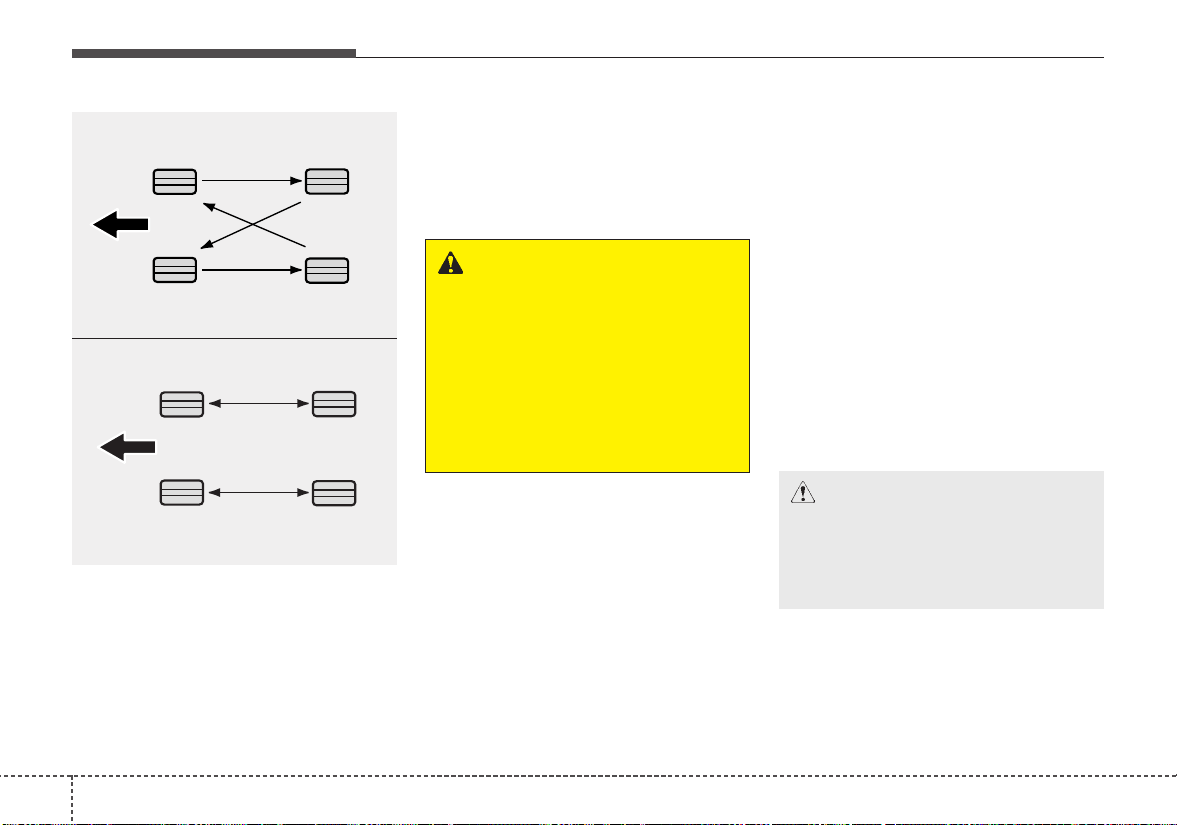
Maintenance
488
Disc brake pads should be inspected
for wear whenever tires are rotated.
Rotate radial tires that have an
asymmetric tread pattern only from
front to rear and not from right to left.
Wheel alignment and tire bal-
ance
The wheels on your vehicle were
aligned and balanced carefully at the
factory to give you the longest tire life
and best overall performance.
In most cases, you will not need to
have your wheels aligned again.
However, if you notice unusual tire
wear or your vehicle pulling one way
or the other, the alignment may need
to be reset.
If you notice your vehicle vibrating
when driving on a smooth road, your
wheels may need to be rebalanced.
WARNING - Mixing tires
• Do not use the compact spare
tire (if equipped) for tire rota-
tion.
• Do not mix bias ply and radial
ply tires under any circum-
stances. This may cause
unusual handling characteris-
tics.
CAUTION
- Wheel weight
Improper wheel weights can
damage your vehicle's alu-
minum wheels. Use only
approved wheel weights.
S2BLA790A
CBGQ0707A
Without a spare tire
Directional tires (if equipped)

849
Maintenance
Tire replacement
If the tire is worn evenly, a tread wear
Indicator (A) will appear as a solid
band across the tread. This shows
there is less than 1/16 inch (1.6 mm)
of tread left on the tire. Replace the
tire when this happens.
Do not wait for the band to appear
across the entire tread before replac-
ing the tire.
The ABS works by comparing the
speed of the wheels. The tire size
affects wheel speed.When replacing
tires, all 4 tires must use the same
size originally supplied with the vehi-
cle.Using tires of a different size can
cause the ABS (Anti-lock Brake
System) and ESC (Electronic
Stability Control) to work irregularly.
✽✽
NOTICE
• We recommend that when replac-
ing tires, use the same which were
originally supplied with the vehi-
cle. If not, driving performance
could be altered.
• It is best to replace all four tires at
the same time. If that is not possi-
ble, or necessary, then replace the
two front or two rear tires as a pair.
Replacing just one tire can serious-
ly affect your vehicle's handling.
Compact spare tire replacement
A compact spare tire has a shorter
tread life than a regular size tire.
Replace it when you can see the
tread wear indicator bars on the tire.
The replacement compact spare tire
should be the same size and design
tire as the one provided with your
new vehicle and should be mounted
on the same compact spare tire
wheel. The compact spare tire is not
designed to be mounted on a regular
size wheel, and the compact spare
tire wheel is not designed for mount-
ing a regular size tire.
OUM076204L
Maintenance
508
Wheel replacement
When replacing the metal wheels for
any reason, make sure the new
wheels are equivalent to the original
factory units in diameter, rim width
and offset.
A wheel that is not the correct size
may adversely affect wheel and
bearing life, braking and stopping
abilities, handling characteristics,
ground clearance, body-to-tire clear-
ance, snow chain clearance,
speedometer and odometer calibra-
tion, headlight aim and bumper
height.
Tire traction
Tire traction can be reduced if you
drive on worn tires, tires that are
improperly inflated or on slippery
road surfaces. Tires should be
replaced when tread wear indicators
appear. Slow down whenever there
is rain, snow or ice on the road, to
reduce the possibility of losing con-
trol of the vehicle.
Tire maintenance
In addition to proper inflation, correct
wheel alignment helps to decrease
tire wear. If you find a tire is worn
unevenly, have your dealer check the
wheel alignment.
When you have new tires installed,
make sure they are balanced. This
will increase vehicle ride comfort and
tire life. Additionally, a tire should
always be rebalanced if it is removed
from the wheel.
Tire sidewall labeling
This information identifies and
describes the fundamental charac-
teristics of the tire and also provides
the tire identification number (TIN)
for safety standard certification. The
TIN can be used to identify the tire in
case of a recall.
1. Manufacturer or brand name
Manufacturer or Brand name is
shown.
CAUTION - Wheel
Wheels that do not meet Kia's
specifications may fit poorly
and result in damage to the
vehicle or unusual handling and
poor vehicle control.
OJF085008L
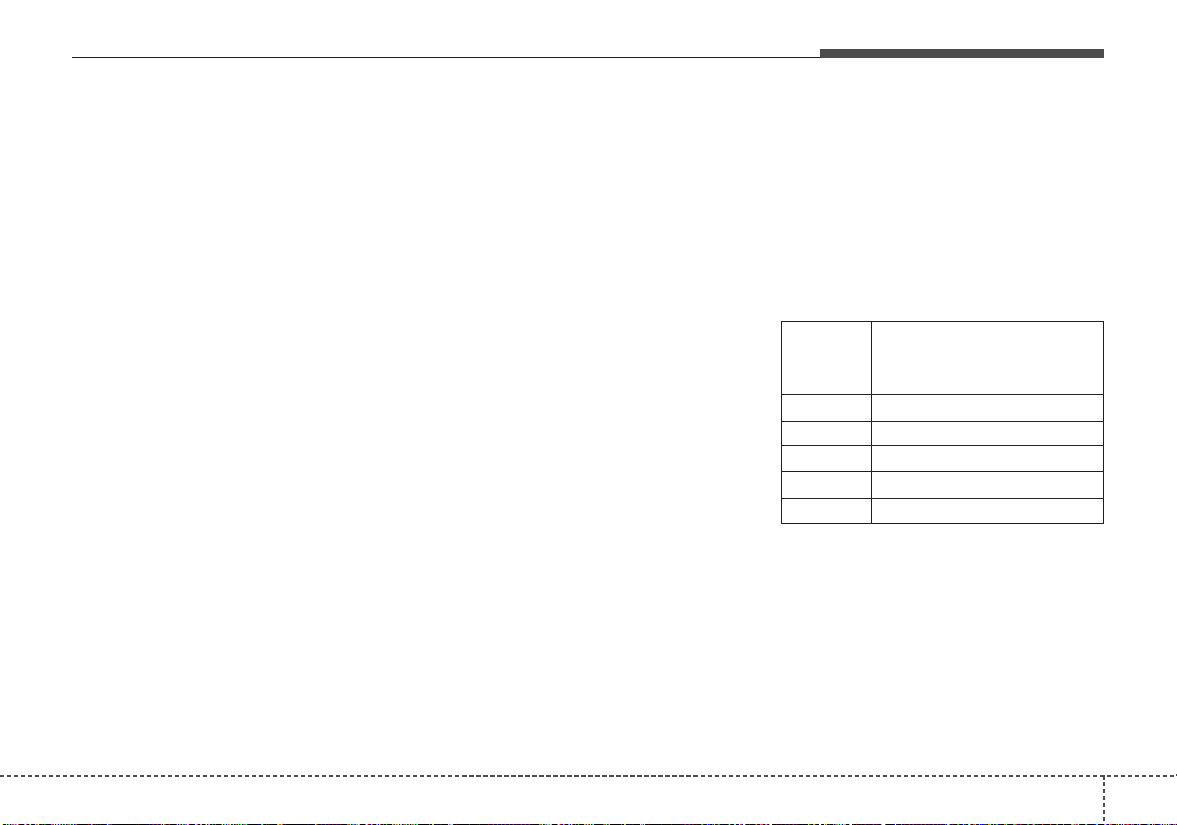
851
Maintenance
2.Tire size designation
A tire’s sidewall is marked with a tire
size designation. You will need this
information when selecting replace-
ment tires for your car. The following
explains what the letters and num-
bers in the tire size designation
mean.
Example tire size designation:
(These numbers are provided as an
example only; your tire size designa-
tor could vary depending on your
vehicle.)
P205/55R16 89H
P - Applicable vehicle type (tires
marked with the prefix “P’’ are
intended for use on passenger
vehicles or light trucks; however,
not all tires have this marking).
205 - Tire width in millimeters.
55 - Aspect ratio. The tire’s section
height as a percentage of its
width.
R - Tire construction code (Radial).
16 - Rim diameter in inches.
89 - Load Index, a numerical code
associated with the maximum
load the tire can carry.
H - Speed Rating Symbol. See the
speed rating chart in this section
for additional information.
Wheel size designation
Wheels are also marked with impor-
tant information that you need if you
ever have to replace one.The follow-
ing explains what the letters and
numbers in the wheel size designa-
tion mean.
Example wheel size designation:
6.0JX16
6.0 - Rim width in inches.
J - Rim contour designation.
16 - Rim diameter in inches.
Tire speed ratings
The chart below lists many of the dif-
ferent speed ratings currently being
used for passenger vehicles. The
speed rating is part of the tire size
designation on the sidewall of the
tire.This symbol corresponds to that
tire's designed maximum safe oper-
ating speed.
S 112 mph (180 km/h)
T 118 mph (190 km/h)
H 130 mph (210 km/h)
V 149 mph (240 km/h)
Z Above 149 mph (240 km/h)
Maximum Speed
Speed
Rating
Symbol
Maintenance
528
3. Checking tire life (TIN :Tire
Identification Number)
Any tires that are over 6 years old,
based on the manufacturing date,
(including the spare tire) should be
replaced by new ones. You can find
the manufacturing date on the tire
sidewall (possibly on the inside of the
wheel), displaying the DOT Code.
The DOT Code is a series of num-
bers on a tire consisting of numbers
and English letters. The manufactur-
ing date is designated by the last four
digits (characters) of the DOT code.
DOT : XXXX XXXX OOOO
The front part of the DOT means a
plant code number, tire size and
tread pattern and the last four num-
bers indicate week and year manu-
factured.
For example:
DOT XXXX XXXX 1617 represents
that the tire was produced in the 16th
week of 2017.
4.Tire ply composition and mate-
rial
The number of layers or plies of rub-
ber-coated fabric in the tire. Tire
manufacturers also must indicate the
materials in the tire, which include
steel, nylon, polyester, and others.
The letter "R" means radial ply con-
struction; the letter "D" means diago-
nal or bias ply construction; and the
letter "B" means belted-bias ply con-
struction.
5. Maximum permissible inflation
pressure
This number is the greatest amount of
air pressure that should be put in the
tire.Do not exceed the maximum per-
missible inflation pressure. Refer to
the Tire and Loading Information label
for recommended inflation pressure.
6. Maximum load rating
This number indicates the maximum
load in kilograms and pounds that can
be carried by the tire.When replacing
the tires on the vehicle, always use a
tire that has the same load rating as
the factory installed tire.
7. Uniform tire quality grading
Quality grades can be found where
applicable on the tire sidewall
between tread shoulder and maxi-
mum section width.
For example:
TREADWEAR 440
TRACTION A
TEMPERATURE A
WARNING - Tire age
Replace tires within the recom-
mended time frame. Failure to
replace tires as recommended
can result in sudden tire failure,
which could lead to a loss of
control and an accident.

853
Maintenance
Tread wear
The tread wear grade is a compara-
tive rating based on the wear rate of
the tire when tested under controlled
conditions on a specified govern-
ment test course. For example, a tire
graded 150 would wear one-and-a-
half times (1½) as well on the gov-
ernment course as a tire graded 100.
The relative performance of tires
depends upon the actual conditions
of their use, however, and may
depart significantly from the norm
due to variations in driving habits,
service practices and differences in
road characteristics and climate.
Tires degrade over time, even when
they are not being used. Regardless
of the remaining tread, we recom-
mend that tires be replaced after
approximately six (6) years of normal
service. Heat caused by hot climates
or frequent high loading conditions
can accelerate the aging process.
These grades are molded on the
side-walls of passenger vehicle tires.
The tires available as standard or
optional equipment on your vehicles
may vary with respect to grade.
Traction - AA, A, B & C
The traction grades, from highest to
lowest, are AA, A, B and C. Those
grades represent the tires ability to
stop on wet pavement as measured
under controlled conditions on spec-
ified government test surfaces of
asphalt and concrete. A tire marked
C may have poor traction perform-
ance.
The traction grade assigned to this
tire is based on straight-ahead brak-
ing traction tests, and does not
include acceleration, cornering,
hydroplaning, or peak traction char-
acteristics.

Maintenance
548
Temperature -A, B & C
The temperature grades are A (the
highest), B and C representing the
tire’s resistance to the generation of
heat and its ability to dissipate heat
when tested under controlled condi-
tions on a specified indoor laboratory
test wheel.
Sustained high temperature can
cause the material of the tire to
degenerate and reduce tire life, and
excessive temperature can lead to
sudden tire failure. The grade C cor-
responds to a level of performance
which all passenger car tires must
meet under the Federal Motor
Vehicle Safety Standard No. 109.
Grades B and A represent higher
levels of performance on the labora-
tory test wheel than the minimum
required by law.
Tire terminology and definitions
Air Pressure: The amount of air
inside the tire pressing outward on
the tire. Air pressure is expressed in
kilopascal (kPa) or pounds per
square inch (psi).
Accessory Weight: This means the
combined weight of optional acces-
sories. Some examples of optional
accessories are, automatic
transaxle, power seats, and air con-
ditioning.
Aspect Ratio: The relationship of a
tire's height to its width.
Belt: A rubber coated layer of cords
that is located between the plies and
the tread. Cords may be made from
steel or other reinforcing materials.
Bead: The tire bead contains steel
wires wrapped by steel cords that
hold the tire onto the rim.
Bias Ply Tire: A pneumatic tire in
which the plies are laid at alternate
angles less than 90 degrees to the
centerline of the tread.
Cold Tire Pressure: The amount of
air pressure in a tire, measured in
kilopascals (kPa) or pounds per
square inch (psi) before a tire has
built up heat from driving.
Curb Weight: This means the weight
of a motor vehicle with standard and
optional equipment including the
maximum capacity of fuel, oil and
coolant, but without passengers and
cargo.
DOT Markings: A code molded into
the sidewall of a tire signifying that
the tire is in compliance with the U.S.
Department of Transportation motor
vehicle safety standards. The DOT
code includes the Tire Identification
Number (TIN), an alphanumeric des-
ignator which can also identify the
tire manufacturer, production plant,
brand and date of production.

855
Maintenance
GVWR: Gross Vehicle Weight Rating
GAWR FRT: Gross Axle Weight
Rating for the Front Axle.
GAWR RR: Gross Axle Weight
Rating for the Rear axle.
Intended Outboard Sidewall: The
side of an asymmetrical tire, that
must always face outward when
mounted on a vehicle.
Kilopascal (kPa): The metric unit for
air pressure.
Light truck(LT) tire: A tire designat-
ed by its manufacturer as primarily
intended for use on lightweight trucks
or multipurpose passenger vehicles.
Load Index: An assigned number
ranging from 1 to 279 that corre-
sponds to the load carrying capacity
of a tire.
Load ratings: The maximum load
that a tire is rated to carry for a given
inflation pressure.
Maximum Inflation Pressure: The
maximum air pressure to which a
cold tire may be inflated. The maxi-
mum air pressure is molded onto the
sidewall.
Maximum Load Rating: The load
rating for a tire at the maximum per-
missible inflation pressure for that
tire.
Maximum Loaded Vehicle Weight:
The sum of curb weight; accessory
weight; vehicle capacity weight; and
production options weight.
Normal Occupant Weight: The
number of occupants a vehicle is
designed to seat multiplied by 150
lbs. (68kg).
Occupant Distribution: Designated
seating positions.
Outward Facing Sidewall: The side
of a asymmetrical tire that has a par-
ticular side that faces outward when
mounted on a vehicle. The outward
facing sidewall bears white lettering
or bears manufacturer, brand, and/or
model name molding that is higher or
deeper than the same moldings on
the inner facing sidewall.
Passenger (P-Metric) Tire: A tire
used on passenger cars and some
light duty trucks and multipurpose
vehicles.
Ply: A layer of rubber-coated parallel
cords
Pneumatic tire: A mechanical
device made of rubber, chemicals,
fabric and steel or other materials,
that, when mounted on an automo-
tive wheel, provides the traction and
contains the gas or fluid that sustains
the load.

Maintenance
568
Production options weight: The
combined weight of installed regular
production options weighing over 5
lb.(2.3 kg) in excess of the standard
items which they replace, not previ-
ously considered in curb weight or
accessory weight, including heavy
duty brakes, ride levelers, roof rack,
heavy duty battery, and special trim.
Recommended Inflation Pressure:
Vehicle manufacturer's recommend-
ed tire inflation pressure and shown
on the tire placard.
Radial Ply Tire: A pneumatic tire in
which the ply cords that extend to the
beads are laid at 90 degrees to the
centerline of the tread.
Rim: A metal support for a tire and
upon which the tire beads are seat-
ed.
Sidewall: The portion of a tire
between the tread and the bead.
Speed Rating: An alphanumeric
code assigned to a tire indicating the
maximum speed at which a tire can
operate.
Traction: The friction between the
tire and the road surface. The
amount of grip provided.
Tread: The portion of a tire that
comes into contact with the road.
Treadwear Indicators: Narrow
bands, sometimes called "wear
bars," that show across the tread of a
tire when only 1/16 inch of tread
remains.
UTQGS: Uniform Tire Quality
Grading Standards, a tire information
system that provides consumers with
ratings for a tire's traction, tempera-
ture and treadwear. Ratings are
determined by tire manufacturers
using government testing proce-
dures. The ratings are molded into
the sidewall of the tire.
Vehicle Capacity Weight: The num-
ber of designated seating positions
multiplied by 150 lbs. (68kg) plus the
rated cargo and luggage load.
Vehicle Maximum Load on the
Tire: Load on an individual tire due
to curb and accessory weight plus
maximum occupant and cargo
weight.
Vehicle Normal Load on the Tire:
Load on an individual tire that is
determined by distributing to each
axle its share of the curb weight,
accessory weight, and normal occu-
pant weight and driving by 2.
Vehicle Placard: A label permanent-
ly attached to a vehicle showing the
original equipment tire size and rec-
ommended inflation pressure.

857
Maintenance
All season tires
Kia specifies all season tires on
some models to provide good per-
formance for use all year round,
including snowy and icy road condi-
tions. All season tires are identified
by ALL SEASON and/or M+S (Mud
and Snow) on the tire sidewall.Snow
tires have better snow traction than
all season tires and may be more
appropriate in some areas.
Summer tires
Kia specifies summer tires on some
models to provide superior perform-
ance on dry roads. Summer tire per-
formance is substantially reduced in
snow and ice. Summer tires do not
have the tire traction rating M+S
(Mud and Snow) on the tire side wall.
If you plan to operate your vehicle in
snowy or icy conditions, Kia recom-
mends the use of snow tires or all
season tires on all four wheels.
Snow tires
If you equip your car with snow tires,
they should be the same size and
have the same load capacity as the
original tires. Snow tires should be
installed on all four wheels; other-
wise, poor handling may result.
Snow tires should carry 4 psi (28
kPa) more air pressure than the
pressure recommended for the stan-
dard tires on the tire label on the dri-
ver's side of the center pillar, or up to
the maximum pressure shown on the
tire sidewall, whichever is less.
Do not drive faster than 75 mph (120
km/h) when your vehicle is equipped
with snow tires.
Tire chains
Tire chains, if necessary, should be
installed on the front wheels.
Be sure that the chains are installed
in accordance with the manufactur-
er's instructions.
To minimize tire and chain wear, do
not continue to use tire chains when
they are no longer needed.
• When driving on roads covered
with snow or ice, drive at less than
20 mph (30 km/h).
• Use the SAE “S” class or wire
chains.
• If you hear noise caused by chains
contacting the body, retighten the
chain to avoid contact with the
vehicle body.
• To prevent body damage, retighten
the chains after driving 0.3~0.6
miles (0.5~1.0 km).
• Do not use tire chains on vehicles
equipped with aluminum wheels.
In unavoidable circumstances, use
a wire type chain.
• Use wire chains less than 0.47
inches (12 mm) to prevent damage
to the chain’s connection.

Maintenance
588
Radial-ply tires
Radial-ply tires provide improved
tread life, road hazard resistance and
smoother high speed ride. The radi-
al-ply tires used on this vehicle are
of belted construction and are select-
ed to complement the ride and han-
dling characteristics of your vehicle.
Radial-ply tires have the same load
carrying capacity as bias-ply or bias
belted tires of the same size and use
the same recommended inflation
pressure. Mixing of radial-ply tires
with bias-ply or bias belted tires is
not recommended. Any combina-
tions of radial-ply and bias-ply or bias
belted tires when used on the same
vehicle will seriously deteriorate
vehicle handling.The best rule to fol-
low is:identical radial-ply tires should
always be used as a set of four.
Longer wearing tires can be more
susceptible to irregular tread wear. It
is very important to follow the tire
rotation interval shown in this section
to achieve the tread life potential of
these tires. Cuts and punctures in
radial-ply tires are repairable only in
the tread area, because of sidewall
flexing. Consult your tire dealer for
radial-ply tire repairs.
Low aspect ratio tire
(if equipped)
Low aspect ratio tires, whose aspect
ratio is lower than 50, are provided
for sporty looks.
Because the low aspect ratio tires
are optimized for handling and brak-
ing, it may be more uncomfortable to
ride in and there is more noise com-
pare with normal tires.
859
Maintenance
• It is not easy to recognize the tire
damage with your own eyes. But if
there is the slightest hint of tire
damage, even though you cannot
see it, have the tire checked or
replaced because the tire damage
may cause air leakage from the tire.
• If the tire is damaged by driving on
a rough road, off road, pothole,
manhole, or curb stone, it will not
be covered by the warranty.
• You can find out the tire information
on the tire sidewall.
CAUTION
Because the sidewall of the low
aspect ratio tire is shorter than
the normal, the wheel and tire of
the low aspect ratio tire is easi-
er to be damaged. So, follow the
instructions below.
• When driving on a rough road
or off road, drive cautiously
because tires and wheels may
be damaged. And after driv-
ing, inspect tires and wheels.
• When passing over a pothole,
speed bump, manhole, or curb
stone, drive slowly so that the
tires and wheels are not dam-
aged.
• If the tire is impacted, we rec-
ommend that you inspect the
tire condition or contact an
authorized Kia dealer.
• To prevent damage to the tire,
inspect the tire condition and
pressure every 1,900 miles
(3,000 km).
Maintenance
608
FUSES
❈ Left side : Normal , Right side : Blown
A vehicle’s electrical system is pro-
tected from electrical overload dam-
age by fuses.
This vehicle has 2 (or 3) fuse panels,
one located in the driver’s side panel
bolster, the other in the engine com-
partment near the battery.
If any of your vehicle’s lights, acces-
sories, or controls do not work, check
the appropriate circuit fuse. If a fuse
has blown, the element inside the
fuse will melt.
If the electrical system does not
work, first check the driver’s side
fuse panel.
Always replace a blown fuse with
one of the same rating.
If the replacement fuse blows, this
indicates an electrical problem.Avoid
using the system involved and imme-
diately consult an authorized Kia
dealer.
Three kinds of fuses are used: blade
type for lower amperage rating, car-
tridge type, and multi fuse for higher
amperage ratings.
• Do not arbitrarily modify or add-on
electric wiring to the vehicle.
WARNING - Fuse replace-
ment
• Never replace a fuse with any-
thing but another fuse of the
same rating.
• A higher capacity fuse could
cause damage and possibly a
fire.
• Never install a wire or alu-
minum foil instead of the
proper fuse - even as a tem-
porary repair. It may cause
extensive wiring damage and
a possible fire.
CAUTION
Do not use a screwdriver or any
other metal object to remove
fuses because it may cause a
short circuit and damage the
system.
OJF075021
■ Blade type
■ Cartridge type
■ Multi fuse
■ BFT
861
Maintenance
✽✽
NOTICE
• When replacing fuse, turn the
ignition “OFF” and turn off
switches of all electrical devices
then remove battery (-) terminal.
• The actual fuse/relay panel label
may differ from equipped items.
WARNING - Electrical Fire
Always ensure replacements
fuses and relays are securely
fastened when installed. Failure
to do so can result in a vehicle
fire.
CAUTION
• When replacing a blown fuse
or relay, make sure the new
fuse or relay fits tightly into
the clips. Failure to tightly
install the fuse or relay may
cause damage to the wiring
and electric systems.
• Do not remove fuses, relays
and terminals fastened with
bolts or nuts.The fuses, relays
and terminals may not be fas-
tened correctly which may
cause vehicle damage.
CAUTION
• Do not input any other objects
except fuses or relays into
fuse/relay terminals such as a
driver or wiring. It may cause
contact failure and system
malfunction.
• Do not plug in screwdrivers or
aftermarket wiring into the ter-
minal originally designed for
fuse and relays only.The elec-
trical system and wiring of the
vehicle interior may be dam-
aged or burned due to contact
failure.
• If you directly connect the
wire on the taillight or replace
the bulb which is over the reg-
ulated capacity to install trail-
ers etc., the inner junction
block can get burned.

Maintenance
628
Inner panel fuse replacement
1.Turn the ignition switch and all
other switches off.
2. Open the fuse panel cover.
If the switch is located in the “OFF”
position, a caution indicator will be
displayed in the cluster.
3. Pull the suspected fuse straight
out. Use the removal tool provided
on the engine compartment fuse
panel cover.
4. Check the removed fuse;replace it
if it is blown.
Spare fuses are provided in the
engine compartment fuse panel.
5. Push in a new fuse of the same
rating, and make sure it fits tightly
in the clips.
If it fits loosely, consult an authorized
Kia dealer.
If you do not have a spare, use a
fuse of the same rating from a circuit
you may not need for operating the
vehicle, such as the power outlet
fuse.
If the head lamp, turn signal lamp,
stop signal lamp, fog lamp, DRL, tail
lamp, HMSL do not work and the
fuses are OK, check the fuse panel
in the engine compartment. If a fuse
is blown, it must be replaced.
✽✽
NOTICE
If the headlamp, fog lamp, turn signal
lamp, or tail lamp malfunction even
without any problem to the lamps,
have the vehicle checked by an
authorized Kia dealer for assistance.
OYB076026
OYB076027
863
Maintenance
✽✽
NOTICE
• Set all switches to ON before driv-
ing.
• If the vehicle is going to be unused
for over 1 month, set all switches
to OFF to prevent the batteries
from draining.
Memory fuse
Your vehicle is equipped with the
memory fuse to prevent battery dis-
charge if your vehicle is parked with-
out being operated for prolonged
periods. Use the following proce-
dures before parking the vehicle for
prolonged periods.
1.Turn off the engine.
2.Turn off the headlights and tail
lights.
3. Open the driver’s side panel cover
and pull up the memory fuse.
If the memory fuse is pulled up from
the fuse panel, the warning chime,
audio, clock and interior lamps, etc.,
will not operate.Some items must be
reset after replacement. Refer to
“Battery” in this section.
Even though the memory fuse is
pulled up, the battery can still be dis-
charged by operation of the head-
lights or other electrical devices.
CAUTION - Fuse Panel
Covers
The contact points of the
switches may wear out with
excessive use. Please refrain
from excessive use of the
switches (except for long-term
parking for over 1 month).
OYB076037
Maintenance
648
Engine compartment fuse
replacement
1.Turn the ignition switch and all
other switches off.
2. Remove the fuse panel cover by
pressing the tab and pulling the
cover up. When the blade type
fuse is disconnected, remove it by
using the clip designed for chang-
ing fuses located in the engine
compartment fuse box. Upon
removal, securely insert reserve
fuse of the same rating.
3. Check the removed fuse;replace it
if it is blown. To remove or insert
the fuse, use the fuse puller in the
engine compartment fuse panel.
4. Push in a new fuse of the same
rating, and make sure it fits tightly
in the clips. If it fits loosely, consult
an authorized Kia dealer.
Multi fuse
If the multi fuse is blown, it must be
removed as follows:
1.Turn off the engine.
2. Disconnect the negative battery
cable.
3. Remove the nuts shown in the pic-
ture above.
4. Replace the fuse with a new one
of the same rating.
5. Reverse these steps to reinstall
the multi fuse.
CAUTION
After checking the fuse panel in
the engine compartment,
securely install the fuse panel
cover through the audible click-
ing sound.
If not, electrical failures may
occur from water contact.
OYB076037
OYB076029
865
Maintenance
✽✽
NOTICE
Do not disassemble nor assemble the
multi fuse when it is secured with
nuts and bolts. Incorrect or partial
assembly torque may cause a fire.
Have the vehicle checked by an
authorized Kia dealer.
✽✽
NOTICE - Random wiring pro-
hibited when retrofitting equip-
ment
Use of random wiring in the vehicle
might cause danger due to failure and
damage of the vehicle’s performance.
Using random wires especially when
retrofitting AVN or theft alarm sys-
tem, remote engine control, car
phone or radio might damage the
vehicle or cause fire.
✽✽
NOTICE - Remodeling
Prohibited
Do not try remodeling the vehicle in
any way. It is illegal, and may affect
the vehicle’s performance, durabili-
ty, and safety. Warranty is also not
provided for problems caused by
remodeling.
Be aware of safety problems caused
by remodeling the vehicle with unau-
thorized electrical devices(lamp,
black box, electrical equipment,
diagnostic device, communication
device, etc.). It might cause malfunc-
tion of the vehicle, wiring damage,
battery discharge, connector dam-
age, or fire. the vehicle or cause fire.
Window tinting precaution
Window tint(especially metallic film)
might cause communication disorder
or poor radio reception, and malfunc-
tion of the automatic lighting system
due to excessive change of illumina-
tion inside the vehicle. The solution
used might also flow into electric,
electronic devices causing disorder
and failure.
CAUTION
Visually inspect the battery cap
to ensure it is securely closed.
If the battery cap is not securely
closed, moisture may enter the
system and damage the electri-
cal components.
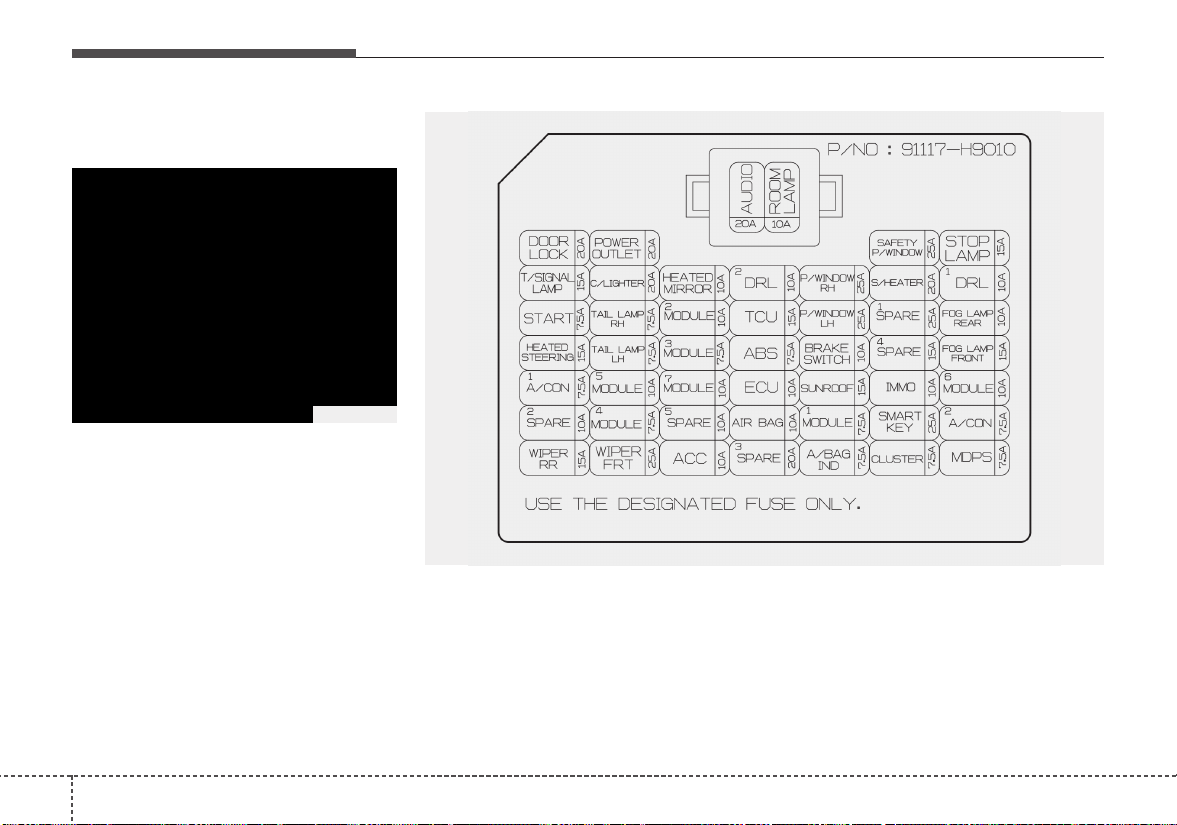
Maintenance
668
Fuse/relay panel description
Driver’s side fuse panel
Inside the fuse/relay panel covers,
you can find the fuse/relay label
describing fuse/relay name and
capacity.
✽✽
NOTICE
Not all fuse panel descriptions in
this manual may be applicable to
your vehicle. It is accurate at the
time of printing. When you inspect
the fuse panel in your vehicle, refer
to the fuse panel label.
OSC076008
OYB076030
867
Maintenance
Fuse Name Fuse rating Circuit Protected
DOOR LOCK 20A Tail Gate Unlock Relay, Door Lock/Unlock Relay, Two Turn Unlock Relay
POWER OUTLET 20A Power Outlet
SAFETY P/WINDOW 25A Driver Safety Power Window Module
STOP LAMP 15A Stop Signal Electronic Module
T/SIGNAL LAMP 15A BCM (Body Control Module), SLM (Seat Belt & Lighting Module)
C/LIGHTER 20A Cigarette Lighter
HEATED
MIRROR
10A
Driver Power Outside Mirror, Passenger Power Outside Mirror, Air Conditioner Control Module, ECM
(Engine Control Module)/PCM (Power train Control Module)
DRL2 10A BCM (Body Control Module)
P/WINDOW RH 25A Power Window Main Switch, Passenger Power Window Switch
S/HEATER 20A Front Seat Warmer Control Module
DRL1 10A -
START 7.5A
With Immobilizer : ECM (Engine Control Module)/PCM (Power train Control Module), Engine Room
Junction Block(Start Relay), Smart Key Control Module
Without Immobilizer : Burglar Alarm Relay
TAIL LAMP RH 7.5A
Head Lamp Right Handle side, Rear Combination Lamp (OUT) Right Handle side, License Lamp Right
Handle side, Rear Combination Lamp (IN) Right Handle side, Illumination (+)
MODULE2 10A AEB (Autonomous Emergency Braking) Unit, Crash Pad Switch
Instrument panel (Driver’s side fuse panel)
Maintenance
688
Fuse Name Fuse rating Circuit Protected
TCU 15A
Engine Room Junction Block(Back-Up Lamp Switch), Auto Transmission Shift Lever, Transaxle Range
Switch, Stop Lamp Switch
P/WINDOW LH 25A Power Window Main Switch
SPARE1 25A Spare
FOG LAMP REAR 10A -
HEATED STEERING 15A Clock Spring
TAIL LAMP LH 7.5A
Head Lamp Left Handle side, License Lamp Left Handle side, Rear Combination Lamp (OUT) Left
Handle side, Rear Combination Lamp (IN) Left Handle side, Glove Box Lamp
MODULE3 7.5A
Front Seat Warmer Control Module, Audio, Electro Chromic Mirror, Air Conditioner Control Module,
Audio/Video & Navigation Head Unit, Clock Spring, Auto Transmission Shift Lever Indicator
ABS 7.5A Engine Room Junction Block(Multipurpose Check Connector), ESC (Electronic Stability Control) Module
BRAKE SWITCH 10A Smart Key Control Module, Stop Lamp Switch
SPARE4 15A Spare
FOG LAMP FRONT 15A Front Fog Lamp Relay
A/CON1 7.5A Engine Room Junction Block(Blower Relay), Air Conditioner Control Module
MODULE5 10A
Engine Room Junction Block(Head Lamp Relay, Head Lamp Hi Relay), Rain Sensor, Sunroof Motor,
Front Seat Warmer Control Module, Driver Safety Power Window Module
MODULE7 10A TPMS (Tire Pressure Monitoring System) Unit
ECU 10A
ECM (Engine Control Module)/PCM (Power train Control Module), Immobilizer Module, Smart Key
Control Module
869
Maintenance
Fuse Name Fuse rating Circuit Protected
SUNROOF 15A Sunroof Motor
IMMO 10A Immobilizer Module
MODULE6 10A Key Solenoid, Center Facia Switch
SPARE2 10A Spare
MODULE4 7.5A SLM (Seat Belt & Lighting Module), BCM (Body Control Module), Smart Key Control Module
SPARE5 10A Spare
AIR BAG 10A ACU (Airbag Control Unit), Passenger Occupant Detection Sensor
MODULE1 7.5A BCM (Body Control Module), SLM (Seat Belt & Lighting Module), Key Interlock
SMART KEY 25A Smart Key Control Module
A/CON2 7.5A -
WIPER RR 15A Multifunction Switch, Rear Wiper Motor, Rear Wiper Relay
WIPER FRT 25A Multifunction Switch, Front Wiper Motor, Engine Room Junction Block(Wiper Low Relay)
ACC 10A
Power Outlet Relay, BCM (Body Control Module), SLM (Seat Belt & Lighting Module), Audio, Key Interlock,
Audio/Video & Navigation Head Unit, USB Charging Connector, Power Outside Mirror Switch, Smart Key
Control Module
Maintenance
708
Fuse Name Fuse rating Circuit Protected
SPARE3 20A Spare
A/BAG IND 7.5A Instrument Cluster
CLUSTER 7.5A Instrument Cluster
MDPS 7.5A MDPS (Motor Driven Power Steering) Unit
AUDIO 20A Audio, Audio/Video & Navigation Head Unit
ROOM LP 10A
Room Lamp Relay, Glove Box Lamp, Air Conditioner Control Module, SLM (Seat Belt & Lighting Module),
BCM (Body Control Module), Auto Light & Photo Sensor, TPMS (Tire Pressure Monitoring System) Unit,
Instrument Cluster, Data Link Connector, Room Lamp, Trunk Room Lamp

871
Maintenance
Engine compartment fuse panel
OSC076012
OYB076031
Maintenance
728
Engine room compartment fuse panel
Fuse Name Fuse rating Circuit Protected
MDPS 80A MDPS (Motor Driven Power Steering) Unit
ALT 150A Fuse - ABS1, BAS2, BLOWER, REAR HEATED
REAR HEATED 40A Instrument Panel Junction Block (Rear Defogger Relay)
ABS1 40A ESC (Electronic Stability Control) Module, Multipurpose Check Connector
ABS2 40A ESC (Electronic Stability Control) Module
BLOWER 40A Blower Relay
WIPER 10A Front Wiper Motor, Multifunction Switch, Wiper Low Relay
ECU4 15A ECM (Engine Control Module)/PCM (Power train Control Module)
SENSOR 10A
Oil Control Valve #1/#2, Cooling Fan1/2 Relay, Oxygen Sensor (Up), Oxygen Sensor (Down), Variable
Intake Solenoid Valve, Air Conditioner Relay, Purge Control Solenoid Valve, Canister Close Valve
ECU2 15A ECM (Engine Control Module)/PCM (Power train Control Module)
ECU3 20A ECM (Engine Control Module)/PCM (Power train Control Module)
HEAD LAMP RH 10A Head Lamp Right Handle side
HEAD LAMP LH 10A Head Lamp Left Handle side
IGN COIL 20A Ignition Coil #1~#4, Condenser
ECU5 15A ECM (Engine Control Module)/PCM (Power train Control Module), Fuel Pump Relay
873
Maintenance
Fuse Name Fuse rating Circuit Protected
B/UP LAMP 10A Back-Up Lamp Switch
B+1 40A
Instrument Panel Junction Block (Fuse - DRL2, FOGLAMP FRONT, STOP LAMP, MODULE6, Power
Connector (AUDIO, ROOM LAMP))
B+2 50A
Instrument Panel Junction Block (Fuse - IMMO, SMART KEY, BRAKE SWITCH, SAFETY P/WINDOW,
S/HEATER, SUNROOF, Power Window Relay)
IG2 40A Ignition Switch, IG2 Relay, Start Relay
COOLING FAN 40A Cooling Fan1/2 Relay
ECU1 30A Fuse - ECU3, ECU4, Main Relay
HEAD LAMP 20A Head Lamp Relay
H/LAMP HI 20A
With CANADA DRL : SLM(Seat Belt & Lighting Module) or BCM(Body Control Module)
Without CANADA DRL : Head Lamp HI Relay
FUEL PUMP 20A Fuel Pump Relay
HORN 15A Horn Relay/ Burglar Alarm Horn Relay
A/CON 10A Air Conditioner Relay
AMS 10A Battery Sensor
B+3 40A Instrument Panel Junction Block (Fuse - T/SIGNAL LAMP, DOOR LOCK, Tail Lamp Relay)
IG1 40A Ignition Switch, IG1 Relay, ACC Relay
POWER OUTLET 40A Instrument Panel Junction Block (Power Outlet Relay)
Maintenance
748
Relay Name Type
Main Relay MINI
Start Relay MICRO
Fuel Pump Relay MICRO
Wiper HI Relay MICRO
H/Lamp HI Relay MICRO
Cooling Fan2 Relay MICRO
B/Alarm Horn Relay MICRO
Blower Relay MICRO
Cooling Fan1 Relay MICRO
Wiper LO Relay MICRO
Head Lamp Relay MICRO
Horn Relay MICRO
A/Con Relay MICRO
Relay
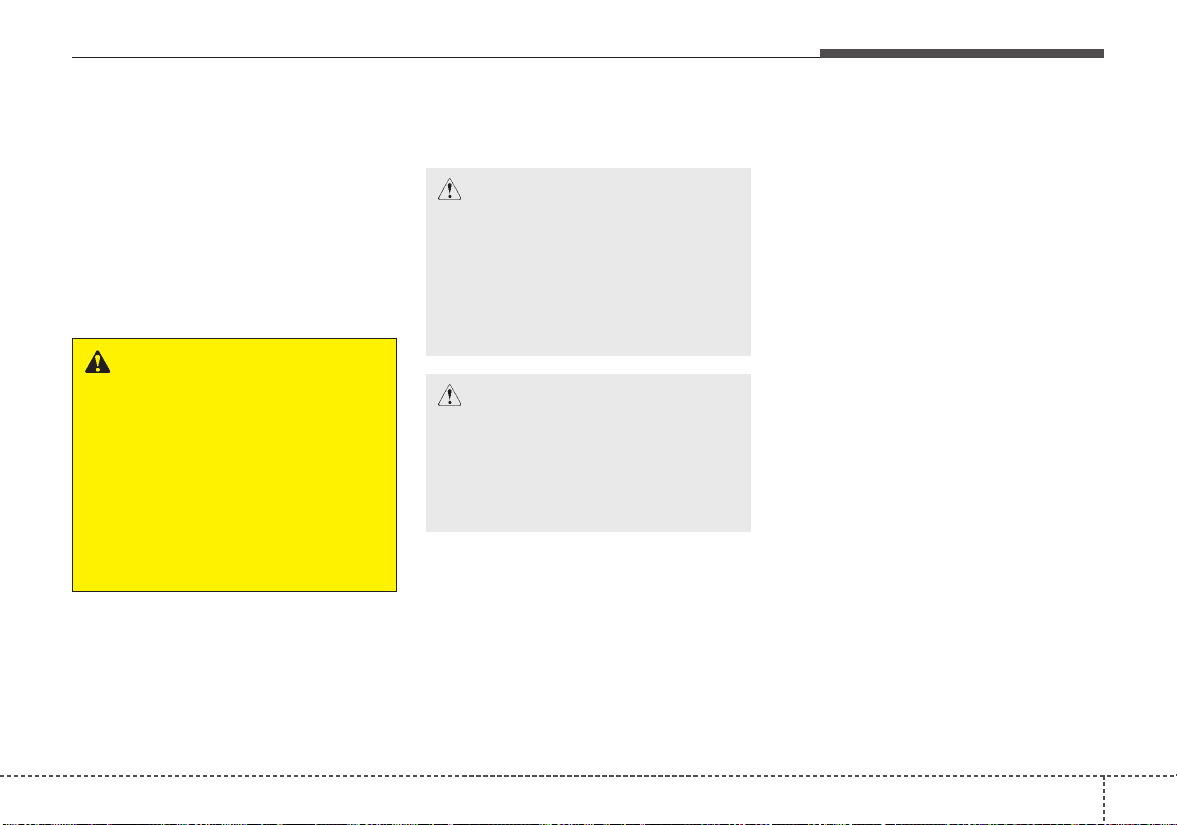
875
Maintenance
LIGHT BULBS
Bulb replacement precaution
Please keep extra bulbs on hand
with appropriate wattage ratings in
case of emergencies.
Refer to “Bulb Wattage” in chapter 9.
When changing lamps, first turn off
the engine at a safe place, firmly
apply the parking brake and detach
the battery’s negative (-) terminal.
Use only bulbs of the specified
wattage.
• Lamp part malfunction due to
net-work failure
The headlamp, taillight, and fog light
may light up when the head lamp
switch is turned ON, and not light up
when the taillight or for light switch is
turned ON. This may be cause by
network failure or vehicle electrical
control system malfunction. If there is
a problem, we recommend the sys-
tem be serviced by an authorized Kia
dealer.
• Lamp part malfunction due to elec-
trical control system stabilization
A normally functioning lamp may
flicker momentarily. This momentary
occurrence is due to stabilization
function of the vehicle's electrical on
control system. If the lamp soon
returns to normal, the vehicle does
not require service.
However, if the lamp goes out after
the momentary flickering, or the flick-
ering continues, we recommend the
system be serviced by an authorized
Kia dealer.
WARNING - Working on
the lights
Prior to working on the light,
firmly apply the parking brake,
ensure that the ignition switch
is turned to the LOCK position
and turn off the lights to avoid
sudden movement of the vehi-
cle and burning your fingers or
receiving an electric shock.
CAUTION - Light replace-
ment
Be sure to replace the burned-
out bulb with one of the same
wattage rating. Otherwise, it
may cause damage to the fuse
or electric wiring system.
CAUTION - Headlamp
Lens
To prevent damage, do not
clean the headlamp lens with
chemical solvents or strong
detergents.

Maintenance
768
✽✽
NOTICE
• If the light bulb or lamp connector
is removed while the lamp is still
on, the fuse box's electronic sys-
tem may log it as a malfunction.
Therefore, a lamp malfunction
incident may be recorded as a
Diagnostic Trouble Code (DTC) in
the fuse box.
• It is normal for an operating lamp
to flicker momentarily. This is due
to a stabilization function of the
vehicle’s electronic control device.
If the lamp lights up normally
after momentarily blinking, then
it is functioning as normal.
However, if the lamp continues to
flicker several times or turns off
completely, there may be an error
in the vehicle’s electronic control
device. Please have the vehicle
checked by an authorized Kia
dealer immediately.
✽✽
NOTICE
We recommend that the headlight
aiming be adjusted after an accident
or after the headlight assembly is rein-
stalled at an authorized Kia dealer.
✽✽
NOTICE
After driving in heavy rain or wash-
ing, headlamp and taillamp lenses
could appear frosty. This condition is
caused by the temperature differ-
ence between the lamp inside and
outside. This is similar to the con-
densation on your windows inside
your vehicle during the rain and
doesn’t indicate a problem with your
vehicle. If the water leaks into the
lamp bulb circuitry, we recommend
that you have the vehicle checked by
an authorized Kia dealer.
If you don’t have the necessary tools,
the correct bulbs and the expertise,
consult an authorized Kia dealer. In
many cases, it is difficult to replace
vehicle light bulbs because other
parts of the vehicle must be removed
before you can get to the bulb.This is
especially true if you have to remove
the headlamp assembly to get to the
bulb(s).
Removing/installing the headlamp
assembly can result in damage to
the vehicle.
If non-genuine parts or substandard
bulbs are used, it may lead to blow-
ing a fuse or other wiring damages.
Do not install extra lamps or LEDs to
the vehicle. If additional lights are
installed, it may lead to lamp mal-
functions and flickering. Additionally,
the fuse box and other writing may
be damaged.
877
Maintenance
Light bulb position (Front)
(1) Headlamp (Low/High)
(2) Side marker
(3) Front turn signal lamp/Position
lamp
(4) Front turn signal lamp
(5) Position lamp (LED type) or
Position lamp/Day time running
lamp (LED type)
(6) Fog lamp
(7) Day time running lamp (Bulb
type)
■ D.R.L. Lamp - Type A
■ Fog lamp - Type A
OYB076040
OYB076041
■ D.R.L. Lamp - Type B
OYB076042
OSC077021N
OSC077022N
■ Head lamp - Type A
■ Head lamp - Type B
Maintenance
788
(1) Rear turn signal lamp (Bulb type)
(2) Back up lamp (Bulb type)
(3) Stop and tail lamp (Bulb type)
(4) Tail lamp (Bulb type)
(5) Side marker (Bulb type)
(6) Stop and tail lamp (LED type)
(7) Side marker (LED type)
(8) License plate lamp
(9) High mounted stop lamp
Light bulb position (Rear) (5 Door)
OSC077023N
OSC077024N
■ Rear combination lamp (5 Door) - Type A
■ Rear combination lamp (5 Door) - Type B
OSC077025N
OSC077026N
■ License plate lamp (5 Door)
■ High mounted stop lamp (5 Door)
879
Maintenance
(1) Rear turn signal lamp (Bulb type)
(2) Back up lamp (Bulb type)
(3) Stop and tail lamp/Side marker
(Bulb type)
(4) Tail lamp (Bulb type)
(5) Stop lamp (LED type)
(6) Tail lamp (LED type)
(7) Side marker (LED type)
(8) License plate lamp
(9) High mounted stop lamp
Light bulb position (Rear) (4 Door)
OSC077027N
OSC077028N
■ Rear combination lamp (4 Door) - Type A
■ Rear combination lamp (4 Door) - Type B
OSC077025N
OSC077029N
■ License plate lamp (4 Door)
■ High mounted stop lamp (4 Door)
Maintenance
808
Light bulb position (Side)
(1) Side repeater lamp (LED type)
(2) Side repeater lamp (bulb type)
Headlamp (Low/High beam)
bulb replacement
(Headlamp Type A)
1. Open the hood.
2. Remove the headlamp bulb cover
by turning it counterclockwise.
3.Disconnect the headlamp bulb
socket-connector.
4. Unsnap the headlamp bulb retain-
ing wire by pressing the end and
pushing it upward.
5. Remove the bulb from the head
lamp assembly.
6. Install a new headlamp bulb and
snap the headlamp bulb retaining
wire into position by aligning the
wire with the groove on the bulb.
7. Connect the headlamp bulb sock-
et-connector.
8. Install the headlamp bulb cover by
turning it clockwise.
OYB076047
OYB076048
■ Type A
■ Type B
OYB076049
881
Maintenance
Headlamp bulb
• Always handle them carefully, and
avoid scratches and abrasions. If
the bulbs are lit, avoid contact with
liquids. Never touch the glass with
bare hands. Residual oil may
cause the bulb to overheat and
burst when lit. A bulb should be
operated only when installed in a
headlamp.
• If a bulb becomes damaged or
cracked, replace it immediately
and carefully dispose of it.
• Wear eye protection when chang-
ing a bulb. Allow the bulb to cool
down before handling it.
Front turn signal lamp bulb
replacement (Headlamp Type A)
1. Open the hood.
2. Remove the bulb-socket from the
headlamp assembly by turning the
bulb-socket counterclockwise until
the tabs on the bulb-socket align
with the slots on the headlamp
assembly.
3. Remove the bulb from the bulb-
socket by pressing it in and rotat-
ing it counterclockwise until the
tabs on the bulb align with the
slots in the bulb-socket. Pull the
bulb out of the bulb-socket
WARNING - Halogen
bulbs
Handle halogen bulbs with care.
• Halogen bulbs contain pres-
surized gas that will produce
flying pieces of glass if bro-
ken.
OHD076046
OYB076051

Maintenance
828
4. Insert a new bulb by inserting it
into the bulb-socket and rotating it
until it locks into place.
5. Install the socket in the headlamp
assembly by aligning the tabs on
the bulb-socket with the slots in
the assembly. Push the bulb-sock-
et into the headlamp assembly
and turn the socket clockwise.
Headlamp (Low/High beam)
bulb replacement (Headlamp
Type B)
1. Open the hood.
2. Remove the headlamp bulb cover
by turning it counterclockwise.
3.Disconnect the headlamp bulb
socket-connector.
4. Remove the bulb-socket from the
headlamp assembly by turning the
bulb-socket counterclockwise until
the tabs on the bulb-socket align
with the slots on the headlamp
assembly.
5. Install a new bulb-socket assem-
bly in the headlamp assembly by
aligning the tabs on the bulb-sock-
et with the slots in the headlamp
assembly. Push the bulb-socket
into the headlamp assembly and
turn the bulb-socket clockwise.
6. Install the headlamp bulb cover by
turning it clockwise.
OYB076052
883
Maintenance
Headlamp bulb
• Always handle them carefully, and
avoid scratches and abrasions. If
the bulbs are lit, avoid contact with
liquids. Never touch the glass with
bare hands. Residual oil may
cause the bulb to overheat and
burst when lit. A bulb should be
operated only when installed in a
headlamp.
• If a bulb becomes damaged or
cracked, replace it immediately
and carefully dispose of it.
• Wear eye protection when chang-
ing a bulb. Allow the bulb to cool
down before handling it.
Front turn signal lamp bulb
replacement (Headlamp Type B)
1. Open the hood.
2. Remove the headlamp bulb cover
by turning it counterclockwise.
3. Remove the bulb-socket from the
headlamp assembly by turning the
bulb-socket counterclockwise until
the tabs on the bulb-socket align
with the slots on the headlamp
assembly.
OQL075058
WARNING - Halogen
bulbs
Handle halogen bulbs with care.
• Halogen bulbs contain pres-
surized gas that will produce
flying pieces of glass if bro-
ken.
OYB076054
Maintenance
848
4. Remove the bulb from the bulb
socket by pressing it in and rotat-
ing it counterclockwise until the
tabs on the bulb align with the
slots in the bulb-socket. Pull the
bulb out of the bulb-socket
5. Insert a new bulb by inserting it
into the bulb-socket and rotating it
until it locks into place.
6. Install the socket in the headlamp
assembly by aligning the tabs on
the bulb-socket with the slots in
the assembly. Push the bulb-sock
et into the headlamp assembly
and turn the socket clockwise.
7. Install the headlamp bulb cover by
turning it clockwise.
Front fog lamp bulb replace-
ment
If the front fog lamp (1) does not
operate, have the vehicle checked by
an authorized Kia dealer.
A skilled technician should check or
repair the front fog lamp, for it may
damage related parts of the vehicle.
Position lamp + DRL (LED
type) bulb replacement
If the position lamp + DRL (LED) (1)
does not operate, have the vehicle
checked by an authorized Kia dealer.
The LED lamps cannot be replaced
as a single unit because it is an inte-
grated unit.The LED lamps has to be
replaced with the unit.
A skilled technician should check or
repair the position lamp + DRL
(LED), for it may damage related
parts of the vehicle.
OYB076055 OSC077037N
885
Maintenance
DRL (Bulb type) bulb replace-
ment
If the DRL (1) does not operate, have
the vehicle checked by an authorized
Kia dealer.
A skilled technician should check or
repair the DRL bulb, for it may dam-
age related parts of the vehicle.
Side repeater lamp (LED type)
bulb Replacement
If the side repeater lamp (LED) (1)
does not operate, have the vehicle
checked by an authorized Kia dealer.
The LED lamps cannot be replaced
as a single unit because it is an inte-
grated unit.The LED lamps has to be
replaced with the unit.
A skilled technician should check or
repair the side repeater lamp (LED),
for it may damage related parts of
the vehicle.
OYB076047
OYB076057
OYB076058
■ Type A
■ Type B
Maintenance
868
Side repeater lamp (bulb type)
bulb Replacement
1. Remove the lamp assembly from
the vehicle by prying the lens and
pulling the assembly out.
2. Disconnect the bulb electrical con-
nector.
3. Separate the socket and the lens
parts by turning the socket coun-
terclockwise until the tabs on the
socket align with the slots on the
lens part.
4. Remove the bulb by pulling it
straight out.
5. Insert a new bulb in the socket.
6. Reassemble the socket and the
lens part.
7. Connect the bulb electrical con-
nector.
8. Reinstall the lamp assembly to the
body of the vehicle.
Stop and tail lamp bulb
replacement (5 Door)
1. Open the trunk lid.
2. Loosen the light assembly retain-
ing screws with a cross-tip screw-
driver.
OYB076059 OYB076060
887
Maintenance
3.Remove the rear combination
lamp assembly from the body of
the vehicle.
4. Disconnect the rear combination
lamp connector.
5.Remove the socket from the
assembly by turning the socket
counterclockwise until the tabs on
the socket align with the slots on
the assembly.
6. Remove the bulb from the socket by
pressing it in and rotating it counter-
clockwise until the tabs on the bulb
align with the slots in the socket.
Pull the bulb out of the socket.
7. Insert a new bulb by inserting it
into the socket and rotating it until
it locks into place.
8. Install the socket in the assembly
by aligning the tabs on the socket
with the slots in the assembly.
Push the socket into the assembly
and turn the socket clockwise.
9. Install the rear combination lamp
assembly to the body of the vehi-
cle.
OYB076061
OYB076062

Maintenance
888
Rear turn signal lamp bulb
replacement (5 Door)
1. Open the trunk lid.
2. Loosen the light assembly retain-
ing screws with a cross-tip screw-
driver.
3.Remove the rear combination
lamp assembly from the body of
the vehicle.
4. Disconnect the rear combination
lamp connector.
5.Remove the socket from the
assembly by turning the socket
counterclockwise until the tabs on
the socket align with the slots on
the assembly.
6. Remove the bulb from the socket by
pressing it in and rotating it counter-
clockwise until the tabs on the bulb
align with the slots in the socket.
Pull the bulb out of the socket.
7. Insert a new bulb by inserting it
into the socket and rotating it until
it locks into place.
OYB076060
OYB076061 OYB076063
889
Maintenance
8. Install the socket in the assembly
by aligning the tabs on the socket
with the slots in the assembly.
Push the socket into the assembly
and turn the socket clockwise.
9. Install the rear combination lamp
assembly to the body of the vehi-
cle.
Stop and tail lamp (LED type)
bulb replacement (5 Door)
If the stop and tail lamp (LED) (1)
does not operate, have the vehicle
checked by an authorized Kia dealer.
The LED lamps cannot be replaced
as a single unit because it is an inte-
grated unit.The LED lamps has to be
replaced with the unit.
A skilled technician should check or
repair the stop and tail lamp (LED),
for it may damage related parts of
the vehicle.
Back-up lamp bulb replace-
ment (5 Door)
1. Open the tailgate.
2. Remove the service cover.
OYB076064 OYB076065

Maintenance
908
3.Remove the socket from the
assembly by turning the socket
counterclockwise until the tabs on
the socket align with the slots on
the assembly.
4. Remove the bulb from bulb-socket
by pulling it out.
5. Insert a new bulb by inserting it
into the bulb-socket.
6. Install the socket in the assembly
by aligning the tabs on the socket
with the slots in the assembly.
Push the socket into the assembly
and turn the socket clockwise.
7. Install the service cover by putting
it into the service hole.
Tail lamp (inside) bulb replace-
ment (5 Door)
1. Open the tailgate.
2. Remove the service cover.
3.Remove the socket from the
assembly by turning the socket
counterclockwise until the tabs on
the socket align with the slots on
the assembly.
4. Remove the bulb from bulb-socket
by pulling it out.
5. Insert a new bulb by inserting it
into the bulb-socket.
6. Install the socket in the assembly
by aligning the tabs on the socket
with the slots in the assembly.
Push the socket into the assembly
and turn the socket clockwise.
7. Install the service cover by putting
it into the service hole.
OYB076066
OYB076065
OYB076067
891
Maintenance
High mounted stop lamp bulb
replacement (5 Door)
If the high mounted stop lamp (1)
does not operate, have the vehicle
checked by an authorized Kia dealer.
A skilled technician should check or
repair the high mounted stop lamp,
for it may damage related parts of
the vehicle.
License plate lamp bulb
replacement (5,4 Door)
1.Using a flat-blade screwdriver,
gently pry the lens cover from
lamp housing.
2.Remove the socket from the
assembly by turning the socket
counterclockwise until the tabs on
the socket align with the slots on
the assembly.
3. Remove the bulb from bulb-socket
by pulling it out.
4. Insert a new bulb by inserting it
into the bulb-socket.
5. Install the socket in the assembly
by aligning the tabs on the socket
with the slots in the assembly.
Push the socket into the assembly
and turn the socket clockwise.
6. Align the lens cover tabs with the
lamp housing notches and snap
the lens into place.
OYB076089 OYB076069

Maintenance
928
Rear turn signal lamp bulb
replacement (4 Door)
1. Open the trunk lid.
2.Remove the service cover by
pulling out the service cover.
3.Remove the socket from the
assembly by turning the socket
counterclockwise until the tabs on
the socket align with the slots on
the assembly.
4. Remove the bulb from the socket
by pressing it in and rotating it
counterclockwise until the tabs on
the bulb align with the slots in the
socket. Pull the bulb out of the
socket.
5. Insert a new bulb by inserting it
into the socket and rotating it until
it locks into place.
6. Install the socket in the assembly
by aligning the tabs on the socket
with the slots in the assembly.
Push the socket into the assembly
and turn the socket clockwise.
7. Install the service cover.
OSC077030N
OSC077031N
893
Maintenance
Stop and tail lamp / Side mark-
er (Bulb type) replacement (4
Door)
1. Open the trunk lid.
2.Remove the service cover by
pulling out the service cover.
3.Remove the socket from the
assembly by turning the socket
counterclockwise until the tabs on
the socket align with the slots on
the assembly.
4. Remove the bulb from the socket
by pressing it in and rotating it
counterclockwise until the tabs on
the bulb align with the slots in the
socket. Pull the bulb out of the
socket.
5. Insert a new bulb by inserting it
into the socket and rotating it until
it locks into place.
6. Install the socket in the assembly
by aligning the tabs on the socket
with the slots in the assembly.
Push the socket into the assembly
and turn the socket clockwise.
7. Install the service cover.
OSC077030N
OSC077032N

Maintenance
948
Back-up lamp bulb replace-
ment (4 Door)
1. Open the trunk lid.
2. Loosen the retaining screw of the
trunk lid cover and then remove
the cover.
3.Remove the socket from the
assembly by turning the socket
counterclockwise until the tabs on
the socket align with the slots on
the assembly.
4. Remove the bulb from bulb-socket
by pulling it out.
5. Insert a new bulb by inserting it
into the bulb-socket.
6. Install the socket in the assembly
by aligning the tabs on the socket
with the slots in the assembly.
Push the socket into the assembly
and turn the socket clockwise.
7. Install the trunk lid cover.
OSC077034N
OSC077035N

895
Maintenance
Tail lamp (Bulb type) bulb
replacement (4 Door)
1. Open the trunk lid.
2. Loosen the retaining screw of the
trunk lid cover and then remove
the cover.
3.Remove the socket from the
assembly by turning the socket
counterclockwise until the tabs on
the socket align with the slots on
the assembly.
4. Remove the bulb from the socket
by pressing it in and rotating it
counterclockwise until the tabs on
the bulb align with the slots in the
socket. Pull the bulb out of the
socket.
5. Insert a new bulb by inserting it
into the socket and rotating it until
it locks into place.
6. Install the socket in the assembly
by aligning the tabs on the socket
with the slots in the assembly.
Push the socket into the assembly
and turn the socket clockwise.
7. Install the trunk lid cover.
OSC077034N
OSC077036N
Maintenance
968
Stop and tail lamp (LED type)
bulb replacement (4 Door)
If the stop and tail lamp (LED) (1,2)
does not operate, have the vehicle
checked by an authorized Kia dealer.
The LED lamps cannot be replaced
as a single unit because it is an inte-
grated unit.The LED lamps has to be
replaced with the unit.
A skilled technician should check or
repair the stop and tail lamp (LED),
for it may damage related parts of
the vehicle.
High mounted stop lamp bulb
replacement (4 Door)
1. Open the trunk lid.
2. Remove the socket from the hous-
ing by turning the socket counter-
clockwise until the tabs on the
socket align with the slots on the
housing.
3. Remove the bulb from bulb-socket
by pulling it out.
4. Insert a new bulb by inserting it
into the bulb-socket.
5. Install the socket in the housing by
aligning the tabs on the socket
with the slots in the housing. Push
the socket into the housing and
turn the socket clockwise.
OSC077033N
OUC076063
897
Maintenance
Trunk lamp bulb replacement
(4 Door)
1.Using a flat-blade screwdriver,
gently pry the lens cover from
lamp housing.
2. Remove the bulb by pulling it
straight out.
3. Install a new bulb in the socket.
4. Align the lens cover tabs with the
lamp housing notches and snap
the lens into place.
Map lamp bulb replacement
OUC076061
CAUTION
Be careful not to dirty or dam-
age the lens, lens tab, and plas-
tic housings.
OYB076070
WARNING - Interior lamps
Prior to working on the Interior
lamps, ensure that the “OFF”
button is depressed to avoid
burning your fingers or receiv-
ing an electric shock.
Maintenance
988
1.Using a flat-blade screwdriver,
gently pry the lamp assembly from
interior.
2. Remove the bulb by pulling it
straight out.
3. Install a new bulb in the socket.
4. Install the lamp assembly to interior.
✽✽
NOTICE
Be careful not to dirty or damage
the lens, lens tab, and plastic hous-
ings.
Vanity mirror lamp bulb
replacement
1.Using a flat-blade screwdriver,
gently pry the lamp assembly from
interior.
2. Remove the bulb by pulling it
straight out.
3. Install a new bulb in the socket.
4. Install the lamp assembly to interior.
✽✽
NOTICE
Be careful not to dirty or damage
the lens, lens tab, and plastic hous-
ings.
OQL075067
WARNING - Interior lamps
Prior to working on the Interior
lamps, ensure that the “OFF”
button is depressed to avoid
burning your fingers or receiv-
ing an electric shock.
899
Maintenance
Room lamp bulb replacement
1.Using a flat-blade screwdriver,
gently pry the lens cover from
lamp housing.
2. Remove the bulb by pulling it
straight out.
3. Install a new bulb in the socket.
4. Align the lens cover tabs with the
lamp housing notches and snap
the lens into place.
✽✽
NOTICE
Be careful not to dirty or damage
the lens, lens tab, and plastic hous-
ings.
Glove box lamp bulb
replacement
1.Using a flat-blade screwdriver,
gently pry the lamp assembly from
interior.
2. Remove the bulb by pulling it
straight out.
3. Install a new bulb in the socket.
4. Install the lamp assembly to interior.
WARNING - Interior lamps
Prior to working on the Interior
lamps, ensure that the “OFF”
button is depressed to avoid
burning your fingers or receiv-
ing an electric shock.
OYB076071
OYB076072
Maintenance
1008
✽✽
NOTICE
Be careful not to dirty or damage
the lens, lens tab, and plastic hous-
ings.
Tailgate room lamp bulb
replacement (5 Door)
1.Using a flat-blade screwdriver,
gently pry the lens cover from
lamp housing.
2. Remove the bulb by pulling it
straight out.
3. Install a new bulb in the socket.
4. Align the lens cover tabs with the
lamp housing notches and snap
the lens into place.
✽✽
NOTICE
Be careful not to dirty or damage
the lens, lens tab, and plastic hous-
ings.
OYB076073

8101
Maintenance
APPEARANCE CARE
Exterior care
Exterior general caution
It is very important to follow the label
directions when using any chemical
cleaner or polish. Read all warning
and caution statements that appear
on the label.
Finish maintenance
Washing
To help protect your vehicle’s finish
from rust and deterioration, wash it
thoroughly and frequently at least
once a month with lukewarm or cold
water.
If you use your vehicle for off-road
driving, you should wash it after each
off-road trip. Pay special attention to
the removal of any accumulation of
salt, dirt, mud, and other foreign mate-
rials. Make sure the drain holes in the
lower edges of the doors and rocker
panels are kept clear and clean.
Insects, tar, tree sap, bird droppings,
industrial pollution and similar
deposits can damage your vehicle’s
finish if not removed immediately.
Even prompt washing with plain water
may not completely remove all these
deposits. A mild soap, safe for use on
painted surfaces, may be used.
After washing, rinse the vehicle thor-
oughly with lukewarm or cold water.
Do not allow soap to dry on the finish.
After washing the vehicle, test the
brakes while driving slowly to see if
they have been affected by water. If
braking performance is impaired, dry
the brakes by applying them lightly
while maintaining a slow forward
speed.
Maintenance
1028
High-pressure washing
• When using high-pressure wash-
ers, make sure to maintain suffi-
cient distance from the vehicle.
Insufficient clearance or excessive
pressure can lead to component
damage or water penetration.
• Do not spray the camera, sensors
or its surrounding area directly with
a high pressure washer. Shock
applied from high pressure water
may cause the device to not oper-
ate normally.
• Do not bring the nozzle tip close to
boots (rubber or plastic covers) or
connectors as they may be dam-
aged if they come into contact with
high pressure water.
Waxing
Wax the vehicle when water will no
longer bead on the paint.
Always wash and dry the vehicle
before waxing. Use a good quality
liquid or paste wax, and follow the
manufacturer’s instructions. Wax all
metal trim to protect it and to main-
tain its luster.
Removing oil, tar, and similar materi-
als with a spot remover will usually
strip the wax from the finish. Be sure
to re-wax these areas even if the rest
of the vehicle does not yet need wax-
ing.
Do not apply wax on embossed
unpainted unit, as it may tarnish the
unit.
OJB037800
CAUTION - Wet engine
• Water washing in the engine
compartment including high
pressure water washing may
cause the failure of electrical
circuits located in the engine
compartment.
• Never allow water or other liq-
uids to come in contact with
electrical/electronic compo-
nents inside the vehicle as
this may damage them.
8103
Maintenance
Finish damage repair
Deep scratches or stone chips in the
painted surface must be repaired
promptly. Exposed metal will quickly
rust and may develop into a major
repair expense.
If your vehicle is damaged and
requires any metal repair or replace-
ment, be sure the body shop applies
anti-corrosion materials to the parts
repaired or replaced.
Bright-metal maintenance
• To remove road tar and insects,
use a tar remover, not a scraper or
other sharp object.
• To protect the surfaces of bright-
metal parts from corrosion, apply a
coating of wax or chrome preser-
vative and rub to a high luster.
• During winter weather or in coastal
areas, cover the bright metal parts
with a heavier coating of wax or
preservative. If necessary, coat the
parts with non-corrosive petroleum
jelly or other protective compound.
Underbody maintenance
Road salt and other corrosive chemi-
cals are used in cold weather states to
melt snow and prevent ice accumula-
tion. If these chemicals are not regu-
larly removed, they will corrode the
vehicle underbody and over time dam-
age fuel lines, the fuel tank retention
system, the vehicle suspension, the
exhaust system, and even the body
frame. The National Highway Traffic
Safety Administration has warned all
vehicle owners of all brands of the
need to take the following steps:
• Wash the undercarriage of your
vehicle regularly during the winter
and whenever your vehicle has
been exposed to such salts or
chemicals.
CAUTION - Drying vehicle
• Wiping dust or dirt off the
body with a dry cloth will
scratch the finish.
• Do not use steel wool, abra-
sive cleaners, acid detergents
or strong detergents contain-
ing high alkaline or caustic
agents on chrome-plated or
anodized aluminum parts.
This may result in damage to
the protective coating and
cause discoloration or paint
deterioration.

Maintenance
1048
• Do a thorough washing of the
undercarriage at the end of the
winter.
• Use professional service techni-
cians or governmental inspection
stations to annually inspect for cor-
rosion.
• Immediately seek an inspection of
your vehicle if you become visually
aware of corrosion flaking or scal-
ing or if you become aware of a
change in vehicle performance,
such as soft or spongey brakes,
fluids leaking, impairment of direc-
tional control, suspension noises
or rattling metal straps.
Aluminum wheel maintenance
The aluminum wheels are coated
with a clear protective finish.
• Do not use any abrasive cleaner,
polishing compound, solvent, or
wire brushes on aluminum wheels.
They may scratch the finish.
• Clean the wheel when it has
cooled.
• Use only a mild soap or neutral
detergent, and rinse thoroughly
with water. Also, be sure to clean
the wheels after driving on salted
roads. This helps prevent corro-
sion.
• Avoid washing the wheels with
highspeed vehicle wash brushes.
• Do not use any alkaline or acid
detergents It may damage and cor-
rode the aluminum wheels coated
with a clear protective finish.
Corrosion protection
Protecting your vehicle from corrosion
By using the most advanced design
and construction practices to combat
corrosion, we produce vehicles of
the highest quality. However, this is
only part of the job. To achieve the
long-term corrosion resistance your
vehicle can deliver, the owner's
cooperation and assistance is also
required.
Common causes of corrosion
The most common causes of corro-
sion on your vehicle are:
• Road salt, dirt and moisture that is
allowed to accumulate underneath
the vehicle.
• Removal of paint or protective
coatings by stones, gravel, abra-
sion or minor scrapes and dents
which leave unprotected metal
exposed to corrosion.

8105
Maintenance
High-corrosion areas
If you live in an area where your vehi-
cle is regularly exposed to corrosive
materials, corrosion protection is
particularly important. Some of the
common causes of accelerated cor-
rosion are road salts, dust control
chemicals, ocean air and industrial
pollution.
Moisture breeds corrosion
Moisture creates the conditions in
which corrosion is most likely to
occur. For example, corrosion is
accelerated by high humidity, partic-
ularly when temperatures are just
above freezing. In such conditions,
the corrosive material is kept in con-
tact with the vehicle’s surface by
moisture that evaporates slowly.
Mud is particularly corrosive
because it dries slowly and holds
moisture in contact with the vehicle.
Although the mud appears to be dry,
it can still retain the moisture and
promote corrosion.
High temperatures can also acceler-
ate corrosion of parts that are not
properly ventilated so the moisture
can be dispersed. For all these rea-
sons, it is particularly important to
keep your vehicle clean and free of
mud or accumulations of other mate-
rials.This applies not only to the vis-
ible surfaces but particularly to the
underside of the vehicle.
To help prevent corrosion
You can help prevent corrosion from
beginning by observing the following:
Keep your vehicle clean
The best way to prevent corrosion is
to keep your vehicle clean and free
of corrosive materials. Attention to
the underside of the vehicle is partic-
ularly important.
• If you live in a high-corrosion area
— where road salts are used, near
the ocean, areas with industrial
pollution, acid rain, etc.—, you
should take extra care to prevent
corrosion. In winter, hose off the
underside of your vehicle at least
once a month and be sure to clean
the underside thoroughly when
winter is over.
• When cleaning underneath the
vehicle, give particular attention to
the components under the fenders
and other areas that are hidden
from view. Do a thorough job; just
dampening the accumulated mud
rather than washing it away will
accelerate corrosion rather than
prevent it. Water under high pres-
sure and steam are particularly
effective in removing accumulated
mud and corrosive materials.
Maintenance
1068
• When cleaning lower door panels,
rocker panels and frame members,
be sure that drain holes are kept
open so that moisture can escape
and not be trapped inside to accel-
erate corrosion.
Keep your garage dry
Don't park your vehicle in a damp,
poorly ventilated garage. This cre-
ates a favorable environment for cor-
rosion. This is particularly true if you
wash your vehicle in the garage or
drive it into the garage when it is still
wet or covered with snow, ice or
mud.Even a heated garage can con-
tribute to corrosion unless it is well
ventilated so moisture is dispersed.
Keep paint and trim in good con-
dition
Scratches or chips in the finish
should be covered with "touch-up"
paint as soon as possible to reduce
the possibility of corrosion. If bare
metal is showing through, the atten-
tion of a qualified body and paint
shop is recommended.
Bird droppings : Bird droppings are
highly corrosive and may damage
painted surfaces in just a few hours.
Always remove bird droppings as
soon as possible.
Don't neglect the interior
Moisture can collect under the floor
mats and carpeting and cause corro-
sion. Check under the mats periodi-
cally to be sure the carpeting is dry.
Use particular care if you carry fertil-
izers, cleaning materials or chemi-
cals in the vehicle.
These should be carried only in prop-
er containers and any spills or leaks
should be cleaned up, flushed with
clean water and thoroughly dried.
Interior care
Interior general precautions
Prevent chemicals such as perfume,
cosmetic oil, sun cream, hand clean-
er, and air freshener from contacting
the interior parts because they may
cause damage or discoloration. If
they do contact the interior parts,
wipe them off immediately. If neces-
sary, use a vinyl cleaner, see product
instructions for correct usage.
CAUTION - Electrical
components
Never allow water or other liq-
uids to come in contact with
electrical/electronic compo-
nents inside the vehicle as this
may damage them.
8107
Maintenance
Cleaning the upholstery and inte-
rior trim
Vinyl
Remove dust and loose dirt from
vinyl with a whisk broom or vacuum
cleaner. Clean vinyl surfaces with a
vinyl cleaner.
Fabric
Remove dust and loose dirt from fabric
with a whisk broom or vacuum cleaner.
Clean with a mild soap solution recom-
mended for upholstery or carpets.
Remove fresh spots immediately with
a fabric spot cleaner. If fresh spots do
not receive immediate attention, the
fabric can be stained and its color can
be affected.Also, its fire-resistant prop-
erties can be reduced if the material is
not properly maintained.
Using anything but recommended
cleaners and procedures may affect
the fabric’s appearance and fire-
resistant properties.
Cleaning the lap/shoulder belt
webbing
Clean the belt webbing with any mild
soap solution recommended for
cleaning upholstery or carpet. Follow
the instructions provided with the
soap. Do not bleach or re-dye the
webbing because this may weaken it.
Cleaning the interior window
glass
If the interior glass surfaces of the
vehicle become fogged (that is, cov-
ered with an oily, greasy or waxy
film), they should be cleaned with a
glass cleaner. Follow the directions
on the glass cleaner container.
Taking care of leather seats
• Vacuum the seat periodically to
remove dust and sand on the seat.
It will prevent abrasion or damage of
the leather and maintain its quality.
• Wipe the natural leather seat cover
often with dry or soft cloth.
• Sufficient use of a leather protec-
tive may prevent abrasion of the
cover and helps maintain the color.
Be sure to read the instructions
and consult a specialist when
using leather coating or protective
agents.
• Leather with bright colors(beige,
cream beige) is easily contaminat-
ed and clear in appearance. Clean
the seats frequently.
• Avoid wiping with wet cloth. It may
cause the surface to crack.
CAUTION - Rear window
Do not scrape or scratch the
inside of the rear window. This
may result in damage of the rear
window defroster grid.
Maintenance
1088
Cleaning the leather seats
• Remove all contaminations instant-
ly. Refer to instructions below for
removal of each contaminant.
• Cosmetic products(sunscreen,
foundation, etc.)
- Apply cleansing cream on a cloth
and wipe the contaminated point.
Wipe off the cream with a wet cloth
and remove water with a dry cloth.
• Beverages(coffee, soft drink, etc.)
- Apply a small amount of neutral
detergent and wipe until contami-
nations do not smear.
• Oil
- Remove oil instantly with
absorbable cloth and wipe with
stain remover for natural leather
only.
• Chewing gum
- Harden the gum with ice and
remove gradually.
Fabric seat cover using precau-
tions (If equipped)
Please clean the fabric seats regu-
larly with a vacuum cleaner in con-
sideration of fabric material charac-
teristics. If they are heavily soiled
with beverage stains, etc., use a suit-
able interior cleaner.To prevent dam-
age to seat covers, wipe off the seat
covers down to the seams with a
large wiping motion and moderate
pressure using a soft sponge or
microfiber cloth.
Velcro closures on clothing or sharp
objects may cause snagging or
scratches on the surface of the seats.
Make sure not to rub such objects
against the surface.
CAUTION - Leather
When cleaning leather products
(steering wheel, seats etc.), use
neutral detergents or low alco-
hol content solutions. If you use
high alcohol content solutions
or acid/alkaline detergents, the
color of the leather may fade or
the surface may get stripped off.

8109
Maintenance
EMISSION CONTROL SYSTEM
The emission control system of your
vehicle is covered by a written limited
warranty. Please see the warranty
information contained in the
Warranty & Consumer Information
manual in your vehicle.
Your vehicle is equipped with an
emission control system to meet all
applicable emission regulations.
There are three emission control
systems, as follows.
(1) Crankcase emission control sys-
tem
(2) Evaporative emission control sys-
tem
(3) Exhaust emission control system
In order to assure the proper function
of the emission control systems, it is
recommended that you have your
vehicle inspected and maintained by
an authorized Kia dealer in accor-
dance with the maintenance sched-
ule in this manual.
Caution for the Inspection and
Maintenance Test (With Electronic
Stability Control (ESC) system)
• To prevent the vehicle from mis-
firing during dynamometer test-
ing, turn the Electronic Stability
Control (ESC) system off by
pressing the ESC switch.
• After dynamometer testing is
completed, turn the ESC system
back on by pressing the ESC
switch again.
1. Crankcase emission control
system
The positive crankcase ventilation
system is employed to prevent air
pollution caused by blow-by gases
being emitted from the crankcase.
This system supplies fresh filtered air
to the crankcase through the air
intake hose. Inside the crankcase,
the fresh air mixes with blow-by
gases, which then pass through the
PCV valve into the induction system.
2. Evaporative emission con-
trol (including ORVR:
Onboard Refueling Vapor
Recovery)
system
The Evaporative Emission Control
System is designed to prevent fuel
vapors from escaping into the atmos-
phere.
(The ORVR system is designed to
allow the vapors from the fuel tank to
be loaded into a canister while refu-
eling at the gas station, preventing
the escape of fuel vapors into the
atmosphere.)
Maintenance
1108
Canister
Fuel vapors generated inside the fuel
tank are absorbed and stored in the
onboard canister.When the engine is
running, the fuel vapors absorbed in
the canister are drawn into the surge
tank through the purge control sole-
noid valve.
Purge Control Solenoid Valve
(PCSV)
The purge control solenoid valve is
controlled by the Engine Control
Module (ECM); when the engine
coolant temperature is low during
idling, the PCSV closes so that evap-
orated fuel is not taken into the
engine. After the engine warms up
during ordinary driving, the PCSV
opens to introduce evaporated fuel to
the engine.
3. Exhaust emission control
system
The Exhaust Emission Control
System is a highly effective system
which controls exhaust emissions
while maintaining good vehicle per-
formance.
Vehicle modifications
This vehicle should not be modified.
Modification of your vehicle could
affect its performance, safety or
durability and may even violate gov-
ernmental safety and emissions reg-
ulations.
In addition, damage or performance
problems resulting from any modifi-
cation may not be covered under
warranty.
• If you use unauthorized electronic
devices, it may cause the vehicle to
operate abnormally, wire damage,
battery discharge and fire. For your
safety, do not use unauthorized
electronic devices.
Engine exhaust gas precautions
(carbon monoxide)
• Carbon monoxide can be present
with other exhaust fumes.
Therefore, if you smell exhaust
fumes of any kind inside your vehi-
cle, have it inspected and repaired
immediately. If you ever suspect
exhaust fumes are coming into
your vehicle, drive it only with all
the windows fully open. Have your
vehicle checked and repaired
immediately.
WARNING - Exhaust
Engine exhaust gases contain
carbon monoxide (CO). Though
colorless and odorless, it is
dangerous and could be lethal if
inhaled. Follow the instructions
on this page to avoid CO poi-
soning.
8111
Maintenance
• Do not operate the engine in con-
fined or closed areas (such as
garages) any more than what is
necessary to move the vehicle in or
out of the area.
• When the vehicle is stopped in an
open area for more than a short
time with the engine running,
adjust the ventilation system (as
needed) to draw outside air into the
vehicle.
• Never sit in a parked or stopped
vehicle for any extended time with
the engine running.
• When the engine stalls or fails to
start, excessive attempts to restart
the engine may cause damage to
the emission control system.
Operating precautions for catalyt-
ic converters (if equipped)
WARNING - Catalytic
converter
Keep away from the catalytic
converter and exhaust system
while the vehicle is running or
immediately thereafter. The
exhaust and catalytic systems
are very hot and may burn you.
WARNING - Fire
• Do not park, idle or drive the
vehicle over or near flamma-
ble objects, such as grass,
vegetation, paper, leaves, etc.
A hot exhaust system can
ignite flammable items under
your vehicle.
• Also, do not remove the heat
sink around the exhaust sys-
tem, do not seal the bottom of
the vehicle or do not coat the
vehicle for corrosion control.
It may present a fire risk under
certain conditions.

Your vehicle is equipped with a cat-
alytic converter emission control
device.
Therefore, the following precautions
must be observed:
• Use only UNLEADED FUEL for
gasoline engines.
• Do not operate the vehicle when
there are signs of engine malfunc-
tion, such as misfire or a noticeable
loss of performance.
• Do not misuse or abuse the
engine. Examples of misuse are
coasting with the ignition off and
descending steep grades in gear
with the ignition off.
• Do not operate the engine at high
idle speed for extended periods (5
minutes or more).
• Do not modify or tamper with any
part of the engine or emission con-
trol system. All inspections and
adjustments must be made by an
authorized Kia dealer.
• Avoid driving with an extremely low
fuel level.Running out of fuel could
cause the engine to misfire, dam-
aging the catalytic converter.
Failure to observe these precautions
could result in damage to the catalyt-
ic converter and to your vehicle.
Additionally, such actions could void
your warranties.
Perchlorate Material-special handling
may apply, See www.dtsc.ca.gov/haz-
ardouswaste/ perchlorate.
Notice to California Vehicle Dismantlers:
Perchlorate containing materials,
such as air bag inflators, seatbelt
pretensioners and keyless remote
entry batteries, must be disposed of
according to Title 22 California Code
of Regulations Chapter 67384.10
(a).
CALIFORNIA
PERCHLORATE NOTICE
8112
Maintenance

Specifications, Consumer information and Reporting safety defects
Engine . . . . . . . . . . . . . . . . . . . . . . . . . . . . . . . . . . . . 9-2
Dimensions . . . . . . . . . . . . . . . . . . . . . . . . . . . . . . . . 9-2
Bulb wattage. . . . . . . . . . . . . . . . . . . . . . . . . . . . . . . 9-3
Tires and wheels. . . . . . . . . . . . . . . . . . . . . . . . . . . . 9-5
Weight/volume . . . . . . . . . . . . . . . . . . . . . . . . . . . . . 9-6
Air conditioning system. . . . . . . . . . . . . . . . . . . . . . 9-6
Recommended lubricants and capacities. . . . . . . . 9-7
• Recommended SAE viscosity number. . . . . . . . . . . . . 9-9
Vehicle identification number (VIN) . . . . . . . . . . 9-10
Vehicle certificationlabel . . . . . . . . . . . . . . . . . . . . 9-10
Tire specification and pressure label . . . . . . . . . . 9-11
Engine number . . . . . . . . . . . . . . . . . . . . . . . . . . . . 9-11
Refrigerant label. . . . . . . . . . . . . . . . . . . . . . . . . . . 9-11
Consumer assistance (U.S. only). . . . . . . . . . . . . . 9-12
Electrical Equipment (U.S. only) . . . . . . . . . . . . . 9-15
Reporting Safety Defects (u.s. only) . . . . . . . . . . . 9-16
Online factory authorized manuals (U.S. Only). . 9-16
9
Specifications, Consumer information, Reporting safety defects
29
ENGINE
Item Gasoline 1.6
Displacement [cu.in(cc)] 97.09 (1,591)
Bore x Stroke [in(mm)] 3.03 x 3.36 (77 x 85.4)
Firing order
1 → 3 → 4 → 2
No. of cylinders 4, In-line
DIMENSIONS
Item in (mm)
Overall length
4 Door 172.6 (4,385)
5 Door 160 (4,065)
Overall width 67.9 (1,725)
Overall height
4 Door 57.1 (1,450)
5 Door 57.1 (1,450)
Front tread
185/65R15 60.0 (1,524)
205/45R17 59.5 (1,512)
Rear tread
185/65R15 60.2 (1,529)
205/45R17 59.7 (1,517)
Wheelbase 101.6 (2,580)
93
Specifications, Consumer information, Reporting safety defects
BULB WATTAGE
Light Bulb Wattage(W) Bulb type
Front
Headlamps
LOW(STD) Standard 55W HB2LL
HIGH(STD) Option * 60W HB2LL
LOW(OPT) Standard 60W 9005HL+
HIGH(OPT) Option * 60W 9005HL+
Front turn signal lamps STD 28W PY28/8W
Front turn signal lamps OPT 21W PY21W
Front position lamps
STD 8W PY28/8W
OPT 0.5W * 12 LED
Front fog lamps 51W HB4
Side Marker Lamp (ONLY NAS)
STD 5W W5W
OPT 0.5W * 2 LED
Rear
Rear Stop/Tail lamps (outside)
STD
21W/5W P21/5WLL
Rear tail lamps (Inside) 5W PY21/5WLL
Rear Stop/Tail lamps (outside)
OPT
1W LED
Rear tail lamps (Inside) 0.2W LED
Side Marker Lamp (ONLY NAS)
STD 5W W5W
OPT 0.2W * 3 LED
Rear turn signal lamps 21W PY21W LL
Back-up lamps 16W W16W
High mounted stop lamp* 5W * 4 W5W LL
License plate lamps 5W * 2 W5W LL
* If equipped
(Continued)
Specifications, Consumer information, Reporting safety defects
49
Light Bulb Wattage Bulb type
Interior
Map lamps 10W * 2 W10W
Room lamps 8W FESTON
Vanity mirror lamps 8W FESTON
Glove box lamp 8W FESTON
Luggage room lamp 8W FESTON
(Continued)
* If equipped
95
Specifications, Consumer information, Reporting safety defects
TIRES AND WHEELS
CAUTION
When replacing tires, use the same size originally supplied with the vehicle.
Using tires of a different size may damage the related parts or cause them to operate improperly.
*
1
: Normal load : Up to 3 persons
*
2
: If your vehicle is not equipped with a compact spare tire, it will be equipped with a Tire Mobility Kit
Item Tire size Wheel size
Inflation pressure kPa (psi)
Wheel lug nut torque
kgf•m (lbf•ft, N•m)
Normal load *
1
Maximum load
Front Rear Front Rear
Full size tire
185/65R15 5.5J X 15
230 (33) 230 (33) 230 (33) 230 (33)
11~13
(79~94, 107~127)
205/45R17 6.5J X 17
Compact spare tire *
2
T125/80D15 3.5J x 15 420 (60) 420 (60) 420 (60) 420 (60)
✽✽
NOTICE
• We recommend replacing tires with the same make and model originally supplied with the vehicle; not doing so
may affect driving performance.
• When driving in high altitude grades such as mountainous areas, injection of additional air into tires may be
required due to lower atmospheric pressure. Therefore, add 1.5 psi for every 1,000m above sea level at the recom-
mended tire pressure when frequently driving in high mountainous areas.
Specifications, Consumer information, Reporting safety defects
69
WEIGHT/VOLUME
Item
1.6 GDI
4 Door
5 Door
Gross vehicle weight
lbs. (kg)
M/T 3,527 (1,600)
3,527 (1,600)
A/T 3,616 (1,640)
3,616 (1,640)
Luggage volume
cu ft (l)
13.7 (387)
17.4 *
1
/ 32.8 *
2
(493 *
1
/ 928 *
2
)
Item Weight of volume Classification
Refrigerant
480 ± 25g
16.9 ± 0.88 oz
R-1234yf
Compressor lubricant
110 ± 10g
3.9 ± 0.35 oz
FD46XG (IDEMITSU)
We recommend that you contact an authorized Kia dealer for more details.
*
1
: Behind rear seat to upper edge of the seat back.
*
2
: Behind front seat to roof.
AIR CONDITIONING SYSTEM
97
Specifications, Consumer information, Reporting safety defects
RECOMMENDED LUBRICANTS AND CAPACITIES
To help achieve proper engine and powertrain performance and durability, use only lubricants of the proper quality.
The correct lubricants also help promote engine efficiency that results in improved fuel economy.
These lubricants and fluids are recommended for use in your vehicle.
Lubricant
Volume Classification
Engine oil
*1 *2
(drain and refill)
Recommends
GDI engine
3.7 US qt. (3.5 l)
API Service SM *
3
,
ILSAC GF-4 or above *
4
Manual transaxle fluid GDI engine
1.5 ~ 1.6 US qt.
(1.6~1.7 l)
API Service GL-4 SAE 70W
- HK SYN MTF 70W
- SPIRAX S6 GHME 70W MTF
- GS MTF HD 70W
Automatic transaxle fluid
7.1 US qt.
(6.7l)
Michang ATF SP-IV, SK ATF SP-IV
NOCA ATF SP-IV,
Kia genuine ATF SP-IV
Specifications, Consumer information, Reporting safety defects
89
*
1
Refer to the recommended SAE viscosity numbers on the next page.
*
2
Engine oils labeled Energy Conserving Oil are now available. Along with other additional benefits, they contribute to fuel econ-
omy by reducing the amount of fuel necessary to overcome engine friction. Often, these improvements are difficult to measure
in everyday driving, but in a year’s time, they can offer significant cost and energy savings.
*
3
If the API service SM engine oil is not available in your country, you are able to use API service SL.
*
4
If the ILSAC GF-4 engine oil is not available in your country, you are able to use ILSAC GF-4 or above grade; therefore, you can
use ILSAC GF-5 or above.
Lubricant
Volume Classification
Coolant
GDI
engine
M/T
5.70 US qt.(5.4 l)
Mixture of antifreeze and water
(Ethylene-glycol with phosphate
based coolant for cooling device)
A/T
5.81 US qt.(5.5 l)
Brake/clutch fluid
0.7~0.8 US qt.
(0.7~0.8 l)
FMVSS116 DOT-3 or DOT-4
Fuel
11.9 US gal (45 l)
Unleaded gasoline
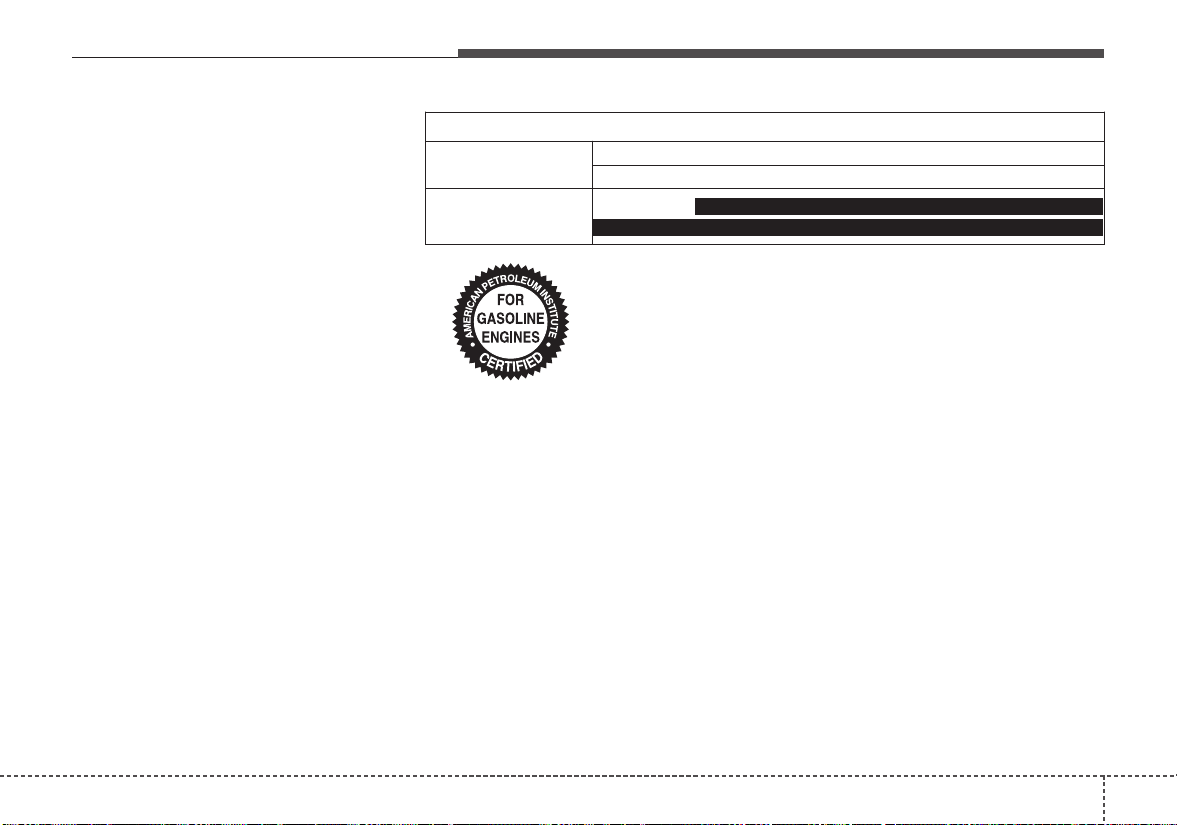
99
Specifications, Consumer information, Reporting safety defects
Recommended SAE viscosity
number
Engine oil viscosity (thickness) has
an effect on fuel economy and cold
weather operation (engine start and
engine oil flowability). Lower viscosi-
ty engine oils can provide better fuel
economy and cold weather perform-
ance, however, higher viscosity
engine oils are required for satisfac-
tory lubrication in hot weather. Using
oils of any viscosity other than those
recommended could result in engine
damage.When choosing an oil, con-
sider the range of temperature your
vehicle will be operated in before the
next oil change. Proceed to select
the recommended oil viscosity from
the chart.
Temperature Range for SAE Viscosity Numbers
Temperature
-30 -20 -10 0 10 20 30 40 50
-10 0 20 40 60 80 100 120
Engine Oil
(GDI) *
1
10W-30
5W-20*
1
, 5W-30
*
1
:For better fuel economy, it is recommended to use the engine oil of
a viscosity grade SAE 5W-20 (API SM / ILSAC GF-4). However, if
the engine oil is not available in your country, select the proper
engine oil using the engine oil viscosity chart.
Specifications, Consumer information, Reporting safety defects
109
VEHICLE IDENTIFICATION NUMBER (VIN)
The vehicle identification number
(VIN) is the number used in register-
ing your vehicle and in all legal mat-
ters pertaining to its ownership, etc.
VIN label
The VIN is also on a plate attached
to the top of the dashboard. The
number on the plate can easily be
seen through the windshield from
outside.
The vehicle certification label
attatched on the driver’s side center
pillar gives the vehicle identification
number (VIN).
OBH088005N
VIN Label
OUB081001
OUB081003
VEHICLE CERTIFICATION-
LABEL
Frame Number
911
Specifications, Consumer information, Reporting safety defects
The tires supplied on your new vehi-
cle are chosen to provide the best
performance for normal driving.
The tire label located on the driver's
side center pillar gives the tire pres-
sures recommended for your vehicle.
The engine number is stamped on
the engine block as shown in the
drawing.
The refrigerant label is located on
the underside of the hood.
The label contains the following infor-
mation :
• Type of refrigerant
• Amount of refrigerant
REFRIGERANT LABELTIRE SPECIFICATION AND
PRESSURE LABEL
OYB086002
OUB071018
ENGINE NUMBER
OSC087004N
■ Gasoline 1.6 GDI engine
Specifications, Consumer information, Reporting safety defects
129
Roadside Assistance is provided on all new current
model year Kia Vehicles from the date the vehicle is deliv-
ered to the first retail buyer or otherwise put into use (in-
service date), whichever is earlier, for a period of 60
months or 60,000 miles, whichever is earlier, subject to
the terms, conditions and exclusions set forth in the Kia
Warranty and Consumer Information Manual applicable
to your model year vehicle.
KMA reserves the right to limit or deny services or other
benefits to any owner or driver when, in KMA's judgment,
the claims and/or service requests are excessive in fre-
quency or type of occurrence.
Toll free consumer assistance
Kia's toll-free Consumer Assistance hot line is staffed
from 5:00 AM to 6:00 PM PST, Monday through Friday
and is accessible by dialing 1-800-333-4Kia (4542).
For more information regarding assistance available,
please refer to your Kia Warranty & Consumer
Information Manual.
Emergency roadside assistance
Kia's toll free Roadside Assistance hot line is staffed 24
hours a day, 365 days a year and is accessible by dialing
1-800-333-4Kia (4542).
Please note that you must provide your Vehicle
Identification Number (VIN) to verify coverage at the time
of your call. The VIN can be found on the dash of your
vehicle on the driver’s side, on the door jamb of the dri-
ver’s door, your vehicle’s registration or proof of insur-
ance card.
CONSUMER ASSISTANCE (U.S. ONLY)
913
Specifications, Consumer information, Reporting safety defects
Kia utilizes a network of over 30,000 roadside assistance
providers. Should you accidentally run out of fuel, require
a battery jump, or need help changing a tire, a Kia
Roadside Assistance Representative will dispatch some-
one to deliver a small quantity of gas, change a flat tire
with your inflated spare, or arrange a battery jump to
allow you to proceed to your destination.We have access
to a network of over 10,000 locksmiths to help you should
you become locked out of your Kia.
In the event that mechanical difficulty renders your vehi-
cle undriveable due to a warranty-related concern, Kia’s
Roadside Assistance Representative will arrange to
transport your vehicle to the nearest Kia dealer or to an
alternative service location.
Your vehicle must be accessible to our dispatch transport
vehicle, as determined by our driver, to receive this service.
✽✽
NOTICE
Roadside Assistance benefits are not available for any
Kia vehicle that has ever been or should be issued a “sal-
vage” title or similar “branded” title under any state’s
law or has been declared a “total loss” or equivalent by
a financial institution or insurance company.
Trip interruption
Trip interruption expense benefits are provided in the
event that a warranty-related disablement occurs more
than 150 miles from your home, and the repairs require
more than 24 hours to complete. Reasonable reimburse-
ment is included for meals, lodging, or rental car expens-
es. Trip interruption coverage is limited to $100 per day
subject to a three day maximum limit per incident. You
must contact the Kia Roadside Assistance Center to
obtain pre-authorization of expenses. Once the Kia
Roadside Assistance Center gives authorization for trip
interruption benefits, they will assist you in making the
necessary arrangements. Insurance deductibles,
expenses, and claims paid by your insurance company or
other providers are not eligible for reimbursement.
Fleet vehicles are excluded from reimbursement under
Kia’s Trip Interruption Policy.
Specifications, Consumer information, Reporting safety defects
149
Registering your vehicle in a foreign country
If you plan to register your vehicle in a foreign country,
you should confirm that it conforms to the regulations in
that country. Even if you successfully register the vehicle
in a foreign country, you may experience the following
problems and should therefore consider the possibility of
having to deal with them:
1.The fuel specified for your vehicle may be unavailable.
If other than the specified fuel is used, it could cause
damage to the engine, the fuel injection system, and
other fuel-related parts which may not be covered
under your New Vehicle Emissions Limited Warranty.
2.We must, therefore, clearly state that when you leave
the country in which you purchased your Kia new and
register it in another country, problems arising from the
use of fuel other than the specified fuel are not subject
to manufacturer’s warranty. Because vehicles like
yours may not be marketed in the new country of reg-
istration, parts, servicing techniques and tools neces-
sary to maintain and repair your vehicle may be
unavailable.
Even if vehicles like yours are sold there, mechanical
specifications required by the government may vary
enough from the country of purchase to cause addi-
tional problems.
3.There may not be an Authorized Kia Dealer in the area
in which you plan to register your vehicle. You may
additionally experience difficulty in obtaining services
in a foreign country for any number of reasons.
Further, we cannot assume any responsibility for prob-
lems that result from unsatisfactory service or lack of
service outside of the United States.
915
Specifications, Consumer information, Reporting safety defects
ELECTRICAL EQUIPMENT (U.S. ONLY)
The electrical system of your vehicle is designed to per-
form under all reasonably expected operating conditions.
However,before any additional electrical equipment is
installed in your vehicle, consult an Authorized Kia
Dealer, in order to ensure that you do not void your war-
ranty.
Certain electrical equipment, or the way in which it is
installed, may adversely affect the operation of your vehi-
cle, includingsuch systems as the engine control system,
the audio system and the electrical charging system and
thus potentially void all or part of your warranty.
We assume no responsibility for any expense you may
incur or for any malfunction of your vehicle or any of its
components or systems that may result from the installa-
tion of additional electrical equipment that is not supplied,
or recommended for installation by, Kia.
Installation of a mobile two-way radio system
If a mobile two-way radio system is installed improperly,
or if an excessively powerful type of system is used, other
electronic systems may be adversely affected. To avoid
damage to your vehicle, consult an Authorized Kia Dealer
concerning the proper equipment and installation.
Kia motor vehicles are designed and manufactured to
meet or exceed all applicable safety standards.
For your safety, however, we strongly urge you to read
and follow all directions in this Owner's Manual, particu-
larly the information under the headings "NOTICE",
"CAUTION" and "WARNING".
If, after reading this manual, you have any questions
regarding the operation of your vehicle, safety issues and
defects please contact your Kia's toll-free Consumer
Assistance hot line as below:
National Consumer Affairs Manager
Kia Motors America, Inc.
P.O. Box 52410
Irvine, CA 92619-2410
1-800-333-4Kia (4542)
If you believe that your vehicle has a defect which could
cause a crash or could cause injury or death, you should
immediately inform the National Highway Traffic Safety
Administration (NHTSA) in addition to notifying Kia
Motors America, Inc.
If NHTSA receives similar complaints, it may open an
investigation, and if it finds that a safety defect exists in a
group of vehicles, it may order a recall and remedy cam-
paign. However, NHTSA cannot become involved in indi-
vidual problems between you, your dealer, or Kia Motors
America, Inc.
To contact NHTSA, you may call the Vehicle Safety
Hotline toll-free at 1-888-327-4236 (TTY: 1-800-424-
9153); go to http://www.safercar.gov; download the
SaferCar mobile application; or write to: Administrator,
NHTSA, 1200 New Jersey Ave., SE., West Building,
Washington, DC 20590. You can also obtain other infor-
mation about motor vehicle safety from http://www.safer-
car.gov.
The following publications are available on
www.KiaTechinfo.com
Service manual:
This manual covers maintenance and recommended pro-
cedures for repair to engine and chassis components. It
is written for the Journeyman mechanic, but is simple
enough for most mechanically inclined owners to under-
stand.
Electrical troubleshooting manual:
This manual complements the Service Manual by provid-
ing indepth troubleshooting information for each electrical
circuit in your vehicle.
Owner's manual:
This manual describes the overall features and operating
procedures for the vehicle.
REPORTING SAFETY DEFECTS
(U.S. ONLY)
ONLINE FACTORY AUTHORIZED MANUALS
(U.S. ONLY)
916
Specifications, Consumer information, Reporting safety defects

Index
I
I
Index
2
I
Air bag inflation conditions ..........................................3-51
Air bag non-inflation conditions ..................................3-52
Air bag warning label....................................................3-55
Air bag warning light ....................................................3-34
Air bags..........................................................................3-30
Operation ....................................................................3-31
Air bag warning light..................................................3-34
SRS components and functions..................................3-34
Occupant detection system ........................................3-37
Driver's and passenger's front air bag ........................3-44
Side air bag ................................................................3-47
Curtain air bag ............................................................3-48
Air bag inflation conditions........................................3-51
Air bag non-inflation conditions ................................3-52
SRS care......................................................................3-54
Adding equipment to or modifying your air
bag-equipped vehicle................................................3-55
Air bag warning label ................................................3-55
Air cleaner ....................................................................8-34
Filter replacement ......................................................8-34
Air Conditioning System ................................................9-6
Anti-lock brake system (ABS) ......................................6-27
Appearance care ..........................................................8-101
Exterior care..............................................................8-101
Interior care ..............................................................8-106
Audio (without touch screen)..........................................5-7
Feature of your audio....................................................5-8
Radio ..........................................................................5-14
SiriusXM ....................................................................5-16
Media ..........................................................................5-18
Phone ..........................................................................5-28
Setup ..........................................................................5-36
Audio system ..................................................................5-2
Antenna ........................................................................5-2
AUX, USB port ............................................................5-3
Auto light position ........................................................4-89
Automatic climate control system ..............................4-114
Automatic heating and air conditioning ..................4-115
Manual heating and air conditioning........................4-116
System operation ......................................................4-121
Automatic transaxle ......................................................6-18
Automatic transaxle operation....................................6-18
Good driving practices................................................6-22
Back-up lamp bulb replacement (4 door)......................8-94
Back-up lamp bulb replacement (5 door)......................8-89
A
B
I
3
Index
Battery............................................................................8-42
For best battery service ..............................................8-42
Recharging the battery................................................8-43
Reset items..................................................................8-44
Battery saver function....................................................4-87
Battery saver function....................................................4-87
Before driving..................................................................6-4
Bonnet see the hood ......................................................4-36
Brake system..................................................................6-23
Parking brake..............................................................6-25
Anti-lock brake system (ABS)....................................6-27
Electronic stability control (ESC) ..............................6-29
Vehicle stability management (VSM) ........................6-34
Hill-start assist control (HAC)....................................6-33
Brake/clutch fluid ..........................................................8-31
Checking the brake/clutch fluid level ........................8-31
Bulb replacement ..........................................................8-75
Bulb replacement precaution ........................................8-75
Bulb wattage....................................................................9-3
California Perchlorate notice ......................................8-112
Camera (Rear view) ......................................................4-86
Capacities (Lubricants)....................................................9-7
Care
Care of seat belts ........................................................3-22
Tire care ......................................................................8-45
Exterior care..............................................................8-101
Interior care ..............................................................8-106
Center console storage ................................................4-128
Central door lock switch................................................4-18
Checking fluid levels ....................................................8-25
Checking tire inflation pressure ....................................8-46
Child restraint system....................................................3-23
Placing a passenger seat belt into the auto lock mode ..3-25
Securing a child restraint seat with child seat lower
anchor system ..........................................................3-28
Securing a child restraint seat with tether anchorage
system ......................................................................3-27
Child-protector rear door lock ......................................4-20
Climate control air filter................................................8-36
Filter inspection ..........................................................8-36
Clothes hanger ............................................................4-135
Combined instrument, see instrument cluster ..............4-52
Consumer assistance (U.S. ONLY) ..............................9-12
Coolant ..........................................................................8-28
Cooling fluid, see engine coolant..................................8-28
Covering shelf..............................................................4-137
Crankcase emission control system ............................8-109
Cruise control system ....................................................6-48
Cruise control switch..................................................6-48
To set cruise control speed..........................................6-49
To increase cruise control set speed ..........................6-50
To decrease the cruising speed ..................................6-50
To temporarily accelerate with the cruise control on ..6-50
C
Index
4
I
To cancel cruise control..............................................6-51
To resume cruising speed at more than approximately
20 mph (3 0km/h) ....................................................6-51
To turn cruise control off............................................6-52
Cup holder ..................................................................4-131
Curtain air bag ..............................................................3-48
Dashboard illumination, see instrument panel
illumination..................................................................4-53
Dashboard, see instrument cluster ................................4-52
Day/night rearview mirror ............................................4-49
Declaration of Conformity ............................................5-39
Defogging (Windshield) ..............................................4-123
Defroster (Rear window) ............................................4-103
Defrosting (Windshield) ..............................................4-123
Dimensions ......................................................................9-2
Display illumination, see instrument panel illumination..4-53
Displays, see instrument cluster ....................................4-52
Door locks......................................................................4-17
from outside the vehicle..............................................4-17
from inside the vehicle................................................4-18
Central door lock switch ............................................4-18
Child-protector rear door lock....................................4-20
Driver's and passenger's front air bag............................3-44
Driving at night..............................................................6-58
Driving in flooded areas ................................................6-59
Driving in the rain..........................................................6-59
Driving off-road ............................................................6-60
DRL (Bulb type) bulb replacement ..............................8-85
Economical operation....................................................6-55
Electric power steering..................................................4-46
Electrical equipment (U.S. ONLY) ..............................9-15
Electronic stability control (ESC) ................................6-29
Emergency starting ..........................................................7-5
Jump starting ................................................................7-5
Emergency while driving ................................................7-3
Emission control system..............................................8-109
Crankcase emission control system..........................8-109
Evaporative emission control (including ORVR:
Onboard Refueling Vapor Recovery) system ........8-109
Exhaust emission control system..............................8-110
Engine..............................................................................9-2
Engine compartment........................................................8-4
Engine coolant ..............................................................8-28
Checking the coolant level..........................................8-28
Changing the coolant..................................................8-30
Engine coolant temperature gauge ................................4-55
Engine number ..............................................................9-11
Engine oil ......................................................................8-26
Checking the engine oil level ....................................8-26
Changing the engine oil and filter..............................8-27
D
E
I
5
Index
Engine overheats..............................................................7-6
Engine start/stop button ..................................................6-8
Illuminated engine start/stop button ............................6-8
Engine start/stop button position..................................6-8
Engine start/stop button illumination ..............................6-8
Engine start/stop button position ....................................6-8
Engine will not start ........................................................7-4
Evaporative emission control (including ORVR:
Onboard Refueling Vapor Recovery) system............8-109
Exhaust emission control system ................................8-110
Explanation of scheduled maintenance items ..............8-21
Engine oil and filter....................................................8-21
Drive belts ..................................................................8-21
Fuel filter (for gasoline)..............................................8-21
Fuel lines, fuel hoses and connections ......................8-21
Vapor hose and fuel filler cap ....................................8-21
Vacuum crankcase ventilation hoses ..........................8-22
Air cleaner filter..........................................................8-22
Spark plugs ................................................................8-22
Valve clearance ..........................................................8-22
Cooling system ..........................................................8-22
Coolant........................................................................8-22
Manual transaxle fluid................................................8-22
Automatic transaxle fluid............................................8-22
Brake hoses and lines..................................................8-23
Brake/clutch fluid........................................................8-24
Parking brake..............................................................8-24
Brake discs, pads, calipers and rotors ........................8-24
Exhaust pipe and muffler............................................8-24
Suspension mounting bolts ........................................8-24
Steering gear box, linkage & boots/lower arm
ball joint....................................................................8-24
Drive shafts and boots ................................................8-24
Air conditioning refrigerant........................................8-24
Exterior care ................................................................8-101
Flat tire ..........................................................................7-18
Jack and tools..............................................................7-18
Removing and storing the spare tire ..........................7-19
Changing tires ............................................................7-20
Floor mat anchor(s) ....................................................4-136
Fluid
Brake/clutch fluid........................................................8-31
Washer fluid................................................................8-32
Folding the outside rearview mirror..............................4-51
Front fog lamp bulb replacement ..................................8-84
Front fog light................................................................4-92
Front seat adjustment ......................................................3-4
Front turn signal lamp bulb replacement
(Headlamp Type A) ....................................................8-81
Front turn signal lamp bulb replacement
(Headlamp Type B) ....................................................8-83
F
Index
6
I
Fuel filler lid..................................................................4-38
Opening the fuel filler lid ..........................................4-38
Closing the fuel filler lid ............................................4-38
Fuel gauge......................................................................4-55
Fuses ..............................................................................8-60
Inner panel fuse replacement......................................8-62
Memory fuse ..............................................................8-63
Engine compartment fuse replacement ......................8-64
Fuse/relay panel description ......................................8-66
Gauges ..........................................................................4-54
Glove box ....................................................................4-128
Glove box lamp............................................................4-101
Glove box lamp bulb replacement ................................8-99
Hazard warning flasher....................................................7-2
Hazardous driving conditions........................................6-57
Headlamp (Low/High beam) bulb replacement
(Headlamp type B) ......................................................8-82
Headlamp (Low/High beam) bulb replacement
(Headlamp Type A) ....................................................8-80
Headlight escort function ..............................................4-87
Headlight position..........................................................4-89
Headlight welcome function..........................................4-87
Headrest (Front) ..............................................................3-6
Heated steering wheel....................................................4-48
High - beam operation ..................................................4-90
High mounted stop lamp bulb replacement (4 door) ....8-96
High mounted stop lamp bulb replacement (5 door) ....8-91
Highway driving ............................................................6-60
Hill-start assist control (HAC) ......................................6-33
Hood ..............................................................................4-36
Opening the hood........................................................4-36
Closing the hood ........................................................4-37
Hood open warning ....................................................4-37
Horn ..............................................................................4-47
Ignition switch position ..................................................6-6
Indicator lights ..............................................................4-82
Inside rearview mirror ..................................................4-49
Instrument cluster ..........................................................4-52
Instrument cluster control ..........................................4-53
LCD window control..................................................4-53
Gauges ........................................................................4-54
Warning lights ............................................................4-74
Indicator lights............................................................4-82
Interior care..................................................................8-106
Interior features............................................................4-131
Cup holder ................................................................4-131
Sunvisor ....................................................................4-131
G
H
I
I
7
Index
Seat warmer ..............................................................4-132
Power outlet..............................................................4-133
USB charger..............................................................4-134
Floor mat anchor(s) ..................................................4-136
Shopping bag holder ................................................4-136
Clothes hanger ..........................................................4-135
Covering shelf ..........................................................4-137
Interior light ..................................................................4-98
Map lamp....................................................................4-98
room lamp ..................................................................4-99
Luggage room lamp..................................................4-101
Vanity mirror lamp....................................................4-102
Glove box lamp ........................................................4-101
Jump starting....................................................................7-5
Key operations ................................................................4-4
Key positions ..................................................................6-6
Ignition switch position ................................................6-6
Keys ................................................................................4-4
Record your key number ..............................................4-4
Key operations ..............................................................4-4
Label
Tire sidewall labeling..................................................8-50
Vehicle certification label ..........................................9-10
Tire specification and pressure label ..........................9-11
LCD modes (for Type B cluster) ..................................4-64
LCD windows................................................................4-59
Over view....................................................................4-59
Trip information..........................................................4-59
LCD modes (for Type B cluster)................................4-64
Service mode ..............................................................4-65
User settings mode(for Type B cluster)......................4-65
Warning messages ......................................................4-69
License plate lamp bulb replacement (5,4 door) ..........8-91
Light bulb position (Front)............................................8-77
Light bulb position (Rear) (4 door) ..............................8-79
Light bulb position (Rear) (5 door) ..............................8-78
Light bulb position (Side)..............................................8-80
Light bulbs ....................................................................8-75
Bulb replacement precaution......................................8-75
Light bulb position (Front) ........................................8-77
Light bulb position (Rear) (5 door)............................8-78
Light bulb position (Rear) (4 door)............................8-79
Light bulb position (Side) ..........................................8-80
Headlamp (Low/High beam) bulb replacement
(Headlamp Type A) ..................................................8-80
J
K
L
Index
8
I
Front turn signal lamp bulb replacement
(Headlamp Type A) ..................................................8-81
Headlamp (Low/High beam) bulb replacement
(Headlamp Type B) ..................................................8-82
Front turn signal lamp bulb replacement
(Headlamp Type B) ..................................................8-83
Front fog lamp bulb replacement................................8-84
Position lamp + DRL (LED type) bulb replacement..8-84
DRL (Bulb type) bulb replacement............................8-85
Side repeater lamp (LED type) bulb replacement......8-85
Side repeater lamp (Bulb type) bulb replacement......8-86
Stop and tail lamp bulb replacement (5 door)............8-86
Rear turn signal lamp bulb replacement (5 door) ......8-88
Stop and tail lamp (LED type) bulb replacement
(5 door) ....................................................................8-89
Back-up lamp bulb replacement (5 door) ..................8-89
Tail lamp (inside) bulb replacement (5 door) ............8-90
High mounted stop lamp bulb replacement (5 door)..8-91
License plate lamp bulb replacement (5,4 door)........8-91
Rear turn signal lamp bulb replacement (4 door) ......8-92
Stop and tail lamp/Side marker (Bulb type)
replacement (4 door) ................................................8-93
Back-up lamp bulb replacement (4 door) ..................8-94
Tail lamp (Bulb type) bulb replacement (4 door) ......8-95
Stop and tail lamp (LED type) bulb replacement
(4 door) ....................................................................8-96
High mounted stop lamp bulb replacement (4 door)..8-96
Trunk lamp bulb replacement (4 door) ......................8-97
Map lamp bulb replacement ......................................8-97
Vanity mirror lamp bulb replacement ........................8-98
Room lamp bulb replacement ....................................8-99
Glove box lamp bulb replacement..............................8-99
Tailgate room lamp bulb replacement (5 door)........8-100
Lighting..........................................................................4-88
Battery saver function ................................................4-87
Headlight welcome function ......................................4-87
Parking light position..................................................4-88
Headlight position ......................................................4-89
Auto light position......................................................4-89
High - beam operation................................................4-90
Turn signals ................................................................4-91
Front fog light ............................................................4-92
Lubricants and capacities ................................................9-7
Luggage net holder......................................................4-129
Luggage room lamp ....................................................4-101
Maintenance
Engine compartment ....................................................8-4
Maintenance services....................................................8-5
Owner maintenance ......................................................8-7
Scheduled maintenance service....................................8-9
Explanation of scheduled maintenance items ............8-21
Tire maintenance ........................................................8-50
M
I
9
Index
Maintenance schedule......................................................8-9
Normal maintenance schedule....................................8-10
Maintenance under severe usage conditions ..............8-20
Maintenance services ......................................................8-5
Owner’s responsibility..................................................8-5
Owner maintenance precautions ..................................8-6
Manual climate control system....................................4-104
Heating and air conditioning ....................................4-105
System operation ......................................................4-110
Climate control air filter ..........................................4-112
Checking the amount of air conditioner refrigerant and
compressor lubricant ..............................................4-113
Manual transaxle............................................................6-15
Manual transaxle operation ........................................6-15
Good driving practices................................................6-17
Manual windows............................................................4-35
Map lamp ......................................................................4-98
Map lamp bulb replacement..........................................8-97
Mirrors ..........................................................................4-49
Inside rearview mirror ................................................4-49
Day/night rearview mirror..........................................4-49
Outside rearview mirror..............................................4-49
Remote control............................................................4-50
Folding the outside rearview mirror ..........................4-51
Occupant detection system............................................3-37
Odometer ......................................................................4-56
Oil (Engine) ..................................................................8-26
Online factory authorized manuals (U.S. ONLY) ........9-16
Operation(Air bags) ......................................................3-31
Outside rearview mirror ................................................4-49
Outside temperature gauge............................................4-56
Over view (LCD windows) ..........................................4-59
Overheats ........................................................................7-6
Owner maintenance ........................................................8-7
Owner maintenance schedule ......................................8-7
Parking brake........................................................6-25, 8-33
Checking the parking brake........................................8-33
Parking light position ....................................................4-88
Placing a passenger seat belt into the auto lock mode..3-25
Position lamp + DRL (LED type) bulb replacement ....8-84
Power outlet ................................................................4-133
Power window lock button............................................4-34
Precautions ....................................................................3-20
Pre-tensioner seat belt....................................................3-17
O
P
Index
10
I
Radar type autonomous emergency braking ................6-37
System setting and activation ....................................6-37
AEB warning message and system control................6-39
Brake operation ..........................................................6-40
System malfunction ....................................................6-42
Limitation of the system ............................................6-43
Rear seat adjustment........................................................3-9
Rear turn signal lamp bulb replacement (4 door)..........8-92
Rear turn signal lamp bulb replacement (5 door)..........8-88
Rearview camera............................................................4-86
Recommended lubricants and capacities ........................9-7
Recommended SAE viscosity number ........................9-9
Record your key number ................................................4-4
Refrigerent label ............................................................9-11
Remote control (Outside rear view mirror) ..................4-50
Remote keyless entry
Remote keyless entry system operations......................4-9
Transmitter precautions ..............................................4-10
Battery replacement....................................................4-11
Immobilizer system ....................................................4-12
Reporting safety deffects (U.S. ONLY) ........................9-16
Resetting the sunroof ....................................................4-45
Road warning ..................................................................7-2
Rocking the vehicle ......................................................6-57
Room lamp ....................................................................4-99
Room lamp bulb replacement........................................8-99
Rotation (Tire) ..............................................................8-47
Scheduled maintenance service ......................................8-9
Normal maintenance schedule....................................8-10
Maintenance under severe usage conditions ..............8-20
Seat belt restraint system ..............................................3-12
Seat belt warning ..........................................................3-13
Seat belts........................................................................3-12
Seat belt restraint system............................................3-12
Seat belt warning ........................................................3-13
Pre-tensioner seat belt ................................................3-17
Precautions..................................................................3-20
Care of seat belts ........................................................3-22
Seat warmer ................................................................4-132
Seats ................................................................................3-2
Front seat adjustment....................................................3-4
Headrest (Front)............................................................3-6
Rear seat adjustment ....................................................3-9
Securing a child restraint seat with child seat lower
anchor system..............................................................3-28
Securing a child restraint seat with tether anchorage
system..........................................................................3-27
Service mode ................................................................4-65
Shopping bag holder....................................................4-136
Side air bag....................................................................3-47
S
R

I
11
Index
Side repeater lamp (Bulb type) bulb replacement ........8-86
Side repeater lamp (LED type) bulb replacement ........8-85
Sliding the sunroof ........................................................4-42
Smart key ........................................................................4-6
Smart key functions......................................................4-6
Smart key precautions ..................................................4-7
Smart key functions ........................................................4-6
Smart trunk (4 door)
How to use the smart trunk ........................................4-23
How to deactivate the smart trunkfunction using the
smart key ..................................................................4-25
Detecting area ............................................................4-25
Smooth cornering ..........................................................6-58
Snow tires ......................................................................6-61
Spare tire
Jack and tools..............................................................7-18
Removing and storing the spare tire ..........................7-19
Changing tires ............................................................7-20
Special driving conditions ............................................6-57
Hazardous driving conditions ....................................6-57
Rocking the vehicle ....................................................6-57
Smooth cornering........................................................6-58
Driving at night ..........................................................6-58
Driving in the rain ......................................................6-59
Driving in flooded areas ............................................6-59
Driving off-road..........................................................6-60
Highway driving ........................................................6-60
Speedometer ..................................................................4-54
Sport mode integrated control system ..........................6-53
SRS care......................................................................3-54
SRS components and functions..................................3-34
Starting difficulties, see engine will not start..................7-4
Starting the engine ........................................................6-12
Starting the engine with an ignition key ....................6-12
Starting the engine with a smart key..........................6-13
Steering wheel ..............................................................4-46
Electric power steering ..............................................4-46
Tilt and telescopic steering ........................................4-47
Heated steering wheel ................................................4-48
Horn ............................................................................4-47
Stop and tail lamp (LED type) bulb replacement
(4 door)........................................................................8-96
Stop and tail lamp (LED type) bulb replacement
(5 door)........................................................................8-89
Stop and tail lamp/Side marker (Bulb type) replacement
(4 door)........................................................................8-93
Stop and tail lamp bulb replacement (5 door) ..............8-86
Storage compartment ..................................................4-128
Center console storage..............................................4-128
Glove box..................................................................4-128
Sunglass holder ........................................................4-129
Luggage net holder ..................................................4-129
Sunglass holder............................................................4-129
Sunroof ..........................................................................4-41
Sliding the sunroof......................................................4-42
Sunroof open warning ................................................4-42
Index
12
I
Tilting the sunroof ......................................................4-44
Sunshade ....................................................................4-44
Resetting the sunroof..................................................4-45
Sunroof open warning ..................................................4-42
Sunshade........................................................................4-44
Sunvisor ......................................................................4-131
Tachometer ....................................................................4-54
Tail lamp (Bulb type) bulb replacement (4 door)..........8-95
Tail lamp (Inside) bulb replacement (5 door)................8-90
Tailgate room lamp bulb replacement (5 door) ..........8-100
Tailgate (5 door) ............................................................4-27
Opening tailgate..........................................................4-27
Closing tailgate ..........................................................4-27
Emergency tailgate safety release ..............................4-28
Theft alarm system ........................................................4-14
Armed stage................................................................4-14
Theft-alarm stage........................................................4-15
Disarmed stage............................................................4-16
Tilt and telescopic steering............................................4-47
Tilting the sunroof ........................................................4-44
Tire chains......................................................................6-62
Tire pressure monitoring system (Type A)......................7-7
Tire pressure monitoring system (Type B)....................7-12
Tire replacement ............................................................8-49
Tire rotation ..................................................................8-47
Tire specification and pressure label ............................9-11
Tires and wheels ............................................................8-45
Tire care ......................................................................8-45
Recommended cold tire inflation pressures................8-45
Tire pressure................................................................8-46
Checking tire inflation pressure..................................8-46
Tire rotation ................................................................8-47
Wheel alignment and tire balance ..............................8-48
Tire replacement ........................................................8-49
Wheel replacement ....................................................8-50
Tire traction ................................................................8-50
Tire maintenance ........................................................8-50
Tire sidewall labeling ................................................8-50
Tire terminology and definitions ................................8-54
All season tires............................................................8-57
Summer tires ..............................................................8-57
Snow tires....................................................................8-57
Tire chains ..................................................................8-57
Radial-ply tires............................................................8-58
Low aspect ratio tire ..................................................8-58
Tires and wheels ..........................................................9-5
Towing
Towing service............................................................7-28
Emergency towing ......................................................7-29
Transaxle - Automatic transaxle....................................6-18
Transaxle - Manual transaxle ........................................6-15
Transaxle shift indicator ................................................4-57
Trip information ............................................................4-59
T
I
13
Index
Trunk lamp bulb replacement (4 door)..........................8-97
Trunk (4 door)................................................................4-21
Opening the trunk ......................................................4-21
Closing the trunk ........................................................4-21
Emergency trunk safety release..................................4-22
Turn signals....................................................................4-91
USB charger ................................................................4-134
User settings mode(for Type B cluster) ........................4-65
Vanity mirror lamp ......................................................4-102
Vanity mirror lamp bulb replacement............................8-98
Vehicel load limit ..........................................................6-66
Vehicle certification label..............................................9-10
Vehicle identification number (VIN) ............................9-10
Vehicle stability management (VSM) ..........................6-34
Vehicle weight ..............................................................6-71
Warning and Indicator lights ........................................4-74
Warning lights................................................................4-74
Warning messages..........................................................4-69
Washer fluid ..................................................................8-32
Checking the washer fluid level..................................8-32
Weight/Volume ................................................................9-6
Wheel alignment and tire balance ................................8-48
Wheel replacement ........................................................8-50
Windows ........................................................................4-30
Power window lock button ........................................4-34
Windshield defrosting and defogging..........................4-123
Manual climate control system ................................4-123
Automatic climate control system............................4-124
Defogging logic ........................................................4-125
Auto defogging system ............................................4-126
Windshield washers ......................................................4-95
Windshield wipers ........................................................4-94
Winter driving................................................................6-61
Snow tires....................................................................6-61
Tire chains ..................................................................6-62
Wiper blades ..................................................................8-38
Blade inspection..........................................................8-38
Blade replacement ......................................................8-38
Wipers and washers ......................................................4-93
Windshield wipers ......................................................4-94
Windshield washers ....................................................4-95
Rear window wiper and washer switch......................4-96
U
V
W