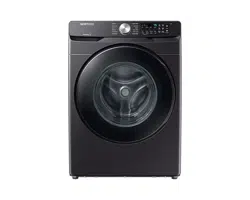
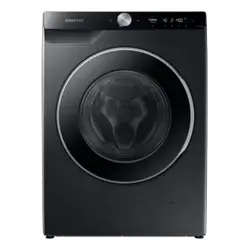
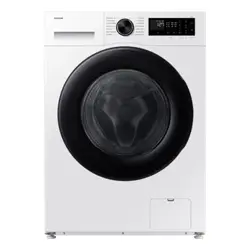
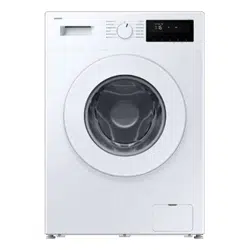
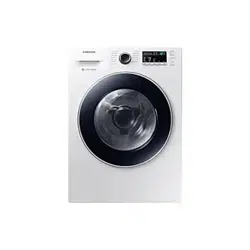
Make sure all the parts are included in the product package. If you have a problem with the washer or the parts, contact the Samsung customer care center at 1-800-SAMSUNG (1-800-726-7864) or your retailer.
01 Release lever 02 Detergent drawer 03 Door 04 Drum 05 Worktop 06 Control panel 07 Power plug 08 Drain hose 09 Filter cover 10 Leveling feet 11 Pump filter 12 Emergency drain tube
Operations
WARNING To reduce the risk of fire, electric shock, or injury to persons, read the Safety information before operating this appliance.
Control panel
Icon description
Simple steps to start
Press Power to turn on the washer.
Turn the Cycle Selector to select a cycle.
Change the cycle settings (Temp. , Rinse , Spin , and Soil ) as necessary.
Select desired options as necessary.
Press and hold Start/Pause (Hold to Start) .
To change the cycle during operation
Press Start/Pause (Hold to Start) to stop operation.
Select a different cycle.
Press and hold Start/Pause (Hold to Start) again to start the new cycle.
WARNING Do not place anything on top of your washer while it is running.
Special features
Delay End
You can set the washer to finish your wash automatically at a later time by choosing a delay of between 1 to 24 hours (in 1 hour increments). The hour displayed indicates the time the wash will finish.
Select a cycle. Then, change the cycle settings if necessary.
Press Delay End repeatedly until a desired end time is set.
Press and hold Start/Pause (Hold to Start) .
To cancel Delay End , restart the washer by pressing Power .
Real-life case
You want to finish a two-hour cycle 3 hours from now. To do this, you add the Delay End option to the current cycle with a 3-hour setting, and then press and hold Start/Pause (Hold to Start) at 2:00 pm. The washer starts operating at 3:00 pm and ends at 5:00 pm. Provided below is the time line for this example.
ATC (Auto Temperature Control)
ATC enables the washer to control water temperatures in each washing cycle using the internal thermistor. It is designed to maintain certain washing temperatures for best results.
NOTE
• If you select NORMAL or HEAVY DUTY , you may notice the washer supplying cold water. This is normal because the machine is designed to reduce power consumption. In these cycles, the water temperature for Level 5 is similar to bath-water temperatures, and Level 3 is similar to comfortable swimming pool temperatures.
• To wash clothes at a specific temperature, you must choose a different cycle first.
Child Lock
The Child Lockfunction locks the washer door to prevent children from climbing into and suffocating inside the drum.
To activate Child Lock
• Press and hold both Temp. and Rinse for 3 seconds. Then, press and hold Start/Pause (Hold to Start) to activate. The door locks, and the Child Lockindicator turns on.
To deactivate Child Lock temporarily
• You can deactivate Child Locktemporarily for 1 minute. To do this, press and hold both Temp. and Rinse for 3 seconds. The door is unlocked for 1 minute and the Child Lock indicator blinks.
NOTE
• If you open the door 1 minute after deactivating Child Lock , an alarm sounds for up to 2 minutes.
• If you close the door within 2 minutes, the door locks and Child Lockis reactivated. If you do not close the door or the door is not properly closed, the alarm keeps sounding for 2 minutes.
• To add laundry after activating Child Lock , deactivate Child Lockor restart the washer.
To cancel Child Lock
• Press and hold both Temp. and Rinse for 6 seconds. The door unlocks, and the Child Lockindicator turns off.
Alarm Off
You can turn the alarm sound on or off. When the alarm is off, the cycle completion melody and the power-off beep will not sound. However, the other sounds stay active.
• Press and hold Super Speed for 3 seconds to turn the alarm on or off.
• Your setting will be kept even after you turn off and then restart the appliance.
DOWNLOADED cycle
You can choose from more cycles available on the SmartThings app on your smartphone.
1. On your smartphone, select the DOWNLOADED cycle.
- You can choose from TOWELS , ALLERGEN , WOOL , ECO COLD , DEEP STEAM , UNDERGARMENTS , BLOUSES , THIN BEDDING , TOWELS SANITIZE , DARKS , and POWER RINSE .
2. Press Power on your washer.
3. Turn the Cycle Selector to DOWNLOADED .
4. Press and hold Start/Pause (Hold to Start) .
Bixby
Bixby is a Samsung’s intelligence platform, and you can control the product with your voice. To use the voice command feature, you must connect the product with the SmartThings app on your phone. For products that do not recognize voice directly from the product, you can use the Bixby on your smartphone to control some of the functions of your product after connecting to the app.
SmartThings
Wi-Fi connection
On your smartphone, go to Settings and turn on the wireless connection and select an AP (Access Point).
• This appliance supports the Wi-Fi 2.4 GHz protocols.
Download
On an app market (Google Play Store, Apple App Store, Samsung Galaxy Apps), find the SmartThings app with a search term of “SmartThings”. Download and install the app on your device.
NOTE The app is subject to change without notice for improved performance.
Log in
You must first log into SmartThings with your Samsung account. To create a new Samsung account, follow the instructions on the app. You don’t need a separate app to create your account.
NOTE If you have a Samsung account, use the account to log in. A registered Samsung smartphone user automatically logs in.
To register your appliance to SmartThings
1. Make sure your smartphone is connected to a wireless network. If not, go to Settings and turn on the wireless connection and select an AP (Access Point).
2. Open SmartThings on your smartphone.
3. If a message of “ A new device is found. ”, select Add .
4. If no message appears, select + and select your appliance in a list of devices available. If your appliance is not listed, select Device Type > Specific Device Model , and then add your appliance manually.
5. Register your appliance to the SmartThings app as follows.
a. Add your appliance to SmartThings. Make sure your appliance is connected to SmartThings.
b. When registration is complete, your appliance appears on your smartphone.
Maintenance
Keep the washer clean for best performance and to lengthen its life cycle.
WARNING Certain internal parts are intentionally not grounded and may present a risk of electric shock only during servicing. Service personnel – Do not contact the following parts while the appliance is energized: Control board, heat sink, motor, inlet valve and pump.
Self Clean+
Certain usage and environmental conditions may result in some residue build-up or odor in the washer drum. To prevent this build-up of residue or odor causing bacteria and keep your washer drum fresh and clean, perform the SELF CLEAN+ cycle at least once a month or every 40 cycles. Perform the recommended procedure below when using the SELF CLEAN+ cycle.
Remove all items from the washer drum and ensure the drum is empty. Laundry left in the drum during the SELF CLEAN+ cycle may be damaged.
Press Power to turn on the washer.
Turn the Cycle Selector to SELF CLEAN+.
Press and hold Start/Pause (Hold to Start) .
NOTE
• The water temperature for SELF CLEAN+ is defaulted to Hot. This temperature cannot be changed.
• In the case where residue is present in the washer drum, add liquid chlorine bleach to the MAX level line in the main-wash compartment before starting the SELF CLEAN+ cycle. Do not add the liquid chlorine bleach to the bleach compartment (This is only the case for SELF CLEAN+ cycle).
• Do not exceed the max line. Do not use or mix any other detergent or chemicals during the SELF CLEAN+ cycle. If necessary, run a RINSE+SPINcycle after the SELF CLEAN+ cycle has completed to help remove any remaining residue.
CAUTION If there is chlorine bleach left in the washer drum for an extended period of time, rust can occur.
SELF CLEAN reminder ()
• After 40 washing cycles, the SELF CLEAN+ LED reminder icon and the SELF CLEAN+ cycle LED will blink on the control panel for an hour and then turn off automatically.
• The reminder will appear on the control panel for 5 additional consecutive cycles before turning off. The next reminder will not appear until another 40 cycles have been completed.
Smart Care
To enable this function, you must first download the Samsung Laundry app from the Play Store or the App Store and install it on a mobile device that has a camera function. The Smart Carefunction has been optimized for Galaxy and iPhone mobile devices (applicable models only).
When the washer detects an issue to check, an information code appears on the display. To enter Smart Caremode, press and hold Soil for 3 seconds.
The washer starts the self-diagnosis procedure and displays an information code if a problem is detected.
Run the Samsung Laundry app on your mobile device, and then tap Smart Care .
Put the mobile device close to the washer’s display so that the smartphone camera and the washer face each other. The information code will be recognized automatically by the app.
When the information code is recognized correctly, the app provides detailed information about the problem with applicable solutions.
NOTE
• The function name, Smart Care , may differ depending on the language.
• If the washer's display reflects light, the app may fail to recognize the information code.
• If the app fails to recognize the information code, you can enter the code manually on the app
Emergency drain
In case of a power failure, drain the water inside the drum before taking out the laundry.
1. Turn off the washer, and then unplug the power cord.
2. Gently press the top area of the filter cover to open.
3. Put an empty, spacious container around the cover, and stretch the emergency drain tube to the container while holding the tube cap (A).
4. Open the tube cap and let water in the Emergency drain tube (B) flow into the container.
5. When done, close the tube cap, and reinsert the tube. Then, close the filter cover.
NOTE Use a spacious container because the water in the drum may be more than expected.
Cleaning
Surface of the washer
Use a soft cloth with a nonabrasive household cleaner. Do not spray water onto the washer.
Mesh filter
Clean the mesh filter of the water hose once or twice a year.
1. Turn off the washer, and then unplug the power cord.
2. Close the water tap.
3. Loosen and disconnect the water hoses from the back of the washer. Cover the each hose with a cloth to prevent water from gushing out.
4. Use pliers to pull out the mesh filter from the inlet valves.
5. Thoroughly clean the mesh filters in water.
6. Completely dry the mesh filters. Do not dry in direct sunlight.
7. Reinsert the mesh filters, and then reconnect the water hoses.
8. Open the water taps.
NOTE If a mesh filter is clogged, the “4C ” information code appears on the washer’s display screen.
Pump filter
You should clean the pump filter 5 or 6 times a year to prevent it from clogging. A clogged pump filter may reduce the bubble effect.
1. Turn off the washer, and then unplug the power cord.
2. Gently press the top area of the filter cover to open.
3. Drain the remaining water inside the drum. See the Emergency drain section on page 46.
4. Turn the pump filter knob (A) counterclockwise, and then drain the remaining water.
5. Clean the pump filter using a soft brush. Make sure the drain pump propeller inside the filter is not clogged.
6. Reinsert the pump filter, and then turn the filter knob clockwise.
7. Close the filter cover.
NOTE
• Some pump filters feature a safety knob that is designed to prevent children from accidentally opening the filter compartment. To open the safety knob of the pump filter, push in and turn it counterclockwise. The spring mechanism of the safety knob helps open the filter.
• To close the safety knob of the pump filter, turn it clockwise. The spring makes a rattling sound, which is normal.
• Before closing the filter cover, make sure the pump filter is properly inserted.
Care for an extended period of non-use
Avoid leaving the washer unused for an extended time. However, if you intend to leave the washer unused for a long period of time, follow the directions below:
Press Power , and then turn the Cycle Selector to RINSE+SPIN .
Empty the drum, and then press and hold Start/Pause (Hold to Start) .
When the cycle is complete, close the water taps and disconnect the water hoses.
Turn off the washer, and then unplug the power cord.
Open the door to let air circulate through the drum.
Cleaning the exterior
1. Turn off the water taps after finishing the day’s washing. This will shut off the water supply to your washer and prevent the unlikely possibility of damage from escaping water. Leave the door open to allow the inside of your washer to dry out.
2. Use a soft cloth to wipe up all detergent, bleach, or other spills as they occur. Clean the following as recommended below:
- Control Panel – Clean with a soft, damp cloth. Do not use abrasive powders or cleaning pads. Do not spray cleaners directly on the panel.
- Cabinet – Clean with soap and water.
Cleaning the interior
Clean the interior of your washer periodically to remove any dirt, soil, odor, mold, mildew, or bacterial residue that may remain in your washer as a result of washing clothes.
CAUTION Failure to follow these instructions may result in unpleasant conditions, including odors and/or permanent stains on your washer or laundry.
NOTE Hard water deposits may be removed, if needed. Use a cleaner labeled “Washer safe”.
Troubleshooting
Checkpoints
If you encounter a problem with the washer, first check the table below and try the suggestions.
Problem
Action
Does not start.
• Make sure the washer is plugged in.
• Make sure the door is properly closed.
• Make sure the faucets are open.
• Make sure to press or tap Start/Pause (Hold to Start) to start the washer.
• Make sure Child Lock is not activated.
• Before the washer starts to fill, it will make a series of clicking noises to check the door lock and does a quick drain.
• Check the fuse or reset the circuit breaker.
Water supply is insufficient, or no water is supplied.
• Fully open the faucet.
• Make sure the door is properly closed.
• Make sure the water supply hose is not frozen.
• Make sure the water supply hose is not kinked or clogged.
• Make sure there is sufficient water pressure.
After a cycle, detergent remains in the detergent drawer.
• Make sure the washer is running with sufficient water pressure.
• Make sure you add liquid detergent to the liquid detergent container. Make sure to remove the liquid detergent container if you are using powdered detergent.
• Clean the detergent drawer.
Excessive vibrations or makes noise.
• Make sure the washer is installed on a level, solid floor that
is not slippery. If the floor is not level, use the leveling feet to adjust the height of the washer.
• Make sure the shipping bolts are removed.
• Make sure the washer is not contacting any other object.
• Make sure the laundry load is balanced.
• The motor can cause noise during normal operation.
• Overalls or metal-decorated clothes can cause noise while being washed. This is normal.
• Metal objects such as coins can cause noise. After washing, remove these objects from the drum or filter case.
• Remove the filling of the pillows and cushions, and wash only the covers.
Does not drain and/ or spin.
• Make sure the drain hose is neither kinked nor obstructed all the way to the drain system. If there is a drain restriction, call for service.
• Make sure the debris filter is not clogged.
• Close the door and press or tap Start/Pause (Hold to Start).
For your safety, the washer will not tumble or spin unless the door is closed.
• Make sure the drain hose is not frozen or clogged.
• Make sure the drain hose is connected to a drain system that is not clogged.
• If the washer is not supplied with sufficient power, the washer temporarily will not drain or spin. As soon as the washer regains sufficient power, it will operate normally.
• Make sure the drain hose is inserted 6 to 8 inches inside the drain pipe.
• Make sure the washer is level.
The door does not open.
• Press or tap Start/Pause (Hold to Start) to stop the washer.
• It may take a few moments for the door lock mechanism to disengage.
• Make sure all the water in the drum is drained.
• The door may not open if water remains in the drum. Drain the drum and open the door manually.
• Make sure the door lock light is off. The door lock light turns off after the washer has drained.
• If the washer is paused after the water is supplied, the door cannot be opened until one minute has passed. If draining occurs followed by the information code on the display, the door will not open until 3 minutes after the washer has stopped or the power is turned off.
• The door does not open if you have unplugged the power cord while the product was operating.
- Plug the power cord and turn on the power. Then,
deactivate Child Lock if necessary, and then press and hold Start/Pause (Hold to Start) to stop the operation.
Excessive suds.
• Make sure you use the recommended types and amounts of detergent.
• Use high efficiency (HE) detergent to prevent oversudsing.
• Reduce the detergent amount for soft water, small loads, or lightly soiled loads.
• Don't use Non-HE detergent.
Cannot add additional detergent.
• Make sure the remaining amount of detergent and fabric softener is not over the limit.
The washer stops.
• Plug the power cord into a live electrical outlet.
• Check the fuse or reset the circuit breaker.
• Close the door and press Start/Pause (Hold to Start) to start the washer. For your safety, the washer will not tumble or spin unless the door is closed.
• Before the washer starts to fill, it will make a series of clicking noises to check the door lock and does a quick drain.
• There may be a pause or soak period in the cycle. Wait briefly and the washer may start.
• Make sure the mesh filter of the water supply hose at the faucets is not clogged. Periodically clean the mesh filter.
• If the washer is not supplied with sufficient power, the washer temporarily will not drain or spin. As soon as the washer regains sufficient power, it will operate normally.
Fills with the wrong temperature water.
• Fully open both taps.
• Make sure the temperature selection is correct.
• Make sure the hoses are connected to the correct taps. Flush water lines.
• Make sure your water heater is set to supply hot water with a minimum temperature of 120 °F (49 °C) at the tap. Also, check the water heater capacity and recovery rate.
• Disconnect the hoses and clean the mesh filters. The mesh filters may be clogged.
• While the washer fills, the water temperature may change as the automatic temperature control feature checks incoming water temperature. This is normal.
• While the washer fills, you may notice just hot and/or just cold water going through the dispenser when cold or warm temperatures are selected. This is a normal function of
the automatic temperature control feature as the washer determines the water temperature.
The load is wet at the end of a cycle.
• Use the High or Extra High spin speed.
• Use high efficiency (HE) detergent to reduce oversudsing.
• The load is too small. Small loads (one or two items) may become unbalanced and not spin completely.
• Make sure the drain hose is not kinked or clogged.
Leaks water.
• Make sure the door is properly closed.
• Make sure all hose connections are tight.
• Make sure the end of the drain hose is correctly inserted and secured to the drain system.
• Avoid overloading.
• Use high efficiency (HE) detergent to prevent oversudsing.
Has odors.
• Excessive suds collect in recesses and can cause foul odors.
• Run cleansing cycles to sanitize periodically.
• Clean the door seal (diaphragm).
• Dry the washer interior after a cycle has finished.
After a cycle, washer is not off and/or the door does not open.
• If the Remaining Laundry Notification is on, press Power to turn the power off, and then remove the items.
• If the SELF CLEAN+ indicator is on, remove all items from the drum, and then run the SELF CLEAN+ cycle.
If a problem persists, contact a local Samsung service center.
Information codes
If the washer fails to operate, you may see an information code on the screen. Check the table below and try the suggestions.
Code
Action
1C
Check the water level sensor.
• Power the washer off. Wait 2-3 minutes, power the washer on, and then try again.
• Depending on the model, the drain system may drain water automatically. The Power and Start/Pause (Hold to Start) buttons may be disabled during this process.
DC
The door is open.
• Close the door and press Start/Pause (Hold to Start) to resume operation.
DC1
Check the door switch.
• Power the washer off. Wait 2-3 minutes, power the washer on, and then try again.
LC
Check for water leaks.
• Power the washer off, and then check the drain system for any leaks. Once the leak issue is resolved, power the washer on.
• Depending on the model, the drain system may drain water automatically. The Power and Start/Pause (Hold to Start) buttons may be disabled during this process.
4C
Check the water supply line.
• Check the connection to the water lines (including water taps).
• Power the washer off. Wait 2-3 minutes, power the washer on, and then try again.
• Depending on the model, the drain system may drain water automatically. The Power and Start/Pause (Hold to Start) buttons may be disabled during this process.
4C2
Laundry needs protection because the water being supplied is too hot.
• Make sure the cold and hot water taps are properly connected.
• Power the washer off. Wait 2-3 minutes, power the washer on, and then try again.
5C
Check the drain system.
• Make sure the drain filter is not clogged.
• If the drain filter is clogged, clean the filter, and then restart the washer.
HC
Check the washing heater.
• Power off the washer, and then contact a Samsung service center.
UB
Check the spinning process.
• The load may not be balanced inside the drum. Check the drum and make sure the load is balanced.
• Press Start/Pause (Hold to Start) to resume operation or power the washer off, wait 2-3 minutes, power the washer on, and then try again.
8C, 8C1, 8C2
Check the MEMS sensor.
• Power the washer off. Wait 2-3 minutes, power the washer on, and then try again.
OC
Water may overflow.
• Close the water valve and call for service.
3C
Check the motor.
• Power the washer off. Wait 2-3 minutes, power the washer on, and then try again.
AC6
Check the PBA communication status.
• Power the washer off. Wait 2-3 minutes, power the washer on, and then try again.
9C1, 9C2
The electronic control needs to be checked.
• Check if power is supplied properly.
• If the information code remains, contact a Samsung service center.
SF
System failed.
• Power off the washer, and then contact a Samsung service center.
If any information code keeps appearing on the screen, contact a local Samsung service center.


 )
)