2
YOUR AT A GLANCE
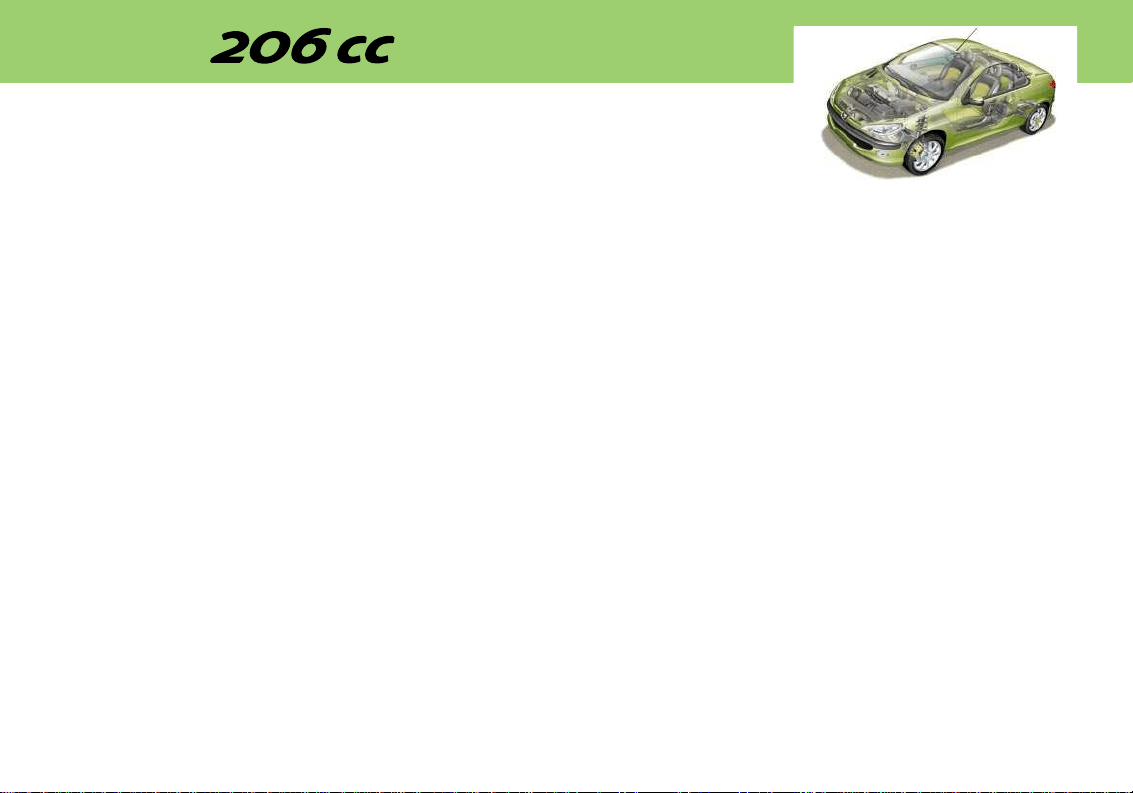
1 Bonnet opening control
2 Fuse box
3 Storage
4 Steering wheel height adjust-
ment control
5 Headlamp height adjustment
6 Lights and fog lamps stalk
7 Adjustable side vent
8 Heated seats switch*
9 Side windows
demisting vents
10 Passenger air bag disarming
switch*
11 Driver's air bag / horn
12 Instrument panel lighting
rheostat
13 Windscreen wash/wipe stalk
14 Radio steering column stalk
15 Steering lock
16 Central adjustable vents
17 Hazard warning lights switch
18 Multifunction display
19 Audio equipment
20 Windscreen demisting vents
21 Passenger air bag
22 Glove box
23 Controls for heating, ventila-
tion, air conditioning and rear
screen and mirrors demisting
24 Front ashtray
25 Gear lever
26 Lighter
27 Electric mirrors switch
28 Electric windows switch
29 Handbrake
30 Retractable roof switch
* According to specification.
3
YOUR AT A GLANCE
7
YOUR AT A GLANCE
STARTING
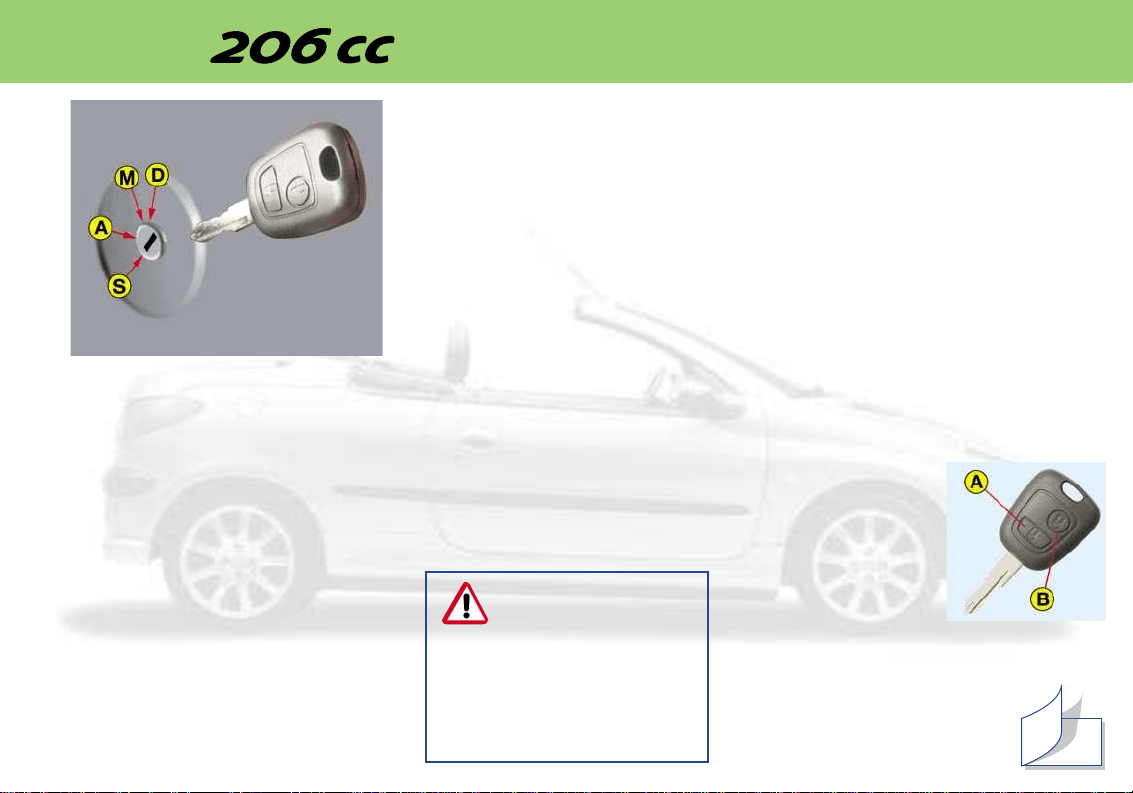
The four positions of the key in
the ignition:
STOP position: the ignition is
off.
1st notch, Accessories posi-
tion: the ignition is off but the
accessories can be used.
2nd notch, Running position:
the ignition is on.
Starting position: operates the
starter.
Steering lock
Before starting, unlock the steer-
ing if necessary, by gently tur-
ning the steering wheel at the
same time as you turn the key.
It is advisable to press the clutch
pedal while operating the starter
to make starting easier.
Starting a petrol engin
Do not press the accelerator.
Operate the starter, without
releasing the key, until the engine
turns.
THE KEYS
The keys operate independently
the locks for the boot (opening),
the fuel filler flap, the steering
lock, the glove box and the pas-
senger air bag disarming switch.
Central locking
From the driver’s door, the keys
allow you to:
– simultaneously lock the doors
and the boot,
– simultaneously unlock just the
doors.
You can only unlock the boot
by using the lock.
The remote control
Pressing button A
allows you to lock
the doors and boot.
This is displayed by
the continuous light-
ing of the direction
indicators for
approximately two
seconds.
Pressing button B allows you to
unlock the doors only.
This is indicated by the
quick flashing of the direc-
tion indicators for approxi-
mately two seconds.
* According to country.
68
Never race a cold
engine.
Never run the engine in an
enclosed space.
Do not make any modications
to the steering lock.
4
THE ELECTRIC
RETRACTABLE ROOF
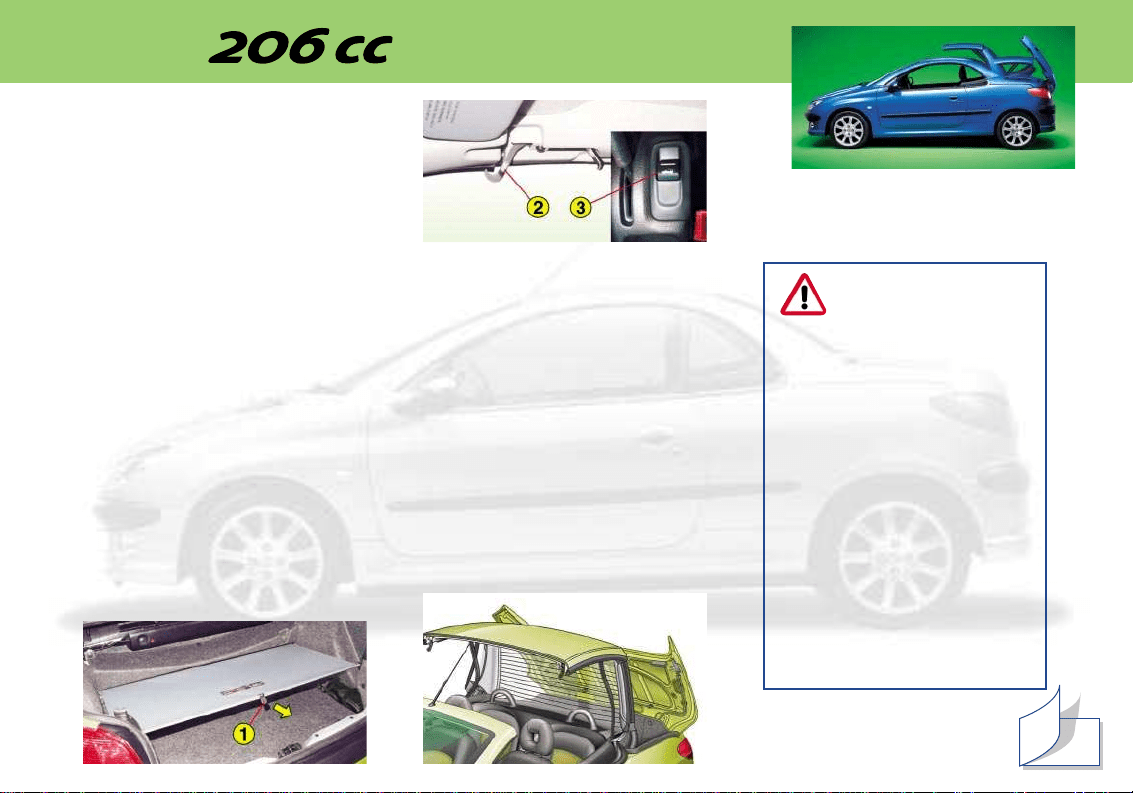
Opening the roof
☞ Ensure that the screen 1 is
hooked on (nothing must be
placed on the screen; if there
is luggage in the boot, it must
not cause the screen to lift up).
☞ Check that there are no
objects on the rear shelf.
☞ When stationary, with the
handbrake applied, turn the
ignition key to position M.
☞ Completely release the two
hooks 2; this operation is vali-
dated by an audible signal.
☞ Press button 3 until you hear a
signal to indicate that the roof
closing operation is complete.
Note: during this operation the
windows open.
Closing the roof
☞ When stationary, with the
handbrake applied, turn the
ignition key to position M.
☞ Press button 3 until you hear a
signal to indicate that the roof
closing operation is complete.
☞ Lock the two hooks 2.
Note: the window control switches
become operational again after the
roof manoeuvre.
YOUR AT A GLANCE
72
The roof must not be
operated when a loa-
ded luggage carrier is
fitted on the boot lid.
During roof opening or clos-
ing operations, to avoid risk of
injury, ensure that no-one is in
the proximity of the moving
parts.
If there is any danger,
release the control switch;
the operation will stop
instantly.
Never release button 3 for
any length of time, or
switch off the ignition,
when the roof is in an inter-
mediate position (neither
completely open or closed).
5
YOUR AT A GLANCE
ELECTRIC WINDOWS
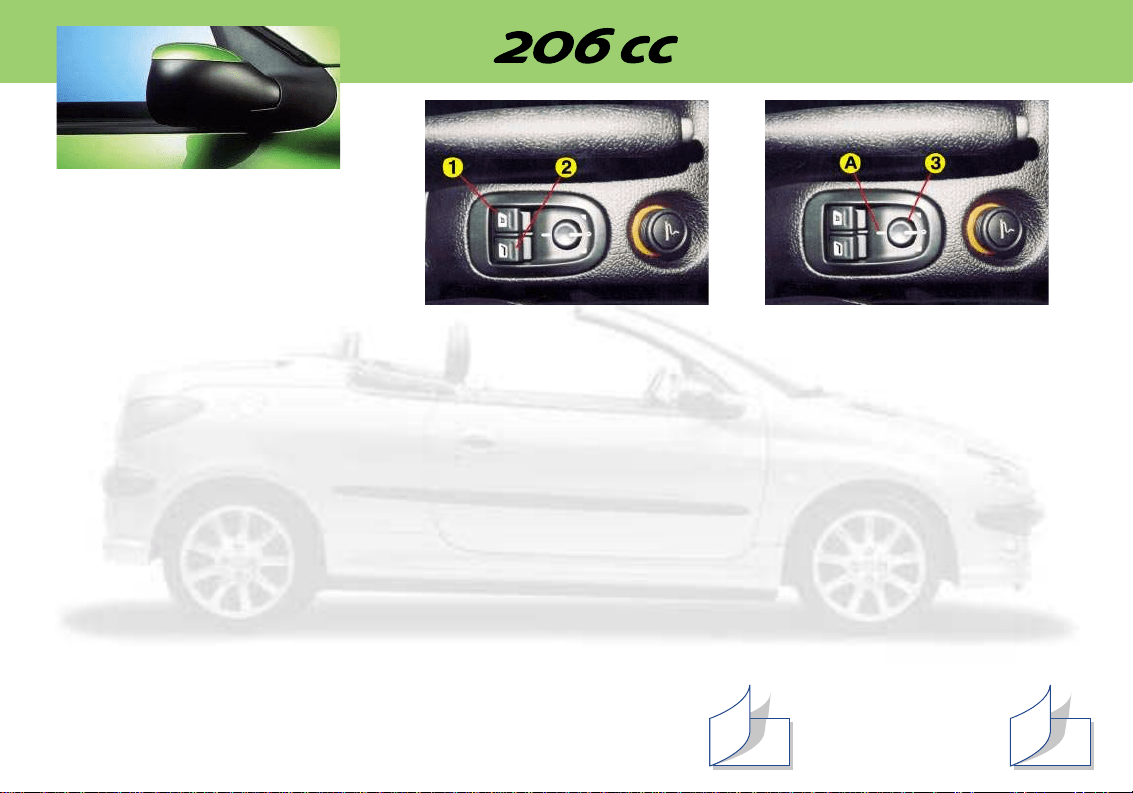
1. Driver's electric windows
switch
2. Passenger's electric win-
dows switch
These control, each on its
respective side, the front window
and the rear quarter panel win-
dow.
Manual operation
☞ Press the switch (to open) or
pull it (to close) without going
beyond the point of resistance.
The window stops as soon as
you release the switch.
The rear quarter panel window
can only open when the front
window is completely open,
after being inactive for one
second.
Automatic operation
• Opening
The windows open automatically
(with the ignition key in the
Running or Engine on position)
☞ Press the switch past the point
of resistance:
– a brief press opens the front
window completely; then
another brief press completely
opens the rear quarter panel
window,
– a long press opens the front
window completely, then the
rear quarter panel window.
• Closing
Only the front window on the driv-
er's side closes automatically
(engine running or vehicle being
driven), when the rear quarter
panel window is closed.
☞ Briefly pull the switch past the
point of resistance to com-
pletely close the front window
on the driver's side.
Note: the window switches are
inoperative when the roof is
being adjusted.
ELECTRIC MIRRORS
Turn knob 3 to the right or to the
left to select the corresponding
mirror.
Move knob 3 in all four directions
to adjust.
Electrically folding mirrors
With the ignition on, turn knob 3
to position A.
8180
ELECTRONIC
IMMOBILISER
This locks the engine manage-
ment system a few moments
after the ignition has been
switched off and therefore pre-
vents starting of the vehicle by
anyone who does not have the
key.
Operation
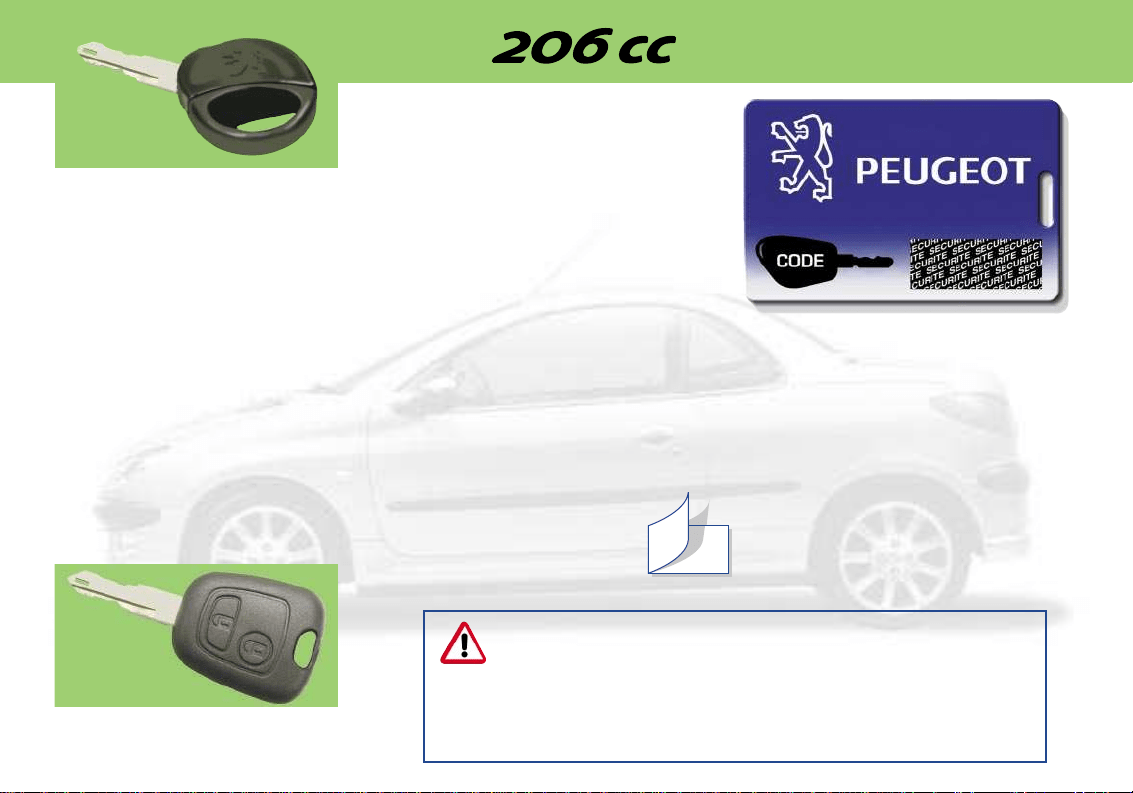
Each key has an electronic chip,
which has a special code.
When the ignition is switched on,
the key code is recognised and
starting is possible.
If the key does not have a code
or has a different code from that
stored in the system memory, the
vehicle will not start.
Additional key
You can store up to 5 keys in the
memory.
If you require an additional key or
wish to change a faulty key, you
must visit a PEUGEOT dealer
with the confidential card and all
the keys in your possession.
Key in ignition
If you leave the key in the igni-
tion, this is indicated by a buzzer
upon opening the driver’s door.
Confidential card
This contains the identification
code, which is required if any
work is carried out on the system
by a PEUGEOT dealer. This
code is concealed by a film,
which must not be removed
unless required.
Keep your card in a safe place,
never in your vehicle.
6
YOUR AT A GLANCE
When buying a second-hand car:
• ensure that you are given the confidential card;
• it is advisable to have the key codes memorised by a
PEUGEOT dealer to ensure that the keys in your possession
are the only ones which can start the vehice.
Do not make any modifications to the PEUGEOT electronic engine
immobiliser system.
69
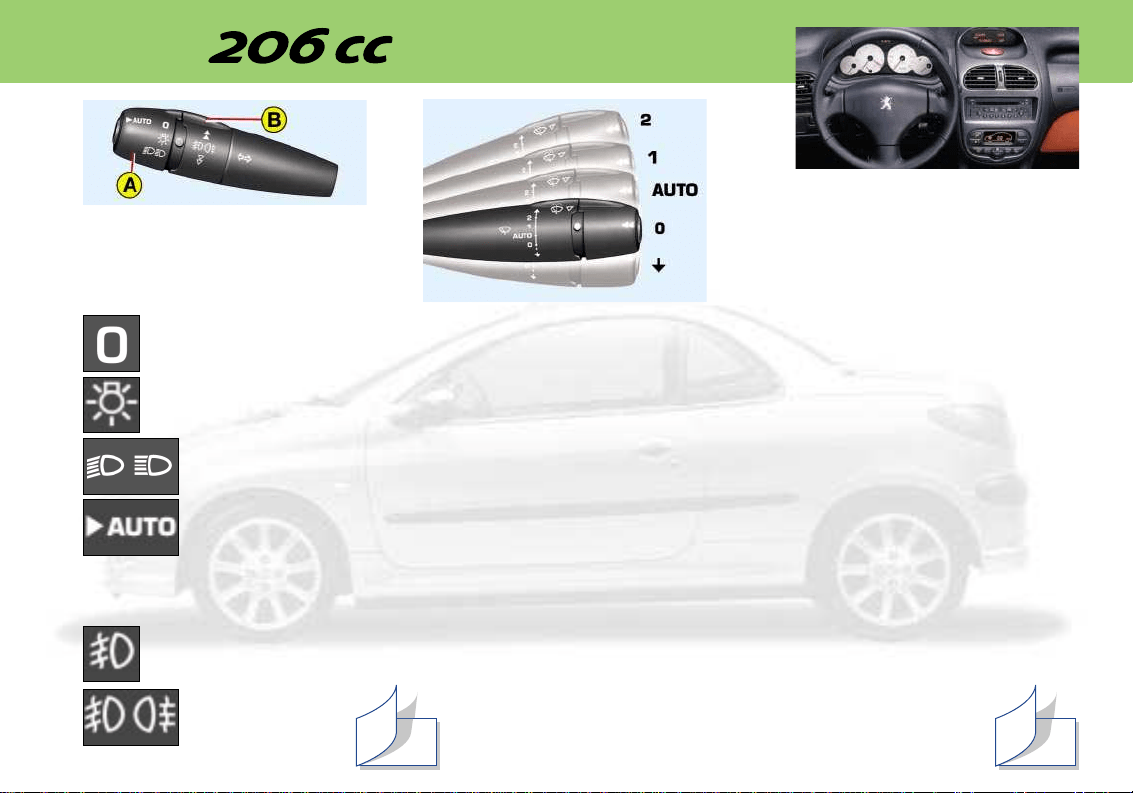
8
YOUR AT A GLANCE
STEERING WHEEL
CONTROLS
Lighting stalk
Front lights (ring A)
Lights off
Side lights
Dipped beam/main
beam headlamps
Automatic switching
on of lights*
Front/rear fog lamps (ring B)
Front fog lamps (1st turn
of the ring towards the
front)
Front and rear fog
lamps (2nd turn of
the ring towards
the front)
Windscreen wipers
2. Fast wipe
1. Normal wipe
I. Intermittent wipe
or
AUTO. Automatic wipe*
0. Off
. Single wipe
Automatic wiping*
In the "AUTO" position, the wind-
screen wiper operates automati-
cally and adapts its speed to
the intensity of the rainfall.
Front wash/wipe and head-
lamp wash*
Pull the windscreen wiper stalk
towards you.
The headlamp wash operates if
the dipped beam or the main
beam headlamps are on.
74 76
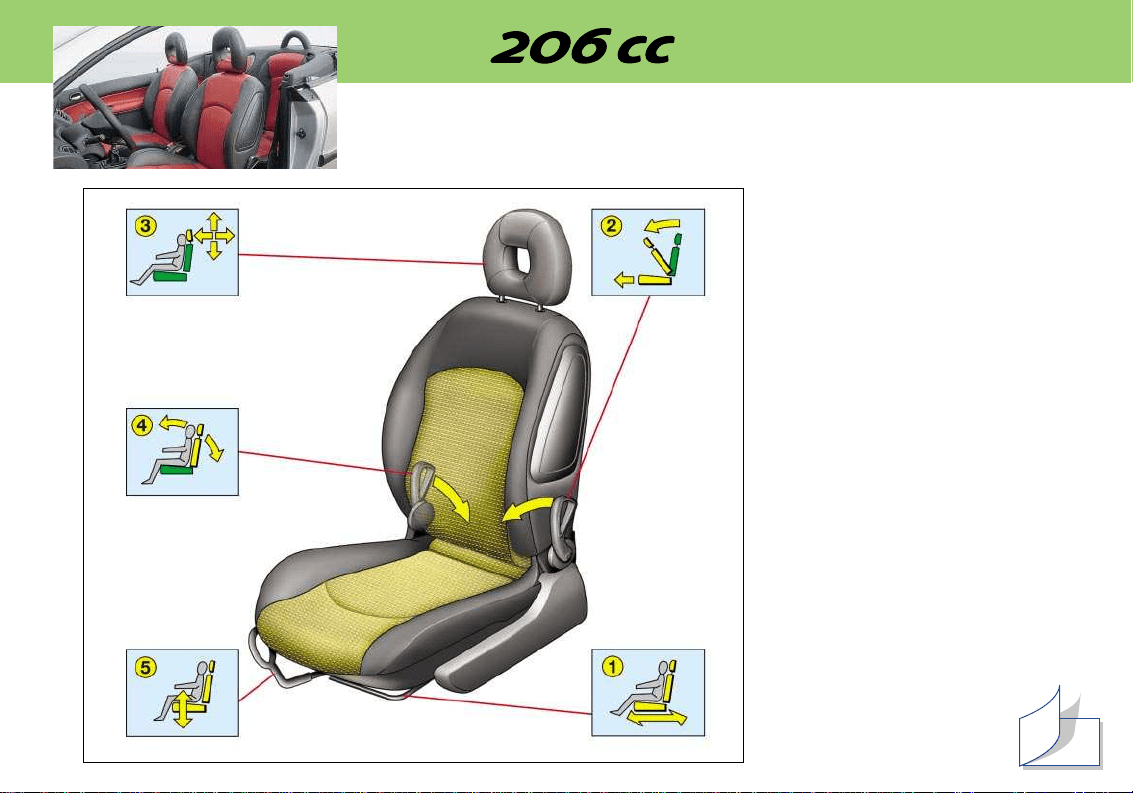
10
YOUR AT A GLANCE
FRONT SEATS
1 - Forwards/backwards
adjustment
Lift the control and slide the
seat forwards or backwards.
2 - Access to rear seats
Place your fingers in one of
the handles and push
forwards to fold the seat back
and move the seat forwards.
On repositioning, the seat
returns to its original position.
3 - Head restraint
Height adjustment:
– to lift the head restraint,
push it upwards;
– to lower it, press the lug and
slide downwards.
The setting is correct when
the upper edge of the head
restraint is level with the top
of the head.
To remove the head restraint,
press the lug.
4 - Seat back angle adjustment
Push the control towards the
rear.
5 - Driver's seat height
adjustment
Pull the control upwards.
Remove your weight from the
seat to raise, or press
on the seat to lower.
62
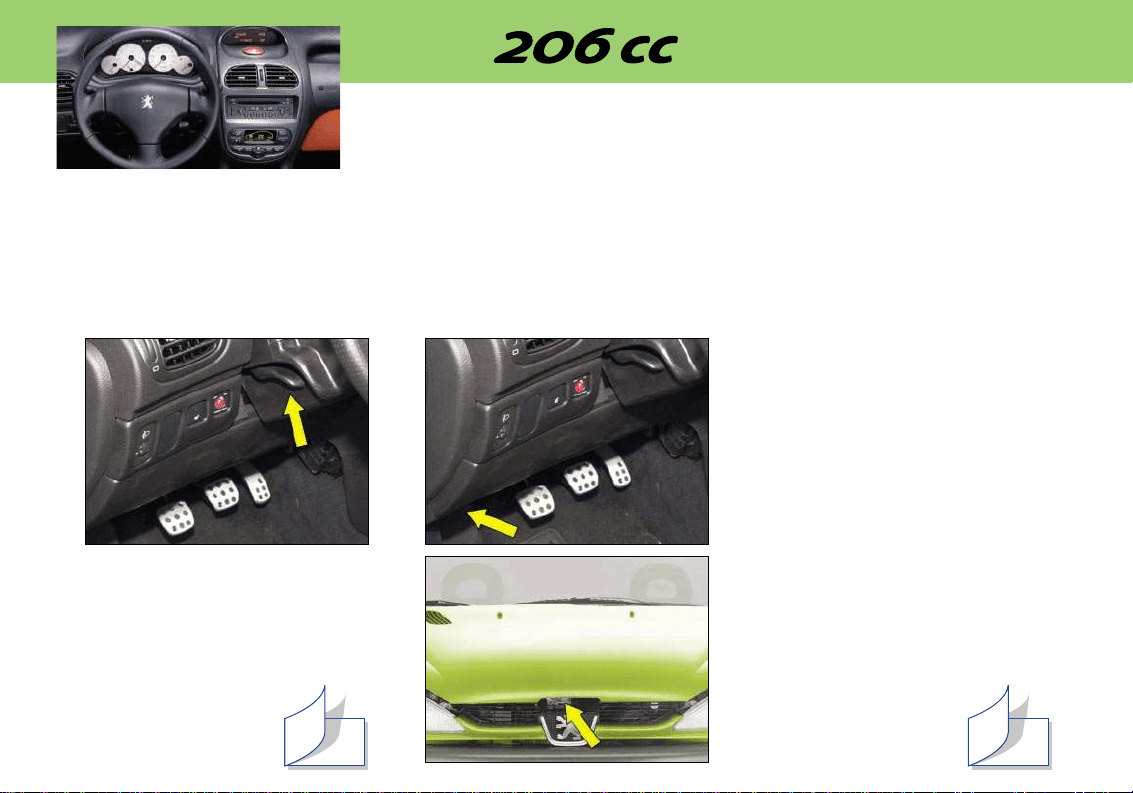
9
YOUR AT A GLANCE
STEERING WHEEL
HEIGHT
Lower the control to release the
steering wheel.
Adjust to the required height and
raise the control to lock the steer-
ing wheel.
OPENING THE BONNET
Inside the vehicle: pull the handle.
Outside the vehicle: lift the
catch and lift the bonnet. Secure
the strut to hold the bonnet open.
82 71
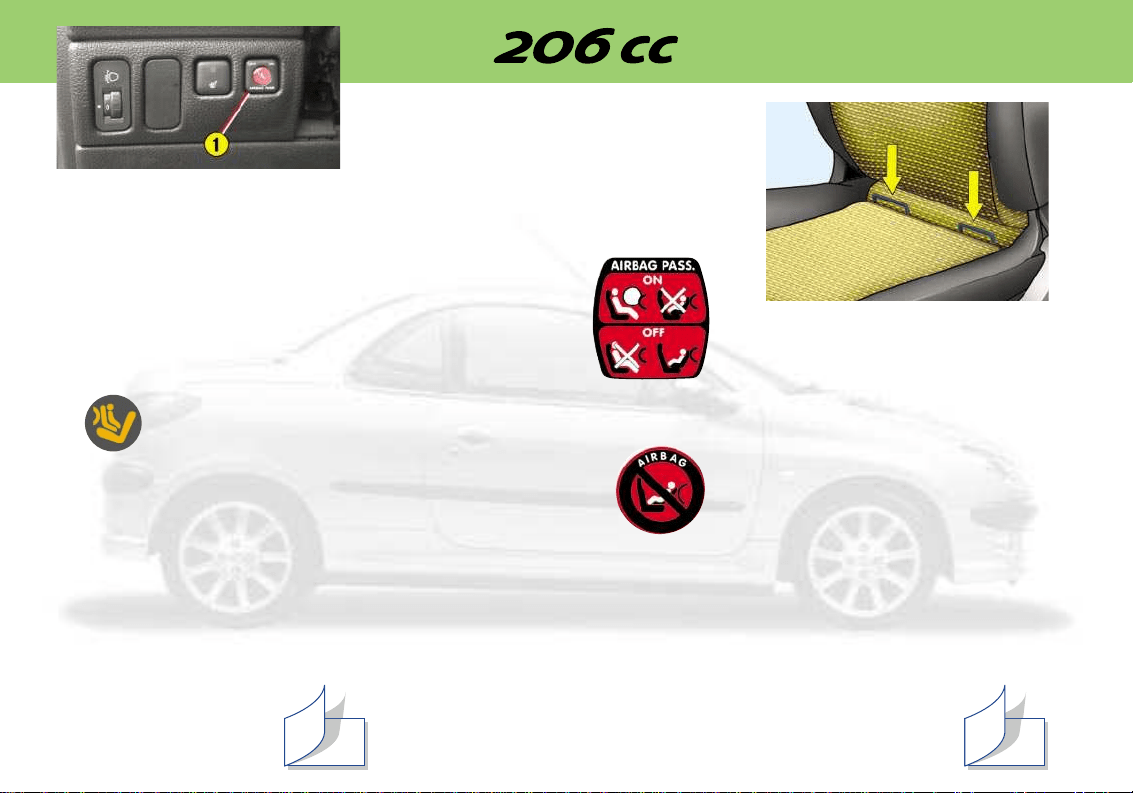
11
YOUR AT A GLANCE
FRONT AIR BAGS
Disarming the passenger
air bag
Insert the ignition key into switch
1 and turn it to:
– the passenger air bag ON posi-
tion,
– the passenger air bag OFF
position.
Operating check
With the ignition on (2nd notch on
the key), switching on of this
warning light, accompanied by an
audible signal and the message*
''Passenger air bag disarmed''
on the multifunction screen, indi-
cates that the passenger air bag
is switched off (''OFF'' position
on the switch).
The warning light remains
switched on throughout the dura-
tion of the disarming process.
Precautions concerning the
passenger air bag
Vehicle fitted with a passenger air
bag disarming switch:
– disarm the air
bag if you install
a rearwards-fac-
ing child seat
– arm the air bag
when you trans-
port an adult.
Vehicle not fitted with a passen-
ger air bag disarming switch:
– do not install a
rear-facing child
seat on the front
passenger seat.
Never place your feet or any
object on the instrument panel.
"ISOFIX" MOUNTINGS
Available on the front passenger
seat, Isofix mountings allow fit-
ting of a special child seat, sold
by PEUGEOT dealers.
The locks incorporated in the
child seat fit onto the "Isofix"
mountings, ensuring reliable,
safe and fast assembly. The child
seat must be fitted in the rear-
facing position for children weigh-
ing less than 29 lbs or 13 kg (to
do this it is essential to disarm
the passenger air bag).
Follow the instructions for fitting
the child seat in the manufactur-
er's installation brochure.
88
64
12
YOUR AT A GLANCE
12
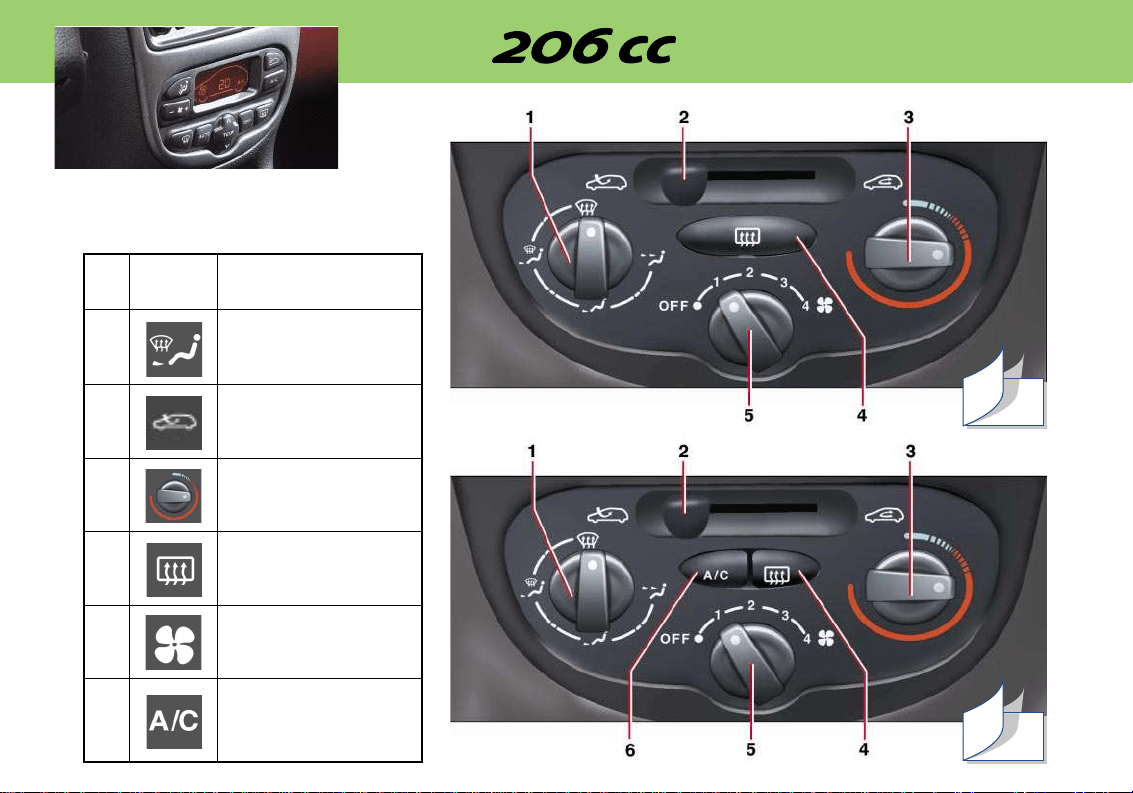
No. Symbol Function
1 Air distribution
adjustment.
2 Air intake control.
3 Temperature
adjustment.
4 Demisting the rear
screen and the
mirrors.
5 Air flow adjustment.
6 Air conditioning
control
HEATING/AIR CONDITIONING
56
58
13
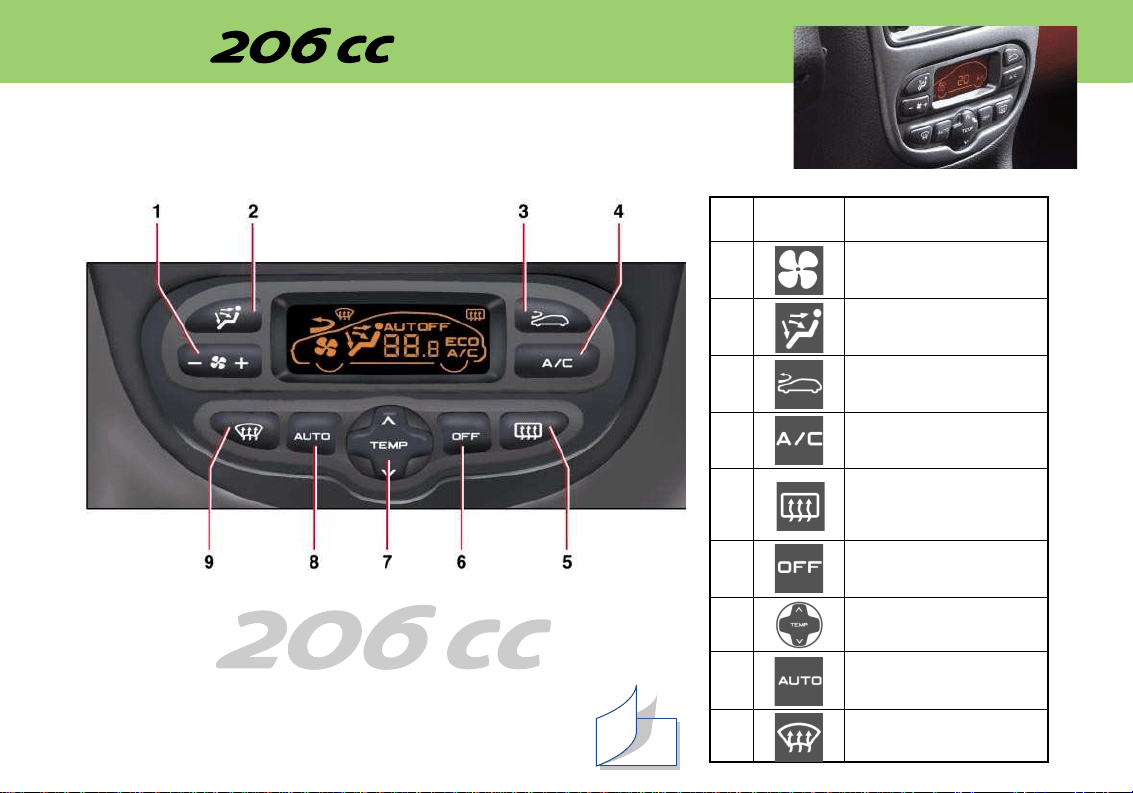
No. Symbol Function
1 Air flow adjustment.
2 Air distribution
adjustment.
3 Air intake control.
4 Air conditioning
control.
5 Demisting the rear
screen and the mir-
rors.
6 Stopping the system.
7
Temperature adjustment.
8 Automatic comfort
programme.
9 Automatic visibility
programme.
Note: in the cabriolet version,
system performance may be
reduced.
60
L'AIR CONDITIONNÉ AUTOMATIQUE
YOUR AT A GLANCE
14
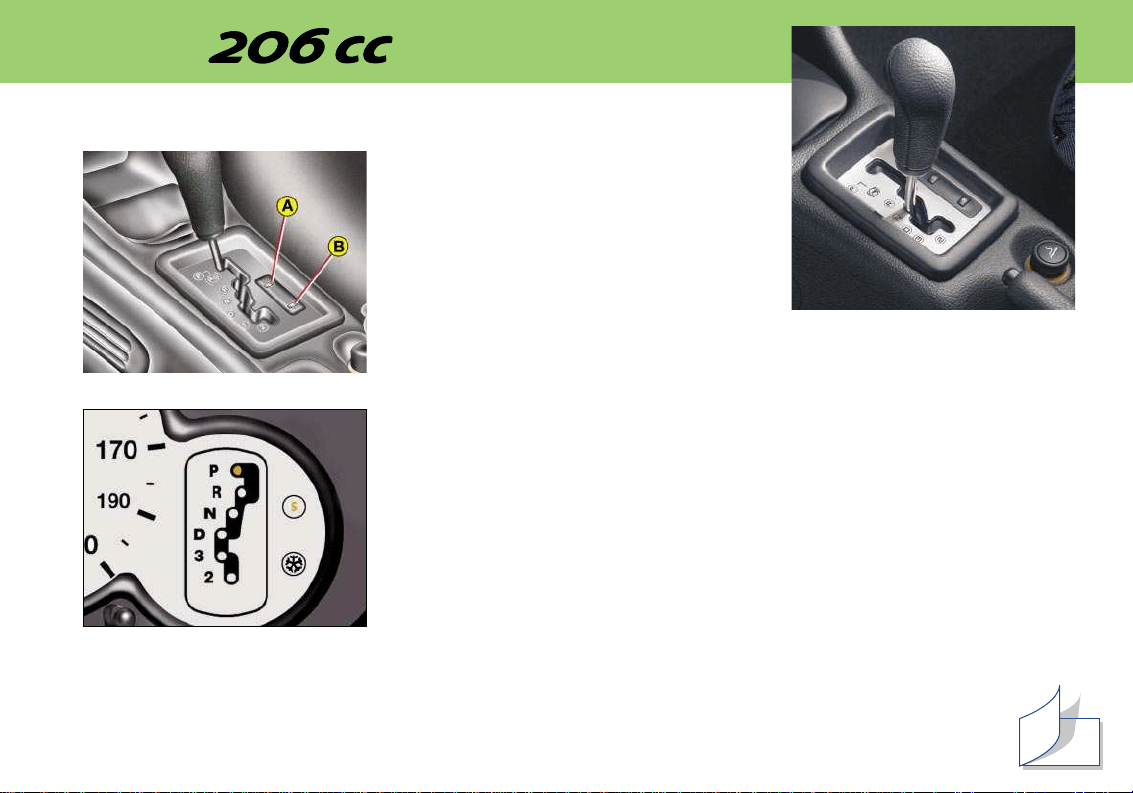
THE AUTOADAPTIVE GEARBOX
Starting the engine
To start the vehicle, position the gear lever
at N or P.
Press the brake pedal to change from
position P, when selecting forwards or rever-
se gears.
P. Parking
R. Reverse
N. Neutral
D. Driving: automatic changes of the four gears in this position.
3. Automatic changes of the first three gears only.
2. Automatic changes of the first two gears only.
A. Sport programme.
B. Snow programme.
Position of the selector lever
This is displayed by an indicator on the instrument panel.
YOUR AT A GLANCE
85

PEUGEOT SERVICING
18
PEUGEOT SERVICING
Your vehicle benefits from extended service intervals, every 20,000 miles (30,000 km) or every two years.
The extension of the service intervals means that the engine oil level must be checked regularly: topping up of the oil
between oil changes is normal.
It is for this reason that the PEUGEOT network invites you to an intermediate visit between each regular service.
The service indicator does not show when this service is due. It must be carried out every 10,000 miles (15,000 km).
A PEUGEOT dealer will carry out a quick check, and will top up the levels if necessary (oil, coolant, screen-wash up
to 2 litres).
If the oil level is too low there is a risk of serious damage to the engine: check the engine oil level at least every
2000 miles (3000 km) or 3000 miles (5000 km), depending on the conditions of use.
This extended service intervals have been made possible by technical modifications to our vehicles and to the lubricants:
THUS IT IS ESSENTIAL TO ONLY USE ENGINE LUBRICANTS WHICH ARE APPROVED AND RECOMMENDED BY THE
MANUFACTURER.
PEUGEOT SERVICING
19
SPECIAL FEATURES
Some of your vehicle's vital components have specific servicing schedules.
The air bags and the pretensioning seat belts must be replaced every 10 years.
The brake fluid must be replaced every 40,000 miles (60,000 km) or every 2 years.
The pollen filter must be checked at each visit to the PEUGEOT dealer (intermediate visits and regular services).
Note: The coolant does not need to be replaced.
Arduous conditions of use
If the vehicle is used under certain particularly arduous conditions:
• Continuous door-to-door use.
• Town use.
• Repeated short journeys, with the engine cold in low temperatures.
Or prolonged stay under the following conditions:
• Countries with temperatures often above 30 °C.
• Countries with temperatures often below minus –15 °C.
• Countries with a dusty atmosphere.
• Countries whose lubricants or fuels do not conform to our recommendations,
It is necessary to follow an "Arduous conditions" servicing schedule which includes special operations and shorter
service intervals:
• Every 12,000 miles (20 000 km) or every year.
PEUGEOT SERVICING
20
Service indicator
This is a visual reminder of when the
next service is due. This service is to
be carried out according to the manu-
facturer's servicing schedule.
Operation
As soon as the ignition is switched on
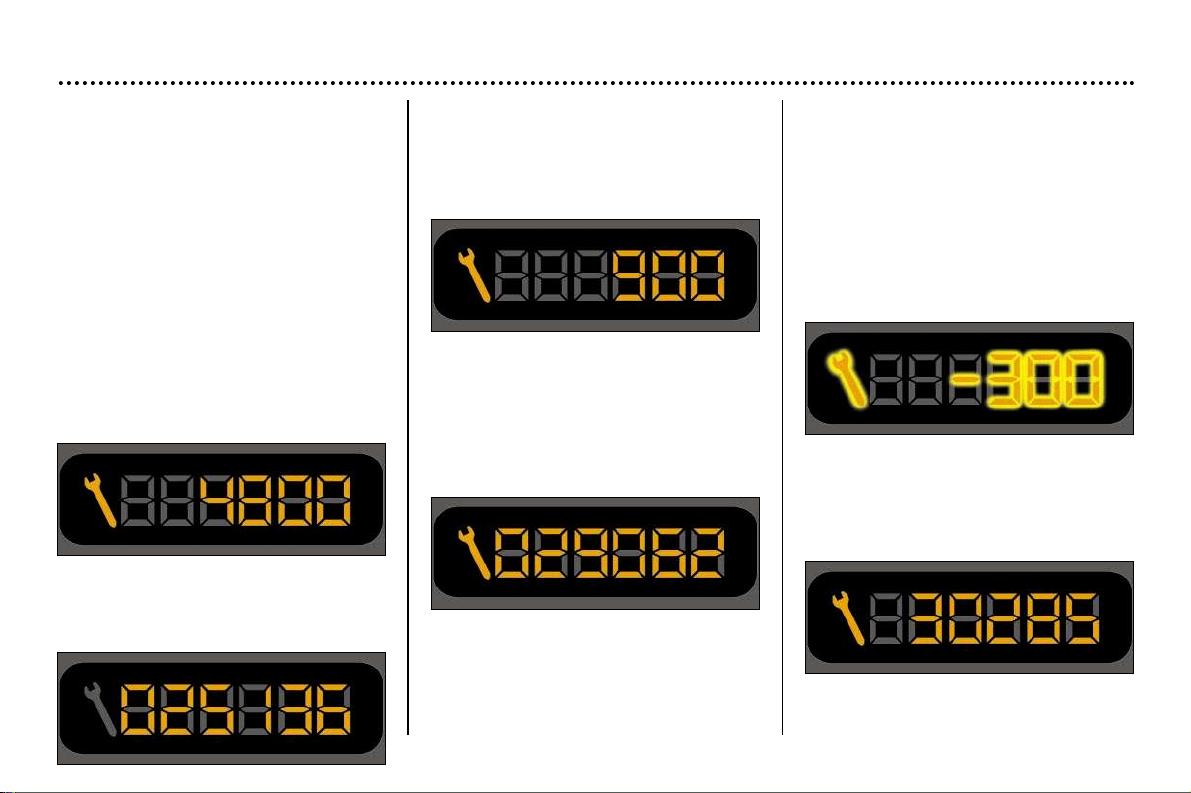
and for 5 seconds, the spanner sym-
bolising ''service operation'' is lit. The
trip recorder display shows you the
distance remaining (in round figures)
before the next service.
Example: 4,800 miles remain before
the next service is due. When the igni-
tion comes on and for 5 seconds the
display indicates:
5 seconds after the ignition is switched
The distance remaining before the
next service is less than 1,000 miles.
Example: 900 miles remain before the
next service is due.
When switching on the ignition and for
5 seconds, the display shows:
5 seconds after the ignition is switched
on, the total distance recorder
resumes normal operation and the
symbol remains lit.
This indicates that a service should be
carried out shortly. The display shows
the total or trip distances.
on, the total distance recorder resumes
normal operation and the display shows
the total or trip distances.
5 seconds after the ignition is switched
on, the total distance recorder
resumes normal operation and the
symbol remains lit. The display shows
the total or trip distances.
The service is overdue
Each time the ignition is switched on
and for 5 seconds, the symbol and the
excess distance flash.
Example: the service is overdue by
300 miles. The service should be car-
ried out very shortly.
When the ignition is switched on and
for 5 seconds, the display shows:
PEUGEOT SERVICING
21
Resetting the service indicator
Your PEUGEOT dealer carries out this
operation after each service.
However, if you carry out the service
yourself, the reset procedure is as fol-
lows:
☞ Switch off the ignition.
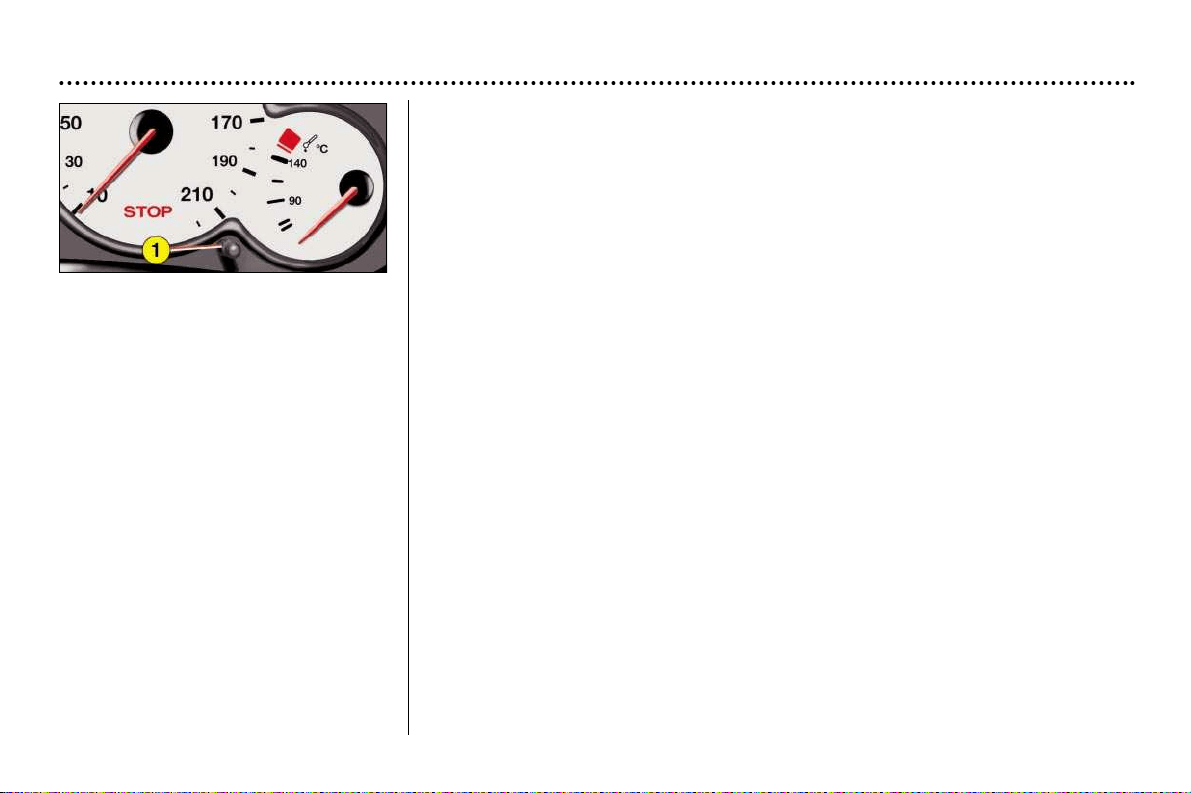
– Press and hold button 1.
– Switch on the ignition.
The display begins a 10 second count-
down.
– Keep button 1 pressed for 10 sec-
onds.
– The display shows [=0] and the
service symbol disappears.
PEUGEOT SERVICING
22
SERVICING LEVELS
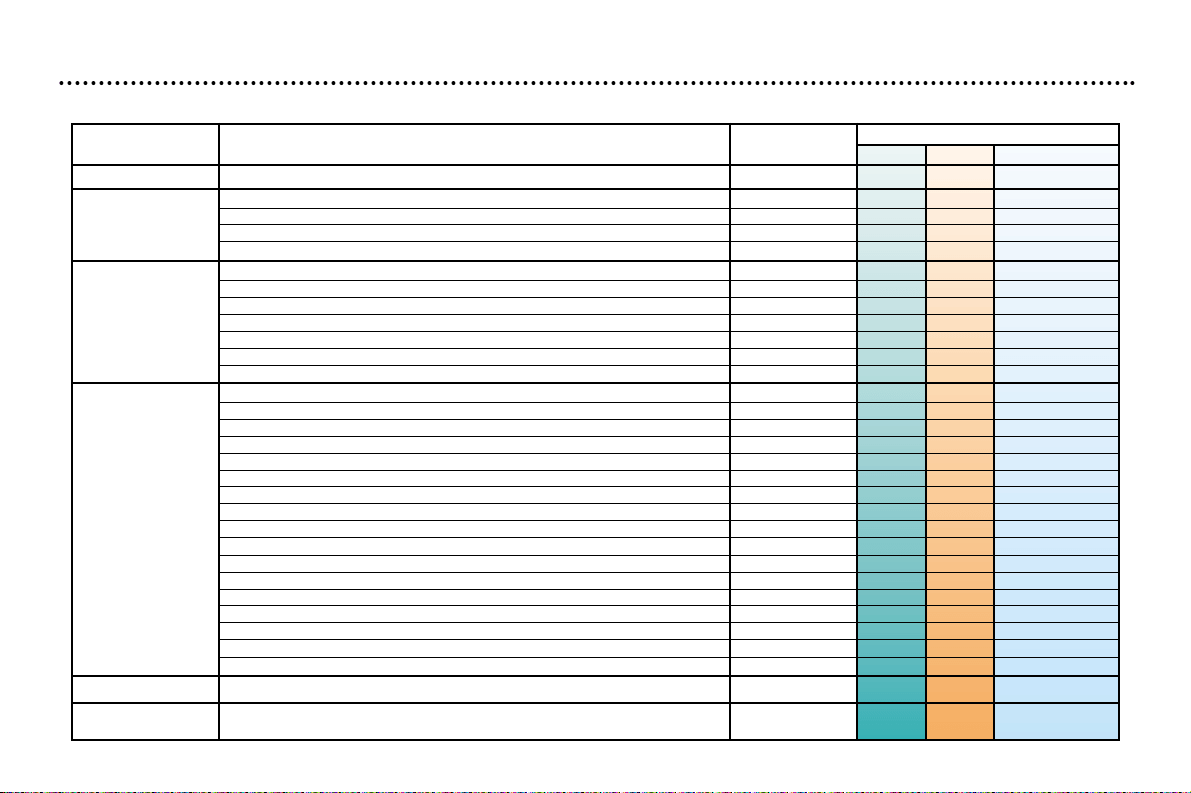
Each vehicle possesses its servicing cycle, defined by the manufacturer in terms of the technical features.
This cycle consists in alternating beteen 2 levels A and C, intermediate visits and a few additional operations specific to your
vehicle; they correspond to key stages in the life of your 206 CC.
Service level B concerns servicing of less recent vehicles.
At your first and each subsequent service, your dealer will advise you of the type and content of the next service due.
Intermediate top-up visit
incorporated in the Servicing
Schedule.
Automatic gearbox oil level every 40,000 miles (60,000 km).
Replacement of brake fluid every 2 years or 40,000 miles (60,000 km).
These fixed operations are carried out with synthetically based oil. Fuel Economy oil or
synthetic oil may also be used.
THE MAINTENANCE CYCLE FOR YOUR 206 CC
Service every 20,000 miles (30,000 km) or 2 years.
MILES (KM) 20,000 (30,000) 40,000 (60,000) 60,000 (90,000) 80,000 (120,000)
1st service at 6,000 miles
(10,000 km) or 6 months*.
This is necessary in order
to benefit from the
warranty.
100,000 (150,000) 120,000 (180,000) 140,000 (210,000) 160,000 (240,000) 180,000 (270,000)
+ replacement of timing belt
+ replacement of timing belt
* Whichever is first.
PEUGEOT SERVICING
23
- Engine oil
Level
Operations Operation descriptions 1
st
service
AC
Intermediate visit
- Oil filter
- Fuel filter
- Air filter element
- Spark plugs
- Engine oil (check + top-up)
- Manual gearbox oil (check + top-up)
- Battery (check + top-up) if removable cap
- Coolant level (check + top-up)
- Front windscreen wash (check + top-up)
- Brake fluid (check + top-up)
- Power steering fluid (check + top-up according to specification)
- Operation of lights and indicators
- Condition of glass, headlamp and light lenses and mirrors
- Horn
- Condition of wiper blades
- Windscreen jets
- Condition and tension of the ancillary drive belts
- Handbrake
- Condition of hydraulic circuits (hoses and covers) and check for leaks
- Condition of rubber boots and gaiters
- Brake pad wear
o
- Play in hubs, link rods, ball joints, flexible mountings
- Shock absorbers: check for leaks
- Rear drum brake lining wear
- Condition and pressure of tyres (including spare tyre)
- Emission control check according to current legislation
- Pollen filter (according to specification)
o
- Visual check of the whole vehicle by a PEUGEOT dealer
- Courtesy vehicle
All driving conditions. o If there are specific conditions.
DRAIN AND REFILL
REPLACE
LEVELS
CHECK
SERVICE
ROAD TEST
TYPE A AND C SERVICES AND THE INTERMEDIATE VISIT
PEUGEOT SERVICING
24
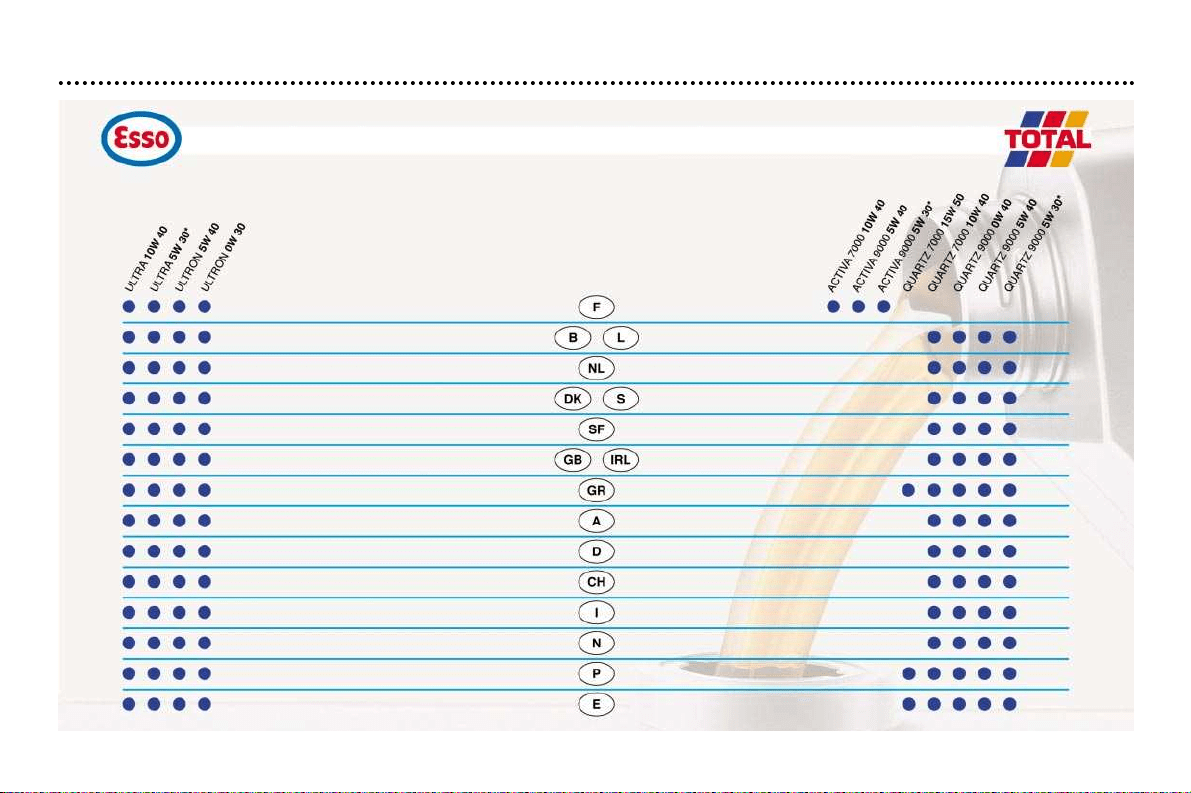
PETROL PETROL
(1) Minimum quality standard: Petrol engines: ACEA A3 and API SH/SJ - ACEA = Association des Constructeurs Européens Automobiles (Association of European Automobile Manufacturers) - API = American Petroleum Institute
If oil is used which does not conform to the ACEA A3-B3 standard, this requires the ‘Arduous conditions’ servicing schedule to be followed, which involves shorter intervals between services.
TRADE NAMES OF APPROVED AND RECOMMENDED ENGINE LUBRICANTS IN EUROPE
(1)
PEUGEOT SERVICING
25
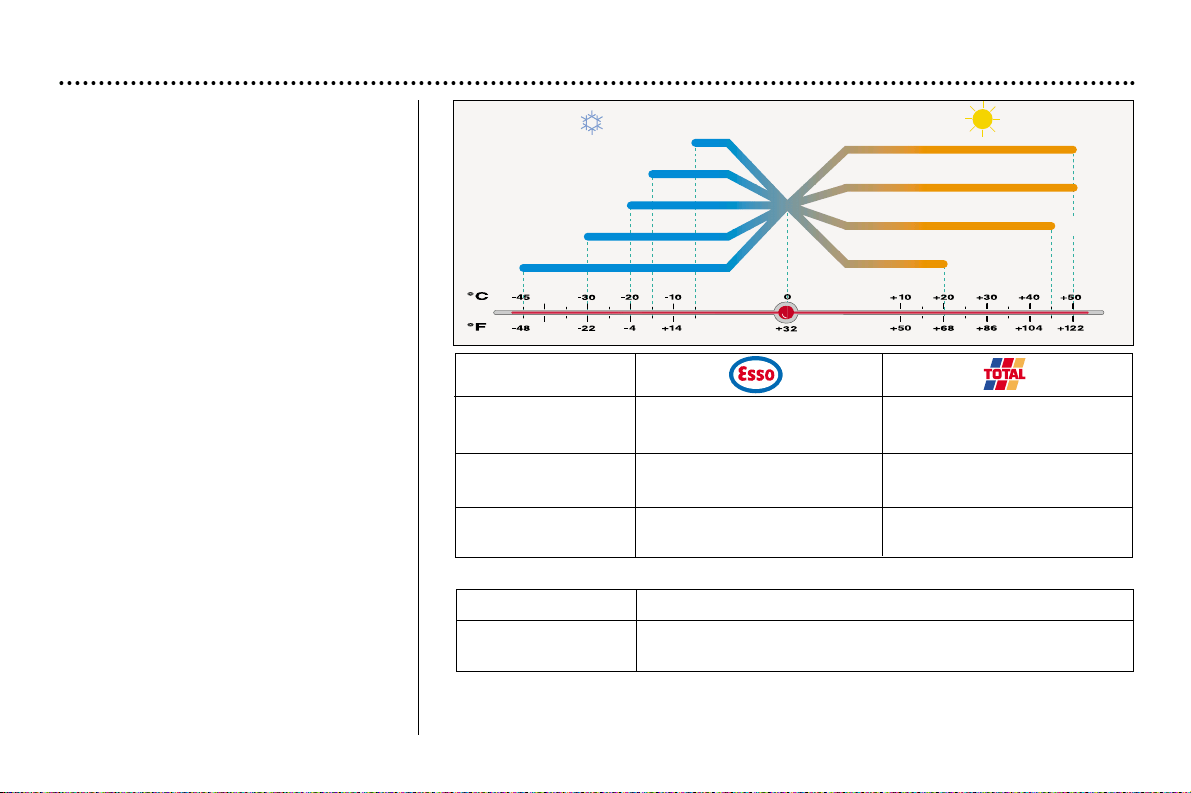
Recommendations for
approved lubricants
The oils which appear in the table
opposite are suitable for most purposes.
The diagram opposite states the opti-
mum range of viscosity depending on
the temperatures at which the oils are
to be used.
It is also possible to use "superior
quality" synthetic oils.
In the absence of semi-synthetic or
synthetic oils, oils of API SH/SJ quali-
ty may be used by following the "ardu-
ous conditions" servicing schedule
which specifies shorter service inter-
vals.
Do not hesitate to ask for advice from
an approved PEUGEOT dealer to
maintain driving pleasure and to min-
imise the maintenace cost of your
vehicle.
For vehicles outside Europe, please
contact a local PEUGEOT dealer.
0W
20
30
40
50
20W
15W
10W
5W
ONLY ONLY
Manual gearbox ESSO GEAR OIL BV TOTAL TRANSMISSION BV
75W-80 PR 9736.41 75W-80
ONLY
AL4 Automatic ATF 4HP20-AL4
gearbox PR 9736.22
Power steering ESSO ATF D TOTAL FLUIDE AT42
PR 9730.94
Brake fluide PEUGEOT DOT4
Coolant PROCOR TM108/GLYSANTIN G33 or REVKOGEL 2000
ONLY Protection to minus – 35°C
Other approved products
INSTRUMENTS AND CONTROLS
26
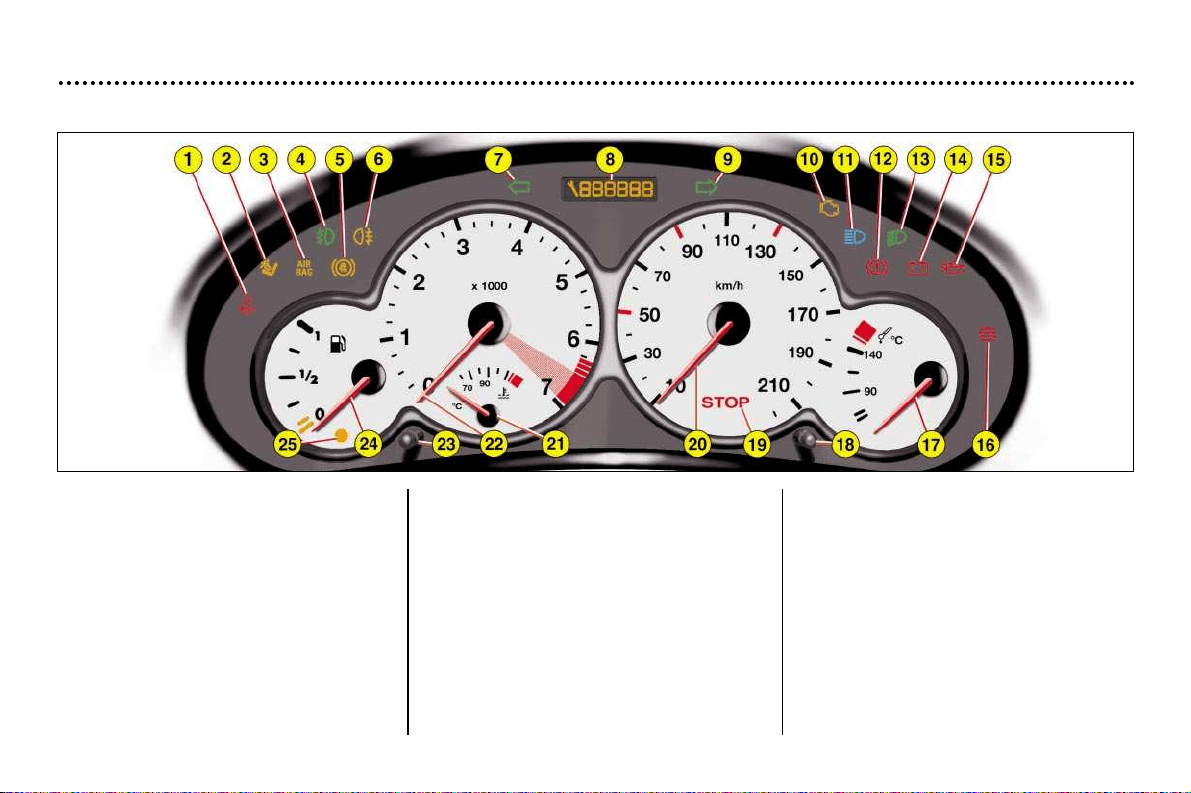
1. Seat belt not fastened* warning light
2. Passenger air bag disarming* indi-
cator light
3. Front and side air bags* warning light
4. Front fog lamps indicator light
5. ABS*: Anti-lock Braking System
warning light
6. Rear fog lamp indicator light
7. Left-hand direction indicator
8. Total distance recorder, service indi-
cator and engine oil level indicator
9. Right-hand direction indicator
10.Engine autodiagnostics warning light
11. Main beam headlamps
12.Handbrake, brake fluid level and
electronic brake force distribution
warning light
13.Dipped beam headlamps
14.Battery charge warning light
15.Engine oil pressure warning light
16.Temperature and coolant low level
warning light
17.Engine oil temperature indicator
18.Total distance recorder button
19.Central (STOP) warning light
20.Speedometer
21.Coolant temperature indicator
22.Rev counter
23.Lighting rheostat
24.Fuel gauge
25.Low fuel level warning light
* According to specification
Instrument panel
INSTRUMENTS AND CONTROLS
27
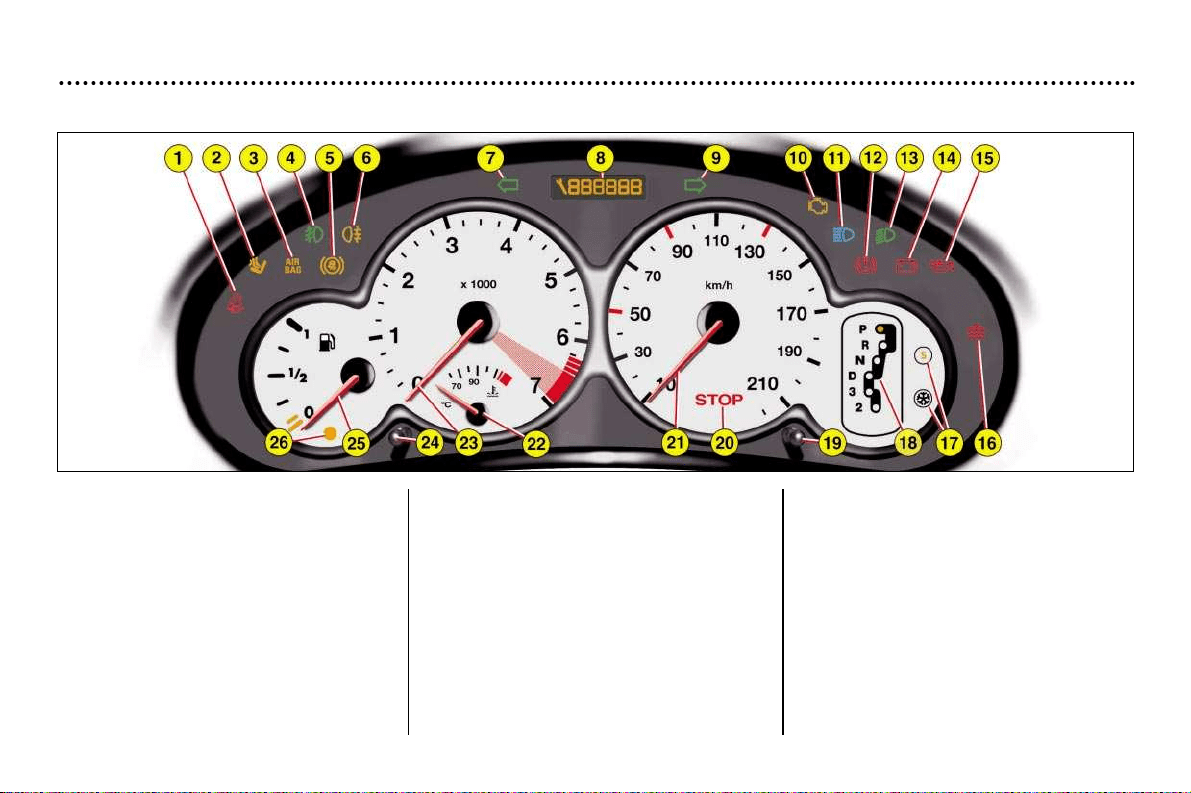
1. Seat belt not fastened* warning light
2. Passenger air bag disarming* indi-
cator light
3. Front and side air bags* warning light
4. Front fog lamps indicator light
5. ABS*: Anti-lock Braking System
warning light
6. Rear fog lamp indicator light
7. Left-hand direction indicator
8. Total distance recorder, service indi-
cator and engine oil level indicator
9. Right-hand direction indicator
10.Engine autodiagnostics warning light
11. Main beam headlamps
12.Handbrake, brake fluid level and
electronic brake force distribution
warning light
13.Dipped beam headlamps
14.Battery charge warning light
15.Engine oil pressure warning light
16.Temperature and coolant low level
warning light
17.Programmes de fonctionnement
18.Indicateur de position de vitesse
19.Total distance recorder button
20.Central (STOP) warning light
21.Speedometer
22.Coolant temperature indicator
23.Rev counter
24.Lighting rheostat
25.Fuel gauge
26.Fuel low warning light
* According to specification.
Instrument panel: Automatic gearbox
INSTRUMENTS AND CONTROLS
28
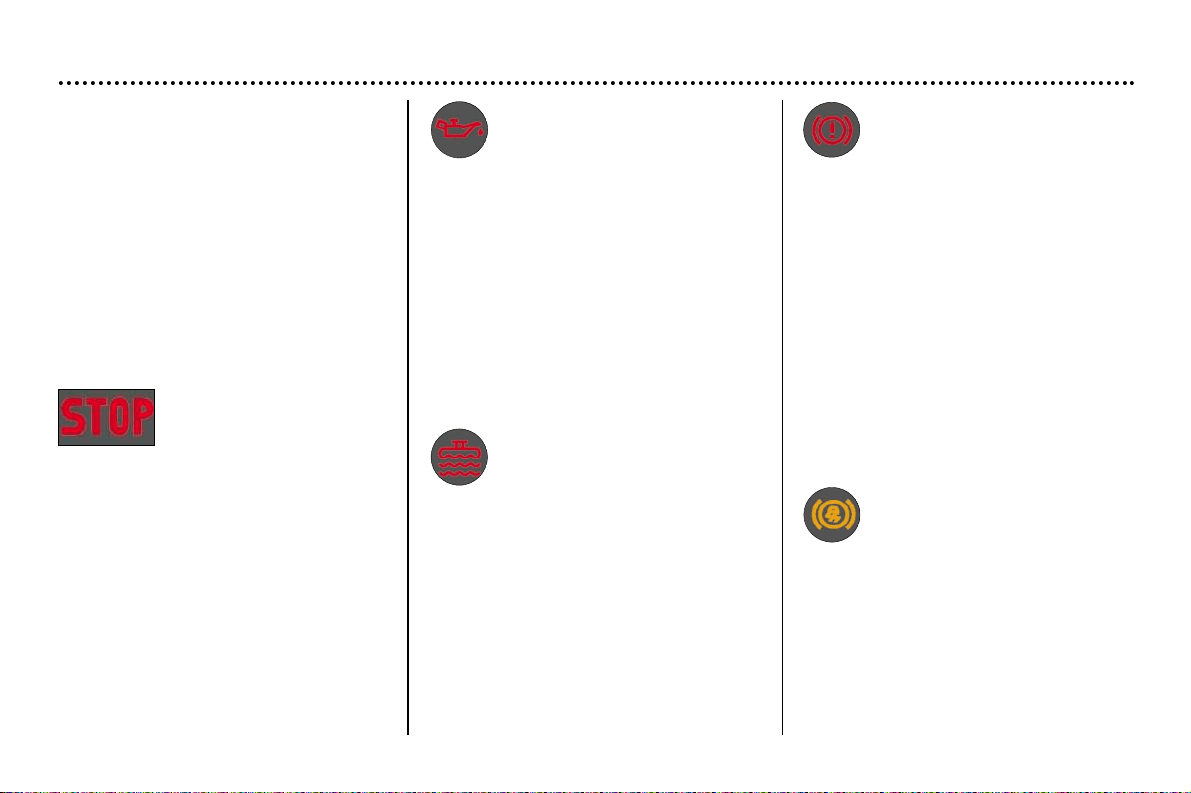
Handbrake and low brake
fluid level or fault in
Electronic Brake Force
Distribution system
warning light
Indicates either:
- that the handbrake is on or has not
been released correctly,
- an excessive drop in the brake fluid
level (if the light remains lit even with
the handbrake released),
- a fault in the Electronic Brake Force
Distribution system if lit simultane-
ously with the ABS warning light.
Stop immediately.
Contact a PEUGEOT dealer.
Instruments and controls
A permantly lit warning light or one
that flashes with the engine run-
ning, indicates an operating fault in
the relevant unit. Some warning
lights may be accompanied by an
audible signal and a message on
the multifunction screen. Do not
ignore this warning: contact a
PEUGEOT dealer as soon as possi-
ble. If the Central STOP warning
light comes on when you are dri-
ving, stop immediately where it is
safe to do so.
Anti-lock brake system
(ABS) warning light*
When this is lit continuously, it
indicates a malfunction of the ABS
system.
However, the vehicle retains con-
ventional servo-assisted braking.
Contact a PEUGEOT dealer.
* According to specification
Engine oil pressure
warning light
Linked with the central STOP
warning light.
Stop immediately.
This warning light indicates either:
- insufficient oil pressure,
- lack of oil in the lubrication circuit.
Top up the oil level.
- oil temperature which is too high.
Switching on of the warning light is
accompanied by an audible signal.
To lower the oil temperature, reduce
your speed.
Contact a PEUGEOT dealer as soon
as possible.
Temperature and
coolant low level
warning light
Linked with the the central STOP
warning light.
Stop immediately.
Allow the engine to cool before top-
ping up.
The cooling system is pressurised.
In the event of breakdown and to pre-
vent the risk of scalding, turn the
cap twice to allow the pressure to
drop.
Once the pressure has dropped,
remove the cap and top up the level.
Contact a PEUGEOT dealer.
Central STOP
warning light
Linked with the warning
light for the "engine oil pressure", the
"coolant temperature and low level
gauge", the "handbrake", the "brake
fluid low level" and ''electronic braking
system fault'' as well as the "door
open" warning indicated by a symbol
on the multifunction display.
Stop immediately if the light is
flashing with the engine running.
Contact a PEUGEOT dealer.
INSTRUMENTS AND CONTROLS
29
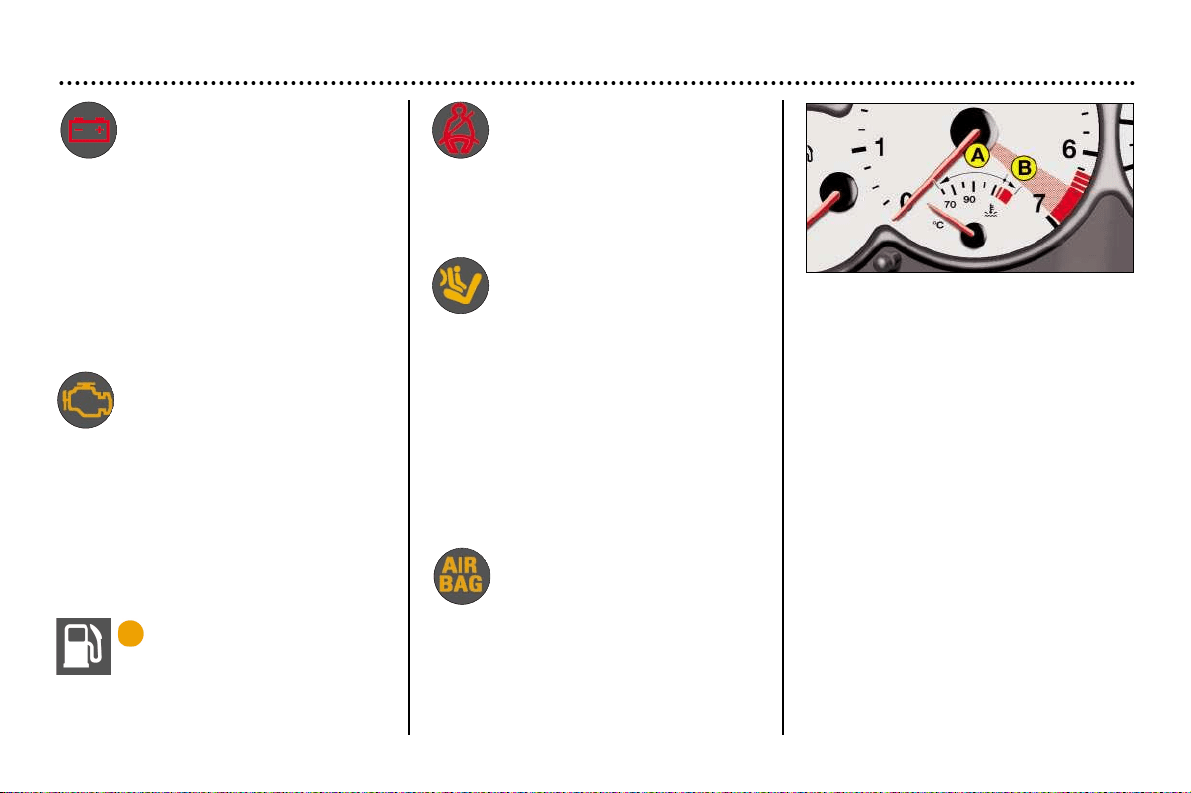
Air bag warning light
The warning light comes on
for a few seconds when the
ignition is switched on.
Switching on of this warning light, with
the engine running, is accompanied by
an audible signal and a message on
the multifunction display indicating a
fault in the air bags.
Contact a PEUGEOT dealer.
Seat belt not fastened*
warning light
With the engine running, the warning
light comes on when the driver has not
fastened his seat belt.
Engine autodiagnostics
warning light
This comes on each time the
ignition is switched on.
If it comes on when the engine is run-
ning, it indicates a malfunction in the
injection, ignition or emission control
system. There is a risk of damage to
your catalytic converter.
Contact a PEUGEOT dealer rapidly.
Low fuel level
warning light
When the warning light
first comes on, you have enough fuel
to drive at least 35 miles (50 km) (the
tank capacity is approximately 47 litres
(10.3 gallons).
Coolant temperature indicator
light
- When the needle is in zone A, the
temperature is correct.
- When the needle is in zone B, the
temperature is too high. The central
STOP warning light flashes.
You must stop immediately.
Contact a PEUGEOT dealer.
* According to specification.
Passenger air bag
disarming indicator
light*
Switching on of this indicator light is
accompanied by an audible signal and
the message
"Passenger air bag disarmed" on
the multifunction display.
If the passenger air bag is disarmed,
the indicator light switches on and
remains on.
In all cases, if the warning light
flashes, contact a PEUGEOT dealer.
Battery charge warning
light
This can indicate any of the
following situations:
- faulty operation of the charging cir-
cuit,
- loose battery or starter terminals,
- a cut or slack alternator belt,
- an alternator fault.
Contact a PEUGEOT dealer.
INSTRUMENTS AND CONTROLS
29
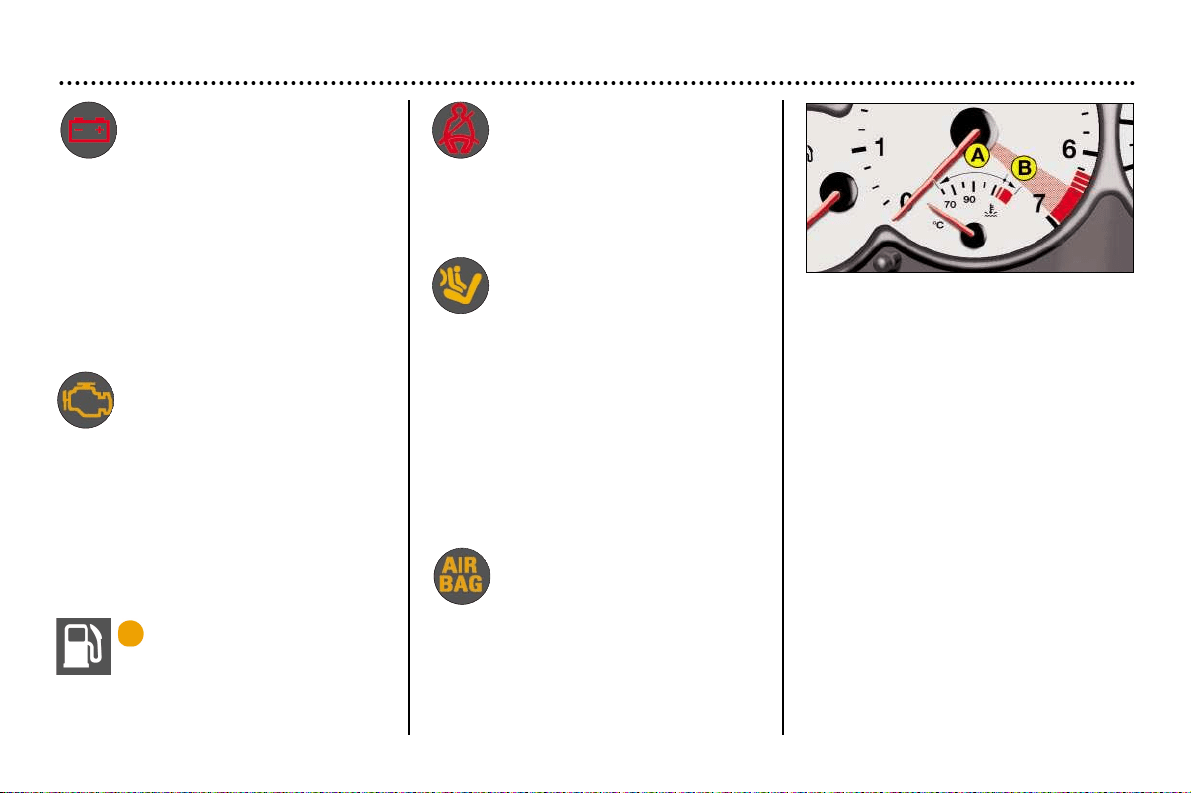
Air bag warning light
The warning light comes on
for a few seconds when the
ignition is switched on.
Switching on of this warning light, with
the engine running, is accompanied by
an audible signal and a message on
the multifunction display indicating a
fault in the air bags.
Contact a PEUGEOT dealer.
Seat belt not fastened*
warning light
With the engine running, the warning
light comes on when the driver has not
fastened his seat belt.
Engine autodiagnostics
warning light
This comes on each time the
ignition is switched on.
If it comes on when the engine is run-
ning, it indicates a malfunction in the
injection, ignition or emission control
system. There is a risk of damage to
your catalytic converter.
Contact a PEUGEOT dealer rapidly.
Low fuel level
warning light
When the warning light
first comes on, you have enough fuel
to drive at least 35 miles (50 km) (the
tank capacity is approximately 47 litres
(10.3 gallons).
Coolant temperature indicator
light
- When the needle is in zone A, the
temperature is correct.
- When the needle is in zone B, the
temperature is too high. The central
STOP warning light flashes.
You must stop immediately.
Contact a PEUGEOT dealer.
* According to specification.
Passenger air bag
disarming indicator
light*
Switching on of this indicator light is
accompanied by an audible signal and
the message
"Passenger air bag disarmed" on
the multifunction display.
If the passenger air bag is disarmed,
the indicator light switches on and
remains on.
In all cases, if the warning light
flashes, contact a PEUGEOT dealer.
Battery charge warning
light
This can indicate any of the
following situations:
- faulty operation of the charging cir-
cuit,
- loose battery or starter terminals,
- a cut or slack alternator belt,
- an alternator fault.
Contact a PEUGEOT dealer.
INSTRUMENTS AND CONTROLS
30
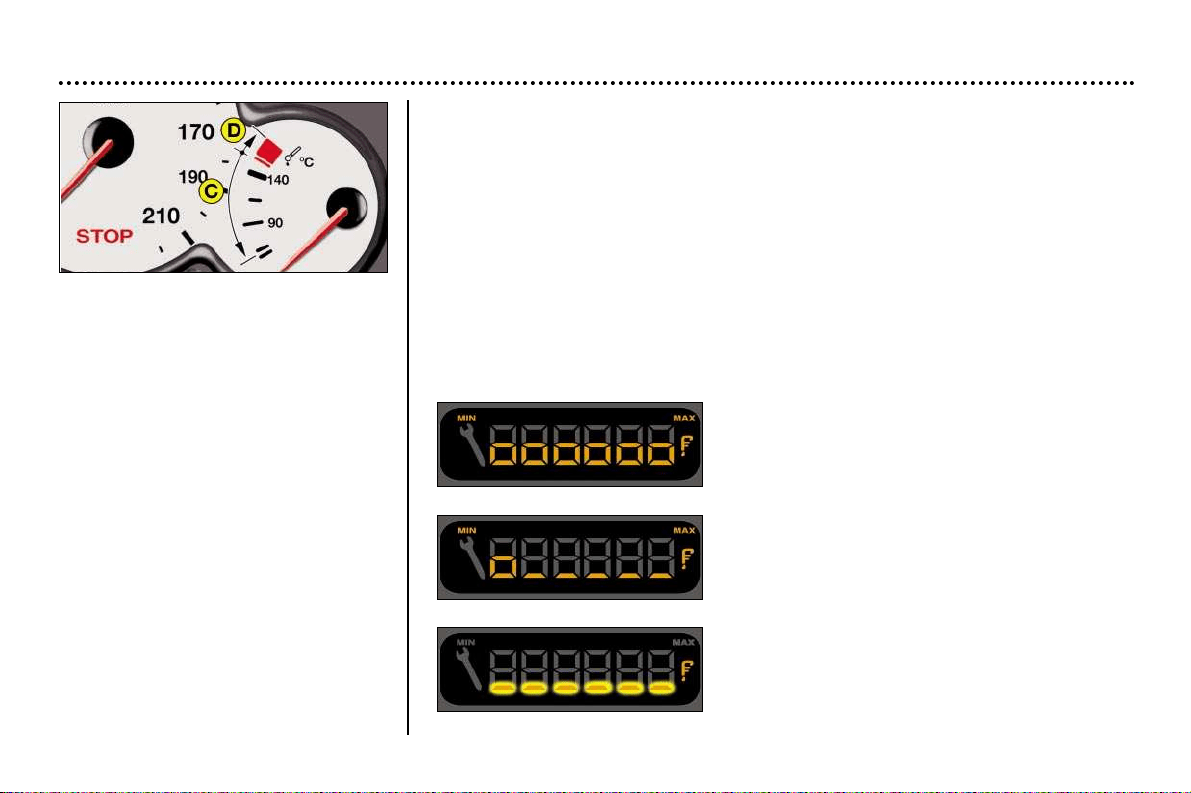
Instrument panel display
After switching on the ignition, three functions are shown in succession:
– service indicator (see corresponding section),
– engine oil level indicator,
– total distance recorder/total and trip distances.
Note: the total and trip distances are displayed for 30 seconds when the ignition
is switched off, on opening the driver's door, as well as on locking and unlocking
the vehicle.
Engine oil level
When the ignition is switched on, the engine oil level is indicated for approximate-
ly 10 seconds, after the servicing information.
Maximum
Check the level using the dipstick to confirm whe-
ther the message is correct; a surplus of oil can
cause damage to the engine.
Contact a PEUGEOT dealer without delay.
Minimum.
Check the level with the dipstick and top it up. The figu-
re shown is only correct if the vehicle has been on
stable, level ground, with the engine stopped, for 10
minutes.
Oil level gauge fault
The 6 segments flash; they indicate a fault in the
oil level gauge.
There is a risk the engine will be damaged.
Contact a PEUGEOT dealer.
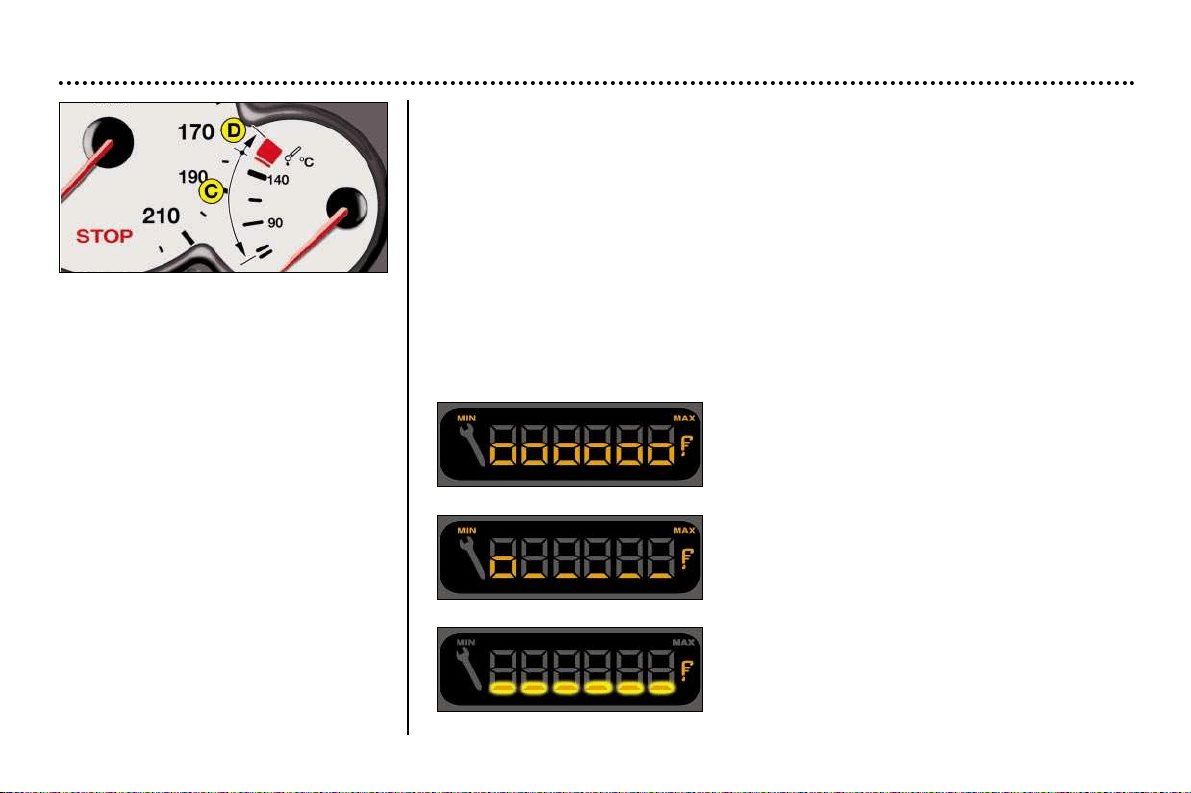
Engine oil temperature
indicator light
When the engine is running, it
indicates the oil temperature:
- When the needle is in zone C, the
temperature is correct,
- When the needle is in zone D, the
temperature is too high. To lower
the oil temperature, reduce your
speed.
INSTRUMENTS AND CONTROLS
30
Instrument panel display
After switching on the ignition, three functions are shown in succession:
– service indicator (see corresponding section),
– engine oil level indicator,
– total distance recorder/total and trip distances.
Note: the total and trip distances are displayed for 30 seconds when the ignition
is switched off, on opening the driver's door, as well as on locking and unlocking
the vehicle.
Engine oil level
When the ignition is switched on, the engine oil level is indicated for approximate-
ly 10 seconds, after the servicing information.
Maximum
Check the level using the dipstick to confirm whe-
ther the message is correct; a surplus of oil can
cause damage to the engine.
Contact a PEUGEOT dealer without delay.
Minimum.
Check the level with the dipstick and top it up. The figu-
re shown is only correct if the vehicle has been on
stable, level ground, with the engine stopped, for 10
minutes.
Oil level gauge fault
The 6 segments flash; they indicate a fault in the
oil level gauge.
There is a risk the engine will be damaged.
Contact a PEUGEOT dealer.
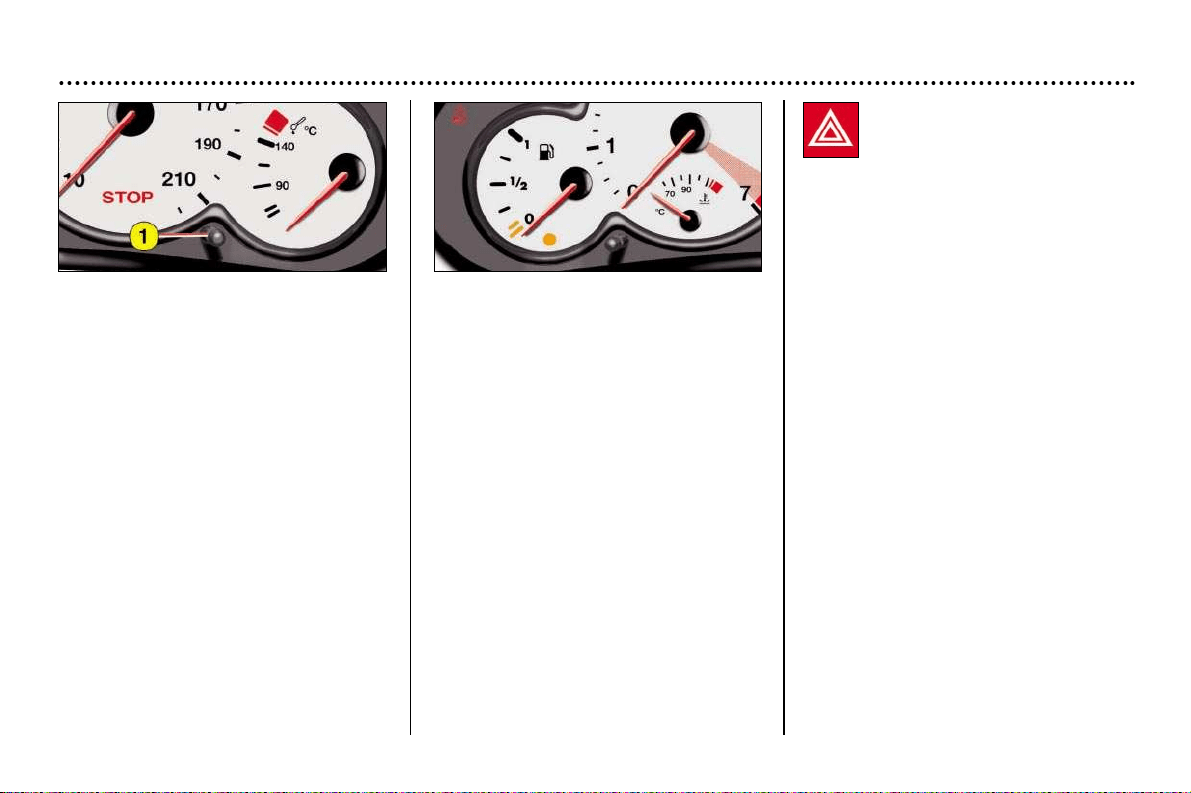
Engine oil temperature
indicator light
When the engine is running, it
indicates the oil temperature:
- When the needle is in zone C, the
temperature is correct,
- When the needle is in zone D, the
temperature is too high. To lower
the oil temperature, reduce your
speed.
INSTRUMENTS AND CONTROLS
31
Hazard warning lights
Press the button, the direction indica-
tors flash.
They can operate with the ignition off.
Total distance recorder
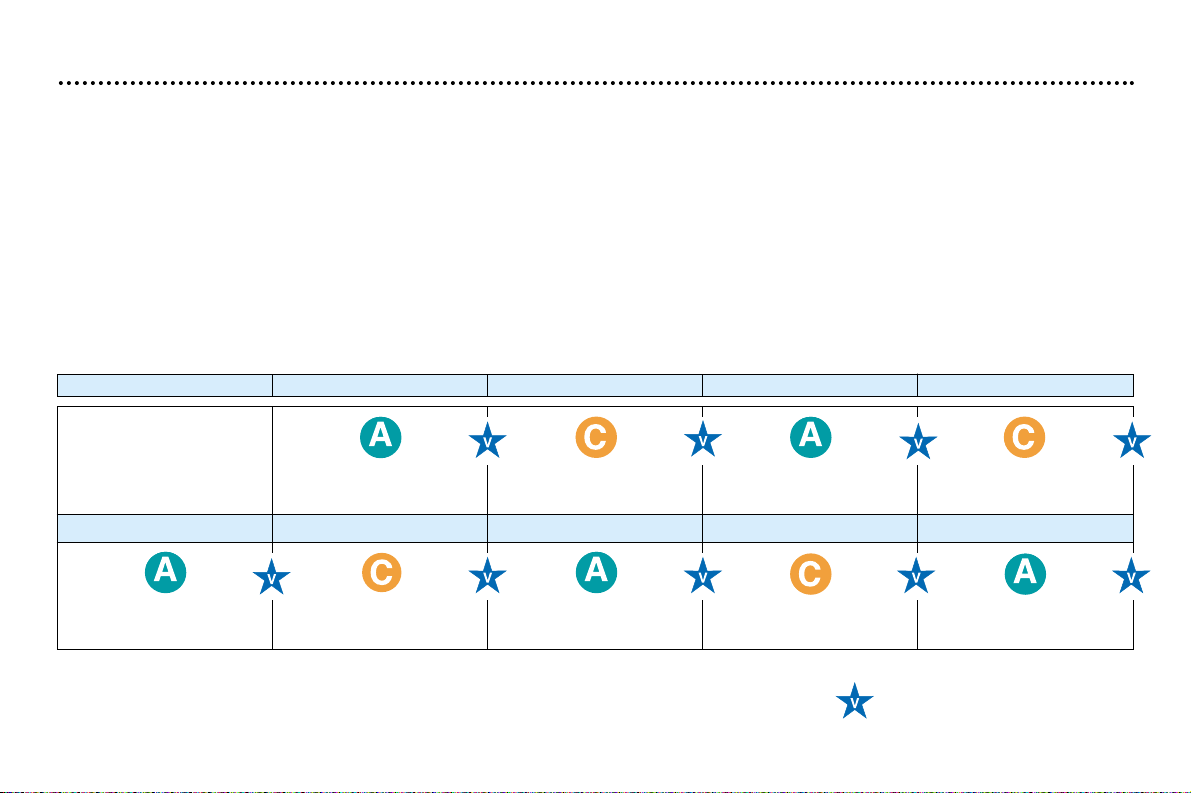
Briefly pressing button 1 alternates
between the total distance and trip dis-
tance displays.
To reset the trip recorder to zero, when
it is displayed press and hold the reset
button for just over 3 seconds.
Lighting rheostat
With the lights on, press the button to
vary the intensity of the lighting on the
instrument panel and the multifunction
display. When the lighting reaches the
minimum (or maximum) setting, release
the button then press it again to increa-
se (or reduce) the brightness.
As soon as the lighting is of the required
brightness, release the button.
YOUR 206 CC IN DETAIL
32
Setting the parameters
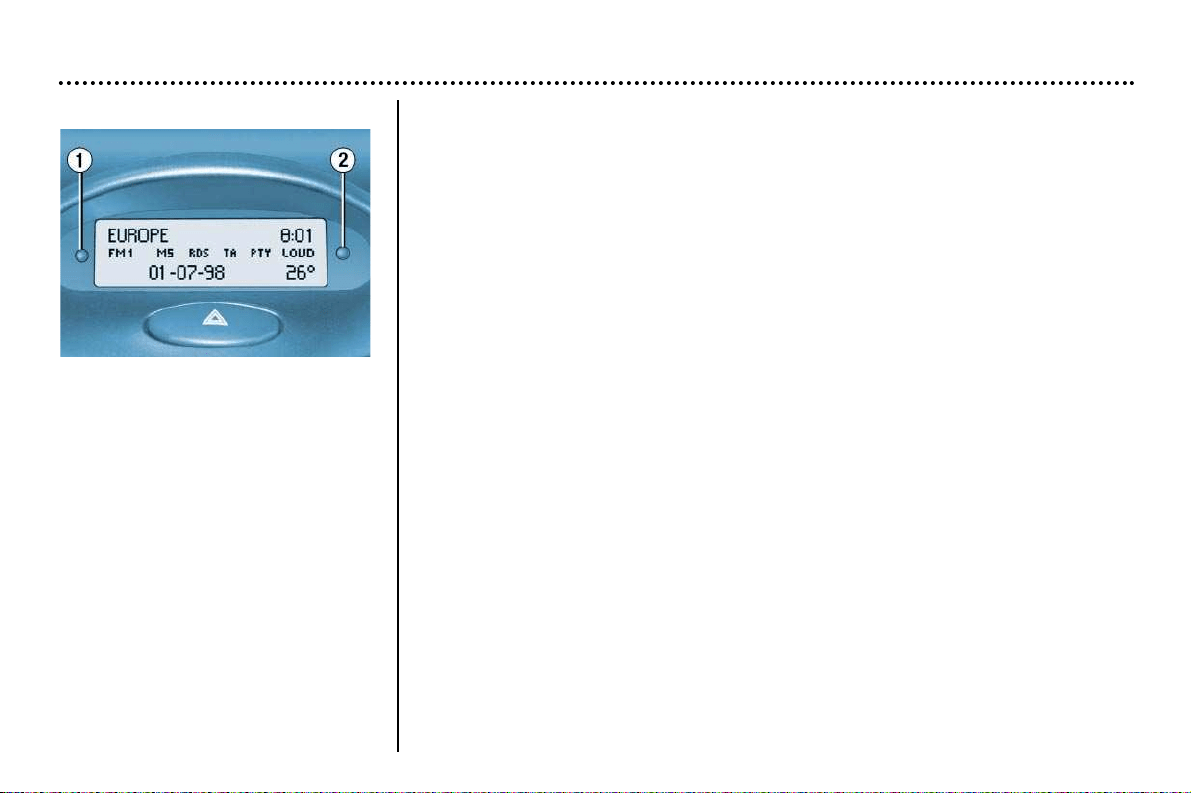
Press button 1 for two seconds to access the settings. The information flashes
to show it is ready to be modified.
Then, individual presses on button 1 allow you to scroll through the various data
in the following sequence:
- language in which the information is displayed,
- unit of distance (kms or miles),
- unit of temperature (degrees Celsius or Fahrenheit),
- time format (12 then 24 hour mode)
- hour,
- minutes,
- year,
- month,
- day,
Pressing button 2 allows you to change the information selected. Maintain the
pressure for rapid scrolling.
After ten seconds without operation, the screen returns to the main display and
the modified data is recorded.
Display B
This enables the following information
to be displayed:
- the time,
- the date,
- the outside temperature (this flashes
when there is a risk of ice),
- the radio displays,
- the status of the doors. The dis-
play shows you, by means of a
graphic, whether a door is open.
- the warning messages (e.g. ''bat-
tery charge low'') or information
messages (e.g. "fuel tank low''),
displayed temporarily, can be
cleared by pressing button 1 or 2,
- the trip computer
YOUR 206 CC IN DETAIL
33
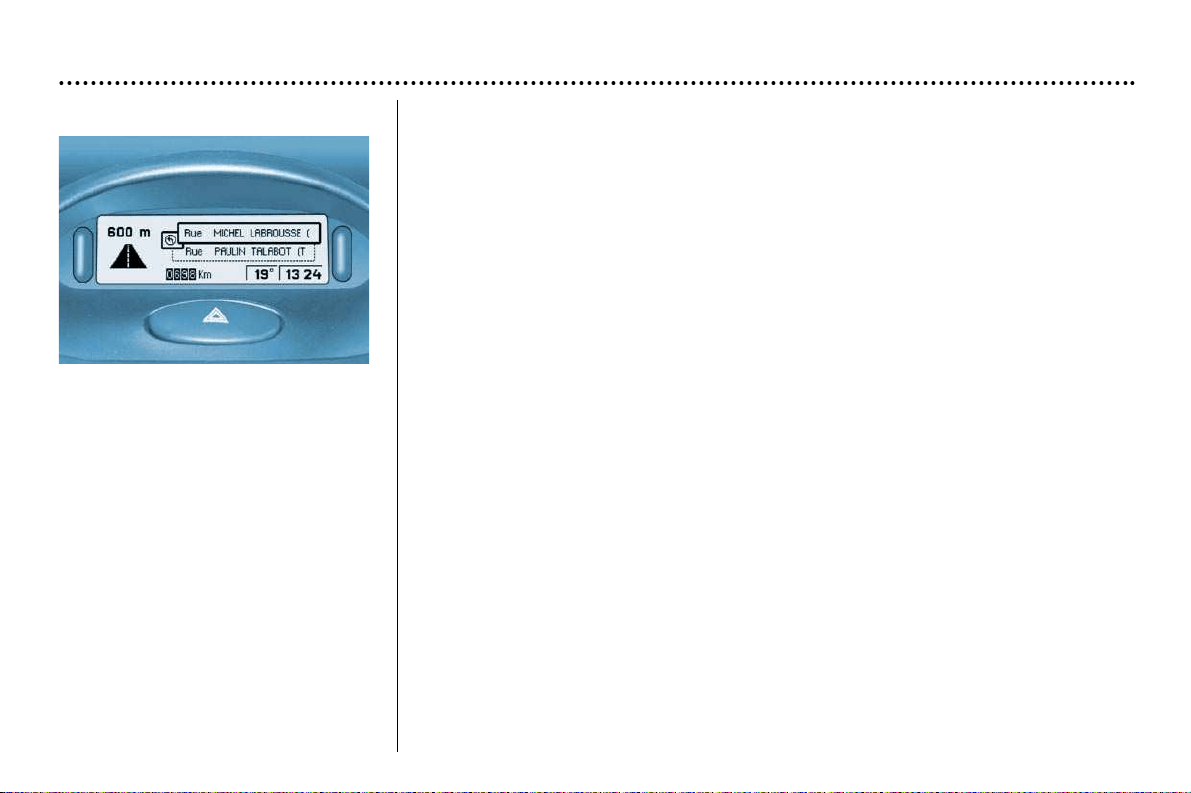
Display C
This enables the following informa-
tion to be displayed:
- the time,
- the date,
- the outside temperature (this
flashes when there is a risk of ice),
- the radio displays,
- the status of the doors. The dis-
play shows you by means of a
graphic whether a door is open,
- the warning messages are displayed temporarily (e.g. "low fuel level'') and can be
cleared using the remote control,
- the trip computer (see following page),
- the satellite navigation system* (see corresponding section).
Setting the parameters
The remote control allows you to access the settings. Accessing the different menus
is described in the section "Satellite Navigation System".
* According to specification.
YOUR 206 CC IN DETAIL
34
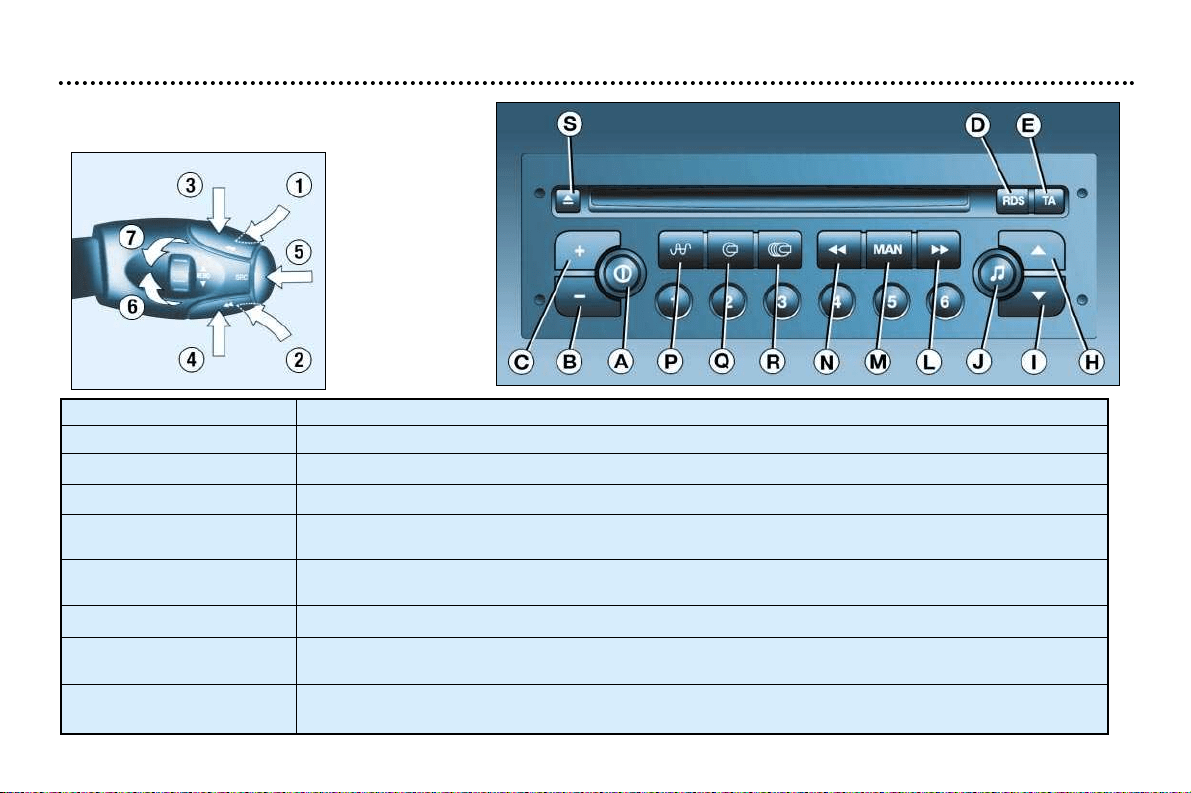
Audio RD3
Stalk movement Function
1 - Press (behind) Increase volume
2 - Press (behind) Decrease volume
1 + 2 - Simultaneous press Sound cut-off (mute); restoring of the sound by pressing any button
3 - Press Automatic search of higher frequencies (radio)
Selection of the next track (CD)
4 - Press Automatic search of lower frequencies (radio)
Selection of the previous track (CD)
5 - Press the end Change of source (radio/cassette/CD changer)
6 - Rotation Selection of next station stored in memory (radio)
(clockwise) Selection of following CD
7 - Rotation Selection of previous station stored in memory (radio)
(anti-clockwise) Selection of previous CD
YOUR 206 CC IN DETAIL
35
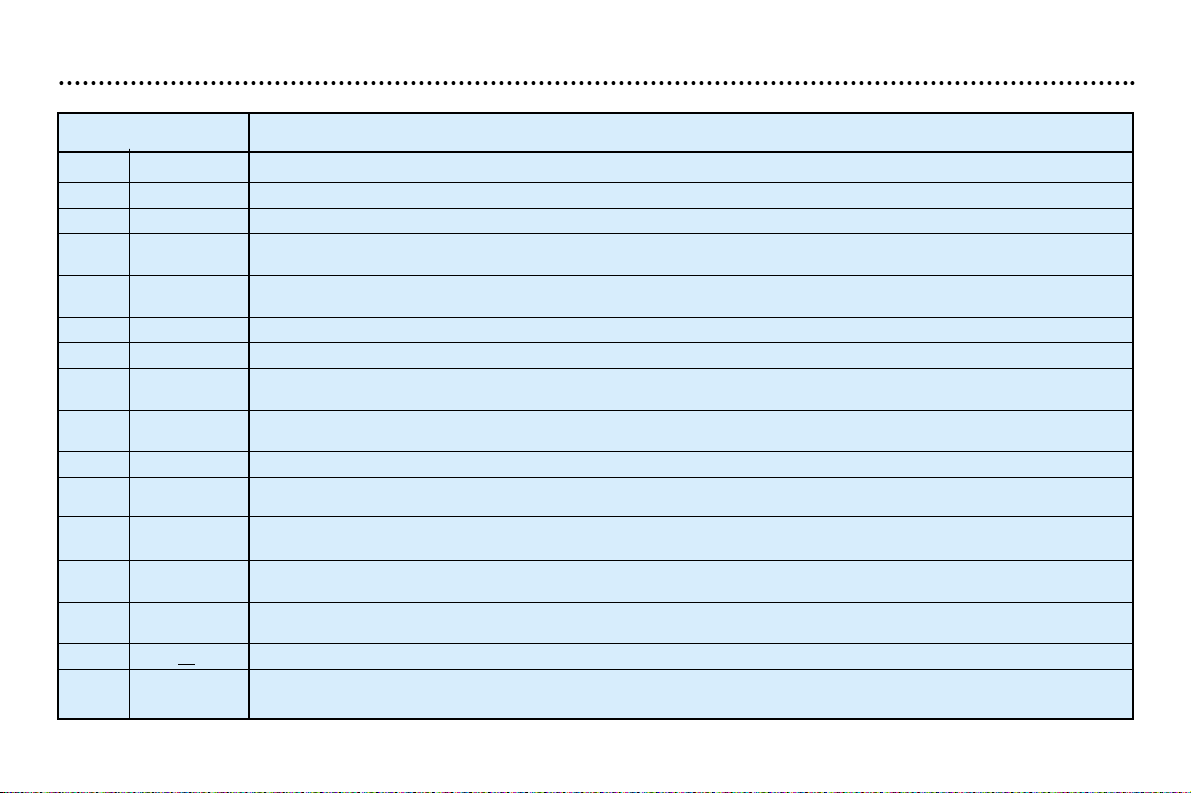
Button Function
A Radio on/off
B-Reduction in volume
C+Increase in volume
D RDS RDS function on / off
Press for more than 2 seconds : regional following mode on/off
ETATraffic information priority on/off
Press for more than 2 seconds: PTY function on/off
H ▲ Increase audio setting
I ▼ Decrease audio setting
J Adjustment of bass, treble, loudness, sound distribution and automatic . volume correction
L
kk
Automatic search of higher frequency
Selection of next CD track
M MAN Manual/automatic operation of buttons L and N
N
jj
Automatic search of lower frequency
Selection of previous CD track
P Radio Selection of FM1, FM2, FMast and AM wavebands
Press for more than 2 seconds: automatic storing of stations in memory (autostore)
QCDSelection of CD
Press for more than 2 seconds: shuffle
R CH. CD Selection of CD changer
Press for more than 2 seconds: shuffle
S ▲ Ejection of CD
1 to 6 Selection of station stored in memory
Press for more than 2 seconds: storing of a station in memory
YOUR 206 CC IN DETAIL
36
GENERAL FUNCTIONS
On/off
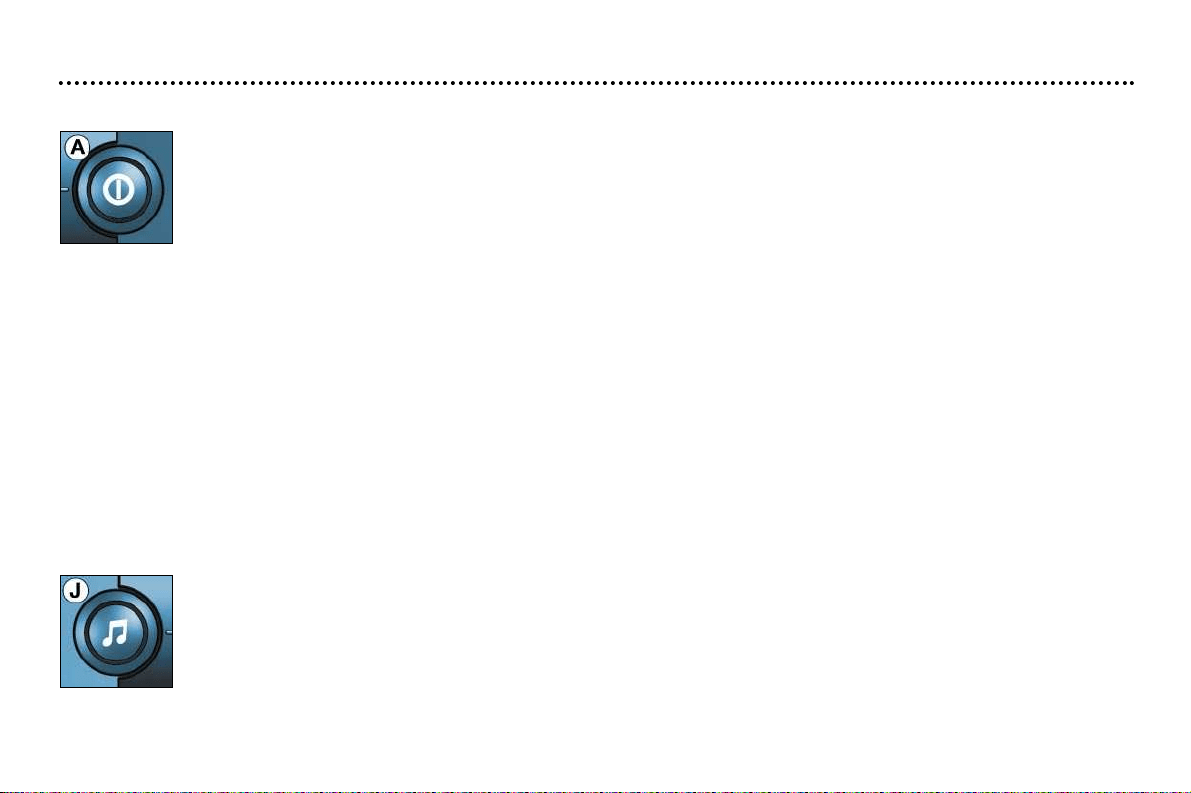
With the ignition key in the accessories or ignition position, press button A to switch the set on or off.
The set can operate for 30 minutes without the vehicle ignition being switched on.
Anti-theft system
The audio system is coded in such a way that it can operate only on your vehicle. It would not function if fitted to another
vehicle.
The anti-theft system is automatic and requires no action on your part.
ADJUSTING THE VOLUME
Press the button C to increase the volume, or button B to decrease it.
Continuous pressure on buttons B and C allows a gradual adjustment of the volume.
AUDIO SETTINGS
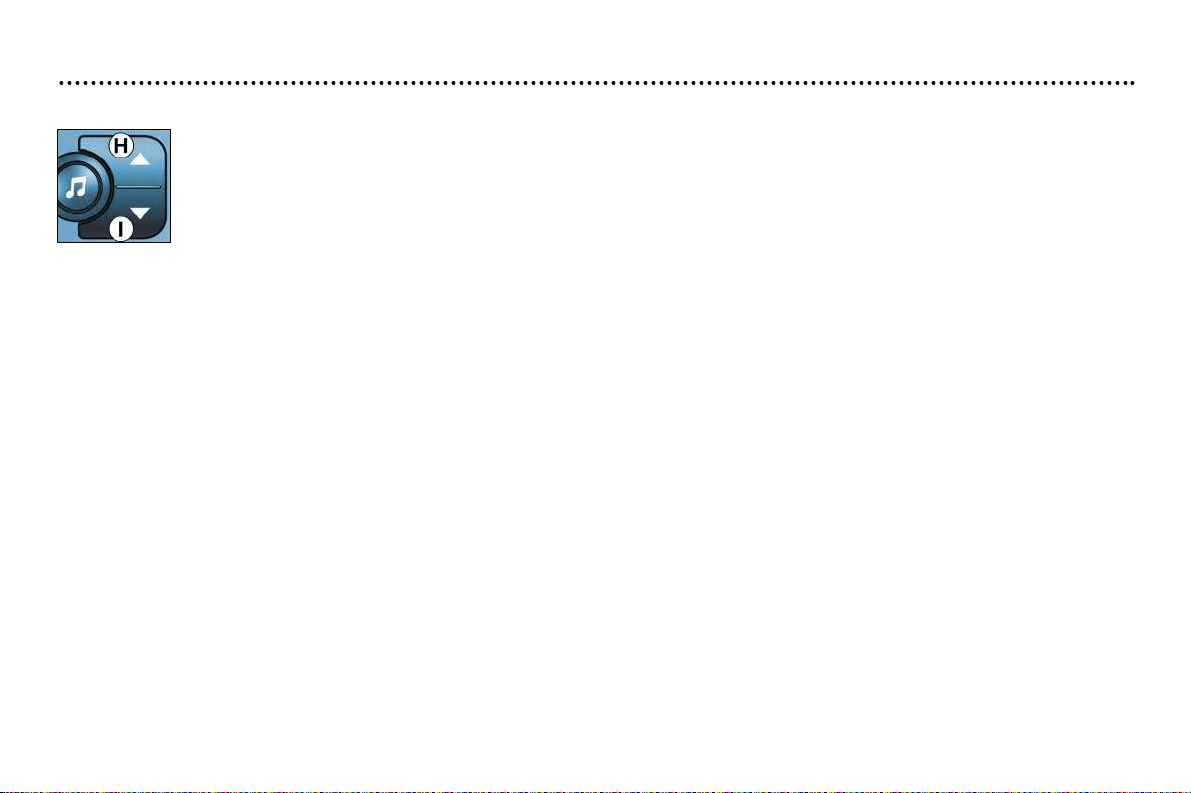
Press button J several times in succession to access the bass (BASS), treble (TREB), loudness (LOUD),
fader (FAD), balance (BAL) and automatic volume correction.
Exit from audio mode is automatic after a few seconds without pressing any button, or by pressing button J
after configuration of the automatic volume correction.
Note : bass and treble settings are specific to each source. It is possible to set them differently for radio, CD
or CD changer.
YOUR 206 CC IN DETAIL
37
Adjusting the bass
When "BASS" is displayed, press button H or I to vary the setting.
- "BASS -9" for a minimum bass setting,
- "BASS 0" for a normal setting,
- "BASS +9" for a maximum bass setting.
Adjusting the treble
When "TREB" is displayed, press button H or I to vary the setting.
- "TREB -9" for a minimum treble setting,
- "TREB 0" for a normal setting,
- "TREB +9" for a maximum treble setting.
Adjusting the loudness
This function automatically emphasises bass and treble tones.
Press button H or I to switch the function on or off.
Adjusting the front/rear sound distribution (Fader)
When "FAD" is displayed, press button H or I.
Button H increases the volume at the front.
Button I increases the volume at the rear.
Adjusting the right/left sound distribution (Balance)
When "BAL" is displayed, press button H or I.
Button H increases the volume on the right-hand side.
Button I increases the volume at the rear.
Automatic volume correction
This function enables the volume to be automatically adjusted depending on the level of noise produced by the speed of the
vehicle.
Press buttons H or I to switch the function on or off.
YOUR 206 CC IN DETAIL
38
RADIO
Notes on radio reception
Your car radio is subject to phenomena which do not affect domestic radio sets. Both AM (MW/LW) and FM reception are
subject to various forms of interference. This is no reflection on the quality of the equipment, but is due to the nature of the
signals and the way in which they are transmitted.
On MW/LW, interference may be noticed when passing under high voltage power lines or bridges, or in tunnels.
On FM, interference may be the result of increasing distance from the transmitter, deflection of the signals by obstacles (moun-
tains, hills, buildings etc), or of being in an area which is not covered by a transmitter.
Selecting radio mode
Press button P.
Selecting a waveband
Press button P briefly to select wavebands FM1, FM2, FMast and AM.
Automatic station search
Briefly press button L or N to search for the station immediately above or below. By continuing to
press the button in the direction selected, you will obtain continuous scrolling of the frequency.
The scrolling stops at the first station found as soon as the button is released.
If the TA traffic programme is selected, only stations broadcasting this type of programme are selected.
Searching for a station occurs first in "LO" sensitivity (selection of the most powerful transmitters) during scanning of the
waveband, then in "DX" sensitivity (selection of the weakest and most distant transmitters).
To make a direct search in "DX " sensitivity, press button L or N twice.
YOUR 206 CC IN DETAIL
39
Manual station search
Press the "MAN " button.
Briefly press button L or N to increase or decrease the frequency displayed.
By continuing to press the button in the direction selected, you will obtain continuous scrolling of the frequency.
The scrolling stops at the first station found as soon as the button is released.
Pressing the "MAN" button again returns you to automatic station search.
Manual storing of stations in the memory
Select the station required.
Press one of the buttons "1" to "6" for more than two seconds.
The sound stops then becomes audible again, confirming that the station has been stored in the memory.
Automatic storing of FM stations in the memory (autostore)
Press button P down for more than two seconds.
Your radio automatically stores the six stations with the strongest signal in FM. These stations are stored in the FMast wave-
band.
If it is not possible to find six stations, the remaining memories are empty.
Recalling stations stored in the memory
For each waveband, briefly press one of the buttons "1" to "6" to recall the corresponding station.
YOUR 206 CC IN DETAIL
40
RDS
Using the RDS (Radio Data System) function on FM
Radio Data System allows you to continue listening to the same station whatever frequency it is using for the region you are
going through.
Briefly press the "RDS" button to switch the function on or off.
The multifunction display wil show:
- "RDS" if the function is selected.
- "(RDS)" if the function is selected but not available.
RDS station following
The display indicates the name of the station selected. The radio is continually searching for the station which has the best
reception and which is transmitting the same programme.
Traffic information programme
Press the "TA" button to switch the function on or off.
The multifunction display will show:
- "TA" if the function is selected,
- "(TA)" if the function is selected but not available.
Any traffic information flash will be given priority, whatever source you are listening to (radio, CD or CD changer).
If you wish to interrupt a message, press the "TA" button; this switches the function off.
Note : the volume of traffic information announcements is independent of the volume of normal radio listening. You
can adjust it using the volume button. The setting will be stored and will be used when the next messages are broad-
cast.
Regional following mode
When they are part of a network, certain stations broadcast regional programmes in the various areas they serve. With regio-
nal following mode you can keep listening to the same programme.
Press the "RDS" button for more than two seconds to switch the function on or off.
YOUR 206 CC IN DETAIL
41
PTY function:
This allows you to listen to stations broadcasting a specific type of programme (news, culture, sport, rock etc.).
With FM selected, press the "TA " button for two seconds to switch this function on or off.
To search for a PTY programme:
- select the PTY function,
- briefly press button L or N to scroll down the list of the various types of programmes offered.
- when the programme of your choice is displayed, keep button L or N pressed for two seconds
to carry out an automatic search (after an automatic search the PTY function is switched off).
In PTY mode the different types of programmes can be stored in memory. To do this, press the
preselection buttons "1" to "6" for two seconds.
Briefly press the corresponding button to recall the type of programme stored in the memory.
EON system
This connects stations which are part of the same network. It enables the broadcasting of traffic information or a PTY
programme by a station that is part of the same network as the station to which you are listening.
This service is available when you have selected the TA traffic information programme or the PTY function.
YOUR 206 CC IN DETAIL
42
COMPACT DISC
Selecting CD mode
After insertion of a disc, printed face upwards, the player starts automatically.
If a disc is already inserted, press button Q.
Ejection of a disc
Press button S to eject the disc from the player.
Selecting a track
Press button L to select the next track.
Press button N to return to the start of the current track or to select the previous track.
Accelerated play
Keep button L or N pressed for forwards or backwards accelerated play.
Accelerated play stops as soon as the button is released.
Shuffle
When the CD player is selected, keep button Q pressed for two seconds. The tracks will be played in random sequence.
Pressing the button again for two seconds returns you to normal play.
Shuffle mode is de-activated each time the audio is switched off.
YOUR 206 CC IN DETAIL
43
CD CHANGER*
Selecting CD changer mode
Press button R.
Selecting a track
Press button L to select the next track.
Press button N to return to the start of the current track or to select the previous track.
Accelerated play
Keep button L or N pressed for forwards or backwards accelerated play. Accelerated play stops as soon as the button is
released.
Shuffle
When the CD changer is selected, keep button R pressed down for two seconds.
The tracks will be played in random sequence. Pressing the button again for two seconds returns you to normal play.
*Available during the current year.

YOUR 206 CC IN DETAIL
44
Direction arrows:
These enable you to move around the screen and
thus select a function.
On the welcome screen only, the Up and Down but-
tons enable the brightness of the screen to be adjus-
ted.
menu : this button allows access to the main menu. It can be
used at any time.
esc : escape button
"Short press": cancels the current operation and
returns to the previous screen.
"Press for more than 2 seconds": returns to the welco-
me screen.
This button can be used in any menu. It is inactive
during guidance.
mod : mode button
"Short press": changes between date, navigation and
radio.
val : Confirmation button
Confirms the function selected.
THE SATELLITE NAVIGATION
SYSTEM
Introduction
The satellite navigation system guides
you to the destination of your choice by
means of vocal and visual instructions.
The heart of the system lies in the use of
a map database and a GPS system. The
latter enables your position to be located
by means of several satellites.
The satellite navigation system consists
of the following components:
– the remote control,
– the display,
– the control unit,
– the last voice message recall control,
– the CD ROM.
The remote control
Pointing this at the screen enables the information contained in the various menus to be
selected.
A special compartment in the glove box permits storage of the remote control.
Some functions or services descri-
bed may vary depending on the CD
ROM version or the country where
the vehicle is sold.
YOUR 206 CC IN DETAIL
45
The display
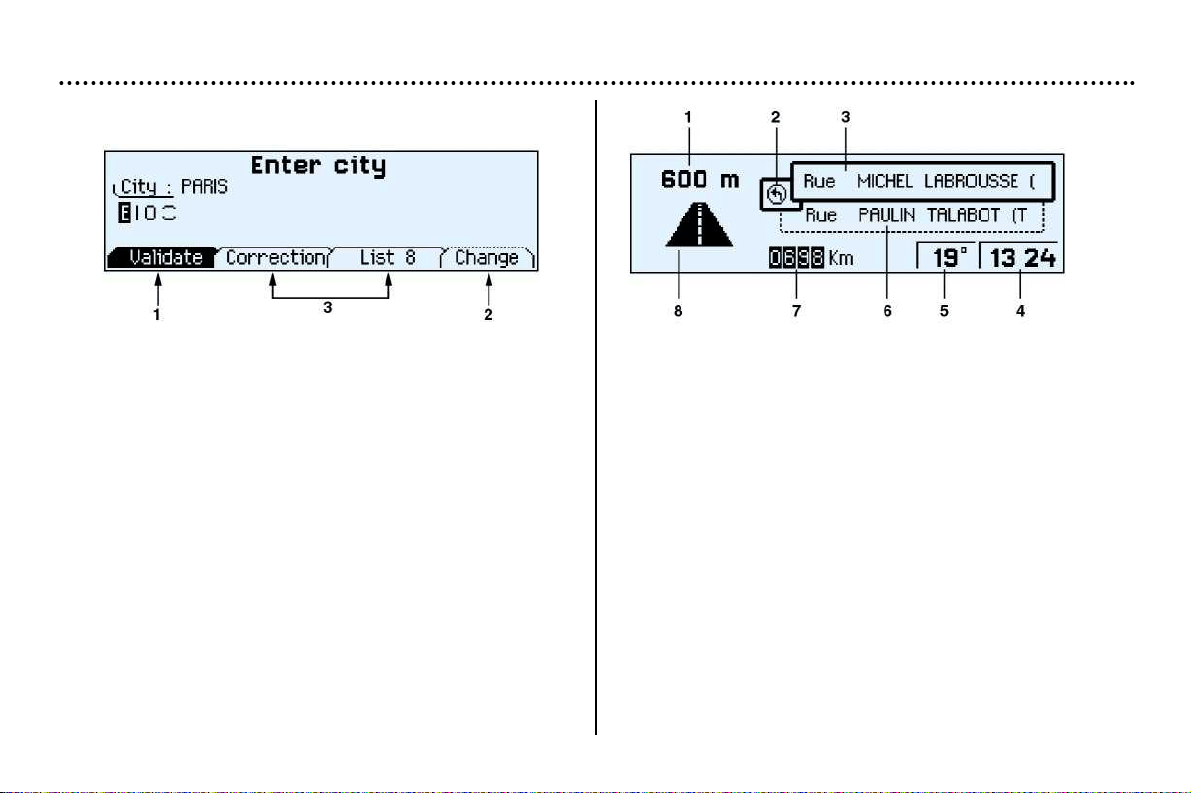
When the menus are used, the functions which appear at the
bottom of the screen are presented in various ways:
1. Function selected.
2. Function inaccessible in this situation.
3. Function accessible.
Note: the "List" option is accessible for a maximum of 80
possible choices of address.
During guidance the screen displays different information
depending on the manoeuvres to be carried out:
1. Distance to next manoeuvre.
2. Next manoeuvre to be carried out.
3. Next road to take.
4. Time.
5. Exterior temperature.
6. Current road.
7. Distance to final destination.
8. Manoeuvre to be carried out.
YOUR 206 CC IN DETAIL
46
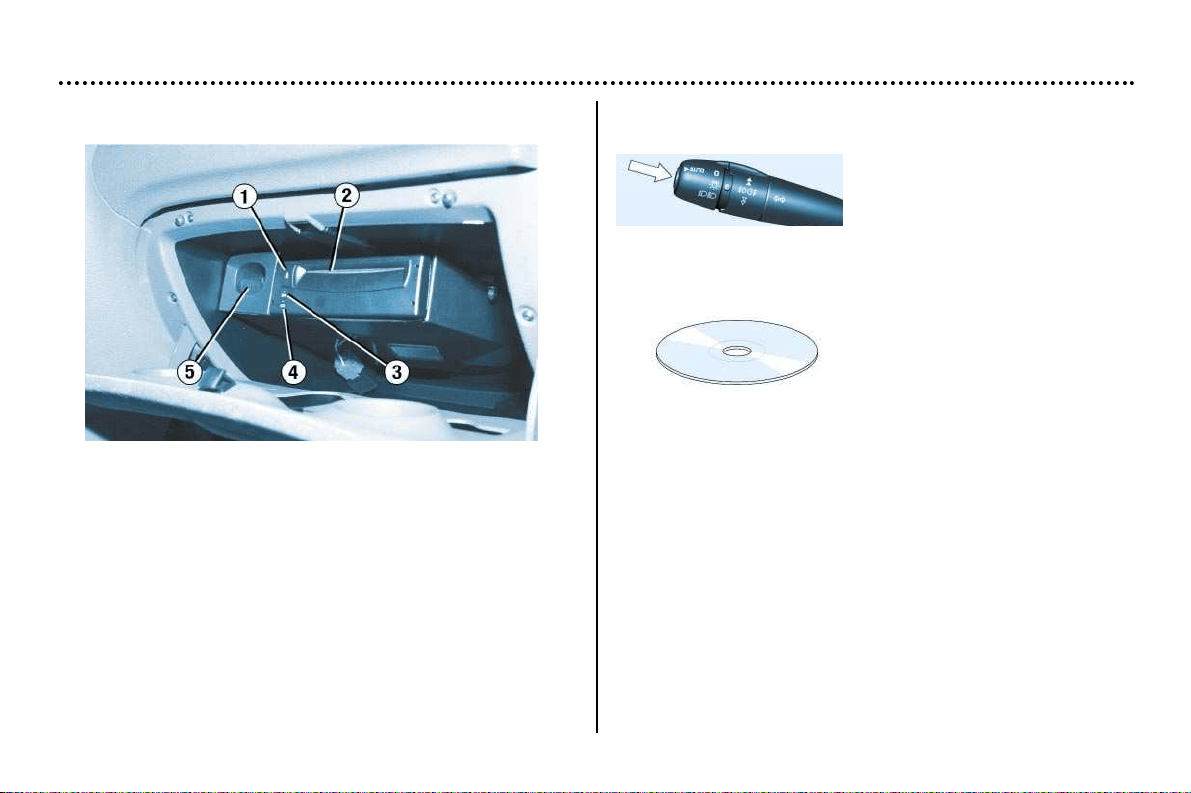
The control unit
This is in the glove box.
1. CD ROM eject button.
2. CD ROM compartment.
3. ON indicator light indicates that the control unit is supplied
with power.
4. CD indicator light shows that there is a CD ROM in the
unit.
5. Remote control storage compartment.
The last voice message recall control
Pressing the button on the end
of the wiper stalk allows the last
voice message to be repeated.
The CD ROM
It contains all the mapping
data.
It must be inserted with the
printed face upwards.
Use only CD Roms approved by PEUGEOT.
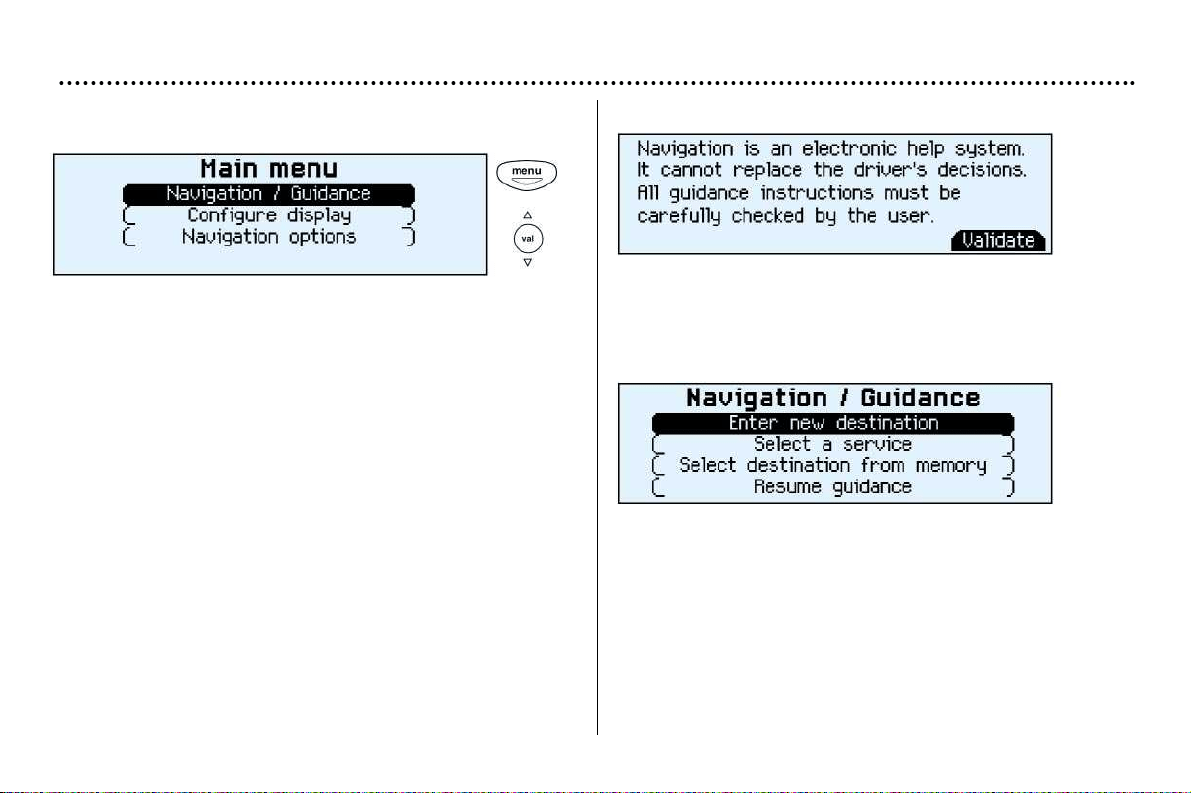
YOUR 206 CC IN DETAIL
47
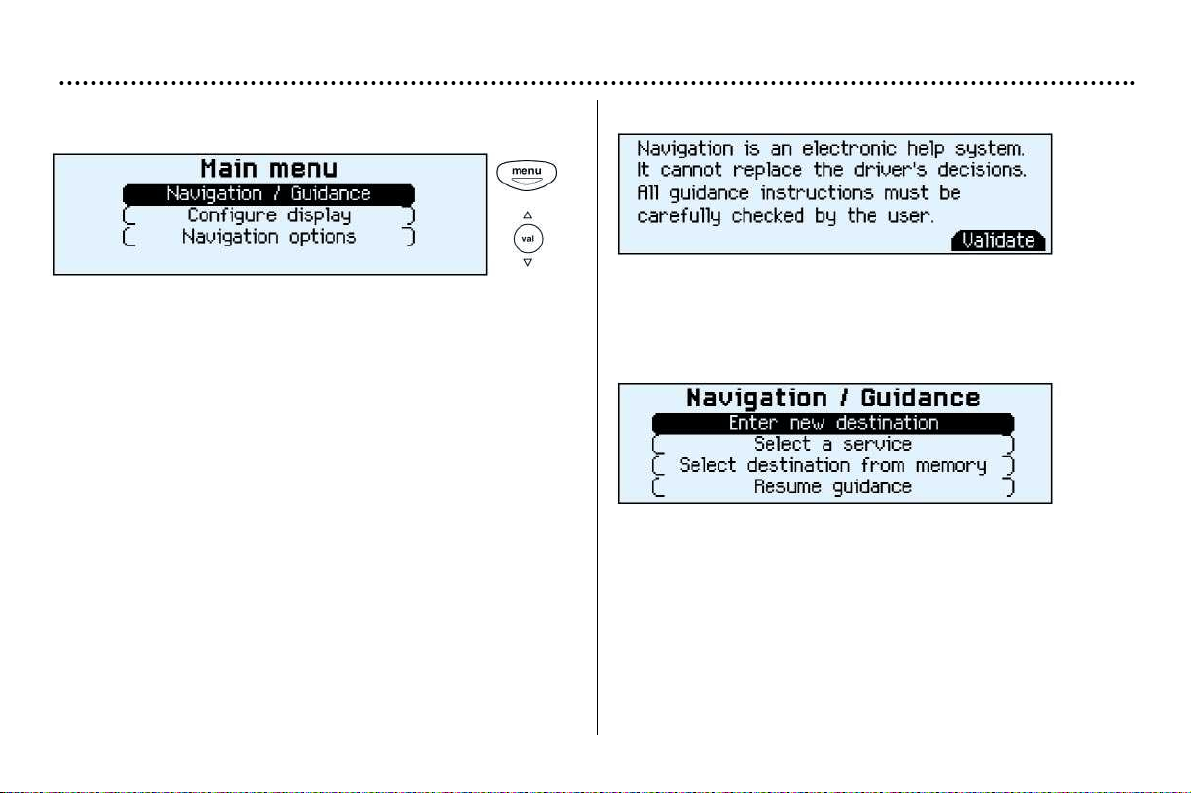
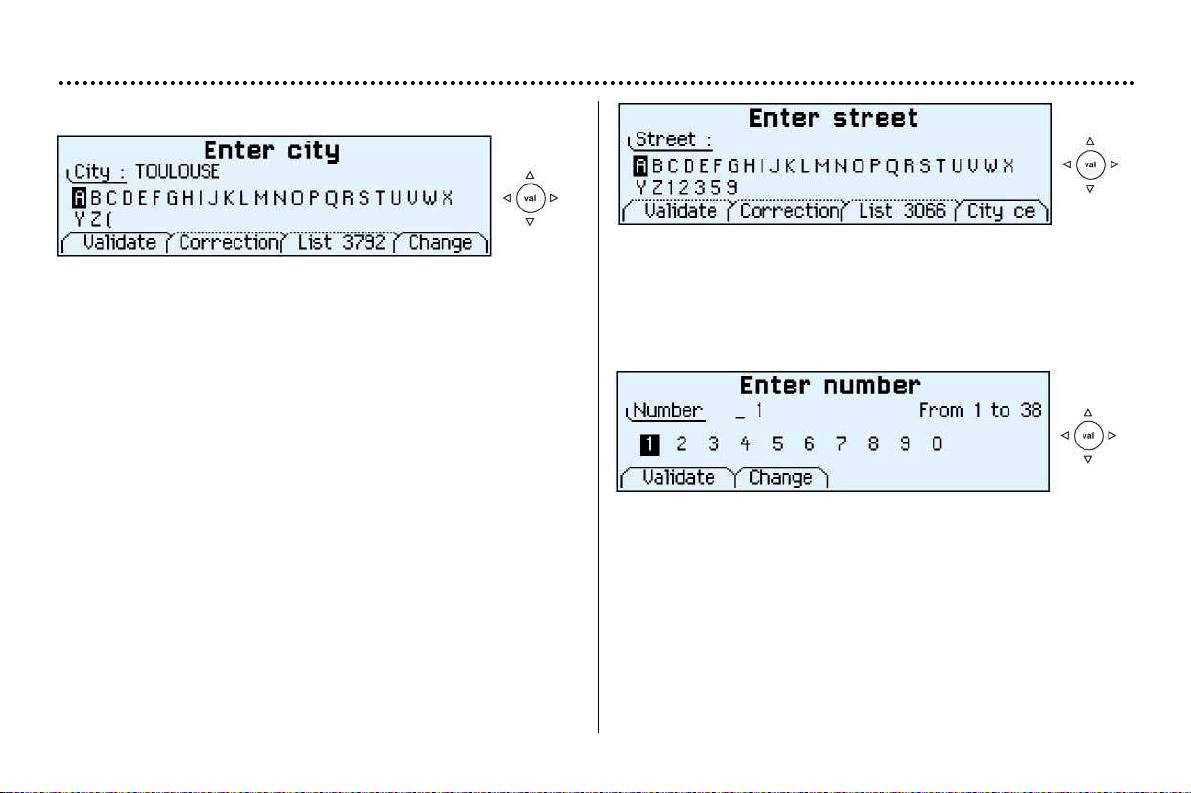
Main menu
Switch on the ignition.
Press the "Menu" button to access the main menu.
Select a function using the direction arrows, then confirm
("VAL" button).
Navigation / Guidance
Following selection of the "Navigation/guidance" menu, a
screen warns you about the use of the navigation system.
Follow the regulations in force and do not use the remote
control while driving.
Press the "VAL" button to access the next screen.
The "Navigation/guidance" menu offers various options for
selecting guidance:
– By entering the address of a new destination.
– By selecting a service (hotel, station, airport...) available in
a town.
– By selecting an address stored in one of the two directo-
ries.
– By resuming a previously interrupted guidance or by stop-
ping a current guidance. Two messages may be displayed
depending on the previous actions: "Resume guidance"
or "Stop guidance".
– The radio functions are suspended when the system is in
guidance mode.
YOUR 206 CC IN DETAIL
47
Main menu
Switch on the ignition.
Press the "Menu" button to access the main menu.
Select a function using the direction arrows, then confirm
("VAL" button).
Navigation / Guidance
Following selection of the "Navigation/guidance" menu, a
screen warns you about the use of the navigation system.
Follow the regulations in force and do not use the remote
control while driving.
Press the "VAL" button to access the next screen.
The "Navigation/guidance" menu offers various options for
selecting guidance:
– By entering the address of a new destination.
– By selecting a service (hotel, station, airport...) available in
a town.
– By selecting an address stored in one of the two directo-
ries.
– By resuming a previously interrupted guidance or by stop-
ping a current guidance. Two messages may be displayed
depending on the previous actions: "Resume guidance"
or "Stop guidance".
– The radio functions are suspended when the system is in
guidance mode.
YOUR 206 CC IN DETAIL
48
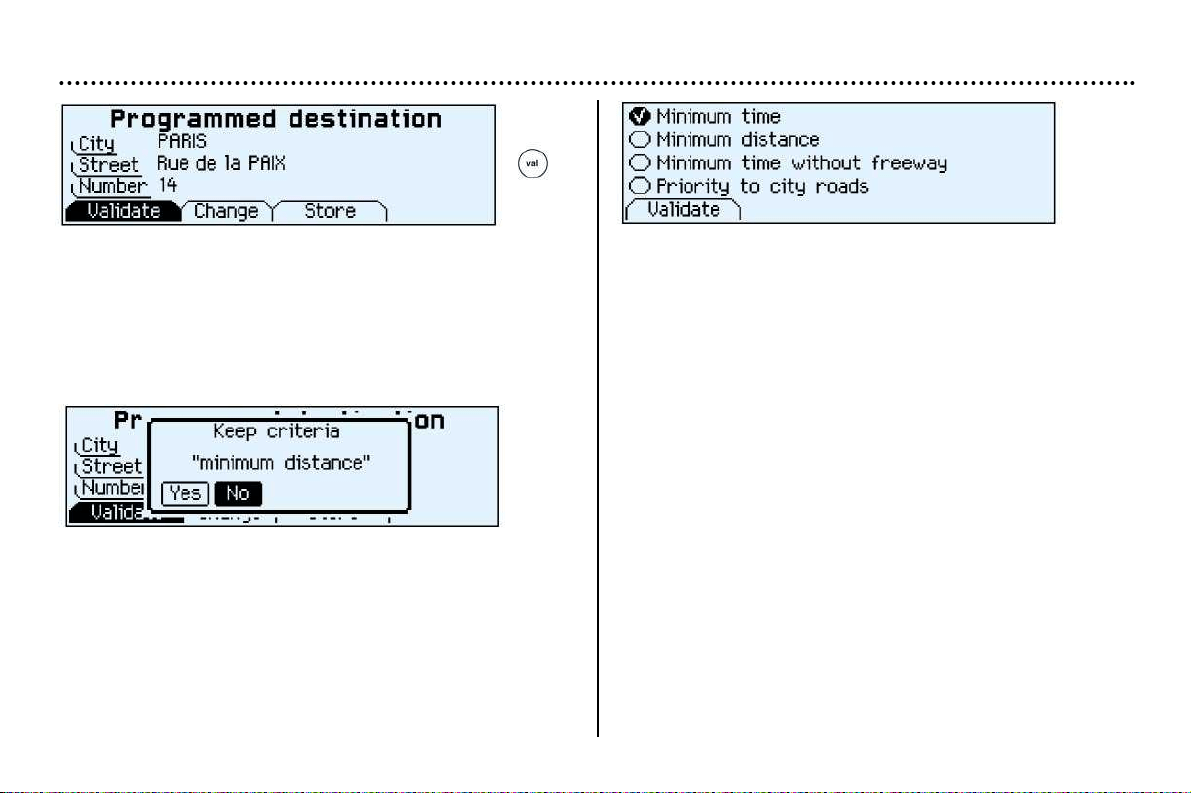
Entering a new destination
The last town entered is displayed.
To enter the name of another town, select each letter using
the direction arrows then confirm ("VAL" button) for each
letter.
If an error is made, the "Correct" function enables the last
letter entered to be cleared.
The "List" function indicates, as the name is entered, the
number of towns beginning with the same letters. When the
list contains less than 5 names, these are displayed automa-
tically. Select a town then confirm ("VAL" button).
The "Change" function enables the town entered to be com-
pletely cleared.
When the complete name of the town is displayed, select the
"Validate" function then press the "VAL" button.
Note: following confirmation of a letter, only those letters
which could make up an existing name appear.
Enter the name of the street. Select the "Validate" function
then press the "VAL" button.
Note: the guidance can be activated from the time the town
is entered without the name of a street or a number. To do
this, select the "town centre" function.
Enter the number on the street. Select the "Validate" func-
tion then press the "VAL" button.
Note: the guidance can be activated as soon as the town
and street are entered without a number. To do this, select
the "Validate" function.
YOUR 206 CC IN DETAIL
49
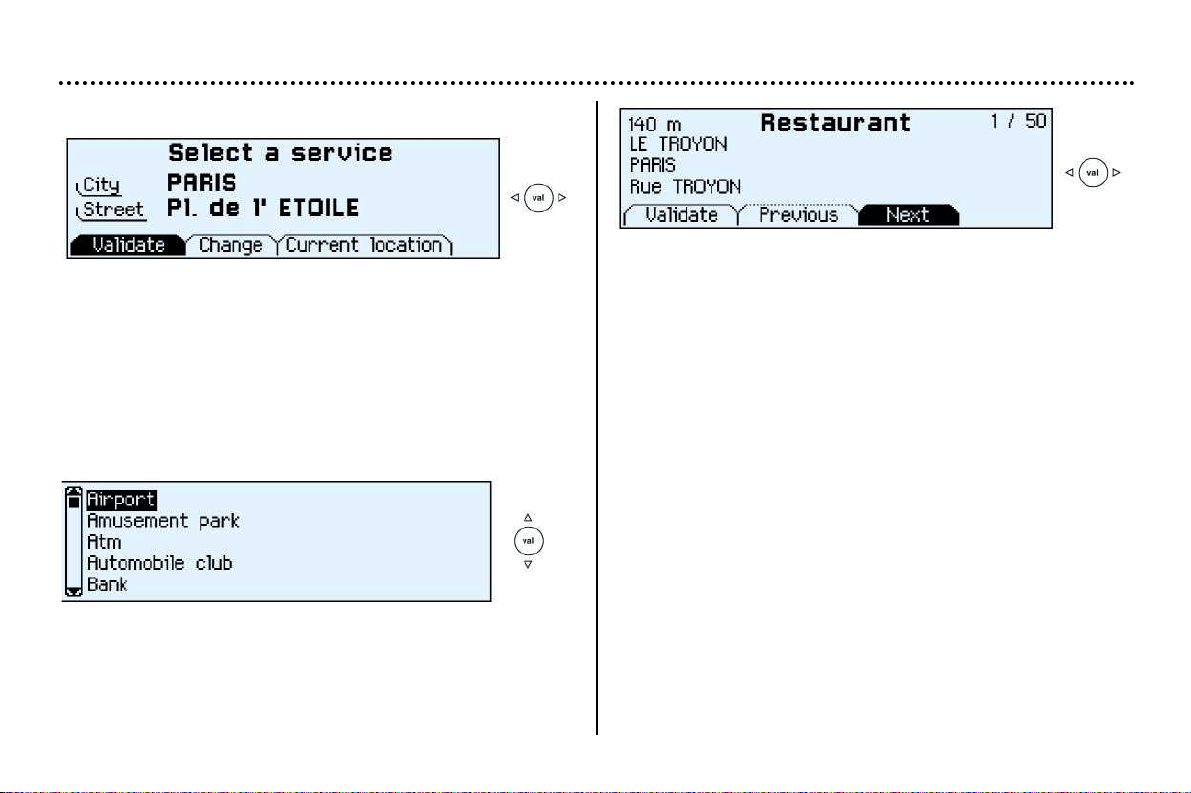
The complete destination is displayed. Select the "Validate"
function then press the "VAL" button.
Note: you can also change the destination or store it in one
of the two directories (see section storing an address in a
directory).
Select a criterion from the list offered then confirm ("VAL"
button). When the criterion of your choice is selected, select
the "Validate" function then press the "VAL" button. Gui-
dance begins, follow the instructions.
The last guidance criterion used is displayed.
Guidance begins automatically retaining this criterion if there
is no action within 5 seconds or following confirmation of the
"NO" function.
Follow the instructions.
If you wish to change the guidance criterion, select the
"YES" function then press the "VAL" button.
YOUR 206 CC IN DETAIL
50
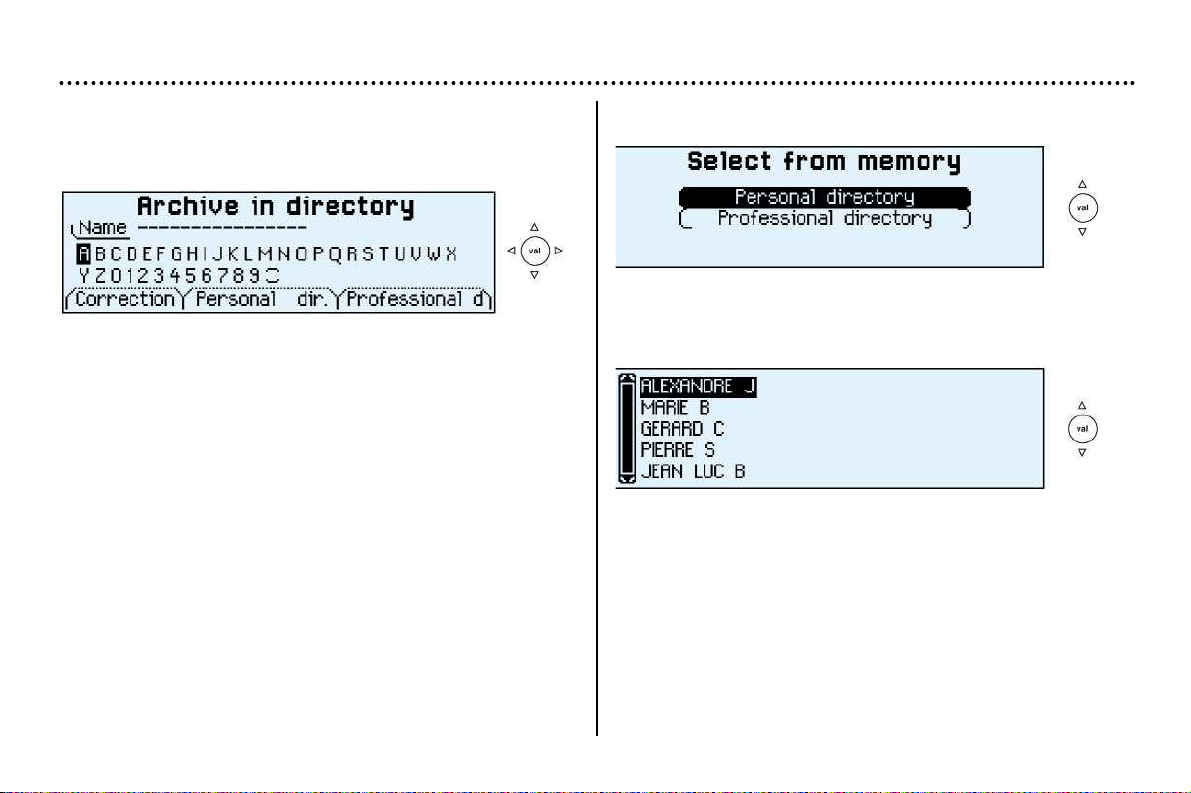
Selecting a service
The last address entered is displayed.
There are 3 options for defining the location in which you
wish to obtain a service:
– resume the last address entered by means of the "Validate"
function.
– enter the name of a new town then enter the street (or the
"town centre" function) by means of the "Change" function.
– automatically enter your current location by using the "cur-
rent location" function.
The address of the required service is displayed.
An indication on the right-hand side of the screen (e.g. 1/50)
indicates whether there are any other establishments (50
maximum) which offer the same service within a radius of
approximately 35 miles (50 km).
Use the "Next" or "Previous" functions to consult the list
offered.
When the establishment of your choice is displayed, select
the "Validate" function then press the "VAL" button. Select
a guidance criterion. Guidance begins, follow the instruc-
tions.
After confirming the address, select a service by scrolling
through the list using the direction arrows then press the
"VAL" button.
A cursor on the left-hand side of the screen indicates your
position in the list.
YOUR 206 CC IN DETAIL
51
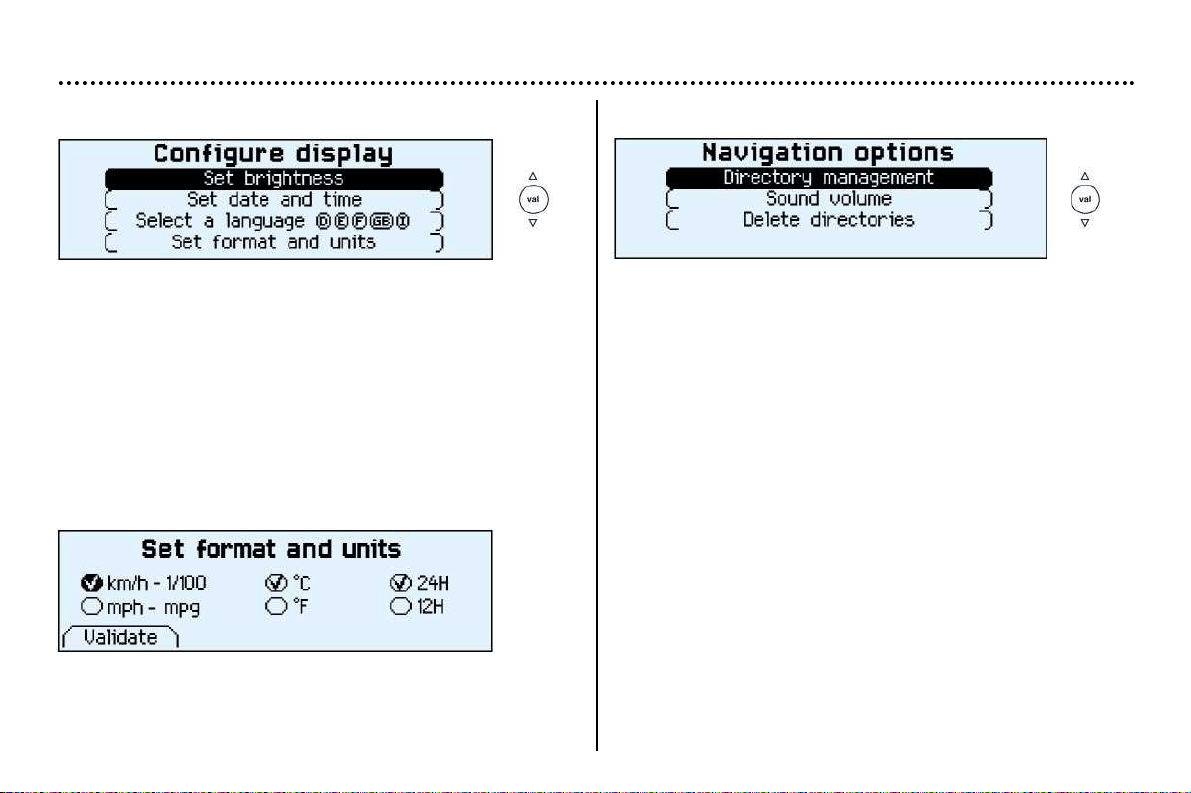
Storing an address in a directory
When a new address is entered, you can store it by selecting
the "Store" function.
Enter the description of the address. If the description alrea-
dy exists for a different address, you can replace the old
address with a new one.
Select the Personal directory or the Professional directory
then press the "VAL" button. The address is then stored in
the directory of your choice.
Selecting a stored destination
Select the directory in which the address you are looking for
is stored, using the direction arrows, then press the "VAL"
button.
The stored addresses are displayed.
A cursor on the left-hand side of the screen indicates your
position in the list. Select a description by scrolling through
the list using the direction arrows then press the "VAL" but-
ton. The complete address is displayed. Select the "Valida-
te" function then press the "VAL" button. Select a guidance
criterion. Guidance begins, follow the instructions.
YOUR 206 CC IN DETAIL
52
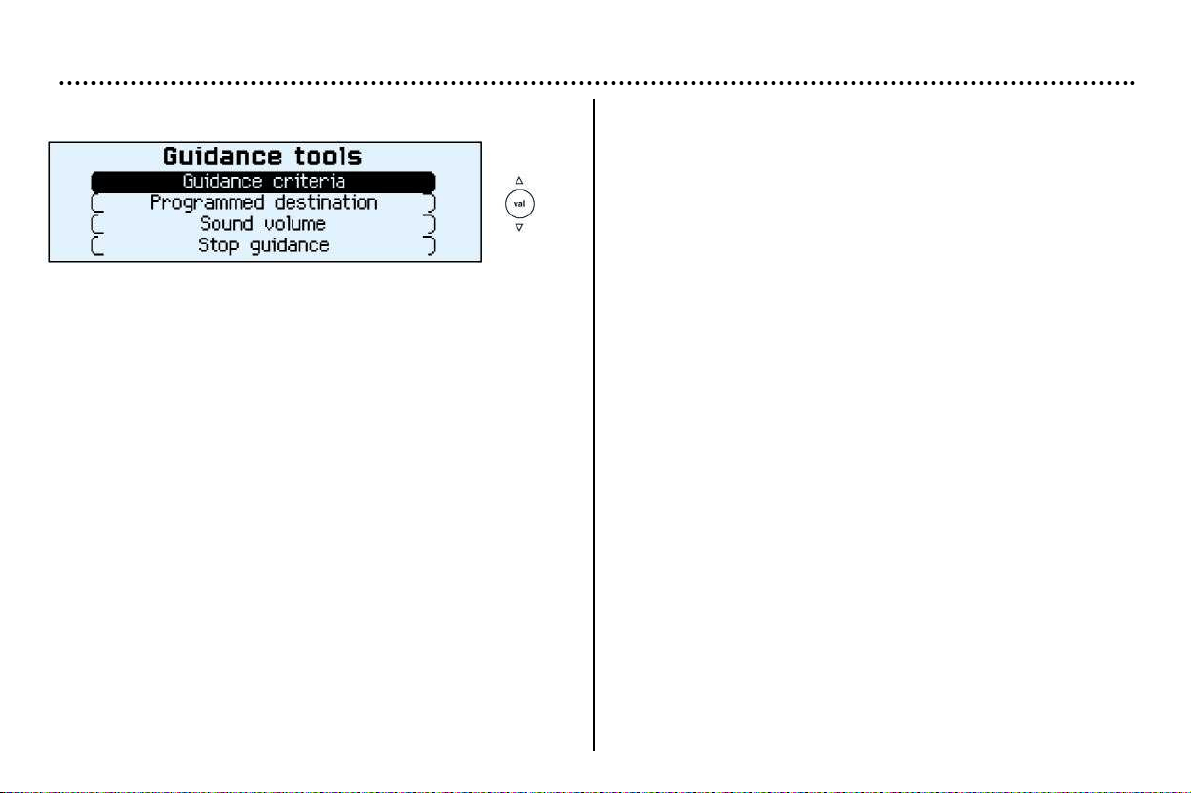
Display configuration
From the general menu, the "Configure display" menu gives
access to the following parameters:
– Adjustment of the display brightness.
– Adjustment of the date and time.
– Selection of the language of the display and voice infor-
mation (English, German, Spanish, French, Italian).
– Adjustment of formats and units. This adjustment permits
a selection between display of Km/h or Mph, between
degrees Celsius or Fahrenheit and the format for the hours
(12 or 24 hour mode) to be modified.
Navigation options
From the main menu, the "Navigation options" menu gives
access to the following parameters:
– Management of the directories. It enables an address sto-
red under a description to be renamed or deleted. To do
this, select the directory and the description to be chan-
ged.
– Voice synthesiser volume adjustment.
– Deletion of all data stored in the two directories.
YOUR 206 CC IN DETAIL
53
Guidance tools
Access to the "Guidance tools" menu is by pressing the
"VAL" button during guidance.
It enables:
– the current guidance criterion to be changed,
– the programmed destination to be displayed or changed,
– the voice synthesiser volume to be adjusted,
– the current guidance to be stopped.
YOUR 206 CC IN DETAIL
54
Ventilation

YOUR 206 CC IN DETAIL
55
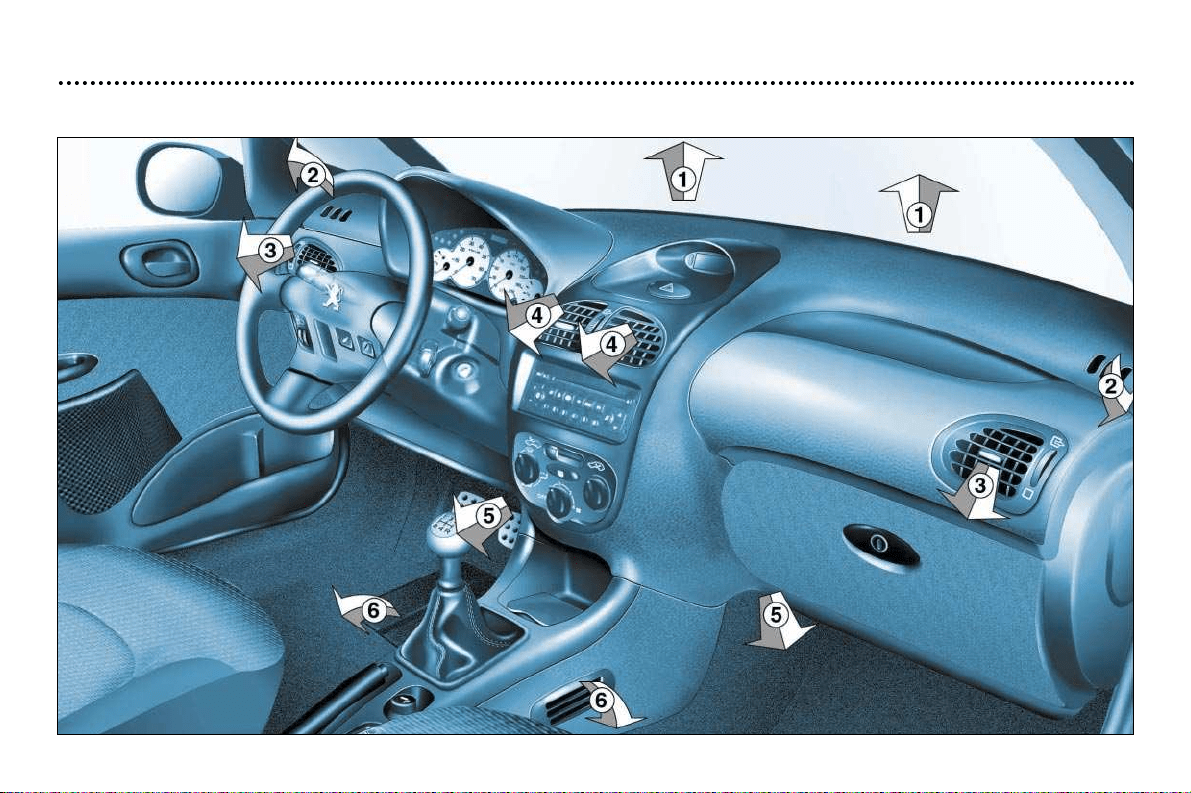
Ventilation
1. Windscreen demisting or de-icing vents.
2. Front window demisting or de-icing vents.
3. Side vents.
4. Centre vents.
5. Air outlet to front footwells.
6. Air outlet to rear footwells*.
Advice on operation
– Place the air flow control at a sufficient level to ensure correct renewal of air in the passenger compartment. The "OFF" posi-
tion cuts off all the air circulation in the passenger compartment.
Note : only use the ''OFF'' position occasionally (risk of condensation).
– Select the air distribution most suited to your requirements and the climatic conditions.
– Gradually adjust the temperature setting for your comfort.
– Position the outside air control to the left: the "Outside air" position.
– For perfectly even air distribution, take care not to obstruct the exterior air intake grille on the bonnet, the vents and the air
ducts under the front seats. Check that the pollen filter is in good condition.
* According to specification.
YOUR 206 CC IN DETAIL
56
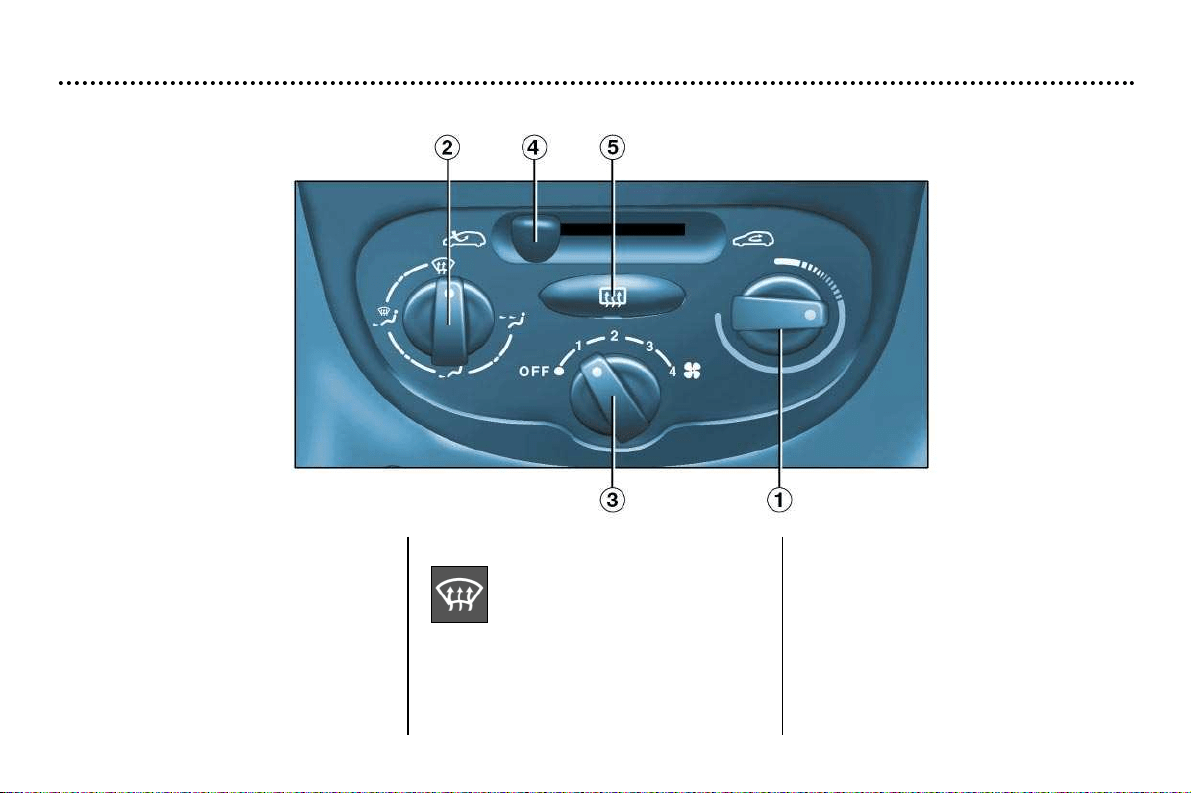
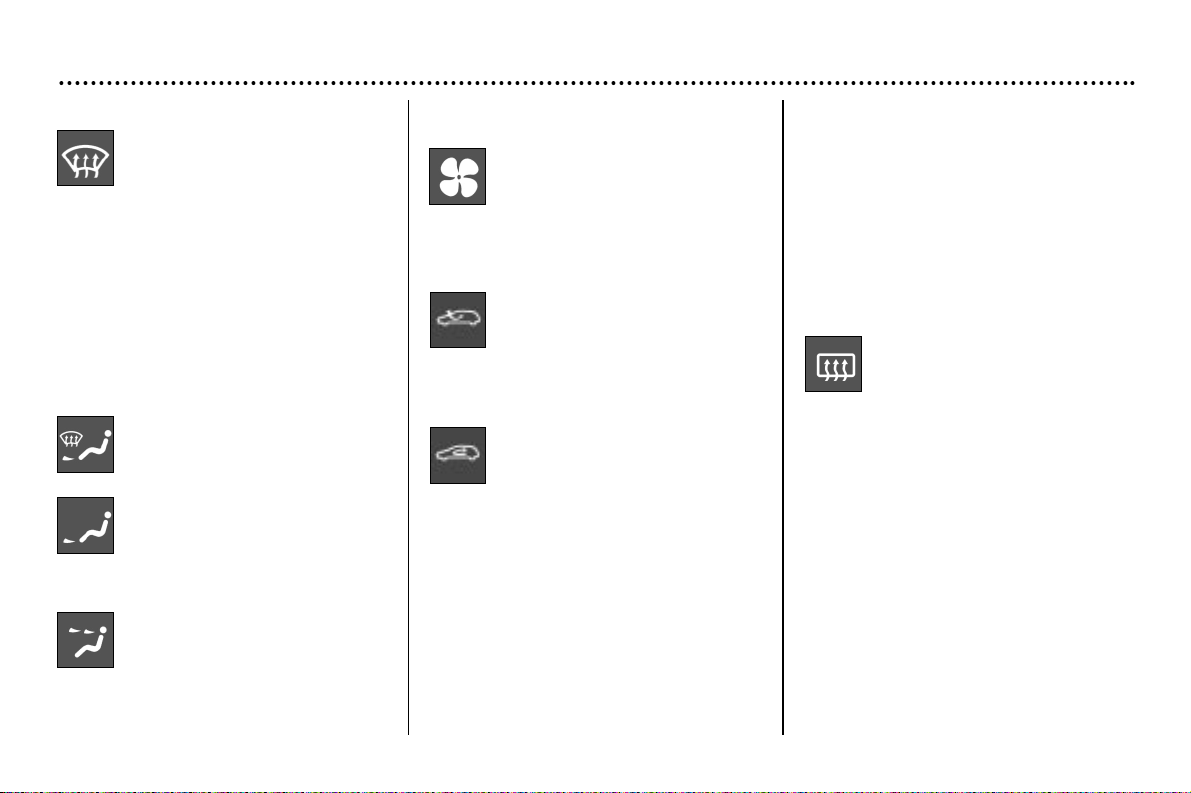
Heating/Ventilation
2. Air distribution adjustment
Windscreen and side win-
dows (demisting/de-icing).
To quickly de-ice or demist the wind-
screen and the side windows:
– place the outside air intake control
to the left, in "Outside Air" position,
– set the temperatur and air flow con-
trols to maximum,
– close the centre vents.
1. Temperature adjustment
To be adjusted according to your
requirements: from blue (exterior tem-
perature) to red (hot).
YOUR 206 CC IN DETAIL
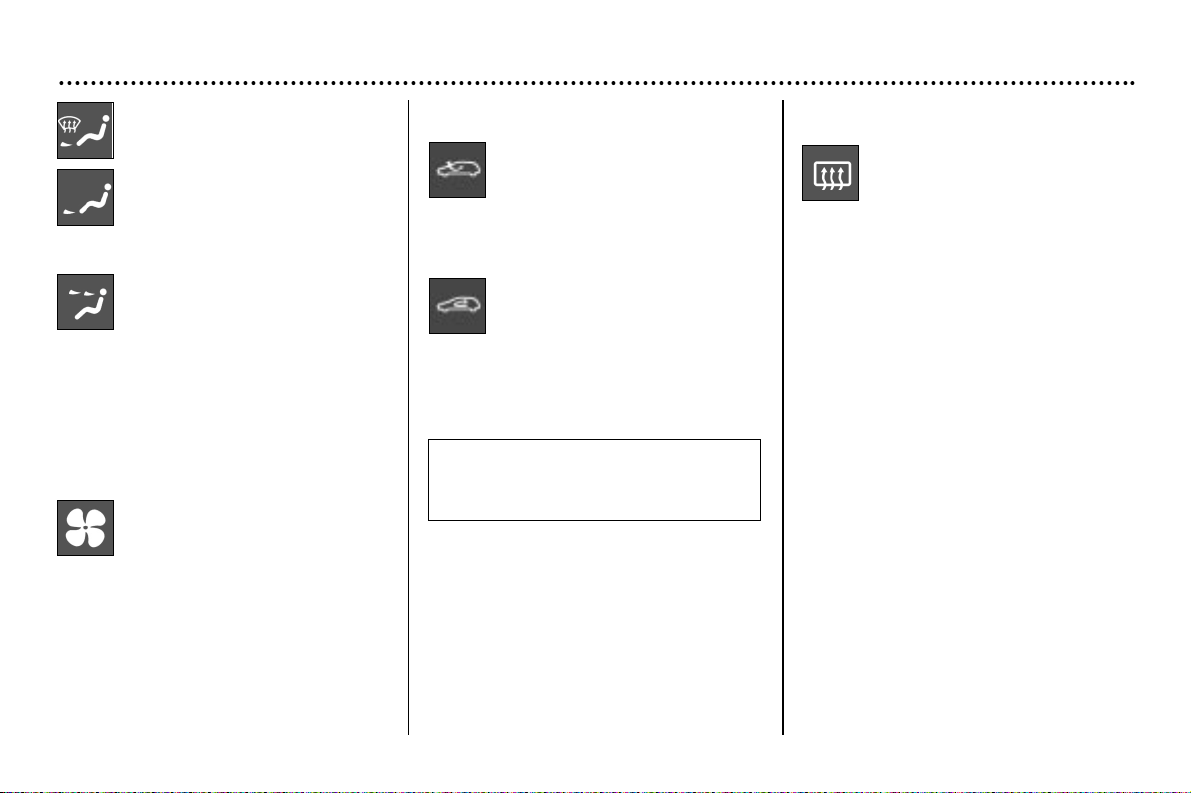
57
Windscreen, side window-
sand footwells.
Footwells.
These settings are recommended for
cold climates.
Centre and side vents.
This setting is recommended
for hot climates.
3. Air flow adjustment
Turn the control to give a suf-
ficient air flow to ensure your
comfort.
4. Air intake control
Outside air intake.
This is the position for normal use.
Recirculation of interior air.
This position prevents the exterior
odours and smoke from entering the
passenger compartment and increas-
es the speed of heating.
As soon as possible, place the control
in the outside air position, otherwise
there is a risk of the windows misting
up.
5. De-icing the rear screen
With the engine running,
pressing the button de-ices
the rear screen and the mir-
rors*.
It switches off automatically after
approximately twelve minutes. Press-
ing the button again starts it again for
twelve minutes.
It is possible to stop the de-icing oper-
ation by pressing the button before the
twelve minutes have elapsed.
Note: this function is disarmed when
the roof is stored in the boot.
* According to specification.
YOUR 206 CC IN DETAIL
58
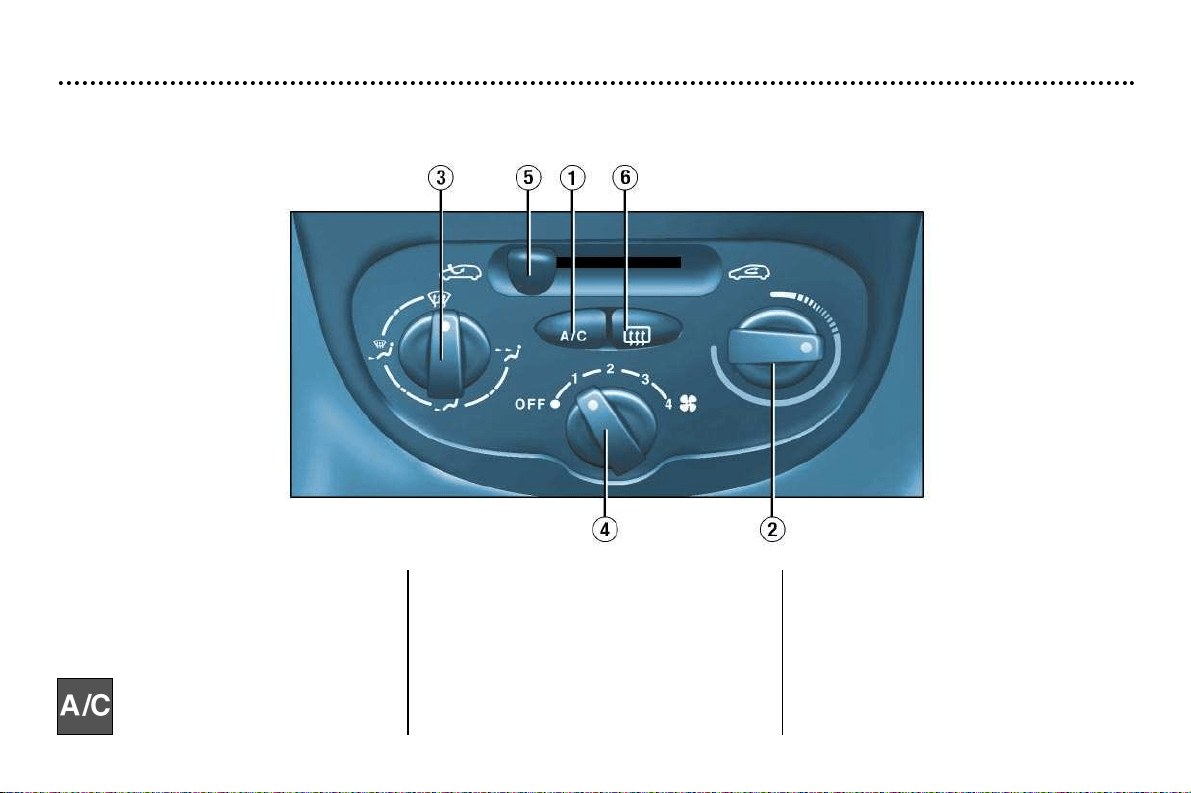
Air conditioning*
1. Air conditioning control
The air conditioning is designed to
operate in all seasons. In summer it
allows the temperature to be reduced
and in winter, above 0°C, it increases
the effectiveness of the demisting.
Press the switch to activate
the air conditioning. The indi-
cator light comes on.
The air conditioning does not ope-
rate when the air flow adjustment
control is in the "OFF" position.
Note
It is quite normal that the condensa-
tion created by the air conditioning
results in a flow of water under the
vehicle when it is stationary.
2. Temperature adjustment
To be adjusted to your requirements:
from blue (cold when the air conditio-
ning is on) to red (hot).
YOUR 206 CC IN DETAIL
59
3. Air distribution adjustment
Windscreen and side win-
dows (demisting/de-icing).
To quickly de-ice or demist the wind-
screen and the side windows:
– place the temperature and air flow
controls to maximum,
– close the central vents.
– place the outside air intake control
to the left, in the "Outside air" posi-
tion,
– operate the air conditioning
Windscreen, side windows
and footwells.
Footwells.
These settings are recommended for
cold climates.
Central and side vents.
This setting is recommended for hot
climates.
5. Air intake control
outside air intake.
This is the norma operating position.
Recirculation of interior air.
This position prevents the entry of
unpleasant odours or fumes from the
outside.
Used simultaneously with the air
conditioning enables both the heating
and cooling performance to be impro-
ved.
Used without air conditioning, recircu-
lation may result in misting the win-
dows.
As soon as possible, place the control
in the outside air position.
Important precaution
Operate the air conditioning for 5 to
10 minutes, once or twice a month, to
keep it in perfect working order.
If the system does not produce cold
air, do not use it and contact your
PEUGEOT dealer.
4. Air flow adjustment
From position 1 to position 4.
Turn the knob to obtain suffi-
cient flow to ensure your com-
fort.
* According to specification.
6. De-misting the rear screen
With the engine running,
pressing the button de-mists
the rear screen and the mir-
rors*.
It switches off automatically after
approximately twelve minutes.
Press again to resume de-misting for
twelve minutes.
It is possible to stop the de-misting
operation by pressing the button again
before the end of the twelve minutes.
Note: this function is disarmed when
the roof is stored in the boot.

YOUR 206 CC IN DETAIL
60
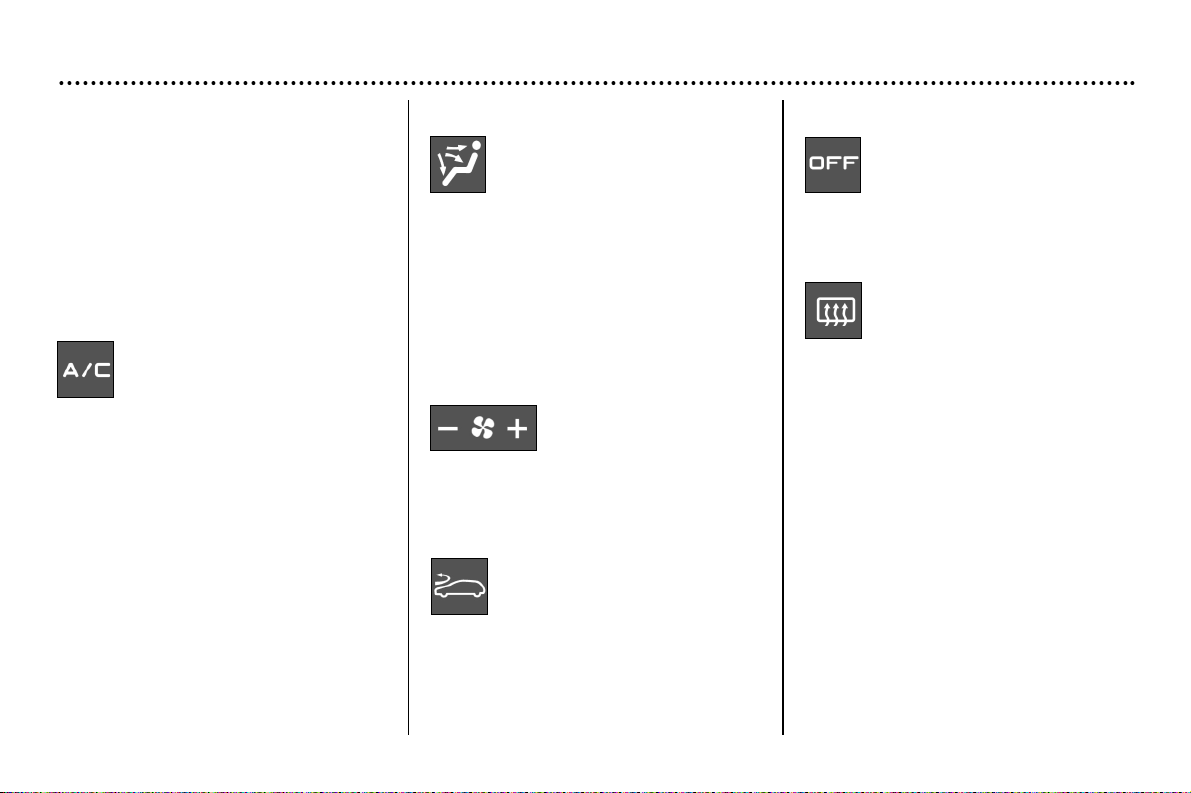
Automatic air conditioning*
Note: in the cabriolet version, the effectiveness of the system may be reduced.
2.
Automatic comfort programme
Press the "AUTO" button. The
system automatically regulates
the temperature level of the pas-
senger compartment in line with
the temperature selected. To obtain the
correct ambiance, it controls the tempera-
ture, the air flow, the distribution and intake
of air as well as air conditioning.
3.
Automatic visibility programme
In certain cases, the automat-
ic comfort programme may
prove inadequate to demist
or de-ice the windows
(because of humidity, numerous pas-
sengers, ice etc.). In these cases
select the automatic visibility pro-
gramme to rapidly clear the windows.
Automatic operation
1. Temperature setting
The required temperature is
displayed. Press the top and
bottom arrows to change. A
setting of approximately 21
allows a comfortable setting
to be obtained.
YOUR 206 CC IN DETAIL
61
5. Air distribution
Successive presses of this
button allow the air flow to be
directed alternately to:
– the windscreen,
– the windscreen and the footwells,
– the central and side vents and the
footwells,
– the central and side vents.
7. Air intake
Press this button to recycle
the interior air. Recirculation,
shown on the display, pre-
vents the entry of unpleasant
odours and fumes. from the outside.
Avoid prolonged recirculation of the
interior air. To do this, press again to
return the system to automatic pro-
cessing of the air intake.
4. Air conditioning
Press this button to stop the
air conditioning. The "ECO"
symbol lights up. Press again
to return to automatic opera-
tion of the air conditioning. The "A/C"
symbol is displayed.
8. Switching the system off
The "OFF" button enables
the entire system to be
switched off.
9. De-icing the rear window
Press this button to de-ice the
rear screen and the mirrors*.
The de-icing system switches
off automatically after a peri-
od which varies depending on the out-
side temperature. It is possible to stop
the de-icing before it switches off auto-
matically by pressing the button again.
Note: this function is disarmed when
the roof is stored in the boot.
Manual operation
If you wish you can make a different
choice from the one offered by the sys-
tem, by changing a setting. The other
functions will still be managed auto-
matically. Press the "AUTO" button to
return to completely automatic opera-
tion.
6. Air flow
The air flow may be
increased or reduced
by pressing the buttons
+ or - respectively.
* According to specification.
Note
The condensation created by the air con-
ditioning causes a normal flow of water
under the vehicle when it stops.
YOUR 206 CC IN DETAIL
62
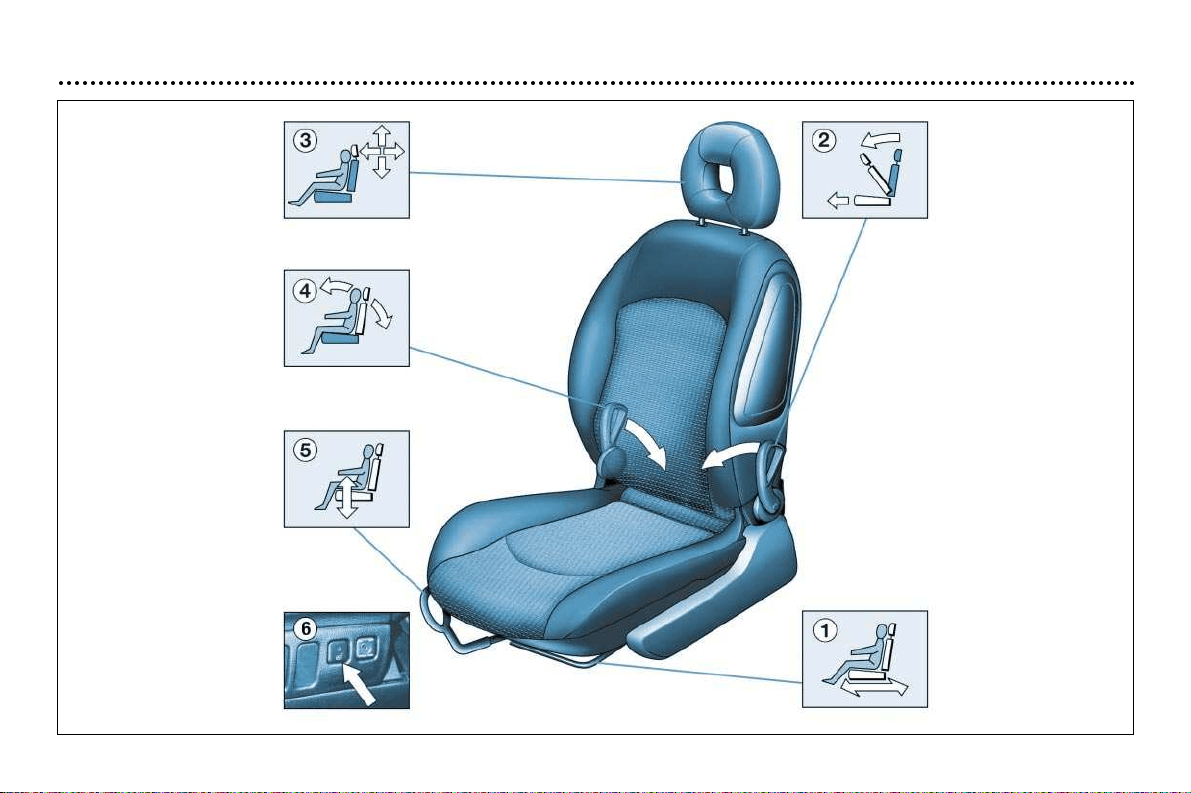
The front seats
YOUR 206 CC IN DETAIL
63
1 - Forwards-backwards adjustment
Lift the lever and slide the seat for-
wards or backwards.
2 - Access to the rear seats
Pull one of the two handles to fold
down the seat back and move the
seat forwards.
On repositioning, the seat returns
to its initial position.
No person nor object must pre-
vent the seat from returning to its
initial position. Returning to this
position is necessary for it to be
locked.
3 - Adjusting the height and angle
of the head restraint
To raise the head restraint, pull it
upwards.
The setting is correct when the
upper edge of the head
restraint is level with the top of
the head.
The head restraint has a frame with
notches which prevents it from drop-
ping down (safety device in case of
impact).
To lower the head restraint you
must simultaneously:
- press the knob on the left-hand
side at its base,
- press downwards.
To remove the head restraint, press
the lug.
4 - Adjusting the seat back angle
Push one of the two controls
towards the rear.
5 - Driver’s seat height adjustment
Pull the handle upwards.
Remove your weight from the seat
to raise, or press on the seat
to lower.
6 - Heated seats control*
Press the switch. The temperature
is controlled automatically for the
two front seats.
Pressing the switch again stops
operation.
* According to specification.
Never drive with the head
restraints removed. These
should be correctly fitted
and adjusted.
YOUR 206 CC IN DETAIL
64
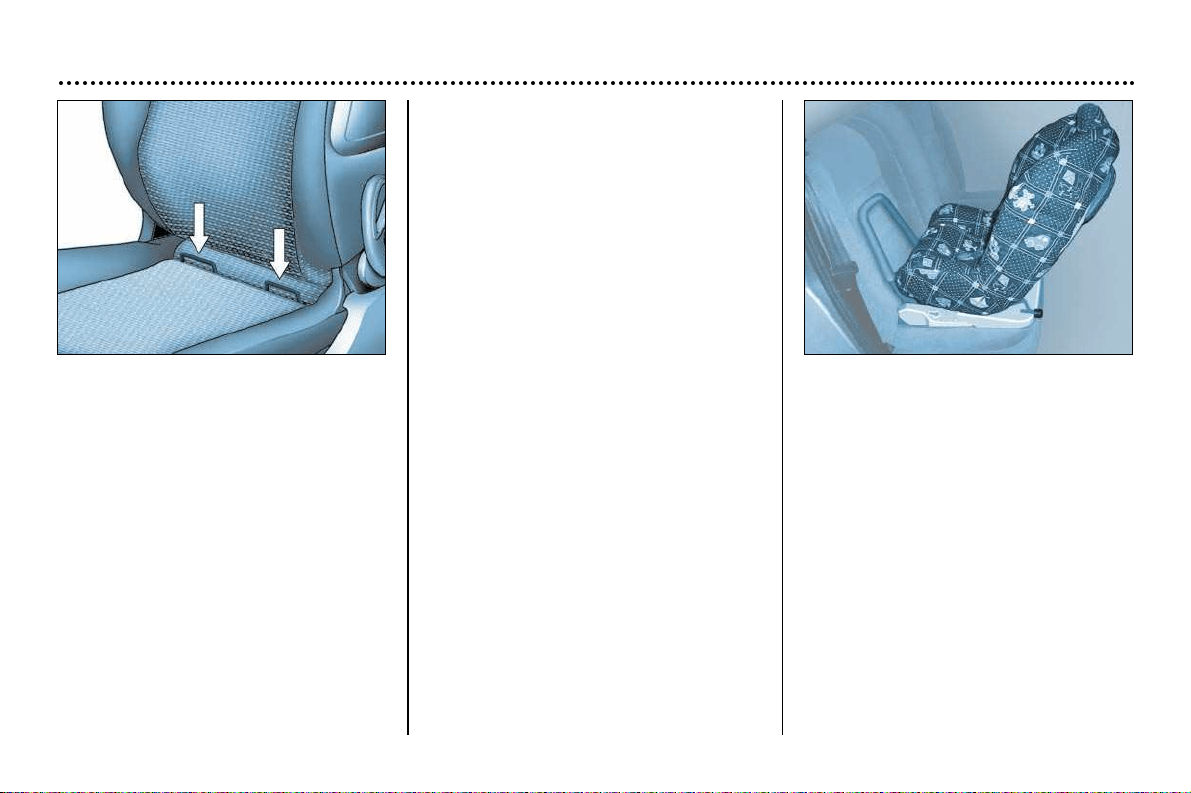
''Isofix'' mountings*
Available on the front passenger seat,
the Isofix mountings allow for fitting of a
special child seat, sold by PEUGEOT
dealers.
The locks incorporated in the child seat
fit onto the Isofix mountings and ensure
safe, reliable and fast assembly
.
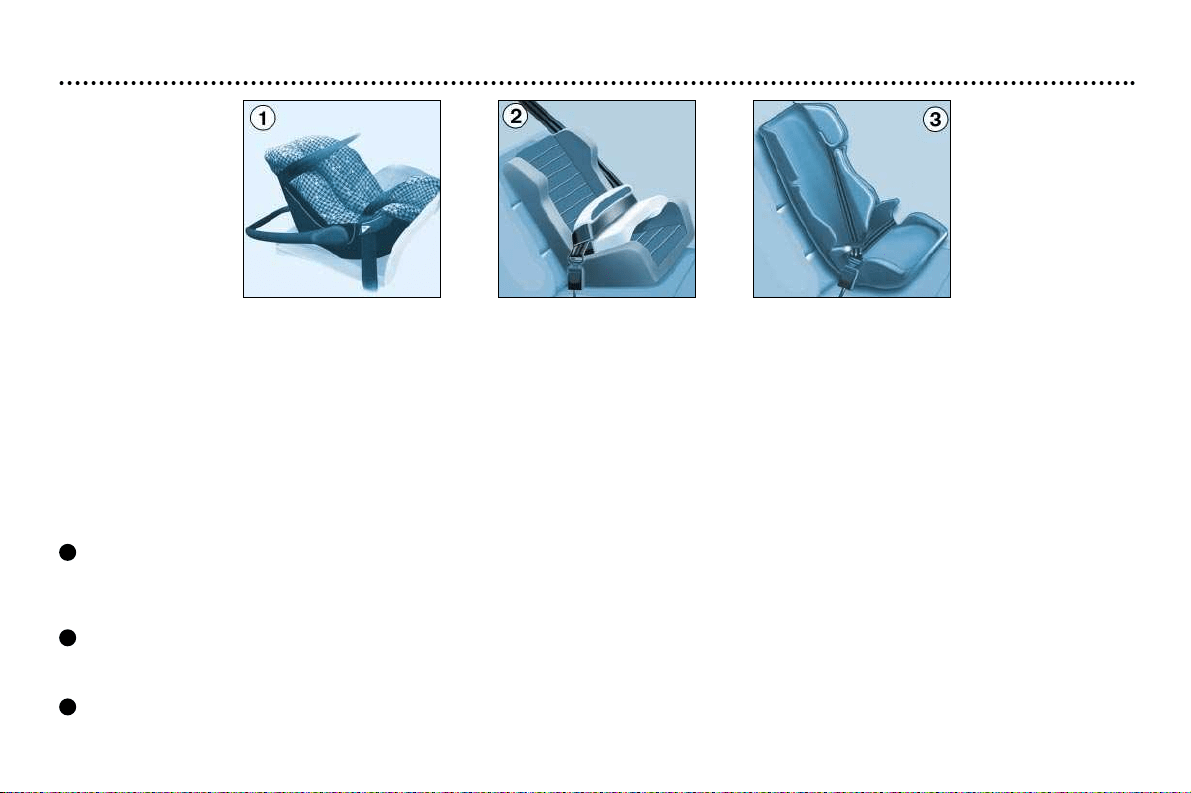
In the front, the child seat must be fit-
ted in the "rear facing" position for chil-
dren weighing less than 29lbs (13 kg):
front seat as far forward as possible
so that the body of the child seat is in
contact with or as close as possible to
the instrument panel. This position
thus limits movement of the child seat
in the event of an accident.
In exceptional cases, the child seat
may be fitted in the 'forwards facing'
position if the rear seats are already
occupied by other children. In this
case, use the Isofix mountings, the
strap and the seat belt and adjust the
front passenger seat to the "mid-tra-
vel" position.
In both cases it is imperative to
disarm the passenger air bag.
The special approved child seat is the
Isofix KIDDY seat. It can be used "rear
facing" from birth to 29 lbs (13 kg)
and "forwards facing" from 20 to 40 lbs
(9 to 18 kg).
This seat can also be used on seats
not fitted with Isofix mountings: buck-
ling of the three-point seat belt is then
compulsory.
Follow the instructions for fitting
the child seat given in the instruc-
tion booklet.
YOUR 206 CC IN DETAIL
65
CHILD SEATS
Child safety was one of PEUGEOT's main concerns when designing your vehicle; however the safety of your children also
depends on you.
For maximum safety, please observe the following precautions:
- All children under the age of 10 are required to travel in approved restraining devices*, suited to their weight, in the seats fit-
ted with seat belts.
- front passenger seat*: children under the age of 10 must not be transported in the "forwards facing" position, unless the rear
seats are already occupied by other children. In this case adjust the front passenger seat to the mid-position. The "rear fac-
ing" position is permitted when the air bag is disarmed.
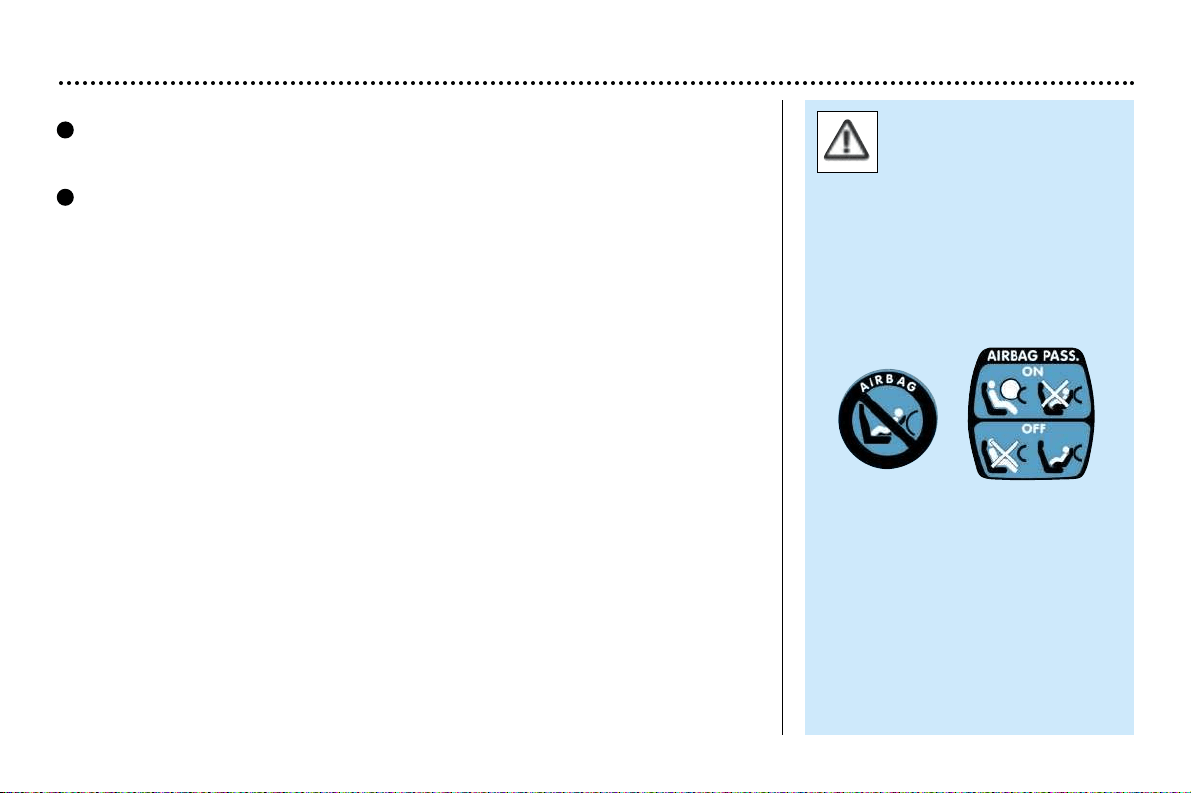
After carrying out numerous tests, PEUGEOT recommends the following systems:
Up to 18 months (to 29 lbs or 13 kg)
"Römer Babysure": is installed with its back to the engine and secured with a three-point seat belt, on either the front or rear
seat.
In the front the passenger seat must be adjusted to the "mid-position".
From 9 months to 3 or 4 years (20 to 40 lbs or 9 to 18 kg)
"Römer Prince": is fitted to the rear seat with a three-point seat belt.
For the safety of your children, the seat and the strap must never be separated.
From 3 to 6 years (33 to 55 lbs or 15 to 25 kg)
"Römer Vario": is fitted to the rear seat with a three-point seat belt.
1
2
3
YOUR 206 CC IN DETAIL
66
Never leave a child or an
animal in a vehicle expo-
sed to the sun, with the
windows closed.
Never leave the keys within reach
of children inside the car.
Strap children into their child seats
even on short journeys.
Observe the precautions concerning
the passenger air bag.
Observe strictly the recommenda-
tions for fitting and fastening the child
seat straps as detailed in the instruc-
tions.
From 3 to 10 years (33 to 80 lbs or 15 to 36 kg)
''Recaro Start': is fitted to the rear seat with a three-point seat belt.
The seat height, width and length must be adjusted depending on the age and
build of your child.
"Klippan Optima": is fitted to the rear seat with a three-point seat belt.
From the age of 6 years (approximately 49 lbs or 22 kgs), only the booster seat
is used.
Make sure you fasten the three-point seat belts or the child seat straps so that the
slack in relation to the child's body is kept to a minimum, even for short journeys.
* According to current legal requirements.
4
5
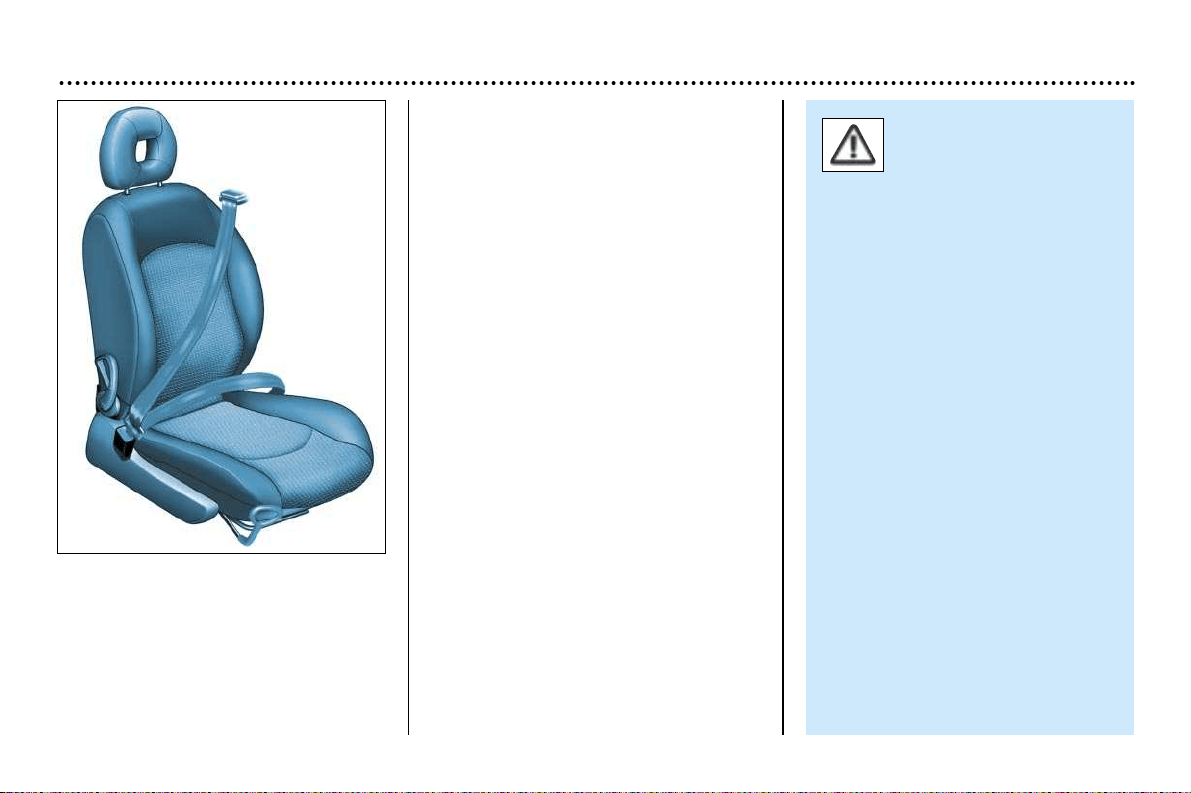
YOUR 206 CC IN DETAIL
67
Seat belts
To lock the seat belts
Pull the strap, then insert the buckle
into the stalk.
Pre-tensioning and force-limiting
front seat belts
Safety in the event of a frontal impact
has been improved by the introduction
of pre-tensioning and force-limiting
front seat belts. Depending on the
seriousness of the impact, the pre-ten-
sioning system instantly tightens the
seat belts firmly against the body of
the occupant.
The pre-tensioning seat belts are
armed when the ignition is on.
The force-limiting device reduces the
pressure of the seat belt against the
occupant's body in the event of an
accident.
Rear seat belts
The rear seats are fitted with two
three-point inertia reel seatbelts.
To be effective, a seat belt
must be tightened as
close to the body as pos-
sible.
Depending on the nature and the
seriousness of the impact, the pre-
tensioners may be triggered
before and independently of trig-
gering of the air bags.
In all cases, the air bag warning
light on the instrument panel
comes on.
Following a collision, have the sys-
tem checked by a PEUGEOT
dealer.
The system has been designed to
be fully operational for ten years.
Have it replaced after this period.
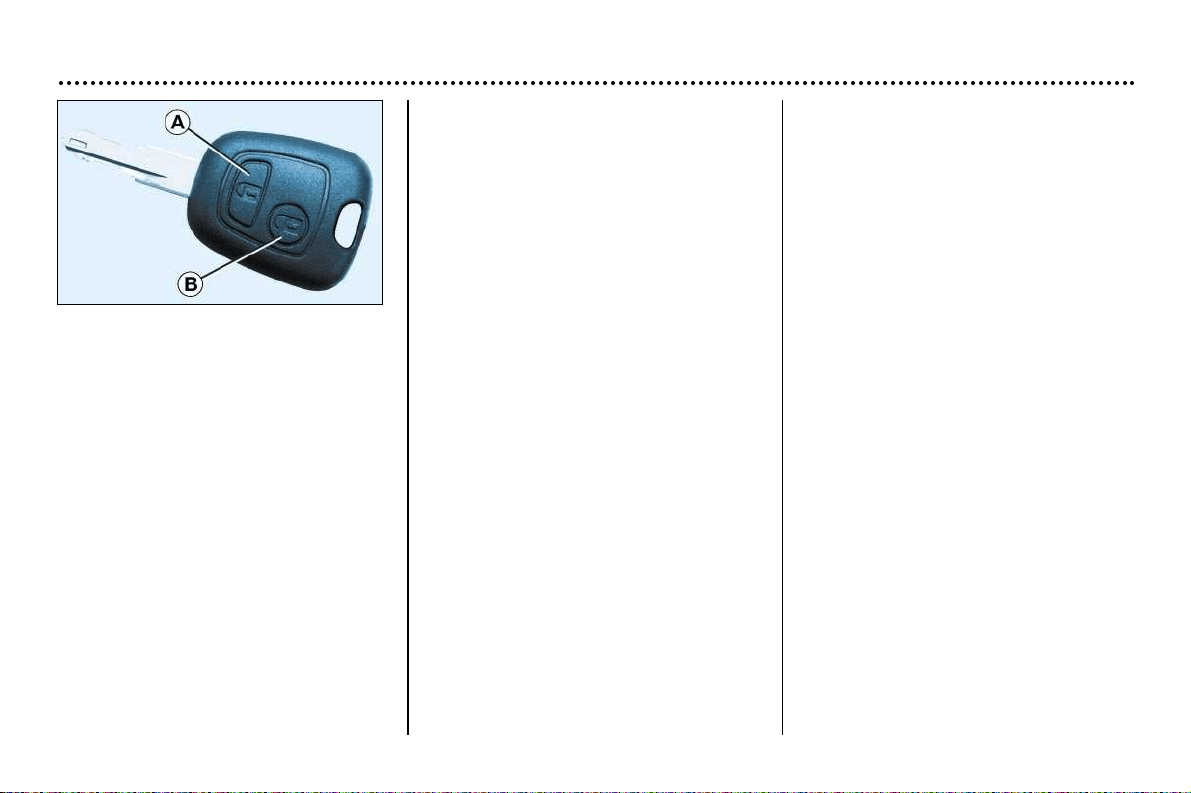
YOUR 206 CC IN DETAIL
68
Changing the battery of the
remote control
Warning that the battery is flat is given
by an audible signal accompanied by
the message "Remote control batte-
ry low" on the multifunction display.
To replace the battery, remove the
screw then unclip the casing using a
coin at the ring (CR 2016/3 volt battery).
If the remote control does not work
after the battery has been changed,
reprogramme the remote control.
THE KEYS
The keys allow you to independently
operate the locks on the doors, the
tailgate (opening), the fuel filler cap,
the steering lock, the glove box and
the passenger air bag disarming con-
trol and to switch on the ignition.
Central locking
From the driver's door the keys allow
you:
–
to lock or unlock the doors and tail-
gate simultaneously,
–
to unlock simultaneously just the
doors
Unlocking the boot is possible only
by using the boot key.
If one of the doors is open, the central
locking does not work.
The remote control
This fulfils the same functions as the
key, at a distance.
Locking
Pressing button A locks the doors and
the tailgate by remote control.
This is displayed by the continuous
lighting of the direction indicators for
approximately two seconds.
Unlocking
Pressing button B unlocks just the
doors.
This is shown by the rapid flashing of
the direction indicators.
Note: do not repeatedly press the but-
ton of your remote control out of range
of your vehicle. You risk causing it not
to work and the remote control would
have to be reprogrammed.
Locating your car
To locate your car in a car park, if you
have locked it:
☞ press button A, the courtesy lights
come on and the direction indica-
tors flash for a few seconds.
Key in ignition
A buzzer sounds on opening the dri-
ver's door, if the key has been left in
the ignition.
* According to specification .
Programming the remote control
☞ Switch off the ignition.
☞ Switch the ignition on again.
☞ Press button A.
☞ Switch off the ignition and remove
the remote control key from the
ignition lock. The remote control is
now working again.
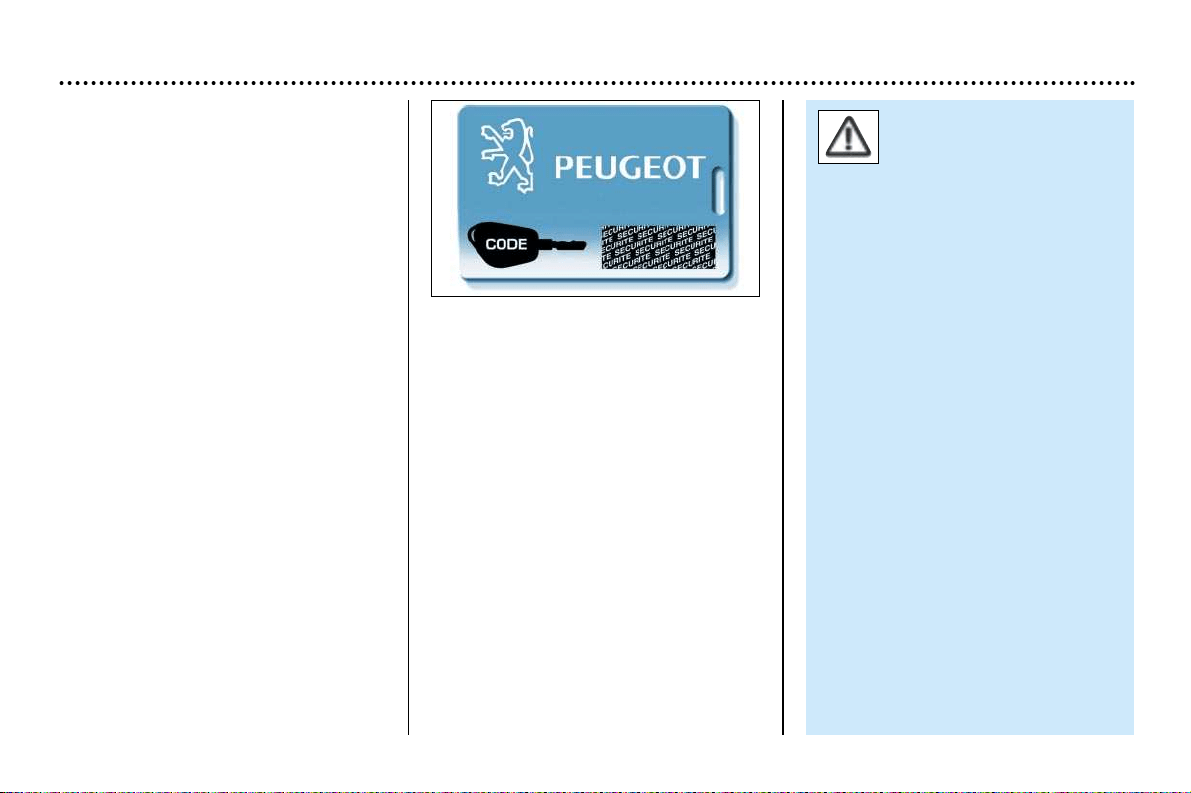
YOUR 206 CC IN DETAIL
69
Make a careful note of the
number on each key. The key
number is coded on the label
attached to the key.
If the keys are lost, your PEUGEOT dea-
ler can rapidly supply you with new keys.
The high frequency remote control is a
high-performance system which has a
powerful beam.
Do not operate it while it is in your pocket
as there is a possibility that it may unlock
your vehicle, without you being aware of it.
The remote control does not operate
when the key is in the ignition, even
when the ignition is switched off, except
for reprogramming.
As a safety precaution (with children on
board), remove the ignition key when you
leave the vehicle, even for a short time.
Do not repeatedly press the button of
your remote control out of range of your
vehicle. You risk causing it not to work
and the remote control would have to be
reprogrammed.
When purchasing a second-hand
vehicle:
- ensure that you are given the confiden-
tial card;
- have the key codes memorised by a
PEUGEOT dealer, to ensure that the
keys in your possession are the only
ones which can start the vehicle.
Do not make any modifications to the
electronic engine immobiliser system.
Confidential card
The confidential card contains the
identification code necessary for any
work carried out by a PEUGEOT dea-
ler on the system. This code is hidden
by a film which should be removed
only if necessary.
Keep your card in a safe place,
never inside the vehicle.
ELECTRONIC ENGINE IMMOBI-
LISER
This locks the engine control system a
few moments as soon as the ignition
has been switched off and therefore
prevents starting of the vehicle by
anyone who does not have the key.
The ignition key has an electronic chip
which has a special code. When the
ignition is switched on, the code is
recognised and starting is possible.
If the system does not function
correctly, an audible signal sounds,
accompanied by a message on the
multifunction display*.
WARNING: your vehicle is no longer
protected in this event.
Contact a PEUGEOT dealer as soon
as possible.
* According to specification
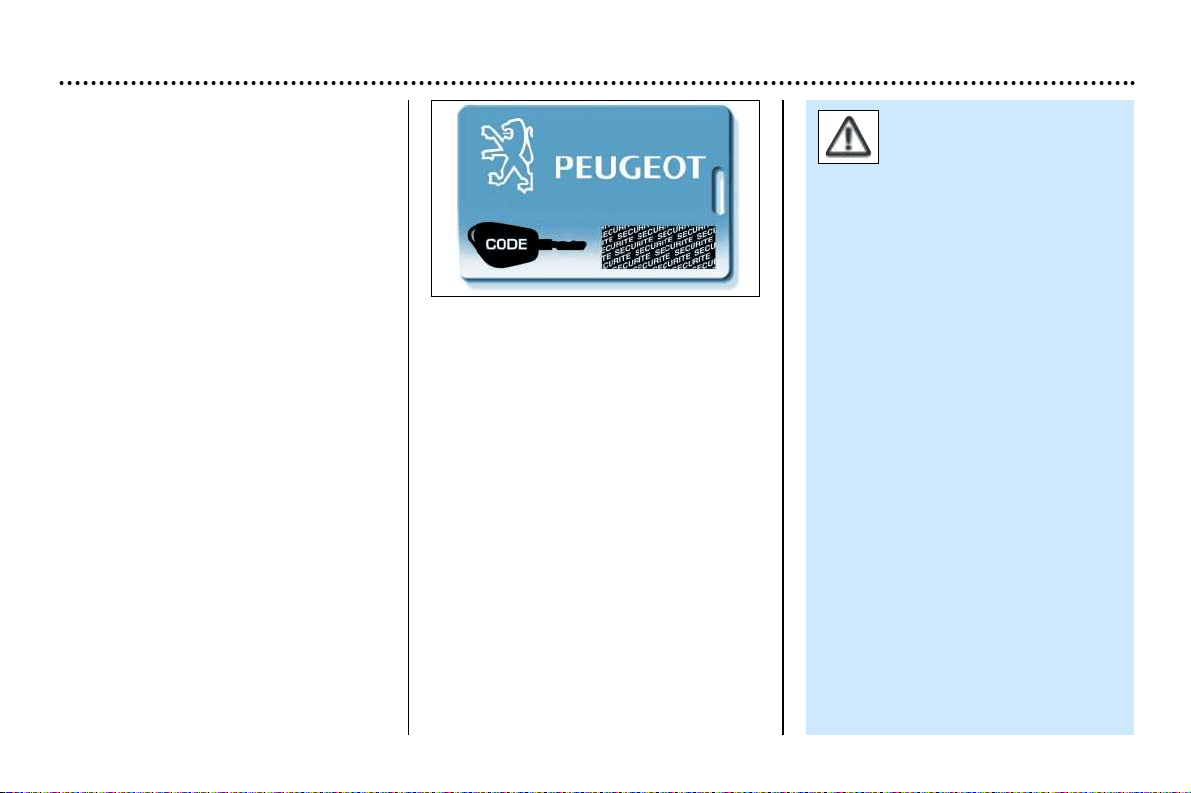
YOUR 206 CC IN DETAIL
69
Make a careful note of the
number on each key. The key
number is coded on the label
attached to the key.
If the keys are lost, your PEUGEOT dea-
ler can rapidly supply you with new keys.
The high frequency remote control is a
high-performance system which has a
powerful beam.
Do not operate it while it is in your pocket
as there is a possibility that it may unlock
your vehicle, without you being aware of it.
The remote control does not operate
when the key is in the ignition, even
when the ignition is switched off, except
for reprogramming.
As a safety precaution (with children on
board), remove the ignition key when you
leave the vehicle, even for a short time.
Do not repeatedly press the button of
your remote control out of range of your
vehicle. You risk causing it not to work
and the remote control would have to be
reprogrammed.
When purchasing a second-hand
vehicle:
- ensure that you are given the confiden-
tial card;
- have the key codes memorised by a
PEUGEOT dealer, to ensure that the
keys in your possession are the only
ones which can start the vehicle.
Do not make any modifications to the
electronic engine immobiliser system.
Confidential card
The confidential card contains the
identification code necessary for any
work carried out by a PEUGEOT dea-
ler on the system. This code is hidden
by a film which should be removed
only if necessary.
Keep your card in a safe place,
never inside the vehicle.
ELECTRONIC ENGINE IMMOBI-
LISER
This locks the engine control system a
few moments as soon as the ignition
has been switched off and therefore
prevents starting of the vehicle by
anyone who does not have the key.
The ignition key has an electronic chip
which has a special code. When the
ignition is switched on, the code is
recognised and starting is possible.
If the system does not function
correctly, an audible signal sounds,
accompanied by a message on the
multifunction display*.
WARNING: your vehicle is no longer
protected in this event.
Contact a PEUGEOT dealer as soon
as possible.
* According to specification

YOUR 206 CC IN DETAIL
70
Doors
Opening the doors from outside
Opening the doors from inside
Locking and unlocking the boot
Lock the boot using the key (turn the
key from A to C) or the remote control.
Unlock it using the key (turn the key
from A to B) in all cases.
The lighting is controlled by
opening the boot.
Locking from the inside
To lock, press button A.
Locking one of the front doors locks
the doors and the boot.
Unlocking from the inside
To unlock, pull button A or the handle.
''Door open'' alert
With the engine running or the vehicle
moving, the flashing of the central
"STOP" warning light, accompanied
by an audible signal and a diagram
locating the problem on the multifunc-
tion screen, warns you that a door is
not properly closed.
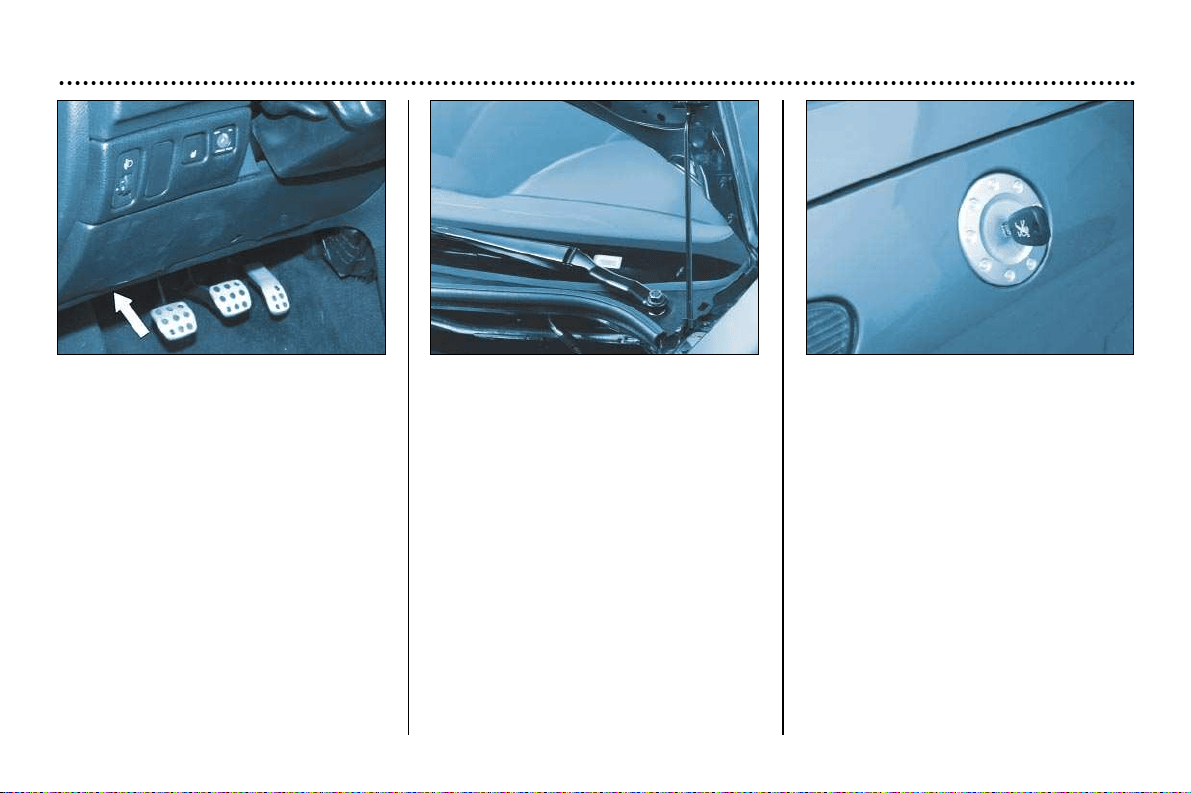
YOUR 206 CC IN DETAIL
71
Bonnet strut
Secure the strut to hold the bonnet
open.
Before closing the bonnet, replace the
strut in its housing.
To close
Lower the bonnet and release it at the
end of its travel. Check that the bonnet
is locked.
Opening the bonnet
Inside the vehicle: pull the handle on
the left- hand side, under the fascia.
Outside the vehicle: lift the catch and
raise the bonnet.
Filling the fuel tank
The tank must be filled with fuel with
the engine off.
Insert the key then turn it to the left.
Remove the cap.
A label indicates which type of fuel to
use.
If you fill your tank, do not continue
after the third cut-off of the pump nozz-
le. This could result in vehicle mal-
functions.
The capacity of the tank is approxi-
mately 10,3 gallons (47 litres).
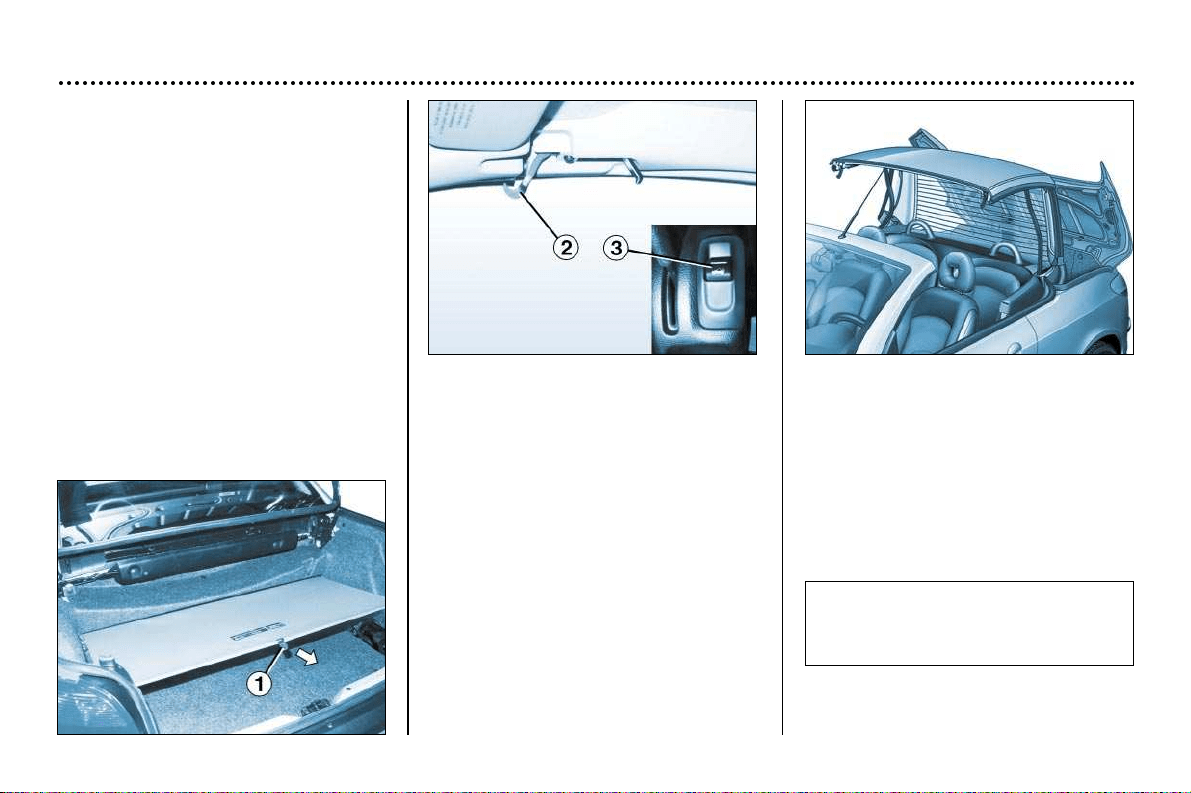
YOUR 206 CC IN DETAIL
72
THE ELECTRIC RETRACTABLE
ROOF
Opening the roof
☞ Ensure that the screen 1 is hooked
on (no object must be placed on the
screen; if there is luggage in the
boot, this must not push the boot
upwards).
☞ Check that no object has been
placed on the rear parcel shelf.
☞ With the vehicle stationary and
the handbrake applied, turn the
ignition switch to position M.
☞ Release the two hooks 2 comple-
tely; this operation is confirmed by
an audible signal.
☞ Pull switch 3 until you hear a signal
to indicate that the roof opening
operation is complete.
When carrying out this manoeuvre,
the front windows and then the rear
quarter panel windows lower, the boot
lid opens, the roof folds up and stores
itself in the boot. Then the boot lid
closes and the detachable shelf posi-
tions itself.
Note: The control buttons for the win-
dows become operational again at the
end of the roof operation.
Operating hitch: If the operation is
interrupted, a continuous audible sig-
nal sounds:
☞ Release switch 3, then press it
again to finish opening the roof.
Note: If the malfunction persists, con-
tact a PEUGEOT dealer to have the
system checked.
After rain or washing the vehicle, it
is advisable to wait for the roof to
dry before opening it.
YOUR 206 CC IN DETAIL
73
Closing the roof
☞ With the vehicle stationary and
the handbrake applied, turn the
ignition key to position M.
☞ Press switch 3 until you hear a
signal to indicate that the roof ope-
ning operation is complete.
When carrying out this operation, the
front windows and then the rear quar-
ter panel windows open, the boot lid
opens and the detachable parcel shelf
folds up, the boot lid opens, the roofs
unfolds and positions itself, then the
boot lid closes again.
☞ Lock the two hooks 2.
Note: The control buttons for the win-
dows become operational again at the
end of the roof operation.
Operating hitch: If the operation is
interrupted, a continuous audible
signal sounds:
☞ Release switch 3, then press it
again to finish closing the roof.
If the problem persists, contact a
PEUGEOT dealer to have the system
checked.
When the vehicle is moving, if a conti-
nuous audible signal can be heard,
this means that the roof or the boot lid,
or both, are not locked:
☞ Stop the vehicle and apply the
handbrake,
☞ Open the roof and close it again
completely, in accordance with the
procedure.
If the problem persists, contact a
PEUGEOT dealer to have the system
checked.
The roof must not be oper-
ated when a loaded lug-
gage carrier is fitted to the
boot lid.
During roof opening and closing
operations, to avoid any risk of
injury, ensure that there is no-one
in the proximity of the moving
parts.
In the event of danger, release
the control knob, the operation
will stop instantly.
Never release button 3 for any
length of time, and do not
switch off the ignition when the
roof is in an intermediate posi-
tion (neither completely open or
closed).
In the case of an electric or hydraulic
malfunction of the roof, it is possible
to close the roof manually.
When the side windows no longer
open completely, it is impossible to
operate the roof; however it is possi-
ble to close it by using a special pro-
cedure.
Please consult the breakdown pro-
cedure described at the end of this
handbook.
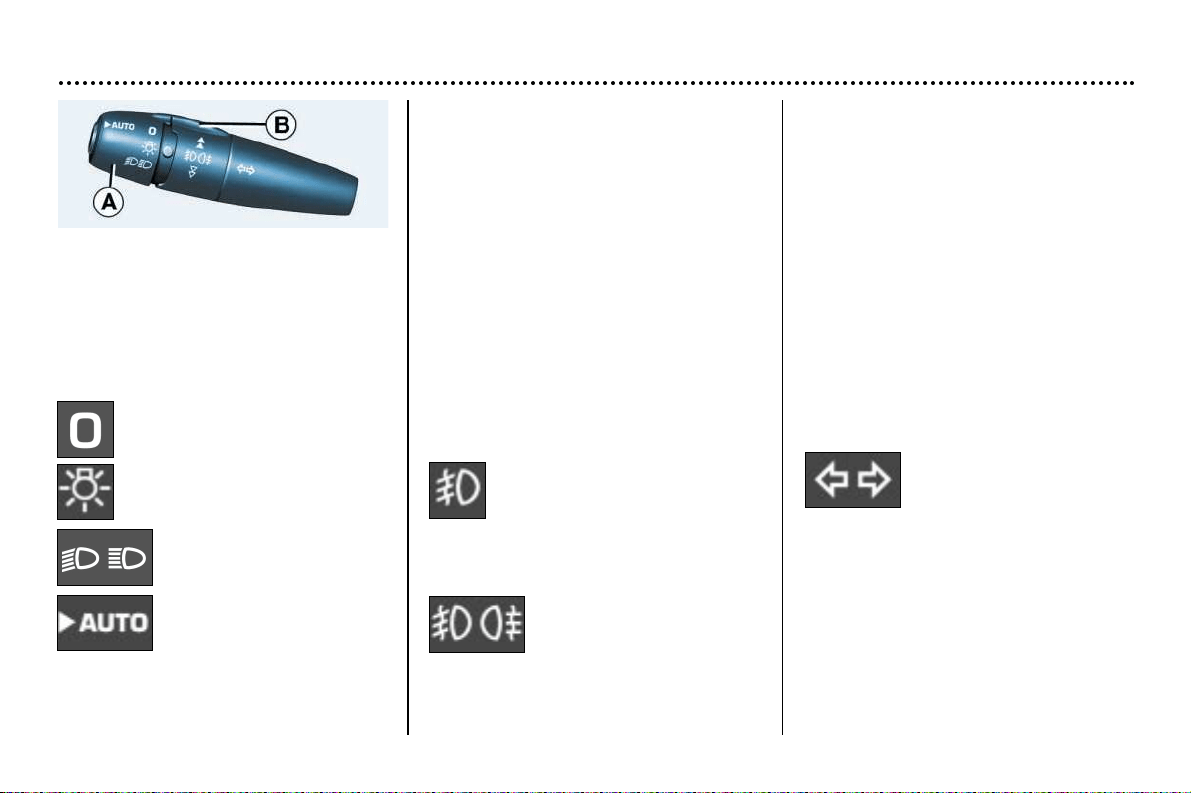
YOUR 206 CC IN DETAIL
74
Dipped beam/main beam change
Pull the stalk fully towards you.
Note: with the ignition off, if the driver's
door or the front passenger door* is
open, a buzzer sounds if you have left
your lights on.
Front fog lamps and rear fog lamp
Rotate the ring B forwards to switch on
and backwards to switch off. The sta-
tus is confirmed by the light on the
instrument panel.
Front fog lamps (1st forwards
turn of the ring)
These operate with the dipped/main
beam headlamps.
Front fog lamps and rear fog lamp
(2nd forwards turn of the
ring)
THE LIGHTS STALK
Front lights
Selection is by turning ring A.
Lights off
Side lights on
Dipped / main beam
headlamps
Automatic switching on
of lights*
When the side lights are switched off,
the front fog lamps position is resu-
med.
Note: to switch off the rear fog lamp
and the front fog lamps, turn the ring
twice backwards.
In good or rainy weather, both day and
night, the rear fog lamp is dazzling and
is prohibited.
Do not forget to switch the fog lamp off
when it is no longer needed.
Direction indicators (flashers)
Left: downwards.
Right: upwards.
* According to specification

YOUR 206 CC IN DETAIL
75
*According to specification
AUTOMATIC SWITCHING ON
OF LIGHTS*
Side lights and dipped beam head-
lamps switch on automatically if the
light is poor. They switch off as soon
as the light becomes bright enough or
the windscreen wipers stop.
Note: In foggy weather the brightness
sensor can detect sufficient light. As a
consequence, the lights will not come
on automatically.
This function is active when the
vehicle is supplied to the customer.
To disarm or activate the function:
- Start with the key in the accessories
position (1st notch),
- Press the end of the stalk for more
than two seconds.
Note: after the ignition is switched off
and depending on the brightness, the
lights remain on for 45 seconds or until
the vehicle is locked.
Comment: The brightness sensor,
coupled with the rain sensor, is loca-
ted in the centre of the windscreen,
behind the interior mirror. It is used
for automatic switching on of the
lights.
Operating check
Activation
Acivation of this function is accompanied
by an audible signal "Automatic ligh-
ting'' on the multifunction display.
Disarming of the function is not accom-
panied by any audible signal
Note: the function is temporarily disar-
med when the driver uses the manual
lighting controls.
If the brightness sensor does not
function correctly, the system acti-
vates the function (the lights come
on). The driver is alerted by an audible
signal, accompanied by the message
"switching on of lights faulty".
Contact a PEUGEOT dealer to have the
system checked.
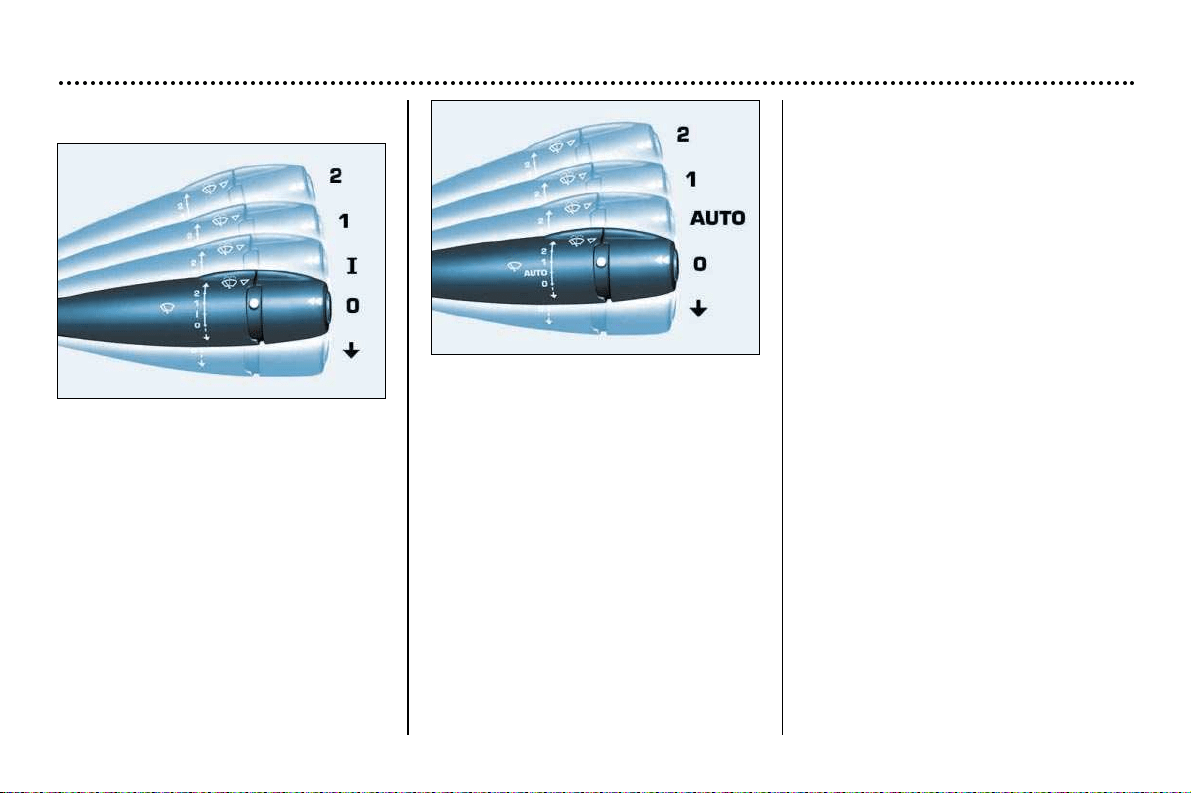
YOUR 206 CC IN DETAIL
76
* According to specification
Windscreen and headl amp wash*
Pull the wiper stalk towards you. The
windscreen wash, then the
windscreen wipers, operate for a
specified time.
The windscreen and the headlamp
wash operate simultaneously for two
seconds, only if the dipped beam
lights or the headlamps are
switched on.
Operation
In position 1 or 2, when the vehicle
stops, the windscreen wiper changes
to a lower wiping speed, then resumes
its initial speed when the vehicle starts
again.
In the Intermittent position, the wiping
speed is proportional to the speed of
the vehicle.
In the AUTO* position, the wiping
speed is proportional to the heaviness
of the rain.
When the ignition has been
switched off for more than one
minute with the stalk in the wipe
position, it is necesary to reactivate
this function. To do this, move the
stalk to any position, then move it back
to the required position.
WINDSCREEN WIPER STALK
Stalk with intermittent wipe
Front windscreen wiper
2 Fast wipe (heavy rain).
1 Normal wipe (moderate rain).
I Intermittent wipe.
0 Off.
Single wipe (press
downwards).
Stalk with automatic wipe*
Front windscreen wiper
2 Fast wipe (heavy rain).
1 Normal wipe (moderate rain).
AUTO Automatic wipe*.
0 Off.
Single wipe (press
downwards).
YOUR 206 CC IN DETAIL
77
When using an automatic
car wash, switch off the
ignition or check that the
wiper control is not in the
automatic position.
In winter it is advisable to wait for the
windscreen to completely clear of
ice before operating the automatic
wipe.
Automatic timed windscreen
wipers*
In the AUTO position, the windscreen
wipers operate automatically and
adapt their speed to the intensity of
the rainfall.
Operating check
Activation
When the function is activated, the
message "Automatic windscreen
wiping active" appears on the multi-
function display.
In the event of malfunction, the dri-
ver is informed by an audible signal
and the message "Auto windscreen
wiper faulty" on the multifunction dis-
play.
In the event of malfunction in the
AUTO position, the windscreen wiper
will operate in intermittent mode.
Contact a PEUGEOT dealer to have
the system checked.
* According to specification.
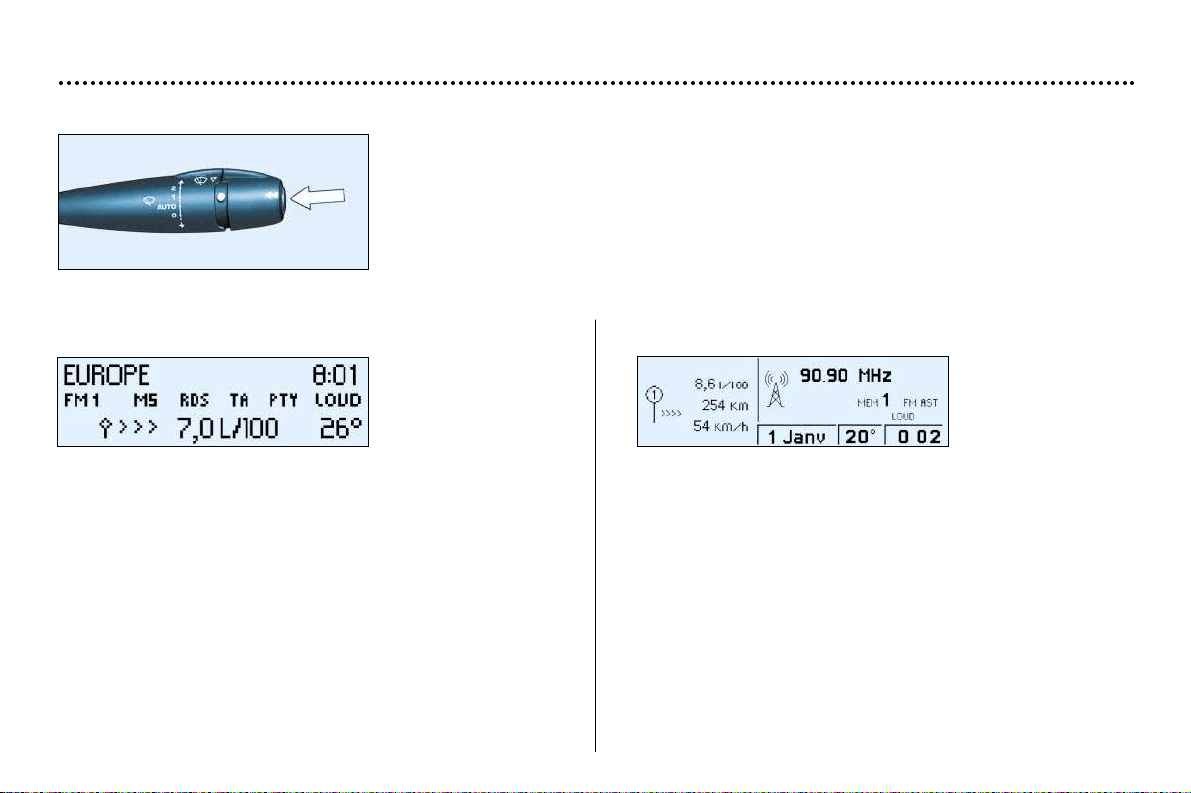
YOUR 206 CC IN DETAIL
78
TRIP COMPUTER
Pressing the button on the end of the wash/wipe stalk enables the following data to be
displayed:
Display B
- the range,
- the distance travelled,
- the average consumption,
- the current consumption,
- the average speed.
Zero reset
Press the stalk for more than two seconds.
Display C*
- the current consumption and the range,
- the average consumption, the distance travelled and the
average speed calculated over a period "1";
- the average consumption, the distance travelled and the
average speed calculated over a period "2";
Periods "1" and "2" are defined by the frequency of the
zero reset. They allow, for instance, daily calculations over
period "1" and monthly calculations over period "2".
Zero reset
When the required period is displayed, press the stalk for
more than two seconds.
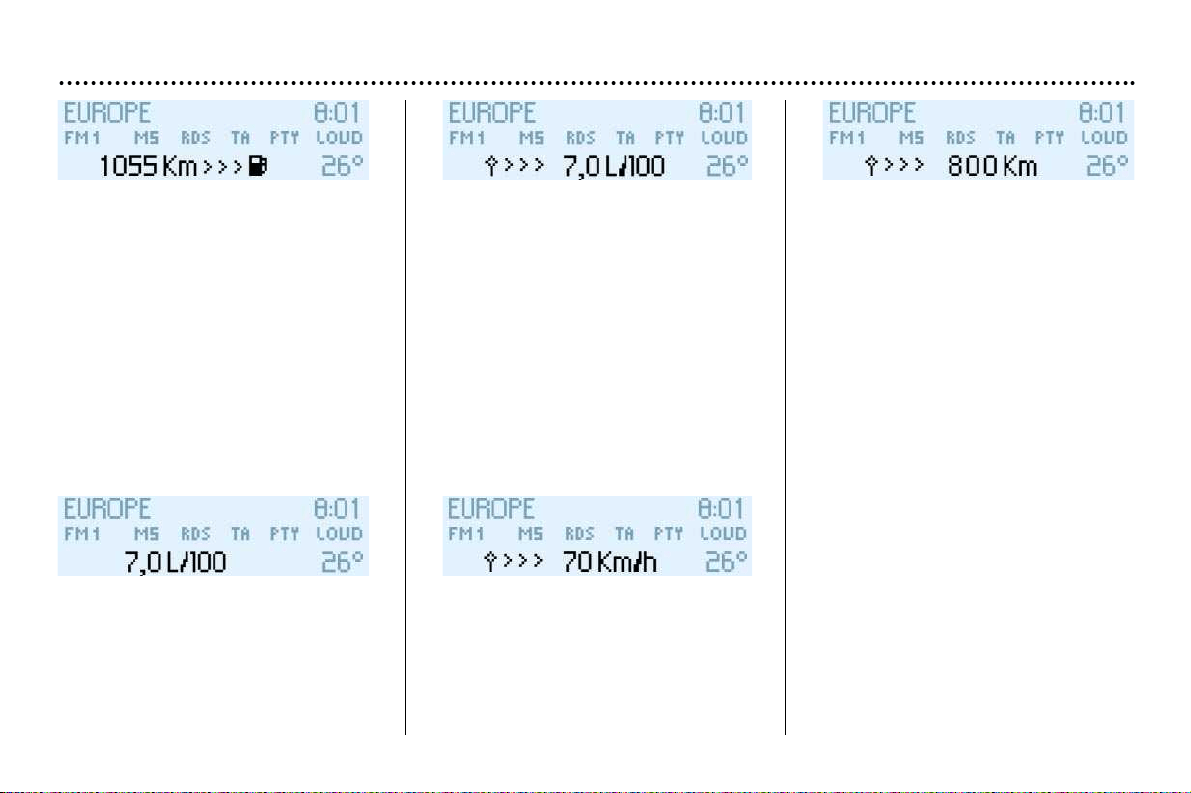
YOUR 206 CC IN DETAIL
79
* According to specification
Range
The display shows the distance that
can still be covered with the fuel remai-
ning in the tank.
Note: this figure may rise if there is
a change in driving style or road sur-
face, causing a significant drop in
current fuel consumption.
If there are less than 3 litres of fuel
in the tank, only three segments will
be displayed.
Current fuel consumption
This gives the fuel consumption
recorded during the last two
seconds. This function is only disl-
payed when the vehicle is travelling
at more than 12 m.p.h. (20 km/h).
(The display stops at 30 l/100km).
Average consumption
This is the ratio between the amount
of fuel consumed and the distance
travelled since the computer was
last reset to zero.
(The display stops at 30 l/100km).
Average speed
This is obtained by dividing the dis-
tance travelled by the period of time
the vehicle has been in use (with the
ignition on), since the computer was
last reset to zero.
Distance travelled
This shows the distance travelled
since the computer was last reset to
zero.
After the trip computer has been reset
to zero, the range data becomes mea-
ningful only after the vehicle has been
in use for a certain period.
If horizontal segments are displayed
instead of figures when driving, contact
a PEUGEOT dealer.
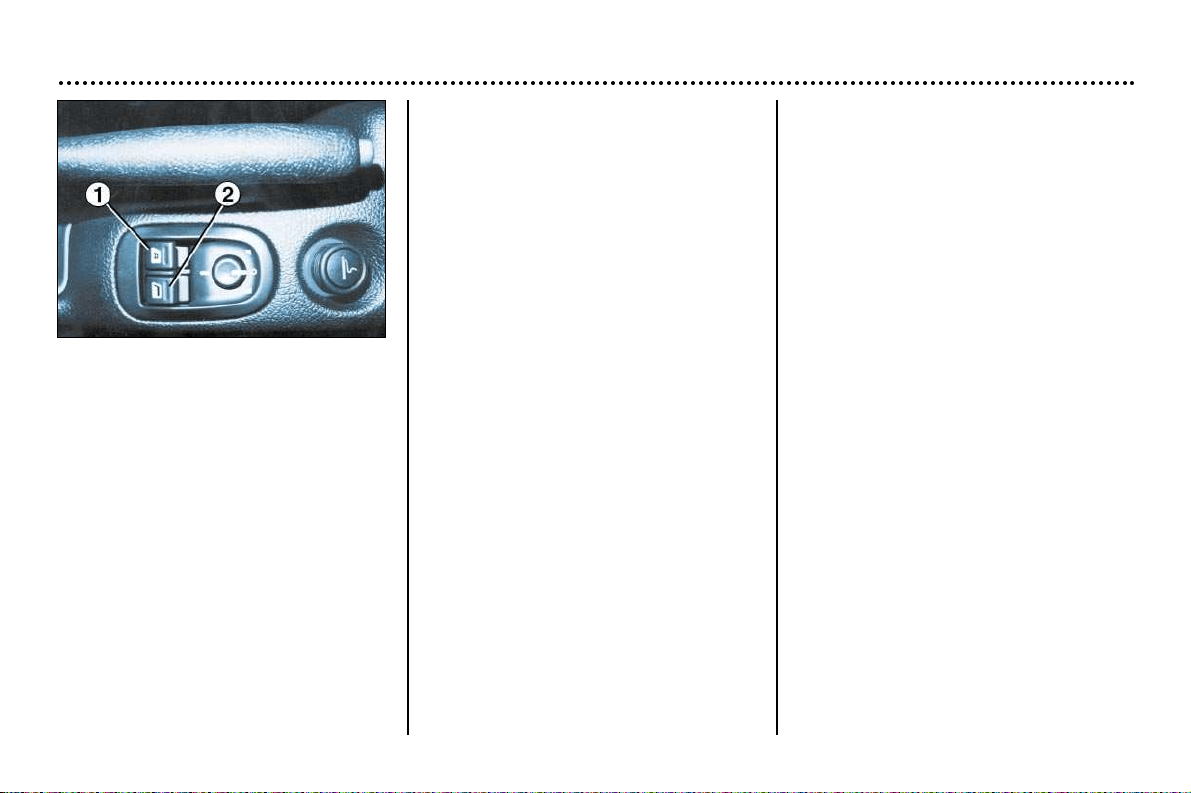
YOUR 206 CC IN DETAIL
80
Electric windows
1. Driver’s electric window switch.
2. Passenger’s electric window
switch.
Each switch controls, on its own side,
the front window and the rear quarter
panel window.
Manual operation
☞ Press the switch (to open) or pull it
(to close) without going beyond the
point of resistance.
The window stops when the switch
is released.
The rear quarter panel window can
only be opened when the front
window is completely open, after an
inactive period of one second.
Automatic operation
••
Opening
The windows open automatically
(when the ignition key is in the ‘on’
position, with the engine running or
the vehicle moving).
☞ Press the switch past the point of
resistance:
- Press briefly to completely open
the front window; press briefly
again to completely open the
rear quarter panel window,
- Sustained pressure opens the
front window, then the rear quar-
ter panel, completely.
••
Closing
Only the front window on the driver’s
side closes automatically (engine
running or vehicle moving), when
the rear quarter panel is closed.
☞ Briefly pull the switch past the
point of resistance to completely
close the driver’s front window.
Note: the window switches do not
function while the roof is being opera-
ted.
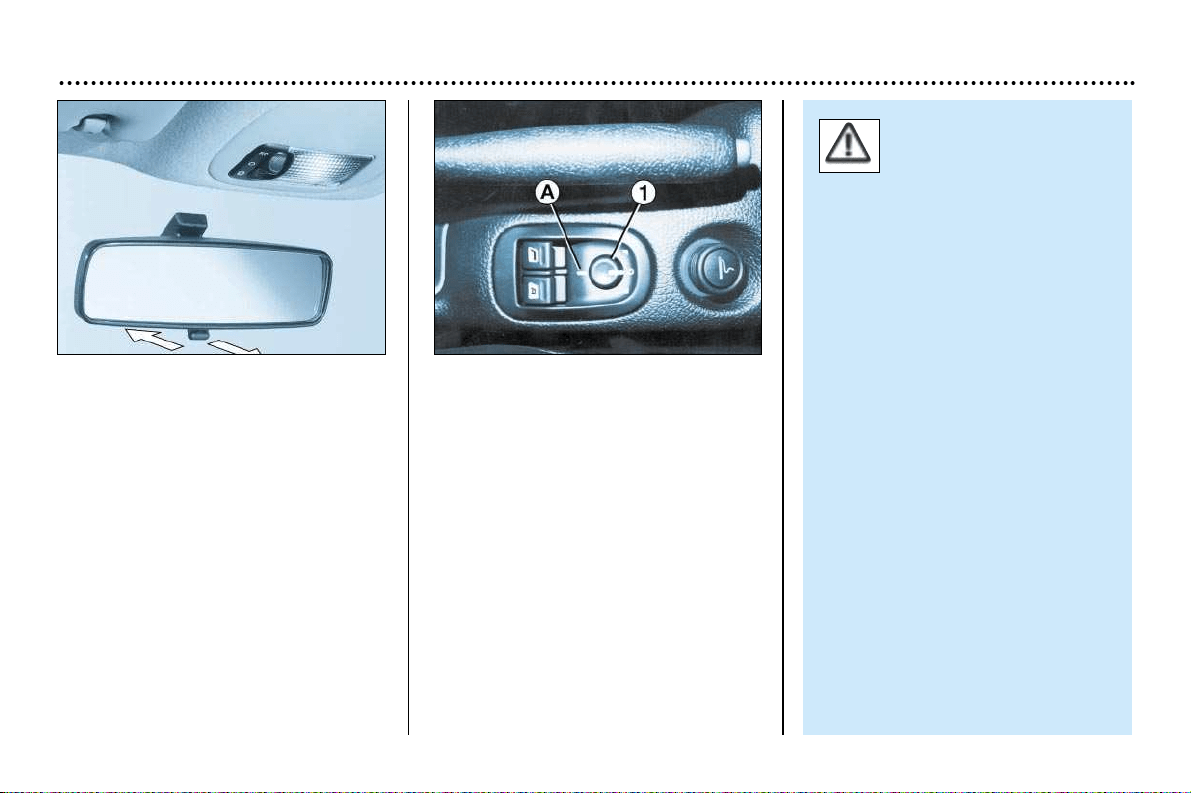
YOUR 206 CC IN DETAIL
81
Interior mirror
The interior mirror has two positions:
- day (normal),
- night (anti-dazzle).
To change from one to the other, push
or pull the lever on the lower edge of
the mirror.
Electric mirrors
Turn knob 1 to the right or to the left to
select the corresponding mirror.
Move knob 1 in all four directions to
adjust.
Electric folding mirrors*
With the ignition on, turn knob 1 to
position A.
The driver's mirror is non-
spherical (the external
area is delimited by a dot-
ted line) to reduce the
"blind spot".
Therefore, objects in the driver's
and passenger's mirrors are really
closer than they appear.
It is therefore necessary to take
this into account to correctly judge
the distance of vehicles approa-
ching from the rear.
* According to specification.
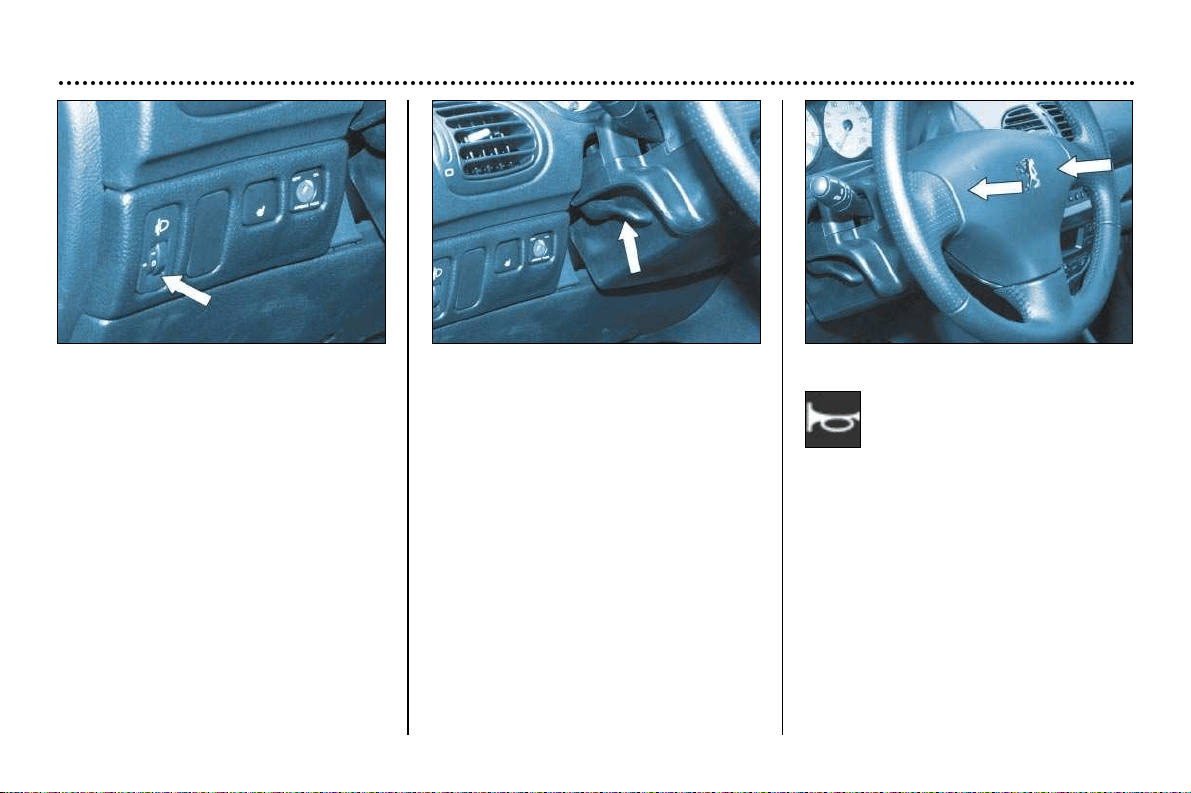
YOUR 206 CC IN DETAIL
82
Headlamp adjustment
Depending on the load in your vehicle, it
is recommended to adjust the headlamp
beam.
0. 1 or 2 people in the front seats.
–. 3 people.
1. 4 people.
2. 4 people + maximum authorised
load.
3. Driver + maximum authorised load.
Initial setting is position 0.
Steering wheel height
adjustment
Lower the handle to unlock the steer-
ing wheel.
Adjust to the desired height and lift the
handle to lock the steering wheel.
Horn
Press one of the spokes or
the centre of the steering
wheel.

YOUR 206 CC IN DETAIL
83
Areas for toll cards / car park
tickets*
The athermic windscreen has two
non-reflective zones located either
side of the base of the interior mirror.
They are intended for affixing toll
cards and/or car park tickets.
Courtesy lights
Off
Lights when one of the doors
is opened. In this position the
courtesy light flashes when
the vehicle is moving, if a door
is not correctly closed*.
Permanently on when the igni-
tion key is in the accessories
position or the ignition is on.
Sun visor
The sun visors are fitted with a vanity
mirror, with a concealing flap on the
driver’s side.
Front ashtray
To empty, close the cover.
Pull the lug and release the ashtray
upwards.
Lighter
Press and wait a few minutes until it
springs out automatically.
* According to specification.
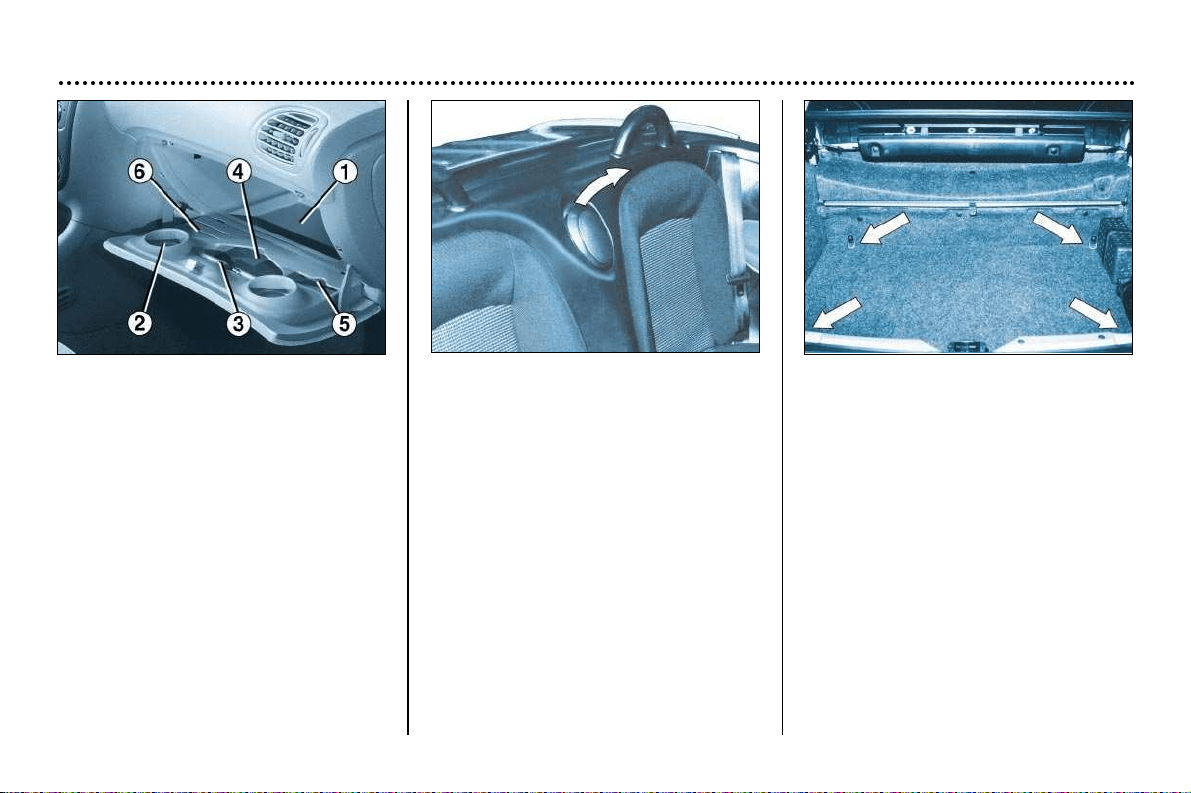
YOUR 206 CC IN DETAIL
84
Glove compartment
The glove compartment is fitted with a
lock.
To open the glove compartment, lift
the handle.
The light comes on when the lid is
opened.
1. Vehicle document folder storage
2. Cup holder
3. Pen holder
4. Spectacles storage
5. Map storage
6. Coin storage
Bottle holder
A bottle holder is fitted between the
two rear seat backs.
To open it, pull the top of the cover.
Lashing rings
Use the 4 lashing rings on the luggage
compartment floor secure your lug-
gage.
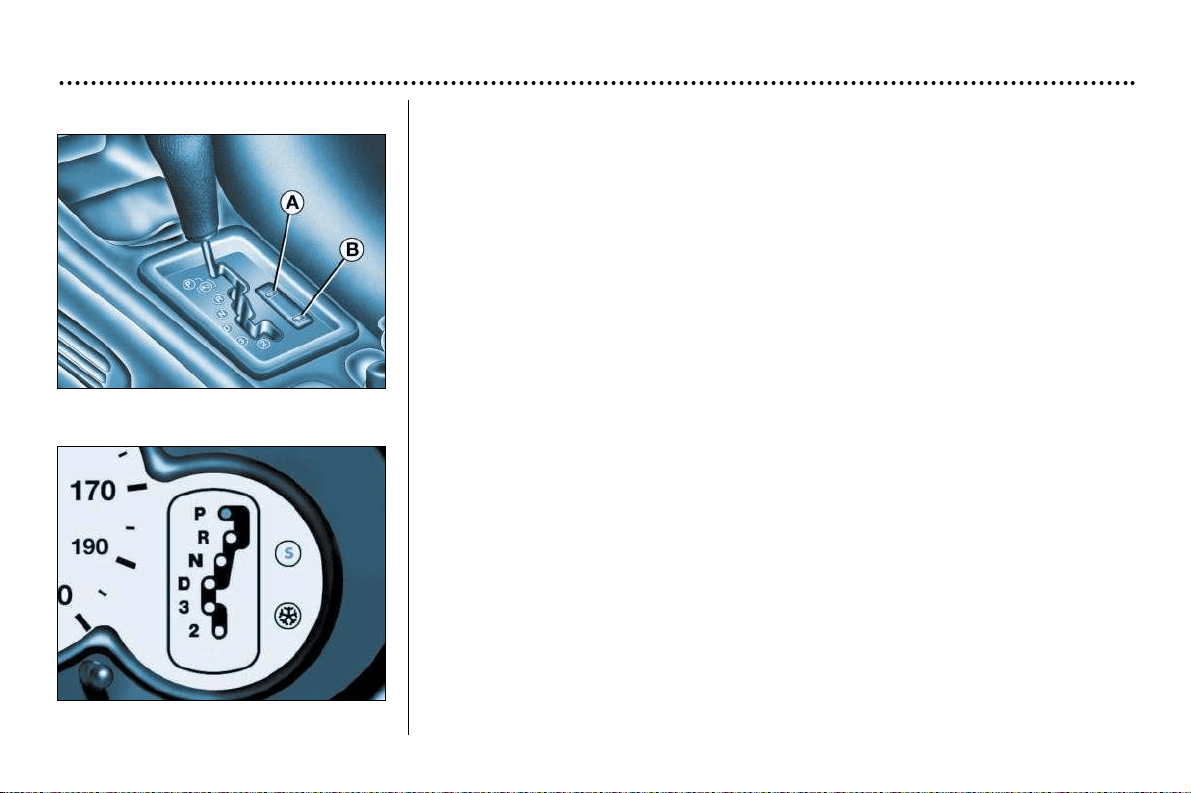
YOUR 206 CC IN DETAIL
85
Automatic autoadaptive gearbox*
Moving Off
To move off, move the selector lever to position N or P. Press the brake to exit
position P.
Stopped or parked
Always leave the lever in position P when you get out of your vehicle.
If not, a buzzer will sound when you open the driver's door.
Positions of the selector lever
These positions are displayed on the instrument panel.
P
..
Park: use with the handbrake when parking
R
..
Reverse: this must only be engaged when the vehicle is stationary, engine at idle.
N
..
Neutral: if N is engaged by mistake while the car is moving, allow the
engine to return to idle before engaging a new forward gear.
D
..
Drive: in this position, the four gears change automatically. The gear
change points vary depending on the programme selected.
3
..
Automatic changes of the first three gears only. Select this position when
you notice frequent changes between third and fourth gear (town driving or
on winding roads).
2
..
Automatic changes of the first two gears only. This position is particularly
suitable for mountain roads, when going uphill (to make the best use of the
engine's power) and downhill (engine braking).
* According to specification.

YOUR 206 CC IN DETAIL
86
Operating programmes
You have a choice of three operating pro-
grammes:
– Autoadaptive (normal).
– Sport.
– Snow.
One press on button A or B will select
Sport or Snow respectively. The selec-
tion is displayed on the instrument
panel. Pressing the button a second
time will return to the autoadaptive
(normal) programme.
Autoadaptive programme
(normal)
Gear changes are carried out on the
basis of various parameters, such as:
– driving style,
– road characteristics,
– vehicle load.
The gearbox continuously scans the
different programmes in the memory
and selects the one most suitable for
the driving conditions at any given
moment.
Sport programme
The Sport programme automatically
favours more dynamic driving.
Snow Programme
In position D, the Snow programme
provides smooth driving suited to slip-
pery roads in order to improve traction
and stability. Starting is in 2nd gear
and changing down is at low engine
speeds.
Special operating features
– During prolonged braking, the gearbox
changes down automatically, so as to
provide efficient engine braking.
– If you take your foot off the accele-
rator suddenly (when you are taken
by surprise, for example), the gear-
box will not change up, so as to
improve safety.
– When the engine is cold, the gear-
box automatically selects a special
programme that enables the engine
to reach its ideal temperature more
quickly in order to decrease pollu-
tion.
Kickdown
For immediate maximum acceleration
without touching the gear lever, press the
accelerator pedal down as far as it will go.
The gearbox will change down automati-
cally or stay in the gear selected, up to
maximum engine speed.
Any disruption of the system
is signalled by the simulta-
neous flashing of the Sport
and Snow lights on the ins-
trument panel. In such a case, the
gearbox will operate in downgrade
mode. You may feel a substantial
knock when reverse is selected from P
to R or N to R (without any risk of
damage to the gearbox).
Do not exceed 60 m.p.h. (100km/h).
Contact a PEUGEOT dealer without
delay.
When the engine is idling with the car
in gear, the car will move even without
you accelerating.
Do not accelerate while a gear is being
selected, when the vehicle is stationa-
ry.
When stationary, have your foot on the
brake pedal when selecting a gear.
Do not accelerate in gear with the
brakes on.
If work needs to be done with the engi-
ne running, apply the handbrake and
select position P.
Do not change down to brake on slip-
pery roads.
Never select position N when the
vehicle is moving.
Never engage P or R if the vehicle is
not stationary.
Do not leave children inside the
vehicle unsupervised when the engine
is running.
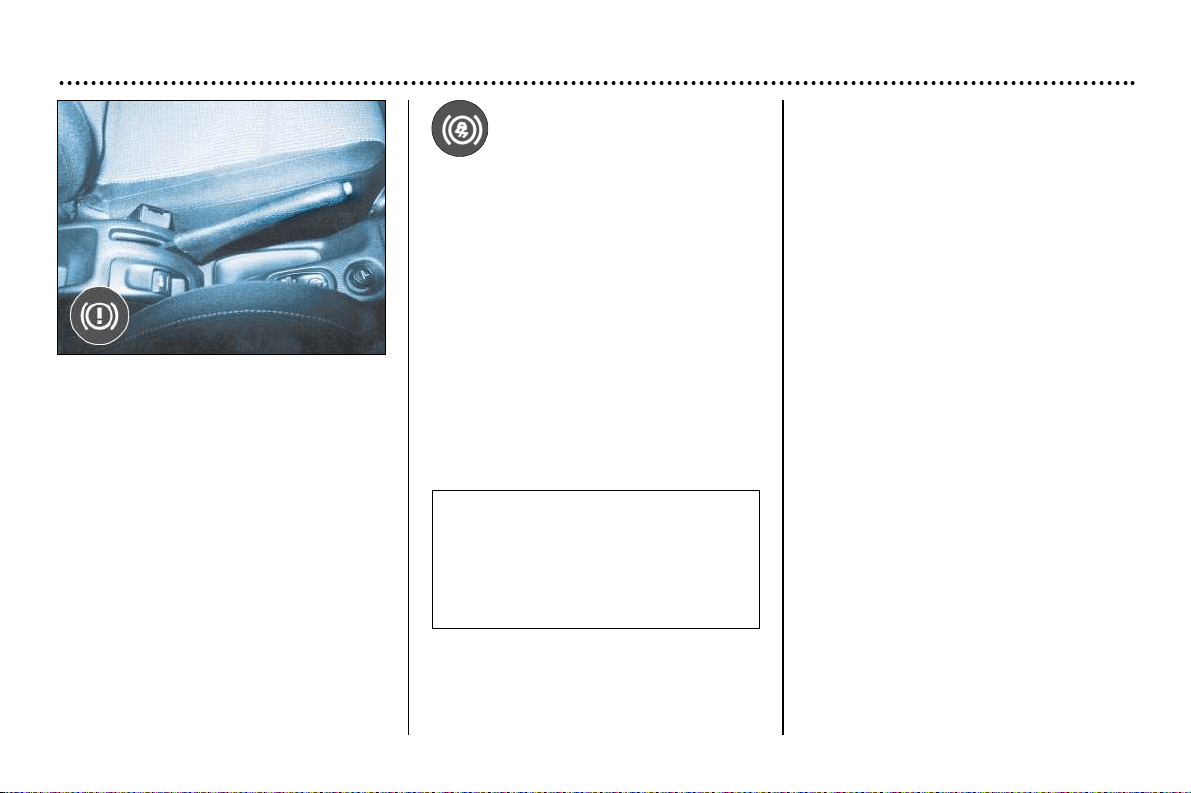
YOUR 206 CC IN DETAIL
87
The normal operation of the ABS
may make itself felt by slight vibra-
tions of the brake pedal.
In emergency braking, press
very firmly without releasing the
pressure.
The ABS Anti-lock
Braking System*
When used with approved tyres in
good condition, the ABS increases the
stability and manoeuvrability of your
vehicle, particularly on poor or slippery
road surfaces.
The anti-lock braking system comes
into operation automatically when
there is a risk of wheel lock.
Handbrake
Locking
When parking, pull the handbrake to
immobilise your vehicle.
Unlocking
Pull the handle and press the button to
release the handbrake.
* According to specification.
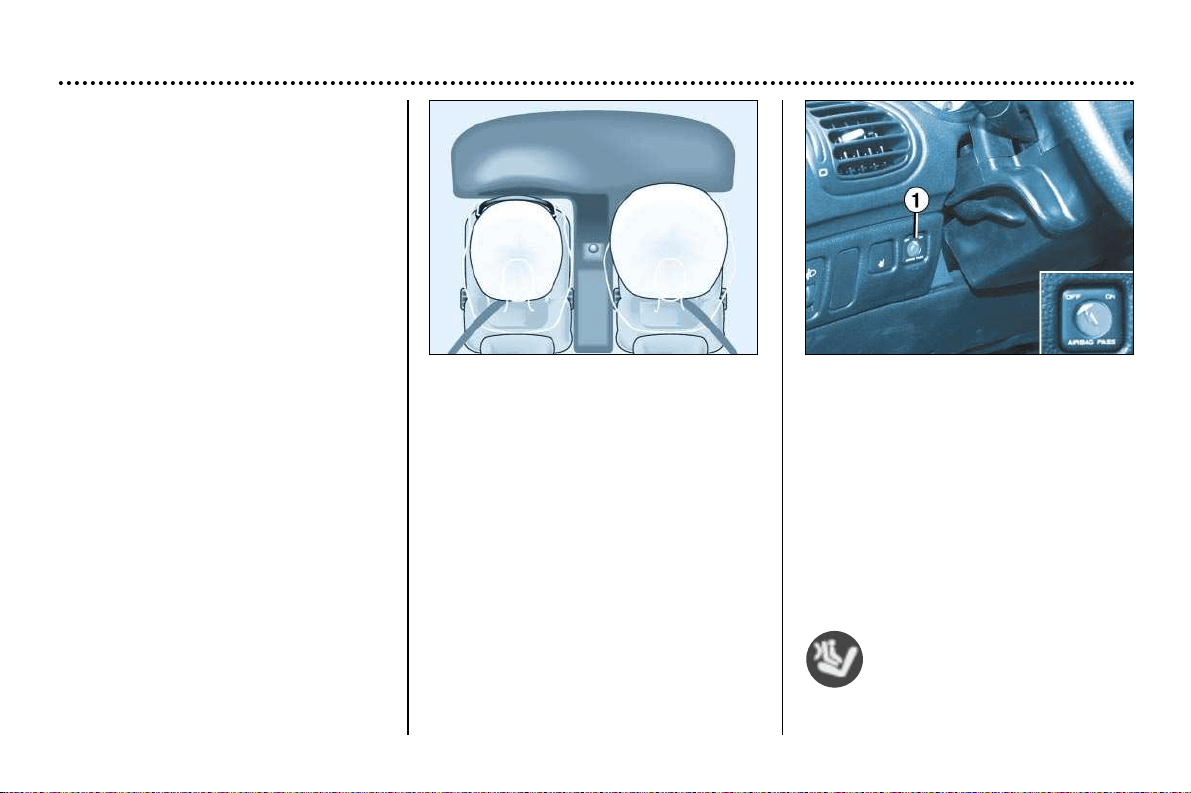
YOUR 206 CC IN DETAIL
88
FRONT AIR BAGS
These are folded in the centre of the
steering wheel for the driver and in the
fascia for the front passenger. They
are deployed simultaneously except in
cases where the air bag is disarmed.
Front air bag fault
If this warning light comes on, accom-
panied by an audible signal and the
message "Air bag fault" on the multi-
function display, contact a PEUGEOT
dealer to have the system checked.
AIR BAGS
The air bags have been designed to
maximise the safety of the occupants
in the event of serious collisions. It
works in conjunction with the force-
limiting seat belts.
The electronic detectors register and
analyse any abrupt deceleration of the
vehicle: if the triggering threshold is
reached the air bags inflate instantly
and protect the occupants of the
vehicle.
Immediately after the impact, the air
bags deflate rapidly, so that they do
not hinder the visibility of the occu-
pants and their exit if necessary from
the vehicle.
The air bags are not deployed in the
case of collisions which are not
serious, for which the seat belt is suffi-
cient to ensure maximum protection.
The seriousness of a collision
depends on the nature of the obstacle
and the speed of the vehicle at the
moment of the collision.
Air bags only operate when the
ignition is switched on.
Note: the gas escaping from the
cushion can be a minor irritant.
Disarming the passenger* air bag
To ensure the safety of your child, it
is essential to disarm the passen-
ger air bag when you install a rear-
facing child seat on the front pas-
senger seat.
☞ Remove the ignition key, insert it
into the passenger airbag switch 1
and turn it to the "OFF" position,
then remove it, maintaining this
position. The ''OFF'' warning light
switches on.
The air bag warning light on
the instrument panel is lit
throughout the disarming
process.
* According to specification.

YOUR 206 CC IN DETAIL
89
In the "OFF" position, the passenger
air bag will not be triggered in the
event of an impact.
As soon as you remove the rear-fac-
ing child seat from the front passenger
seat, turn the air bag switch to the
"ON" position, to arm the air bag
again and thus ensure the safety of
your passenger in an impact.
Operating check
This is provided by an indicator light,
accompanied by an audible signal and
a message on the multifunction dis-
play.
When the ignition is on (2nd notch on
the ignition key), switching on of this
warning light, accompanied by an
audible signal and the message ''Pas-
senger air bag disarmed'' on the
multifunction screen, indicates that the
passenger air bag is disarmed (''OFF''
position on the control).
SIDE AIRBAGS*
These are incorporated into the frame
of the front seat back, on the door
side.
They are deployed independently of
each other depending on which side
the collision occurs, in collisions which
could cause injury to the chest, the
abdomen or the head.
Operating check
This is confirmed by an indica-
tor light on the instrument panel.
It comes on for 6 seconds, each time the
ignition is switched on.
If the indicator light:
– does not light up when the ignition is
switched on, or
– does not go out after 6 seconds or,
– flashes for 5 minutes then stays on,
Contact a PEUGEOT dealer.
*According to specification

YOUR 206 CC IN DETAIL
90
For the front and side air bags* to be fully effective, observe the following safety rules:
• Wear a correctly adjusted seat belt.
• Sit in a normal upright position (passengers must not place their feet on the fascia).
• Do not leave an accessory, any other object or a small pet between the occupants of the front seats and the air bags.
It could hamper the operation of the air bags or injure the occupants.
• All work on the air bag systems is strictly forbidden unless it is carried out by qualified personnel of the PEUGEOT network.
• After an accident or if the vehicle has been stolen or broken into, have the air bag systems checked.
• The air bag systems have been designed to be fully operational for 10 years after the vehicle has been registered. Have
them replaced by a PEUGEOT dealer after this period.
Front air bags
• Do not drive holding the steering wheel by its spokes or resting your hands on the centre part of the wheel.
• Never remove or pierce the steering wheel or hit it violently.
• Smoke as little as possible; deployment of the air bags can cause burns or the risk of injury from a cigarette or pipe.
Side air bags*
• Do not fix or glue anything to the front seat backs. This could cause injury to the chest or arms when the side air bag
inflates.
• Do not sit with the upper part of the body any nearer to the door than necessary.
• Never put covers on the front seats. Contact your PEUGEOT dealer.
*According to specification

YOUR 206 CC IN DETAIL
89
In the "OFF" position, the passenger
air bag will not be triggered in the
event of an impact.
As soon as you remove the rear-fac-
ing child seat from the front passenger
seat, turn the air bag switch to the
"ON" position, to arm the air bag
again and thus ensure the safety of
your passenger in an impact.
Operating check
This is provided by an indicator light,
accompanied by an audible signal and
a message on the multifunction dis-
play.
When the ignition is on (2nd notch on
the ignition key), switching on of this
warning light, accompanied by an
audible signal and the message ''Pas-
senger air bag disarmed'' on the
multifunction screen, indicates that the
passenger air bag is disarmed (''OFF''
position on the control).
SIDE AIRBAGS*
These are incorporated into the frame
of the front seat back, on the door
side.
They are deployed independently of
each other depending on which side
the collision occurs, in collisions which
could cause injury to the chest, the
abdomen or the head.
Operating check
This is confirmed by an indica-
tor light on the instrument panel.
It comes on for 6 seconds, each time the
ignition is switched on.
If the indicator light:
– does not light up when the ignition is
switched on, or
– does not go out after 6 seconds or,
– flashes for 5 minutes then stays on,
Contact a PEUGEOT dealer.
*According to specification

YOUR 206 CC IN DETAIL
90
For the front and side air bags* to be fully effective, observe the following safety rules:
• Wear a correctly adjusted seat belt.
• Sit in a normal upright position (passengers must not place their feet on the fascia).
• Do not leave an accessory, any other object or a small pet between the occupants of the front seats and the air bags.
It could hamper the operation of the air bags or injure the occupants.
• All work on the air bag systems is strictly forbidden unless it is carried out by qualified personnel of the PEUGEOT network.
• After an accident or if the vehicle has been stolen or broken into, have the air bag systems checked.
• The air bag systems have been designed to be fully operational for 10 years after the vehicle has been registered. Have
them replaced by a PEUGEOT dealer after this period.
Front air bags
• Do not drive holding the steering wheel by its spokes or resting your hands on the centre part of the wheel.
• Never remove or pierce the steering wheel or hit it violently.
• Smoke as little as possible; deployment of the air bags can cause burns or the risk of injury from a cigarette or pipe.
Side air bags*
• Do not fix or glue anything to the front seat backs. This could cause injury to the chest or arms when the side air bag
inflates.
• Do not sit with the upper part of the body any nearer to the door than necessary.
• Never put covers on the front seats. Contact your PEUGEOT dealer.
*According to specification
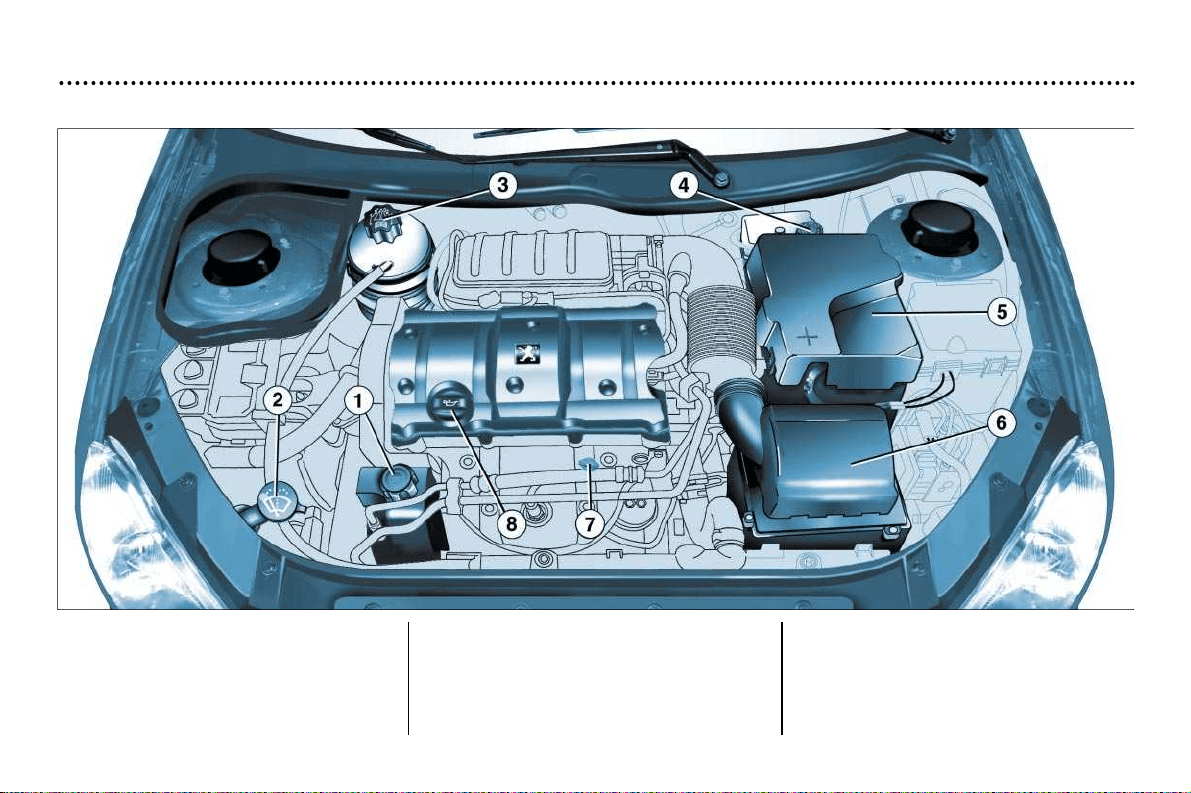
PRACTICAL ASPECTS OF YOUR VEHICLE
91
1 - Power steering reservoir
2 - Windscreen and headlamp wash
reservoir*
3 - Coolant reservoir
4 - Brake fluid reservoir
5 - Battery
6 - Air filter
7 - Dipstick
8 - Engine oil reservoir
* According to specification.
1.6 LITRE 16V ENGINE
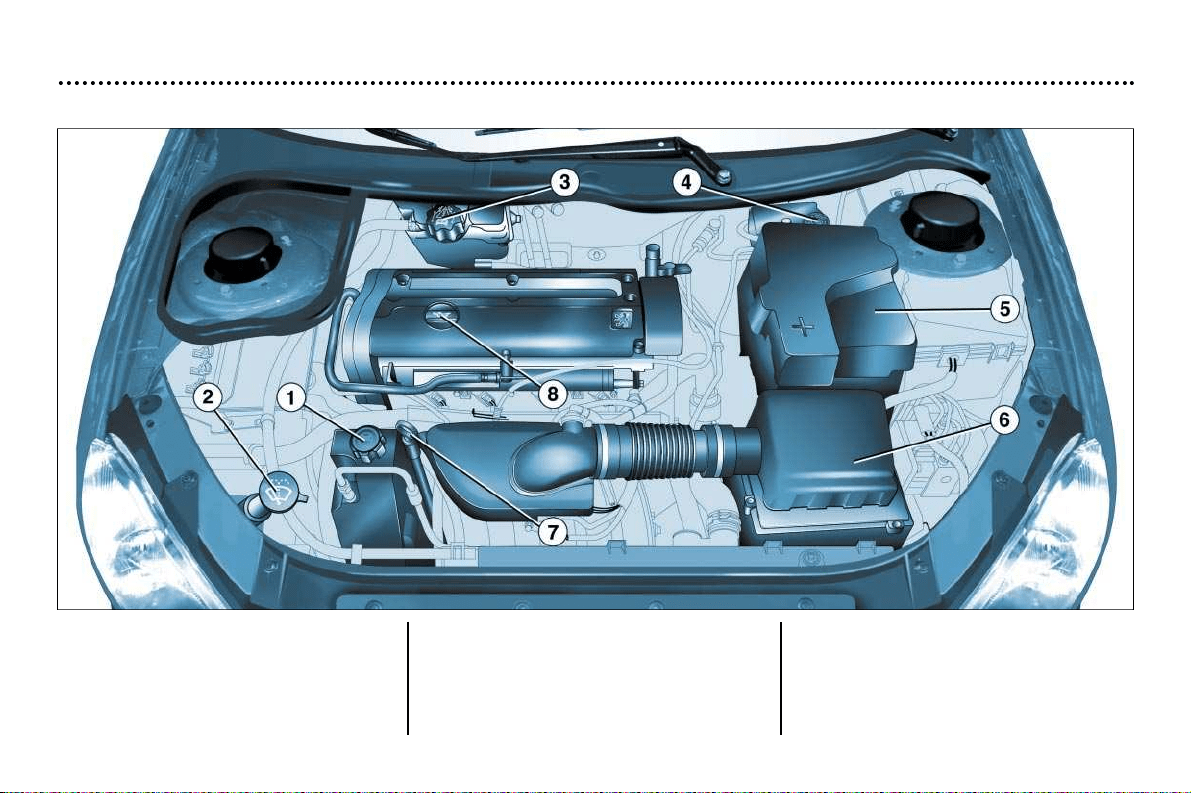
PRACTICAL ASPECTS OF YOUR VEHICLE
92
1 - Power steering reservoir
2 - Windscreen and headlamp wash
reservoir*
3 - Coolant reservoir
4 - Brake fluid reservoir
5 - Battery
6 - Air filter
7 - Dipstick
8 - Engine oil reservoir
* According to specification.
2 LITRE 16 V ENGINE
PRACTICAL ASPECTS OF YOUR VEHICLE
93
Checking levels
Engine
Oil level
Carry out this check regularly and
top up between oil changes (the
maximum consumption is 0.5 litre per
600 miles (1000 km)). The check must
be carried out with the vehicle level
and the engine cold.
There are two level
marks on the dips-
tick:
A = maximum.
B = minimum.
Viscosity grade selection
The oil selected must always meet the
manufacturer’s requirements.
Oil filter
Change the cartridge regularly in
accordance with the recommenda-
tions of the servicing schedule.
Used oil
Avoid any prolonged contact of used
oil with the skin.
Do not discard used oil down drains or
on the ground.
To maintain the reliability of the
engines and emission control sys-
tems, the use of additives in the oil is
prohibited.
Brake fluid reservoir
- The level must always be above the
DANGER mark on the tank.
- In the event of a significant drop in
the level, contact a PEUGEOT dealer
immediately.
Fluid change
- Always to be carried out at the inter-
vals given in the manufacturer's ser-
vicing schedule.
- Use fluids approved by the manu-
facturer which comply with DOT4.
Coolant reservoir
Use a coolant approved by the manu-
facturer.
When the engine is warm, the coolant
temperature is controlled by the engi-
ne fan. As this fan can operate with the
ignition key removed and because the
cooling circuit is pressurised, wait at
least an hour after switching off the
engine before carrying out any work.
In the event of a breakdown and to
avoid any risk of burns, unscrew the
cap two turns to let the pressure drop.
When the pressure has dropped,
remove the cap and top up the level.
Oil change: in accordance with the
manufacturer's servicing schedule.
- Dipstick: never exceed the maxi-
mum mark A.
- Instrument dial gauge.

PRACTICAL ASPECTS OF YOUR VEHICLE
94
Power steering reservoir
Open the reservoir, with the engine
cold. The level should always be
above the MINI mark, close to the
MAXI mark.
Windscreen and headlamp wash
reservoir*
For best quality cleaning and for your
safety, we recommend that you use
products approved by PEUGEOT
(capacity 2.8 litres or 6.6 litres with
headlamp wash).
Battery
At the start of winter, have your batte-
ry checked by a PEUGEOT dealer.
Air filter
Regular replacement of the filter ele-
ment is essential. If you drive in very
dusty conditions, change it twice as
often.
Brake pads
Brake pad wear depends on the style
of driving, in particular for vehicles
which are used in town, for short jour-
neys. It may be necessary to check
the thickness of the pads even bet-
ween services.
* According to specification.
Manual gearbox
This does not need an oil change.
Check the level according to the
manufacturer's servicing schedule.
Autoadaptive automatic gearbox
This does not need an oil change:
have the level checked by a
PEUGEOT dealer according to the
manufacturer's servicing schedule.
Only use products appro-
ved by Automobiles
PEUGEOT.
To ensure best performan-
ce from components as important
as the power steering and the bra-
king system, PEUGEOT
selects and offers quite specific
products.
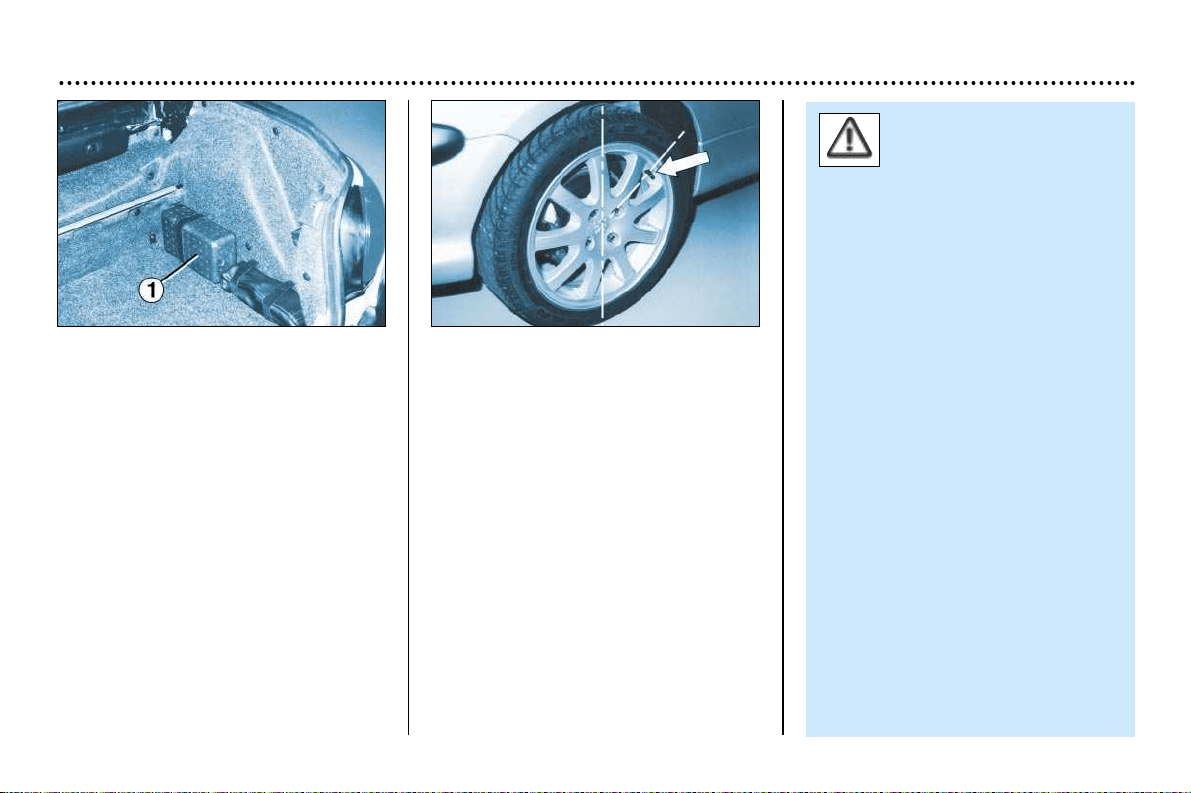
PRACTICAL ASPECTS OF YOUR VEHICLE
95
Punctures
Because this version does not pos-
sess a spare wheel, you have two
aerosols for temporary tyre repairs
stored in an insulated storage box 1
secured by a strap to the right-hand
side of the boot.
Using a repair aerosol
(See also the instructions on the
aerosols).
☞ If possible remove the foreign body
which caused the puncture.
☞ Position the wheel so that the valve
is at the 2 o’clock or 10 o’clock posi-
tion.
☞ Shake the aerosol vigorously
before use. (In very cold weather,
warm the aerosol for a few minutes
in your hands).
☞ Hold the valve with one hand.
☞ With the other, firmly push the
spray end of the aerosol onto the
valve, keeping it centralised.
☞ Maintain the pressure firmly for one
minute, then immediately drive at
moderate speed to the nearest
garage.
Aersosols enable a tempo-
rary repair to be carried out
(maximum speed 50 mph
(80 km/hour)).
After use, it is necessary to repair
the tyre.
Because the aerosols are pres-
surised, they must not be exposed
to a temperature higher than 50°C.
Keep them away from heat in their
insulated storage box.
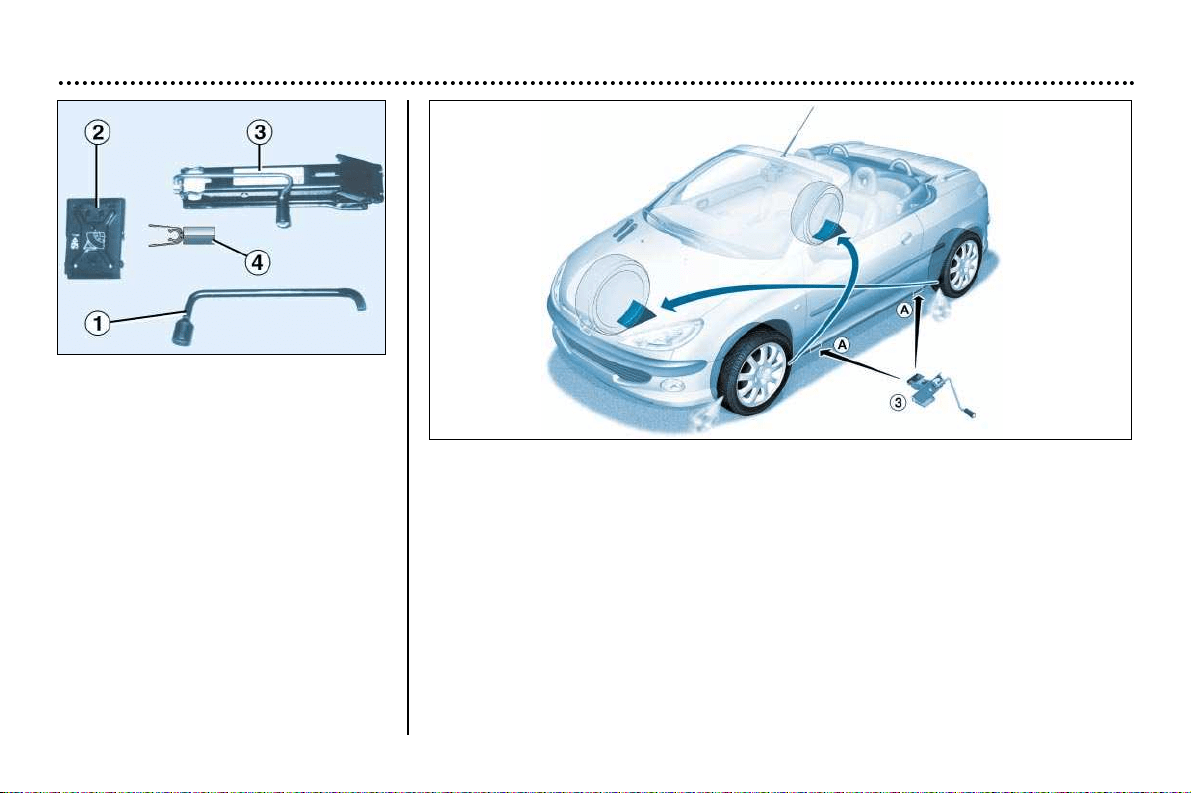
PRACTICAL ASPECTS OF YOUR VEHICLE
96
Changing a wheel
☞ Park the vehicle on level, stable
ground which is not slippery.
☞ Apply the handbrake, engage first
gear or reverse (position P on the
automatic gearbox) and switch off
the ignition.
☞ Chock the rear of the wheel with
shim 2 diagonally opposite the
wheel to be changed.
Tools for changing a wheel
1 - Wheelbrace fitted to the lining of
the boot on the rear right side.
2 - Shim stored in the jack bag.
3 - Jack (in a bag).
4 - Tool for removing wheel bolt trims
Removing the wheel
☞ Remove the wheel trim* using the wheelbrace 1 by pulling next to the valve.
☞ Loosen the wheel bolts (for vehicles fitted with alloy wheels, remove the chrome
wheel bolts first; see ‘Features of alloy wheels’, following page).
☞ Position the jack 3 at one of the four locations A underneath the vehicle, as
close as possible to the wheel to be changed. Ensure that the entire surface of
the jack base plate is in contact with the ground.
☞ Extend the jack 3.
☞ Remove the bolts and release the wheel.
* According to specification.

PRACTICAL ASPECTS OF YOUR VEHICLE
97
Refitting the wheel
☞ After positioning the wheel, pre-tighten the bolts using the wheelbrace 1.
☞ Compress the jack 3 and release it.
☞ Fully tighten the bolts using the wheelbrace 1.
☞ Replace the wheel trim*, starting at the valve passage hole, and press on it
using the palm of the hand.
Replace the shim and the jack in their bag, then store the tools in the boot.
For your safety, always
change the wheel:
- on level, stable and non-slippery
ground,
- with the handbrake applied and
the ignition switched off,
- with the first or reverse gear
engaged (position P for the auto-
matic gearbox),
- with the vehicle chocked using a
shim.
Never go underneath a vehicle
which is supported only by a jack
(use an axle stand).
After changing the wheel:
- As soon as possible contact a
PEUGEOT dealer to check that
the wheel bolts are tight.
* According to specification.
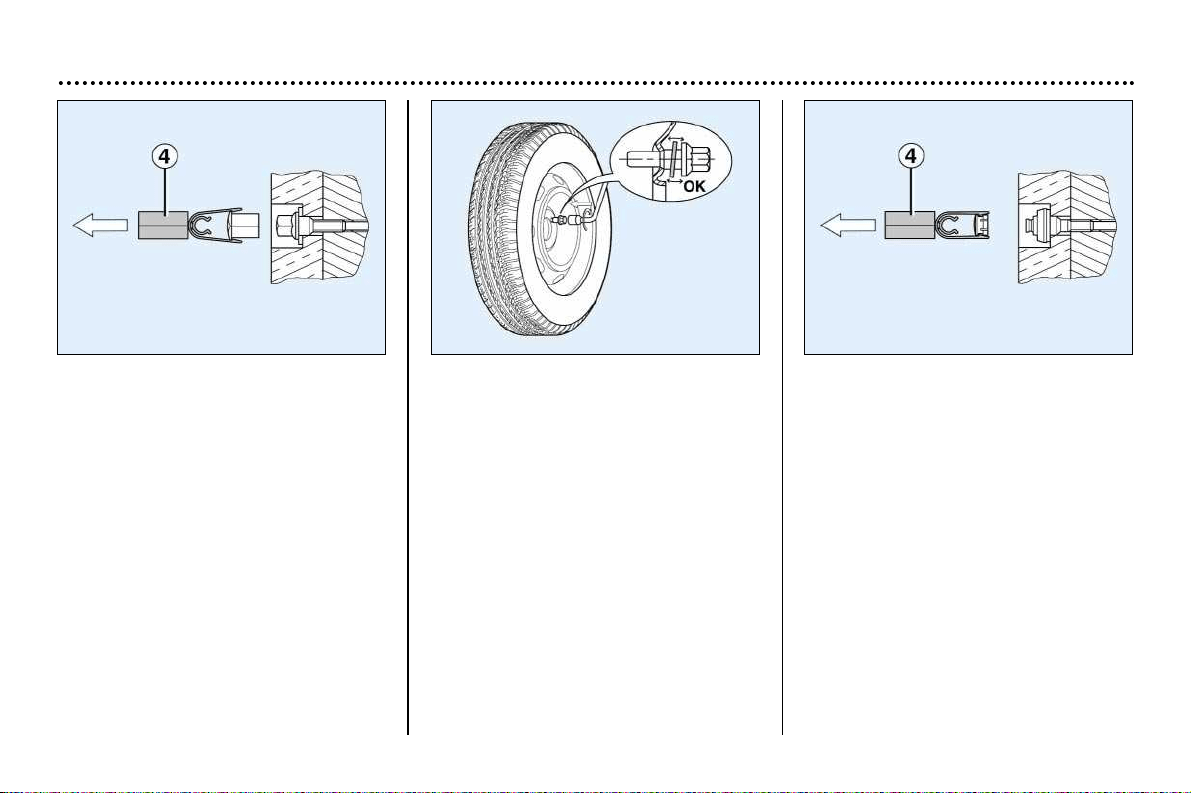
PRACTICAL ASPECTS OF YOUR VEHICLE
98
Special features of alloy wheels*
Bolt covers
The bolts on the alloy wheels are cov-
ered with chrome-plated trim caps.
Remove them using tool 4 before
slackening the bolts.
Refitting the spare wheel**
If your vehicle is fitted with a metal
spare wheel, when fitting the wheel it
is normal to notice that the bolt wash-
ers do not come into contact with the
wheel. The spare wheel is held in
place by the conical support of each
bolt.
Fitting snow tyres
If your vehicle has tyres fitted to steel
wheels, it is essential to use special
bolts available from a PEUGEOT dealer.
Wheel anti-theft bolts**
If your wheels are fitted with anti-theft
bolts (one per wheel), the chrome trim
and then the plastic cover must be
removed, using tool 4, before the bolt
is unscrewed using one of the two
anti-theft sockets (which were given to
you on delivery of your vehicle along
with the duplicate keys and the confi-
dential card) and the wheelbrace 1.
Note: take a careful note of the code
number engraved on the top of the
anti-theft socket. This will enable you
to obtain a duplicate anti-theft socket
from a PEUGEOT dealer.
* According to specification.
** According to model and destination.
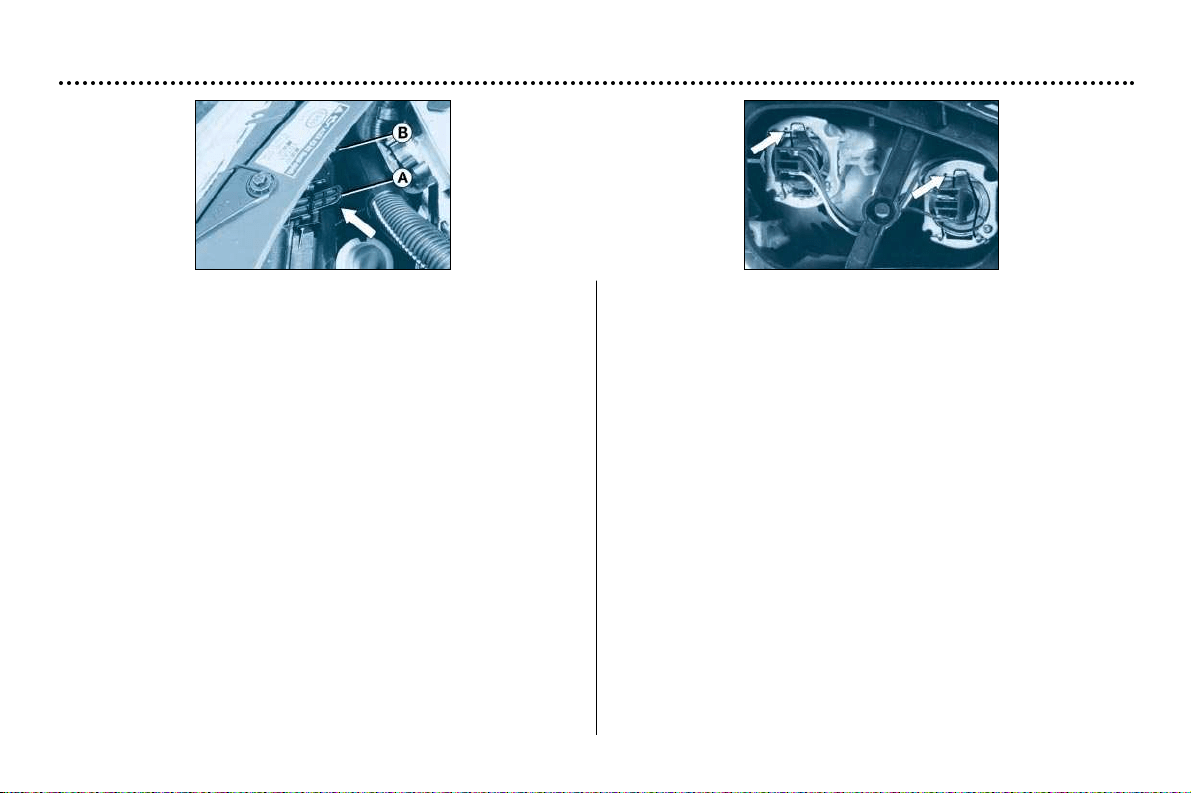
PRACTICAL ASPECTS OF YOUR VEHICLE
99
– Pull tab A upwards and remove the protective cover.
– Disconnect the connector.
– Press the end of the securing clip to remove it. Change the
faulty bulb.
– On fitting, ensure that the direction notches are in the cor-
rect position and that the clip is secured correctly.
– Reconnect the connector.
– Replace the protective cover.
Remarks
– Only touch the bulbs with a dry cloth.
– To replace the bulbs on the right-hand side, remove the
wash-wipe reservoir filler pipe first.
– Condensation may form inside the headlamps. It will disap-
pear when they are used.
Changing a bulb
Dipped/main headlamps H7 55W
Side lights W5W
Turn the pin connector B a quarter turn and remove it.
Change the bulb.
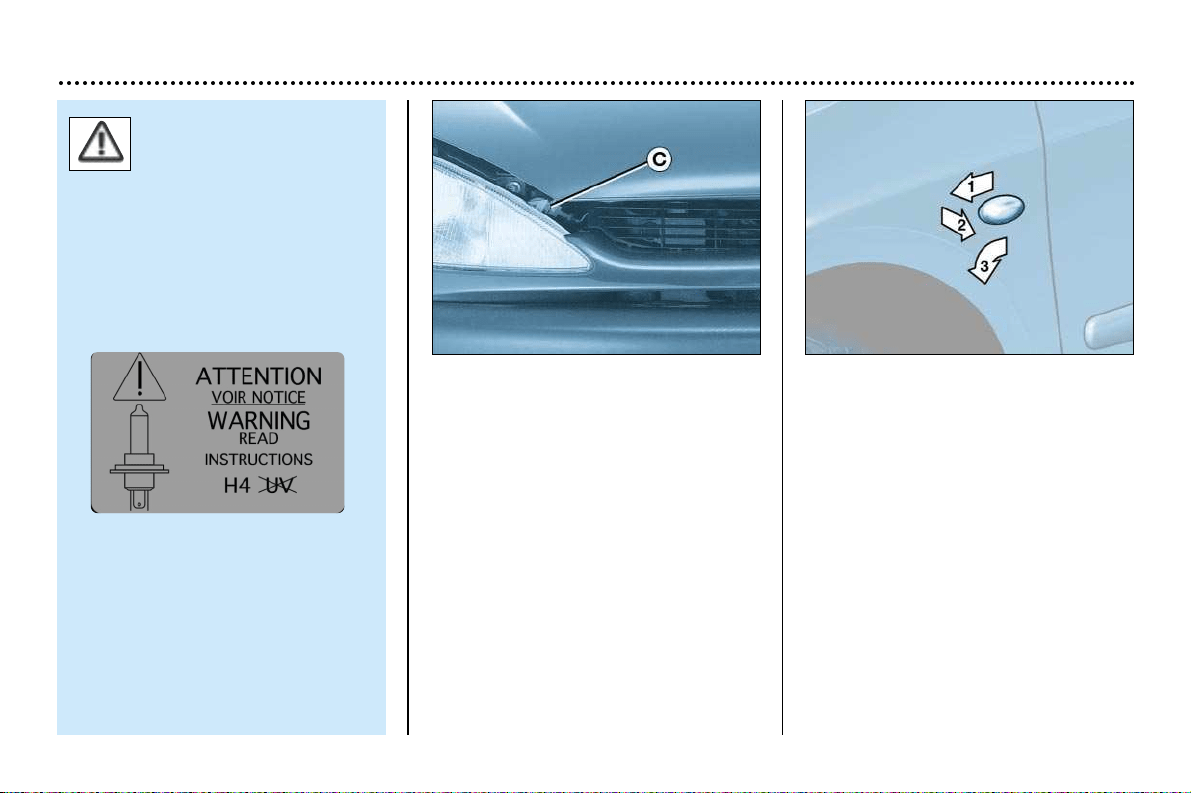
PRACTICAL ASPECTS OF YOUR VEHICLE
100
Amber direction indicators
PY21W
Turn the pin connector C a quarter
turn and remove it.
Change the bulb.
Amber direction indicator side
repeater WY5W
Push the repeater forwards or back-
wards and release the assembly.
Hold the connector and turn the trans-
parent cover a quarter turn.
Change the bulb.
Use only H7 bulbs of
brands:
- GE/TUNGSRAM,
- PHILIPS,
- OSRAM,
to avoid damaging the headlamps.
These comply with the anti-UV
(ultraviolet) specifications neces-
sary for the correct operation and
reliability of the headlamps.
The headlamps are fitted with
polycarbon glass with a protective
coating. We strongly advise
against cleaning them using a dry
or abrasive cloth or using deter-
gents or solvents.
Use a soft, damp cloth.
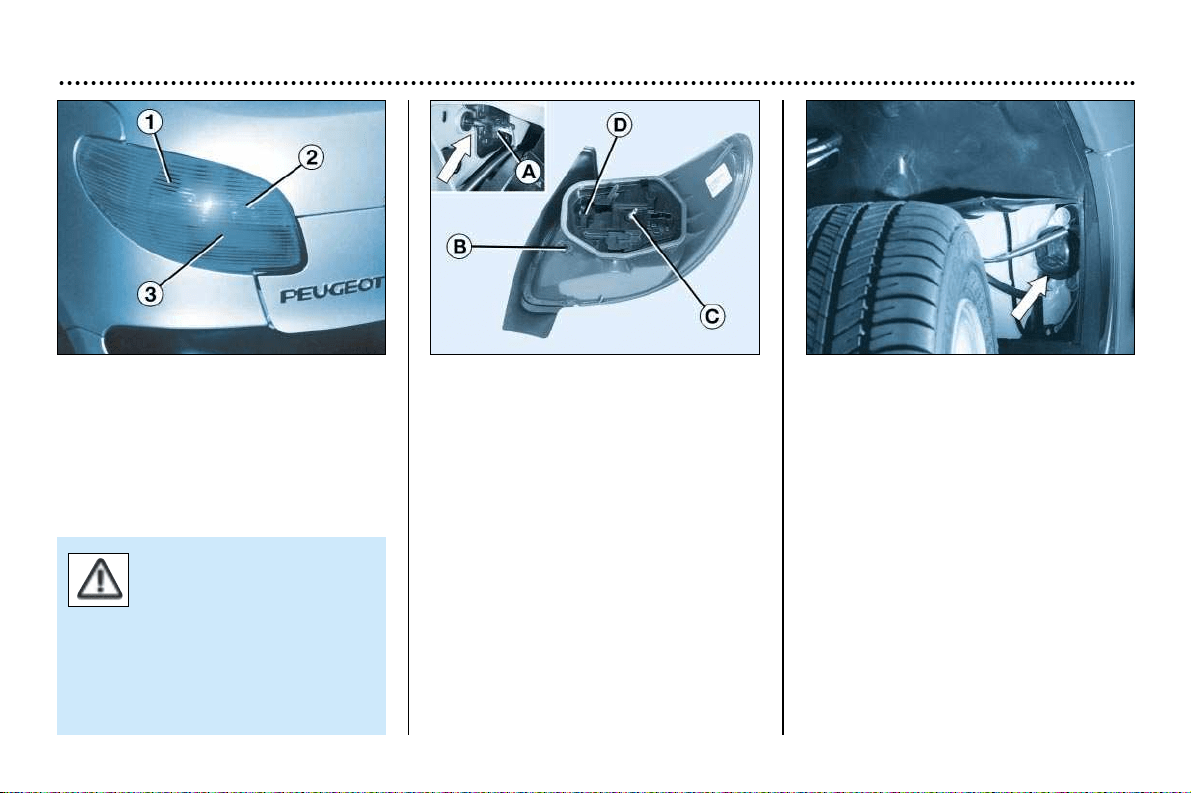
PRACTICAL ASPECTS OF YOUR VEHICLE
101
Rear lights
Release the top of the boot side trim.
Unscrew the wing bolt inside the boot
using the wheelbrace if necessary.
Disconnect the connector A.
Release the light unit.
Release spanner B from the bulb hol-
der.
Unscrew nut C using spanner B and
removet the bulb holder.
Change the faulty bulb.
When refitting, stow spanner B on
support D and refit the light.
1. Amber direction indicators
PY21W.
2. Reversing lights P21W.
3. Brake lights/side lights P21/5W.
Front fog lamps H1 55W
Press underneath the access flap to
release it.
Open the flap.
Turn the cover to remove it.
Disconnect the bulb.
Press both ends of the securing clip to
release the bulb.
The “amber” bulbs must be
replaced by bulbs of identi-
cal specification and colour.
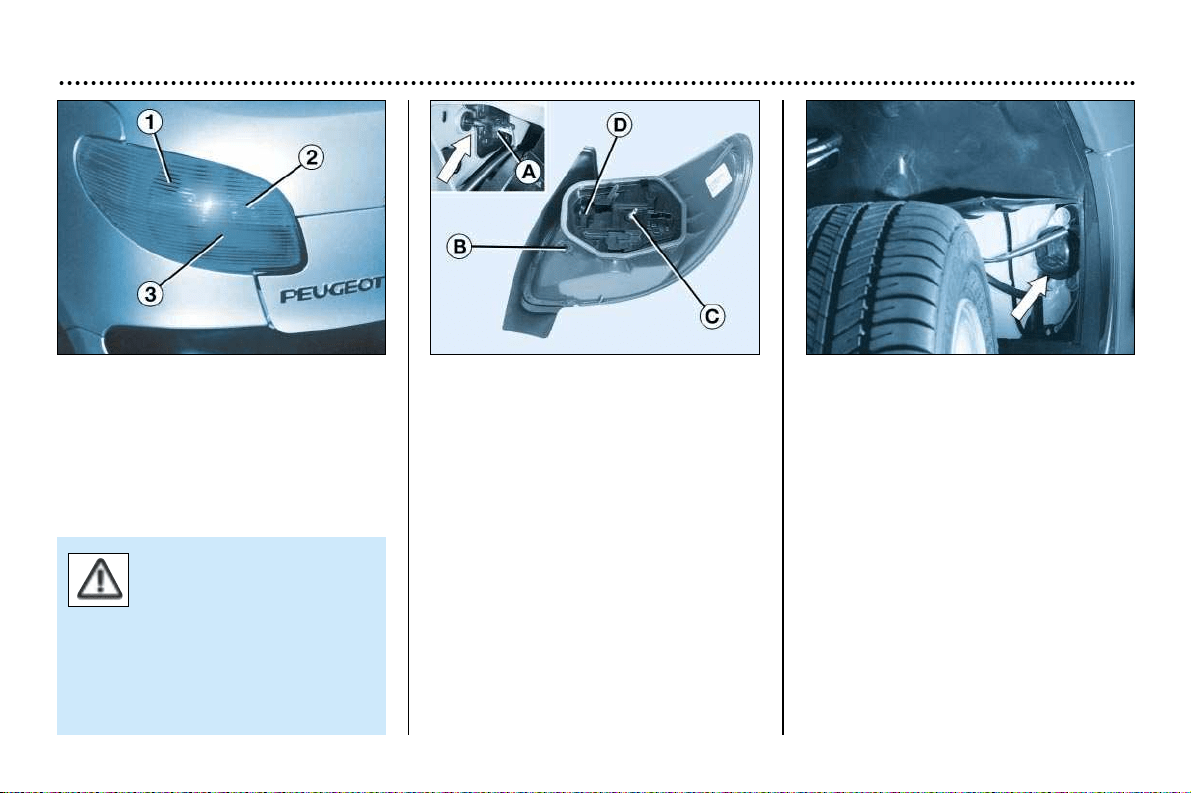
PRACTICAL ASPECTS OF YOUR VEHICLE
101
Rear lights
Release the top of the boot side trim.
Unscrew the wing bolt inside the boot
using the wheelbrace if necessary.
Disconnect the connector A.
Release the light unit.
Release spanner B from the bulb hol-
der.
Unscrew nut C using spanner B and
removet the bulb holder.
Change the faulty bulb.
When refitting, stow spanner B on
support D and refit the light.
1. Amber direction indicators
PY21W.
2. Reversing lights P21W.
3. Brake lights/side lights P21/5W.
Front fog lamps H1 55W
Press underneath the access flap to
release it.
Open the flap.
Turn the cover to remove it.
Disconnect the bulb.
Press both ends of the securing clip to
release the bulb.
The “amber” bulbs must be
replaced by bulbs of identi-
cal specification and colour.
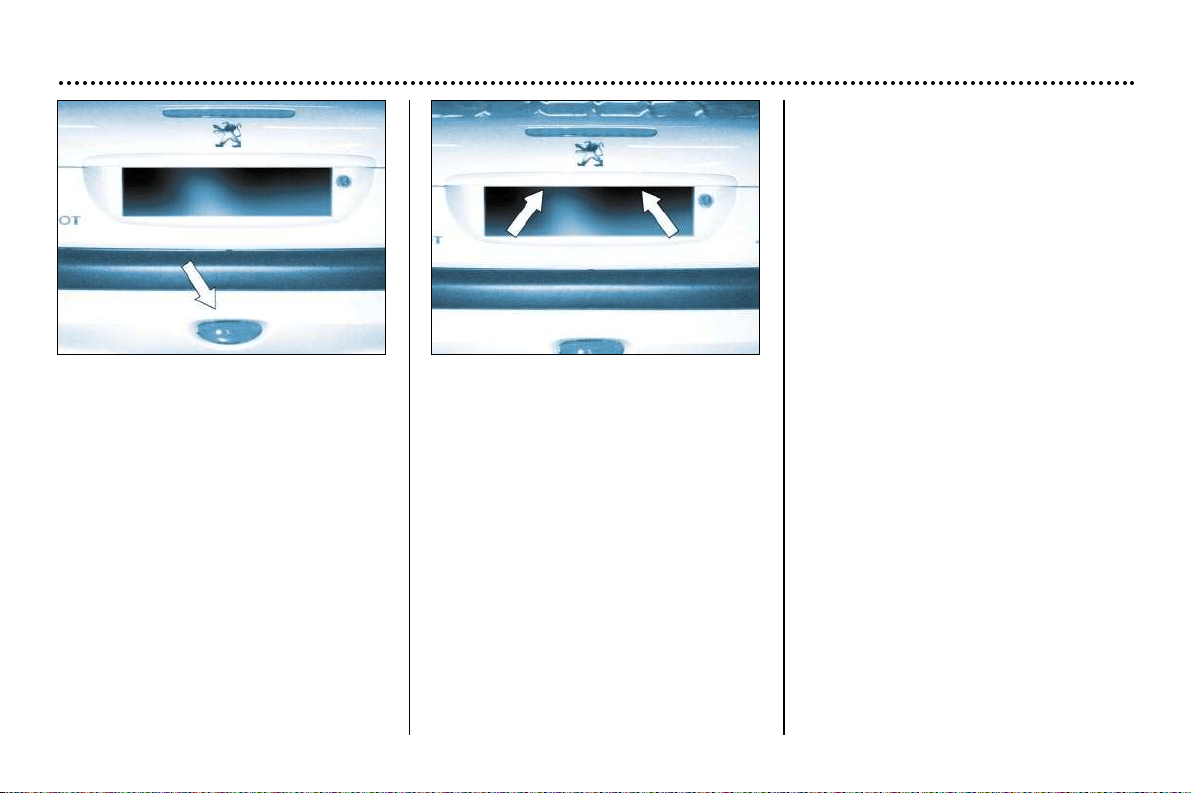
PRACTICAL ASPECTS OF YOUR VEHICLE
102
Rear fog lamp P21W
Unclip the lamp and release the
assembly.
Turn the pin connector a quarter turn
and remove it.
Change the bulb.
Number plate lights W5W
Remove the transparent cover at both
ends using a small screwdriver.
Change the faulty bulb.
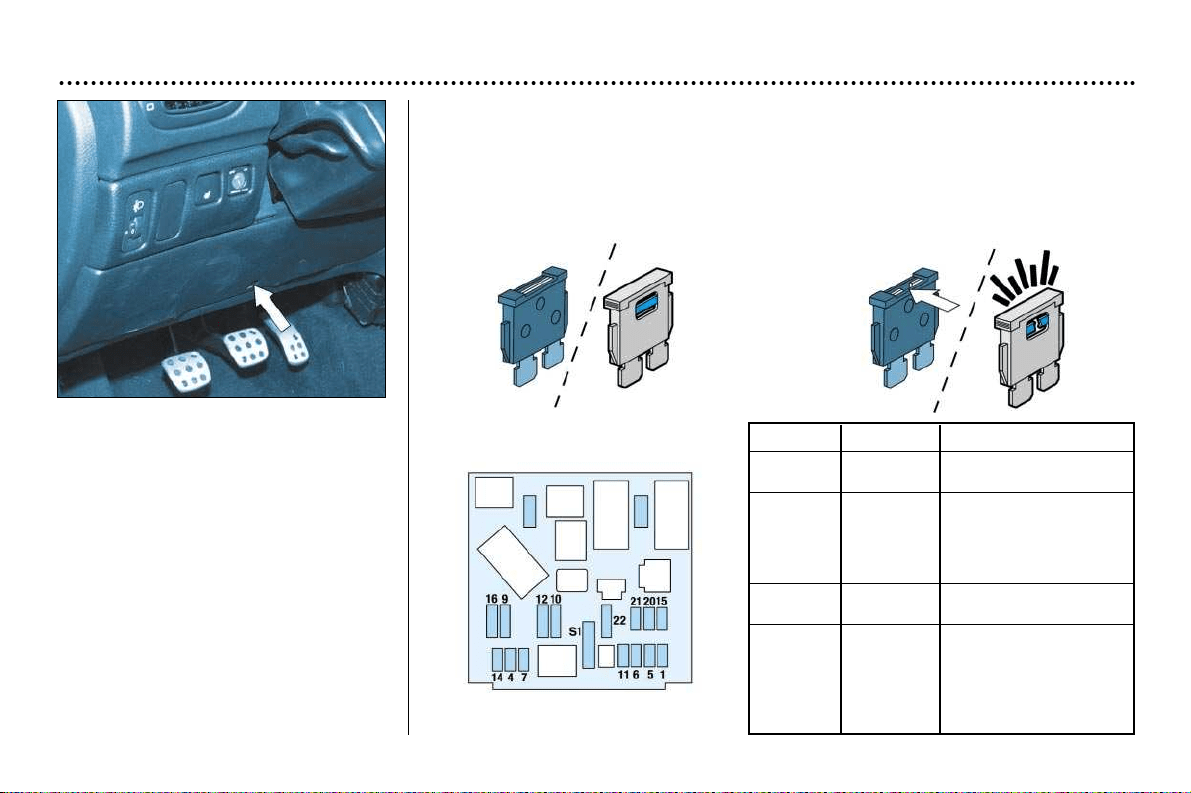
PRACTICAL ASPECTS OF YOUR VEHICLE
103
Changing a fuse
The fuse boxes are located under the
instrument panel and in the engine
compartment.
Fascia fuse box
Unscrew the catch a quarter turn
using a coin, then remove the cover to
gain access to the fuses.
Removing and refitting a fuse
Before changing a fuse, the cause of the fault must be found and remedied. The
fuse numbers are indicated on the fuse box.
Always replace a faulty fuse (fault registered depending on fuse) with a fuse
of the same rating.
Correct
Incorrect
* According to specification.
Fuse Rating Functions*
1 15A Heated seat -
Alarm
4 20A Mulltifunction screen -
Navigation control unit-
Boot lighting - Audio
system - Retractable
roof control unit
5 15A Automatic gearbox
diagnostics
6 10A Coolant level - Auto-
matic gearbox -
Audio system
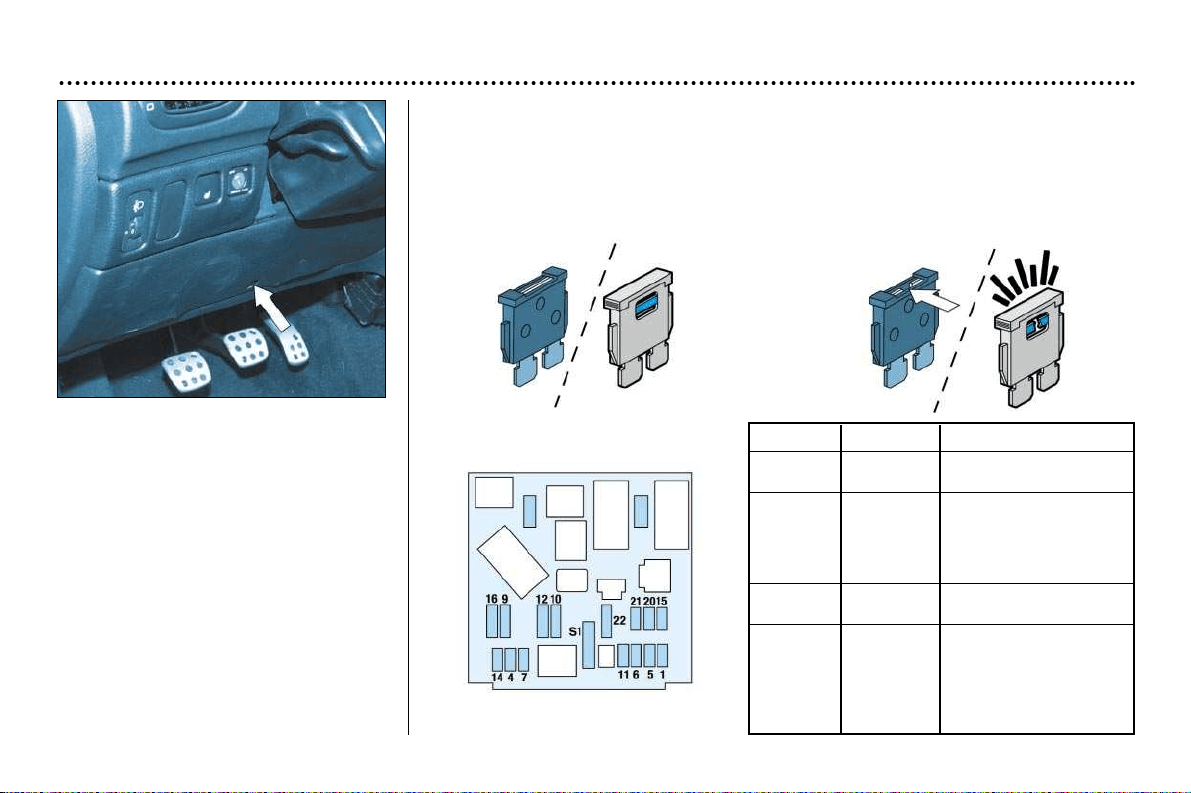
PRACTICAL ASPECTS OF YOUR VEHICLE
103
Changing a fuse
The fuse boxes are located under the
instrument panel and in the engine
compartment.
Fascia fuse box
Unscrew the catch a quarter turn
using a coin, then remove the cover to
gain access to the fuses.
Removing and refitting a fuse
Before changing a fuse, the cause of the fault must be found and remedied. The
fuse numbers are indicated on the fuse box.
Always replace a faulty fuse (fault registered depending on fuse) with a fuse
of the same rating.
Correct
Incorrect
* According to specification.
Fuse Rating Functions*
1 15A Heated seat -
Alarm
4 20A Mulltifunction screen -
Navigation control unit-
Boot lighting - Audio
system - Retractable
roof control unit
5 15A Automatic gearbox
diagnostics
6 10A Coolant level - Auto-
matic gearbox -
Audio system
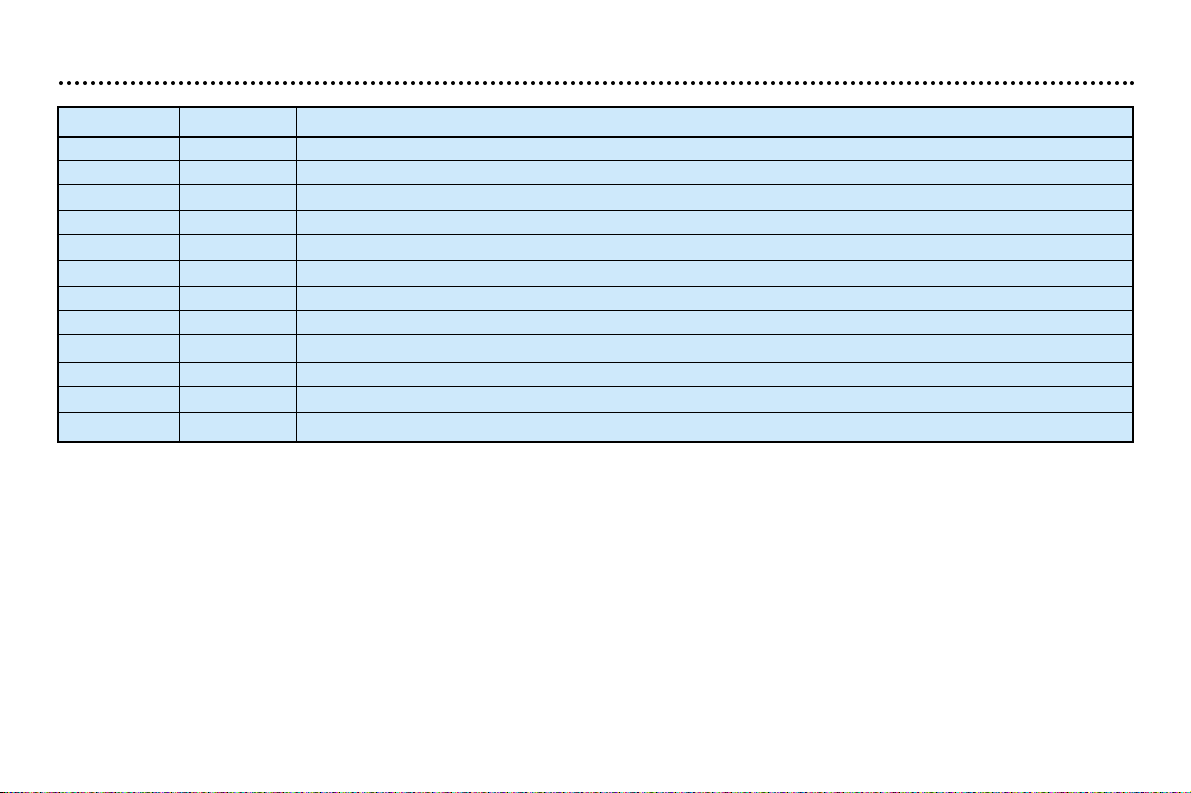
PRACTICAL ASPECTS OF YOUR VEHICLE
104
Fuse no. Rating* Functions*
7 15A Driving school accessories - Alarm fitted as an accessory - Rain detector
9 30A Hydraulic pump
10 40A Driving mirror demisting
11 15A Windscreen wiper
12 30A Front windows
14 10A Engine module - Air bags - Steering wheel stalk
15 15A Instrument panel - Multifunction screen - Navigation control unit - Air conditioning - Audio system
16 30A Locking/unlocking of doors
20 10A Right-hand brake light
21 15A Left-hand brake light - 3rd brake light
22 30A Front courtesy light - Glove box lighting - Lighter
S1 Shunt PARC shunt
* According to specification.
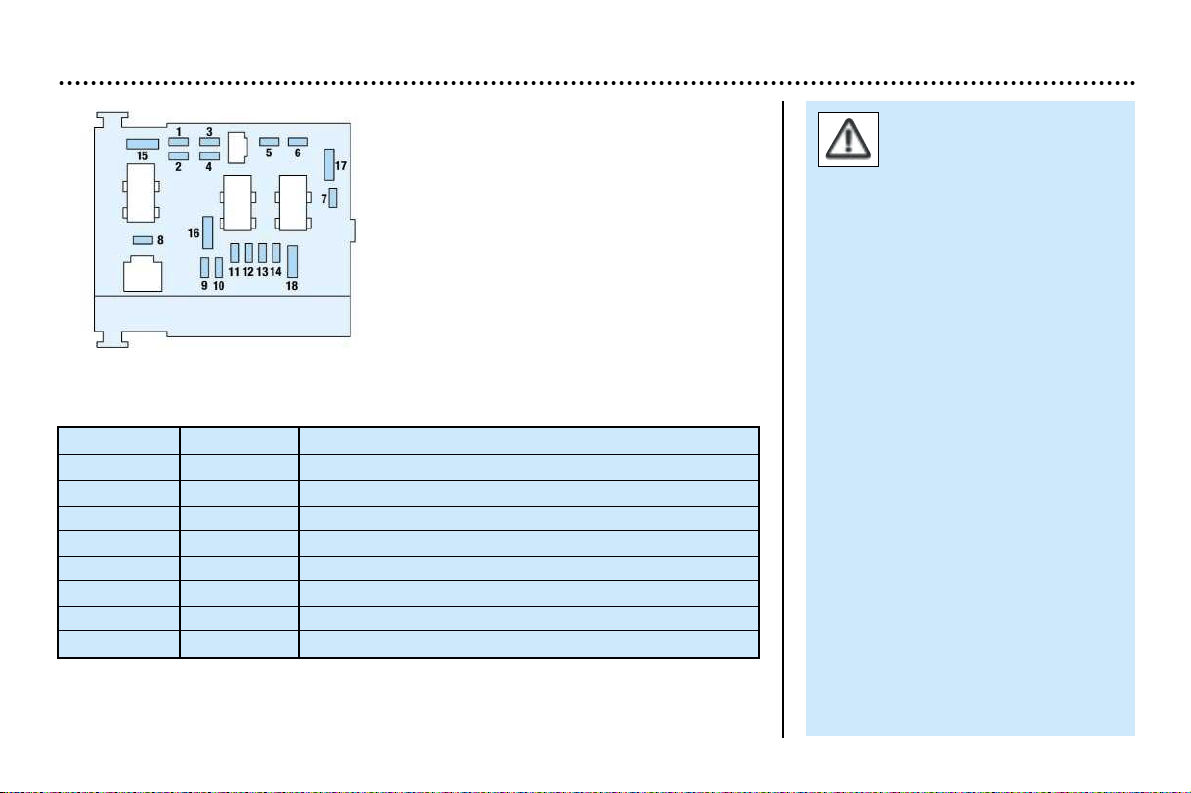
PRACTICAL ASPECTS OF YOUR VEHICLE
105
Fuse no Rating* Functions*
1** 20A Fan unit
2** 60A ABS
3** 30A ABS
4** 70A Supply to built-in systems interface
5** 70A Supply to built-in systems interface
6** - Not used
7** 30A Ignition lock supply
8** - Not used
Engine compartment fuse box
To access the fuse box located in the
engine compartment (next to the bat-
tery), unclip the cover.
After changing the fuse, close the
cover very carefully.
Your vehicle's electrical
circuit is designed to ope-
rate with standard or
optional equipment.
Before installing additional electri-
cal equipment or accessories,
consult a PEUGEOT dealer.
Some electrical accessories, or
the way in which they are fitted,
may adversely affect the operation
of your vehicle (the electronic con-
trol circuits, the radio circuit and
the electrical charging circuit).
PEUGEOT does not accept any
responsibility for expenses incurred
by the repair or for any malfunction
resulting from the installation of
additional accessories, not supplied
or recommended by PEUGEOT.
This also applies to accessories not
installed in accordance PEUGEOT’s
instructions, in particular equipment
the power consumption of which
exceeds 10 milliamps.
**The maxi fuses provide addition-
al protection for the electrical sys-
tems. Any work must be carried
out by a PEUGEOT dealer.
*According to specification.

PRACTICAL ASPECTS OF YOUR VEHICLE
106
* According to specification
Fuse no. Rating* Functions*
1 10A Reversing lights switch - Speed sensor
2 15A Canister - Fuel pump
3 10A ABS control unit
4 10A Automatic gearbox control unit - Engine control unit
5 — Not used
7 20A Windscreen wash pump
8 20A Fan unit relay - Engine control unit - Engine management solenoid valve
9 15A Left-hand dipped beam
10 15A Right-hand dipped beam
11 10A Left-hand main beam
12 15A Right-hand main beam
13 15A Horns
14 10A Front windscreen wash pumps
15 30A Throttle unit heater - Oxygen sensor - Engine control unit - Air flow meter - Ignition coil - Engine
management solenoid valve - Injectors
16 30A Air pump relay
17 30A High and low speed windscreen wiper
18 40A Air conditioning fan
PRACTICAL ASPECTS OF YOUR VEHICLE
107
Battery
To charge the battery using a battery charger:
– Disconnect the battery.
– Follow the instructions for use given by the battery charger manufacturer.
– Reconnect starting with the negative (-) terminal.
– Check that the terminals and connectors are clean. If they are covered with sul-
phate (white or greenish deposit), disconnect them and clean them.
To start the vehicle and charge the battery from another battery:
– Connect the red cable to the positive (+) terminals of the two batteries.
– Connect one end of the green or black cable to the negative (-) terminal of the
slave battery.
– Connect the other end of the green or black cable to an earth point on the bro-
ken down vehicle as far as possible from the battery.
Operate the starter, let the engine run.
Wait for the engine to return to idle, then disconnect the cables.
Economy mode function
After the engine has stopped, with the
key in the accessories position, cer-
tain functions (windscreen wiper, elec-
tric windows, courtesy lights, audio
equipment etc.) can only be used for
thirty minutes, to prevent discharging
the battery.
Once the thirty minutes are over, the
message "Economy mode active"
appears on the multifunction display
and the active functions are put on
standby.
A flat battery will prevent the engine
from starting.
- Never disconnect a terminal when the engine is running.
- Never charge a battery without first disconnecting the terminals.
- After every reconnection of the battery, switch on the ignition and wait
1 minute before starting to allow the electronic systems to be initiali-
sed. If slight difficulties are experienced after this, please contact a
PEUGEOT dealer.
It is advisable to disconnect the battery if the vehicle is not to
be used for a period of more than one month.
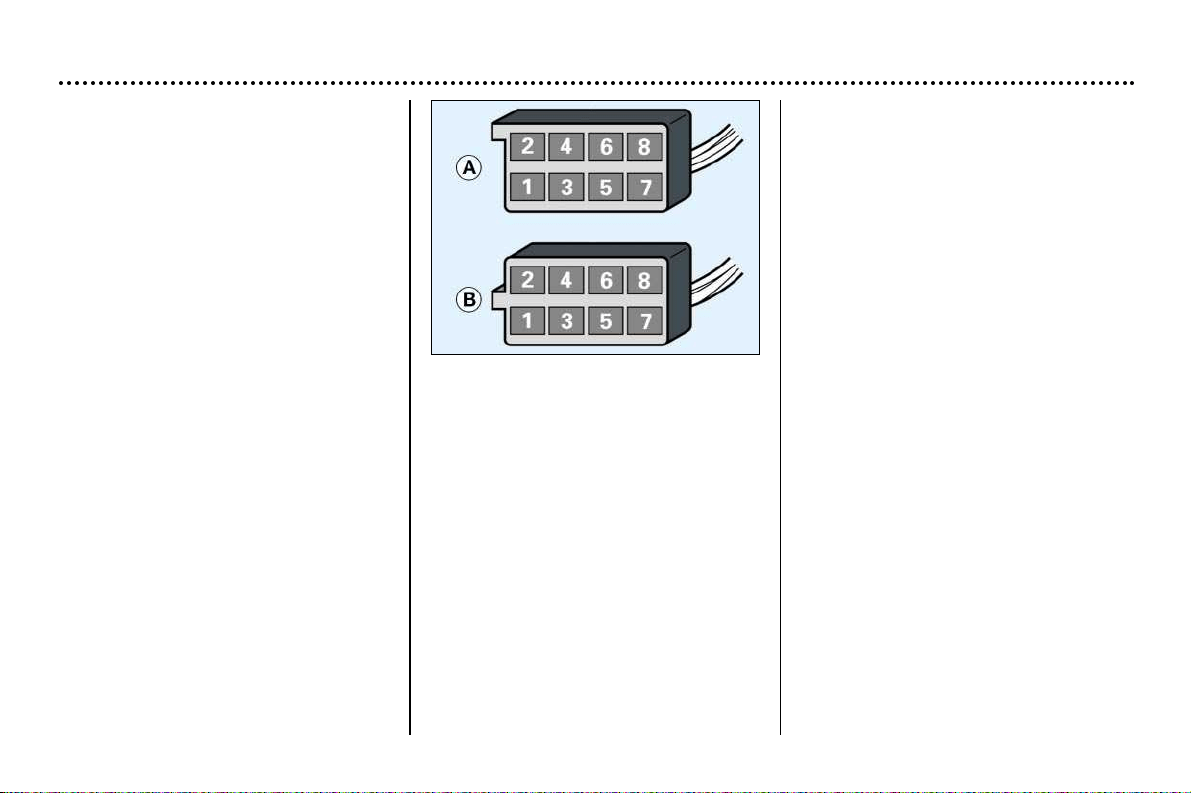
PRACTICAL ASPECTS OF YOUR VEHICLE
108
Fitting audio equipment
Your vehicle is equipped with certain
factory-fitted audio equipment:
– roof aerial,
– coaxial aerial cable,
– basic interference suppression,
– supply to front speakers,
– supply to rear speakers* and
tweeters*,
– two 8-way connectors.
Making the connections
A1 :
A2:–
A3:–
A4: (+) Accessories
A5:–
A6: (+) Side lights
A7: (+) Permanent
A8: Earth
B1
: (+) Rear right speaker*
B2: (–) Rear right speaker*
B3: (+) Front right speaker and
tweeter*
B4: (–) Front right speaker and
tweeter*
B5: (+) Front left speaker and
tweeter*
B6: (–) Front left speaker and
tweeter*
B7: (+) Rear left speaker*
B8: (–) Rear left speaker*
Fitting speakers
The factory-fitted equipment allows
the fitting of:
– 165 mm diameter speakers in the
front doors,
– 130 mm diameter speakers at the
rear,
– 22.5 mm diameter tweeters in the
mirror trims*.
Contact a PEUGEOT dealer.
* According to specification.
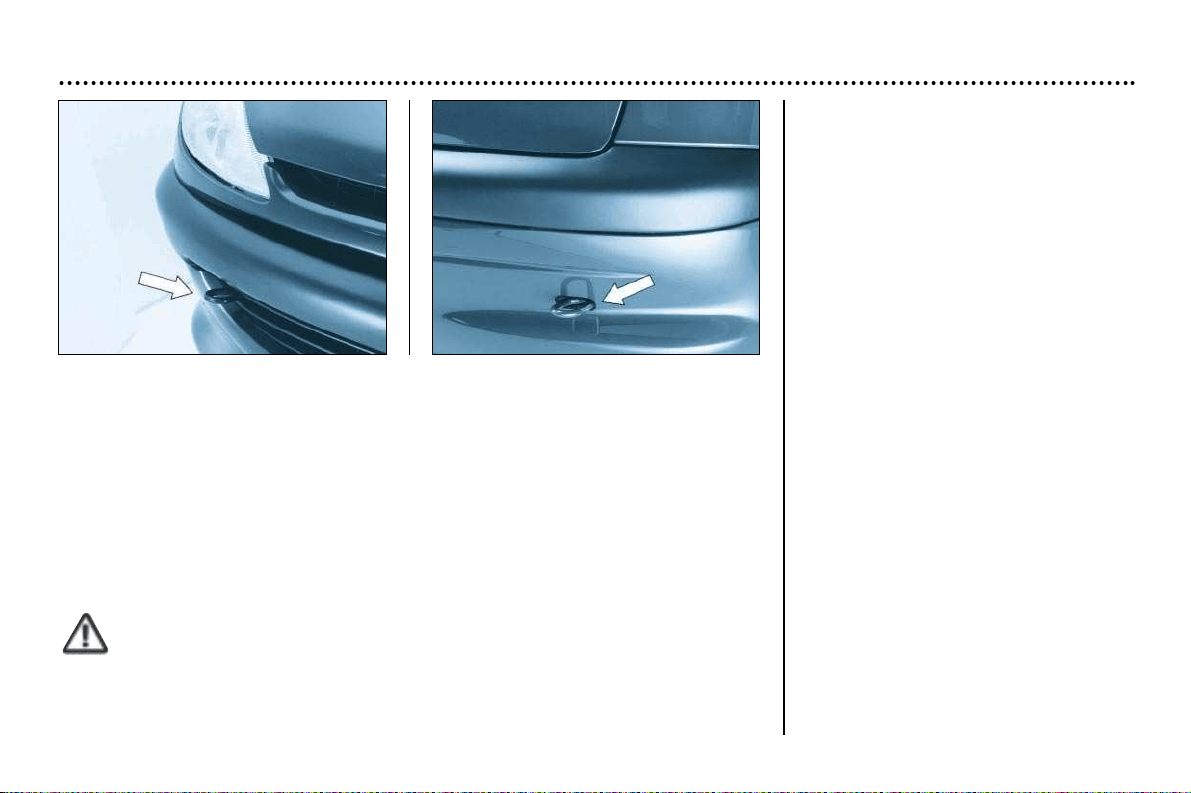
PRACTICAL ASPECTS OF YOUR VEHICLE
109
Towing your vehicle
Without lifting (four wheels on the ground)
You must always use a tow bar.
From the front or the rear
Attach the tow bar to the towing eye.
By lifting (two wheels only on the ground)
It is preferable to lift the vehicle by the wheels.
Never use the radiator crossmember.
Special features of the automatic
gearbox
When towing with all four wheels on
the ground, the following rules must
be adhered to:
– gear lever in position N,
– tow the vehicle at a speed less than
30 mph (50 km/h) over a distance of
not more than 30 miles (50 km),
– do not add oil to the gearbox.
Boot luggage carrier*
A boot luggage carrier is available
from your PEUGEOT dealer.
When it is used, take care not to con-
ceal the third brake light.
Follow the manufacturer's recommen-
dations.
* Available as an accessory.

PRACTICAL ASPECTS OF YOUR VEHICLE
110
Towing a trailer, caravan,
boat etc.
Only use original PEUGEOT tow bars
that have been tested and approved
from the design stage of your vehicle.
The tow bar must be fitted by a
PEUGEOT dealer.
Your vehicle is mainly designed for
transporting people and luggage but it
may also be used for towing a trailer.
Driving with a trailer subjects the tow-
ing vehicle to more significant stress
and its driver must be particularly
careful.
Air density decreases with altitude,
thus reducing engine performance.
The maximum towing load must be
reduced by 10% for every
1000 metres of altitude.
Driving advice
Distribution of loads
Distribute the load in the trailer so that
the heaviest items are as close as
possible to the axle and the nose
weight approaches the maximum per-
mitted without exceeding it.
Cooling
Towing a trailer on a slope increases
the temperature of the coolant.
As the fan is electrically controlled, its
cooling capacity is not dependent on
the engine speed.
On the contrary, use a high gear to
lower the engine speed, and reduce
your speed.
The maximum towing load on a long
slope depends on the gradient and the
outside temperature.
Always pay attention to the coolant
temperature.
If the warning light comes on, stop the
vehicle and switch off the engine as
soon as possible.
Tyres
Check the tyre pressures of the towing
vehicle and of the trailer, observing the
recommended pressures.
Braking
Towing increases the braking dis-
tance.
Lights
Adjust your headlamps so that they
do not dazzle other road users.
Check the electrical signalling on the
trailer.
Side wind
Take into acount the increased sensi-
tivity to side wind.
PRACTICAL ASPECTS OF YOUR VEHICLE
111
Bodywork maintenance
To preserve the paintwork and the
plastic trim on your vehicle, we recom-
mend that you wash them regularly.
– by hand: there are no specific pre-
cautions to take;
– using an automatic car wash:
repeated use of poorly maintained
automatic car washes can lead to
the appearance of microscopic
scratches which give the paintwork
a matt appearance (especially
visible on dark colours);
– using a high pressure washer:
always follow the recommendations
on the equipment (pressure and
spraying distance).
If there are damaged areas on the
vehicle (painted bumpers, or head-
lamps), it is not recommended to
direct the high pressure jet onto
them. Wash these areas by hand.
Also avoid the entry of water into the
locks.
For all questions relating to the main-
tenance of your vehicle, contact an
approved dealer who can advise you
on quality products selected by our
departments.
- Clean off bird droppings,
resinous deposits, tar
stains and grease marks
as soon as possible;
(these all contain substances
which can cause serious damage
to the paintwork).
- Do not use a dry or abrasive cloth,
or detergent or solvent products to
clean the double lens, complex
surface headlamps as they are fit-
ted with polycarbonate glass cove-
red in a protective finish.
- Do not use petrol, oil or cloth stain
removers to clean the bodywork
and plastic parts of your vehicle.
- To prevent the development of
bodywork corrosion as a result of
accidental damage (stone chips,
scratches etc.), have them repai-
red swiftly.
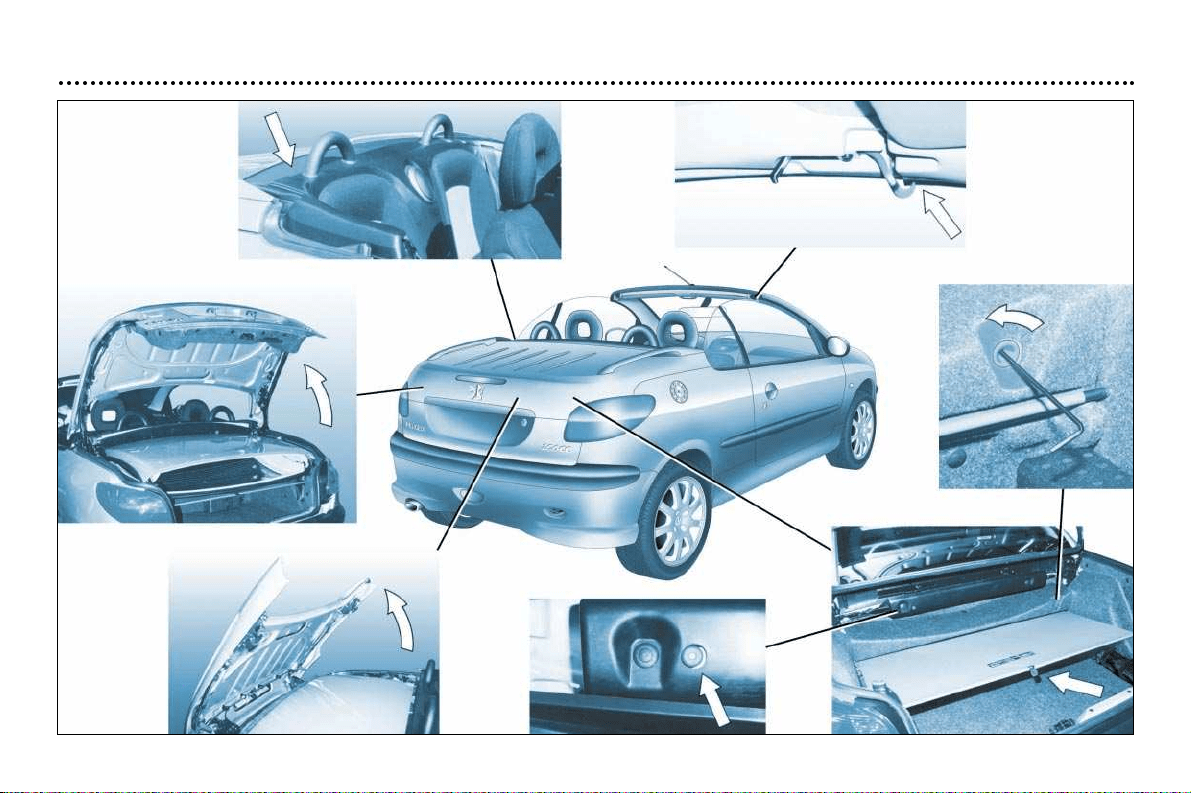
PRACTICAL ASPECTS OF YOUR VEHICLE
112
Detachable
parcel shelf
Boot lid
Tailgate flap
Manual pull cord for tailgate flap
Screen
Allen key
Roof hook(s)catch
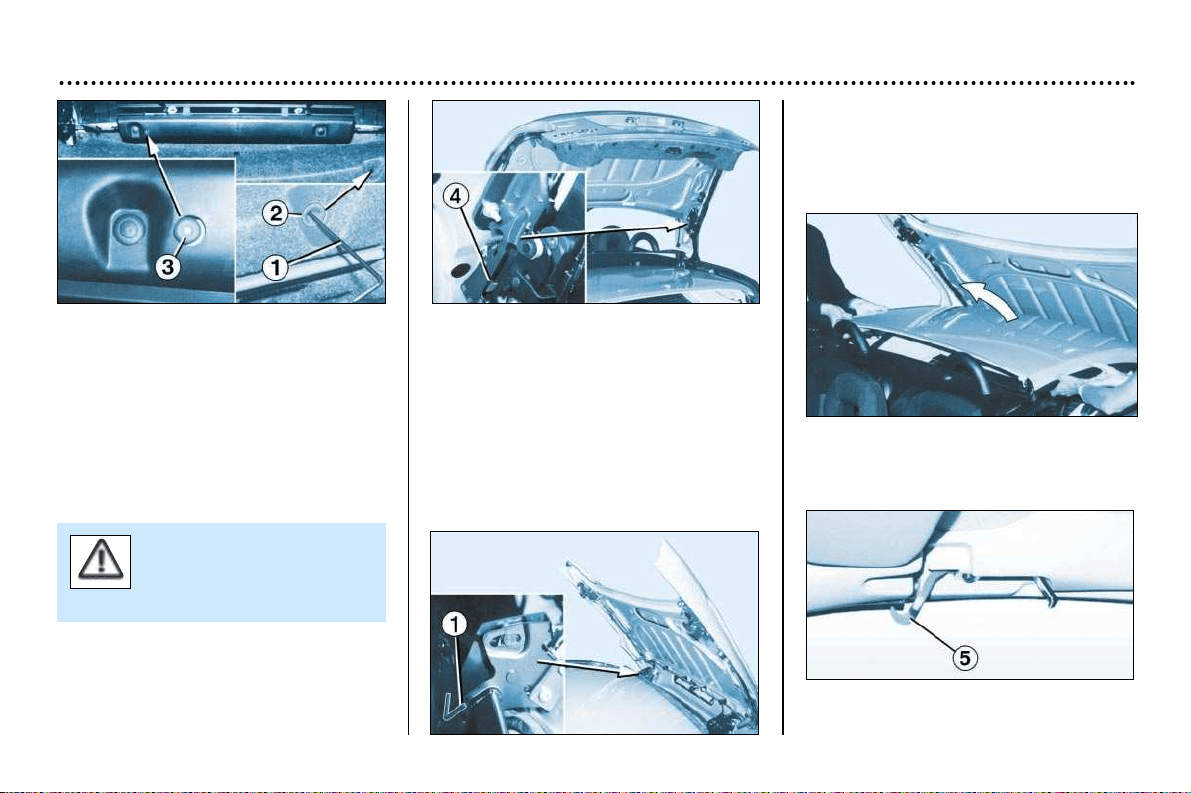
PRACTICAL ASPECTS OF YOUR VEHICLE
113
Manual operation of the roof
(emergency mode)
In the event of electric or hydraulic
malfunction of the roof, it is possible
to close it manually.
Consult a PEUGEOT dealer to have
the system checked.
This is an emergency solution.
If at all possible, this operation is to
be carried out by two people.
☞Lower the windows.
☞Switch off the ignition.
☞Remove the steering lock key.
☞Apply the handbrake.
☞Open the boot.
☞
Unhook the screen and release it
while holding it steady.
☞
Using the Allen key 1 located in the
insulated box of the repair aerosols,
unscrew the screw 2 a quarter turn.
☞Pull cord 3 to fold down the detach-
able rear shelf.
☞Push the two catches 4 while
pressing the boot lid to unlock it.
☞Close the boot lid.
☞From the right rear side of the
vehicle, open the boot lid complete-
ly, and, while holding it, lock it by
inserting the Allen key 1 fully into the
mechanism.
☞Lock the roof using the two hooks 5.
When closing the roof,
take care not to trap your
hands in the mechanism.
☞Take hold of the roof, unfold it (a
significant amount of force is neces-
sary) and bring it into contact with
the windscreen aperture.
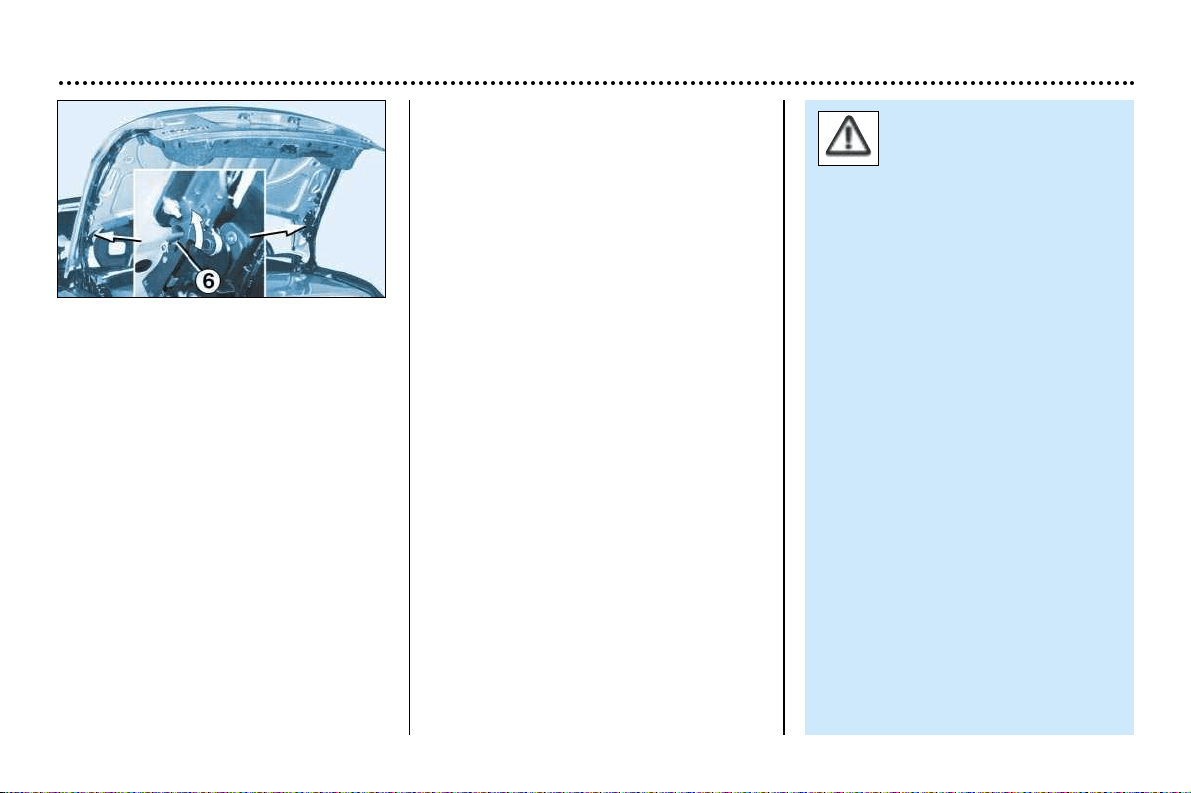
PRACTICAL ASPECTS OF YOUR VEHICLE
114
☞ Take out the Allen key 1 while
holding the boot lid, then fold it
down slowly and steadily, without
trying to lock it.
☞ Open the boot.
☞ Pull both white clips 6 located
above the catches, and turn them
downwards a quarter turn, while at
the same time keeping the boot lid
closed.
☞ Push the two white clips 6 into their
locking holes.
☞ Close the boot.
Contact a PEUGEOT dealer to have
the system checked.
The roof must not be ope-
rated while a loaded lug-
gage-holder is fitted on
the boot lid.
When closing the roof, to prevent
risk of injury, ensure that no-one is
in the proximity of the moving
parts.
In the event of danger, release
the control button; the opera-
tion will stop immediately.
Closing the roof in the event of the
windows malfunctioning
When the side windows cannot open
completely, the roof operation is
impossible; however, it is possible to
close it by carrying out the following
operations simultaneously:
☞ with the ignition switched off, press
or pull both control buttons for the
windows (2nd notch);
☞ place the ignition key in position M,
without releasing the window con-
trol buttons;
☞ after four seconds, when an audible
signal is heard, press the roof con-
trol button;
☞ when the roof control button has
been pressed for six seconds. the
roof closes; the end of the operation
is indicated by an audible signal;
☞ lock the roof using the two hooks 5.
Contact a PEUGEOT dealer to have
the system checked.

PRACTICAL ASPECTS OF YOUR VEHICLE
115
206 CC Accessories
For your PEUGEOT only use accessories and original parts approved by the manufacturer.
These accessories and parts are all adapted to your PEUGEOT, after being tested and approved for reliability and safety, which
PEUGEOT cannot guarantee for other products.
A wide choice of original accessories, approved by PEUGEOT, is available through the dealer network. They all carry the
PEUGEOT guarantee.
Safety: Anti-theft alarms, lift detection alarm, window engraving, wheel locks, signalling triangle, first aid kit...
Protection: Covers suitable for side air bags, carpets, boot storage tray, …
Communication: Telephone, satellite navigation system, CD changers*, audio systems, speakers, audio trim, ...
Personalisation: Alloy wheels, trims, mud flaps*, aluminium and wood panel trim...
Comfort: Centre armrest, can holder, CD or cassette storage, telephone console, anti-air swirl net, ....
Leisure: Towbar, roof bars, snow chains, ...
Children: Booster seats and child seats, ...
Maintenance products: Screenwash, interior and exterior maintenance and cleaning products.
* Available during the year

TECHNICAL DATA
116
Models
Model codes
2DNFUF 2DNFUF 2DRFNF
ENGINES 1.6 litre 16V 2 litres 16V
Cubic capacity (cm
3
) 1587 1997
Bore x stroke (mm) 78.5 x 82 85 x 88
EU standard maximum power (kW) 80 100
Maximum power at engine speed (rpm) 5800 6000
EU standard maximum torque (Nm) 147 190
Maximum torque at engine speed (rpm) 4000 4100
Fuel Unleaded Unleaded
Catalytic converter Yes Yes
Gearbox Manual Automatic Manual
(5 speed) (4 speed) (5 speed)
Unit capacities (in litres)
Engine (with cartridge replacement) 3 3 4.25
Gearbox-Final drive 2 – 1.9
Engines and gearboxes
TECHNICAL DATA
117
In accordance with directive 93/116 M.P.G. (litres/100 km)
Engine Gearbox Model Urban Inter-urban Mixed Emission
codes driving of CO
2
by weight g/Km
1.6 litre 16V Manual 2DNFUF 9.5 5.7 7 166
1.6 litre 16V Automatic 2DNFUR 10.6 6 7.7 183
2 litres 16V Manual 2DRFNF 11.2 6.2 8 191
Consumption
Fuel consumption values correct at time of printing.
Engine 1.6 litre 16V 1.6 litre 16V 2 litres 16V
Gearbox Manual Automatic Manual
Model codes : 2DNFUF 2DNFUR 2DRFNF
•
Kerb weight 1140 1177 1150
•
Gross vehicle weight (GVW) 1535 1572 1562
•
Gross train weight (GTW)* 2435 2472 2462
•
Unbraked trailer 600 600 600
•
Braked trailer (within GTW) 1100 1100 1100
Weights and towing loads (in kg)
* In the case of a towing vehicle, the speed is limited to 60 mph (100 km/h).
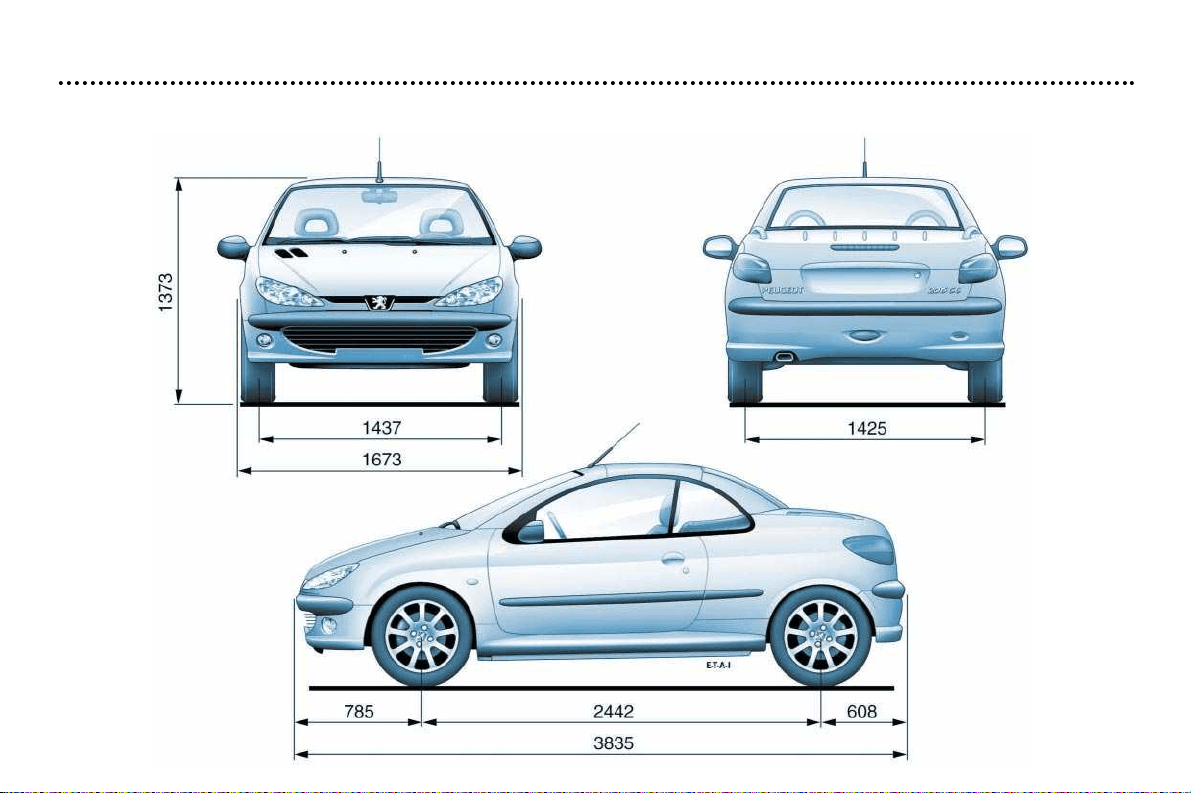
TECHNICAL DATA
118
Dimensions (in mm)
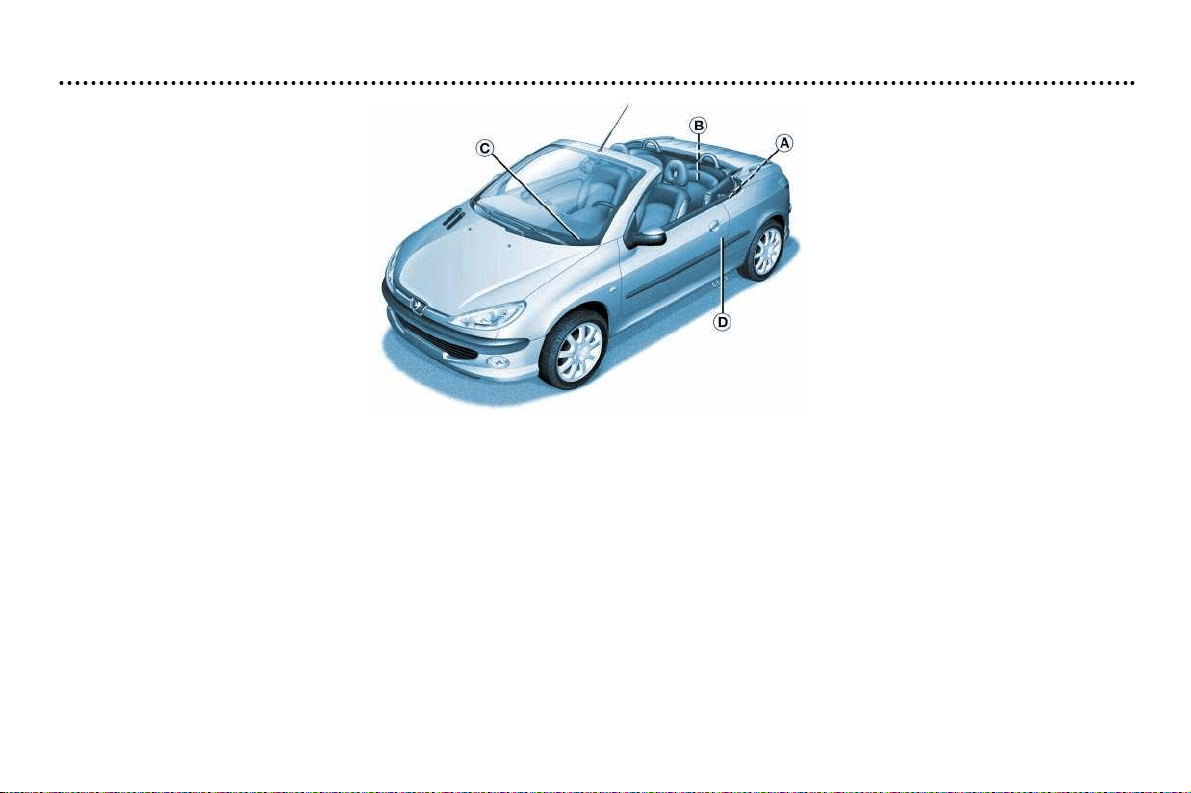
TECHNICAL DATA
119
Identification features of your 206 CC
A. Manufacturer’s plate.
B. Serial number on the bodywork.
C. Serial number on the fascia.
D. Tyres
.
The label D on the centre pillar of the driver's door, gives:
– the wheel and tyre sizes,
– the brands of tyres approved by the manufacturer,
– the tyre pressures (the tyre pressure must be checked when the tyre is cold, at least once a month),
– the paint colour reference.