Issue 03/2019 Art. No. 7001-0070
Operating Manual
Translation of the original operating manual
FED / FED-UL (E2)
Drying and heating ovens
with forced convection and enhanced timer
functions
with microprocessor temperature controller
Model Model version Art. No.
FED 400 (E2) FED400-400V 9010-0216, 9110-0216
FED 400-UL (E2) FED400UL-208V 9010-0217, 9110-0217
FED 720 (E2) FED720-400V 9010-0218, 9110-0218
FED 720-UL (E2) FED720UL-208V 9010-0219, 9110-0219
BINDER GmbH
Address: Post office box 102, 78502 Tuttlingen, Germany Phone: +49 7462 2005 0
Fax: +49 7462 2005 100 Internet: http://www.binder-world.com
E-mail: info@binder-world.com Service Hotline: +49 7462 2005 555
Service Fax: +49 7462 2005 93 555 Service E-Mail: service@binder-world.com
Service Hotline USA: +1 866 885 9794 or +1 631 224 4340 x3
Service Hotline Asia Pacific: +852 390 705 04 or +852 390 705 03
Service Hotline Russia and CIS: +7 495 988 15 16

FED (E2) 03/2019 page 2/57
Content
1. SAFETY .................................................................................................................. 4
1.1 Legal considerations ........................................................................................................................... 4
1.2 Structure of the safety instructions ...................................................................................................... 4
1.2.1 Signal word panel ........................................................................................................................... 4
1.2.2 Safety alert symbol ......................................................................................................................... 5
1.2.3 Pictograms ..................................................................................................................................... 5
1.2.4 Word message panel structure ...................................................................................................... 6
1.3 Localization / position of safety labels on the chamber ....................................................................... 6
1.4 Type plate ............................................................................................................................................ 7
1.5 General safety instructions on installing and operating the chambers ................................................ 8
1.6 Intended use ........................................................................................................................................ 9
1.7 Operating instructions ....................................................................................................................... 10
1.8 Measures to prevent accidents ......................................................................................................... 10
2. CHAMBER DESCRIPTION .................................................................................. 11
2.1 Equipment overview .......................................................................................................................... 12
3. COMPLETENESS OF DELIVERY, TRANSPORTATION, STORAGE, AND
INSTALLATION .................................................................................................... 12
3.1 Unpacking, and checking the equipment and completeness of delivery........................................... 12
3.2 Guidelines for safe lifting and transportation ..................................................................................... 13
3.3 Storage .............................................................................................................................................. 13
3.4 Location of installation and ambient conditions ................................................................................. 14
4. INSTALLATION .................................................................................................... 15
4.1 Electrical connection ......................................................................................................................... 15
4.2 Connection to a suction plant (optional) ............................................................................................ 15
5. START UP ............................................................................................................ 16
5.1 Turning on the chamber .................................................................................................................... 16
5.2 Heating operation display .................................................................................................................. 16
5.3 Air change ......................................................................................................................................... 17
6. CONTROLLER SETTING .................................................................................... 17
6.1 Display / entry of temperature and ventilation set-points (without ramp function) ............................. 17
6.2 Display / entry of temperature and ventilation set-points (with selected temperature ramp) ............ 18
6.3 Time functions: Continuous operation and Timer operation ............................................................. 19
6.3.1 Switching between Continuous operation and Timer operation ................................................... 20
6.3.2 Continuous operation ................................................................................................................... 20
6.3.3 Setting the timer values ................................................................................................................ 21
6.4 User level settings ............................................................................................................................. 22
6.4.1 Temperature unit change between degrees Celsius °C and degrees Fahrenheit °F .................. 23
6.4.2 Enter a temperature ramp ............................................................................................................ 23
6.4.3 Chamber addressing .................................................................................................................... 24
6.4.4 Selecting the timer function .......................................................................................................... 25
6.4.5 Setting the interface mode and, if appropriate, the printer interval .............................................. 26
6.5 Temperature programming example ................................................................................................. 27
6.6 General notes .................................................................................................................................... 27
7. TEMPERATURE SAFETY DEVICES ................................................................... 28
7.1 Temperature safety device class 2 (DIN 12880) ............................................................................... 28
7.2 Temperature safety device class 3.1 (DIN 12880) (option) ............................................................... 29
7.3 Disconnectable audible over-temperature alarm (option) ................................................................. 30

FED (E2) 03/2019 page 3/57
8. OPTIONS .............................................................................................................. 31
8.1 APT-COM™ 4 Multi Management Software (option) ........................................................................ 31
8.2 Data logger kit ................................................................................................................................... 31
8.3 HEPA fresh air filter (option).............................................................................................................. 31
8.4 Analog output for temperature (option) ............................................................................................. 32
9. MAINTENANCE, CLEANING, AND SERVICE ..................................................... 32
9.1 Maintenance intervals, service .......................................................................................................... 32
9.2 Cleaning and decontamination .......................................................................................................... 33
9.2.1 Cleaning ....................................................................................................................................... 33
9.2.2 Decontamination .......................................................................................................................... 35
9.3 Sending the chamber back to BINDER GmbH ................................................................................. 36
10. DISPOSAL ............................................................................................................ 36
10.1 Disposal of the transport packing ...................................................................................................... 36
10.2 Decommissioning .............................................................................................................................. 37
10.3 Disposal of the chamber in the Federal Republic of Germany .......................................................... 37
10.4 Disposal of the chamber in the member states of the EU except for the Federal Republic of
Germany ............................................................................................................................................ 38
10.5 Disposal of the chamber in non-member states of the EU ............................................................... 39
11. TROUBLESHOOTING ......................................................................................... 40
12. TECHNICAL DESCRIPTION ................................................................................ 41
12.1 Factory calibration and adjustment ................................................................................................... 41
12.2 Definition of usable volume ............................................................................................................... 41
12.3 Over current protection...................................................................................................................... 41
12.4 FED technical data ............................................................................................................................ 42
12.5 Equipment and options (extract) ....................................................................................................... 43
12.6 Accessories and spare parts (extract)............................................................................................... 45
13. CERTIFICATES AND DECLARATIONS OF CONFORMITY ............................... 46
13.1 EU Declaration of Conformity ............................................................................................................ 46
13.2 Certificate for the GS mark of conformity of the “Deutsche Gesetzliche Unfallversicherung e.V.“
(German Social Accident Insurance) DGUV ..................................................................................... 49
14. PRODUCT REGISTRATION ................................................................................ 51
15. CONTAMINATION CLEARANCE CERTIFICATE ................................................ 52
15.1 For chambers located outside the USA and Canada ........................................................................ 52
15.2 For chambers located in the USA and Canada ................................................................................. 55
FED (E2) 03/2019 page 4/57
Dear customer,
For the correct operation of the chambers, it is important that you read this operating manual completely
and carefully and observe all instructions as indicated. Failure to read, understand and follow the
instructions may result in personal injury. It can also lead to damage to the unit and/or poor equipment
performance.
1. Safety
This operating manual is part of the components of delivery. Always keep it handy for reference. The
device should only be operated by laboratory personnel especially trained for this purpose and familiar
with all precautionary measures required for working in a laboratory. Observe the national regulations on
minimum age of laboratory personnel. To avoid injuries and damage observe the safety instructions of the
operating manual.
WARNING
Failure to observe the safety instructions.
Serious injuries and chamber damage.
Observe the safety instructions in this operating manual.
Carefully read the complete operating instructions of the chamber.
1.1 Legal considerations
This operating manual is for informational purposes only. It contains information for installing, start-up,
operation and maintenance of the product. Note: the contents and the product described are subject to
change without notice.
Understanding and observing the instructions in this operating manual are prerequisites for hazard-free
use and safety during operation and maintenance. In no event shall BINDER be held liable for any
damages, direct or incidental arising out of or related to the use of this manual.
This operating manual cannot cover all conceivable applications. If you would like additional information,
or if special problems arise that are not sufficiently addressed in this manual, please ask your dealer or
contact us directly by phone at the number located on page one of this manual
Furthermore, we emphasize that the contents of this operating manual are not part of an earlier or existing
agreement, description, or legal relationship, nor do they modify such a relationship. All obligations on the
part of BINDER derive from the respective purchase contract, which also contains the entire and
exclusively valid statement of warranty administration. The statements in this manual neither augment nor
restrict the contractual warranty provisions.
1.2 Structure of the safety instructions
In this operating manual, the following safety definitions and symbols indicate dangerous situations
following the harmonization of ISO 3864-2 and ANSI Z535.6.
1.2.1 Signal word panel
Depending on the probability of serious consequences, potential dangers are identified with a signal word,
the corresponding safety color, and if appropriate, the safety alert symbol.
DANGER
Indicates an imminently hazardous situation that, if not avoided, will result in death or serious (irreversible)
injury.
FED (E2) 03/2019 page 5/57
WARNING
Indicates a potentially hazardous situation which, if not avoided, could result in death or serious
(irreversible) injury
CAUTION
Indicates a potentially hazardous situation which, if not avoided, may result in moderate or minor
(reversible) injury
CAUTION
Indicates a potentially hazardous situation which, if not avoided, may result in damage to the product
and/or its functions or of a property in its proximity.
1.2.2 Safety alert symbol
Use of the safety alert symbol indicates a risk of injury.
Observe all measures that are marked with the safety alert symbol in order to avoid death or
injury.
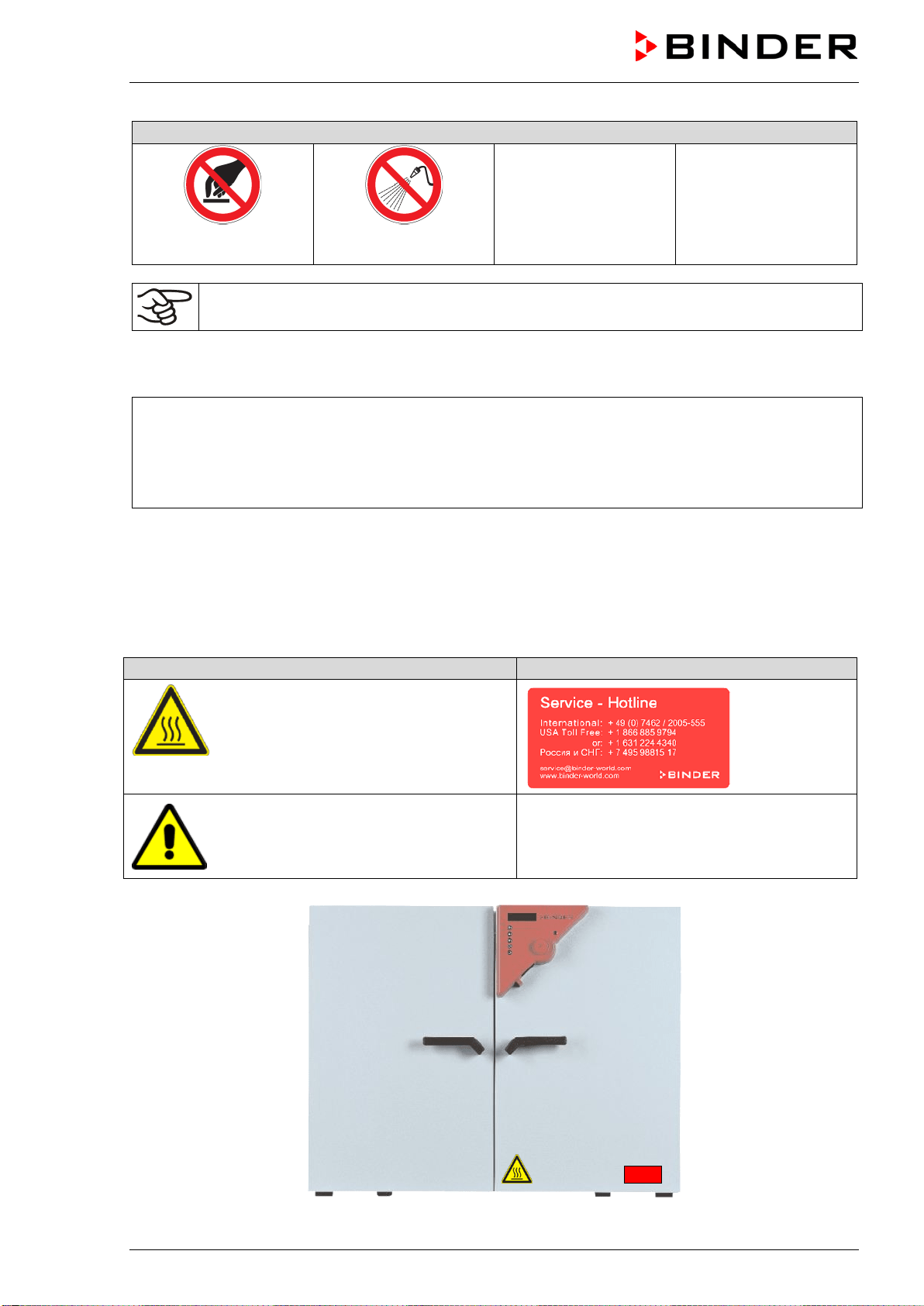
1.2.3 Pictograms
Warning signs
Electrical hazard
Hot surface
Explosive atmosphere
Stability hazard
Lifting hazard
Suffocation hazard
Harmful substances
Risk of corrosion and /
or chemical burns
Biohazard
Pollution Hazard
Mandatory action signs
Mandatory regulation
Read operating
instructions
Disconnect the power
plug
Lift with mechanical
assistance
Environment protection
Wear protective gloves
Wear safety goggles
FED (E2) 03/2019 page 6/57
Prohibition signs
Do NOT touch
Do NOT spray with
water
Information to be observed in order to ensure optimum function of the product.
1.2.4 Word message panel structure
Type / cause of hazard.
Possible consequences.
∅ Instruction how to avoid the hazard: prohibition
Instruction how to avoid the hazard: mandatory action
Observe all other notes and information not necessarily emphasized in the same way, in order to avoid
disruptions that could result in direct or indirect injury or property damage.
1.3 Localization / position of safety labels on the chamber
The following labels are located on the chamber:
Pictograms (Warning signs)
Service label
Hot surface
• Outer chamber door
• On chamber rear next to the exhaust
duct
Read operating manual
• UL chambers: on outer chamber door
Figure 1: Position of labels on the chamber front

FED (E2) 03/2019 page 7/57
Keep safety labels complete and legible.
Replace safety labels that are no longer legible. Contact BINDER Service for these replacements.
1.4 Type plate
The type plate is located on the chamber front behind the door, bottom left-hand.
Figure 2: Type plate (example: FED 400 regular chamber)
Indications of the type plate
(example)
Information
BINDER
Manufacturer: BINDER GmbH
FED 400
Model designation
Drying and heating oven
Device name
Serial No.
000000000000
Serial no. of the chamber
Built
2019
Year of construction
Nominal temperature
300 °C
572°F
Nominal temperature
IP protection
20
IP type of protection acc. to EN 60529
Temp. safety device
DIN 12880
Temperature safety device acc. to standard DIN 12880
Class
2.0
Class of temperature safety device
Art. No.
9010-0216
Art. no. of the chamber
Project No.
---
Optional: Special application acc. to project no.
3,40 kW
Nominal power
7,4 A
Nominal current
400 V / 50 Hz
Nominal voltage +/- 10%
at the indicated power frequency
400 V / 60 Hz
3 N ~
Current type
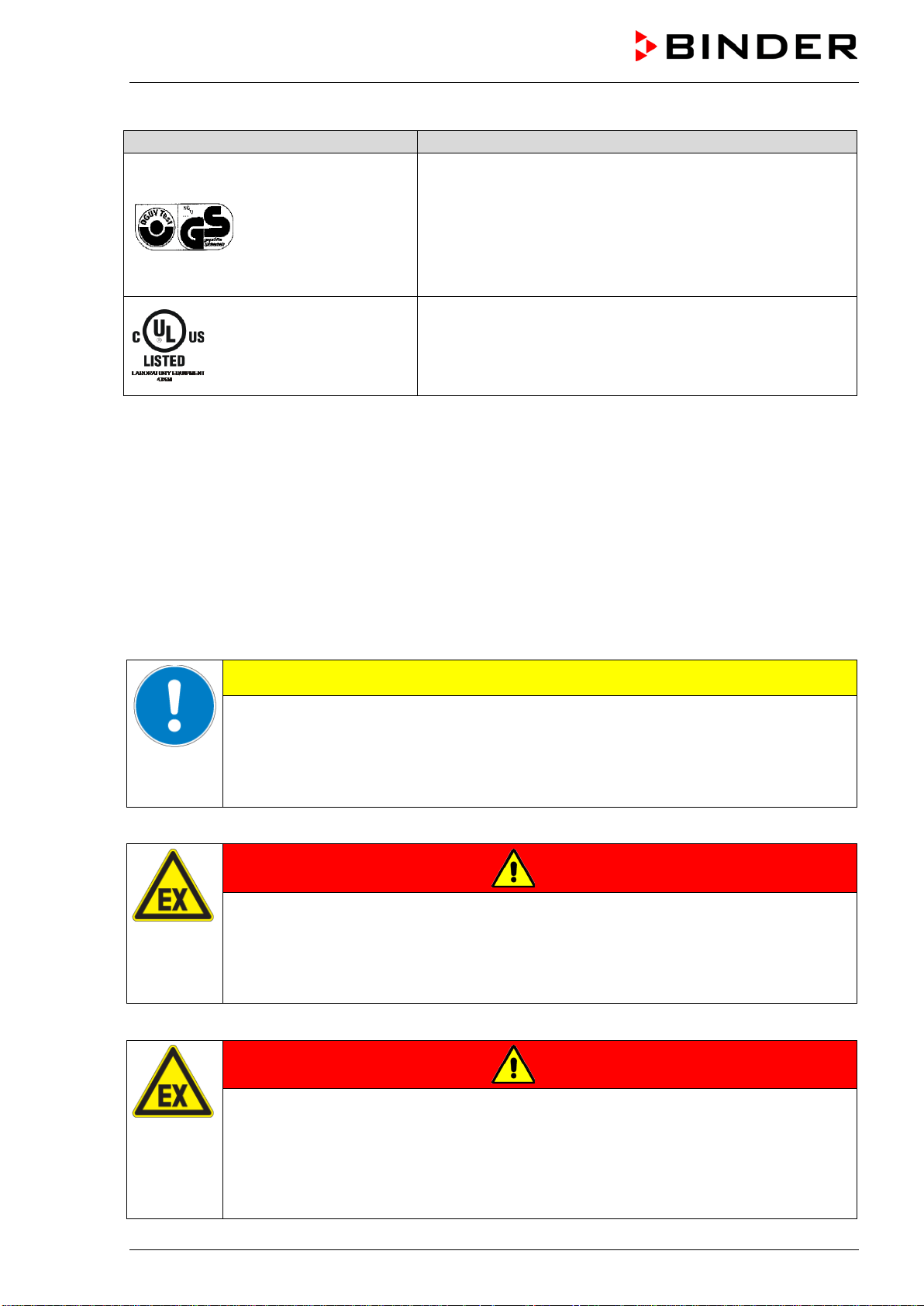
Symbol on the type plate
Information
CE conformity marking
Electrical and electronic equipment manufactured / placed on the
market in the EU after 13 August 2005 and to be disposed of in a
separate collection according to Directive 2012/19/EU on waste
electrical and electronic equipment (WEEE).
The chamber is certified according to Customs Union Technical
Regulation (CU TR) for the Eurasian Economic Union (Russia, Belarus,
Armenia, Kazakhstan Kyrgyzstan).
Nominal temp.
300 °C
3,40 kW / 7,4 A
572 °F
400 V / 50 Hz
IP protection
20
400 V / 60 Hz
Safety device
DIN 12880
3 N ~
Class
2.0
Art. No.
9010-0216
Project No.
Built
2019
Drying and heating oven
BINDER GmbH
Im Mittleren Ösch 5
78532 Tuttlingen / Germany
www.binder-world.com
FED 400
E2
Serial No. 00000000000000
Made in Germany
FED (E2) 03/2019 page 8/57
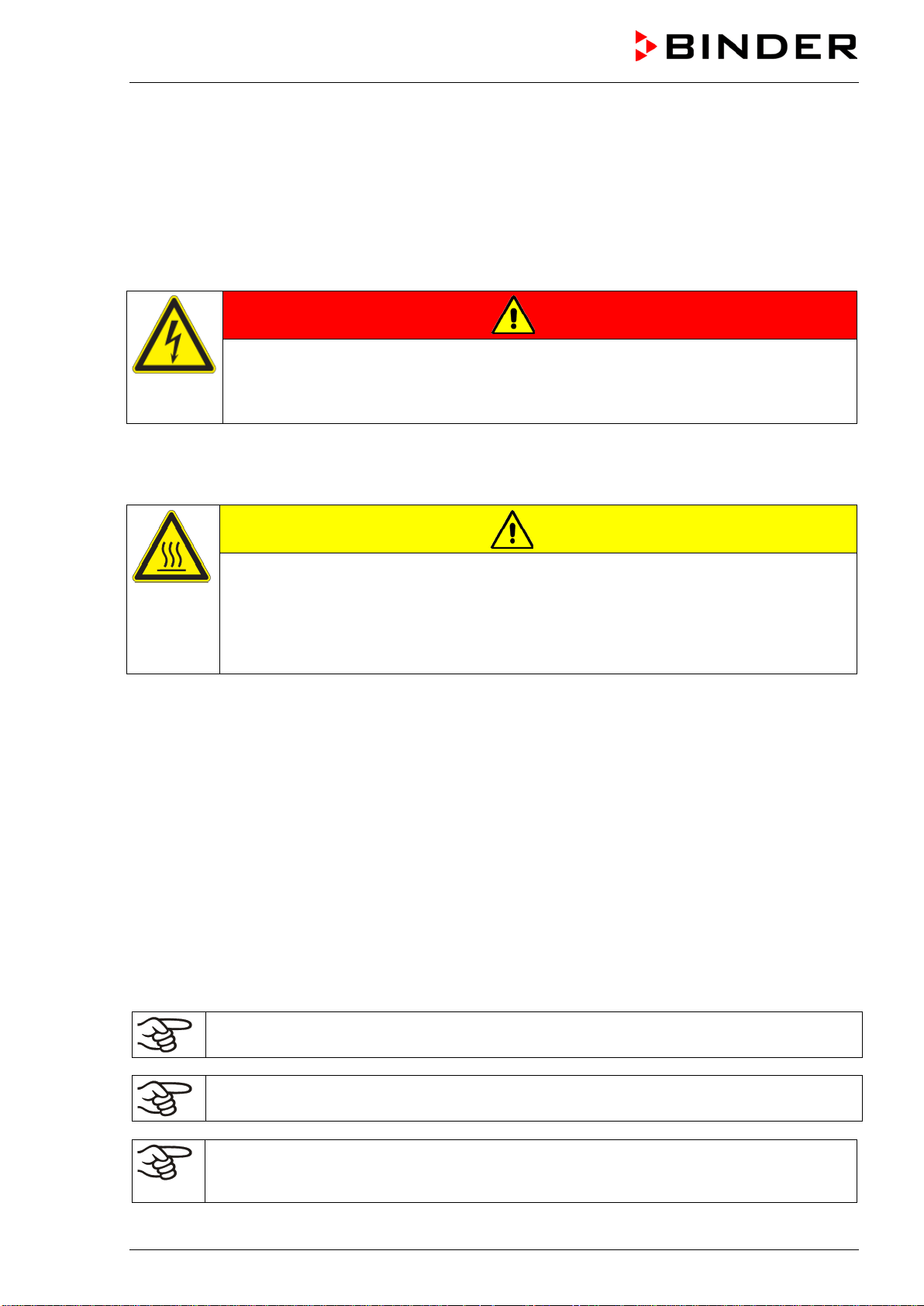
Symbol on the type plate
Information
GS mark of conformity of the “Deutsche Gesetzliche
Unfallversicherung e.V. (DGUV), Prüf- und
Zertifizierungsstelle Nahrungsmittel und Verpackung im
DGUV Test“ (German Social Accident Insurance (DGUV),
Testing and Certification Body for Foodstuffs and Packaging
Industry in DGUV Test).
(Not valid for UL chambers)
(UL chambers only)
The chamber is certified by Underwriters Laboratories Inc.
®
according to the following standards:
UL 61010A-1, 1
st
Edition, UL 61010A-2-10, 1
st
Edition
CSA C22.2 No. 1010.1-92, IEC 1010-2-10
1.5 General safety instructions on installing and operating the chambers
With regard to operating the chambers and to the installation location, please observe the DGUV
guidelines 213-850 on safe working in laboratories (formerly BGI/GUV-I 850-0, BGR/GUV-R 120 or ZH
1/119, issued by the employers’ liability insurance association) (for Germany).
BINDER GmbH is only responsible for the safety features of the chamber provided skilled electricians or
qualified personnel authorized by BINDER perform all maintenance and repair, and if components relating
to chamber safety are replaced in the event of failure with original spare parts.
To operate the chamber, use only original BINDER accessories or accessories from third-party suppliers
authorized by BINDER. The user is responsible for any risk caused by using unauthorized accessories.
CAUTION
Danger of overheating.
Damage to the chamber.
∅ Do NOT install the chamber in unventilated recesses.
Ensure sufficient ventilation for dispersal of the heat.
Do not operate the chambers in hazardous locations.
DANGER
Explosion hazard.
Danger of death.
∅ Do NOT operate the chamber in potentially explosive areas.
KEEP explosive dust or air-solvent mixtures AWAY from the chamber.
The chambers do not dispose of any measures of explosion protection.
DANGER
Explosion hazard.
Danger of death.
∅ Do NOT introduce any substance into the chamber which is combustible or explosive at
working temperature.
∅ NO explosive dust or air-solvent mixture in the inner chamber.
FED (E2) 03/2019 page 9/57
Any solvent contained in the charging material must not be explosive or inflammable. I.e., irrespective of
the solvent concentration in the steam room, NO explosive mixture with air must form. The temperature
inside the chamber must lie below the flash point or below the sublimation point of the charging material.
Familiarize yourself with the physical and chemical properties of the charging material, as well as the
contained moisture constituent and its behavior with the addition of heat energy.
Familiarize yourself with any potential health risks caused by the charging material, the contained moisture
constituent or by reaction products that may arise during the temperature process. Take adequate
measures to exclude such risks prior to putting the chamber into operation.
DANGER
Electrical hazard.
Danger of death.
∅ The chamber must NOT become wet during operation or maintenance.
The chambers were produced in accordance with the VDE regulations and were routinely tested in
accordance to VDE 0411-1 (IEC 61010-1).
During and shortly after operation, the temperature of the inner surfaces almost equals the set-point.
CAUTION
The inner chamber, the exhaust duct, the door window (option), the door gaskets,
and the access ports will become hot during operation.
Danger of burning.
∅ Do NOT touch the inner surfaces, the exhaust duct, the door window, the access ports,
the door gaskets, or the charging material during operation.
1.6 Intended use
The chambers are suitable for exact tempering of harmless materials and for drying and heat treatment of
solid or pulverized charging material, as well as bulk material, using the supply of heat. They can be used
to dry e.g. glassware, and for warm storage of liquids in containers.
A solvent content must not be explosive or flammable. A mixture of any component of the charging
material with air must NOT be explosive. The operating temperature must lie below the flash point or
below the sublimation point of the charging material. Any component of the charging material must NOT
be able to release toxic gases
Other applications are not approved.
The chambers are not classified as medical devices as defined by the Medical Device Directive
93/42/EEC.
Do NOT use the chamber for drying processes when large quantities of vapor would form and result in
condensation.
Due to the special demands of the Medical Device Directive 93/42/EEC, these chambers are
not qualified for sterilization of medical devices as defined by the directive.
Observing the instructions in this operating manual and conducting regular maintenance work
(chap. 9) is part of the intended use.
WARNING: If customer should use a BINDER chamber running in non-supervised continuous
operation, we strongly recommend in case of inclusion of irrecoverable specimen or samples
to split such specimen or samples and store them in at least two chambers, if this is feasible.
FED (E2) 03/2019 page 10/57
The charging material shall not contain any corrosive ingredients that may damage the
machine components. Such ingredients include in particular acids and halides. Any corrosive
damage caused by such ingredients is excluded from liability by BINDER GmbH.
The chambers do not dispose of any measures of explosion protection.
DANGER
Explosion or implosion hazard.
Danger of poisoning.
Danger of death.
∅ Do NOT introduce any substance combustible or explosive at working temperature into
the chamber, in particular no energy sources such as batteries or lithium-ion batteries.
∅ NO explosive dust or air-solvent mixture in the inner chamber.
∅ Do NOT introduce any substance which could lead to release of toxic gases.
In case of foreseeable use of the device there is no risk for the user through the integration of the
chamber into systems or by special environmental or operating conditions in the sense of EN 61010-
1:2010. For this, the intended use of the chamber and all its connections must be observed.
1.7 Operating instructions
Depending on the application and location of the chamber, the operator of the chamber must provide the
relevant information for safe operation of the chamber in a set of operating instructions.
Keep these operating instructions with the chamber at all times in a place where they are
clearly visible. They must be comprehensible and written in the language of the employees.
1.8 Measures to prevent accidents
The manufacturer took the following measures to prevent ignition and explosions:
• Indications on the type plate
See operating manual chap. 1.4.
• Operating manual
An operating manual is available for each chamber.
• Overtemperature monitoring
The chamber is equipped with a temperature display, which can be read from outside.
The chamber is equipped with an additional safety controller (temperature safety device class 2 acc. to
DIN 12880:2007). Visual and audible (buzzer) signals indicate temperature exceeding.
• Safety, measurement, and control equipment
The safety, measuring, and control equipment is easily accessible.
• Electrostatic charge
The interior parts are grounded.

FED (E2) 03/2019 page 11/57
• Non-ionizing radiation
Non-ionizing radiation is not intentionally produced, but released only for technical reasons by electrical
equipment (e.g. electric motors, power cables, solenoids). The machine has no permanent magnets. If
persons with active implants (e.g. pacemakers, defibrillators) keep a safe distance (distance of field
source to implant) of 30 cm, an influence of these implants can be excluded with high probability.
• Protection against touchable surfaces
Tested according to EN ISO 13732-1:2008.
• Floors
See operating manual chap. 3.4 for correct installation
• Cleaning
See operating manual chap. 9.2.
• Examinations
The chamber has been inspected by the “Deutsche Gesetzliche Unfallversicherung e.V. (DGUV)
(German Social Accident Insurance (DGUV)” (German Social Accident Insurance (DGUV), Testing
and Certification Body for Foodstuffs and Packaging Industry in DGUV Test) and bears the GS mark.
(Not valid for UL chambers)
UL chambers only: The chamber is certified by Underwriters Laboratories Inc.
®
according to the
standards UL 61010A-1, 1st Edition, UL 61010A-2-10, 1st Edition, CSA C22.2 No. 1010.1-92, IEC
1010-2-10.
2. Chamber description
BINDER drying and heating ovens FED are equipped with an electronic PID-controller with digital display.
The temperature is indicated with an accuracy of one degree.
The chambers are heated electrically and are ventilated by fan-assisted, forced-air circulation. They FED
are equipped with a temperature safety device according to DIN12880 (chap. 7).
The APT.line™ preheating chamber system guarantees high level of spatial and time-based temperature
precision, thanks to the direct and distributed air circulation into the interior. The fan supports exact
attainment and maintenance of the desired temperature accuracy.
The chambers are regularly equipped with a temperature safety device according to DIN12880:2007
(chap. 7).
The inner chamber, the pre-heating chamber and the inside of the doors are all made of stainless steel
V2A (German material no. 1.4301, US equivalent AISI 304). When operating the chamber at temperatures
above 150 °C, the impact of the oxygen in the air may cause discoloration of the metallic surfaces
(yellowish-brown or blue) by natural oxidation processes. These colorations are harmless and will in no
way impair the function or quality of the chamber. The housing is RAL 7035 powder-coated. All corners
and edges are also completely coated.
All chamber functions are easy and comfortable to use thanks to their clear arrangement. Major features
are easy cleaning of all chamber parts and avoidance of undesired contamination.
The chambers are equipped with a serial interface RS 422 for computer communication, e.g. via the APT-
COM™ 4 Multi Management Software (option, chap. 8.1). For further options, see chap. 12.5.
The model FED 720 is equipped with
four castors. Both front castors can be locked by brakes.
The chamber can be operated in a temperature range of 5 °C / 9 °F above room temperature up to 300 °C
/ 572 °F.
FED (E2) 03/2019 page 12/57
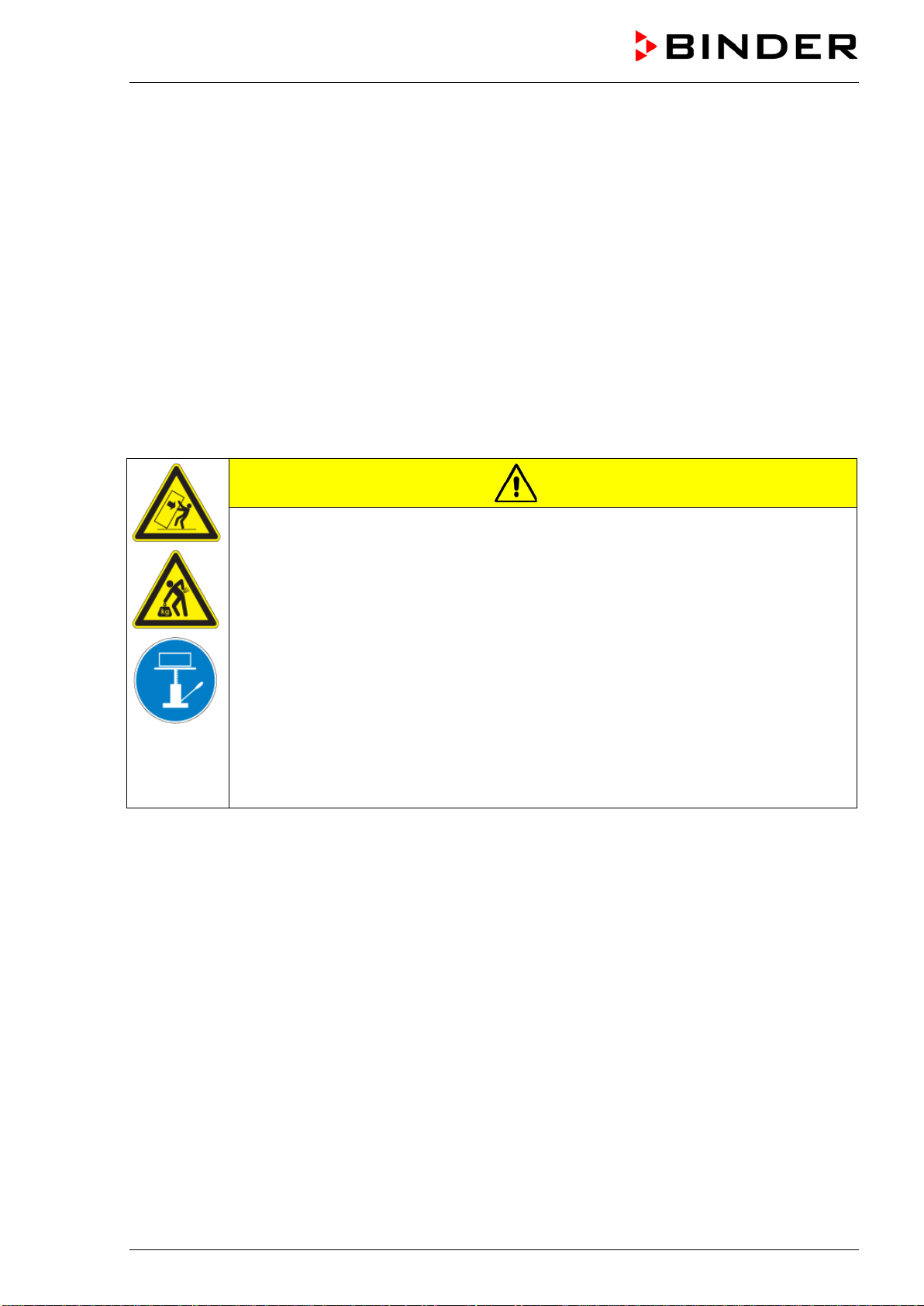
2.1 Equipment overview
(1) Display
(2) Set-point value key
(3) Selector keys
(4) Time management key
(5) Switch ON/OFF
(6) Lever for ventilation slide
(7) Safety device
(8) Door handle
(9) Switch for interior lighting (with
option interior lighting) or
Buzzer switch (with option
audible over-temperature alarm)
(10) Main power switch
Figure 3: FED drying and heating oven
3. Completeness of delivery, transportation, storage, and
installation
3.1 Unpacking, and checking the equipment and completeness of delivery
After unpacking, please check the chamber and its optional accessories, if any, based on the delivery
receipt for completeness and for transportation damage. Inform the carrier immediately if transportation
damage has occurred.
The final tests of the manufacturer may have caused traces of the racks on the inner surfaces. This has
no impact on the function and performance of the chamber.
Please remove any transportation protection devices and adhesives in/on the chamber and on the doors
and take out the operating manuals and accessory equipment.
CAUTION
Sliding or tilting the chamber.
Damage to the chamber.
Risk of injury by lifting heavy loads.
∅ Do NOT lift or transport the chamber using the door handle or the door.
∅ Do NOT lift chambers by hand
Lift chambers from the pallet using technical devices (fork lifter). Set the fork lifter only
from the rear in the middle of the chamber. Make sure to place all the lateral supports
of the chamber on the forks.
(6)
(9)
(7)
(8)
(10)
(1)
(2)
(3)
(4)
(5)
FED (E2) 03/2019 page 13/57
If you need to return the chamber, please use the original packing and observe the guidelines for safe
lifting and transportation (chap. 3.2).
For disposal of the transport packing, see chap. 10.1.
Note on second-hand chambers (Ex-Demo chambers):
Second-hand chambers have been used for a short time for tests or exhibitions. They are thoroughly
tested before resale. BINDER ensures that the chamber is technically sound and will work flawlessly.
Second-hand chambers are marked with a sticker on the chamber door. Please remove the sticker before
commissioning the chamber.
3.2 Guidelines for safe lifting and transportation
The front castors of chambers size 720 can be blocked by brakes. Please move the chambers with
castors only when empty and on an even surface, otherwise the castors may be damaged. After operation
please observe the guidelines for temporarily decommissioning the chamber (chap. 10.2).
CAUTION
Sliding or tilting the chamber.
Damage to the chamber.
Risk of injury by lifting heavy loads.
Transport the chamber only in its original packaging.
Secure the chamber with transport straps for transport.
∅ Do NOT lift or transport the chamber using the door handle or the door.
∅ Do NOT lift chambers by hand.
Place chambers using technical devices (fork lifter) on the transport pallet. Set the fork
lifter only from the rear in the middle of the chamber. Make sure to place all the lateral
supports of the chamber on the forks.
Transport chambers ONLY with the original transport pallet. Set the fork lifter only to
the pallet. Without the pallet the chamber is in imminent danger of overturning!!
• Permissible ambient temperature range during transport: -10 °C to +60 °C.
You can order transport packing and pallets for transportation purposes from BINDER Service.
3.3 Storage
Intermediate storage of the chamber is possible in a closed and dry room. Observe the guidelines for
temporary decommissioning (chap. 10.2).
• Permissible ambient temperature range during storage: -10 °C to +60 °C.
• Permissible ambient humidity: max. 70 % r.H., non-condensing
When after storage in a cold location you transfer the chamber to its warmer installation site,
condensation may form. Before start-up, wait at least one hour until the chamber has attained ambient
temperature and is completely dry.

FED (E2) 03/2019 page 14/57
3.4 Location of installation and ambient conditions
Set up the chamber on an even and non-flammable surface, free from vibration and in a well-ventilated,
dry location and align it using a spirit level. The site of installation must be capable of supporting the
chamber’s weight (see technical data, chap. 12.4). The chambers are designed for setting up inside a
building (indoor use).
CAUTION
Danger of overheating.
Damage to the chamber.
∅ Do NOT set up the chamber in non-ventilated recesses.
Ensure sufficient ventilation for dispersal of the heat.
• Permissible ambient temperature range during operation: +18 °C up to +40 °C. At elevated ambient
temperature values, fluctuations in temperature can occur.
The ambient temperature should not be substantially higher than the indicated ambient
temperature of +25 °C to which the specified technical data relate. For other ambient
conditions, deviations from the indicated data are possible.
• Permissible ambient humidity: 70 % r.H. max., non-condensing.
• Installation height: max. 3000 m / 9842 ft. above sea level.
When placing several chambers of the same size side by side, maintain a minimum distance of 250 mm
between each chamber. Wall distances: rear 100 mm, sides 160 mm. Spacing above the chamber of at
least 100 mm must also be accounted for.
To completely separate the chamber from the power supply, you must disconnect the power plug. Install
the chamber in a way that the power plug is easily accessible and can be easily pulled in case of danger.
For the user there is no risk of temporary overvoltages in the sense of EN 61010-1:2010.
Do not install or operate the chamber in potentially explosive areas.
DANGER
Explosion hazard.
Danger of death.
∅ Do NOT operate the chamber in potentially explosive areas.
KEEP explosive dust or air-solvent mixtures AWAY from the vicinity of the chamber.
FED (E2) 03/2019 page 15/57
4. Installation
4.1 Electrical connection
The chambers are supplied ready for connection. They come with a fixed power connection cable of at
least 1800 mm / 70.87 in in length.
Model Power plug
Nominal voltage
±
10% at the
indicated power frequency
Current type
FED 400
FED 720
CEE plug 5-polig
400 V at 50 Hz
400 V at 60 Hz
3N~
FED 400-UL
FED 720-UL
NEMA L21-20P 208 V at 60 Hz 3N~
• The domestic socket must also provide a protective conductor. Make sure that the connection of the
protective conductor of the domestic installations to the chamber’s protective conductor meets the
latest technology. The protective conductors of the socket and plug must be compatible!
• Prior to connection and start-up, check the power supply voltage. Compare the values to the specified
data located on the chamber‘s type plate (chamber front behind the door, bottom left-hand, chap. 1.4).
• When connecting, please observe the regulations specified by the local electricity supply company and
as well as the VDE directives (for Germany). We recommend the use of a residual current circuit
breaker.
• Pollution degree (acc. to IEC 61010-1): 2
• Over-voltage category (acc. to IEC 61010-1): II
CAUTION
Danger of incorrect power supply voltage.
Damage to the equipment.
Check the power supply voltage before connection and start-up.
Compare the power supply voltage with the data indicated on the type plate.
See also electrical data (chap.12.4).
To completely separate the chamber from the power supply, you must disconnect the power
plug. Install the chamber in a way that the power plug is easily accessible and can be easily
pulled in case of danger.
4.2 Connection to a suction plant (optional)
When directly connecting a suction plant the spatial temperature exactitude, the heating-up and the
recovering times and the maximum temperature will be negatively influenced. So no suction plant should
be directly connected to the exhaust duct.
Active suction from the chamber must only be performed together with extraneous air.
Perforate the connecting piece to the suction device or place an exhaust funnel at some
distance to the exhaust duct.

FED (E2) 03/2019 page 16/57
CAUTION
The exhaust duct will become hot during operation.
Danger of burning.
∅ Do NOT touch the exhaust duct during operation.
5. Start up
5.1 Turning on the chamber
Warming chambers may release odors in the first few days after commissioning. This is not a
quality defect. To reduce odors quickly we recommend heating up the chamber to its nominal
temperature for one day and in a well-ventilated location.
1. Insert the power plug into a suitable socket (chap. 4.1).
2. Turn on chambers at the main power switch (10)
The green “Standby“ LED illuminates.
3. Press
until the display lights up.
The controller is now in normal display (actual value display).
If the chamber is operating (time functions “Continuous operation”, or
“Timer operation” with the set time just running down chap. 6.3), the actual
temperature value (example: 22 °C) is displayed
If the chamber is in time function “Timer operation” with no time programmed or the set time run-off (chap.
6.3), the chamber is inactive (no heating). The display alternately shows the actual temperature value
(example: 22 °C) and “tOff”:
Adjust the temperature safety device following any changes of the set-point (chap. 7).
5.2 Heating operation display
The heating is active as soon as the red heating control light in the
bottom right corner of the display slowly begins to flash depending on the
heat requirement (example: 70 °C):
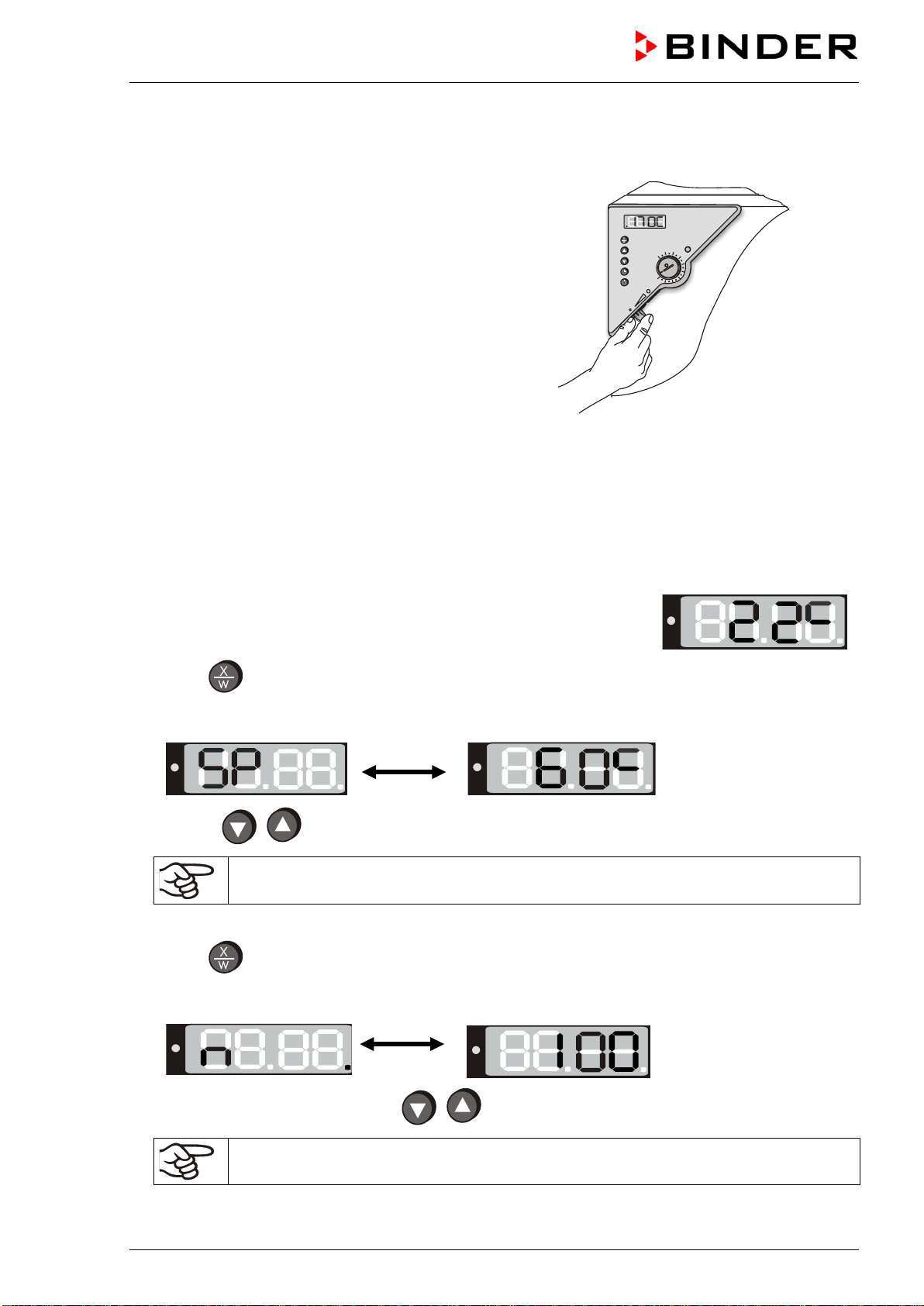
FED (E2) 03/2019 page 17/57
5.3 Air change
Opening the air flap in the exhaust duct serves to adjust the
air change.
Without connecting a suction plant:
• If the air flap is open and the fan is operating, fresh air
comes in via aeration gaps.
• If the air flap is completely open, the spatial temperature
accuracy can be negatively influenced.
Figure 4: Adjusting the air flap
6. Controller setting
6.1 Display / entry of temperature and ventilation set-points (without ramp
function)
The chamber is operating, the controller is in normal display (actual value
display). The actual temperature value (example: 22 °C) is displayed:
1. Press
button
The display shows alternately “SP” and the previous temperature set-point (example: 60 °C):
2. With the
buttons enter a set-point value between 0 and 300.
The desired temperature set-point can be selected in a temperature range from 5 °C
above room temperature up to 300 °C.
Wait 2 seconds until the entered temperature value is taken over (display flashing once).
3. Press
button to proceed to the fan speed entry.
The display shows alternately “n” and the previous fan speed set-point (example: 100%):
4. Set the desired fan speed with the
buttons.
The fan speed can be set to a value between 0% and 100%.
Wait 2 seconds until the entered value is taken over (display flashing once).

FED (E2) 03/2019 page 18/57
5. Press
button to return to normal display (actual value display) (automatically after approx. 30
seconds).
Adjust the temperature safety device following any changes of the set-point (chap. 7).
6.2 Display / entry of temperature and ventilation set-points (with selected
temperature ramp)
If previously a temperature ramp value has been selected (chap. 6.4.2):
Press button
in normal display / actual value display during ramp operation to have displayed the
actual temperature ramp set-point changing according to the selected gradient in addition to the entered
final set-points for temperature and fan speed.
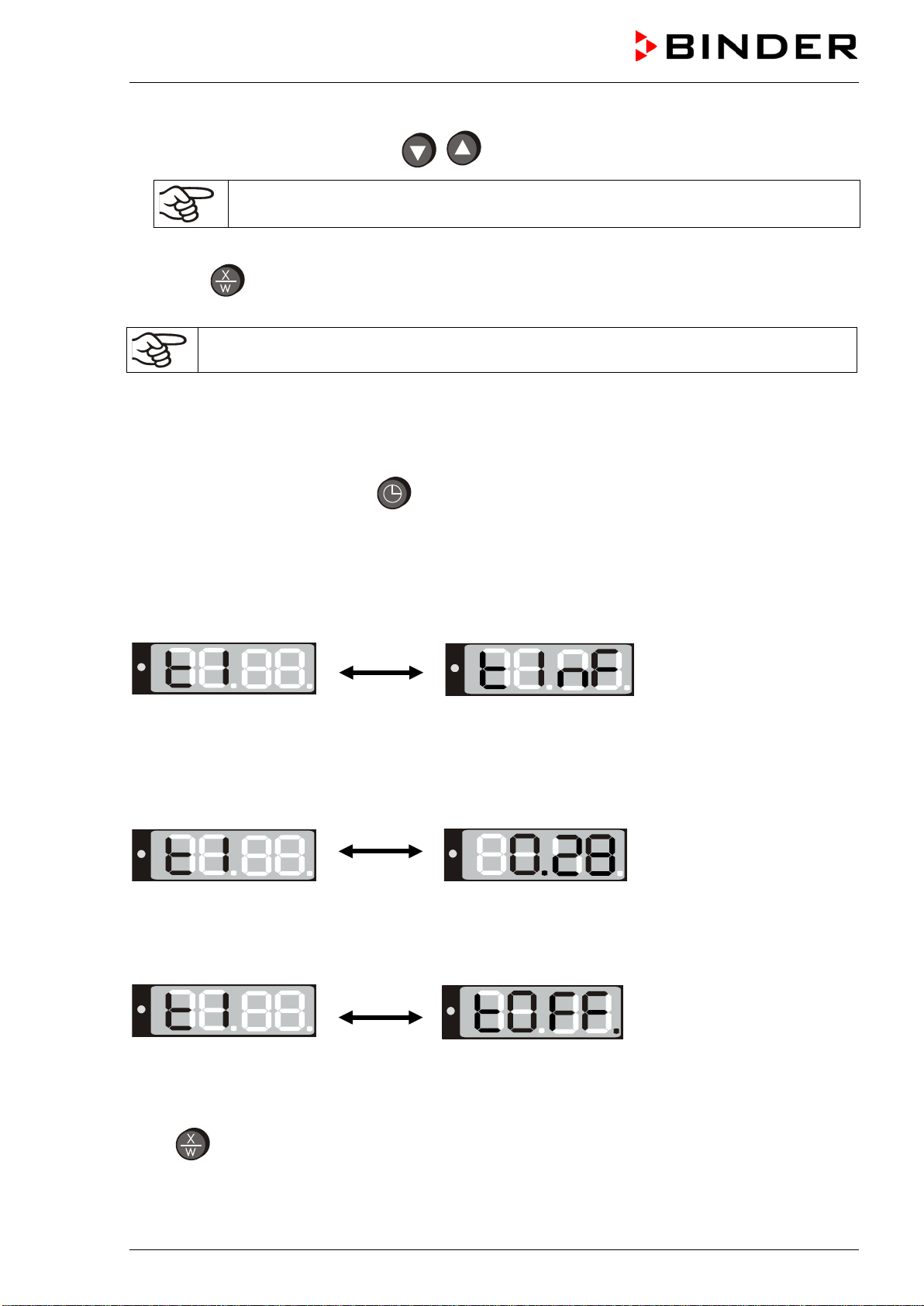
The chamber is operating, the controller is in normal display (actual value
display). The actual temperature value (example: 22 °C) is displayed:
1. Press
button
The display shows alternately “SPr” and the actual temperature ramp set-point changing according
to the selected gradient (example: 42 °C):
This ramp set-point is only displayed, not adjustable.
2. Press
button
The display shows alternately “SP” and the previous temperature set-point (example: 60 °C):
3. With the
buttons enter a set-point value between 0 and 300.
The desired temperature set-point can be selected in a temperature range from 5 °C
above room temperature up to 300 °C.
Wait 2 seconds until the entered temperature value is taken over (display flashing once).
4. Press
button to proceed to the fan speed entry.
The display shows alternately “n” and the previous fan speed set-point (example: 100%):
FED (E2) 03/2019 page 19/57
5. Set the desired fan speed with the
buttons
The fan speed can be set to a value between 0% and 100%.
Wait 2 seconds until the entered value is taken over (display flashing once).
6. Press
button to return to normal display / actual value display (automatically after approx. 30
seconds).
Adjust the temperature safety device following any changes of the set-point (chap. 7).
6.3 Time functions: Continuous operation and Timer operation
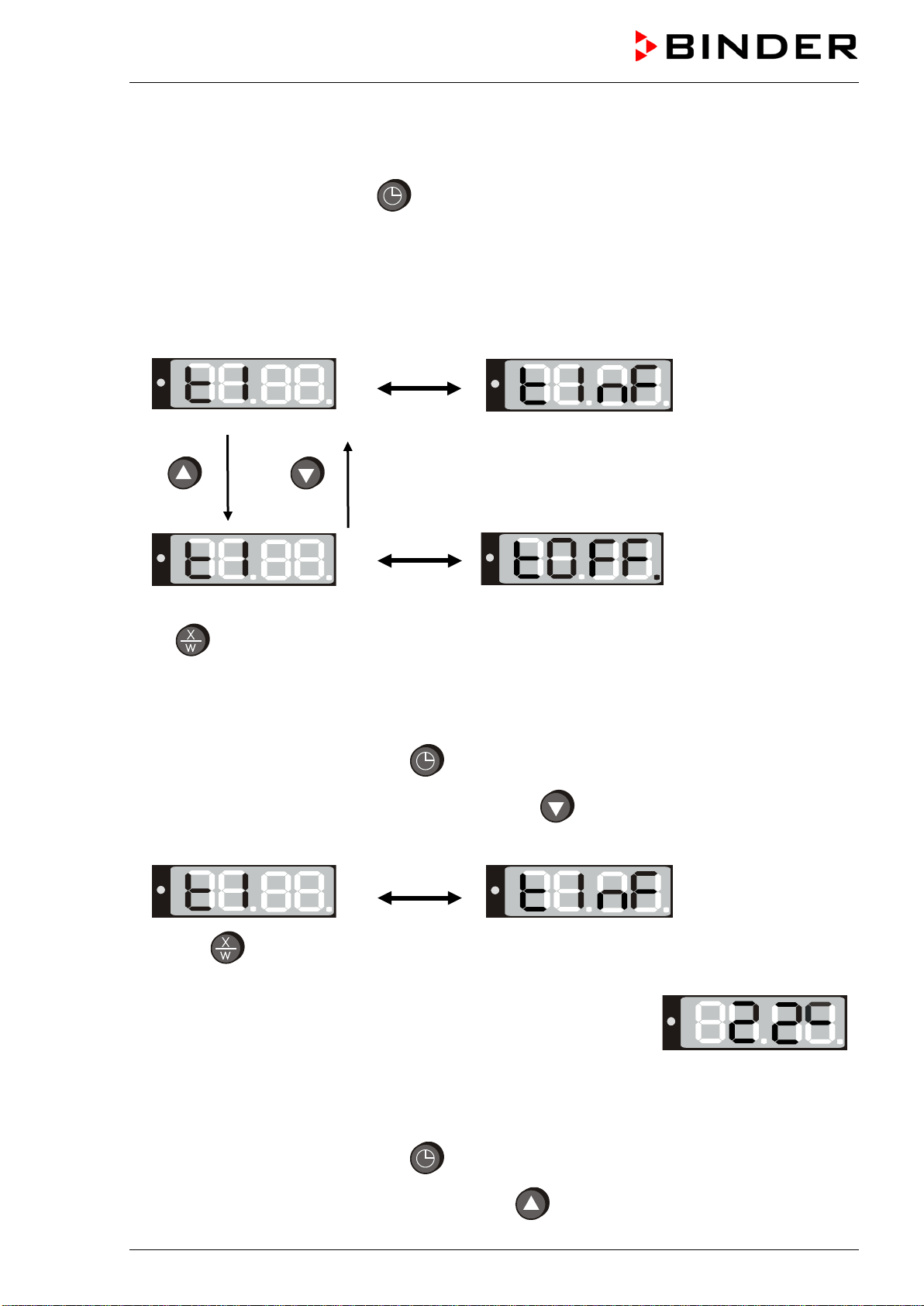
Press the time management button .
The timer indicates its current time function. There are two possible time functions:
Continuous operation
The display shows alternately “t1” (time function) and the time function “Continuous operation” “t inf”:
The heating is permanently active, independent of the timer setting.
Timer operation
The display shows alternately “t1” (time function) and the running-down time or “tOff”:
or
Remaining time (example: 28 Min.) –
Timer running
down
Heating activity depending on the entered time value and
the timer function selected in the user menu (chap.6.4.4)
Timer not programmed or run-down “t off”
If the timer has run-down, the chamber’s behavior depends
on the pre-selected timer function (chap. 6.4.4).
Press
button to return to normal display (actual value display) (automatically after approx. 30
seconds).
FED (E2) 03/2019 page 20/57
6.3.1 Switching between Continuous operation and Timer operation
Press the time management button .
The controller displays the actual time function. In time function “Continuous operation”, “t1” and “t inf” are
displayed alternately. In time function “Timer operation”, “t1” is displayed alternately with the running-down
time or “tOff”.
If in time function “Timer operation” the Timer is just running off (“t1”displayed alternately with the running-
down time) the timer must at first be set to Zero (chap. 6.3.3). Now “t1” is displayed alternately with “tOff”,
and the controller can be changed to time function “Continuous operation”.
Continuous operation
2 seconds
2 seconds
Timer operation
Timer not programmed or run-down
Press
button to return to normal display / actual value display (automatically after approx. 30 sec).
6.3.2 Continuous operation
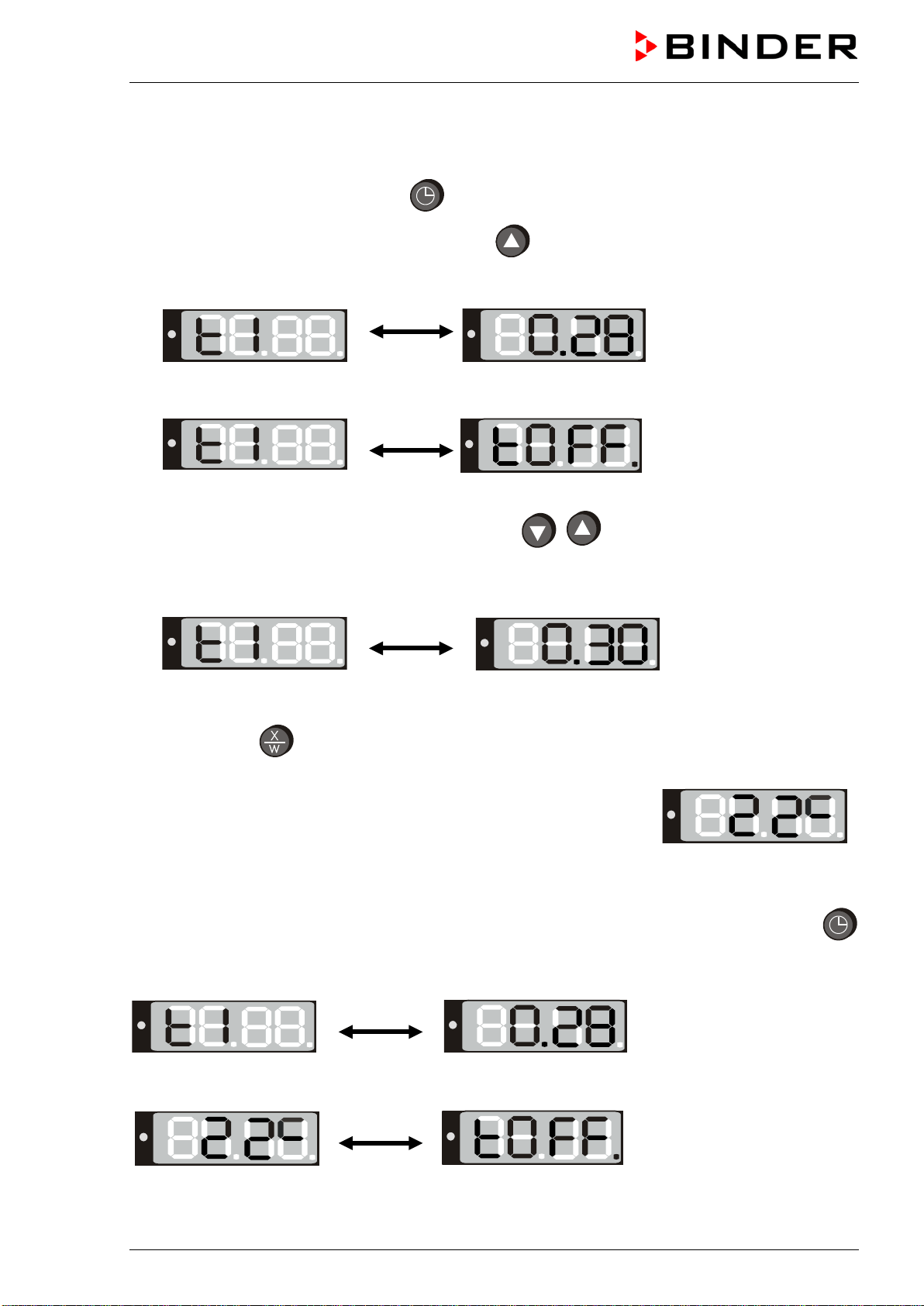
1. Press the time management button .The timer indicates its current time function.
2. If necessary, switch to Continuous operation by button .
The display shows alternately “t1” and the time function “Continuous operation” “t inf”:
3. Press
button to return to normal display (actual value display) (automatically after approx. 30
seconds).
The actual temperature value (example: 22 °C) is displayed:
Now the controller operates with the entered set-points (chap. 6.1) in continuous operation. The heating is
permanently active, independent of the timer setting.
To cancel Continuous operation, proceed accordingly:
1. Press the time management button
.
2. Switch to Timer operation by pressing down button for 2 seconds (chap. 6.3.1).
FED (E2) 03/2019 page 21/57
6.3.3 Setting the timer values
1. Press the time management button . The controller indicates its current time function.
2. If necessary, switch to timer operation by button .
The display alternately shows”t1” and the running-down time or “tOff”:
or
Remaining time (example: 28 minutes) – Timer
running down
Timer not programmed or run-off “t off”
3. Set the desired time [hh.mm] with the arrow buttons
.
The set value is automatically adopted after 2 seconds.
The display alternately shows “t1” and the set time now running down.
The time directly begins to run off after taking-over of the entered value. The use of this time depends
on the timer function selected in the user menu (chap. 6.4.4).
4. Press button
to return to normal display (actual value display) (automatically after approx. 30
seconds).
The actual temperature value is displayed (example: 22 °C):
The controller operates with the entered set-points (chap. 6.1) until run-down of the set time. Heating
activity depending on the entered time value and the timer function selected in the user menu (chap.6.4.4)
To know the remaining timer time or, if appropriate, to modify it, press the time management button
in normal display (actual value display).
The display alternately shows “t1” and running-down time:
After the set time has run down the display alternately shows the actual temperature value (example: 22
°C) and “tOff”:
Now the heating is inactive. The fan continues operating.
FED (E2) 03/2019 page 22/57
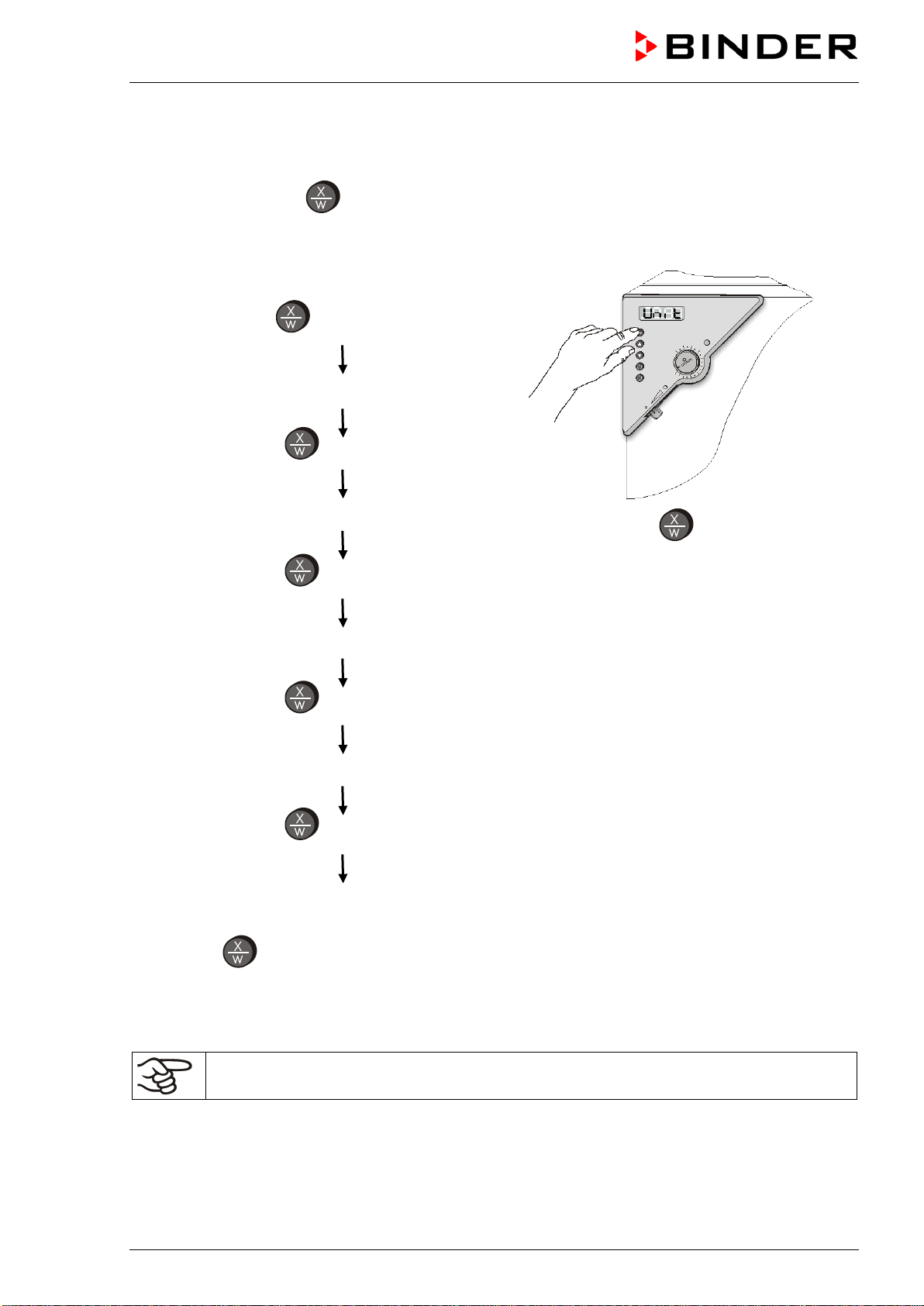
6.4 User level settings
By pressing down button in normal display (actual value display) for 5 sec, you enter the user menu.
Settings in this menu affect controller operation.
User level overview:
Press down button
for approx. 5 seconds
Select the temperature unit (chap. 6.4.1)
Press
button
Ramp function (chap. 6.4.2)
Press
button
Setting the chamber address (chap. 6.4.3)
Press
button
Timer function (chap. 6.4.4)
Press
button
Setting the interface mode and, if appropriate,
the printer interval (chap. 6.4.5)
Figure 5: Press down
button for approx. 5
seconds
Press button
to return to normal display with display of the temperature set-point. Or:
After approx. 30 seconds the controller automatically returns to normal display / actual value display.
All settings can be carried out independently (as described in the individual sections) or one after the other
during one single process.
The defined parameters are not deleted when the main power switch is turned off or in case
of power failure.

FED (E2) 03/2019 page 23/57
6.4.1 Temperature unit change between degrees Celsius °C and degrees Fahrenheit °F
If required, the temperature display can be changed as follows:
1. Press down
button for approx. 5 seconds.
The display alternately shows “unit” and the actual setting of the temperature unit:
2. Use the
buttons to set the required unit.
3. The set unit is automatically adopted after 2 seconds.
C = degrees Celsius
F= degrees Fahrenheit
0 °C = 31°F
100 °C = 212°F
Conversion:
[Value in °F] = [Value in °C] ∗ 1,8 + 32
When specifying the set point ramp (see chap. 6.4.2) this setting is accordingly taken as the basis.
If the unit is changed, the temperature set-point and limits are converted accordingly.
6.4.2 Enter a temperature ramp
Temperature ramps can be programmed in order to extend heating up times. This may be necessary in
some cases, in order to prevent temperature stresses in the material during the heating up phase.
Temperature ramps should only be used if required. The use of temperature ramps may result in the
heating up times being considerably slowed down.
The entry in °C/min or in °F/min meaning the nominal value gradient and limits the maximum temperature
increase to this value. Due to the heat and evaporation energy assumed by the drying material, smaller
temperature gradients may also result.
A temperature ramp proceeds from the previously entered to a new set-point. The temperature must have
adjusted to the start set-point. Enter settings in 3 steps:
1. Enter set-point of ramp start temperature. Let temperature adjust to this set-point temperature.
2. Set the ramp to the desired gradient in °C/min or in °F/min.
You can enter a gradient value from 0 up to 10.
Setting the gradient to 0 means ramp function off = maximum heating power.
Setting the gradient to another value, e.g., 3, means the chamber will try to heat up with a speed of 3
°C/min.
A heat-up rate of 4 °C/minute can be regarded as a realistic maximum.
3. Enter set-point (final ramp temperature).
The ramp should only be set if required. The setting “0” means ramp function switched off. The chamber
is being heated at maximum heat output.
FED (E2) 03/2019 page 24/57
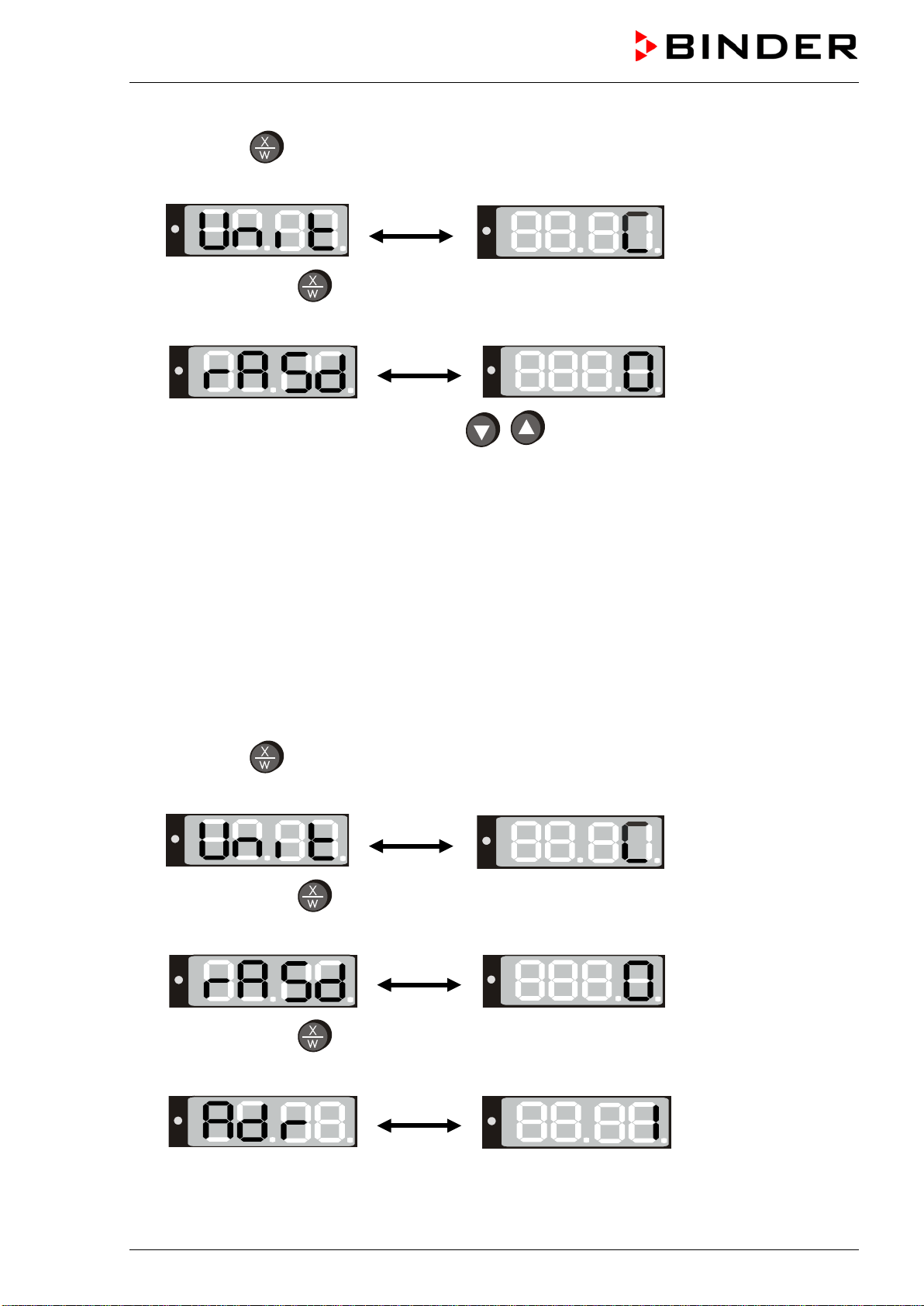
1. Press down
button for approx. 5 seconds.
The display alternately shows “unit” and the temperature unit:
2. Press again button
.
The display alternately shows “rASd” and the actual setting of the set-point gradient:
3. Set the desired ramp gradient with buttons
(set-point gradient in °F or °C acc. to setting
in chap. 6.4.1).
The set value is automatically adopted after 2 seconds.
During ramp operation the actual set-point (SPr) continually rises in accordance to the entered gradient
from the previously entered set-point to the new one (SP). The actual value follows the set-point value.
About set-point display during ramp operation see chap. 6.2.
6.4.3 Chamber addressing
If several chambers are networked with a PC via the APT-COM™ 4 Multi Management Software (option,
chap. 8.1), each chamber must be allocated a unique address. Addressing takes place on the chamber
controller as follows:
1. Press down
button for approx. 5 seconds.
The display alternately shows “unit” and the temperature unit:
2. Press again button
.
The display alternately shows “rASd” and the set-point gradient:
3. Press again button
.
The display alternately shows “Adr” and the actual setting of the chamber address:

FED (E2) 03/2019 page 25/57
4. Set the required address with buttons
.
You can enter address values between 1 and 30.
The set value is automatically adopted after 2 seconds.
6.4.4 Selecting the timer function
The controller provides three different timer functions:
• Delayed off (setting “0”)
After the defined time has elapsed, the heating is turned off.
• Temperature-controlled delayed off (setting “1”)
The defined time only begins to run when the current value is by 1 °C below the set point. After the
defined time has expired, the heating is turned off.
• Delayed on (setting “2”)
After the time set has passed, the heating is turned on and remain in continuous operation.
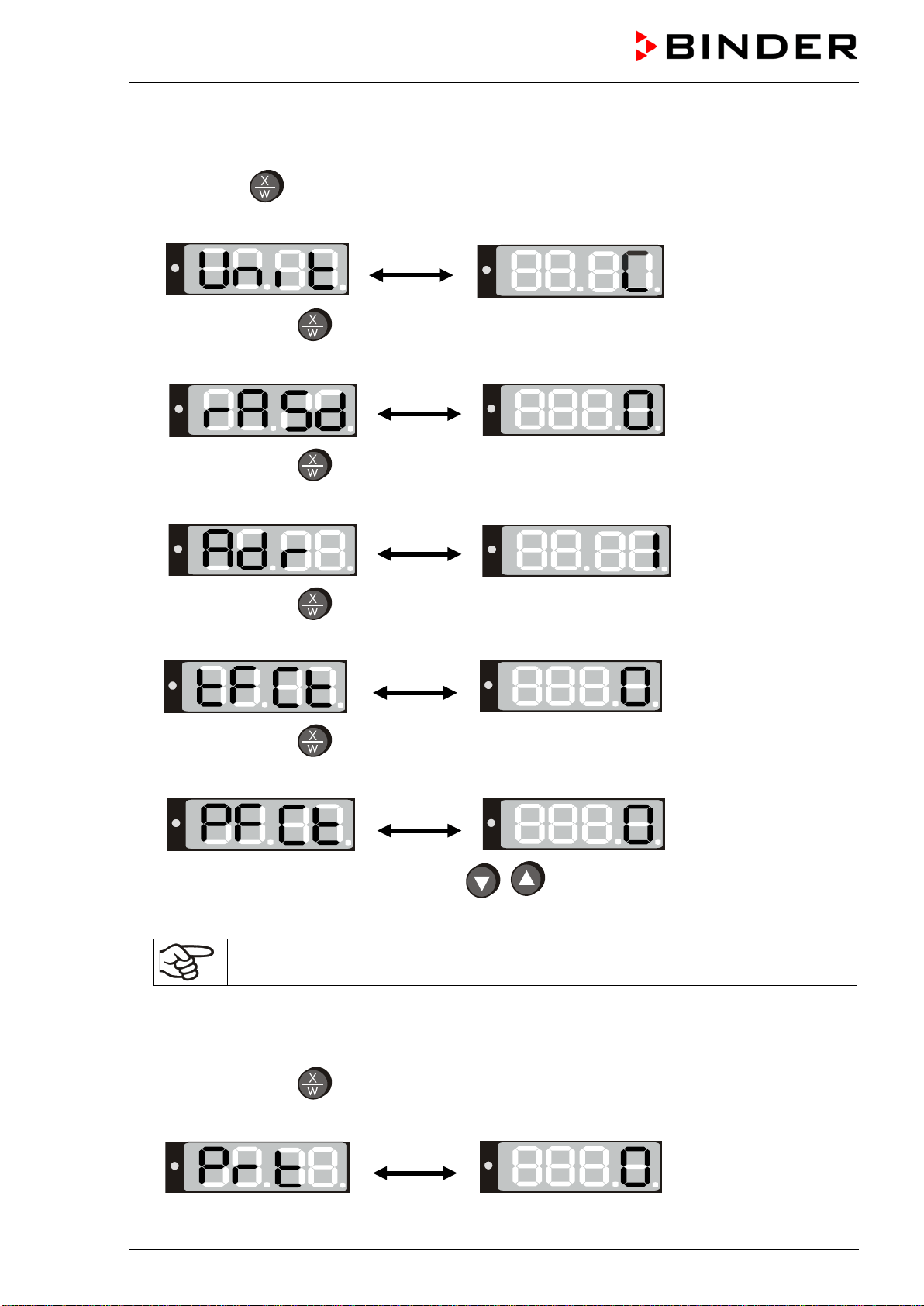
1. Press down
button for approx. 5 seconds.
The display alternately shows “unit” and the temperature unit:
2. Press again button
.
The display alternately shows “rASd” and the set-point gradient:
3. Press again button
.
The display alternately shows “Adr” and the chamber address:
4. Press again button
The display alternately shows “tFCt” and the actual setting of the timer function:
5. Set the desired timer function 0, 1 or 2 with buttons
.
The set value is automatically adopted after 2 seconds.
FED (E2) 03/2019 page 26/57
6.4.5 Setting the interface mode and, if appropriate, the printer interval
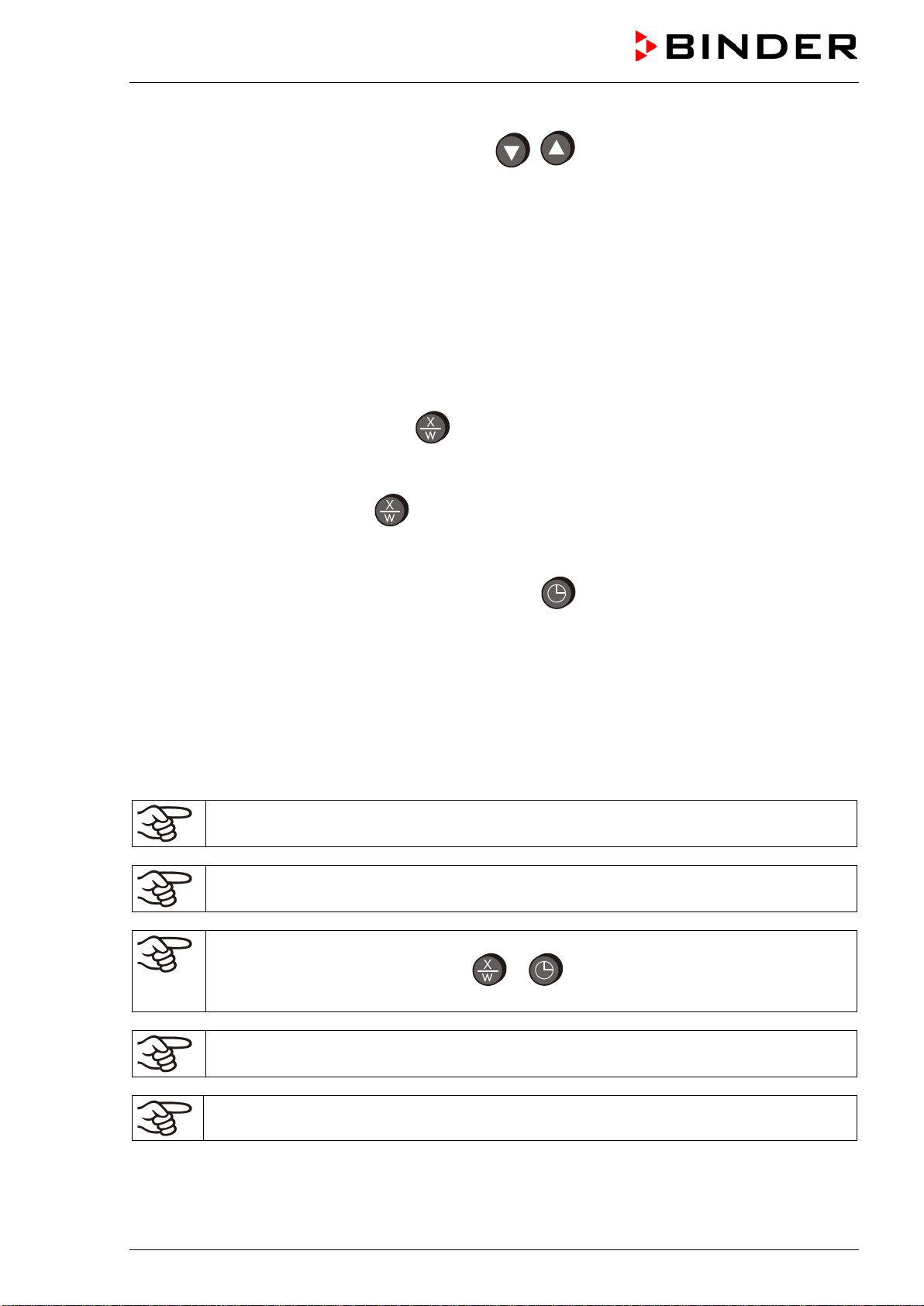
1. Press down button for approx. 5 seconds.
The display alternately shows “unit” and the temperature unit:
2. Press again button
.
The display alternately shows “rASd” and the set-point gradient:
3. Press again button
.
The display alternately shows “Adr” and the chamber address:
4. Press again button
The display alternately shows “tFCt” and the timer function:
5. Press again button
The display alternately shows “PFCt” and the actual setting of the interface mode:
6. Set the desired interface mode with buttons
.
Settings: Modbus = “0” printer = “1”
In case of temperature data acquisition by the APT-COM™ 4 Multi Management Software
(option, chap. 8.1) interface mode ”0” (Modbus) must be selected.
The setting is automatically adopted after 2 seconds.
If interface mode “1” (printer) has been selected, the printer interval for the automatic output can be set in
an additional menu step:
7. Press again button
The display alternately shows “Prt” and in the entry level the actual setting of the printer interval:
FED (E2) 03/2019 page 27/57
8. Set the desired value from 0 to 255 with buttons
.
The printer intervals via the RS 422 interface can be set between 1 and 255 min. Setting “0”
signifies the printer interval set to off.
A protocol printer records the temperature data in the set interval.
The set value is automatically adopted after 2 seconds.
6.5 Temperature programming example
The chamber shall heat up to a temperature of 50 °C, maintain this temperature for three hours and then
turn off.
1. In normal display press down button
for 5 sec and then several times until “tFCt” is displayed
• Select timer function “1” = “temperature-dependent delayed off“ (chap. 6.4.4)
2. In normal display press button
.
• Enter the set point “50” (chap. 6.1)
3. In
normal display press the time management button . The controller displays the actual time
function.
• If necessary select the time function “Timer operation” (chap. 6.3.1)
• In the entry level enter the desired time “3.00” (chap. 6.3.3)
6.6 General notes
Approx. 30 sec. after the last entry the controller returns to normal display (actual value
display).
The functions set-point entry (chap. 6.1), time functions (chap. 6.3), and calling up the user
menu (chap. 6.4) can only be selected from normal display (actual value display).
When selecting the functions set-point entry and time functions, and when selecting the user
menu functions, the respective button
or must be pressed down for a about 1 sec.
Shorter pressing will be ignored by the controller.
After a power failure, the timer returns to the previous status. A remaining time, if any, will
continue running down.
Adjust the temperature safety device following any changes of the set-point (chap. 7).
FED (E2) 03/2019 page 28/57
7. Temperature safety devices
7.1 Temperature safety device class 2 (DIN 12880)
The temperature safety device class 2 protects the chamber, its environment and the charging material
from exceeding the maximum permissible temperature.
Please observe the DGUV guidelines 213-850 on safe working in laboratories (formerly BGI/GUV-I 850-0,
BGR/GUV-R 120 or ZH 1/119, issued by the employers’ liability insurance association) (for Germany).
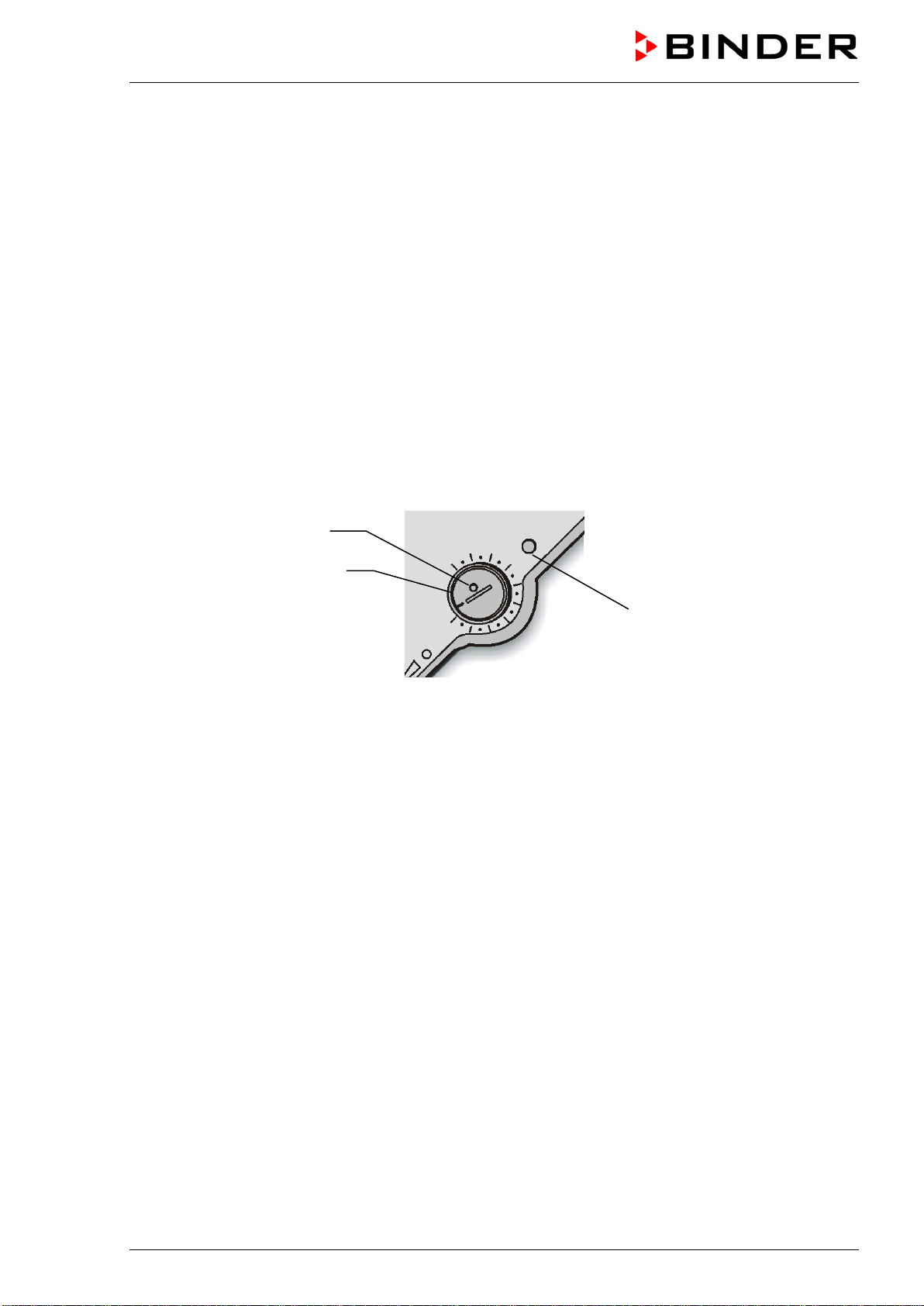
In the event of a fault in the temperature controller, the safety device (7) permanently turns off the
chamber. This status is reported visually by the indicator lamp (7a) and, in case of the option audible
alarm with activated buzzer (chap. 7.3), by the buzzer sounding.
Check the operation of the safety device (7) by moving it slowly counter-clockwise until the chamber turns
off. The safety device cut-off is reported visually by the indicator lamp (7a) and, in case of the option
audible alarm with activated buzzer (chap. 7.3), by the buzzer sounding.
Then release again the safety device by pressing the reset button (7b) and turn on the chamber as
described.
Figure 6: Temperature safety device class 2
Function:
The safety device class 2 is functionally and electrically independent of the temperature control device and
turns off the chamber permanently.
If you turn the control knob (7) to its end-stop (position 10), the safety device protects the appliance. If you
set it to a temperature a little above the controller’s set-point temperature, it protects the charging material.
If the safety device has turned off the chamber, identifiable by the red alarm lamp (7a) lighting up and, in
case of the option audible alarm with activated buzzer (chap. 7.3), by the buzzer sounding, proceed as
follows:
• Disconnect the chamber from the power supply.
• Have an expert examine and rectify the cause of the fault.
• Release the safety device by pressing the reset button (7b).
• Restart the chamber as described in chap. 5.
Setting:
To check the response temperature of the safety device, turn on the chamber and set the desired set-
point at the temperature controller.
The scale division from 1 to 10 corresponds to the temperature range from 30 °C / 86 °F up to 320 °C /
608 °F and serves as a setting aid.
(7)
(7a)
(7b)
FED (E2) 03/2019 page 29/57
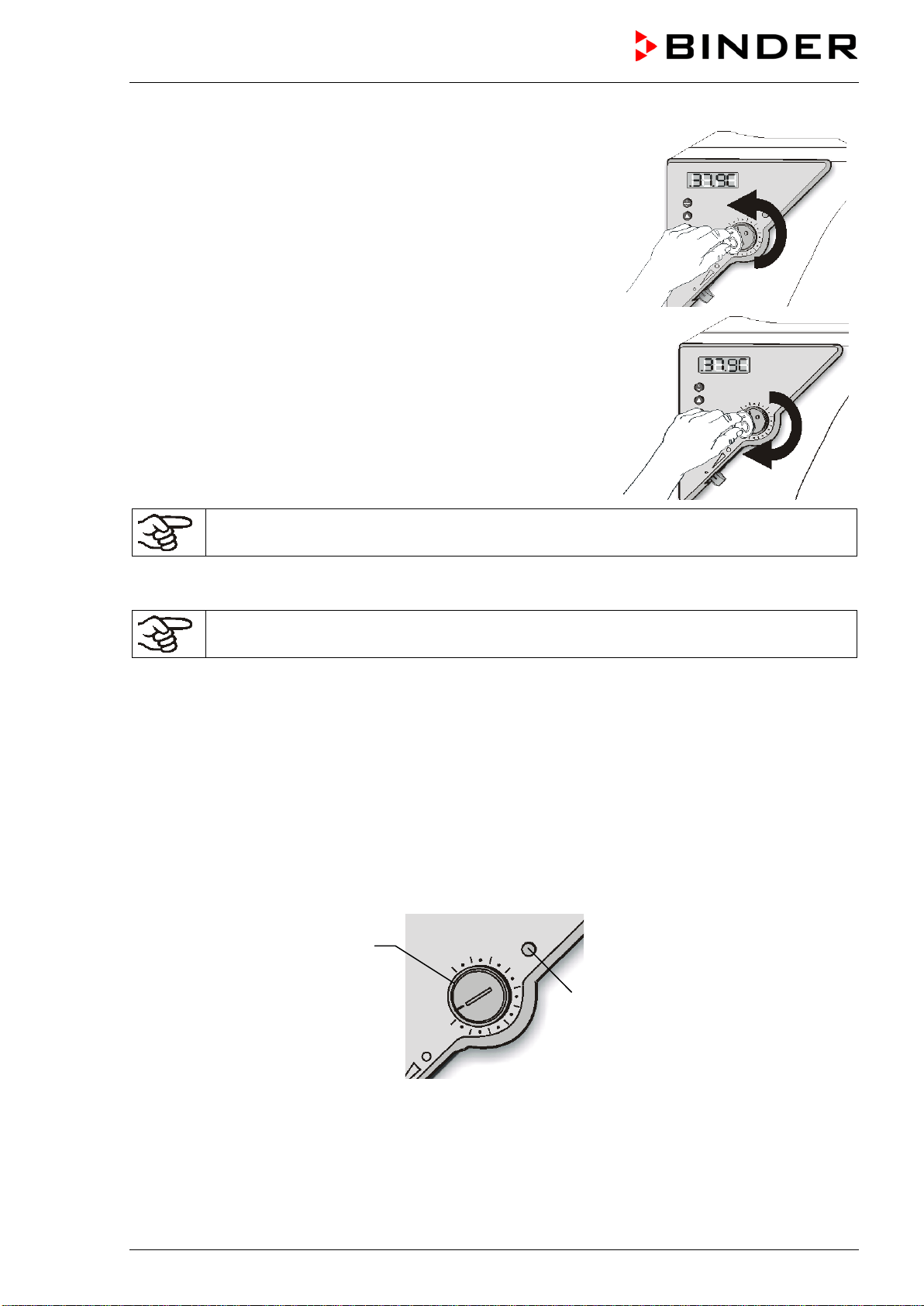
1. Turn the control knob (7) of the safety device using a coin to its
end-stop (position 10) (chamber protection).
2. When the set point is reached, turn back the control knob (7) until
its trip point (turn it counter-clockwise).
3. The trip point is identifiable by the red alarm lamp (7a) lighting up;
the reset button (7b) pops out.
With the option audible alarm and the buzzer activated (chap.
7.3), the buzzer sounds as an additional signal. You can turn it off
with switch (11).
4. The optimum setting of the safety device is obtained by turning
the control knob clockwise by approx. one graduation mark on the
scale.
5. Push the reset button (7b) in again.
The chamber is only active with the reset button (7b) pushed in.
When the safety device class 2 responds, the red alarm lamp (7a) lights up, the reset button (7b) pops
out, and the chamber turns off permanently.
Check the setting regularly and adjust it following any changes of the set-point.
Function check:
Check the temperature safety device class 2 at appropriate intervals for its functionality. It is
recommended that the authorized operating personnel should perform such a check, e.g., before starting
a longer work procedure.
7.2 Temperature safety device class 3.1 (DIN 12880) (option)
The temperature safety device class 3.1 serves to protect the chamber, its environment, and the charging
material from exceeding the maximum permissible temperature.
Please observe the DGUV guidelines 213-850 on safe working in laboratories (formerly BGI/GUV-I 850-0,
BGR/GUV-R 120 or ZH 1/119, issued by the employers’ liability insurance association) (for Germany).
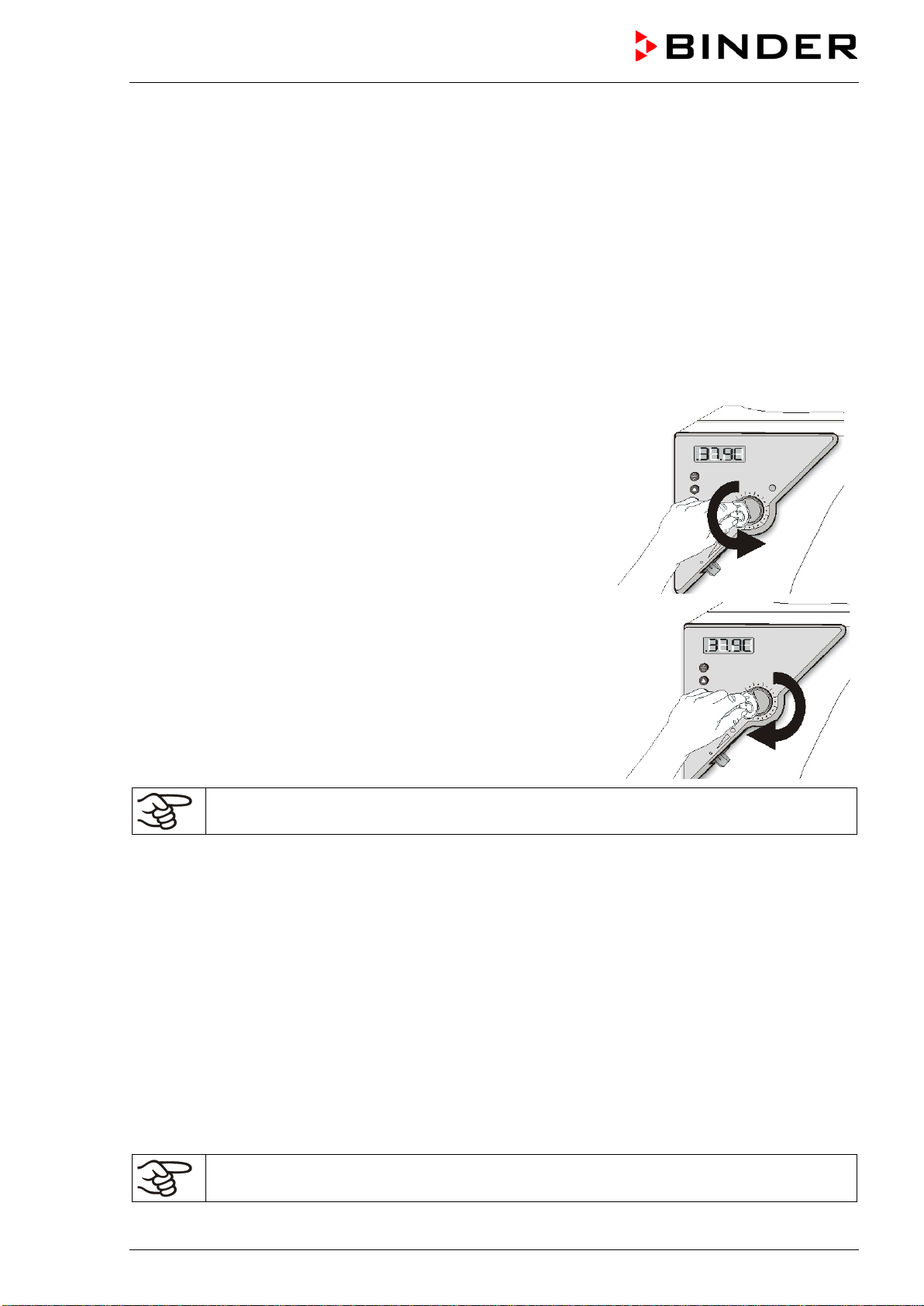
Figure 7: Temperature safety device class 3.1
Function:
The temperature safety device is functionally and electrically independent of the temperature control
system and if an error occurs it performs a regulatory function. If you turn the control knob (7) to its end-
stop (position 10), the safety device class 3.1 protects the chamber. If you set it to a temperature a little
above the controller’s set-point temperature, it protects the charging material.
(7)
(7a)
FED (E2) 03/2019 page 30/57
If the safety device has taken over control (identifiable by the red alarm lamp (7a) lighting up and, in case
of the option audible alarm with activated buzzer (chap. 7.3), by the buzzer sounding), proceed as follows:
• Disconnect the chamber from the power supply.
• Have an expert examine and rectify the cause of the fault.
• Restart the chamber (see chap. 5).
Adjustment:
In order to check at which temperature the safety device class 3.1 responds, turn on the chamber and set
the desired set-point on the temperature controller
The sections of the scale from 1 to 10 correspond to the temperature range from 63 °C / 145.4 °F to
350 °C / 662 °F and serve as a setting aid.
1. Turn the control knob (7) of the safety device with a coin to its
end-stop (chamber protection).
2. When the set point is reached, turn back the control knob (7)
until its trip point (turn it counter-clockwise)
3. The trip point is identifiable by the red alarm lamp (7a) lighting
up.
With the option audible alarm and the buzzer activated (chap.
7.3), the buzzer sounds as an additional signal. You can turn it
off with switch (11).
4. The optimum setting of the safety device is obtained by turning
the control knob clockwise by approximately one scale division,
which leads to extinguish the red alarm lamp (7a).
Check the setting regularly and adjust it following any changes of the set-point.
Function check:
Check the temperature safety device class 3.1 at appropriate intervals for its functionality. It is
recommended that the authorized operating personnel should perform such a check, e.g., before starting
a longer work procedure.
7.3 Disconnectable audible over-temperature alarm (option)
This option permits activating an audible signal with the buzzer switch (11):
Position 0 = buzzer off
Position 1 = buzzer active
If the buzzer is activated, an audible signal sounds when the limit temperature set at the temperature
safety device class 2 (chap. 7.1) or class 3.1 (chap. 7.2) is exceeded, this happens in addition to the red
alarm pilot lamp (7a) lighting up. The buzzer can be turned off using the buzzer switch (11).
Turning off the audible alarm does not influence the safety device’s regulatory or turning-off
function. Proceed as described in chap. 7.1 / 7.2.
FED (E2) 03/2019 page 31/57
8. Options
8.1 APT-COM™ 4 Multi Management Software (option)
The chamber is regularly equipped with a serial interface RS 422 that can connect the BINDER APT-
COM™ 4 Multi Management Software. The connection to a computer is established using the chamber’s
interface via an interface converter.
Make sure that the interface mode is correctly set to “0” = “Modbus” in the user level (chap.
6.4.5).
The actual temperature, and fan speed values are given at adjustable intervals. Programming can be
performed graphically via PC. Up to 100 chambers can be cross linked. For further information, refer to
the APT-COM™ 4 operating manual.
Pin allocation of the RS 422 interface:
pin 2: RxD (+)
pin 3: TxD (+)
pin 4: RxD (-)
pin 5: TxD (-)
pin 7: Ground
If several chambers are to be recorded via a PC, each one must be allocated a unique
address. Addressing is performed via the chamber controller (see chap. 6.4.3).
8.2 Data logger kit
BINDER Data Logger Kits offer an independent long-term measuring system for temperature. They are
equipped with a keyboard and a large LCD display, alarm functions and a real-time function.
Measurement data are recorded in the Data Logger and can be read out after the measurement via the
RS232 interface of the Data Logger. It offers a programmable measuring interval and permits storing up to
64000 measuring values. Reading out is done with the Data Logger evaluation software. You can give out
a combined alarm and status protocol directly to a serial printer.
Data Logger Kit T 350: Temperature range 0 °C / 32 °F up to +350 °C / 662 °F
For detailed information on installation and operation of the BINDER Data Logger, please
refer to the mounting instructions Art. No. 7001-0204 and to the original user manual of the
manufacturer, supplied with the data logger.
8.3 HEPA fresh air filter (option)
With this option, the introduced fresh air is cleaned by means of a high efficiency submicron particulate air
filter type HEPA class H 14 (acc. to DIN EN 1822:2009). Replace the filter insert, if necessary, by
removing the metal cover of the filter at the left side of the chamber (Art. No. 6014-0003).
FED (E2) 03/2019 page 32/57
8.4 Analog output for temperature (option)
With this option the chamber is equipped with an analog output 4-20 mA for temperature. This output
permits transmitting data to external data registration systems or devices.
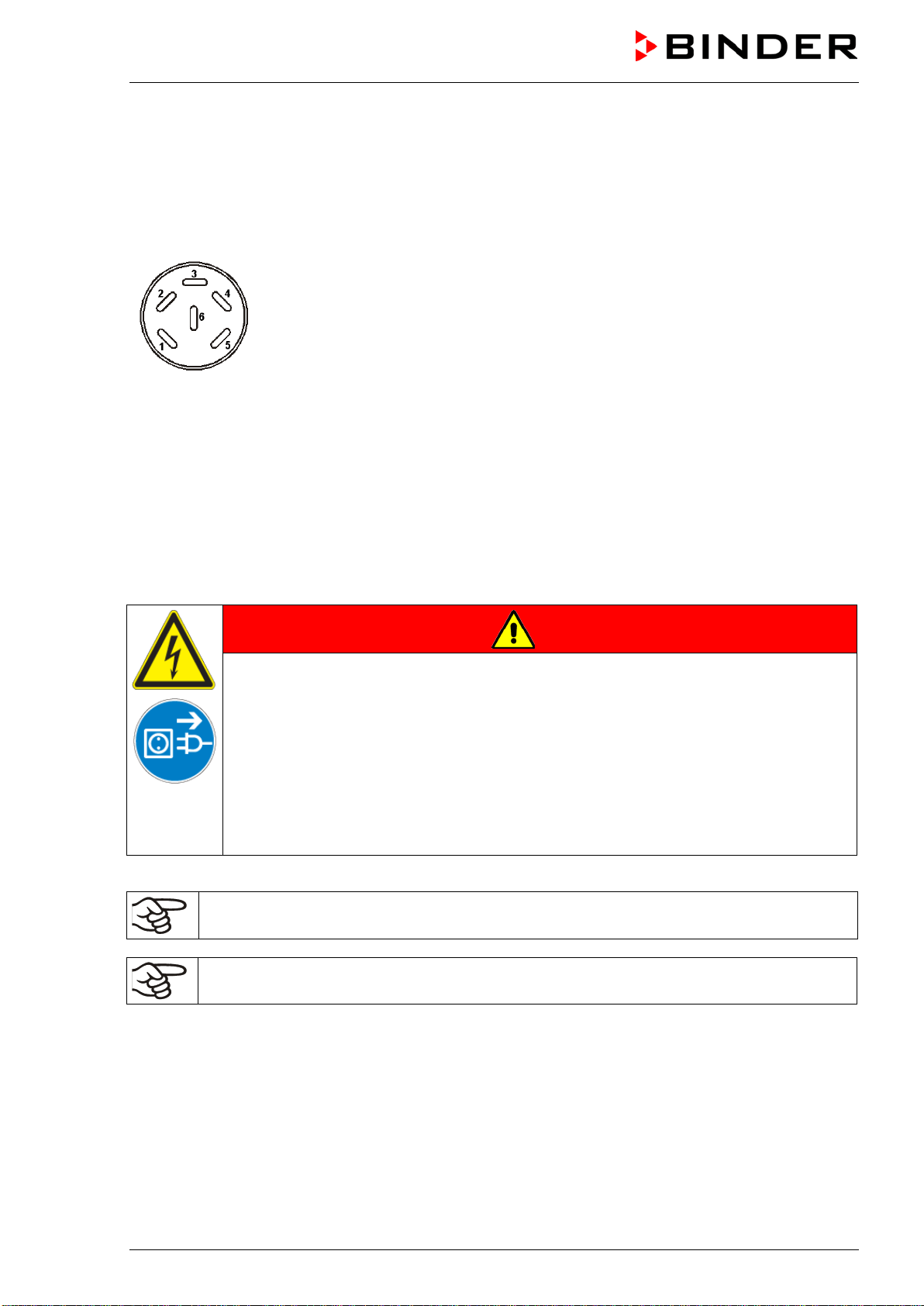
The connection is carried out as a DIN socket at the rear of the chamber as follows:
ANALOG OUTPUT 4-20 mA DC
PIN 1: temperature –
PIN 2: temperature +
Temperature range:
0 °C to +300 °C
A suitable DIN plug is enclosed.
Figure 8: Pin allocation of DIN socket for option analogue outputs
9. Maintenance, cleaning, and service
9.1 Maintenance intervals, service
DANGER
Electrical hazard.
Danger of death.
∅ The chamber must NOT become wet during operation or maintenance work.
∅ Do NOT remove the rear panel of the chamber.
Before conducting maintenance work, turn off the chamber at the main power switch
and disconnect the power plug.
Ensure all maintenance work is conducted by licensed electricians or experts authorized
by BINDER.
Ensure regular maintenance work is performed at least once a year.
The warranty becomes void if maintenance work is conducted by non-authorized personnel.
Replace the door gasket only when cold. Otherwise, the door gasket may become damaged.

FED (E2) 03/2019 page 33/57
We recommend taking out a maintenance agreement. Please consult BINDER Service.
BINDER telephone hotline: +49 (0) 7462 2005 555
BINDER fax hotline: +49 (0) 7462 2005 93555
BINDER e-mail hotline: service@binder-world.com
BINDER service hotline USA: +1 866 885 9794 or +1 631 224 4340 x3 (toll-free in the USA)
BINDER service hotline Asia Pacific: +852 390 705 04 or +852 390 705 03
BINDER service hotline Russia and CIS +7 495 988 15 16
BINDER Internet website http://www.binder-world.com
BINDER address BINDER GmbH, post office box 102, D-78502 Tuttlingen
International customers, please contact your local BINDER distributor.
9.2 Cleaning and decontamination
Clean the chamber after each use to avoid potential corrosion damage by ingredients of the test material.
DANGER
Electrical hazard.
Danger of death.
∅ Do NOT spill water or cleaning agents over the inner and outer surfaces.
Before cleaning, turn off the chamber at the main power switch and
disconnect the power plug.
Completely dry the appliance before turning it on again.
9.2.1 Cleaning
Disconnect the chamber from the power supply before cleaning. Disconnect the power plug.
The interior of the chamber must be kept clean. Thoroughly remove any residues of the
charging material
Wipe the surfaces with a moistened towel. In addition, you can use the following cleaning agents:
Exterior surfaces
inner chamber
racks
door gaskets
Standard commercial cleaning detergents free from acid or halides.
Alcohol-based solutions.
We recommend using the neutral cleaning agent Art. No. 1002-0016.
Instrument panel Standard commercial cleaning detergents free from acid or halides.
We recommend using the neutral cleaning agent Art. No. 1002-0016.
Zinc coated hinge parts
rear chamber wall
Standard commercial cleaning detergents free from acid or halides.
Do NOT use a neutral cleaning agent on zinc coated surfaces.
Do not use cleaning agents that may cause a hazard due to reaction with components of the device or the
charging material. If there is doubt regarding the suitability of cleaning products, please contact BINDER
service.

FED (E2) 03/2019 page 34/57
We recommend using the neutral cleaning agent Art. No. 1002-0016 for a thorough cleaning.
Any corrosive damage that may arise following use of other cleaning agents is excluded from
liability by BINDER GmbH.
Any corrosive damage caused by a lack of cleaning, is excluded from liability by BINDER
GmbH.
CAUTION
Danger of corrosion.
Damage to the chamber.
∅ Do NOT use acidic or chlorine cleaning detergents.
∅ Do NOT use a neutral cleaning agent on other kind of surfaces e.g., the zinc coated
hinge parts or the rear chamber wall.
For surface protection, perform cleaning as quickly as possible.
After cleaning, completely remove cleaning agents from the surfaces with a moistened towel.
Let the chamber dry.
Soapsuds may contain chlorides and must therefore NOT be used for cleaning.
With every decontamination method, always use adequate personal safety controls.
Following cleaning, leave the chamber door open or remove the access port plugs.
The neutral cleaning agent may cause health problems in contact with skin and if ingested.
Follow the operating instructions and safety hints labeled on the bottle of the neutral
cleaning agent.
Recommended precautions: To protect the eyes use sealed protective goggles. Suitable protective gloves
with full contact: butyl or nitrile rubber, penetration time >480 minutes.
CAUTION
Contact with skin, ingestion.
Skin and eye damage due to chemical burns.
∅ Do not ingest. Keep away from food and beverages.
∅ Do NOT empty into drains.
Wear protective gloves and goggles.
Avoid skin contact.
FED (E2) 03/2019 page 35/57
9.2.2 Decontamination
The operator must ensure that proper decontamination is performed in case a contamination of the
chamber by hazardous substances has occurred.
Disconnect the chamber from the power supply prior to decontamination. Pull the power plug.
Do not use decontamination agents that may cause a hazard due to reaction with components of the
device or the charging material. If there is doubt regarding the suitability of cleaning products, please
contact BINDER service.
You can use the following disinfectants:
Inner chamber Standard commercial surface disinfectants free from acid or halides.
Alcohol-based solutions.
We recommend using the disinfectant spray Art. No. 1002-0022.
For chemical disinfection, we recommend using the disinfectant spray Art. No. 1002-0022.
Any corrosive damage that may arise following use of other disinfectants is excluded from
liability by BINDER GmbH.
With every decontamination method, always use adequate personal safety controls.
In case of impurity of the interior with biological or chemical hazardous material, there are three possible
procedures depending on the type of contamination and of the charging material.
(1) The chambers can be hot air sterilized at 190 °C for at least 30 minutes. All inflammable goods must
be removed from the interior before.
(2) Spray the inner chamber with an appropriate disinfectant.
Before start-up, the chamber must be absolute dry and ventilated, because explosive gases may
form during the decontamination process.
(3) If necessary, have strongly contaminated inner chamber parts removed by an engineer for cleaning,
or have them exchanged. Sterilize the inner chamber parts in a sterilizer or autoclave.
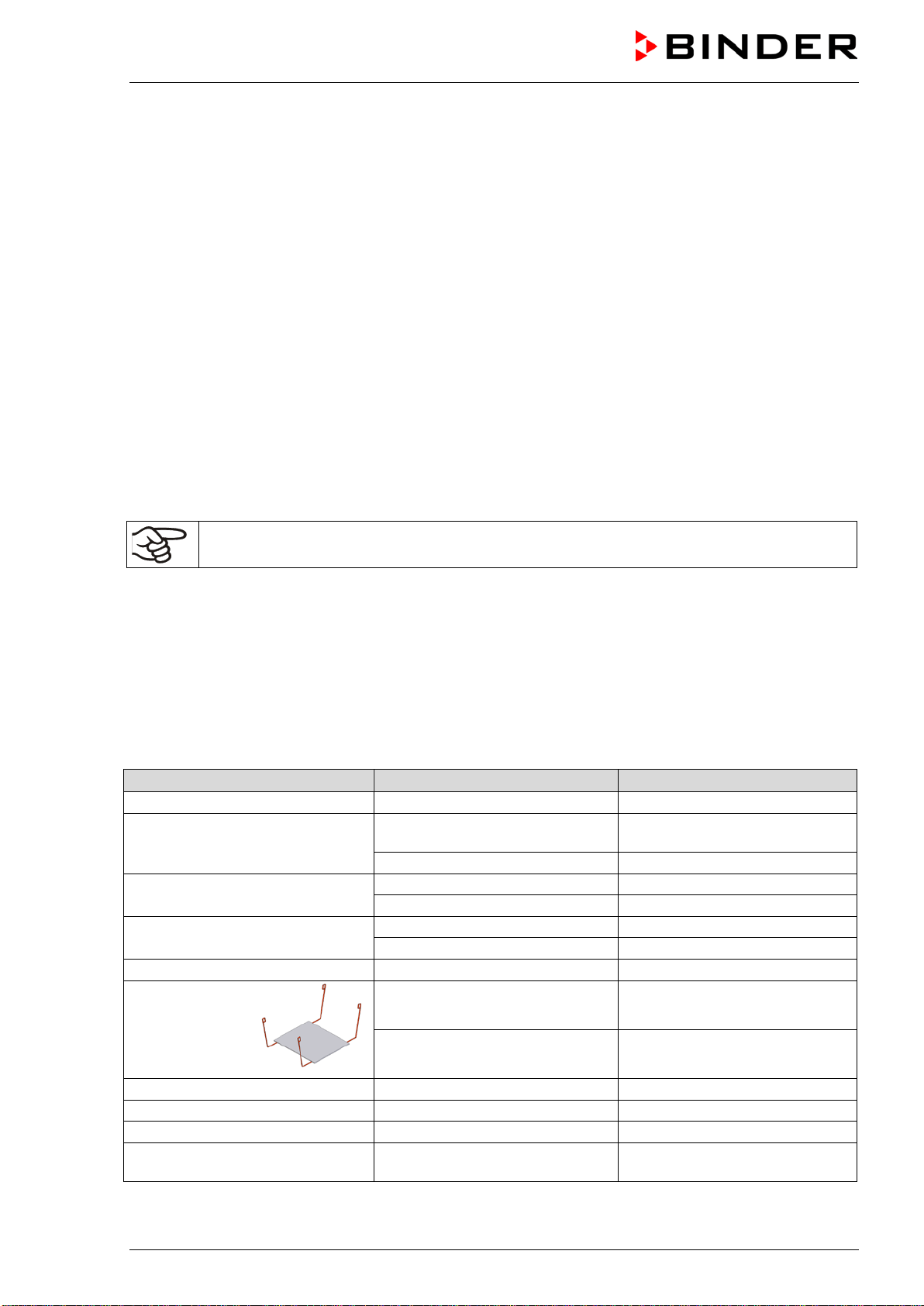
In case of eye contact, the disinfectant spray may cause eye damage due to chemical
burns. Follow the operating instructions and safety hints labeled on the bottle of the
disinfectant spray.
Recommended precautions: To protect the eyes use sealed protective goggles.
CAUTION
Eye contact.
Eye damage due to chemical burns.
∅ Do NOT empty into drains.
Wear protective goggles.
After using the disinfectant spray, allow the chamber to dry thoroughly, and aerate it
sufficiently.
FED (E2) 03/2019 page 36/57
9.3 Sending the chamber back to BINDER GmbH
If you send a BINDER product to us for repair or any other reason, we will only accept the product upon
presentation of an authorization number that has previously been issued to you. We will issue an
authorization number (RMA number) after receiving your complaint either in writing or by telephone
prior to your sending the BINDER product back to us. The authorization number will be issued following
receipt of the information below:
• BINDER product type and serial number
• Date of purchase
• Name and address of the dealer from which you bought the BINDER product
• Exact description of the defect or fault
• Complete address contact person and availability of that person
• Exact location of the BINDER product in your facility
• A contamination clearance certificate (chap. 15) must be faxed in advance
The authorization number must be applied to the packaging in such a way that it can be easily recognized
or be recorded clearly in the delivery documents.
For security reasons we cannot accept a chamber delivery if it does not carry an authorization
number.
Return address:
BINDER GmbH
Abteilung Service
Gänsäcker 16
78502 Tuttlingen
Germany
10. Disposal
10.1 Disposal of the transport packing
Packing element
Material
Disposal
Straps to fix packing on pallet
Plastic
Plastic recycling
Wooden transport box (option)
with metal screws
Non-wood (compressed
matchwood, IPPC standard)
Wood recycling
Metal
Metal recycling
Pallet
with foamed plastic stuffing
Solid wood (IPPC standard)
Wood recycling
PE foam
Plastic recycling
Transport box
with metal clamps
Cardboard
Paper recycling
Metal
Metal recycling
Top cover (size 720 only)
Cardboard
Paper recycling
Removal aid
(size 400 only)
Cardboard Paper recycling
Plastic Plastic recycling
Edge protection
Styropor
®
or PE foam
Plastic recycling
Protection of doors and racks
PE foam
Plastic recycling
Bag for operating manual
PE foil
Plastic recycling
Insulating air cushion foil (packing
of optional accessories)
PE foil Plastic recycling
If recycling is not possible, all packing parts can also be disposed of with normal waste.
FED (E2) 03/2019 page 37/57
10.2 Decommissioning
Turn off chambers at the main power switch (10) and disconnect the chamber from the power supply (pull
the power plug).
When turning off the main power switch ON / OFF (10), the stored parameters remain saved.
• Temporal decommissioning: See indications for appropriate storage, chap. 3.3.
• Final decommissioning: Dispose of the chamber as described in chap. 10.3 to 10.5
10.3 Disposal of the chamber in the Federal Republic of Germany
According to Annex I of Directive 2012/19/EU of the European Parliament and of the Council on waste
electrical and electronic equipment (WEEE), BINDER devices are classified as “monitoring and control
instruments” (category 9) only intended for professional use“. They must not be disposed of at public
collecting points.
The chambers bear the symbol for the marking of electrical and electronic equipment
manufactured / placed on the market in the EC after 13 August 2005 and be disposed of in
separate collection according to Directive 2012/19/EU on waste electrical and electronic
equipment (WEEE) and German natio
nal law for electrical and electronic equipment
(Elektro- und Elektronikgerätegesetz, ElektroG). WEEE marking: crossed-out wheeled bin
with solid bar under. A significant part of the materials must be recycled in order to protect
the environment.
At the end of the device’s service life, have the device disposed of according to the German national law
for electrical and electronic equipment (Elektro- und Elektronikgerätegesetz, ElektroG from 20 October
2015, BGBl. I p. 1739) or contact BINDER service who will organize taking back and disposal of the
chamber according to the German national law for electrical and electronic equipment (Elektro- und
Elektronikgerätegesetz, ElektroG from 20 October 2015, BGBl. I p. 1739).
CAUTION
Violation against existing law.
∅ Do NOT dispose of BINDER devices at public collecting points.
Have the device disposed of professionally at a recycling company which is certified
according to the German national law for electrical and electronic equipment (Elektro-
und Elektronikgerätegesetz, ElektroG from 20 October 2015, BGBl. I p. 1739).
or
Instruct BINDER Service to dispose of the device. The general terms of payment and
delivery of BINDER GmbH apply, which were valid at the time of purchasing the
chamber.
Certified companies disassemble waste BINDER equipment in primary substances for recycling according
to Directive 2012/19/EU. In order to eliminate any health hazards to the employees of the recycling
companies, the devices must be free from toxic, infectious or radioactive substances.
FED (E2) 03/2019 page 38/57
Prior to handing the chamber over to a recycling company, it is the user’s responsibility that it is
free from toxic, infectious or radioactive substances.
Prior to disposal, clean all introduced or residual toxic substances from the chamber.
Prior to disposal disinfect the chamber from all sources of infection. Be aware of the fact that
sources of infection may also be located outside the inner chamber.
If you cannot safely remove all toxic substances and sources of infection from the chamber,
dispose of it as “special” waste according to national law.
Fill out the contamination clearance certificate (chap. 15) and enclose it with the chamber.
WARNING
Contamination of the device with toxic, infectious or radioactive substances.
Danger of intoxication.
Danger of infection.
∅ NEVER take a chamber contaminated with toxic substances or sources of infection for
recycling according to Directive 2012/19/EU.
Prior to disposal, remove all toxic substances and sources of infection from the
chamber.
Dispose of a chamber from which all toxic substances or sources of infection cannot be
safely removed as special waste according to national law.
10.4 Disposal of the chamber in the member states of the EU except for the
Federal Republic of Germany
According to Annex I of Directive 2012/19/EU of the European Parliament and of the Council on waste
electrical and electronic equipment (WEEE), BINDER devices are classified as “monitoring and control
instruments” (category 9) only intended for professional use“. They must not be disposed of at public
collecting points.
The chambers bear the symbol for the marking of electrical and electronic equipment
manufactured / placed on the market in the EC after 13 August 2005 and be disposed of in
separate collection according to the Directive 2012/19/EU on waste electrical and electronic
equipment (WEEE). WEEE marking: crossed-out wheeled bin with solid bar under.
At the end of the device’s service life, notify the distributor who sold you the device, who will
take back and dispose of the chamber according to the Directive 2012/19/EU on waste
electrical and electronic equipment (WEEE).
CAUTION
Violation against existing law.
∅ Do NOT dispose of BINDER devices at public collecting points.
Have the device disposed of professionally at a recycling company which is certified
according to conversion of the Directive 2012/19/EU into national law.
or
Instruct the distributor who sold you the device to dispose of it. The agreements apply
that were reached with the distributor when purchasing the chamber (e.g. his general
terms of payment and delivery).
If your distributor is not able to take back and dispose of the chamber, please contact
BINDER service.
FED (E2) 03/2019 page 39/57
Certified companies disassemble waste BINDER equipment in primary substances for recycling according
to Directive 2012/19/EU. In order to exclude any health hazard for the employees of the recycling
companies, the devices must be free from toxic, infectious or radioactive substances.
Prior to handing the chamber over to a recycling company, it is the user’s responsibility that it is
free from toxic, infectious or radioactive substances.
Prior to disposal, clean all introduced or residual toxic substances from the chamber.
Prior to disposal, disinfect the chamber from all sources of infection. Be aware of the fact that
sources of infection may also be located outside the inner chamber.
If you cannot safely remove all sources of infection and toxic substances from the chamber,
dispose of it as “special” waste according to national law.
Fill out the contamination clearance certificate (chap. 15) and enclose it with the chamber.
WARNING
Contamination of the device with toxic, infectious or radioactive substances.
Danger of intoxication.
Danger of infection.
∅ NEVER take a chamber contaminated with toxic substances or sources of infection for
recycling according to Directive 2012/19/EU.
Prior to disposal, remove all toxic substances and sources of infection from the
chamber.
Dispose of a chamber from which all toxic substances or sources of infection cannot be
safely removed as “special” waste according to national law.
10.5 Disposal of the chamber in non-member states of the EU
CAUTION
Alteration of the environment.
For final decommissioning and disposal of the chamber, please contact BINDER
Service.
Follow the statutory regulations for appropriate, environmentally friendly disposal.
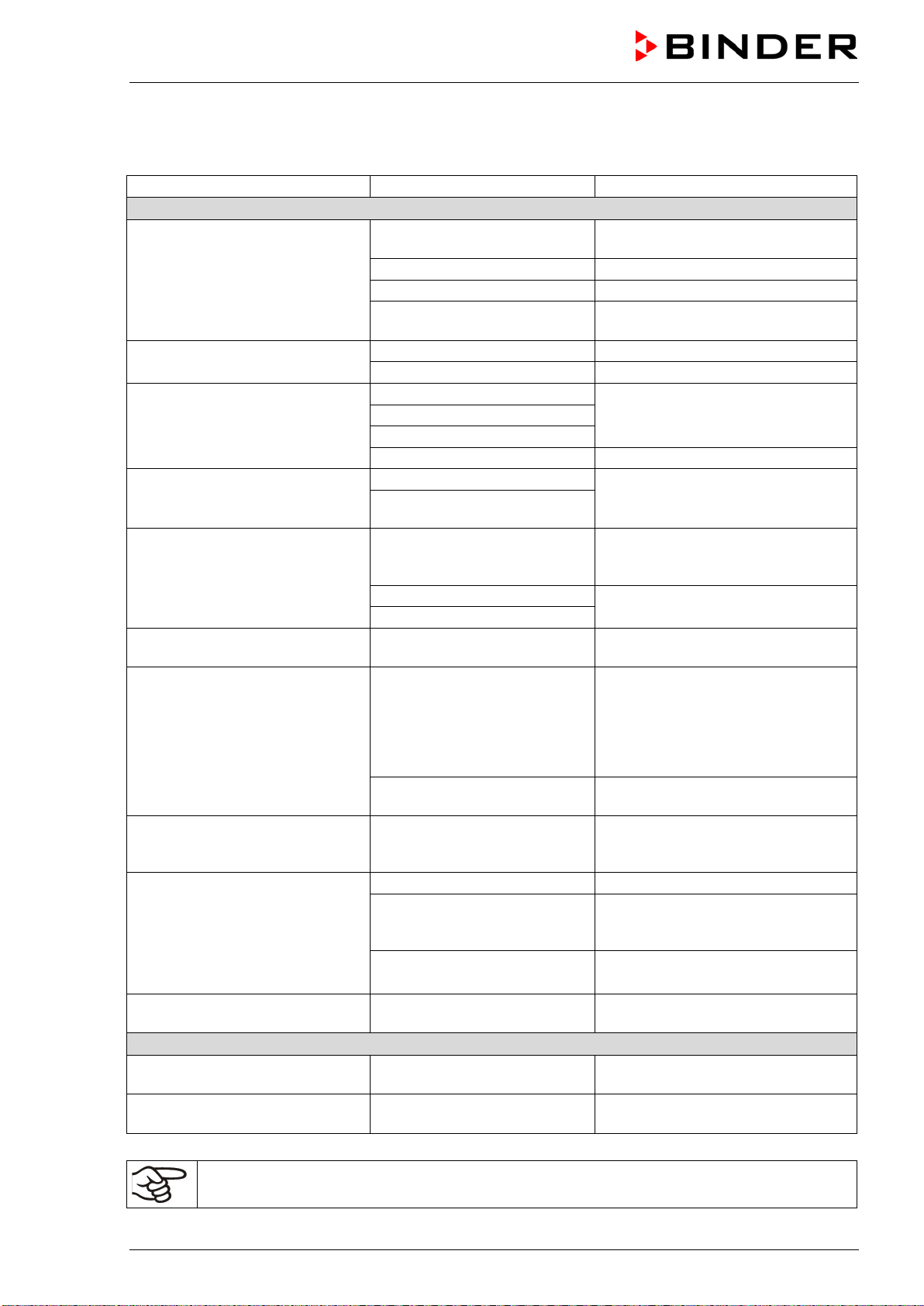
FED (E2) 03/2019 page 40/57
11. Troubleshooting
Fault description
Possible cause
Required measures
Temperature
Set-point temperature is not
reached after specified time.
Chamber door not properly
closed.
Completely close chamber door.
Door gasket defective.
Replace door gasket,
Controller not adjusted..
Calibrate and adjust controller.
Wrong voltage.
Check power supply for voltage of
115V or 230V.
The fan doesn’t turn or turns too
slowly.
Fan speed set too low
Set the fan speed to 100%.
Fan defective.
Contact BINDER service.
Chamber heating permanently,
set-point not held.
Controller defective.
Contact BINDER service.
Pt 100 sensor defective.
Semiconductor relay defective
Controller not adjusted..
Calibrate and adjust controller.
Chamber doesn’t heat up.
Red heating control light in the
display is lit.
Heating element defective.
Contact BINDER service.
Semiconductor relay defective.
Chamber doesn’t heat up.
Red heating control light in the
display is not lit.
Controller display working.
Timer has run off.
Program the timer or change to time
function Continuous operation
(chap. 6.3)
Semiconductor relay defective.
Contact BINDER service.
Controller defective.
Chamber without function, only
the green “stand-by” LED is lit
Chamber in stand-by mode
Press down the ON/OFF button (5)
until the display lights up.
Chamber without function. Red
alarm pilot lamp of safety device
(7a) is lit.
Safety device class 2 has
turned off the chamber.
Let cool down the chamber and
press down RESET button. Check
the settings of the temperature set-
point and of the safety device class
2 (chap. 7.1). If appropriate, select
suitable limit value.
Safety device class 2
defective.
Contact BINDER service.
Temperature inside the chamber
too high, Red alarm pilot lamp of
safety device (7a) is lit.
Safety device class 3.1 (option)
has responded.
Check the settings of the
temperature set-point and of the
safety device class 3.1 (chap. 7.2).
Chamber without any function.
No power supply.
Check connection to power supply.
Chamber fuse has responded.
Check chamber fuse and replace it if
appropriate. If it responds again,
contact BINDER service.
Controller defective. Contact BINDER service.
Deviations from the indicated
heating-up times.
Chamber fully loaded.
Charge the chamber less or
consider longer heating-up times.
Controller
Message „1999” in the controller
display
Sensor rupture between
sensor and controller.
Contact BINDER service.
The controller returns to Normal
Display from any level.
No button was hit for more
than approx. 30 sec.
Repeat entries, enter the values
rapidly.
Only qualified service personnel authorized by BINDER must perform repair.
Repaired chambers must comply with the BINDER quality standards.
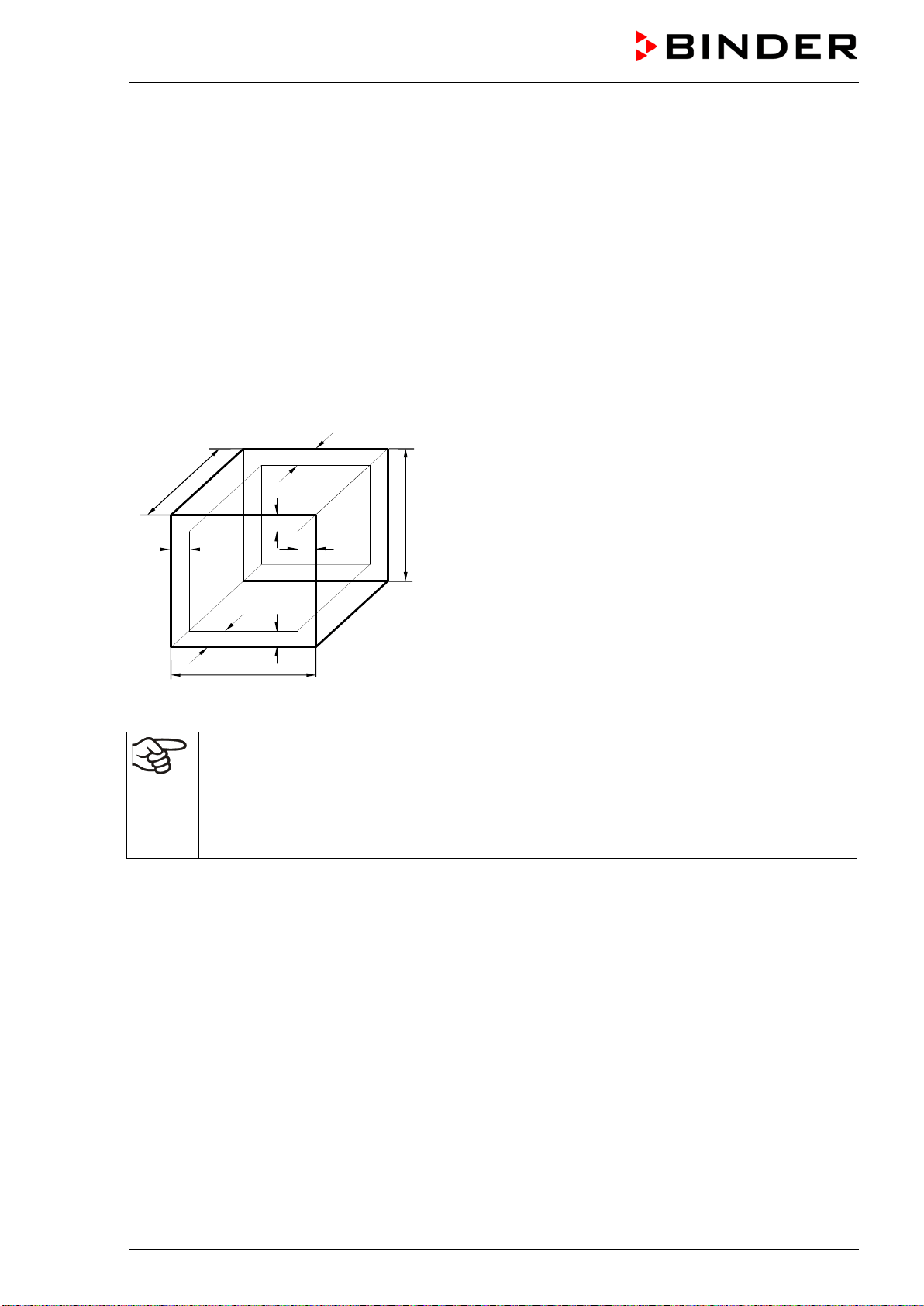
FED (E2) 03/2019 page 41/57
12. Technical description
12.1 Factory calibration and adjustment
This chamber was calibrated and adjusted in the factory. Calibration and adjustment were performed
using standardized test instructions, according to the QM DIN EN ISO 9001 system applied by BINDER
(certified since December 1996 by TÜV CERT). All test equipment used is subject to the administration of
measurement and test equipment that is also constituent part of the BINDER QM DIN EN ISO 9001
systems. They are controlled and calibrated to a DKD-Standard at regular intervals.
12.2 Definition of usable volume
The usable volume illustrated below is calculated as follows:
c
c
b
a
C
B
A
b
a
A, B, C = Internal dimensions (W, H, D)
a, b, c = Wall clearances
a = 0.1 x A
b = 0.1x B
c = 0.1 x C
V
USE
= (A - 2a) x (B - 2b) x (C - 2c)
Figure 9: Determination of the useable volume
The technical data refers to the defined usable volume.
Do NOT place samples outside this usable volume.
Do NOT load this volume by more than half to enable sufficient airflow inside the chamber.
Do NOT divide the usable volume into separate parts with large area samples.
Do NOT place samples too close to each other in order to permit circulation between them and
thus obtain a homogenous distribution of temperature.
12.3 Over current protection
The chambers are equipped with internal fuses not accessible from outside. If these fuses are blown,
please inform an electronic engineer or BINDER Service.

FED (E2) 03/2019 page 42/57
12.4 FED technical data
Chamber size
400
720
Exterior dimensions
Width, net
mm / inch
1234 / 48.58
1234 / 48.58
Height, gross (incl. feet/castors)
mm / inch
1022 / 40.24
1528 / 60.16
Depth
mm / inch
765 / 30.12
865 / 34.06
Depth gross (incl. door handle, and exhaust duct)
mm / inch
855 / 33.66
955 / 37.60
Wall clearance rear (minimum)
mm / inch
100 / 3.94
100 / 3.94
Wall clearance side (minimum)
mm / inch
160 / 6.30
160 / 6.30
Exhaust duct, outer diameter
mm / inch
52 / 2.05
52 / 2.05
Doors
Number of doors
2
2
Interior dimensions
Width
mm / inch
1000 / 39.37
1000 / 39.37
Height
mm / inch
800 / 31.50
1200 / 47.24
Depth
mm / inch
500 / 19.69
600 / 23.62
Interior volume
l / cu.ft.
400 / 14.3
720 / 25.7
Steam space volume
l / cu.ft.
498 / 17.60
869 / 30.71
Racks
Quantity of racks (regular)
2
2
Quantity of racks (max.)
10
15
Maximum load per rack
Kg / lbs
35 / 77
45 / 99
Permitted total load
Kg / lbs
90 / 199
120 / 265
Weight
Weight (empty)
Kg / lbs
145 / 320
195 / 430
Temperature data
Temperature range, 5 °C / 9 °F above ambient up
to
°C / °F 300 / 572 300 / 572
Temperature fluctuation
at 70 °C / 158 °F
± K
0.1
0.1
at 150 °C / 302 °F
± K
0,7
0,3
at 300 °C / 572 °F
± K
1.4
0.9
Temperature uniformity
(variation)
at 70 °C / 158 °F
± K
0.8
0.8
at 150 °C / 302 °F
± K
3,8
3
at 300 °C / 572 °F
± K
11
8.5
Heating up time
to 70 °C / 158 °F
min
15
8
to 150 °C / 302 °F
min
29
29
to 300 °C / 572 °F
min
86
75
Recovery time after door
was opened for 30 sec
at 70 °C / 158 °F
min
5
8
at 150 °C / 302 °F
min
6
8
at 300 °C / 572 °F
min
15
18
Ventilation data
Air change
at 70 °C / 158 °F
x/h
17
11
at 150 °C / 302 °F
x/h
18
12
at 300 °C / 572 °F
x/h
16
10
FED (E2) 03/2019 page 43/57
Chamber size
400
720
Electrical data (model versions FED400-400V, FED720-400V)
IP system of protection acc. to EN 60529
20
20
Nominal voltage
(+/-10 %)
at 50 Hz power frequency
V
400
400
at 60 Hz power frequency
V
400
400
Current type
3N~
3N~
Nominal power
kW
3.40
5.00
Chamber fuse 5 x 20 mm
230V / 10A / middle-time-lag (M)
A -- --
Over-current release category B
3 x 16A
internal
3 x 16A
internal
Power plug
CEE plug 5 poles
CEE plug 5 poles
Installation category acc. to IEC 61010-1
II
II
Pollution degree acc. to IEC 61010-1
2
2
Different electrical data for FED-UL constructed for the USA and Canada
(model versions FED400UL-208V, FED720UL-208V)
Nominal voltage (±10 %)
at 60 Hz power frequency
V 208 208
Current type
3N~
3N~
Power plug
NEMA
L21-20P
L21-20P
Chamber fuse 6,3 x 32 mm
250V / super-time-lag TT
A
16
20
3 x
internal
3 x
internal
Environment-specific data
Noise level (mean value)
dB (A)
< 55
< 55
Energy consumption
at 70 °C / 158 °F
Wh/h
520
570
at 150 °C / 302 °F
Wh/h
1200
1320
at 300 °C / 572 °F
Wh/h
2340
2600
All technical data is specified for unloaded chambers with standard equipment at an ambient temperature
of +22 °C +/- 3 °C / 71.6 °F +/- 5.4 °F and a power supply voltage fluctuation of +/- 10. Technical data is
determined in accordance to BINDER Factory Standard Part 1:2015 following DIN 12880:2007.
All indications are average values, typical for chambers produced in series. We reserve the right to
change technical specifications at any time.
If the chamber is fully loaded, the specified heating up times may vary according to the load.
12.5 Equipment and options (extract)
To operate the chamber, use only original BINDER accessories or accessories / components
from third-party suppliers authorized by BINDER. The user is responsible for any risk arising
from using unauthorized accessories.
Chamber size
400
720
Standard equipment
Microprocessor temperature controller with LED display and several
time functions
Controller Timer functions: Delayed ON, delayed Off and
temperature dependent delayed OFF
FED (E2) 03/2019 page 44/57
Chamber size
400
720
Standard equipment (continued)
Temperature safety device class 2 acc. to DIN 12880:2007 with
visual temperature alarm
Adjustable ramp function
Rear exhaust duct, internal diameter 50 mm / 1,97 inch with
ventilation slide
Adjustable air change by means of rear exhaust duct (50 mm) with
ventilation flap and front ventilation slide
Four castors (2 lockable)
--
2 racks, chrome-plated
RS 422 interface for APT-COM™ 4 Multi Management Software, or
switch over to printer output with RS 232/RS 422 interface converter
Chamber size
400
720
Options / accessories
Access ports with various diameters, with silicone plug
Rack, chrome-plated or stainless steel
Perforated rack, stainless steel
Rack lockings (4 pieces)
Reinforced rack stainless steel, with 1 set rack lockings
Reinforced inner chamber with 2 reinforced racks
Rubber pads for safe stacking (4 pieces)
--
--
Temperature safety device class 3.1 acc. to DIN 12880:2007
Disconnectable audible over-temperature alarm
Door with window and interior lightning
Lockable door
FKM door gasket (temperature resistant up to
200 °C)
HEPA Fresh air filter, class H 14 (DIN EN 1822)
Measurement of air change rate acc. to ASTM D5374
Increased air change by stronger fan
Mostly gas-tight version
--
--
Inert gas connection (gas inlet and outlet), with mostly gas-tight
version
-- --
Analog output 4-20 mA for temperature with 6 pole DIN socket, DIN
plug included
Data Logger Kit T 350
Temperature calibration including certificate
Spatial temperature measurement including certificate
Qualification folder
Chamber acc. to cUL standard in 115V 1N~60Hz
--
--
Chamber acc. to cUL standard in 208 V 3N~60Hz
Base on castors
--
--
Sturdy trolley, castors with locking brakes
--
Legend: Standard equipment Optional -- Not available
FED (E2) 03/2019 page 45/57
12.6 Accessories and spare parts (extract)
BINDER GmbH is responsible for the safety features of the chamber only, provided skilled
electricians or qualified personnel authorized by BINDER perform all maintenance and repair,
and if components relating to chamber safety are replaced in the event of failure with original
spare parts. The user is responsible for any risks arising from using unauthorized
accessories/components.
Chamber size
400
720
Description
Art. No.
Rack, chrome-plated
6004-0005
6004-0006
Rack, stainless steel
6004-0011
6004-0010
Perforated rack, stainless steel
6004-0032
6004-0033
Door gasket silicone
6005-0069
6005-0099
Door gasket made of FKM (temperature resistant up to 200 °C)
8012-0497
8012-0498
Stable table on wheels with castors and locking brakes
9051-0019
--
Description
Art. No.
Thermal cut-off device class 1
5006-0037
Data logger Kit T350
8012-0714
Data logger software, including converter-cable
8012-0821
Rack lockings (4 pieces)
8012-0531
HEPA Fresh air filter, class H 14 (DIN EN 1822:2009)
8012-0076
Neutral cleaning agent, 1 kg
1002-0016
For information on components not listed here, please contact BINDER Service.
Validation service
Art. No.
Qualification folder IQ-OQ
8012-0855
Qualification folder IQ-OQ-PQ
8012-0944
Execution of IQ-OQ
DL400100
Execution of IQ-OQ-PQ
DL440500
Calibration service
Art. No.
Calibration of temperature including certificate (1 measuring point)
DL300101
Spatial temperature measurement including certificate (9 measuring points)
DL300109
Spatial temperature measurement including certificate (18 measuring points)
DL300118
Spatial temperature measurement including certificate (27 measuring points)
DL300127
Measurement of air ventilation acc. to ASTM D 5374, including certificate
DL330000
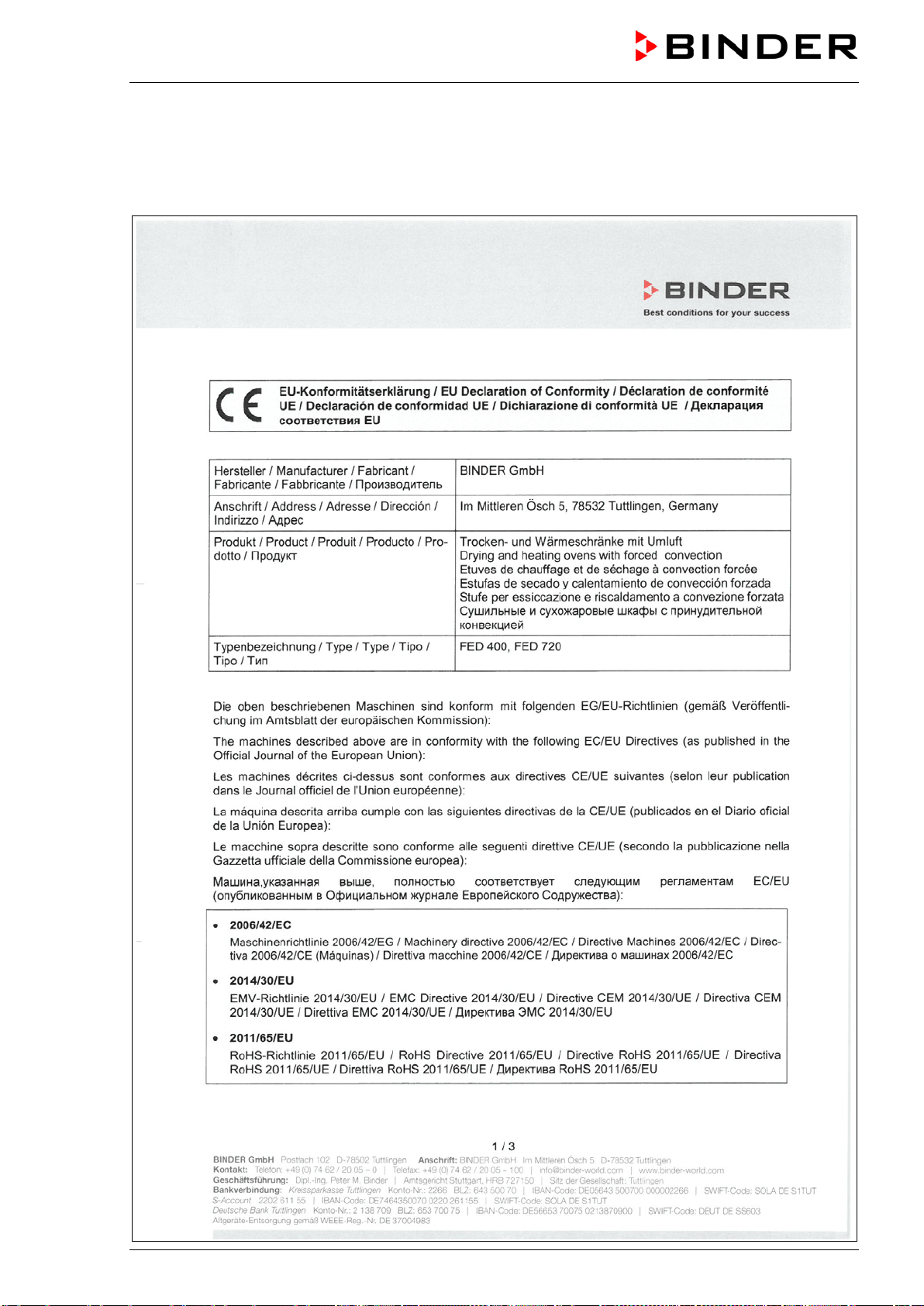
FED (E2) 03/2019 page 46/57
13. Certificates and declarations of conformity
13.1 EU Declaration of Conformity

FED (E2) 03/2019 page 47/57
FED (E2) 03/2019 page 48/57

FED (E2) 03/2019 page 49/57
13.2 Certificate for the GS mark of conformity of the “Deutsche Gesetzliche
Unfallversicherung e.V.“ (German Social Accident Insurance) DGUV
FED (E2) 03/2019 page 50/57
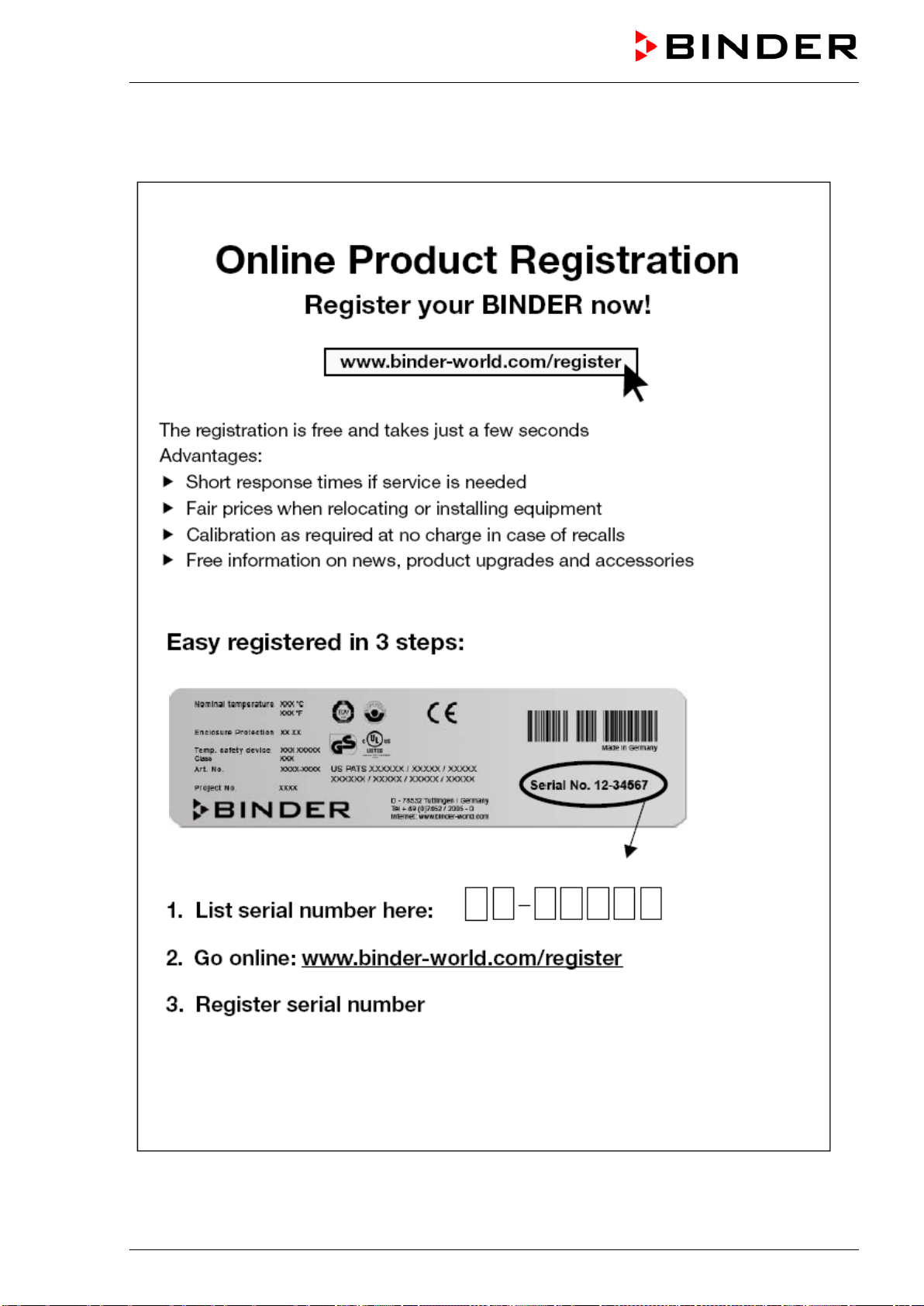
FED (E2) 03/2019 page 51/57
14. Product registration
FED (E2) 03/2019 page 52/57
15. Contamination clearance certificate
15.1 For chambers located outside the USA and Canada
Declaration with regard to safety and health
Erklärung zur Sicherheit und gesundheitlichen Unbedenklichkeit
The German Ordinance on Hazardous Substances (GefStofV), and the regulations regarding safety at the
workplace, require that this form be filled out for all products that are returned to us, so that the safety and
health of our employees can be warranted.
Die Sicherheit und Gesundheit unserer Mitarbeiter, die Gefahrstoffverordnung GefStofV und die Vorschriften zur
Sicherheit am Arbeitsplatz machen es erforderlich, dass dieses Formblatt für alle Produkte, die an uns
zurückgeschickt wird.
In the absence of a completely filled out form, a repair is not possible.
Ohne Vorliegen des vollständig ausgefüllten Formblattes ist eine Reparatur nicht möglich.
• A completely filled out form should be transmitted by Fax (+49 (0) 7462 2005 93555) or by letter in
advance to us, so that this information is available before the equipment/component part arrives. A
second copy of this form should accompany the equipment/component part. Eventually the carrier
should be informed.
Eine vollständig ausgefüllte Kopie dieses Formblattes soll per Telefax (Nr. +49 (0) 7462 2005 93555) oder Brief
vorab an uns gesandt werden, so dass die Information vorliegt, bevor das Gerät/Bauteil eintrifft. Eine weitere
Kopie
soll dem Gerät/Bauteil beigefügt sein. Ggf. ist auch die Spedition zu informieren.
• Incomplete information or non-conformity with this procedure will inevitably lead to substantial delays in
processing. We hope you will have understanding for this measure, which lies outside of our area of
influence, and that you will help us to speed up this procedure.
Unvollständige
Angaben oder Nichteinhalten dieses Ablaufs führen zwangsläufig zu beträchtlichen
Verzögerungen in der Abwicklung. Bitte haben Sie Verständnis für Maßnahmen, die außerhalb unserer
Einflussmöglichkeiten liegen und helfen Sie mit, den Ablauf beschleunigen.
• Please fill out this form completely.
Bitte unbedingt vollständig ausfüllen!
1. Unit/ component part / type: / Gerät / Bauteil / Typ:
2. Serial No./ Serien-Nr.:
3. Details about utilized substances / biological substances / Einzelheiten über die eingesetzten
Substanzen/biologische Materialien:
3.1 Designations /
Bezeichnungen:
a) ____________________________________________________________________________
b) ____________________________________________________________________________
c) ____________________________________________________________________________
3.2 Safety measures required for handling these substances /
Vor
sichtsmaßnahmen beim
Umgang mit diesen Stoffen:
a) ____________________________________________________________________________
b) ____________________________________________________________________________
c) ____________________________________________________________________________
FED (E2) 03/2019 page 53/57
3.3 Measures to be taken in case of skin contact or release into the atmosphere / Maßnahmen
bei Personenkontakt oder Freisetzung:
a) ____________________________________________________________________________
b) ____________________________________________________________________________
c) ____________________________________________________________________________
d) ____________________________________________________________________________
3.4 Other important information that must be taken into account / Weitere zu beachtende und
wichtige Informationen:
a) ____________________________________________________________________________
b) ____________________________________________________________________________
c) ____________________________________________________________________________
4. Declaration on the risk of these substances (please checkmark the applicable items) /
Erklärung zur Gefährlichkeit der Stoffe (bitte Zutreffendes ankreuzen) :
4.1 For non toxic, non radioactive, biologically harmless materials / für nicht giftige, nicht
radioaktive, biologisch ungefährliche Stoffe:
We herewith guarantee that the above-mentioned unit / component part… /
Wir versichern, dass o.g.
Gerät/Bauteil...
Has not been exposed to or contains any toxic or otherwise hazardous substances /
weder giftige noch
sonstige gefährliche Stoffe enthält oder solche anhaften.
That eventually generated reaction products are non-toxic and also do not represent a hazard /
auch
evtl. entstandene Reaktionsprodukte weder giftig sind noch sonst eine Gefährdung darstellen.
Eventual residues of hazardous substances have been removed /
evtl. Rückstände von Gefahrstoffen
entfernt wurden.
4.2 For toxic, radioactive, biologically harmful or hazardous substances, or any other
hazardous materials /
für giftige, radioaktive, biologisch bedenkliche bzw. gefährliche Stoffe oder
anderweitig gefährliche Stoffe.
We herewith guarantee that … /
Wir versichern, dass …
The hazardous substances, which have come into contact with the above-mentioned
equipment/component part, have been completely listed under item 3.1 and that all information in this
regard is complete /
die gefährlichen Stoffe, die mit dem o.g. Gerät/Bauteil in Kontakt kamen, in 3.1 aufgelistet
sind und alle Angaben vollständig sind.
That the unit /component part has not been in contact with radioactivity /
das Gerät/Bauteil nicht mit
Radioaktivität in Berührung kam
5. Kind of transport / transporter / Transportweg/Spediteur:
Transport by (means and name of transport company, etc.) Versendung durch (Name Spediteur o.ä.)
___________________________________________________________________________________
Date of dispatch to BINDER GmbH /
Tag der Absendung an BINDER GmbH:
___________________________________________________________________________________
FED (E2) 03/2019 page 54/57
We herewith declare that the following measures have been taken / Wir erklären, dass folgende
Maßnahmen getroffen wurden:
Hazardous substances were removed from t
he unit / component part, so that no hazard exists for
corresponding persons in the handling or repair of these items /
das Gerät/Bauteil wurde von
Gefahrstoffen befreit, so dass bei Handhabung/Reparaturen für die betreffenden Person keinerlei Gefährdung
besteht
The unit was securely packaged and properly identified /
das Gerät wurde sicher verpackt und vollständig
gekennzeichnet.
Information about the hazardousness of the shipment (if required) has been provided to the transporter
/
der Spediteur wurde (falls vorgeschrieben) über die Gefährlichkeit der Sendung informiert.
We herewith commit ourselves and guarantee that we will indemnify BINDER GmbH for all damages that
are a consequence of incomplete or incorrect information provided by us, and that w
e will exempt
BINDER GmbH from eventual damage claims by third parties./
Wir versichern, dass wir gegenüber BINDER
für jeden Schaden, der durch unvollständige und unrichtige Angaben entsteht, haften und BINDER gegen eventuell
entstehende Schadenansprüche Dritter freistellen.
We are aware that, in accordance with Article 823 of the German Civil Code (BGB), we are directly liable
with regard to third parties, in this instance especially the employees of BINDER GmbH, who have been
entrusted with the handling / repair of the unit / component. / Es ist uns bekannt, dass wir gegenüber Dritten –
hier insbesondere mit der Handhabung/Reparatur des Geräts/des Bauteils betraute Mitarbeiter der Firma BINDER -
gemäß §823 BGB direkt haften
Name: _______________________________________________________________________
Position: _______________________________________________________________________
Date /
Datum: _______________________________________________________________________
Signature /
Unterschrift: _______________________________________________________________
Company stamp /
Firmenstempel:
Equipment that is returned to the factory for repair must be accompanied by a completely filled
out contamination clearance certificate. For service and maintenance works on site, such a
contamination clearance certificate must be submitted to the service technician before the start
of the works. No repair or maintenance of the equipment is possible, without a properly filled
out contamination clearance certificate.

FED (E2) 03/2019 page 55/57
15.2 For chambers located in the USA and Canada
Product Return Authorization Request
Please complete this form and the Customer Decontamination Declaration (next 2 pages) and attach the
required pictures. E-mail to: IDL_SalesOrderProcessing_USA@binder-world.com
After we have received and reviewed the complete information we will decide on the issue of a RMA
number. Please be aware that size specifications, voltage specifications as well as performance
specifications are available on the internet at www.binder-world.us at any time.
Take notice of shipping laws and regulations.
Please fill:
Reason for return request Duplicate order
Duplicate shipment
Demo Page one completed by sales
Power Plug / Voltage 115V / 230 V / 208 V / 240V
Size does not fit space
Transport Damage Shock watch tripped? (pictures)
Other (specify below)
_____________________
Is there a replacement PO? Yes No
If yes -> PO #
If yes -> Date PO placed
Purchase order number
BINDER model number
BINDER serial number
Date unit was received
Was the unit unboxed? Yes No
Was the unit plugged in? Yes No
Was the unit in operation? Yes No
Pictures of unit attached?
Pictures of Packaging
attached?
Yes No
Yes No
Pictures have to be attached!
Customer Contact Information Distributor Contact Information
Name
Company
Address
Phone
E-mail
FED (E2) 03/2019 page 56/57
Customer (End User) Decontamination Declaration
Health and Hazard Safety declaration
To protect the health of our employees and the safety at the workplace, we require that this form is
completed by the user for all products and parts that are returned to us. (Distributors or Service
Organizations cannot sign this form)
NO RMA number will be issued without a completed form. Products or parts returned to our
NY warehouse without a RMA number will be refused at the dock.
A second copy of the completed form must be attached to the outside of the shipping box.
1. Unit/ component part / type
:
2. Serial No.
3. List any exposure to hazardous liquids, gasses or substances and radioactive material
3.1 List with MSDS sheets attached where available or needed
(if there is not enough space available below, please attach a page):
a) ____________________________________________________________________________
b) ____________________________________________________________________________
c) ____________________________________________________________________________
3.2 Safety measures required for handling the list under 3.1
a) ____________________________________________________________________________
b) ____________________________________________________________________________
c) ____________________________________________________________________________
3.3 Measures to be taken in case of skin contact or release into the atmosphere
:
a) ____________________________________________________________________________
b) ____________________________________________________________________________
c) ____________________________________________________________________________
d) ____________________________________________________________________________
3.4 Other important information that must be considered
:
a) ____________________________________________________________________________
b) ____________________________________________________________________________
c) ____________________________________________________________________________
FED (E2) 03/2019 page 57/57
4. Declaration of Decontamination
For toxic, radioactive, biologically and chemically harmful or hazardous substances, or any other
hazardous materials.
We hereby guarantee that
4.1 Any hazardous substances, which have come into contact with the above-mentioned equipment /
component part, have been completely listed under item 3.1 and that all information in this regard is
complete
.
4.2 That the unit /component part has not been in contact with radioactivity
4.3 Any Hazardous substances were removed from the unit / component part, so that no hazard exists
for a persons in the shipping, handling or repair of these returned unit
4.4 The unit was securely packaged in the original undamaged packaging and properly identified on the
outside of the packaging material with the unit designation, the RMA number and a copy of this
declaration.
4.5 Shipping laws and regulations have not been violated.
I hereby commit and guarantee that we will indemnify BINDER Inc for all damages that are a
consequence of incomplete or incorrect information provided by us, and that we will indemnify
and hold harmless BINDER Inc. from eventual damage claims by third parties.
Name: _______________________________________________________________________
Position: _______________________________________________________________________
Company: _______________________________________________________________________
Address: _______________________________________________________________________
Phone #: _______________________________________________________________________
Email: _______________________________________________________________________
Date: _______________________________________________________________________
Signature: _______________________________________________________________________
Equipment returned to the NY warehouse for repair must be accompanied by a completed
customer decontamination declaration. For service and maintenance works on site, such a
customer decontamination declaration must be submitted to the service technician before the
start of work. No repair or maintenance of the equipment is possible without a completed form.