
This addendum accompanies your equipment documentation and is additional
information concerning the heart rate features for your equipment and console.
Important
The heart rate features are intended for reference only. They may not be accurate
for every user or at every speed and are not intended for use as a medical device.
Holding the heart rate handle touch sensor while exercising at higher intensity
may also decrease accuracy of the heart rate reading and is not recommended.
Please also read your product documentation and visit:
www.precor.com/en-us/customer-service/faq.
P/N 305324-101 rev A, ENU
©Precor Incorporated | October 2017
Thank you for choosing Precor. For proper installation, please read this guide
thoroughly and follow the assembly instructions. If you do not assemble the
treadmill according to these guidelines, you could void the Precor Limited Warranty.
Important (240 volt 9.27 model only): If the power cord attached to
your equipment is not compatible with your local power plug standards,
the container should also include a power cord for your region. You will
need to install this cord in place of the one attached to the equipment.
If you need such a cord and it was not included with your treadmill,
please contact your Precor dealer for the correct Precor power cord.
For a list of authorized Precor dealers in your area,
please contact Customer Support at www.precor.com.
Obtaining Service
Do not service the treadmill except for minor belt
adjustments and maintenance tasks as described in the
owner’s manual. For more information regarding customer
support numbers or a list of Precor authorized service
dealers, visit the Precor web site at www.precor.com.
Unpacking the Equipment
The unit is shipped in one box. Ask for help from two
or more people to unpack and assemble the treadmill.
If any items are missing, contact your dealer.
Required Tools
Phillips-head screwdriver
Crescent wrench
Level
Wire cutter
Installation Requirements
CAUTION: You will need assistance to
assemble this unit. DO NOT attempt
assembly by yourself.
Follow these installation requirements when
assembling the unit:
Assemble the unit near the location
where you plan to use it and provide
ample space around the unit.
Important: Consult your owner’s
manual for proper placement of
your equipment.
Make sure that the power switch
is OFF and that the treadmill is not
plugged into a power source.
Check the ON/OFF power switch on the
front of the treadmill. Place the switch
in the O (OFF) position.
Assemble unit on a solid, flat surface.
Assemble the treadmill in the
sequence presented in this guide.
If you plan to move the unit, obtain
help and use proper lifting techniques.
Grasp the rear end of the treadmill or either
side of the running belt. Lift the treadmill and
roll it on its front wheels. Do not grasp any other
plastic part while lifting or moving the unit. The
other plastic parts are not reinforced and they
may break.
9.23 / 9.27
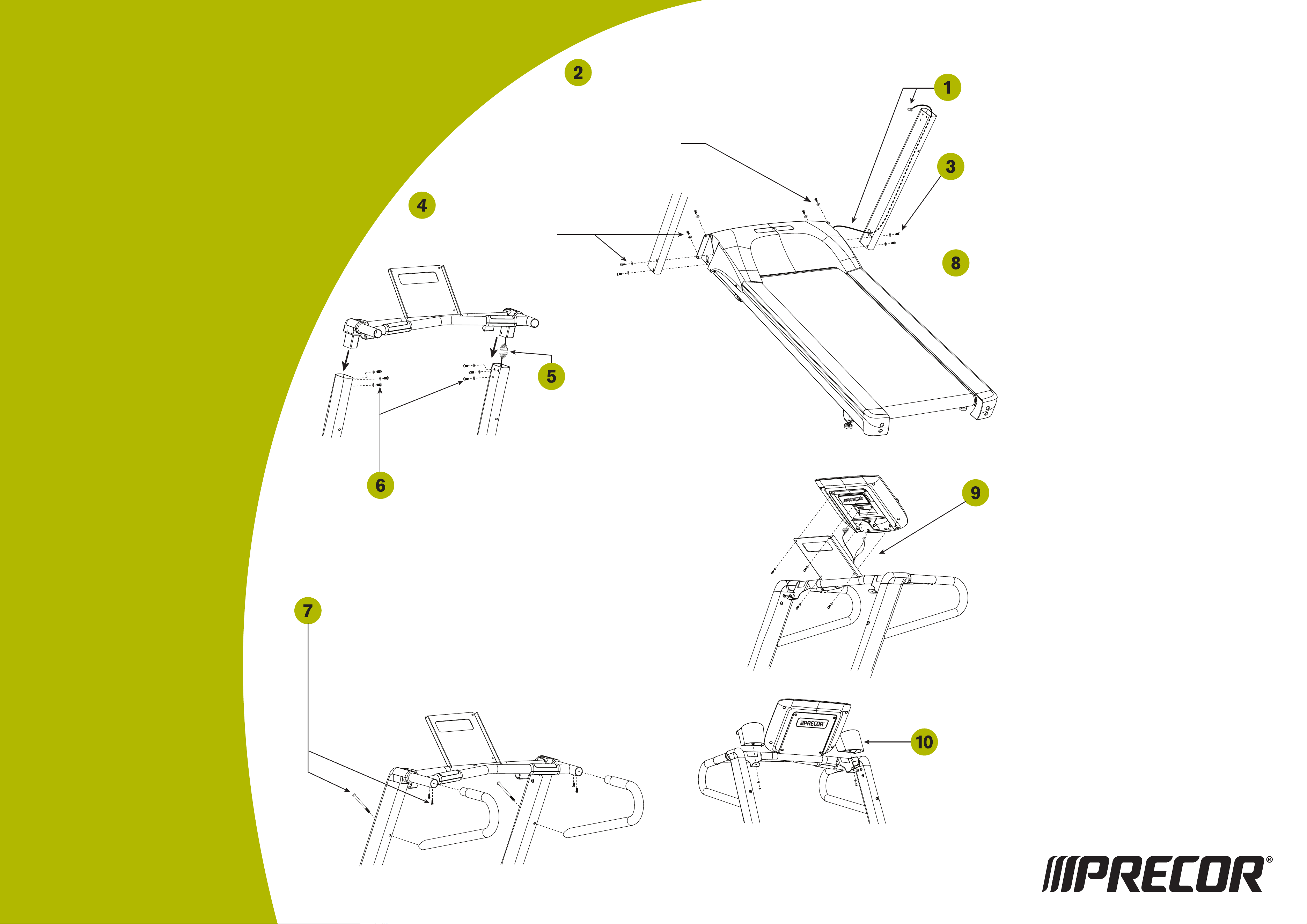
Have your assistant lower the handrail assembly onto the upright supports. Tip the assembly
slightly forward so the lip of each handrail cap rests on the upright support. Align the mounting
holes and insert six buttonhead screws (A) and six washers (B). Finger tighten.
Important: Make sure the fasteners do not pinch the cable. Cables damaged by improper
installation will not be covered by the Precor Limited Warranty.
Note: To attach the handrails to the 9.27, perform step 7 installing one handrail at a time.
If you have a 9.23, skip to step 8.
Attach the handrails (9.27 model only)
a. Attach the base of the handrail to an upright support using one long buttonhead screw (F).
Insert the long buttonhead screw through the upright support, and then slide the handrail
stub into the center handrail while you thread the long screw into the base of the handrail.
CAUTION: Use your fingers to properly align and thread the long screw into the
mounting hole. This will help avoid cross-threading.
b. Insert two buttonhead screws (D) to secure each handrail stub to the center handrail.
Wrench tighten all the handrail screws with a 4 mm hex key.
Tighten all mounting screws. Refer to the illustrations for steps 2
through 7.
a. Start at the base and use the 5 mm hex key to alternately tighten
the 4 front panel screws.
b. Use the 6 mm T-handle hex key to wrench tighten the 4 socket head
side bracket screws.
c. Use the 5 mm hex key to wrench tighten the six screws that secure
the handrail extensions to the upright supports.
Attach the left upright support following the
procedures in steps 2 and 3, using two buttonhead
screws (A), two socket head screws (C), and four
washers (B). Finger tighten.
CAUTION: The On/Off switch is located beneath the hood on the base frame.
Make sure the power switch is in the Off position and the power cord is
disconnected from its power source.
Unwind the wire tie from the base of the right upright support and feed it
through the large hole. Unwrap the cable and secure it to the wire tie. Pull
the wire tie and cable through the upright support as you position it against
the base frame side bracket.
Ask your assistant to insert a buttonhead screw (A) and washer (B) into
the top mounting hole on the front panel. Thread the screw so the other
mounting holes line up. Then insert a buttonhead screw (A) and washer (B)
in the bottom mounting hole. Finger tighten.
Note: Do not force the fasteners into place and do not tighten them
completely until instructed to do so. If the head of the fastener is not
flush with the head of the product, contact Customer Support
at www.precor.com.
Secure the upright support to the base frame side bracket using
two socket head screws (C) and washers (B). Place each screw
on the 6mm T-handle hex key and insert it through the cutout in the
upright support. Wrench tighten so the upright is stable, but leave
room for adjustments.
Ask your assistant to hold the handrail assembly while
you connect the cable. Remove the wire tie and place
any excess cable inside the upright support.
Note: The 9.27 handrail assembly shown here is slightly
different from the 9.23 treadmill. If you are assembling a 9.23,
you will not have mounts for the side handrails.
Install the display console.
a. Remove the display console from its box and protective packaging.
b. Cut any wire ties that secure the cables to the center handrail.
c. Ask your assistant to hold the display console above its mounting
bracket while you connect the cables to their appropriate
receptacles on the back of the display console. Tabs exist on
each connector so you can align it properly.
d. Secure the cables under the clips in the indented area on the back
of the display console and lower the display console onto its
bracket.
e. Feed any excess cable into the center handrail.
f. Align the four mounting holes and secure the display console with
four buttonhead screws (D) and four washers (E). Wrench tighten
using a 4 mm hex key.
Slide the two water bottle holders onto their brackets and secure each with a
buttonhead screw (G) and washer (H). Tighten each screw with a Phillips-head
screwdriver.
Note: In the 9.27 packaging, you will find a chest strap. Refer to the QUICKSTART
card to learn how to use it. If you are interested in purchasing a chest strap for the
9.23, refer to Obtaining Service.
Precor Incorporated
20031 142nd Avenue NE
P.O. Box 7202
Woodinville, WA USA 98072-4002
www.precor.com
9.27
9.23
Checking the Alignment and Adjusting the Running Belt
Proper belt alignment allows the belt to remain centered and ensures smooth operation. Realigning the belt takes a few minor adjustments.
If you are unsure about this procedure, call Precor Customer Support. Refer to Obtaining Service.
To check the alignment:
CAUTION: Special care must be taken when aligning the
running belt. Turn Off the treadmill while adjusting or working
near the rear roller. Remove any loose clothing and tie back
your hair. Be very careful to keep your fingers and any other
object clear of the belt and rollers, especially in front of the
roller and behind the deck. The treadmill will not stop
immediately if an object becomes caught in the belt or rollers.
1. The treadmill has adjustable rear feet. Make sure that the running
surface is level before aligning or adjusting the running belt. Refer to
assembly step 12.
2. Connect the power plug to a dedicated 15 amp power source and
turn the unit On.
3. Stand beside the treadmill and press QUICKSTART.
The running belt starts automatically after the 3-second countdown
appears on the display.
4. Press the SPEED UP arrow key until the display shows a speed of
3 mph (5kph).
CAUTION: If you hear any chafing or the running belt appears
to be getting damaged, stop the running belt immediately by
pressing the red STOP key and contact Precor
Customer Support.
5. Walk around to the rear of the unit and observe the belt for a
few minutes. The belt should remain centered along the running bed.
If the belt drifts off center, you must make adjustments. Refer
to the next section.
Important: If the belt needs alignment, make the adjustments
at once. Failure to align the belt may cause the belt to tear or fray,
which is not covered by the Precor Limited Warranty.
6. To stop the running belt, press STOP.
7. Turn the treadmill Off.
To adjust the running belt:
If you are unsure about adjusting the running belt, contact Precor Customer
Support. Refer to Obtaining Service.
For your safety, use the power switch to turn Off the treadmill before
making any adjustments. Do not adjust the running belt when someone
is standing on the unit.
1. Locate the right belt adjustment bolt in the rear end cap of the treadmill.
To determine left and right, stand at the rear of the treadmill and face the
display. Make all belt adjustments on the right rear corner bolt using
a ¼-inch or equivalent mm hex key.
If the belt is off center to the LEFT,
turn the adjusting bolt ¼ turn
counterclockwise, which moves
the running belt to the right.
If the belt tracks off center to the
RIGHT, turn the bolt ¼ turn
clockwise; this moves the belt
to the left.
Important: Do not turn the adjusting bolt more than ¼ turn at a time.
Overtightening the bolt can damage the treadmill.
2. Recheck the alignment of the running belt.
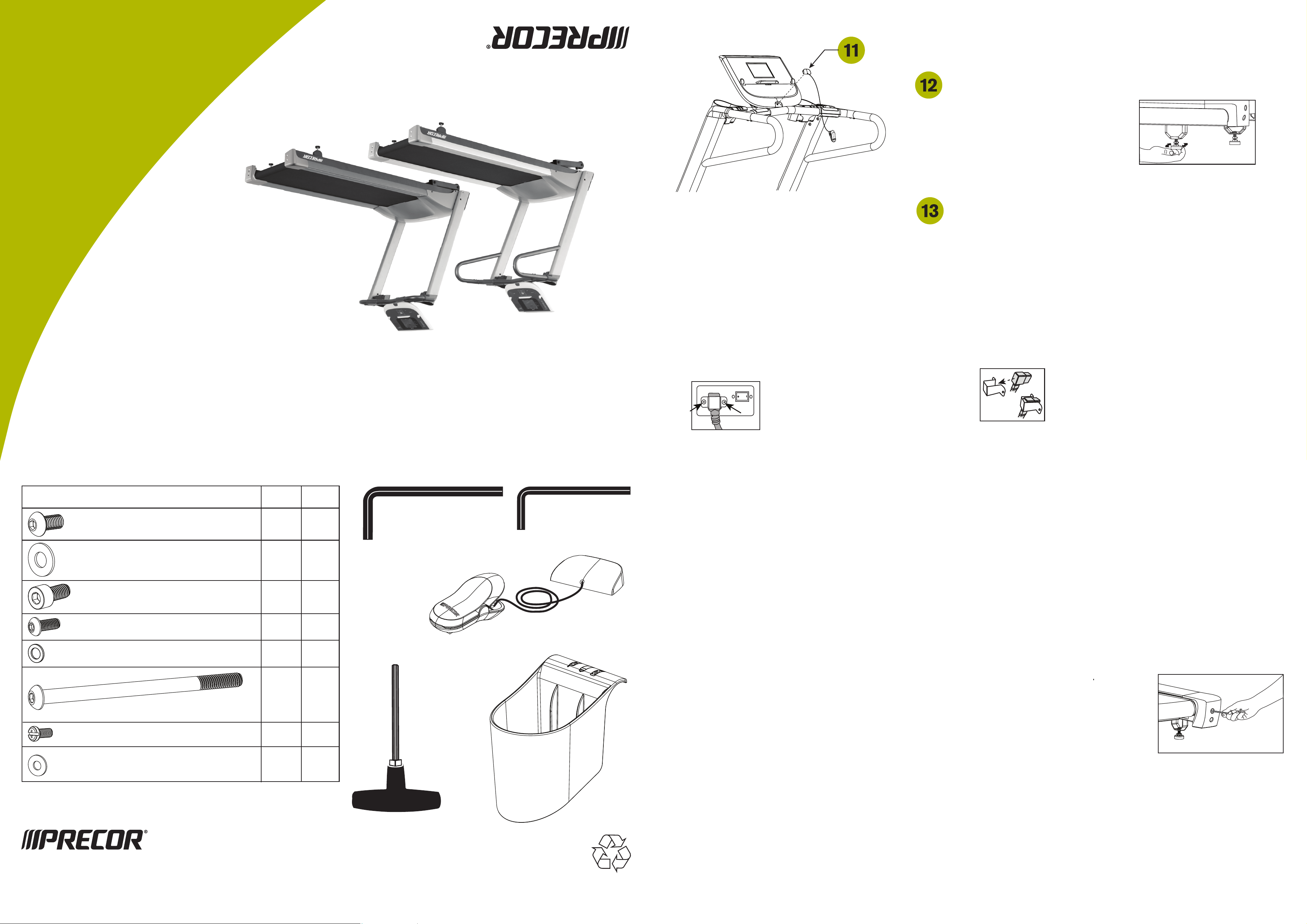
Hardware Kit (not to scale)
(C) Socket head screw (M8 x 1.25 x 15L) 4 4
(A) Buttonhead screw (M8 x 1.25 x 15L) 10 10
(B) Washer (014 x 08.4 x 1.5t) 14 14
(D) Buttonhead screws (M6 x 1.0 x 15L) 8 4
1 – 6mm T-handle hex key
1 – 5mm hex key 1 – 4mm hex key
9.27 9.23
(E) Washer (013 x 06.5 x 1.0t) 4 4
Fasteners
(F) Buttonhead screw (M8 x 130mm) 2
(G) Buttonhead screw (M5 x 0.8 x 10L) 2 2
(H) Washer (012 x 05.2 x 1.0t) 2 2
1 – Magnetic safety key and safety clip (H)
2 – Water bottle holder (J)
TRM 9.23 / 9.27 AG 34506-411
13 March 2015
Copyright 2015 Precor Incorporated
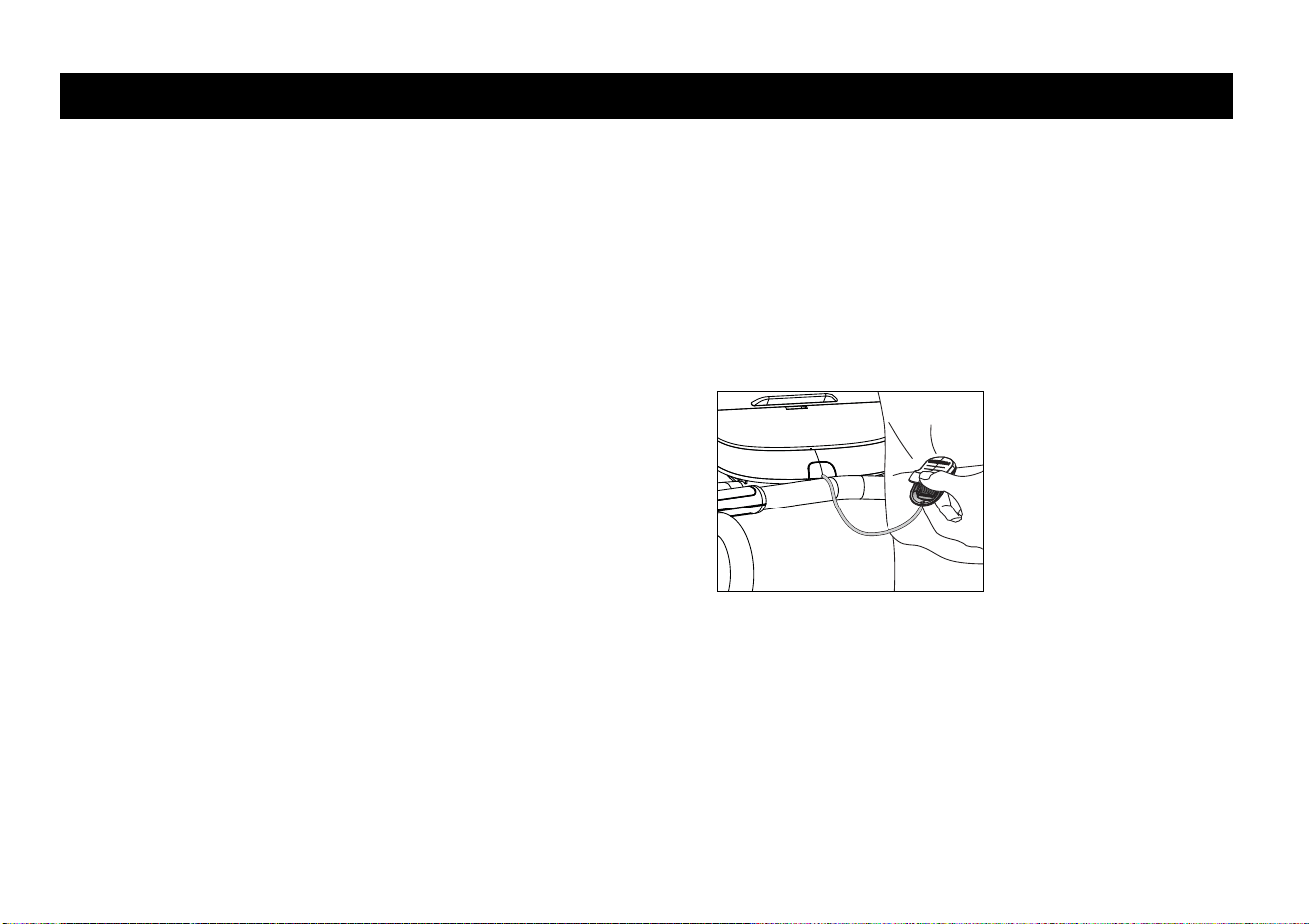
Place the magnetic safety key (H) into the cutout
on the display console.
Check the alignment and adjust the running belt. For instructions, refer to
Checking the Alignment and Adjusting the Running Belt. If you want to
test the heart rate feature, refer to the Owner’s Manual.
Before using the unit, make sure it is level. If adjustments are needed,
adjust one rear foot at a time. Do not raise the unit more than ½-inch
(1.2 cm) off the floor.
a. Ask a capable assistant to lift the rear
portion of the treadmill (using proper lifting
techniques).
b. Loosen the upper lock nut with a
crescent wrench and rotate the rear
feet as needed.
c. Retighten the lock nut and lower the treadmill to the floor.
3. Reattach the clamp assembly to the treadmill by plugging the power
cord into the treadmill and reattaching the two screws to hold it
firmly in place.
Replacing the Power Cord (240 volt 9.27 model only)
If the power cord attached to your equipment is not compatible with your local power plug standards, the container should also include a power
cord for your region. You will need to install this cord in place of the one attached to the equipment. If you need such a cord and it was not included
with your treadmill, please contact your Precor dealer for the correct Precor power cord. For a list of authorized Precor dealers in your area,
please contact Customer Support at www.precor.com.
CAUTION: Before changing power cords, make sure the power is OFF and unplug the treadmill from the power outlet.
To change the power cord:
1. Loosen and remove the two screws that attach the power cord
clamp assembly to the treadmill.
2. Remove the current power cord from the clamp assembly and
replace it with the appropriate power cord.
Ensure the cord is connected
securely and that the two
screws are tight. Failure to do
so may create a risk of damage
to the equipment.
WARNING

QUICKSTART
™
CAUTION: Before using the treadmill, read all these
instructions. Failure to do so may result in serious injury.
• Do not allow children or those unfamiliar with its
operation, on or near this equipment.
• Before beginning any fitness program, see
your physician for a thorough physical
examination. Seek advice from your physician
to learn the target heart rate appropriate for
your fitness level.
• At the beginning of a workout, straddle
the belt by placing your feet firmly on
the right and left staging platforms.
• Always face the display and use
the handrail for balance. Never
attempt to turn around on the
treadmill while the running belt
is moving.
• If you feel pain, faintness, or
dizziness, stop exercising
immediately.
Using the Safety Clip
Always attach the safety clip
to your clothing before each
workout. A tug on the lanyard
activates the safety switch inside
the display and stops the
running belt.
If the safety switch is activated
while you are exercising, the
treadmill does not retain your
workout statistics. To resume
your workout, reattach the
magnetic safety key to the
console, attach the safety clip
to your clothing, and select a
program while the banner scrolls
across the display.
Workout Tips
• Before and after a workout, gently stretch your
lower body and back to help prevent stiffness or
soreness.
• To display your heart rate, use both hands to grasp
the touch-sensitive handrail grips.
• At the beginning of a workout, take several minutes
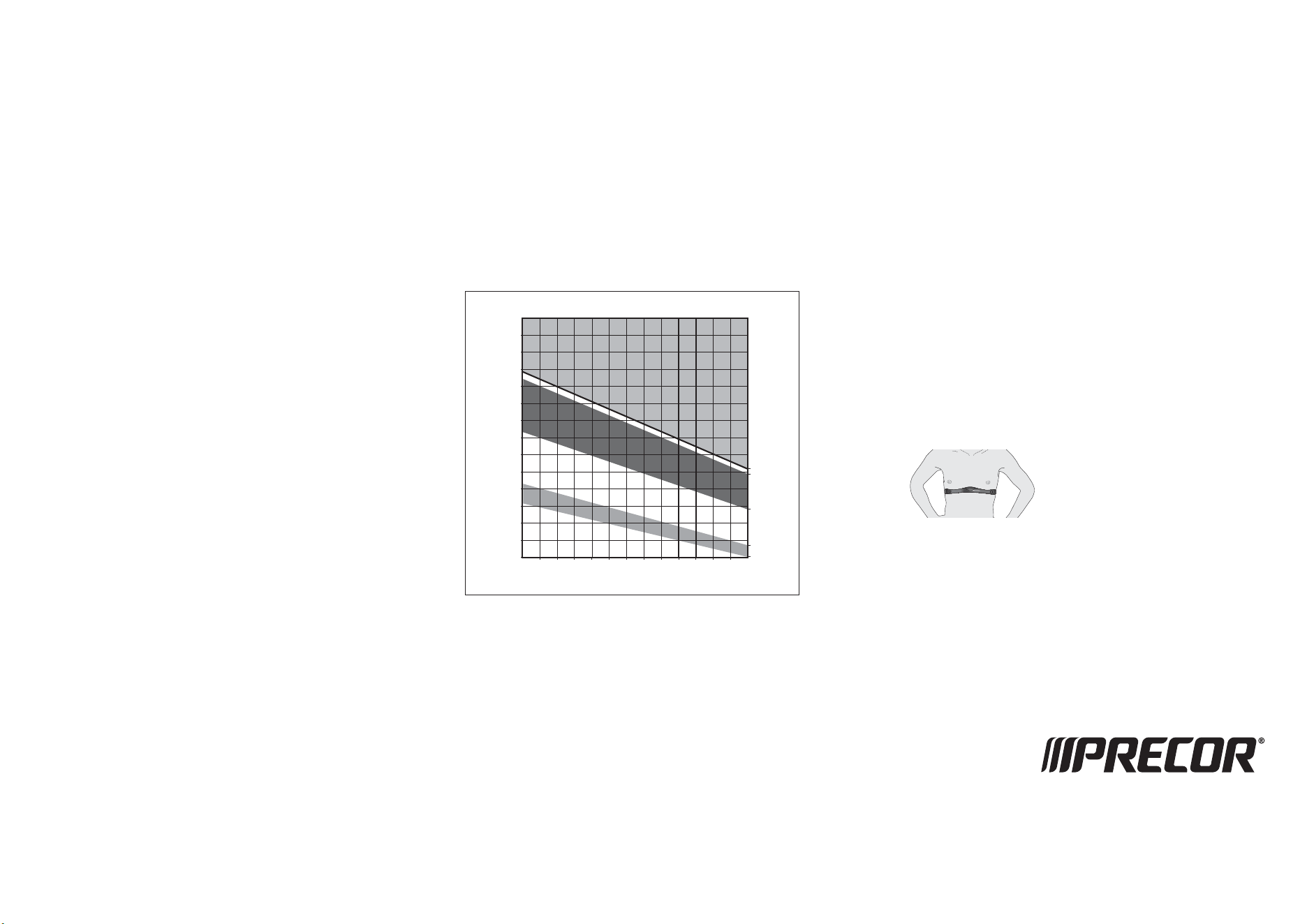
to bring your heart rate into your target zone
(shown in Diagram A on the other side of this
card).
• Incorporate a cool-down period into your workout
to help lower your heart rate and minimize muscle
stiffness and soreness.
Beginning Your Workout with QUICKSTART
To begin exercising immediately without personalizing your exercise
session, take the following steps.
1. Turn On the treadmill, using the power switch located beneath the
front of the unit, near the power cord.
2. Step on the treadmill. Face the display and straddle the running
belt.
3. Attach the safety clip to your clothing. Make sure the magnetic
safety key is in position on the display console.
4.
Hold the handrail with one hand and press QUICKSTART with the
other.
Audible beeps occur, a 3-second countdown appears, and then the
running belt starts moving. The Manual Program begins.
5. Step on to the running belt with the speed at 1 mph (1 kph), and
begin exercising.
• To increase or decrease the incline or speed, use the INCLINE or
SPEED arrow keys.
• To pause, hold onto a handrail with one hand while you press the
red STOP button with the other. Follow the display prompts.
Note: When you reach your time or distance goal, you automatically
enter a cool-down period.
6. Complete the cool-down period and a workout summary presents
your exercise session statistics. The display presents your average
heart rate, and cumulative calories, distance, and workout time.
7. Remove the safety clip from your clothing and hold on to a handrail
as you step off the treadmill.
8. To prevent unauthorized use, turn the treadmill Off.
Note: To personalize your exercise experience, refer to Workout
Options in the owner’s manual.
9.2x QSC 34507-411, 13 March 2015, en
9
.
23
9.27
Choosing a Program
• Determine your level of fitness: beginner, intermediate,
or advanced.
• Determine your immediate goal: endurance training,
cardio-conditioning, or weight loss.
If you are a beginner, start a cardio-conditioning program
to slowly adjust your body to a comfortable level of
exercise. Over a recommended 8-week period, you will
increase your endurance and strength while improving
flexibility.
If you have been exercising and feel that you have reached
an intermediate or advanced fitness level, you probably
have established goals for yourself.
For all fitness levels, plan to exercise at a comfortable
pace for 20 to 30 minutes a day. To monitor your heart
rate, use the touch-sensitive grips. Supplement your plans
with fitness workouts from the Precor web site
(www.precor.com). The Precor web site also provides
expert advice to help you reach your fitness goals.
Using the Touch Heart Rate Feature
Note: Touch heart rate performance may vary based on a
user’s physiology, fitness level, age, and other factors. You
may experience an erratic readout if your hands are dry,
dirty, or oily, or if the skin on your palms is especially thick.
Wearing hand lotion can also cause an erratic readout. In
addition, make sure that the sensors are clean to ensure
proper contact can be maintained.
To use the touch heart rate feature, place the palm of your
hands directly on the metal heart rate sensors on the
equipment’s handlebars. To ensure a more accurate heart
rate readout, make sure you follow these tips:
• Both hands must grip the sensors for your heart rate to
register.
• It takes a number of consecutive heart beats
(15-20 seconds) for your heart rate to register.
• When gripping the sensors, do not grip tightly. Keep a
loose, cupping hold. Holding the grips tightly can
affect the reading.
• As you work out, your perspiration will help transmit
your heart rate signal. If you have difficulty using the
handheld grips to determine your heart rate, try the
sensors again later in the workout to see if you can
obtain a heart rate signal.
• If the touch heart rate feature does not work for you,
Precor recommends that you use a chest transmitter
strap.
CAUTION: Your heart rate should never exceed 85%
of your maximum aerobic heart rate. Your
maximum heart rate is equal to 220 minus your age.
(Diagram A).
Diagram A
Using a Chest Strap Transmitter
Signals used by the Chest Strap
Transmitter (or heart rate strap) may
interfere with pacemakers or other
implanted devices. Consult your
physician and the manufacturers of
your Chest Strap Transmitter and
implanted device before using a
Chest Strap Transmitter.
Wearing a chest strap transmitter during your workout
provides steady heart rate information. For the equipment
to detect your heart rate, you must grip the touch heart
rate sensors or wear a chest strap transmitter while
exercising. In the presence of both touch and wireless
data, the touch data takes precedence and will display.
Note:
To receive an accurate reading, the strap needs to
be in direct contact with the skin on the lower sternum
(just below the bust line for women).
To use a chest strap:
1. Carefully dampen the back of the strap with tap water.
Important: Do not use deionized water. It does not
have the proper minerals and salts to conduct
electrical impulses.
2. Adjust the strap and fasten it around your chest. The
strap should feel snug, not restrictive.
3. Make sure that the chest strap is right side up, lies
horizontally across, and is centered in the middle of
your chest (Diagram B).
Diagram B
4. Test the chest strap placement by checking the heart
rate function on the equipment. If a heart rate is
registering, your chest strap placement is correct. If
the equipment does not register a heart rate, readjust
the strap and recheck the heart rate function.
20 25 30 35 40 45 50 55 60 65 70 75
70
80
90
100
120
130
140
150
160
170
180
190
200
110
Heart Rate Target Zones
Yo u r Ag e
Your Heart Rate
Peak
Cardio
Warmup
R
e
c
o
m
m
e
n
d
e
d
C
a
r
d
i
o
v
a
s
c
u
l
a
r
Z
o
n
e
R
e
c
o
m
m
e
n
d
e
d
W
e
i
g
h
t
L
o
s
s
Z
o
n
e
Fatburn
High
Precor Incorporated
20031 142nd Avenue NE
P.O. Box 7202
Woodinville, WA USA 98072-4002
www.precor.com
9.23/9.27 HR INFO 300055-411
©2015 Precor Incorporated
WARNING
9.23
9.27


Owner’s Manual: Important Safety Instructions 1
IMPORTANT SAFETY INSTRUCTIONS
Important Safety Instructions
Read the following precautions thoroughly before using
the treadmill, and save them afterward for future
reference. These instructions are written for your safety and
to protect the unit.
To reduce the risk of electrical
shock always unplug the treadmill
from the electrical outlet
immediately after using and
before cleaning.
Important: (240 volt 9.27 model only) If the power
cord attached to your equipment is not compatible with
your local power plug standards, the container should
also include a power cord for your region. You will need
to install this cord in place of the one attached to the
equipment. If you need such a cord and it was not
included with your treadmill, please contact your Precor
dealer for the correct Precor power cord. For a list of
authorized Precor dealers in your area, please contact
Customer Support at www.precor.com.
Safety Precautions
Always follow basic safety precautions when using the
treadmill to reduce the chance of injury, fire, or damage.
Other sections in this manual provide more details of
safety features. Be sure to read these sections and
observe all safety notices. These precautions include the
following:
• Read all instructions in this guide before installing and
using the equipment and follow any labels on the
equipment.
• Make sure all users see a physician for a complete
physical examination before they begin any fitness
program.
• Il est conseillé de subir un examen médical complet
avant d'entreprendre tout programme d'exercise. Si
vous avez des étourdissements ou des faiblesses,
arrêtez les exercices immédiatement.
• Do not allow children, or people unfamiliar with the
operation of this equipment, on or near it. Do not leave
children unsupervised around the equipment.
• Never drop or insert objects into any opening. Keep
hands away from moving parts.
DANGER

Owner’s Manual: Important Safety Instructions 2
IMPORTANT SAFETY INSTRUCTIONS
• Equipment Weight Restrictions: Do not exceed the
maximum specified user weight of 350 pounds (160
kg).
• Use care when getting on or off the treadmill. Always
grasp the handrail when stepping on the running belt
and keep the initial speed at or below 1 mile per hour
(mph) or 1 kilometer per hour (kph). Never step off the
treadmill while the running belt is moving.
• Do not set anything on the stationary handrails,
handlebars, control console, or covers. Place liquids,
magazines, and books in the appropriate receptacles.
• Do not lean on or pull on the console at any time.
• Hold onto a stationary handrail or handlebar while
assuming the starting position on the equipment.
• On treadmills, straddle the running belt and attach the
safety clip to clothing at waist level before touching the
control console.
Important: For safety, make sure users step onto the
running belt while it is moving at or below 1 mile per
hour (1.6 kilometers per hour).
• Hold on to a stationary handrail or handlebar with one
hand whenever you operate the console keys with the
other hand.
• Before the running belt begins moving (before your
workout), and after it stops (at the end of your workout),
straddle the belt by placing your feet firmly on the right
and left staging platforms.
• Keep your body and head facing forward. Never attempt
to turn around on the treadmill.
• The safety clip must be attached at waist level before
your workout. A lanyard connects to the magnetic safety
key. If you encounter difficulties, a strong tug on the
lanyard disengages the magnetic safety key and stops
the running belt.
• Do not overexert yourself or work to exhaustion. If you
feel any pain or abnormal symptoms, stop your workout
immediately and consult your physician.
• When the treadmill is not in use, disconnect the unit by
turning the power switch to the Off position, and then
remove the power plug from the power outlet.
• Make sure all users wear proper exercise clothing and
shoes for their workouts and avoid loose or dangling
clothing. Users should not wear shoes with heels or
leather soles, and they should check the soles of their
shoes to remove any dirt and embedded stones. They
should also tie long hair back.
IMPORTANT SAFETY INSTRUCTIONS

Owner’s Manual: Important Safety Instructions 3
IMPORTANT SAFETY INSTRUCTIONS
• Never leave the equipment unattended when it is
plugged in. Unplug the equipment from its power
source when it is not in use, before cleaning it, and
before providing authorized service.
Note: The optional power adapter is considered a
power source for self-powered equipment.
• Use the power adapter provided with the equipment.
Plug the power adapter into an appropriate, grounded
power outlet as marked on the equipment.
• Care should be taken when mounting or dismounting
the equipment.
• Read, understand, and test the emergency stop
procedures before use.
• Keep the power cord or optional power adapter and
plug away from heated surfaces.
• Route power cables so that they are not walked on,
pinched, or damaged by items placed upon or against
them, including the equipment itself.
• Ensure the equipment has adequate ventilation. Do not
place anything on top of or over the equipment. Do not
use on a cushioned surface that could block the
ventilation opening.
• Assemble and operate the equipment on a solid, level
surface.
• Proper Location for Equipment
• For all equipment other than treadmills: Locate at
least 40 inches (1 meter) away from walls or furniture
on either side of the equipment, and 40 inches (1
meter) away from objects behind the equipment.
• For treadmills: Locate at least 40 inches (1 meter)
away from walls or furniture on either side of the
treadmill, and at least 80 inches (2 meters) away
from objects behind the treadmill.
• Keep equipment away from water and moisture. Avoid
dropping anything on or spilling anything inside the
equipment to prevent electric shock or damage to the
electronics.
• Do not operate electrically powered equipment in
damp or wet locations.
• Never operate this equipment if it has a damaged cord
or plug, if it is not working properly, or if it has been
dropped, damaged, or exposed to water. Call for
service immediately if any of these conditions exist.
• Maintain the equipment to keep it in good working
condition, as described in the Maintenance section of
the assembly and maintenance guide. Inspect the
equipment for incorrect, worn, or loose components,
and then correct, replace or tighten prior to use.
IMPORTANT SAFETY INSTRUCTIONS
Owner’s Manual: Important Safety Instructions 4
IMPORTANT SAFETY INSTRUCTIONS
• If you plan to move the equipment, obtain help and use
proper lifting techniques. Refer to the "Moving the
Equipment" section of the assembly and maintenance
guide.
• Use the equipment only for its intended purpose as
described in this manual. Do not use accessory
attachments that are not recommended by Precor.
Such attachments may cause injuries.
• Do not operate the equipment where aerosol (spray)
products are being used or where oxygen is being
administered.
• Do not use outdoors.
• Do not attempt to service the equipment yourself,
except to follow the maintenance instructions in this
manual.
CAUTION: DO NOT remove the cover, or you may risk
injury due to electric shock. Read the assembly and
maintenance guides before operating. There are no
user-serviceable parts inside. Contact Customer
Support if the equipment needs servicing. For use
with single phase AC supply only.
Grounding Instructions
The treadmill must be grounded. If the unit malfunctions or
breaks down, grounding provides a path of least
resistance for electric current, which reduces the risk of
electrical shock. The unit is equipped with a power cord
having an equipment-grounding conductor and a
grounding plug. The plug must be inserted into an outlet
that is properly installed and grounded in accordance with
all local codes and ordinances. Failure to properly ground
the treadmill could void the Precor Limited Warranty.
Improper connection of the
equipment-grounding conductor
can result in a risk of electric
shock. Check with a qualified
electrician or service person if you
are in doubt as to whether the unit
is properly grounded. Do not
modify the plug provided with the
treadmill. If it does not fit the
outlet, get a proper outlet installed
by a qualified electrician.
DANGER
IMPORTANT SAFETY INSTRUCTIONS
Owner’s Manual: Important Safety Instructions 5
IMPORTANT SAFETY INSTRUCTIONS
Replacing the Power Cord
(240 volt 9.27 model only)
Important: Please check that the plug included with your
treadmill is appropriate for your location. You will need to
install this cord in place of the one attached to the
equipment. If you need such a cord and it was not
included with your treadmill, please contact your Precor
dealer for the correct Precor power cord. For a list of
authorized Precor dealers in your area, please contact
Customer Support at www.precor.com.
CAUTION: Before changing the power cords, make
sure the treadmill power is OFF and unplug the
treadmill from the power outlet.
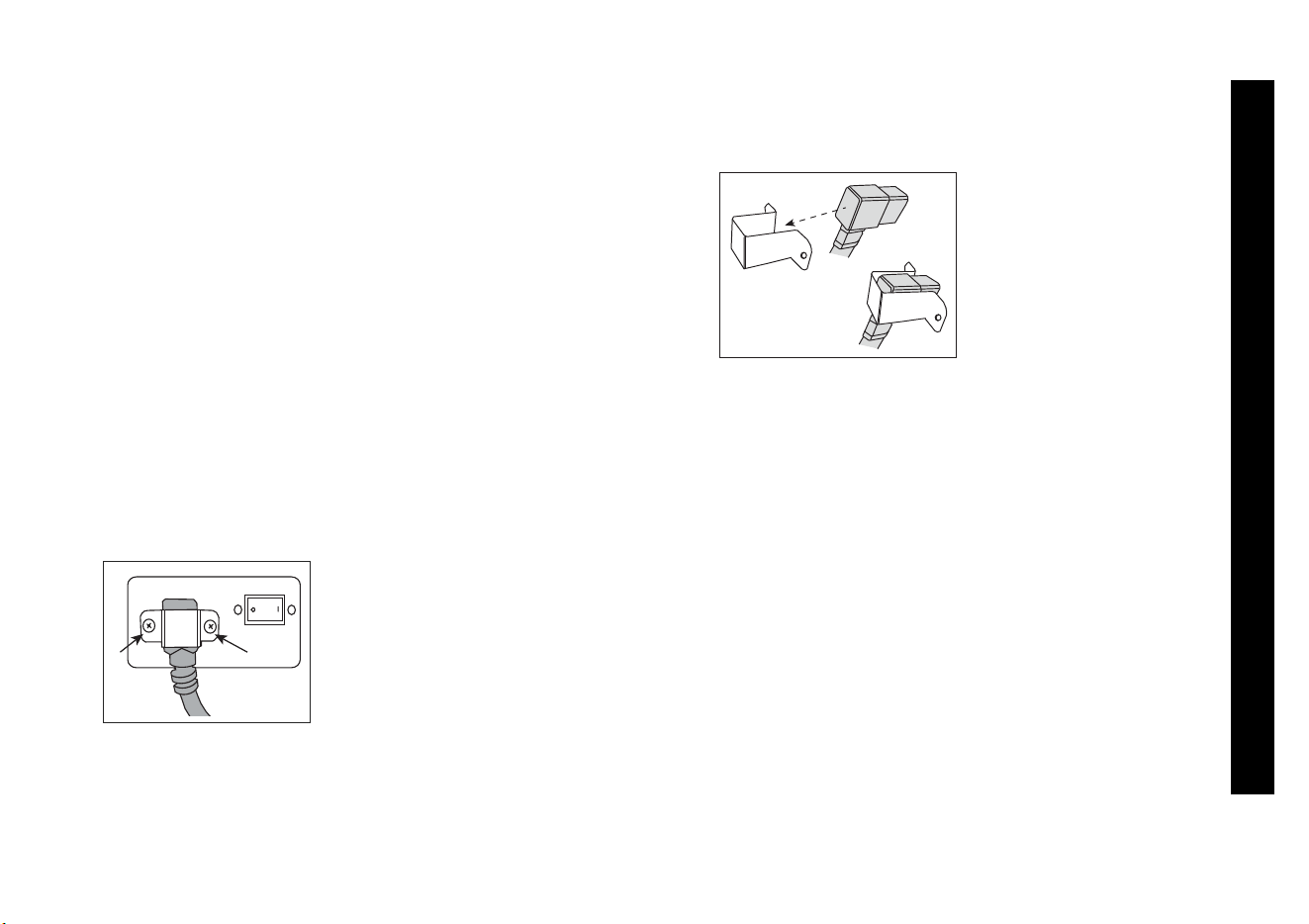
To change the power cord:
1. Loosen and remove the two screws that attach the
power cord clamp assembly to the treadmill.
Figure 1: Location of clamp assembly screws
2. Remove the current power cord from the clamp
assembly and replace it with the appropriate power
cord.
Figure 2: Replacing the power cord in clamp assembly
3. Reattach the clamp assembly to the treadmill by
plugging the power cord into the treadmill and reattach
the two screws to hold it firmly in place.
Ensure the cord is
connected securely and that
the two screws are tight.
Failure to do so may create
a risk of damage to the
equipment.
WARNING

Owner’s Manual: Important Safety Instructions 6
IMPORTANT SAFETY INSTRUCTIONS
Hazardous Materials and Proper
Disposal
The batteries within self-powered equipment contain
materials that are considered hazardous to the
environment.
Federal law requires proper disposal of these batteries. If
you plan to dispose of your equipment, contact Precor
Commercial Products Customer Support for information
regarding battery removal. Refer to Obtaining Service
.
Product Recycling and Disposal
This equipment must be recycled or discarded according
to applicable local and national regulations.
Regulatory Notices for Cardiovascular
Exercise Equipment
The regulatory information in this section applies to the
exercise equipment and its control console.
Safety Approvals for Cardiovascular
Equipment
Precor equipment has been tested and found to comply
with the following applicable safety standards.
Cardiovascular Type Equipment:
• CAN/CSA, IEC, EN 60335-1 (Household and similar
electrical appliances - Safety)
• EN 957 (Stationary training equipment, class H/B
compliant equipment)

Owner’s Manual: Important Safety Instructions 7
IMPORTANT SAFETY INSTRUCTIONS
Radio Frequency Interference (RFI)
Federal Communications Commission, Part 15
The treadmill has been tested and found to comply with
the limits for a Class B digital device, pursuant to Part 15
of the FCC Rules. These limits are designed to provide
reasonable protection against harmful interference in a
residential installation. The treadmill generates, uses, and
can radiate radio frequency energy and, if not installed
and used in accordance with the owner’s manual
instructions, may cause harmful interference to radio
communications.
Per FCC rules, changes or
modifications not expressly
approved by Precor could void the
user’s authority to operate the
equipment.
Canadian Department of Communications
This digital apparatus does not exceed the Class B limits
for radio noise emissions from digital apparatus set out in
the Radio Interference Regulations of the Canadian
Department of Communications.
Le présent appareil numérique n’émet pas de bruits
radioélectriques dépassant les limites applicables aux
appareils numériques de la class B prescrites dans le
Réglement sur le brouillage radioélectrique édicté par le
ministére des Communications du Canada.
ATTENTION: Haute Tension
Débranchez avant de réparer
WARNING
Owner’s Manual: Important Safety Instructions 8
IMPORTANT SAFETY INSTRUCTIONS
Electrical Recommendations:
120 V and 240 V Treadmills
Note: This is a recommendation only. NEC (National
Electric Code) guidelines or local region electric codes
must be followed.
CAUTION: Use the supplied and appropriate power
cord. Do not remove or otherwise bypass the 3-
prong plug with an adapter in order to use a non-
grounded outlet. Do not plug the treadmill into a
power transformer in an attempt to adjust the
voltage requirements. Failure to follow these
instructions might damage the unit and will void
the Precor Limited Warranty. If an appropriate cord
for your location was not included with your
treadmill, please contact your Precor dealer for the
proper Precor power cord. For more information on
authorized Precor dealers in your area, please
contact Customer Support at www.precor.com.
You should have received a power cable that meets your
local electrical code requirements along with the
equipment. Precor treadmills must be connected to a
dedicated individual branch circuit with a capacity of at
least 15 amps for 120 V or at least 10 amps if designed
for 240 V. If you need additional help with the power
connections contact your Precor authorized dealer.
Obtaining Service
You should not attempt to service the treadmill except for
maintenance tasks as described in this manual. The
treadmill does not contain any user-serviceable parts that
require lubrication. For information about product
operation or service, see the Precor web site at
www.precor.com.
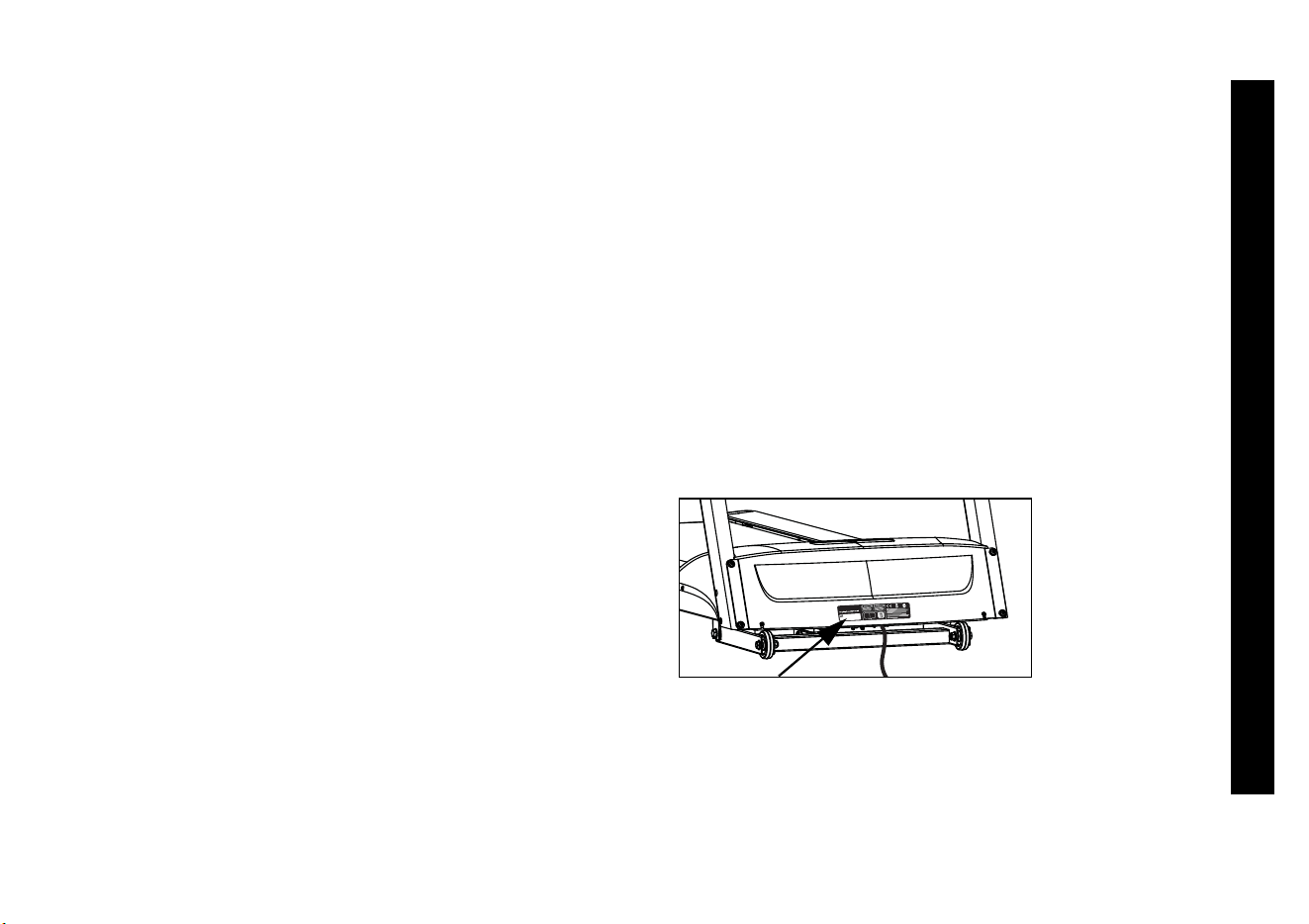
For future reference, write the model, serial number, and
date of purchase for your unit in the space provided. The
serial number is printed on a label located on the front
panel, near the power cord. Refer to Figure 3.
Figure 3: Location of serial number
Model #: _______ Serial #: ___________________
Date purchased: _________________________

Owner’s Manual: Table of Contents 9
Table of Contents
Important Safety Instructions .............................1
Safety Precautions ............................................................... 1
Grounding Instructions ........................................................ 4
Replacing the Power Cord
(240 volt 9.27 model only) .................................................5
Hazardous Materials and Proper Disposal ..................... 6
Product Recycling and Disposal ....................................... 6
Regulatory Notices for Cardiovascular
Exercise Equipment .............................................................. 6
Electrical Recommendations:
120 V and 240 V Treadmills .............................................. 8
Obtaining Service ................................................................. 8
Treadmill Safety Features ........................................... 11
Using the Safety Clip ........................................................ 11
Using the Handrails ........................................................... 12
Turning the Unit On and Off ............................................ 12
Using the Reset Switch .................................................... 12
Location ............................................................................... 12
Heart Rate Features ...................................................... 13
Important Use and Safety Information .......................... 13
Exercise to Your Target Heart Rate ............................... 15
Using the Touch-Sensitive
Heart Rate Grips ................................................................ 16
Using SmartRate ................................................................ 17
Using a Chest Strap Transmitter
(9.27 model only) ............................................................... 18
Heart Rate Analysis ........................................................... 19
Display Console ..............................................................20
More Information about the Center Display ................. 22
More Information about the
Lower Display ..................................................................... 22
Keypad .................................................................................. 24
User Identification ..........................................................27
Adding a User ..................................................................... 27
Updating User Information ............................................... 28
Workout Options ............................................................29
Choosing QUICKSTART ................................................. 30
Selecting a Program .......................................................... 31
Selecting a USER Key ...................................................... 32
Cooling Down After a Workout ...................................... 33
Pausing During a Workout or the
Cool-Down Period ............................................................. 33
Ending a Workout .............................................................. 34
Programs ..........................................................................35
Choosing a Program ......................................................... 35
Program Tips ....................................................................... 35
Manual Program ................................................................. 36
Weight Loss Program ....................................................... 36

Owner’s Manual: Table of Contents 10
Interval Program ................................................................. 37
Hill Climb Program ............................................................ 38
Walk One Program (9.27 model only) .......................... 38
Walk Two Program (9.27 model only) .......................... 39
5K Track Run Program (9.27 model only) ................... 39
Fun Run Program ............................................................... 40
9.27 Heart Rate Program Tips ....................................... 40
Heart Rate Fat Burn Program
(9.27 model only) ............................................................... 41
Heart Rate Cardio Program
(9.27 model only) ............................................................... 41
Advanced Programming and Troubleshooting ..... 42
Advanced Programming Tips .......................................... 42
Selecting a U.S. Standard or
Metric Display ..................................................................... 42
Informational Displays ....................................................... 43
Red Reset Button .............................................................. 44
Troubleshooting Error Codes ......................................... 45
Troubleshooting Heart Rate Issues ............................... 45
Maintenance ................................................................... 47
Inspection ............................................................................ 47
Cleaning the Equipment ................................................... 48
Storing the Chest Strap ................................................... 48
Checking the Alignment of the
Running Belt ....................................................................... 49
Adjusting the Running Belt .............................................. 50
Long-Term Storage ........................................................... 51
Owner’s Manual: Treadmill Safety Features 11
Treadmill Safety Features
The treadmill is equipped with certain items that, when
used properly, help sustain an enjoyable workout. These
items include:
• Safety clip and magnetic safety key
•Handrails
•Power switch
Important: Before exercising, review the Important Safety
Instructions found at the beginning of this manual.
Using the Safety Clip
Attach the safety clip to your clothing before each workout.
Refer to Figure 4. A tug on the lanyard disengages the
magnetic safety key and trips the safety power switch
inside the display console that stops the running belt and
ends your exercise session.
Note: If the safety power switch trips, the treadmill does
not retain your workout statistics.
To resume exercising, take the following steps:
1. If needed, reattach the safety clip to your clothing and
the magnetic safety key onto the display console.
2. Straddle the running belt.
3. Press QUICKSTART or select a program.
4. Hold onto a handrail while you step on to the running
belt with the speed at or below 1 mph (1.6 kph).
Figure 4: Attach the safety clip to your clothing
Important: To prevent unauthorized use, remove the
magnetic safety key and safety clip after your workout and
store it in a safe place. The treadmill cannot operate
unless the magnetic safety key is attached to the display
console.
Owner’s Manual: Treadmill Safety Features 12
Using the Handrails
To maintain your balance, always grasp a handrail when
you step on or off the treadmill, and when you use the
keypad.
To learn more about the touch-sensitive heart rate grips,
refer to Heart Rate Features.
Turning the Unit On and Off
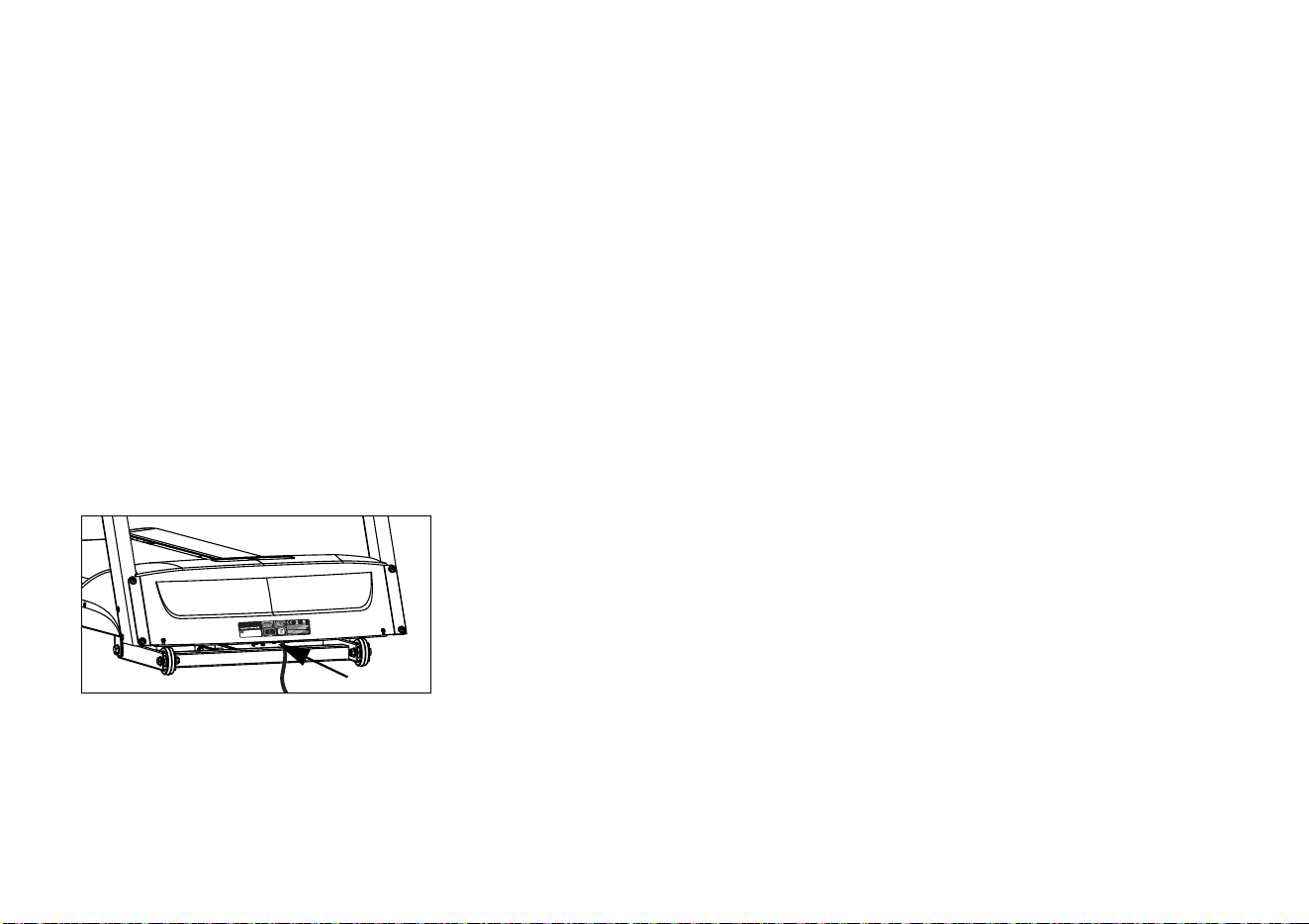
To turn the unit On and Off, use the power switch located
at the front of the unit, near the power cord connection.
Refer to Figure 5.
Important: Always turn the treadmill OFF and unplug the
treadmill when it is not in use. Do not leave children
unsupervised around the equipment.
Figure 5: Location of power switch
Using the Reset Switch
The treadmill contains a circuit breaker that trips if it
detects overload conditions. To protect the lower
electronic boards from damage, a red button, near the
power switch, must be pressed to reset the circuit breaker.
For more information, refer to Advanced Programming and
Troubleshooting.
Location
To prevent damage to the lower unit, locate your treadmill
away from heating ducts. For safety and maintenance
purposes, it is important to keep the area around the
treadmill open and free from encumbrances such as other
equipment. Locate at least 40 inches (1 meter) away from
walls or furniture on either side of the treadmill, and at least
80 inches (2 meters) away from objects behind the
treadmill.
Owner’s Manual: Heart Rate Features 13
Heart Rate Features
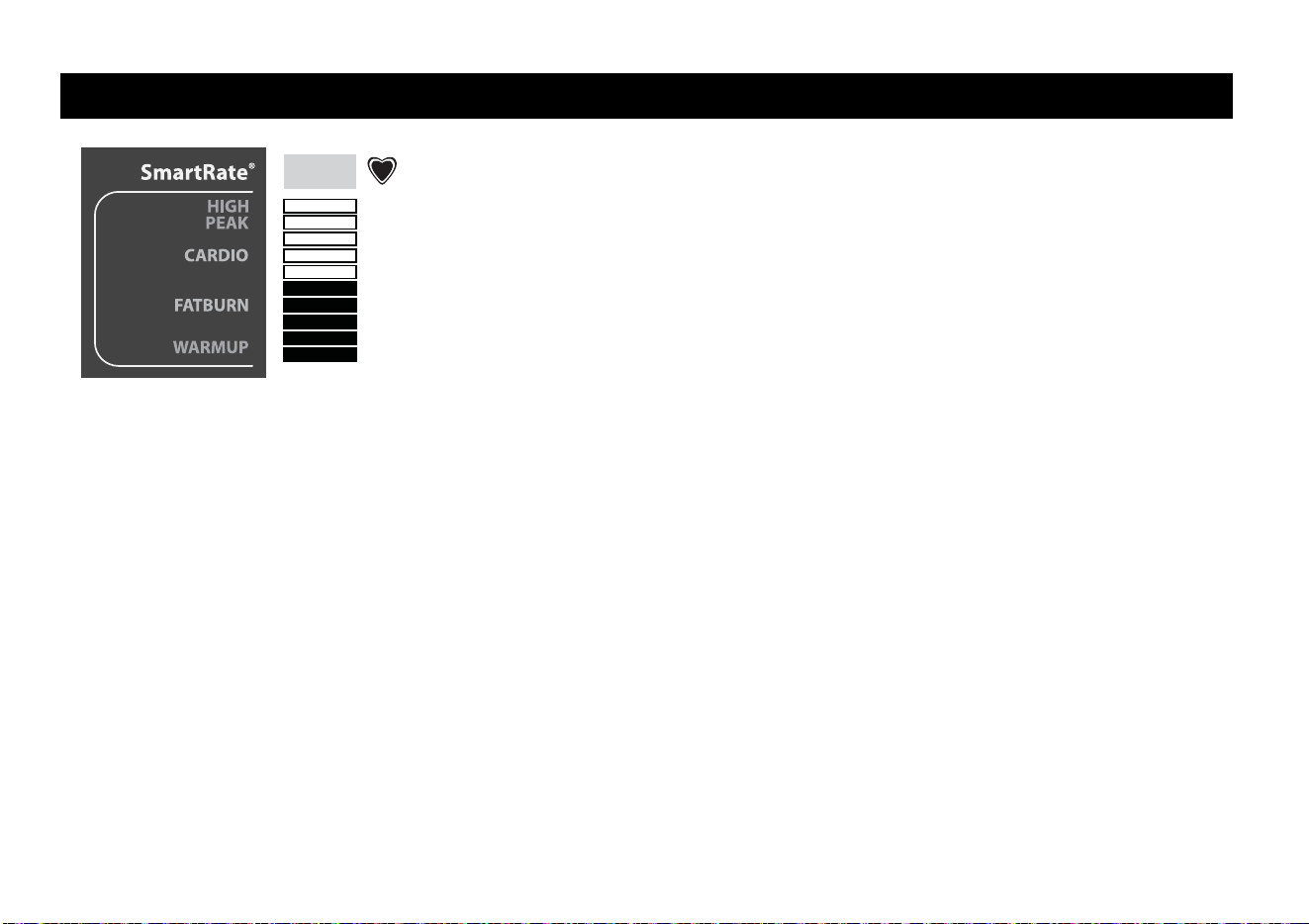
Heart rate and SmartRate
®
features are available when
you grasp both touch-sensitive heart rate grips or wear a
chest strap on the 9.27 treadmill. When a heartbeat is
detected, the heart icon continues to blink while a heart
rate is discernible. If no heart rate is detected, the outline
around the heart icon remains lit and does not blink. During
a workout, a number representing your heart rate is
displayed.
Important Use and Safety Information
Read the following before using the heart rate or
SmartRate features.
CAUTION: Before beginning any fitness program, see
your physician for a thorough physical examination.
Seek advice from your physician to learn the target heart
rate appropriate for your fitness level. Your heart rate
should never exceed 85% of your maximum aerobic
heart rate. If it does, immediately slow down and adjust
the ramp incline or resistance to return to your physical
recommended target zone.
• Consult your physician before engaging in any vigorous
exercise. Do not use the heart rate programs until
authorized by your physician.
• Know your heart rate and your physician-recommended
heart rate target zone. Individual heart rates vary
according to several physiological factors and may not
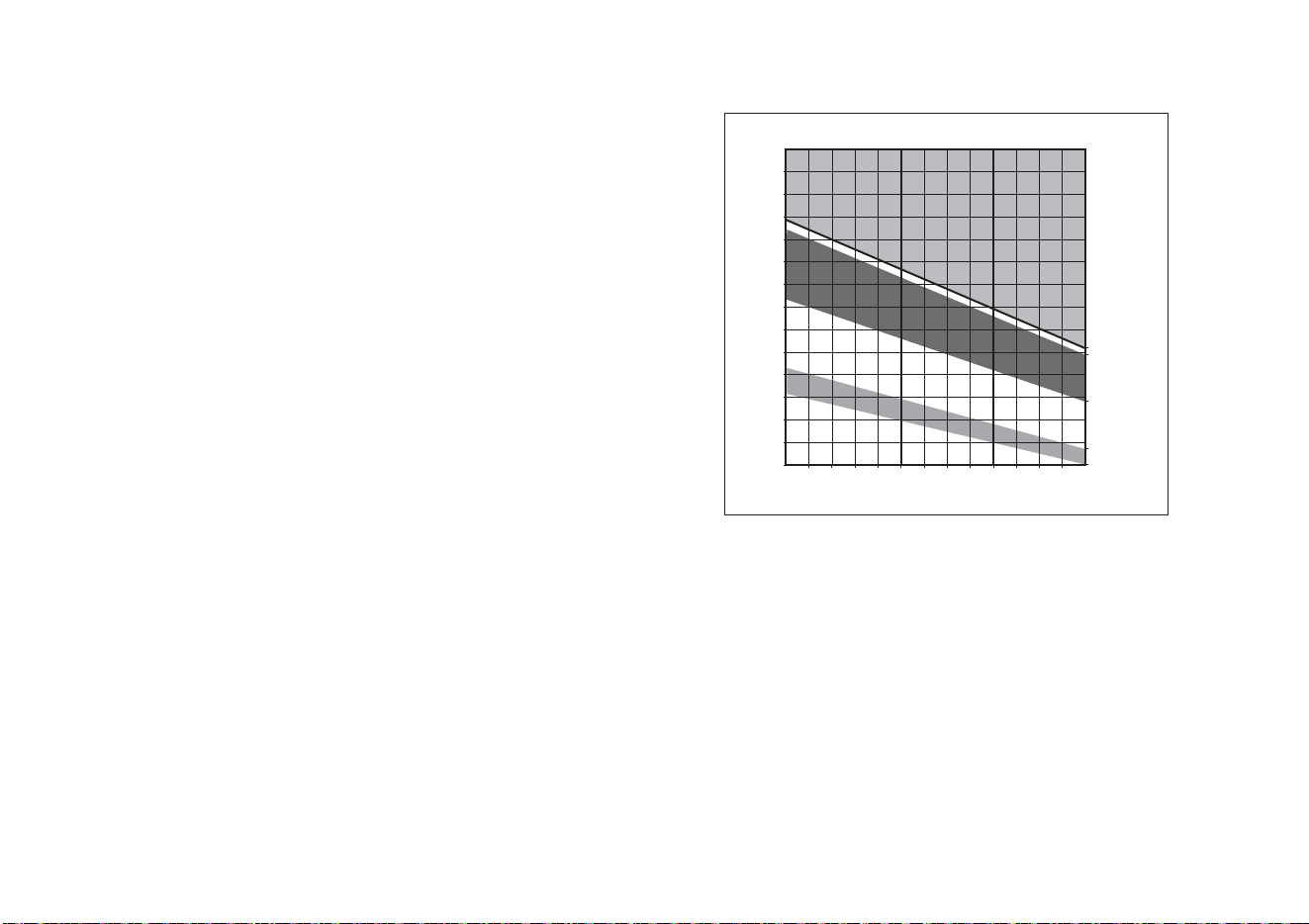
correspond directly with Figure 6.
Target HR
Achieved
Owner’s Manual: Heart Rate Features 14
• The calculation used for the heart rate target zone is
(220 minus your age) multiplied by a percent and is
controlled by the user increasing or decreasing the
incline.
For example:
Fat Burn program: (220 minus your age) multiplied by
65%
Cardio program: (220 minus your age) multiplied by
80%
Refer to Table 1 in Using SmartRate.
• If you are using a chest strap on the 9.27 model, put it
on and face the display console for a few seconds. This
allows the receiver in the console to recognize the
signal from the chest strap.
• If the
icon does not blink, the treadmill cannot detect
your heart rate. Every SmartRate bar is lit. Make sure
the chest strap is positioned properly around your
chest and against your skin.
• If you prefer to use the touch-sensitive heart rate grips,
grasp both touch-sensitive heart rate grips and wait five
to ten seconds. Make sure both hands are moist.
Note: When a signal is detected, a number appears in
the HEART RATE display and indicates your heart rate.
• Always face forward on the treadmill and use the
handrail for balance. Keep upper body movement to a
minimum.
Figure 6: Heart rate target zones
20 25 30 35 40 45 50 55 60 65 70 75
70
80
90
100
120
130
140
150
160
170
180
190
200
110
Heart Rate Target Zones
Yo u r Ag e
Your Heart Rate
High
Cardio
Warmup
R
e
c
o
m
m
e
n
d
e
d
C
a
r
d
i
o
v
a
s
c
u
l
a
r
Z
o
n
e
R
e
c
o
m
m
e
n
d
e
d
W
e
i
g
h
t
L
o
s
s
Z
o
n
e
Peak
Fat Burn

Owner’s Manual: Heart Rate Features 15
Exercise to Your Target Heart Rate
A heart rate receiver is an integral part of the display so
you can monitor your heart rate while exercising. You must
wear a chest strap (9.27 model only) or grasp both touch-
sensitive heart rate grips and enter your age. Your heart
rate (beats per minute) appears on the display.
Important: Enter an accurate age when queried otherwise
a default age of 35 years is used for heart rate
calculations.
The 9.27 model treadmill includes two programs, Heart
Rate Fat Burn (P9) and Heart Rate Cardio (P10), which let
you exercise based on a specified heart rate. Refer to
Programs.
During the warm-up period, you can change the incline or
speed using the INCLINE and SPEED arrow keys.
Tapping the INCLINE key, displays your target heart rate.
When the warm-up period ends, the INCLINE keys affect
the target heart rate and not the treadmill’s incline.
You can adjust your target heart rate after selecting a
program and completing the warm-up period.
To use the 9.27 programs, press the PROGRAMS key
until the desired program, P9 or P10 appears. For more
information, refer to Programs.
The 9.23 model does not contain programs that
automatically maintain your heart rate within a target zone,
but you can monitor your heart rate with any program if you
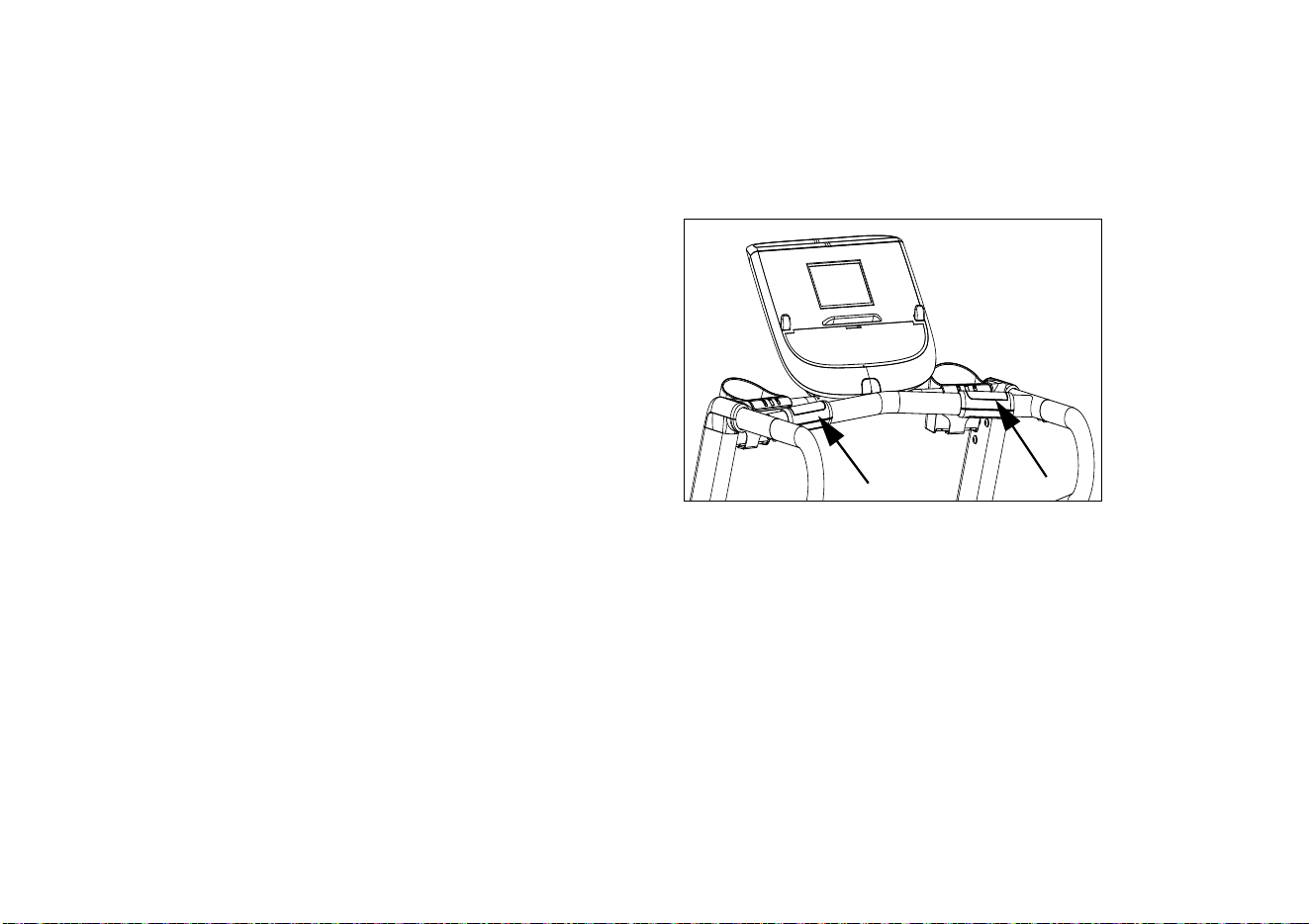
use the touch-sensitive heart rate grips. When you enter
your age during the setup prompts, the SmartRate display
provides a visual cue that helps you stay within the desired
heart rate target zone.
Owner’s Manual: Heart Rate Features 16
Using the Touch-Sensitive
Heart Rate Grips
Note: Touch-sensitive heart rate grip performance may vary
based on a user’s physiology, fitness level, age, and other
factors. You may experience an erratic readout if your
hands are dry, dirty, or oily, or if the skin on your palms is
especially thick. Wearing hand lotion can also cause an
erratic readout. In addition, make sure that the grips are
clean to ensure proper contact can be maintained.
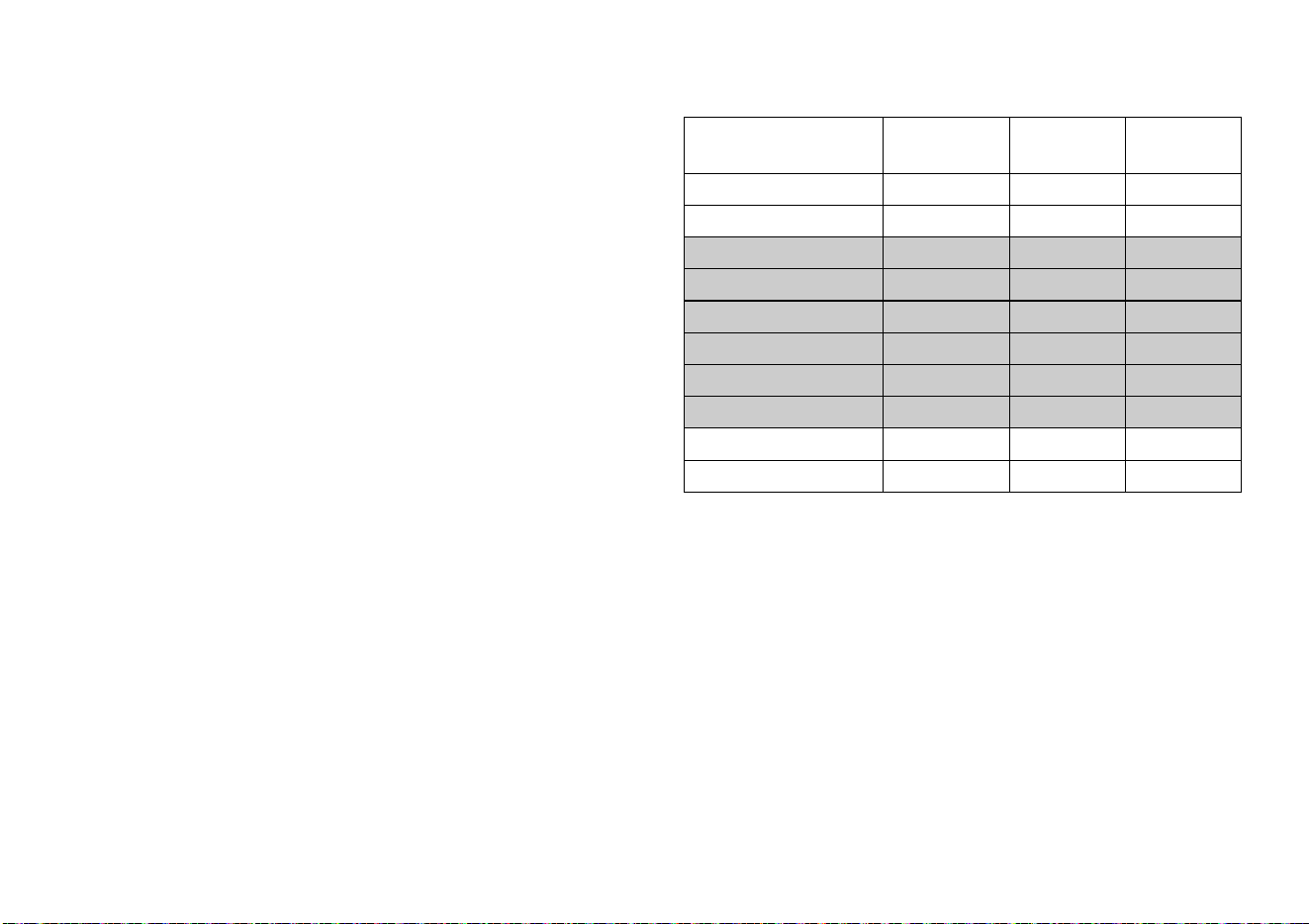
To use the touch-sensitive heart rate feature, place the
palm of your hands directly on the metal heart rate sensors
on the equipment’s handlebars. Refer to Figure 7. To
ensure a more accurate heart rate readout, make sure you
follow these tips:
• Both hands must grip the sensors for your heart rate to
register.
• It takes a number of consecutive heartbeats (15-20
seconds) for your heart rate to register.
• When gripping the sensors, do not grip tightly. Keep a
loose, cupping hold. Holding the grips tightly can affect
the reading.
• As you work out, your perspiration will help transmit
your heart rate signal. If you have difficulty using the
touch-sensitive grips to determine your heart rate, try
the sensors again later in the workout to see if you can
obtain a heart rate signal.
• If the touch heart rate feature does not work for you,
Precor recommends that you use a chest transmitter
strap.
Note: A chest strap is not included with this model.
Figure 7: Touch-sensitive heart rate grips
Important: While exercising, do not grasp the
touch-sensitive heart rate grips and wear the chest strap
at the same time. The touch-sensitive heart rate grips
override the signals from the chest strap transmitter. If
used together, inconsistent readings may occur.
Owner’s Manual: Heart Rate Features 17
Using SmartRate
The SmartRate feature helps you monitor and maintain
your heart rate in the target zone best suited to your
specific needs.
After you begin a workout, a blinking bar appears on the
SmartRate display. The blinking bar indicates the current
zone of your heart rate.
Important: To use the SmartRate feature, you must
choose a program and enter your age during the setup
phase of your exercise session.
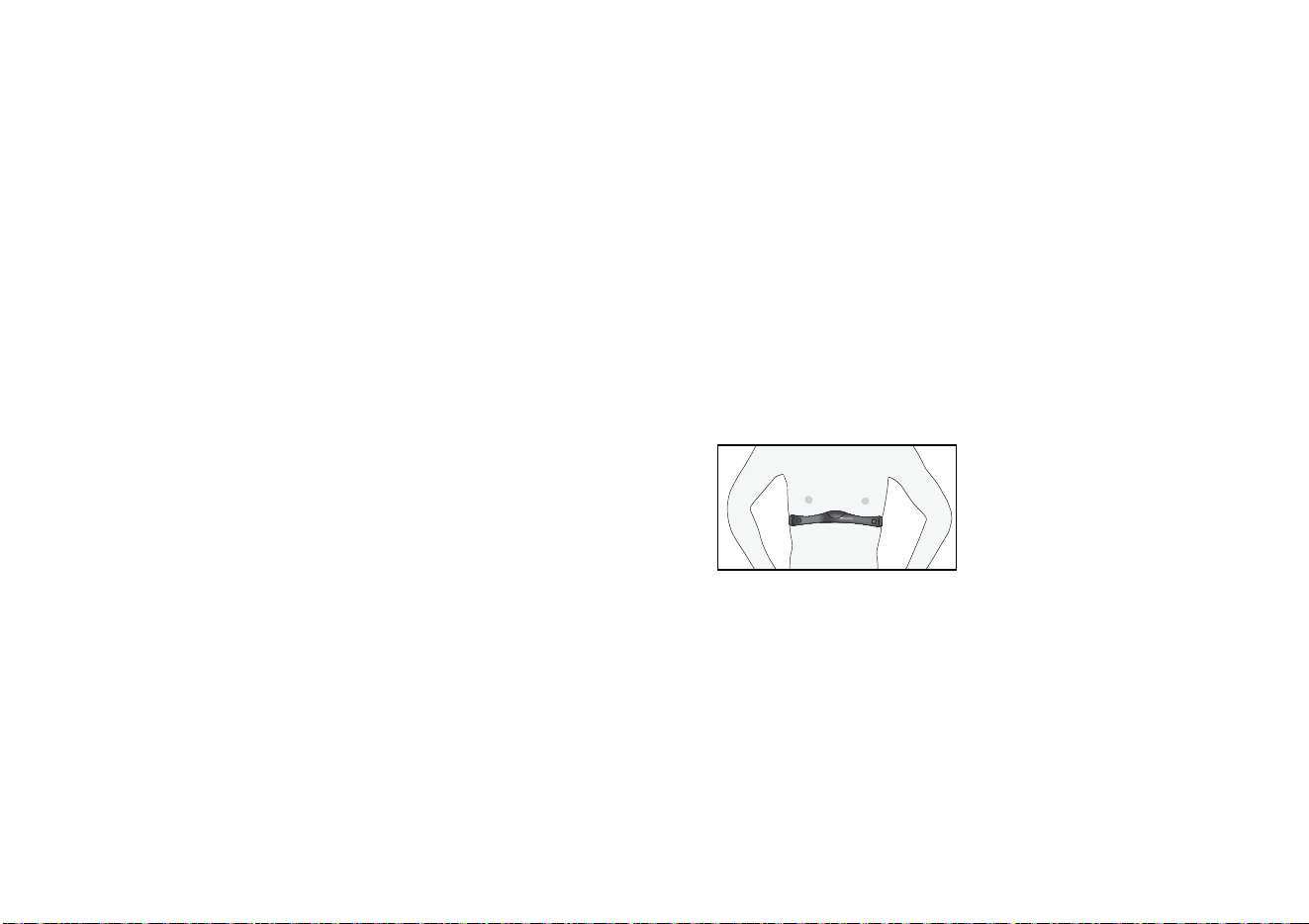
Table 1 shows the percents used in calculating the heart
rate target zones. While your heart rate remains within
these zones, the corresponding bar blinks and provides a
visual cue.
The calculation used to determine your maximum aerobic
heart rate is (220 minus your age). When you multiply it by
the percent indicated in Table 1, you can understand the
relation-ship between the blinking SmartRate bar and your
target heart rate.
Table 1. Heart rate target zones and SmartRate LEDs
The SmartRate indicator lights do not appear when:
• You press QUICKSTART at the banner.
• You do not enter your age before starting a program.
• You do not wear or improperly position the chest strap
on the 9.27 treadmill.
• You fail to grasp both touch-sensitive heart rate grips
for five to ten seconds.
Heart Rate Zone
Percent
SmartRate
Bars Lit Blinking Target Zone
Below 50 none First WARMUP
50 to 54 First Second WARMUP
55 to 59 Second Third FATBURN
60 to 64 Third Fourth FATBURN
65 to 69 Fourth Fifth FATBURN
70 to 74 Fifth Sixth CARDIO
75 to 79 Sixth Seventh CARDIO
80 to 84 Seventh Eighth CARDIO
85 to 87 Eighth Ninth PEAK
Above 87 Ninth Tenth HIGH
Owner’s Manual: Heart Rate Features 18
Using a Chest Strap Transmitter
(9.27 model only)
Signals used by the Chest Strap
Transmitter (or heart rate strap)
may interfere with pacemakers
or other implanted devices.
Consult your physician and the
manufacturers of your Chest
Strap Transmitter and implanted
device before using a Chest
Strap Transmitter.
Wearing a chest strap transmitter during your workout
provides steady heart rate information. For the equipment
to detect your heart rate, you must grip the touch heart rate
sensors or wear a chest strap transmitter while exercising.
In the presence of both touch and wireless data, the touch
data takes precedence and will display.
Note: To receive an accurate reading, the strap needs to
be in direct contact with the skin on the lower sternum (just
below the bust line for women).
Important: While exercising, do not grasp the
touch-sensitive heart rate grips and wear the chest strap
at the same time. The touch-sensitive heart rate grips
override the signals from the chest strap transmitter. If
used together, inconsistent readings may occur.
To use a chest strap transmitter:
Note: A chest strap is not included with this model.
1. Carefully dampen the back of the strap with tap water.
Important: Do not use deionized water. It does not
have the proper minerals and salts to conduct electrical
impulses.
2. Adjust the strap and fasten it around your chest. The
strap should feel snug, not restrictive.
3. Make sure that the chest strap is right-side-up, lies
horizontally across, and is centered in the middle of
your chest.
Figure 8: Positioning the chest strap
4. Test the chest strap placement by checking the heart
rate function on the equipment. If a heart rate is
registering, your chest strap placement is correct.
5. If the equipment does not register a heart rate, readjust
the strap and recheck the heart rate function.
WARNING

Owner’s Manual: Heart Rate Features 19
Heart Rate Analysis
Every time you complete a program using a chest strap
(9.27 model only) or the touch-sensitive heart rate grips,
your average heart rate appears along with your workout
summary statistics. The heart rate analysis is based on
how often your heart rate signal is received while
exercising. If you use a chest strap on the 9.27 model, the
average heart rate will be more accurate than if you
occasionally grasp the touch-sensitive heart rate grips.
Owner’s Manual: Display Console 20
Display Console
Target HR
Achieved
PROGRAM
GUEST
User 1
User 2
120 21.5 0.3 25:05
0.6.5.0.60.00004.0
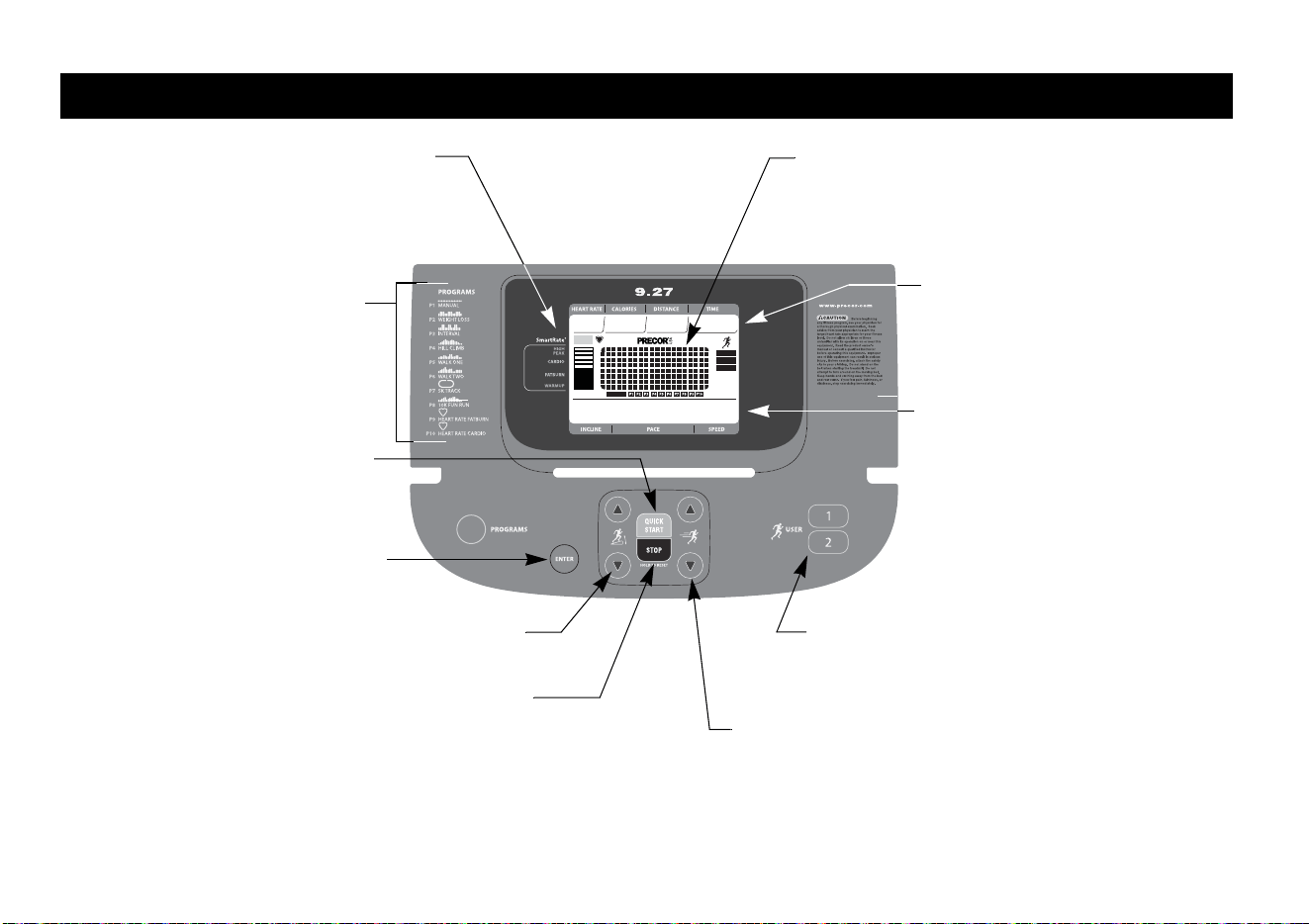
Center display: Initially shows the banner. It
changes to the program profile when you select a
program or press QUICKSTART. A blinking
column in the profile indicates your position.
SmartRate display: Blinking horizontal
bars appear when the SmartRate feature is
activated. Use the SmartRate display to
monitor your heart rate and maintain it in your
target zone.
PROGRAMS keypad: To begin an
exercise session, press the
PROGRAMS key to view the menu of
programs. For program descriptions,
refer to Programs.
QUICKSTART: Press QUICKSTART
to begin your workout immediately.
ENTER key: Press this key to confirm
responses to specific prompts.
Red STOP key: Press to pause and stop the running
belt. To end a workout, press and hold the key for a
few seconds. The display resets to the banner.
Lower display: While you exercise,
three sets of numbers show
information about your session.
When you complete a program, the
average incline, average pace, and
average speed appear as part of the
workout summary.
SPEED arrow keys: Use the arrow keys to
adjust the speed.
INCLINE arrow keys: Use the
arrow keys to adjust the incline.
Workout Statistics: Your heart rate,
calories burned, distance travelled,
and workout time appear along the
upper portion of the display.
User 1—2: Two USER keys are available on the 9.27
treadmill. Press a USER key at the banner to
personalize your exercise experience. The
information is stored for future exercise sessions.
Model 9.27
Owner’s Manual: Display Console 21
Target HR
Achieved
PROGRAM
GUEST
User 1
User 2
120 21.5 0.3 25:05
0.6.5.0.60.00004.0
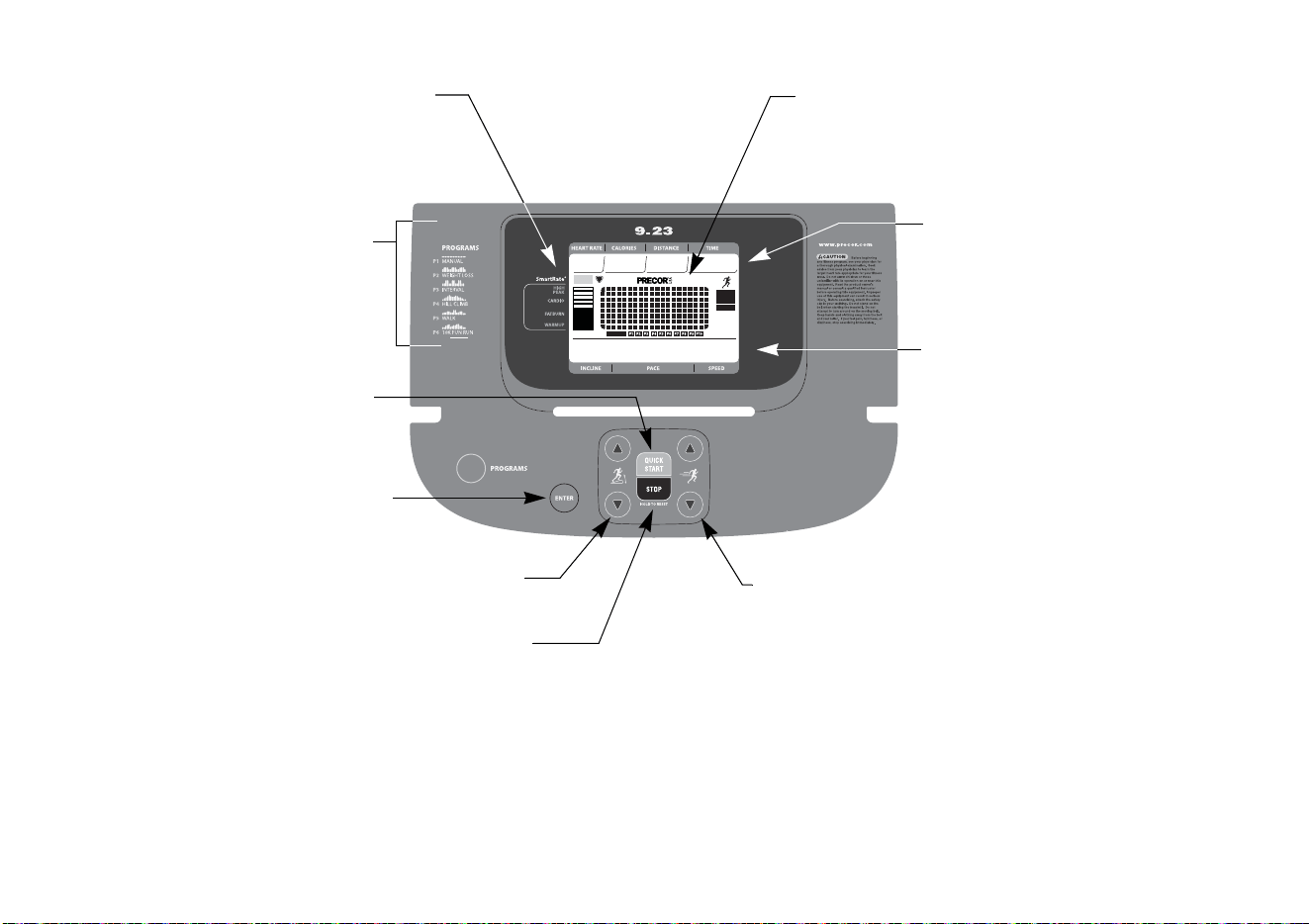
Center display: Initially shows the banner. It
changes to the program profile when you select a
program or press QUICKSTART. A blinking
column in the profile indicates your position.
SmartRate display: Blinking horizontal
bars appear when the SmartRate feature is
activated. Use the SmartRate display to
monitor your heart rate and maintain it in your
target zone.
PROGRAMS keypad: To begin an
exercise session, press the
PROGRAMS key to view the menu of
programs. For program descriptions,
refer to Programs.
QUICKSTART: Press QUICKSTART
to begin your workout immediately.
ENTER key: Press this key to confirm
responses to specific prompts.
Lower display: While you exercise,
three sets of numbers show
information about your session.
When you complete a program, the
average incline, average pace, and
average speed appear as part of the
workout summary.
Workout Statistics: Your heart rate,
calories burned, distance travelled,
and workout time appear along the
upper portion of the display.
SPEED arrow keys: Use the arrow keys to
adjust the speed.
Red STOP key: Press to pause and stop the running
belt. To end a workout, press and hold the key for a
few seconds. The display resets to the banner.
INCLINE arrow keys: Use the
arrow keys to adjust the incline.
Model 9.23
Owner’s Manual: Display Console 22
More Information about the Center
Display
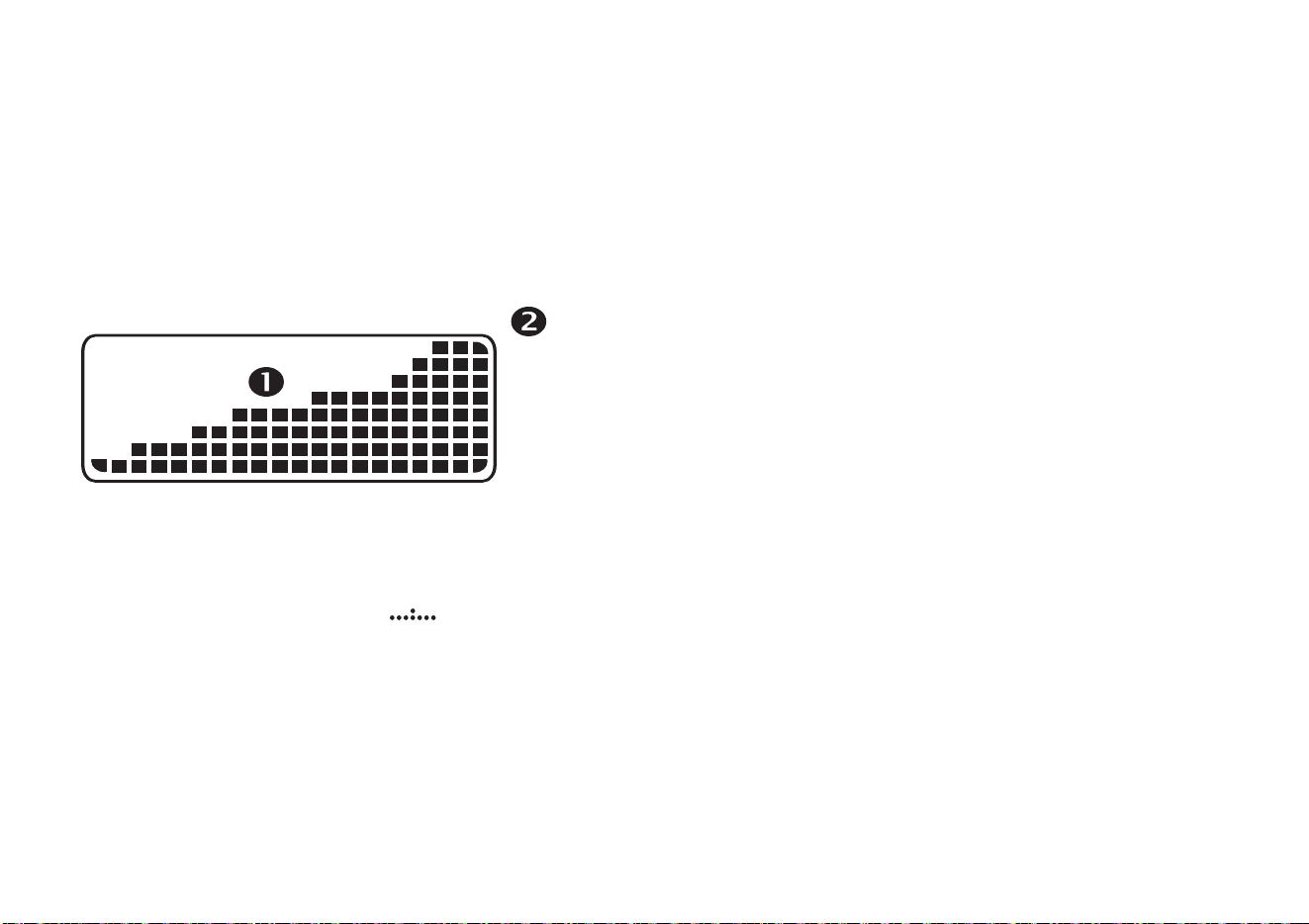
The center display shows the program profile and other
information pertinent to your workout. In most programs,
the incline setting affects the column height as shown in
Figure 9. The profile raises or lowers according to which
INCLINE arrow key is pressed.
Figure 9: Column height (1) and Incline settings in the
program profile
As you continue your exercise session, a blinking column
indicates your position in the program. If the profile is only
one row in height, then markers ( ) appear
occasionally and provide a sense of movement through the
program.
Note: The center display provides a matrix consisting of 8
rows and 20 columns. You can determine the duration of
each column in a program (if the workout time is less than
20 minutes) by dividing the program’s time limit by 20. If
the workout time is greater than 20 minutes, each column
represents 1 minute.
More Information about the
Lower Display
The lower display presents the program name when you
first select a program. During an exercise session, the
lower display consists of three windows, which
automatically provide specific information. The two outside
windows display your incline and speed. The center
window shows your pace. The numbers that appear relate
to your workout statistics and are described below.
On occasion, the lower display becomes a message bar
and shows additional information depending on user
selections and program interludes.
0 – 1
1.5 – 3
3.5 – 5
5.5 – 7
7.5 – 9
9.5 – 11
11.5 – 13
13.5 – 15

Owner’s Manual: Display Console 23
Upper Display Workout Statistics:
HEART RATE, CALORIES, DISTANCE, and TIME
HEART RATE—Your heart rate appears in the HEART
RATE display if you are using a chest strap (9.27 model
only) or the touch-sensitive heart rate grips. Refer to Heart
Rate Features.
CALORIES—Tracks the cumulative number of calories
being burned.
DISTANCE—Tracks linear distance in either miles or
kilometers. The distance is calculated based on your
speed.
TIME—Displays the workout time in minutes and seconds;
however, when you exceed 60 minutes during a single
workout, the TIME display converts to hours and minutes.
For programs with a workout time limit, the TIME display
shows the time remaining. When you use QuickStart or
select a workout time of zero (no time limit), the TIME
display shows the elapsed time.
Lower Display Workout Statistics:
INCLINE, PACE, and SPEED
INCLINE—Displays the percentage of incline during your
workout. The INCLINE arrow keys affect the lift and let you
set an incline between 0% and 15%. The values displayed
can change in 0.5% increments.
PACE—Displays your target speed in minutes and seconds
per mile (or kilometer). For example, the number 4:23
indicates that the pace (speed at which you are moving) is
4 minutes and 23 seconds per mile. When you press the
SPEED arrow keys, the pace display changes accordingly
(0.1 mile per key press).
Note: If your pace is greater than 60 minutes per mile, the
display indicates hours and minutes (hr:mm).
SPEED—Displays the running belt speed in miles per hour
(mph) or kilometers per hour (kph). The running belt speed
ranges from 0.5 and 12 mph (0.8 to 20 kph) and can be
changed in 0.1 increments using the SPEED arrow keys.
Owner’s Manual: Display Console 24
Keypad
Use the keypad to enter your workout session selections,
to affect what appears on the display, and to establish your
incline and speed preferences.
Figure 10: Lower Display keypad
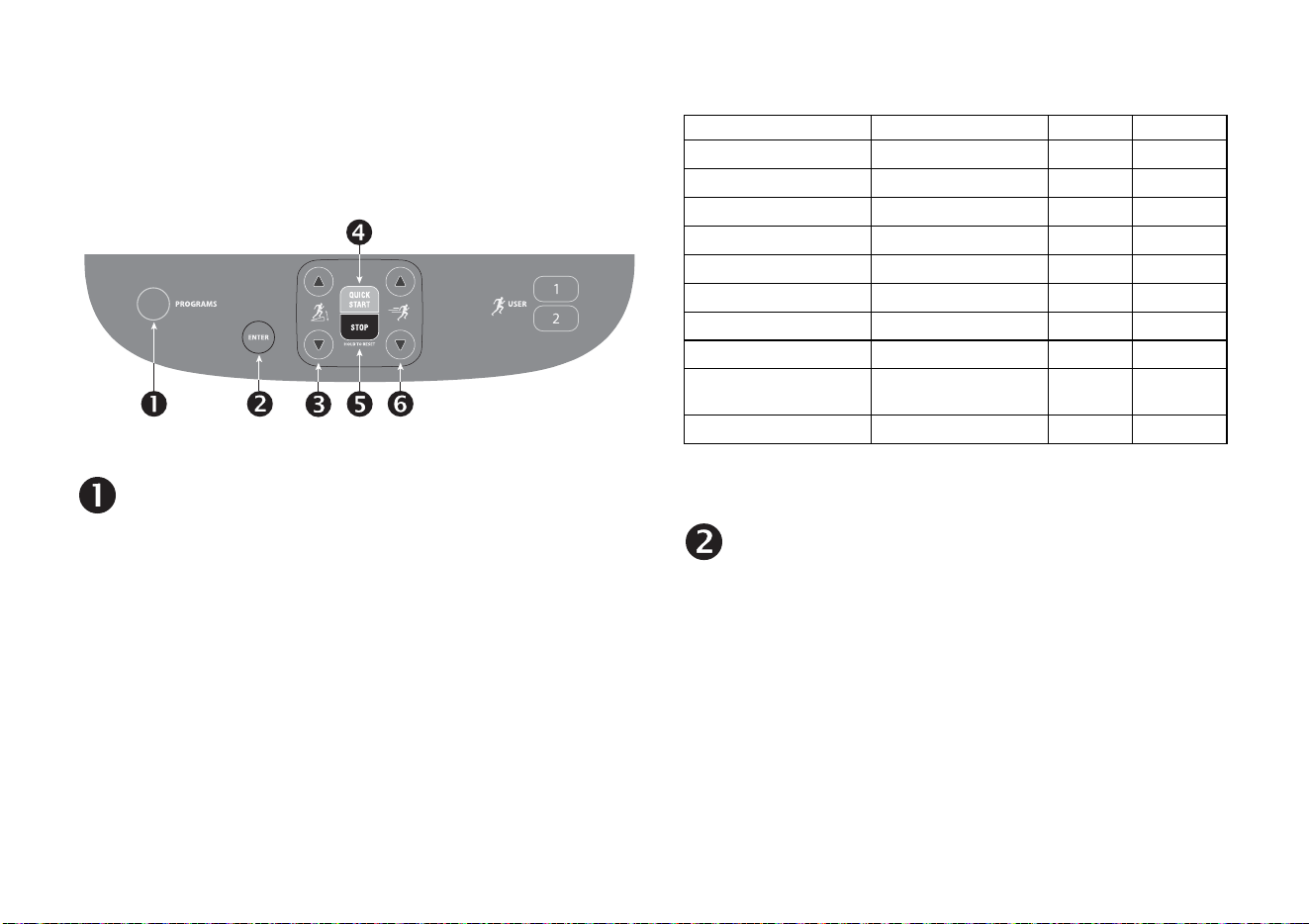
PROGRAMS: Every time you press this key the
display cycles through the available programs. Refer
to Table 2. The program profile appears in the center
display and the abbreviated name of the program
lights along the base of the display. The Guest user is
also highlighted to indicate that the choices you make
during setup will not be saved when you end your
exercise session.
Note: If you selected a USER key on the 9.27 model,
the appropriate user bar is highlighted.
Table 2. Available programs
* Use of chest strap (9.27 model only) or the touch-sensitive heart rate
grips is required.
ENTER: Use this key to confirm responses to specific
prompts.
Program Number Menu Selections 9.23 9.27
P1 Manual
✓✓
P2 Weight Loss
✓✓
P3 Interval
✓✓
P4 Hill Climb
✓✓
P5 Walk One
✓✓
P6 Walk Two
✓
P7 5 K Track
✓
P8 Fun Run (10 K)
✓✓
P9 Heart Rate Fat
Burn*
✓
P10 Heart Rate Cardio*
✓
Owner’s Manual: Display Console 25
INCLINE: Press and hold the INCLINE arrow keys to
increase or decrease the incline from 0% to 15% in
0.5% increments.
Changes to the incline are not immediate. It takes
time for the lift to reach the target incline shown on
the display.
The incline setting affects the column height in the
program profile. Refer to Figure 9. The INCLINE
display shows the new setting.
QUICKSTART: Press QUICKSTART to start your
workout immediately using the Manual Program.
Refer to Choosing QUICKSTART.
STOP: A firm tap on the red STOP key slows the
running belt to a stop and the treadmill enters pause
mode. To resume, press QUICKSTART or the
SPEED up arrow key. To reset to the banner, hold the
red STOP key for a few seconds or press it two more
times. Refer to Pausing During a Workout or the
Cool-Down Period.
SPEED: Press and hold the SPEED arrow keys to
increase or decrease the running belt speed in 0.1
increments from 0.5 to 12 mph (0.8 to 20 kph).
When you press the arrow keys, a target speed
appears in the display. The running belt speed
changes to meet the target, but the change occurs
gradually so the transition is smooth.
Owner’s Manual: Display Console 26
Model 9.27 USER Keys
Figure 11: USER keys
User Keys: On the 9.27 treadmill, you can personalize
your exercise session by pressing a USER key (1 or 2) at
the banner. When you choose a USER key, personal
information such as workout time, age, weight, and
preferred program are reinstated as your exercise session
begins. If you haven’t already done so, you’ll need to select
a user number. For more information, refer to Selecting a
USER Key.
Owner’s Manual: User Identification 27
User Identification
Choose a user identification or USER key to enable the
treadmill to identify you and track your cumulative workout
statistics. Once you configure your USER key, you can
personalize your workout session and store information
about your workout time, weight, age and preferred
program.
The USER keys on the 9.27 treadmill allow two people to
customize, store, and retrieve workout selections.
Initially, you must add a USER so that the treadmill can
store exercise session preferences. Once you enter the
requested information, it is stored until you opt to change
it. You can select the same USER key and your user
preferences will automatically be re-instated. Refer to
Adding a User.
Note: To exit the process of adding or selecting a USER
key, press the red STOP key which will return the display to
banner. Any user entries are not saved.
Adding a User
Adding a user is the initial step, a one-time selection
process. Once you choose a user key and answer the
prompts, you can press the same user key every time you
work out. Your workout preferences for workout time,
weight, age, and program are re-instated.
To add a user, take the following steps.
1. At the banner, press a USER key. The prompt, ENTER
TIME appears in the display. Use the arrow keys to
adjust the workout time, and then press ENTER.
2. In the same manner, answer the remaining prompts for
weight and age.
Owner’s Manual: User Identification 28
3. Select a program by pressing the PROGRAMS key
and then pressing ENTER. Refer to Selecting a
Program.
Note: The workout time and program you choose
becomes the default the next time you select the same
USER key. You have the option to change the program,
but if you want to change the workout time, you will
need to follow the steps in Updating User Information.
Updating User Information
To update user information such as workout time, weight
and age, take the following steps:
1. At the banner, press and hold the USER key for at least
three seconds.
2. The prompt, ENTER TIME appears in the display. Use
the arrow keys to adjust the workout time, and then
press ENTER.
3. In the same manner, answer the weight and age
prompts.
4. When you enter your age, the previous program scrolls
across the display. Select the program by pressing
ENTER or change to a different program using the
PROGRAMS key. Any changes you make become the
default settings for that USER key.
Owner’s Manual: Workout Options 29
Workout Options
CAUTION: Before beginning any fitness program, see
your physician for a complete physical examination.
Know your physician-recommended heart rate target
zone.
Important: Before exercising, review the Important Safety
Instructions found at the beginning of this manual.
1. Insert the magnetic key into the display console.
2. Straddle the running belt.
3. The Precor banner scrolls across the lower display.
9.27 prompt: CHOOSE USER, QUICKSTART OR
PROGRAM TO BEGIN
9.23 prompt: CHOOSE QUICKSTART OR
PROGRAM TO BEGIN.
4. Hold on to a handrail while stepping on to the treadmill.
5. Face the display and then straddle the running belt by
placing your feet on the trim strips provided.
6. Attach the safety clip to your clothing.
7. Grip a handrail with one hand to steady yourself.
8. Select one of the following options:
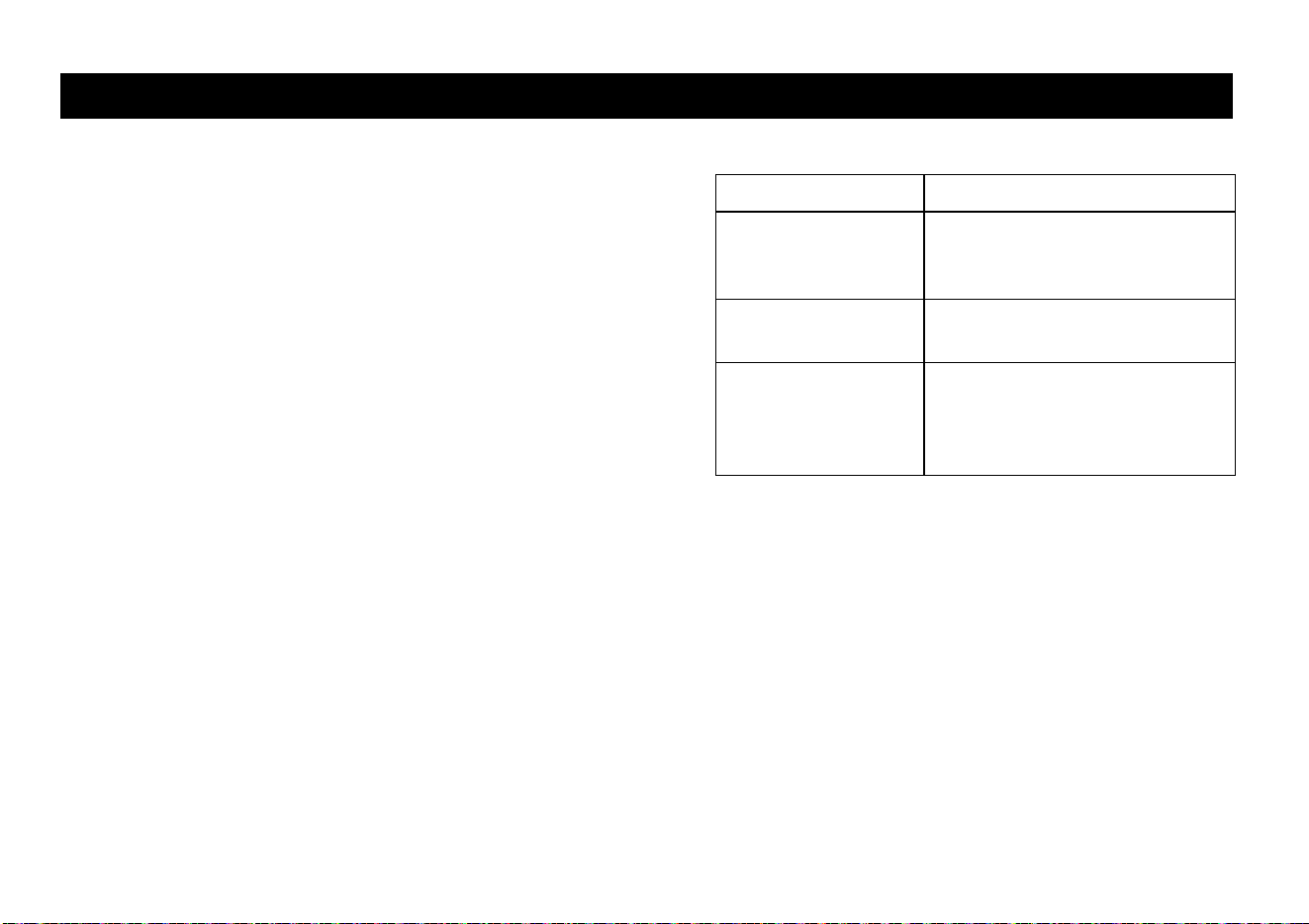
Option... Steps...
To start exercising
immediately
Use the QUICKSTART key.
Refer to Choosing
QUICKSTART.
To view a list of
programs
Press the PROGRAMS key.
Refer to Selecting a Program.
To begin exercising
on the 9.27 treadmill
using personal
preferences
Press your USER key.
Refer to Selecting a USER
Key.
Owner’s Manual: Workout Options 30
Choosing QUICKSTART
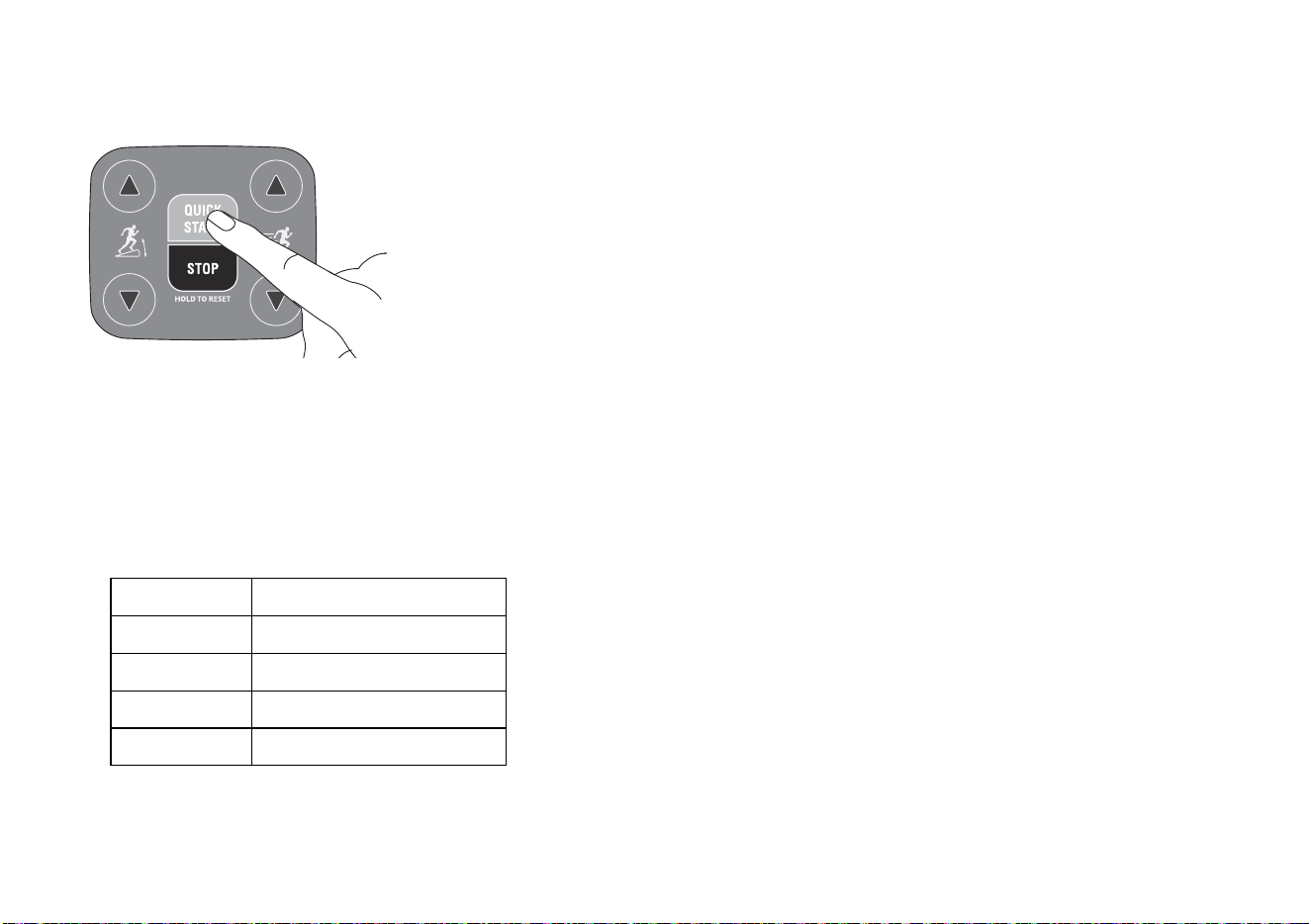
1. While the banner scrolls, press QUICKSTART to enter
the Manual Program as a guest user.
When you use the QUICKSTART key, you enter the
MANUAL program as a guest user. There is no time
limit and weight and age are set to default values. Each
column in the program’s profile represents one minute.
QUICKSTART applies the following defaults:
2. Hold onto a handrail and straddle the running belt.
BELT STARTING scrolls across the display. A
3-second countdown appears in the upper display, and
then the running belt starts moving.
3. Step on to the running belt with the speed at or below
1 mph (1.6 kph) and begin exercising. Use the SPEED
arrow keys to increase or decrease the speed of the
running belt.
To use the SmartRate feature, you need to specify your
age. In this case, review the steps found in Selecting a
Program or Selecting a USER Key.
Prompts Default Value
Program Manual
Time Unlimited
Weight 150 lb (68 kg)
Age 35
Owner’s Manual: Workout Options 31
Selecting a Program
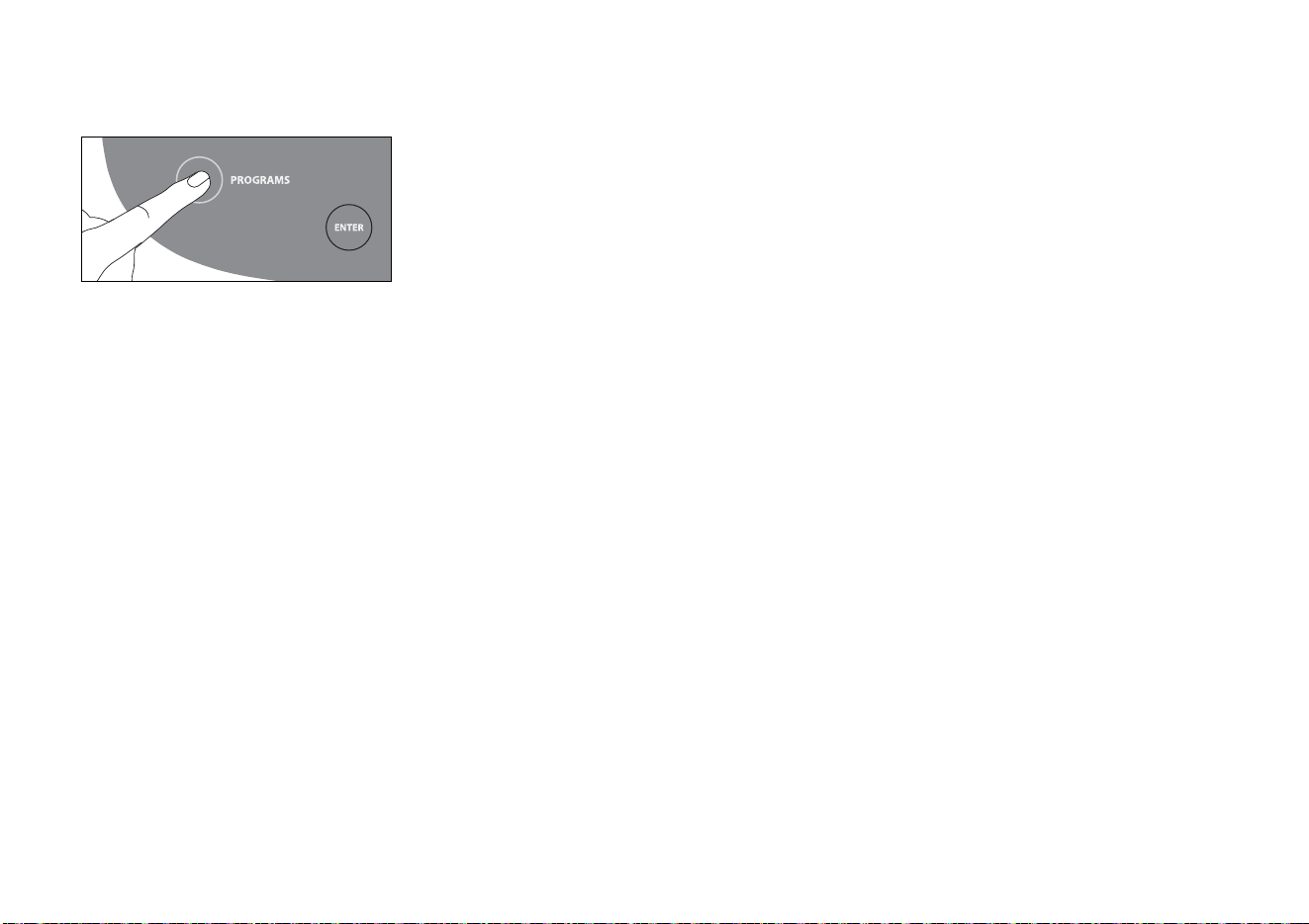
1. While the banner prompt scrolls, continually press the
PROGRAMS key to review the list of programs.
Choose the program you want, and then press ENTER.
For a description of each program, refer to Programs.
2. ENTER TIME appears in the display and the Guest bar
is highlighted which indicates that your preferences in
workout time, weight, and age will not be saved to
memory. Use the arrow keys to select a program time
between 0 and 90 minutes. Accept the displayed entry
by pressing ENTER.
Each column in the program’s profile represents one
minute.
3. Continue through the setup phase and enter your
weight (23—350 lbs/10—159 kg) and then your age
(10—99).
Note: To change a value (program, weight, or age) that
you have already entered press STOP/HOLD TO
RESET or wait 30 seconds to return to the banner.
Select a program and reenter the appropriate values.
4. Hold onto a handrail and straddle the running belt.
BELT STARTING scrolls across the display. A
3-second countdown appears, and then the running
belt starts moving.
5. Step on to the running belt with the speed at or below
1 mph or 1 kph and begin exercising. Use the SPEED
arrow keys to increase or decrease the speed of the
running belt.
Important: As a GUEST user, you can press
QUICKSTART at any of the setup prompts: ENTER
TIME, ENTER WEIGHT, or ENTER AGE. Default
settings are applied to any prompts you skipped and
the running belt starts moving after a 3-second
countdown.
Owner’s Manual: Workout Options 32
Selecting a USER Key
To start your exercise session using personal identification
and preferences set up in Adding a User, take the
following steps:
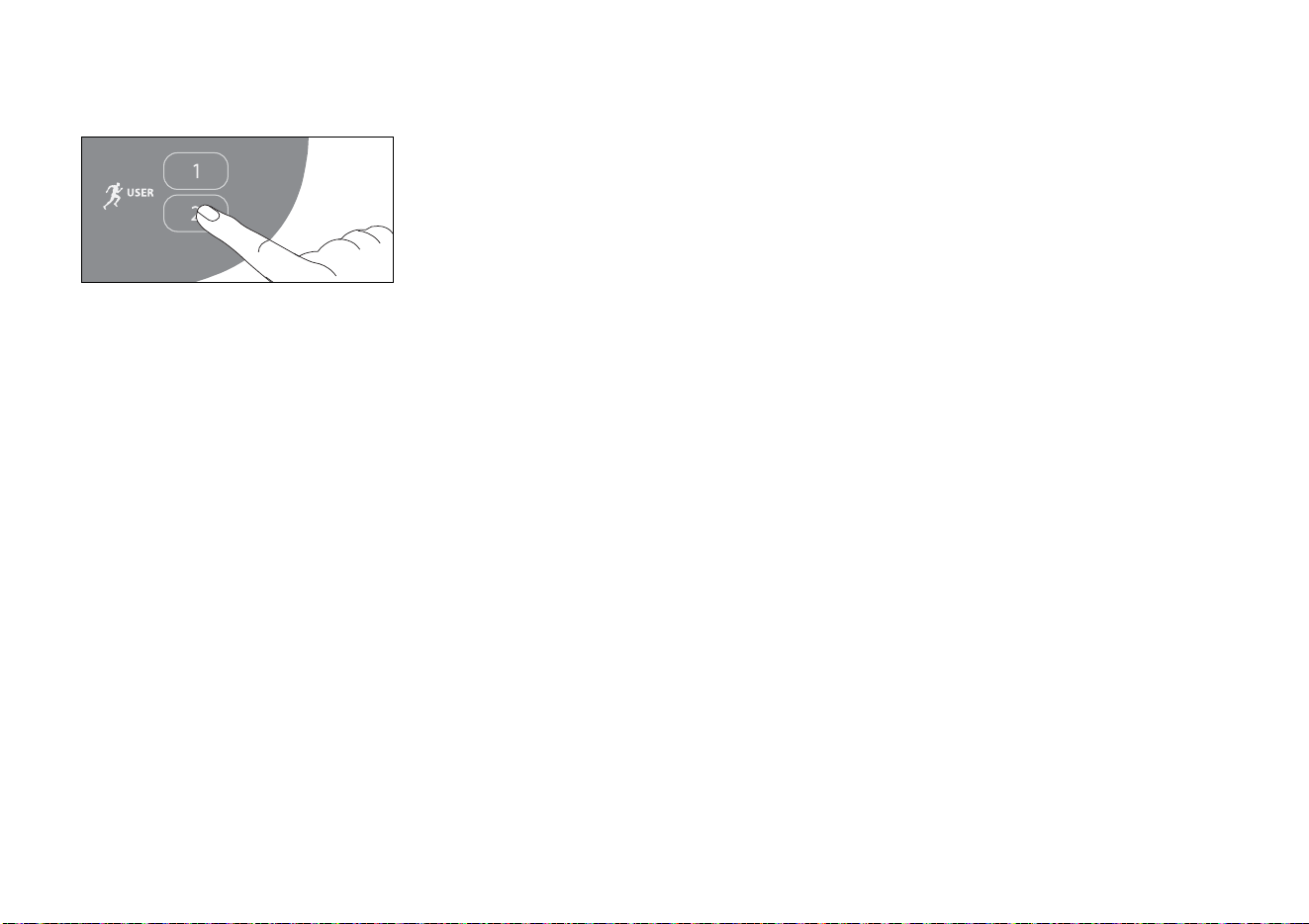
1. At the banner, press the same USER key you
designated in step 1, Adding a User.
Note: Refer to User Identification if you have not
previously chosen a USER key.
The last program associated with the USER key
appears. User preferences such as time, weight, and
age are re-instated.
The time or distance goal associated with the displayed
program also applies.
2. Press ENTER to select the program being displayed or
choose another program using the arrow or the
PROGRAMS keys. Refer to Selecting a Program for
information about how to choose a program.
Important: If you make an entry error, press STOP/
HOLD TO RESET or wait 30 seconds to return to the
banner.
BELT STARTING scrolls across the display. A
3-second countdown appears and then the running
belt starts moving.
3. Step on to the running belt with the speed at or below
1 mph (1.6 kph) and begin exercising. Use the SPEED
arrow keys to increase or decrease the speed of the
running belt.

Owner’s Manual: Workout Options 33
Cooling Down After a Workout
Incorporate a cool-down period into your workout to help
lower your heart rate and minimize muscle stiffness or
soreness.
When you complete a program with a time or distance
limit, you automatically enter a 5-minute, cool-down period.
The running belt slows by about 20% and the incline
returns to 0% grade and the Manual Program appears. To
readjust the speed or incline, press the SPEED or
INCLINE arrow keys.
A workout summary appears at the end of the cool-down
period. Refer to Ending a Workout.
Important: If you exit a program before completing it, the
cool-down period is bypassed.
To prematurely end the cool-down period, do the following:
1. Grasp a handrail with one hand.
2. Press the red Stop key with your other hand. The
treadmill enters pause mode.
3. Press red Stop key to view the workout summary.
4. Press red Stop key again to return to the banner.
Important: Hold on to a handrail extension. Step off the
treadmill when the lift has stopped moving.
Pausing During a Workout or the
Cool-Down Period
Press the red Stop key to pause anytime during a workout
or during a cool-down period. The pause mode has a 10-
minute time limit. The display posts the time and counts
down the minutes that remain. If you do not resume
exercising within the time limit, the display returns to the
banner.
1. To pause, press the red STOP key.
The display indicates the amount of time remaining in
pause mode.
2. To resume exercising from pause mode, press
QUICKSTART or the SPEED up arrow key.
MPH or KPH appears briefly in the SPEED display and
indicates whether the display is showing data in U.S.
standard or metric measurements.
3. Adjust the running belt speed using the SPEED arrow
keys.

Owner’s Manual: Workout Options 34
Ending a Workout
CAUTION: Hold on to a handrail when you near the end
of your exercise session. The incline automatically
recalibrates to a 0% grade. If the lift is moving, wait until
it stops before stepping off the treadmill.
The running belt stops when you complete the automatic
cool-down period and you hear a series of audible beeps.
After the running belt stops, time stops accruing.
The workout summary shows your cumulative workout
statistics including warm-up and cool-down periods. You
can review your workout statistics for a few seconds
before the display automatically resets to the banner.
The cumulative statistics in calories, distance and time
appear and blink in the upper display fields. Your average
heart rate also appears.
Along the lower display, the average incline, average pace,
and average speed you maintain during your workout
display.
If you choose to exercise with no set time limit, you must
manually end a program by pressing the red STOP key.
You can also press the SPEED down arrow until the speed
is reduced to zero and the running belt stops.
To stop the running belt or end an exercise session at any
time, do the following:
1. Grasp a handrail with one hand.
2. Press the red STOP key with your other hand. The
treadmill enters pause mode.
3. Press the red STOP key to view the workout summary.
4. Press the red STOP key again to return to the banner.
Important: Always turn Off and unplug the treadmill when
it is not in use. Never leave children unsupervised around
the treadmill.

Owner’s Manual: Programs 35
Programs
This section describes the programs available on the
treadmill.
CAUTION: Consult your physician to determine the
appropriate target heart rate for your age and fitness
level. Your heart rate should never exceed 85% of your
maximum aerobic heart rate. Your maximum heart rate
is equal to 220 minus your age.
The program descriptions are presented in menu selection
order.
Choosing a Program
Choosing a program depends on your goals. If you are a
beginner or returning to regular exercise, you can start a
cardio-conditioning program to slowly return your body to
a comfortable level of exercise. If you have been exercising
and feel that you have an intermediate or advanced fitness
level, you probably have established goals. The Precor
web site (www.precor.com) can give you many ideas about
fitness workouts and advice from the experts.
Several exercise choices on the treadmill are pre-
programmed with recommendations for incline levels,
pace, and alternating intervals. You always have the option
to override the suggested levels with the exception of the
heart rate control programs on the 9.27 treadmill.
Program Tips
• Begin at the Precor banner. Refer to Workout Options.
• A blinking column indicates your position as you
progress through a program.
• To use the SmartRate feature, you need to specify your
age and wear a chest strap (9.27 model only) or hold
on to the touch-sensitive heart rate grips. Refer to
Using SmartRate.
• To exercise indefinitely in any program, an unlimited
exercise time setting may be an available option. Refer
to Selecting a Program.
• If your level of exertion becomes too great, reduce your
pace or change the incline using the SPEED or
INCLINE arrow keys to override each upcoming
column in the program profile.
• To pause during a program, press the red STOP key.
Refer to Pausing During a Workout or the Cool-Down
Period.
• When you complete a program that contains a time
limit or specified distance, the automatic cool-down
period begins. Refer to Cooling Down After a Workout.
• Cumulative workout statistics appear when you end
your exercise session. Refer to Ending a Workout.
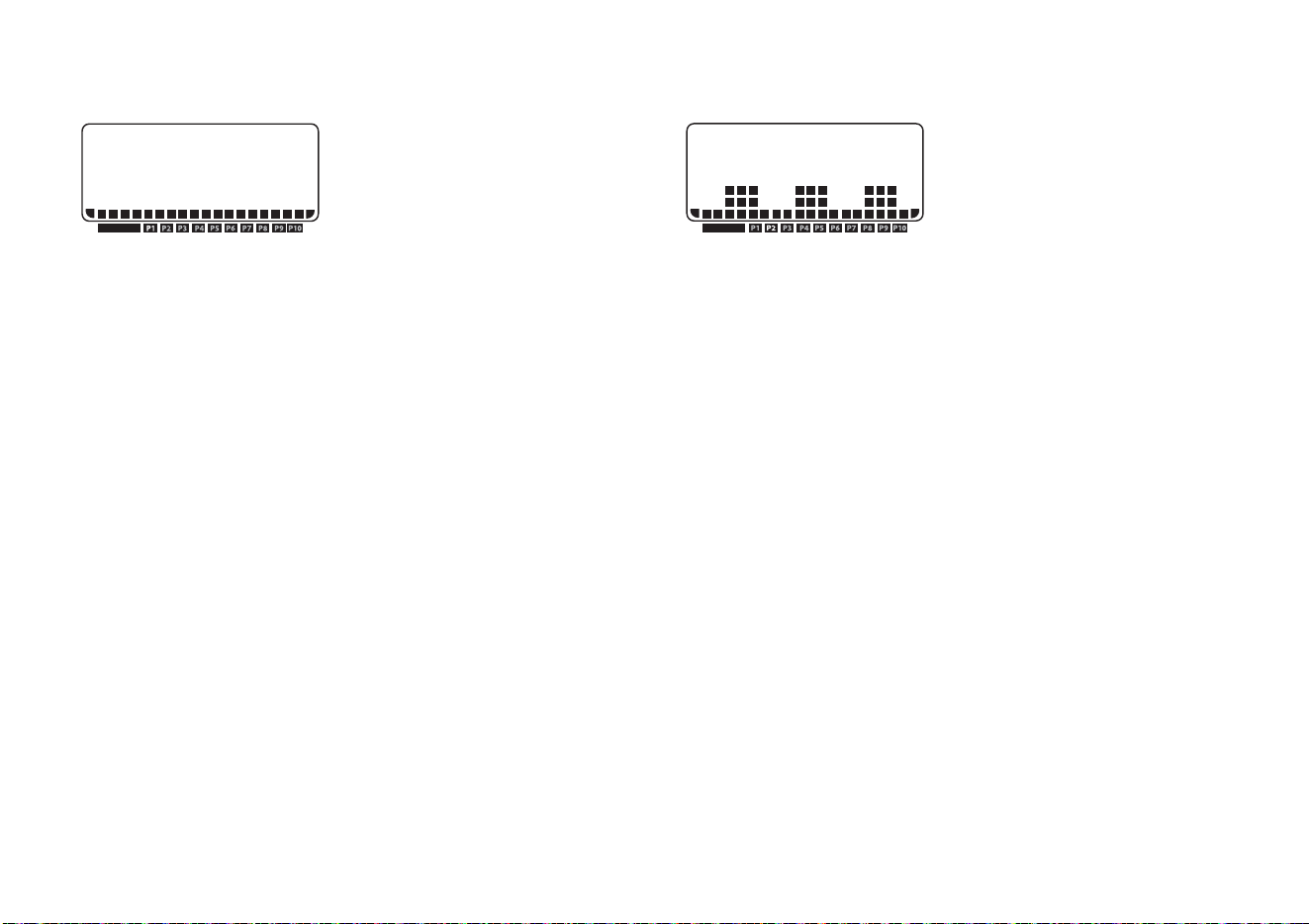
Owner’s Manual: Programs 36
Manual Program
The Manual Program profile,
available by pressing the
MANUAL key, begins as a flat
line. You control incline and
speed settings using the
INCLINE or SPEED arrow keys. The program profile
reflects changes in all subsequent columns. The blinking
column indicates your position in the program. A cool-
down period occurs automatically when you reach the time
goal set for the program. Refer to Selecting a Program.
Note: An exception to the cool-down period exists. Refer
to Advanced Programming and Troubleshooting for more
information.
To use the SmartRate feature, you need to specify your age
during the setup prompts.
Weight Loss Program
With the Weight Loss
Program, the profile width and
number of intervals being
displayed is affected by the
workout time. The workout time
is fixed at 28 minutes, so you are not prompted for a
workout time.
During the Weight Loss Program, your heart rate should
be in the FatBurn range, between 55% and 70% of your
maximum aerobic heart rate. Set a comfortable pace and
adjust the speed and incline to meet the target range.
Refer to Heart Rate Features.
Note: To view the heart rate and SmartRate features, you
must enter your age during setup and wear the chest strap
(9.27 model only) or grasp the touch-sensitive heart rate
grips.
Use the INCLINE arrow keys to change the incline for the
rest or work interval. When you make changes, the
software repeats the settings for the remaining intervals.
When you complete the program, any changes made to
the incline or speed settings are not saved.
PROGRAM
PROGRAM
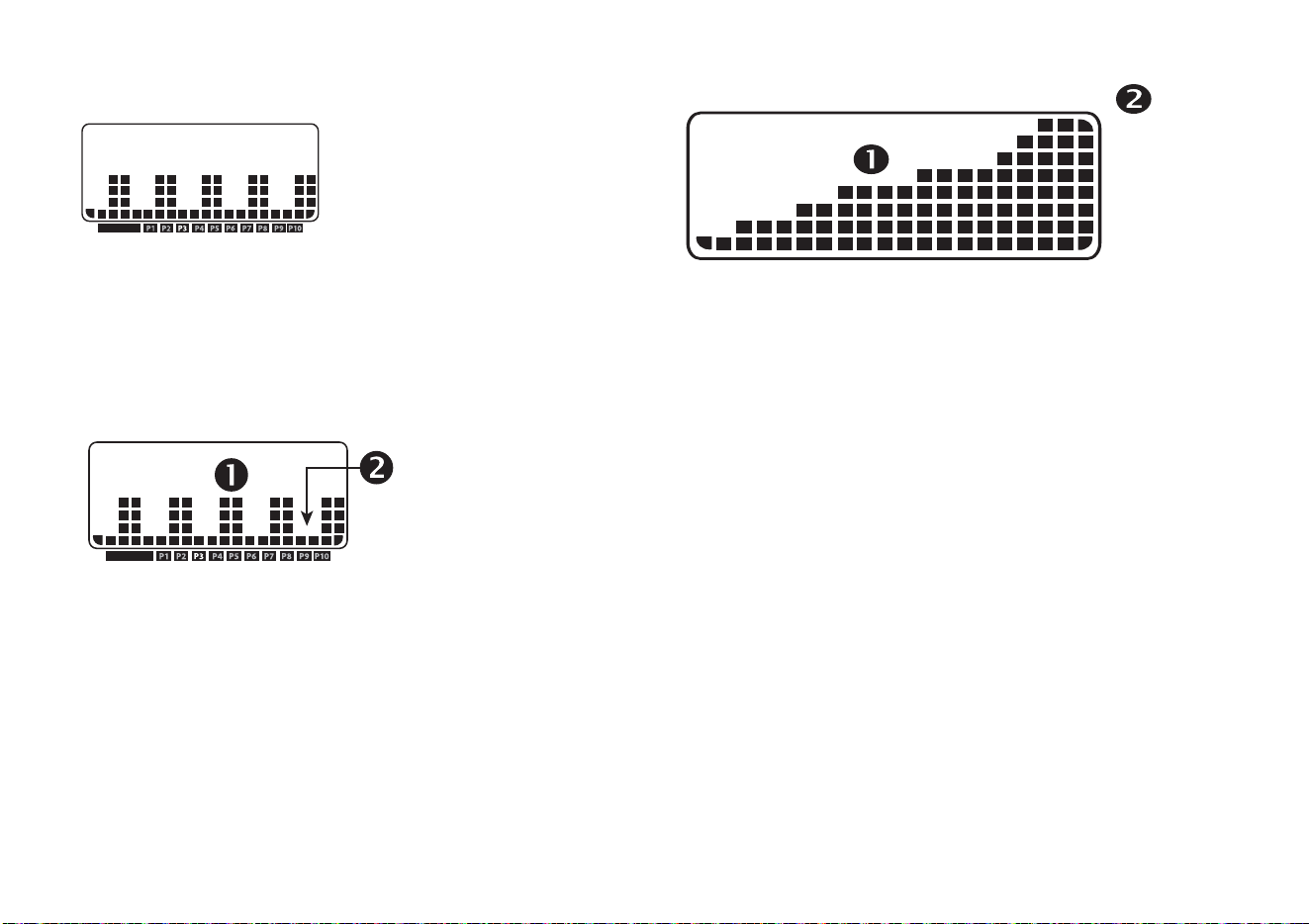
Owner’s Manual: Programs 37
Interval Program
The Interval Program is among
the best for conditioning your
cardiovascular system. The
program raises and lowers
your level of exertion
repeatedly for a specified period of time. Refer to
Figure 12.
When you begin the program, the incline is preset. You can
change the incline levels using the INCLINE arrow keys.
Refer to Figure 13. The settings are repeated throughout
the program.
Figure 12: Work (1) and Rest (2) profile for Interval Program
Figure 13: Column height (1) and Incline settings (2)
To change a setting, press the appropriate arrow key and
continue. The change is applied to the remaining intervals.
When you complete the program, any adjustments made
to the incline settings are not saved.
PROGRAM
PROGRAM
0 – 1
1.5 – 3
3.5 – 5
5.5 – 7
7.5 – 9
9.5 – 11
11.5 – 13
13.5 – 15
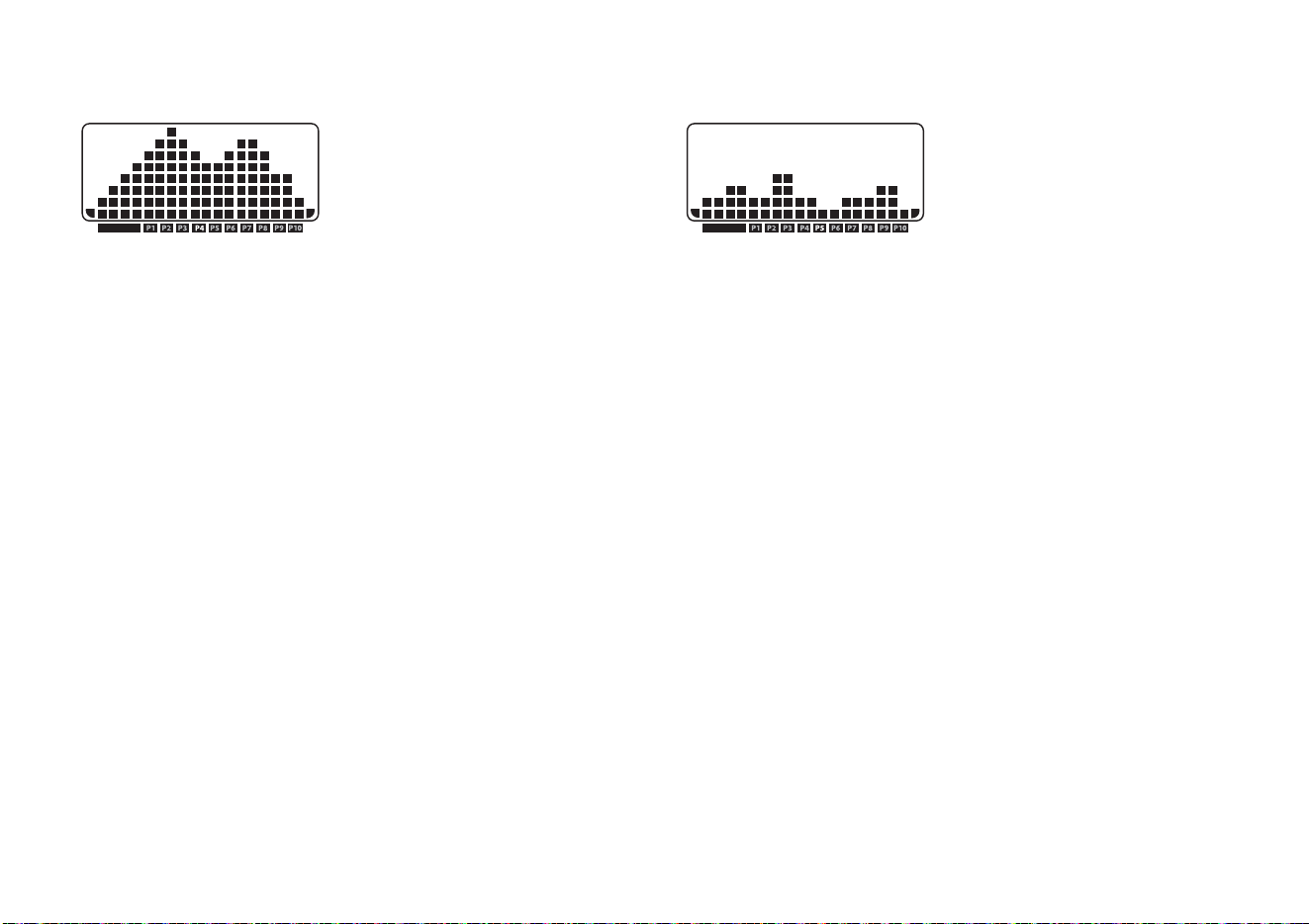
Owner’s Manual: Programs 38
Hill Climb Program
The Hill Climb Program is great
for endurance building. The
program uses the full range of
incline (0% to 15%). You can
change the speed or override
pre-programmed inclines using the arrow keys. The
blinking column indicates your position in the program.
Changes to incline affect only the blinking column.
Walk One Program (9.27 model only)
The Walk One Program is a
great cardio-conditioning
program for both beginners
and serious walkers. The
incline is preprogrammed. The
percentage of incline and the frequency with which the
columns change determine the level of difficulty.
Note: The 9.23 Walk Program is the same as the 9.27
Walk One Program.
All the WALK programs have preset inclines. As you move
through the program, the profile mimics the prior column’s
incline level unless you change it or the program’s time
limit is reached. You can override the incline levels at any
time by pressing the INCLINE arrow keys.
The running belt’s speed is completely under your control.
Adjust the speed using the SPEED arrow keys.
For more information and to supplement your exercise
sessions, visit the Precor web site at www.precor.com.
PROGRAM PROGRAM
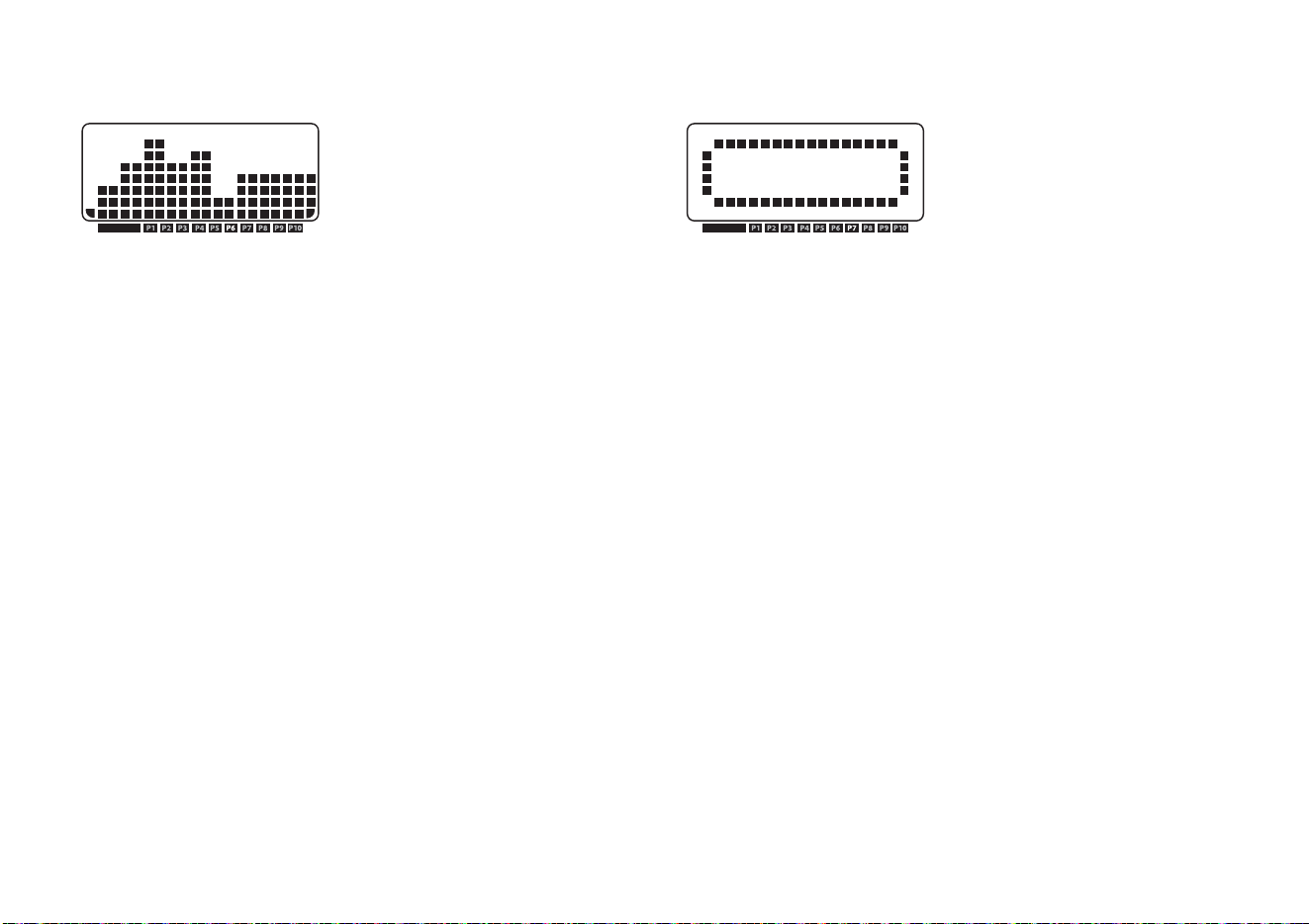
Owner’s Manual: Programs 39
Walk Two Program (9.27 model only)
The Walk Two Program is a
more intense cardio-
conditioning program that
provides higher levels of incline
than the Walk One Program.
As you move through the program, the profile mimics the
prior column’s incline level unless you change it or the
program’s time limit is reached. You can override the
incline levels at any time by pressing the INCLINE arrow
keys.
The running belt’s speed is completely under your control.
Adjust the speed using the SPEED arrow keys.
The Walk Two Program is a great cardio-conditioning
program for serious walkers and runners. Visit the Precor
web site www.precor.com for more information and to
supplement your exercise sessions.
5K Track Run Program (9.27 model only)
The 5K Track Run Program is a
great program to run or walk
depending on your level of
fitness. The distance is fixed at
5 km (3.1 miles) and the incline
is preprogrammed. You can change the speed and
override the preprogrammed incline using the arrow keys.
The program profile appears as an oval track. A blinking
indicator shows your position on the track. One “lap”
around the track represents 440 yards (400 meters). You
will have completed 12½ laps by the time you complete
the program.
The TIME display shows the amount of time you have been
exercising. For comparison purposes, record your time to
note the changes as you increase your fitness and
endurance levels.
PROGRAM PROGRAM
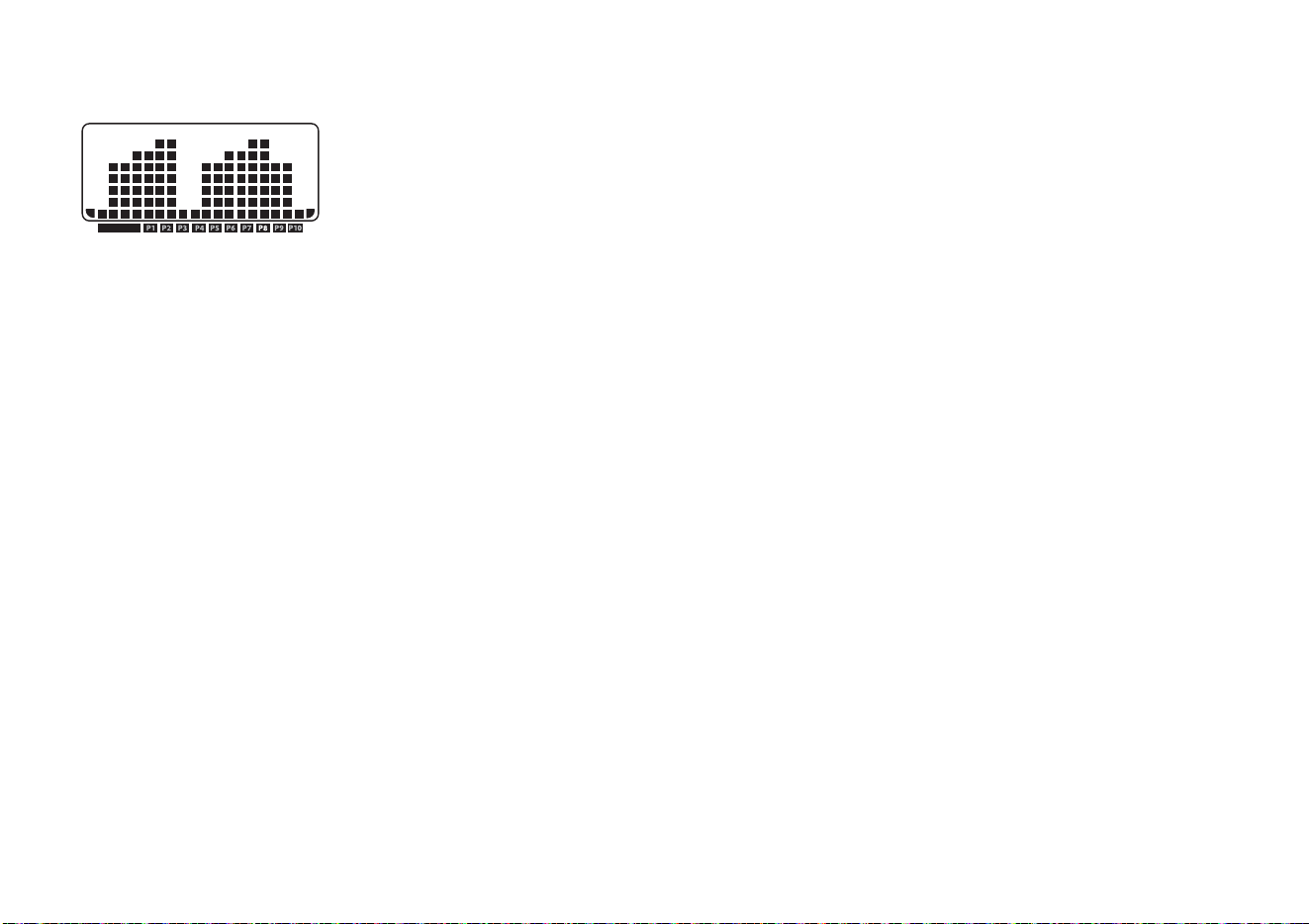
Owner’s Manual: Programs 40
Fun Run Program
The distance for the Fun Run
Program on the 9.23 and 9.27
is fixed at ten kilometers (6.2
miles) and the incline is
preprogrammed. You can
change the speed and override the preprogrammed incline
using the arrow keys.
Note: On the 9.23 treadmill, the Fun Run Program appears
as P6 (Program number 6) On the 9.27 model, the Fun
Run Program appears as P8 (Program number 8).
As you move through the program, the profile mimics the
prior column’s incline level unless you change it or the
program’s time limit is reached. You can override the
incline levels at any time by pressing the INCLINE arrow
keys.
The running belt’s speed is completely under your control.
Adjust the speed using the SPEED arrow keys.
The TIME display shows the amount of time you have been
exercising. For comparison purposes, record your time to
note the changes as you increase your fitness and
endurance levels.
9.27 Heart Rate Program Tips
The 9.27 heart rate programs enhance your overall
cardiovascular fitness levels to help you achieve your
weight loss and fitness goals. Both monitor your heart rate
and adjust the incline to keep you within a specific heart
rate target zone while you exercise.
Read the following tips before selecting a program. These
tips provide general information regarding how the
programs function. For more information and exercise
suggestions, refer to the Precor web site at
www.precor.com.
• Enter an accurate age when queried otherwise a
default age of 35 years is used for calculations. Wear a
chest strap (9.27 model only) or grasp the touch-
sensitive heart rate grips. If appears in the display,
your heart rate cannot be detected. Refer to
Troubleshooting Heart Rate Issues.
• Each program provides a 3-minute warm-up period.
During this time, you may change the incline or speed.
• When your target heart rate is achieved or the 3-minute
period elapses, the warm-up period ends and the
program begins. Pressing the INCLINE arrows keys no
longer affect the incline. After the warm-up period ends,
the INCLINE arrow keys let you change the target heart
rate.
• Cool down periods are incorporated into each program.
PROGRAM
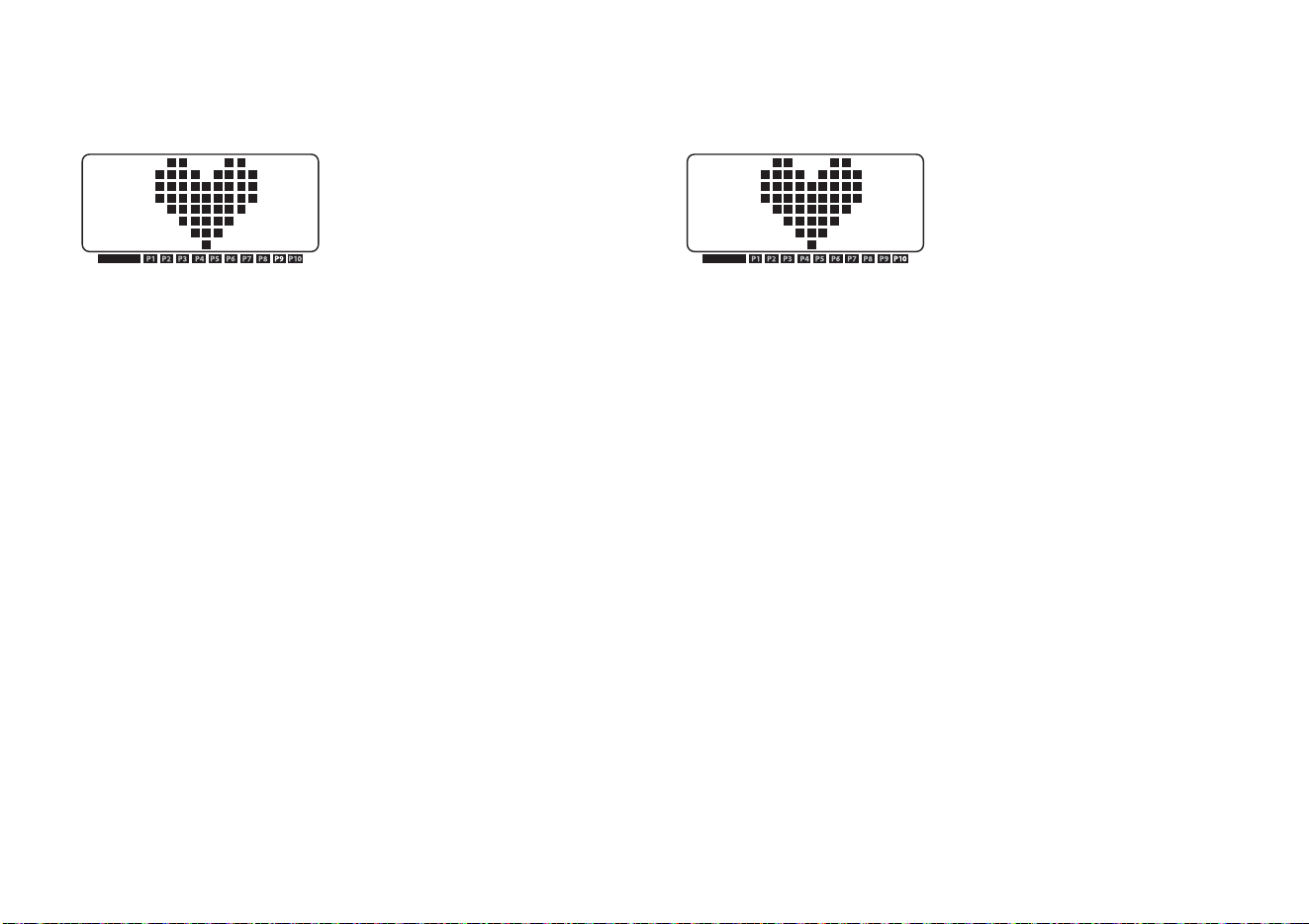
Owner’s Manual: Programs 41
Heart Rate Fat Burn Program
(9.27 model only)
Start with the Heart Rate Fat
Burn Program if this is the first
time you have used a heart rate
program or you are returning to
an exercise fitness routine. The
target heart rate set for this program is 65% of your
maximum aerobic heart rate.
CAUTION: Consult your physician to determine the
appropriate target heart rate for your age and fitness
level. Your heart rate should never exceed 85% of your
maximum aerobic heart rate. Your maximum heart rate
is equal to 220 minus your age.
Incline changes occur automatically and maintain your
heart rate within two beats per minute of your target heart
rate while you exercise. If your physician recommends a
different target heart rate than the one that appears on the
display, you can adjust your target heart rate by using the
INCLINE arrow keys once you complete the warm-up
period.
The running belt’s speed is completely under your control.
Adjust the speed using the SPEED arrow keys.
Heart Rate Cardio Program
(9.27 model only)
Similar to the Heart Rate Fat
Burn Program, the Heart Rate
Cardio Program on the 9.27
treadmill maintains your target
heart rate within two beats per
minute of your target heart rate. The target heart rate for
this program is set at 80% of your maximum aerobic heart
rate. Use this program if you are already familiar with heart
monitored-type programs and you want to keep your target
heart rate in the higher cardiovascular range.
CAUTION: Consult your physician to determine the
appropriate target heart rate for your age and fitness
level. Your heart rate should never exceed 85% of your
maximum aerobic heart rate. Your maximum heart rate
is equal to 220 minus your age.
Incline changes occur automatically and maintain your
heart rate within two beats per minute of your target heart
rate while you exercise. If your physician recommends a
different target heart rate than the one that appears on the
display, you can adjust your target heart rate by using the
INCLINE arrow keys once you complete the warm-up
period.
The running belt’s speed is completely under your control.
Adjust the speed using the SPEED arrow keys.
PROGRAM PROGRAM

Owner’s Manual: Advanced Programming and Troubleshooting 42
Advanced Programming and Troubleshooting
Certain features remain hidden and can only be accessed
using special key presses. Read this section if you want to:
• Change the display to U.S. standard or Metric
• View the odometer
• Display the number of hours you have used your
treadmill
• View the software versions and part numbers
Advanced Programming Tips
• You have a 2-second window to access diagnostics
mode. During this 2-second period, you need to press
the appropriate keys quickly and without pause.
• Exit the diagnostics mode by pressing the STOP/
HOLD TO RESET key for two or more seconds.
• The advanced programming prompts appear
sequentially and in a menu format. Pressing the arrow
keys moves you through the programs. Press OK to
choose or accept the displayed selection. To return to
the banner without saving any changes, press the red
STOP key.
Selecting a U.S. Standard or
Metric Display
The treadmill can display measurements in either METRIC
or U.S. STANDARD. The default factory setting is set to
display U.S. STANDARD. To change this setting, perform
the following steps:
1. Remove the magnetic safety key.
2. Replace the magnetic safety key and within 2 seconds
press the following keys:
STOP, INCLINE ▼ and SPEED ▲
3. UNIT CHANGE appears in the display. Press ENTER
to continue or press STOP to return to the banner.
4. If you press ENTER, the current unit of measure (US
STANDARD or METRIC) appears in the display.
Any arrow key lets you alternate between the prompts.
Note: Changing the display to metric measurements
affects the default settings. Distances and the
odometer values are converted to and appear in
kilometers (KM). Speed appears in kilometers per hour.
If you use QUICKSTART, the weight is set at 68 kg.

Owner’s Manual: Advanced Programming and Troubleshooting 43
5. Press ENTER to accept the displayed setting.
The change will be retained in memory even if the
treadmill is turned Off and unplugged.
6. If you want to exit without saving the change, press
STOP.
Informational Displays
The treadmill provides information about its use (odometer
and hour meter), as well as the software version. In
general, you would only access this information if directed
to do so by Precor Customer Support.
These instructions guide you through the informational
displays.
Viewing the Odometer
1. Remove the magnetic safety key.
2. Replace the magnetic safety key and within 2 seconds
press the following keys:
STOP, INCLINE ▲ and SPEED ▼
Note: If the keys are not pressed within the 2-second
window, the banner appears and you must begin again.
3. ODOMETER appears in the display.
The software version appears in the center display. The
odometer value (the cumulative miles or kilometers
users have traveled) appears in the DISTANCE display.
The furthest digit on the left marks the hundred-
thousandths position, while the furthest digit to the
right indicates tenths of a mile or kilometer.
The TIME display provides the hour meter (the number
of hours the unit has been in use). If you have not used
the treadmill for more than an hour, a zero will appear in
the TIME display.
4. To exit without making changes, press STOP.

Owner’s Manual: Advanced Programming and Troubleshooting 44
Red Reset Button
A red button, near the power switch, resets the treadmill’s
circuit breaker. If the running belt stops unexpectedly and
all display console functions cease, the circuit breaker may
have been tripped.
To reset the system, take the following steps:
1. Use the power switch beneath the front panel to turn
the treadmill Off.
2. Make sure the treadmill is located away from heating
ducts. If necessary, move the treadmill to an
appropriate location. Refer to Location.
3. Wait a few minutes. Make sure the magnetic safety key
is properly positioned on the display console.
4. Push the red reset button, and then turn the treadmill On.
5. Check the display to verify that the Precor banner is
scrolling across the display. If the display remains
blank, call Precor customer support.
Important: You should not attempt to service the
treadmill except for maintenance tasks as described in
this manual. The treadmill does not contain any user-
serviceable parts that require lubrication. For
information about product operation or service, see the
Precor web site at www.precor.com. For future
reference, write the model, serial number, and date of
purchase for your unit in the space provided. The serial
number is printed on a label located on the front panel,
near the power cord (Figure 3).
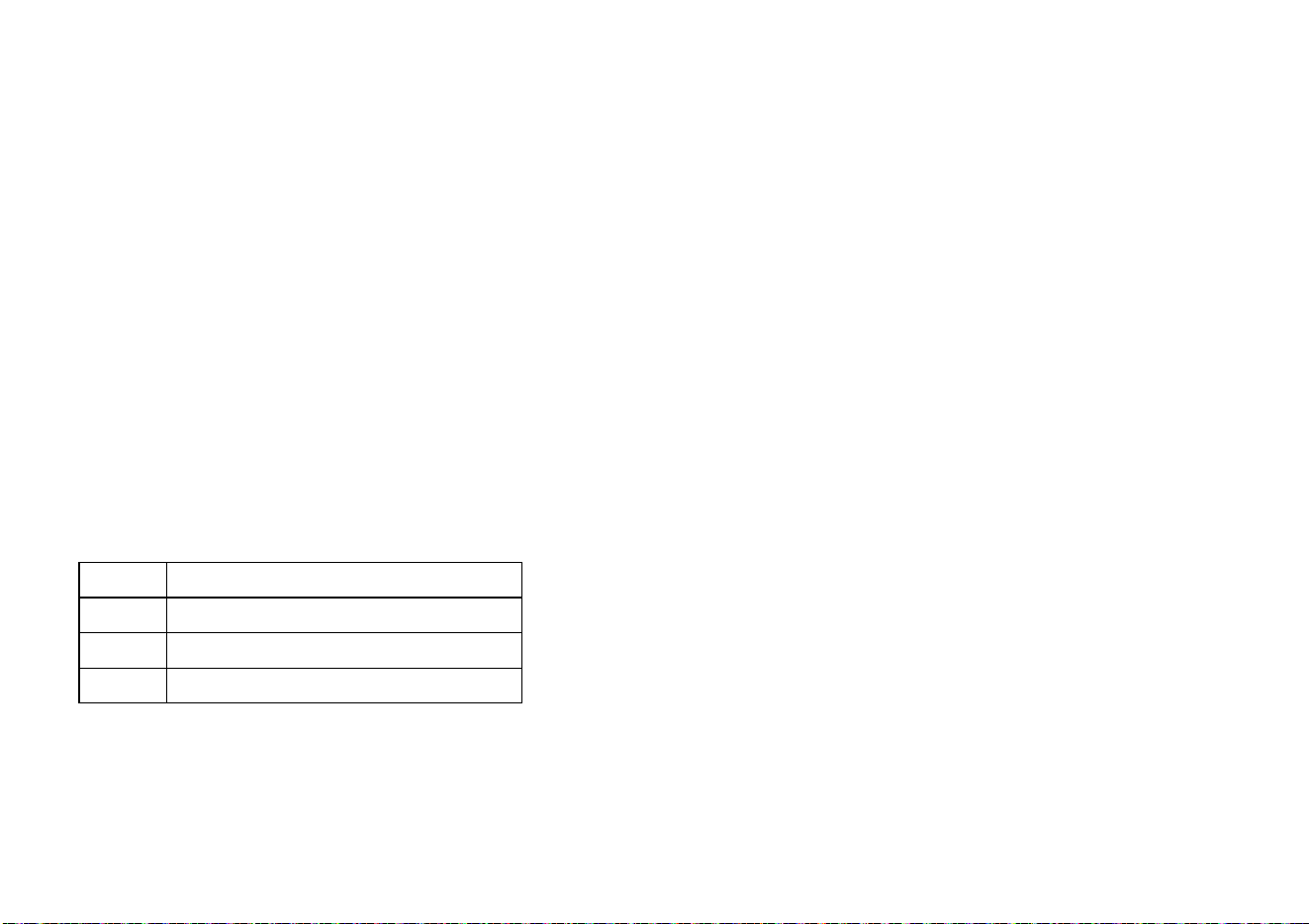
Owner’s Manual: Advanced Programming and Troubleshooting 45
Troubleshooting Error Codes
Initially, when the unit is turned On, the display lights all the
LEDs. If any are dark, call an authorized service person for
assistance.
The following table shows the error codes that may
appear in the display. If you see these error codes, call an
authorized service person for assistance because the
treadmill needs to be recalibrated.
Important: You should not attempt to service the treadmill
except for maintenance tasks as described in this manual.
The treadmill does not contain any user-serviceable parts
that require lubrication. For information about product
operation or service, see the Precor web site at
www.precor.com. For future reference, write the model,
serial number, and date of purchase for your unit in the
space provided. The serial number is printed on a label
located on the front panel, near the power cord (Figure 3).
Troubleshooting Heart Rate Issues
The following chart may help you understand and
troubleshoot erratic heart rate readings.
Note: The following chart does not apply to the 9.23
treadmill where it concerns the chest strap since the chest
strap is only available on the 9.27 model. A heart rate is
detectable when the Precor heart rate receiver is properly
installed in the display and the unit is turned ON. The
touch-sensitive grips are available on both models.
Code Description
E3 EEPROM error.
E26 Speed signal is not being received.
E40 A problem occurred with the lift.
Owner’s Manual: Advanced Programming and Troubleshooting 46
Table 3. Erratic heart rate readings
Note: To conduct electrical impulses from a user’s heart,
the electrode strips on the chest strap must be in contact
with the user’s skin. Usually, the concentration of salts in a
person’s perspiration provides enough conductivity to
transmit a signal to the receiver in the display console.
However, because of body chemistry or erratic heartbeats,
some people cannot use the heart rate feature.
What appears
on the display Cause What to Do
Nothing The heart rate
receiver is not
installed or it
has been
disconnected.
Important: You should
not attempt to service the
treadmill except for
maintenance tasks as
described in this manual.
The treadmill does not
contain any user-
serviceable parts that
require lubrication. For
information about
product operation or
service, see the Precor
web site at
www.precor.com. For
future reference, write
the model, serial number,
and date of purchase for
your unit in the space
provided. The serial
number is printed on a
label located on the front
panel, near the power
cord (Figure 3).
— — — A signal is being
detected, but the
transmission
requires more time
to establish a heart
rate.
Begin your workout and
your heart rate should
appear if you are wearing
a chest strap or holding
the touch-sensitive grips.
Heart rate is not
detected when you
access the Heart
Rate Control
Programs.
Be sure the chest strap is
moist, centered and in
direct program contact
with your skin. Stand
within three feet of the
display and face it. Allow
a few seconds
for the receiver to detect
a signal.
If using the touch-
sensitive heart rate grips,
use both hands and make
sure your hands are
moist, not dry.
What appears
on the display Cause What to Do

Owner’s Manual: Maintenance 47
Maintenance
It is important to perform the minor maintenance tasks
described in this section. Failure to maintain the treadmill
as described here could void the Precor Limited Warranty.
To reduce the risk of electrical
shock, always unplug the unit from
its power source before cleaning it
or performing any maintenance
tasks.
Inspection
Inspect the treadmill daily.
1. Look and listen for slipping belts, loose fasteners,
unusual noises, worn or frayed power cords, and any
other indications that the equipment may be in need of
service. If you notice any of these, obtain service.
Important: If you determine that the treadmill needs
service, make sure that the treadmill cannot be used
inadvertently. Turn the unit Off, and then unplug the
power cord from its power source. Remove the
magnetic safety key and safety clip and store it in a
safe place. Make sure other users know that the
treadmill needs service.
2. Check for worn, frayed or missing safety lanyards.
Replace missing or worn safety lanyards immediately.
Do not exercise on the treadmill without attaching the
safety clip to your clothing.
To order parts or to contact a Precor authorized service
provider in your area.
Important: You should not attempt to service the treadmill
except for maintenance tasks as described in this manual.
The treadmill does not contain any user-serviceable parts
that require lubrication. For information about product
operation or service, see the Precor web site at
www.precor.com. For future reference, write the model,
serial number, and date of purchase for your unit in the
space provided. The serial number is printed on a label
located on the front panel, near the power cord (Figure 3).
DANGER

Owner’s Manual: Maintenance 48
Cleaning the Equipment
Most of the working mechanisms are protected inside the
hood and base of the treadmill. However, for efficient
operation, the treadmill relies on low friction. To keep the
friction low, the unit’s running belt, staging platforms, and
internal mechanisms must be as clean as possible.
Precor recommends the treadmill be cleaned before and
after each workout. Use mild soap and water to dampen a
soft cloth and wipe all exposed surfaces. This helps
remove any dust or dirt.
CAUTION: Do not use any acidic cleaners. Doing so will
weaken the paint or powder coatings and void the
Precor Limited Warranty. Never pour water or spray
liquids on any part of the treadmill. Allow the treadmill to
dry completely before using.
Frequently vacuum the floor underneath the unit to prevent
the accumulation of dust and dirt, which can affect the
smooth operation of the unit. Use a soft nylon scrub brush
to clean the running belt.
Storing the Chest Strap
Store the chest strap in a place where it remains free of
dust and dirt such as, in a closet or drawer. Be sure to
protect the chest strap from extremes in temperature. Do
not store it in a place that may be exposed to temperatures
below 32° F (0° C).
To clean the chest strap, use a sponge or soft cloth
dampened in mild soap and water. Dry the surface
thoroughly with a clean towel.

Owner’s Manual: Maintenance 49
Checking the Alignment of the
Running Belt
Proper belt alignment allows the belt to remain centered
and ensures smooth operation. Realigning the belt takes a
few simple adjustments. If you are unsure about this
procedure, call Precor Customer Support.
Important: You should not attempt to service the treadmill
except for maintenance tasks as described in this manual.
The treadmill does not contain any user-serviceable parts
that require lubrication. For information about product
operation or service, see the Precor web site at
www.precor.com. For future reference, write the model,
serial number, and date of purchase for your unit in the
space provided. The serial number is printed on a label
located on the front panel, near the power cord (Figure 3).
CAUTION: Special care must be taken when aligning the
running belt. Turn Off the treadmill while adjusting or
working near the rear roller. Remove any loose clothing
and tie back your hair. Be very careful to keep your
fingers and any other object clear of the belt and rollers,
especially in front of the roller and behind the deck. The
treadmill will not stop immediately if an object becomes
caught in the belt or rollers.
1. The treadmill has adjustable rear feet. Make sure that
the running surface is level. If the treadmill is placed on
an uneven surface, adjusting the rear feet can help, but
will not compensate for extremely uneven surfaces.
2. Turn the unit On.
3. Stand beside the treadmill and press QUICKSTART.
The running belt starts automatically after a 3-second
countdown appears on the display.
4. Press the SPEED up arrow key until the display shows
a speed of 3 mph (5 kph).
CAUTION: If you hear any chafing or the running
belt appears to be getting damaged, stop the
running belt immediately by pressing the red STOP
key. Contact Precor Customer Support.
5. Walk around to the rear of the unit and observe the belt
for a few minutes. The belt should be centered on the
running belt. If the belt drifts off center, you must make
adjustments. Refer to Adjusting the Running Belt.
Important: Failure to align the belt may cause the belt
to tear or fray, which is not covered by the Precor
Limited Warranty.
6. To stop the running belt, press the red STOP key.
7. Turn the treadmill Off.
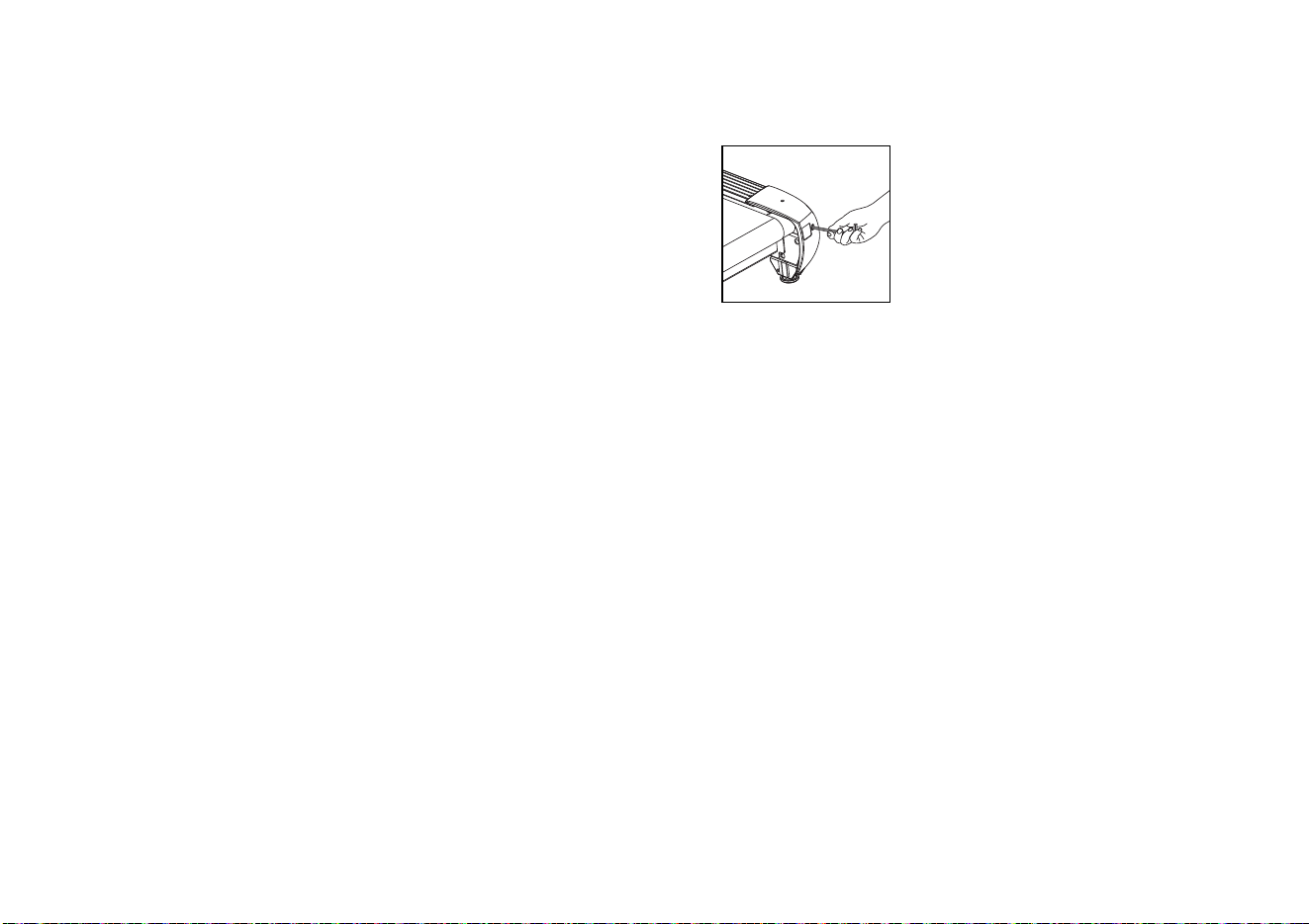
Owner’s Manual: Maintenance 50
Adjusting the Running Belt
If you are unsure about adjusting the running belt, call
Precor Customer Support.
Important: You should not attempt to service the treadmill
except for maintenance tasks as described in this manual.
The treadmill does not contain any user-serviceable parts
that require lubrication. For information about product
operation or service, see the Precor web site at
www.precor.com. For future reference, write the model,
serial number, and date of purchase for your unit in the
space provided. The serial number is printed on a label
located on the front panel, near the power cord (Figure 3).
CAUTION: For your safety, use the power switch to turn
Off the treadmill before making any adjustments. Do not
adjust the running belt when someone is standing on
the unit.
1. Locate the right belt adjustment bolt in the rear end
cap of the treadmill. Refer to Diagram 14.
Figure 14: Location of the adjustment bolt
To determine left and right, stand at the rear of the
treadmill and face the display. Make all belt adjustments
on the right rear corner bolt using the hex key provided.
• If the belt is off center to the LEFT, turn the adjusting
bolt ¼ turn counterclockwise, which moves the
running belt to the right.
• If the belt tracks off center to the RIGHT, turn the bolt
¼ turn clockwise; this moves the belt to the left.
Important: Do not turn the adjusting bolt more than ¼
turn at a time. Overtightening the bolt can damage the
treadmill.
2. Recheck the alignment of the running belt by repeating
the steps found in Checking the Alignment of the
Running Belt.

Owner’s Manual: Maintenance 51
Long-Term Storage
When the treadmill is not in use for any length of time, turn
it Off. Make sure that the power cord is unplugged from its
power source and is positioned so that it will not become
damaged or interfere with people or other equipment.

Owner’s Manual: Notes 52
Notes:
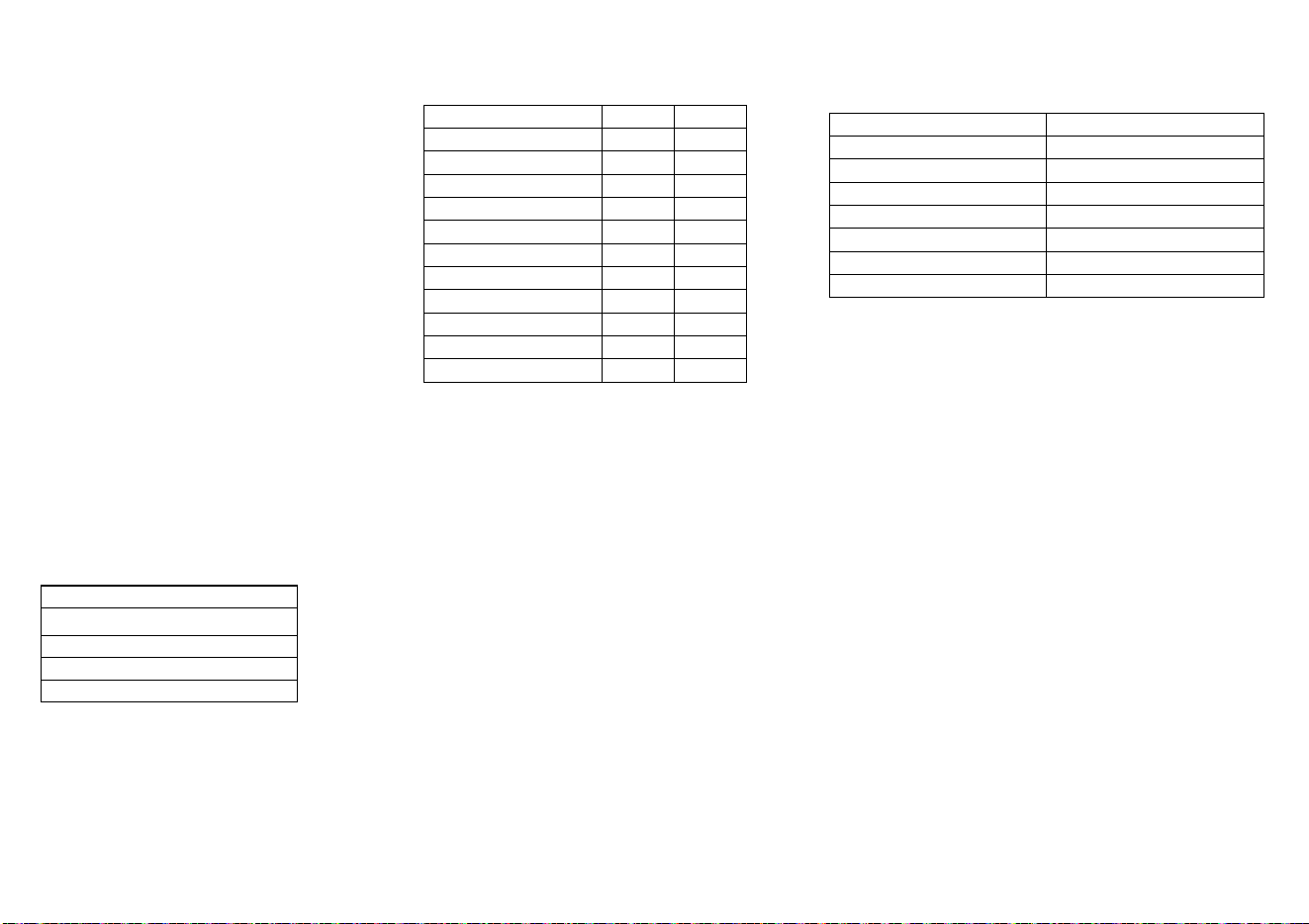
9.23/9.27 Low Impact Treadmill
Product Specifications
* See the product label to determine the operating
voltage of your equipment.
Product Features
Length: 80.86 in (205.4 cm)
Width: 31.14 in (79.1 cm)
Height: 53.86 in (136.8 cm)
Weight: 9.23 - 226.6 lb (103 kg)
9.27 - 237.6 lb (108 kg)
Shipping weight: 9.23 - 279.4 lb (127 kg)
9.27 - 291.5 lb (132.5 kg)
Running surface: 20 in x 57 in
(51 cm x 145 cm)
Motor: 3.0 hp continuous duty
Power:* 120 VAC, 50/60 Hz
240 VAC, 50 Hz
Speed: 0.5–12 mph
(0.8–20 kph)
Incline: 0%–15% grade
Frame: Powder-coated steel
Regulatory Approvals: FCC
QUICKSTART™
SmartRate
®
Touch Heart Rate
User IDs (2) - 9.27 only
Safety Code
Electronic Readouts
* Use of chest strap or touch-sensitive heart rate grips is required.
Age Program Name
Calories SmartRate*
Distance Speed
Heart Rate* Time
Incline User 1 or User 2 (9.27 only)
Pace Weight
Profile Workout Summary
Telemetry Heart Rate*
Programs
✝ Appears when you select a USER key.
PROGRAMS
9.23 9.27
Manual
✓✓
Weight Loss
✓✓
Interval
✓✓
Hill Climb
✓✓
Walk
✓
Walk One
✓
Walk Two
✓
5K Track Run
✓
Fun Run
✓✓
Heart Rate Fat Burn
✓
Heart Rate Cardio
✓

9.23/9.27 OM# 34508-341 rev B, en
March 2015
Precor, C, CrossRamp, EFX, M, Move Beyond, and SmartRate are registered trademarks of Precor
Incorporated. Crosstrainer, QuickStart, and StretchTrainer are trademarks of Precor Incorporated.
Copyright 2015 Precor Incorporated.
Specifications subject to change without notice.
precor.com
NOTICE:
Precor is widely recognized for its innovative, award winning designs of exercise equipment.
Precor aggressively seeks U.S. and foreign patents for both the mechanical construction and the
visual aspects of its product design. Any party contemplating the use of Precor’s product designs
is hereby forewarned that Precor considers the unauthorized appropriation of its proprietary rights
to be a very serious matter. Precor will vigorously pursue all unauthorized appropriation of its
proprietary rights.
Precor Incorporated
20031 142nd Ave NE
P.O. Box 7202
Woodinville, WA USA 98072-4002