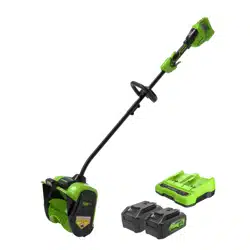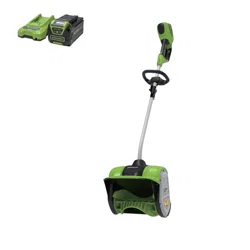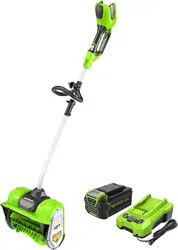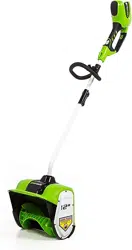
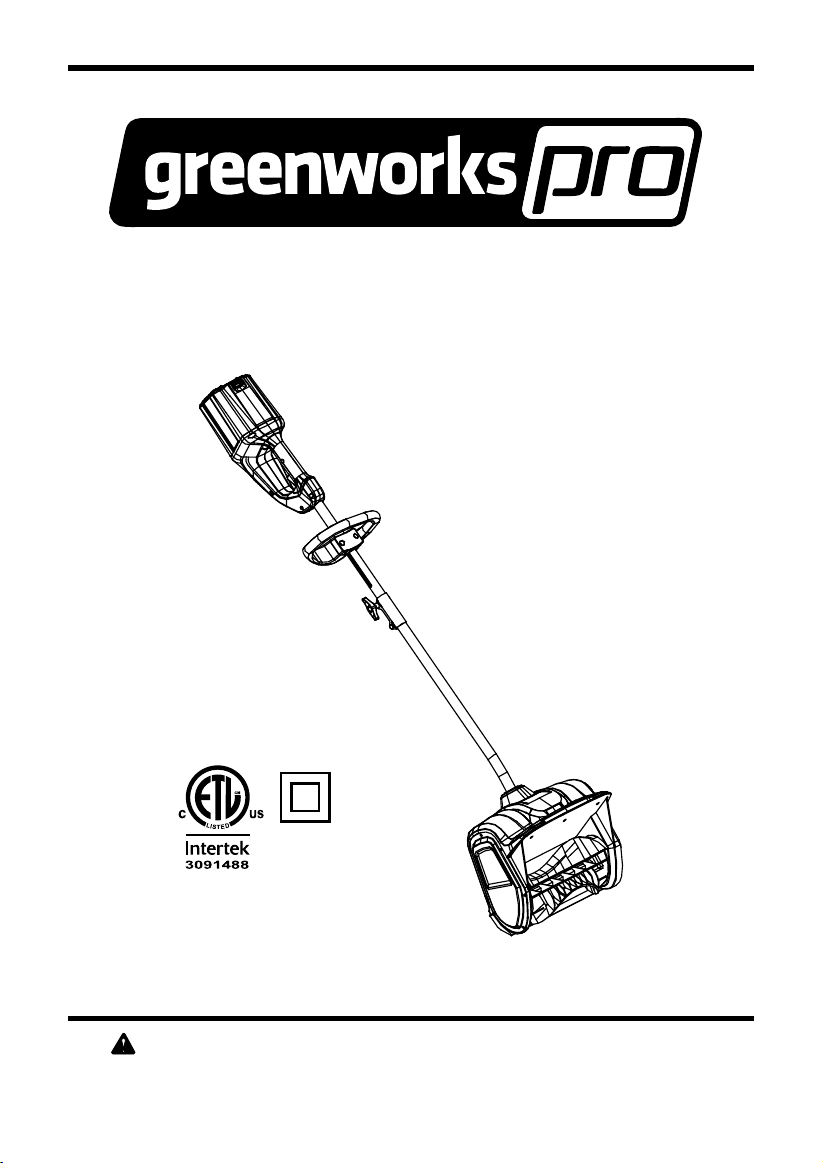
Read all safety rules and instructions carefully before operating this tool.
www.greenworkstools.com/80V-PRO
Owner’s Manual
TOLL-FREE HELPLINE: 1(855)345-3934
12" 80V Cordless Snow Shovel
GLSS80000
GLSS802100
2
Contents .............................................................................................................................. 2
.......................................................................................................... 2
Safety information .............................................................................................................3-5
Symbols ............................................................................................................................6-7
Know your snow shovel ....................................................................................................... 8
Assembly ........................................................................................................................ 9-10
Operation .......................................................................................................................11-14
Charging procedure.................................................................................................................15
Checking battery capacity.......................................................................................................16
Environmentally safe battery disposal....................................................................................17
Maintenance ................................................................................................................. 18-22
Troubleshooting ................................................................................................................. 23
Warranty ............................................................................................................................ 24
Exploded View ................................................................................................................... 25
Parts List.......................................................................................................................26-27
PRODUCT SPECIFICATIONS
12" 80V CORDLESS SNOW SHOVEL
Motor .............................................................................................. 80V brushless motor
Battery type................................................................................................80V Lithium-ion
No-load speed .................................................................................................1800 RPM
Clearing width.................................................................................................12 in. (30 cm)
Clearing depth..................................................................................................4 in. (10 cm)
Impeller size....................................................................................................11 in. (28 cm)
Discharge distance................................................................................. ...........20 ft. (6 m)
Weight(without battery) ...................................................................................16 lbs (7.2 kg)
CONTENTS
Cold Weather Operation: Lithium Ion batteries can be safely used from temperatures ranging
from -17 degrees to 45 degrees Celsius. NOTE: Do not store or charge battery outside. Battery
must be charged and stored indoors prior to use of the snow thrower.
Battery may not properly start if it’s temperatures is -17˚C or lower. If unit does not start remove
battery from snow thrower. Place battery on charger and allow to charge for 10 minutes to allow
battery to warm. Remove from charger and install in Snow thrower for use.
3
SAFETY INFORMATION
• Walk. Do not run.
• Verify that the snow shovel is not in contact with anything before turning it on.
• Stay away from the discharge chute and impeller openings at all times. Keep face, hands, and
feet away from concealed, moving, or rotating parts.
• Be attentive when using the snow shovel, and stay alert for holes in the terrain and other
• Do not use the snow shovel on a gravel or crushed rock surface. Use extreme caution when
crossing gravel/crushed rock drives, walks, or roads.
• Move up and down slopes when clearing snow. Do not go across a slope. Use caution when
changing direction. Do not use this snow shovel to clear snow from steep slopes.
• Do not attempt to use the snow shovel on a roof or on any steeply inclined slippery surface.
• Do not operate the snow shovel if the guards, plates, and other safety protective devices are
not in place.
• Do n
ot operate the snow shovel near glass enclosures, automobiles, trucks, window wells,
drop-offs, etc. without properly adjusting the angle of the snow discharge. Keep children and
pets away from the work area.
• Do not force or overload the snow shovel. The snow shovel will perform better and safer when
it is used at the rate that it was designed to work at.
• Do not operate the snow shovel at high speeds on slippery surfaces. Look behind when
backing up and exercise caution.
• Do not direct the discharge towa
rd anyone. Do not allow anyone to move in front of the snow
shovel while it is in use.
• Wear safety glasses or goggles that meet ANSI Z87.1 standards.
•
• To avoid accidental start-ups, remain in the starting position when turning the snow shovel
on. The operator and the snow shovel must be in a stable position during start-up. See the
section titled Starting/Stopping Instructions.
• Use this snow shovel only for the purposes it was designed.
• Do not overreach. Always keep proper footing and balance.
•
• If the impeller does not rotate freely due to ice, thaw the snow shovel thoroughly before
attempting to use it.
• Keep the impeller clear of debris.
I M POR T ANT
READ AND UNDERSTAND ALL INSTRUCTIONS. Failure to follow all instructions listed below
ry.
FOLLOW THESE RULES WHILE OPERATING THE SNOW SHOVEL

4
SAFETY INFORMATION
• Do not attempt to clear the impeller while the motor is running.
• Keep clothing and body parts away from the impeller.
• Stop the motor when stopped or when moving from one location to another.
• Remove the battery pack when it is being transported and when it is not in use.
• After striking a foreign object, turn the snow shovel off and remove the battery pack, and then
inspect it for damage. Repair any damage before restarting and using the snow shovel.
• If the snow shovel starts to vibrate abnormally, stop the snow shovel immediately and attempt
to determine the cause. Vibration is generally an indication of danger.
• Stop the motor and remove the battery pack whenever the operator is not in the operating
position, before unclogging the impeller, and before making any repairs, adjustments, or
inspections.
• Do not discharge snow onto public roads or near moving trafc.
• Allow the snow shovel to run for a few minutes after clearing snow in order to prevent moving
parts from freezing.
• Only use identical replacement parts and accessories for this snow shovel. The use of
nonidentical parts or accessories could lead to serious injury to the user or damage the snow
shovel, and will void the warranty.
• Do not pick up the snow shovel while it is running. The snow shovel is designed to travel along
the ground.
• Dress Properly – Do not wear loose clothing or jewelry. They can be caught in moving parts.
• Wear suitable winter footwear when operating the snow shovel.
• Operation of the snow shovel in the hand-held position is unsafe, except in accordance with
the special instructions for such use provided in the operator’s manual.
• Store Idle Snow Shovel Indoors – When not in use, snow shovels should be stored indoors in
dry, locked-up place – out of reach of children.
GENERAL SAFETY RULES
• Verify that the snow shovel is secure while transporting.
• Store the snow shovel in a dry area that will prevent unauthorized use or damage. Keep out of
the reach of children.
• Keep handles dry, clean, and free of debris. Clean the snow shovel after each use. Refer to
the Maintenance Section in this manual for more information.
• If the labels on the snow shovel become defaced or start to lift off, contact the toll-free
helpline, at 1(855)345-3934.
• Keep these instructions in a safe place for future reference. Refer to them often, and use
them to instruct other users. Anyone who uses this snow shovel must read these instructions
carefully.
• Maintain the snow shovel with care. Follow the instructions for lubricating and changing
accessories.

CONTENTS
5
CAUTION
USE ONLY GREENWORKS APPROVED REPLACEMENT BATTERIES, OTHER BATTERIES
MAY CAUSE INJURY OR DAMAGE TO THE SNOW SHOVEL. USE ONLY WITH
GREENWORKS 80V BATTERIES (Model#: 2901302) and GREENWORKS 80V CHARGER
(Model#: 2901402).
WARNING(PROPOSITION65)
Some dust created by power sanding, sawing, grinding, drilling and other construction activities
contains chemicals known to the state of California to cause cancer, birth defects or other
reproductive harm. Some examples of these chemicals are:
• Lead from lead-based paints,
• Crystalline silica from bricks and cement and other masonry products, and
• Arsenic and chromium from chemically-treated lumber.
Your risk from these exposures varies, depending on how often you do this type of work. To
reduce your exposure to these chemical: work in a well ventilated area, and work with approved
safety equipment, such as those dust masks that are specially designed to lter out microscopic
particles.
SAFETY INFORMATION
6
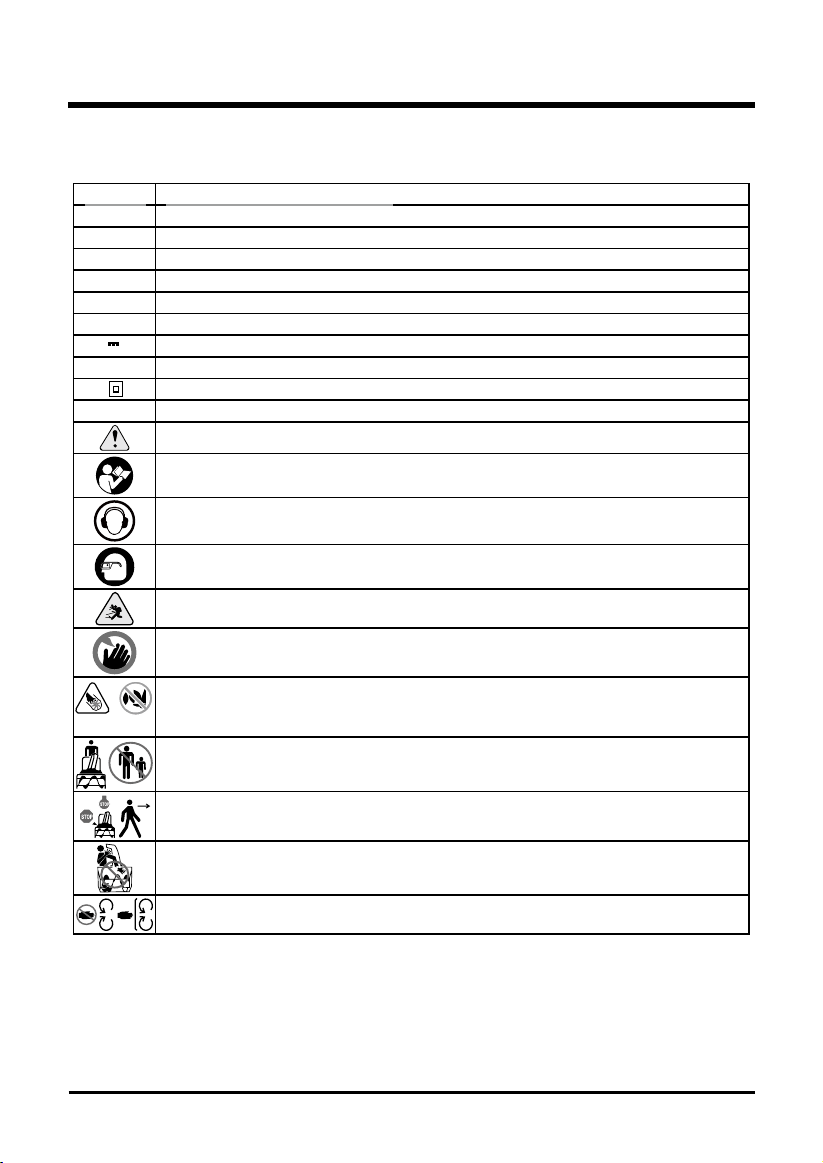
Some of the following symbols may be used on this product. Please study them and learn their
meaning. Proper interpretation of these symbols will allow you to operate the product better and safer.
SYMBOLS
6
SYMBOL DESIGNATION/EXPLANATION
V Voltage
A Current
Hz Frequency (cycles per second)
Wh Watt Hour - Energy Storage Capacity
Ah Amp Hour - Current Capacity
DC Direct current
Type or a characteristic of current
RPM Revolutions per minute
Double-insulated construction
/min Revolutions, strokes, surface speed, orbits etc., per minute
Indicates a potential personal injury hazard.
To reduce the risk of injury user must read and understand operator’s manual
before using this product.
Wear ear protection at all times while operating the machine.
Always wear eye protection with side shields marked to comply with ANSI Z87.1
when operating this equipment.
Thrown objects can ricochet and result in personal injury or property damage.
Keep hands and feet away.
Danger – Keep hands and feet away from openings while the machine is running.
Do not use hands to unclog chute. Stop motor and remove the battery before
removing debris.
Keep bystanders a safe distance from the machine.
Stop the motor and remove the battery before leaving the machine.
Keep hands, feet away from the discharge area.
Stay away from moving parts. Keep all guards and shields in place.
7
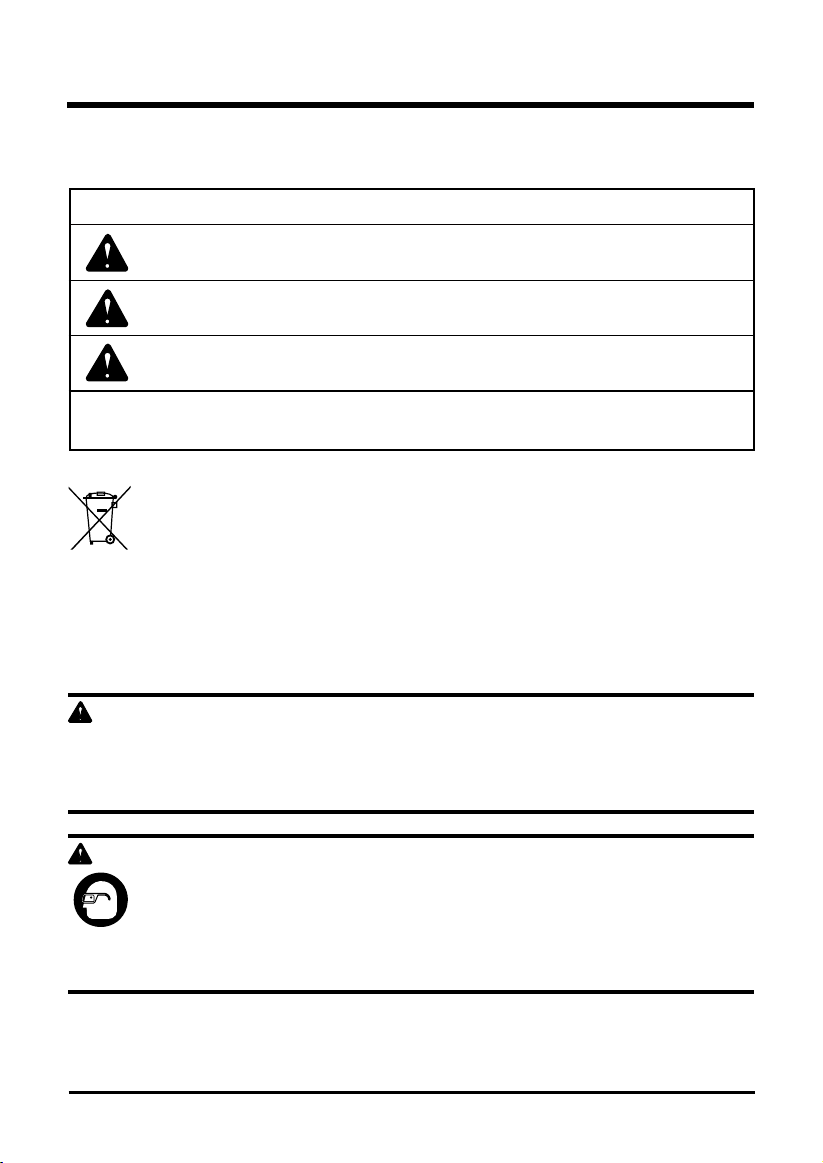
The following signal words and meanings are intended to explain the levels of risk associated
with this product.
SERVICE
Servicing requires extreme care and knowledge and should be performed only by a qualied
service technician. For service we suggest you return the product to your nearest AUTHORIZED
SERVICE CENTER for repair. When servicing, use only identical replacement parts.
WARNING
To avoid serious personal injury, do not attempt to use this product until you have read this
Owner's Manual thoroughly and understand it completely. If you do not understand the warnings
and instructions in this Owner's Manual, do not use this product. Call the Toll-free Helpline
(1(855)345-3934) for assistance.
WARNING
The operation of any power tool can result in foreign objects being thrown into your
eyes, which can result in severe eye damage. Before beginning power tool operation,
always wear safety goggles or safety glasses with side shields and, when needed, a
full face shield. We recommend Wide Vision Safety Mask for use over eyeglasses or
standard safety glasses with side shields. Always use eye protection which is marked
to comply with ANSI Z87.1.
SYMBOL SIGNAL MEANING
DANGER Indicates an imminently hazardous situation, which, if not
avoided, will result in death or serious injury.
WARNING Indicates a potentially hazardous situation, which, if not avoided,
could result in death or serious injury.
CAUTION Indicates a potentially hazardous situation, which, if not avoided,
may result in minor or moderate injury.
CAUTION (Without Safety Alert Symbol) Indicates a situation that may
result in property damage.
SYMBOLS
SAVE THESE INSTRUCTIONS
ENVIRONMENTAL PROTECTION
Waste electrical products should not be disposed of with household waste.
Please recycle where facilities exist. Check with your local authority or retailer
for recycling advice. The battery contains material which is hazardous to you and
the environment. It must be removed and disposed of separately at a facility that
accepts lithium-ion batteries.
8
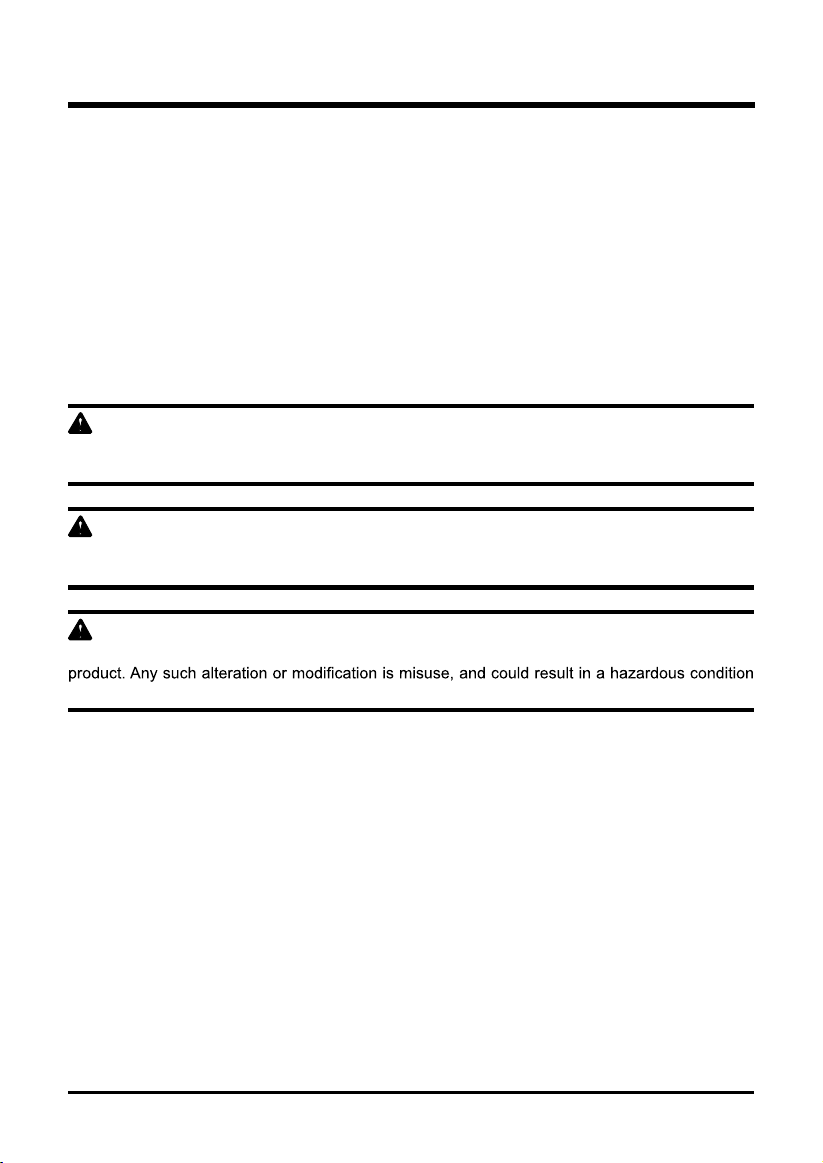
KNOW YOUR SNOW SHOVEL
Fig. 1
Read this operator's manual and safety rules before operating your snow shovel. Compare the
illustration in Figure 1 to your snow shovel in order to familiarize yourself with the location of
various controls and adjustments. Save this manual for future reference.
Auxiliary handle
Trigger switch
Lock-out button
Lock knob
Belt drive cover
Impeller
Scraper
Battery compartment
9
UNPACKING
• Carefully remove the product and any accessories from the box. Make sure that all items
listed in the packing list are included.
• Inspect the product carefully to make sure no breakage or damage occurred during shipping.
• Do not discard the packing material until you have carefully inspected and satisfactorily
operated the product.
• If any parts are damaged or missing, please call 1(855)345-3934 for assistance.
PACKING LIST
• Snow shovel
• Owner's Manual
W ARNI N G
If any parts are damaged or missing, do not operate this product until the parts are replaced.
Failure to heed this warning could result in serious personal injury.
W ARNI N G
Do not connect to power supply until assembly is complete. Failure to comply could result in
accidental starting and possible serious personal injury.
W ARNI N G
Do not attempt to modify this product or create accessories not recommended for use with this
leading to possible serious personal injury.
ASSEMBLY INSTRUCTIONS
ASSEMBLY INSTRUCTIONS
10
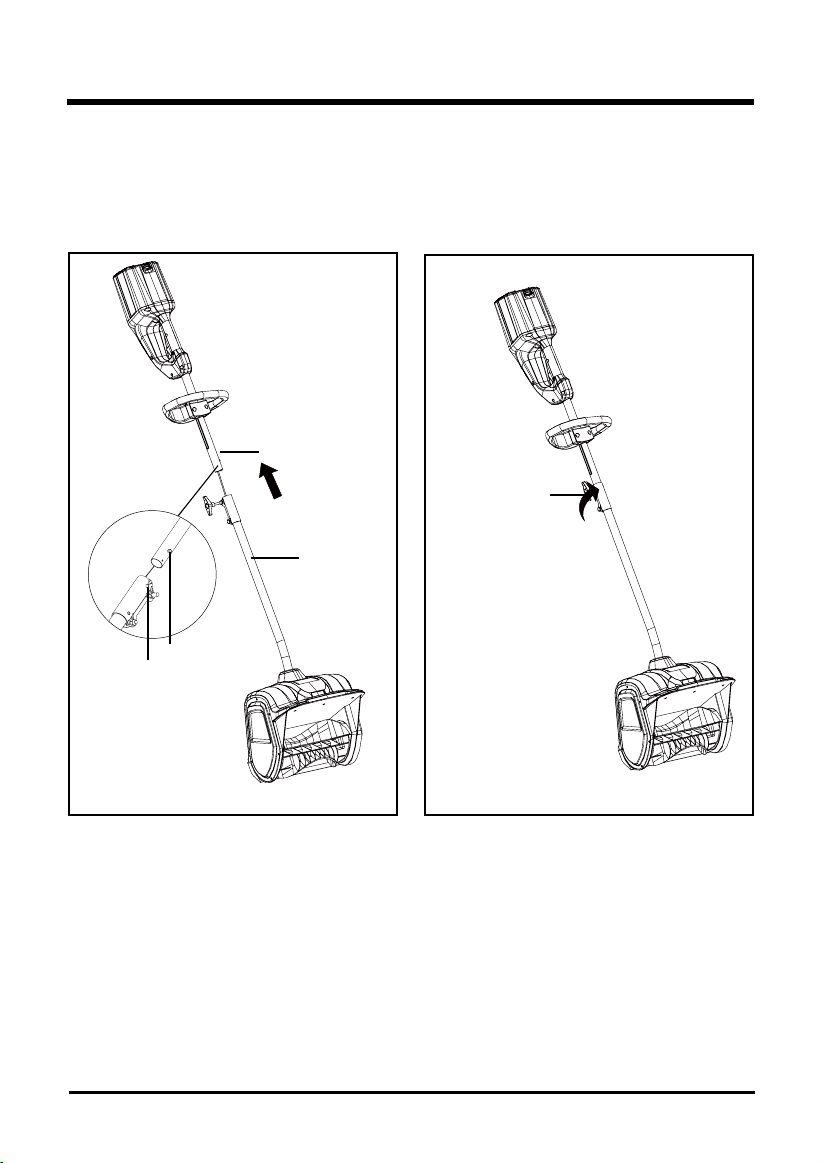
CONNECTING THE SHAFTS (See Figure 2-3)
• Align the pin on the handle shaft and the hole on the lower shaft. (Fig. 2).
• Once the two shafts are secure, turn the lock knob clockwise until it is fully tightened. (Fig. 3).
Fig. 3Fig. 2
Lower shaft
Handle shaft
Pin
Hole
Lock knob
11
OPERATING INSTRUCTIONS
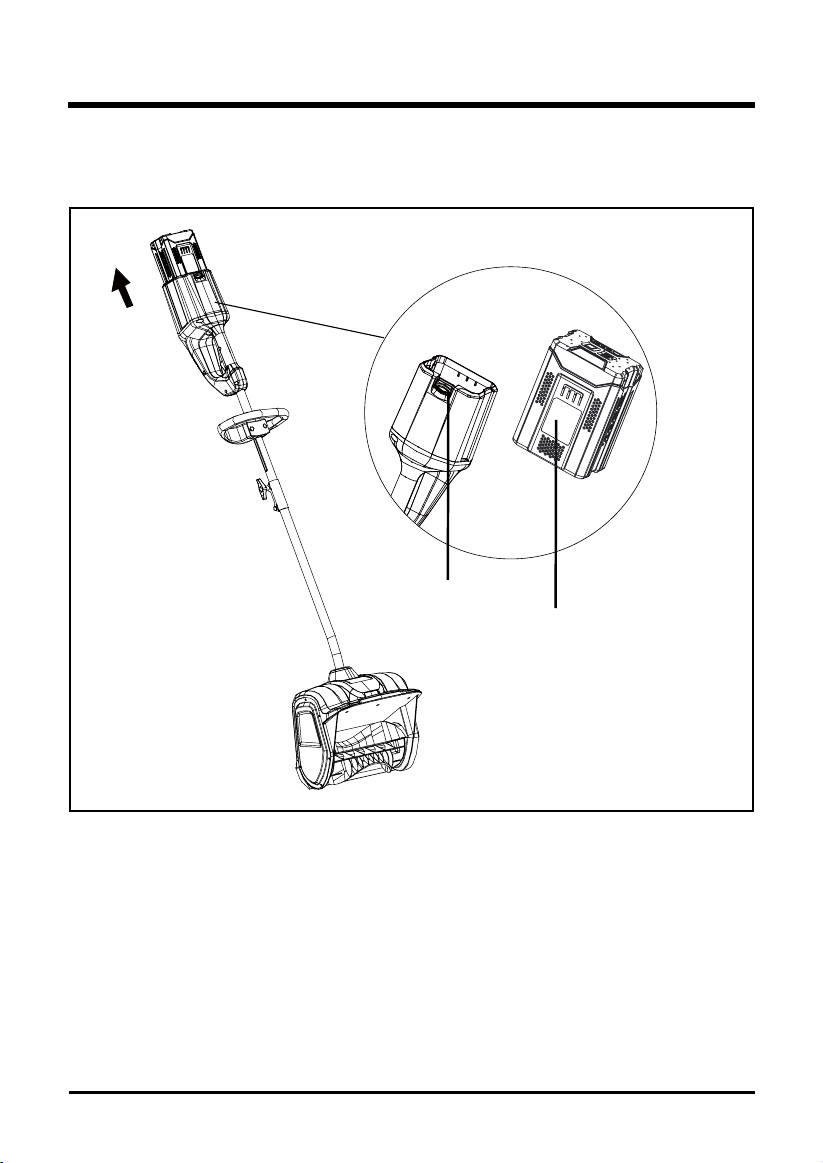
TO INSTALL BATTERY PACK (See Figure 4)
• Slide the battery (1) down to lock it into position. The battery is fully inserted into the snow
shovel when you hear an audible “click”.
TO REMOVE BATTERY PACK (See Figure 4)
• Release the trigger switch. The lock-out button will pop out, and the snow shovel will stop.
• Press and hold the battery latch button (2) at the rear handle.
• Remove battery pack from the snow shovel.
Fig. 4
2
1
(NOT INCLUDED)
(NOT INCLUDED)
CONTENTS
12
OPERATING INSTRUCTIONS
groove
Fig. 5
raised points
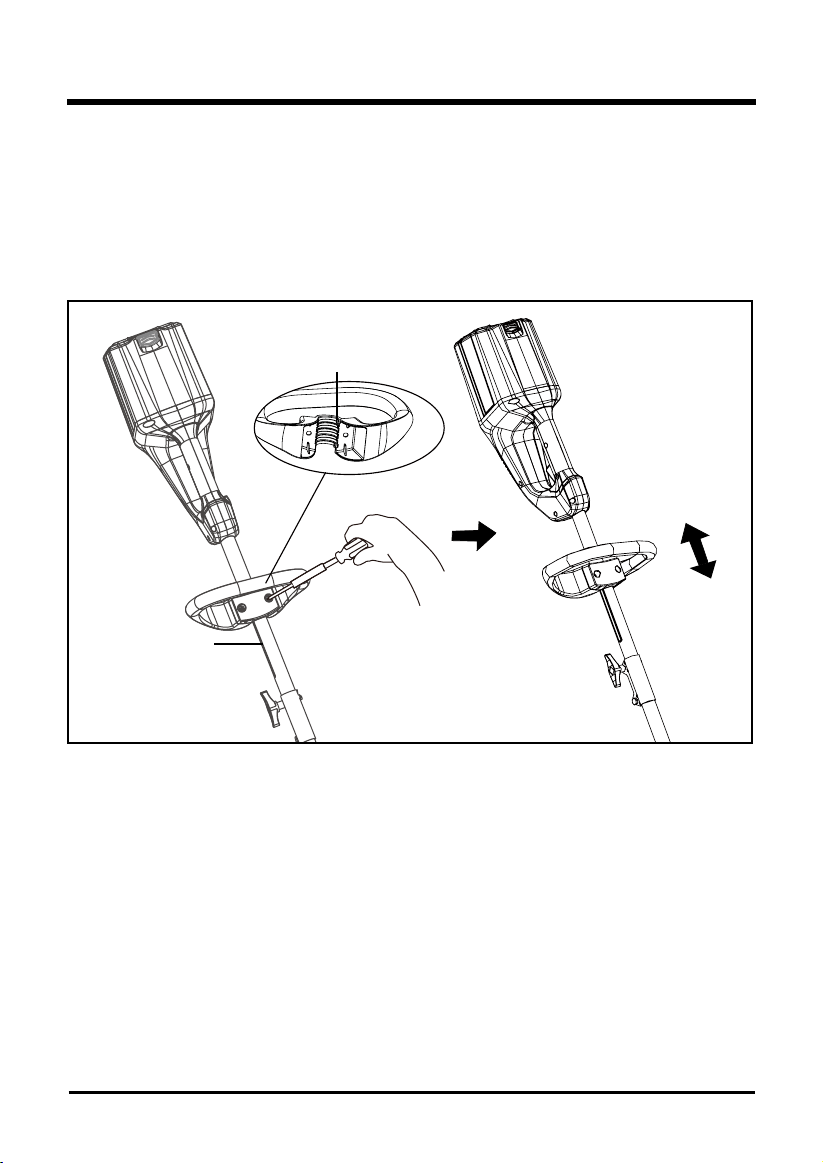
ADJUST THE AUXILIARY HANDLE HEIGHT (See Figures 5)
• Loosen the bolts until the auxiliary handle is no longer secured.
• Move the auxiliary handle to the height you prefer, make sure the raised points on the auxiliary
handle are aligned with the groove on one side of the handle shaft.
• Once the handle is set to desired setting, tighten the bolts with a phillips screwdriver until
auxiliary handle is secured.
CONTENTS
13
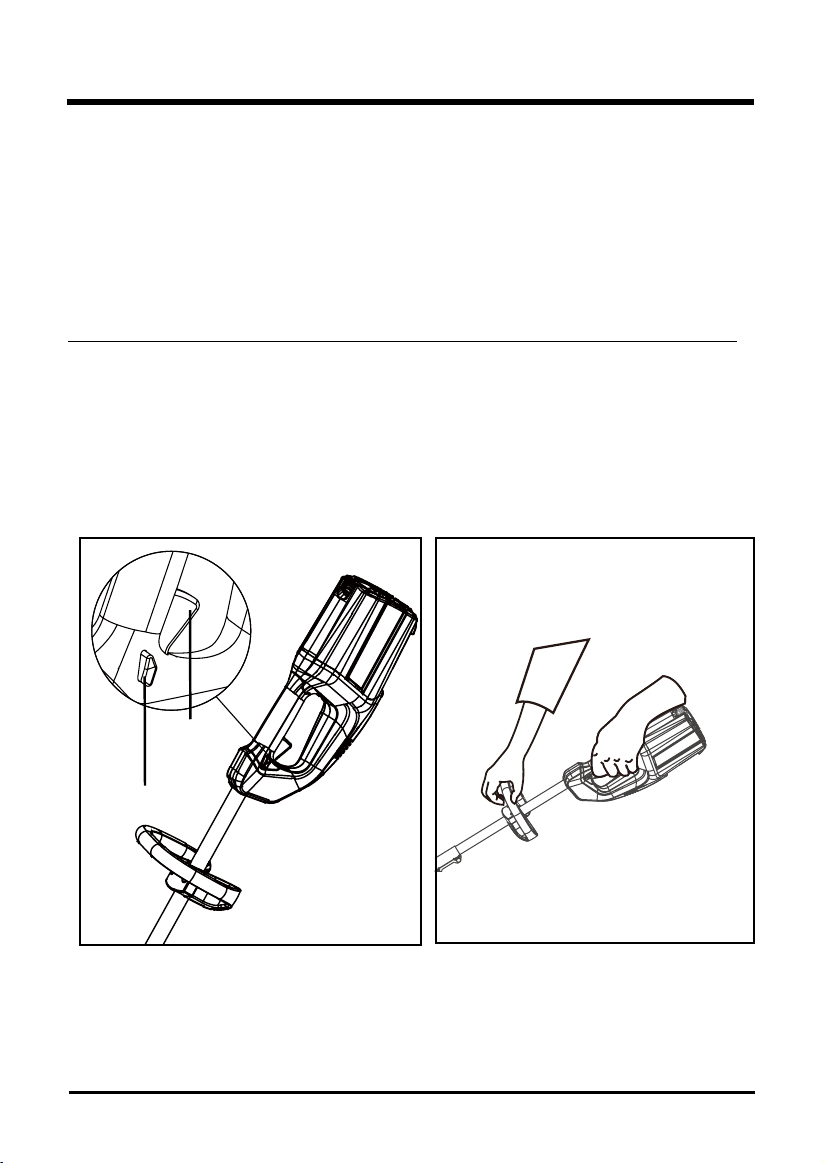
STARTING THE SNOW SHOVEL (See Figures 6-7)
In order to avoid serious injury, the operator and unit must be in a stable position when starting
the snow shovel.
Follow this sequence exactly in order to start the snow shovel.
• Verify that the battery pack is inserted into the battery compartment.
• Press and hold the lock-out button (Fig. 6).
• While holding the lock-out button, press and hold the trigger switch.
NOTE: The Snow Shovel will not start if the lock-out button is not held until the trigger switch is lifted. Once
trigger is pressed and unit is started, release the lock-out button.
• Hold the handles and begin to use the snow shovel (Fig.7).
STOPPING THE SNOW SHOVEL
• Release the trigger switch.
• The lock-out button will pop out, and the snow shovel will stop.
OPERATING INSTRUCTIONS
Fig. 7
Fig. 6
Lock-Out
Button
Trigger
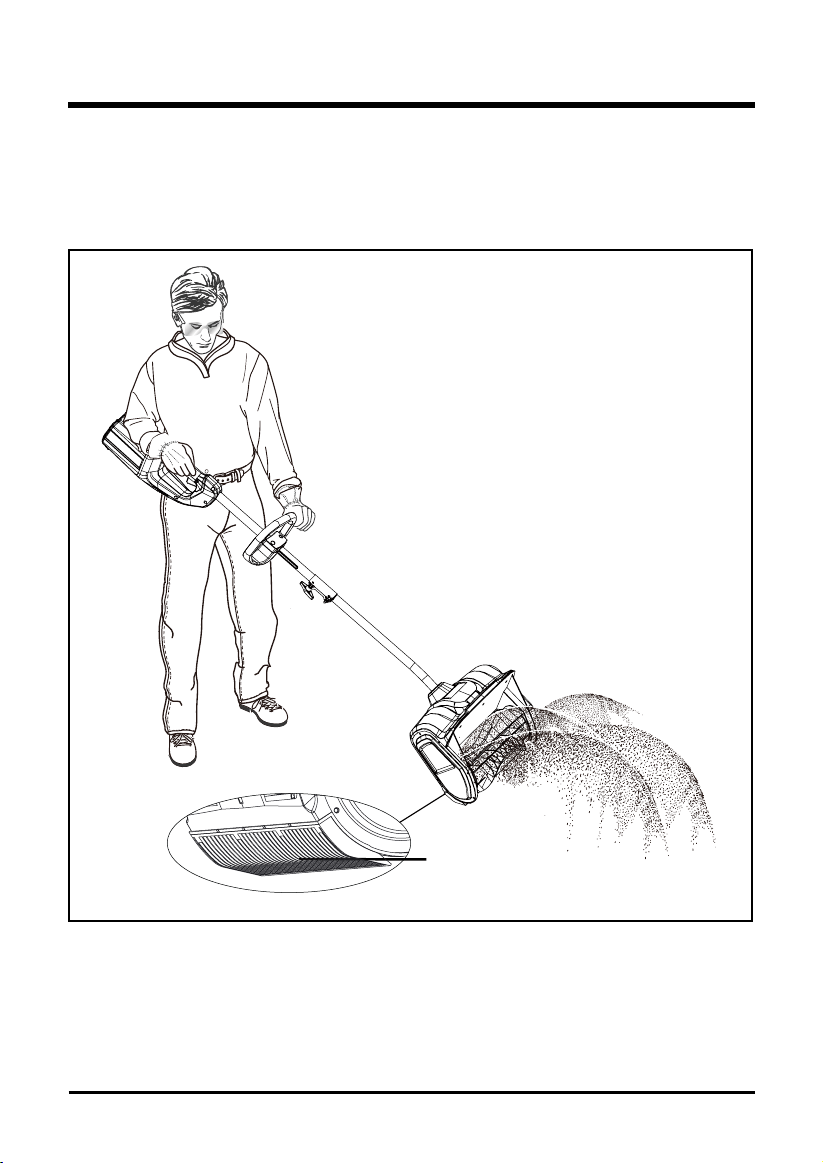
USING THE SNOW SHOVEL (See Figures 8)
• Start the snow shovel by following the Starting Instructions. The depth and weight of the snow
will determine the forward speed.
• Push the snow shovel forward so that it rides on the scraper.
OPERATING INSTRUCTIONS
14
Fig. 8
scraper
NOTE: The battery is not shipped fully charged. It is recommended to fully charge the battery before rst use
to ensure that maximum run time can be achieved. This lithium-ion battery will not develop a memory and
may be charged at any time.
Low voltage charging:
If the battery has been stored with little to no charge for a long period of time, the charger will go
into recovery mode, which will take 20 hrs to fully charge the battery. This will enhance the life of
the battery. Once it is fully charged, the next charge will return to standard charging.
A fully discharged battery pack will require approximately 30 minutes to fully charge from a
discharged state.
• Plug the charger into an AC power outlet.
• Insert the battery into the charger.
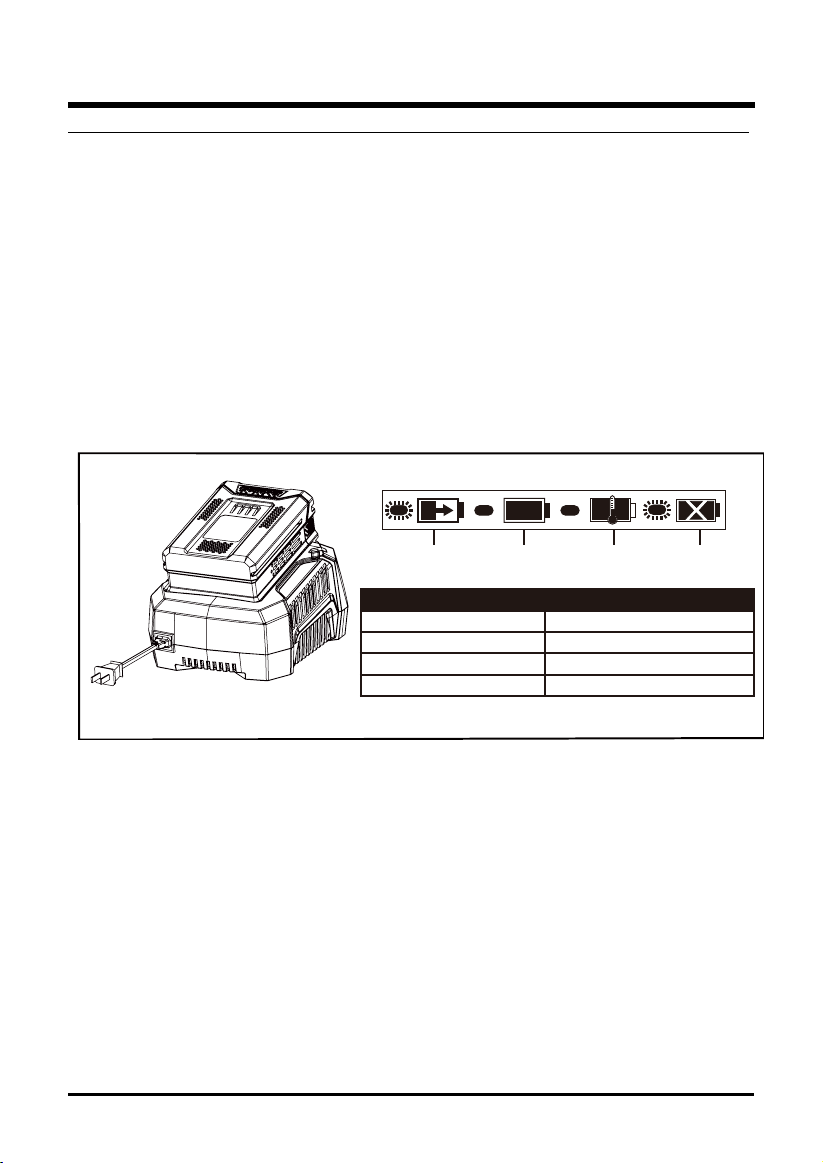
This is a diagnostic charger. The Charger LED Lights will illuminate in specic order to
communicate the current battery status. They are as follows:
False defect note:
When the battery is inserted into the charger and the status LED blinks RED, remove the battery
from the charger for 1 minute, then reinsert. If the status LED blinks GREEN, then the battery is
properly charging. If the status LED is still blinking RED, remove the battery and unplug the
charger for 1 minute. After 1 minute, plug in the charger and reinsert the battery. If the status
LED blinks GREEN, then the battery is properly charging. If the status LED is still blinking RED,
the battery is defective and needs to be replaced.
CHARGING PROCEDURE
15
Charging Fully
Charged
Over
Temperature
Charging
Fault
LED STATUS DESCRIPTION
Blinking GreenC harging
Solid Green Fully Charged
Solid Red Over Temperature
Blinking RedC Charging Fault
C
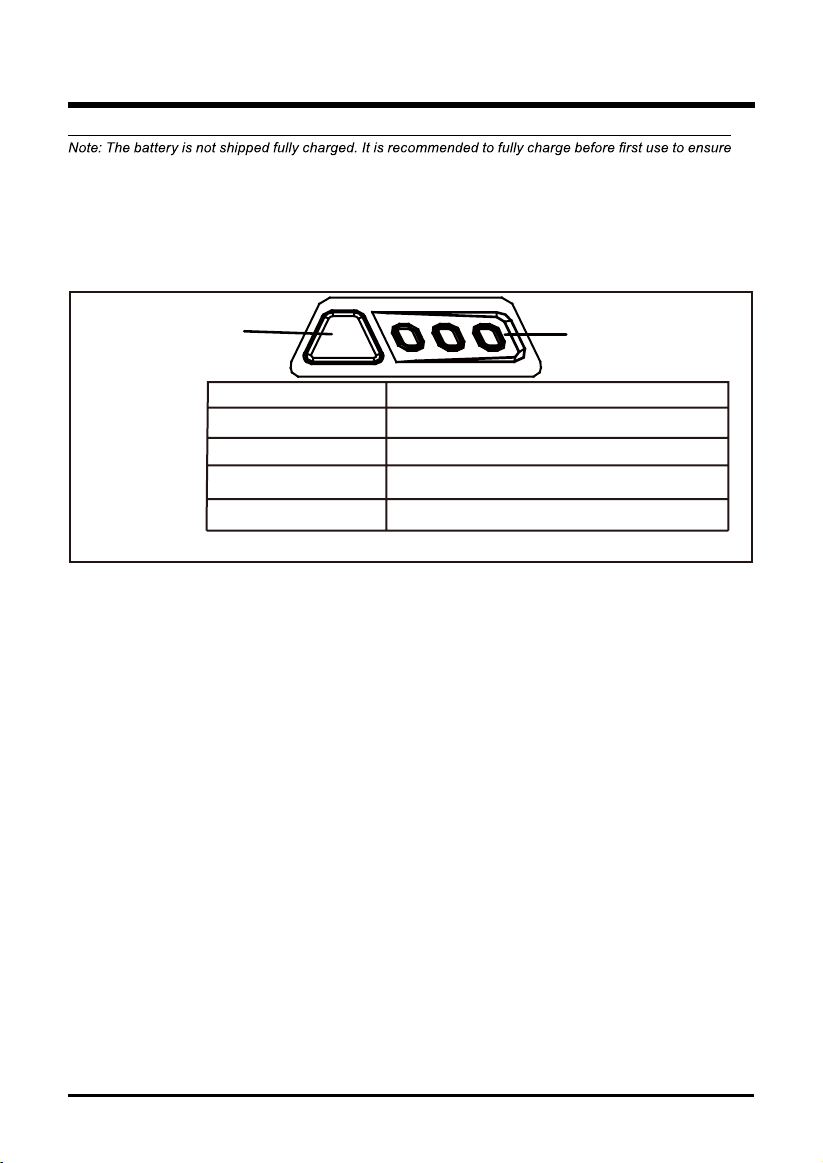
BATTERY CAPACITY
INDICATOR (BCI) BUTTON
LIGHT METER
Lights
Capacity
The battery is more than 75% capacity
3 Green Lights
The battery is between 35% and 75% capacity 2 Green Lights
The battery is less than 35% capacity
1 Green Light
Lights go out
The battery requires charging immediately
that maximum run time can be achieved. This lithium-ion battery will not develop a memory and may be
charged at any time. A fully discharged battery pack will require approximately 30 minutes to fully charge
from a discharged state.
Press the battery capacity indicator (BCI) button. The lights will illuminate according to the
batteries current power level. See chart below:
CHECKING BATTERY CAPACITY
16
BATTERY PACK
• Store the battery pack fully charged.
• Once the charging light turns green, remove the battery from the charger.
• Do not store the battery pack on the tool.
• After charging, the battery pack may be stored in the charger, as long as the charger is not
plugged in.
CHARGER MAINTENANCE
• Keep the charger clean and clear of debris. Do not allow foreign material to get into the
recessed cavity or onto the contacts. Wipe the charger clean with a dry cloth. Do not use
solvents or water, and do not place the charger in wet conditions.
• Unplug the charger when there is no battery pack in it.
• Fully charge the batteries before placing them in storage.
• Store the charger at normal room temperature. Do not store it in excessive heat. Do not use
the charger in direct sunlight. Recharge at room temperature between 45˚F and 100˚F (7˚C
and 38˚C). If the battery pack is hot, allow it to cool down before recharging.
The following toxic and corrosive materials are in the batteries used in this tool battery pack:
Li-ion, a toxic material.
W ARNI N G
environment. Before disposing of damaged or worn out Lithium-ion battery packs, contact
your local waste disposal agency, or the local Environmental Protection Agency for information
for Li-ion disposal.
W ARNI N G
If the battery pack cracks or breaks, with or without leaks, do not recharge it and do not use.
Dispose of it and replace with a new battery pack. DO NOT ATTEMPT TO REPAIR IT!
environment:
• Cover the battery's terminals with heavy-duty adhesive tape.
• DO NOT attempt to remove or destroy any of the battery pack components.
• DO NOT attempt to open the battery pack.
• If a leak develops, the released electrolytes are corrosive and toxic. DO NOT get the solution
in the eyes or on skin, and do not swallow it.
• DO NOT place these batteries in your regular household trash.
• DO NOT incinerate.
•
stream.
•
ENVIRONMENTALLY SAFE BATTERY DISPOSAL
17
• Do not use a battery pack that is damaged or modified. Damaged or modified batteries may
exhibit unpredictable behavior resulting in fire, explosion or risk of injury.
18
MAINTENANCE
SERVICING
Servicing should be performed by a qualied technician. Replacement parts for this snow
shovel must be identical to the parts that they replace. If repairs are necessary, contact the
Toll-Free Helpline, at 1(855) 345 - 3934.
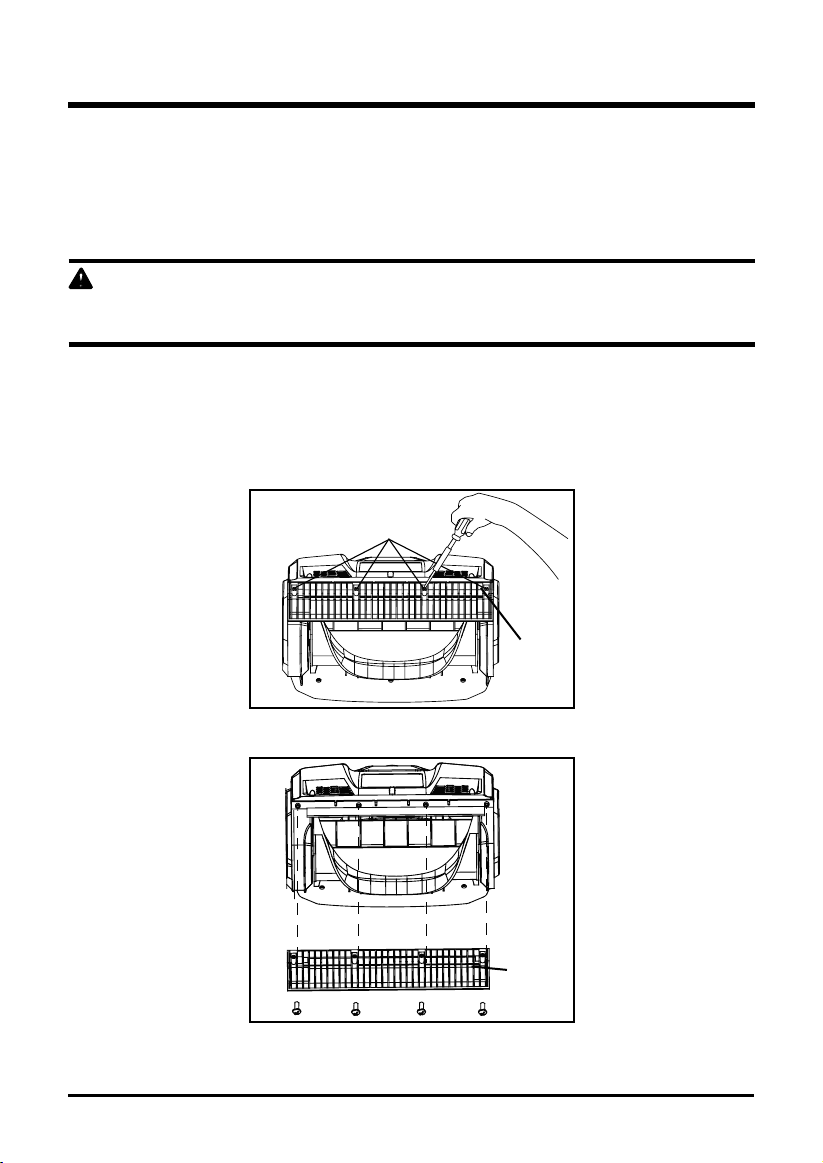
REPLACING THE SCRAPER (See Figure 9-10)
WARNING
IN ORDER TO AVOID SERIOUS PERSONAL INJURY, TURN THE SNOW SHOVEL
OFF AND REMOVE BATTERY BEFORE PERFORMING ANY MAINTENANCE.
Use only the manufacturer's original replacement parts.
• Place the snow shovel on the ground or on a work bench. Position the snow shovel so that
the impeller is facing up.
• Remove the four (4) screws that are located beneath the impeller that secure the scraper
to the housing using a phillips screwdriver. (Fig. 9).
• Remove the scraper, and discard it in the proper manner. (Fig. 10).
• Snap the new scraper into position, and attach it to the snow shovel by reinstalling the
four (4) screws.
scraper
Fig. 10
screws
scraper
Fig. 9

MAINTENANCE
19
STORAGE
• Allow the motor to cool down before storing.
• Store the snow shovel in a locked location in order to prevent unauthorized use or damage.
• Store the snow shovel in a dry, well-ventilated area.
• Store the snow shovel out of the reach of children.
CLEANING
In order to avoid serious personal injury, turn the snow shovel off and remove battery before
cleaning or servicing.
Use a small brush to clean the outside of the snow shovel. Do not use strong detergents.
Household cleaners that contain aromatic oils such as pine and lemon, and solvents such as
kerosene can damage the plastic housing and handles. Wipe off any moisture using a soft cloth.
MAINTENANCE
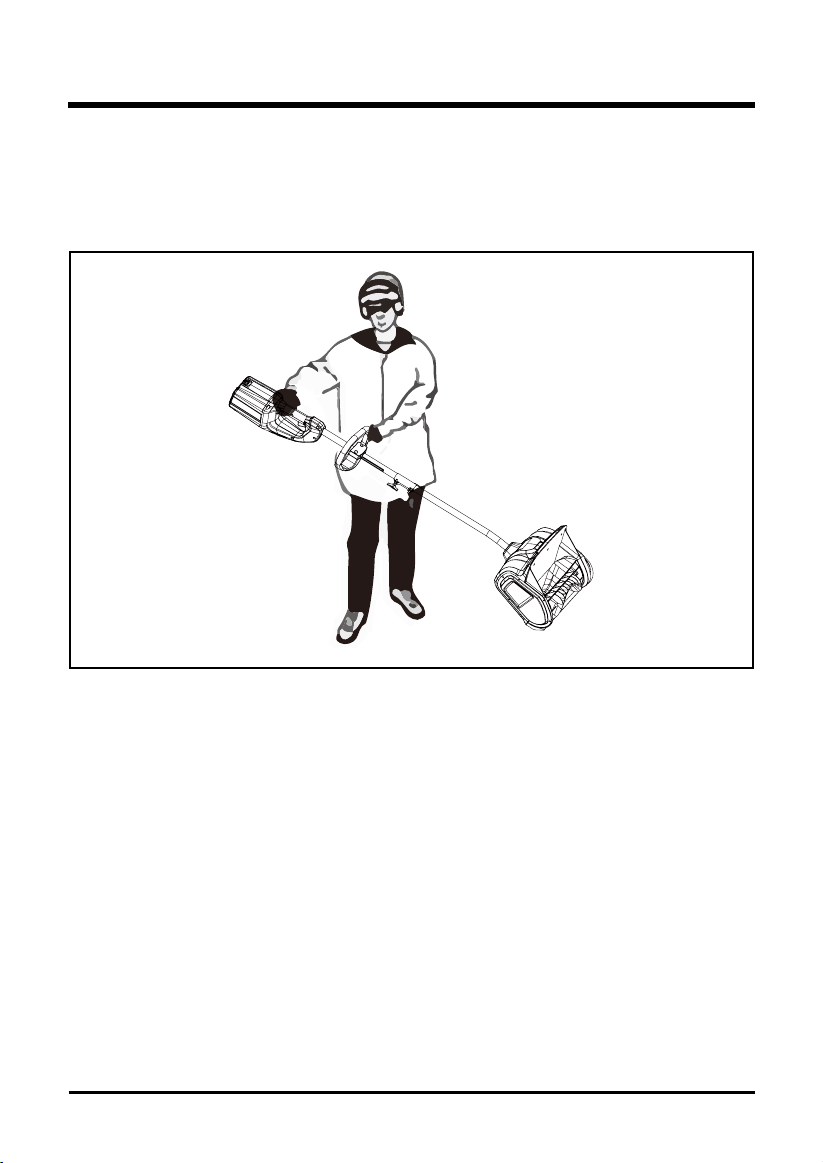
TRANSPORTING THE SNOW SHOVEL (See Figure 11)
• Allow the motor to cool down before transporting.
• Secure the snow shovel while transporting.
• When moving the snow shovel, grasp it by the top handle and auxiliary handle. (Fig. 11).
Fig. 11
20
21
MAINTENANCE
21
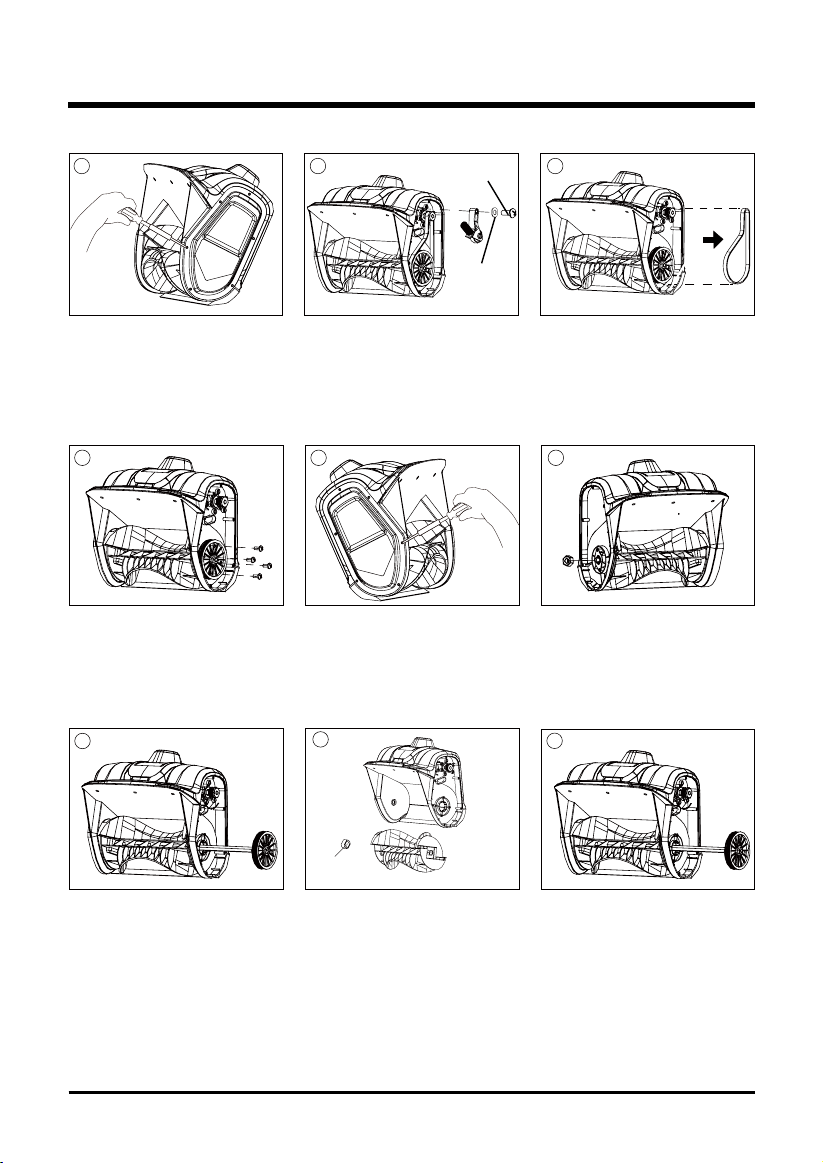
IMPELLOR REPLACEMENT
• Remove the 4 screws .
• Discard the old/damaged
impellor. Be sure not to
lose the shaft sleeve that
secures the left side of the
shaft.
• Remove the right side
cover by removing 6
screws.
• Remove the left side cover
by removing 6 screws.
• Insert the impellor shaft with
pulley assembly attached in the
new impellor. Be sure to replace
the retained shaft sleeve that
secures left side of the shaft.
• Remove the belt.
• Remove the impellor shaft
with pulley assembly
attached.
• Pull the belt tensioner (idler
arm) away from the drive
pulley. Be sure not to lose the
washer and screw left.
• Remove the nut that
secures the left side plate.
1 2 3
4 65
7
8
9
shaft sleeve
Washer
screw
22
MAINTENANCE
22
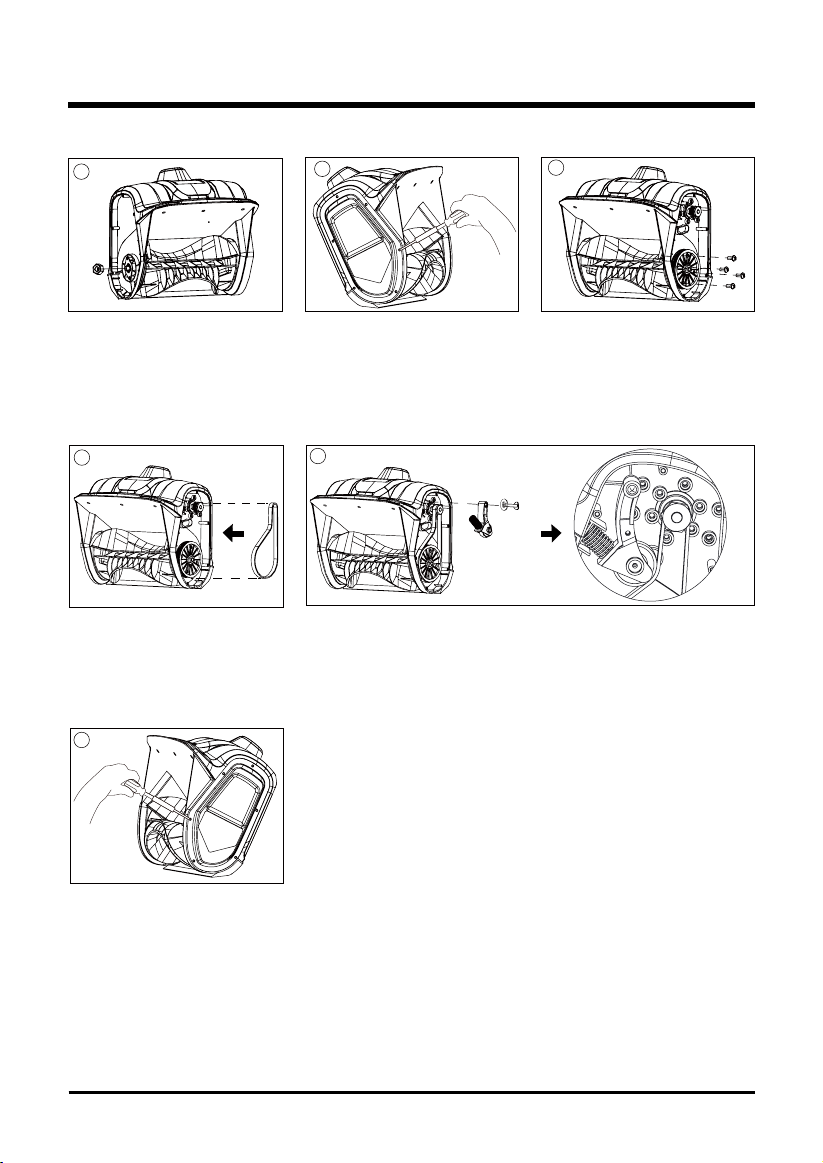
• Place the belt back into its
place.
• Replace and tighten the
remaining screws to secure
the right side cover.
• Place the belt tensioner (idler arm) back into its place.
13
14
15
• Replace and tighten the
remaining nut to secure the
left side plate assembly.
• Replace and tighten the
remaining screws to secure
the left side cover.
• Replace and tighten the
remaining screws to secure
the pulley assembly.
10
11
12
IMPELLOR REPLACEMENT

23
TROUBLESHOOTING
PROBLEM POSSIBLE CAUSE SOLUTION
The snow shovel does
not start.
The battery is not charged. Charge the battery by following the
procedures in the battery and charger
manual or on page 15 of this manual.
The lock-out button or trigger
switch were not used properly.
Press and hold the lock-out button,
while holding the lock-out button,
press the switch trigger. (See Figure
6).
Battery is too cold. Remove battery from snow shovel.
Place battery on charger and allow to
charge for 10 minutes. Remove from
charger and install in Snow shovel for
use.
The battery is not fully inserted
into the housing.
Check if the battery is fully inserted
into the housing.
Battery may require service or
replacement.
Call toll free helpline, at 1(855)345-
3934 or replace battery.
The motor is on, but the
rotor does not turn.
The belt is damaged. Replace the belt (see "IMPELLOR
REPLACEMENT" on page 21 -22).
The snow shovel leaves
a thin layer
The scraper is worn. Replace the scraper (See Figure
9-10).
24
LIMITED FOUR-YEAR WARRANTY
GREENWORKS™ hereby warranties this product, to the original purchaser with proof of
purchase, for a period of four (4) years against defects in materials, parts or workmanship.
GREENWORKS™, at its own discretion will repair or replace any and all parts found to be
defective, through normal use, free of charge to the customer. This warranty is valid only for
units which have been used for personal use that have not been hired or rented for industrial/
commercial use, and that have been maintained in accordance with the instructions in the
owners’ manual supplied with the product from new.
Battery and charger carry a two (2) year warranty against defects in workmanship and materials.
Batteries must be charged in accordance with the operator’s manuals directions and regulations
in order to be valid.
ITEMS NOT COVERED BY WARRANTY:
1. Any part that has become inoperative due to misuse, commercial use, abuse, neglect,
accident, improper maintenance, or alteration; or
2. The unit, if it has not been operated and/or maintained in accordance with the owner's
manual; or
3. Normal wear, except as noted below;
4. Routine maintenance items such as lubricants, sc
raper, impeller;
5.
GREENWORKS HELPLINE (1(855)345-3934):
Warranty service is available by calling our toll-free helpline, at 1(855)345-3934.
TRANSPORTATION CHARGES:
Transportation charges for the movement of any power equipment unit or attachment are the
responsibility of the purchaser. It is the purchaser’s responsibility to pay transportation charges
for any part submitted for replacement under this warranty unless such return is requested in
writing by GREENWORKS.
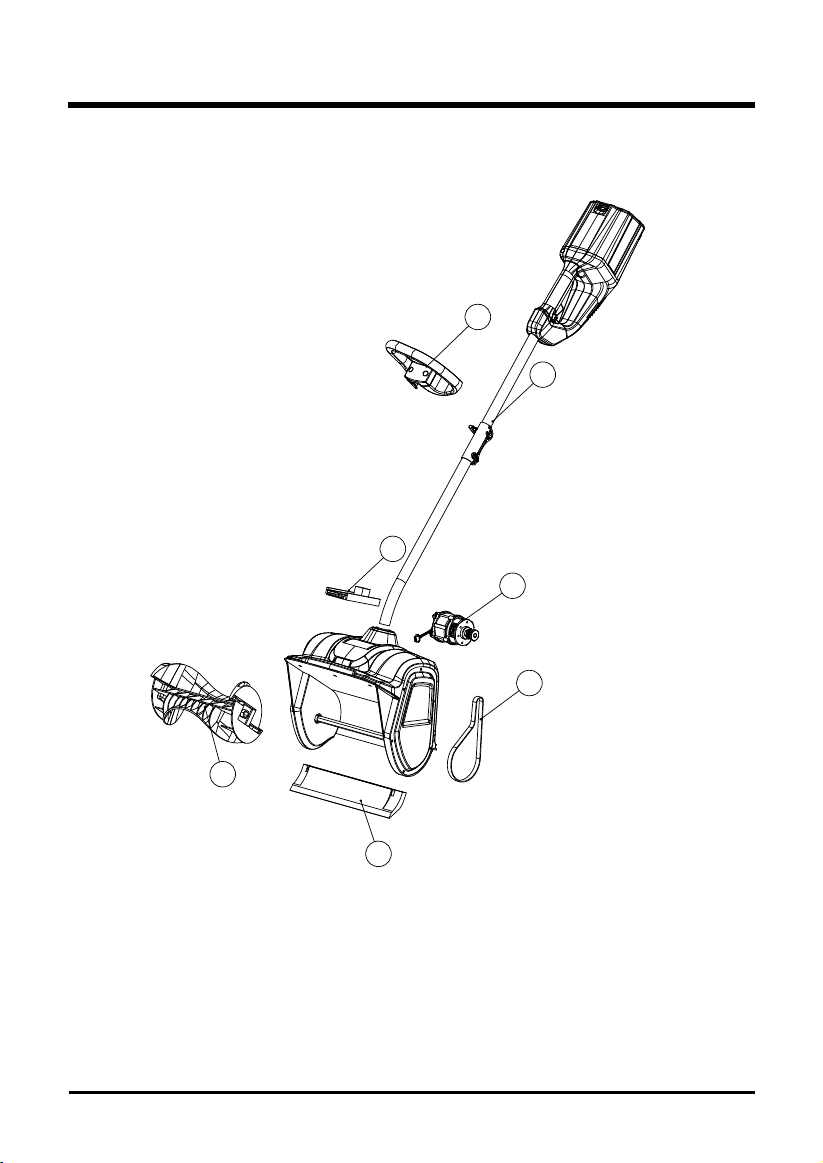
25
EXPLODED VIEW
1
7
6
2
3
4
5

26
PARTS LIST
ITEM NO. PART NO. DESCRIPTION QTY
1 311061468 Main body 1
2 311071468 Motor 1
3 329011468 Belt 1
4 341041468 Scraper 1
5 341031468 Impeller 1
6 362011468T PCB board 1
7 311031468 Auxiliary handle 1

TOLL-FREE HELPLINE: 1(855)345-3934
Rev: 02 (03-11-16) Printed in China
Greenworks Tools
PO Box 1238
Mooresville, NC 28115