

We don’t create and operate data
centers just to proclaim we can
store lots of data. We own the
process of acquiring, formatting,
merging, safekeeping, and
analyzing the ow of information –
and enabling decisions based on it.
Choosing a solid-state drive (SSD)
as part of the data center
mix hinges on a new idea: high-
value data.
When viewing data solely as a
long-term commodity for storage,
enterprise hard disk drives (HDDs)
form a viable solution. They
continue to deliver value where the
important metrics are density and
cost per gigabyte. HDDs also oer
a high mean-time-between-failure
(MTBF) and longevity of storage.
Once the mechanics of platter
rotation and actuator arm speed
are set, an interface chosen and
capacity determined, there isn’t
much else left to chance.
For massive volumes of data in
infrequently accessed parts of the
“data lake,” HDDs are well suited.
Predictability and reliability of
mature HDD technology translates
to reduced risk. However, large
volumes of long life data are only
part of the equation.
The rise of personal, mobile, social
and cloud computing means
real-time response has become a
key determining factor. Customer
satisfaction relies on handling
incoming data and requests
quickly, accurately, and securely.
In analytics operating on data
streams, small performance
dierences can aect outcomes
signicantly.
Faster response brings tiered
IT architecture. Data no longer
resides solely at Tier 3, the storage
layer; instead, transactional data
spreads across the enterprise.
High-value data generally is taken
in from Tier 1 presentation and
aggregation layers, and created in
Tier 2 application layers. It may be
transient, lasting only while a user
session is in progress, a sensor is
active, or a particular condition
arises.
SSDs deliver blistering transactional
performance, shaming HDDs
in benchmarks measuring I/O
operations per second (IOPS).
Performance is not the only
consideration for processing high-
value data. IDC denes what they
call “target rich” data, which they
estimate will grow to about 11%
of the data lake within ve years,
against ve criteria:
1
Easy to access: is it connected, or
locked in particular subsystems?
Real-time: is it available for
decisions in a timely manner?
Footprint: does it aect a lot
of people, inside or outside the
organization?
Transformative: could it, analyzed
and actioned, change things?
Synergistic: is there more than
one of these dimensions at work?
Instead of nebulous depths of “big
data,” we now have a manageable
region of interest. High-value data
usually means fast access, but it
also means reliable access over any
conditions including trac variety,
congestion, integrity through
temporary loss of power and long-
term endurance. These parameters
suggest the necessity for a specic
SSD class – the data center SSD –
for operations in and around high-
value data.
Choosing the right SSD for an
application calls for several
pieces of insight. First, there is
understanding the dierence
between client and data center
models. Next is seeing how
the real-world use case shapes
up compared to synthetic
benchmarks. Finally, recognizing
the characteristics of ash memory
and other technology inside SSDs
reveals the attributes needed to
handle high-value data eectively.
INTRODUCTION: WHAT THE DATA LAKE REALLY LOOKS LIKE

Flash-based SSDs are not all the
same, despite many appearing in
a 2.5” form factor that looks like
an HDD. Beyond common ash
parts and convenient mounting
and interconnect, philosophical
dierences create two classes of
SSDs with important distinctions
in use.
2
Client SSDs are designed
primarily as replacements for
HDDs in personal computers. A
large measure of user experience
is how fast the machine boots
an operating system and loads
applications. SSDs excel, providing
very fast access to les in short
bursts of activity. RAM caching,
using a dedicated region of
PC memory, or software data
compression can be used to
improve performance.
But typical PC users are not
constantly loading or saving les,
so the SSD in a PC often sits idle.
Client SSDs with low idle power can
dramatically reduce system power
consumption. Idle time also allows
a drive to catch up, completing
queued write activity and
performing background cleanup
known as TRIM, recovering ash
blocks where data has been
deleted.
Increasing requests on a client
SSD often result in inconsistent
performance – which most PC
users tolerate, realizing they kicked
o too many things at once.
Users can also pay a price during
operating system crashes or power
failures, without protection from
losing data or corrupting les.
Data center SSDs are designed
for speed as well, but also prioritize
consistency, reliability, endurance,
and manageability. Most
applications use multiple drives
connected to a server or storage
appliance, accessed by numerous
requests from many sources. Idle
time is reduced in 24/7 operation.
Lifespan becomes a concern as
ash memory cells wear with
extended write use.
An SSD that stalls under load,
suers data errors, or worse yet
fails entirely, can put an entire
system at risk. Enterprise-class ash
controllers and rmware avoid any
dependence on host software for
performance gains; many drives
in use would consume scarce
processing resources. Consistency
means high-performance
command queue implementations,
combined with constrained
background cleanup.
To protect sensitive data, data
center SSDs implement several
strategies. Advanced rmware
uses low-density parity check
(LDPC) error correction with a more
ecient algorithm taking less
space in ash, resulting in faster
writes. Surviving system power
interruptions requires power-fail
protection (PFP) with tantalum
capacitors holding power long
enough to complete pending write
operations. If encryption is required,
self-encrypting drives implement
algorithms internally in hardware.
Mean time between failure
(MTBF) was critical for HDDs, but is
mostly irrelevant for SSDs. Useful
comparisons for SSDs are two
metrics: TBW and DWPD. TBW is
total bytes written, a measure of
endurance. DWPD – device writes
per day – reects the number of
times the entire drive capacity
can be written daily, for each day
during the warranty period. The
latest V-NAND ash technology is
beginning to appear in data center
SSDs, oering up to double the
endurance of planar NAND.
Some system architects
overprovision across multiple
client SSDs to oset consistency
and endurance concerns.
Overprovisioning counts on greater
idle time, reserves more free blocks,
and uses more drives – incurring
more cost, space, and power – than
necessary, compared to using fewer
data center SSDs. Understanding
use cases and benchmarks can
help avoid this expensive practice.
DIFFERENT CLASSES: WHEN NOT JUST ANY SSD WILL DO
Consumer-Class Data Center SSDs
- VS -
Lower latency
Designed for sustained performance
Mixed workload I/O
Latency increases as workloads increase
Built for short bursts of speed
Lower mixed workload capabilities
VIEW INFOGRAPHIC

Application servers often seek
to create homogeneity, allowing
predictability to be built in –
workload optimization is the term in
vogue. If architects have the luxury
of partitioning a data center into
servers each performing dedicated
tasks, it may be possible to focus
and optimize SSD operations.
Read-intensive use cases are
typical of presentation platforms
such as web servers, social media
hosts, search engines and content-
delivery networks. Data is written
once, tagged and categorized,
updated infrequently if ever, and
read on-demand by millions of
users. Planar NAND has excellent
read performance, and limiting
the number of writes extends the
longevity of an SSD using it.
Write-intensive use cases show
up in platforms that aggregate
transactions. Speed is often
critical, such as in real-time
nancial instrument trading where
milliseconds can mean millions of
dollars. Other examples are email
servers, gathering data from sensor
networks, ERP systems and data
warehousing. Flash writes run
slower than reads because of steps
to program the state of individual
cells, and subject them to wear
from voltages applied. With larger,
more durable ash cell construction
and streamlined programming
algorithms, V-NAND-based SSDs
oer better write performance and
greater endurance.
In reality, few enterprise
applications operating on high-
value data are overwhelmingly
biased one way or the other. Overall
responsiveness is determined
by how an SSD holds up when
subjected to a mix of reads and
writes in a random workload.
Applications often run on a virtual
machine, consolidating a variety
of requesters and tasks on one
physical server, further increasing
the probability of
mixed loads.
Client SSDs that look good in
simplistic synthetic benchmarking
with partitioned read or write
loads often fall apart in real-world
scenarios of mixed loading. Data
center SSDs are designed to
withstand mixed loading, delivering
not only low real-time latency
but also a high performance
consistency gure.
WHERE REAL
-
WORLD MEETS MIXED LOADS
KEY BENCHMARKS FOR
MIXED LOADING
Synthetic benchmarks
3
characterizing
SSDs under mixed loading have three
common parameters, with two less
obvious considerations:
Read/write requests would nominally
be 50/50; many test results focus
on 70/30 as representative of OLTP
environments, while JESD219 calls for
40/60. Simply averaging independent
read and write results can lead to
incorrect conclusions.
Random transfer size is often cited at
4KB or 8KB, again typical of OLTP – and
producing higher IOPS gures. Bigger
block sizes can increase throughput,
possibly overstating performance for
most applications. JESD219 places
emphasis on 4KB.
4
Queue depth (QD) indicates how
many pending requests can be kicked
o, waiting for service. Increasing QD
helps IOPS gures, but may never
be realized in actual use. Lower QDs
expose potential latency issues;
higher QDs can smooth out responses
to requesters in a multi-tenant
environment.
Drive test area should not be
restricted to a small LBA (logical
block access), amounting to articial
overprovisioning. SSDs should be
preconditioned and accesses directed
across the entire drive to engage
garbage collection routines.
Entropy, or randomness of patterns,
should be set at 100% to nullify data
reduction techniques and expose write
amplication issues. Compression and
other algorithms may reduce writes,
but performance gains are oset if
real-world data is not as uniform
as expected.
Data center SSDs are
designed to withstand
mixed loading.
Benchmarking SSD read and write
performance is straightforward,
reected on manufacturer data
sheets. Usually, evaluation with
mixed-load scenarios is left to
independent testing, with some
results available in third-party
reviews. Which metrics best gauge
data center SSD performance?
Cost per gigabyte was the
traditional measure of an HDD. For
client SSDs, cost per gigabyte is
somewhat applicable when directly
replacing an HDD, but omits IOPS
and other advantages. Cost per
gigabyte gures skew in favor of
large HDD capacities, an artifact
from an era of relatively expensive
ash. SSDs have made huge
strides with reduced ash cost and
increased capacity, a trend that will
continue with V-NAND.
IOPS per dollar and IOPS per watt
are popular metrics for SSDs.
They capture the advantage SSDs
provide in transactional speed and
power consumption compared to
HDDs. However, neither accounts
for important dierences between
client and data center SSDs.
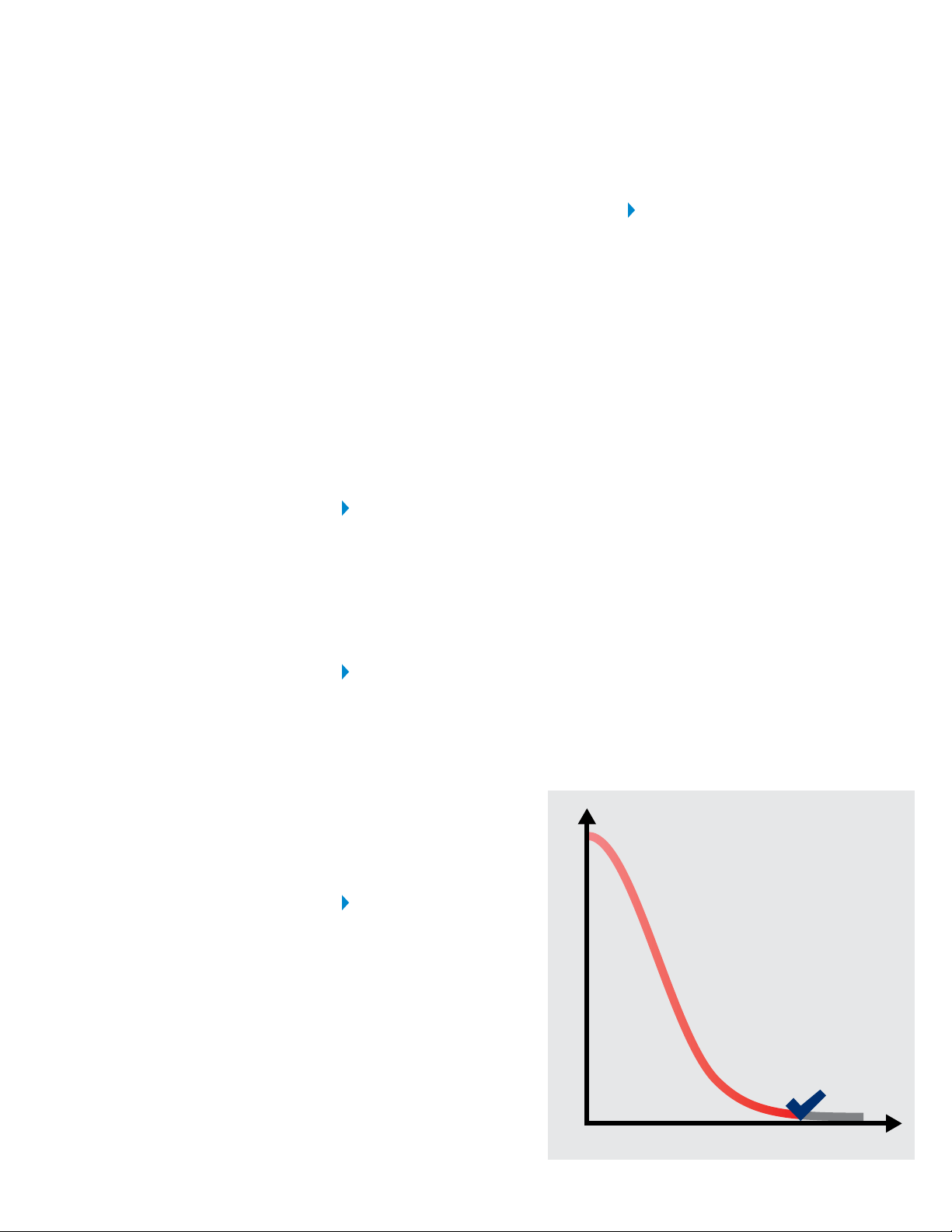
In high-value data use, the deciding
metric for data center SSDs is
quality of service (QoS). With high
IOPS ratings a given with state-
of-the-art data center SSDs, QoS
accounts for latency, consistency,
and queue depth. Even short
periods of non-responsiveness are
generally unacceptable in high-
value data environments. Testing
for mixed-load QoS can quickly
discriminate a client SSD from a
data center SSD.
QoS implies a baseline where
essentially all pending requests,
often stated in four- or ve-nines
(99.99%, or 99.999%), nish within
a maximum allotted response
time. Peak performance becomes
a bonus, if favorable conditions
exist for a short period. Rather
than portray a high level of IOPS
only achievable under near-
perfect conditions, QoS reects
a consistent, reliable level of
performance.
Other considerations also highlight
the dierence between data
center SSDs and client SSDs:
TBW per dollar is an emerging
metric for data center SSDs. It
reects the value of longevity in
write-intensive and high-value data
scenarios, especially for V-NAND-
based data center SSDs with their
greatly increased write endurance.
Client SSDs generally sit idle,
and rarely incorporate power
fail protection for cost reasons.
Data center SSDs are likely under
signicant load for a much higher
percentage of time;
idle power becomes a
valley minimum against
a baseline of average
power consumption.
Write amplication – a
complex phenomenon
where logical blocks
may be written multiple
times to physical blocks
to satisfy requirements
such as wear leveling
and garbage collection
– can mean while the
host thinks a transfer is
complete, the SSD is still
dealing with writes. Data
center SSDs with advanced ash
controllers are designed to reduce
write amplication to near 1, as
part of maintaining QoS.
The number of available SATA
3 host ports is massive. V-NAND-
based SATA 3 SSDs can saturate
the interface with sustained
transfers, especially for large block
sizes. This does not automatically
imply SATA 3 is a bottleneck; data
center SSD upgrades often target
a slower, tapped-out SATA HDD
or inconsistent client SSDs. The
ultimate solution may be SATA
Express with its co-mingling of
SATA devices and NVMe devices,
which are just beginning to appear.
Data center SSDs are designed
to provide the best combination
of value, performance, and
consistency while mitigating
risk factors common in IT
environments. When high-value
data must be counted on, day in
and day out, data center SSDs with
better QoS gures are the best
choice.
WHY QOS MATTERS MOST IN HIGH
-
VALUE DATA
Response Time
Transaction Requests
QoS
Quality of Service

HOW HIGH
-
VALUE DATA WINS
SAMSUNG
DATA CENTER
SSD LINEUP
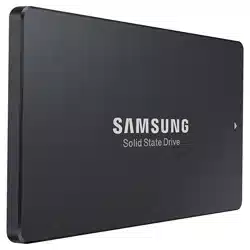
SAMSUNG 845DC EVO
USE: For read intensive
applications
NAND TYPE: Samsung 19nm
Toggle 3-bit MLC NAND
PERFORMANCE: Sequential
Read of Up to 530Mbps; Sequential
Write of up to 410Mbps
QoS (4KB, QD 32): 99.9% - Read
0.6ms / Write 7ms
CAPACITIES: 240GB, 480GB and
960GB
SAMSUNG 850DC PRO
USE: For mixed and write-
intensive applications
NAND TYPE: Samsung 24-layer
3D V-NAND 2-bit MLC
PERFORMANCE: Sequential
Read of Up to 530Mbps; Sequential
Write of up to 460Mbps
QoS (4KB, QD 32): 99.9% - Read
0.6ms / Write 5ms
CAPACITIES: 400GB and 800GB
© 2015 Samsung Electronics America, Inc. All rights reserved. Samsung is a registered trademark of Samsung Electronics Co., Ltd. All products,
logos and brand names are trademarks or registered trademarks of their respective companies. This white paper is for informational
purposes only. Samsung makes no warranties, express or implied, in this white paper. WHP-SSD-DATACENTER-JAN15J
Learn more 1-866-SAM4BIZ
|
samsung.com/business
|
youtube.com/samsungbizusa
|
@SamsungBizUSA
1
“High Value Data: Finding the Prize Fish in the Data Lake is Key to Success in
the Era of the Third Platform”, IDC, April 2014
2
“SSD Performance – A Primer”, SNIA, August 2013
3
“Benchmarking Utilities: What You Should Know”, Samsung white paper
4
“JEDEC Standard: Solid-State Drive (SSD) Endurance Workloads”, JESD219,
JEDEC, September 2010
In the bigger picture, data center SSDs deliver against the
original ve dimensions of high-value data identied:
Easy to access: SATA 3 interfaces are widely available, and
almost any computer system can upgrade to SATA 3 data center
SSDs without adapter or software changes.
Real-time: Data center SSDs provide fast, consistent, reliable
storage, enabling applications to meet exacting performance
demands.
Footprint: High-value data is by denition impactful to users,
and 24/7 responsiveness with years of endurance – extended by
V-NAND – is what data center SSDs do best.
Transformative: It is not just in storing data, but in detailed
analysis supporting transparency and rapid decision-making
where data center SSDs come to the front.
Synergistic: As the body of high-value data grows, data center
SSDs will keep pace, helping IT teams meet organizational needs
and achieve new breakthroughs.
Most comparisons between SSDs are too basic to evaluate real-
world needs in high-value data scenarios. Inserting a client SSD
where a data center SSD should be can lead to inconsistent and
disappointing results. Benchmarking under mixed loading helps
identify data center SSDs providing better QoS. As data centers
evolve and grow with high-value data in the mix, success relies
on understanding the distinction between “just any SSD” and
data center SSDs designed for the role.