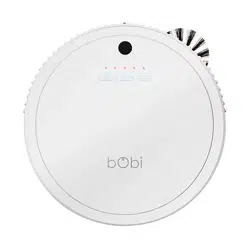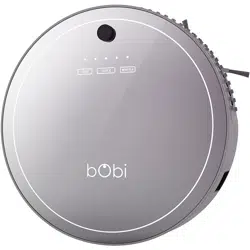

Owner’s Manual
How to employ your intelligent oor cleaner
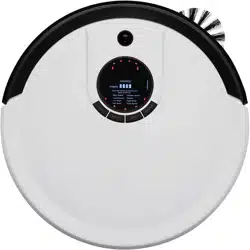
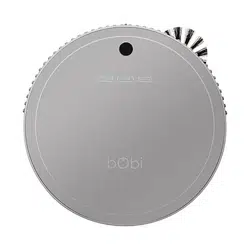
bObi Pet™
2015

Congratulations on purchasing your intelligent oor cleaner! bObi is now
at your service. To see bObi at her best, please read the Quick Start
Guide and this manual thoroughly.
If you ever have questions or concerns, feel free to contact our helpful
team at [email protected]. Welcome to the bObsweep family and
happy cleaning!

Contents at a Glance
Important Safety Instructions 4
Components 6
Get bObi ready to clean 11
Battery 12
Turning bObi ON/OFF 13
Working Modes 14
Charging Station 16
bObi blOck 20
Remote Control 23
Mop 27
Customizable Cleaning Schedule 29
Time 31
Schedule 33
Maintenance 35
Dustbin 36
Filter 37
Main Brushes 39
Side Brush 41
UV Light 42
Front Wheel 42
Sensors 43
Blindfold Stickers 43
Storage 44
Troubleshooting 45
Checkup Guide 50
Warranty and Support 57
General Information & FAQs 59

Important Safety Instructions
Basic safety precautions should always be observed, including the following:
To protect against electrical shock, do not immerse any part of bObi in water or
other liquids. bObi’s dustbin may be washed with water only after her vacuum motor
has been removed.
Turn bObi OFF when she is not in use and before conducting maintenance.
If bObi, her remote control, her blOck, or her charging station has been damaged,
do not operate them. Contact our customer care center.
If bObi is not working as she should or has been dropped, damaged, left outdoors,
or immersed in water, contact our customer care center.
Do not handle bObi, her remote control, her blOck, or her charging station with wet
hands. Use bObi and her accessories only on dry surfaces.
bObi is not intended for use by persons (including children) with reduced physical or
mental capabilities, or lack of experience and knowledge.
Do not mutilate or incinerate the battery, as it will explode at high temperatures.
Do not expose bObi, her remote control, her blOck, or charging station to tem-
peratures higher than 45° C (113° F) or to moisture or humidity. Do not use bObi
outdoors.
Do not let bObi pick up toxic materials (chlorine bleach, ammonia, drain cleaner,
etc.).
bObi is composed of electronic components that in rare or unintended cases can
cause hazards of heating, re, or other malfunctions. Furthermore, because bObi is
capable of and intended for autonomous movement and cleaning, its use poses the
risk of collision with property, pets, and persons, and unintended removal of articles,
such as small valuables, jewelry, or hair of persons or pets lying on the oor, among
other objects.
Do not let bObi pick up anything that is burning or smoking, such as cigarettes,
matches, or hot ashes.

Do not use bObi to pick up ammable or combustible liquids such as gasoline, nor
use her in areas where they may be present.
Do not use bObi in an enclosed space lled with vapors given o by oil-based paint,
paint thinner, moth-proong substances, ammable dust, or other explosive or toxic
vapors.
bObi’s remote, blOck and charging station are composed of electronic components
that in rare or unintended cases can cause hazards of heating, re, or other mal-
functions.
Leaks from battery cells can occur under extreme usage or temperature conditions.
If the liquid gets on skin, wash quickly with water. If the liquid gets into the eyes,
ush them immediately with clean water for a minimum of 10 minutes. Seek medical
attention immediately.
Do not dispose of your battery in re. Old batteries should be recycled safely (check
with your local recycler).
Do not look directly into the UV light.
Do not use bObi for other than intended usage.
bObi
Charging station
bObi blOck
Remote control
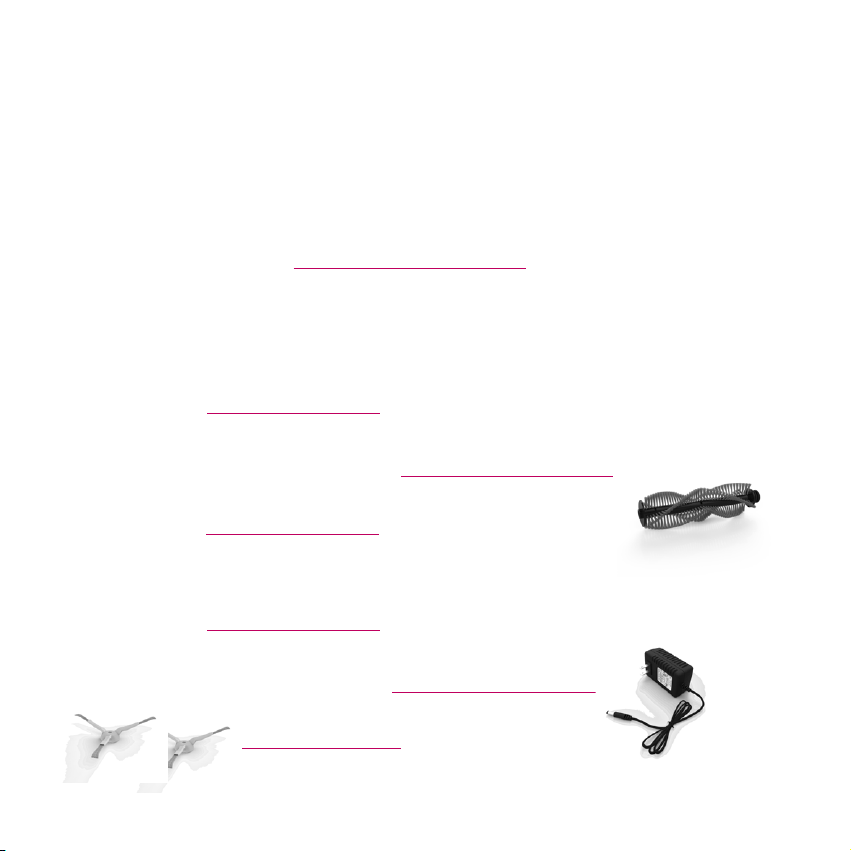
2 side brushes
1 installed; 1 spare
2 Main brushes
1 installed; 1 spare
Charging adaptor
Components
What comes in bObi Pet’s box?
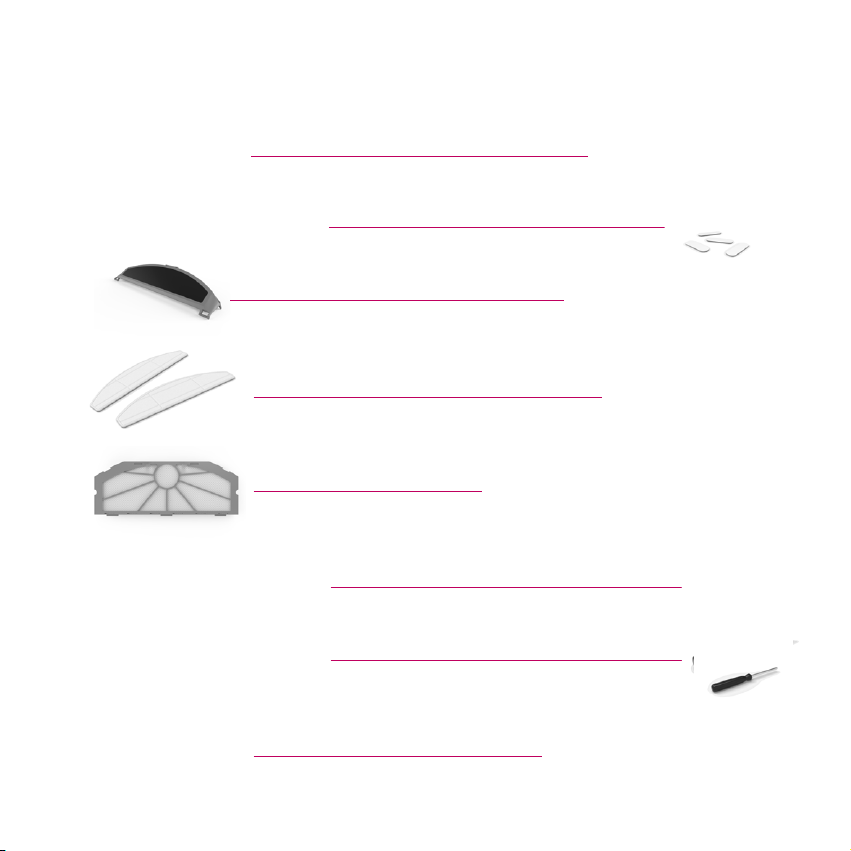
Cleaning tool
Extra screws & Blindfold stickers
Mop extension
2 Micro-ber mopping cloths
Filter replacement
Owner’s Manual, Quick Start Guide
Warranty Card
Phillips head screwdriver, Syncing tool
Extra main brush holders

Anatomy
Top view
Charging inlet
ON/OFF switch
Head sensor
Go!
Juice
Wae
Charging bars
Cover
Touch sensors
Wall sensors

Bottom view
Floor sensors
Side brush
Front wheel
UV light
Battery
Wheels
Duster
Main brush
Filter
Dustbin

Charging station
Remote
blOck

Get bObi Ready for Cleaning

Battery
When bObi rst arrives, her battery is not installed. To install bObi’s battery, place
bObi on a at surface and set her power switch to OFF.
1
Using the provided
Phillips head
screwdriver, remove the
screws on the battery cover.
2
Remove the battery
cover. Connect
bObi’s battery to the
circuit junction.
3
Tuck the wire into the
side of the battery
compartment and
slide the battery into bObi.
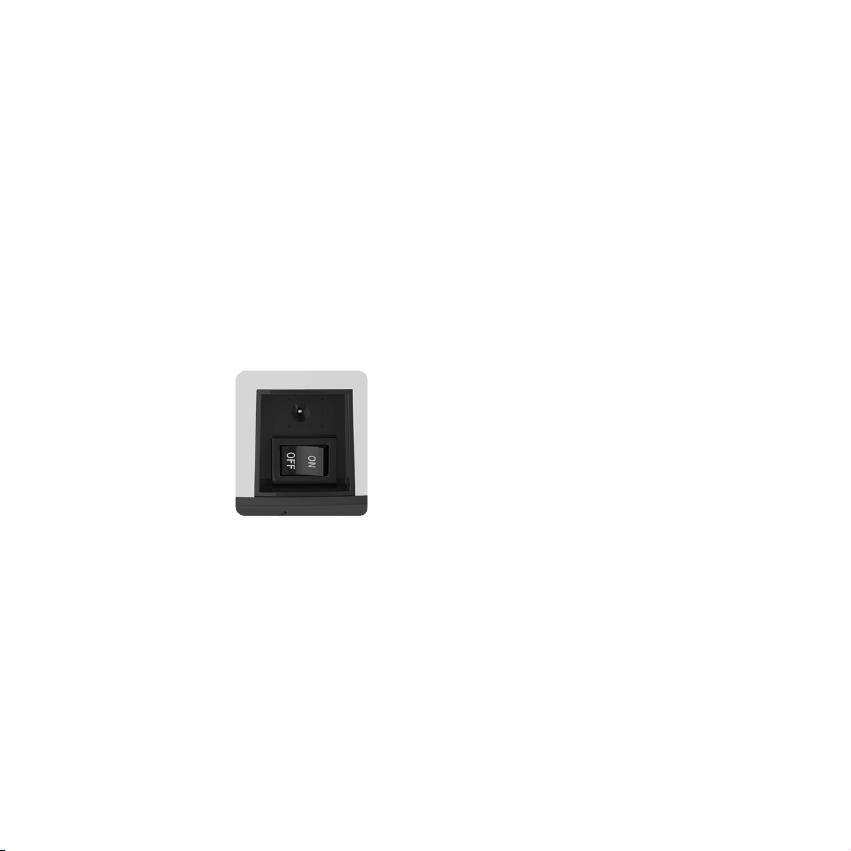
Turning bObi ON/OFF
bObi’s power switch is located on her side. Use this switch to turn bObi ON or OFF.
Standby Mode
If bObi is not cleaning and the power switch is left ON, she enters standby mode,
which uses a small amount of battery. When in standby mode, bObi beeps every
few minutes to remind you to charge her or to turn her OFF. Remember to turn the
power switch OFF when you are not using bObi to conserve her battery life.

Working Modes
There are three touch buttons on
top of bObi:
GO!, JUICE, and WAFFLE
These buttons will not work while
bObi is on her charging station.
To use these buttons, you must
rst move bObi from her charging
station manually or by using her
remote control.
GO!
The GO! button activates bObi’s default cleaning mode. In this mode, she will use
her programmed algorithm to mop, sweep, and vacuum the oor. To use this mode,
simply press the GO! button on top of bObi or on her remote.
WAFFLE
Wae cleaning mode can be used to clean up small spills of dry substances. In this
mode, bObi will clean an area of approximately 10 square feet (1 square meter) for
about 3 minutes before she stops and enters standby mode.
To have bObi clean a small area, press the WAFFLE button on bObi’s cover or on
her remote.
Clear away clutter and cords before letting bObi clean a room.

JUICE
The JUICE button tells bObi to stop cleaning and start searching for her charging
station. When she detects her charging station, she will dock herself and start juicing.
bObi’s main brush and vacuum motor do not work while in Juice mode.
bObi enters Juice mode automatically when her battery level falls below 15%.
Charging Station
Setting up bObi’s charging station
Position bObi’s charging station against
a wall on a hard at surface. Make
sure that there is at least 10 feet (3
meters) of open space in front of the
charging station and 2 feet (0.5 me-
ters) on either side of the station.
Plug the adapter into the charging
station. The nightlight on top of
the charging station will turn on.
The Sync button is located
on the back of the charging
station
10ft
(3m)
2ft (0.5m)
2ft (0.5m)

bObi can accidentally run over her adapter cord and get it tangled in her brush. Help
bObi avoid this by hiding the cord behind her station and securing it between the
charging station and the wall.
Syncing bObi with her charging station
If bObi can’t nd her charging station, the station and bObi are out of sync. To
synchronize their coding, follow these steps:
1. Bring bObi close to her charging station.
2. Disconnect the charging station from the adapter.
3. Set the power switch on bObi’s side to OFF.
4. Plug the adapter into the charging station.
5. Use the syncing tool to press and hold the sync button on the back of the
charging station.
6. While holding down the sync button, set bObi’s power switch to ON.
7. bObi will emit a series of chirps to indicate her charging station has been
synchronized.
8. If bObi remains silent, turn bObi and her charging station OFF, disconnect the
station from the adapter, and wait a few minutes before repeating the process
(restart from step 1).

Charging bObi
bObi is powered by a rechargeable battery. She will perform best if she fully charges
prior to her rst cleaning mission.
Manual charging using the charging station
1. Turn bObi ON and place her directly onto her plugged-in charging station.
2. Make sure bObi’s charging electrodes (on her front) make full contact with the
station’s electrodes.
3. To indicate that she is successfully connected, bObi ashes the middle orange
LED light on her cover. The charging station’s nightlight also ashes slowly.
4. When bObi is done juicing (approximately 4 to 5 hours), the ashing light on
her cover becomes solid and the charging station’s nightlight ashes faster.
Manual charging using the adapter
While bObi is OFF, plug her charging adapter directly into her side. The power inlet
is next to bObi’s ON/OFF switch. bObi will chirp, ash her cover lights, then chirp
again to let you know that she’s connected. Her center LED light will blink orange to
indicate that she is charging and turn solid orange when she’s fully juiced.
Automatic charging
bObi will automatically start searching for her charging station when her battery falls
below 15%. She will emit a series of chirps, stop her vacuum motor to preserve

energy, and light up the JUICE button on her cover. She will move around, make full
circles, and communicate with her station. When bObi detects her charging station,
she will move towards it, dock, and begin to charge.
You will know bObi is fully charged when the middle LED light on her cover stops
blinking and turns solid.
If bObi cannot nd her charging station, she will continue searching until her battery
runs out, at which point you can manually pick her up and connect her to her station
(see ‘Manual charging using the charging station’).

blOck
You can use bObi blOck to customize bObi’s cleaning zone by creating an invisible
boundary line that bObi will not cross. The barrier that blOck creates can help you
section o a room, protect delicate rugs, and keep bObi clear of fragile items in your
home.
blOck needs 4 AA batteries (not included). There are two buttons on the back of the
blOck. The ON/OFF button and the sync button.
Turning the blOck ON
1. Place batteries in the blOck.
2. Press the ON/OFF button on the back of blOck. The power light inside blOck
turns on, stays still for 10 seconds, and then blinks every 3 secs. This indicates
that blOck is ready to be used.
3. bObi blOck will automatically go into standby after 3 hours of use and must
be turned ON each time it is needed.
4. When battery levels are low, blOck ashes more quickly than normal to indi-
cate that it needs new batteries. To save on batteries, switch it OFF.
ON/OFF sync
power light

bObi blOck will automatically go into standby after 3 hours of use and must be
turned on each time it is needed.
When the light ashes more quickly than usual, it indicates that the batteries are
low and need to be replaced soon.
Turning the blOck OFF
1. While blOck is ON, press the ON/OFF button. The power light inside blOck
turns OFF, indicating that the blOck is now fully o.
2. Each time you switch the blOck to ON, it stays on for 3 hours. To preserve
battery life, keep blOck OFF when you are not using it.
Syncing bObi and her blOck
If bObi doesn’t respond to her blOck, the blOck and bObi are out of sync. To
synchronize their coding, follow these steps:
1. Switch both bObi and blOck to OFF.
2. Press the ON/OFF button on the back of blOck so that blOck is ON while
bObi stays OFF.
3. The power light inside blOck turns ON, stays ON for 10 seconds, and then
blinks every 3 secs. This indicates that blOck is ON and ready to sync!
4. Press the sync button on the back of blOck and hold it down while switching
bObi ON.
5. bObi will make two consecutive beeps. The sync is a success!
6. bObi blOck is now ready to be used.

Setting up bObi’s blOck
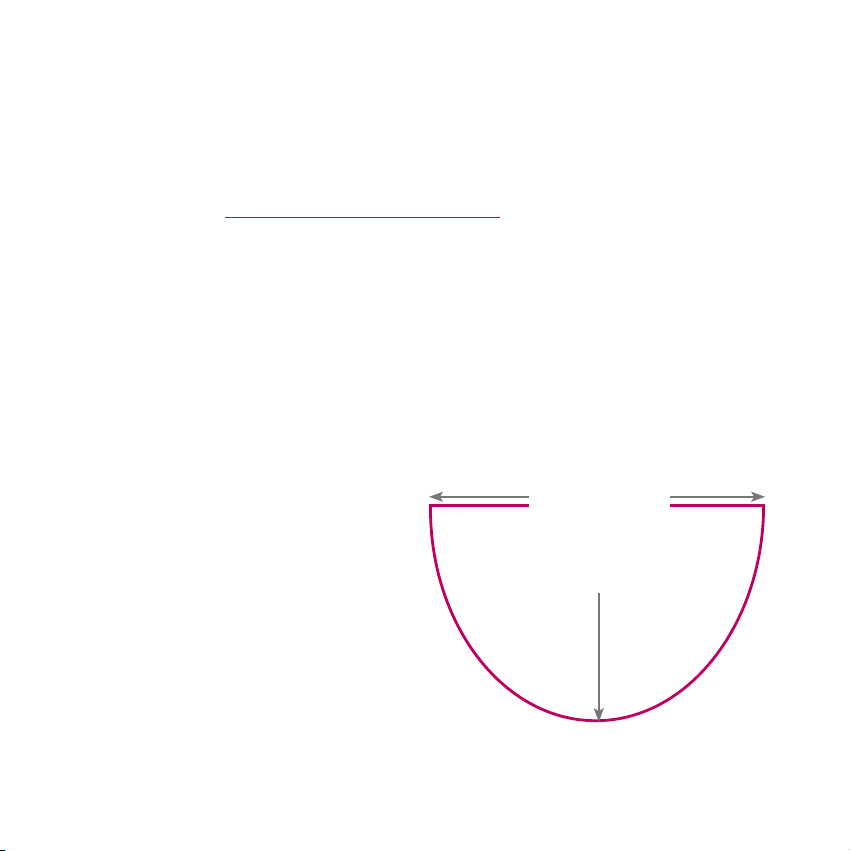
Place blOck on the edge of the area you want to keep bObi away from. The power
button indicates blOck’s back surface, and signals do not come through the back
of the blOck, so be sure the back of the blOck faces away from the area you are
restricting. For example, after turning the blOck ON, place blOck with its back facing
a wall or an edge of a doorway like the image below. bObi will not move past the
blOck and to the right hand side of the room.
bObi blOck creates a cone-shaped boundry, so the barrier gradually gets wider.

Remote Control
The remote control is your most useful tool when communicating with bObi. It allows
you to set bObi’s weekly cleaning schedule and to select her cleaning modes. It also
allows you to alter and control bObi’s movements as she is cleaning. Each time you
select an action on her remote, bObi will chirp once to acknowledge receipt of your
command.
bObi’s remote control requires two AAA batteries (not included). Do not leave the
batteries in the remote if you are not using it on a regular basis. Keep the remote at
a normal room temperature.
Weekdays (days 1-7)
Signal indicator Current time indicator
UV indicator
Scheduled time
Speed indicator
Current time
Wae
Scheduled time Go!
All-days selection / Juice
schedule reset
Power (On/O)
UV light Speed
Stop Select/OK
Direction buttons

1. Remove the battery cover on
the back of the remote.
2. Insert the batteries with the
negative side toward the spring
and the positive side against the
other connector.
3. Reattach the cover.
Installing the remote’s batteries
Syncing bObi with her remote
If bObi isn’t responding to your commands
on the remote, you may need to resyn-
chronize it with bObi. Follow these steps:
1. Set the power switch on bObi’s side
to OFF.
2. Press and hold the OK button on the
remote.
3. While holding down the OK button,
turn the power switch on bObi’s side
ON.
4. bObi will chirp several times to indi-
cate that her remote has been synchro-
nized.
5. If you do not hear bObi chirp, repeat
the process.

Using the direction buttons to steer bObi with her remote
Be careful! The
edge detection
system only works
when bObi is
moving forward.
Do not drive bObi
in reverse towards
edges or she could
fall.
If you want to turn bObi or drive her backwards, hold down the applicable direction
button until she is moving in the correct direction. When you release the button, bObi
will continue moving in that direction. If you press the back button, bObi will move
backwards as long as the button is held and will stop when it is released.
The STOP button
in the center of the
direction buttons
will interrupt bObi’s
cleaning cycle and
stop her until you
press another
button.

Choosing bObi’s cleaning speed with her remote
bObi’s default setting is fast mode, which maximizes her cleaning coverage. You can
slow bObi down for a deeper, more thorough cleaning.
Press the SPEED button on bObi’s remote control to toggle between fast or slow
modes. The fan on the lower left side of the remote screen indicates slow mode by
displaying only four blades and fast mode by displaying full blades.

Mop
bObi comes with a mop attachment and 2 micro-ber mopping cloths. bObi can
mop at the same time as she is sweeping, vacuuming, and disinfecting!
The micro-ber cloths included with bObi may be used dry or damp — with water
or your favorite cleaning product — to remove stains from tile, laminate, concrete,
wood, and any other hard ooring.
Attach bObi’s mop
1
Flip bObi upside down and line up
the at side of her mop attachment
with the 2 plastic holders below her
main brushes.
2
Holding the attachment perpendic-
ular to bObi, press it down gently
until it clicks in place.
3
Lay the attachment at against
bObi’s underside so its curved
edge lines up with bObi’s back.
4
The mop will snap into place and
lie at along bObi’s underside.

Detach bObi’s mop
1
Grip the latch on the curved side
of the mop attachment to unlock it
from bObi. 2
Lift the attachment upwards until it
is perpendicular to bObi, then pull
up to detach.
3
Remove the micro-ber cloth from
the Velcro on the mop attachment
and wash after use if needed. 4
Remove the mop attachment
before bObi cleans carpet.

Customizable Cleaning Schedule

bObi can be programmed to start working at a specic time of the day on as many
days of the week as you want. Use the remote to program bObi’s cleaning schedule.
Weekdays
Time (current time)
Scheduled time
Weekdays
The numbers 1 to 7 on top of the screen represent days of the week. 1 stands for
Monday and 7 for Sunday:
1 = Monday 2 = Tuesday 3 = Wednesday 4 = Thursday
5 = Friday 6 = Saturday 7= Sunday
Current time
The current time is the top set of numbers indicated on remote’s screen.
Scheduled time
The scheduled time is the bottom set of numbers indicated on remote’s screen.

Time
bObi uses a 24-hour clock. If you want bObi to start cleaning at 8:00 AM set her
schedule time to 08:00. If you want her to start at 8:00 PM, set it to 20:00.
8:00 AM is the default time. This time is displayed when installing batteries in the
remote for the rst time or after installing new batteries.
Reminder before programming bObi: bObi will clean on the scheduled time even
if her bin or brushes require cleaning. Remember to check bObi’s bin and brushes
after every cleaning.
Setting the current time and weekday
To set the current time on bObi’s remote, follow these steps:
1. Press the CUR TIME button.
2. The rst (hour) digit under CURRENT TIME will start ashing. Use the FWD and
BACK buttons to adjust the hour.
3. Use the LEFT and RIGHT buttons to scroll left and right to choose and adjust the
other hour and minute digits.

4. Press CUR TIME again to save the time.
5. To set the current weekday, press CUR TIME again.
6. Press the LEFT button until the frame around number 1 on top of the screen
starts to ash.
7. Press the FWD and BACK buttons to scroll through weekdays.
8. When you reach the current weekday, press CUR TIME again to save the day.

Programming bObi’s cleaning schedule
Follow the steps below to schedule bObi’s cleaning time and day(s):
1. Turn bObi ON and keep her close to the remote.
2. Press SCH TIME on her remote.
3. The rst (hour) digit under SCHEDULED TIME will start ashing. Use the
FWD and BACK buttons to adjust the time to the desired cleaning time.
4. Use the LEFT and RIGHT buttons to scroll left and right between the digits
and change hour and minute settings.
5. Press SCH TIME again to save the scheduled cleaning time.
6. To choose the cleaning days, press SCH TIME again.
7. Press LEFT until the frame around the rst day of the week, number 1,
begins to ash.
8. Press the FWD and BACK buttons to scroll through days of the week.

9. To schedule cleaning for a certain day, press OK when the frame around
that day is ashing. A day is selected when the number that represents that
day is underlined. Keep pressing FWD and BACK to move between the days
and press OK to select or deselect cleaning for each day.
10. Press SCH TIME when you are nished selecting days. bObi will conrm
she has received her new schedule by chirping each time a new schedule is
programmed.
11. If bObi is meant to work at the same time every day, just press the ALL/
NONE button after setting her cleaning time schedule while the day of the
week frame is ashing. All days will be underlined, which means bObi will start
her work at the scheduled time every day. Press SCH TIME to save.
12. The ALL/NONE button can also be used to reset bObi’s scheduled clean-
ing days. Remember, pressing ALL/NONE then SCH TIME when bObi has a
preset schedule turns o cleaning on all days.

Maintenance

Dustbin
Remove and clean the dustbin
One of bObi’s best features is her washable dustbin. For a quick clean, grasp and
push down the button on the back of her dustbin, then pull the bin away from bObi
to eject it while bObi is on the oor.
To remove the dustbin, push
down the eject button and
pull the bin away from bObi.
Do not remove the dustbin
while bObi is upside down.

Remove and clean the lter
Turn the dustbin around (HEPA lter on
top), hold the dustbin with both hands,
and press down on the two colored clips
on the sides of the dustbin to release the
lter cover. With the lter case open, take
the HEPA lter out and clean it using the
cleaning tool, or a ow of air.
It is recommended that you change
bObi’s HEPA lter every 3 to 6 months
depending on the frequency and
intensity of cleaning.
Wash the dustbin
To wash the dustbin, eject the vacuum
motor rst by pushing the button on top
of the dustbin.
To open the dustbin, hold it with both hands and press down the two colored clips
on the sides of the dustbin to release its plastic door.
For a quick clean, use the cleaning brush to remove the remaining dirt and dust from
the dustbin.

With the motor and lter removed, the
dustbin may be washed with water.
You can also sanitize it with your choice
of cleaning product (do not use harsh
chemicals). Do not wash or wet the
vacuum motor.
Reinstall the dustbin
Place the vacuum motor and lter back
into their places. Be sure to ip the lter
cover and the dustbin’s cover back so
they snap into place. To reinstall the
dustbin, make sure the side that encloses
the lter faces down. Put bObi upright
and slowly slide the dustbin in until it
clicks and locks properly. Be careful not
to damage the two metal connectors that
are also located on bObi.
If bObi’s dustbin is not fully in place, her
motor may not make proper contact
with the battery’s electrodes.
If bObi does not resume her normal work
after reinstalling her bin, or if she shows
error 5 (Er 05) and her vacuum motor
is not turning on, remove her dustbin.
Check that the connecting prongs on
bObi (image on the right) are not stuck
and can spring freely. Then, replace the
dustbin securely.

Main Brushes
bObi uses a dual brush cleaning system. It is recommended that you open and
clean bObi’s main brushes after every 2 to 3 cleaning tasks. To open and clean the
brushes:
1
Flip bObi over, so the front wheel
is farthest from you and the side
brush is on your left.
2
Open the locking bar by pressing
the red latch found to the right side
of the main brushes, then lift the
locking tab up from its lower end.
Take out the brushes by lifting the
exposed side up. Then pull to the right.

3
Use the cleaning tool, paper tow-
els, and a can of compressed air
to fully remove dust, dirt, and hair
from the brushes as well as the brush
holders inside of bObi.
4
If there is anything wrapped around
the bristles or brush ends (hair,
strings, etc.), use scissors to cut it
out and then use the cleaning tool and a
paper towel to remove it.
5
Remove the brush holders (the
circular rubber brush ends) on
each of the brushes. Clean them
o and put them back on the brushes.
6
Lower the brushes into place starting with the left side then the right. Press
the brushes down gently until they are secured in place. Lower the locking tab
until it clicks into place.

Side Brush
bObi uses her side brush to closely clean corners and along walls. Trapped dirt and
dust can interfere with side brush’s ability to move freely and may reduce bObi’s
eciency. To clean the side brush:
1
Using a Phillips screwdriver, un-
screw the center screw of the side
brush.
2
Remove the side brush and clean
it. Use the cleaning tool to remove
any debris around the side brush’s
anchor.
3
Return the side brush to its place
and secure it with the screw.

UV Light
bObi’s sterilizing UV light is located on
her underbelly.
The UV light is automatically turned ON
when bObi starts cleaning. Toggle the
UV light ON or OFF by pressing the UV
button on the remote.
Caution: Do not look directly into the UV light.
Front Wheel
As pictured in the photo on the right,
position a at-head screwdriver under
the front wheel. Pop the entire wheel
assembly out with an upward motion as
if you were scooping it out with a spoon.
Once it is removed, use the cleaning
tool to clean the wheel and its internal
parts. Gently press the wheel back in its
original position until it clicks into place.

Sensors
Cleaning bObi’s sensors
Dirt and dust on bObi’s bottom and side
sensors can reduce her performance.
Regularly cleaning them ensures
that bObi keeps working at her best.
Moisten a soft cloth or cotton swab
with cold water or alcohol to wipe
atop, underneath, and around bObi’s
surfaces, especially on her bumper and
oor detection sensors located on her
underbelly.
Blindfold stickers
Dark-colored carpets and certain
patterns can seem like edges to bObi’s
infrared sensors. If bObi stops on your
carpet and displays error 1 (Er 01), try
“blindfolding” her sensors: use the white
rectangular blindfold stickers to cover
the 4 oor detection sensors underneath
her. These sensors are positioned on
the front and sides of bObi’s underbelly.
Once she is blindfolded, make sure
bObi does not travel near stairs or steep
edges as she will not detect them and
may fall.

Storing bObi
If you are not using bObi for an extended period of time, it is better if you switch her
OFF, unplug the charging station, remove the battery, and store everything in a dry
place at room temperature.
Do not leave bObi in direct sunlight.

Troubleshooting
Likely Cause(s) for bObi’s Trouble/Error Codes
bObi alerts you when she faces an uncomfortable situation. If she stops in the mid-
dle of cleaning and displays an error sign (Er) on her remote, check the code number
and reference it here.
Below are the codes, their likely causes, and their possible solutions. bObi is
also equipped with a home checkup test that allows you to independently test
the functionality of her various parts and sensors. If a problem persists, contact
[email protected] for immediate assistance.
Not a fan of reading? For a complete archive of bObi’s how-to videos, troubleshoot-
ing and checkup guides, go to http://owners.bobsweep.com or scan this smart-
phone barcode:
Error Code 1 (Er 01) - Floor detection sensors
At least one of the four oor detection sensors located on bObi’s underbelly are
blocked or dirty.
What to do:
Notice the kind of ooring bObi is working on. On dark carpets or rugs, cover bObi’s
sensors with her blindfold stickers to resolve the error.

If the ooring is not dark or patterned, ip bObi over and wipe her sensors with
a clean, dry cloth until they are completely clean. If the issue persists, run bObi’s
checkup test.
If bObi’s sensors happen to be actually faulty, you can replace them with new ones
at home using a Philips head screwdriver. Go to bObi’s owners’ corner at owners.
bobsweep.com for a video guide and step-by-step instructions.
Error Code 2 (Er 02) - Main brush system
One or both of bObi’s main brushes are having diculty rotating.
What to do:
Remove both main brushes and clean them thoroughly from end to end. If you see
congestion in the main brush motor area, try to clean it using a sharp-ended tool
like a pair of tweezers. If the congestion is not easily removable, bObi’s main brush
motor may need to be replaced. For a video guide and step-by-step instructions,
refer to bObi’s owners’ corner at owners.bobsweep.com.
On thick rugs or shag carpet, take out the rubber main and let bObi sweep with her
soft-bristled, blue main brush only. If the problem persists on hard ooring with a
clean main brush and no congestion in the brush motor area, it is likely that bObi has
an internal problem that bObsweep support will be able to resolve.

Error Code 3 (Er 03)- Battery
If bObi’s battery is 100% empty, she won’t be able to charge using her station and
may show error 3 (Er 03) on her remote.
What to do:
Plug the charging adapter directly into the inlet below her ON/OFF switch. bObi’s
screen will ash and turn on, and she will make a short, chirping sound. bObi will
need to charge directly through the adapter for at least 30 minutes. After that, you
can turn the side switch OFF, then back ON, and then put her on her station to
complete charging.
Error Code 4 (Er 04)- Wheels, Main brush
Error Code 4 indicates an issue with bObi’s wheels, or a blockage in her main rubber
brush.
What to do:
Check bObi’s wheels for any obstruction and make sure they are not jammed. Open
the wheels and use compressed air to remove dust or debris. Check bObi’s main
brush and clean out any dirt, dust, or entanglement. If this error occurs on a soft or
plush carpet, remove bObi’s rubber brush and restart her.
If this does not solve the problem and bObi still shows an error code, perform a
checkup test to see how the wheels and brushes respond to the test.
Contact support if needed.

Error Code 5 (Er 05)- Dustbin
Error code 5 means that bObi’s dustbin is installed improperly or the vacuum mo-
tor’s contact points are blocked or bent.
What to do:
Take out the dustbin, empty it, and clean the four connector electrodes (2 on bObi
and 2 on the dustbin). Verify that the electrodes located on the red strip spring freely
and are not stuck or bent. If one or both of them are stuck, use a screwdriver to
remove the two screws.
Gently pull the metal tab up and out to free it. Reposition the two electrodes so that
they spring freely again. Carefully reinstall the red strip and return the dustbin to its
place while bObi is in an upright position. Ensure that all parts are fully engaged.

Checkup Guide

If you notice that bObi is not working in her usual way or repeatedly runs into a cer-
tain error, you may want to perform a checkup test to nd out what is causing the
issue. bObi’s remote can be used to test all of her sensors and electronic parts in
the span of a few minutes. If bObi does not produce the results as described during
any of her tests, contact our support team for further assistance.
To begin the checkup, make sure the side power button on bObi is turned OFF.
Bring bObi near the remote.
Put bObi in checkup mode
Press and hold the OK button on the remote while you switch bObi’s power back ON.
Continue holding the OK button. The three touch buttons (GO!, WAFFLE, JUICE) on
bObi’s cover will start ashing. While the touch buttons are ashing, simultaneously
press the WAFFLE and JUICE buttons on bObi’s cover with the OK button on the
remote still held down. When bObi makes two beeping sounds, release the OK but-
ton and you will notice that all the digits on her remote become zeroes. bObi is now
in test mode. While in this mode, the three buttons on bObi’s cover (GO!, WAFFLE,
JUICE) stay on, and the 5 LED lights above the buttons ash sequentially.
You may switch between dierent tests by pushing the LEFT button on the remote.
Alternate between dierent parts of a certain test by pushing the RIGHT button,
which will change the digits to let you know what part of bObi is being tested.

Test bObi’s oor detecting sensors
Remove bObi’s side brush before testing her oor sensors.
bObi’s oor detection sensors are the rst item tested when bObi is put into test
mode. In this test mode, numbers 1-6 located on top of the remote represent bO-
bi’s 4 infrared oor detection sensors and the two oor detection sensors located in
bObi’s left and right wheels. The test mode indicator reads 0000.
With bObi on the oor, numbers 1, 2, 3, and 4 should be underlined to show that
bObi’s oor detection sensors are working.
When you lift bObi up, the lines under numbers 1,2,3, and 4 will disappear and new
ones will show up underneath the numbers 5 and 6. This means that the left and
right wheels are o the oor, and oor detection sensors are working properly.
bObi’s rmware version
After testing the oor detection sensors, and while in test mode 0000, press LEFT
on the remote. The number 0001 will appear on the test mode indicator. The main
4-digit number on the screen indicates the rmware version of your bObi.

Test the battery
While in test mode 0001, press LEFT on the remote. The number will change to
0002. In this mode, the main 4-digit number on the screen indicates the voltage of
bObi’s battery in millivolts (mv). Under normal circumstances this number ranges
between 1400 and 1600. If the number on the screen changes to 0000, it means
bObi’s battery is not working or has a loose connection. Open the battery compart-
ment and check the battery.
Test bObi’s wall detecting sensors
After testing the oor detection sensors, press RIGHT on the remote. The number
0100 will appear on the test mode indicator. Use a piece of paper, a roll of paper
towels, or a at white surface to imitate a wall in front of bObi. Drag it from the left
side of the bumper around to the right side until you reach the power switch. Num-
bers 1-5 on the remote will become underlined one by one as you do this. Ignore the
numbers on the large 4-digit number in the middle of the screen.

Test the touch sensors
80 tiny touch sensors surround bObi’s front. Test them while in same test mode as
the wall detection sensors (0100). Press on any of the small points on the left side of
the bumper and the number 6 will be underlined. Do the same to the right side and
the number 7 will be underlined.
Usage counter & bObi blOck
To nd out how many times bObi has been used (charged in full and ran out of
charge) either manually or automatically, press RIGHT on the remote while in test
mode 0100. The test mode indicator becomes 0200. In this mode, the main 4-dig-
it number on the screen indicates the number of times bObi’s battery has been
charged.
You can also test bObi blOck in mode 0200. Bring bObi near a blOck that is syn-
chronized with her. If bObi recognizes her blOck, number 5 on the top of the remote
will be underlined. If the number 5 is underlined and bObi does not recognize the
blOck when tested, contact our customer care center, as bObi may need to come
in for a checkup.

Test the left and right wheels, brushes, and vacuum
motor
Turn bObi upside down and lay her on a at surface. In test mode 0200, press
RIGHT on the remote to enter test mode 0300. In this mode you can test the left
and right wheels, main and side brushes, and vacuum fan’s motor. As soon as she
enters test mode 0300, bObi’s wheels drive forward, her brushes move, and the
vacuum fan starts to work.
Left Wheel: Digits 1 and 3 become underlined, indicating that both left and right
wheels are working. The main 4-digit number on the remote’s screen shows the
current of bObi’s left wheel. Normal current ranges between 0020 and 0110.
Right Wheel: Press LEFT on the remote to enter test mode 0301. Digits 1 and 3 will
still be underlined; this time the main 4-digit number on the remote’s screen shows
the current of bObi’s right wheel. Normal current ranges between 0020 and 0110.
Main Brush: In test mode 0301, press LEFT on the remote to enter test mode 0302.
The wheels will stop moving. The main 4-digit number on the remote’s screen will
show the current of bObi’s main brush. Standard current for the brushes should be
below 0260mA.
Vacuum Motor: After testing the brush, press LEFT on the remote again and you will
see the digits 0303 in the test mode indicator. The vacuum motor will start working
and the main 4-digit number on remote’s screen will show the current of the vacuum
motor. Standard current range for the vacuum motor is between 0160 and 0200mA.

Test the charging station
The nal part of the checkup tests bObi’s ability to charge. To begin this test, press
RIGHT on the remote so that bObi enters test mode 0400. The main 4-digit number
in the center of the remote’s screen should show 0000 when bObi is not on her
charging station. Place bObi on her charging station, and a number between 0400
and 0800 should appear in place of the zeroes.
When you are nished with the test, turn bObi’s side power button OFF to leave the
checkup mode. When you switch it back ON, bObi will return to her normal working
mode.
If everything responds properly, bObi’s internal parts are working correctly. Contact
need help with bObi.

Support and Warranty

Warranty Information
All bObsweep products purchased from an authorized seller and used anywhere
in the world include a 1-year limited warranty on parts and labor. This warranty
covers bObi’s battery, but does not cover consumable parts such as brushes, lters,
mopping cloths, etc.
Additional coverage plans are available for purchase at:
http://bobi.bobsweep.com/bobi-support-warranty/coverage-plans
Even after bObi’s 1-year warranty is over, we will share the maintenance costs with
you. We will subsidize all replacement and repair costs within the ve years after
your purchase; we will cover no less than 25%.
To receive warranty services, you must register bObi online and keep the original
receipt of your purchase.
To register bObi visit:
http://bobi.bobsweep.com/bobi-support-warranty/register-bobi

General information and FAQ

bObi’s Cleaning Behavior
bObi’s cleaning pattern may look quite dierent from the way a human would clean:
She may travel in a straight line, follow along walls, or zigzag across a small area.
Sometimes she may seem to be ignoring some spaces or spending too much time
on others — but don’t worry! bObi’s dirt sensors tell her to pay more attention to
particularly dusty or soiled areas. Rest assured, bObi will eciently clean your home
within the course of a full cycle — just check bObi’s dustbin for the evidence!
It is best to let bObi work in her own way, even if her movements appear odd.
Moving her around, manipulating her movements, or picking her up may confuse
her and disrupt her cycle.
If you would like bObi to avoid a certain area or to stay within a certain space, you
may create an invisible, 10-foot wall with bObi blOck. Or, if you would like to control
bObi’s movements manually, feel free to use the navigational buttons on her remote.

FAQs
1. Where can I nd bObi’s training videos?
bObi’s “how-to” videos can be found at bObi’s owners’ corner at
http://owners.bobsweep.com.
2. How long should bObi’s battery last?
bObi’s running time depends on the type of oor she is cleaning, the speed she is
set on, and the age and wear of the battery. On average, she works continuously
for 1 to 1.5 hours on a full battery. When her battery life falls below 15%, she auto-
matically starts to look for her charging station. Before her rst use, it is best to allow
bObi to charge until her battery is full.
3. How often should I empty the dustbin?
It is recommended that you empty bObi’s bin after one or two cleaning jobs, but this
estimate mainly depends on the volume of cleaning that she does. The good news
is you can wash bObi’s bin under running water! Simply detach the vacuum motor
from the bin and the bin is ready to wash!
4. How often do I need to change bObi’s HEPA lter?
It is recommended that you clean bObi’s HEPA lter every week and replace the lter
every 3 to 6 months.

5. How often should I clean bObi’s brushes?
bObi’s brushes do a lot of the work picking up hair and larger debris, so it is recom-
mended that you clean the main and side brushes every 1 to 4 uses.
If you notice a thick covering of hair, dust, and debris on her brushes, remove and
clean them like you would if you owned a broom. Remember to clean bObi’s interior
where the brushes connect and where the dust ows to the dustbin. This procedure
ensures their good condition for a long time.
6. My bObi won’t turn on no matter what I do.
If bObi has not been charging for a long time, and does not turn on when you press
the side power button or place her on her charging station, it’s likely that the battery
has been drained too low for bObi to operate.
To recharge her, unplug the adapter that normally attaches to the charging sta-
tion and plug it directly into the inlet on bObi’s side. Then, let bObi recharge fully
before using her again. Afterwards, you will be able to charge bObi manually or
automatically using her charging station. If you place bObi on her charging station,
always make sure to turn her ON rst to activate her charging plates. When bObi is
charging, the battery bars on her cover blink.
7. Why is my bObi beeping?
When bObi is ON and left stationary, she makes a beeping sound once every ve
minutes to alert you that she is unattended and her battery is being drained. Place
bObi on her station, or turn her OFF completely by using her side power button. You
will have to switch this button ON the next time you want bObi to clean.
bObi also makes this noise when she encounters problems cleaning and needs
your assistance. In addition to the chirp, there will be an error number (Err) on the
remote’s display, which lets you know why bObi has stopped. Consult the Trouble-
shooting section of this manual to resolve any error code.

8.
bObi is having trouble landing her charging station. Where is the best place to
put the station?
bObi finds her station through the transmission of signals. bObi will better
locate her station when the station is placed at an open area along. More space
allows bObi to adjust her position as she approaches the station to make a perfect
landing. Place the station on a at surface like hardwood or tile ooring instead of
carpet.
9. I left bObi’s brush in for multiple cleans and am having problems removing it.
If the main or side brushes are dicult to remove, it is likely because hair, string, or
other debris are clogging the areas where they attach to bObi. You can use scissors
to cut hair or string that’s tangled around the brushes until you are able to remove
them.
10. bObi is getting stuck under some of my furniture or travelling into areas with
wires that tangle up the brush. How can I stop her from going into these areas?
Use bObi’s favorite accessory! bObi blOck can be placed anywhere to create a 10’
barrier of closed o space. When bObi approaches any space running along the
10’ signal emitting from blOck, bObi will know the area is o limits and she will back
away to clean elsewhere.

11. Why does bObi start even though I did not tell her to clean?
bObi begins cleaning on her own when she is left on her schedule or if her auto-re-
sume feature is enabled. If bObi previously ran out of energy in GO mode and has
since just nished recharging, she will automatically resume her job. Look at the
display on bObi’s remote. If the scheduled cleaning time slot does not show a 4-digit
number, but instead shows the code “FFGO,” then bObi is programmed to start
working immediately once she is nished fueling. “FFGO” stands for “Finish Fueling
and GO.”
To turn o the auto-resume feature, press the SCH TIME button on the remote, then
press STOP.
12. When is a good time to use the wae function?
WAFFLE mode is best for cleaning a small, focused area with a large amount of dirt
or dust. It is a great way to target only one area that has just become dirty, such as
a spill that must be swept or mopped amidst an otherwise clean area. It is also very
eective when mopping in order to minimize streaking on tile or hardwood oors.
13. My bObi is stopping and showing an Error Number on remote’s screen, how
can I x this?
To understand bObi’s language, consult the Troubleshooting section of this manual
to learn the cause of the problem as well as its solution.

14. Where can I buy spare parts?
Extra parts are available for purchase on our owners website, owners.bobsweep.
com. With bObi’s modular design and our how-to videos, you can change each
individual part easily if it gets old or damaged.
15. I have a question and need to contact bObsweep’s support team.
Need help with bObi? Our devoted team is ready to help you! You can reach us by
phone or e-mail.
Call us toll free 1-888-549-8847 for support in Canada and the United States. Or,
email us at [email protected]. Our goal is to get back to you within a day.
To nd bObi’s how-to videos, repair videos, troubleshooting videos, and to connect
with your extended bObsweep family members and fellow Bob and bObi owners,
visit bObi’s owners’ corner at http://owners.bobsweep.com.

bObsweep
sealed with care
® and © bObsweep Inc.all rights reserved.