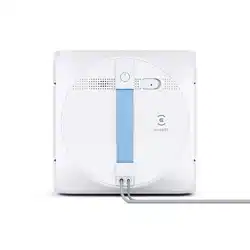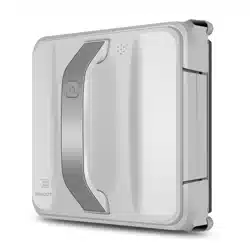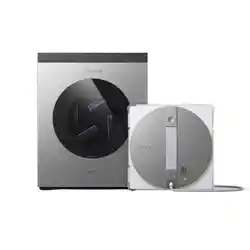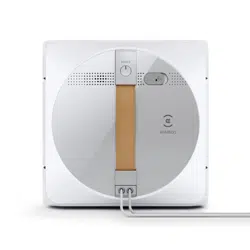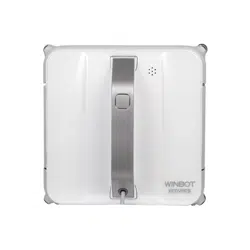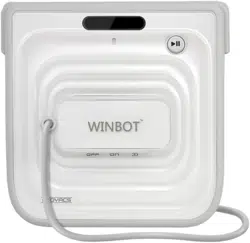
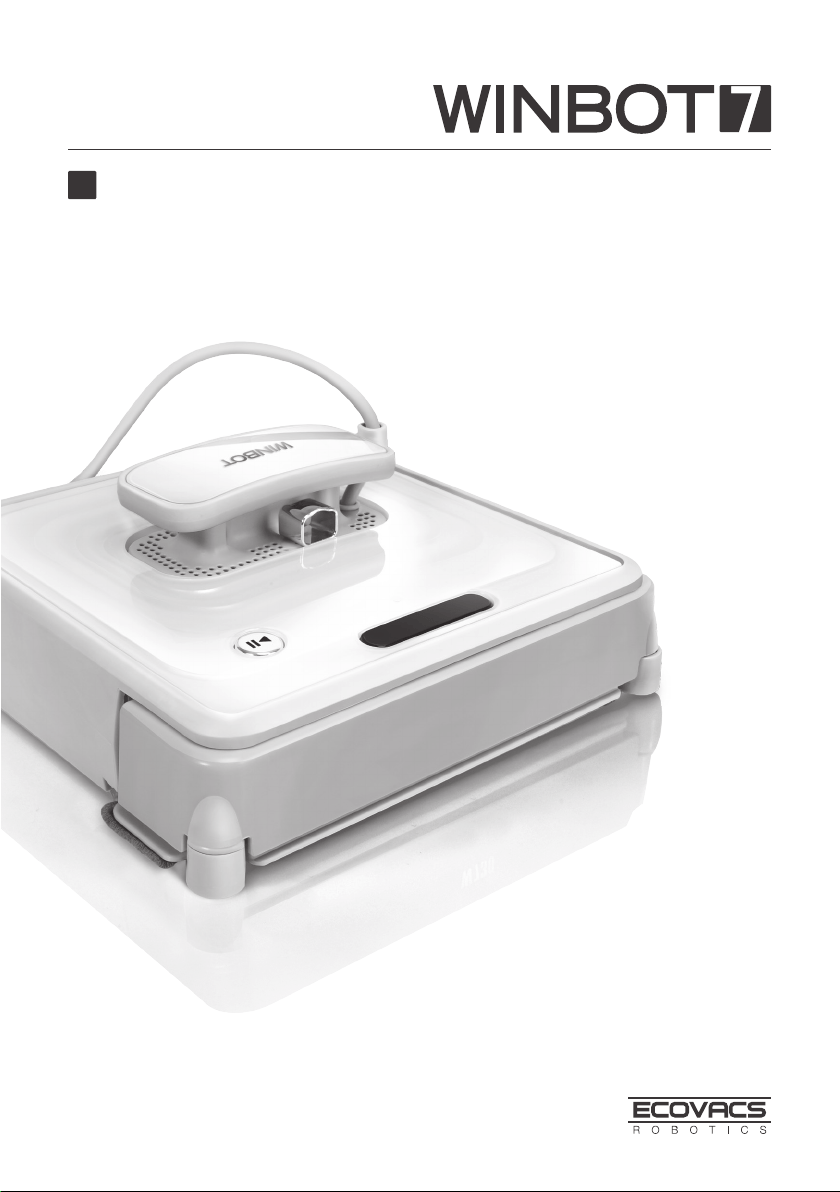
Instruction Manual
EN

Congratulations on the purchase of your ECOVACS Robotics WINBOT!
We hope it brings you many years of satisfaction. We trust the purchase of your
new robot will help keep your home clean and provide you more quality time to
do other things.
Live Smart. Enjoy Life.
Should you encounter situations that have not been properly addressed in
this Instruction Manual, please contact our Customer Service Center where a
technician can address your specic problem or question.
For more information, please visit the ECOVACS ofcial website:
www.ecovacs.com
The company reserves the right to make technological and/or design changes
to this product for continuous improvement.
Thank you for choosing WINBOT!

EN
Contents
1. Important Safety Instructions
...................................................................... 2
2. Package Contents and Technical Specifications
...................................... 4
2.1 Package Contents .................................................................................... 4
2.2 Specications ...........................................................................................4
2.3 Product Diagram ......................................................................................5
3. Operating the Robot
.....................................................................................6
3.1 Notes Before Cleaning .............................................................................6
3.2 Attach the Cleaning Pad ........................................................................... 7
3.3 Assemble the Power Adapter ................................................................... 7
3.4 Install the Safety Tether ...........................................................................7
3.5 Place the Safety Pod ................................................................................9
3.6 Spray Cleaning Solution ........................................................................... 9
3.7 Start ........................................................................................................ ..9
3.8 Pause .....................................................................................................10
3.9 Stop ........................................................................................................11
4. Maintenance
................................................................................................12
4.1 Cleaning Pads ........................................................................................12
4.2 Cupule, Side Rollers and Sensors .........................................................12
4.3 Driving Treads ........................................................................................13
5. Status Indicator Light and Sounds
........................................................... 14
6. Troubleshooting
.........................................................................................15

2
EN
1. Important Safety Instructions
When using an electrical appliance, basic precautions should always be followed, including
the following:
READ ALL INSTRUCTIONS BEFORE USING THIS APPLIANCE.
SAVE THESE INSTRUCTIONS
1. This Appliance is not intended to be used by children under 8 or anyone lacking knowledge
on proper use. Supervision may be necessary. Do not allow children to play with the
Appliance.
2. Do not use the Appliance in extremely hot or cold environments (below 0˚C/32˚F or above
40˚C/104˚F). The Appliance can be used to clean outside windows if it is properly tethered
to the Safety Pod, winds are calm, and it is not raining or snowing.
3. Please ensure the Appliance is plugged in while it is cleaning. The Appliance has a Back-Up
Battery that charges during use. The Back-Up Battery powers the Appliance if it becomes
unplugged or the electricity fails.
4. Do not leave the Appliance unattended when it is plugged in.
5. For household use ONLY. Do not use the Appliance in commercial or industrial environments.
6. Do not use the Appliance on cracked glass.
7. Only use accessories recommended or supplied by the manufacturer. Only use the Power
Adapter supplied by the manufacturer.
8. Please make sure your power supply voltage matches the power voltage marked on the
Power Adapter.
9. Do not use the Appliance on a framed window with a frame smaller than 5mm (0.2 inches).
10. Do not use the Appliance on wet or greasy windows.
11. Store the Appliance away from heat and ammable materials.
12. Do not use the Appliance if it does not rmly attach to the glass or has visible signs of damage.
13. To reduce the risk of electrical shock, do not put the Appliance in water or other liquid. Do
not place or store Appliance where it can fall or be pulled into a tub or sink.
14. Do not touch power plug or the Appliance with wet hands.
15. Do not charge the Appliance in extremely hot or cold environments, or it may affect battery
life span.
16. When charging the Appliance, do not place it on other electrical appliances and keep it
away from re and liquid.
17. Take care not to damage the power cord. Do not pull on or carry the Appliance by the power
cord, use the power cord as a handle, close a window on the power cord, or put heavy
weights on the power cord. Keep power cord away from hot surfaces.
18. Do not use with a damaged power cord or receptacle. Do not use the Appliance if it is not
working properly, has been dropped, damaged, or come in contact with water. It must be
repaired by the manufacturer or its service agent in order to avoid a hazard.
19. If the supply cord is damaged, it must be replaced by the manufacturer or its service agent
in order to avoid a hazard.
20. The plug must be removed from the receptacle before cleaning or maintaining the Appliance.
Do not unplug the Power Adapter by pulling on the power cord.
21. The Back-Up Battery must be replaced by the manufacturer or its service agent in order
to avoid a hazard.
22. The Back-Up Battery must be removed and discarded according to local laws and regulations
before disposal of the Appliance.
23. The Appliance must be disconnected from the receptacle before removing the battery for
disposal of the Appliance.

3
EN
1. Important Safety Instructions
24. Please dispose of used batteries according to local laws and regulations.
25. Do not incinerate the Appliance even if it is severely damaged. The battery can explode in
a re.
26. The Appliance must be used in accordance with the directions in this Instruction Manual.
The company cannot be held liable or responsible for any damages or injuries caused by
improper use.
Correct Disposal of this product
This marking indicates that this product should not be disposed of with other household
waste throughout the EU. To prevent possible harm to the environment or human health
from uncontrolled waste disposal, recycle it responsibly to promote the sustainable reuse
of material resources. To recycle your used device, please use the return and collection
systems or contact the retailer where the product was purchased. They can safely recycle
this product.
For EU Countries
4
EN
4
2. Package Contents and Technical Specifications
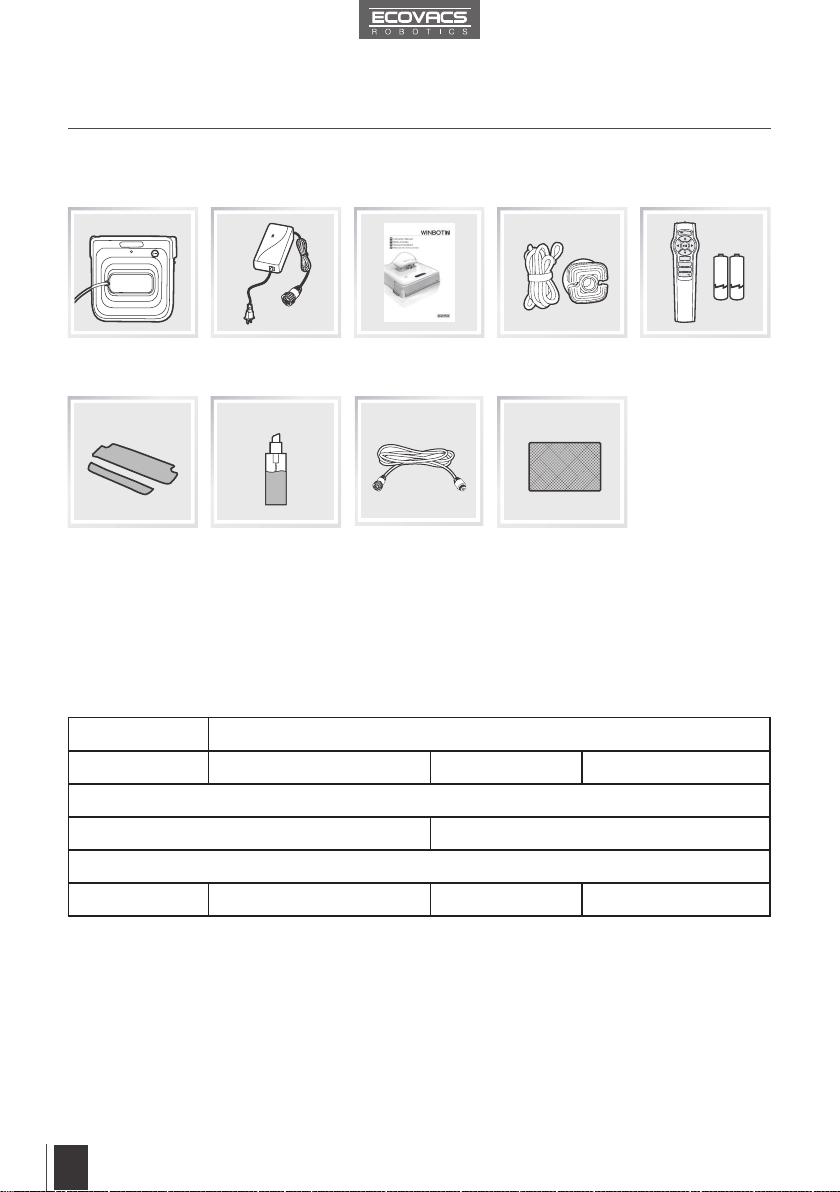
2.1 Package Contents
2.2 Specifications
Model W730/W710
Working Voltage 15V DC Rated Power 35W
Remote Control
Input Voltage 3V DC
Power Adapter: WT1503000
Input 100-240V AC 50/60Hz 1.6A Output 15V DC 3.0A
*
Technical and design specications may be changed in the course of continuous product improvement.
Finishing Cloth
Safety Pod and
Tether
Power Adapter Remote Control
with Batteries
Robot
(3) Sets of
Cleaning Pads
Instruction Manual
WINBOT
Cleaning Solution
(1) WINBOT
Extension Cord
(1.5m/4’11”)
5
EN
5
2. Package Contents and Technical Specifications
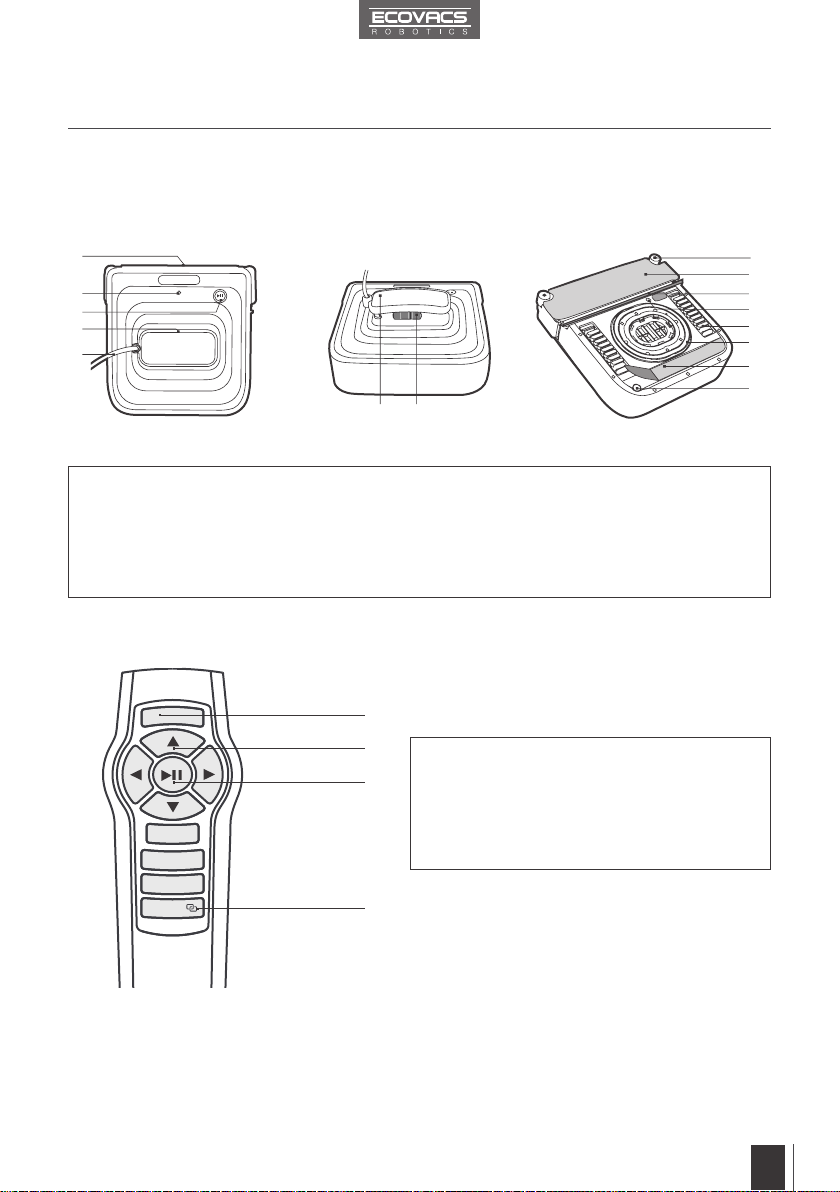
2.3 Product Diagram
Robot
Remote Control
1. Bumper
2. Status Indicator Light
3. START/PAUSE Button
4. Air Release Trigger
5. Power Cord
6. Handle
7. Power Switch
8. Side Rollers
9. Front Cleaning Pad
10. Squeegee
11. Driving Treads
12. Cupule
13. Bottom Status Indicator Light
14. Rear Cleaning Pad
15. Edge Detection Sensors
(
W730 ONLY)
1
10
11
12
14
13
15
2
3
4
5
6 7
9
8
1. RESET Button
2. Direction Control Buttons
3. START/PAUSE Button
4. Remote Control Pairing Button
1
2
3
4
RESET
6
EN
6
3. Operating the Robot
3.1 Notes Before Cleaning
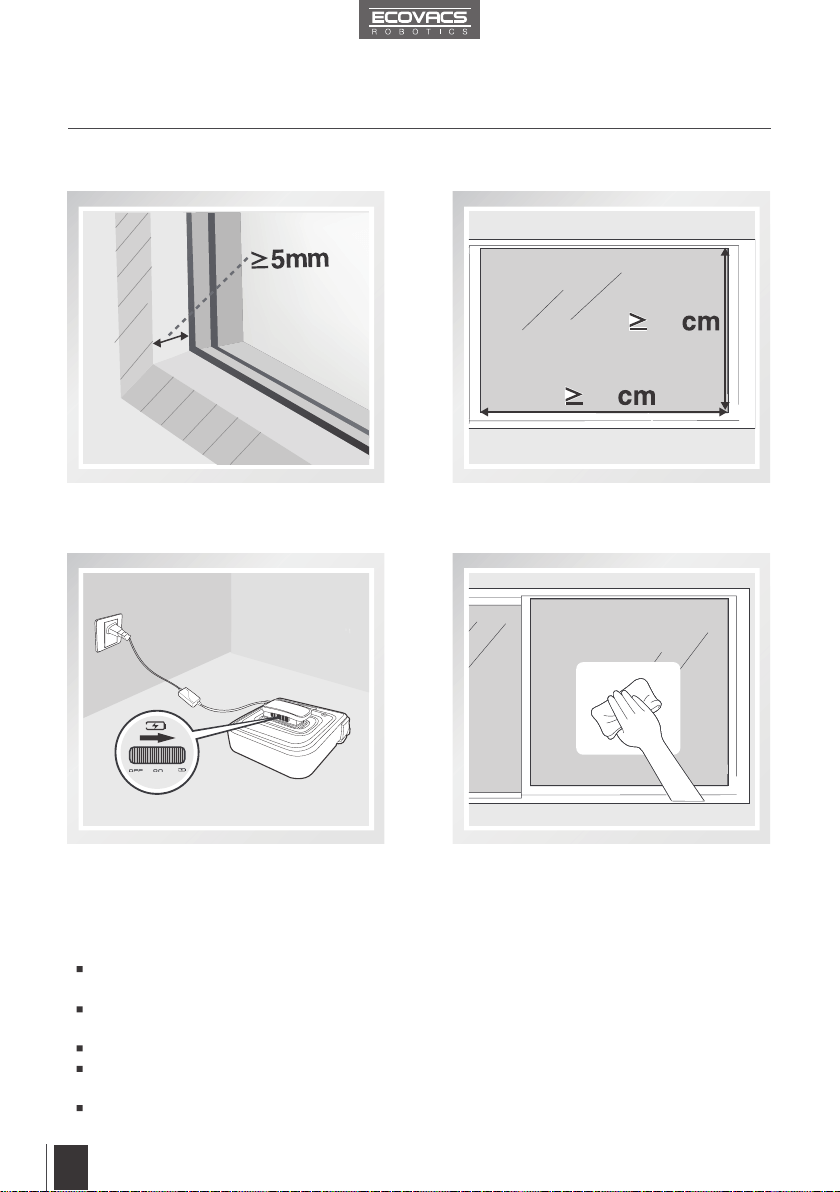
Do not use WINBOT 7 on a framed window with
a frame smaller than 5mm (0.2").
WINBOT 7 can be used on framed or frameless
windows larger than 45cm x 60cm (17.7’’ x
23.6’’). (*W730 only)
If the window is covered with dirt, clean a
small area on the glass before use and place
WINBOT 7 there.
WINBOT 7’s Back-Up Battery must be fully
charged before use. Plug WINBOT 7 in,
move the Power Switch to the CHARGE
position, and charge until the Status Indicator
Light glows a continuous GREEN.
Please ensure there is a 15cm (5.9”) clearance between the glass and obstacles in the room
like curtains or furniture.
WINBOT 7 can clean horizontally mounted glass, using the Direction Control Buttons on the
Remote Control.
Do not use WINBOT 7 upside down.
Do not use WINBOT 7 on windows with an uneven surface, such as decaled, frosted, textured,
patterned, or coated glass.
WINBOT 7 should only be used with WINBOT Cleaning Solution. Using other cleaners
signicantly reduces WINBOT’s performance and can damage the robot.
60
45
7
EN
7
3. Operating the Robot
3.2 Attach the Cleaning Pads 3.3 Assemble the Power Adapter
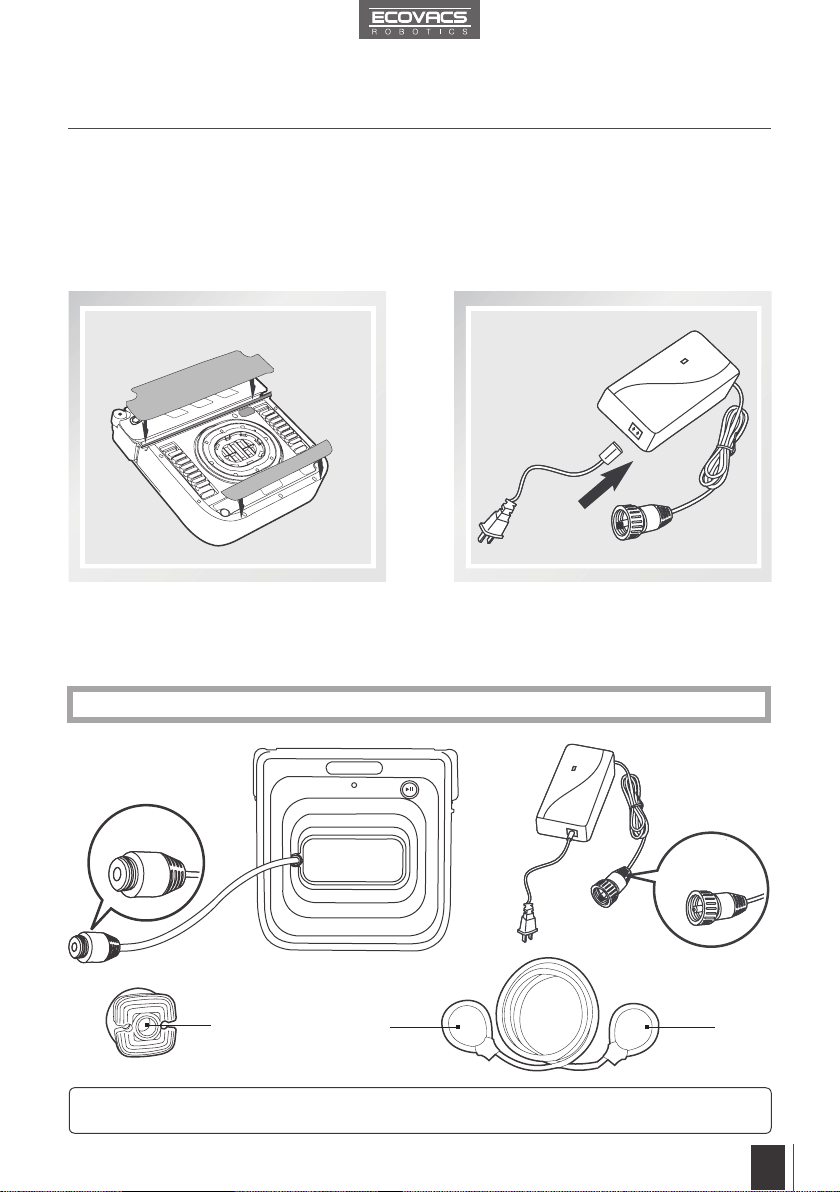
Turn WINBOT 7 over and attach the Cleaning
Pads to their Velcro areas smoothly. Make
sure the Rear Cleaning Pad is placed exactly
within its Velcro area and does not contact or
cover the Cupule (suction ring).
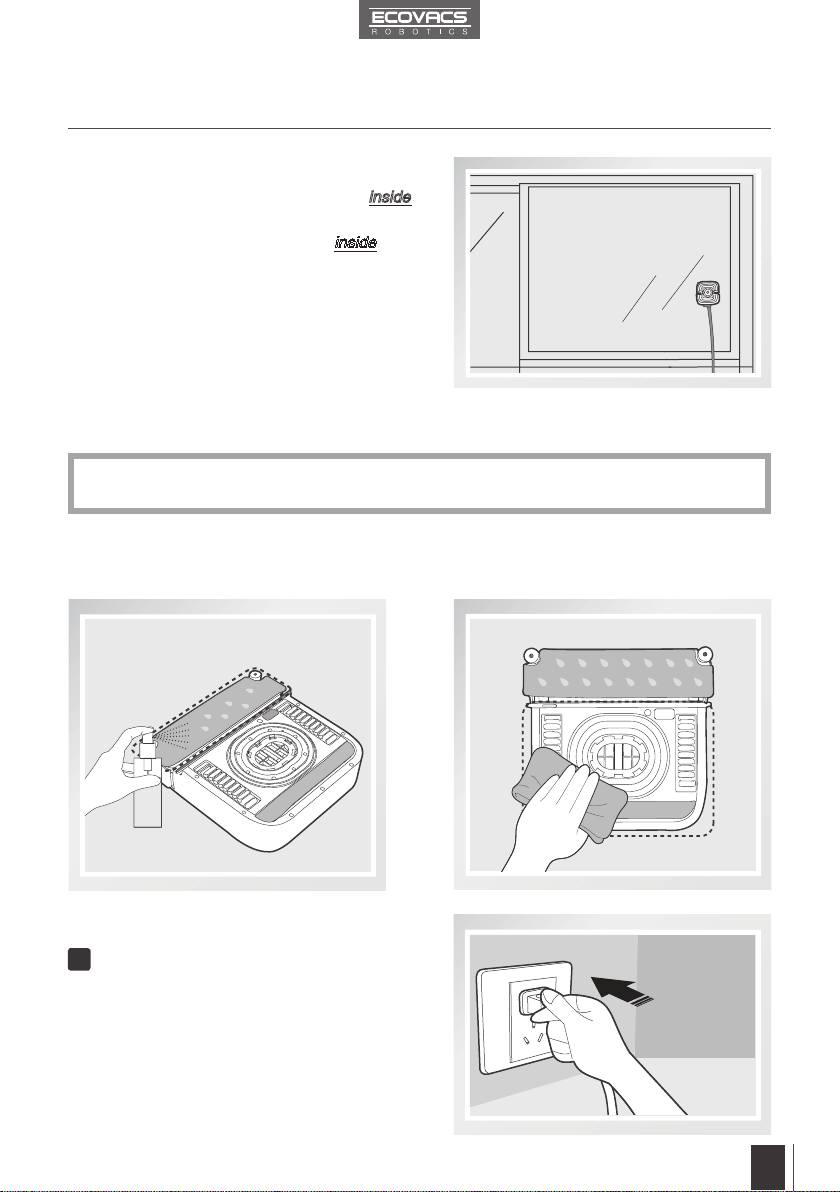
If WINBOT 7 is used to clean an outside window, the Safety Pod and Tether
MUST be used.
B
C
DD
A
*
If WINBOT 7 is being used to clean an inside window, please skip to step 3.6.
3.4 Install the Safety Tether
End A: Robot Power Cord
End B: Power Adapter Power Cord
End C: Safety Pod End D: Safety Tether
8
EN
8
3. Operating the Robot
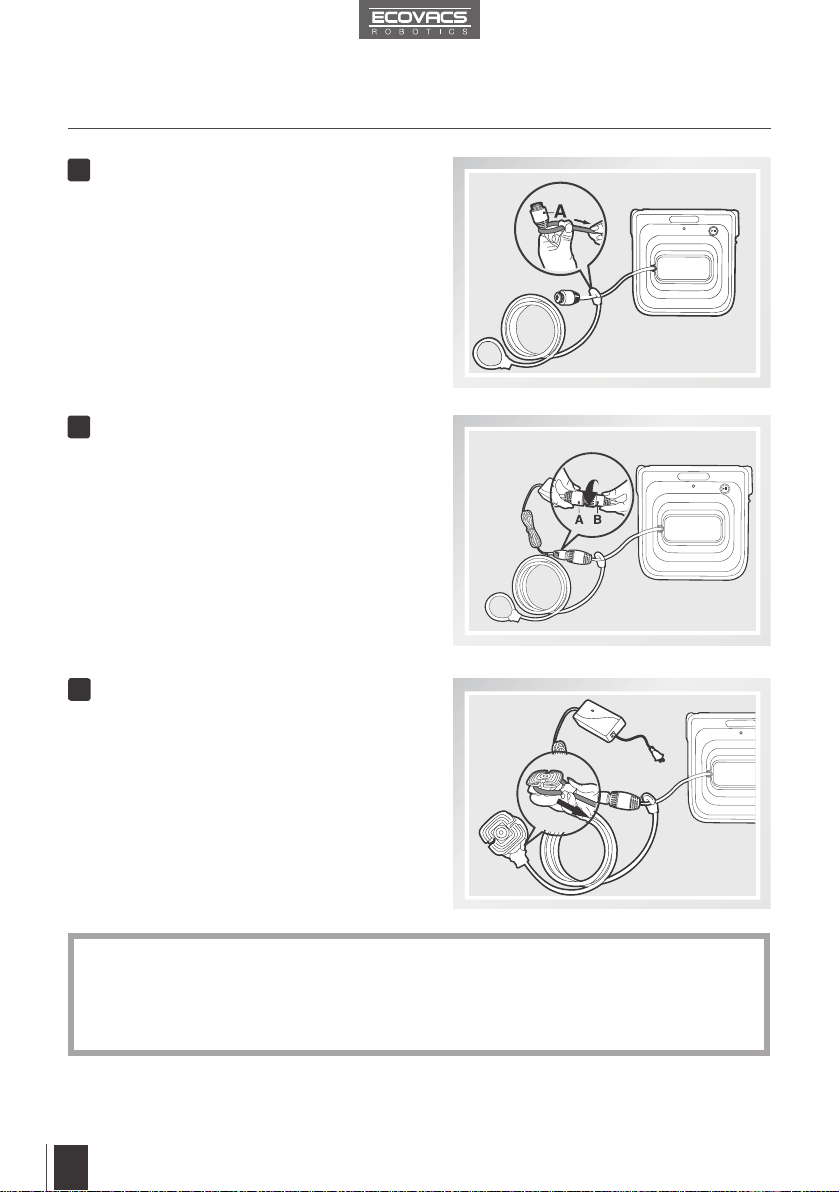
If the length of power cord restricts WINBOT 7’s movement, a WINBOT Extension Cord can be
used. Disconnect End A and End B, and connect them with both ends of the Extension Cord
respectively and tighten.
Only one Extension Cord can be used when WINBOT 7 is cleaning an outside window.
*
*
Loop one end of the Safety Tether to End
A on the Robot Power Cord and tighten.
Connect End A and End B and tighten.
Loop the other end of the Safety Tether
around the Safety Pod’s channel and pull it
tight.
1
2
3
9
EN
9
3. Operating the Robot
*
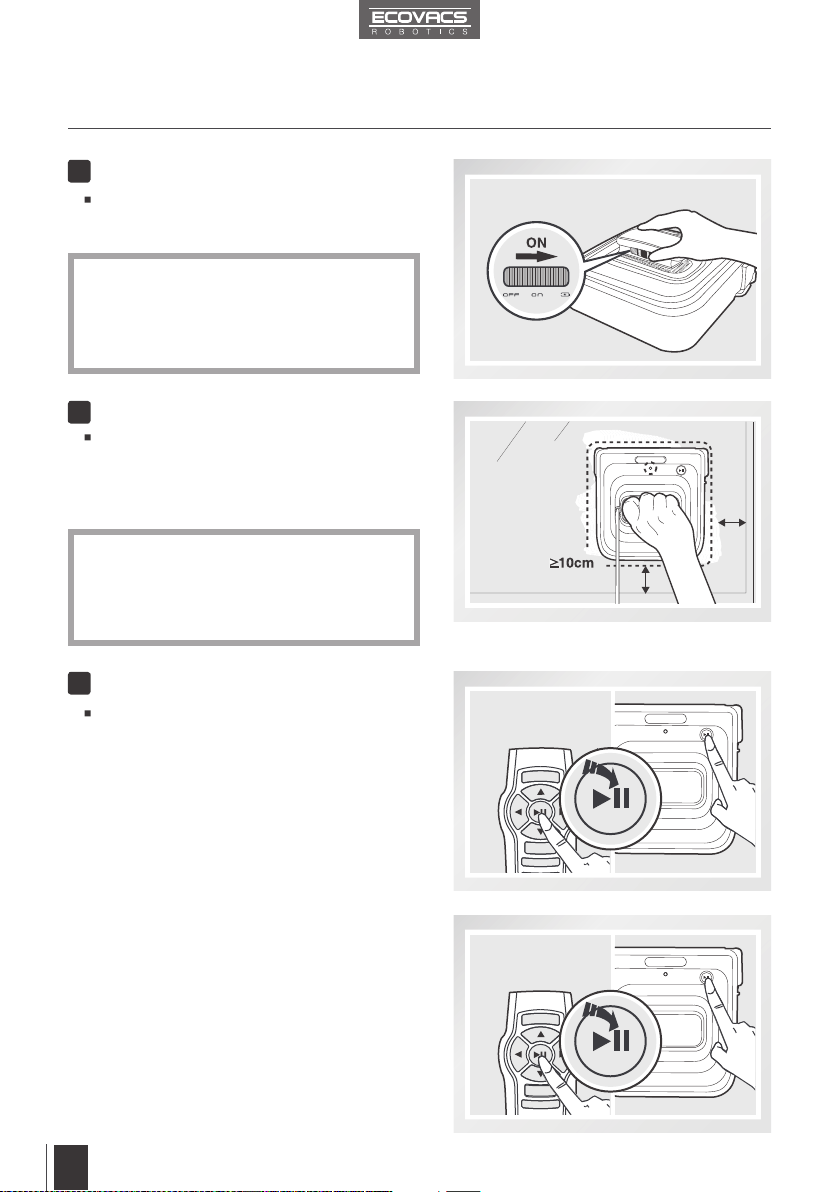
3.5 Place the Safety Pod
3.6 Spray Cleaning Solution
The Safety Pod MUST be placed on the
inside
of the window.
Press the Safety Pod FIRMLY on the
inside of the
window being cleaned. Make sure the Safety Pod is
attached securely in place.
Spray the Front Cleaning Pad with the provided
WINBOT Cleaning Solution 3 times. The Front
Cleaning Pad should be damp, not wet.
After spraying, wipe the bottom of WINBOT 7
with the provided Finishing Cloth.
WINBOT 7 should only be used with WINBOT Cleaning Solution. Using other cleaners signicantly
reduces WINBOT’s performance and can damage the robot.
1
3.7 Start
Plug in WINBOT 7
10
EN
10
3. Operating the Robot
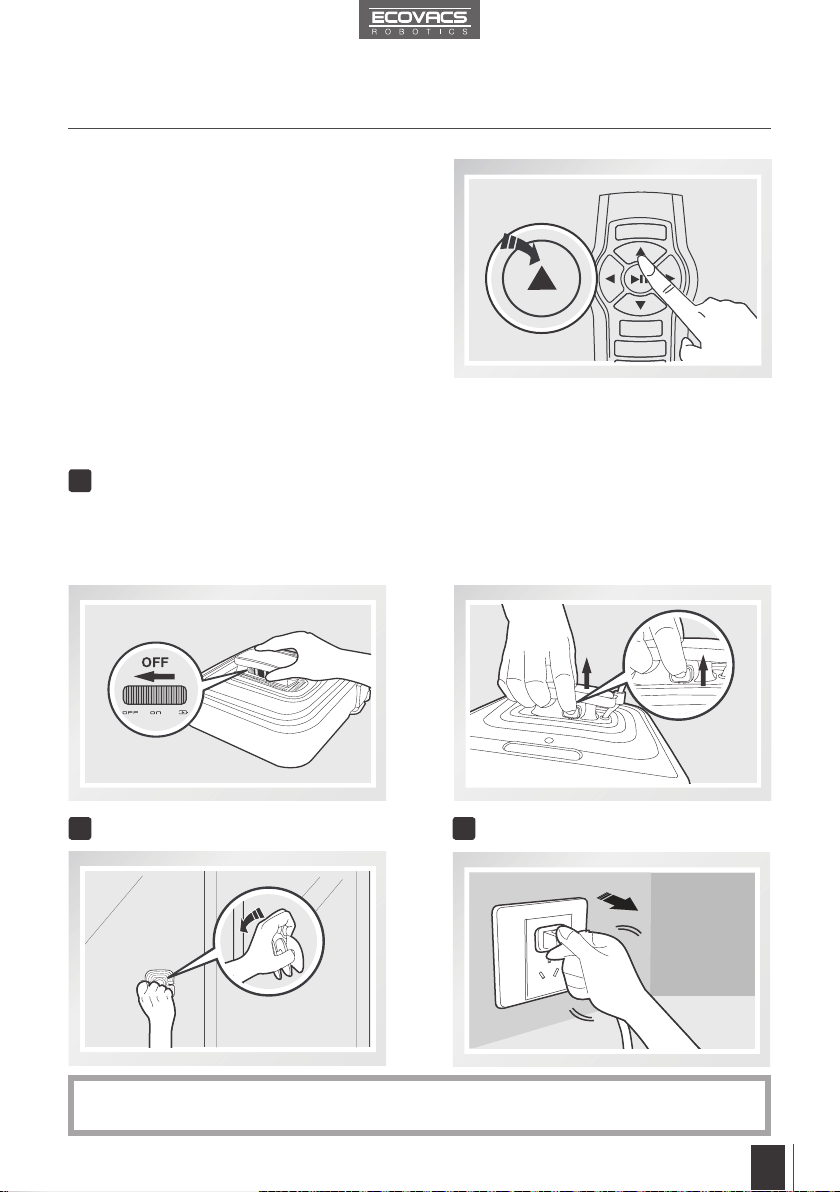
Press the START/PAUSE Button on WINBOT 7
or on the Remote Control to begin cleaning.
Place WINBOT 7 on the window at least 10cm
(4’’) from the corners and other obstacles and
press it firmly on the window. WINBOT 7 has
successfully attached to the window when the
Status Indicator Light ashes BLUE.
WINBOT 7’s Back-Up Battery must be fully
charged before use. Plug WINBOT 7 in, move
the Power Switch to the CHARGE position until
the Status Indicator Light glows a continuous
GREEN.
Please be careful not to pull the Air Release
Trigger.
Please ensure there is a 15cm (5.9”) clearance
between the glass and obstacles in the room like
curtains or furniture.
Move the Power Switch to the “ON” position.
WINBOT 7 is powered ON when it generates
suction.
3
4
Power ON
Place on the Glass
Start
2
*
*
*
3.8 Pause
Pause WINBOT 7 during cleaning by pressing
the START/PAUSE button on the robot or on the
Remote control.
11
EN
11
3. Operating the Robot
1
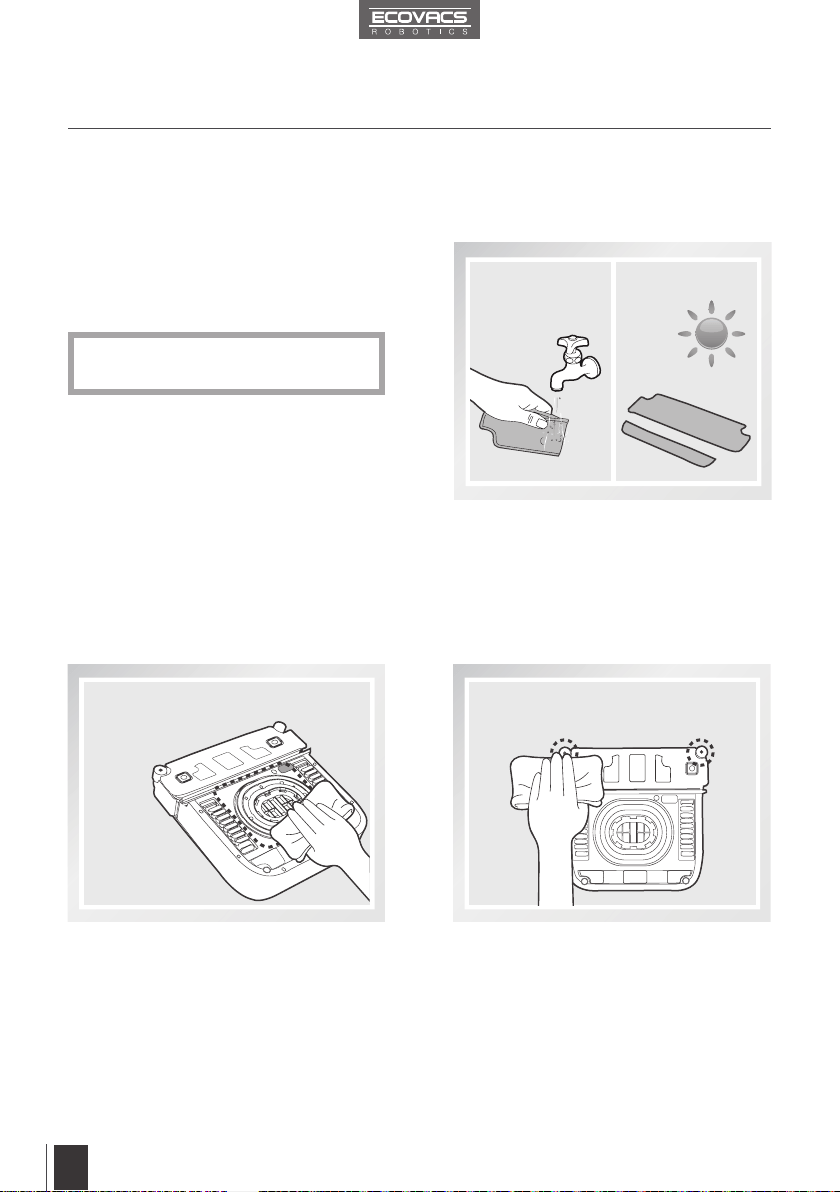
3.9 Stop
WINBOT 7 can be directed to move forward,
backward, left and right using the Direction
Control Buttons on the Remote Control when
Paused. WINBOT 7 will clean when Direction
Control Buttons are used.
When WINBOT 7 completes its cleaning cycle, it returns to the place it started and beeps.
Remove WINBOT 7
Unplug WINBOT 7
3
Remove the Safety Pod, if used
2
Pull the Air Release Trigger and remove
WINBOT 7 from the window. Polish away
any marks left on the glass from WINBOT 7’s
removal with the provided Finishing Cloth.
Grasp WINBOT 7’s handle. Move the Power
Switch to “OFF” position.
*
If WINBOT 7 has a problem and the Indicator Light glows RED, it can be reset by pressing the
Reset Button on the Remote Control.
12
EN
12
4. Maintenance
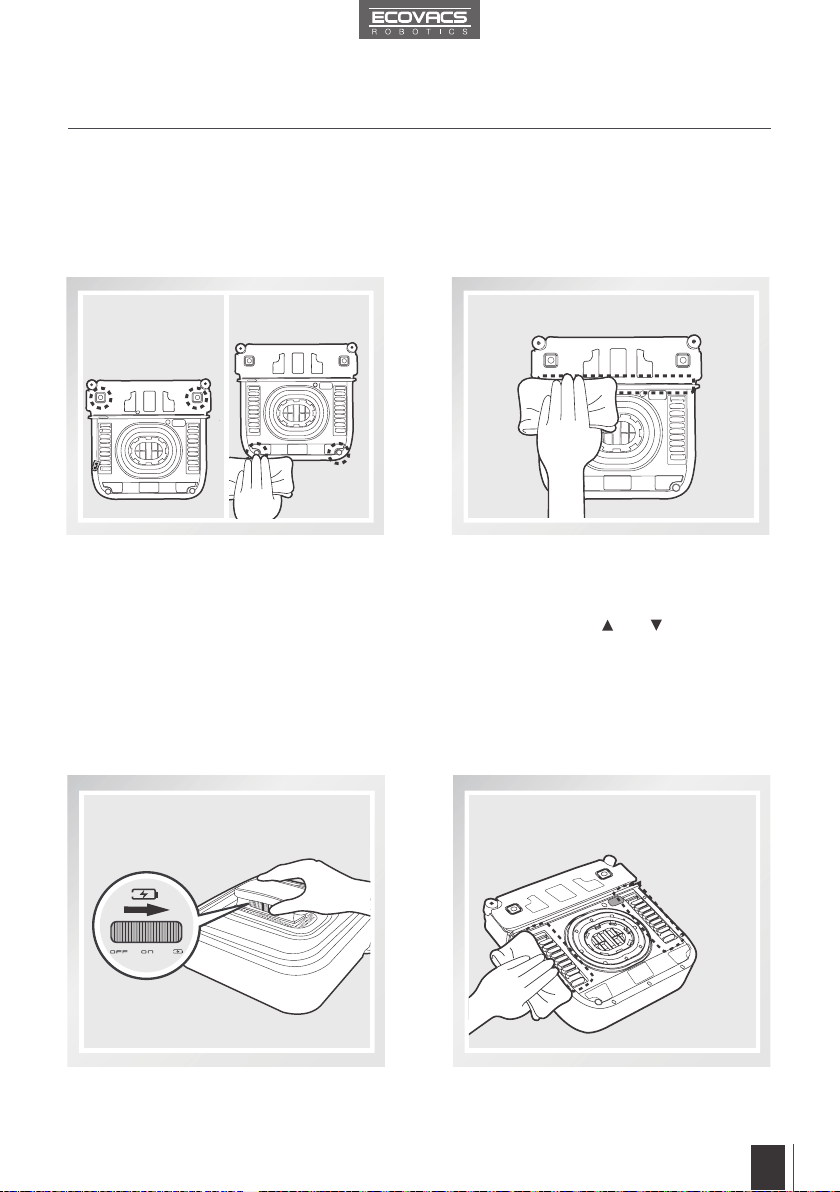
Turn the robot over and remove the Cleaning
Pads. Rinse the Cleaning Pads and allow
them to dry completely before re-attaching it
to the robot.
Turn the robot over and wipe any debris
from the Cupule with the provided Finishing
Cloth to maintain suction.
4.2 Cupule, Side Rollers and Sensors
4.1 Cleaning Pads
Do NOT use wet Cleaning Pads on
WINBOT 7, or it may slip on the window.
*
Cupule
Turn the robot over and wipe the Side
Rollers clean with the provided Finishing
Cloth to maintain their effectiveness.
Side Rollers
Before performing cleaning and maintenance on WINBOT 7, move the Power Switch to the
“OFF” position and unplug it from the receptacle.
13
EN
13
4. Maintenance
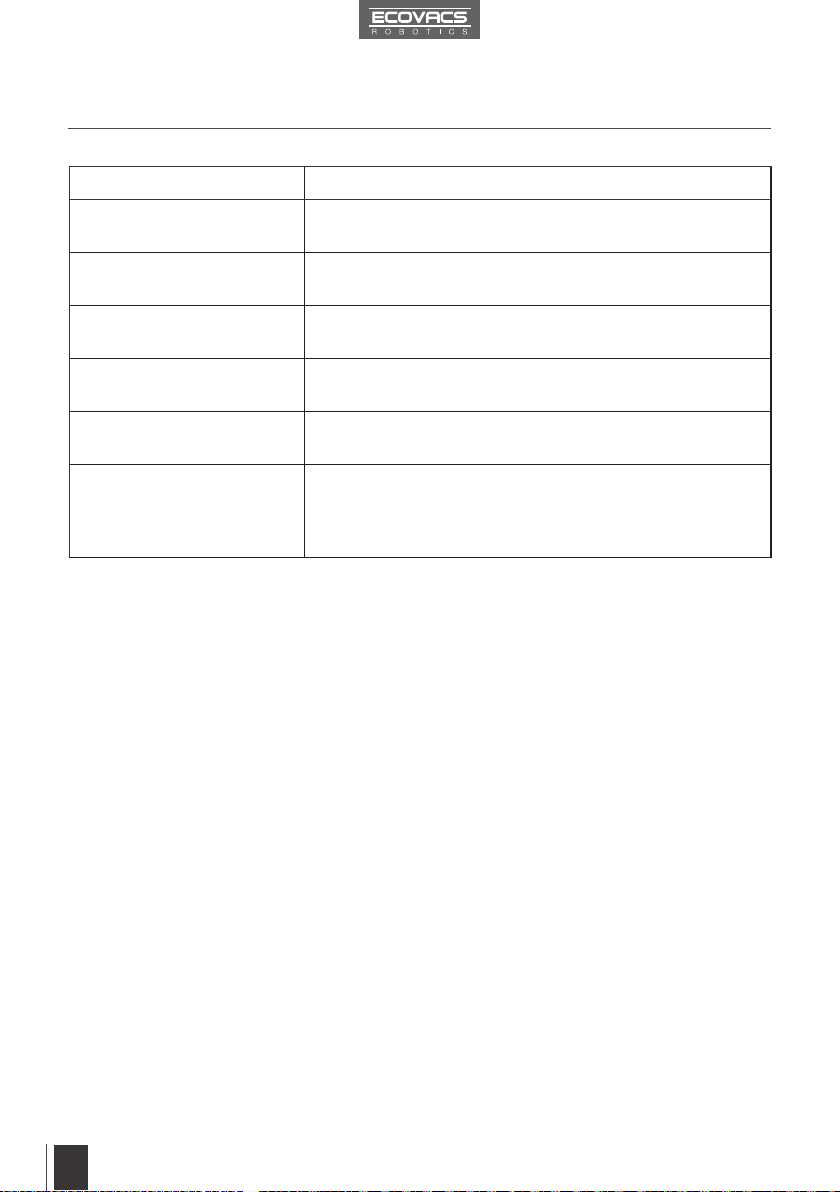
Turn the robot over and remove the Cleaning
Pads. Wipe the Edge Detection Sensors
clean with the provided Finishing Cloth to
maintain their effectiveness. (W730 ONLY)
Turn the robot over and wipe the Squeegee
clean with the provided Finishing Cloth to
maintain its effectiveness.
4.3 Driving Treads
Move the Power Switch on WINBOT 7 to the
CHARGE position.
Turn WINBOT 7 over. Inspect the Driving
Treads by using the and buttons on the
Remote Control. Stop the Driving Treads if
dirt is seen on the Treads.
Move the Power Switch on WINBOT 7 to the
OFF position.
Clean any dirt on the Driving Treads with the
provided Finishing Cloth.
Edge Detection Sensors
Squeegee
14
EN
14
EN
5. Status Indicator Light and Sounds
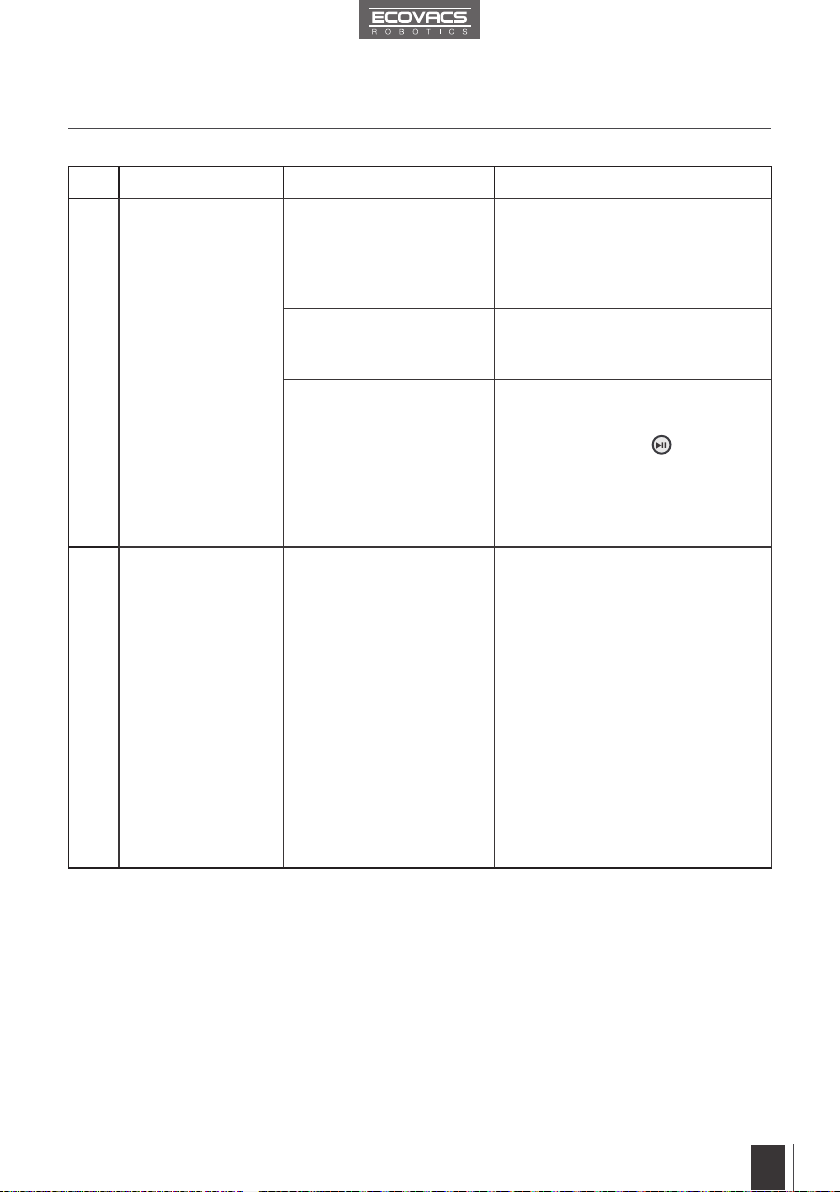
Indicator Description
Status Indicator Light ashes
GREEN
Back-Up Battery is low and is charging.
Status Indicator Light glows a
continuous GREEN
Back-Up Battery is fully charged and WINBOT 7 is ready to use.
Status Indicator Light ashes
BLUE
WINBOT 7 has successfully attached itself to the glass and is
ready to clean.
Status Indicator Light glows a
continuous BLUE
WINBOT 7 is cleaning the window.
Status Light Indicator glows
RED
WINBOT 7 has a problem. Please refer to Section 6,
Troubleshooting, for details.
WINBOT emits beeps
WINBOT 7 beeps in following situations:
WINBOT 7 nishes cleaning.
WINBOT 7 is successfully paired with its Remote Control.
WINBOT 7 has a problem.
15
EN
15
EN
6. Troubleshooting
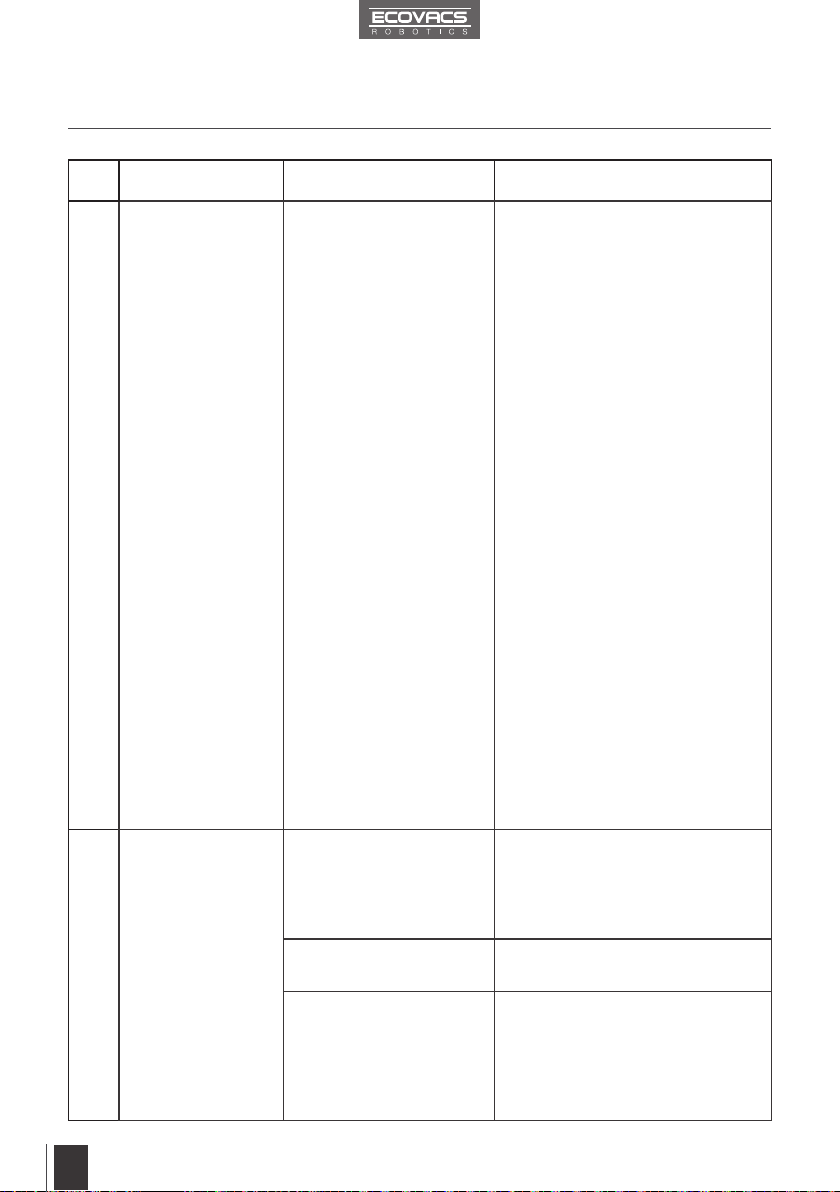
No. Malfunction Possible Causes Solutions
1
Remote Control
does not work.
WINBOT 7 is cleaning.
When WINBOT 7 is
cleaning, only the START/
PAUSE Button works on
the Remote Control.
Pause WINBOT 7 by pressing
the START/PAUSE Button on the
robot or the Remote Control. Other
buttons on the Remote Control will
function when WINBOT 7 is paused.
The batteries in the Remote
Control are not installed or
need to be replaced.
Install batteries or replace with new
batteries.
The Remote Control is not
paired with WINBOT 7.
WINBOT 7 arrives from
the factory paired with
its Remote Control. If the
Remote Control becomes
un-paired or is replaced, it
can be re-paired.
Power ON WINBOT 7. At the same
time, press and hold
button on
WINBOT 7 and the Pairing Button
on the Remote Control. Paring is
complete when WINBOT 7 beeps.
2
Status Indicator Light
does not ash BLUE
after WINBOT 7 is
placed on the glass.
There is not enough suction
to attach WINBOT 7 to the
glass.
A. Check Cleaning Pads to ensure
proper placement. Remove the
Cleaning Pads and re-attach them
making sure they are placed exactly
within their Velcro areas on WINBOT 7.
B. Check for debris on the Cupule.
Clean the surface of the Cupule
with the provided Finishing Cloth as
described in section 4.
C. Check for accumulated dust or
debris on the glass where WINBOT 7
is placed. Clean a small area on the
glass before use and place WINBOT 7
there.
D. Press WINBOT 7 on the window
a little more rmly.
16
EN
16
EN
6. Troubleshooting
No. Malfunction Possible Causes Solutions
3
Status Light
Indicator ashes
RED after it is
powered ON,
or during cleaning.
WINBOT 7 has
encountered a problem.
A. Power OFF WINBOT 7 and unplug it.
Then plug in again and power ON.
B. Reset WINBOT 7 by pressing the
RESET Button on the Remote Control.
C. Check for stubborn stains on the
window. Clean the stains before using
WINBOT 7.
D. Check the Cupule for dirt or damage.
Clean the Cupule as described in section
4. If Cupule is scratched or damaged,
replace it with a new one.
E. Check the Cleaning Pads. Replace
Cleaning Pads if they are dirty or too wet.
F. Check the Driving Treads for dirt or
grease. Clean the Driving Treads as
described in section 4.
G. Check WINBOT 7’s Bumper. Gently
pat on the Bumper to restore it to its
normal position.
H. Check the window for uneven surface.
Do not use WINBOT 7 on windows with
an uneven surface, such as decaled,
frosted, textured, patterned, or coated
glass.
I. Check the window for thick dirt. Clean
the window by hand rst and use
WINBOT 7 for regular cleaning after that.
*
WINBOT 7 is intended to be used
for maintenance cleaning on common
windows. The product is NOT designed
to replace heavy duty or rst time
cleaning.
4
WINBOT 7 does
not follow its normal
cleaning pattern,
moves erratically or
stops.
The Cleaning Pads are not
placed exactly within their
Velcro areas.
Remove and reattach the Cleaning
Pads making sure they are placed
exactly within their Velcro areas. Make
sure the Rear Cleaning Pad does not
contact or cover the Cupule.
The Cleaning Pads are
dirty.
Replace the Cleaning Pads.
The Cupule is dirty or the
Driving Treads are dirty.
Clean the surface of the Cupule and
Driving Treads with the provided
Finishing Cloth as described in
section 4.
If the problem persists, please
contact Customer Service.
17
EN
No. Malfunction Possible Causes Solutions
4
WINBOT 7 stops
at the bottom of
the window being
cleaned and emits
beeps. Status Light
Indicator ashes
RED.
Interruption of electricity
while WINBOT 7 was
cleaning due to power
failure, plug displacement,
or loose connection to the
Power
A. Connect WINBOT 7 to the Power
Adapter and plug into the wall
receptacle. Press START/PAUSE
Button on the robot or on the Remote
Control twice and WINBOT 7 will
resume cleaning.
B. In case of power failure, and the
above solution does not work, please
move the Power Switch to the OFF
position and remove the robot from the
window. If power has resumed, move
the Power Switch back to the ON
position, place the robot on the window
again and restart.
WINBOT 7-038-IM2014R01