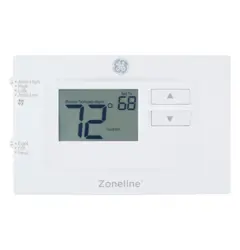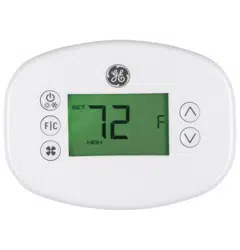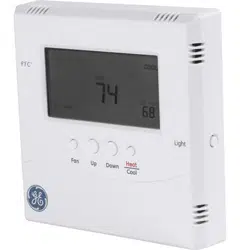
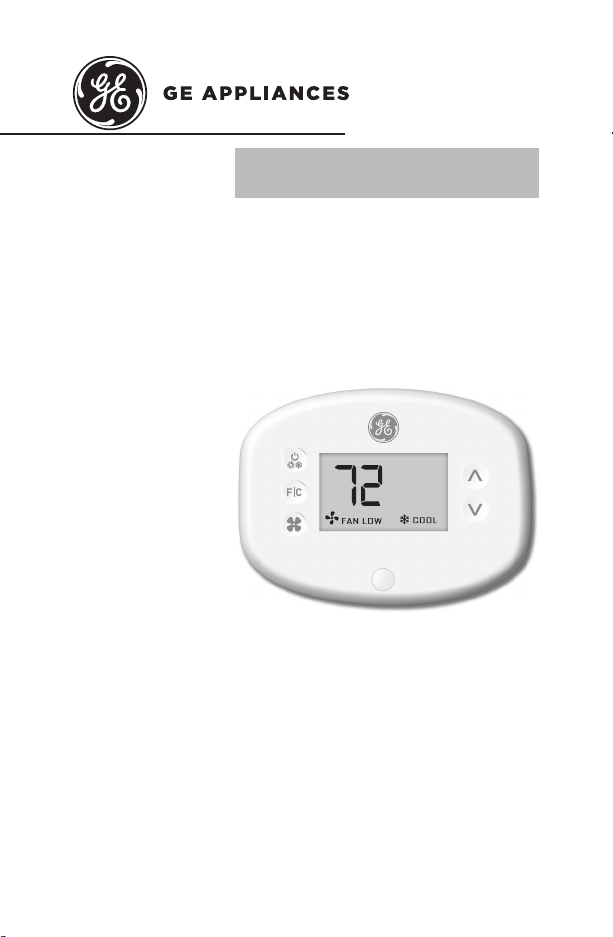
THERMOSTAT
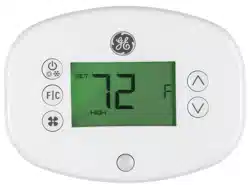
Wireless Thermostat with Occupancy Sensor
OWNER’S MANUAL &
INSTALLATION INSTRUCTIONS
RAK180W1
49-5000416 Rev. 0 06-19 GEA
F
2 49-5000416 Rev. 0
THANK YOU FOR MAKING GE APPLIANCES A
PART OF YOUR HOME.
Whether you grew up with GE Appliances, or this is
your first, we’re happy to have you in the family.
We take pride in the craftsmanship, innovation and
design that goes into every GE Appliances product,
and we think you will too.

49-5000416 Rev. 0 3
Table of Contents
Safety Information ...................................................................................... 4
Before You Begin ...........................................................................................5
Thermostat Installation .............................................................................. 7
Installing the Wireless Control card ...................................................................7
Wireless Installation..........................................................................................10
Wired Installation ..............................................................................................10
Thermostat Configuration ......................................................................11
Setting the clock ...............................................................................................12
Entering the room number ...............................................................................13
Configuring the Equipment Settings - Compressor Type ..............................14
Configuring the Equipment Settings - Electric Heat .......................................15
Configuring the Equipment Settings - Reversing Valve .................................16
Configuring the Energy Saving Settings .........................................................17
Custom Energy Savings Settings ......................................................... 19
Using the Thermostat Settings Screens .........................................................20
01 – FAN CONTROL MODE ..........................................................................21
02 – 1ST STAGE DIFFERENTIAL - HEAT ....................................................22
03 – 2ND STAGE DIFFERENTIAL - HEAT ...................................................23
04 – 1ST STAGE DIFFERENTIAL - COOL ...................................................24
05 – INCIDENTAL OCCUPANCY THRESHOLD ..........................................25
06 – NIGHT OCCUPANCY THRESHOLD ....................................................26
07 – FORCED 2ND STAGE HEATING .........................................................27
08 – NIGHT OCCUPANCY START ...............................................................28
09 – NIGHT OCCUPANCY END ....................................................................29
10 – TEMPERATURE RECOVERY TIME .....................................................30
11 – RECOVERY TEMPERATURE - HEAT .................................................31
12 – TEMPERATURE SETBACK DELAY - HEAT .......................................32
13 – MINIMUM SETBACK TEMPERATURE ................................................33
14 – TEMPERATURE SETBACK DELAY - COOL .......................................34
15 – MAXIMUM SETBACK TEMPERATURE ...............................................35
16 – RECOVERY TEMPERATURE - COOL .................................................36
17 – MINIMUM SET POINT ............................................................................37
18 – MAXIMUM SET POINT ...........................................................................38
19 – TEMPERATURE CONTROL MODE .....................................................39
20 – AUTO CHANGEOVER SET POINT OFFSET
(DEAD BAND) .........................................................................................40
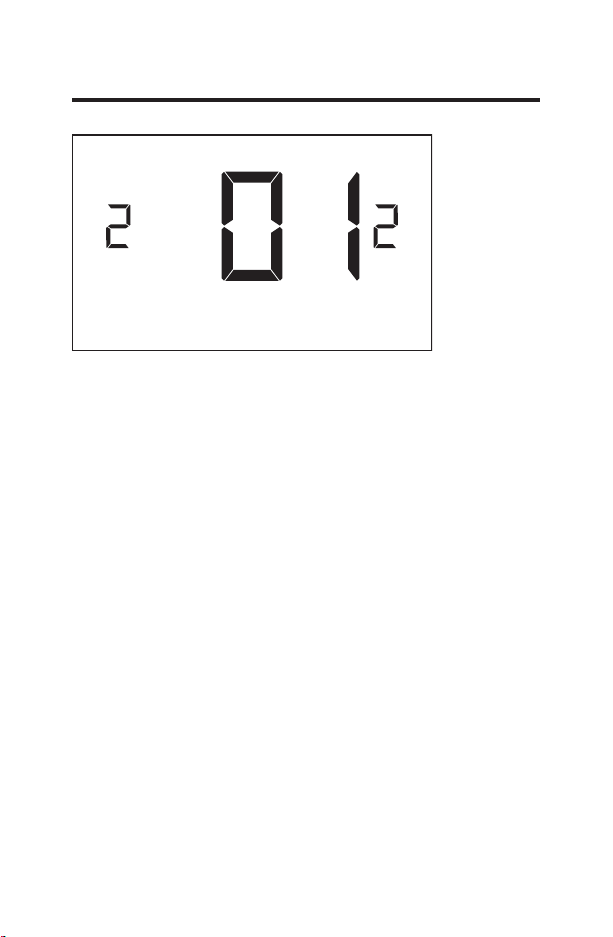
21 – SETBACK SET POINTS / AUTO-RESTORE .......................................41
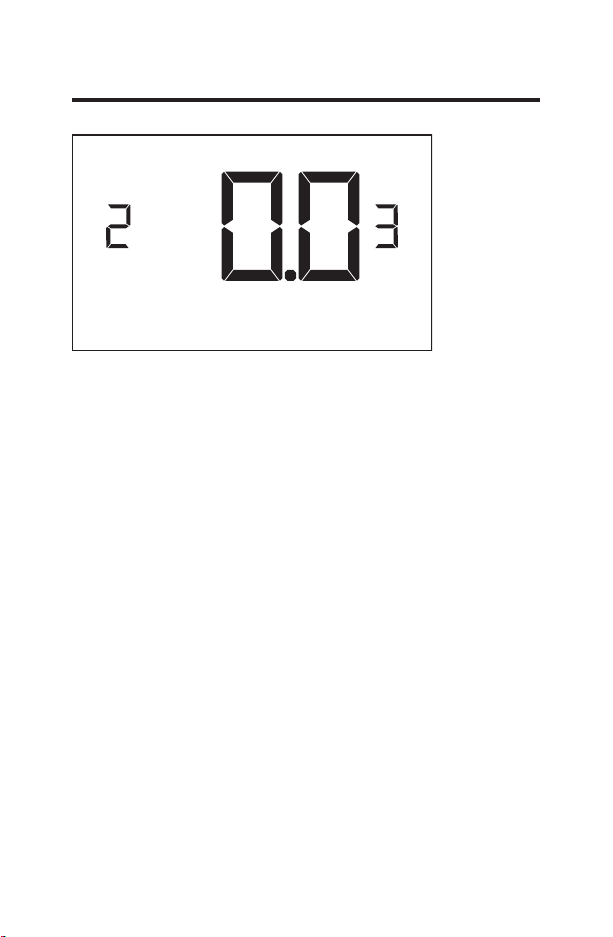
22 – AUTOMATIC HUMIDITY CONTROL†...................................................42
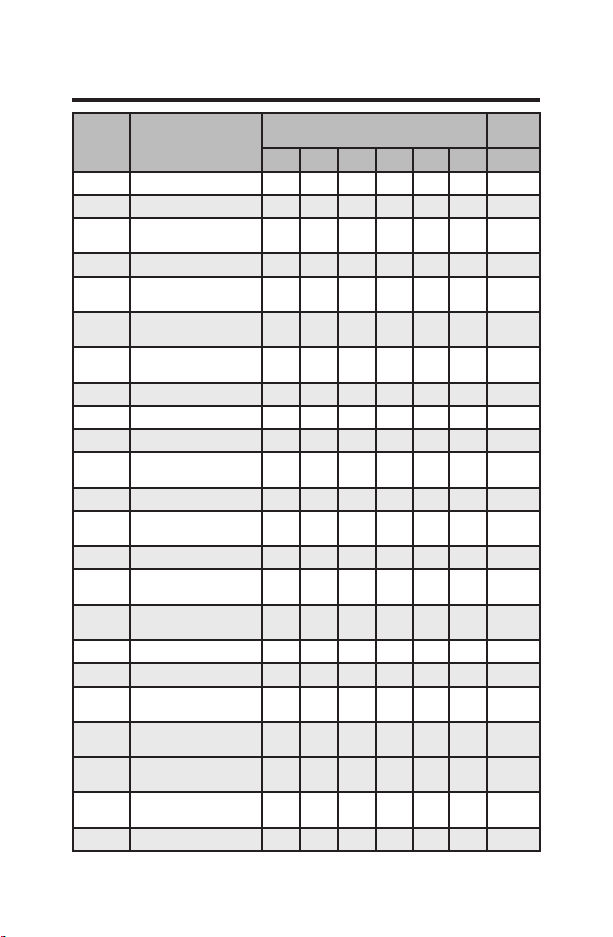
23 – TEMPERATURE CALIBRATION ...........................................................43
Thermostat Maintenance .......................................................................44
Troubleshooting ..........................................................................................45
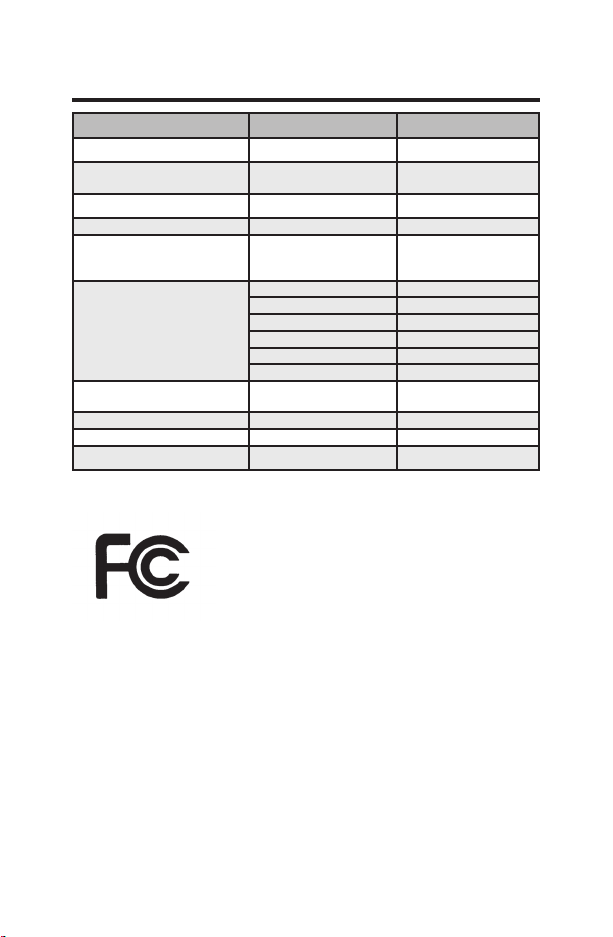
Appendix 1 - Energy Saving Presets ................................................48
Technical Specifications ........................................................................49
Limited Warranty ........................................................................................50

4 49-5000416 Rev. 0
Specifications.
WARNING
FIRE AND SHOCK HAZARD
• Always turn off power at the main power supply
before installing, cleaning or removing the
thermostat. Failure to do so could result in
electrical shock hazard.
• Do not use on voltages over 30 VAC. Higher
voltages will damage the thermostat and could cause
shock or fire hazard.
NOTICE
• All wiring must conform to local and national
electrical and building codes.
• Use this thermostat only as described in this
manual.
Electrical rating:
• 24 VAC (18–30 VAC)
• 1 amp maximum per terminal
• 4 amp maximum total load
Operating temperature range: 40°F–99°F (4°C–37°C)
System Configurations:
* 1 stage cool, 2 stage heat (heat pump/resistance heat)
1 stage cool, 1 stage heat (resistance heat)
Terminations: *R, C, W, Y, GH, GL, B for 2-stage heat
R, C, W, Y, GH, GL, for 1-stage heat
Wiring:
Maximum wiring length is 66ft (20 meters) for
AWG18
Maximum wiring length is 60ft (18 meters) for
AWG20
*Default setting
IMPORTANT SAFETY INFORMATION
READ ALL INSTRUCTIONS BEFORE USING

49-5000416 Rev. 0 5
Before You Begin
• Determine the appropriate installation location for the
thermostat
The thermostat should face the bed area of the
room.
The thermostat must not be installed near or on
metal structures or surfaces including metal air
ducting that may be in the wall.
0HWDOVWUXFWXUHVDQGVXUIDFHVVLJQL¿FDQWO\
reduce the range of the wireless signal.
A. Refer to the Zoneline Owner’s Manual to change
the AUX setting to 6A (class 2 mode). The unit will
display “use wall thermostat” when finished.
B. Zoneline output is 24VAC. Be sure the jumper on the
wireless control card is on the AC position – jumper
is connecting “R” and “C” (common) pins. This is the
default position.
Other Zoneline Auxilary Control Settings for use with
*DBM & *EBM Models
• Mode E: Enables Zoneline Makeup air vent door control
EDVHGRQRFFXSDQF\GHIDXOWLVRႇDQGPRGHPXVWEH
turned on to utilize this feature.
• Refer to the Zonelines Owner’s Manual for instructions
on how to change this AUX setting/mode.
6 49-5000416 Rev. 0
NETWORK INSTALLATION ONLY
NOTE: This section is not required unless the thermostats
are networked
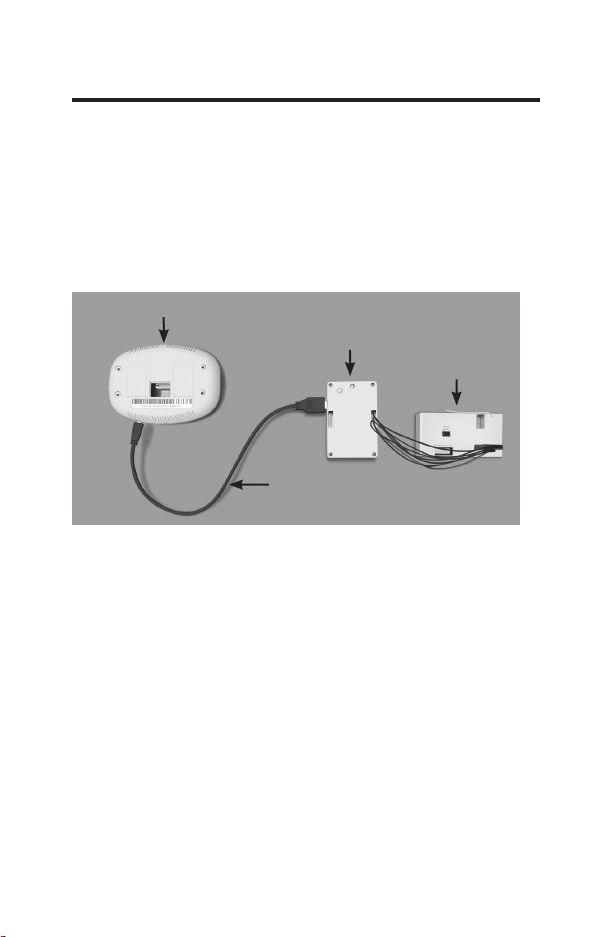
Pairing the Thermostat and the Control Card:
In case of Network Installation with online
management, the thermostat and the Control
Card must be paired with a Network Programmer
specific to the property before the installation. Note:
Thermostat and Control Card are factory paired.
The thermostat and control card must not be powered
during the pairing procedure - remove batteries from the
thermostat and unplug the control card from the HVAC
unit during the pairing procedure.
• Plug one programmer connector into the thermostat;
• Plug the other programmer connector into the control card.
• Push the black button on the programmer.
•
The red light on the programmer should turn on and
remain steadily lit.
•
If the red light on the programmer is blinking or is not
steadily lit, unplug the programmer from the thermostat
and the control card and repeat the steps above.
• Unplug the programmer from the thermostat and the
control card.
Thermostat
Network
Programmer
Programmer
Connector
Control
Card
49-5000416 Rev. 0 7
Thermostat Installation
Installing the Wireless Control Card
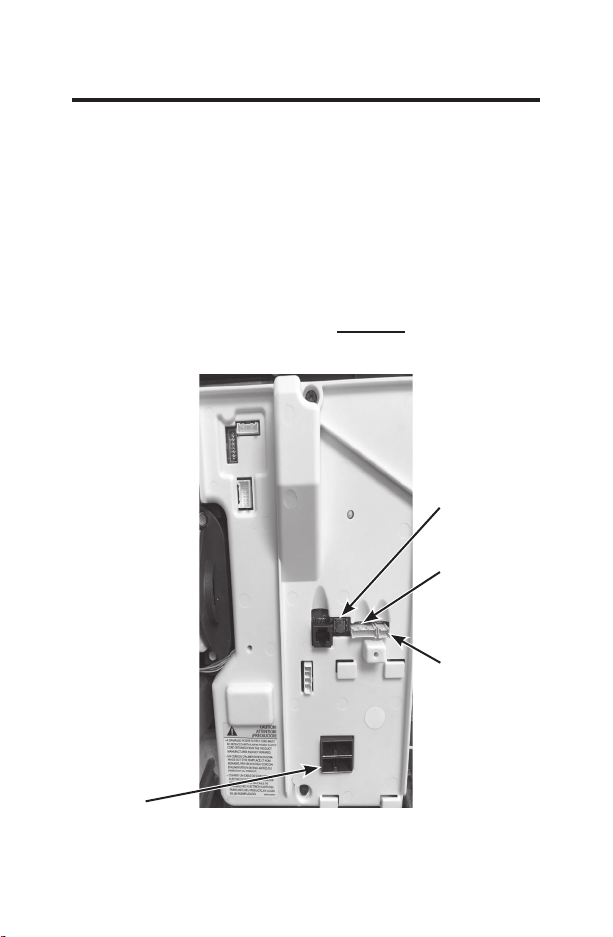
• Power off the Zoneline
• Insert the Control Card wiring harness into the thermostat
connection port on the front of the Zoneline control box
cover.
• For Makeup Air Models (*DBM and *EBM), insert the
small connector into the mating CDC Connection port next
to the thermostat port. (See Drawing 1)
NOTE: If not a Makeup Air Model, DO NOT plug in the CDC/
occupancy connection.
AC input
CDC /
Occupancy
Connection
Remote
Thermostat
Connection
Red Aux Set
Button
Drawing 1
8 49-5000416 Rev. 0
Thermostat Installation
Installing the Wireless Control Card (cont.)
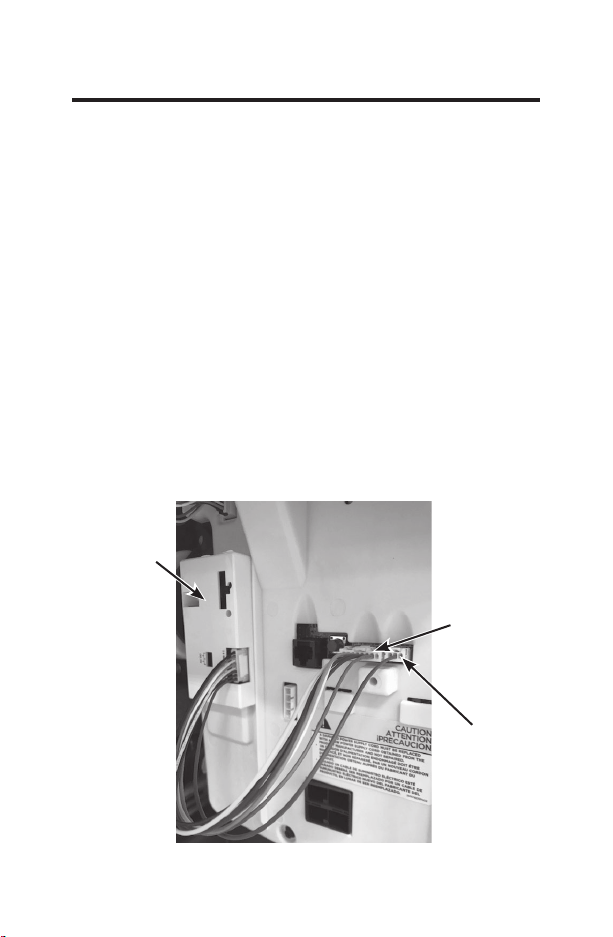
• Using the supplied double sided tape, attach the control
card to the Zoneline control box cover. (See Drawing 2)
Mount the control card inside of the hvac unit.
The wireless control card antenna must not be touching any
metal components of the hvac unit.
The wireless control card antenna must face the thermostat
on the wall and be oriented so that any metal parts of the
Zoneline do not obstruct the wireless communication to the
thermostat and, in case of a network installation, to other
wireless control cards and the server.
The wireless control card must not be placed in the
Zoneline condensation pan and must be mounted so it
cannot fall into the condensation pan.
• For wired applications, join the common and 24VAC
wires with any code-approved low voltage field supplied
connection method.
CDC/
Occupancy
Remote
Thermostat
Connection
Control
Card
Drawing 2
49-5000416 Rev. 0 9
Thermostat Installation
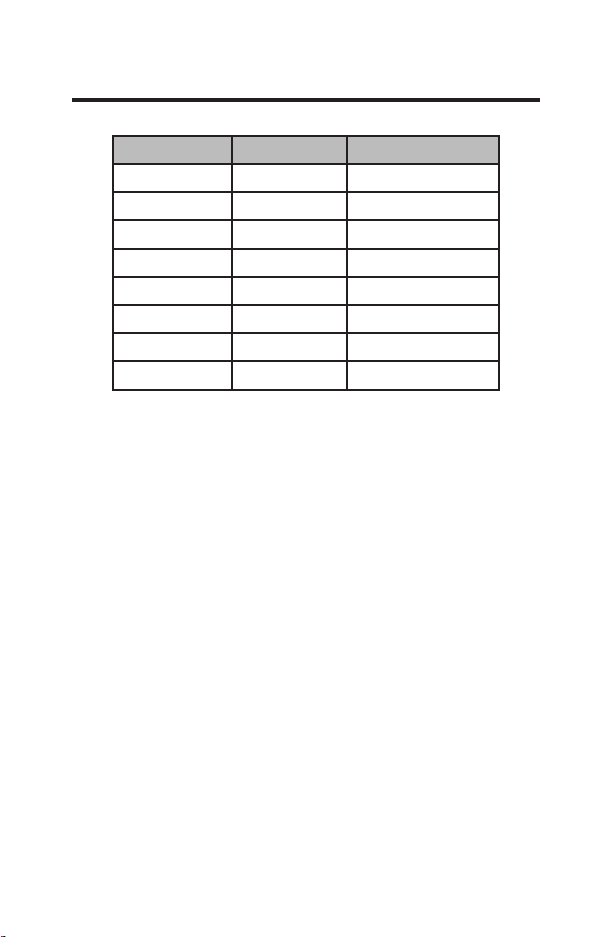
Wire Color Terminal Letter Terminal Connection
Black C Common
Red R 24V
Yellow Y Compressor
White W Heat
Orange O or B Reversing Valve
Green GH Fan High
Purple GL Fan Low
Brown AUX Occupancy
NOTE: If the PTAC unit has only one (1) fan speed,
connect both fan control wires – Green and Purple –
to the fan terminal (G).
Wiring Table – 24V AC
10 49-5000416 Rev. 0
Thermostat Installation
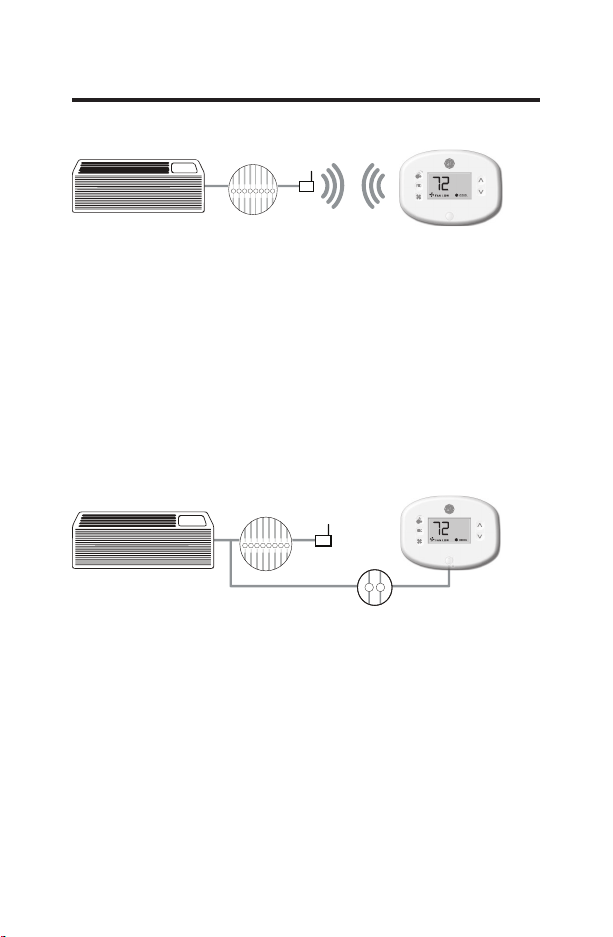
Wireless Installation
GH OB W R Y C
AUX
GL
F
Mounting the thermostat to the wall
• Remove the thermostat cover;
• Use the supplied wall anchors and mounting screws to
secure the thermostat to the wall;
• Insert two (2) AA-cell batteries (not supplied) into the
thermostat battery compartment;
• Follow the “Thermostat Configuration” instructions
starting on page 11.
• Replace the thermostat cover and screw in the locking
screw.
Wired Installation
GH OB W R Y C
AUX
GL
R C
F
Mounting the thermostat to the wall
• Connect R & C from HVAC unit to the corresponding
wires on the harness by splicing 24VAC and common
wires from the thermostat into the 24VAC and common
wires to the zoneline.
• Remove the thermostat cover;
• Use the supplied wall anchors and mounting screws to
secure the thermostat to the wall;
• Follow the “Thermostat Configuration” instructions
starting on page 11.
• Replace the thermostat cover and screw in the locking
screw.
49-5000416 Rev. 0 11
Thermostat Configuration
Once the thermostat is powered, thermostat configuration
settings will appear on the thermostat screen.
In order to properly operate the HVAC unit:
• Set the thermostat clock
• Enter the room number
• Configure the equipment settings
• Select Energy Savings Preset (Zoneline custom settings
are the default).
The thermostat configuration screens have a 30-second
time-out. If no action is taken within thirty (30) seconds, the
thermostat will exit configuration settings.
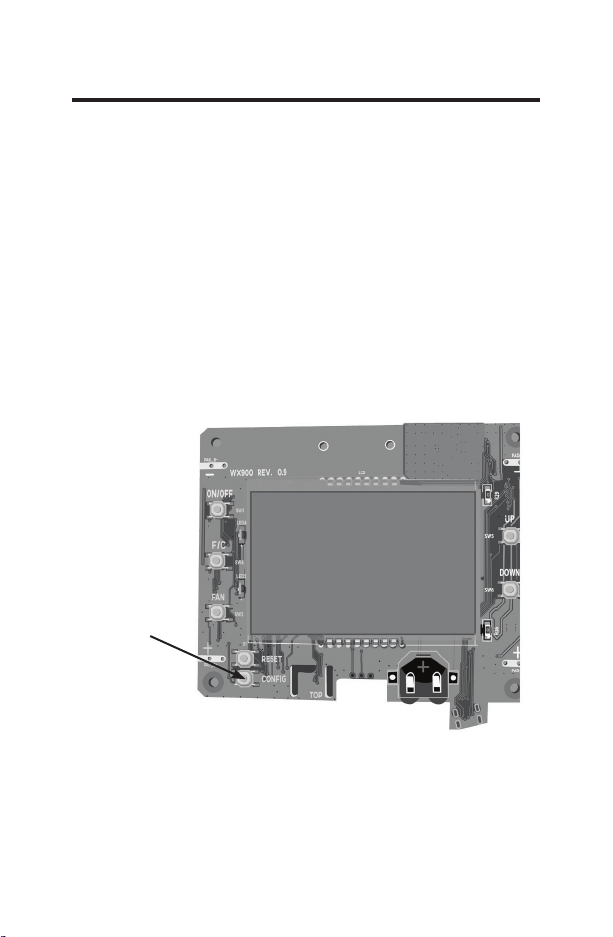
NOTE: You
can access
Thermostat
Configuration
settings at
any time by
pressing the
“Configuration”
button.
NOTE: If the thermostat is connected to a network, the
settings configured online will be applied.
12 49-5000416 Rev. 0
Thermostat Configuration
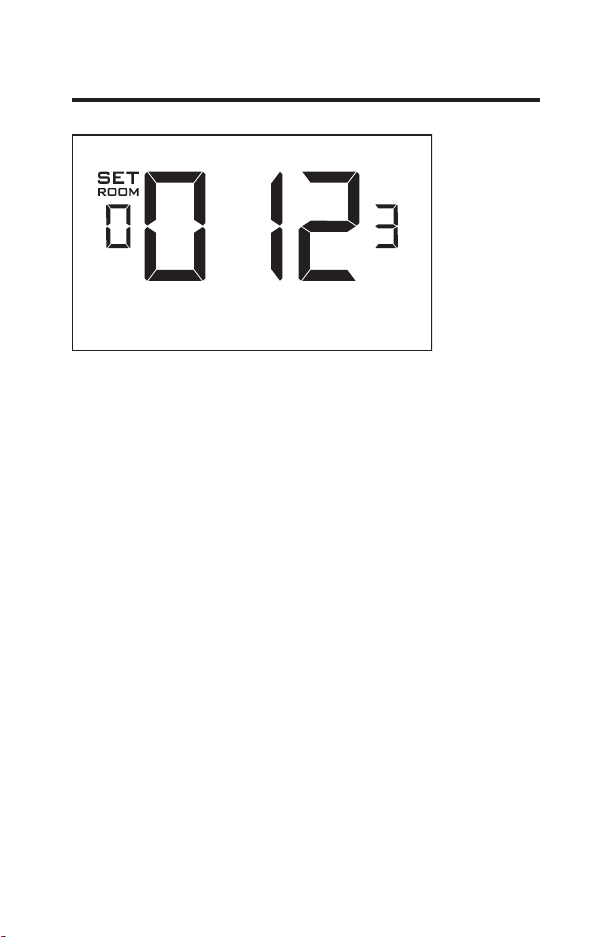
Setting the thermostat clock
Set the thermostat clock to current time in 24h (Military Time)
format.
• Use the “Up” and “Down” buttons to set the hours
• Press the “Fan” button to advance to the minutes setting
• Use the “Up” an “Down” buttons to set the minutes
• Press the “F/C” button to advance to the next menu
Setting the clock correctly is crucial for proper operation of
the thermostat.
NOTE:
The thermostat clock will need to be reset each time
the batteries are replaced.
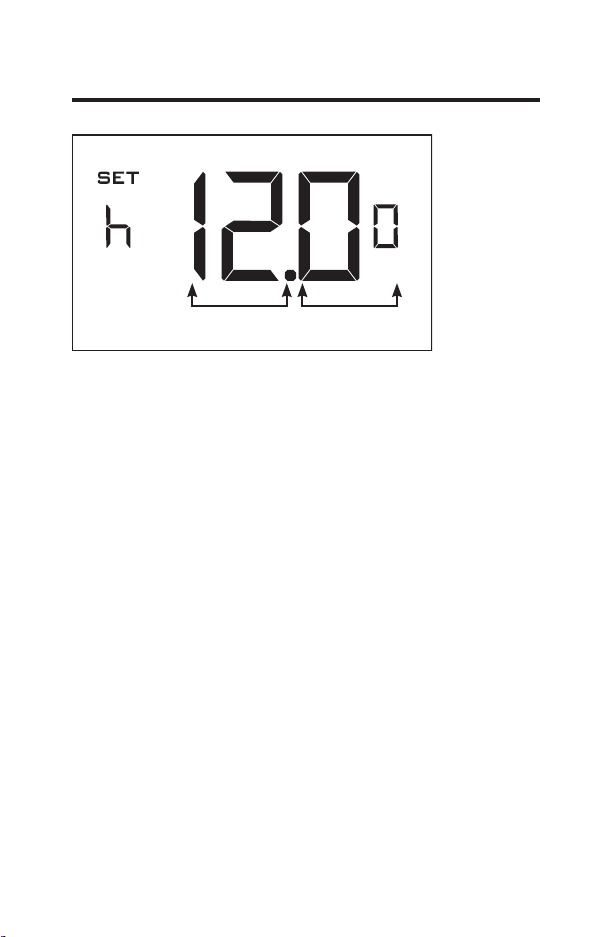
Hours
Minutes
49-5000416 Rev. 0 13
Thermostat Configuration
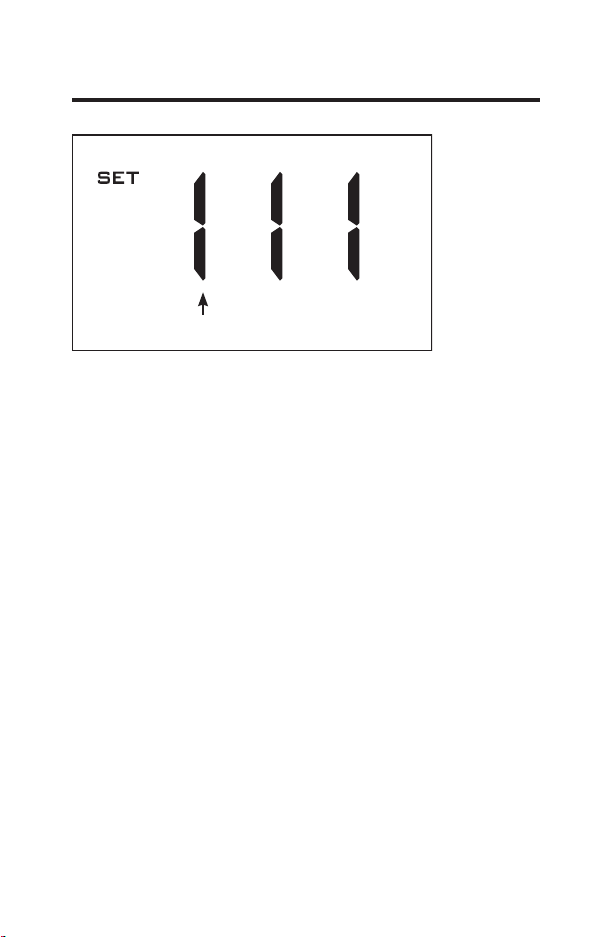
Entering the room number
Enter the room number by changing the digits on the screen.
Leading zeros “0” preceding other digits will be ignored, i.e.
Room number “123” should be entered as “00123”.
• Use the “Up” and “Down” buttons to change the digit;
• Press the “Fan” button to advance to the next digit;
• Press the “F/C” button to advance to the next menu;
Entering the room number correctly is crucial for proper
operation of networked systems.
14 49-5000416 Rev. 0
Thermostat Configuration
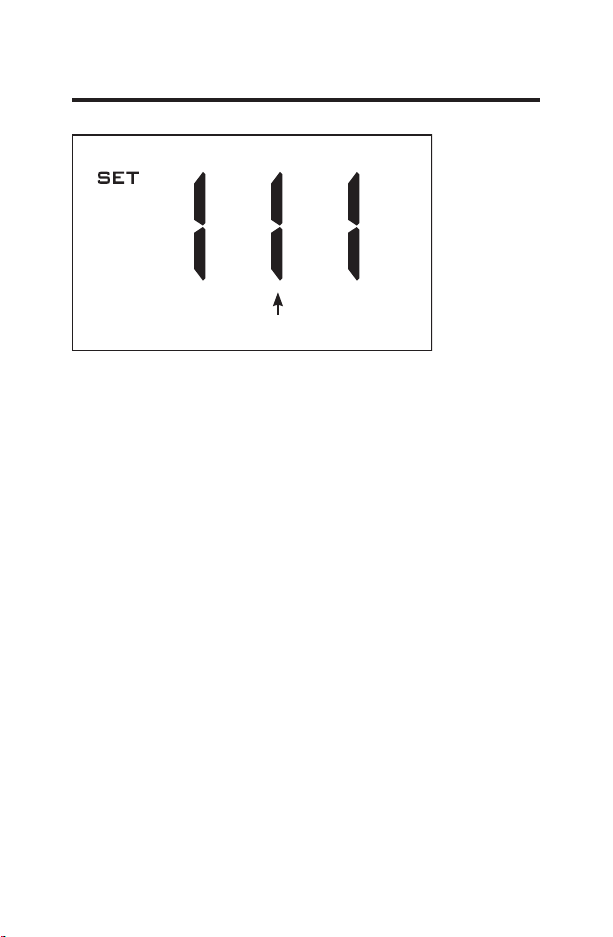
Configuring the Equipment Settings - Compressor Type
Use the “Up” and “Down” buttons to change the compressor
type by changing the first digit
0 - No Compressor
1* - Heat pump
2 - Air Conditioner
• Press the “Fan” button to advance to the next setting;
* Indicates default setting
NOTE:
If the Zoneline is an AZ45 model, change the
compressor type to a 2.
Compressor Type
49-5000416 Rev. 0 15
Thermostat Configuration
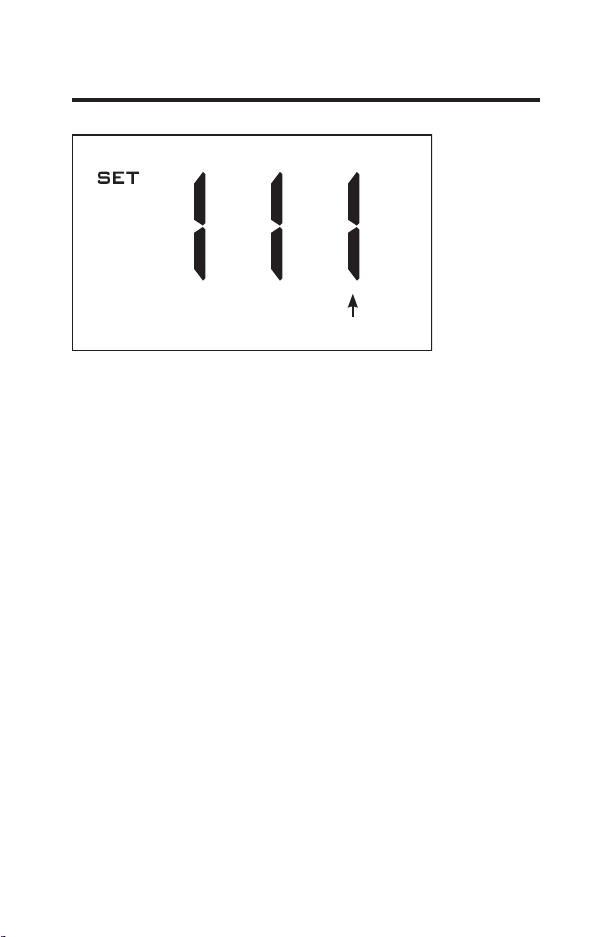
Configuring the Equipment Settings - Electric Heat
Use the “Up” and “Down” buttons to change the Electric Heat
setting by changing the second digit;
0 - No Electric Heat- All Zonelines have Electric heat -
Do not select this option.
1* - Electric Heat
• Press the “Fan” button to advance to the next setting;
* Indicates default setting
Electric Heat
16 49-5000416 Rev. 0
Thermostat Configuration
Configuring the Equipment Settings - Reversing Valve
Use the “Up” and “Down” buttons to change the reversing
valve type by changing the first digit
0 - OB contact is energized to cool
1* - OB contact is energized to heat (default operation for
Zoneline heat pump models)
Refer to the HVAC unit documentation to determine the
correct OB VALVE setting.
If incorrect OB VALVE Setting is selected, the HVAC
unit will turn on the heating when air conditioning is
requested and turn on the air conditioning when heating is
requested.
• Press the “F/C” button to advance to the next menu
• Press the “Fan” button to advance to toggle to equipment
settings.
* Indicates default setting
NOTE: Zonelines OB is energized in heating mode.
Reversing Heat
49-5000416 Rev. 0 17
Thermostat Configuration
Configuring the Energy Saving Settings
Use the “Up” and “Down” buttons to select the Energy Saving
preset:
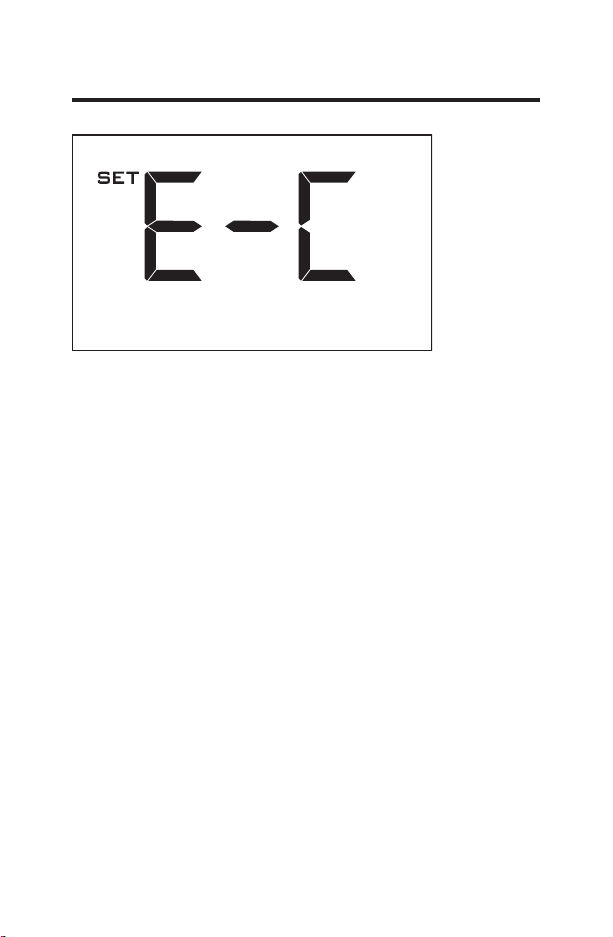
E-C*: Custom Energy Savings
•
Refer to the APPENDIX 1 on page 48 for Energy Saving
Preset details.
• For details on changing the custom settings, refer to the
“Custom Energy Savings Settings” section on page 19.
E-0: Energy Savings Off - No Temperature Setback;
E-1: Lowest Energy Savings;
E-2: Lower Energy Savings;
E-3: Standard Energy Savings;
E-4: Higher Energy Savings;
E-5: Highest Energy Savings;
• Press the “Power” button to save the Thermostat
Configuration and start using the thermostat.
* Indicates default setting

18 49-5000416 Rev. 0
Thermostat Configuration
Testing the thermostat
Following the thermostat configuration, test if the thermostat
is controlling the Zoneline unit.
• Press the “Power” button to turn the thermostat ON;
• Press the “Down” button to change the temperature set
point below the current room temperature to confirm that
the thermostat initiates air conditioning.
• Press the “Up” button to change the temperature set point
above the current room temperature to confirm that the
thermostat initiates heating.
• Change the fan speed by touching the “Fan” button to test if
the thermostat is controlling the fan speed.
49-5000416 Rev. 0 19
Custom Energy Savings Settings
This thermostat comes preprogrammed to use a custom
energy setting. To change any of these presets, follow the
instructions below.
Accessing the Thermostat Settings
With the thermostat turned on, press and hold the
“Configuration” button until the first thermostat settings screen
appears. The thermostat must be turned on to access the
thermostat settings.
³&RQ¿JXUDWLRQ´
button.
NOTE: If the thermostat is connected to a network, the
settings configured online will be applied.
• Use the “Up” and “Down” buttons to change the setting;
• Press the “F/C” button to advance to the next setting;
• Press the “Fan” button to return to the previous setting;
• Press the “Power” button to save and exit thermostat
settings.
20 49-5000416 Rev. 0
Custom Energy Savings Settings
Using the Thermostat Settings Screens
• Use the “Up” and “Down” buttons to change the setting.
• Press the “F/C” button to advance to the next setting.
• Press the “Fan” button to return to the previous setting.
• Press the “Power” button to save and exit thermostat
settings.
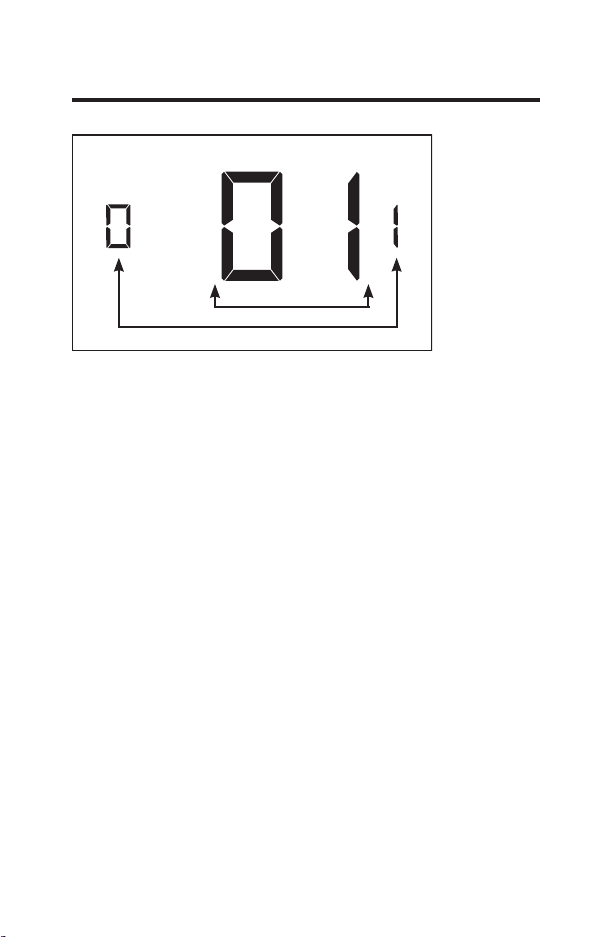
The above is a representation of how to read the
digits on the thermostat screen.
Setting Value
Screen Number
49-5000416 Rev. 0 21
Custom Energy Savings Settings
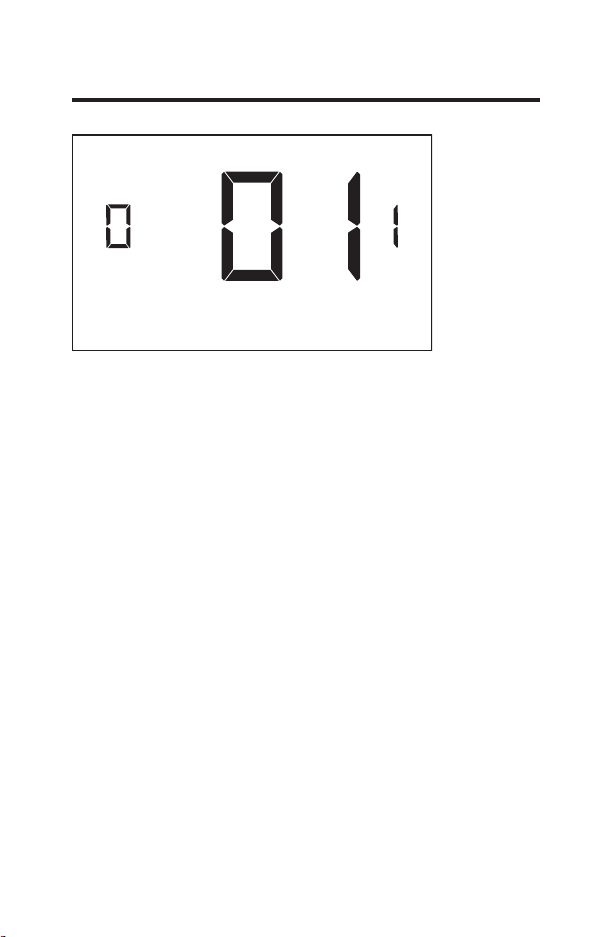
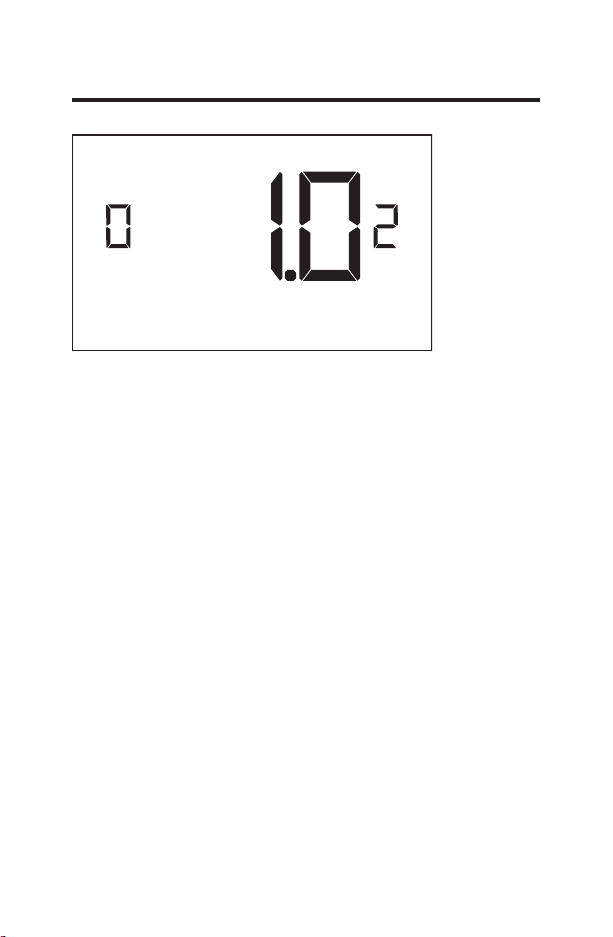
01 – FAN CONTROL MODE
Select Fan Control Mode:
00 - MANUAL - guest can select automatic or continuous
fan mode.
01* - AUTOMATIC - fan runs only when there is a
demand for heating or air conditioning.
* Indicates default setting.
22 49-5000416 Rev. 0
Custom Energy Savings Settings
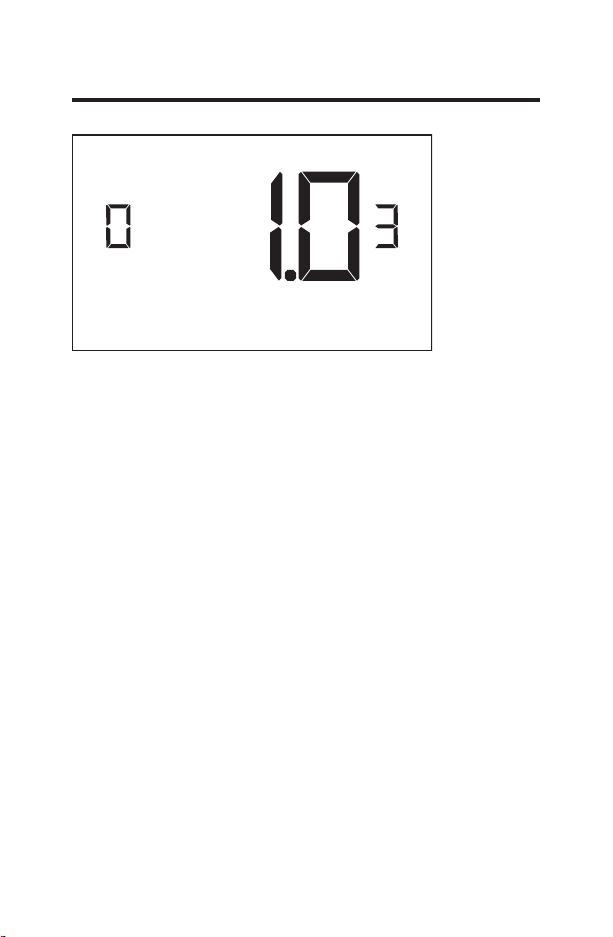
02 – 1ST STAGE DIFFERENTIAL - HEAT
(0.2°F - 3.0°F; 1.0°F* default setting) Select the number
of degrees** the thermostat has to sense between the
automatic changeover temperature for heat and the room
temperature before a call for the 1st stage heating is
initiated.
** above the dead band offset (refer to page 40)
49-5000416 Rev. 0 23
Custom Energy Savings Settings
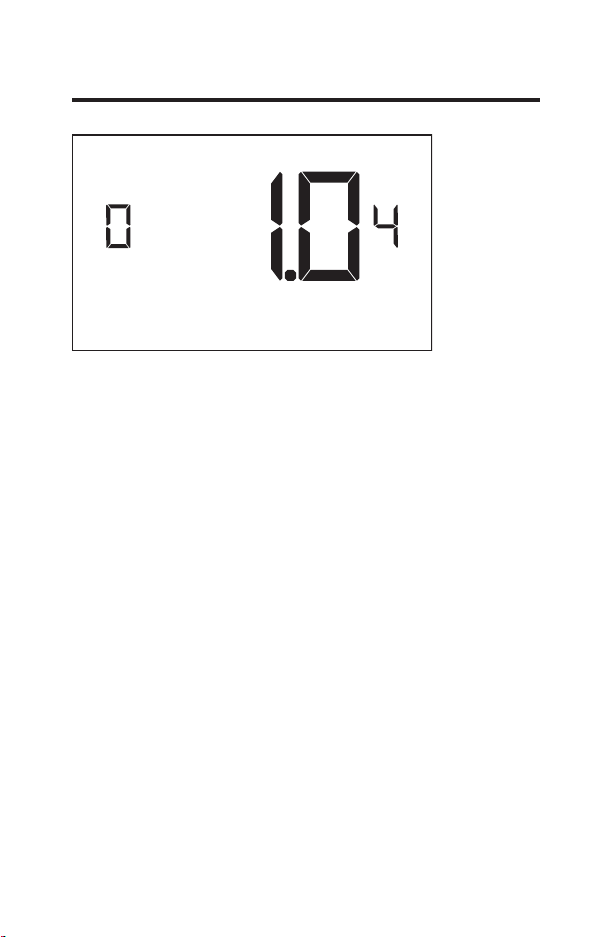
03 – 2ND STAGE DIFFERENTIAL - HEAT
(1.0°F - 2.0°F; 1.0°F* default setting) Select the difference
between 1st stage heating and 2nd stage heating
initiation.
24 49-5000416 Rev. 0
Custom Energy Savings Settings
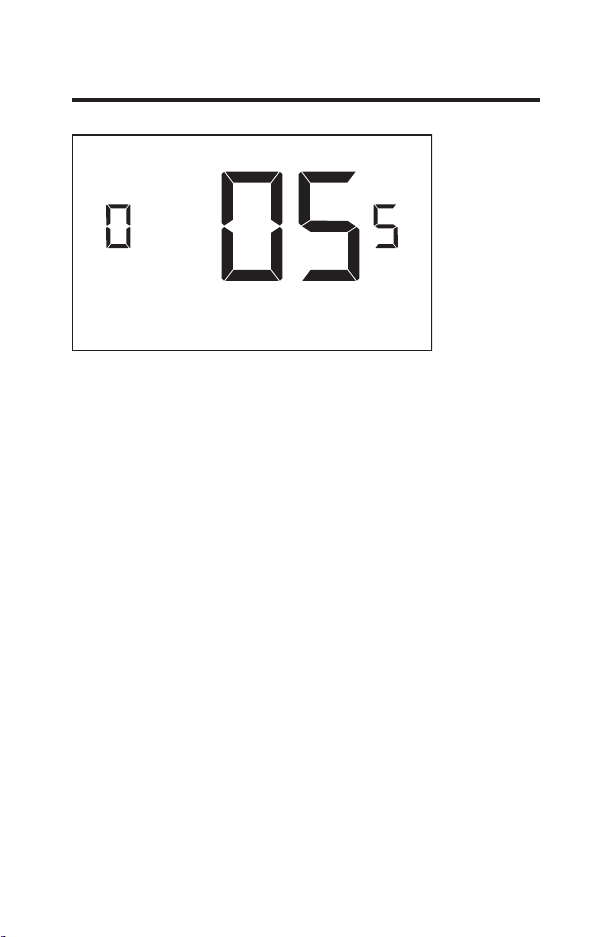
04 – 1ST STAGE DIFFERENTIAL - COOL
(0.2°F - 3.0°F; 1.0°F* default setting) Select the number
of degrees** the thermostat has to sense between the
automatic for cool and the room temperature before a call
for the 1st stage cooling is initiated.
**below the dead band offset (refer to page 40)
49-5000416 Rev. 0 25
Custom Energy Savings Settings
05 – INCIDENTAL OCCUPANCY THRESHOLD
(00 - 60; 05* default setting) Select the minimum period
of time (in minutes) for which occupancy needs to be
detected to enter the guest occupancy mode.
When occupancy is detected, thermostat will switch to
occupied mode for a duration of “Incidental Occupancy
Threshold” selected here.
If occupancy is detected for a period of time shorter than
the “Incidental Occupancy Threshold” selected here, the
thermostat will automatically revert to unoccupied mode
at the end of the “Incidental Occupancy Threshold” period
and continue to observe energy saving functions that
were in effect before the room became occupied. This
setting allows ignoring incidental room visits.
If occupancy is detected for a period of time longer than
the “Incidental Occupancy Threshold” selected here,
the thermostat will enter the guest occupancy mode.
When the thermostat is in the guest occupancy mode, it
will revert to unoccupied mode and initiate the setback
temperature only when occupancy is not detected for the
duration of the setback delay (Heat or Cool) period.
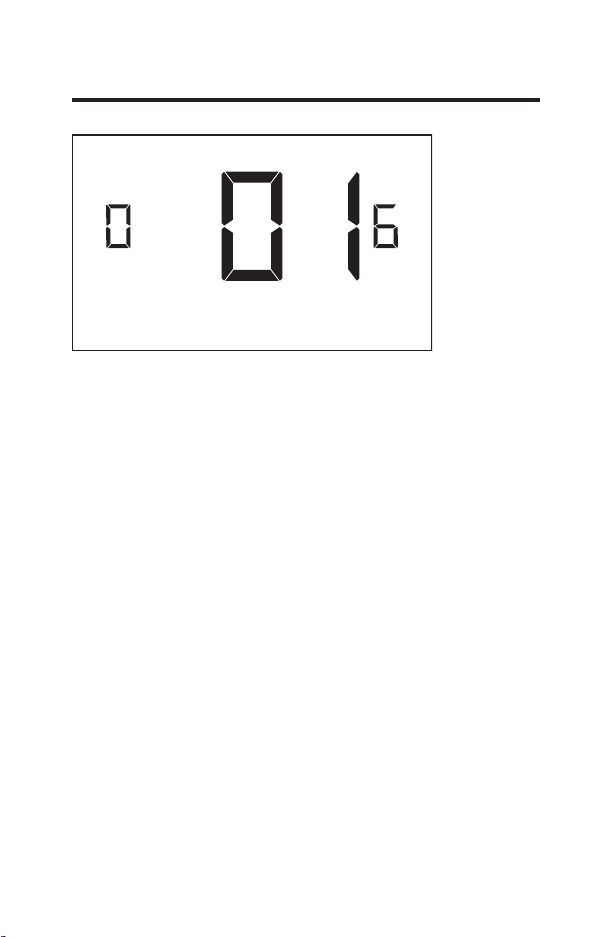
26 49-5000416 Rev. 0
Custom Energy Savings Settings
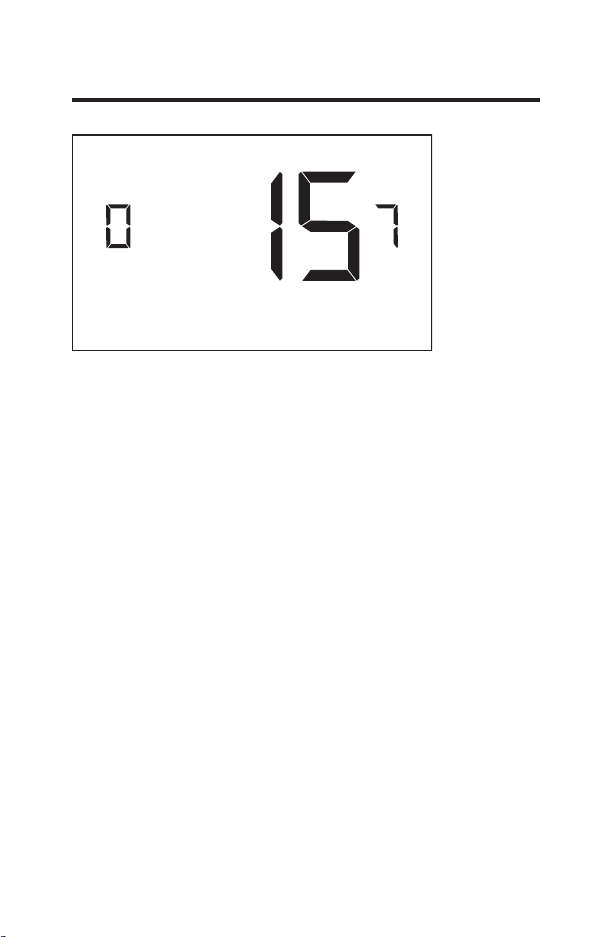
06 – NIGHT OCCUPANCY THRESHOLD
(00 - 60; 01* default setting) Select the minimum period
of time (in minutes) for which occupancy needs to be
detected in order to consider the room occupied during
the “Night Occupancy”period.
When occupancy is detected during the “Night Occupancy
Period” for longer than the “Night Occupancy Threshold”
selected here, the thermostat will instantaneously switch
to occupied mode.
If occupancy is detected for a period of time shorter than
the “Night Occupancy Threshold” selected here, the
thermostat will automatically revert to unoccupied mode
and continue to observe energy saving functions that
were in effect before the room became occupied.
If occupancy is detected for a period of time longer
than the “Night Occupancy Threshold” selected here,
the thermostat will disable the occupancy sensor and
consider the room occupied until the end of the “Night
Occupancy” period.
This feature ensures that energy saving functions that
may affect guest comfort will not come in effect during the
“Night Occupancy” period.
49-5000416 Rev. 0 27
Custom Energy Savings Settings
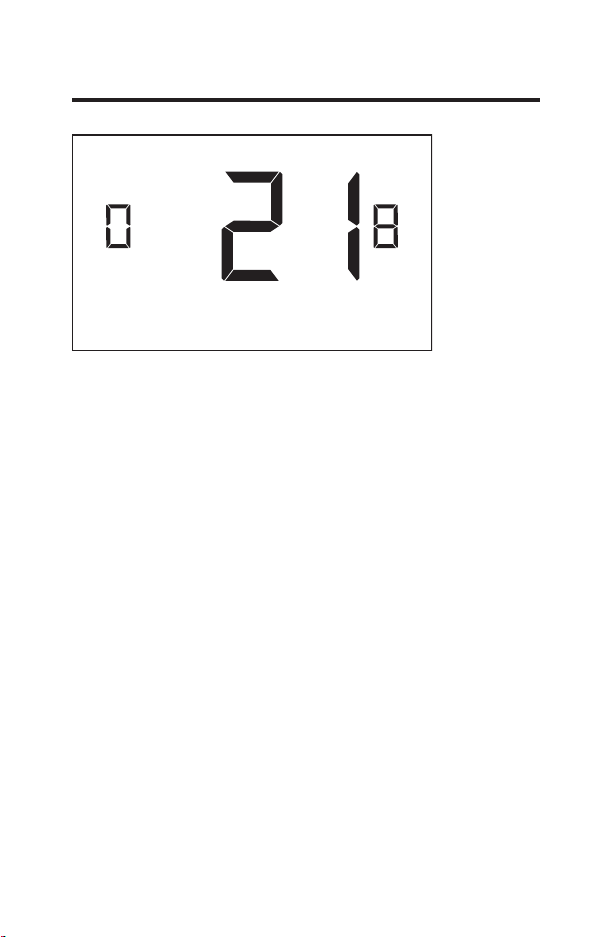
07 – FORCED 2ND STAGE HEATING
(00 - 60; 15* default setting) Select a number of minutes
1st stage heating will run before 2nd stage heating
is automatically initiated if the guest set point is not
reached and the 2nd stage heating is not initiated through
differential settings.
This feature allows automatically turning on 2nd stage
heating to avoid excessive compressor use.
Set to 00 to disable the feature.
28 49-5000416 Rev. 0
Custom Energy Savings Settings
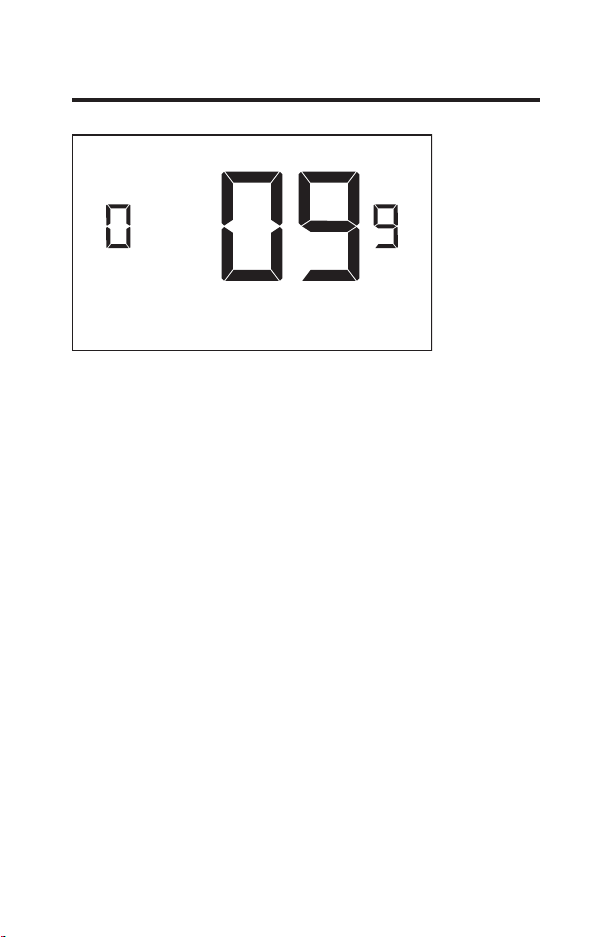
08 – NIGHT OCCUPANCY START
(00 - 23; 21* default setting) Select the start time (in hours
- 24-hour clock) for “Night Occupancy”
If occupancy is detected for a period of time longer
than the “Night Occupancy Threshold” during “Night
Occupancy” period, the thermostat will disable the
occupancy sensor and consider the room occupied until
the end of the “Night Occupancy” period.
This feature ensures that energy saving functions that
may affect guest comfort will not come in effect during
the “Night Occupancy” period if room was occupied for a
period of time longer than “Night Occupancy Threshold”.
49-5000416 Rev. 0 29
Custom Energy Savings Settings
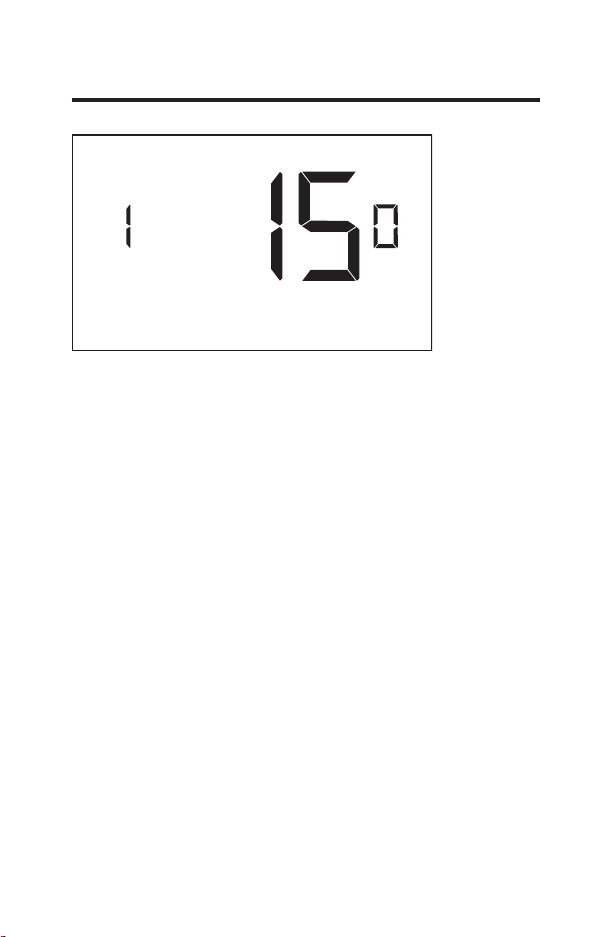
09 – NIGHT OCCUPANCY END
(00 - 23; 09* default setting) Select the time (in hours -
24-hour clock) for “Night Occupancy” to end.
This is the time of day the “Night Occupancy” ends and
the thermostat switches back to the room sensing settings
chosen in the other occupancy modes.
30 49-5000416 Rev. 0
Custom Energy Savings Settings
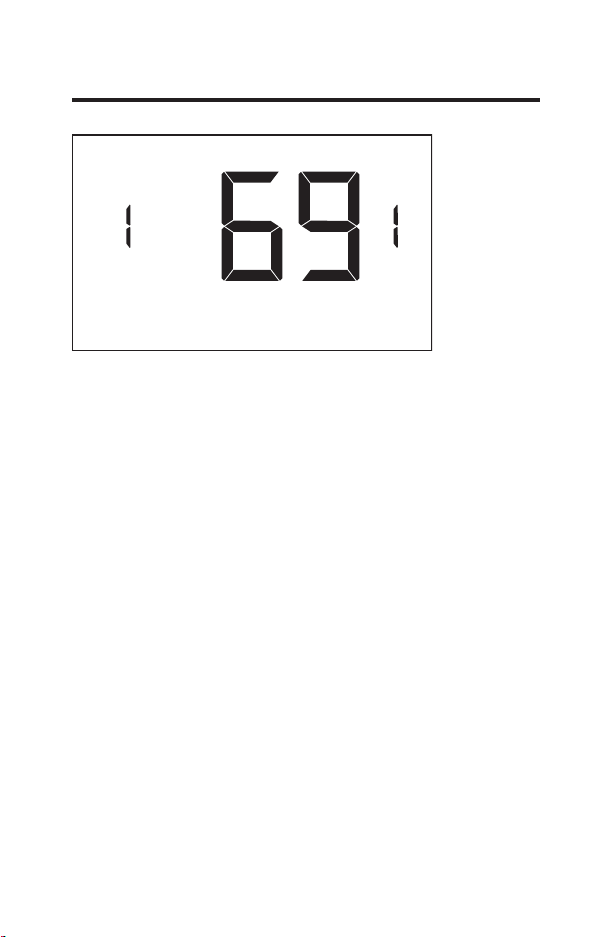
10 – TEMPERATURE RECOVERY TIME
(00 - 60; 15* default setting) Select the maximum time
allowed for a HVAC unit to attain temperature as defined
by Heat and Cool “Recovery Temperature”.
“Temperature Recovery Time” selected here and the actual
temperature recovery ability of the HVAC unit are used
to calculate setback temperatures. Calculated setback
temperatures maximize energy savings and at the same
time ensure that a comfortable room temperature (defined
as Heat and Cool “Recovery Temperature”) will be restored
within the selected “Temperature Recovery Time”.
Setting the “Temperature Recovery Time” to “00”, disables
temperature recovery. When temperature recovery is
disabled, thermostat will use the Minimum and Maximum
Setback Temperatures as setback set points.
49-5000416 Rev. 0 31
Custom Energy Savings Settings
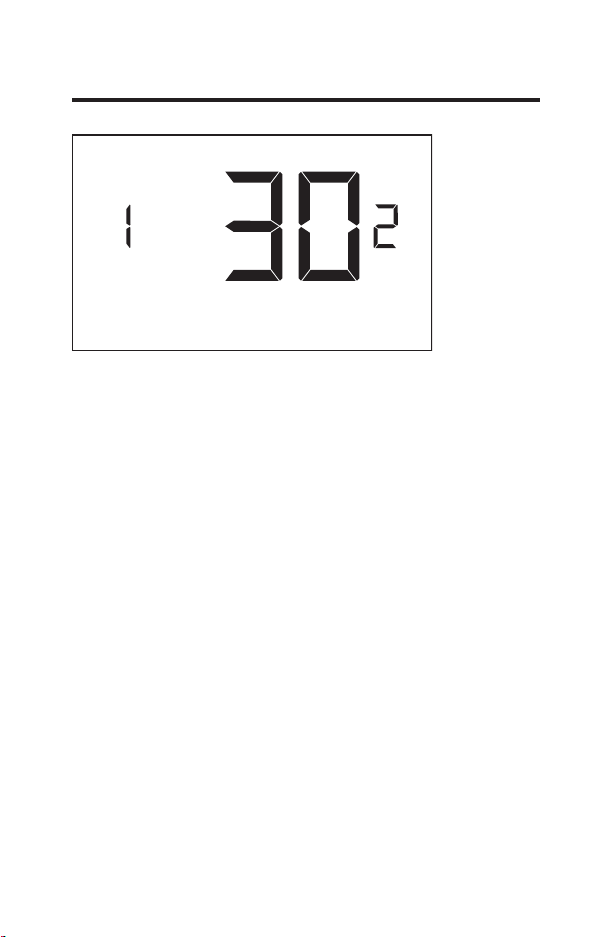
11 – RECOVERY TEMPERATURE - HEAT
(62°F - 82°F; 69°F* default setting) Select the room
temperature in °F that a HVAC unit will have to attain
within the selected “Temperature Recovery Time” when
there is a need for heating.
32 49-5000416 Rev. 0
Custom Energy Savings Settings
12 – TEMPERATURE SETBACK DELAY - HEAT
(00 - 120; 30* default setting) Select the time delay
(in minutes) for which the room that is in the guest
occupancy mode needs to be unoccupied before the
temperature setback is initiated.
This feature prevents initiating temperature setback
prematurely while the guest is still in the room but in
an area where occupancy cannot be detected by the
occupancy sensor.
Setting the “Temperature Setback Delay - Heat” to “00”,
disables the setback in the heat mode.
49-5000416 Rev. 0 33
Custom Energy Savings Settings
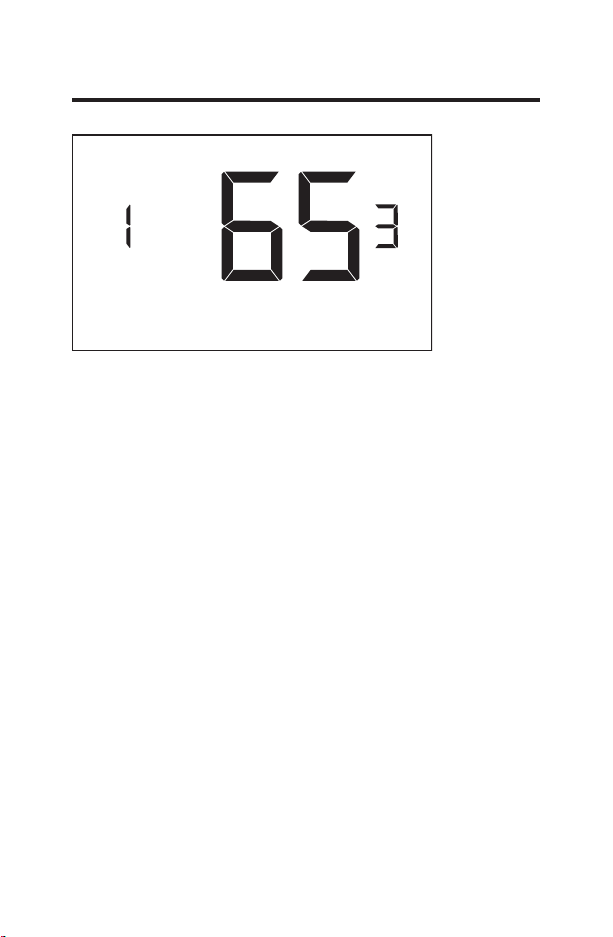
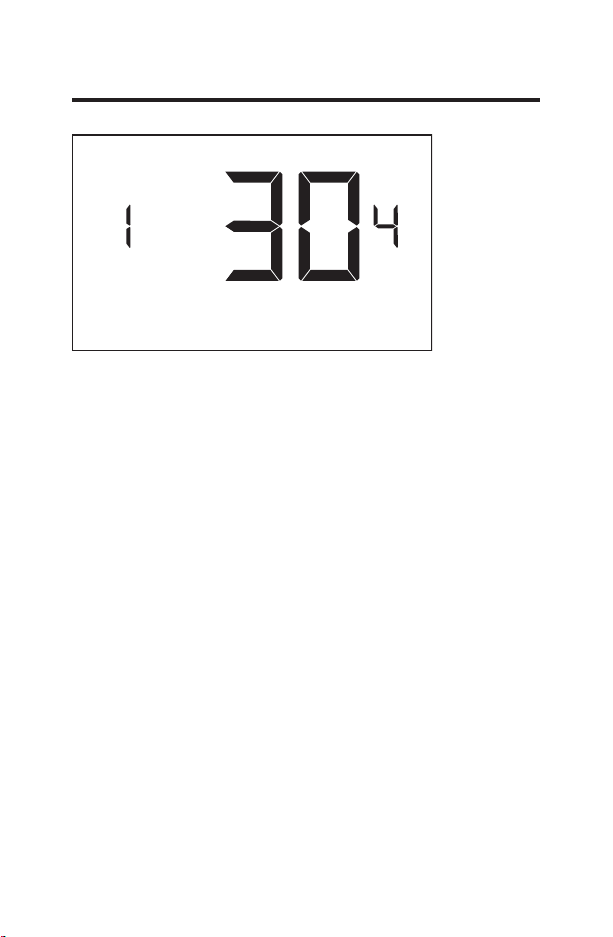
13 – MINIMUM SETBACK TEMPERATURE - HEAT
(52°F - 72°F; 65°F* default setting) Select the “Minimum
Setback Temperature” in °F.
Setback temperature is calculated by measuring HVAC
unit’s ability to attain “Recovery Temperature - Heat”
within “Temperature Recovery Time”.
If recovery is disabled (“Temperature Recovery Time” is
set to “0”) or if setback temperatures have not yet been
calculated, the “Minimum Setback Temperature” value will
be used as the setback temperature for heating.
If calculated setback temperature for heating is lower
than “Minimum Setback Temperature”, then the
“Minimum Setback Temperature” will be used as setback
temperature for heating.
This feature allows defining the minimum temperature in
a room when room is unoccupied and the thermostat is in
the setback mode.
34 49-5000416 Rev. 0
Custom Energy Savings Settings
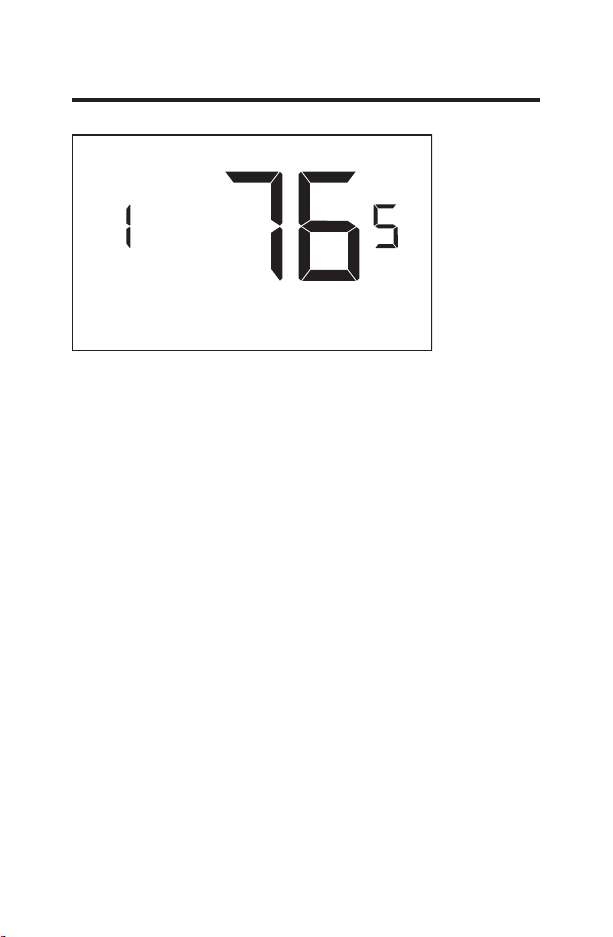
14 – TEMPERATURE SETBACK DELAY - COOL
(00 - 120; 30* default setting) Select the time delay
(in minutes) for which the room that is in the guest
occupancy mode needs to be unoccupied before the
temperature setback is initiated.
This feature prevents initiating temperature setback
prematurely while the guest is still in the room but in
an area where occupancy cannot be detected by the
occupancy sensor.
Setting the “Temperature Setback Delay - Cool” to “00”,
disables the setback in the cool mode. Set to “00” to
disable EMS.
49-5000416 Rev. 0 35
Custom Energy Savings Settings
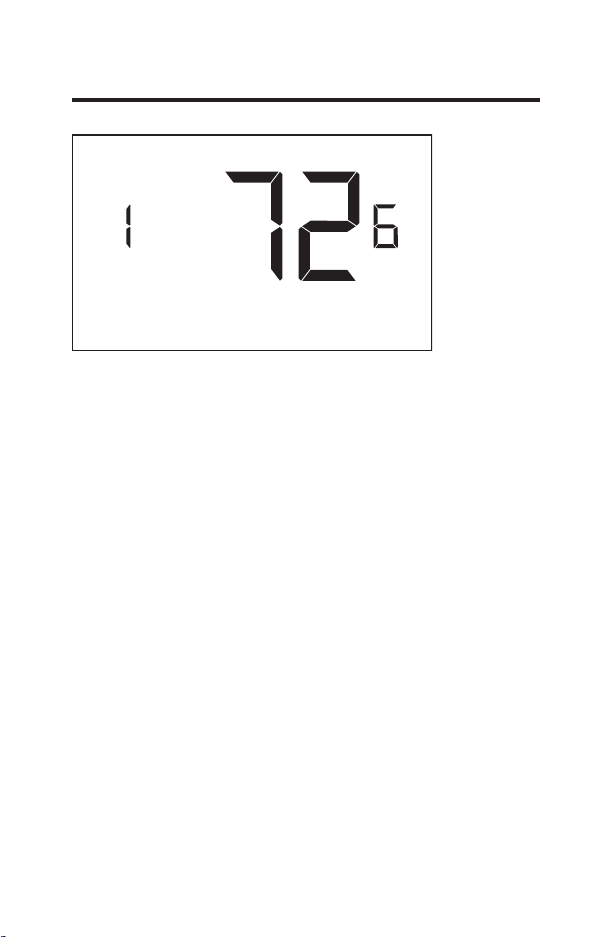
15 – MAXIMUM SETBACK TEMPERATURE - COOL
(72°F - 92°F; 76°F* default setting) Select the “Maximum
Setback Temperature” in °F.
Setback temperature is calculated by measuring HVAC
unit’s ability to attain “Recovery Temperature - Cool”
within “Temperature Recovery Time”.
If recovery is disabled (“Temperature Recovery Time” is
set to “0”) or if setback temperatures have not yet been
calculated, the “Maximum Setback Temperature” value
will be used as the setback temperature for cooling.
If calculated setback temperature for air conditioning is
higher than “Maximum Setback Temperature”, then the
“Maximum Setback Temperature” will be used as setback
temperature for air conditioning.
This feature allows defining the maximum temperature in
a room when room is unoccupied and the thermostat is in
the setback mode.
36 49-5000416 Rev. 0
Custom Energy Savings Settings
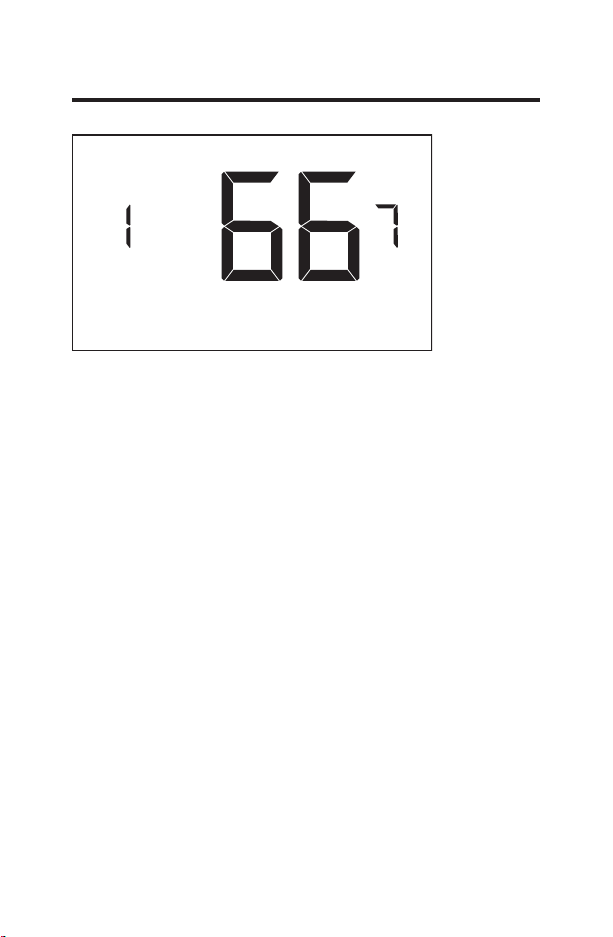
16 – RECOVERY TEMPERATURE - COOL
(62°F - 82°F; 72°F* default setting) Select the room
temperature in °F that a HVAC unit will have to attain
within the selected “Temperature Recovery Time” when
there is a need for air conditioning.
49-5000416 Rev. 0 37
Custom Energy Savings Settings
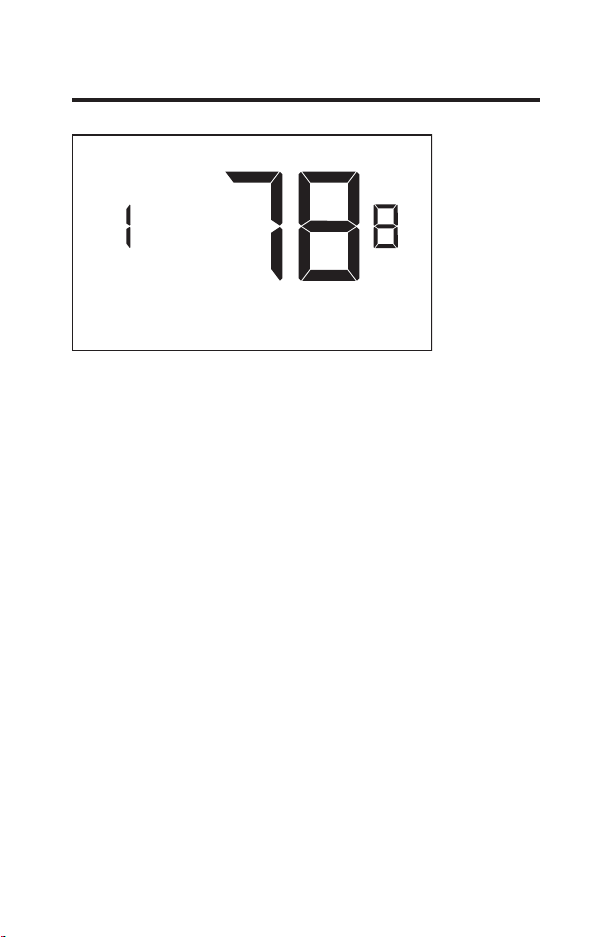
17 – MINIMUM SET POINT
(64°F - 84°F; 66°F* default setting) Select the minimum
set point in °F that a guest can select.
38 49-5000416 Rev. 0
Custom Energy Savings Settings
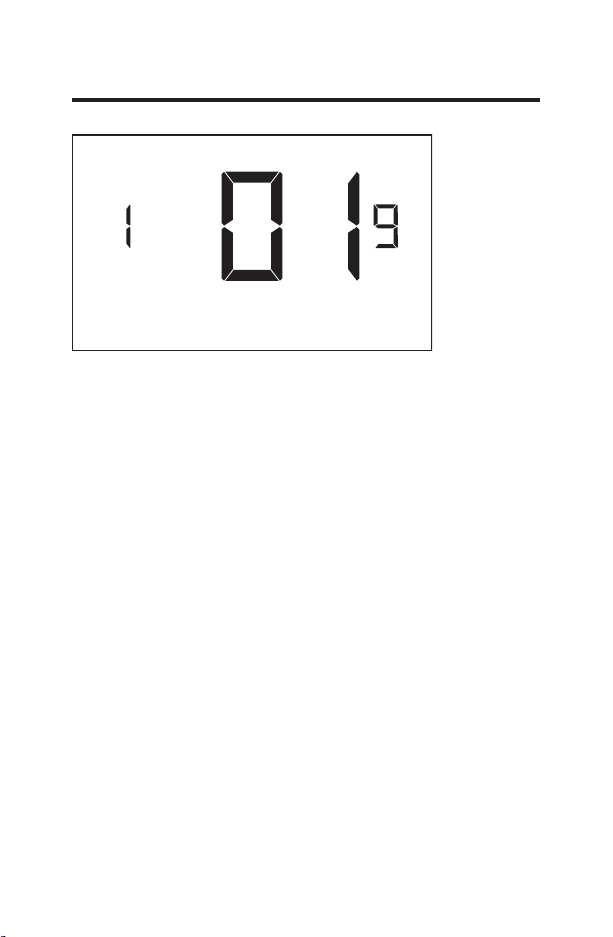
18 – MAXIMUM SET POINT
(60°F - 82°F; 78°F* default setting) Select the maximum
set point in °F that a guest can select.
49-5000416 Rev. 0 39
Custom Energy Savings Settings
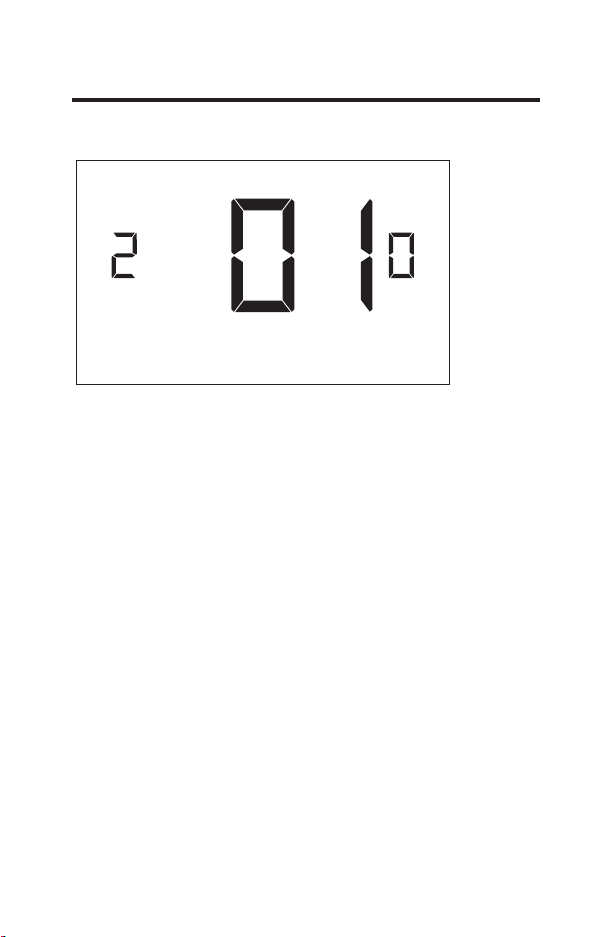
19 – TEMPERATURE CONTROL MODE
Select Temperature Control Mode:
00 - MANUAL - Allows users to select HEAT only or
COOL only temperature control mode to maintain the
room temperature.
01* - AUTOMATIC - Thermostat automatically turns on
heating or air conditioning to maintain the room
temperature at the selected temperature set point.
* Indicates default setting
40 49-5000416 Rev. 0
Custom Energy Savings Settings
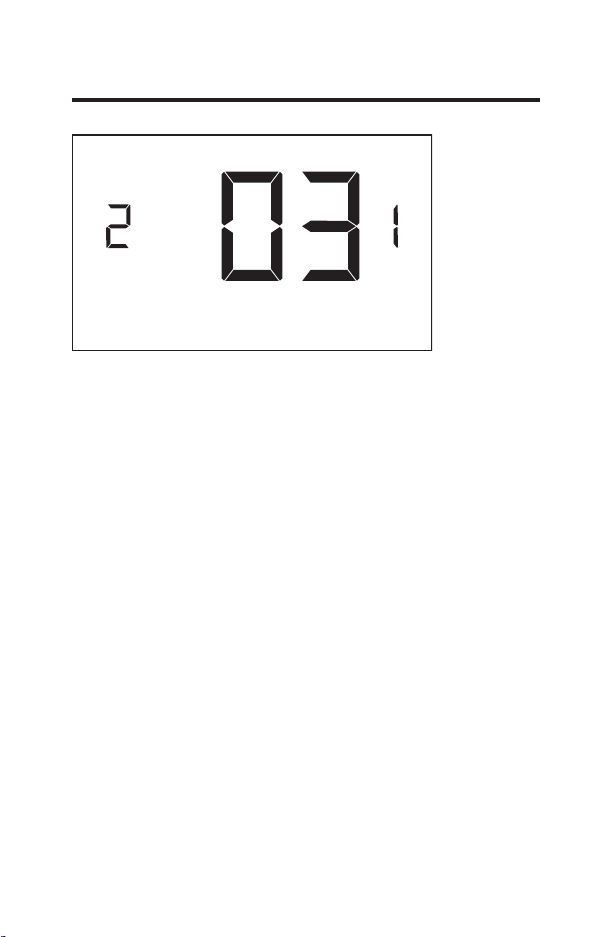
20 – AUTO CHANGEOVER SET POINT OFFSET
(DEAD BAND)
(00°F - 04°F; 01°F* default setting) Select the difference
between the guest-selected set point and the heat and
the cool set point when the thermostat is in the automatic
temperature control mode.
This value plus the 1st stage differential defined in
steps 02 and 04, defines the temperature at which the
thermostat would automatically change heating/cooling
modes.
This feature allows adjusting the dead band between the
heat and the cool set points in automatic changeover
mode in order to avoid the system from bouncing back
and forth between heating and cooling under normal
operating conditions.
49-5000416 Rev. 0 41
Custom Energy Savings Settings
21 – SETBACK SET POINTS / AUTO-RESTORE
Select Temperature Control Mode:
00 - When room is unoccupied and the thermostat is in the
setback mode or turned off, it will NOT maintain the
temperature between heat and cool setback set points
.
When guest enters the room, the thermostat will be
turned off - it will not automatically restore the most
recent guest settings.
01 - When room is unoccupied and the thermostat is in
the setback mode or turned off, it will maintain the
temperature between heat and cool setback set
points.
When guest enters the room, the thermostat will be
turned off - it will not automatically restore the most
recent guest settings.
02 - When room is unoccupied and the thermostat is in the
setback mode or turned off, it will NOT maintain the
temperature between heat and cool setback set points.
When guest enters the room, the thermostat will
automatically restore the most recent guest settings.
03* - When room is unoccupied and the thermostat is in
the setback mode or turned off, it will maintain the
temperature between heat and cool setback set points.
When guest enters the room, the thermostat will
automatically restore the most recent guest settings.
* Indicates default setting
42 49-5000416 Rev. 0
Custom Energy Savings Settings
22 – AUTOMATIC HUMIDITY CONTROL
00 - Disable automatic humidity control
01* - Enable automatic humidity control
When “Automatic Humidity Control” is enabled,
thermostat will turn on air conditioning in an
unoccupied room when humidity raises above 60%
and room temperature is above 72°F until either
room humidity is below 55% or room temperature is
below 72°F.
* Indicates default setting
49-5000416 Rev. 0 43
Custom Energy Savings Settings
23 – TEMPERATURE CALIBRATION
(-5.0°F - 5.0°F; 0.0°F* default setting) Calibrate the
temperature display: +/- 5.0°F

44 49-5000416 Rev. 0
Thermostat Maintenance
Replacing Thermostat Batteries
The low battery indicator will be displayed on the
thermostat screen when it is necessary to replace batteries
in the thermostat.
Under normal operating conditions, new brand-name
alkaline batteries will last for a period of approximately one
(1) year.
Please replace batteries every twelve (12) months to
ensure continuous thermostat operation.
To replace thermostat batteries:
•
Remove the thermostat cover;
•
Replace the two (2) AA-cell batteries (not-supplied);
•
Replace the thermostat cover;
•
Follow the “Thermostat Configuration” instructions to set
the thermostat clock;
•
Press the “Power” button to start using the thermostat;
NOTE: The thermostat maintains all the “Thermostat
Configuration” settings in a non-volatile memory.
There is no need to configure the thermostat again
after battery replacement.
NOTE: While batteries are not required in a wired
installation, batteries should be installed to prevent
re-configuring the time on the thermostat if a power
failure occurs.

49-5000416 Rev. 0 45
Troubleshooting
Error Codes
ERR1 - Thermostat Temperature Sensor Hardware Defect
ERR2 - Thermostat Radio Hardware Defect
ERR3 - Thermostat Radio Software Defect
ERR4 - No link with the Wireless Control Card
ERR5 - Thermostat Memory Defect
NOTES:
For ERR1, ERR2, ERR3, and ERR5, call GE Appliances
service. (Phone number located in Limited Warranty
section on page 50.
For ERR4, reset the configurations starting on page 5.

46 49-5000416 Rev. 0
Troubleshooting
The thermostat is not controlling the HVAC unit.
Check if the HVAC unit is set to “External Thermostat”
(Class 2) mode. Refer to Zoneline Owner’s Manual, Aux
settings.
Verify the status of the red light on the Wireless Control
Card.
•
The red light is off
The Wireless Control Card is not powered. Verify that
the Wireless Control Card is properly wired to the HVAC
unit-specifically make sure that the RED and the BLACK
wire are properly connected.
•
If the red light is blinking with one (1) flash.
The Wireless Control Card is powered but it is not
communicating with the thermostat, turn the thermostat
off and on to re-initiate the linking procedure.
In case of a Network Installation, re-link the thermostat
and the Wireless Control Card with the Network
Programmer.
•
The red light is blinking with three (3) flashes.
The Wireless Control Card is communicating with the
thermostat. Verify that the Wireless Control Card is
properly wired to the HVAC unit and that equipment
settings on a thermostat - compressor type, electric heat
and reversing valve - are properly configured.

49-5000416 Rev. 0 47
Troubleshooting
Initiating a Master Reset
If there are reported errors or configuration issues, the
user may master reset the thermostat to its default
parameters.
Procedure:
•
Remove the faceplate of the thermostat
•
Power down the thermostat by either removing the
batteries or cutting power to the thermostat.
•
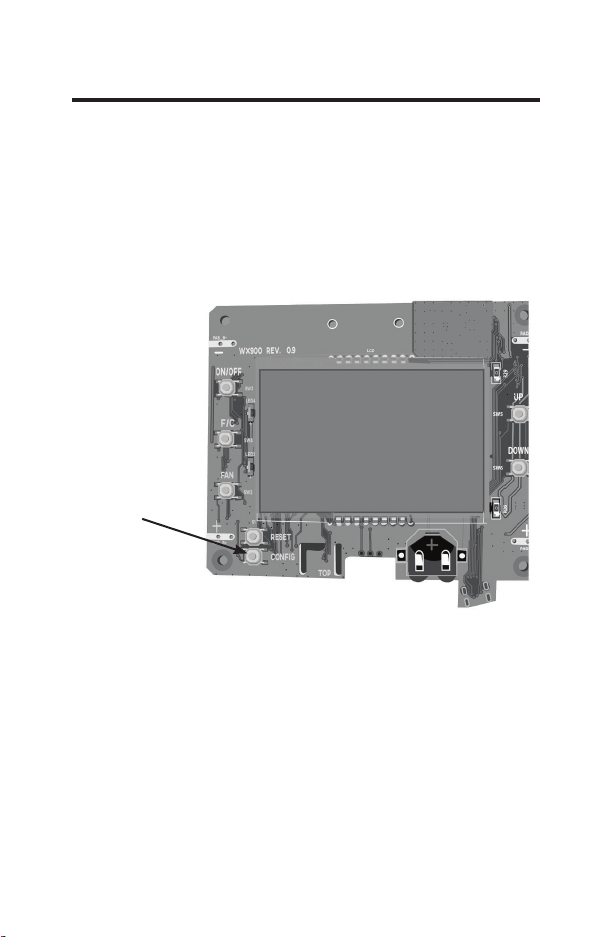
While the thermostat is powered off, press and hold the
“config” button located on the control board inside the
thermostat.
• Restore power to the thermostat by reinstalling the
battieries.
• Once the screen lights up,
release the “config” button.
•
If the master reset was successful, the thermostat will
display “12:00”,indicating all settings will be reset to
default and the thermostat needs to be re-configured.
Please see “configuring thermostat” in the manual on
page 9.
Contact GE Appliances technical support at
1-844-GE4-PTAC (or 844-434-7822) if the issues are not
resolved.
48 49-5000416 Rev. 0
Appendix 1 - Energy Saving Presets
Screen # Energy Level Default
Setting
012345 E-C
01 Fan Control Mode Auto Auto Auto Auto Auto Auto Auto
02 VW6WDJH'LႇHUHQWLDO+HDW 0.5 0.5 0.5 0.5 0.5 0.5 1.0
03 QG6WDJH'LႇHUHQWLDO
Heat
1.0 1.0 1.0 2.0 2.0 2.0 1.0
04 VW6WDJH'LႇHUHQWLDO&RRO 0.5 0.5 0.5 0.5 0.5 0.5 1.0
05 Guest Occupancy
Threshold
00 05 05 05 05 05 05
06 Night Occupancy
Threshold
01 01 01 01 01 01 01
07 Force 2nd Stage Heating
After
30 30 30 30 30 30 15
08 Night Occupancy Start 18 19 20 21 22 23 21
09 Night Occupancy End 12 11 10 9 8 7 09
10 Recovery Time 00 15 20 25 30 00 15
11 Recovery Temperature
Heat
70 69 68 67 66 65 69
12 Setback Delay - Heat 00 30 25 20 15 10 30
13 Minimum Setback
Temperature
67 66 65 64 63 62
65
14 Setback Delay - Cool 00 30 25 20 15 10 30
15 Maximum Setback
Temperature
72 74 76 78 80 82 76
16 Recovery Temperature
Cool
71 72 73 74 75 76 72
17 Minimum Set point 64 64 65 66 67 68 66
18 Maximum Set point 82 82 80 78 76 74 78
19 Temperature Control
Mode
Auto Auto Auto Auto Auto Auto Auto
20 Auto Changeover Set
Point
01 01 01 01 01 01 01
21 Setback Set Points /
Auto Restore
OFF ON ON ON ON ON ON
22 Automatic Humidity
Control
ON ON ON ON ON ON ON
23 Temperature Calibration 0.0 0.0 0.0 0.0 0.0 0.0 0.0
49-5000416 Rev. 0 49
Technical Specifications
Thermostat Wireless Control Card
Case Dimensions (Imperial) 4.015 x 5.5118” x 0.925” 3.875” x 2.125” x 0.75”
Case Dimensions (Metric) 102mm x 140mm x
23.5mm
98mm x 54mm x 19mm
Screen Dimensions (Imperial) 3.625” x 2.125” N/A
Screen Dimensions (Metric) 92mm x 54mm N/A
Operating Voltage 3V DC - 2 “AA” Cell Bat-
teries OR(Optional) 24V
AC/DC
24V AC/DC
Control Outputs Fan High (GH)
Fan Low (GL)
Compressor (Y)
Heat Pump (OB)
Electric Heat (W2)
Occupancy Out (AUX)
Occupancy Sensor Beam
Width
±47° (94°) N/A
Wireless Frequency 900MHz 900MHz
Temperature Accuracy ±1°F N/A
FCC ID XEYWX XEYV8ACCC
FCC STATEMENT
This device complies with part 15 of the
fcc rules. Operation is subject to the following two condi-
tions: (1) this device may not cause harmful interference,
and (2) this device must accept any interference received,
including interference that may cause undesired operation.
Pursuant to part 15.21 of the FCC rules, any changes or
PRGL¿FDWLRQVWRWKLVHTXLSPHQWQRWH[SUHVVO\DSSURYHGE\
GE Appliances may void the user’s authority to operate
the equipment.
50 49-5000416 Rev. 0
THERMOSTAT LIMITED WARRANTY
For The Period Of: GE Appliances Will Replace:
One Year Full Replacement of the thermostat which fails
From the date of the due to a defect in materials or workmanship.
original purchase
What GE Appliances Will Not Cover:
Ŷ Service trips to your location.
Ŷ Improper installation. If you have an installation problem, contact
your installer. You are responsible for providing adequate electrical
connections to the product.
Ŷ
Failure of the product resulting from modifications to the product or
due to unreasonable use, including failure to provide reasonable and
necessary maintenance.
Ŷ
In commercial locations, labor necessary to move the unit, after it has
been initially installed, to a location where it is accessible for service by
an individual technician; or, if the instructions included in this manual
have been disregarded.
Ŷ
Replacement of location fuses or the resetting of circuit breakers.
Ŷ Damage to the product caused by improper power supply voltage,
accident, fire, floods or acts of God.
Ŷ
Incidental or consequential damage caused by possible defects with
this thermostat.
Staple your receipt here.
Proof of the original purchase date is needed to validate the warranty.
This limited warranty is extended to the original purchaser and any succeeding
owner for products purchased for use within the USA and Canada. In Alaska, the
limited warranty excludes the cost of shipping or service calls to your site.
Some states or provinces do not allow the exclusion or limitation of incidental
or consequential damages. This limited warranty gives you specific legal rights,
and you may also have other rights which vary from state to state or province
to province. To know what your legal rights are, consult your local, state or
provincial consumer affairs office or your state’s Attorney General.
Warrantor: GE Appliances, Louisville, KY 40225
EXCLUSION OF IMPLIED WARRANTIES—Your sole and exclusive
remedy is product exchange as provided in this Limited Warranty. Any
implied warranties, including the implied warranties of merchantability
or fitness for a particular purpose, are limited to one year or the
shortest period allowed by law.
For help with thermostat troubleshooting, call 1-844-GE4-PTAC
(or 844-434-7822)