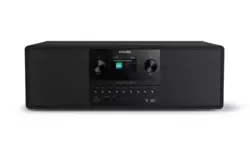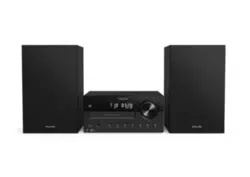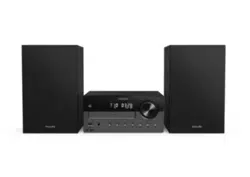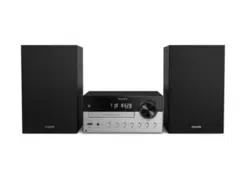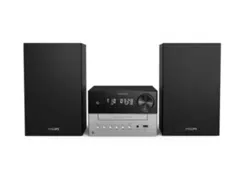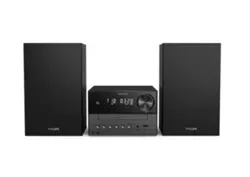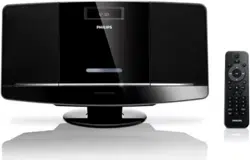

MCM2050
Register your product and get support at
www.philips.com/support
EN User manual


3EN
7 Product information 17
Specications 17
USBplayabilityinformation 18
RDSprogramtypes 18
SupportedMP3discformats 19
8 Troubleshooting
20
9 Notice 21
Contents
1 Important 4
Knowthesesafetysymbols 4
HearingSafety 5
2 Your micro system
6
Introduction 6
What’sinthebox 6
Overviewofthemainunit 7
Overviewoftheremotecontrol 8
3 Get started
9
Placement 9
ConnectFMantenna 9
Preparetheremotecontrol 9
Connectpower 10
Setclock 10
Turnon 10
StoreFMradiostationsautomatically 11
4 Play
12
Playdisc 12
PlayfromUSB 12
Playoptions 12
Adjustsound 13
Displaydifferentinformation 13
5 Listen to FM radio
14
TunetoFMradiostations 14
ProgramFMradiostationsautomatically 14
ProgramFMradiostationsmanually 14
Selectapresetradiostation 14
ShowRDSinformation 14
Selectstereo/monobroadcast 15
6 Other features
16
Setthealarmtimer 16
Setthesleeptimer 16
Playfromexternalaudiodevice 16
Listenthroughtheheadphone 16
Contents
4
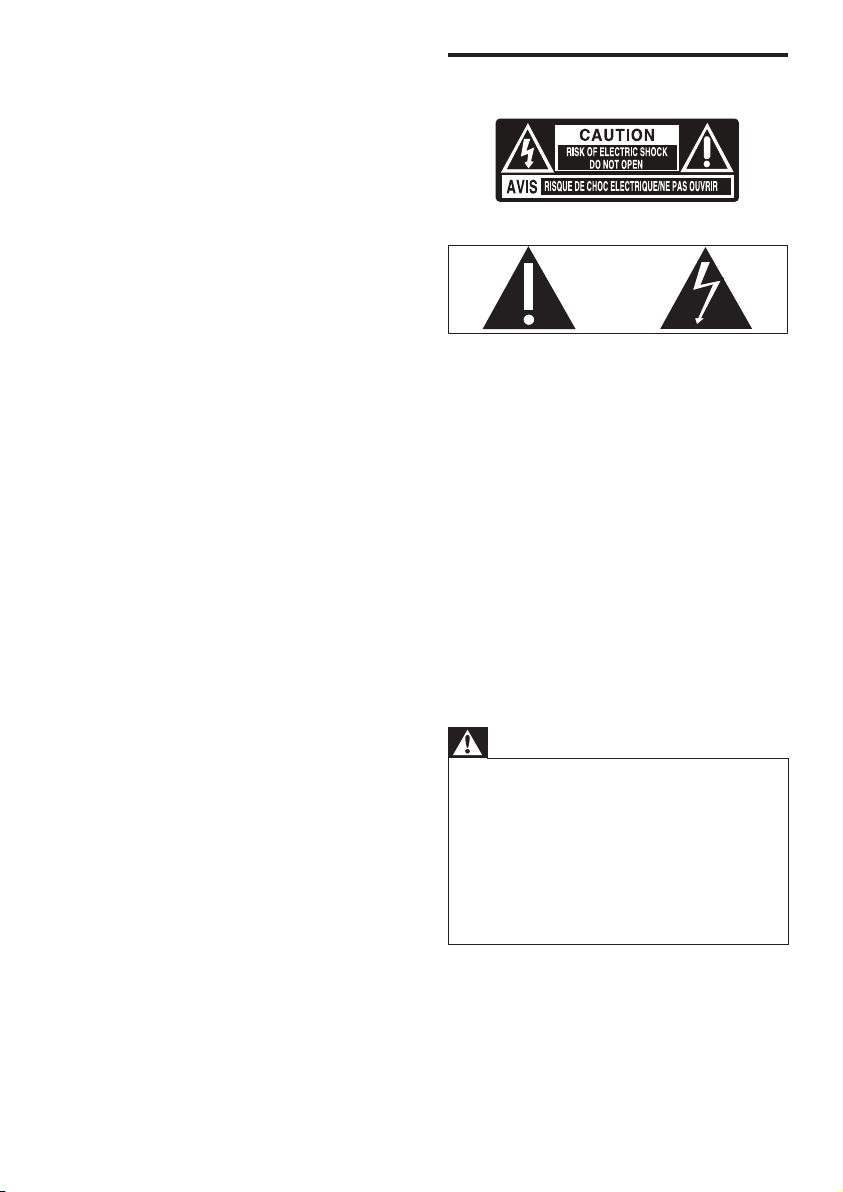
Know these safety symbols
This‘boltoflightning’indicatesuninsulated
materialwithinyourunitmaycauseanelectrical
shock.Forthesafetyofeveryoneinyour
household,pleasedonotremoveproduct
covering.
The‘exclamationpoint’callsattentionto
featuresforwhichyoushouldreadtheenclosed
literaturecloselytopreventoperatingand
maintenanceproblems.
WARNING:Toreducetheriskofreorelectric
shock,thisapparatusshouldnotbeexposedto
rainormoistureandobjectslledwithliquids,
suchasvases,shouldnotbeplacedonthis
apparatus.
CAUTION:Topreventelectricshock,match
widebladeofplugtowideslot,fullyinsert.
Warning
•
Neverremovethecasingofthisapparatus.
• Neverlubricateanypartofthisapparatus.
• Neverplacethisapparatusonotherelectrical
equipment.
• Keepthisapparatusawayfromdirectsunlight,naked
amesorheat.
• Neverlookintothelaserbeaminsidethisapparatus.
• Ensurethatyoualwayshaveeasyaccesstothepower
cord,plugoradaptortodisconnectthisapparatusfrom
thepower.
1 Important
• Readtheseinstructions.
• Followallinstructions.
• Donotblockanyventilationopenings.
Installinaccordancewiththe
manufacturer’sinstructions.
• Donotinstallnearanyheatsources
suchasradiators,heatregisters,
stoves,orotherapparatus(including
ampliers)thatproduceheat.
• Protectthepowercordfrombeing
walkedonorpinched,particularlyat
plugs,conveniencereceptacles,andthe
pointwheretheyexitfromtheunit.
• Onlyuseattachments/accessories
speciedbythemanufacturer.
• Unplugthisunitduringlightning
stormsorwhenunusedforlong
periodsoftime.
• Referallservicingtoqualiedservice
personnel.Servicingisrequiredwhen
theunithasbeendamagedinanyway,
suchaspower-supplycordorplugis
damaged,liquidhasbeenspilledor
objectshavefallenintotheapparatus,
theunithasbeenexposedtorainor
moisture,doesnotoperatenormally,
orhasbeendropped.
• Theunitshallnotbeexposedto
drippingorsplashing.
• Donotplaceanysourcesofdanger
ontheunit(e.g.liquidlledobjects,
lightedcandles).
• BatteryusageCAUTION–Toprevent
batteryleakagewhichmayresultin
bodilyinjury,propertydamage,or
damagetotheremotecontrol:
• Installallbatteriescorrectly,+and-as
markedontheremotecontrol.
• Donotmixbatteries(oldandnewor
carbonandalkaline,etc.).
• Removebatterieswhentheremote
controlisnotusedforalongtime.
• WheretheplugoftheDirectPlug-in
Adapterisusedasthedisconnect
device,thedisconnectdeviceshall
remainreadilyoperable.
EN
5
Hearing Safety
Danger
•
Toavoidhearingdamage,limitthetimeyouusethe
headphonesathighvolumeandsetthevolumetoa
safelevel.Thelouderthevolume,theshorteristhesafe
listeningtime.
Be sure to observe the following guidelines
when using your headphones.
• Listenatreasonablevolumesfor
reasonableperiodsoftime.
• Becarefulnottoadjustthevolume
continuouslyupwardsasyourhearing
adapts.
• Donotturnupthevolumesohighthat
youcan’thearwhat’saroundyou.
• Youshouldusecautionortemporarily
discontinueuseinpotentiallyhazardous
situations.
• Excessivesoundpressurefromearphones
andheadphonescancausehearingloss.
Caution
•
Useofcontrolsoradjustmentsorperformanceof
proceduresotherthanhereinmayresultinhazardous
radiationexposureorotherunsafeoperation.
EN
6
What’s in the box
Checkandidentifythecontentsofyour
package:
• Mainunit
• Remotecontrol
• Poweradapter
• 1xMP3linkcable
• Mountingkit(2dowelsand2screws)
• FMantenna
• Usermanual
• Quickstartguide
• Wallmountinginstructions
IfyoucontactPhilips,youwillbeaskedforthe
modelandserialnumberofthisapparatus.The
modelnumberandserialnumberareonthe
bottomoftheapparatus.Writethenumbers
here:
ModelNo.__________________________
SerialNo.___________________________
2 Your micro
system
Congratulationsonyourpurchase,and
welcometoPhilips!Tofullybenetfromthe
supportthatPhilipsoffers,registeryourproduct
atwww.philips.com/welcome.
Introduction
With this unit, you can:
• enjoyaudiofromdiscs,USBdevices,and
otherexternaldevices
• listentoFMradiostations
You can enrich sound output with these sound
effects:
• DigitalSoundControl(DSC)
• DynamicBassBoost(DBB)
The unit supports these media formats:
EN
7
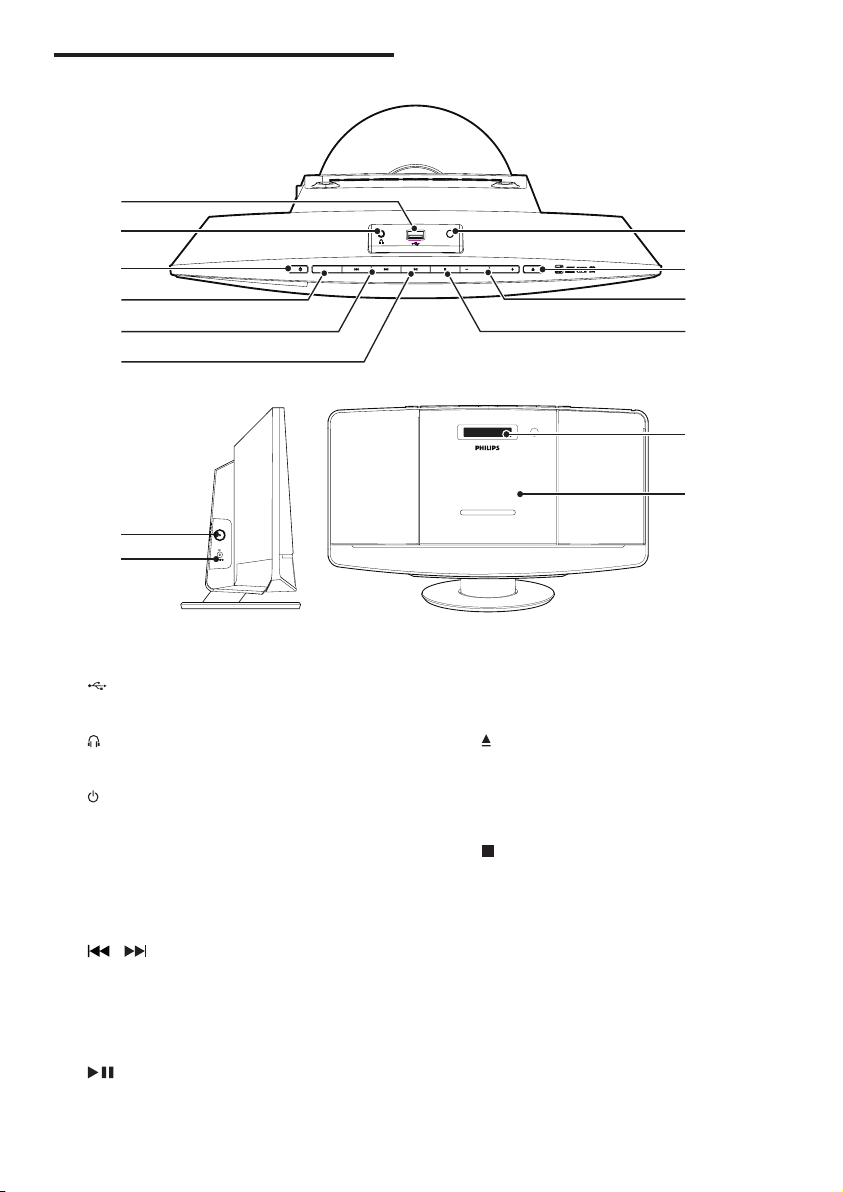
g MP3-LINK
• Connectanexternalaudiodevice.
h
• Open/closethedisctray.
i VOLUME + / -
• Adjustvolume.
j
• Stopplayoreraseaprogram.
k FM ANT
• ImproveFMreception.
l DC IN
• Connectpower.
m Display panel
• Showplayinformation.
n Disc tray
Overview of the main unit
a
• ConnectUSBdevice.
b
• Headphonesocket.
c
• Turntheuniton/off.
• Switchtostandbymode.
d SOURCE
• Selectasource:CD,FM,USB,orMP3
LINK.
e
/
• Skiptotheprevious/nexttrack.
• Searchwithinatrack/disc.
• Tunetoradiostations.
• Adjusttime.
f
• Start/pauseplay.
VOLUMEVOLUME
LINK
-
3
MP
SOURCE
a
g
h
i
j
b
c
d
e
f
k
l
m
n
FM ANT
DC IN
2.5A
V
12
EN
8
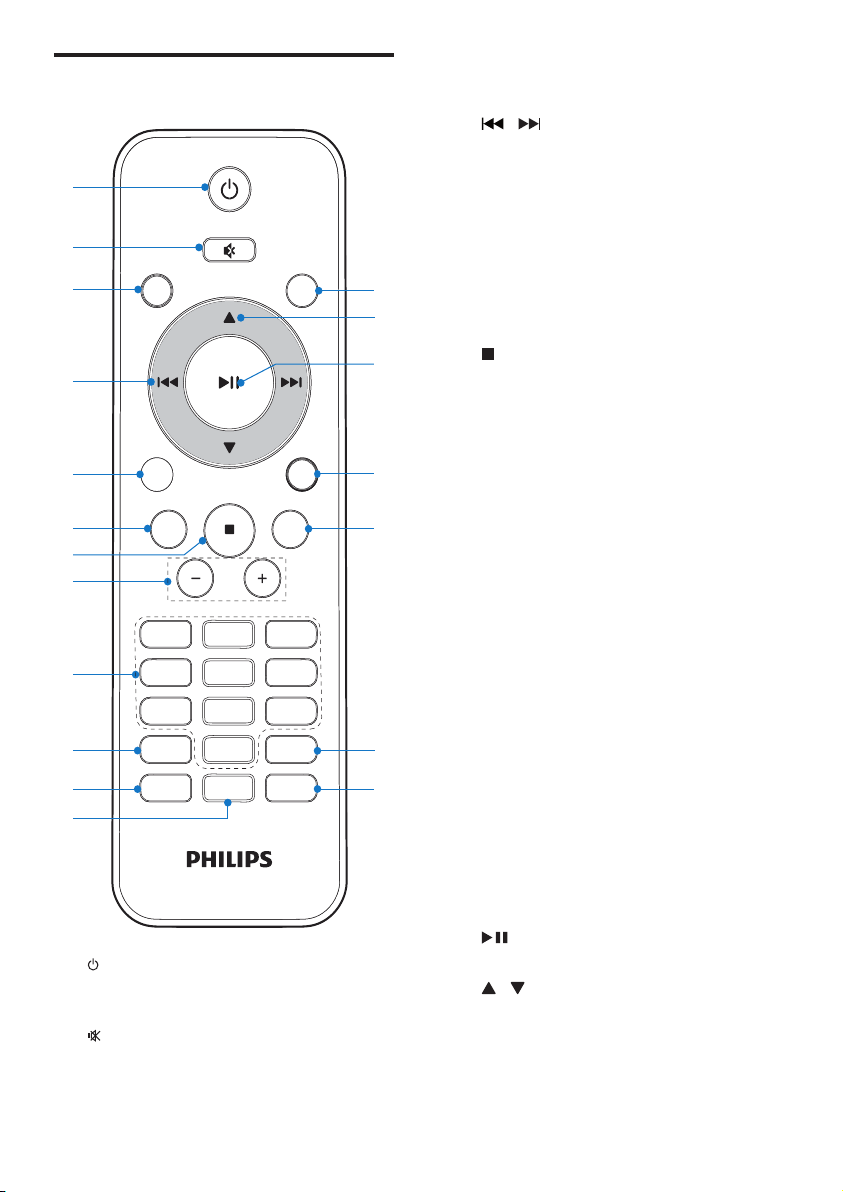
c CD
• SelectCDsource.
d
/
• Skiptotheprevious/nexttrack.
• Searchwithinatrack/disc.
• Tunetoradiostations.
• Adjusttime.
e USB
• SelectUSBsource.
f RDS
• ForselectedFMradiostations:display
RDSinformation.
g
• Stopplayoreraseaprogram.
h VOL +/-
• Adjustvolume.
i Numeric Keypad 0 - 9
• Selectatrackfromadiscdirectly.
• Selectapresetradiostation.
j PROG/CLOCK SET
• Programtracks.
• Programradiostations.
• Settime.
k SLEEP/TIMER
• Setsleep/alarmtimer.
l DSC
• Selectapresetsoundsetting.
m DBB
• Turndynamicbassenhancementonoroff.
n REPEAT/SHUFFLE
• Playatrackoralltracksrepeatedly.
• Playtracksrandomly.
o DISPLAY
• Showcurrentinformation.
p MP3 LINK
• SelectMP3linksource.
q
• Start/pauseplay.
r
/
• Selectapresetradiostation.
• Skiptoprevious/nextalbum.
s FM
• SelectFMtunersource.
Overview of the remote
control
a
• Turntheuniton/off.
• Switchtostandbymode.
b
• Mute/restoresound.
PRESET/ALBUM
PROG/
CLOCK SET
SLEEP/
TIMER
RDS
DSC DBB
VOL
REPEAT/
SHUFFLE
3
456
789
1
0
2
MP
3
LINK
CD
FM
MP
3
LINK
USB
DISPLAY
a
b
c
e
f
g
s
r
q
p
o
d
h
i
j
m
n
k
l
EN
9
Prepare the remote control
Caution
•
Riskofexplosion!Keepbatteriesawayfromheat,
sunshineorre.Neverdiscardbatteriesinre.
• Riskofdecreasedbatterylife!Nevermixdifferent
brandsortypesofbatteries.
• Riskofproductdamage!Whentheremotecontrolis
notusedforlongperiods,removethebatteries.
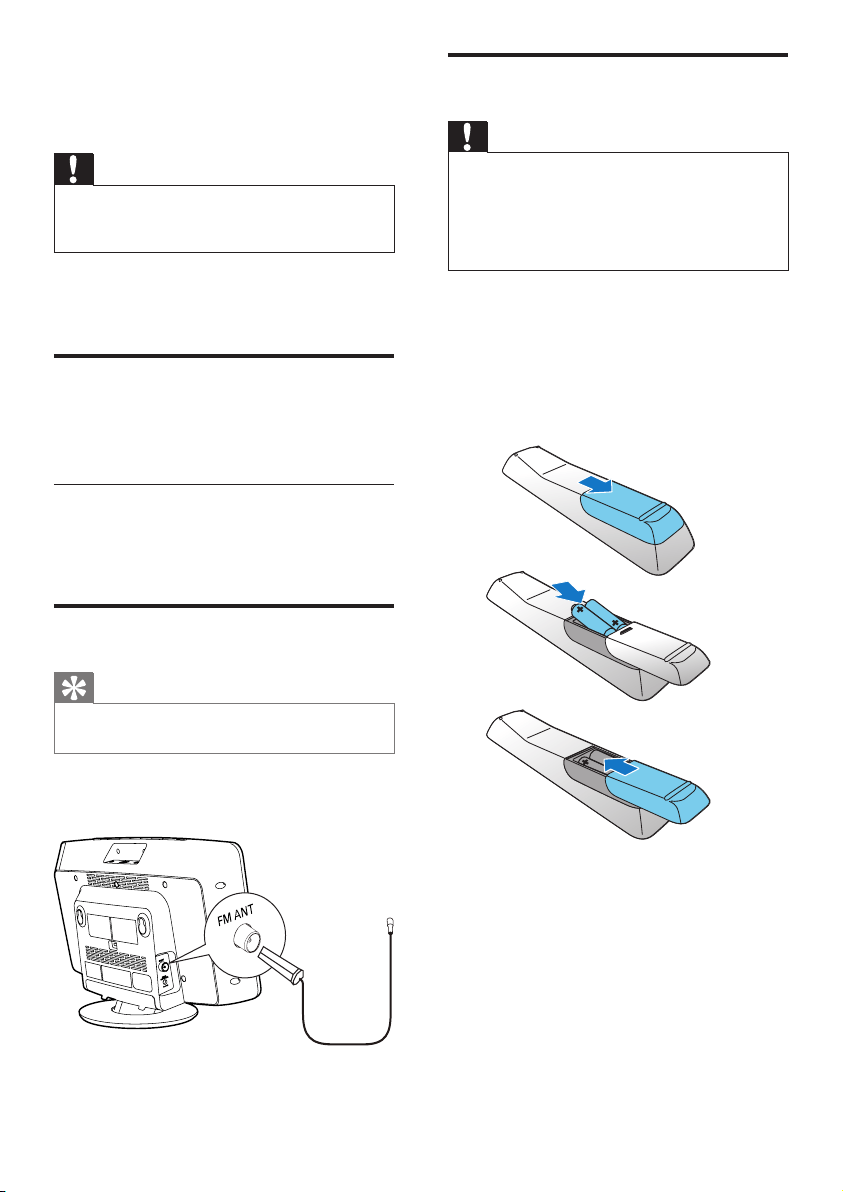
To install the remote control battery:
1 Openthebatterycompartment.
2 Insert2AAAbatterieswithcorrect
polarity(+/-)asindicated.
3 Closethebatterycompartment.
a
b
c
3 Get started
Caution
•
Useofcontrolsoradjustmentsorperformanceof
proceduresotherthanhereinmayresultinhazardous
radiationexposureorotherunsafeoperation.
Alwaysfollowtheinstructionsinthischapterin
sequence.
Placement
Youcanplacetheunitonaatsurfaceor
mounttheunitonawall.
Mount on a wall
Seethewallmountinginstructionsincludedin
thepackage.
Connect FM antenna
Tip
•
Foroptimalreception,fullyextendandadjustthe
positionoftheantenna.
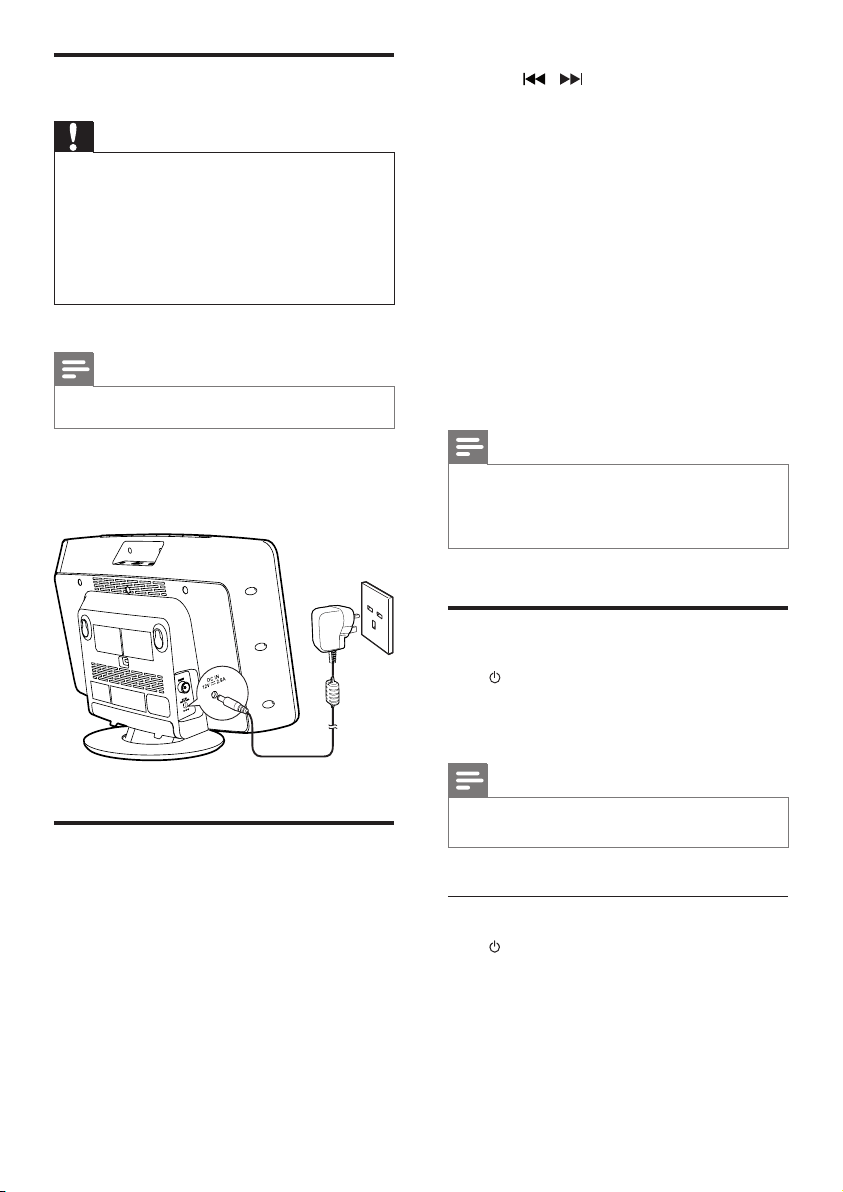
ConnectthesuppliedFMantennatotheFM
ANTsocketonthemainunit.
EN
10
3 Press / repeatedlytoselecthour
format.
4 PressCLOCK SETtoconrm.
» Thehourdigitsblink.
5 Repeatsteps3-4tosetthehour.
6 Repeatsteps3-4tosettheminute.
7 Repeatsteps3-4toselectwhetherto
synchronizetimeofthisunitwithRDS
stations.
• [RDS TIME SYNC [N] ]:time
synchronizationisdeactivated.
• [RDS TIME SYNC [Y] ]: theunit
synchronizestimefromtheRDS
stationsautomatically.
Note
•
Theaccuracyofthetransmittedtimedependsonthe
RDSstationthattransmitsthetimesignal.
• Ifnobuttonispressedin90seconds,theunitexits
clocksettingmodeautomatically.
Turn on
Press .
» Theunitswitchestothelastselected
source.
Note
•
Toselectasource,pressSOURCErepeatedlyorthe
sourceselectionbuttonsontheremotecontrol.
Switch to standby mode
Press againtoswitchtheunittostandby
mode.
» Theclock(ifset)appearsonthe
displaypanel.
Connect power
Caution
•
Riskofproductdamage!Ensurethatthepowersupply
voltagecorrespondstothevoltageprintedontheback
ortheundersideoftheunit.
• Riskofelectricshock!WhenyouunplugtheACpower
cord,alwayspulltheplugfromthesocket.Neverpull
thecord.
• BeforeconnectingtheACadapter,ensurethatyouhave
completedallotherconnections.
Note
•
Thetypeplateislocatedatthebackofthemainunit.
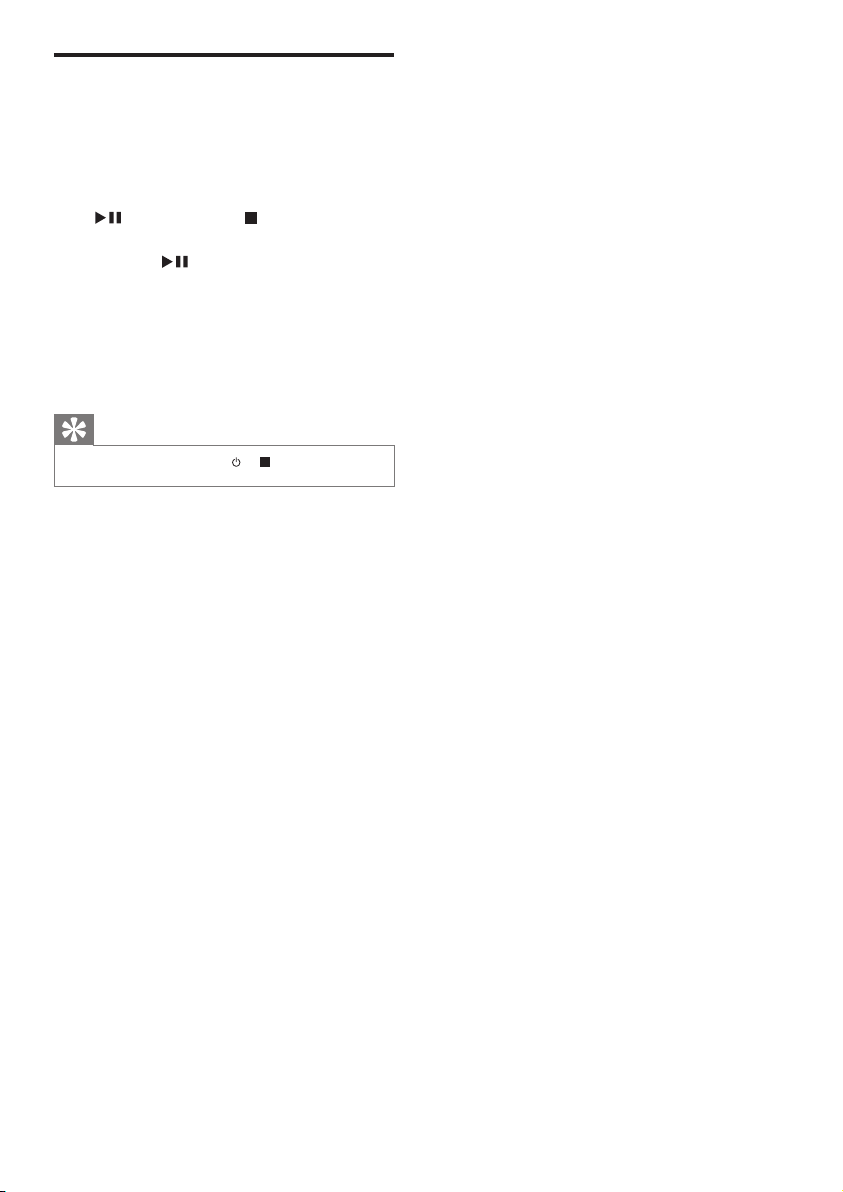
Connectthepoweradapterto:
• theDC INsocketonthemainunit.
• thewallsocket.
Set clock
1
Instandbymode,pressandholdCLOCK
SETontheremotecontrolfortwo
seconds.
» [SET CLOCK] (setclock)scrollson
thedisplay.
2 PressCLOCK SETagain.
» The12/24hourformatblinks.
EN
11
Store FM radio stations
automatically
WhentheunitturnstoFMtunermode,and
noradiostationsarestored,[AUTO INSTALL
- PRESS PLAY, STOP CANCEL] (toautoinstall,
press
;tocancel,press )isdisplayed.
Pressandhold
for3secondstostartfull
scan.
» TheunitautomaticallystoresFMradio
stationswithsufcientsignalstrength
andthenbroadcaststherstpreset
station.
Tip
•
Toexitstoringmode,press or .
EN
12
Play options
Pause/resume play
Duringplay,press topause/resumeplay.
Repeat/shufe play
1 Duringplay,pressREPEAT/SHUFFLE
repeatedlytoselect:
•
:playthecurrenttrackrepeatedly.
•
(forMP3/WMAonly):playall
tracksinthisalbumrepeatedly.
•
:playalltracksrepeatedly.
•
:playalltracksrandomly.
2 Toresumenormalplay,pressREPEAT/
SHUFFLErepeatedlyuntiltheaboveicon
disappears.
Skip to a track
For CD:
Press
/ toselectanothertrack.
For MP3 disc and USB:
1 Press / toselectanalbumorafolder.
2 Press / toselectatrack/le.
Tip
•
Toselectatrackdirectly,youcanalsopressakeyon
thenumericalkeypad.
Search within a track
1 Duringplay,pressandhold / .
2 Releasetoresumenormalplay.
4 Play
Play disc
1
Press toopenthedisccompartment.
2 Insertadiscwiththeprintedsidefacingup.
3 Press toclosethedisccompartment.
4 PressCDontheremotecontroltoselect
thediscsource.
» [Reading](reading)blinksfora
moment,thenCDstartsplaying
automatically.Ifnot,press
.
Play from USB
Note
•
MakesurethattheUSBdevicecontainsplayableaudio
content.
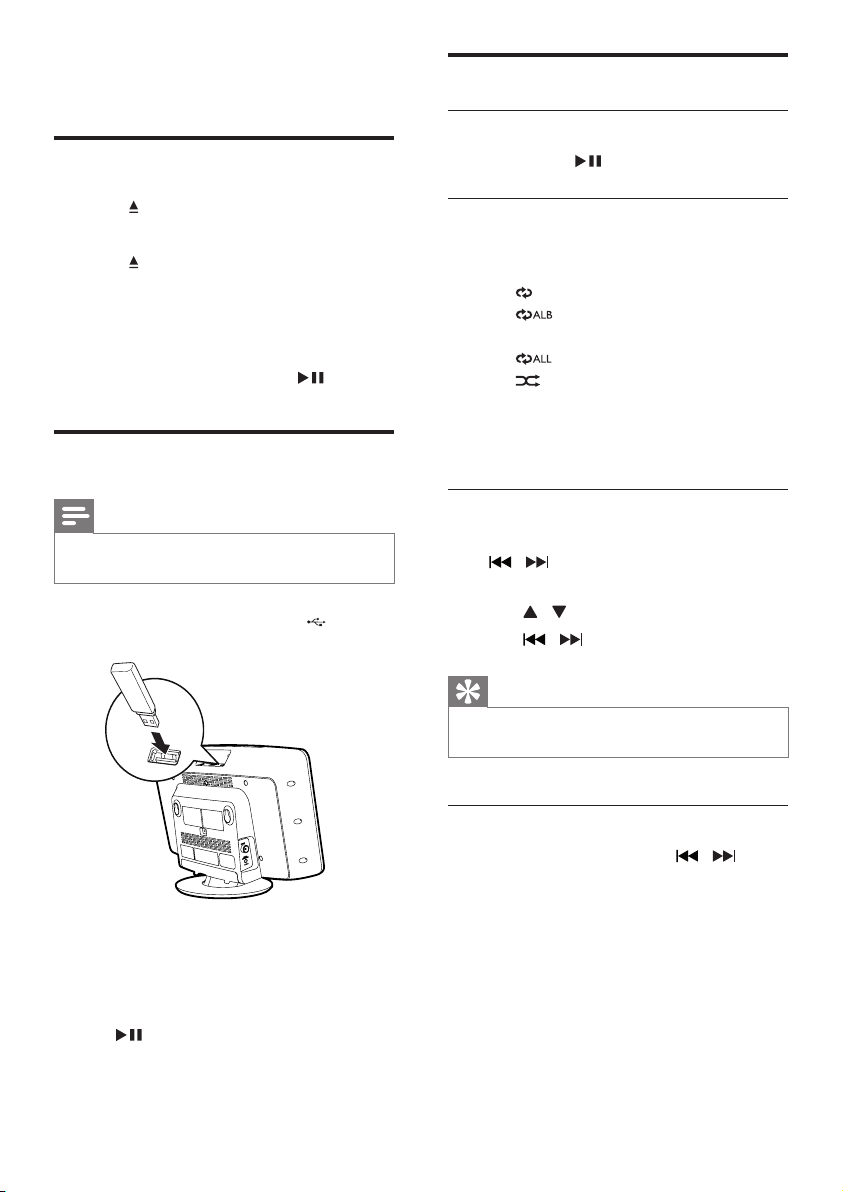
1 InserttheUSBdeviceintothe socket.
2 PressUSBontheremotecontroltoselect
theUSBsource.
» Thelesplayautomatically.Ifnot,press
.
EN
13
Program tracks
Youcanprogramamaximumof20tracks.
1 InCD/USBmode,press tostop
playback,thenpressPROGtoactivatethe
programmingmode.
» [PROG](program)isdisplayed.
2 ForMP3/WMAtracks,press / to
selectanalbum.
3 Press / toselectatrack,thenpress
PROGtoconrm.
4 Repeatsteps2to3toprogrammore
tracks.
5 Press toplaytheprogrammedtracks.
» Duringplay,[PROG](program)is
displayed.
• Toerasetheprogram,whenplayback
isstopped,press
.
Adjust sound
Duringplay,youcanadjustvolumeandselect
soundeffects.
Function Action
Toincrease/decreasevolume PressVOL
+/-.
Tomute/restoresound Press
.
Toturndynamicbass
enhancementon/off
PressDBB.
Toselectasoundeffect:
[POP](pop)
[JAZZ](jazz)
[CLASSIC](classic)
[ROCK](rock)
[FLAT](at)
PressDSC
repeatedly.
Display different information
Duringplay,pressDISPLAYrepeatedlytoview
timeanddifferentplayinformation.
EN
14
Program FM radio stations
manually
1
Intunermode,tunetoanFMradiostation.
2 PressPROGtoactivateprogramming
mode.
» [PROG] (program)blinks.
3 Press / repeatedlytoselectachannel
number.
4 PressPROGagaintoconrm.
5 Repeatsteps1-4tostoreotherFM
stations.
Note
•
Toremoveapre-storedstation,storeanotherstation
initsplace.
Select a preset radio station
Intunermode,press / orthenumeric
buttonstoselectapresetnumber.
Show RDS information
RDS(RadioDataSystem)isaservice
thatallowsFMstationstoshowadditional
information.IfyoutunetoanRDSstation,an
RDSiconisdisplayed.
1 TunetoanRDSstation.
2 PressRDSrepeatedlytoscrollthroughthe
followinginformation(ifavailable):
» Programservice
» Programtypesuchas[NEWS](news),
[SPORT](sport),[POP M](pop
music)...
» Radiotextmessage
» Time
5 Listen to FM
radio
Tune to FM radio stations
Note
•
PositiontheantennaasfaraspossiblefromTV,VCR,or
otherradiationsource.
• Ensurethatyouhaveconnectedandfullyextendedthe
suppliedFMantenna.
1 PressFMtoselectFMtunermode.
2 Pressandhold / for3seconds.
» [SEARCH] (search)isdisplayed.
» TheunittunestoanFMstationwith
strongreceptionautomatically.
3 Repeatstep2totunetomorestations.
To tune to a weak station:
Press
/ repeatedlyuntilyoundoptimal
reception.
Program FM radio stations
automatically
Note
•
Youcanprogramamaximumof20presetFMradio
stations.
InFMtunermode,pressandholdPROGfor3
seconds.
» [AUTO] (auto)isdisplayed.
» TheunitstoresalltheFMradio
stationsautomaticallyandthen
broadcaststherstpresetradio
station.
EN

15
Select stereo/mono broadcast
Note
•
Stereobroadcastisthedefaultsettingfortunermode.
• Forstationswithweaksignals:toimprovethereception,
changetomonauralsound.
InFMtunermode,press toswitchbetween
monoandstereobroadcast.
EN
16
Set the sleep timer
Note
•
Makesurethatyouhavesettheclockcorrectly.
Whentheunitisturnedon,pressSLEEP
repeatedlytoselectthesleeptimerperiod(in
minutes).
» Whensleeptimerisactivated,
is
displayed.
Tip
•
Todeactivatethesleeptimer,pressSLEEPrepeatedly
until[OFF](off)isdisplayed.
Play from external audio
device
Withthisunit,youcanplayaudiofroman
externalaudiodevicelikeMP3player.
1 ConnectthesuppliedMP3Linkcableto
• theMP3-LINKsocket.
• theaudiooutputsocketofanexternal
device.
2 PressUSB/MP3 LINKrepeatedlytoselect
MP3linkmode.
3 Starttoplaytheexternaldevice(seethe
device’susermanual).
Listen through the headphone
Plugaheadphoneintothe socketontheunit.
6 Other features
Set the alarm timer
Thisunitcanbeusedasanalarmtimer.Youcan
selectdisc,FMtuner,orUSBasalarmsource.
Note
•
Makesurethatyouhavesettheclockcorrectly.
1 Instandbymode,pressandholdTIMER
until[SET TIMER](settimer)scrollsonthe
display.
2 PressTIMER.
» [SELECT SOURCE](selectsource)
scrollsonthedisplay.
3 PressSOURCE repeatedlyorthesource
selectionbuttonsontheremotecontrolto
selectasource:disc,FMtuner,orUSB.
4 PressTIMERtoconrm.
» Thehourdigitsblink.
5 Press / repeatedlytosetthehour.
6 PressTIMERtoconrm.
» Theminutedigitsblink.
7 Repeatsteps5-6tosettheminute.
Note
•
Ifnobuttonispressedin90seconds,theunitexits
timersettingmodeautomatically.
To activate or deactivate the alarm timer,
Instandbymode,pressTIMERrepeatedlyto
activateordeactivatethealarm.
»
appearswhenthetimerisactivated.
Tip
•
IfCD/USBsourceisselected,butnodiscisinserted
ornoUSBconnected,theunitswitchestothetuner
sourceautomatically.
EN
17
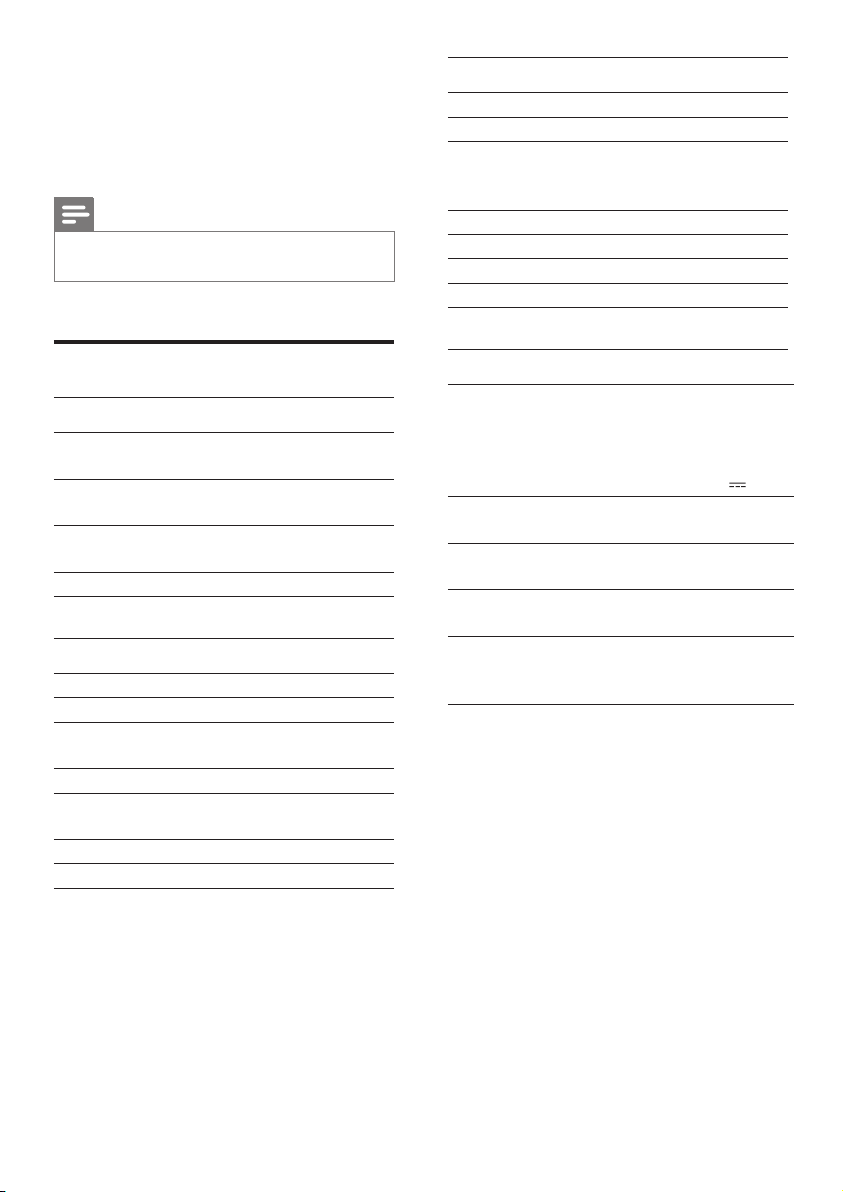
Tuner (FM)
Tuningrange 87.5-108MHz
Tuninggrid 50KHz
Sensitivity
-Mono,26dBS/NRatio
-Stereo,46dBS/NRatio
<22dBf
>43dBf
Searchselectivity >28dBf
Totalharmonicdistortion <3%
Signaltonoiseratio >50dB
Numberofpresets 20
General information
ACpower Model:AS300-120-
AI250;
Input:100-240V~,
50/60Hz,1.1A;
Output:12V
2.5A
OperationPower
Consumption
15 W
StandbyPower
Consumption
≤1W
Dimensions
-MainUnit(WxHxD) 400x235x98mm
Weight
-WithPacking
-MainUnit
3.5kg
2.1kg
7 Product
information
Note
•
Productinformationissubjecttochangewithoutprior
notice.
Specications
Amplier
RatedOutput
Power
2X10WRMS
Frequency
Response
80Hz-16kHz,±3dB
SignaltoNoise
Ratio
≥60dB
MP3LinkInput 0.5VRMS20kohm
Disc
LaserType Semiconductor
DiscDiameter 12cm/8cm
SupportDisc CD-DA,CD-R,CD-RW,
MP3-CD,WMA-CD
AudioDAC 24Bits/44.1kHz
TotalHarmonic
Distortion
<1.5%(1kHz)
FrequencyResponse 60Hz-16kHz
S/NRatio >55dBA
EN

18
RDS program types
NOTYPE NoRDSprogramme
type
NEWS Newsservices
AFFAIRS Politicsandcurrentaffairs
INFO Specialinformation
programs
SPORT Sports
EDUCATE Educationandadvanced
training
DRAMA Radioplaysandliterature
CULTURE Culture,religionand
society
SCIENCE Science
VARIED Entertainmentprograms
POPM Popmusic
ROCKM Rockmusic
MORM Lightmusic
LIGHTM Lightclassicalmusic
CLASSICS Classicalmusic
OTHERM Specialmusicprograms
WEATHER Weather
FINANCE Finance
CHILDREN Children’sprograms
SOCIAL SocialAffairs
RELIGION Religion
PHONEIN PhoneIn
TRAVEL Trave l
LEISURE Leisure
JAZZ JazzMusic
COUNTRY CountryMusic
NATIONM NationalMusic
OLDIES OldiesMusic
FOLKM FolkMusic
DOCUMENT Documentary
TES AlarmTest
ALARM Alarm
USB playability information
Compatible USB devices:
• USBashmemory(USB1.1)
• USBashplayers(USB1.1)
• memorycards(requiresanadditional
cardreadertoworkwiththisunit)
Supported formats:
• USBormemoryleformat:FAT12,
FAT16,FAT32(sectorsize:512bytes)
• MP3bitrate(datarate):32-320Kbps
andvariablebitrate
• WMAv9orearlier
• Directorynestinguptoamaximum
of8levels
• Numberofalbums/folders:maximum
99
• Numberoftracks/titles:maximum999
• ID3tagv2.0orlater
• FilenameinUnicodeUTF8
(maximumlength:16bytes)
Unsupported formats:
• Emptyalbums:anemptyalbumisan
albumthatdoesnotcontainMP3/
WMAles,andisnotbeshowninthe
display.
• Unsupportedleformatsareskipped.
Forexample,Worddocuments(.doc)
orMP3leswithextension.dlfare
ignoredandnotplayed.
• AAC,WAV,PCMaudioles
• DRMprotectedWMAles(.wav,
.m4a,.m4p,.mp4,.aac)
• WMAlesinLosslessformat
EN

19
Supported MP3 disc formats
• ISO9660,Joliet
• Maximumtitlenumber:999(dependingon
lenamelength)
• Maximumalbumnumber:99
• Supportedsamplingfrequencies:32kHz,
44.1kHz,48kHz
• SupportedBit-rates:32~320(kbps),
variablebitrates
EN

20
• Waituntilthemoisturecondensationat
thelenshascleared.
• Replaceorcleanthedisc.
• UseanalizedCDorcorrectformatdisc.
Cannot display some les in USB device
• ThenumberoffoldersorlesintheUSB
devicehasexceededacertainlimit.This
phenomenonisnotamalfunction.
• Theformatsoftheselesarenot
supported.
USB device not supported
• TheUSBdeviceisincompatiblewiththe
unit.Tryanotherone.
Poor radio reception
• Increasethedistancebetweentheunitand
yourTVorVCR.
• FullyextendtheFMantenna.
Timer does not work
• Settheclockcorrectly.
• Switchonthetimer.
Clock/timer setting erased
• Powerhasbeeninterruptedorthepower
cordhasbeendisconnected.
• Resettheclock/timer.
8 Troubleshooting
Warning
•
Neverremovethecasingofthisapparatus.
Tokeepthewarrantyvalid,nevertrytorepair
thesystemyourself.
Ifyouencounterproblemswhenusingthis
apparatus,checkthefollowingpointsbefore
requestingservice.Iftheproblemremains
unsolved,gotothePhilipswebsite
(www.philips.com/welcome).Whenyoucontact
Philips,ensurethattheapparatusisnearby
andthemodelnumberandserialnumberare
available.
No power
• EnsurethattheACpowercordoftheunit
isconnectedproperly.
• EnsurethatthereispowerattheAC
outlet.
• Asapower-savingfeature,thesystem
switchesoffautomatically15minutesafter
trackplayreachestheendandnocontrol
isoperated.
No sound or poor sound
• Adjustthevolume.
• Disconnecttheheadphones.
No response from the unit
• DisconnectandreconnecttheACpower
plug,thenturnontheunitagain.
Remote control does not work
• Beforeyoupressanyfunctionbutton,rst
selectthecorrectsourcewiththeremote
controlinsteadofthemainunit.
• Reducethedistancebetweentheremote
controlandtheunit.
• Insertthebatterywithitspolarities
(+/–signs)alignedasindicated.
• Replacethebattery.
• Aimtheremotecontroldirectlyatthe
sensoronthefrontoftheunit.
No disc detected
• Insertadisc.
• Checkifthediscisinsertedupsidedown.
EN
21
negativeconsequencesfortheenvironmental
andhumanhealth.
Environmental information
Allunnecessarypackaginghasbeenomitted.
Wehavetriedtomakethepackagingeasyto
separateintothreematerials:cardboard(box),
polystyrenefoam(buffer)andpolyethylene
(bags,protectivefoamsheet.)
Yoursystemconsistsofmaterialswhichcan
berecycledandreusedifdisassembledby
aspecializedcompany.Pleaseobservethe
localregulationsregardingthedisposalof
packagingmaterials,exhaustedbatteriesandold
equipment.
Themakingofunauthorizedcopiesofcopy-
protectedmaterial,includingcomputer
programs,les,broadcastsandsound
recordings,maybeaninfringementof
copyrightsandconstituteacriminaloffence.
Thisequipmentshouldnotbeusedforsuch
purposes.
This apparatus includes this label:
9 Notice
Anychangesormodicationsmadetothis
devicethatarenotexpresslyapprovedby
PhilipsConsumerLifestylemayvoidtheuser’s
authoritytooperatetheequipment.
Hereby,GibsonInnovationsdeclaresthat
thisproductisincompliancewiththe
essentialrequirementsandotherrelevant
provisionsofDirective2014/53/EU.You
canndtheDeclarationofConformityon
www.philips.com/support.
Yourproductisdesignedandmanufactured
withhighqualitymaterialsandcomponents,
whichcanberecycledandreused.
Whenthiscrossed-outwheeledbinsymbol
isattachedtoaproductitmeansthatthe
productiscoveredbytheEuropeanDirective
2012/19/EC.
Pleaseinformyourselfaboutthelocalseparate
collectionsystemforelectricalandelectronic
products.
Pleaseactaccordingtoyourlocalrulesand
donotdisposeofyouroldproductswithyour
normalhouseholdwaste.Correctdisposalof
youroldproducthelpstopreventpotential
negativeconsequencesfortheenvironmentand
humanhealth.
Yourproductcontainsbatteriescoveredby
theEuropeanDirective2013/56/EC,which
cannotbedisposedwithnormalhousehold
waste.Pleaseinformyourselfaboutthelocal
rulesonseparatecollectionofbatteries
becausecorrectdisposalhelpstoprevent
EN

Specifications are subject to change without notice.
Copyright © 2011 Gibson Innovations Limited. Revised Edition © 2017
This product has been manufactured by, and is sold under the responsibility of Gibson
Innovations Ltd., and Gibson Innovations Ltd. is the warrantor in relation to this product.
Philips and the Philips Shield Emblem are registered trademarks of Koninklijke Philips N.V. and
are used under license.
MCM2050_05_UM_V2.0