USE & CARE INSTRUCTIONS
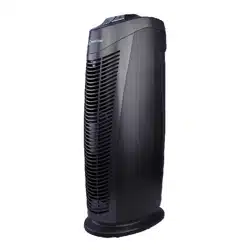
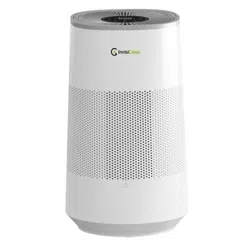
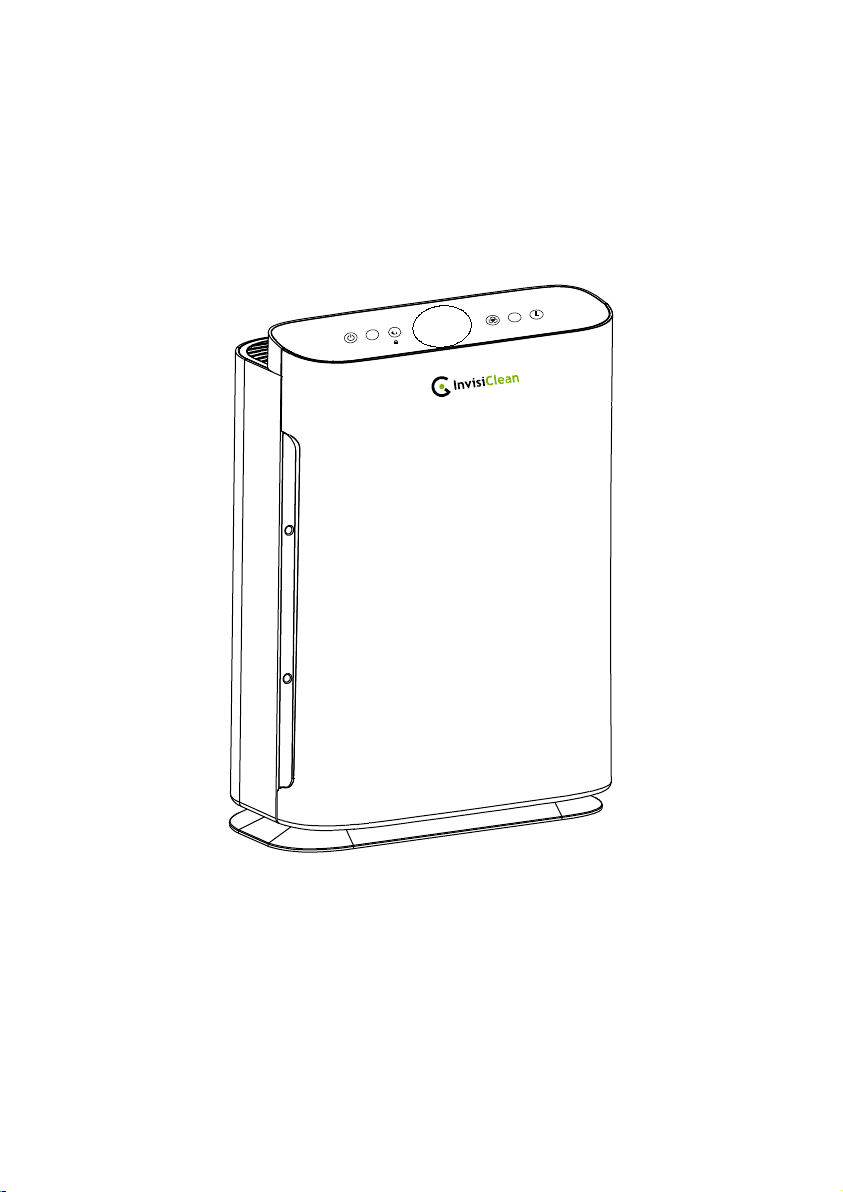
InvisiClean Sensa Air Purifier (Model IC-5120)
AUTO
Z
Z
Z
REPLACE
FILTER
TURBO
If you have any quesons, please email us at [email protected] or call us
at 818-787-1188 Monday – Friday 9AM-5PM Pacific me for immediate assistance.


2
READ AND SAVE THESE INSTRUCTIONS
WARNINGS
Failure to comply with the warnings listed below may
result in electric shock or serious injury.
This product should be used only in accordance with the specifications
outlined in this manual. Usage other than what has been specified here may
result in serious injury.
When using electrical appliances, basic precautions should always be followed to
reduce the risk of fire, electric shock and injury to persons, including the following:
• Read all instructions before using appliance.
• IMPORTANT - This appliance has a polarized plug (one blade is wider than the
other). To reduce the risk of electric shock, this plug is intended to fit in a polarized
outlet only one way. If the plug does not fit fully in the outlet, reverse the plug. If it
still does not fit, contact a qualified electrician. Do not attempt to defeat this safety
feature.
• To avoid fie or shock hazard, plug the appliance directly into a right AC electrical
outlet.
• Keep the cord out of heavy traffic areas. To avoid fie hazard, NEVER put the cord
under rugs, near heat registers, radiator, stoves or heaters.
• To protect against electrical hazards, DO NOT immerse in water or other liquids. Do
not use near water.
• Children cannot recognize the hazards associated with the usage of electrical
appliances. For this reason, always supervise children when they are near the unit.
• Always unplug the air purifier before moving it, opening the grill, changing filters,
cleaning or whenever the air purifier is not in use. Be sure to pull by the plug and not
the cord.
• NEVER drop or insert any object into any openings.
• DO NOT run cord under carpeting.
• DO NOT cover cord with throw rugs, runners, or similar coverings.
• DO NOT route cord under furniture or appliances. Arrange cord away from traffic
area and where it will not be tripped over.
• DO NOT operate any appliance with a damaged cord or plug, if motor fan fails to

3
rotate, after the appliance malfunctions, or if it has been dropped or damaged in any
manner. Send to Customer Service for assistance.
• Use appliance only for intended household use as described in this manual. Any other
use not recommended by the manufacturer may cause fie, electric shock or injury to
persons.
• DO NOT use outdoors.
• DO NOT place anything on top of unit.
• NEVER block the air openings, grills/outlets or place on a soft surface such as a bed
or sofa, as this could cause the unit to tip over, blocking the air intake or outtake
opening.
• DO NOT attempt to repair or adjust any electrical or mechanical functions on this
unit. Doing so will void your warranty. The inside of the unit contains no user
serviceable parts. All servicing should be performed by qualified personnel only.
• WARNING: To reduce the risk of fire or electric shock, do not use this device with
any solid-state speed control device.
TECHNICAL SPECIFICATIONS
Rated Voltage: AC110V-240V, 60Hz
Rated Power: 55W
Noise Level: From 30dB(LOW) to 55dB(TURBO)
Dimensions: 12.34(L)x6.25(W)x17.75(H)inches
4
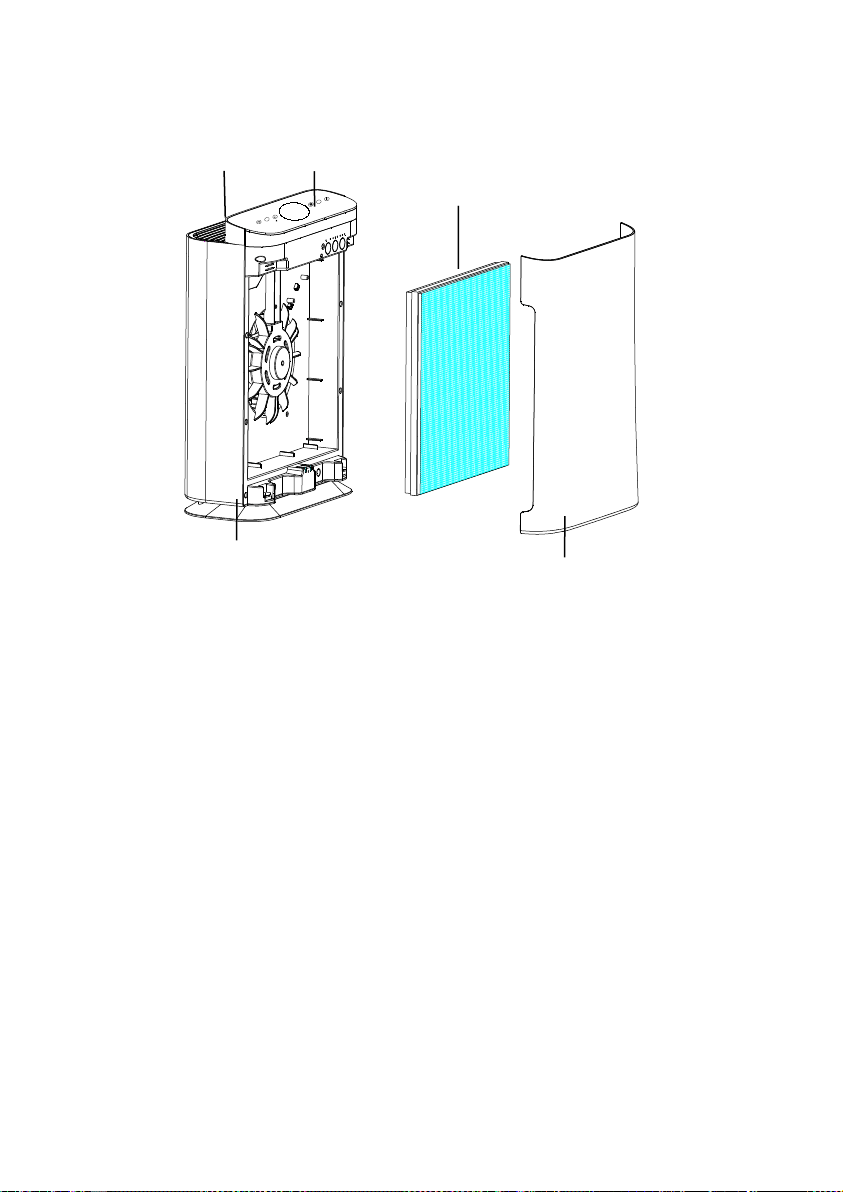
PRODUCT DIAGRAM
AIR CLEANING SYSTE M
PRE-FILTER: Captures initia l dust and allergen particles.
ACTIVATED CHARCOAL: Absorb formaldehyde, benzene and other VOC gases.
TRUE HEPA: Captures dust, smoke, pollen and other allergens.
Front Cover
Air Outlet
Air Filter
Touch Panel
Main Unit
AUTO
Z
Z
REPLACE
FILTER
TURBO
5
OPERATING INSTRUCTIONS
BEFORE OPERATING THE AIR PURIFIER:
1. Carefully remove your air purifier from box and plastic b ag.
2. Select a firm, level and flat location for the air purifier.
*For proper air flow, locate the unit at least 1 foot from any wall or furniture.
*Make sure none of the grills are blocked.
3. Be fore using, remove the filters then remove and discard bags.
4. Plug the power cord into a right voltage AC outlet.
IMPORTANT : When moving the air purifier, always lift unit by the carrying handle
located on back.
OPERATING THE AIR PURIFIER
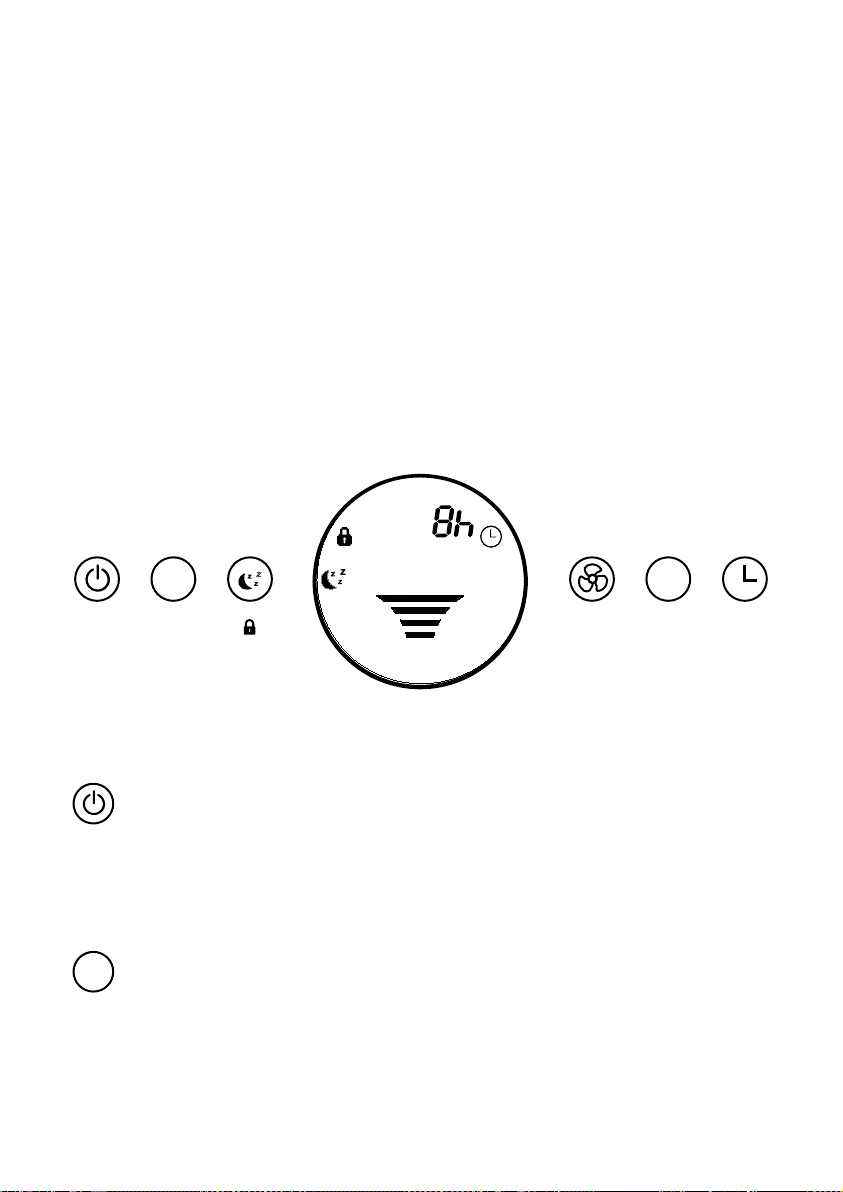
1. “POWER” BUTTON:
Press this button to turn the unit on or off.
Note: When the “REPLACE FILTER” indicator appears, press and hold this button to
reset the replace filter indicator.
2. “AUTO” BUTTON:
Press this button to turn on the AUTO mode. During AUTO mode, fan speed will
automatically change according to the a ir quality level.
The InvisiClean Sensa features a state of the art PM2.5 sensor which will sense the
AUTO
Z
Z
Z
REPLACE
FILTER
TURBO
FILTER
REPLACE
TURBO
AUTO
AUTO
6
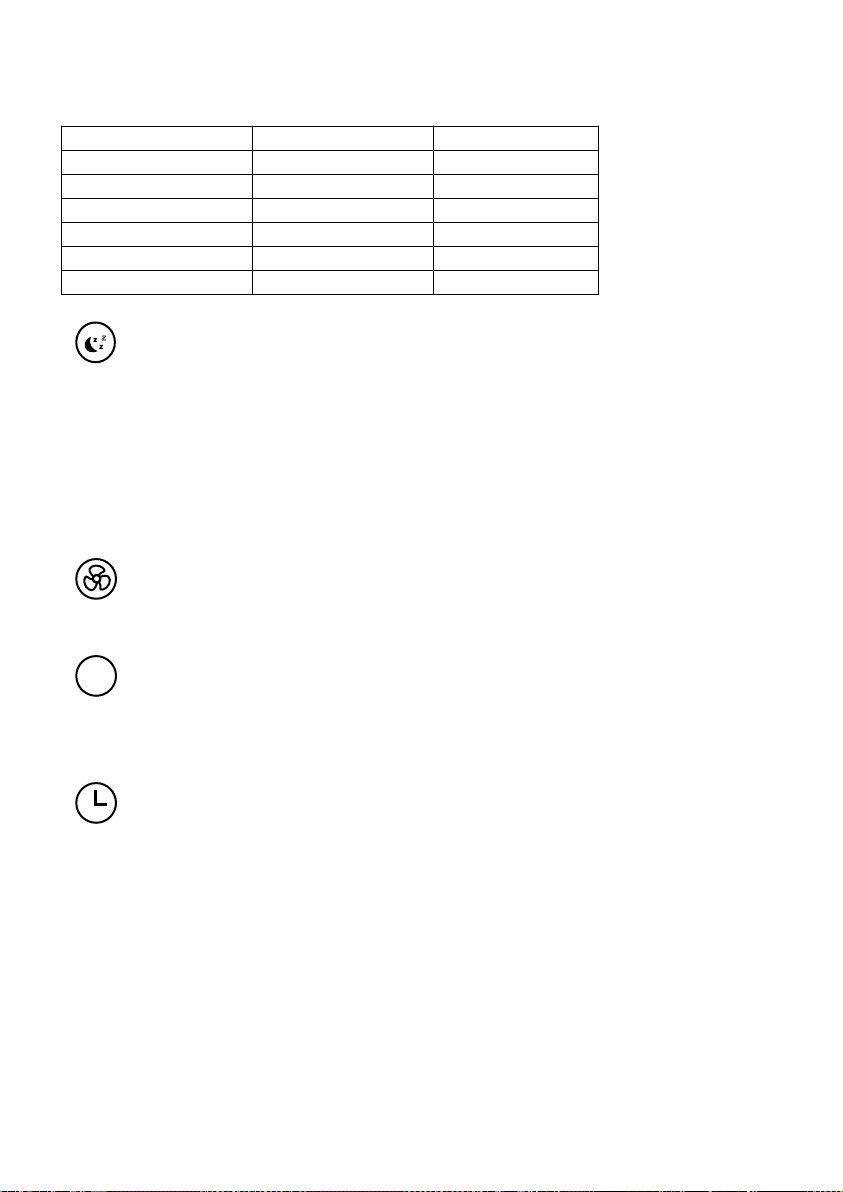
amount of pollutants in the air and automatically raise and lower the fan speed. Below
is the list of air quality level and the corresponding fan speed.
Air Quality
Fan Speed
Light Colo r
Excellent
1
Blue
Good
2
Blue
Moderate
3
Yellow
Moderate
4
Yellow
Bad
5
Red
Very Bad
Turbo
Red
3. “SLEEP” BUTTON:
Press this button to turn on SLEEP mo de. During sleep mode, all the LED lights on the
unit will be off and the device keep will stay on. Press any button to cancel the sleep
mode.
Note: Press ing this button for 3-5 seconds will activate the Child Lock function.
During Child Lock mode, all the buttons presses are ignored. To turn off child lock,
press this b utton again for 3-5 seconds.
4. “FAN” BUTTON:
Press this button to adjust the fan speed from Level 1 to 5.
5. “TU
RBO” BUTTON:
Press this button, the air purifier will operate in Turbo Speed. Turbo mode should be
used during times of heavy pollution to clean the air as fast as possible.
6. “TIMER” BUTTON:
1) By pressing this button, the purifier can be timed to opera te for intervals of 1 to
9 hours, stopping automatically when the selected operating time has elapsed.
2) Press this button (Timer) to select the desired operating time. The LED light
automatically indicates the remaining ope
rating time.
3) To select the continuous operating mo de, press the button repeatedly until there
are no more indicator lights.
Important note: When the unit is not in use, switch it off and unplug it.
Z
Z
Z
TURBO
7
INSTALLING & REMOVING FILTERS
FILTER REPLACE INDICATOR
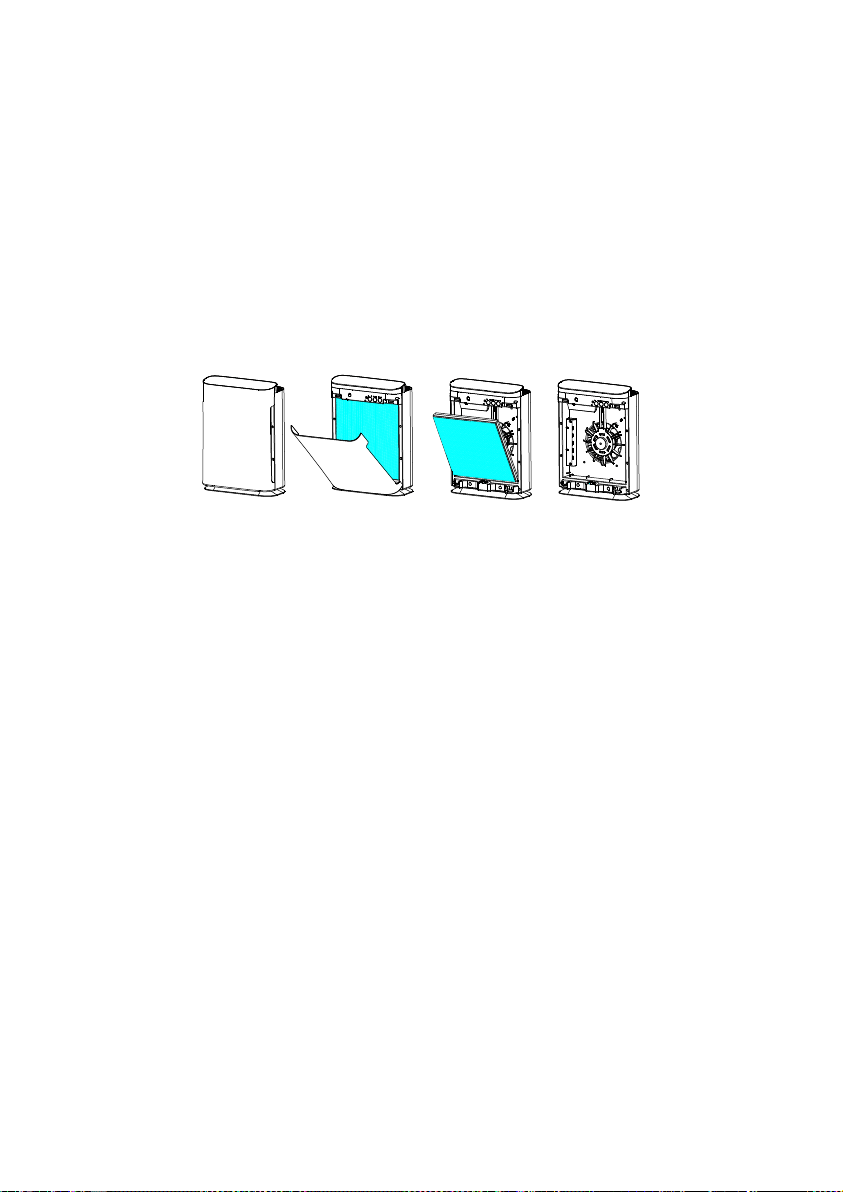
The REPLAC E FILTER shows up indicates that it is time to replace the filter. Replace
the filter according to the directions then press the POWE R button and hold for 5
seconds to r estart the system. The REPLACE FILTER light will turn off.
*Filters will last approximately 6 months under normal use.
1. Open the front cover from the top.
2. Remove the filter by pulling the two tabs on the left and right.
3. Insert a new filter into the unit. Consult the sides of the filter for correct installation
direction.
4. Reattach the front co ver of the unit a nd securely latch into plac e.
5. Press and hold POWER button for 5 seconds to reset Filter Change Indicator.
CLEANING & MAINTAINING
THE COMBINATION FILTER
The air purifier should be c le aned at least once every month and the outer Pre-
/Activated Carbon Filter attached to the HEP A Filter should be cleaned every month.
More frequent cleaning may be required depending on environmental conditions.
FILTERS
Clean with the brush attac hment of your vacuum cleaner. This will remove lint and dirt.
8
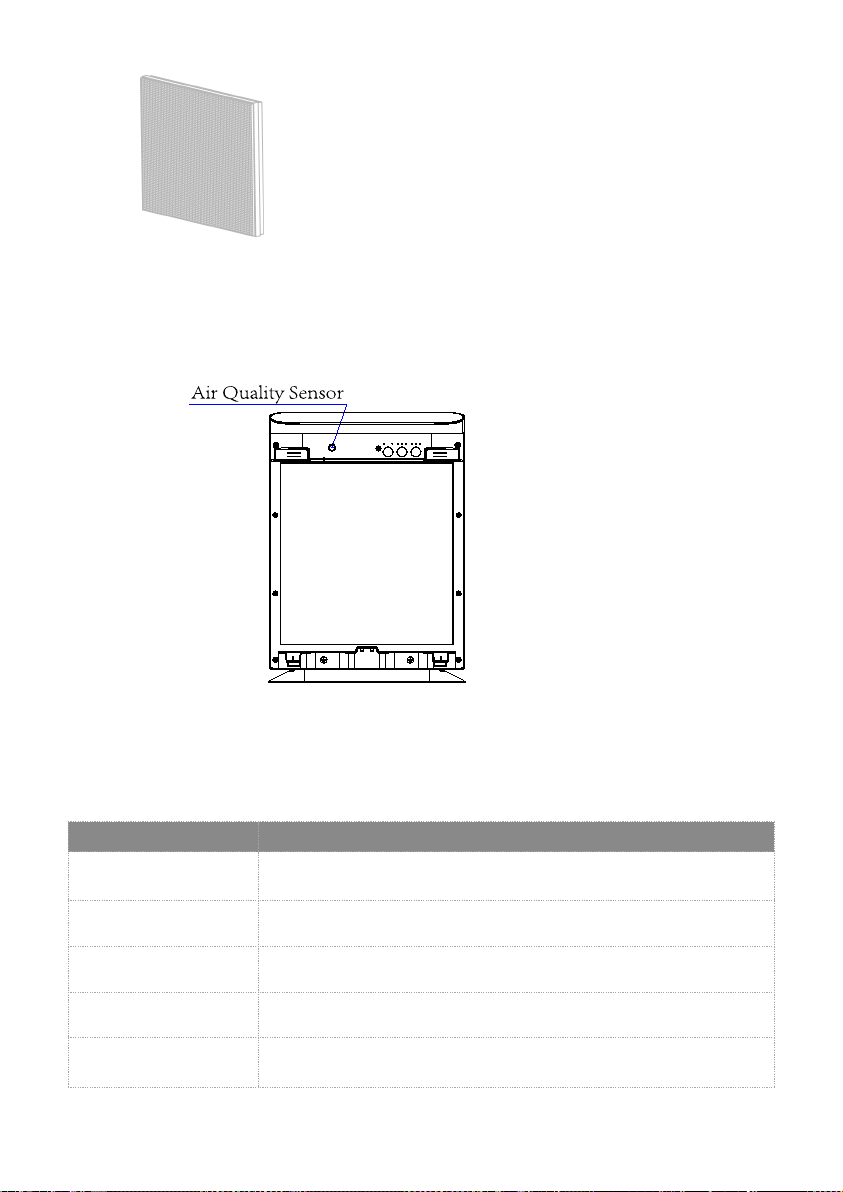
AIR QUALITY SENSOR MAINTENANCE
If the air quality display is incorrectly showing yellow or red, we recommend cleaning
the air quality sensor port located in the diagram above. To clean the port, use compressed
air to blow debris out of the port.
8
Filt re
NOTE:
-The filter in your unit combines multiple layers: the Carbon coated pre-filter and
HEPA Filter.
Troubleshooting Guide
Problem
Unit will not turn on
Air quality sensor is
constantly red
Airflow is weak
Sensor is not changing
colors
The air sensor will change colors based on PM2.5 air quality. You can
test if its working properly by lighting a candle or match nearby.
Power light is blinking
latches are on properly.
Please clean air quality sensor. Please see the “Air quality sensor
maintenance” section for more details.
Check the air filter and replace it.
This is the filter reset indicator. Check the air filter and replace it.
Press and hold the power button to reset it.
Make sure front cover is on properly by making sure the bottom hook
Solution

9
submit product under warranty the complete machine must be delivered pre-
paid to InvisiClean. Please include complete information including: the
problem, the model number of the product, the day of purchase, and a copy of
the original sales receipt along with your name, address, and telephone(email
optional). Please contact the original authorized retailer for return authorization
and instructions.
InvisiClean warrants this product to be free of defects in mater
ials or
workmanship commencing upo
n the date of the original purchase. Save your
original sales receipt to validate start of warranty period. Warranty is not valid
without receipt. If this product should become defective within the warranty
period, we will repair or replace any defective parts free of charge. All
warranty repairs must be completed by InvisiClean. This warranty does not
cover unauthorized repairs. The warranty does not include unusual wear,
damage resu
lting from accident, or unreasonable use of the product. This
warran
ty only covers the product when used with genuine InvisiClean
accessories. This warranty covers product that was purchased from authorized
distributors.This warranty gives you specific legal rights and you may also
have other rights(other rights may vary from state to state in the U.S.A.).To
Warranty: 1 year fro
m the date of purchase.
Dear Con
sumer,
MAINTENANCE CAUTION
Use a clean, dry, soft cloth to wipe the external surface of the unit.
NOTE: Do NOT stick any foreign objects or your fingers i
nside of the unit.
CAUTION: Do NOT use gasoline, benzine, thinner, harsh cleaners, etc. on and/or in
the unit while cleaning as they will damage the product.
NEVER use alcohol or other solvents.