Connecting Using AP Mode
If you are having challenges
connecting your Feit Electric smart
device using Wi-Fi, AP mode is another
way to add your device.
Adding Your Device Using AP Mode
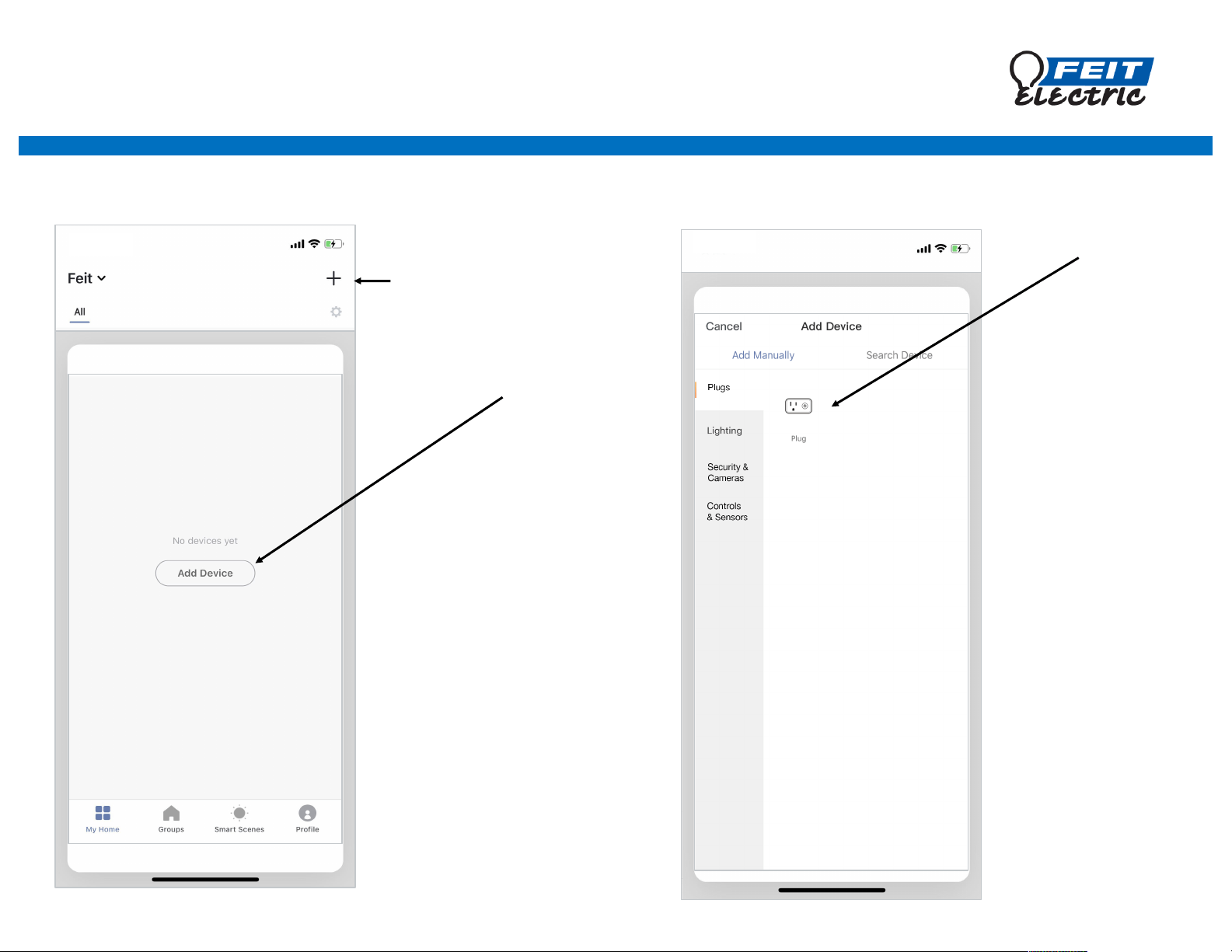
Open up the Feit Electric app
Tap + in the upper right
corner
Note: if this is the first device
you are setting up you can
also select Add Device
Choose your
device type
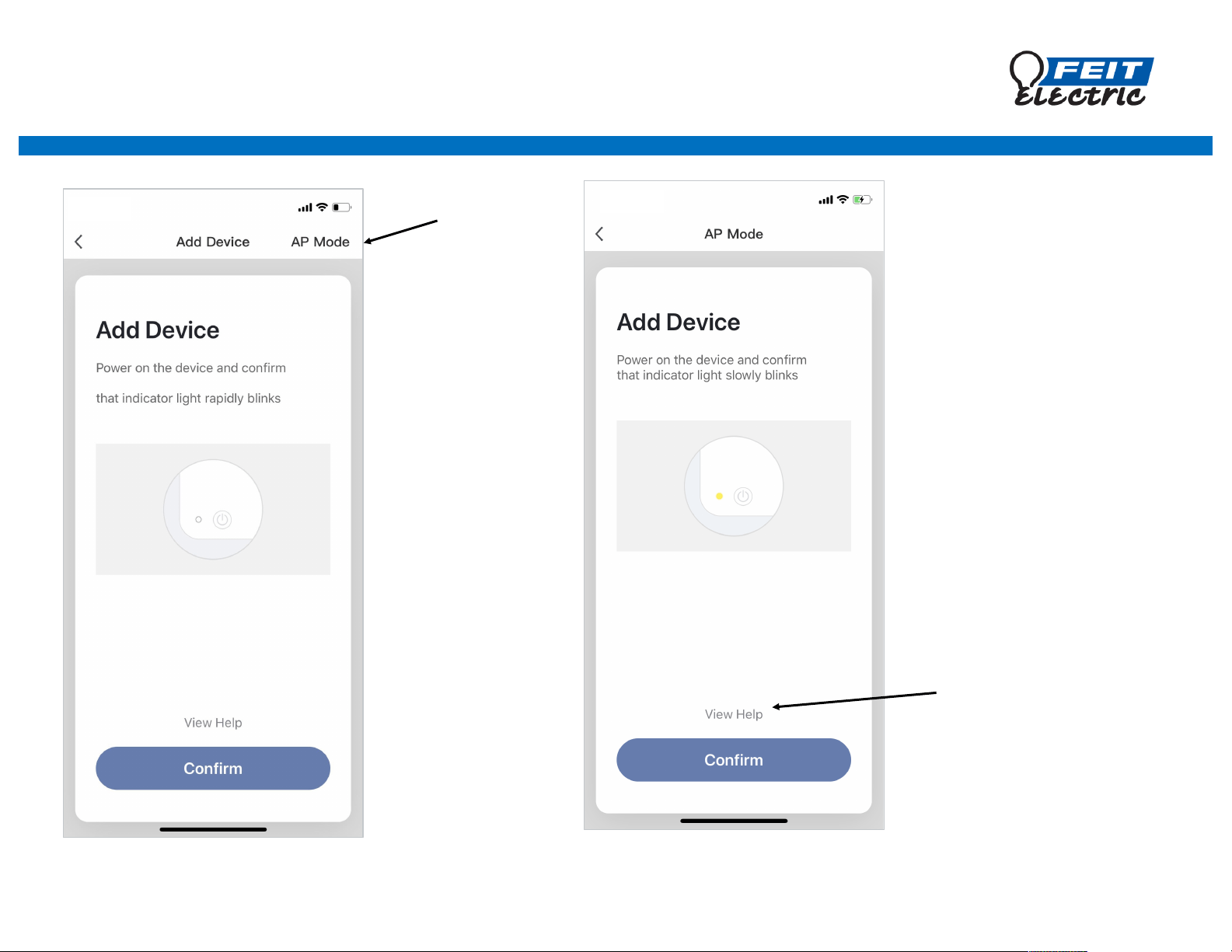
Make sure your device is in
AP pairing mode (light
should be flashing slowly 1
time every 3 seconds), and
then press Confirm to go
on to the next step.
If your device is not slowly
flashing, View Help for
additional information and
instructions.
Choose AP Mode
Adding Your Device Using AP Mode
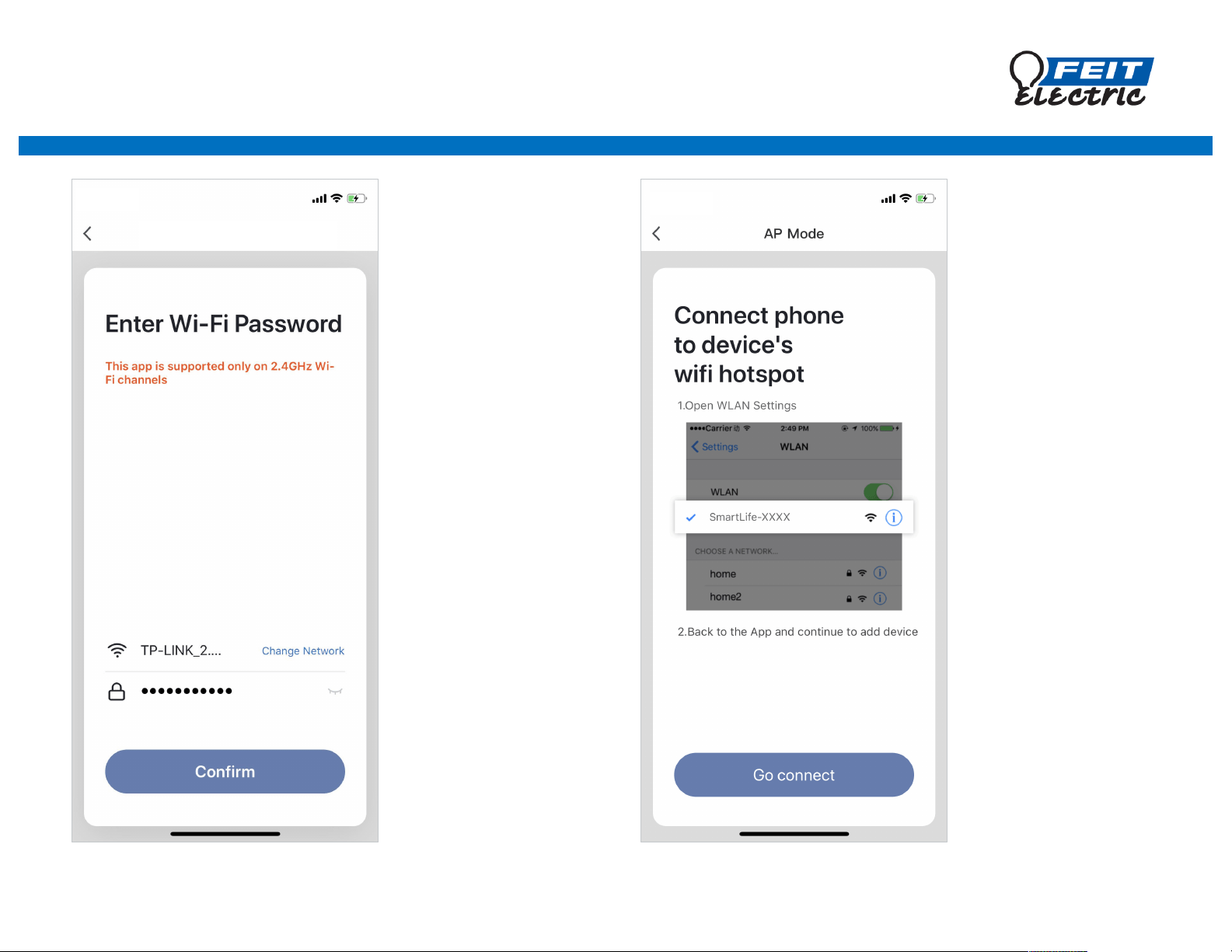
Enter the name of
your 2.4 GHz Wi-Fi
network, enter your
password and tap
Confirm to begin
connecting
Note: your Wi-Fi
network name and
password are case
sensitive.
NO.2
AP Mode
Tap Go connect
If you do not get
automatically
redirected please
visit your phone
wireless settings
page to pick the
SmartLifexxx
network.
Adding Your Device Using AP Mode
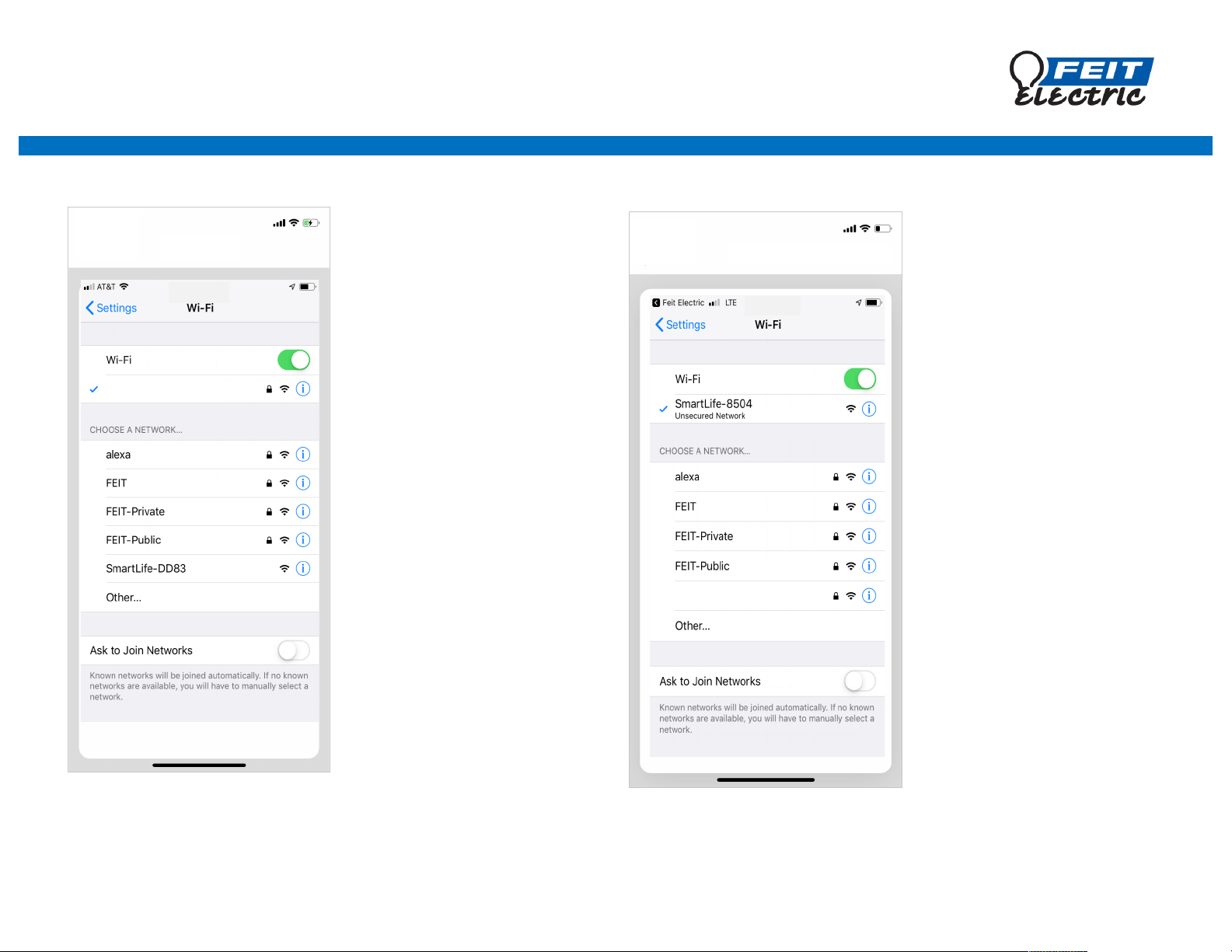
The app will direct you to
your phone settings screen.
Unselect your 2.4 GHz Wi-Fi
network and choose the
SmartLife network.
After you have connected
to SmartLife return to the
Feit Electric app.
Note: After connecting your
device your phone will
automatically rejoin your
original 2.4 GHz network.
TP-LINK 2.4 GHz
TP-LINK 2.4 GHz
Adding Your Device Using AP Mode
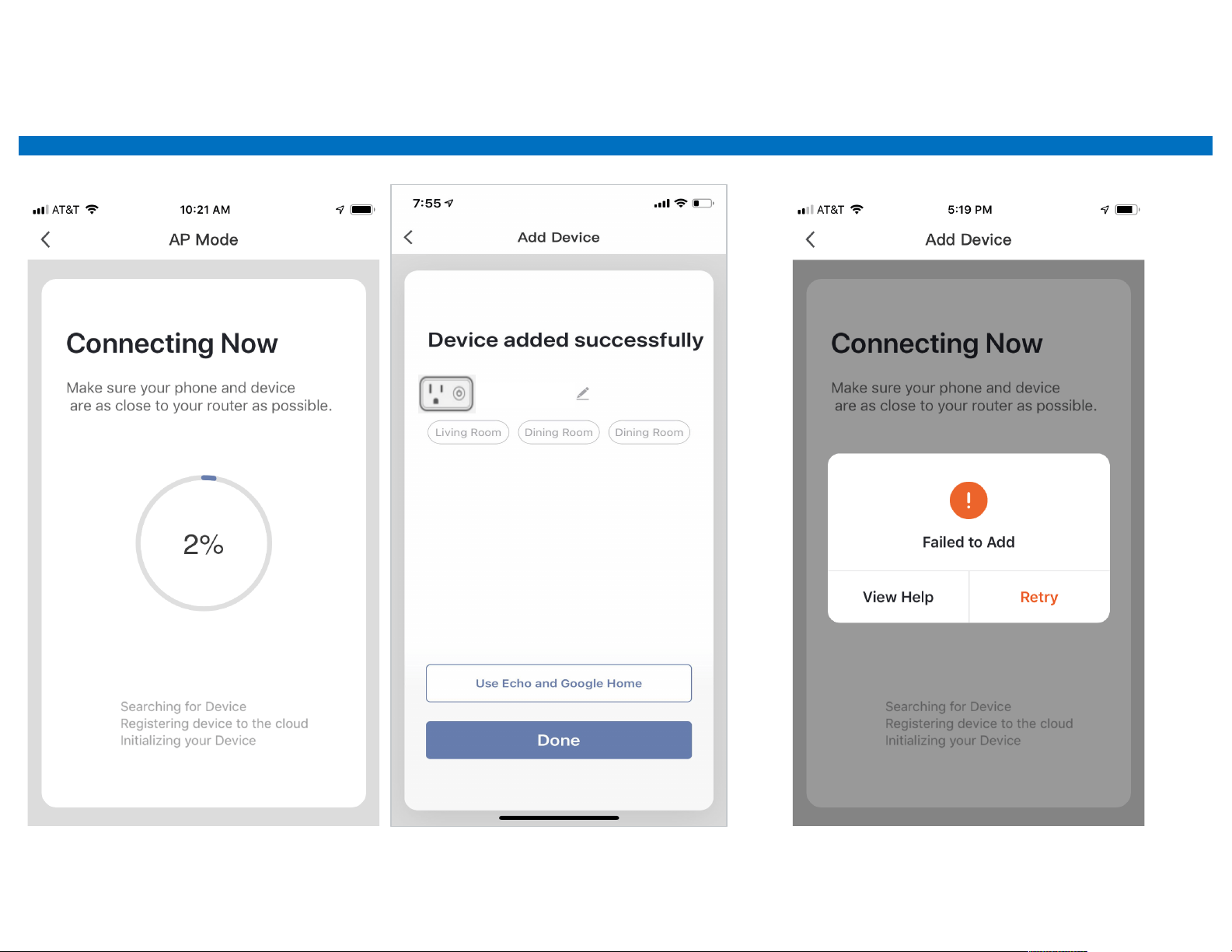
Indoor plug
If see a Failed to Add screen it means
the network connection failed. Try
connecting again or View Help.
Your device should begin
connecting using AP Mode.
If you see this screen your device was
added successfully.