USER MANUAL OPAL ICE MAKER
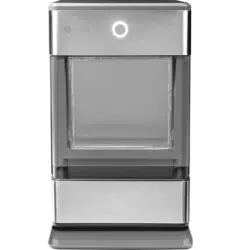
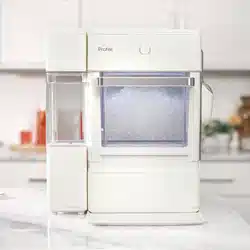
PARTS INCLUDED


GETTING STARTED
Prepare Opal For Use
1. Carefully remove packing material. Do not use sharp tools that can damage the box contents.
2. Ensure all components are present. If any item is missing, please contact 1.866.907.6718.
3. Place the ice maker upright on a flat, level surface and plug it in.
4. Install drip tray by sliding it under the front edge of Opal. The tray slots should align with the front feet of Opal.
5. Rinse the ice maker with clean water for five minutes before first use. Start with step 4 of cleaning instructions on page 6. It is not necessary to use bleach for the first rinse.
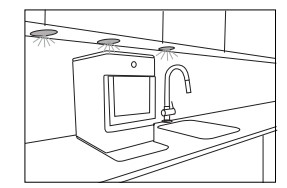
NOTICE: Some types of under-cabinet lamps can be hot enough to cause damage to your Opal top's appearance.
MAKING ICE
Making Ice with Opal
Once Opal has been cleaned/sanitised, move the ice maker to its desired location and complete the following steps.
|
1. Remove ice bin.
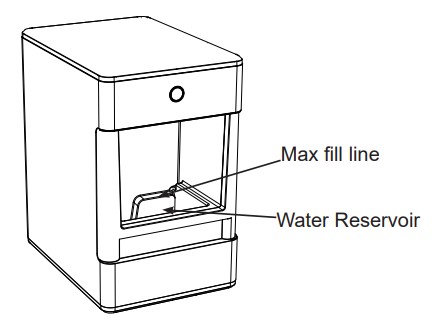
2. Fill reservoir with potable (safe to drink) water up to the "Max Fill" line. Water hardness must be less than 12 grains per gallon. Do not fill reservoir with any liquid except water. Using any liquid except potable water is misuse and will void your warranty.
3. Plug the ice maker into a grounded outlet.
4. Touch the display button to start the ice maker. The display will flash green to indicate the ice maker is ON, then transition to the falling white display.
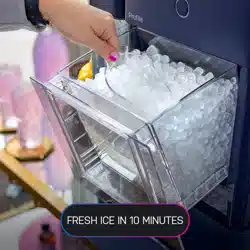
5. Opal will begin to produce ice in 15-30 minutes. It will continue to make ice until the bin is full, or it runs out of water. To continue making ice, just add more water.
|
|
 |
Draining Opal
We recommend draining your Opal when:
- You put it away or anytime it's being relocated
- You turn it off for more than a few days. (i.e. vacation)
- You are not using much ice. Continous recirculation of meltwater may affect taste. For best results, drain your Opal.
Water Filter
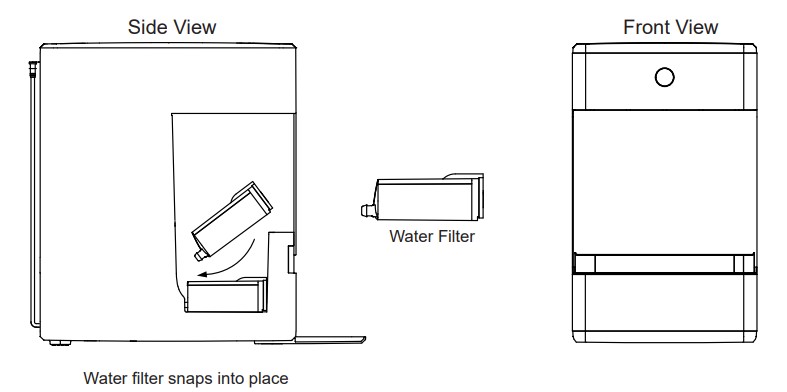
The Opal Water Filter, is available at GEAppliances and is the only water filter compatible with Opal. Please follow the installation instructions included with your filter.
NOTE: Remove your water filter (if installed) and reinstall the screened intake cap prior to cleaning your Opal.
CARE AND CLEANING
To keep your nugget ice tasting fresh and your Opal looking great, we recommend cleaning/sanitizing your Opal at least once per week.
To clean the exterior of the ice maker, unplug the product, then use a soft cloth dampened with soapy water to gently clean the exterior surfaces. Dry with a soft cloth.
The exterior stainless steel surfaces can be cleaned with commercially available stainless steel cleaner. Use only a liquid cleaner free of grit and rub in the direction of the brush lines with a damp, soft sponge. Do not use appliance wax, polish, solvents, or chemicals on the stainless steel. Do not use soap to clean the reservoir. Use a soft cloth moistened with water.
System Cleaning / Sanitizing Procedure
|
To clean Opal's internal components, complete the following steps:
1. Unplug Opal.
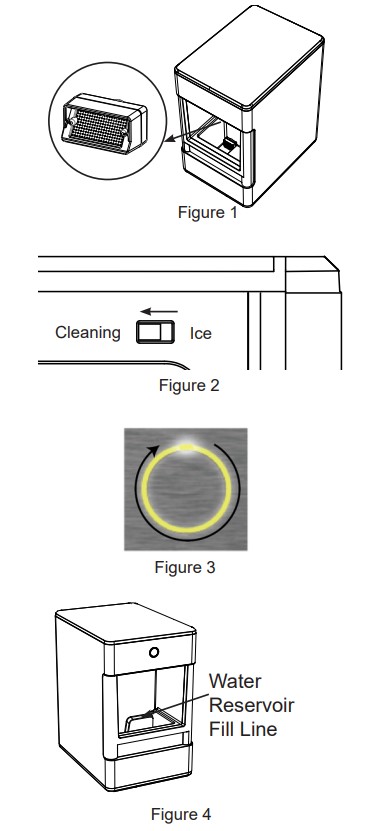
2. Remove water filter (if present), and replace with the reservoir's screened intake cap. See Figure 1.
3. Drain Opal (see page 8 for detailed instructions).
4. Plug in Opal and slide the rear switch to the "clean" position. See figure 2.
5. The display ring will light up yellow and pulse. See figure 3.
NOTE: Do not use soap to clean the water reservoir.
6. Create a solution of five cups of water and one tsp household bleach. Skip to page 8 for further instructions on how to remove hard mineral deposits.
7. Pour solution into water reservoir. See figure 4.
|
|
 |
|
8. Touch the display button to start the cleaning process, the light will start to spin and you will hear water circulating. After three minutes the water will stop and the light will begin to pulse again.
9. When the light pulses, drain Opal.
10. Unhook the top of the drain hoses at the back of the unit. See figure 5.
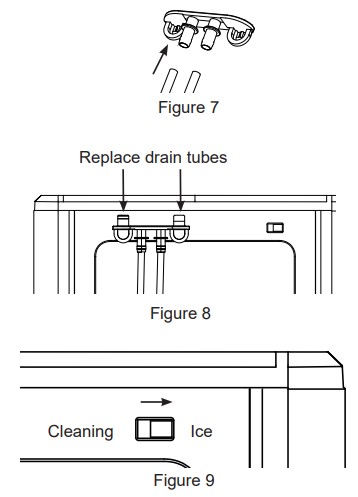
11. Then lay them down to drain into a sink or bucket that is below the level of the ice maker. See figure 6 and 7.
12. Remove the plugs and allow the water to completely drain. See figure 7.
13. Once water stops flowing, re-insert the drain plugs.
14. Add five cups of fresh water to the water reservoir, and touch the button. The light ring is divided into four sections to indicated each stage. Successive quarters of the ring will become brighter with each rinse cycle.
15. Rinse three times with fresh water. Repeat steps 8 through 14 two more times, adding fresh water to the reservoir each time. (You may continue to repeat the rinse cycle, for as many times as you like.
16. Replace drain tubes on back. See figure 8.
17. When complete, slide the rear switch back to "Ice" mode. See figure 9.
|
|

|
Removal of Mineral Deposits
|
1. Fill the reservoir with white vinegar to the max fill line and run up to three cleaning cycles. Or purchase an Opal Cleaning Kit and follow instructions inside.
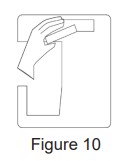
2. If using vinegar, leave the vinegar in the unit for 18 hours and set a vinegar-soaked towel on the ice chute overnight to further dissolve any mineral buildup. See figure 10.
3. Clean the sensors with vinegar and wipe clean with water. After draining the vinegar, run three rinse cycles, using fresh water for each rinse. See figures 11, 12, and 13 to reference location of the sensors. Appearance may vary based on model.
|
|
 |

Cleaning the Bin and Tray
To clean the ice bin, remove the ice bin from the ice maker and clean with a soft cloth dampened with soapy water. Rinse thoroughly. Dry with a soft cloth. Do not use solvents or chemicals.
The drip tray should be wiped dry. Water left in this area may leave deposits. To clean the drip tray, remove the tray from Opal and use a soft cloth dampened with mild soapy water to gently clean the surface. Dry with a soft cloth. Do not use solvents or chemicals.
TROUBLESHOOTING
Normal Operating Sounds
Your new ice maker may make sounds that are not familiar. Most of these sounds are normal. Hard surfaces like the floor, walls, and countertops can amplify these sounds. The following describes the sounds that may be new to you and what may be creating them.
- WHIR - When Opal is first turned on, you may notice the condenser fan spinning.
- BUZZ - When the water pump first turns on, it may be dry and slightly noisy. Once it is filled with water, the noise reduces significantly.
- RATTLE - Rattling noises may be produced from the flow of the refrigerant. These noises should reduce significantly once the refrigerant system has stabilized.
- GURGLE - When the refrigerant system shuts off, there may be a brief gurgle as the refrigerant stops flowing.
- HUM - The compressor is a motor. It produces a low toned humming sound while it is running.
- CLICK - As nugget ice is produced, it drops into the ice drawer. The first nuggets produced are the loudest, as they impact the bottom of the ice bin. As the bin fills, this noise reduces significantly.
- SQUEAK – When Opal is in need of defrosting, it may start to squeak as ice starts to build up around the mechanisms. The defost cycle is automatic, and may take 30-45 minutes. During this time, the front button won’t respond.
Radio Frequency Interference
This product has been tested and found to comply with the limits set forth in Title 47 CFR Part 15 - Radio Frequency Devices. Operation is subject to the following conditions: (1) This device may not cause harmful interference, and (2) this device must accept any interference received, including interference that may cause undesired operation. This product generates, uses, and can radiate radio frequency energy, and if not used in accordance with the instructions, may cause harmful interference to radio communications. If this product does cause harmful interference to radio or television reception, which can be determined by unplugging Opal, the user is encouraged to try to correct the interference by one or more of the following measures:
- Reorient or relocate the TV or radio antennas.
- Increase the distance between the product and TV or radio.
- Plug Opal into a separate outlet from a radio or TV.
The transmitter must not be co-located or operating in conjunction with other antennas or transmitters.
ICE MAKER PRODUCT SPECIFICATIONS
|
Description of product
|
Portable nugget ice maker
|
|
Voltage/Frequency
|
120V AC/60Hz
|
|
Current
|
2.5A
|
|
Ice storage capacity
|
3.0 lbs
|
|
Ice making rate
|
24 lbs per day / 1 lb per hour*
|
|
Dimensions (width x depth x height)
|
10.5 in x 14 in x 17 in
|
|
Installation clearance (sides and back)
|
3 in
|
|
Operating environment
|
55°F - 90°F
|
|
Weight (when empty)
|
44 lbs
|
NOTE:Technical data and performance information provided for reference only.
Specifications are subject to change. Check the rating label on your ice maker for the most accurate information.
*The actual quantity of ice produced will vary with environmental conditions.
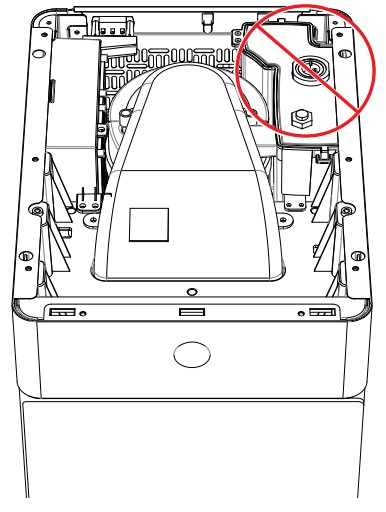
Do not Attempt to repair or replace the UV lamp