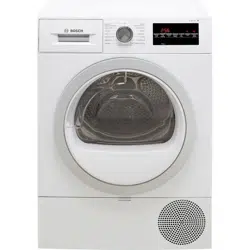
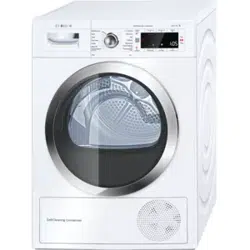
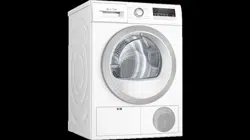
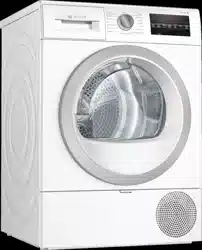
User manual Dryer
Installing and connecting the appliance
Scope of supply
-746635.png)
1. Accompanying documents (e.g. installation and operating instructions)
2. Fastening parts
3. U-piece for fixing the drain hose in place
4. Drain hose
5. Connection adapter
- Remove any packaging and protective covers completely from the appliance.
- Open the door.
- Remove all the accessories from the drum.
You can now install and connect the appliance.
Install the appliance as follows:
1. Place the appliance on a clean, even, solid surface.
2. Check that the appliance is level using a spirit level.
-408692.png)
3. If necessary, turn the appliance feet to make sure it is level.
You can now connect the appliance.
Notes
- All appliance feet must stand firmly on the ground.
- If appliances are not aligned correctly, this may result in noises, vibrations, uneven drum operation and/or to residual water leaking out of the appliance.
Connecting the appliance
- The mains voltage on your power socket must match the rated voltage specified on the appliance (identification plate). The connected loads and the required fuse protection are specified on the identification plate.
- The appliance must not be supplied through an external switching device, such as a timer, or connected to a circuit that is regularly switched on and off by a utility.
- The mains plug and the protective contact socket must match and the earthing system must be correctly installed.
- The installation must have an adequate cross section.
- The mains plug must be freely accessible at all times. If this is not possible, in order to comply with the relevant safety regulations, a switch (all pole disconnection) must be built into the permanent installation in accordance with electrical installation regulations.
- If using a residual current circuit breaker, only use one that bears the following mark:
-563235.png) . The presence of this mark is the only way to be sure that it fulfils all the applicable regulations.
. The presence of this mark is the only way to be sure that it fulfils all the applicable regulations.
Connect the appliance as follows:
1. Connecting the drain hose. ~ Page 35
-414496.png)
2. Plug the appliance's mains plug into the designated socket.
3. Check that the mains plug is in securely.
Your appliance is now ready to use.
Before using the appliance for the first time
Before you switch on the appliance:
Check that there is no visible damage to the appliance. Do not operate the appliance if it is damaged. Should you have any problems, please contact your specialist dealer or our customer service.
Note: Once the appliance has been properly installed and connected, it is ready to use. No further steps are necessary
Optional accessories
Order optional accessories* from the after-sales service:
Dry or air individual woollen items, sports shoes and soft toys in the basket for woollens.
Order number: WMZ20600.
For easier loading and unloading, raise your dryer with a platform.
You can transport laundry with the laundry basket integrated into the platform drawer.
Order number: WMZ20500.
- Washer-dryer stack connection kit:
To save space, the dryer can be placed on top of a suitable washing machine of the same width and depth.
Only this connection kit may be used to secure the dryer to the washing machine.
Order number with pull-out worktop: WTZ27400
Order number without pull-out worktop: WTZ27410.
You can discharge the condensation water into the waste-water system via a drain hose. If you choose to discharge the condensation water into the waste-water system, you will not need to empty the condensation container during the drying programme or after each time you use the dryer.
Order number: WTZ1110
Quick reference guide
Note: The appliance must be correctly installed and connected. ~ Page 12
-755518.png)
-755178.png)
-868663.png)
-907356.png)
Familiarising yourself with your appliance
Appliance overview
-688735.png)
1. Condensation container
2. Control panel
3. Drum interior lighting (depending on the model)
4. Air inlet
5. Maintenance flap on the base unit
6. Door
7, Fluff filter
Fascia
-469614.png)
- Programmes
- Programme selector
- Switch the appliance on/off
- Set the programme/dryness level
- Display Displays settings and information
- Buttons for programme settings and additional functions/appliance settings
Display
-350907.png)
-714409.png)
-682355.png)
-235908.png)
-31570.png)
Operating the appliance
Loading laundry and switching on the appliance
Note: The appliance must be correctly installed and connected. ~ Page 12
1. Prepare and sort the laundry.
2. Turn the programme selector to switch on the appliance.
-727564.png)
3. Open the door. Check that the drum has been completely emptied. Empty it if necessary
-547428.png)
4. Load the laundry unfolded into the drum.
-63698.png)
5. Close the appliance door.
-642511.png)
Caution! Risk of material damage to the appliance or laundry.
Make sure that laundry is not trapped in the door.
-804063.png)
Note: The appliance's drum is lit up after the door is opened and closed and once the programme has started. The drum's interior light goes out on its own.
Setting a programme
Note: If you have activated the childproof lock, you must deactivate it before you can set a programme. ~ Page 32
1. Set the programme you require.
-512677.png)
2. Adjust the programme settings, if required. ~ "Programme settings" on page 24
Starting the programme
Press Start/Reload.
Note: If you want to prevent the programme from being adjusted inadvertently, activate the childproof lock. ~ Page 32
Programme progress
The programme status will be indicated on the display.
Note: When a programme is selected, the expected drying time for the maximum permitted load is displayed. The moisture sensor measures the residual moisture in the laundry as it is being dried. The programme duration and the remaining time indicated on the display are automatically adjusted as the programme progresses, depending on how damp the laundry is (exception: Timed programmes).
Changing the programme or adding more laundry
You can remove or add laundry and change or adjust the programme at any time during drying.
1. Open the door or press Start/ Reload to pause the programme. Note: The drum will continue to rotate when the CoolDown process is in progress, even if you have paused the programme. You can stop the CoolDown process at any time by opening the door.
2. Add or remove laundry.
3. If required, select a different programme or a different programme setting.~ "Overview of programmes" on page 22 ~ "Programme settings" on page 24 Note: Do not change the programme during the CoolDown process.
4. Close the appliance door.
5. Press Start/Reload.
Note: The programme duration is updated on the display, depending on the load and on the residual moisture in the laundry. The values displayed may change when the programme or load is changed.
Cancelling the programme
The programme can be cancelled at any time by opening the door or pressing Start/Reload.
End of programme
The following message appears in the display: End
Removing laundry and switching off the appliance
1. Remove the laundry.
-312053.png)
2. Turn the programme selector to switch off the appliance.
-388927.png)
Emptying the condensation container
By default, the condensation from the appliance runs into the condensation container.
Alternatively, you have the option of discharging the condensation water* supplied depending on the model. If you choose to discharge the condensation water into the waste-water system, you will not need to empty the condensation container during the drying programme or after each time you use the dryer.
1. Pull out the condensation container horizontally
-813944.png)
* into the waste-water system via a drain hose
2. Pour out the condensation water.
-282229.png)
3. Push the condensation container back into the appliance until you feel it lock into place.
-575910.png)
Removing the fluff
Note: During drying, fluff and hair from the laundry is trapped by the fluff filter. If the fluff filter is clogged or dirty, this reduces the flow of air, preventing the appliance from achieving optimal drying results. Dirty fluff filters increase the power consumption and increase the required drying time.
Clean the fluff filter after each drying cycle:
1. Open the door and remove all fluff from it.
2. Pull out the two-part fluff filter.
-236990.png)
3. Remove the fluff from the fluff filter recess. Ensure that no fluff falls into the open shaft.
-23806.png)
4. Pull the two-part fluff filter apart.
-414641.png)
5. Open the two parts of the filter.
-537636.png)
6. Remove all fluff from both parts of the filter.
-689271.png)
7. Rinse off fluff under warm, running water.
-372457.png)
8. Dry the two parts of the fluff filter, snap them shut and reinsert the filter.
-203995.png)
Cleaning and maintenance
Cleaning the moisture sensor
Note: The moisture sensor measures the amount of moisture in the laundry. After long periods of usage, the moisture sensor may become covered by a fine layer of limescale or detergent and care product residue. These deposits must be removed regularly, otherwise the drying results may not be optimal.
1. Open the door.
-225641.png)
2. Clean the moisture sensor with a rough sponge.
-312107.png)
Cleaning the base unit
Fluff and hair from the laundry collect in the base unit during drying. Clean the appliance's base unit if the following message appears in the display: -510690.png) .
.
You can also clean the appliance's base unit even if this message does not appear in the display, e.g. if there is visible soiling.
Clean the base unit as follows:
1. Clean the fluff filter.~ Page 30
2. Open the maintenance flap by the handle.
-393243.png)
3. Unlock the levers on the heat exchanger cover.
-647424.png)
4. Pull the heat exchanger cover out by its grip.
-885086.png)
5. Carefully remove the filter mat from the heat exchanger cover.
-992454.png)
Note: Take care not to damage the filter mat when doing this.
6. Use a soft brush to clean the heat exchanger cover.
Note: Make sure that no dirt or debris is left on the seal.
7. Rinse the filter mat under running water and squeeze out the water with your hand.
-290400.png)
Notes
– If there are heavy deposits, you can clean the filter mat carefully with a vacuum cleaner.
– Only clean with clear water; do not use cleaning products.
8. Position the filter mat fully on the retainers in the heat exchanger cover.
-227209.png)
Notes
– Ensure that the filter mat is clean and dry, and positioned on the retainers as shown.
– The filter mat must not be put back if misshapen, damaged or reversed.
– You can order a new filter mat from our after-sale services using the spare part number: 12022801. Contact information for all countries can be found in the enclosed aftersales service directory.
9. If there is visible soiling, carry out the following steps (optional):
a) Lift the middle tab on the insert slightly.
-397024.png)
b) Pull the insert out horizontally.
-1520.png)
c) Rinse the insert under running water and dry it off.
-631209.png)
d) Clean the opening in the appliance with a soft, damp cloth.
-813932.png)
Note: Take care not to damage the heat exchanger, as it is exposed.
e) Carefully clean the fins on the heat exchanger with a vacuum cleaner and brush attachment.
-722255.png)
Note: Always clean the fins on the heat exchanger from top to bottom, taking care not to bend or damage them.
f) Push the insert in horizontally until you hear the tab click into place.
-997981.png)
10.Slide the heat exchanger cover in by its grip.
-427339.png)
11.Lock the levers on the heat exchanger cover.
-553530.png)
12.Close the maintenance flap.
-82004.png)
You have now finished cleaning the appliance's base unit.
Help with the appliance
| Faults |
Cause/Remedy |
| Appliance does not start. |
Check the mains plug and the fuses. |
| Creasing. |
- Load exceeded or incorrect programme selected for a type of fabric. All the required information can be found in the programme table.~ Page 22
- Remove laundry from the drum as soon as the drying programme has finished. Creasing occurs when clothing is left in the drum.
|
| Water is leaking out. |
- The appliance may be positioned at an angle. Level the appliance.
- In the base unit, make sure that: – The heat exchanger cover is properly locked. – There is no dirt or debris on the heat exchanger cover's seal. ~ Page 38
- If the optional drain hose* is installed, make sure that the drain hose is correctly connected. ~ Page 35
|
| The appliance is paused but the drum is turning. |
The appliance has detected a high temperature and has started the CoolDown process. Temperature regulation can take up to 10 minutes. You can cancel the CoolDown process at any time by opening the door |
| The programme does not start |
Make sure that:
- The door is closed
- The
-683863.png) 3 sec. (Child lock) has been deactivated 3 sec. (Child lock) has been deactivated
- You have pressed Start/Reload Note: If the programme has been delayed by setting Finished in, the programme starts at a later point.
|
| Programme duration displayed changes as drying progresses. |
Not a fault. The moisture sensor measures the residual moisture in the laundry and adjusts the programme duration (with the exception of timed programmes). |
| Laundry is not dried properly or is still too damp |
After the programme has ended, warm laundry feels damper than it actually is. Spread out the laundry and let it cool down.
- Adjust the drying time or increase the degree of dryness. This will extend the drying time but the temperature will remain the same.
- Select a timed programme to add extra drying time for laundry that is still damp.
- Select a timed programme for a small load.
- Do not exceed the maximum load for a programme.~ Page 22
- Clean the moisture sensor in the drum. The sensor may become covered in a fine layer of limescale or detergent and care product residue, which then impairs its performance.~ Page 38
- Drying has been interrupted as a result of a power cut, because the condensation container is full or because the maximum drying time has been exceeded.
Note: See also the laundry tips.~ Page 25
|
| Humidity in the room is increasing. |
Make sure the room is sufficiently ventilated. |
| Unusual noises when drying. |
When drying is in progress, the pump and compressor generate noise when operating normally. This does not indicate that the appliance is malfunctioning. |
| The appliance feels cold despite drying. |
Not a fault. The appliance can dry effectively at low temperatures using a heat pump. |
| Drying programme is stopped. |
If the drying programme is stopped due to a power failure, restart the programme or remove the laundry and spread it out. |
| Drying is taking too long. |
- The appliance may have fluff in it. This will increase the required drying time.
- – Remove the fluff.~ Page 30
- – Clean the base unit. ~ Page 38
- The heat exchanger may have fluff in it. If you can see fluff in the exposed heat exchanger, clean it carefully using a vacuum cleaner. ~ Page 38
- If the air inlet on the appliance is blocked or not fully open, this may increase the drying time. Make sure that the air inlet remains unobstructed.
- If the ambient temperature is lower than 15 °C or higher than 30 °C, this may increase the drying time.
- Inadequate air circulation in the room may increase the drying time. Make sure the room is adequately ventilated.
|
* Depending on how the appliance is equipped or the available accessory
Note: If you cannot rectify the fault yourself by turning the appliance off and then on again, please contact our after-sales service.~ Page 47