Operating Instructions
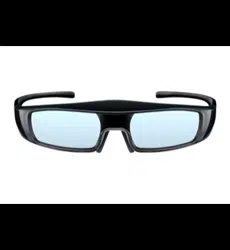
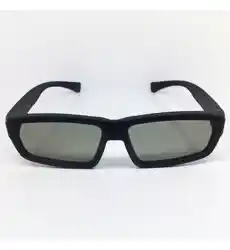
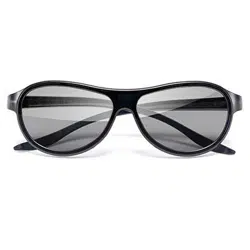
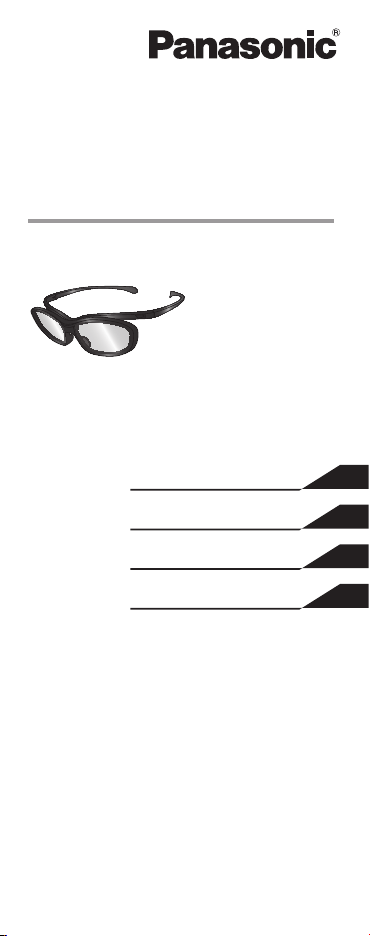
3D Eyewear
Model No.
TY-EP3D10WB
This product cannot be used as
sunglasses.
ENGLISH
繁體中文
TI NG VI T
日本語
TQZJ409

E
NGLISH
2
Thank you for purchasing a
Panasonic product.
Before using this product, be sure to read
“Safety Precautions” ( pages 2 - 4).
Before operating this product, please read the
instructions carefully, and save this manual for
future use.
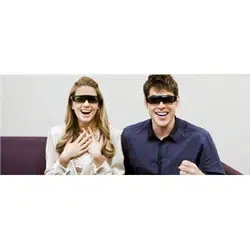
This 3D Eyewear can be used for
Panasonic HDTVs supporting passive
3D.
For the latest information on applicable
models, visit our web site.
http://panasonic.net/
Safety Precautions
Warning
Do not disassemble or modify the
3D Eyewear.
Doing so may result in injury, or may cause the user to
feel unwell.
Caution
Do not use the 3D Eyewear if you have a
history of over-sensitivity to light, heart
problems, or have any other existing
medical condition.
Using the 3D Eyewear may cause the symptoms to
worsen.
Stop using the 3D Eyewear immediately
if you feel tired, discomfort, or any other
abnormality.
Continuing to use the 3D Eyewear in such cases may
cause you to feel unwell.
Please take the necessary rest before continuing use.

E
NGLISH
3
As a guide, 3D Eyewear should not be used
by children younger than 5 - 6 years old.
As it is difcult to judge younger children’s reactions
to fatigue or discomfort, it may be difcult to prevent
them from suddenly feeling unwell.
• When this product is being used by a child, the
parent or guardian should check to ensure that the
child’s eyes are not becoming tired.
Use the 3D Eyewear when viewing 3D
images.
When using the 3D Eyewear, make sure
your eyes are on an approximately
horizontal level, and keep a position where
you do not see double images.
View the screen at a distance at least 3
times further than the effective height of
the screen.
Recommended distance:
For a 50-inch TV 1.9 m or more
For a 65-inch TV 2.4 m or more
Using the 3D Eyewear at a distance closer than the
recommended distance may cause eyesight fatigue.
If you suffer from myopia (short-
sightedness), hyperopia (far-sightedness),
astigmatism, or have eyesight differences
between the left and right eyes, please use
corrective glasses or other such methods
to correct your eyesight before putting on
the 3D Eyewear.
Stop using the 3D Eyewear if you can
clearly see double images when viewing
3D content.
Prolonged use may cause eyesight fatigue.
Do not use if the 3D Eyewear is cracked or
broken.
Doing so may result in injury or eyesight fatigue.
When using the 3D Eyewear, be careful
not to strike the television screen or other
people by mistake.
As the images are in 3D, the distance between the
user and screen may be mistaken, causing the user to
strike the screen which may result in injury.
(continued overleaf)

E
NGLISH
4
Stop using the 3D Eyewear immediately if
your skin feels unusual.
In rare cases, the paint or materials used in the
3D Eyewear may cause an allergic reaction.
Do not use the 3D Eyewear for any other
purpose except viewing 3D images.
Do not drop, exert pressure on, or step on
the 3D Eyewear.
Doing so may damage the glass section, which may
result in injury.
Be careful of the tips of the frame and
the hinge section when putting on the
3D Eyewear.
Failure to heed this warning may result in injury.
• Pay special attention when children are using this
product.
Storage and Cleaning
Clean using a soft, dry cloth.
Wiping the 3D Eyewear with a soft cloth that
is covered in dust or dirt may scratch the
eyewear. Shake off any dust from the cloth
before use.
Do not use benzene, thinner, or wax on the
3D Eyewear, as doing so may cause the paint
to peel off.
Do not dunk the 3D Eyewear in liquid such as
water when cleaning.
Avoid storing the 3D Eyewear in hot or highly
humid locations.
E
NGLISH
5
Troubleshooting/Q&A
Check the followings rst.
Images are not 3D.
► Does the TV support on this 3D Eyewear?
Use the 3D Eyewear with compatible TVs.
(
page 2)
► Are the image settings switched to 3D
images?
Refer the television operating instructions.
Specications
Lens type
circularly-polarized lter
Usage temperature range
0 °C - 40 °C (32°F - 104°F)
Materials
Main body: Resin
Lens section: Resin
Dimensions
Width 149.0 mm
Height 44.0 mm
Overall length 171.0 mm
Mass Approx. 18
g

E
NGLISH
6
WARRANTY
- Australia only
Panasonic Warranty
1. The product is warranted for 12 months from the
date of purchase. Subject to the conditions of this
warranty Panasonic or its Authorised Service Centre
will perform necessary service on the product
without charge for parts or labour if, in the opinion of
Panasonic, the product is found to be faulty within the
warranty period.
2. This warranty only applies to Panasonic products
purchased in Australia and sold by Panasonic
Australia or its Authorised Distributors or Dealers
and only where the products are used and serviced
within Australia or it’s territories. Warranty cover
only applies to service carried out by a Panasonic
Authorised Service Centre and only if valid proof
of purchase is presented when warranty service is
requested.
3. This warranty only applies if the product has
been installed and used in accordance with the
manufacturer’s recommendations (as noted in
the operating instructions) under normal use and
reasonable care (in the opinion of Panasonic).
The warranty covers normal domestic use only
and does not cover damage, malfunction or failure
resulting from use of incorrect voltages, incorrect
installation, accident, misuse, neglect, build-up of dirt
or dust, abuse, maladjustment of customer controls,
mains supply problems, thunderstorm activity,
infestation by insects or vermin, tampering or repair
by unauthorised persons (including unauthorised
alterations), introduction of sand, humidity or liquids,
commercial use such as hotel, ofce, restaurant, or
other business or rental use of the product, exposure
to abnormally corrosive conditions or any foreign
object or matter having entered the product.
4. This warranty does not cover the following items
unless the fault or defect existed at the time of
purchase:
(a) Cabinet Part(s)
(b) Video or Audio Tapes
(c) SD cards or USB devices
(d) User replaceable Batteries
(e) DVD Video, Blu-ray, or Recordable Discs
(f) Video / Audio Heads from wear and tear in
normal use
(g) Information stored on Hard Disk Drive, USB
stick or SD card
(h) DTV reception issues caused by TV Aerial /
Cabling / Wall socket(s) etc
5. Some products may be supplied with Ethernet
connection hardware. The warranty is limited on such
products and will not cover
(a) Internet and or DLNA connection / setup related
problems
(b) Access fees and or charges incurred for internet
connection
(c) The use of incompatible software or software not
specically stipulated in the product operations
manual; and

E
NGLISH
7
(d) Any indirect or consequential costs associated
with the incorrect use or misuse of the hardware,
its connection to the internet or any other device.
6. To claim warranty service, when required, you
should:
Telephone Panasonic’s Customer Care Centre
on 132600 or visit our website referred to below
and use the Service Centre Locator for the name/
address of the nearest Authorised Service Centre.
Send or take the product to a Panasonic
Authorised Service Centre together with your
proof of purchase receipt as a proof of purchase
date. Please note that freight and insurance to
and / or from your nearest Authorised Service
Centre must be arranged by you.
Note that home or pick-up/delivery service is
available for the following products in the major
metropolitan areas of Australia or the normal
operating areas of the nearest Authorised Service
Centres:
- Plasma/LCD televisions / displays (screen size
greater than 103 cm)
7. The warranties hereby conferred do not extend
to, and exclude, any costs associated with the
installation, de-installation or re-installation of a
product, including costs related to the mounting, de-
mounting or remounting of any screen, (and any other
ancillary activities), delivery, handling, freighting,
transportation or insurance of the product or any part
thereof or replacement of and do not extend to, and
exclude, any damage or loss occurring by reason of,
during, associated with, or related to such installation,
de-installation, re-installation or transit.
Panasonic Authorised Service Centres are located in
major metropolitan areas and most regional centres
of Australia, however, coverage will vary dependant
on product. For advice on exact Authorised Service
Centre locations for your product, please telephone our
Customer Care Centre on 132600 or visit our website and
use the Service Centre Locator.
In addition to your rights under this warranty, Panasonic
products come with consumer guarantees that cannot be
excluded under the Australian Consumer Law. If there
is a major failure with the product, you can reject the
product and elect to have a refund or to have the product
replaced or if you wish you may elect to keep the goods
and be compensated for the drop in value of the goods.
You are also entitled to have the product repaired or
replaced if the product fails to be of acceptable quality
and the failure does not amount to a major failure.
If there is a major failure in regard to the product which
cannot be remedied then you must notify us within a
reasonable period by contacting the Panasonic Customer
Care Centre. If the failure in the product is not a major
failure then Panasonic may choose to repair or replace
the product and will do so in a reasonable period of time
from receiving notice from you.

E
NGLISH
Panasonic Corporation
Web Site : http://panasonic.net/
© Panasonic Corporation 2012
THIS WARRANTY CARD AND THE
PURCHASE DOCKET
(OR SIMILAR PROOF OF PURCHASE)
SHOULD BE RETAINED BY THE CUSTOMER
AT ALL TIMES
If you require assistance regarding warranty
conditions or any other enquiries,please visit the
Panasonic Australia website
www.panasonic.com.au or contact by
phone on 132 600
If phoning in, please ensure you have your
operating instructions available.
Panasonic Australia Pty. Limited
ACN 001 592 187 ABN 83 001 592 187
1 Innovation Road, Macquarie Park NSW 2113
PRO-031-F11 Issue: 4.0 01-01-2011

繁體中文
1
使用說明書
3D眼鏡
型號
TY-EP3D10WB
本產品不可作為太陽眼鏡使用。
感謝您購買松下產品。
在使用本產品前,請務必閱讀「安全注意事項」
( 第 1 - 2 頁)。
在使用本產品前,請仔細閱讀本說明書,並妥
善保存,以備日後使用。
本 3D 眼鏡適用於支援被動 3D 的松下電
視(HDTV)。
欲瞭解適用型號的最新資訊,請瀏覽我們
的網站。
http://panasonic.net/
安全注意事項
警告
請勿拆卸或改裝 3D 眼鏡。
這麼做可能會導致受傷或造成使用者感到不適。
注意
如果您具有光過敏史、心臟問題或有其他未消
除的醫學症狀,請勿使用 3D 眼鏡。
因為使用 3D 眼鏡可能導致症狀加劇。
如果感覺疲勞、不舒服或其他任何異常,請立
即停止使用 3D 眼鏡。
因為在這些情況下繼續 3D 眼鏡可能讓您感覺不適。
請適當休息之後再繼續使用 3D 眼鏡。
5-6 歲以下的兒童不可使用 3D 眼鏡。
由於難以判斷幼童對疲勞或不適的反應,可能就無法防
(續後頁)

繁體中文
2
止他們突然出現頭暈噁心。
• 當兒童使用本產品時,家長或監護人應檢查確保兒童
的眼睛不會疲勞。
觀看 3D 立體圖像時,請使用 3D 眼鏡。
使用3D眼鏡時,請確定您的雙眼保持水平視
角,且所在位置看不見雙重影像。
觀看時,與螢幕的距離至少應保持在螢幕有效
高度的三倍以上。
建議距離:
如為 50 吋電視 1.9 m 或以上
如為 65 吋電視 2.4 m 或以上
如果使用 3D 眼鏡的距離小於推薦距離,可能引起視覺
疲勞。
如果您有近視、遠視、散光或左、右眼視力不
同,請先使用矯正眼鏡或其他方法矯正視力,
再使用3D眼鏡。
如果在觀看3D立體內容時,明顯看到重影圖
像,請停止使用3D眼鏡。
使用時間過長可能引起視覺疲勞。
請勿使用破裂或破碎的 3D 眼鏡。
否則,可能造成人身傷害或視覺疲勞。
在使用 3D 眼鏡時,請注意不要誤打到電視螢
幕或其他人。
因為在觀看 3D 立體圖像,使用者可能對距螢幕的距離
作出錯誤判斷,進而擊打到螢幕,這可能造成人身傷害。
如果感覺皮膚有異樣,請立即停止使用 3D 眼
鏡。
在極少數情況下,3D 眼鏡使用的塗漆或材料可能引起
過敏性反應。
除觀看3D影像外,請勿將3D眼鏡用於其他
用途。
請勿掉落、重壓或踩踏 3D 眼鏡。
這可能會損壞鏡片部分,進而可能造成人身傷害。
配戴3D眼鏡時,請小心鏡架的尖端及鉸鏈部
分。
忽略此警告可能會導致受傷。
• 兒童使用本產品時,請給予特別關照。

繁體中文
3
儲存與清潔
使用一塊柔軟的乾布清潔眼鏡。
使用帶有灰塵或污垢的軟布擦拭 3D 眼鏡可能刮
花眼鏡。因此,在使用之前,請抖落軟布上的
灰塵。
請勿在 3D 眼鏡上使用苯、稀釋劑或蠟,這樣做
可能導致上面的塗漆脫落。
清潔時,請勿將 3D 眼鏡浸泡在液體中,例如
水。
避免將 3D 眼鏡存儲在潮濕高溫的地方。
故障排除 / 常見問題與解答
請先參照以下的訊息。
圖像不是 3D 立體的。
►
電視是否支援本3D眼鏡?
請使用相容電視的 3D 眼鏡。 ( 第 1 頁 )
►
是否已將圖像設置切換為 3D 立體圖像?
參閱電視機的使用說明書。

繁體中文
進口廠商 : 台松電器販賣股份有限公司
連絡地址:新北市中和區員山路 579 號
連絡電話:(02)2223-5121
技術規格
鏡片類型
圓偏極化濾波器
使用溫度範圍
0 ℃ - 40 ℃ (32 ℉ - 104 ℉ )
材料
主體 : 樹脂
鏡片部分 : 樹脂
尺寸
寬度 149.0 mm
高度 44.0 mm
總長度 171.0 mm
重量 約 18
g

1
T
ING VIT
Hưng dn s dng
Knh 3D
S model
TY-EP3D10WB
Không th s dng sn phm ny
lm knh râm.
Cm ơn bn đ mua sn phm ca
Panasonic.
Trưc khi s dng sn phm ny, hy
chc chn đc phn “Lưu an ton”
( trang 1 - 3).
Trưc khi s dng sn phm ny, vui lng
đc cc hưng dn cn thn v gi li sch
hưng dn ny đ s dng v sau.
Có th s dng Kính 3D ny cho HDTVs
của Panasonic được hỗ trợ 3D th động.
Đ bit thông tin mi nht v model ph
hợp, hy truy cp trang web của chng
tôi.
http://panasonic.net/
Lưu an ton
Cnh bo
Không tho hoc sa đi Knh 3D.
Lm như vy có th khin người dng b thương,
hoặc cm thy không khỏe.
Thn trng
Không s dng Knh 3D nu bn c tin s
qu nhy cm vi nh sng, c vn đ v
tim hoc đang mc bt k bnh no khc.
S dng Kính 3D có th lm cho cc triu chng ny
nặng hơn.
(tip theo trang sau)

2
T
ING VIT
Ngng s dng Knh 3D ngay lp tc nu
bn cm thy mt mi, kh chu hoc mi
s bt thưng khc.
Tip tc s dng Kính 3D trong nhng trường hợp đó
có th khin bn cm thy không kho.
Hy ngh ngơi trưc khi tip tc s dng.
Theo hưng dn, không nên s dng
Knh 3D cho tr em dưi 5 - 6 tui.
Do khó xc đnh được phn ng của tr nhỏ đi vi
s mt mỏi hoặc khó chu nên bn không th gip tr
trnh b m bt ngờ.
• Khi tr đang s dng sn phm ny, cha m hoặc
người gim hộ phi kim tra đ chc chn rng mt
tr không b mỏi.
S dng Knh 3D khi xem hnh nh 3D.
Khi s dng Knh 3D, hy đm bo rng
mt bn trên mt mt phng ngang
tương đi, v c đnh mt v tr, nơi m bn
không xem được hnh nh đôi.
Xem mn hnh khong cch t nht gp
3 ln so vi chiu cao hiu qu ca mn
hnh.
Khong cch được khuyn co:
Đi vi TV 50-inch 1.9 m hoặc hơn
Đi vi TV 65-inch 2.4 m hoặc hơn
S dng Kính 3D khong cch gn hơn khong
cch khuyn co có th khin bn b mỏi mt.
Nu bn b cn th, vin th, lon th hoc
th lc ca mt bên phi v bên tri chênh
lch nhau, hy s dng knh điu chnh
hoc cc phương php tương t khc đ
điu chnh th lc ca mnh trưc khi đeo
Knh 3D.
Ngng s dng Knh 3D nu bn c th
nhn r hnh nh đôi trong khi xem ni
dung 3D.
S dng trong thời gian di có th khin bn b mỏi
mt.

3
T
ING VIT
Không s dng nu Knh 3D b nt hoc
v.
Lm như vy có th khin bn b thương hoặc mỏi
mt.
Khi s dng Knh 3D, hy thn trng đ
không tnh c va chm vo mn hnh TV
hoc ngưi khc.
V hnh nh dng 3D nên khong cch gia người
dng v mn hnh có th b nhm ln, khin người
dng va chm vo mn hnh v có th b thương.
Ngng s dng Knh 3D ngay lp tc nu
da bn cm thy bt thưng.
Trong s ít cc trường hợp. sơn hoặc vt liu s dng
trong Kính 3D có th gây d ng.
Không s dng knh 3D cho mc đch khc
ngoi tr xem cc hnh nh 3D.
Không lm rơi, tc dng lc hoc gim lên
Knh 3D.
Lm như vy có th lm v mt kính v bn có th b
thương.
Hy cn thn vi cc đu gng knh v
phn khp khi đeo Knh 3D.
Nu không ch cnh bo ny, có th khin bn b
thương.
• Đặc bit ch khi tr em s dng sn phm ny.
Ct gi v Lm sch
Lau kính bng vi khô, mm.
Lau Kính 3D bng vi mm có bi bn có th
lm xưc kính. Hy gi sch bi khỏi ming
vi trưc khi s dng.
Không s dng benzen, cht pha long hoặc
sp trên Kính 3D, v lm như vy có th khin
sơn b bong ra.
Không nhng Kính 3D vo cht lỏng, chng
hn như nưc, khi lm sch.
Trnh nơi có độ m cao v nhit độ cao khi
ct gi Kính 3D.
T
ING VIT
G ri/Q&A
Trưc tiên hy kim tra nhng đim sau đây.
Hnh nh không phi 3D.
► TV c hỗ trợ Knh 3D ny không?
S dng Kính 3D vi cc TV tương thích.
(
trang 1)
► Ci đt hnh nh đ được chuyn sang
hnh nh 3D chưa?
Hy tham kho hưng dn s dng TV.
Thông s k thut
Loi thu knh
kính phân cc trn
Phm vi nhit đ s dng
0 °C - 40 °C (32°F - 104°F)
Vt liu
Thân chính: nha
Phn thu kính: nha
Kch thưc
Chiu rng 149.0 mm
Chiu cao 44.0 mm
Chiu di tng th 171.0 mm
Khi lượng Khong 18
g
Panasonic Corporation
Web Site : http://panasonic.net/
© Panasonic Corporation 2012
安全上のご注意
人への危害、財産の損害を防止するため、必
ずお守りいただくことを説明しています。
■誤った使い方をしたときに生じる危害や
損害の程度を区分して、説明しています。
警告
「死亡や重傷を負うおそれ
がある内容」です。
注意
「軽傷を負うことや、財産
の損害が発生するおそれ
がある内容」です。
してはいけない内容です。
実行しなければならない内容
です。
気をつけていただく内容です。
■
お守りいただく内容を次の図記号で説
明しています。
(次は図記号の例です)
品番
このたびは、パナソニック製品をお買い上げいた
だき、まことにありがとうございます。
●
取扱説明書(本書)をよくお読みのうえ、正しく安全
にお使いください。
●
ご使用前に「安全上のご注意」( 1~4ページ)を
必ずお読みください。
3Dグラス
取扱説明書
必ずお守りください
TY-EP3D10WB
本製品は、サングラスではありません。
●
本製品は、3D映像に対応したパッシブ 3D 方
式の当社製テレビで使用できます。
対応機種については、パナソニックのホーム
ページをご覧ください。
http://panasonic.jp/support/
1
日本語
安全上のご注意
必ずお守りください
警告
注意
分解禁止
■3Dグラスを分解したり、
改造しないでください
けがや目の疲れの原因にな
ることがあります。
■
光過敏の既往症のある人、心臓
に疾患のある人、体調不良の人
は3Dグラスを使用しないで
ください
病状悪化の原因になること
があります。
■
3Dグラスで視聴中に疲労感、
不快感など異常を感じた場合
には、使用を中止してください
長時間の視聴による目の疲れ
の原因になることがあります。
■3Dグラスでの視聴年齢に
ついては、およそ5~6歳以
上を目安にしてください
お子様の場合は、疲労や不快
感などに対する反応がわか
りにくいため、急に体調が悪
くなることがあります。
●
お子様が視聴の際は、保護
者の方が目の疲れが無い
か、ご注意ください。
2
日本語
注意
■3Dの映像を見るときは
3Dグラスをご使用ください
■3Dグラスは、両目を水平に
近い状態にし、画面が2重に
見えない適切な位置で視聴し
てください
目の疲れの原因になることが
あります。
■画面の有効高さの3倍以上の
視距離で見てください
(
推奨距離
):
32V型 1.2m以上
37V型 1.4m以上
42V型 1.6m以上
47V型 1.8m以上
55V型 2.1m以上
推奨距離より近距離でのご
使用は目の疲れの原因にな
ることがあります。
映画のように上下に黒帯が
ある場合は、映像部分の高さ
に対して3倍以上の視距離で
ご覧ください。
(上記推奨距離よりも短くな
ります。)
■
近視や遠視の方、左右の視力
が異なる方や乱視の方は視力
矯正メガネの装着などにより、
視力を適切に矯正したうえで
3Dグラスをご使用ください
■3D映像を視聴中に、はっき
りと2重に像が見えたら使
用を中止してください
長時間の視聴による目の疲れ
の原因になることがあります。
3
日本語
注意
■3Dグラスに異常・故障が
あったときは直ちに使用を
中止してください
そのまま使用するとけがや
目の疲れ、体調不良の原因に
なることがあります。
■3Dグラスを使用していると
きに誤ってテレビ画面や人、
物をたたかないでください
3D映像のため、画面との距
離を誤り、画面をたたきけが
の原因になることがあります。
■肌、顔などに異常を感じたら
3Dグラスの使用を中止して
ください
ごくまれに塗料や材質でア
レルギーの原因になること
があります。
■3Dグラスは、3D映像の視
聴以外には使用しないでく
ださい
■3Dグラスやレンズに物を
落としたり、力を加えたり、
踏んだりしないでください
けがの原因になることが
あります。
■3Dグラスを装着する時は、
フレームの先端、ヒンジ部に
ご注意ください
けがの原因になることが
あります。
●特にお子様にご注意
ください。
安全上のご注意
必ずお守りください
4
日本語
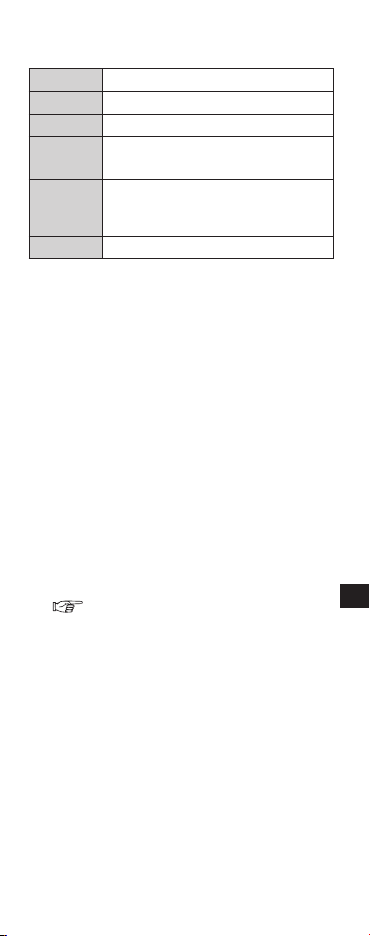
仕様
機種
TY-EP3D10WB
レンズ方式
円偏光方式
使用温度範囲
0℃~ 40℃
材質
本体:樹脂
偏光レンズ部分:樹脂
寸法
幅 149.0mm
高さ 44.0mm
奥行171.0mm
質量 約 18g
保管・お手入れ
●
お手入れはやわらかい乾いた布を使ってくだ
さい。やわらかい布にほこりなどが付着して
いると、製品に傷がつきます。ご使用前にほこ
りなどをはらってください。なおベンジンや
シンナー、ワックスなどは、塗装がはがれる原
因になりますので、使用しないでください。
●お手入れの際に、3D グラスを水などの液
体につけないでください。
故障かな?
まず次の項目を確認してください。
3D 映像にならない
・本製品に対応しているテレビですか?
( 1ページ)
・テレビの映像が 3D 映像に切り換わっ
ていますか?
詳しくは、テレビの取扱説明書をご覧くだ
さい。
5
日本語
ご使用の回線(IP電話やひかり電話など)に
よっては、回線の混雑時に数分で切れる場
合があります。
●使いかた・お手入れなどのご相談は…
【ご相談窓口におけるお客様の個人情報
のお取り扱いについて】
パナソニック株式会社およびグループ
関係会社は、お客様の個人情報をご相談
対応や修理対応などに利用させていた
だき、ご相談内容は録音させていただき
ます。また、折り返し電話をさせていた
だくときのために発信番号を通知いた
だいております。なお、個人情報を適切
に管理し、修理業務等を委託する場合や
正当な理由がある場合を除き、第三者に
開示・提供いたしません。個人情報に
関するお問い合わせは、ご相談いただき
ました窓口にご連絡ください。
6
日本語

7
日本語

〒571−8504
大阪府門真市松生町1番15号
Ⓒ PanasonicCorporation2012
PrintedinChina
S1211-0
パナソニック株式会社 AVC ネットワークス社
日本語