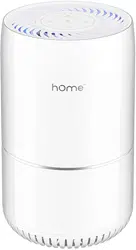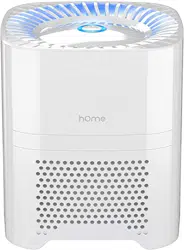

COMPACT
AIR PURIFIER
Before using your Compact Air Purier, please read this manual.

Safety Precautions
Get to Know Your Appliance
How to Use Your Appliance
Cleaning and Maintenance
Troubleshooting
Warranty
Manufacturing Info
Warning
Contact Us
5
6
7
8
9
10
10
11
11
TABLE OF CONTENTS

Safety Precautions
Get to Know Your Appliance
How to Use Your Appliance
Cleaning and Maintenance
Troubleshooting
Warranty
Manufacturing Info
Warning
Contact Us
5
6
7
8
9
10
10
11
11
TABLE OF CONTENTS

4 5
When using your hOme
™
Compact Air Purier (appliance), basic safety precautions should always
be followed to reduce the risk of re, electric shock, and/ or injury to person. Incorrect operation
due to ignoring instructions may cause harm or damage.
• All safety messages will tell you what
the potential hazard is, how to reduce
the chance of injury, and tell you what
can happen if the instructions are not
followed.
• Read all instructions before using the
appliance.
• Do not operate this or any other
appliance with a damaged cord.
• If the cord is damaged, contact hOme
™
customer service at 1.800.898.3002 to
avoid a hazard.
• The appliance must be positioned so
that the plug is accessible.
• Connect plug to properly polarized
outlets only. No other appliance should
be plugged into the same outlet. Be sure
that the plug is fully inserted into the
receptacle.
• Do not run the power cord over
carpeting or other heat insulators. Do
not cover the cord. Keep the cord away
from trafc areas, and do not submerge
in water or any other liquid.
• We do not recommend the use of an
extension cord, as it may overheat and
become a risk of re.
• Never use the power cord to pick up,
carry, drag, pull, or lift the appliance. Do
not pull the cord against or around sharp
corners and edges. This could result in
injury to the user or damage to the cord.
• Unplug the appliance before cleaning or
making any repairs or servicing.
• Exercise caution and use reasonable
supervision when appliance is used near
children.
• Do not clean your appliance with
ammable uids. The fumes can create
a re hazard or explosion.
• Do not operate the appliance in any
greasy environment, such as in the
kitchen. This appliance is not intended
to lter oil or grease from the air.
• Do not tip over your appliance.
• Do not use the appliance in bathrooms
or other humid environments.
• Use care when operating the appliance
by keeping all foreign objects, ngers,
body parts, hair, loose clothing and
jewelry away from openings.
• Do not use the appliance near replaces
or in areas where ammable or
combustible vapors or appliances may
exist.
• This appliance operates at 100-240V,
50/60Hz only.
• To reduce the risk of re or electric
shock, do not use this appliance with
any solid-state speed control devices.
Safety Precautions
The appliance must be placed on a at
rm surface.
SAVE THESE INSTRUCTIONS / For Household Use Only
WARNING
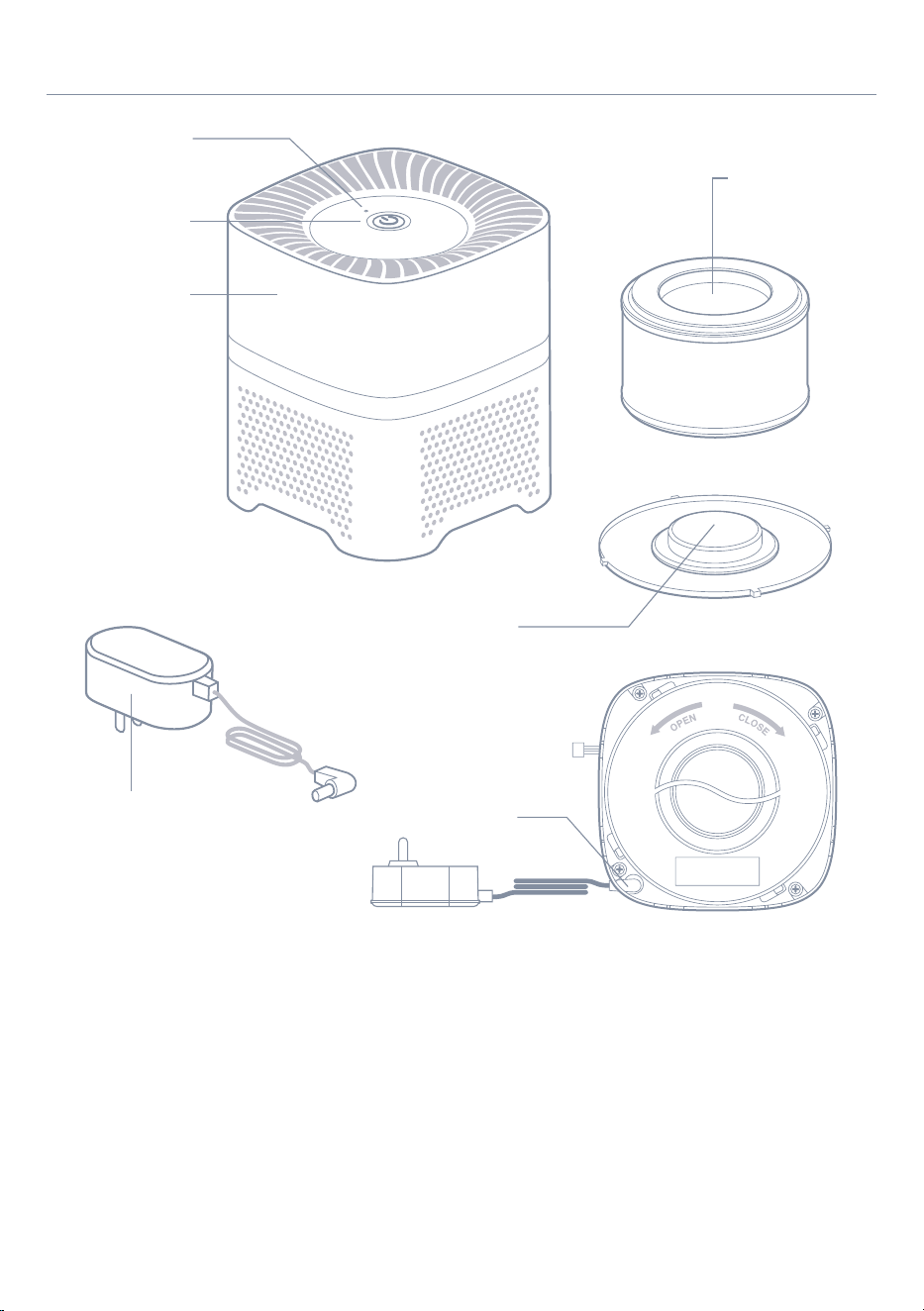
Change Filter
Indicator
Power Buon
Main Housing
Boom Cap
Adapter
Connector of
Adapter
Filter
•
Get to Know Your Appliance
4 5
When using your hOme
™
Compact Air Purier (appliance), basic safety precautions should always
be followed to reduce the risk of re, electric shock, and/ or injury to person. Incorrect operation
due to ignoring instructions may cause harm or damage.
• All safety messages will tell you what
the potential hazard is, how to reduce
the chance of injury, and tell you what
can happen if the instructions are not
followed.
• Read all instructions before using the
appliance.
• Do not operate this or any other
appliance with a damaged cord.
• If the cord is damaged, contact hOme
™
customer service at 1.800.898.3002 to
avoid a hazard.
• The appliance must be positioned so
that the plug is accessible.
• Connect plug to properly polarized
outlets only. No other appliance should
be plugged into the same outlet. Be sure
that the plug is fully inserted into the
receptacle.
• Do not run the power cord over
carpeting or other heat insulators. Do
not cover the cord. Keep the cord away
from trafc areas, and do not submerge
in water or any other liquid.
• We do not recommend the use of an
extension cord, as it may overheat and
become a risk of re.
• Never use the power cord to pick up,
carry, drag, pull, or lift the appliance. Do
not pull the cord against or around sharp
corners and edges. This could result in
injury to the user or damage to the cord.
• Unplug the appliance before cleaning or
making any repairs or servicing.
• Exercise caution and use reasonable
supervision when appliance is used near
children.
• Do not clean your appliance with
ammable uids. The fumes can create
a re hazard or explosion.
• Do not operate the appliance in any
greasy environment, such as in the
kitchen. This appliance is not intended
to lter oil or grease from the air.
• Do not tip over your appliance.
• Do not use the appliance in bathrooms
or other humid environments.
• Use care when operating the appliance
by keeping all foreign objects, ngers,
body parts, hair, loose clothing and
jewelry away from openings.
• Do not use the appliance near replaces
or in areas where ammable or
combustible vapors or appliances may
exist.
• This appliance operates at 100-240V,
50/60Hz only.
• To reduce the risk of re or electric
shock, do not use this appliance with
any solid-state speed control devices.
Safety Precautions
The appliance must be placed on a at
rm surface.
SAVE THESE INSTRUCTIONS / For Household Use Only
WARNING
Change Filter
Indicator
Power Buon
Main Housing
Boom Cap
Adapter
Connector of
Adapter
Filter
•
Get to Know Your Appliance

6 7
• Input Voltage: AC100~240V
• Frequency: 50~60Hz
• Output Voltage: DC12V
• Rated Power: 4W
• Coverage Area: 40 sq.ft. (3.75 sq. meters)
• Appliance Size: 6.7 in x 6.7 in x 8 in (170mm X 170mm X 205mm)
• Appliance Weight: 2.4 lbs (1.1 kg)
1. Connect the power supply
Insert the output end of supplied adapter into the connector on the bottom of the appliance
(see Figure 1). Make sure the lter and the bottom cap are fully assembled, then put the
appliance on a at surface. After that, plug the adapter into a power outlet.
WARNING
To ensure safe operation of the appliance, always use the supplied adapter to avoid any
accident or injury. If the supplied adapter is damaged or lost, please contact
2. Turn on/off and seings
Once the appliance is plugged in, the LED indicator light around the power button will turn
red indicating you are in “standby” mode.
Press the “power button” to turn the appliance to low speed (the indicator LED surrounding
the power button will turn light blue in color).
Press the “power button” again to turn the appliance to high speed (the indicator LED
surrounding the power button will turn dark blue in color).
Press the power button again to turn the appliance off.
WARNING
If the appliance is not being used, please turn off the appliance and unplug it from the
power outlet to avoid damage.
3. Ion function
The ion generator inside the appliance provides millions of ions and turns on automatically
when the appliance is on. The ion generator turns off when the appliance is on “standby”
mode or turned off.
4. Change Filter Indicator
The “change lter” indicator light will ash each time the lter needs to be replaced.
SPECIFICATIONS
How to Use Your Appliance
Get to Know Your Appliance
Always make sure the appliance is turned off and unplugged before cleaning.
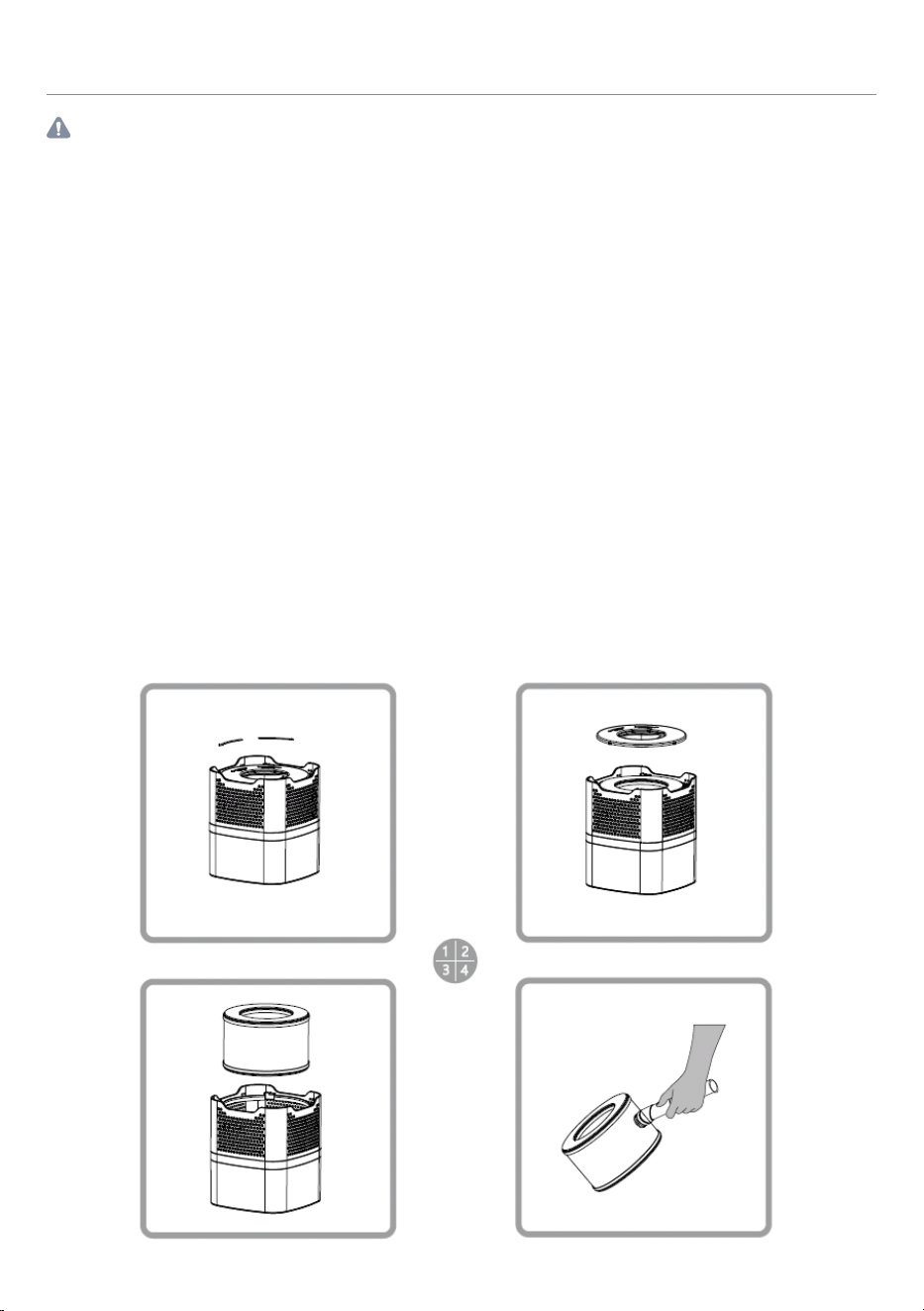
Follow the steps below to change the lter in your appliance:
Cleaning and Maintenance
You can use vacuum cleaner to clean the surface of lter every 4 weeks use to extend the life time
of lter. More frequent cleaning will be necessary if the unit is located in an area with a high level of
airborne contaminants (excessive amounts of smoke, pet dander, etc.).
We suggest to replace the lter at least 6 months of use or replace once the reminding indicator on
the top panel is ashing to keep the efcient working of the air purier.
Exposing the air purier to candle/oil/replace soot and smoke is not recommended and will
require more frequent cleaning.
ATTENTION: Do not use water or any household cleaners or detergents to clean the Filter.
1. Clean the lter
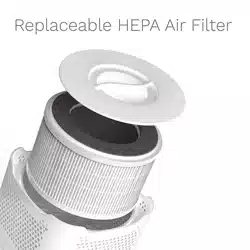
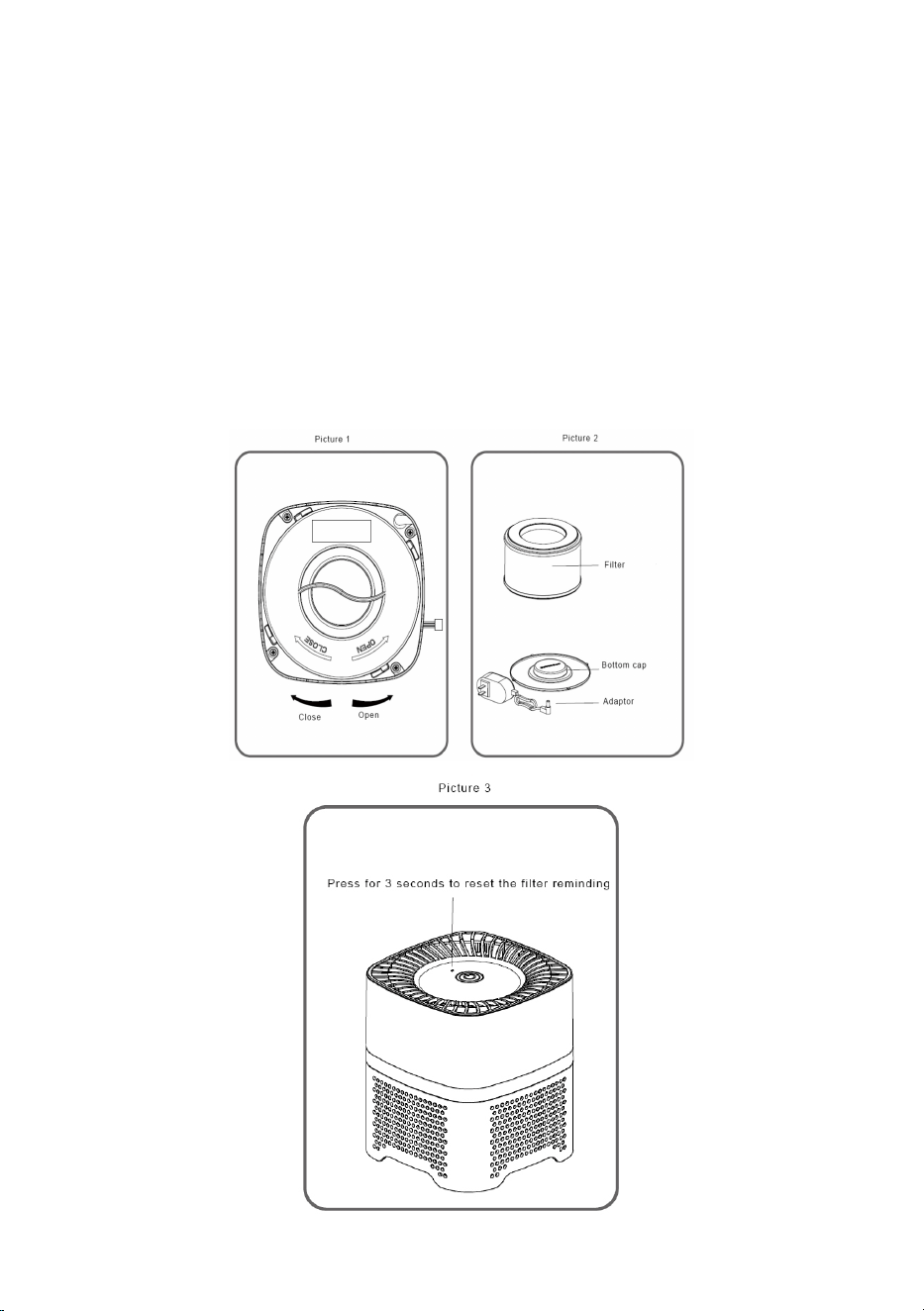
• Rotate the bottom cap anticlockwise to the opening and take detach the bottom cap
(see picture 1).
• Take out the Filter according to the direction as picture 2 and picture 3.
• To clean the Filter, use the brush or crevice attachment with a vacuum cleaner. Run the
attachment along the inlet and outlet side of the lter, cleaning between the crevices as
much as possible. Do not use water or any household cleaners or detergents to clean
the Filter.
• Once the Filter has been cleaned and checked for any possible damage, replace the
lter back in the reverse direction described here. And rotate it clockwise till you can
hear a click, the cap is closed.
WARNING
6 7
• Input Voltage: AC100~240V
• Frequency: 50~60Hz
• Output Voltage: DC12V
• Rated Power: 4W
• Coverage Area: 40 sq.ft. (3.75 sq. meters)
• Appliance Size: 6.7 in x 6.7 in x 8 in (170mm X 170mm X 205mm)
• Appliance Weight: 2.4 lbs (1.1 kg)
1. Connect the power supply
Insert the output end of supplied adapter into the connector on the bottom of the appliance
(see Figure 1). Make sure the lter and the bottom cap are fully assembled, then put the
appliance on a at surface. After that, plug the adapter into a power outlet.
WARNING
To ensure safe operation of the appliance, always use the supplied adapter to avoid any
accident or injury. If the supplied adapter is damaged or lost, please contact
2. Turn on/off and seings
Once the appliance is plugged in, the LED indicator light around the power button will turn
red indicating you are in “standby” mode.
Press the “power button” to turn the appliance to low speed (the indicator LED surrounding
the power button will turn light blue in color).
Press the “power button” again to turn the appliance to high speed (the indicator LED
surrounding the power button will turn dark blue in color).
Press the power button again to turn the appliance off.
WARNING
If the appliance is not being used, please turn off the appliance and unplug it from the
power outlet to avoid damage.
3. Ion function
The ion generator inside the appliance provides millions of ions and turns on automatically
when the appliance is on. The ion generator turns off when the appliance is on “standby”
mode or turned off.
4. Change Filter Indicator
The “change lter” indicator light will ash each time the lter needs to be replaced.
SPECIFICATIONS
How to Use Your Appliance
Get to Know Your Appliance
Always make sure the appliance is turned off and unplugged before cleaning.
Follow the steps below to change the lter in your appliance:
Cleaning and Maintenance
You can use vacuum cleaner to clean the surface of lter every 4 weeks use to extend the life time
of lter. More frequent cleaning will be necessary if the unit is located in an area with a high level of
airborne contaminants (excessive amounts of smoke, pet dander, etc.).
We suggest to replace the lter at least 6 months of use or replace once the reminding indicator on
the top panel is ashing to keep the efcient working of the air purier.
Exposing the air purier to candle/oil/replace soot and smoke is not recommended and will
require more frequent cleaning.
ATTENTION: Do not use water or any household cleaners or detergents to clean the Filter.
1. Clean the lter
• Rotate the bottom cap anticlockwise to the opening and take detach the bottom cap
(see picture 1).
• Take out the Filter according to the direction as picture 2 and picture 3.
• To clean the Filter, use the brush or crevice attachment with a vacuum cleaner. Run the
attachment along the inlet and outlet side of the lter, cleaning between the crevices as
much as possible. Do not use water or any household cleaners or detergents to clean
the Filter.
• Once the Filter has been cleaned and checked for any possible damage, replace the
lter back in the reverse direction described here. And rotate it clockwise till you can
hear a click, the cap is closed.
WARNING
8 9
PROBLEM POSSIBLE CAUSE
The LED indicator light
does not turn red to show
standby mode after the
appliance is plugged in.
On switching to the high
mode setting, the airow
does not increase OR there
is no airow at all.
The adapter is not
properly connected to
the appliance.
The outlet airow
is being blocked by
something.
The adapter is damaged.
Damage may have
incurred within the
appliance.
Contact hOme
™
customer service at
1-800-898-3002 to get a replacement
adapter.
Contact the hOme
™
customer service
to repair or replace the appliance at
1-800-898-3002.
SOLUTION
Check if the adapter power cable is
correctly inserted into the bottom of
the appliance.
Clear the outlet of anything blocking
it and wipe the outside surface with a
soft dry cloth.
Troubleshooting
2. Change the Filter
• Rotate the bottom cap anticlockwise to the opening and detach the bottom cap (see
picture 1).
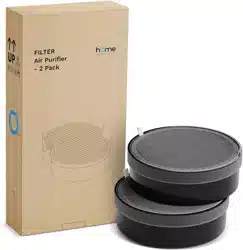
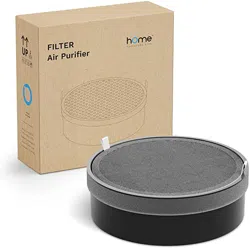
• Take out the used Filter. Change to new lter and insert into the air purier according to
the direction as picture 2.
• Cover the cap and rotate it clockwise till you can hear a click, and the cap is closed.
• Use toothpick or something similar to press the “lter changing indicator” for 3 seconds,
the indicator will ash 3 times and the buzzer will sound 3 times, which means the lter
reset successfully. The air purier can be operated normally after plugging in.
3. Clean the surface of housing
• Turn off the air purier and unplug the adaptor.
• Use soft cloth with little soap water to clean the surface of housing.
• Please make sure the water would not ow into the air purier, otherwise it may
damage your air purier and lead to electric shock and injury.
• Place the air purier somewhere well ventilated. Never expose to the sun directly. Only
turn on the air purier when it is thoroughly dry.

8 9
PROBLEM POSSIBLE CAUSE
The LED indicator light
does not turn red to show
standby mode after the
appliance is plugged in.
On switching to the high
mode setting, the airow
does not increase OR there
is no airow at all.
The adapter is not
properly connected to
the appliance.
The outlet airow
is being blocked by
something.
The adapter is damaged.
Damage may have
incurred within the
appliance.
Contact hOme
™
customer service at
1-800-898-3002 to get a replacement
adapter.
Contact the hOme
™
customer service
to repair or replace the appliance at
1-800-898-3002.
SOLUTION
Check if the adapter power cable is
correctly inserted into the bottom of
the appliance.
Clear the outlet of anything blocking
it and wipe the outside surface with a
soft dry cloth.
Troubleshooting
2. Change the Filter
• Rotate the bottom cap anticlockwise to the opening and detach the bottom cap (see
picture 1).
• Take out the used Filter. Change to new lter and insert into the air purier according to
the direction as picture 2.
• Cover the cap and rotate it clockwise till you can hear a click, and the cap is closed.
• Use toothpick or something similar to press the “lter changing indicator” for 3 seconds,
the indicator will ash 3 times and the buzzer will sound 3 times, which means the lter
reset successfully. The air purier can be operated normally after plugging in.
3. Clean the surface of housing
• Turn off the air purier and unplug the adaptor.
• Use soft cloth with little soap water to clean the surface of housing.
• Please make sure the water would not ow into the air purier, otherwise it may
damage your air purier and lead to electric shock and injury.
• Place the air purier somewhere well ventilated. Never expose to the sun directly. Only
turn on the air purier when it is thoroughly dry.

10 11
hOme
™
offers a limited two-year warranty (“warranty period”) on all of our products purchased
new and unused from hOme Technologies, LLC or an authorized reseller, with an original
proof of purchase and where a defect has arisen, wholly or substantially, as a result of faulty
manufacture, parts or workmanship during the warranty period. The warranty does not apply
where damage is caused by other factors, including without limitation: (a) normal wear and tear;
(b) abuse, mishandling, accident, or failure to follow operating instructions; (c) exposure to liquid
or inltration of foreign particles; (d) servicing or modications of the product other than by
hOme
™
; (e) commercial or non-household use.
The hOme
™
warranty covers all costs related to restoring the proven defective product through
repair or replacement of any defective part and necessary labor so that it conforms to its original
specications. A replacement product may be provided instead of repairing a defective product.
hOme
™
’s exclusive obligation under this warranty is limited to such repair or replacement.
A receipt indicating the purchase date is required for any claim, so please keep all receipts in a
safe place. We recommend that you register your product on our website, homelabs.com/reg.
Although greatly appreciated, the product registration is not required to activate any warranty
and product registration does not eliminate the need for the original proof of purchase.
The warranty becomes void if attempts at repair are made by non-authorized third parties and/or
if spare parts, other than those provided by hOme
™
, are used.
You may also arrange for service after the warranty expires at an additional cost.
These are our general terms for warranty service, but we always urge our customers to reach out
to us with any issue, regardless of warranty terms. If you have an issue with a hOme
™
product,
please contact us at 1-800-898-3002, and we will do our best to resolve it for you.
This warranty gives you specic legal rights, and you may have other legal rights which vary from
state to state, country to country or province to province. The customer may assert any such
rights at their sole discretion.
HME020020N
Warranty
Manufacturing Info
This manual is to be used with all items with the model number
SKU# : HME020020N
PART#: HME020020MNL
RATING: 50~60Hz, AC100~240V, AC ONLY
3M/ cu cm negative ions released
Keep all plastic bags away from children.
State of California Proposition 65 Warnings:
THIS PRODUCT COULD CONTAINS ONE OR MORE CHEMICALS WHICH ARE KNOWN TO THE STATE
OF CALIFORNIA TO CAUSE CANCER, BIRTH DEFECTS OR OTHER REPRODUCTIVE HARM.
Manufacturer, distributor, importer and seller are not liable for ANY damage caused by improper
use, storage, care or failure to follow warnings associated with this product.
Warning
Contact Us
CHAT WITH US
CALL US EMAIL US
homelabs.com/chat
1-(800)-898-3002 help@homelabs.com

10 11
hOme
™
offers a limited two-year warranty (“warranty period”) on all of our products purchased
new and unused from hOme Technologies, LLC or an authorized reseller, with an original
proof of purchase and where a defect has arisen, wholly or substantially, as a result of faulty
manufacture, parts or workmanship during the warranty period. The warranty does not apply
where damage is caused by other factors, including without limitation: (a) normal wear and tear;
(b) abuse, mishandling, accident, or failure to follow operating instructions; (c) exposure to liquid
or inltration of foreign particles; (d) servicing or modications of the product other than by
hOme
™
; (e) commercial or non-household use.
The hOme
™
warranty covers all costs related to restoring the proven defective product through
repair or replacement of any defective part and necessary labor so that it conforms to its original
specications. A replacement product may be provided instead of repairing a defective product.
hOme
™
’s exclusive obligation under this warranty is limited to such repair or replacement.
A receipt indicating the purchase date is required for any claim, so please keep all receipts in a
safe place. We recommend that you register your product on our website, homelabs.com/reg.
Although greatly appreciated, the product registration is not required to activate any warranty
and product registration does not eliminate the need for the original proof of purchase.
The warranty becomes void if attempts at repair are made by non-authorized third parties and/or
if spare parts, other than those provided by hOme
™
, are used.
You may also arrange for service after the warranty expires at an additional cost.
These are our general terms for warranty service, but we always urge our customers to reach out
to us with any issue, regardless of warranty terms. If you have an issue with a hOme
™
product,
please contact us at 1-800-898-3002, and we will do our best to resolve it for you.
This warranty gives you specic legal rights, and you may have other legal rights which vary from
state to state, country to country or province to province. The customer may assert any such
rights at their sole discretion.
HME020020N
Warranty
Manufacturing Info
This manual is to be used with all items with the model number
SKU# : HME020020N
PART#: HME020020MNL
RATING: 50~60Hz, AC100~240V, AC ONLY
3M/ cu cm negative ions released
Keep all plastic bags away from children.
State of California Proposition 65 Warnings:
THIS PRODUCT COULD CONTAINS ONE OR MORE CHEMICALS WHICH ARE KNOWN TO THE STATE
OF CALIFORNIA TO CAUSE CANCER, BIRTH DEFECTS OR OTHER REPRODUCTIVE HARM.
Manufacturer, distributor, importer and seller are not liable for ANY damage caused by improper
use, storage, care or failure to follow warnings associated with this product.
Warning
Contact Us
CHAT WITH US
CALL US EMAIL US
homelabs.com/chat
1-(800)-898-3002 [email protected]

12
© 2016 hOme Technologies, LLC
37 East 18 Street, 7th Floor
New York, NY 10003
For Household
Use Only
1-800-898-3002
homelabs.com/help
All rights reserved, hOme
™
. Printed in China.