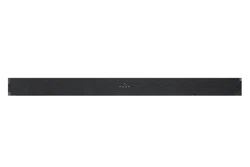
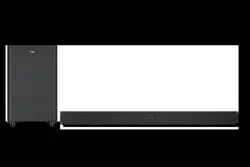
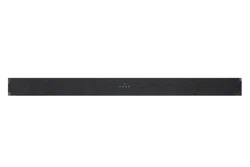
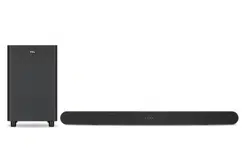
User manual Sound Bar
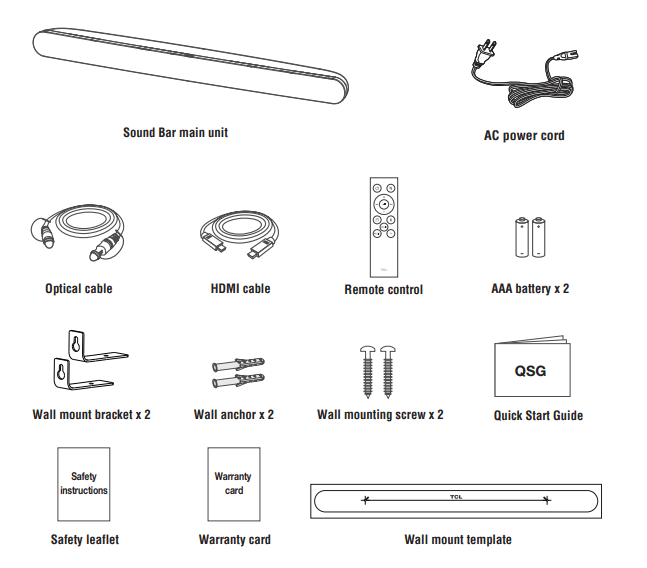
What's in the box
Make sure you read all the safety information before you use this product.
Overview
Sound Bar main unit
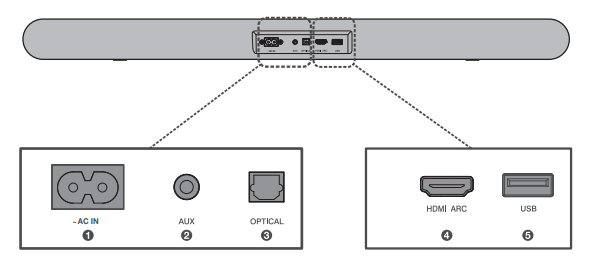
- AC input power connector
- AUX input connector
- Optical input connector
- HDMI ARC connector
- USB Type A connector
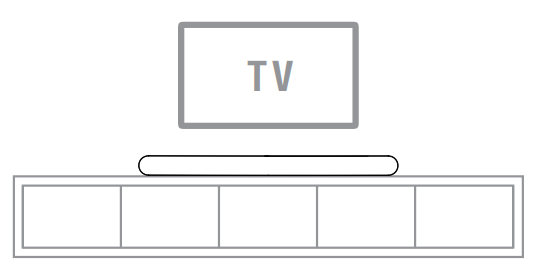
Place your Sound Bar
The ideal place to position the Sound Bar is centered underneath your TV.
Wall mount your Sound Bar
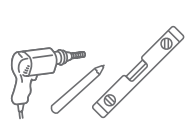
Required tools:
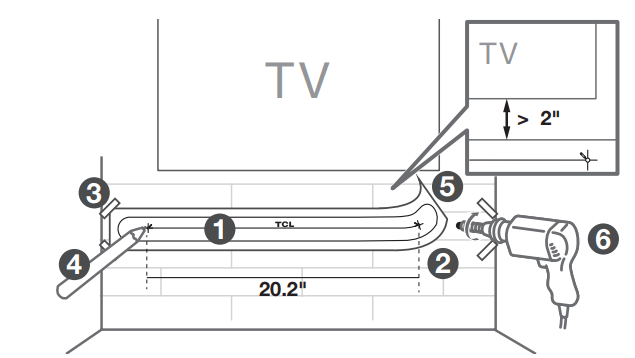
- Place the supplied wall mount template on the wall. Make sure the wall mount template is at least 2 inches below the center of the TV. 1
- Use a level to make sure the wall mount template is positioned accurately. 2
- Use the tape to stick the wall mount template firmly on the wall. 3
- Mark on the wall using each marking on the template through the mounting holes. 4
- Take away the wall mount template. 5
- Drill a screw hole at each marking on the wall. 6
Required tools:

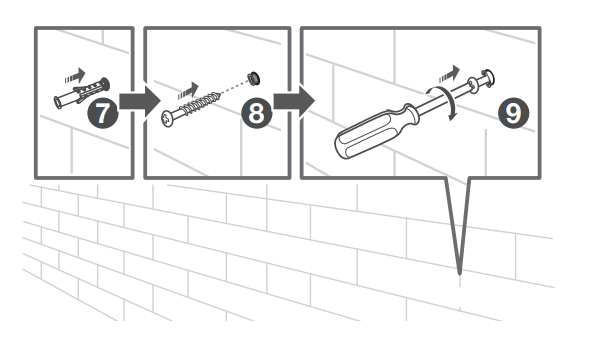
- Insert the wall anchors in the holes on the wall. 7
- Insert the supplied screws into the hole of the wall anchors. 8
- Fix and tighten the wall bracket screws on the wall, but leave a little space for hanging the brackets. 9
Required tools:
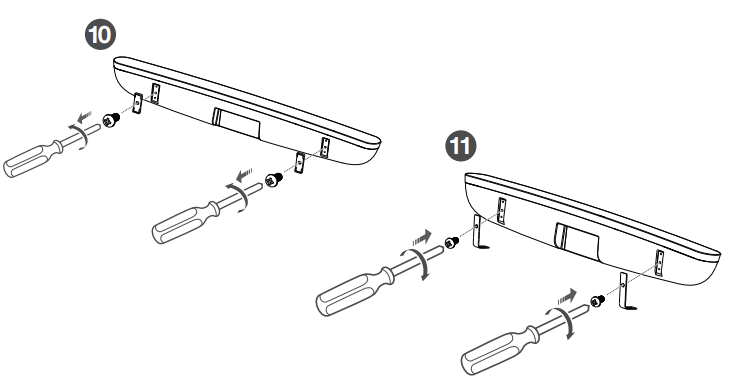
- Unscrew the rubber cushions from the bottom of the sound bar and set them aside for potential use in the future. 10
- Attach the included wall bracket mounts to the sound bar in the same holes the rubber cushions were removed from 11
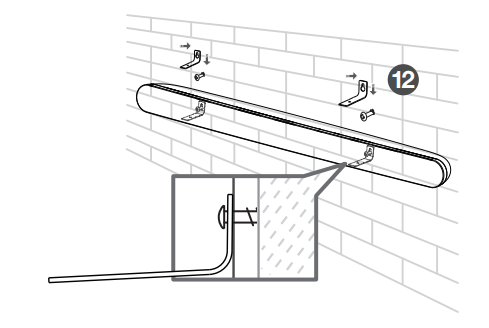
- With the brackets now attached to the sound bar, pick up the sound bar and attach it to the wall screws, similar to how you would hang a picture. Make sure everything is tight. 12
Connect to your TV
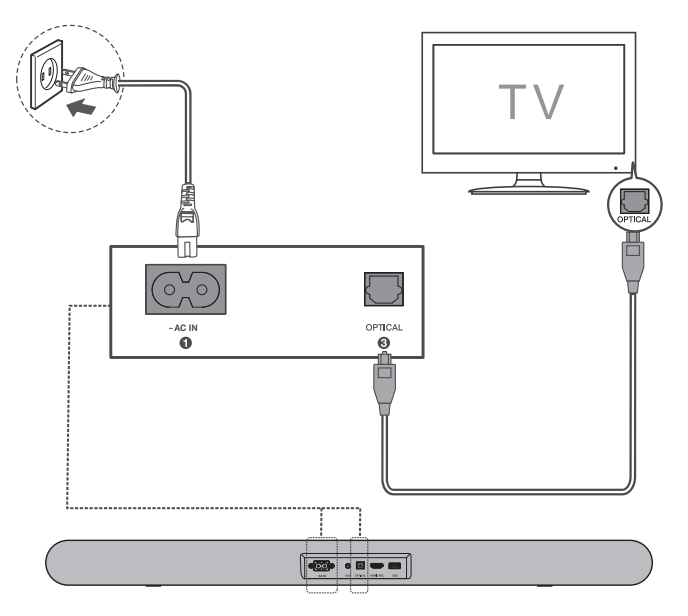
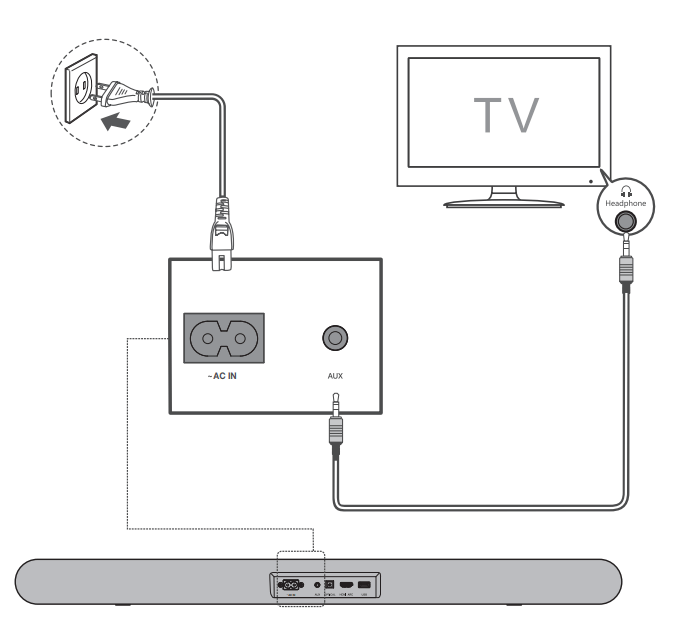
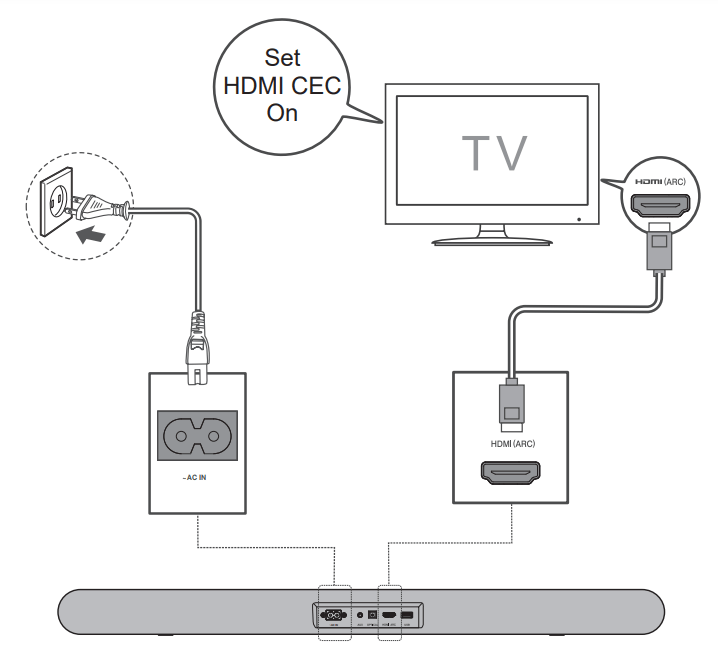 There are 3 ways to connect your sound bar to the TV (listed in order that we recommend): HDMI ARC (refer to 4a), Optical (refer to 4b), and AUX (refer to 4c)
For USA only: If you have a Roku TVTM, simply plug in the HDMI cable and follow the Roku TV ReadyTM on-screen instructions.
HDMI-ARC
Connect the Sound Bar with your TV through the supplied HDMI cable.
Connect the Sound Bar to the power supply with the supplied power cord.
Optical
Connect the Sound Bar with your TV through the supplied Optical cable.
Connect the Sound Bar to the power supply with the supplied power cord.
AUX
Connect the Sound Bar with your TV through AUX cable (not supplied).
Connect the Sound Bar to the power supply with the supplied power cord.
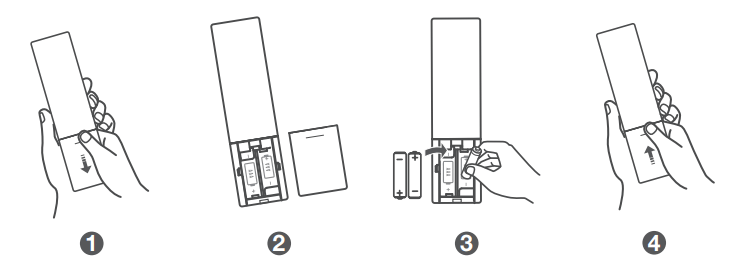
Install or replace the remote batteries
Battery type: 1.5V AAA Alkaline battery x 2
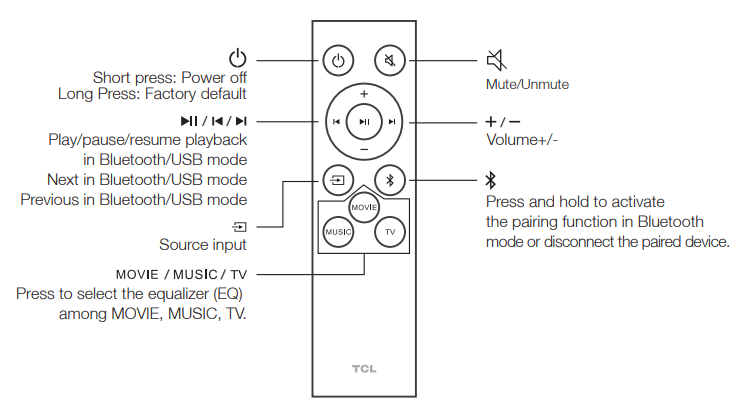
Using the Remote
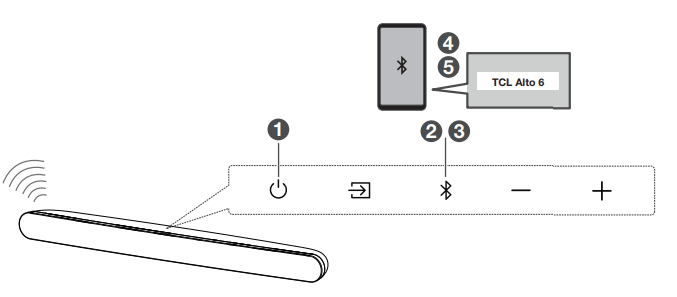
Pair with your Bluetooth device
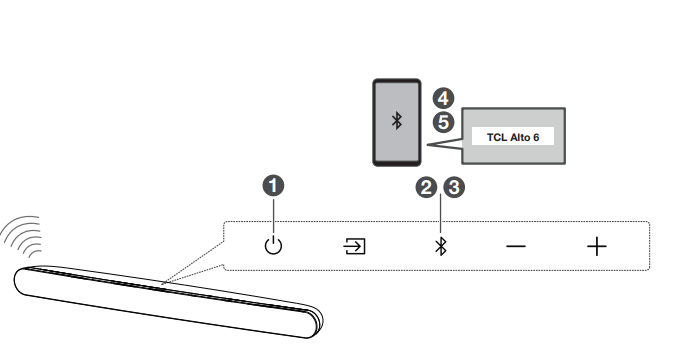
You can stream music from your mobile device via Bluetooth.
1. Press
2. Press  .
.
3. Press and hold or  on the remote control or press and hold on your sound bar.
> You hear a sound signal and blue light is flashing on the sound bar.
> The Sound Bar is ready to pair.
4. Power on your Bluetooth device and activate its Bluetooth function.
5. Select TCL Alto 6 .
> You hear a sound signal.
> Pairing is successful.
6. If you want to re-pair with another device, please repeat step 3.
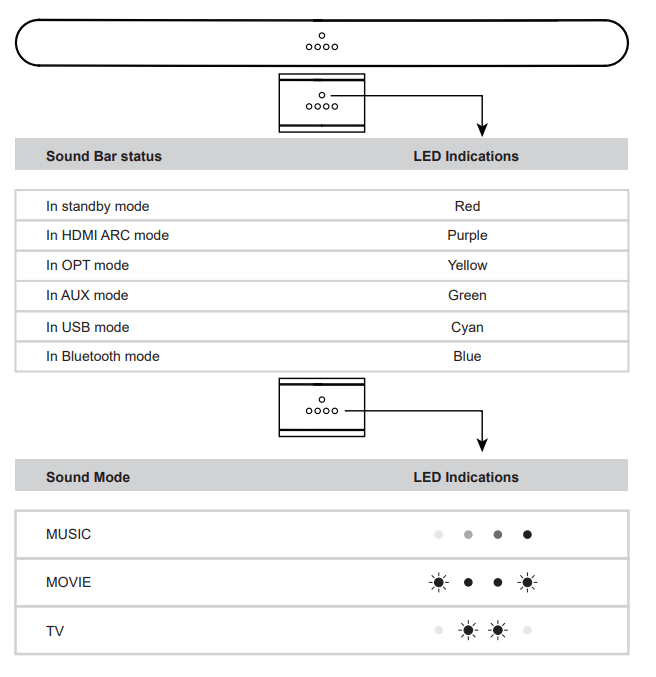
Sound Bar LED Display
The LED display on the Sound Bar gives you information about the status of the Sound Bar.
FAQ
Does this Sound Bar work with any TV?
Yes, the Sound Bar is compatible with any TV that has one of the ports below:
1. HDMI supporting ARC (preferred)
2. Optical audio output (TOSLink)
3. Headphone output
When the Sound Bar and TV are both on, there is an echo effect.
If you use HDMI-ARC connection, please check if the HDMI-CEC feature of your TV is turned on. This feature may be called T-Link, Anynet+, SimpLink, BRAVIA Link, EasyLink or VIERA Link . If using optical or AUX connection, simply mute the TV speaker.
How many sound modes are available?
Three sound modes - Movie, Music, and TV.
How to clean the sound bar?
Please keep your sound bar in a dry and ventilated environment. If it needs to be cleaned, please wipe it gently with a soft, dry cloth without water or other cleaning agents