
This addendum accompanies your equipment documentation and is additional
information concerning the heart rate features for your equipment and console.
Important
The heart rate features are intended for reference only. They may not be accurate
for every user or at every speed and are not intended for use as a medical device.
Holding the heart rate handle touch sensor while exercising at higher intensity
may also decrease accuracy of the heart rate reading and is not recommended.
Please also read your product documentation and visit:
www.precor.com/en-us/customer-service/faq.
P/N 305324-101 rev A, ENU
©Precor Incorporated | October 2017
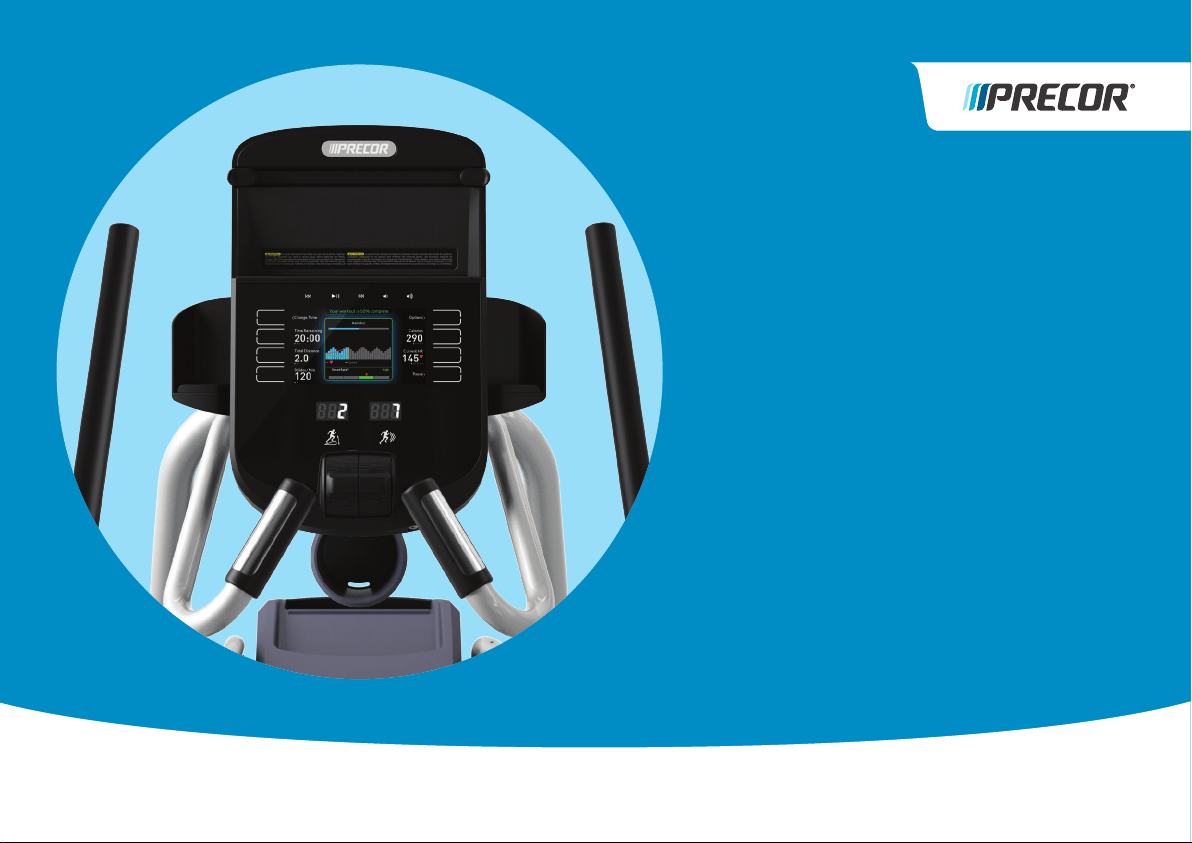
WELCOME TO A PERSONALIZED FITNESS EXPERIENCE FOR YOUR HOME
Quick
Start
Card
PRECISION
™
SERIES
AND ENERGY
™
SERIES
ELLIPTICALS
HEART RATE INFORMATION
CHOOsE A WORKOUT
• Determine your level of tness: beginner,
intermediate, or advanced.
• Determine your immediate goal: endurance
training, cardio-conditioning, or weight loss.
If you are a beginner, start with a cardio-conditioning
workout to gradually adjust your body to the demands of
exercise. Over a recommended eight-week period, you will
increase your endurance and strength.
For all tness levels, plan to exercise at an appropriately
challenging pace for 20 to 30 minutes a day. Wear a chest
strap to monitor your heart rate. Supplement your plans
with tness workouts from the Precor web site
(www.precor.com). The Precor web site also provides
expert advice to help you reach your tness goals.
MONITOR YOUR HEART RATE
The SmartRate and heart rate displays provide visual cues
that help you adjust your tness routine to reach your
goals. Use these features to keep your heart rate within
the target zones.
Wear a Chest Strap
During a workout, the heart rate features appear on
the display when you wear a chest strap. To receive an
accurate reading, the chest strap needs to be in direct
contact with your skin. After you put on the chest strap,
face the display console for a minimum of 15 seconds. This
allows the receiver in the console to recognize the signal
from the chest strap.
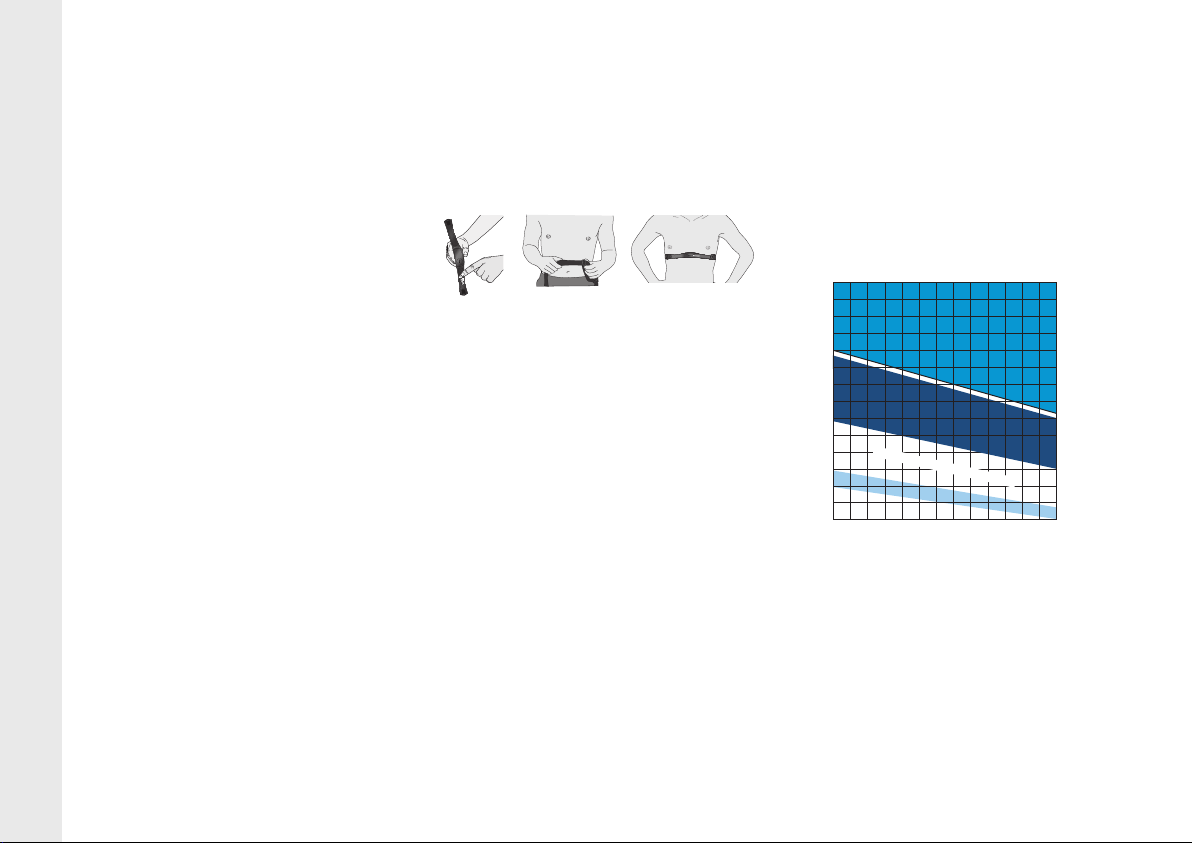
1. Carefully dampen the back of the strap with tap
water (Diagram A).
IMPORTANT: Do not use deionized water. It does
not have the proper minerals and salts to conduct
electrical impulses.
2. Adjust the strap and fasten it around your chest.
The strap should feel snug, not restrictive
(Diagram B).
3. Make sure that the chest strap is right side up, lies
horizontally across your chest, and is centered in
the middle of your chest (Diagram C).
When these steps are complete, you are ready to view
your heart rate.
Touch-Sensitive Handrail Grips
Several Precor products incorporate touch-sensitive
heart rate grips on the handrails. If you prefer to use
the touch-sensitive handrail grips, use both hands.
Make sure both hands are moist (not dry) and avoid
grasping the sensors too tightly.
Note: For the best heart rate monitoring results, wear a
chest strap.
sMARTRATE® FEATUREs
When you begin an exercise session, a blinking
segment in the SmartRate display appears if you
entered your age during the setup phase. The blinking
segment indicates the current zone of your heart rate.
The calculation used for the heart rate target zone is
your maximum aerobic heart rate:
207 - (your age x 0.67), multiplied by a percentage.
For the ideal weight loss range, your heart rate should
remain between 55% and 69% of your maximum
aerobic heart rate. To improve your overall
cardiovascular and respiratory tness level, maintain
your heart rate between 70% and 85% of your
maximum aerobic heart rate. For the greatest benets,
maintain your heart rate in either zone for 30 minutes or
more at least three times a week.
CAUTION: Your heart rate should never exceed
85% of your maximum aerobic heart rate or go
above your target zone (Diagram D).
COOl DOWN AFTER YOUR WORKOUT
Cooling down is an important aspect of your workout
because it helps reduce muscle stiness and
soreness by transporting excess lactic acid out of the
working muscles. Cooling down for at least three
minutes helps provide a smooth transition that allows
your heart rate to return to its normal, non-exercising state.
20031 142nd Avenue NE | P.O. Box 7202
Woodinville, WA USA 98072-4002
www.precor.com
P/N 303170-111 | ©2014 Precor Incorporated
Diagram D: Heart Rate Target Zones
Diagram A Diagram B Diagram C
Choose a Program
• Determine your level of fitness: beginner,
intermediate, or advanced.
• Determine your immediate goal: endurance
training, cardio-conditioning, or weight loss.
If you are a beginner, start a cardio-conditioning
program to slowly adjust your body to a comfortable
level of exercise. Over a recommended 8-week
period, you will increase your endurance and strength
while improving flexibility.
If you have been exercising and feel that you have
reached an intermediate or advanced fitness level, you
probably have established goals for yourself.
For all fitness levels, plan to exercise at a comfortable
pace for 20 to 30 minutes a day. Wear a chest strap
to monitor your heart rate. Supplement your plans
with fitness workouts from the Precor web site
(www.precor.com). The Precor web site also provides
expert advice to help you reach your fitness goals.
Monitor Your Heart Rate
The SmartRate and heart rate displays provide visual
cues that help you adjust your fitness routine to reach
your goals. Use these features to keep your heart rate
within the target zones.
Wear a Chest Strap
During a workout, the heart rate features appear on
the display when you wear a chest strap. To receive
an accurate reading, the chest strap needs to be in
direct contact with your skin. After you put on the
chest strap, face the display console for a minimum of
15 seconds. This allows the receiver in the console to
recognize the signal from the chest strap.
1. Carefully dampen the back of the strap with tap
water (Diagram A).
Important: Do not use deionized water. It does
not have the proper minerals and salts to conduct
electrical impulses.
2. Adjust the strap and fasten it around your chest.
The strap should feel snug, not restrictive
(Diagram B).
3. Make sure that the chest strap is right side up, lies
horizontally across your chest, and is centered in
the middle of your chest (Diagram C).
When these steps are complete, you are ready to view
your heart rate!
Touch-Sensitive Handrail Grips
Several Precor products incorporate touch-sensitive
heart rate grips on the handrails. If you prefer to use
the touch-sensitive handrail grips, use both hands.
Make sure both hands are moist (not dry) when you
grasp the touch-sensitive handrail grips.
SmartRate
®
Features
When you begin an exercise session, a blinking
segment in the SmartRate display appears if you
entered your age during the setup phase. The blinking
segment indicates the current zone of your heart rate.
The calculation used for the heart rate target zone is
your maximum aerobic heart rate:
(220 minus your age) multiplied by a percent.
For the ideal weight loss range, your heart rate should
remain between 55% and 70% of your maximum
aerobic heart rate. To improve your overall
cardiovascular and respiratory fitness level, maintain
your heart rate between 70% and 85% of your
maximum aerobic heart rate.
For the greatest benefits, maintain your heart rate in
either zone for 30 minutes or more at least three times
a week.
CAUTION: Your heart rate should never exceed
85% of your maximum aerobic heart rate or go
above your target zone (Diagram D).
Diagram D
Cool Down After Your Workout
Cooling down is an important aspect of your workout
because it helps reduce muscle stiffness and
soreness by transporting excess lactic acid out of the
working muscles. Cooling down for at least three
minutes helps provide a smooth transition that allows
your heart rate to return to its normal, non-exercising
state.
Diagram A Diagram B Diagram C
20 25 30 35 40 45 50 55 60 65 70 75
70
80
90
100
120
130
140
150
160
170
180
190
200
110
Heart Rate Target Zones
Your Age
Your Heart Rate
Peak
Cardio
Warmup
R
e
c
o
m
m
e
n
d
e
d
C
a
r
d
io
v
a
s
c
u
la
r
Zon
e
R
e
c
o
m
m
e
n
d
e
d
W
e
i
g
h
t
L
o
s
s
Z
o
n
e
Fatburn
High
Precor Incorporated
20031 142nd Avenue NE
P.O. Box 7202
Woodinville, WA USA 98072-4002
www.precor.com
HR INFO 48140-104
©2007 Precor Incorporated
Choose a Program
• Determine your level of fitness: beginner,
intermediate, or advanced.
• Determine your immediate goal: endurance
training, cardio-conditioning, or weight loss.
If you are a beginner, start a cardio-conditioning
program to slowly adjust your body to a comfortable
level of exercise. Over a recommended 8-week
period, you will increase your endurance and strength
while improving flexibility.
If you have been exercising and feel that you have
reached an intermediate or advanced fitness level, you
probably have established goals for yourself.
For all fitness levels, plan to exercise at a comfortable
pace for 20 to 30 minutes a day. Wear a chest strap
to monitor your heart rate. Supplement your plans
with fitness workouts from the Precor web site
(www.precor.com). The Precor web site also provides
expert advice to help you reach your fitness goals.
Monitor Your Heart Rate
The SmartRate and heart rate displays provide visual
cues that help you adjust your fitness routine to reach
your goals. Use these features to keep your heart rate
within the target zones.
Wear a Chest Strap
During a workout, the heart rate features appear on
the display when you wear a chest strap. To receive
an accurate reading, the chest strap needs to be in
direct contact with your skin. After you put on the
chest strap, face the display console for a minimum of
15 seconds. This allows the receiver in the console to
recognize the signal from the chest strap.
1. Carefully dampen the back of the strap with tap
water (Diagram A).
Important: Do not use deionized water. It does
not have the proper minerals and salts to conduct
electrical impulses.
2. Adjust the strap and fasten it around your chest.
The strap should feel snug, not restrictive
(Diagram B).
3. Make sure that the chest strap is right side up, lies
horizontally across your chest, and is centered in
the middle of your chest (Diagram C).
When these steps are complete, you are ready to view
your heart rate!
Touch-Sensitive Handrail Grips
Several Precor products incorporate touch-sensitive
heart rate grips on the handrails. If you prefer to use
the touch-sensitive handrail grips, use both hands.
Make sure both hands are moist (not dry) when you
grasp the touch-sensitive handrail grips.
SmartRate
®
Features
When you begin an exercise session, a blinking
segment in the SmartRate display appears if you
entered your age during the setup phase. The blinking
segment indicates the current zone of your heart rate.
The calculation used for the heart rate target zone is
your maximum aerobic heart rate:
(220 minus your age) multiplied by a percent.
For the ideal weight loss range, your heart rate should
remain between 55% and 70% of your maximum
aerobic heart rate. To improve your overall
cardiovascular and respiratory fitness level, maintain
your heart rate between 70% and 85% of your
maximum aerobic heart rate.
For the greatest benefits, maintain your heart rate in
either zone for 30 minutes or more at least three times
a week.
CAUTION: Your heart rate should never exceed
85% of your maximum aerobic heart rate or go
above your target zone (Diagram D).
Diagram D
Cool Down After Your Workout
Cooling down is an important aspect of your workout
because it helps reduce muscle stiffness and
soreness by transporting excess lactic acid out of the
working muscles. Cooling down for at least three
minutes helps provide a smooth transition that allows
your heart rate to return to its normal, non-exercising
state.
Diagram A Diagram B Diagram C
20 25 30 35 40 45 50 55 60 65 70 75
70
80
90
100
120
130
140
150
160
170
180
190
200
110
Heart Rate Target Zones
Your Age
Your Heart Rate
Peak
Cardio
Warmup
R
e
c
o
m
m
e
n
d
e
d
C
a
r
d
io
v
a
s
c
u
la
r
Zon
e
R
e
c
o
m
m
e
n
d
e
d
W
e
i
g
h
t
L
o
s
s
Z
o
n
e
Fatburn
High
Precor Incorporated
20031 142nd Avenue NE
P.O. Box 7202
Woodinville, WA USA 98072-4002
www.precor.com
HR INFO 48140-104
©2007 Precor Incorporated
20 25 30 35 40 45 50 55 60 65 70 75
70
80
90
100
120
130
140
150
160
170
180
190
200
110
Your Heart Rate
Maximum
High
Moderate
Warm-up
Your Age
Recommended Cardiovascular Zone
Recommended Weight Loss Zone
CAUTION: Before beginning any fitness program, see your physician for a thorough examination. Ask your physician about the appropriate target heart rate for your fitness level.
As you get to know your new Precor Elliptical Fitness Crosstrainer
™
(EFX
®
) and your own tness goals, you’ll use the advanced features
of the equipment more often. To begin with, though, here’s an easy
way to start out.
NOTE: These instructions assume that your EFX has been completely
installed and set up.
Drawn
to crop
1.75” H
Line
Weights
Approx
.5 pt
.25 pt
Drawn for Hydra Manual / Quickstart Card 03.07.14 0 - Jen
Drawn for Hydra Manual / Quickstart Card 03.07.14 0 - Jen
Drawn
to crop
1.75” H
Line
Weights
Approx
.5 pt
.25 pt
Drawn for Hydra Manual / Quickstart Card 03.07.14 0 - Jen
WARNING: Read through ALL of the safety information
in the Owner’s Manual, and make sure that the EFX is
properly connected to the electrical supply in your house,
before you use the EFX.
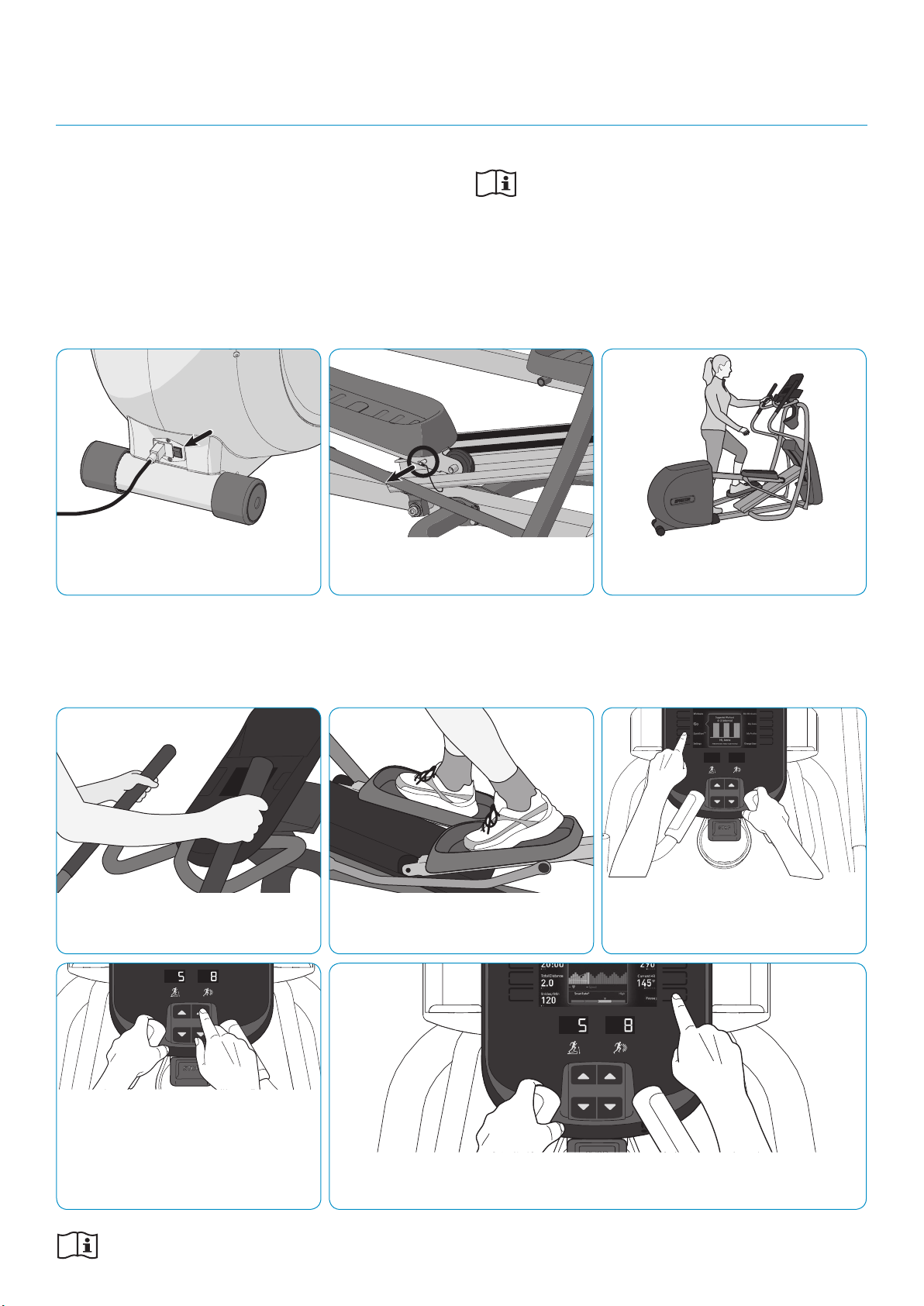
sTEP 1: Turn the equipment on.
sTEP 4: Grasp handles rmly with
both hands.
sTEP 7: Use the control on the console
to adjust the amount of resistance. If
the equipment includes a motorized
CrossRamp® adjustment, use the control on
the left to adjust the CrossRamp height, and
the control on the right for the resistance.
sTEP 2: If the locking pin is engaged,
release it.
sTEP 6: Touch the QuickStart button
(manual operation) or the Go button
(start today’s featured workout).
sTEP 8: If you need to end your workout early, touch Pause, then Finish,
then Home.
Refer to your owner’s manual for complete operational instructions
and troubleshooting. See reverse for important heart rate information.
sTEP 3: Hold one handrail and step
onto the pedals.
sTEP 5: Begin pedaling.
TO gET sTARTED WITH YOUR NEW PRECOR EFX:
gETTINg sTARTED
PRECISION SERIES AND ENERGY SERIES ELLIPTICALS
WELCOME TO A PERSONALIZED FITNESS EXPERIENCE FOR YOUR HOME
Quick
Start
Card
PRECISION
™
SERIES
AND ENERGY
™
SERIES
ELLIPTICALS
HEART RATE INFORMATION
CHOOsE A WORKOUT
• Determine your level of tness: beginner,
intermediate, or advanced.
• Determine your immediate goal: endurance
training, cardio-conditioning, or weight loss.
If you are a beginner, start with a cardio-conditioning
workout to gradually adjust your body to the demands of
exercise. Over a recommended eight-week period, you will
increase your endurance and strength.
For all tness levels, plan to exercise at an appropriately
challenging pace for 20 to 30 minutes a day. Wear a chest
strap to monitor your heart rate. Supplement your plans
with tness workouts from the Precor web site
(www.precor.com). The Precor web site also provides
expert advice to help you reach your tness goals.
MONITOR YOUR HEART RATE
The SmartRate and heart rate displays provide visual cues
that help you adjust your tness routine to reach your
goals. Use these features to keep your heart rate within
the target zones.
Wear a Chest Strap
During a workout, the heart rate features appear on
the display when you wear a chest strap. To receive an
accurate reading, the chest strap needs to be in direct
contact with your skin. After you put on the chest strap,
face the display console for a minimum of 15 seconds. This
allows the receiver in the console to recognize the signal
from the chest strap.
1. Carefully dampen the back of the strap with tap
water (Diagram A).
IMPORTANT: Do not use deionized water. It does
not have the proper minerals and salts to conduct
electrical impulses.
2. Adjust the strap and fasten it around your chest.
The strap should feel snug, not restrictive
(Diagram B).
3. Make sure that the chest strap is right side up, lies
horizontally across your chest, and is centered in
the middle of your chest (Diagram C).
When these steps are complete, you are ready to view
your heart rate.
Touch-Sensitive Handrail Grips
Several Precor products incorporate touch-sensitive
heart rate grips on the handrails. If you prefer to use
the touch-sensitive handrail grips, use both hands.
Make sure both hands are moist (not dry) and avoid
grasping the sensors too tightly.
Note: For the best heart rate monitoring results, wear a
chest strap.
sMARTRATE® FEATUREs
When you begin an exercise session, a blinking
segment in the SmartRate display appears if you
entered your age during the setup phase. The blinking
segment indicates the current zone of your heart rate.
The calculation used for the heart rate target zone is
your maximum aerobic heart rate:
207 - (your age x 0.67), multiplied by a percentage.
For the ideal weight loss range, your heart rate should
remain between 55% and 69% of your maximum
aerobic heart rate. To improve your overall
cardiovascular and respiratory tness level, maintain
your heart rate between 70% and 85% of your
maximum aerobic heart rate. For the greatest benets,
maintain your heart rate in either zone for 30 minutes or
more at least three times a week.
CAUTION: Your heart rate should never exceed
85% of your maximum aerobic heart rate or go
above your target zone (Diagram D).
COOl DOWN AFTER YOUR WORKOUT
Cooling down is an important aspect of your workout
because it helps reduce muscle stiness and
soreness by transporting excess lactic acid out of the
working muscles. Cooling down for at least three
minutes helps provide a smooth transition that allows
your heart rate to return to its normal, non-exercising state.
20031 142nd Avenue NE | P.O. Box 7202
Woodinville, WA USA 98072-4002
www.precor.com
P/N 303170-111 | ©2014 Precor Incorporated
Diagram D: Heart Rate Target Zones
Diagram A Diagram B Diagram C
Choose a Program
• Determine your level of fitness: beginner,
intermediate, or advanced.
• Determine your immediate goal: endurance
training, cardio-conditioning, or weight loss.
If you are a beginner, start a cardio-conditioning
program to slowly adjust your body to a comfortable
level of exercise. Over a recommended 8-week
period, you will increase your endurance and strength
while improving flexibility.
If you have been exercising and feel that you have
reached an intermediate or advanced fitness level, you
probably have established goals for yourself.
For all fitness levels, plan to exercise at a comfortable
pace for 20 to 30 minutes a day. Wear a chest strap
to monitor your heart rate. Supplement your plans
with fitness workouts from the Precor web site
(www.precor.com). The Precor web site also provides
expert advice to help you reach your fitness goals.
Monitor Your Heart Rate
The SmartRate and heart rate displays provide visual
cues that help you adjust your fitness routine to reach
your goals. Use these features to keep your heart rate
within the target zones.
Wear a Chest Strap
During a workout, the heart rate features appear on
the display when you wear a chest strap. To receive
an accurate reading, the chest strap needs to be in
direct contact with your skin. After you put on the
chest strap, face the display console for a minimum of
15 seconds. This allows the receiver in the console to
recognize the signal from the chest strap.
1. Carefully dampen the back of the strap with tap
water (Diagram A).
Important: Do not use deionized water. It does
not have the proper minerals and salts to conduct
electrical impulses.
2. Adjust the strap and fasten it around your chest.
The strap should feel snug, not restrictive
(Diagram B).
3. Make sure that the chest strap is right side up, lies
horizontally across your chest, and is centered in
the middle of your chest (Diagram C).
When these steps are complete, you are ready to view
your heart rate!
Touch-Sensitive Handrail Grips
Several Precor products incorporate touch-sensitive
heart rate grips on the handrails. If you prefer to use
the touch-sensitive handrail grips, use both hands.
Make sure both hands are moist (not dry) when you
grasp the touch-sensitive handrail grips.
SmartRate
®
Features
When you begin an exercise session, a blinking
segment in the SmartRate display appears if you
entered your age during the setup phase. The blinking
segment indicates the current zone of your heart rate.
The calculation used for the heart rate target zone is
your maximum aerobic heart rate:
(220 minus your age) multiplied by a percent.
For the ideal weight loss range, your heart rate should
remain between 55% and 70% of your maximum
aerobic heart rate. To improve your overall
cardiovascular and respiratory fitness level, maintain
your heart rate between 70% and 85% of your
maximum aerobic heart rate.
For the greatest benefits, maintain your heart rate in
either zone for 30 minutes or more at least three times
a week.
CAUTION: Your heart rate should never exceed
85% of your maximum aerobic heart rate or go
above your target zone (Diagram D).
Diagram D
Cool Down After Your Workout
Cooling down is an important aspect of your workout
because it helps reduce muscle stiffness and
soreness by transporting excess lactic acid out of the
working muscles. Cooling down for at least three
minutes helps provide a smooth transition that allows
your heart rate to return to its normal, non-exercising
state.
Diagram A Diagram B Diagram C
20 25 30 35 40 45 50 55 60 65 70 75
70
80
90
100
120
130
140
150
160
170
180
190
200
110
Heart Rate Target Zones
Your Age
Your Heart Rate
Peak
Cardio
Warmup
R
e
c
o
m
m
e
n
d
e
d
C
a
r
d
io
v
a
s
c
u
la
r
Zon
e
R
e
c
o
m
m
e
n
d
e
d
W
e
i
g
h
t
L
o
s
s
Z
o
n
e
Fatburn
High
Precor Incorporated
20031 142nd Avenue NE
P.O. Box 7202
Woodinville, WA USA 98072-4002
www.precor.com
HR INFO 48140-104
©2007 Precor Incorporated
Choose a Program
• Determine your level of fitness: beginner,
intermediate, or advanced.
• Determine your immediate goal: endurance
training, cardio-conditioning, or weight loss.
If you are a beginner, start a cardio-conditioning
program to slowly adjust your body to a comfortable
level of exercise. Over a recommended 8-week
period, you will increase your endurance and strength
while improving flexibility.
If you have been exercising and feel that you have
reached an intermediate or advanced fitness level, you
probably have established goals for yourself.
For all fitness levels, plan to exercise at a comfortable
pace for 20 to 30 minutes a day. Wear a chest strap
to monitor your heart rate. Supplement your plans
with fitness workouts from the Precor web site
(www.precor.com). The Precor web site also provides
expert advice to help you reach your fitness goals.
Monitor Your Heart Rate
The SmartRate and heart rate displays provide visual
cues that help you adjust your fitness routine to reach
your goals. Use these features to keep your heart rate
within the target zones.
Wear a Chest Strap
During a workout, the heart rate features appear on
the display when you wear a chest strap. To receive
an accurate reading, the chest strap needs to be in
direct contact with your skin. After you put on the
chest strap, face the display console for a minimum of
15 seconds. This allows the receiver in the console to
recognize the signal from the chest strap.
1. Carefully dampen the back of the strap with tap
water (Diagram A).
Important: Do not use deionized water. It does
not have the proper minerals and salts to conduct
electrical impulses.
2. Adjust the strap and fasten it around your chest.
The strap should feel snug, not restrictive
(Diagram B).
3. Make sure that the chest strap is right side up, lies
horizontally across your chest, and is centered in
the middle of your chest (Diagram C).
When these steps are complete, you are ready to view
your heart rate!
Touch-Sensitive Handrail Grips
Several Precor products incorporate touch-sensitive
heart rate grips on the handrails. If you prefer to use
the touch-sensitive handrail grips, use both hands.
Make sure both hands are moist (not dry) when you
grasp the touch-sensitive handrail grips.
SmartRate
®
Features
When you begin an exercise session, a blinking
segment in the SmartRate display appears if you
entered your age during the setup phase. The blinking
segment indicates the current zone of your heart rate.
The calculation used for the heart rate target zone is
your maximum aerobic heart rate:
(220 minus your age) multiplied by a percent.
For the ideal weight loss range, your heart rate should
remain between 55% and 70% of your maximum
aerobic heart rate. To improve your overall
cardiovascular and respiratory fitness level, maintain
your heart rate between 70% and 85% of your
maximum aerobic heart rate.
For the greatest benefits, maintain your heart rate in
either zone for 30 minutes or more at least three times
a week.
CAUTION: Your heart rate should never exceed
85% of your maximum aerobic heart rate or go
above your target zone (Diagram D).
Diagram D
Cool Down After Your Workout
Cooling down is an important aspect of your workout
because it helps reduce muscle stiffness and
soreness by transporting excess lactic acid out of the
working muscles. Cooling down for at least three
minutes helps provide a smooth transition that allows
your heart rate to return to its normal, non-exercising
state.
Diagram A Diagram B Diagram C
20 25 30 35 40 45 50 55 60 65 70 75
70
80
90
100
120
130
140
150
160
170
180
190
200
110
Heart Rate Target Zones
Your Age
Your Heart Rate
Peak
Cardio
Warmup
R
e
c
o
m
m
e
n
d
e
d
C
a
r
d
io
v
a
s
c
u
la
r
Zon
e
R
e
c
o
m
m
e
n
d
e
d
W
e
i
g
h
t
L
o
s
s
Z
o
n
e
Fatburn
High
Precor Incorporated
20031 142nd Avenue NE
P.O. Box 7202
Woodinville, WA USA 98072-4002
www.precor.com
HR INFO 48140-104
©2007 Precor Incorporated
20 25 30 35 40 45 50 55 60 65 70 75
70
80
90
100
120
130
140
150
160
170
180
190
200
110
Your Heart Rate
Maximum
High
Moderate
Warm-up
Your Age
Recommended Cardiovascular Zone
Recommended Weight Loss Zone
CAUTION: Before beginning any fitness program, see your physician for a thorough examination. Ask your physician about the appropriate target heart rate for your fitness level.
OWNER’S MANUAL
Precision
™
& Energy
™
SERIES
ELLIPTICALS
EFX® 447
EFX® 245
WELCOME TO A PERSONALIZED FITNESS EXPERIENCE FOR YOUR HOME


Important Safety Instructions 1
Important Safety
Instructions
When using the equipment, always take basic
precautions, including the following:
Read all instructions before using the equipment.
These instructions are written for your safety and
to protect the unit.
Before beginning any fitness program, see your
physician for a complete physical examination.
Il est conseillé de subir un examen médical complet
avant d’entreprendre tout programme d’exercise. Si
vous avez des étourdissements ou des faiblesses,
arrêtez les exercices immédiatement.
DANGER
To reduce the risk of electrical
shock always unplug the unit from
the electrical outlet immediately
after using and before cleaning.
WARNING
To reduce the risk of burns, fire,
electric shock, or injury, take the
following precautions:
Do not allow children, or those unfamiliar with the
operation of the equipment, on or near it. Do not
leave children unsupervised around the unit.
Never leave the equipment unattended when it is
plugged in. Unplug the equipment from the power
source when it is not in use, before cleaning it, and
before acquiring authorized service.
When the equipment is not in use, disconnect it by
turning the power switch to the Off position, and
then remove the power plug from the power outlet.
Assemble and operate the equipment on a solid,
level surface. Locate the equipment a few feet from
walls or furniture. Keep the area behind the
equipment clear.

Precision Series / Energy Series Elliptical Fitness Crosstrainer Owner's Manual: EFX 447 / 245 2
Never operate the unit if it is damaged, not
working properly, when it has been dropped, or has
been dropped in water. Return the equipment to a
service center for examination and repair.
DANGER
The unit must be connected to a
properly grounded circuit (refer to
Grounding Instructions).
Keep the power cord and plug away from heated
surfaces.
Keep all electrical components, such as the power
cord and power switch, away from liquids to
prevent shock.
Do not operate the equipment where aerosol
(spray) products are being used or where oxygen
is being administered.
Do not use outdoors.
Maintain the equipment in good working condition.
Make sure that all fasteners are secure and the
running belt is clean and running smoothly.
Do not attempt to service the equipment yourself
except to follow the maintenance instructions
found in this manual.
Never drop or insert objects into any opening.
Keep hands away from moving parts.
Use the equipment only for its intended purpose as
described in this manual. Do not use accessory
attachments that are not recommended by the
manufacturer, as such attachments may cause
injuries.
Do not set anything on the handrails or hood. Place
liquids, magazines, and books in the appropriate
receptacles.
Do not rock the unit. Do not lean or pull on the
console at any time.
Wear proper exercise clothing and shoes for your
workout and avoid loose clothing. Do not wear
shoes with heels or leather soles. Check the soles
of your shoes and remove any dirt and embedded
stones. Tie long hair back.
Keep your body and head facing forward. Never
attempt to turn around on the EFX.
Do not overexert yourself or work to exhaustion. If
you feel any pain or abnormal symptoms, stop
your workout immediately and consult your
physician.

Important Safety Instructions 3
Safety Approvals for
Cardiovascular Equipment
Precor equipment has been tested and found to
comply with the following applicable safety standards.
Cardiovascular Type Equipment:
CAN/CSA, IEC 60335-1 (Household and similar
electrical appliances - Safety)

Precision Series / Energy Series Elliptical Fitness Crosstrainer Owner's Manual: EFX 447 / 245 4
Grounding Instructions
The equipment must be grounded. If the equipment
malfunctions or breaks down, grounding provides a
path of least resistance for electric current, which
reduces the risk of electrical shock. The equipment is
equipped with a power cord having an
equipment-grounding conductor and a grounding plug.
The plug must be inserted into an outlet that is
properly installed and grounded in accordance with all
local codes and ordinances. Failure to properly ground
the equipment could void the Precor Limited Warranty.
DANGER
Improper connection of the
equipment-grounding conductor can
result in a risk of electric shock. Check
with a qualified electrician or service
person if you are in doubt as to whether
the unit is properly grounded. Do not
modify the plug provided with the
equipment. If it does not fit the outlet, get
a proper outlet installed by a qualified
electrician.
120 V Units Designated for North
American Markets
The unit must be connected to a grounded circuit. The
power outlet must have the same configuration as the
plug. No adapter should be used with this product.

Important Safety Instructions 5
Radio Frequency Interference
(RFI)
Federal Communications Commission,
Part 15
This fitness equipment has been tested and found to
comply with the limits for a Class B digital device,
pursuant to Part 15 of the FCC Rules. These limits are
designed to provide reasonable protection against
harmful interference in a residential installation. The
equipment generates, uses, and can radiate radio
frequency energy and, if not installed and used in
accordance with the owner’s manual instructions, may
cause harmful interference to radio communications.
If the equipment does cause harmful interference to
radio or television reception, which can be determined
by turning the unit off and on, you are encouraged to
try to correct the interference using one or more of the
following measures:
Reorient or relocate the receiving antenna for your
TV, radio, VCR, DVR, etc.
Increase separation between the unit and the
receiver (TV, radio, etc.).
Connect the equipment into a different power
outlet on a dedicated circuit different from the one
used by the receiver (TV, radio, etc.). No other
appliance should be plugged into the same power
outlet as the equipment.
Consult an experienced radio/TV technician for
help.
WARNING
Per FCC rules, changes or
modifications not expressly
approved by Precor could void the
user’s authority to operate the
equipment.

Precision Series / Energy Series Elliptical Fitness Crosstrainer Owner's Manual: EFX 447 / 245 6
Canadian Department of Communications
This digital apparatus does not exceed the Class B
limits for radio noise emissions from digital apparatus
set out in the Radio Interference Regulations of the
Canadian Department of Communications.
Le présent appareil numérique n’émet pas de bruits
radioélectriques dépassant les limites applicables aux
appareils numériques de la class B prescrites dans le
Règlement sur le brouillage radioélectrique édicté par le
ministére des Communications du Canada.
ATTENTION: Haute Tension
Débranchez avant de réparer
Obtaining Service
You should not attempt to service the equipment
except for maintenance tasks as described in this
manual. The equipment does not contain any
user-serviceable parts that require lubrication. For
information about product operation or service, see the
Precor web site at www.precor.com.
Should you need more information regarding customer
support numbers or a list of Precor authorized service
centers, visit the Precor web site at www.precor.com.
For future reference, write the model number,
equipment serial number, console serial number, and
date of purchase for your unit in the space provided.
Model number:
Equipment serial number:
Console serial number:
Date purchased:
Important Safety Instructions 7
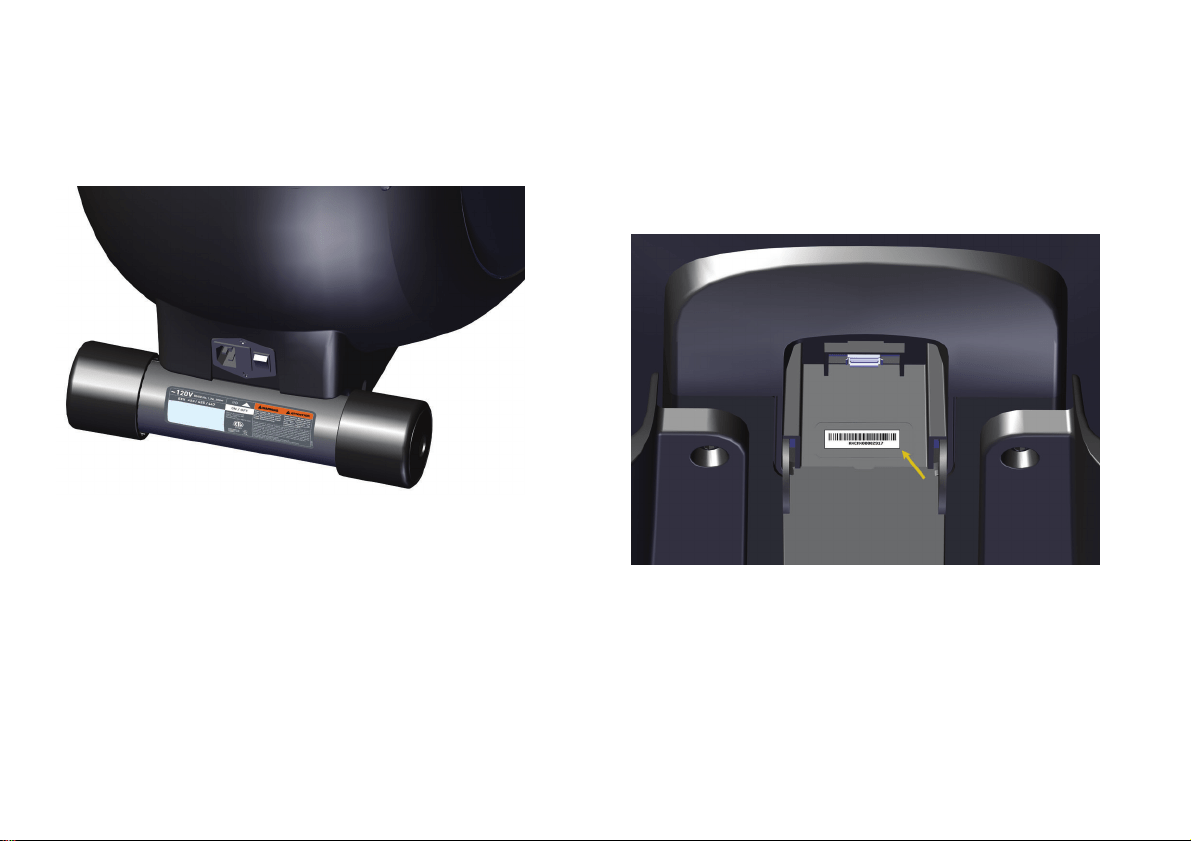
The equipment serial number is located on the rear
stabilizer bar, just below the power switch.
Figure 1: EFX serial number label position
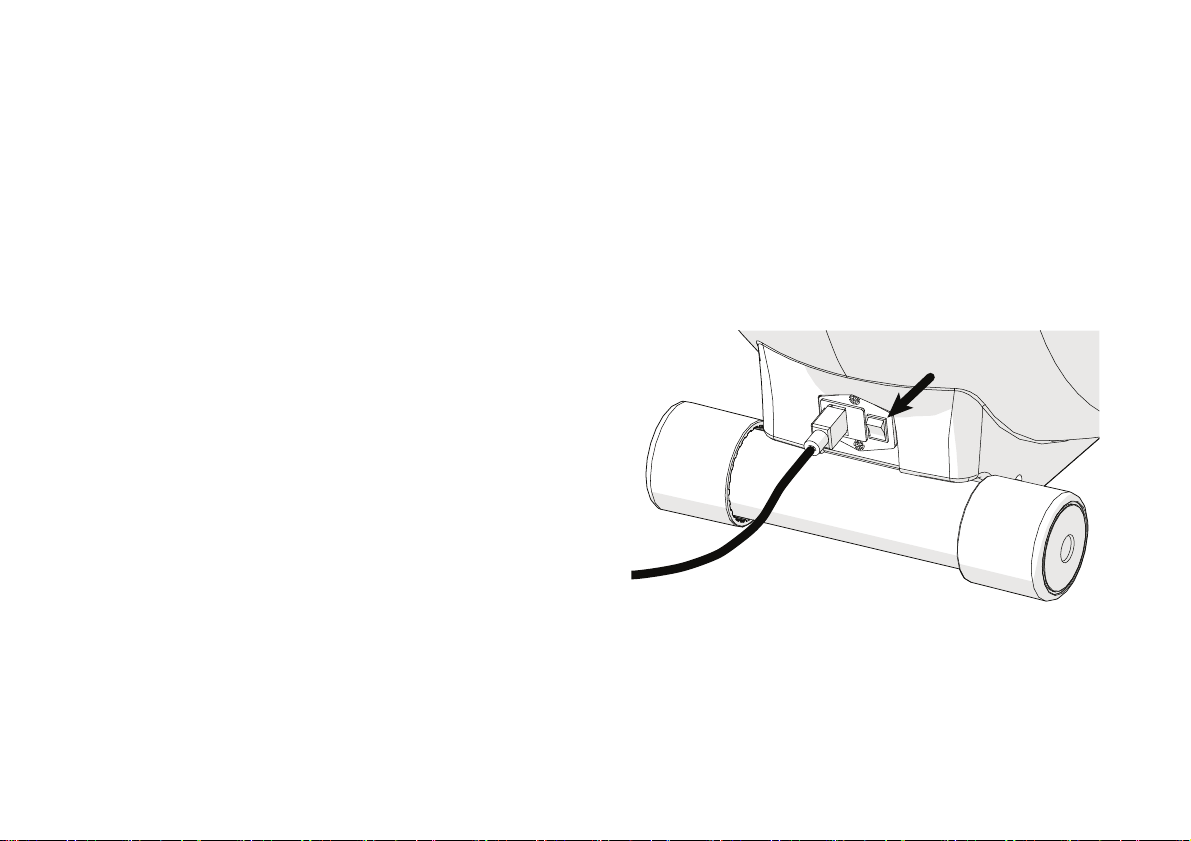
The console serial number is located inside the USB
connector compartment on the back of the console.
You will need to open the cover of this compartment to
see the number.
Figure 2: Console serial number label position

Precision Series / Energy Series Elliptical Fitness Crosstrainer Owner's Manual: EFX 447 / 245 8
Table of Contents
Important Safety Instructions ........................... 1
Safety Approvals for Cardiovascular
Equipment ......................................................... 3
Grounding Instructions ......................................... 4
Radio Frequency Interference (RFI)................... 5
Obtaining Service ................................................... 6
EFX Safety Features .........................................10
Location ................................................................... 10
Turning the Unit On and Off .............................. 10
Using the Locking Pin ............................................ 11
Getting Started ................................................. 13
Using CrossRamp .................................................. 15
Using the Console Controls .............................. 17
Connecting Your Apple Device ........................20
Setting Up Your Equipment ............................. 22
Measuring Your Heart Rate ............................ 26
Using SmartRate ................................................... 28
Getting Accurate Heart Rate Readings .......... 30
Setting Your Target Heart Rate ........................ 32
Troubleshooting Heart Rate Readings ............ 33
Choosing and Completing a Workout ............ 34
Choosing a Workout ............................................ 36
Available Workouts ............................................ 40
Changing Settings and Metrics While
You Work Out .............................................. 48
Finishing Your Workout ...................................... 56
Saving Your Workout .......................................... 57
Checking Your Weekly Progress ...................... 59
Tracking Your Progress with Preva................. 60
Creating User Profiles ..................................... 61
Choosing a User Profile ....................................... 65
Changing Your Default Settings ....................... 66
Deleting User Profiles .......................................... 66

Important Safety Instructions
9
Changing the System Settings ........................ 67
Retrieving System Information ......................... 69
Displaying the Error Log .....................................70
Maintenance .................................................... 71
Inspection ................................................................ 71
Cleaning the Equipment ...................................... 72
Storing the Chest Strap ....................................... 72
Long-Term Storage .............................................. 72
Precision Series / Energy Series Elliptical Fitness Crosstrainer Owner's Manual: EFX 447 / 245 10
EFX Safety Features
The Elliptical Fitness Crosstrainer™ (EFX
®
) is equipped
with certain items that, when used properly, help
sustain a safe and enjoyable workout. These items
include:
Locking pin
Power switch
Important: Before exercising, review the Important Safety
Instructions found at the beginning of this manual.
Location
It is important to keep the area around the equipment
open and free from encumbrances such as furniture or
other fitness equipment. For user safety and proper
maintenance, be sure to allow three feet (one meter)
of space on all sides of the equipment.
Turning the Unit On and Off
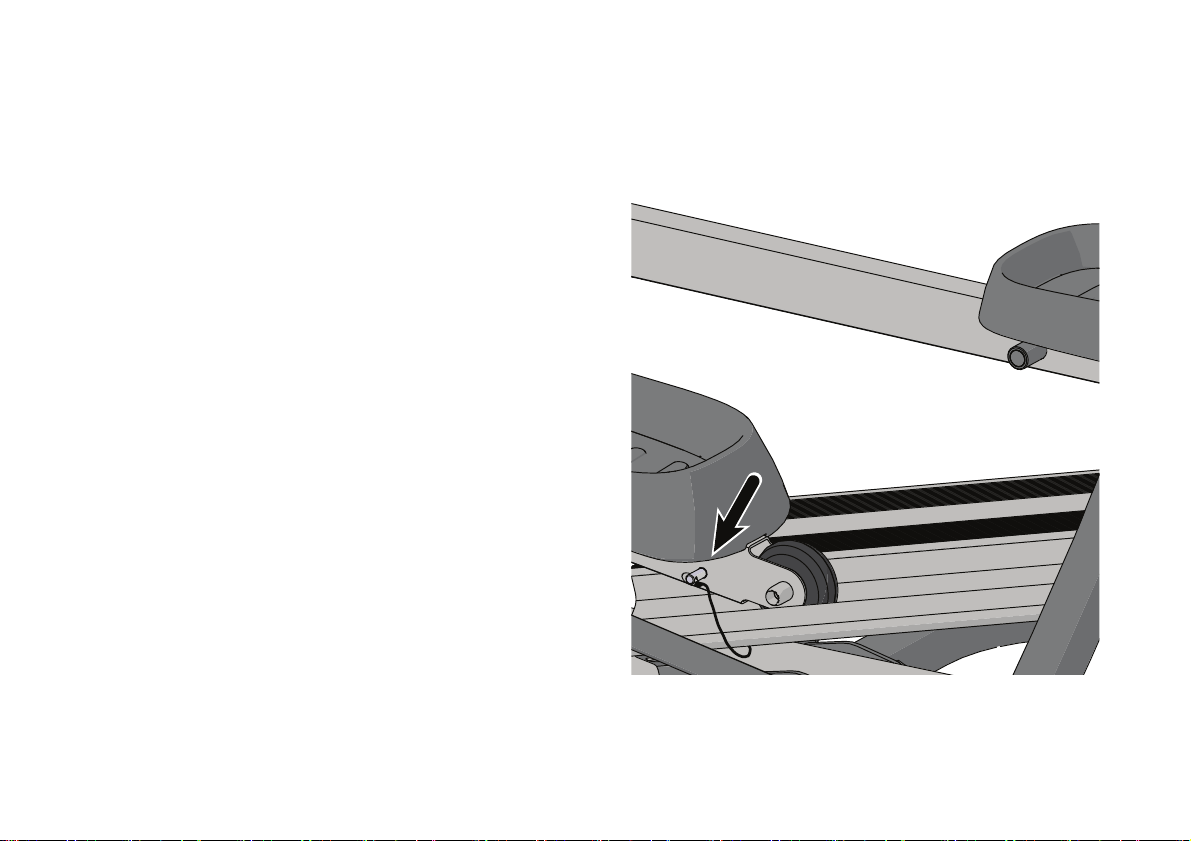
To turn the unit on and off, use the power switch
located on the back of the unit, near the power cord
connection. Refer to the following figure to see the
location of the switch.
Important: When the unit is not being used, turn it off.
Figure 3: Power switch location
EFX Safety Features
11
Using the Locking Pin
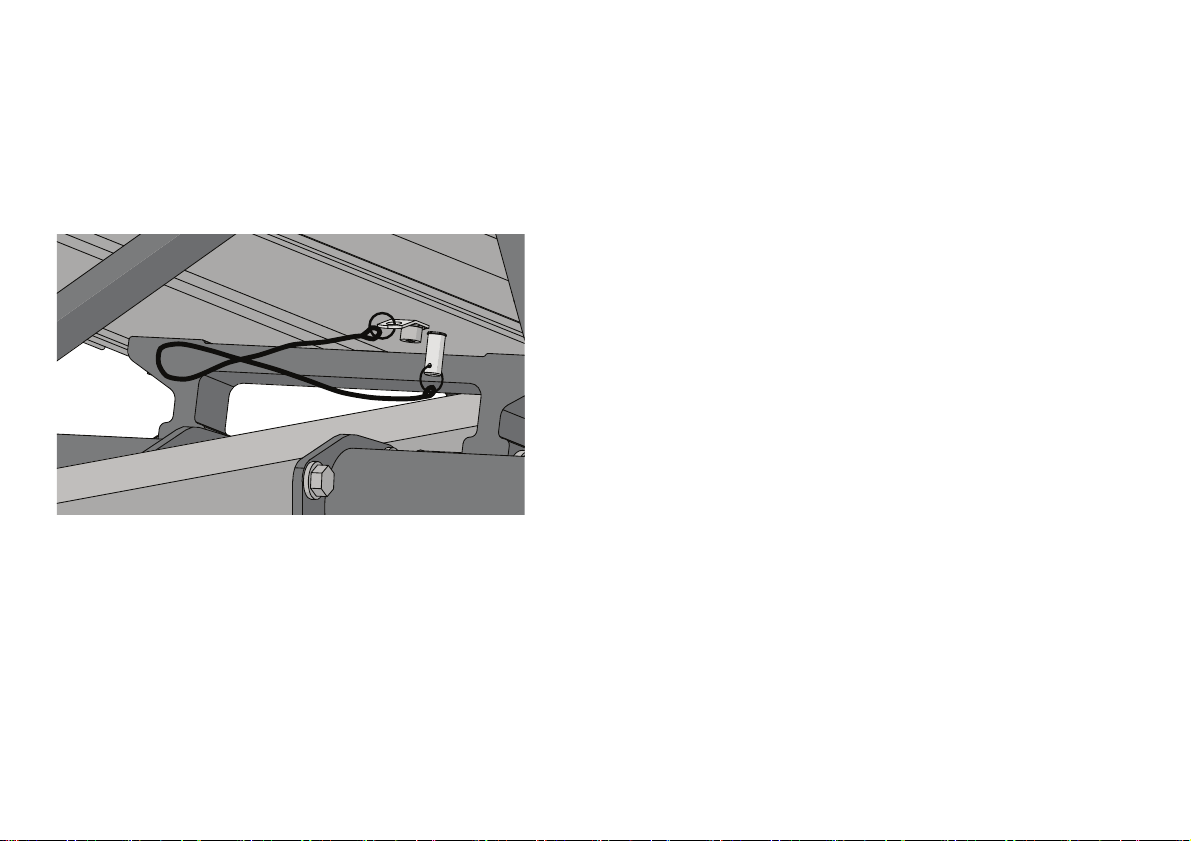
Your EFX is equipped with a pin and lanyard to lock its
pedals (and arms, if it has moving arms) in place. To
lock the EFX, insert the pin securely into one of the
holes just behind the rollers.
Important: The locking, spring-loaded ball near the end of
the pin must pass through both sides of the arm. You
should be able to feel it when it clicks into place.
The following figure shows how the pin looks when it is
properly seated.
Figure 4: Locking pin in use
Precision Series / Energy Series Elliptical Fitness Crosstrainer Owner's Manual: EFX 447 / 245 12
When you want to use the EFX, remove the pin from
the hole and store it in the hole under the bottom of
the ramp. The following figure shows how the pin
should look while the EFX is in use.
Figure 5: Locking pin in storage during a workout

Getting Started
13
Getting Started
As you get to know your new Precor
®
EFX
®
and your
own fitness goals, you’ll use the advanced features of
the equipment more often. To begin with, though,
here’s an easy way to start out.
Note: These instructions assume that your equipment
has been completely installed and set up.
WARNING
Read through ALL of the safety
information in this manual before you
use the equipment.
To get started with your new EFX:
1. Turn the equipment on if necessary.
2. If the locking pin is engaged, release it (refer to
Using the Locking Pin).
3. Hold one handrail and step onto the pedals.
4. Grasp the handlebars securely.
5. Touch one of the following buttons:
– Go (to start the suggested workout)
– QuickStart
Precision Series / Energy Series Elliptical Fitness Crosstrainer Owner's Manual: EFX 447 / 245 14
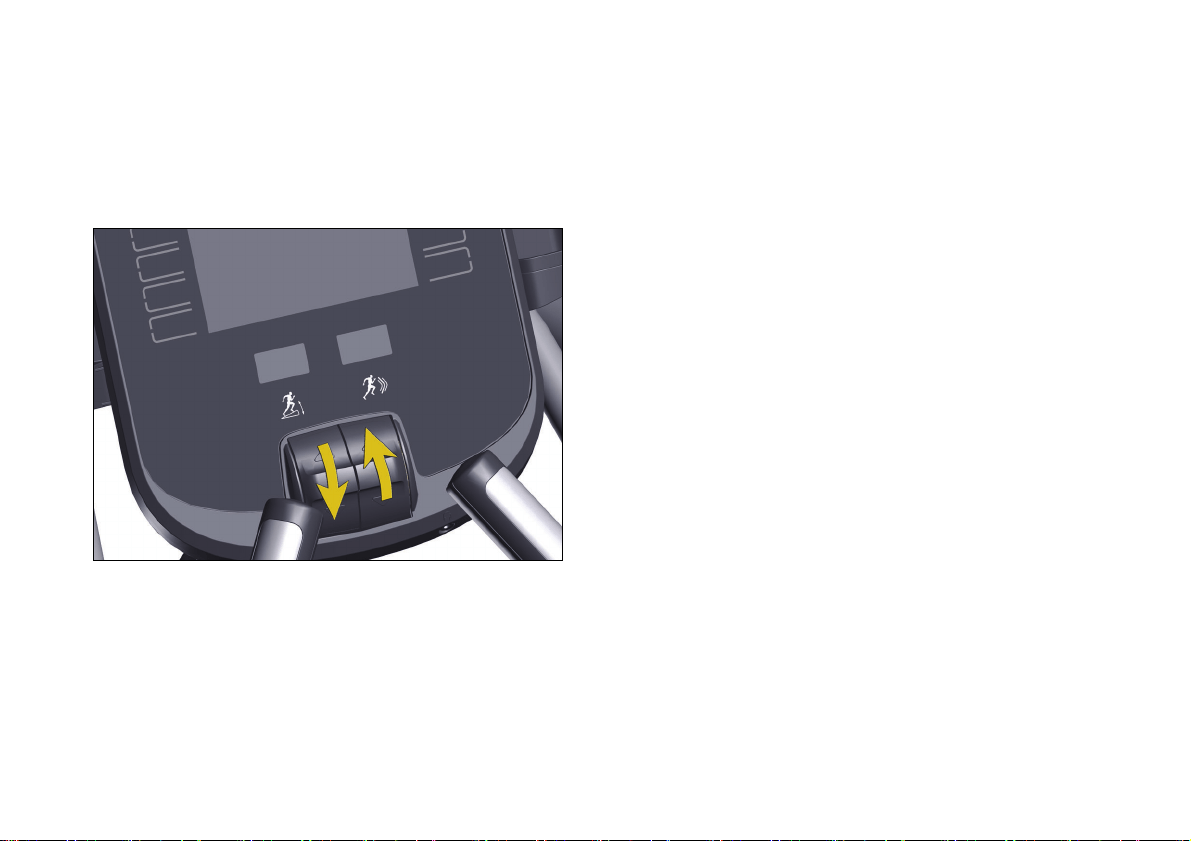
6. Use the motion controls to adjust the intensity of
your workout. The control on the left adjusts
CrossRamp
®
height, and the control on the right
adjusts resistance.
Figure 6: Motion controls
7. If you need to end your workout early, touch
Pause, then Finish, and finally Home.
Note: A thin protective sheath covers the roller arm
wheels on your EFX. As you exercise, the roller arms
move up and down the ramp and the wheels tend to
squeak until the protective sheath wears off. Any noise
from the wheels is normal and will stop after a break-in
period. Please allow a break-in period of approximately
ten hours before calling Customer Support.
Getting Started
15
Using CrossRamp
CrossRamp is a Precor technology that helps you get
more out of your EFX. As you select different
CrossRamp settings, the angle of the roller ramp
changes while your body remains in a biometrically
correct position. In addition to increasing the intensity
of your workout, higher CrossRamp settings change
the motion of your feet and legs, bringing additional
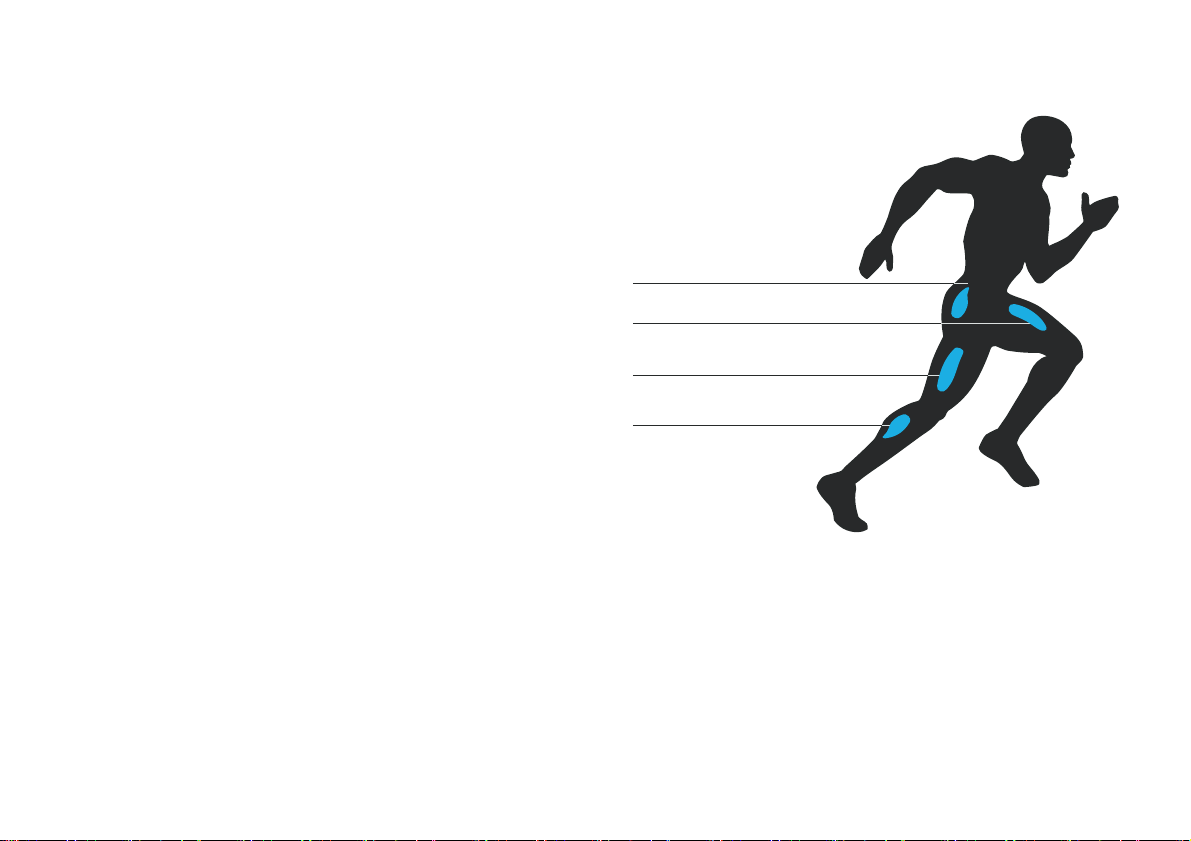
focus to your quadriceps and gluteal muscles. The
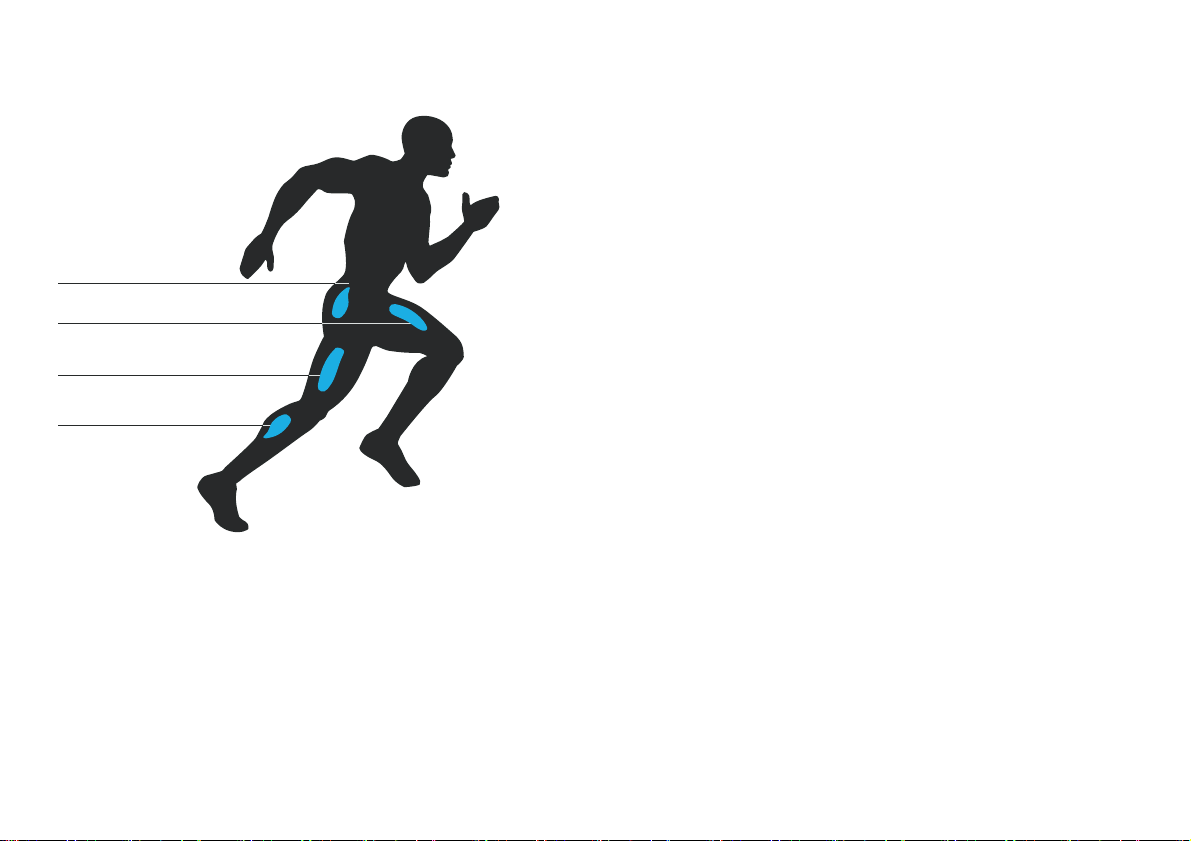
following two figures show how the different
CrossRamp settings target different muscle groups in
your lower body.
Note: On 400-series EFX models, the CrossRamp
range is available as a larger number of smaller level
changes than those available on 200-series models.
The following figures show the differences between
the level settings on these different EFX models.
Quadriceps (1–12, 19-20)
Gluteals (1-20)
Hamstrings (1–9, 19-20)
Calves (1–6, 16-20)
Figure 7: Muscle groups targeted by CrossRamp
(400-series EFX models)
Precision Series / Energy Series Elliptical Fitness Crosstrainer Owner's Manual: EFX 447 / 245 16
Quadriceps (1–8)
Gluteals (1-8)
Hamstrings (1–8)
Calves (1–6)
Figure 8: Muscle groups targeted by CrossRamp
(200-series EFX models)
Be sure to try different CrossRamp settings during your
workout. In addition to exercising different groups of
muscles, you may also find that certain settings adjust
the performance of the EFX to your height and body
geometry.
Note: If your EFX is equipped with movable arms,
using them also exercises muscle groups in your arms
and chest. Note also that 200-series EFX models
provide a more limited range of CrossRamp levels.

Using the Console Controls
17
Using the Console
Controls
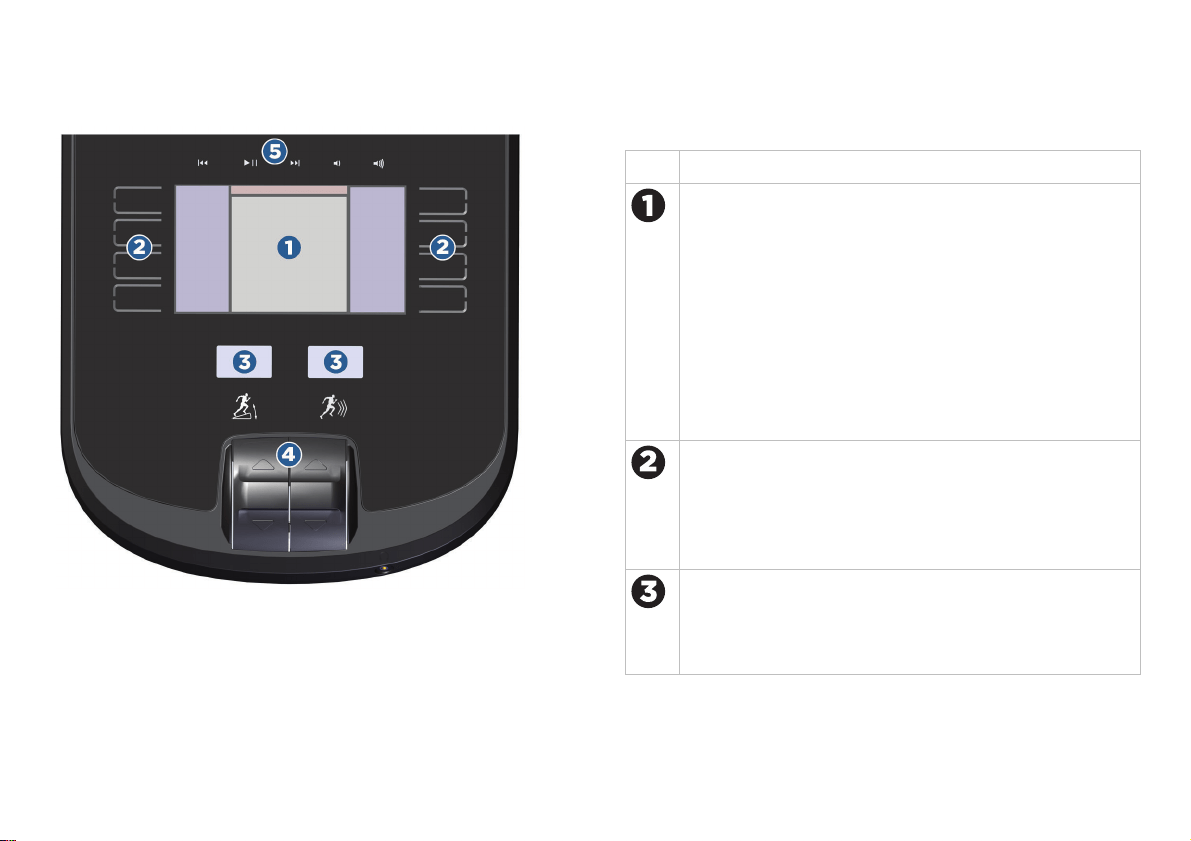
The figure and table on the following page show the
main areas on the front surface of the console. You can
reach any menu, setting, control, or feature of your
equipment by using these areas.
Precision Series / Energy Series Elliptical Fitness Crosstrainer Owner's Manual: EFX 447 / 245 18
Figure 9: Controls and display areas
Table 1. Console feature descriptions
Area Purpose
The display screen shows you what the equipment is
currently doing and how you are using it. As you work
with the equipment, the available options appear next
to the buttons along the left and right edges of this
area. If you’ve connected a player to the console and
are using it while you work out, the current track
information appears along the top edge.
Note: You must use your player’s screen to display
video, but you can play its audio portion through the
console.
Touch the capacitive buttons to enter your personal
settings, set up the equipment, and choose workouts.
Depending on what you’re doing, these buttons have
different names and purposes. The names of the
buttons appear next to them on the display screen.
The level indicators show how intense your workout
is at the moment. The indicator on the left shows the
CrossRamp
®
setting and the indicator on the right
shows resistance.
Using the Console Controls
19
Area Purpose
The motion controls set the intensity levels shown on
the level indicators.
The playback controls navigate through the tracks
and set the volume on your Apple
®
device, if it is
connected to the console.
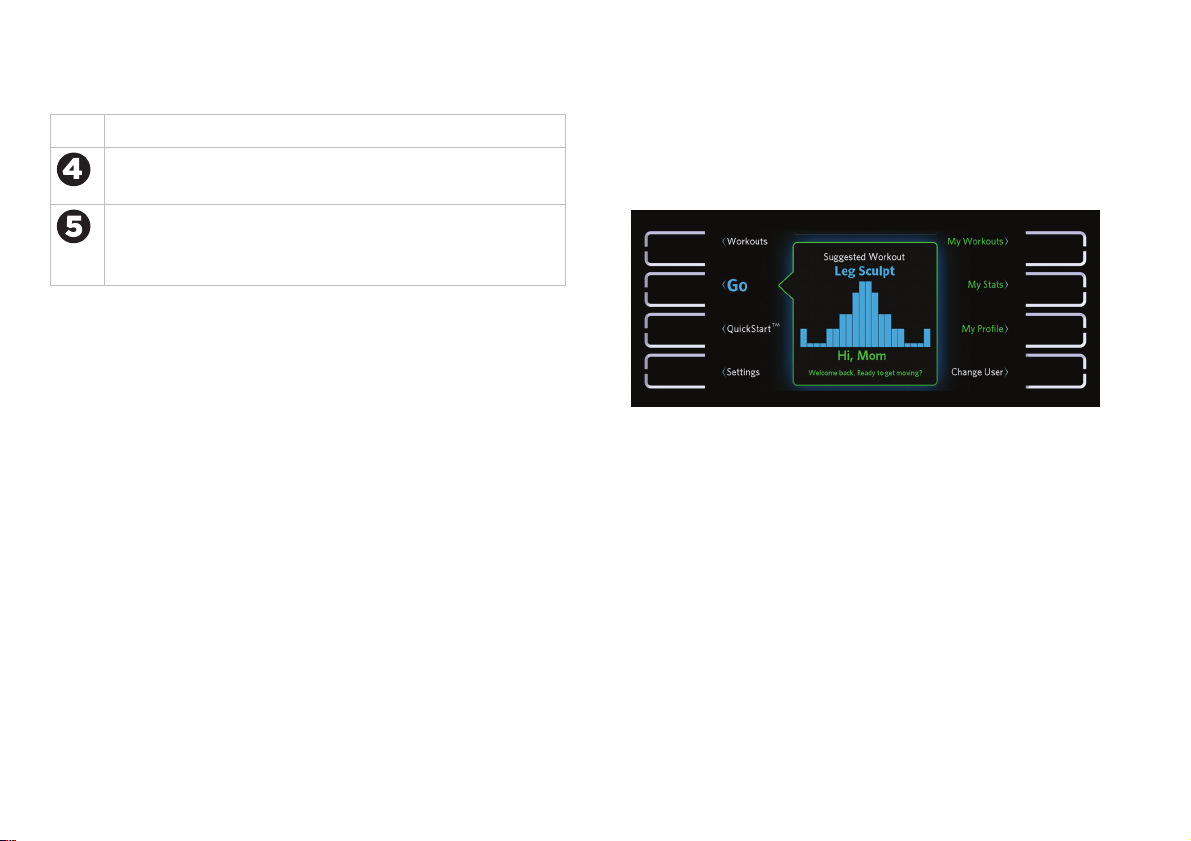
The following figure shows how the home screen
appears on the console. All eight buttons are active,
and the name of each button appears next to it.
Figure 10: Home screen and capacitive buttons
Precision Series / Energy Series Elliptical Fitness Crosstrainer Owner's Manual: EFX 447 / 245 20
Connecting Your Apple Device
The reading tray at the top of your display console can
also hold an iPad
®
, iPhone
®
, or iPod
®
device. If you
connect your device to the console, you can use the
console’s headphone connector and playback controls
to listen to your audio more conveniently, without risk
of dropping your device during your workout. If you
have the Preva
®
mobile app installed on your iPhone,
you can also upload the your workout results to your
Preva account.
Tip: If you are using a different mobile device that has
a USB charging cable, you can charge your device by
connecting it to the console. However, the console’s
playback controls and headphone connector work only
with Apple devices.
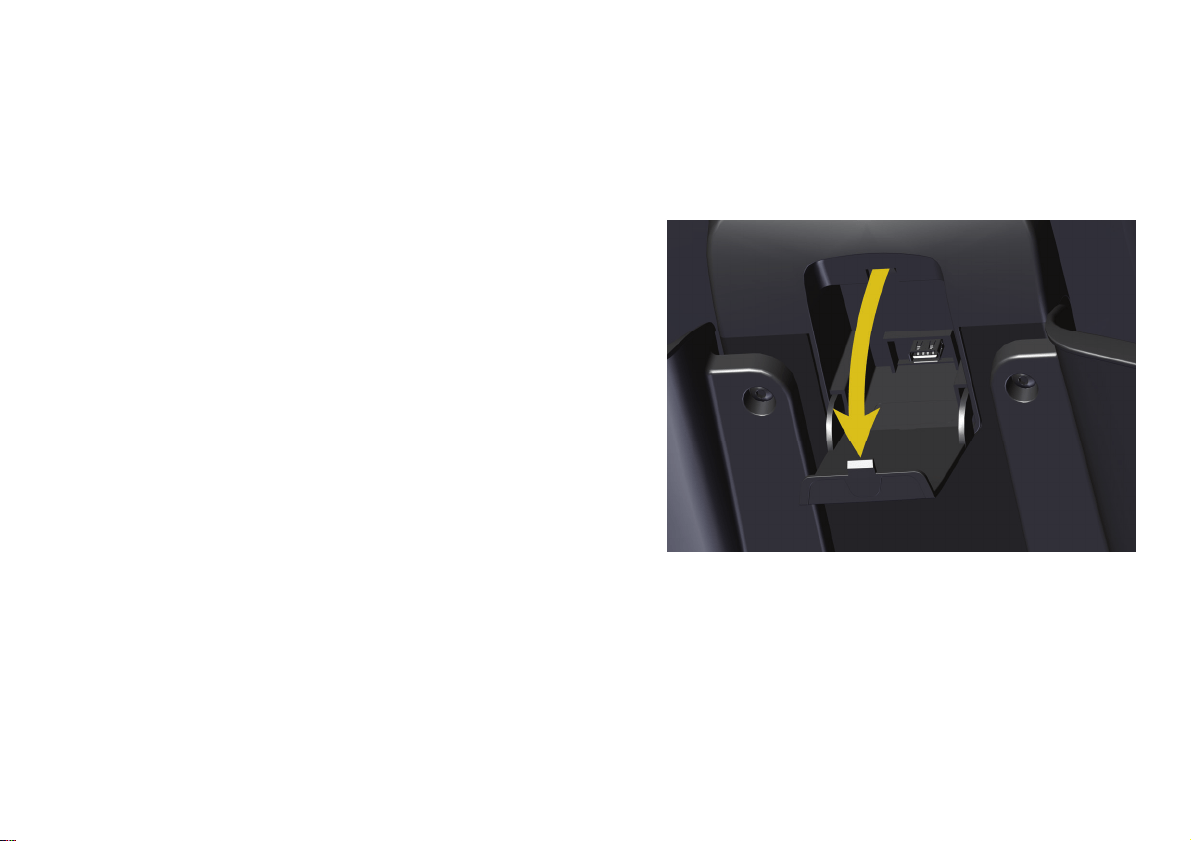
To connect your device to the display console:
1. Gently open the access cover on the back of the
console, as shown in the following figure.
Figure 11: Opening the access cover
2. Feed the USB connector on your device’s data and
charging cable through the opening in the reading
tray.
Using the Console Controls
21
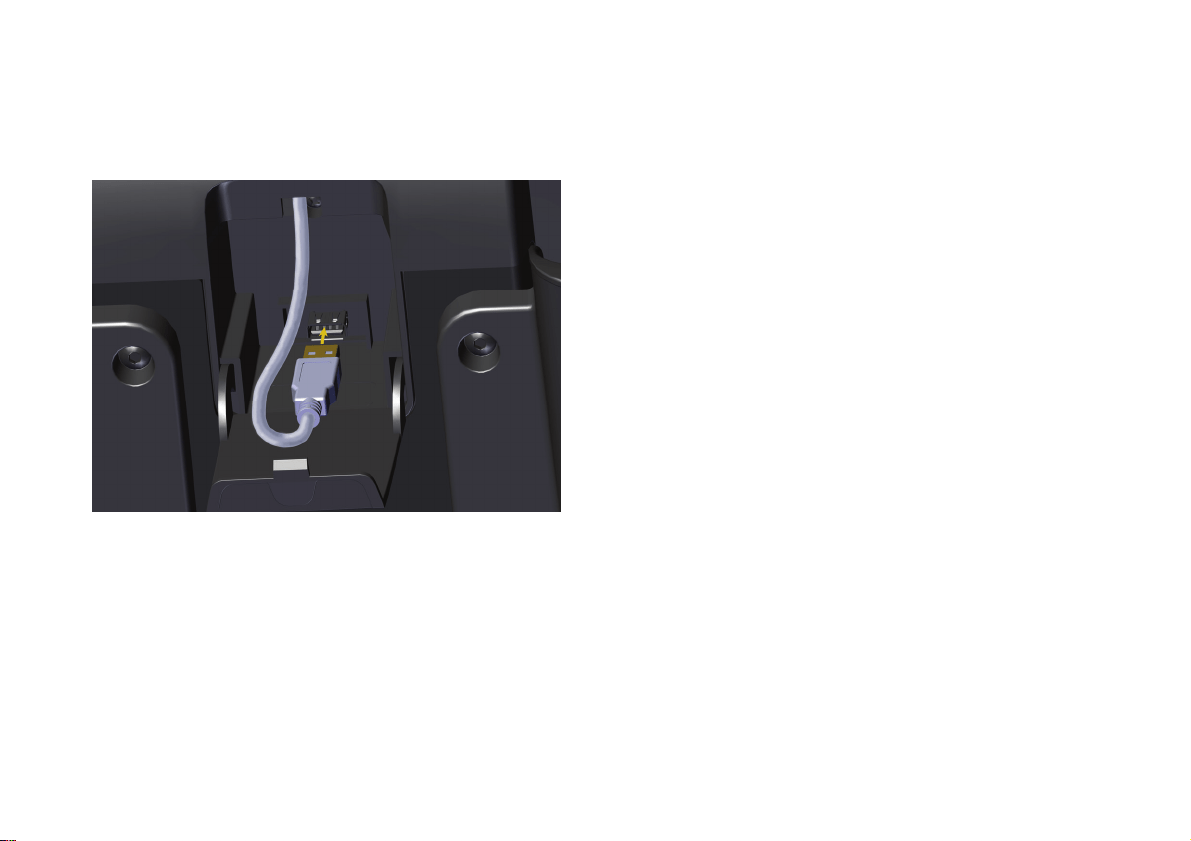
3. Insert the USB connector into the jack on the back
of the console, as shown in the following figure.
Figure 12: USB connector positioning
4. Close the access cover.
5. Plug the other end of the cable into your device.
6. Feed any excess cable through the opening in the
reading tray.
Precision Series / Energy Series Elliptical Fitness Crosstrainer Owner's Manual: EFX 447 / 245 22
Setting Up Your
Equipment
After the console is installed, it needs the following
information to work correctly:
The model number of the equipment
The date and time
Your measurement preferences (kilometers or
miles)
You will need to enter this information before you can
start to use the equipment. If you need to change it
later, you can do so at any time (refer to Changing the
System Settings).
Note: You can find the model number of your
equipment on the sales receipt, invoice, or packing list
that you received with the equipment.
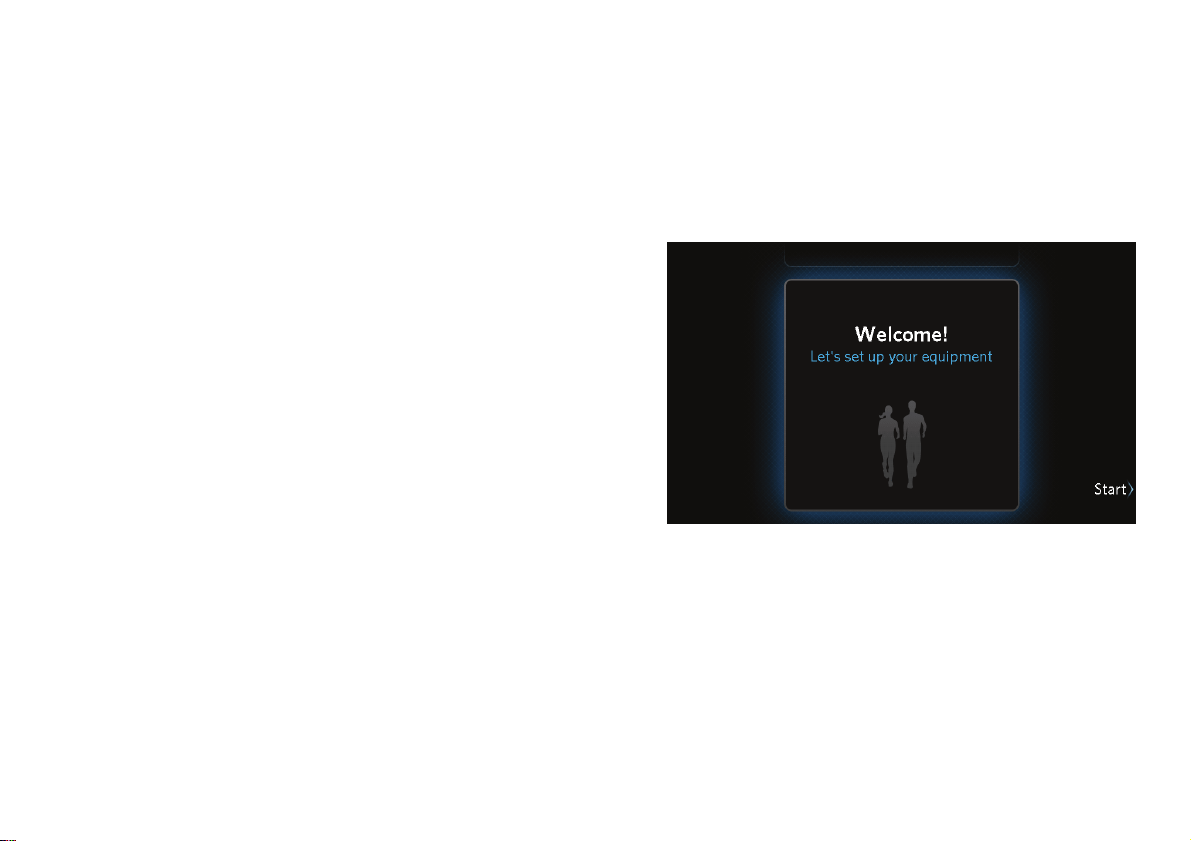
To set up the console:
1. Turn the equipment on.
2. At the Welcome screen, touch Start.
Figure 13: Welcome screen
3. At the Initialize Your Equipment screen, touch
Next.
Setting Up Your Equipment
23
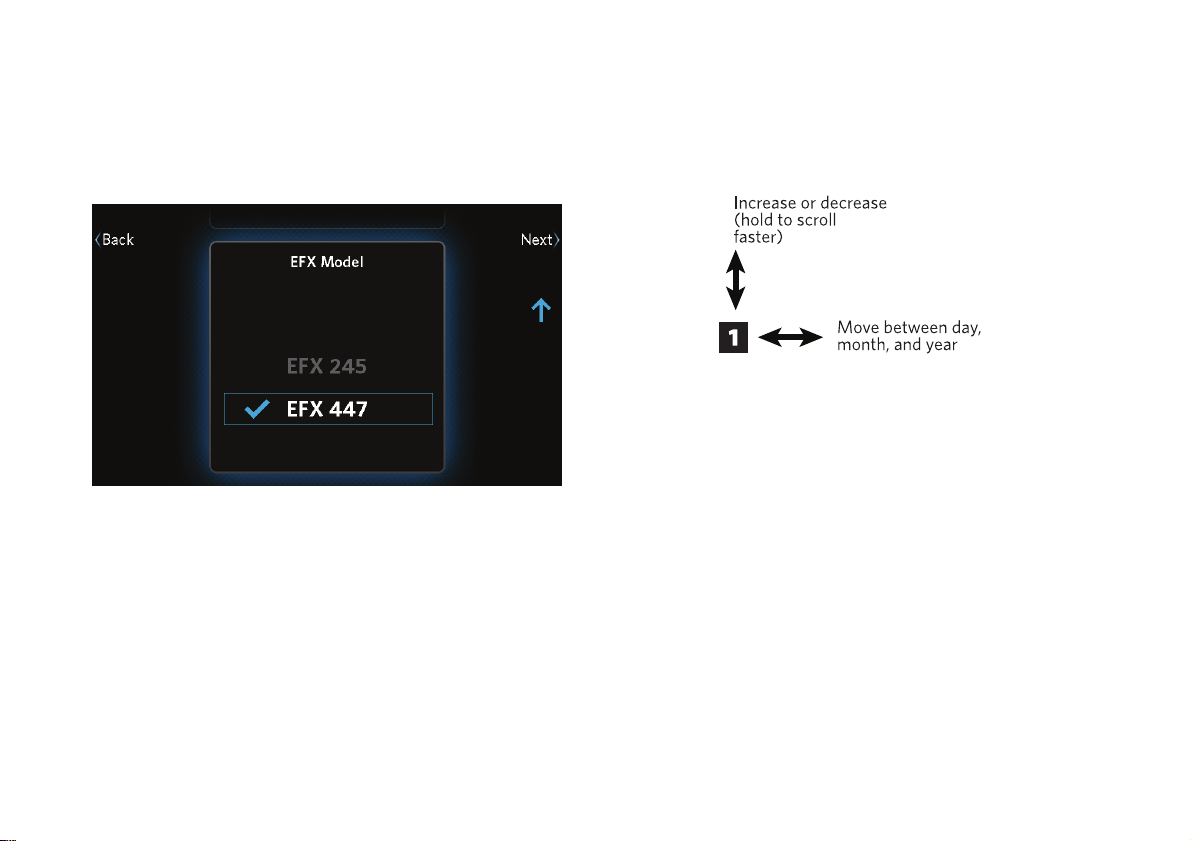
4. At the Model screen, use the up and down arrow
buttons to select the model you have, then touch
Next.
Figure 14: EFX Model screen
5. At the Date screen, use the arrow buttons to enter
the current date.
When you have finished entering the date, touch
Next.
Precision Series / Energy Series Elliptical Fitness Crosstrainer Owner's Manual: EFX 447 / 245 24
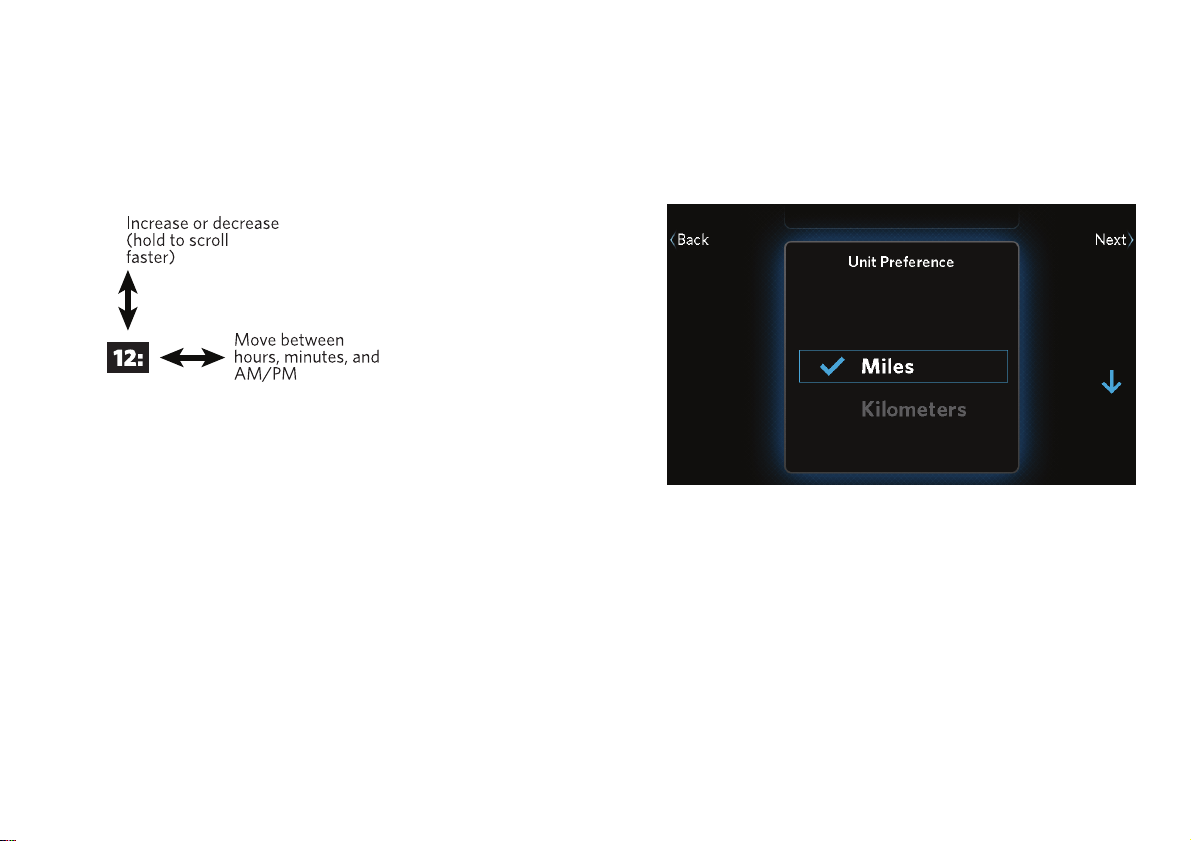
6. At the Time screen, use the 12 Hour / 24 Hour
button and the arrow buttons to enter the current
time.
When you have finished entering the time, touch
Next.
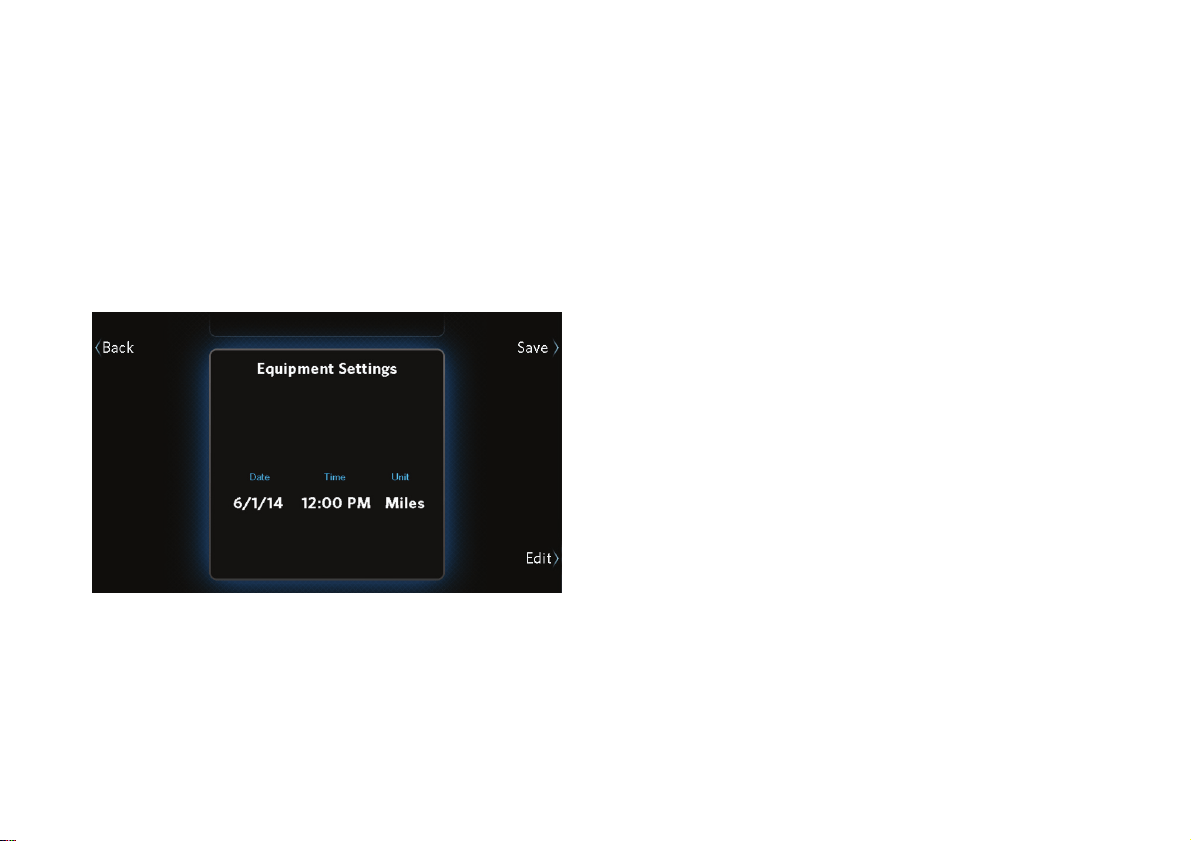
7. At the Unit Preference screen, use the up and
down arrow buttons to select kilometers or miles,
then touch Next.
Figure 15: Unit selection
Setting Up Your Equipment
25
8. At the Equipment Settings screen, review the
information you have entered.
If … Then touch …
All of the information is correct Save
Some of the information needs
to be changed
Back or Edit
Figure 16: Equipment Settings screen
9. Continue according to whether you want to set up
the first user profile for this equipment.
If … Then touch … And …
You want to
set up a user
profile
Next Set up a profile (refer
to Creating User
Profiles).
You do not
want to set up
a user profile
right now
Skip Use the equipment as
a guest.
Important: If you do not set up user profiles now, be sure
to set them up as quickly as possible. Anyone who uses this
equipment regularly will need a user profile to track
progress, personal information, and favorite workouts.

Precision Series / Energy Series Elliptical Fitness Crosstrainer Owner's Manual: EFX 447 / 245 26
Measuring Your
Heart Rate
Precor cardio equipment can measure your heart rate
in one of two ways:
If you have a chest strap (for use with a fitness
watch, for example), the equipment can receive
the heart rate signal the strap transmits.
You can grasp the heart rate sensors on the
handlebars.
When the equipment detects your heart rate, the
following things happen:
The heartbeat indicator (icon) begins to flash.
After a few seconds, the console displays your
current heart rate.
If SmartRate is on, a second heartbeat icon
appears over your current heart rate zone (refer to
Using SmartRate).
Before you start working out, make sure you know your
maximum heart rate. Then, as you work out, be sure to
reduce the intensity of your exercise if you reach or
exceed that number.
CAUTION: Your heart rate should never exceed 85% of
your maximum heart rate.
You can use the following formula, provided by the
American College of Sports Medicine®, to figure out
your maximum heart rate:
Maximum heart rate = 207 – (your age × 0.67)
Your typical target heart rate is 70% of your maximum
rate.
Measuring Your Heart Rate
27
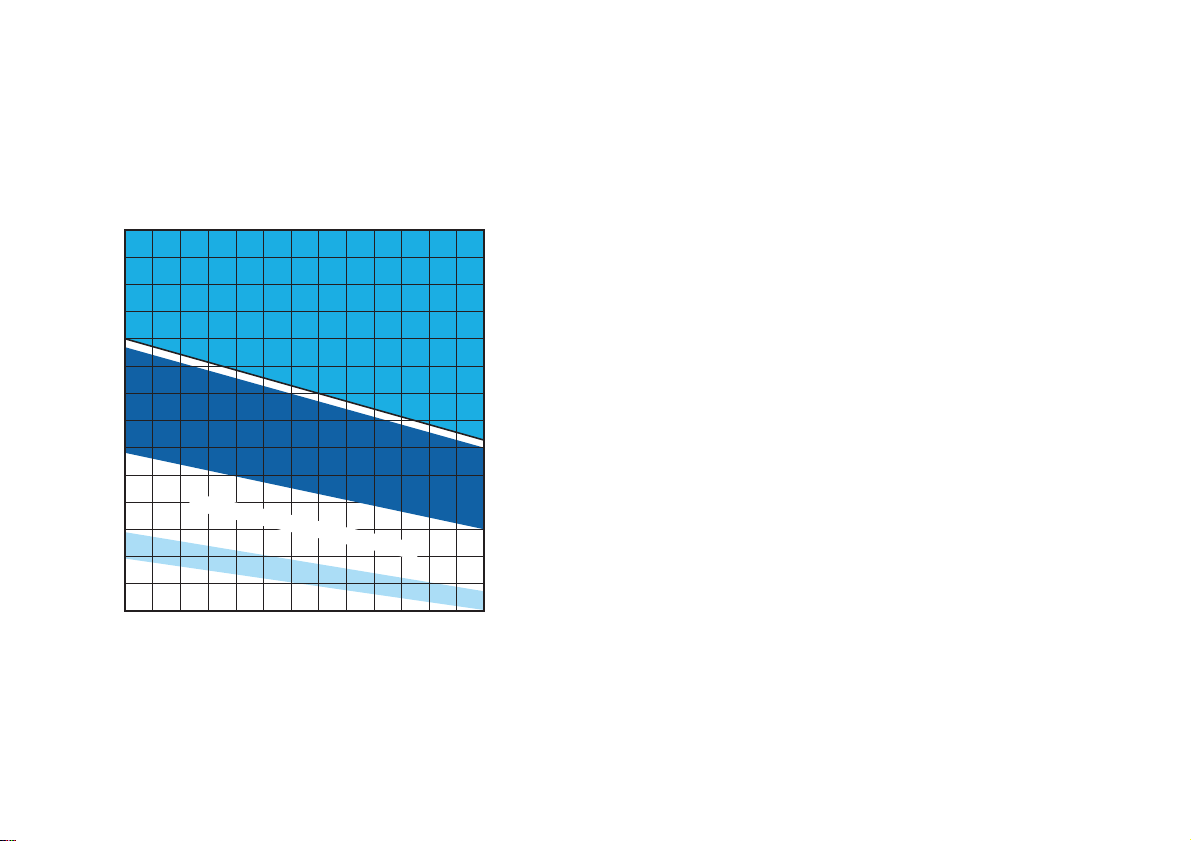
The following graph shows how your effective heart
rate ranges vary with your age.
20 25 30 35 40 45 50 55 60 65 70 75
70
80
90
100
120
130
140
150
160
170
180
190
200
110
Heart Rate Target Zones
Your Heart Rate
Maximum
High
Moderate
Warm-up
Your Age
Recommended Cardiovascular Zone
Recommended Weight Loss Zone
Figure 17: Heart rate target zones
On the Workout List, you can find several heart rate
workouts (refer to Available Workouts). These workout
courses automatically manage your heart rate at a
target level based on your age. By monitoring your
heart rate and making changes to the equipment’s
settings as you exercise, the workouts keep your heart
rate within a few beats per minute of the target rate.
Precision Series / Energy Series Elliptical Fitness Crosstrainer Owner's Manual: EFX 447 / 245 28
Using SmartRate
You must be signed in under your user profile to use
this feature.
During your workout, SmartRate
®
maps your heart rate
on a scale of different target zones that show you what
kind of conditioning you’re getting. These zones are
defined as percentages of your maximum heart rate.
Your maximum heart rate is based on the following
formula:
Heart rate limit in beats per minute = 207 beats per
minute – (your age in years × 0.67)
At any time during your workout, your actual heart rate
is some percentage of this number. SmartRate uses
that percentage to find your current zone. For example,
if you were 35 years old and wanted to work out in the
suggested cardiovascular zone, your target heart rate
would be between 128 and 154 beats per minute.
(207-(35 × 0.67)) × 70% = 128 beats per minute
(207-(35 × 0.67)) × 84% = 154 beats per minute
The following table shows the percentage ranges for
each zone.
Table 2. SmartRate zone boundaries
Heart Rate Range SmartRate Zone
Less than 54% of
limit
Warm-up
55%–69% of limit Moderate (good for weight loss)
70%–84% of limit High (good for cardiovascular
conditioning)
Above 85% of limit Maximum
CAUTION: Your heart rate should never exceed 85% of
your maximum heart rate or go into the Maximum zone. If
it does, reduce the intensity of your workout
IMMEDIATELY.
Measuring Your Heart Rate
29
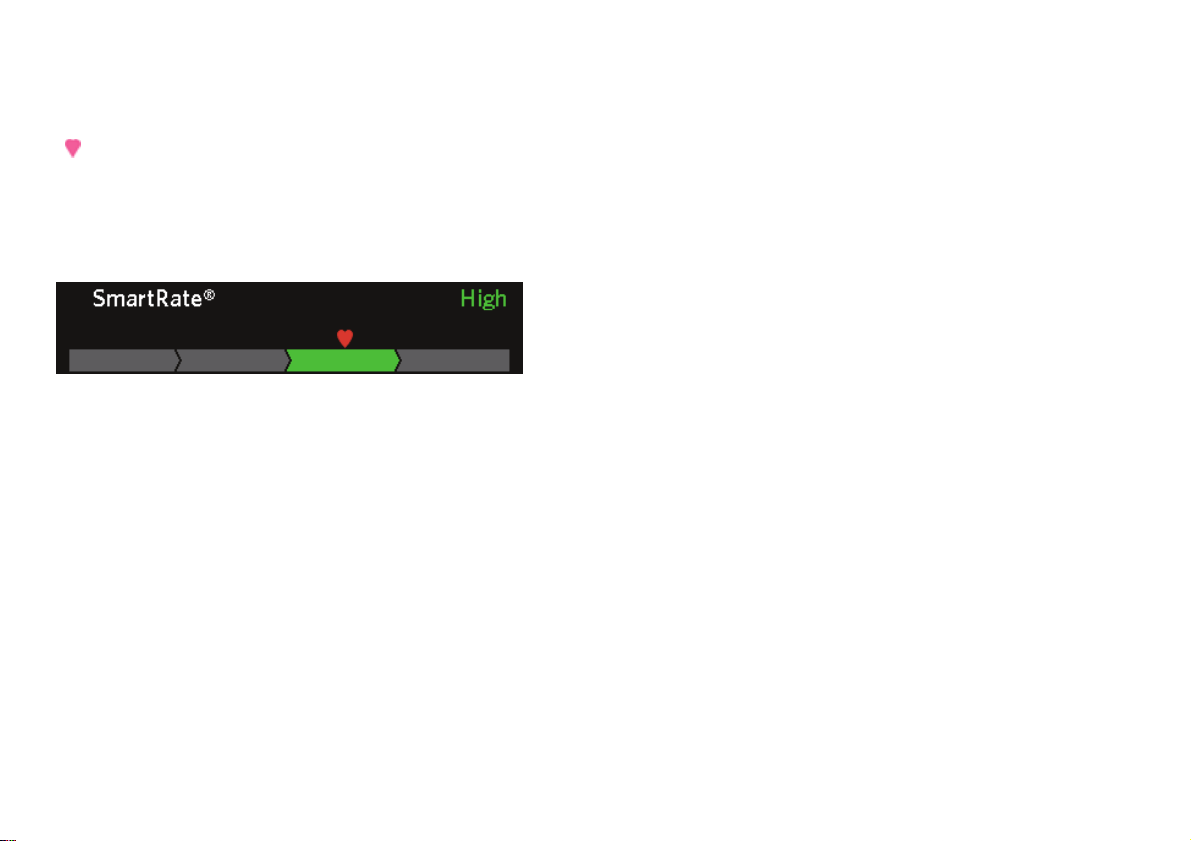
If SmartRate is on, you will see a heart rate indicator
(
) over the SmartRate zone bar during your workout.
This indicator shows where your current heart rate
falls within the active zone. You can then change the
intensity of the workout to stay within the zone you
want.
Figure 18: SmartRate zone bar
To make sure that SmartRate works correctly, you
need to make sure of the following things:
Your age is properly set in your user profile.
The equipment can read your heart rate properly. If
you are using a chest strap, you must moisten and
position it properly. If you are using the
touch-sensitive grips on the equipment, you must
maintain contact with both grips for five to ten
seconds.
Note: SmartRate is on by default, but it is not available
if the Guest account is selected.
To turn on SmartRate:
1. During your workout, touch Options.
2. At the Options screen, touch SmartRate On.
3. Touch Back to return to your workout.
Note: There is only one SmartRate button on the
Options screen. If SmartRate is currently on, the button
is named SmartRate Off. If SmartRate is currently off,
the button is named SmartRate On.
Precision Series / Energy Series Elliptical Fitness Crosstrainer Owner's Manual: EFX 447 / 245 30
Getting Accurate Heart Rate
Readings
To work reliably, heart rate sensors need to be
securely in contact with your skin. Use the following
guidelines to make sure they are.
To attach a chest strap:
WARNING
Signals used by the chest strap
transmitter (or heart rate strap) may
interfere with pacemakers or other
implanted devices. Contact your
doctor, the manufacturer of the chest
strap, and the manufacturer of the
implanted device before using a chest
strap transmitter.
Important: Precor cardio equipment works with 5 KHz
chest straps only. It does not work with Bluetooth
®
-based
chest straps, which are designed for use with mobile apps.
Note: To receive an accurate reading, the strap needs
to be in direct contact with the skin on the lower
sternum (just below the bust line for women).
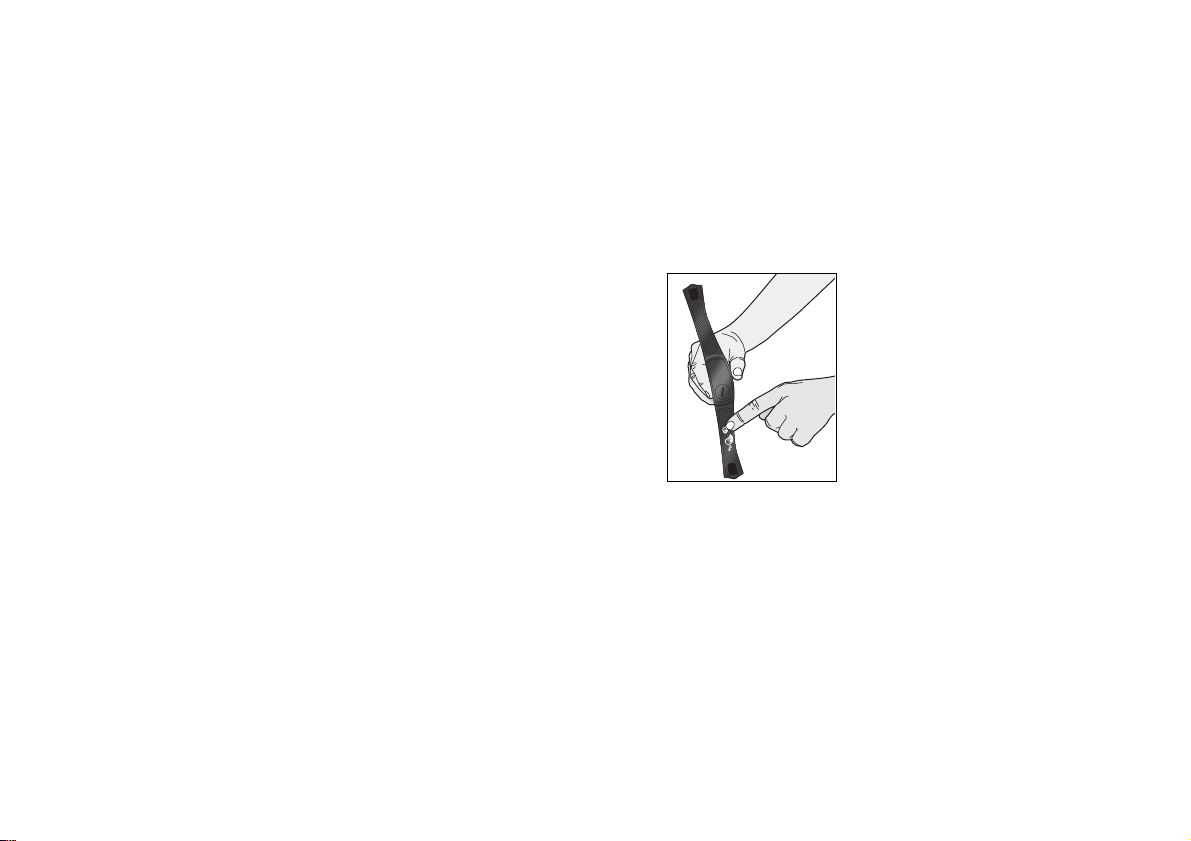
1. Carefully dampen the back of the strap with tap
water. Refer to the following figure.
Note: Do not use deionized water. It does not have
the proper minerals and salts to conduct electrical
impulses.
Figure 19: Moisten chest strap
Measuring Your Heart Rate
31
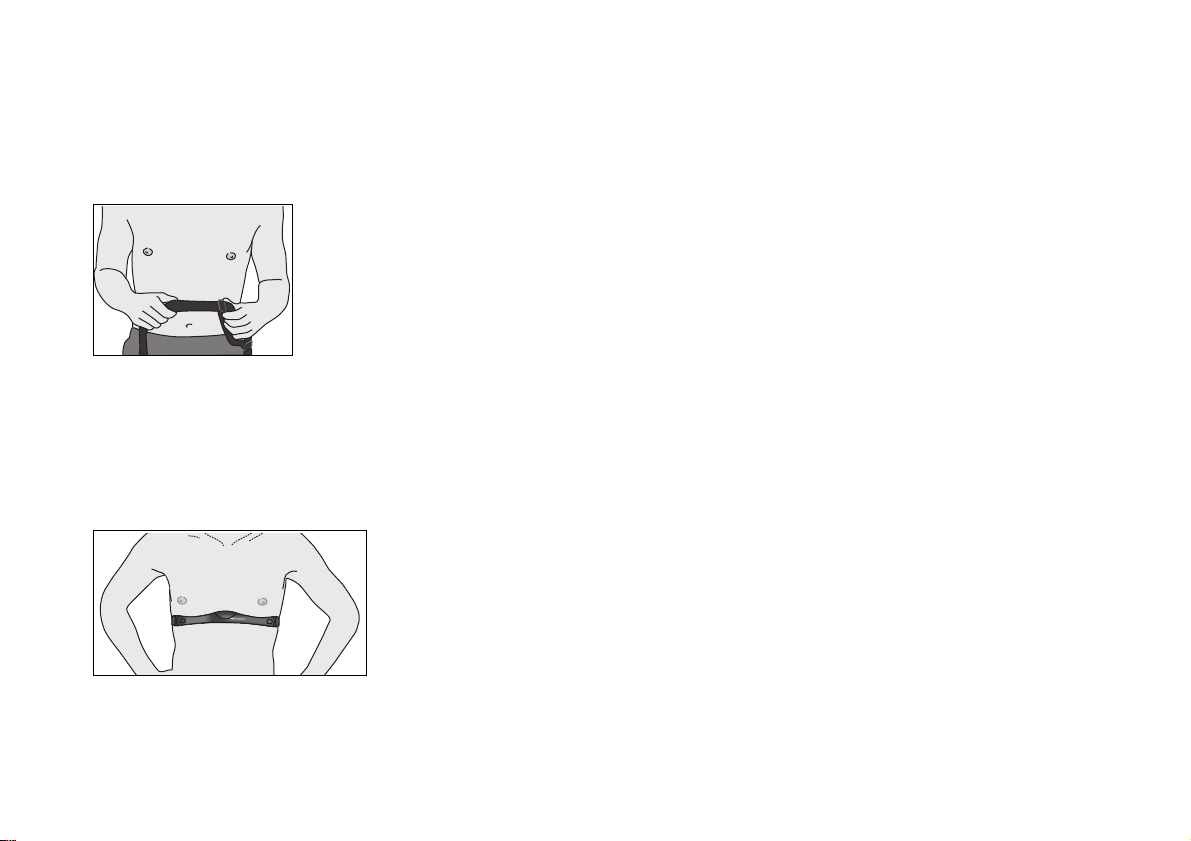
2. Adjust the strap and fasten it around your chest.
The strap should feel snug, not restrictive. Refer to
the following figure.
Figure 20: Adjust chest strap
3. Make sure that the chest strap is right side up, lies
horizontally across your chest, and is centered in
the middle of your chest. Refer to the following
figure.
Figure 21: Fasten chest strap
4. After you put on the chest strap, face the display
console for a few seconds. This allows the receiver
in the console to recognize the signal from the
chest strap.
If you use the touch-sensitive grips, be sure to grasp
them securely (but not tightly—use a loose, cupping
hold) on both sides. You may need to wait for 15 to 20
seconds before your heart rate is displayed.
Important: The touch-sensitive grips work well for most
people. However, because of their body chemistry or
erratic heartbeats, a few people cannot use the grips. If this
applies to you, a chest strap may provide better results.
However, do not grasp the touch-sensitive grips while
wearing a chest strap—using both at the same time can
cause erratic heart rate readings.
Precision Series / Energy Series Elliptical Fitness Crosstrainer Owner's Manual: EFX 447 / 245 32
Setting Your Target Heart Rate
You must be signed in under your user profile to use
this feature.
Once you have set your target heart rate, some of the
built-in workouts can help you stay at that heart rate
for your entire exercise session.
Important: You cannot change your target heart rate
during a heart rate controlled workout. Also, your heart
rate setting is not saved along with your workout.
To set your target heart rate:
1. During your workout, touch Options.
2. At the Options screen, touch Change Target HR.
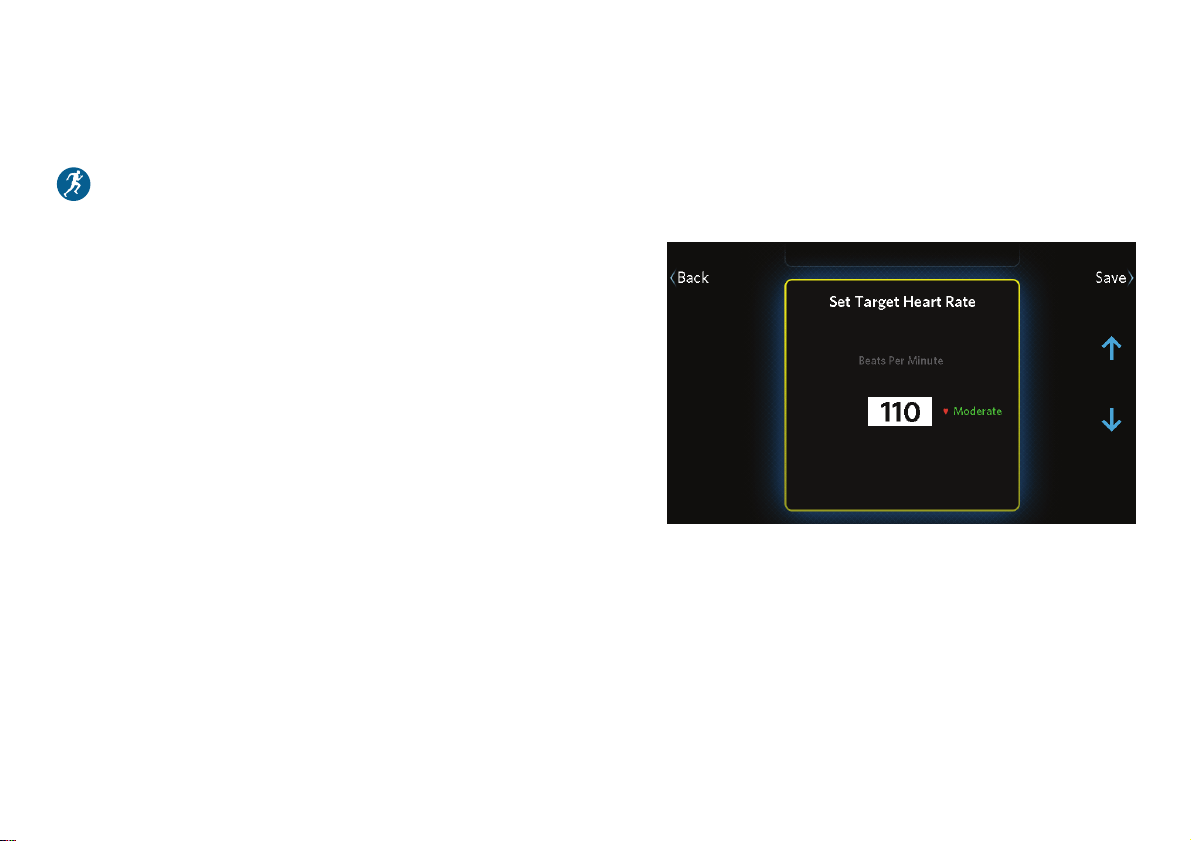
3. At the Set Target Heart Rate screen, use the up
and down arrow buttons to adjust your target
heart rate. As the rate changes, the corresponding
SmartRate zone for your age appears next to it.
Figure 22: Set Target Heart Rate screen
4. When you have finished setting your target heart
rate, touch Save to register your changes and
return to the Options screen.
5. Touch Back to return to the workout status
display.

Measuring Your Heart Rate
33
Troubleshooting Heart Rate
Readings
If your heart rate readings look wrong, or if you do not
see any readings at all, check the following list for
possible causes. If the solutions in this list do not solve
the problem, contact your dealer or Precor Customer
Support.
No Heartbeat Icon or Heart Rate Display
The heart rate sensors may not be in secure contact
with your skin. Try the following solutions.
For touch-sensitive grips:
Make sure that your hands grasp the
touch-sensitive grips continuously and firmly (but
not tightly) for at least five to ten seconds.
Check that the palms of your hands are not
covered with any sort of salve, rub, or lotion. If they
are, wash them.
Check that your hands are not too dry. If they are,
moisten them slightly.
For a chest strap:
Make sure the strap is fastened, positioned, and
moistened correctly.
Make sure the strap is compatible with the
equipment. It must be a 5 kHz strap. Heart rate
straps that function at other frequencies, and
Bluetooth-based straps, are not compatible with
this equipment.
The Displayed Heart Rate Is Wrong Or
SmartRate Doesn’t Work
The touch-sensitive grips may not be making secure
contact. Try the following solutions:
Make sure that your hands are clean, slightly
moist, and positioned as described earlier in this
table.
Try using a chest strap instead of the grips.
If you are trying to use the grips and an active chest
strap at the same time, choose one or the other. Either
do not grasp the touch-sensitive grips, or remove or
turn off the chest strap.

Precision Series / Energy Series Elliptical Fitness Crosstrainer Owner's Manual: EFX 447 / 245 34
Choosing and
Completing a
Workout
The instructions shown earlier in this manual (refer to
Getting Started) provide the simplest possible steps for
getting started with your new fitness equipment. In
most cases, you’ll want to start with one of the
preprogrammed workouts available on the equipment.
This chapter explains how to select a workout and
describes the changes you can make as it progresses.
Note: If you’re signed in under your user profile, you
can save your completed workout as a personal
favorite and use it again later (refer to Finishing Your
Workout). If you’ve made any adjustments to the
intensity of the workout, your changes will be stored as
well.
The human body is extremely efficient. If it makes the
same motion regularly over many days or weeks, it
learns to make that motion with less and less effort.
This process, called muscle adaptation, has one
drawback—the longer you stick to the same workout,
the less good that workout does you.
To prevent muscle adaptation from setting in as you
work out, try different kinds of workouts on different
days. By keeping your muscles guessing, you’ll keep
your energy use up, promoting faster weight loss and
better conditioning.

Choosing and Completing a Workout
35
The workouts on your Precor fitness equipment are
organized by goal. Under each goal there are workouts
of different types, which provide different benefits:
Interval workouts help exercisers improve
strength, endurance, aerobic fitness, and anaerobic
fitness. They alternate between stages of higher
and lower intensity called work stages and rest
stages. During the rest stages, your metabolic and
heart rates slow down. Meanwhile, your body
takes in and distributes more oxygen for the next
work stage. Over time this pattern keeps your
calorie use up, promoting weight loss, improved
aerobic response, and increased overall stamina.
To improve your general fitness over time, start
with a 1-1 interval workout, then progress to the 2-1
workout, then the 4-1 workout. To enhance your
peak performance, choose a 1-2 or 1-4 workout and
set a challenging level for the work stages.
Aerobic workouts are designed to keep your
oxygen consumption as high as possible, which
improves your fitness over time. Benefits of
aerobic conditioning include greater heart and lung
capacity, stress management, and an overall sense
of vitality.
Weight loss workouts are designed to maintain a
steady-state, lower-intensity level of exercise,
keeping you in a workout zone that burns a higher
amount of fat calories.
Toning and sculpting workouts focus on
improving the shape and definition of specific
groups of muscles.
Terrain workouts simulate an outdoor run, walk,
or climb.
Distance workouts simulate popular distance
runs.
Heart rate controlled workouts hold you at an
optimal heart rate for your training goal by
adjusting intensity to keep you at a fixed exertion
level.
The fitness test is a multi-stage test of increasing
intensity used to predict your maximum aerobic
capacity and estimate your current fitness level.
Tip: If you are signed in under your user profile, you
can adjust most workouts and save them as favorites.
The adjustments in your saved workout can be as
frequent as every 15 seconds. For example, to create a
high-intensity interval training (HIIT) workout, you can
make your work stages as short as 15 seconds.

Precision Series / Energy Series Elliptical Fitness Crosstrainer Owner's Manual: EFX 447 / 245 36
Choosing a Workout
When you start your workout, the following options
are available on the home screen:
QuickStart (begin a manually defined workout)
My Workouts (use a favorite workout that you
have saved)
Go (use a workout suggested by the equipment)
Workout list (select from a list of predefined
workouts)
The following sections describe each of these options.
Choosing QuickStart
The QuickStart option allows you to get moving as
quickly as possible—just touch QuickStart and start
exercising. This workout is manually controlled and
starts out with the intensity settings at their lowest
levels. Simply adjust the settings to produce the
workout profile you want.
Tip: You can use QuickStart to design and save a
workout of your own (refer to Finishing Your Workout).
Touch My Workouts to use the saved workout again
later.
Choosing and Completing a Workout
37
Repeating a Saved Favorite Workout
You must be signed in under your user profile to use
this feature.
In addition to the workouts that come with the
equipment, you can create your own favorite workouts
and save them for use again later. The equipment also
remembers your last four workouts whether you save
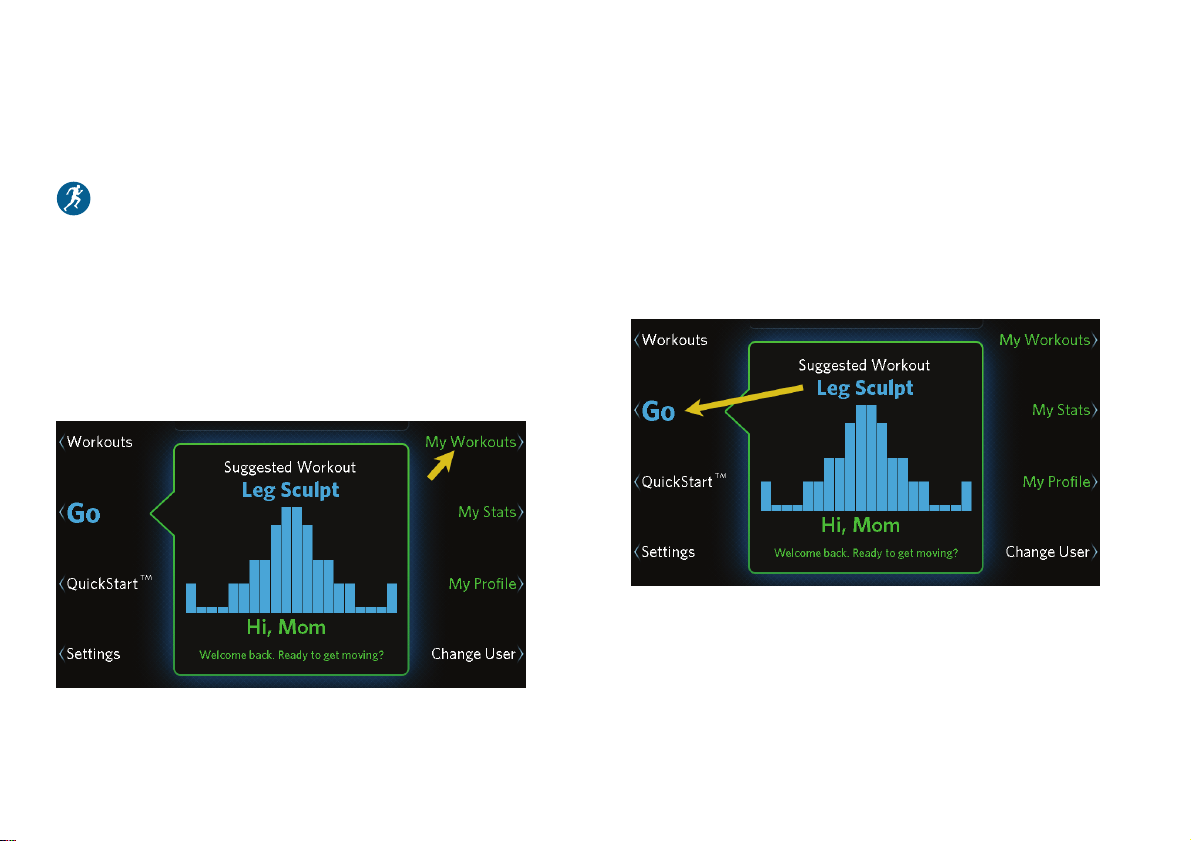
them or not. To use a recent or saved workout again,
touch My Workouts (refer to Finishing Your Workout).
Figure 23: My Workouts button
Using the Suggested Workout
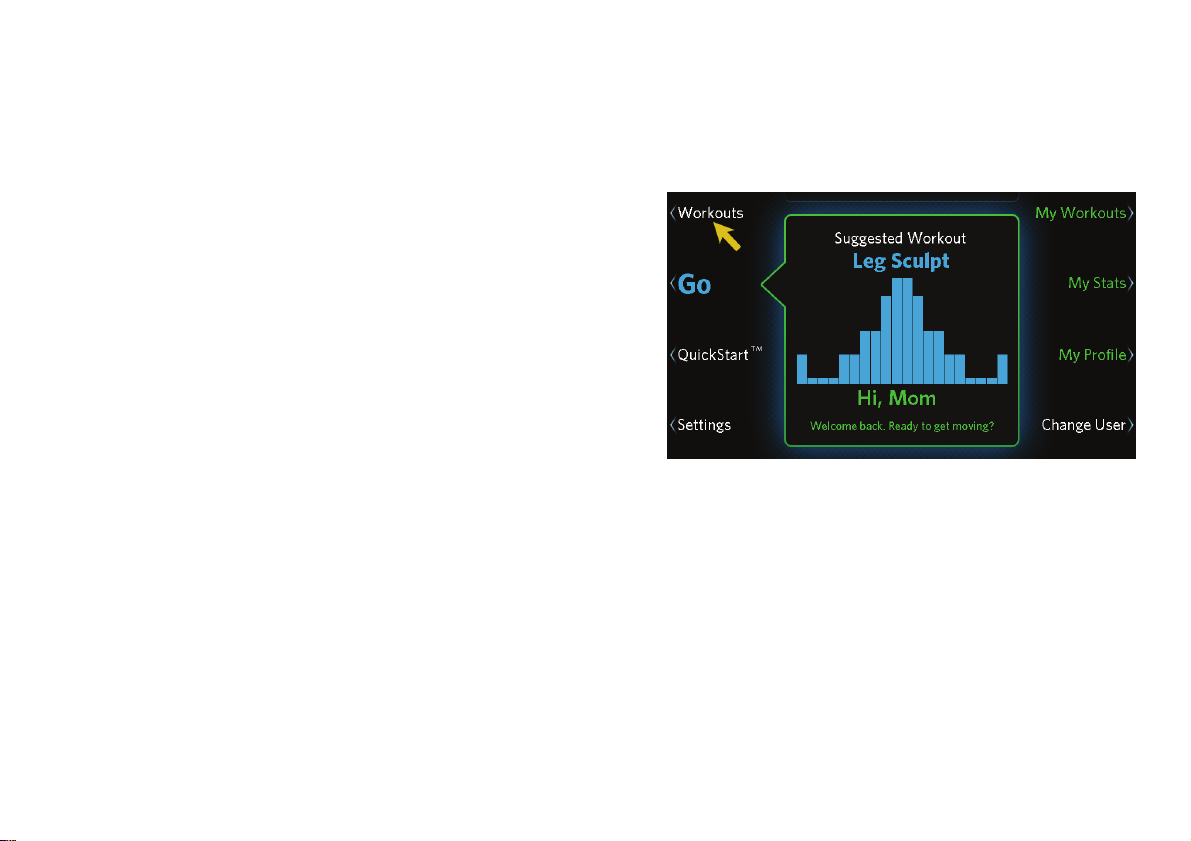
The equipment always displays a suggested workout
when you first turn it on. If you are signed in under
your user profile, the equipment suggests a workout
that will help you concentrate on your primary focus.
To start the suggested workout, simply touch Go.
Figure 24: Go button
Precision Series / Energy Series Elliptical Fitness Crosstrainer Owner's Manual: EFX 447 / 245 38
Selecting a Workout from the Workout
List
Your fitness equipment has been programmed with a
library of workout plans designed to help you meet
your fitness goals. The workouts are arranged by goal:
Be Fit
Lose Weight
Push Performance
Get Toned
Go the Distance (complete a distance run, such as
one mile or 5K)
Fitness Test
Note: You choose one of the first four as your primary
focus when you create your user profile (refer to
Creating User Profiles). After that, your focus is
highlighted in the workout list, and the workout
assigned to the Go button is always a workout
associated with that focus. However, you can always
choose any workout, no matter what your primary
focus is.
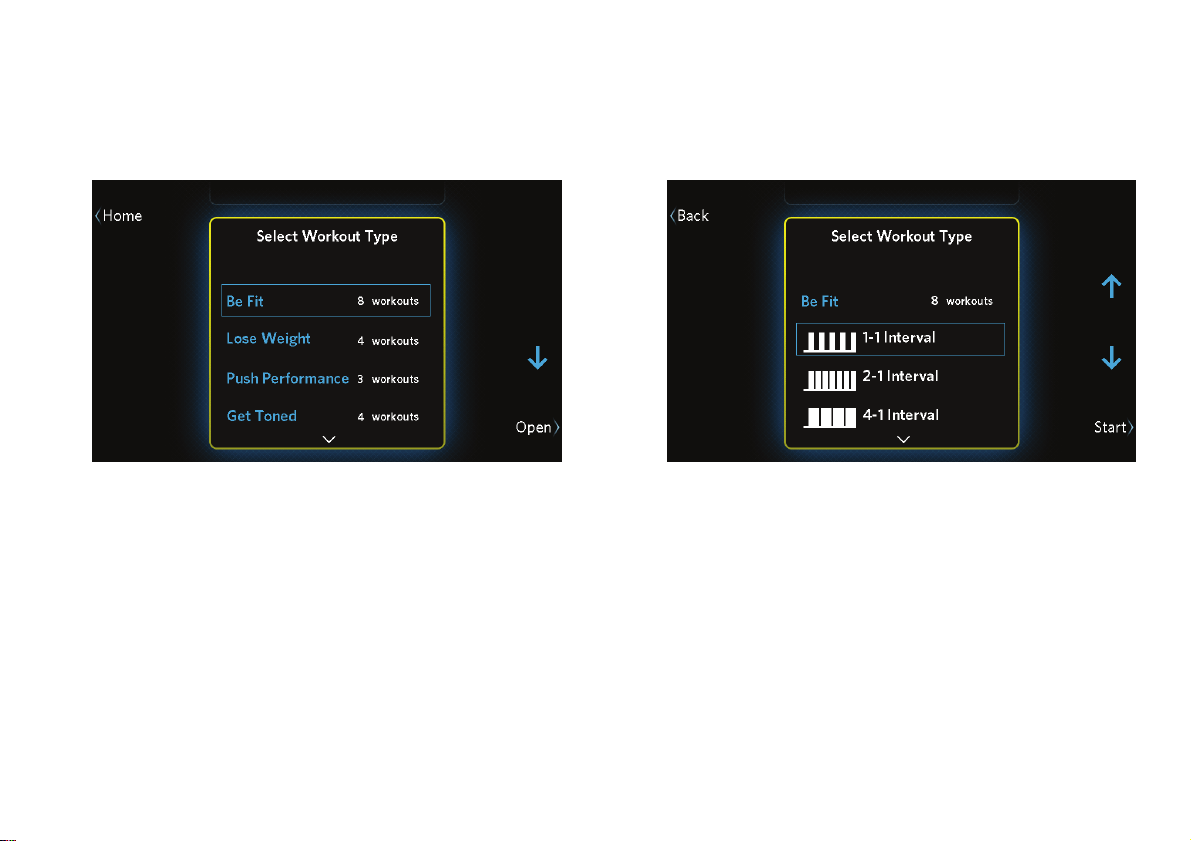
To select a workout:
1. At the home screen, touch Workouts.
Figure 25: Workouts button
2. Use the up and down arrow buttons to select a
focus.
Choosing and Completing a Workout
39
3. Touch Open to show the workouts available for
that focus. (Touch Close to hide them again.)
Figure 26: Workout type selection
4. Use the up and down arrow buttons to highlight
the workout you want, then touch Start.
Figure 27: Workout selection

Precision Series / Energy Series Elliptical Fitness Crosstrainer Owner's Manual: EFX 447 / 245 40
Available Workouts
Your fitness equipment includes a wide selection of
workouts that are carefully designed to make sure you
get the best results out of every workout.
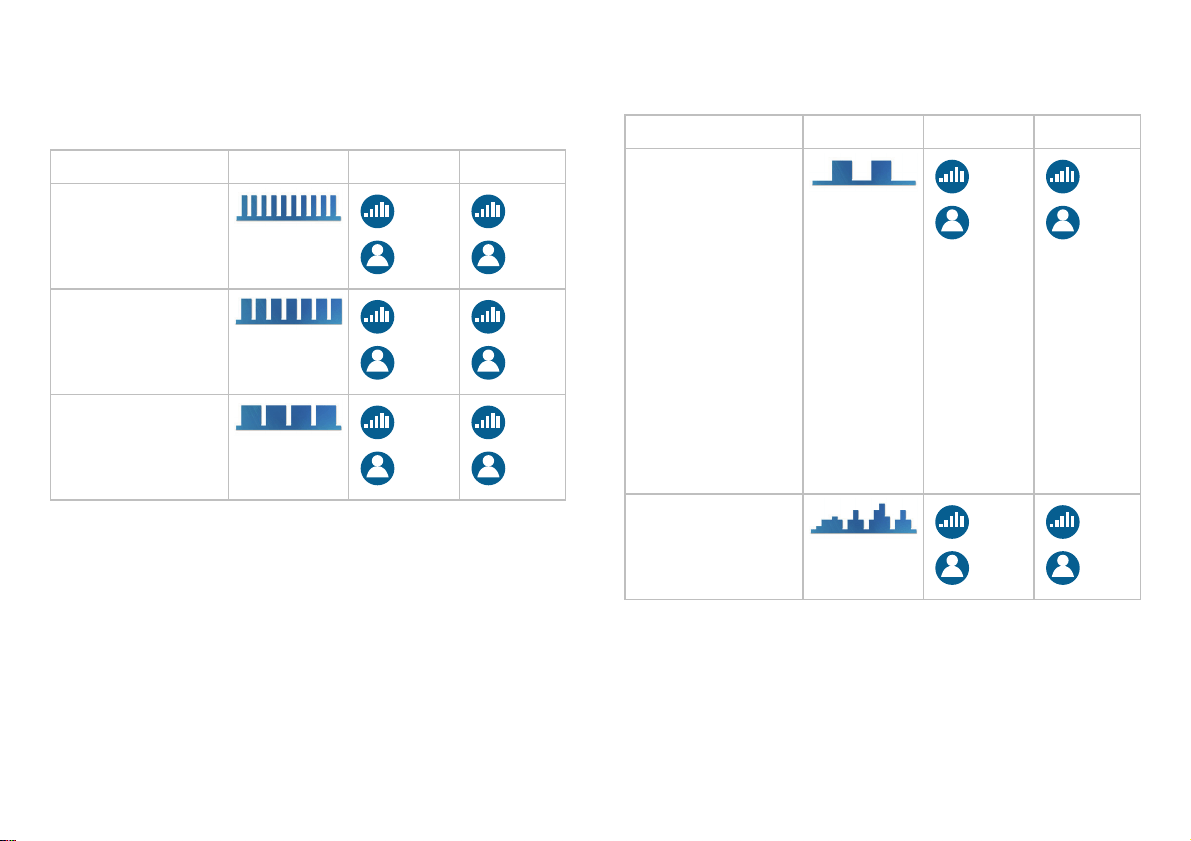
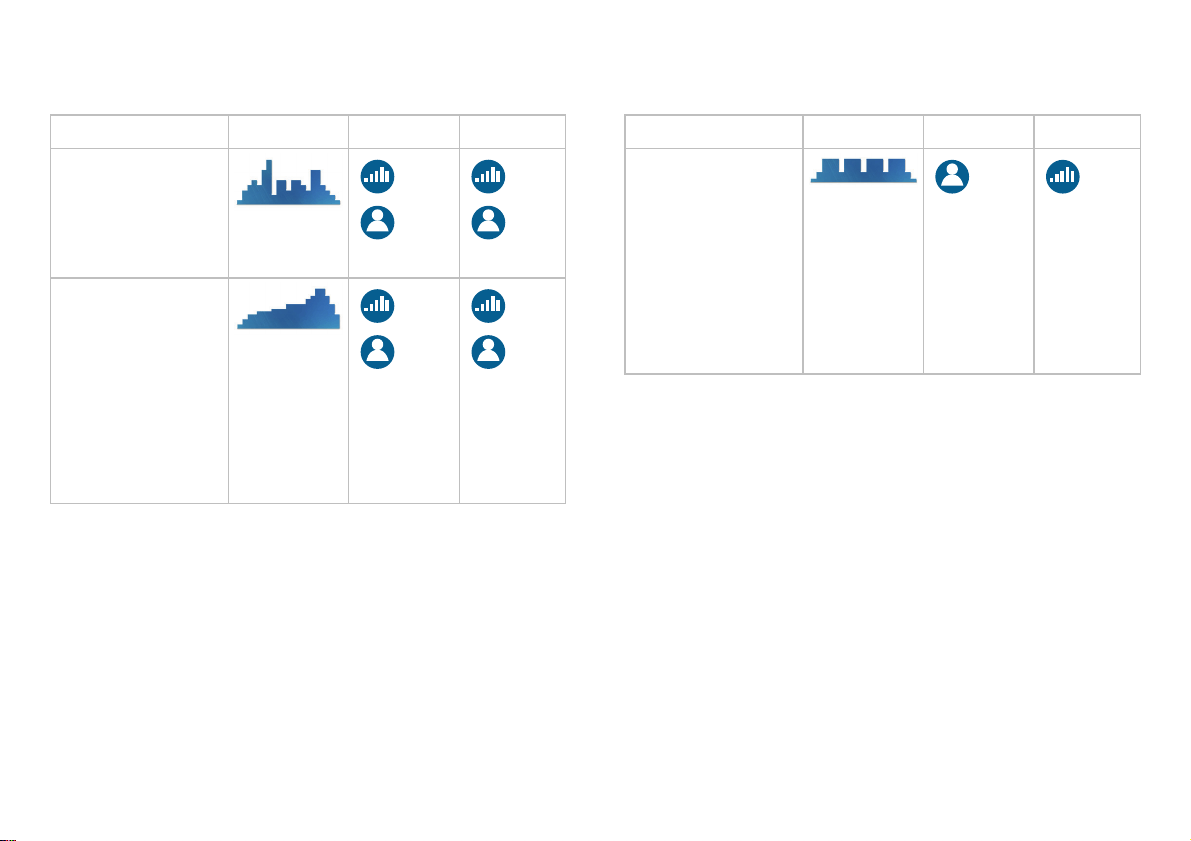
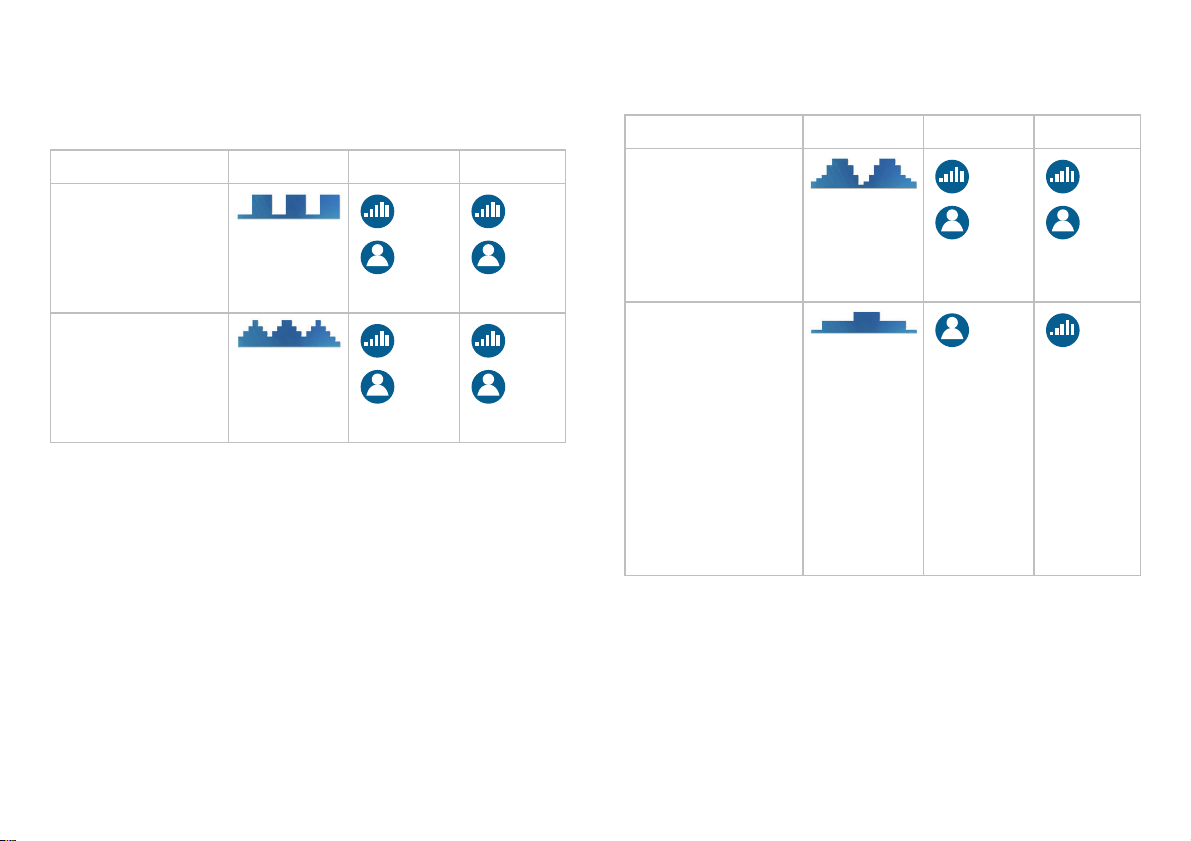
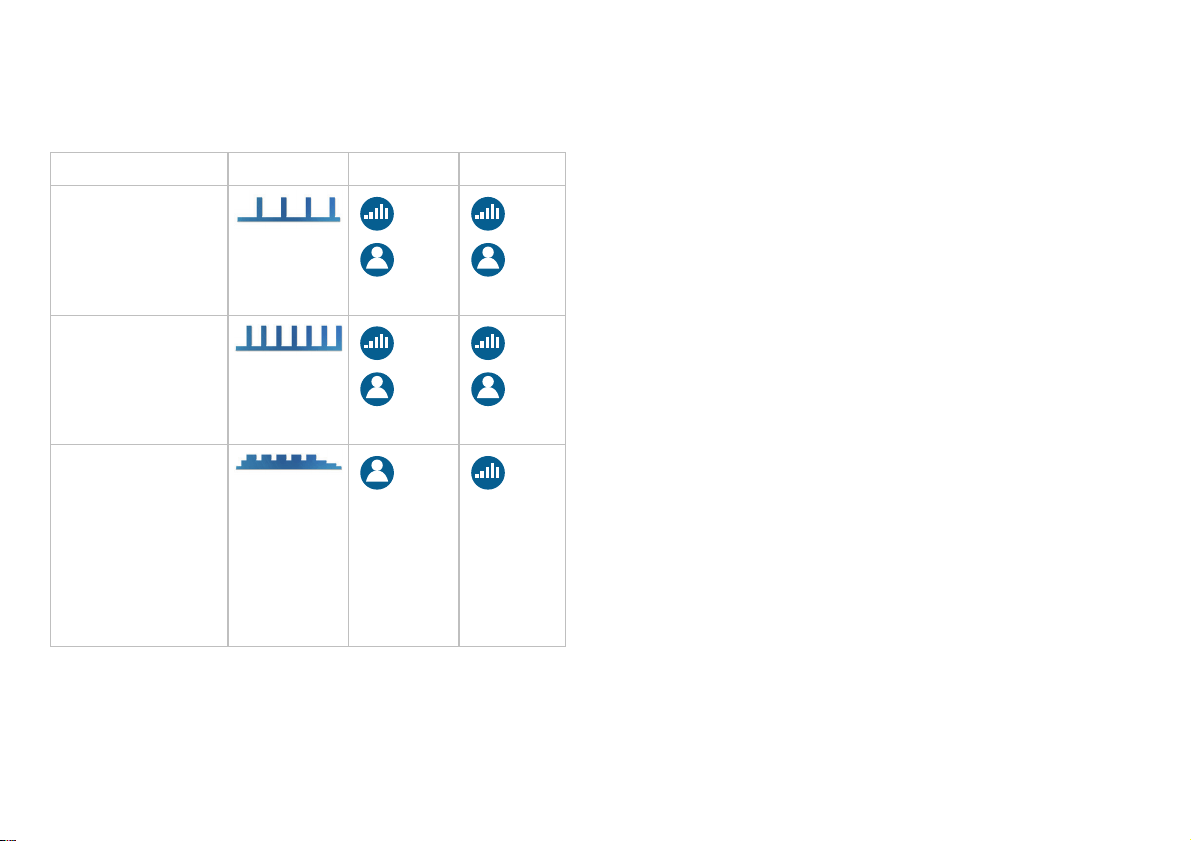
The training parameters for these workouts vary
according to their training goals. In this chapter, the
following symbols describe how each workout varies
its intensity and how you can modify it:
The workout changes this type of intensity
automatically.
You can manually adjust the changes that the
workout makes.
Choosing and Completing a Workout
41
Be Fit
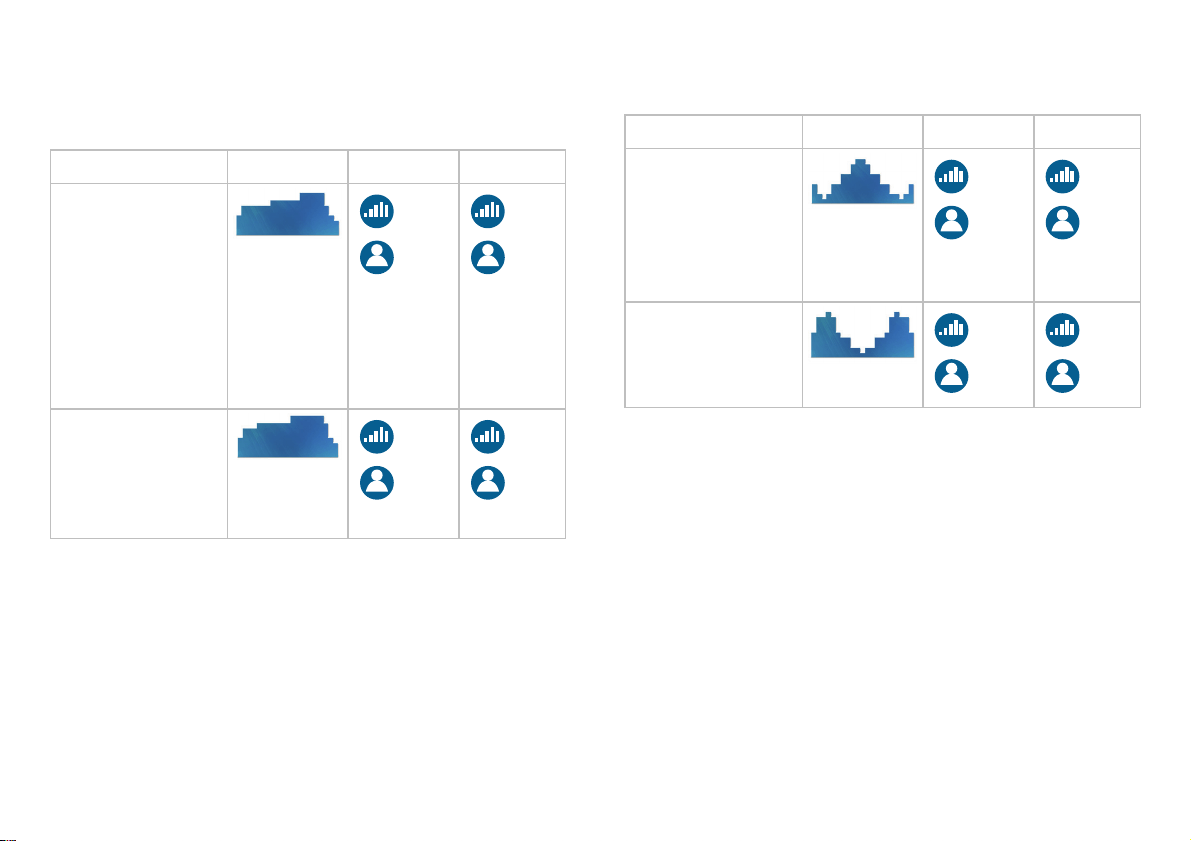
Workout Profile CrossRamp Resistance
1–1 Interval: Cycles
of two minutes of
work and two
minutes of rest.
2–1 Interval: Cycles
of two minutes of
work and one
minute of rest.
4–1 Interval: Cycles
of four minutes of
work and one
minute of rest.
Workout Profile CrossRamp Resistance
Total Body
Interval: Cycles of
intense exercise
and resting periods
designed to train
your upper and
lower body at the
same time. The
equipment provides
instructions on how
best to exercise
your arms and
when to pedal
backward.
Rolling Hills: A
simulated run over
gradually steeper
hills.
Precision Series / Energy Series Elliptical Fitness Crosstrainer Owner's Manual: EFX 447 / 245 42
Workout Profile CrossRamp Resistance
Mountain Peaks: A
simulation of a
two-summit climb.
(No climbing gear
required!)
Hill Climb: A
simulation of a
steady climb to the
top of a large hill.
The equipment
provides
instructions on
when to pedal
backward.
Workout Profile CrossRamp Resistance
Heart Rate Cardio:
Work and rest
cycles managed by
the equipment to
keep your heart
rate at the best
level for moderate
cardiovascular
conditioning.
Choosing and Completing a Workout
43
Lose Weight
Workout Profile CrossRamp Resistance
4–3 Interval:
Cycles of four
minutes of work
and three minutes
of rest.
Aerobic: Workout
routine designed to
challenge and
improve your
aerobic fitness.
Workout Profile CrossRamp Resistance
Fat Burner:
Calorie-burning
routine with cycles
of gradually
increasing
resistance.
Heart Rate Fat
Burn: Workout
managed by the
equipment to keep
your heart rate at
the most effective
level for weight loss
(moderate
intensity, but with a
high-intensity stage
in the middle).
Precision Series / Energy Series Elliptical Fitness Crosstrainer Owner's Manual: EFX 447 / 245 44
Push Performance
Workout Profile CrossRamp Resistance
1–4 Interval:
Cycles of one
minute of intense
exercise and four
minutes of rest.
1–2 Interval: Cycles
of one minute of
intense exercise
and two minutes of
rest.
Heart Rate Zone:
Quick bursts of
intense exercise,
managed by the
equipment to keep
your heart rate at a
high performance
level.
Choosing and Completing a Workout
45
Get Toned
Workout Profile CrossRamp Resistance
Glute Toner:
Gradually
increasing intensity
with an abrupt
drop-off, designed
to improve the
shape of your
thighs and gluteal
muscles.
Glute Toner Plus:
More intense
workout targeting
your thighs and
gluteal muscles.
Workout Profile CrossRamp Resistance
Leg Sculpt: Cycles
of increasing
intensity designed
to define and
strengthen your leg
muscles.
Leg Sculpt Plus:
More intense
version of the Leg
Sculpt workout.
Note: To provide the best possible results, the
equipment advises you to pedal backward during
certain stages of these workouts.

Precision Series / Energy Series Elliptical Fitness Crosstrainer Owner's Manual: EFX 447 / 245 46
Go the Distance
This group of workouts allows you to set your
preferred intensity levels for one of the following
distances:
1 Mile
5K
10K
Note: During these workouts, the equipment does not
modify workout intensity in any way.
Fitness Test
The Fitness Test consists of stages that last between
three and five minutes. The equipment prompts you to
choose the CrossRamp setting you want to use before
the test begins. Then, at each successive stage of the
test, the workout becomes more intense and the
equipment increases your target heart rate. After you
complete the test, the equipment displays your score.
The EFX ends the test prematurely if any of the
following things happen:
The EFX cannot detect your heartbeat.
Your heart rate exceeds 85% of your maximum
safe rate for 15 seconds or more.
Your heart rate changes too quickly.
You stop pedaling.
Important: For best results, sit and rest for at least five
minutes before you take the test. After the warm-up stage
of the test, you cannot adjust the CrossRamp or resistance
levels.
To see how your performance level increases with
exercise over time, try taking the fitness test as soon
as possible after you install the equipment. Then, as
you keep working out, take the fitness test from time
to time and watch your results improve.
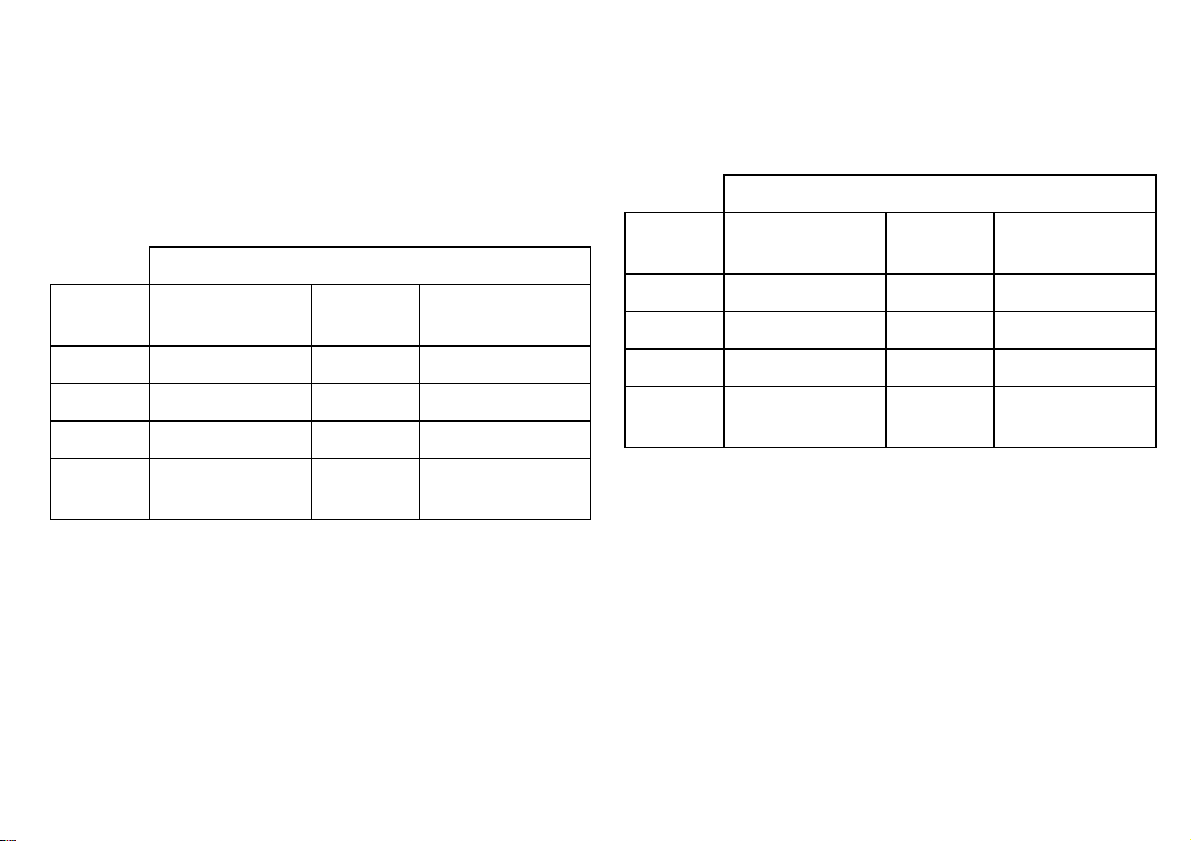
Choosing and Completing a Workout
47
Refer to the following two tables to compare your
fitness level to typical levels for your age and gender.
Table 3. Cardio-Respiratory Fitness Score Category
(Women)*
Fitness Category
Age in
Years
Low Fitness Medium
Fitness
High Fitness
20-39 28 or below 28-33 33 or above
40-49 26 or below 26-31 31 or above
50-59 24 or below 24-28 28 or above
60 or over 22 or below 22-26 26 or above
Table 4. Cardio-Respiratory Fitness Score Category
(Men)*
Fitness Category
Age in
Years
Low Fitness Medium
Fitness
High Fitness
20-39 35 or below 35-42 42 or above
40-49 32 or below 32-39 39 or above
50-59 29 or below 29-36 36 or above
60 or over 24 or below 24-31 31 or above
* The test and analysis algorithm were developed by Dr. Emily
Cooper of Seattle Performance Medicine
(www.spmedicine.com).

Precision Series / Energy Series Elliptical Fitness Crosstrainer Owner's Manual: EFX 447 / 245 48
Changing Settings and Metrics
While You Work Out
When you start a workout, you select a pre-defined
program. However, in addition to changing the
intensity of the workout, you can change many of its
other aspects. You can also adjust the workout
progress graph so that it displays the information you
want to see.
You can make the following changes at any time:
Workout selection (between workouts that can be
interrupted)
Workout length
Information displayed on progress graph
Metrics displayed on screen
Metrics Scan (all available metrics appear in
sequence on the screen)
In addition, if you are signed in under your user profile,
you can change the following:
Target heart rate (except for heart rate controlled
workouts)
SmartRate activation / deactivation
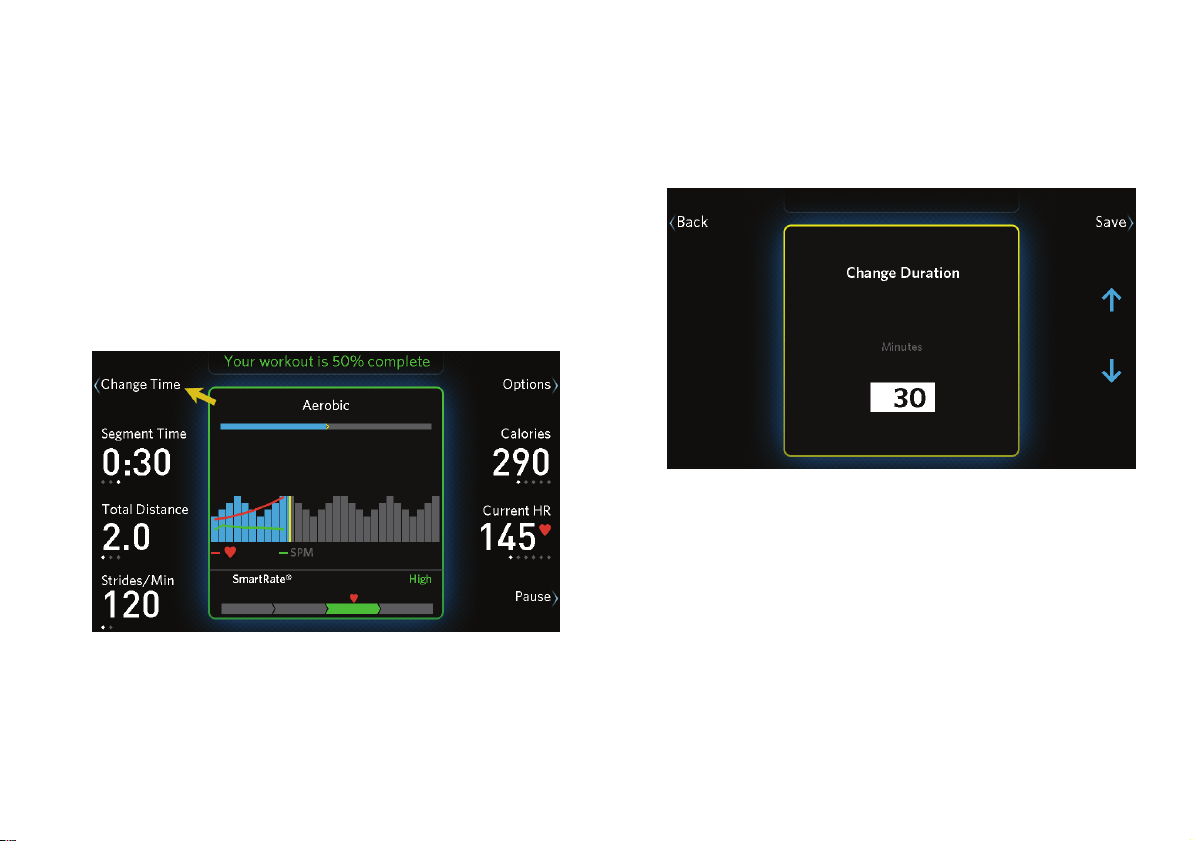
Choosing and Completing a Workout
49
Changing Your Workout Length
The normal length of your workout (the default
duration) is preset to 30 minutes. If you want to choose
a different amount of time, you can do that after you
have started your workout.
To change the length of your current workout:
1. At the main workout screen, touch Change Time.
Figure 28: Change Time button
2. Use the up and down arrow buttons to increase or
decrease the length of your workout.
Figure 29: Change Duration screen
3. Touch Save to return to the main workout screen.
Note: Touching Back instead of Save returns you
to your workout without saving the changes.
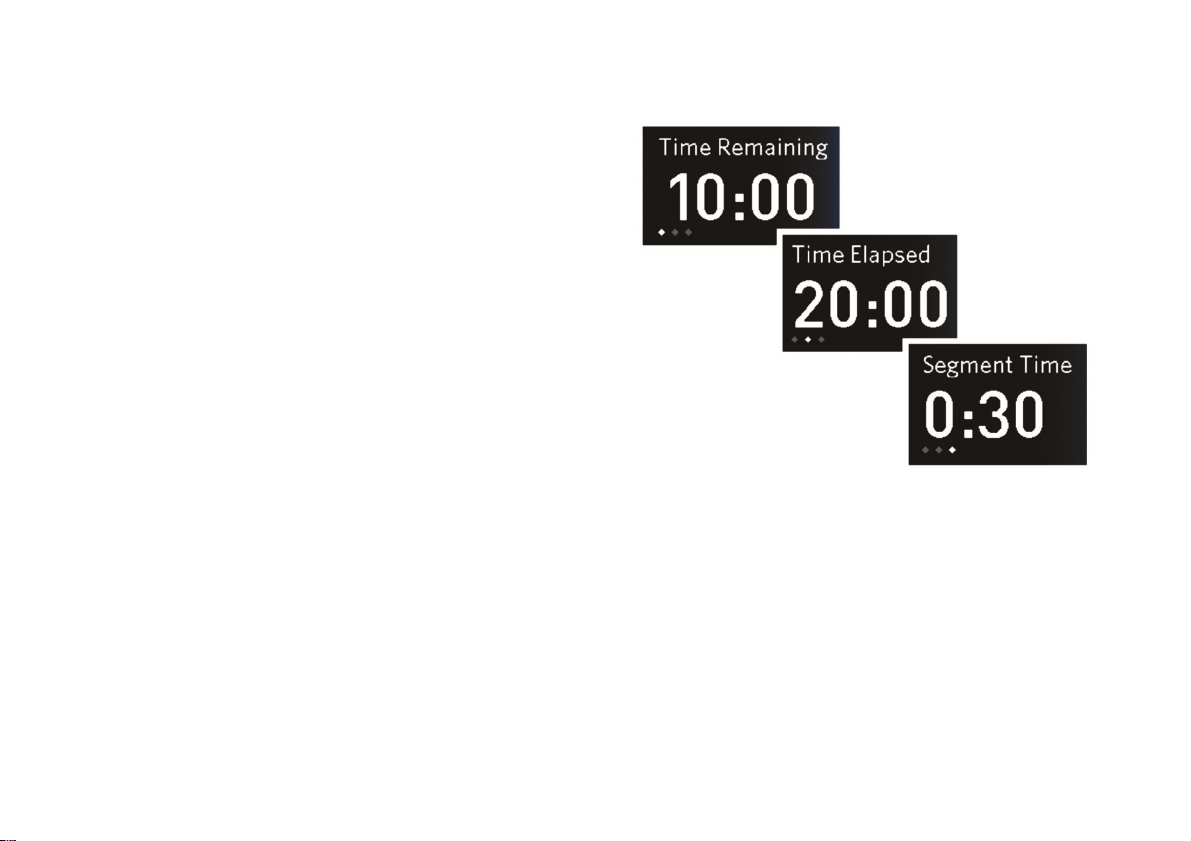
Precision Series / Energy Series Elliptical Fitness Crosstrainer Owner's Manual: EFX 447 / 245 50
Changing the Workout Display
While you are working out, you can choose different
measurements of your progress, or metrics, as shown
in the following figure and table. Simply touch the
button next to the measurement you want to change.
Note: If you are signed in under your user profile, the
equipment will save your display settings and metrics
selections for the next workout, even if you don’t save
your workout.
Figure 30: Time measurement selection

Choosing and Completing a Workout
51
Table 5. Workout metrics
Metric Types Available
Workout
Time
• Time Elapsed (the amount of time
you’ve been exercising during this
workout)
• Time Remaining (the amount of time left
in the workout)
• Finish Time (for workouts whose total
distance is defined)
• Segment Time (time remaining in the
current intensity segment of the
workout)
Achievement • Total Distance
• Distance Remaining (for workouts
whose total distance is defined)
• Total Strides (total number of strides
completed)
• Elevation Gain (total for this workout)
Metric Types Available
Speed • Strides / Min (current speed in strides
per minute)
• Avg Strides / Min (average speed for
the whole workout, in strides per minute
Energy Use • Calories (total for this workout)
• Calories / Min (calories per minute)
• Calories / Hr (calories per hour)
• METs (metabolic equivalents)*
• Watts
Precision Series / Energy Series Elliptical Fitness Crosstrainer Owner's Manual: EFX 447 / 245 52
Metric Types Available
Heart Rate • Current HR (current heart rate)
• Current Zone (current SmartRate zone:
warm-up, moderate, high, or maximum)
• Average HR (average heart rate in this
workout)
• Max HR (maximum heart rate in this
workout)
• Target HR (target heart rate)
• Time in Zone (time elapsed in the
current zone, moderate and high zones
only)
*You can think of one MET as the amount of energy you use while
sitting still, based on your body weight. If you’re working out at
three METs, that’s three times the energy you would use if you
weren’t moving. Some personal trainers and medical
professionals suggest tracking METs instead of calories because
your MET target doesn’t change as your weight changes.
If you want to see all of this information during your
workout, you can turn on Metrics Scan. While Metrics
Scan is on, each metric changes every three seconds to
show all of the types of information it can display.
To turn on Metrics Scan:
1. During your workout, touch Options.
2. At the Options screen, touch Turn On Metrics
Scan.
Note: to turn off Metrics Scan, repeat the
preceding steps. The Turn On Metrics Scan button
is renamed Turn Off Metrics Scan if this feature is
active.
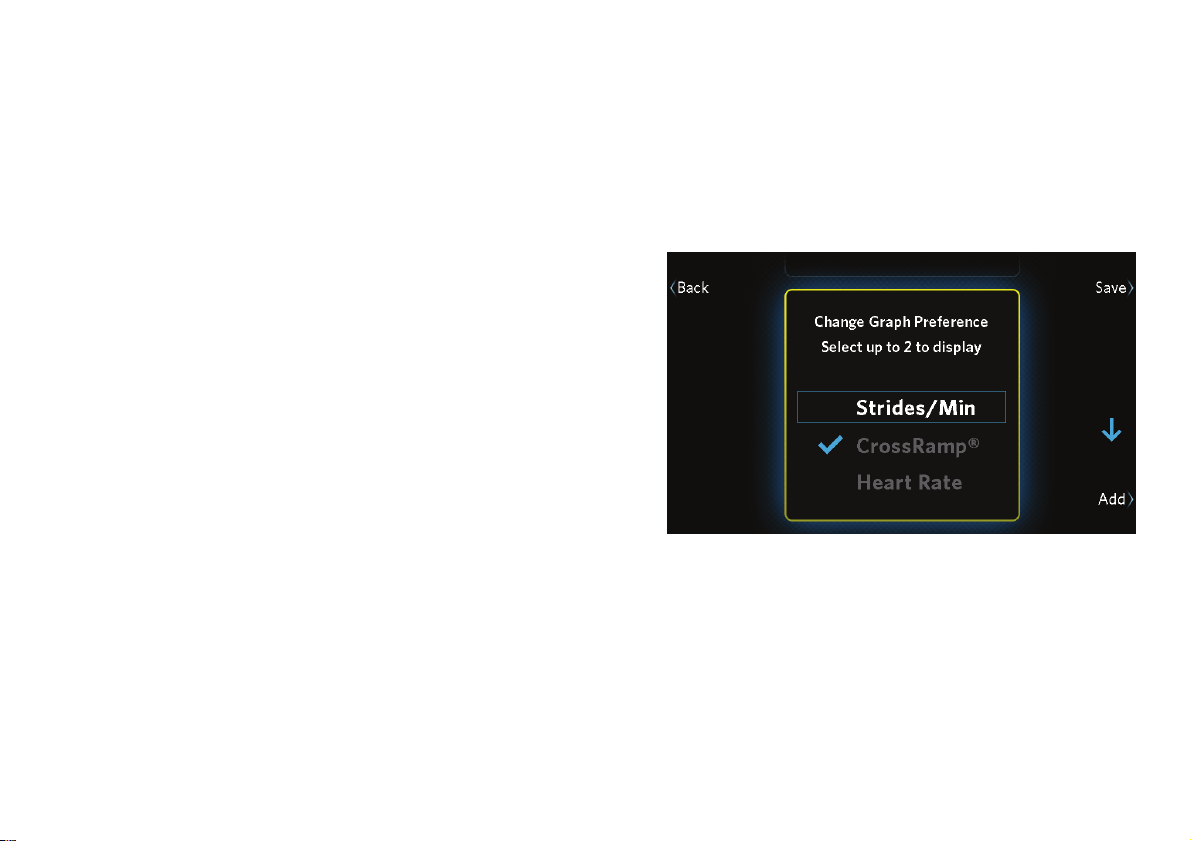
Choosing and Completing a Workout
53
You can also change the information shown in the
progress graph during your workout.
To change the progress graph:
1. During your workout, touch Options.
2. At the Options screen, touch Change Graph.
3. Use the arrow buttons to move between the types
of information you can display on the graph
(strides per minute, CrossRamp, or heart rate).
Touch Add or Remove to select one or two types
of information.
Figure 31: Change Graph Preference screen
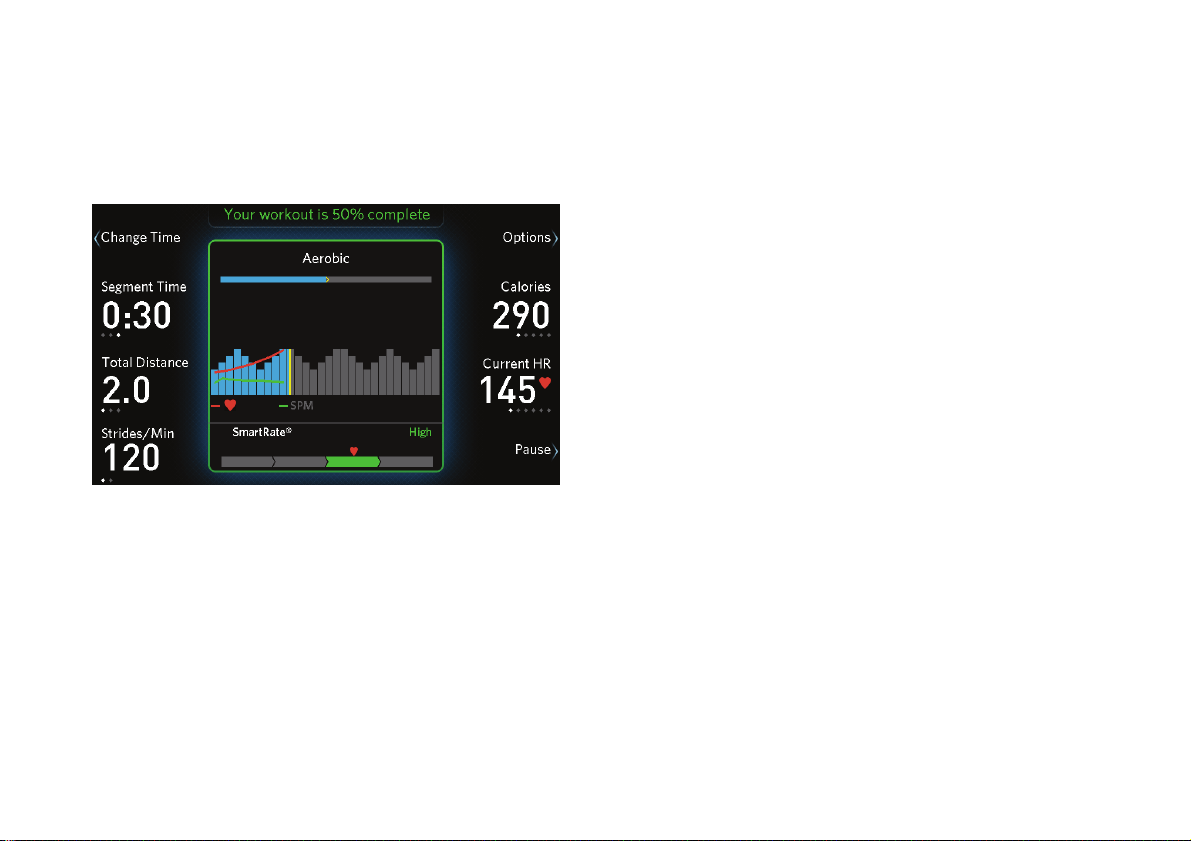
Precision Series / Energy Series Elliptical Fitness Crosstrainer Owner's Manual: EFX 447 / 245 54
4. Touch Save to save your changes and return to the
workout progress graph. The types of information
you selected appears as lines in the graph.
Figure 32: Progress graph with heart rate and
strides-per-minute (SPM) lines
Note: The bars in the progress graph can describe
strides per minute, CrossRamp, or a combination of
both (refer to Available Workouts). The width of each
bar corresponds to one minute for timed workouts, or
200 meters (656 feet) for distance-controlled
workouts. These bars scroll from right to left as your
workout continues. The line above the bars shows the
entire length of your workout and your current position
in it.

Choosing and Completing a Workout
55
Changing Your Mind During Your
Workout
As your workout continues, you might find that you’d
rather be doing a different workout than the one you
originally selected. If so, you can switch from one
workout to another without stopping. The actual
results of your combined workout will be saved in your
profile, and you can save the mixed workout to use it
again later (refer to Finishing Your Workout).
Note: You can’t change to a heart rate workout or a
fitness test, and you can’t change from a fitness test to
another workout.
To change a workout in progress:
1. Touch Options.
2. On the Options screen, touch Change Workout.
3. Select a new workout from the workout list, then
touch Start.
Note: If you want to use one of the workouts you
have completed recently, touch Recent Workouts.
Use the up and down arrow buttons to select the
workout you want, then touch Start.
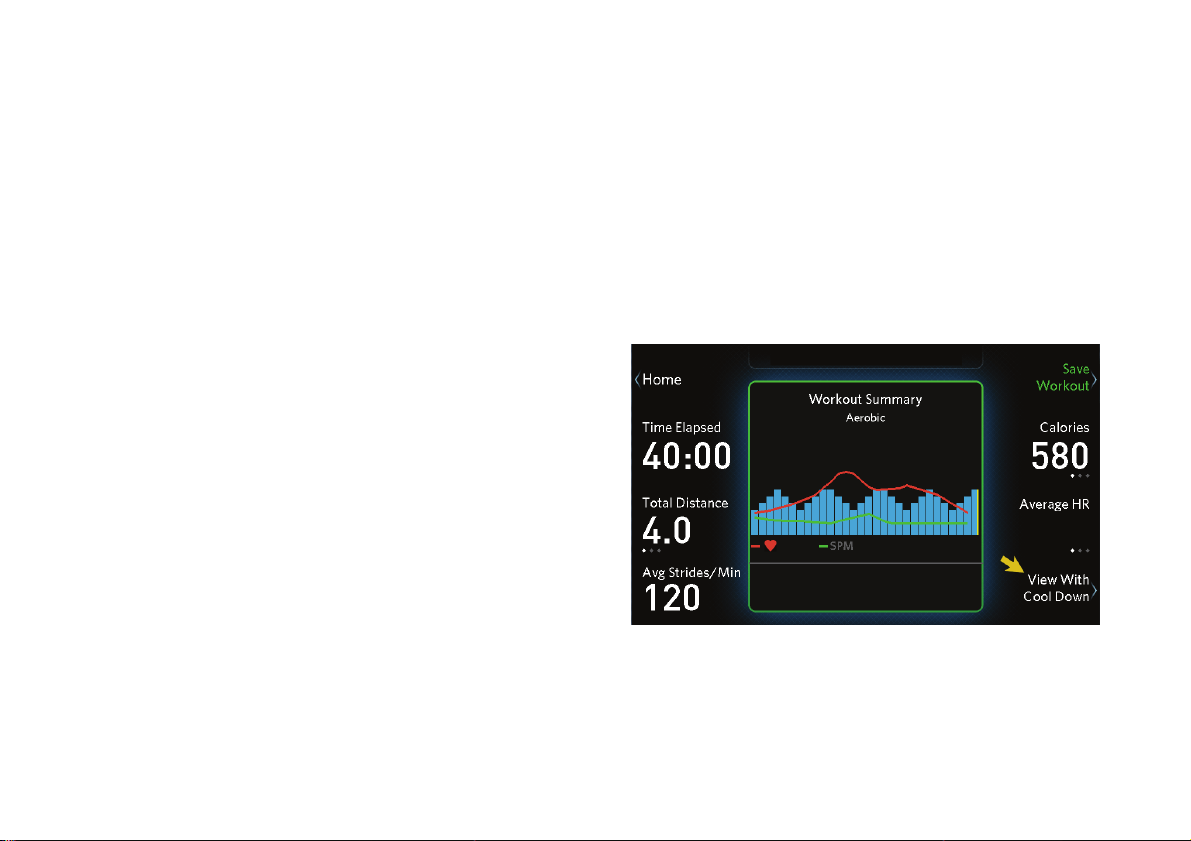
Precision Series / Energy Series Elliptical Fitness Crosstrainer Owner's Manual: EFX 447 / 245 56
Finishing Your Workout
If you need to end your workout early, simply touch
Pause, then Finish. You will see a summary of what
you have accomplished during the workout. All of the
metrics around the edges of the screen show your
totals and averages for the entire workout, and the
progress graph remains in the center of the screen.
If you finish the workout normally, you go through a
short, less intense cooldown stage after the workout
itself. This additional stage brings your heart rate down
in a gradual, controlled manner and helps prevent stiff,
sore muscles later. After the cooldown stage, the
Workout Summary screen appears. You can see the
effect of the cooldown stage by touching View with
Cool Down and View Workout Only.
Figure 33: Workout Summary screen and View with Cool
Down button
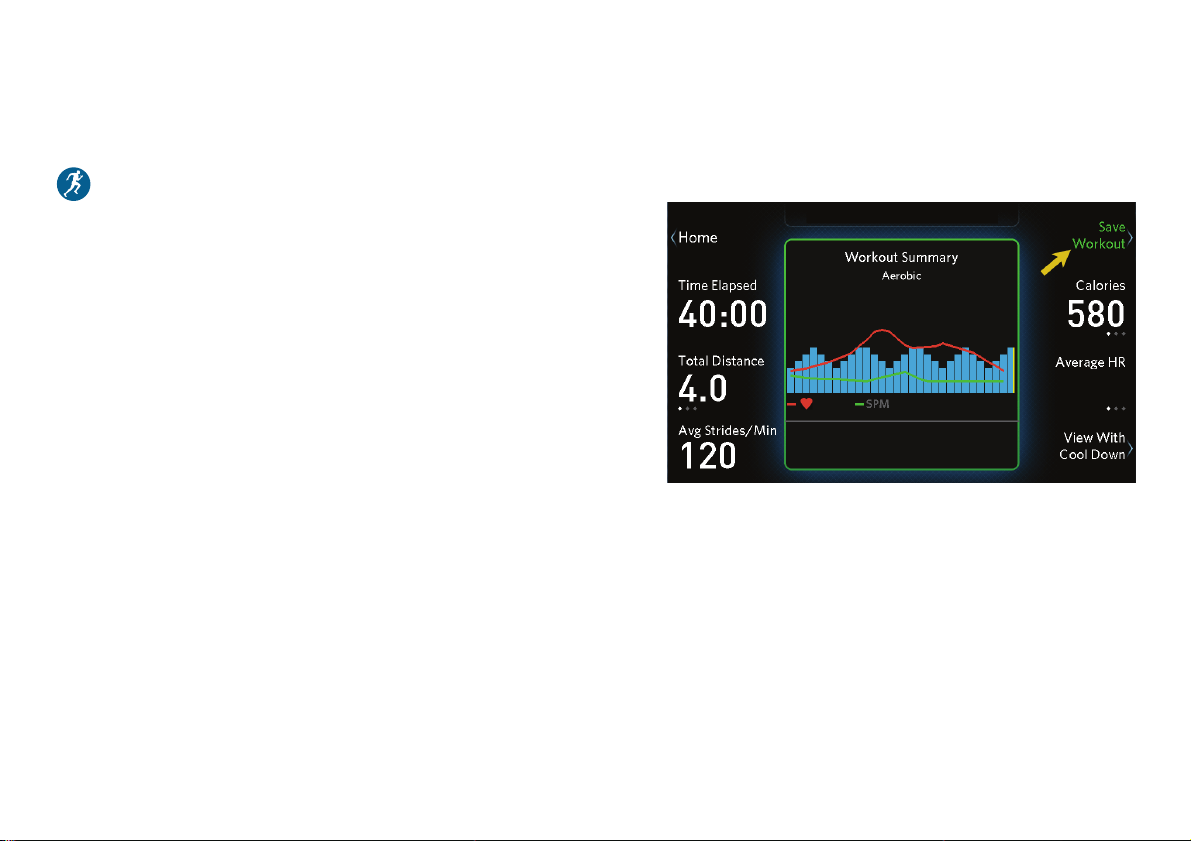
Choosing and Completing a Workout
57
Saving Your Workout
You must be signed in under your user profile to use
this feature.
At the workout summary screen, you can save the
workout you’ve just finished so you can use it again
later. Your saved workout includes any intensity
changes you make that last longer than 15 seconds, as
well as the actual total time.
Note: You can save your workout only if it lasted five
minutes or more. You cannot save your workout under
any of the following conditions:
You worked out for less than five minutes.
You have changed between a distance workout
(such as a 10K run) and a timed workout, in either
direction.
You were using a heart rate controlled workout or
taking a fitness test. (You can’t store your current
heart rate or fitness level.)
To save your workout:
1. Touch Save Workout.
Figure 34: Save Workout button
Precision Series / Energy Series Elliptical Fitness Crosstrainer Owner's Manual: EFX 447 / 245 58
2. At the Name Your Workout screen, use the Shift
and arrow buttons to enter a name for this
workout.
A
Scroll between letters,
numbers, and spaces
(use the Shift button to
switch between upper and
lower case)
Move from one
character to another
Note: If you prefer not to name the workout, you
can also leave the default name of "Favorite
number", where number is a single digit.
3. When you have finished specifying the name,
touch Save.
To use a saved workout again:
1. If necessary, switch to your own user profile (refer
to Choosing a User Profile).
2. At the home screen, touch My Workouts.
Note: Your saved workouts are listed in the order
in which you last used them, with the most recent
workout first.
3. Use the up and down arrow buttons to select a
workout, then touch Start.
Note: The duration and total distance of a saved
workout cannot be changed.
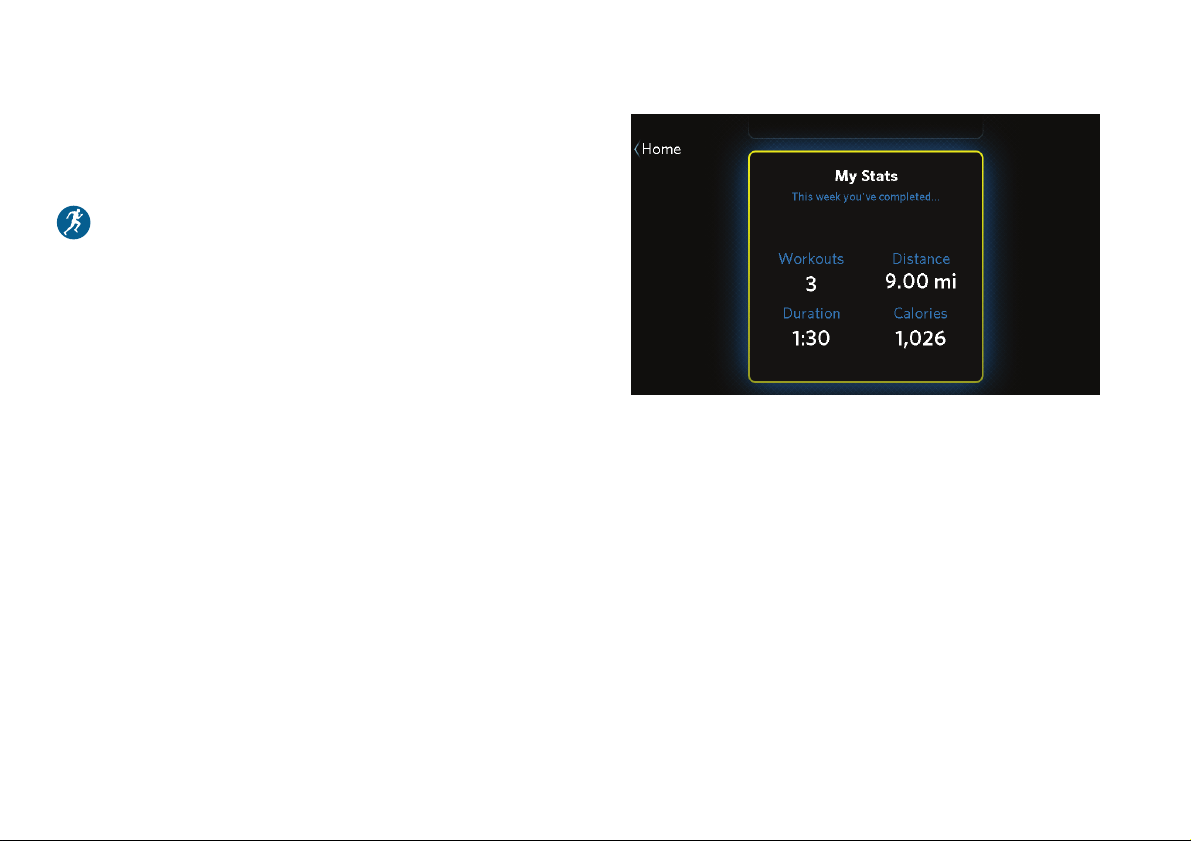
Choosing and Completing a Workout
59
Checking Your Weekly
Progress
You must be signed in under your user profile to use
this feature.
To see how much progress you’ve made each week,
touch the My Stats button on the home screen. This
button takes you to the My Stats screen, where you
can see the following weekly totals:
Workouts completed
Distance covered
Time (hours and minutes) completed
Calories burned
Figure 35: My Stats screen
Touch Home to return to the home screen.
To track your progress over more than one week, and
to coordinate your workouts on this equipment with
your other forms of exercise, connect to Preva before
each workout (refer to Tracking Your Progress with
Preva). Using Preva, you can manage all of your
exercise toward a single weekly goal and track your
lifetime progress as well.
Note: Each week starts on Monday and ends on
Sunday.

Precision Series / Energy Series Elliptical Fitness Crosstrainer Owner's Manual: EFX 447 / 245 60
Tracking Your Progress with
Preva
Preva is a free, cloud-based service from Precor that
tracks all of your exercise—at home, at the gym, or
outdoors—to help you stay focused on your fitness
goals. Through your iPhone device and Preva-equipped
Precor fitness equipment, Preva tracks all of your
workouts and lets you know whether you’re on track,
ahead, or behind your goals. It also helps you celebrate
major milestones in your progress (including some
with actual miles or kilometers) and keeps your
workout history.
To make sure Preva follows the progress you make
on your new fitness equipment:
1. If necessary, download the free Preva app from
iTunes
®
or the Apple App Store
SM
.
2. Make sure that you are signed in to Preva.
3. At any time before you finish your workout,
connect your iPhone to your equipment.
Note: before you begin your workout, you will need
to connect your iPhone data cable to the console
(refer to Connecting Your Apple Device).
4. Check to make sure that the playback controls
appear on the console, indicating that your iPhone
is properly connected.
At the end of the workout, your workout information is
uploaded automatically to your Preva account. Your
Goal Compass™ and your workout history are updated
to include this workout.

Creating User Profiles
61
Creating User
Profiles
When you first create your user profile, you start by
storing your personal information (age, weight, gender,
and workout focus). As you continue working out with
the equipment, it stores your progress and your
workout preferences. In other words, your user profile
allows the equipment to fine-tune itself to your needs.
Your user profile allows you to do the following things:
Use SmartRate, or set your target heart rate, to
help ensure you get the cardiovascular workout
you want
Receive workout suggestions based on your own
fitness focus
Save favorite workouts and use them again later
Set your own default workout duration and display
settings
Automatically see accurate calorie use estimates
based on your age
Track your progress throughout the week
Note: Some features of the equipment are available
only if you are signed in under your user profile. Those
features are identified with a user profile symbol (
)
in this guide.
The equipment can store profiles for up to four people.
Each profile has a unique color and a unique
name—you can enter your own name or leave the
"User number" name that the equipment first assigns
to your profile. When you select your profile later, the
equipment addresses you by name and all of the
screens are accented in your color.
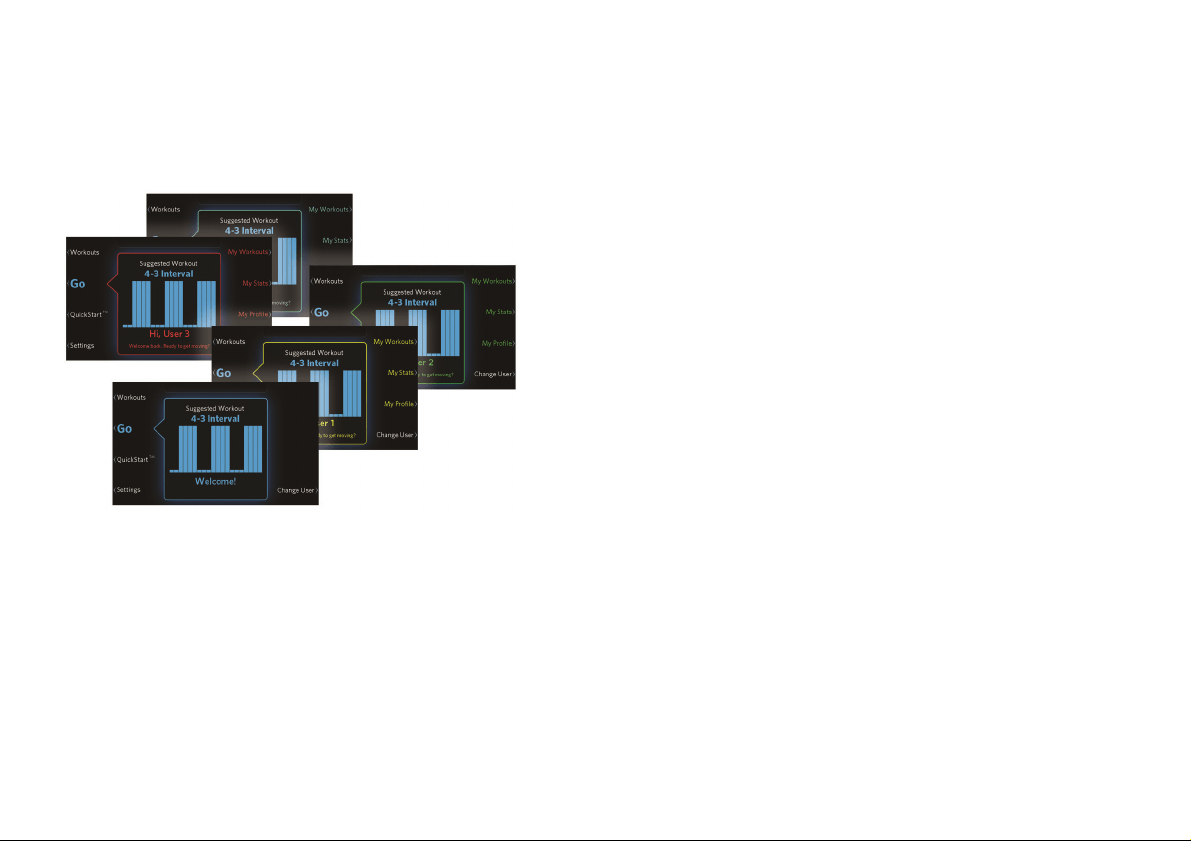
Precision Series / Energy Series Elliptical Fitness Crosstrainer Owner's Manual: EFX 447 / 245 62
You can change your profile information by touching
the My Profile button at the home screen.
Figure 36: Home screens for all user profiles
Note: In addition to the four user profiles, a Guest
profile is always available. While you use the Guest
profile, the equipment does not store settings, results,
or workouts.
To create a profile:
1. At the home screen, touch Change User.
2. On the user list screen, the buttons on the right
show the names of user profiles that have already
been created. The first available button is labeled
Add User. Touch this button to continue.
Note: If no Add User button appears, the
equipment already has as many user profiles as it
can store. In this case, if you want to create an
additional profile, you must either edit one of the
existing profiles or delete it (refer to Deleting User
Profiles).
Creating User Profiles
63
3. On the User Name screen, use the arrow and Shift
buttons to enter your name.
A
Scroll between letters,
numbers, and spaces
(use the Shift button to
switch between upper and
lower case)
Move from one
character to another
Touch Next to continue.
4. On the Enter Weight screen, use the arrow buttons
to enter your current weight.
150
Increase or decrease
(hold to scroll
faster)
Move between
number and units
(kilograms or
pounds)
Touch Next to continue.
5. On the Select Gender screen, use the up and down
arrow buttons to confirm your gender, then touch
Next.
6. On the Enter Date of Birth screen, use the arrow
buttons to enter the date when you were born.
When you have finished entering your birthdate,
touch Next.

Precision Series / Energy Series Elliptical Fitness Crosstrainer Owner's Manual: EFX 447 / 245 64
7. On the Select Focus screen, use the up and down
arrow buttons to select your workout focus:
– Be Fit (maintain a healthy lifestyle)
– Lose Weight
– Push Performance (challenge and improve
your stamina)
– Get Toned (improve your muscle tone)
Touch Next to continue.
8. On the My Profile screen, review the information
you have entered.
If … Then touch …
All of the information is correct Save
Some of the information needs to
be changed
Back or Edit
As you lose weight, or if you want to change any of
your other profile information, you can make your
changes easily. Just touch My Profile at the home
screen. Your profile is then displayed and you can
choose individual parts of your profile to change.
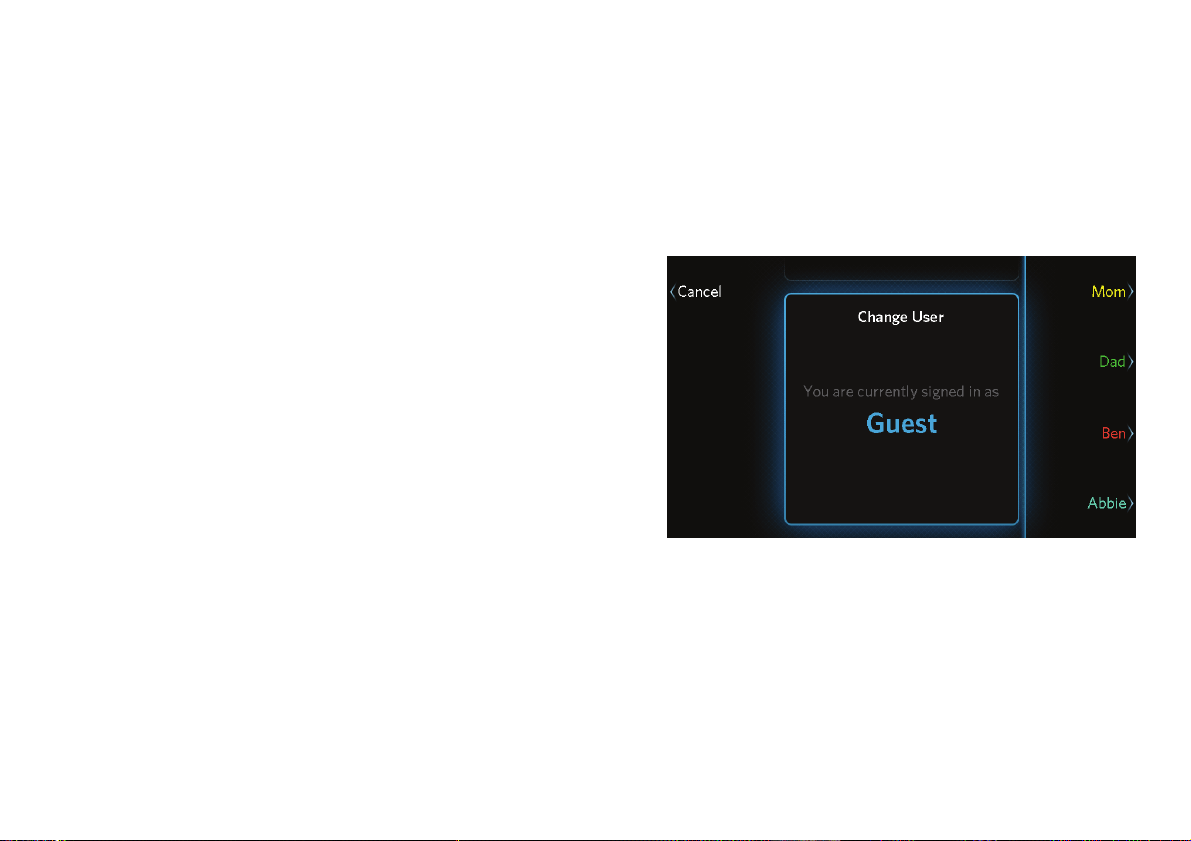
Creating User Profiles
65
Choosing a User Profile
Your fitness equipment can store user profiles for up to
four different people. Each person is represented by a
different color. Also, a Guest profile is available. Your
visitors can choose the Guest profile if they want to
use the equipment, but it will not store their results.
Note: SmartRate
®
is not available when the Guest
profile is selected.
To choose a user profile:
1. At the home screen, touch Change User.
2. On the user list screen, touch one of the buttons on
the right side of the screen.
Figure 37: User profiles
Note: The user profile you have selected remains
active until someone chooses a different profile.

Precision Series / Energy Series Elliptical Fitness Crosstrainer Owner's Manual: EFX 447 / 245 66
Changing Your Default
Settings
You must be signed in under your user profile to use
this feature.
In addition to the overall settings for the fitness
equipment, you can adjust the default workout
duration assigned to your profile. This duration is
normally set to 30 minutes.
To change your user settings:
1. At the home screen, touch Settings.
2. At the Settings screen, touch My Settings.
3. Use the up and down arrow buttons to make your
adjustment, then touch Save to return to the My
Settings screen.
Deleting User Profiles
You have to select a profile before you can delete it.
This helps prevent people from accidentally deleting
each other’s profiles.
To delete a user profile:
1. At the home screen, touch Change User.
2. Using the buttons on the right of the screen, select
the user profile you want to delete.
3. After you return to the home screen, touch My
Profile.
4. On the My Profile screen, touch Delete Profile.
5. On the Delete Profile screen, use the up and down
arrow buttons to select Yes, then touch Delete.
Changing the System Settings
67
Changing the
System Settings
When you first set up your equipment, you entered the
following information:
Equipment model number
Date
Time
Units of distance (kilometers or miles)
If you need to change these settings, touch the
Settings button at the home screen.
Note: These settings affect all users. For example, if
you set the distance units to kilometers, everyone sees
their workout distances in kilometers.
To correct the model number:
1. At the Settings screen, use the up and down arrow
buttons to select Model, then touch Edit.
2. At the Set Model screen, use the up and down
arrow buttons to select the model you have, then
touch Save.
To change the date:
1. At the Settings screen, use the up and down arrow
buttons to select Date, then touch Edit.
2. At the Set Date screen, use the arrow buttons to
enter the current date.
When you have finished entering the date, touch
Save.
Precision Series / Energy Series Elliptical Fitness Crosstrainer Owner's Manual: EFX 447 / 245 68
To change the time:
1. At the Settings screen, use the up and down arrow
buttons to select Time, then touch Edit.
2. At the Set Time screen, use the 12 Hour / 24 Hour
button and the arrow buttons to enter the current
time.
When you have finished entering the time, touch
Save.
To switch between kilometers and miles:
1. At the Settings screen, use the up and down arrow
buttons to select Distance Units, then touch Edit.
2. At the Set Unit Preference screen, use the up and
down arrow buttons to select kilometers or miles,
then touch Save.
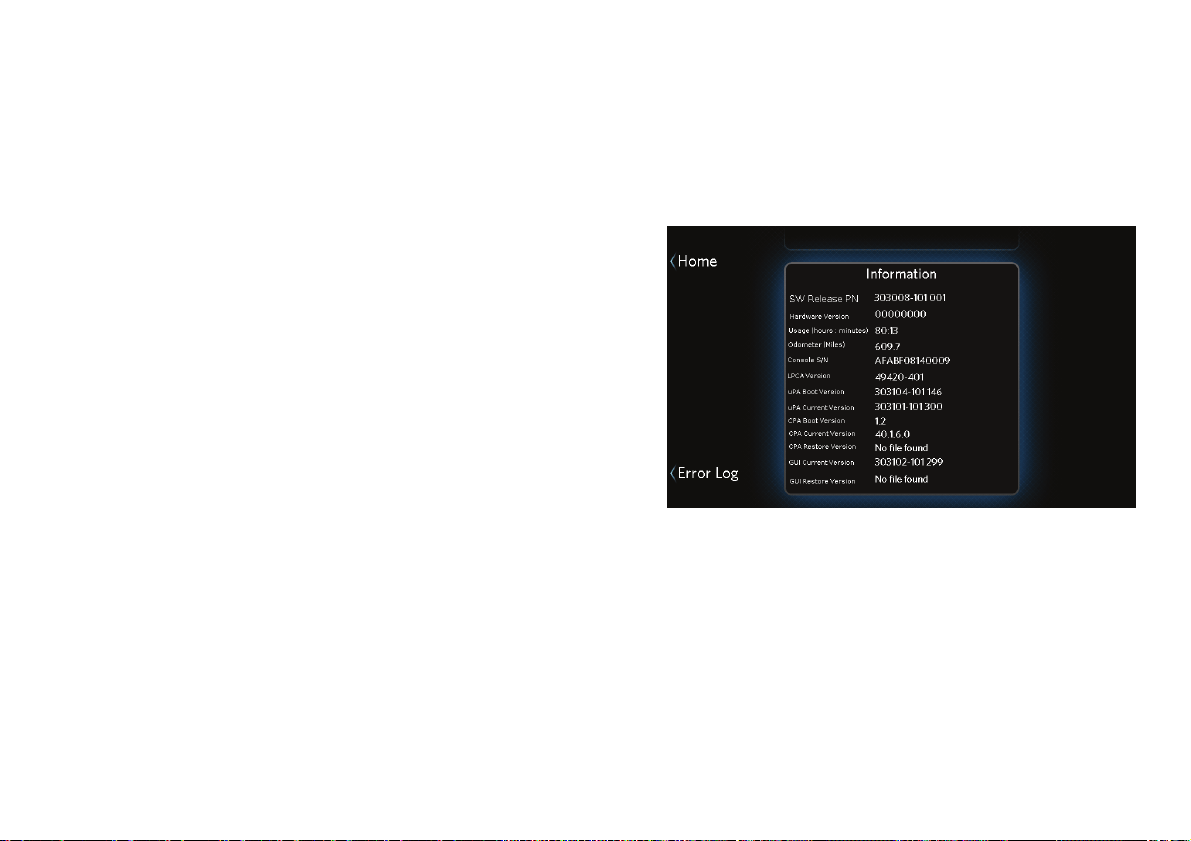
Changing the System Settings
69
Retrieving System Information
If you ever need to contact your dealer or Precor
Customer Service for help, you may be asked to check
the equipment’s system information and error log.
The following technical information about your
equipment is available for reference:
Software release part number
Software version numbers
Hardware version and serial numbers (console)
LPCA (equipment base unit control circuit) version
number
Total equipment usage (in hours and minutes)
Odometer (total usage in kilometers or miles)
To view the system information:
1. At the home screen, touch Settings.
2. At the Settings screen, touch Information.
Figure 38: Information screen (example)
3. When you are finished viewing the system
information, touch Home.
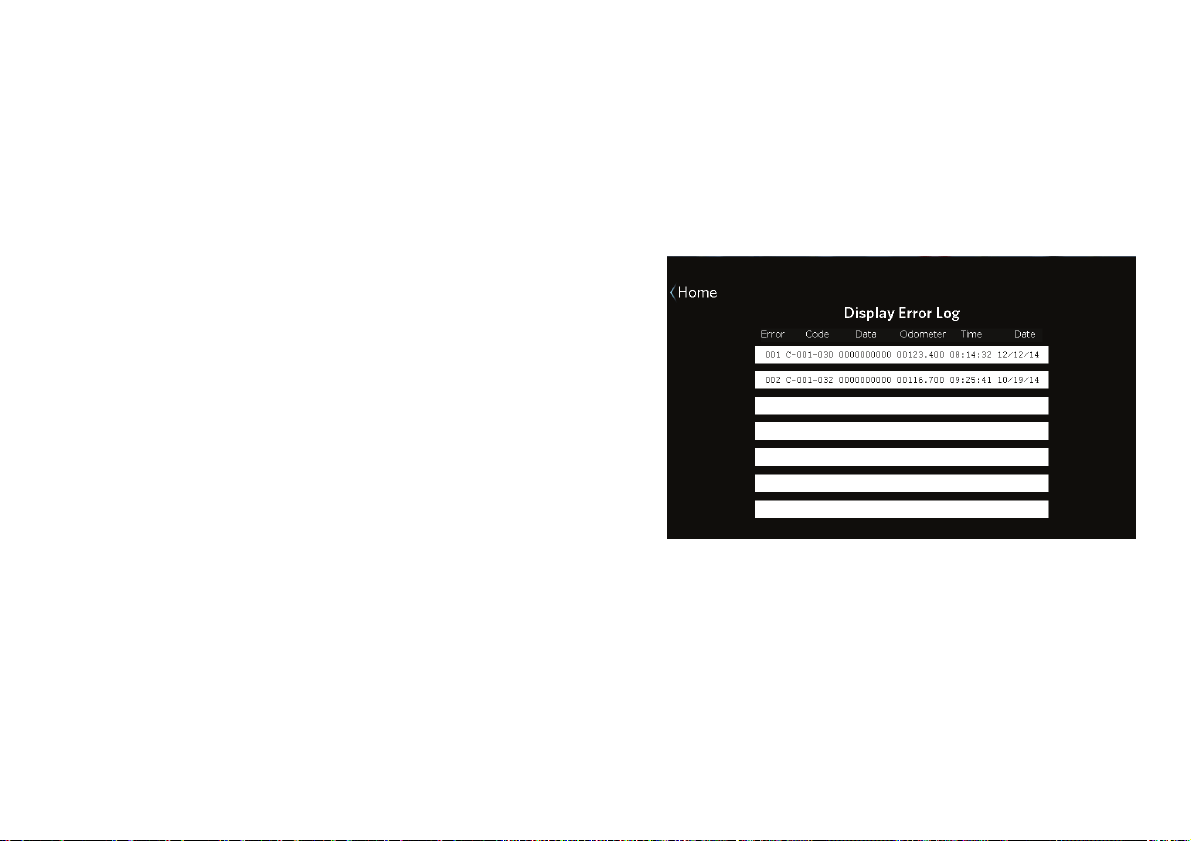
Precision Series / Energy Series Elliptical Fitness Crosstrainer Owner's Manual: EFX 447 / 245 70
Displaying the Error Log
Each entry in the error log includes the following
information:
An error ID number
An error code
Data providing details about the error
The time and date when the error occurred
The odometer setting when the error occurred
To display the error log:
1. At the home screen, touch Settings.
2. At the Settings screen, touch Information.
3. At the Information screen, touch Error Log.
Figure 39: Error log
4. When you are finished viewing the error log, touch
Home.

Maintenance
71
Maintenance
It is important to perform the minor maintenance tasks
described in this section. Failure to maintain the
equipment as described here could void the Precor
Limited Warranty.
DANGER
To reduce the risk of electrical shock,
always unplug the equipment from its
power source before cleaning it or
performing any maintenance tasks.
Inspection
Inspect the EFX before use.
Look and listen for loose fasteners, unusual noises,
worn or frayed power cords, and any other indications
that the equipment may be in need of service. If you
notice any of these, obtain service.
Important: If you determine that the EFX needs service,
make sure that the EFX cannot be used inadvertently. Turn
the unit Off, insert the locking pin and then unplug the
power cord from its power source. Make sure other users
know that the EFX needs service.
To order parts or to contact a Precor authorized
service provider in your area, refer to Obtaining Service.

Precision Series / Energy Series Elliptical Fitness Crosstrainer Owner's Manual: EFX 447 / 245 72
Cleaning the Equipment
Most of the working mechanisms are protected inside
the covers. However, for efficient operation, the EFX
relies on low friction. To keep the friction low, the
unit’s rollers, ramp, foot pedals, handlebars, and covers
must be as clean as possible.
Precor recommends the EFX be cleaned before and
after each workout to remove dust, dirt, water, and
sweat. Use mild soap and water to dampen a soft cloth
and wipe all exposed surfaces.
CAUTION: Do not use any acidic cleaners. Doing so will
weaken the paint or powder coatings and void the Precor
Limited Warranty. Never pour water or spray liquids on
any part of the EFX, and remove any accumulated sweat
from the EFX after use. Allow the EFX to dry completely
before using it again.
Frequently vacuum the floor around the unit to prevent
the accumulation of dust and dirt, which can affect the
smooth operation of the unit. Use a soft nylon scrub
brush to clean the foot pedals.
Storing the Chest Strap
Store your chest strap in a place where it remains free
of dust, dirt, and moisture, such as in a closet or
drawer. Be sure to protect the chest strap from
extremes in temperature. Do not store it in a place that
may be exposed to temperatures below 32° F (0° C).
To clean the chest strap, use a sponge or soft cloth
dampened in mild soap and water. Dry the surface
thoroughly with a clean towel.
Long-Term Storage
When the equipment is not in use for any length of
time, turn it off. Make sure that the power cord is
unplugged from its power source and is positioned so
that it will not become damaged or interfere with
people, furniture, or other equipment.
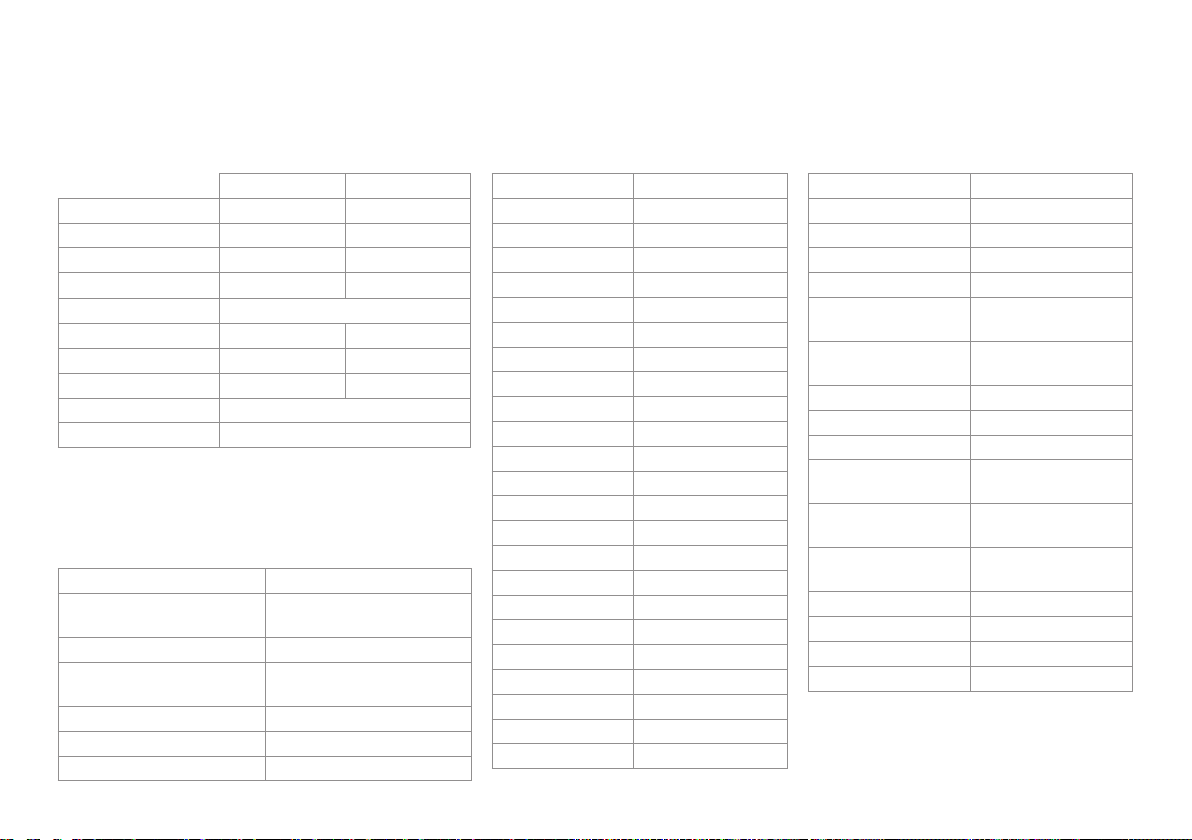
Product Specifications
EFX 447 EFX 245
Length: 84 in (213 cm) 76 in (193 cm)
Width: 31 in (79 cm) 29 in (74 cm)
Height: 67 in (171 cm) 65 in (165 cm)
Weight: 240 lb (109 kg) 214 lb (80 kg)
Power Requirements: 120 VAC, 60 Hz
CrossRamp Range: 15°–40° 15°–25°
Incline Settings: 1-20 1-8
Resistance Levels: 1–20 1–16
Frame: Powder-coated steel
Regulatory Approvals: FCC, ETL
Workouts
Be Fit 1-1 Interval
2-1 Interval
4-1 Interval
Total Body Interval
Rolling Hills
Mountain Peaks
Hill Climb
Heart Rate Cardio*
Lose Weight 4-3 Interval
Aerobic
Fat Burner
Heart Rate Fat Burn*
Push Performance 1-4 Interval
1-2 Interval
Heart Rate Zone*
Get Toned Glute Toner
Glute Toner Plus
Leg Sculpt
Leg Sculpt Plus
Go the Distance 1 Mile
5K
10K
Test Your Fitness Fitness Test
QuickStart Manual
Metrics Available
CrossRamp Workout Profile
CrossRamp (graph) Workout Selected
Elevation Gain Workout % Complete
Resistance Total Strides
Heart Rate (current)* Strides per Minute
Heart Rate (average)* Strides per Minute
(average)
Heart Rate (max)* Strides per Minute
(graph)
Heart Rate (target)* Total Strides
Heart Rate (graph)* Total Distance
SmartRate* Distance Remaining
Current heart rate
zone
Time Elapsed
Time spent in target
heart rate zone
Time Remaining
Calories (total) Time Remaining
(current segment)
Calories per minute Units
Calories per hour Fitness Test Score
METs Current User
Watts Current Media Track
†
* Use of touch-sensitive heart rate grips or chest
strap is required.
†
An Apple device is required.
EFX 447 / EFX 245 Elliptical Fitness Crosstrainers™
Product Features
CrossRamp® Saved Custom Workouts
Variable Stride Geometry™ Heart Rate Telemetry
(chest strap)
Capacitive Touch Display Heart Rate Touch Sensors
Convertible Handlebars
(EFX 447 only)
Apple® Compatible Full
Audio Control
QuickStart™ USB Device Charging
SmartRate® USB Software Upgrades
User Profiles (4, plus Guest)

Precor Incorporated
20031 142nd Ave NE
P.O. Box 7202
Woodinville, WA USA 98072-4002
1-800-347-4404
Precor is a registered trademark of Precor Incorporated.
Apple, iPad, iPhone, iPod, and iTunes are registered trademarks of Apple Inc.
Copyright 2014 Precor Incorporated.
Specifications subject to change without notice.
www.precor.com
NOTICE:
Precor is widely recognized for its innovative, award winning designs of
exercise equipment. Precor aggressively seeks U.S. and foreign patents
for both the mechanical construction and the visual aspects of its product
design. Any party contemplating the use of Precor product designs is hereby
forewarned that Precor considers the unauthorized appropriation of its
proprietary rights to be a very serious matter. Precor will vigorously pursue
all unauthorized appropriation of its proprietary rights.
EFX 447 / 245 Owner’s Manual
303119-112 rev C, en
September 2014
Assembly
Guide
ENERGY SERIES ELLIPTICALS
MODELS: 245, 225, 222, 221
WELCOME TO A PERSONALIZED FITNESS EXPERIENCE FOR YOUR HOME


Getting Started 1
Table of Contents
Getting Started .................................................................................................... 2
Obtaining Service ................................................................................................................ 2
Installation Requirements ................................................................................................. 2
Unpacking the Equipment ................................................................................................. 2
Required Tools ...................................................................................................................... 2
Hardware Kit (not to scale) .............................................................................................. 3
Assembling the Equipment ................................................................................ 4
Beginning Assembly ........................................................................................................... 4
Attaching the Console Bracket ........................................................................................ 6
Attaching the Movable Arms (EFX 245, 225, and 222 Models Only) ................. 8
Attaching the Console ........................................................................................................ 9
Attaching the Bottle Holder ............................................................................................ 10
Completing the Assembly .................................................................................. 11
Connecting the Power Cord ............................................................................................. 11
Leveling the EFX .................................................................................................................. 11
Adjusting the Ramp (EFX Models 222 and 221 Only) .............................................. 12

EFX 200 Series Assembly Guide 2
Getting Started
Thank you for choosing Precor. For proper installation, please read this guide
thoroughly and follow the assembly instructions. If you do not assemble the EFX
according to these guidelines, you can void the Precor Limited Warranty.
Obtaining Service
Do not service the EFX except for maintenance tasks as described in the owner’s
manual. For more information regarding customer support numbers or a list of
Precor authorized service dealers, visit the Precor web site at www.precor.com.
Installation Requirements
CAUTION: You will need assistance to assemble this unit. DO NOT attempt assembly
by yourself.
Follow these installation requirements when assembling the unit:
Assemble the EFX near the location where you plan to use it and provide
ample space around the unit.
Important: Consult your owner’s manual for proper placement of your equipment.
Assemble the EFX on a solid, flat surface. A smooth, flat surface under the
EFX helps keep it level, and a level EFX has fewer malfunctions.
Open the box and assemble the components in the sequence presented in this
guide. If you plan to move the unit, obtain help and use proper lifting
techniques.
Do not grasp any plastic part while lifting or moving the unit. The plastic parts
are not reinforced and they may break.
Obtain assistance. Ask another capable adult for assistance during the
assembly process.
Use your fingers or the appropriate tools to insert fasteners. Proper alignment
helps alleviate crossthreading. Do not fully wrench tighten fasteners until
instructed to do so.
Unpacking the Equipment
The EFX is carefully tested and inspected before shipment. The unit is shipped in
two boxes. Ask for help from one or more people to unpack and assemble the
treadmill. If any items are missing, contact your dealer.
WARNING
Do not attempt to move the equipment by yourself. Have at
least one other person help you and use proper lifting
techniques.
To unpack the equipment:
1. Carefully cut and remove all plastic straps that secure the cover on the
cardboard box.
2. Lift the cover upward and set it aside.
3. Pull the cardboard or foam spacers away from the equipment and set them
aside.
4. Cut all plastic ties securing the equipment in place.
5. Remove and set aside the enclosed box and loose accessories.
6. Remove the base frame assembly from the container and set it on the floor
where you plan to assemble and use the equipment.
Required Tools
Wire cutter (to cut plastic ties used during shipping)
Rubber mallet (EFX 245, 225, and 222 only)
¹₂-inch or 13 mm socket wrench with extension
Phillips-head screwdriver
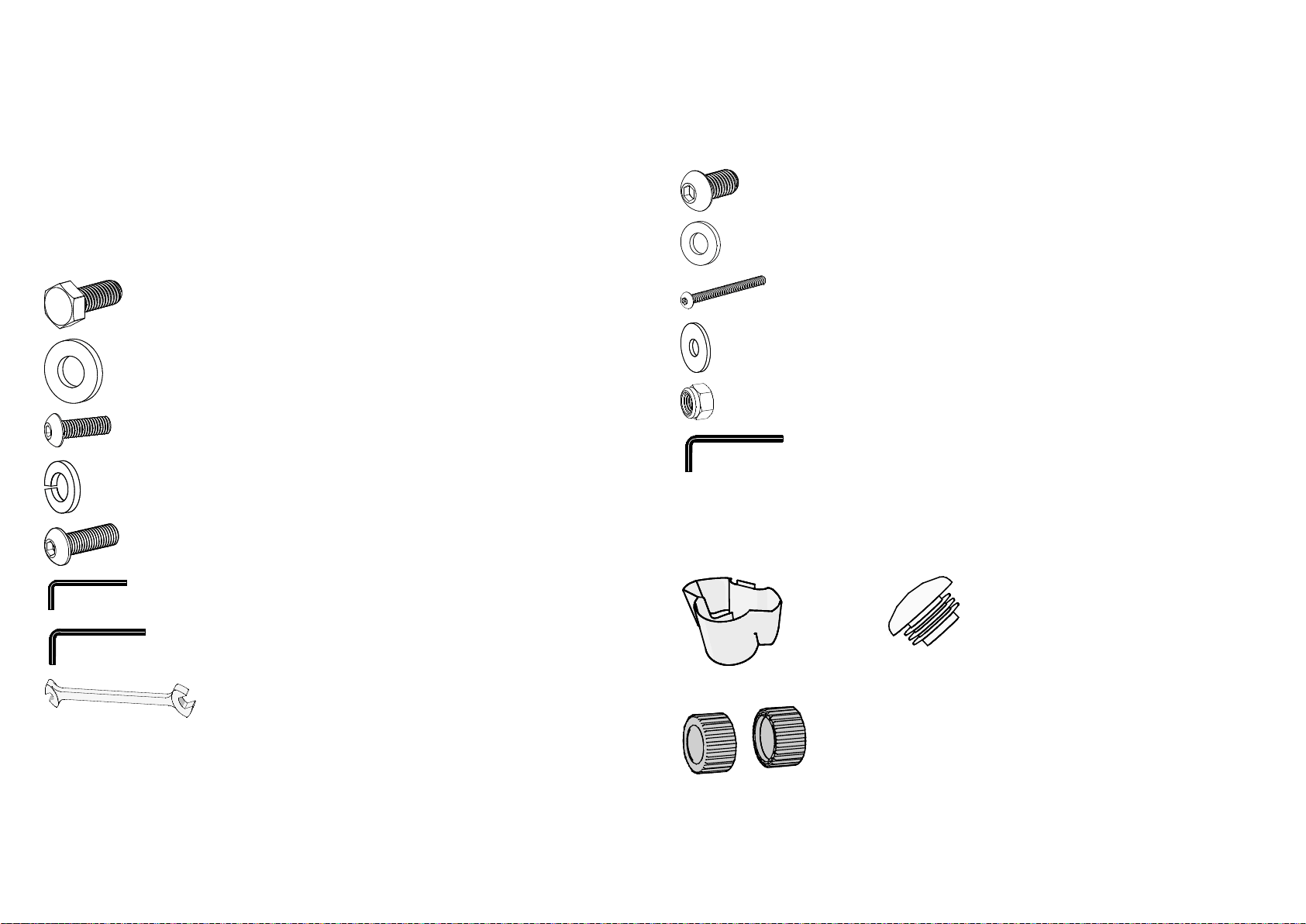
Getting Started
3
Hardware Kit (not to scale)
The hardware kit shipped with this equipment contains the fasteners and other
hardware components shown in the following table. Before you begin assembly,
make sure that your hardware kit is complete. If not, please contact Precor
Customer Support.
Table 1. Hardware Kit Contents
Fasteners
Quantity
Hex head screw
(M8 x 20 mm)
8
Flat washer (M8) 8
Buttonhead screw
(M8 x 12 mm)
6
Lock washer (M8) 6
Buttonhead screw
(¹₄-inch x ³₄-inch)
4
⁵₃₂-inch hex key 1
5 mm hex key 1
Double-ended wrench 1
Table 2. Additional Fasteners for all Models Except the EFX 221
Fasteners
Quantity
Buttonhead screw
(M10 x 20 mm)
2
Flat washer (M10) 2
Buttonhead screw
(M8 x 50 mm)
2
Flat washer (M8) 4
Locknut (M8) 2
6 mm hex key 1
Table 3. Additional Parts
Bottle holder Two handlebar caps (for all models
except the EFX 221)
Two wheel covers
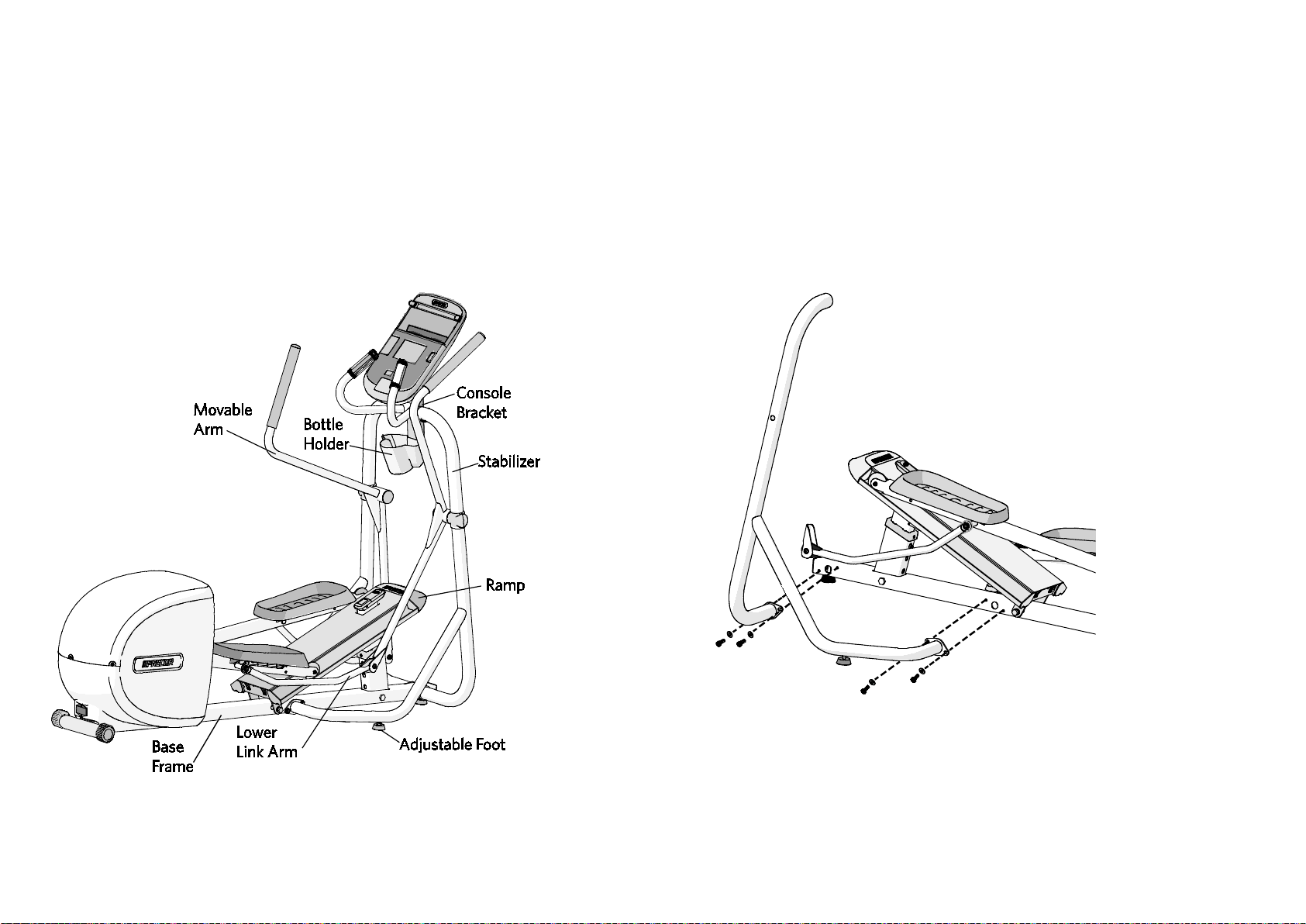
EFX 200 Series Assembly Guide 4
Assembling the Equipment
Proper alignment and adjustment of the equipment is critical. When you install
fasteners, leave room for adjustments. Do not fully tighten the fasteners until you are
instructed to do so.
The following figure identifies the major components of the equipment referred to
in this manual. Your equipment may look slightly different based on the model.
Figure 1: Major components of EFX
Beginning Assembly
Note: For easier access to the base frame, lift the front of the EFX off the floor and
place a wedge of packaging cardboard beneath its base.
To connect the base cable:
1. Ask your assistant to hold the left stabilizer next to the base frame and attach
it using four M8 x 20 mm hex head bolts and four M8 washers. Partially
tighten the fasteners.
Figure 2: Left stabilizer attachment
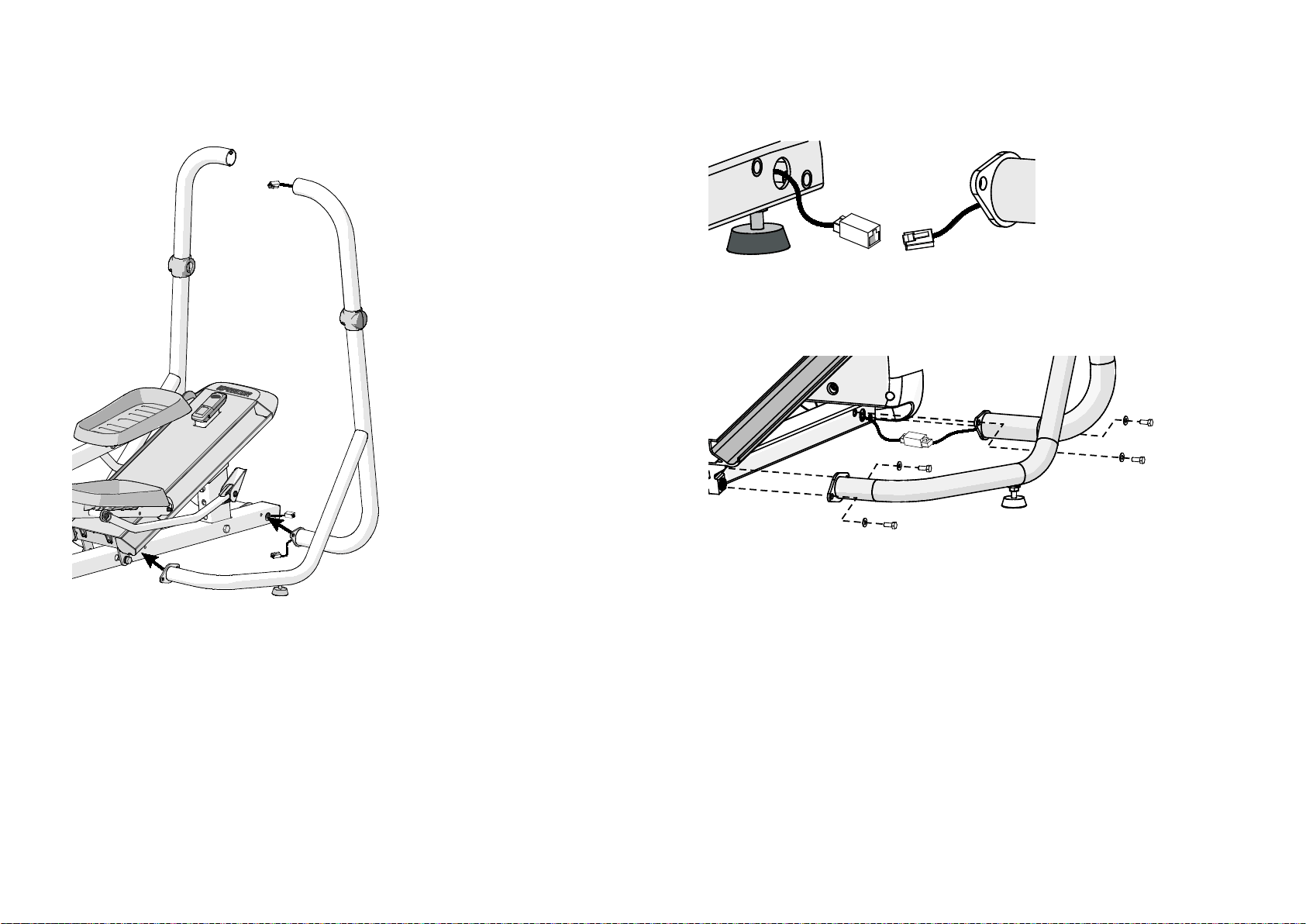
Assembling the Equipment
5
2. Ask your assistant to hold the right stabilizer (with the cable protruding from
both ends) next to the base frame.
Figure 3: Right stabilizer position
3. Connect the base cable. You will hear a click when the cable is properly
attached. Place excess cable inside the stabilizer frame.
Figure 4: Base cable connection
4. Attach the right stabilizer to the base frame using four M8 x 20 mm hex head
bolts and four M8 washers. Partially tighten the fasteners.
Figure 5: Stabilizer attachment
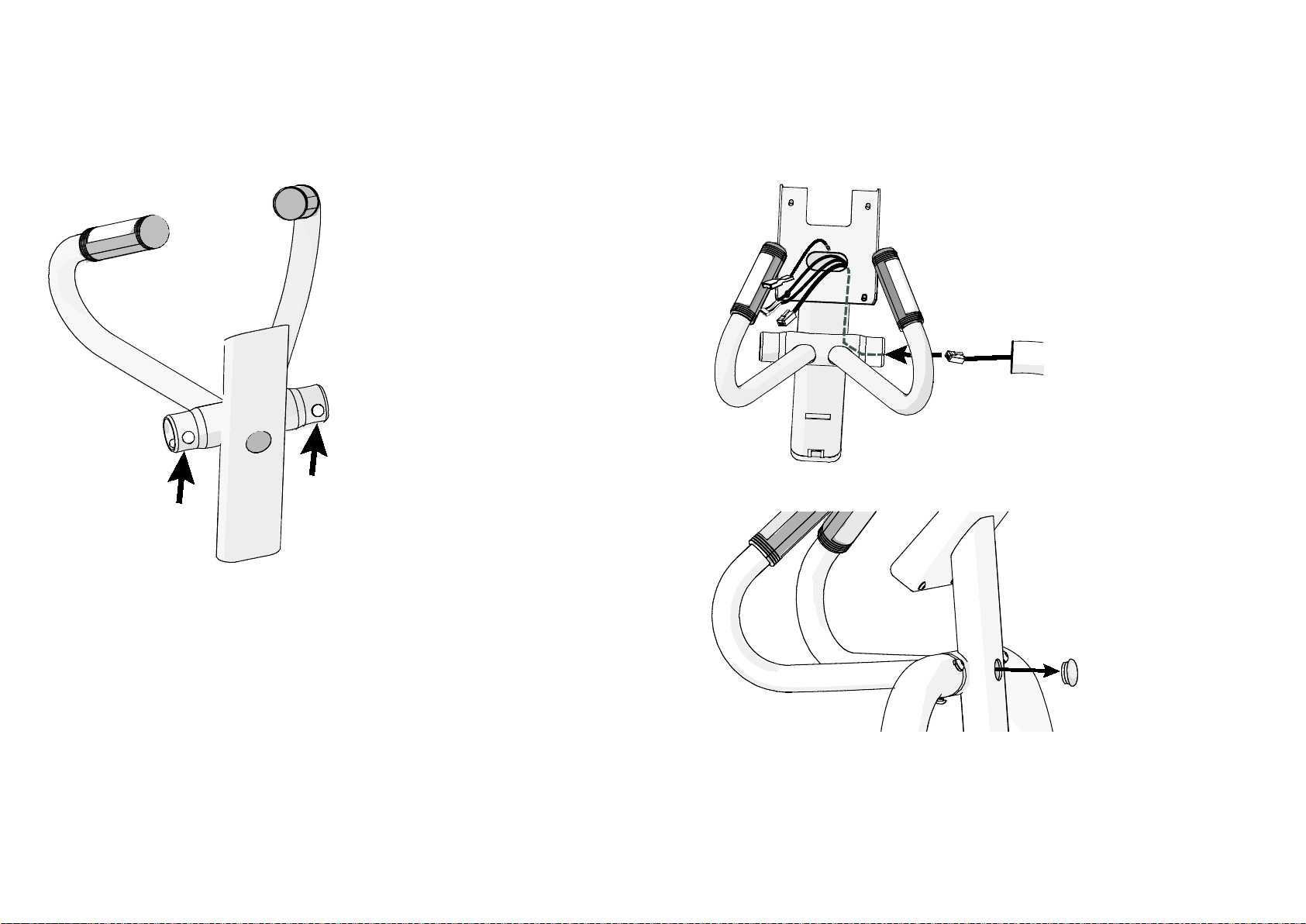
EFX 200 Series Assembly Guide 6
Attaching the Console Bracket
Important: The console bracket joints are lubricated before shipping to make assembly
easier. Be careful not to get this lubricant on your clothing as it may stain.
Figure 6: Grease location
Cut any wire ties that secure the cable to the stabilizer. Unwrap the cable and
remove any kinks.
CAUTION: Make sure you do not pinch the cables while attaching the console bracket.
Any damage caused during installation is not covered by the Precor Limited Warranty.
To attach the console bracket:
1. Feed the cable through the hole and then slide the console bracket onto the
right stabilizer.
2. Remove the plug from the hole on the back of the console bracket.
Figure 7: Remove plug
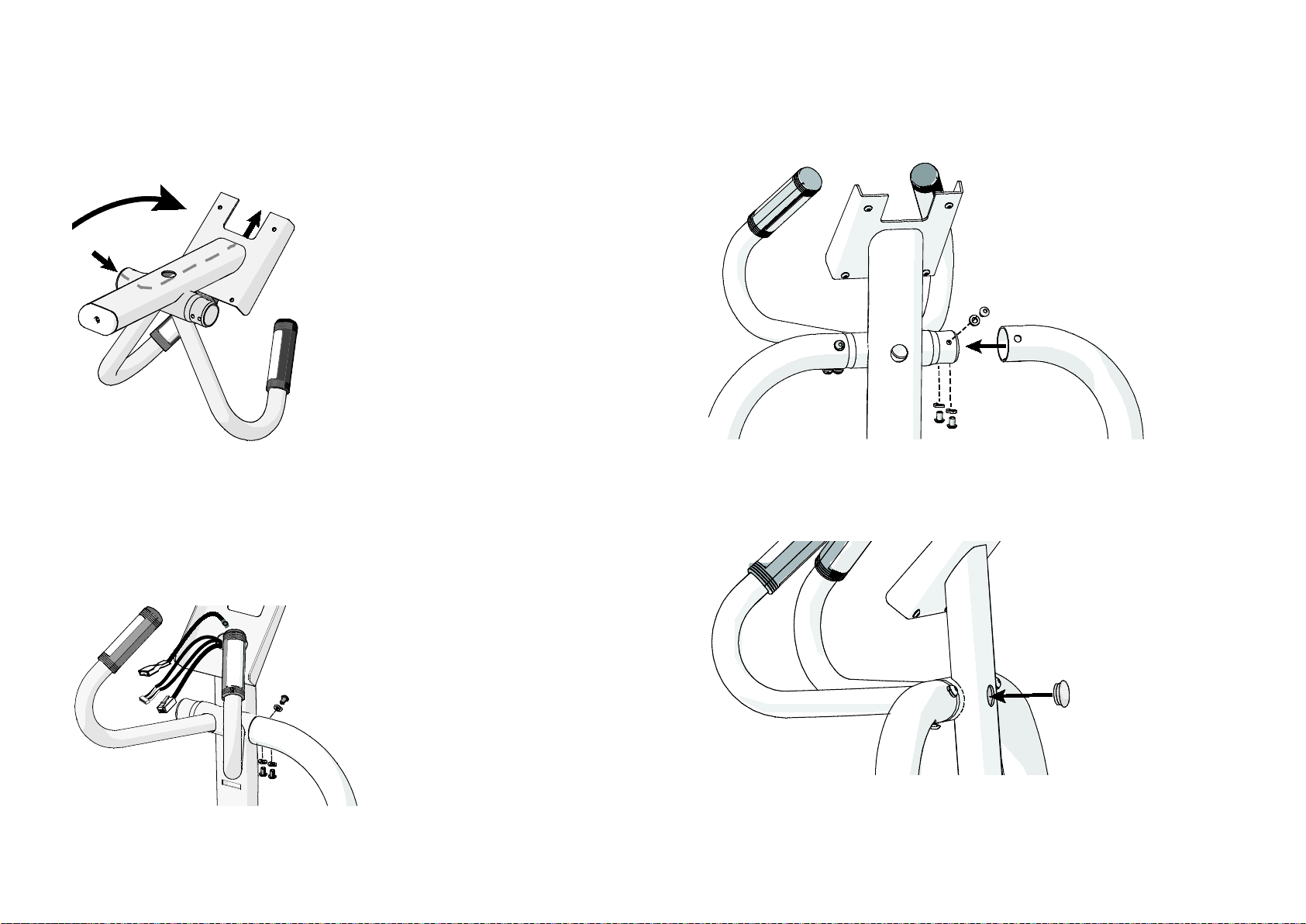
Assembling the Equipment
7
3. Tilt the console bracket forward and feed the cable up through the top of the
console bracket.
Note: Use the hole on the back of the console bracket to reach the cable and
help guide it toward the top opening in the bracket.
Figure 8: Tilt console bracket forward
4. Reposition the console bracket to its upright position and make sure all wires
are pulled through the top of the bracket.
5. Insert the top M8 x 12 mm buttonhead screw and M8 lock washer and
partially tighten the fastener. Then, insert the bottom two buttonhead screws
and lock washers and partially tighten these fasteners.
Figure 9: Right stabilizer attachment
6. Attach the opposite side of the console bracket to the left stabilizer using the
three remaining M8 x 12 mm buttonhead screws and M8 lock washers. Fully
tighten all six console bracket fasteners using the 5 mm hex key.
Figure 10: Left stabilizer attachment
7. Install the plug over the hole in the console bracket.
Note: Use a rubber mallet to tap the plug gently into place.
Figure 11: Replace the plug
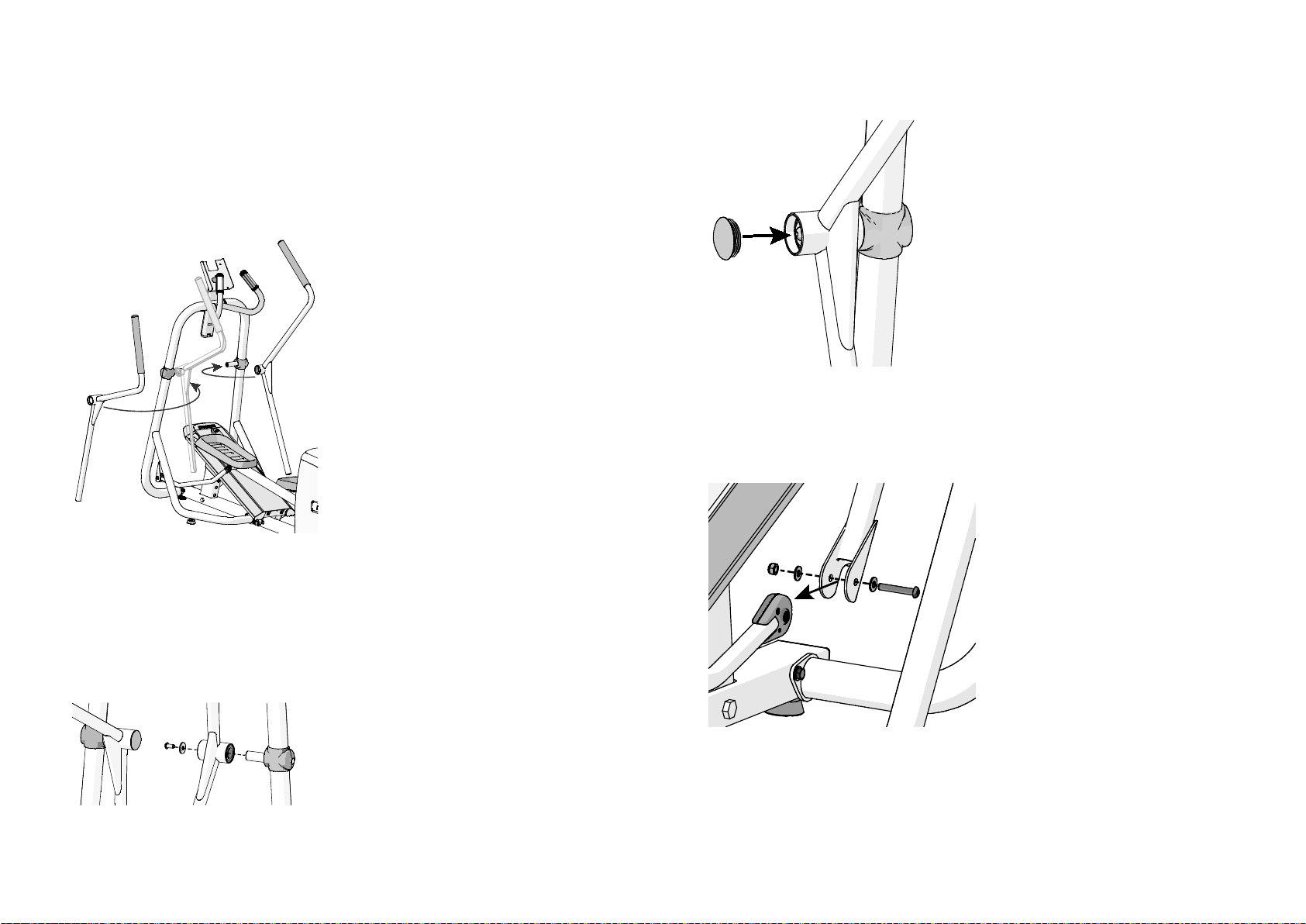
EFX 200 Series Assembly Guide 8
Attaching the Movable Arms (EFX 245, 225,
and 222 Models Only)
Important: If your EFX is a 245, 225, or a 222 model, you will need to attach the
movable arms. If your EFX is a 221 model, please skip the following procedure.
The movable arms are positioned as shown in the following figure.
Figure 12: Movable arm positioning
To attach the right moving handlebar:
1. Slide the handlebar pivot joint onto the stabilizer axle (use a rubber mallet to
tap it into place if needed). Secure the handlebar using one M10 x 20 mm
buttonhead screw and one M10 washer. Fully tighten the fastener using the 6
mm hex key.
Figure 13: Handlebar fasteners and cap
2. Use the rubber mallet to tap the cap gently into place over the fasteners.
Figure 14: Attach moving arm cap
3. Attach the handlebar to the lower link arm using one M8 x 50 mm buttonhead
screw, two M8 washers, and one M8 locknut. Fully tighten the fasteners using
the 5 mm hex key and double-ended wrench.
Figure 15: Lower link handlebar attachment
4. Repeat this procedure to attach the left handlebar.
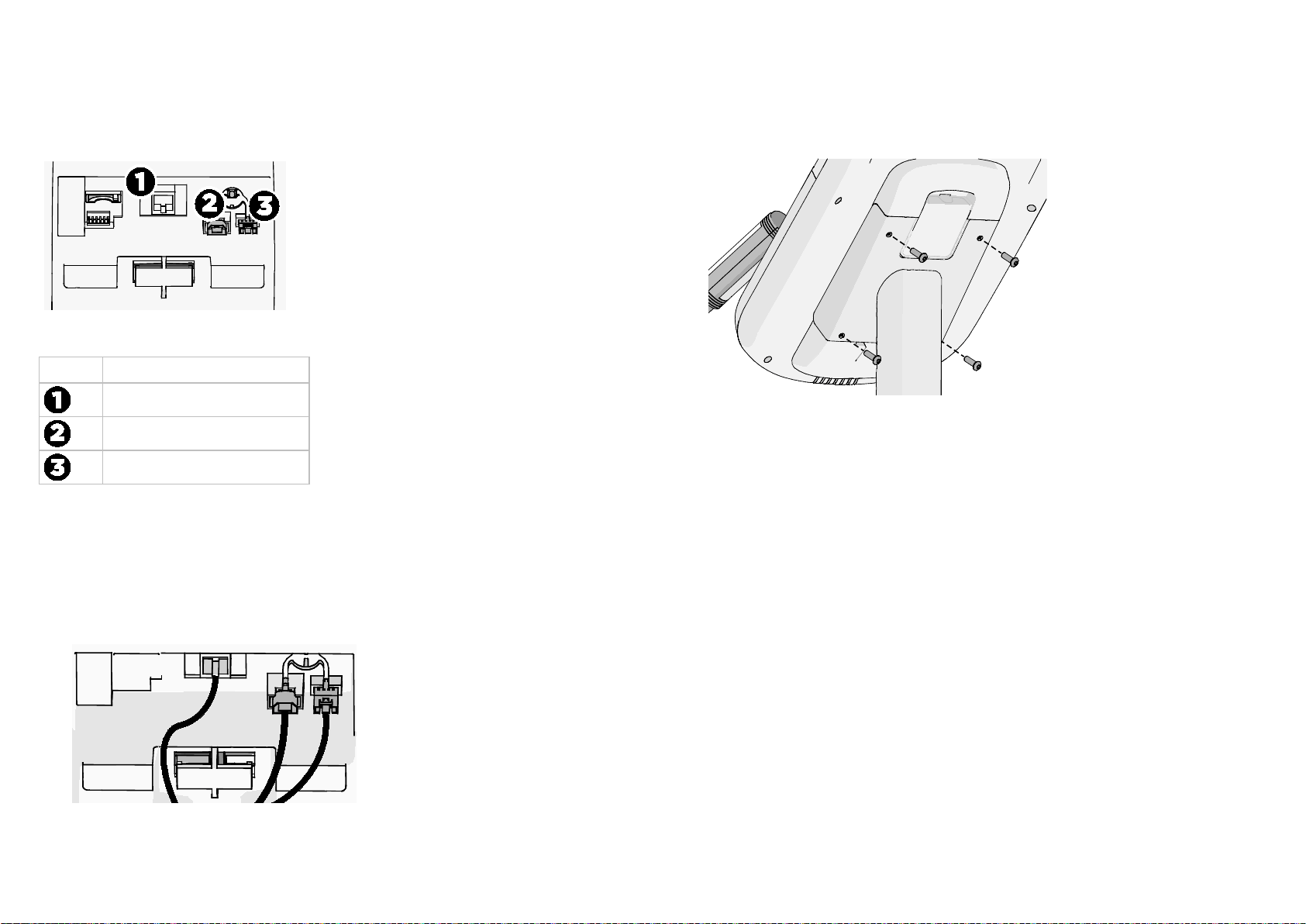
Assembling the Equipment
9
Attaching the Console
Three cables attach to the console.
Figure 16: Cable attachments on back of console
Number
Cable or feature
Base unit data cable
Console ground cable
Touch heart rate cable
To attach the cables to the console:
1. Ask your assistant to hold the console over the console bracket while you
carefully route the following console cables:
a. Insert the base unit data cable (1).
b. Insert the console ground cable (2).
c. Insert the touch heart rate cable (3) with the tabs pointing down.
Figure 17: Cable attachment
2. Set the console onto the console bracket. It should sit flush on the bracket
without gaps. If there is a gap, check to make sure that no wires are being
pinched.
Figure 18: Securing the display console
3. Secure the display console using four ¹₄-inch x ³₄-inch buttonhead screws.
Fully tighten the fasteners using the ⁵₃₂-inch hex key.
Fully Tighten the Remaining Fasteners
Return to the fasteners on the equipment frame that have been partially tightened
and fully tighten them.
To fully tighten the remaining fasteners:
1. Start at the base of the stabilizers and tighten all eight screws using a ¹₂-inch
socket with an extension.
2. If necessary, remove the wedge of packing material placed under the base
frame.
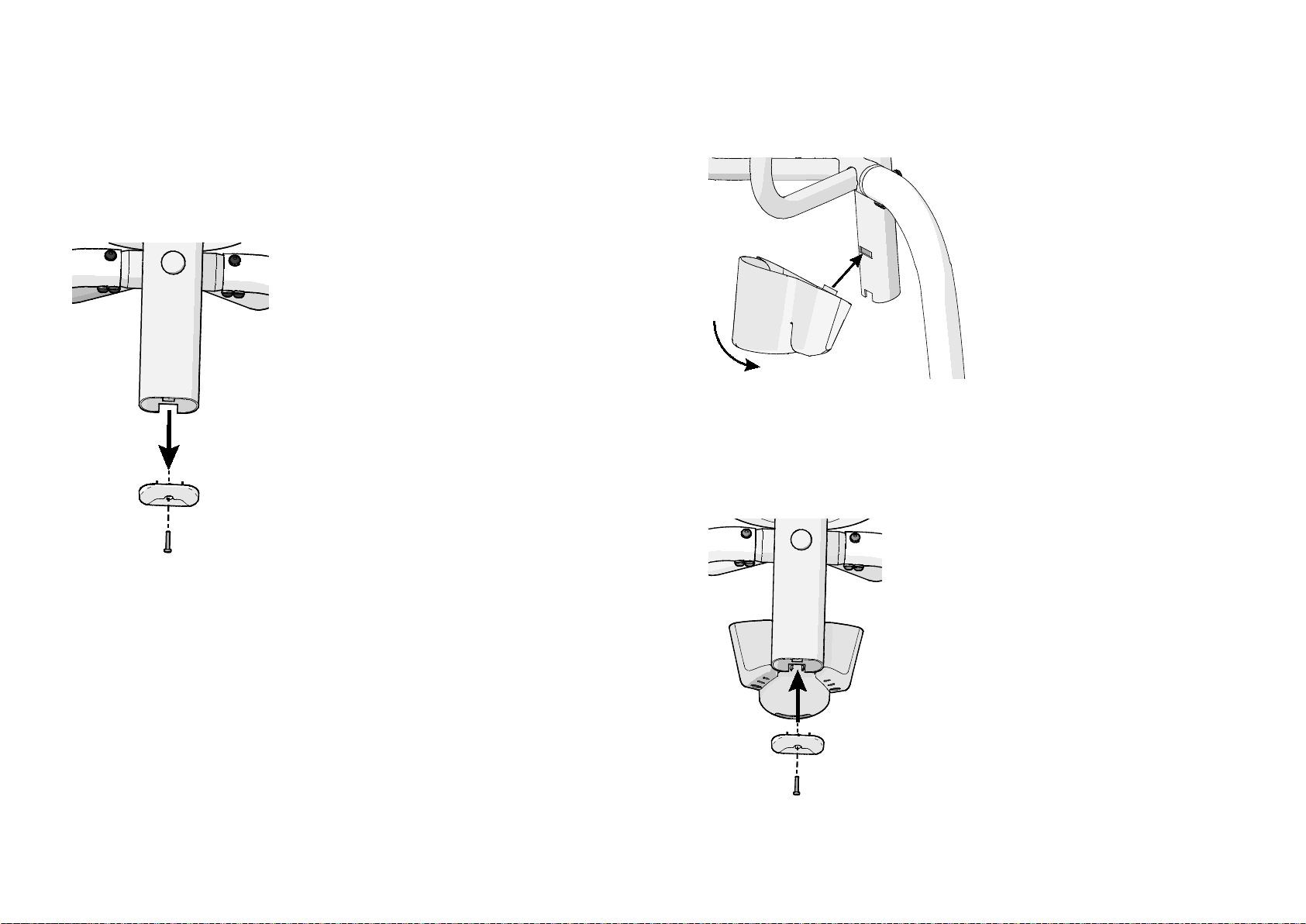
EFX 200 Series Assembly Guide 10
Attaching the Bottle Holder
Locate the bottle holder.
To attach the bottle holder:
1. Remove the screw and console bracket end cap using a Phillips-head
screwdriver.
Figure 19: Remove end cap
2. Attach the bottle holder by inserting the tab into the slot in the console
bracket. Rotate the bottle holder approximately 45 degrees until tab is fully
inserted, and then pivot it downward.
Figure 20: Water bottle positioning
3. Install the end cap into the bottom of the tube and secure it using one Phillips
head screw.
Note: You may need to hold down the bottle holder while installing the end
cap as the end cap has slight interference and locks the bottle holder in place.
Figure 21: Replacing the end cap
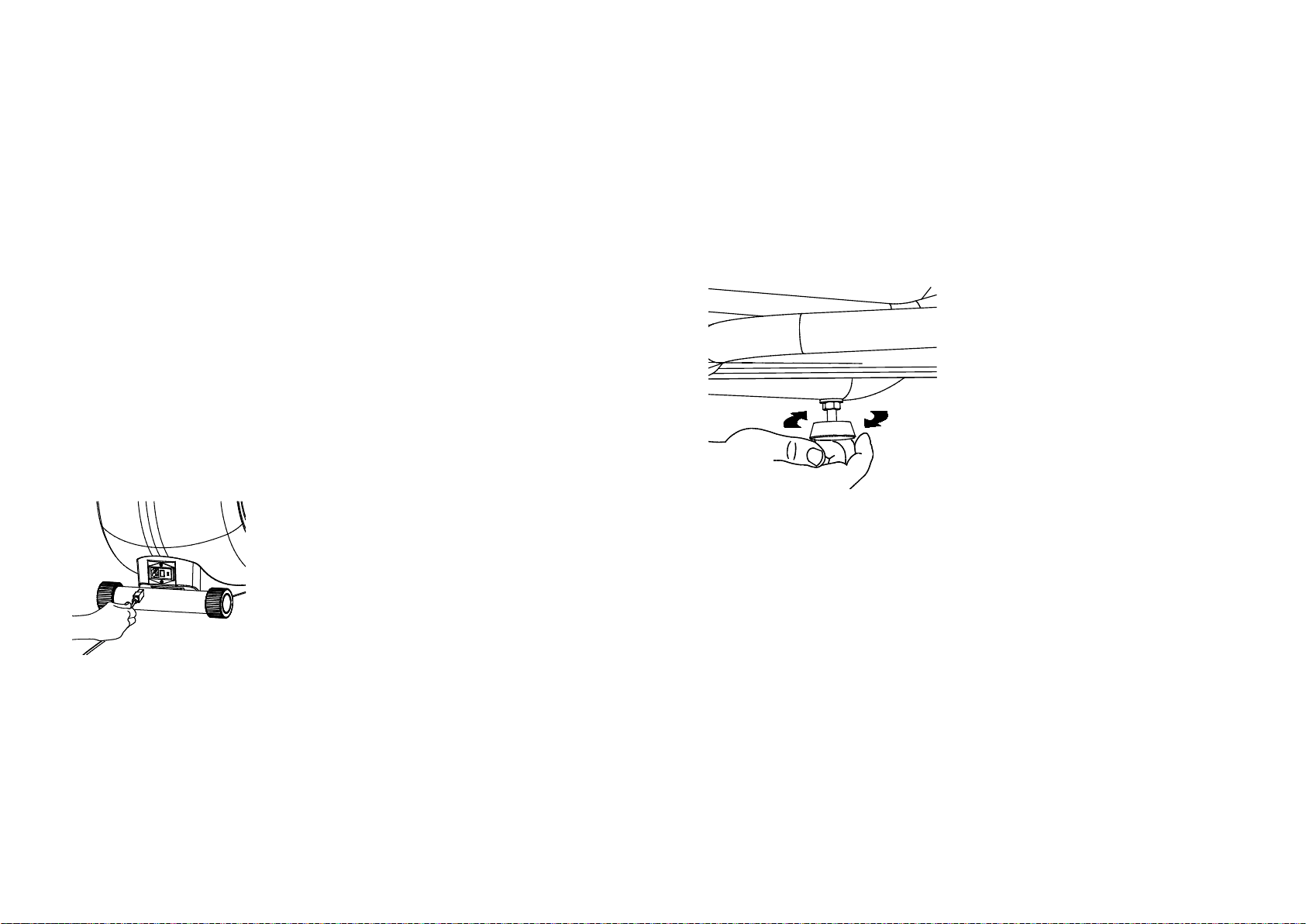
Completing the Assembly
11
Completing the Assembly
CAUTION: The location of the On/Off switch is beneath the cutout on the base frame.
Make sure the power switch is in the Off position. Make sure the power cord is
disconnected from its power source.
Connecting the Power Cord
CAUTION: Use the supplied power cord. Do not remove or otherwise bypass the
3-prong plug with an adapter in order to use a nongrounded outlet. Do not plug the EFX
into a power transformer in an attempt to adjust the voltage requirements. Failure to
follow these instructions might damage the unit and will void the Precor Limited
Warranty. If an appropriate cord for your location was not included with your EFX,
please contact your Precor dealer for the proper Precor power cord. For more
information on authorized Precor dealers in your area, please contact Customer
Support at www.Precor.com.
To connect the power cord:
1. Insert the power plug connector into its receptacle at the rear of the unit.
Figure 22: Plug location
2. Plug the other end into a grounded outlet so you can maintain a consistent
power source without overloading any other circuitry. Be sure to use the
appropriate voltage. Refer to Grounding Instructions in the Owner’s Manual.
3. Use the power switch to turn the unit on. Check that the Precor banner
appears on the display. If the display remains blank, recycle the power. If the
display continues to remain blank, check the cable connections.
Leveling the EFX
Make sure the unit is level before allowing anyone to use it.
CAUTION: To eliminate movement, make sure the adjustable feet are in contact with
the floor.
To level the unit:
1. Gently rock the unit. If there is any movement, ask your assistant to tip the
unit to one side while you locate the adjustable feet.
Figure 23: Leveling the EFX
2. Correct the height of each adjustable foot as follows.
If you want to …
Then turn the adjustable feet …
Raise the unit Counterclockwise
Lower the unit Clockwise
Important: Place the unit on a flat surface. Rotating the adjustable feet cannot
compensate for extremely uneven surfaces.
3. When the EFX is level, tighten the lock nut.
4. When you are finished adjusting the EFX, place the unit on the floor and
recheck that it sits evenly on the floor.
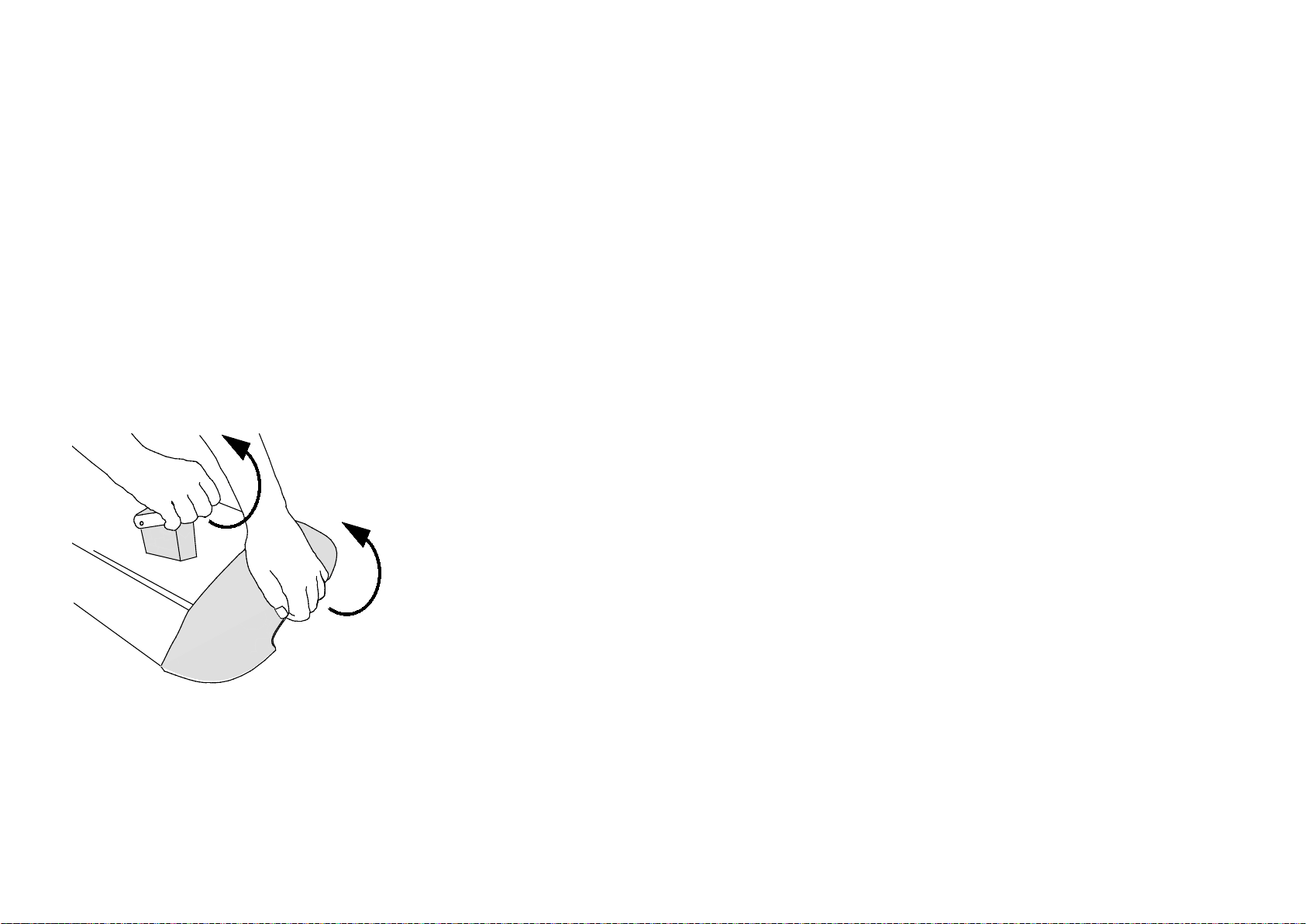
EFX 200 Series Assembly Guide 12
Adjusting the Ramp (EFX Models 222 and 221
Only)
The EFX ramp incline can be set to one of three positions: Low (15 degrees),
Medium (20 degrees), or High (25 degrees). If you are on the equipment,
dismount. To adjust the ramp, you can straddle the equipment with one foot on
either side or stand to one side of it.
CAUTION: To adjust the ramp, you must be standing on the floor. You cannot be
standing on the equipment or the foot pedals. Be aware of the position of the handrails
and console when you are adjusting the ramp. Be careful not to bump your head on the
console when you stand up.
To adjust the ramp:
1. Place one hand under the front of the ramp and one hand on the lever. Pull the
front of the ramp up and toward you while pulling the lever back and up. This
releases the ramp for adjustment.
Figure 24: Ramp adjustment
2. Carefully adjust the ramp to the desired height.
Important: Before releasing your grip, test the ramp by gently pushing it down with
your hands to make sure that it has securely clicked into one of the incline positions.
The ramp should not move when tested.

Precor Incorporated
20031 142nd Ave NE
P.O. Box 7202
Woodinville, WA USA 98072-4002
1-800-347-4404
Precor is a registered trademark of Precor Incorporated.
Copyright 2014 Precor Incorporated.
Specifications subject to change without notice.
www.precor.com
NOTICE:
Precor is widely recognized for its innovative, award winning designs of exercise equipment. Precor
aggressively seeks U.S. and foreign patents for both the mechanical construction and the visual aspects
of its product design. Any party contemplating the use of Precor product designs is hereby forewarned
that Precor considers the unauthorized appropriation of its proprietary rights to be a very serious
matter. Precor will vigorously pursue all unauthorized appropriation of its proprietary rights.
Energy™ Series EFX 200 Elliptical Assembly Guide
303162-110 rev B, en
April 2014

Residential Cardiovascular
Equipment
Limited Warranty
For Elliptical Fitness Crosstrainers™:
• Precision Series (EFX® 447, 425, and 423)
• Energy Series (EFX® 245, 225, 222, and 221)
For Treadmills:
• Precision Series (TRM 445 and 425)
• Energy Series (TRM 243, 223, and 211)
PLEASE READ THESE WARRANTY TERMS AND
CONDITIONS CAREFULLY BEFORE USING YOUR PRECOR
INCORPORATED PRODUCT. BY USING THE EQUIPMENT,
YOU ARE CONSENTING TO BE BOUND BY THE
FOLLOWING WARRANTY TERMS AND CONDITIONS.

2 Residential Cardiovascular Equipment Limited Warranty
Limited Warranty
Precor Incorporated warrants all new Precor products to
be free from defects in materials and manufacture for the
warranty periods set forth below. The warranty periods
commence on the invoice date of original purchase. This
warranty applies only against defects discovered within the
warranty period and extends only to the original purchaser
of the product. Parts repaired or replaced under the terms
of this warranty will be warranted for the remainder of
the original warranty period only. To make a claim under
this warranty, the buyer must notify Precor or his or her
authorized Precor Distributor within 30 days after the date
of discovery of any nonconformity and make the aected
product available for inspection by Precor or its service
representative. Precor’s obligations under this warranty are
limited and set forth below.
Warranty Periods and Coverage
Represented models of residential products used in the
home are warranted for the following periods:
Precision Series Energy Series
Structural frame
and welds:
Lifetime Lifetime
Parts and wear
items:
10 years 5 years
Console: 3 years 3 years
Labor: 1 year 1 year
The following section defines coverage for options and
accessories.

Options / Accessories 3
Options / Accessories
Many options or accessories have components that are
connected internally or mounted inside the electronic
console. The following guidelines determine the warranty
for these components. If the internal components are
installed by the factory or by an authorized dealer or
distributor as part of the original sale and delivery, they
have a warranty that is identical to the warranty of the
equipment in which they are connected or mounted. If the
internal components are not installed by the factory or by
an authorized dealer or distributor as part of the original
sale and delivery, they have a 90-day parts and labor limited
warranty. All components that are not internally connected
have a 90-day parts only limited warranty. Satisfactory
proof of purchase is required in all cases.
Conditions and Restrictions
This warranty is valid only in accordance with the conditions
set forth below:
1. The warranty applies to the Precor product only if:
a. It has been serviced by a Precor Authorized Service
Provider and/or Precor Certified facility sta.
Outside of North America, the product must have
been serviced by the local Precor sales oce or an
Authorized Precor Distributor.
b. It remains in the possession of the original
purchaser and proof of purchase is demonstrated.
c. It has not been subjected to accident, misuse,
abuse, improper service, or non-Precor
modifications.
d. Claims are made within the warranty period.

4 Residential Cardiovascular Equipment Limited Warranty
2. This limited warranty does not cover damage or
equipment failure caused by electrical wiring not in
compliance with electrical codes or Precor owner’s
manual specifications, or failure to provide reasonable
and necessary maintenance as outlined in the owner’s
manual.
3. This limited warranty applies only to Precor products
designed for residential use only and is void in the event
such products are used in a nonresidential environment
or installed in a country other than the country where
such products were originally sold.
4. Moving parts bolted to the structural frame are not
included in the “Structural Frame” warranty (for
example, moving arms, seat and back pad assemblies,
cross ramp assemblies, position adjustments, and so
on).
5. Precor is not responsible for Internet connectivity to its
products. This restriction applies to services, such as
those provided by an Internet Service Provider (ISP),
and also to hardware related to Internet connectivity,
such as Ethernet cabling, routers, servers and switches.
6. Precor is not responsible for the quality of television,
video, audio, or other media supplied to its products.
This restriction applies to services, such as those
provided by a cable or satellite television provider; to
signal strength and clarity; and also to hardware related
to the reception and delivery of television, video, audio,
and other media. Such hardware may include (but is
not limited to) audio, video, and radio-frequency (RF)
cabling, connectors, receivers, modulators, combiners,
distribution amplifiers, splitters, and so on.
7. Precor cannot guarantee that the heart rate
measurement system on its products will work for all
users. Touch heart rate performance may vary based on
a user’s physiology, fitness level, age, and other factors.
You may experience an erratic readout if your hands
are dry, dirty, or oily, or if the skin on your palms is
especially thick. Wearing hand lotion can also cause an
erratic readout. In addition, make sure that the sensors

Conditions and Restrictions 5
are clean to ensure proper contact can be maintained.
If the touch heart rate feature does not work for you,
Precor recommends that you use a chest transmitter
strap.
8. Precor does not warranty the work or product of third
party companies (e.g., head end systems, low voltage
wiring, etc.)
9. Except in Canada, Precor does not pay labor outside the
United States.
10. Warranties outside the United States and Canada may
vary.
Please contact your Precor sales oce or local Distributor
for details.
This limited warranty shall not apply to:
1. Software version upgrades.
2. Software defects that do not materially and negatively
aect the exercise functionality of the product under
normal use conditions at the time of installation.
3. Cosmetic items, including, but not limited to the
following: grips, seats, and labels, or other items, the
exterior of which has been damaged or defaced as a
result of abuse, misuse, accident, improper service
or installation, mishandling, or modification in design
or construction not authorized by Precor including,
without limitation, use or incorporation of any non-
OEM (Original Equipment Manufacturer) replacement
parts.
4. Cosmetic, structural, or functional damage (including
rust, corrosion and unusual wear) caused by failure to
follow the maintenance procedures described in the
owner's manual.
5. Repairs performed on Precor equipment missing a serial
number or with a serial tag that has been altered or
defaced.

6 Residential Cardiovascular Equipment Limited Warranty
6. Service calls to correct installation of the equipment or
instruct owners on how to use the equipment.
7. Pickup, delivery, or freight charges involved with repairs.
8. Any labor costs incurred beyond the applicable labor
warranty period.
Disclaimer and Release
The limited warranties provided herein are the exclusive
warranties given by Precor and supersede any prior,
contrary or additional representations, whether oral or
written. ANY IMPLIED WARRANTIES, INCLUDING THE
WARRANTY OF MERCHANTABILITY OR FITNESS FOR
A PARTICULAR PURPOSE THAT APPLY TO ANY PARTS
DESCRIBED ABOVE ARE LIMITED IN DURATION TO
THE PERIODS OF EXPRESS WARRANTIES GIVEN ABOVE
FOR THOSE SAME PARTS. PRECOR HEREBY DISCLAIMS
AND EXCLUDES THOSE WARRANTIES THEREAFTER.
Some states do not allow limitation on how long an implied
warranty lasts, so the above limitations may not apply to
you. PRECOR ALSO HEREBY DISCLAIMS AND EXCLUDES
ALL OTHER OBLIGATIONS OR LIABILITIES, EXPRESS
OR IMPLIED, ARISING BY LAW OR OTHERWISE, WITH
RESPECT TO ANY NONCONFORMANCE OR DEFECT
IN ANY PRODUCT, INCLUDING BUT NOT LIMITED
TO: (A) ANY OBLIGATION, LIABILITY, RIGHT, CLAIM
OR REMEDY IN TORT, WHETHER OR NOT ARISING
FROM THE NEGLIGENCE OF PRECOR OR ITS SUPPLIERS
(WHETHER ACTIVE, PASSIVE OR IMPUTED); AND (B)
ANY OBLIGATION, LIABILITY, RIGHT, CLAIM, OR REMEDY
FOR LOSS OF OR DAMAGE TO ANY EQUIPMENT. This
disclaimer and release shall apply even if the express
warranty set forth above fails of its essential purpose.

Exclusive Remedies 7
Exclusive Remedies
For any product described above that fails to conform to
its warranty, Precor will provide, at their option, one of the
following: (1) repair; (2) replacement; or (3) refund of the
purchase price. Precor Limited Warranty service may be
obtained by contacting the authorized Distributor from
whom you purchased the item. Precor compensates Precor
Authorized Servicers for warranty trips within their normal
service area to repair equipment at the owner’s location.
You may be charged a trip charge outside the service area.
THESE SHALL BE THE SOLE AND EXCLUSIVE REMEDIES
OF THE BUYER FOR ANY BREACH OF WARRANTY.

8 Residential Cardiovascular Equipment Limited Warranty
Exclusion of Consequential and
Incidental Damages
PRECOR AND/OR ITS SUPPLIERS SHALL HAVE NO
OBLIGATION OR LIABILITY, WHETHER ARISING
IN CONTRACT (INCLUDING WARRANTY), TORT
(INCLUDING ACTIVE, PASSIVE, OR IMPUTED
NEGLIGENCE AND STRICT LIABILITY), OR OTHERWISE,
FOR DAMAGE TO THE EQUIPMENT, PROPERTY DAMAGE,
LOSS OF USE, REVENUE OR PROFIT, COST OF CAPITAL,
COST OF SUBSTITUTE EQUIPMENT, ADDITIONAL COSTS
INCURRED BY BUYER (BY WAY OF CORRECTION OR
OTHERWISE) OR ANY OTHER INCIDENTAL, SPECIAL,
INDIRECT, OR CONSEQUENTIAL DAMAGES, WHETHER
RESULTING FROM NONDELIVERY OR FROM THE USE,
MISUSE OR INABILITY TO USE THE PRODUCT. This
exclusion applies even if the above warranty fails of its
essential purpose and regardless of whether such damages
are sought for breach of warranty, breach of contract,
negligence, or strict liability in tort or under any other legal
theory. Some states do not allow the exclusion or limitation
of incidental or consequential damages, so the above
limitation might not apply. This warranty gives you specific
legal rights, and you may also have other rights, which vary
state to state.
Precor Incorporated
20031 142nd Ave NE, P.O. Box 7202, Woodinville, WA 98072-4002
1-800-347-4404 • www.precor.com
Eective 31 August 2014
P/N 303218-102, en
© 2014 Precor Incorporated